KitGuru KitGuru.net – Tech News | Hardware News | Hardware Reviews | IOS | Mobile | Gaming | Graphics Cards


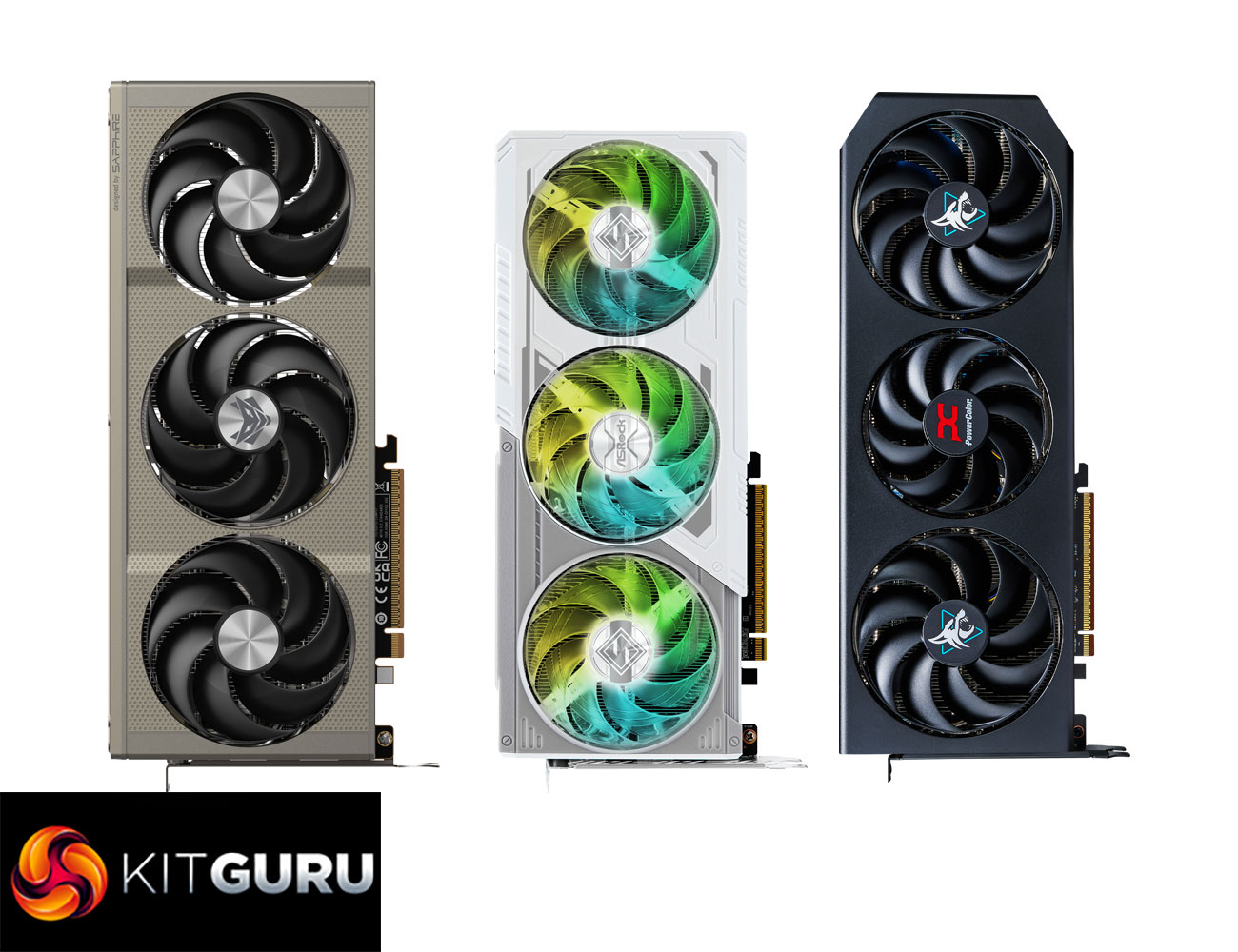
After the launch of AMD's RX 9060 XT 16GB last week, we were keen to see what AMD’s board partners could bring to the table with their custom designs. To that end, today we are analysing the ASRock Steel Legend, PowerColor Hellhound, and Sapphire Nitro+. With prices ranging from £350 up to £380, is there a clear winner among these partner cards? We find out today.
While at launch we assessed the ASUS Prime model, today our attention turns to three other custom cards from AMD's partners. The ASRock Steel Legend is a premium model, offering a clean white-and-grey aesthetic, alongside plentiful ARGB lighting and a factory overclocked core. PowerColor's Hellhound model may not be so eye-catching, but at £350 it's the cheapest of the three on test today and still packs in features like dual-BIOS. Last but not least, the Sapphire Nitro+ is as elegant as ever, but at £380 it's also the most expensive card we are reviewing. Let's find out exactly how each of these cards perform.
| RX 9070 XT | RX 9070 | RX 9060 XT | RX 7600 XT | RX 7600 | |
| Architecture | RDNA 4 | RDNA 4 | RDNA 4 | RDNA 3 | RDNA 3 |
| Manufacturing Process | TSMC N4 | TSMC N4 | TSMC N4 | 6 nm | 6 nm |
| Transistor Count | 53.9 billion | 53.9 billion | 29.7 billion | 13.3 billion | 13.3 billion |
| Die Size | 357 mm² | 357 mm² | 199 mm² | 204 mm² | 204 mm² |
| Compute Units | 64 | 56 | 32 | 32 | 32 |
| Ray Accelerators | 64 | 56 | 32 | 32 | 32 |
| Stream Processors | 4096 | 3584 | 2048 | 2048 | 2048 |
| Game GPU Clock | 2400 MHz | 2070 MHz | 2530 MHz | 2470 MHz | 2250 MHz |
| Boost GPU Clock | Up to 2970 MHz | Up to 2520 MHz | Up to 3130 MHz | Up to 2755 MHz | Up to 2625 MHz |
| ROPs | 128 | 128 | 64 | 64 | 64 |
| AMD Infinity Cache | 64MB | 64MB | 32MB | 32MB | 32MB |
| Memory | 16GB GDDR6 | 16GB GDDR6 | 8/16GB GDDR6 | 16GB GDDR6 | 8GB GDDR6 |
| Memory Data Rate | 20 Gbps | 20 Gbps | 20 Gbps | 18Gbps | 18Gbps |
| Memory Bandwidth | 645 GB/s | 645 GB/s | 322 GB/s | 288 GB/s | 288 GB/s |
| Memory Interface | 256-bit | 256-bit | 128-bit | 128-bit | 128-bit |
| Board Power | 304W | 220W | 160W | 190W | 165W |
First, let's take a quick look at the specs. The RX 9060 XT is built on the new Navi 44 die, measuring just 199mm², and it's worth pointing out this is a monolithic chip, so AMD is not using a chiplet-based design as per RDNA 3. In total, Navi 44 silicon packs in 29.7 billion transistors.
As a full implementation of Navi 44, the RX 9060 XT packs in 32 Compute Units, and each CU houses 64 Stream Processors, for a total of 2048 shaders. There's also 32 Ray Accelerators – one per CU – and 64 ROPs.
As for clock speed, the RX 9060 XT has the highest speeds of any RDNA 4 GPU so far, given it sports a rated game clock of 2530MHz and a boost clock of up to 3130MHz.
The memory configuration offers either 8 or 16GB of GDDR6 memory clocked at 20Gbps, operating over a 128-bit memory interface, for total memory bandwidth of 322 GB/s. 32MB of Infinity Cache is also present.
Power draw for the RX 9060 XT is rated at 160W Total Board Power (TBP), but we are using our updated GPU power testing methodology in this review, so read on for our most detailed power and efficiency testing yet.

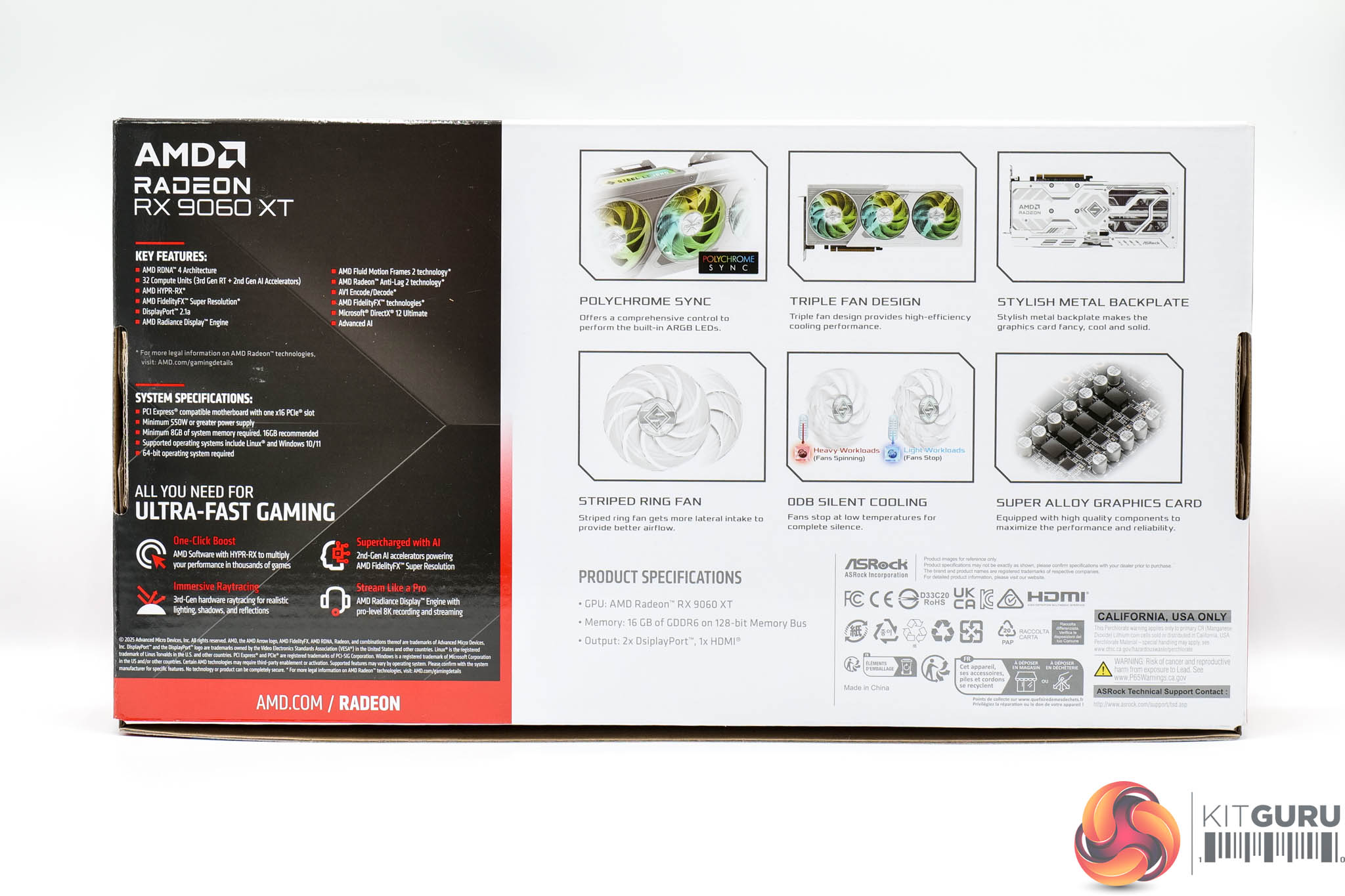
Starting off with the ASRock RX 9060 XT Steel Legend 16GB, this ships in a white and black box, with a few features of the card and cooler design highlighted on the back.
The only included accessory is a quick-start guide.
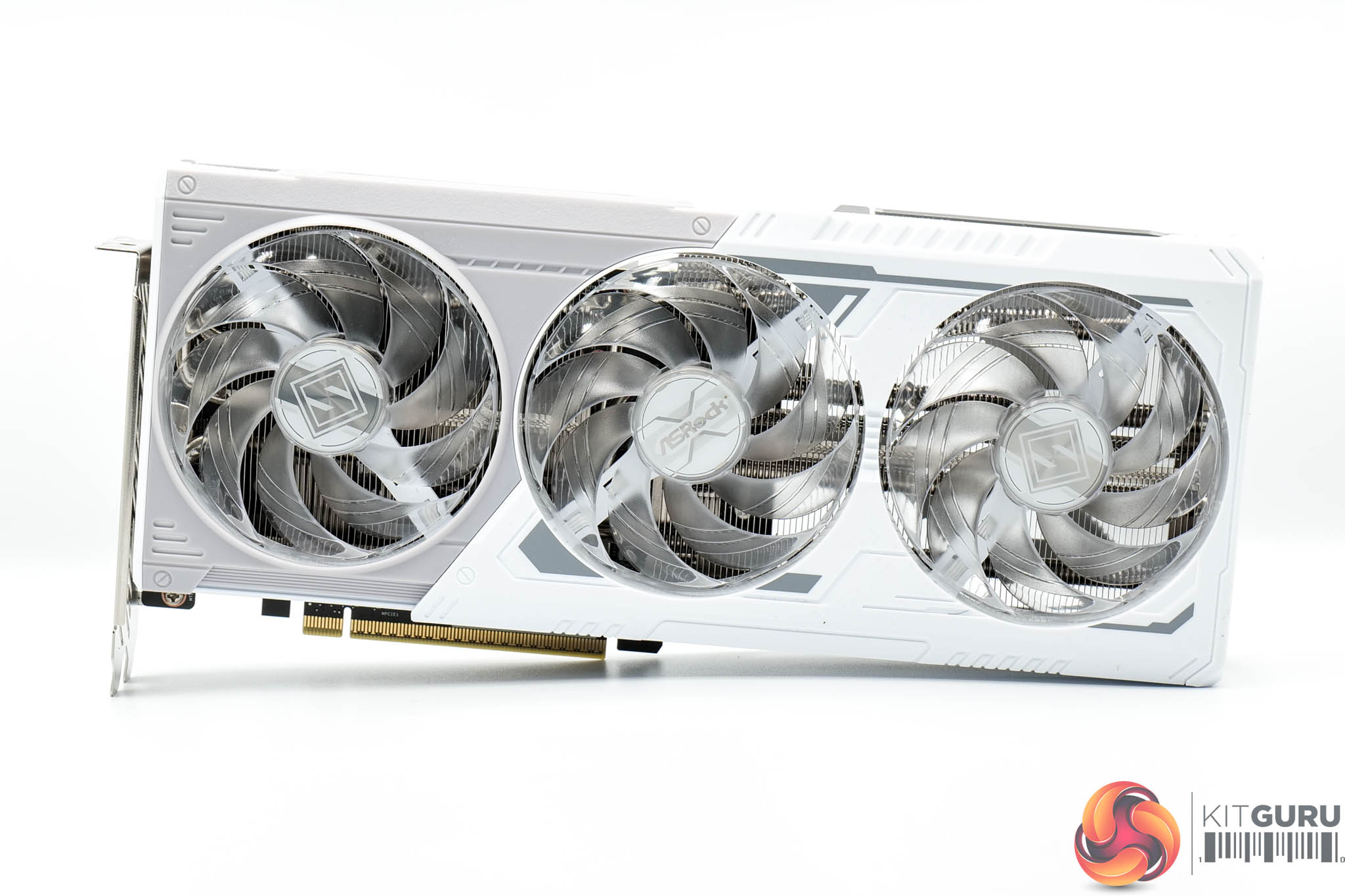
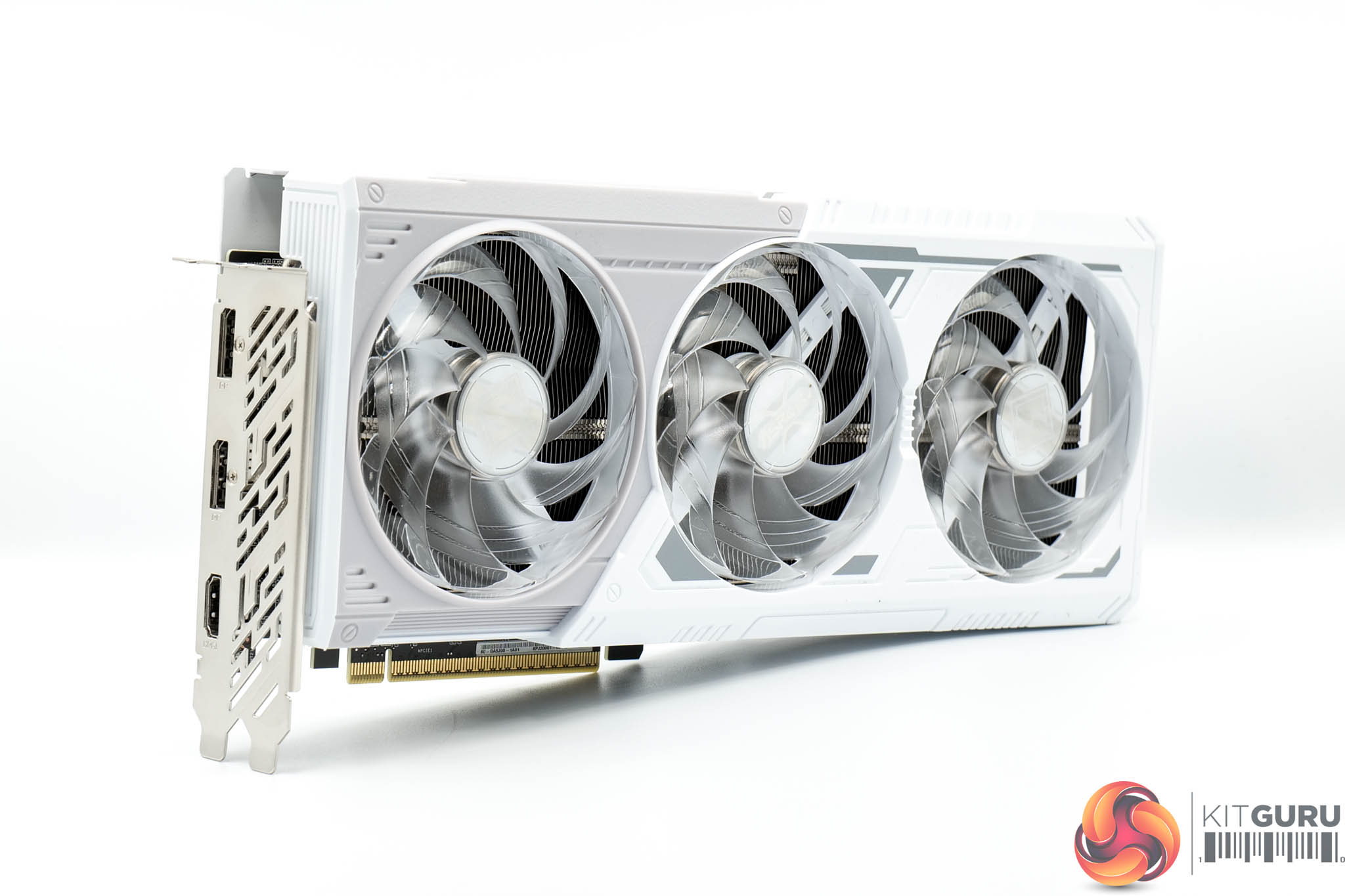
If you've seen ASRock's Steel Legend components before – be it motherboard or graphics card – you will know what to expect from the design. It's sporting a white and grey shroud, an aesthetic I like quite a lot – it reminds me of the Star Wars Hoth rebels.
There's three fans, each measuring 90mm in diameter, and these feature transparent fan blades to help diffuse the RGB lighting, shown below.
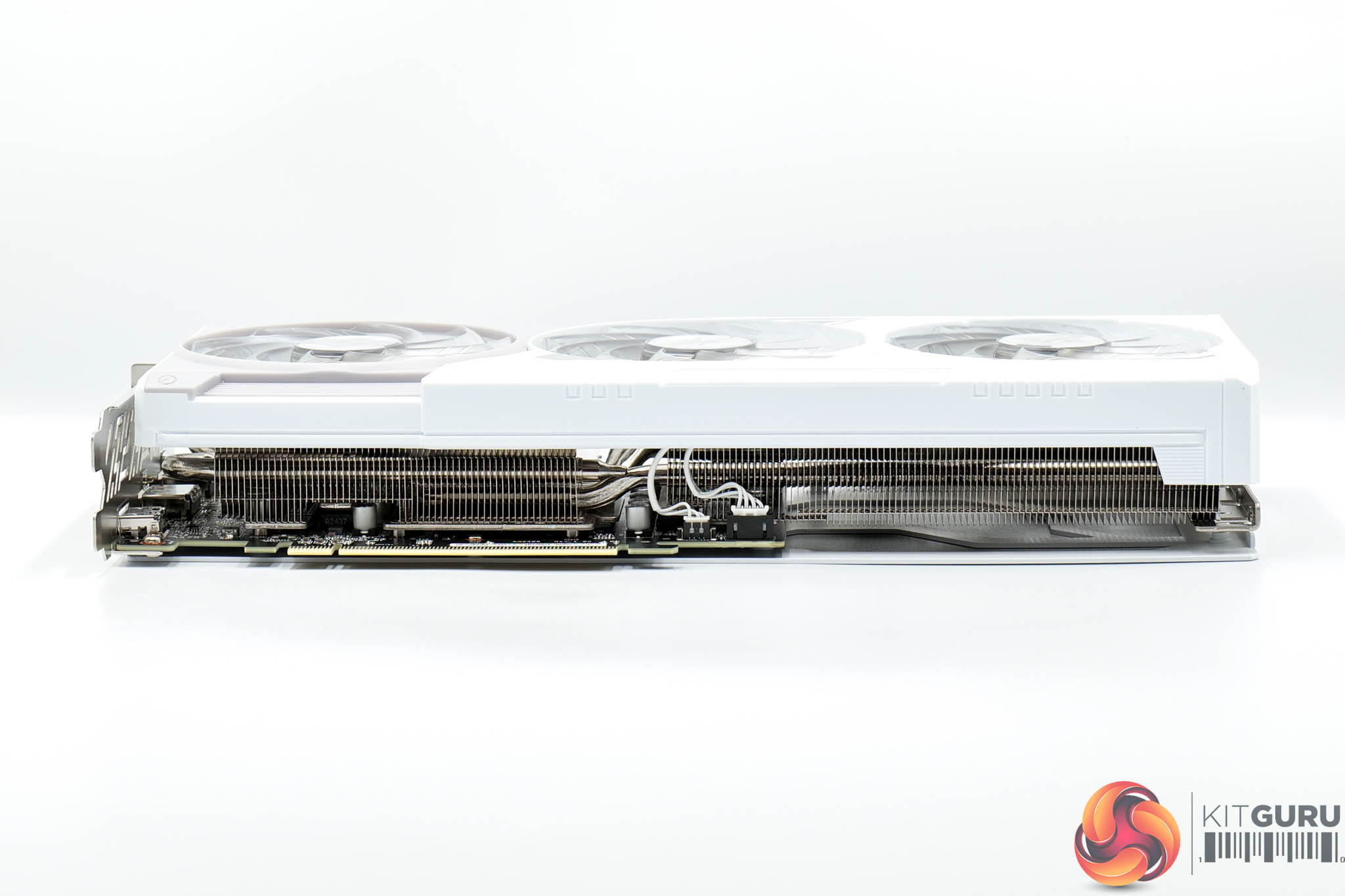
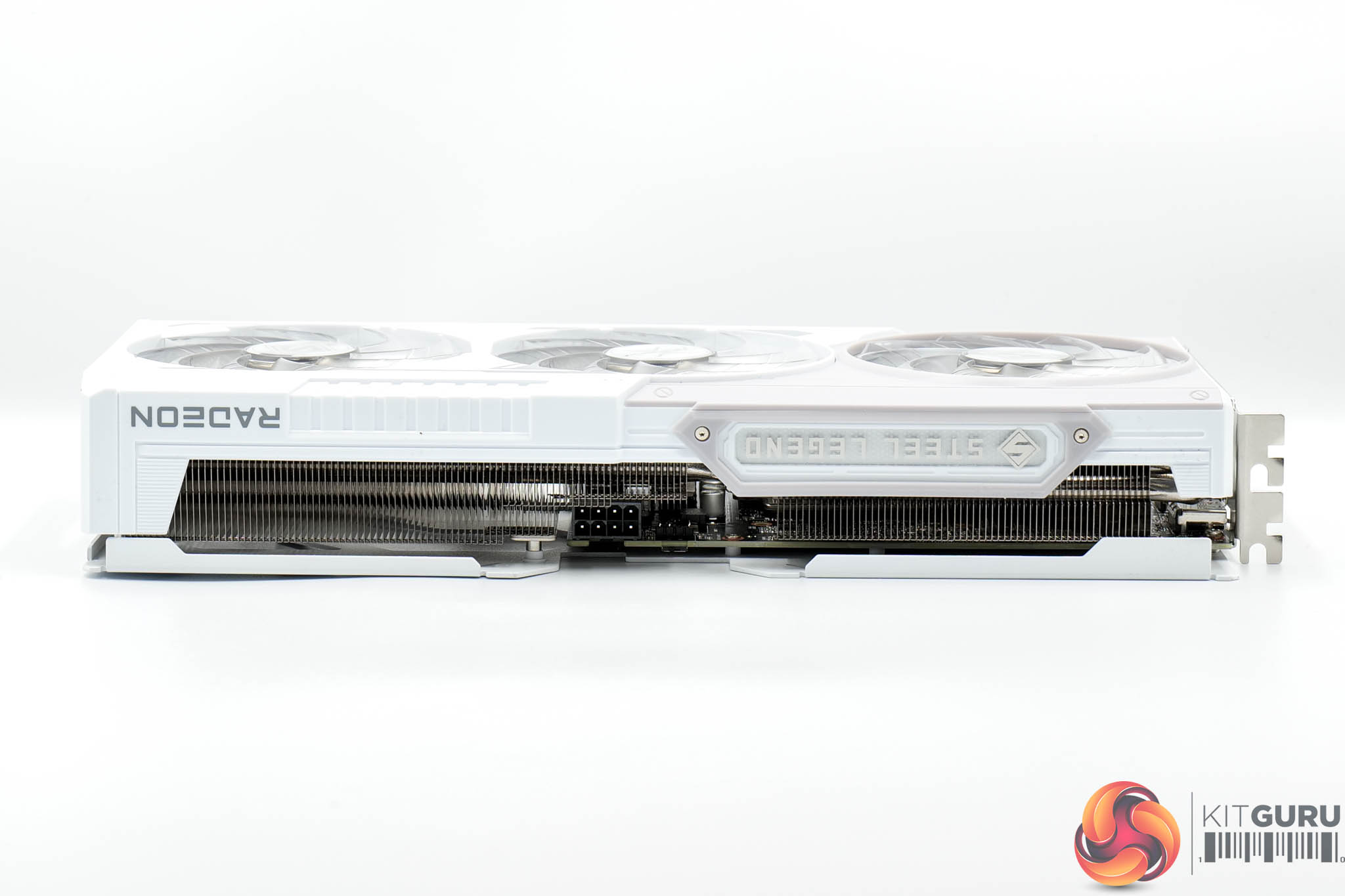
In terms of dimensions, the Steel Legend measures 298 x 131 x 51mm, so it's hardly a small graphics card, but it's not an absolute monster either. It weighed in at 953g on my scales.
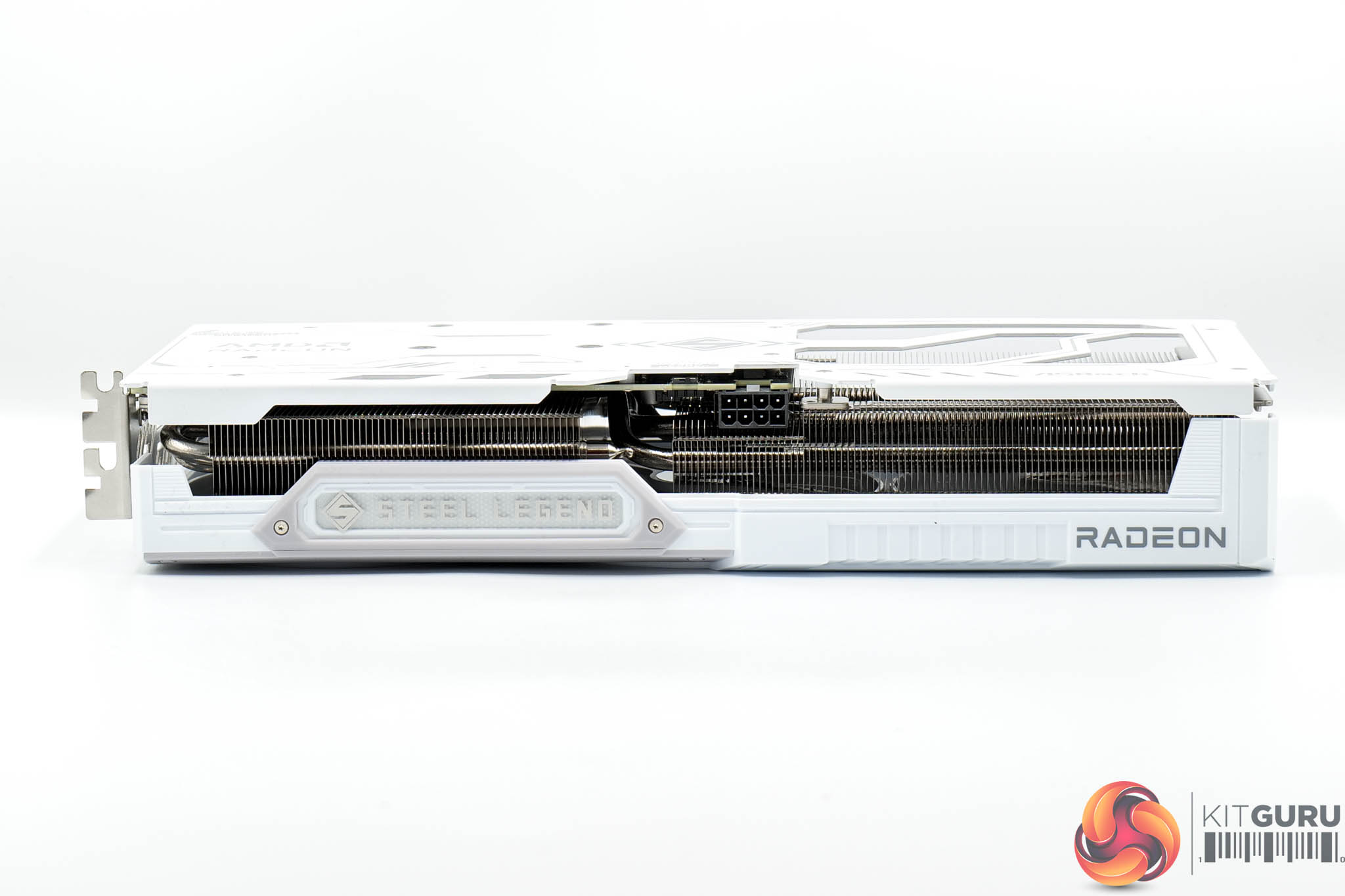
The front side is home to the Steel Legend logo which is illuminated by RGB LEDs.
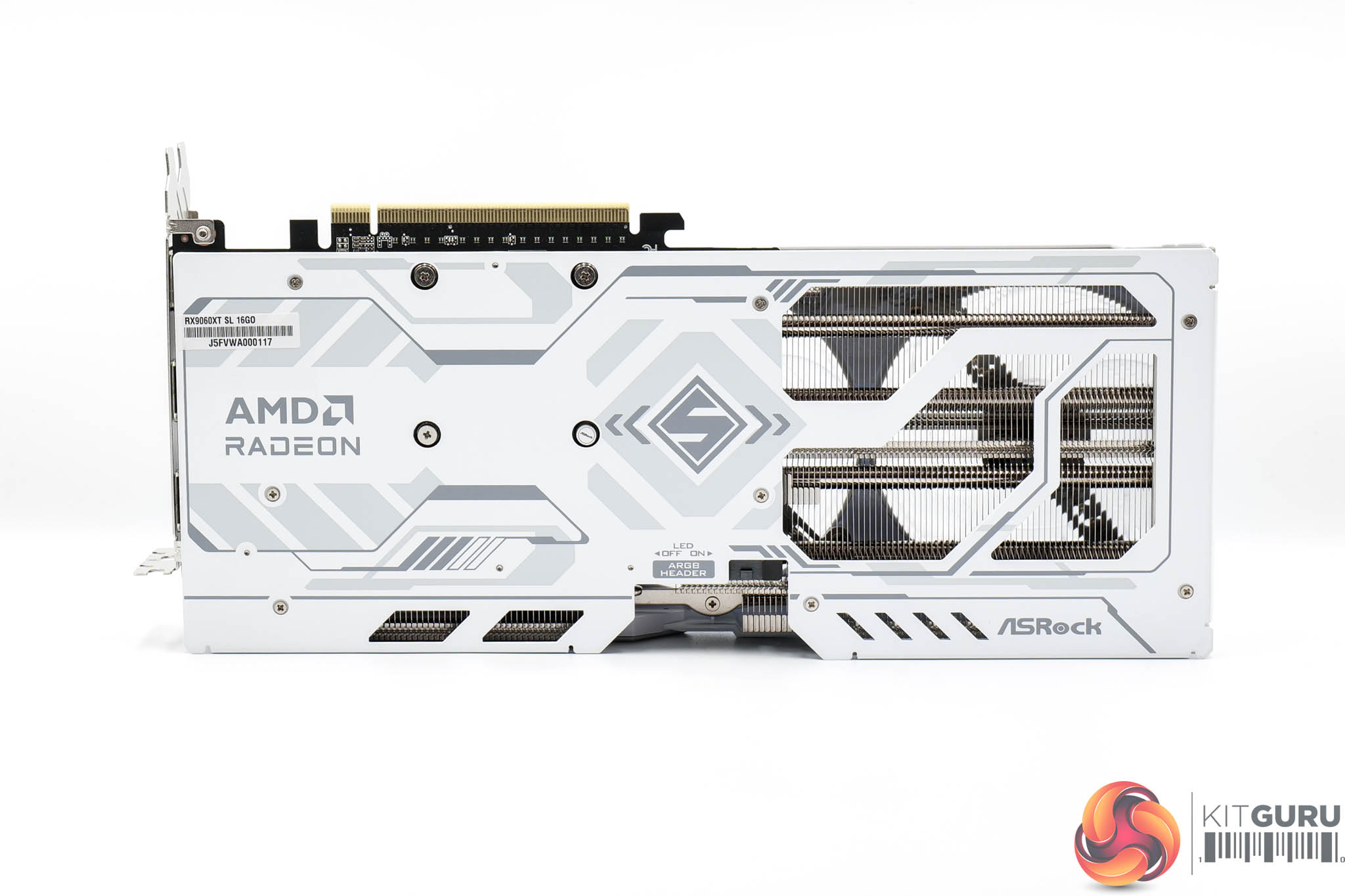
The metal backplate continues the white and grey aesthetic from the shroud, while there's a large flow-through area too. You can also note a physical switch to toggle the ARGB lighting on or off, alongside an ARGB header to control the LEDs externally.


The lighting itself is nice and vibrant – the positioning of the LEDs around the fan hubs would make this a prime candidate for vertical mounting. But you can always toggle the switch to turn the lighting off completely if that's your preference.
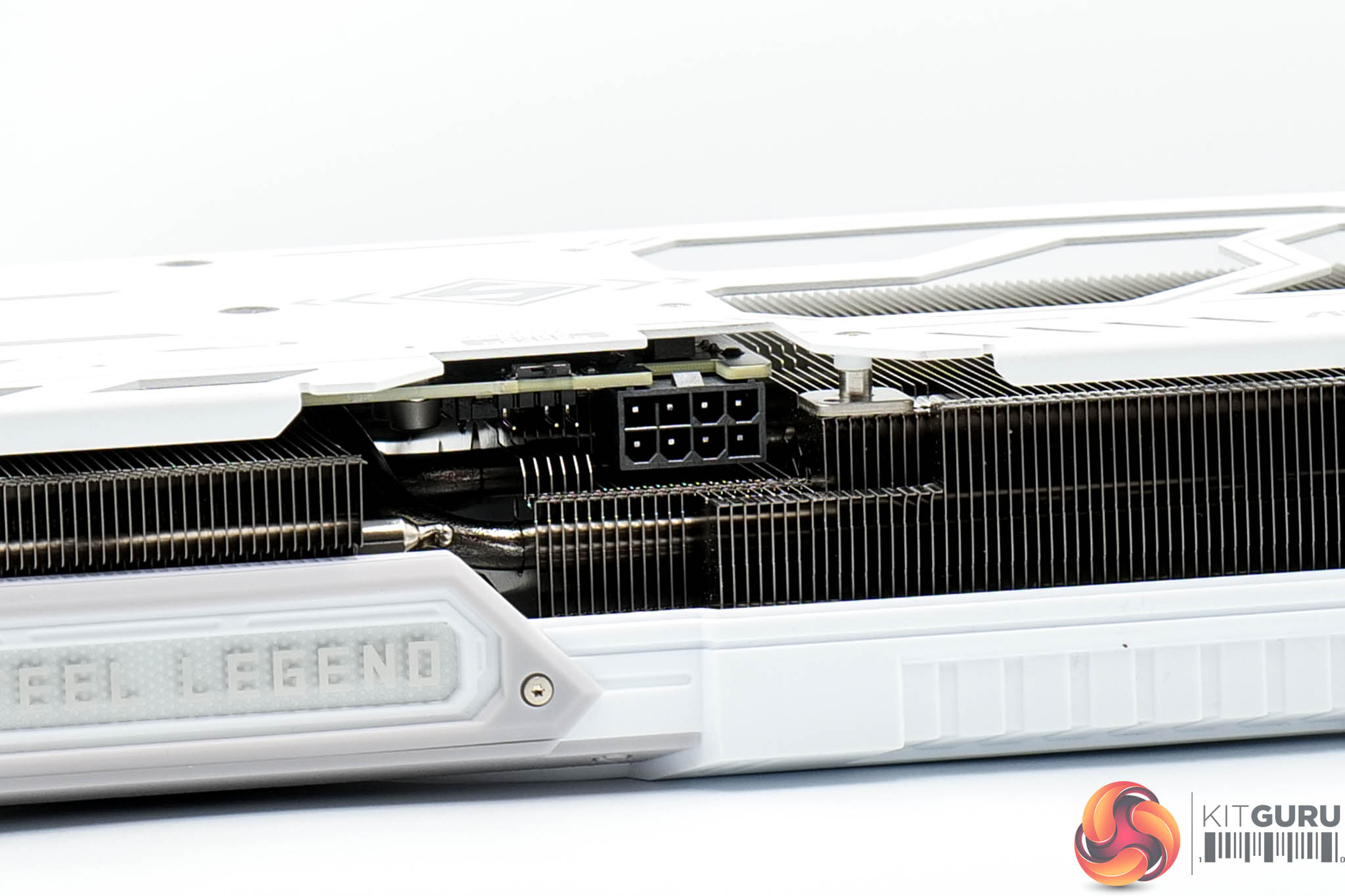
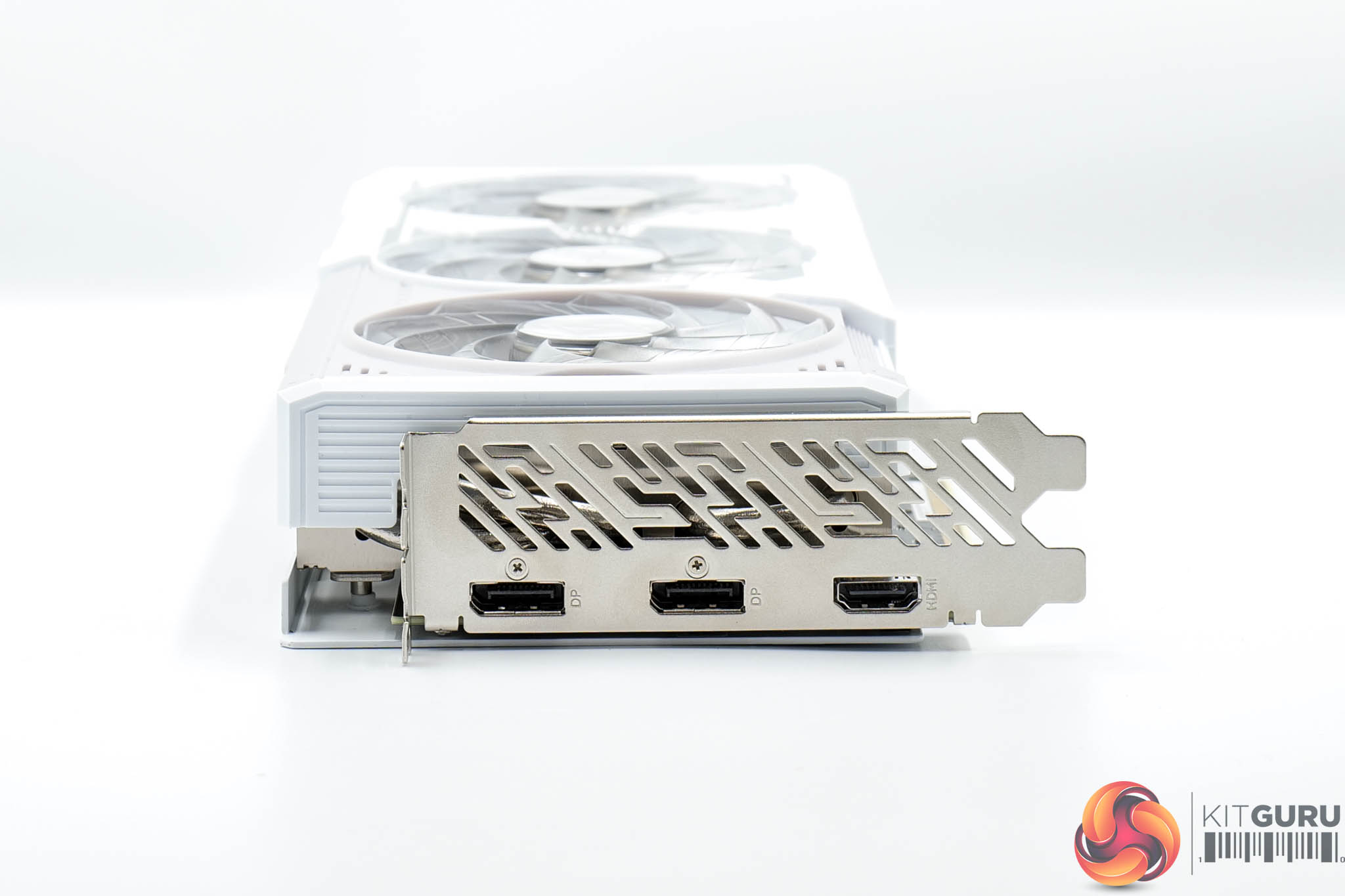
Power is delivered by a single 8-pin connector, while there's two DisplayPort 2.1 and one HDMI 2.1 video outputs.
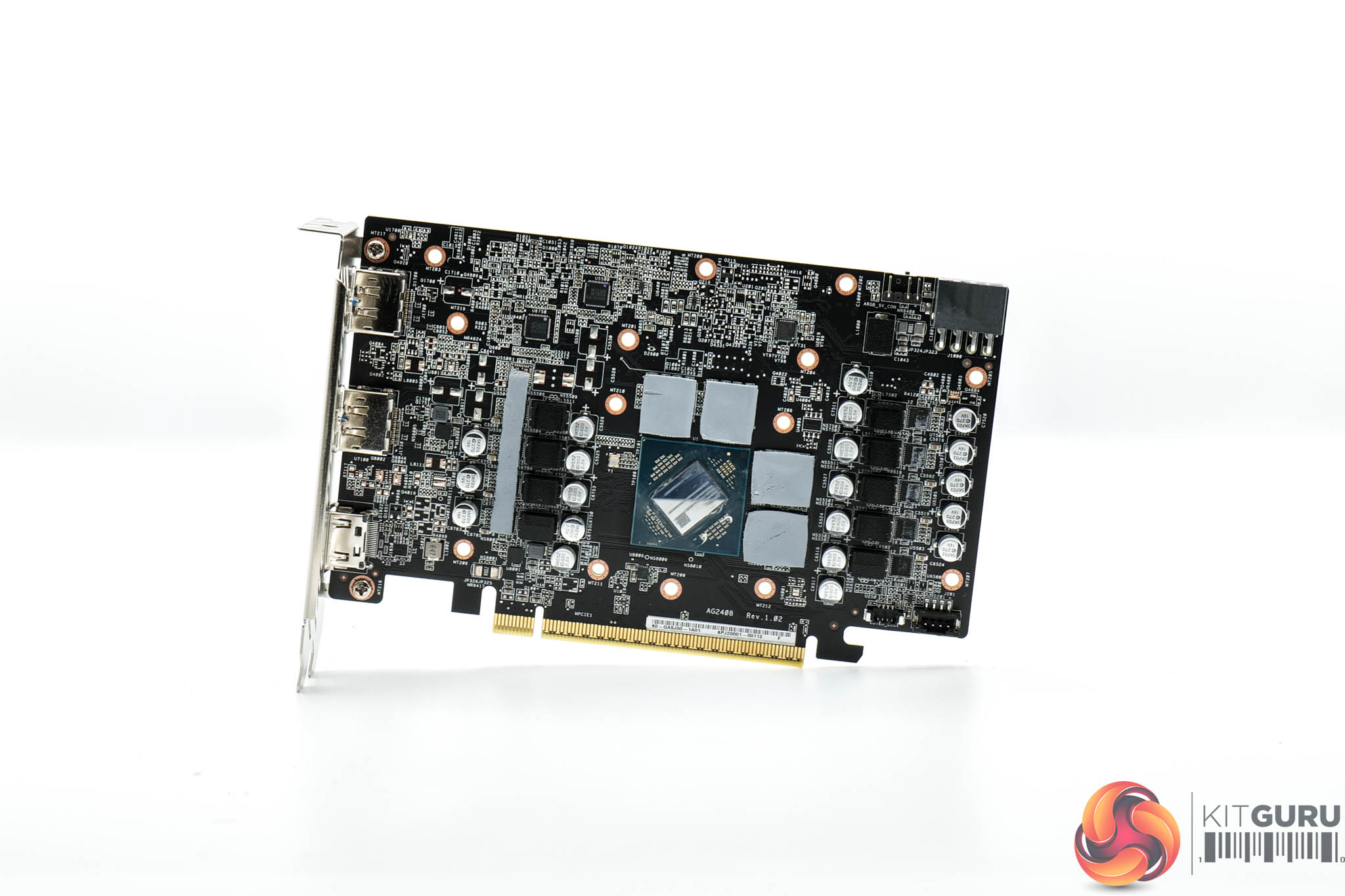
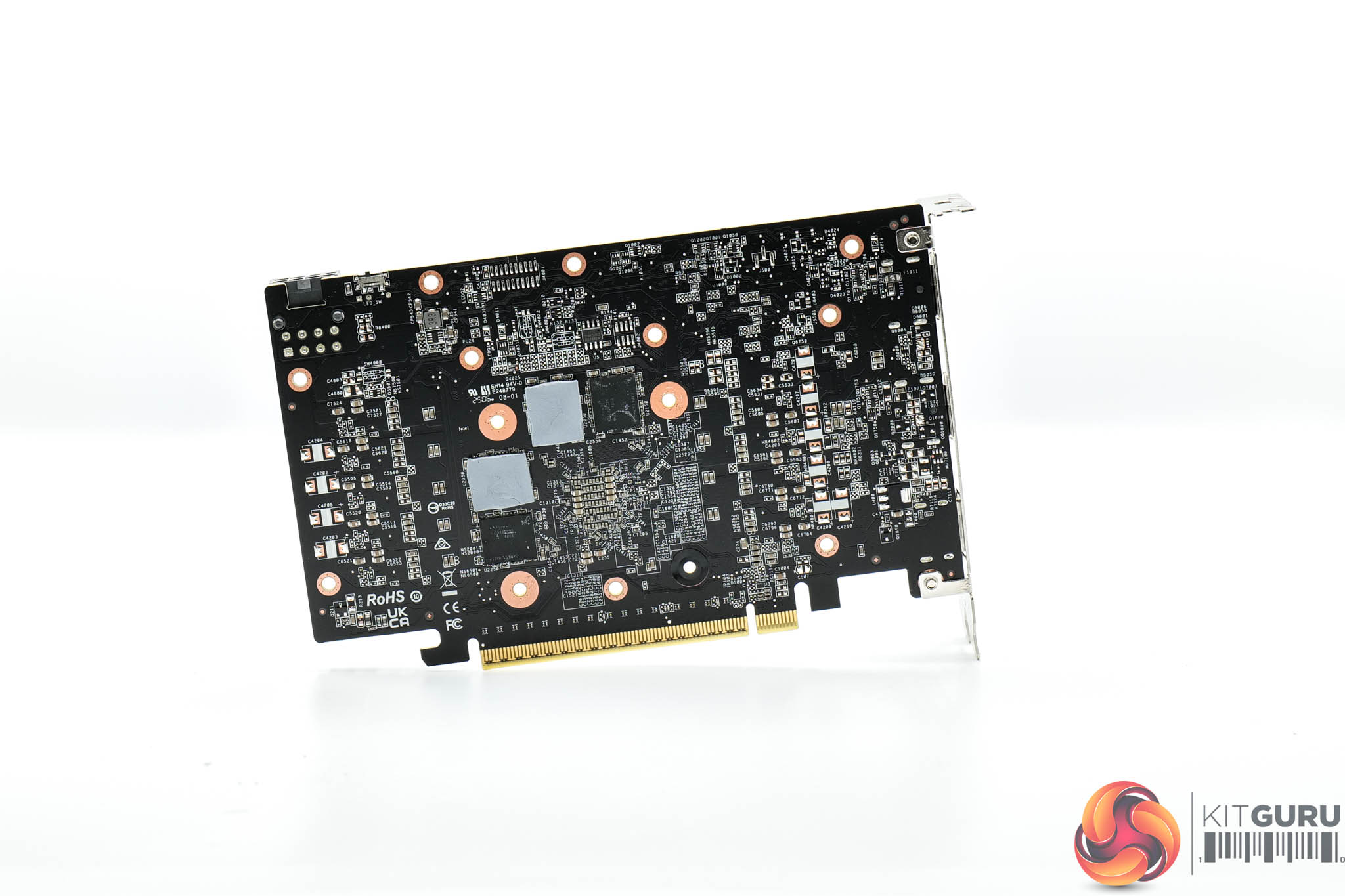
As for the PCB, ASRock has gone with a very similar design to the other cards on test today – we find seven phases for the GPU and two for the memory, with both GPU and memory VRMs controlled by separate Monolithic Power Systems MP2868A controllers. Monolithic MP87661 MOSFETs are used throughout.
We can also note that the 16GB 9060 XTs are utilising a clamshell design, with four memory modules on either side of the PCB.
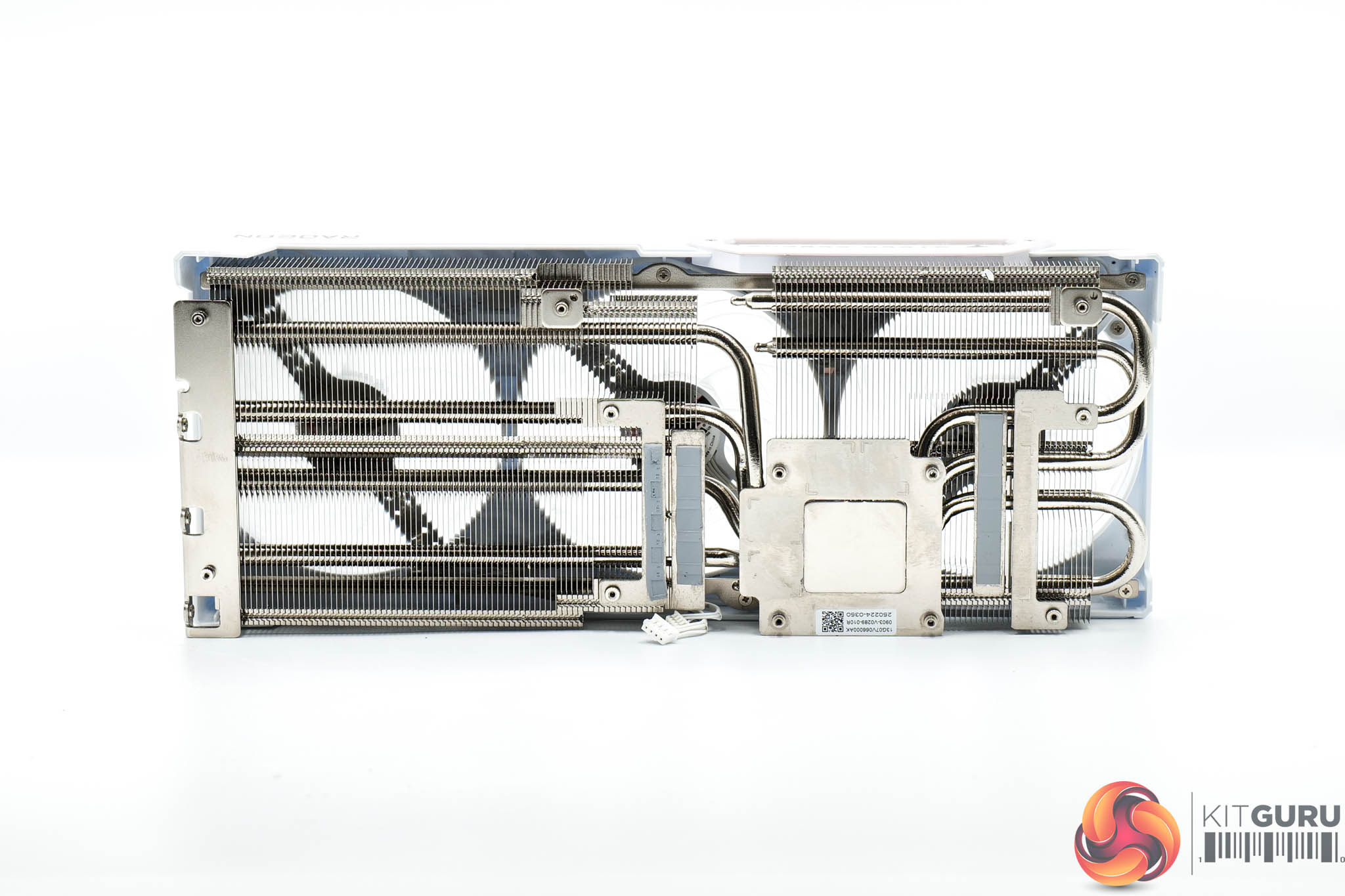
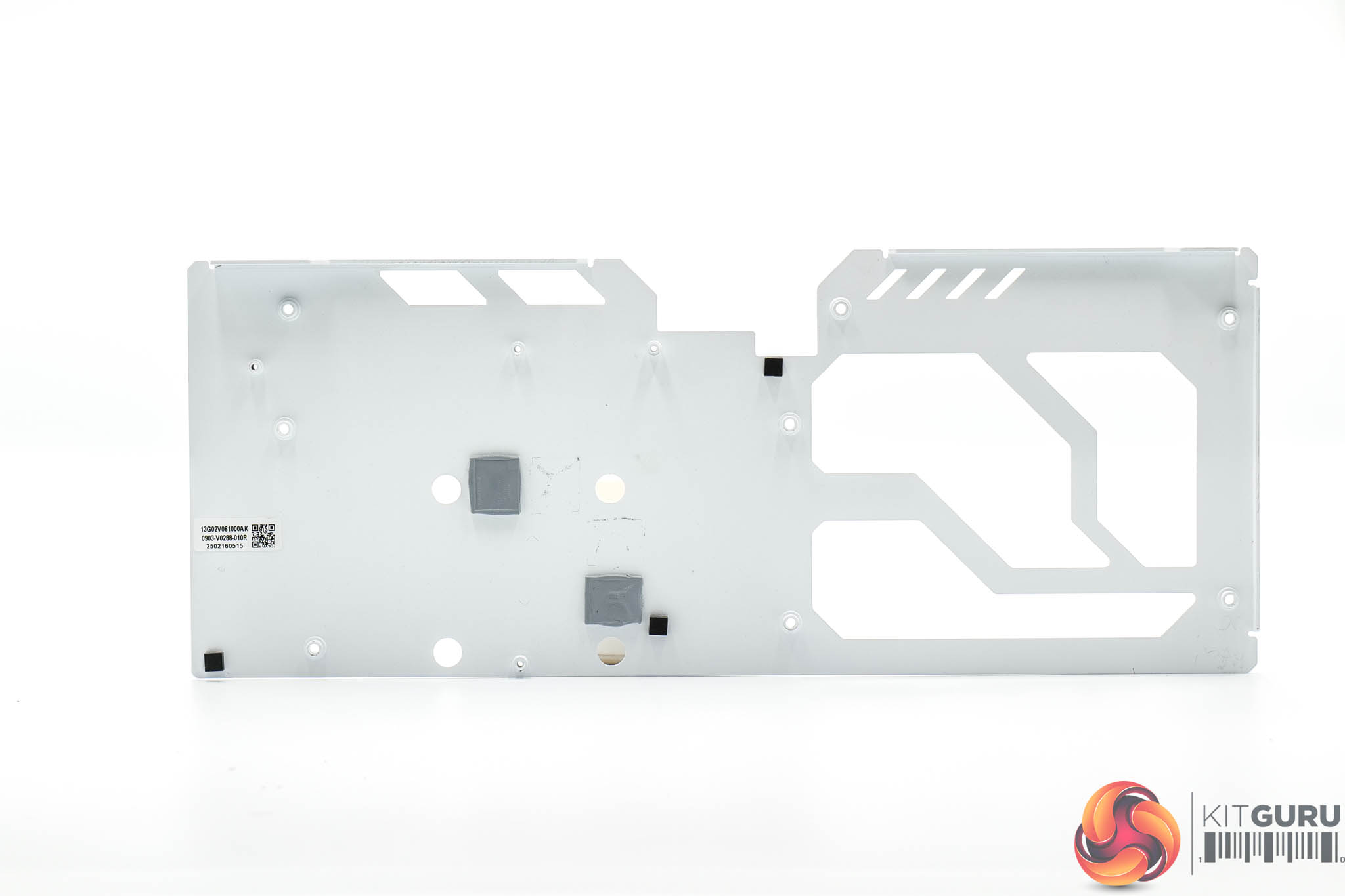
ASRock's heatsink utilises a total of four heatpipes, with the GPU and memory contacting with a central baseplate, while the MOSFETs are cooled by secondary plates.
Thermal pads are positioned on the underside of the backplate, too, to provide some extra cooling capabilities.
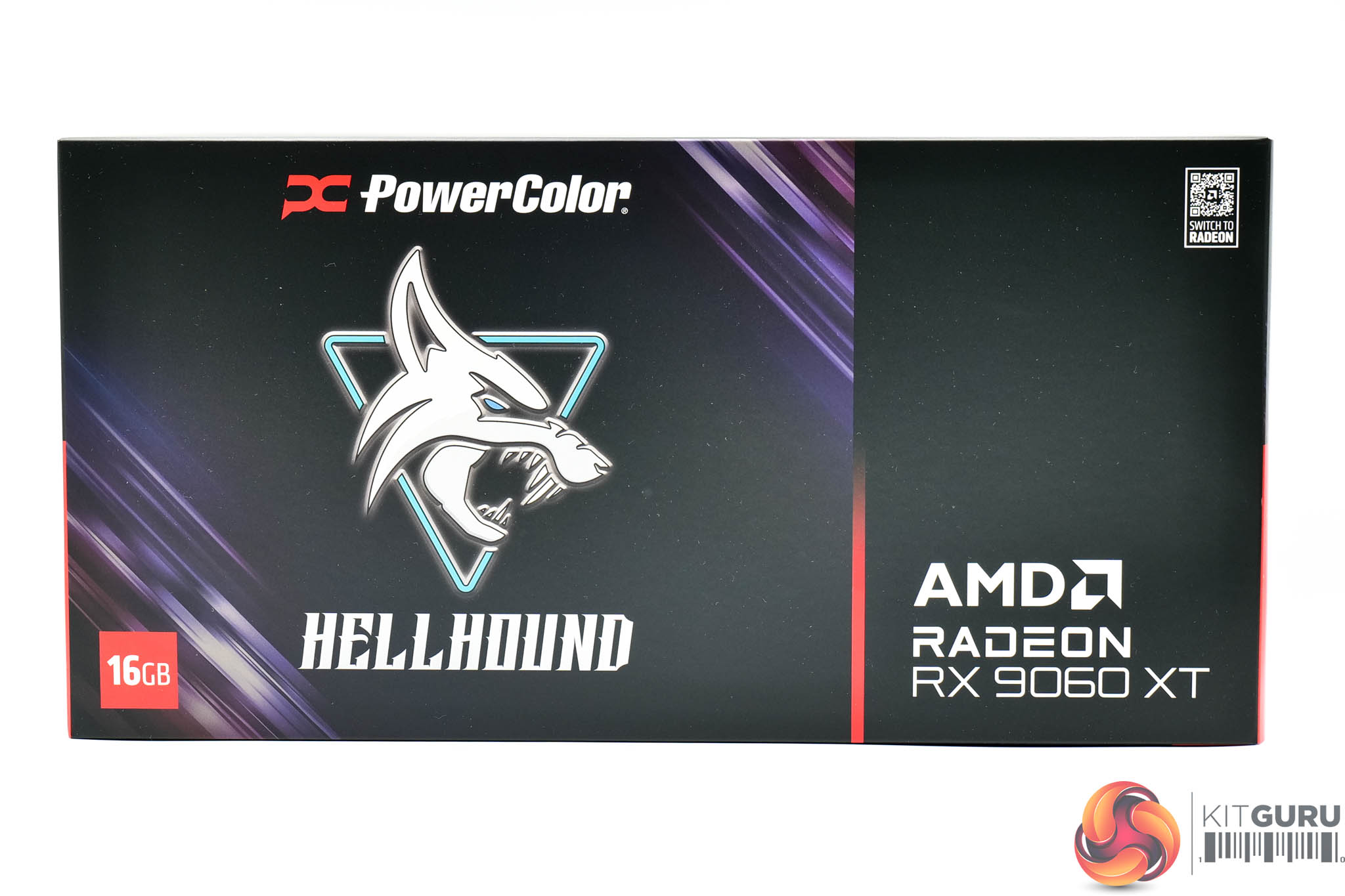
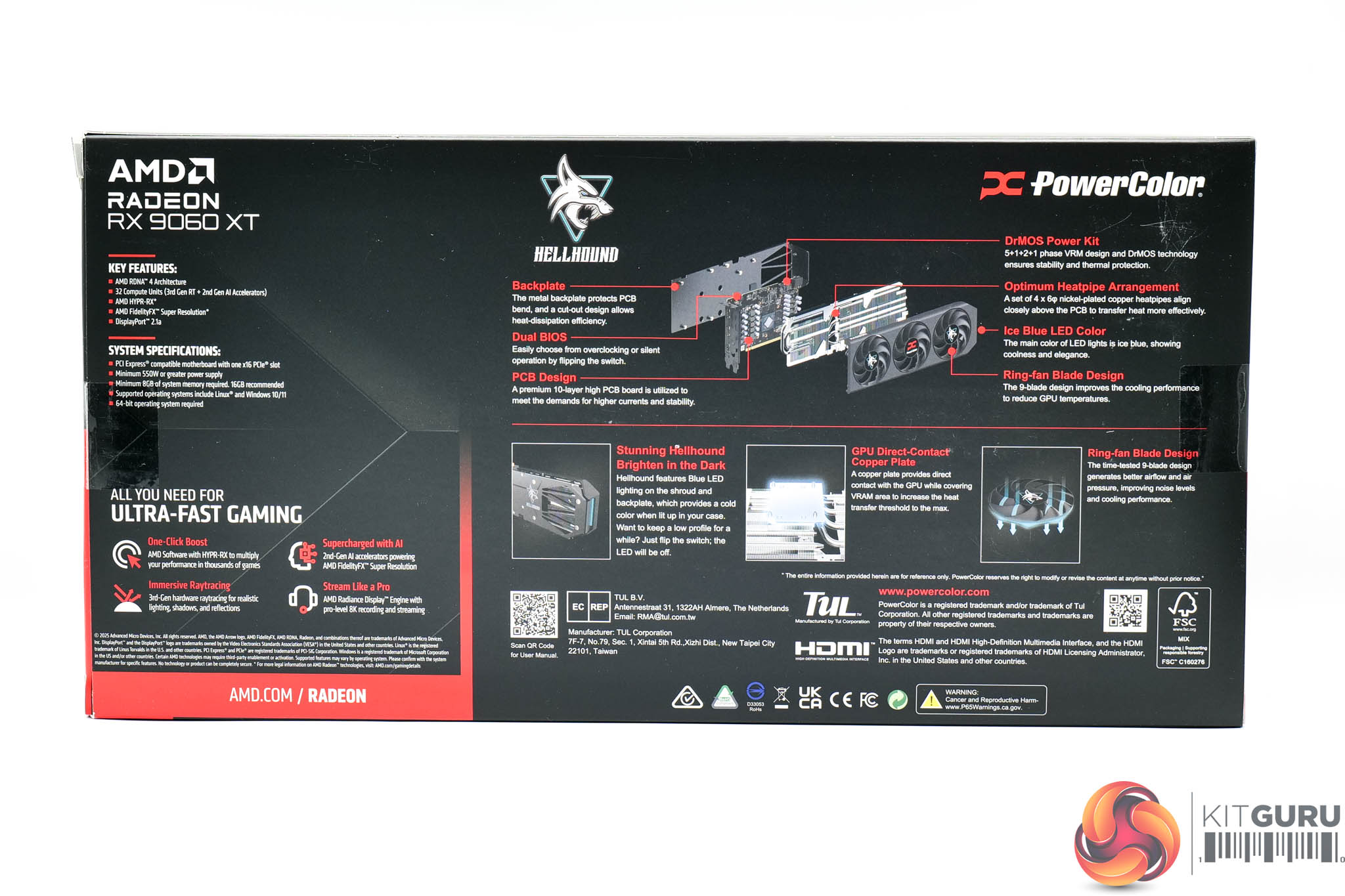
Moving onto the PowerColor RX 9060 XT 16GB Hellhound, this ships in a very dark box, with the Hellhound logo taking pride of place.
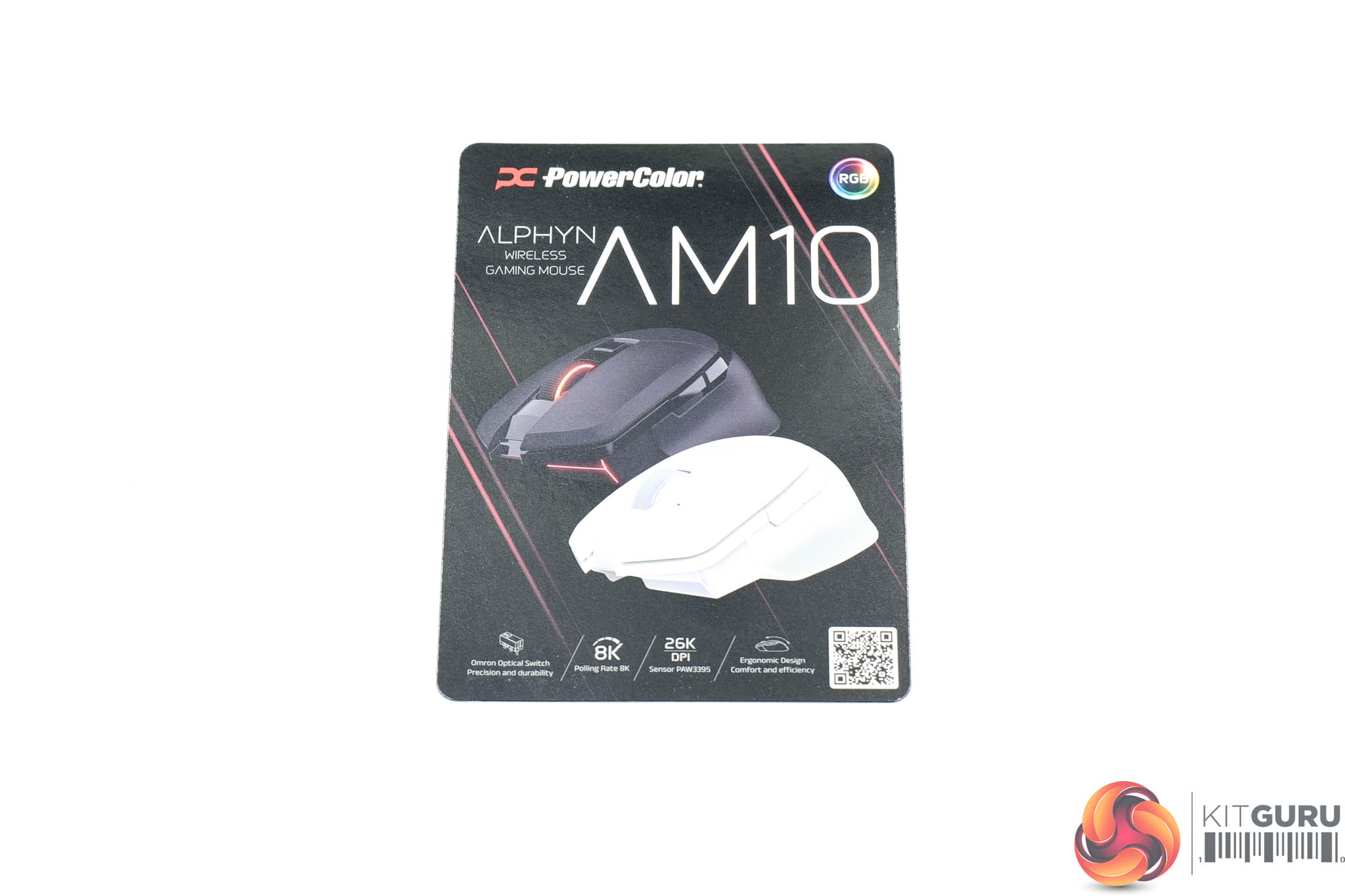
The only included accessory is a leaflet highlighting PowerColor's new peripherals.
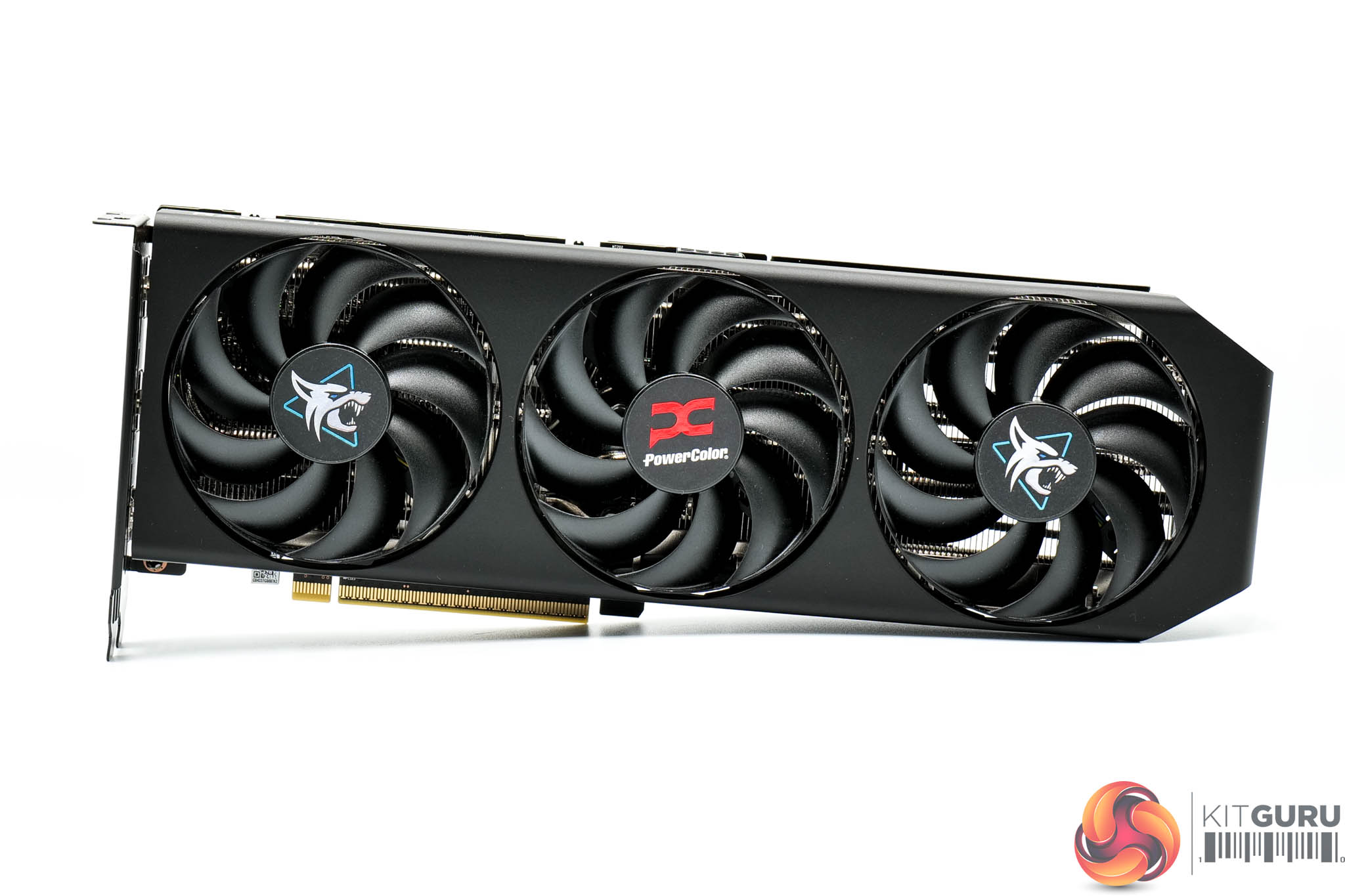
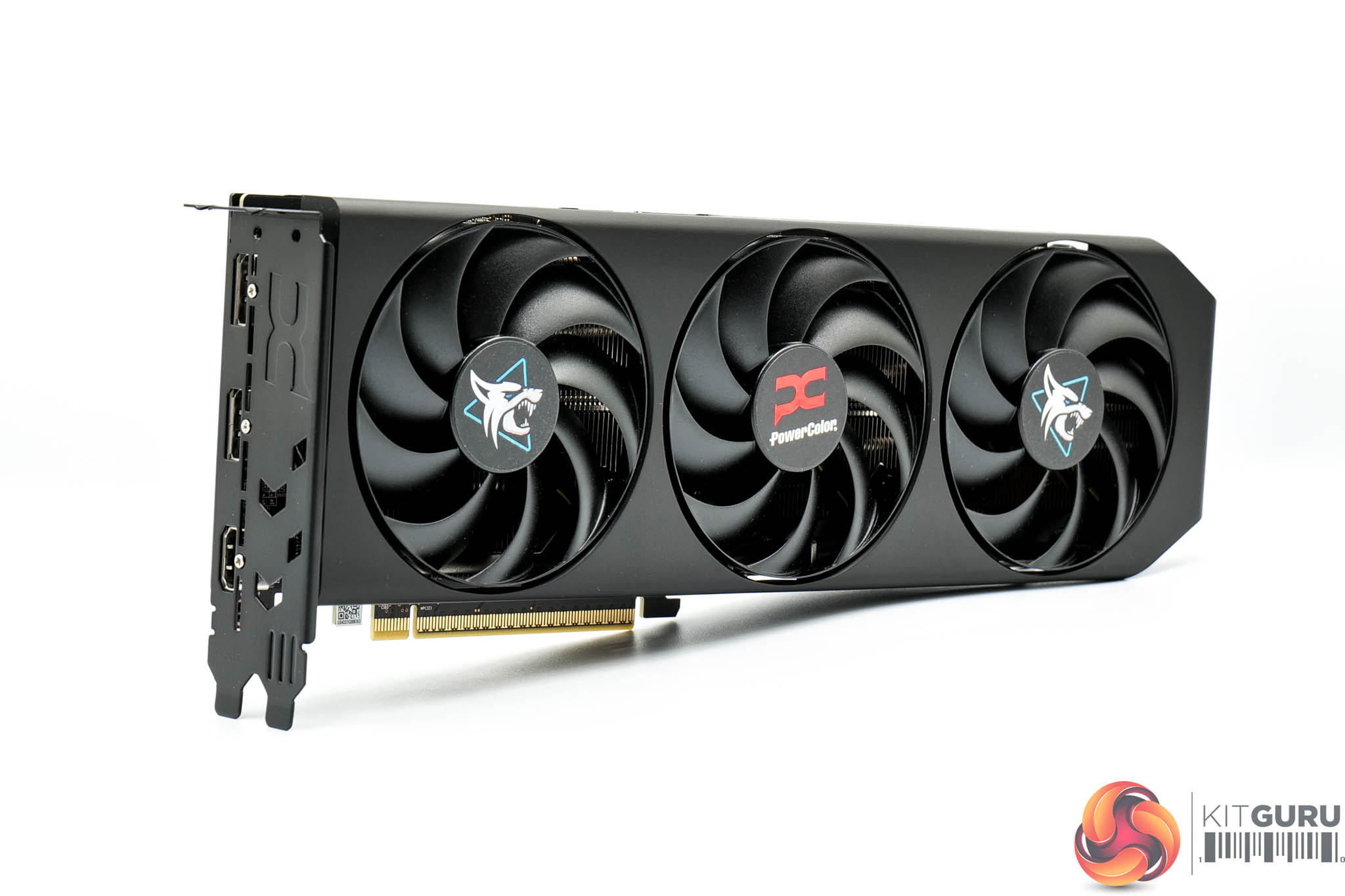
The graphics card itself has changed since we last saw a Hellhound model. Gone is the grey shroud and translucent fan blades, and instead PowerColor has opted for a stealthy all-black approach – with just the stickers on the fans adding some colour.
Those fans measure 90mm in diameter.
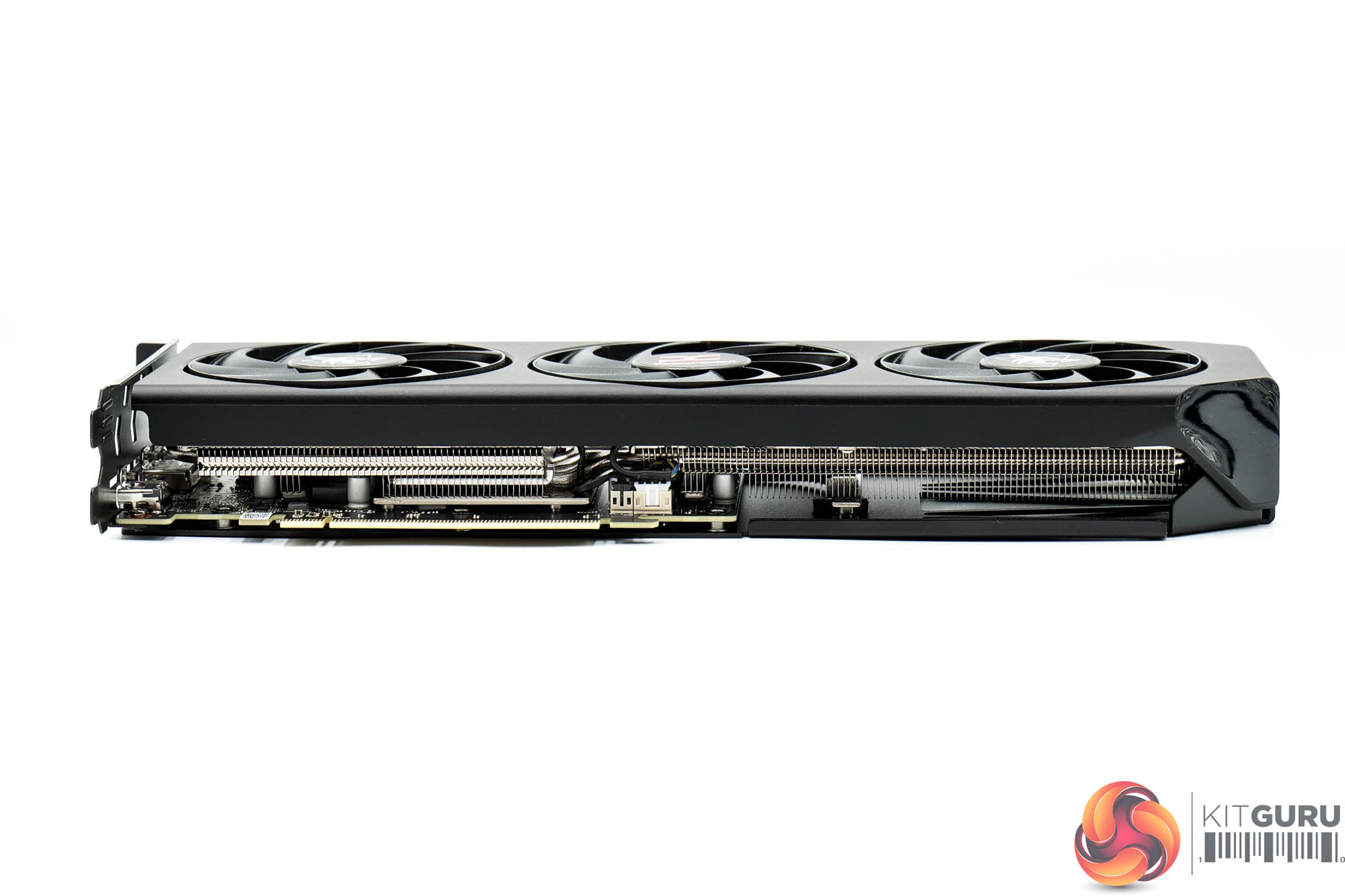
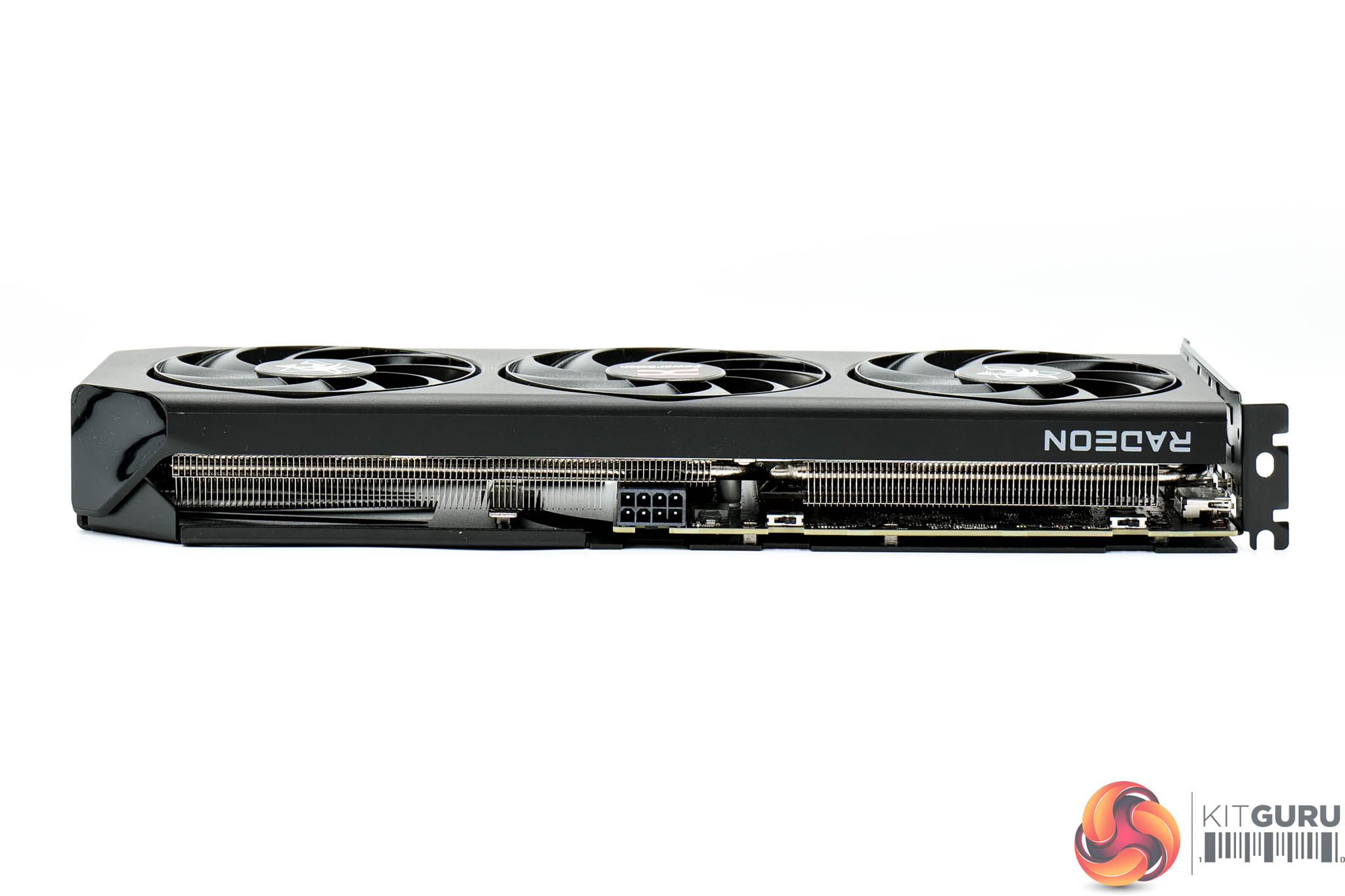
In terms of dimensions, the card measures 330 x 120 x40mm. It looks quite long and thin, given it's only a dual-slot thickness. It weighed in at 821g on my scales.
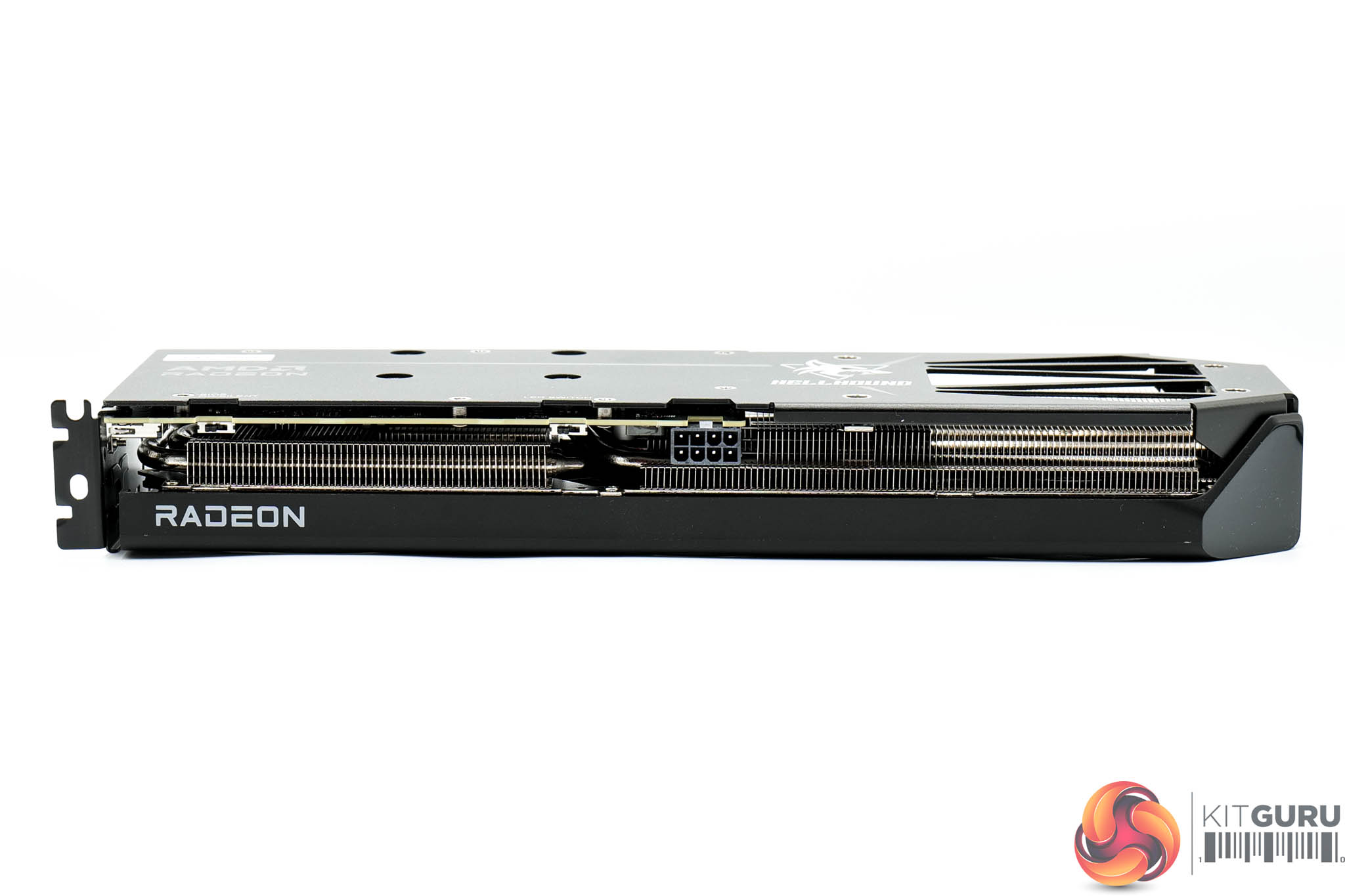
The front side is left almost completely plain, except for the Radeon logo printed in white.
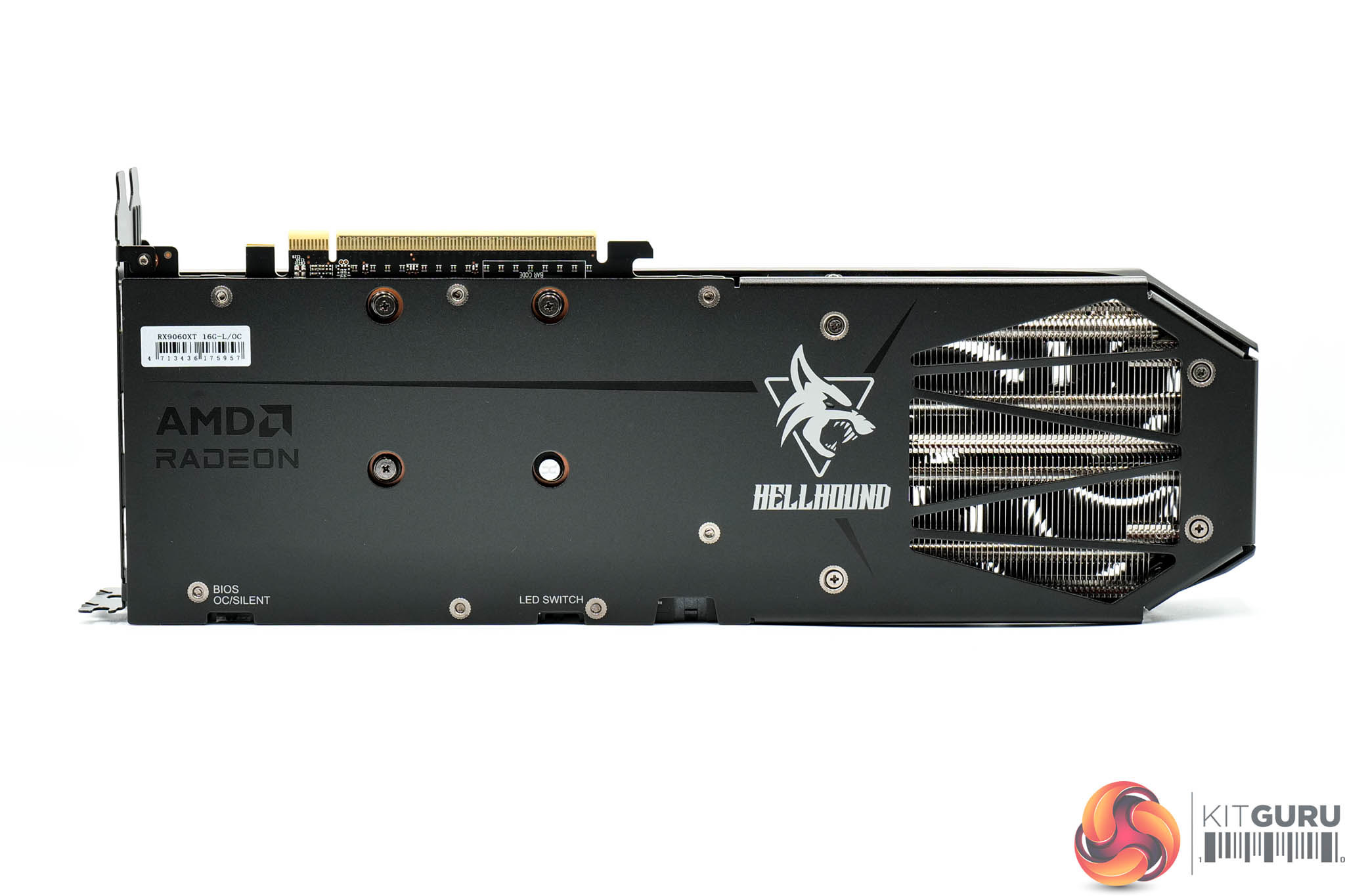
As for the metal backplate, it's also fairly plain, though the Hellhound logo does add some visual interest, plus there's a flow-through area too. You will also note a BIOS switch, offering a choice of OC or Silent modes, plus there's an LED toggle switch.
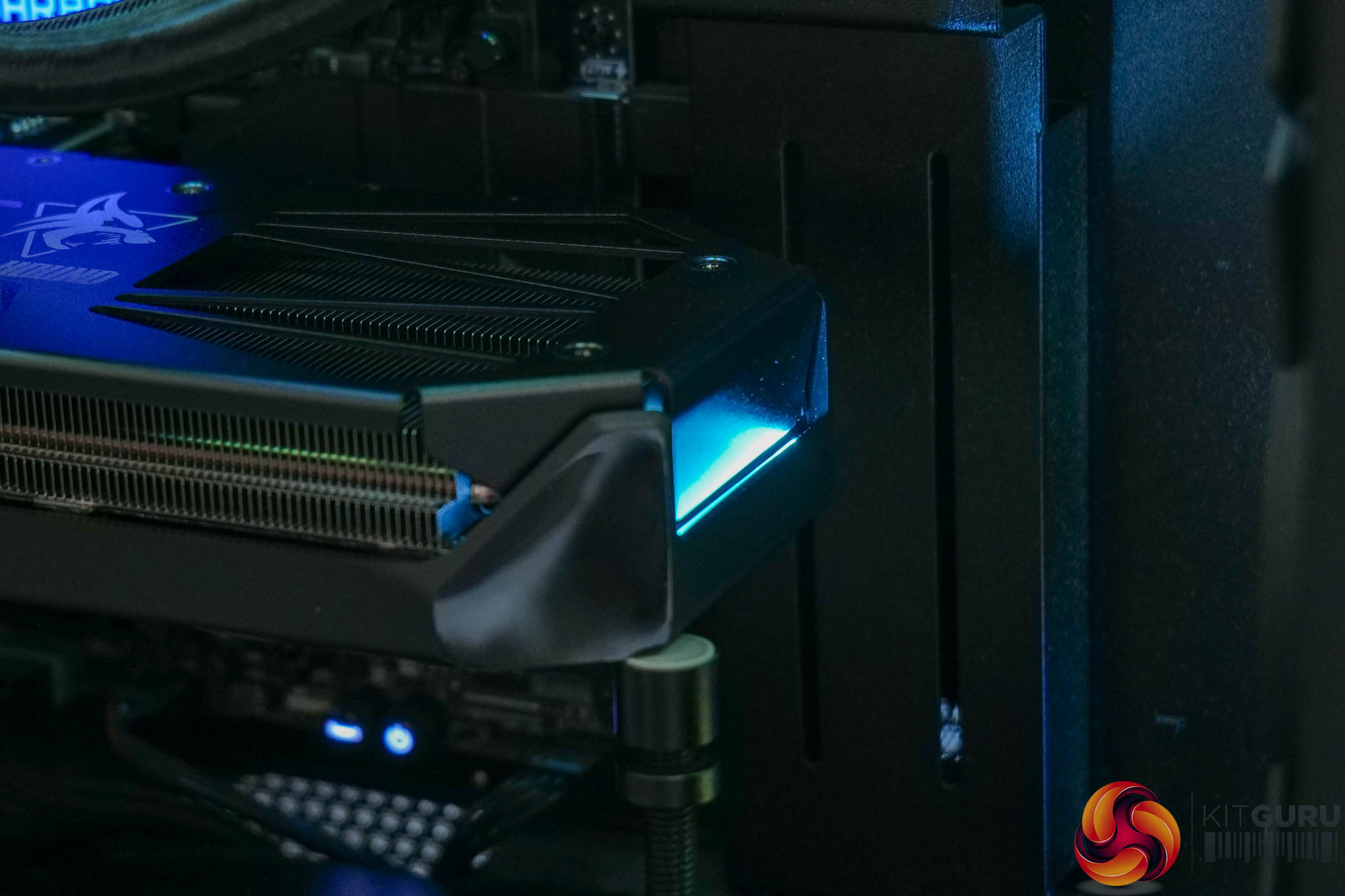
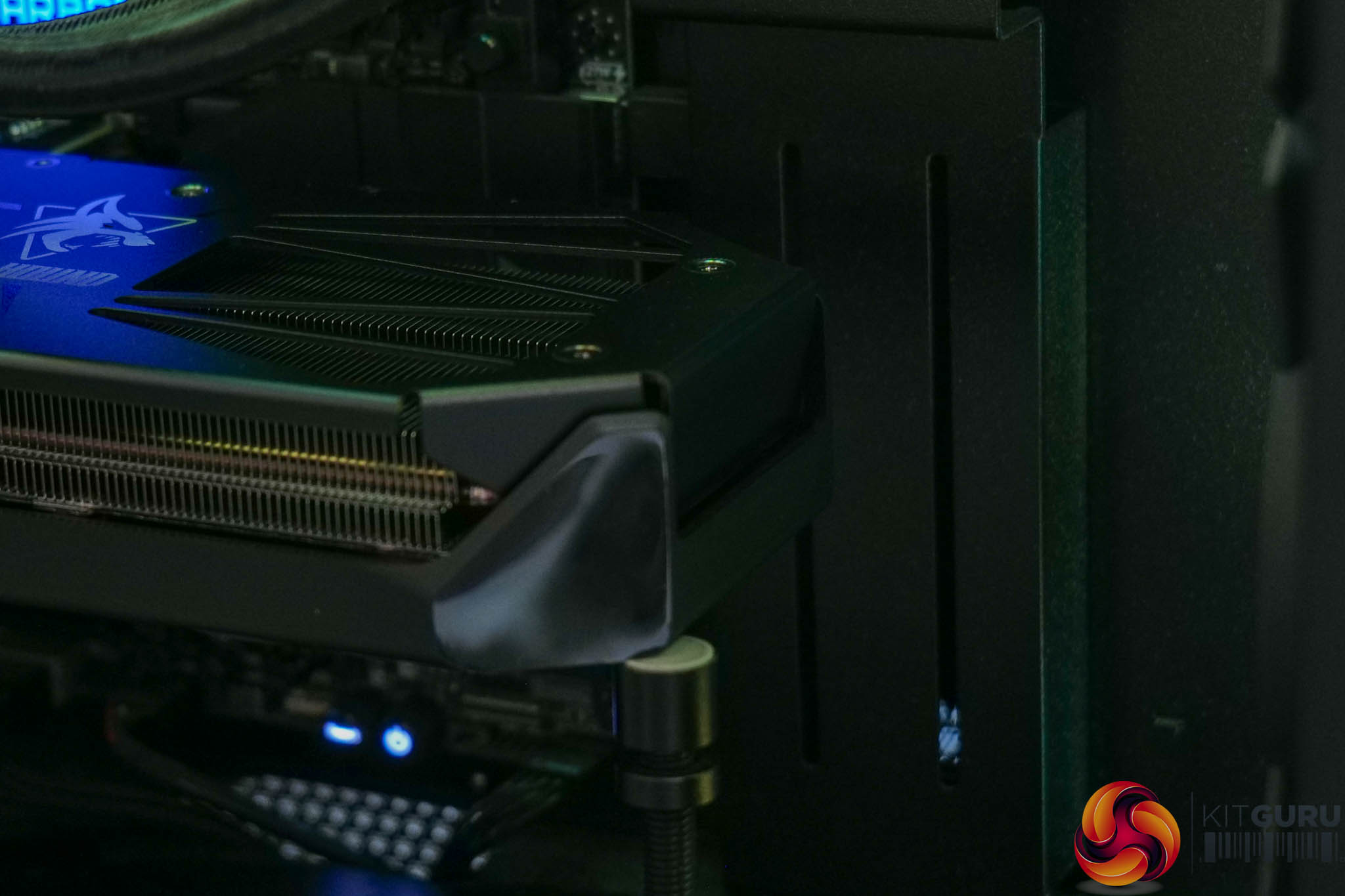
The switch lets you toggle the lighting from ice blue to off – it's just a small LED strip at the end of the card though, so it's not overly eye-catching. I personally preferred the previous design which also illuminated the fans, and offered a choice of purple lighting, but PowerColor says that divided opinion, so they've stripped things back this generation.
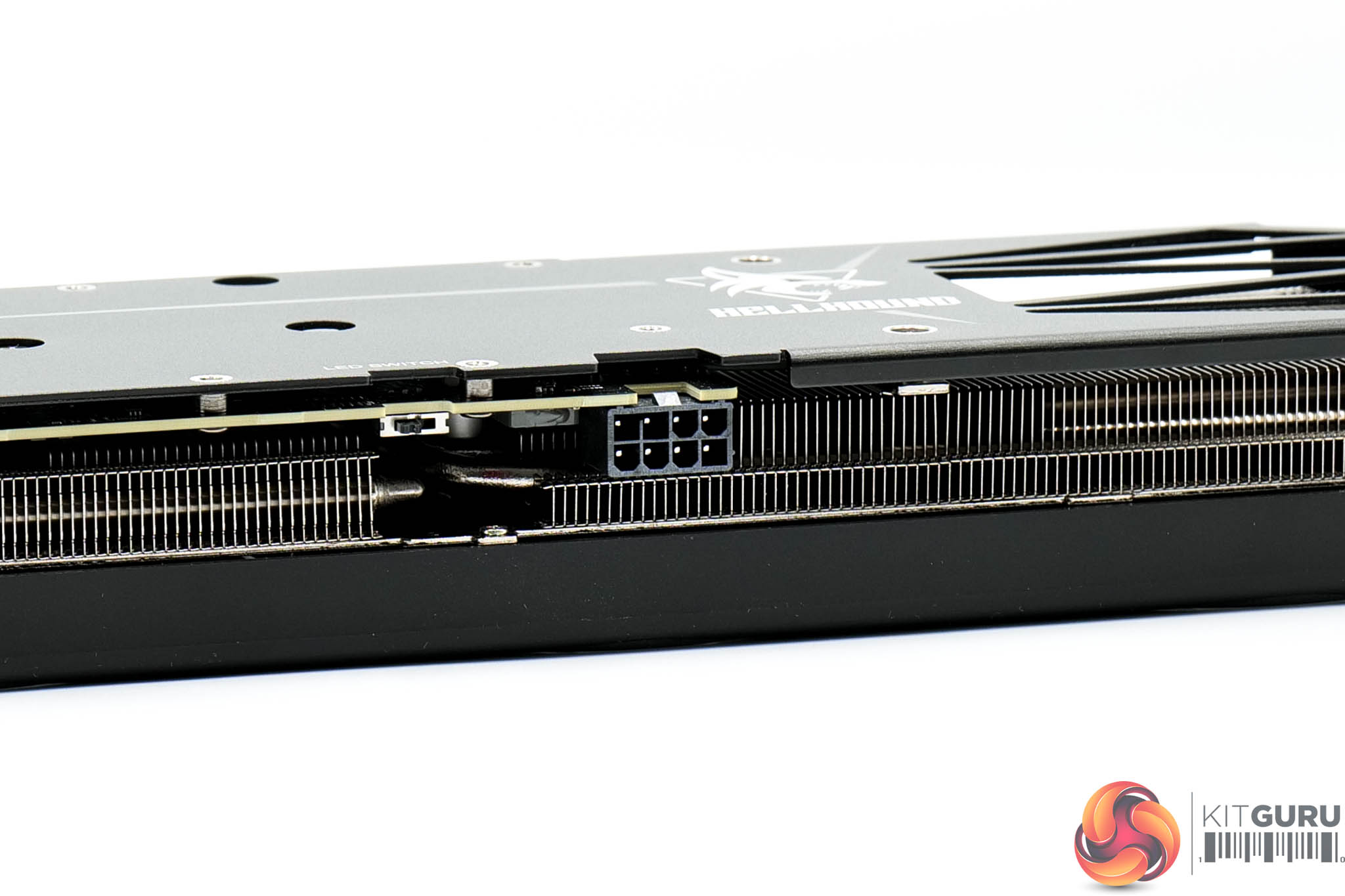
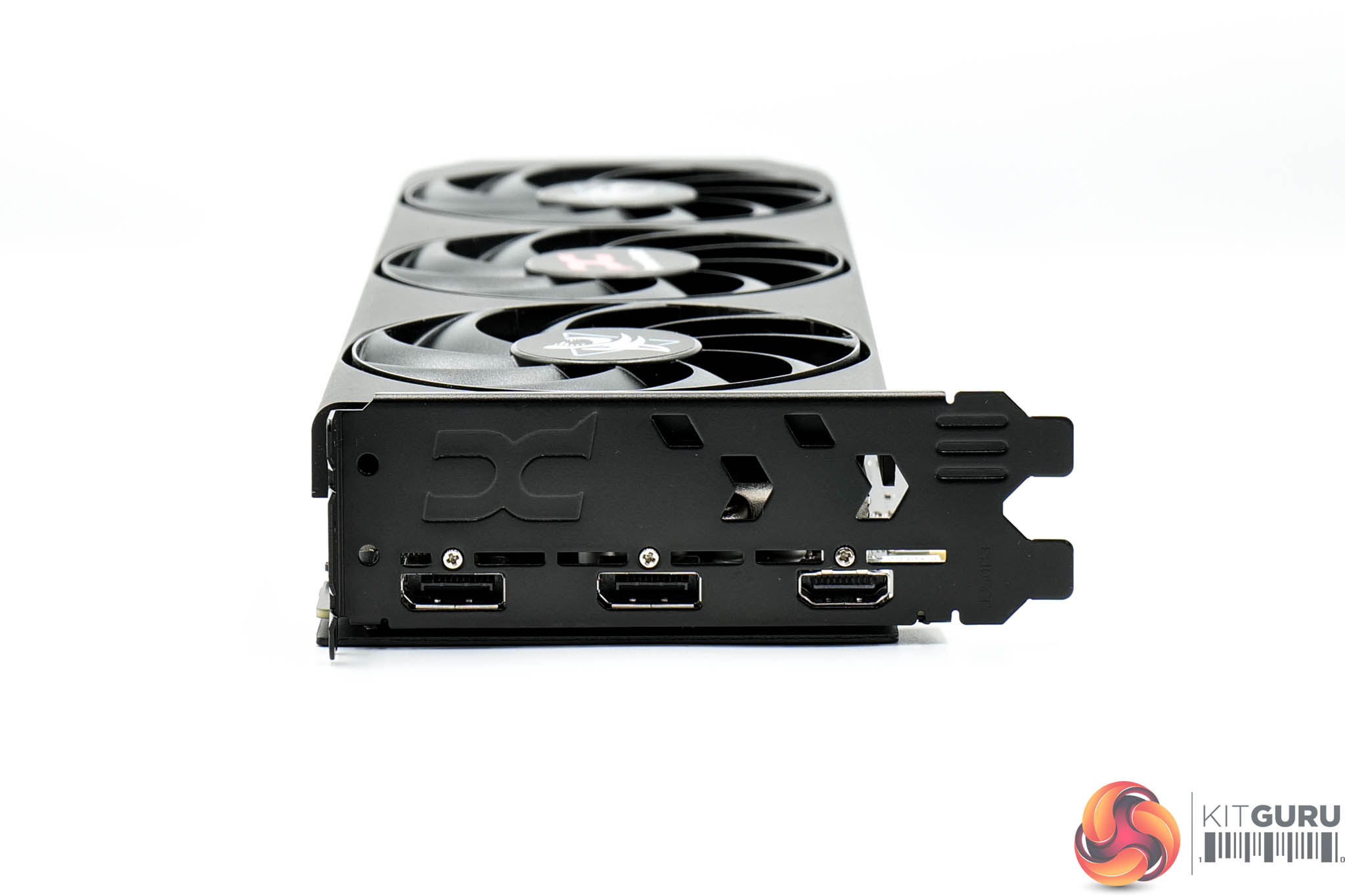
Power is delivered by a single 8-pin connector, while there's two DisplayPort 2.1 and one HDMI 2.1 video outputs.
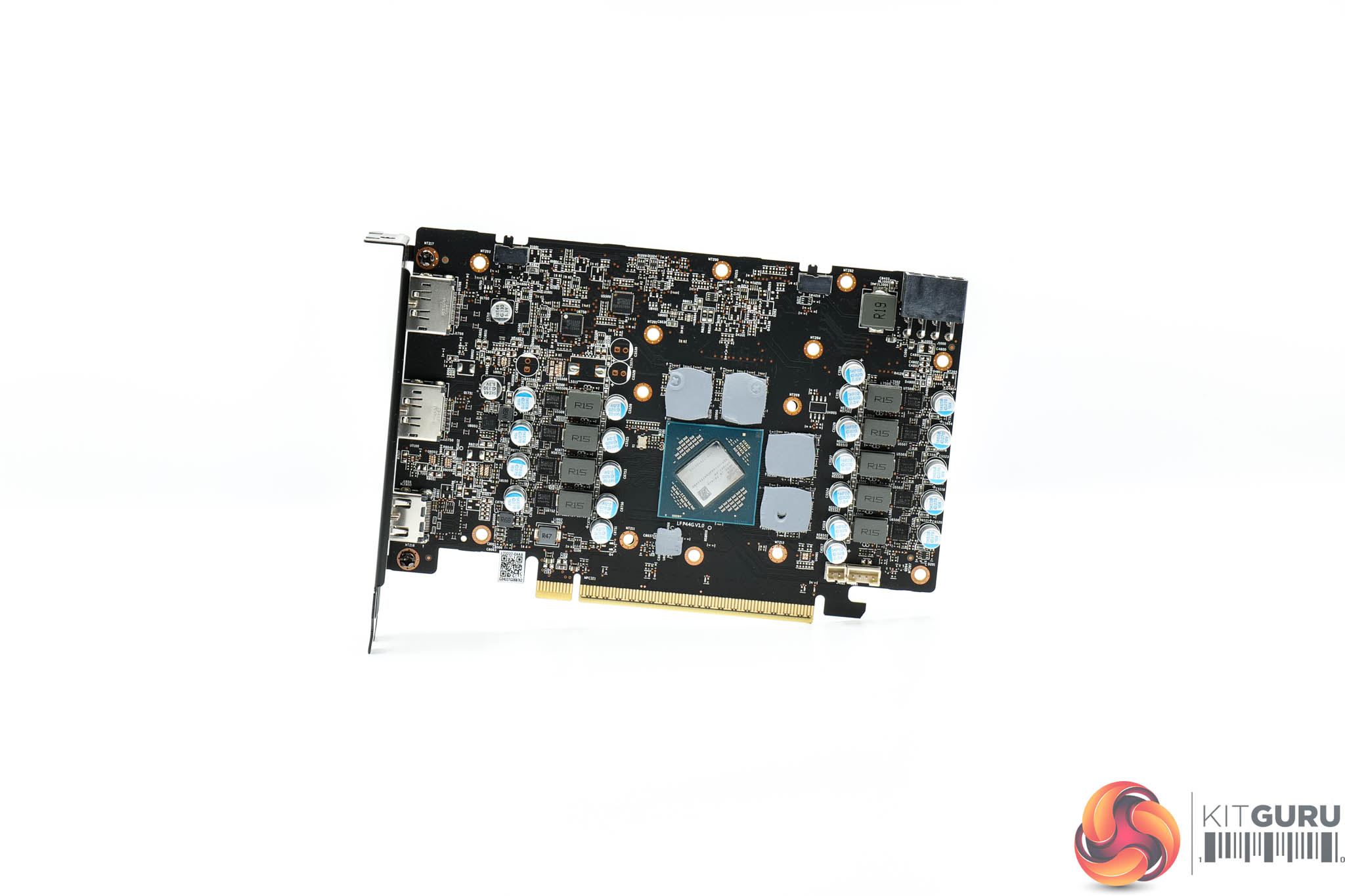
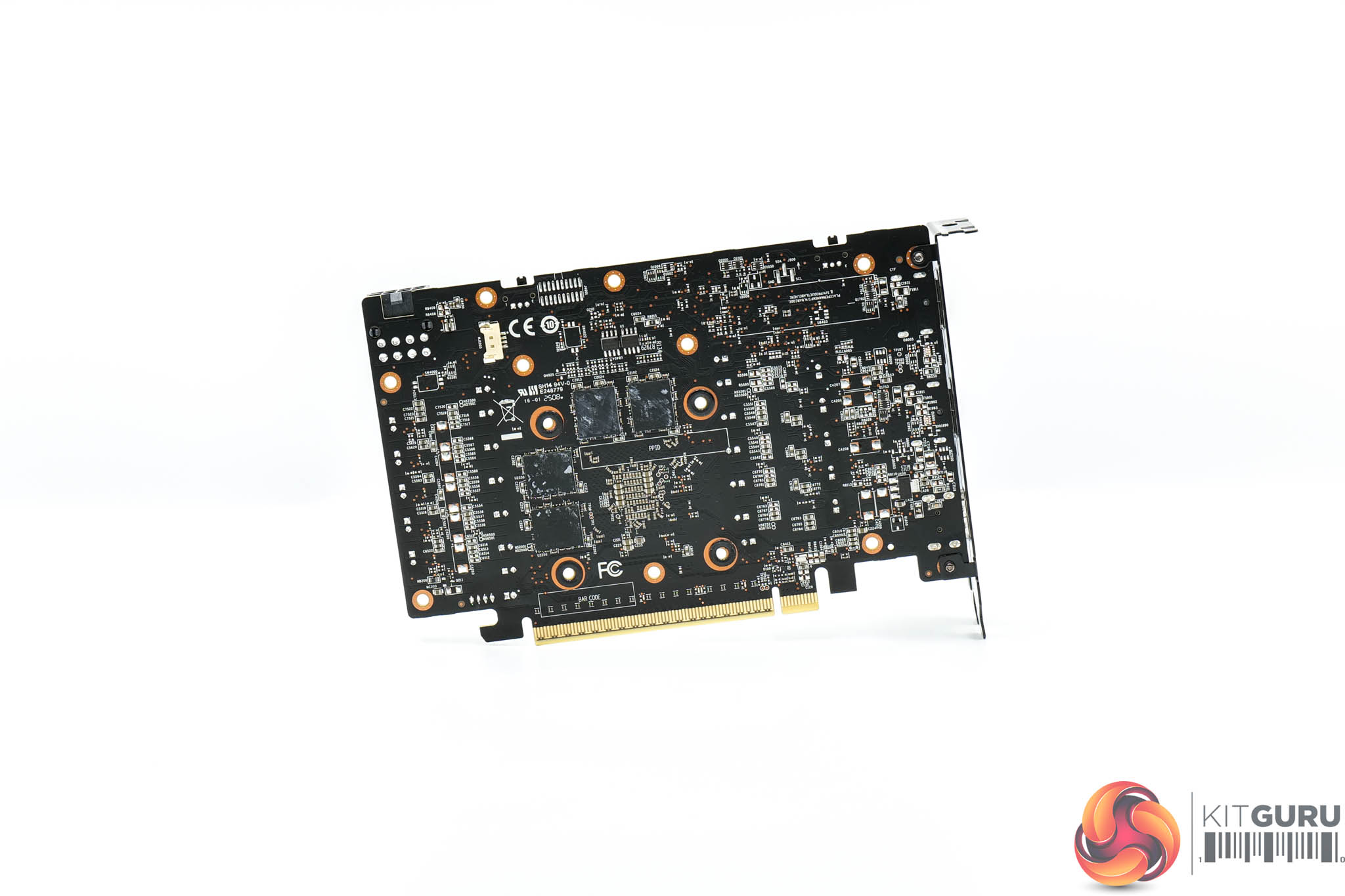
As for the PCB, PowerColor has gone with a very similar design to the other cards on test today – we find seven phases for the GPU and two for the memory, with both GPU and memory VRMs controlled by separate Monolithic Power Systems MP2868A controllers. Monolithic MP87993 MOSFETs are used throughout.
We can also note that the 16GB 9060 XTs are utilising a clamshell design, with four memory modules on either side of the PCB.
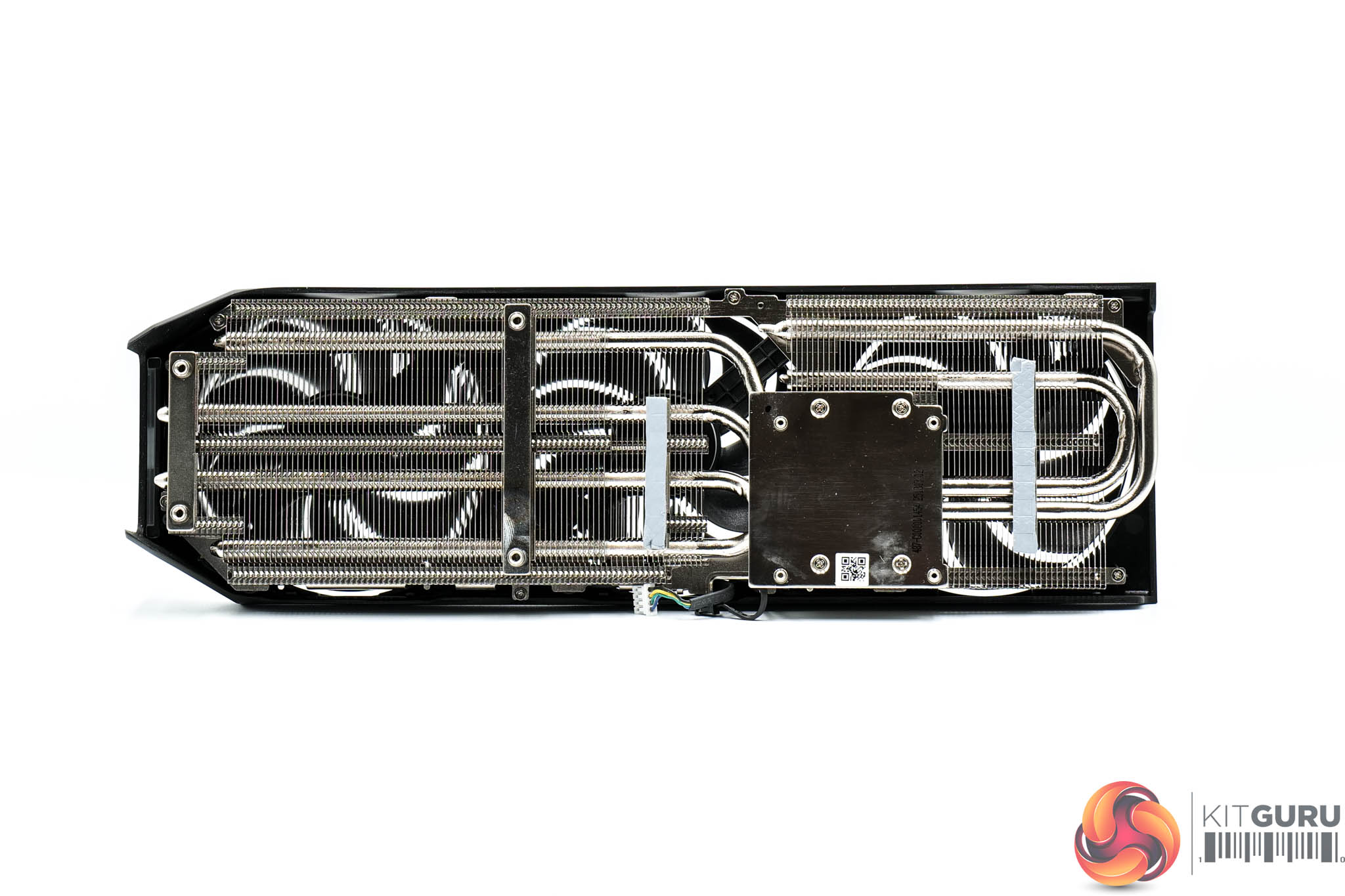
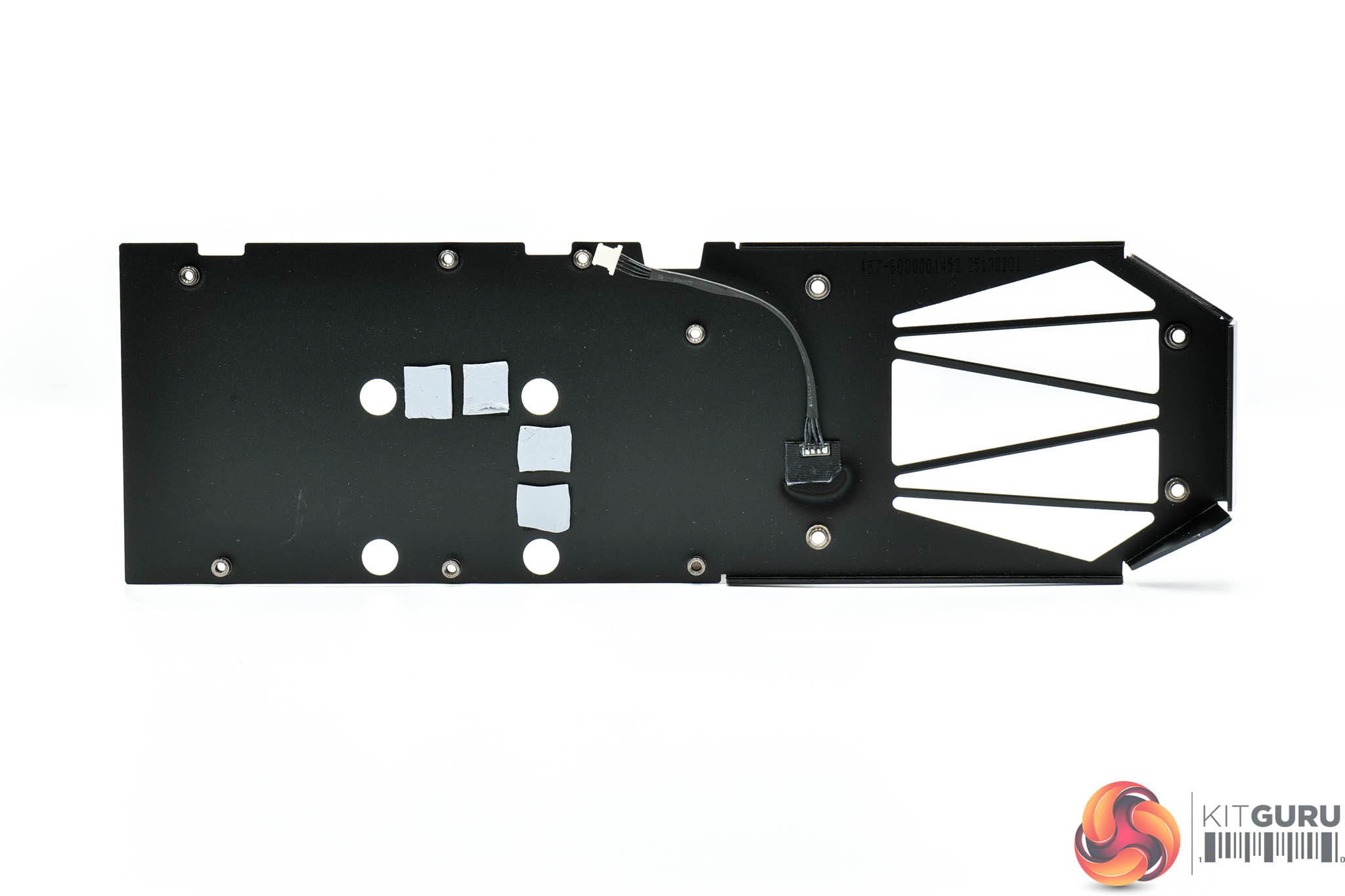
The Hellhound's heatsink utilises a total of four heatpipes, with the GPU and memory contacting with a central baseplate, while the MOSFETs are cooled by secondary plates.
Thermal pads are positioned on the underside of the backplate, too, to provide some extra cooling capabilities.
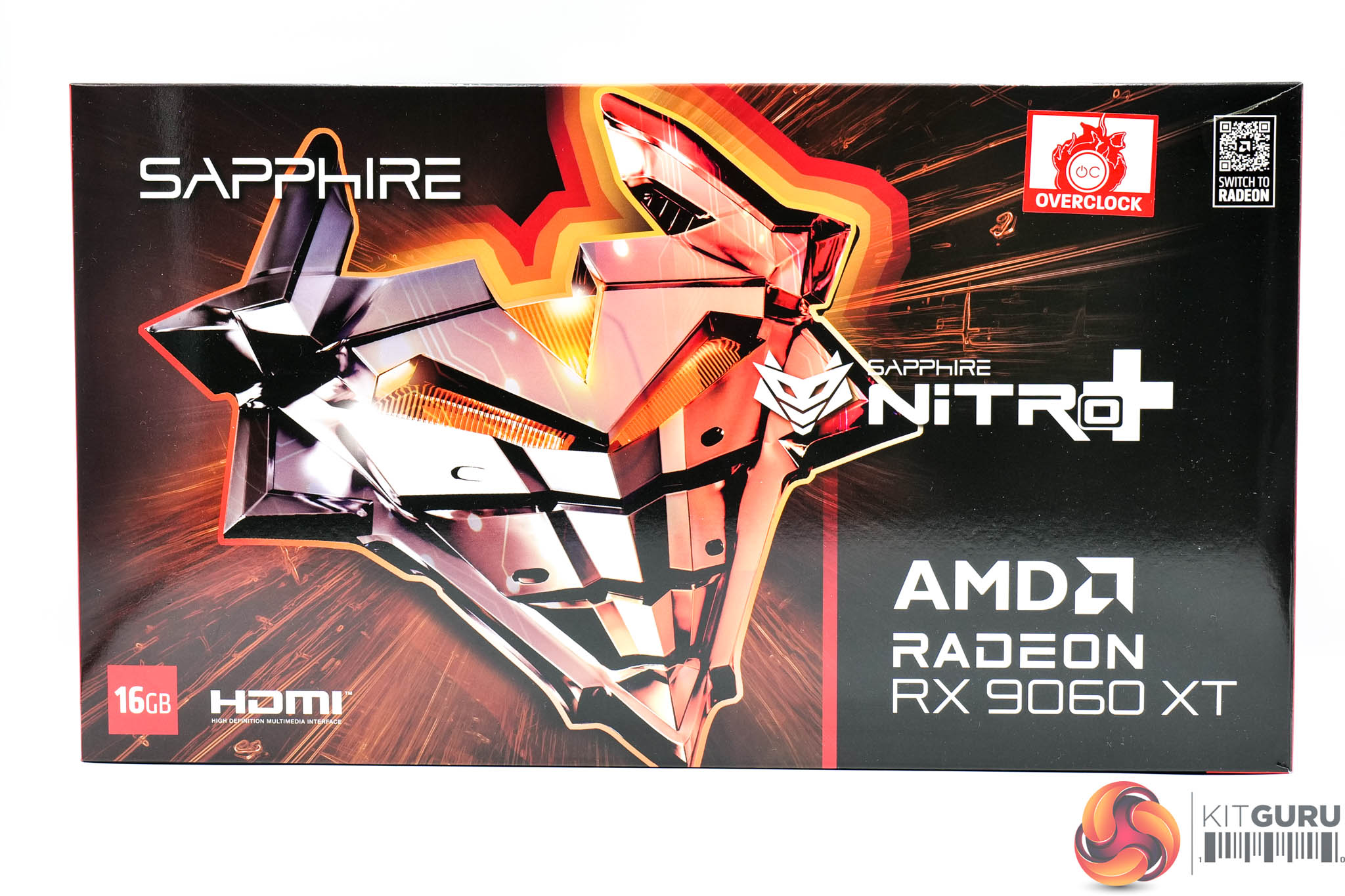
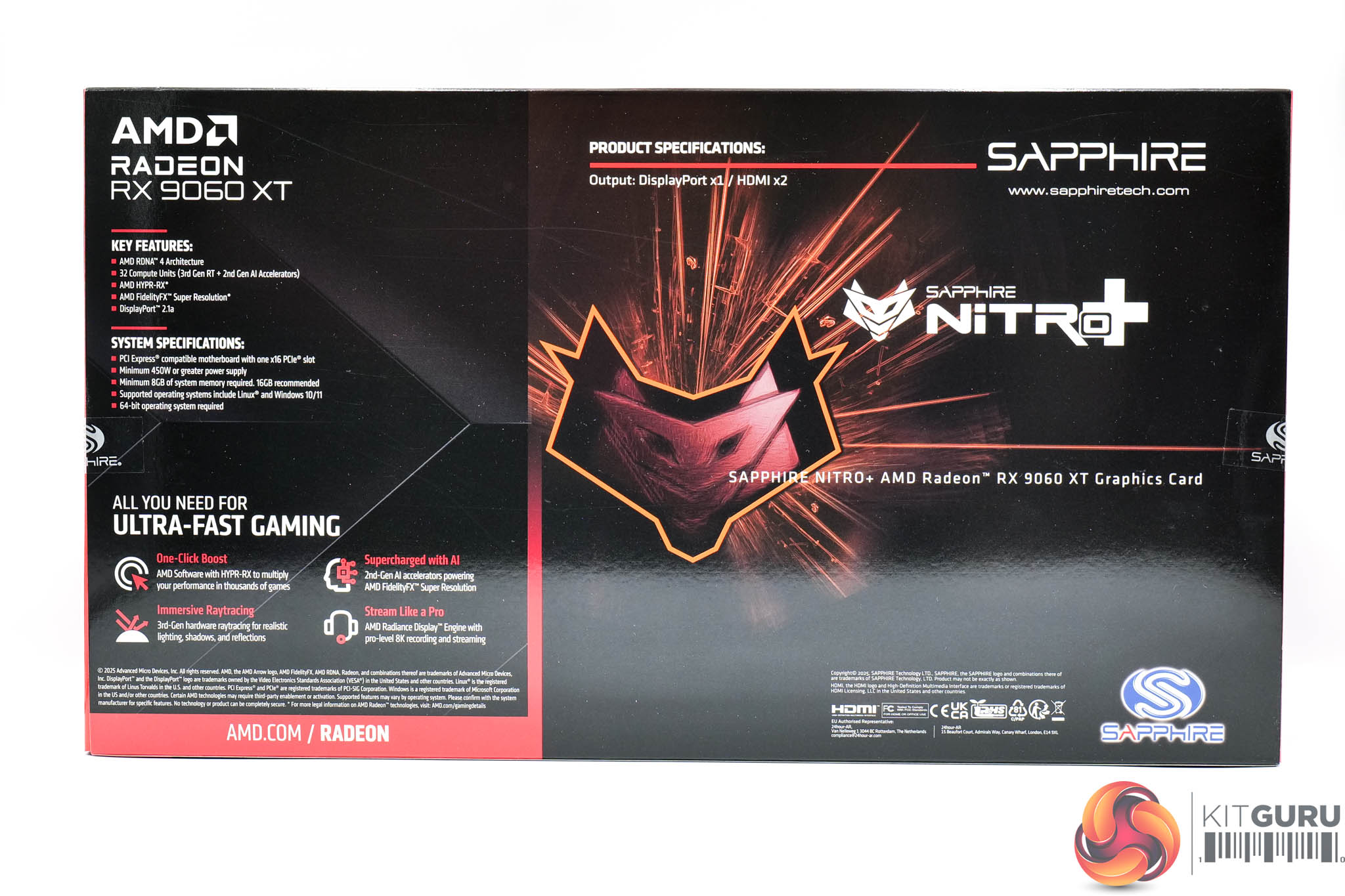
Then we come to the Sapphire RX 9060 XT 16GB Nitro+, shipping in a fiery-looking box.
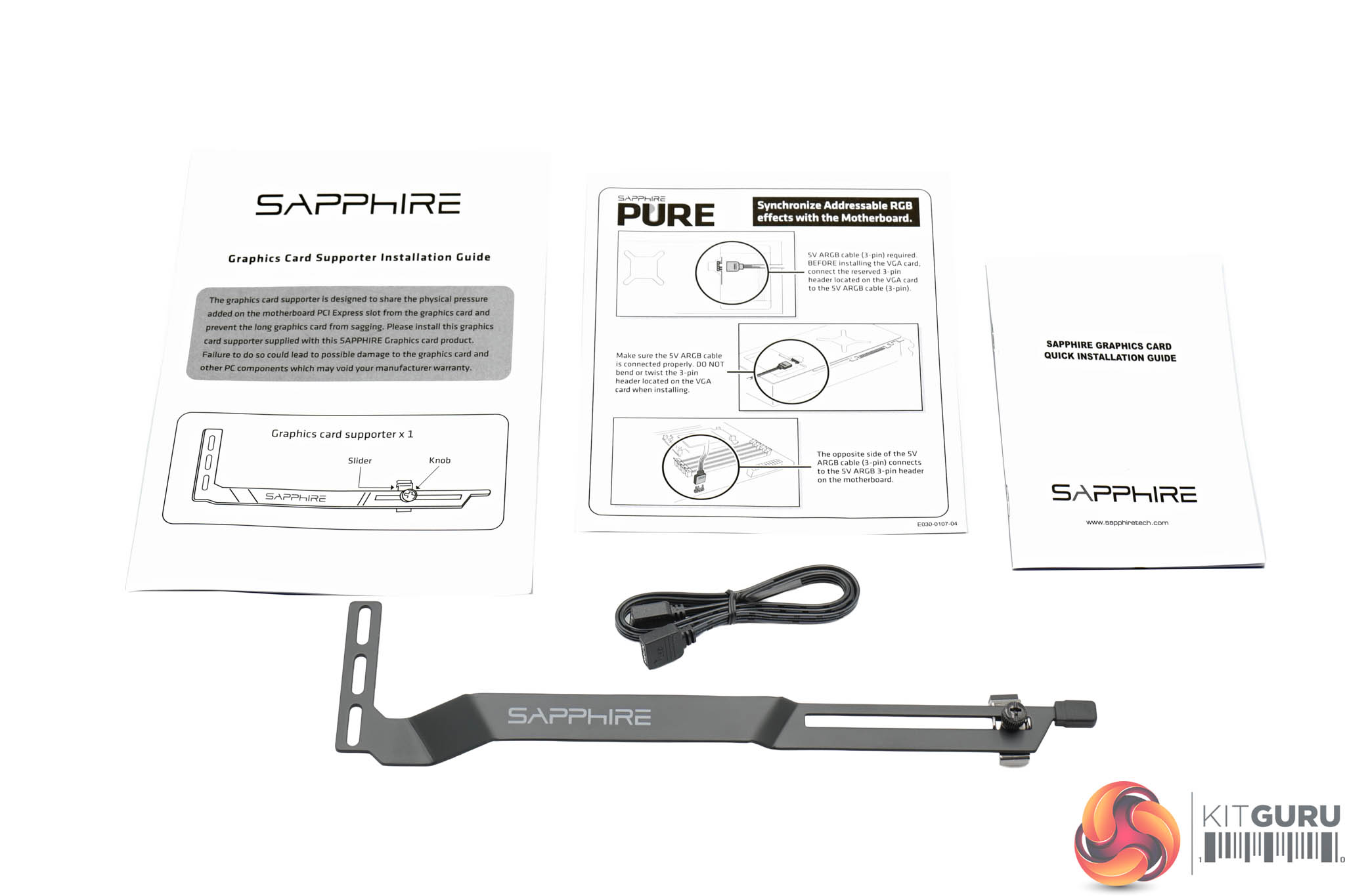
Inside, Sapphire includes some assorted documentation, along with an ARGB cable and a GPU support bracket.
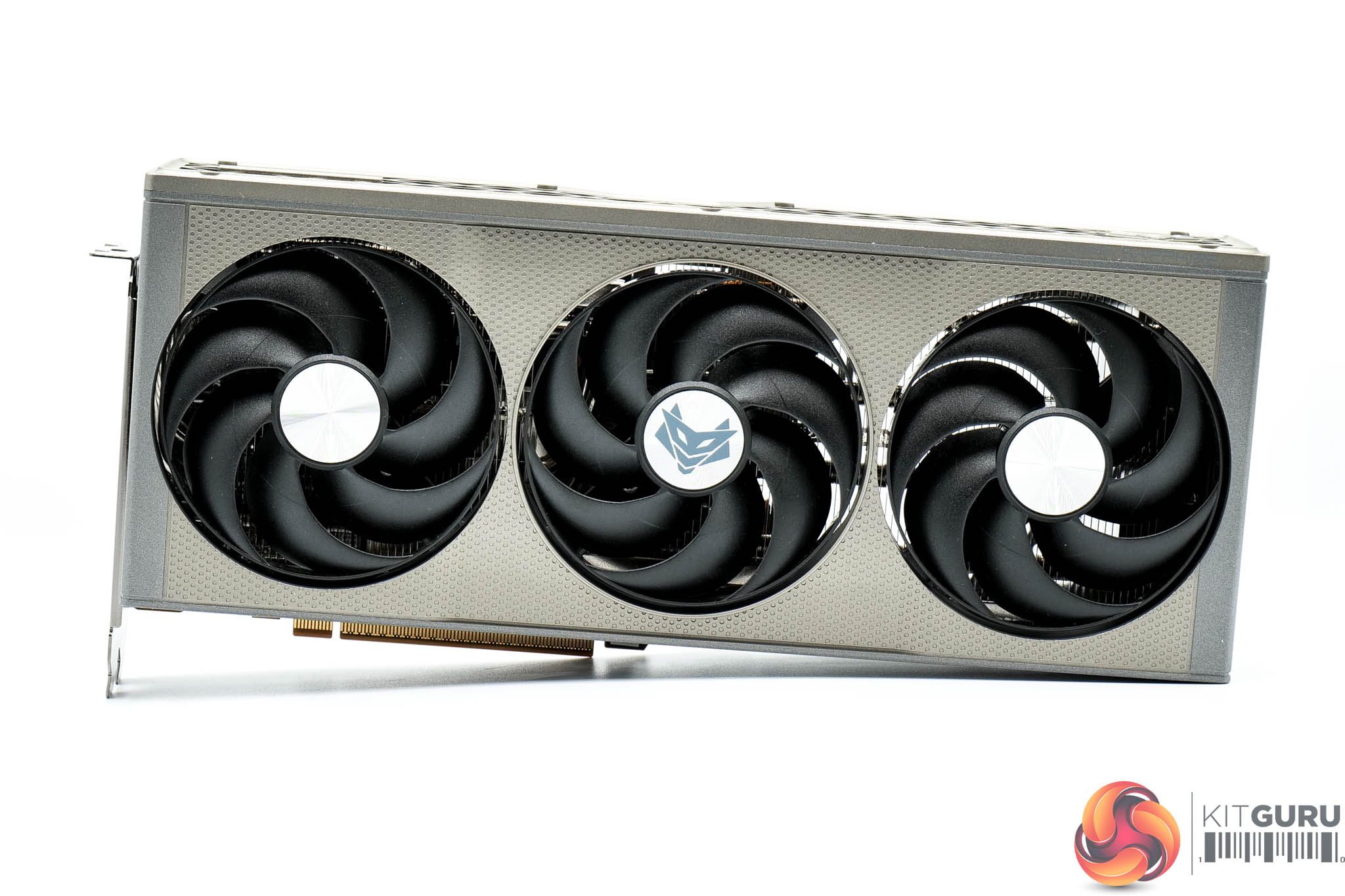
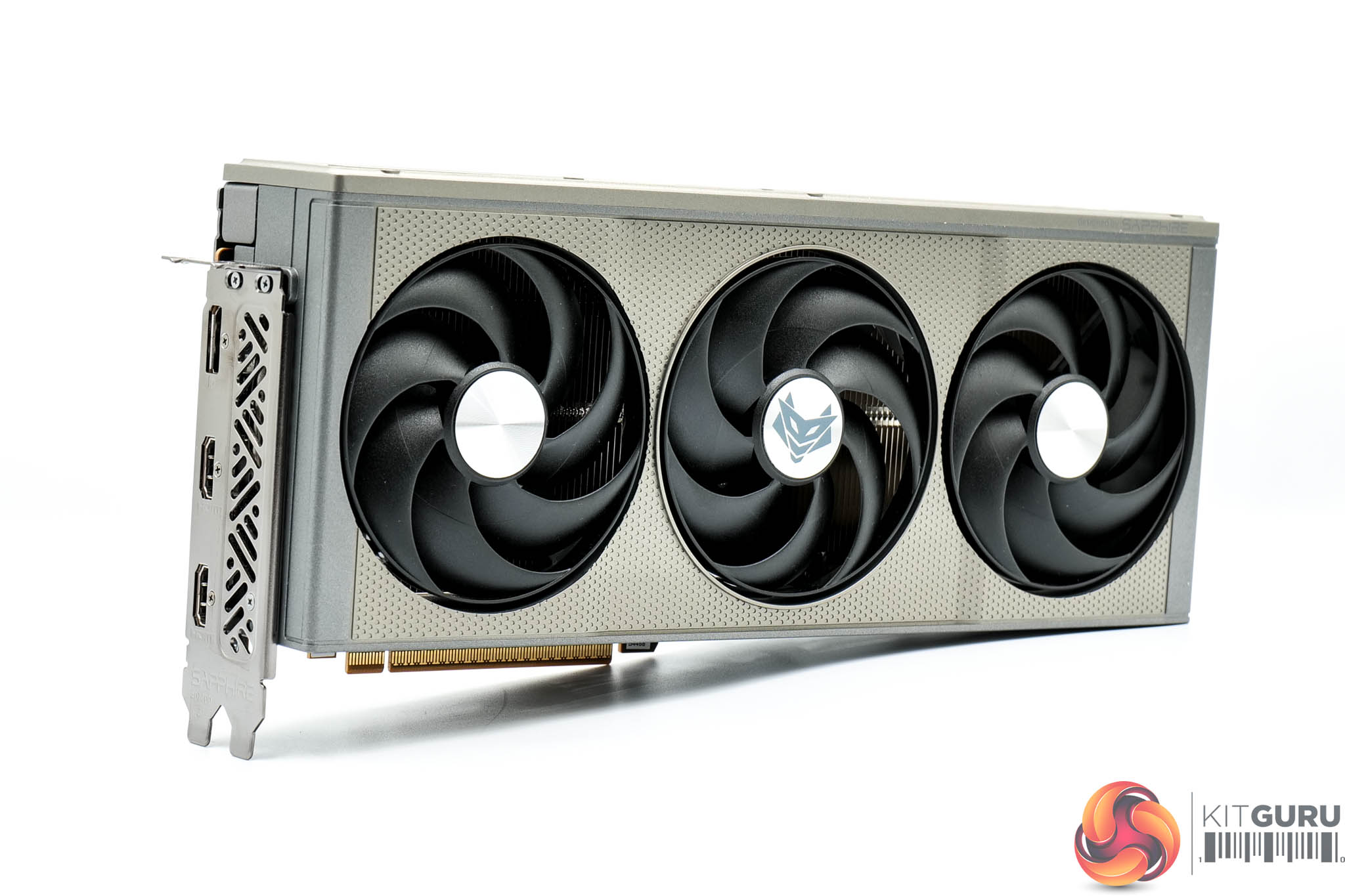
As for the design of the card, it's almost identical to the RX 9070 XT model we reviewed a few months back. The shroud design is the same, with its gunmetal grey colourway and perforations, while the front side is home to a grille. It's very stylish overall and I still really rate the looks.
The fans are smaller this time around, though, measuring in at 90mm in diameter.
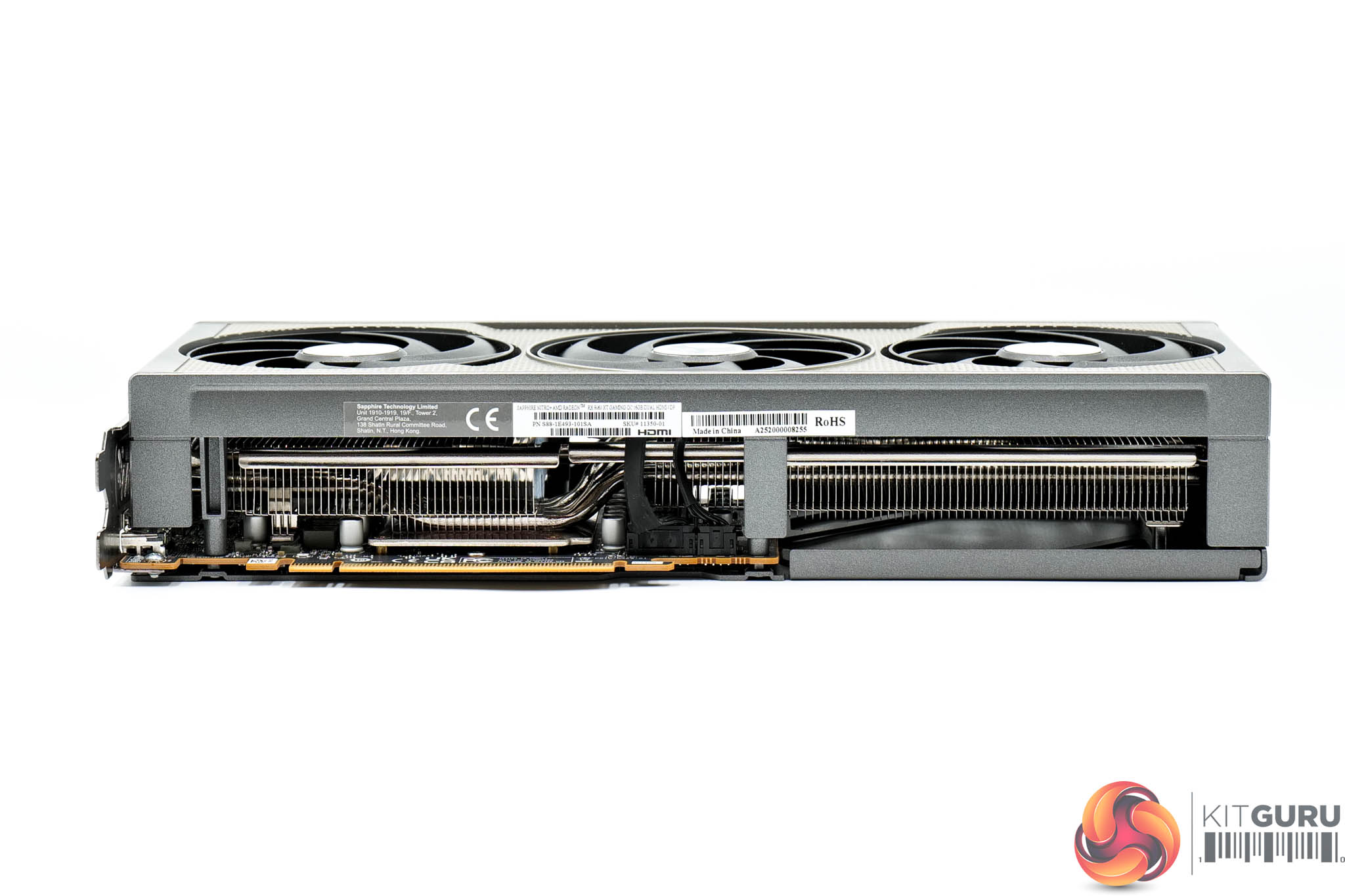
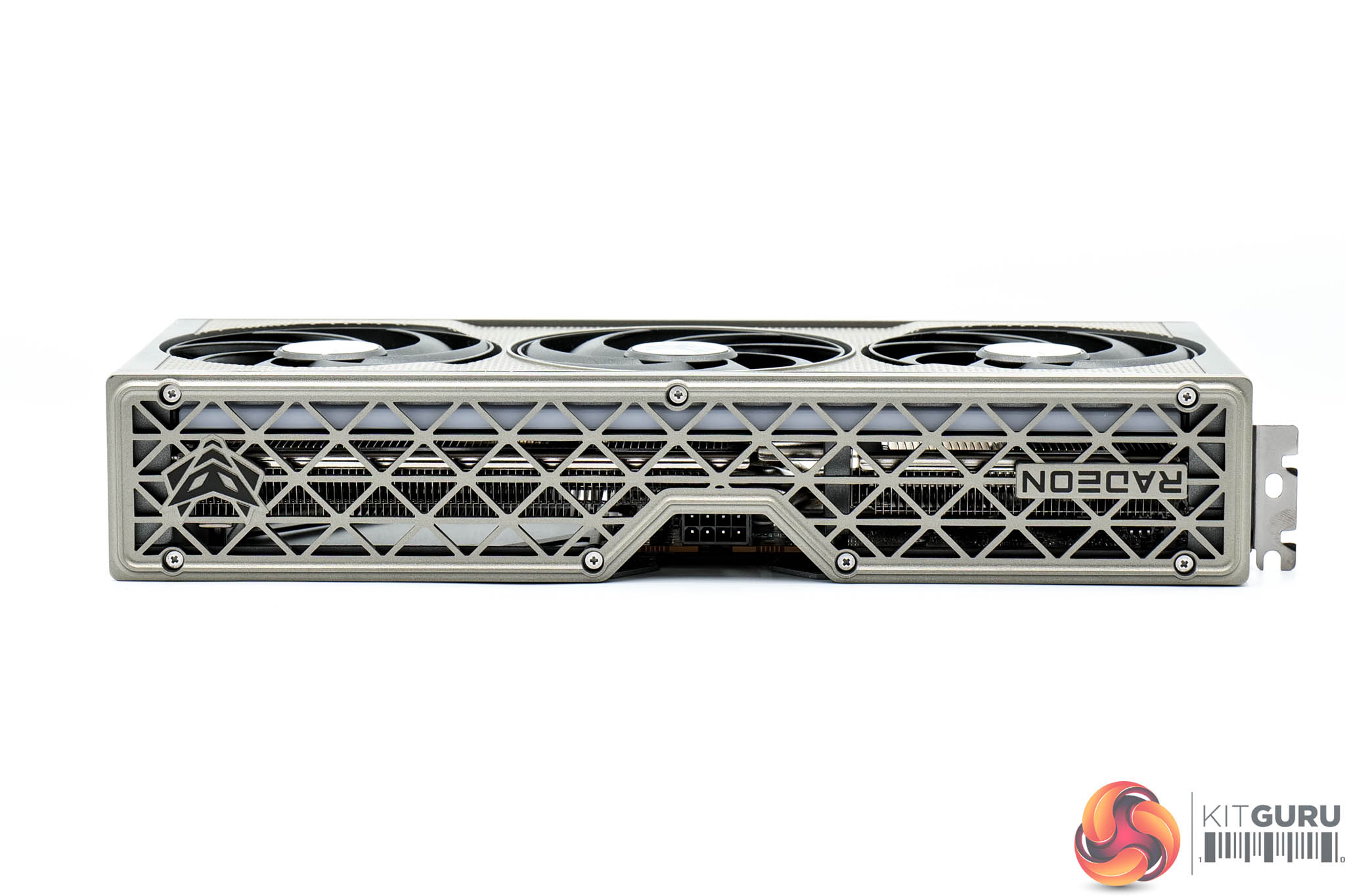
It's also slightly smaller overall, measuring 300 x 131 x 55mm, while it weighed in at 991g on my scales.
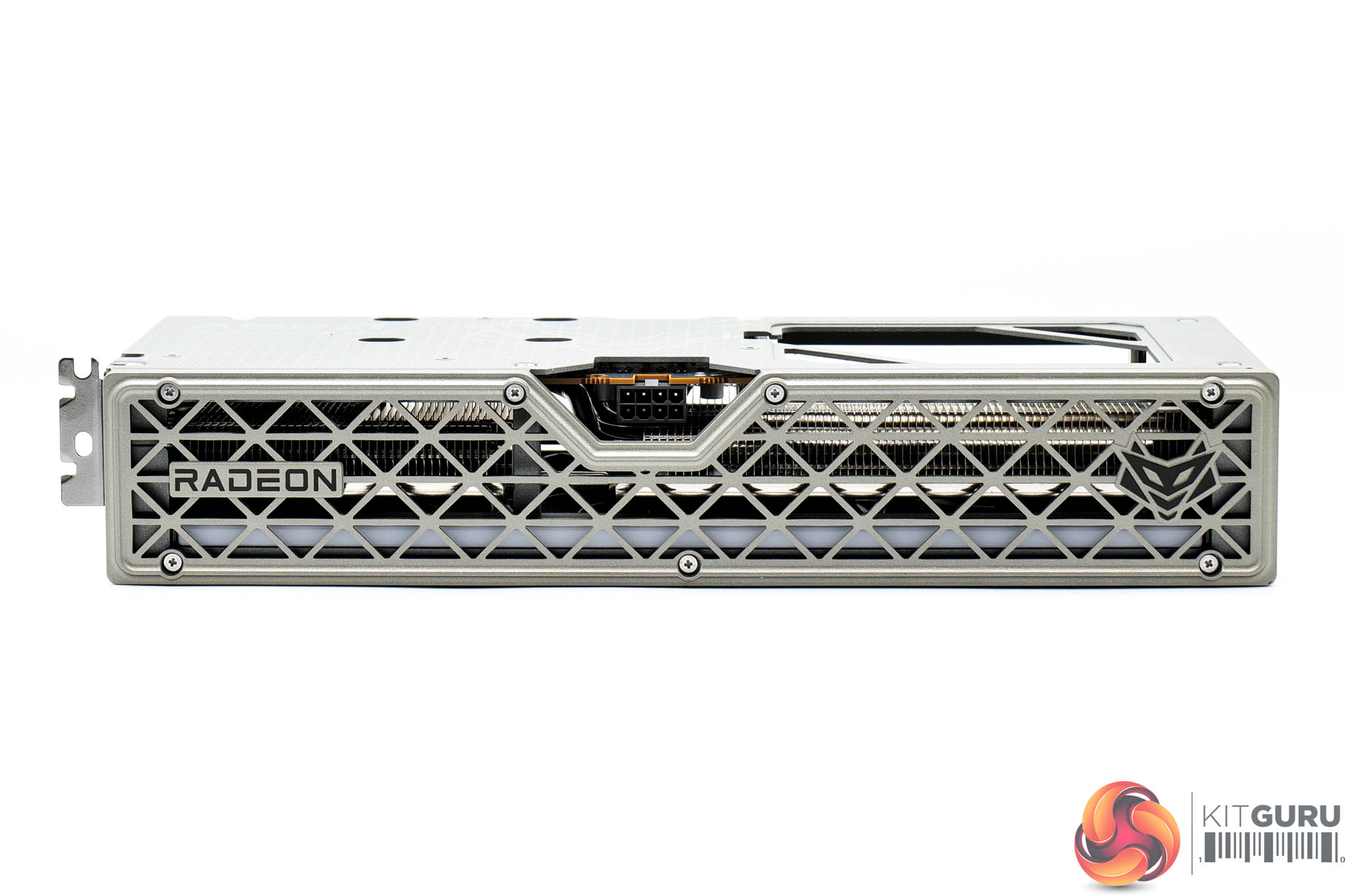
As mentioned, the front side is home to the grille section, with the LED strip visible beneath it.
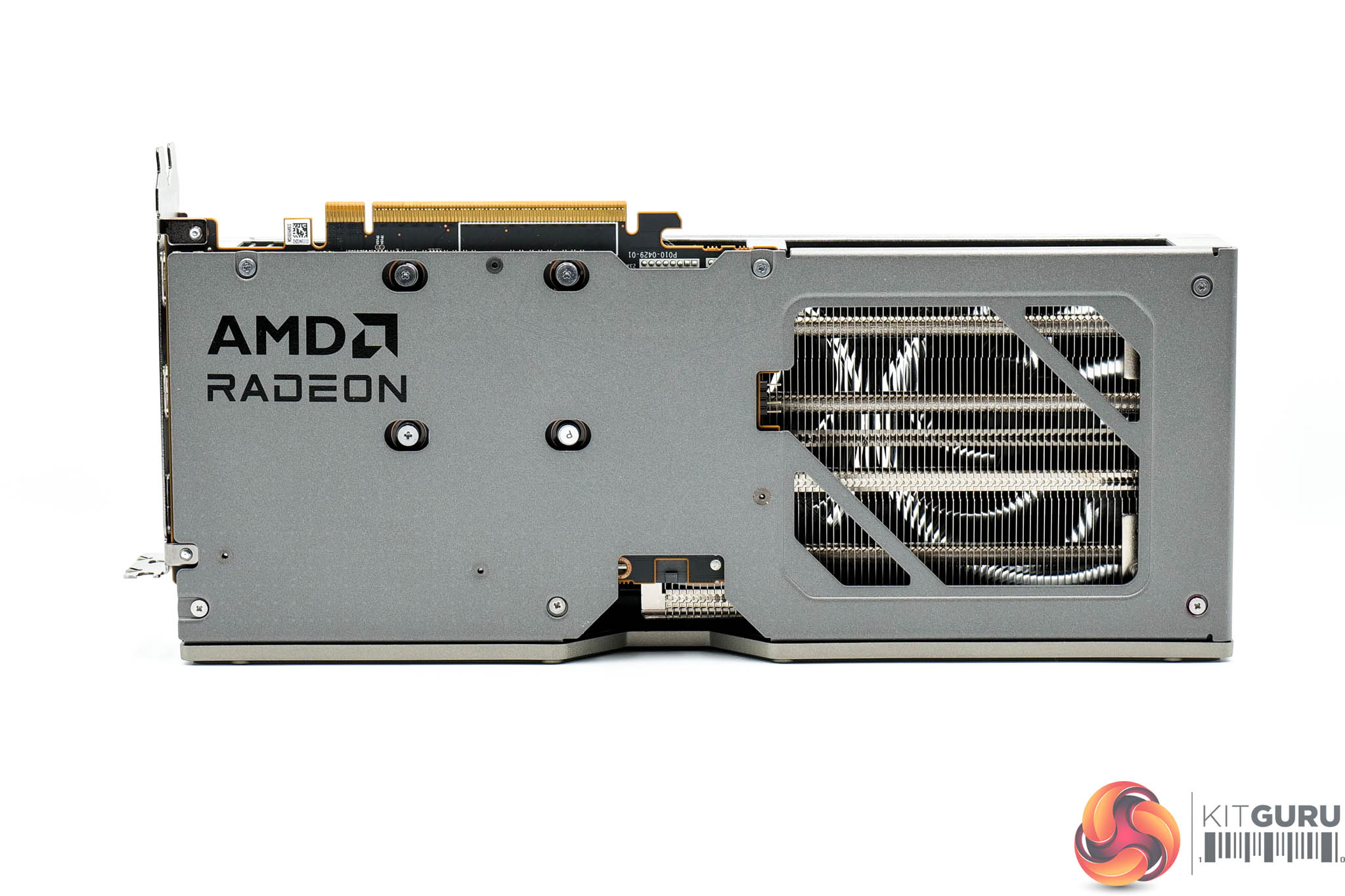
The metal backplate is the main area of difference versus the 9070 XT – you may remember that model had an extra plate which was designed to hide the power cable. That's now gone, and instead we have this grey design – likely a cost-saving measure. It still looks great, but the ability to hide the cable was a neat trick for the 9070 XT Nitro+. We still find a large flow-through area, plus an ARGB header to control the lighting externally.
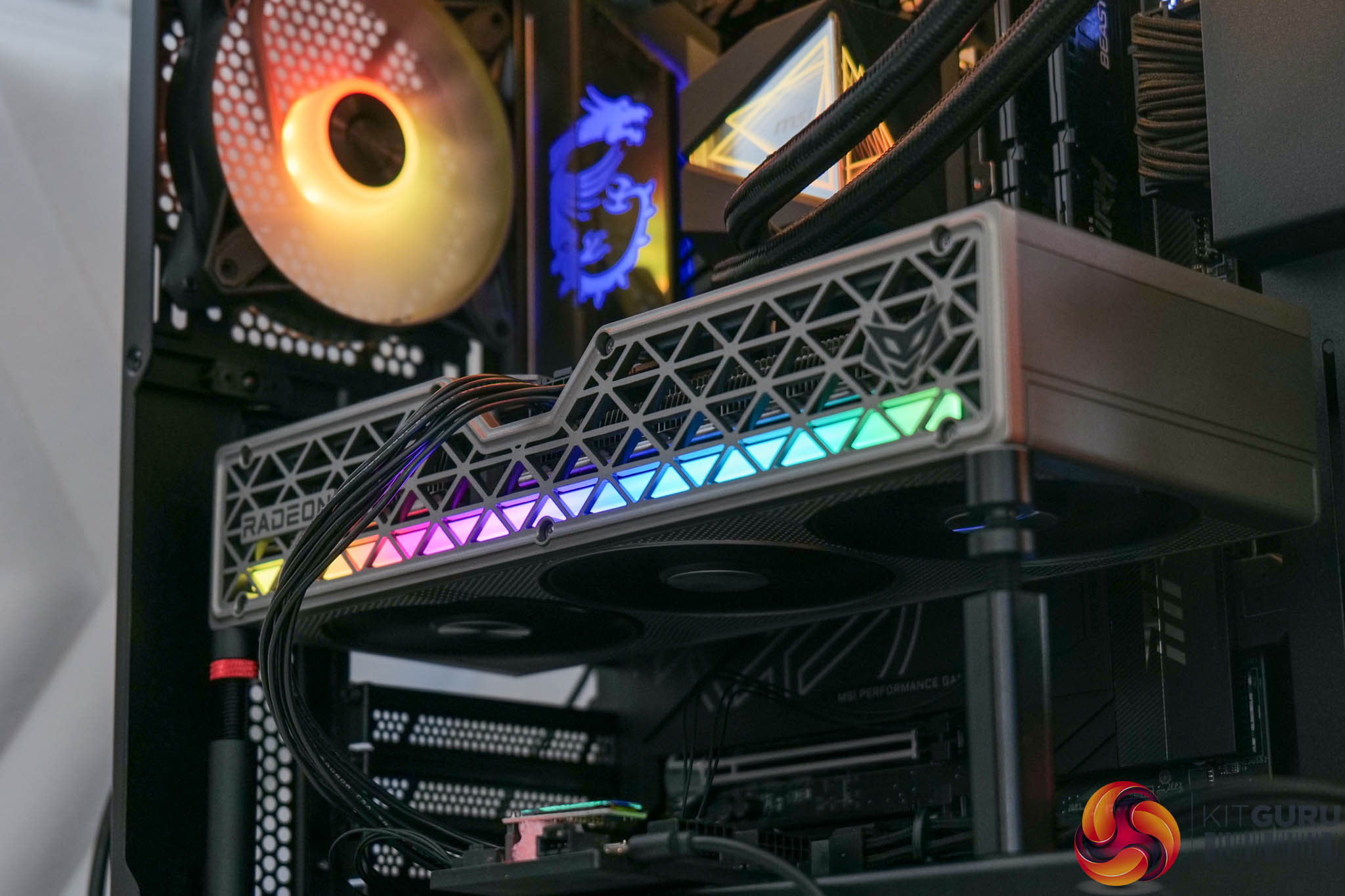
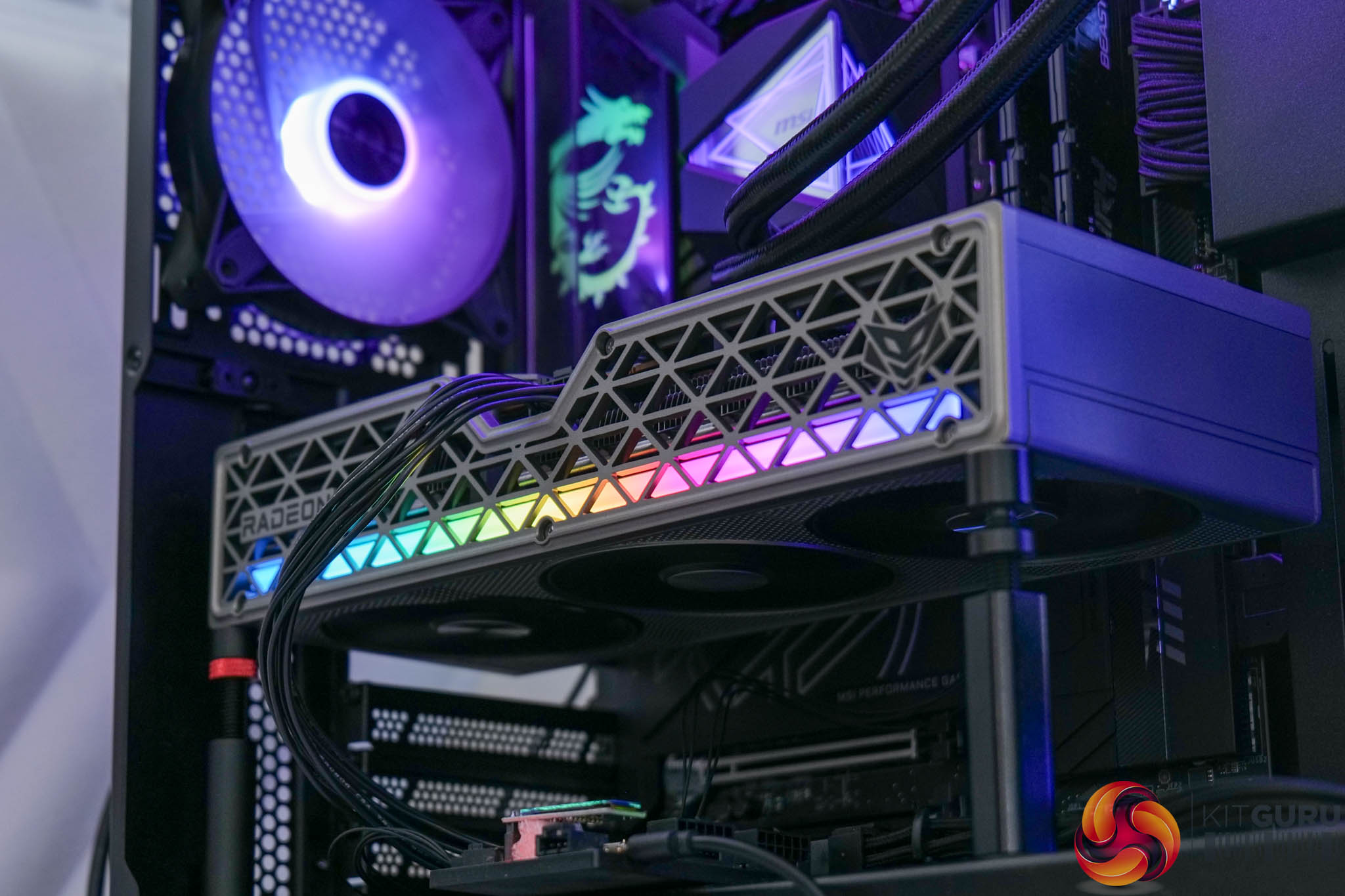
Speaking of the lighting, it's as good as we saw previously, being eye-catching without being gaudy, while the LEDs are well diffused. There's no physical switch, but you can disable it via Sapphire's software if you want.
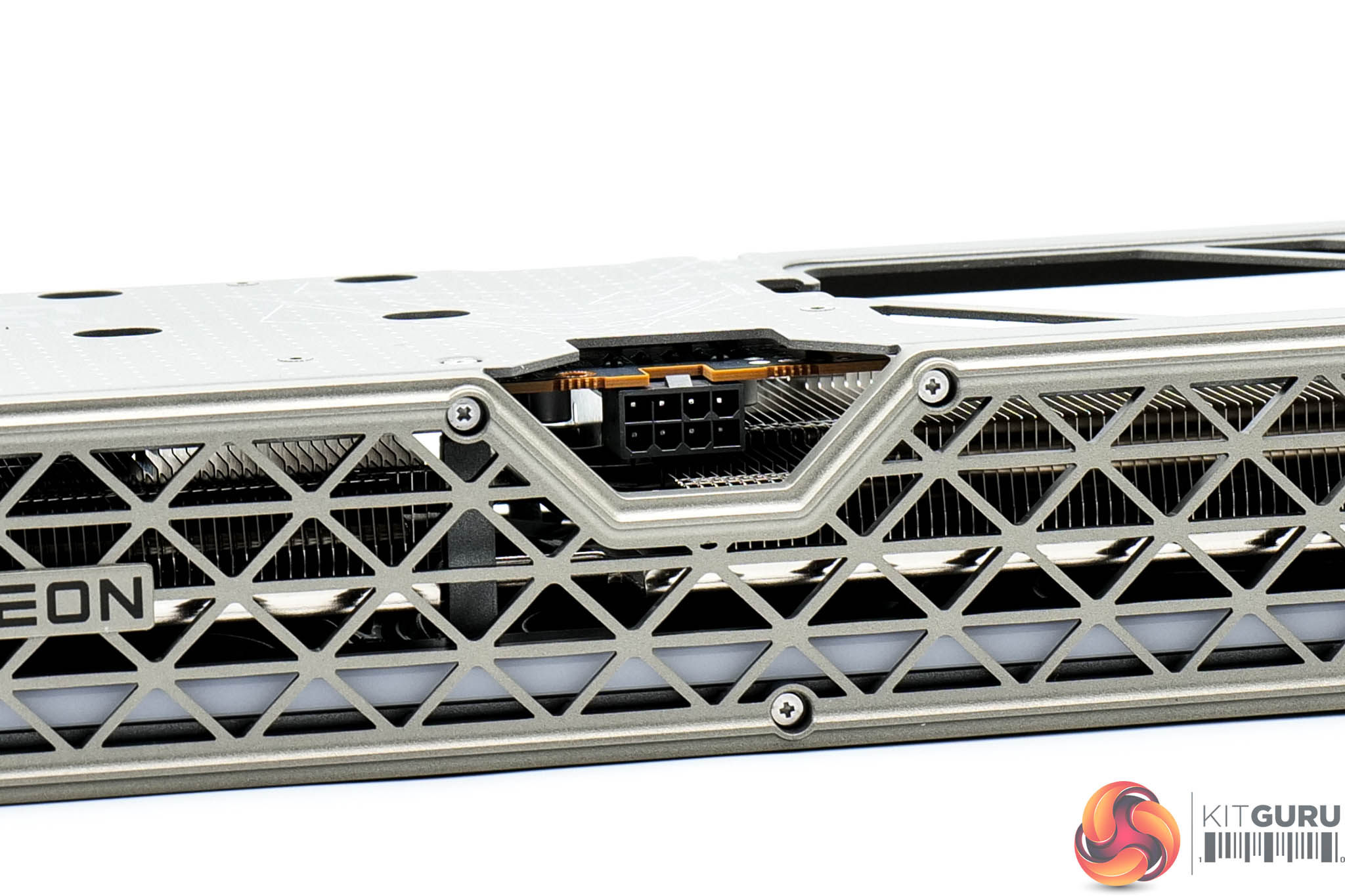
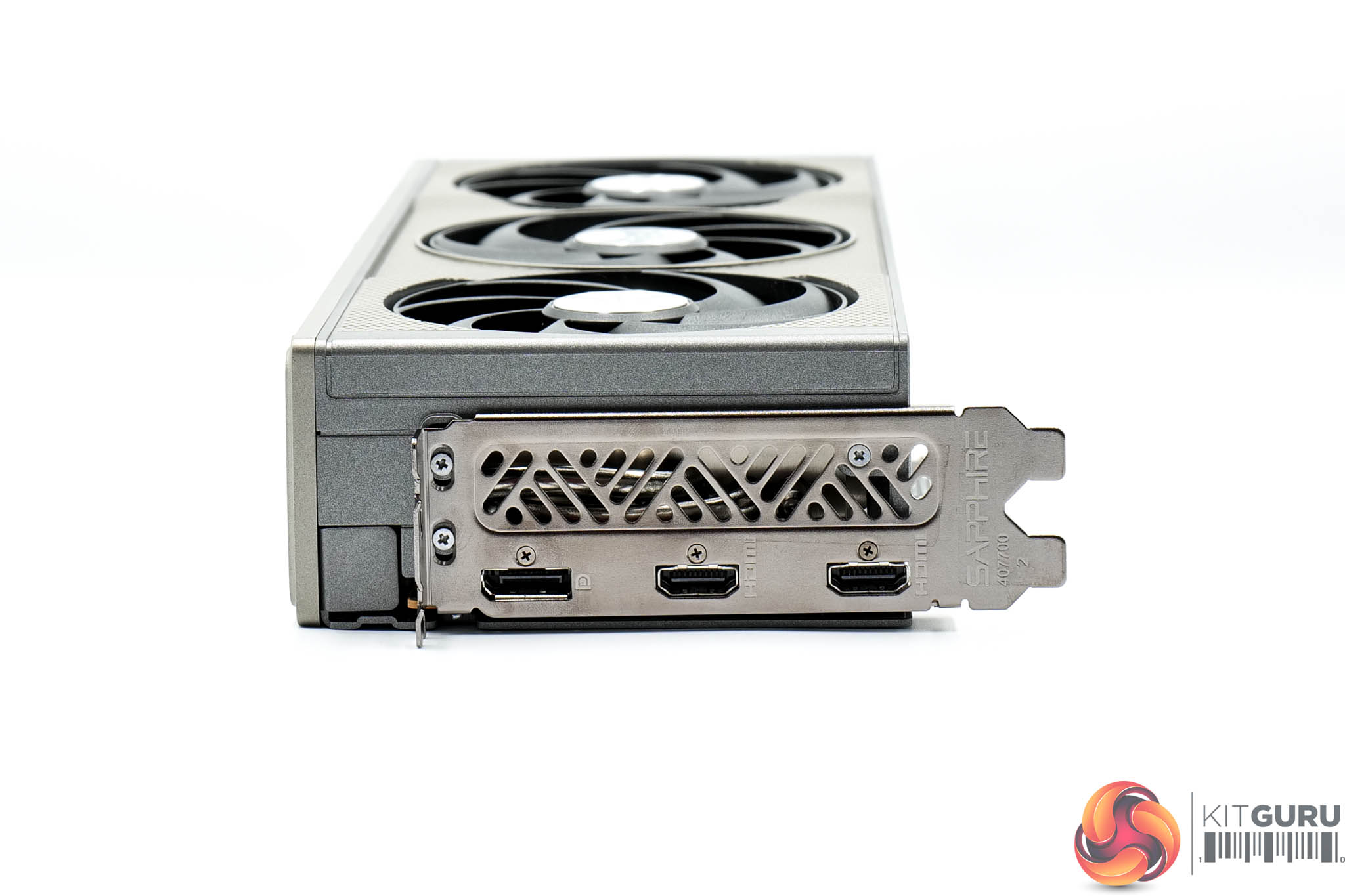
Power is delivered by a single 8-pin connector, while there's one DisplayPort 2.1 and two HDMI 2.1 video outputs.
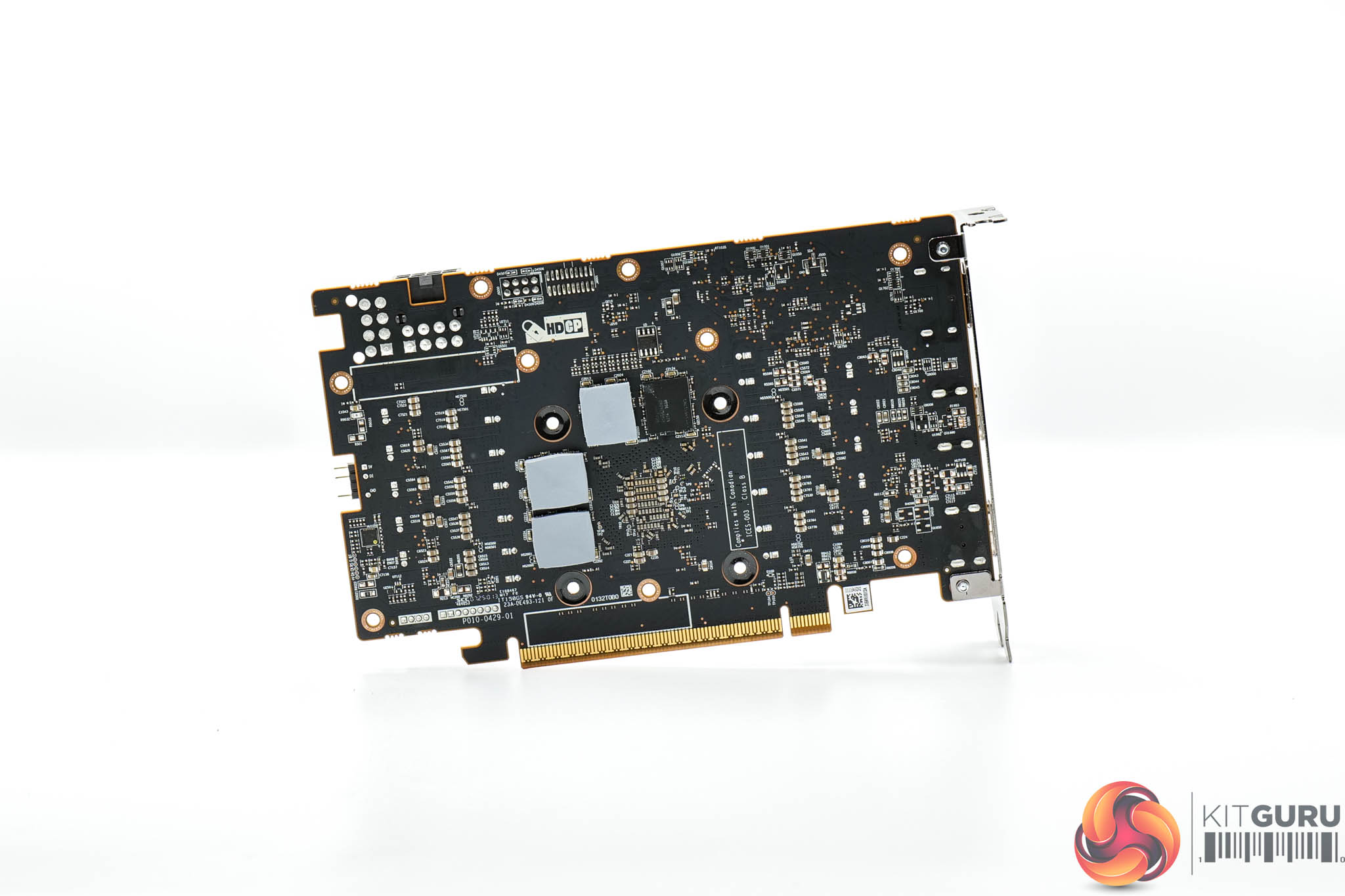
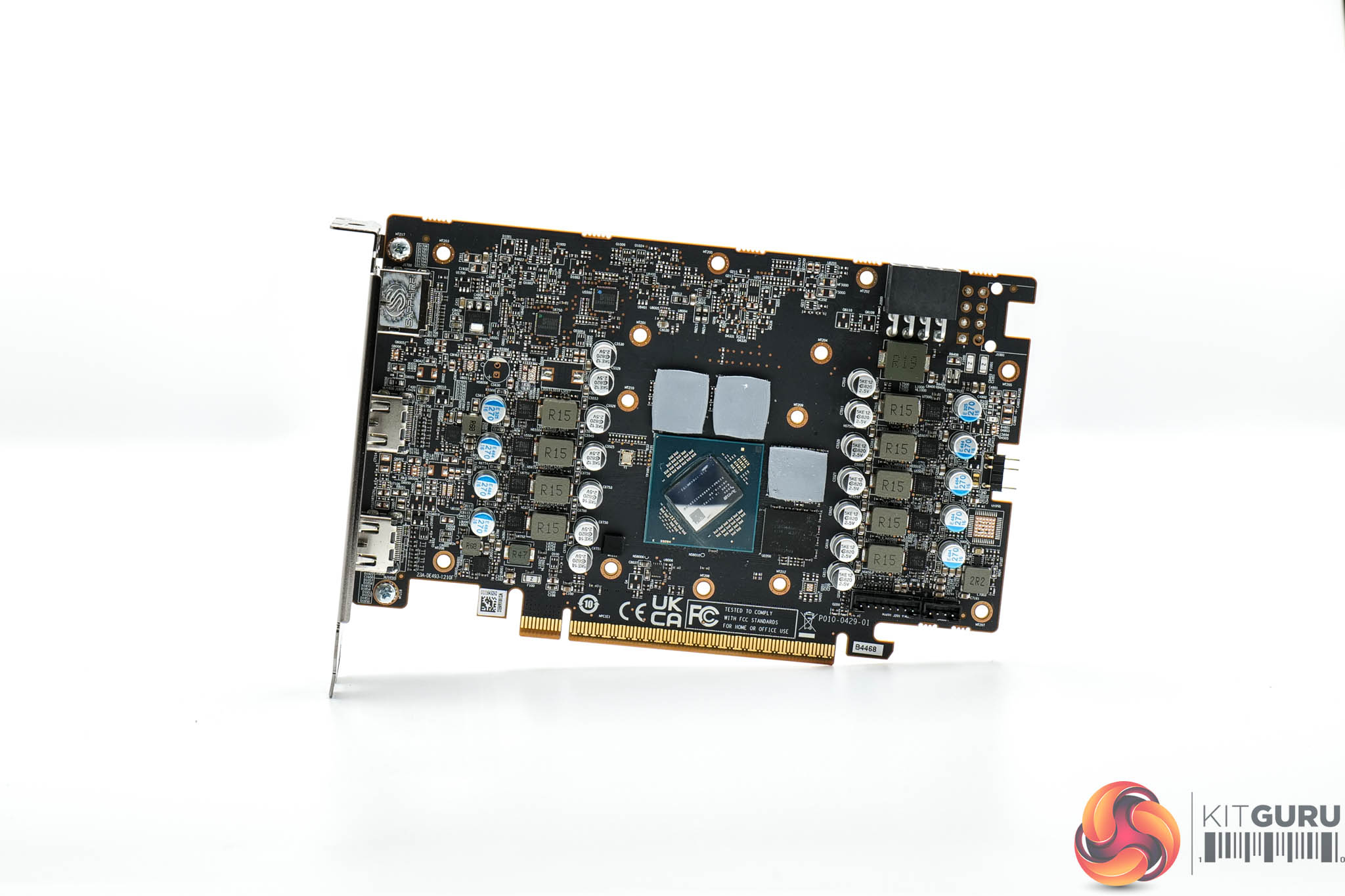
As for the PCB, Sapphire has gone with a very similar design to the other cards on test today – we find seven phases for the GPU and two for the memory, with both GPU and memory VRMs controlled by separate Monolithic Power Systems MP2868A controllers. Monolithic MP87993 MOSFETs are used throughout.
We can also note that the 16GB 9060 XTs are utilising a clamshell design, with four memory modules on either side of the PCB.
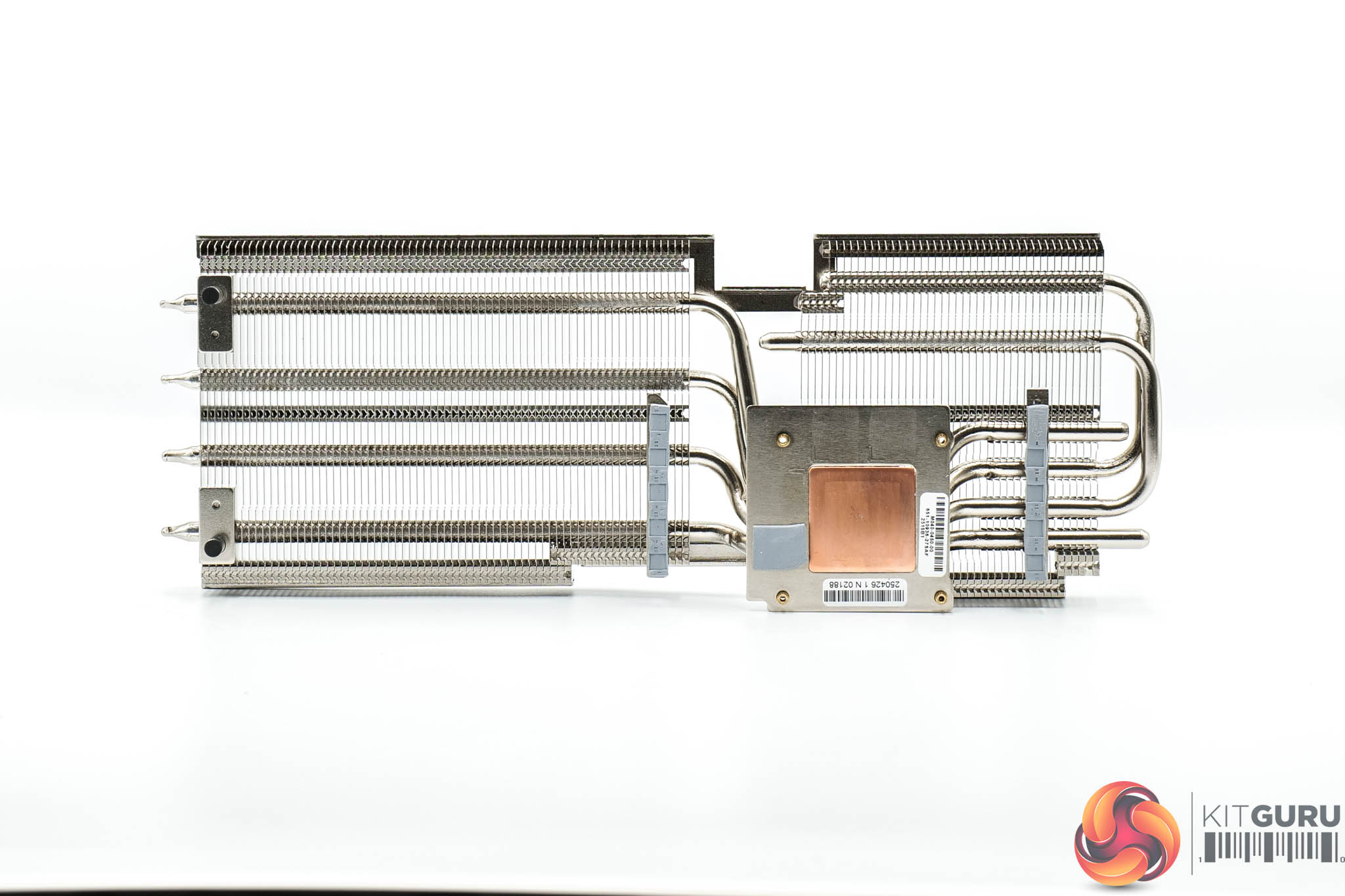
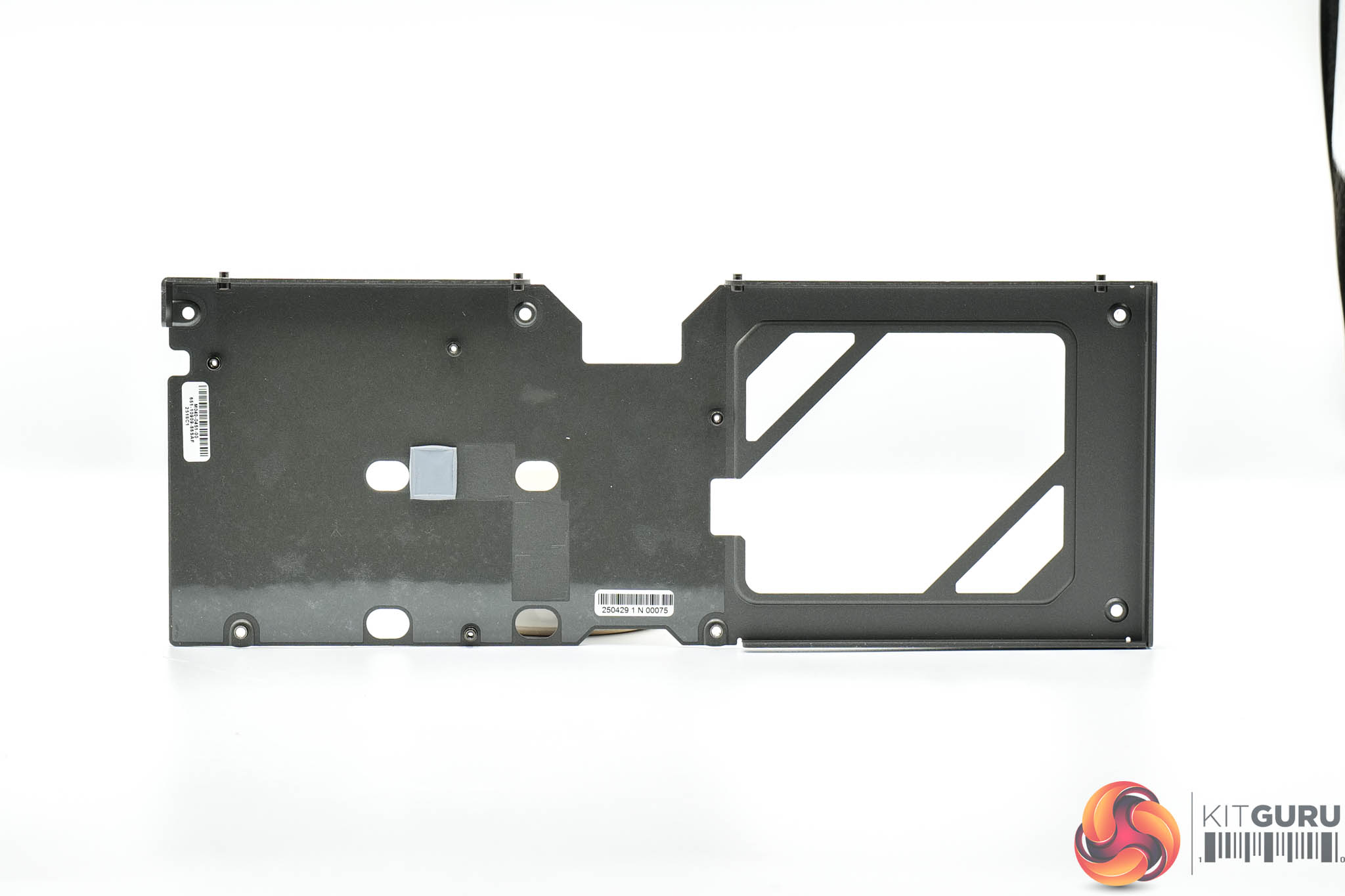
Sapphire's heatsink utilises a total of four heatpipes, with the GPU and memory contacting with a central baseplate, while the MOSFETs are cooled by secondary plates.
Thermal pads are positioned on the underside of the backplate, too, to provide some extra cooling capabilities.
Driver Notes
- All AMD GPUs (except RX 9060 XT) were benchmarked with the 25.3.1 driver.
- All Intel GPUs were benchmarked with the 101.6651 driver.
- All Nvidia GPUs (except for RTX 5060 Ti 8/16GB) were benchmarked with the 572.70 driver.
- RTX 5060 Ti 8/16GB were benchmarked with the 575.94 driver supplied to press.
- RX 9060 XT was benchmarked with the 25.10.09.01 driver supplied to press.
Results are only directly comparable where this exact configuration has been used.
Test System:
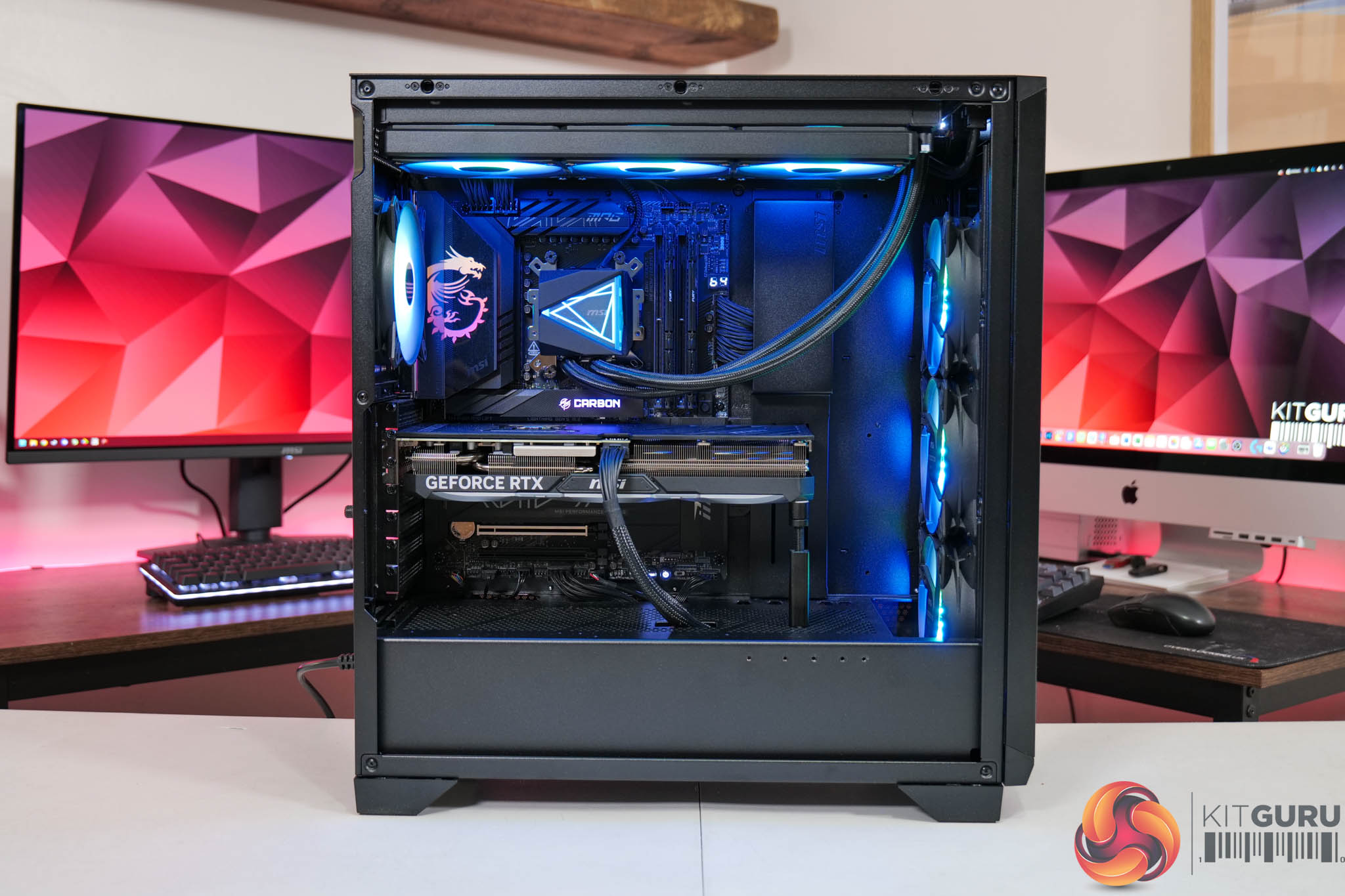
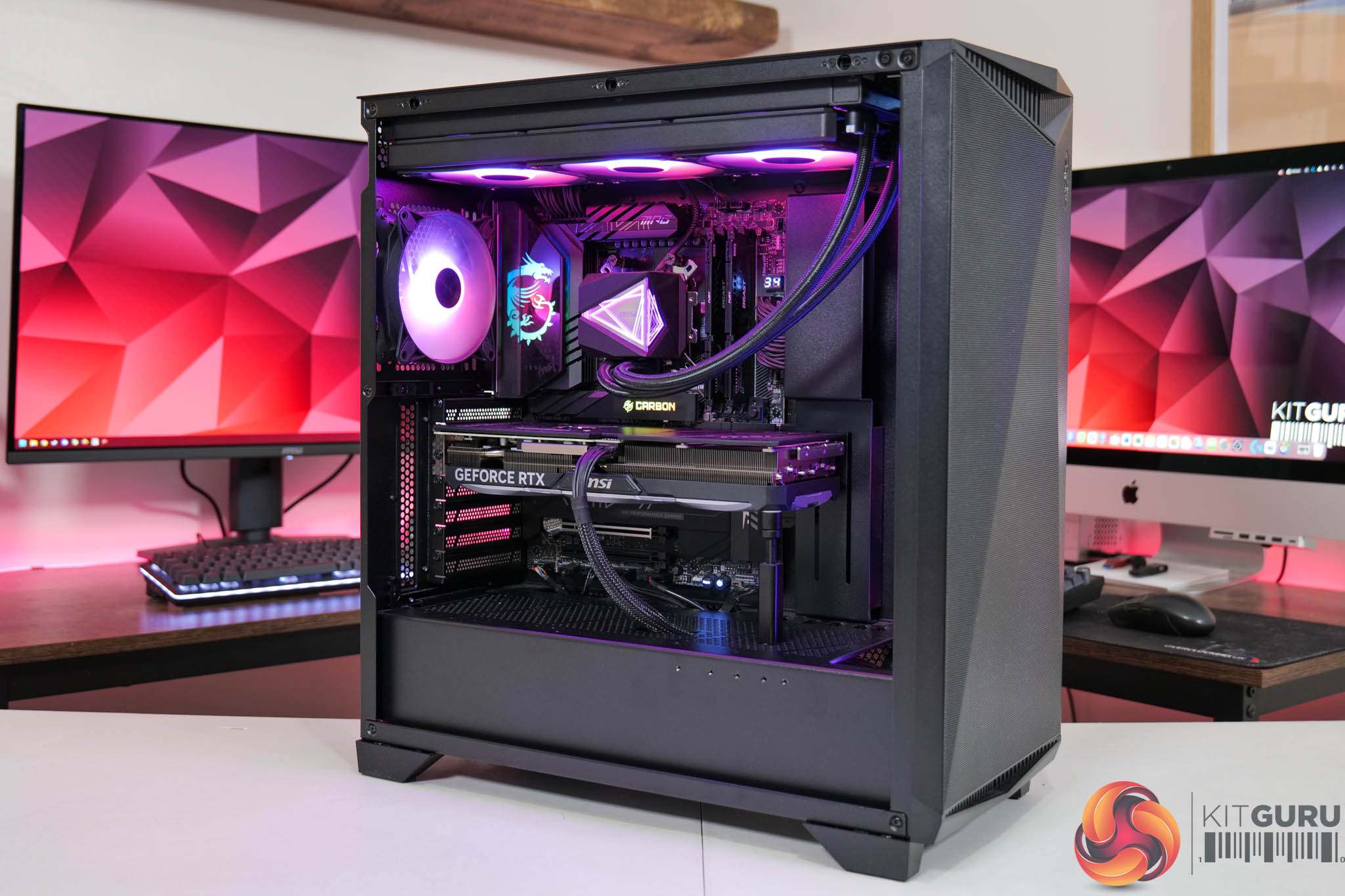
We test using a custom built system powered by MSI, based on AMD's Zen 5 platform. You can view the Powered by MSI store on AWD-IT's website HERE.
| CPU |
AMD Ryzen 7 9800X3D
|
| Motherboard |
MSI MPG X870E Carbon WiFi
|
| Memory |
64GB (2x32GB) Kingston Fury Beast DDR5 6000MT/s CL30
|
| Graphics Card |
Varies
|
| SSD |
4TB Kingston NV3 Gen 4 PCIe NVMe
|
| Chassis | MSI MPG Gungnir 300R Airflow |
| CPU Cooler |
MSI MAG CoreLiquid i360
|
| Power Supply |
MSI MEG Ai1300P
|
| Operating System |
Windows 11 23H2
|
| Monitor |
MSI MPG 321URX QD-OLED
|
| Resizable BAR |
Enabled for all supported GPUs
|
Comparison Graphics Cards List
- ASRock RX 9070 XT Taichi 16GB
- Sapphire RX 9070 Pulse 16GB
- ASUS RX 9060 XT Prime 16GB
- Sapphire RX 7900 GRE Nitro+ 16GB
- AMD RX 7800 XT 16GB
- Sapphire RX 7700 XT Pulse 12GB
- Sapphire RX 7600 XT Pulse 16GB
- AMD RX 7600 8GB
- AMD RX 6700 XT 12GB
- Intel Arc A770 LE 16GB
- Intel Arc B580 LE 12GB
- MSI RTX 5070 Ti Ventus 3X 16GB
- Nvidia RTX 5070 FE 12GB
- Palit RTX 5060 Ti Infinity 3 16GB
- Palit RTX 5060 Ti Dual 8GB
- Nvidia RTX 4070 Super FE 12GB
- Nvidia RTX 4070 FE 12GB
- MSI RTX 4060 Ti Gaming 16GB
- Nvidia RTX 4060 Ti FE 8GB
- MSI RTX 4060 Ventus 2X 8GB
- Nvidia RTX 3070 FE 8GB
- Nvidia RTX 3060 Ti FE 8GB
- Palit RTX 3060 StormX 12GB
All cards were tested at reference specifications. For factory overclocked cards, this means we manually ‘undo' the overclock via MSI Afterburner or AMD/Intel's built-in tuning tools. Or, for cards like the Sapphire RX 7900 GRE Nitro+, we enable the reference-clocked BIOS instead of the default OC BIOS.
Software and Games List
- Alan Wake II (DX12)
- Black Myth: Wukong (DX12)
- Cyberpunk 2077 (DX12)
- Dragon Age: The Veilguard (DX12)
- Final Fantasy XVI (DX12)
- Ghost of Tsushima (DX12)
- Horizon Forbidden West (DX12)
- Indiana Jones and the Great Circle (Vulkan)
- Kingdom Come: Deliverance II (DX12)
- A Plague Tale: Requiem (DX12)
- Ratchet and Clank: Rift Apart (DX12)
- Returnal (DX12)
- Senua's Saga: Hellblade 2 (DX12)
- Shadow of the Tomb Raider (DX12)
- Starfield (DX12)
- Star Wars Outlaws (DX12)
We run each benchmark/game three times, and present mean averages in our graphs. We use FrameView to measure average frame rates as well as 1% low values (99th percentile) across our three runs.
Here we test three games, all at 1920×1080 resolution using maximum image quality settings.
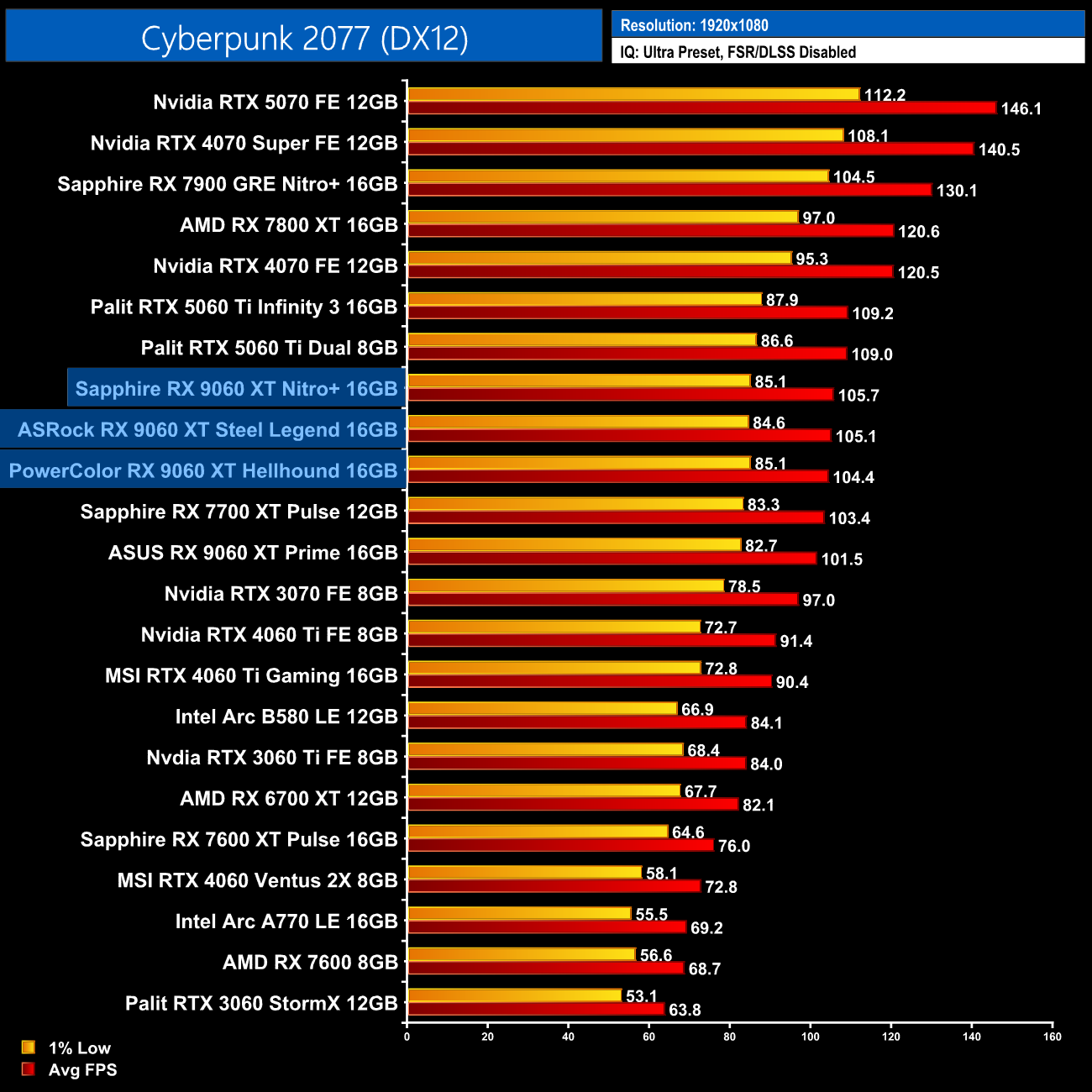
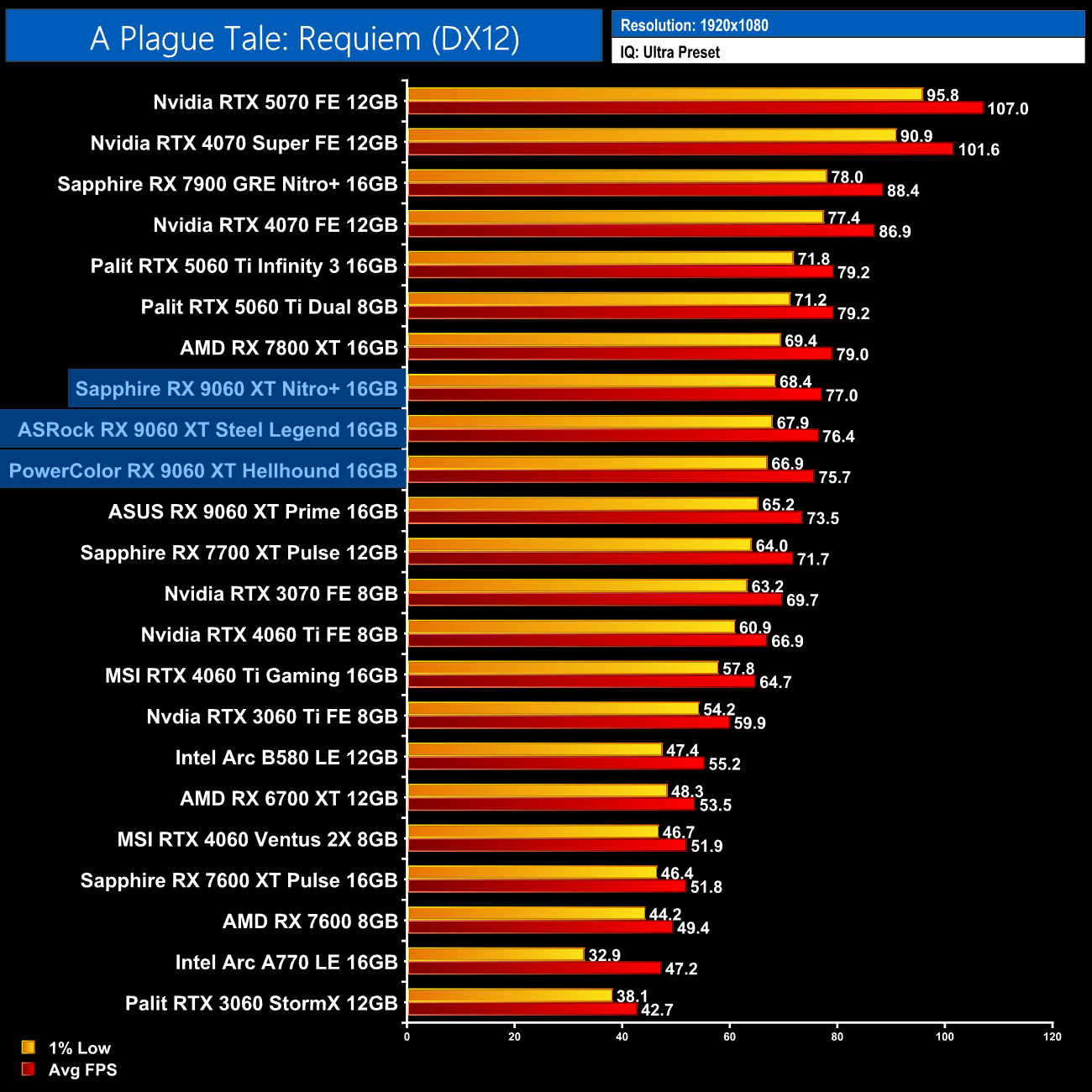
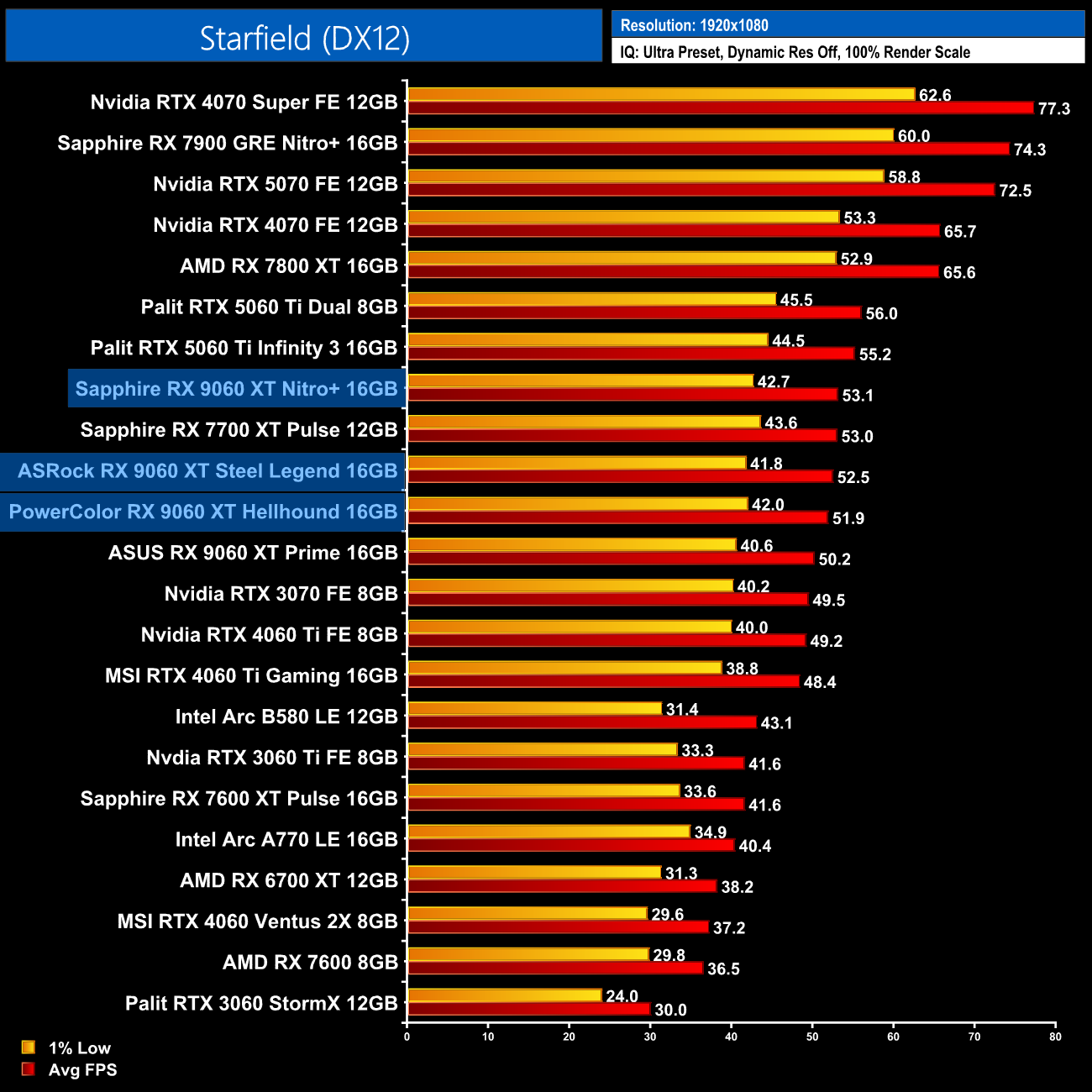
We don't focus too heavily on game benchmarks in our partner card reviews as performance doesn't tend to change a whole lot when comparing different models of the same GPU. We do see a slender lead for the Nitro+ over the other partner cards, but even then, the gains are only 1-2fps at best in these examples. In the real world, I don't think you'd be able to notice the difference.
Here we present the average clock speed for each graphics card while running A Plague Tale: Requiem for 30 minutes. We use GPU-Z to record the GPU core frequency during gameplay. We calculate the average core frequency during the 30 minute run to present here.
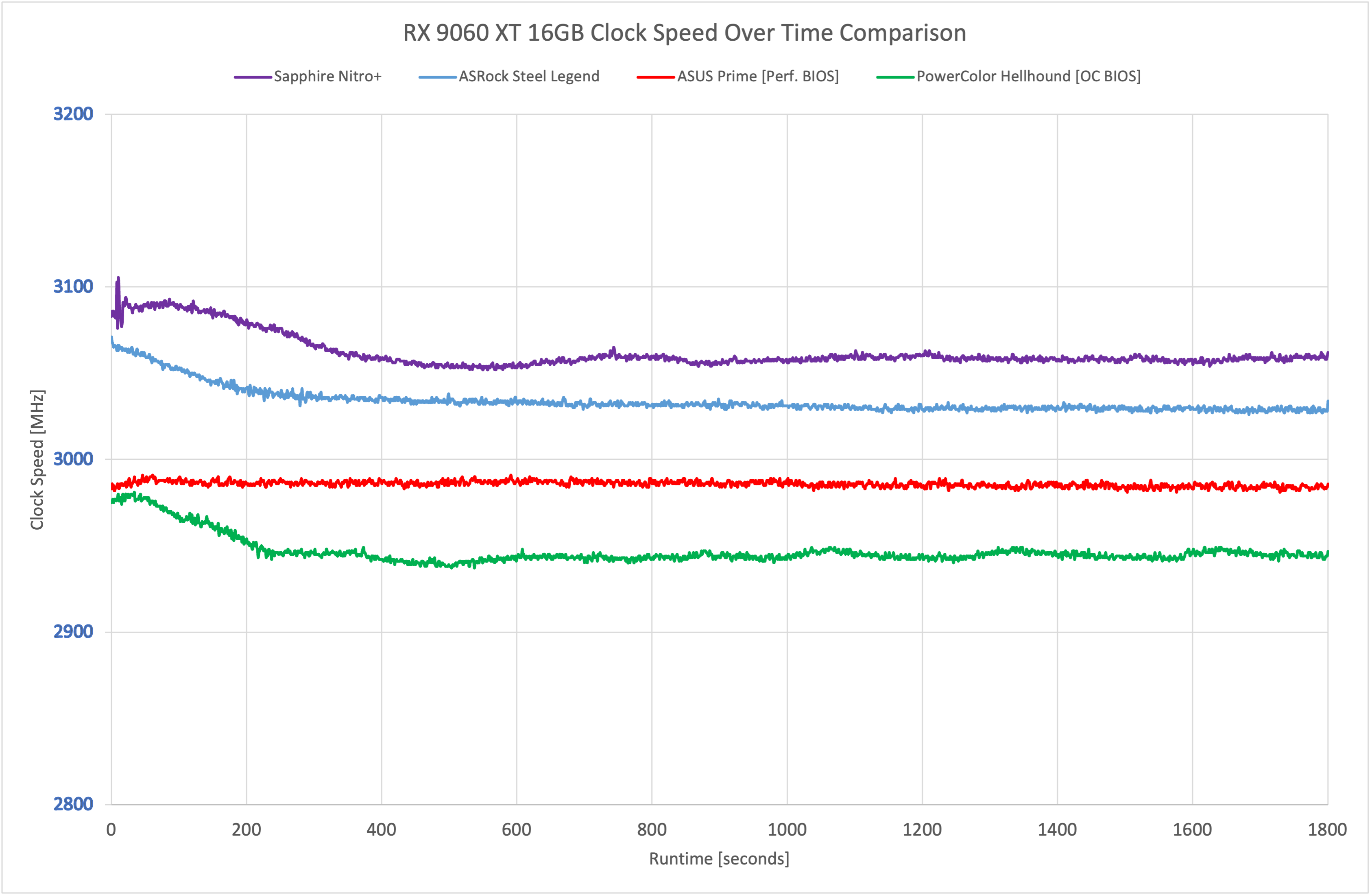
On a technical level, we did see the Nitro+ running the fastest of the three 9060 XTs tested, though the gains are only slight when compared to the ASRock Steel Legend, while the PowerColor Hellhound still stayed above 2900MHz at all times.
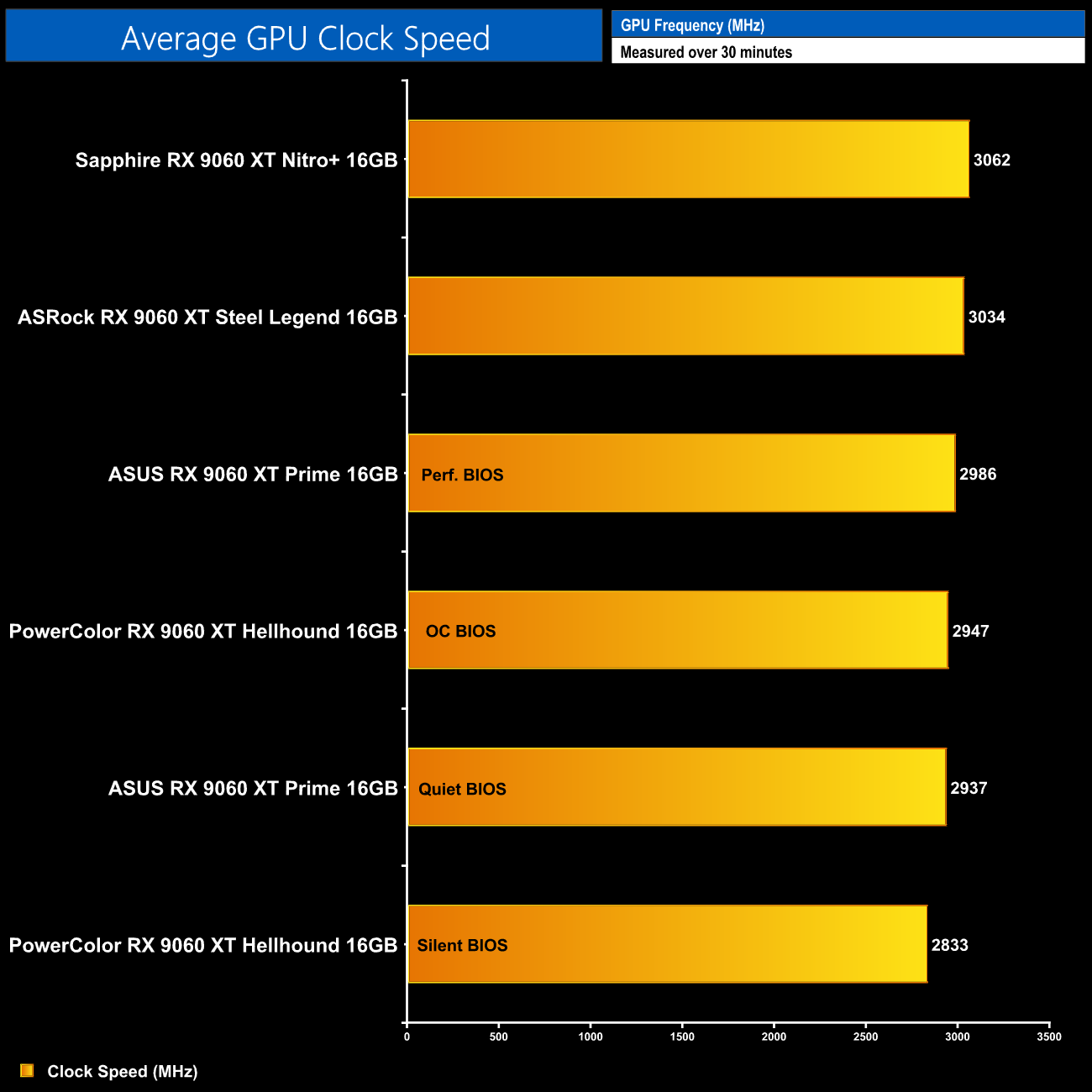
Averaged over the thirty minute stress test, the Nitro+ managed 3062MHz, the Steel Legend hit 3034MHz, while the Hellhound's OC BIOS clocked in at 2947MHz.
For our temperature testing, we measure steady-state GPU temperatures under load. A reading under load comes from running A Plague Tale: Requiem for 30 minutes.
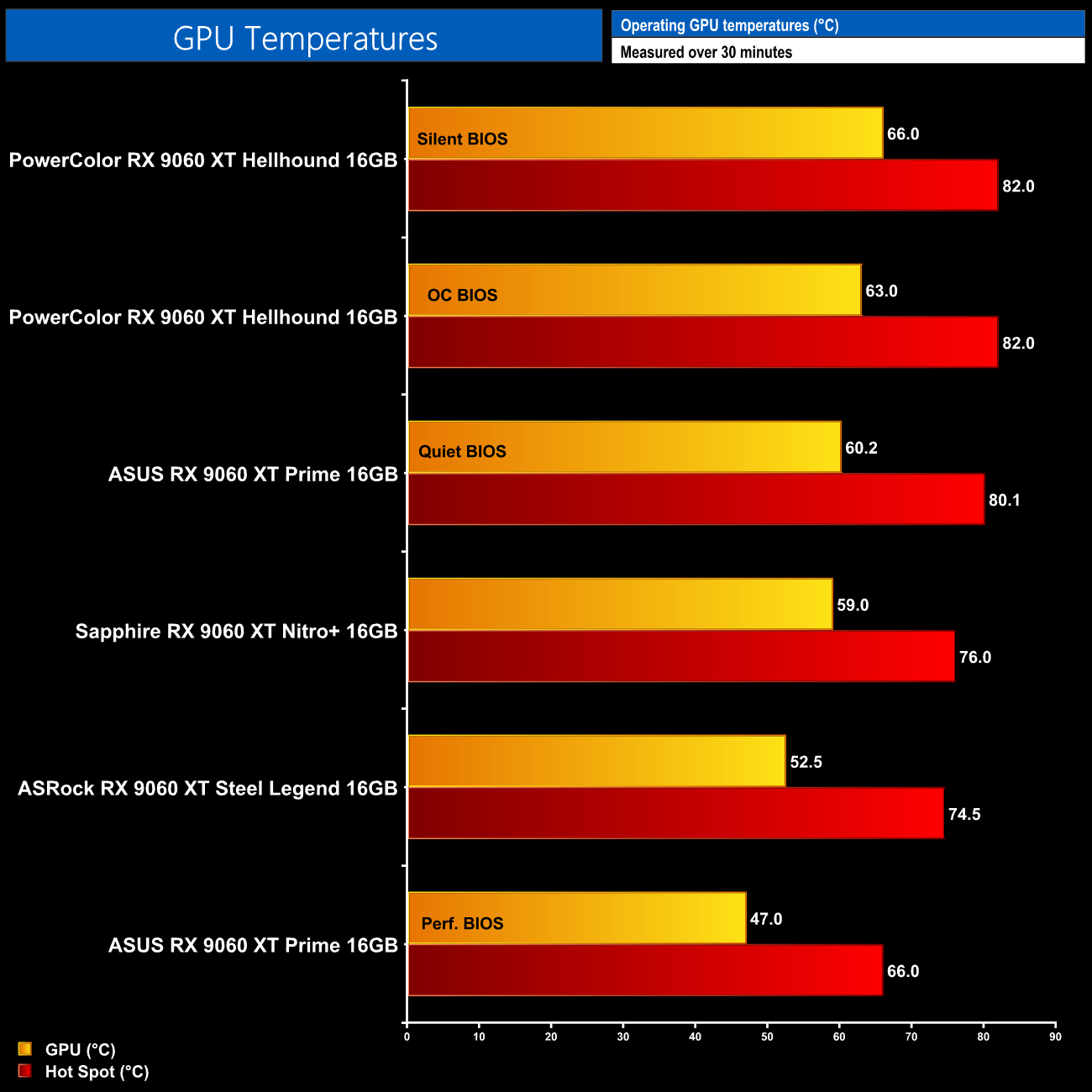
As for GPU thermals, remember this is looking at out of the box behaviour, so noise levels aren't taken into account. Still, it's great to see that even the warmest results – the Hellhound's Silent BIOS – are still very good overall, with the GPU at 66C and the hot spot at 82C. Yes, the likes of the Nitro+ and the Steel Legend do run cooler, but it's great to know you could buy any of these cards, stick them in your machine and they'll run nice and cool without any tweaking.
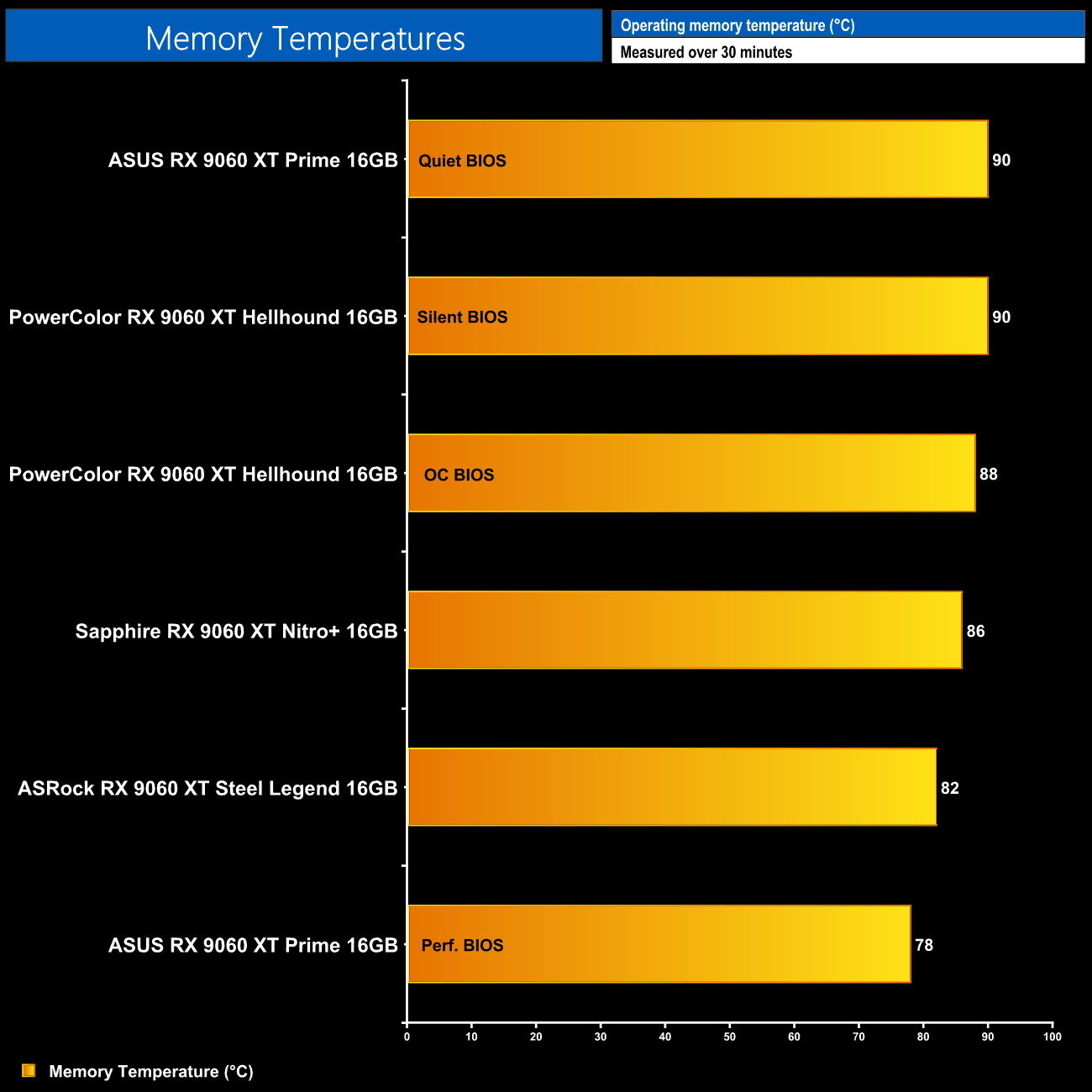
Memory results follow a similar trend, with the Hellhound running joint-hottest alongside the ASUS Prime, though the Nitro+ and Steel Legend offer small improvements. GDDR6 memory temperatures do seem higher with RDNA 4 than previous generations, but the results are still well within safe limits.
We take our noise measurements with the sound meter positioned 1 foot from the graphics card. I measured the noise floor to be 32 dBA, thus anything above this level can be attributed to the graphics cards. The power supply is passive for the entire power output range we tested all graphics cards in, while all CPU and system fans were disabled. A reading under load comes from running Cyberpunk 2077 for 30 minutes.
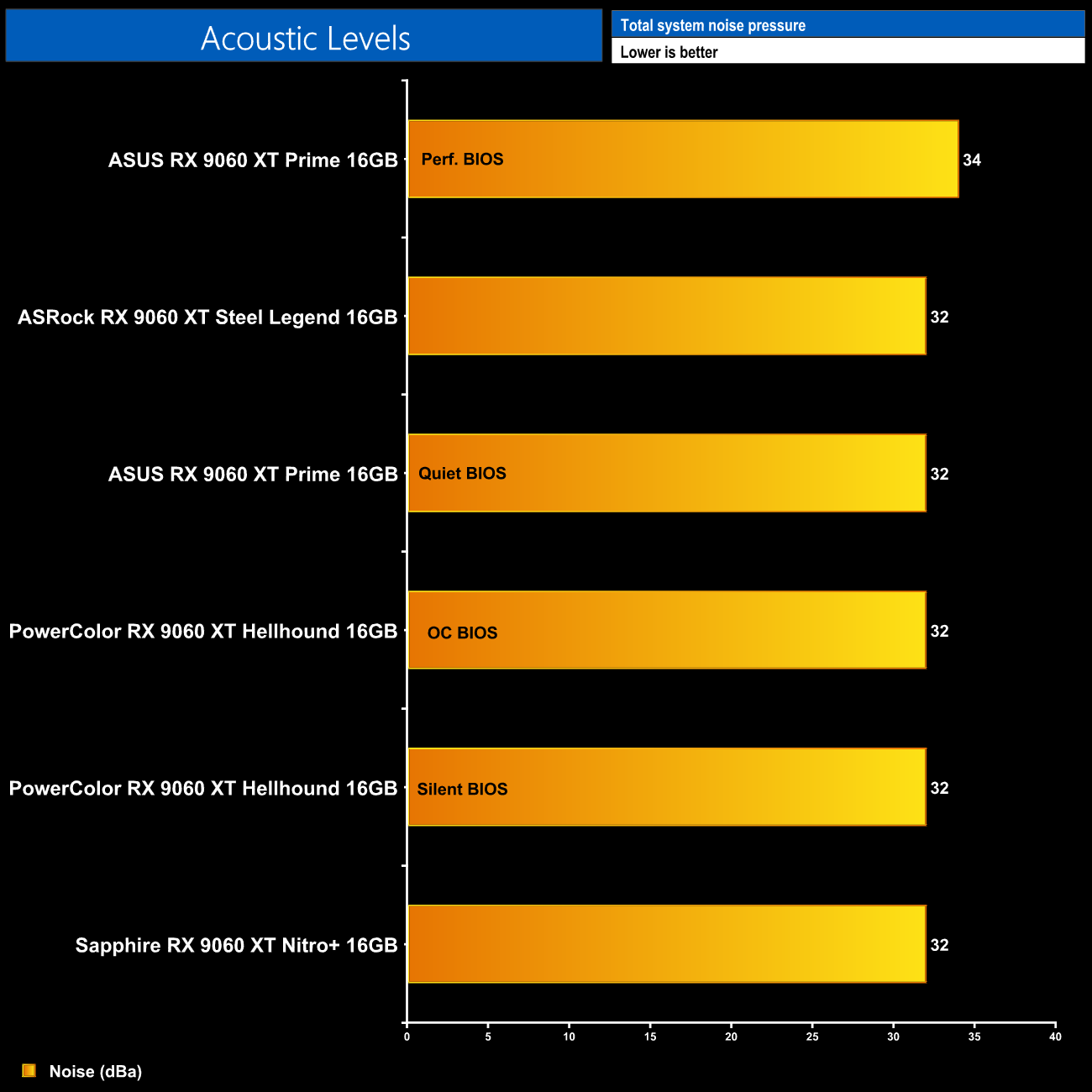
As for noise levels, here's the real kicker – out of the box, all three graphics cards tested saw fan speed come in below 1000rpm, and as a result the noise was simply not measurable in my test environment. In other words, these are some incredibly quiet graphics cards and any of them would be easily drowned out by a case fan.
Following on from our stock thermal and acoustic testing, here we re-test the operating temperature of the GPU, but with noise levels normalised to 40dBa. This allows us to measure the efficiency of the overall cooling solution as varying noise levels as a result of more aggressive fan curves are no longer a factor.
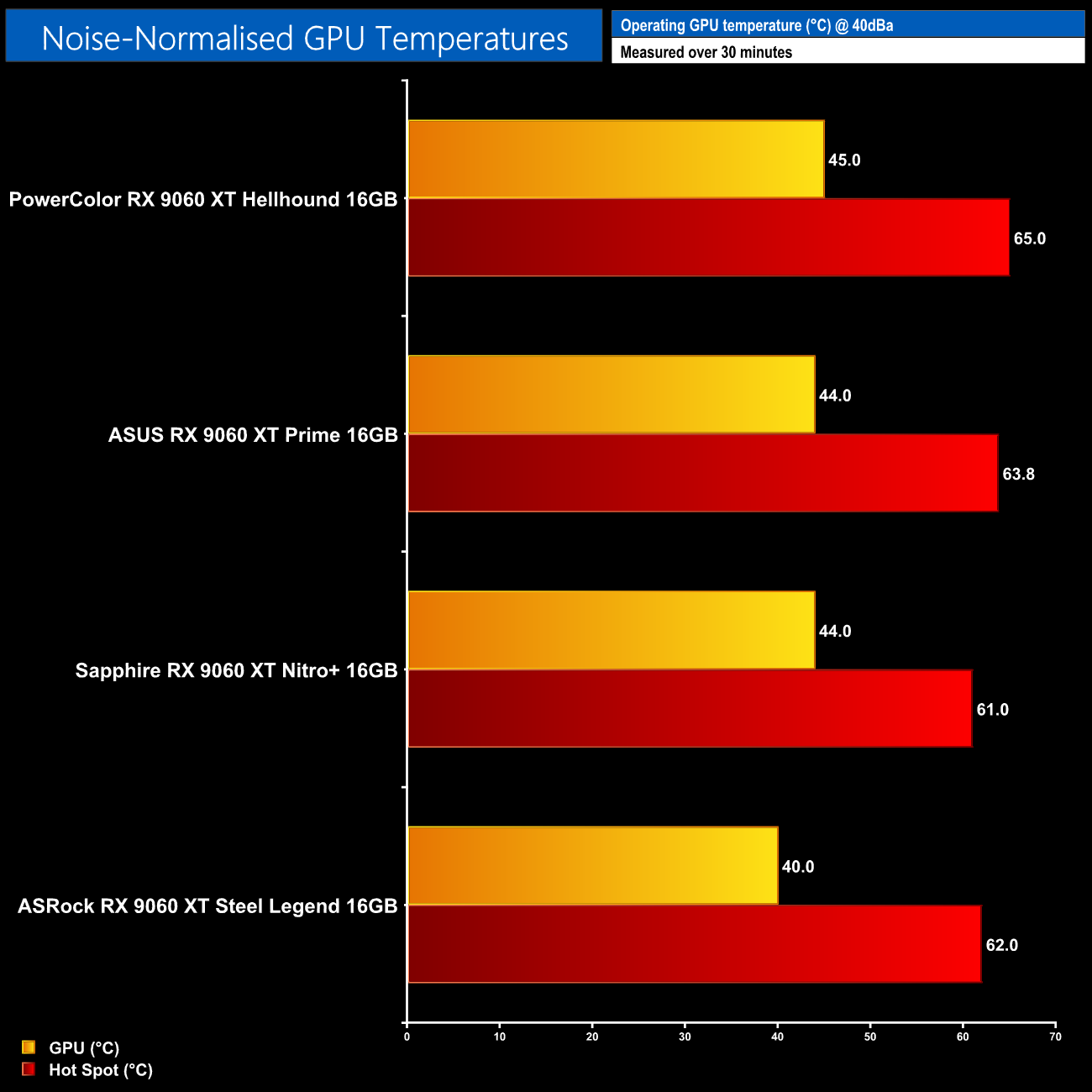
Things are still very close overall when looking at our noise-normalised thermal results. The Steel Legend does claim a narrow victory here, but with just 5C separating top from bottom when looking at the GPU temperature, I'm not convinced that would make a meaningful difference over the lifespan of these cards. In short, all four models tests offer very capable coolers for dealing with the Navi 44 silicon.
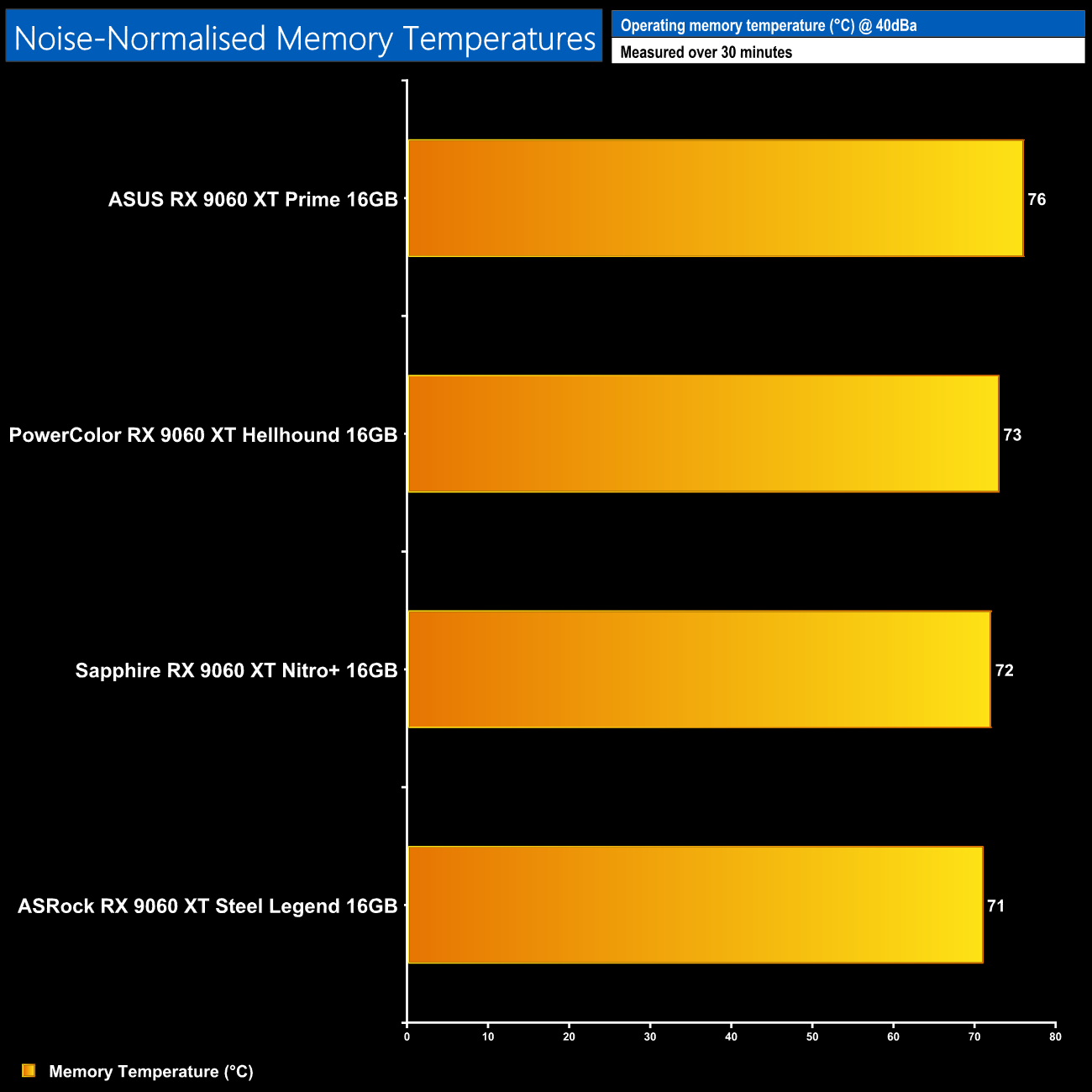
Likewise, memory thermals are again very close overall when noise-normalised – once more, just 5C separates top from bottom, though it is th Steel Legend that takes victory by the slenderest of margins.
Power Draw
We use Nvidia PCAT to measure power draw of the graphics card only, with readings from both the PCIe slot and the PCIe power cables combined into a single figure. We use A Plague Tale: Requiem (4K/2160p) for this testing.
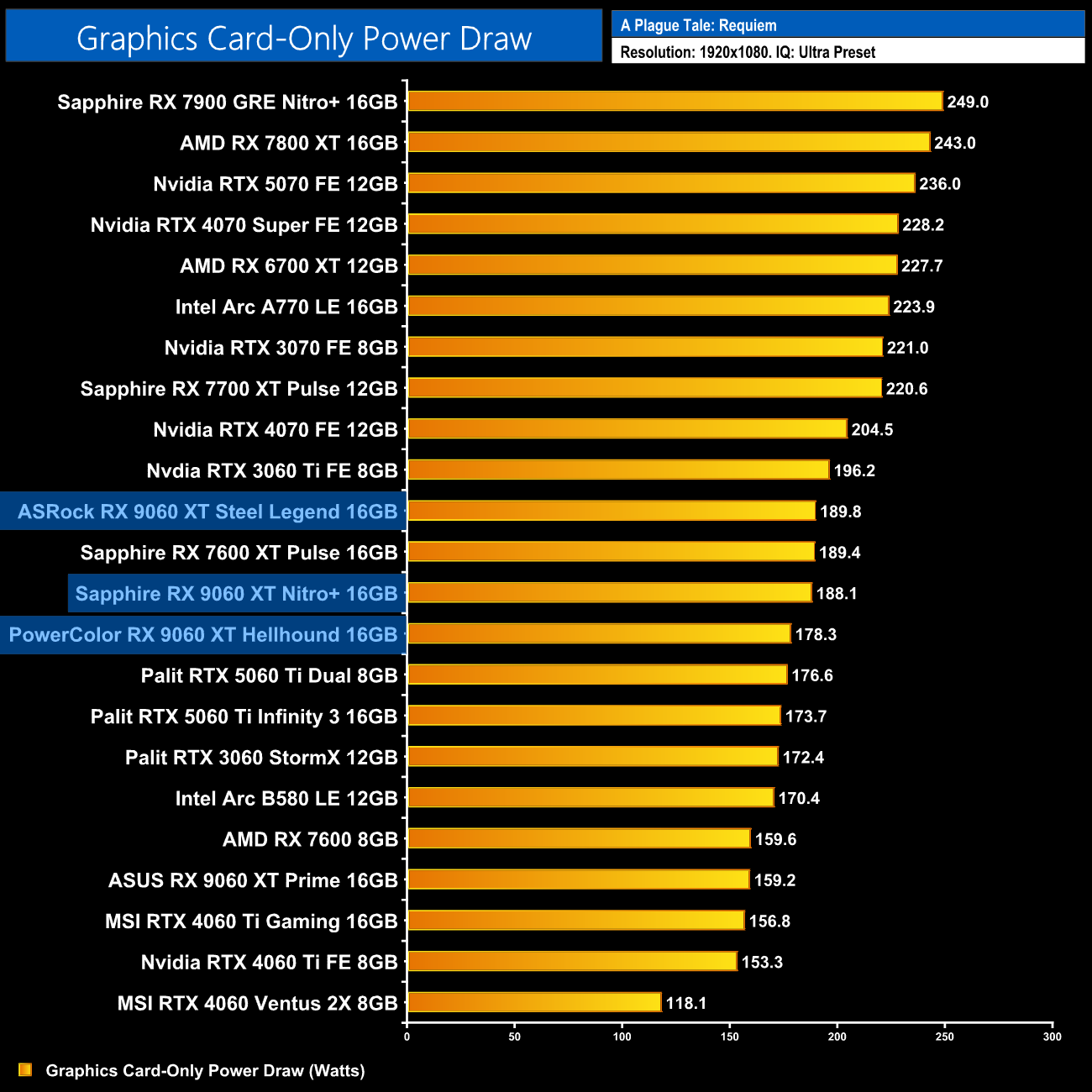
As for power draw, both the Steel Legend and Nitro+ have higher power draw than the Hellhound, coming in close to 190W, while PowerColor's card stays just below 180W. That's only a small difference though, and probably won't factor into a final buying decision.
Performance per Watt
Combining the power draw values shown above with the performance data, we present performance per Watt for each graphics card tested:
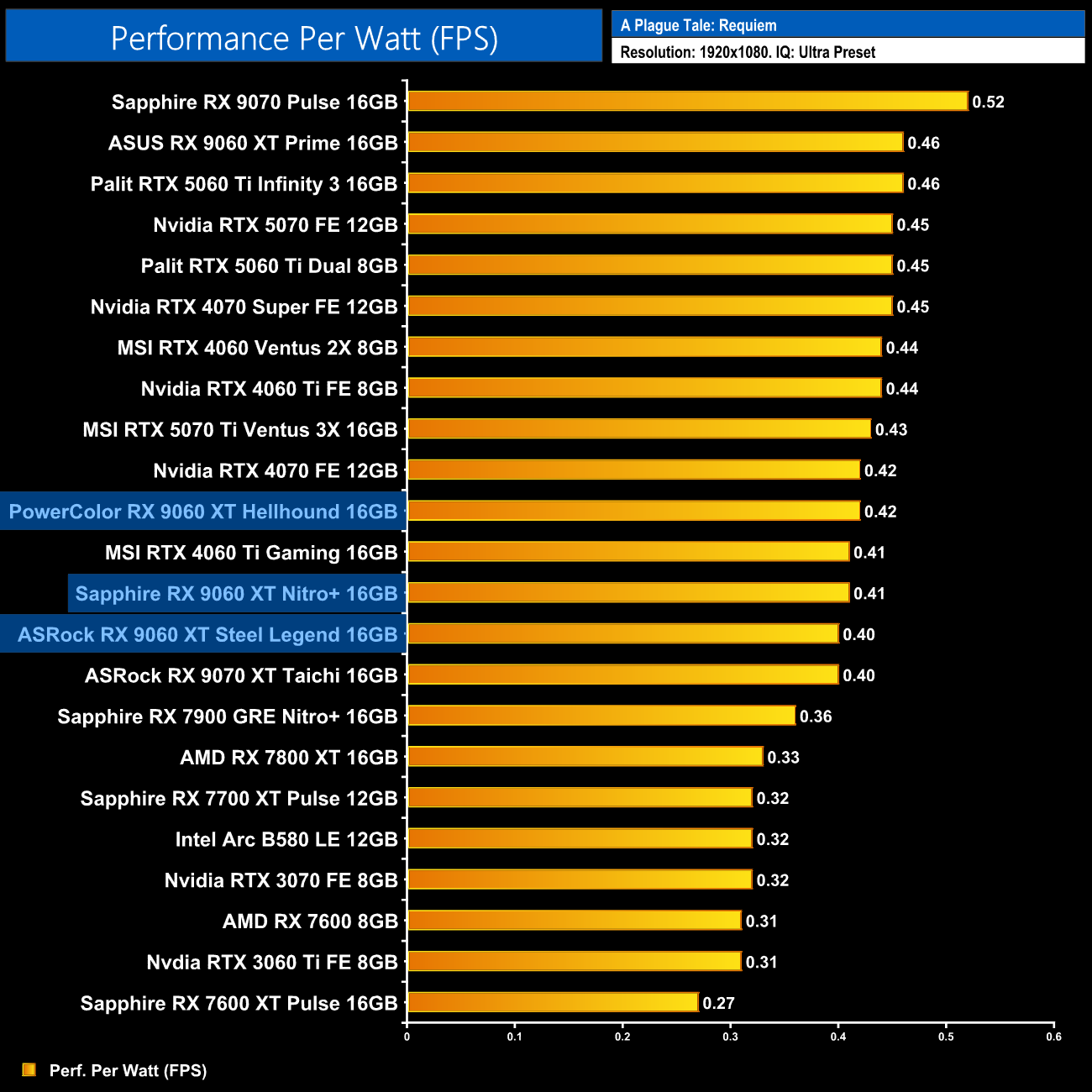
Those power draw differences do result in some change when looking at performance per watt, but again, we're talking very fine margins here.
For our manual overclocking tests, we used AMD's built-in tuning tools.
When it comes to overclocking the RX 9060 XT, it really just comes down to how far you can lower the voltage, as that's what will allow for higher clock speeds.
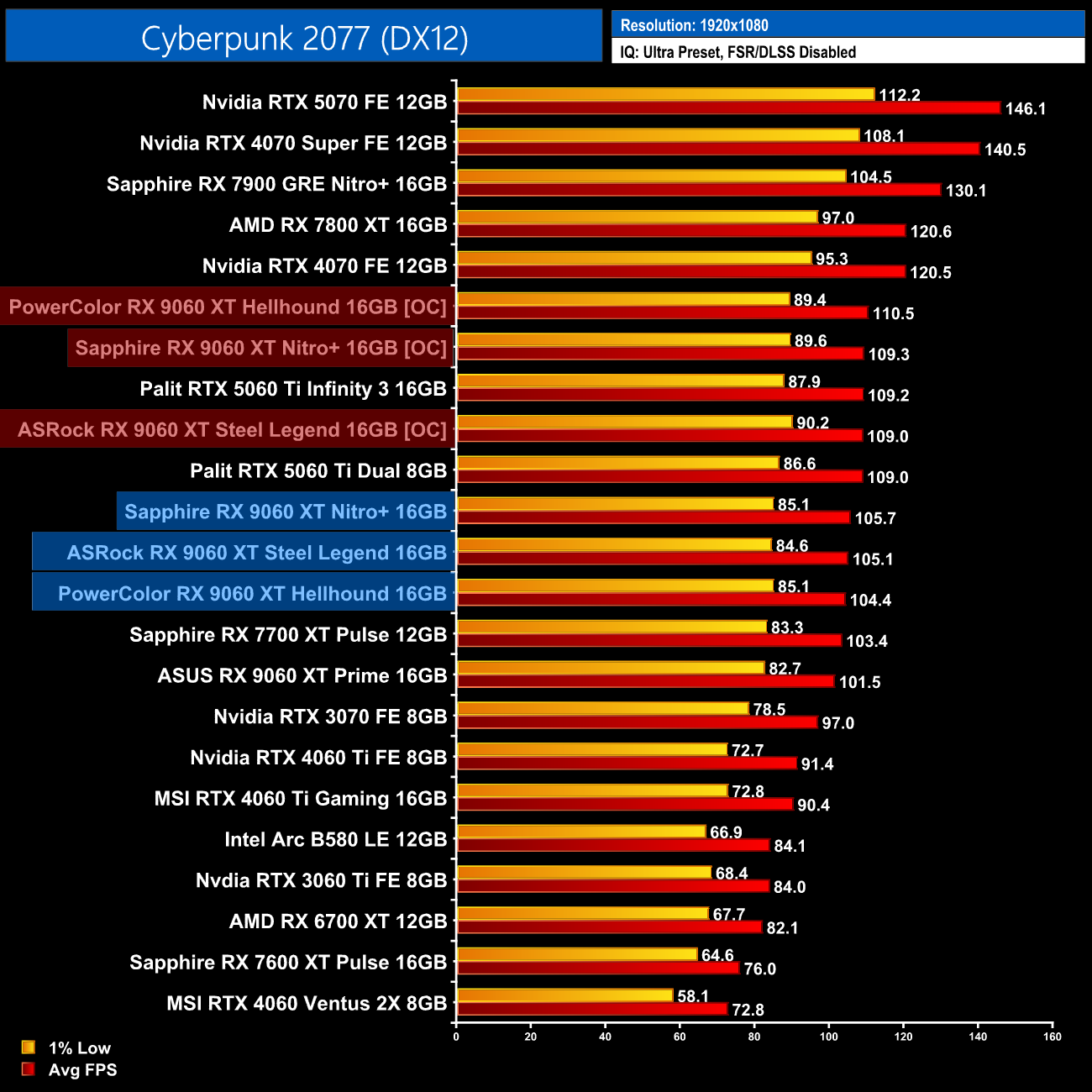
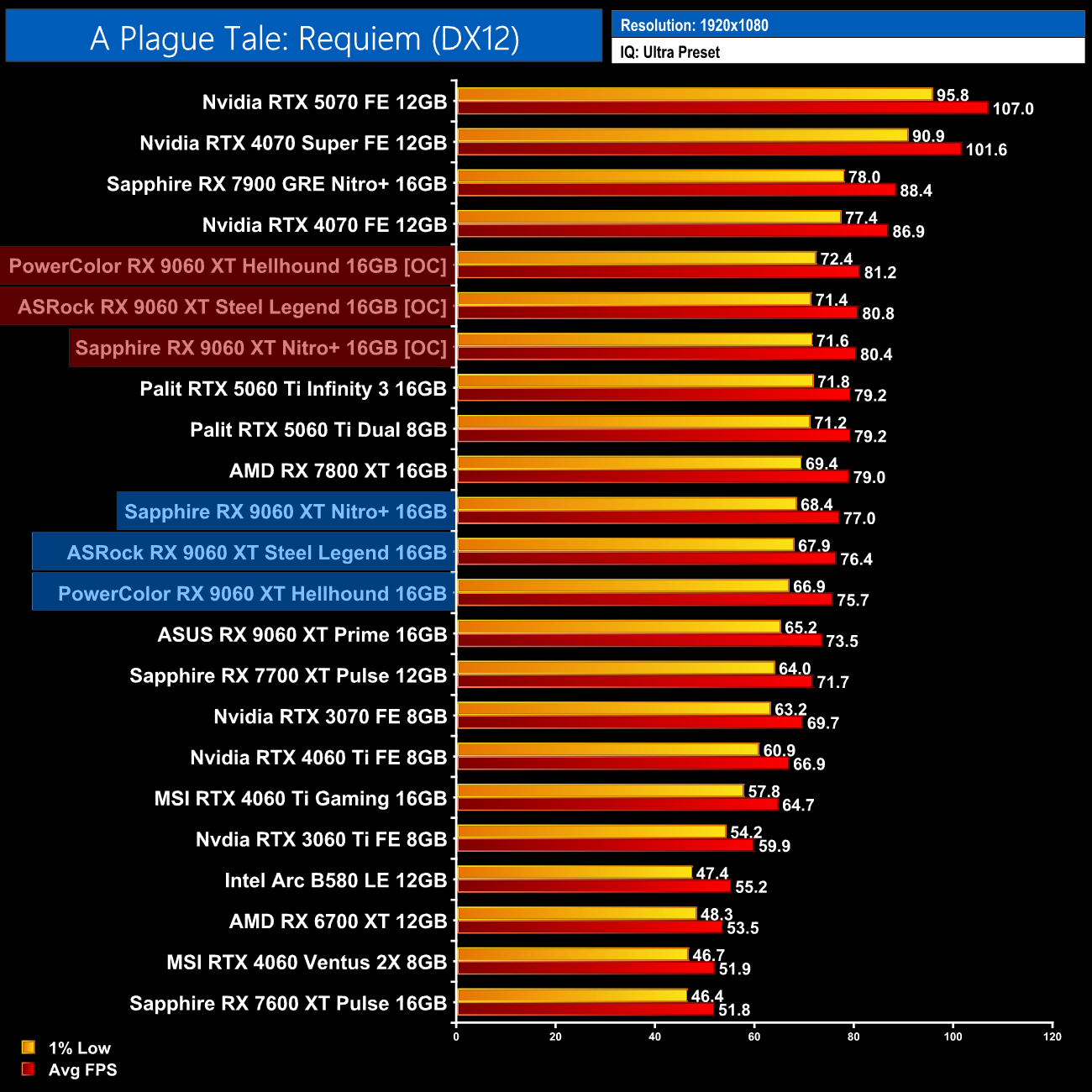
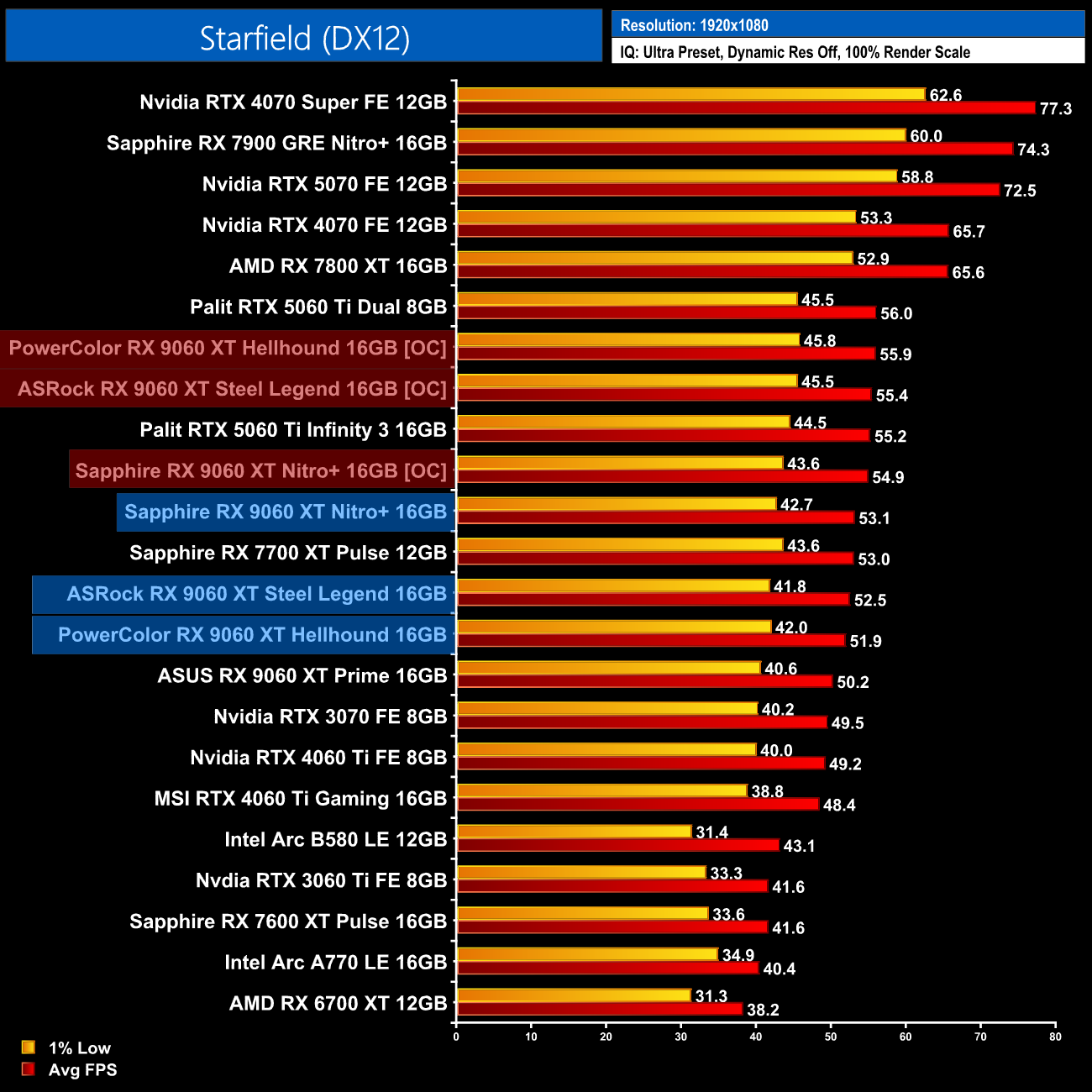
As it turns out, all three 9060 XTs performed about the same when overclocked and undervolted, which isn't a huge surprise. The gains over stock are fairly small, being 7% at best in A Plague Tale: Requiem, but with smaller margins in Cyberpunk 2077 and Starfield.
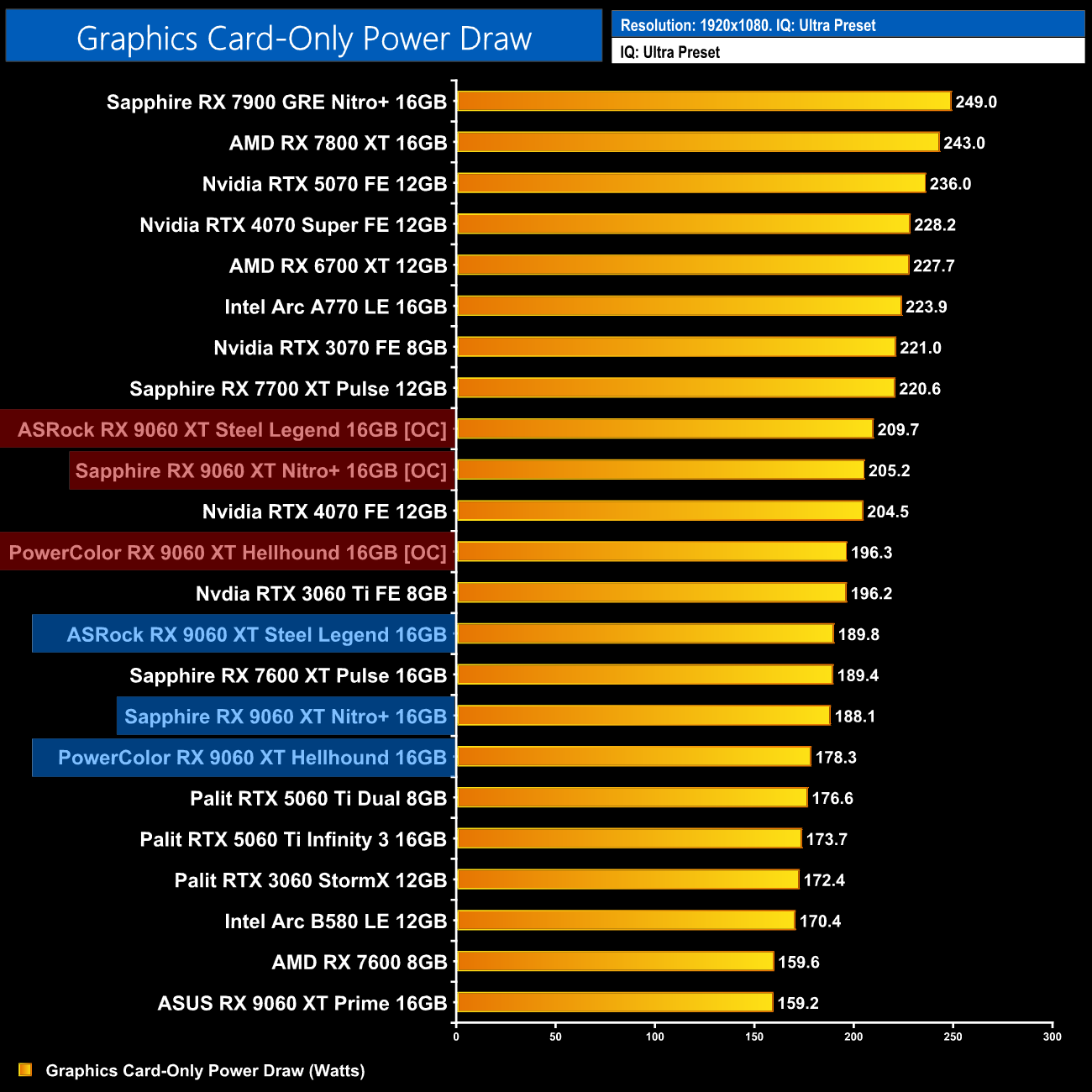
Power draw also rose for all three GPUs when overclocked, both the Steel Legend and Nitro+ drew over 205W, while the Hellhound was closer to 195W.
It's been a fascinating week putting these three RX 9060 XT 16GB partner cards through their paces. As a reminder, we've looked at ASRock's Steel Legend, the PowerColor Hellhound, alongside Sapphire's Nitro+.
As you would have gathered throughout this review, there really isn't much to separate these cards at all when it comes to performance. Gaming frame rates are basically the same, while all three models ran exceptionally quiet and very cool. In fact, once noise-normalised, there was less than a 5C difference in terms of GPU thermals between them, so whichever model you pick is going to do the job very well indeed.
With that in mind, I think which card you should choose comes down to three distinct areas – design, features, and pricing.
For me, the PowerColor Hellhound is the least interesting-looking card on test today, with its plain black shroud and LED lighting that feels like an afterthought. It's not offensive, it's just quite boring. However, it does offer something that the other two cards don't, and that is dual-BIOS support. When you consider this is also the smallest of the three, and the cheapest at £350, I think it's a very solid option. I just wish PowerColor had stuck with the more eye-catching design from the previous generation.
ASRock's Steel Legend certainly does well in the looks departments with its white and grey design, while the ARGB lighting on the fans adds a touch of bling. There's no dual-BIOS though, which is a shame considering the price-point of £375 makes this a more premium model.
As for the Sapphire Nitro+, I find this to be the best looking card of the three, but that is obviously personal preference. I do still bemoan the lack of dual-BIOS, given the Nitro+ is Sapphire's most premium offering, so I do think that feature should be given, especially considering this is the most expensive model on test today, retailing for £380.
In my view, both the Nitro+ and Steel Legend come worryingly close to the RTX 5060 Ti 16GB's starting price of £400, with cards readily available at that price. I said as much in my day 1 review, but the 9060 XT 16GB needs to be a good chunk cheaper than its Nvidia rival to stand out, considering the Blackwell GPU is faster overall, significantly so for ray tracing, plus it offers support for DLSS, MFG and is superior for AI/productivity use too.
The Hellhound at £350 keeps enough of a gap, but really I think the other two could do with a price adjustment, as if it were my money, I'd stretch the extra £20-25 to get a 5060 Ti 16GB instead.
ASRock RX 9060 XT Steel Legend 16GB
Pros
- Clean, attractive design.
- Eye-catching RGB lighting.
- Excellent thermal performance.
- Incredibly quiet.
Cons
- Price is worryingly close to the 5060 Ti 16GB.
- Lacks dual-BIOS.

PowerColor RX 9060 XT Hellhound 16GB
Pros
- Inoffensive, all-black design.
- Excellent thermal performance.
- Incredibly quiet.
- Dual-BIOS included.
- Fairly compact by modern standards.
Cons
- Well priced at £350.
- Design may be a bit bland for some.

Sapphire RX 9060 XT Nitro+ 16GB
Pros
- Very stylish design.
- Sleek yet understated RGB lighting.
- Excellent thermal performance.
- Incredibly quiet.
Cons
- Price is worryingly close to the 5060 Ti 16GB.
- Lacks dual-BIOS.
KitGuru says: None of the three RX 9060 XT 16GB cards tested today will let you down. We do think pricing needs to stay clear of the 5060 Ti 16GB, however, given the Nvidia GPU is readily available at £400 and offers a number of advantages.