KitGuru KitGuru.net – Tech News | Hardware News | Hardware Reviews | IOS | Mobile | Gaming | Graphics Cards


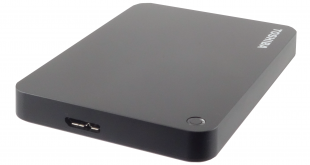
Toshiba recently refreshed their range of Canvio portable hard drives with the Canvio Premium, Advance and Basic models with capacities up to 3TB with HDD's featuring Toshiba's 1TB platter technology. In this review we look at the Canvio Advance drive to see if it's worth buying.
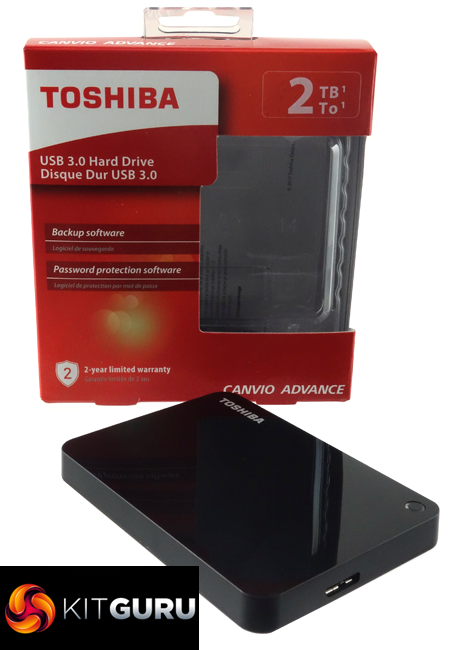
The Canvio Premium and Advance ranges have drive capacities of 1TB, 2TB and 3TB while the Basic models come in 500GB, 1TB and 2TB sizes. By using Toshiba's 1TB platter technology the drives are slimmer than previous models, for example the 2TB Advance we have for review has a 14mm profile, some 5.5mm slimmer than previous versions. All drive ranges use a standard USB 3.0 interface.
Toshiba back the drives with a 2-year warranty.
Physical Specifications:
- Usable Capacities: 2TB
- Hard Drive: Toshiba MQ04UBB200
- Interface: USB 3.0
- Form Factor: external
- Dimensions: 78 x 109 x 14mm
- Drive Weight: 149g
Firmware Version: 5438
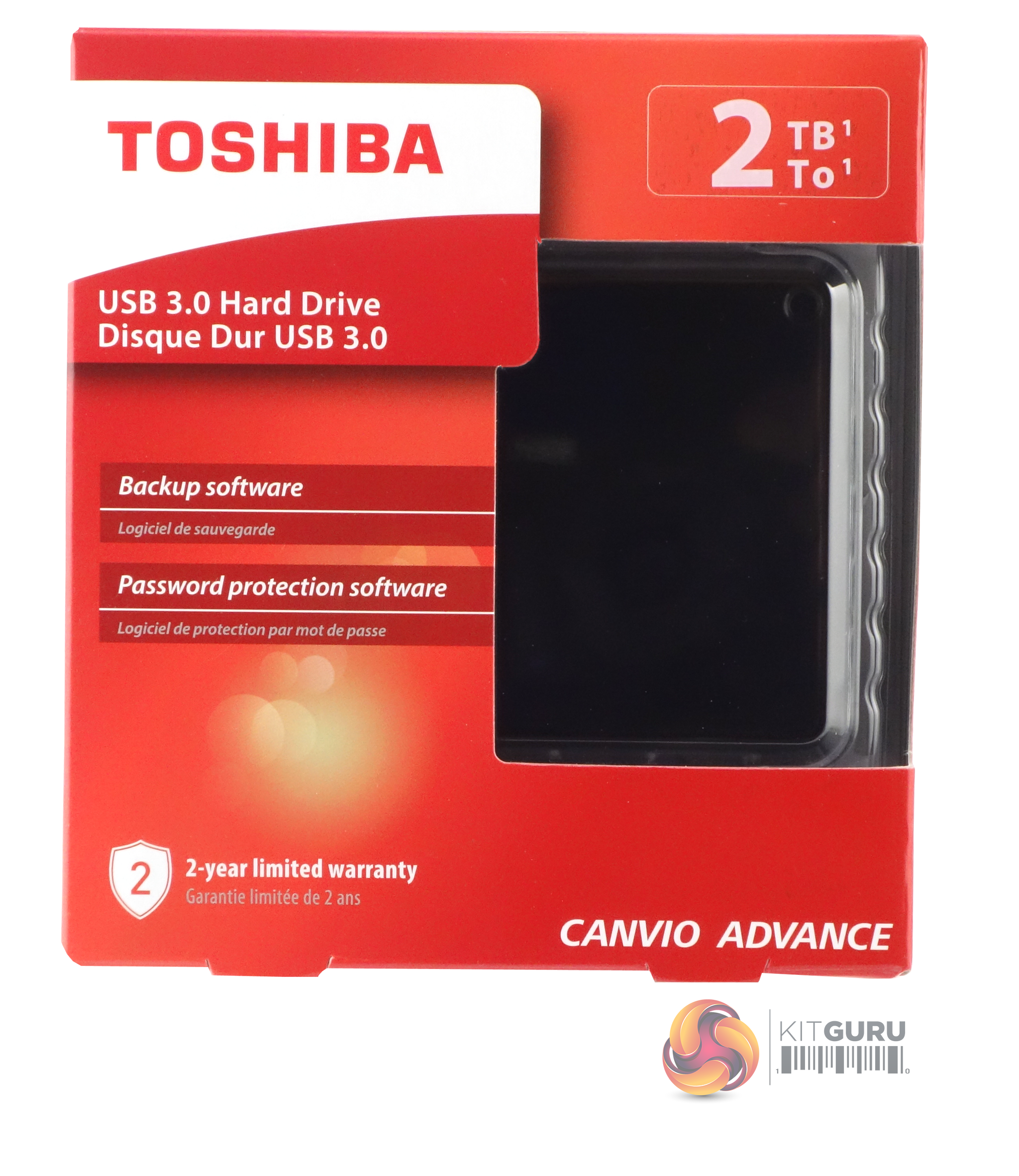
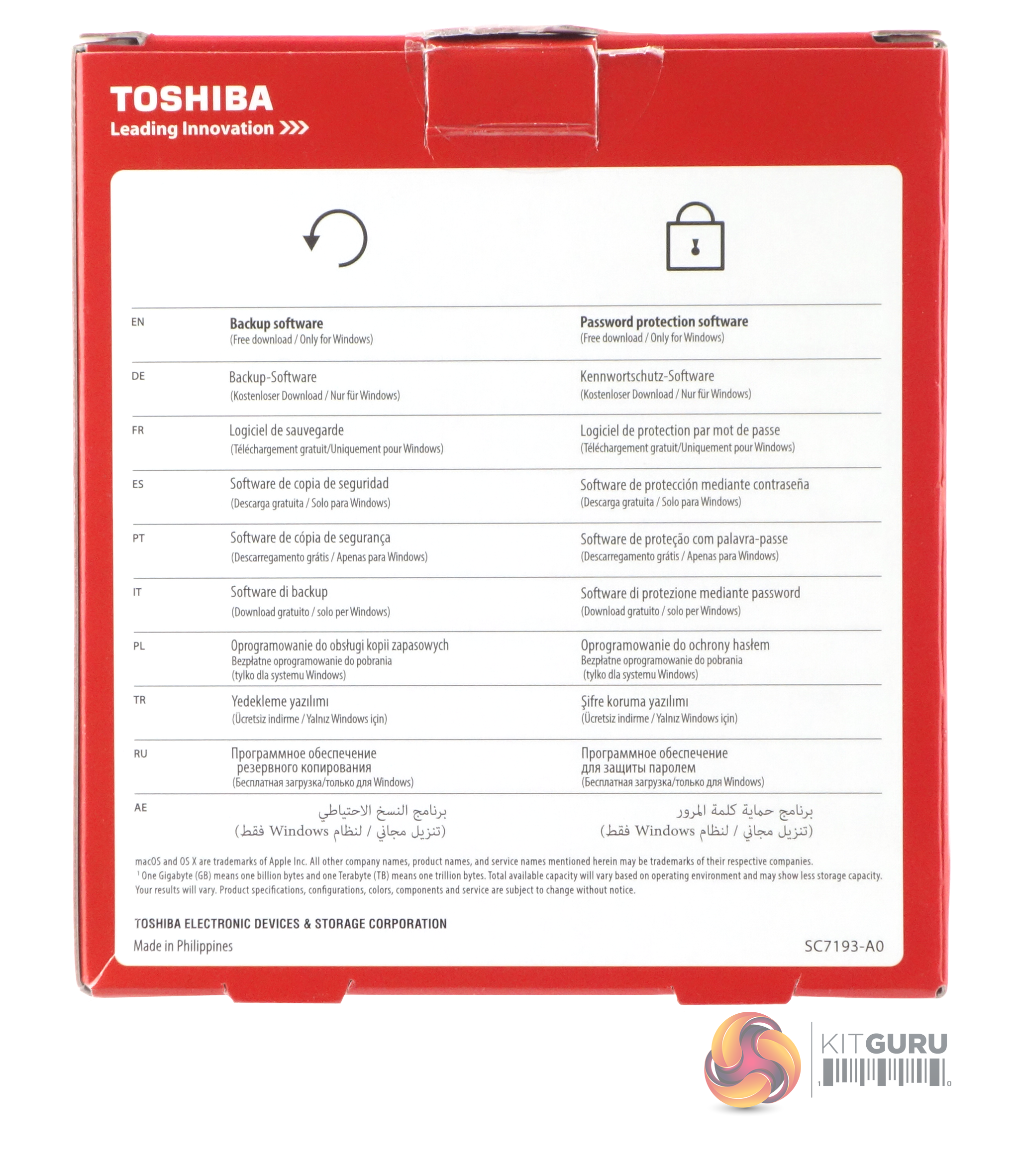
The Canvio Advance comes in a stout box with a largish panel cut into the front of it, giving a view of the drive in its inner packaging. The drive's capacity is displayed on the top right of the box while warranty information is displayed at the bottom left. The rear of the box is has multilingual information about the Backup and Password Protection software downloads.
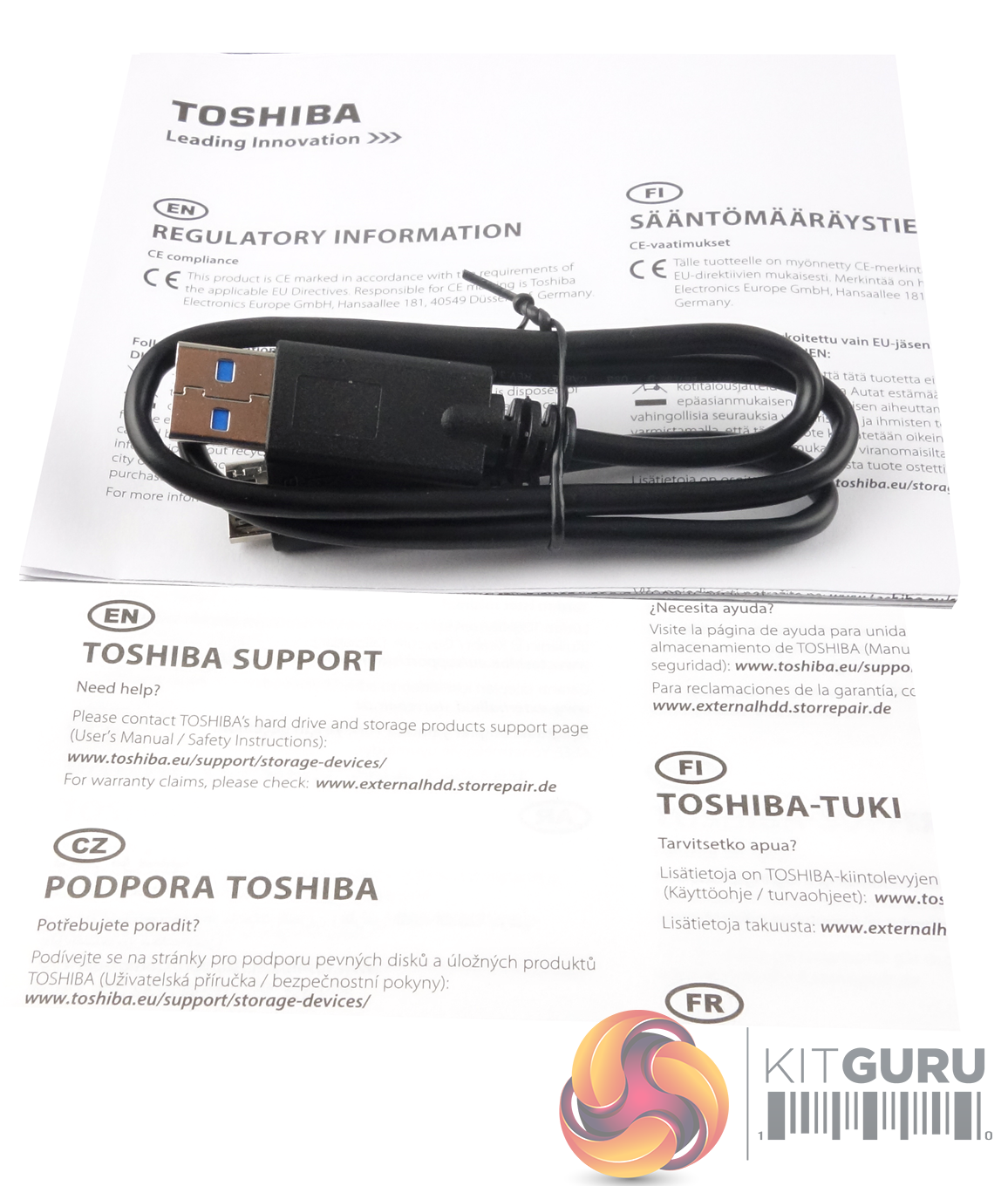
Apart from the drive all that is in the box is a USB 3.0 Type A to Micro-B cable, which could do with being a little longer for PC connections, and two paper information leaflets, one with details on how to contact Toshiba support and the other providing regulatory information. The Canvio Advance's manual comes pre-loaded on the drive itself.
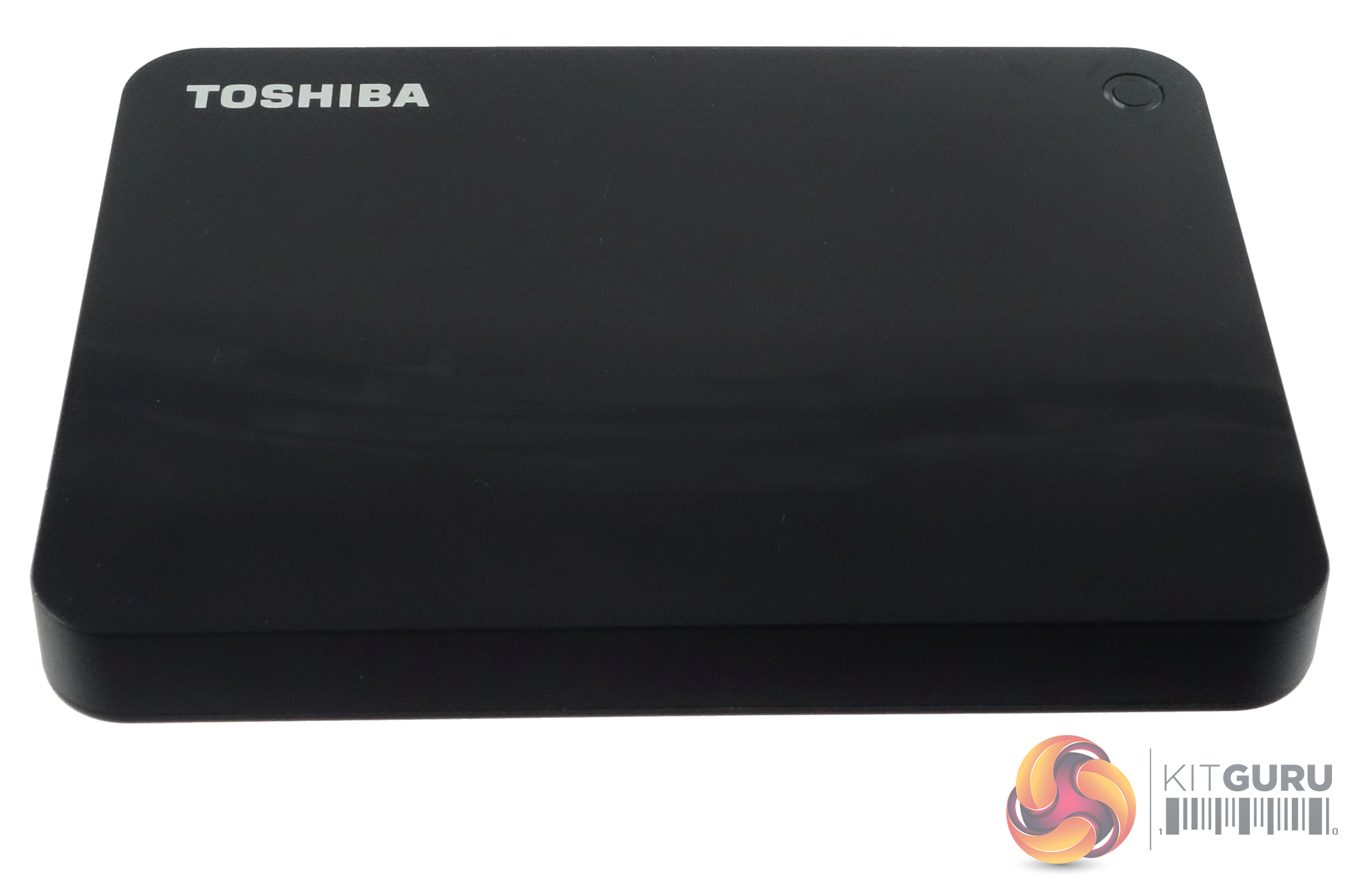
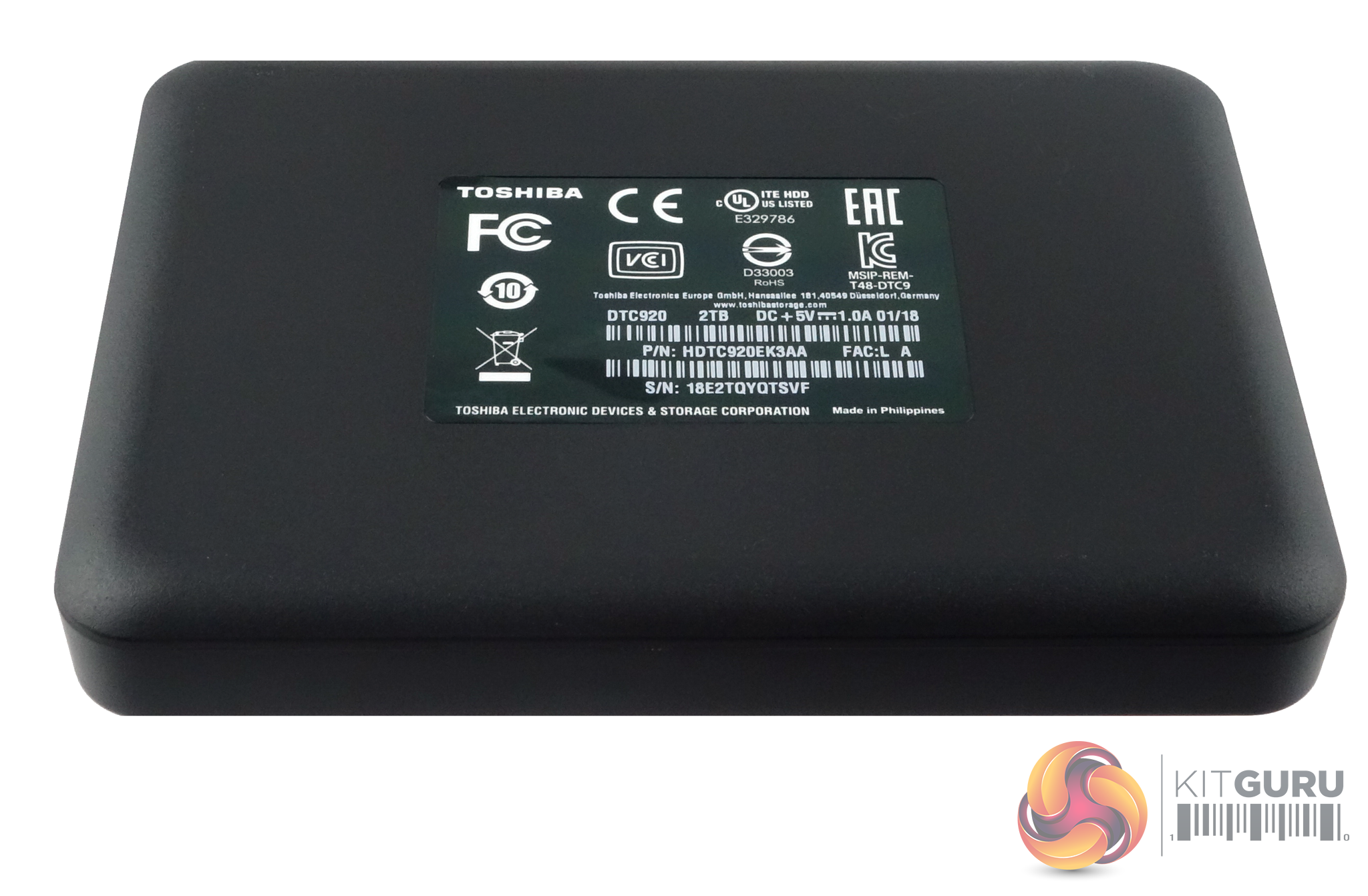
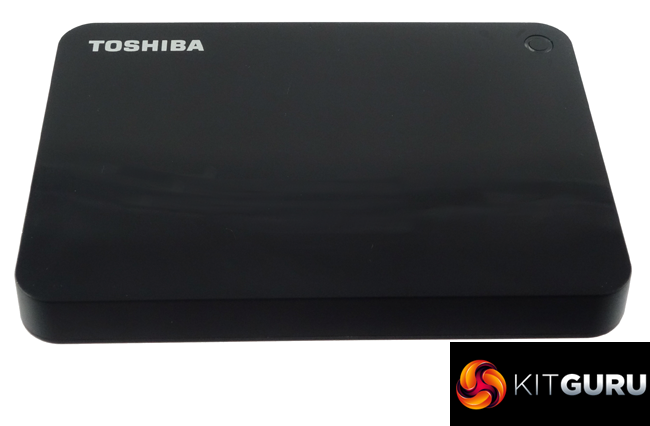
The Advance is available in four high-gloss finishes; black, white, blue and red. To keep them looking as fresh as the day you opened the box you will need a micro fibre cloth close to hand as these glossy finishes are real finger print magnets.
Using the CrystalMarkInfo utility the drive inside the Advance's enclosure is recognised as a 2TB Toshiba MQ04UBD200, using two 1TB platters with a spindle speed of 5,400rpm.
We tested the drive as it comes out of the box, factory formatted as NTFS.
Crystalmark is a useful benchmark to measure theoretical performance levels of hard drives and SSD’s. We are using V3.0.3.
The ATTO Disk Benchmark performance measurement tool is compatible with Microsoft Windows. Measure your storage systems performance with various transfer sizes and test lengths for reads and writes. Several options are available to customize your performance measurement including queue depth, overlapped I/O and even a comparison mode with the option to run continuously.
Use ATTO Disk Benchmark to test any manufacturers RAID controllers, storage controllers, host adapters, hard drives and SSD drives and notice that ATTO products will consistently provide the highest level of performance to your storage.
AS SSD is a great free tool designed just for benching Solid State Drives. It performs an array of sequential read and write tests, as well as random read and write tests with sequential access times over a portion of the drive. AS SSD includes a sub suite of benchmarks with various file pattern algorithms but this is difficult in trying to judge accurate performance figures.
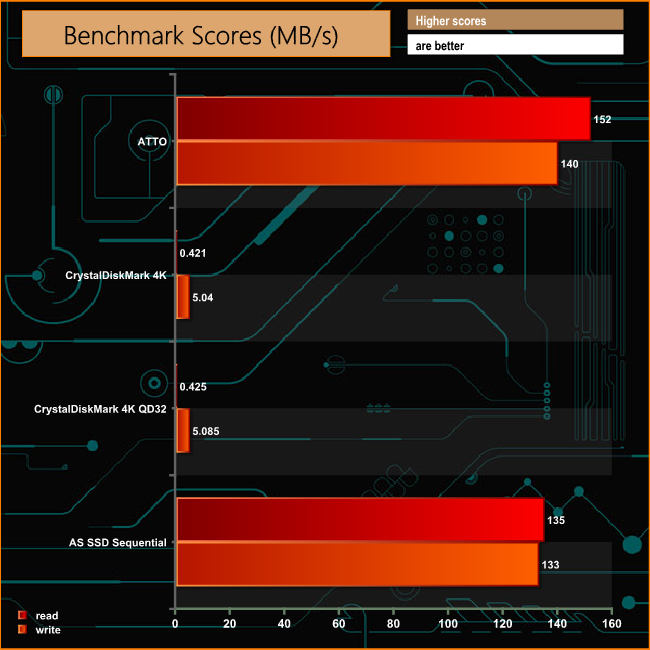
The sequential read/write scores are what you might expect from a 5,400 rpm drive over a USB3.0 interface. The two CrystalDiskMark Random 4K write scores at 5.04MB/s at a queue depth of 1 and 5.085MB/s at a queue depth of 32 are very good.
IOMeter is another open source synthetic benchmarking tool which is able to simulate the various loads placed on hard drive and solid state drive technology.
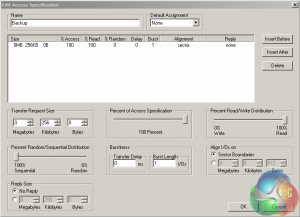
We set IOmeter up (as shown above) to test both backup and restore performance on a 100GB file.
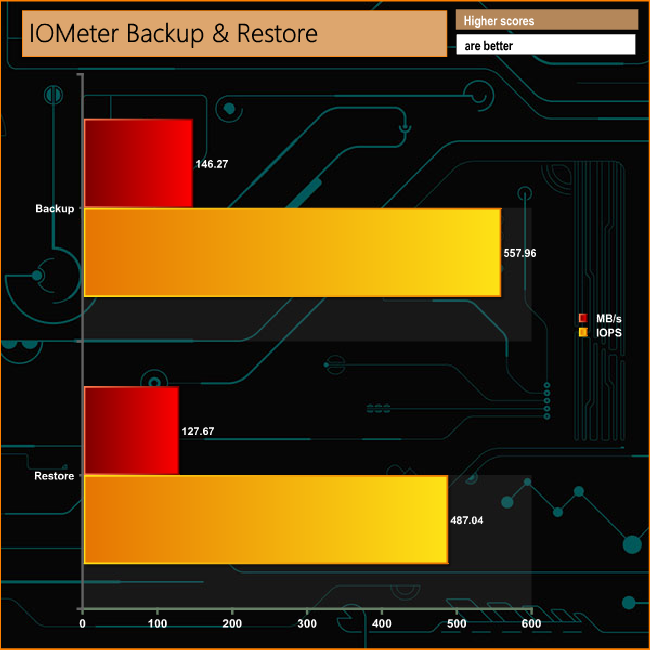
The drive had no difficulty handling our backup/restore test with transfer rates well over 100MB/s for both tests.
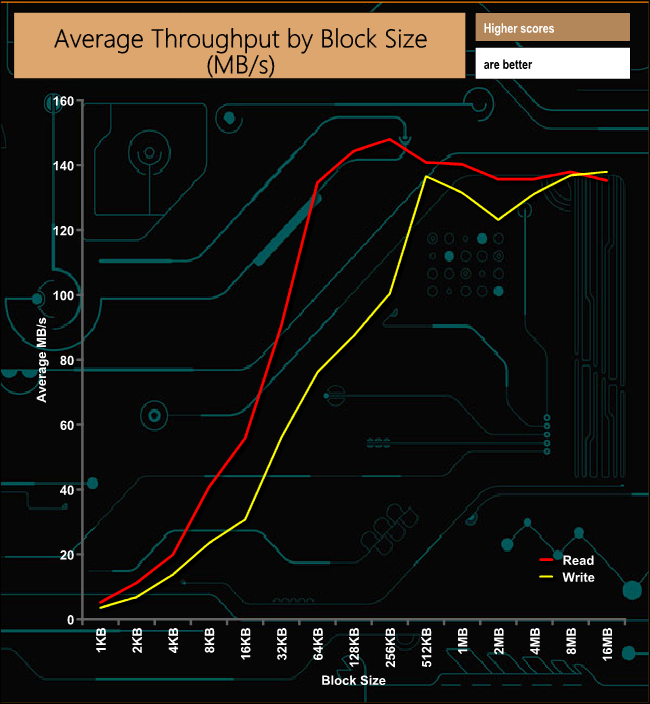
The Canvio Advance drive read performance peaked at the 256KB block size with a figure of 147.97MB/s before gradually dropping back down to finish the test at 135.29MB/s. Writes peaked just before the end of the test at the 8MB block mark at 136.88MB/s
To test real life performance of a drive we use a mix of folder/file types and by using the FastCopy utility (which gives a time as well as MB/s result) we record the performance of drive reading from & writing to a 256GB Samsung SSD850 PRO.
We use the following real life folder/file types:
- 100GB data file.
- 60GB ISO image.
- 60GB Steam folder – 29,521 files.
- 50GB file folder – 28,523 files.
- 12GB movie folder – 24 files (mix of Blu-ray and 4K files).
- 10GB photo folder – 621 files (mix of .png, raw and .jpeg images).
- 10GB audio folder – 1,483 files (mix of mp3 and .flac files).
- 5GB (1.5bn pixel) photo.
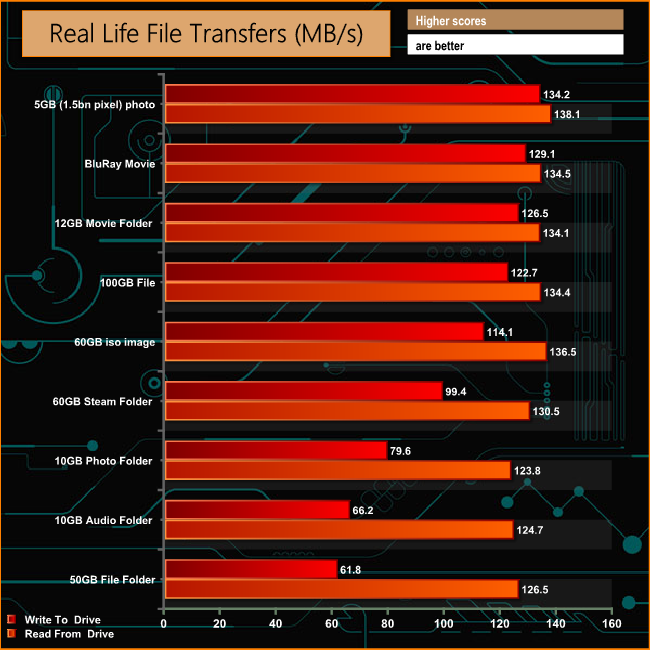
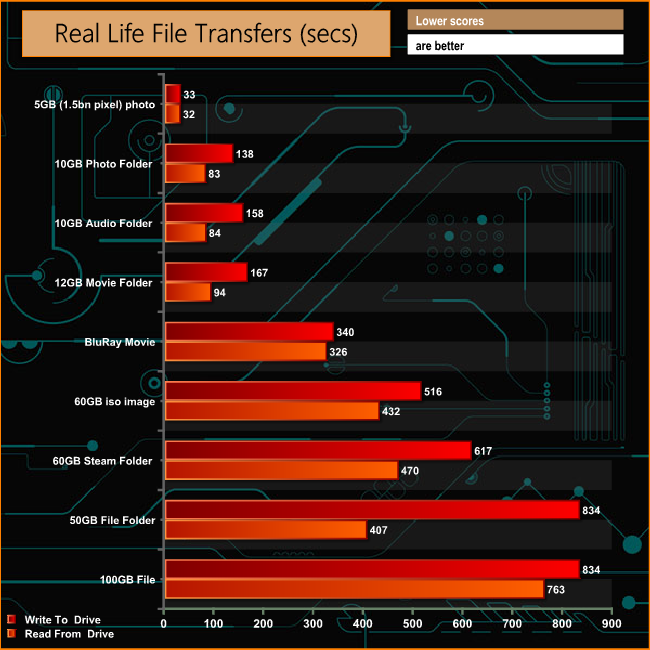
On the whole the drive performed well when it came to dealing with our real life file transfers although it struggled writing the small bity files of the 50GB file and 10GB audio folders. Read performance on the other hand was good, producing 100MB/s transfer rates for all the tests.
The Canvio Advance range is one of three new drive ranges recently launched by Toshiba (the other two being the Canvio Premium and Basic line-ups) adding to its long-lived Canvio range of external hard drives. The Canvio range is frequently updated to take advantage of the latest hard drive technologies as they appear.
The new drive ranges take advantage of Toshiba's latest 1TB platter technology which not only allows for larger capacity drives in a 2.5in format, but also allows for the Canvio range to get more compact. As an example, Toshiba has got the thickness of the new Advance drive down to 14mm, a reduction of some 5.5mm compared to earlier models. The Advance looks good in its high-gloss finish but the downside of such a finish is that it is a finger print magnet and the drive can soon appear a bit grubby.
To go with the new drives, there are two utilities you can download from Toshiba's website. Toshiba Storage Backup Software makes backing of data as easy as possible. You can choose individual files or folders and set up when you want to the backup to happen. Storage Security Software allows the setting up of a unique password to protect your data.
Like the rest of the new Canvio line-up, the Advantage uses a standard USB3.0 interface, and with a 5,400rpm HDD on board, to be honest, there is not much point adding anything faster.
We found the 2TB Toshiba Canvio Advanced on the Currys PC World website for £89.99 (inc VAT) HERE. It's an overall solid drive, offering a large capacity in a small form-factor, it's just not the fastest external drive we've ever seen.
Pros
- 1TB platter technology.
- Pocket sized.
Cons
- The provided USB 3.0 cable could be a bit longer for PC use.
- Not the fastest external drive.
KitGuru says: You may think in these days of the omnipresent ‘cloud' there would be no market for a pocket-sized drive, especially one that uses a mechanical drive. But there are plenty of people who don't trust cloud services and would rather carry large amounts of data around with them – for those people, Toshiba's Canvio Advanced offers large capacity, if not super-fast transfer rates, at a reasonable cost.