 KitGuru KitGuru.net – Tech News | Hardware News | Hardware Reviews | IOS | Mobile | Gaming | Graphics Cards


Overclocking
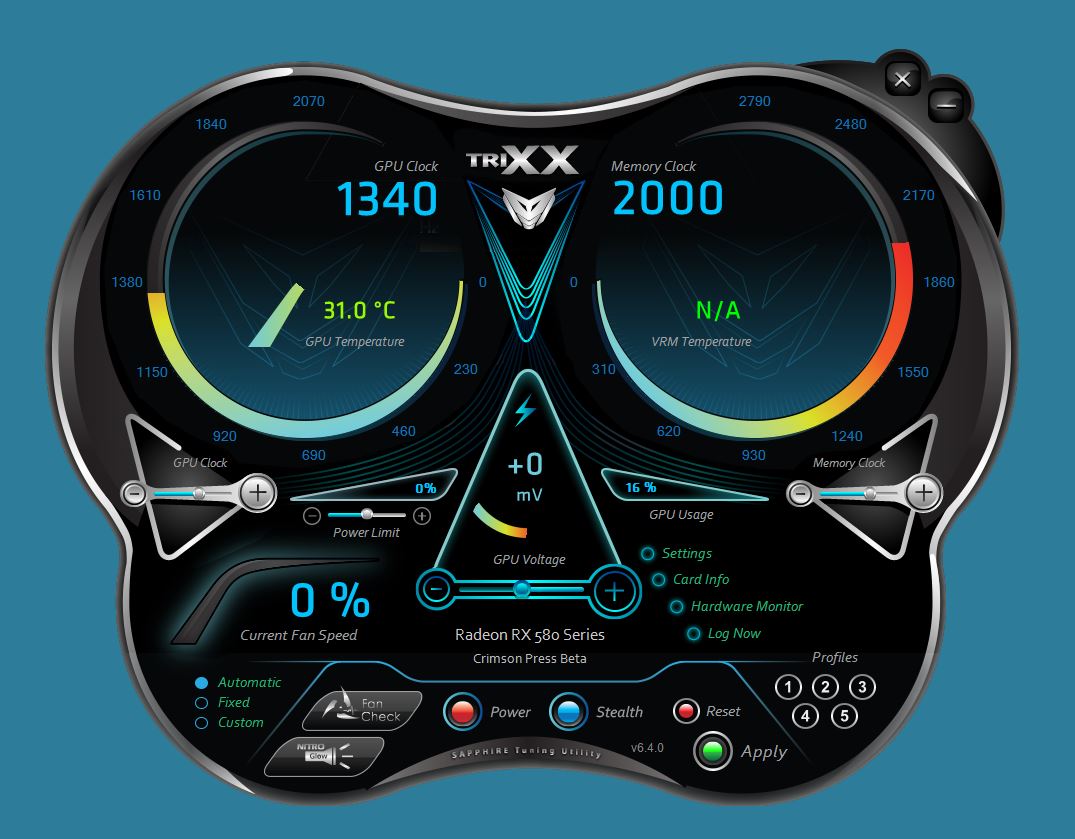
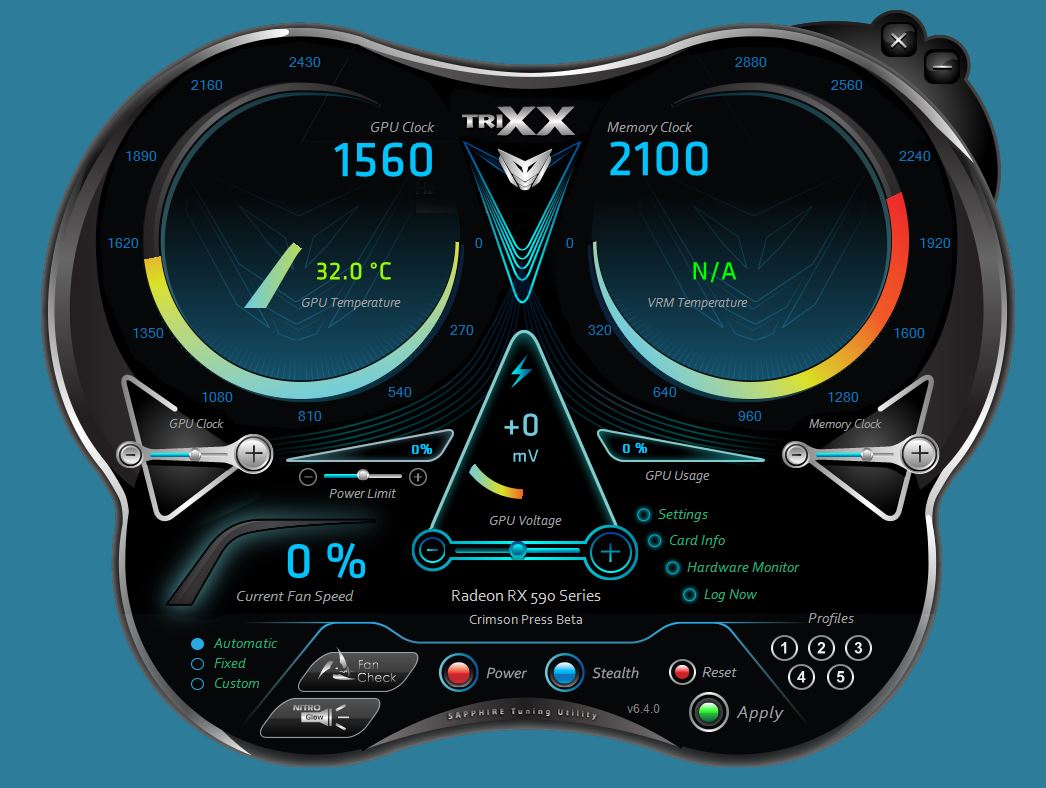
Overclocking Overview
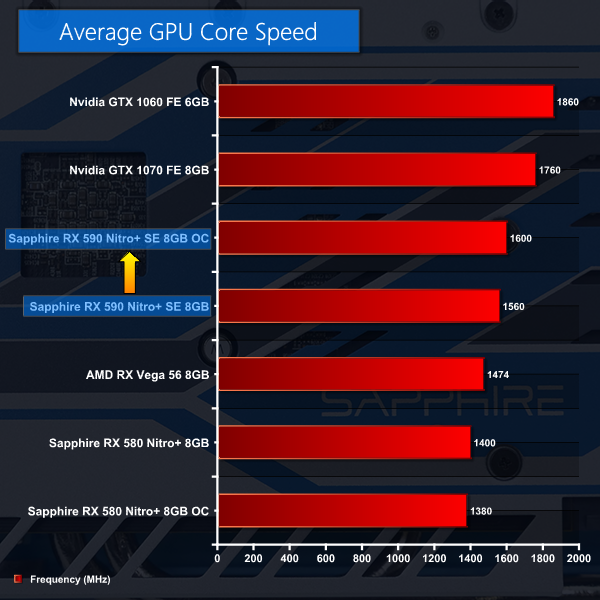
When we overclocked the Nitro+ RX 580 using Sapphire TriXX we found we could raise the core and memory speeds endlessly and the card was stable but would simply throttle to a low base speed. The best approach was to raise the power and voltage settings, crank up the core speed to 1,400MHz and we could raise the memory speed to 9,000MHz. This helped performance to the tune of 6-9 percent.
By contrast Nitro+ RX 590 seems to be delivered close to the limits of performance. Increasing the core voltage by more than +20mV caused the graphics core to throttle to 1,300MHz with a corresponding drop in performance. After some experimentation we settled for a tiny core increase of 40MHz to 1,600MHz and left the memory speed untouched at 8,400MHz.
Power and Heat
Power and Heat Overview
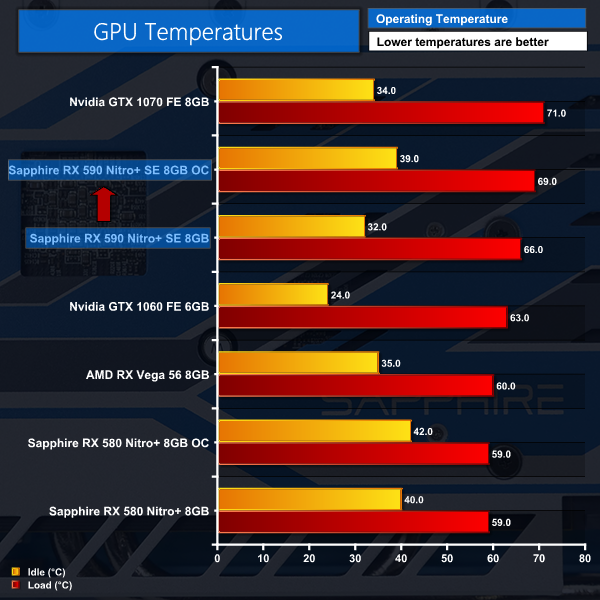
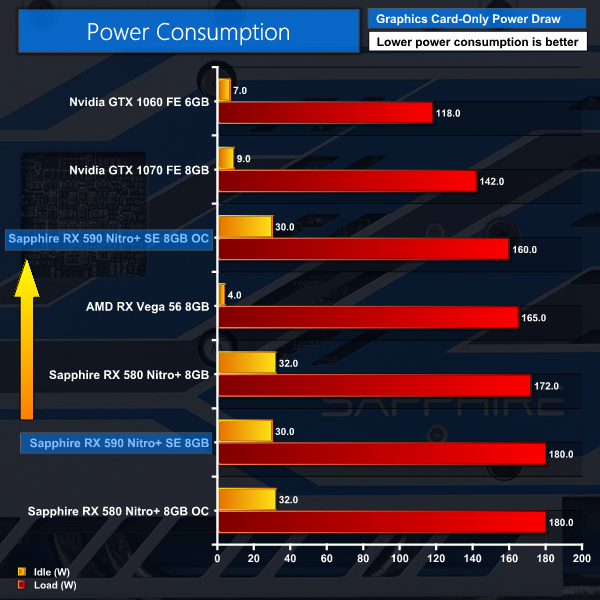
The idle temperatures for the two Nitro+ cards are unusual as Sapphire has a zero rpm function on its fans which means they only start turning when the core hits 50 degrees C. The loaded temperatures are interesting as the RX 590 is consistently hotter than RX 580. This is what we expected as the core is running faster, so it seems the die shrink has allowed higher clock speeds which in turn demand more power and produce extra heat.
If AMD had redesigned the Polaris GPU to take full advantage of the 12nm process and shrink the die we might have hoped that power draw would have dropped. Instead the 12nm die has the same area as its 14nm predecessor, hence we assume there is more dark silicon between the features. It comes as no surprise higher clock speeds require extra power and that produces more heat.
