KitGuru KitGuru.net – Tech News | Hardware News | Hardware Reviews | IOS | Mobile | Gaming | Graphics Cards


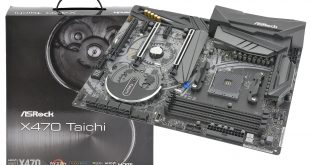
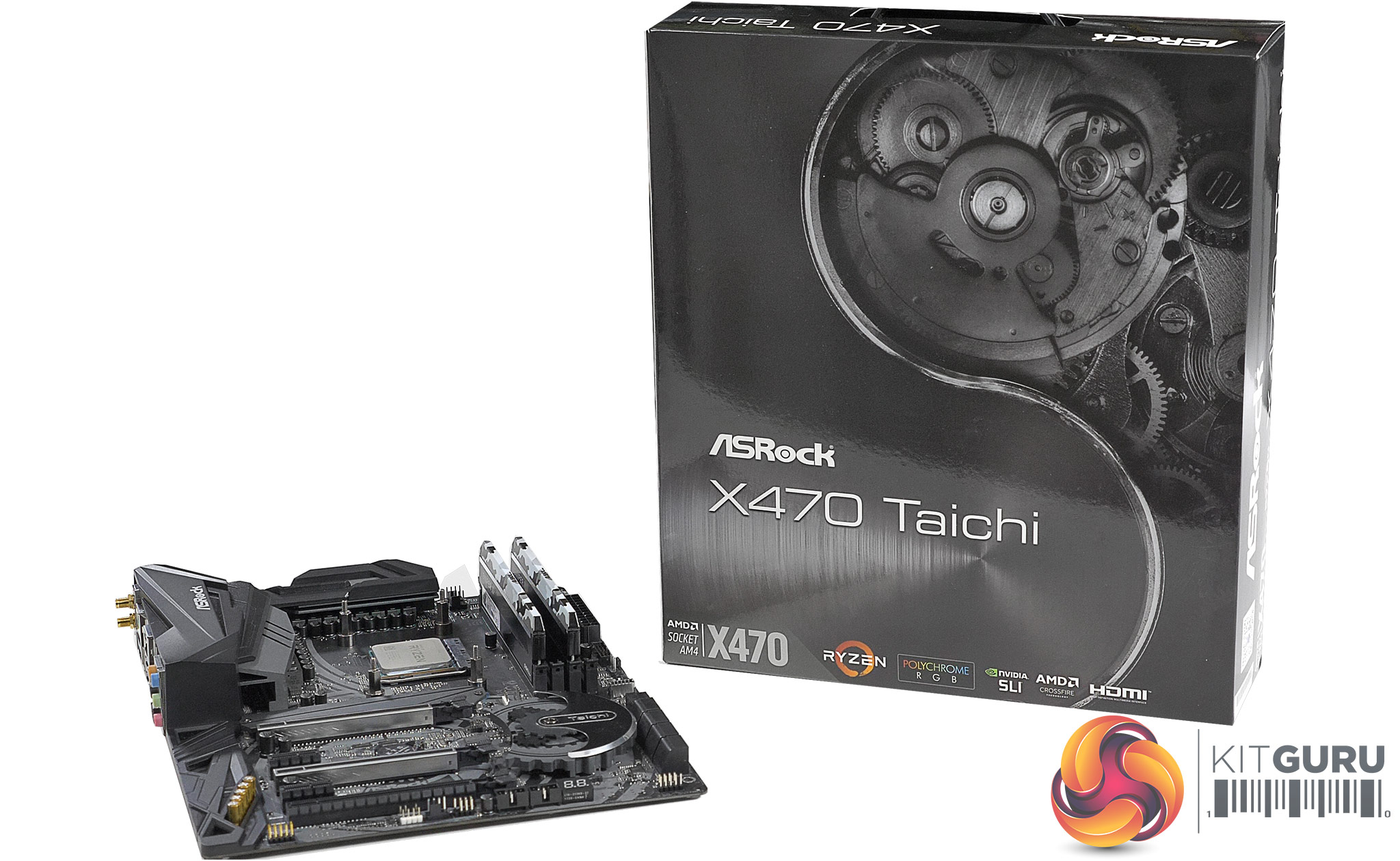
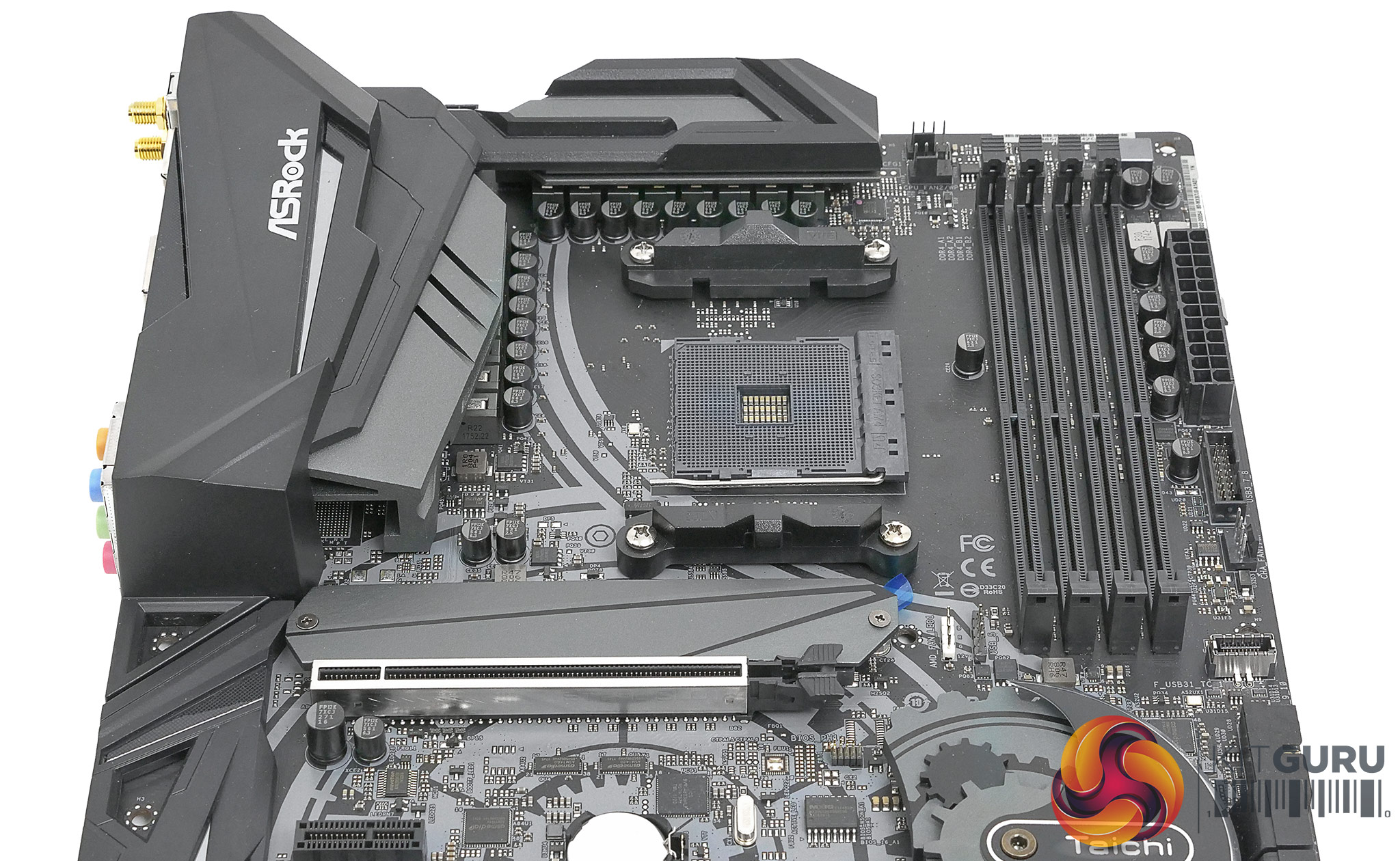
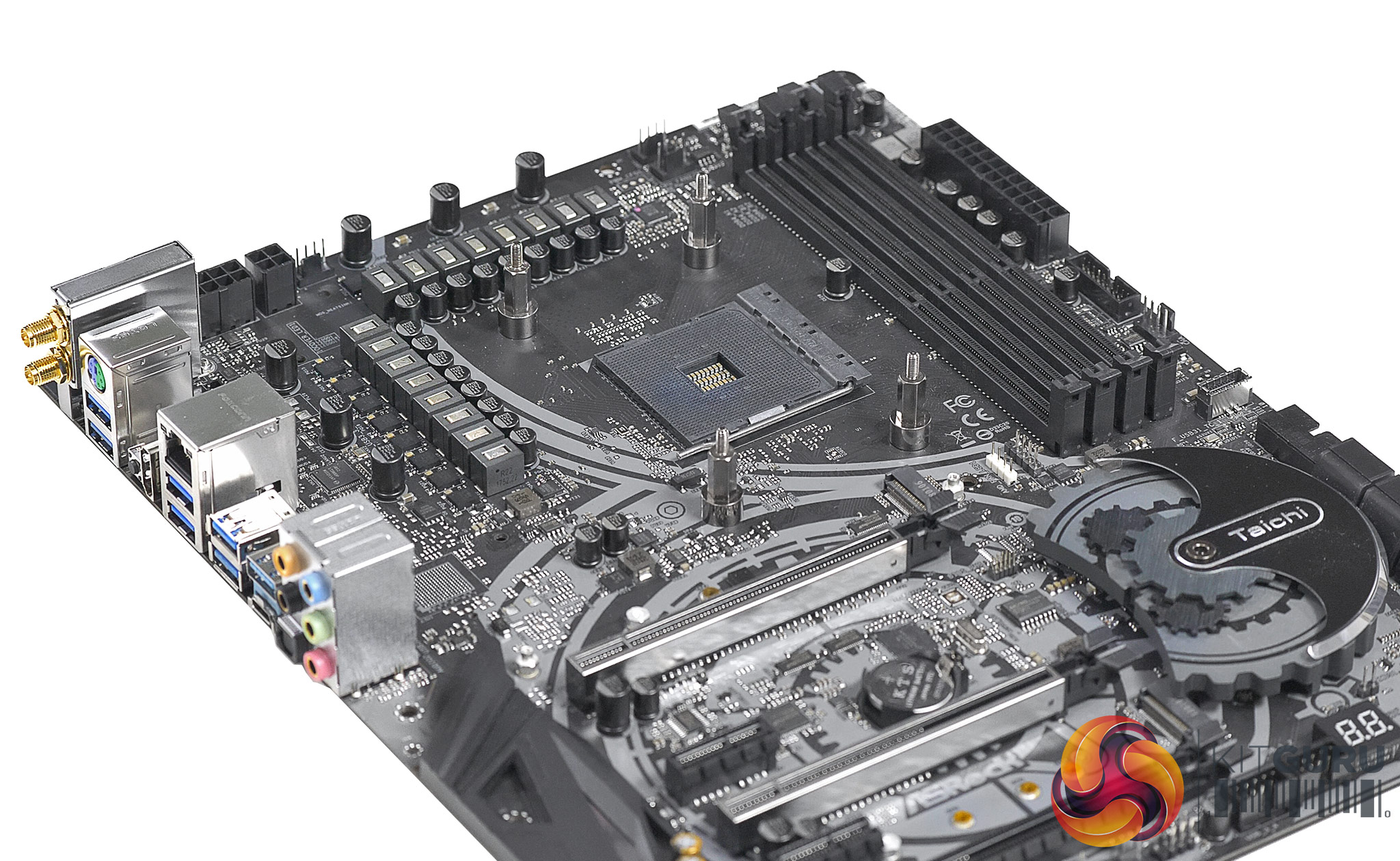
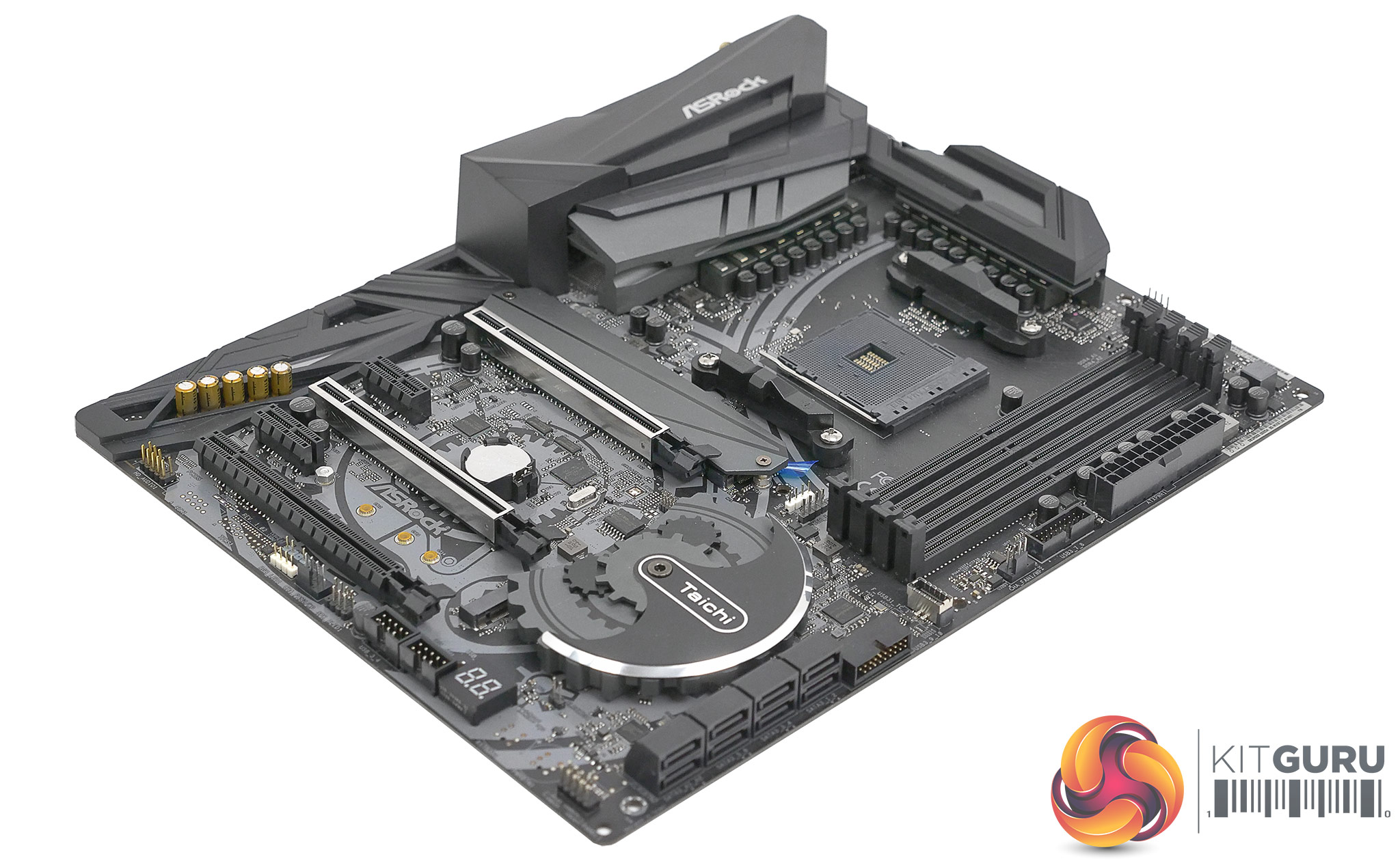
You can tell from quite a distance that this motherboard is an ASRock Taichi as the steel grey look and cog design on the chipset are a dead giveaway. You need to get up close and personal to be clear this is an ASRock X470 Taichi that supports the latest AMD 2nd Gen. Ryzen CPUs (as well as original Ryzen) but yes, we are in AMD country.
Take an extra special close look and you will see this is not the more expensive Taichi Ultimate as there are marked out (but unused) areas for the 10Gbps Aquantia Ethernet and on-board buttons that you get with the Ultimate. Even so, the differences between the two models are so slight that this is effectively two reviews in one.
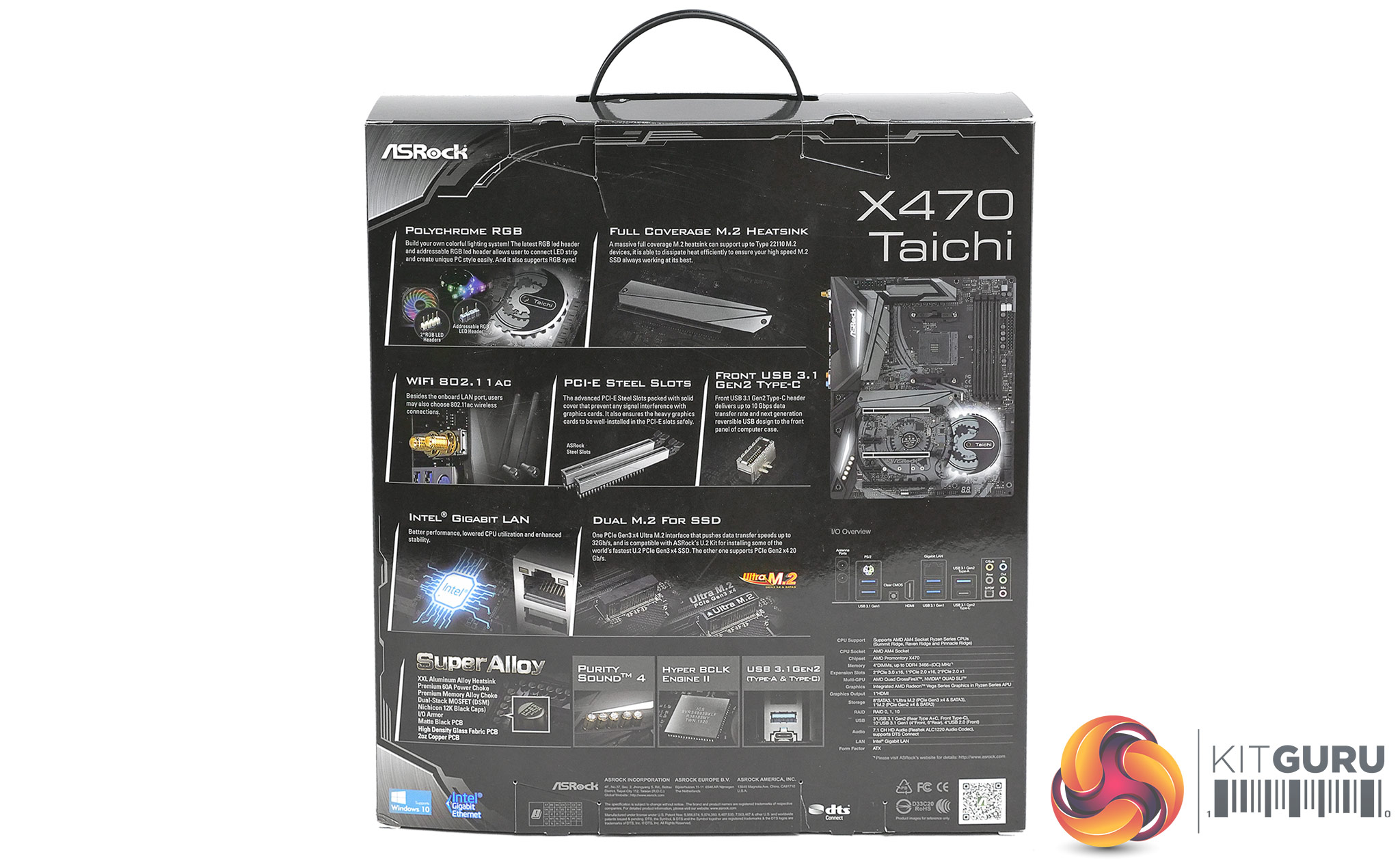
Specification:
CPU Socket AMD AM4 Ryzen processor
Chipset AMD X470
Memory 4 x DDR4 DIMM sockets supporting up to 64 GB of system memory
Dual channel memory architecture
Support for up to DDR4 3466MHz+(O.C.)
Multi-GPU Support for Nvidia Quad-SLI and AMD Quad-CrossFire
PCIe Slots
2x PCI Express 3.0 x16 slots 1×16 or 2×8
1x PCI Express 2.0 x16 slot, running at x4
2x PCI Express 2.0 x1 slots
Storage
1x M.2 connector 22110 PCIe 3.0 x4
1x M.2 connector 2280 PCIe 2.0 x4
6x SATA 6Gb/s support for RAID 0, RAID 1, and RAID 10
2x SATA 6Gb/s on ASMedia ASM1061
USB
1x USB 3.1 Gen 2 Type-C front panel connector (ASMedia 3142 Controller)
1x USB 3.1 Gen 2 Type-C on back panel
1x USB 3.1 Gen 2 Type-A on back panel
6x USB 3.1 Gen 1 ports on the back panel + 4 ports on mid-board headers
4x USB 2.0 ports on mid-board headers
Audio Realtek ALC1220 codec 7 channel HD Audio
Ethernet Intel GbE LAN
WiFi/Bluetooth 802.11a/b/g/n/ac, 2.4GHz/5GHz Dual-Band, Bluetooth 4.2
Form factor ATX 305mm x 244mm
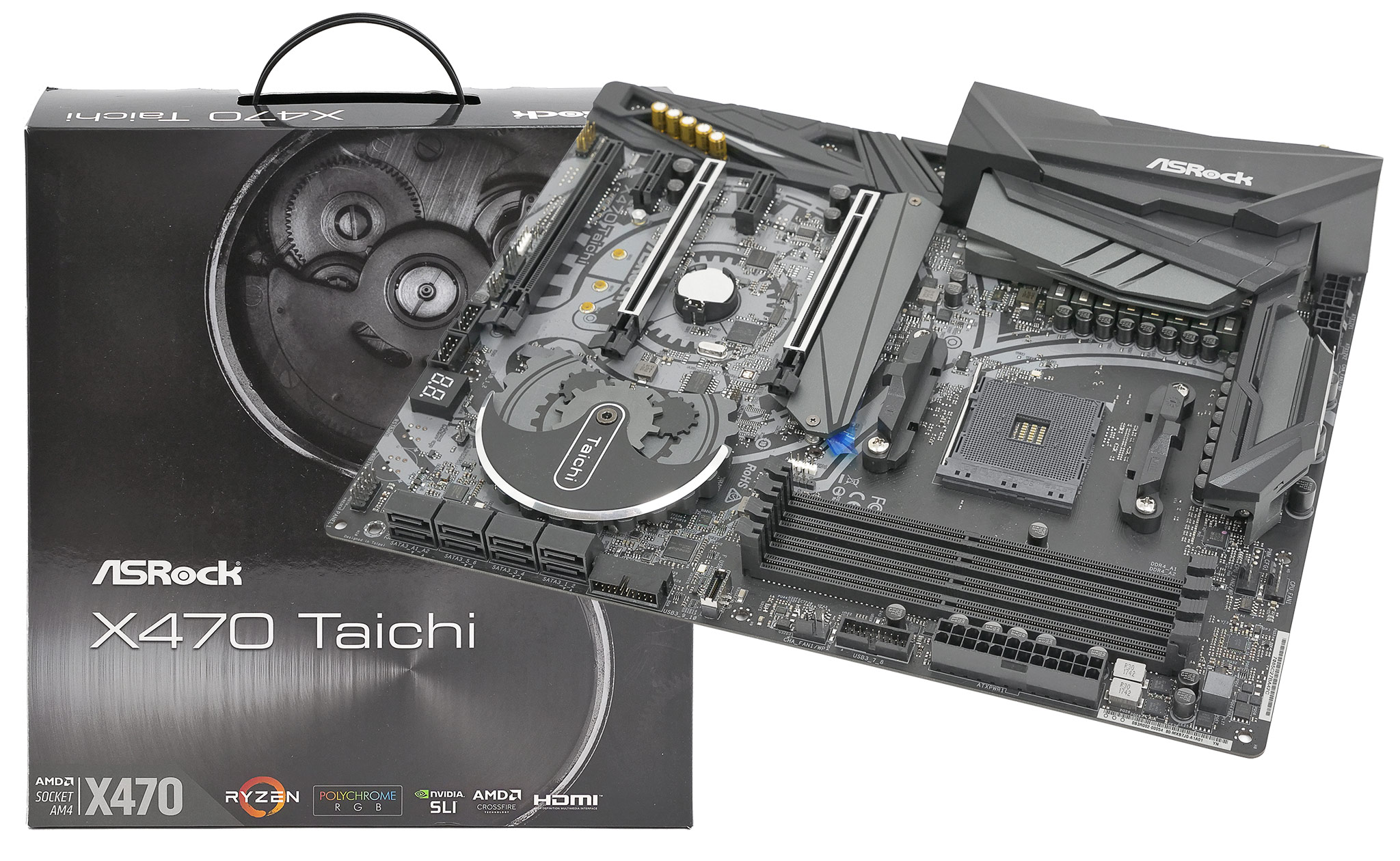
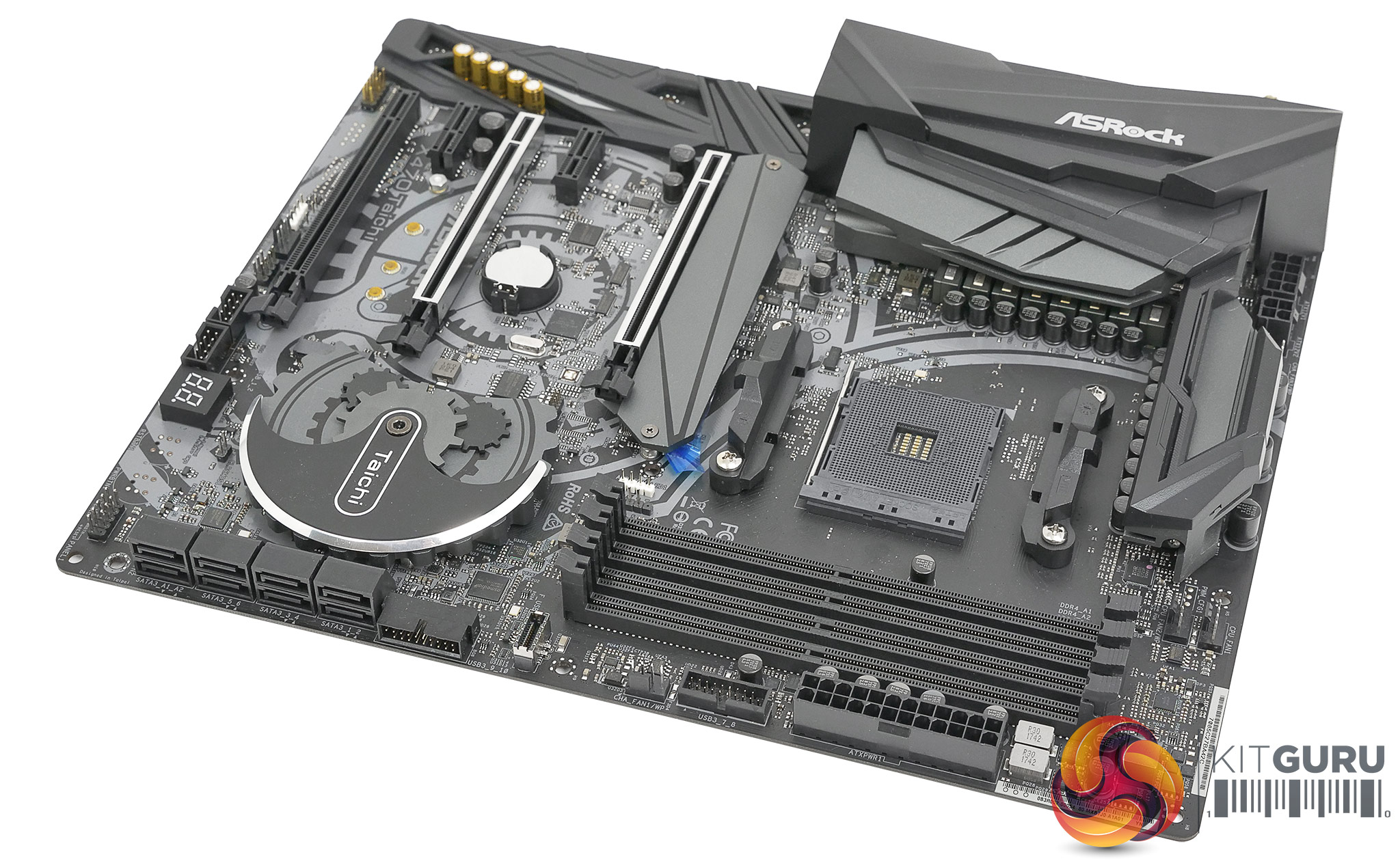
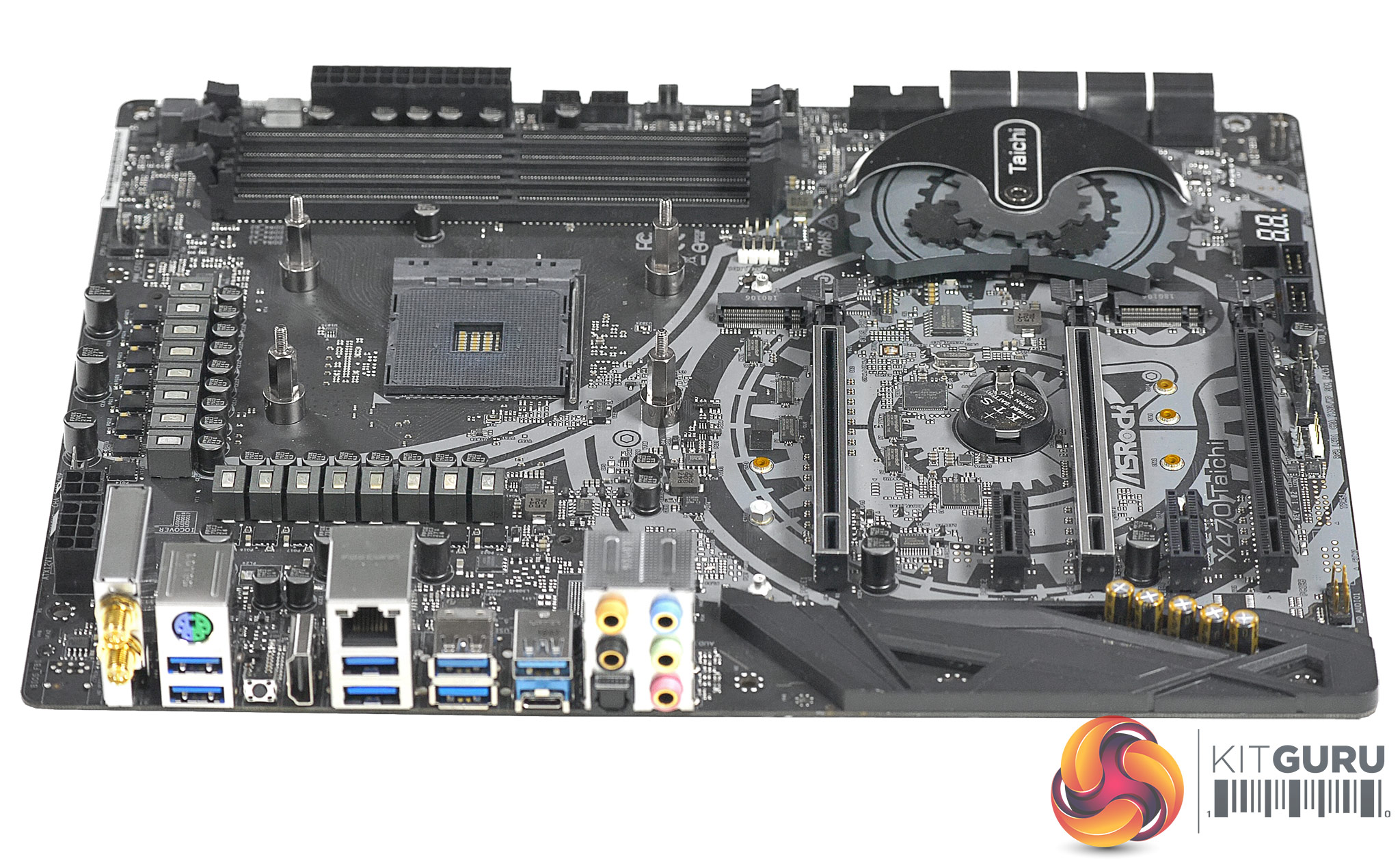
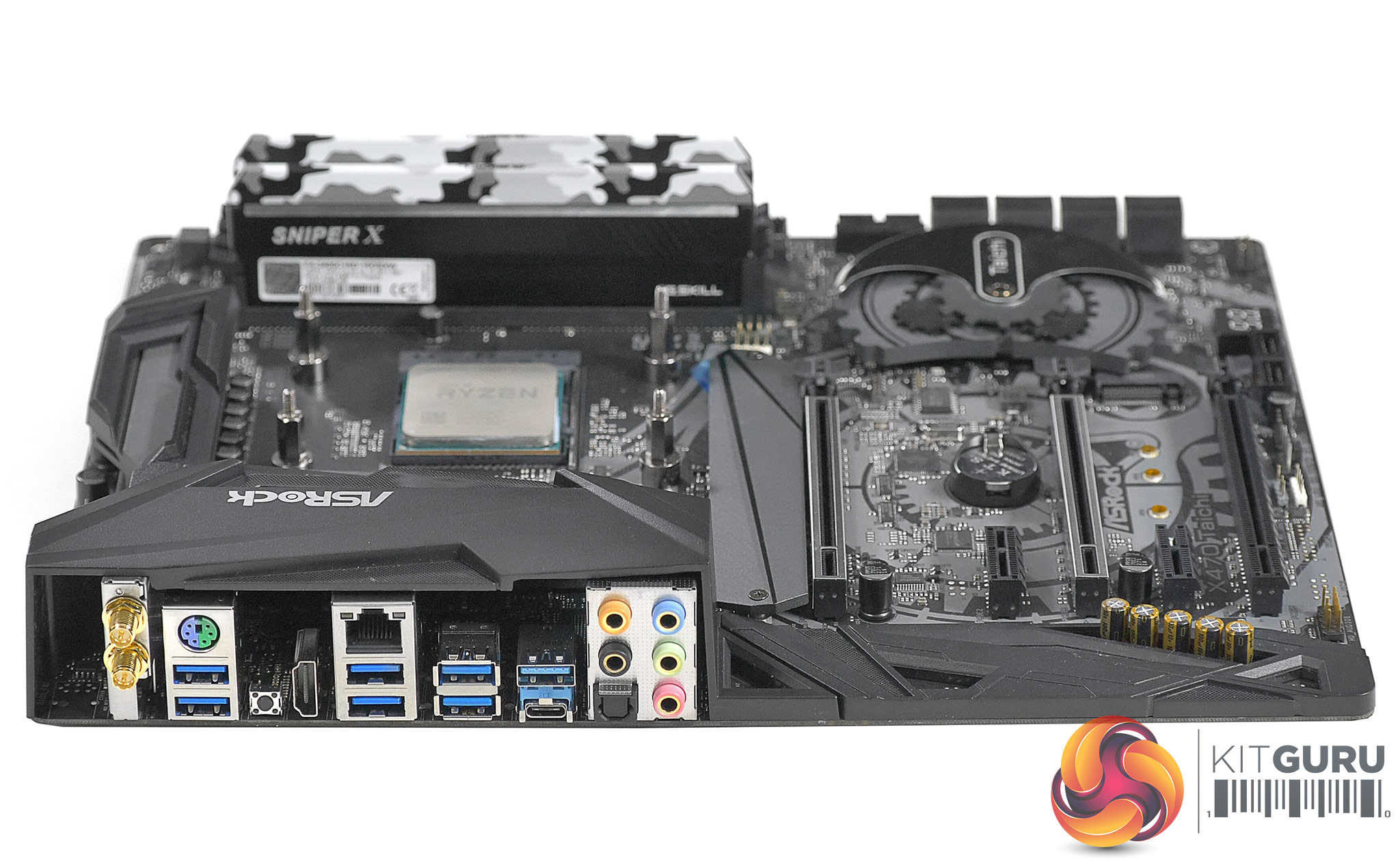
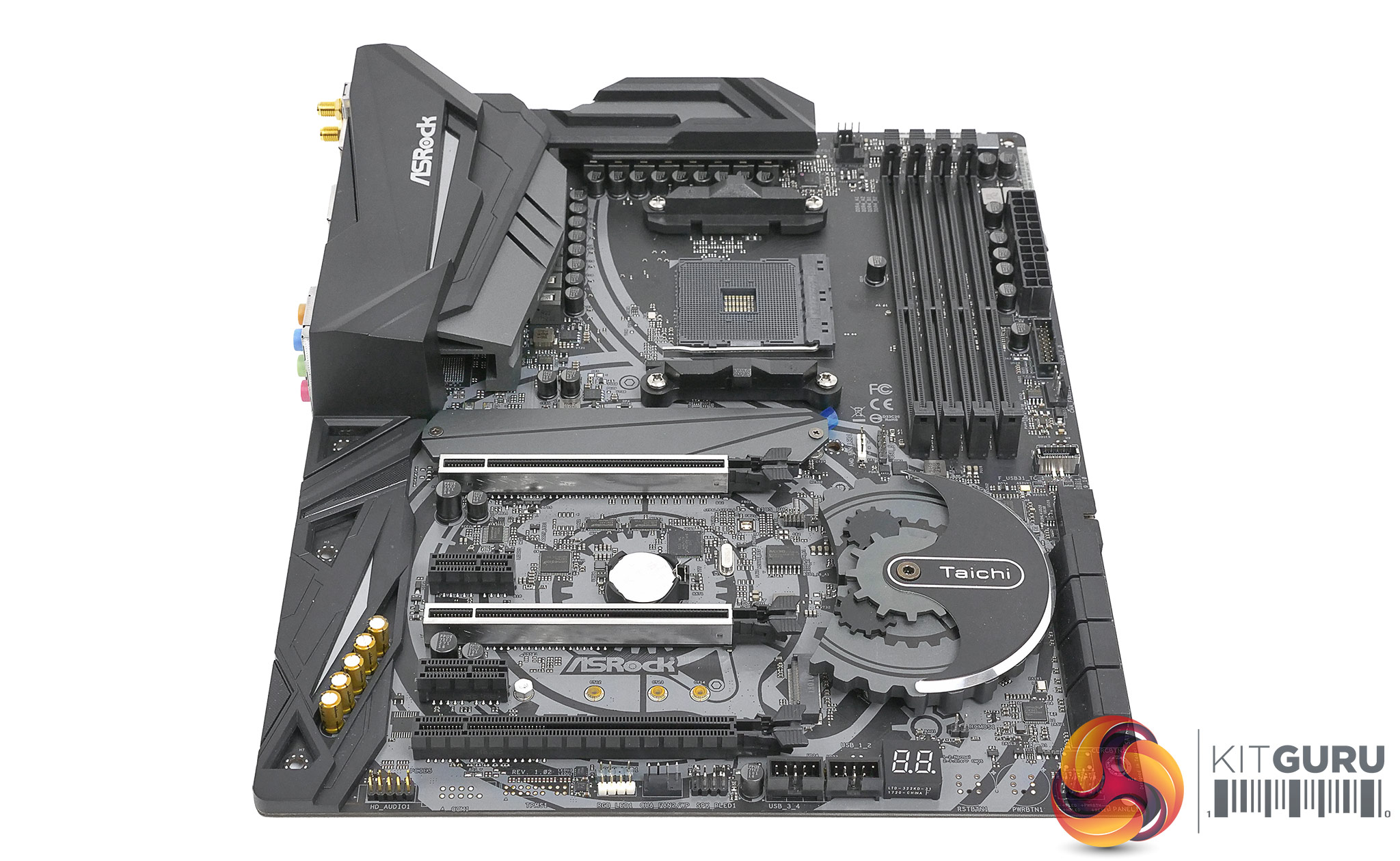
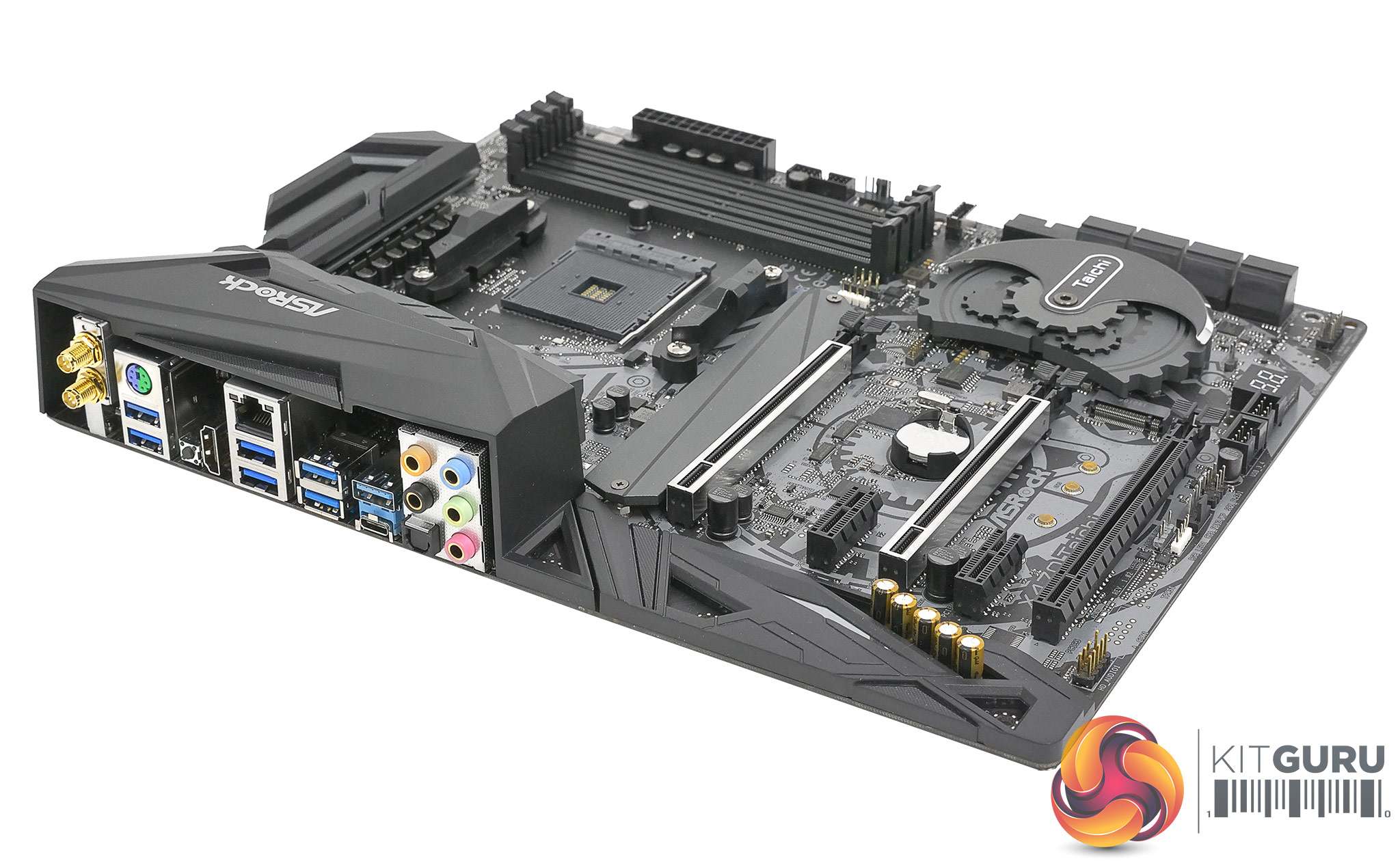
We like the understated looks of the ASRock X470 Taichi and were not quite expecting the rudimentary on-board RGB when we fired up our test system, but heck we appreciate that sort of bonus. RGB Heathens can, of course, disable the lighting.
As you will see in our video the list of features is fairly predictable and also slightly disappointing. Sure, you get support for dual PCI Express graphics cards and also for two M.2 SSDs but balanced against that the on-board 802.11ac is a relatively slow variety and the Bluetooth is version 4.2 rather than 5.0.
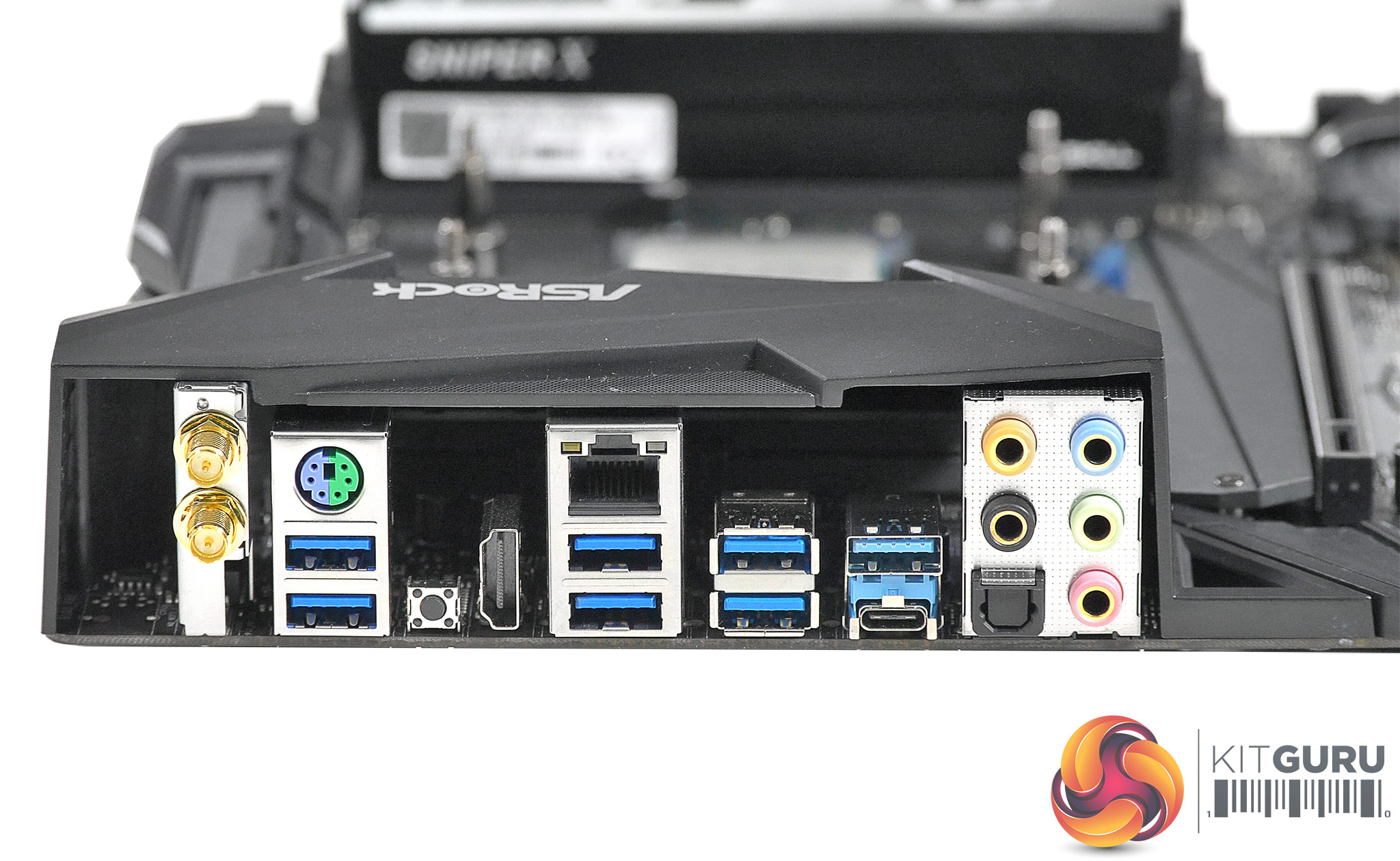
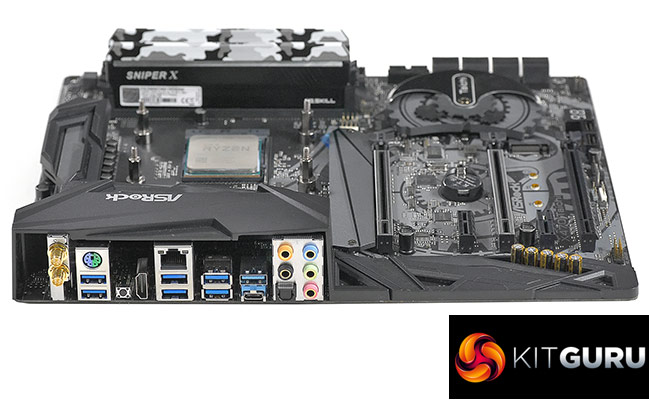
The easiest way to visualise this is to look at the I/O panel where you will see a reasonable array of USB ports but will also spot a fair amount of empty space that is begging for attention. We don’t want to make a big deal out of this but two more USB ports or a DisplayPort output would have made us considerably happier. The thing is, X470 Taichi Ultimate sports 10Gbps Ethernet, which is expensive, as well as on-board Power and Reset buttons that surely cost very little, yet you don’t get them on the basic X470 Taichi. That’s annoying.
Stripping the heat sinks off the VRMs posed a conundrum as the configuration appears to be 16+0 which is simply frustrating. If you can spot the ‘missing’ SoC VRM hardware do please add a comment to the video.
***UPDATE -KitGuru readers are confident the VRM arrangement is 12+4 ***
Testing
For stress testing we use AID64 to stress our CPU and GPU to create the maximum load our system is ever likely to see.
Test system
CPU: AMD Ryzen 7 2700X at 4.25GHz
RAM: G.Skill SniperX 16GB DDR4-3400MHz
Motherboard: ASRock X470 Taichi with BIOS P1.30
Graphics: EVGA GTX 1080Ti SC
SSD: SK Hynix SC311STD
Cooler: Fractal Design Celsius S24
Power supply: Seasonic Prime Titanium 1000W
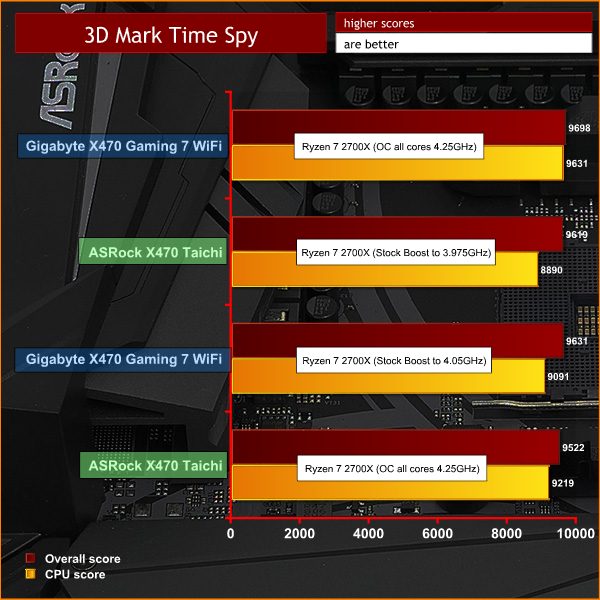
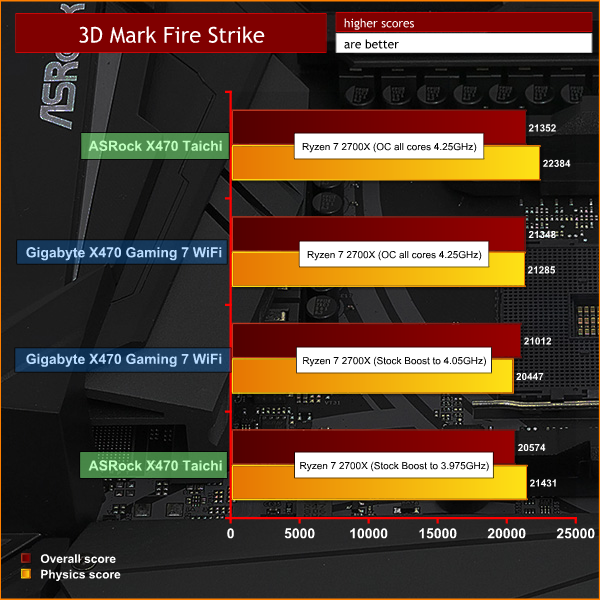
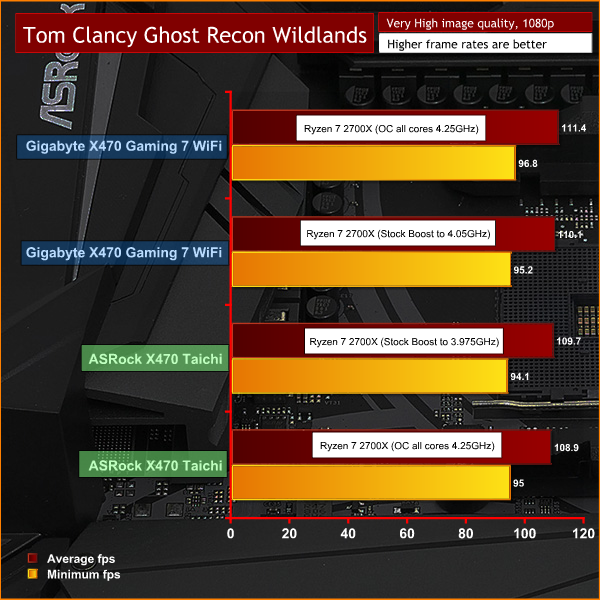
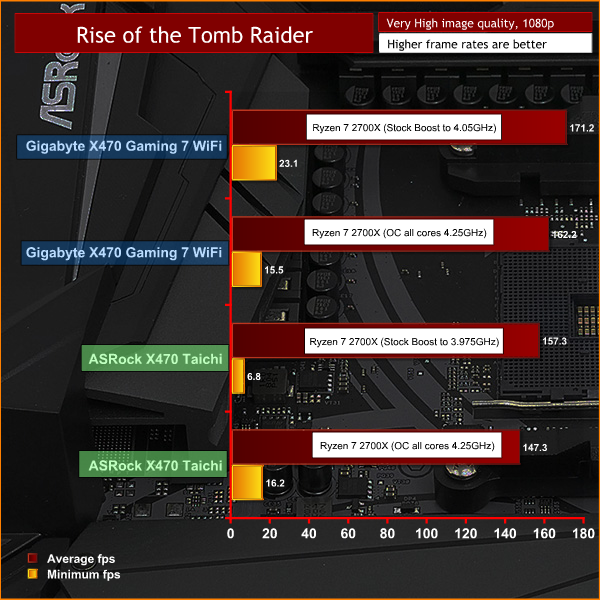
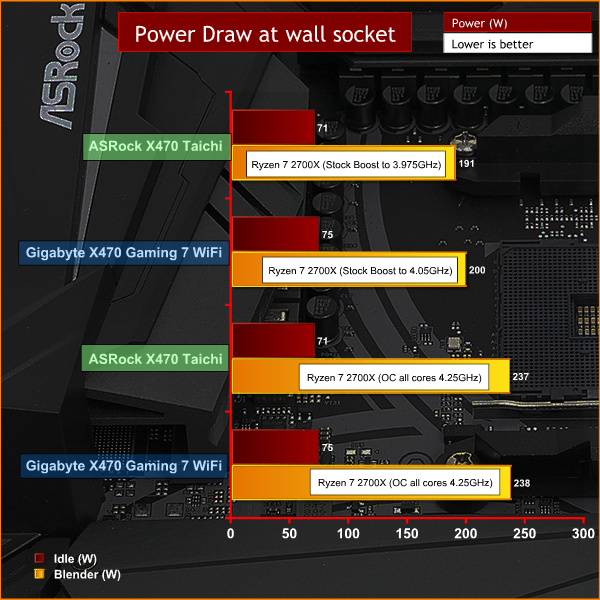
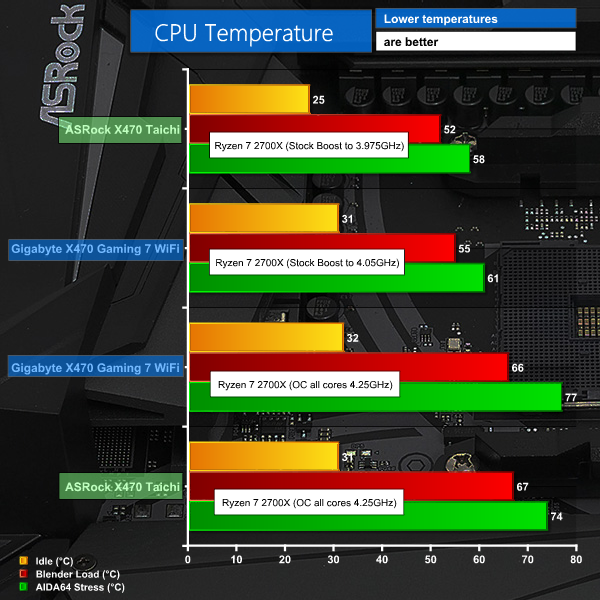
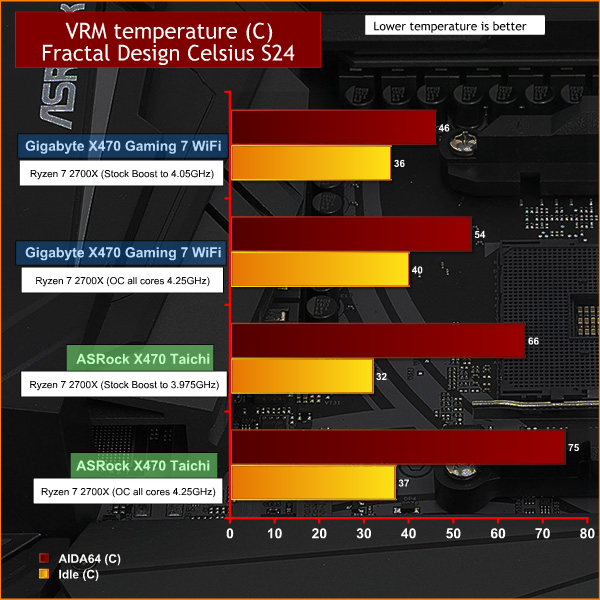
Testing overview:
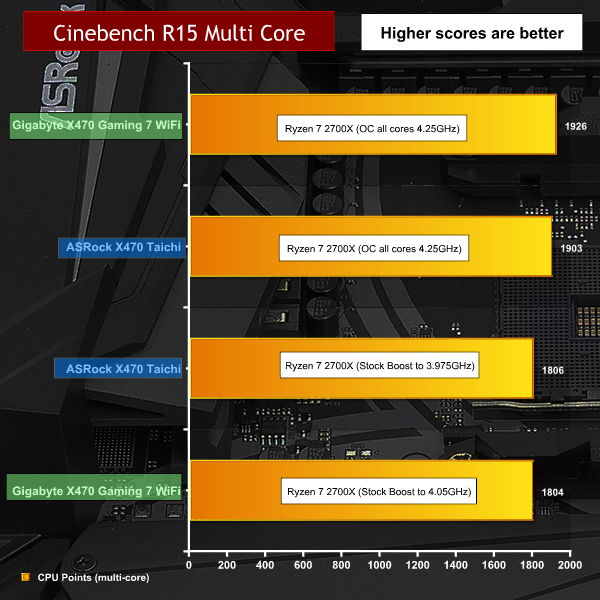
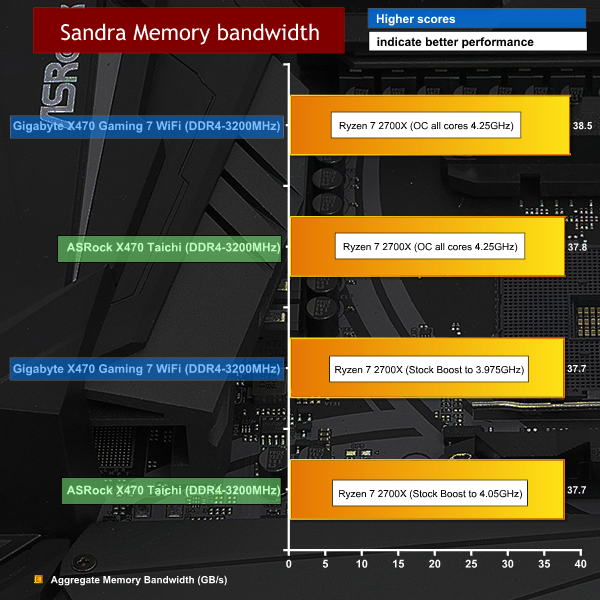
At default CPU speed with XMP enabled our Ryzen 7 2700X only ran at 3.975GHz where we would expect to see 4.00GHz or 4.025GHz. Clearly that is a tiny difference in clock speed however it is under 4GHz and we prefer faster to slower.
The XMP setting in the UEFI incorrectly set our G.Skill SniperX DDR4-3400MHz to run at 3333MHz.
Overclocking to 4.25GHz with 1.4V Vcore appeared to work well however benchmark results told a different tale. In some CPU tests the extra clock speed paid dividends but in games test we saw frame rates dip for no apparent reason. Unless you have a specific software application in mind that you can test repeatedly (such as Cinebench) we suggest you avoid overclocking with the ASRock X470 Taichi.
Closing Thoughts.
In general we like the approach that ASRock takes with its Taichi motherboards however the X470 Taichi falls short as it offers too few features at a price that is too high. It is likely that a modest adjustment in either direction would make a significant difference but as things stand we are unimpressed.
That’s not to say the X470 Taichi is a bad motherboard, but there is no compelling reason to put it at the top of your list.
It is tempting to list our problems with overclocking as a serious issue, and here we are in two minds. On the one hand the X470 Taichi should deliver the 4.25GHz overclock with ease and that in turn should yield extra performance. Balanced against that we feel that overclocking 2nd Gen Ryzen is pretty much a lost cause so it doesn’t much matter. That sounds like a weaselly way to avoid an opinion so the safest thing to say is that enthusiast overclockers should probably avoid the X470 Taichi.
Despite that heap of negative points we still feel a certain amount of love for the X470 Taichi. It’s a well built motherboard with a reasonable list of features and if the price came down £40 we would be much happier about offering a recommendation.
Read more on the board over HERE on the ASROCK website
Price £209.99 inc VAT estimated. CCL have the ASROCK board at at only £189.99 inc vat HERE.
Pros:
- Understated styling will appeal to adults.
- Built-in 802.11ac Wi-Fi
- Dual M.2 slots.
- Solid performance at standard clock speeds.
Cons:
- We want more USB ports on the I/O panel.
- On-board Power and Reset buttons should be included.
- Overclocking abilities are limited.
- Relatively expensive.
KitGuru says: X470 Taichi is a solid board design, understated with dual M.2 slots. Overclocking seems a little limited and its quite expensive however.