KitGuru KitGuru.net – Tech News | Hardware News | Hardware Reviews | IOS | Mobile | Gaming | Graphics Cards


We used the MSI MEG Z490 Ace as the platform for our launch review of Intel’s Core i9-10900K CPU. The VRMs delivered all the power we needed for rock solid performance and that meant we were able to focus on the CPU and those ten cores of 4.9GHz goodness. We also used the BIOS to overclock the CPU to hit 5.2GHz, however there were plenty of features we ignored and we didn’t get too hung up on the £400 price, or at least, not until now.
Key features
- Form factor: ATX
- Chipset: Intel Z490
- Socket: LGA1200
- RAM: 4 DIMMs up to 128GB DDR4-4800MHz(OC) in dual channel.
- Graphics slots: 3× PCIe 3.0 x16 (supports 2-way SLI and 3-way AMD CrossFire).
- Expansions slots: 2× PCIe 3.0 x1
- Storage: 3× M.2, 8× SATA 6Gb/sec
- USB:
- 1x USB 3.2 Gen 2×2 20Gbps Type-C Lightning
- 3x USB 3.2 Gen 2 Type-A
- 1x USB 3.2 Gen 2 Type-C
- 4x USB 3.2 Gen 1 Type-A
- 6x USB 2.0
- LAN: Realtek 8125B 2.5Gb/sec + Intel I219V Gigabit
- WiFi/Bluetooth: Intel Wi-Fi 6 AX201 + BT 5.1
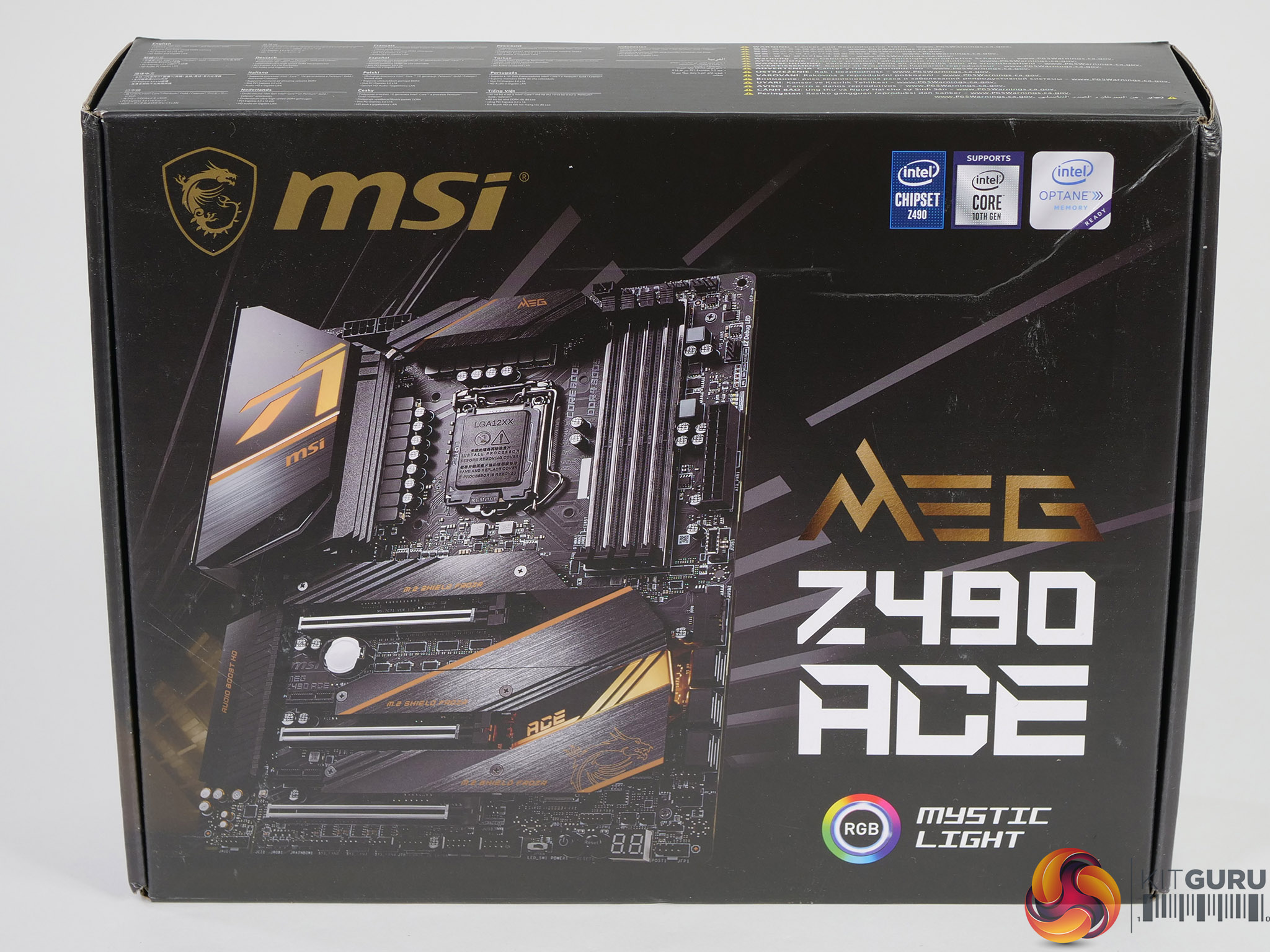
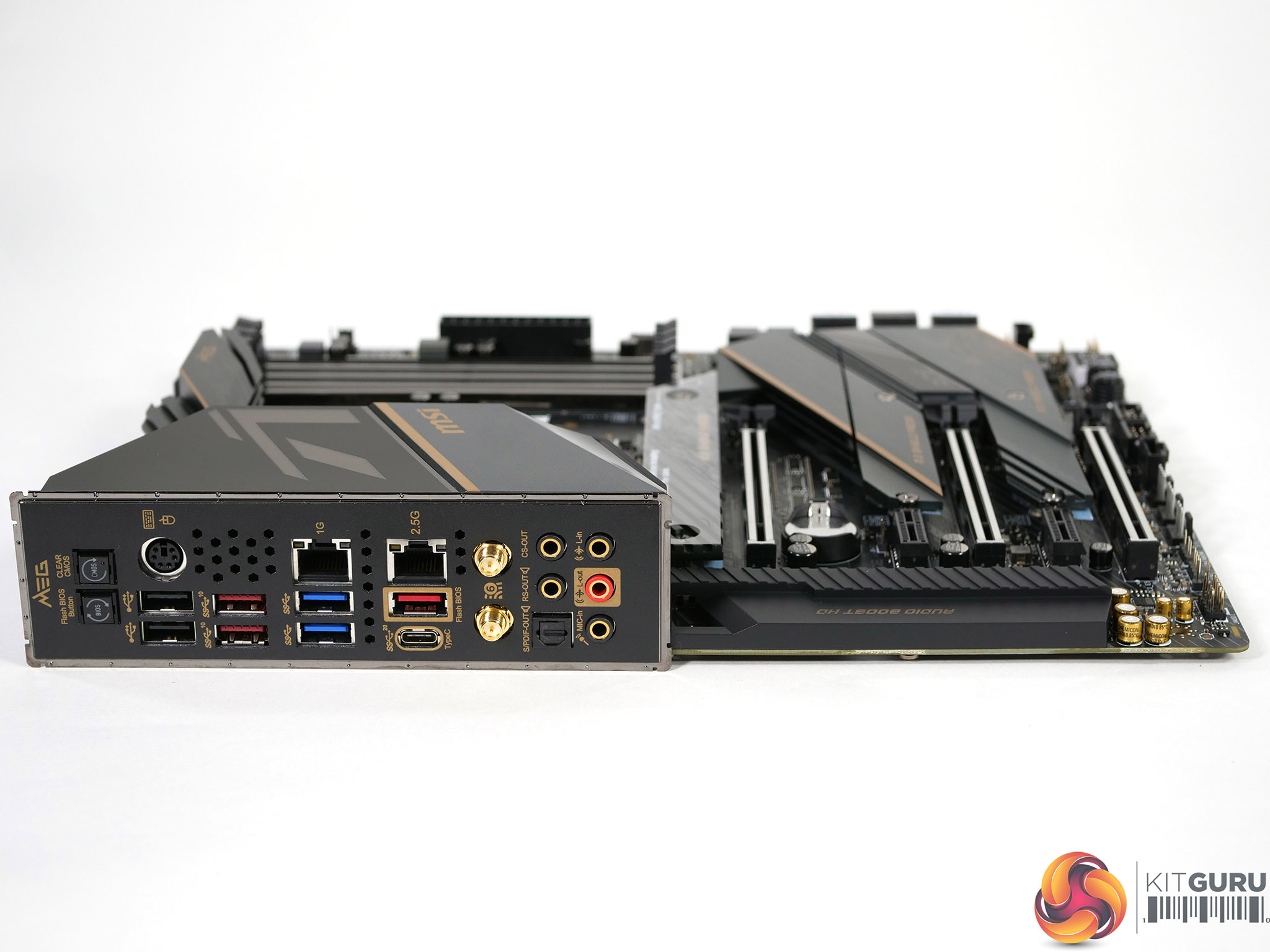
The package contains almost nothing in the way of extras. You get a user guide, four SATA cables, the Wi-Fi antennae and a couple of cable extensions for functions such as RGB. The I/O shield is attached to the board so you don’t even have that familiar piece of tinware rattling around the box and while it is fair to say you get everything you need, it is also fair to say the package for this £400 motherboard does not feel generous. Four SATA cables MSI, for a board with six connectors?
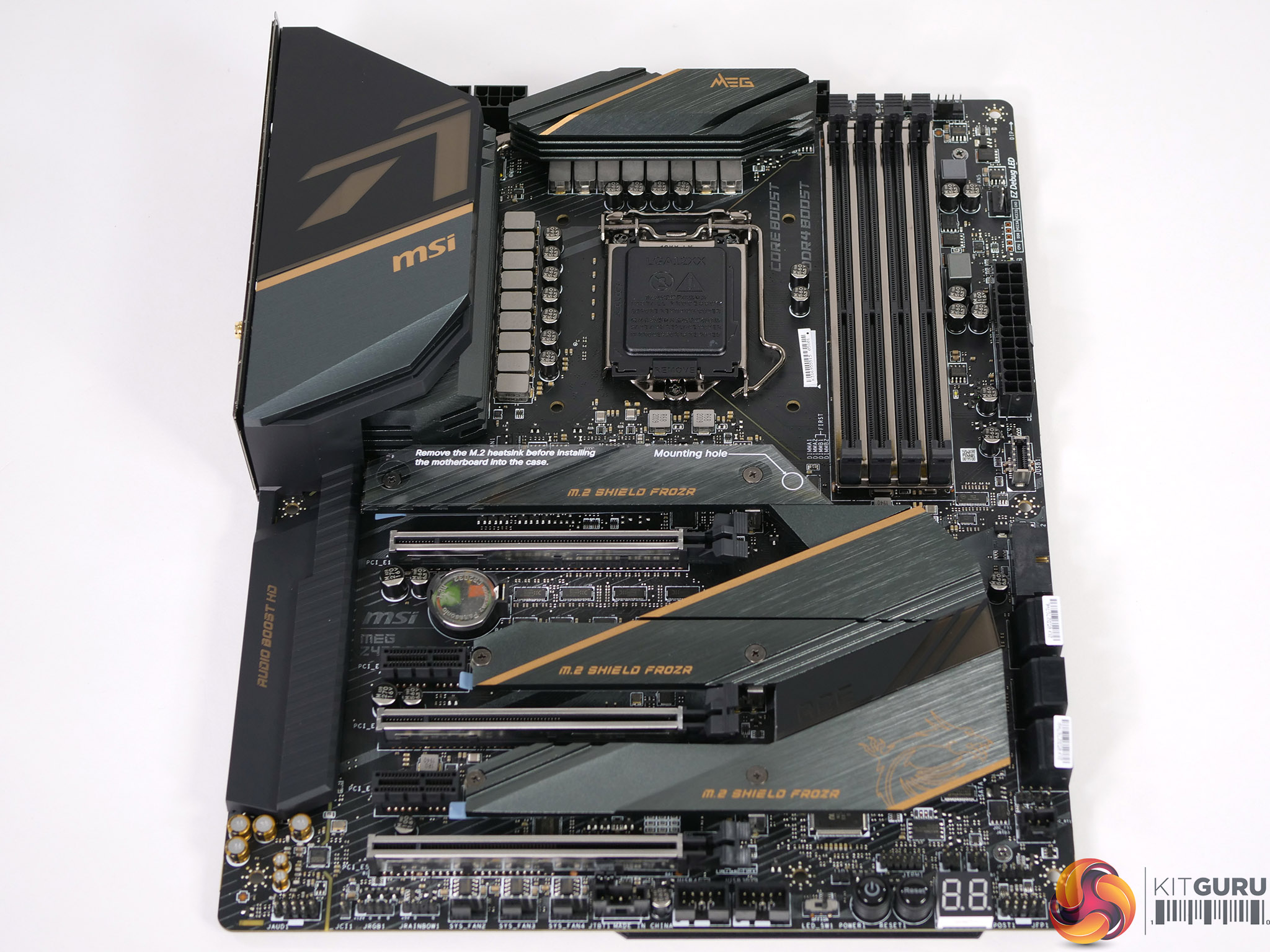
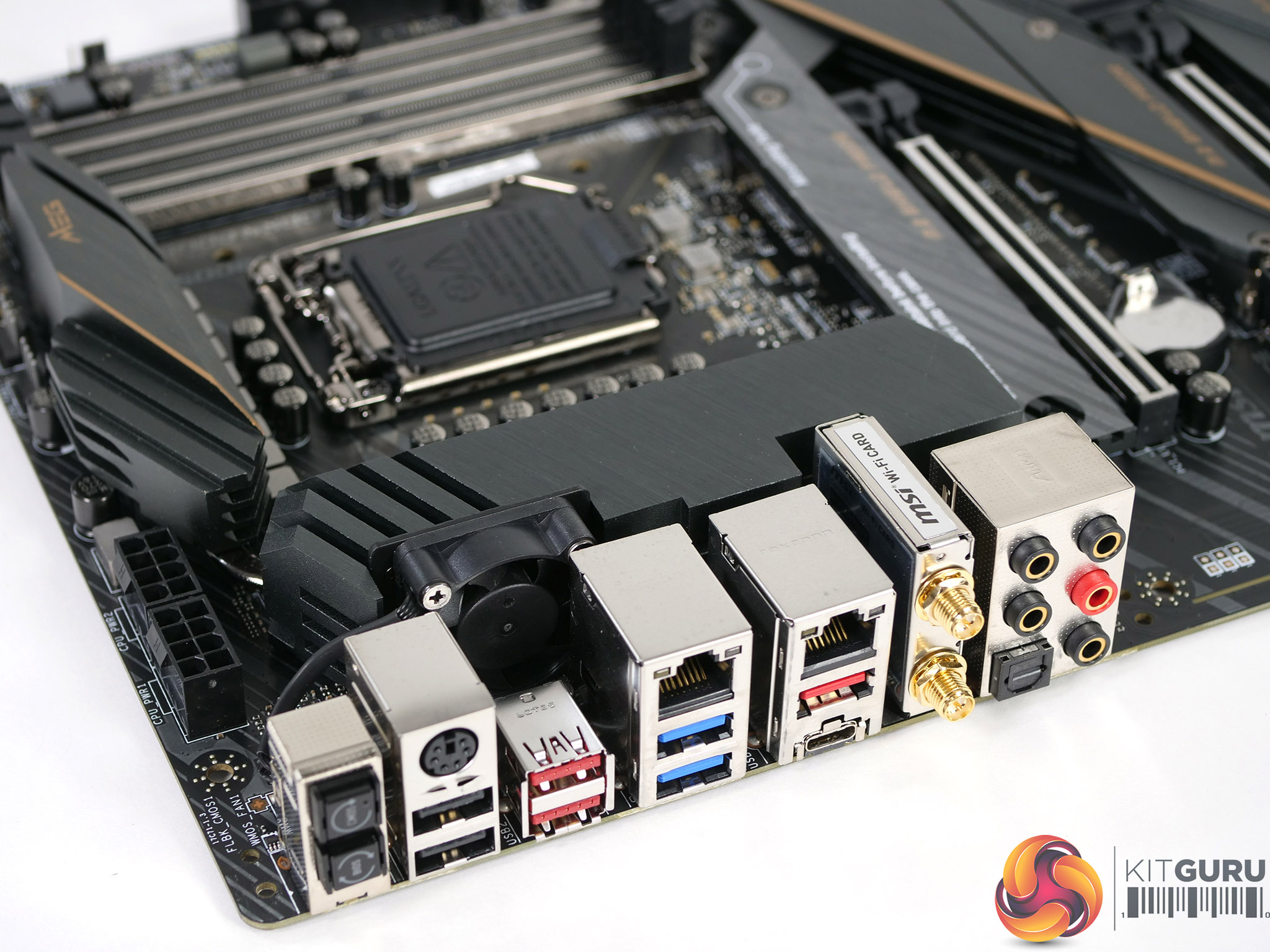
The MSI MEG Z490 Ace looks stylish and understated but it is only when you strip the board down that you realise just how much hardware has been added. Naturally you get coolers on the VRMs, although we are sad to report they are big chunky aluminium things, rather than finned units. In addition there are individual heatsinks on the three M.2 slots, a substantial I/O shroud and a curious partial backplate that MSI calls a Chest Plate.
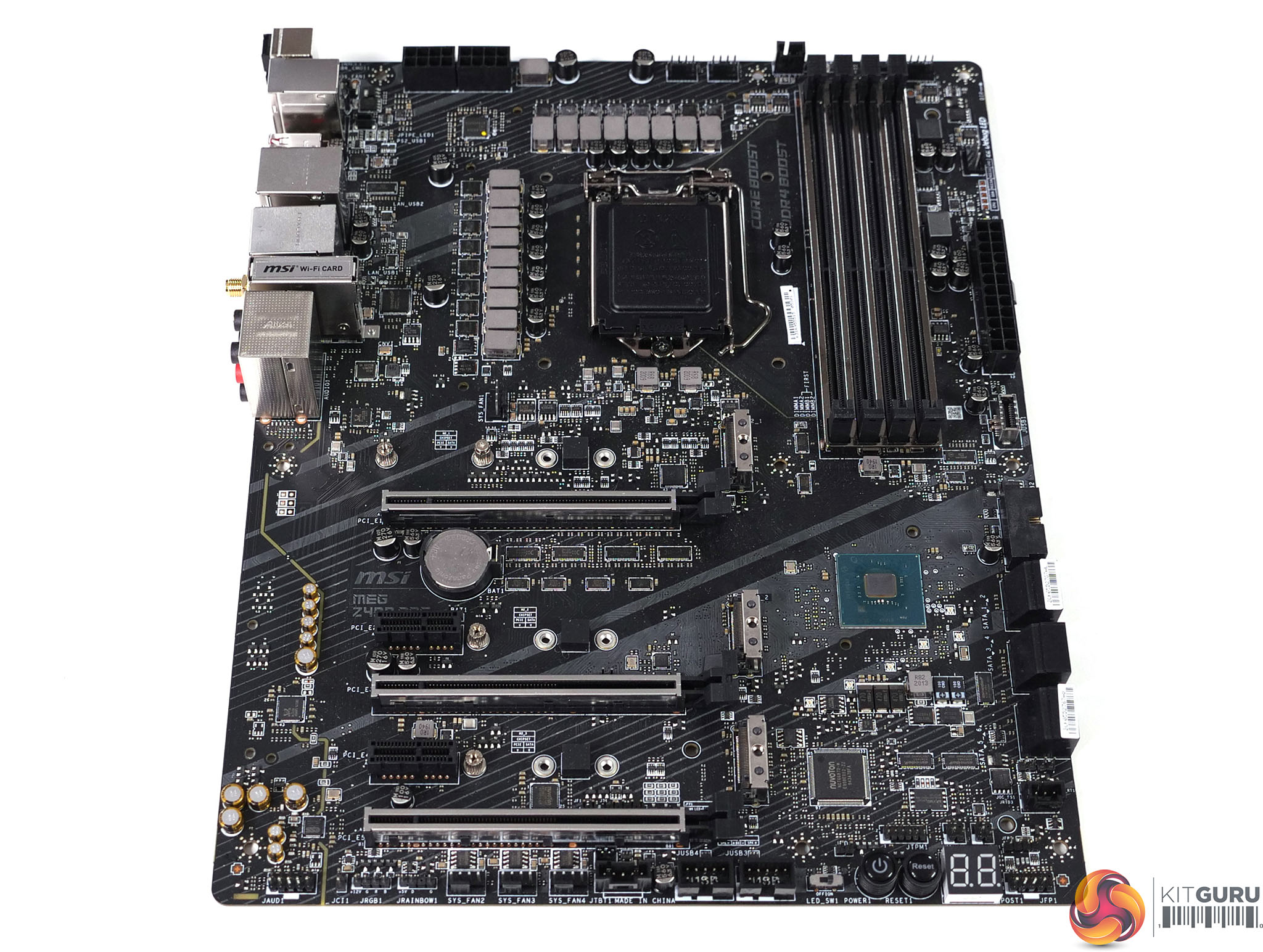
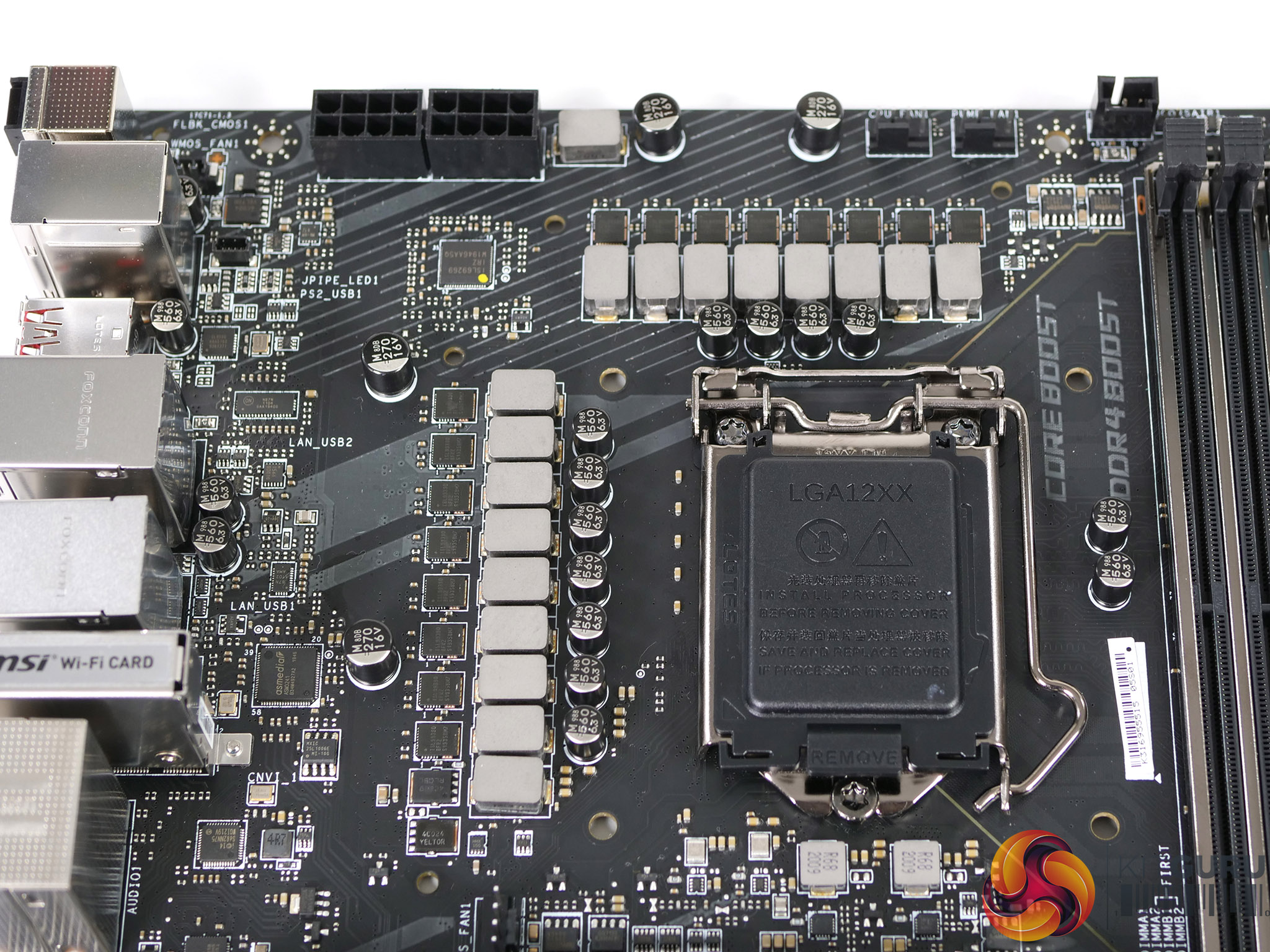
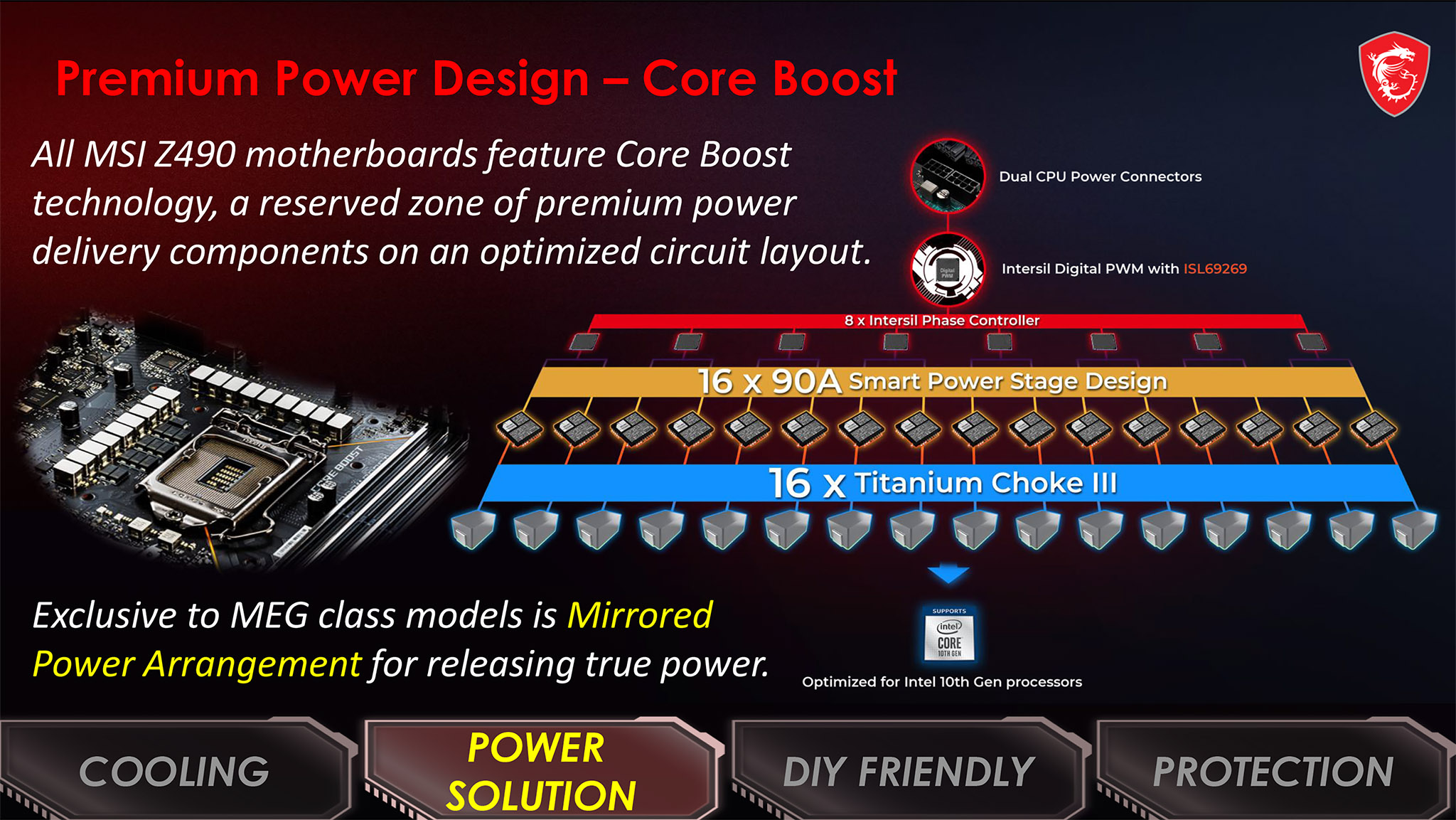
Once you have removed all those bits and pieces you can see the fundamentals of the MSI MEG Z490 Ace look sound. In particular the Intersil ISL69269 VRM controller and 16x ISL99390 90A power stages with doublers plus an extra stage for the SoC look purposeful. There are no graphics connectors on the rear I/O and as a result there is no power provision for the iGPU.
16 stages of 90A sounds massive however VRMs of this level are becoming the new normal for Z490 compared to a high end Z390 which might use 12 stages each of 50A or 60A. As you will have seen in our video, it caused us some confusion that MSI includes a 40mm active fan behind the I/O shield that can run up to 12,000rpm to cool the VRMs. If the VRM cooler works correctly we consider a fan would be unnecessary. On the other hand if active cooling is required then we dislike the idea of a tiny fan spinning at a huge rate of knots.
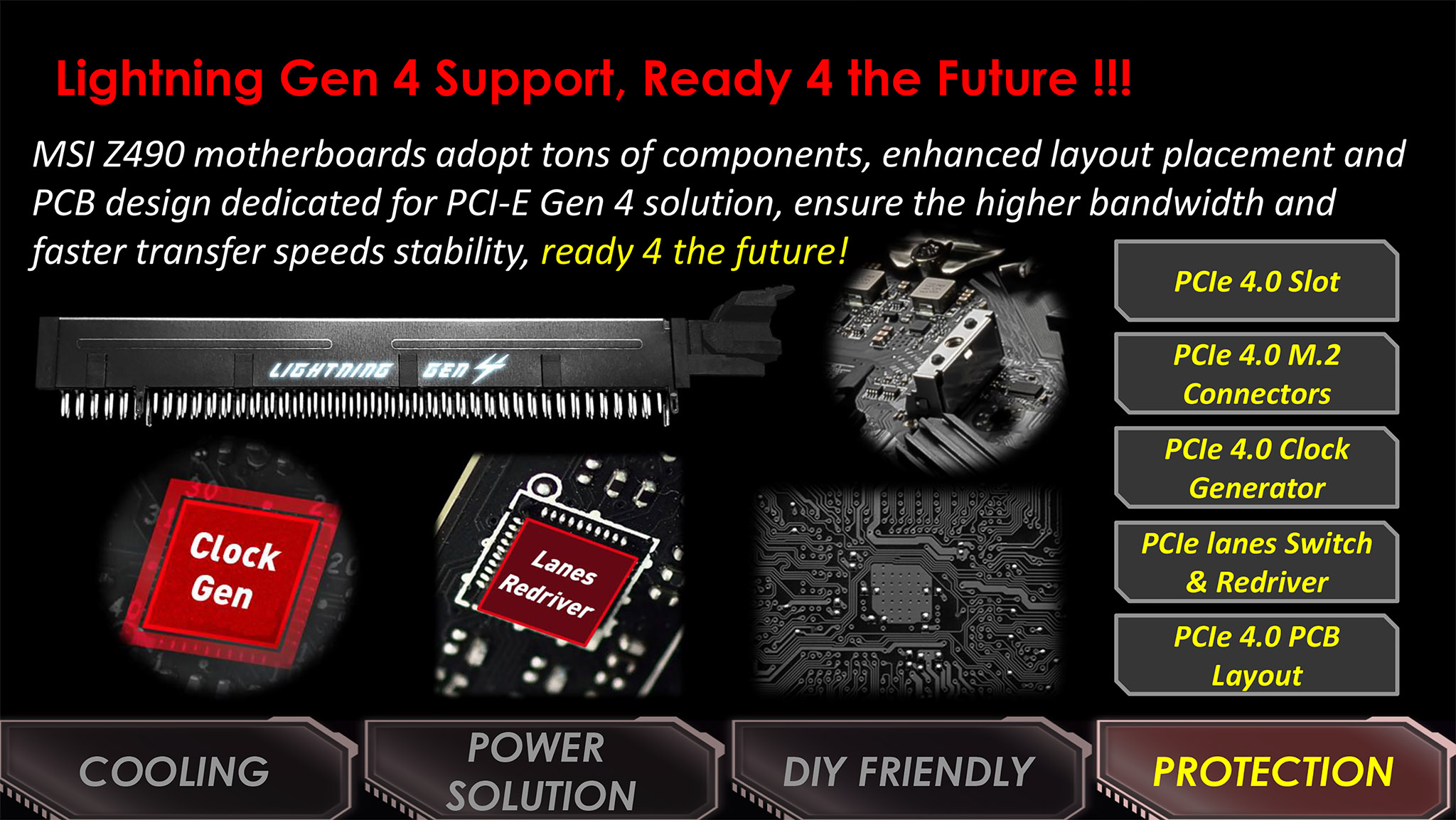

Testing, Performance and Overclocking
To test the MSI MEG Z490 Ace we used the same hardware you saw in our review of Intel Core i9-10900K with the addition of performance figures from Asus ROG Maximus XII Hero Wi-FI and Gigabyte Z490I Aorus Ultra.
Test system
- CPU: Intel Core i9-10900K
- CPU Cooler: Fractal Design Celsius S36 with 3x Noctua Chromax NF-F12 fans
- RAM: 32GB Corsair Vengeance LPX 3600MHz 16-18-18-36
- Motherboard: MSI MEG Z490 Ace
- Graphics: Gigabyte RTX 2080 Super 8GB
- SSD: 1TB WD Blue M.2 NVMe
- Power Supply: Seasonic Prime Platinum 1300W
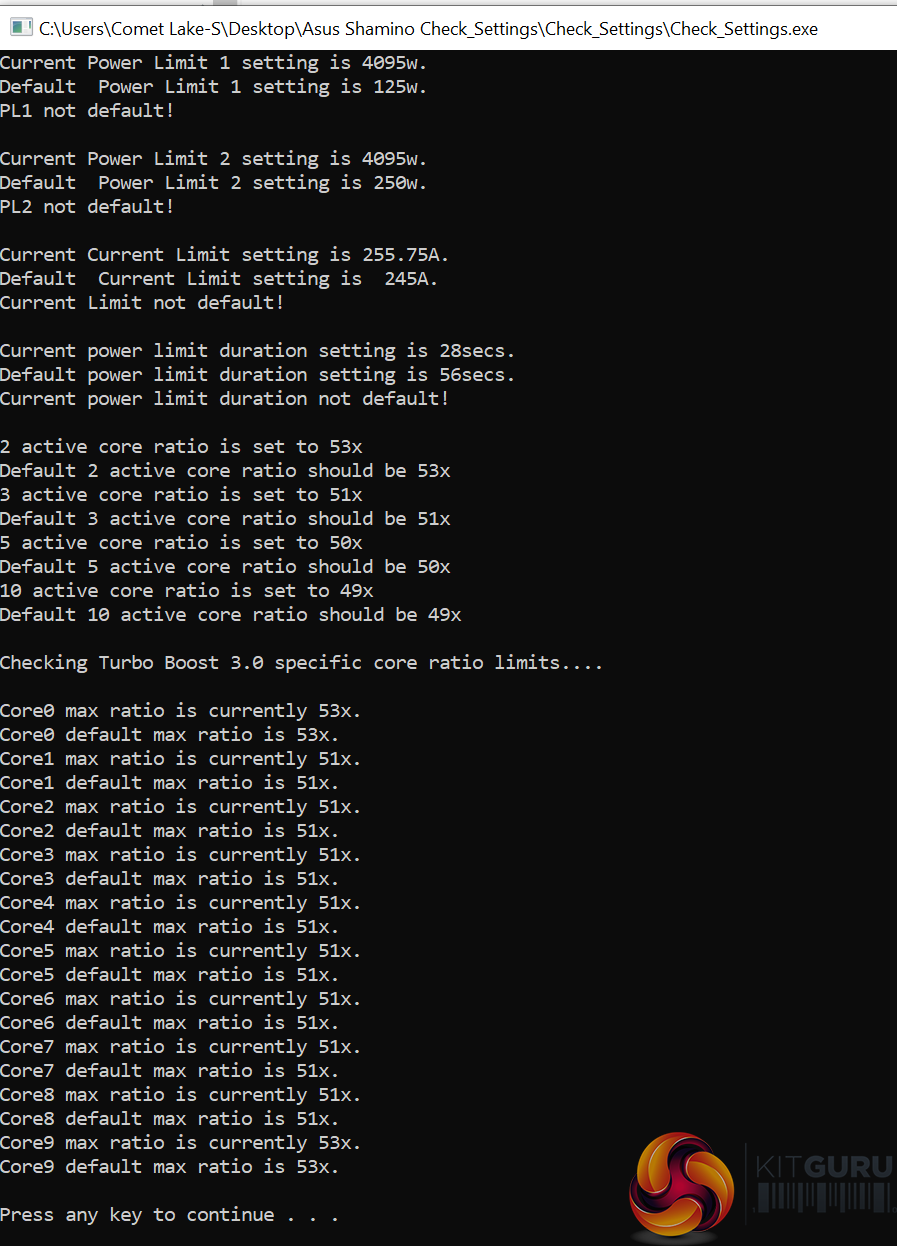
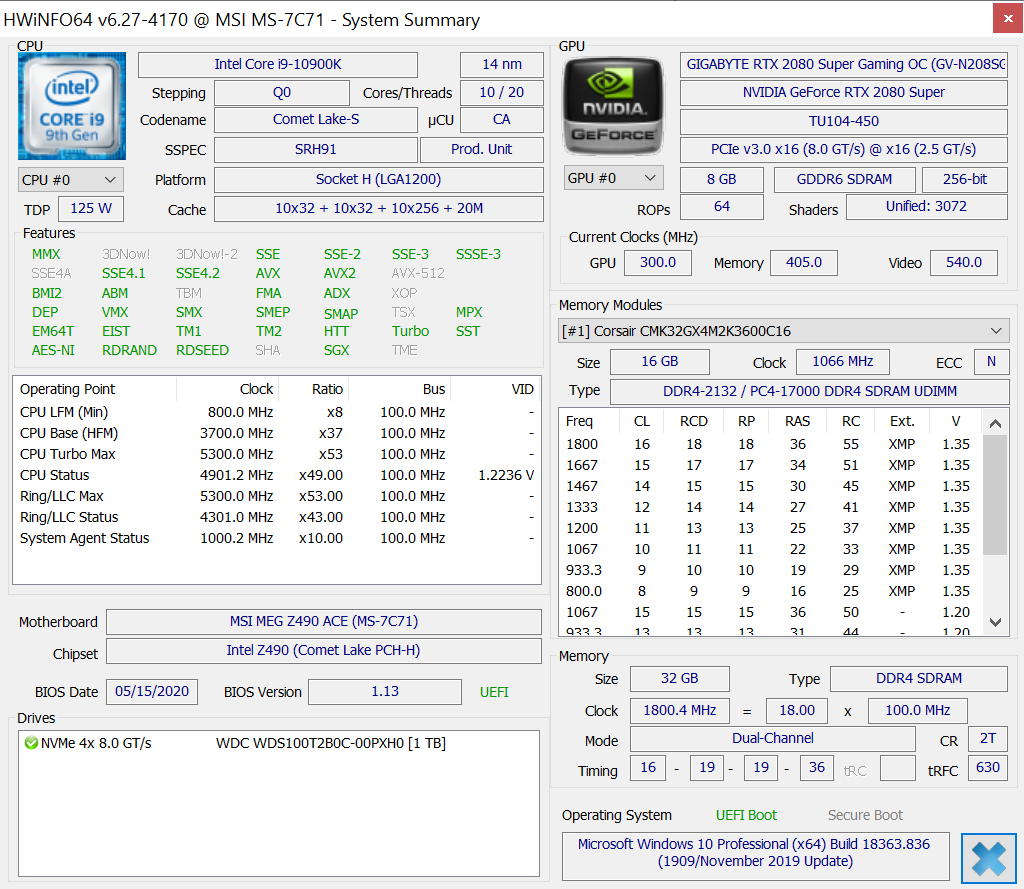
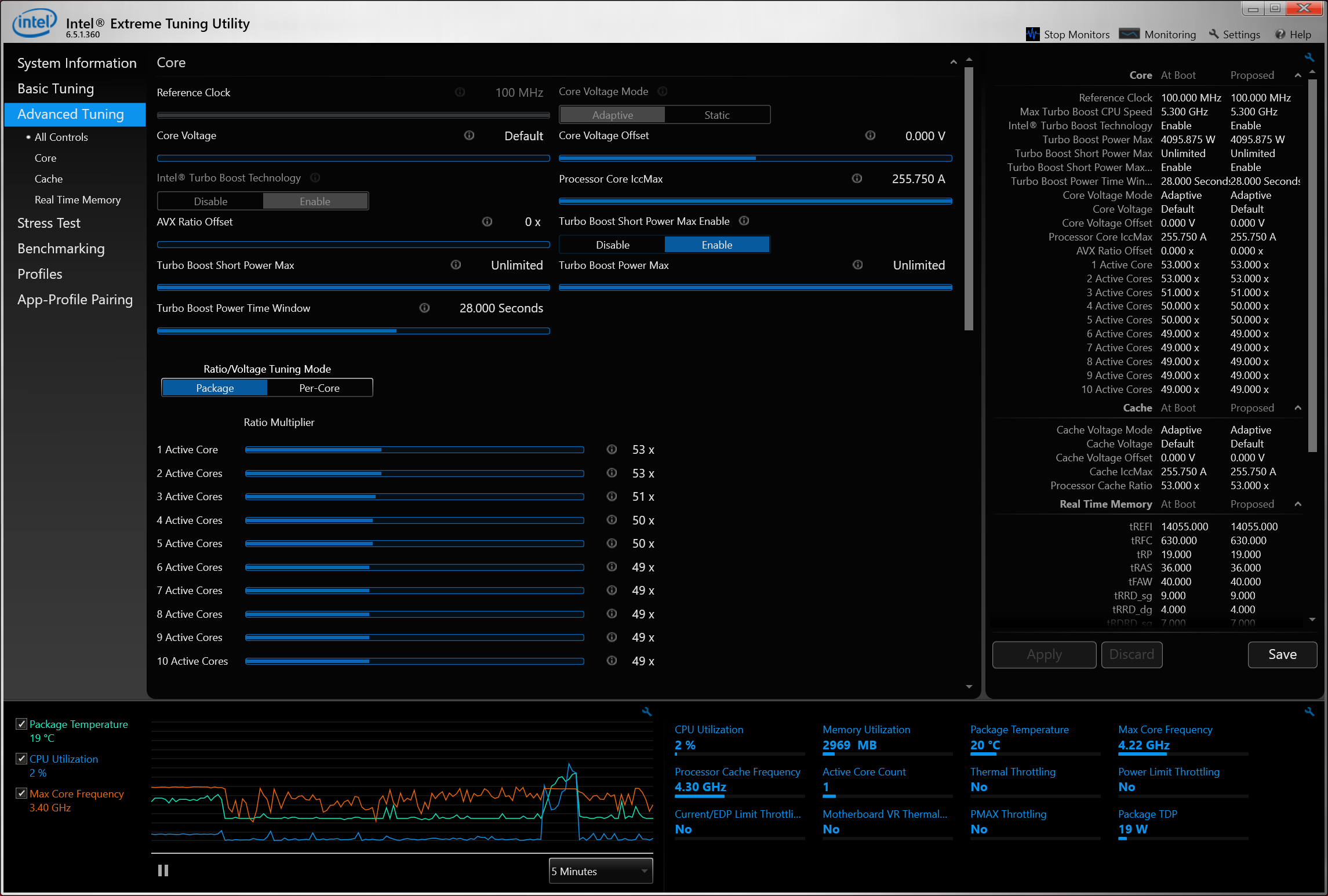
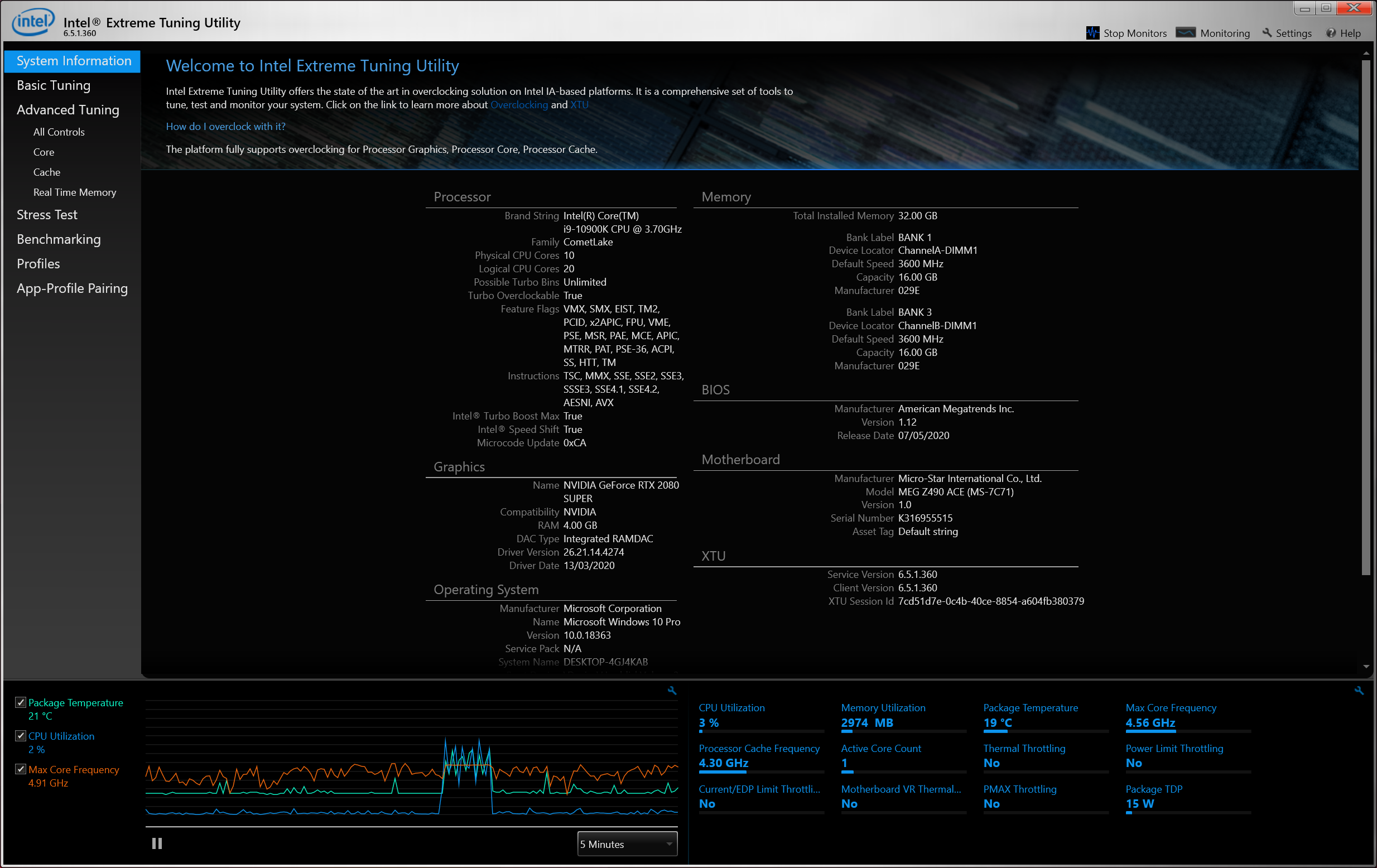
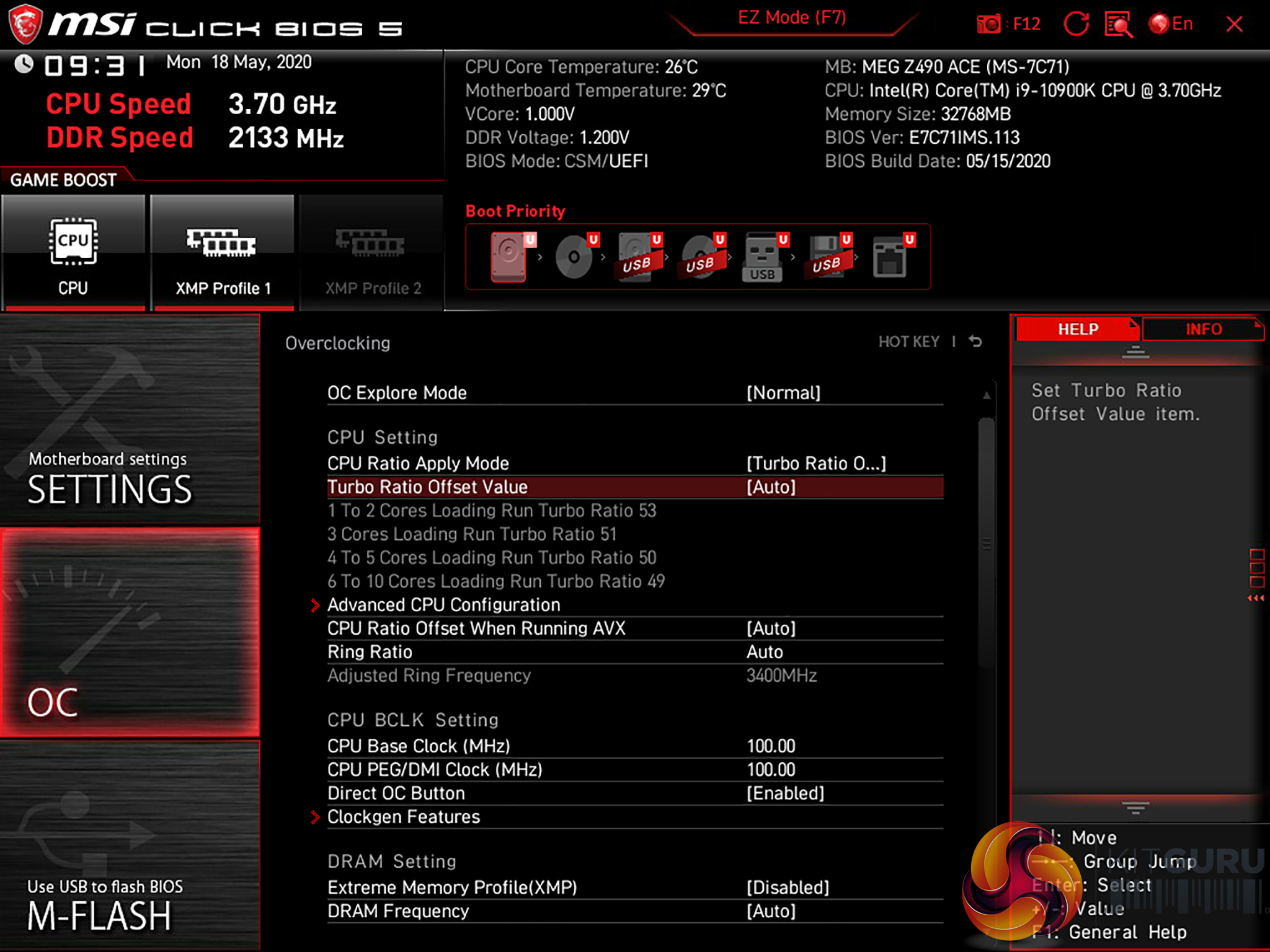
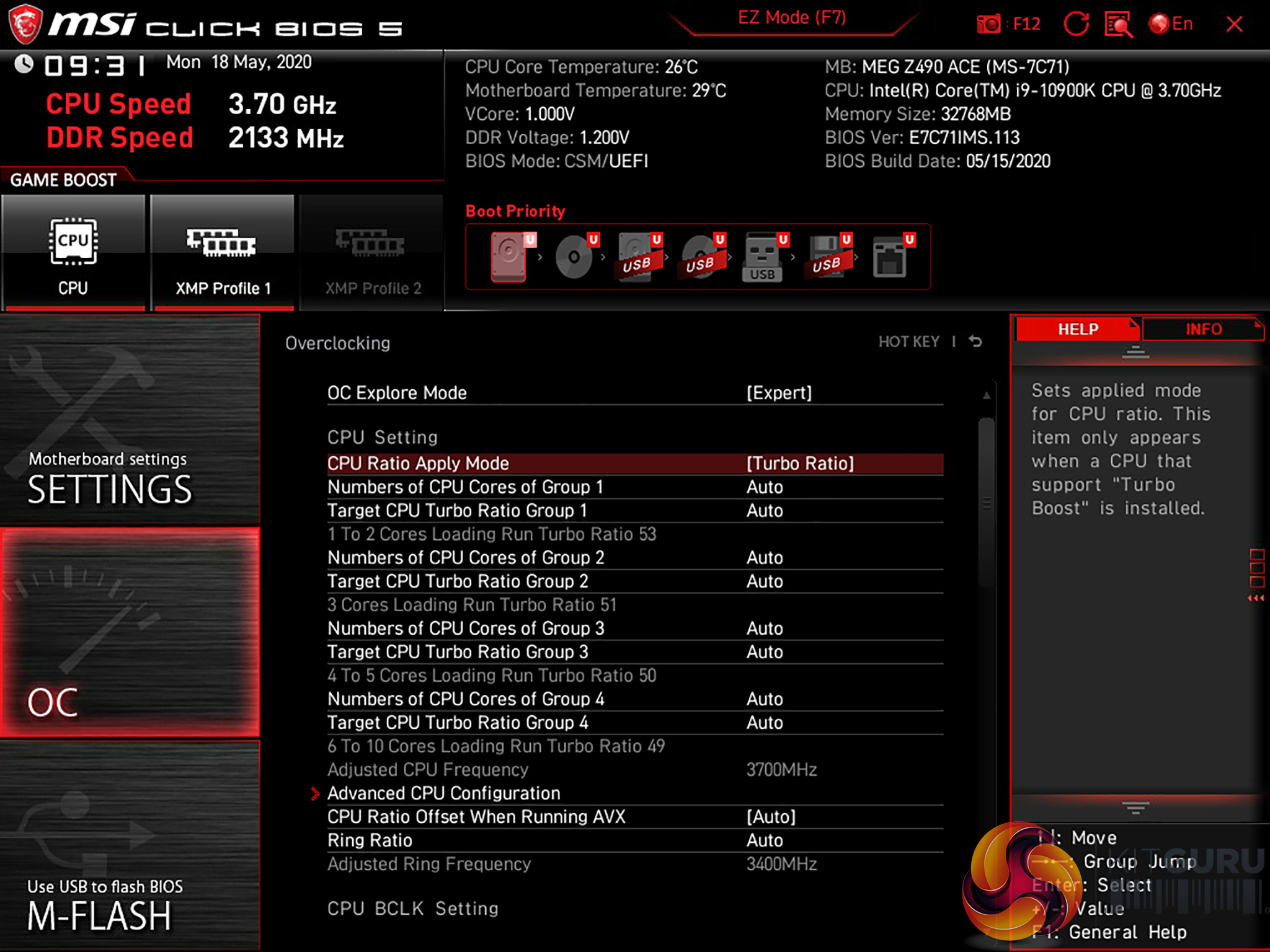
We discuss in our video that MEG Z490 Ace performs impressively well but we didn’t labour the point that MSI has achieved this feat by ignoring Intel’s advice on power limits. The idea is that Core i9-10900K receives PL2 250W for 28 seconds, which should allow it to run to the limits of Thermal Velocity Boost, and will then drop back to PL1 125W which will pull the speed down to a much lower speed. Add in Tau and you have a fair amount of uncertainty about exactly how fast your new Core i9-10900K will run, on how many cores and for how long but MSI has swept that all aside with settings that deliver ‘Much Power Forever.’
As you will also see in our video, the update from BIOS 1.13 to 1.16 sweeps aside the restriction on Thermal Velocity Boost so the clock speed will be maintained when the CPU temperature pushes past 70 degrees C and will not drop by 100MHz to 4.8GHz as you will have seen in our video about Core i9-10900K but instead hangs on for grim death at 4.9GHz.
It is clear the hardware in MEG Z490 Ace can tolerate this behaviour and it is also clear that you can change the BIOS settings to impose Intel’s power guidelines if you so choose. It should also be clear that MSI might choose to change the behaviour of the motherboard in future BIOS revisions, at which point all bets are off.
Cinebench R20 Multi-Core
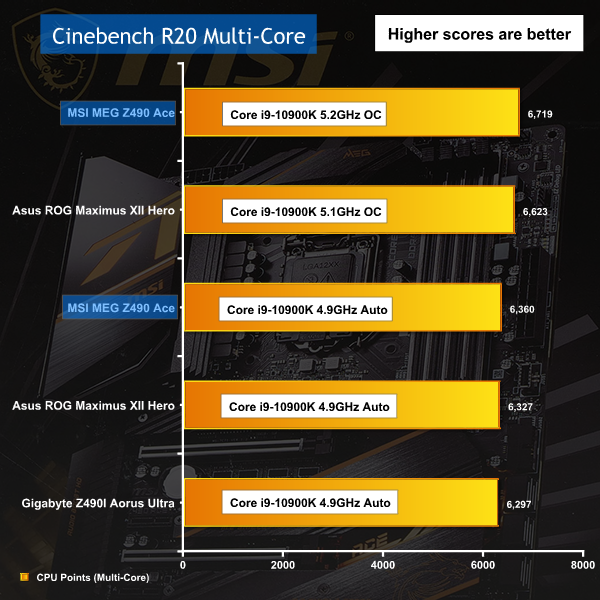
In Cinebench R20 more clock speed yields better results so MSI MEG Z490 Ace tops the chart with its clock speed of 5.2GHz, exactly as we would expect.
3D Mark CPU and Physics Tests
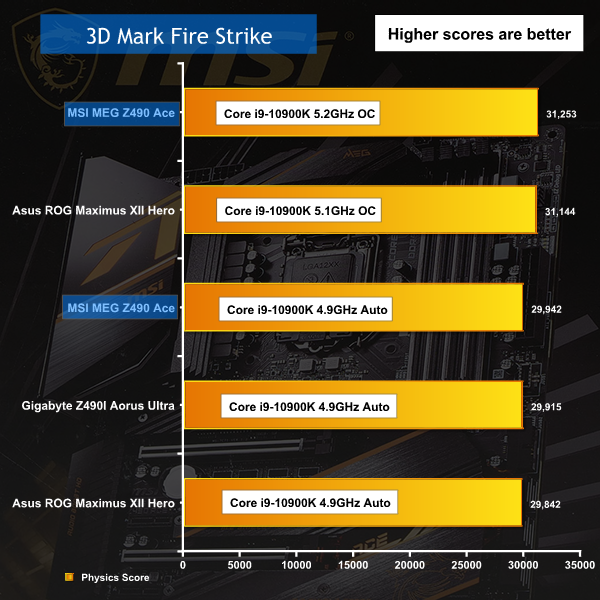
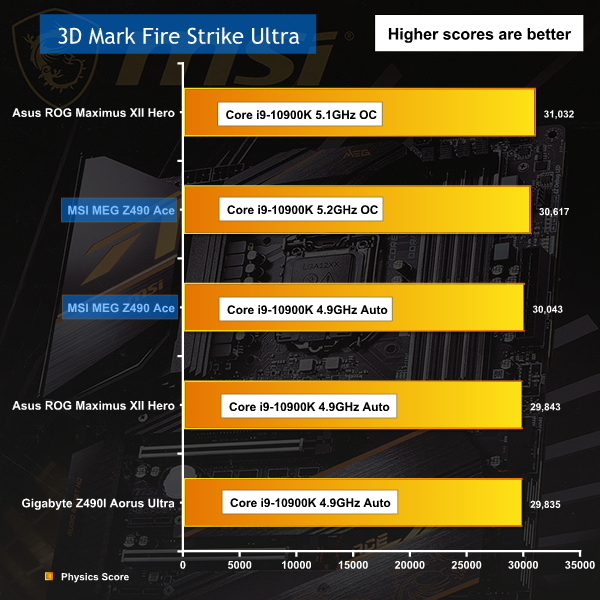
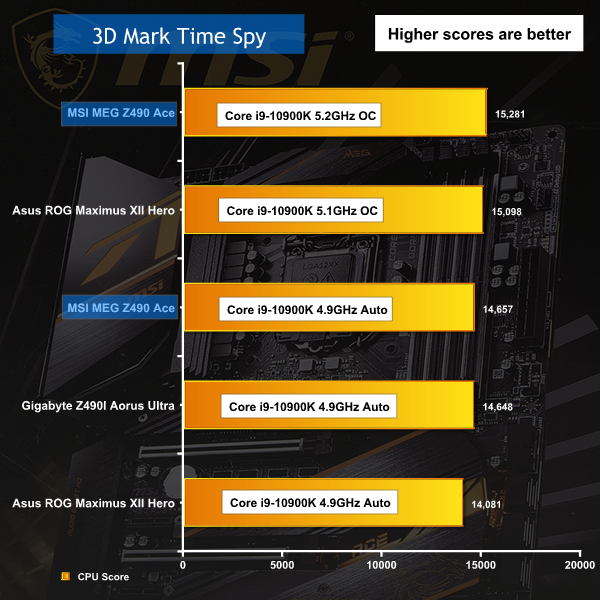
The 3D Mark CPU and Physics Tests show MSI doing well however the Asus ROG Maximus XII Hero puts up a fight despite running at a lower 5.1GHz speed.
CrystalDiskMark 7
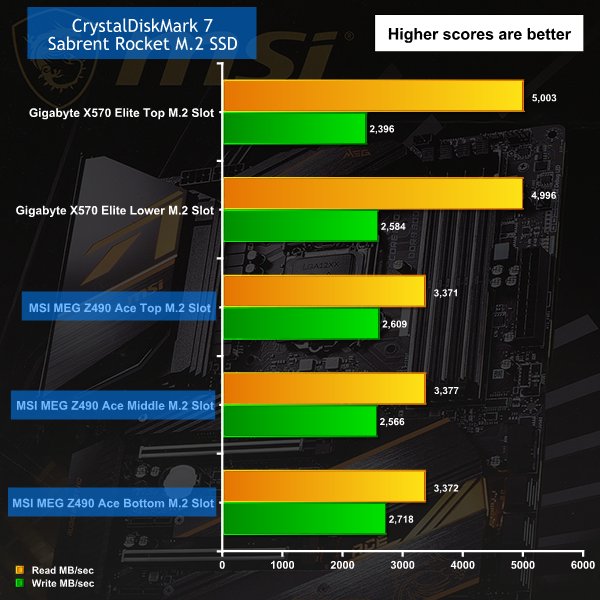
Testing the bandwidth of the M.2 slots reminds us that Intel Z490 and 10th Gen continues to use PCI Express Gen 3 while AMD X570 has moved on to Gen 4.
Power Draw
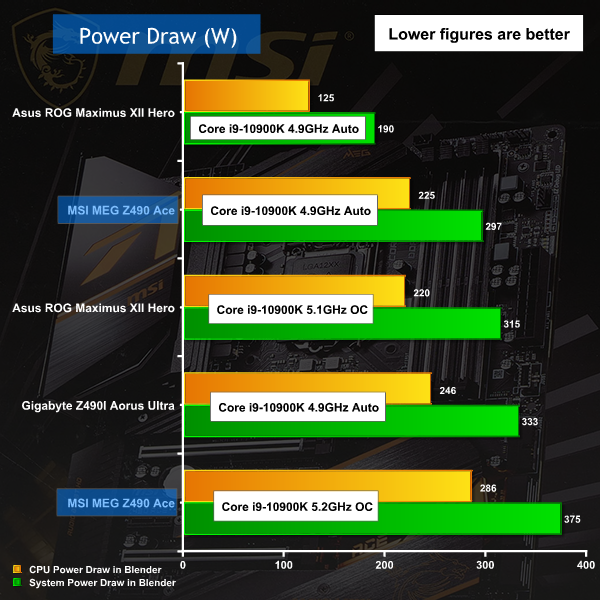
Look at the low end of the chart and you can see the Asus running on Auto while adhering to Intel's guidelines. This has a huge impact on power draw as you can see when you check the MSI on Auto which definitely breaks those guidelines. The overclocked figures for Asus and MSI yield few surprises however the ITX Gigabyte on Auto looks very power-hungry. We shall carry out a full review of the Gigabyte in the near future.
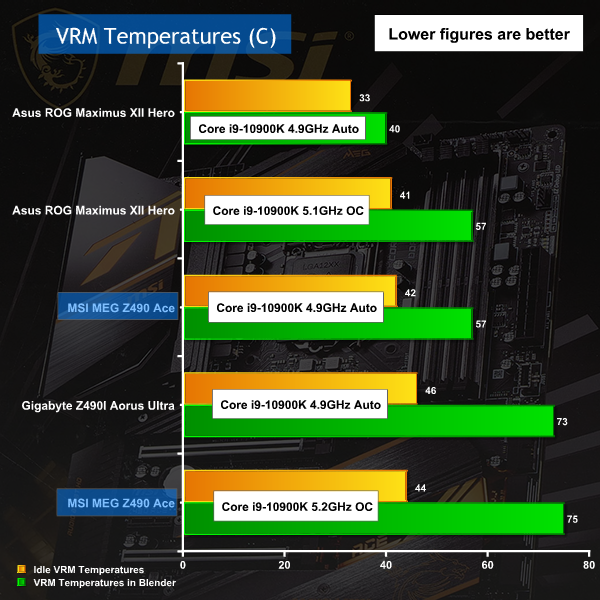
The VRMs in these motherboards are substantial pieces of engineering and you can see the consequence in these charts. By any sensible metric all three boards run relatively cool however the Asus is clearly performing much better than the MSI which starts off warm on Auto and then climbs when we overclocked. By contrast the Asus looks really good and we can hardly wait to get stuck into a full review.
MSI has made a series of correct decisions with the MEG Z490 Ace, though it is not quite perfect. The motherboard has every feature you could reasonably expect to see at this price point as £400 will buy you a significant number of headers and connectors, a good selection of micro buttons on the I/O panel and at the foot of the board along with a POST code debug display. More importantly the VRMs pack 16 stages each rated at 90A which is awesome.
The thing is, if you run the MEG Z490 Ace on Auto and simply enjoy the sterling performance of your 10th Gen CPU then it seems to us you don't need a number of those features. If MSI was to pull back on the list of extras they could surely supply the MEG Z490 Ace for £349 or maybe even £299. Instead you get a motherboard that is fairly pricy and which is clearly aimed at the lazy performance freak.
The way that MSI has chosen to ignore Intel's recommendations on power limits is an object lesson that more power equals more performance equals more heat. Make no mistake, we were mightily impressed by the way that Core i9-10900K would run at 4.9GHz on all ten cores but we were slightly surprised to see it would run at that speed forever, under maximum load.
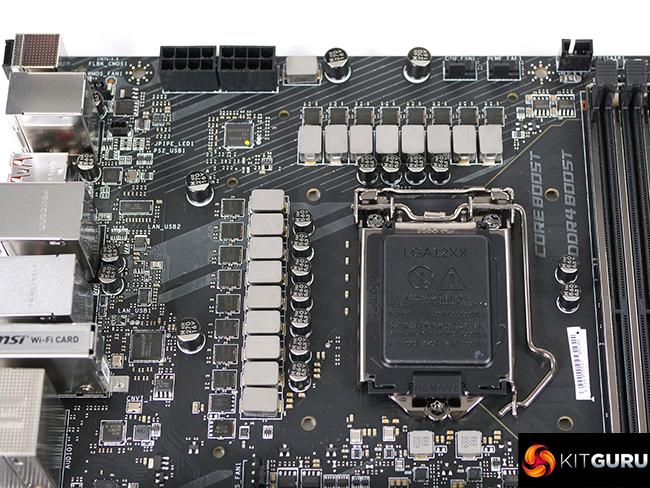
If you choose to dig into the BIOS, reset the power limits and generally calm things down you will take the edge off the MSI MEG Z490 Ace but you may well end up with a better gaming PC. Save 100W here, turn down some fans there, perhaps drop a couple of frames per second and everything comes into equilibrium. One area for improvement is that MSI's hardware does not interface fully with HWiNFO64 and as a VRM monitoring is not possible within the software. This means enthusiast overclockers and undervolters are forced to use the Dragon Centre to monitor critical functions which we are not so keen on.
For us this means the MSI MEG Z490 Ace falls between two stools. If you simply want huge performance and minimum hassle you have no need for a good number of the features on the board. On the other hand if you want to control the hardware and power manually you need to understand what the BIOS is doing and then need to make adjustments as you see fit. Judging by the BIOS updates we have seen over the past few weeks we would advise you to approach any future BIOS updates with a fair degree of caution.

You can buy the MSI MEG Z490 Ace from Overclockers UK £399.95 HERE.
Discuss on our Facebook page HERE.
Pros:
- VRMs are highly specified and can handle any CPU.
- Impressive performance with a 5.2GHz overclock.
- Good list of features and a fully stacked I/O panel.
- Stylish looks and solid construction.
Cons:
- VRM coolers are unimpressive and the add-on fan looks like a cheap fix.
- The BIOS ignores Intel's power guidelines but does not make this apparent to the customer.
- We should be able to monitor VRM temperatures and Vcore with HWiNFO64 and not be forced to use Dragon Centre.
KitGuru says: The MEG Z490 Ace hardware looks good and performs well but we'd like to see a couple of improvements.