KitGuru KitGuru.net – Tech News | Hardware News | Hardware Reviews | IOS | Mobile | Gaming | Graphics Cards


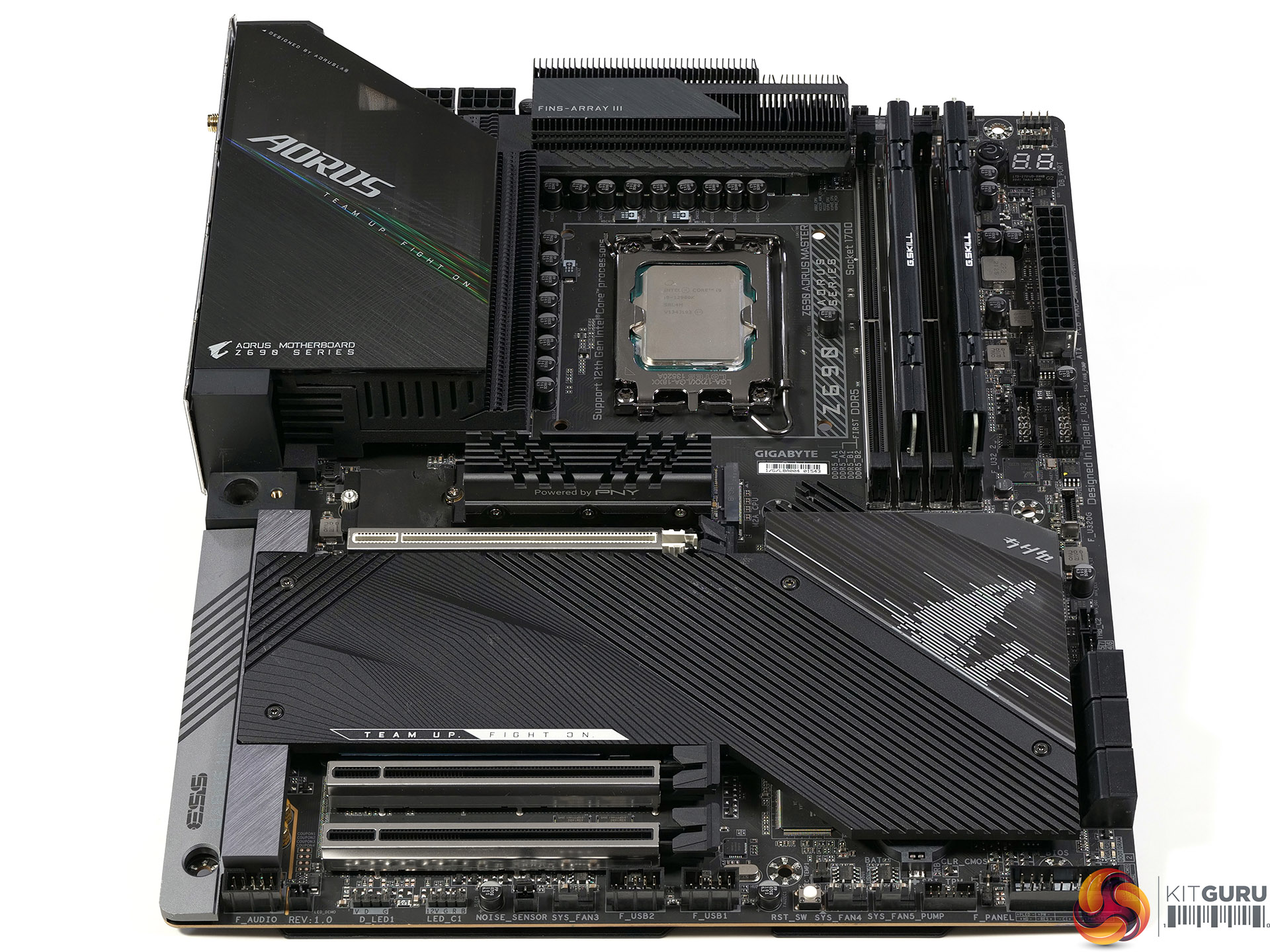
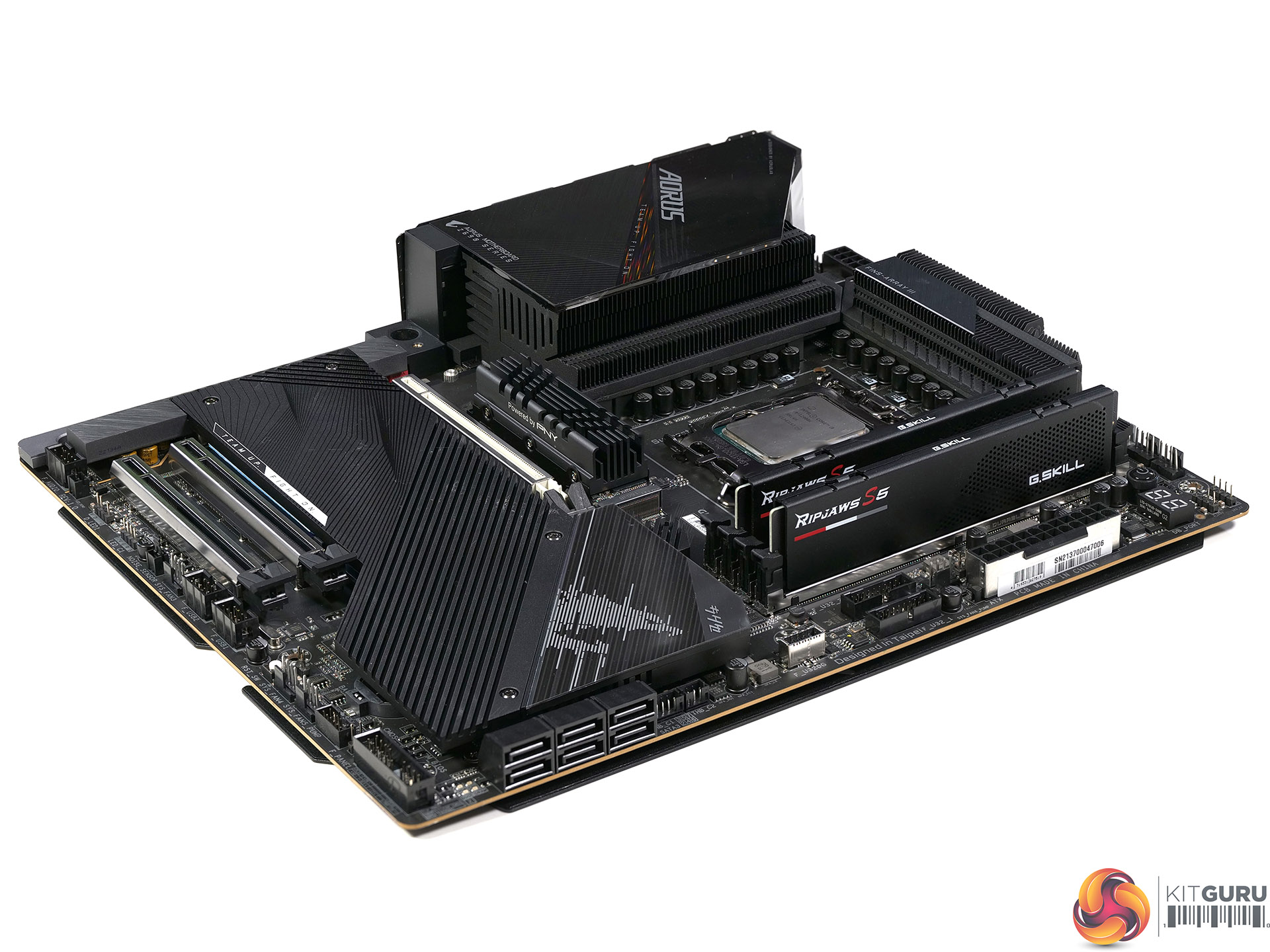
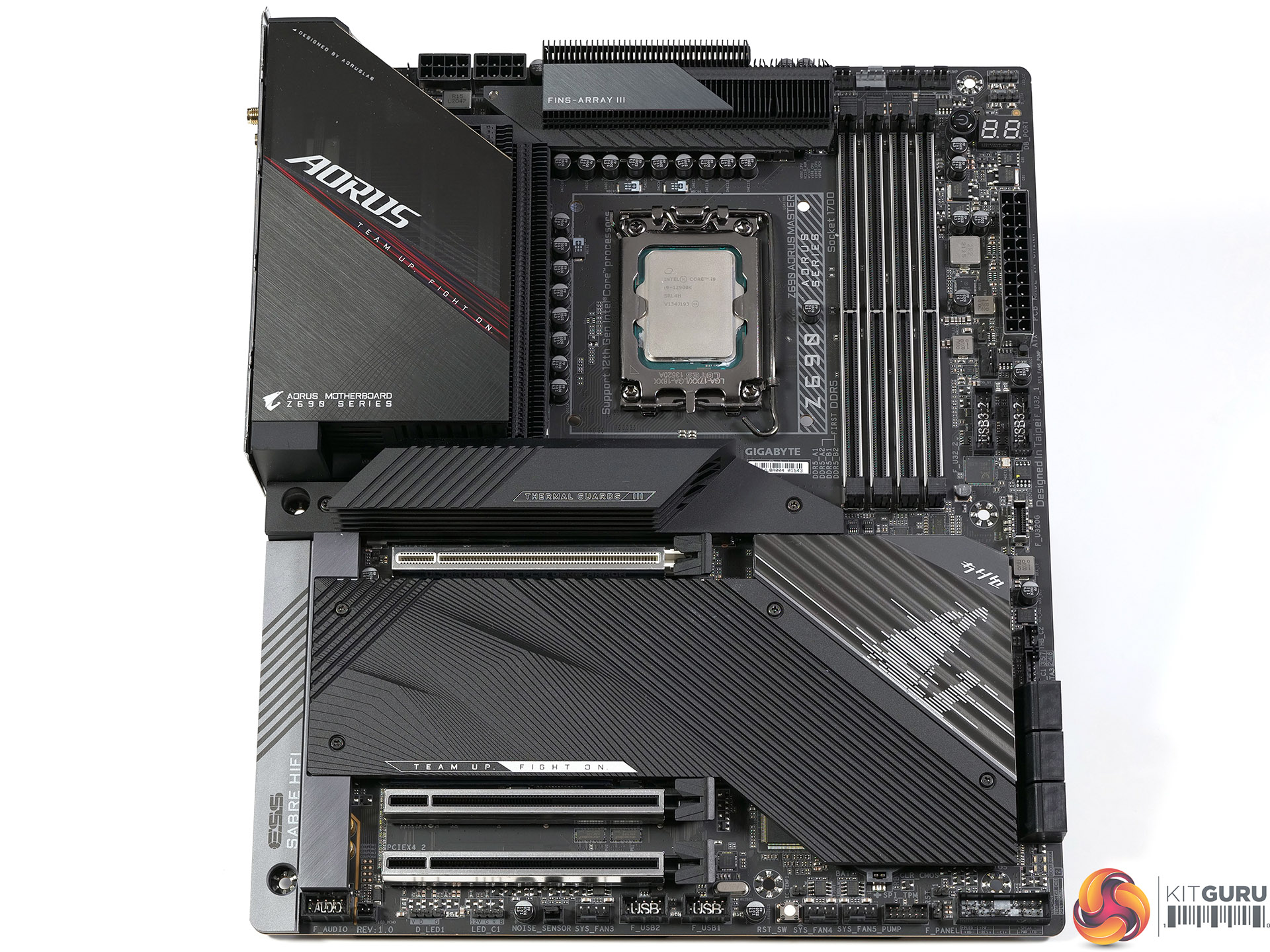
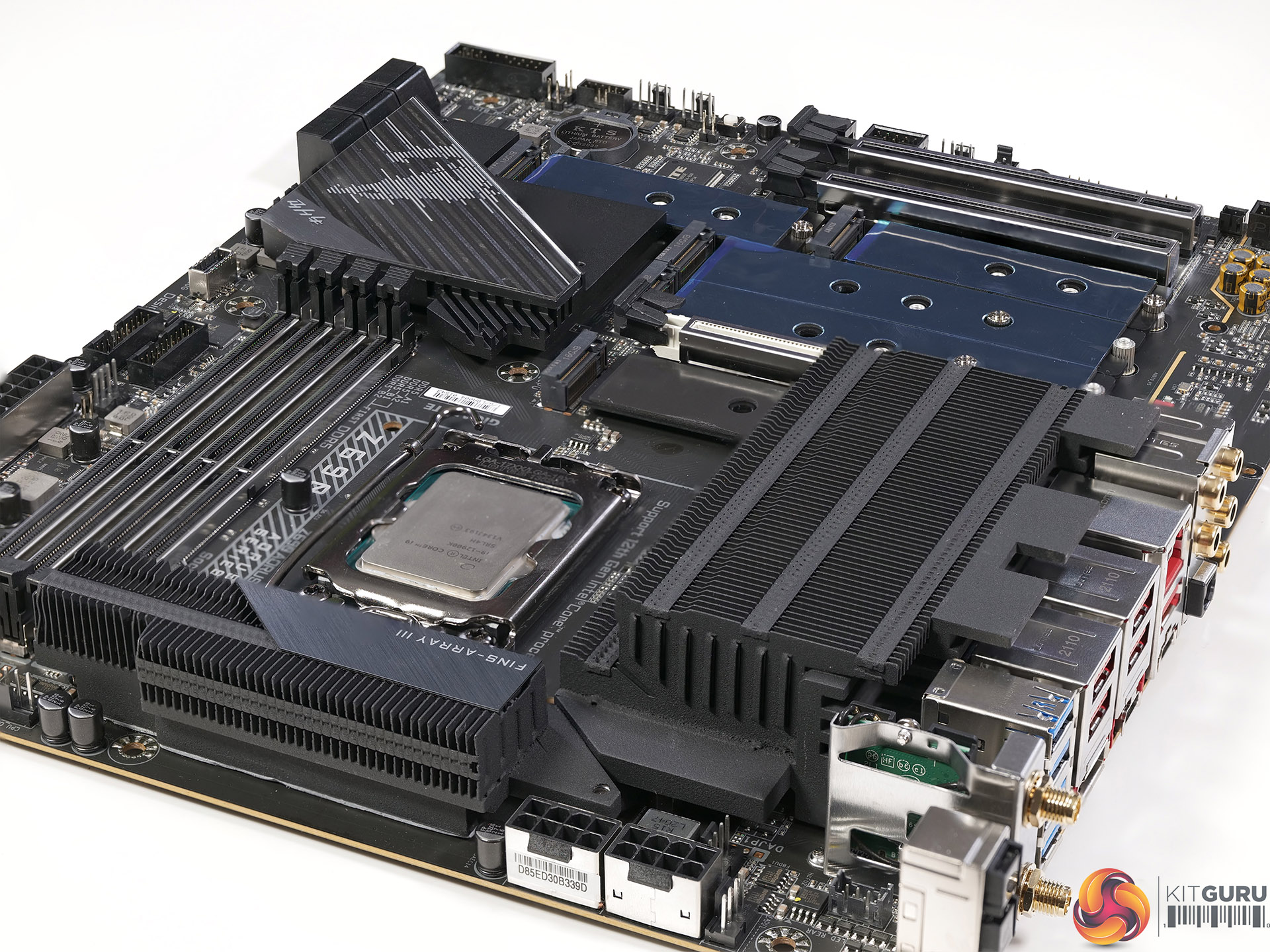
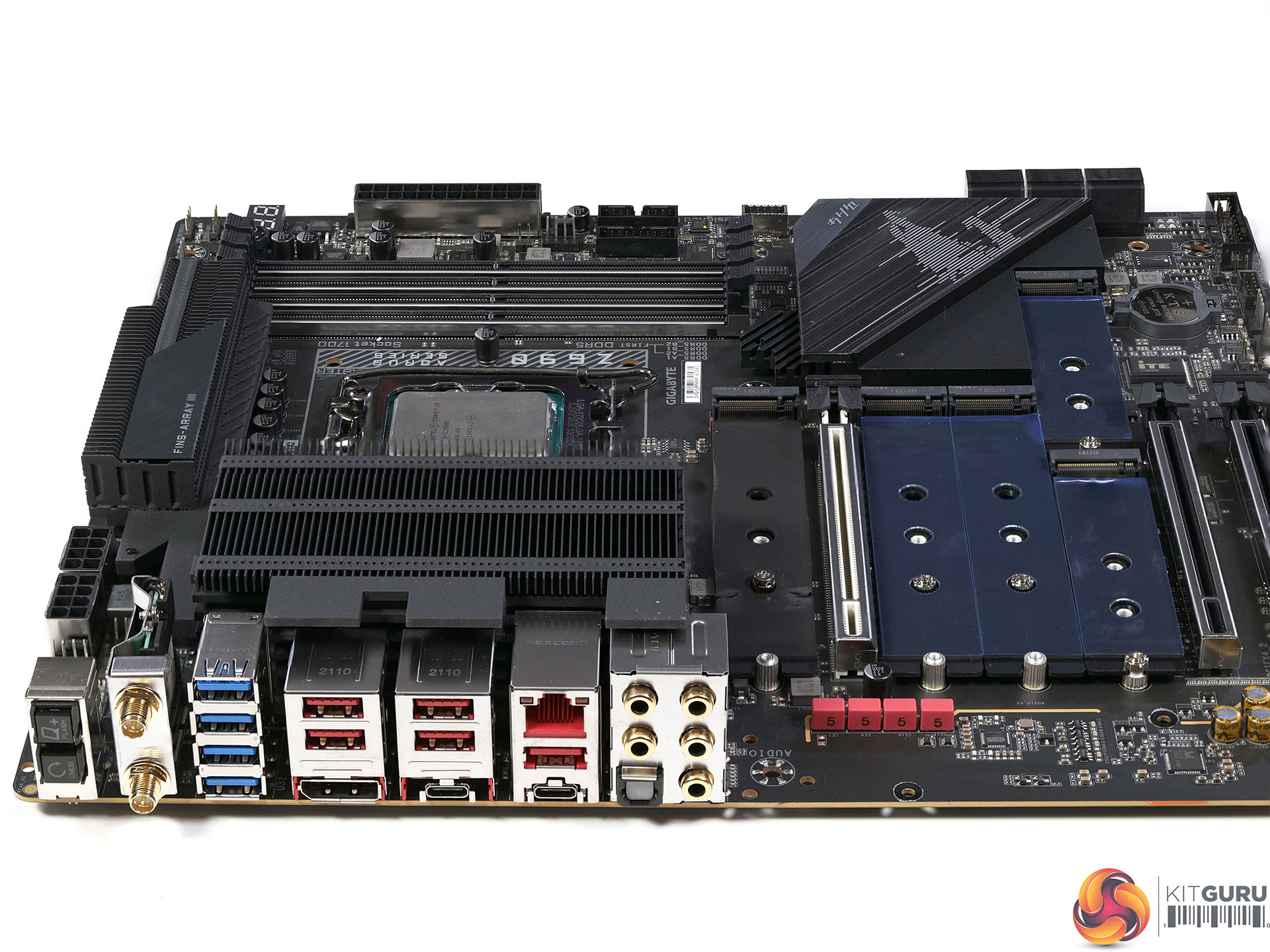
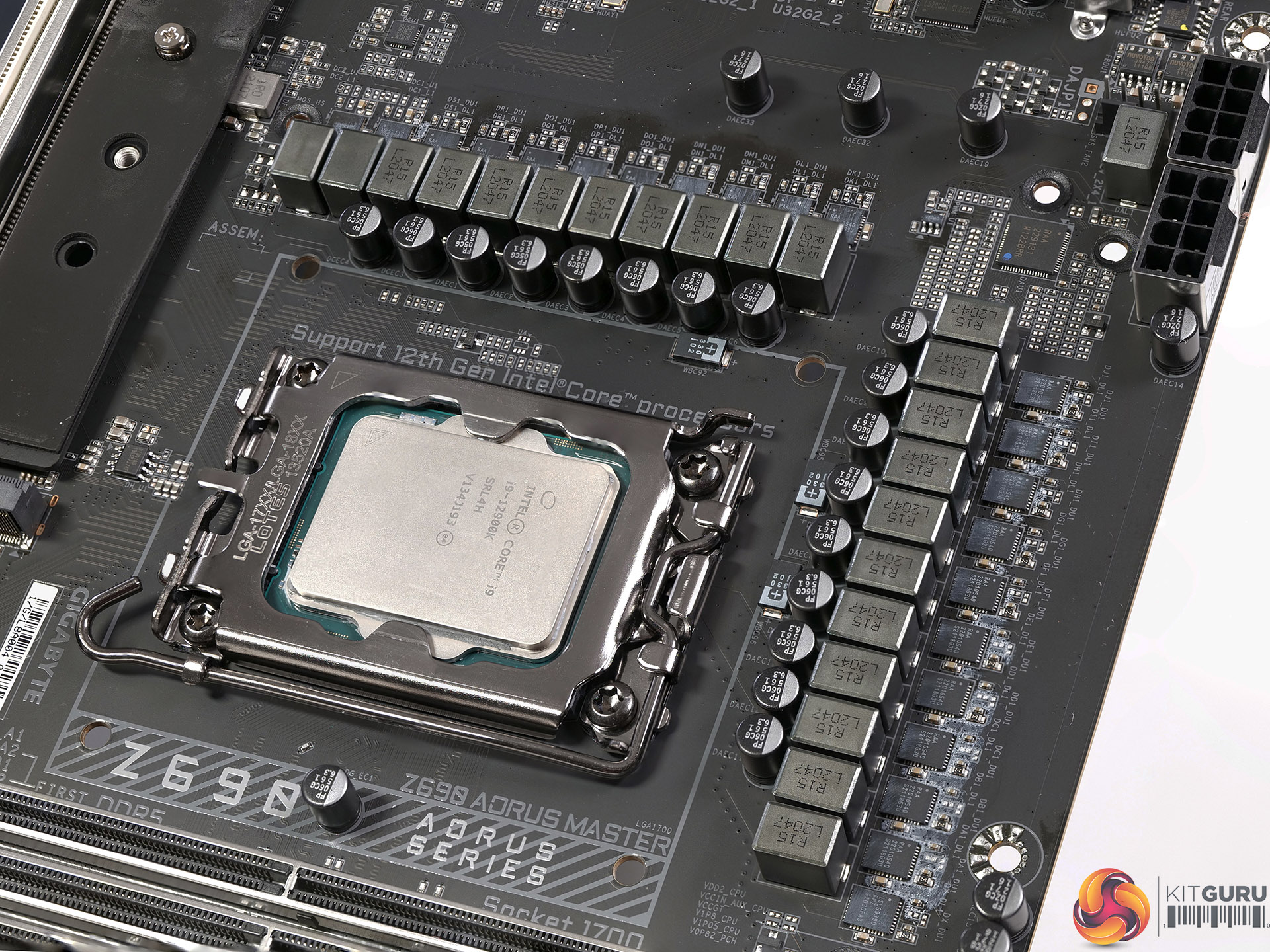
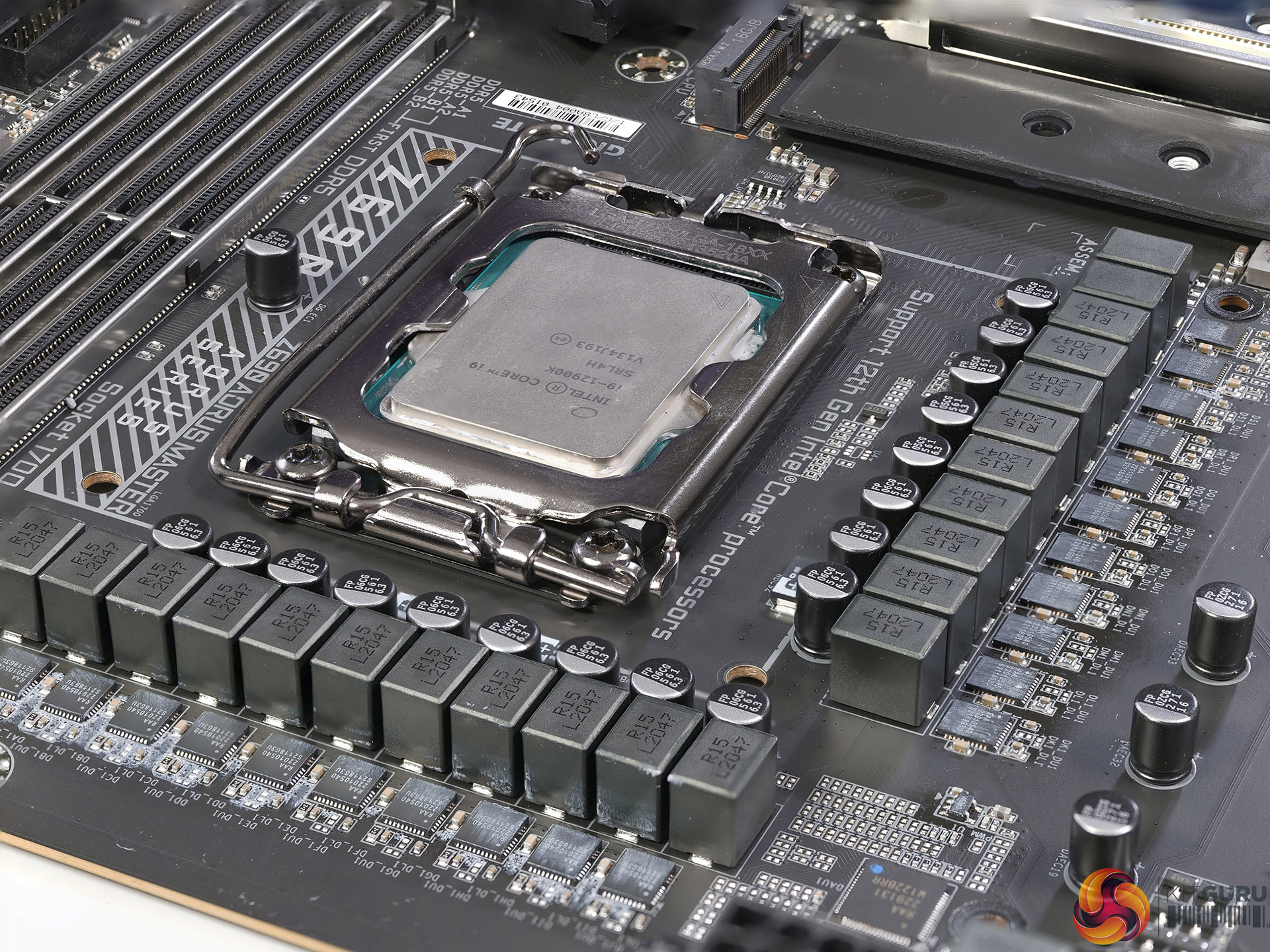
We reviewed the Intel Core i9-12900K some while back and now it is time to take a detailed look at a suitable Z690 chipset motherboard. We are reviewing the Gigabyte Z690 Aorus Master which has a monumental VRM that employs 19x 105A phases for the Vcore and also supports a huge number of USB ports.
Timestamps:
00:00 Start
00:15 Board details
02:56 Rear I/O
03:39 Heatsinks
04:45 VRMs & DisplayPort/HDMI talk
06:53 PCB
07:21 Test System for review
07:48 BIOS
10:25 Test results
14:37 VRM testing
16:54 Leo’s closing thoughts
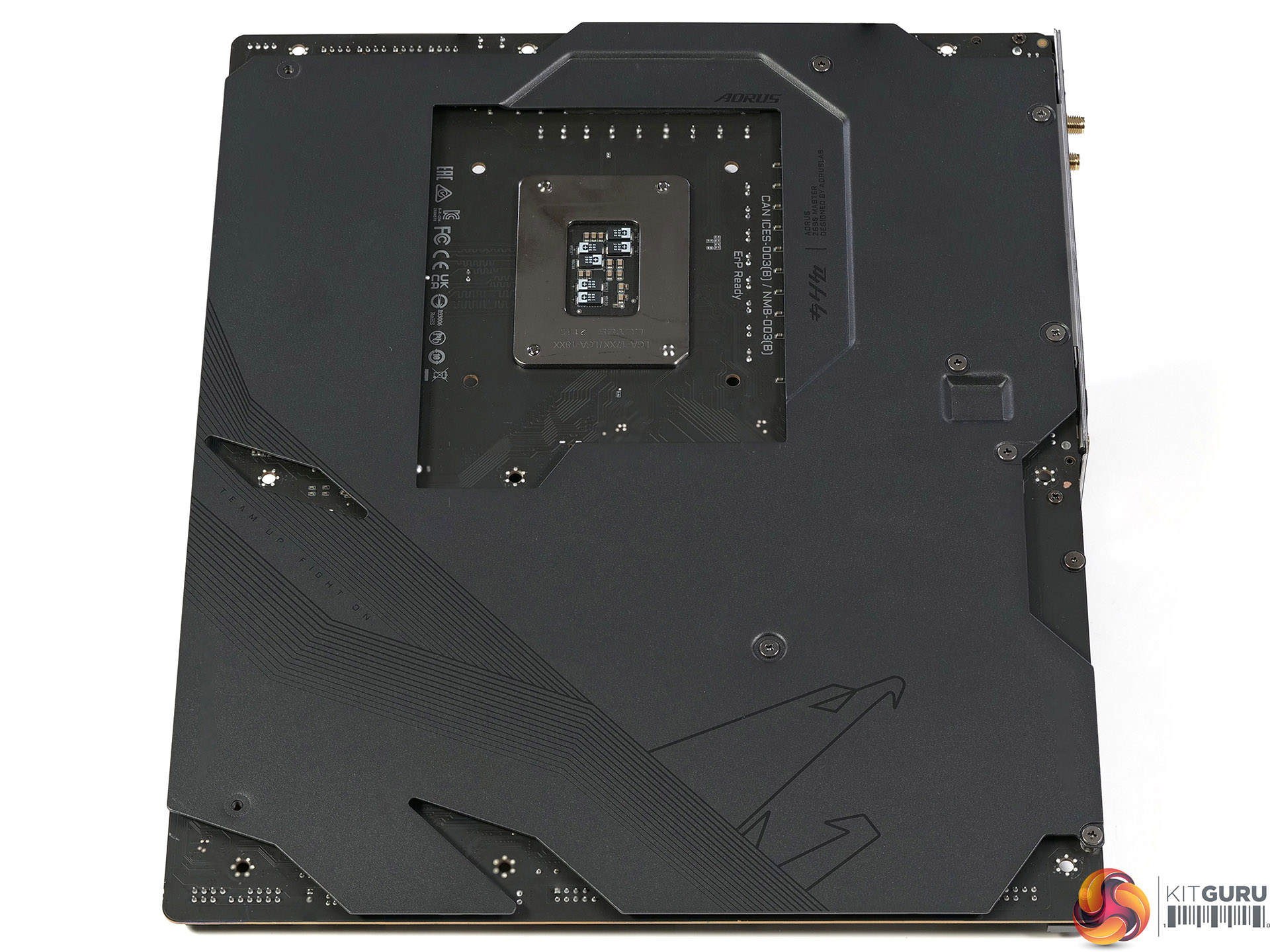
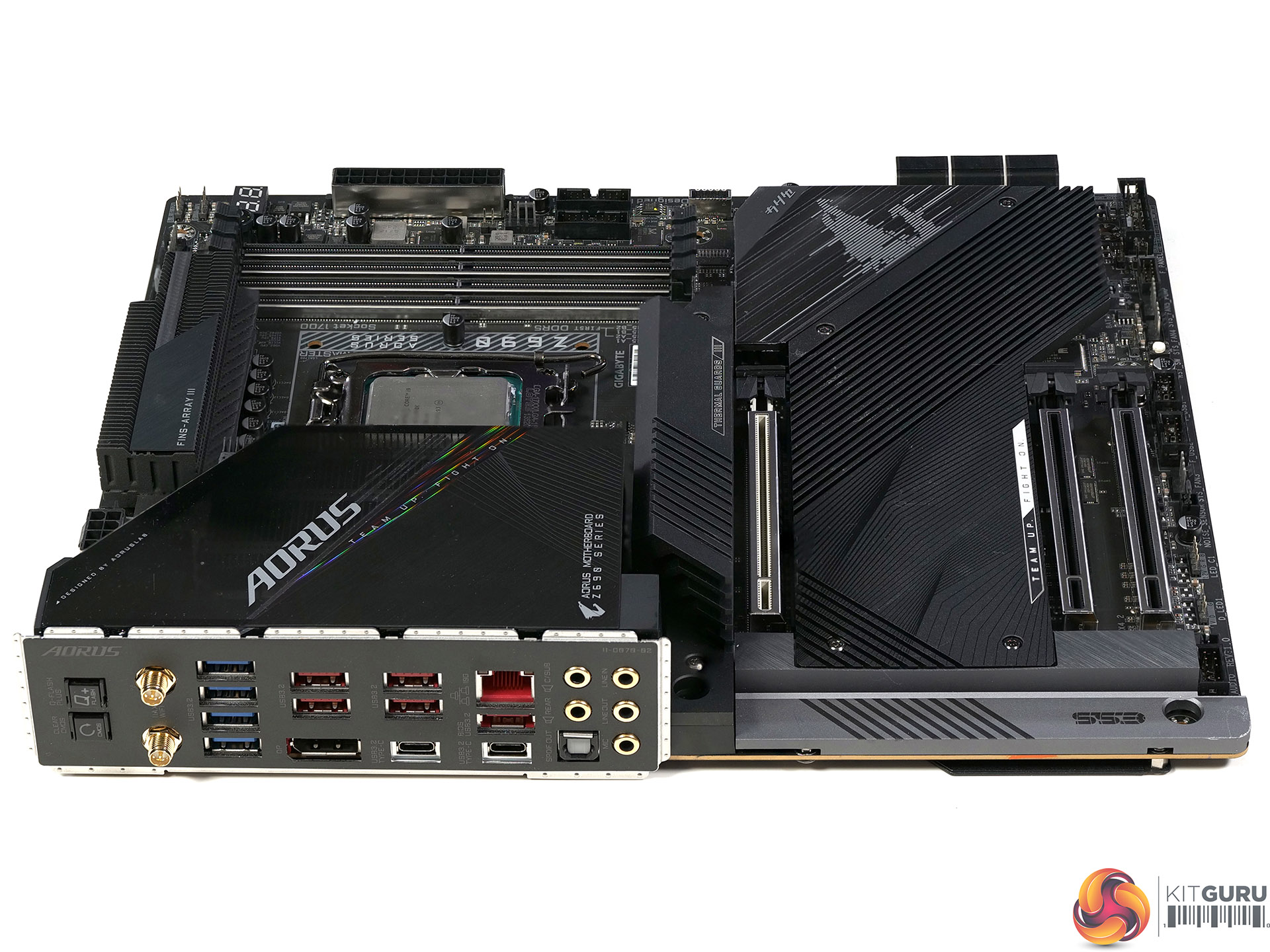
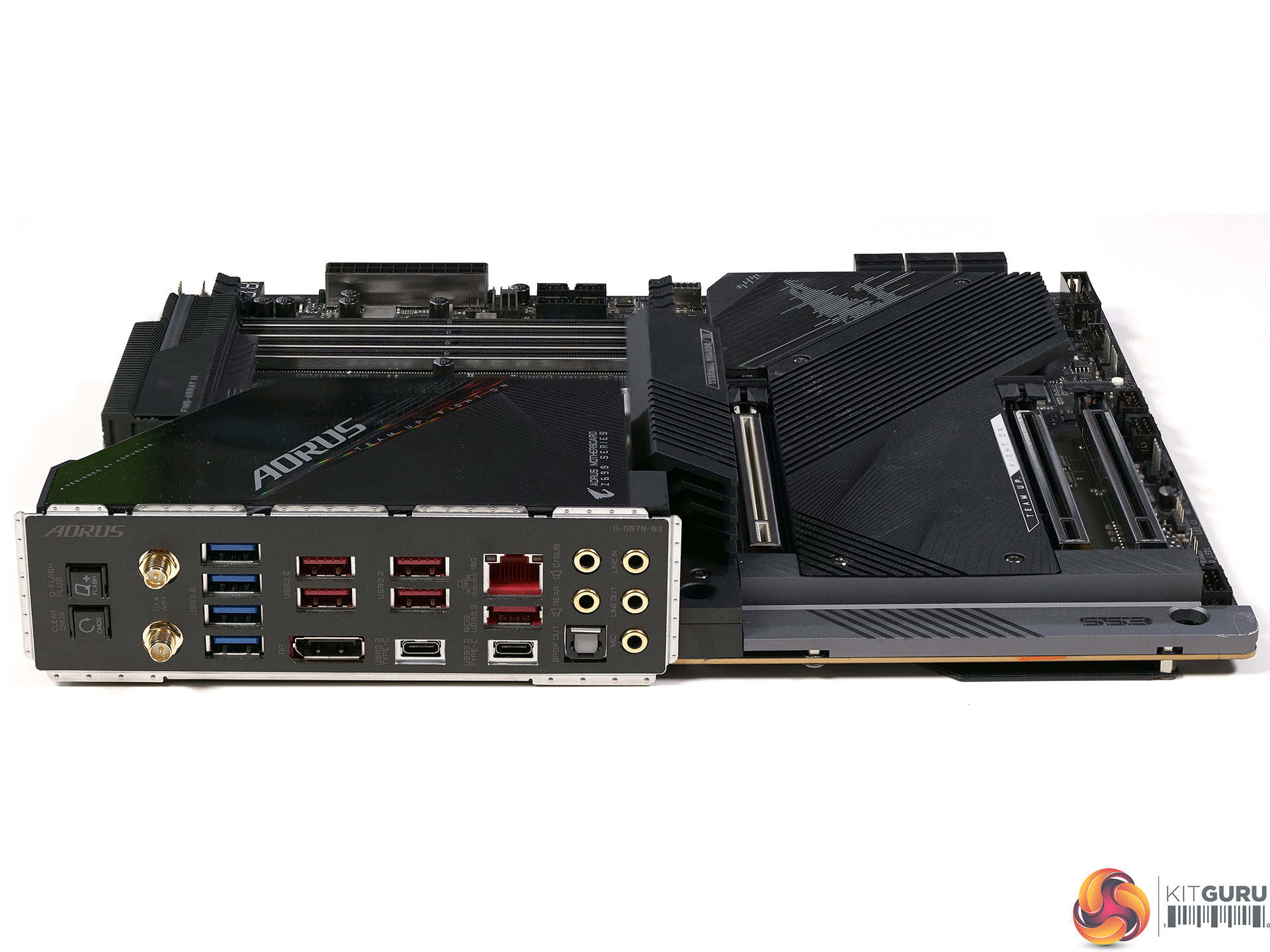
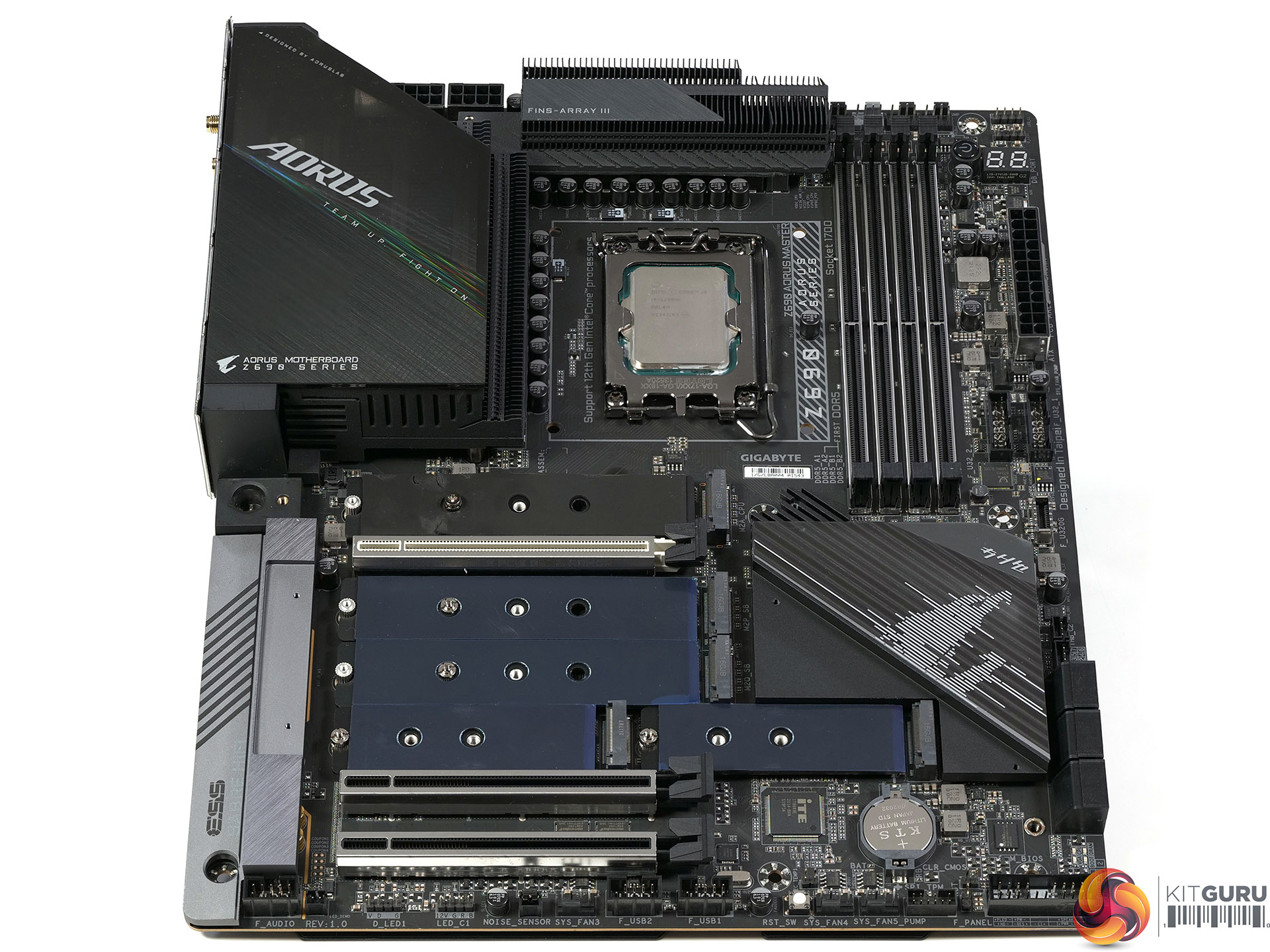
Key features
- Supports 12th Gen Intel Series Processors
- Dual Channel Non-ECC Unbuffered DDR5, 4 DIMMs
- Direct 19+1+2 Phases VRM Design with 105A Power Stage and Tantalum Polymer Capacitors
- DDR5 Xtreme Memory Design with SMD DIMM and Shielded Memory Routing
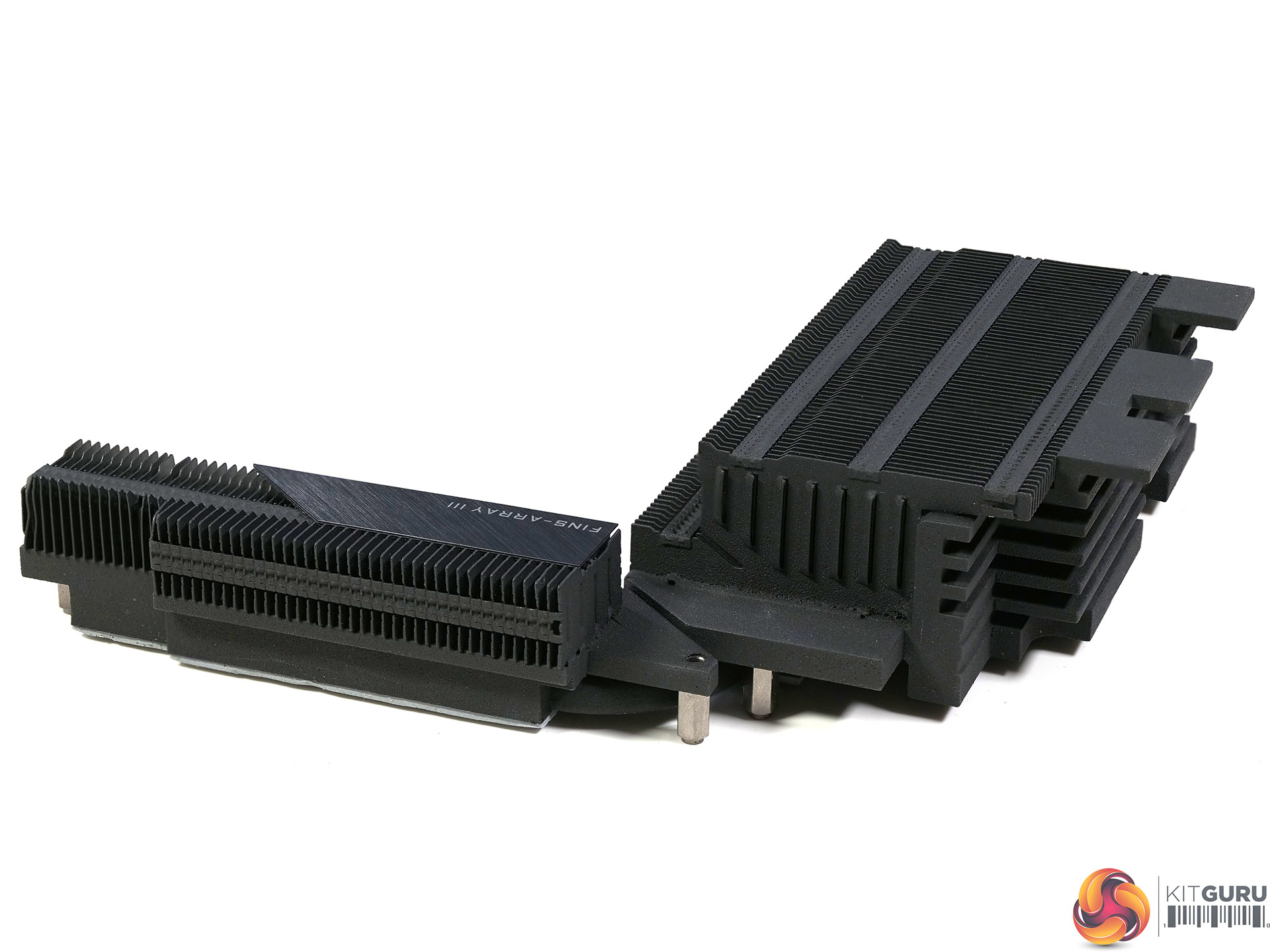
- Advanced Thermal Solution with NanoCarbon Fins-Array III Heatsink, Direct-Touch Heatpipe II and NanoCarbon Baseplate
- Intel WiFi 6E 802.11ax 2T2R and BT5 with Aorus Antenna
- Audio Solution with ESS Sabre ES9118 125dB on Rear Audio
- Aquantia 10GbE LAN
- 5 x Ultra-Fast NVMe PCIe 4.0/3.0 x4 M.2 with Thermal Guards
- RGB Fusion 2.0 with Multi-Zone Addressable LED Light Show Design, Supports Addressable LED & RGB LED Strips
- Smart Fan 6 Features Multiple Temperature Sensors, Hybrid Fan Headers with Fan Stop and Noise Detection
- Q-Flash Plus Update BIOS without installing the CPU, Memory and Graphics Card
Test System:
- Processor: Intel Core i9-12900K (16 cores/24 threads)
- CPU Cooler: Corsair H150i Elite LCD
- Motherboard: Gigabyte Z690 Aorus Master BIOS F7c
- Memory: 32GB Corsair Vengeance DDR5-5200
- Graphics card: Palit RTX 3080 Gaming Pro 10GB
- Power supply: Seasonic Prime Titanium 850W
- SSD: 500GB Sabrent Rocket 4.0 M.2 NVMe
- OS: Windows 11
CPU Performance – Cinebench R23 and BAPCo CrossMark
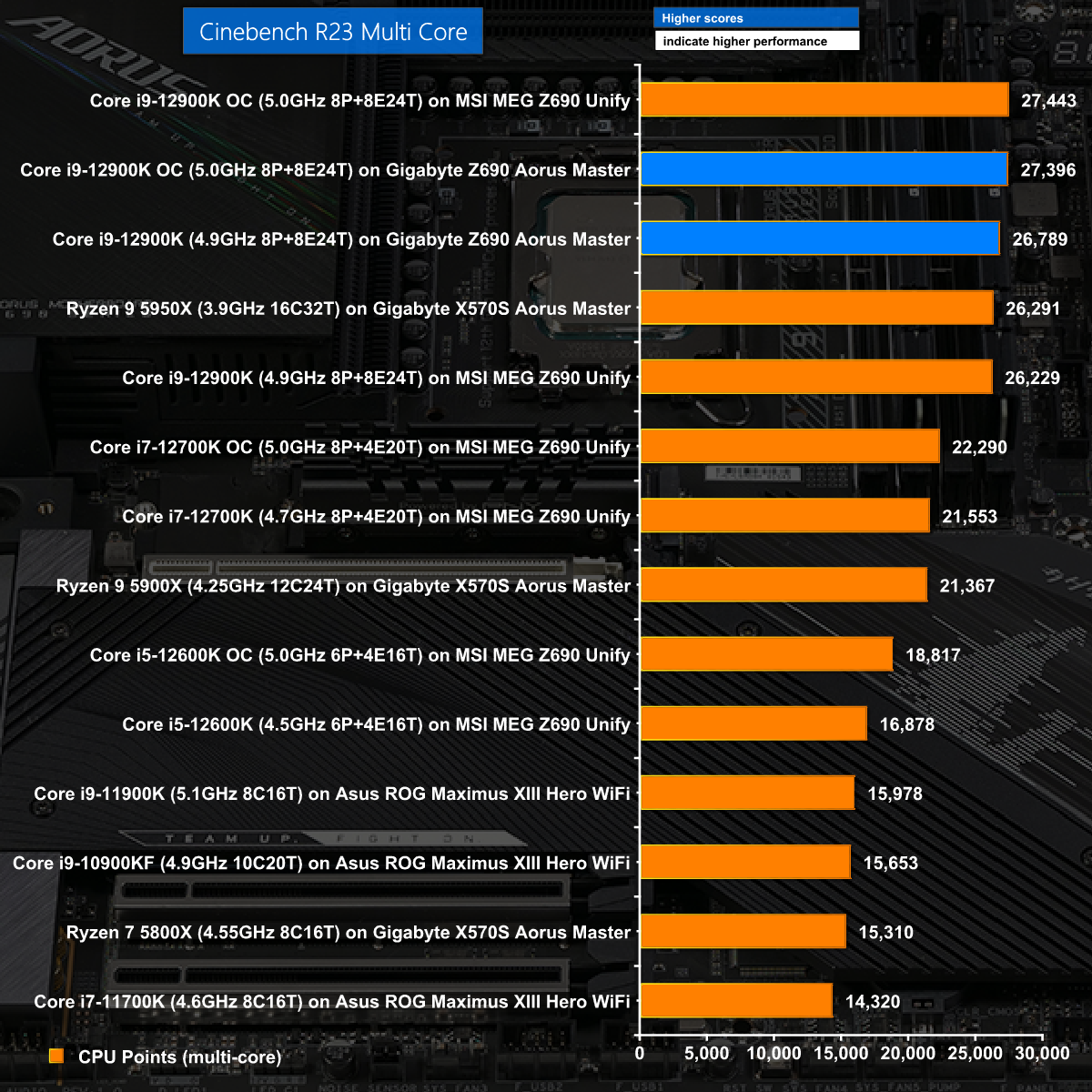
In Cinebench R23 Multi the Gigabyte Z690 Aorus Master fully supports the Core i9-12900K with the P cores running at 4.9GHz and the E cores at 3.7GHz on Auto.
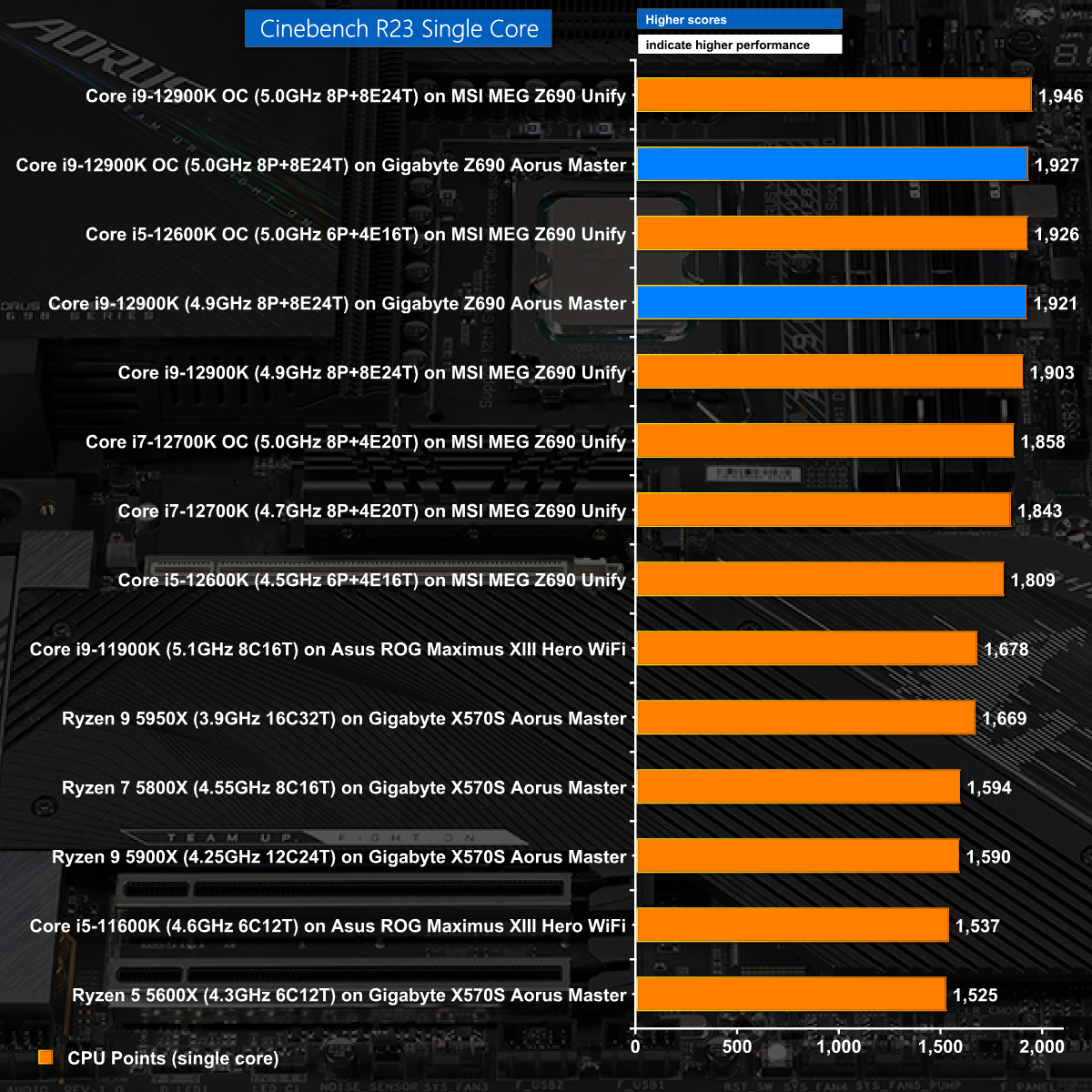
In Cinebench R23 Single core we see performance that is exactly in line with our original review of the Core i9-12900K.
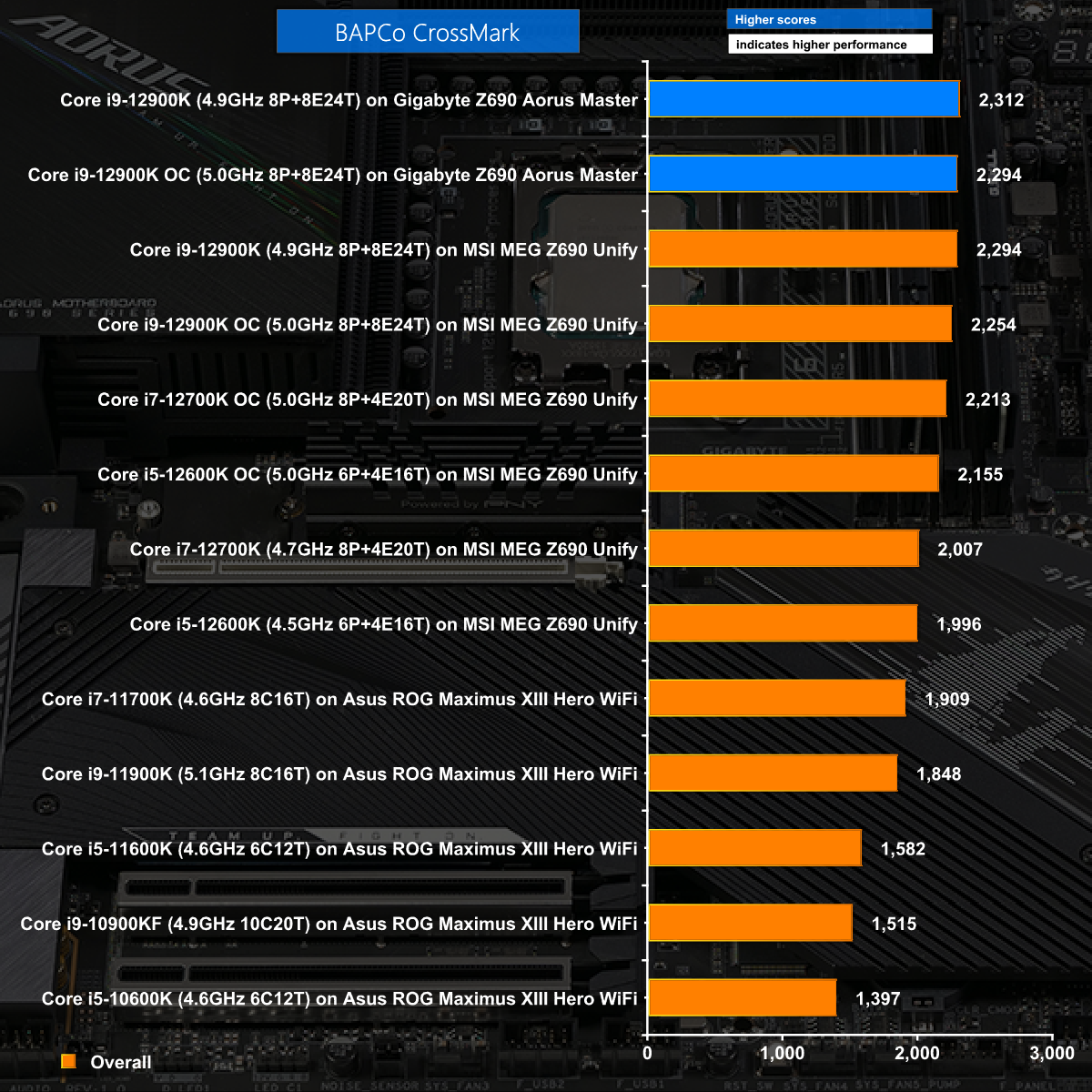
BAPCo CrossMark delivered good results for the Gigabyte Z690 Aorus Master however it only beat the MSI MEG Z690 Unify by the tiniest of margins.
CPU Performance – Handbrake and AIDA64
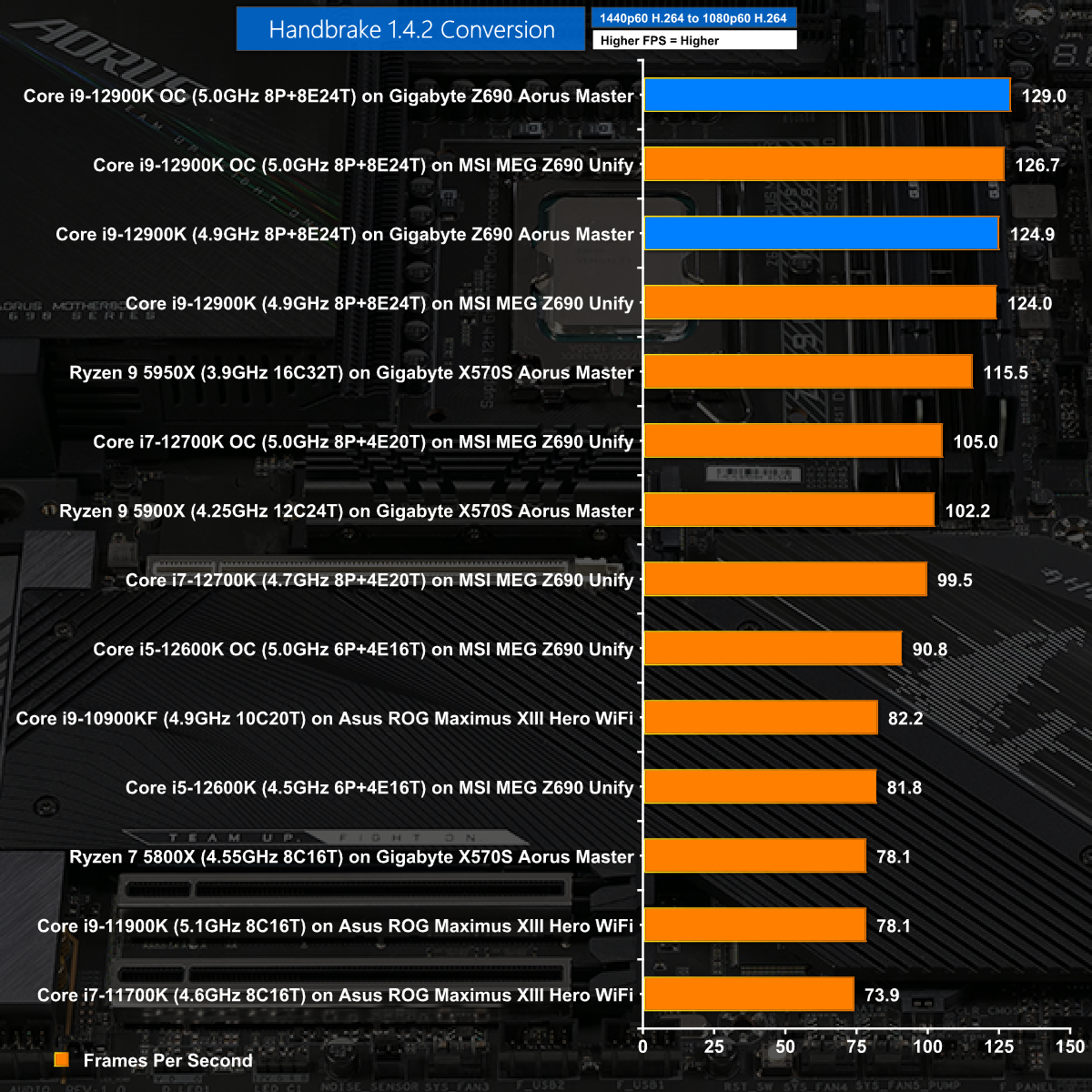
Our H.264 conversion test showed the Gigabyte Z690 Aorus Master in a very good light with performance that tops the chart.
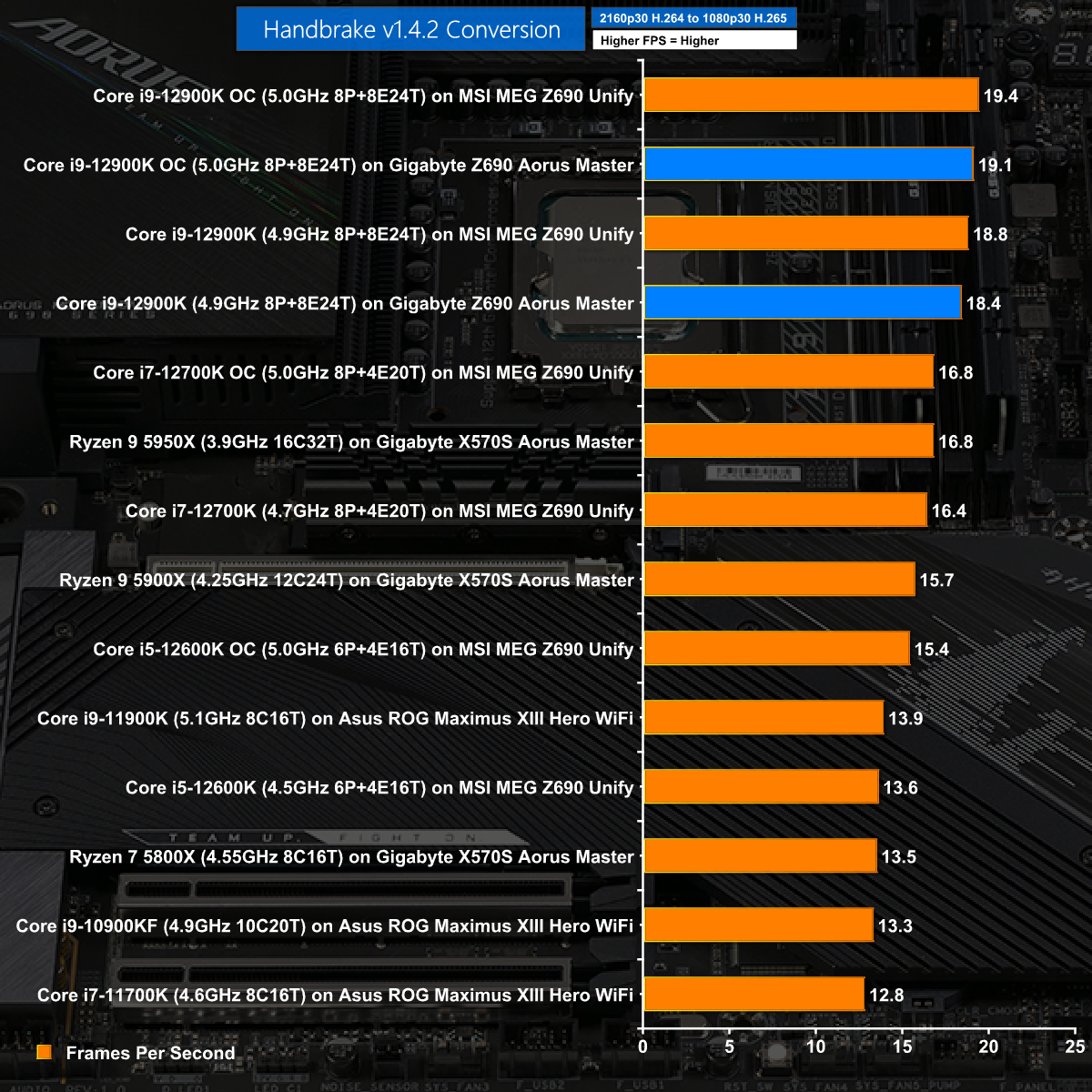
In our H.265 test the Gigabyte does well but falls slightly behind the MSI.
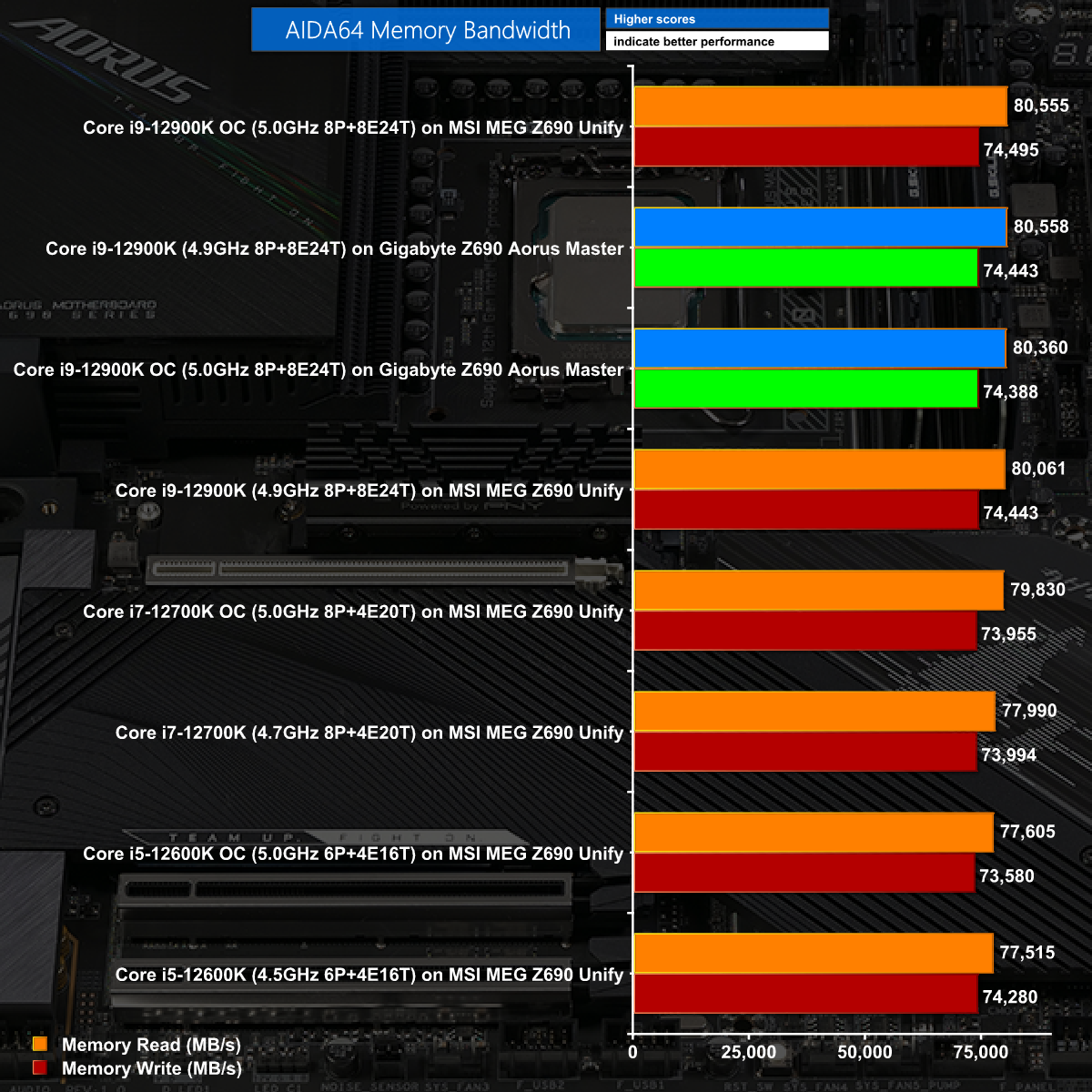
The AIDA64 Memory Bandwidth gives the win to MSI MEG Z690 Unify however the numbers are very close. In essence the Corsair Vengeance DDR5 runs at XMP on both motherboards without any fuss or drama.
Games Testing: 3DMark and Far Cry 6
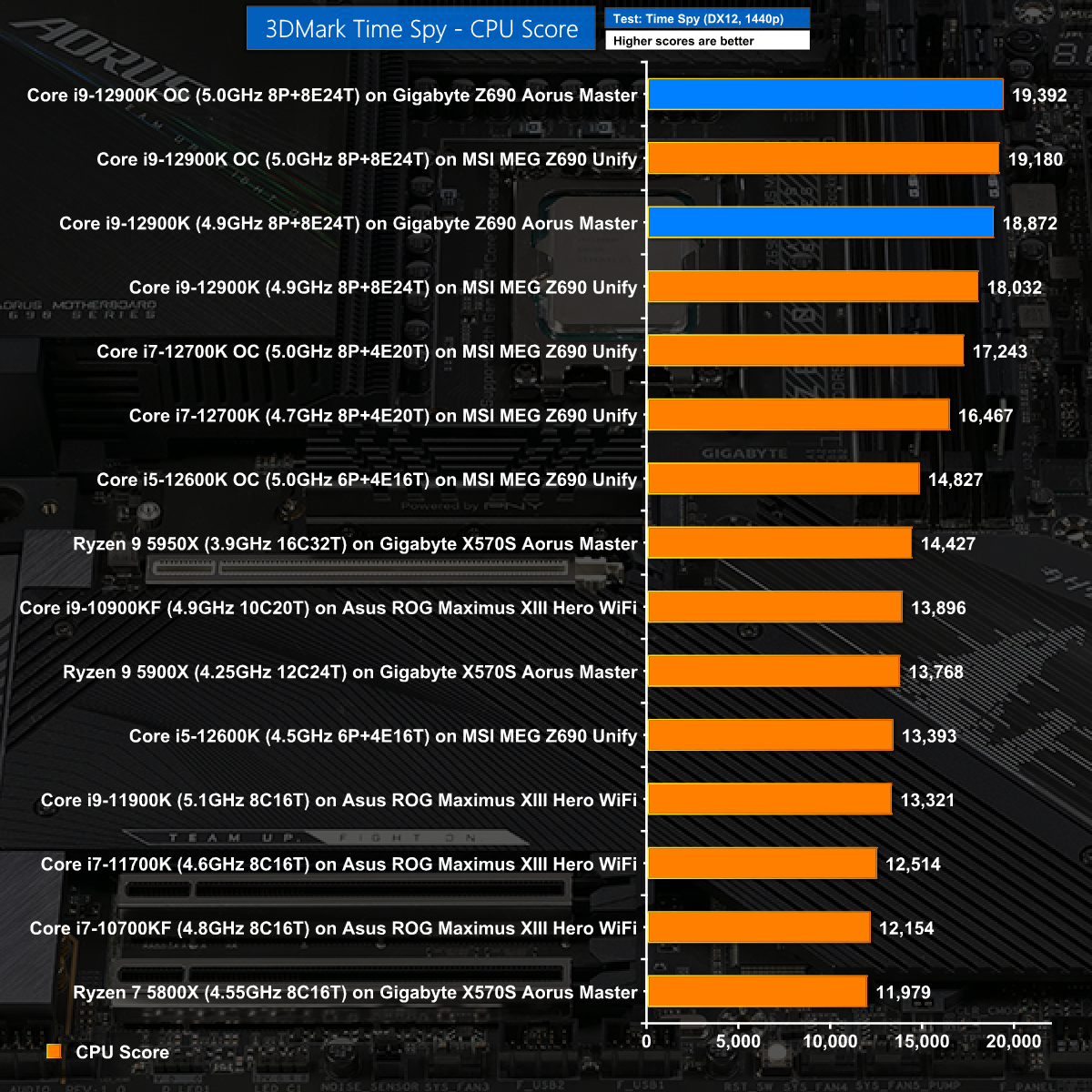
In the CPU test of 3D Mark Time Spy the Gigabyte Z690 Aorus Master wins by a handy margin. When we retest the MSI MEG Z690 Unify in the near future we will be able to determine just how large the gap is.
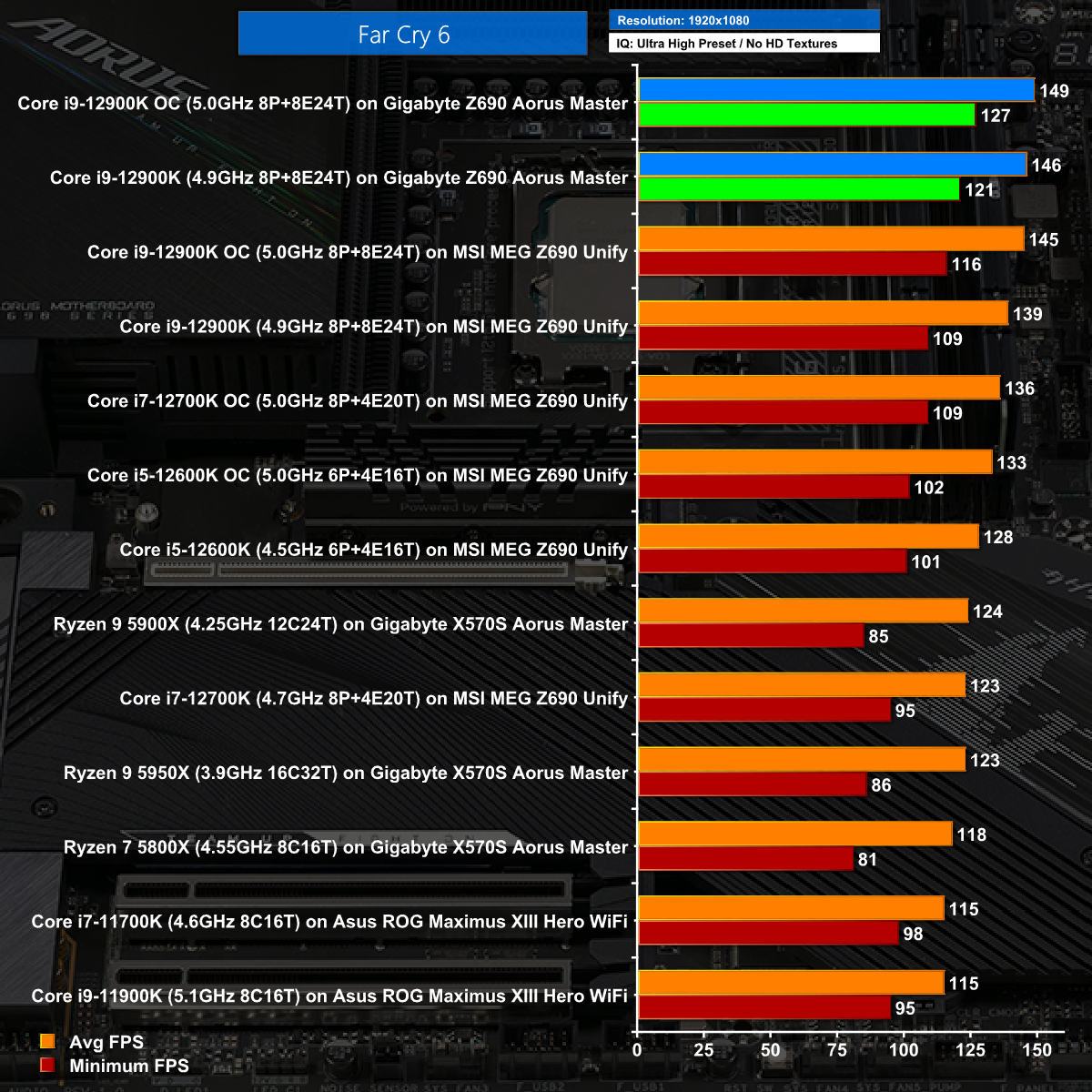
At 1080p in Far Cry 6 the gaming results on Intel Alder Lake are truly impressive.
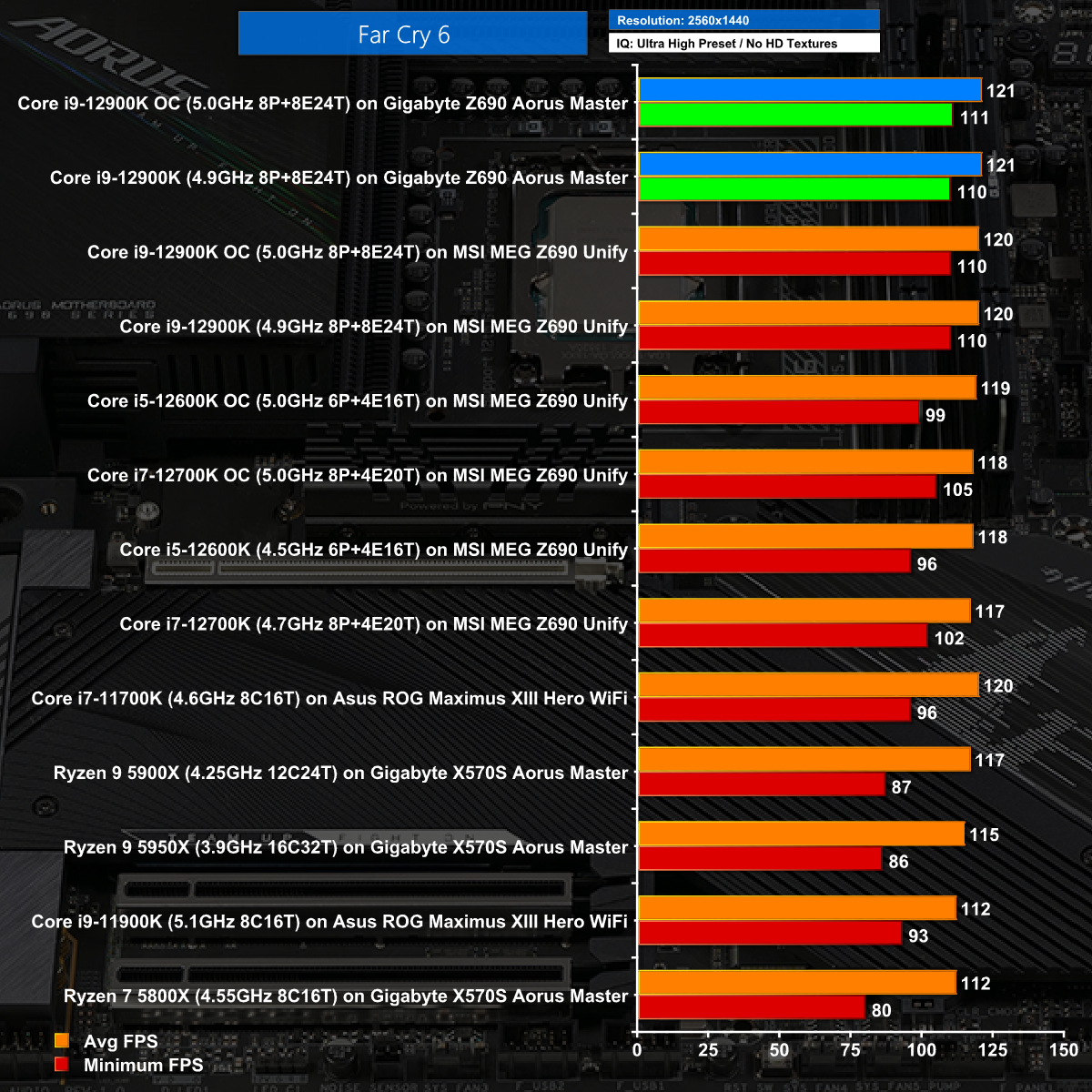
Increasing the resolution to 1440p makes life tougher for the hardware however the Gigabyte Z690 Aorus Master delivers top results.
Games Testing: Far Cry New Dawn and Watch Dogs Legion
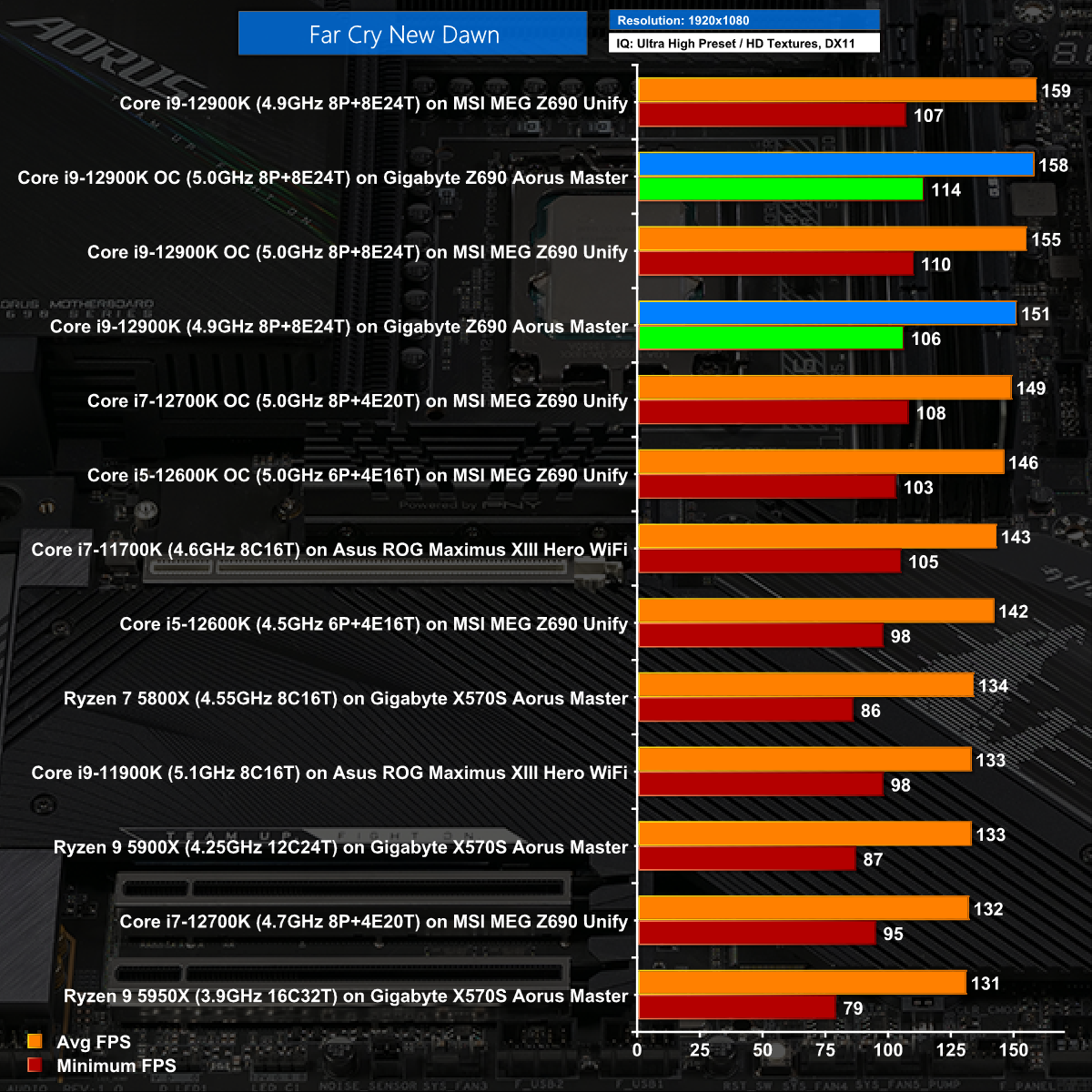
In Far Cry New Dawn at 1080p we see the Gigabyte Z690 Aorus Master performs very well indeed.
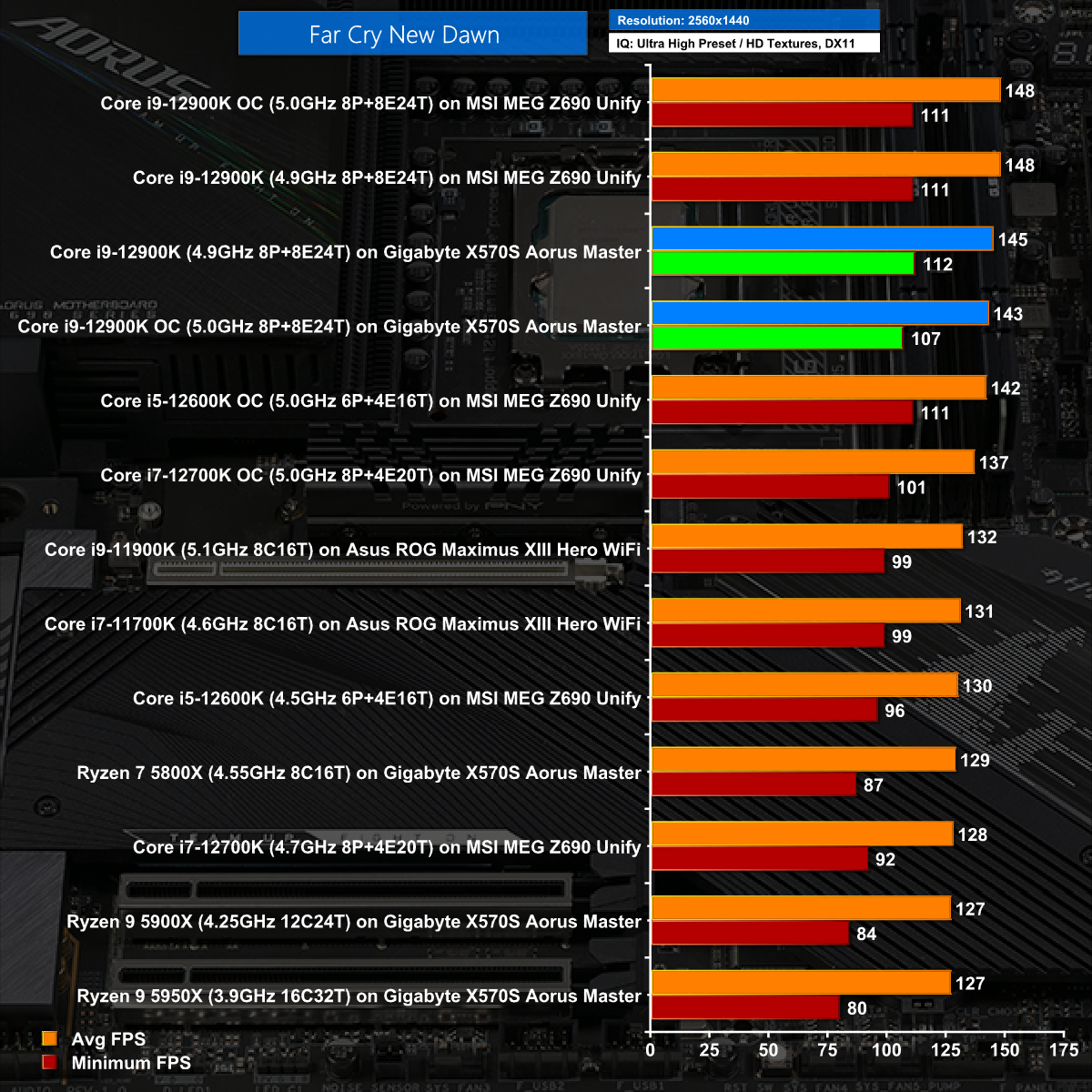
At 1440p the Gigabyte loses out to the MSI Unify by a small number of frames per second.
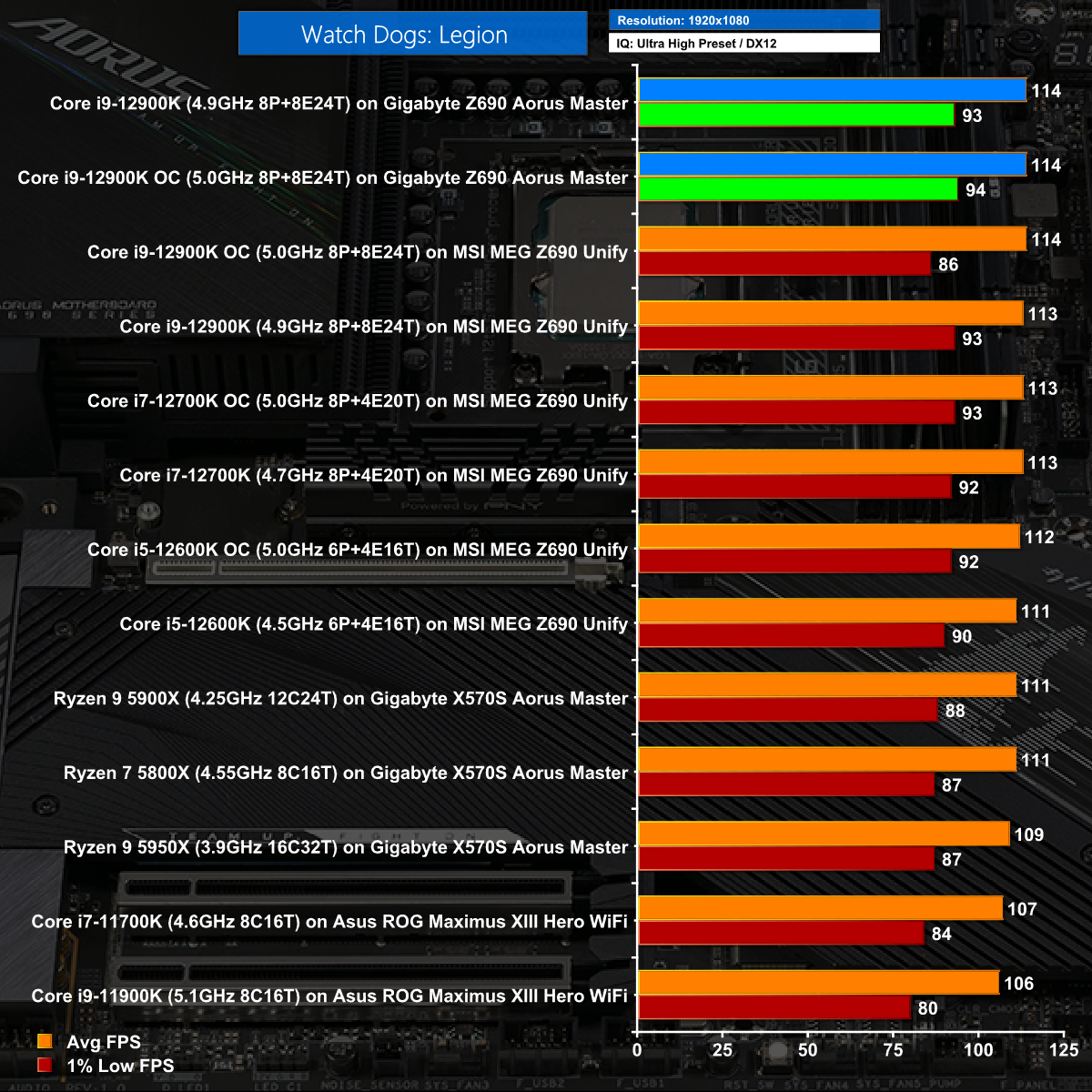
In Watch Dogs Legion at 1080p the Gigabyte tops the charts.
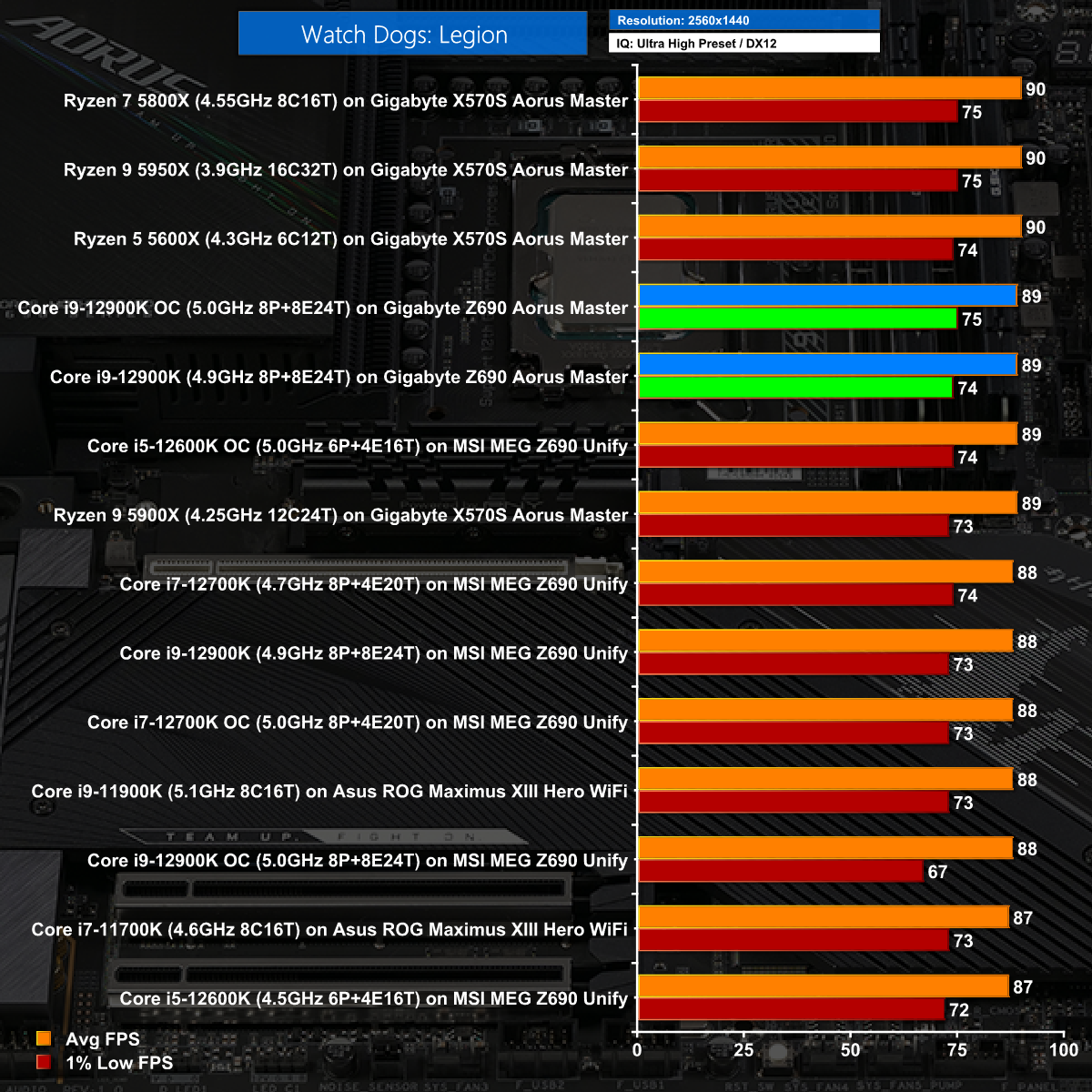
Watch Dogs Legion at 1440 is dominated by the AMD CPUs and then followed by the Gigabyte Z690 Aorus Master however the margin of victory over the MEG Unify is tiny.
Technical Testing: Power and Heat
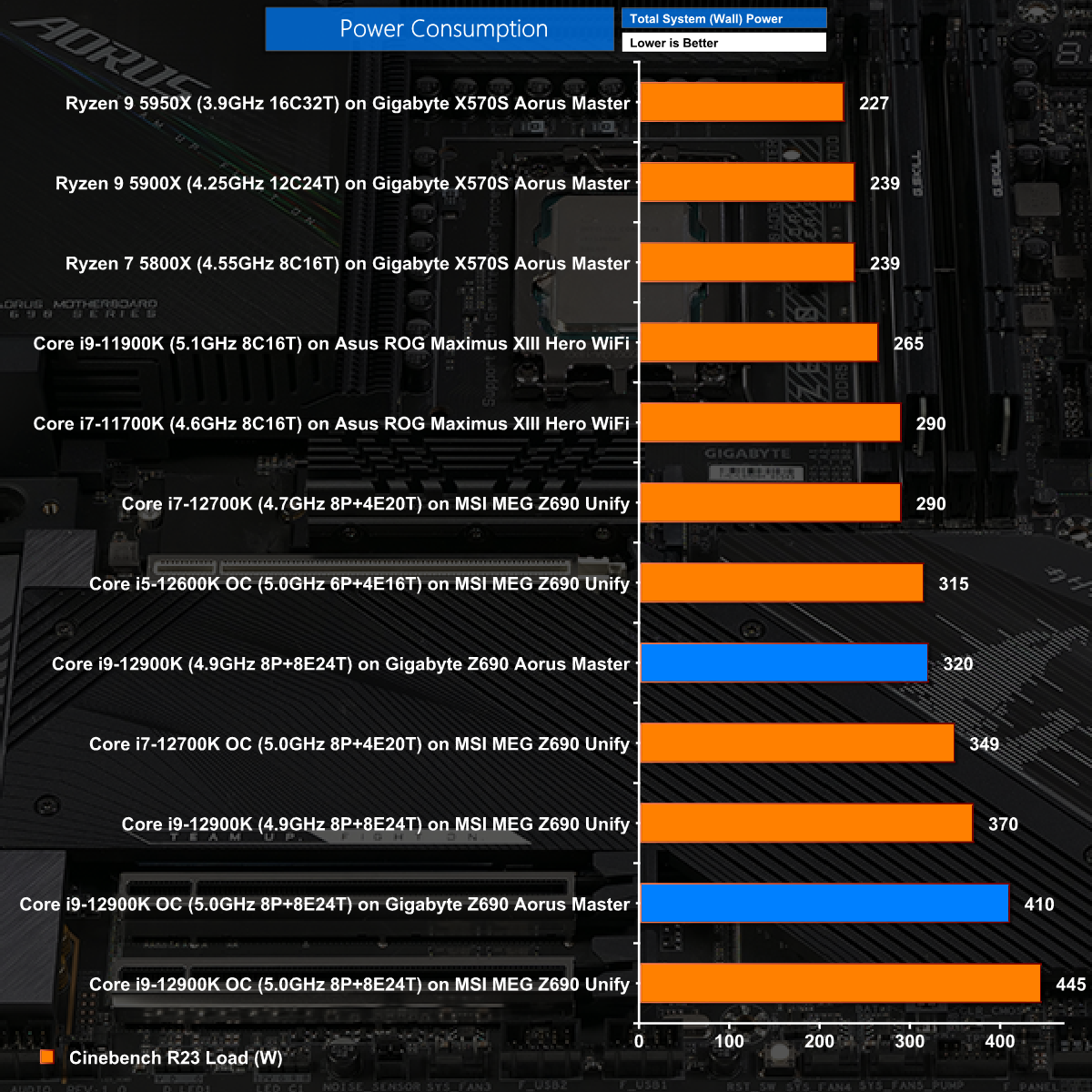
We know that Core i9-12900K requires a significant amount of power but it comes as a real surprise to see the Gigabyte Z690 Aorus Master can power the CPU using 50W less than the MSI MEG Z690 Unify. We cannot wait to retest the MSI motherboard as it currently seems that Gigabyte has done something rather clever with their BIOS and voltage settings.
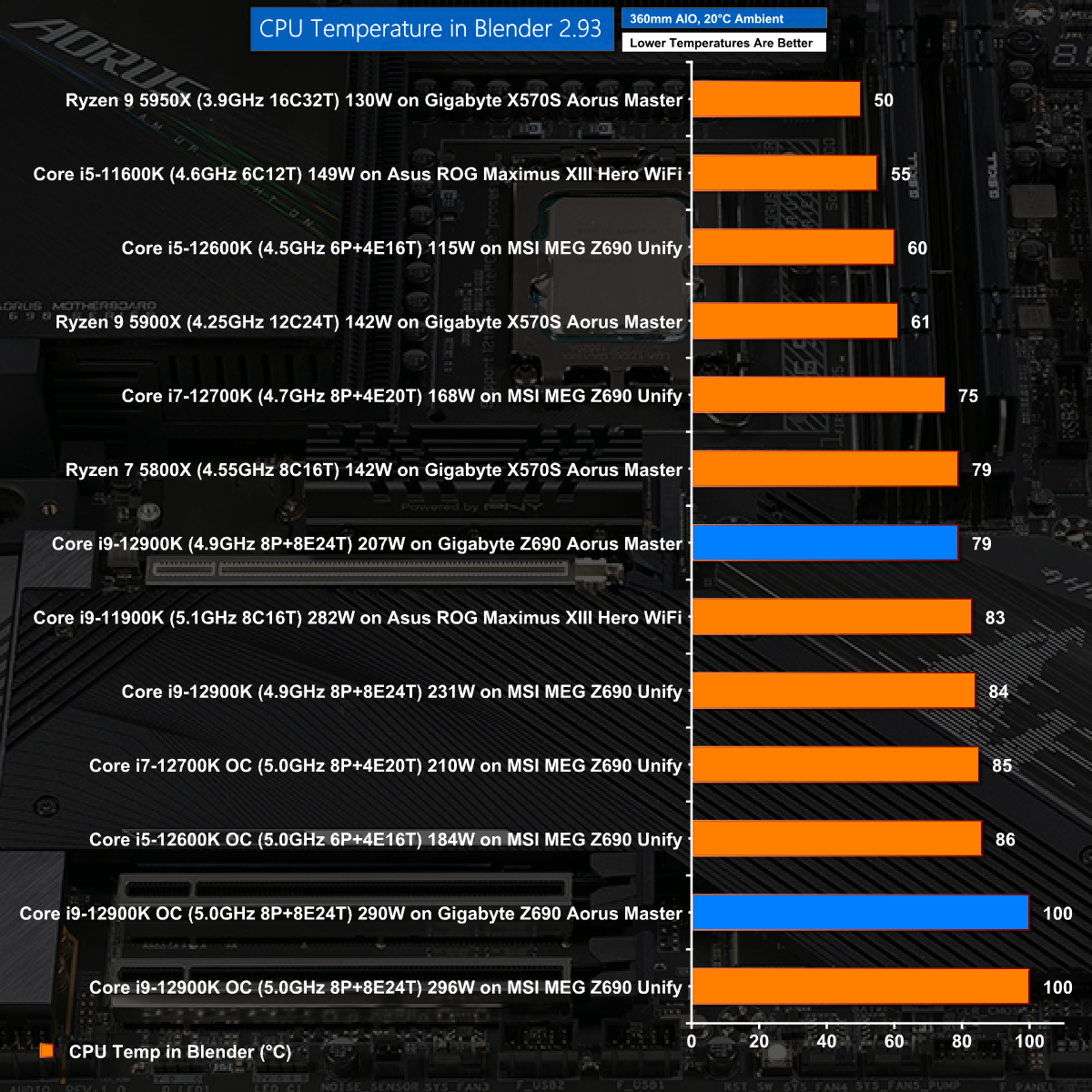
With the CPU running on Auto we see loaded temperatures that are very acceptable, however that goes out the window when the Core i9 is overclocked and immediately hits 100 degrees C.
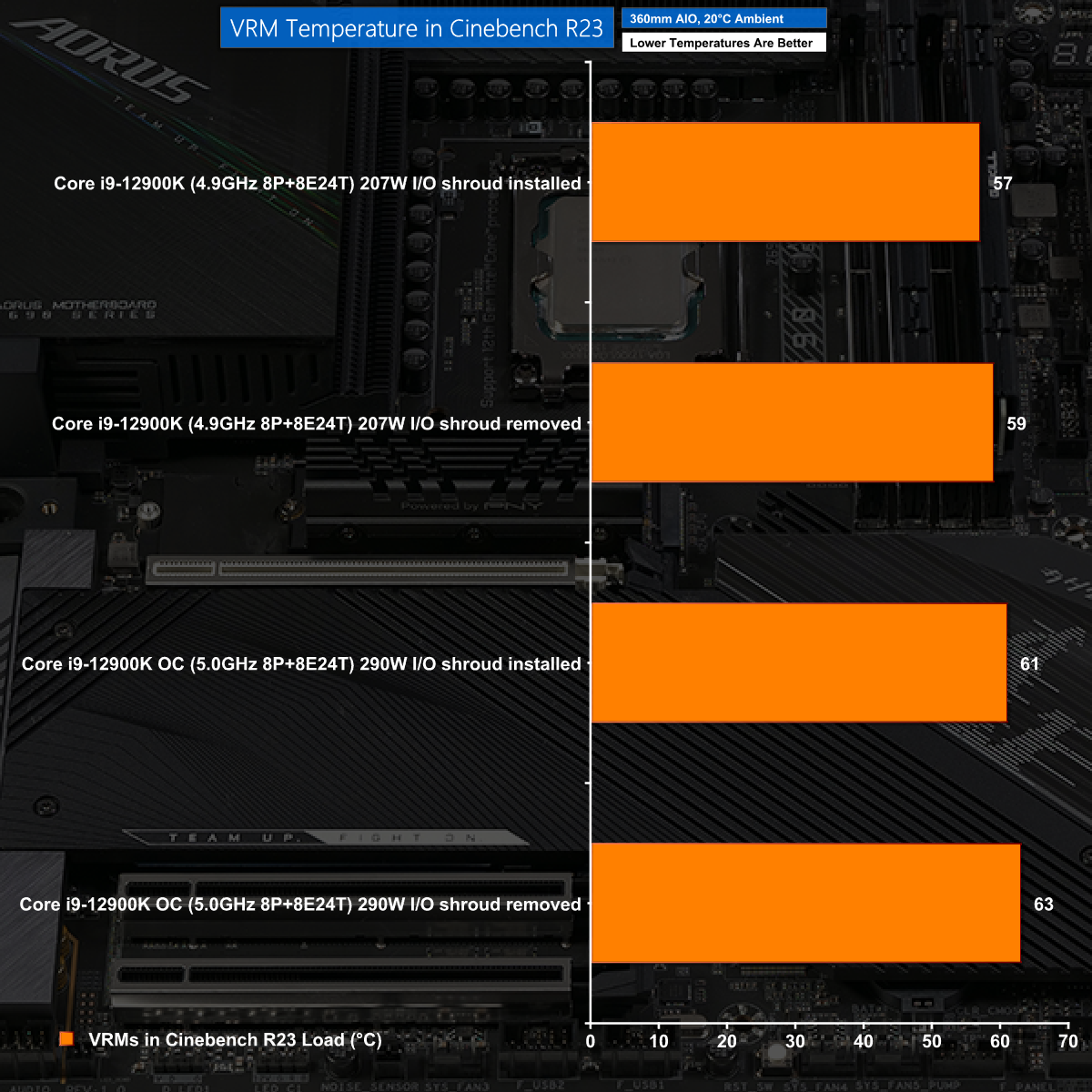
No matter what you do with the Gigabyte Z690 Aorus Master, you can be confident the VRMS will remain icy cool.
The Gigabyte Z690 Aorus Master is an unusual motherboard as the specification is more akin to an Xtreme model than a Master, except you don't have to suffer the LCD display or the monumental price tag.
To put it another way, Gigabyte has inflated the hardware in the Z690 Master without doing anything outrageous to the price. We have no doubt that some potential customers will be put off by the single PCIe Gen 5.0 graphics slot while others will be drawn in by the colossal level of VRM hardware.
Our advice is that you don't get too excited by either point as you have plenty of PCIe expansion and will not require 19x 105A Vcore power any time soon.
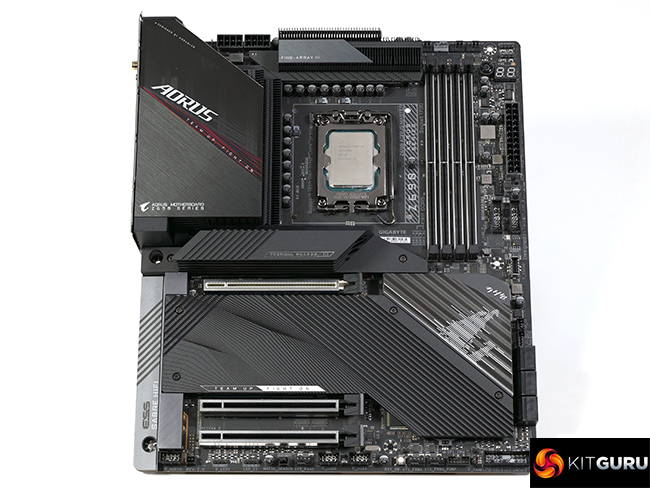
Balanced against that the hardware has an impressive quality and you can expect the 8-layer PCB and 10,000 hour rated capacitors will deliver solid, reliable performance for many years.
Our three complaints about the Gigabyte Z690 Aorus Master centre around the rear I/O panel where we point out the graphics connector would be more useful if it was HDMI, that the two USB Type-C connectors could be labelled more clearly and that a second Ethernet port would be handy.None of those points is a kill shot and for some people they will miss the target entirely.
We like the Gigabyte Z690 Aorus Master, found it was good to work with and have little doubt it will serve you very nicely.

You can buy the Gigabyte Z690 Aorus Master for £444.95 from Overclockers UK HERE.
Discuss on our Facebook page HERE.
Pros:
- Epic VRMs with first class heatsinks.
- Clean design with single PCIe 5.0 graphics slot.
- Superb support for M.2 storage, USB, Wi-Fi and Bluetooth.
- Huge number of PWM fan headers.
Cons:
- The two Type-C connectors on the rear I/O look identical.
- We want dual LAN.
- HDMI would be more useful on the I/O panel than DisplayPort.
KitGuru says: The Gigabyte Z690 Aorus Master offers high end hardware that is tailor made for Intel Core i9-12900K.