KitGuru KitGuru.net – Tech News | Hardware News | Hardware Reviews | IOS | Mobile | Gaming | Graphics Cards


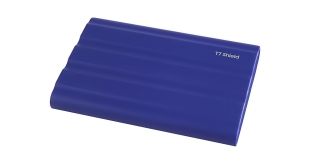
The latest addition to Samsung's T7 external SSD family is the T7 Shield. It joins the standard T7 and the T7 Touch which has built-in fingerprint recognition, which we reviewed back in 2020. The new T7 Shield has extra protection thanks to a rubber covering on top of the aluminium body. Priced at just over £200 for the 2TB model, we find out if it is worth the cash.
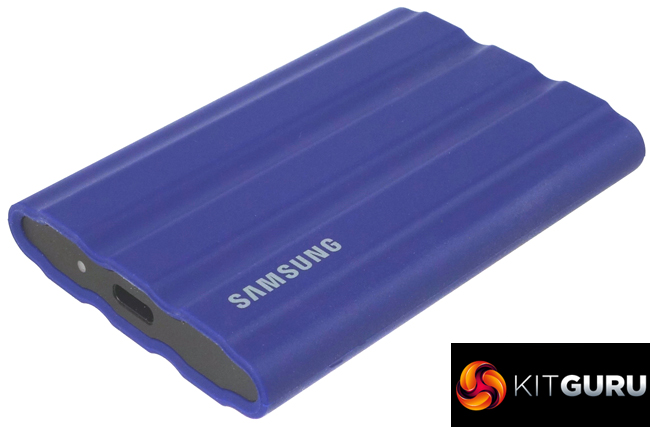
At launch, the T7 Shield comes in just two capacities, 1TB and the 2TB model we are reviewing here. Unlike the standard T7 and T7 Touch there is no 500GB entry model. Both the 1TB and 2TB models have the same official Sequential transfer rates of up to 1,050MB/s for reads and up to 1,000MB/s for writes.
The drive uses a USB 3.2 Gen 2 (10Gbps) Type C interface and comes with hardware-accelerated AES-256 encryption. The rubber covering allows the drive to achieve an IP65 rating for water and dust resistance.
Physical Specifications:
- Usable Capacities: 2TB.
- NAND Components: Samsung TLC V-NAND.
- Interface: USB 3.2 Gen2 (10Gbps).
- Form Factor: External.
- NAND Controller: Samsung.
- Dimensions: 89 x 59 x13mm.
- Drive Weight: 98g.
Firmware Version: FXI7P2Q.
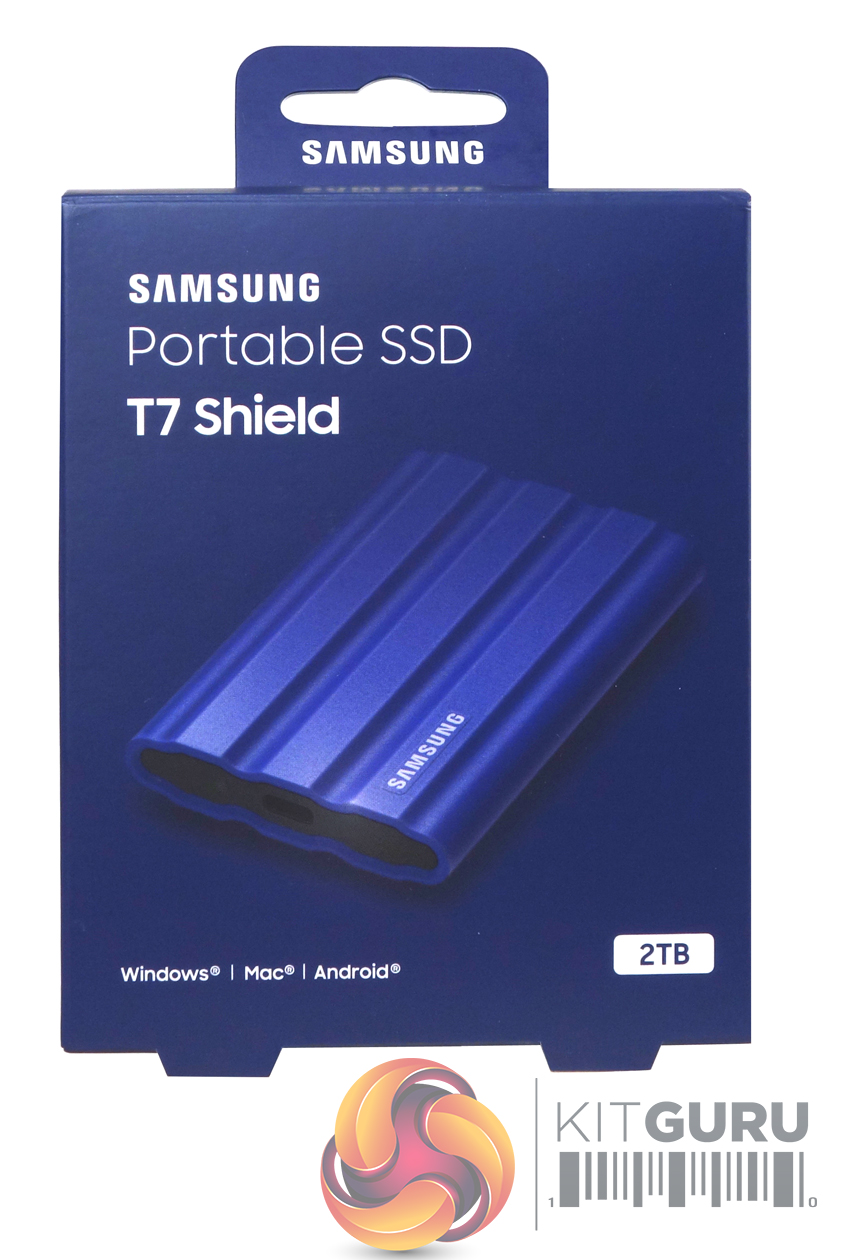
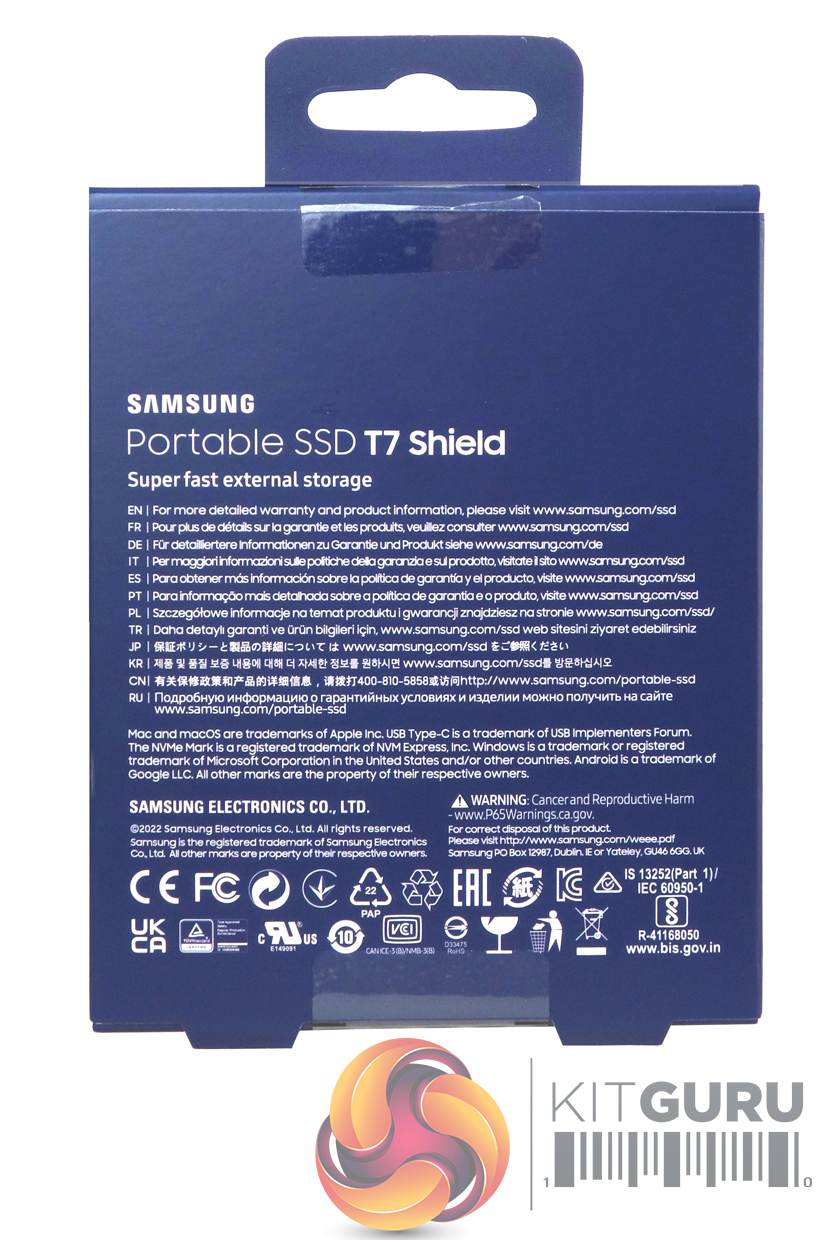
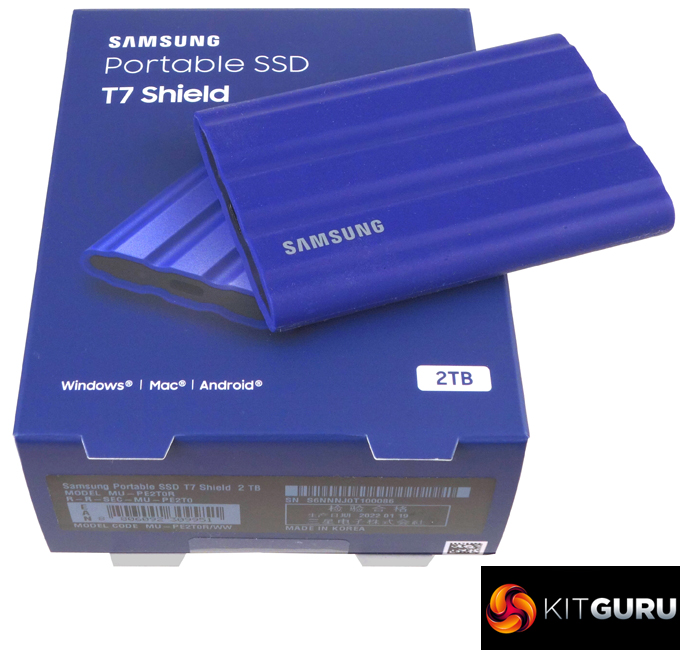
The T7 Shield comes in a small, chunky box. The front of the box has an image of the drive under which is a list of OS that the drive is compatible with; Windows, Mac and Android. To the right of this text is the capacity of the drive. The rear of the box has a multilingual address list for more warranty information.
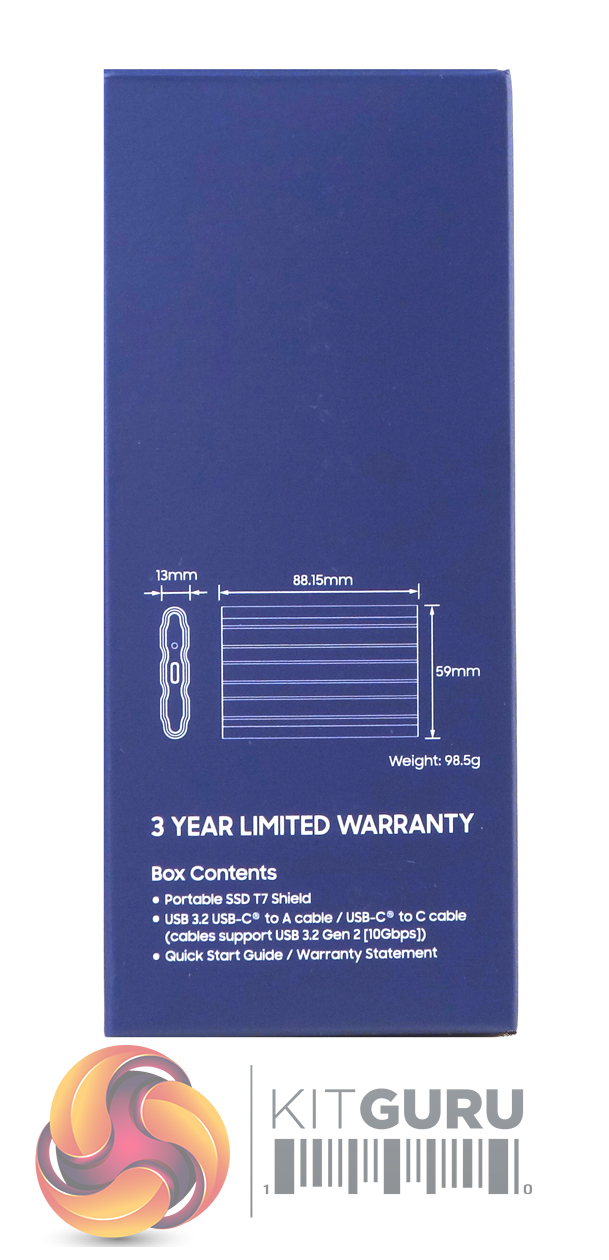
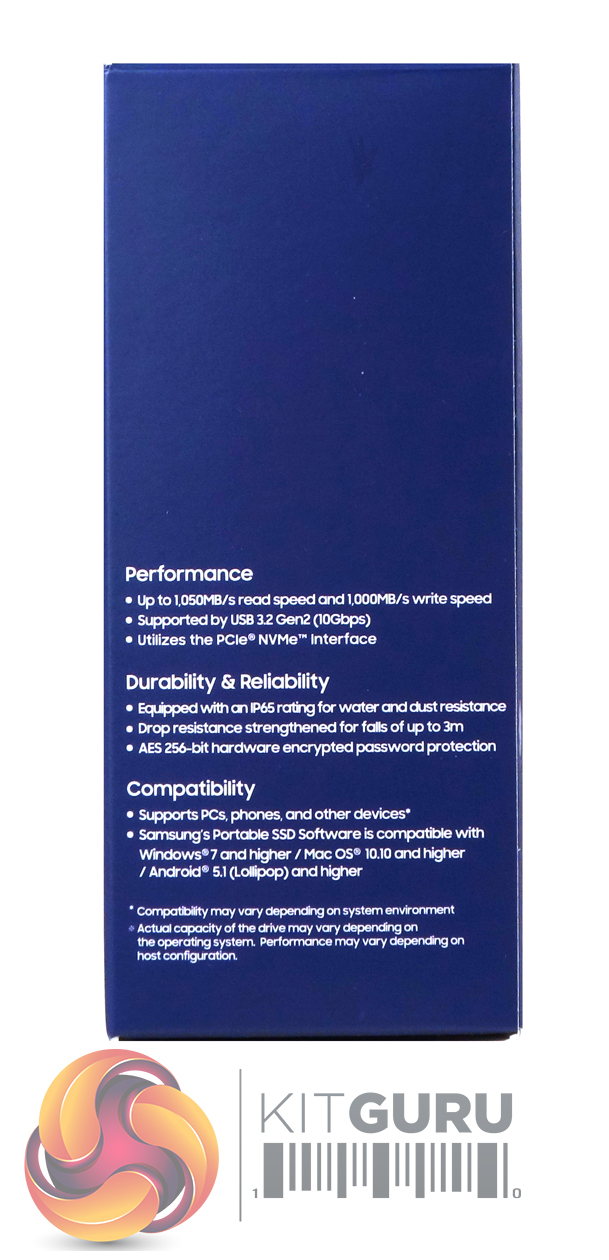
One side of the box has a diagram of the drive with dimensions under which is a list of the box contents. The other side of the box has notes about the drive's performance, durability, reliability and compatibility.
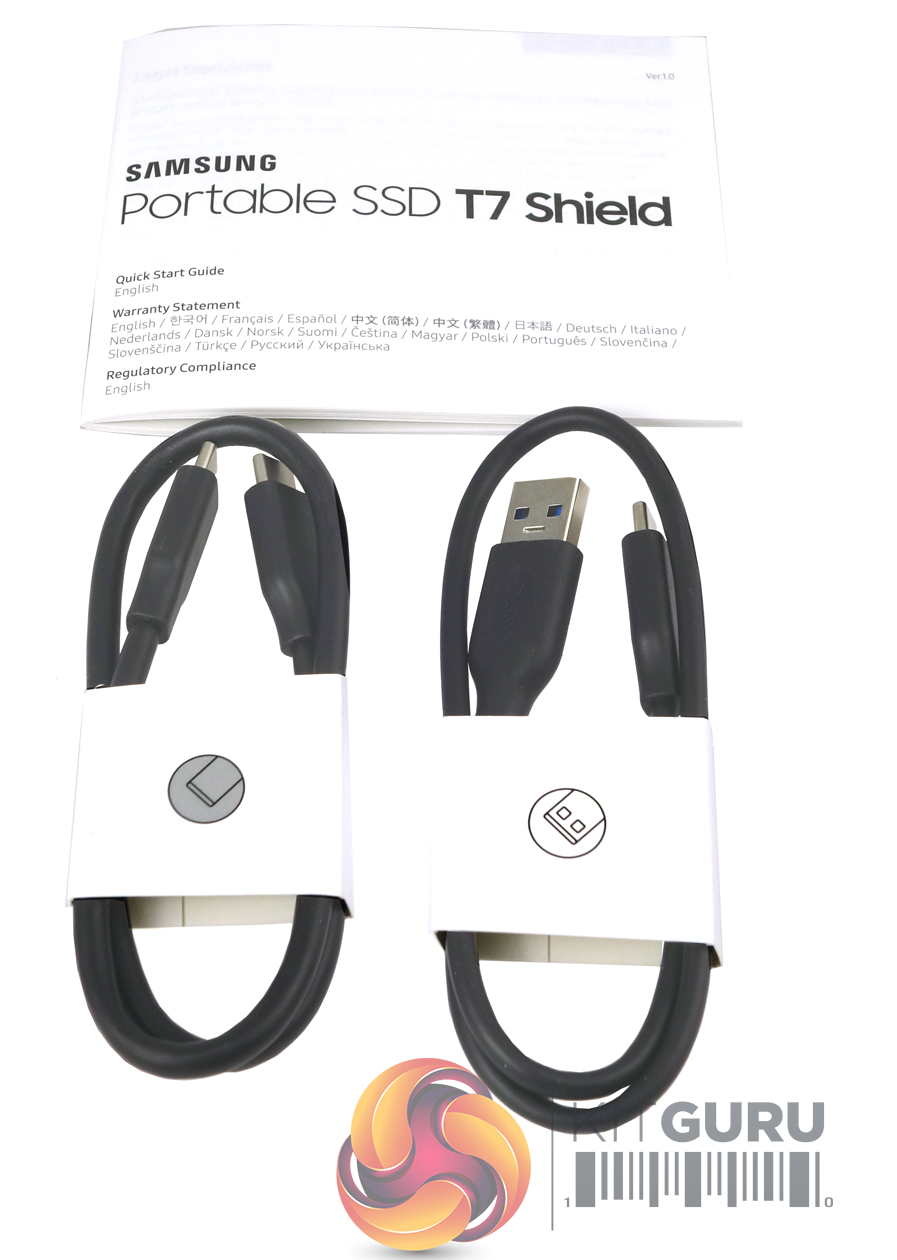
Bundled with the drive are USB 3.2 USB-C to A and USB-C to C cables. There’s also a quick start guide/warranty booklet.
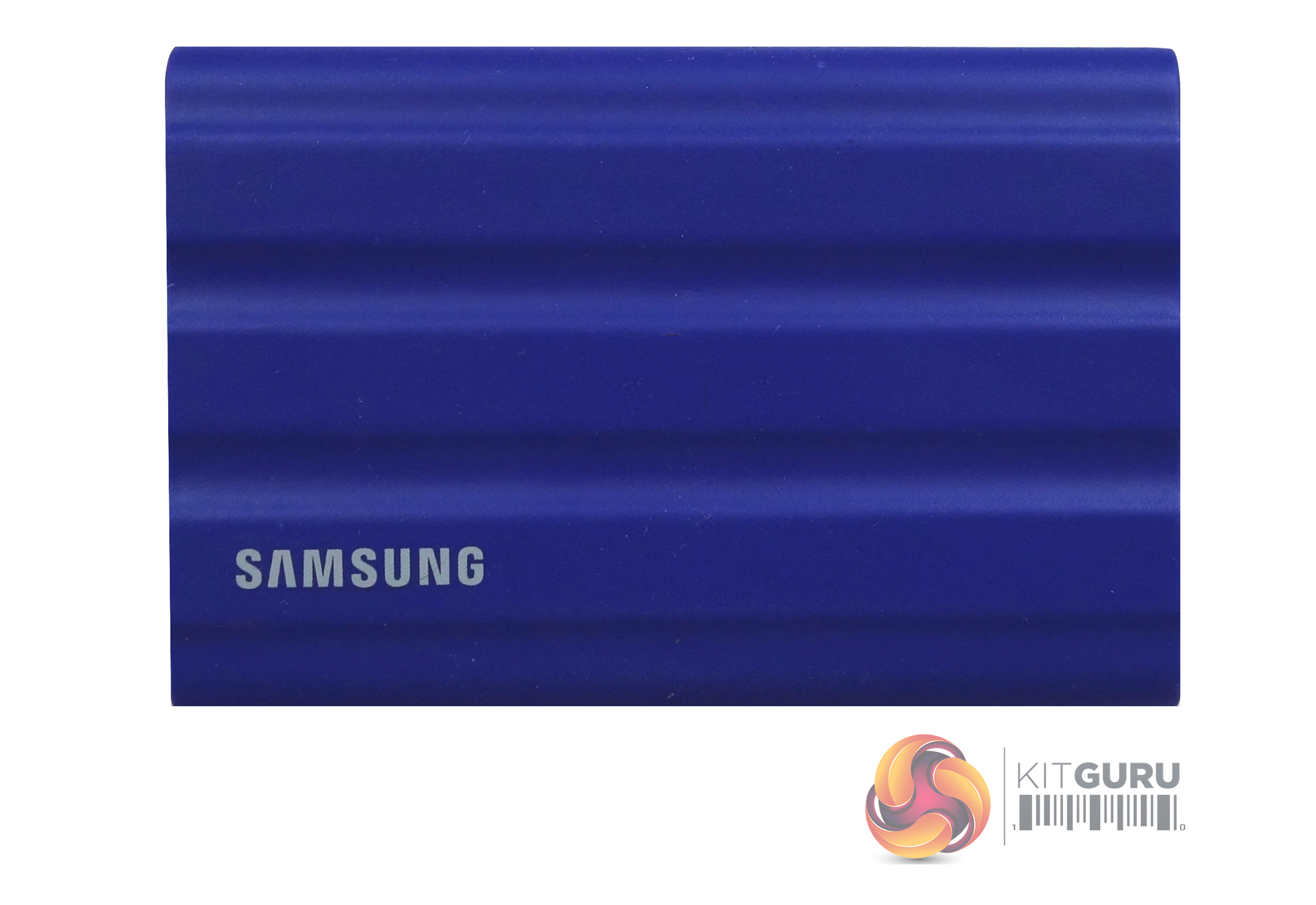
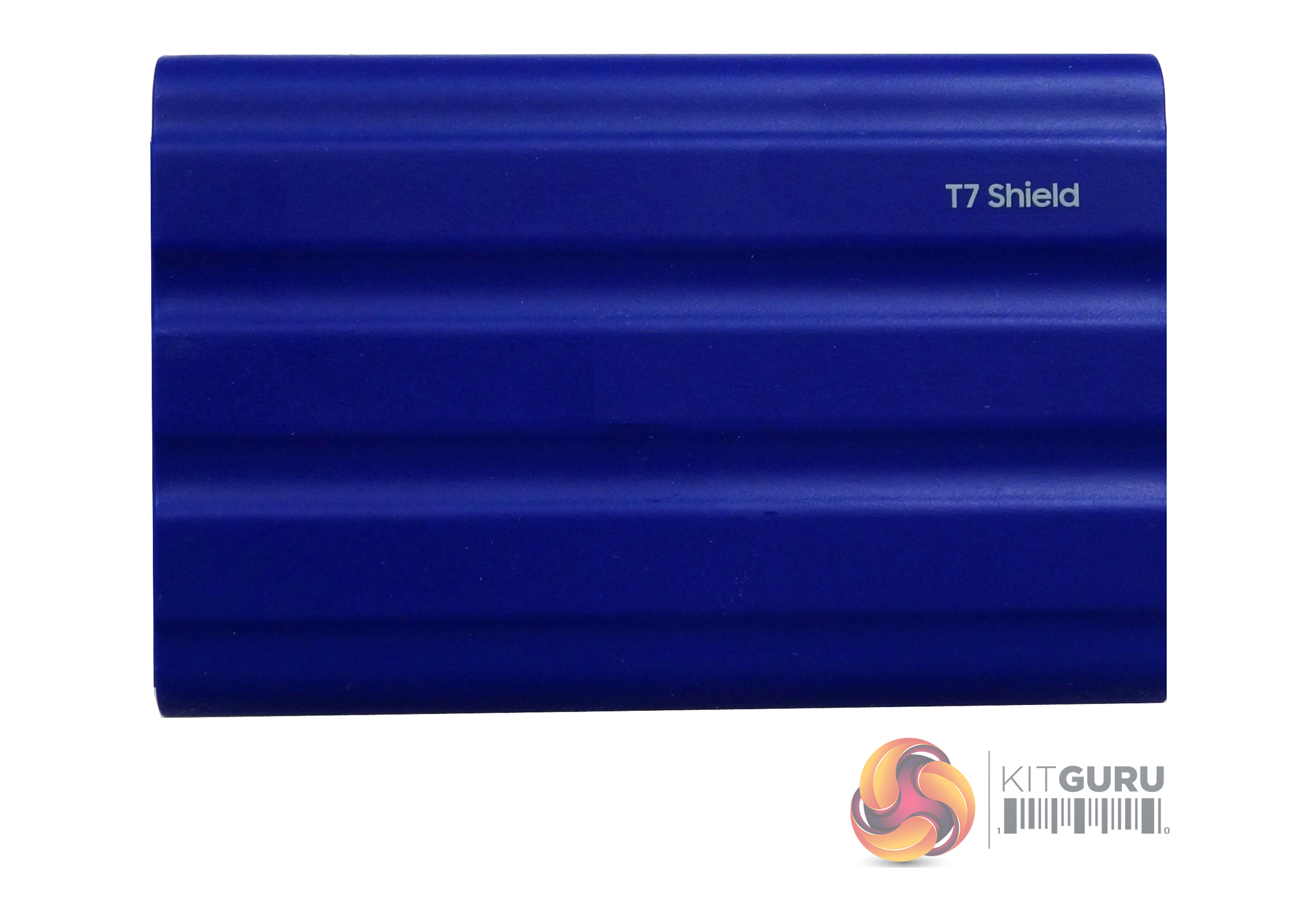
The T7 Shield is a really small compact drive, measuring just 88 x 57 x 13mmm and weighing in at 98g, which thanks to its rubber covering is slightly bigger and heavier than the standard T7. The chassis is aluminium and the rubber covering gives the T7 Shield an IP65 rating for water & dust resistance. To survive the rigours of everyday use, the drive can withstand a drop up to 3m, which is 1m further than the standard T7.
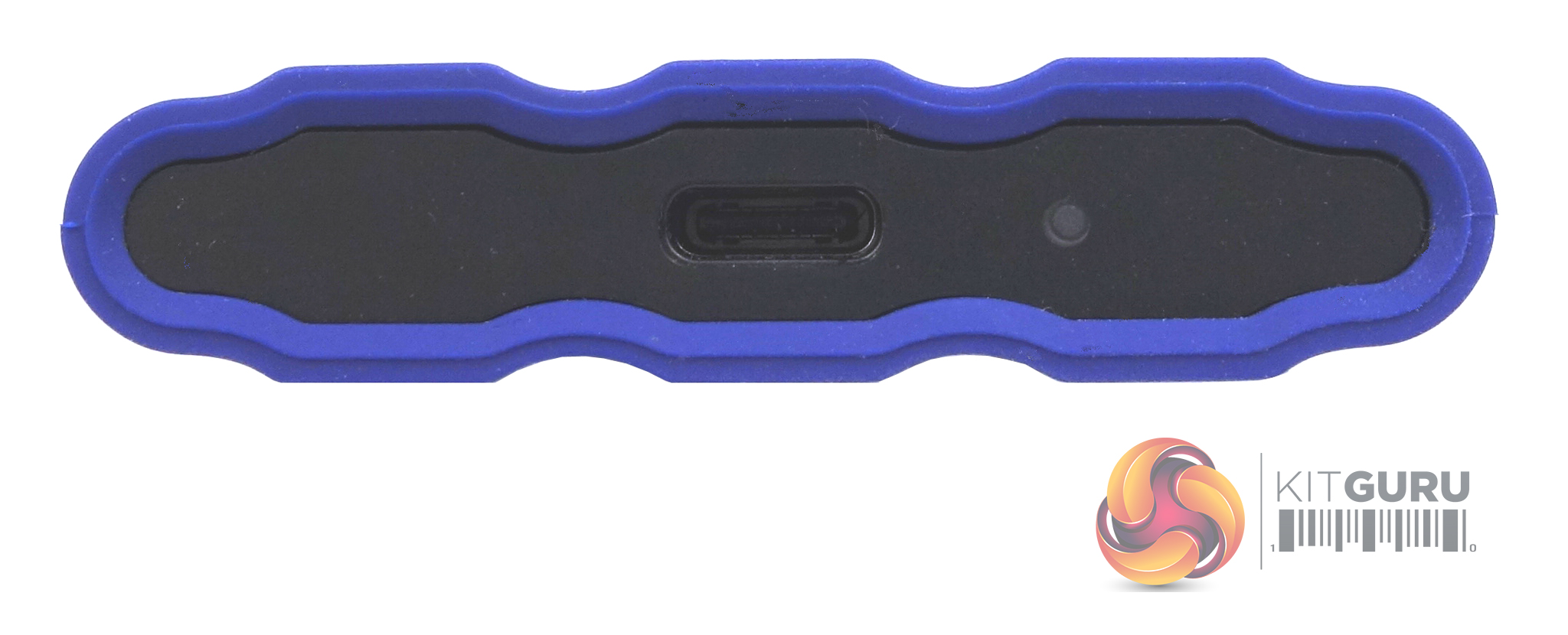
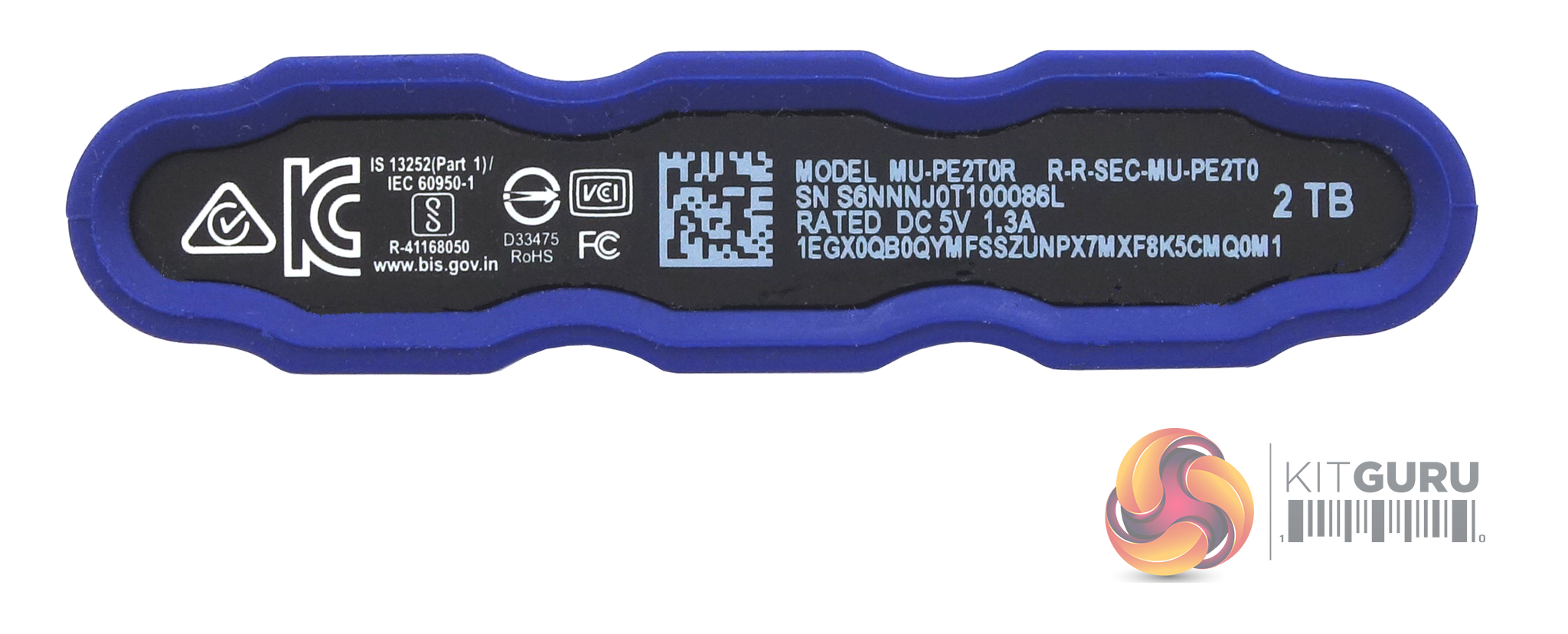
The drive uses a USB 3.2 Gen 2 Type C interface supporting 10Gbps transfer speeds.
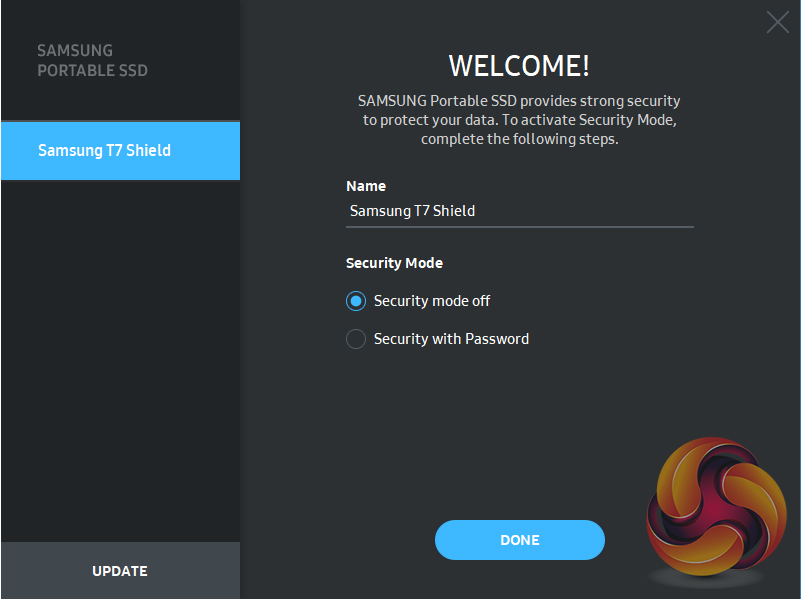
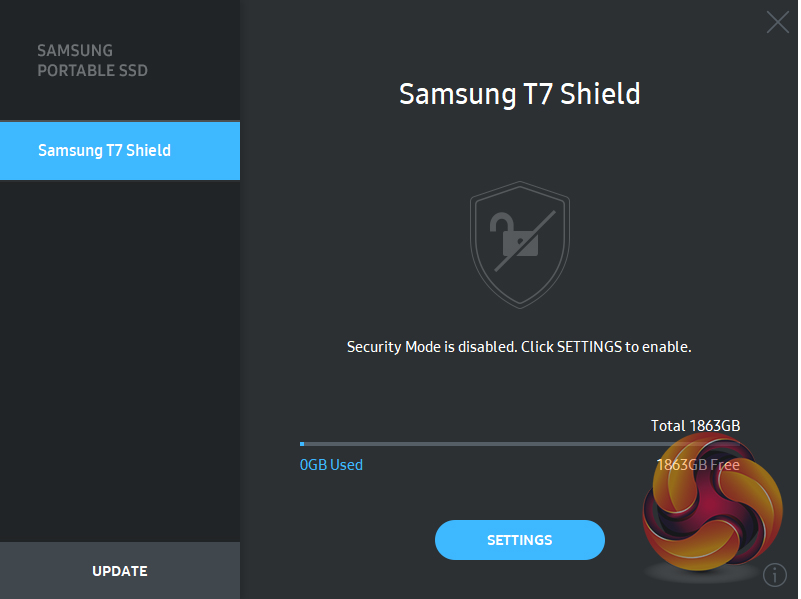
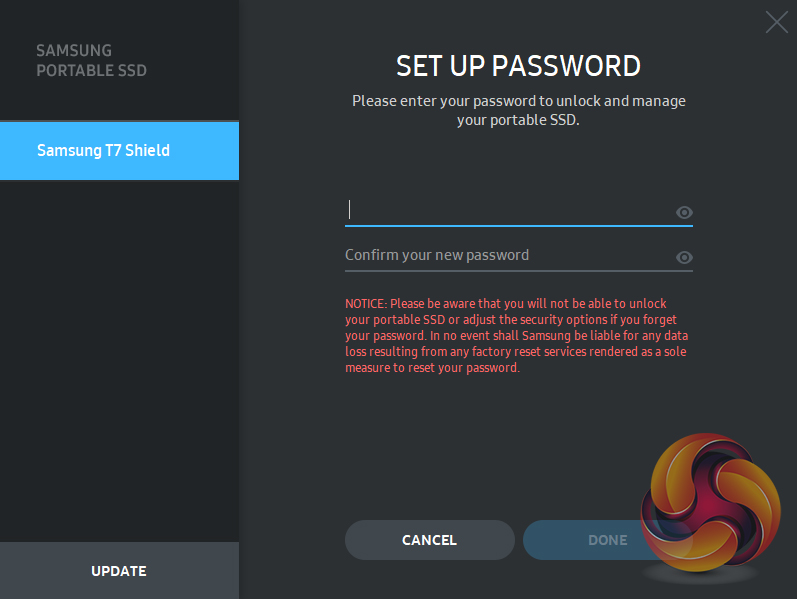
Samsung’s Portable SSD software comes pre-installed on the drive. It simply allows the enabling of encryption protection of the drive.The software is supported by Windows, MAC OS and Android devices.
Out of the box, the drive came formatted in ExFat, but to use our benchmarks to test the drive we reformatted it to NTFS.
CrystalDiskMark is a useful benchmark to measure theoretical performance levels of hard drives and SSDs. We are using V8.
The ATTO Disk Benchmark performance measurement tool is compatible with Microsoft Windows. Measure your storage system's performance with various transfer sizes and test lengths for reads and writes. Several options are available to customize your performance measurement including queue depth, overlapped I/O and even a comparison mode with the option to run continuously. Use ATTO Disk Benchmark to test any manufacturer's RAID controllers, storage controllers, host adapters, hard drives and SSD drives and notice that ATTO products will consistently provide the highest level of performance to your storage.
AS SSD is a great free tool designed just for benching Solid State Drives. It performs an array of sequential read and write tests, as well as random read and write tests with sequential access times over a portion of the drive. AS SSD includes a sub suite of benchmarks with various file pattern algorithms but this is difficult in trying to judge accurate performance figures.
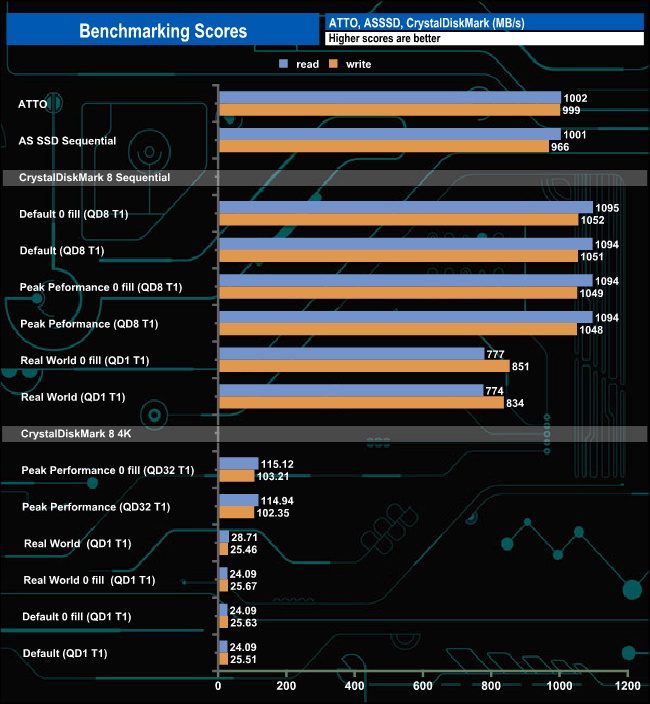
The official quoted transfer rates for the T7 Shield are reads up to 1,050MB/s and up to 1,000MB/s for writes. When tested with the ATTO benchmark the review drive fell a little short of both of these maximums, with a read result of 1,002MB/s and writes at 999MB/s. However using CrystalDiskMark default Sequential tests we got a read result of 1,094MB/s, 44MB/s faster than the official figure, while the write result came in at 1,051MB/s, again faster than the official figure.
IOMeter is another open-source synthetic benchmarking tool that is able to simulate the various loads placed on hard drives and solid-state drive technology.
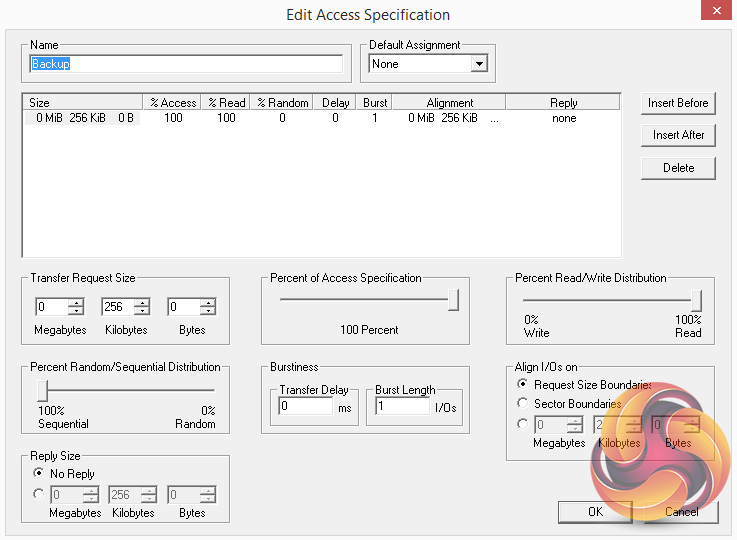
We set IOmeter up (as shown above) to test both backup and restore performance on a 100GB file.
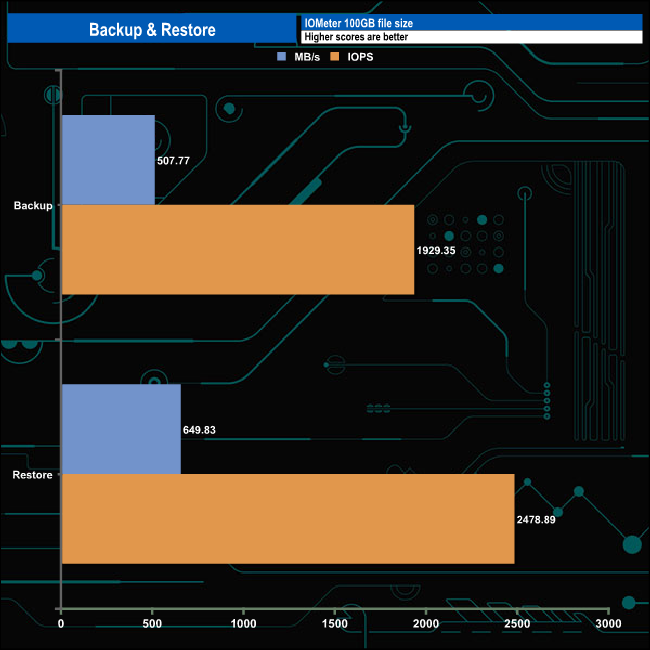
The T7 Shield displayed showed strong performance in our backup/restore tests with a backup speed of 507.77MB/s (1,929.35 IOPS) and a faster restore performance of 649.83MB/s (2,478.99 IOPS).
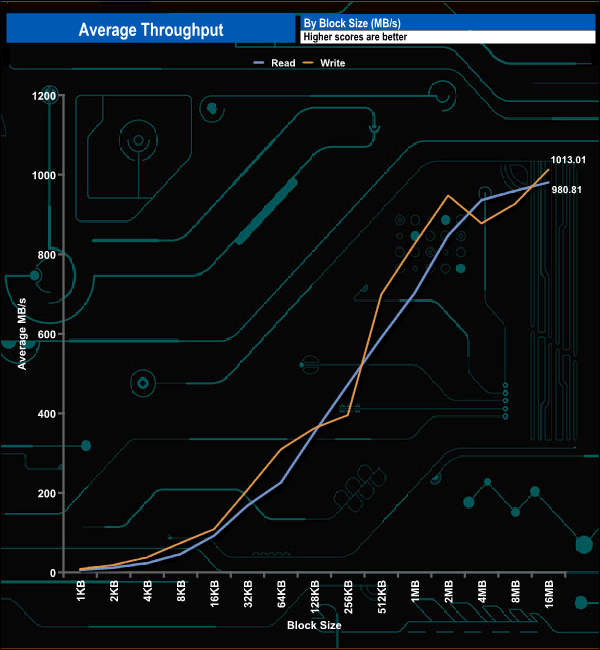
In our throughput tests, the peak average read performance came at the 16MB block mark at 980.81MB/s while the peak write figure of 1,013MB/s also came at the end of the test run at the 16MB block mark.
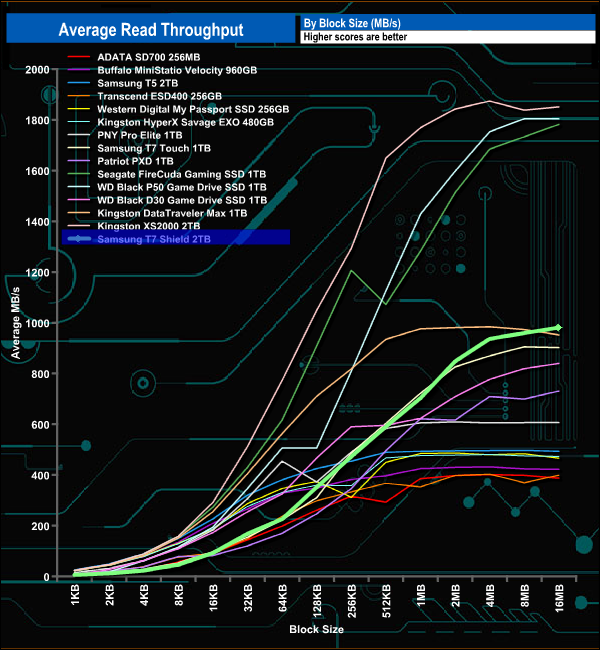
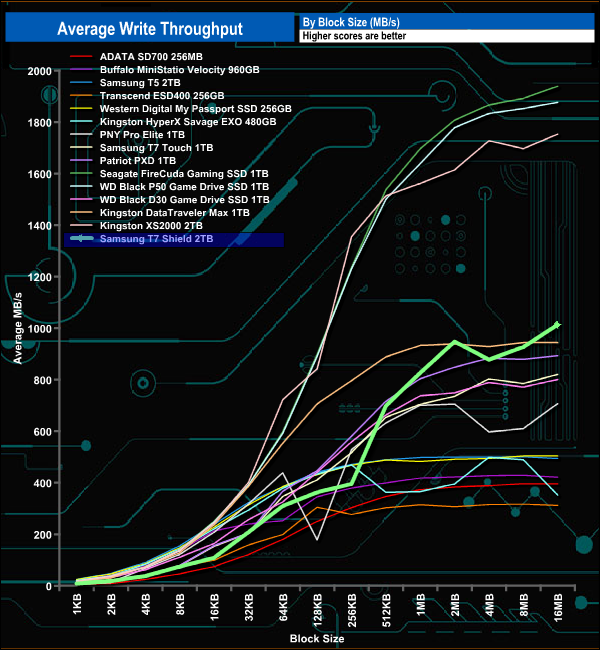
With its combination of a Samsung NVMe SSD and USB 3.2 Gen 2 interface, the T7 Shield is a fast performing external drive. Its read/write results of 980.81MB/s and 1,013.01MB/s respectively make it the fastest USB 3.2 Gen 2 consumer external drive we’ve seen to date in our throughput tests.
The PCMark 10 Data Drive Benchmark has been designed to test drives that are used for storing files rather than applications. You can also use this test with NAS drives, USB sticks, memory cards, and other external storage devices.
The Data Drive Benchmark uses 3 traces, running 3 passes with each trace:
Trace 1. Copying 339 JPEG files, 2.37 GB in total, in to the target drive (write test).
Trace 2. Making a copy of the JPEG files (read-write test).
Trace 3. Copying the JPEG files to another drive (read test)
Here we show the total bandwidth performance for each of the individual traces.
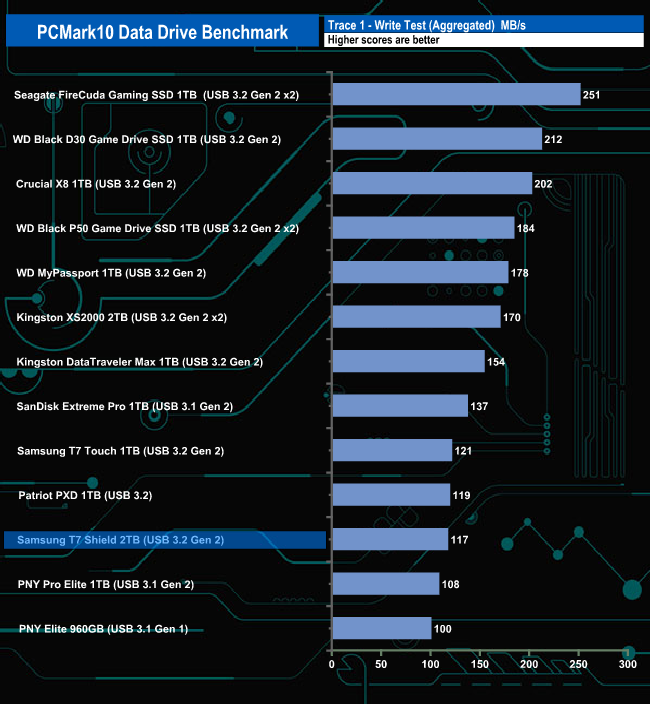
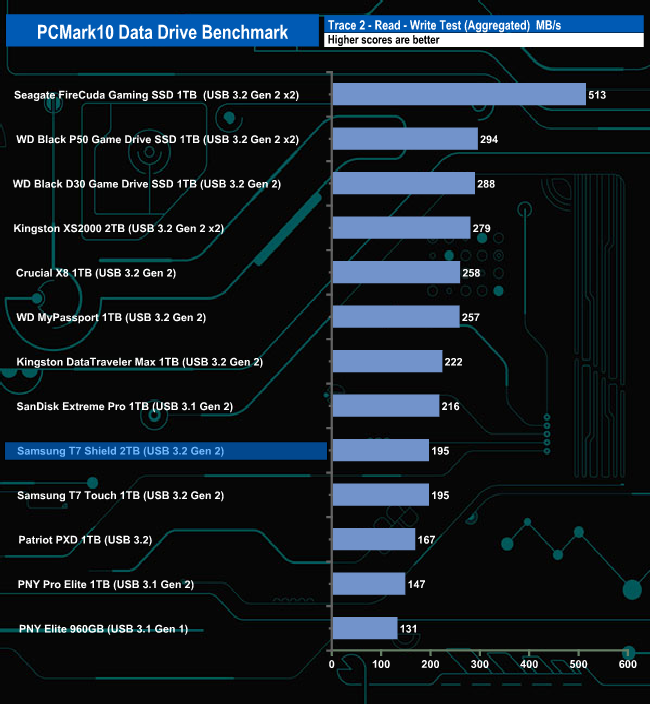
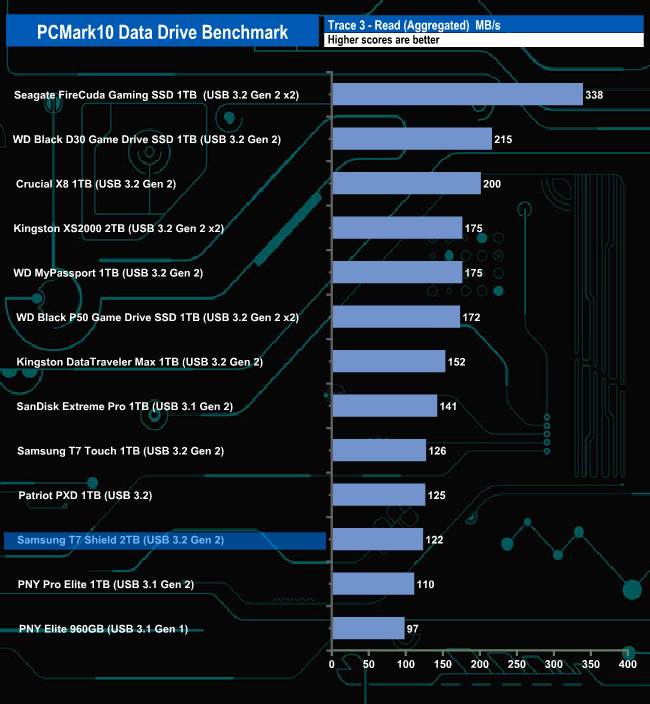
The Samsung T7 Shield doesn't seem to handle the PCMark10 Data Drive Benchmark test too well, sitting in the lower half of the results chart for all three trace tests.
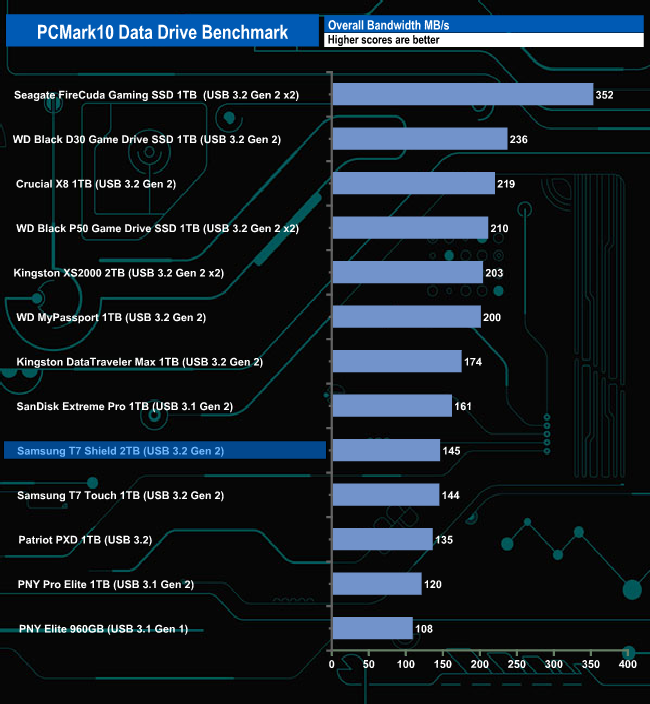
With a bandwidth figure of 145MB/s, the drive sits in the lower half of our result table.
To test real life performance of a drive we use a mix of folder/file types and by using the FastCopy utility (which gives a time as well as MB/s result) we record the performance of drive reading from & writing to a 256GB Samsung SSD850 PRO.
We use the following folder/file types:
- 100GB data file.
- 60GB iso image.
- 60GB Steam folder – 29,521 files.
- 50GB File folder – 28,523 files.
- 12GB Movie folder – (15 files – 8 @ .MKV, 4 @ .MOV, 3 @ MP4).
- 10GB Photo folder – (304 files – 171 @ .RAW, 105 @ JPG, 21 @ .CR2, 5 @ .DNG).
- 10GB Audio folder – (1,483 files – 1479 @ MP3, 4 @ .FLAC files).
- 5GB (1.5bn pixel) photo.
- BluRay Movie – 42GB.
- 21GB 8K Movie demos – (11 demos)
- 16GB 4K Raw Movie Clips – (9 MP4V files).
- 4.25GB 3D Printer File Folder – (166 files – 105 @ .STL, 38 @ .FBX, 11 @ .blend, 5 @ .lwo, 4 @ .OBJ, 3@ .3ds).
- 1.5GB AutoCAD File Folder (80 files – 60 @ .DWG and 20 @.DXF).
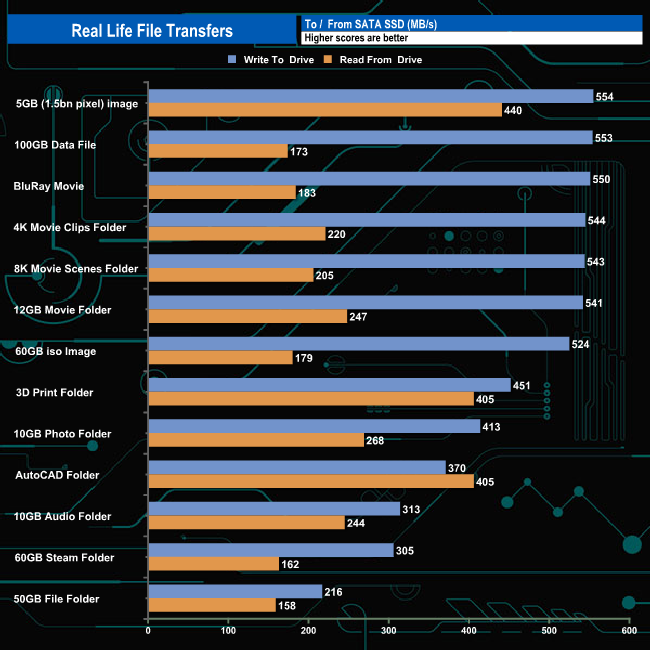
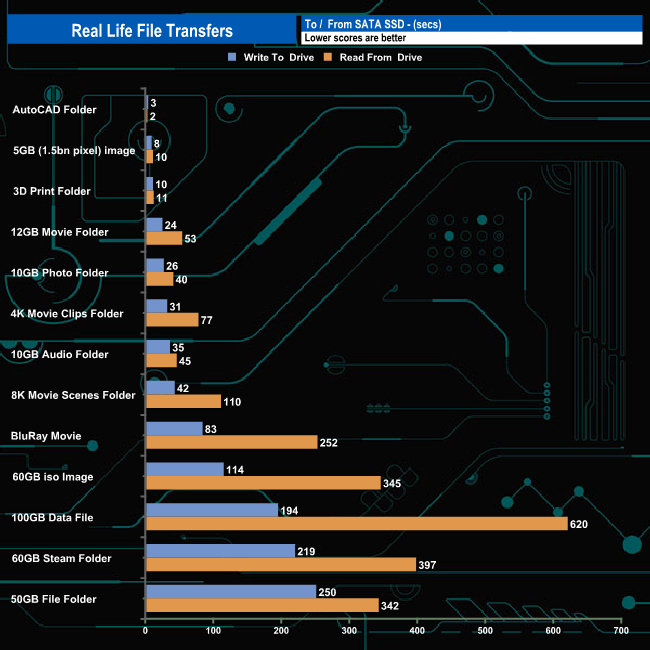
Real-life file transfers saw read performance go over the 500MB/s mark on a few occasions when transferring data from a SATA drive, peaking at the 554MB/s when writing the 5GB image to the T7 Shield.
To get a measure of how much faster PCIe NVMe drives are than standard SATA SSDs, we use the same files but transfer to and from a 512GB Toshiba OCZ RD400.
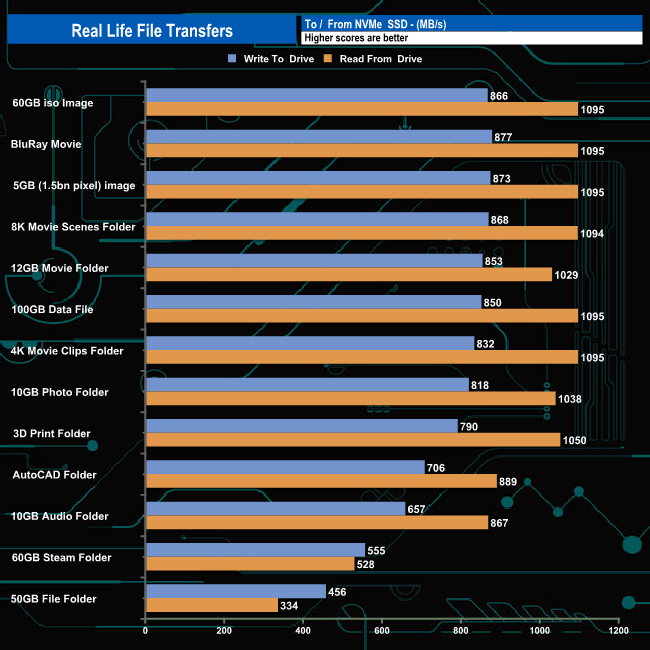
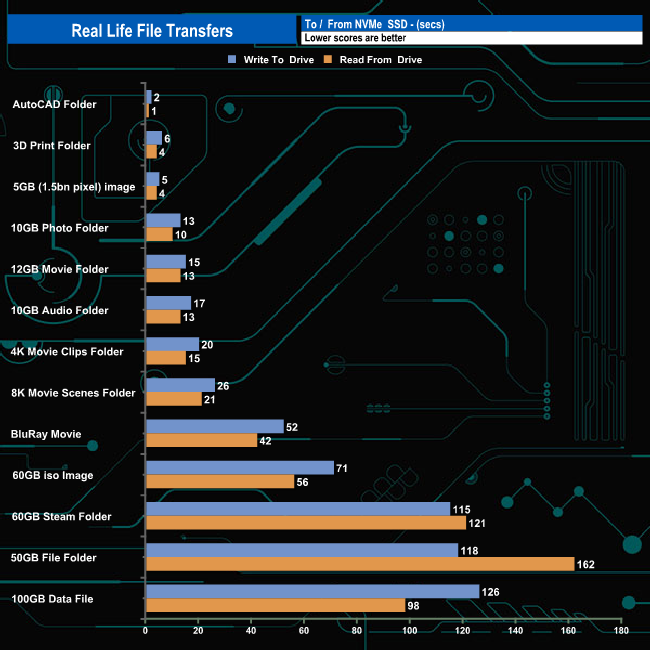
But the true potential of the drive was shown when transferring data to and from an NVMe SSD when we saw read transfer rates as high as 1,095MB/s for five of the large file transfers.
The latest addition to Samsung’s long-running T* series of external SSDs is the T7 Shield. The Shield version of the T7 comes with a rubber covering for added protection. The drive uses a combination of an NVMe SSD and a USB 3.2 Gen 2 (10Gbps) interface.
Samsung's rubber casing affords the drive an IP65 certification against water and dust as well as protecting the drive from drops of up to 3m, which is a metre further than the standard T7 can withstand. Talking of dust, the rubber may protect the drive against dust penetration but we found that it also acts as a very good dust magnet.
The official quoted transfer rates for the T7 Shield are up to 1,050MB/s for reads and up to 1,000MB/s for writes. When tested with the ATTO benchmark, the review drive fell a little short of both of these maximums with a read figure at 1,002MB/s and writes at 999MB/s. Using CrystalDiskMark 8 default tests we could confirm the official performance ratings with Sequential read/write figures of 1,094MB/s and 1,051MB/s respectively, both faster than the official figures.
Real-life file transfers saw read performance go over the 500MB/s mark on a few occasions when transferring data to a SATA drive. But the true potential of the drive was shown when transferring data to and from an NVMe SSD when we saw read transfer rates as high as 1,095MB/s. The best write performance was the 866MB/s for the 60GB iso image transfer.
If you are going to stick a fast SSD in a small package then you need to make sure that the thermals are taken care of. Samsung uses Dynamic Thermal Guard (DTG) technology, which prevents overheating by maintaining the drive’s optimal working temperature below 57°C by adjusting the drive's speed if need be.
The UK price for the 2TB version of the T7 Shield is £250.99 (inc VAT).
Discuss on our Facebook page HERE.
Pros
- Performance.
- Physical size.
- Rubber protection.
Cons
- 4K performance is a little disappointing at low queue depths.
KitGuru says: Samsung’s T7 is a very compact, fast-performing drive and this latest Shield version brings added protection against water, dust and accidental drops.