 KitGuru KitGuru.net – Tech News | Hardware News | Hardware Reviews | IOS | Mobile | Gaming | Graphics Cards


What kind of gaming system can you get for £1,099 inc vat? Perhaps you are contemplating a desktop replacement style laptop but are wondering how the performance will compare? With this in mind we approached UK system builder DINOPC and they built a desktop and a laptop system at the same price point – the Slayer 15.6″ GTX 870M and the Magma Wrath GTX 770.
Many times when KitGuru get a desktop system to review, the system builder won't factor in the additional cost of a monitor, keyboard or gaming mouse. When building the desktop system for this article today DINOPC had to factor in the cost of all these ‘extras'. We could argue that many people will already have a monitor, keyboard and mouse from a previous build, but equally so they could be old and in need of replacement.
You always pay more for portability and we know the desktop system will likely be faster, but will it be significant?
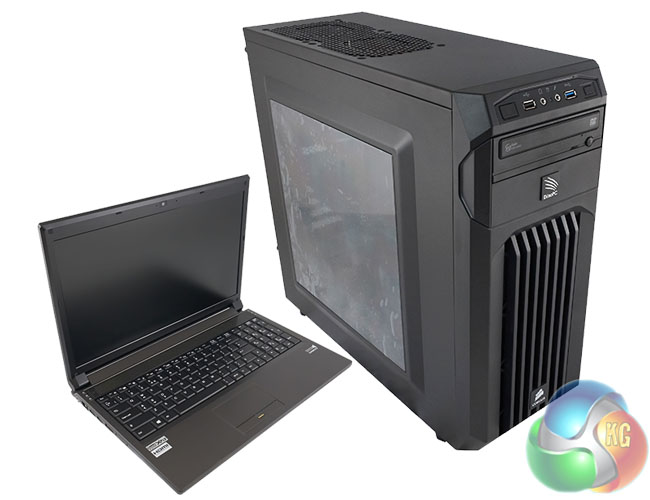
The two systems measure up as follows:
Slayer 15.6″ GTX 870M Laptop:
- Based on Clevo P150SM-A chassis
- 15.6″ full-HD screen
- Intel Core i7 4710MQ CPU
- Windows 8.1 (64-bit)
- Corsair 2x4GB Vengeance 1600Mhz
- Crucial 256GB MX100 SSD
- NVIDIA GeForce GTX 870M 6GB graphics
- 8x DVDRW
- Wifi+Bluetooth
Price: £1,099 inc. VAT
Magma Wrath GTX 770 Desktop:
- Intel Core i5 4690K OC
- Corsair H55 watercooling
- Gigabyte Z97X-SLI
- Windows 8.1 (64-bit)
- Corsair 2x4GB Vengeance 2133Mhz
- Crucial M.2 128GB
- 1TB S-ATAIII HDD
- NVIDIA GeForce GTX 770 4GB
- Corsair CS650M PSU (Gold Rated / Modular)
- Corsair Carbide Spec-01 Case
- Iiyama XU2390HS 23″ Slim Bezel LED
- Gigabyte Force K3 Keyboard
- Gigabyte Force M7 Mouse
Price: £1,099 inc. VAT

The DinoPC Slayer 15.6″ GTX 870M system ships double boxed for protection. ‘Enjoy with me' is adorned on the inner box – part of the Clevo chassis box artwork from the Far East.
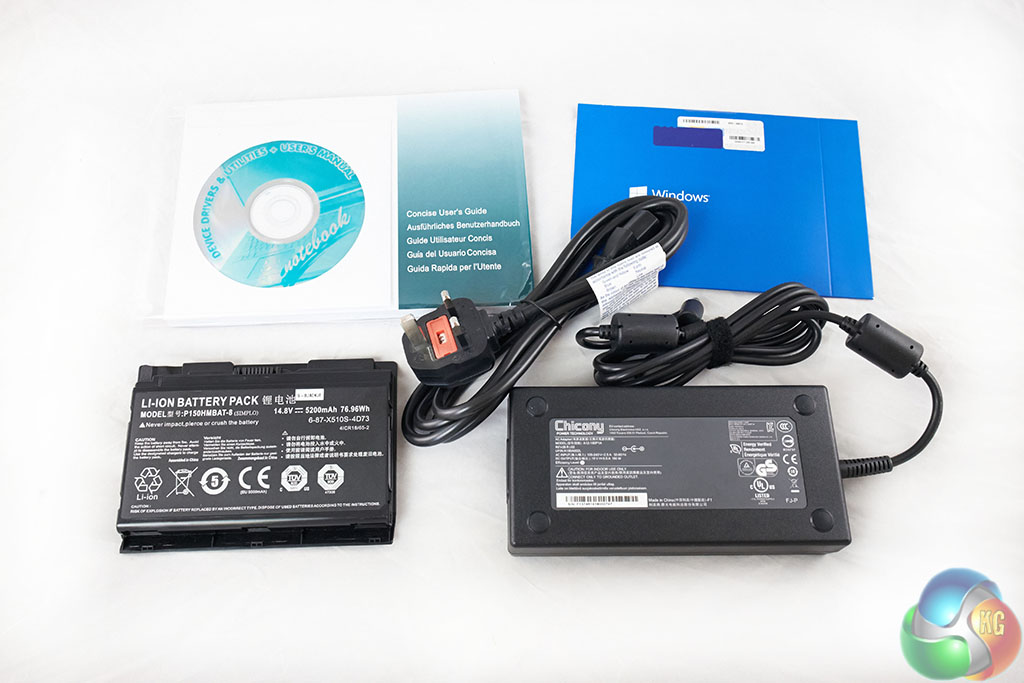

The power brick is reasonably large and will work anywhere in the world – rated 100-240V. It is a 19V, 9.5A, 180W unit. The battery pack is rated 14.8V, 5,200mAh, 76.96Wh.
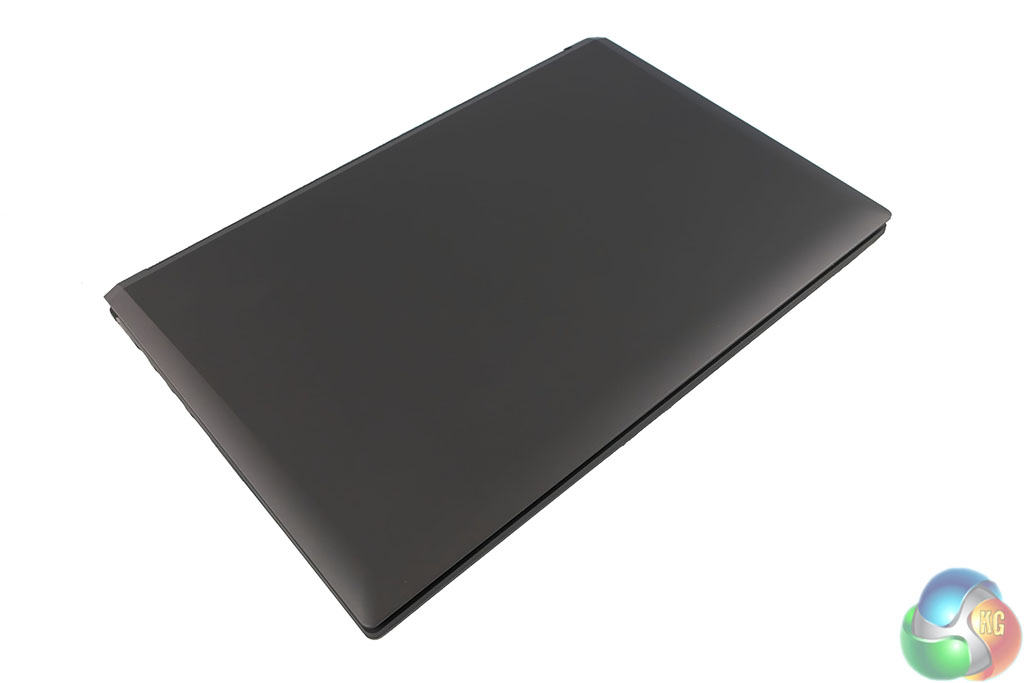
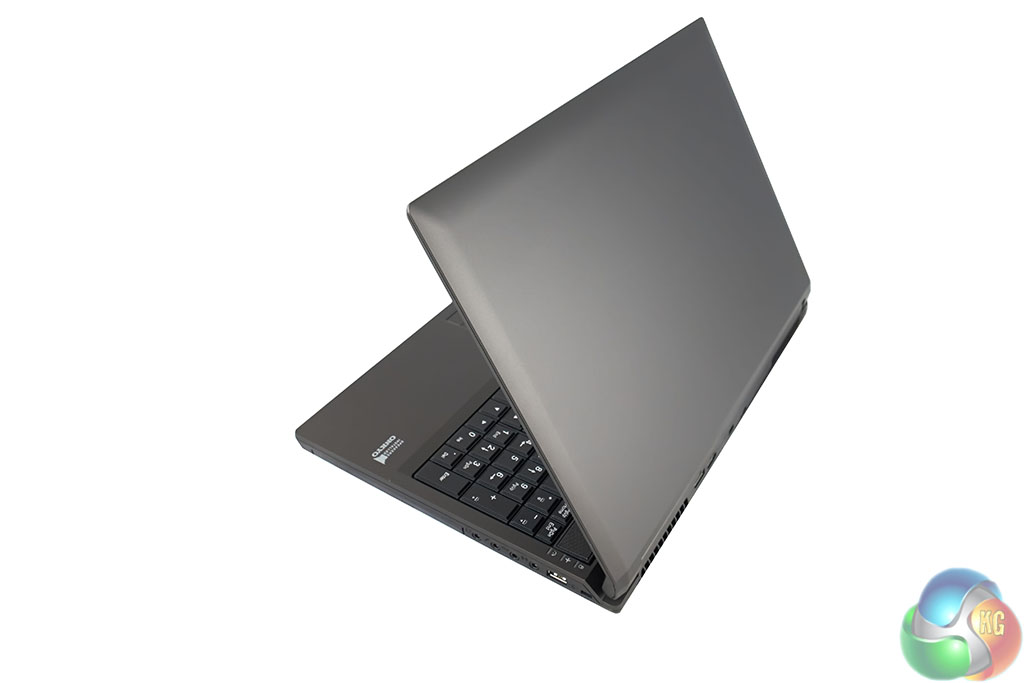
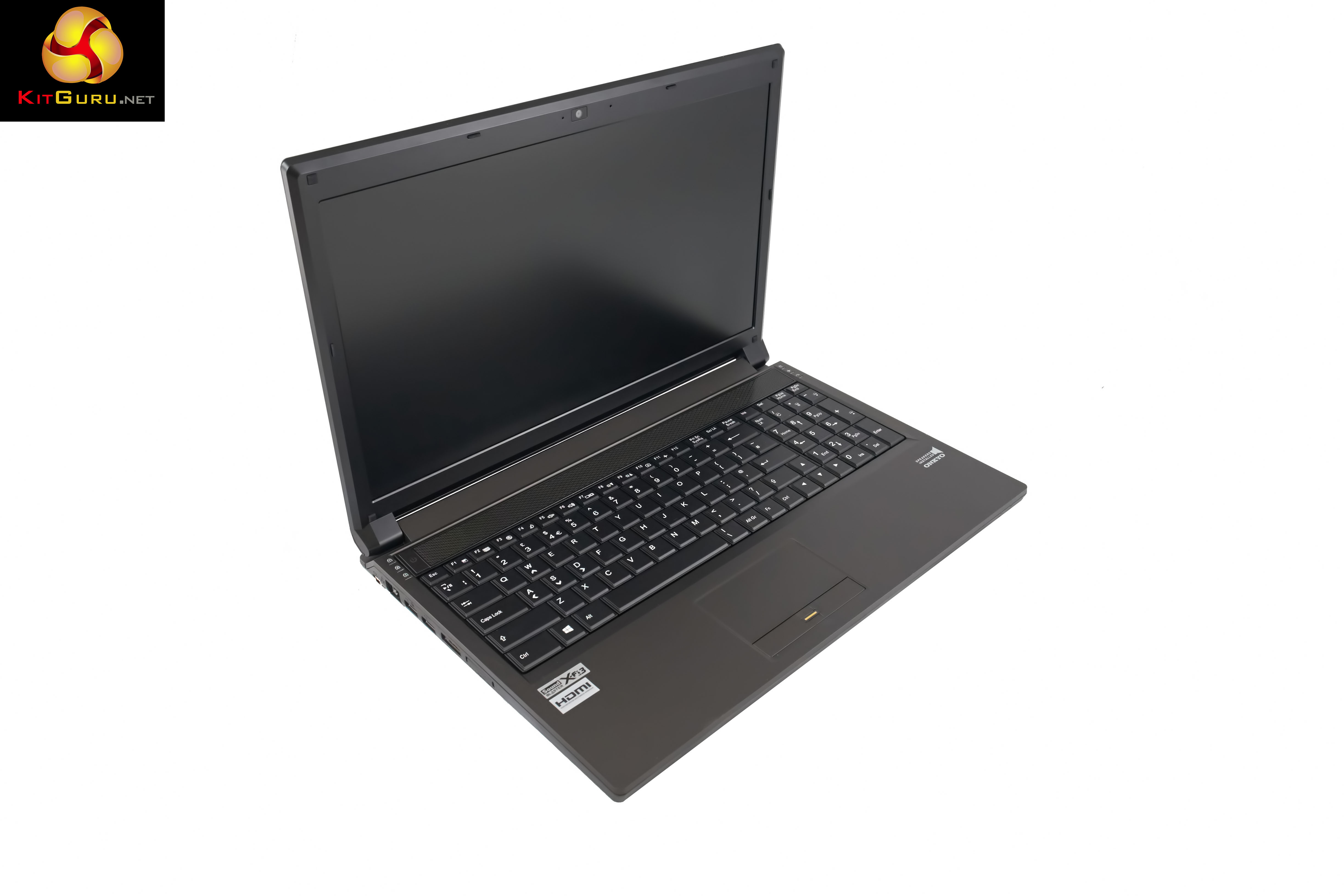
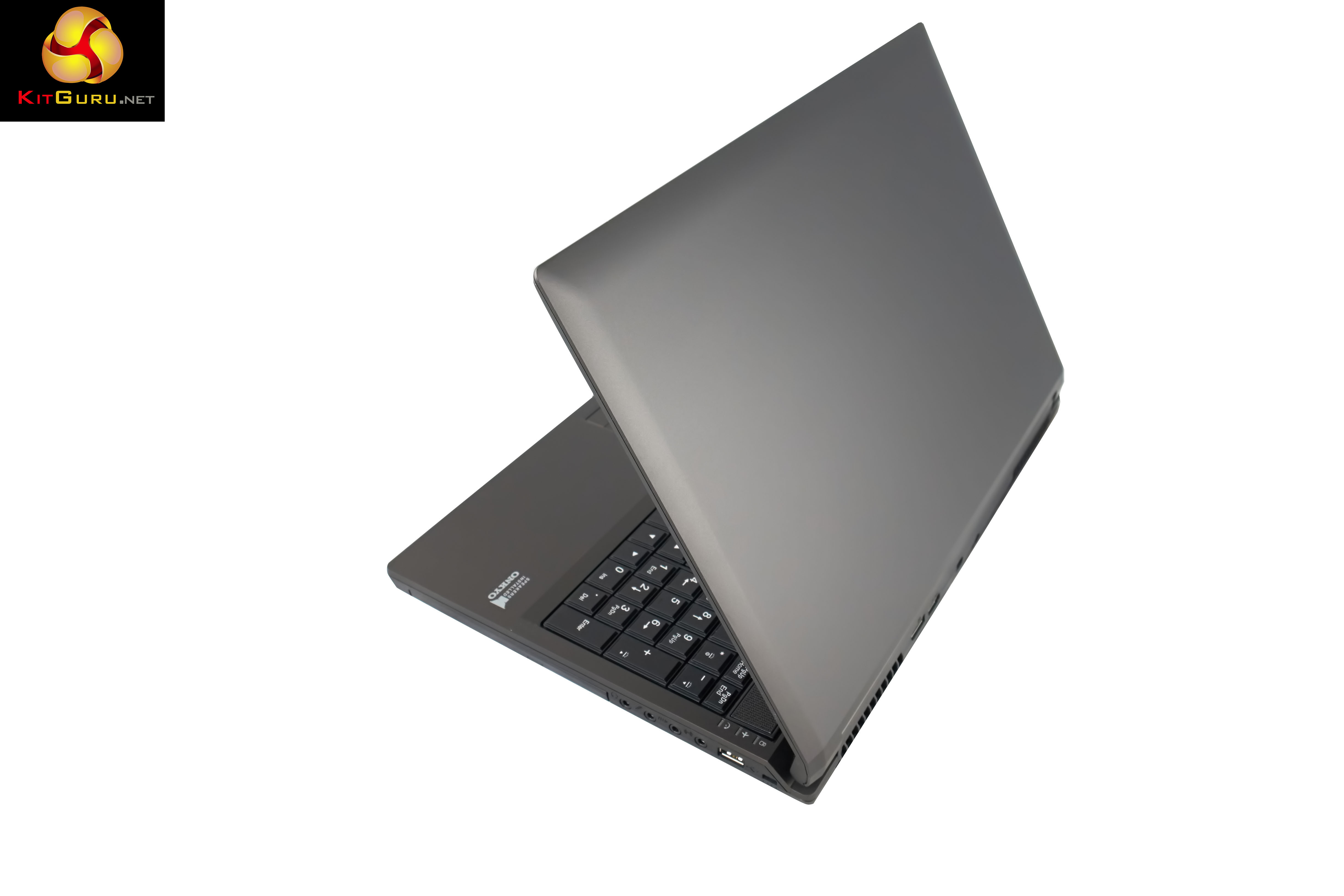
Clevo chassis are not generally the most attractive to look at, but they make up for it in terms of functionality and overall build quality. The lid surface on the Slayer 15.6″ is easily cleaned and quite resistant to marks.
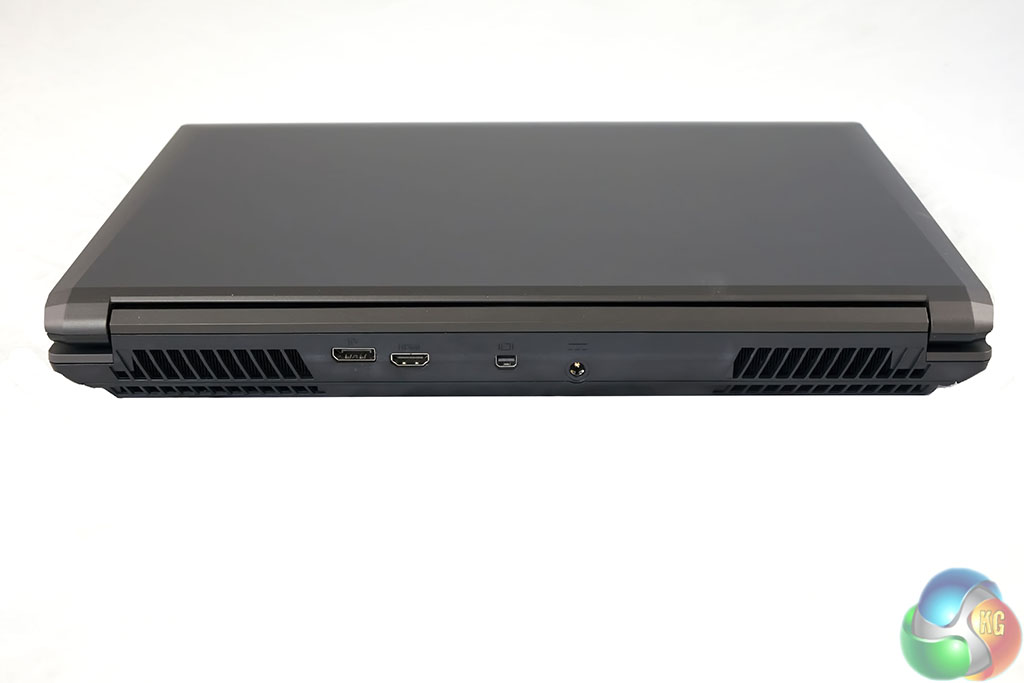
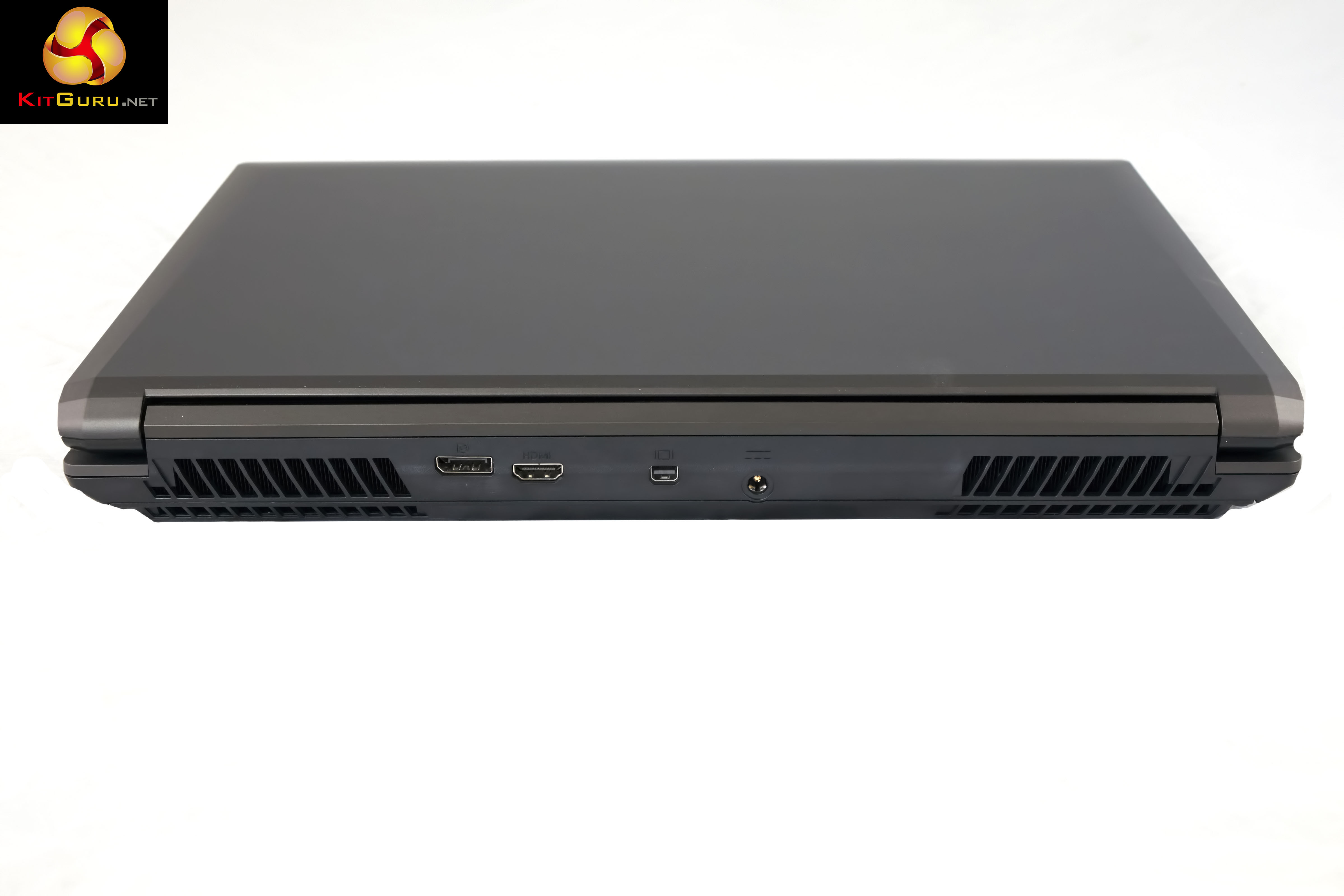
The rear of the Slayer 15.6″ has a DisplayPort, Mini DisplayPort, HDMI and power connector. Alongside are two vents to help keep temperatures in check.
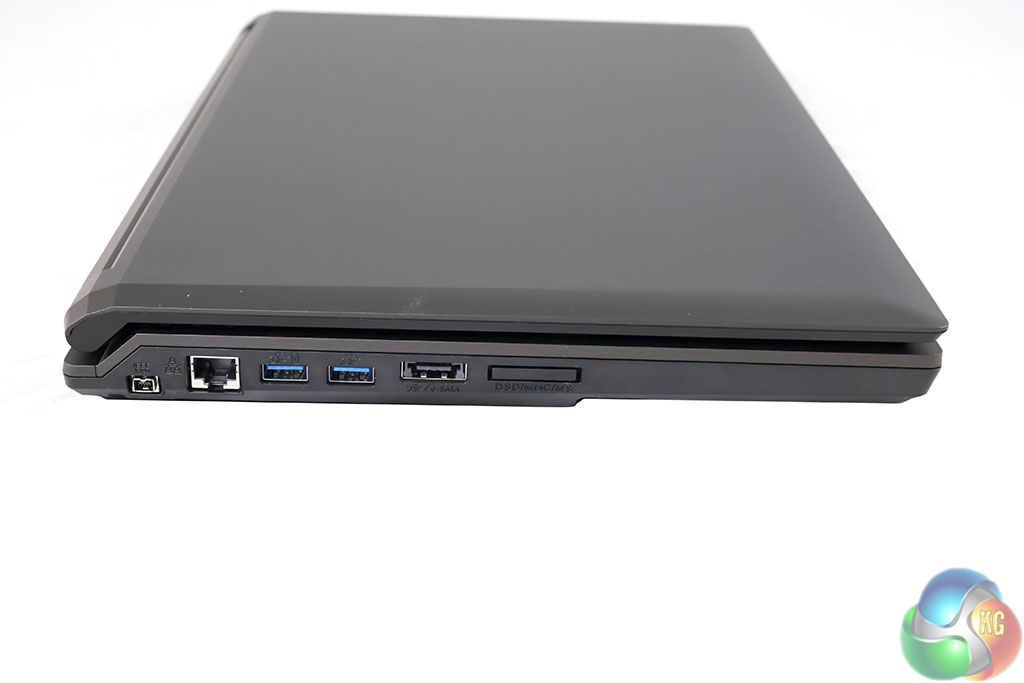
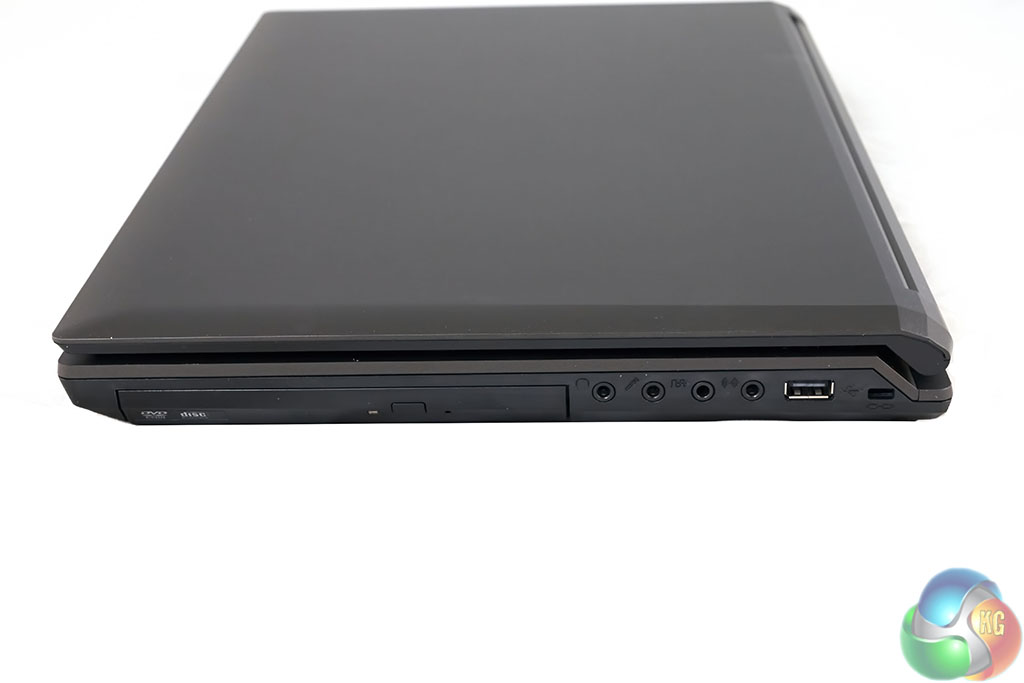
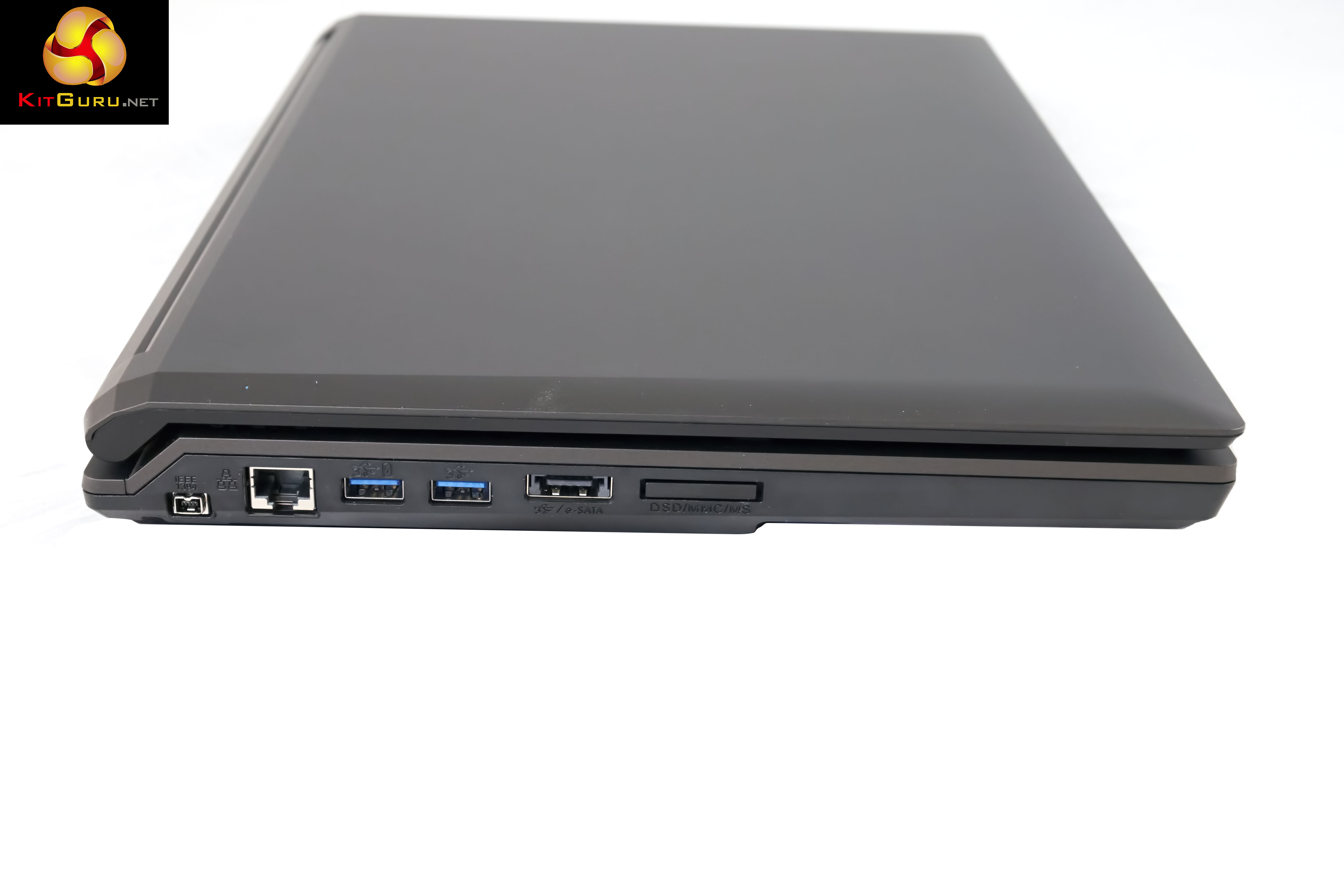
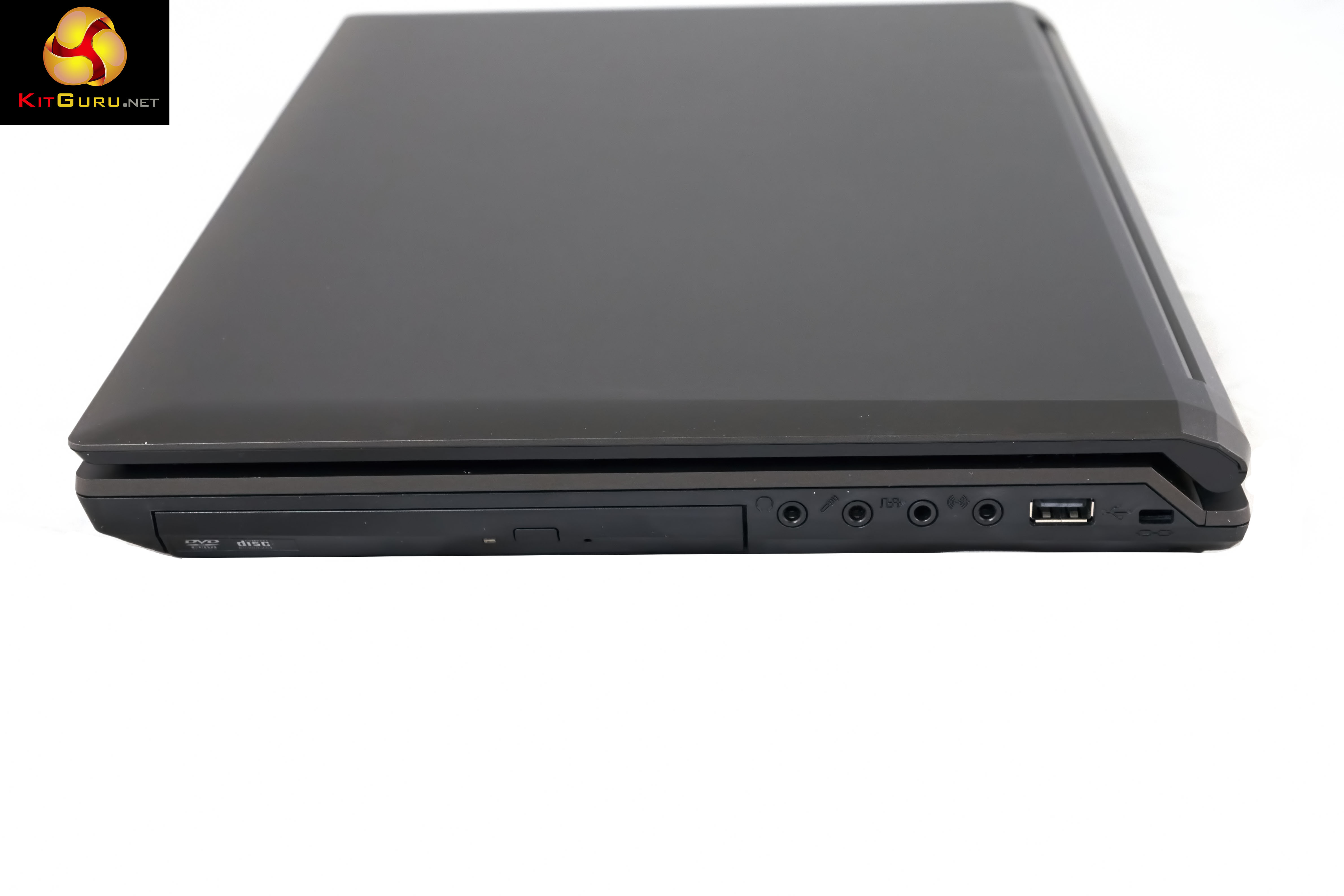
The left side of the Slayer laptop has an IEEE 1384 port, GB Lan, two USB 3.0 ports, hybrid USB and eSATA port and a card reader. The right side of the Slayer laptop has a DVD drive, another USB port and audio, speaker and microphone connectors.
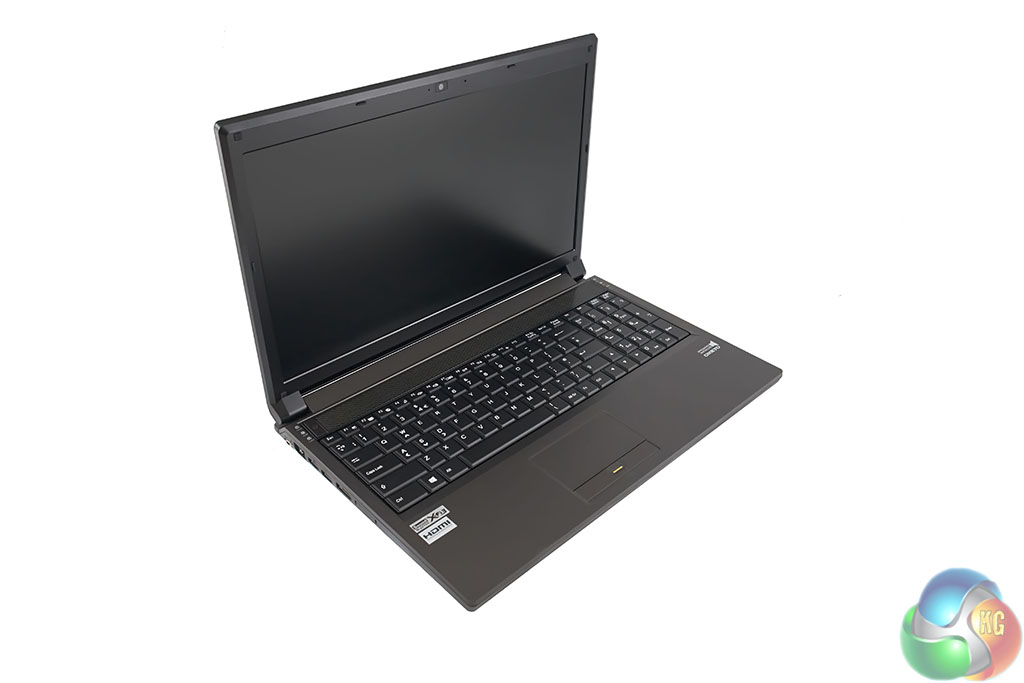
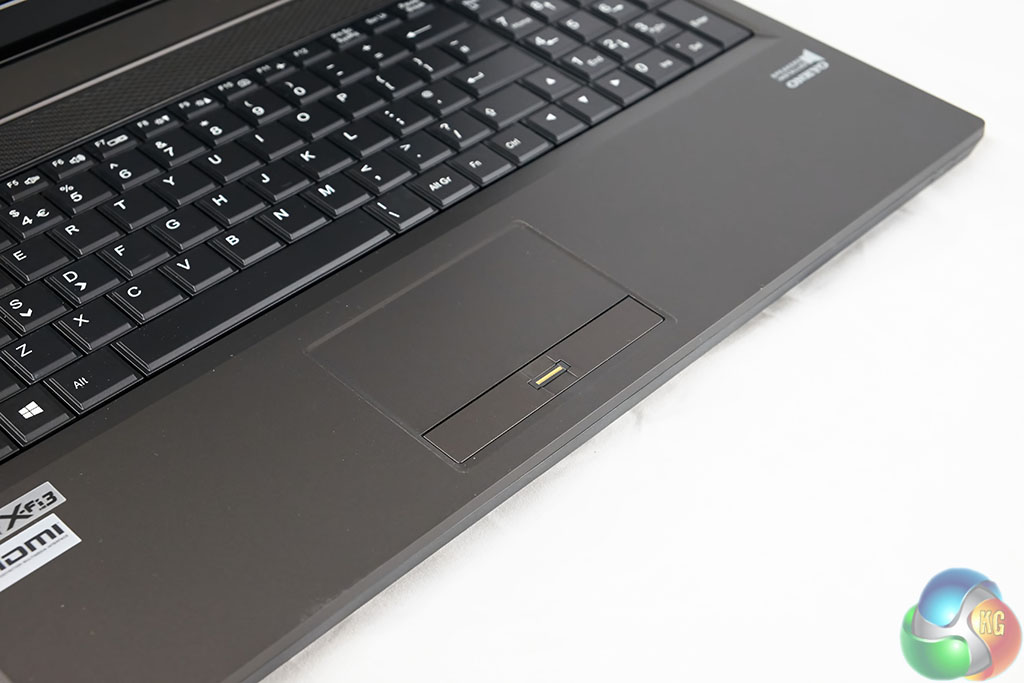
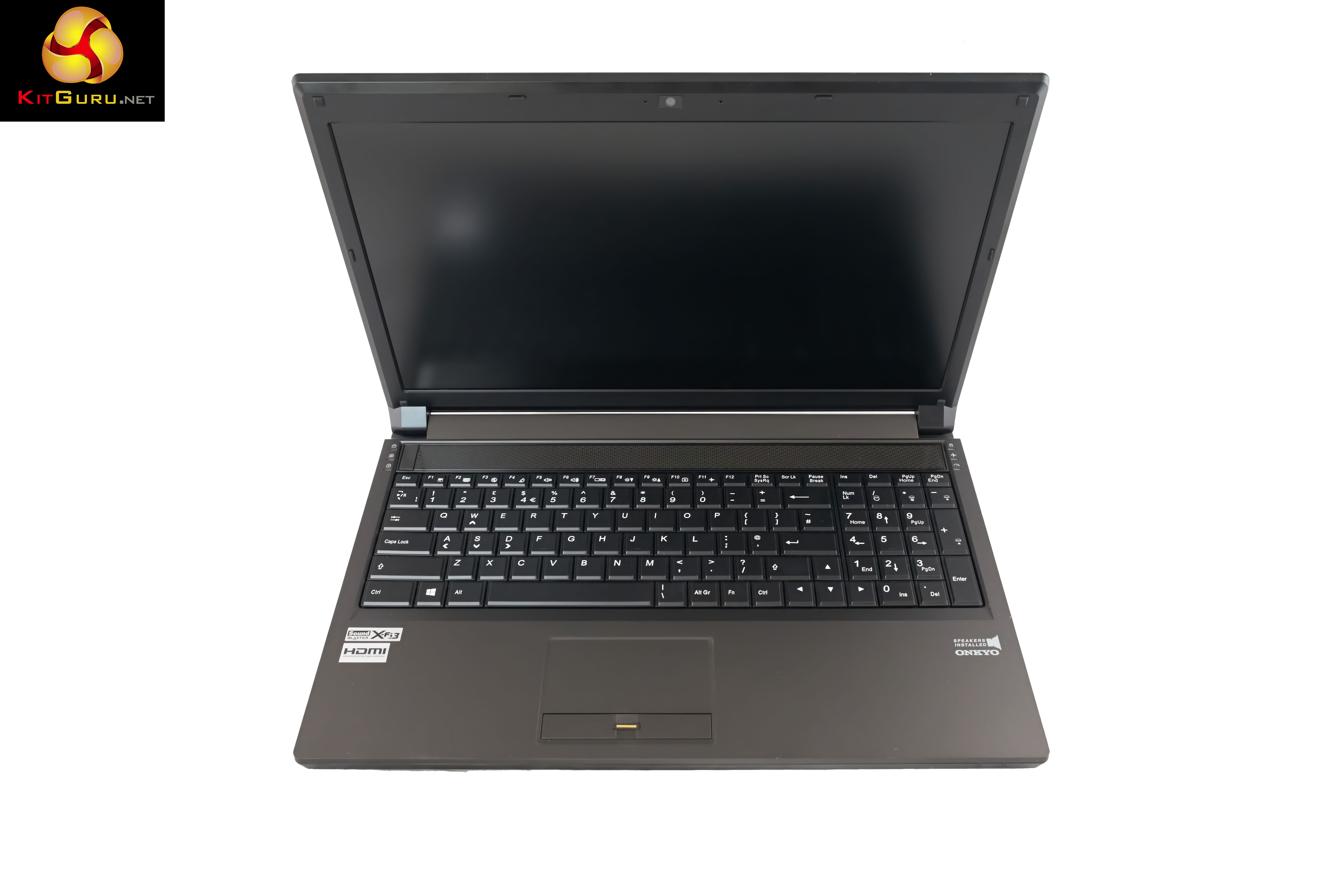
The Slayer certainly won't win any beauty awards, but it is a functional design. The trackpad is positioned in the center of the chassis with a left and right button and a fingerprint reader. DINOPC are not using a high grade panel in this particular machine – overall image quality is acceptable but unremarkable and viewing angles are not wonderful either.
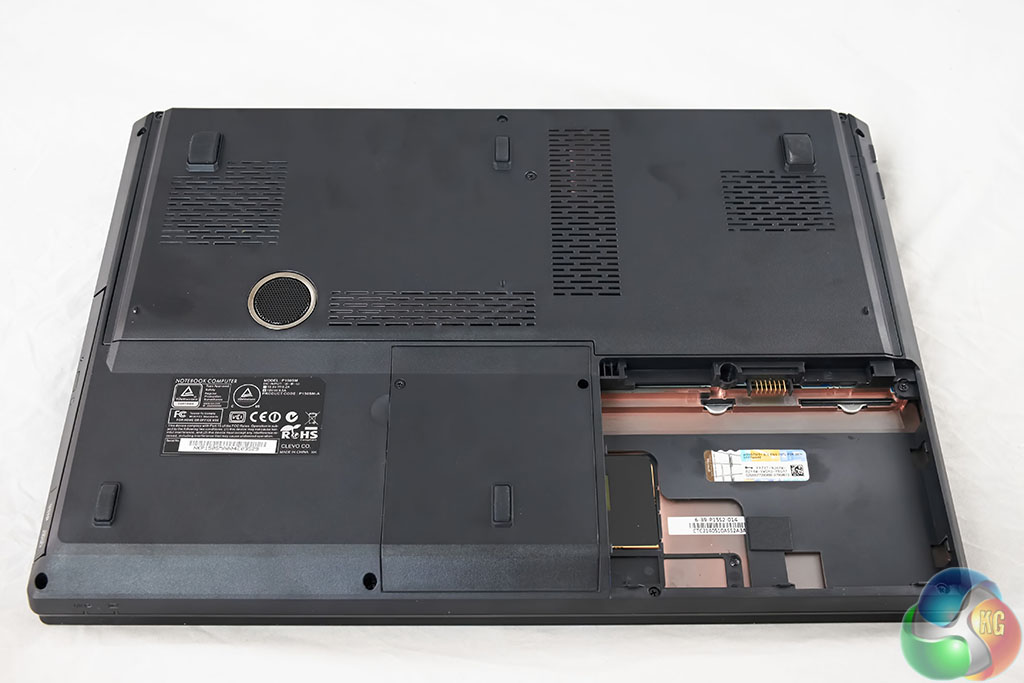
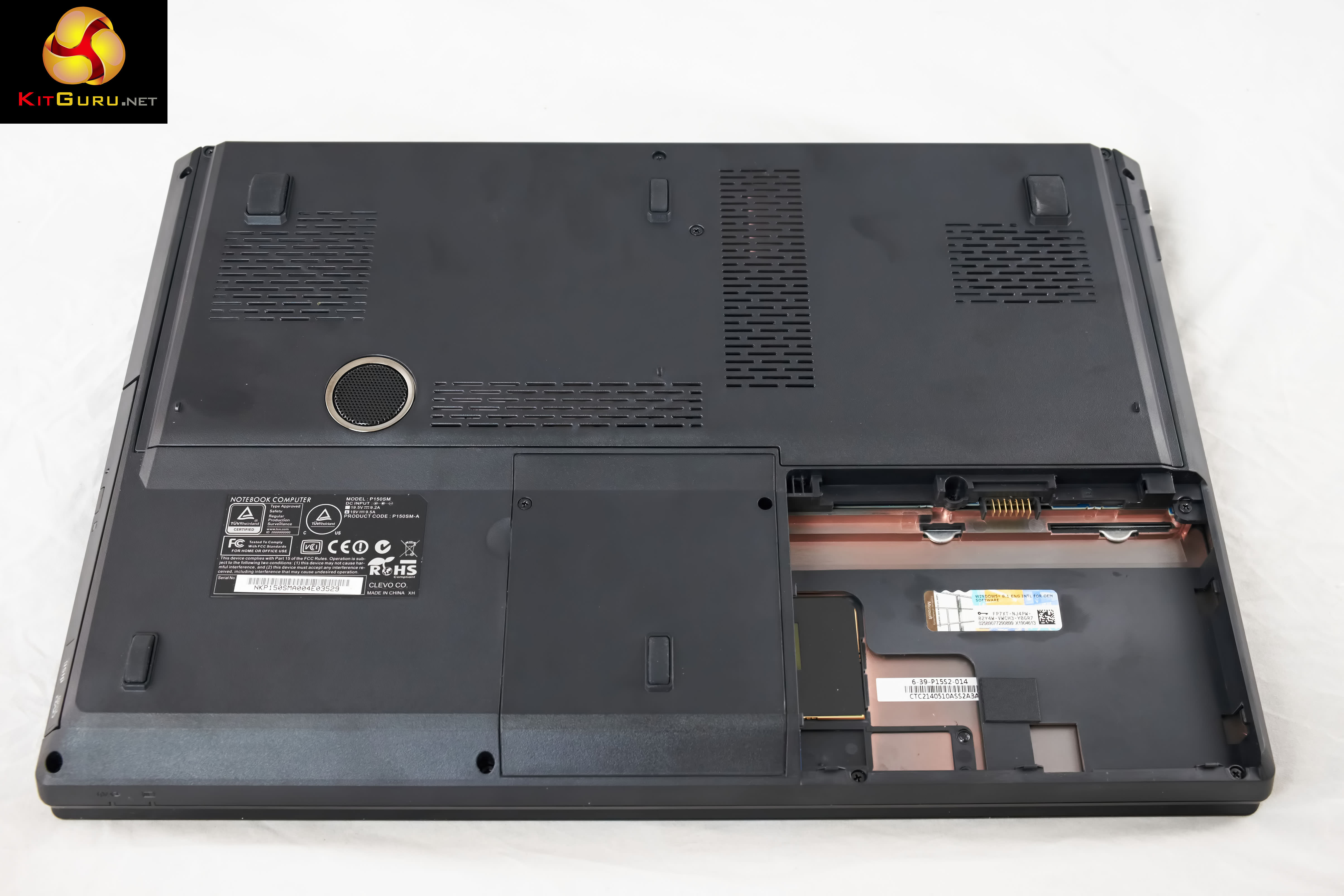
Underneath the Slayer – the battery is positioned front left (front right from the underside). There is a speaker in the center of the laptop, close to the right panel. There are cooling vents positioned in various parts of the chassis, shown above.
Onboard audio is rather weak, lacking any kind of bass weight – although it does quite a good job of sounding quite spacious. A pair of headphones or speakers would be advised to get the most from the Slayer system. Same with any laptop system to be honest.
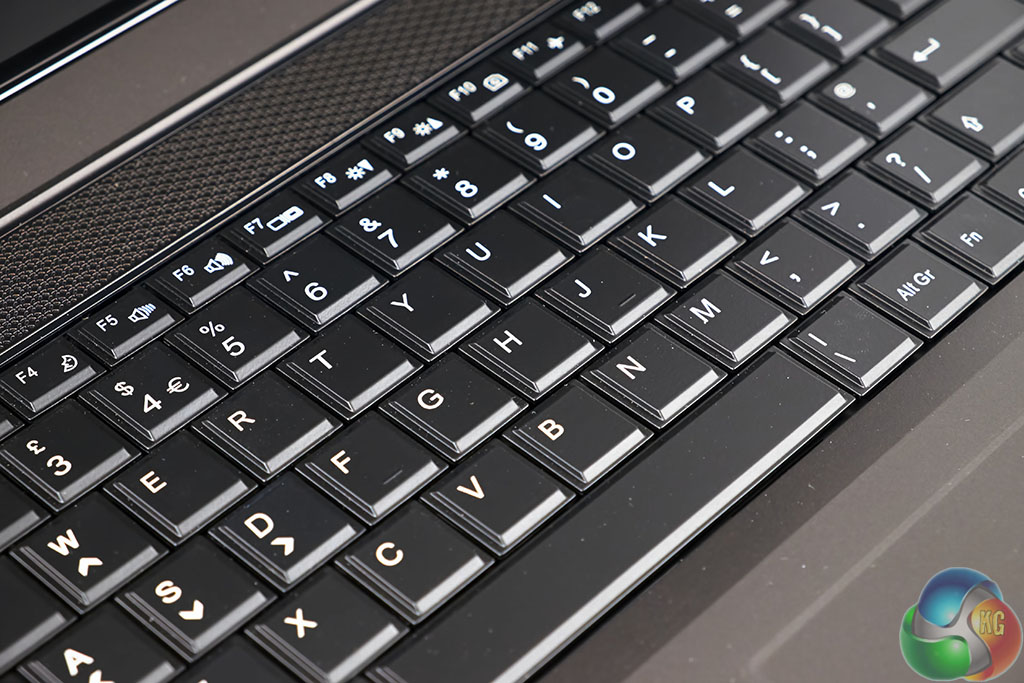

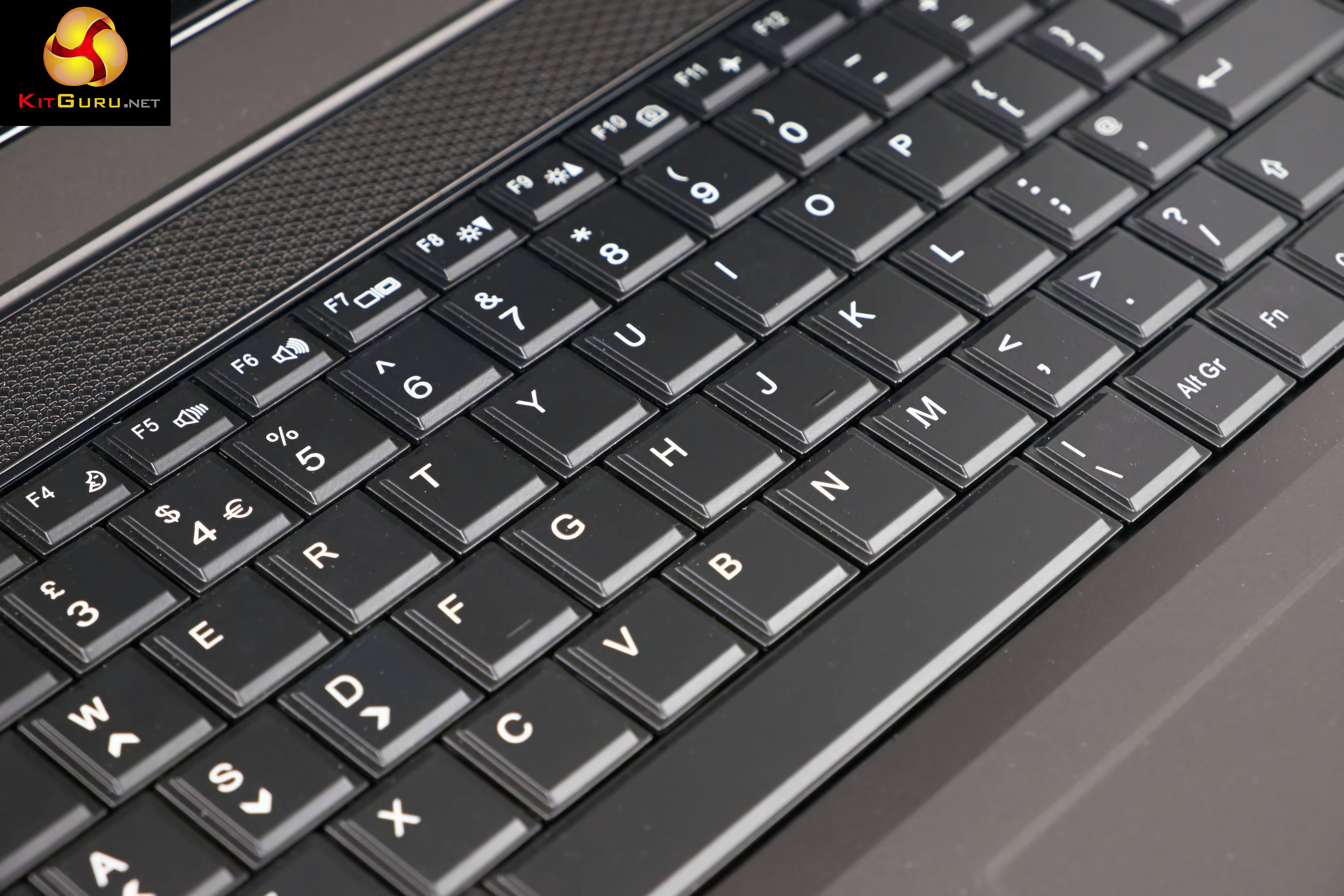
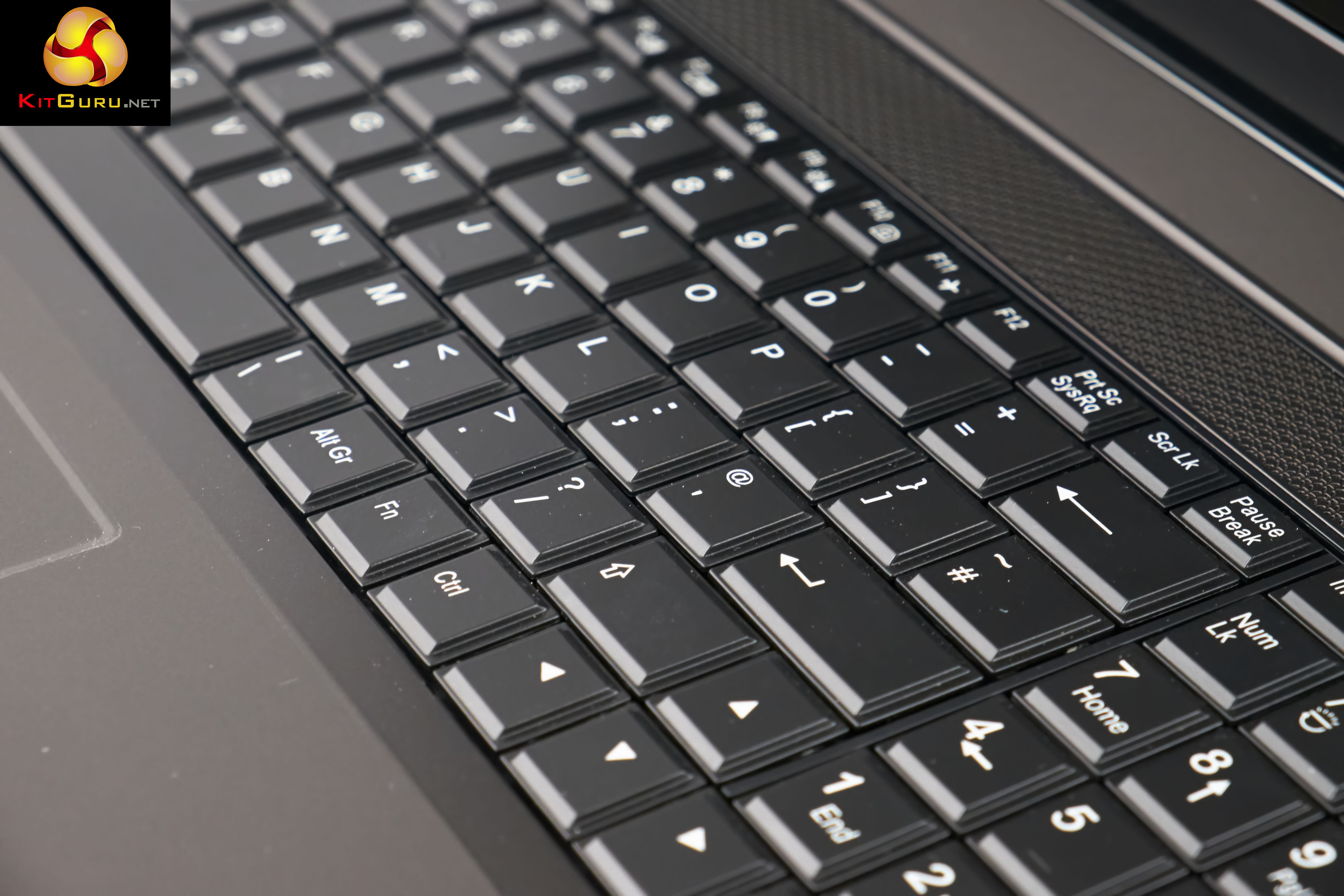
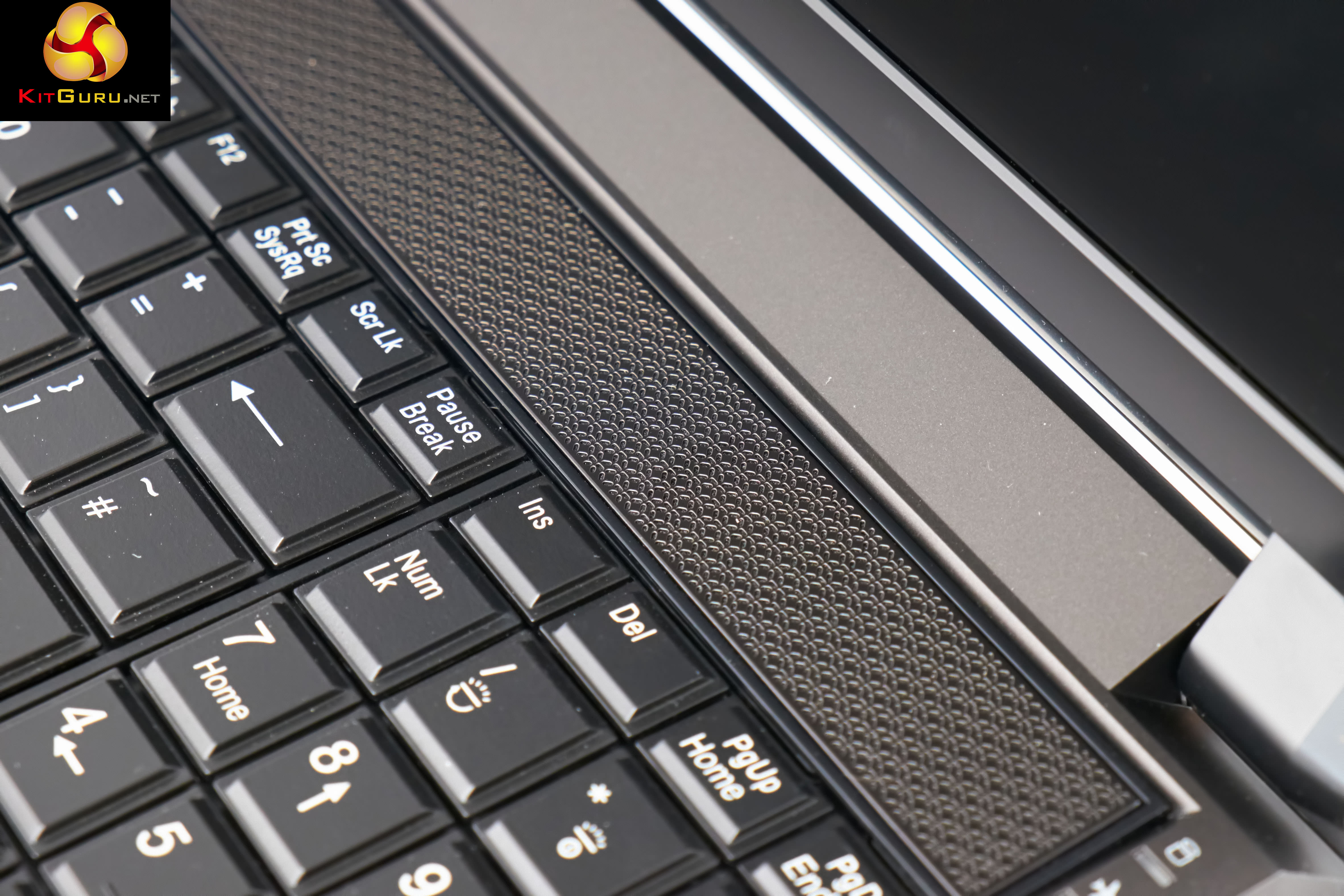
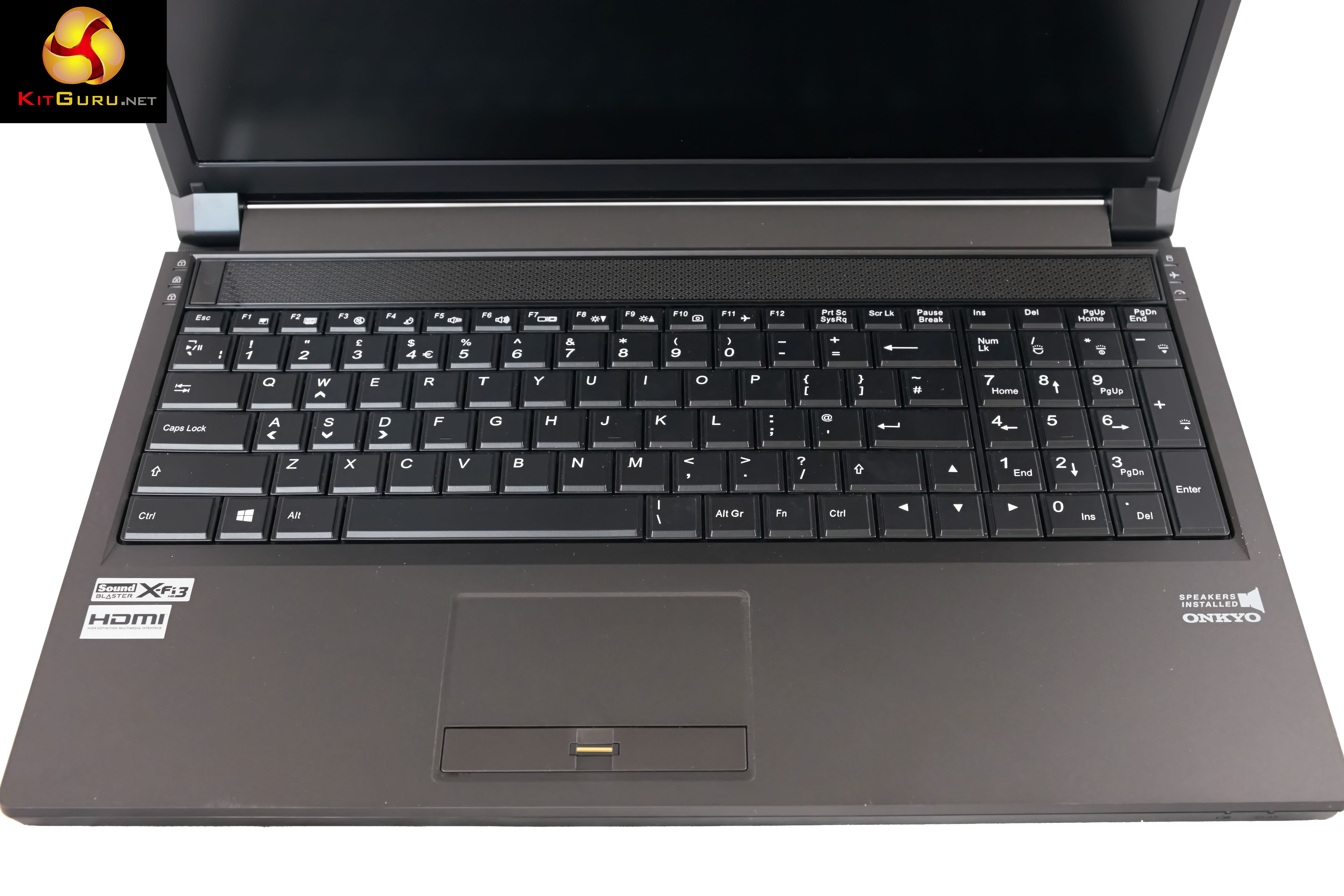
The keyboard itself is backlit and feels good to type with. It does fall short of the best on the market, but the majority of the user base will be happy enough with the feedback. Sadly, this particular machine has a single height return key which always gives me a problem. Might not be an issue for the masses, but I make quite a few typing errors with a single height return key.

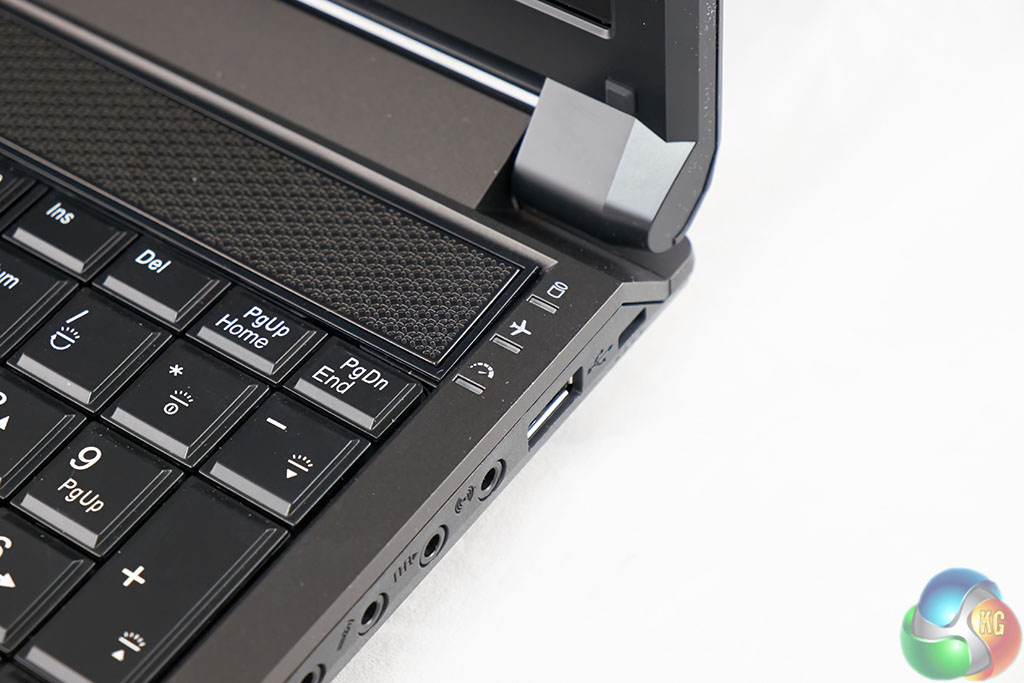
The left hand side of the laptop is home to three LED's which highlight key lock positions. Right next to this is the power button. The other side of the laptop is home to the hard drive indicator, wifi and turbo indicators.
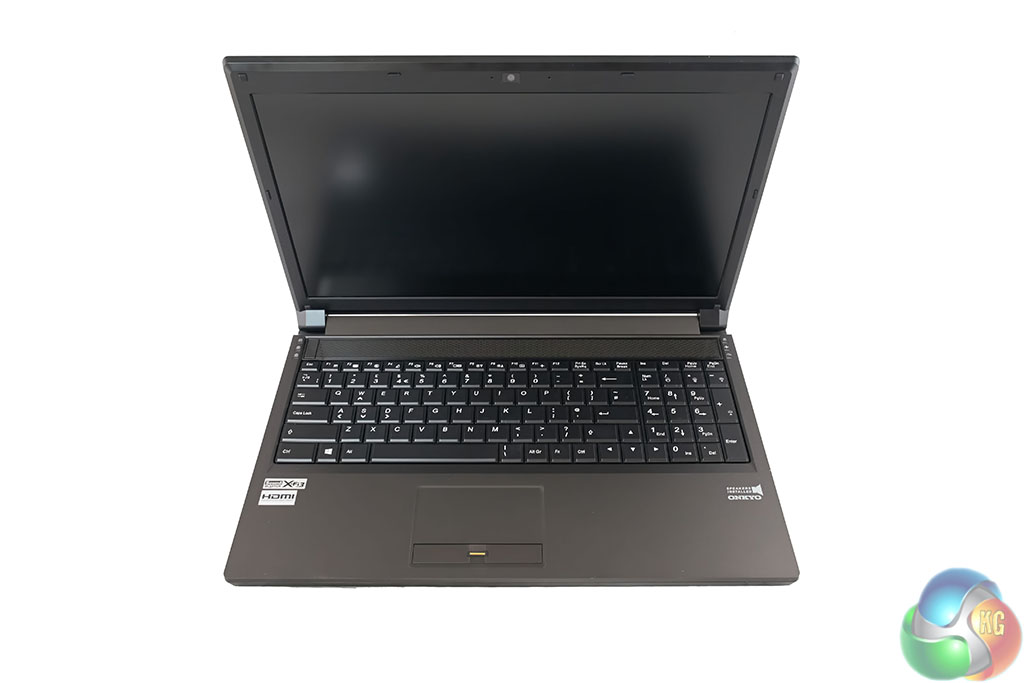
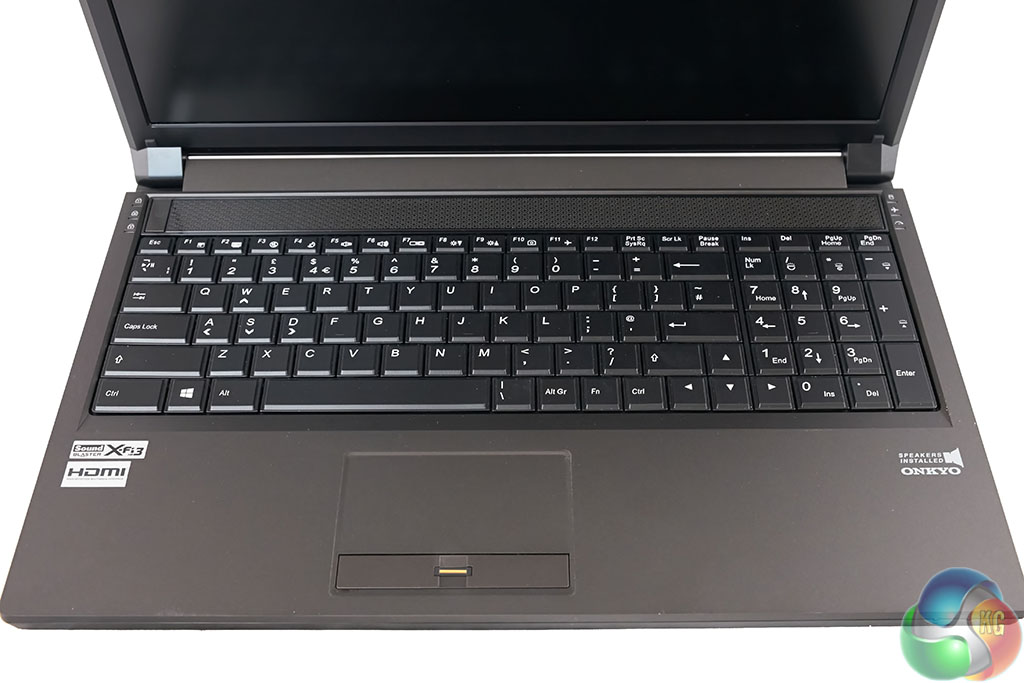
The build quality of the Slayer 15.6″ GTX 870M is very good with minimal keyboard flex. My only issue with the laptop is the panel section. When set to a specific position, the lid and screen could vibrate slightly, even under heavy handed typing.
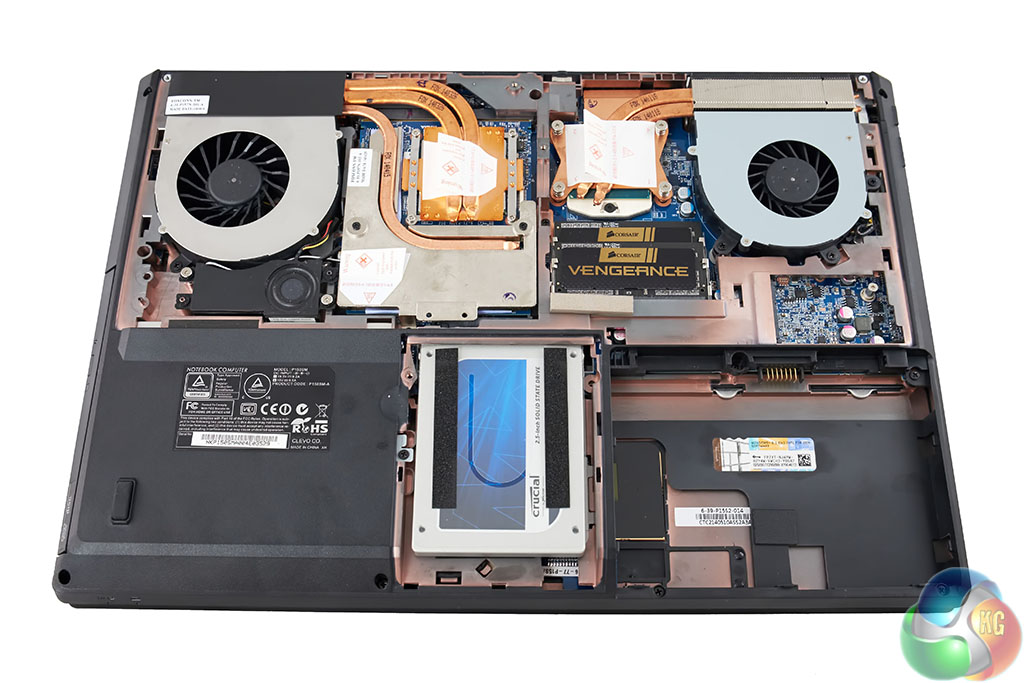
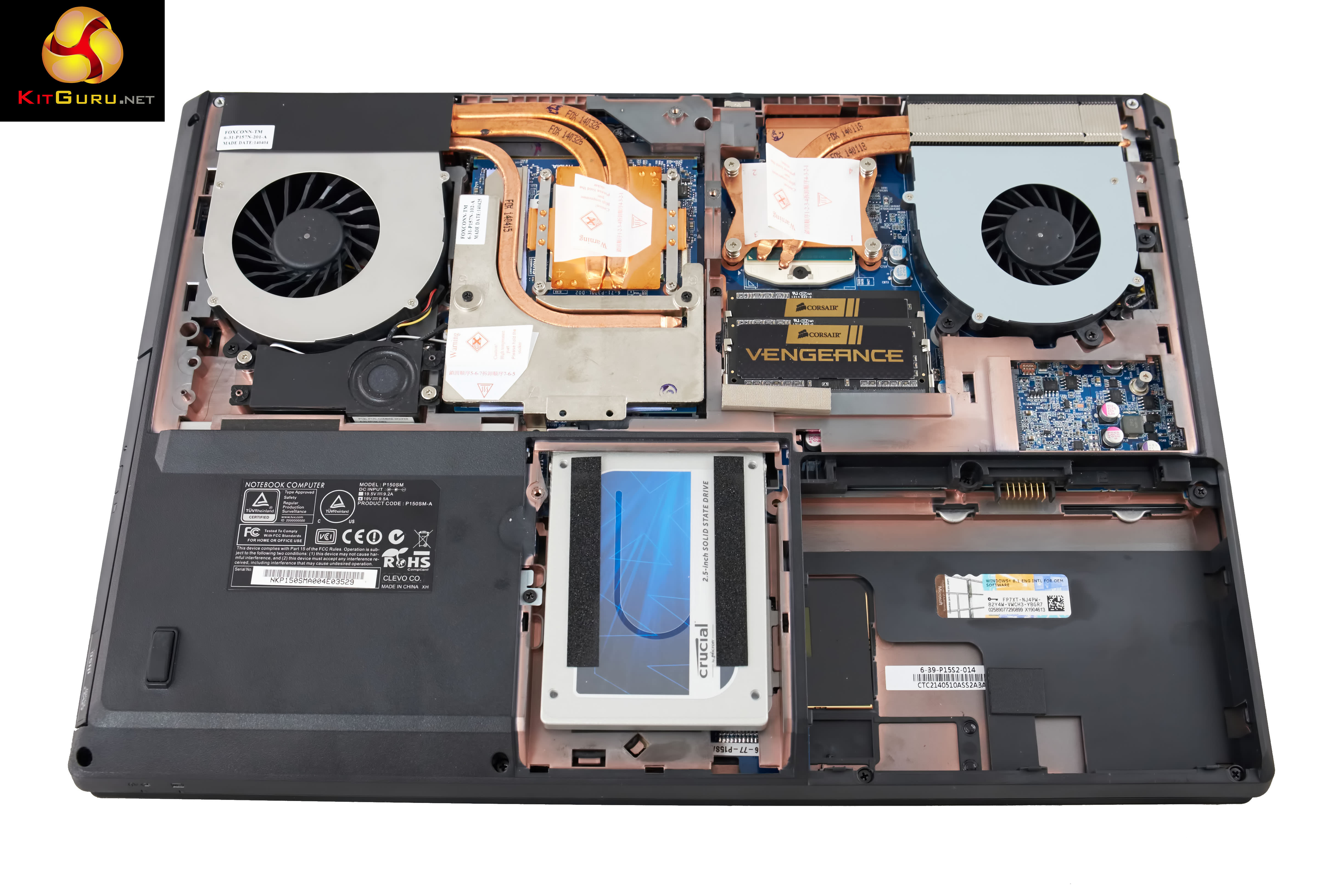
The back panels are easy to remove, giving complete access to the internals. Two cooling fans and heatsinks are positioned at the rear, cooling both Intel i7 processor and Nvidia discrete graphics card. DinoPC are using high grade Corsair Vengeance SO-DIMM memory and a Crucial Solid State drive.
On this page we present some high resolution images of the product taken in our professional studio. These will take much longer to open due to the dimensions, especially on slower connections. If you use these pictures on another site or publication, please credit Kitguru.net as the owner/source.

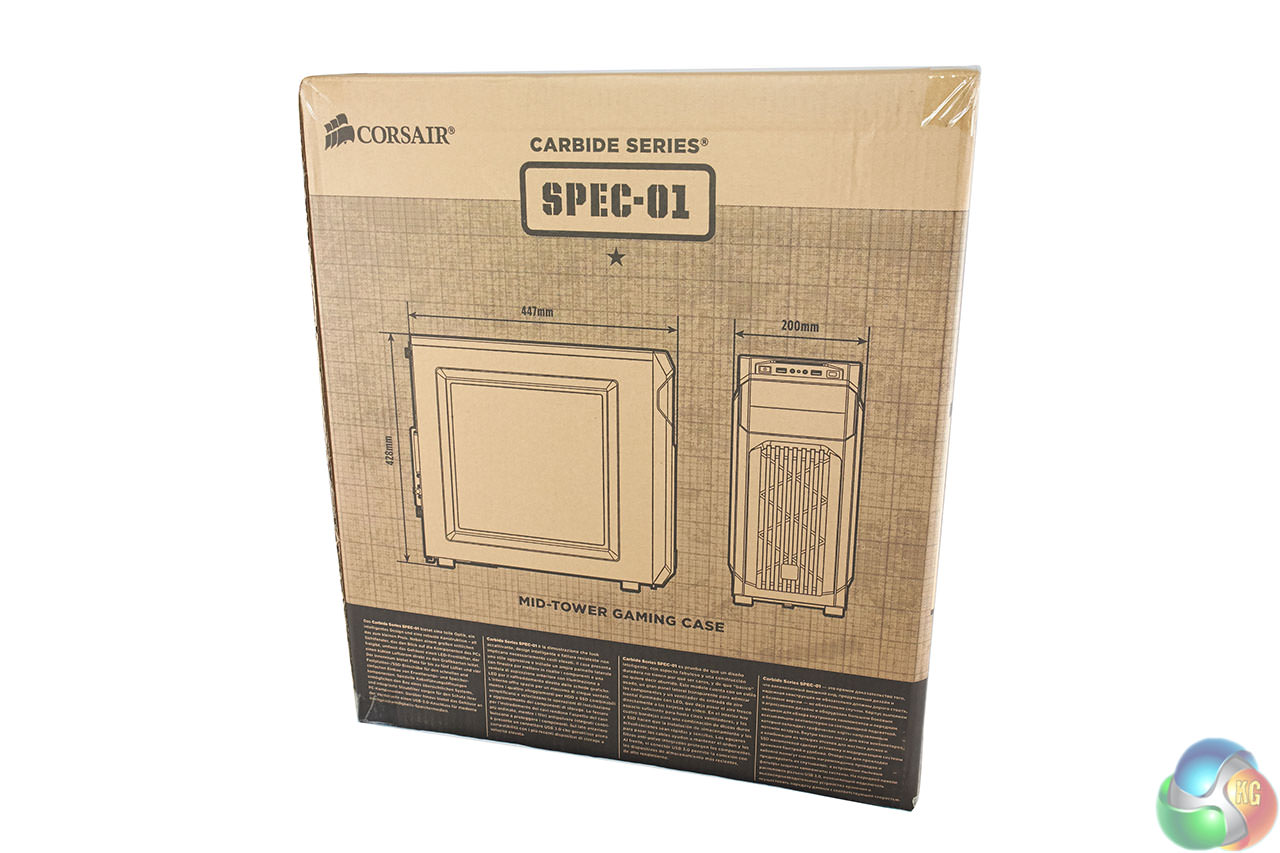
The DinoPC Magma Wrath GTX 770 ships inside a Corsair Carbide SPEC 01 box, their mid tower gaming case box. We need to point out that if you buy this system you will also get a
- Iiyama XU2390HS 23″ Slim Bezel LED
- Gigabyte Force K3 Keyboard
- Gigabyte Force M7 Mouse
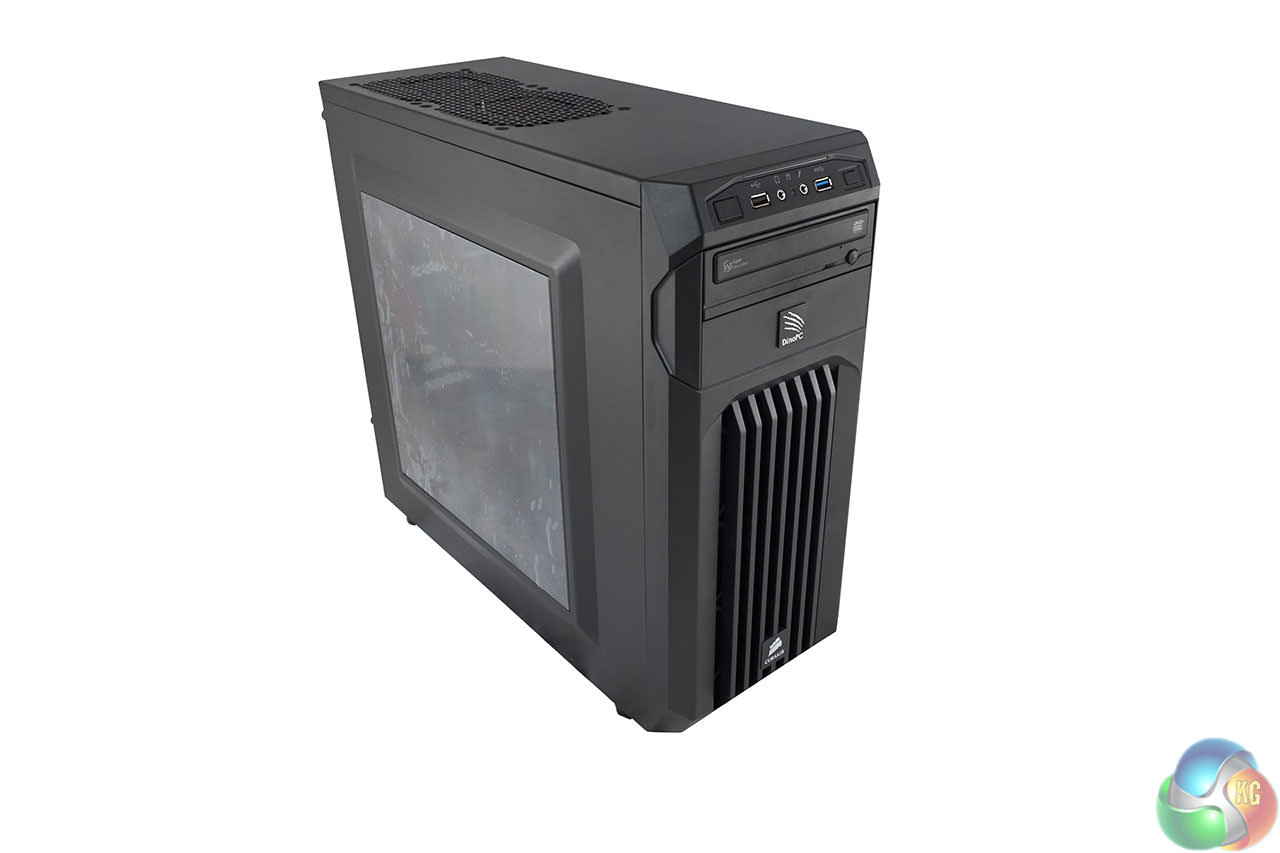
The Carbide Series SPEC 01 chassis is a good looking gaming case and is reasonably light weight and easy to carry around.
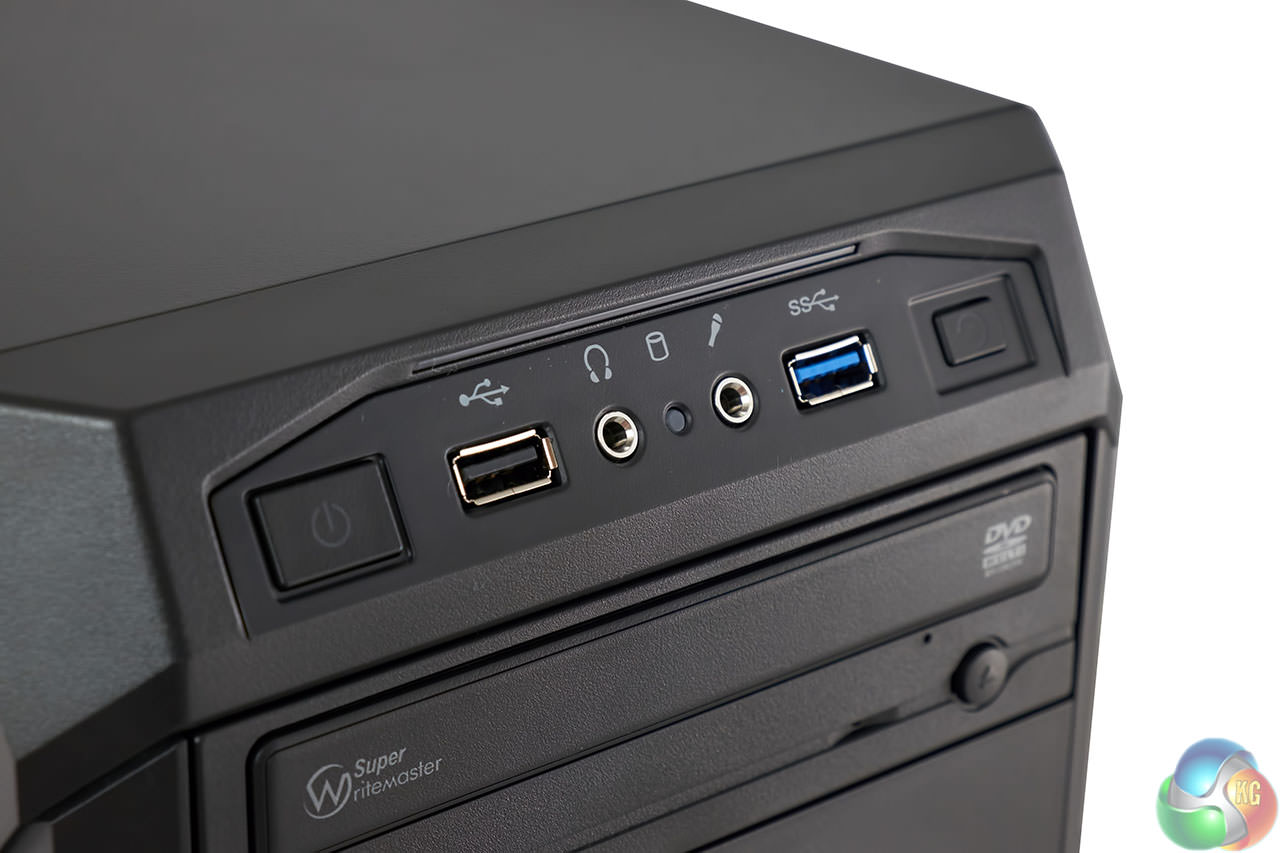
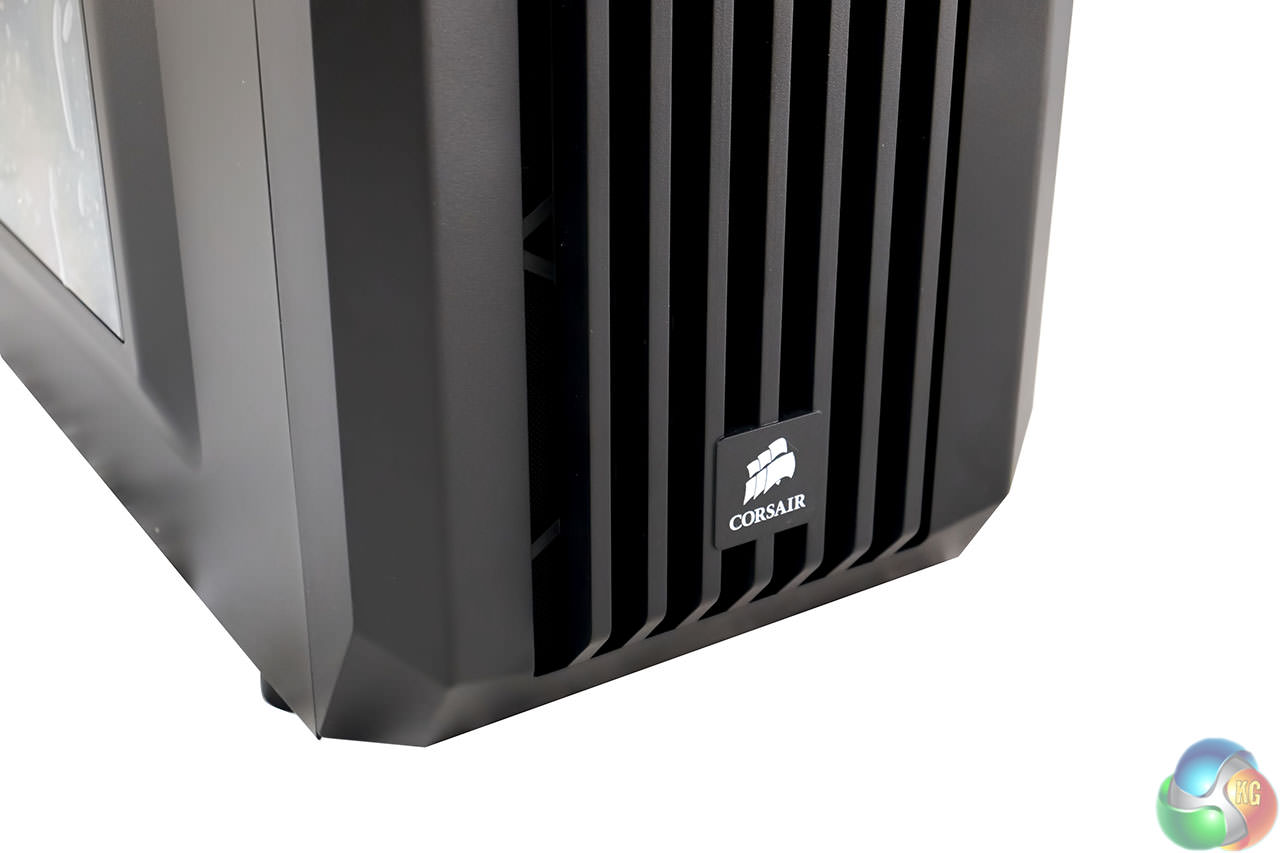
The front of the Corsair case has a power and reset button, alongside a headphone and microphone jack and a USB 3.0 and USB 2.0 port.
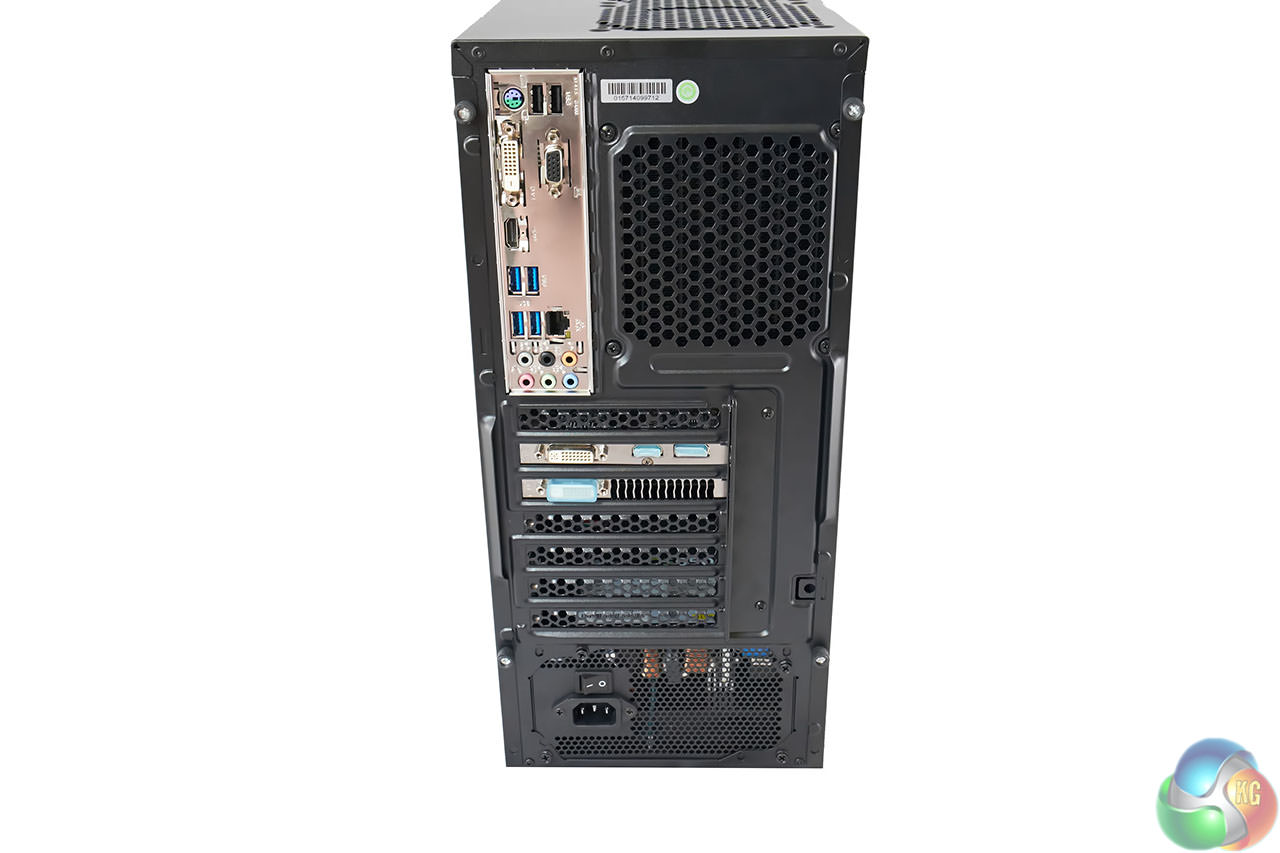
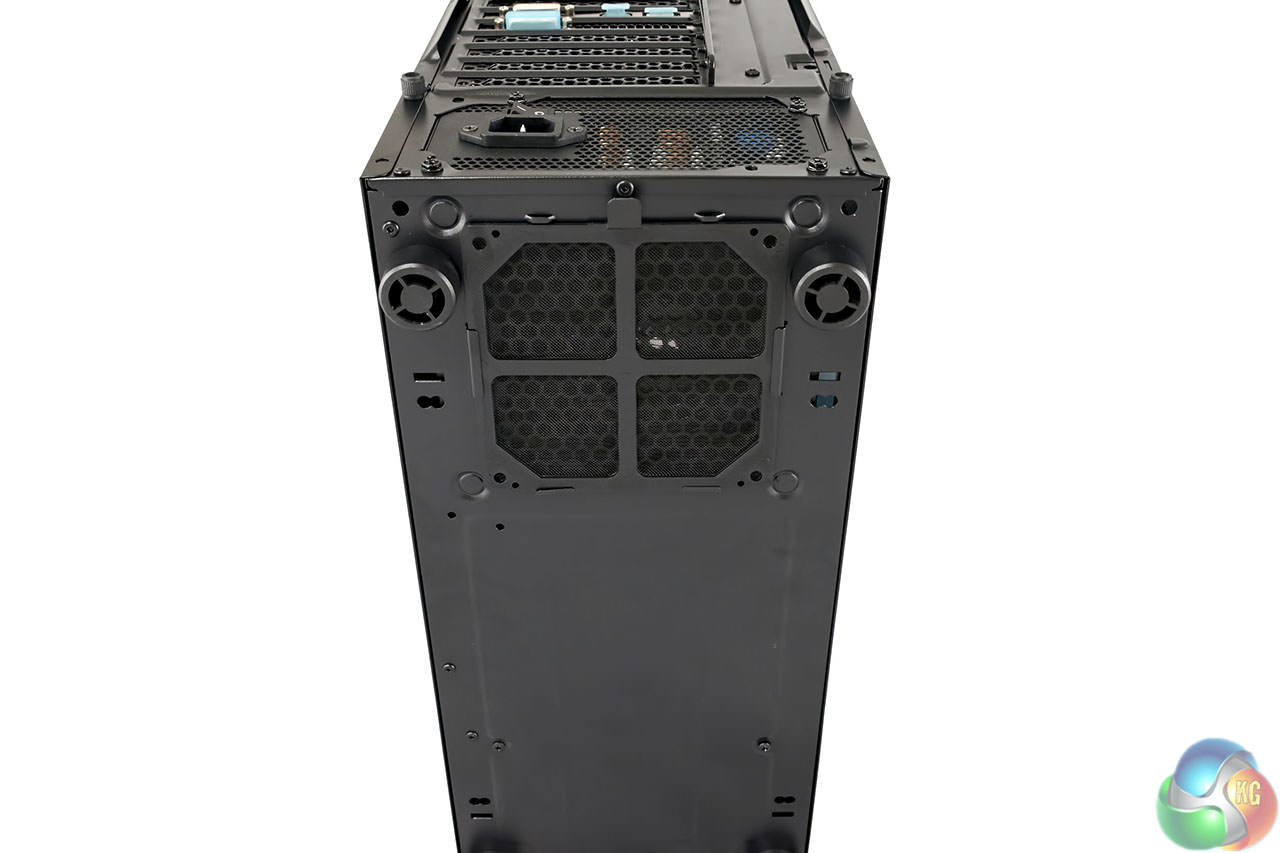
It is important to ensure you hook your monitor into one of the connectors on the discrete graphics card, not the motherboard. DinoPC should really cover the HDMI and DVI motherboard ports when they ship, rather than those on the GTX 770. This could catch out very inexperienced users.
The power supply vent is filtered to help prevent excessive dust entering the chassis.
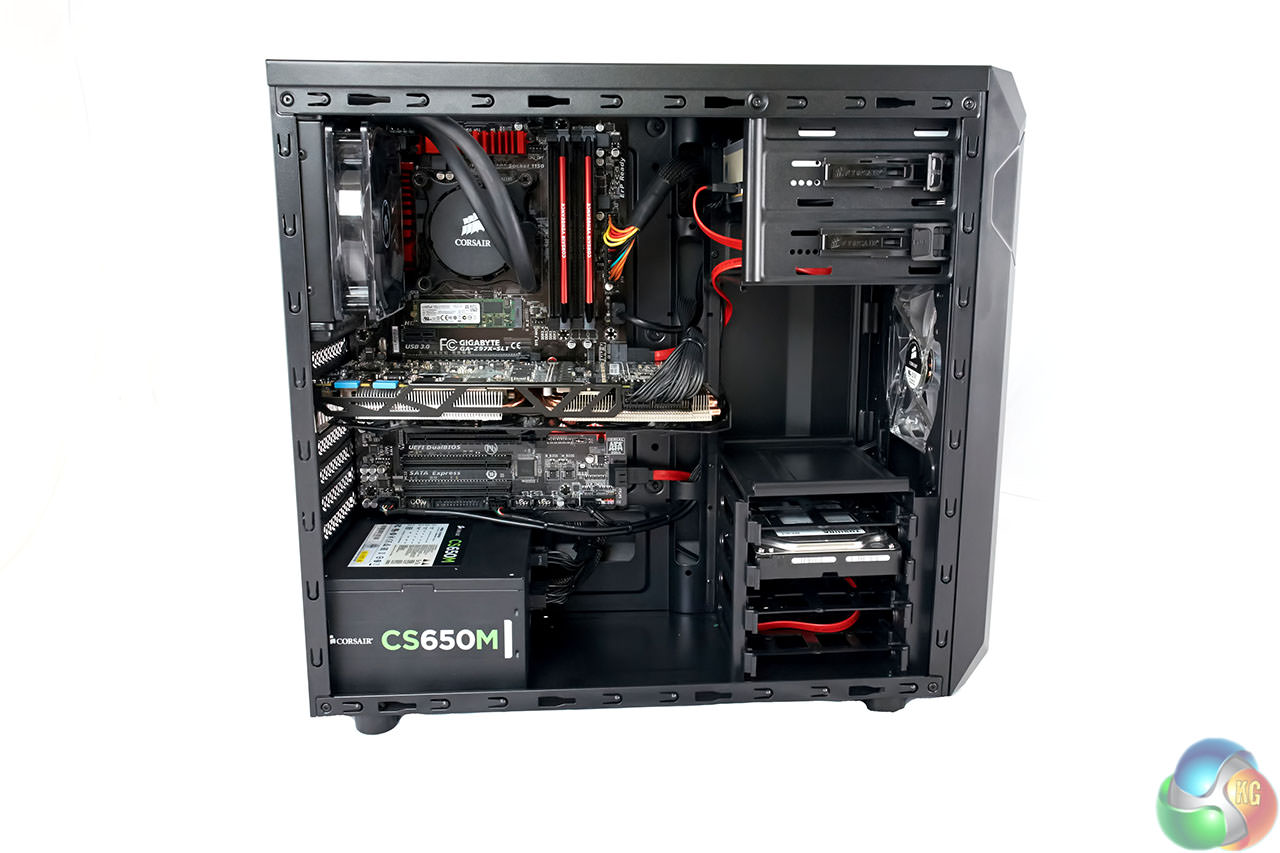
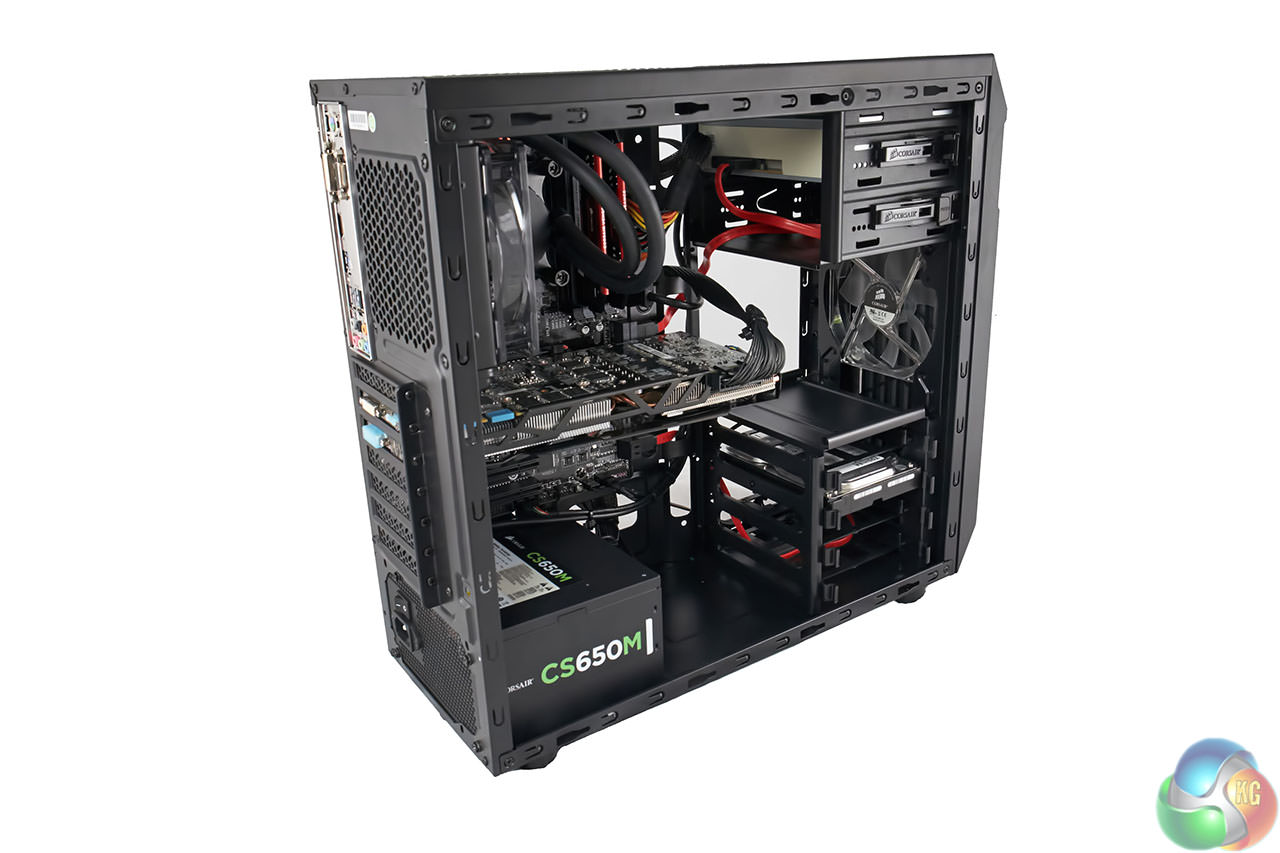
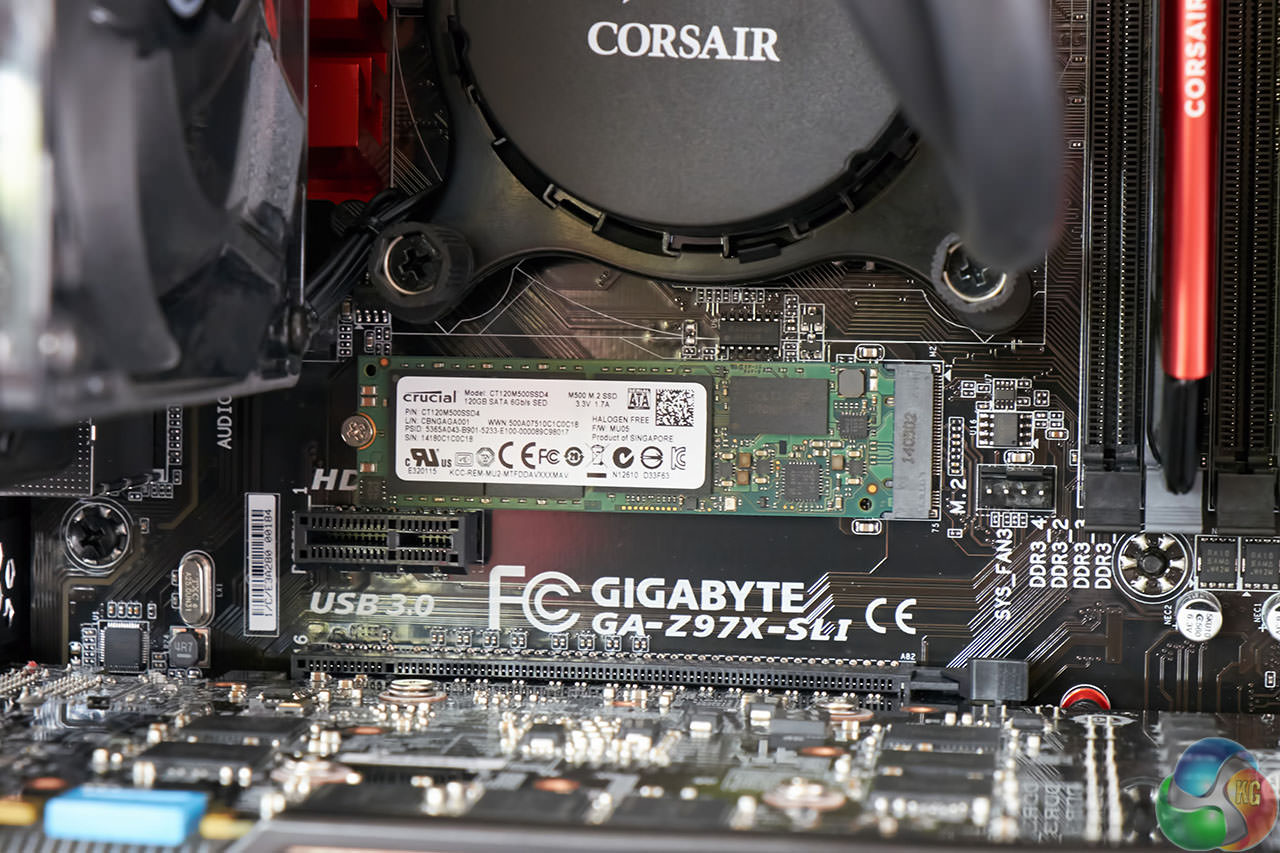
The system build is tidy and we can see DinoPC are using the Gigabyte GA-Z97X-SLI motherboard with a M.2 SSD fitted above the graphics card.
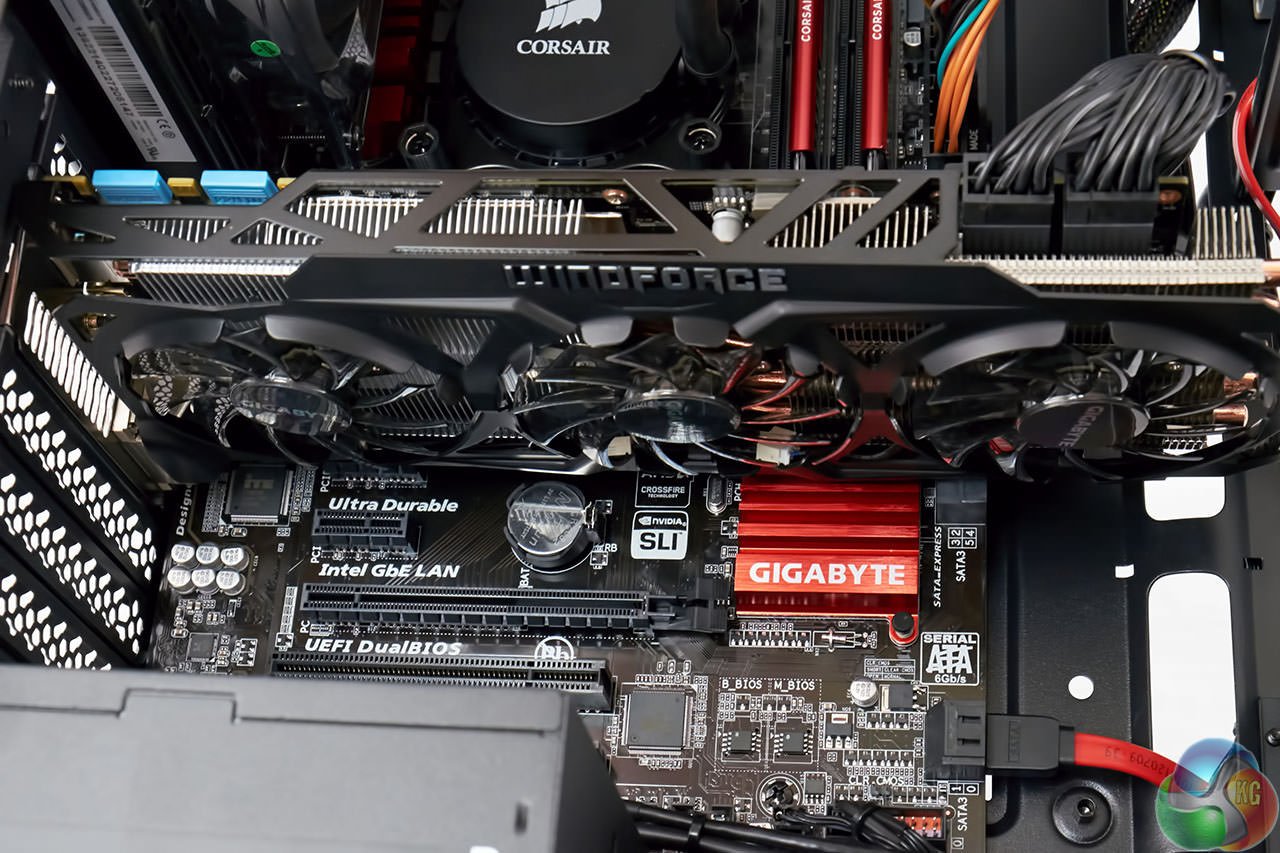
The system features a high grade triple fan Gigabyte GTX770 Windforce graphics card.
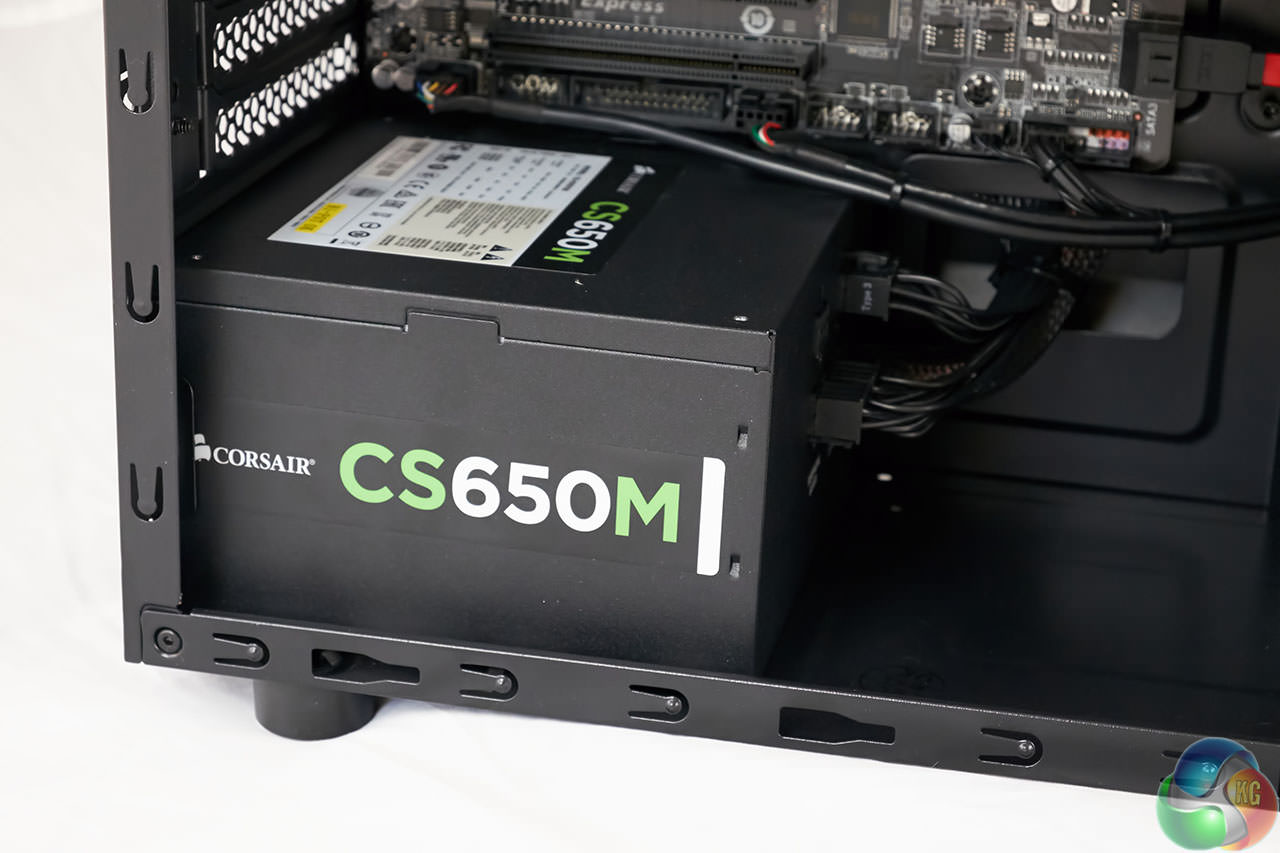
I have to admit I was a little surprised to see a budget oriented Corsair CS series power supply used in this system. Not a bad power supply by any means and you can read our full review from November 20th 2013, over here.
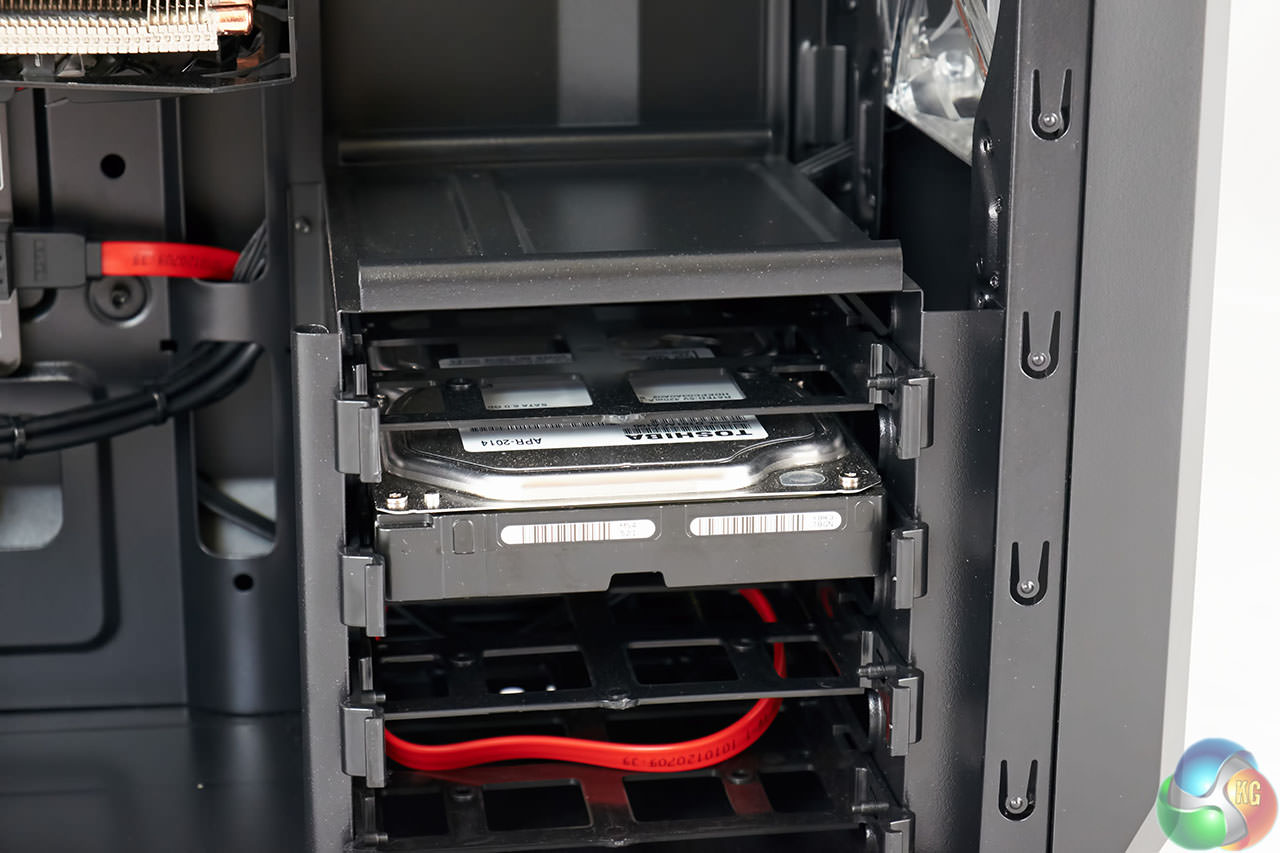
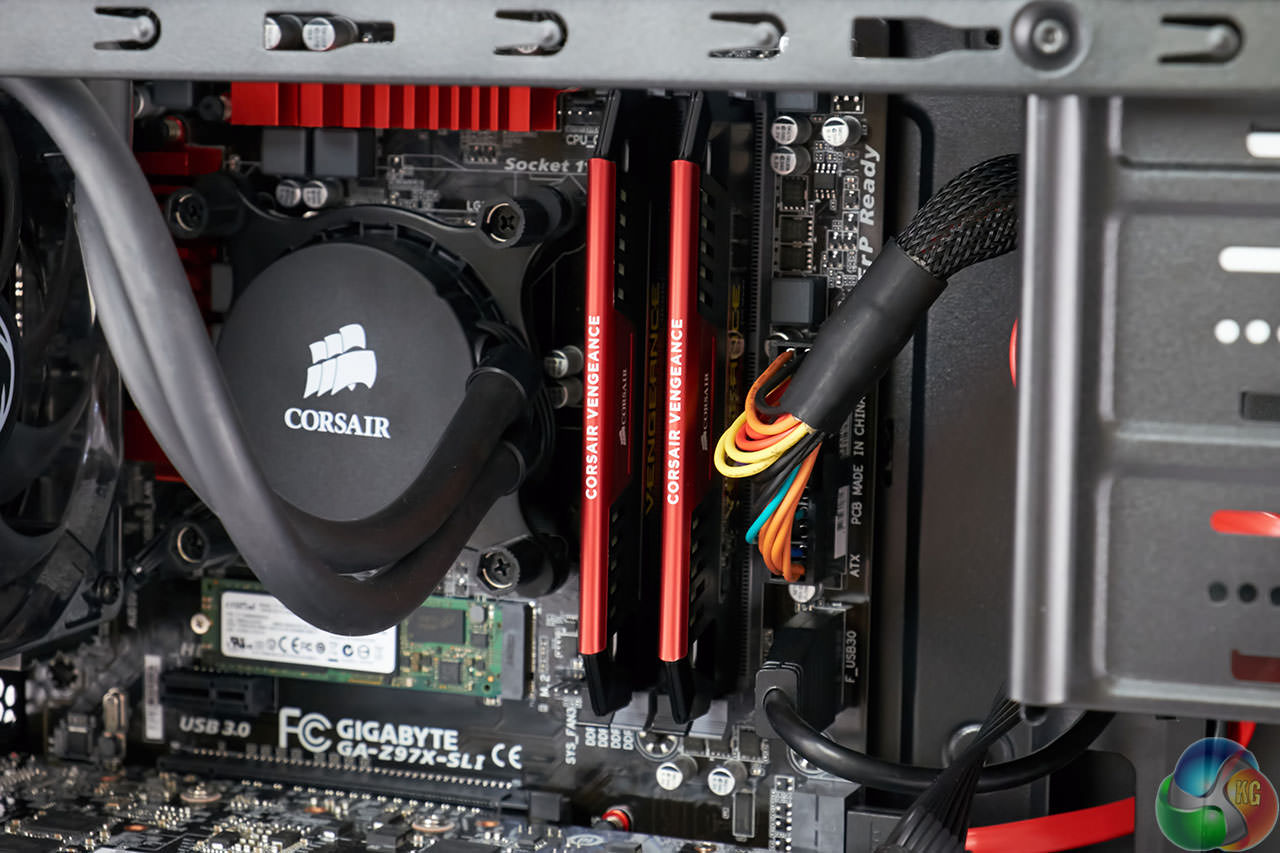
DinoPC are using Corsair Vengeance memory in this system – which has always performed well for us in previous reviews.
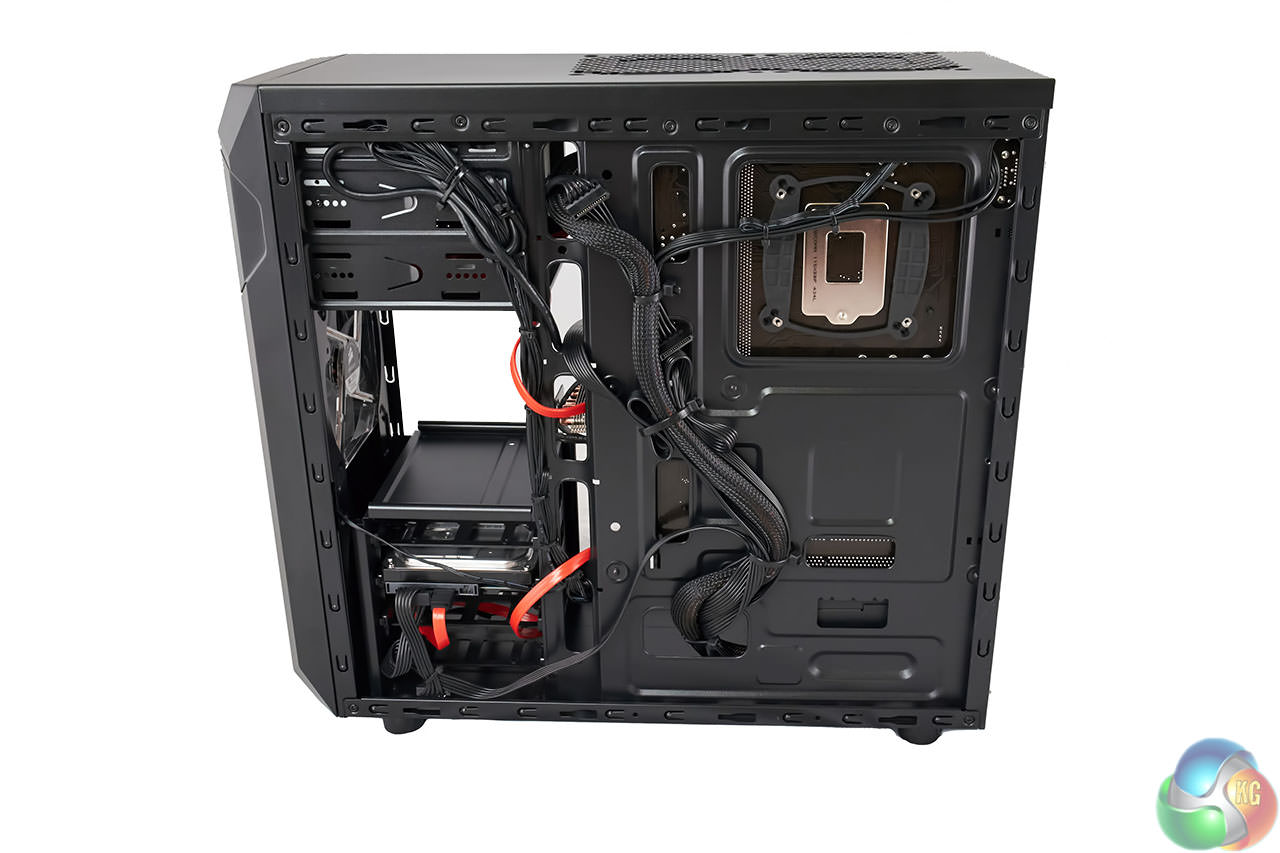
The other side of the case hides the majority of the cabling – stashed well from view under normal circumstances.
DinoPC Slayer 15.6″ GTX 870M
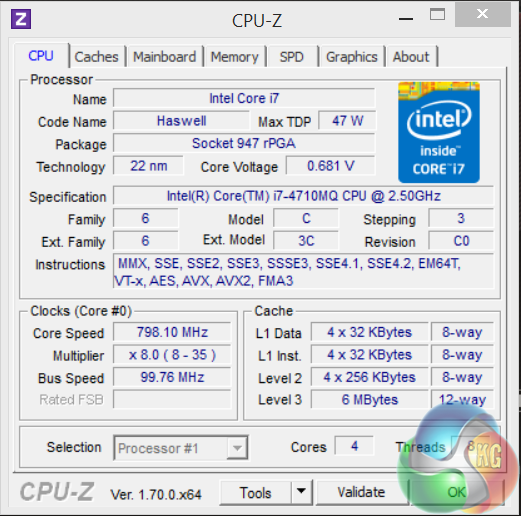
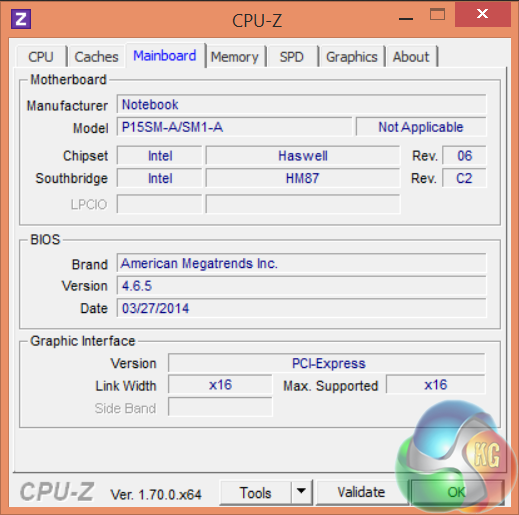
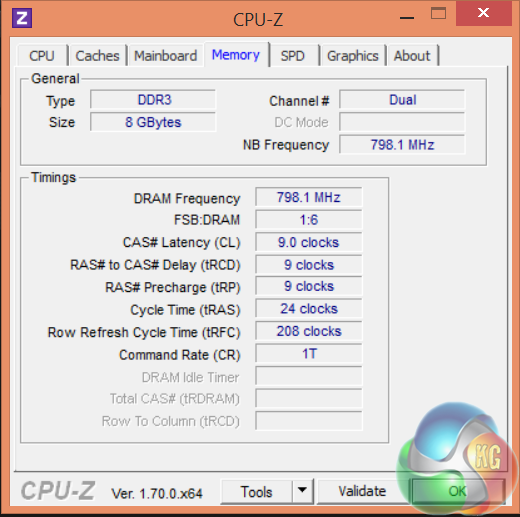
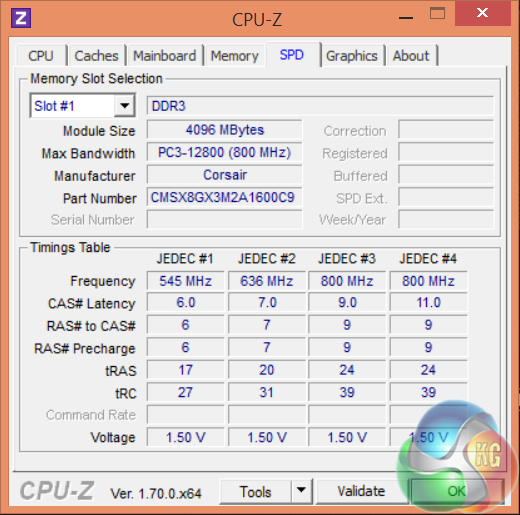
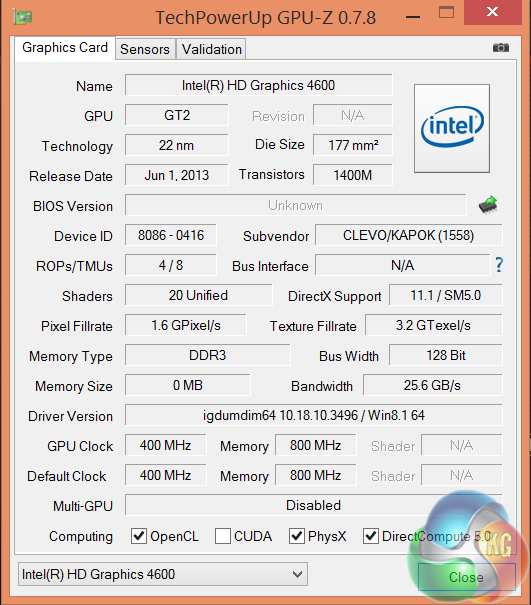
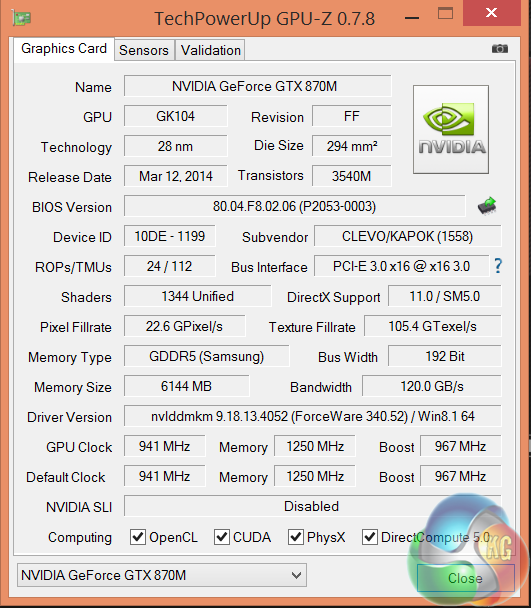
The mobile Intel Core i7 4710MQ processor is built on the 22nm process. It is a quad core chip with hyperthreading enabled. It has 6MB of level 3 cache. System memory is running at 1,600mhz with timings of 9-9-9-24.
The Nvidia GTX780M is a powerful mobile solution built on the 28nm process. It has 24 ROP's, 112 texture units and 1,344 CUDA cores. The core clock speed is set at 941mhz with a turbo frequency of 967mhz. The 6GB of GDDR5 memory is connected via a 192 bit interface.
DinoPC Magma Wrath GTX 770
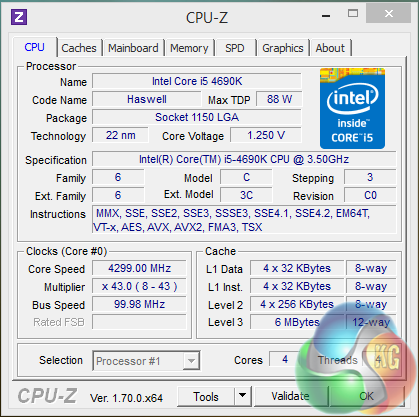
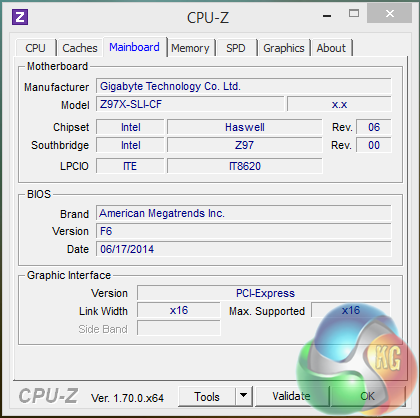

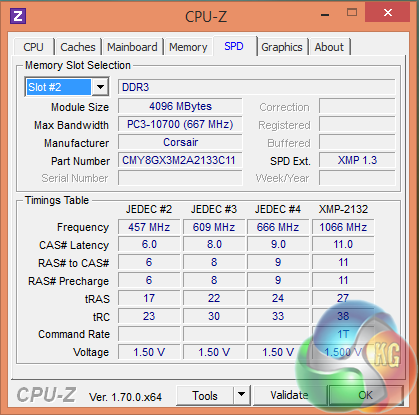
The desktop Intel i5 4690k processor is built on the 22nm process. It is a quad core chip, but it doesn't ship with Hyperthreading enabled. It has 6MB of level 3 cache. System memory is running at 2,133mhz at timings of 11-11-11-27.
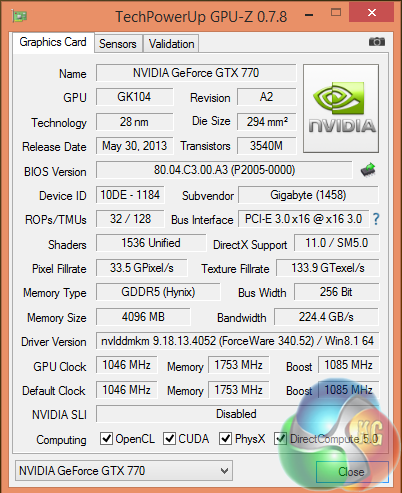
The Gigabyte Nvidia GTX 770 is built on the 28nm process. It has 32 ROPs, 128 Texture units and 1,536 CUDA Cores. The clock speed is set at 1,046 mhz with a turbo frequency of 1,085mhz. The 4GB of GDDR5 memory is connected via a 256 bit interface.
Software:
3DMark
Cinebench R11.5 64 bit
Cinebench R15 64 bit
FRAPS Professional
Unigine Heaven Benchmark
Unigine Valley
SiSoft Sandra
CrystalDiskMark
ATTO Disk Benchmark
Cyberlink PowerDVD Ultra 12
Cyberlink MediaEspresso 6.7
GRID AutoSport (Direct X 11)
Tomb Raider (Direct X 11)
Total War: Rome 2 (Direct X 11).
Technical Monitoring and Test Equipment:
Asus USB BluRay Drive
Thermal Diodes
Raytek Laser Temp Gun 3i LSRC/MT4 Mini Temp
Extech digital sound level meter & SkyTronic DSL 2 Digital Sound Level Meter
Fuji XT-1 with 18-50mm lens and Sony RX100.
Game descriptions are taken with courtesy from Wikipedia.SiSoftware Sandra (the System ANalyser, Diagnostic and Reporting Assistant) is an information & diagnostic utility. It should provide most of the information (including undocumented) you need to know about your hardware, software and other devices whether hardware or software.
Sandra is a (girl’s) name of Greek origin that means “defender”, “helper of mankind”. We think that’s quite fitting.
It works along the lines of other Windows utilities, however it tries to go beyond them and show you more of what’s really going on. Giving the user the ability to draw comparisons at both a high and low-level. You can get information about the CPU, chipset, video adapter, ports, printers, sound card, memory, network, Windows internals, AGP, PCI, PCI-X, PCIe (PCI Express), database, USB, USB2, 1394/Firewire, etc.
Native ports for all major operating systems are available:
- Windows XP, 2003/R2, Vista, 7, 2008/R2 (x86)
- Windows XP, 2003/R2, Vista, 7, 2008/R2 (x64)
- Windows 2003/R2, 2008/R2* (IA64)
- Windows Mobile 5.x (ARM CE 5.01)
- Windows Mobile 6.x (ARM CE 5.02)
All major technologies are supported and taken advantage of:
- SMP – Multi-Processor
- MC – Multi-Core
- SMT/HT – Hyper-Threading
- MMX, SSE, SSE2, SSE3, SSSE3, SSE 4.1, SSE 4.2, AVX, FMA – Multi-Media instructions
- GPGPU, DirectX, OpenGL – Graphics
- NUMA – Non-Uniform Memory Access
- AMD64/EM64T/x64 – 64-bit extensions to x86
- IA64 – Intel* Itanium 64-bit
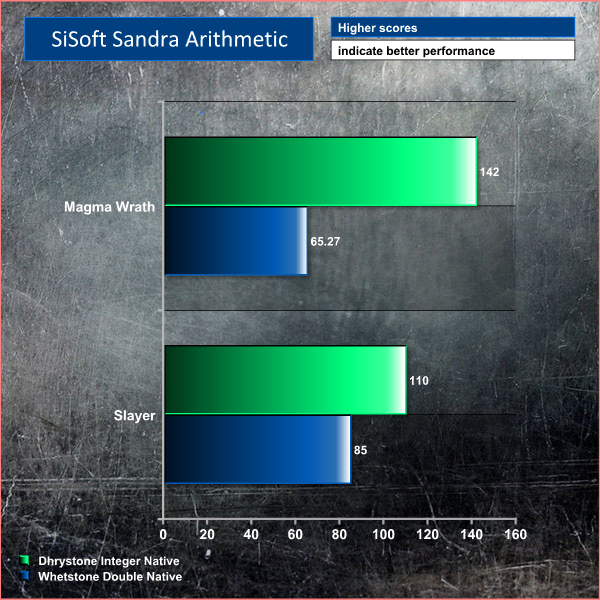
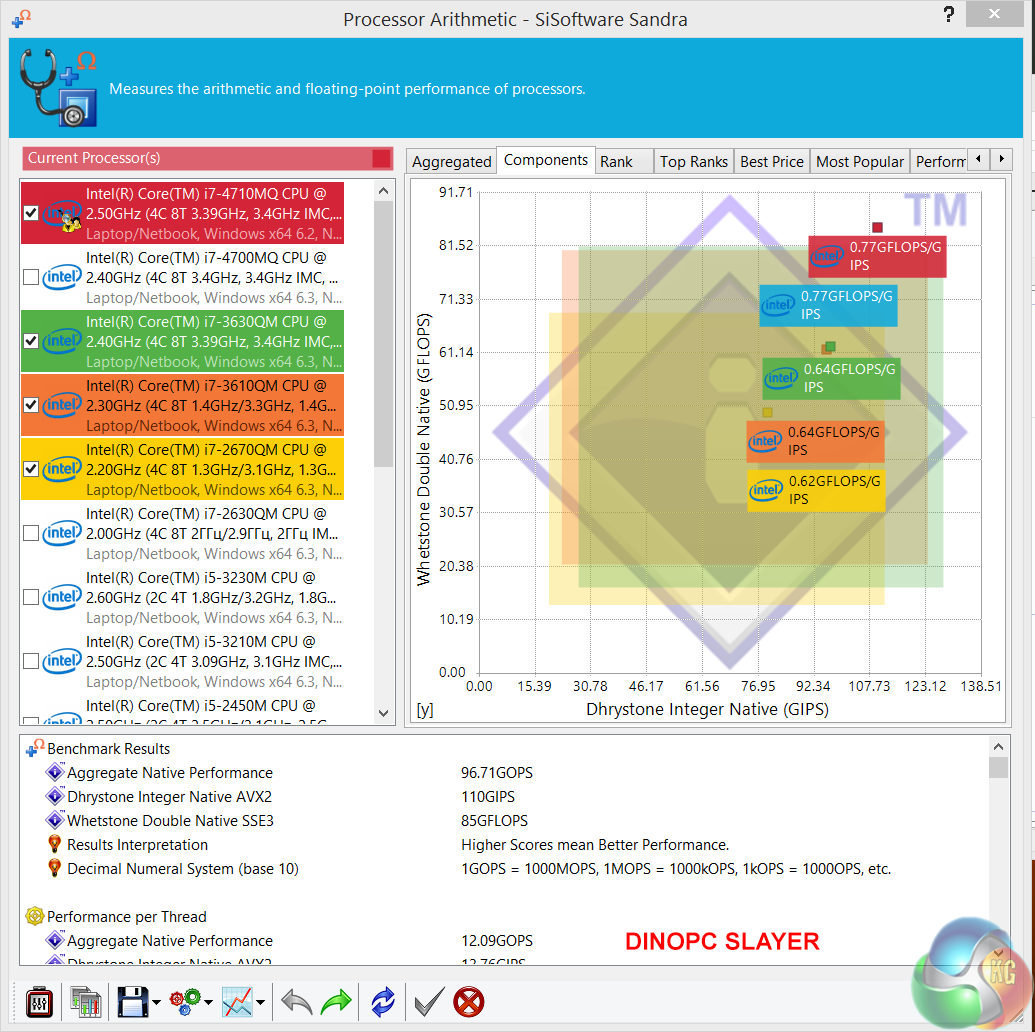
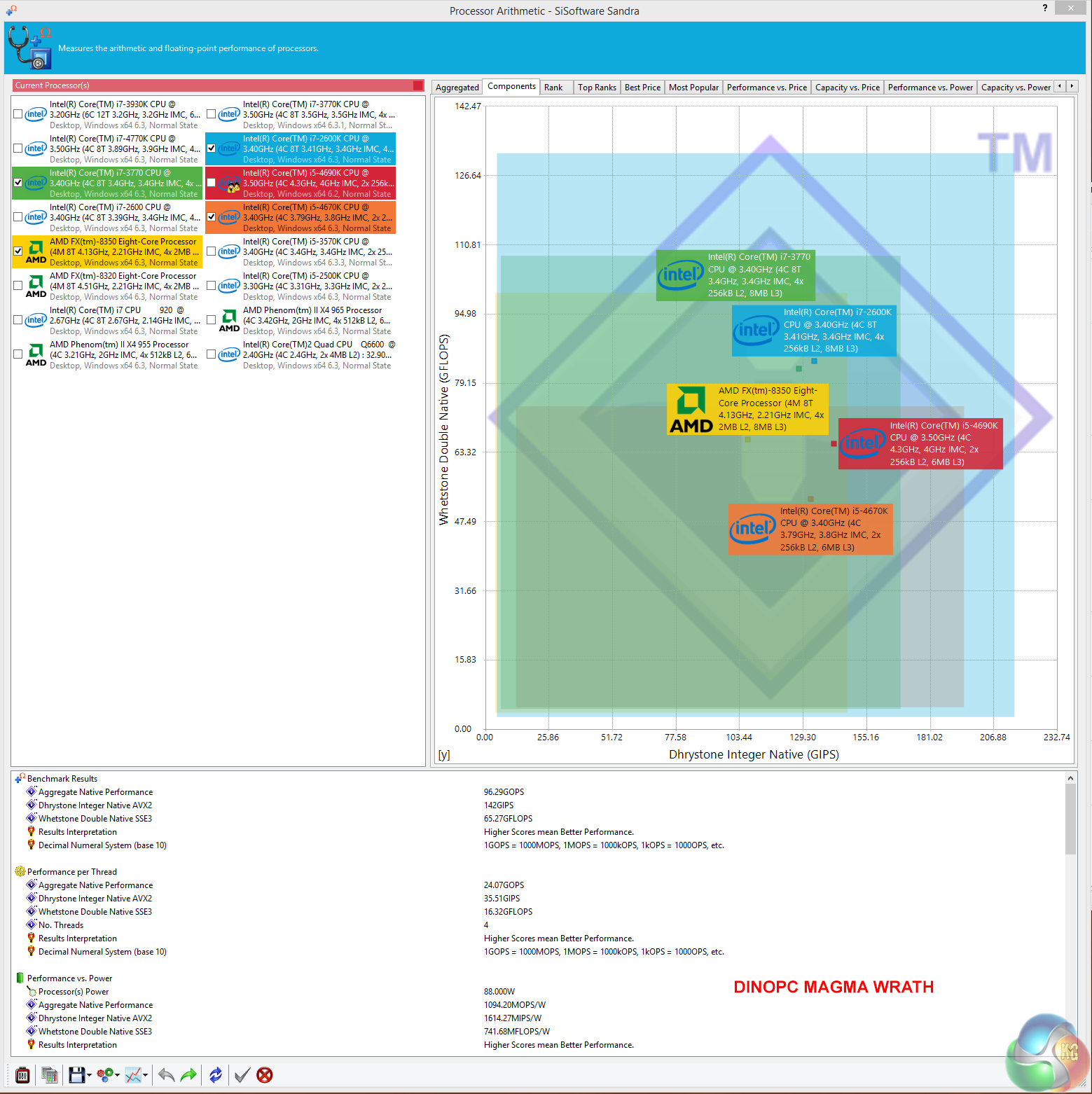
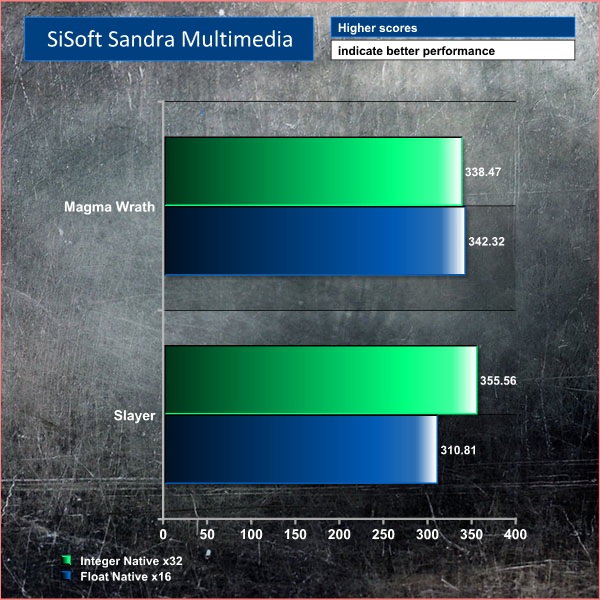
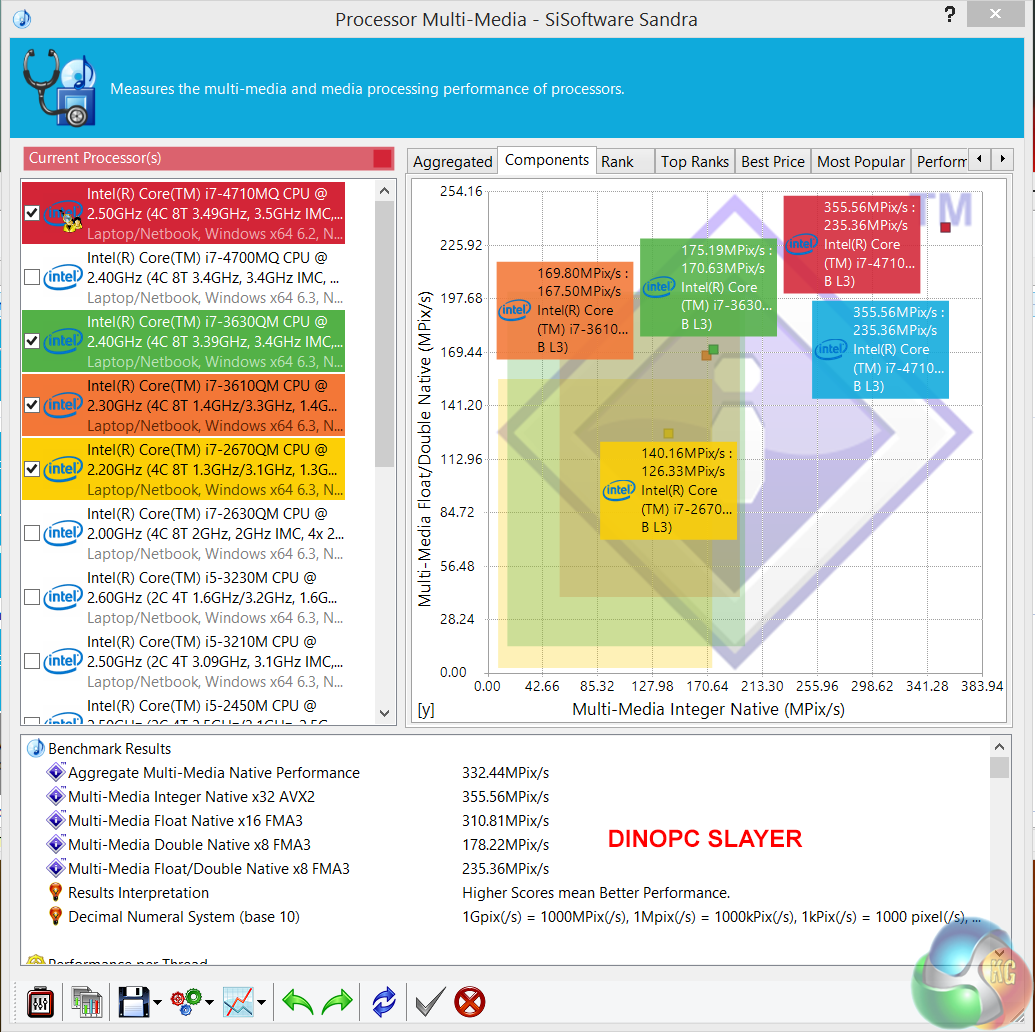
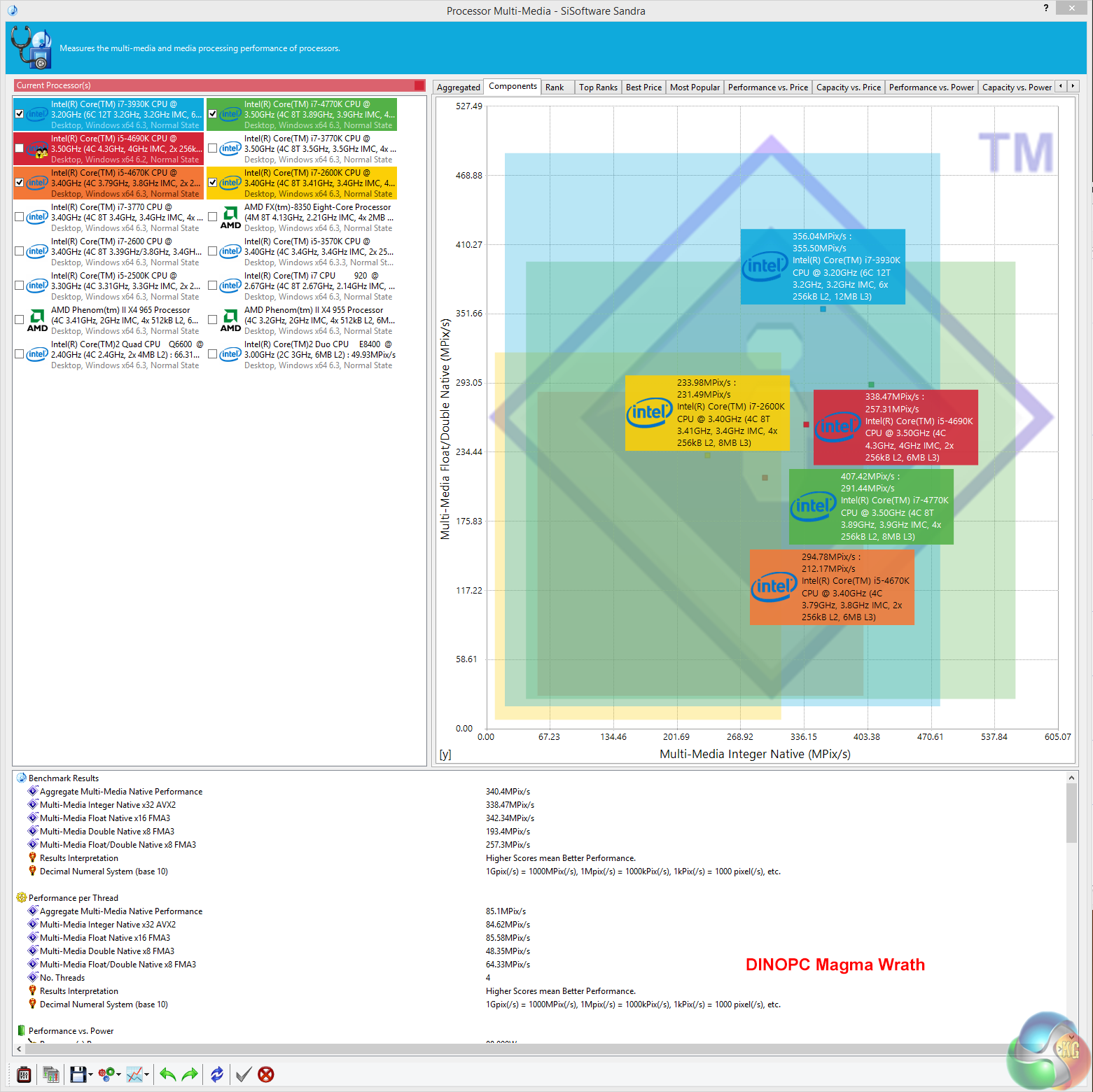
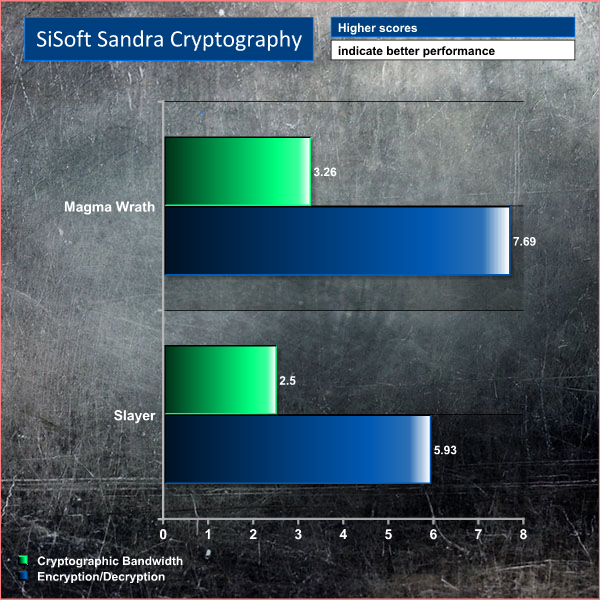
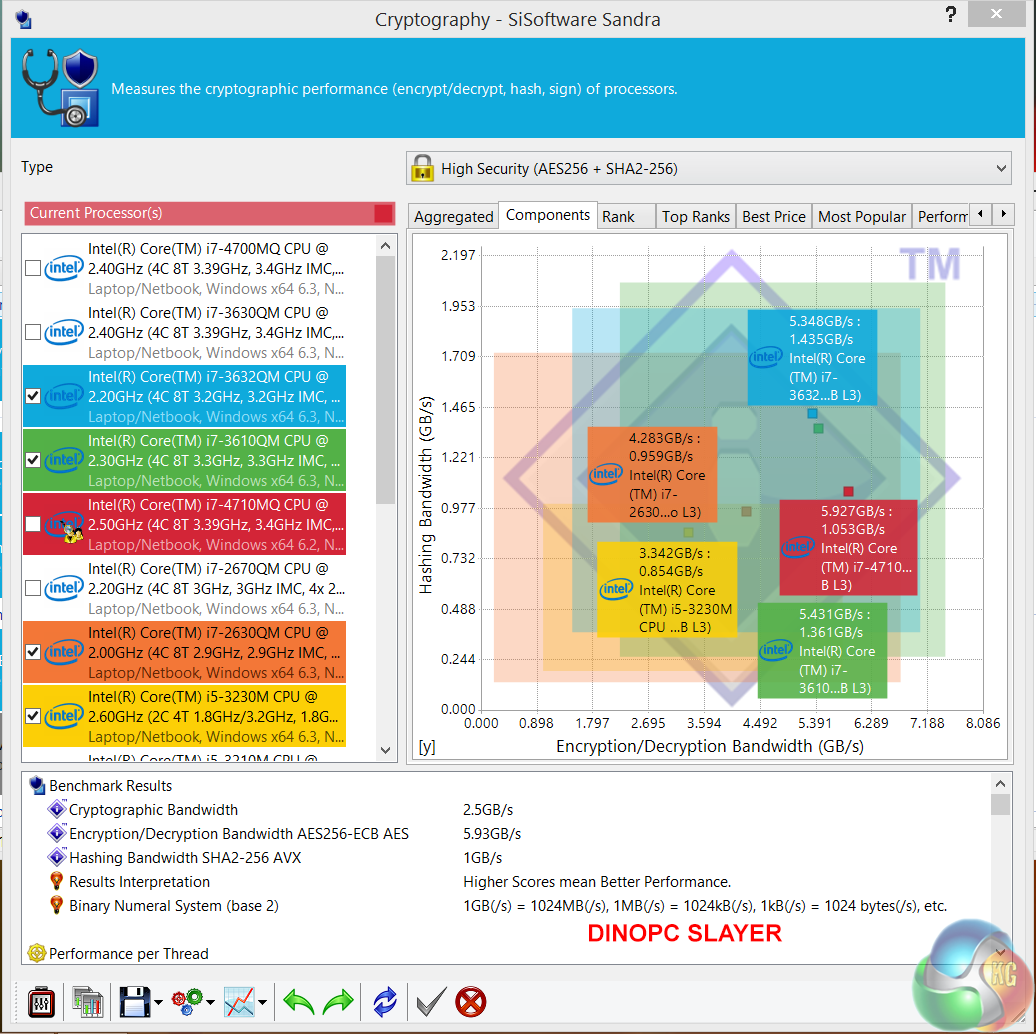
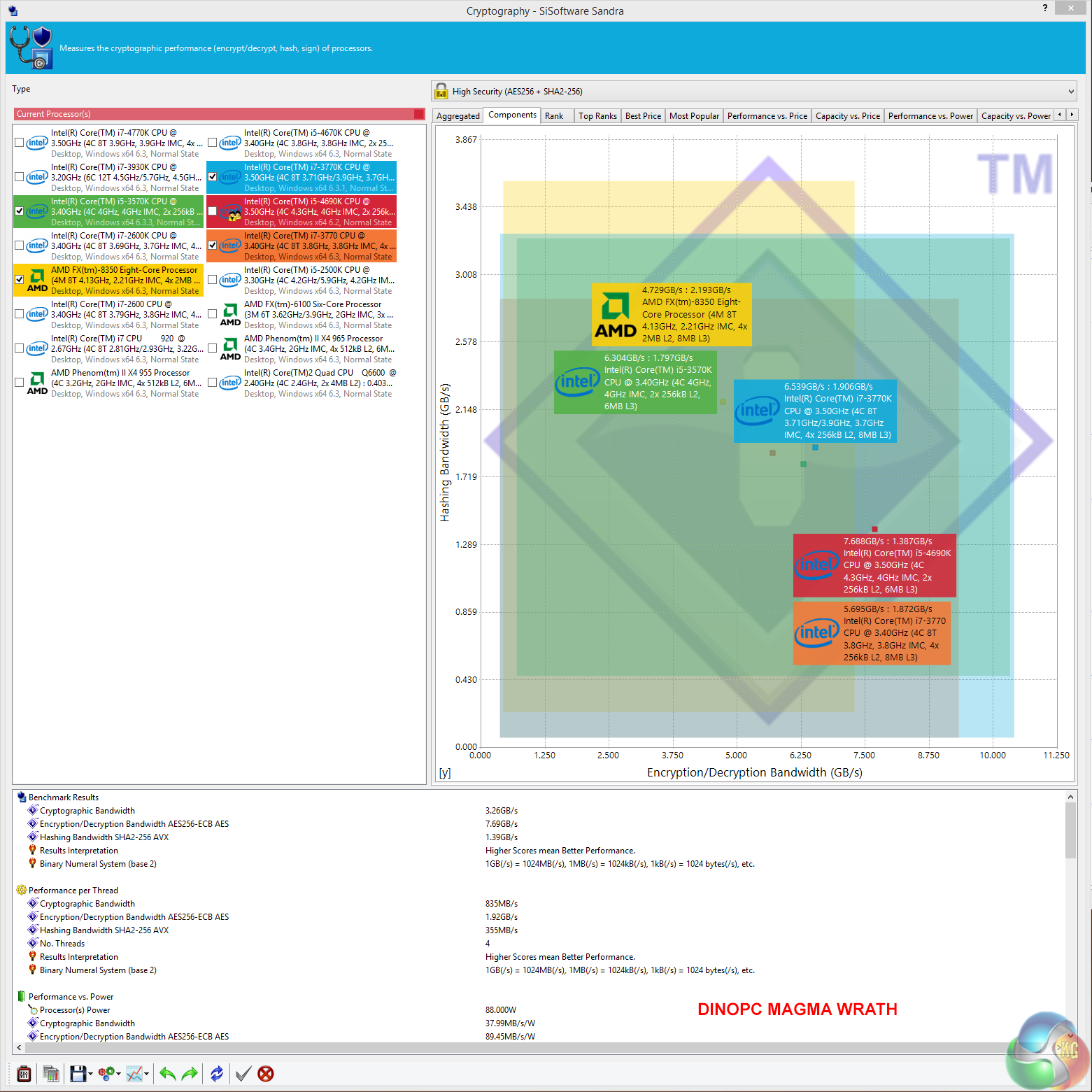
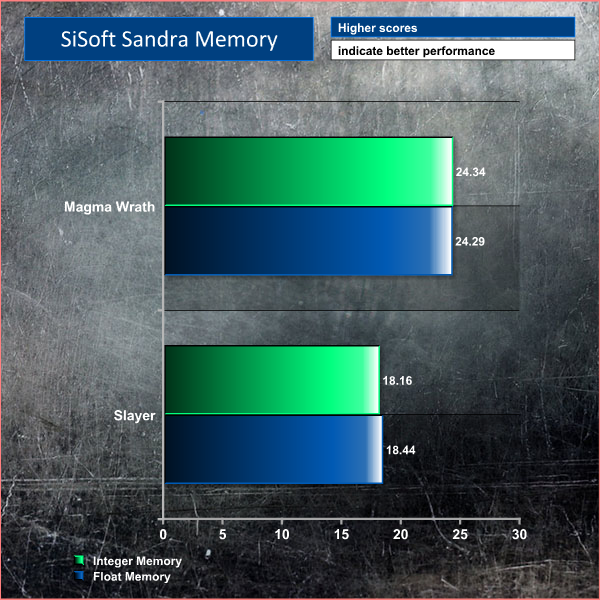
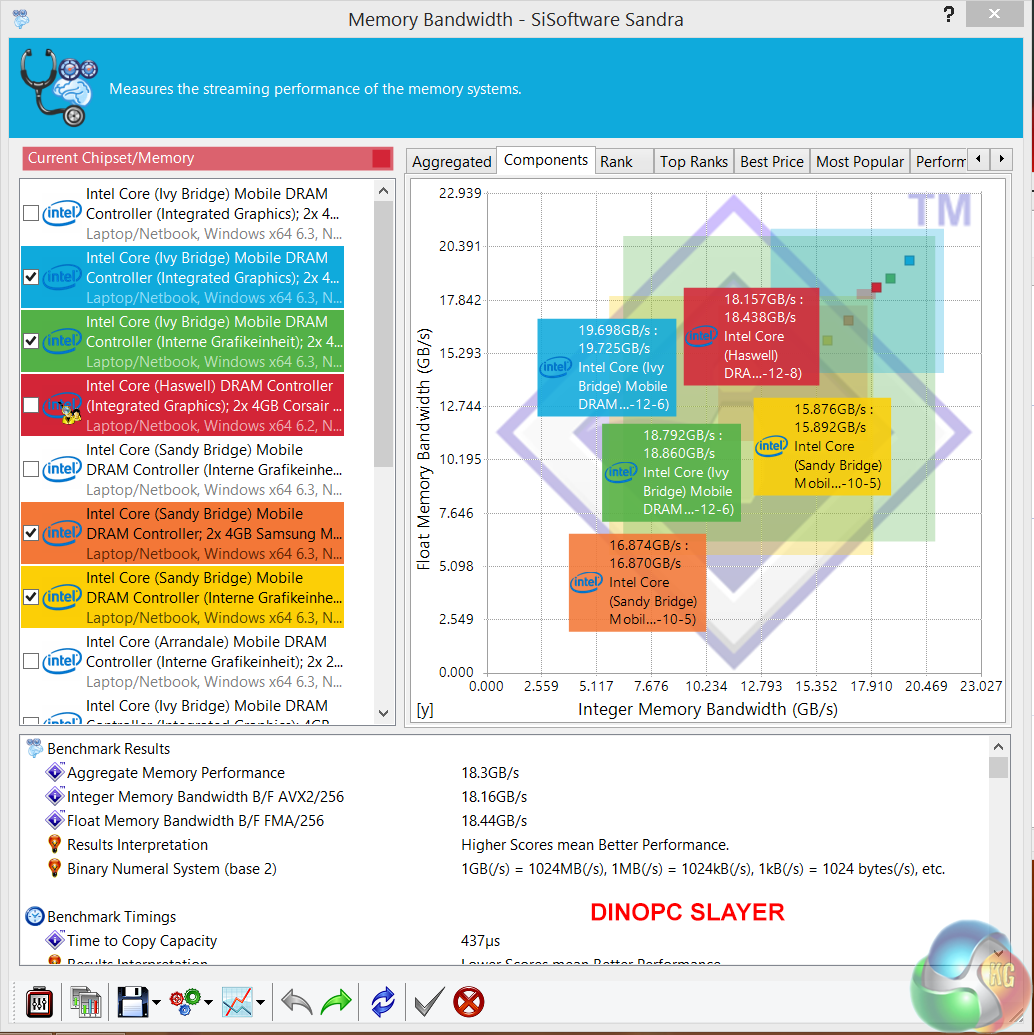
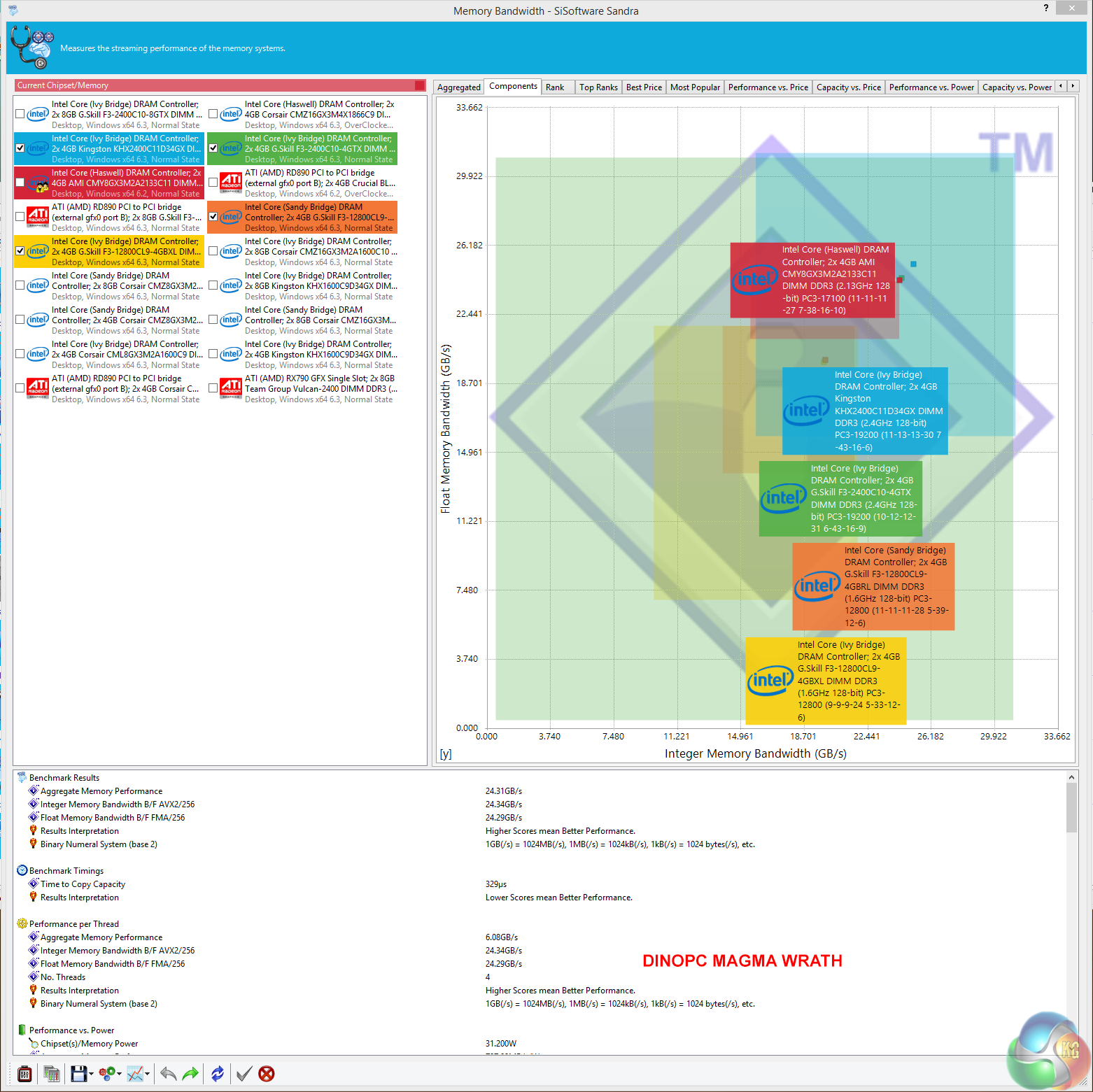
The desktop system is markedly faster in all of the tests, apart from one of the benchmarks – Multimedia Integer Native x 32. Clearly the hyperthreading capabilities of the i7 4710MQ processor give some benefit in this particular test. The Slayer laptop scores well in the Memory test, thanks to the dual channel configuration. That said, the Magma Wrath scores higher, due to the enhanced clock speeds.
CINEBENCH R11.5 64 Bit is a real-world cross platform test suite that evaluates your computer’s performance capabilities. CINEBENCH is based on MAXON’s award-winning animation software CINEMA 4D, which is used extensively by studios and production houses worldwide for 3D content creation. MAXON software has been used in blockbuster movies such as Spider-Man, Star Wars, The Chronicles of Narnia and many more. CINEBENCH is the perfect tool to compare CPU and graphics performance across various systems and platforms (Windows and Mac OS X). And best of all: It’s completely free.
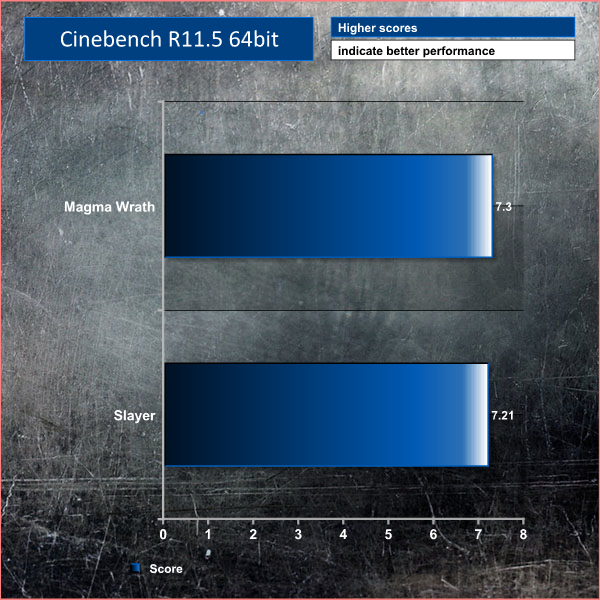
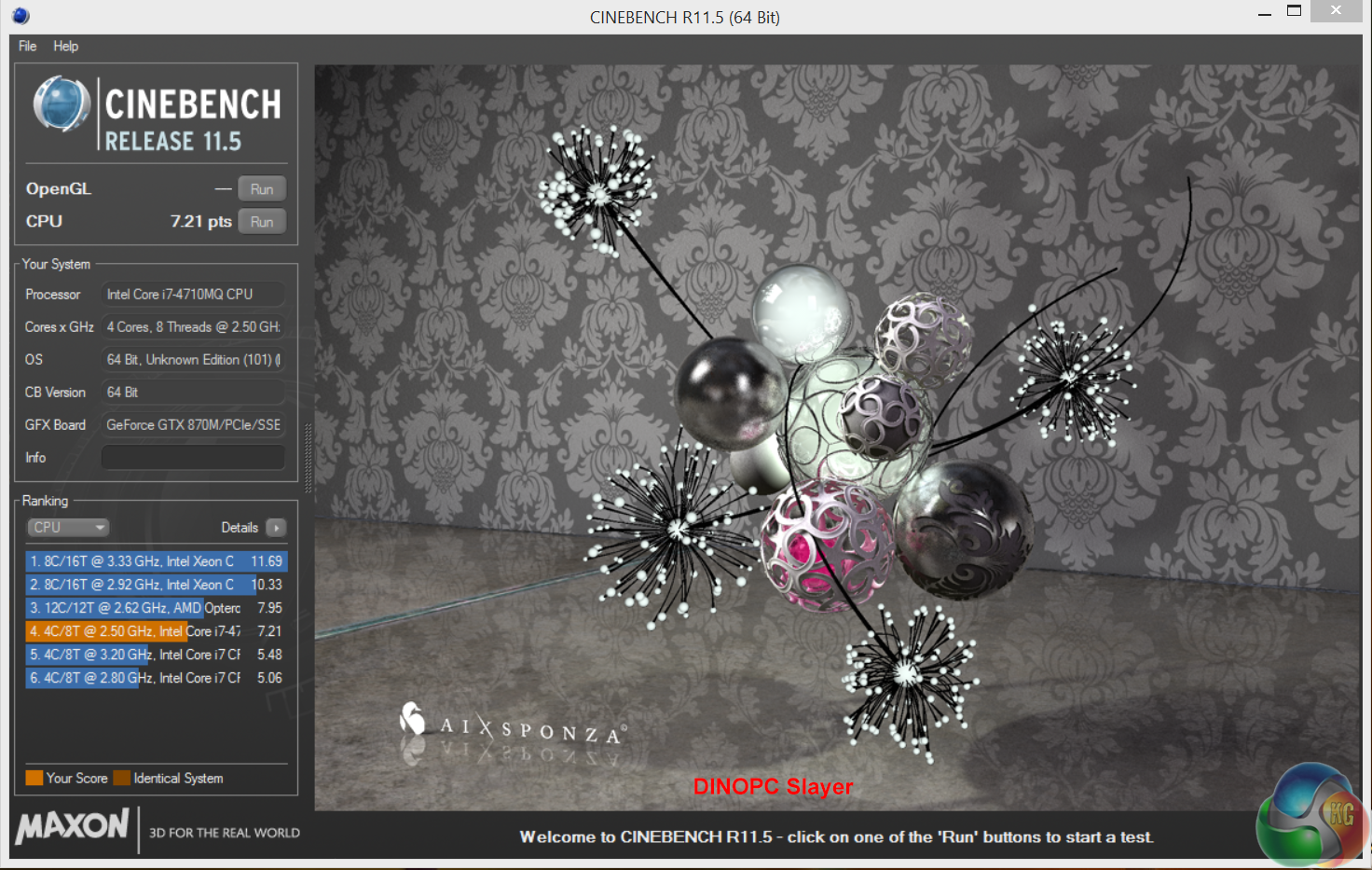
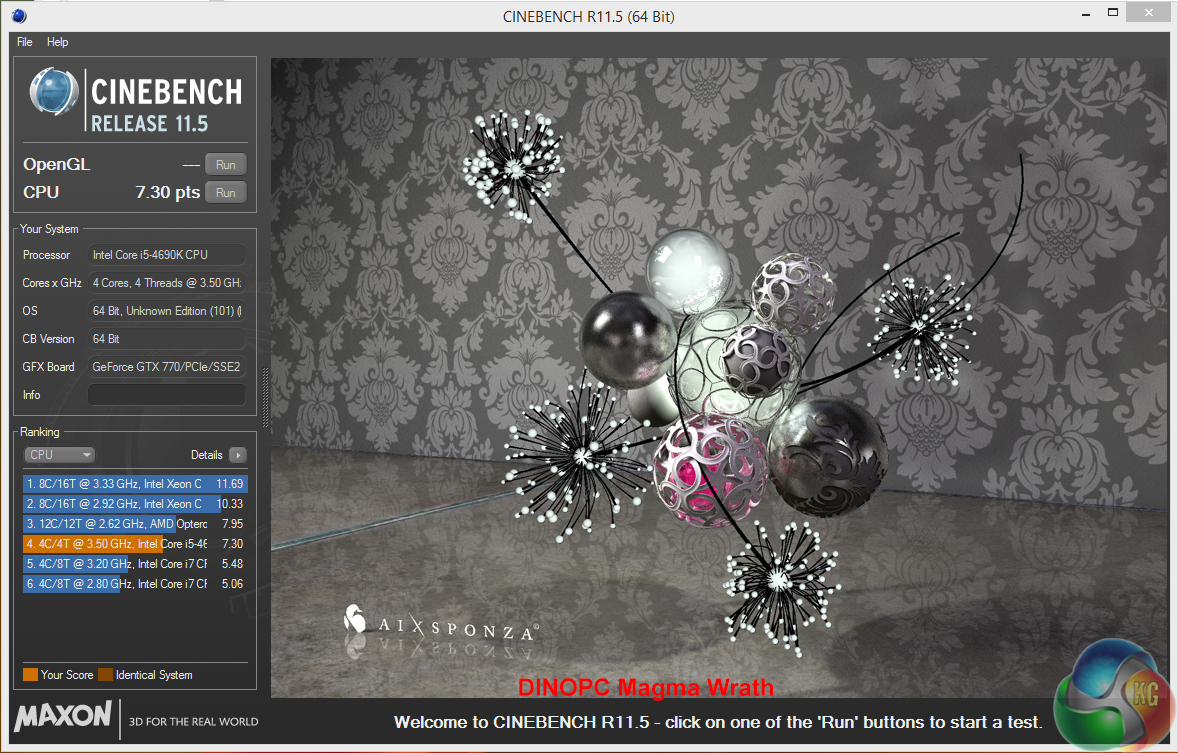
Both results are extremely close which shows that the hyperthreading capabilities of the mobile Core i7 processor help to compensate for the clock deficiency in comparison to the Core i5 desktop part.
CINEBENCH 15 is a cross-platform testing suite that measures hardware performance and is the de facto standard benchmarking tool for leading companies and trade journals for conducting real-world hardware performance tests. With the new Release 15, systems with up to 256 threads can be tested. CINEBENCH is available for both Windows and OS X and is used by almost all hardware manufacturers and trade journals for comparing CPUs and graphics cards.
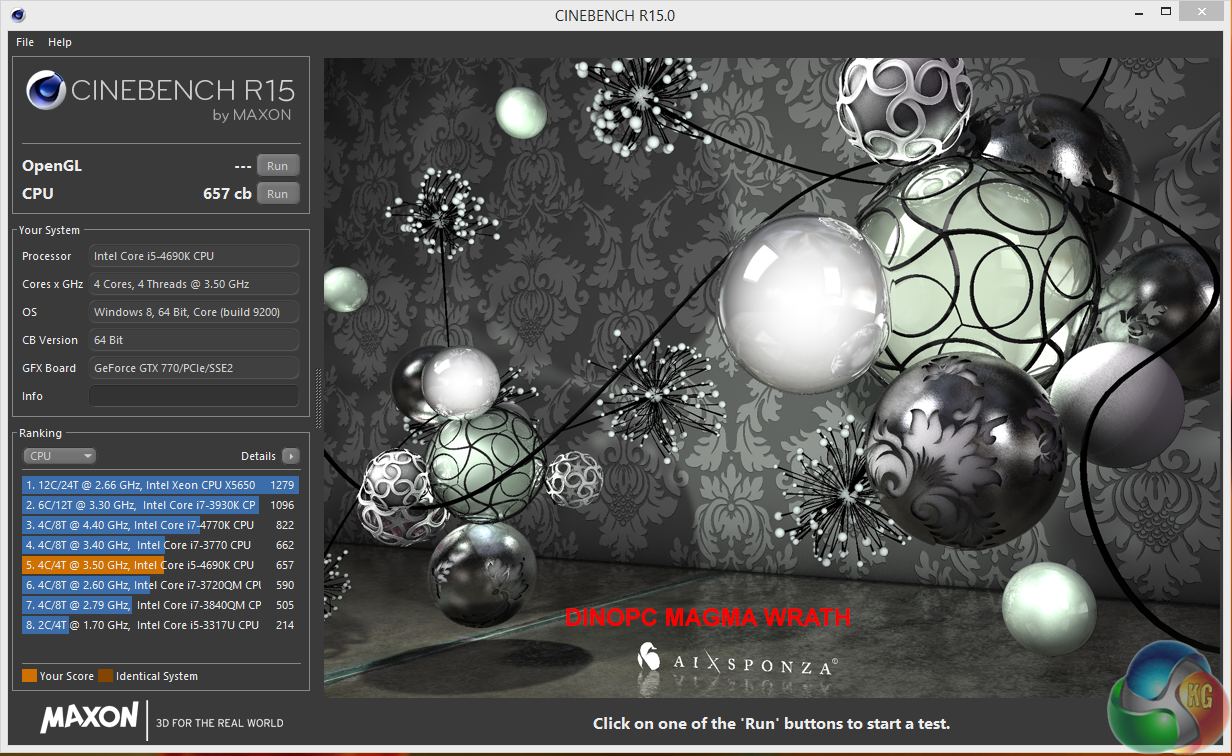
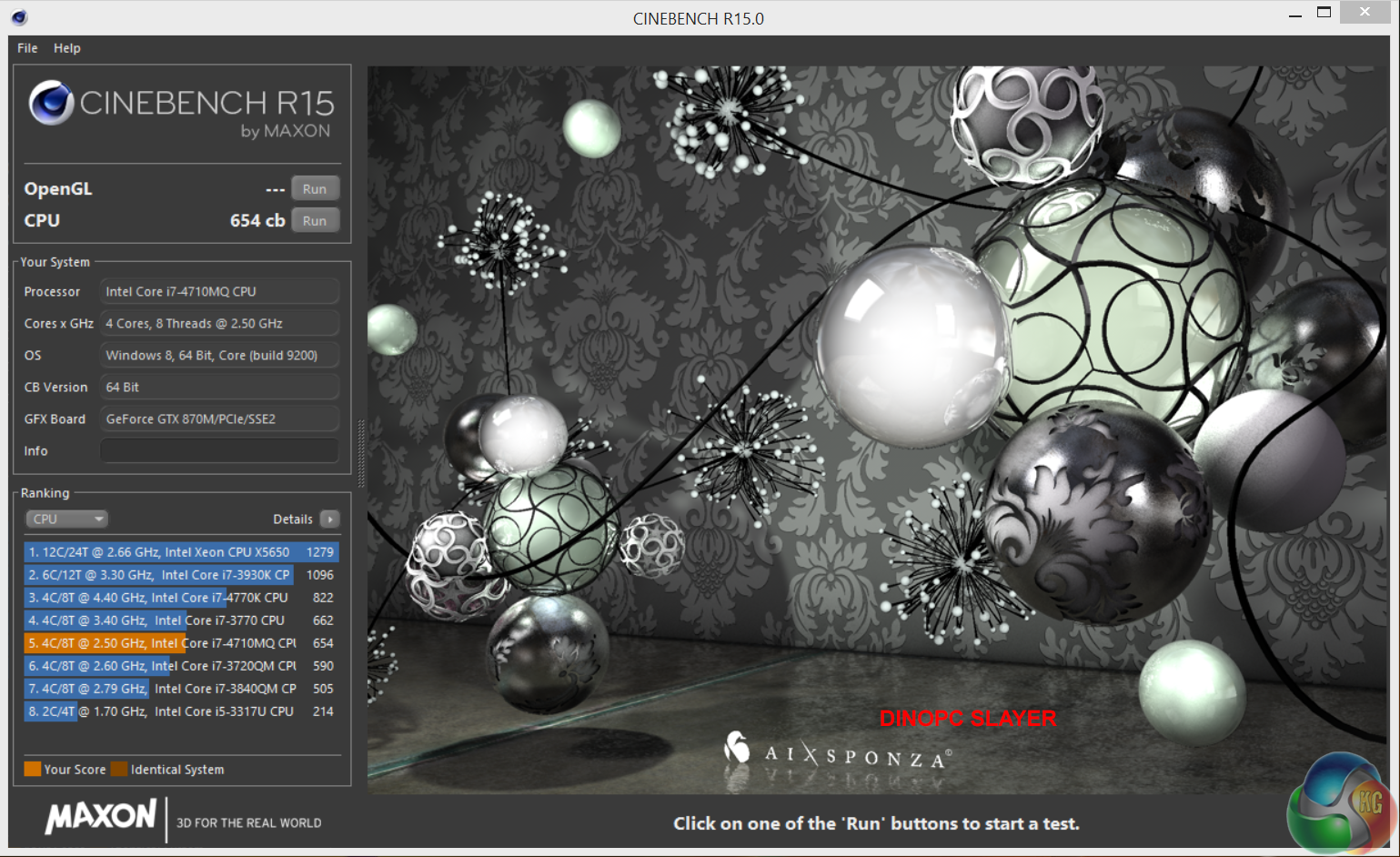

The latest version of Cinebench mirrors similar rendering results. Both Core i7 4710MQ and Core i7 4690k are closely matched.
Unigine provides an interesting way to test hardware. It can be easily adapted to various projects due to its elaborated software design and flexible toolset.
A lot of their customers claim that they have never seen such extremely-effective code, which is so easy to understand.
Heaven Benchmark is a DirectX 11 GPU benchmark based on advanced Unigine engine from Unigine Corp. It reveals the enchanting magic of floating islands with a tiny village hidden in the cloudy skies. Interactive mode provides emerging experience of exploring the intricate world of steampunk.
Efficient and well-architected framework makes Unigine highly scalable:
- Multiple API (DirectX 9 / DirectX 10 / DirectX 11 / OpenGL) render
- Cross-platform: MS Windows (XP, Vista, Windows 7) / Linux
- Full support of 32bit and 64bit systems
- Multicore CPU support
- Little / big endian support (ready for game consoles)
- Powerful C++ API
- Comprehensive performance profiling system
- Flexible XML-based data structures
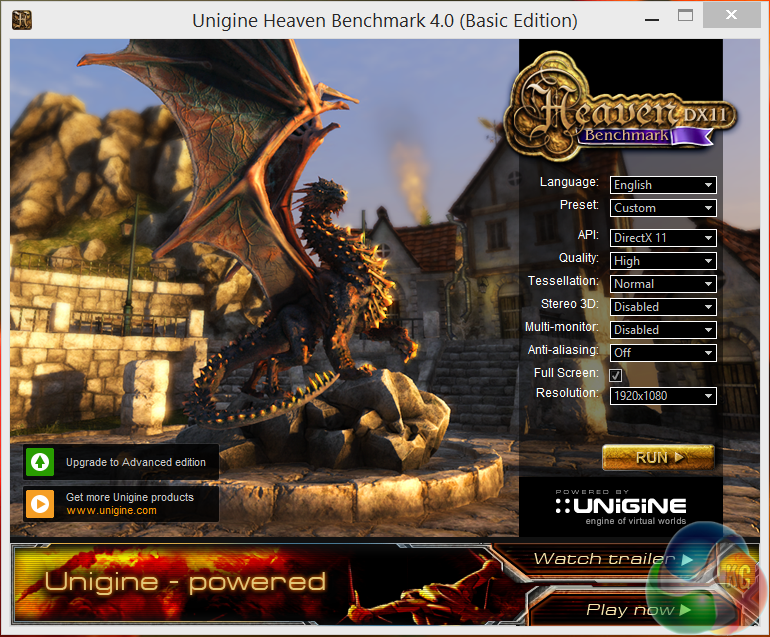
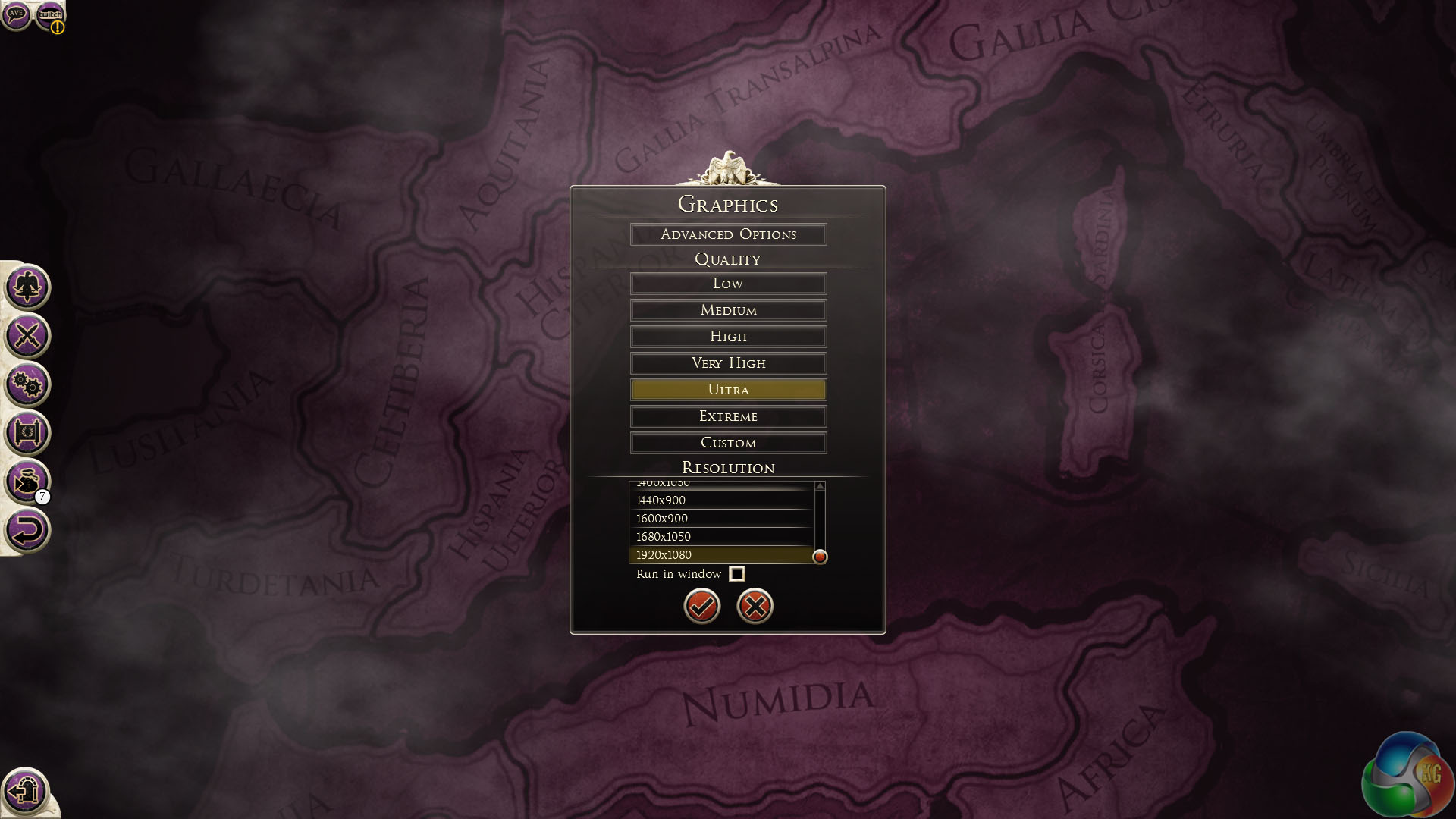
We used the settings shown above, switching tessellation to ‘normal' and running at 1080p on both systems.
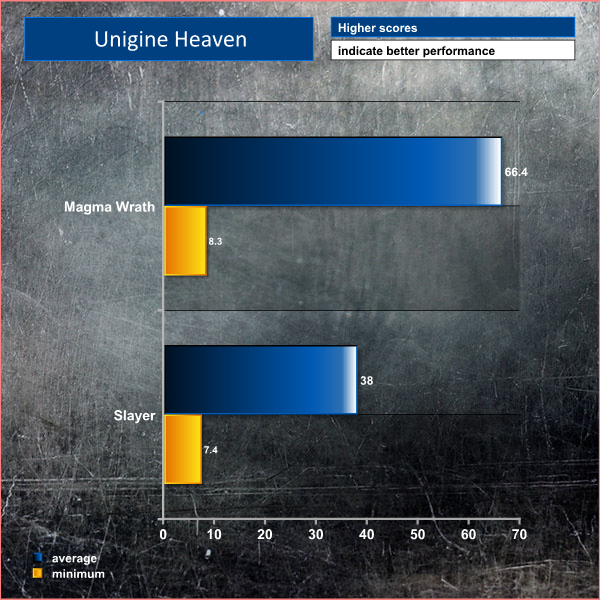
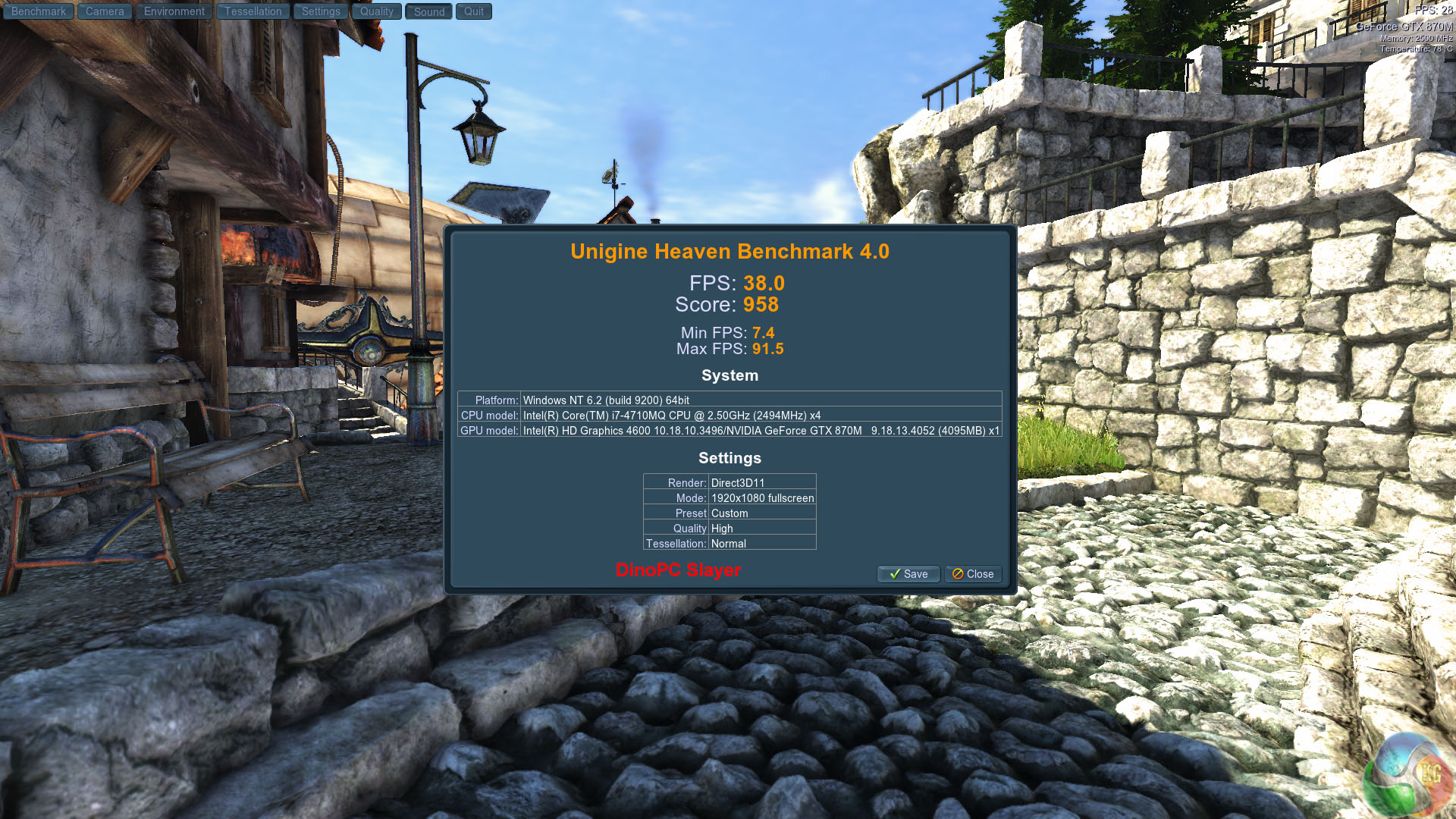
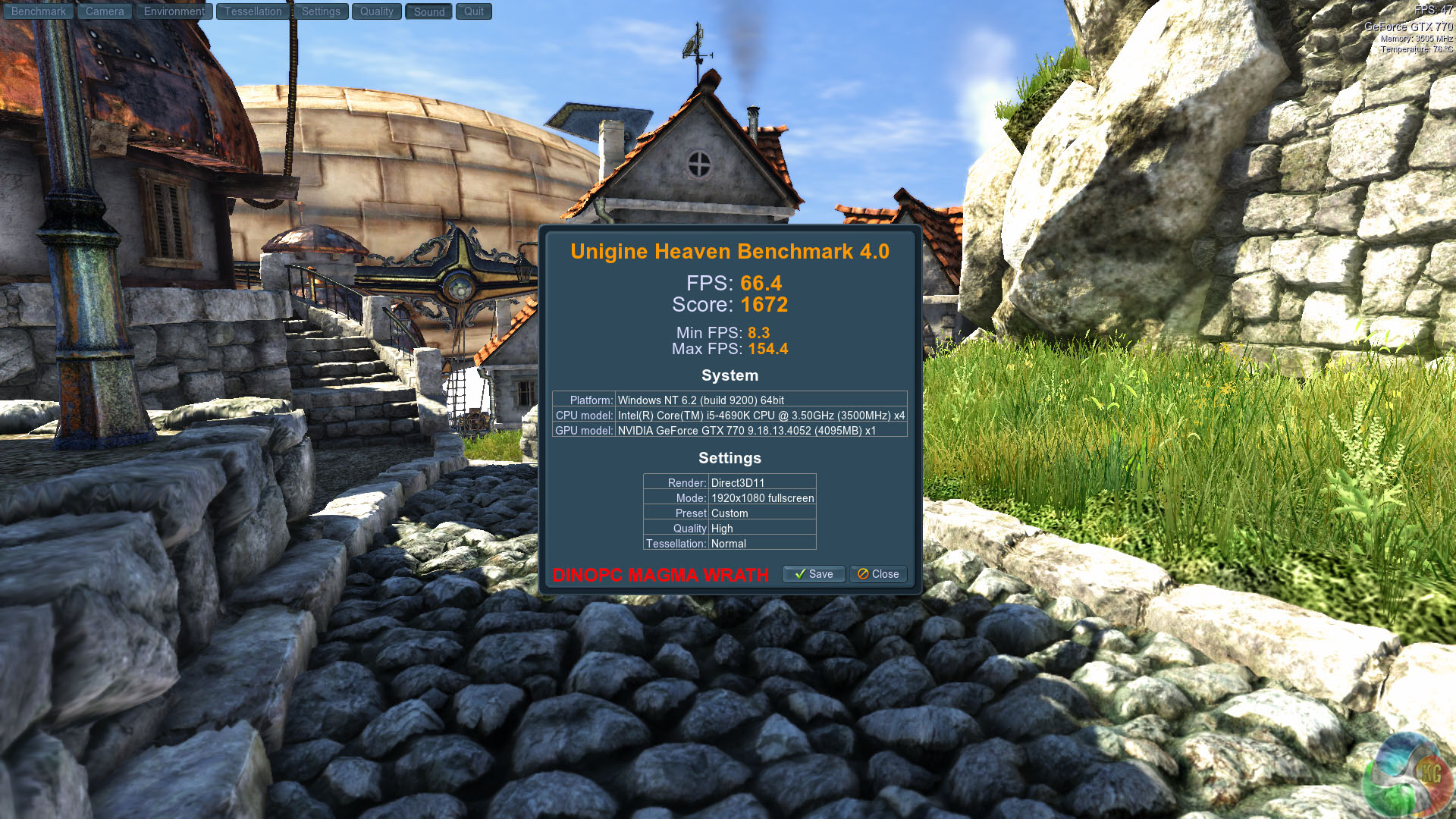
Not even close as the desktop based GTX770 claims an average of 66.4 frames per second at 1080p compared to 38 frames per second from the GTX 870M.
Valley Benchmark is a new GPU stress-testing tool from the developers of the very popular and highly acclaimed Heaven Benchmark.The forest-covered valley surrounded by vast mountains amazes with its scale from a bird’s-eye view and is extremely detailed down to every leaf and flower petal. This non-synthetic benchmark powered by the state-of-the art UNIGINE Engine showcases a comprehensive set of cutting-edge graphics technologies with a dynamic environment and fully interactive modes available to the end user.
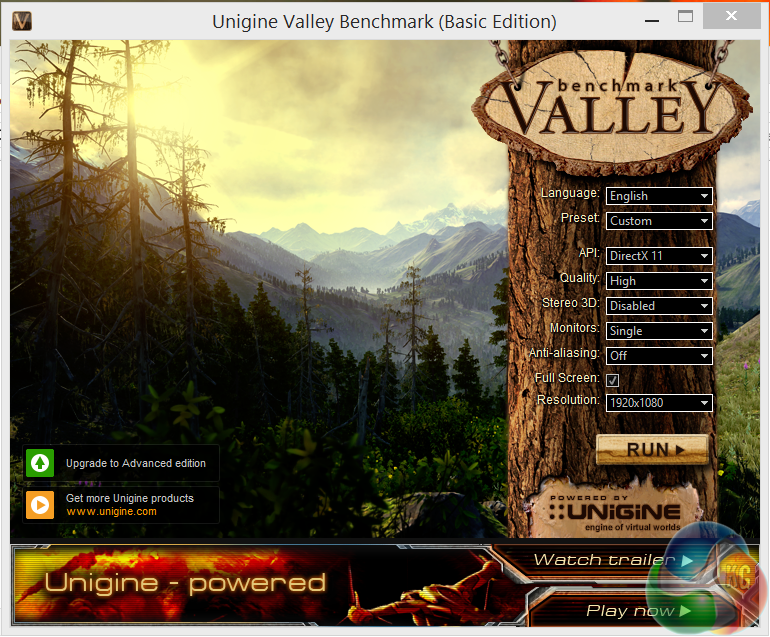
We select the ‘high' image quality setting and test at 1080p.
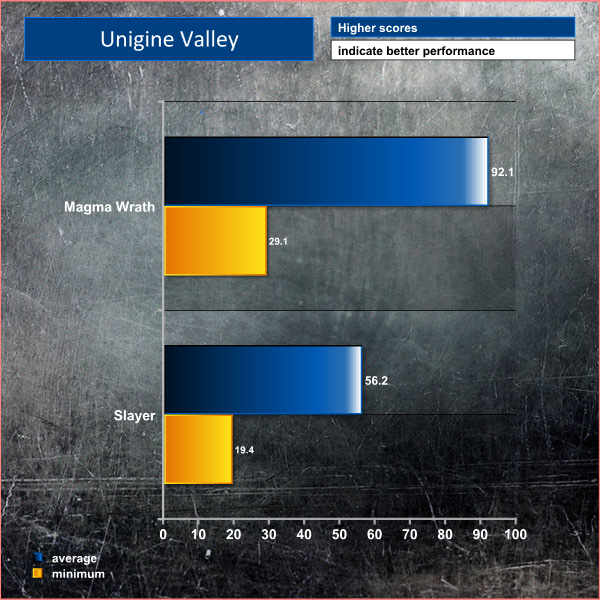
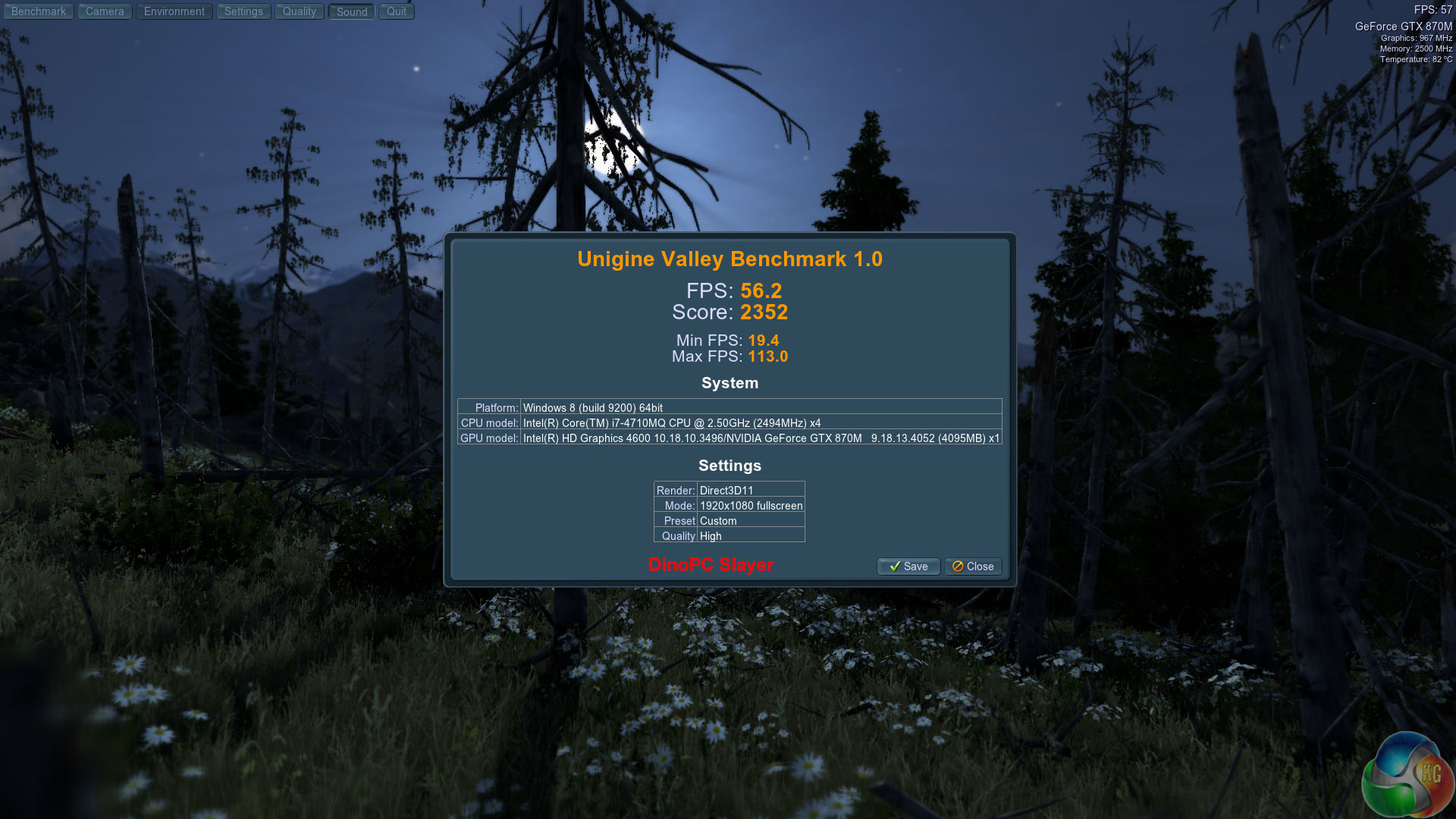
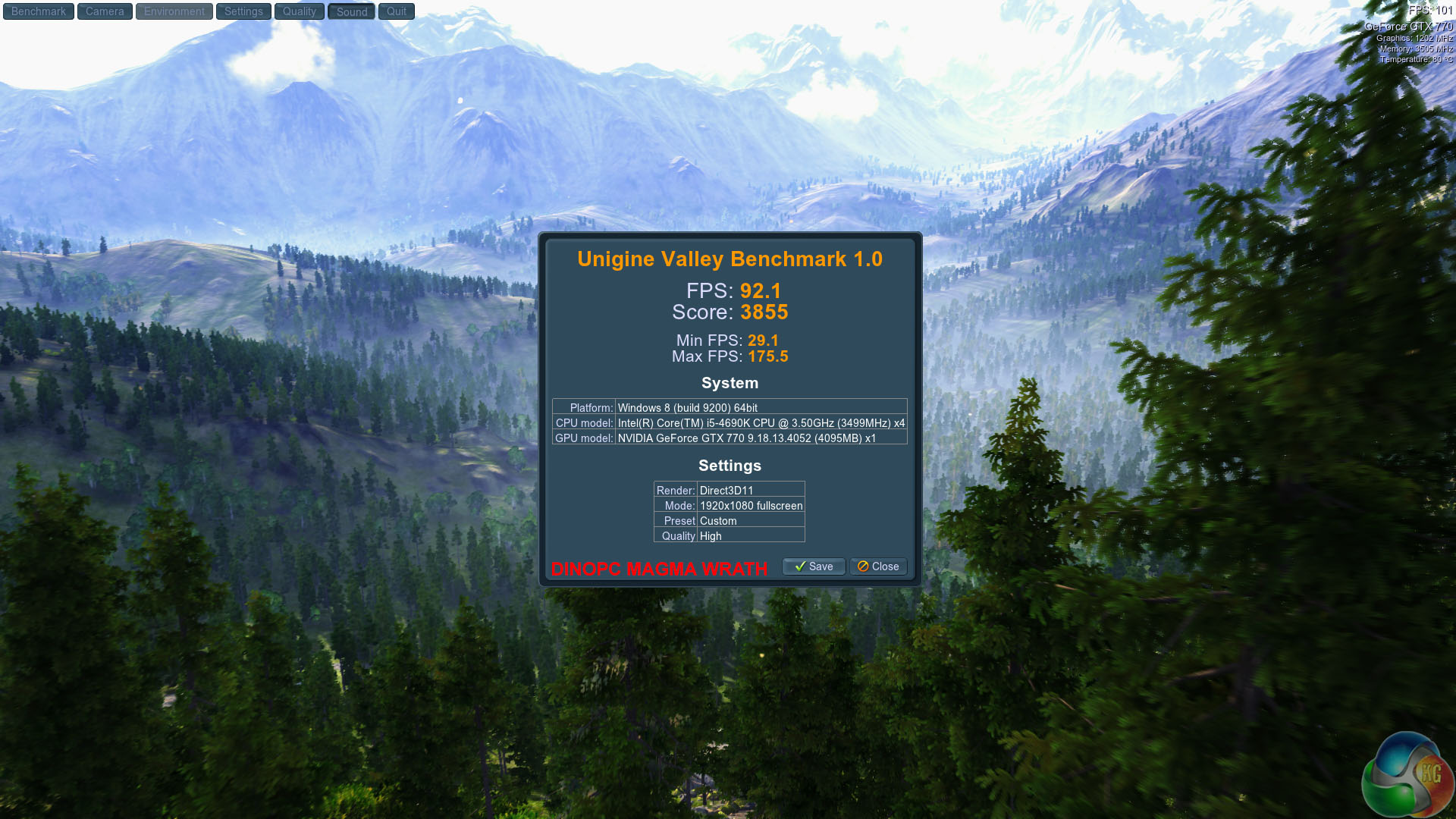
In a similar fashion to the Unigine Heaven Benchmark we can see a huge performance advantage for the desktop based GTX770.
3DMark is an essential tool used by millions of gamers, hundreds of hardware review sites and many of the world’s leading manufacturers to measure PC gaming performance.Futuremark say “Use it to test your PC’s limits and measure the impact of overclocking and tweaking your system. Search our massive results database and see how your PC compares or just admire the graphics and wonder why all PC games don’t look this good. To get more out of your PC, put 3DMark in your PC.”
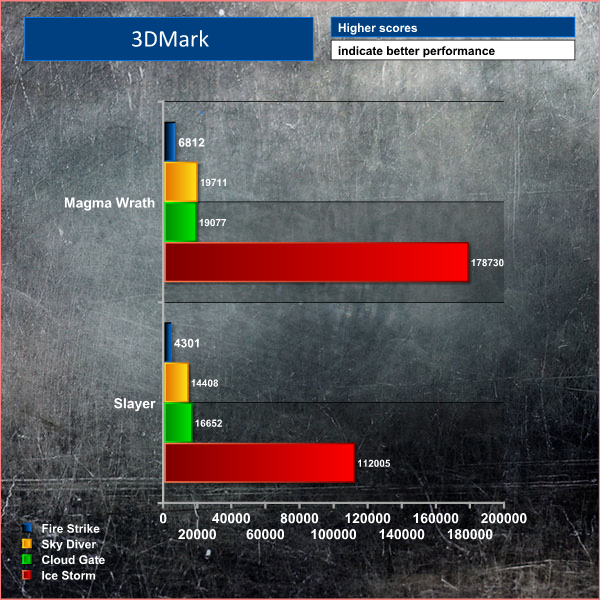
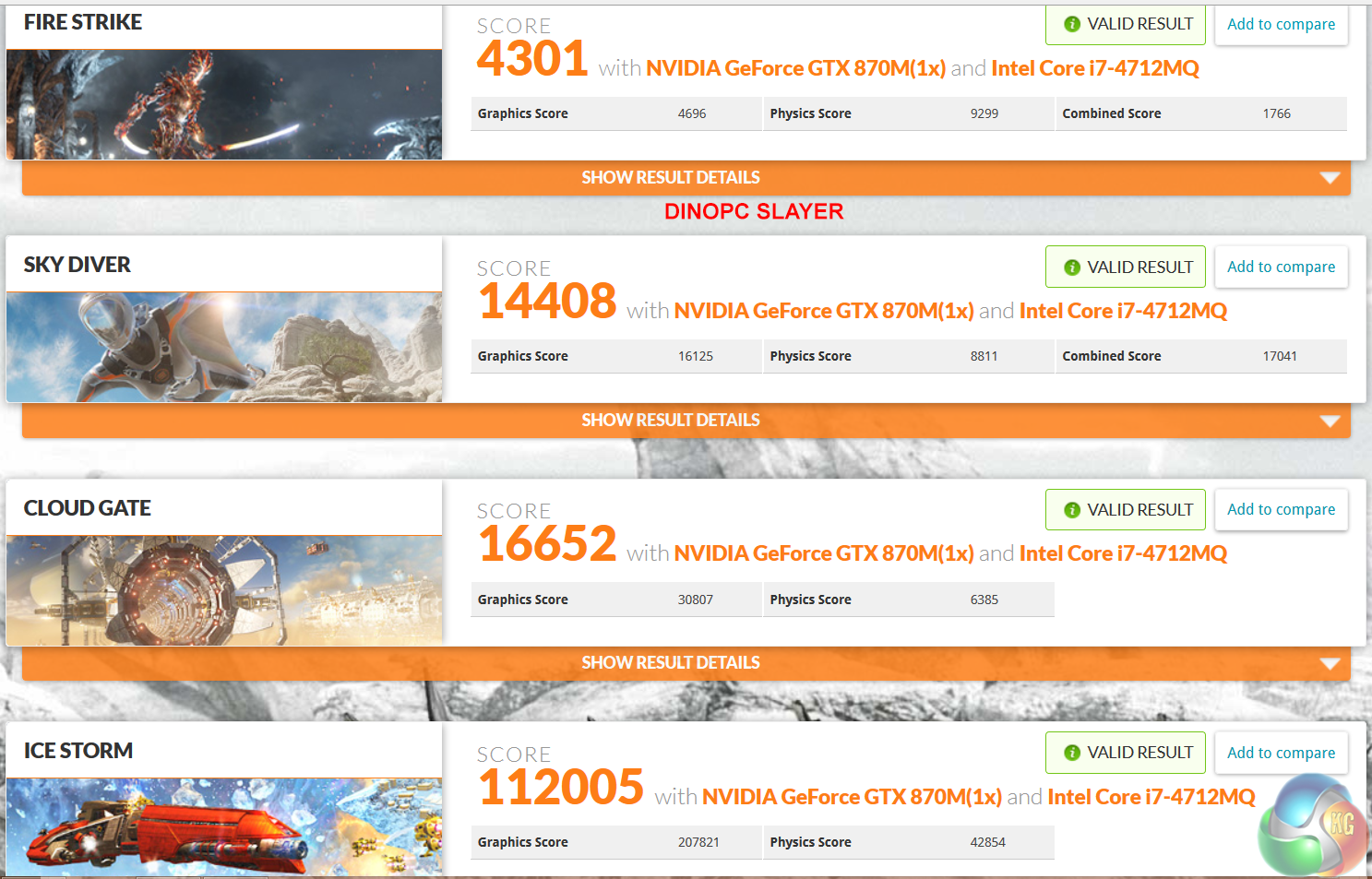
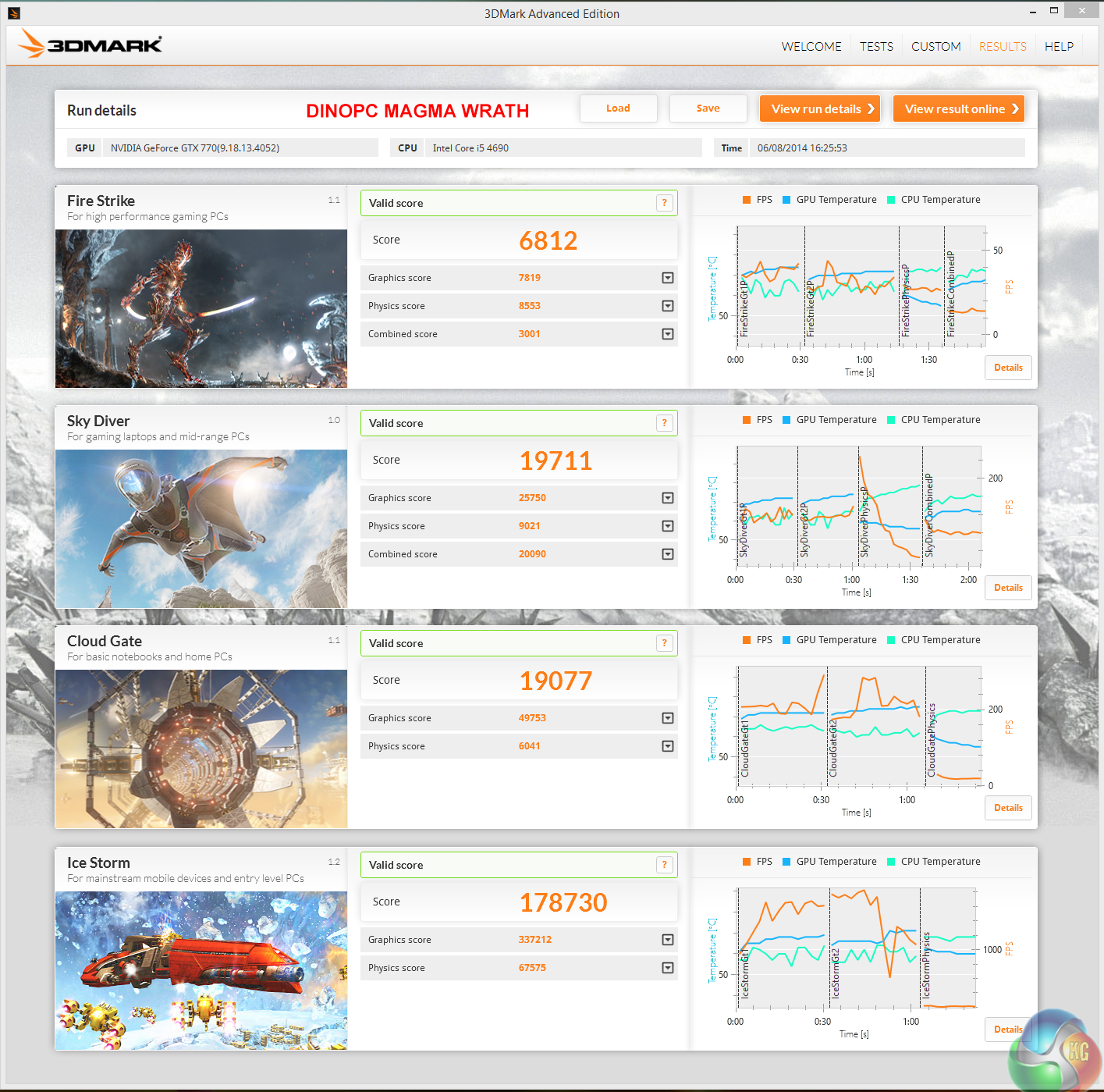
Both systems score well in the latest 3DMark, although the desktop Magma Wrath configuration scores noticeably better in all tests. The most relevant test – Fire Strike shows a 58.4% performance differential in favour of the desktop build.
We analyse the Solid State drives in both machines with Crystaldiskmark and ATTO.
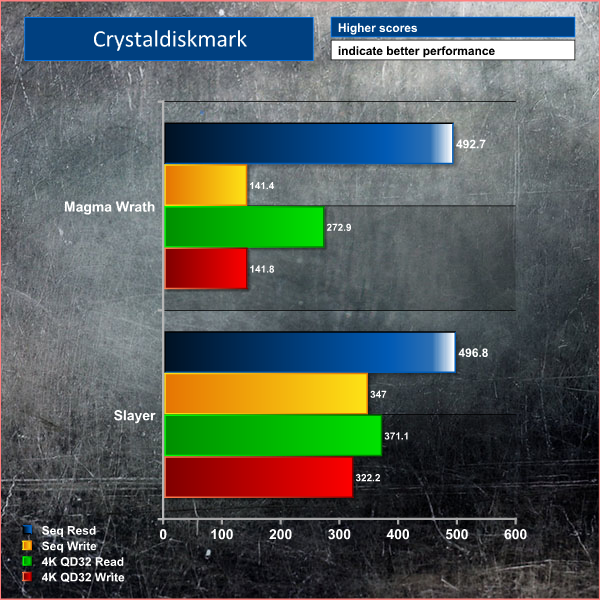
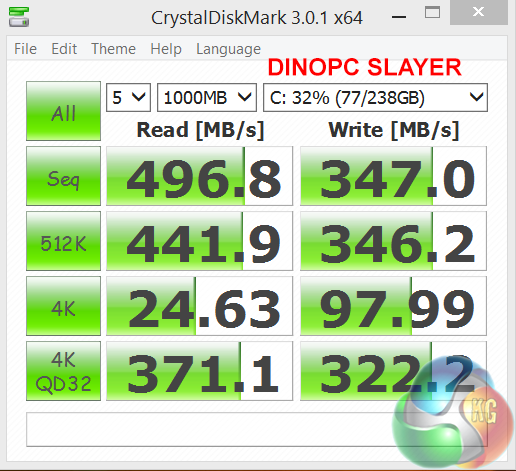
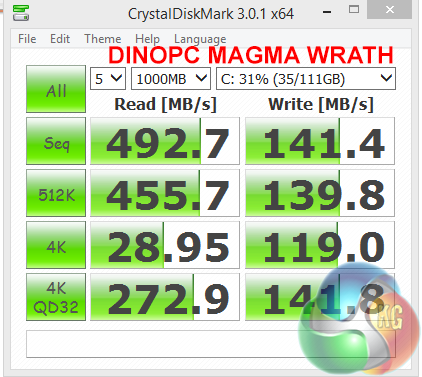
Both systems use Crucial Solid State drives and while read performance is fairly closely matched, we can see write performance favours the MX100 in the Slayer laptop.
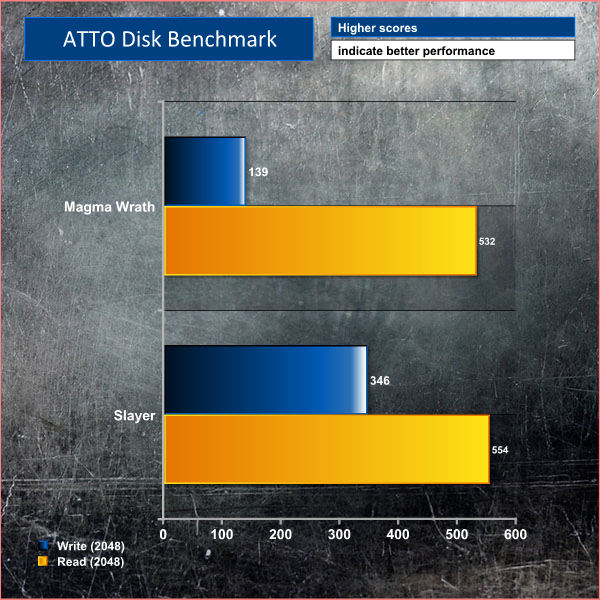
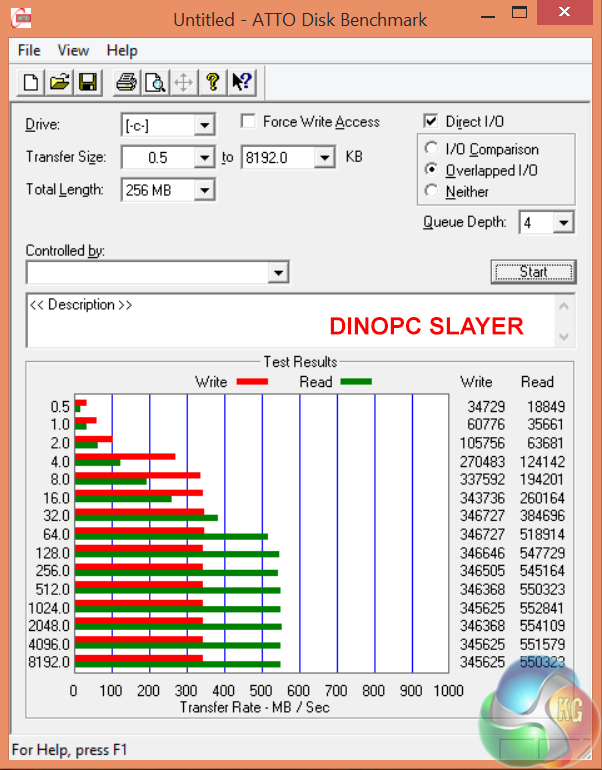
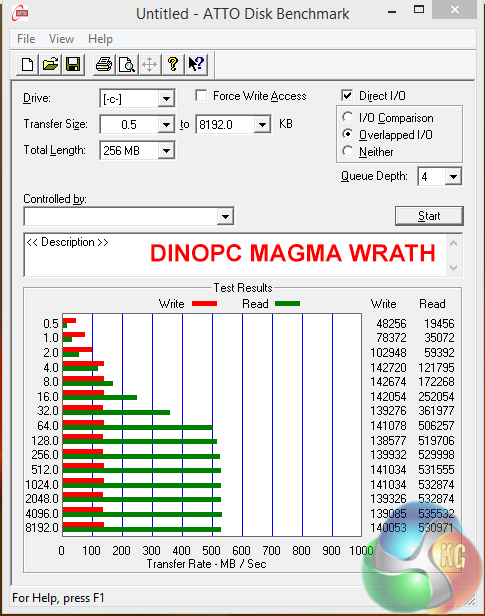
A similar result in our ATTO DiskBenchMark test. The write performance of the Crucial M.2 128GB suffers in direct comparison against the MX100.
We recently replaced our long term Patriot Supersonic Magnum 256GB with the faster Corsair Flash Voyager GTX 128GB. You can read our review of the product over here. This page explains differences in performance with or without a UASP driver.
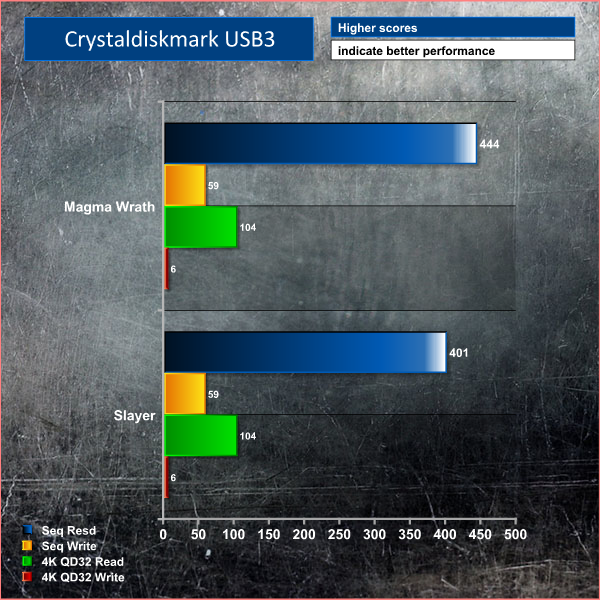


The Magma Wrath Gigabyte Z97X-SLI board delivers better results from the USB 3 ports.
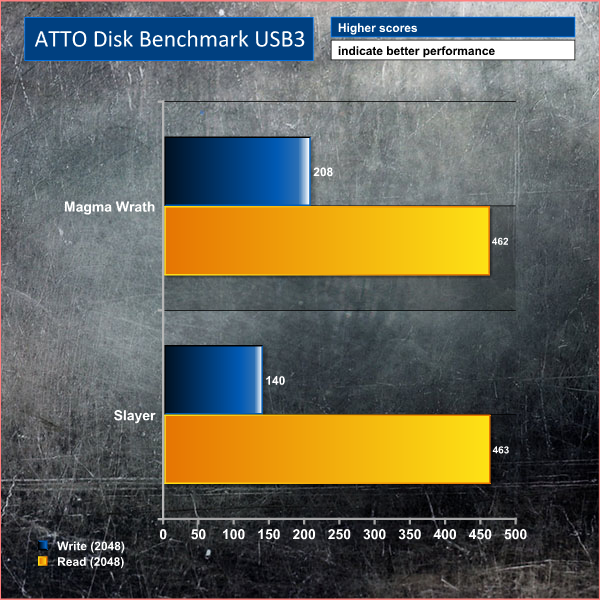
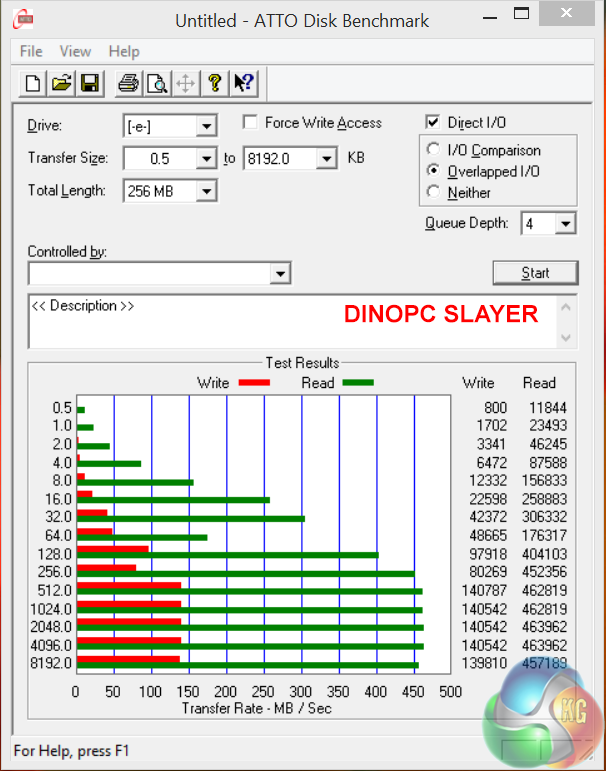
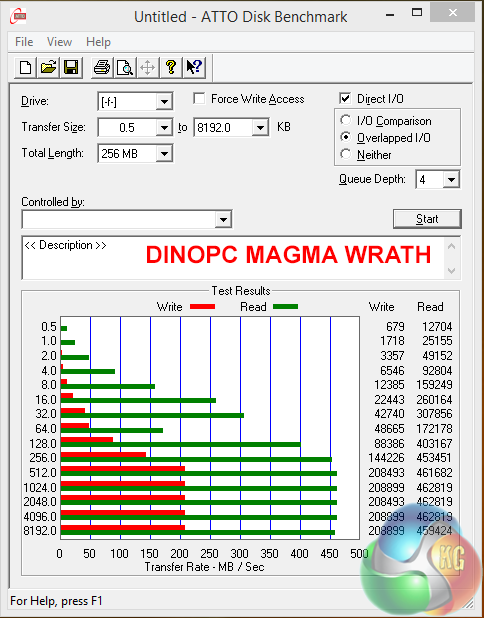
ATTO recorded some quite noticeable performance advantages in favour of the Magma Wrath, in regards to sequential write speeds.
CyberLink MediaEspresso 6 is the successor to CyberLink MediaShow Espresso 5.5. With its further optimized CPU/GPU-acceleration, MediaEspresso is an even faster way to convert not only your video but also your music and image files between a wide range of popular formats.
Now you can easily playback and display your favourite movies, songs and photos not just on your mobile phone, iPad, PSP, Xbox, or Youtube and Facebook channels but also on the newly launched iPhone 4. Compile, convert and enjoy images and songs on any of your computing devices and enhance your videos with CyberLink’s built-in TrueTheater Technology.
New and Improved Features
- Ultra Fast Media Conversion – With support from the Intel Core i-Series processor family, ATI Stream & NVIDIA CUDA, MediaEspresso’s Batch-Conversion function enables multiple files to be transcoded simultaneously.
- Smart Detect Technology – MediaEspresso 6 automatically detects the type of portable device connected to the PC and selects the best multimedia profile to begin the conversion without the need for user’s intervention.
- Direct Sync to Portable Devices – Video, audio and image files can be transferred in a few easy steps to mobile phones including those from Acer, BlackBerry, HTC, Samsung, LG, Nokia, Motorola, Sony Ericsson, and Palm, as well as Sony Walkman and PSP devices.
- Enhanced Video Quality – CyberLink TrueTheater Denoise and Lighting enables the enhancement of video quality through optical noise filters and automatic brightness adjustment.
- Video, Music and Image File Conversion – Convert not only videos to popular formats such as AVI, MPEG, MKV, H.264/AVC, and FLV at the click of a button, but also images such as JPEG and PNG and music files like WMA, MP3 and M4A.
- Online Sharing – Conversion to video formats used by popular social networking websites and a direct upload feature means posting videos to Facebook and YouTube has never been easier.
For our testing today we are converting a 4.4GB 720p MKV file (1h:58mins) to Apple Mp4 format for playback on a portable device. This is a common procedure for many people and will give a good indication of system power.
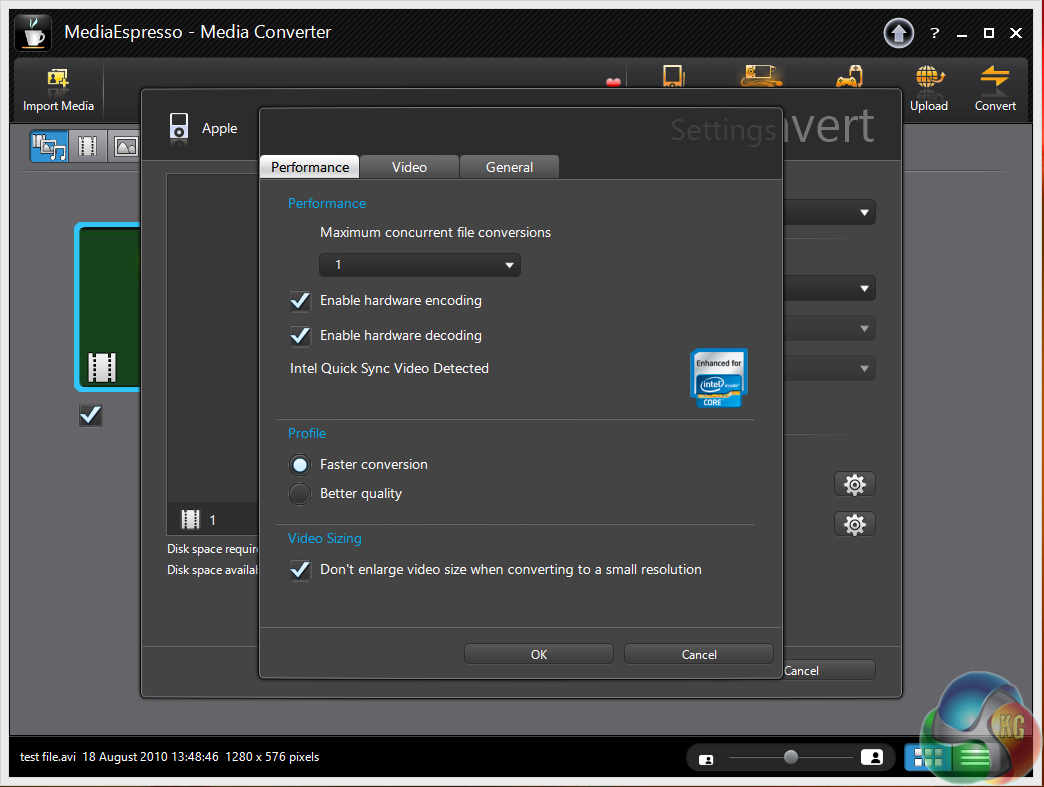
Encoding acceleration is enabled.
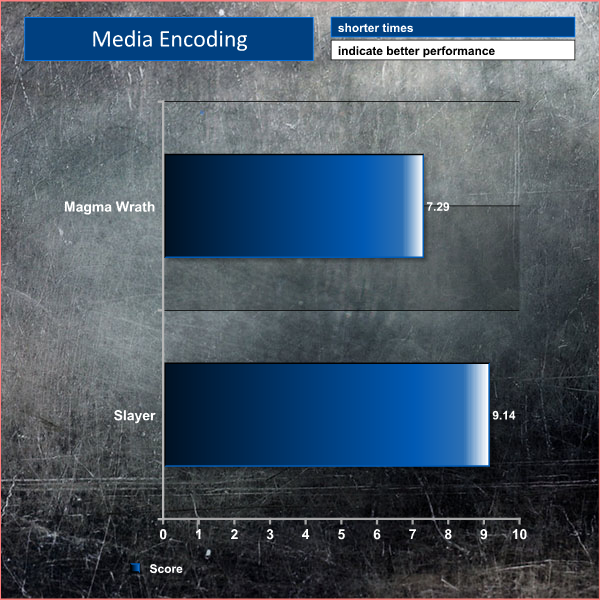
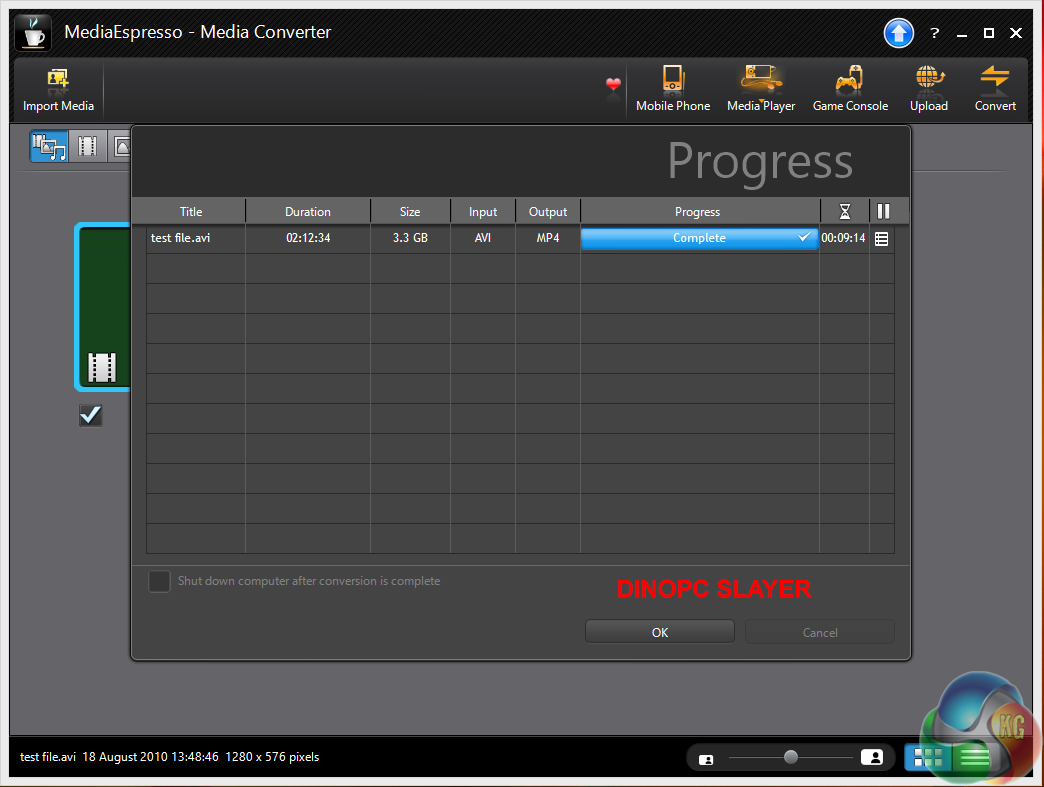
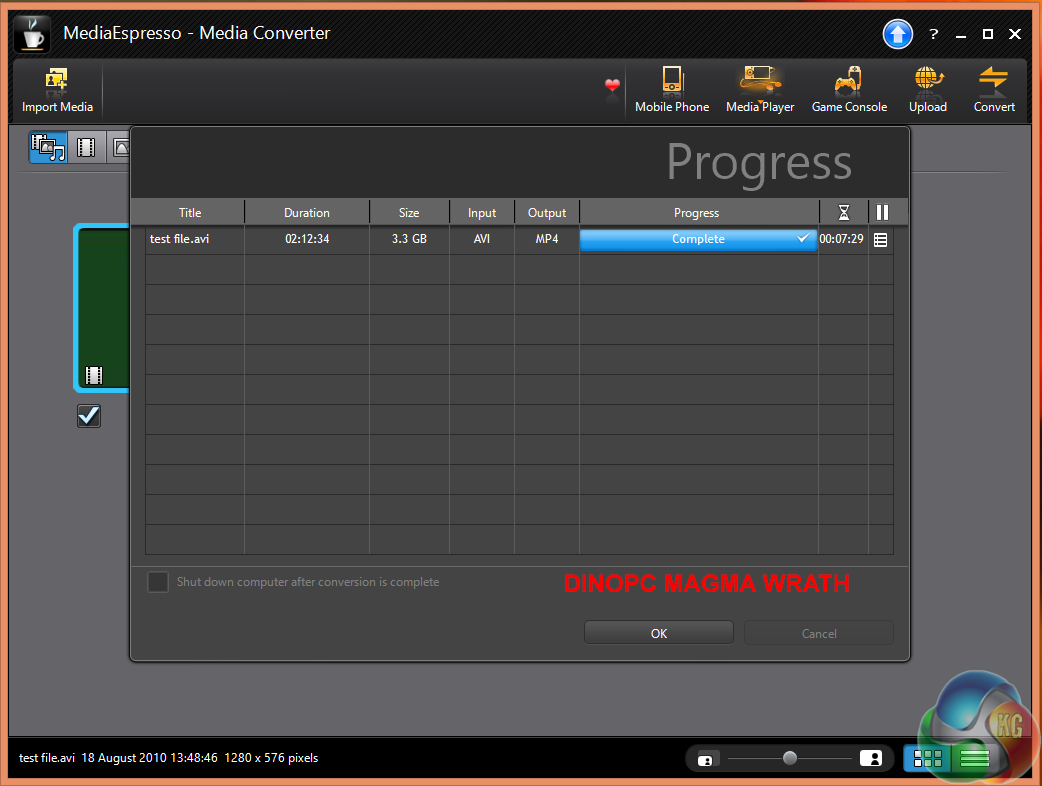
The desktop system completes the task in 7 minutes and 29 seconds compared to 9 minutes and 14 seconds for the Slayer laptop.
Grid Autosport (styled as GRID Autosport) is a racing video game by Codemasters and is the sequel to 2008′s Race Driver: Grid and 2013′s Grid 2. The game was released for Microsoft Windows, PlayStation 3 and Xbox 360 on June 24, 2014.
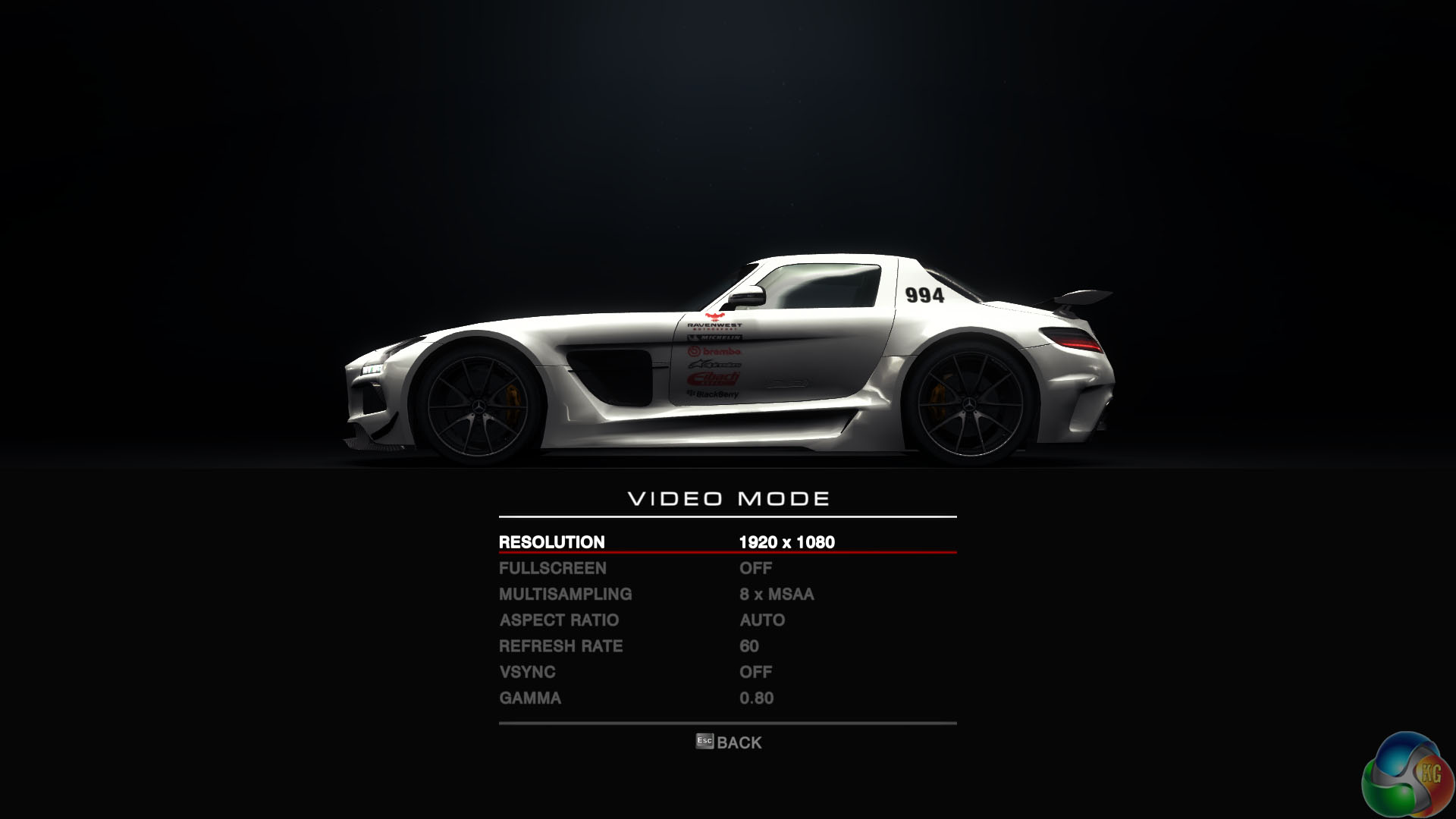
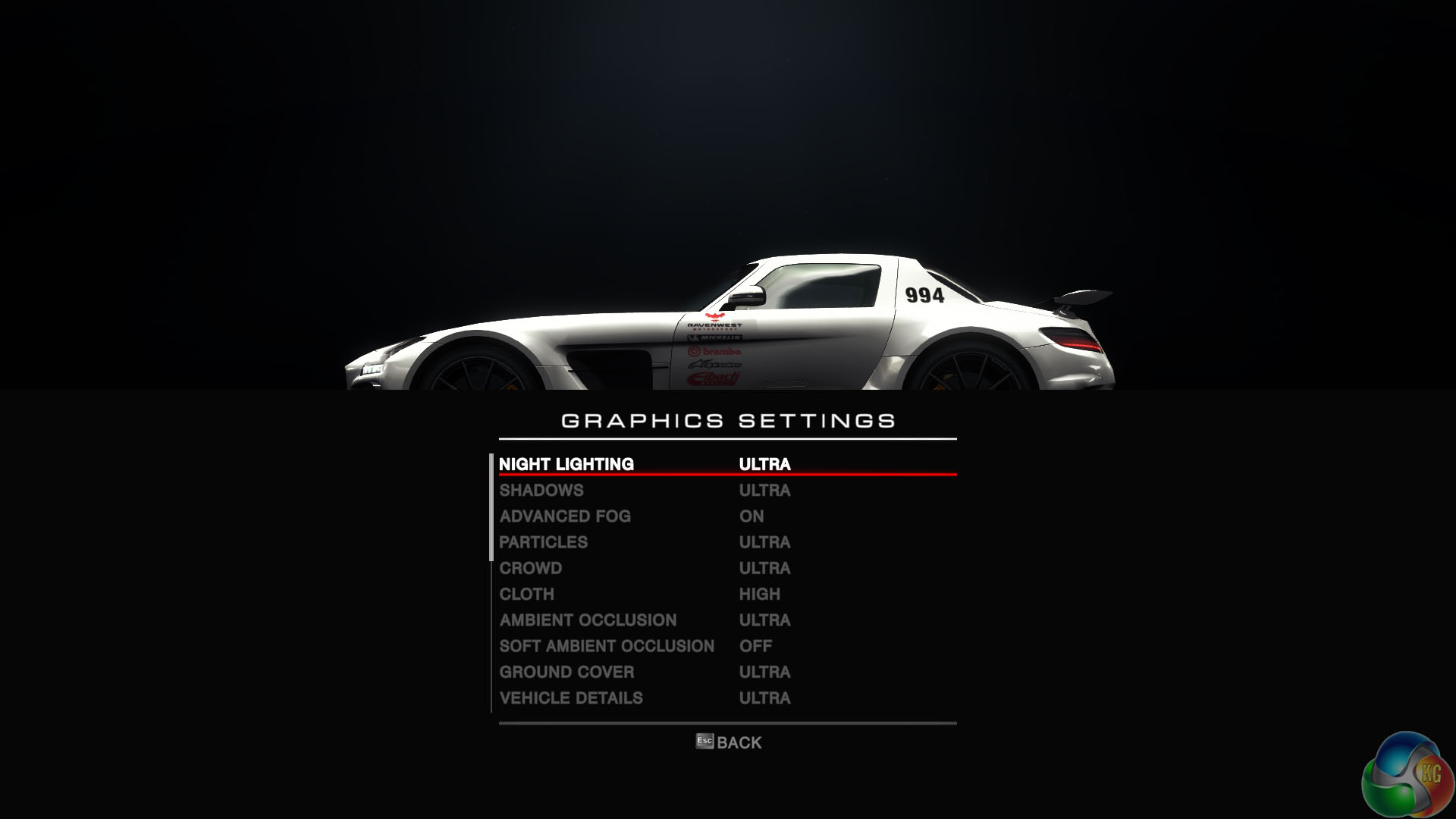
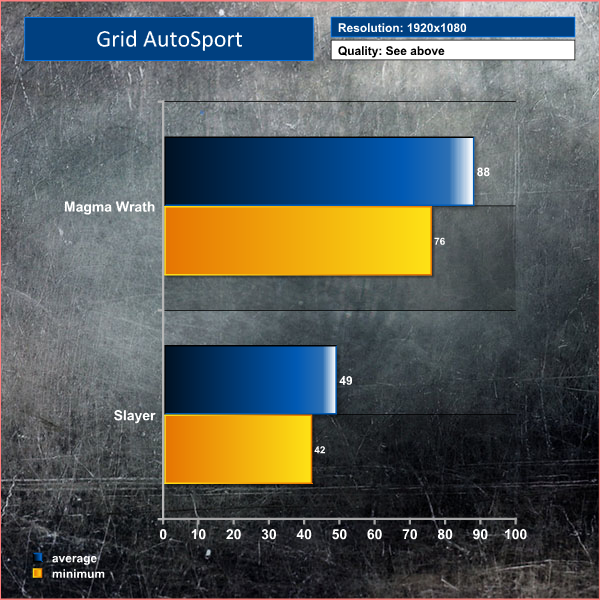
The game is perfectly playable on both systems, however if you like racing games to hold a 60+ frame rate at all times, it is going to be easier to achieve on the desktop system, especially at these high image quality settings.
Tomb Raider received much acclaim from critics, who praised the graphics, the gameplay and Camilla Luddington’s performance as Lara with many critics agreeing that the game is a solid and much needed reboot of the franchise. Much criticism went to the addition of the multiplayer which many felt was unnecessary. Tomb Raider went on to sell one million copies in forty-eight hours of its release, and has sold 3.4 million copies worldwide so far.
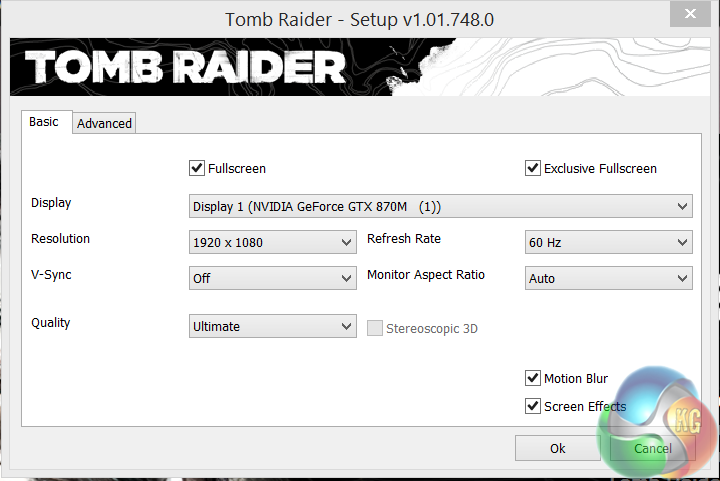
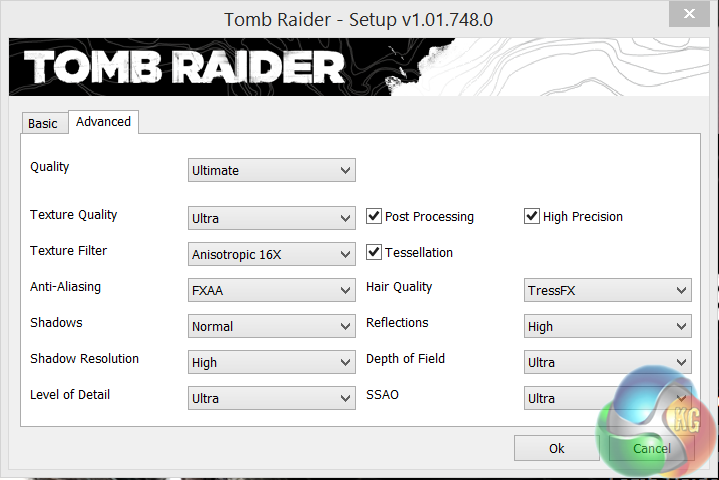
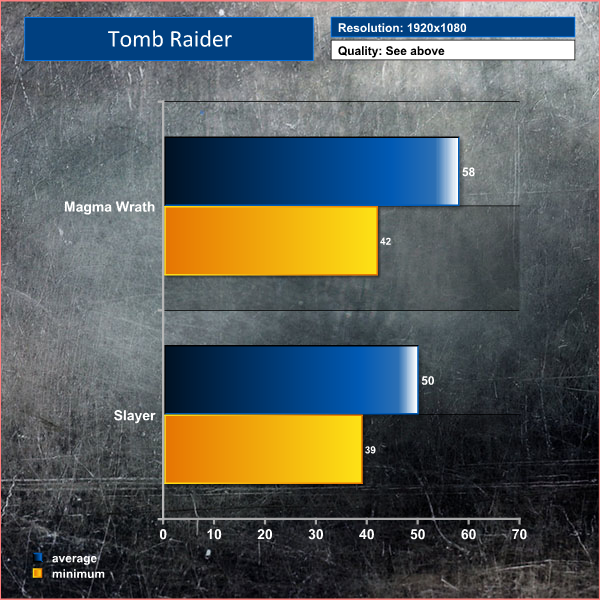
Either system has no problems powering Tomb Raider at 1080p with the highest image quality settings.
Total War: Rome II is set in classical antiquity, and focuses on portraying each culture of the classical era as accurately and in-depth as possible, as opposed to its predecessor, which portrayed many factions anachronistically. The grand campaign begins in 272 BC, and lasts for 300 years. However, the player also has the option to play further, as there are no timed victory conditions in Rome II.

The Magma Wrath produces much better frame rates, averaging 73 compared to 47 on the Slayer.
The tests were performed in an air conditioned room, holding temperatures at a constant 23c. This is a comfortable environment for most people reading.
Idle temperatures were measured after 30 minutes from initial boot up with the system inactive.
Load temperatures were measured when playing Tomb Raider – a Direct X 11 game that taxes both CPU and GPU extensively. All fan settings were left on BIOS defaults.
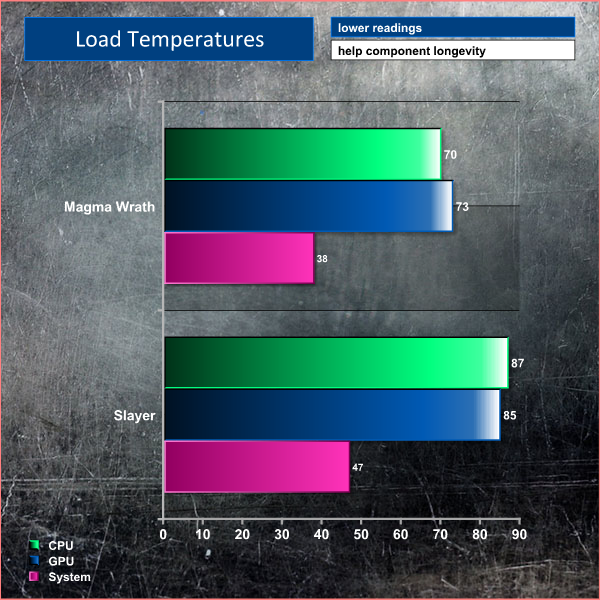
A well built desktop system will always run cooler than an equivalent laptop and the results above are not surprising at all.
We attached five diodes to the back of the chassis and measured the temperature (Celcius) after one hour of intensive work and gaming.
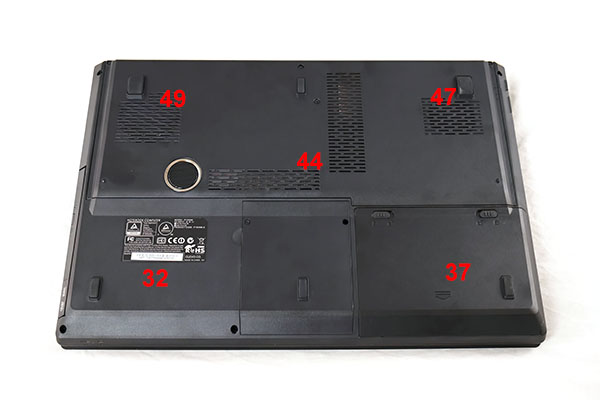
The front of the Slayer laptop runs cool. The rear left and right sections run hotter obviously as the heatpipes for both CPU and GPU coolers are located here. There is a high level of airflow from the underside to the right and left sides of the chassis.
We have built a system inside a Lian Li chassis with no case fans and have used a fanless cooler on our CPU. The motherboard is also passively cooled. This gives us a build with almost completely passive cooling and it means we can measure noise of just the graphics card inside the system when we run looped 3DMark tests.
We measure from a distance of around 1 meter from the closed chassis and 4 foot from the ground to mirror a real world situation. Ambient noise in the room measures close to the limits of our sound meter at 28dBa.
Why do this? Well this means we can eliminate secondary noise pollution in the test room and concentrate on only the video card. It also brings us slightly closer to industry standards, such as DIN 45635.
KitGuru noise guide
10dBA – Normal Breathing/Rustling Leaves
20-25dBA – Whisper
30dBA – High Quality Computer fan
40dBA – A Bubbling Brook, or a Refrigerator
50dBA – Normal Conversation
60dBA – Laughter
70dBA – Vacuum Cleaner or Hairdryer
80dBA – City Traffic or a Garbage Disposal
90dBA – Motorcycle or Lawnmower
100dBA – MP3 player at maximum output
110dBA – Orchestra
120dBA – Front row rock concert/Jet Engine
130dBA – Threshold of Pain
140dBA – Military Jet takeoff/Gunshot (close range)
160dBA – Instant Perforation of eardrum
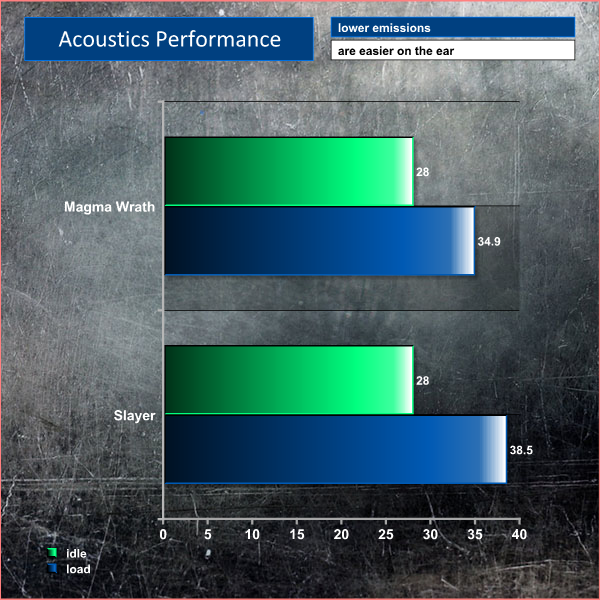
Both systems are very quiet when being used for general, lighter duties. When gaming the fans speed up and noise levels subsequently rise. At full load, the Magma Wrath hits a reading of 34.9dBa. The Slayer laptop fans have to spin harder and the noise levels peak at 38.5dBa.
This page is only relevant for the DinoPC Slayer 15.6″ GTX870M system.
To test today, we are putting the machine through a variety of ‘real world’ situations, mirroring the real world usage of a potential customer.
One as a media movie lover on the move (wearing headphones), a person wanting to watch high definition media on a train journey or bus with screen brightness two notches from maximum.
Second as a businessman, with screen brightness around half way. Wireless was enabled. A mixture of checking, answering emails using Microsoft Office and editing pictures in Adobe Photoshop.
Lastly as a gamer, playing Watchdogs until the machine turned itself off.
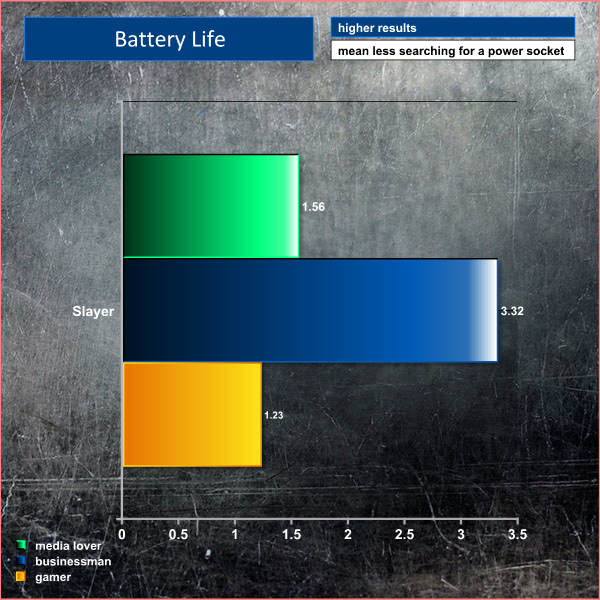
Under general use situations the battery would last between 3 hours and 30 minutes and 4 hours. When the Nvidia GTX870M was active the battery life would drop to around 1 hour and 20 minutes.
Buying a high performance gaming laptop is still a relatively expensive undertaking, especially when we analyse specific capabilities against an identically priced desktop build.
The DinoPC Slayer 15.6″ GTX 870M system delivers great frame rate performance in many of the latest Direct X 11 games at the native 1080p resolution of the panel. The Nvidia GTX870M is a powerhouse mobile solution able to hold 30+ steady frame rates when maxing out the image quality. It is only when we compare directly against the Magma Wrath GTX770 desktop system that we see just how far behind it actually is in a variety of tasks, including gaming.
While this may seem obvious it is worth pointing out that the newly released Direct X 11 Grid Autosport from CodeMasters was averaging 80 percent higher frame rates on the desktop Magma Wrath.
People buying a laptop demand the luxury of portability, a reduced physical footprint and the option to game and work on the move when needed. In this regard the DinoPC Slayer 15.6″ can be considered a success. Battery life is very good, the keyboard is intuitive to use, and there is plenty of horsepower under the hood – thanks to the powerful Nvidia GTX870M, fast Solid State Drive and Intel Core i7 4710MQ quad core processor.
The DinoPC Slayer incorporates a powerful dual fan cooling system to ensure that heat is removed quickly from the chassis. The rear of the underside gets warm under extended load and it is important to ensure that the vents are not blocked, otherwise overheating and thermal throttling could occur.
While we have shown today that this system is very capable when dealing with not only the latest Direct X 11 games, but with 3D rendering and high definition movie encoding it does have a couple of weaknesses. Onboard sound is quite poor, a problem inherent with many 15.6 inch machines. The single height return key causes a problem for me, however our American readers are less likely to consider this an issue.
My biggest issue however is related to the screen. It ships with a bog standard 1080p high definition display – not one of the wide gamut or IPS panels you will sometimes see integrated into similarly priced systems. As such, viewing angles can be considered average, and colour saturation is less than stellar. We also noticed that the lid could ‘wobble' a little on specific surfaces if you are a heavy handed typist, like myself.
This is the primary reason we are giving this laptop a WORTH BUYING award, rather than a MUST HAVE award.
You can buy from DINOPC from this link.
Pros:
- powerful gaming laptop.
- great airflow system.
- well built.
- good keyboard and trackpad.
- battery life.
- SSD.
Cons:
- single height return key.
- screen is average.
- panel ‘wobble' can be noticeable.
Kitguru says: A very powerful gaming laptop featuring a quad core i7 processor and Nvidia GTX870M graphics.

The Dino Magma Wrath GTX 770 is a well balanced, high performance desktop system that ships with a 23 inch Iiyama XU2390HS 23″ Slim Bezel LED, Gigabyte Force K3 Keyboard and Gigabyte Force M7 Mouse. It is worth pointing out that many of the gaming desktop systems KitGuru review don't ship with a monitor, mouse or keyboard, so this goes some way in factoring the £1,099 inc vat asking price.
On a performance level we can find little to complain about. The Core i5 4690K may be a straight Quad core processor without hyperthreading but it is a fast and effective processor for a variety of tasks, and can keep up under most circumstances with the Core i7 4710MQ fitted in the Slayer laptop system.
The Gigabyte Windforce GTX770 is an immense graphics card extremely able to power through the latest games at 1080p with the eye candy cranked to the limit. It is much more powerful than the GTX870M mobile solution, as we would expect considering the platform power differences.
The DinoPC Magma Wrath GTX770 is a quiet running system and the Corsair Carbide Spec-01 chassis has several positions still unpopulated if you wanted to enhance the air flow further by adding additional fans. We actually don't think there is any need, as neither 4690K or GTX770 are particularly hot running.
I was a little disappointed with the write performance of the Crucial M.2 128GB Solid State drive fitted in the Magma Wrath system – it lagged way behind the Crucial 256GB MX100 fitted into the Slayer laptop.
For the price and considering the mouse, keyboard and 23 inch slim Bezel LED screen which are all bundled, we think the Magma Wrath GTX770 delivers good value. If you don't need the portability of a laptop then there is no doubt it is a much faster all round machine.
You can buy from DINOPC from this link.
Discuss on our Facebook page, over HERE.
Pros:
- excellent all round gaming performance.
- quiet under load.
- good selection of components.
Cons:
- Crucial M.2 SSD has poor write performance.
Kitguru says: A well balanced system ideal for a gamer who needs a screen, mouse and keyboard as well to get up and running.


Why do all these places use such fugly cases for desktops
why do you care how it looks? i dont know if you know this but flames dont makes cars faster either. cases should be designed to be tough and have plenty of airflow. if you want aesthetics you can buy a pinwheel and some led lights from walmart for 5 bucks .
Stupid thing to say mate really, why would you buy a sofa that looks nice, why paint a house in a colour you like. Because you want something pleasing to the eye and i fail to see why a pc case cannot look good. No one said it was gonna make it faster or anything else so please climb down off the high horse. I do not like the case nuff said
This is nice PC bundle, completely amazing.
very nice
Both have a point but flashy case is not relevant in this situation so original comment re fugly case was pointless.
Lovely, wish I could afford one of these!
I never look at the case, I tend to be looking at the screen. A neat case would be lovely, but I tend to go more for what is inside. But something that looked good in the living-room when I’m not using it, combined with a great insides would be extra special.
I agree that a lot of cases I have seen are not that appealing to the eye. However, to use the word ‘fugly’ is going a bit too far. True, the looks of the case doesn’t matter as long as the performance is up to par, but then again, I wouldn’t blow a thousand bucks on an extremely comfy sofa that just sucks in terms of looks. Both are important. Some don’t care much for extreme looks in terms of gaming, but for those who do, the option of respective cases should be available. That is actually one of the main reasons why I’m not bothering to make my own build yet, I just have never seen a case that looks good enough.
outstanding PC bundle
nice PC ¡¡¡
Looks good
STUNNING PC
What an absolutely beautiful PC, it brings manly tears of joy to my eyes to see such a creation be created by humans :'(