KitGuru KitGuru.net – Tech News | Hardware News | Hardware Reviews | IOS | Mobile | Gaming | Graphics Cards


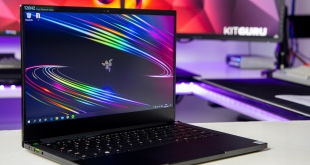
Earlier this year we reviewed Razer’s “first gaming ultrabook” with a tiny 13.3inch display, which had integrated graphics. Razer have outdone themselves as today we’re checking out the new and improved Razer Blade Stealth 13, which I think now truly deserves the ‘gaming ultrabook' title because it now has a GeForce GTX 1650 Ti Max-Q graphics card inside! At a whopping starting price of £1899.99, how does it stack up?
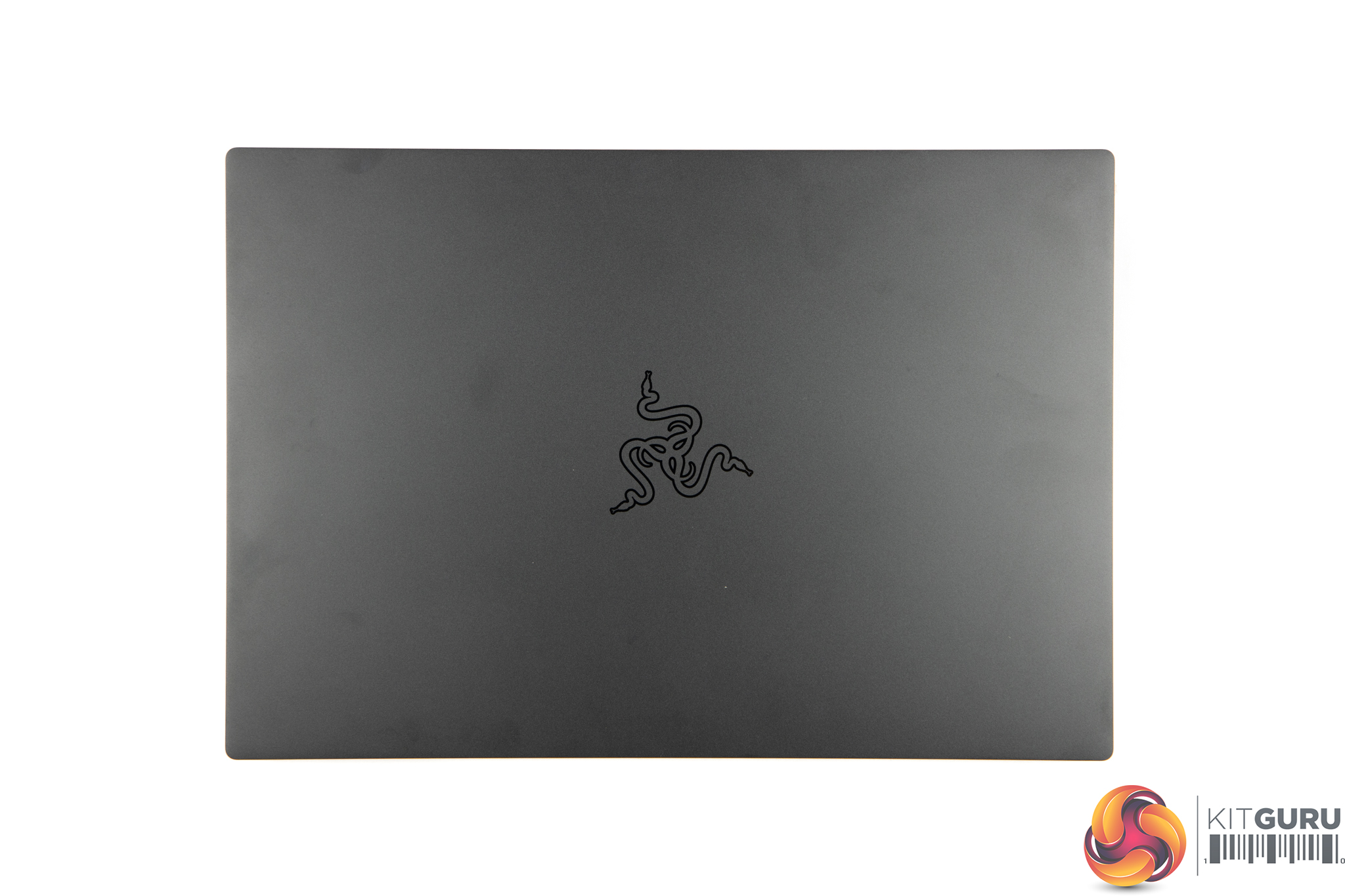
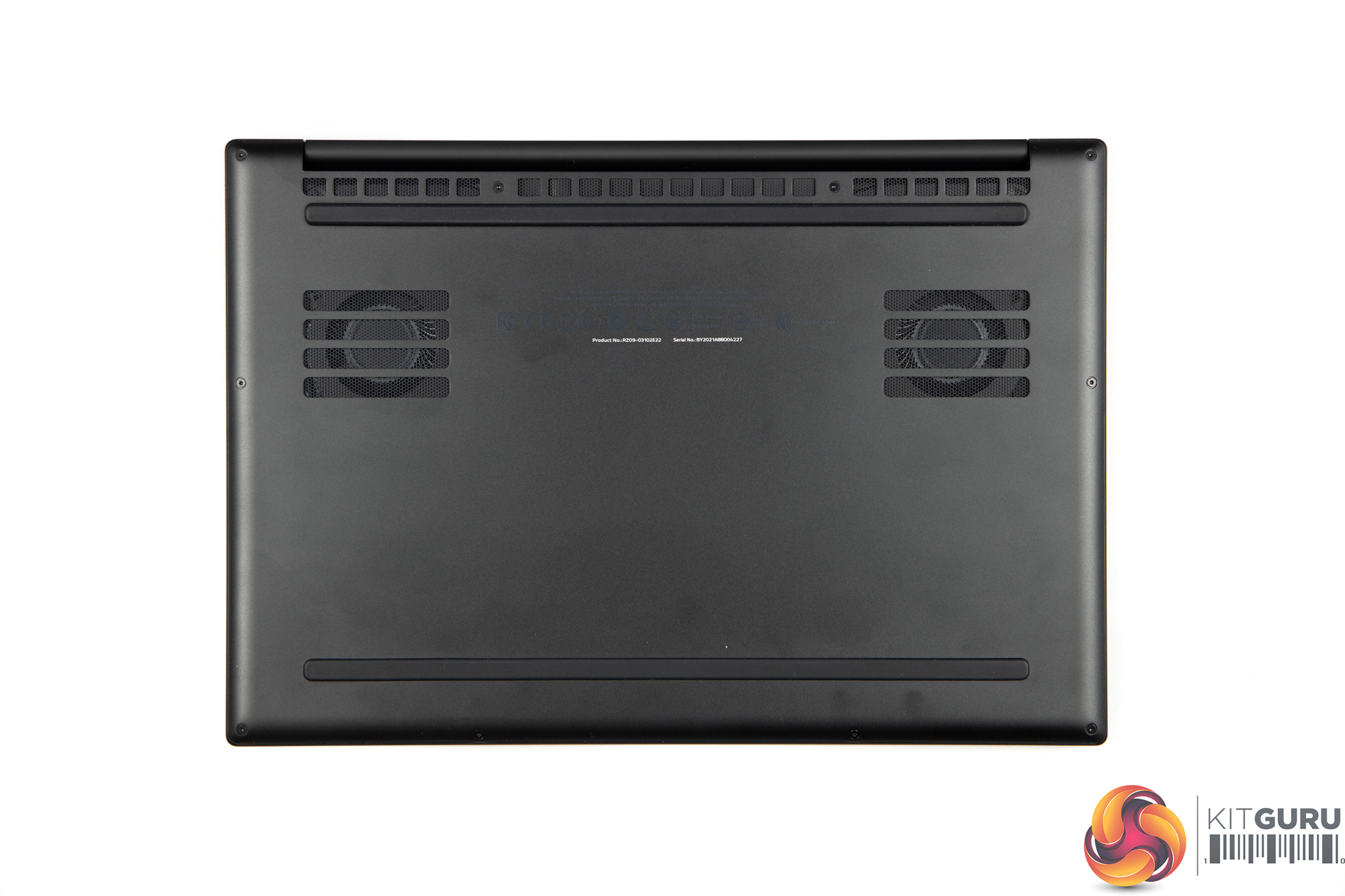
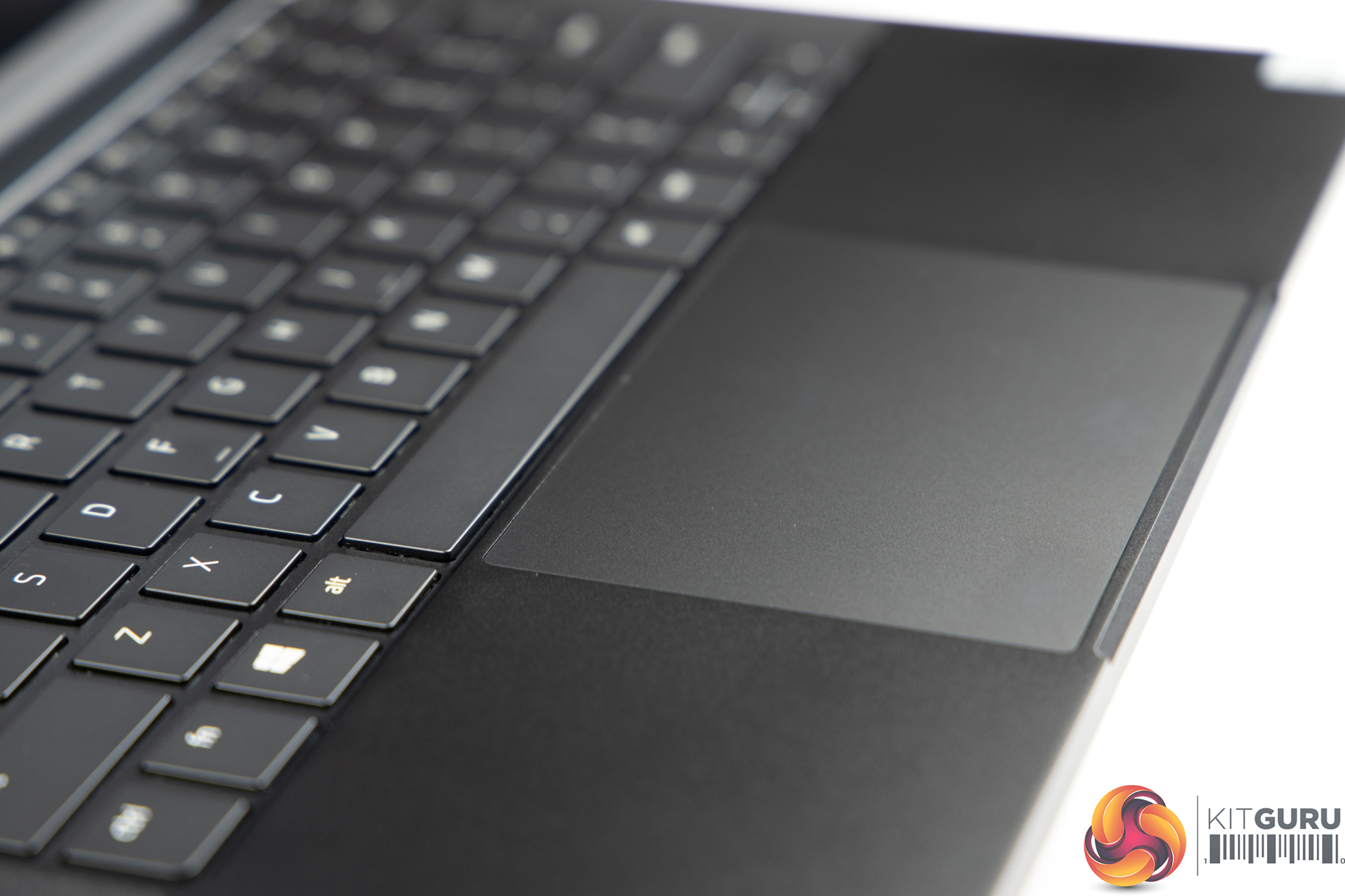
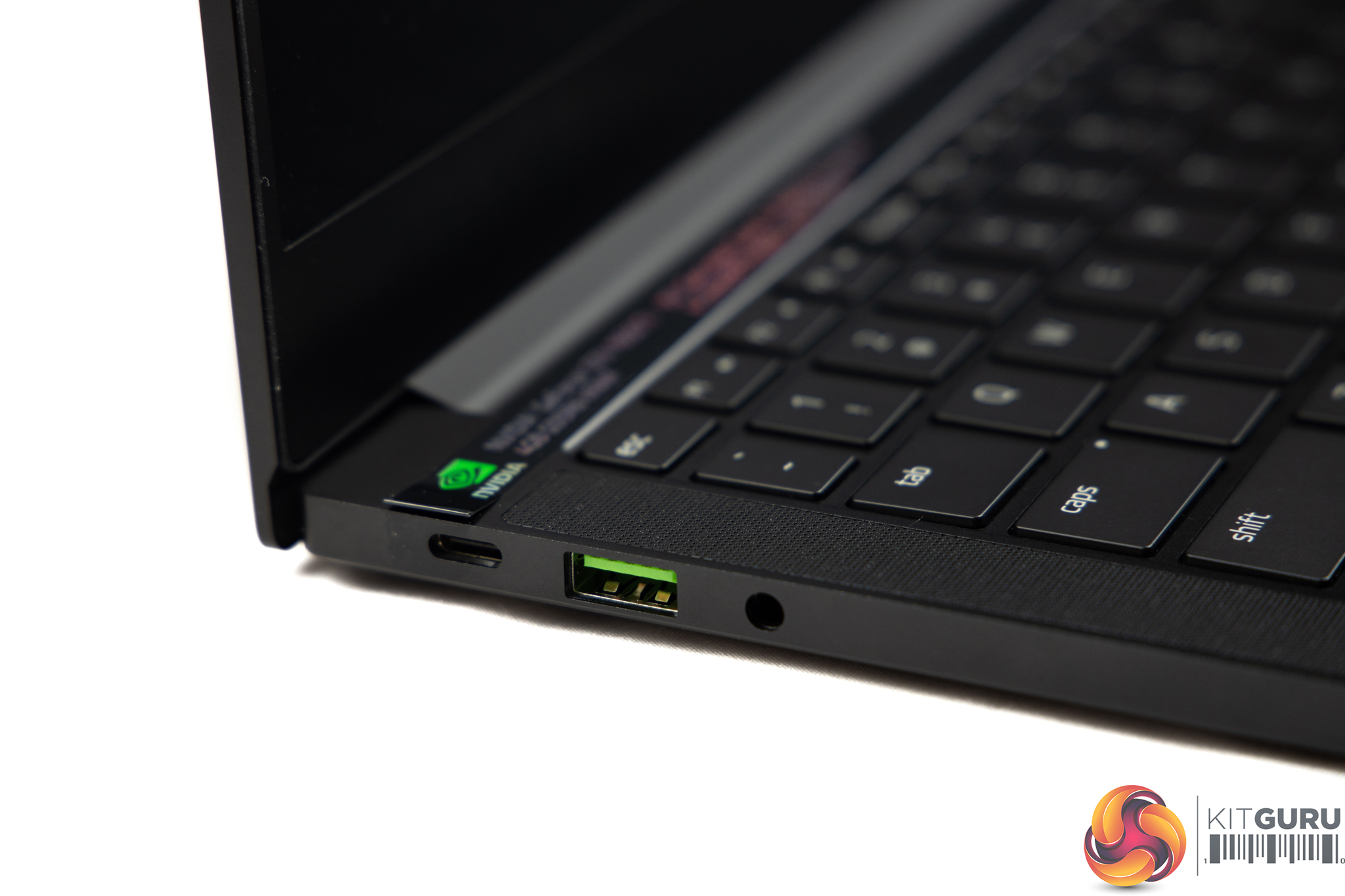
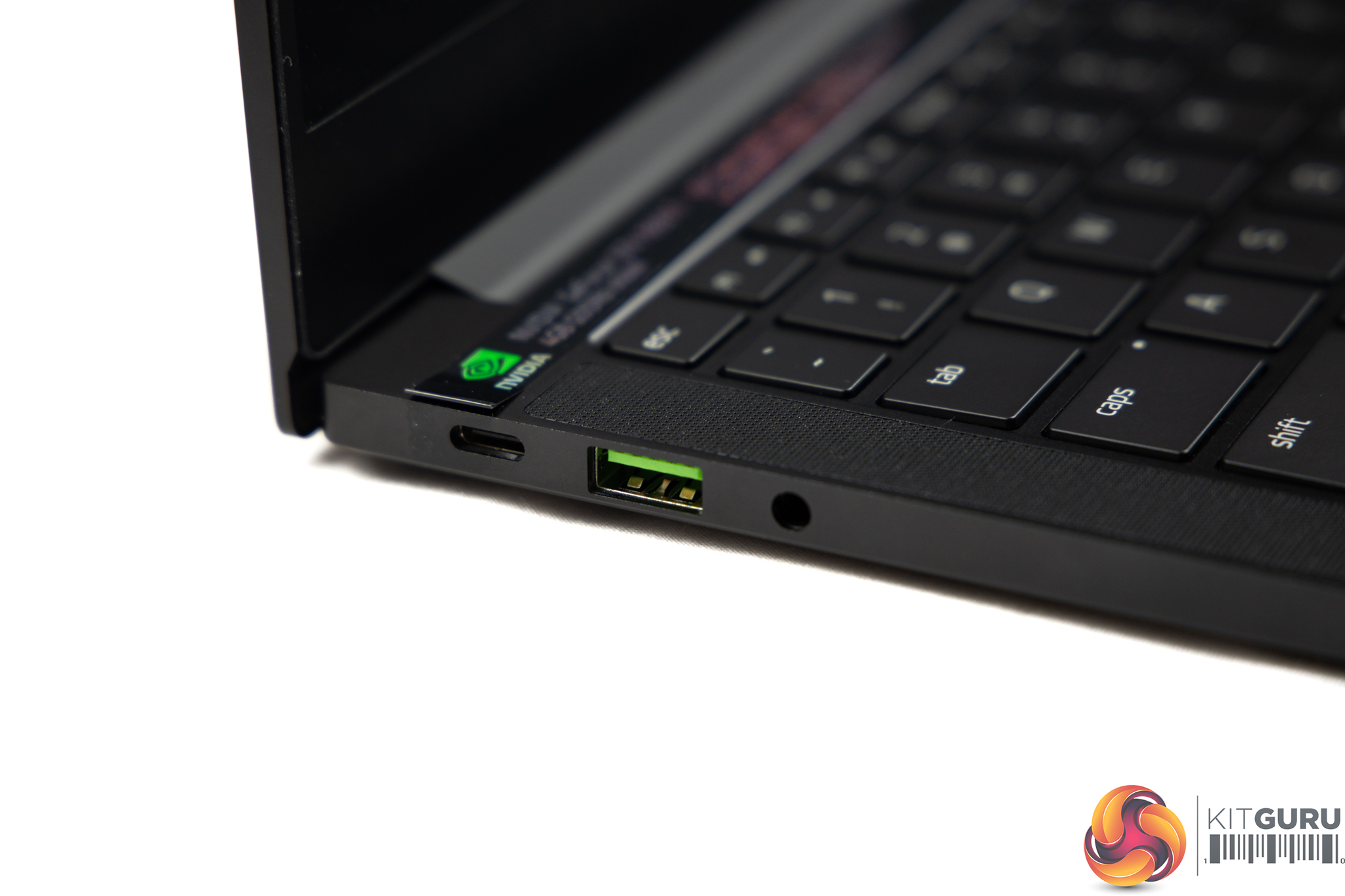
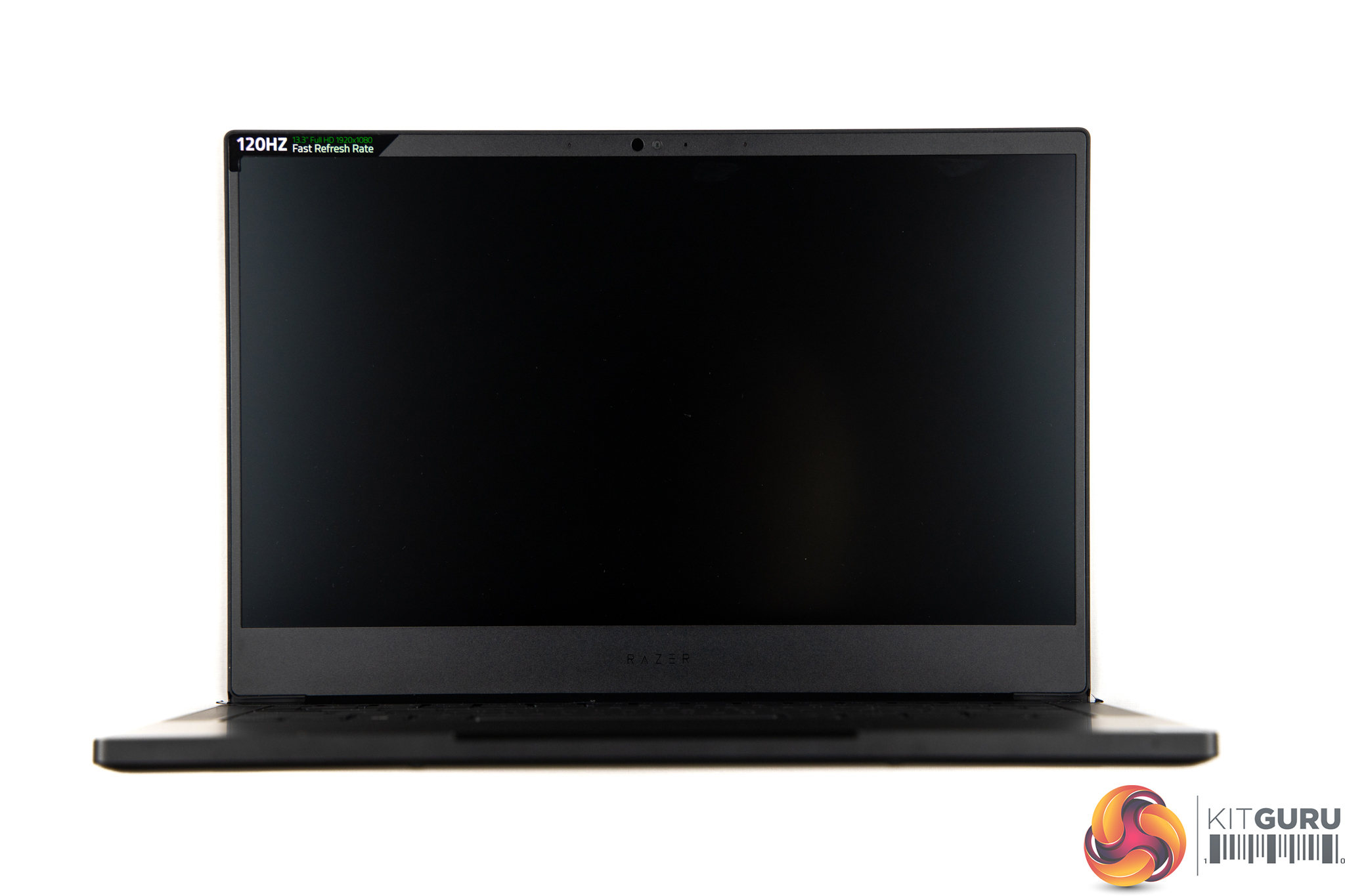
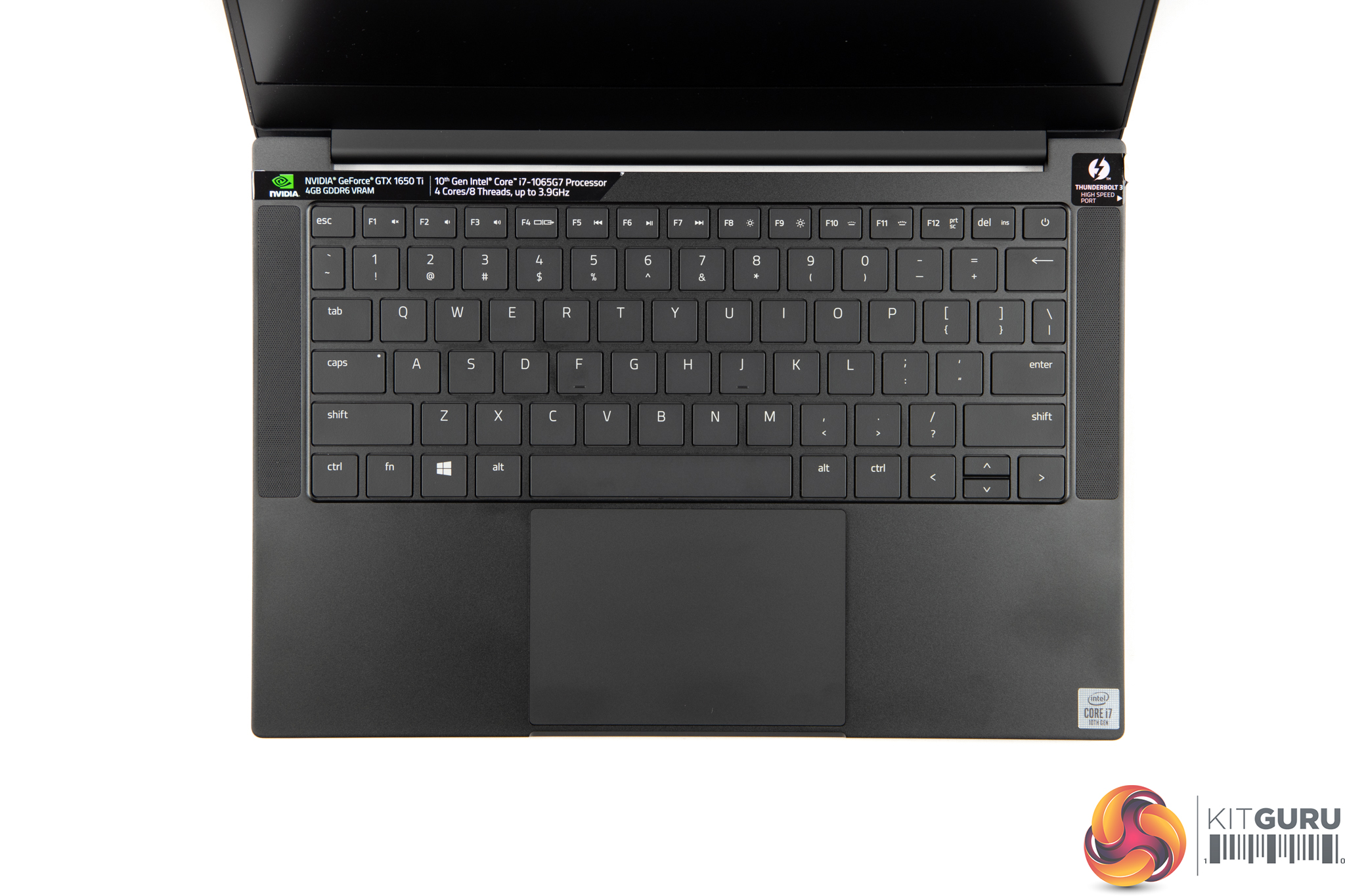
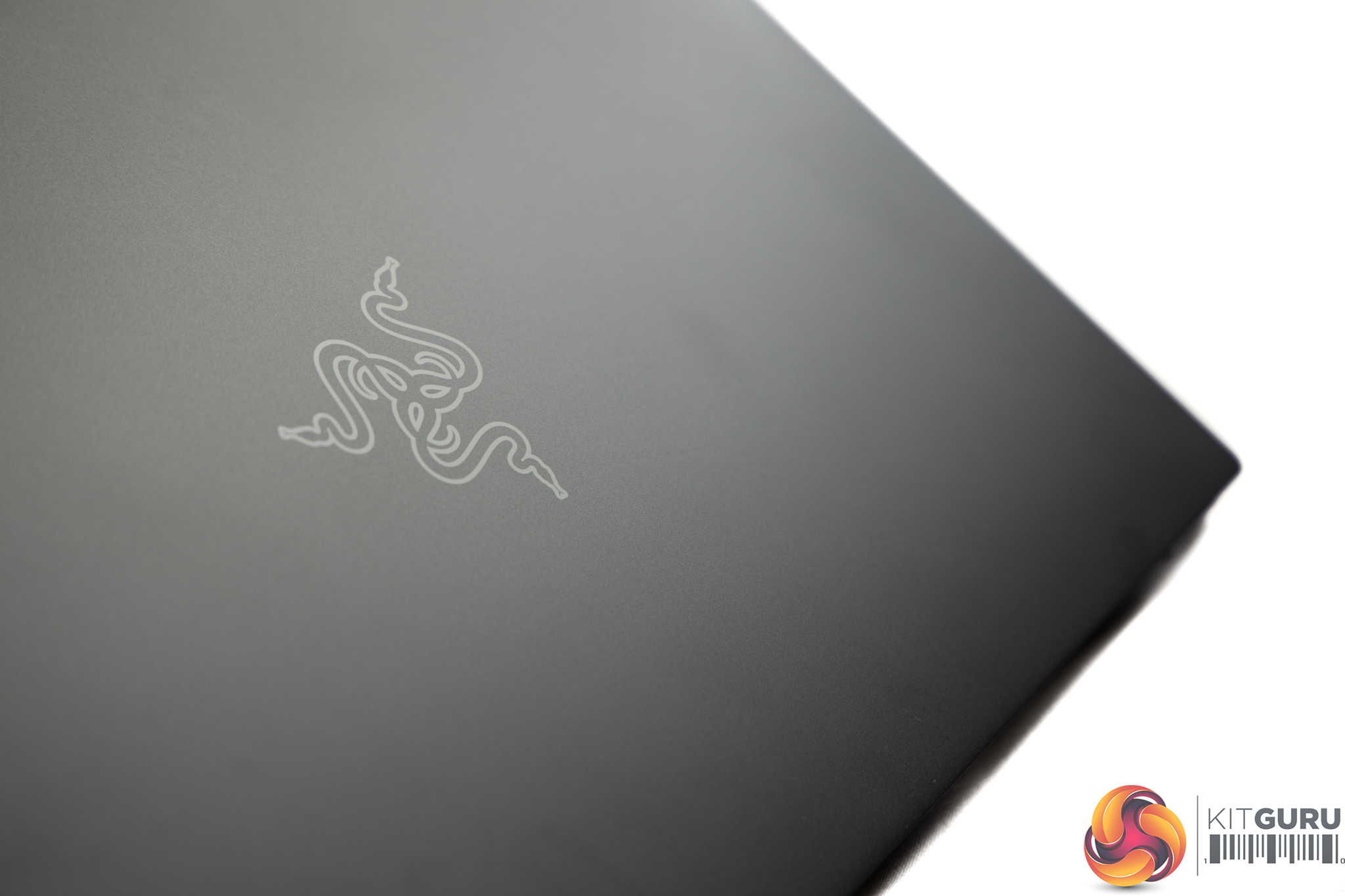
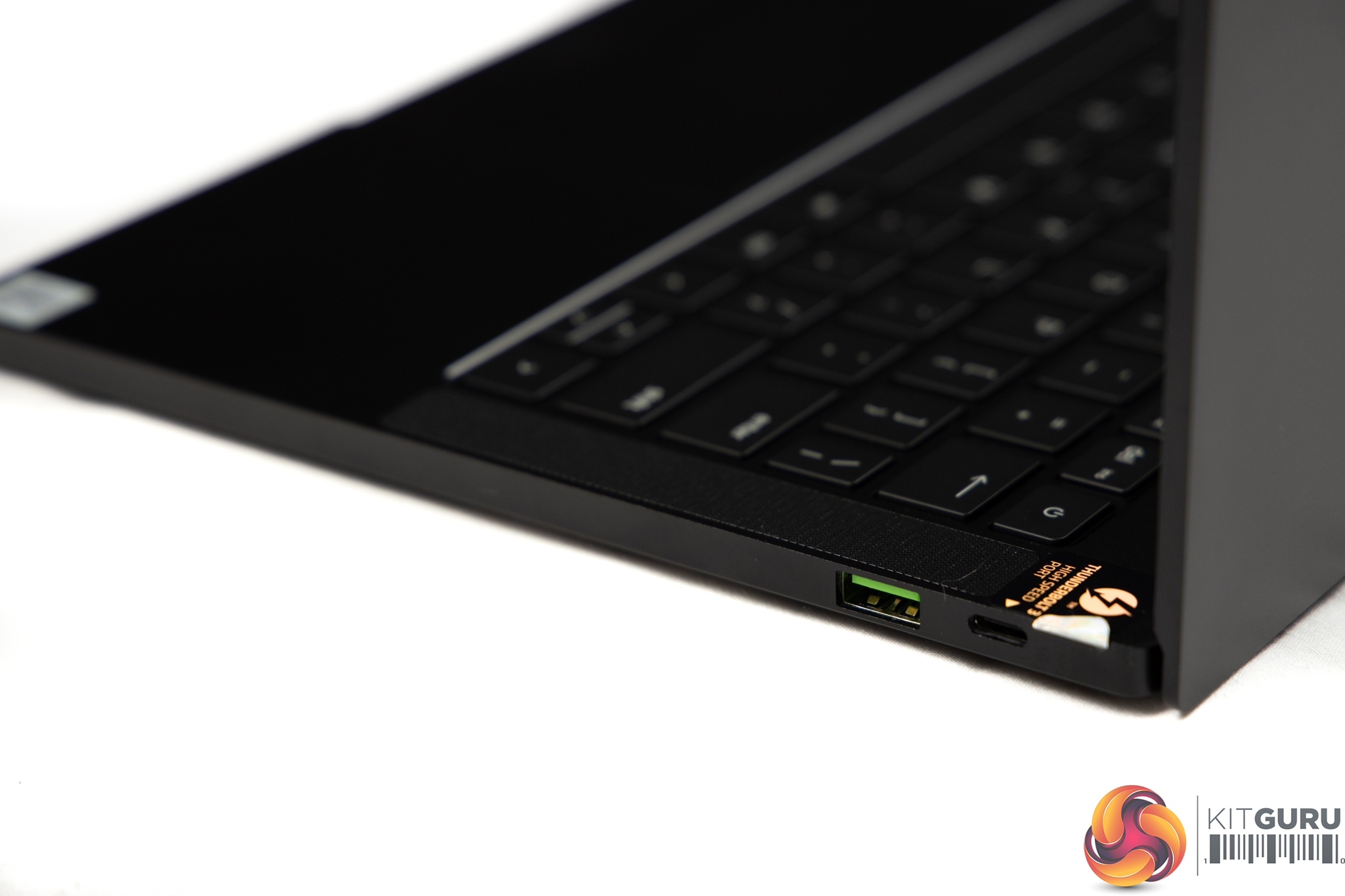
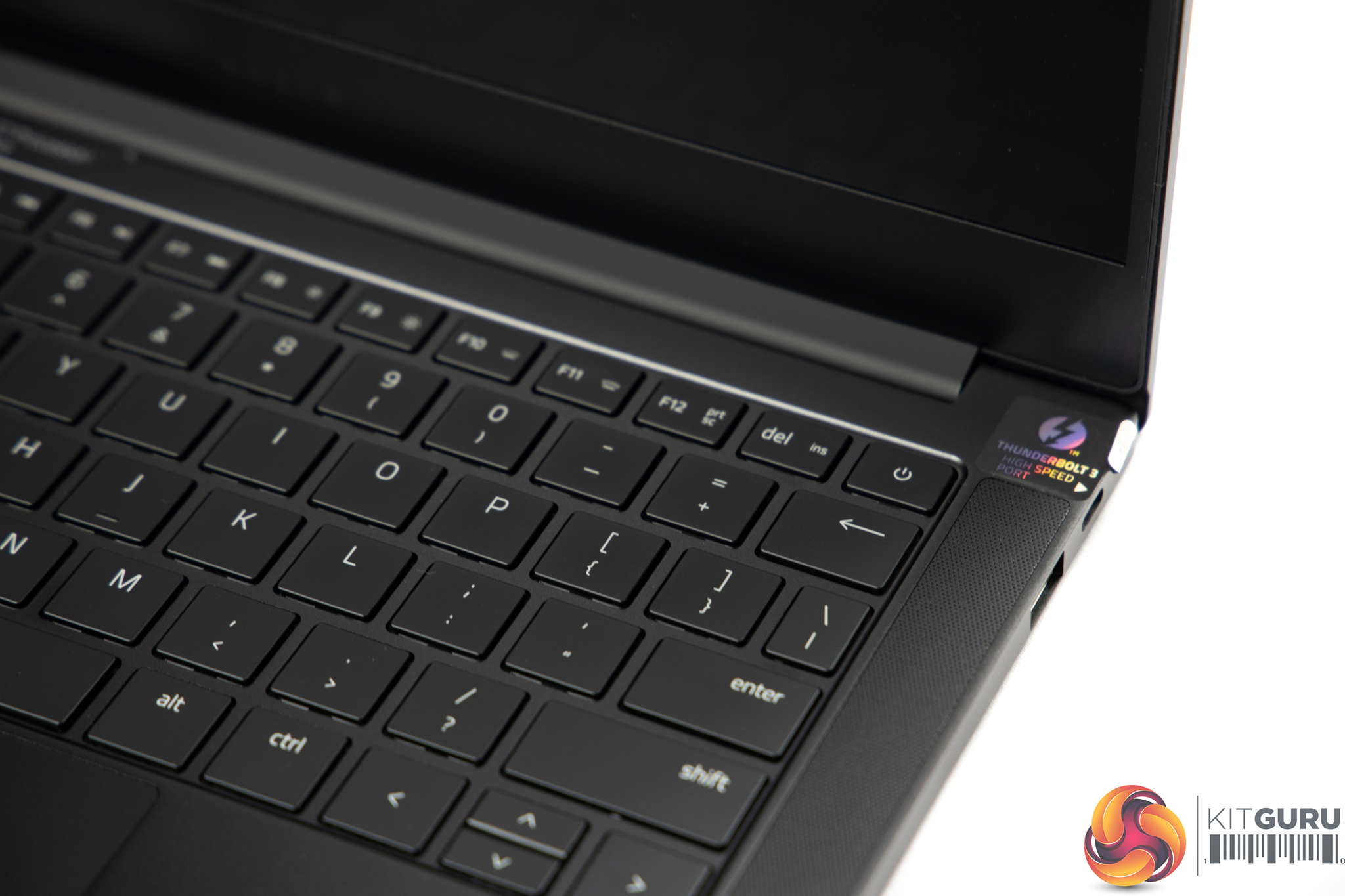
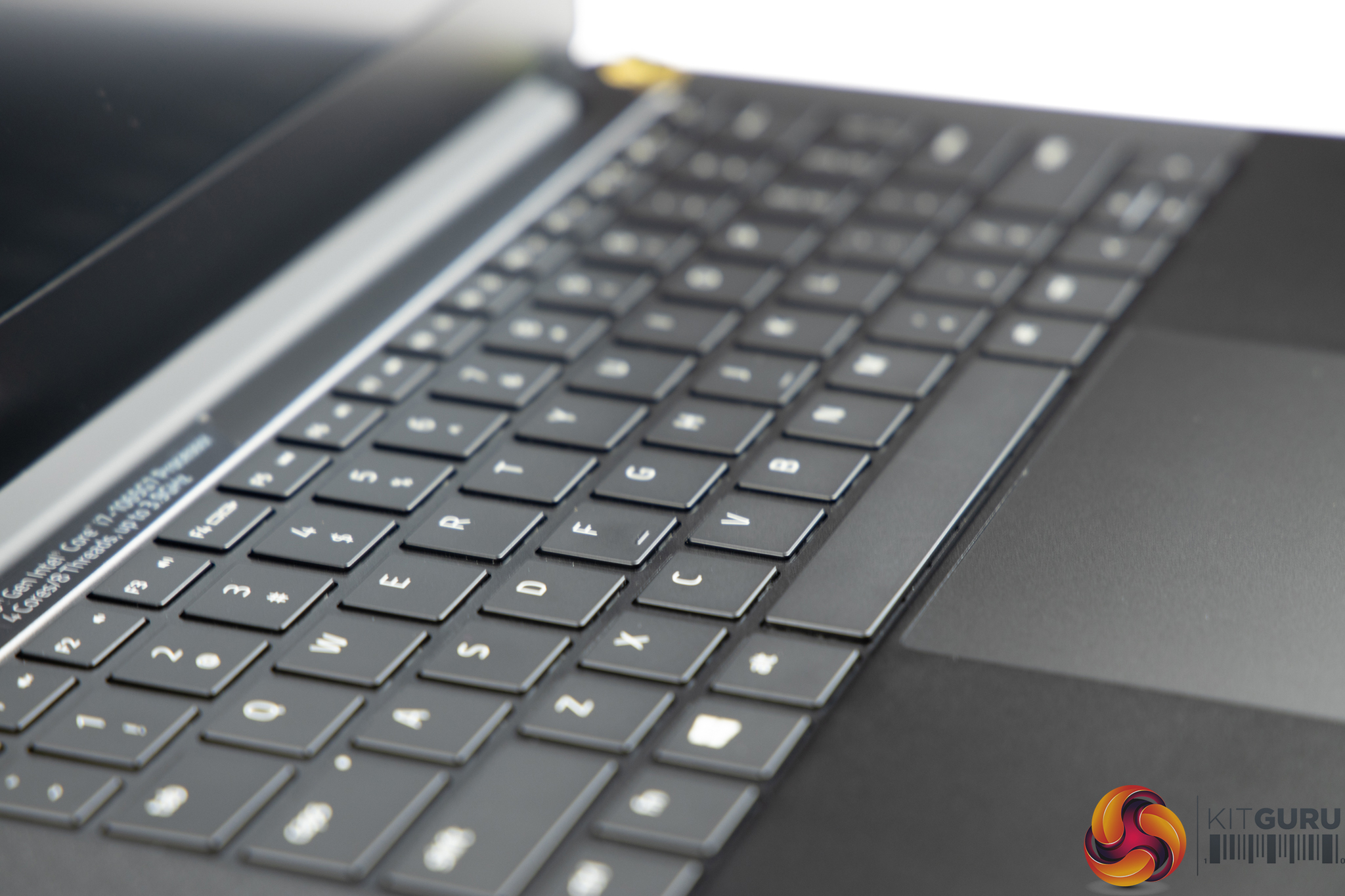
Specifications:
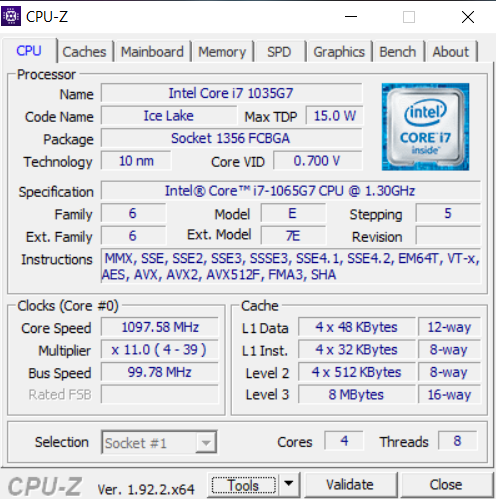
- CPU: Quad-Core 10th Gen Intel Core i7-1065G7
- Screen: 13.3″ FHD Matte (1920 x 1080) 120Hz, 100% sRGB, 4.9mm slim bezels, factory calibrated
- OS: Windows 10
- GPU: NVIDIA GeForce GTX 1650 Ti 4GB GDDR6 VRAM with Max-Q design
- Storage: 512GB PCIe NVMe M.2
- RAM: 16GB LPDDR4X 3733MHz Dual-Channel
- Battery: 53.1Wh
- Keyboard: Razer Chroma RGB supported single zone, anti-ghosting and half arrow keys
- Touchpad: Glass touchpad with Microsoft Precision
- Connectivity: Wi-Fi 6 Intel Wireless-AX 201 – Bluetooth 5.1
- I/O: Thunderbolt 3 USB-C, power port, 4 lanes of PCI Express – USB-C 3.1 Gen 2, power port – 2x Type-A USB 3.1 Gen1
- 720p HD webcam with Windows Hello support
- Audio: Stereo, 4 speakers + smart amp
- 3.5mm combination port
- Black temper 6 CNC precision milled unibody aluminium chassis
- Dimensions: 15.3 x 304.6 x 210 mm
- Weight: 1.41kg
- Power: Compact 100W USB-C power adapter
Before we dive into this review, remember that this is an ultrabook – it’s a tiny, super thin, laptop and not a full sized power house laptop!
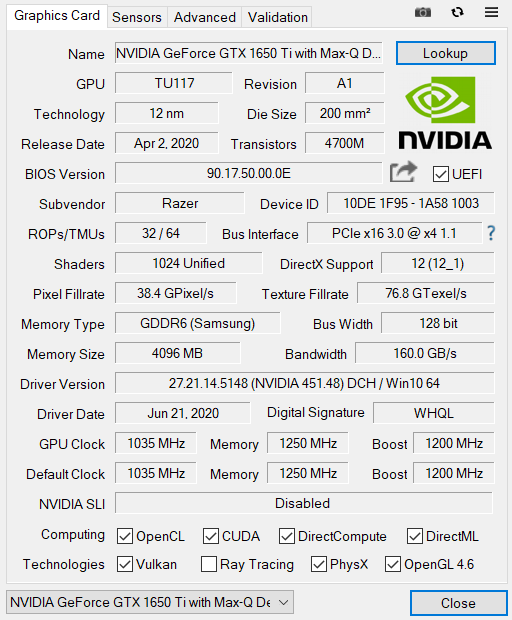
Despite how small this little package, is our model comes in at a rather hefty £1899.99, and for that you’re getting a Quad-Core 10th Gen Intel i7-1065G7 CPU with Hyper Threading with a base of 1.3GHz up to 3.9GHz with Turbo at 25W. We finally get that dedicated graphics card, an NVIDIA GeForce GTX 1650 Ti with 4GB GDDR6 VRAM, and this is Max-Q so it can be squeezed into such a tiny package. We have only one drive here, a 512GB PCIe NVMe M.2, which is twice the size of the SSD in the previous Stealth 13.
In terms of RAM we get 16GB at 3733MHz, fixed in dual-channel. A 120Hz 13.3” Full HD 1920x1080p display is also in use here, while the machine boasts a 53.1 Wh battery, Wi-Fi 6, Bluetooth 5.1, as well as a selection of ports including Thunderbolt 3 USB-C, and 2x Type-A USB 3.1 Gen1.
All of our tests were conducted with the laptop plugged into wall power and the best performance profiles selected. In Razer's synapse software we also selected the performance/gaming profile to increase performance. Due to the nature of this laptop review we decided not to compare test results against our other laptop test results because the Razer Blade Stealth 13 is an ultrabook and not a powerhouse laptop.
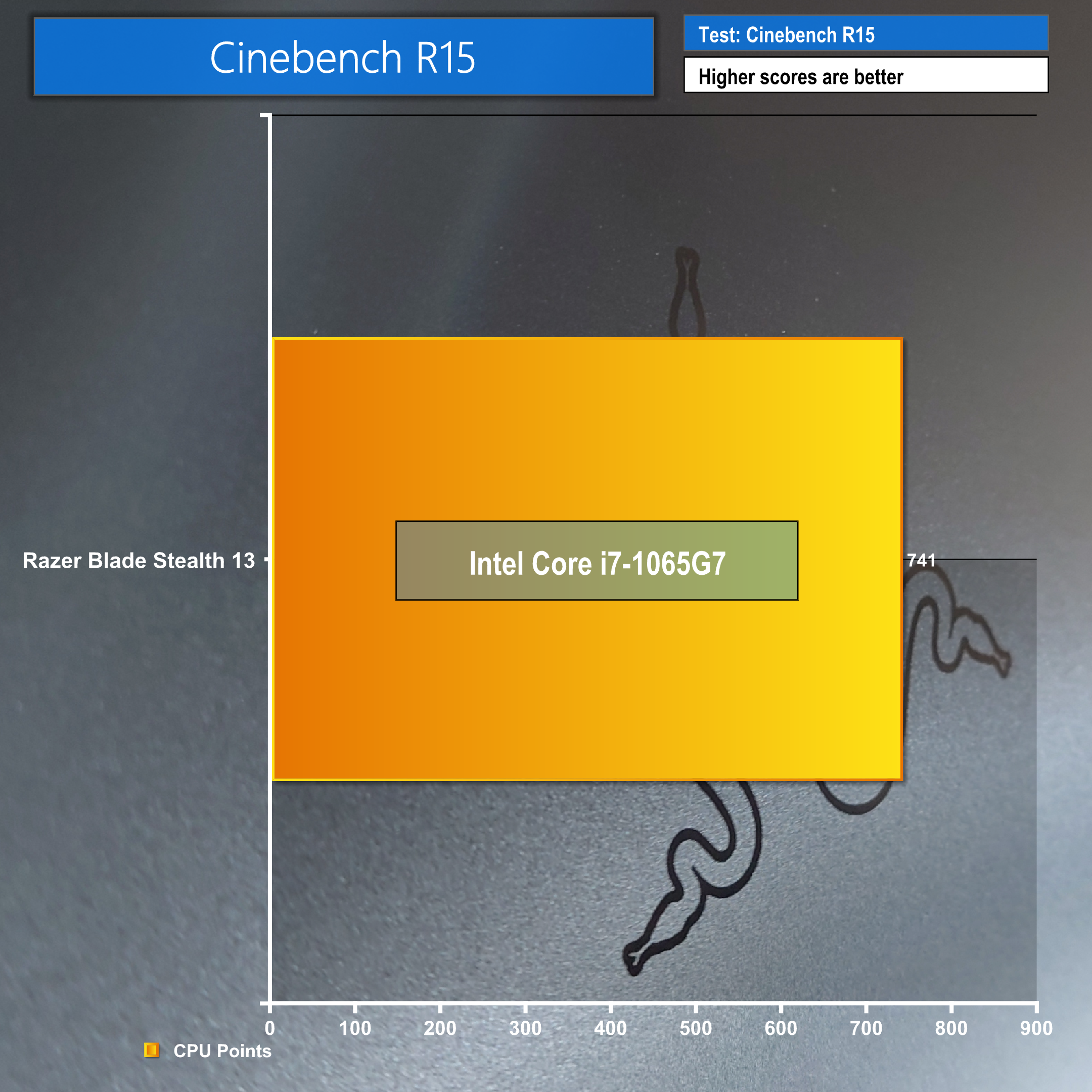
Cinebench R15:
Cinebench R15 tests CPU performance.
Cinebench R20:
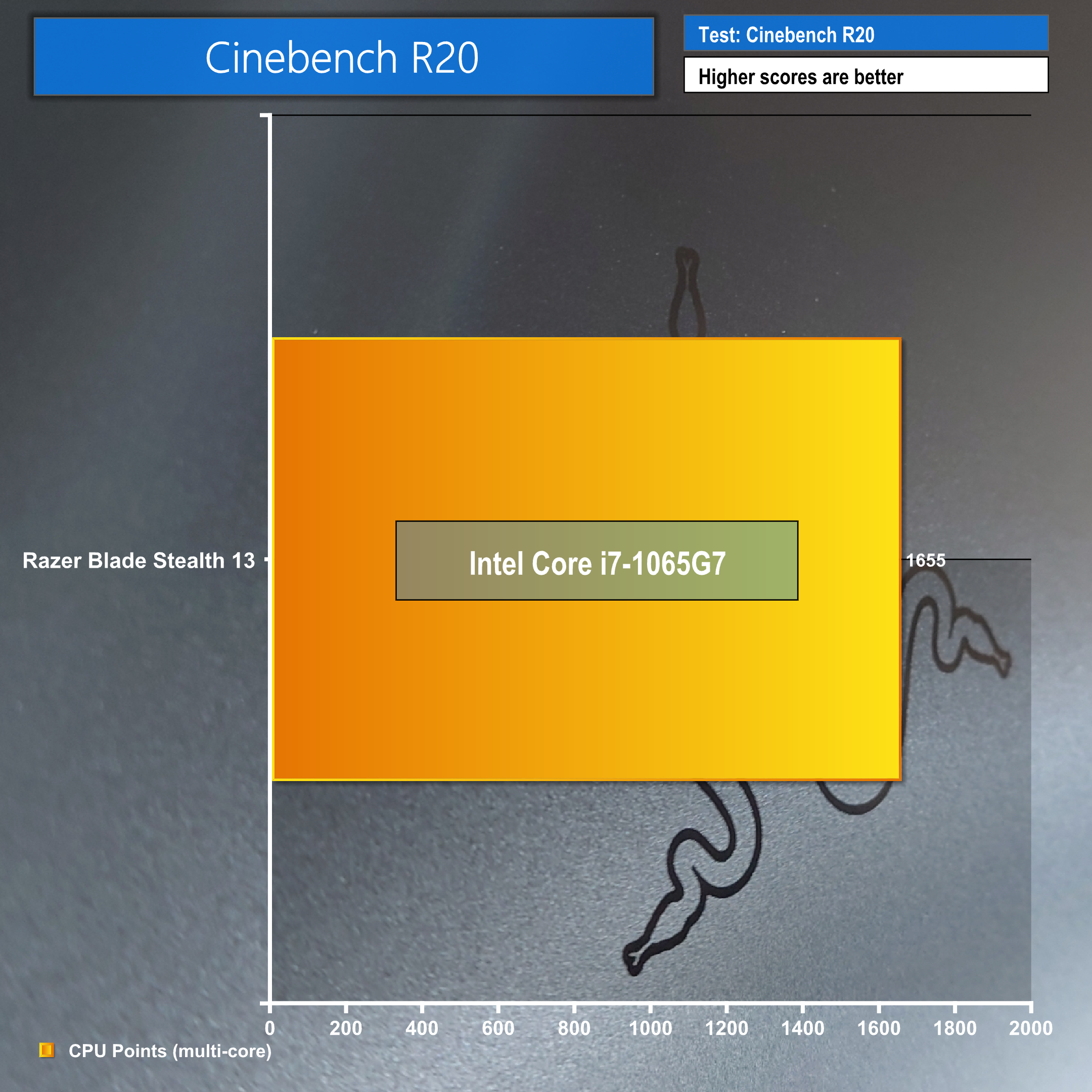
Cinebench R20 tests the CPU and is much more demanding compared to R15.
Blender 2.82a BMW:
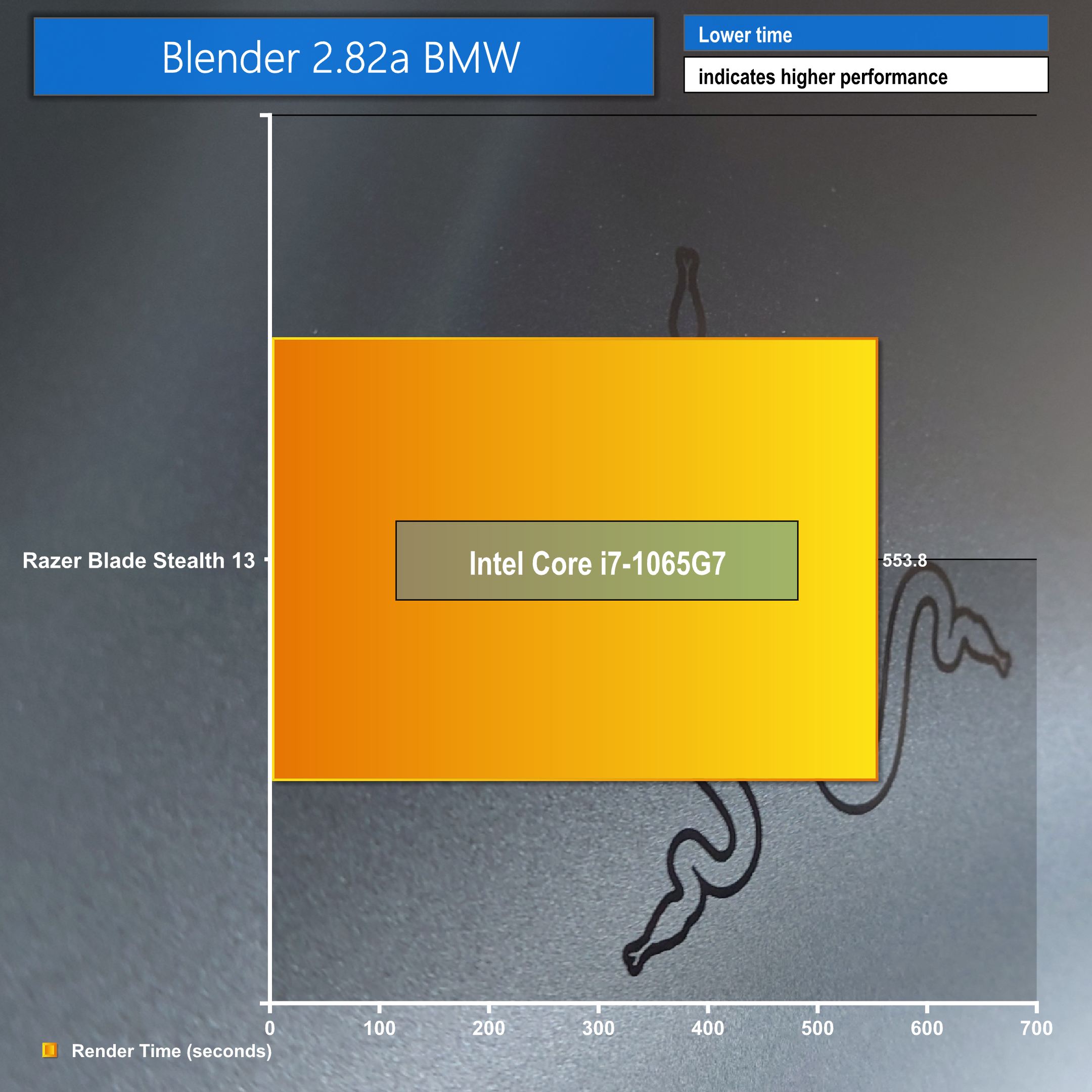
This is another rendering test and focuses on CPU rendering times.
PCMark 10 Pro:
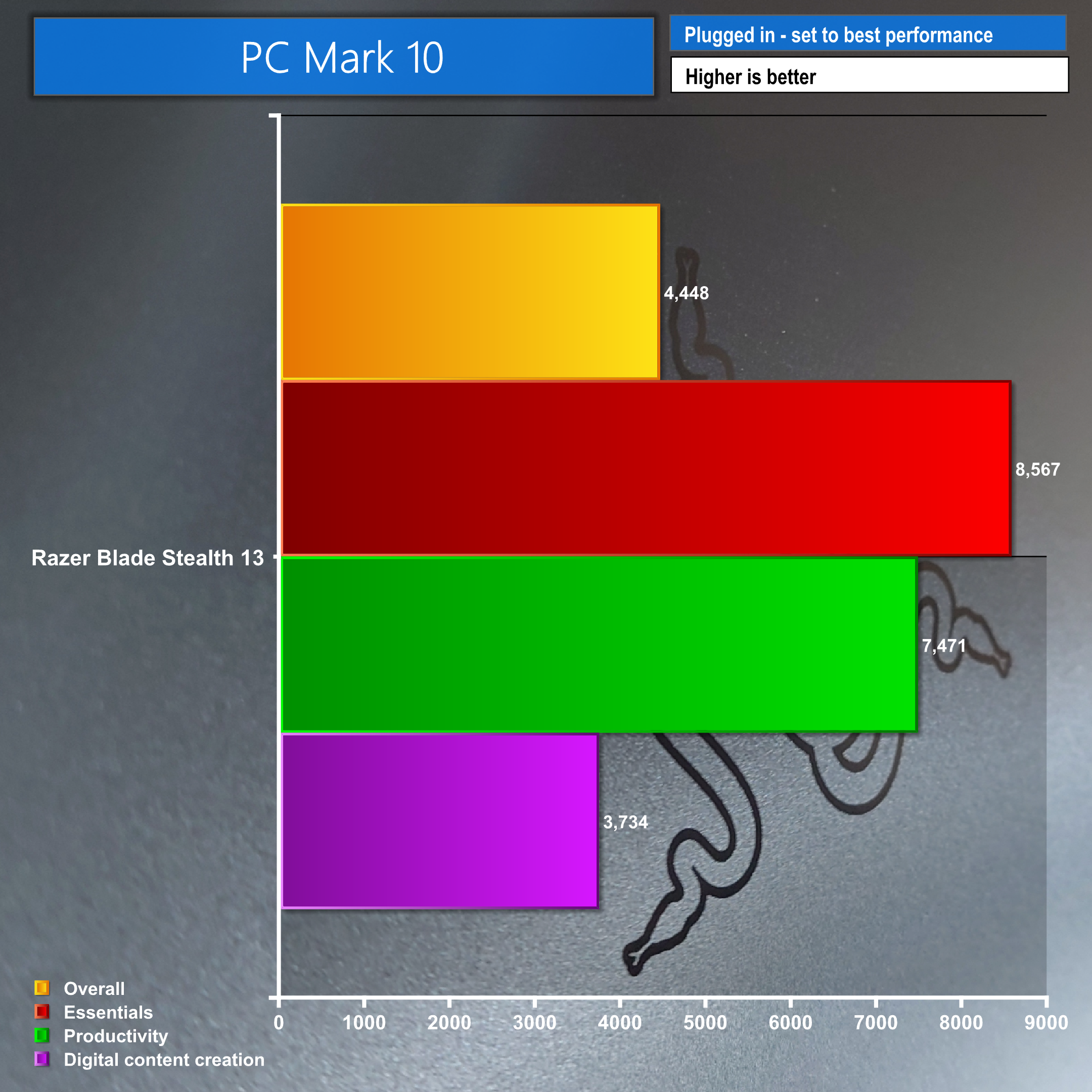
Despite not having other results to compare these to, the Razer Blade Stealth 13 holds its own and does considerably well since it is a tiny 13″ ultrabook.
We ran some synthetic gaming tests with 3D Mark before we put the GTX 1650 Ti 4GB Max-Q to the test in real world scenarios.
3DMark tests:
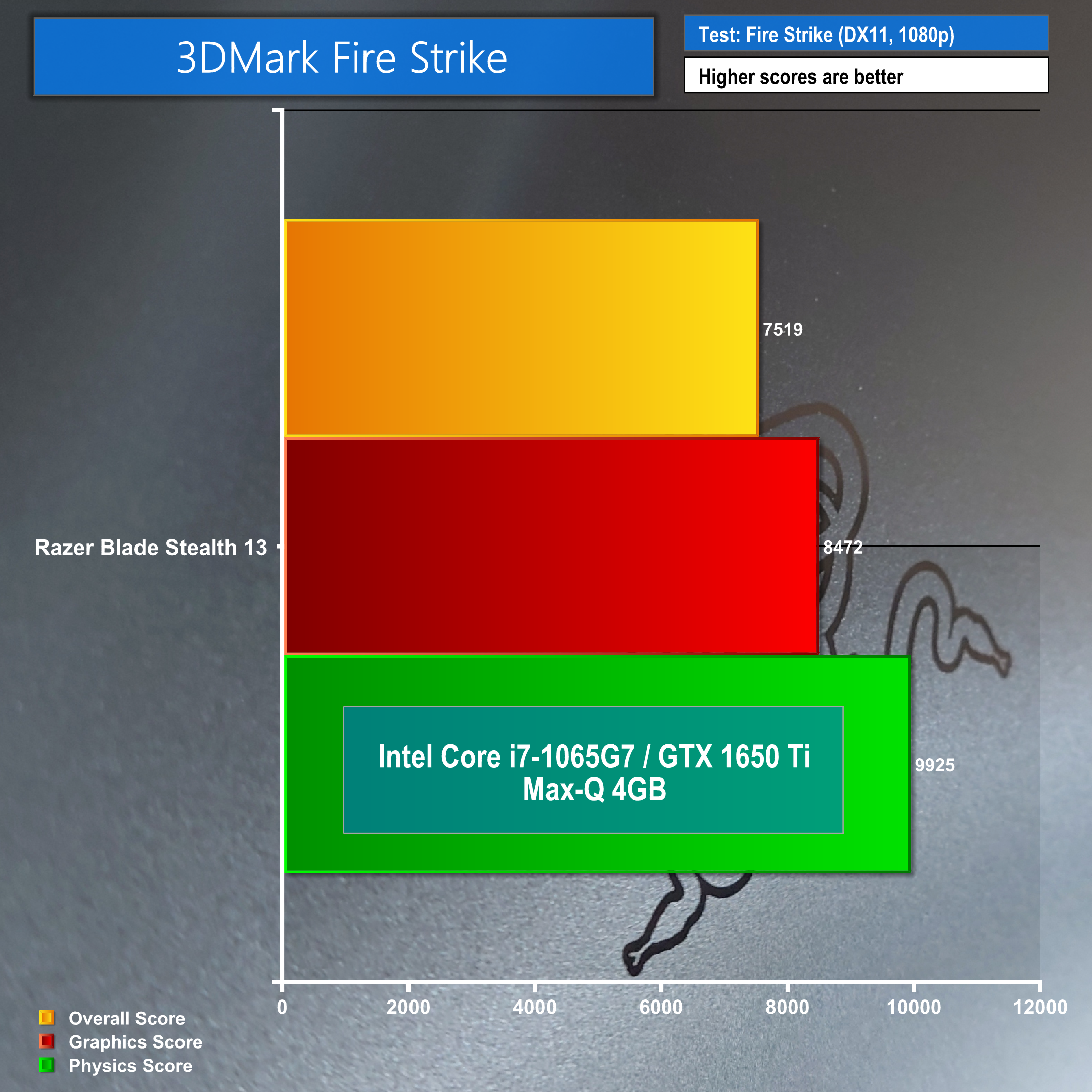
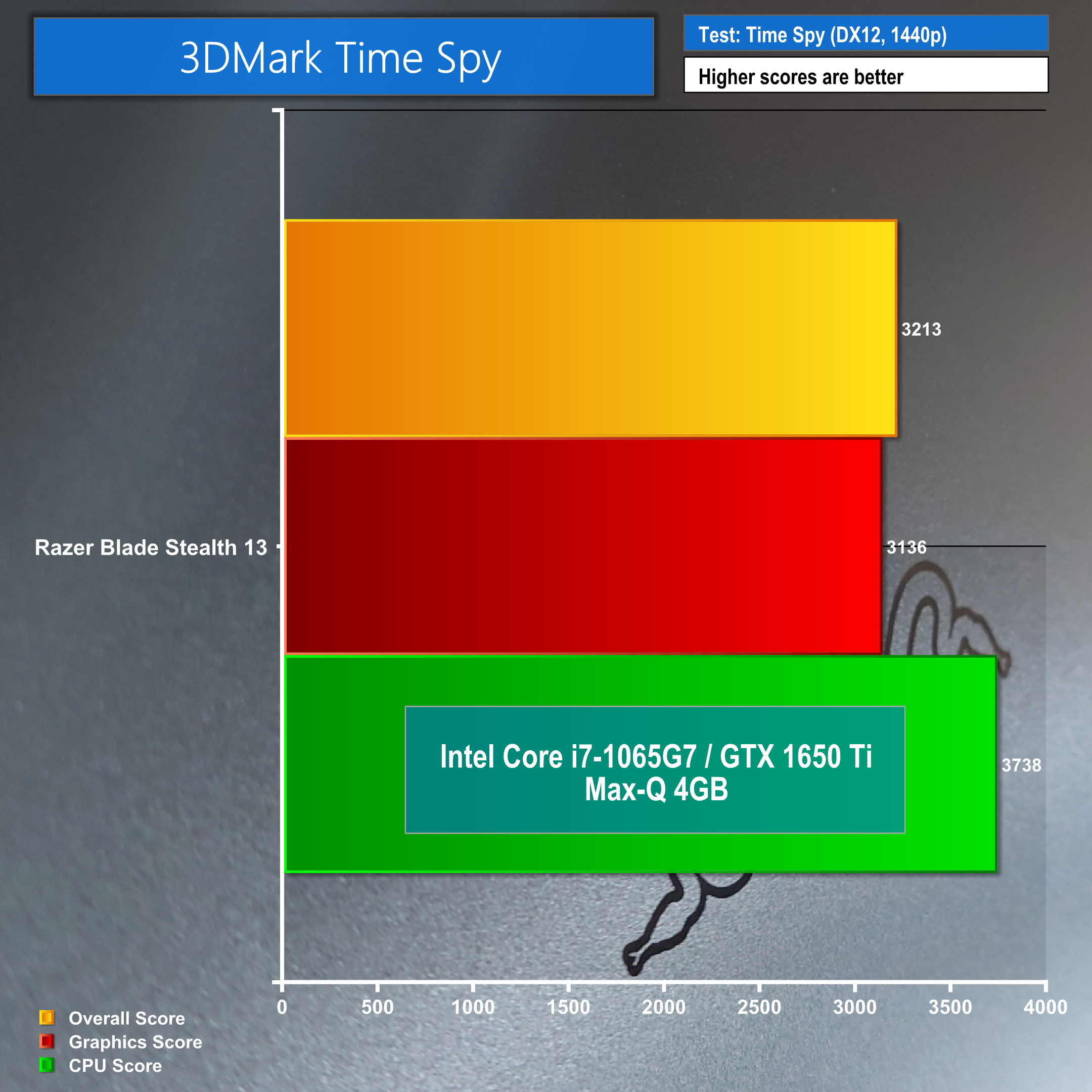
If we compared these results to other laptops the Razer Blade Stealth 13 would fall short, however; since this is an ultrabook these scores are actually very impressive. Let's see how to copes with real world tests by checking out our gaming and FPS tests.
Gaming tests:
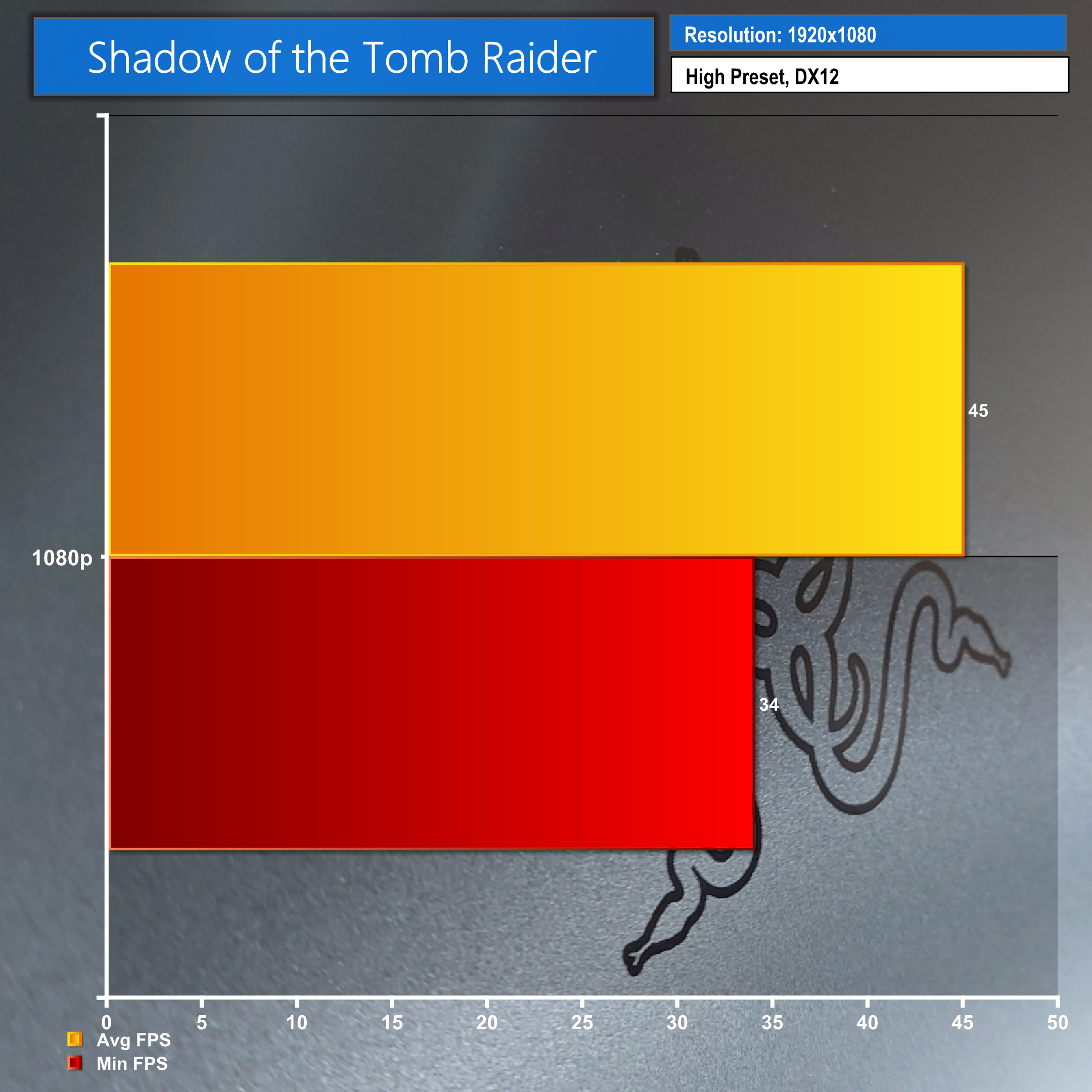
Let’s check out some gaming benchmarks! I tried to test various games, rather than targeting ones I knew would run great as I wanted to see if it was possible to play demanding games if you really wanted to. I ran Shadow of the Tomb Raider for that very reason, on a high preset at 1080p with DirectX 12 just to see if it could handle it, we got minimum FPS of 34 and an average of 45. I was generally impressed by this score, yes we have a 120Hz screen so you want that high FPS but if you spent some time making a custom graphics pre-set you could get the game running super smooth at a solid FPS, on a tiny, super portable ultrabook, that’s impressive.
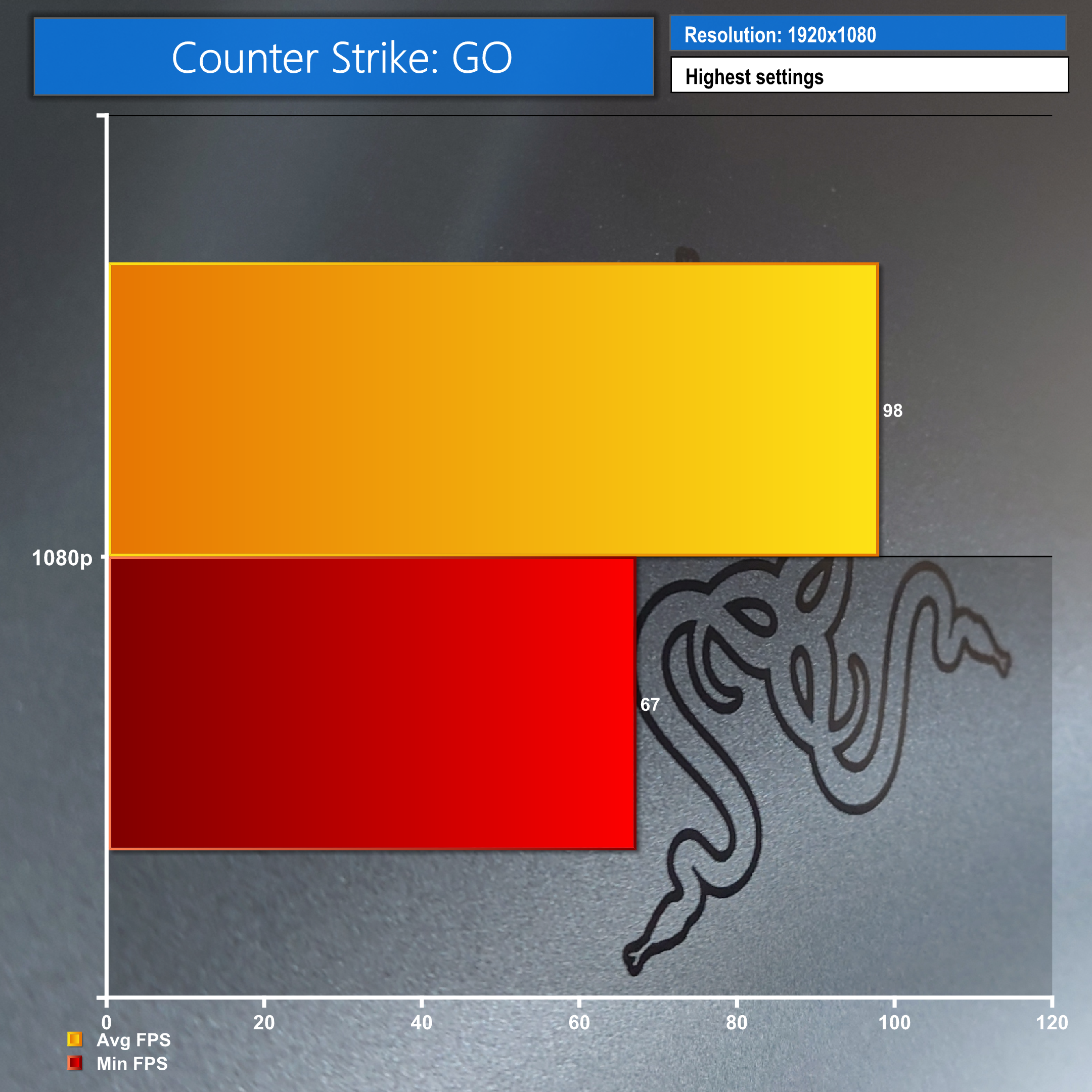
Next, we gave the opposite end a try, Counter Strike GO gave us minimum FPS of 67 and an average of 98 on the highest 1080p settings. Very playable and remember if you knocked a few settings down you could easily get over 100 FPS!
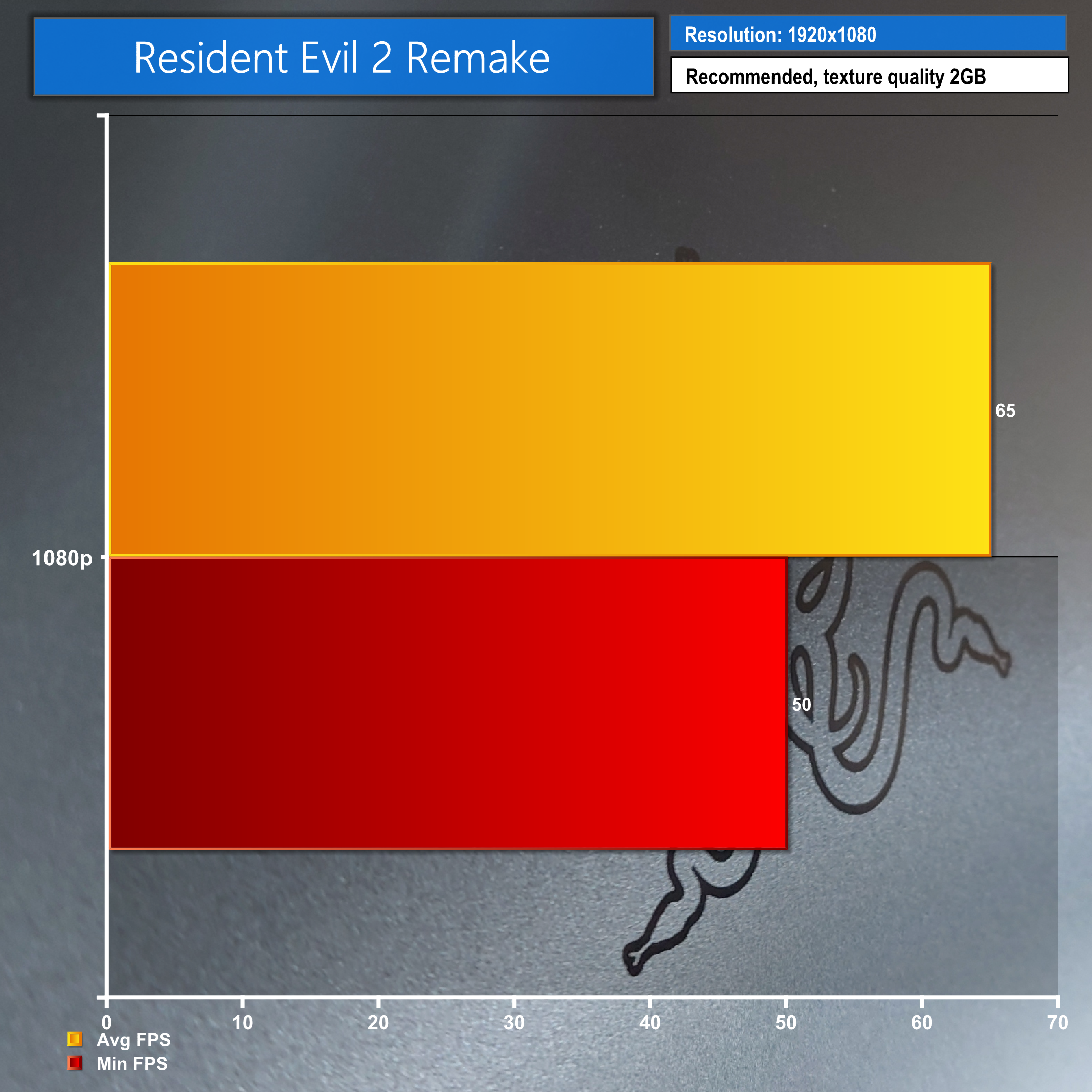
Resident Evil 2 remake on the recommended settings bumping texture quality up to 2GB gave us a minimum FPS of 50 and an average of 65, the game looked and played great and 65 FPS offered a smooth experience.
Finally, we tested everyone’s favourite, Call of Duty Warzone, again I pushed it up to high settings just to see and we got a min of 30 and average or 41. It’s fairly low but I’m seeing potential here! Drop a few settings and you could definitely get 60+ FPS here. Even at 41 I found it playable with only a few noticeable dips.
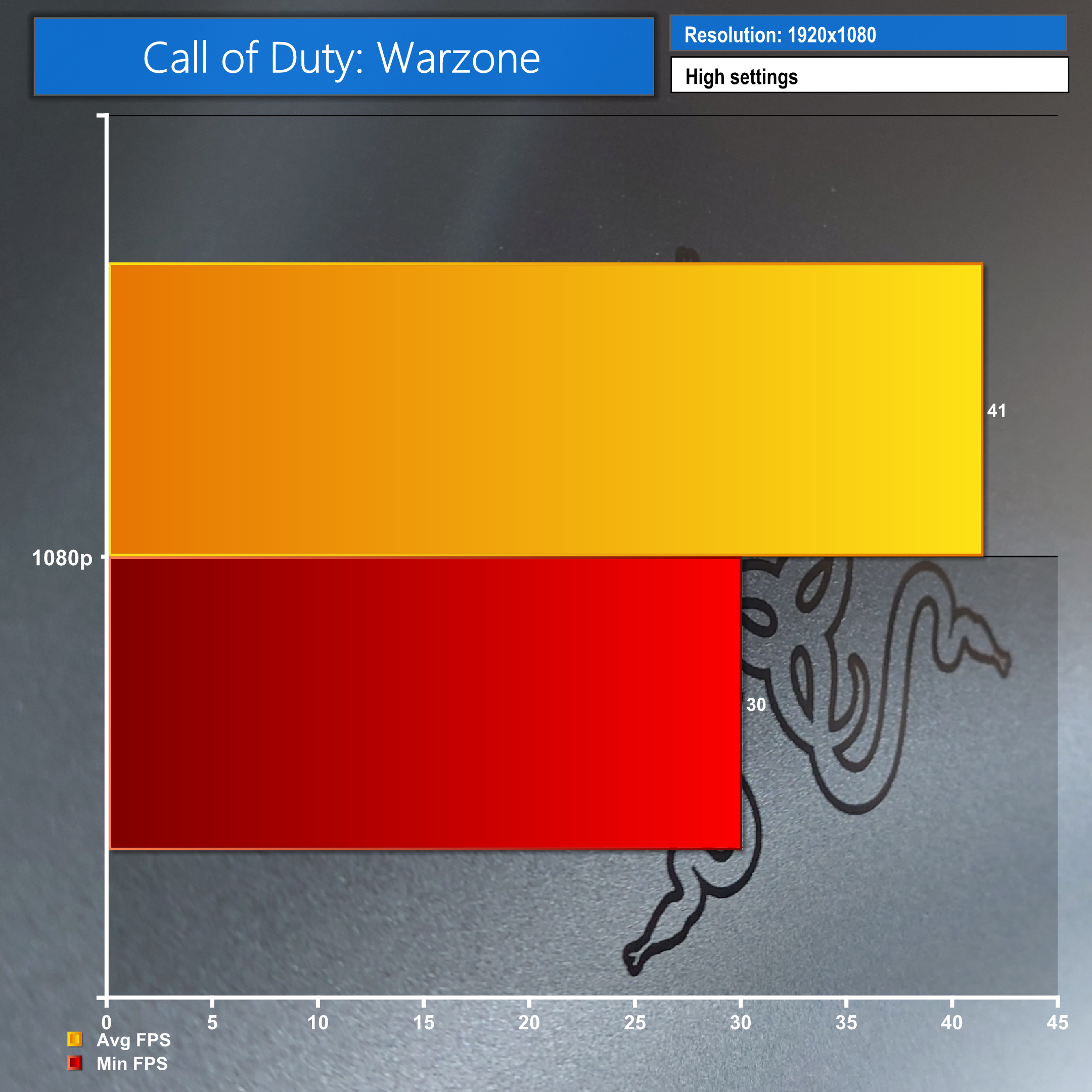
Once again we were very impressed at how the Razer Blade Stealth 13 held up in these real world situations.
Throughout all of our testing we kept an eye on our temperatures.
Thermal tests:
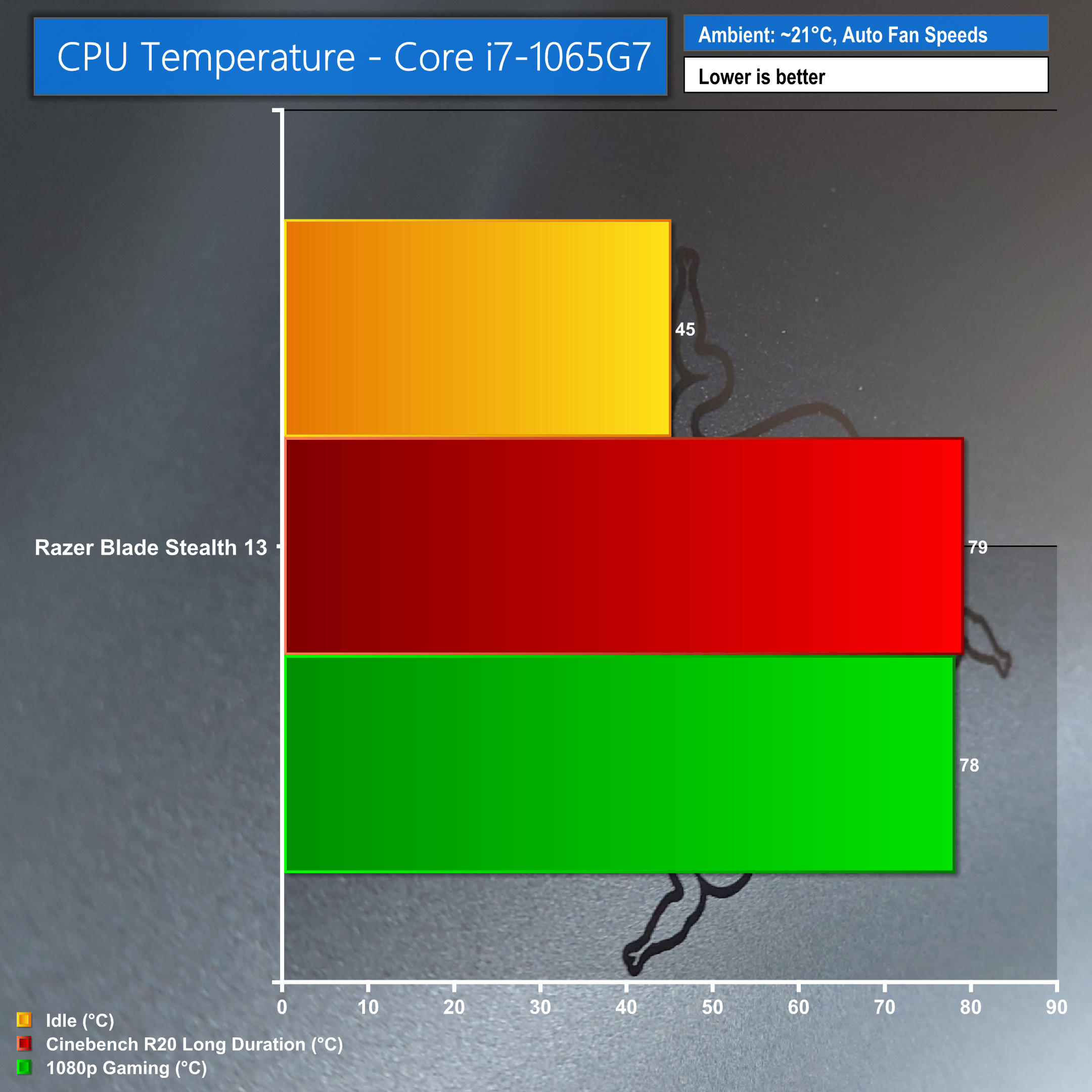
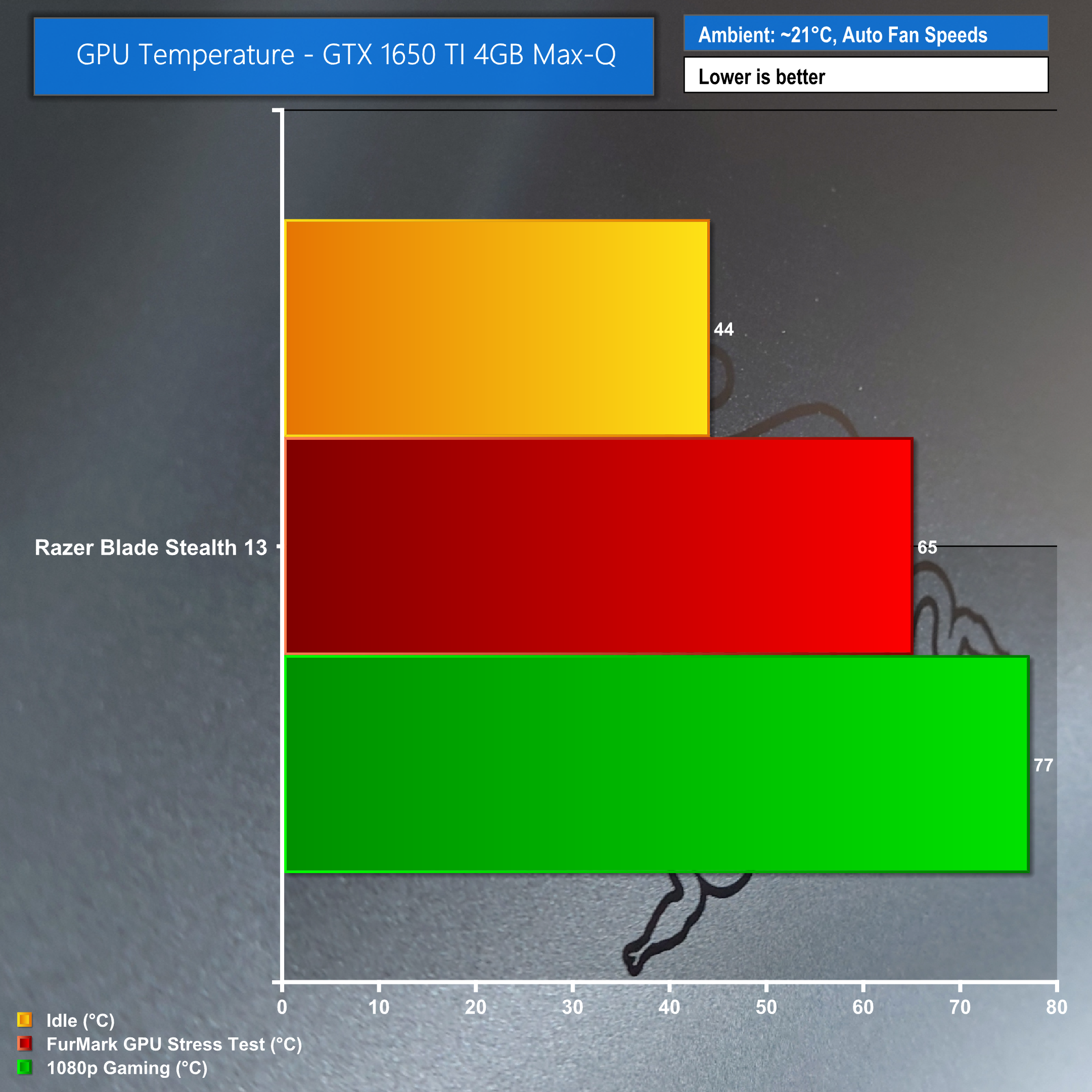
The Razer Blade Stealth 13 does get fairly hot at times but we were expecting it to get hotter than it did due to the tiny form factor and metal chassis.
Power Consumption:
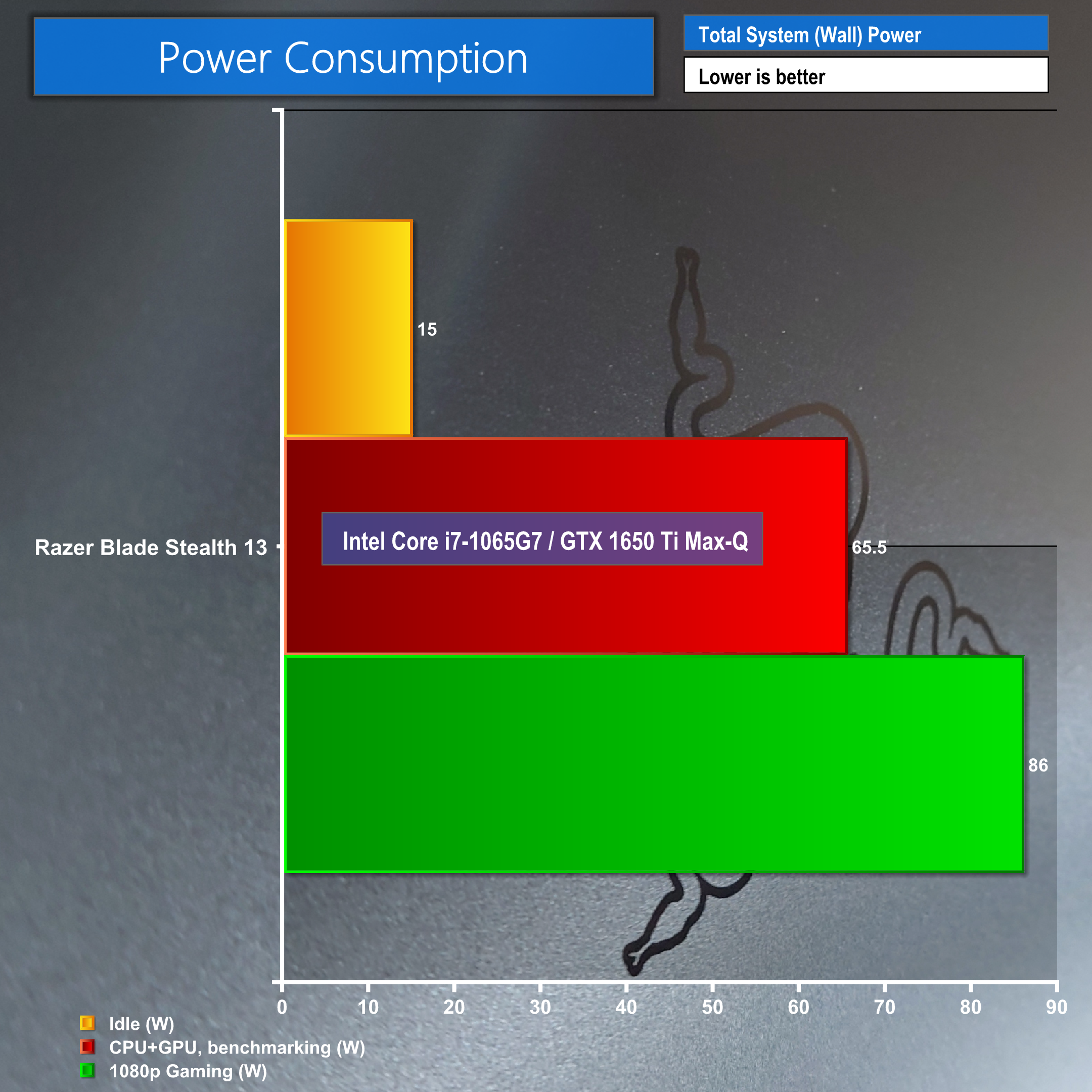
Power consumption when plugged in saw an idle draw of a mere 15 watts, whereas PCMark 10 benchmarks saw it soar up to 65.5w while gaming jumped even higher to 86w.
Battery test:
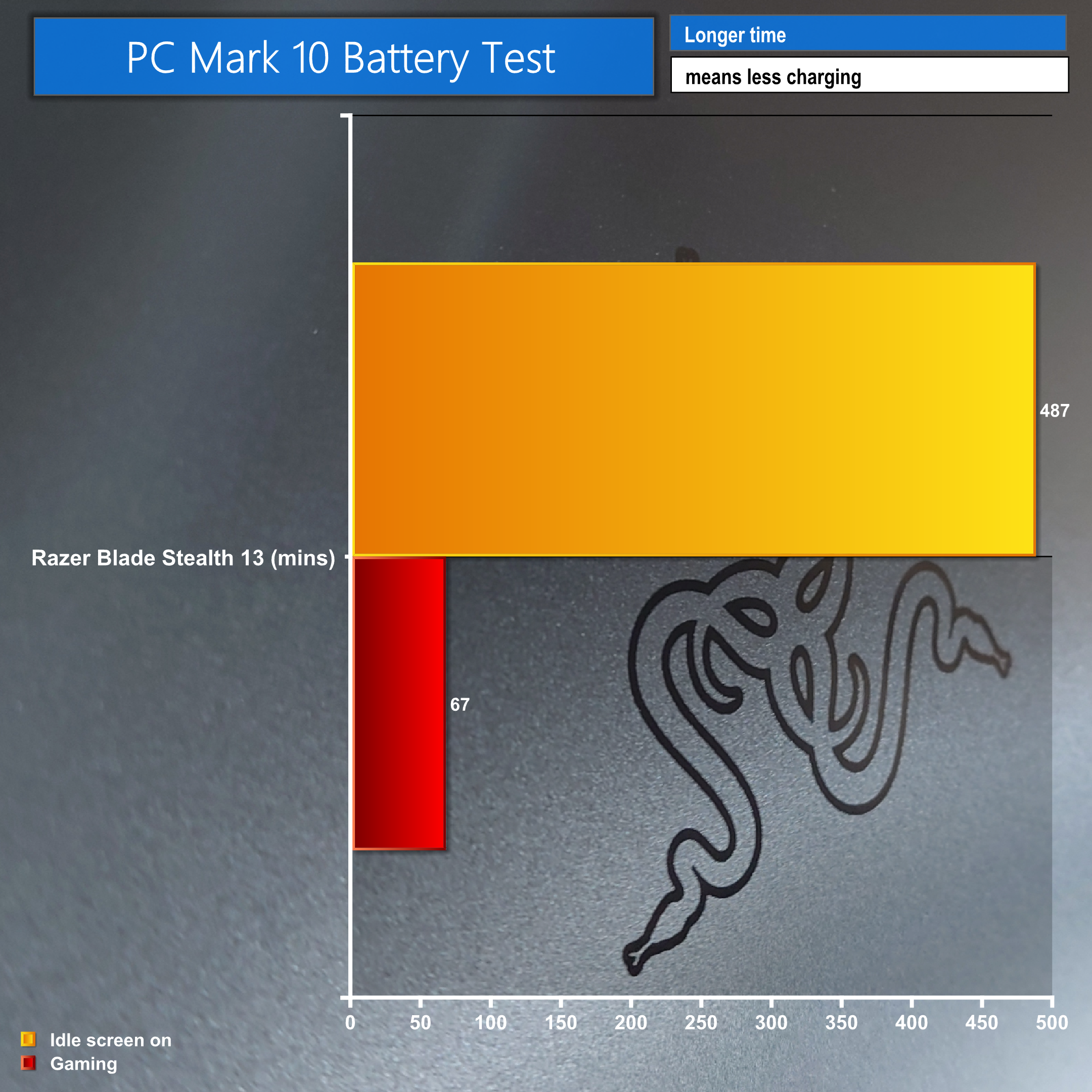
Our last, but not least, test was battery performance. We tested this with PCMark 10 Pro and saw a runtime of 67 minutes, so just over an hour of battery life under the gaming test. The idle test came in at 487 minutes, over 8 hours, but do keep in mind real world results will be better! Personally, while gaming intensively I saw around 90 minutes or more depending on the game.
In comparison to our previous look at the Razer Blade Stealth 13, earlier this year, this version featuring the GTX 1650 Ti Max-Q is hands down the one to go for. Aesthetically it's clean and understated, making this a real stealth machine, you'd be forgiven for not expecting the power this little machine has under the hood. The build quality is excellent, along with its tiny form factor, this is a very compelling ultrabook for those on the go. Pair this with a portable USB-C/Thunderbolt dock and you'll be set for any situation that you find yourself in, whether that's working or gaming on the go.
Under the hood we were impressed with the component choices Razer has managed to cram into the tiny chassis. A 10th Gen Quad-Core i7-1065G7 CPU, 16GB 3733MHz Dual-Channel RAM, 512GB PCIe NVMe M.2 and the NVIDIA GeForce GTX 1650 Ti Max-Q design GPU assured us this little machine meant business and overall we were impressed with the results that it achieved.
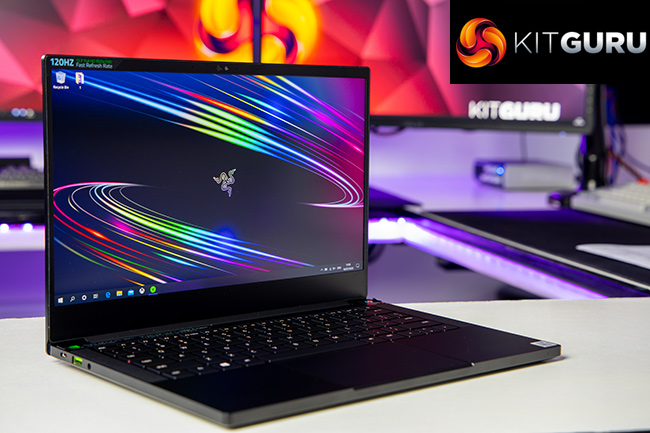
Of course you are paying a premium, coming in at £1899.99, and we feel that's the biggest set back but you have to take into consideration all of the pros here. This is a 13″ ultrabook with a blazing fast 120Hz 1080p screen with full 100% sRGB coverage, and it looks absolutely stunning. The glass track pad is a wonder to use, easily in the ranking for the best track pad we've used. The newly improved, extra large, shift key really makes gaming that much easier and small design adjustments like this are greatly appreciated considering the miniature size of the RGB Chroma keyboard.
The only other setbacks are the chassis is a fingerprint magnet and also the poor performing speakers, at 50% volume or under they sound great and are even quite loud but put them between 50% – 100% and you'll notice the rattle of the speakers vibrating the chassis becomes incredibly irritating. Our advice would be to use headphones but considering the target audience of a super portable machine like this, it's clearly aimed at those on the go and Razer are probably expecting you to use headphones anyway.
As an ultrabook with some muscle behind it we are impressed with the battery life from the 53.1Wh cell, with well over 8 hours idle and close to 2 hours when running demanding games, you can expect to get a good overall time with mixed use. Enable the battery saving options and you can expect even more.
Overall we think this is a worthwhile complimentary laptop, if you’ve got a gaming system already but also happen to be someone that travels a lot or does more business than play then this is for you. Either screen you opt for has the full sRGB coverage and colours look excellent, so if you need a tiny Photoshop pal but want to drop into CoD: Warzone at lunch then this will be your best friend.
It is pricey but you’re getting a very solid and absolutely tiny bit of kit here that stands tall. If you’re purely after a gaming beast then look elsewhere, get a big chunky desktop replacement for the same price and you’ll love it… but that’s not what the Stealth 13 is trying to be, it’s trying to be the stealthiest one in the room and personally, we think it’s achieved that.
You can purchase the Razer Blade Stealth 13, from Argos for £1899.99, HERE!
Discuss on our Facebook page HERE.
Pros:
- Great build quality.
- Very stylish design.
- Charge via either USB-C port on either side.
- Glass mouse pad is excellent.
- Beautiful 120Hz screen on such a tiny laptop.
- Despite its size it held up in our tests.
- Synapse software is easy to use.
- Small USB-C power supply.
Cons:
- High price.
- Fingerprint magnet.
- Speakers cause the chassis to vibrate, resulting in distortion.
KitGuru says: The Razer Blade Stealth 13 is certainly worthy of its title as a gaming ultrabook. If you need a portable system that you can use for work as well as play, this is well worth checking out.