KitGuru KitGuru.net – Tech News | Hardware News | Hardware Reviews | IOS | Mobile | Gaming | Graphics Cards


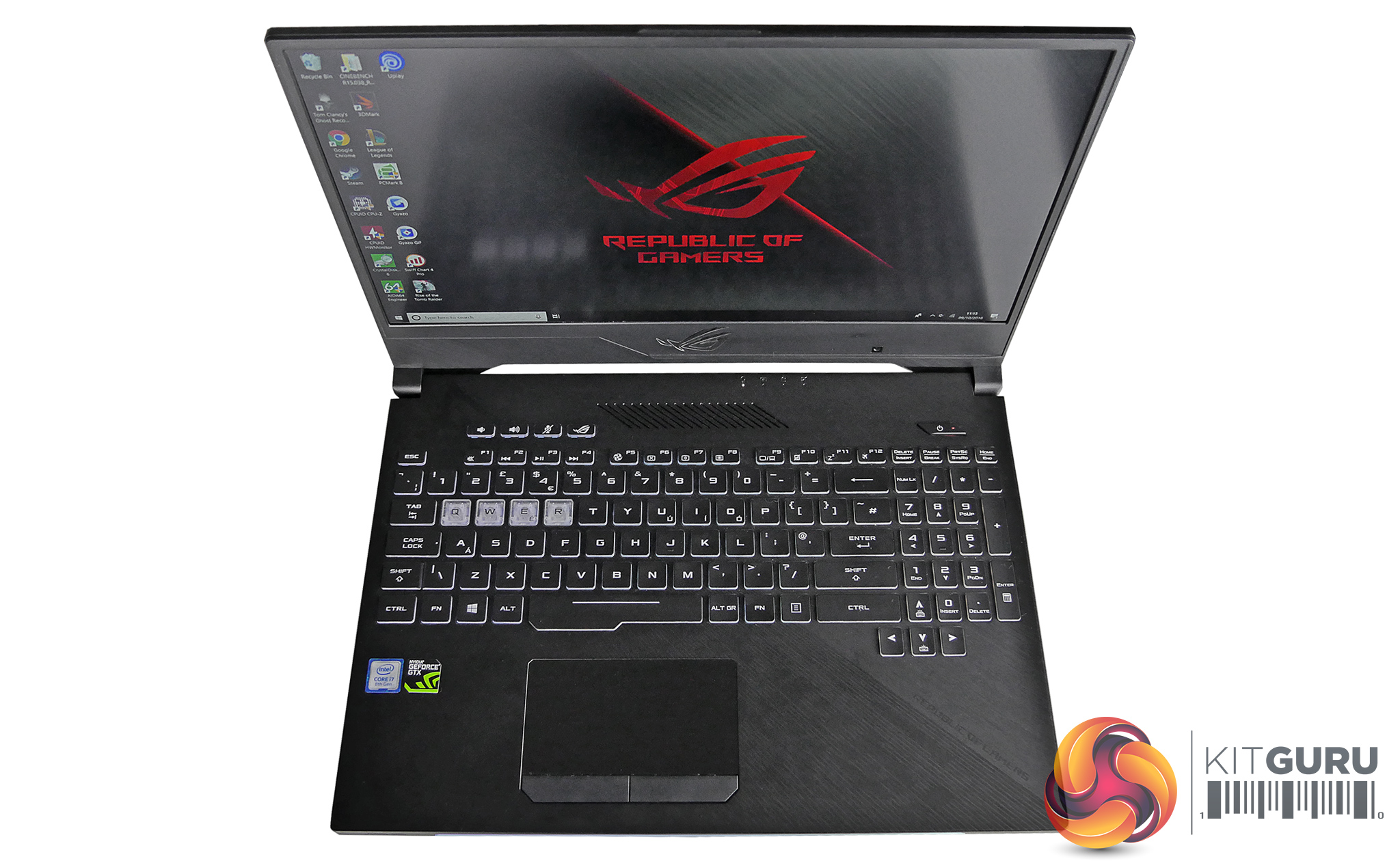
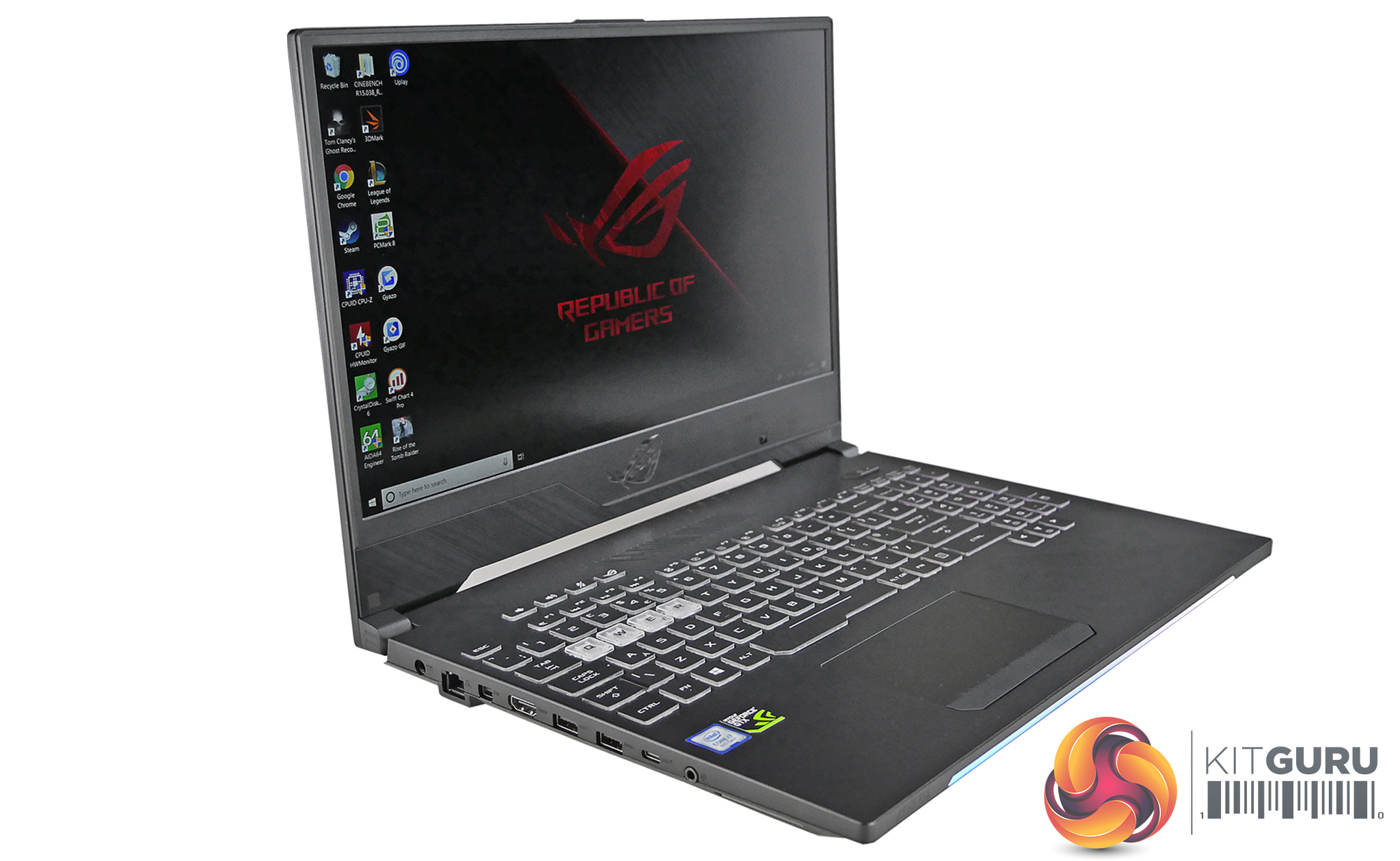
Back in June ASUS announced new versions of its Hero and Scar gaming laptops. We then got a closer look at the Scar II when we visited ASUS HQ in August and we knew its release wasn't far away. That brings us to today where we finally have our hands on the Strix Hero II GL504GM. In this review we put it through its paces to find out if this is a must have laptop for gamers on the go and whether it is worth the £1800 asking price.
Gallery:
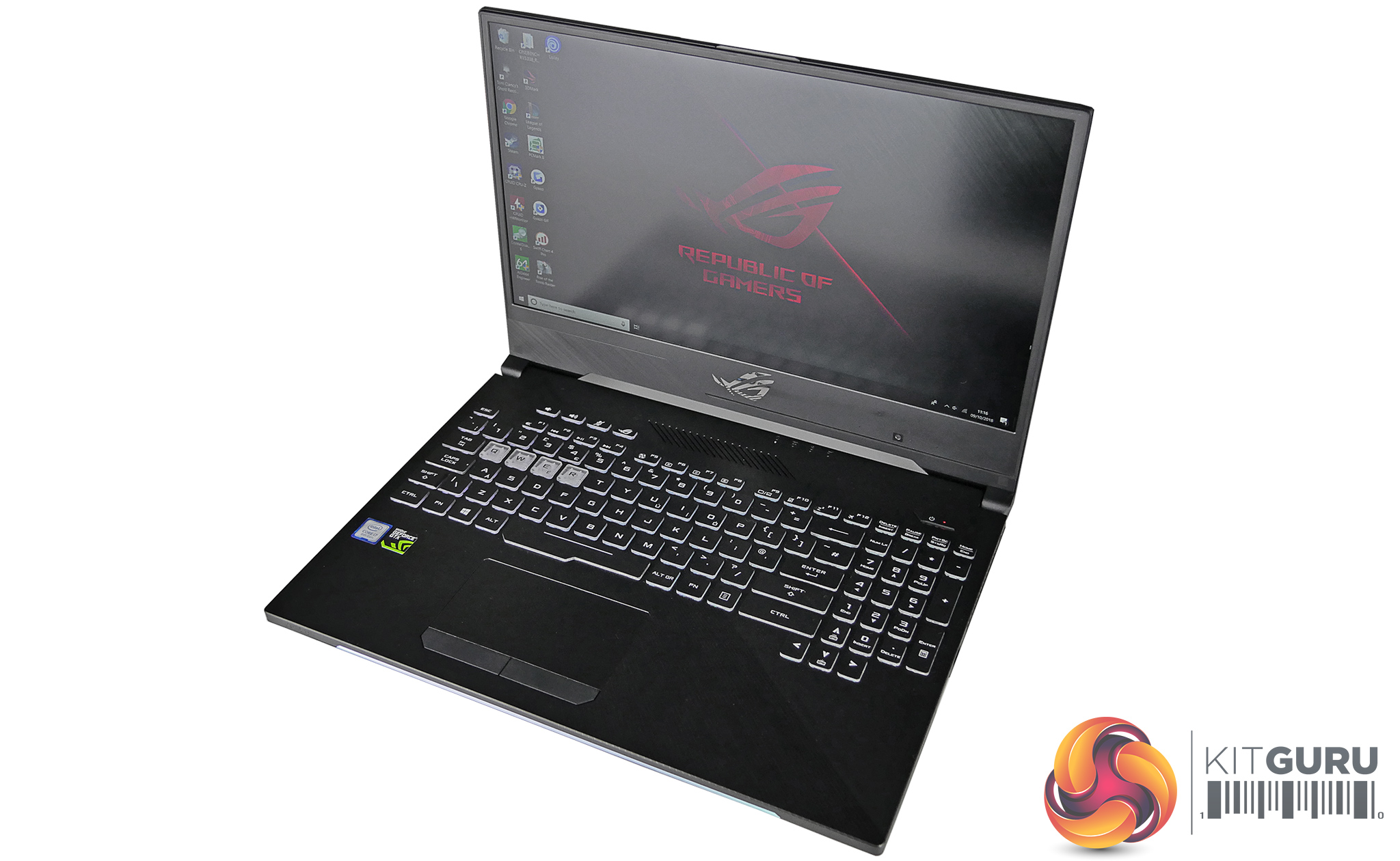
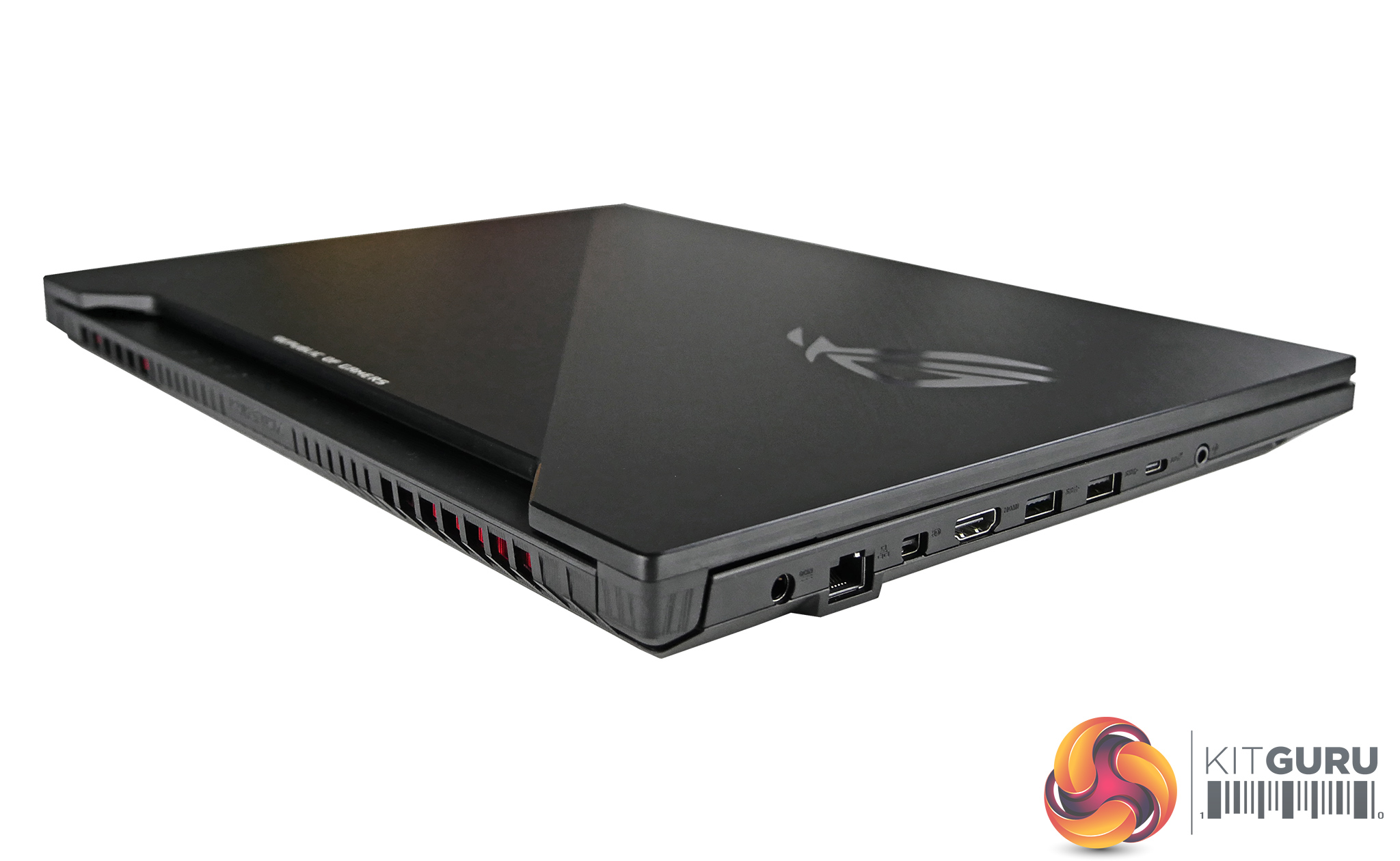
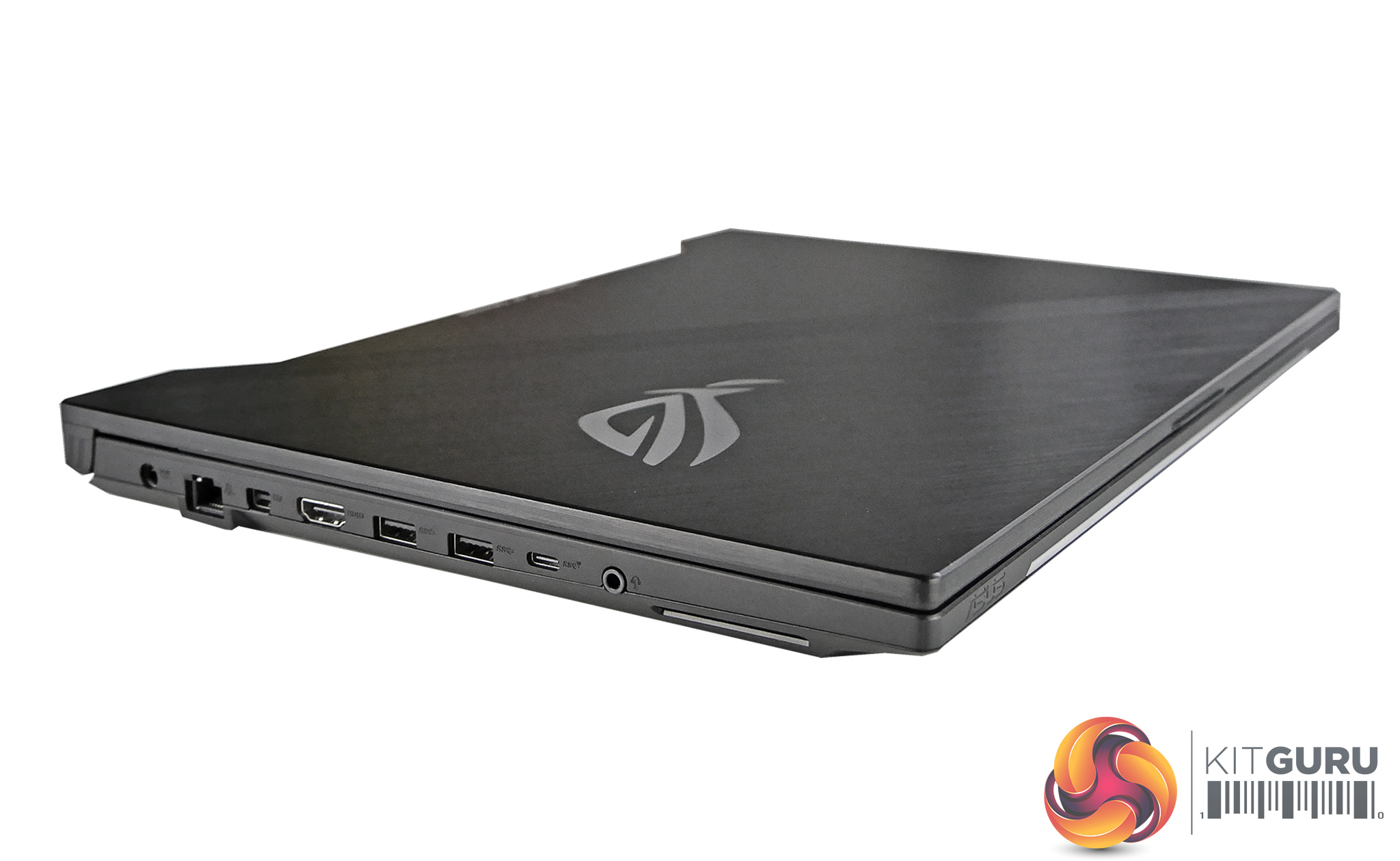
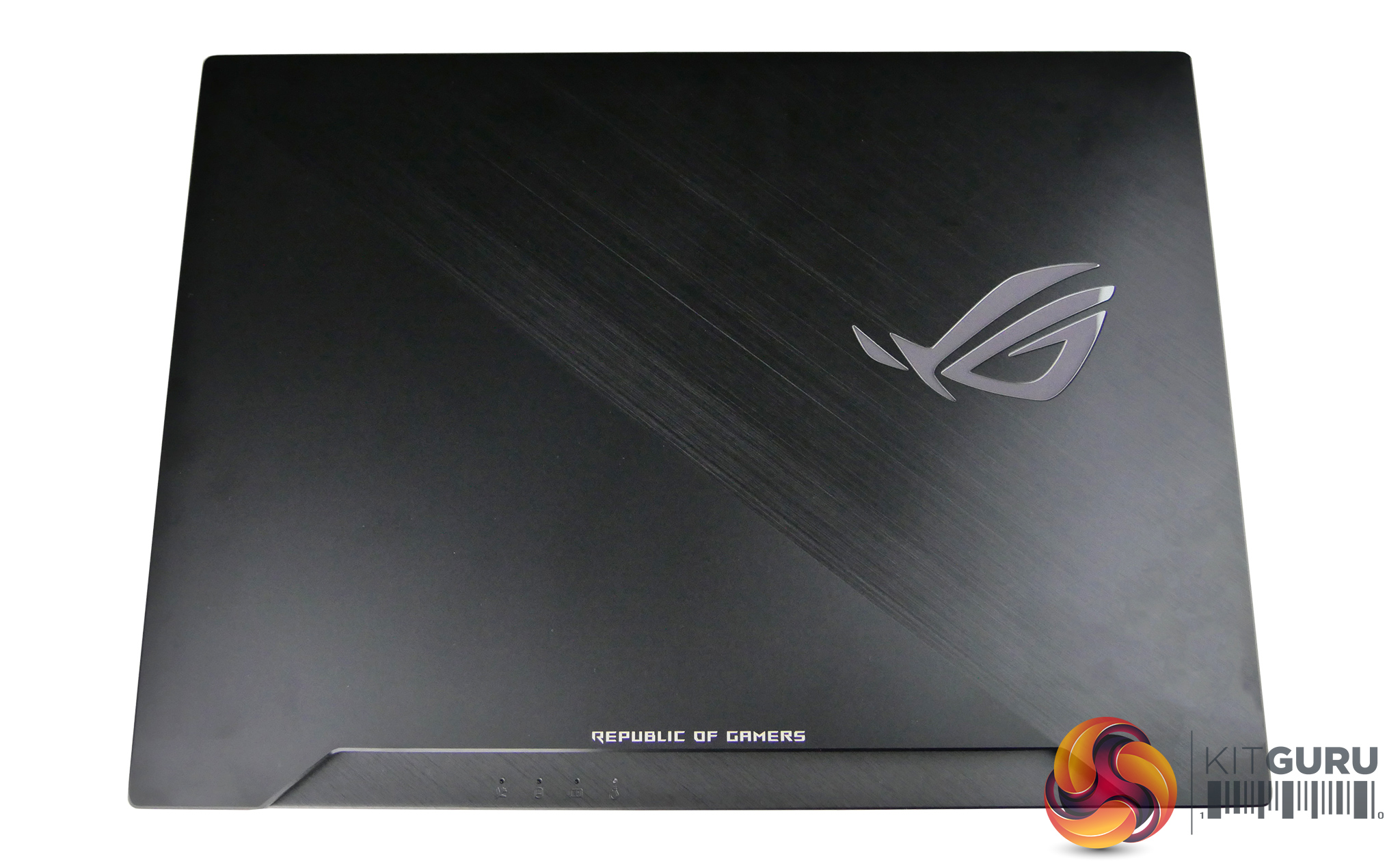
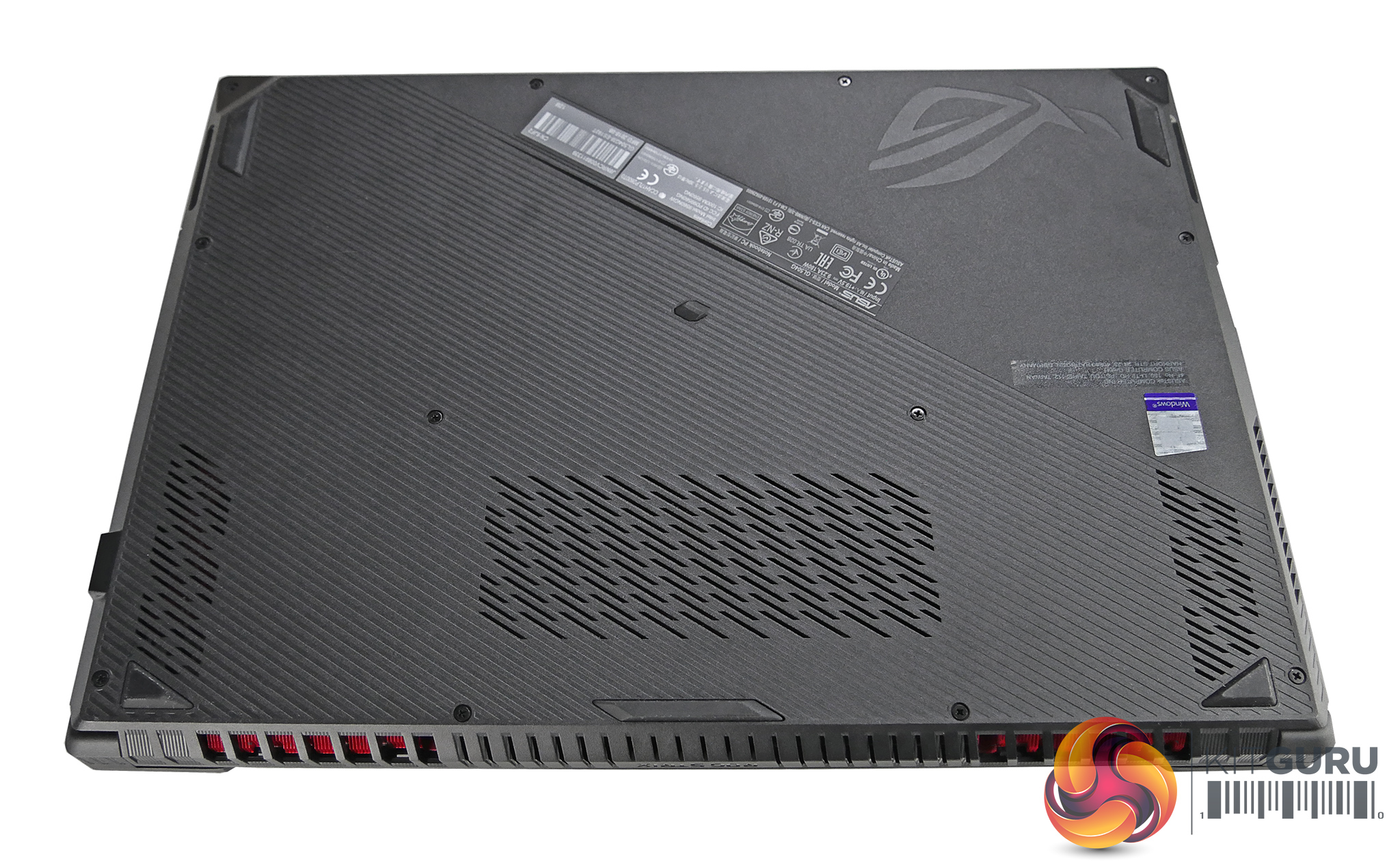
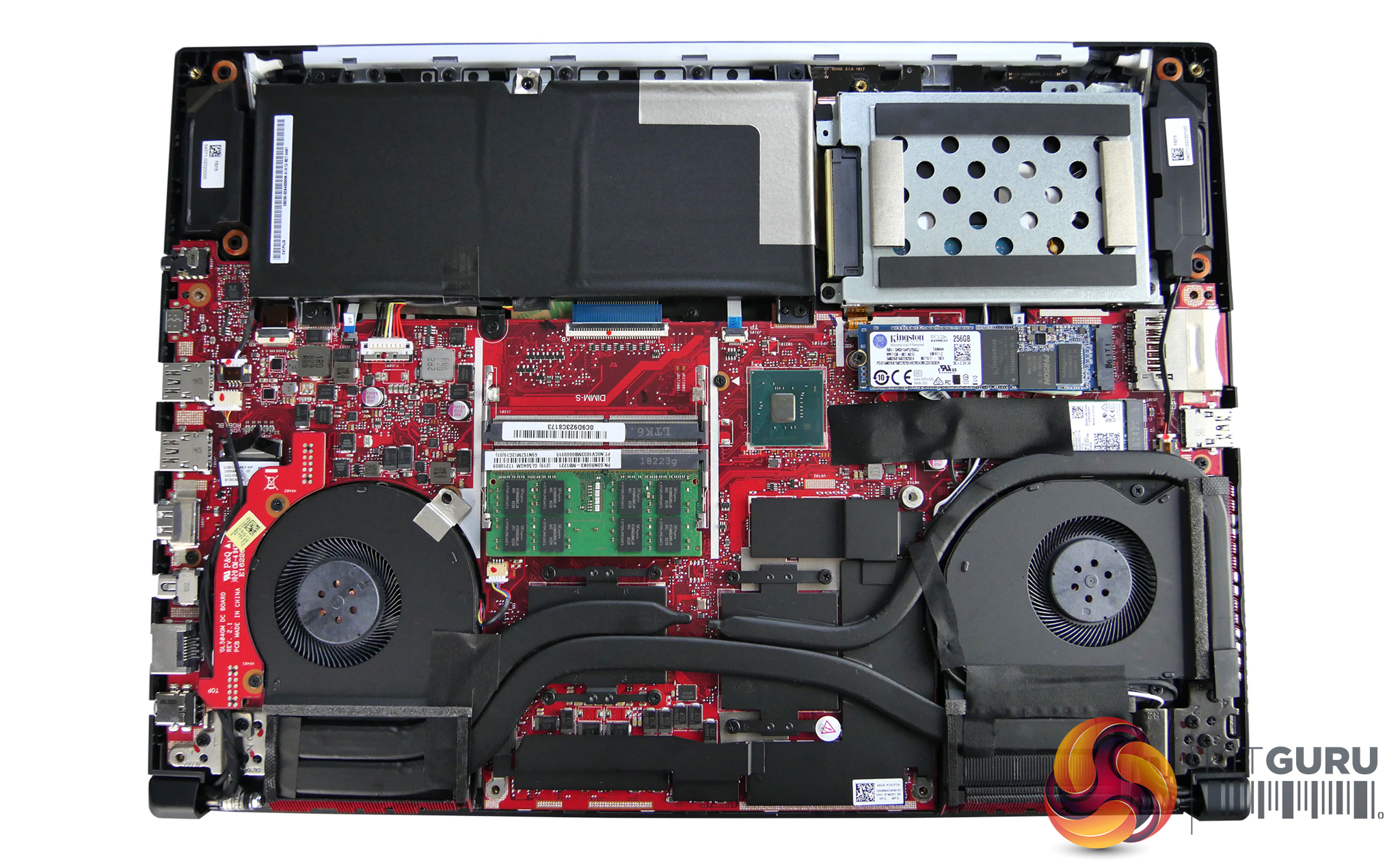
Note: if the above images are not displaying properly, you may need to disable your ad block software as they are known to interfere with our display code.
Specifications:
Model name: GL504GM-ES192T
- Screen Size: 15.6″
- Screen Type: FHD 144hz No glare, 3ms Response Screen, IPS Level Display
- Screen Resolution: 1920×1080
- Backlight: LED
- Processor: Intel®Core™ i7-8750H Processor 2.2 GHz (9M Cache, up to 4.1 GHz)
- Graphics: GeForce® GTX 1060 6GB GDDR5
- Storage: 256GB PCI-e SSD, 1TB 5400rpm SSHD
- Memory: 16GB DDR4 2666 mhz
- Operating System: Windows 10 (64bit)
- Lan Ethernet: 10/100/1000,Mbps
- Wireless: 802.11 ac 2×2 Wave 2
- Bluetooth: Bluetooth 5.0
- USB Ports: 1 x USB 3.1 Gen2 (Type-C), 2 x USB 3.1 Gen 1, 1 x USB 3.1 Gen 2
- Display Ports: 1x HDMI 2.0
- 1x Mini Display 1.2
- Dimensions 36.1(W) x 26.2(D) x 2.61(H) cm
- Weight: 2.4 kgs
- Warranty: 2 Year
- Extra Features: HD Webcam (30fps@720p), Card Reader, Illuminated,Chiclet Keyboard 4-Zone RGB, Kensington Lock, ROG gaming Center
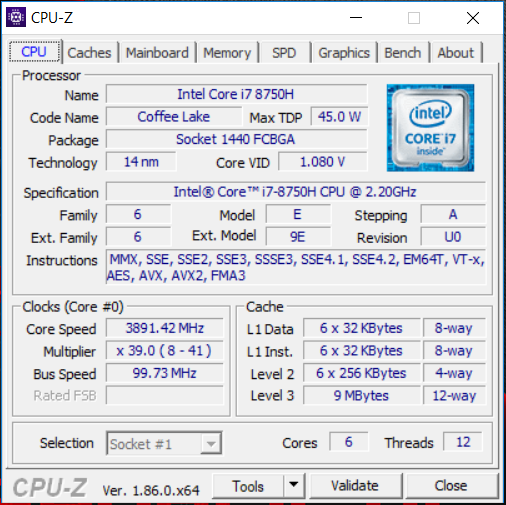
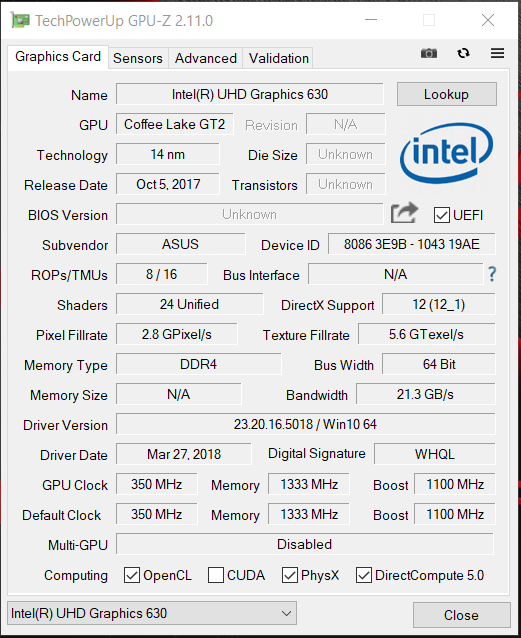
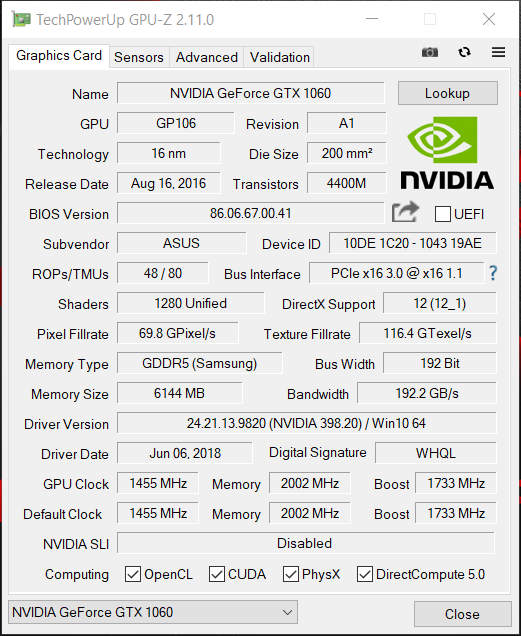
This laptop uses the hexa-core i7-8750H processor which has a base clock of 2.2GHz but will turbo boost up to 4.1GHz under load on a single core. We noticed that in the ASUS ROG Strix Hero II it will boost up to 3.9GHz across all cores.
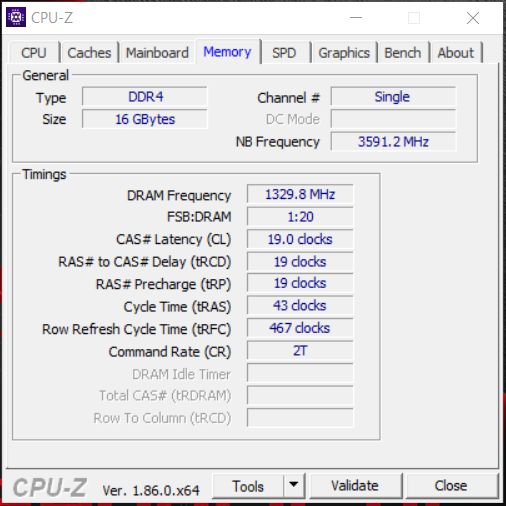
The 16GB of memory is DDR4 and runs at a speed of 2666Mhz. The GPU-Z screenshots show both the Intel integrated graphics and the dedicated Nvidia GTX 1060. The GTX 1060 has 6GB of GDDR5 memory and has a default clock of 1455MHz and a rated boost clock of 1722MHz.
CPU & SSD Performance:
CrystalDiskMark tests the raw speed of a storage device. It uses a test file to write data to or read data from the drive. We test using the default 1GB file size.
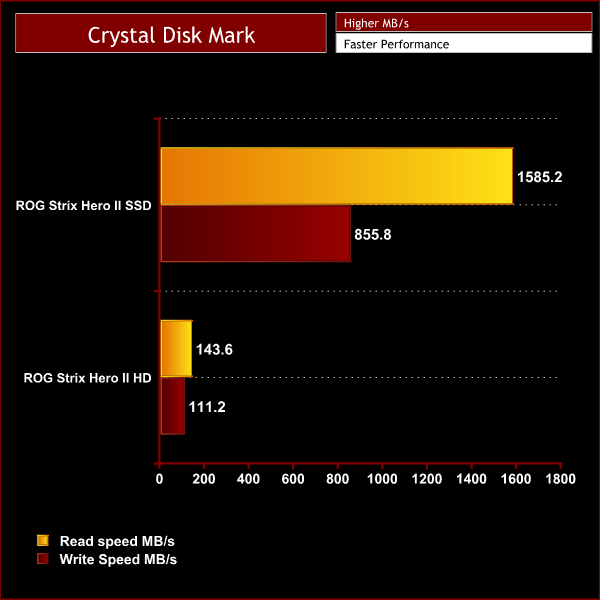
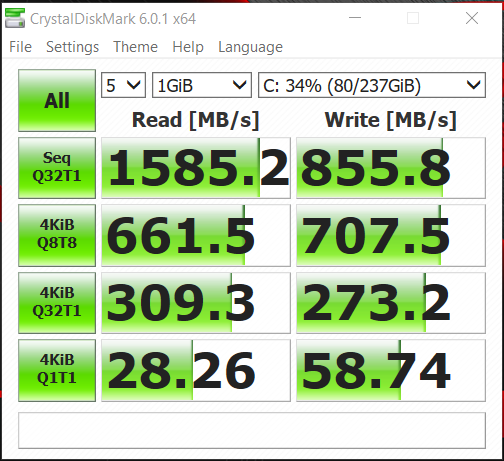
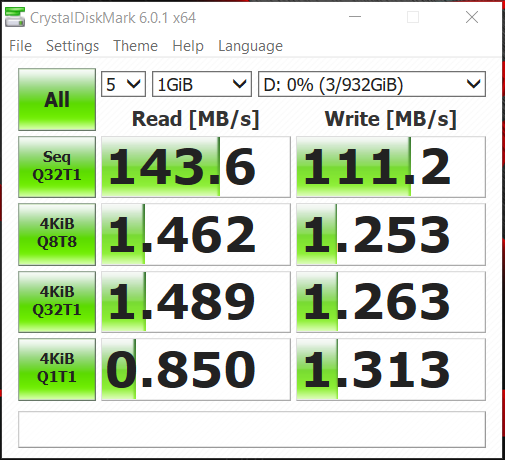
The CrystalDiskMark results show that the 256GB M.2 drive has a decent read and write speed. It's not the fastest we have seen but it easily outperforms the SSD in the similar MSI GE63 Raider laptop. The speeds coming from the 1TB hard drive are a little disappointing but it is only a 2.5in HDD after all and still provides a solid 1TB of storage for your media/games collection.
Cinebench R15 is a cross-platform testing suite that measures CPU performance. We compare the ROG Strix Hero II with some other laptops we have tested that feature the same processor for a quick comparison to demonstrate its relative performance.
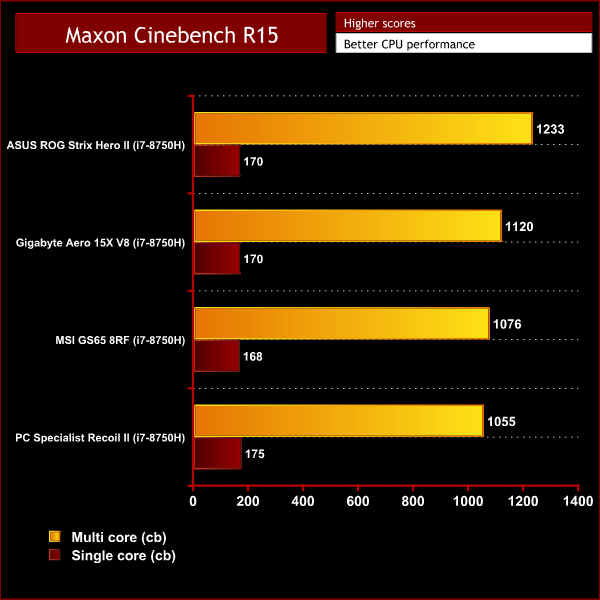
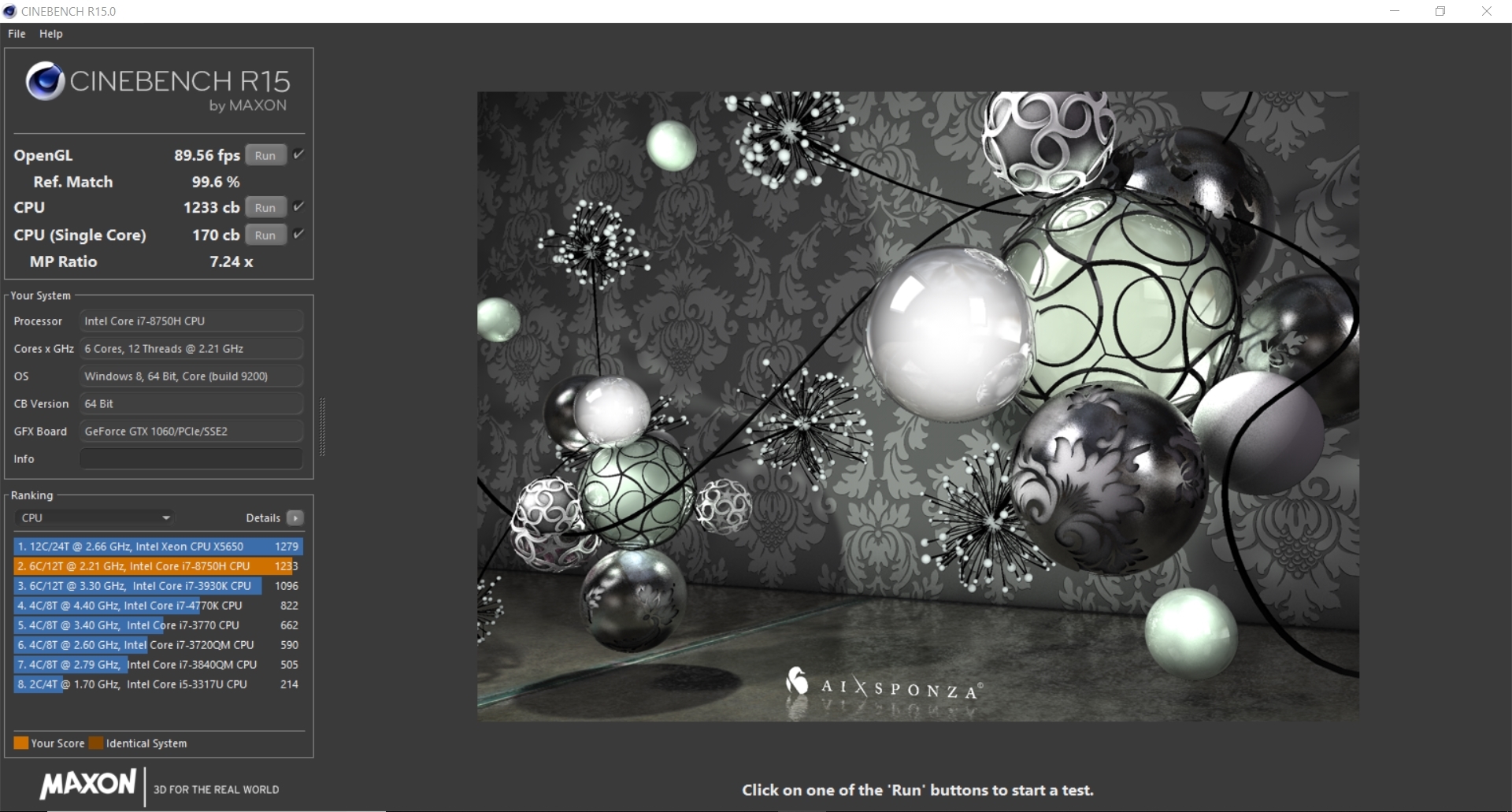
The Asus ROG Strix Hero II gets a high Cinebench score compared to other laptops we have tested with the i7-8750H. This is because it can maintain its boost clock speed of 3.9GHz throughout the test.
Looping Cinebench 10+ times does eventually heat up the CPU and the score will drop down to 1097. But this is still a pretty good score that shows that the rendering performance in this laptop is among the best when compared to similar machines.
3DMark testing:
For this test, we ran the ROG Strix Hero II through Fire Strike, Fire Strike Ultra and Time Spy. In the graphs below you can see it compared against similar laptops. Even though they all have very similar specifications, slight variations in boost clock speeds caused by fluctuations in temperature have an impact on performance.
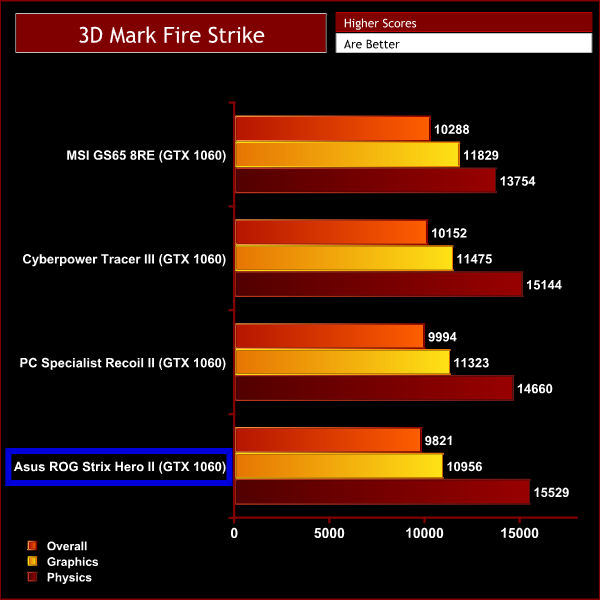
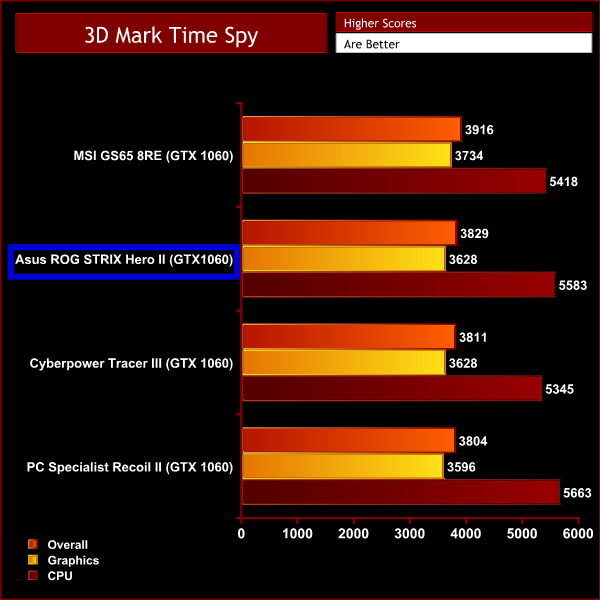
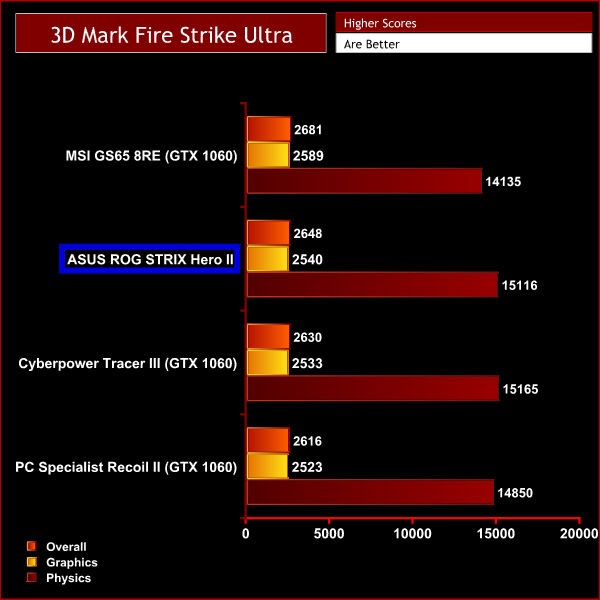
The results from the Fire Strike test saw the ROG STRIX Hero II sitting in last place with an overall score of 9821. The score differences aren't big, though, and we can see the Strix produce similar results to the other laptops when running Time Spy and Fire Strike Ultra as well.
Gaming performance:
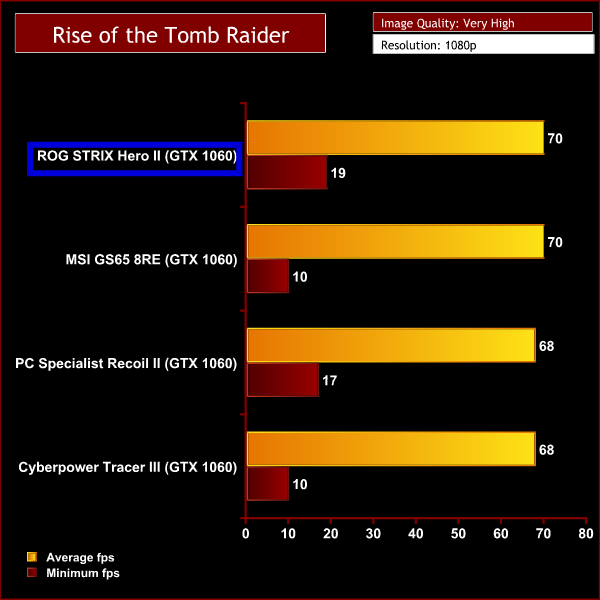
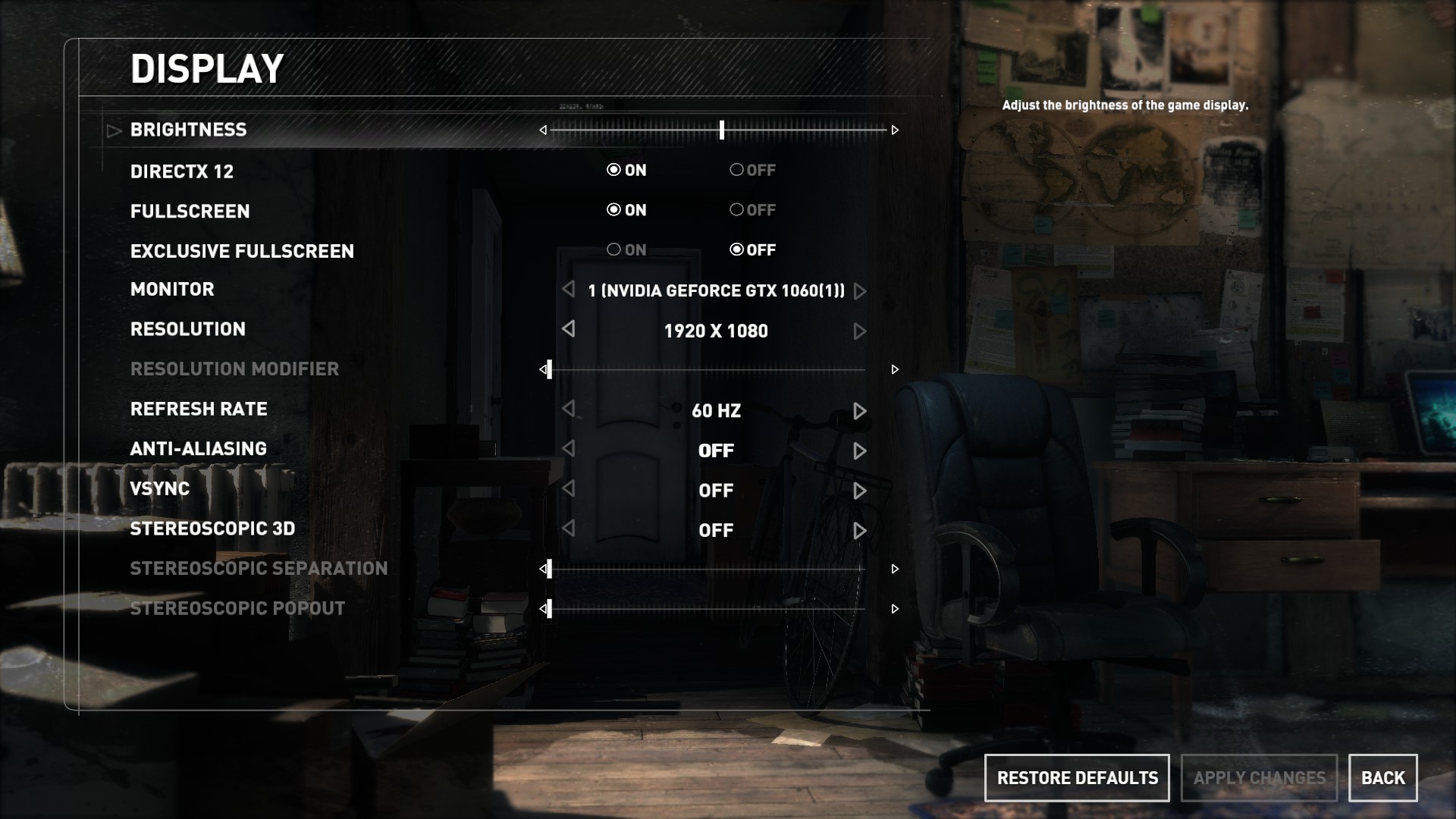
We used the ROG Strix Hero II to play 3 different popular and graphically demanding games. We tested the games at their highest graphical settings with DX12 turned on and AA disabled. We then compared our findings to similar laptops.
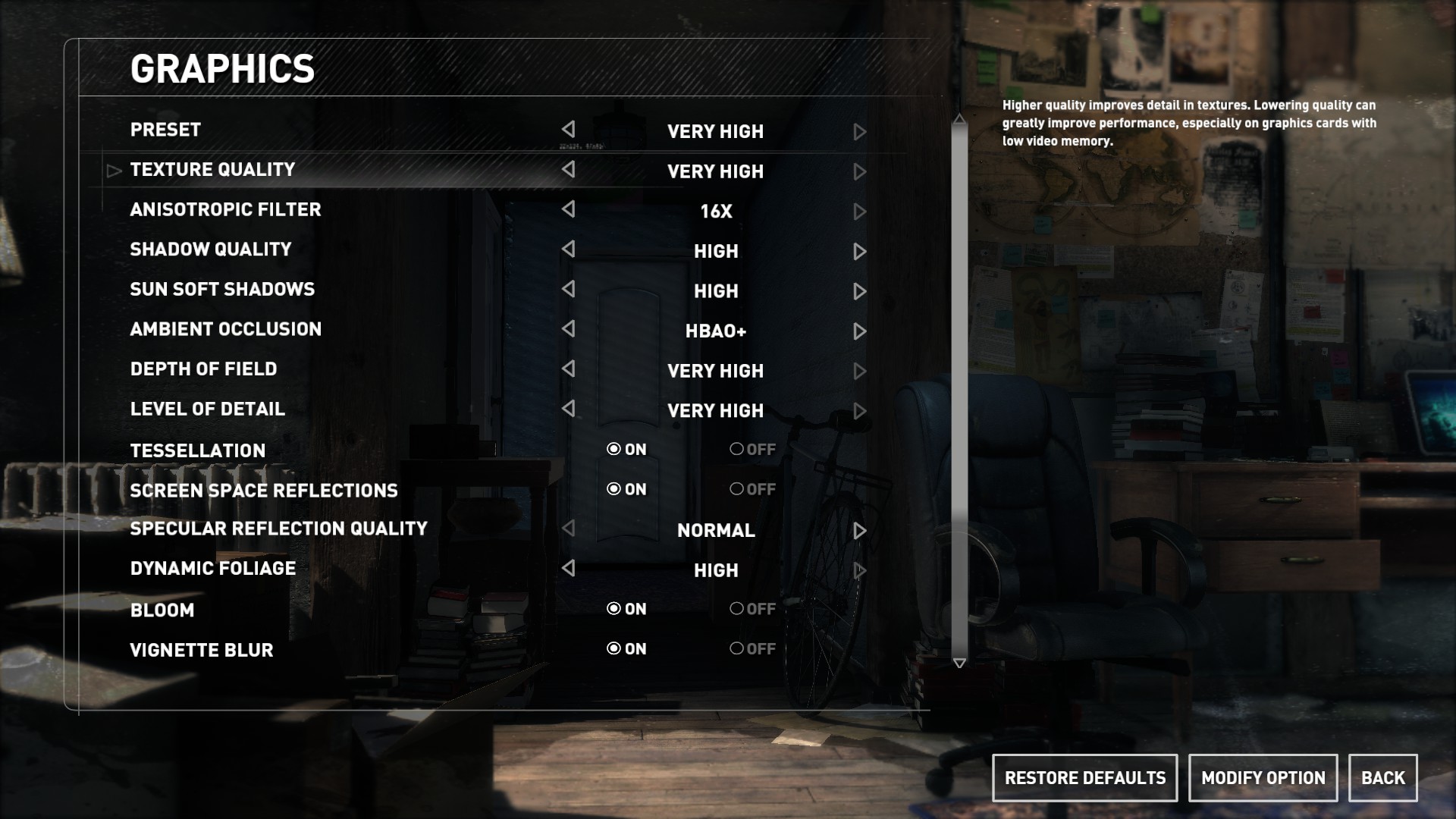
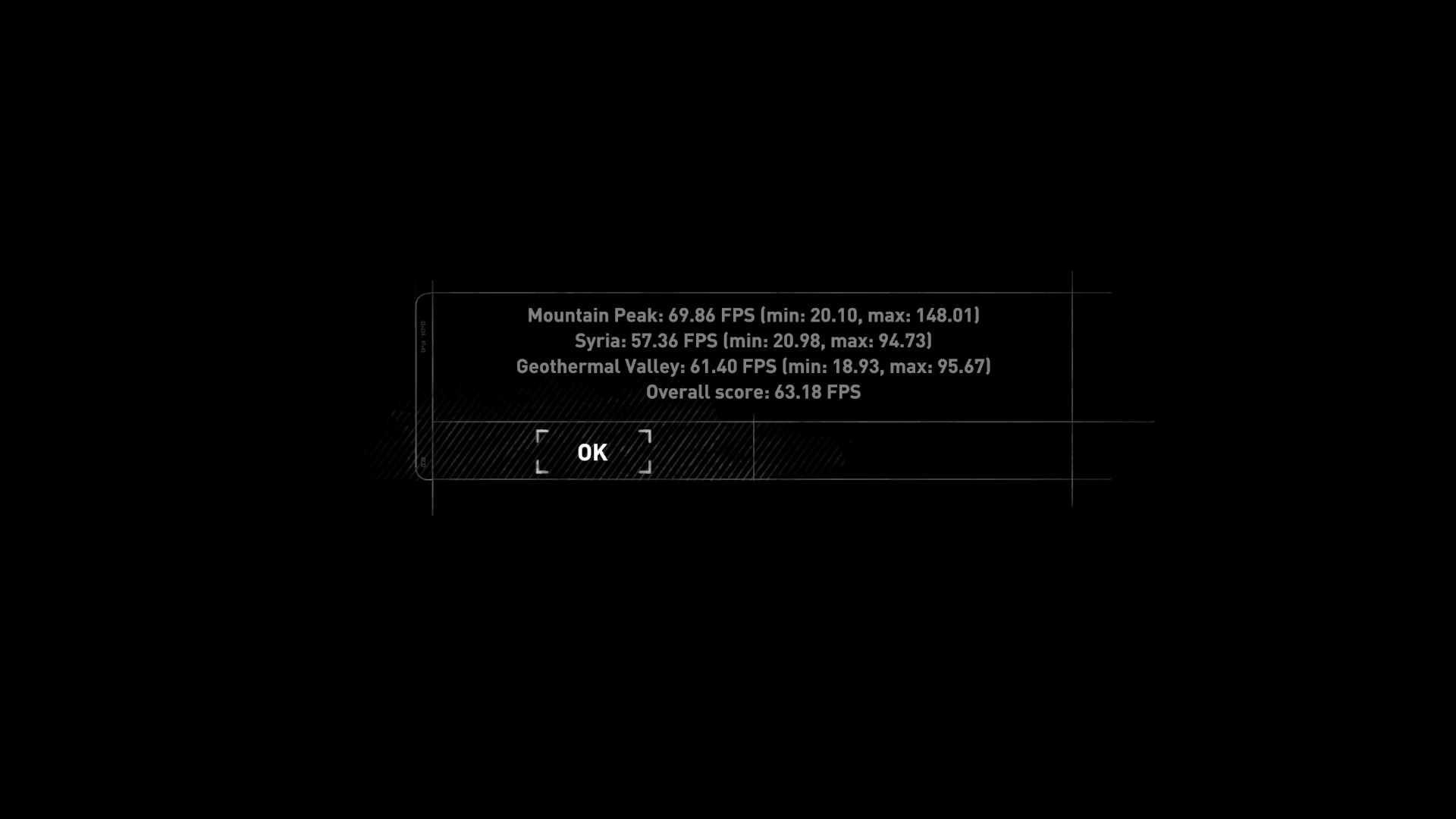
Rise of the Tomb Raider is an action adventure game with many different environments and immersive landscapes making it a useful way to test this laptop’s gaming performance.
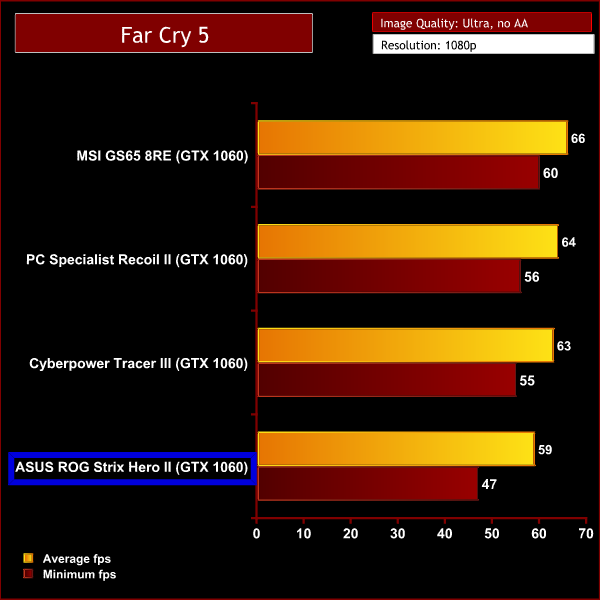
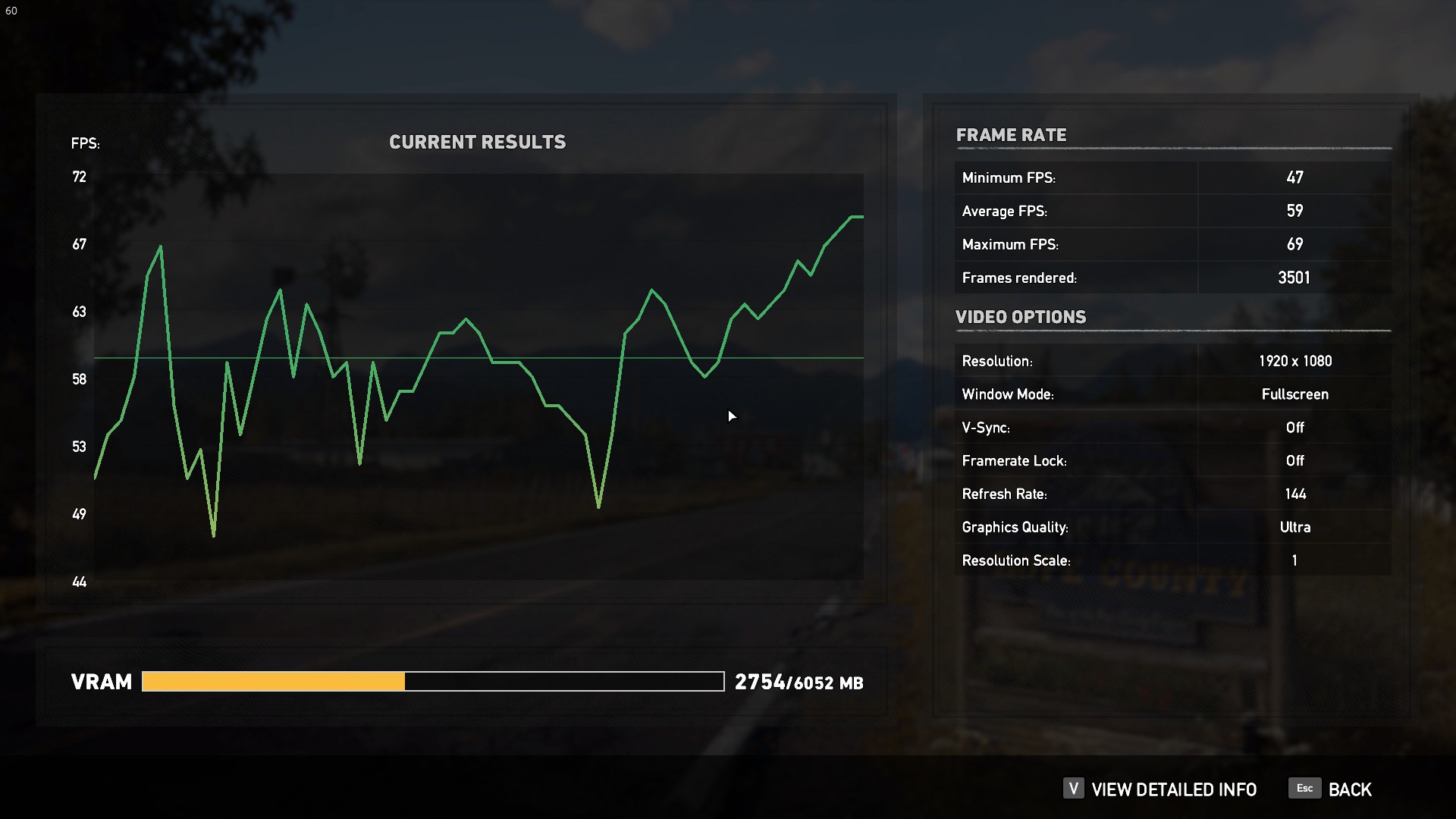
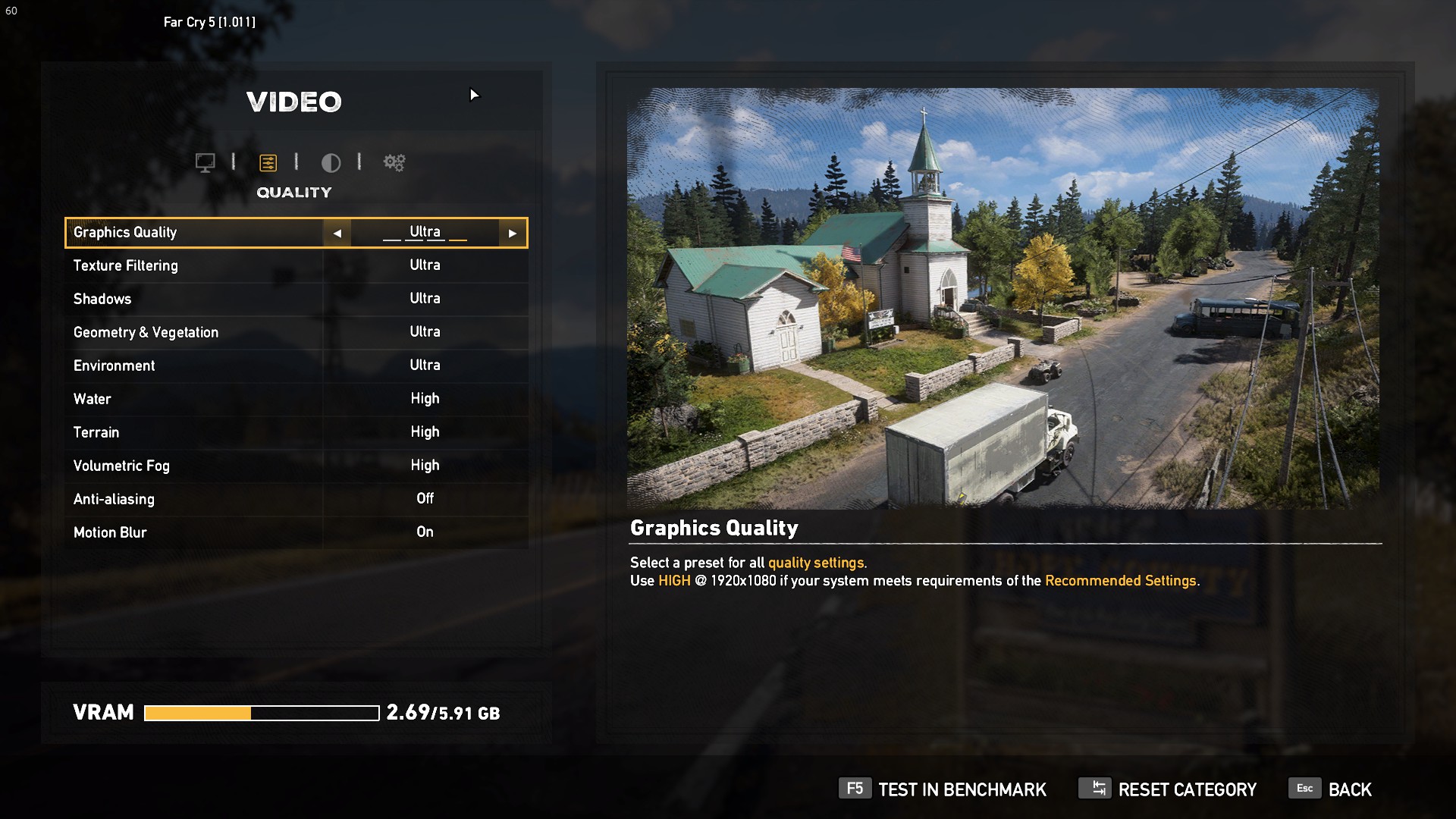
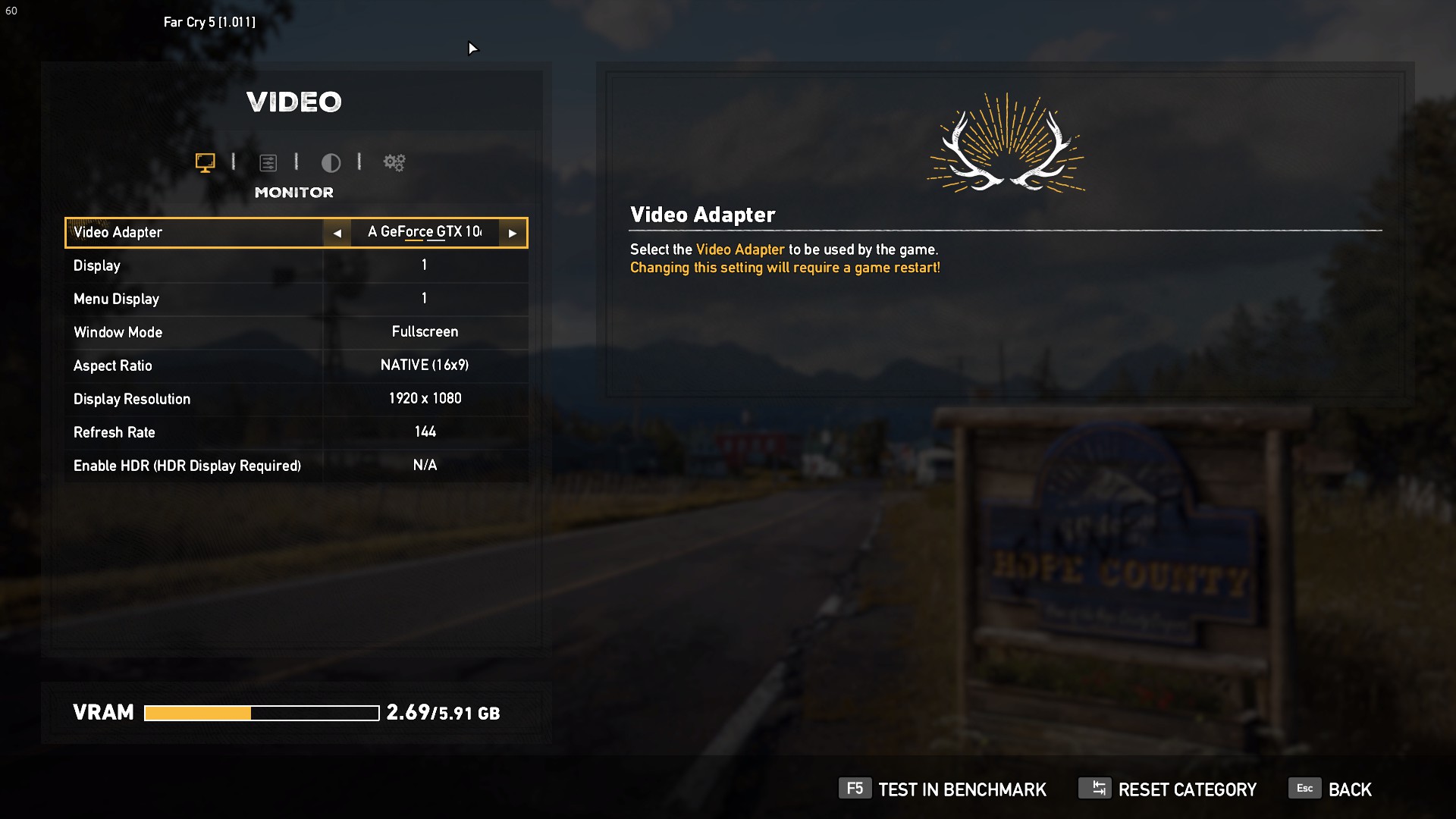
Far Cry 5 is the most recent release we tested. The gigantic open world of Hope County has plenty of beautiful scenery to test how well this laptop performs with a newer game.
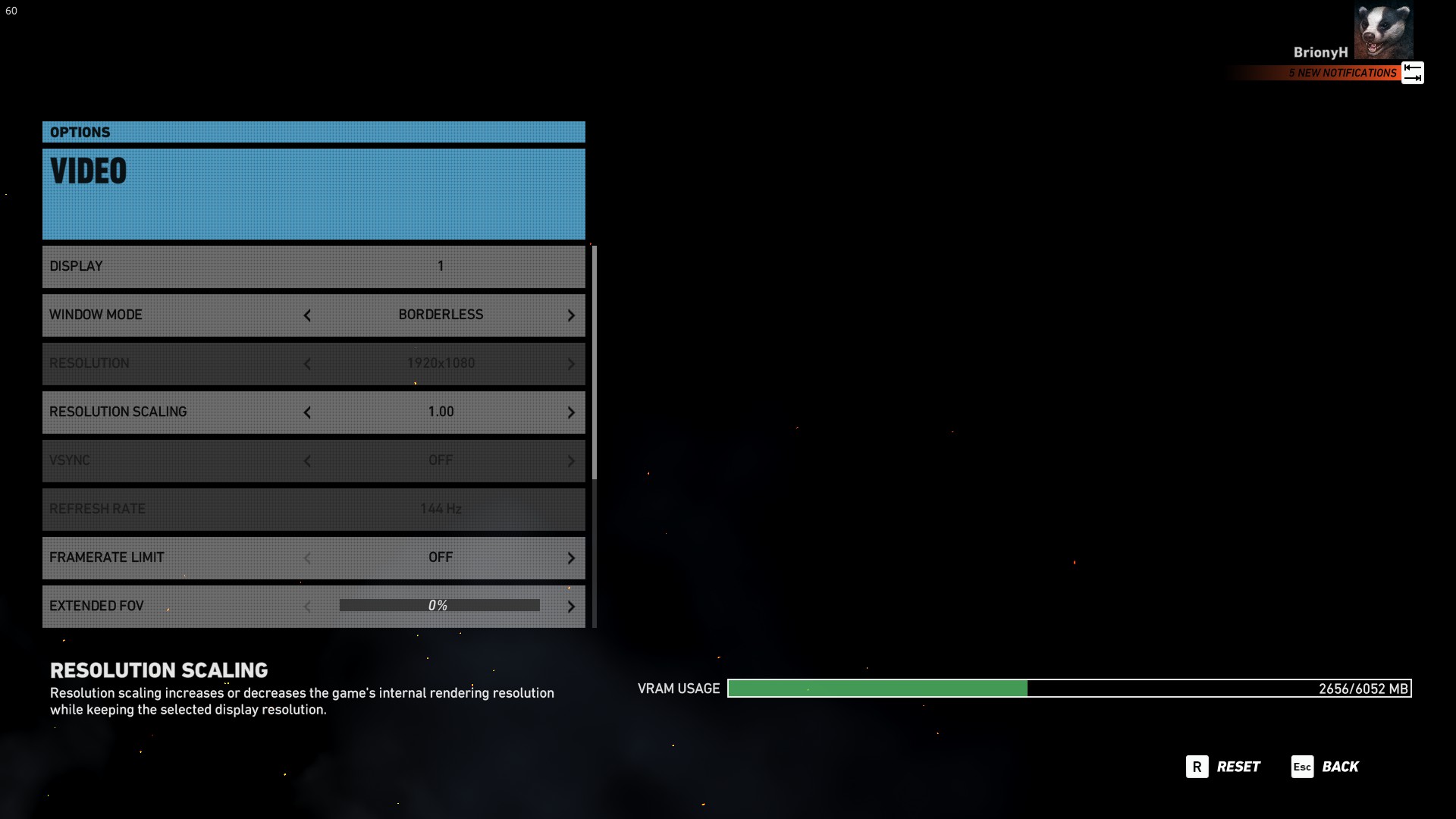
Tom Clancy’s Ghost Recon Wildlands is a game with a superb open world environment. The beautiful scenery of mountains, forests and deserts requires a lot of GPU power to render, particularly on high settings. This demanding game is perfect for testing this PC’s gaming performance.
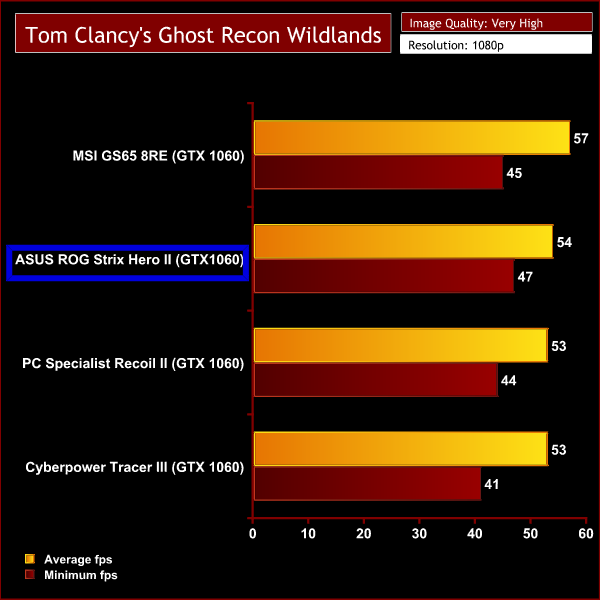
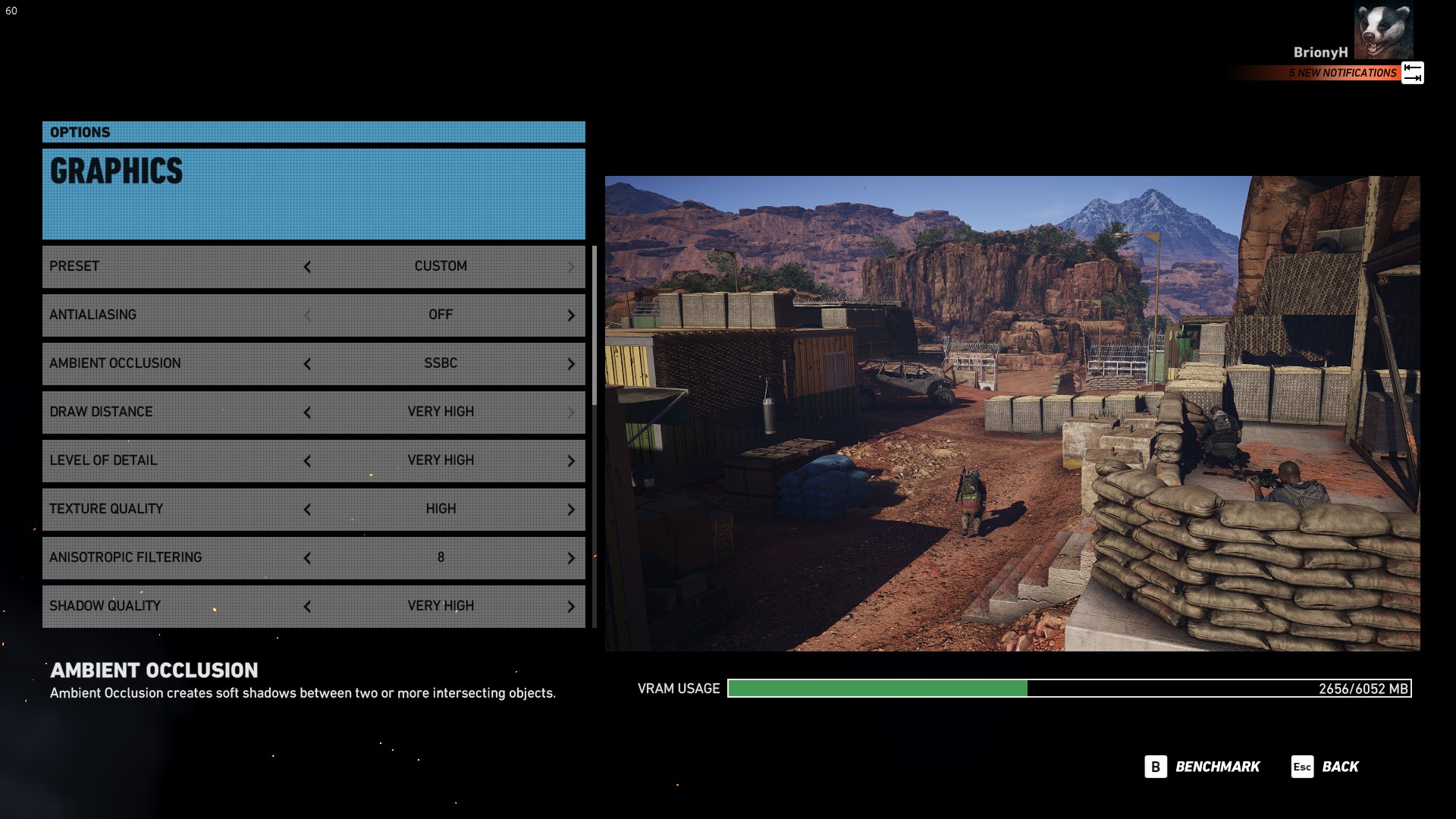
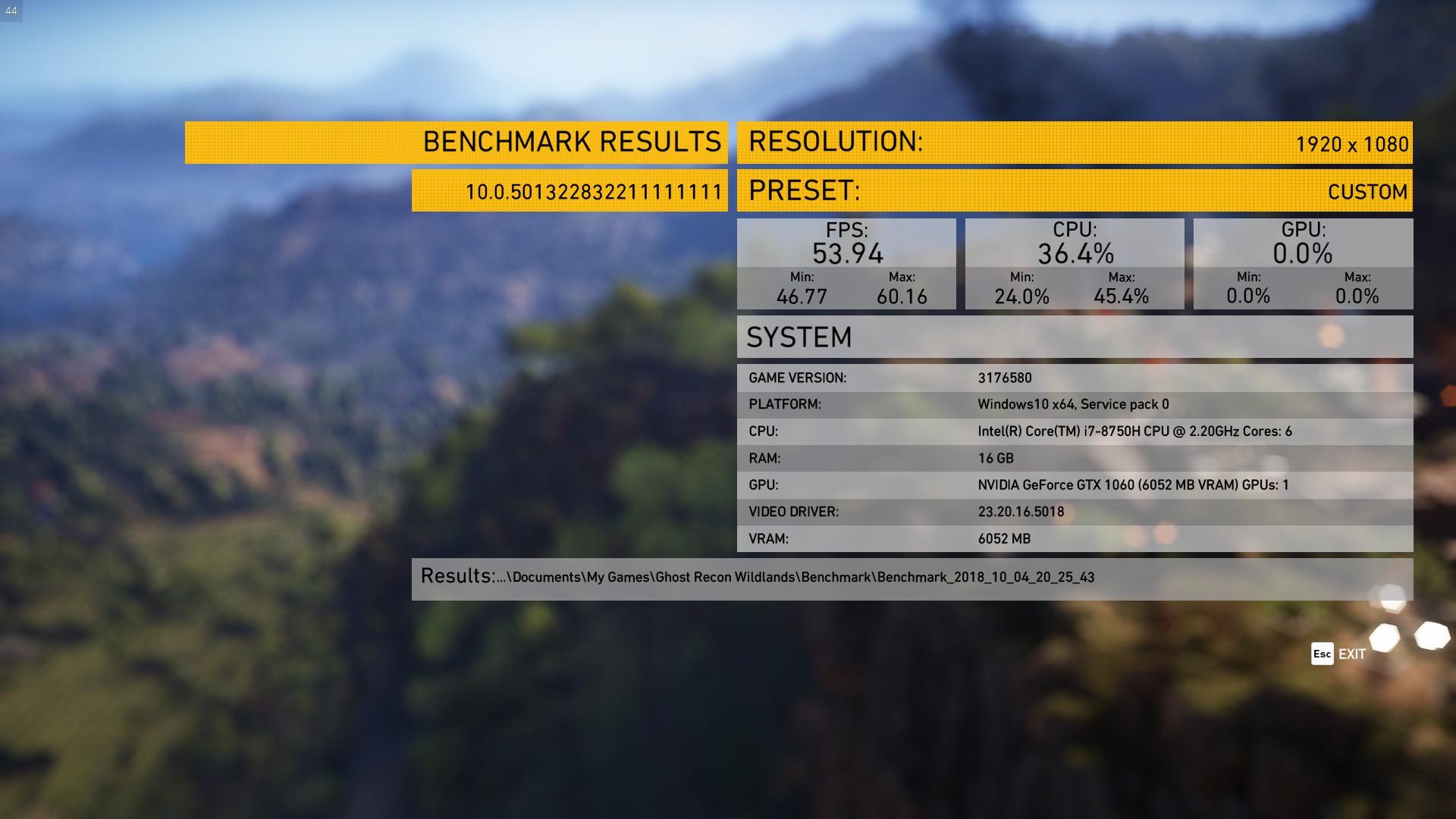
When looking at our gaming figures, the results are a little mixed. The Hero II performed the best in Rise of the Tomb Raider and also edged ahead of two other laptops in Tom Clancy's Ghost Recon Wildlands – only to fall to behind in Far Cry 5.
Overall, though, there really isn't much in it and the ROG Hero II can certainly play the latest games on high settings. If you want to take advantage of the 144Hz screen though, you will have to sacrifice graphics quality to bump up the frame rate any higher than 60.
Bonus Game:
As the Hero is aimed at gamers who play MOBAs we also tested how well it could run League of Legends. The graphics settings were set to Very High with AA disabled.
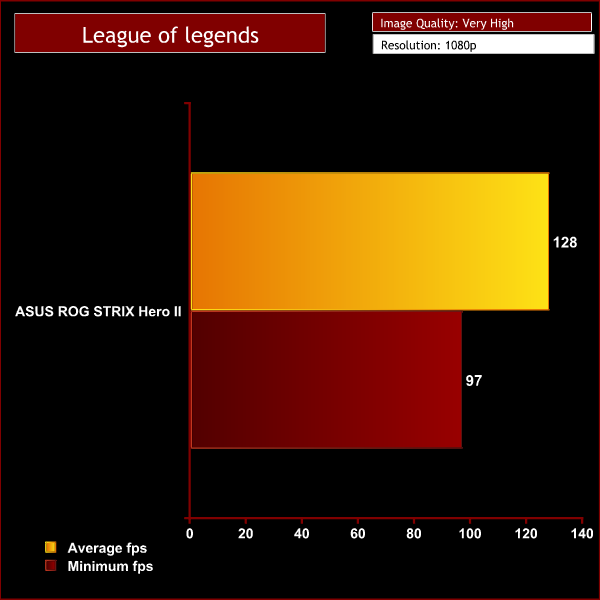
Even on Very High settings League of Legends isn't a hugely demanding game and the Hero II could easily maintain a high frame rate for the majority of gameplay.
It often sat at around 140fps taking full advantage of the 144Hz refresh rate display. These results show that the Hero II is a great option for playing less demanding MOBAs at a buttery smooth frame rate.
Battery Life:
To test battery life we used the ‘Home' benchmark in PCMark 8. This test isn't hugely demanding when it comes to computational requirements and, although artificial, it is likely to simulate the sort of stress the laptop would undergo while doing a small amount of video editing, web browsing and word processing.
We set the screen brightness to 50%, and the keyboard brightness to 66%.
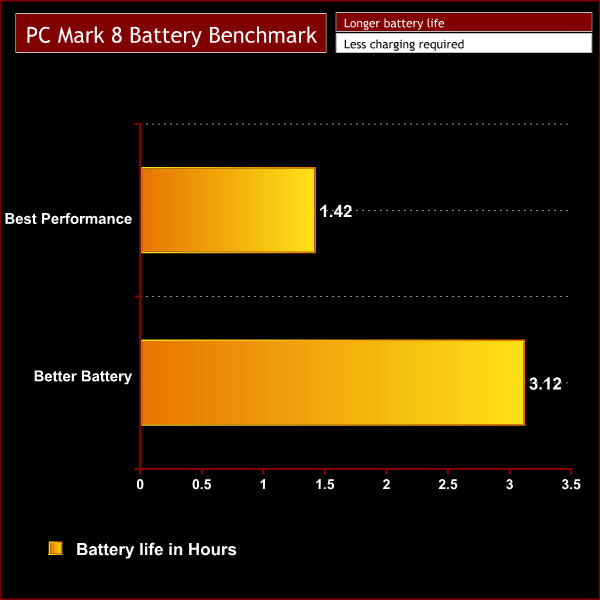
The PCMark 8 benchmark showed that the ROG STRIX Hero II battery lasted 1hr 42mins while in performance mode. As this is an artificial benchmark we would expect in a real world situation this would equate to about 3hr 20mins of normal use. However, if you're using the laptop for gaming or heavy rendering we think you would be lucky to get 2 hours away from the mains.
Changing the power profile to ‘better battery' will mean that the laptop won't perform as well but it does significantly improve battery life. We got a benchmark score of 3hr12 which will equate to over 6hrs of use. Enough for a long train journey or a day at uni.
Overall the battery life results are pretty much as expected. At 2 hours the ROG Strix Hero II is about average when it comes to battery life for a gaming laptop. However if you're out and about and just want to type out an essay or browse the net, changing the power profile can keep it running for up to 6hrs which we think is pretty good.
Temperatures:
We tested the temperatures while the laptop was set to best performance mode with the charger plugged in. We run AIDA 64 for 10 minutes to stress the CPU & GPU simultaneously and also keep an eye on the temperatures while doing our performance testing.
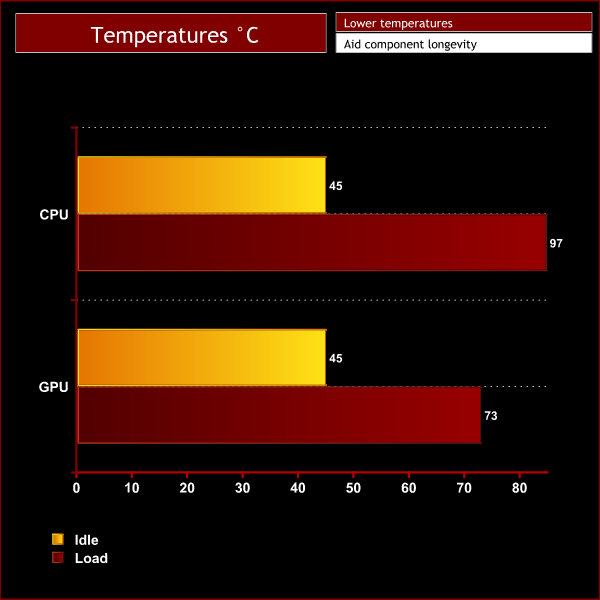
Under idle conditions the i7-8750H easily reaches its maximum all-core speed of 3.9GHz while sitting at a reasonably cool 45C. However, during stress testing we saw the CPU peak at 97C before overheating was detected and the clock speed was reduced. The core speed dropped to 3.1GHz across all cores and the temperature fell with it as the i7-8750H levelled out at around 78C once the clock speed was reduced.
This may sound like an issue but it's what we typically expect from this particular CPU. In comparison to other laptops we've tested featuring the i7-8750H, the Hero II is about average. It beats out the Razer Blade 15 that could only maintain a speed of 2.5GHz under sustained load, but is outperformed by the Gigabyte Aero 15X that was able to run faster at 3.4GHz. With a speed of 3.1GHz it sits neck and neck with the PC Specialist Recoil II.
Meanwhile, the GPU temperatures are pretty impressive. The GTX 1060 stayed at a cool 45C while the laptop idled, and it only maxed out at 73C under load during our performance testing – so absolutely nothing to be concerned about.
Noise Levels:
We measured fan noise levels using a sound meter while the laptop was idle with no programs open, and then during stress testing to get a reading with the system under load with the fans set to overboost mode.
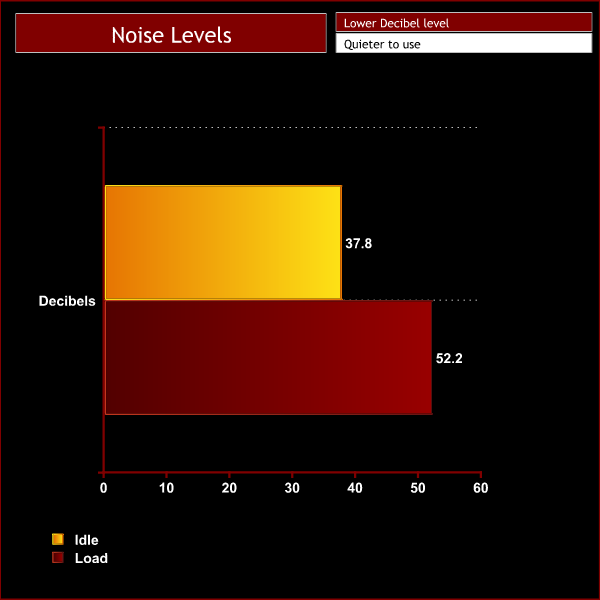
When idling, the Strix isn't quite silent as the fans are always slowly spinning, producing just under 38dB of noise, but it is very quiet. While under load there is a noticeable increase in noise to 52.2dB. I would describe it as loud but not the worst – the speakers do a good job to drown out the noise, or if you're a headset user its unlikely to be too much of an annoyance.
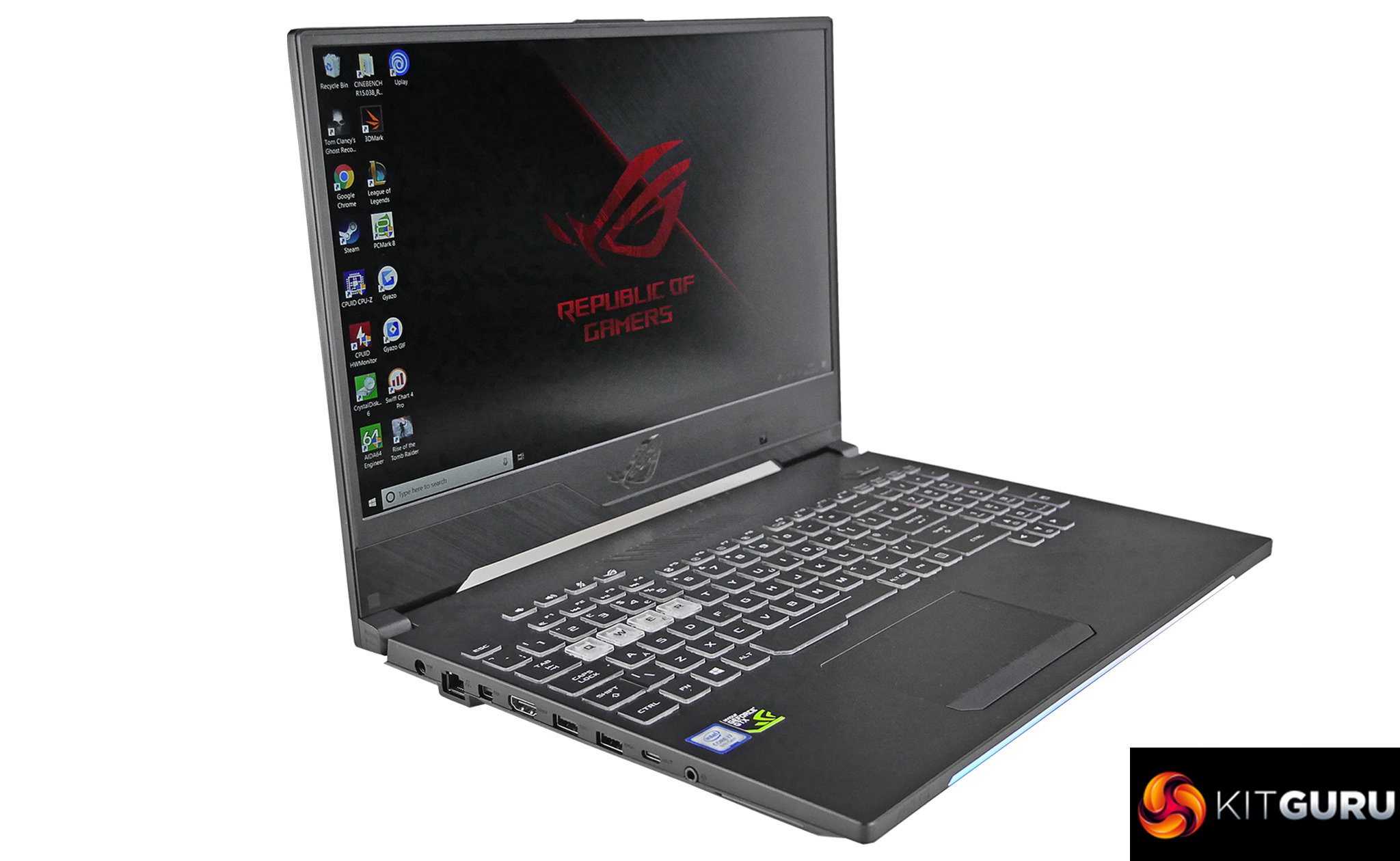
The Asus ROG HERO II certainly looks the part with its sleek chassis and flashy RGB lighting. The 15″ display and slim body makes this a very solid gaming laptop to be used on the go.
Unfortunately the battery life is about average for a gaming laptop but by changing the power profile you can get up to 6hrs of use when using Word or browsing the web – though it won't last that long if you are executing more demanding tasks.
The powerful components mean that it can provide good gaming performance and it can certainly take advantage of the 144Hz refresh rate display in less demanding games. The display itself looks great with its thin bezels, 3ms response time and IPS level colour accuracy. Paired with the loud and punchy speakers it creates a truly immersive experience.
The CPU performance is one of the best we've seen from a laptop with the i7-8570H, which shows that Asus has done a good job with the cooling to keep the boost clock high for as long as possible. This is obviously good for those of you who want to do more CPU intensive tasks.
Elsewhere, the touchpad and keyboard are both a good size and provide a decent user experience, however we think there is still room for improvement. The webcam is the biggest let down with its awkward viewing angle and grainy appearance.
With a price tag of around £1800 it is certainly at the higher end for a laptop of this spec. However you do get an excellent screen, great sounding speakers and a beautiful looking well built laptop. We think there's still room for Asus to improve on the webcam, keyboard and touchpad side of things but we must admit that most gamers will use external peripherals anyway.

You can find the ASUS ROG Strix Hero II on sale HERE at OCUK.
Pros:
- Great build quality and aesthetics.
- 144Hz IPS level display with thin bezels looks excellent.
- Good speakers.
- Well spaced full size keyboard and good sized touchpad.
- Nice balance between power and portability.
- Good performance.
Cons:
- Webcam is poor.
- Key actuation is quite shallow and touchpad buttons feel clunky.
- Battery life could be better.
KitGuru says: Overall the ASUS ROG Strix Hero II is a good option for gamers looking for a laptop that has the right balance between power and portability.