KitGuru KitGuru.net – Tech News | Hardware News | Hardware Reviews | IOS | Mobile | Gaming | Graphics Cards


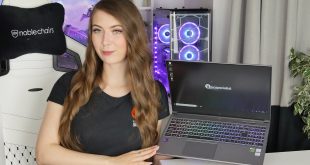
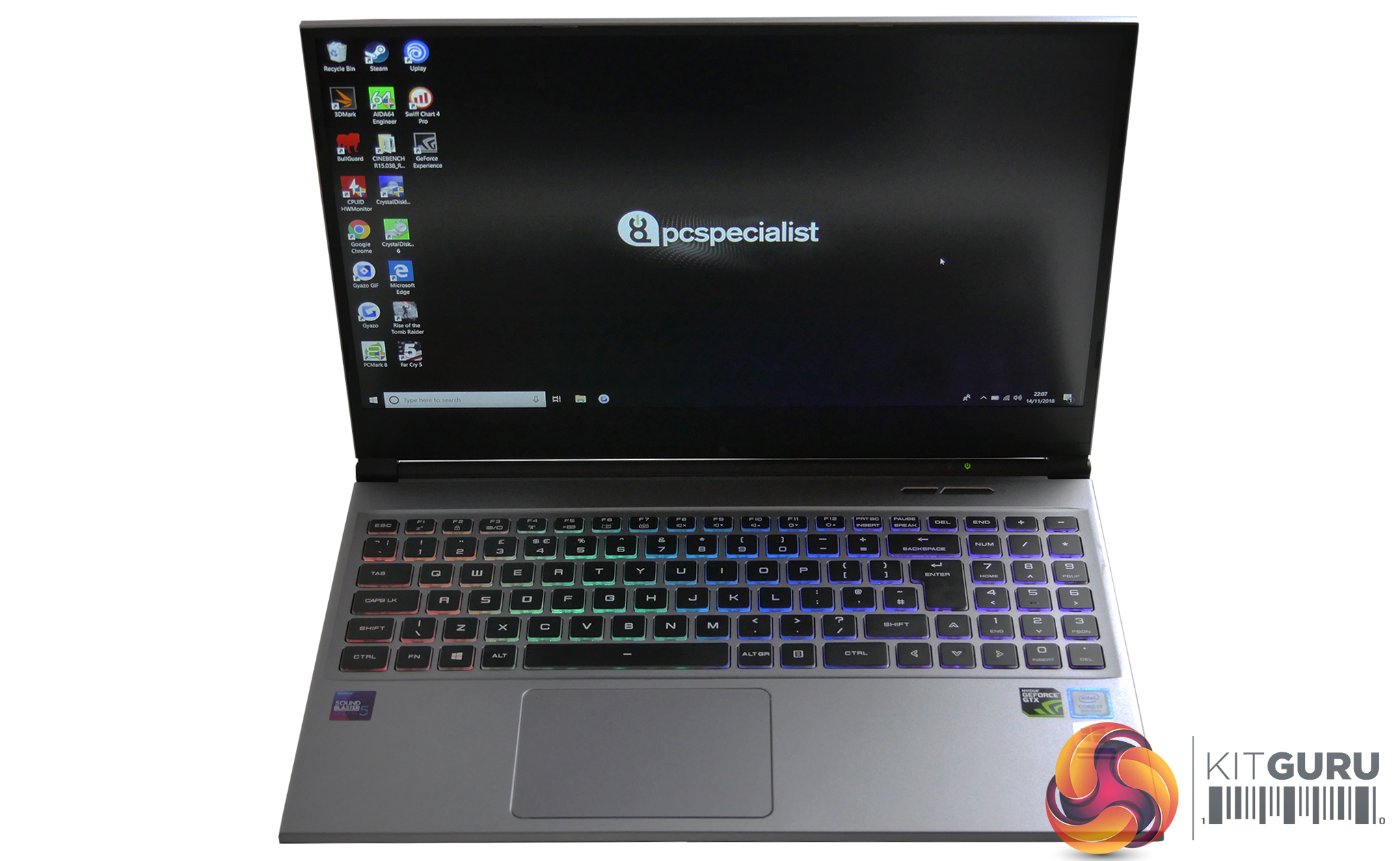
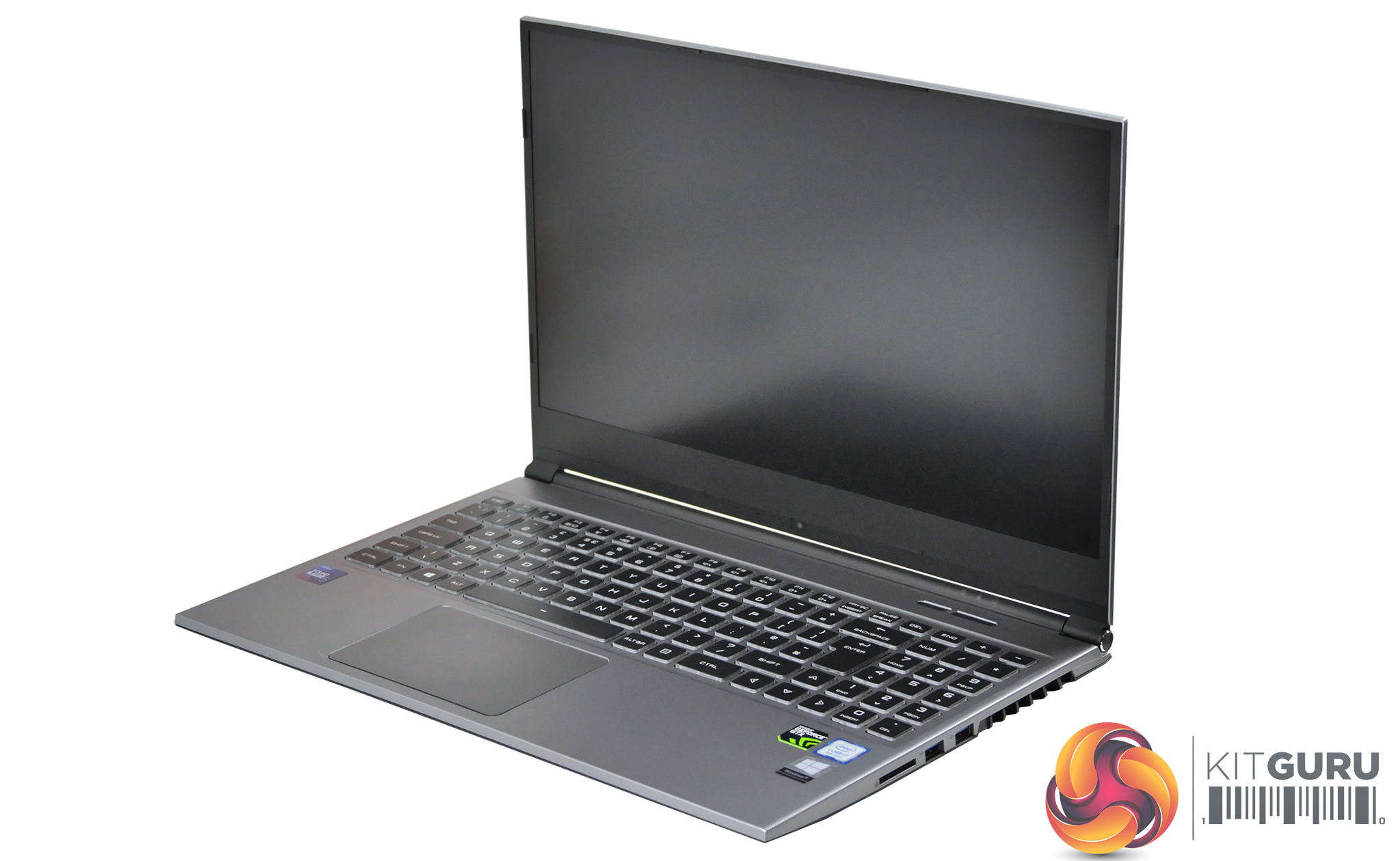
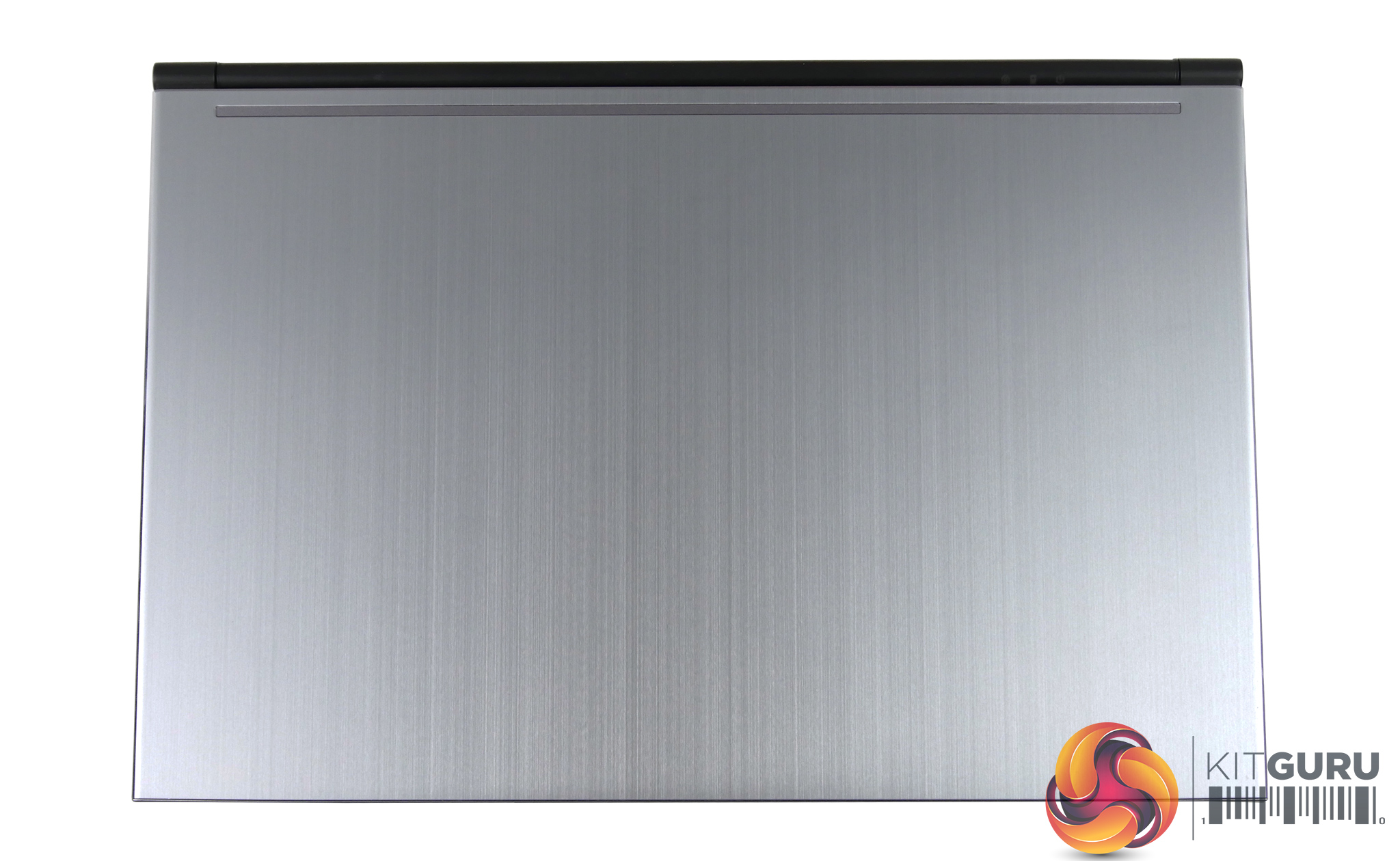
The Fusion II from PC Specialist aims to combine elegance with power to create a portable gaming laptop suitable for all scenarios. With the inclusion of an i7 8750H and NVIDIA GTX 1060 (Max-Q) graphics, this is a thin and light gaming laptop that should pack a punch! It also comes at a tempting price of £1199, but how well does it perform?
Gallery:
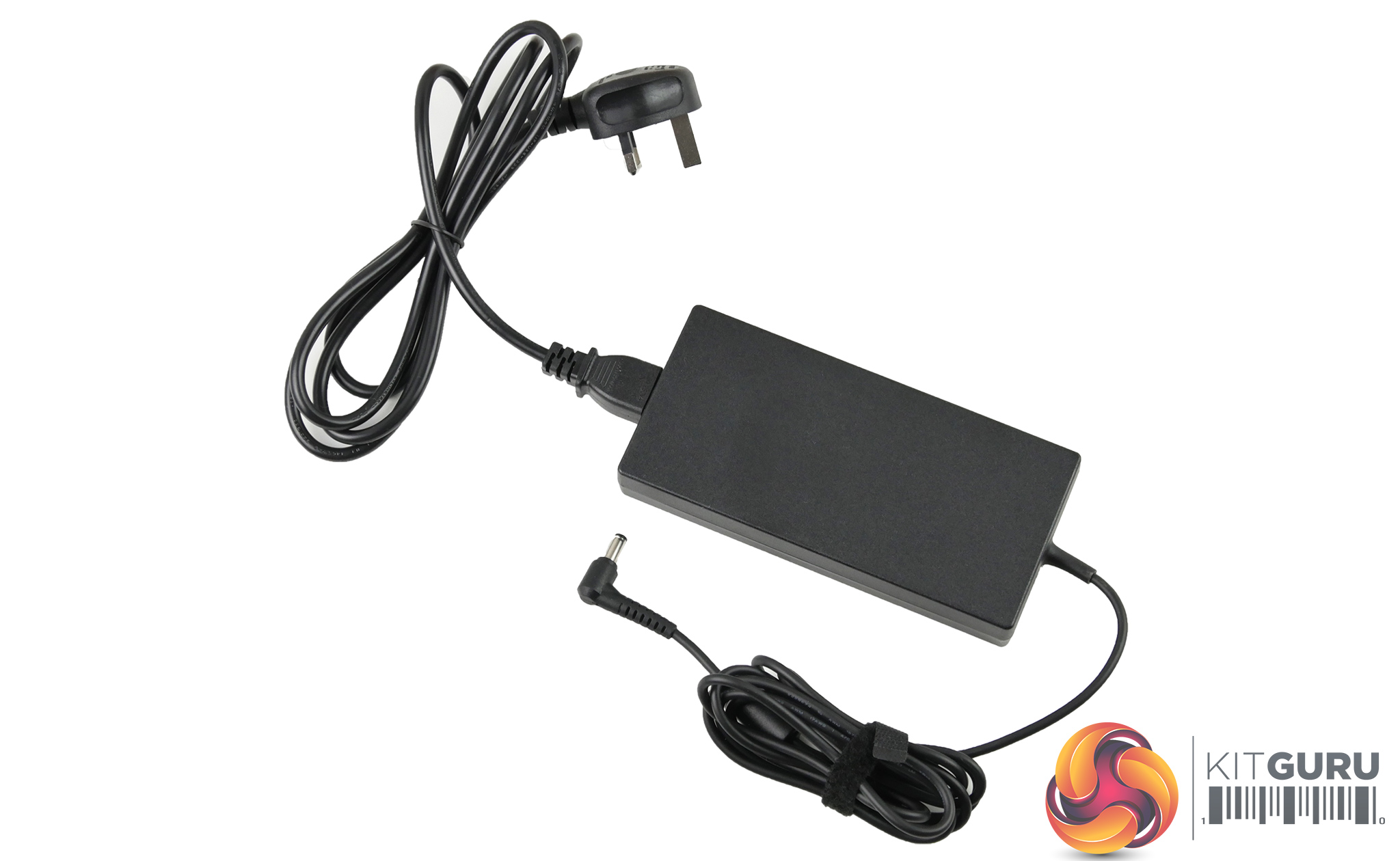
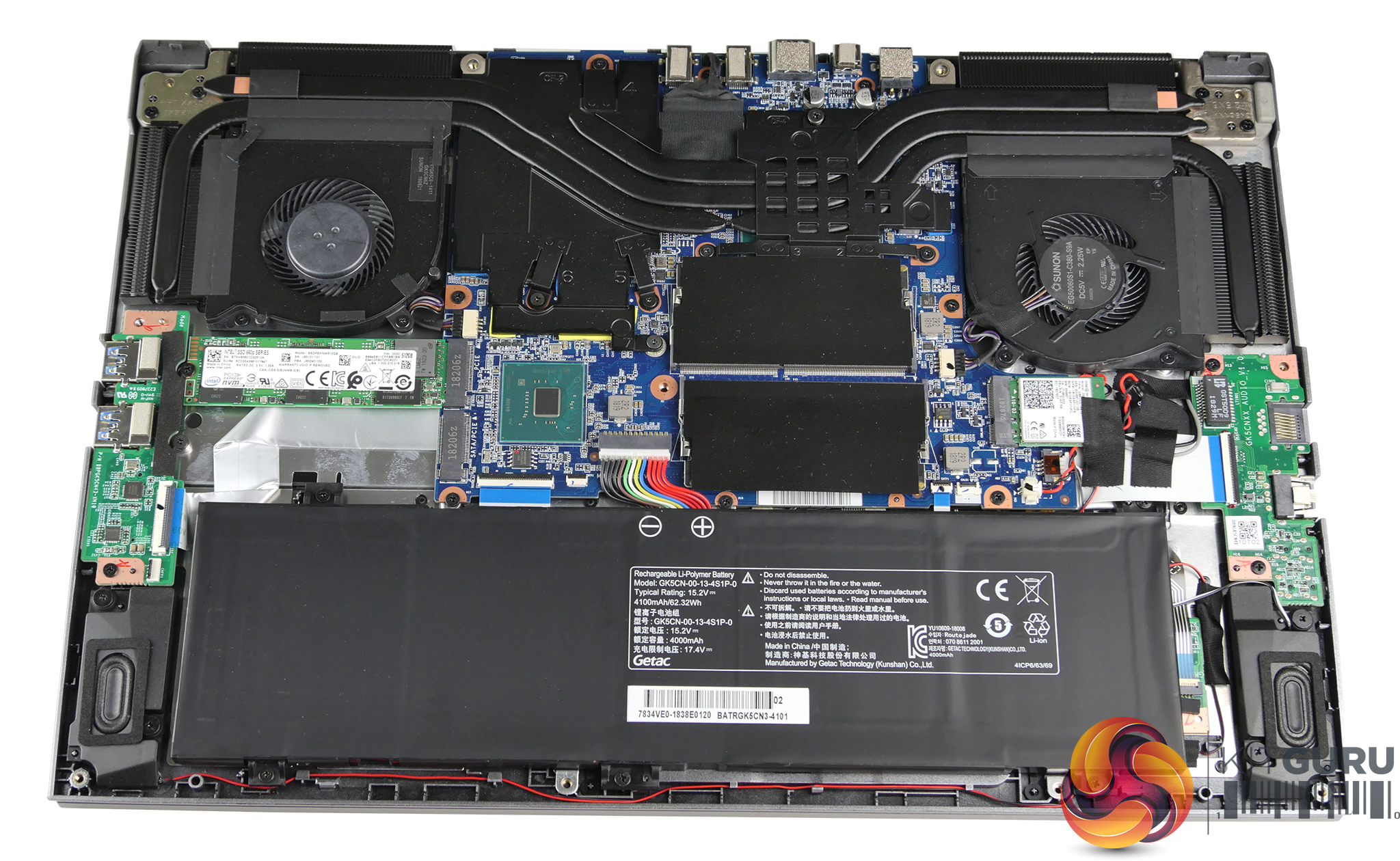
Review sample specification:
- CPU: Intel i7 8750H, 6 cores, 12 threads, 2.2Ghz, 4.1Ghz Turbo
- Graphics: 6GB GeForce® GTX 1060 MAX-Q
- Display: Narrow Bezel, 60Hz, FHD Panel (1920 x 1080), 72% NTSC
- Memory: 16GB 2400Mhz RAM
- Storage: 512GB Intel 660p M.2 SSD
- Operating system: Windows 10 Home
- Keyboard: RGB backlit
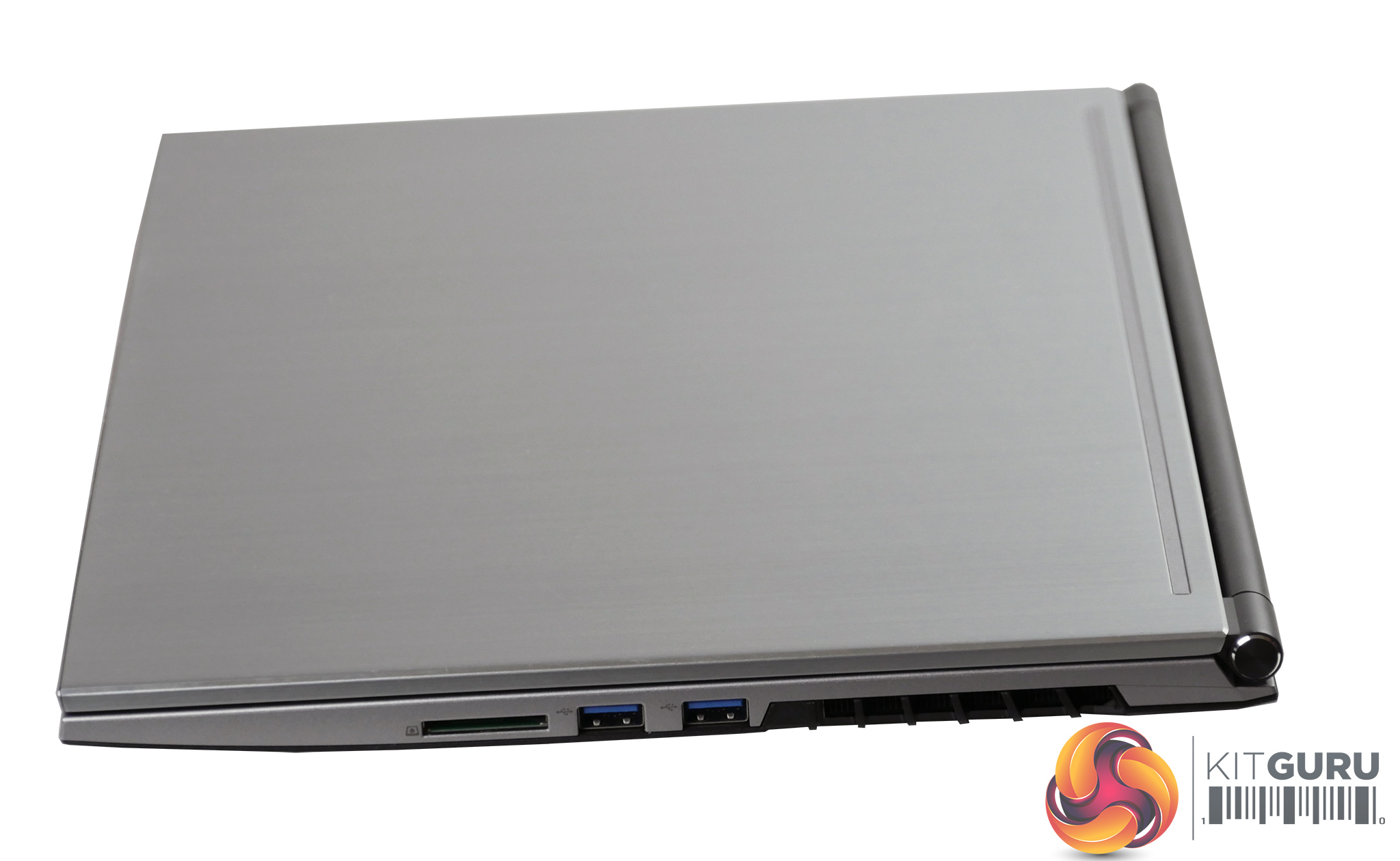
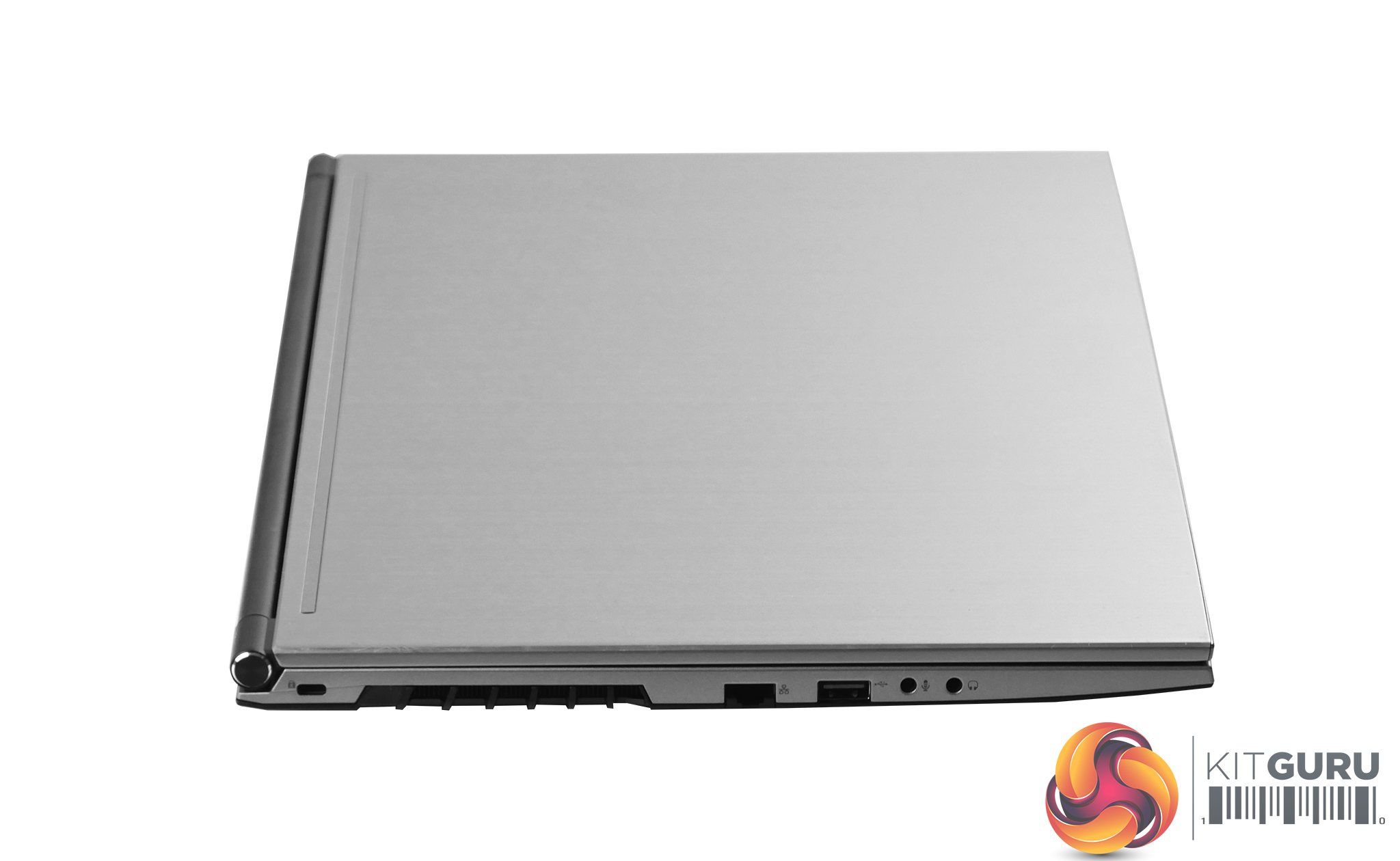
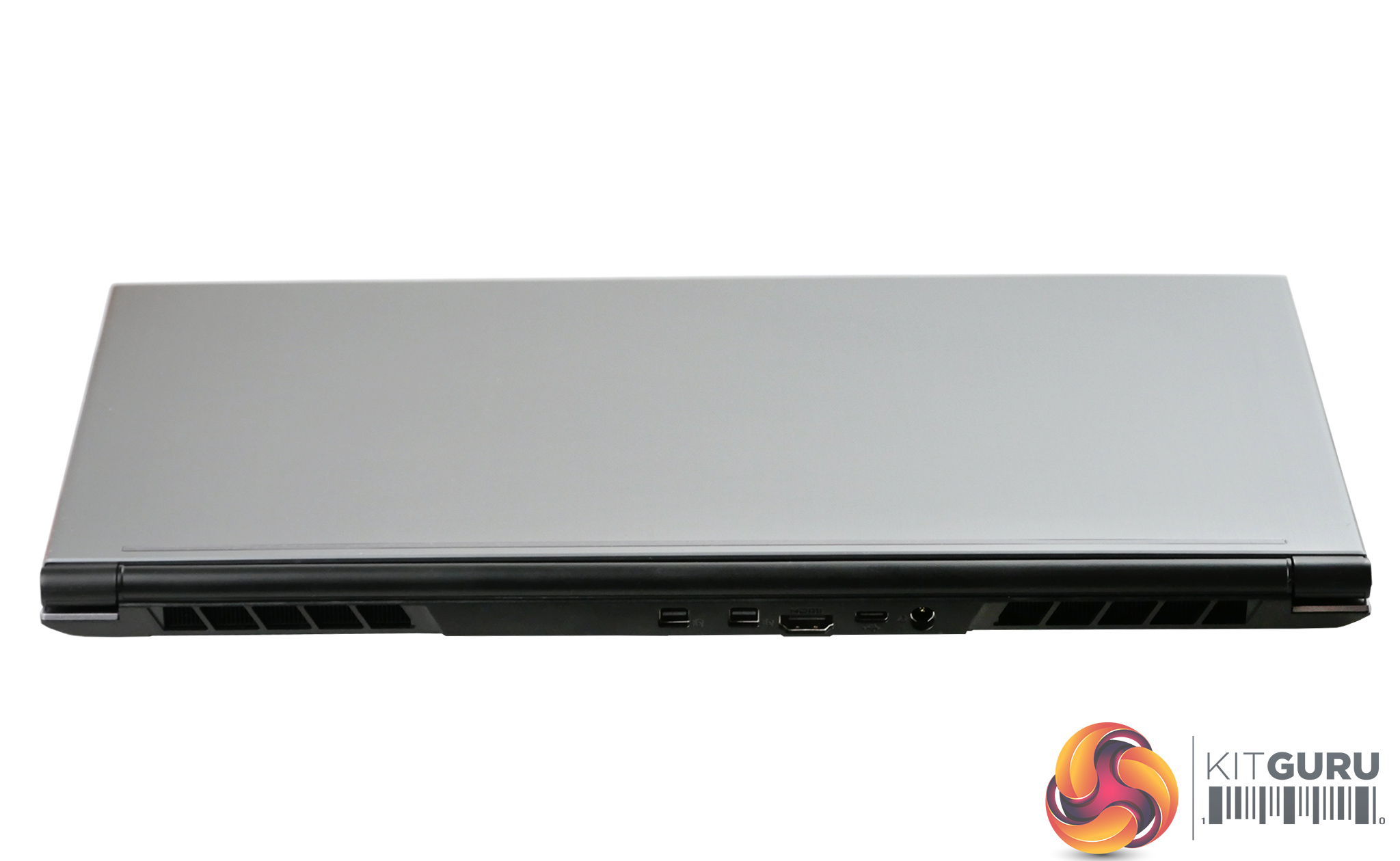
- Connectivity: USB 3.1 x 2, USB 3.0 x 1, HDMI Output, Mini Display Port, Card reader, Ethernet port, Audio jack, Mic jack
- Webcam: 720P HD
- Wireless: Intel AC-9560 M.2
- Dimensions: Width: 19.8mm
- Weight: 1.925KG
- Warranty: 3 Years
Screenshots:
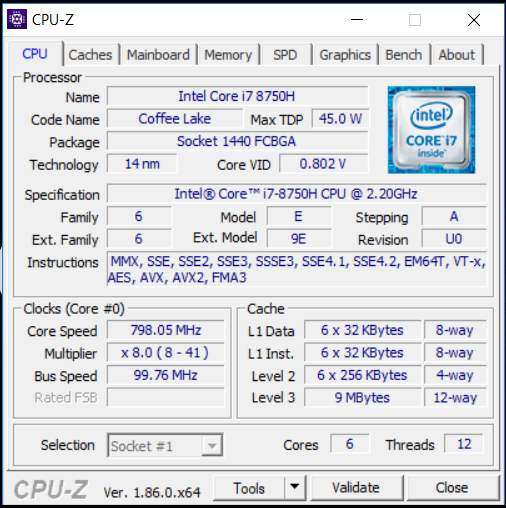
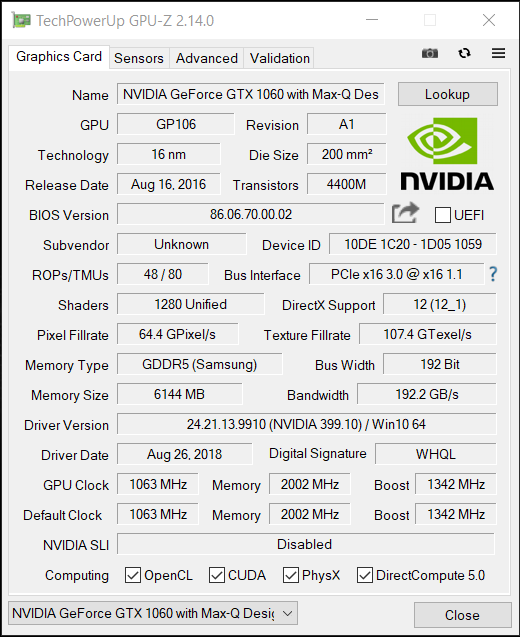
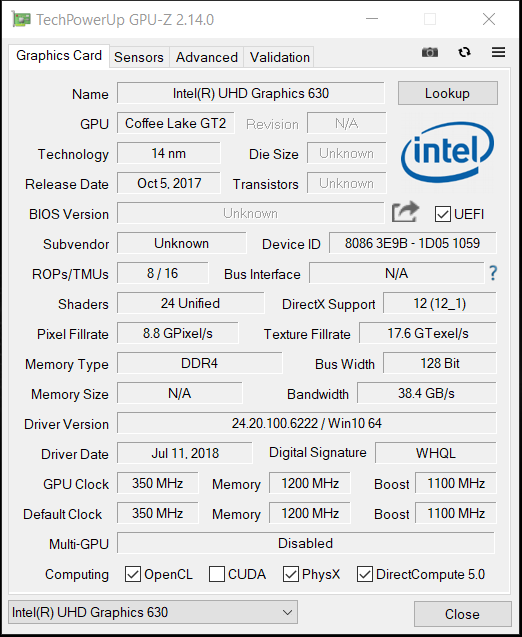
This laptop uses the hexa-core i7-8750H processor which has a base clock of 2.2GHz but will turbo boost up to 4.1GHz under load on a single core.
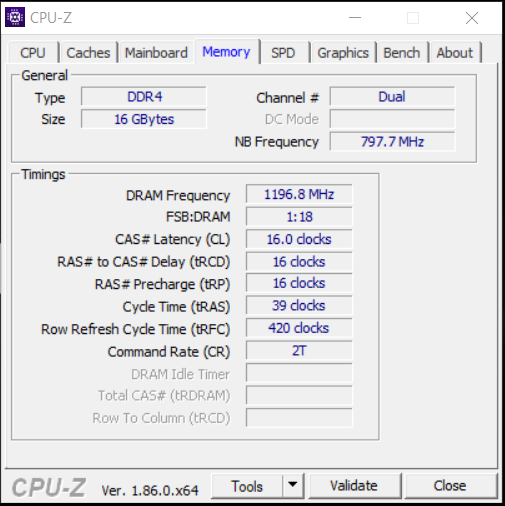
The 16GB of memory is DDR4 and runs at a speed of 2400MHz. The GPU-Z screenshots show both the Intel integrated graphics and the dedicated Max Q Nvidia GTX 1060. The Max Q GTX 1060 features 6GB of GDDR5 memory and has a default clock of 1063MHz and a rated boost clock of 1342 MHz.
CrystalDiskMark:
CrystalDiskMark tests the raw speed of a storage device. It uses a test file to write data to or read data from the drive. We test using the default 1GB file size.
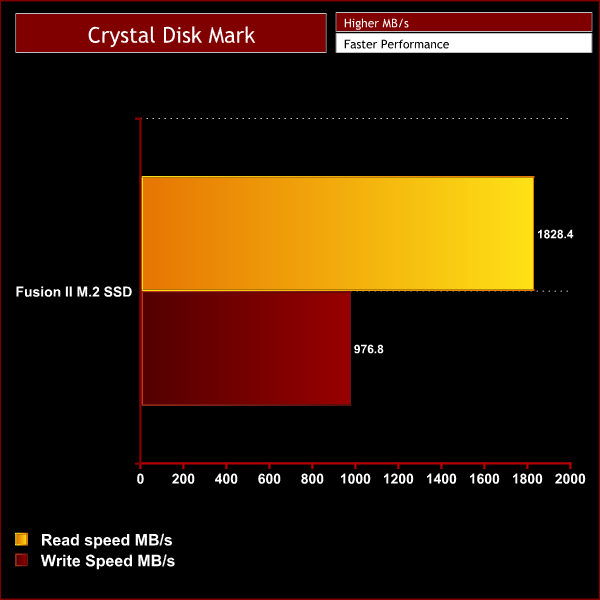
The CrystalDiskMark results show that the 512GB M.2 drive has a decent read and write speed. It’s not the fastest we have seen but it easily outperforms the SSD that can be found in the similarly specced MSI GE63 Raider laptop.
Cinebench R15:
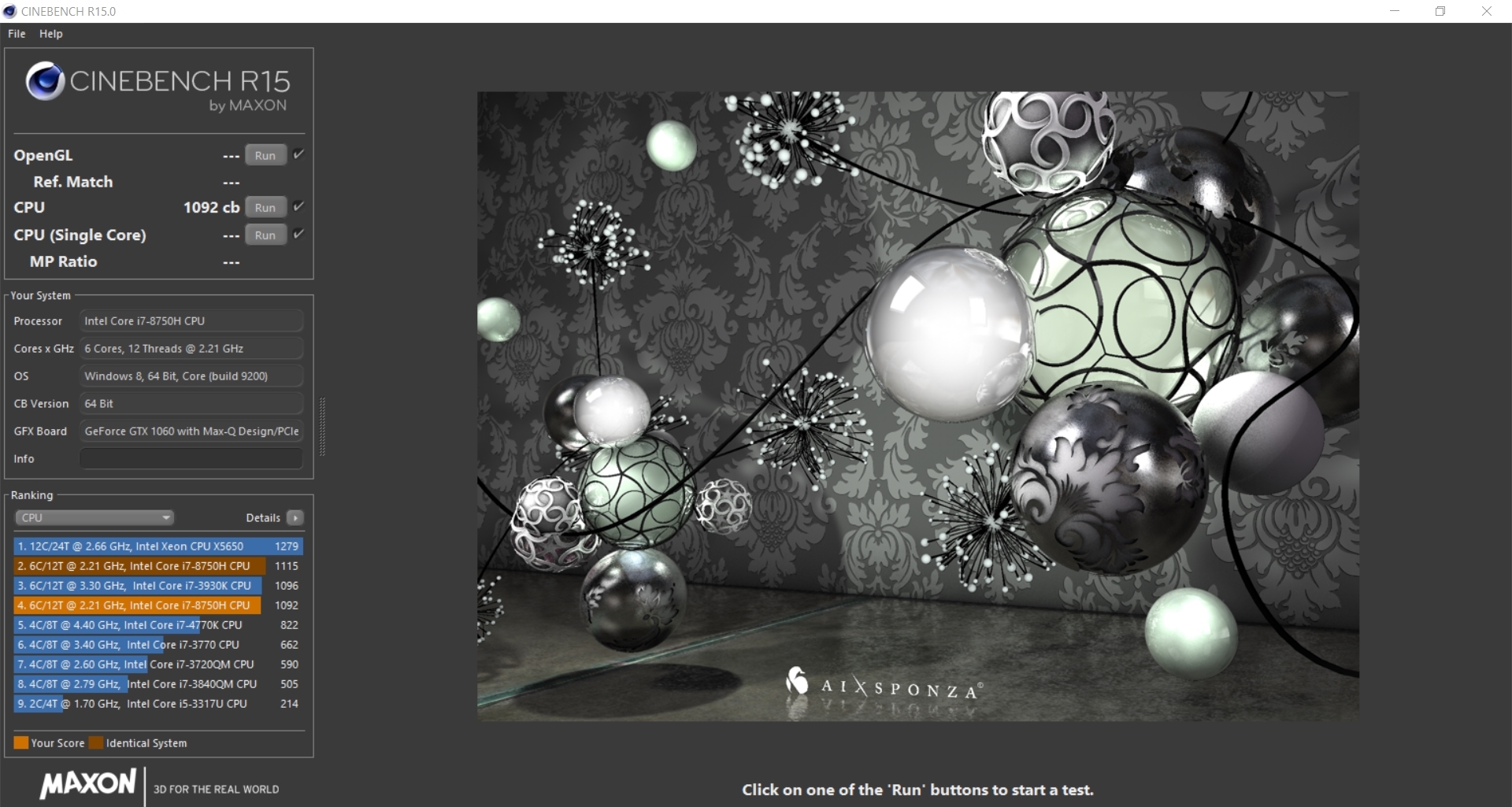
Cinebench R15 is a cross-platform testing suite that measures CPU performance. We compare the Fusion II with some other laptops we have tested that feature the same processor for a quick comparison to demonstrate its relative performance.
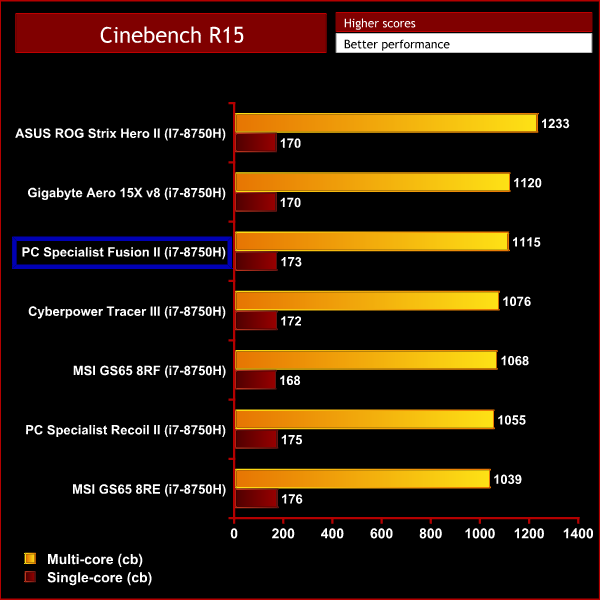
The Cinebench score achieved by the Fusion II sits pretty high up compared to other laptops we have tested with the i7-8750H. Looping Cinebench 10+ times does eventually heat up the CPU and the score will drop down to 1092. But this is still a very good score that shows that the rendering performance in this laptop is among the best when compared to similar machines.
Battery Life:
To test battery life we used the ‘Home’ benchmark in PCMark 8. This test isn’t hugely demanding when it comes to computational requirements and, although artificial, it is likely to simulate the sort of stress the laptop would undergo while doing a small amount of video editing, web browsing and word processing. We set the screen brightness to 100%, and the keyboard brightness to 100%.
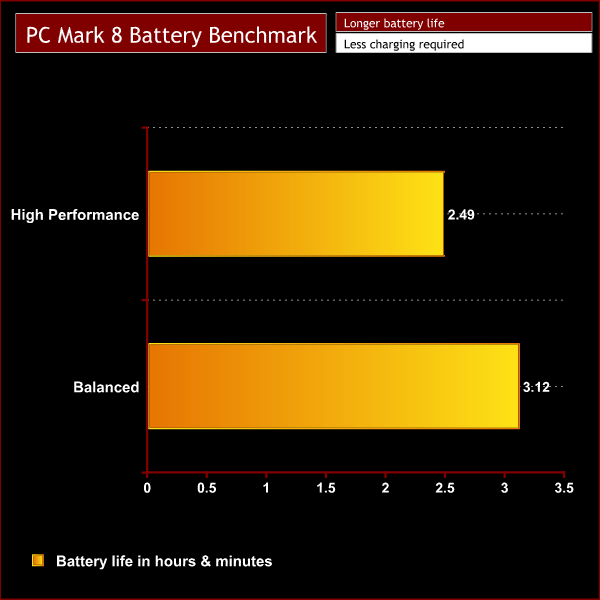
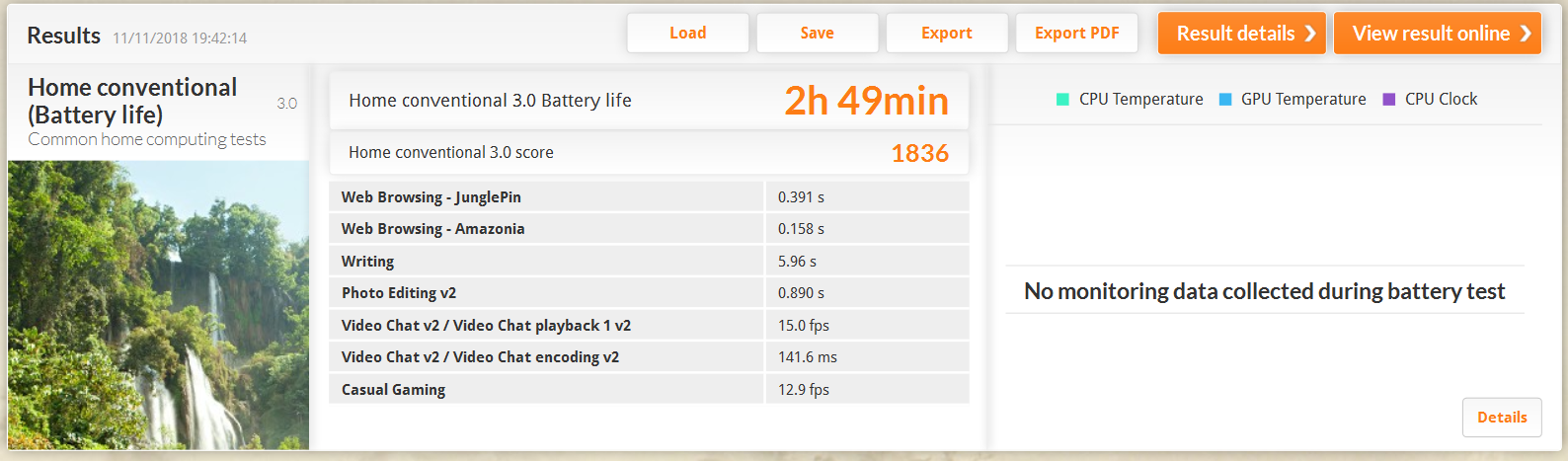
The PCMark 8 benchmark showed that the Fusion II battery lasted 2hr 49mins while in performance mode. As this is an artificial benchmark we would expect in a real world situation this would equate to over 5 hours of normal use. However, if you’re using the laptop for gaming or heavy rendering this number would likely significantly reduce.
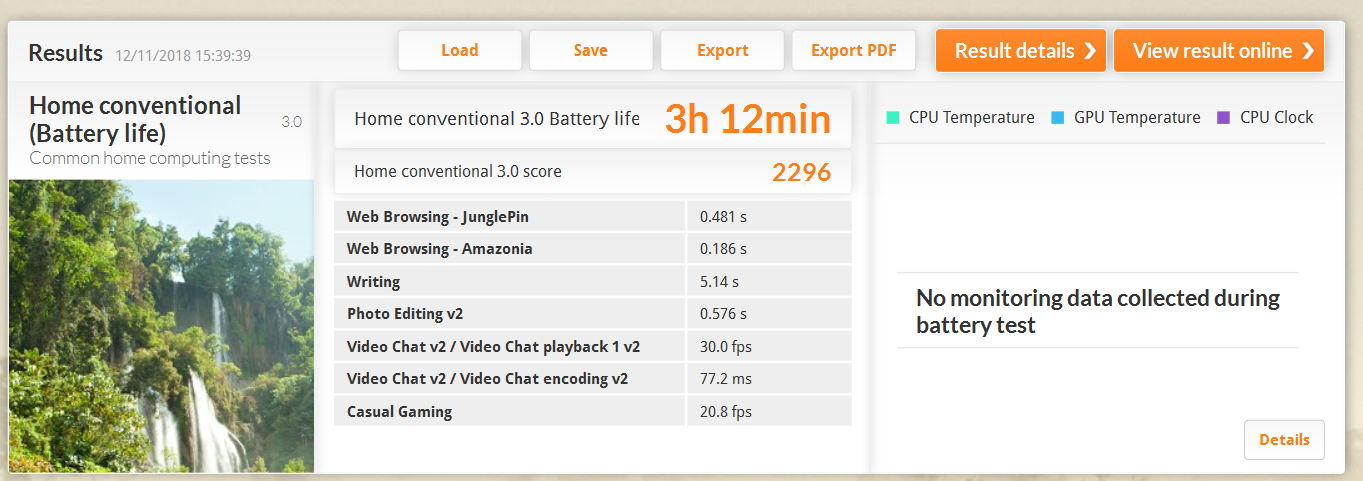
Changing the power profile to ‘balanced’ will mean that the laptop won’t perform quite as well but it did increase the battery life. We got a benchmark score of 3hr12 which will equate to over 6hrs of use.
Overall the battery life on this laptop is very good when compared to gaming laptops with similar specification. The Max Q GTX 1060 might not be as powerful but a slight compromise on performance means that this laptop is great for users on the go that need their laptop to last.
Temperature testing:
We tested the temperatures while the laptop was set to best performance mode with the charger plugged in. We run AIDA 64 for 10 minutes to stress the CPU & GPU simultaneously and also keep an eye on the temperatures while doing our performance testing.
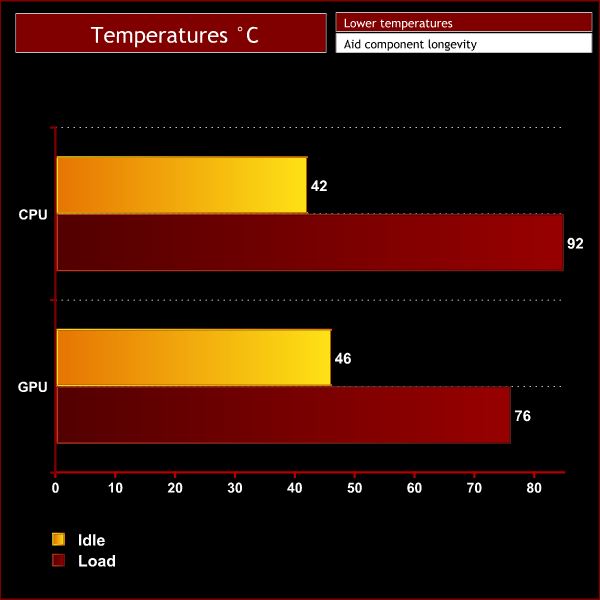
Under idle conditions the i7-8750H easily reaches a maximum all-core speed of 3.9GHz while sitting at a cool 42C. However, during stress testing we saw the CPU peak at 92C before overheating was detected and the clock speed was reduced. The clock speed dropped to 2.8GHz/2.9GHz across all cores and the temperature fell with it as the i7-8750H levelled out at around 85C once the clock speed was reduced.
This may sound like an issue but it’s what we typically expect from this particular CPU. In comparison to other laptops we’ve tested featuring the i7-8750H, the Fusion II is at the lower end of the scale. It does beat out the Razer Blade 15 that could only maintain a speed of 2.5GHz under sustained load, but unfortunately it is outperformed by most of the other laptops we've tested which can maintain speeds of 3.1GHz and above.
Meanwhile, the GPU temperatures are much better. The GTX 1060 remained at a cool 46C while the laptop idled, and it only maxed out at 76C under load during our performance testing – so absolutely nothing to be concerned about.
Noise levels:
We measured fan noise levels using a sound meter while the laptop was idle with no programs open, and then during stress testing to get a reading with the system under load with the fans set to overboost mode.
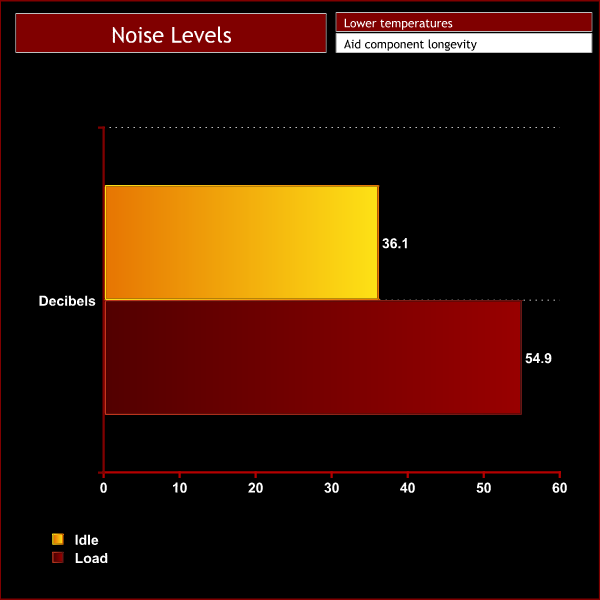
When idling, the Fusion II is very quiet producing just over 36dB of noise. You have to concentrate on the fan noise to notice it at all.
When pressing the fan boost button or when the laptop is under very heavy load there is a noticeable increase in noise to a maximum of 54.9dB. I would describe it as loud but not unbearable as the speakers can completely drown out the noise. If you’re a headset user it is unlikely to be too much of an annoyance but we don't recommend pushing this laptop too hard in a library as the people around you might have something to say about it!
3DMark testing:
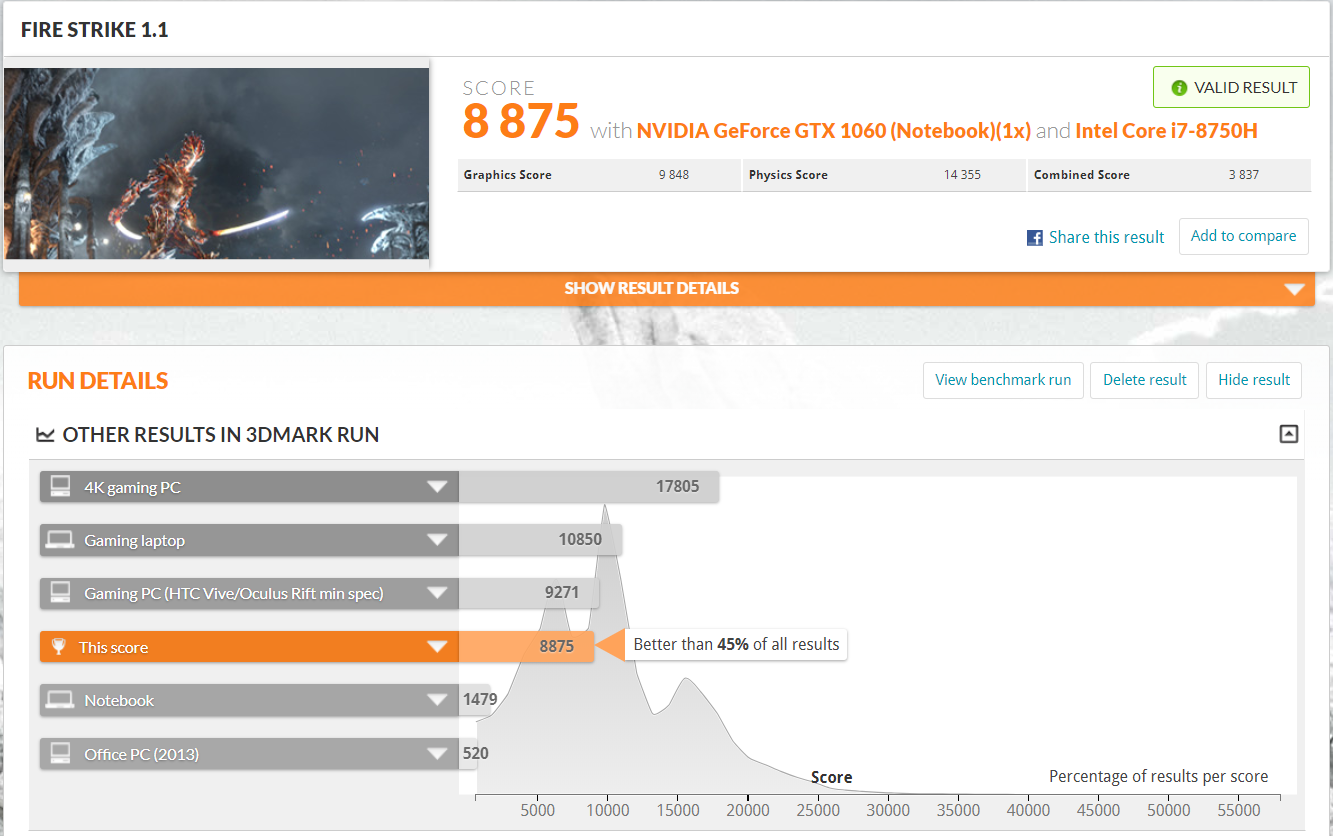
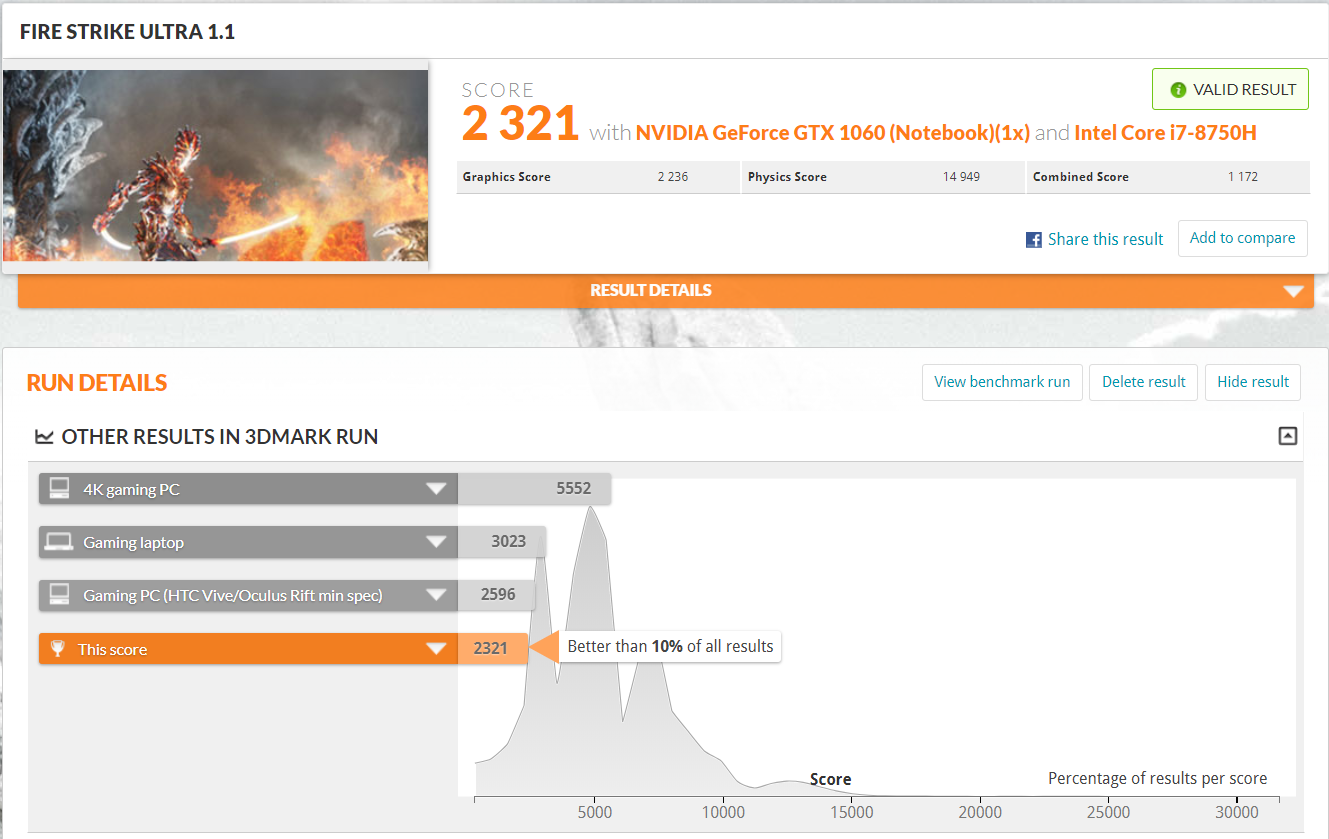
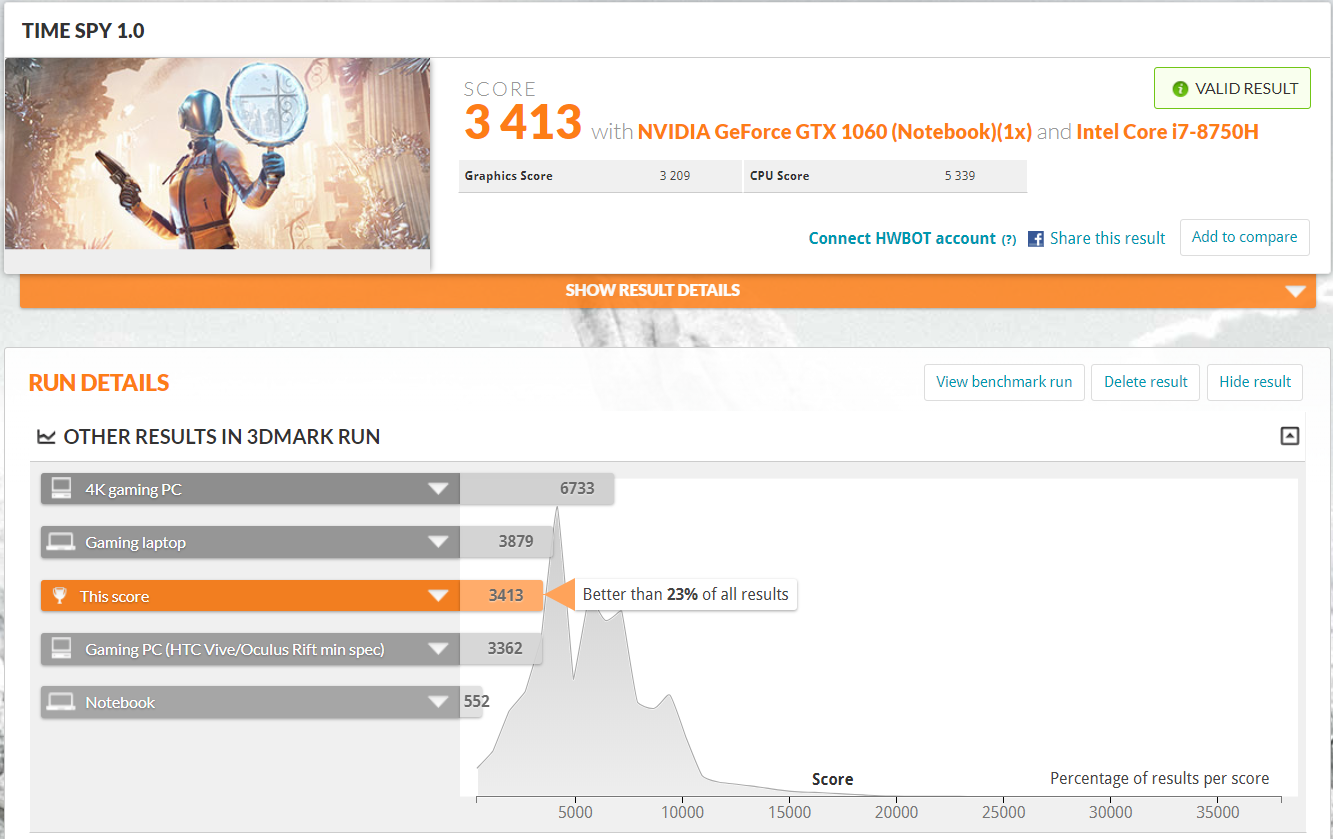
For this test, we ran the Fusion II through Fire Strike, Fire Strike Ultra and Time Spy. In the graphs below you can see it compared against similar laptops. Even though they all have similar specifications, slight variations in boost clock speeds caused by fluctuations in temperature have an impact on performance.
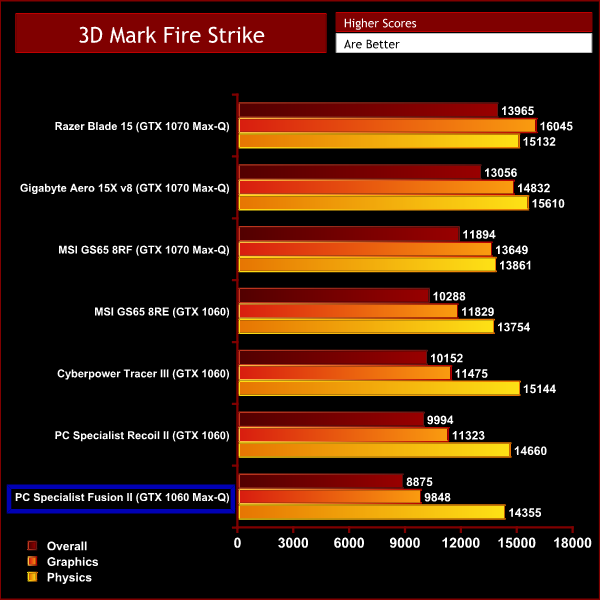
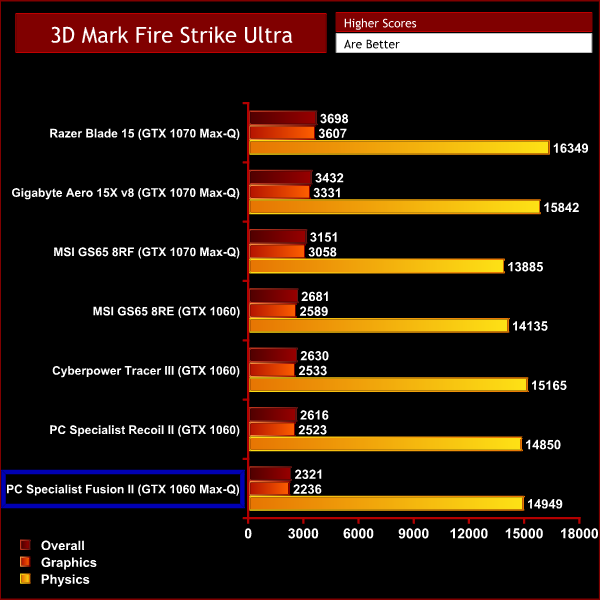
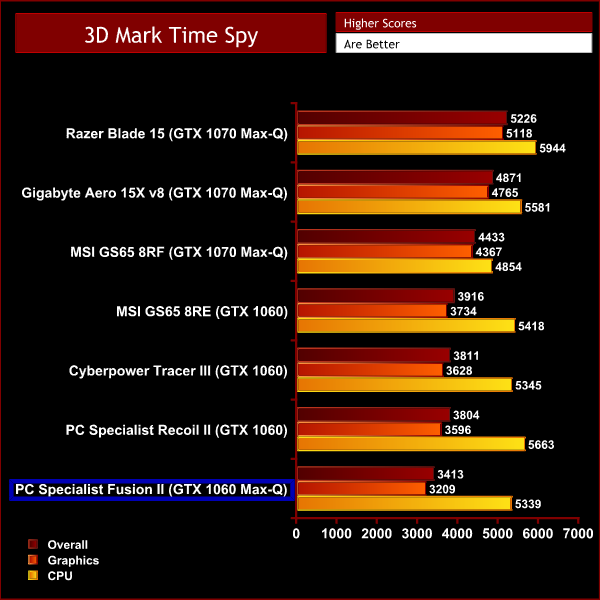
The results from our 3DMark testing see the Fusion II sitting in last place. This is no surprise as other laptops we've tested featuring the i7-8750H have come equipped with more powerful GPUs than the Max-Q version of the GTX 1060. This made clear in the results with the Fusion II lagging slightly behind with its graphics score in all 3 tests.
However, when it comes to the Physics and CPU scores the Fusion II sits comfortably somewhere in the middle as all 7 of the comparison laptops use the same i7-8750H.
When looking at the scores separately from the other laptops we can see that it is a very capable machine that scores well in all 3 tests and should be very capable of playing games and undertaking productivity tasks.
Gaming performance:
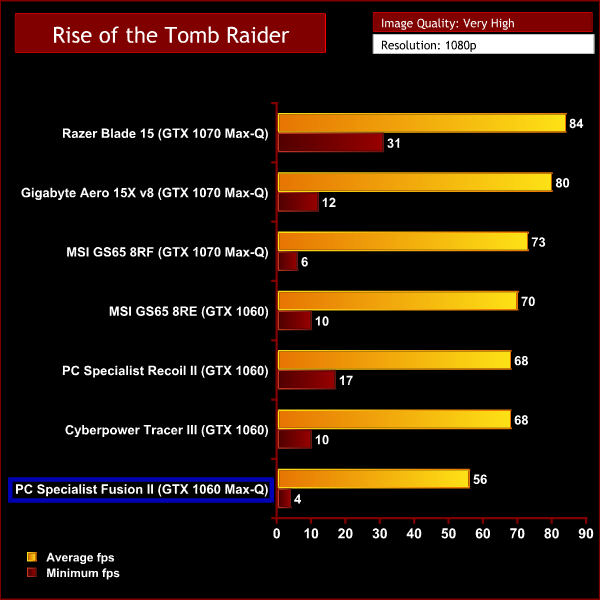
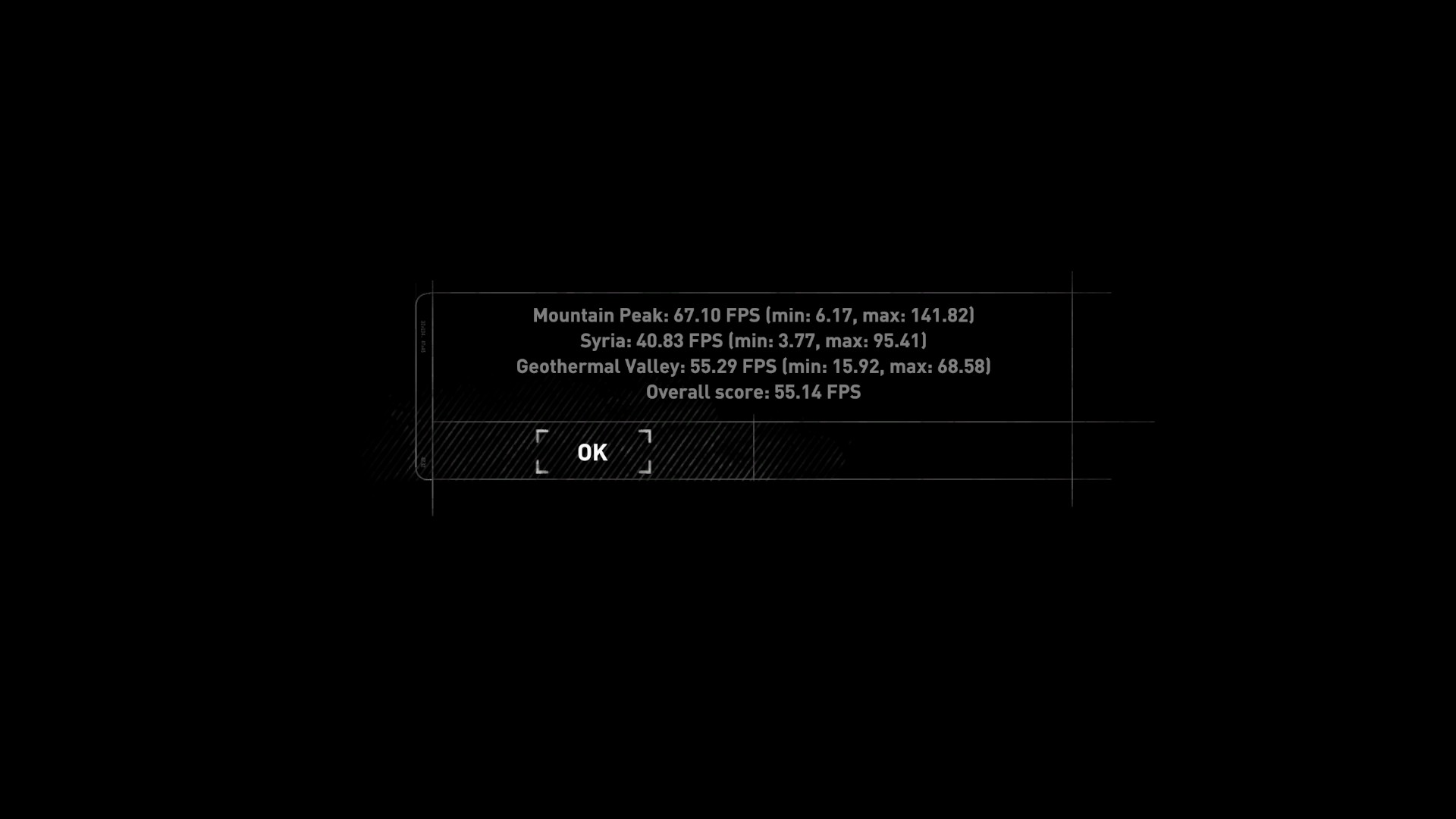
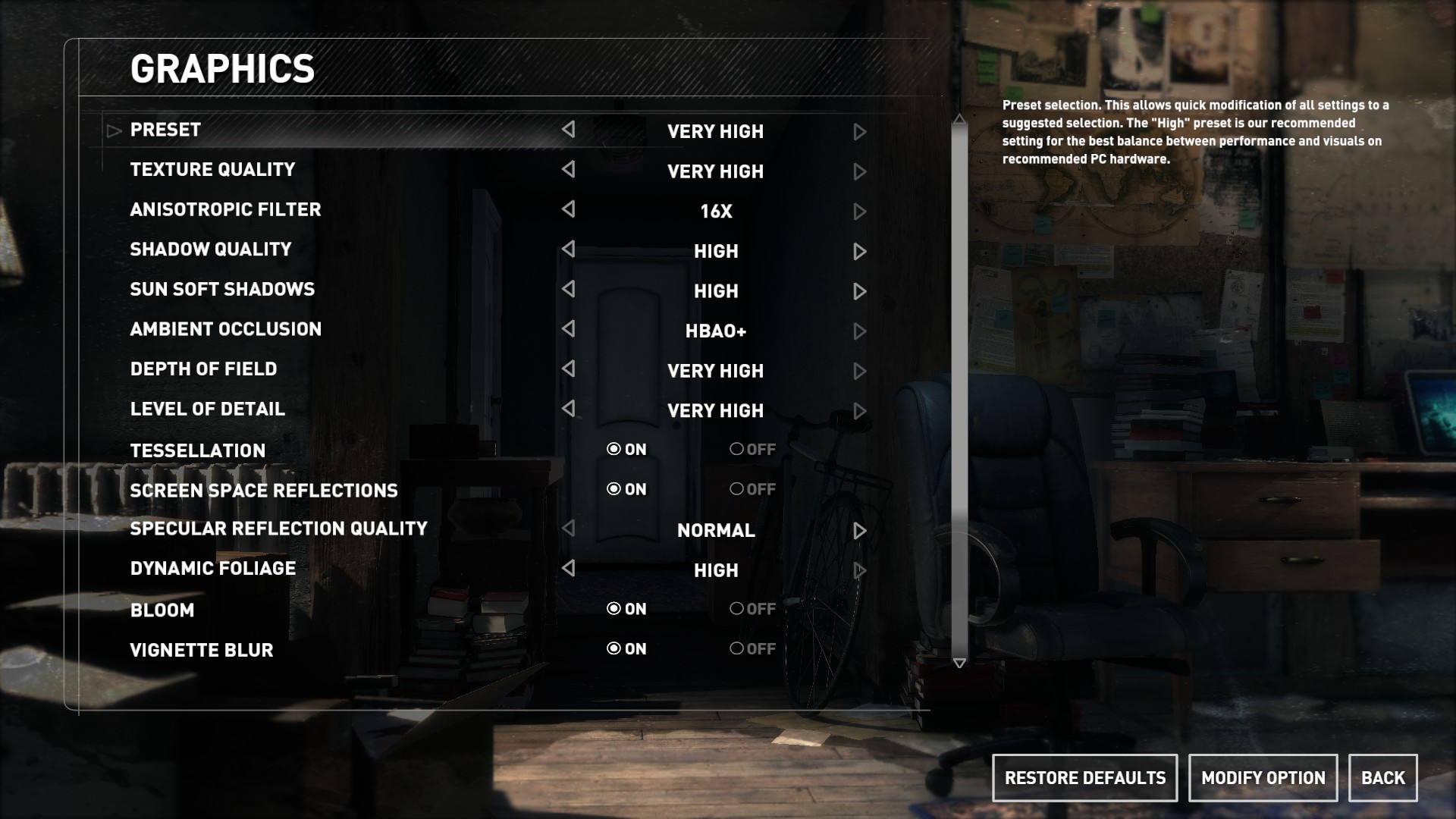
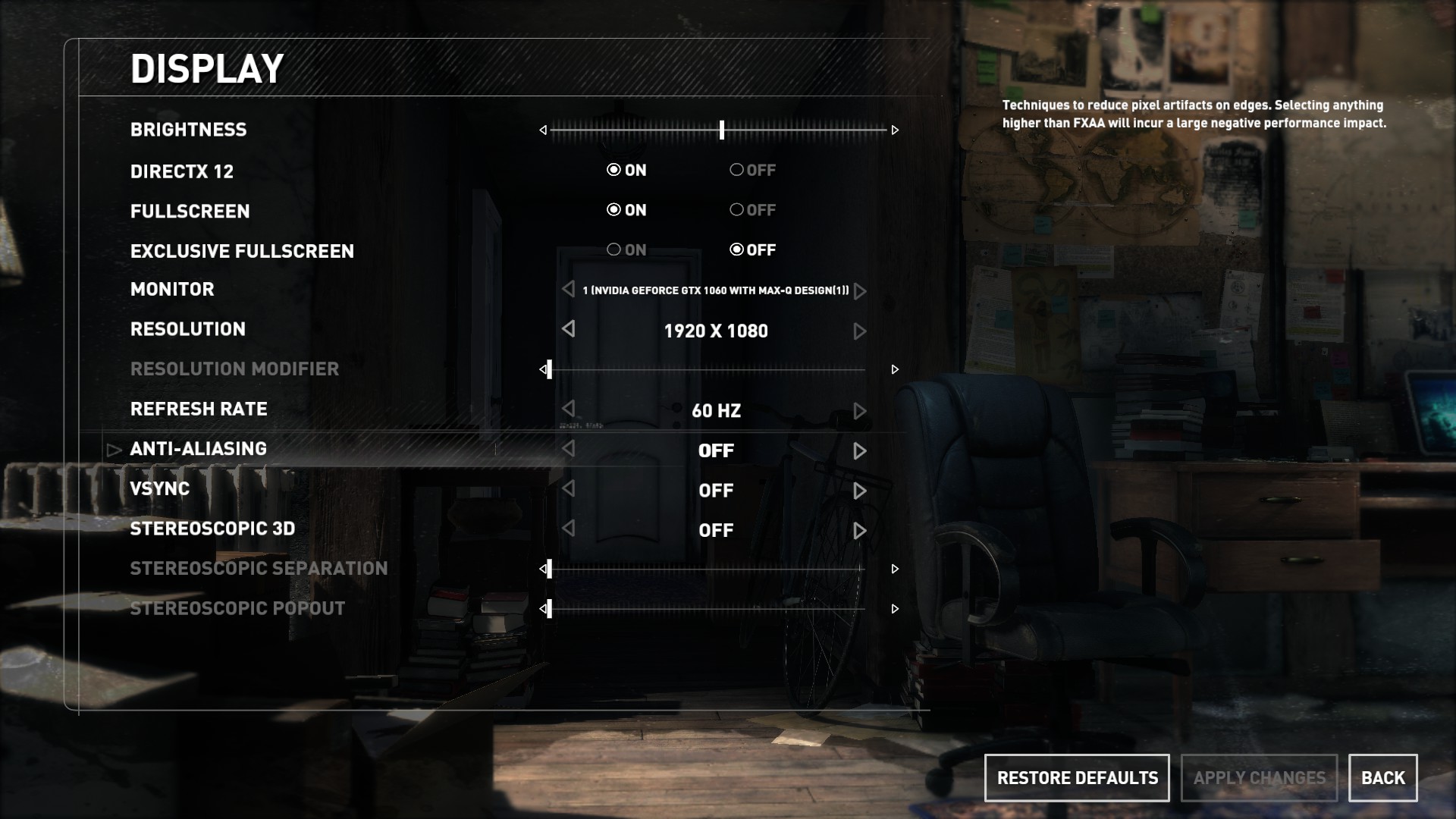
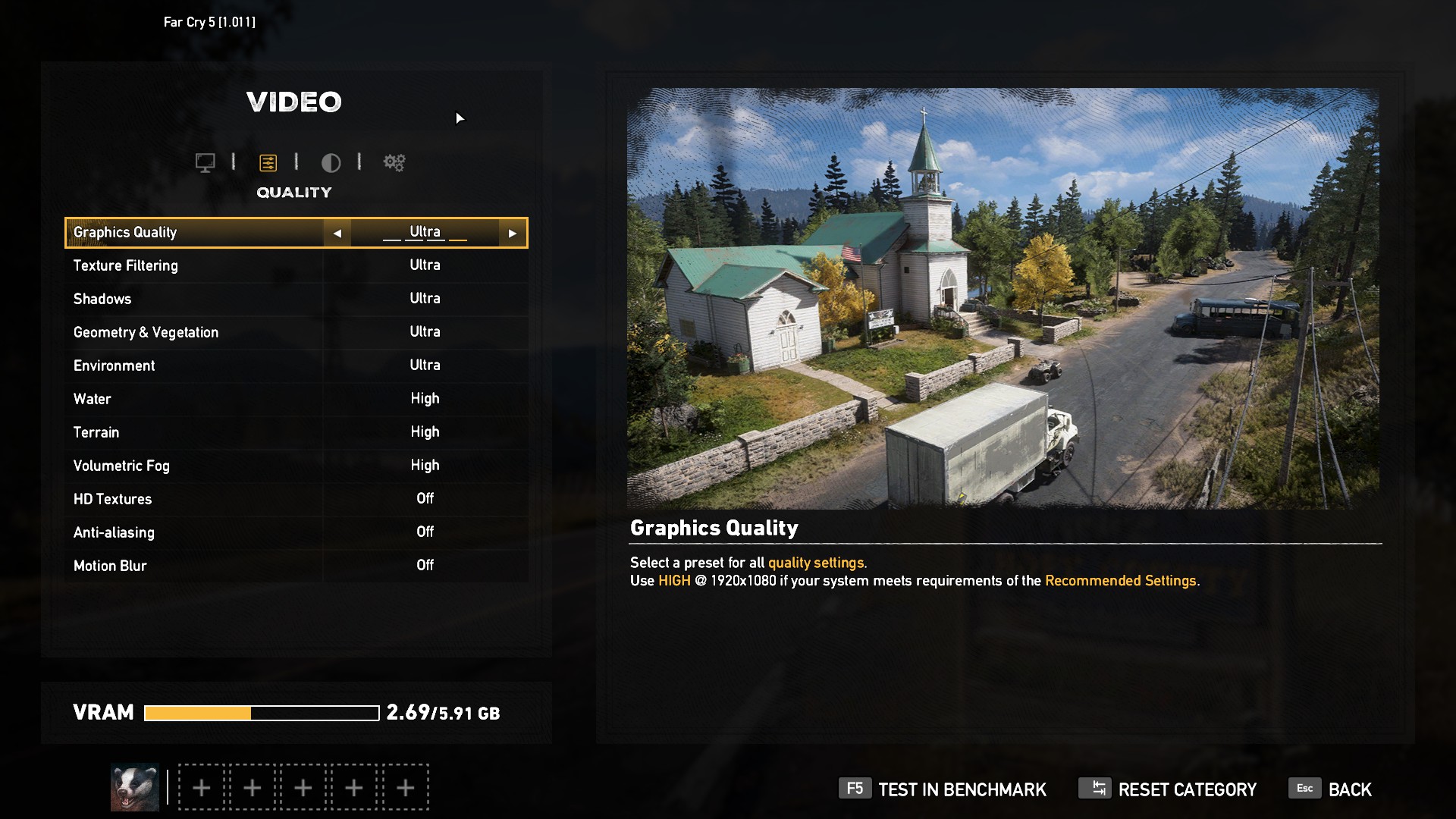
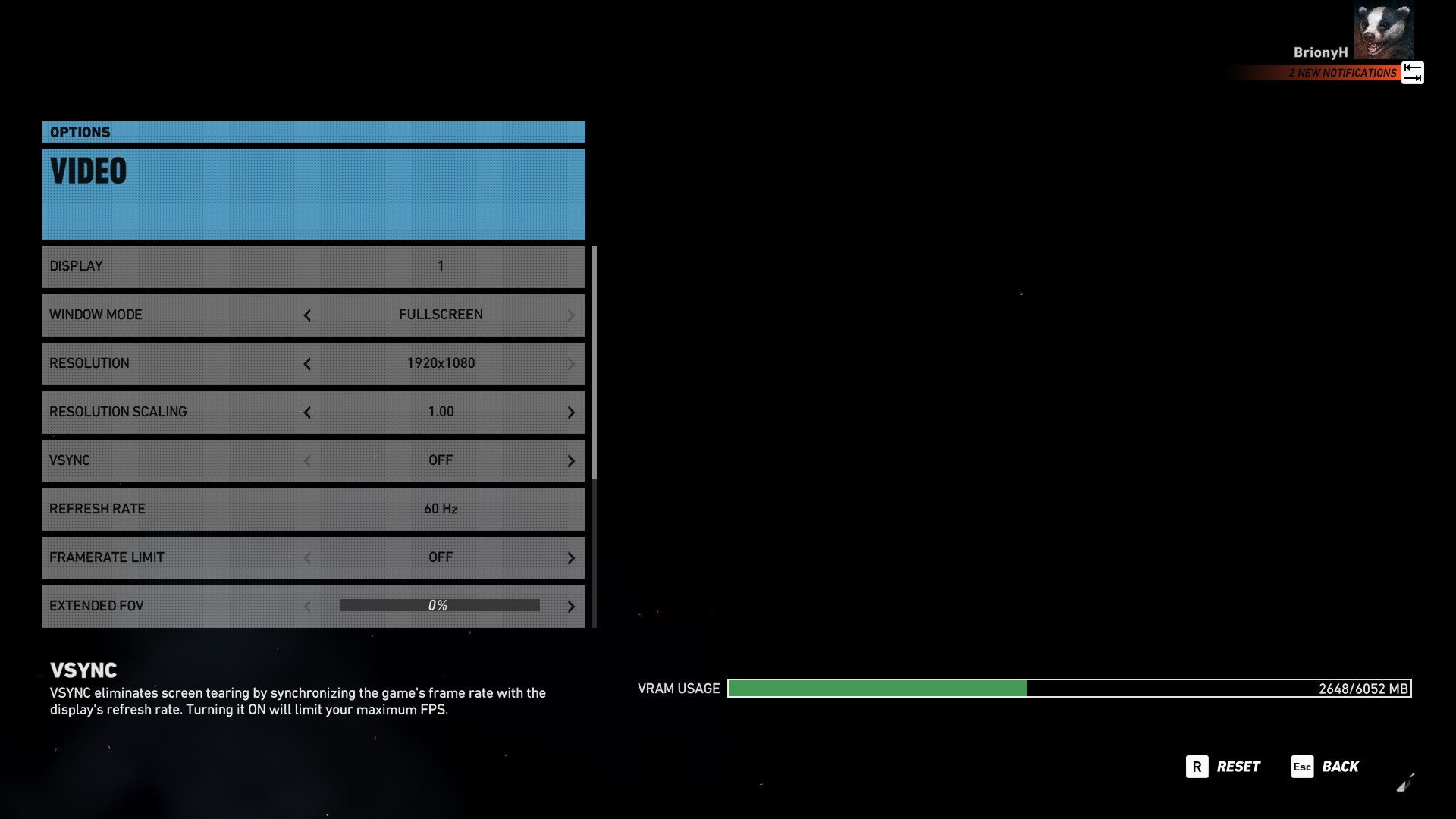
We used the Fusion II to play 3 different popular and graphically demanding games. We tested the games at their highest graphical settings with DX12 turned on and AA disabled. We then compared our findings to similar laptops.
Rise of the Tomb Raider is an action adventure game with many different environments and immersive landscapes making it a useful way to test this laptop’s gaming performance.
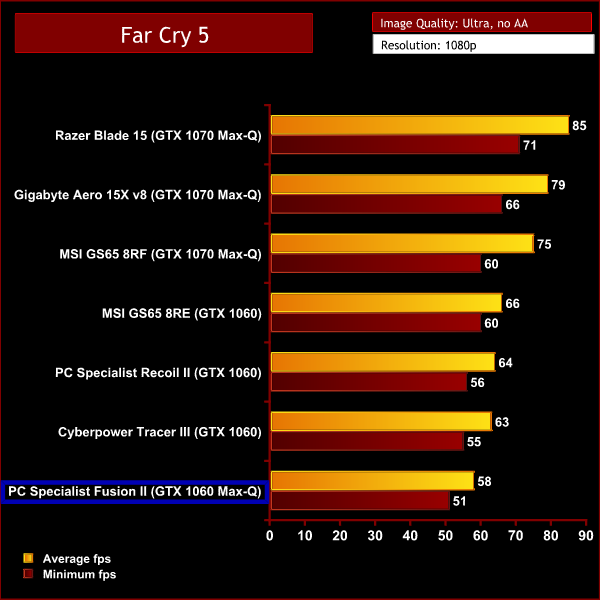
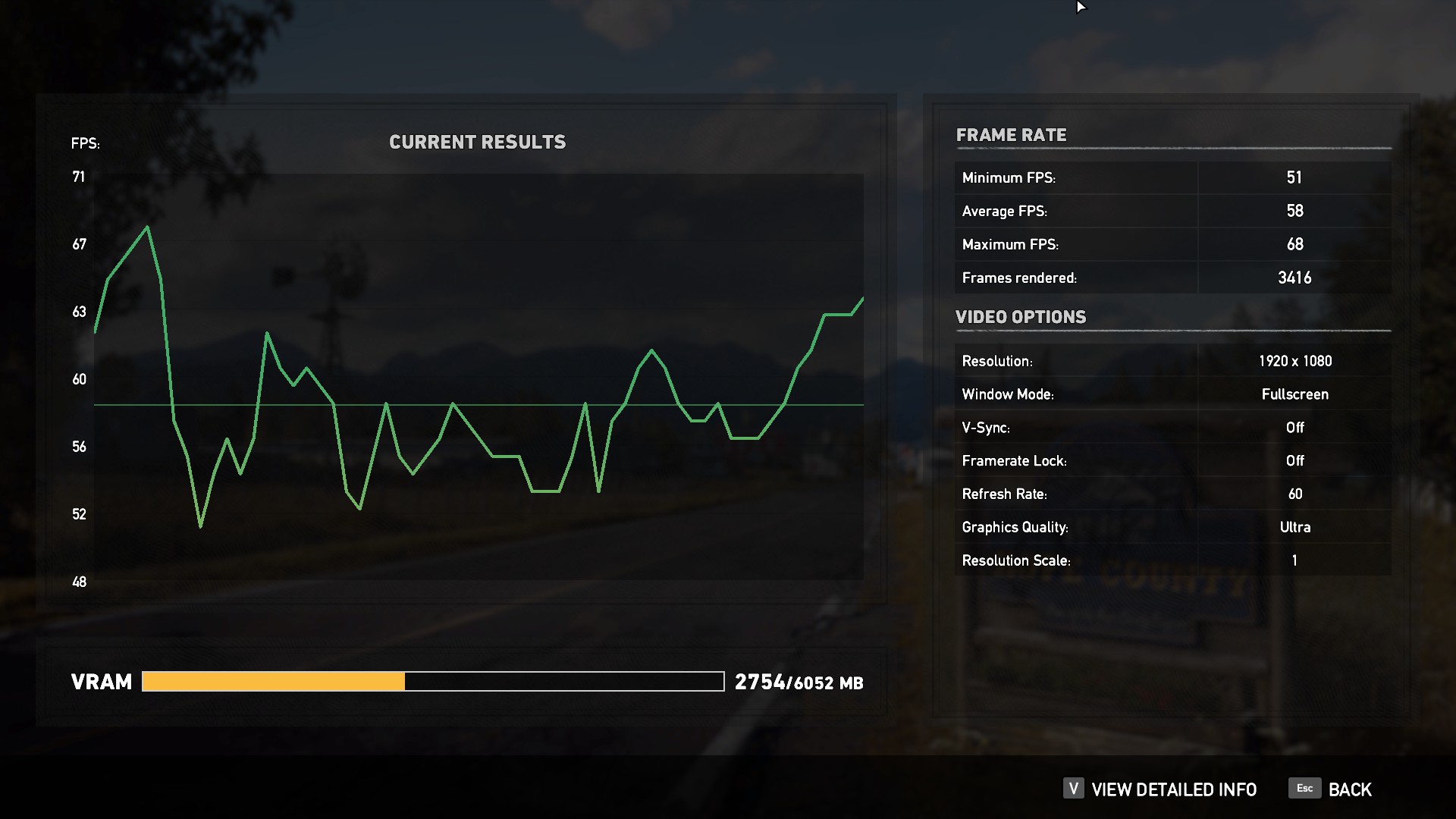
Far Cry 5 is the most recent release we tested. The gigantic open world of Hope County has plenty of beautiful scenery to test how well this laptop performs with a newer game.
Tom Clancy’s Ghost Recon Wildlands is a game with a superb open world environment. The beautiful scenery of mountains, forests and deserts requires a lot of GPU power to render, particularly on high settings. This demanding game is perfect for testing this PC’s gaming performance.
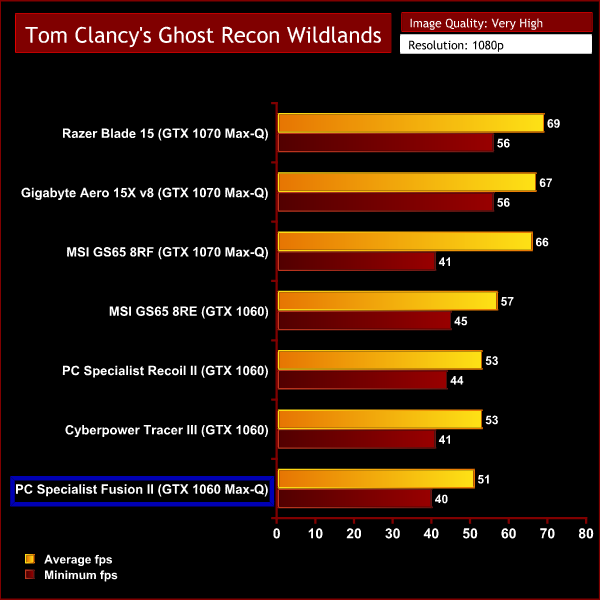
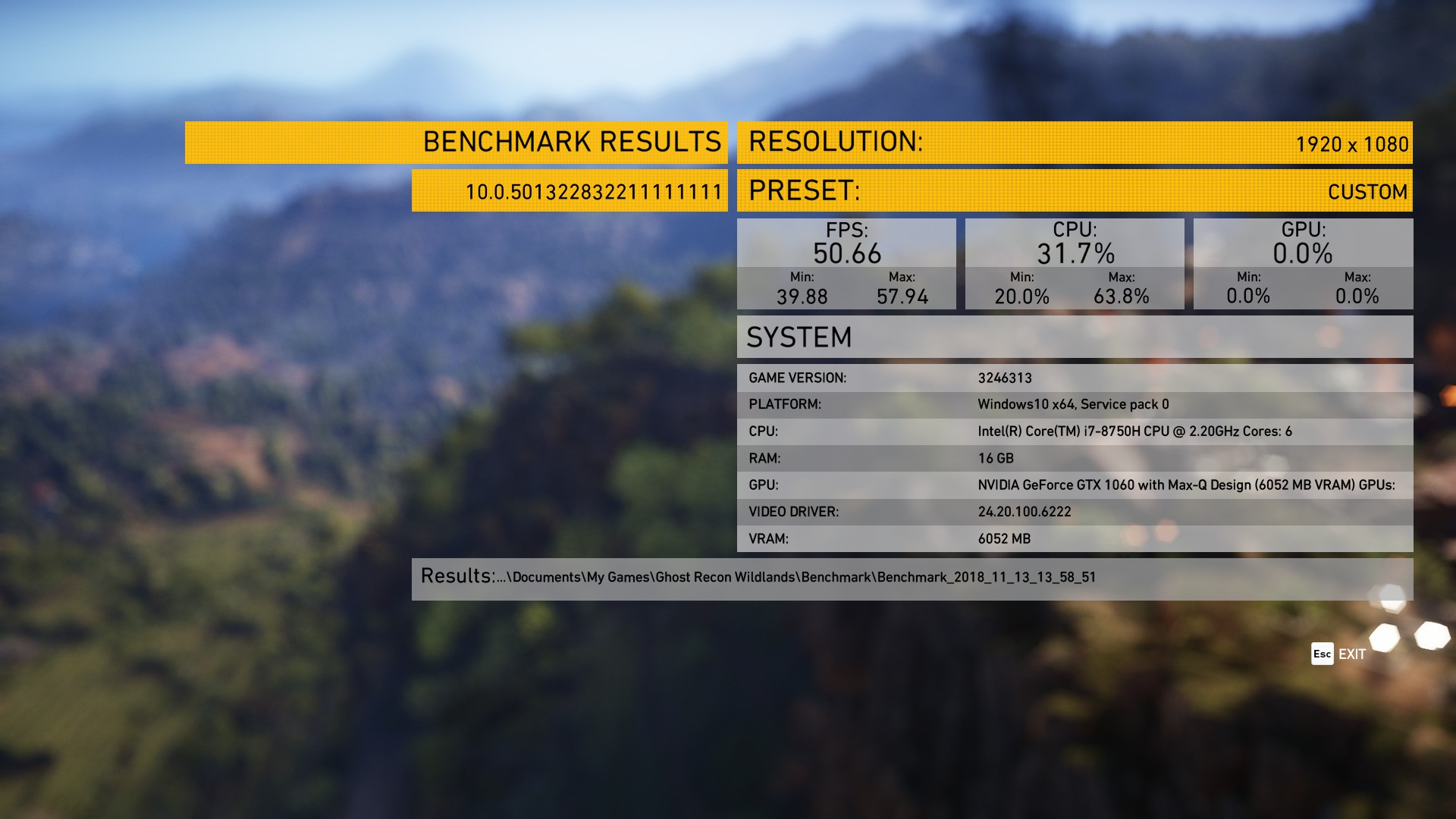
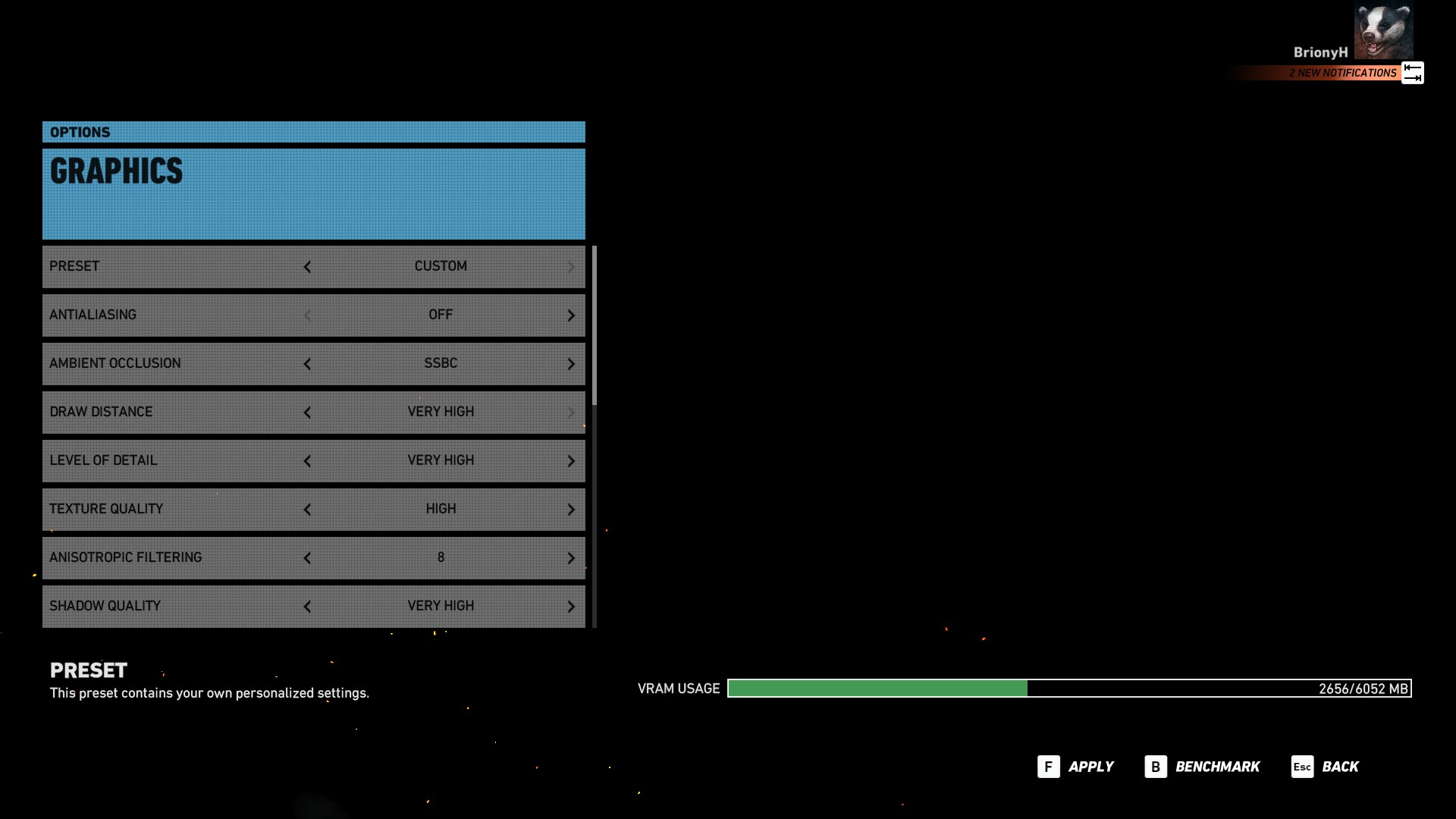
Results from our games testing see the Fusion II once again sitting in last place. This is due to the fact it is rocking the slightly less powerful Max-Q version of the GTX 1060. However the average FPS achieved is still very good when playing demanding games with their highest graphical settings.
There was a minor difference of only 2fps when compared to a GTX 1060 laptop in Tom Clancy's Ghost Recon Wildlands. But the Max-Q GTX 1060 was more noticeable in Rise of the Tomb Raider with a difference of 12fps.
Overall our games testing shows that the Fusion II is quite capable of playing the latest games on high settings with a decent frame rate.
The PC Specialist Fusion II is a fine looking laptop that is powerful enough to be considered a gaming laptop but also sleek and stylish enough to work well within a professional environment.
The 15″ thin bezel display and slim lightweight body makes it a very portable laptop that can be used comfortably on the go. The battery life is also pretty good and can last up to 6 hrs when used for less demanding tasks.
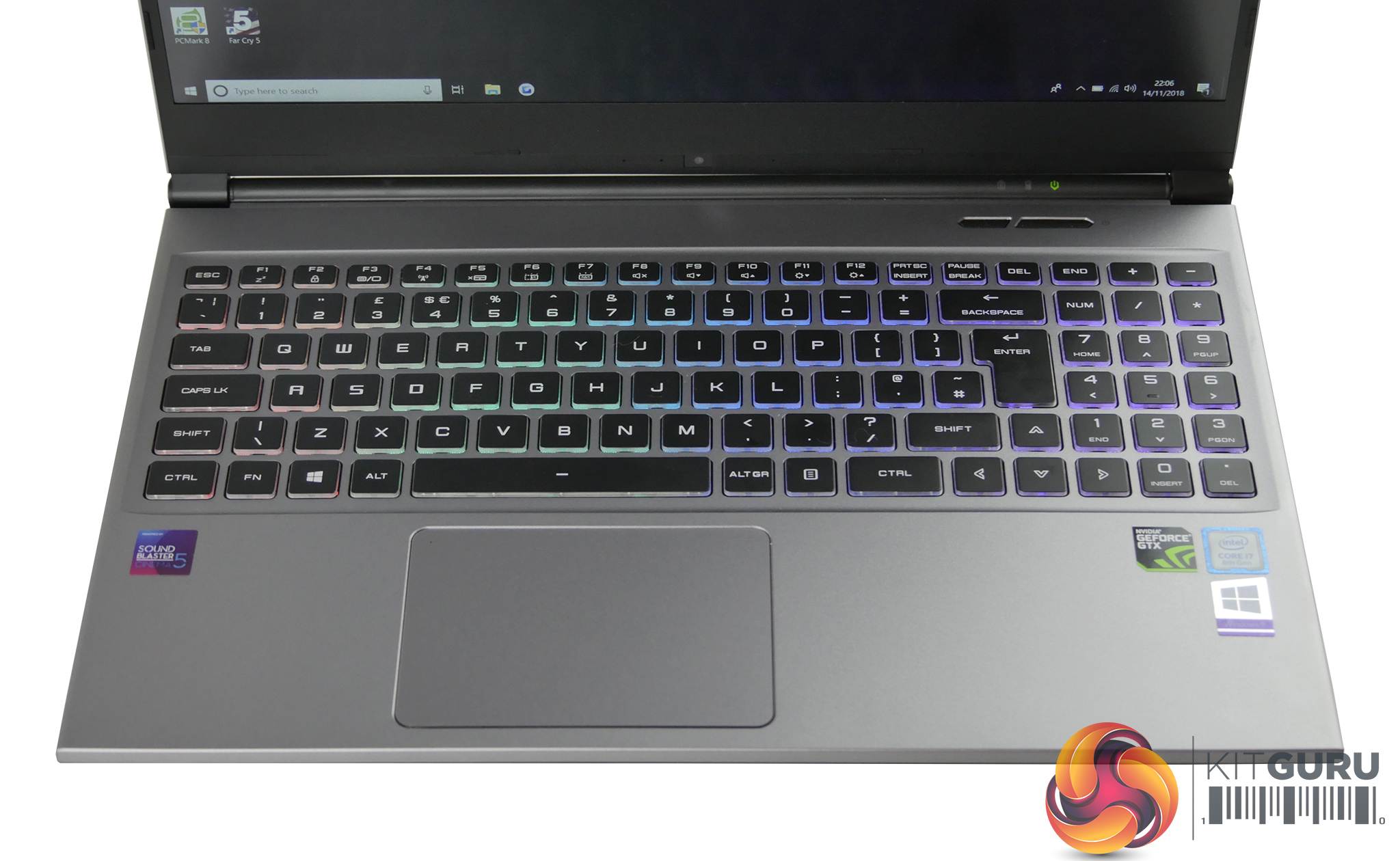
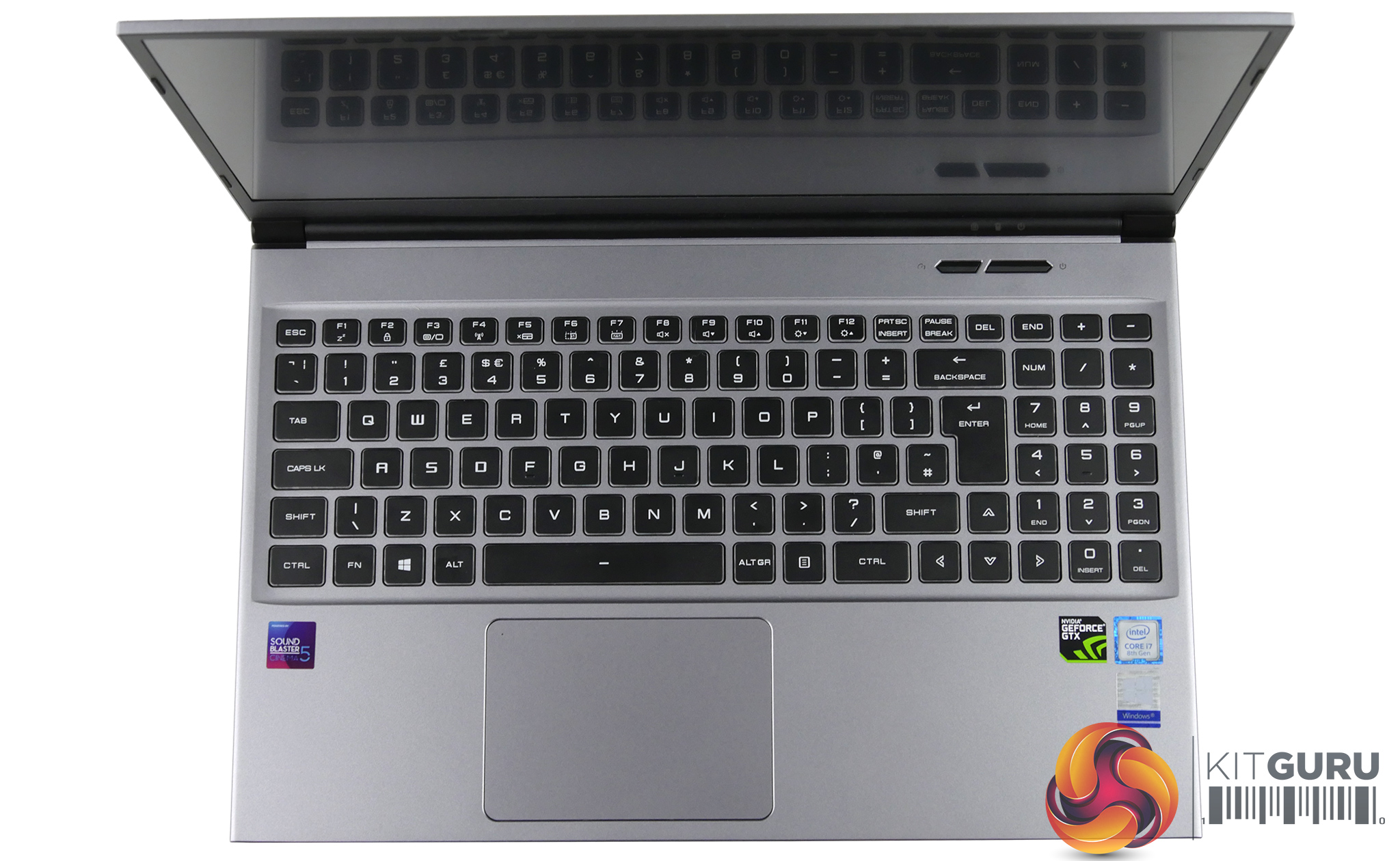
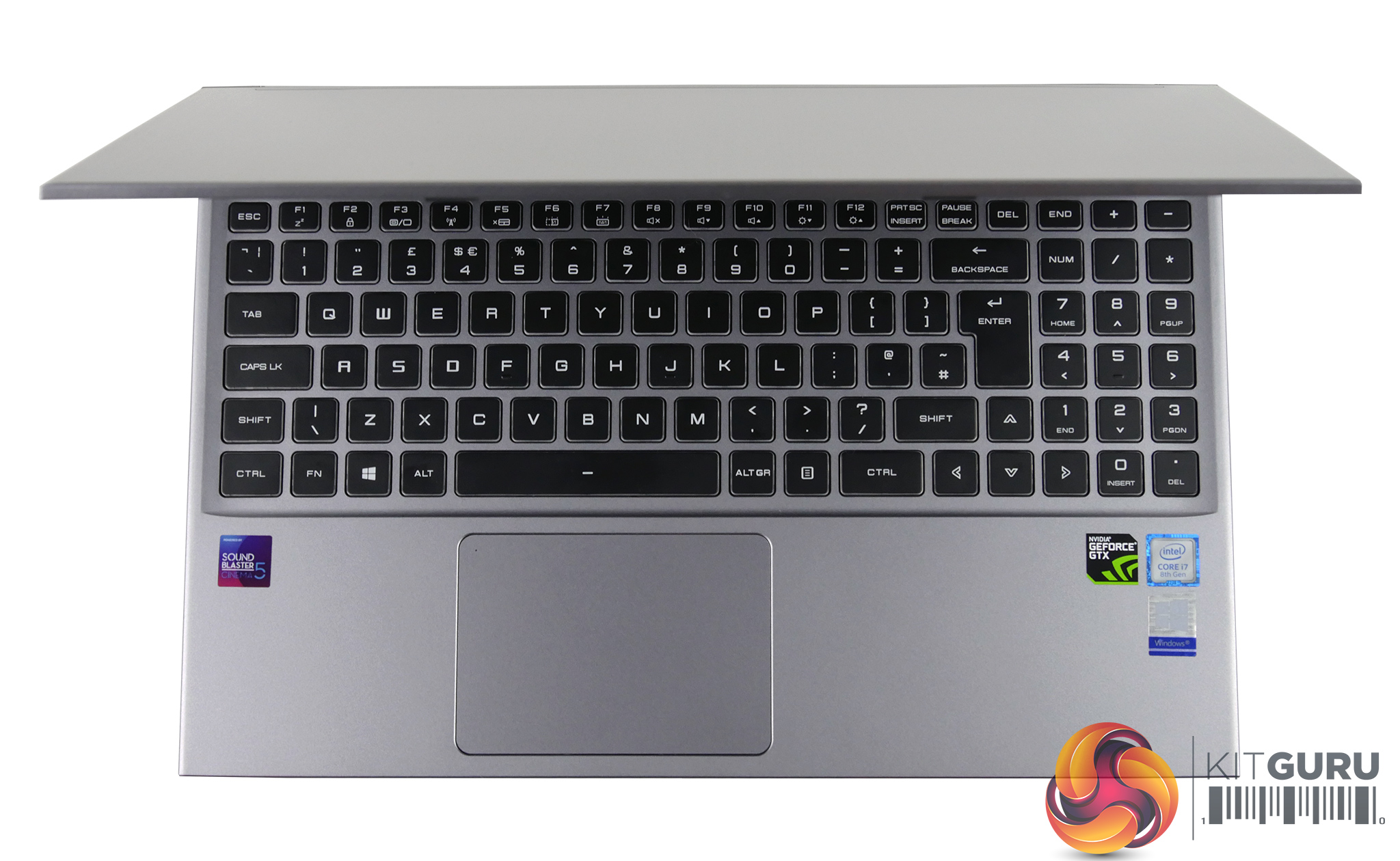
The webcam is a bit of a let down due to the positioning but we really liked the keyboard with the bright and customisable RGB lighting. It's also good to type on with decent spacing between the keys and a numpad that doesn't feel squished. There's plenty of connectivity for a range of peripherals and the Sound Blaster 5 speakers are loud and clear.
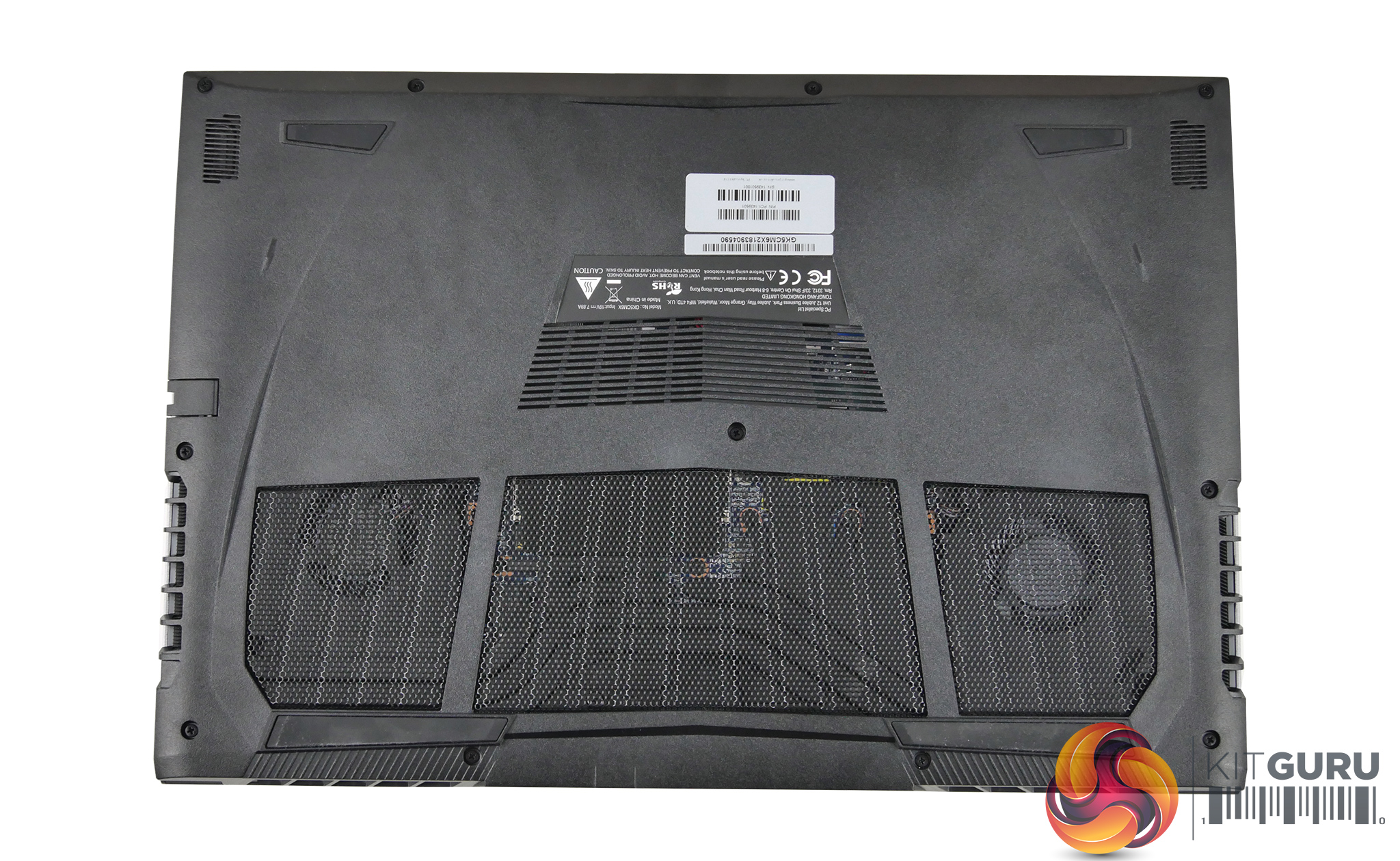
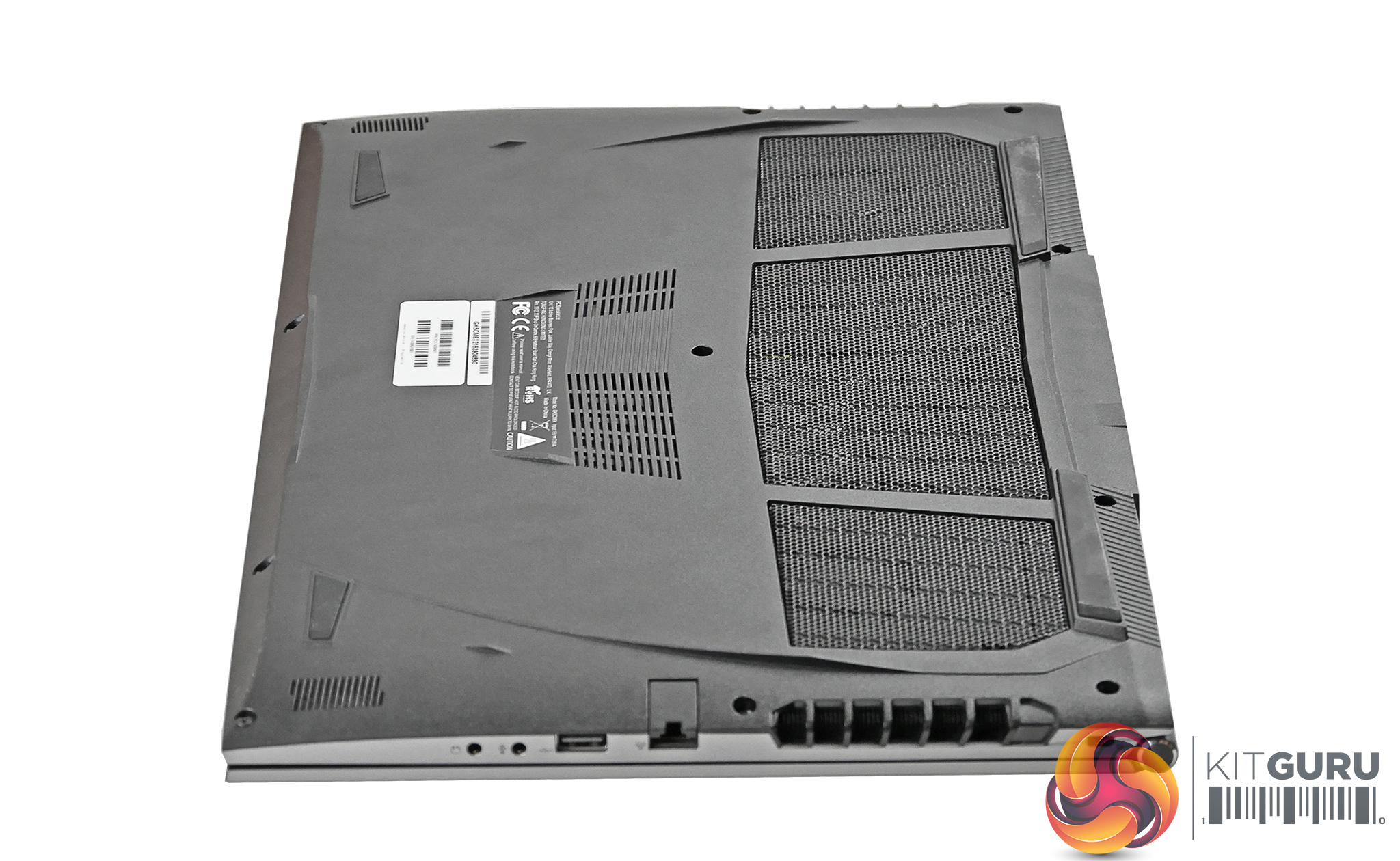
With a price tag of £1199 you get a attractive thin laptop for a reasonable price. It does perform well and the cooling does a good job at preventing the temps getting out of control. The competitive pricing is noticeable in certain areas such as the overall build quality and the display which doesn't look as vibrant as on more expensive laptops and does suffer from some backlight bleed.
The Fusion II would suit someone who isn't after the best of the best gaming performance for their cash, but instead wants something that is more portable with better battery life than a typical gaming laptop. For instance, when we compare it to PCSpecialist's Recoil II that we reviewed back in July, the Fusion II costs £50 more despite using the less powerful GTX 1060 Max-Q chip.
What you get for that extra money, however, is a thinner and lighter machine that still crams in a larger battery and a bigger SSD. So while it may not offer the same bang-per-buck as the Recoil II, it is designed with for users who have different priorities.
In any case, it's certainly still powerful enough to sit down and game on but overall it seems more suited for a professional user that wants to game occasionally & have decent performance for photo or video editing.
You can purchase the Fusion II from PC Specialist HERE starting at £1,006.00.
Pros:
- Slim and portable
- Good performance
- Attractive RGB keyboard
- Good speakers
Cons:
- Body is quite flexible
- Display has some backlight bleed
- Can get quite loud
- Poor webcam positioning
KitGuru says: Overall the Fusion II is a good option if you want a thin, lightweight laptop that is powerful enough for gaming and demanding tasks without breaking the bank.