 KitGuru KitGuru.net – Tech News | Hardware News | Hardware Reviews | IOS | Mobile | Gaming | Graphics Cards


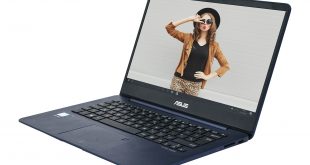
For some years, PC manufacturers have been competing to make a Windows notebook that is better-looking and more useful than a MacBook Air. One of the clear contenders has been ASUS with its ZenBooks. Each generation has provided tempting design, lightness and features, with the UX390UA coming it at under a kilogram. The UX430UA, being a 14in model, isn't quite that featherweight, but it still has plenty to entice.
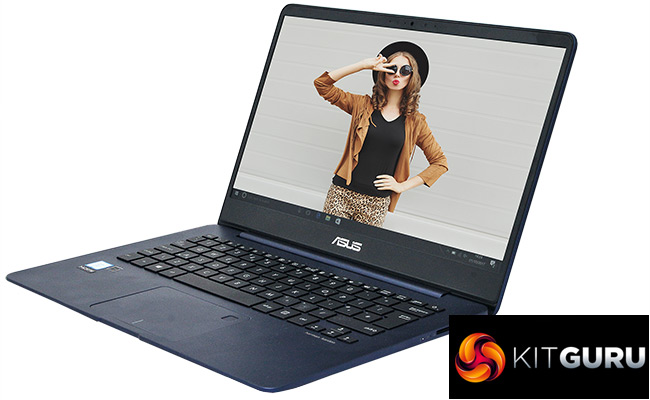
The ASUS ZenBook UX430UA looks as great as previous models, with a brushed metal-look to the lid and (in the case of our sample), a stylish contrast between the dark blue of the chassis and black keyboard. But the internals are a pretty standard configuration for an ultrabook in this class. There's an Intel Core i7 7500U, 8GB of DDR4 memory, integrated Intel graphics, and a 256GB SSD.
This makes it very similar to the Dell XPS 13. But the price at time of writing was also quite a bit lower than the XPS 13. Could this be the perfect 14in portable?
Specification
- Processor: Intel Core i7-7500U 2.7GHz, Turbo Boost up to 3.5 GHz
- Memory: 8GB LPDDR4 2133MHz
- Hard drive: 256GB SSD
- Operating System: Windows 10 Home
- Display: 14in (16:9) 1920 x 1080 LED backlit 60Hz Anti-Glare Panel with 72% NTSC
- Graphics: Integrated Intel® HD 620 Graphics
- Audio: 3W speakers
- Networking: Integrated 802.11 AC
- Power Supply: 3 Cells 50 Whrs Polymer Battery, 45W power brick
- Dimensions: Width 324 mm, Depth 225 mm, Height 15.9 mm
- Weight: 1.25 g with Battery
- Interfaces: 1 x combined headphone/microphone audio jack, 1 x USB 3.1 Type C, 1 x USB 3.0, 1 x USB 2.0, 1 x Micro HDMI, 1 x SD card reader
- Adapters included: USB 3 to Ethernet; Micro HDMI to HDMI
Price: £899.97
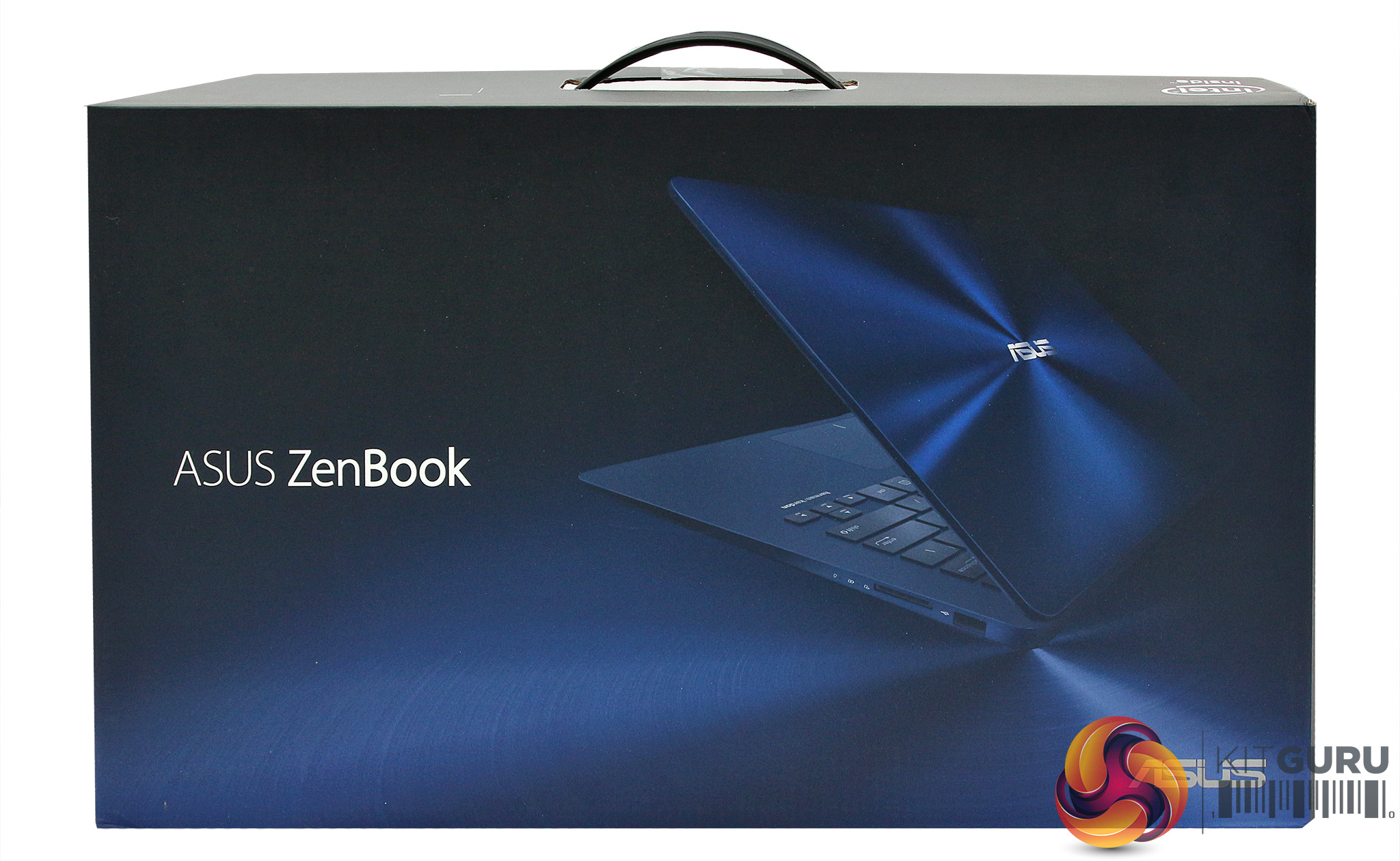
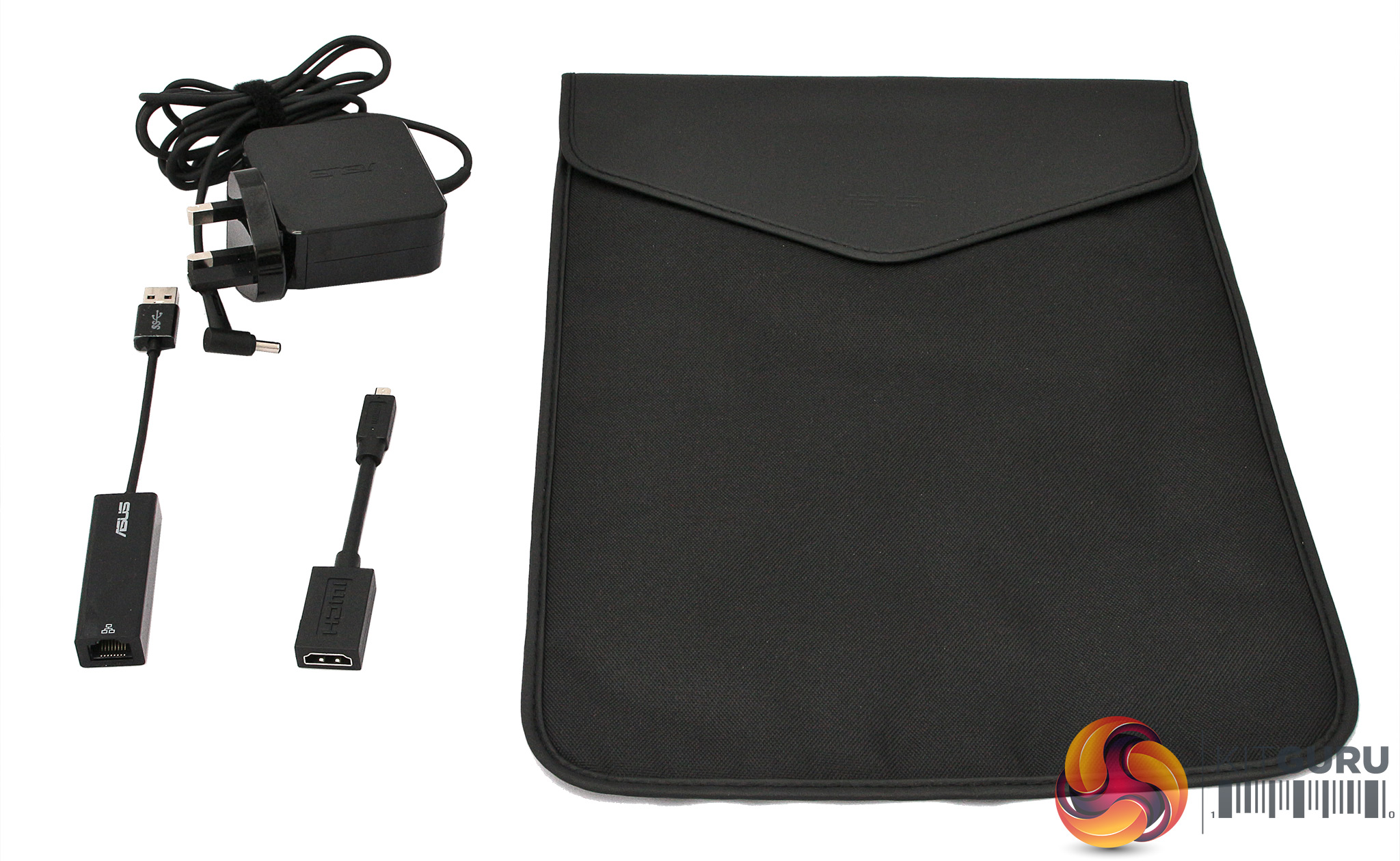
The ASUS ZenBook UX430UA presents a premium appearance from the box onwards. Aside from the notebook itself, you get a protective sleeve to carry it around in. The power supply uses a proprietary connection, rather than USB C. A handy pair of adapters are included in the box.
There's a Micro HDMI to HDMI adapter, and one for USB 3.0 to Ethernet. So all the most important ports you might miss due to the slimness of the chassis can be reinstated via bundled adapters.
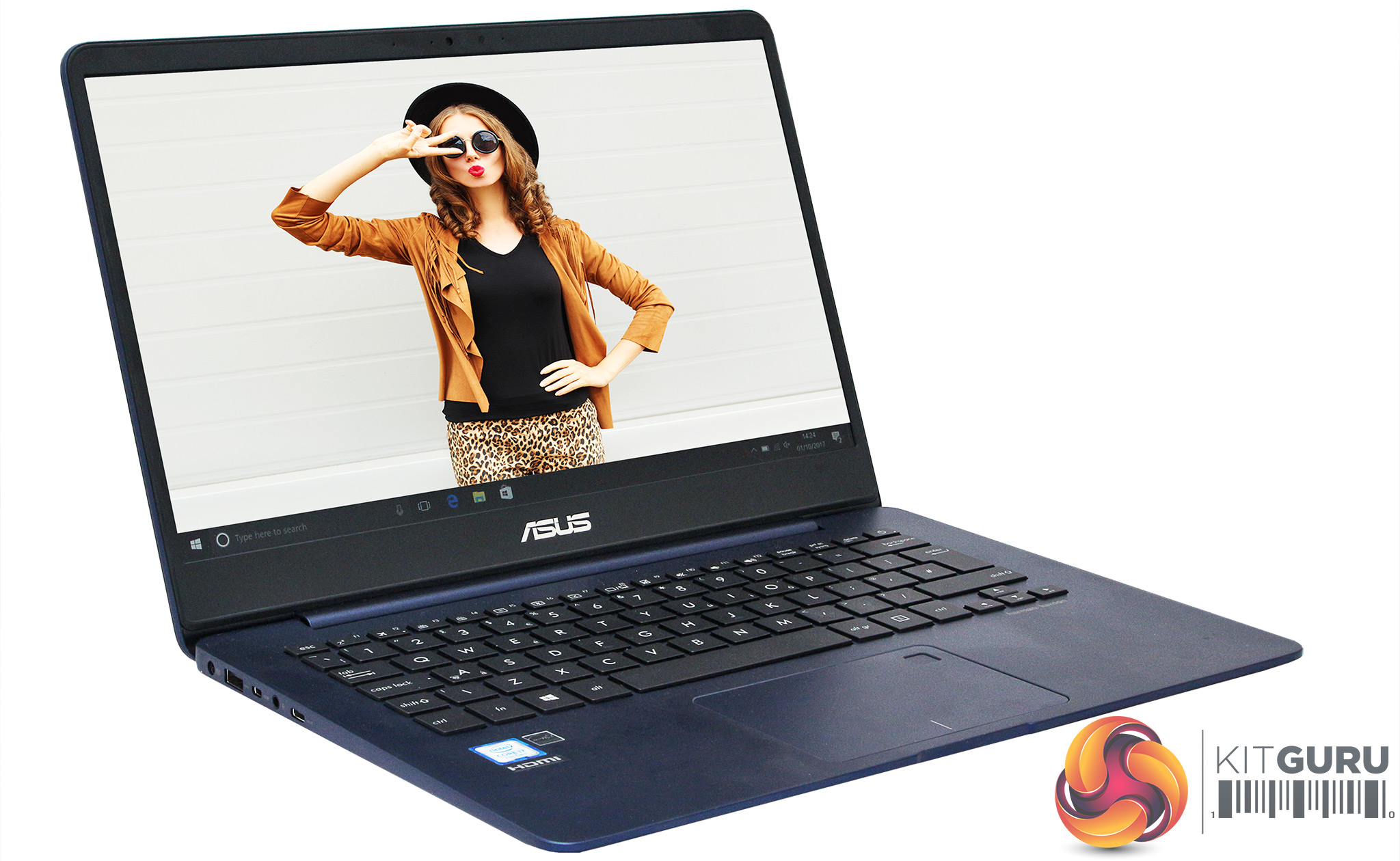
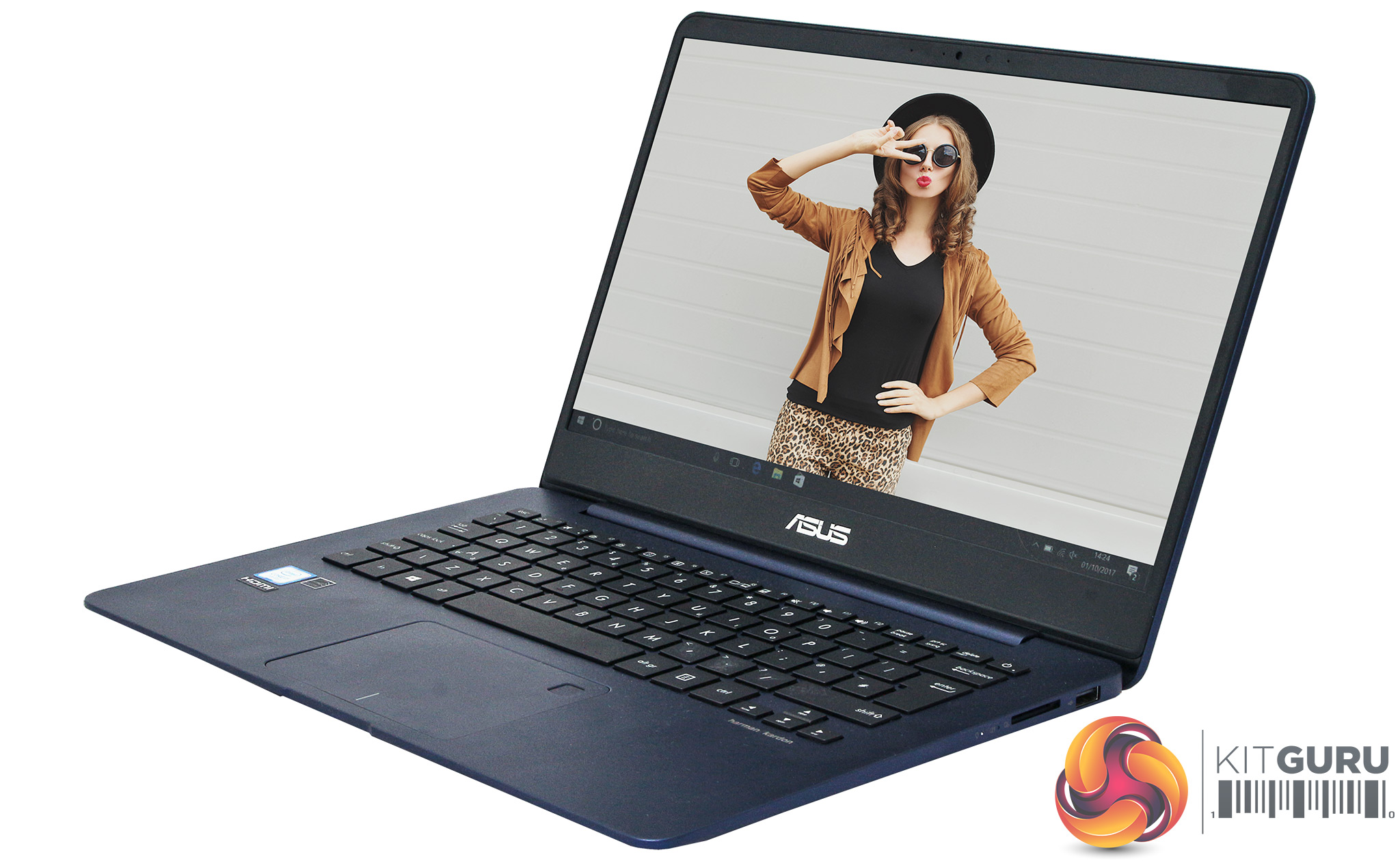
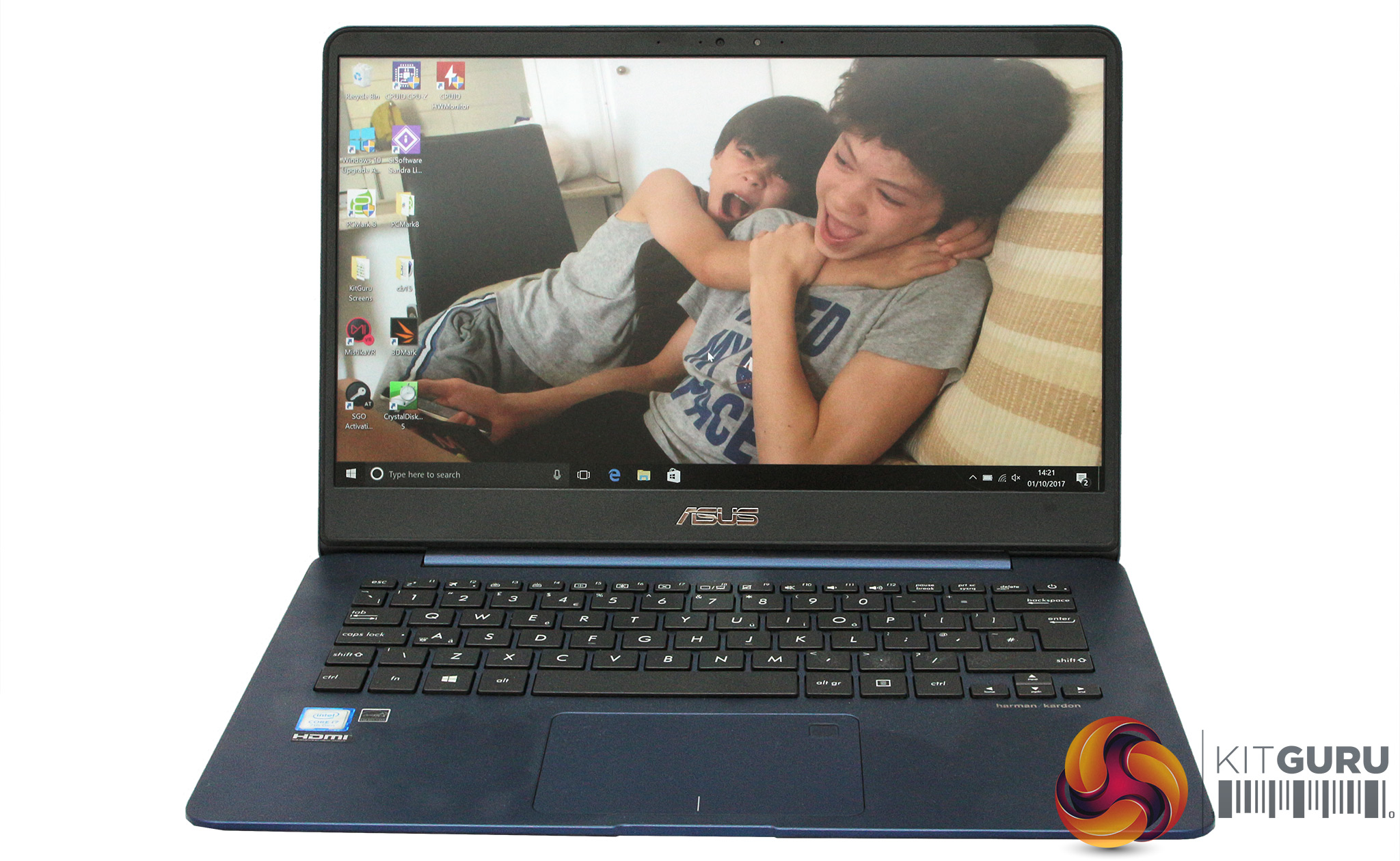
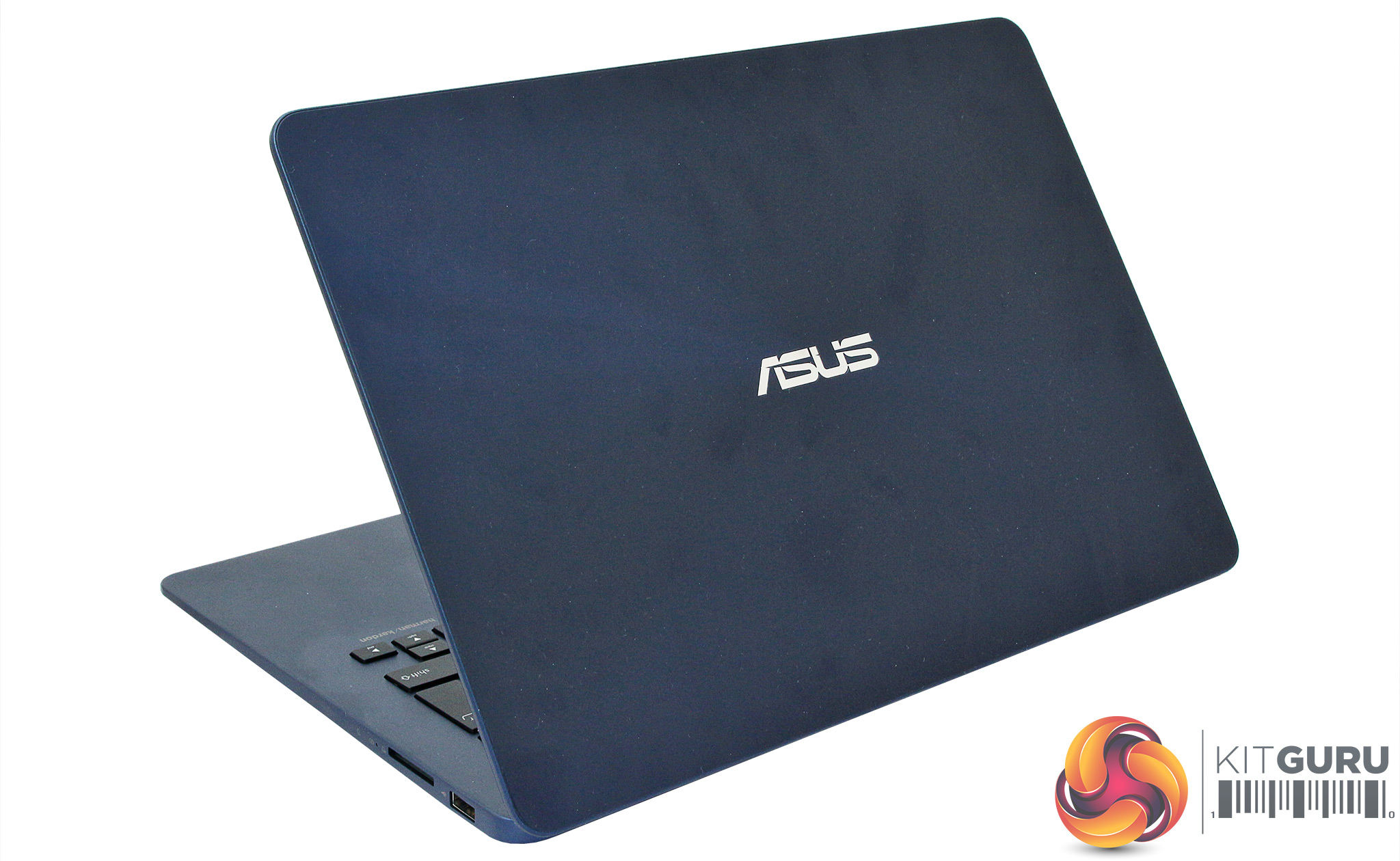
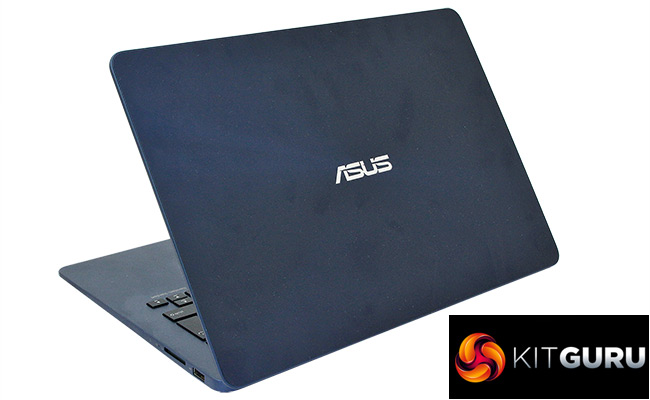
There's no doubt that ASUS's ZenBooks are good-looking machines, and the UX430UA continues that tradition. The deep blue of the lid with its brushed metal appearance is a little more ostentatious than a MacBook, but remains the right side of stylish.
The way the blue has been continued in matte form for the rest of the chassis provides a unified look, with black and dark grey making subtle appearances for the keyboard and screen bezel respectively.
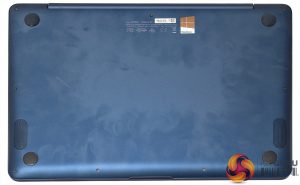
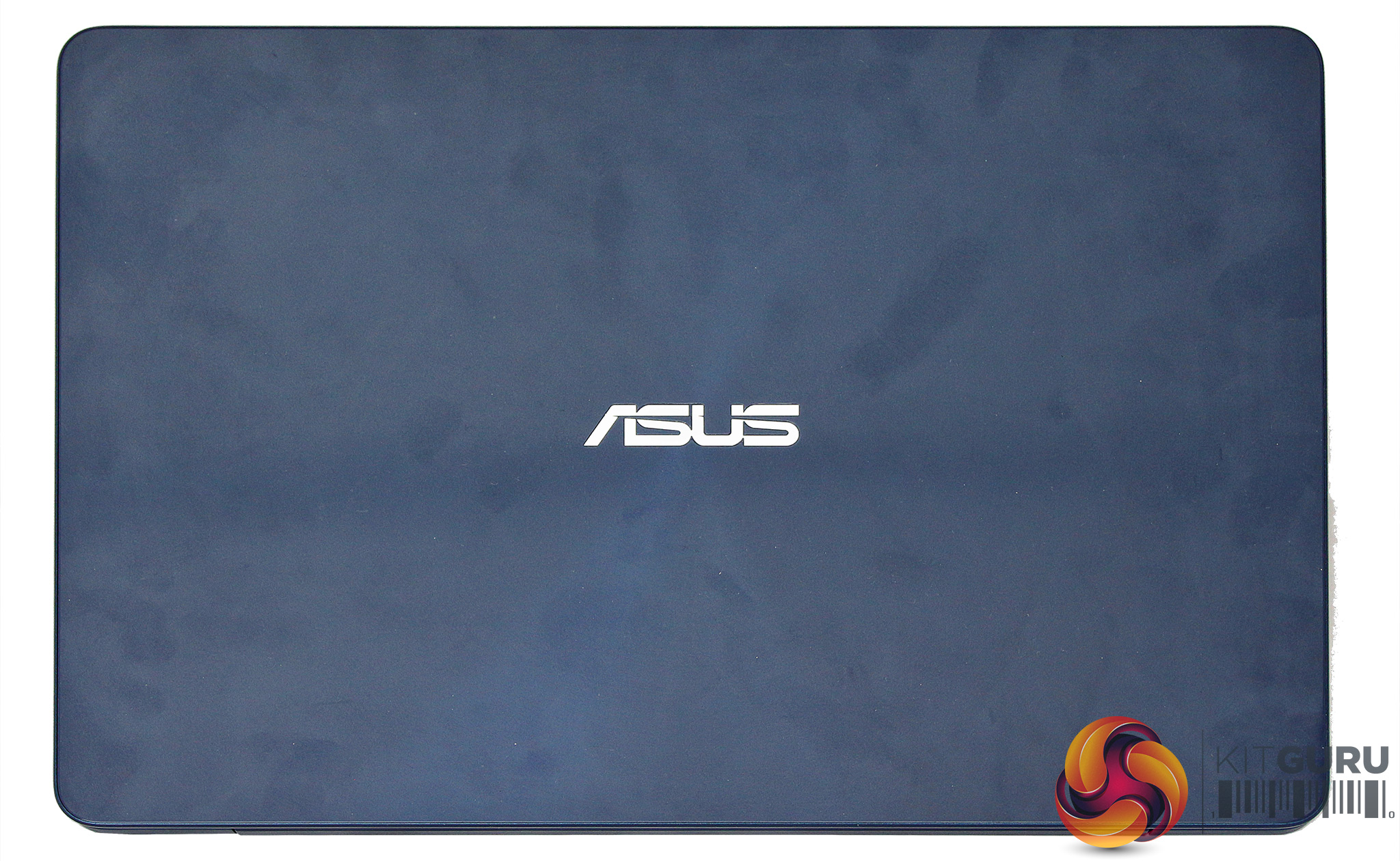
The one niggle for the glossier ZenBook chassis like these is that they are fingerprint magnets (see image above), so you will need to keep giving them a polish to maintain the classy appearance.
Some ZenBooks come with 4K screens, but in the case of our sample, the resolution is a more sane 1,920 x 1,080. This is an IPS panel, so colours are rich. The viewing angles are also excellent. This isn't the brightest notebook screen we've seen, but the matte anti-glare surface means that your view isn't marred by reflections in bright conditions.
ASUS claims to have shoehorned a 14in screen into a 13in chassis, and has achieved this by keeping the left and right bezel very thin. There is a fair amount of flex in the screen-bearing lid, but it still feels sturdy. Overall, whilst quality doesn't quite match the metal unibody of a MacBook, it's still reassuringly premium in feel and appearance.
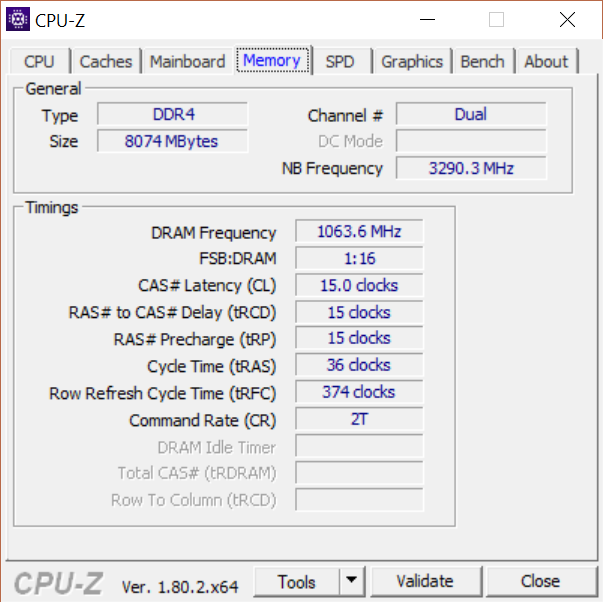
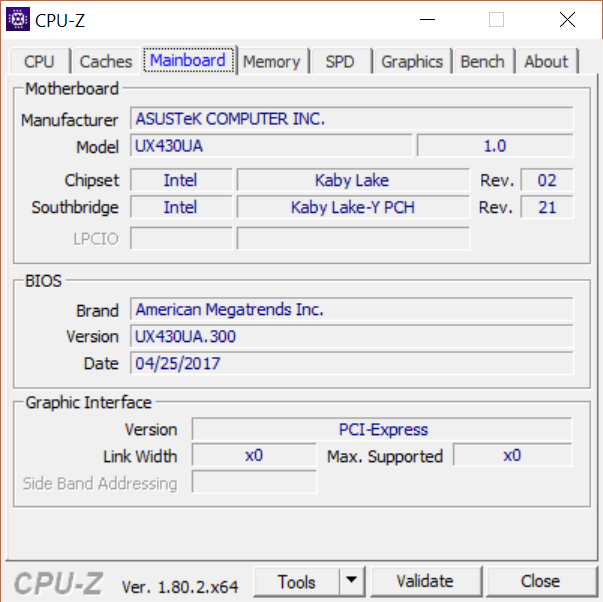
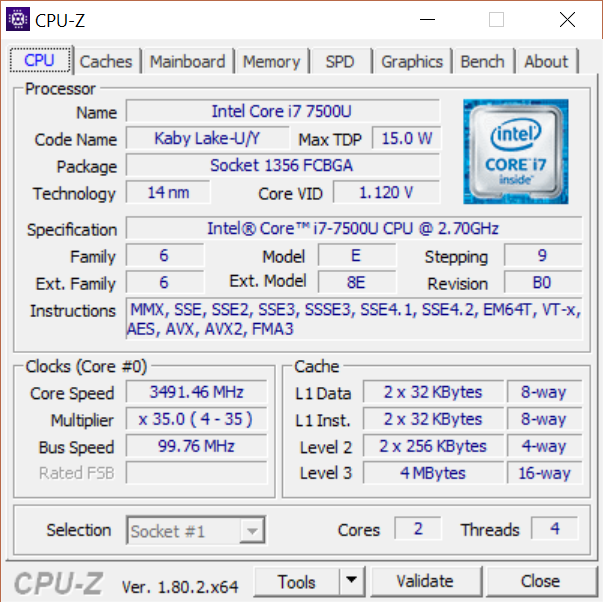
The Intel Core i7-7500U taking central processing duties is a dual-core chip with HyperThreading. It runs at a nominal 2.7GHz with a 3.5GHz Turbo Boost mode, so can provide plenty of grunt when needed. The CPU is partnered by 8GB of 2,133MHz DDR4 SDRAM, which is adequate for an ultrabook, and at least it's DDR4 when some ultrabooks are still using DDR3.
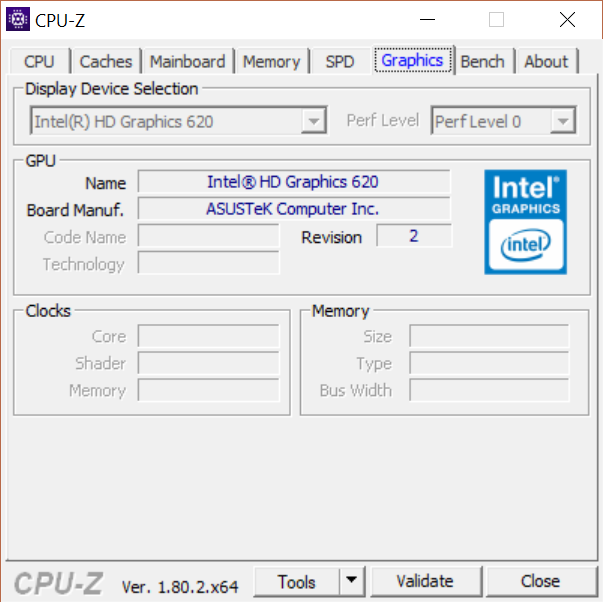
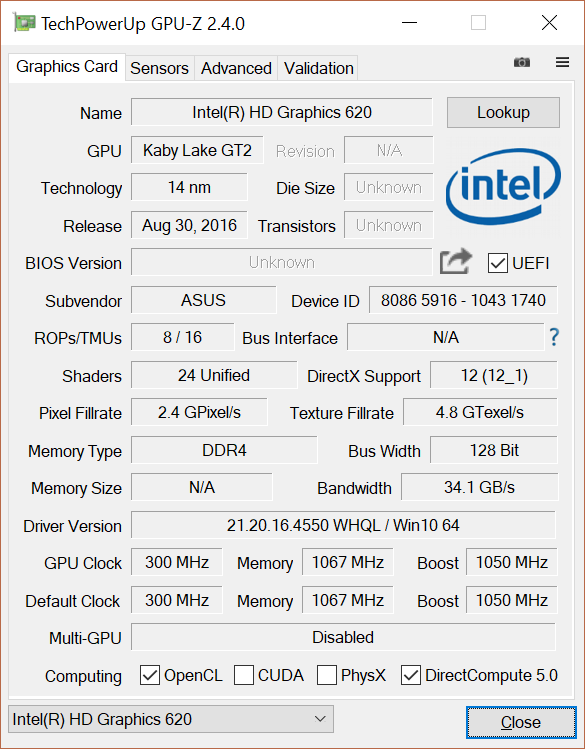
The integrated graphics is Intel's HD Graphics 620. This provides 24 unified cores running at up to 1,050MHz. It won't be a match for discrete graphics, but should cope with 3D tasks that aren't intensive games or professional content creation applications.
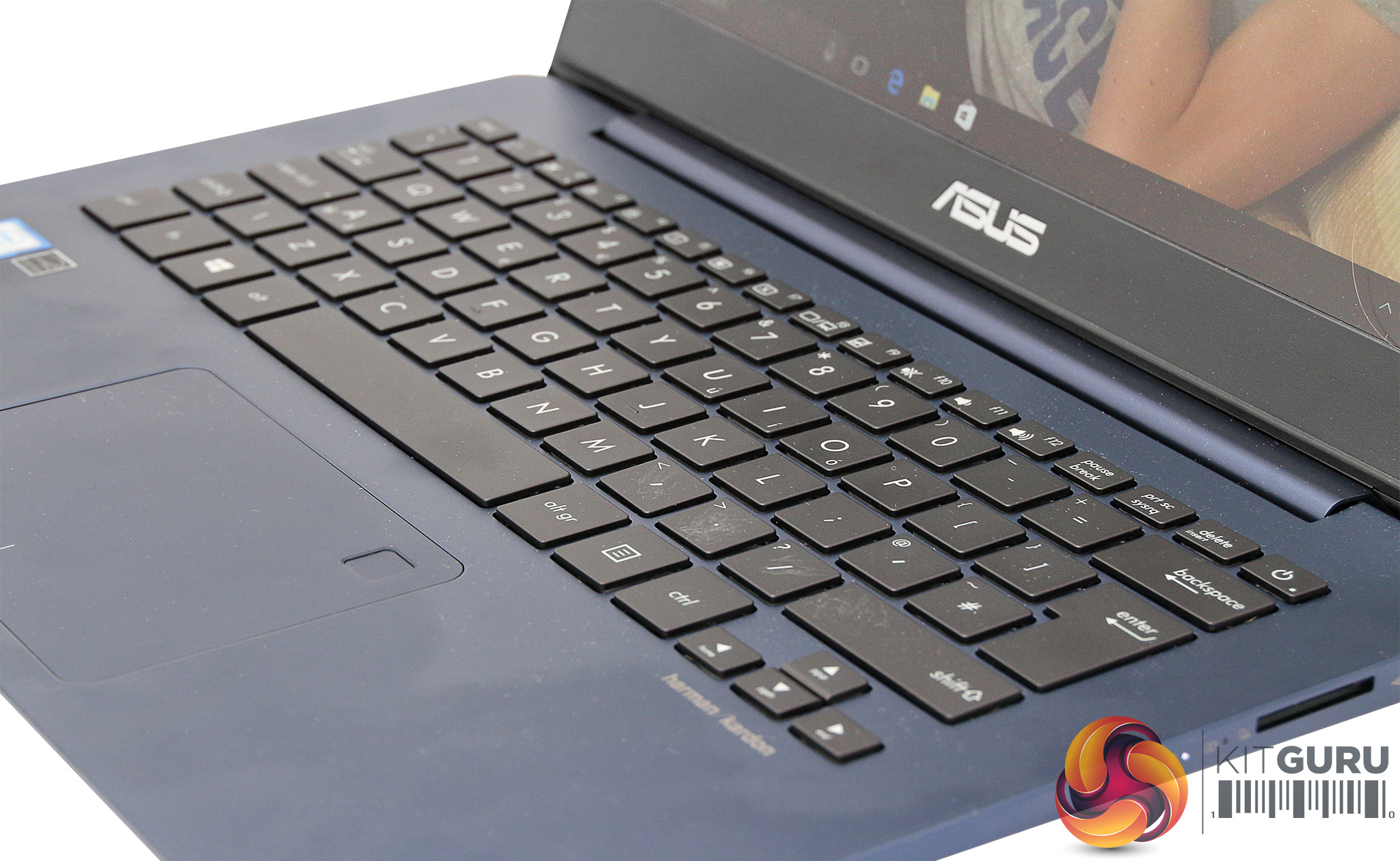
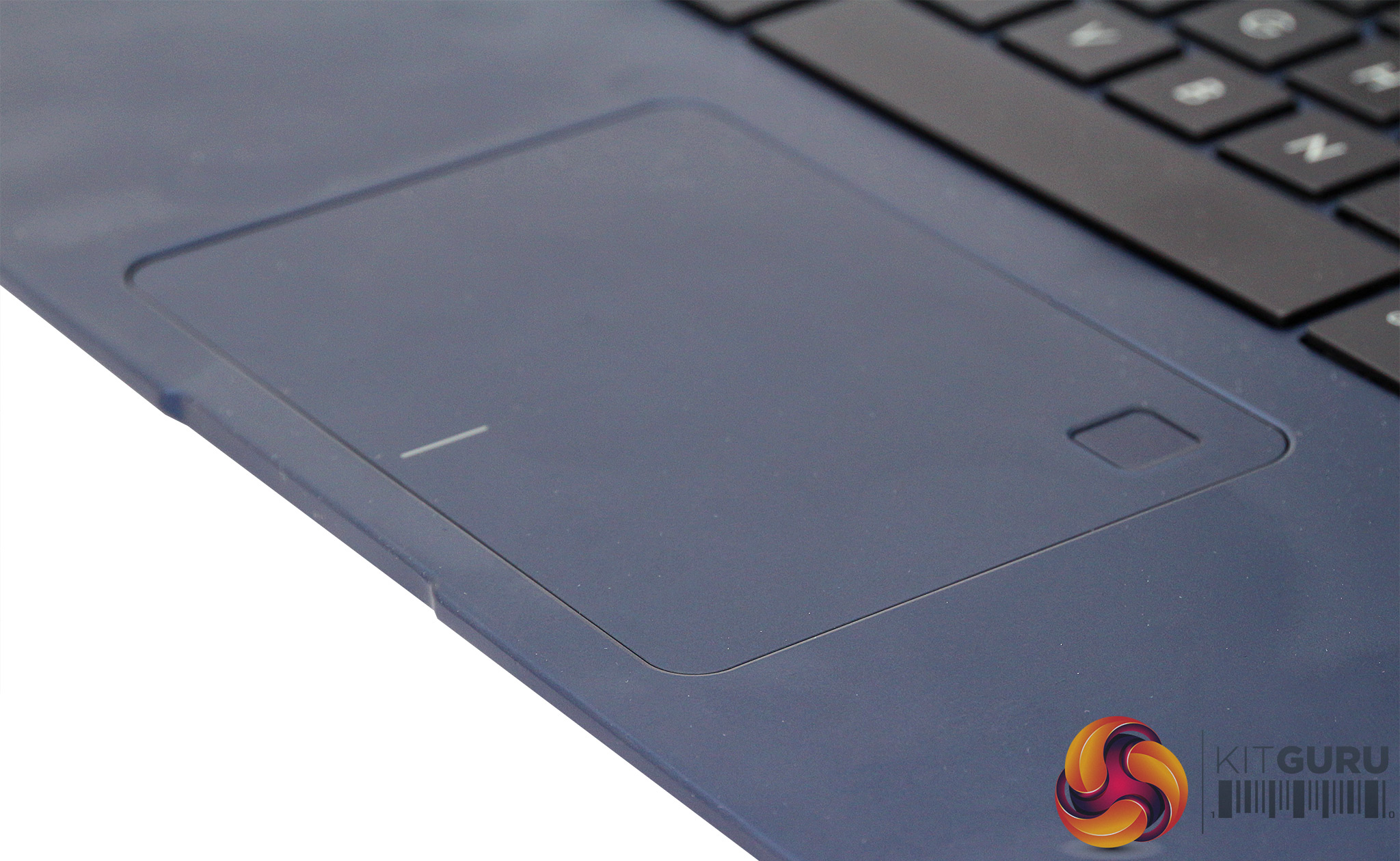
The Chiclet-style keyboard offers decently-sized keys, although the travel is a little shallow. It's still comfortable enough to work on for long periods, with adequate response and click from the keys for touch-typing. The huge all-in-one trackpad has a biometric fingerprint scanner in the top-right corner, which makes for a pretty streamlined way to log into Windows on bootup. The trackpad is accurate and at its default settings responds well to taps or clicks, depending on your preference.
However, a long-standing niggle we've had with ASUS ZenBooks remains. The trackpad is centrally placed, presumably for aesthetic reasons, and this means it's slightly to the right of the spacebar, and not directly beneath the F and J homekeys you use when touch typing. This makes it more likely than it needs to be that the heel of your right hand brushes against it.
You can dial this out a bit with the trackpad sensitivity settings, but can mean the cursor flies around when typing, with unwanted results. This was particularly pronounced with the first ZenBooks around five years ago, and although it has improved, we would still like to see the trackpad an inch to the left to minimise the issue.
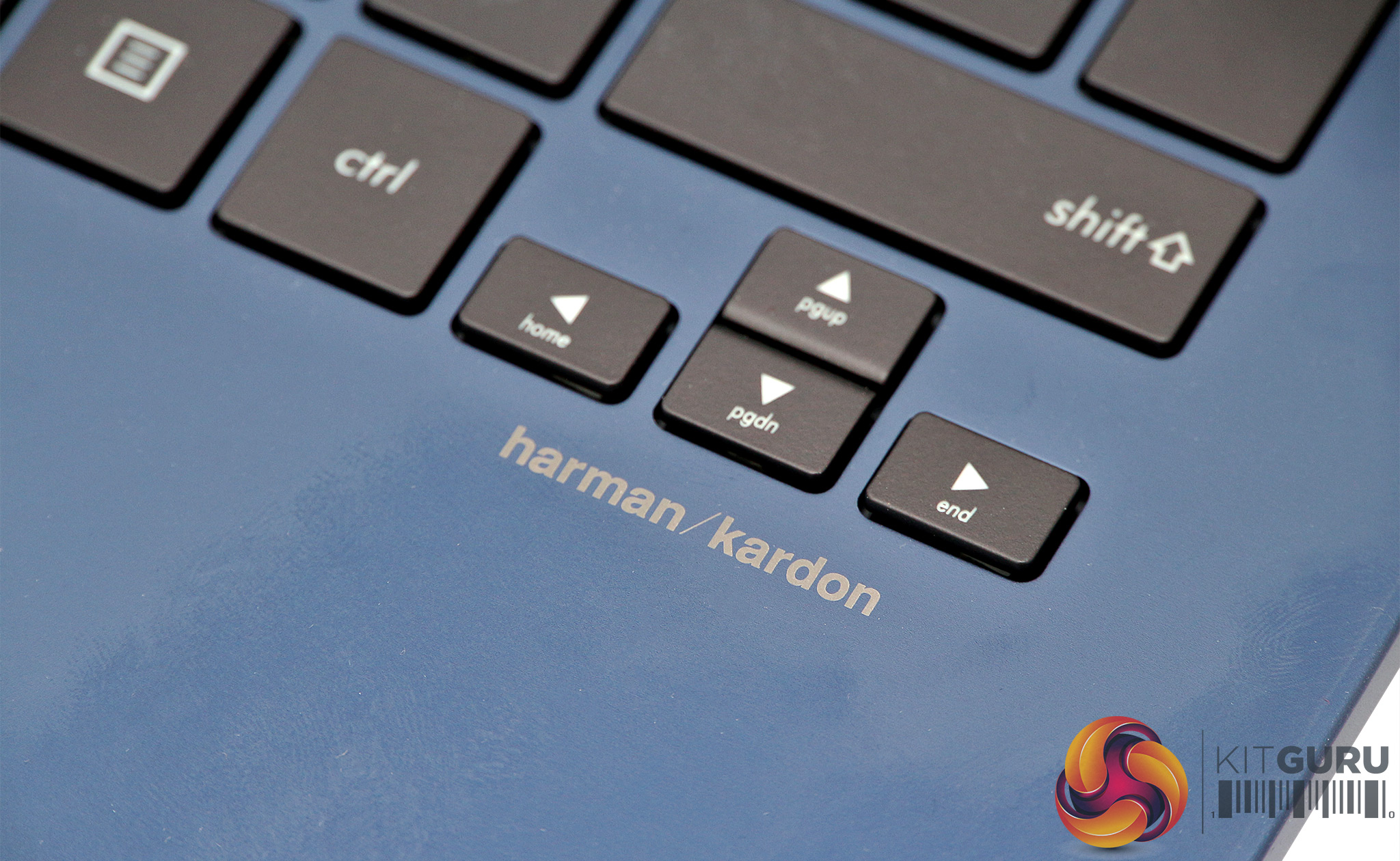
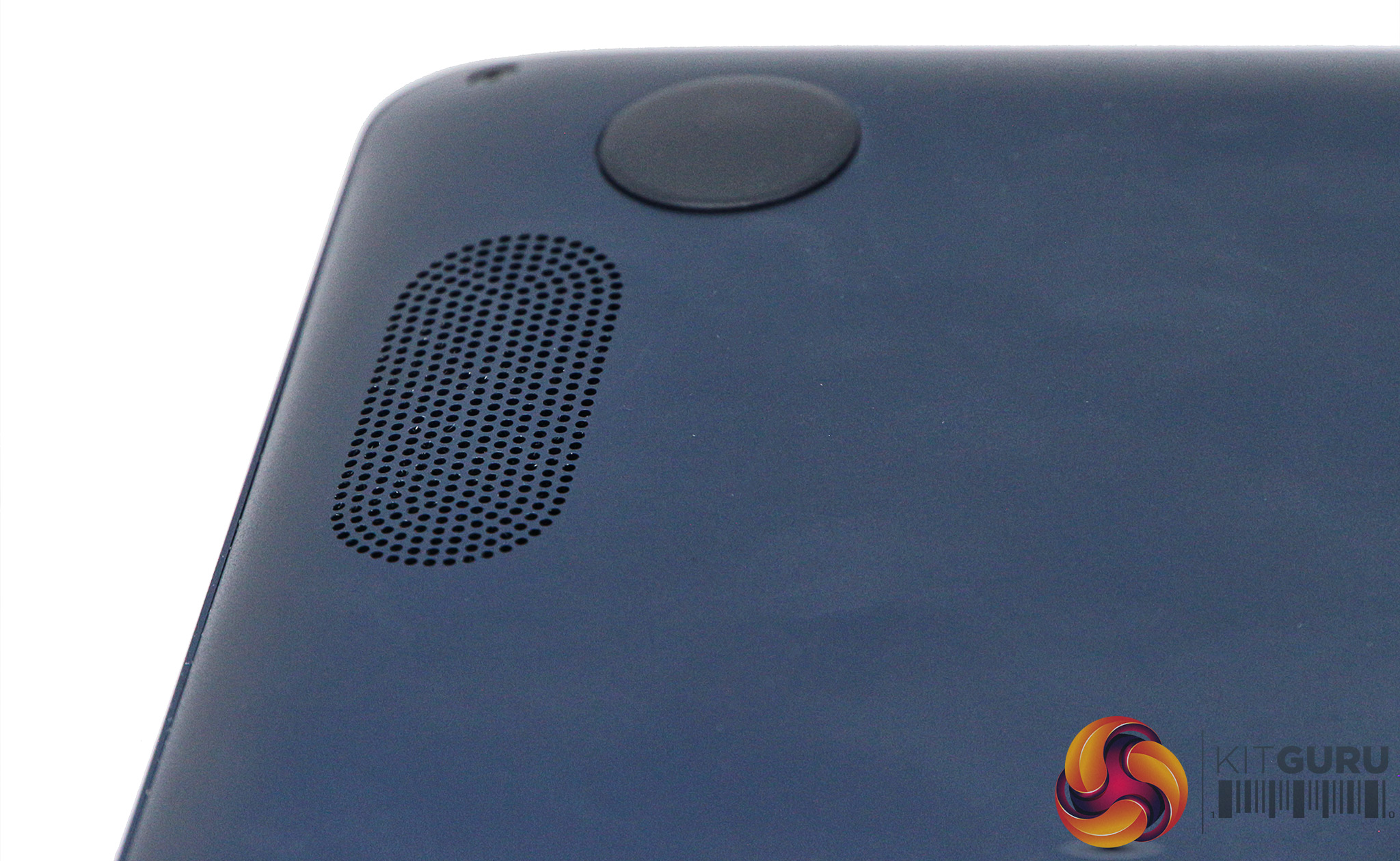
We remarked with the UX390UA that the ZenBook's Harmon Kardon speakers were a cut above the average ultrabook, and this remains in place for the UX430UA. We're not sure how often people use notebook speakers – it's a personal device, and on a train or plane you will be donning headphones. But at least the sound available from the UX430UA is not so weedy it's an embarrassment.
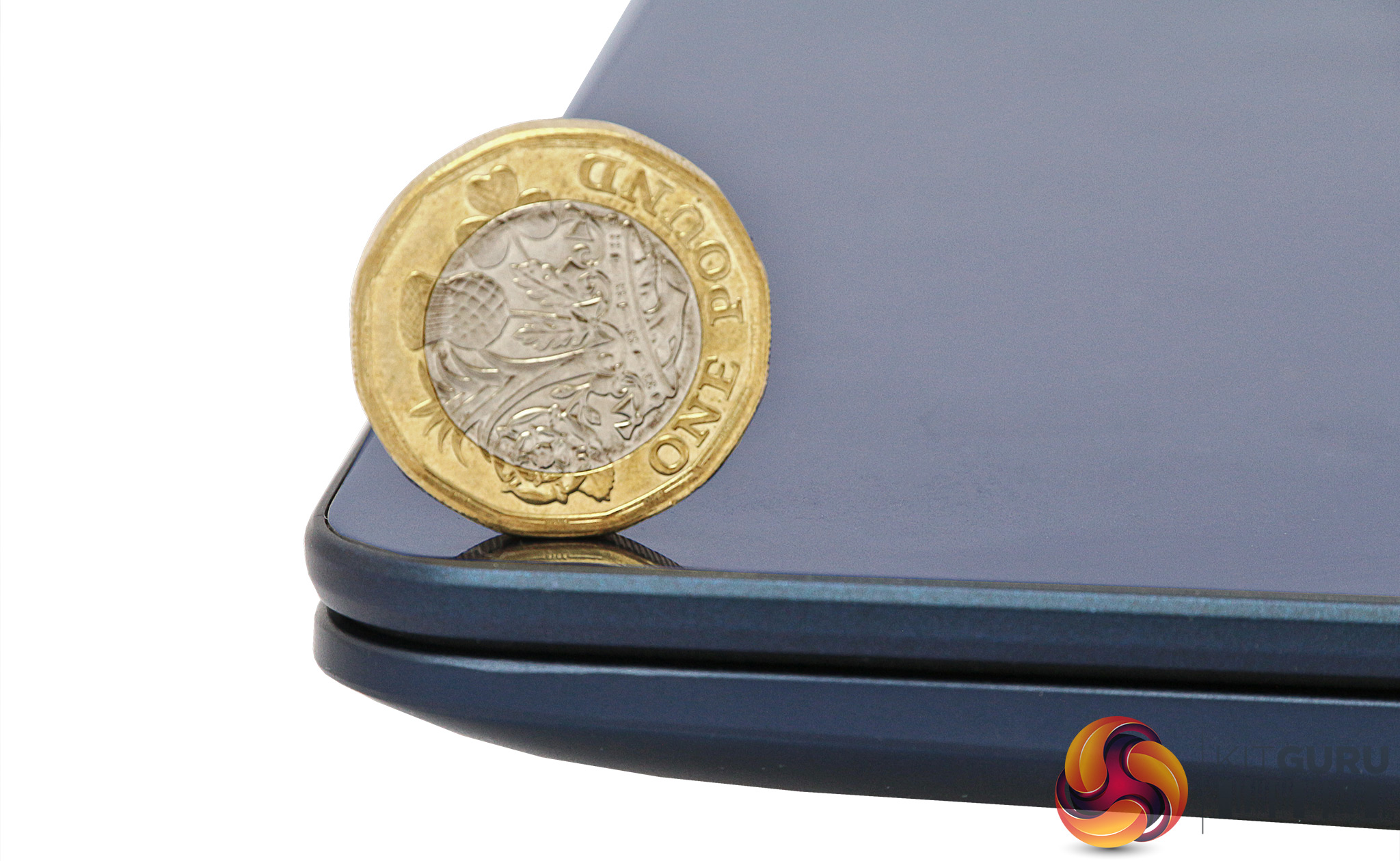
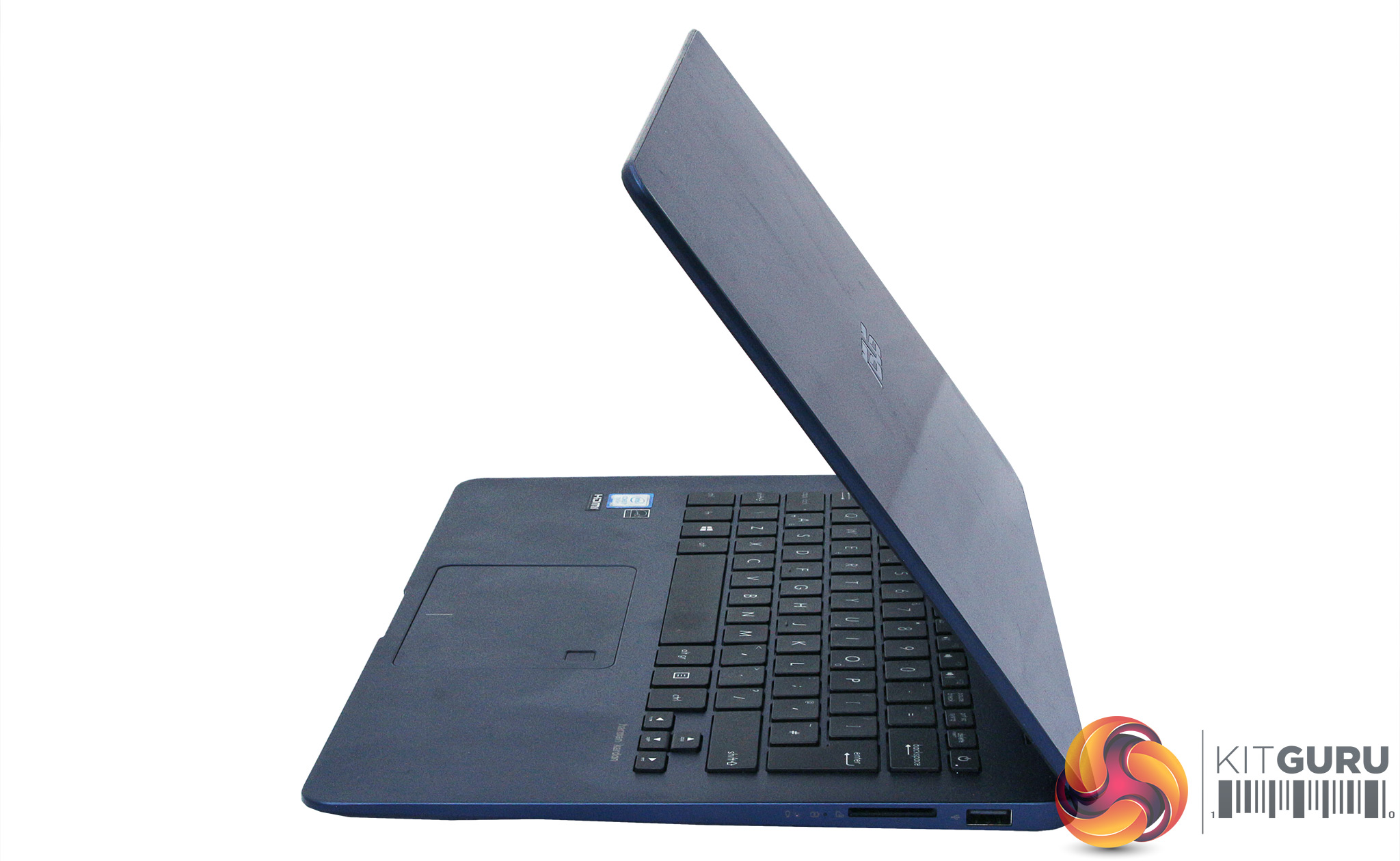
Although the UX430UA isn't as amazingly thin as the sub-1kg UX390UA, it's still hardly portly at 1.25kg, and less than 16mm at its thickest point. This is definitely a notebook you could slip into your bag and hardly notice it's there, which is one of the main aims of an ultrabook.
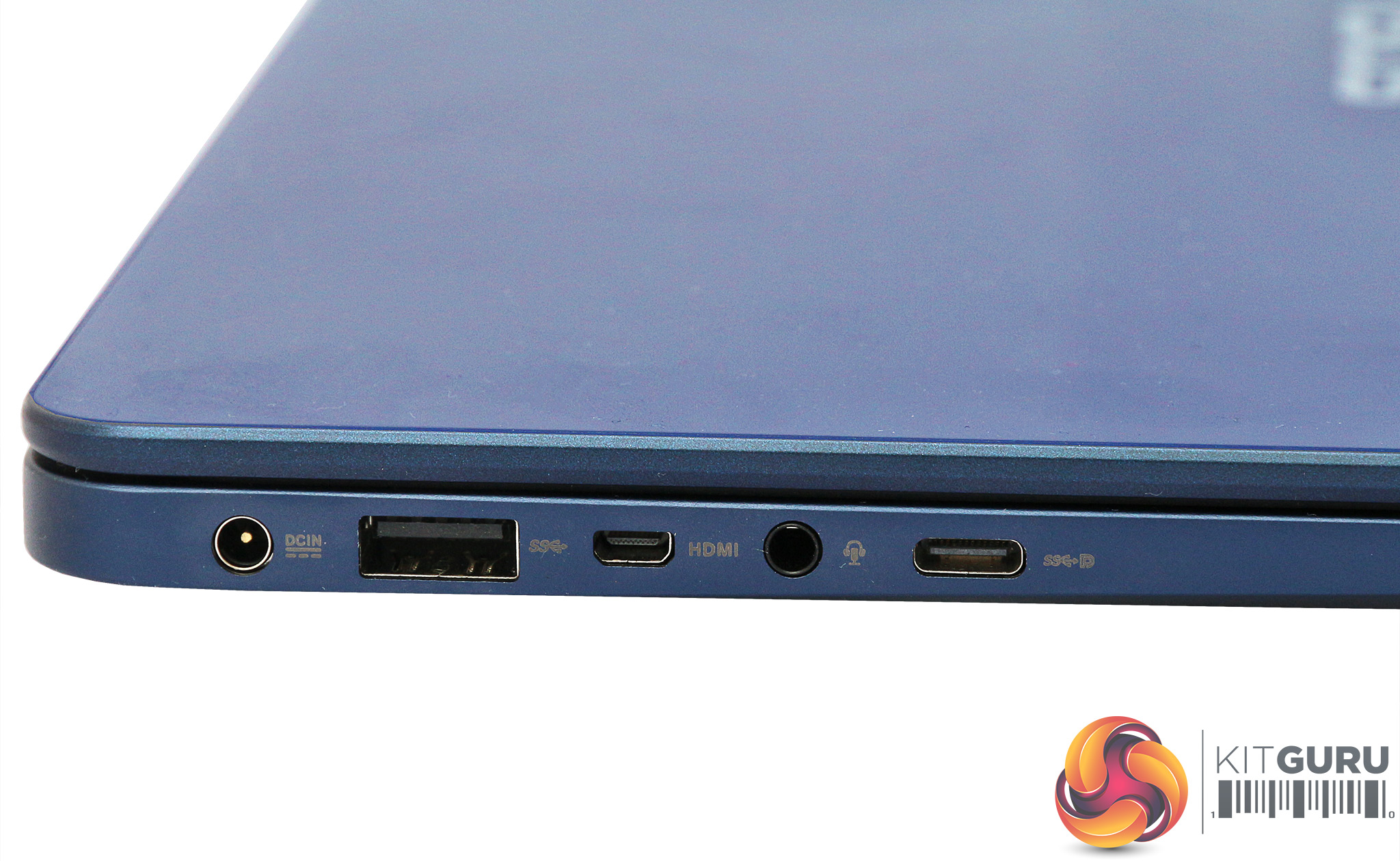
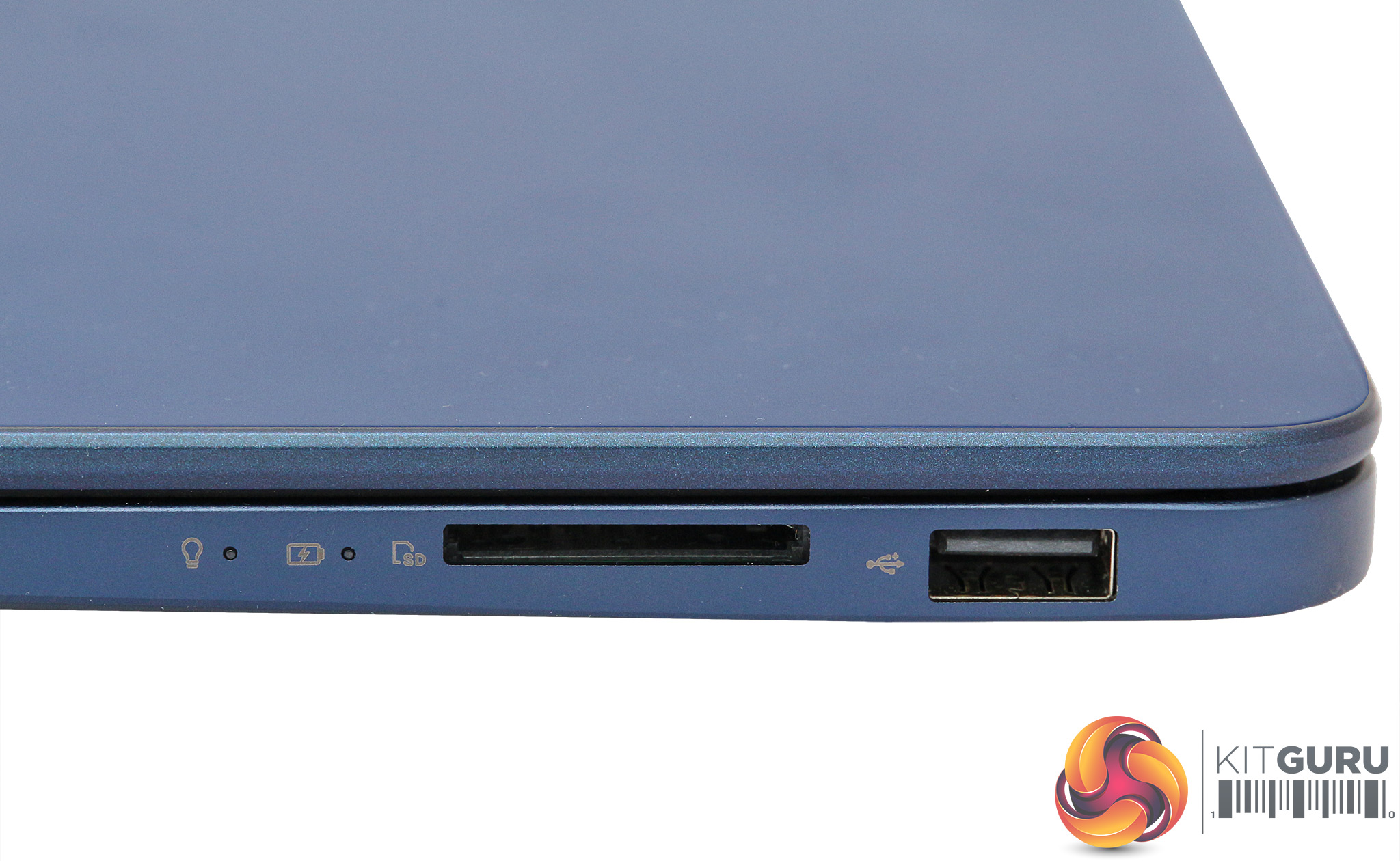
One of our criticisms of the UX390UA was its lack of ports, necessitated by its svelte chassis. The UX430UA is just 4mm thicker, but uses the extra space to good effect. On the left, after the power input is a USB 3.0 port, followed by Micro DisplayPort, a minijack offering combined headphone output and microphone input, then the USB 3.1 Type C port.
On the right can be found USB 2.0 and a SD card reader. As we mentioned earlier, there are adapters included for HDMI and Ethernet, so you've got all the important bases covered here. The only niggle is that the USB C port is Gen 1, so offers 5Gbits/sec, not the 10Gbit/sec of Gen 2.
A selection of our usual application suspects have been called in for testing the ASUS ZenBook UX430UA, with a small range of comparison systems. These include the smaller, thinner ZenBook 3 UX390UA, and the Dell XPS 13 9360, which is one of the best ultraportables currently on the market.
The HP Envy x360 15 is included as an example of a highly portable notebook with discrete graphics, to show the difference between this and integrated graphics.
Test software
- SiSoft Sandra
- Cinebench R15
- CrystalDiskMark 5.2.1
- 3DMark
- PC Mark 8
- CPUID CPU-Z and HWMonitor
- Intel i7-7500U
- Intel HD Graphics 620
- 8GB 1866MHz LPDDR3 SDRAM
- 256GB PCIe SSD
- Intel i5-7200U
- Intel HD Graphics 620
- 8GB 2,133MHz LPDDR3 SDRAM
- 256GB PCIe SSD
- Intel i5-7500U
- NVIDIA GeForce GTX 940MX
- 8GB 2,133MHz DDR4 SDRAM
- 128GB PCIe SSD + 1TB 7,200rpm HDD
Maxon Cinebench R15
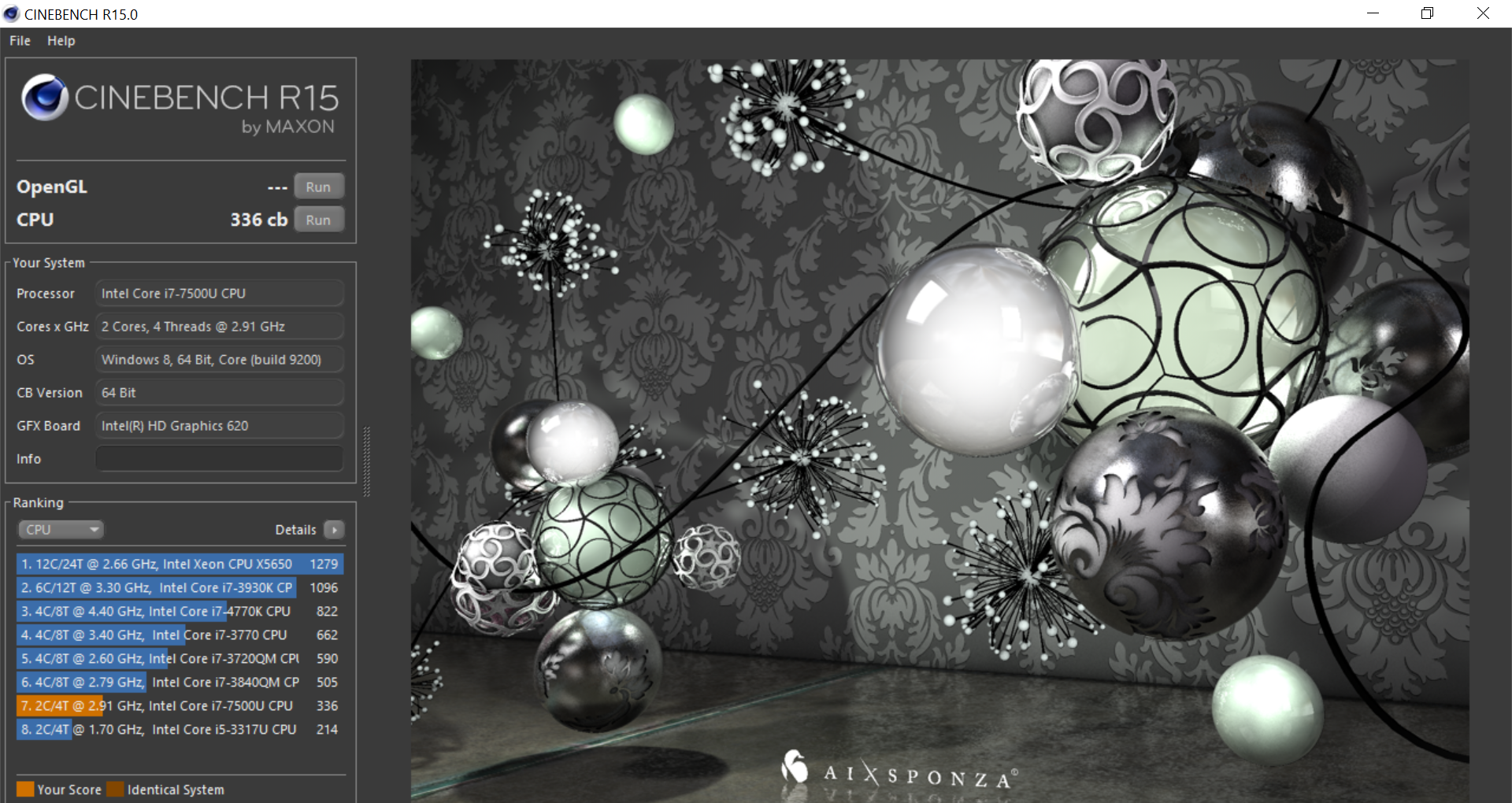
To test the i7-7500U processor, we first ran the CPU test from Maxon's Cinebench R15. This is a great way of assessing general processor abilities as there are loads of comparison results available, although here we focus on the specific systems we chose as direct competitors.
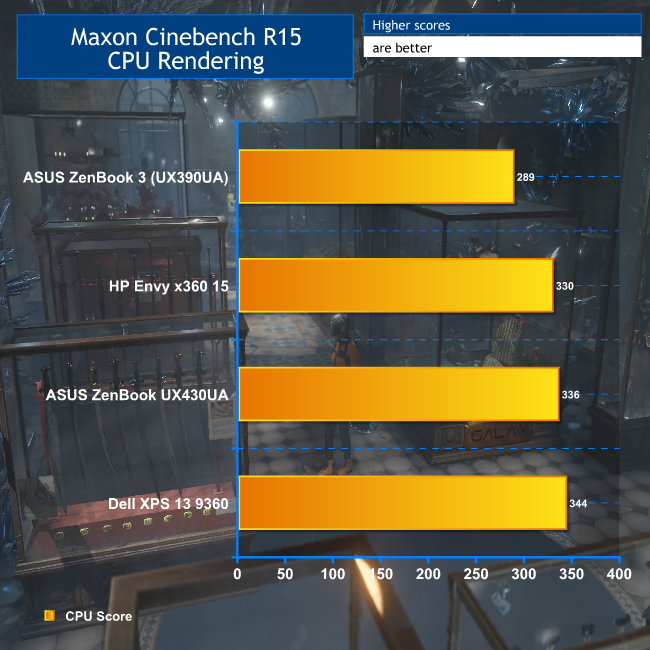
Although the Dell, HP and ASUS ZenBook UX430UA all have the same CPU, the Dell XPS 13 is a little ahead in this test, although the UX430UA isn't far behind, and the HP not much further behind that. The ASUS ZenBook UX390UA, with its lesser Intel Core i5 7200U, lags noticeably behind the others.
SiSoft Sandra Arithmetic
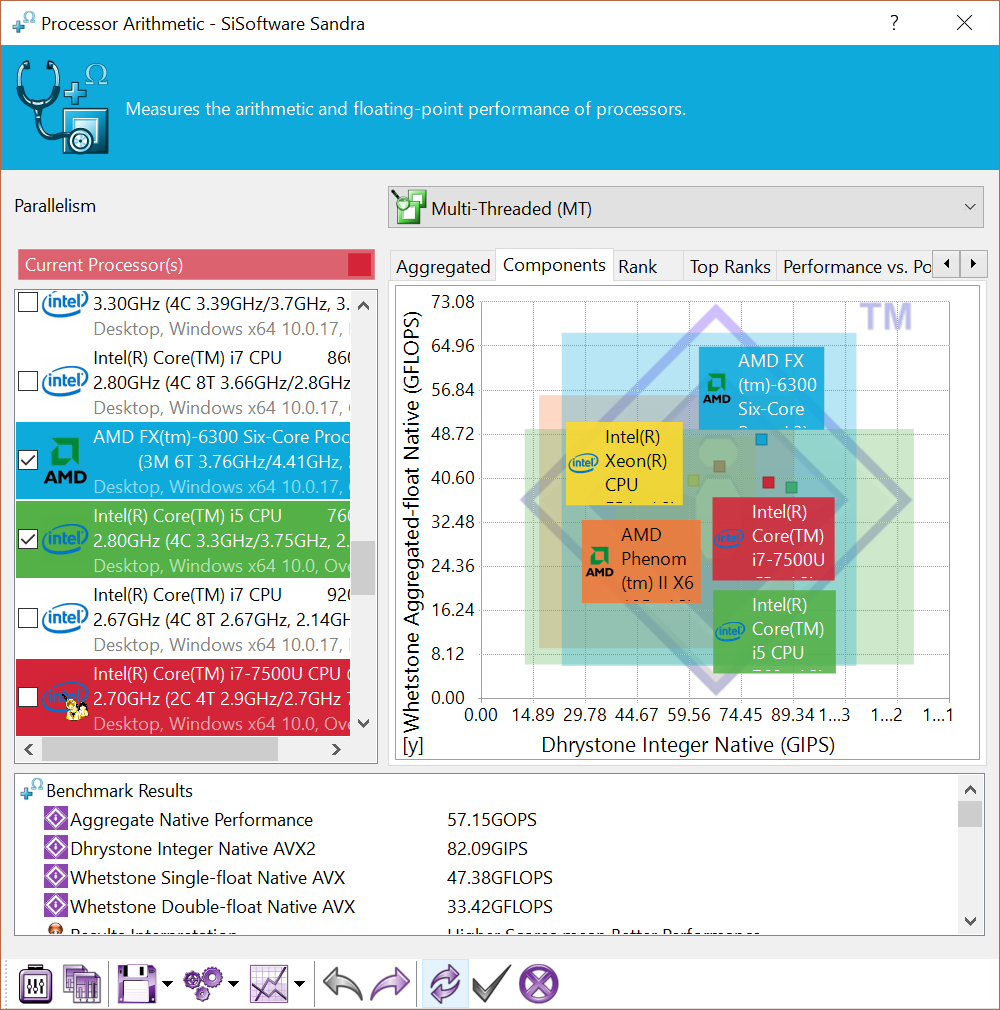
For the second test for the CPU, we ran SiSoft Sandra’s arithmetic test – a synthetic benchmark.
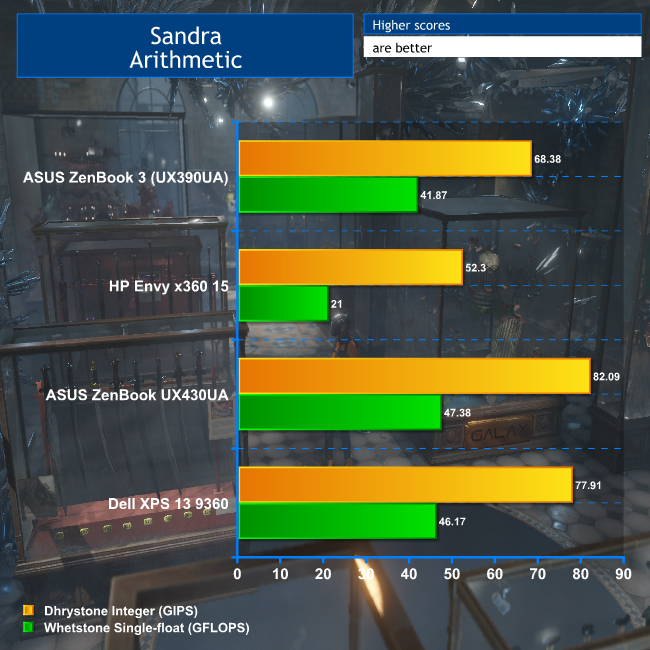
The ASUS ZenBook UX430UA does very well here, beating the Dell XPS 13 in both Dhrystone and Whetstone portions. It's way ahead of the UX390UA, with its less potent CPU, and strangely the HP Envy x360 15 also falls even further behind.
Sandra Memory Bandwidth
To test the memory bandwidth of the 8GB, 2133MHz DDR4 RAM that comes with the ZenBook, we ran SiSoft Sandra’s memory bandwidth benchmark.
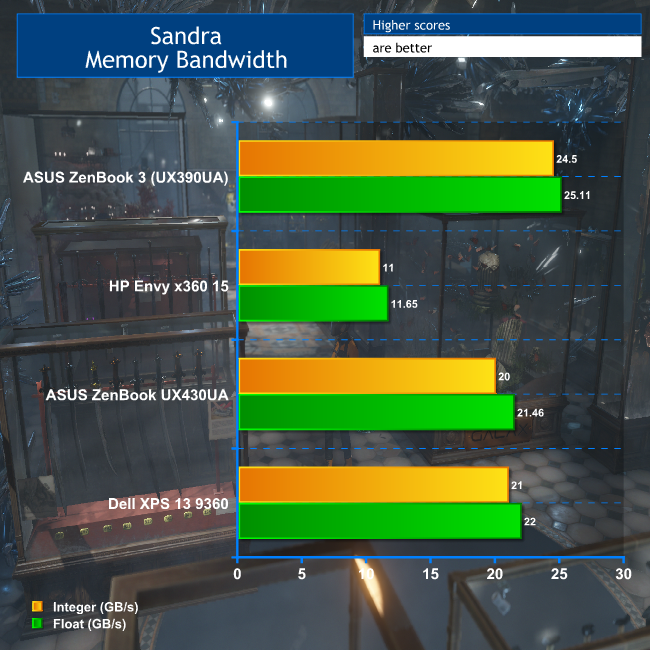
The UX430UA doesn't do too badly for memory bandwidth, but surprisingly is slightly behind the Dell XPS 13, which has slower DDR3 memory. The HP Envy x360 15 is very slow here, and the surprise winner is the UX390UA, which has DDR3 running at the same nominal clock speed as the UX430UA's DDR4.

But these are synthetic benchmarks, and it's the performance in the real world that counts, so let's turn to some more application-orientated tests next.
Futuremark PCMark 8
To give a general, overall score of the ZenBook's everyday application performance, we ran Futuremark PCMark 8’s ‘Home Conventional’ test.
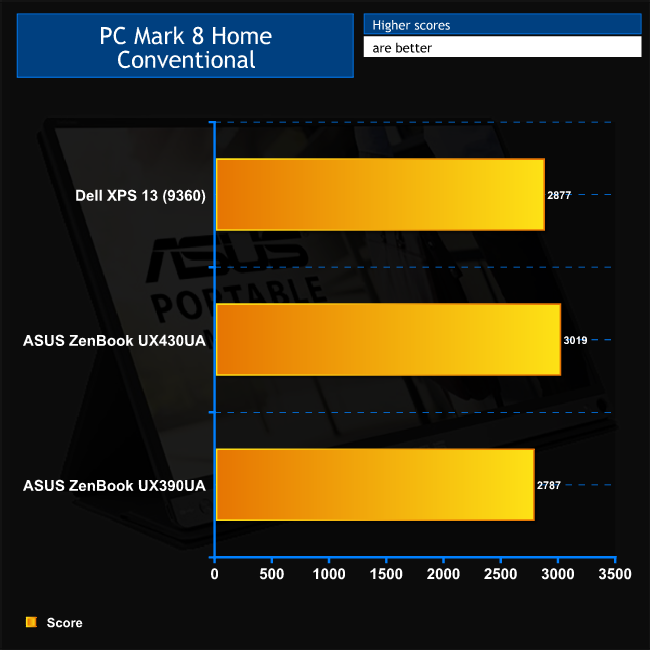
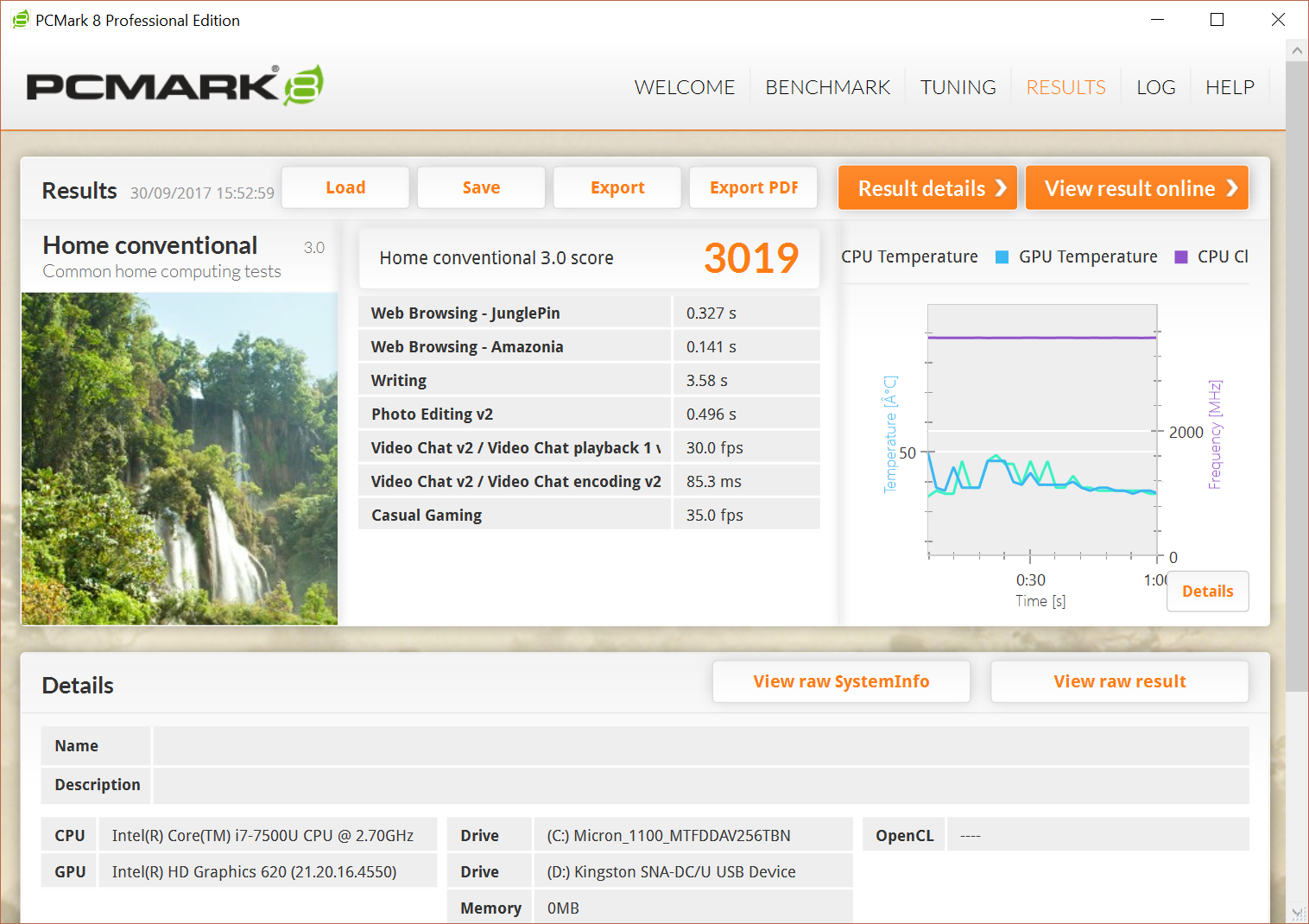
The UX430UA's score of 3019 beat both the Dell XPS 13 and UX390UA by a comfortable margin, showing that this ultraportable is no slouch with everyday applications and will be a great companion for general activities.
Futuremark 3DMark Fire Strike
To test the integrated Intel HD Graphics 620, we ran Futuremark's 3DMark Fire Strike. Note that the score shown below is the Overall result.
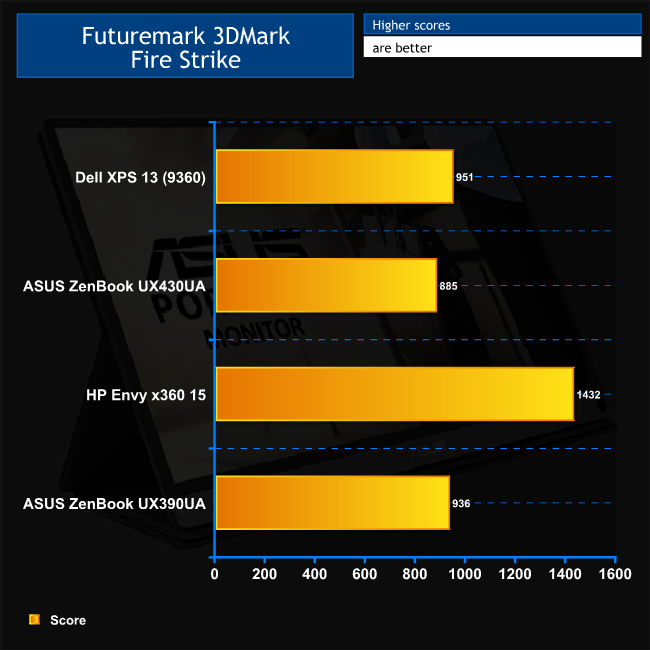
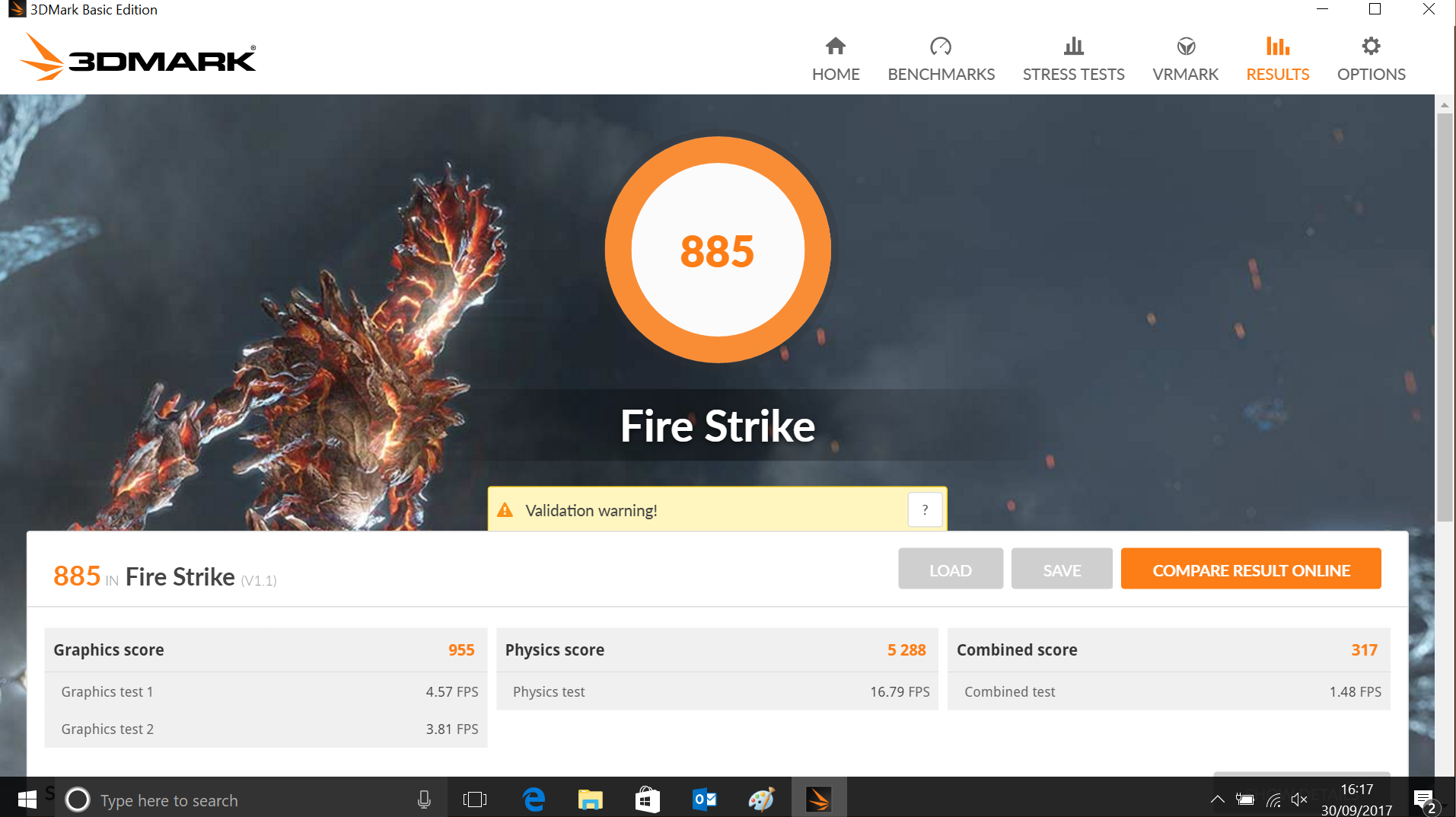
Not a particularly outstanding result in 3DMark's Fire Strike for the UX430UA. It comes last behind the Dell XPS 13 and (surprisingly) the UX390UA, although only by a few per cent that you're unlikely to notice in the real world.
On a more positive note, the HP Envy x360 15's NVIDIA GeForce GTX 940MX is only 62 per cent faster, showing that Intel integrated graphics aren't terrible, even if they do lag behind discrete options.
M.2 interface
To test the speeds of the 256GB SATA M.2 SSD that ships with the ZenBook, we ran CrystalDiskMark 5.2.1.
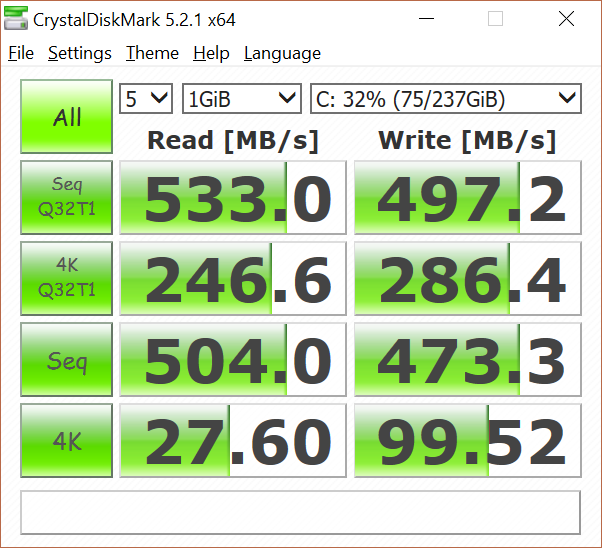
The UX430UA's SSD delivers decent speeds for a SATA SSD, but really we would have liked to see a NVMe SSD as these are not hideously expensive anymore and considerably quicker. The 256GB capacity is adequate, but 512GB is a more comfortable choice these days.
USB 3.0
The UX430UA has a single USB 3.0 port, into which we plugged a 32GB SanDisk Ultra USB 3.0 thumb drive.
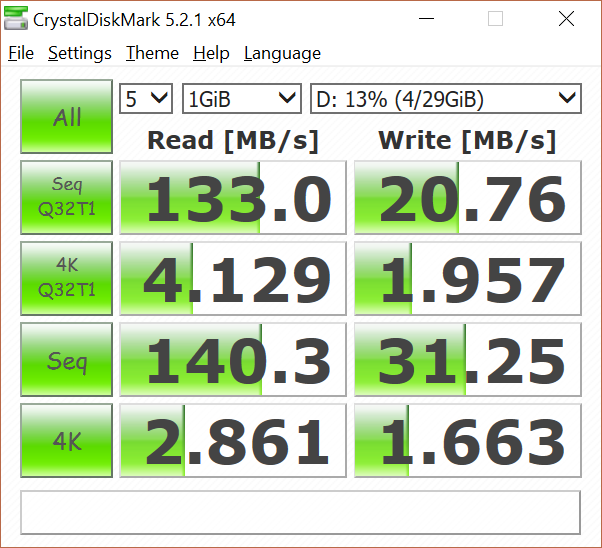
These results are reasonable for this thumb drive.Thermal dynamics
To find the UX430UA's idle temperature, we left Windows on the desktop for 30 minutes. The ‘load’ temperature reading comes from running 3DMark Fire Strike.
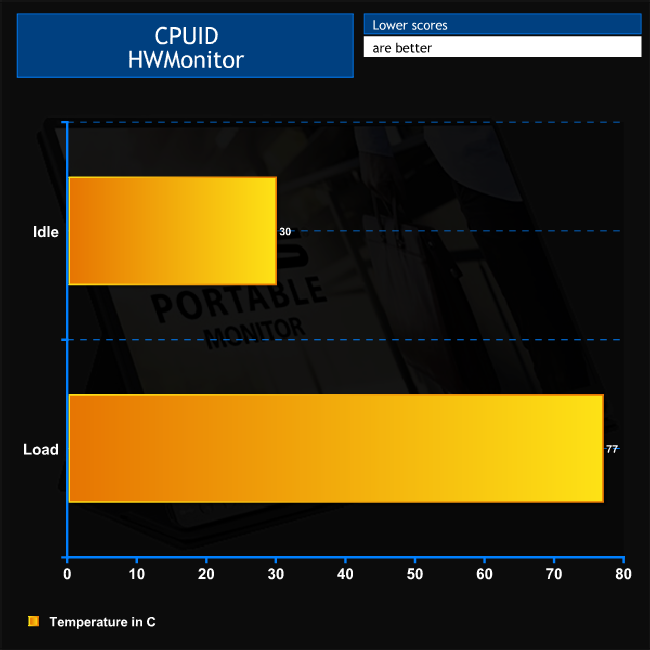
The UX430UA runs pretty cool when idle, at only 30C, whilst 77C when under heavy load isn't anything to be concerned with either.
Acoustics
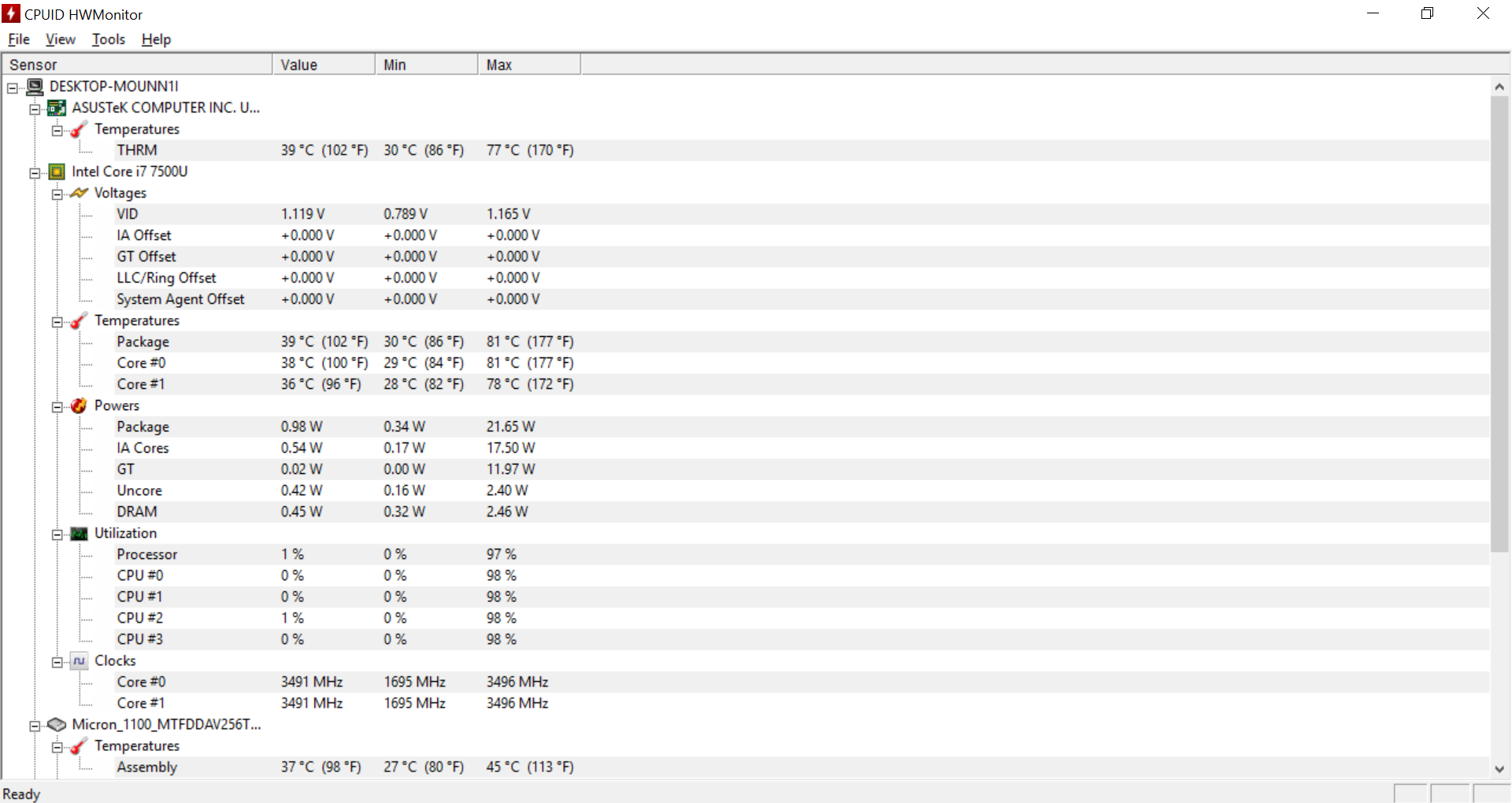
There is a slight increase in fan speed under load, but it's only audible in complete silence. If there's any ambient background noise at all you won't notice this notebook's fan.
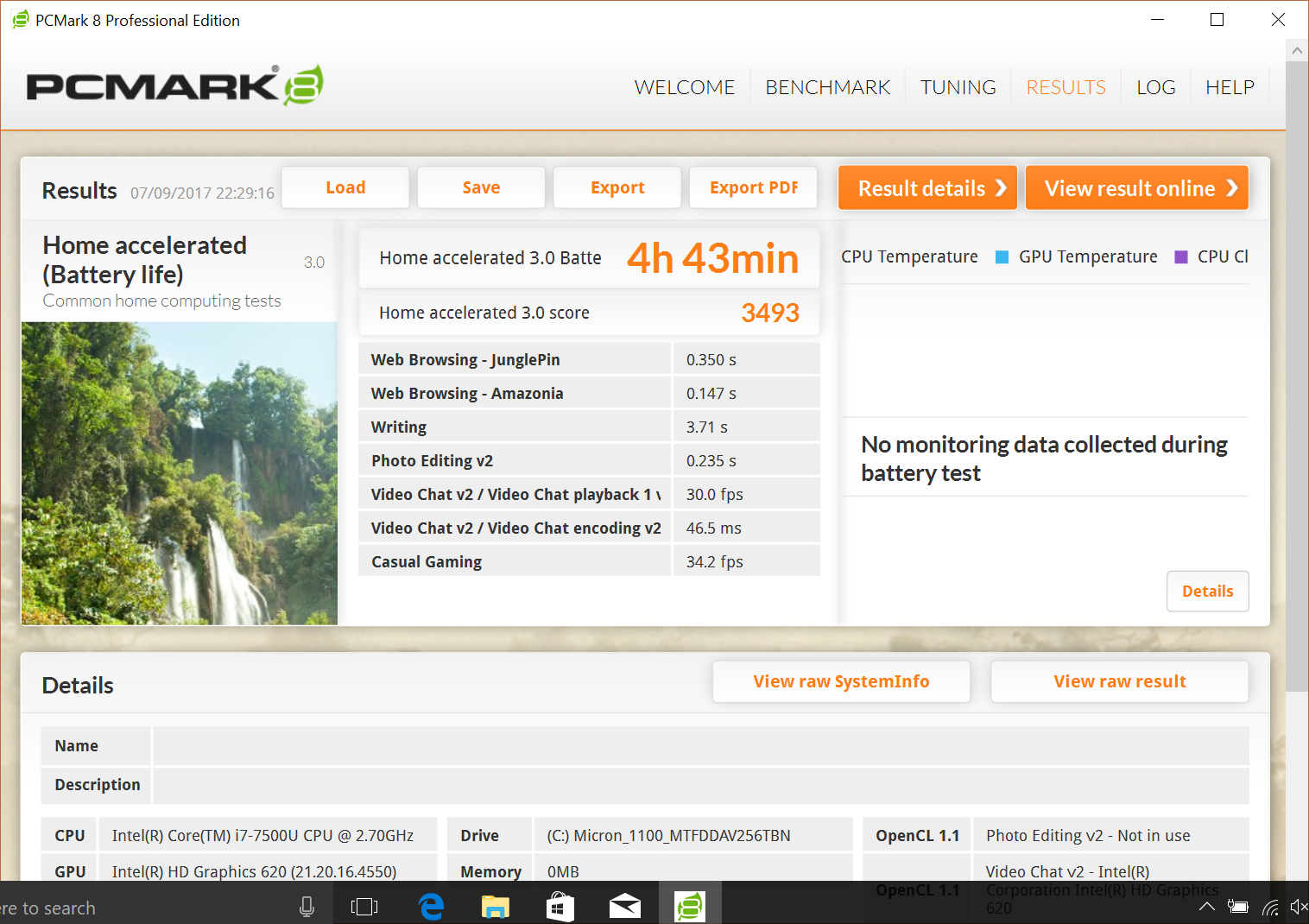
To test the battery life of a laptop, we use PCMark 8’s in-built battery benchmark – which loops its ‘Home’ benchmark until the battery fails. We do this with the screen brightness set at 50%.
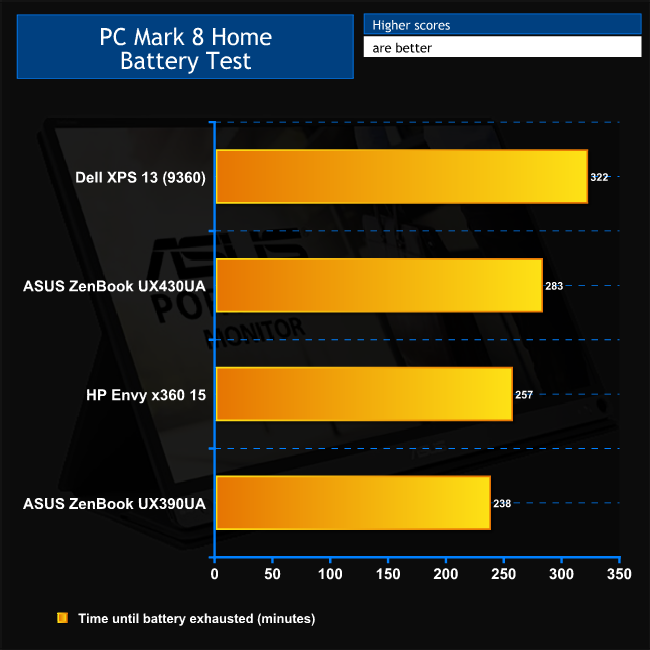
The ZenBook UX430UA's overall battery life is a distinct improvement over the UX390UA, offering a useful 45 more minutes and falling just 17 minutes shy of five ours. This is still 39 minutes behind the Dell XPS 13, but in everyday use, which probably won't be as intensive as this test, you should be able to get a full seven-hour working day from the UX430UA on one charge, or more.
That's what you need from an ultraportable, although if you want the ultimate time away from the power socket, the Dell XPS 13 is still the king.
The ASUS ZenBook UX430UA is a very enticing package. It looks great, offers decent performance for the components inside, and has competitive battery life. It's about the same size as the Dell XPS 13 9360, yet includes a slightly larger screen and the tapered edges of the chassis make it feel thinner even though it weighs the same too.
With a price significantly lower than the Dell XPS 13, and the bundled adapters providing extra connectivity, you get a very flexible system for the money. This is a premium ultrabook, but the price is quite reasonable.
Our one niggle is the trackpad placement, which remains a bugbear with the ZenBook design we've had since we tested the first one over five years ago. But that's far from a deal breaker.
Unless you need more powerful discrete graphics – for which ASUS has an alternative option in the shape of the ZenBook UX430UQ – there is a lot of ultrabook here for the money, making it a recommended option for the ultimate portable companion.
You can buy one for £899.97 inc. VAT from Amazon.co.uk HERE.
Discuss on our Facebook page, over HERE.
Pros
- Attractive styling.
- Keen price for an ultraportable.
- Full complement of ports via bundled adapters.
- 14in screen in a 13in notebook.
- Crisp IPS display.
- Competitive battery life.
- Harman Kardon speakers a cut above the average for thin and light format.
Cons
- USB 3.1 Type-C only Gen 1 (5Gbits/sec).
- SATA 3 SSD, not NVMe.
- Trackpad prone to accidental cursor movement when touch typing.
- Chassis finish attracts fingerprints.
KitGuru says: The ASUS ZenBook UX430UA is a great ultraportable, with commendable battery life, a keen price and decent performance. It looks rather pretty too!


It says USB 3.1, but the review doesn’t mention if it has thunderbolt 3? The Dell XPS it compares to does have Thunderbolt 3
Nope, no Thunderbolt 3. It would have been in the specs if there was. But you do have a Micro HDMI, USB 3.1 Type C and adapter for full-sized HDMI.