 KitGuru KitGuru.net – Tech News | Hardware News | Hardware Reviews | IOS | Mobile | Gaming | Graphics Cards


Asustek Computer on Tuesday introduced its first ever desktop with Google ChromeOS operating system. The PC utilizes an Intel microprocessor based on the latest “Haswell” micro-architecture and provides all the pros and cons of the ChromeOS platform. Since the system does not use a commercial OS, it costs starting from just $179 (£110, €132 without taxes).
Asus Chromebox is powered by an Intel processor with the “Haswell” micro-architecture and comes with high performance 802.11 b/g/n dual-band wireless, four USB 3.0 ports for fast data transfer, HDMI and DisplayPort for connecting to the latest displays and HDTVs, including support for dual displays and an SD card reader for easily accessing stored photos and documents. Asus remains tight-lipped over amount of RAM or local storage (2/4GB or DDR3 memory +16GB onboard NAND flash storage are likely), but claims that the Chromebox supports 100GB of cloud storage.
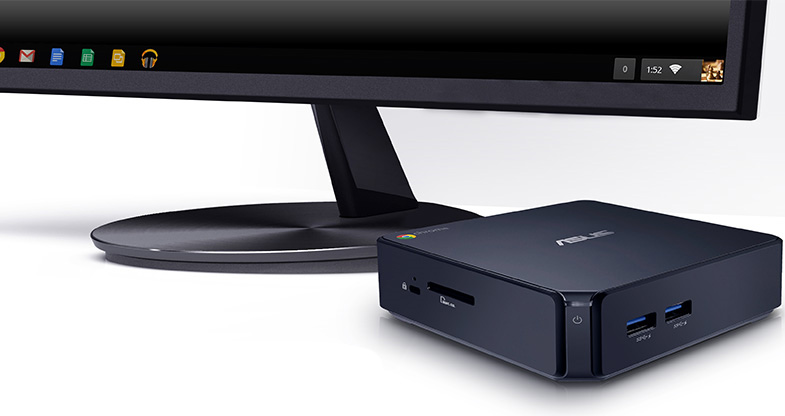
“The Asus Chromebox offers the simplicity, security and speed of Chrome OS in the most compact and powerful Chrome device to date,” said Felix Lin, director of product management, Google. “Perfect for home, the classroom or the office, Chromebox is designed for the way we use computers today.”
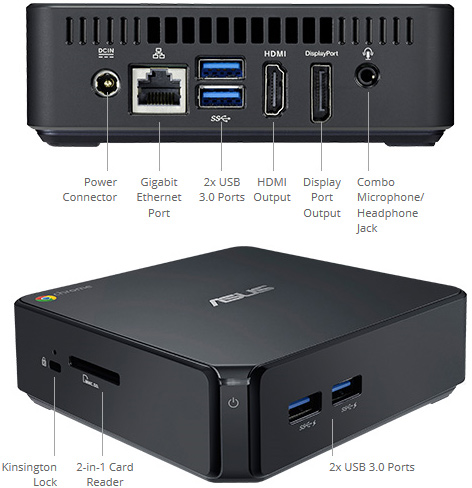
Google Chrome operating system and fully relies on Google’s applications and cloud services. On the one hand, this means enhanced security and automatic synchronization with mobile gadgets. On the other hand, it means complete dependence on Google’s services.
The main advantage of Asus Chromebox is the combination of an affordable price and rather rich multimedia capabilities. The latest Intel “Haswell” microprocessor should ensure pretty high performance and even video processing in up to 4K resolution (3840*2160), dual-band 802.11b/b/n wireless network should provide seamless web surfing and HD video streaming. Unfortunately, without proper local storage, do not expect to create a collection of content. Moreover, due to limitations of the Chrome OS, the PC cannot be used for everything you want.
KitGuru Says: Small, sleek, stylish, perhaps, even rather powerful and for just $179 in the U.S. But with all the restrictions of ChromeOS and lack of local storage, the device can do only a limited amount of tasks.
