 KitGuru KitGuru.net – Tech News | Hardware News | Hardware Reviews | IOS | Mobile | Gaming | Graphics Cards



Today we look at the new ASUS MX27AQ – a 27 inch WQHD (2560×1440) LCD monitor. This AH-IPS panel delivers a reported 100% sRGB colour space and a 178 degree viewing angle. ASUS focus on the audio side too, with stereo speakers powered by a combination of ICEpower, a Bang & Olufsen technology, a MobileSound 3 chip and ASUS SonicMaster tuning. ASUS have incorporated their AudioWizard into the monitor itself, with four pre set modes available via an on screen menu.
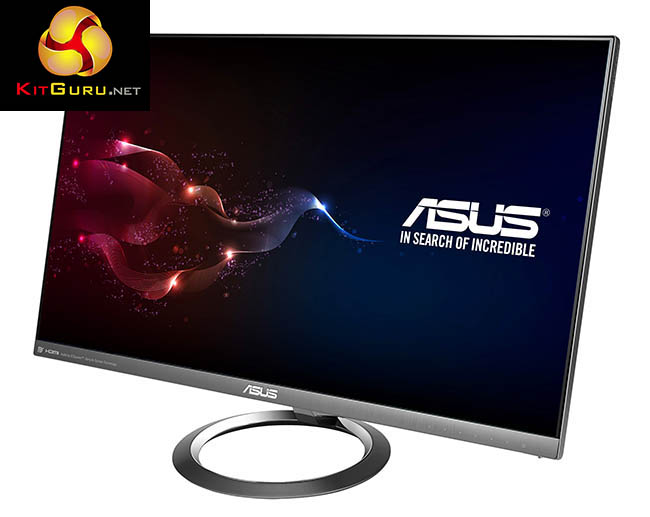
The ASUS Designo MX27AQ is certainly a great looking monitor. We particularly like the ultra slim profile that measures just 1.25cm at the thinnest point with an edge to edge frame-less panel bezel thickness of only 0.1cm. Asus rate the ‘Smart Contrast Ratio' at a whopping 100,000,000:1 and the response time, 5ms (Gray to Gray).
ASUS Designo MX27AQ Features:
- 27-inch In-Plane Switching specification LCD panel
- WQHD (2560×1440) resolution @ 60Hz
- B&O ICEpower stereo speakers
- ASUS SonicMaster and AudioWizard EQ technologies built into the monitor
- Frameless monitor and bespoke design
- 1x DP 1.2, 1x HDMI 1.4/MHL 2.0 combination port, 2x HDMI 1.4
any word on active sync
The lack of VESA mount and a stand that doesnt allow you adjust height is a real shame and, in my opinion, a huge oversight. Deal breaker for me when it comes to monitors.
It’s really aimed at designers not gamers this monitor. So doubt it will have active sync.
If it had height adjustment and g sync i’d be sold
Or even a VESA mount…
That would be good too, but not for me. Unfortuately I have a really tiny room, so its very crammed as it is and the way the light comes in etc a vesa mount just isn’t ideal for my setup. Just need a good old height adjustable stand.
Wouldn’t a VESA mount clear the area under the monitor, freeing up more space?
Under the monitor is not an issue, I have a weird setup as my room is smaller than a 1 block tokyo flat.
this combined with an inwin 901 would make a very appealing desktop combo, though the lack of height adjustment is an oversight.
Why is it so much trouble to add heigh adjustment. It’s why I went with Dell last time; good quality monitor with plenty of options for height adjustment. Sure, it’s not 100% stable, but you only notice that when you type a lot. And that’s what I don’t use it for.
I guess I don’t understand why with all of the fancy enhancements this monitor has, why can’t they add 144Hz refresh rate?
This is a mid priced general purpose monitor, so it won’t have the features that gamers want.
For gaming specific purposes Asus has several 4K panels with VESA mount, active syncs, 1ms response, 144hz. Of course they’ll cost you.
My Dell P2714H is pretty solid and adjustable.