KitGuru KitGuru.net – Tech News | Hardware News | Hardware Reviews | IOS | Mobile | Gaming | Graphics Cards


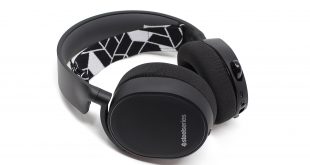
SteelSeries’ Arctis range of headsets are known for their versatility, coming with a 3.5mm headphone jack that allows the headsets to connect to pretty much any device. The SteelSeries Arctis 3 Bluetooth takes this one step further, however, giving users the ability to connect to two devices at once thanks to the added Bluetooth functionality – but at £134.99, is it worth the price?
While it’s initially concerning that an intermediary upgrade to the Arctis 3 would cost approximately the same as the much high-end Arctis 7, the SteelSeries Arctis 3 Bluetooth targets an entirely different market. You’d be forgiven for not considering its versatility right off the bat, considering its ability to connect to two devices simultaneously isn’t often seen in a gaming headset, but could this feature prove to be worth the extra outlay? Let's find out.
Specifications
Speaker Drivers:
- Neodymium Drivers: 40mm
- Headphone Frequency Response: 20-22000 Hz
- Headphone Sensitivity: 98db
- Headphone Impedance: 32 Ohm
- Headphone Total Harmonic Distortion: < 3%
- Headphone Volume Control: On Ear Cup
Microphone:
- Microphone Frequency Response: 100Hz – 10000Hz
- Microphone Pattern: Bidirectional
- Microphone Sensitivity: -48 db
- Microphone Impedance: 2200 Ohm
- Microphone Noise Cancellation: Yes
- Microphone Location: Retractable
- Microphone Mute Toggle: On Ear Cup
Connection:
- Connector Type: Wireless USB and wired analog options. Single 3.5mm, 4-pole plug when wired
- Cable Length: 3m, 10ft
- Cable Material: Rubber
- Adapter: Single 3.5mm, 4-Pole Plug
- Detachable Cable: Yes
- Bluetooth Version: 4.1
- Bluetooth Profiles: A2DP, HFP, HSP
- Wireless Range: 10m, 30ft
- Battery Life: 28 hours
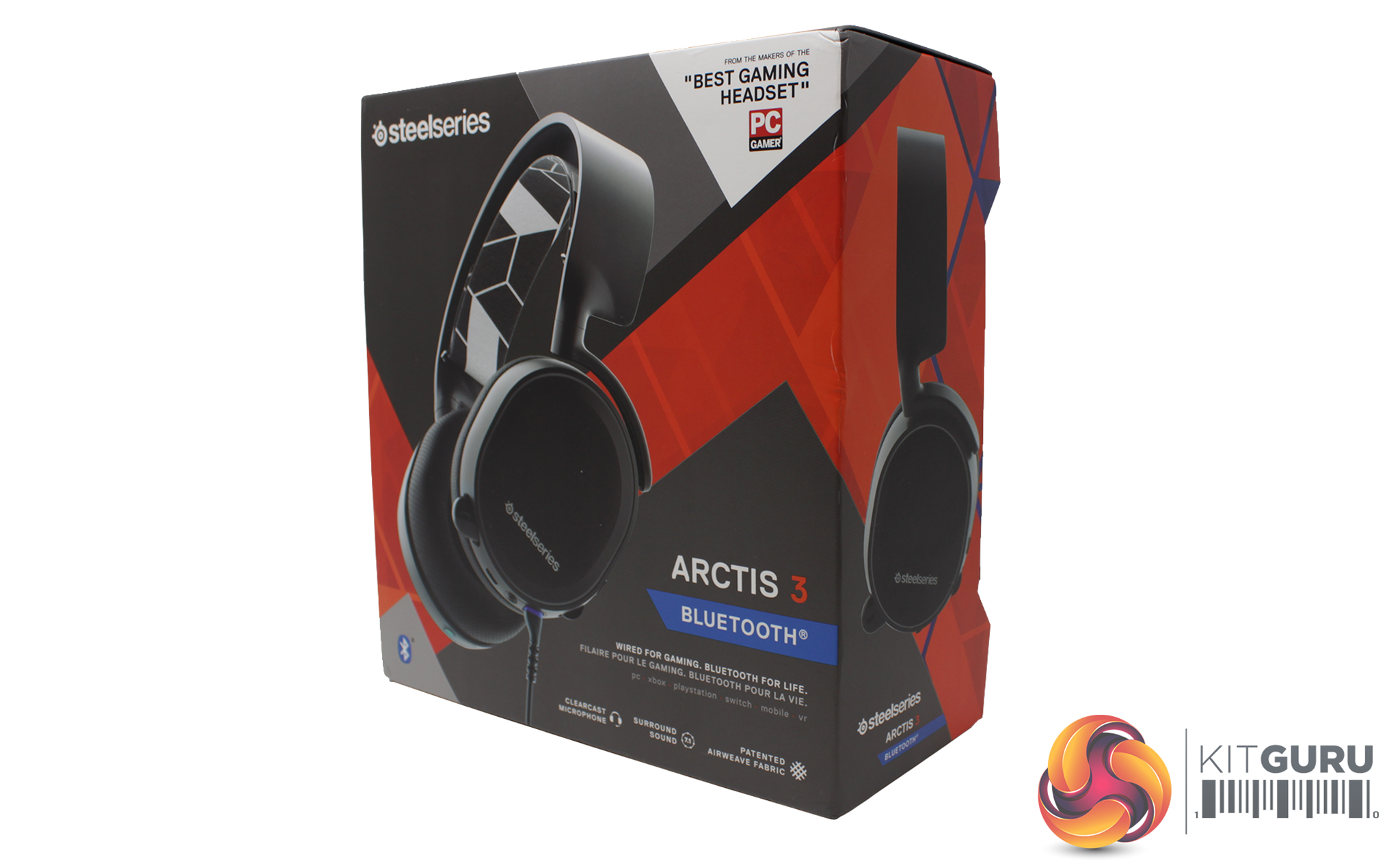
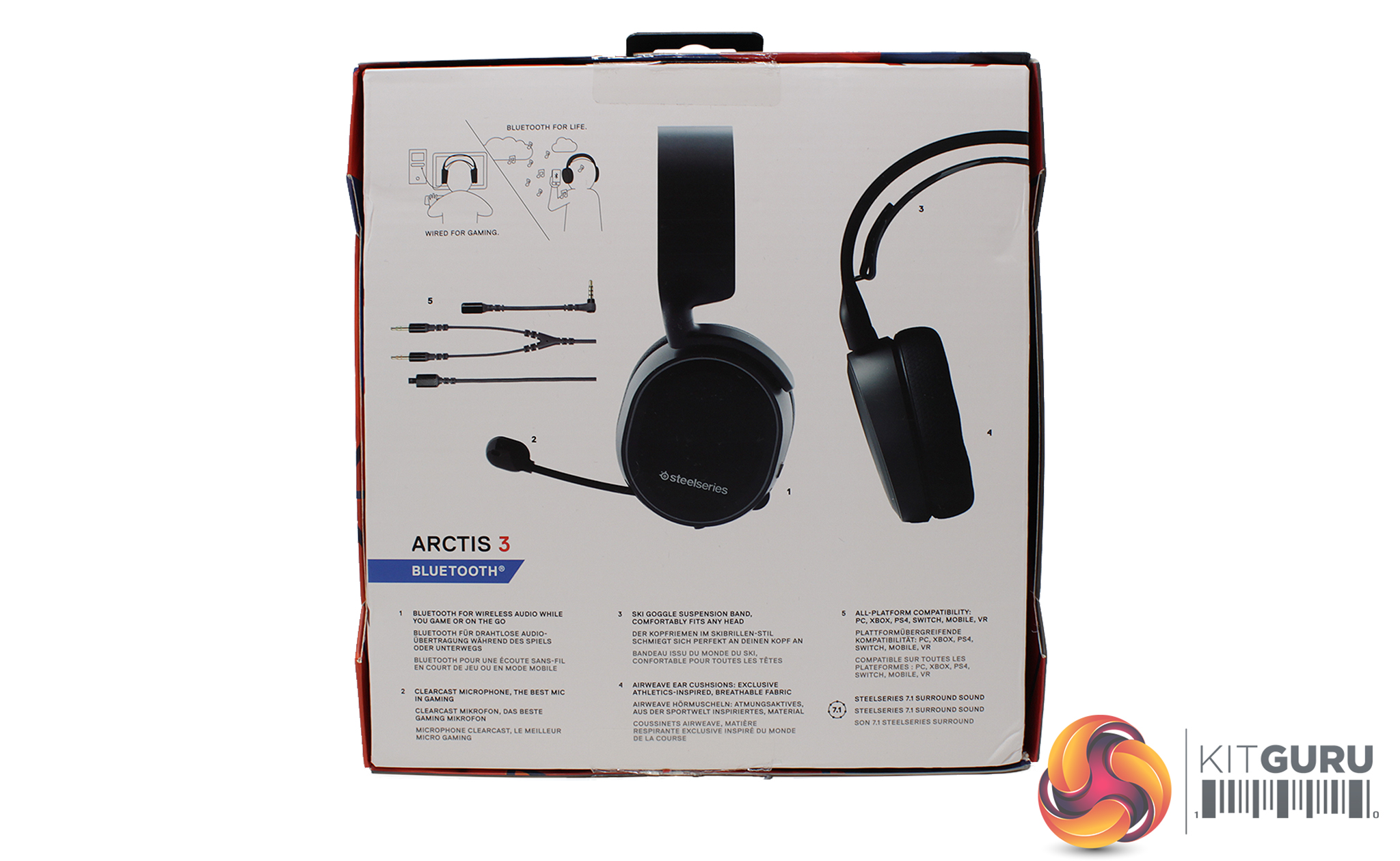
Similar to other Arctis products, the SteelSeries Arctis 3 Bluetooth ships in a sleek orange and grey box with the headset fully displayed on the front. The rear of the box displays an infographic of the uses, contents and features that the Arctis 3 Bluetooth has to offer.
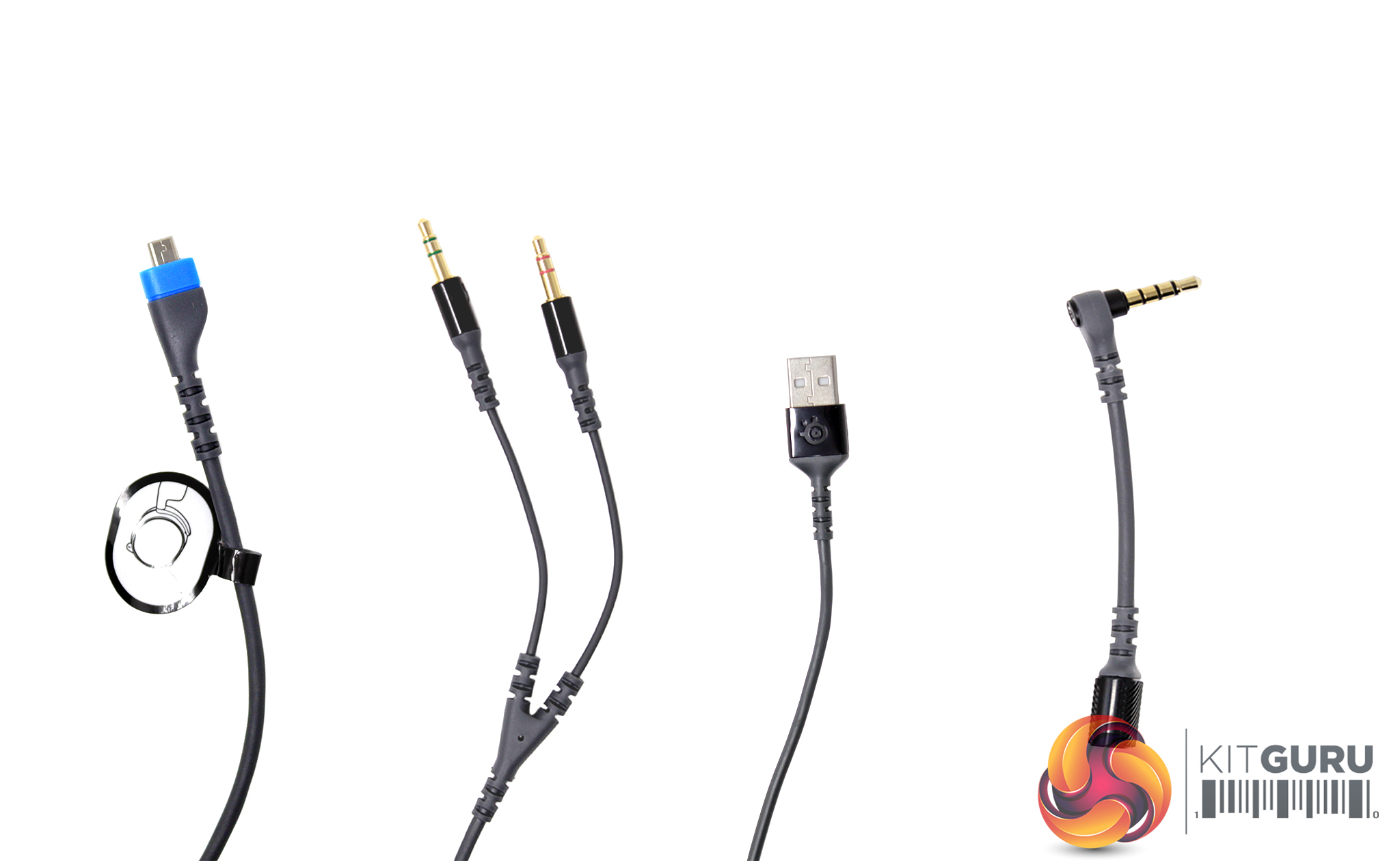
Within the box comes a variety of cables that enable the Arctis 3 to connect to a variety of devices. From left to right, we have 1x main cable that plugs into the headset and connects to both the 3.5mm headphone jack and the dual 3.5mm extension cable; x1 dual 3.5mm extension cable to enable both the headphones and microphone to work on PC; x1 standalone charging cable to enable its wireless Bluetooth feature; and x1 3.5mm headphone jack to connect to any device with a 3.5mm jack.
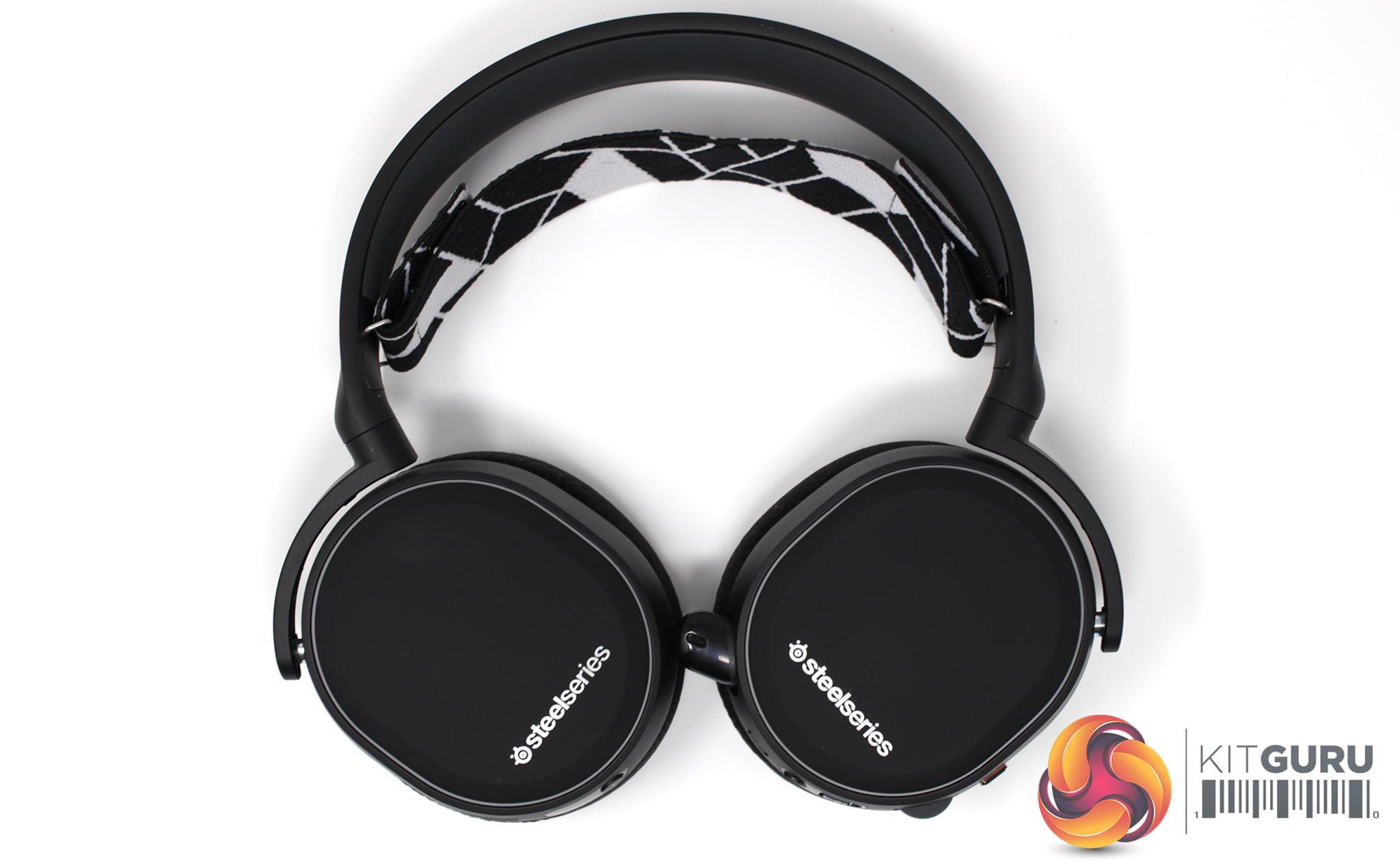
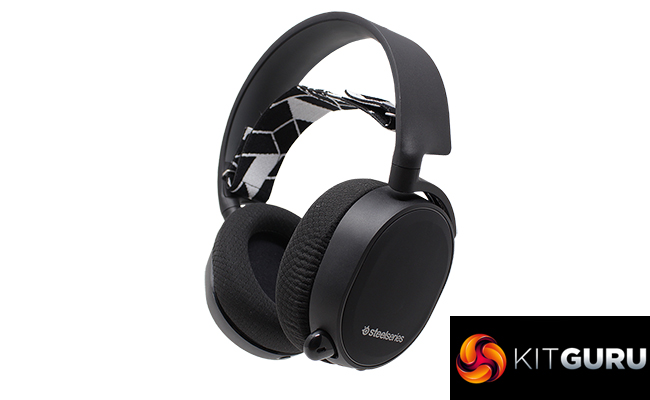
Moving onto the headset itself, the Arctis 3 features 90-degree rotatable ear cups to make it easier to travel with, while the rotatable cups also help users to take the device off more comfortably. The SteelSeries logo is neatly placed at the base of each cup in white font against a black background.
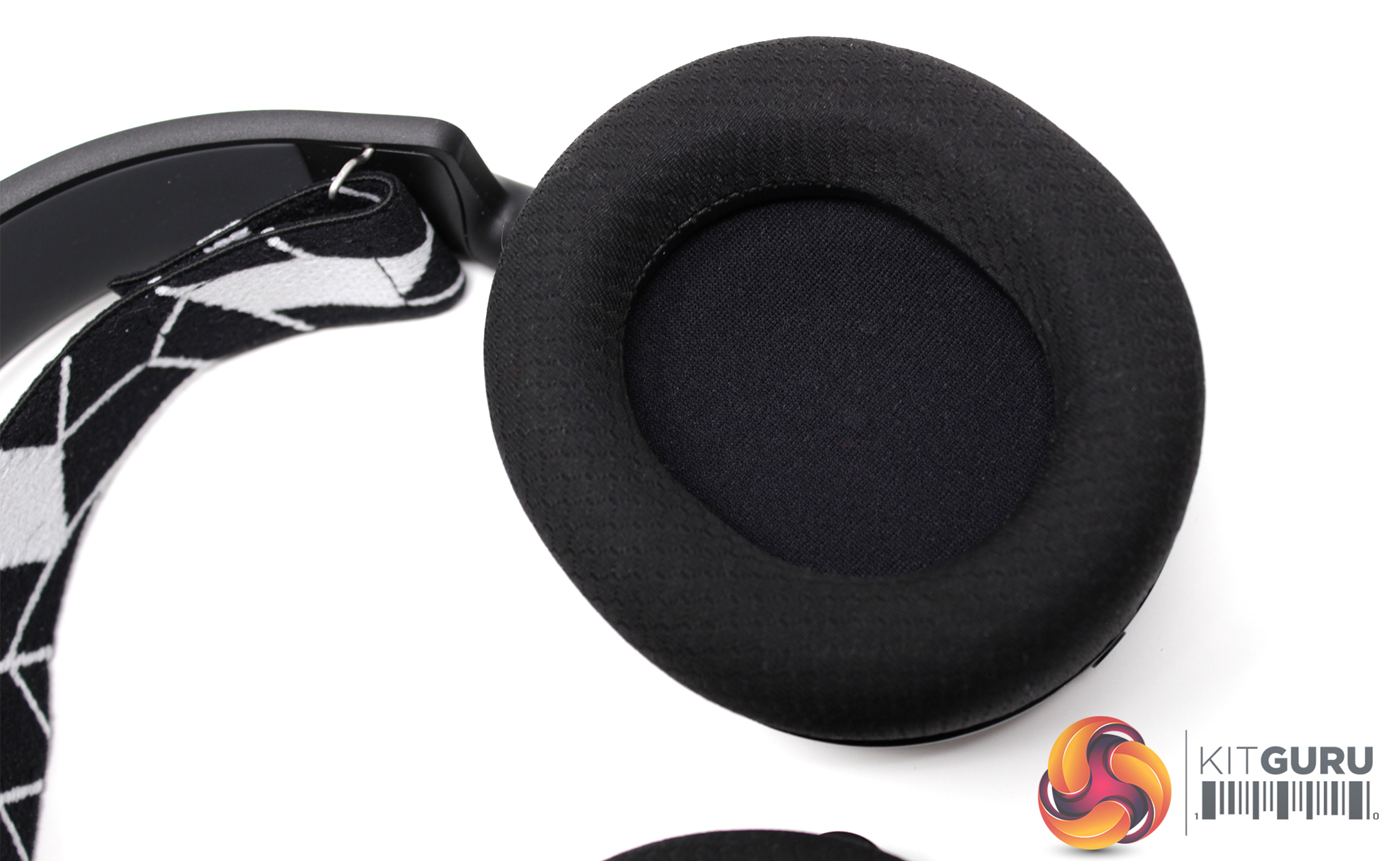
Each ear cup is padded with a foam cushion surrounding the driver, which is housed in a closed back design. The cloth fabric that covers the foam cushioning is SteelSeries’ proprietary ‘AirWeave’ material, built to be light and breathable.
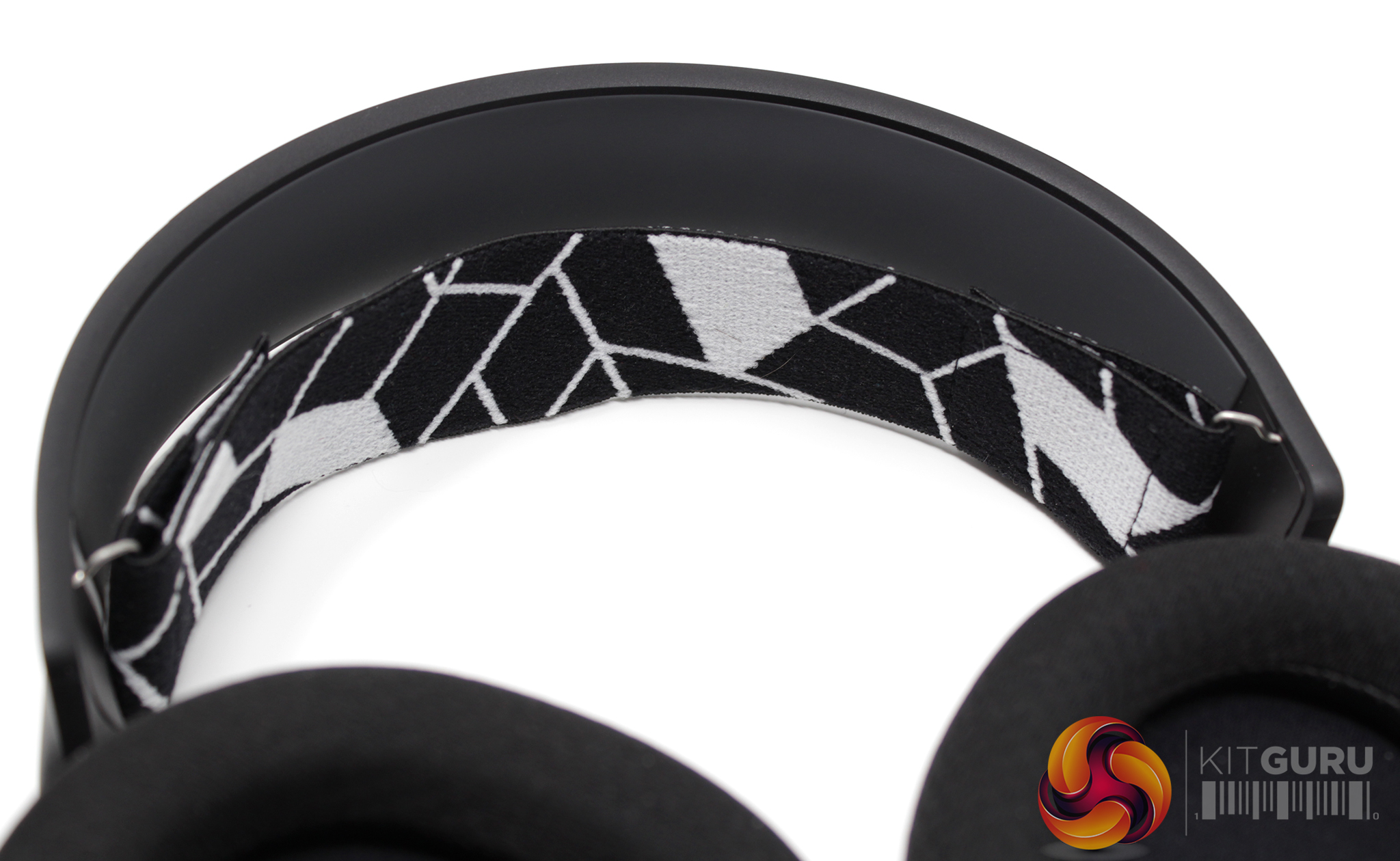
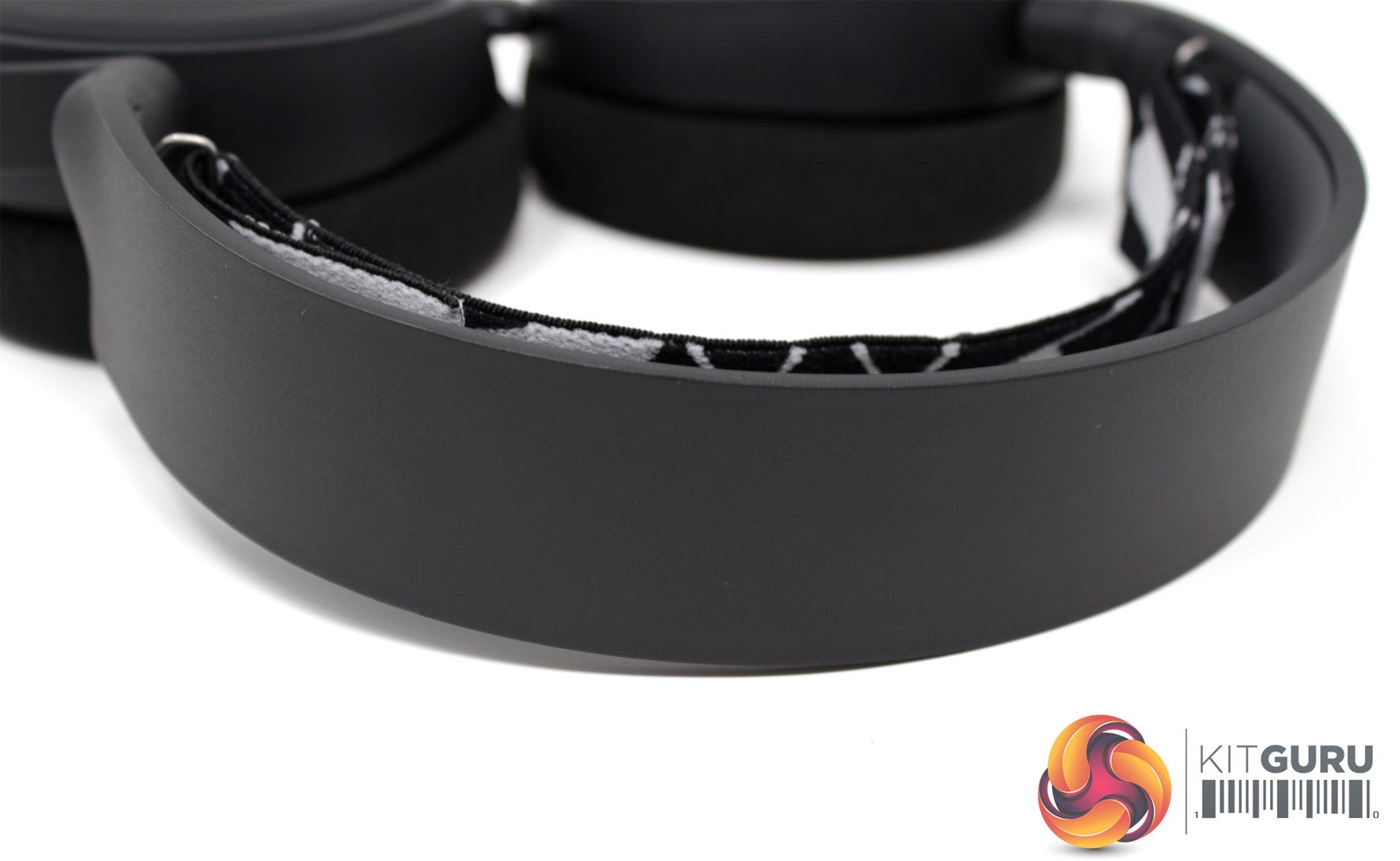
SteelSeries has once again opted for the ski band design, with a flexible rubber band separating the user’s head from the sturdy plastic frame. The rubber band can be tightened or loosened with the Velcro straps on either side, however the default sizing stretches to fit most sizes comfortably.
There are 8 styles of ski band to choose from, and my sample came fitted with the ‘Crushed Snow' band. There are plenty of styles and colours to choose from, though, including two ‘Artist Series' variants displaying artwork by ThankYouX and Lauren Asta.
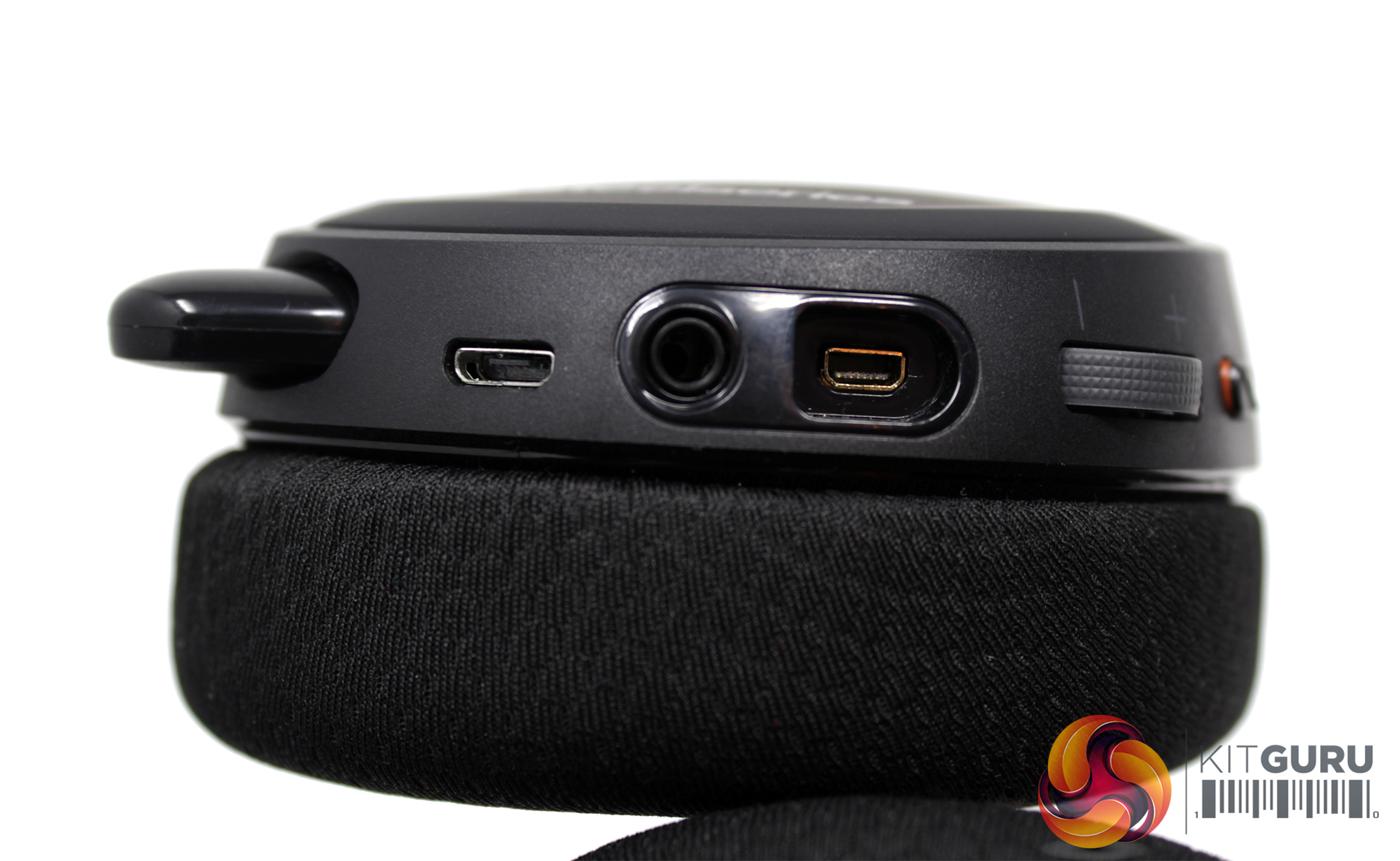
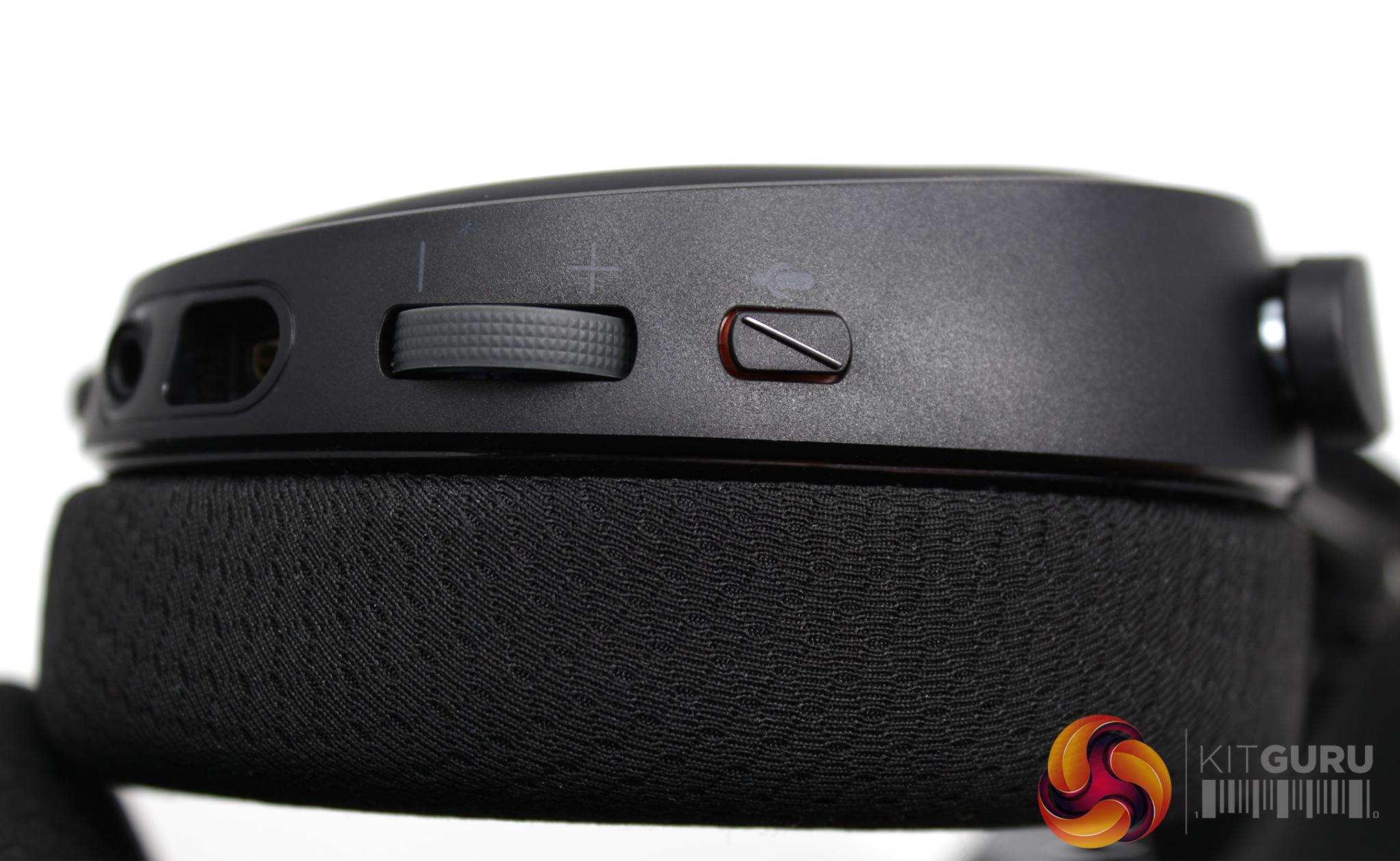
A lot of the functionality has been placed on the ear cups of the SteelSeries Arctis 3 Bluetooth, with three connectors on the left ear cup – one microUSB for charging, one proprietary connector for the primary headset cable, and also one 3.5mm input which ‘shares' whatever you're listening to so a friend can plug in and listen as well.
The media controls are housed a little further down the left ear cup, with a volume wheel a dedicated mic mute button being included.
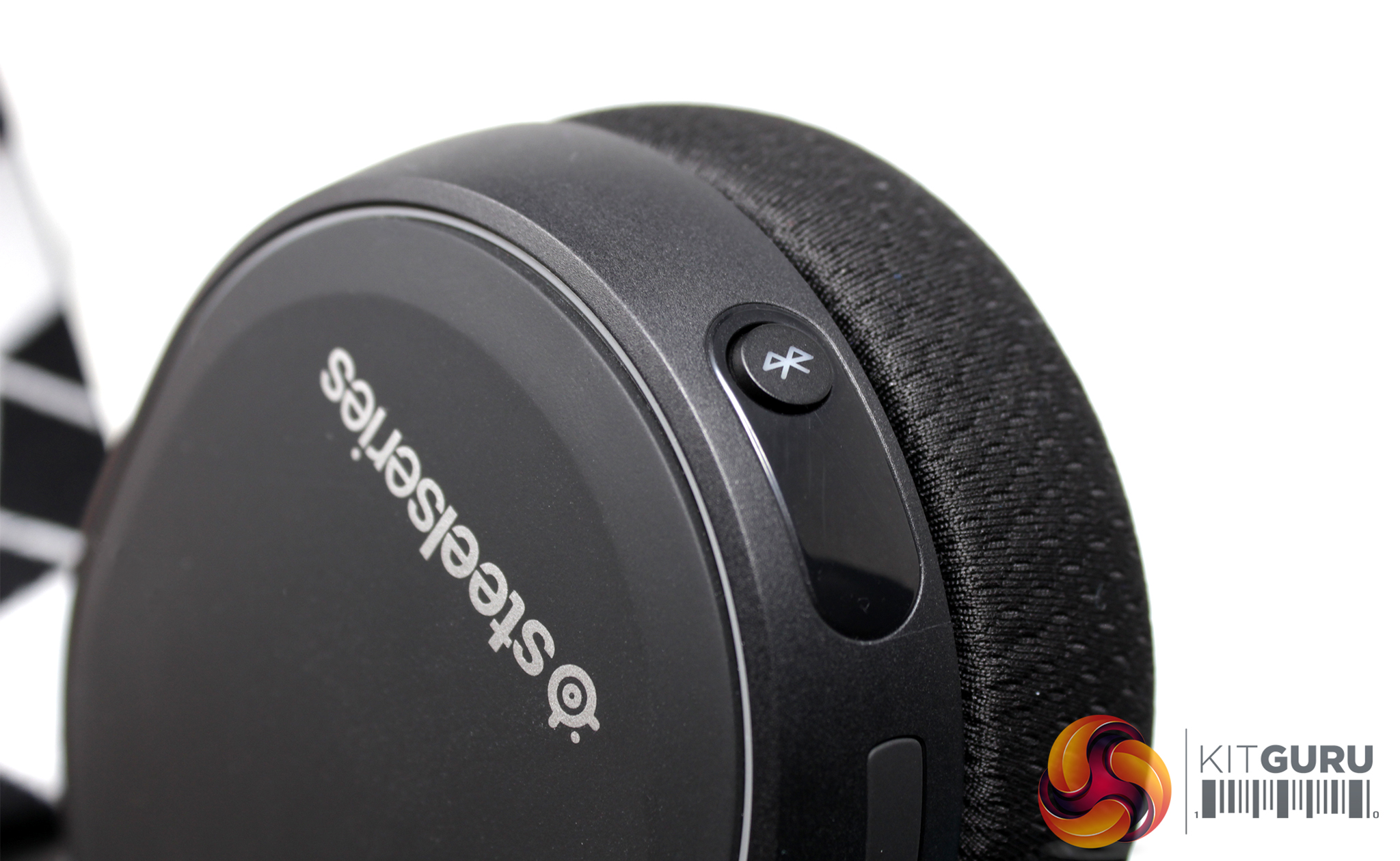
In comparison, the right ear cup is distinctly less busy having just a single Bluetooth button. Holding this Bluetooth button down for approximately 4 seconds will yield a short beeping noise and slow flashing of the green LED indicator to show that the headset is now discoverable to devices it is already paired with.
Entering pairing mode is a little trickier as users have to hold the button down for a total of approximately 7 seconds. This will prompt the user with a second, faster beeping noise and a rapid flashing of the LED indicator until paired with a device.
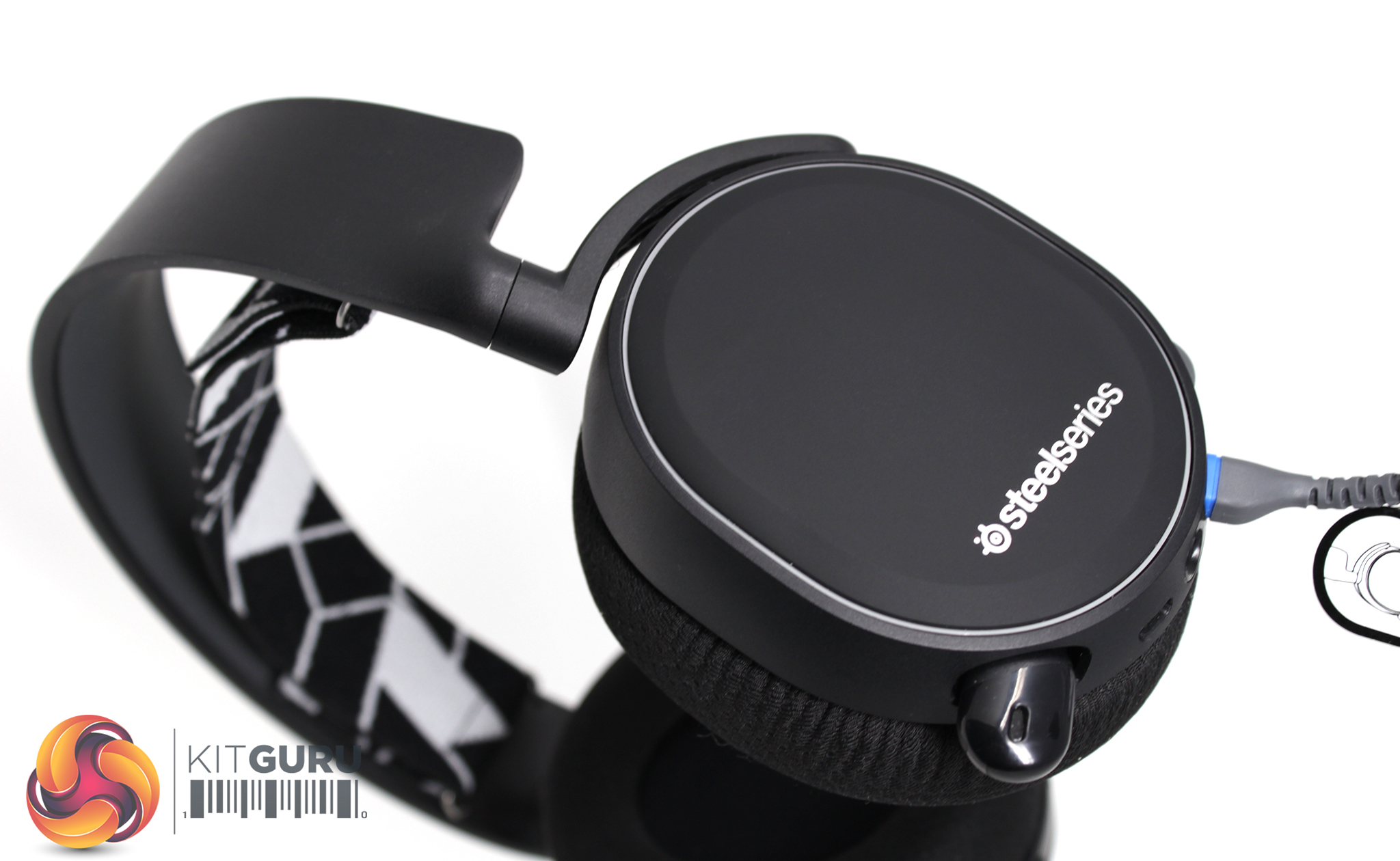
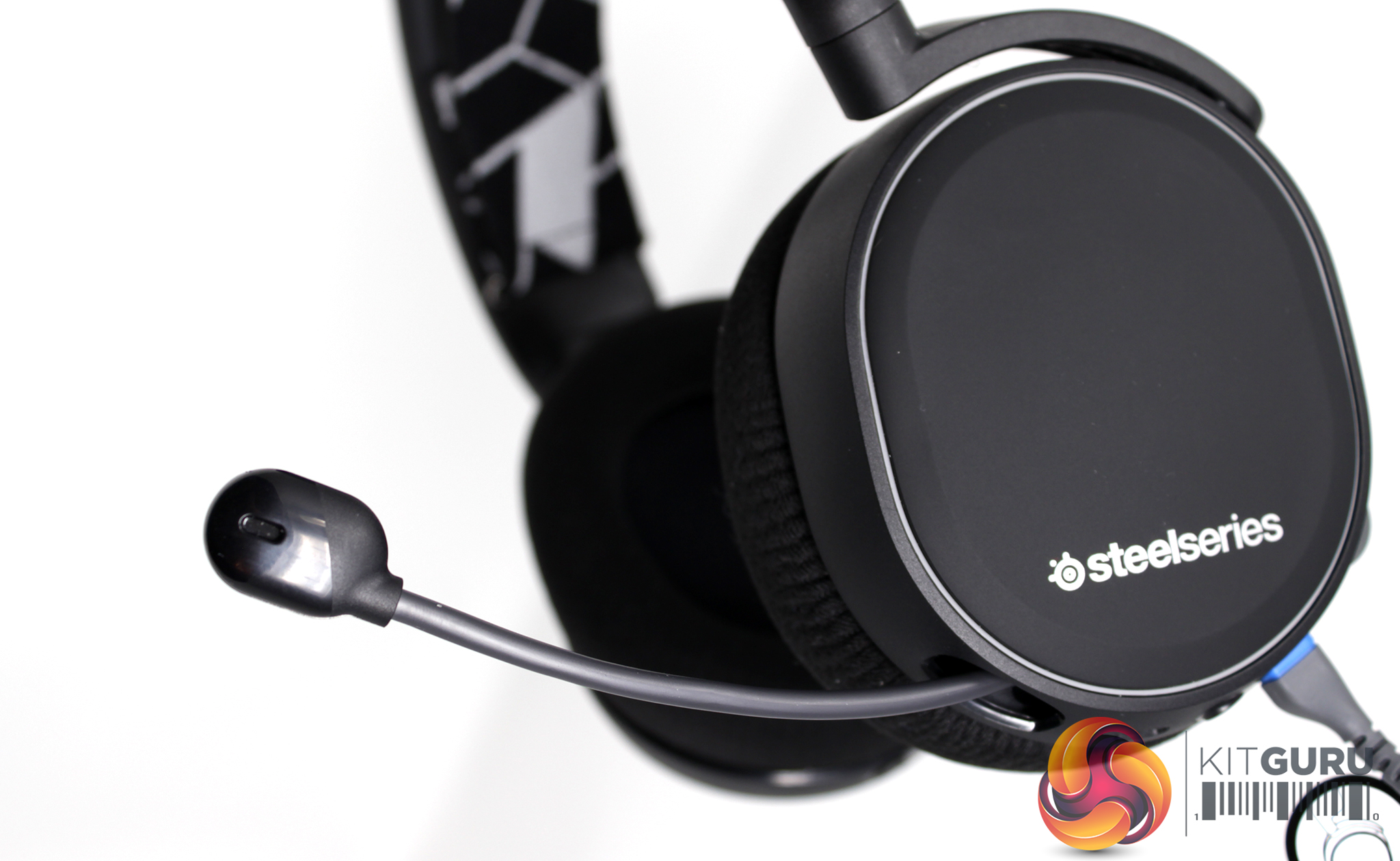
Lastly, the microphone can be extended and retracted from the left ear cup. The boom arm is fully flexible, enabling the user to pull the microphone closer or push it further away, while the microphone itself is bidirectional.
To test the Arctis 3 Bluetooth, I used the headset as my primary headset for a month, using it across multiple platforms to play games, watch videos and listen to music.
Usually we’d take a look at software first, however the Arctis 3 Bluetooth doesn’t make use of the SteelSeries Engine 3 and instead works as a standalone device.
Similarly, the headset forgoes any form of lighting in favour of a slick, matte design, leading us straight into the device’s design & comfort, sound, features and mic quality.
Design and Comfort
In today’s world of aggressive LED covered peripherals, it would be easy to mistake the SteelSeries Arctis 3 Bluetooth for anything but a gaming headset. Instead, it adopts mostly the same design as its predecessor, sporting sleek black curves that could pass as an everyday pair of headphones if it weren’t for the gap left between the ski band and the solid plastic frame.
Of course, the ski band design is built for function over form, providing a uniquely comfortable and lightweight feel that supports usage for long sessions. The rotation on the ear cups also helps users comfortably slide the headset on and off, while the rotatable cups also makes the Arctis 3 Bluetooth a bit more portable.
Unfortunately, the spacing between the drivers and the cushioning on the ear cups seems particularly shallow with the stock ear cushions, a problem which has previously been highlighted when we reviewed the Arctis 7. Those that are willing to pay a little more to get the best out of this particular model might want to check out the SteelSeries website, as the company offers thicker velour or leatherette cushions for £11.99, but at £135 it is still disappointing not to see an alternative pair provided in the box.
I cannot confirm first hand if this solves the problem as I was not sent an alternative pair to try, however plenty of people on Reddit seem to agree that the thicker cushions do improve the overall comfort of the headset.
Sound
Like the devices in the Arctis family, the Arctis 3 Bluetooth has an overall well-balanced sound, offering clear highs, a good range of mids and a solid bass. Dropping the often gimmicky virtual 7.1 surround sound in favour of stereo allows the headset to carry the great mix over to any platform.
This was most evident when switching from watching videos on my PlayStation 4 to playing Persona 5, to then using the Arctis 3 Bluetooth for the more explosive action of Rainbow Six Siege and Destiny 2 on PC.
However, I've most enjoyed using the headset when listening to music, an area where gaming devices often falter. While it won’t outdo most dedicated headphones of a similar price, the hard rock elements of Don Broco’s new album, Technology, sounded great thanks to the headset's impressive sound stage.
Features
Considering the Arctis 3 Bluetooth costs the same as the Arctis 7, it’s a shame to see the ChatMix feature disappear entirely. ChatMix essentially separates communication audio (like chatting on Discord or Skype) and in-game audio into two channels that can independently be controlled to suit the user’s preferred volume, a feature that would have been right at home on the Arctis 3 Bluetooth.
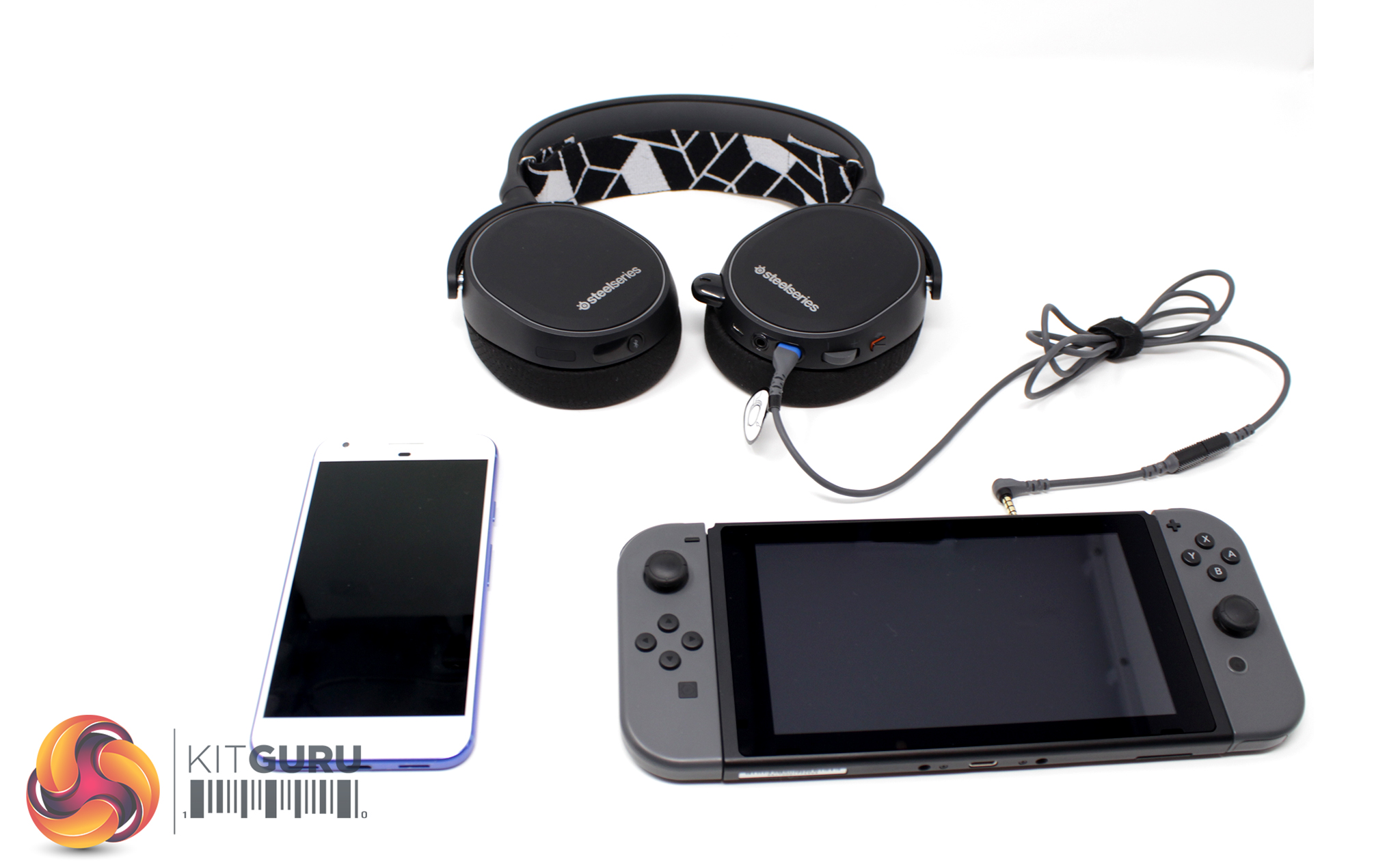
What the device does offer, however, is the unique ability to combine two separate audio channels into one from two completely different devices: one via wired connection and another via Bluetooth. Unfortunately, the Bluetooth functionality is limited to PC and smartphones, but the headset can connect to any 3.5mm compatible device via the included wires, such as the PlayStation 4, Xbox One and Nintendo Switch.
The Arctis 3 Bluetooth is primarily engineered with the Nintendo Switch in mind, as Nintendo ditched the traditional built-in Voice over Internet Protocol (VOIP) in favour of a smartphone application instead. The headset circumvents this inconvenience by giving users the ability to listen to in-game sound from the Switch (via an aux cable) while simultaneously using the same headset to chat with friends over Discord thanks to the Bluetooth functionality.
Needless to say, using the headset wirelessly requires the battery to be charged, and SteelSeries claims that the Arctis 3 Bluetooth can hold around 28 hours of charge. While I couldn't quite get the full 28 hours of use from the headset, I did manage to push it for approximately 24 hours before the battery was fully drained.
Microphone
The microphone is incredibly handy, offering impressive flexibility when in use and the ability to tuck away neatly when it's no longer needed.
While I'd previously heard that SteelSeries offer quality microphone solutions on the Arctis 5 and Arctis 7, my experience with the Arctis 3 Bluetooth suggests it's a little on the quiet side and is noticeably lacking in bass. This isn't all that surprising for a gaming headset, however, and it can be improved by altering pickup levels within communication clients, something which Discord excels at.
SteelSeries Arctis 3 Bluetooth mic test
I would urge users to be careful about their microphone placement, as the closer it is to the user's mouth, the more their speech will be clouded with breathy bursts. Mechanical keyboards and shuffling will also be picked up as the microphone is fairly sensitive, so overall this isn't the best mic I've ever used.
Ultimately, SteelSeries is offering something innovative with its Arctis 3 Bluetooth headset, introducing a feature I’ve yet to see appear in the market elsewhere. Its main problem, however, is where it fits in the market considering its current pricing.
It is pretty comfortable, though, with a lightweight design that is built for long gaming sessions. I would've liked to see a secondary pair of ear cushions included in the box, as the stock pads are a bit thin, but you can buy additional ear cushions for £11.99 on SteelSeries' website.
The Arctis 3 Bluetooth cements its quality design by offering a well-balanced sound signature, with crisp highs and a smooth mid-range, while the bass is also clean and not overbearing. The mic is a little disappointing, but it is very flexible and easy to work with.
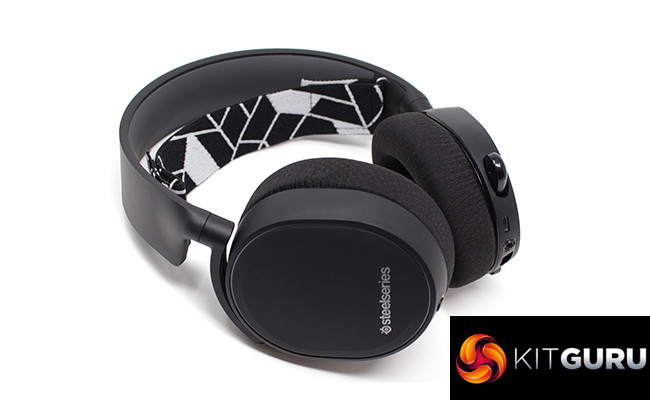
The inclusion of Bluetooth is the headset's main feature, though, and this really helps the Arctis 3 Bluetooth stand out from the crowd as it simply works across so many platforms, while you can even listen to two devices simultaneously.
This function does, however, put the Arctis 3 Bluetooth in a tricky position – at £134.99, it's currently £12 more expensive than the flagship Arctis 7 headset.
Considering SteelSeries is very much in competition with itself given the rest of the Arctis range largely offers the same quality sound, microphone and ski band comfort, I’d recommend comparing the differing features to respective prices before purchasing.
You can buy the SteelSeries Arctis 3 Bluetooth for £134.99 from Amazon HERE. At this price, it's certainly worth buying if you're keen on the idea of connecting to two devices at once. The high price, however, and it's rather unique selling point does mean that this headset won't be for everybody.
Pros
- Good audio quality.
- Bluetooth feature is versatile and innovative.
- Can connect to a wide variety of devices.
- Good battery life.
Cons
- Ear cups are shallow and can result in some discomfort.
- Microphone could be a little better for its price.
- Quite expensive.
KitGuru says: The Arctis 3 Bluetooth is a great headset that will appeal to those who want to connect to two devices simultaneously. It is quite expensive, though, and potential buyers who only want to connect to one device may be best served with the Arctis 7.