KitGuru KitGuru.net – Tech News | Hardware News | Hardware Reviews | IOS | Mobile | Gaming | Graphics Cards


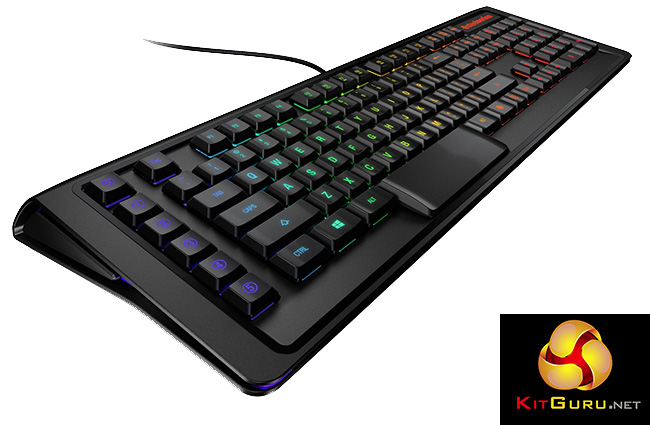
Even though most serious gamers use mechanical keyboards these days, many do not realise that the technology behind those key-switches is over 30 years old. With that in mind, it is no wonder that Steelseries are looking to reinvent the wheel with their new Apex M800 mechanical board. It incorporates Steelseries branded switches, with a shorter travel distance than anything else out there.
Will that be enough to differentiate it from other RGB backlit boards available and can the key design compete with market leader Cherry? Let us find out.
Specifications
- Weight: 1390 g (3.06 lbs).
- Width: 510 mm (20.08 in).
- Height: 174 mm (6.85 in).
- Depth: 41 mm (1.61 in).
- USB Cable Length: 2 m (6.6 ft).
Features:
Keys and Switches
- Anti-Ghosting: Zero Ghosting, 256 Keys at Once.
- Extra Quick Access Keys: 6.
- Multimedia Controls: One-Touch via F-Keys.
- QS1 Switch: 3mm Throw, 1.5mm.
- Ativation/Reset: 45cN Force. 60M Clicks.
- All Keys are Programmable.
Steelseries Engine
- Intuitive and Simple Macro Editor.
- Text-based Macros (Direct to Console).
- Set Custom Profiles Per Application.
- Switch Profiles Across All Your SteelSeries Engine Devices.
Illumination
- Number of Illumination Colors: 16.8 million.
- Unlimited Lighting Layers.
- Preset Effects, Create Your Own.
- Illuminated Custom Cooldown Timers.
- Individually Illuminated Keys: Centered LED, Clear Housing, Minimized Bleed.
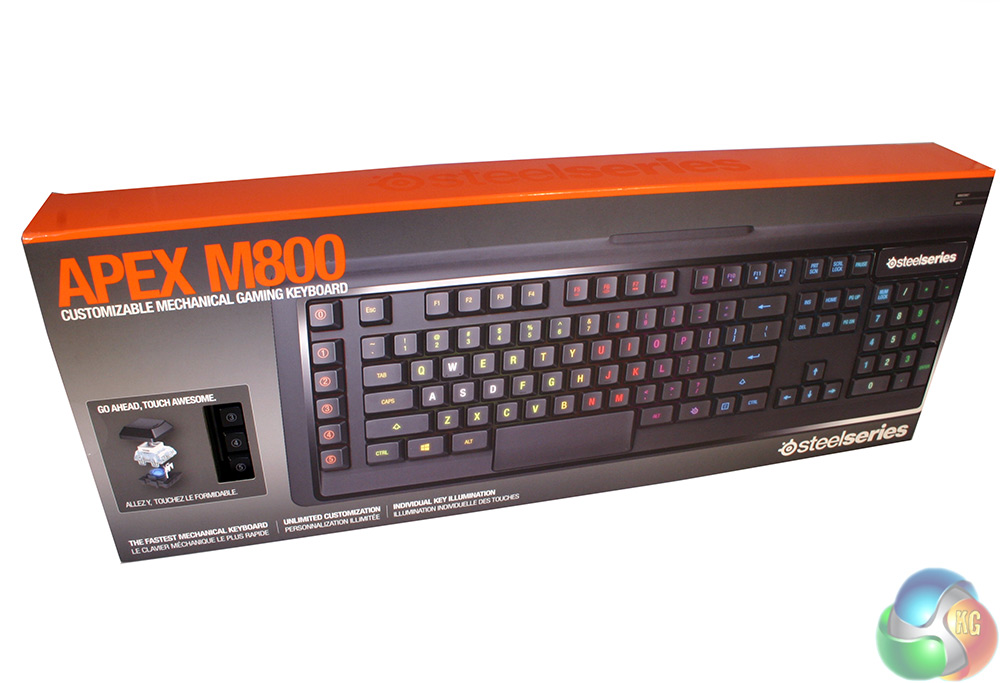
The packaging for the Steelseries Apex M800 is lovely. The company include a little cut out section to allow retail store customers to try out the new key design.
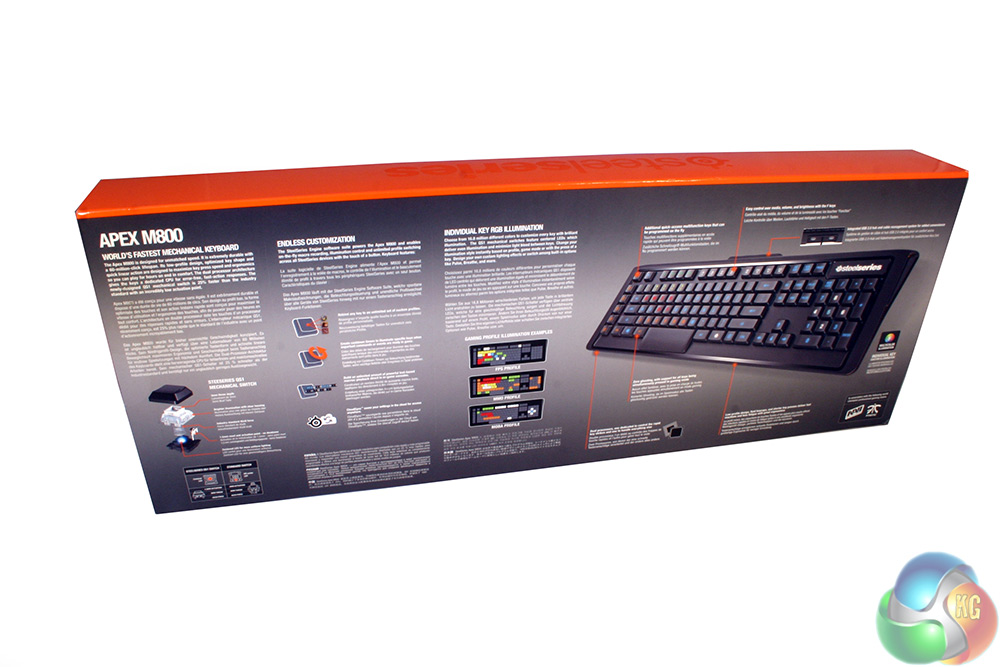
The back of the box details some of the board's more impressive features. Steelseries highlight the ability to remap any key to whatever you want, create timers that affect lighting (to remind you when certain items are ready for usage), cloud synchronised profile switching and endless lighting options. They obviously also place focus on the key technology incorporated into the Apex M800.
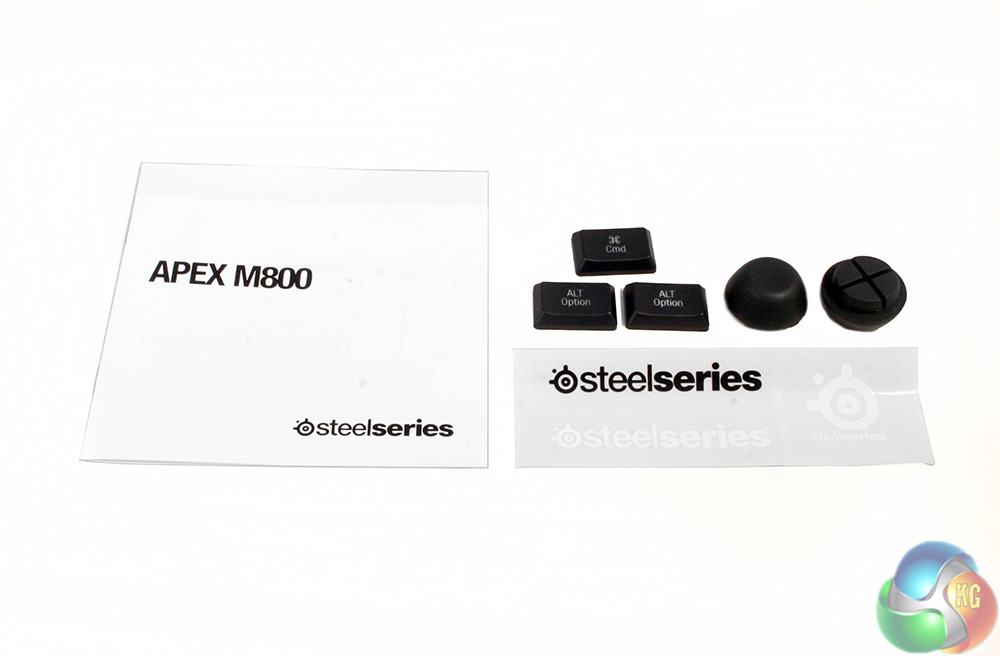
Along with the Apex M800 board itself, you also receive a quick-set up guide, a few Steelseries stickers, some alternate key-caps for the Alt keys and a pair of higher profile rubber feet.
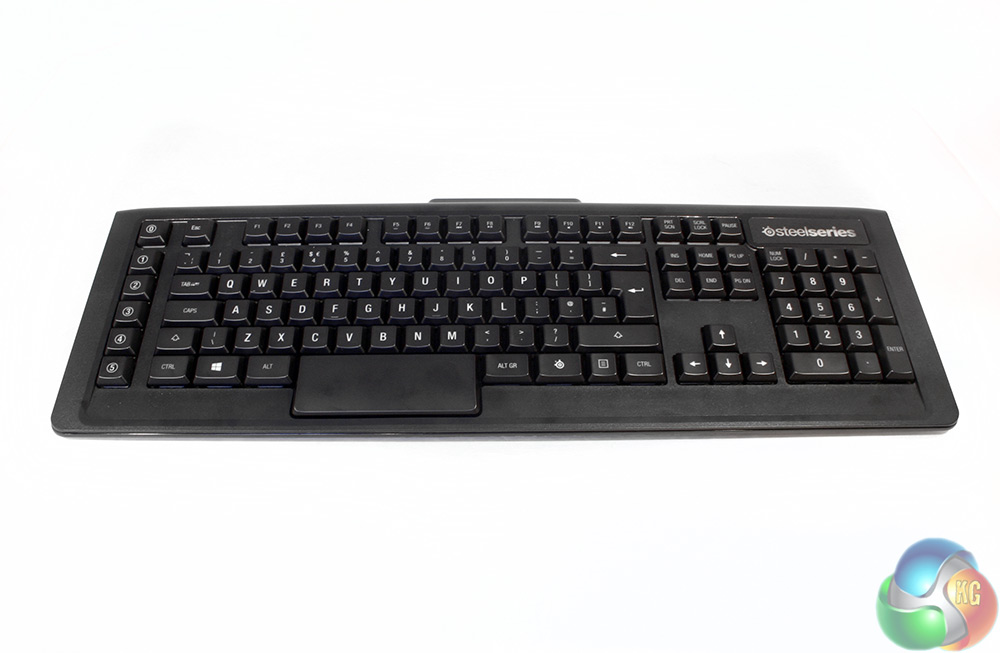 The Steelseries Apex M800 is quite a typical looking board at first sight. It has a matt black colour scheme and a hard plastic body with a light texturing and it is a pretty standard size, with no really obvious styling points.
The board itself is very sturdy and quite heavy, with Steelseries listing weight as just below 1.5 kilos.
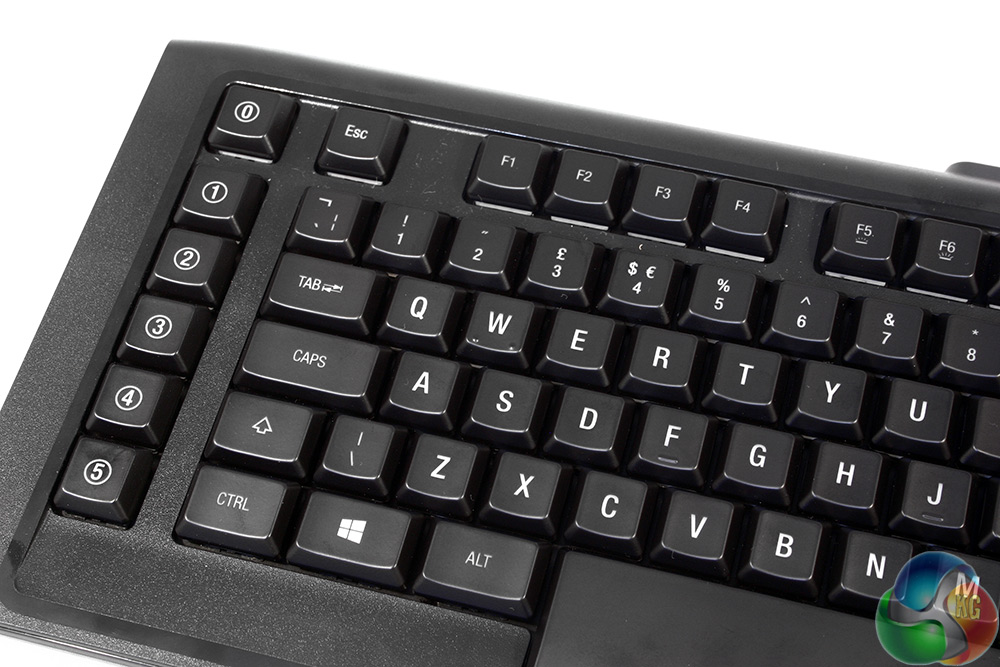
The keys themselves are also pretty typical of most modern keyboards with the usual slightly concave top to make for a more comfortable finger rest. They also feature clear plastic lettering to allow backlighting to shine through. That said, they are about half the height of typical keys, an intentional design decision, since lowering the travel distance of the keys was how Steelseries has made it ‘faster.'
Located on the far left of the board are six dedicated macro keys, labelled 0-5, though every key on this board can be remapped in the back-end software.
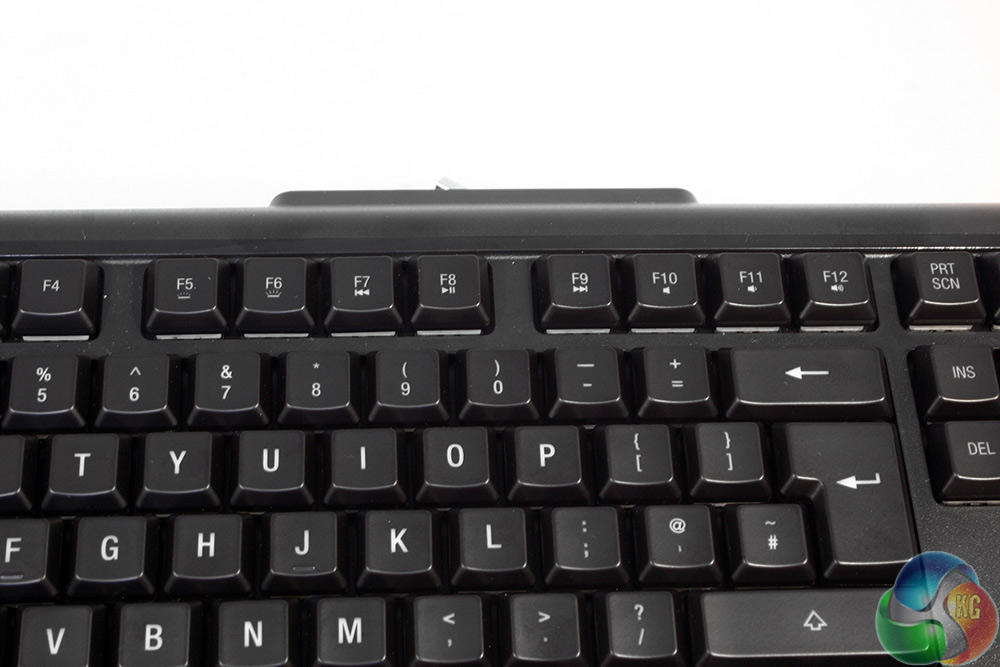
Along the F keys, you will notice that there some added functions which are activated with the specialised Steelseries key. From F5 running through to F12, there are controls for key brightness and media commands such as skipping forward and back, play/pause and volume controls – including a mute button.
The only Steelseries logo on the board is over on the right hand side, where we usually find the lock indicators. Since this board has quite advanced lighting, its lock indicators are actually the buttons themselves, which light up white when the different functions are engaged.
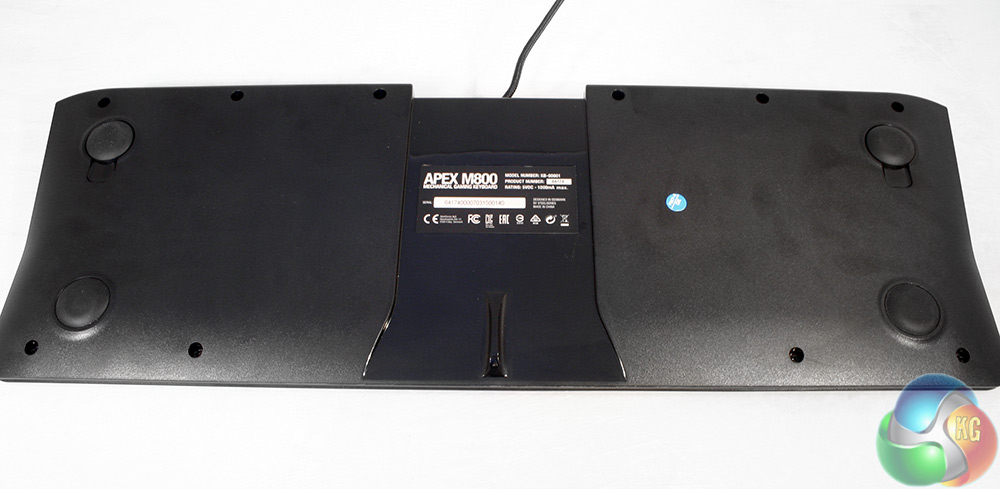
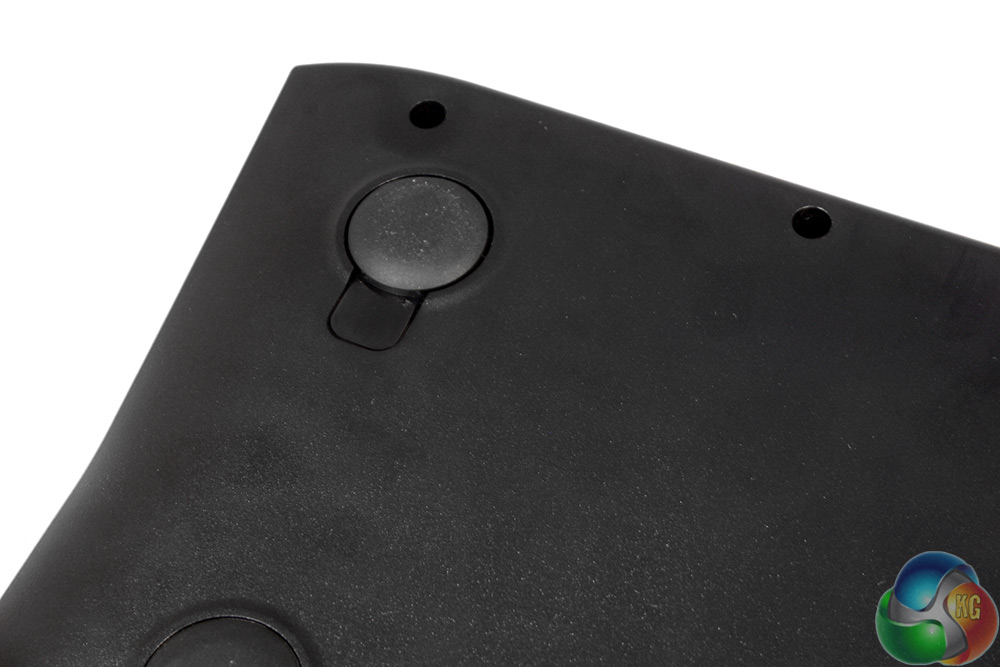
The underside almost has more styling nuances than the top, with a glossy section of plastic running right through the middle of the board.
In each of the corners is a rubber stopper which acts as a foot, improving grip. That said, The Apex M800 weight makes this less necessary than many competing boards.
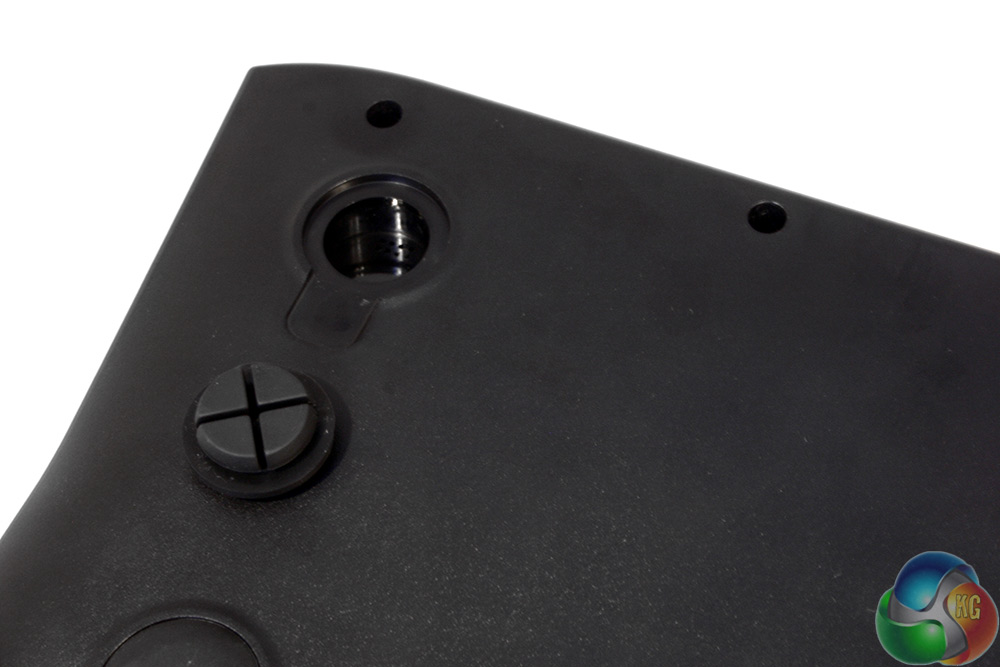
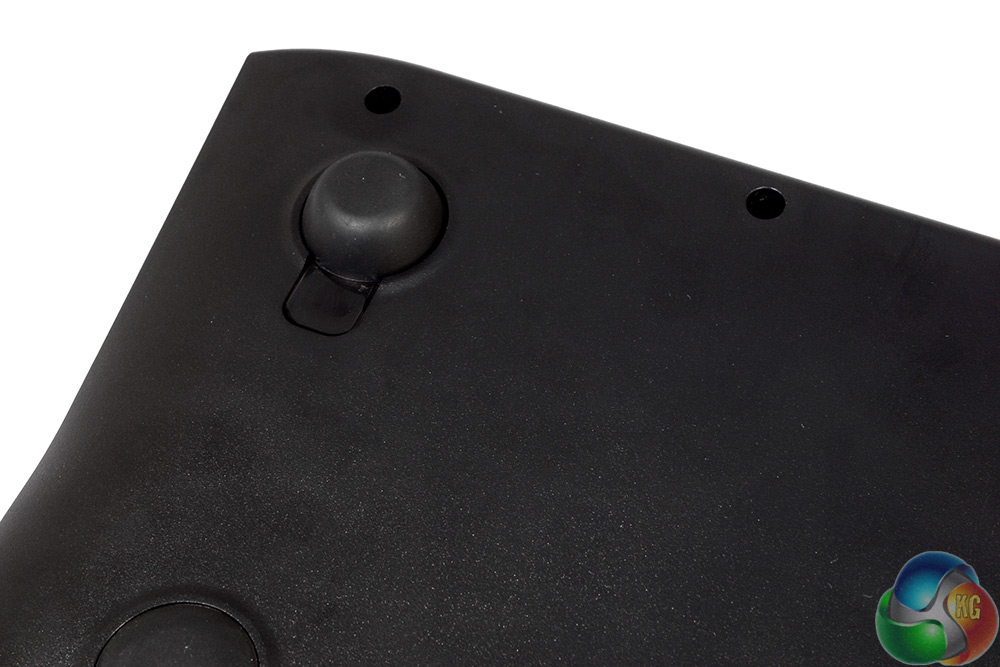
One noticeable absence from the underside of the Steelseries Apex M800 is a pair of flip up props which raise the rear of the board. Steelseries have instead included some larger rubber feet which increase height at the rear.
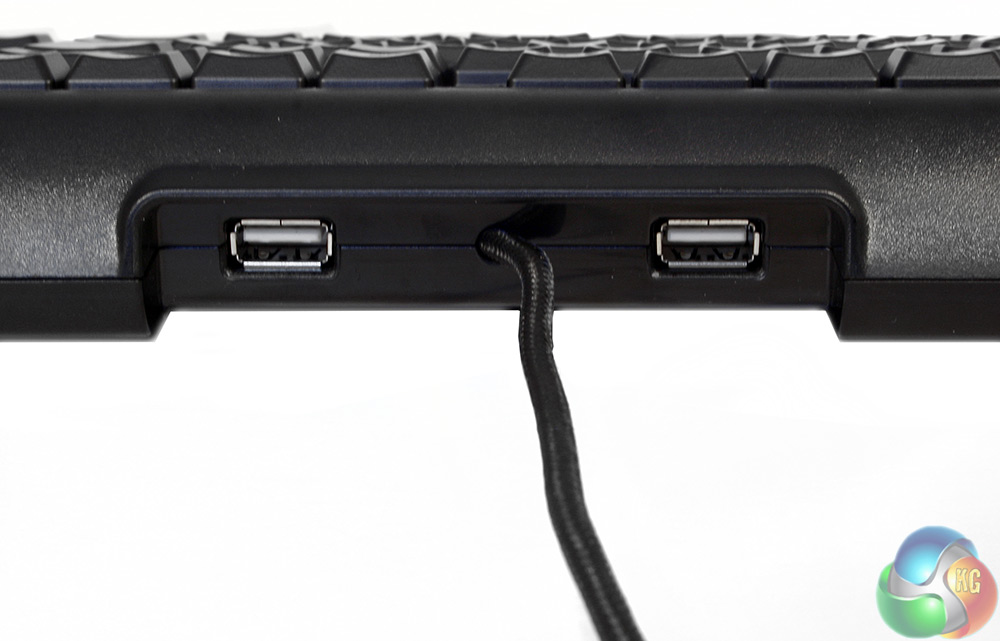
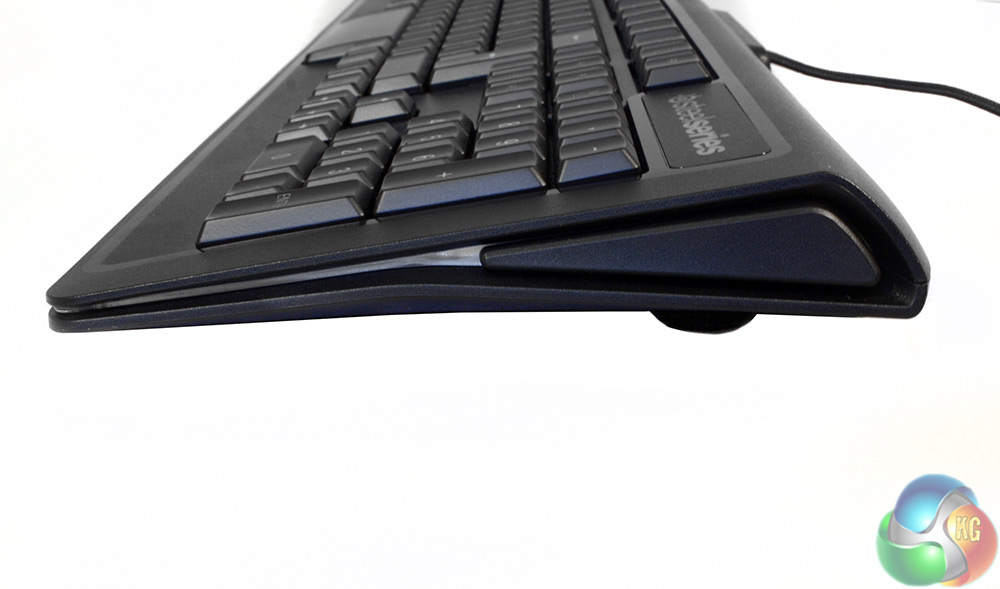
Two USB ports are situated on the rear of the board. That white area on the side actually lights up too, in line with the key backlighting.
The cable is braided as you would expect from a high end board, but does not feature the usual gold leafing. There are two USB headers for connection on the motherboard I/O plate.
Since the use of peripherals can be so subjective, we find the best way to test them is to put them through their paces in extended real world scenarios. That means using the Steelseries Apex M800 for over a week, every day, for many hours.
When it comes to gaming, Steelseries has successfully created a new switch that performs as well, if not better than a Cherry MX switch. They behave very like Cherry red switches as the actuation force is the same – but the distance difference does take a little getting used to.
In regards to Steelseries ‘speed claims' – I have to admit I struggled to notice any improvements over Cherry switch designs. Last year I spoke with pro gamers from the Cloud 9 Counter Strike team about a similarly shortened switch used in Logitech's Orion Spark keyboard and they told me that they did notice a difference, when I didn't.
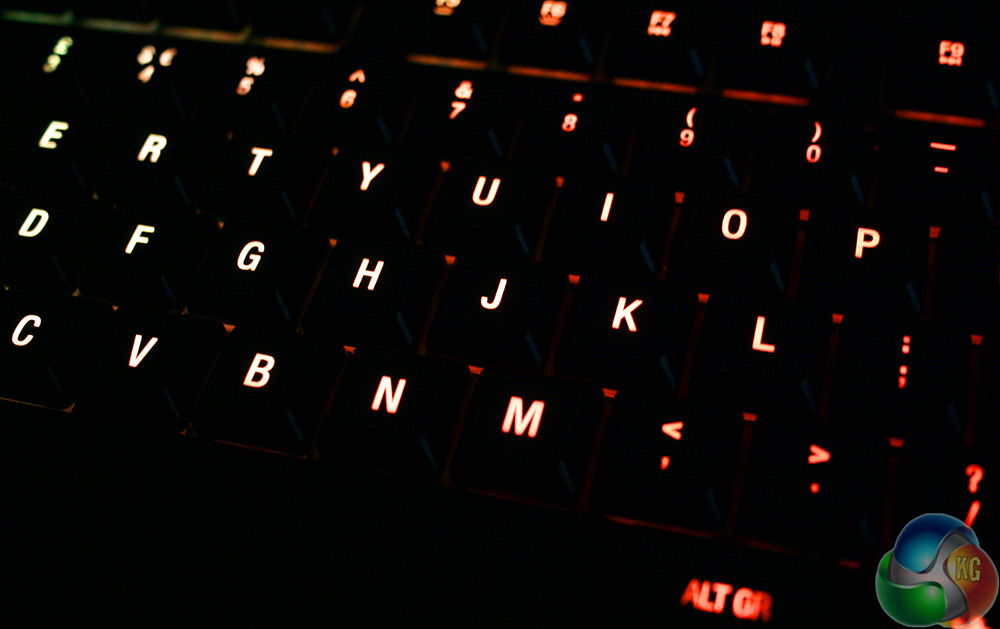
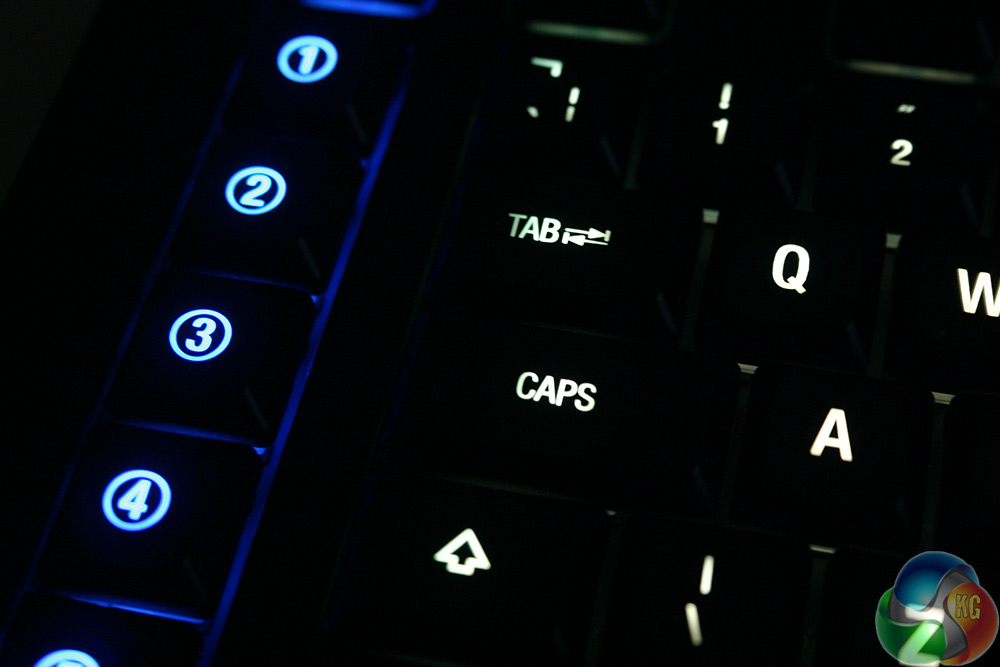
Backlighting is deep and powerful, displaying even under bright lights
Comparisons aside, I found the keys to be fast in the testing I did, much of which was focused on keyboard dominant FPS titles and racers such as Trackmania. Overall I came away very impressed. The switches are smooth and give great response, even if there is no ‘MX Brown-like' tactile feedback. Additionally they are very comfortable to press, both because of the soft plastic keycaps, as well as the smooth travel of the key.
Because of the low actuation force (45cN) my fingers didn't get tired, even after long sessions with intense action games like Unreal Tournament.
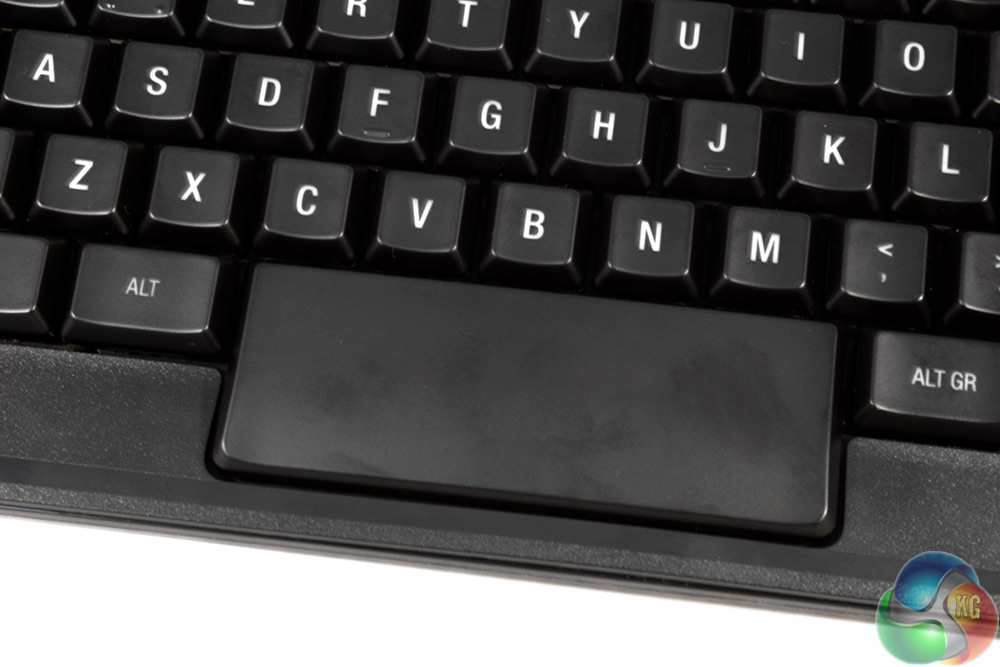
One standout during testing was the space bar. This incorporates a single Steelseries switch under its hood but with complete coverage from the corner to the centre. This means wherever you hit it, feedback is returned. On top of that, it is large enough that it should be comfortable for people of various hand sizes to use. It also looks quite striking, though I am a little disappointed to see that it does not incorporate LED lighting.
As fantastic as the Steelseries Apex M800 is to game on though, it is also a great board for typists. The keys are light and fast to the touch, but unlike other boards designed with speed in mind I did not find myself making too many mistakes. To test their ultimate speed, I ran a few tests on TypeRacer and managed to hit a maximum speed of 126 words per minute, close to my personal best. On average I achieved around 110 word per minute, which is similar to my general rate with a high grade mechanical keyboard.
With this board's Cherry MX equivalent (reds), I would often complain about the lack of a tactile feel to their pressing, such as you get with Cherry MX Brown switches. The Steelseries' key's travel distance is shorter and unless you are very careful with key presses you are going to spend a lot of time bottoming out when you type.
There is a difference between the bottom of the key and its actuation point, but it is miniscule and after a week of typing upwards of 20,000 words on this board, I am still hitting the keys hard enough to feel the plastic key-plate on almost every press.
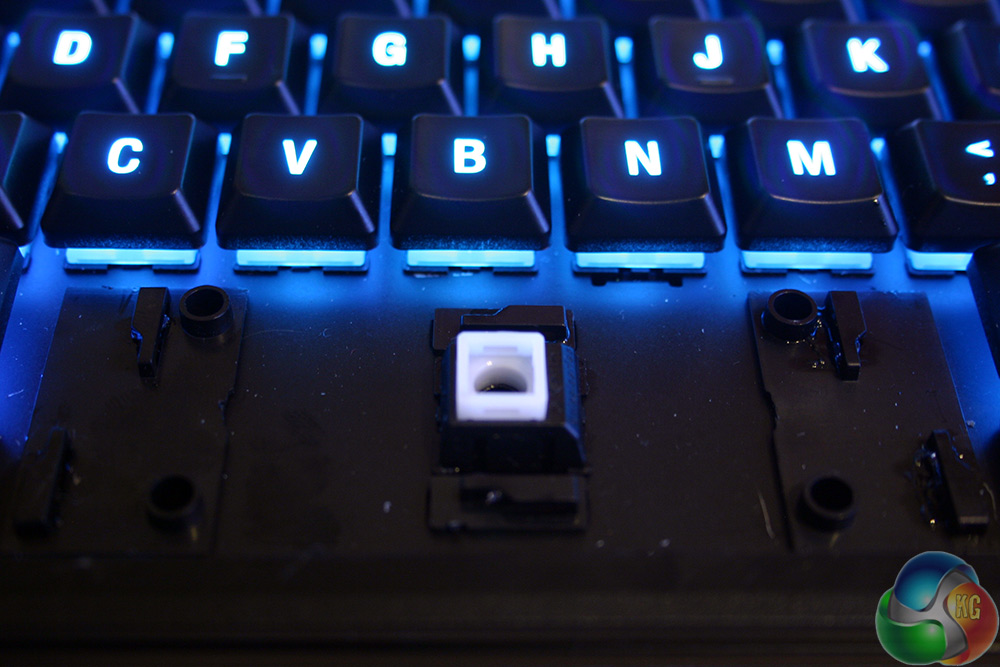
Again, a special mention for the space bar. Some keyboards do not accurately translate corner presses to the central switch, but this is not a problem with the Apex M800. That is probably because it has the most complicated metallic arm set up I have seen on a keyboard. And I should know, I took the key off and spent 20 minutes trying to figure out how to put it back on.
If nothing else, this board gets my thumbs up as having the best space bar ever.
I would like to see a wrist rest included in future versions, even if Steelseries would make it available as an extra.
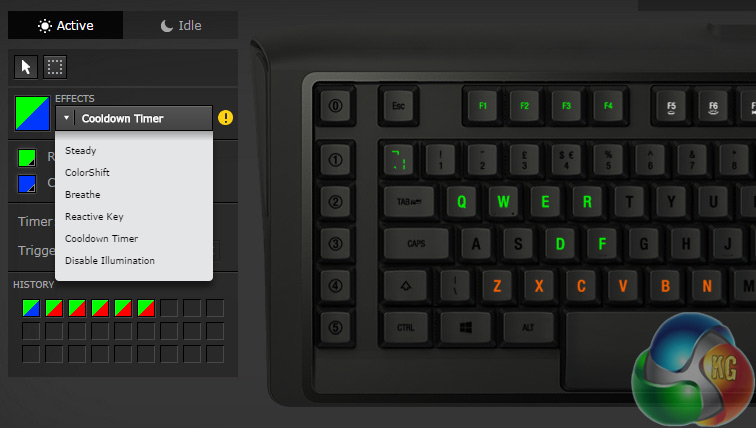
Lighting options are deep and varied and may even have some practical uses
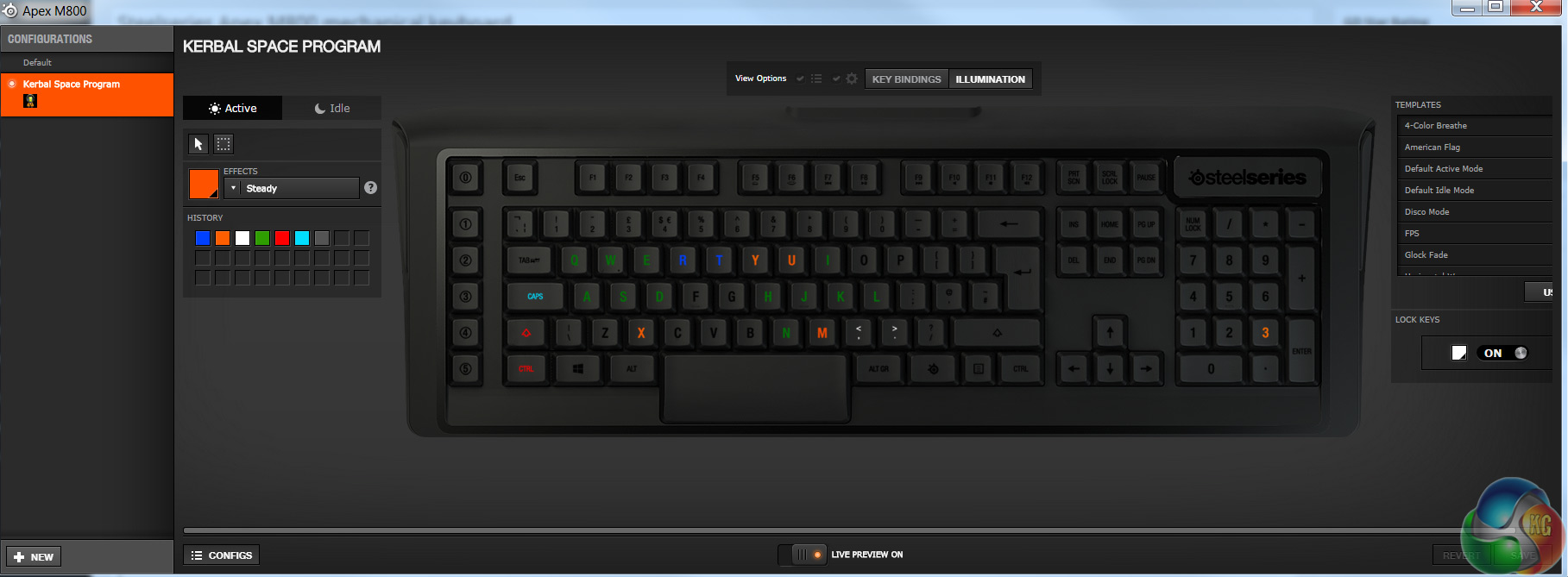
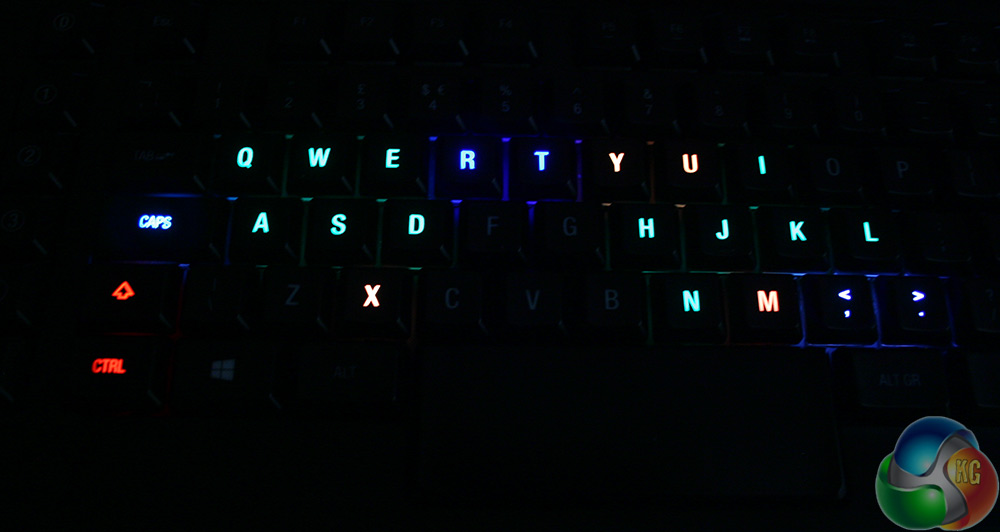
Moving on from the Apex M800's raw abilities however, I enjoyed the lighting options a lot. It was great being able to customise them to my heart's content, making little effects with the wave and breathe functions. I particularly liked having the lighting profile automatically change when I opened up certain applications – even doing so if you tab in and out. Like this one I made for Kerbal Space Program:
The only area where I feel like the lighting disappoints is the fact that there is no toggle lighting. You can put a cooldown timer on a key. You can have it ripple and breathe and I can even have it light up when I press it and then gradually fade back to its rest colour. Unfortunately I cannot have a key change when I press it and remain that colour until I press it again. In short, this keyboard's light is no good for toggling.
There is little reason it could not be added though. So Steelseries, I hope you are listening.
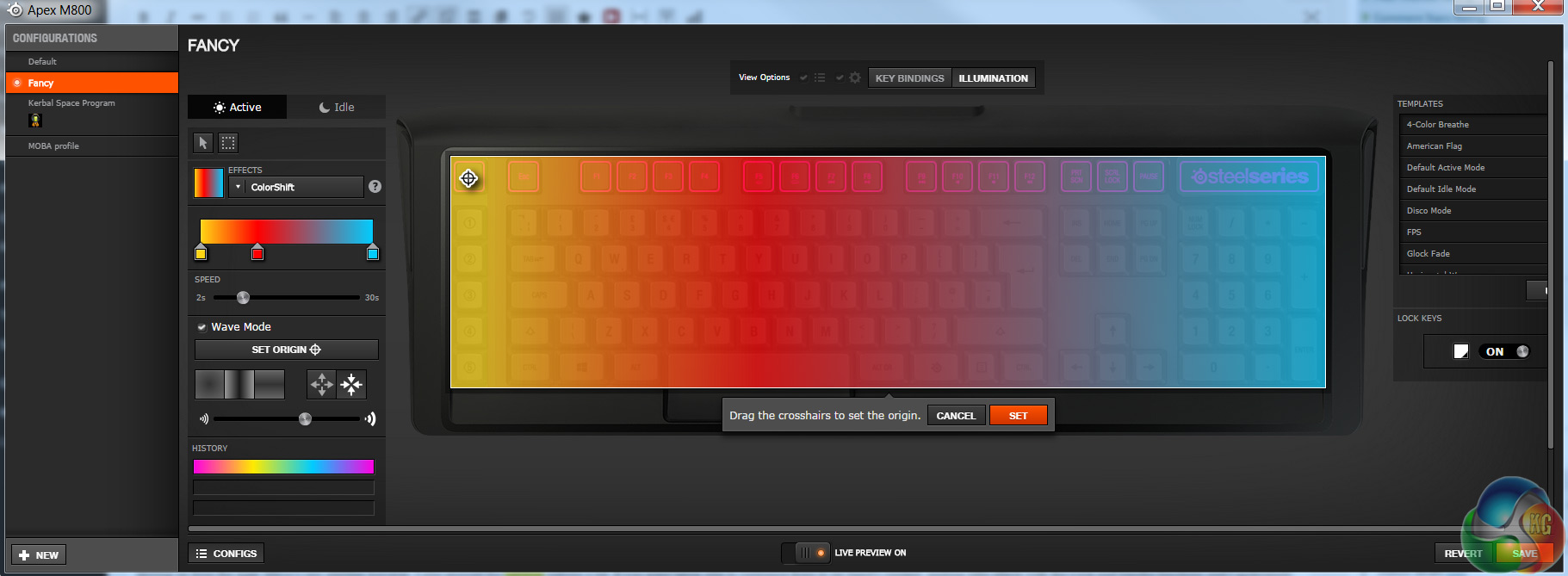
Although impressive, the lighting on this board still is not quite as good as the Corsair Vengeance K70. While it is possible to make short ‘animation-like' lighting changes by using the colour “black” to turn lights off to highlight other areas, it is not quite as nuanced and does not allow for some of the fancy effects that we were able to achieve with the Corsair board.
The Steelseries Apex M800 is powered by the Steelseries Engine software. Along with lighting there is also quite in-depth key binding functions.
You have the ability to remap every single key on the board and make it automatically change to that setting when a specific game or application is launched. And that is on top of the custom lighting profile you set it up with.
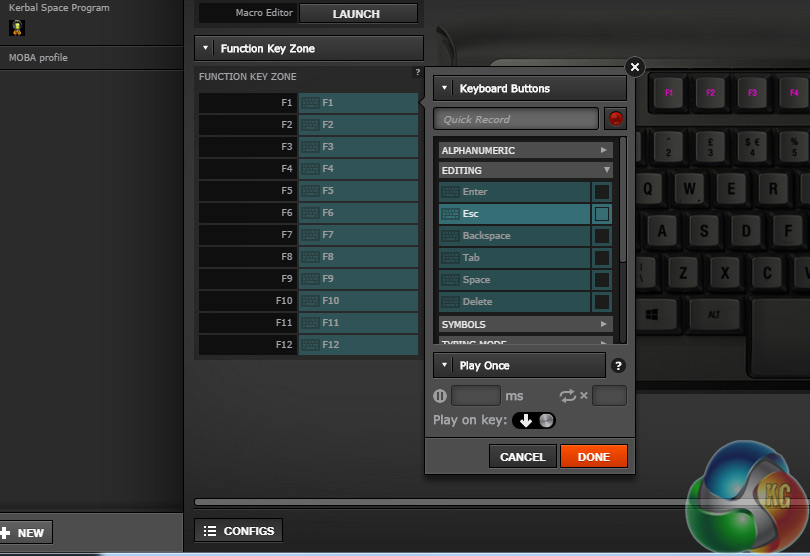
It does occasionally feel a little complicated for what it is offering though. See above for an example: after choosing the key I want to remap, I am given a “quick record” function but can also delve through categories to find the key I want to change it to. Why do we need two routes and a whole menu system to do the same thing?
You can also customise how many times that new function will be carried out when pressed, it can be looped and you can customise the delay between press and actuation down to the millisecond.
You can even have it activate when you let the key go, rather than when you press it.
Macro recording is handled in much the usual fashion, with users live recording their chosen function. Do not fret though if you are worried about not being able to press the buttons quick enough, all you have to do is get them right and you can go in and tweak all of the timings afterwards down to the millisecond.
While not much of a macro user normally, I did have a lot of fun creating custom controls using macros for Besiege, which I then helped myself understand with a custom lighting profile.
It is worth mentioning however that as powerful as all of this software is, it must be running in the background to offer macro function and the board itself can only store one profile at a time.
The Steelseries Apex M800 incorporates brand new mechanical switches which are comparable and possibly even better than Cherry MX switches. We don't want to delve too much into comparisons, as this is very much a personal choice decision, but Steelseries' QS1s are a beautifully designed switch that I would be more than happy using as my day-to-day keys for the foreseeable future.
The Apex M800 is a great keyboard to type and game with and does not present any real comfort issues. That said, I would like to see Steelseries offering a wrist rest in future, as it would help raise comfort in extended typing sessions.
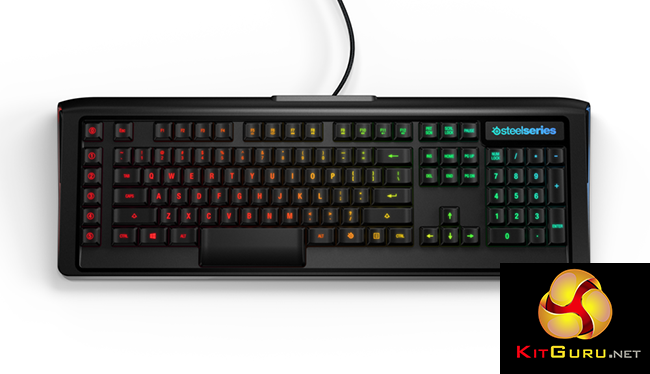
Steelseries has given the M800 some robust backlighting and some far reaching macro and key remapping abilities which should keep hardcore tweakers happy for some time to come.
The only real kicker for this board is the price. At £160 it is very expensive, especially if all you need is a good mechanical board for gaming. However, if you want all of the bells and whistles the Apex M800 certainly delivers a class leading overall experience. The spacebar is the best in the business.

You can pre-order the Steelseries Apex M800 on Overclockers for £160. As it stands there is no announced release date, but we would expect it sooner rather than later.
Discuss on our Facebook page, over HERE.
Pros
- QS1 switches are excellent. Cartainly comparable to Cherry MX.
- RGB backlighting is some of the best available.
- Solid construction, high built quality.
- Great remapping and back end customisation.
- Great space bar.
Cons
- Expensive.
- Not the best keyboard backlighting for the money.
- No wrist rest.