KitGuru KitGuru.net – Tech News | Hardware News | Hardware Reviews | IOS | Mobile | Gaming | Graphics Cards


Our main test involves using an X-Rite i1 Display Pro Plus colorimeter and utilising Portrait Displays’ Calman Ultimate software. The device sits on top of the screen while the software generates colour tones and patterns, which it compares against predetermined values to work out how accurate the screen is.
The results show:
- A monitor’s maximum brightness in candelas or cd/m2 at various levels set in the OSD.
- A monitor’s contrast ratio at various brightness levels in the OSD.
- Gamut coverage, primarily focusing on sRGB and DCI-P3 colour spaces.
- Greyscale accuracy, measured across 20 shades, with an average colour balance reported.
- The exact gamma levels, with a comparison against preset settings in the OSD.
- The colour accuracy, expressed as a Delta E ratio, with a result under 3 being fine for normal use, and under 2 being great for colour-accurate design work.
We first run these tests with the display in its out-of-the-box state, with all settings on default. If there is an sRGB emulation option or other useful mode then we may test that too. We then calibrate the screen using the Calman Ultimate software and run the tests again.
You can read more about our test methodology HERE.
Default settings
Brightness and Contrast (Full Screen)
| OSD Brightness | White Luminance (cd/m2) | Black Luminance (cd/m2) | Contrast Ratio |
| 0% | 66 | 0.057 | 1152:1 |
| 25% | 171.3 | 0.148 | 1152:1 |
| 50% | 269.9 | 0.233 | 1157:1 |
| 75% | 360.8 | 0.312 | 1157:1 |
| 100% | 450 | 0.388 | 1159:1 |
Starting testing with brightness and contrast, AOC claims a 400 nit typical brightness, but my sample exceeded that by hitting 450 nits – not bad at all considering the price. It doesn't get super dim at 66 nits minimum, but it is certainly acceptable.
Black levels are also fine by IPS standards, resulting in contrast of around 1160:1, which is slightly better than the 1000:1 ratio claimed by AOC. It's a good start.
Screen Uniformity
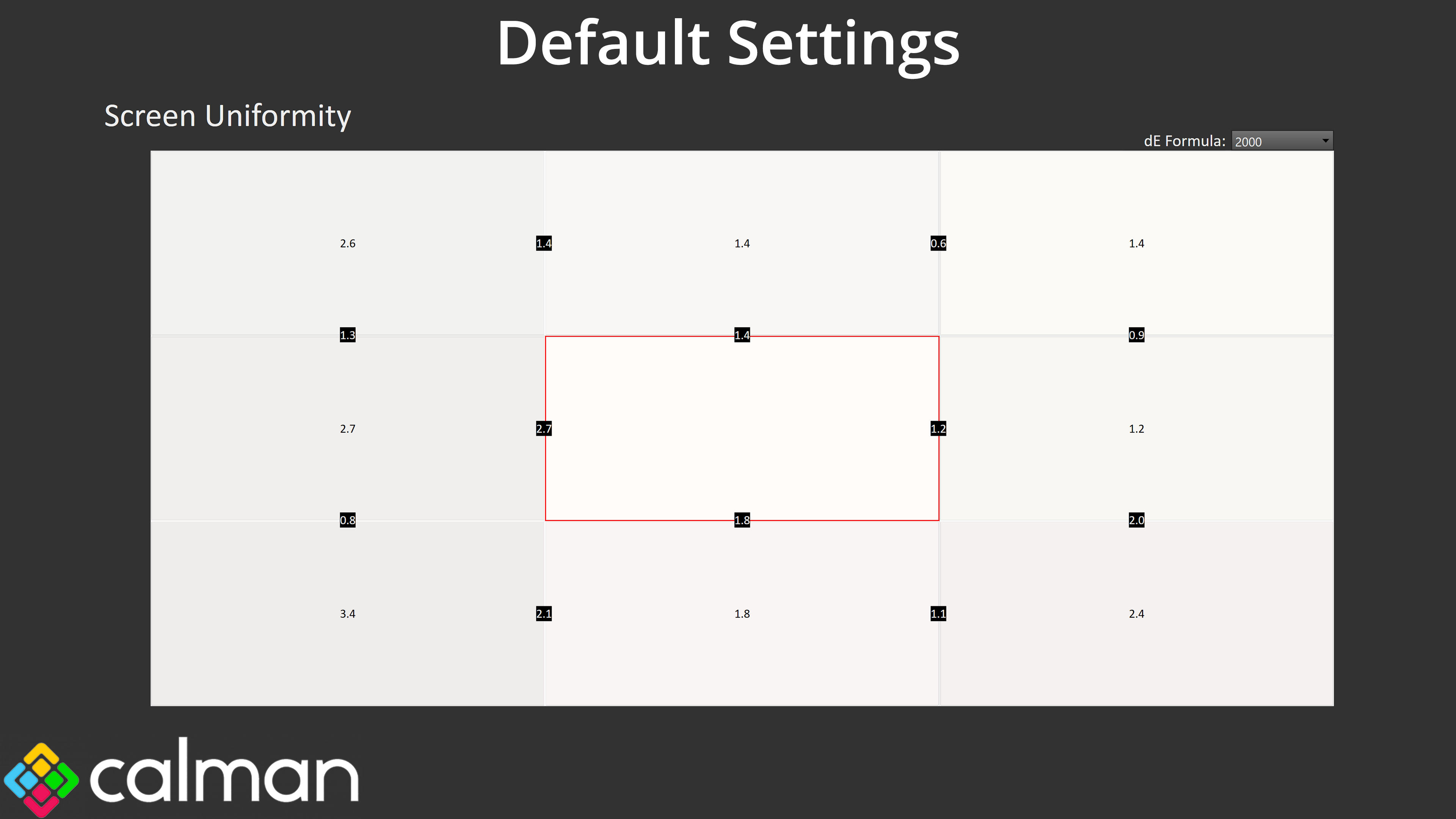
Panel uniformity isn't an area to worry about either. There is a small amount of deviation down the left-hand side, but all but one of the deltaE values remain under 3 which is perfectly acceptable, while the middle and right-side are better still.
Gamut (CIE 1976)
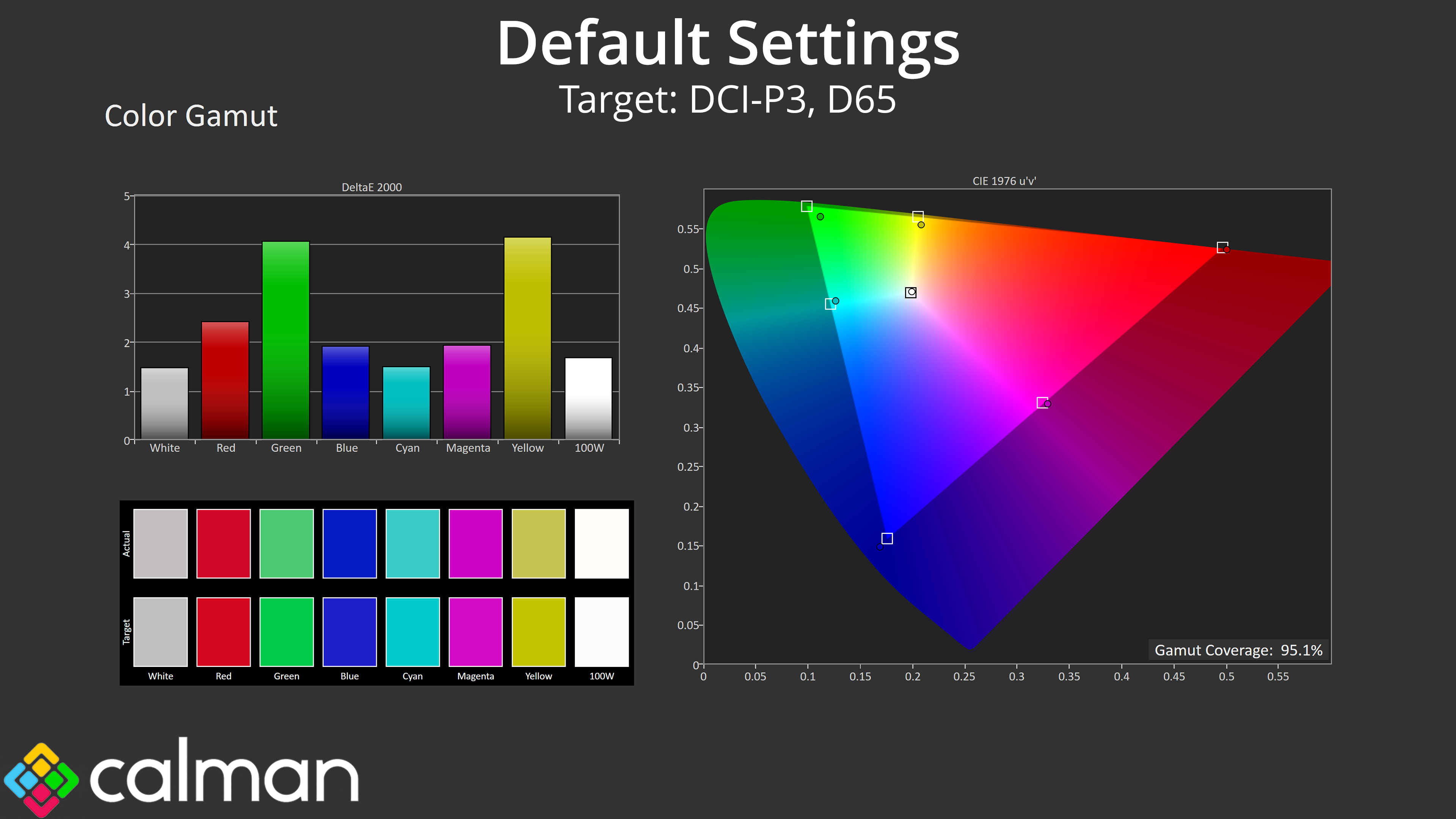
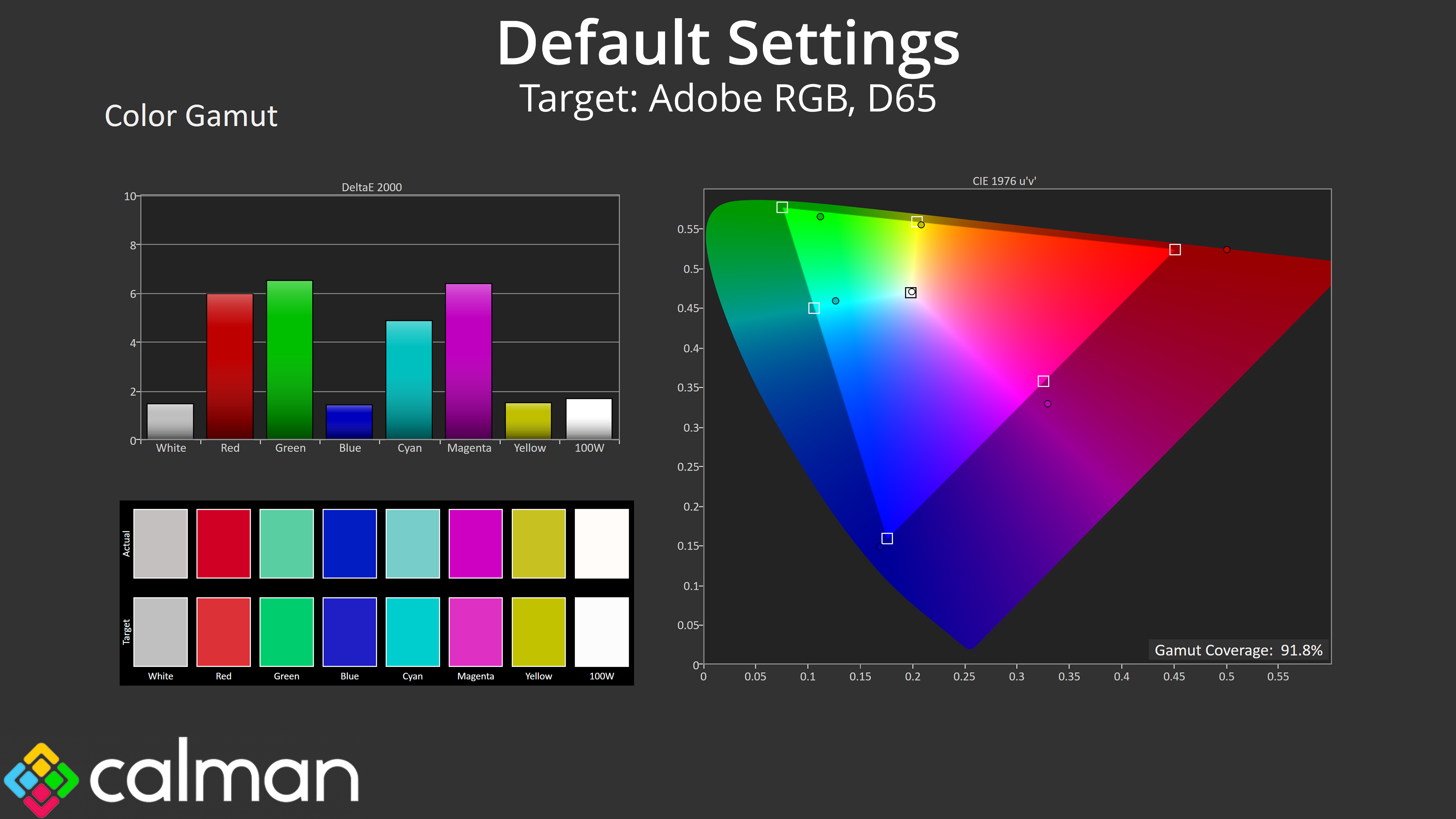
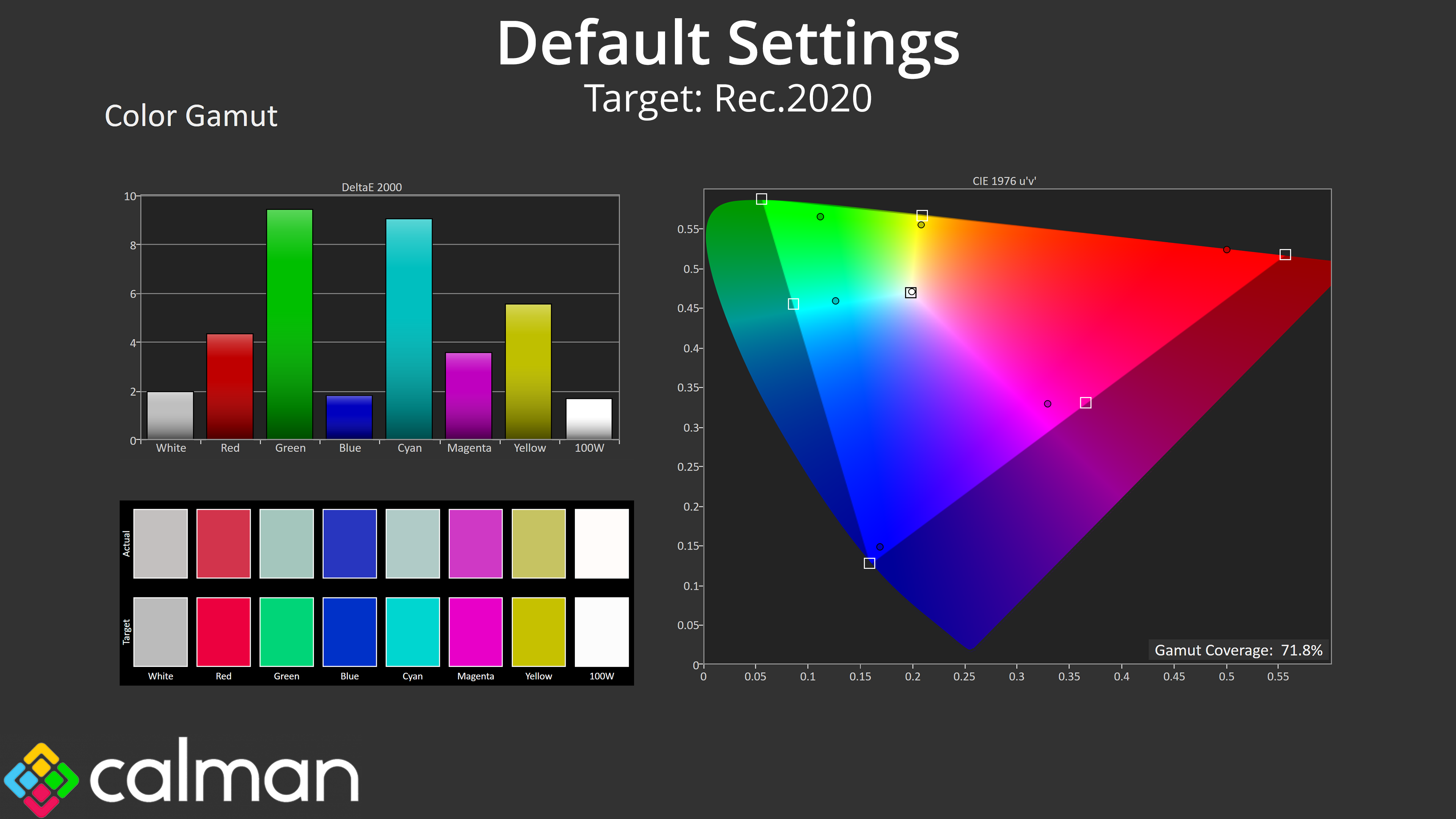
| Colour space | Coverage (%) |
| sRGB | 123.7 |
| DCI-P3 | 95.1 |
| Adobe RGB | 91.8 |
| Rec.2020 | 71.8 |
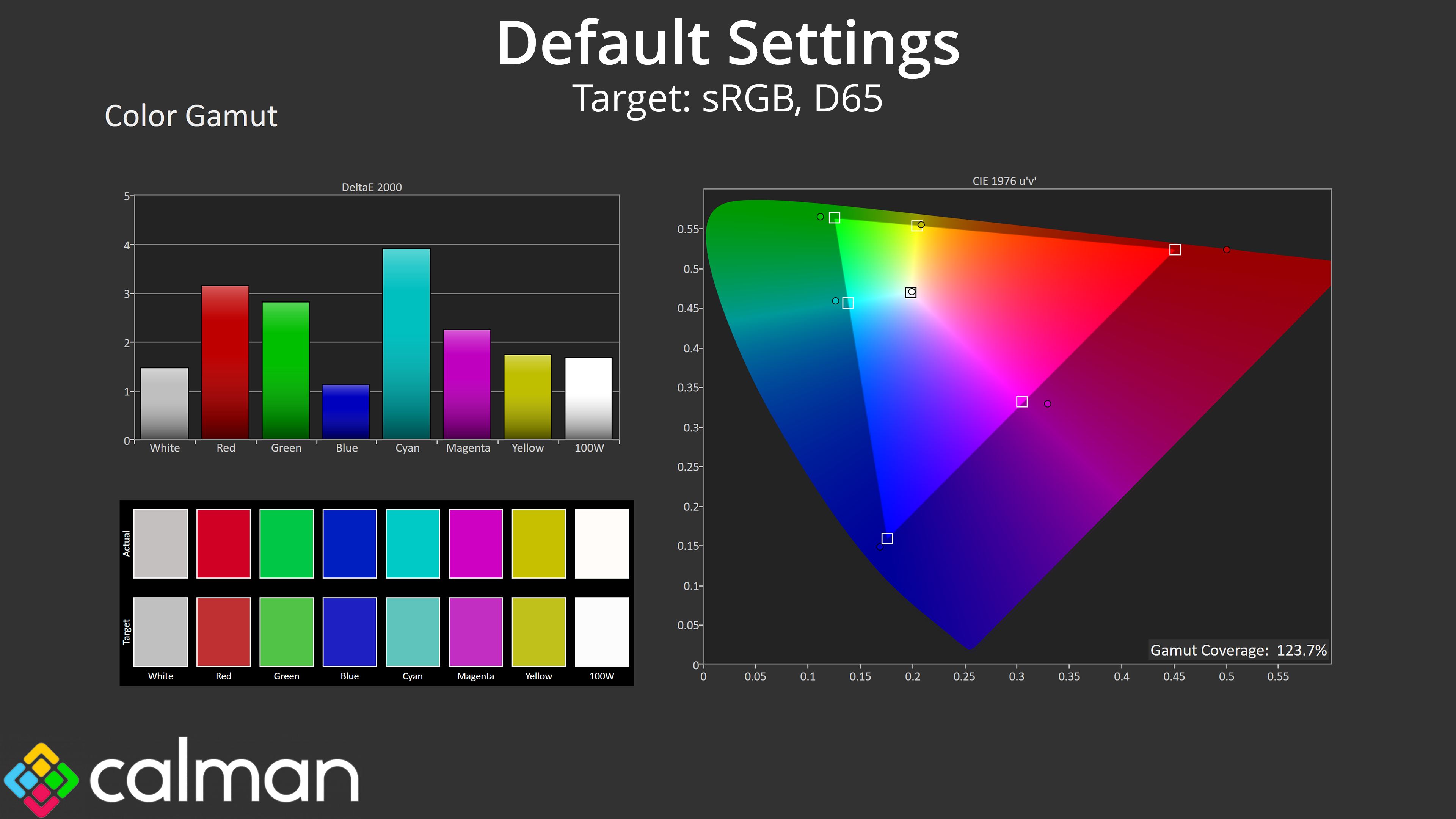
Gamut coverage is also quite impressive when we remember the price of the Q27G4ZR – it far surpasses the sRGB space and offers 95.1% coverage of DCI-P3, alongside strong results for both Adobe RGB and Rec.2020.
Greyscale
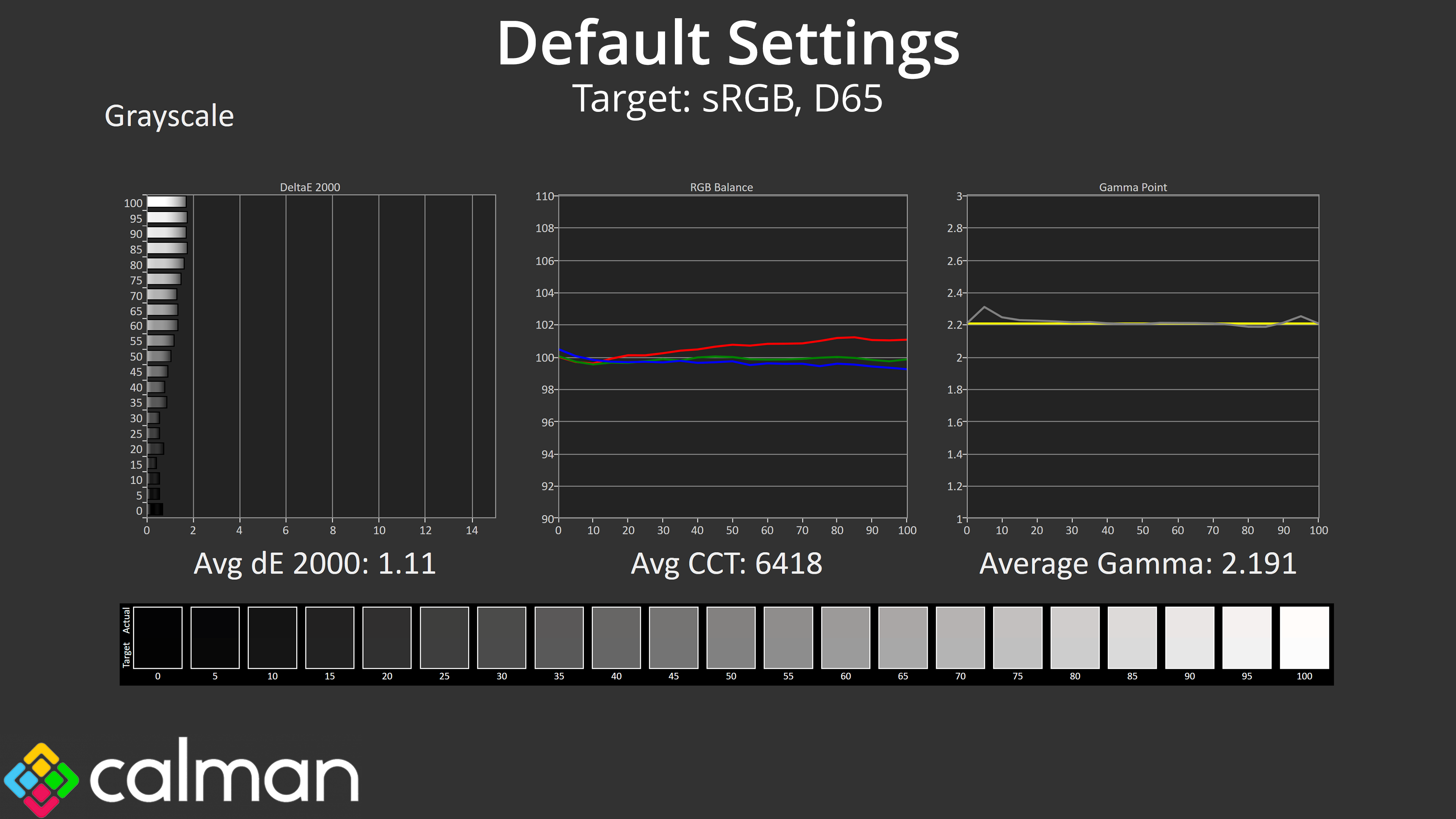
Better still is the factory calibration. Colour balance is very even across the range, averaging 6418K, barely a 1% deviation from the 6500K target. Likewise, gamma tracking is close to perfect, closely hugging the 2.2 target and averaging 2.191 across all 20 shades tested.
Overall, that results in a greyscale average dE 2000 of just 1.11 – an incredible result for any monitor, let alone one that costs under £200.
Saturation
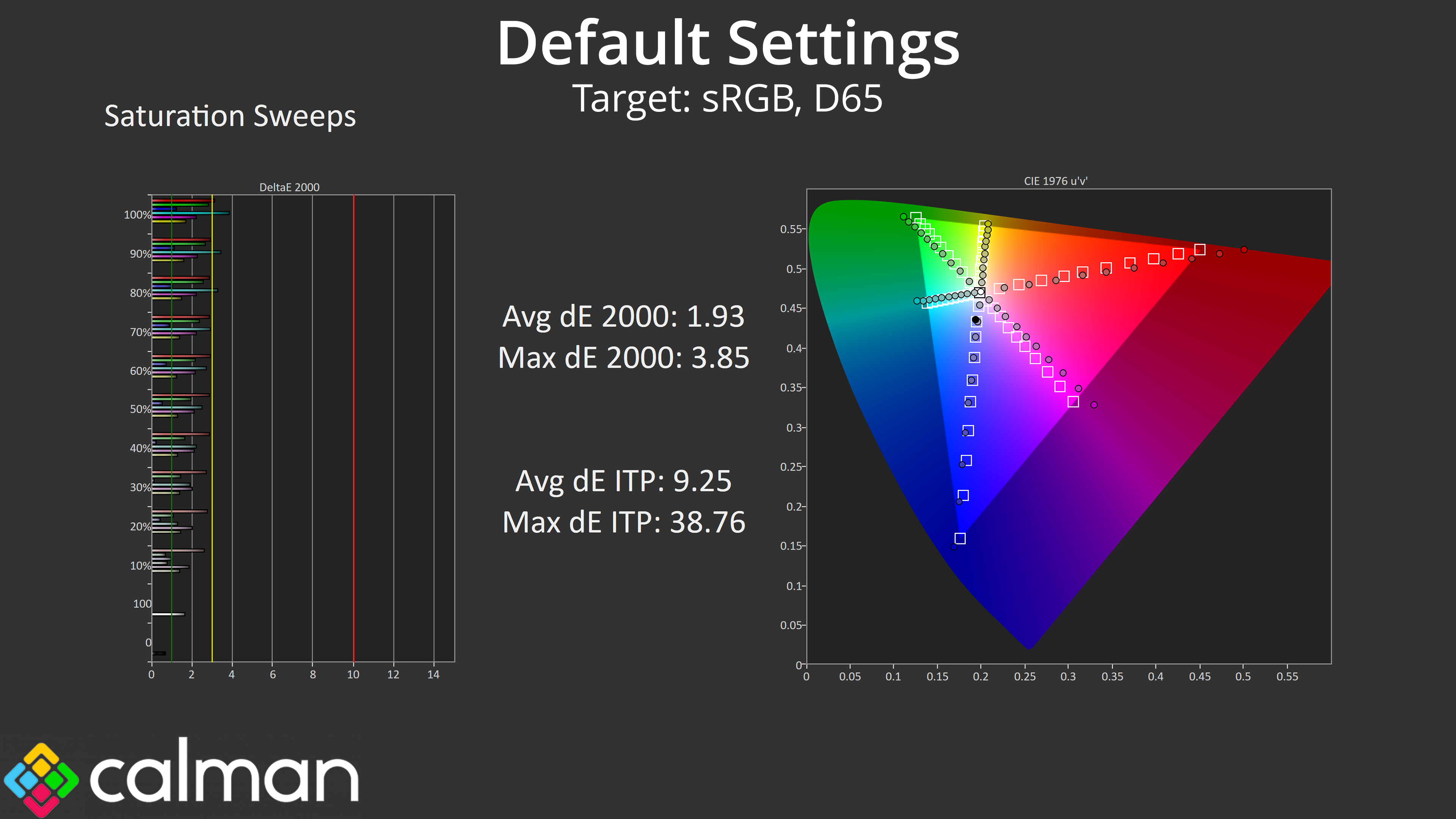
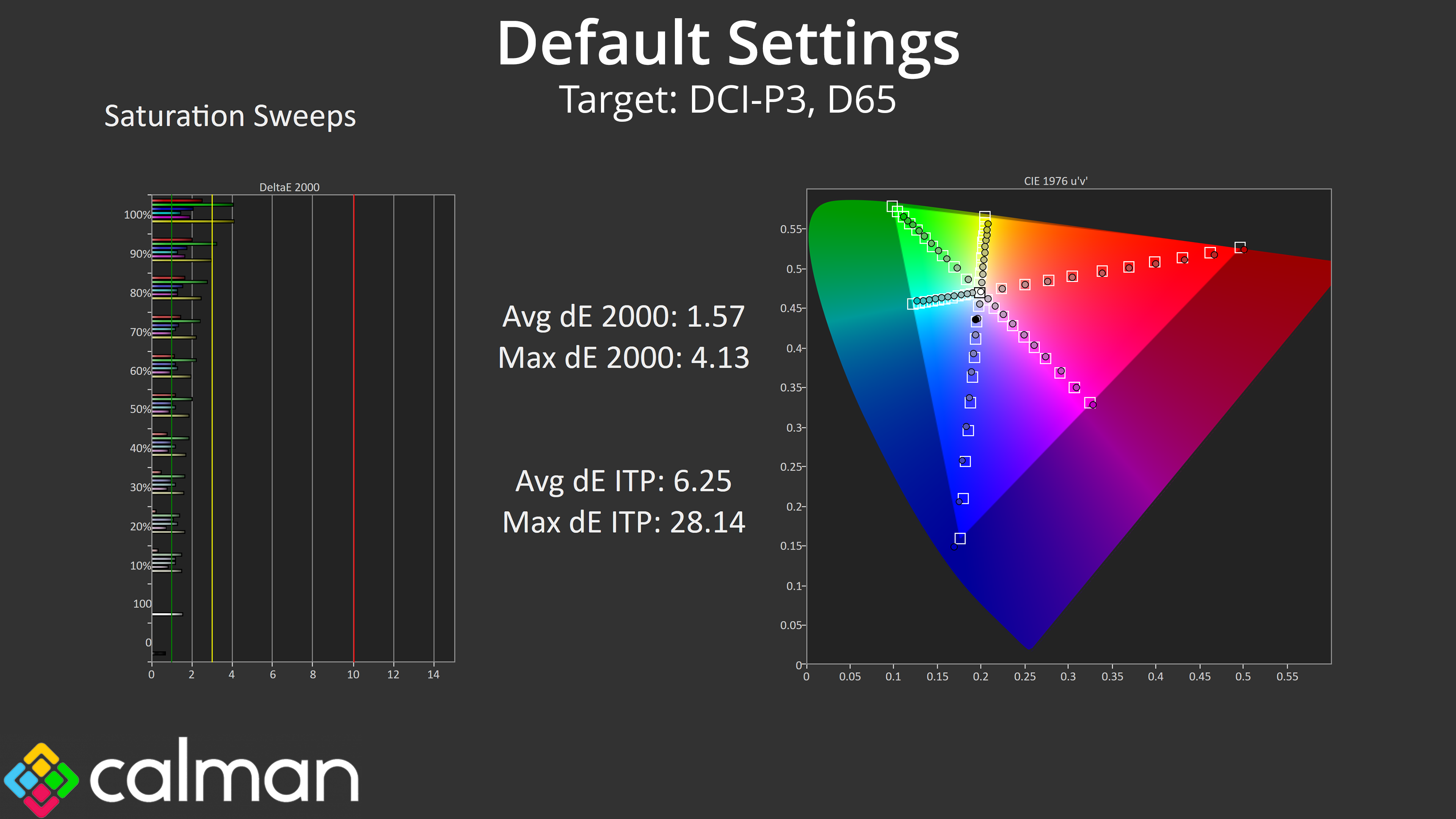
Saturation results are also solid – naturally there is some oversaturation given the monitor's gamut exceeds the sRGB space, but relative to DCI-P3 the average dE is just 1.57, and that is really good going.
Colour Accuracy
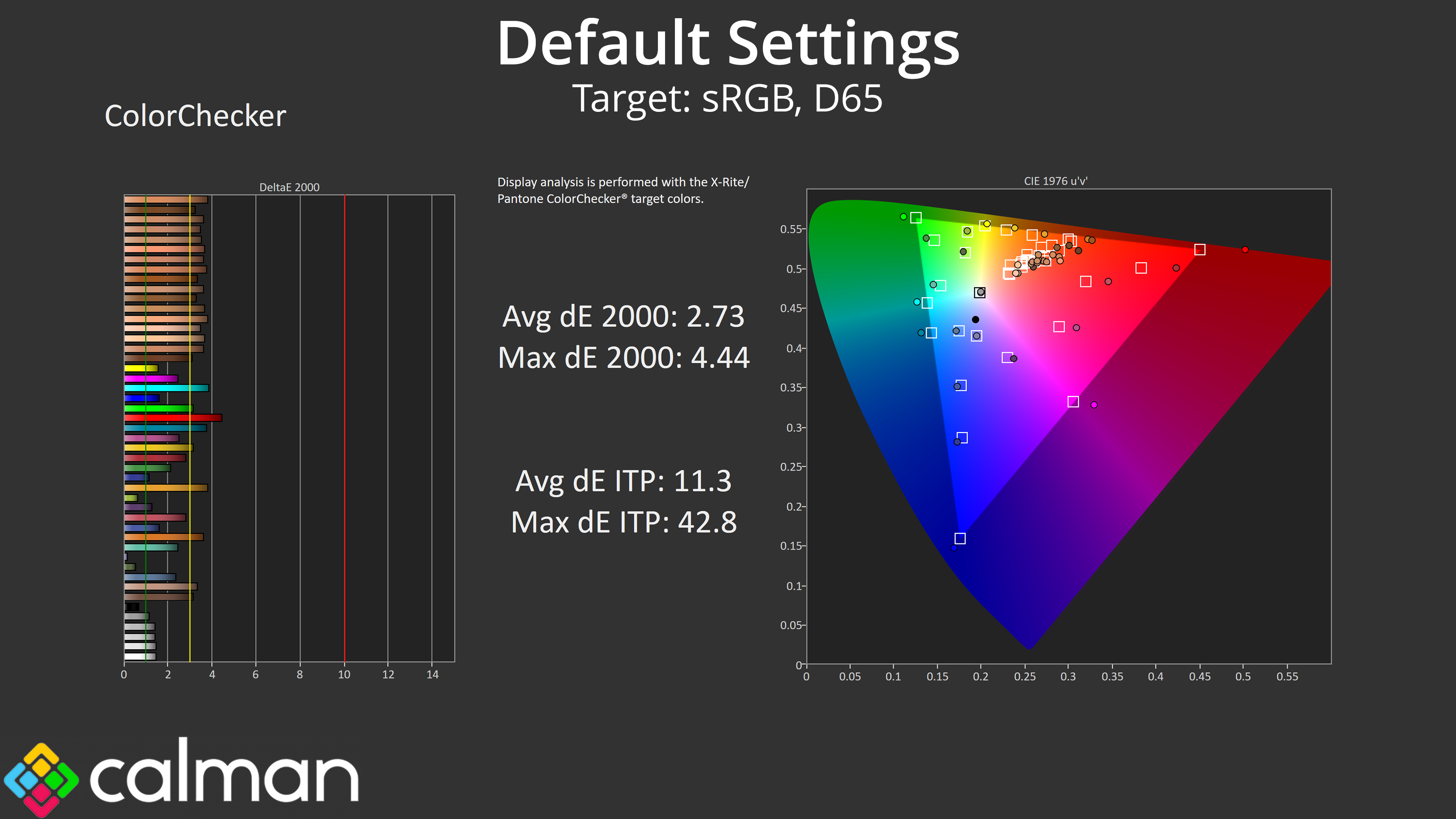
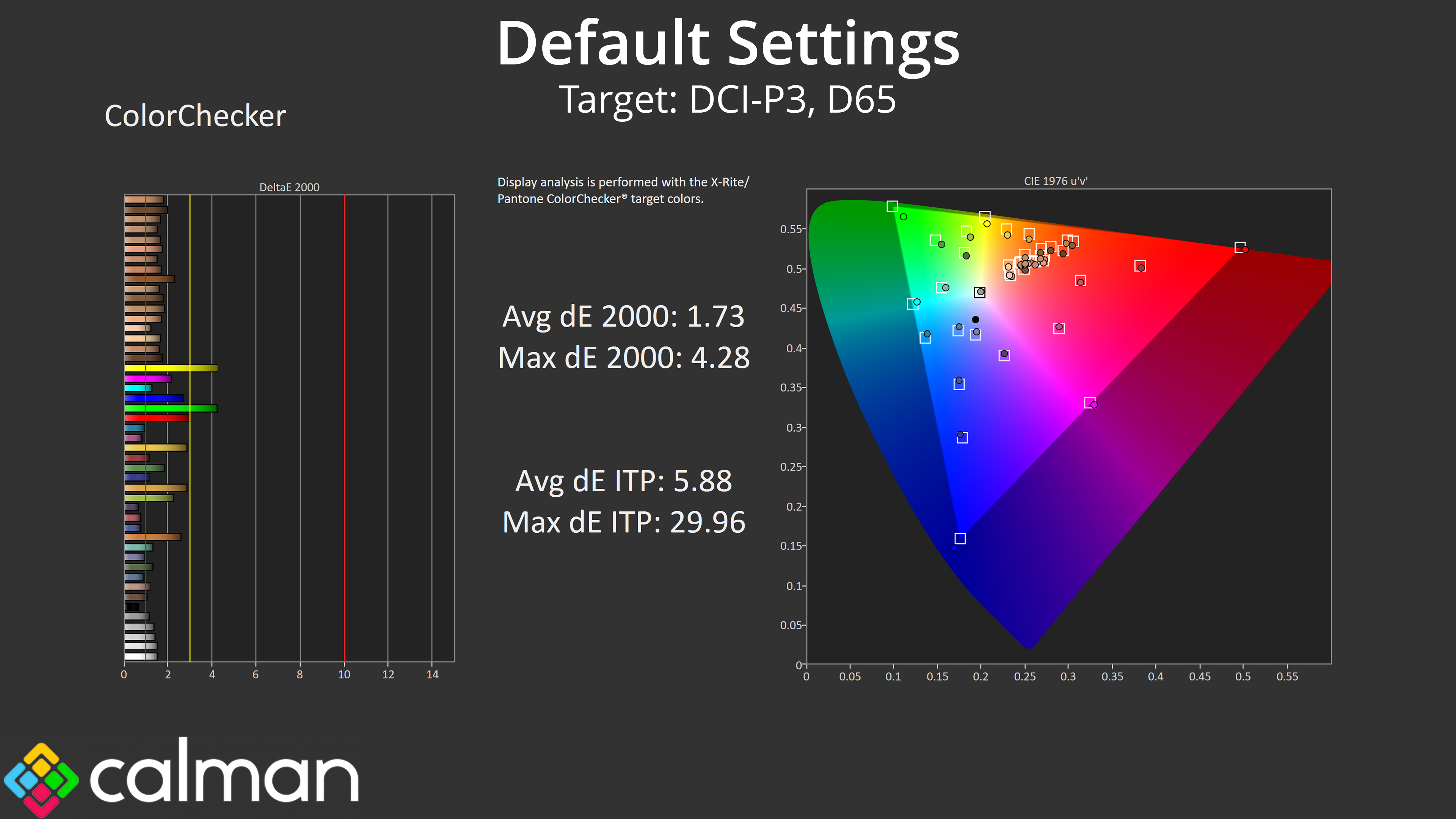
Likewise, that oversaturation relative to the sRGB colour space results in some lost colour accuracy, but even then, the average deltaE 2000 is below 3 – and that drops to just 1.73 if we compare against the wider DCI-P3 colour space.
sRGB Emulation Mode
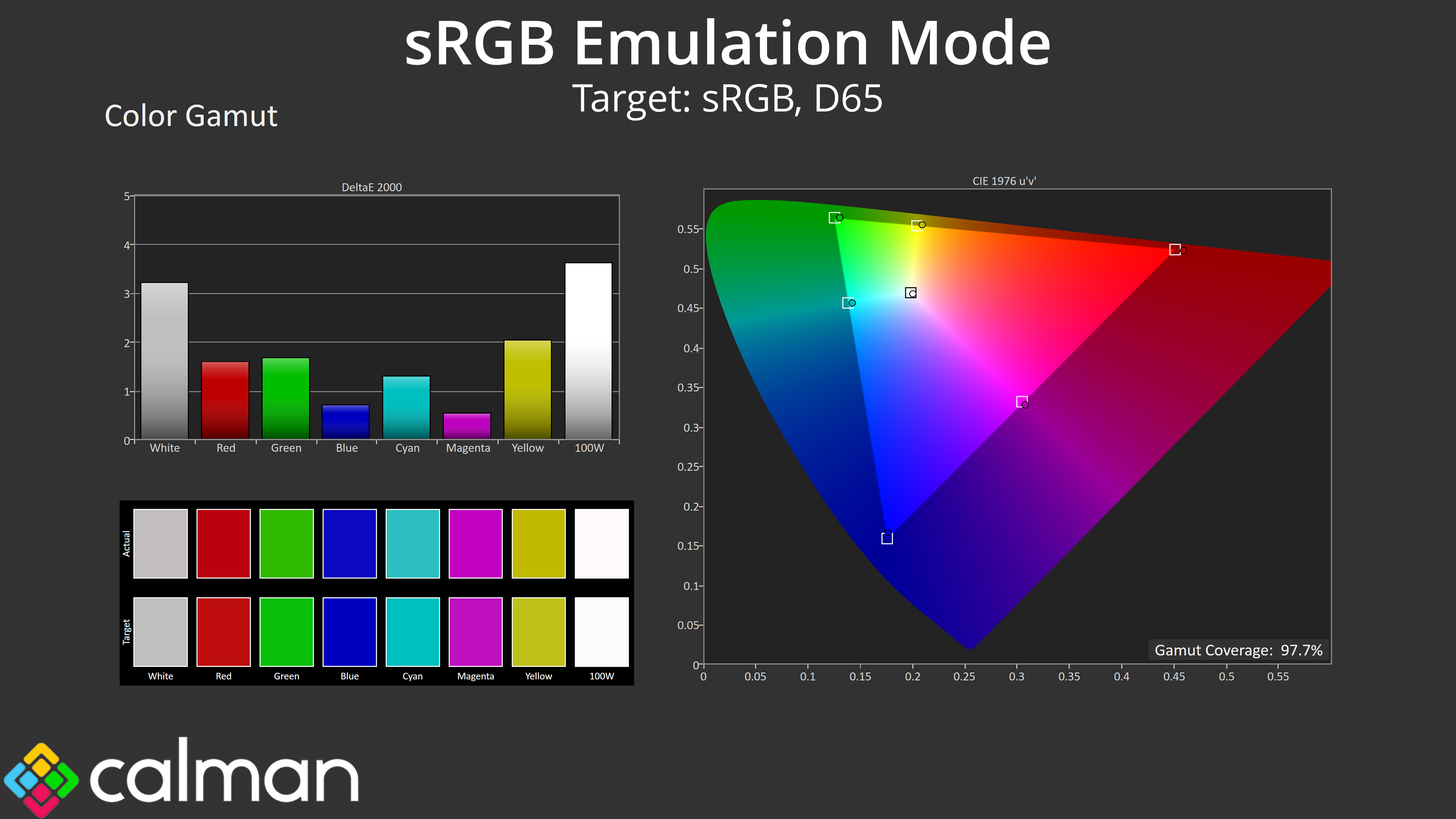
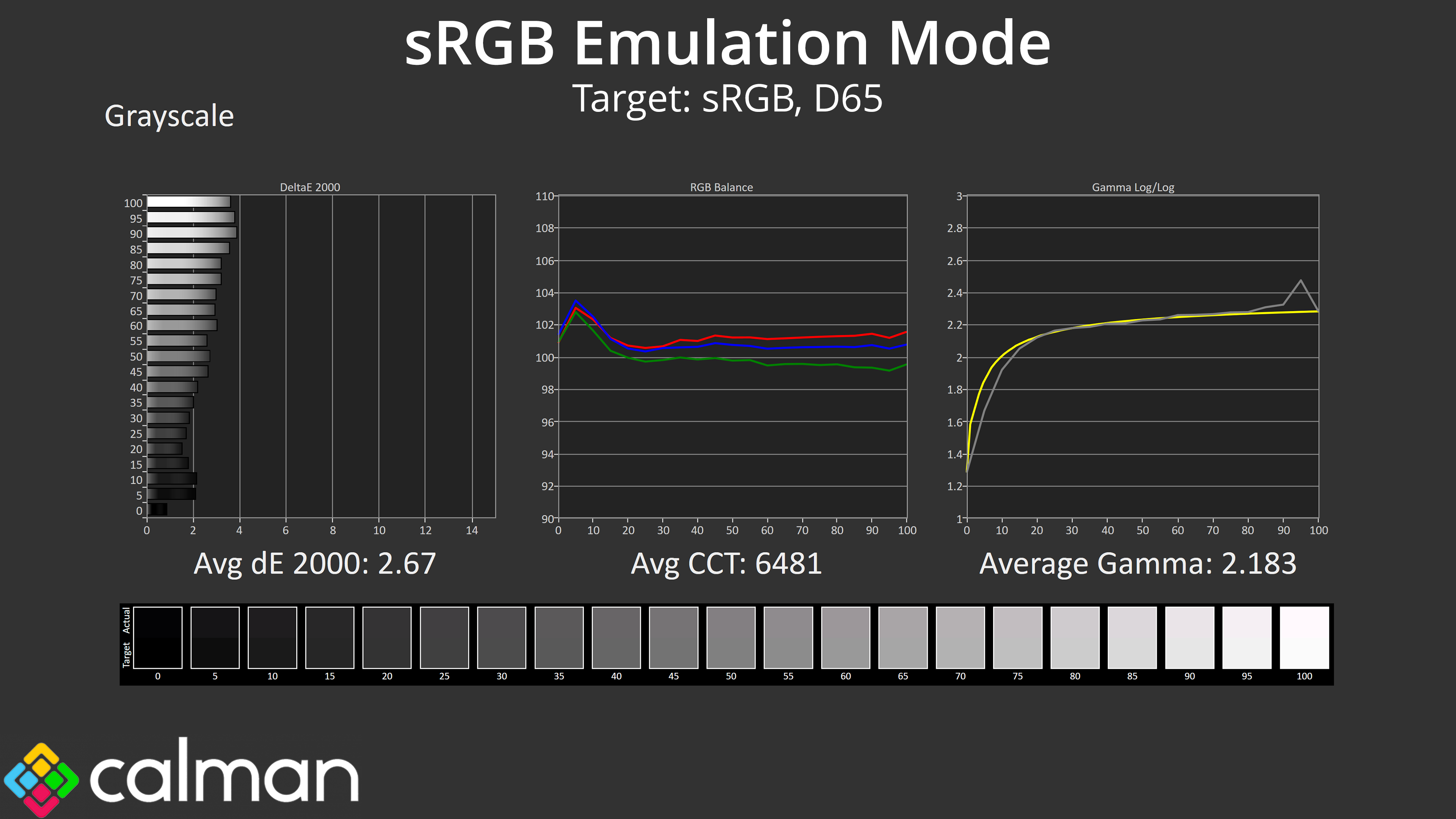
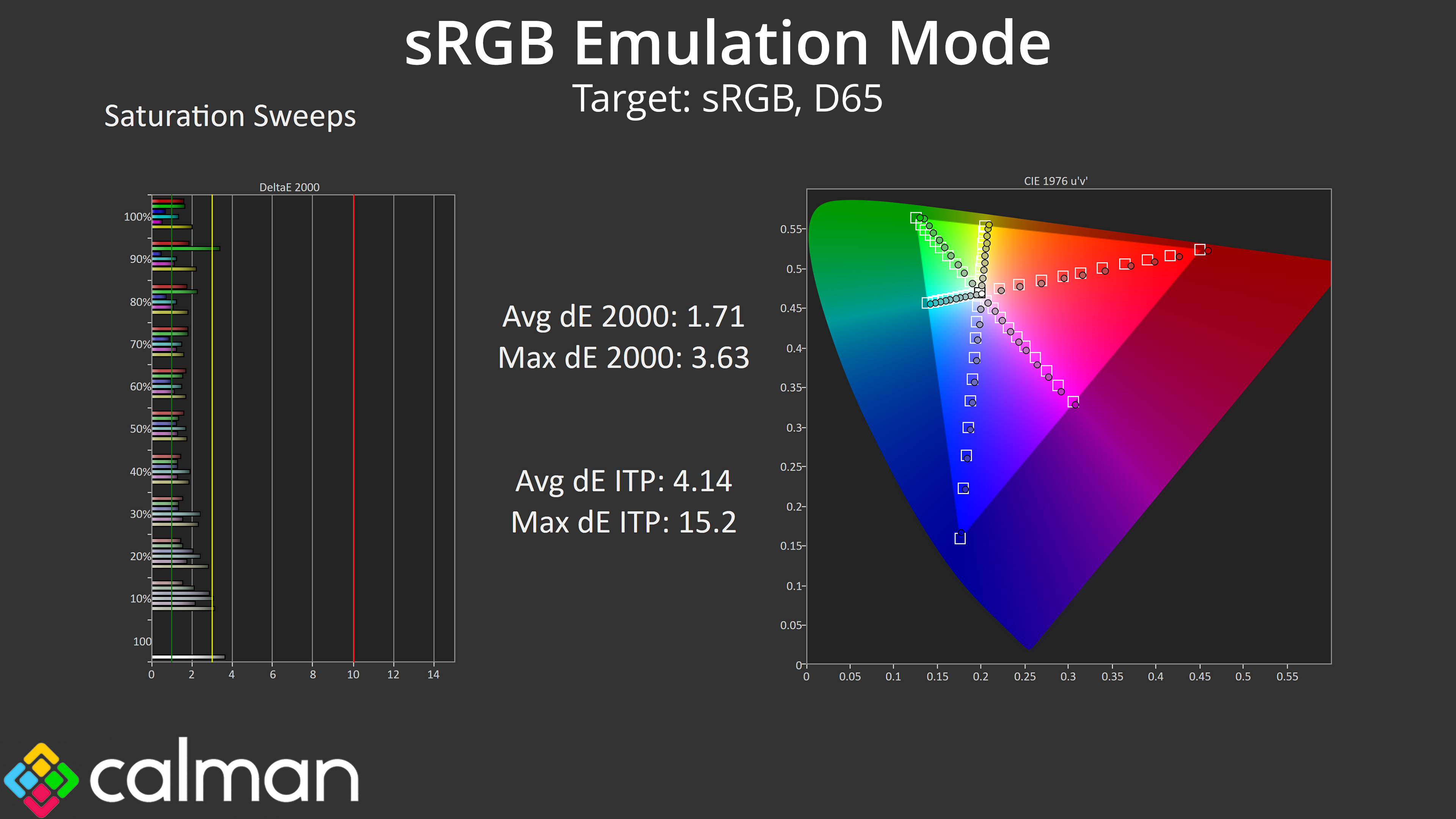
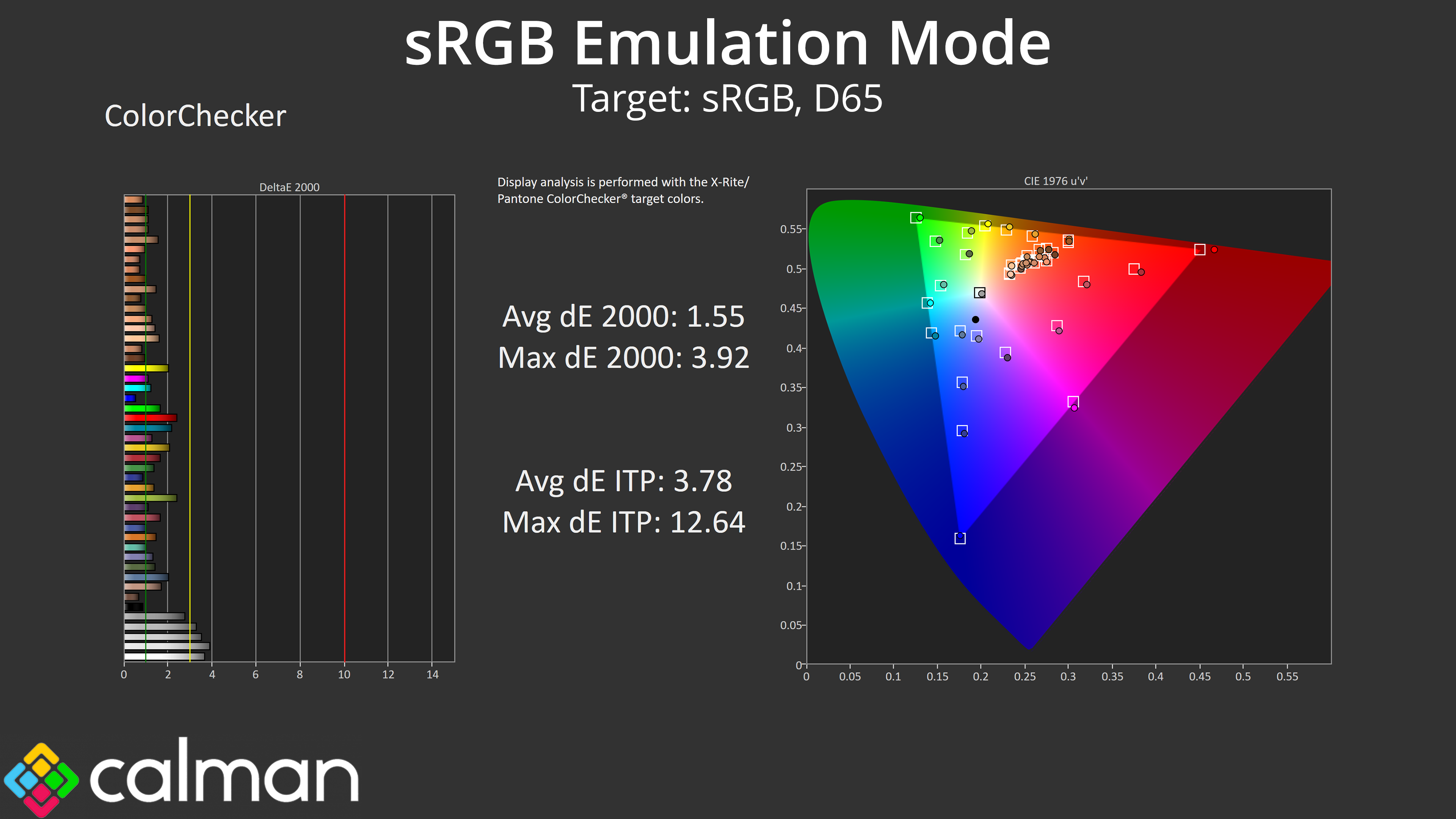
AOC does also include an sRGB mode if you want to avoid oversaturation in this colour space, and it does a solid job at clamping the gamut. Greyscale performance is very similar but with tight adherence to the sRGB gamma curve, and we can see improvements to both the saturation and colour accuracy average deltaEs, with the latter coming in at just 1.55.
Calibrated Results
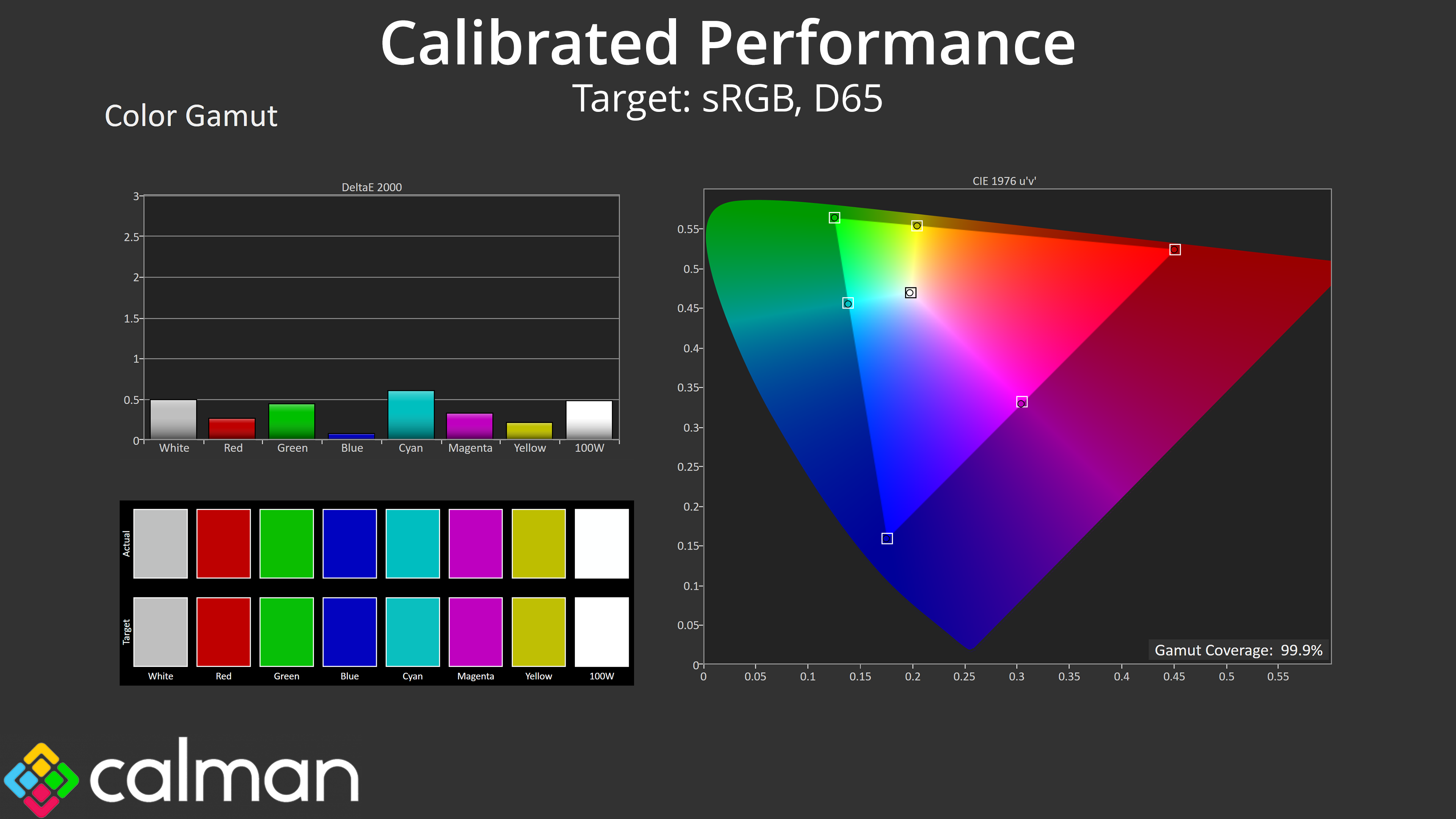
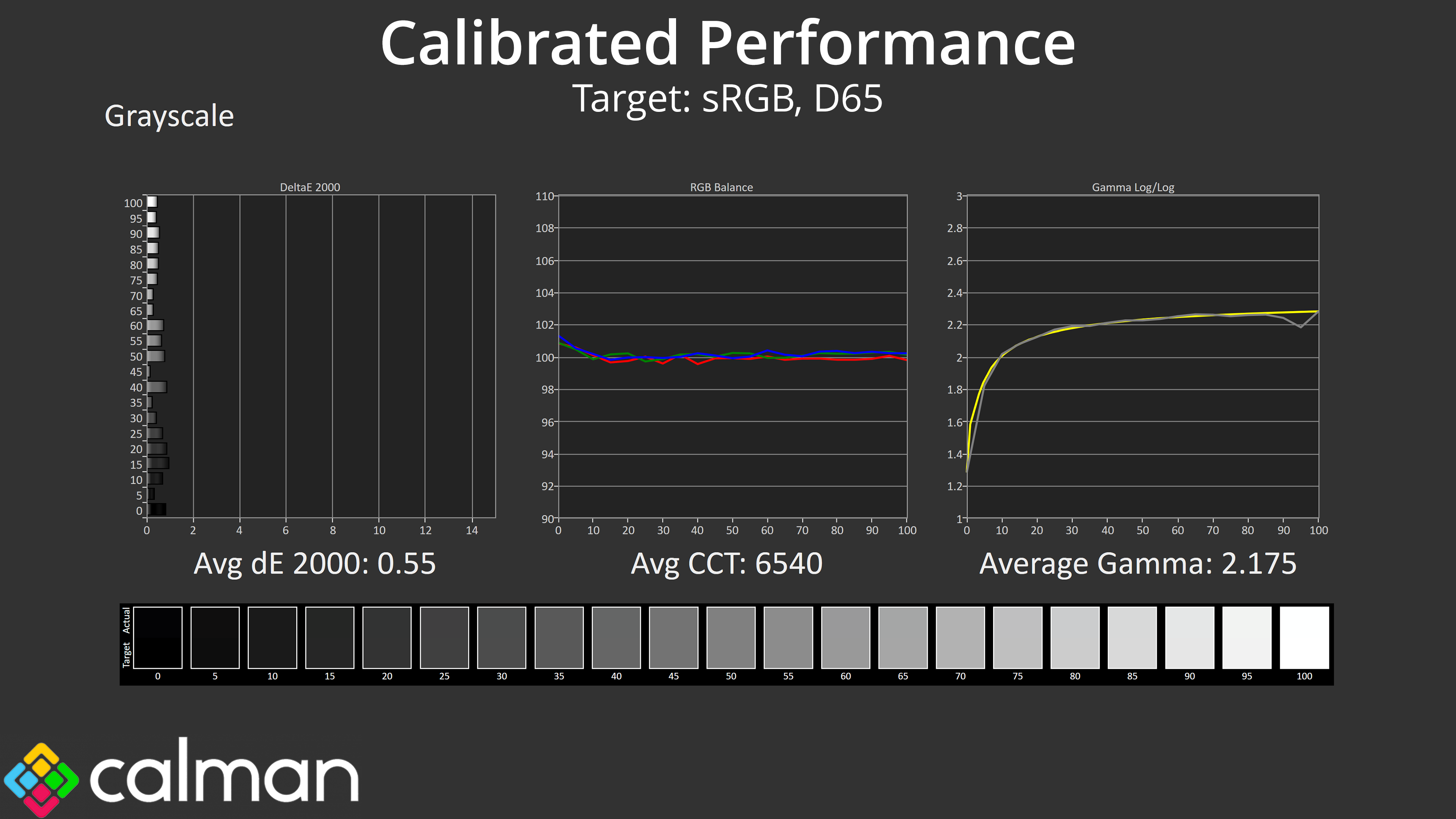
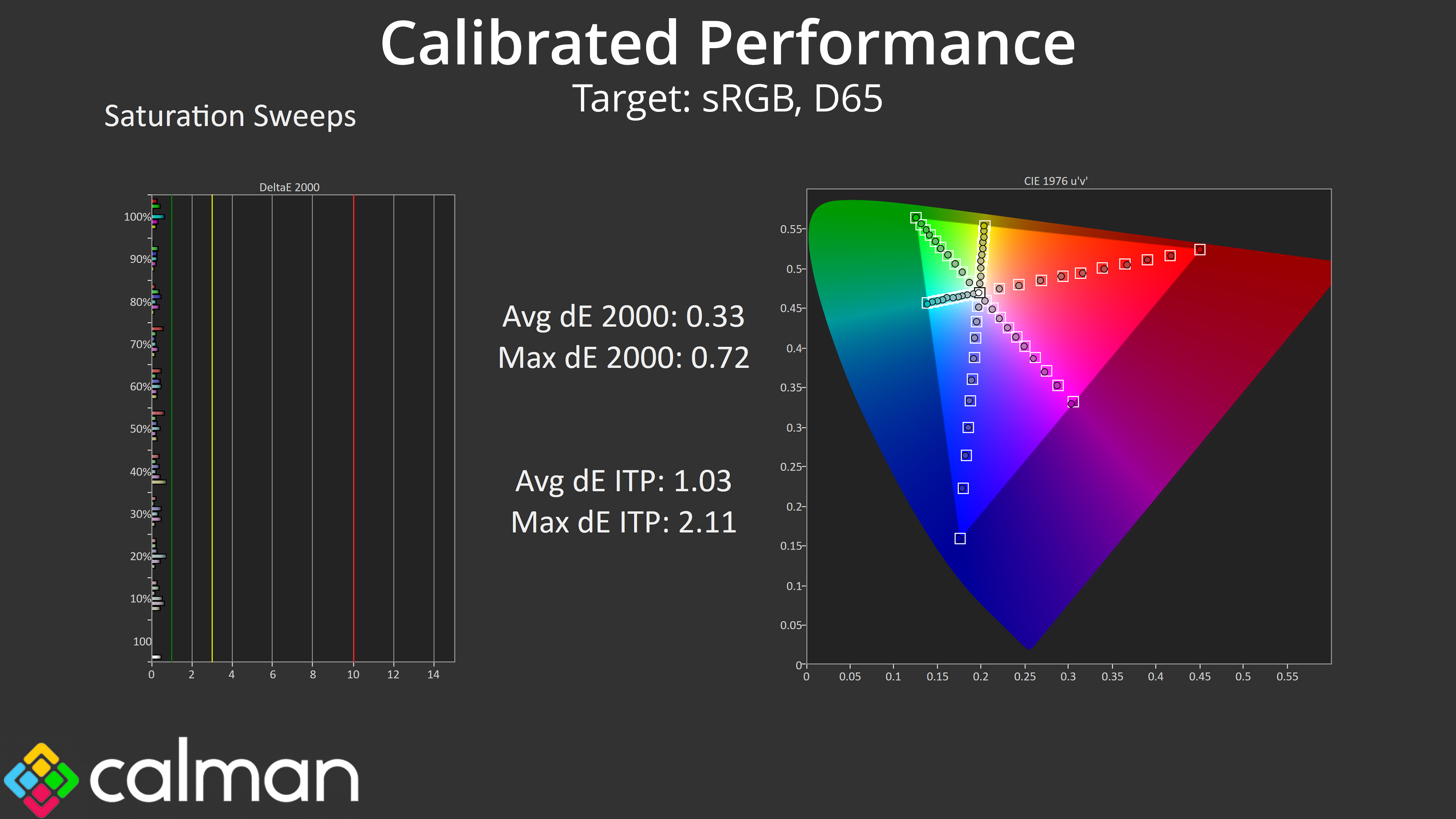
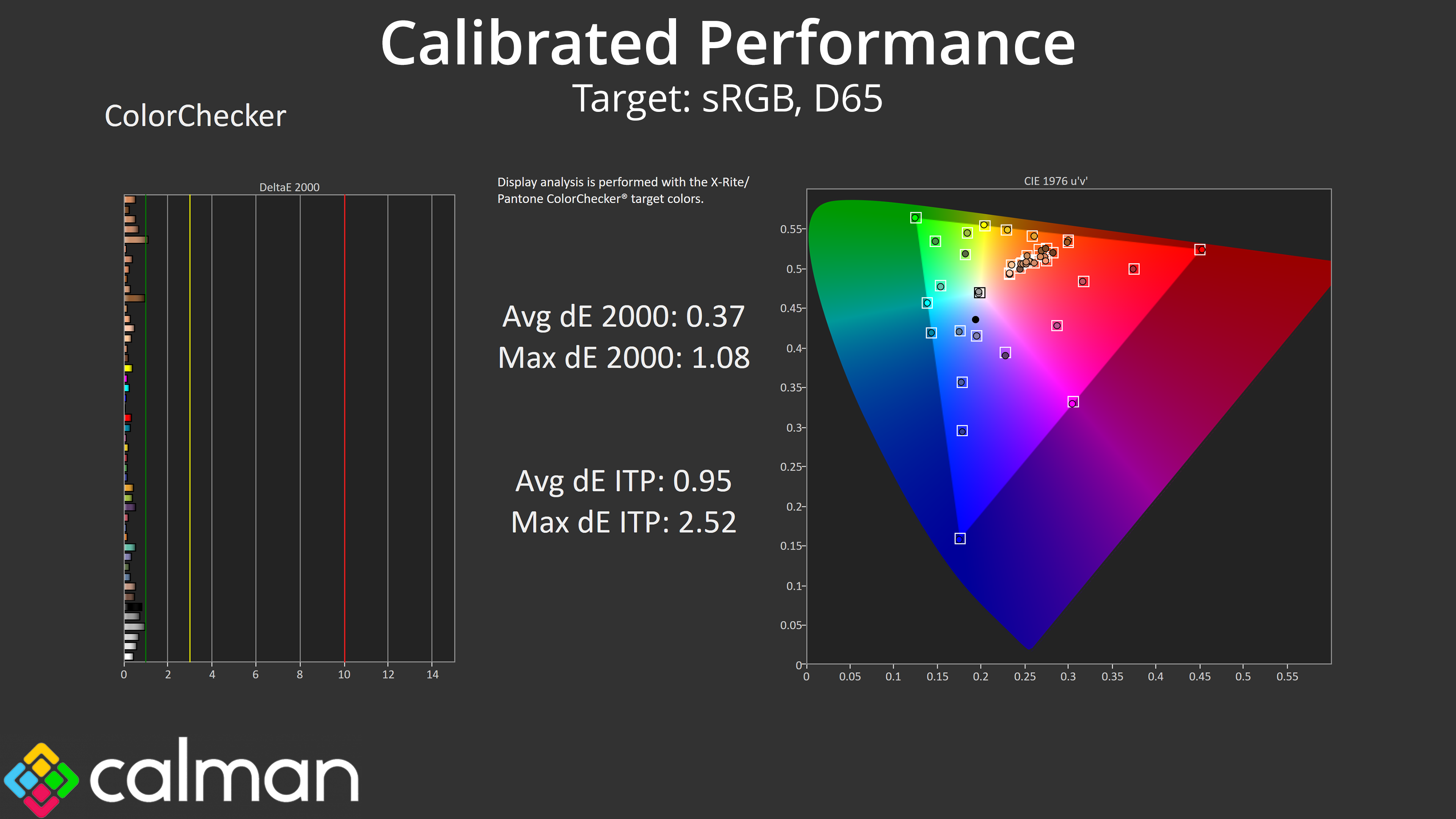
I'd expect most people will be more than happy to use that sRGB mode, but for the best results we also ran a full calibration, and that led to stellar accuracy across the board. I'd say the vast majority of people buying this screen won't be calibrating it, considering it costs less than £200, but it goes to show what the panel is capable of if you have the right software and hardware tools.