KitGuru KitGuru.net – Tech News | Hardware News | Hardware Reviews | IOS | Mobile | Gaming | Graphics Cards


We use the Open Source Response Time Tool (OSRTT), developed by TechTeamGB, for our response time testing. This measures grey-to-grey response times and presents the results in a series of heatmaps, the style of which you may be familiar with from other reviews.
Initial Response Time is the time taken for the panel to transition from one colour to another, where lower values are better. We present the initial response time, so overshoot is not taken into account and is measured separately. We use a fixed RGB 5 tolerance for each transition.
Overshoot is the term given for when a monitor's transition exceeds or goes beyond its target value. So if a monitor was meant to transition from RGB 0 to RGB 55, but it hits RGB 60 before settling back down at RGB 55, that is overshoot. This is presented as RGB values in the heatmaps – i.e. how many RGB values past the intended target were measured.
Visual Response Rating is a metric designed to ‘score' a panel's visual performance, incorporating both response times and overdrive. Fast response times with little to no overshoot will score well, while slow response times or those with significant overshoot will score poorly.
We test the Q27G4ZR at 260Hz, using all four of the overdrive settings found within the OSD.
260Hz
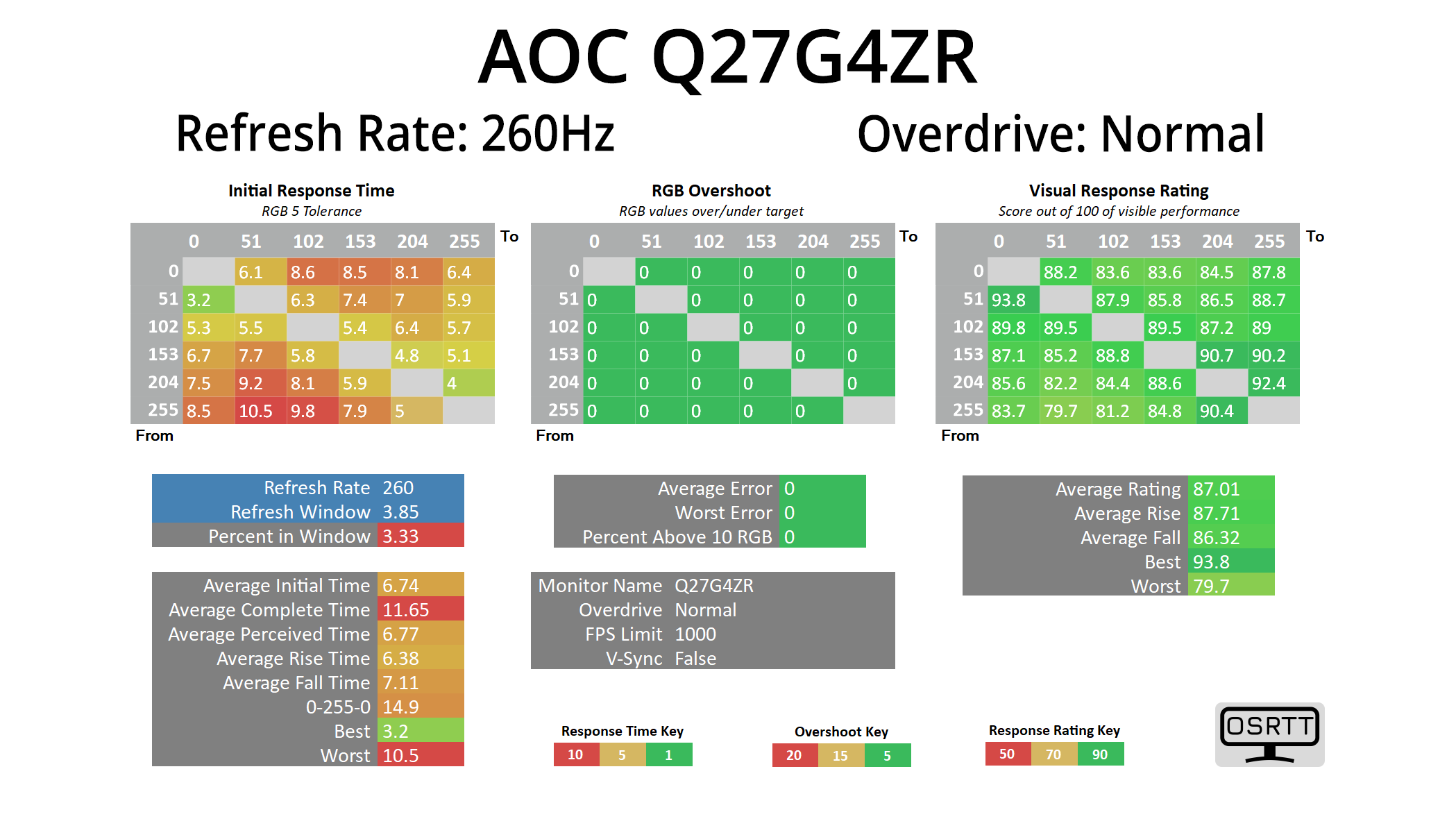
Starting off with overdrive set to Normal – which is essentially off – we see decent native panel performance, given it averages 6.74ms.
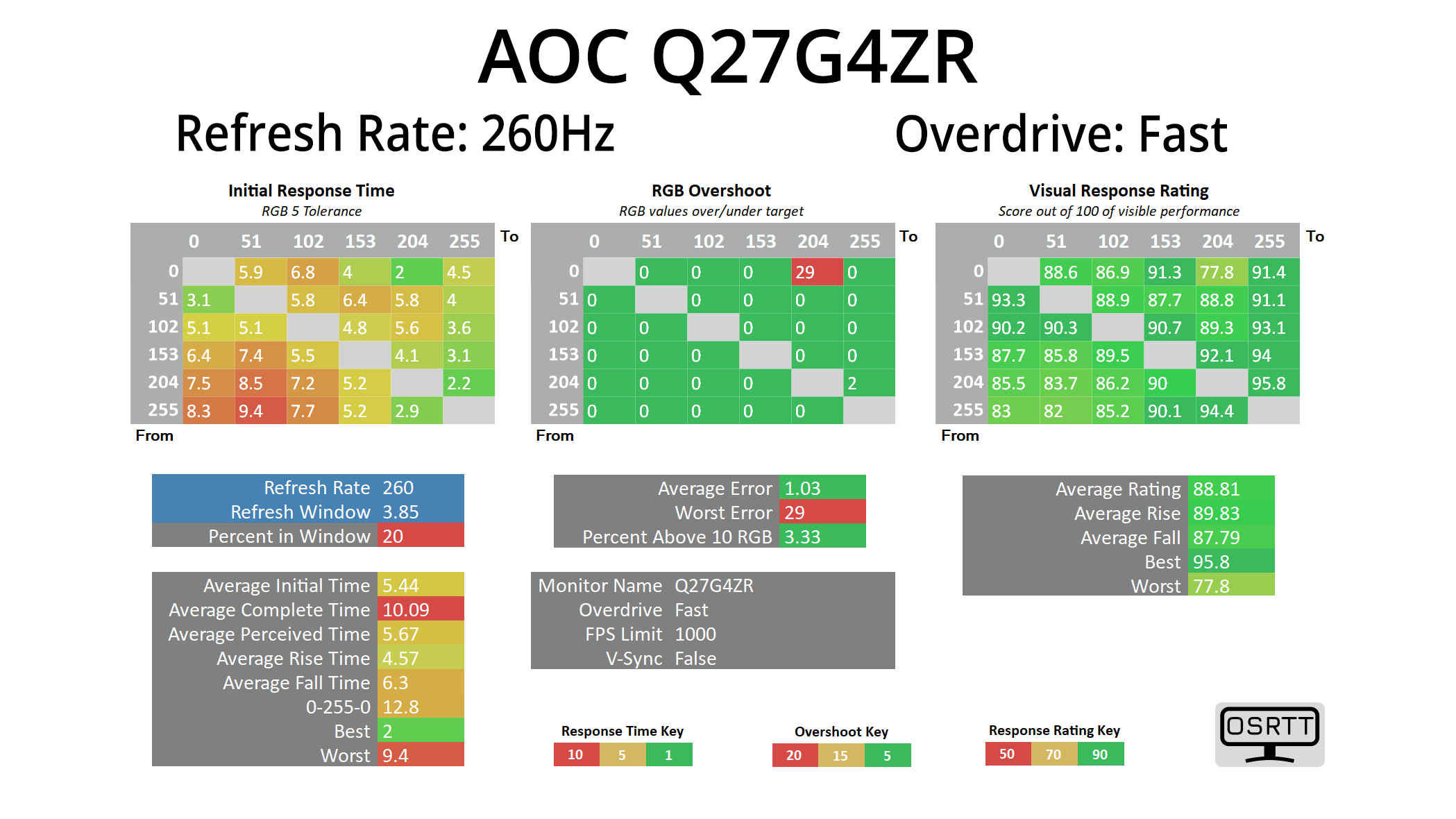
Turning overdrive to the Fast mode improves things further, now with an average of 5.44ms, and there's just one transition that shows some overshoot.
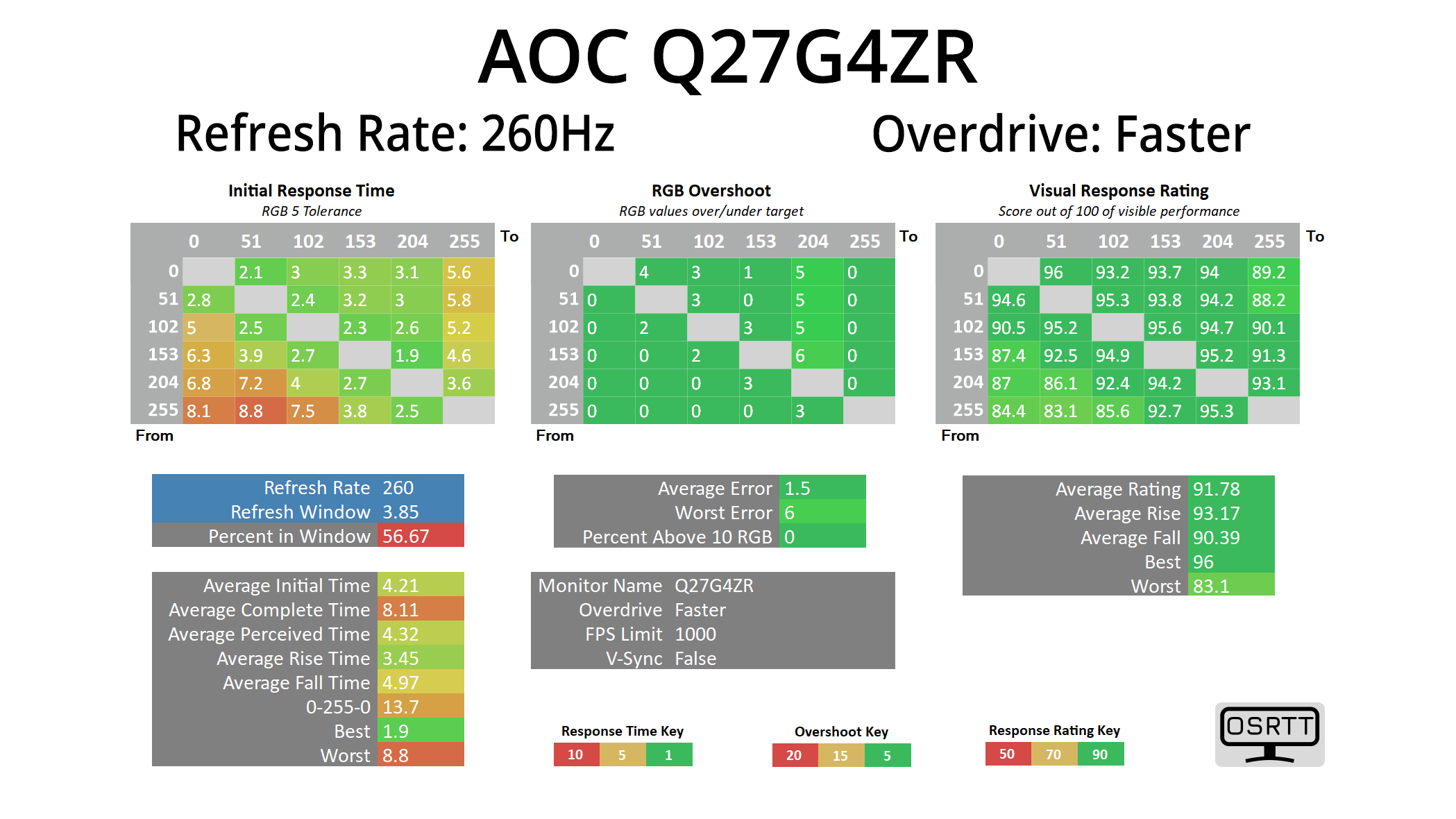
The Faster mode ends up being the best, averaging 4.21ms, which is not bad at all for IPS standards – especially considering there is next to no overshoot. Still, that does mean the Q27G4ZR isn't always hitting the speeds necessary for true 260Hz compliance – our figures suggest it is more like a ‘237Hz' screen, although those are fine margins!
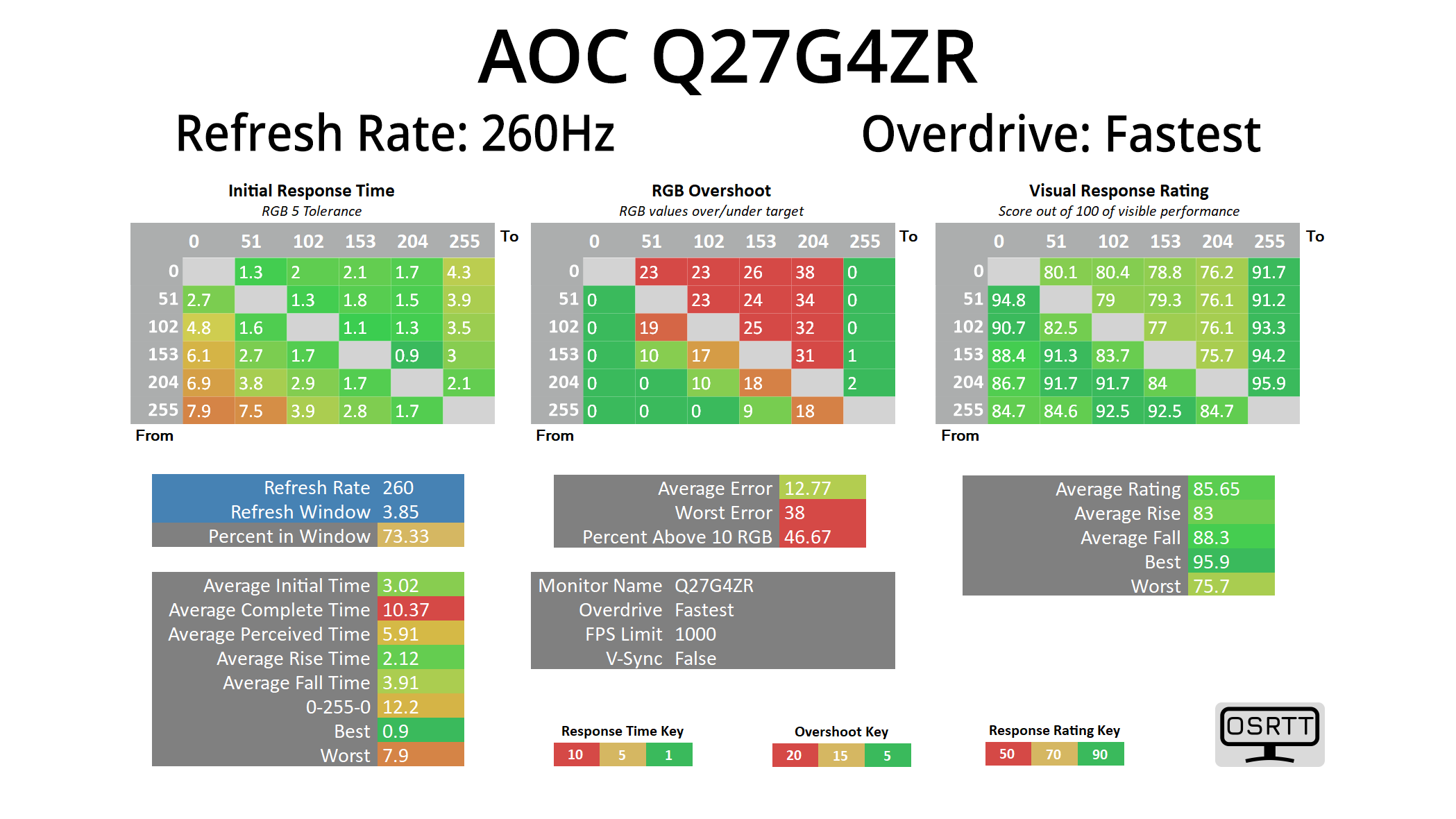
There is also a Fastest mode which does introduce a fair amount of visible overshoot – though as we will see later, it doesn't look quite as bad in practice as you might think based on the chart. Still, I do think there is room for an extra mode – something that sits between Faster and Fastest, given the former has very little overshoot, while the latter has too much. Another reason why we always like to see user-configurable overdrive!
Variable overdrive?
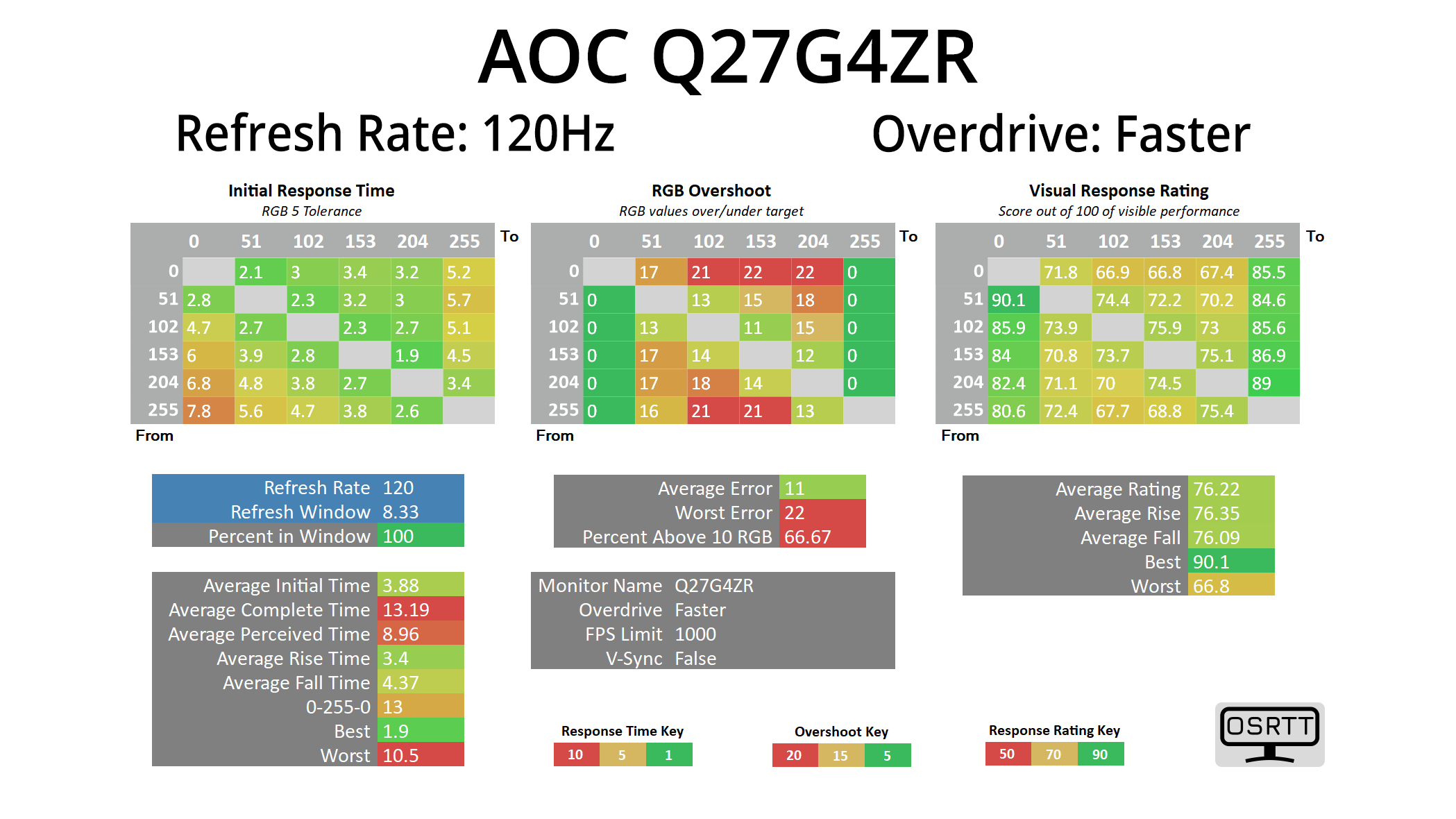
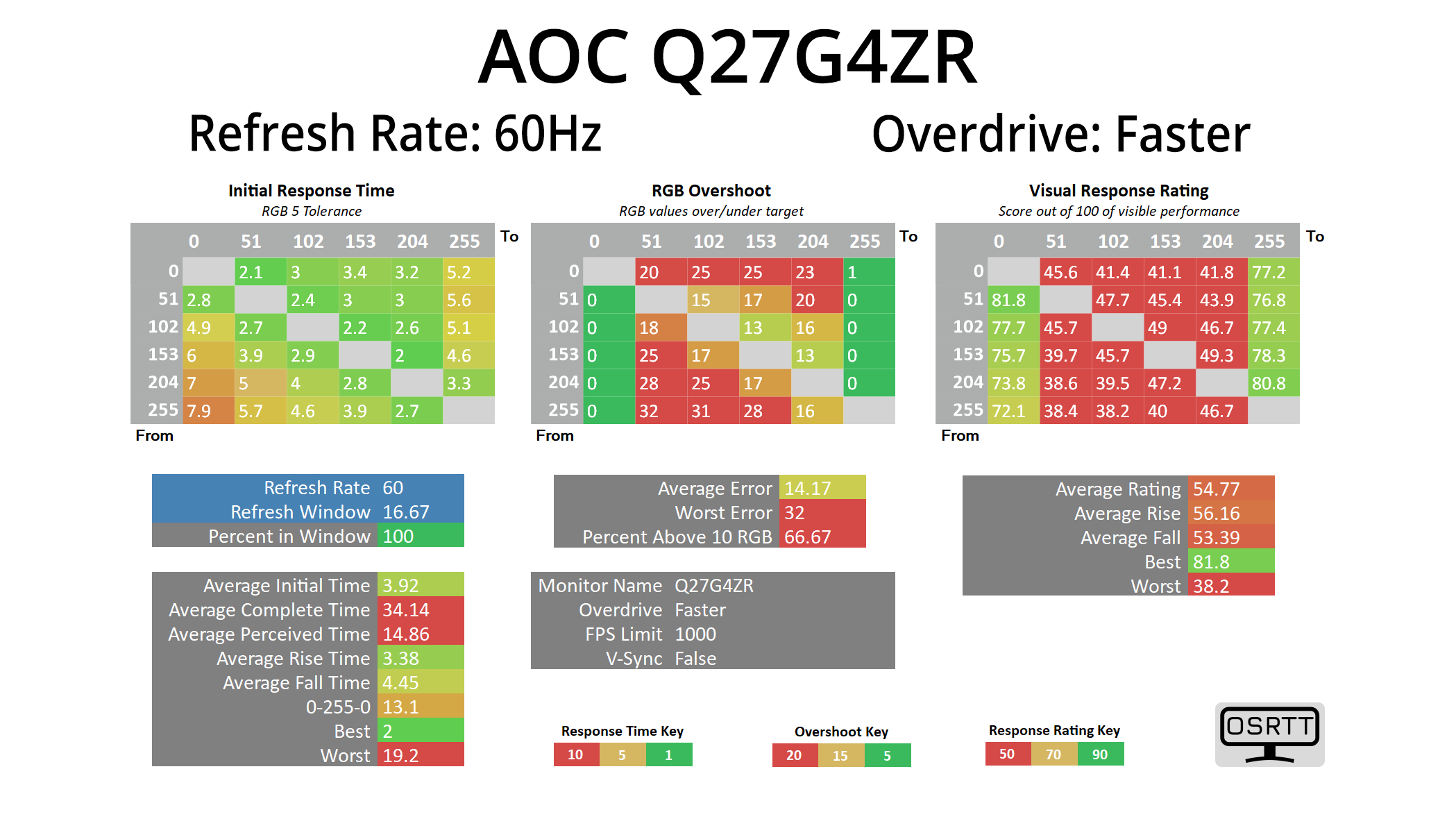
Given the Faster mode is clearly the best option, I also tried it at 120Hz and 60Hz to see if variable overdrive has been implemented – but sadly, it hasn't, given overshoot gets progressively worse as the refresh rate drops, as you can see from the results at 120Hz and 60Hz. It's hardly the end of the world considering the price of the screen, but if you are playing at lower frame rates, you will get a better experience dropping down to the Fast overdrive mode.
Response time comparison
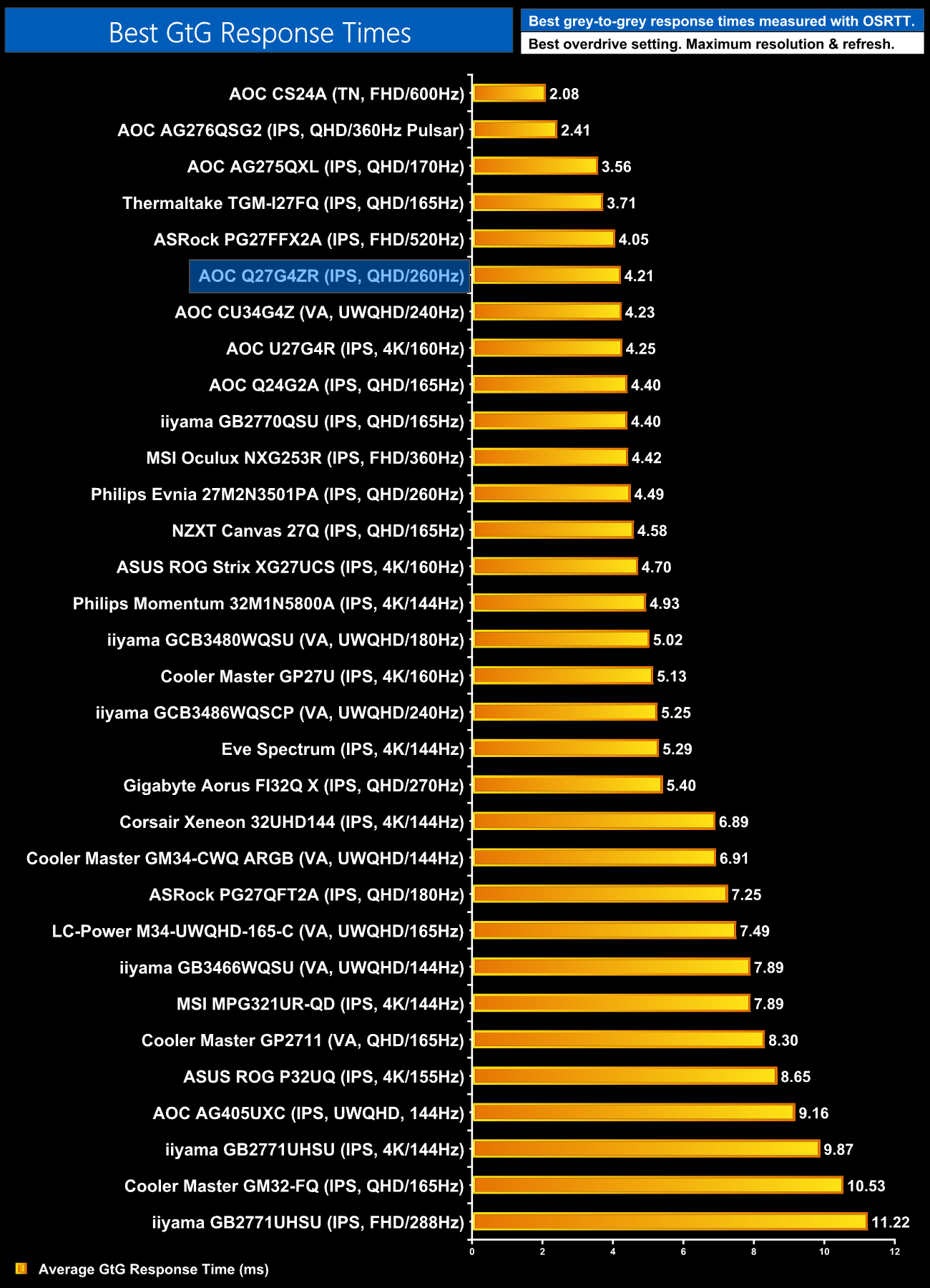
Overall though, the response times on offer are really impressive, with the Q27G4ZR sitting very close to the top of our chart. Not bad at all for less than £200!
Motion clarity
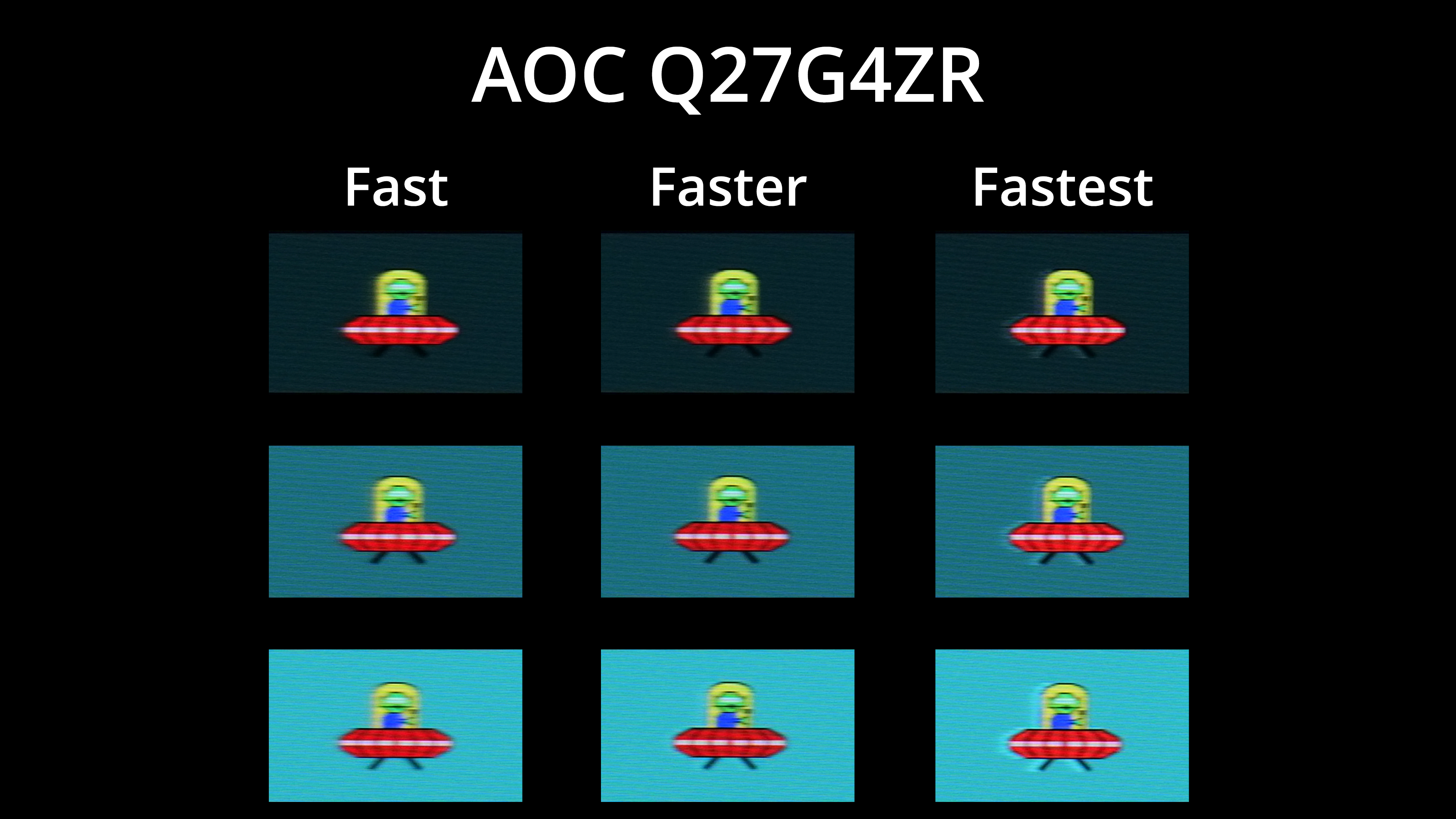
We also have a visual representation of the three overdrive modes, and overall motion clarity is very solid using the Faster mode. As mentioned, there is quite a bit of overshoot with the Fastest mode, though we have certainly seen a lot worse.
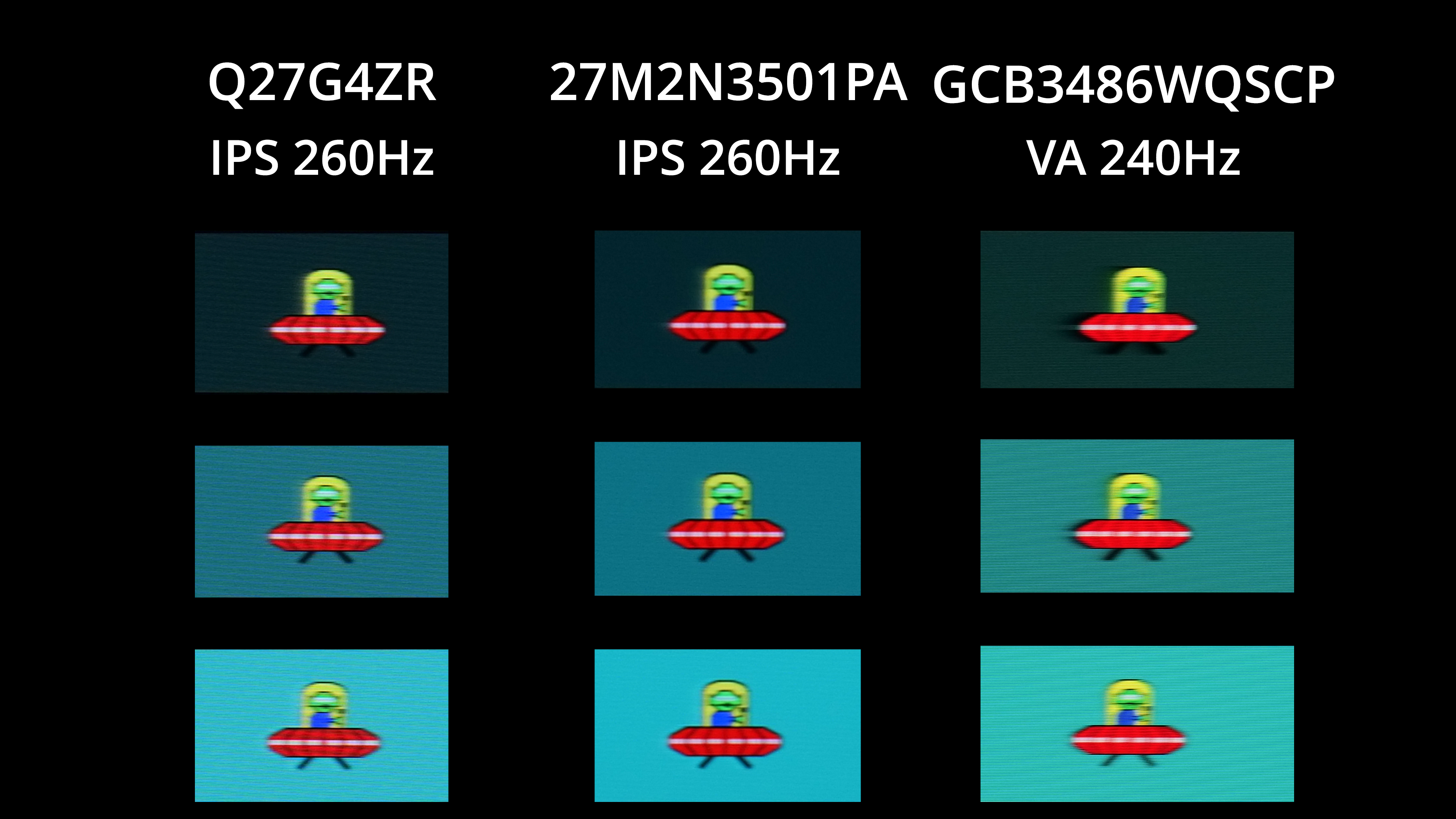
In terms of comparisons then, we have of course included the Evnia 27M2N3501PA, and the results are basically identical – which makes sense, as they are likely using the same panel and it appears to have been tuned very similarly. Compared to a 240Hz VA panel though, in the form of the iiyama GCB3486WQSCP, motion clarity is clearly better, with no dark-level smearing either.