KitGuru KitGuru.net – Tech News | Hardware News | Hardware Reviews | IOS | Mobile | Gaming | Graphics Cards


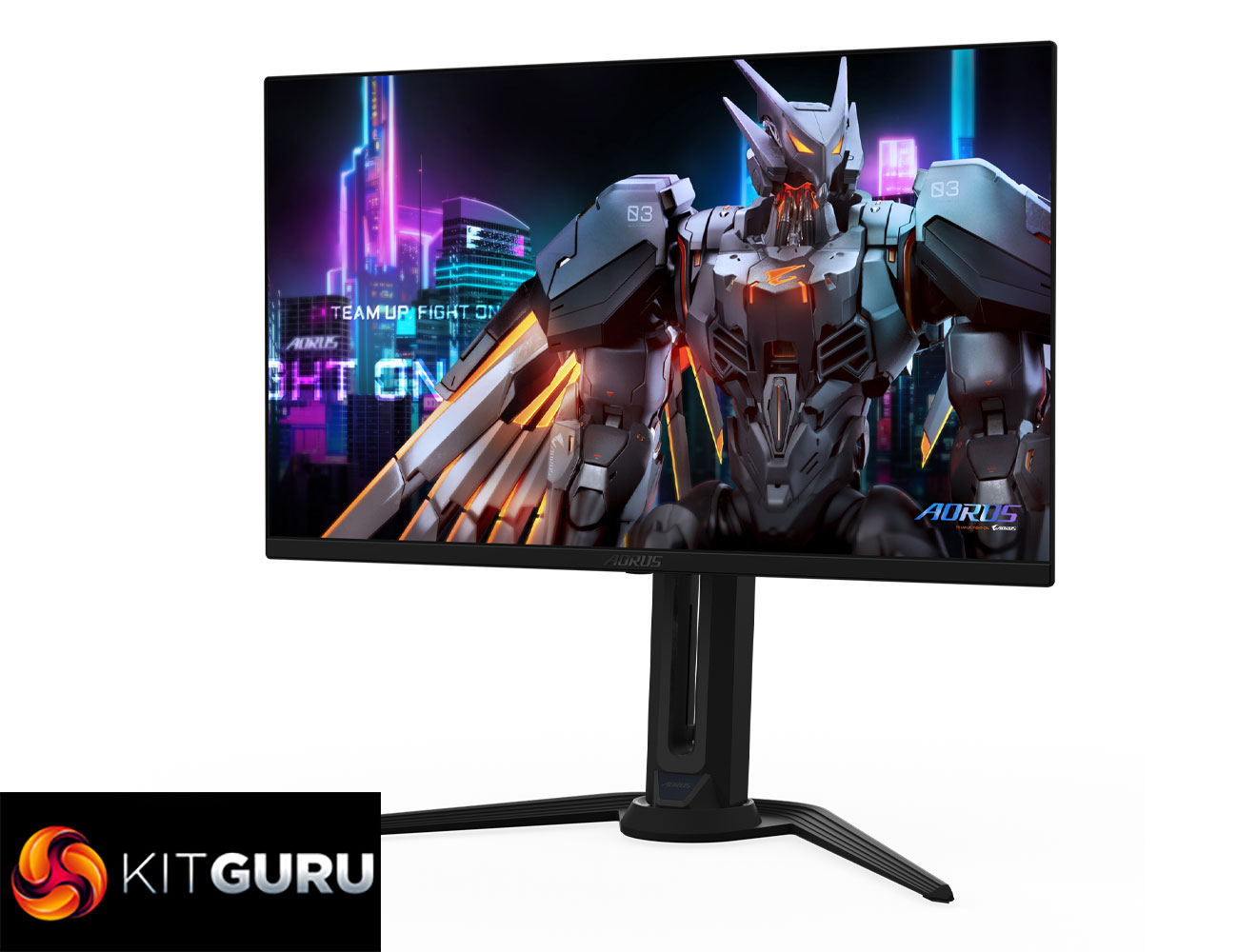
Today we're back in high refresh-rate territory, as we review the Gigabyte Aorus FO27Q5P. Utilising the same enhanced 3rd Gen QD-OLED panel from Samsung that we first saw in MSI's 272QP X50, this 1440p monitor is notable for its 500Hz refresh rate, alongside increased brightness for both SDR and some HDR use cases. We find out exactly how good it is…
Timestamps
00:00 Intro
00:47 Key panel spec and pricing
01:31 Design impressions
02:08 I/O + OSD
03:23 Coating, sub-pixel structure, burn-in
04:53 Default panel analysis
06:58 sRGB mode + calibration
07:31 Response times / motion clarity examples
09:06 Real-world gaming experience
10:20 HDR analysis
11:53 Closing thoughts
As a reminder, despite only launching last year, this 1440p 500Hz QD-OLED panel is actually a 3rd Gen panel from Samsung, but one that has been ‘souped up' somewhat compared to other 3rd Gen offerings. The 500Hz refresh rate is the obvious improvement, up from the previous 360Hz limit, but brightness in SDR is also increased to over 300 nits for a full screen white, while it also packs in True Black 500 certification for HDR, up from True Black 400.
Available for just £600 depending where you look, the Gigabyte Aorus FO27Q5P could well be a contender if you want a fast OLED monitor, so let's take a closer look.
Specification:
- Panel size: 27″ OLED
- Panel type: QD-OLED
- Display viewing area (H x V): 590.42 x 333.72 mm
- Color saturation: 99% DCI-P3
- Resolution: 2560 x 1440 (QHD)
- Display surface: Anti-Reflection
- Refresh rate (max): 500Hz
- Pixel pitch: 0.2292 (H) x 0.2292 (V) mm
- Brightness: 300 cd/m² (Typ, SDR APL 100%); 1000 cd/m² (Typ, HDR APL 3%)
- Contrast ratio (typ): 1.5M:1
- Viewing angle: 178° (H) / 178° (V)
- Display colors: 10-bit (1.07B)
- Response time: 0.03ms (GTG)
- HDR support: VESA DisplayHDR True Black 500
- ClearMR: ClearMR 21000
- Flicker-free: Yes
- Factory calibration: Yes, △E < 2
- Connectivity: 2x HDMI 2.1, 1x DisplayPort 2.1 (UHBR20), 1x MiniDP 2.1 (UHBR20), 1x DisplayPort 1.4 (HBR3) out, 1x USB Type-C (Alt Mode, upstream, up to 18W PD), 2x USB 3.2 downstream, 1x USB 3.2 upstream, 1x earphone jack, 1x microphone jack
- Earphone jack: Yes
- Microphone jack: Yes
- Speakers: 5W x 2
- Power type: Power adapter
- Power consumption: 49W
- Power saving mode: <0.5W
- Power off mode: <0.3W
- Voltage: AC 100–240V ~ 50/60Hz
- Tilt: -5° ~ +20°
- Swivel: ±20°
- Pivot: 0° ~ +90° (clockwise)
- Height adjustment: 130 mm
- VESA wall mounting: 100 x 100 mm
- Kensington lock: Yes
Firmware tested: F01
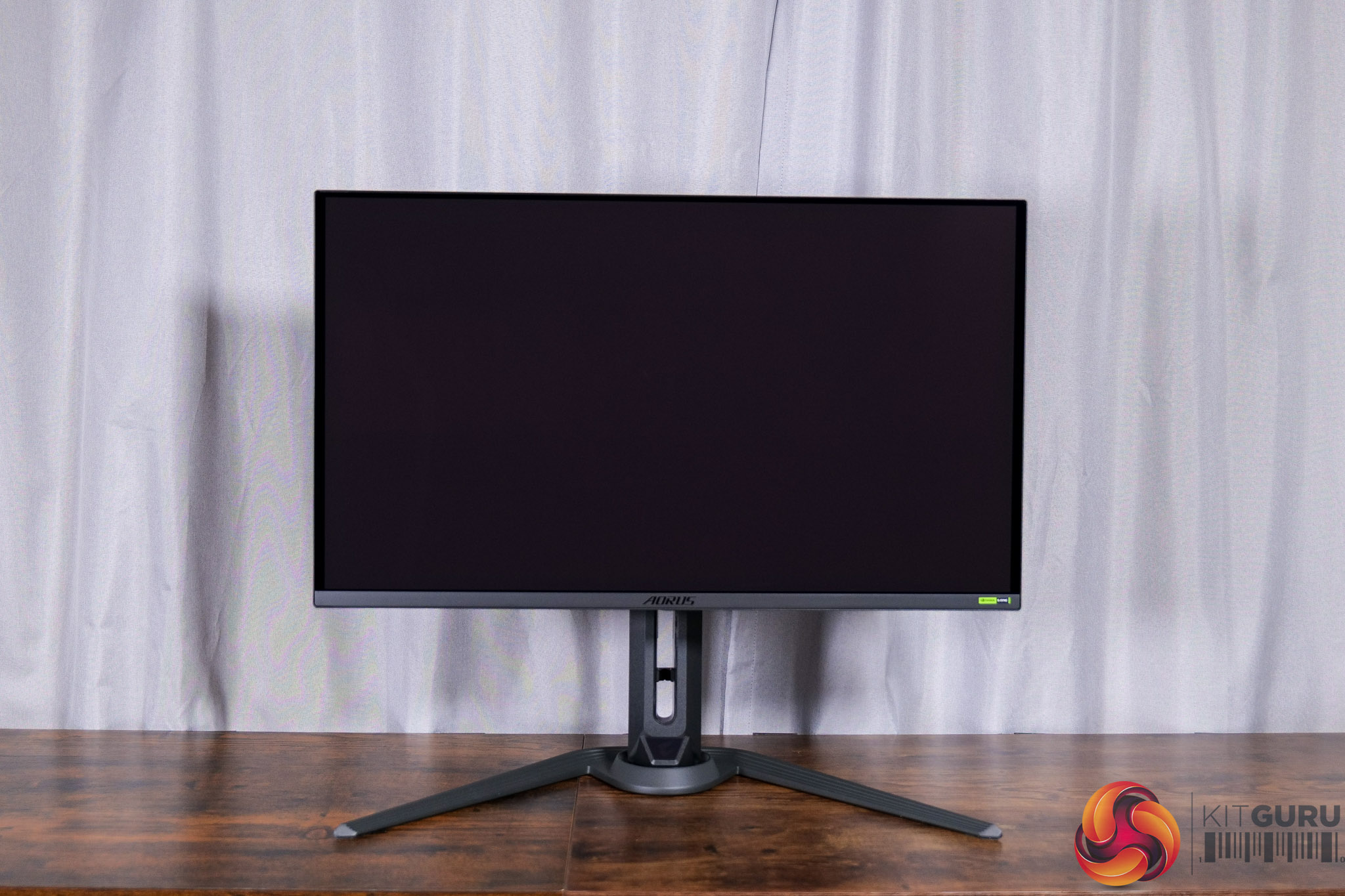
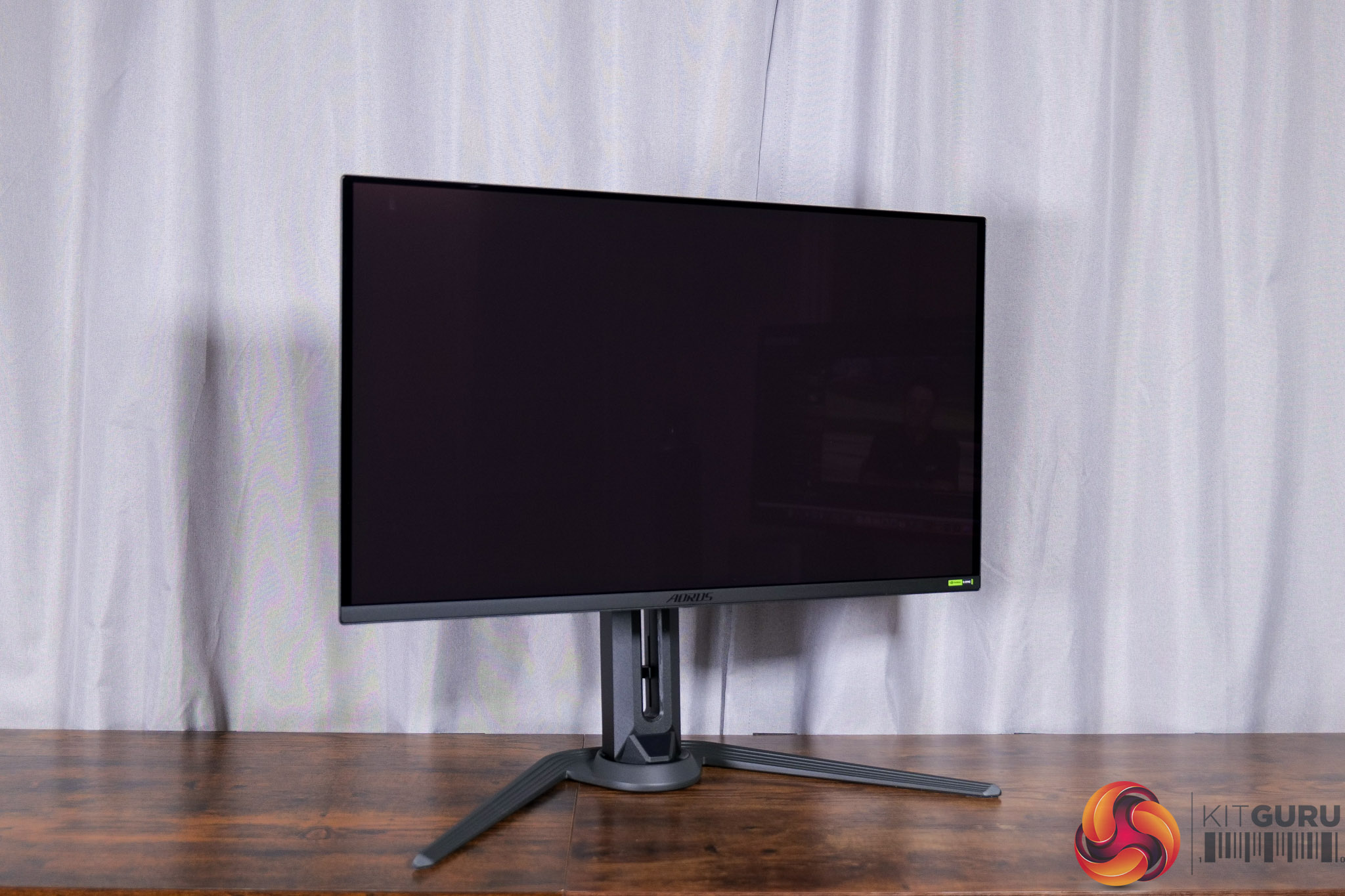
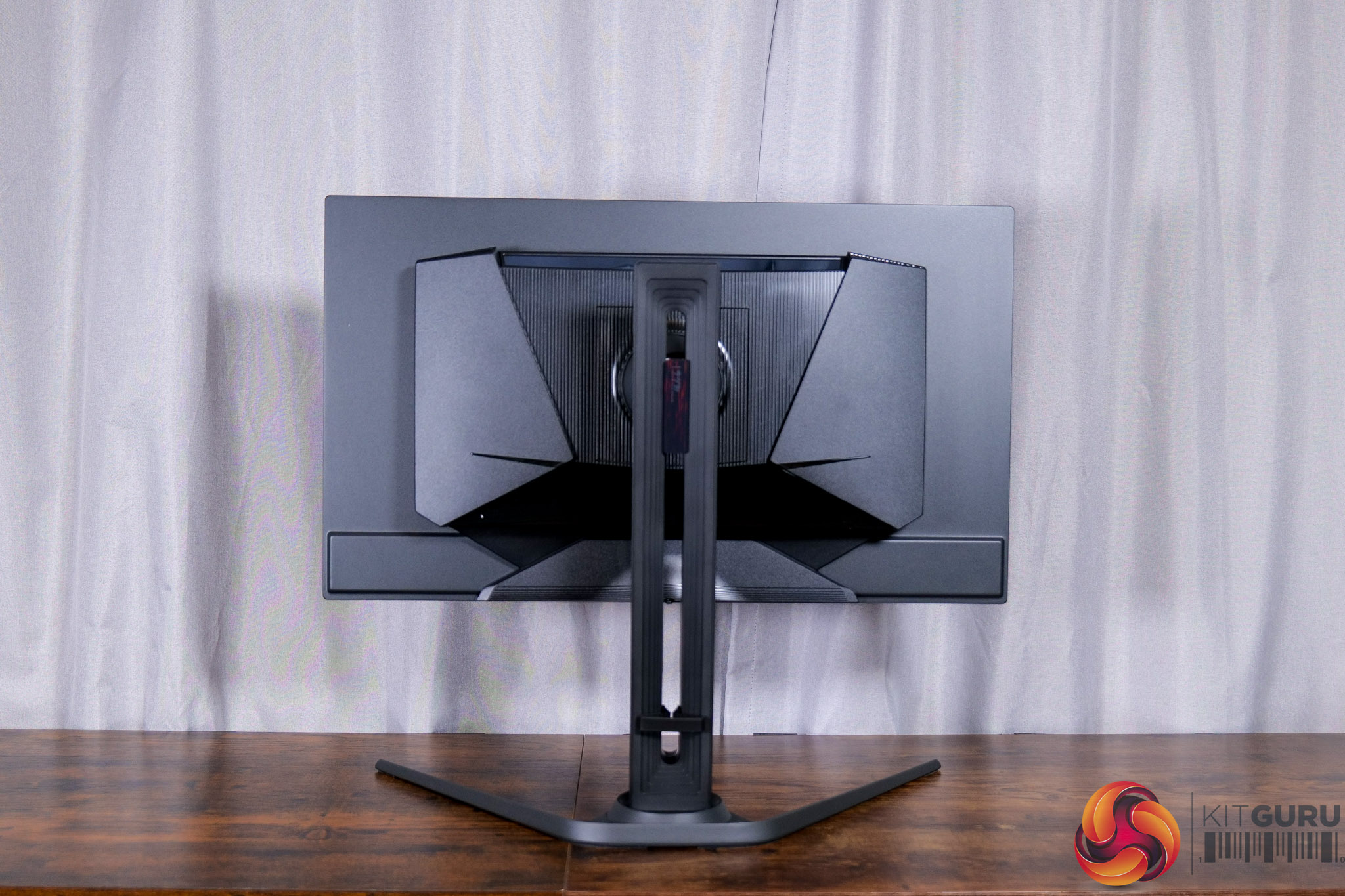
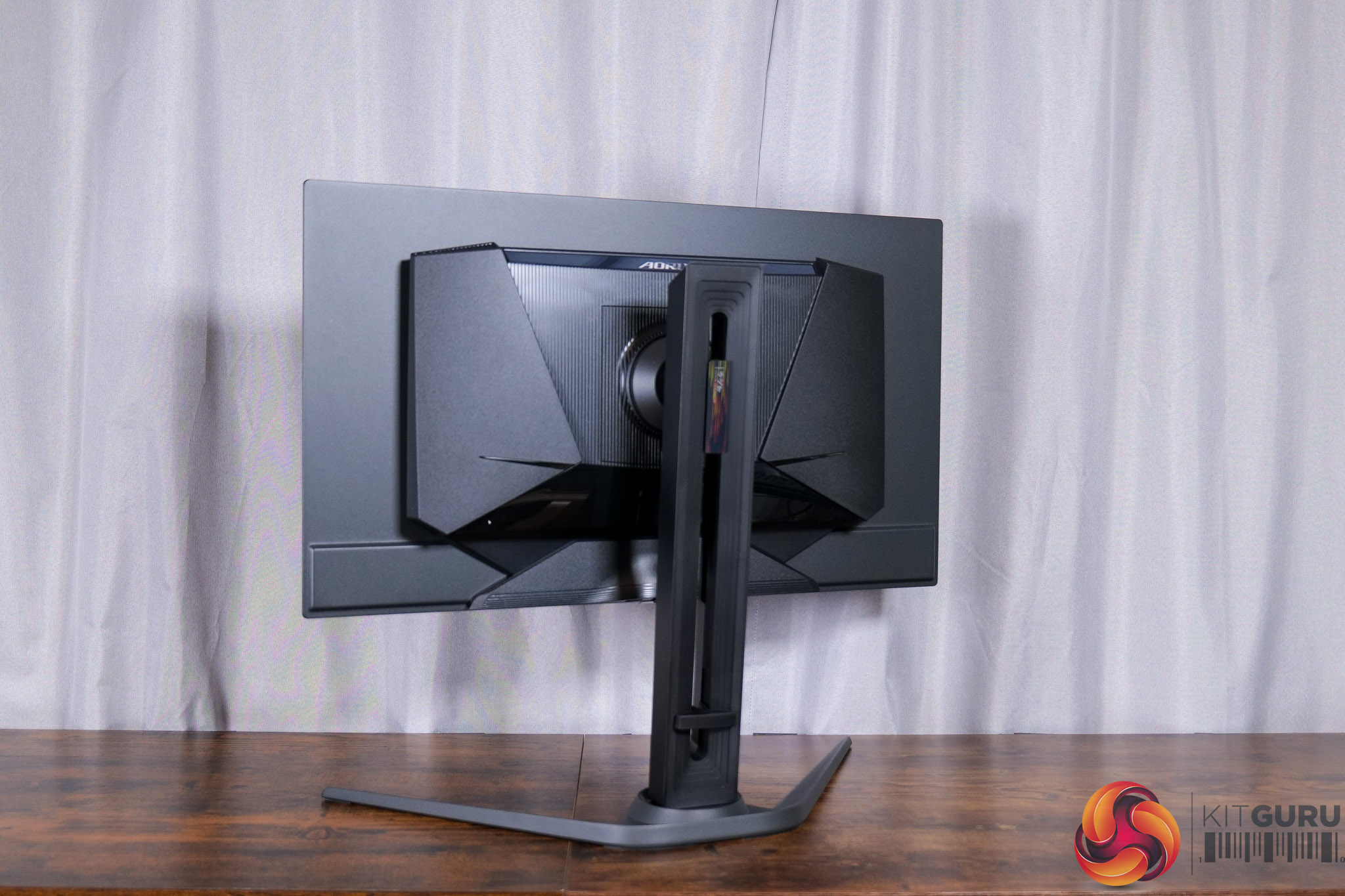
Starting off with the design of the FO27Q5P, if you've seen other Gigabyte screens from this generation, you will be very familiar with what is on offer here – it's entirely black, with a slightly aggressive gamer-y styling round the back, but generally it's fairly conventional.
It does sport a metal v-shaped foot, which feels good quality, though I'd prefer to see something a little more compact.
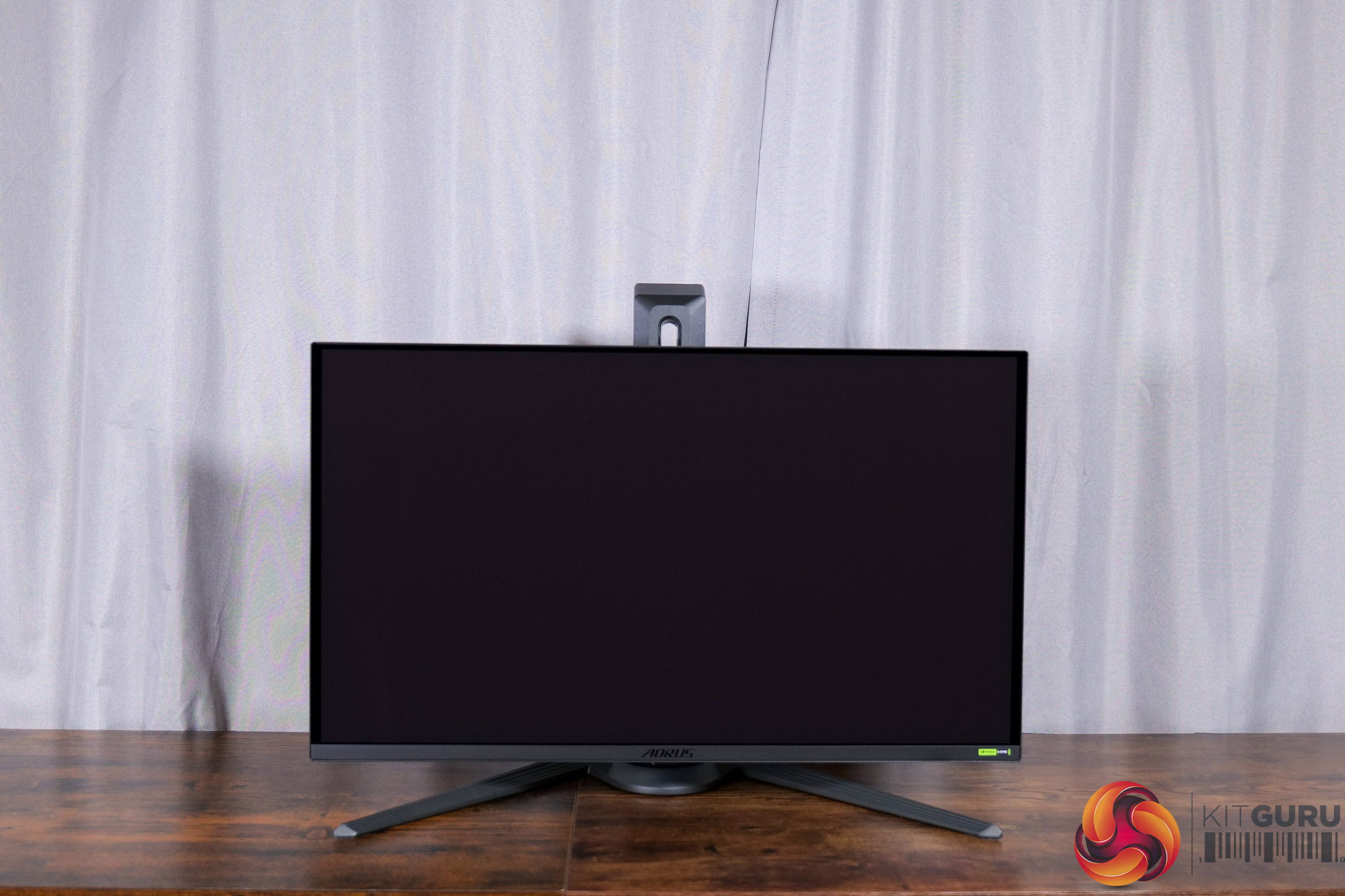
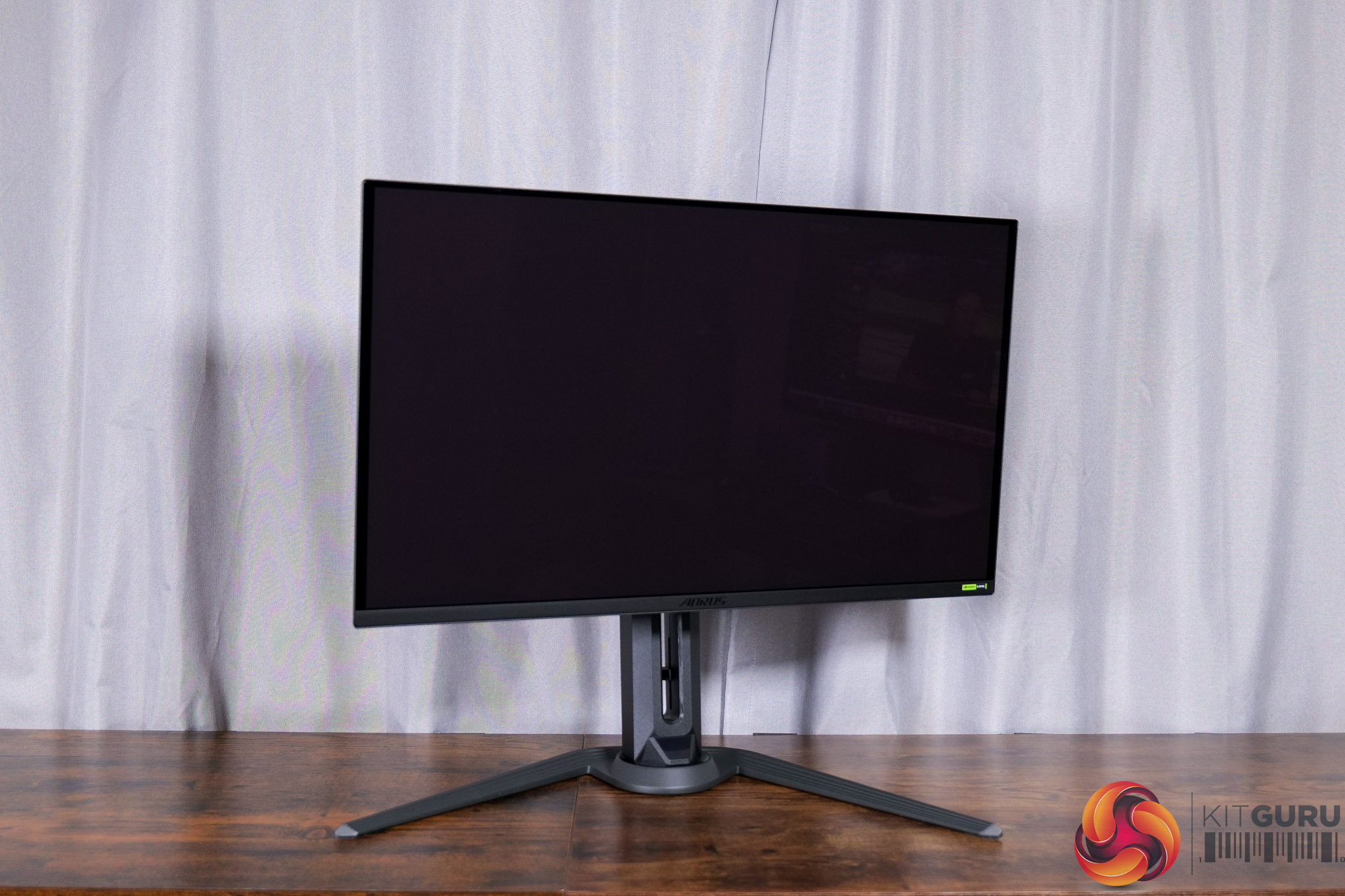
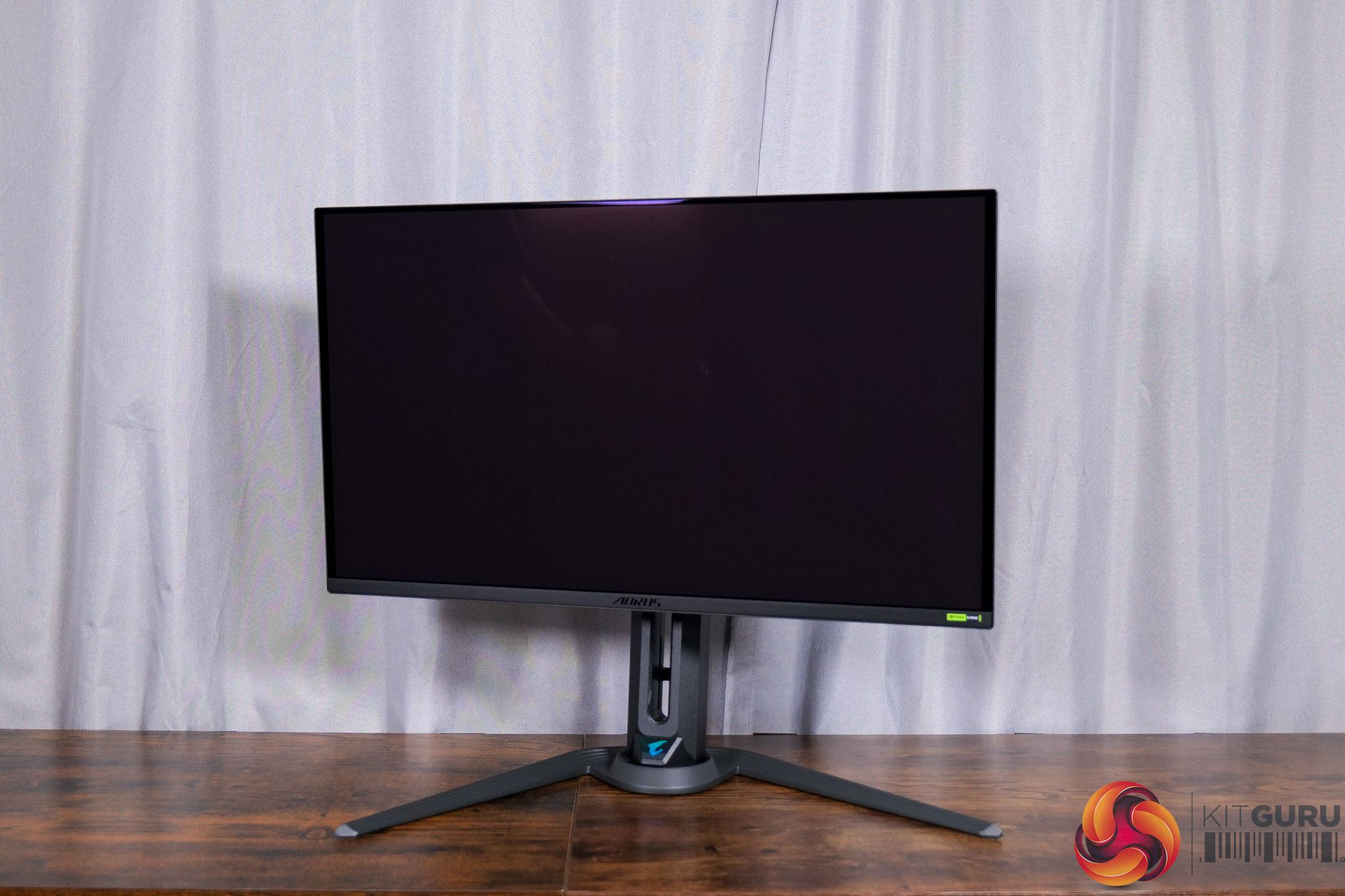
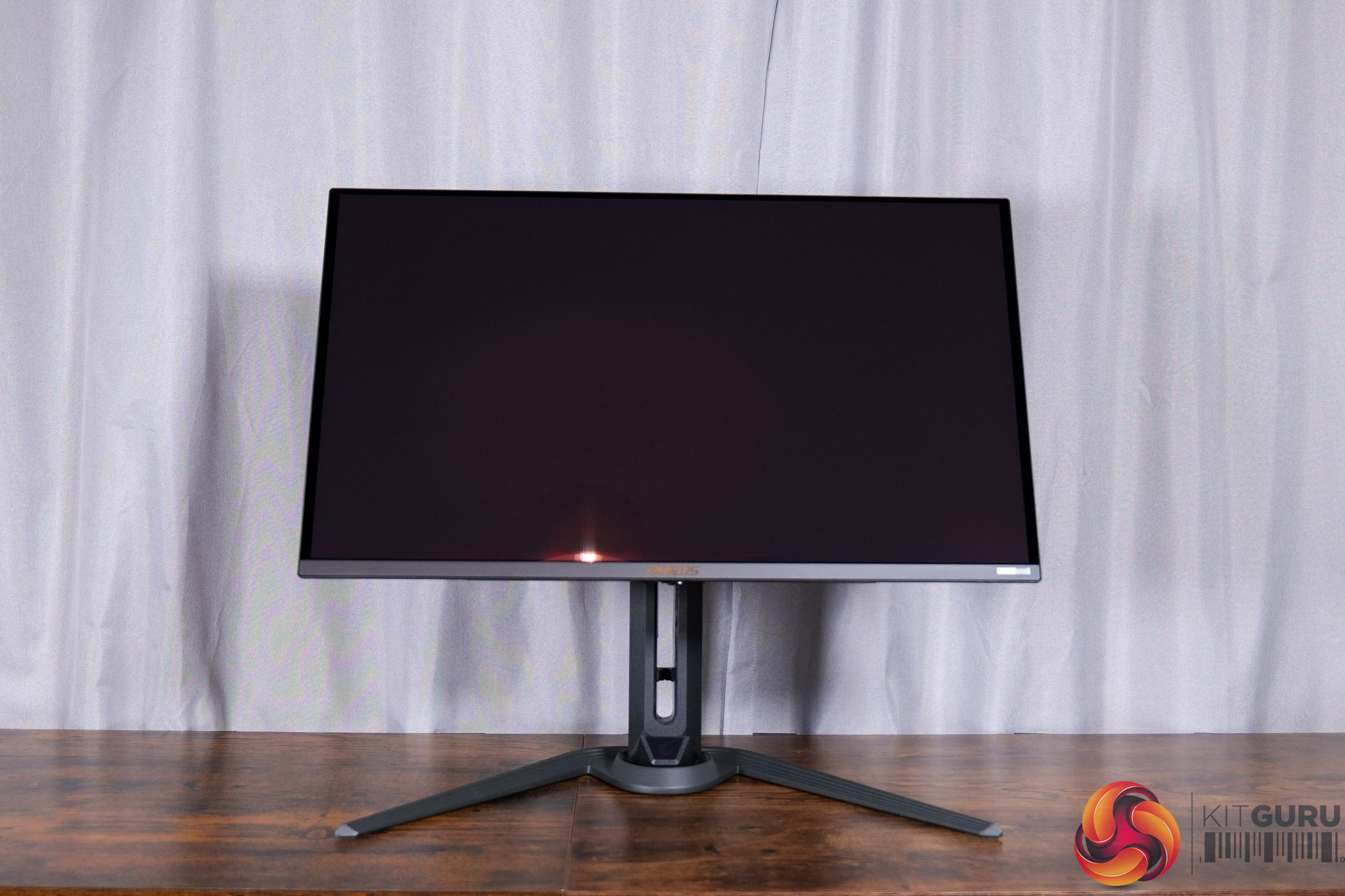
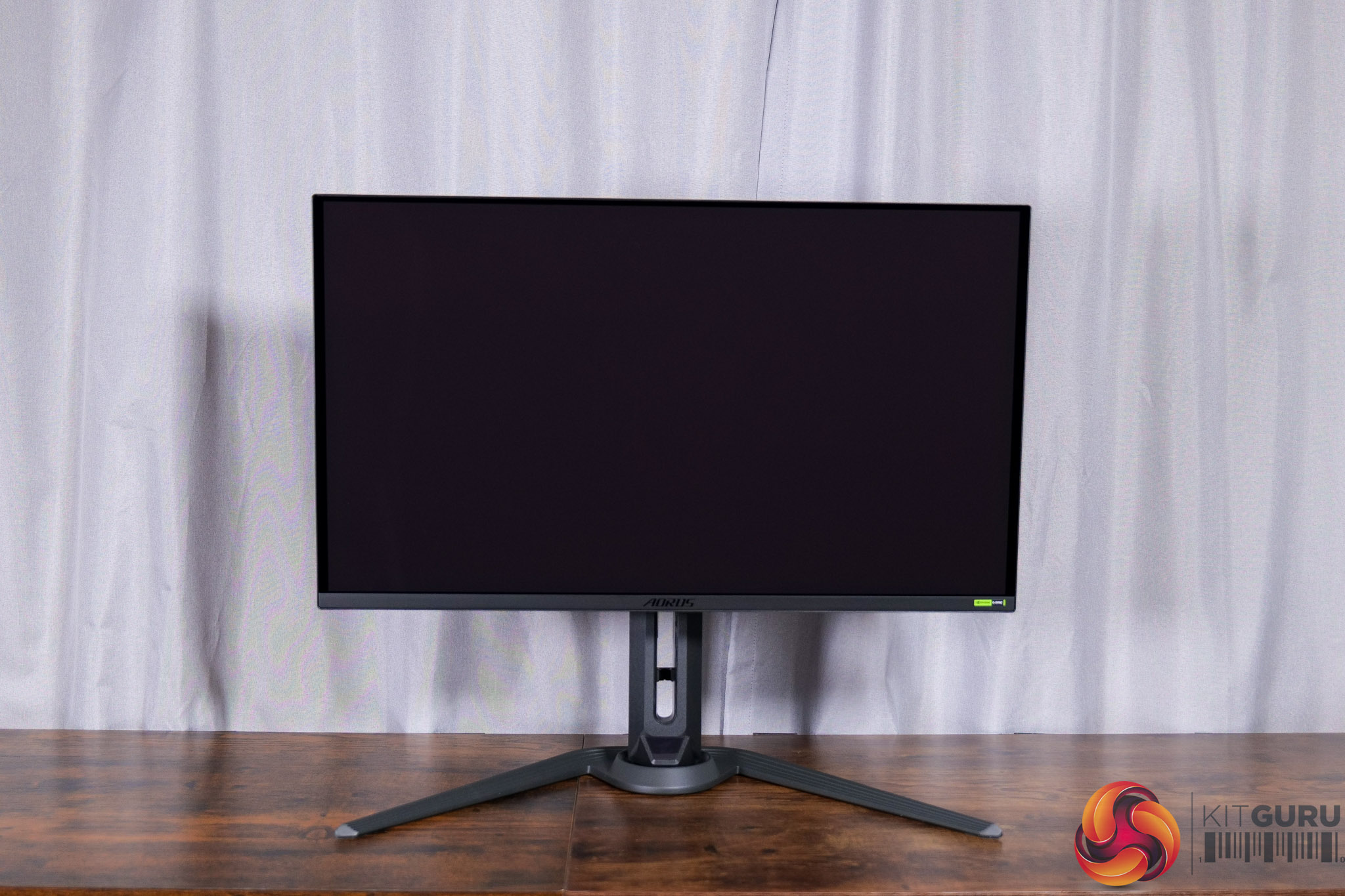
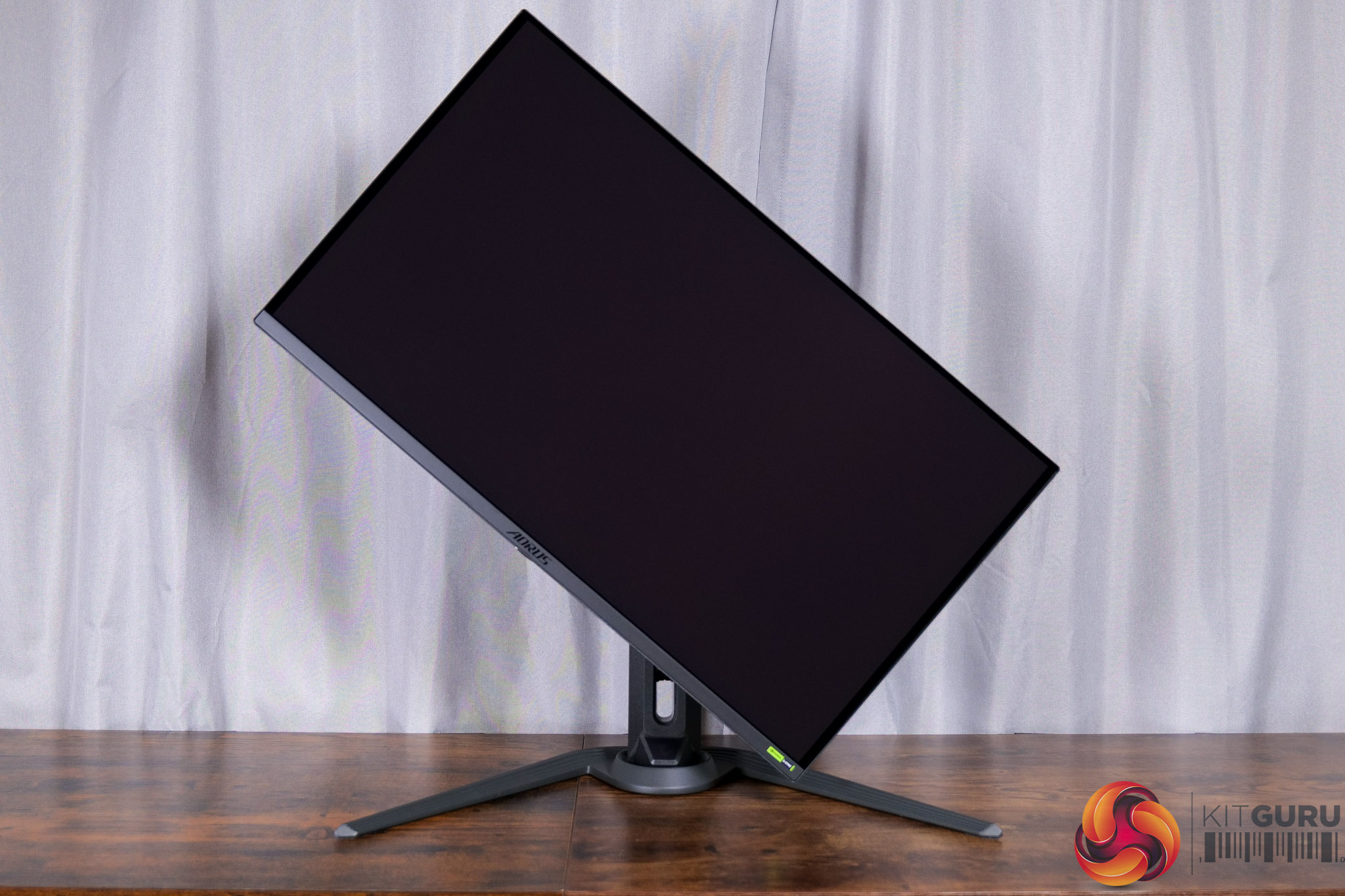
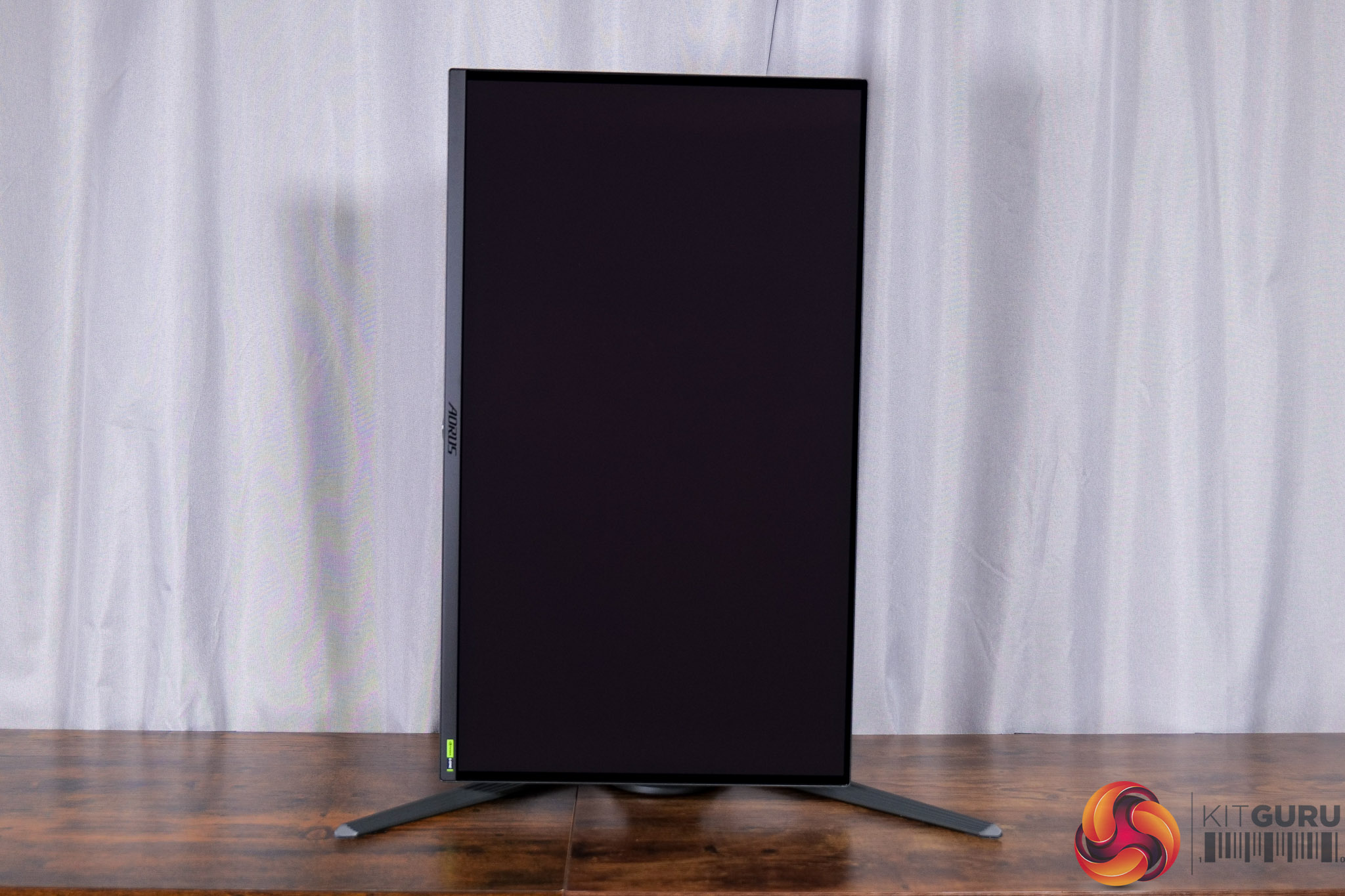
We can't complain about the ergonomics on offer from the stand, though, with up to 130mm height adjustment, 20 degrees of swivel left and right, tilt from -5 to +20 degrees, and 90 degree pivot functionality as well – plus VESA 100×100 mounts are supported.
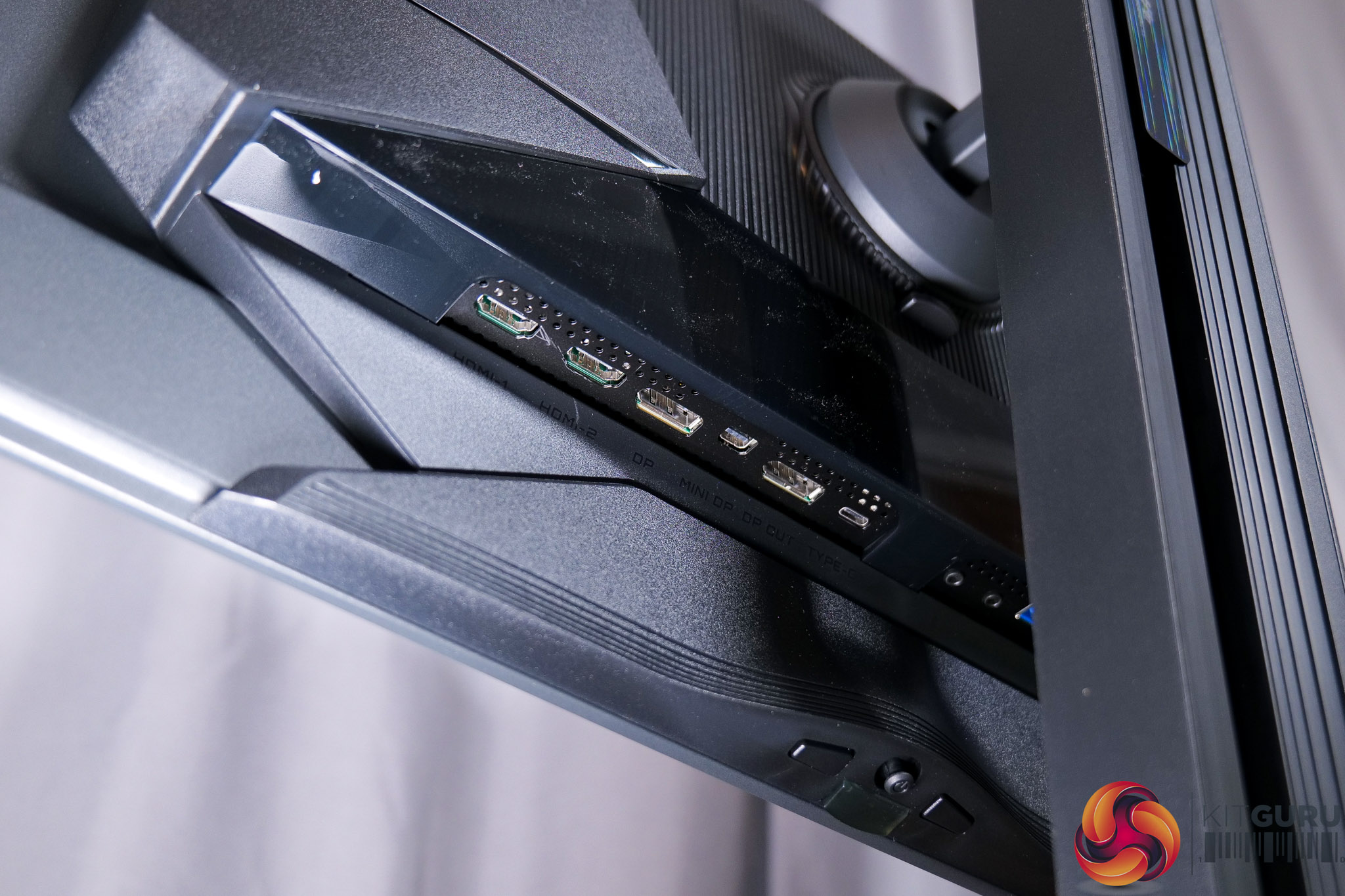
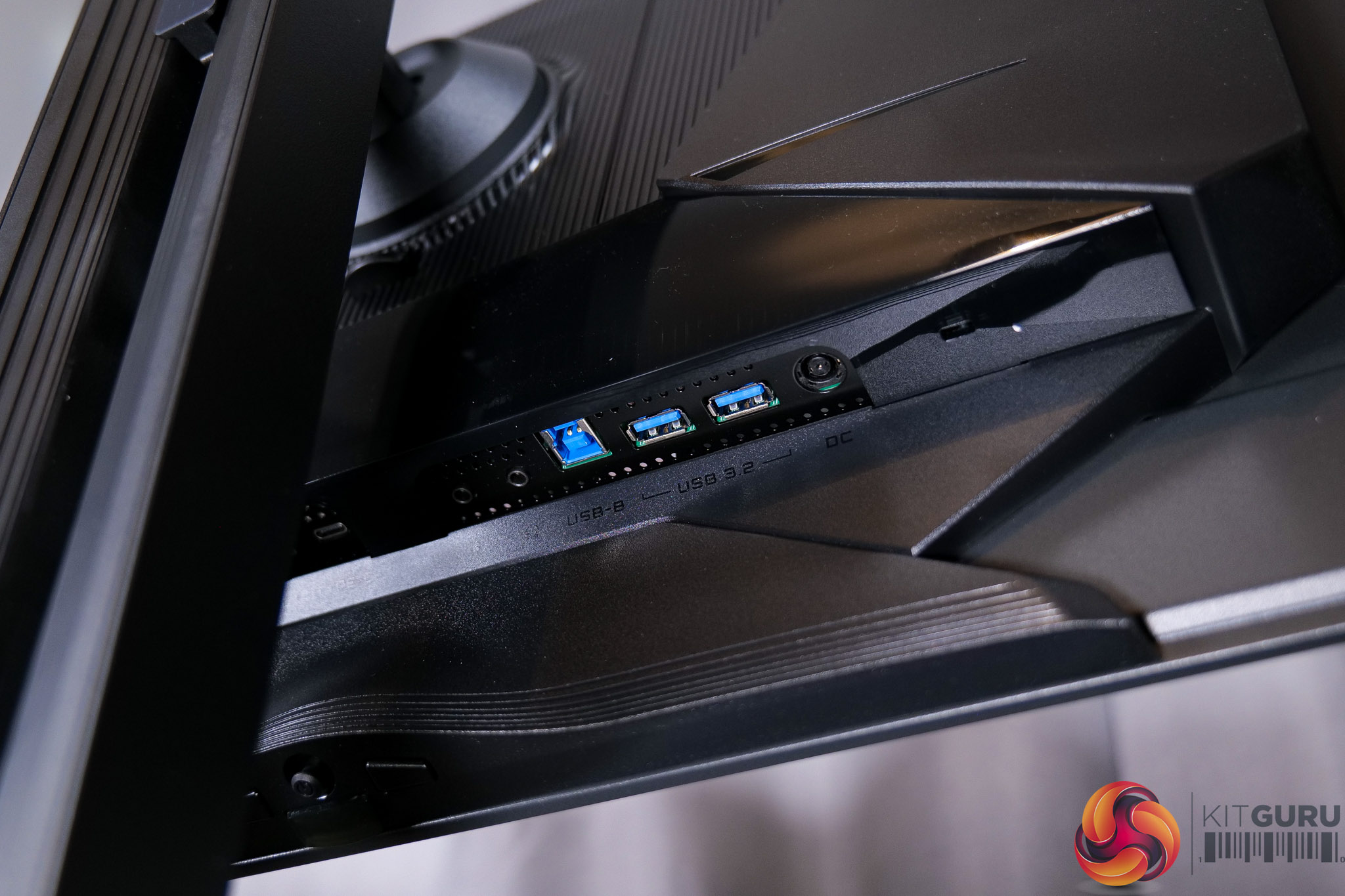
I/O is also plentiful. There's 2x HDMI 2.1, 1x DisplayPort 2.1 at the full UHBR20 bandwidth, a miniDP 2.1 at the same bandwidth – an oddity, but we're not complaining! – and a DisplayPort 1.4. You also get a Type-C port that supports DP-Alt mode and 18W Power Delivery, then 2x USB 3.2 downstreams, fed by a USB upstream, alongside some audio jacks. KVM functionality is also supported, so there's not much to complain about – I'd have liked to see higher Power Delivery from the Type-C port, but that's about it.
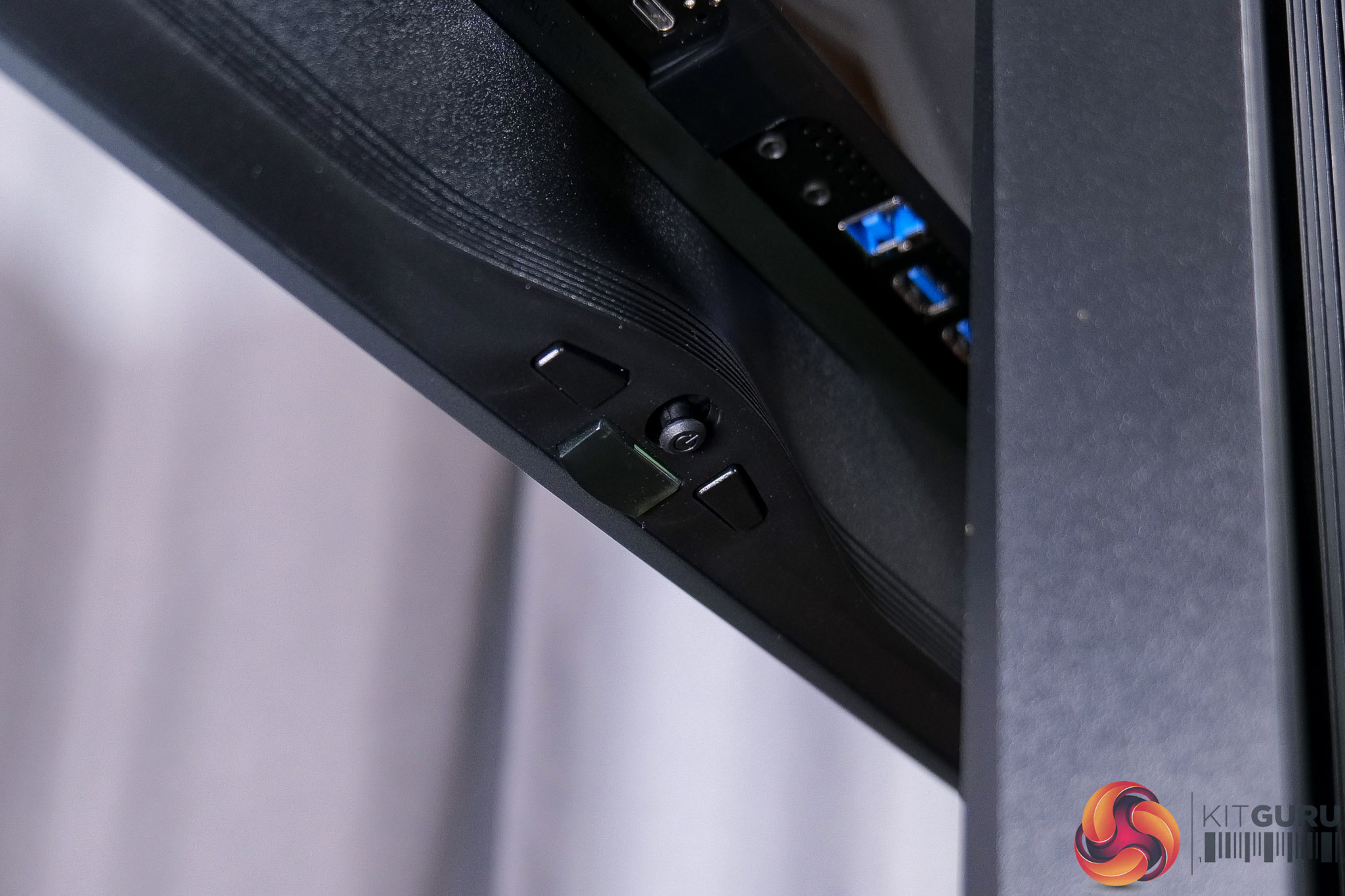
All of the monitor's controls are placed under the chin, with a joystick used to navigate the OSD flanked by a power button and a resolution switch button.
Speaking of the OSD, this is split into a few different areas, with the main settings options, but OLED Care and Game Assist in separate tabs:
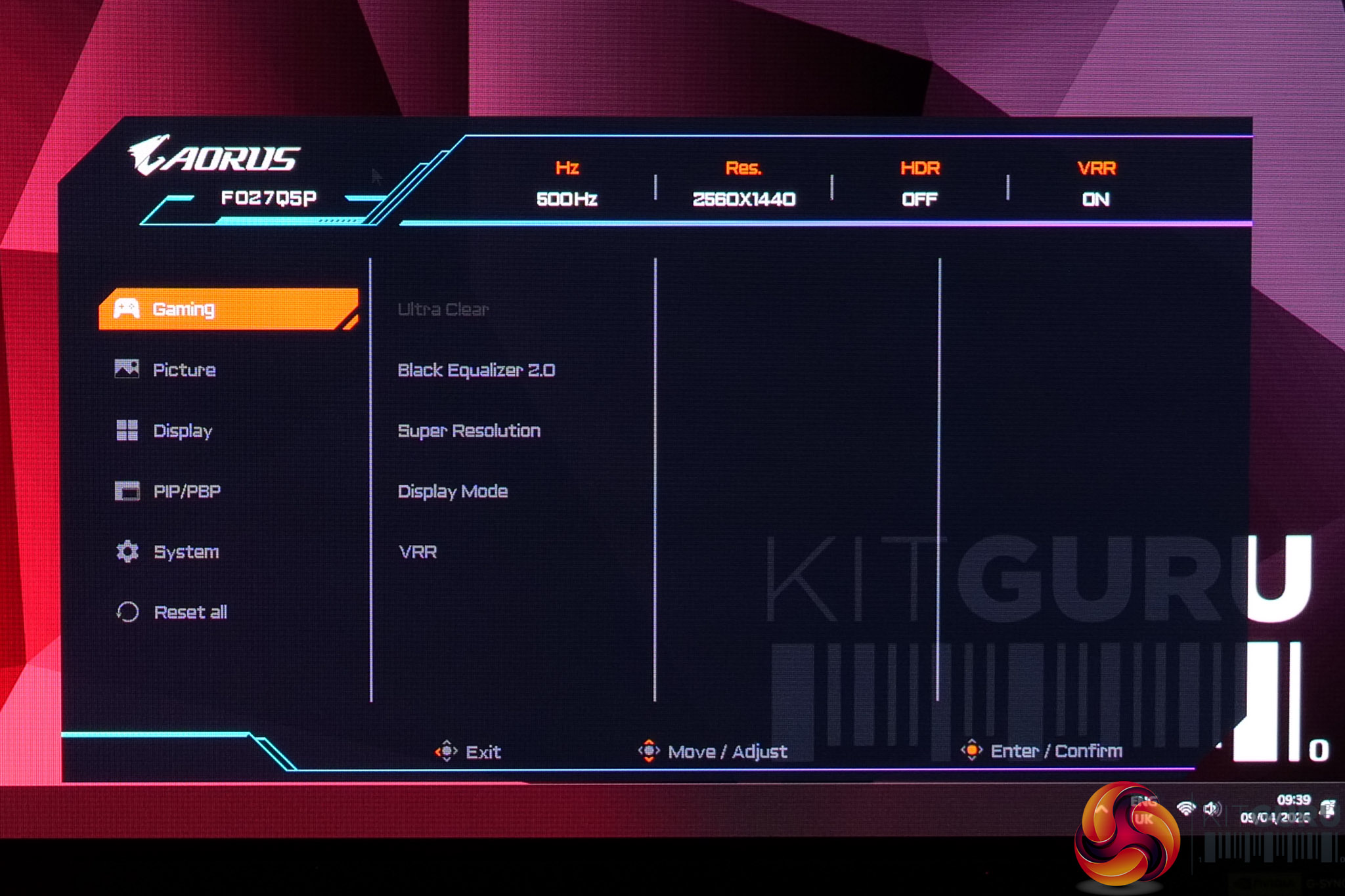
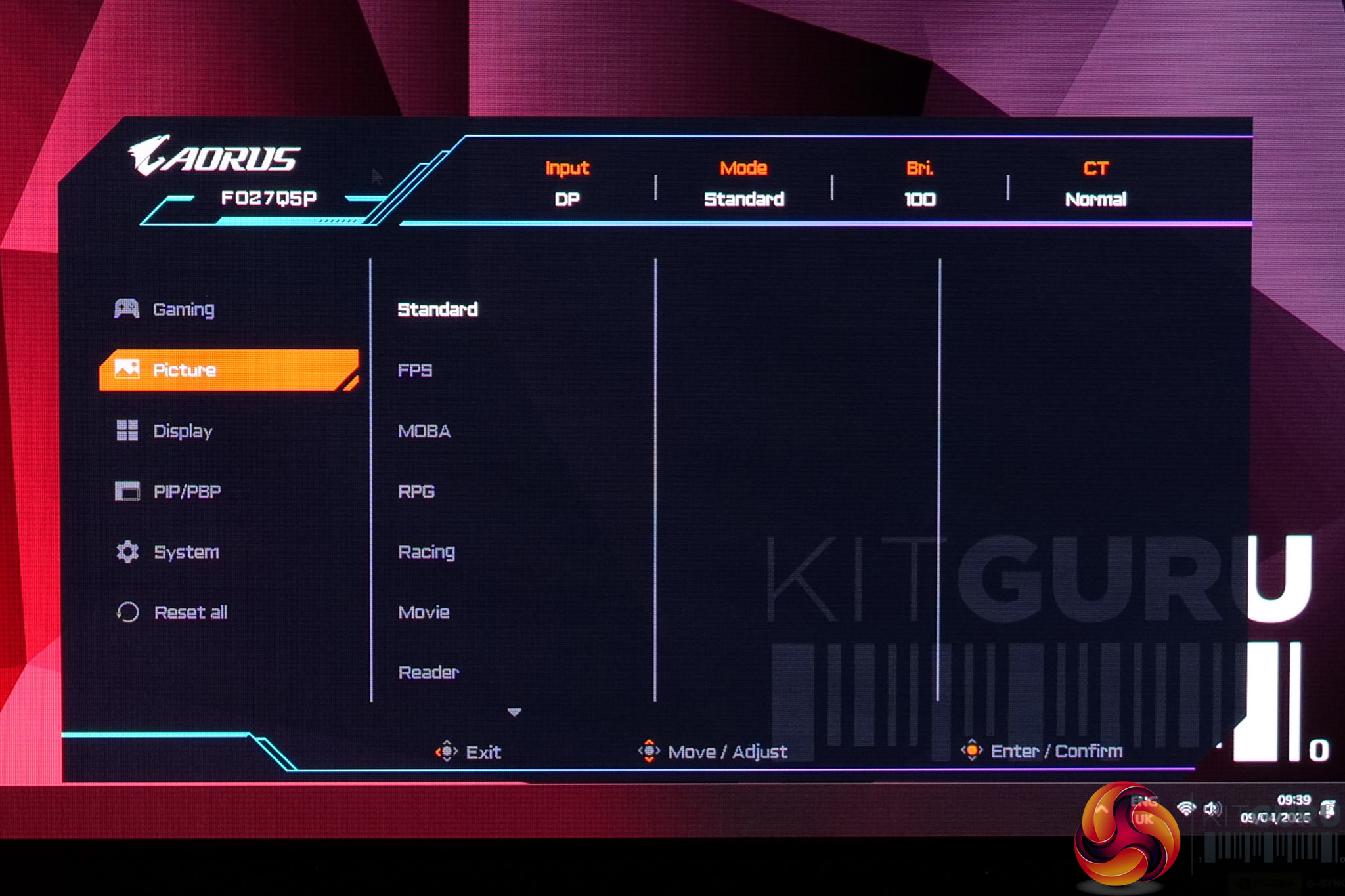
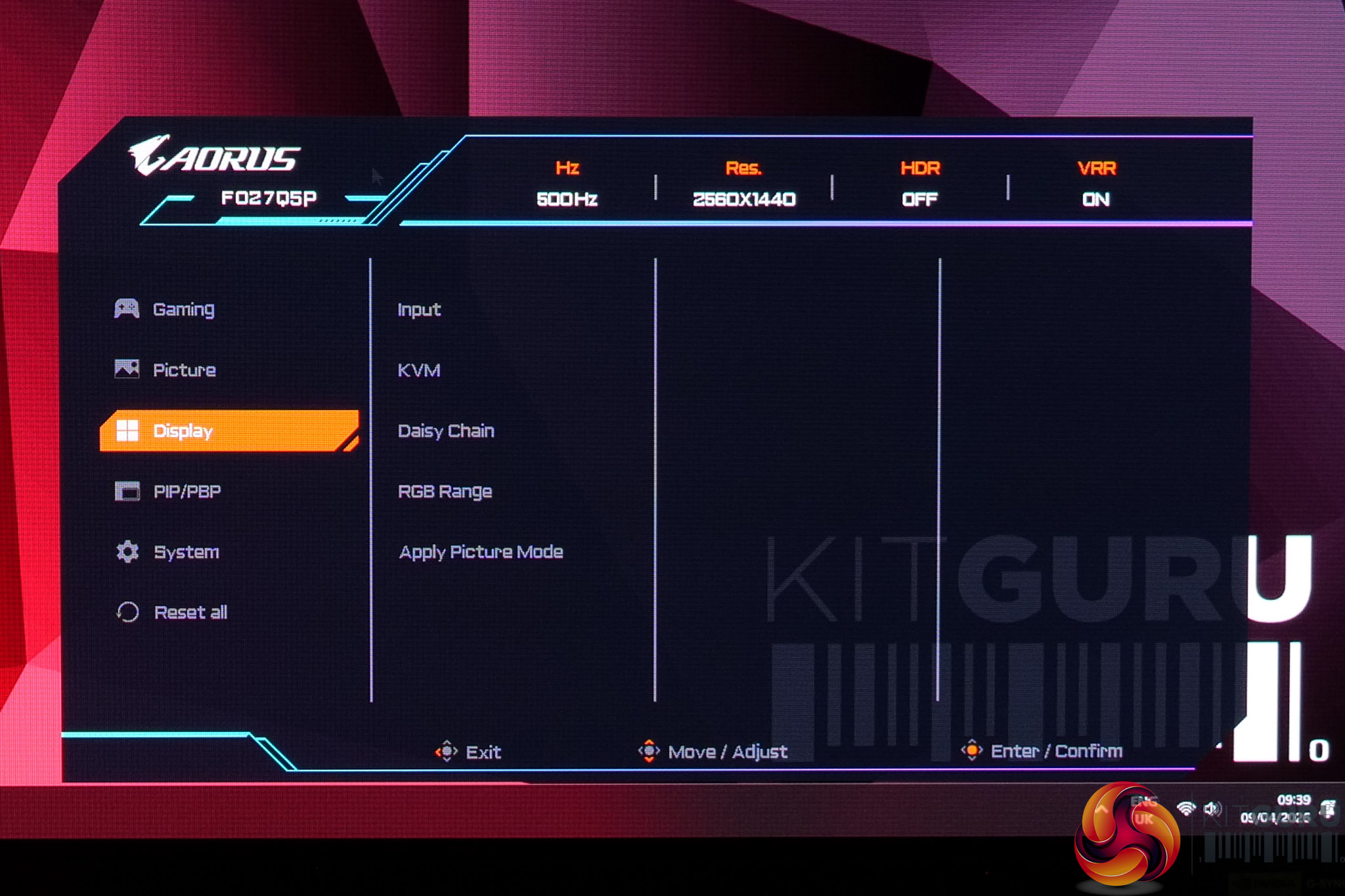
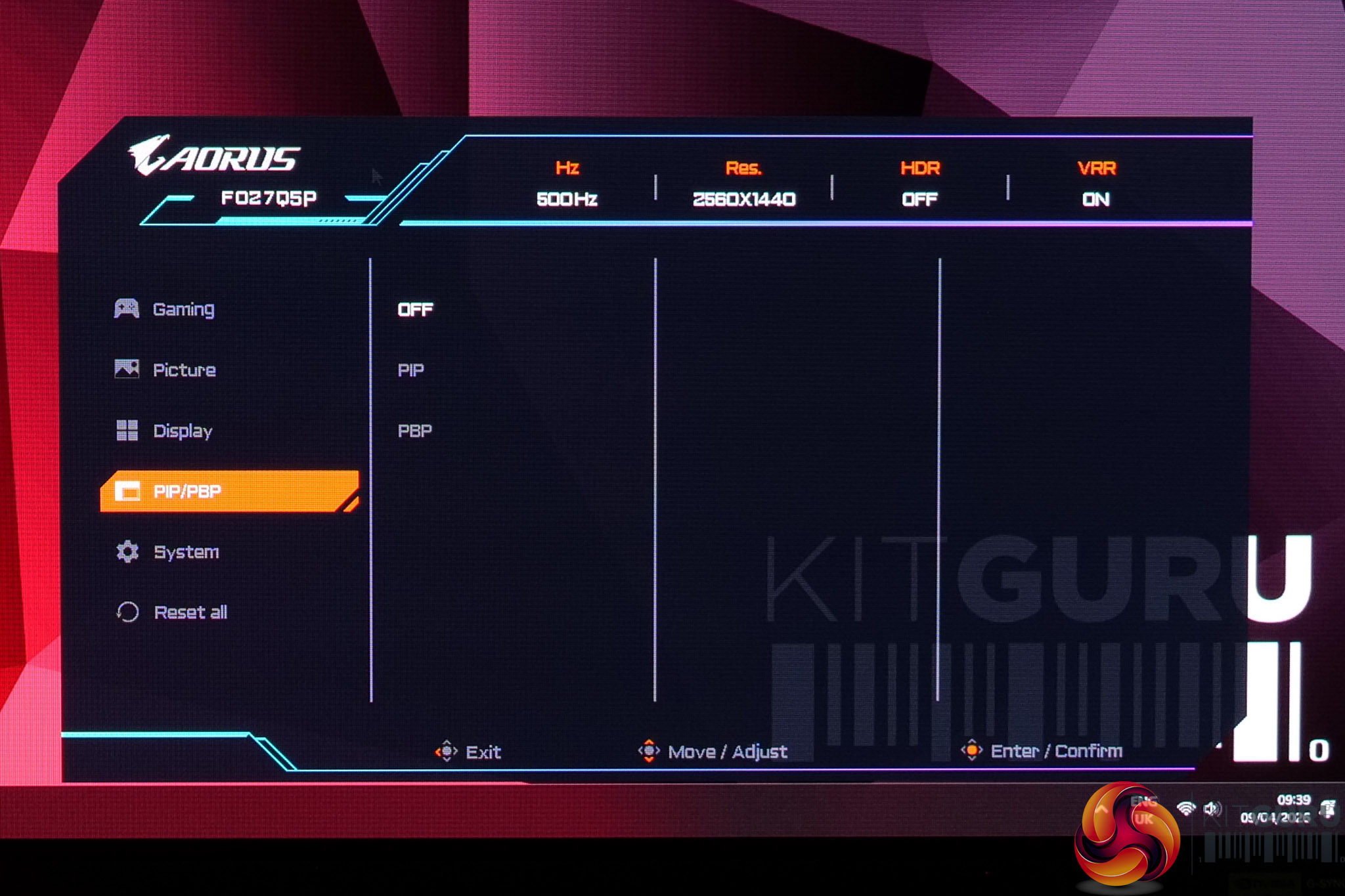
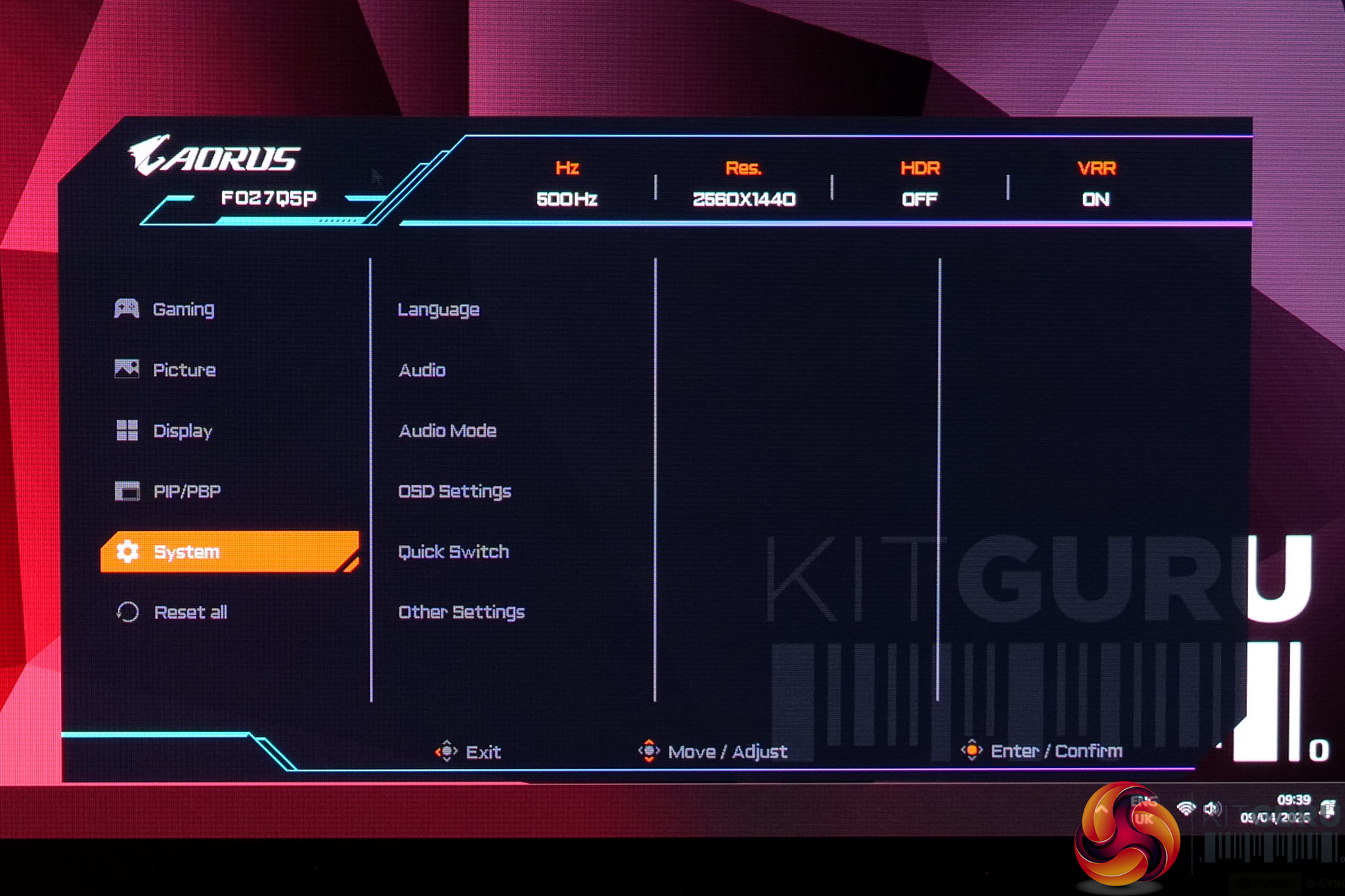
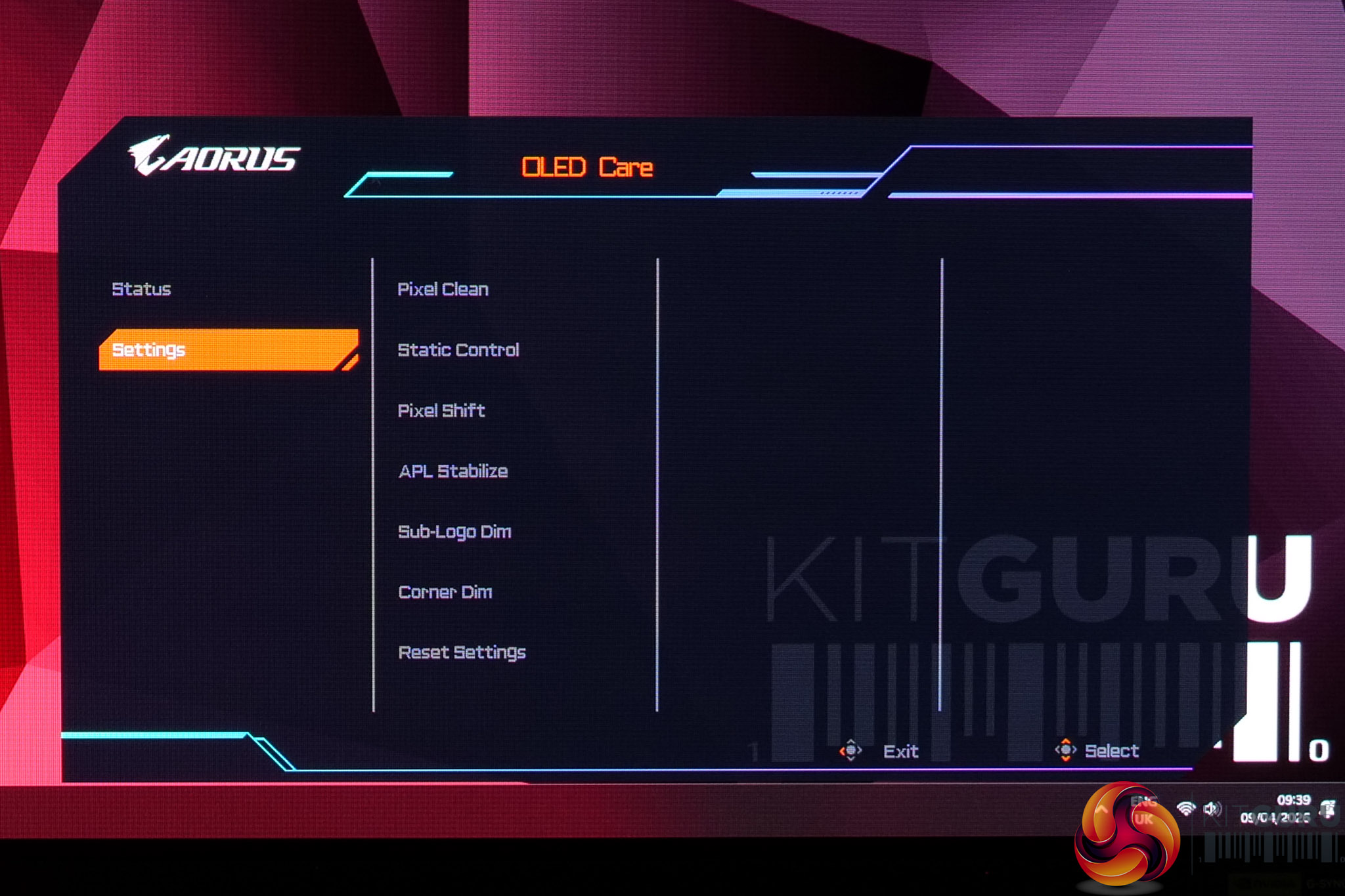
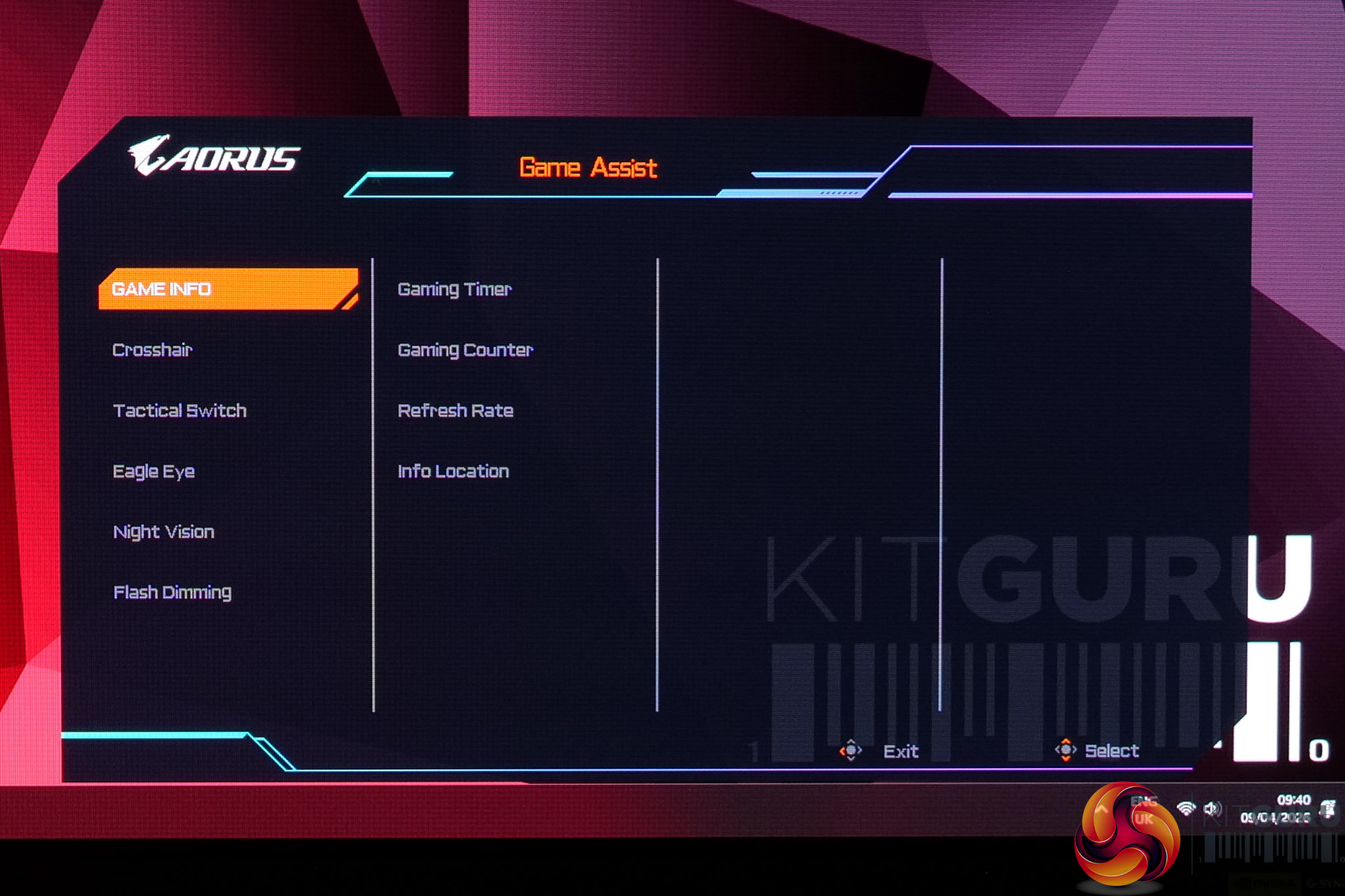
The OSD itself appears unchanged since we reviewed the FO27Q3. That's no bad thing, though, as it's clearly laid-out and easy to navigate with the joystick, plus it's very well featured. The OLED Care and Game Assist settings are housed in separate menus, which is just something to be aware of, but it's a very well-featured selection so I have no complaints.
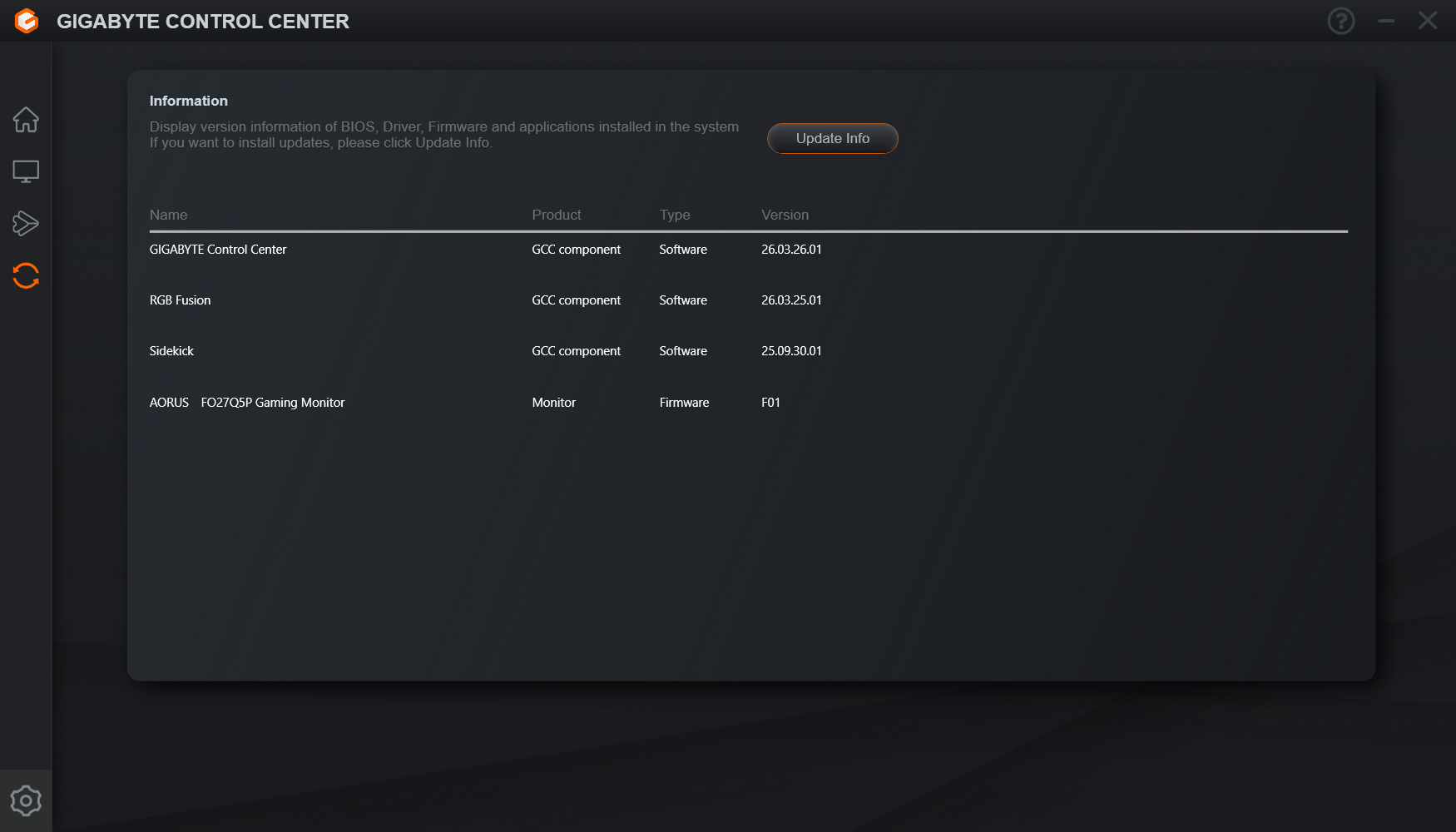
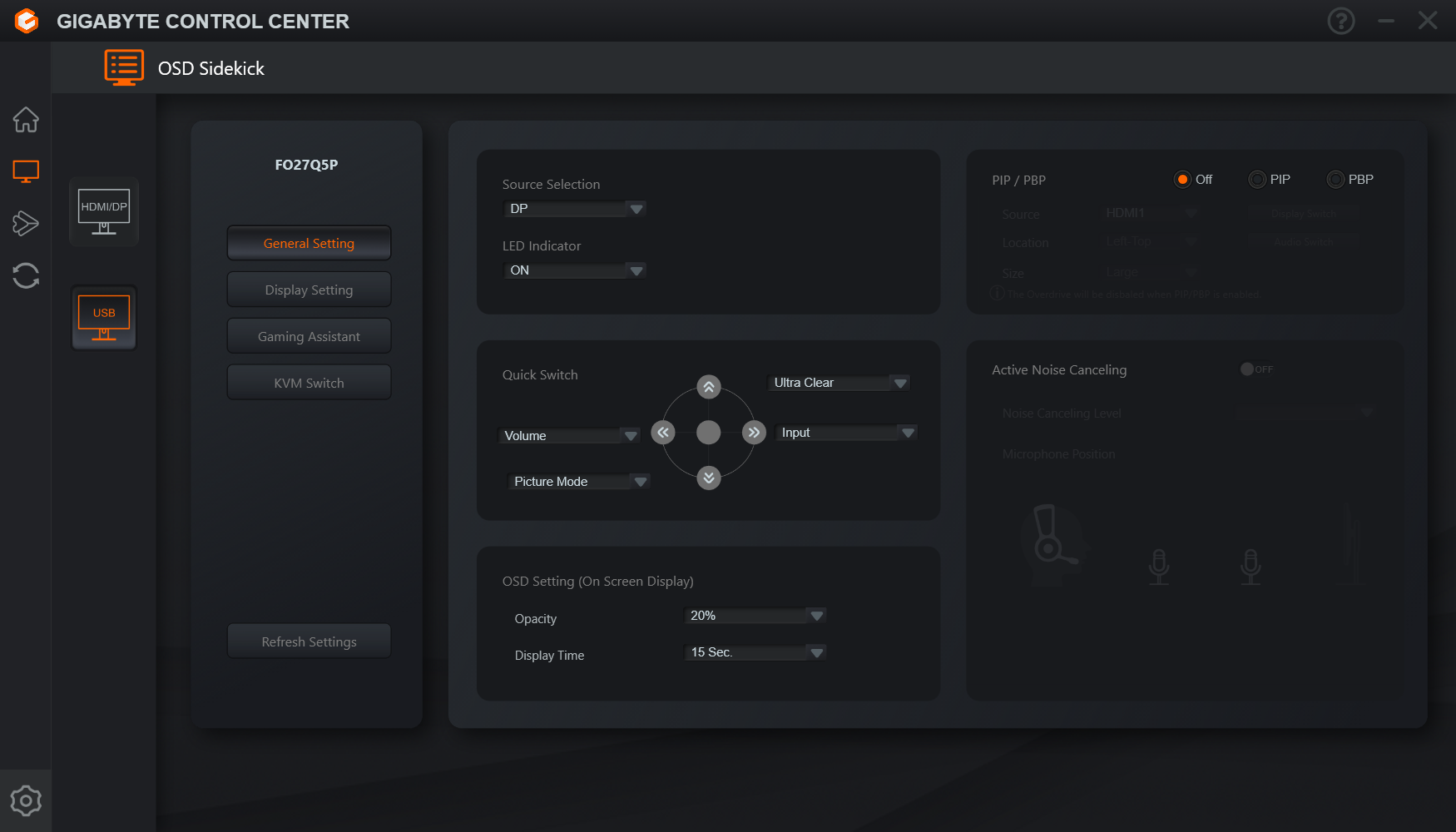
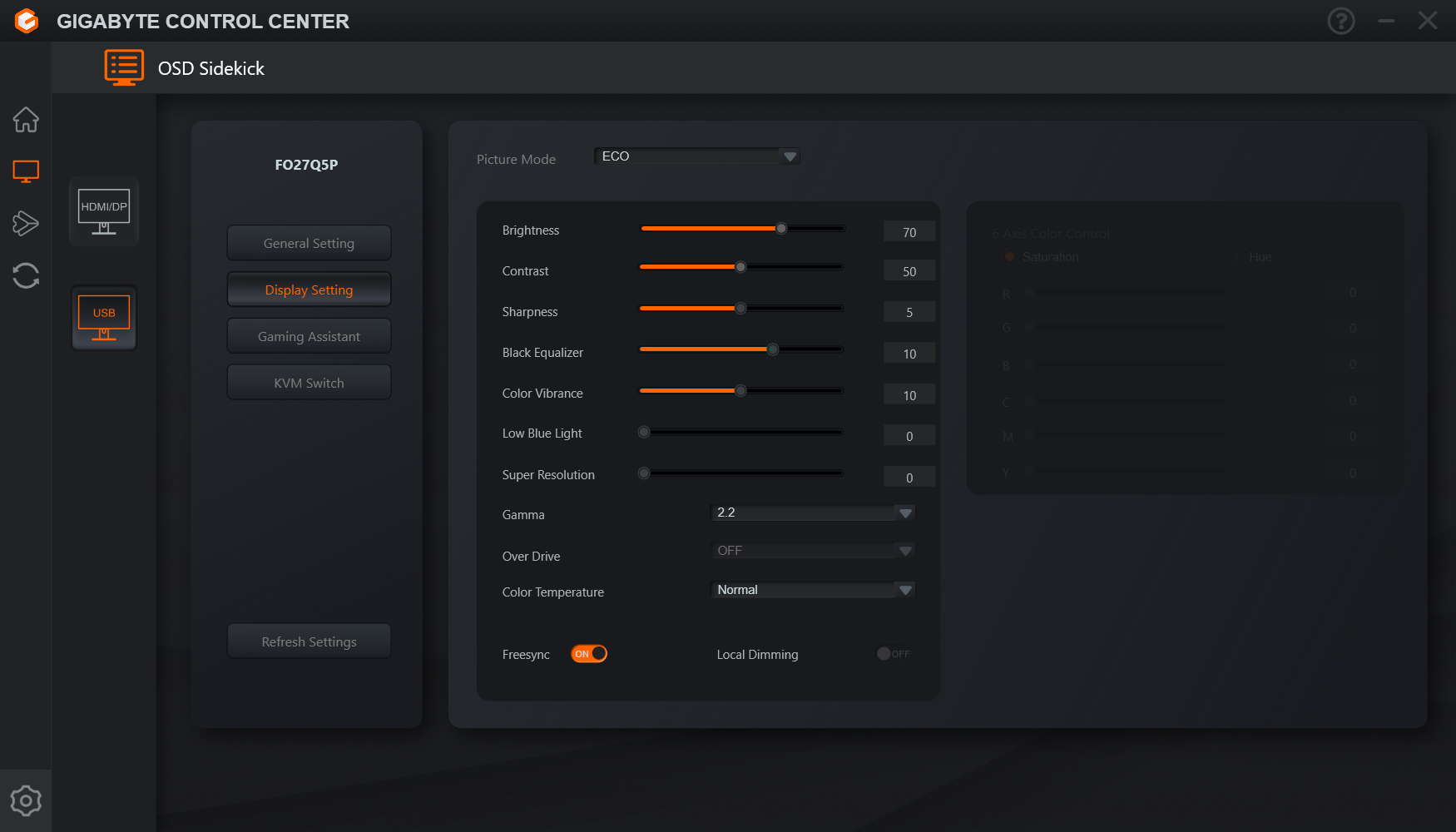
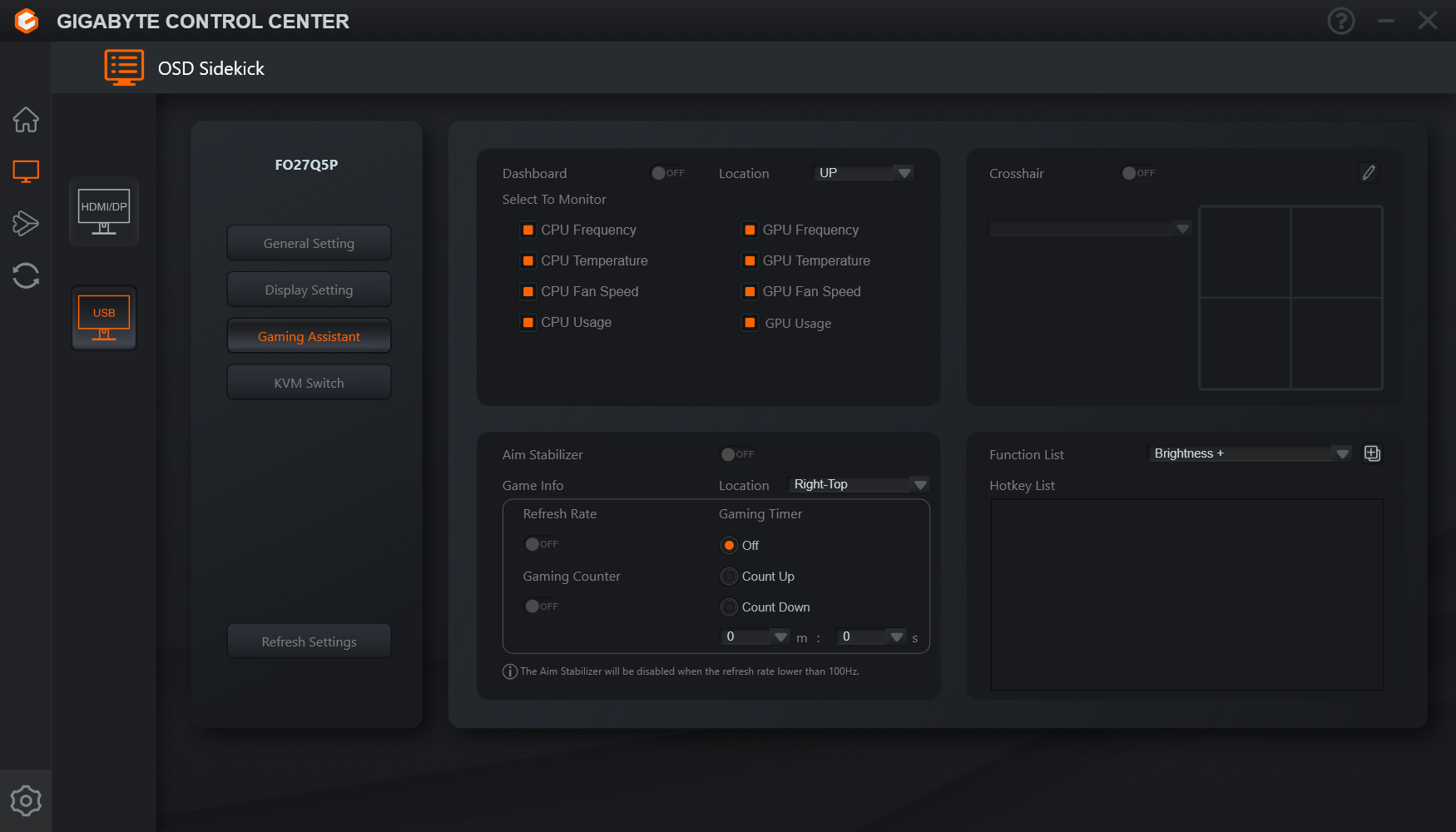
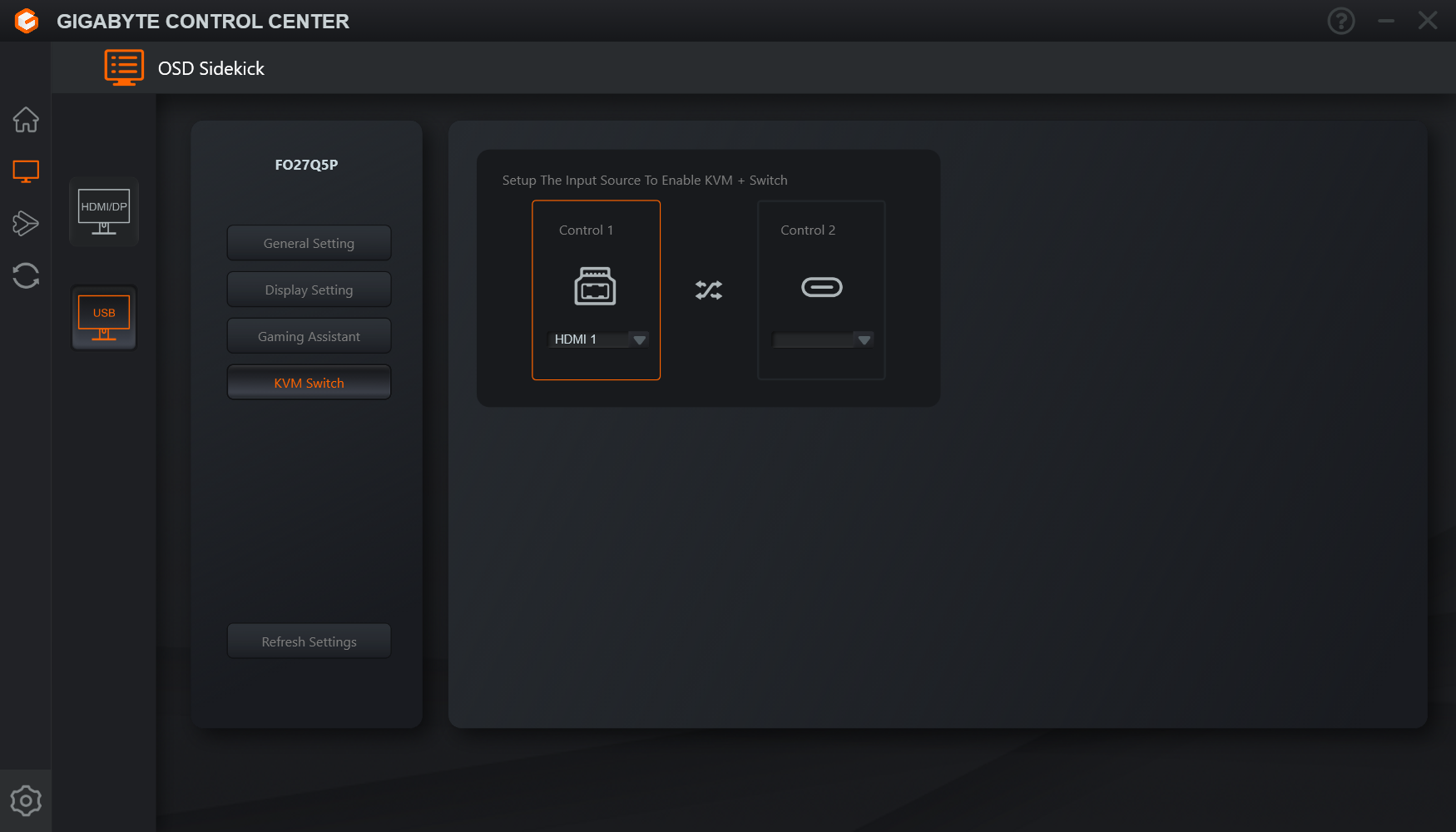
Users can also try Gigabyte's Control Center app, which offers most of the same settings but in software form. It's a little on the slow side, but it does at least provide information about monitor firmware, which is always useful.
Our main test involves using an X-Rite i1 Display Pro Plus colorimeter and utilising Portrait Displays’ Calman Ultimate software. The device sits on top of the screen while the software generates colour tones and patterns, which it compares against predetermined values to work out how accurate the screen is.

The results show:
- A monitor’s maximum brightness in candelas or cd/m2 at various levels set in the OSD.
- A monitor’s contrast ratio at various brightness levels in the OSD.
- Gamut coverage, primarily focusing on sRGB and DCI-P3 colour spaces.
- Greyscale accuracy, measured across 20 shades, with an average colour balance reported.
- The exact gamma levels, with a comparison against preset settings in the OSD.
- The colour accuracy, expressed as a Delta E ratio, with a result under 3 being fine for normal use, and under 2 being great for colour-accurate design work.
We first run these tests with the display in its out-of-the-box state, with all settings on default. If there is an sRGB emulation option or other useful mode then we may test that too. We then calibrate the screen using the Calman Ultimate software and run the tests again.
You can read more about our test methodology HERE.
Default settings
Brightness and Contrast (Full Screen)
| OSD Brightness | White Luminance (cd/m2) | Black Luminance (cd/m2) | Contrast Ratio |
| 0% | 24.4 | 0.00 | ~Infinite |
| 25% | 95.4 | 0.00 | ~Infinite |
| 50% | 166.9 | 0.00 | ~Infinite |
| 75% | 239.5 | 0.00 | ~Infinite |
| 100% | 317.2 | 0.00 | ~Infinite |
Starting off with brightness testing, the FO27Q5P gets very dim at just 24 nits minimum, while it hits a maximum of 317 nits for a full-screen white. This is an improvement over other 3rd and 4th Gen QD-OLED panels, and actually sits on par, or fractionally below, 5th Gen QD-OLED panels that only launched this year.
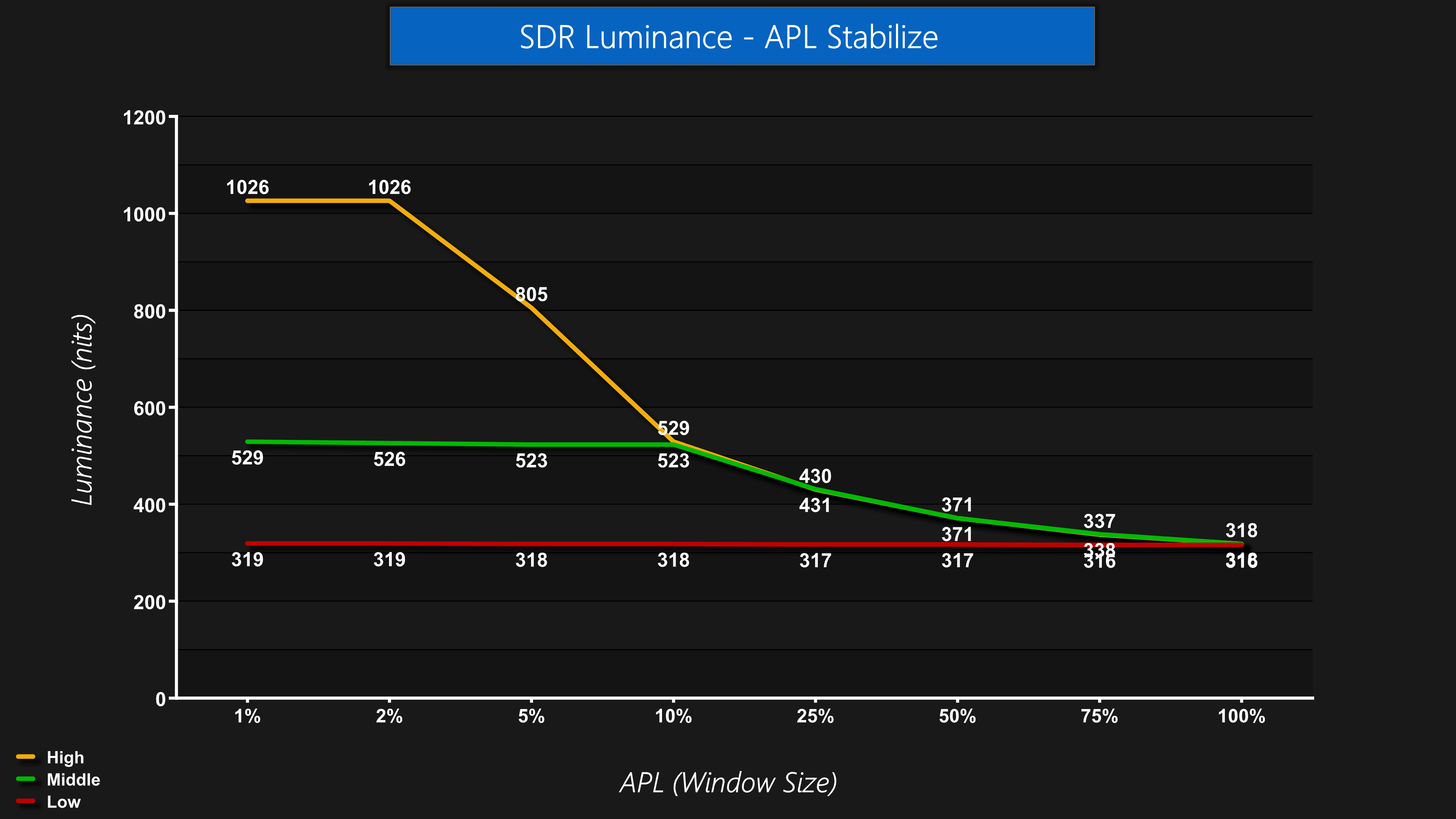
By default, Gigabyte uses the Low APL Stabilize setting, and that results in no drop in brightness as the window size (or APL) increases. However, there are Middle and High settings too if you would rather unlock higher peak brightness levels at small window sizes, though that also results in more panel dimming as the window size increases. It's good to have the option, whatever your preference.
Screen Uniformity
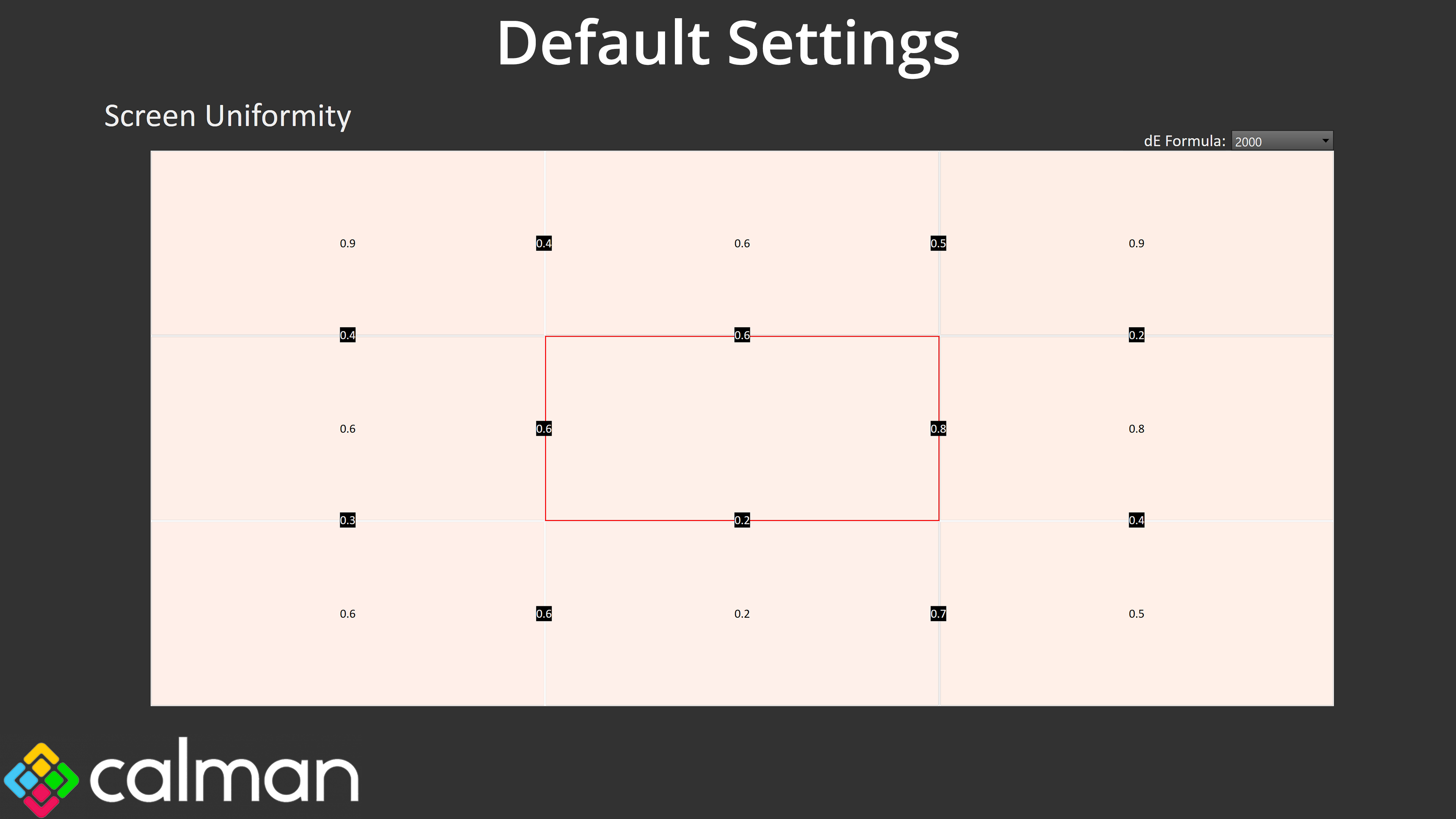
Panel uniformity is very good, too – one of the lesser talked about benefits of OLED technology! You can see a warm tint to the image, but we will come onto that later.
Gamut (CIE 1976)
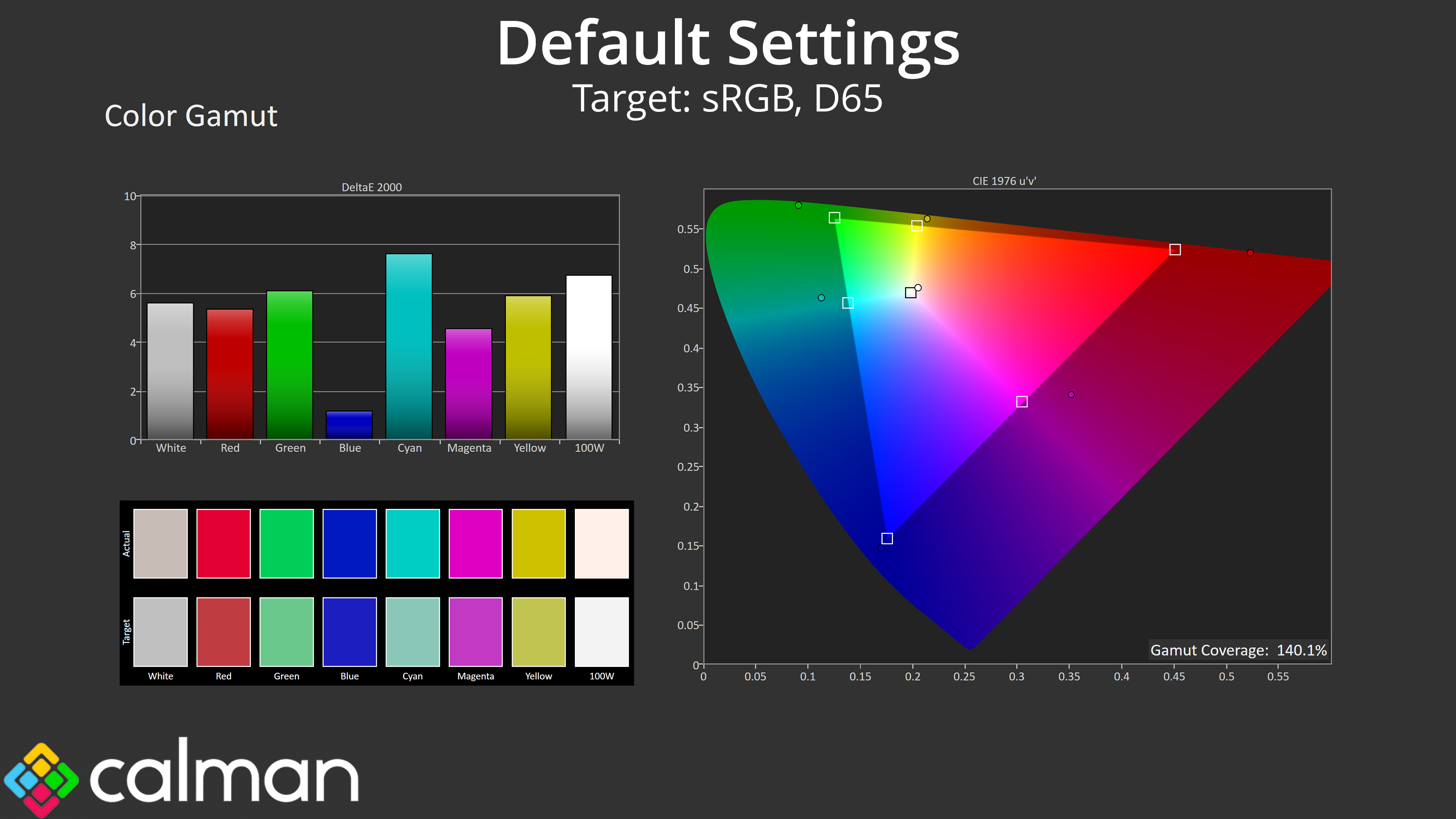
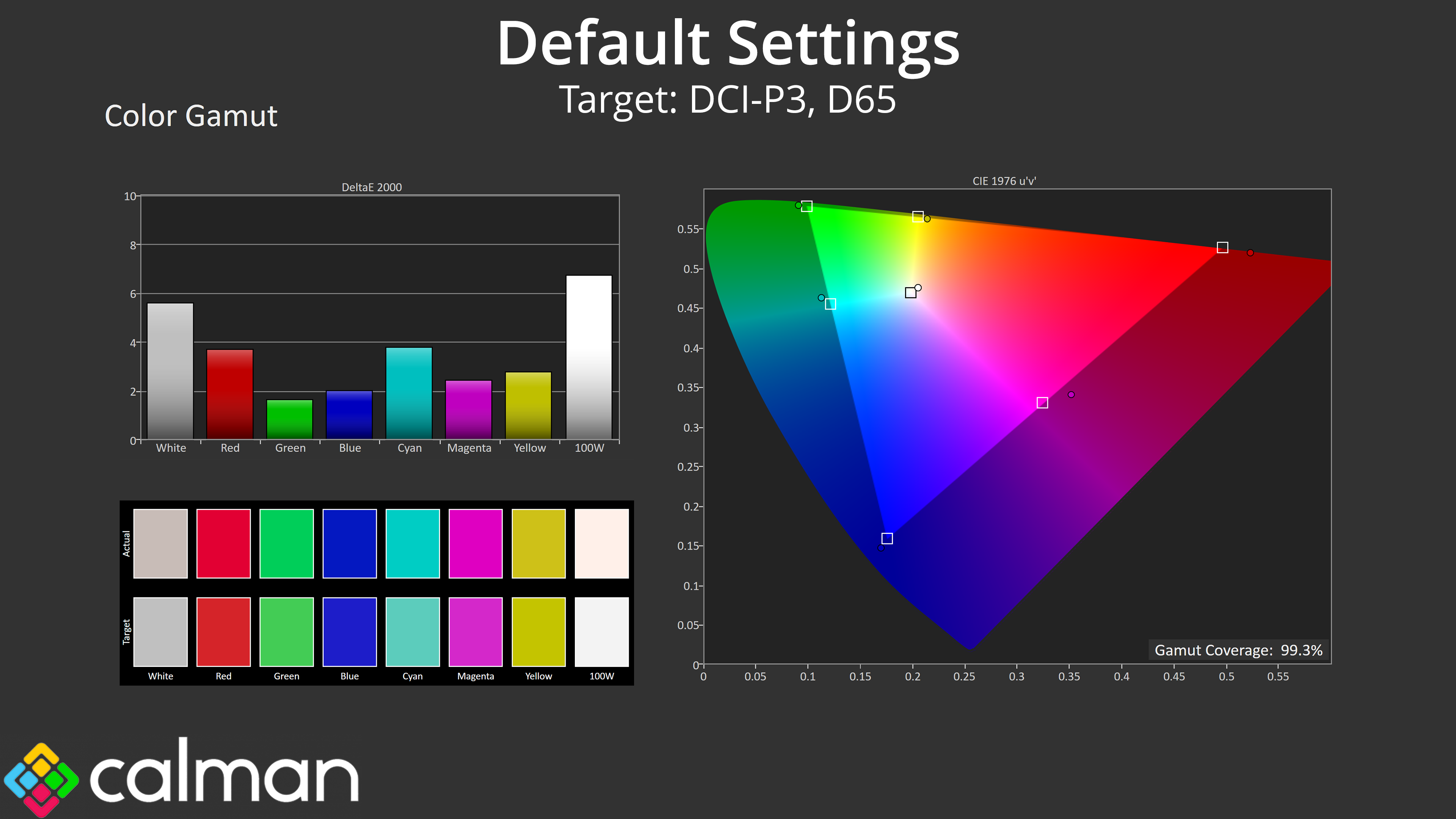
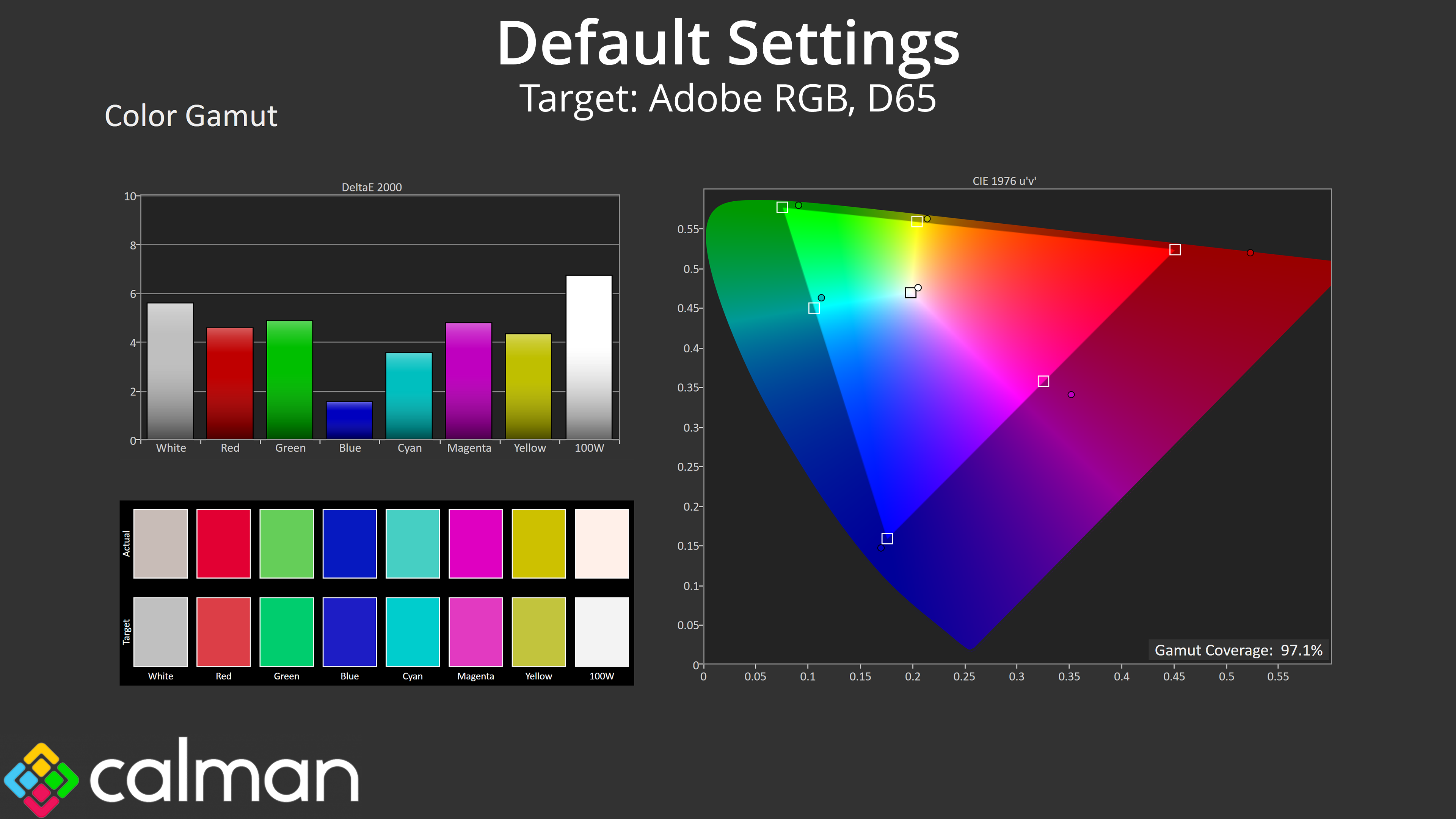
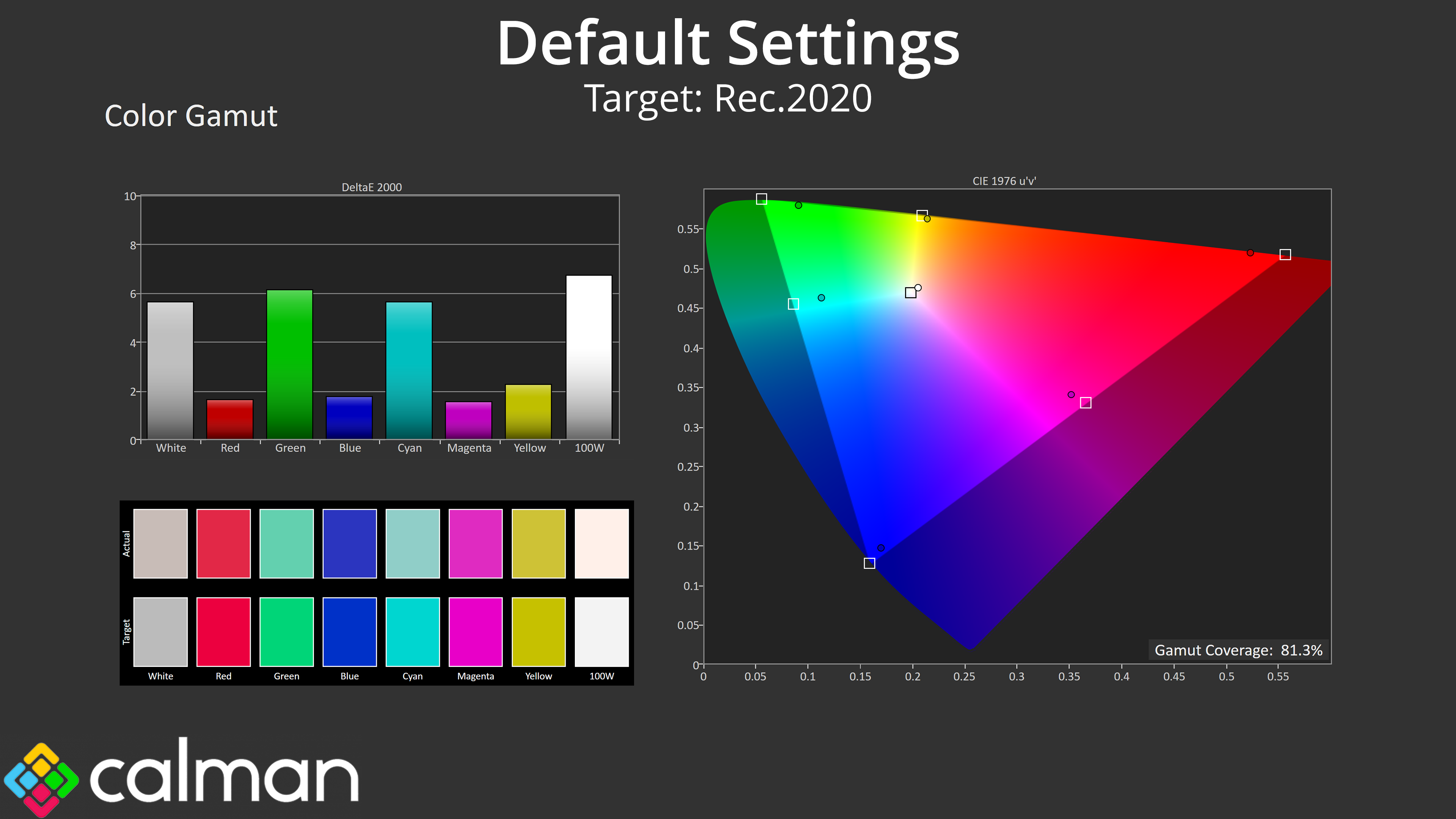
| Colour space | Coverage (%) |
| sRGB | 140.1 |
| DCI-P3 | 99.3 |
| Adobe RGB | 97.1 |
| Rec.2020 | 81.3 |
We see very wide gamut coverage as we'd expect from a QD-OLED panel, it well exceeds the sRGB space and delivers 99.3% coverage of DCI-P3, alongside 97.1% reporting of the Adobe RGB colour space and 81.3% coverage for Rec.2020.
Greyscale
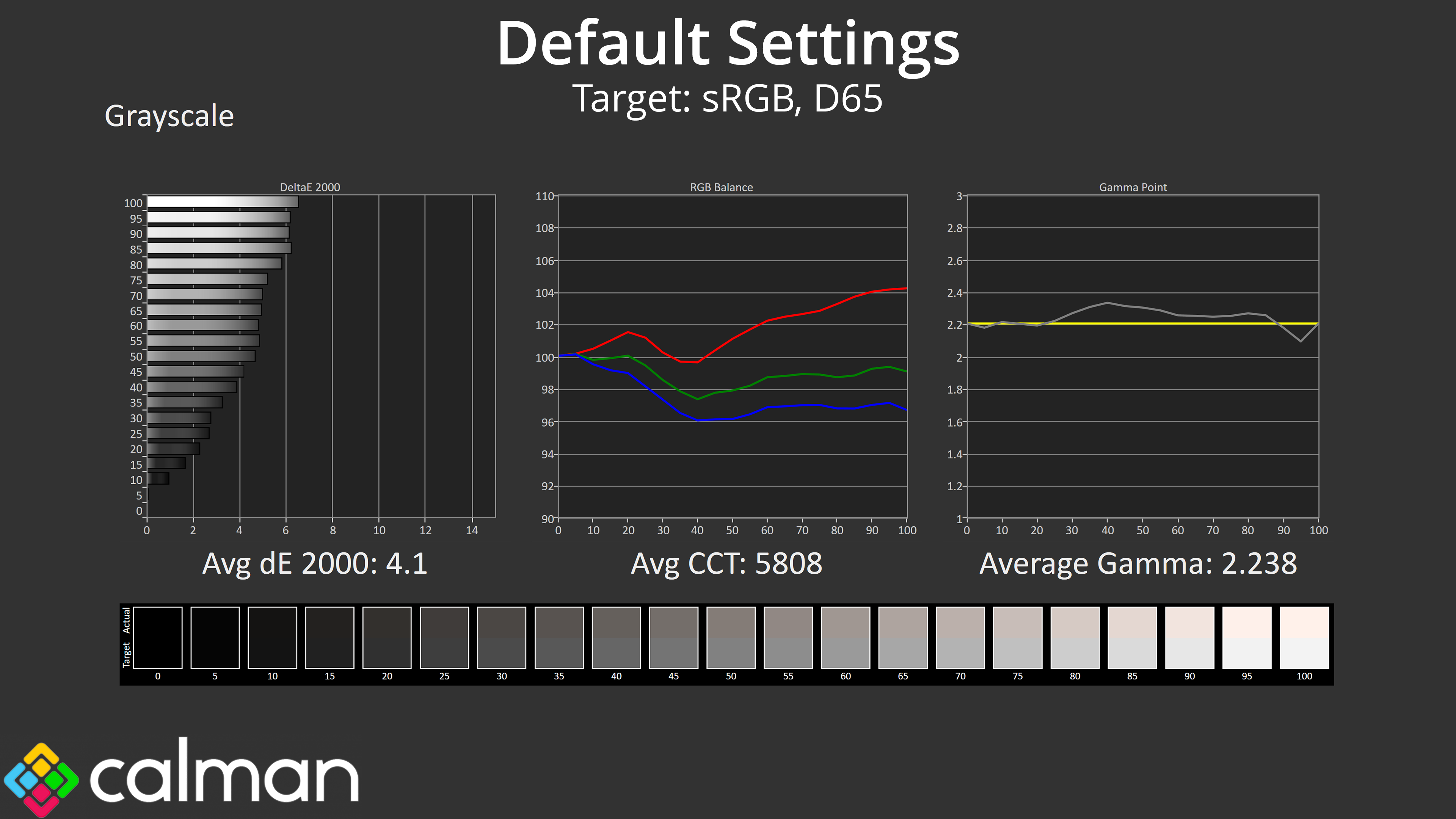
Factory calibration is next, and this gives mixed results. Gamma is very good, closely tracking the 2.2 target and averaging 2.238. It's the default colour balance that lets us down, though, given it averages a warm 5808K.
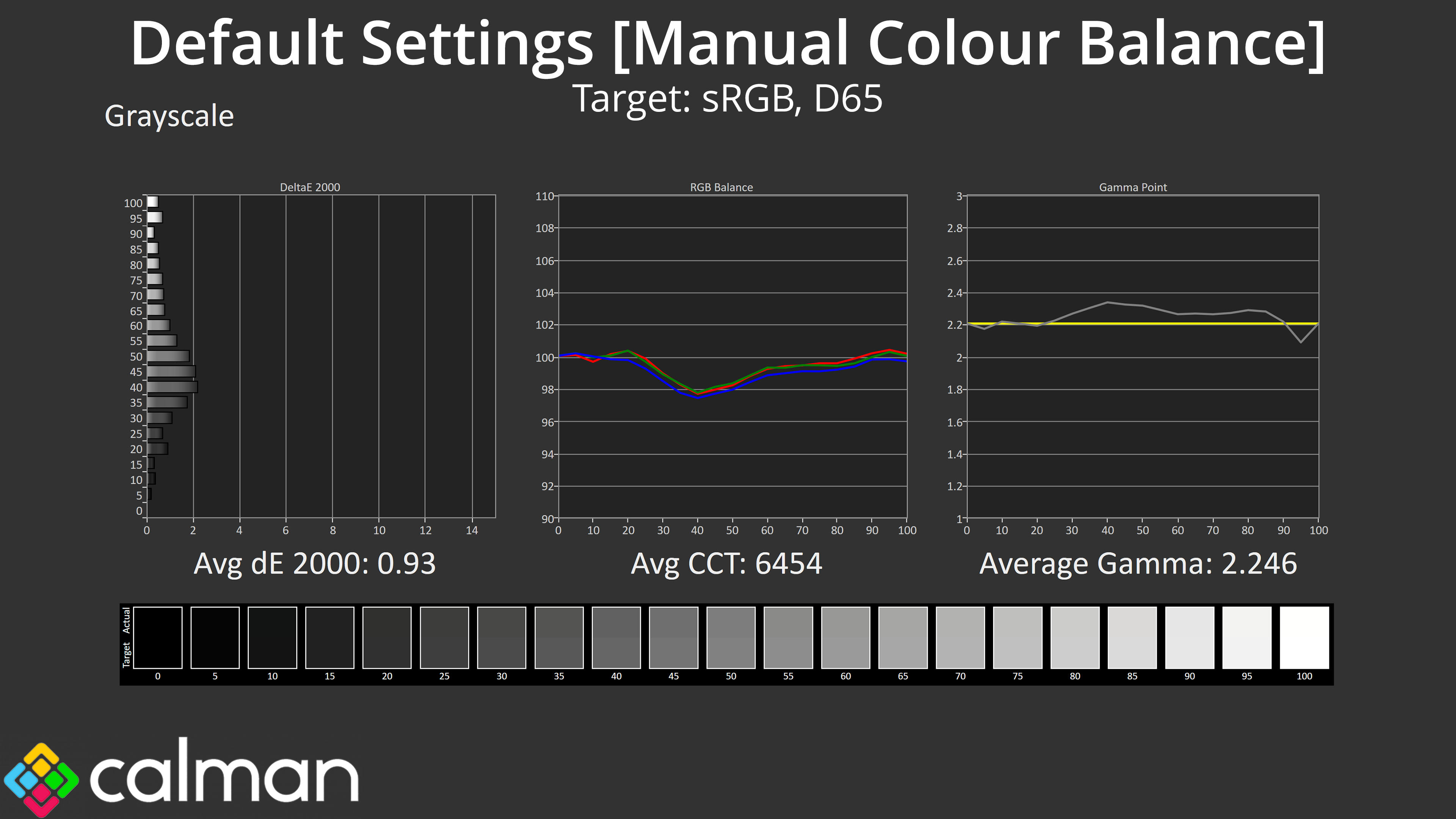
Gigabyte does include manual colour balance, though, and with the Red channel at 94, Green at 98 and Blue at 100, we saw vastly improved results, with a new greyscale average deltaE of just 0.93.
Saturation
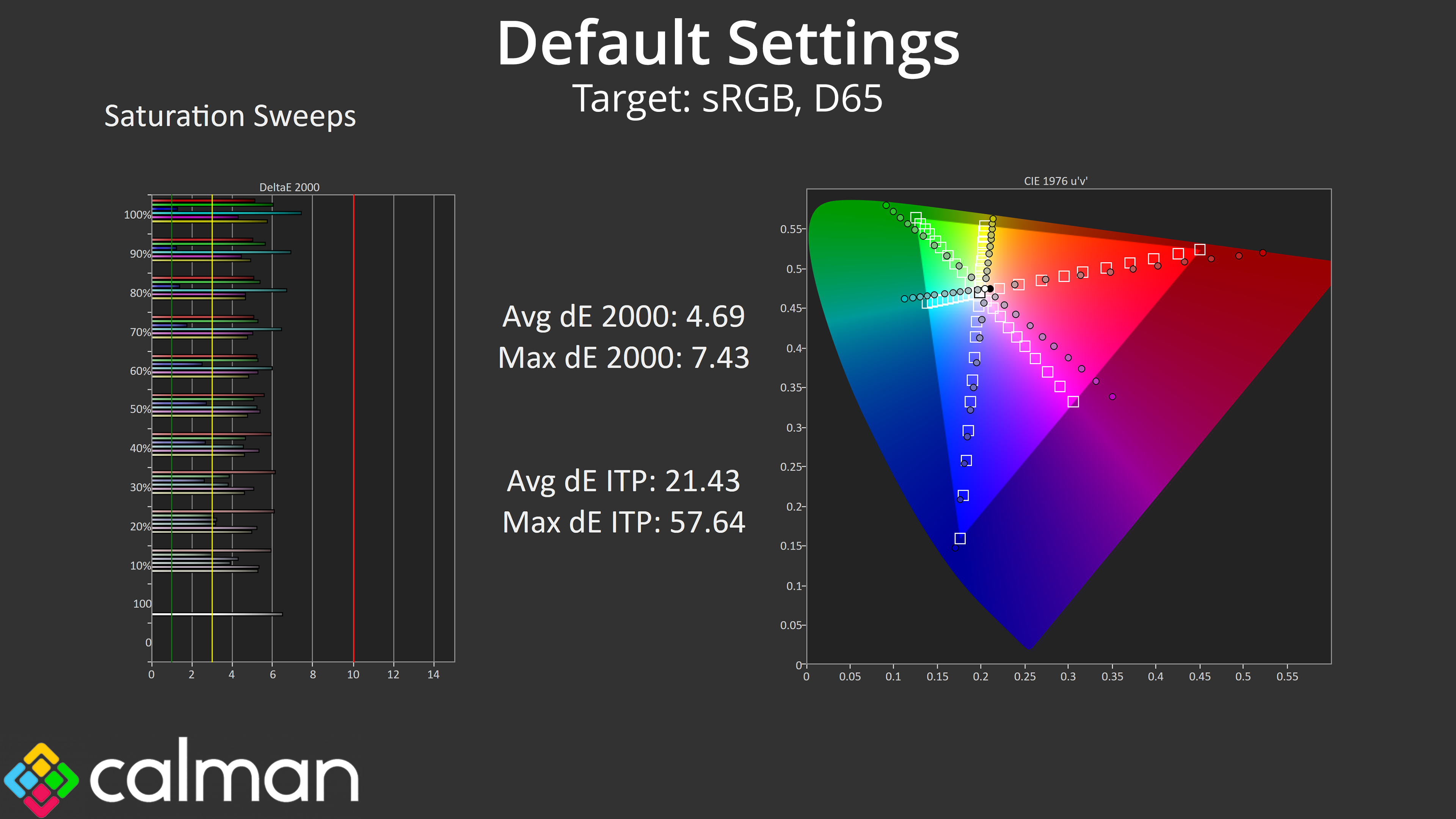
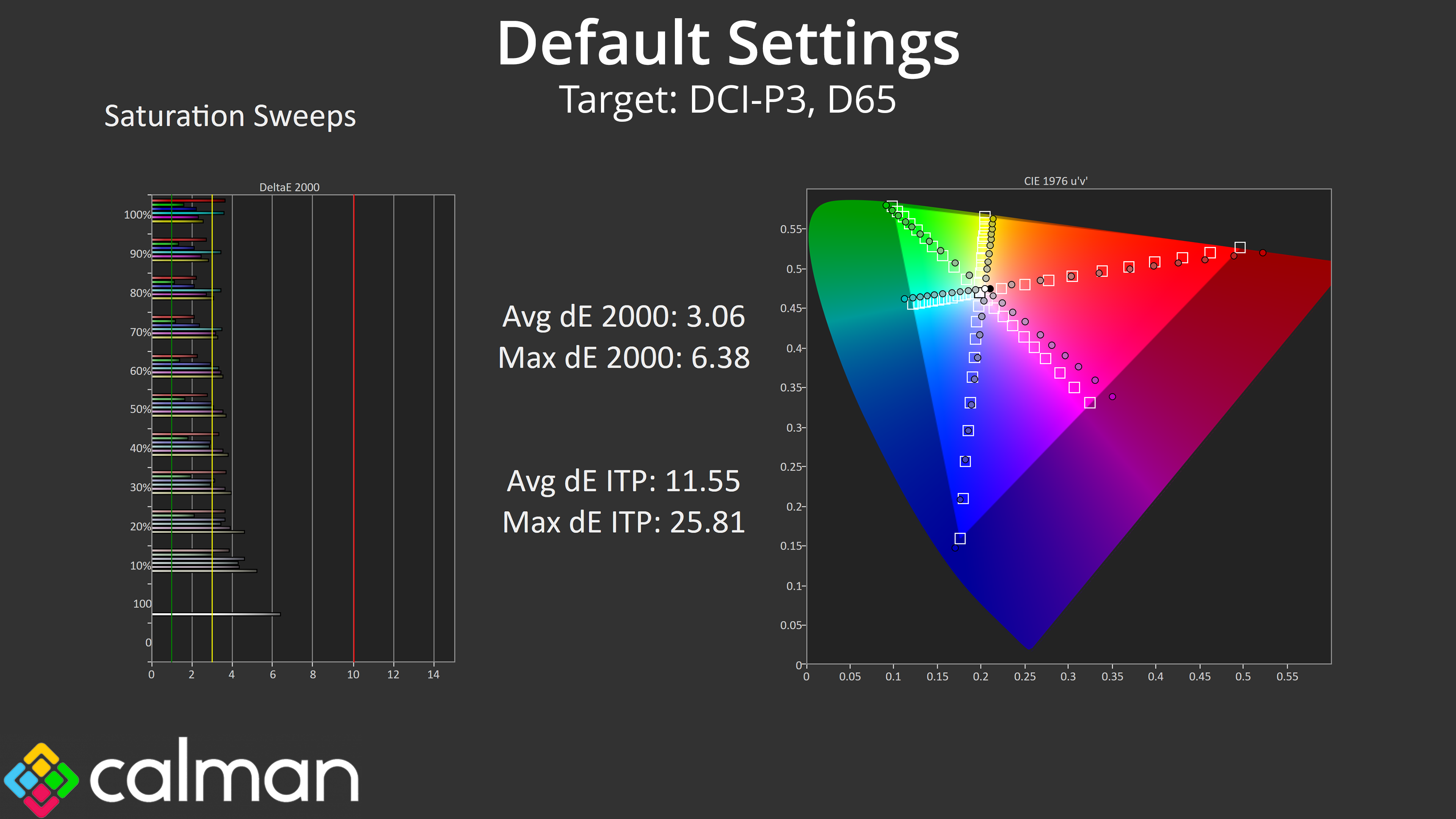
Saturation levels are high, as we'd expect from a QD-OLED, leading to a fair degree of inaccuracy relative to both the sRGB and DCI-P3 colour spaces.
Colour Accuracy
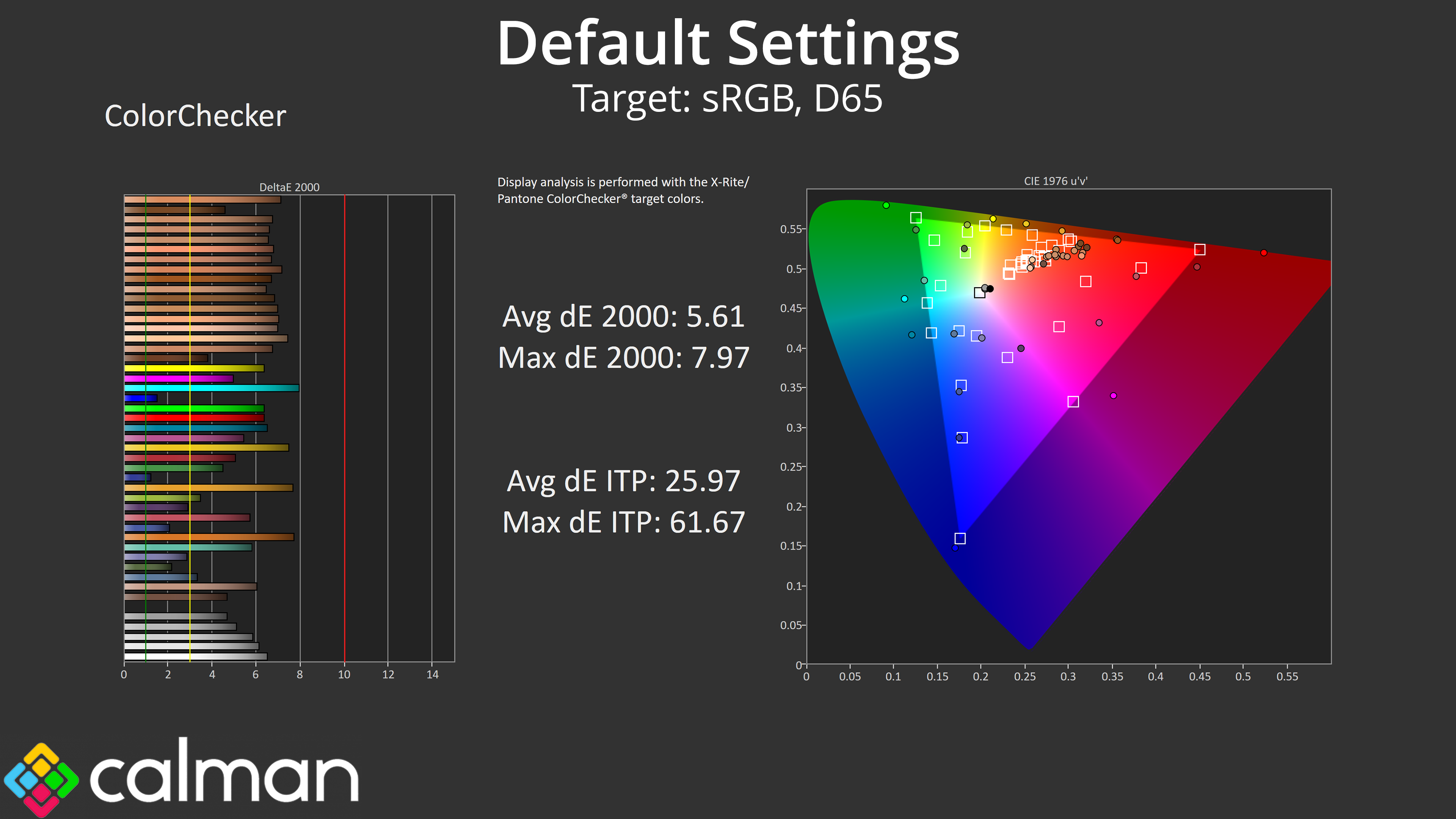
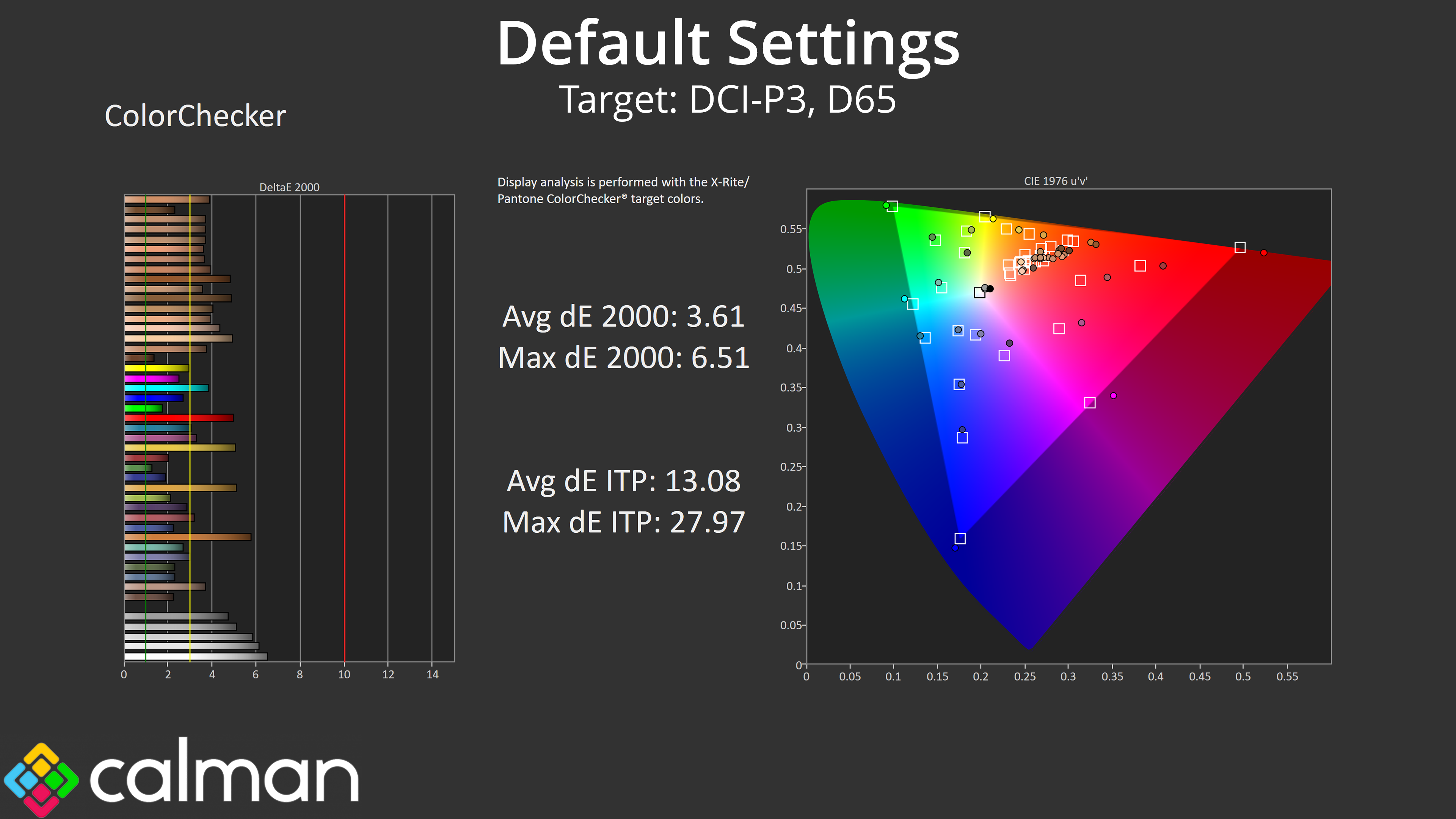
That carries over into our colour testing, too, where the warm colour balance also results in higher than average dE figures. Even the average of 3.61 for the DCI-P3 space is higher than we'd usually see.
sRGB Emulation Mode
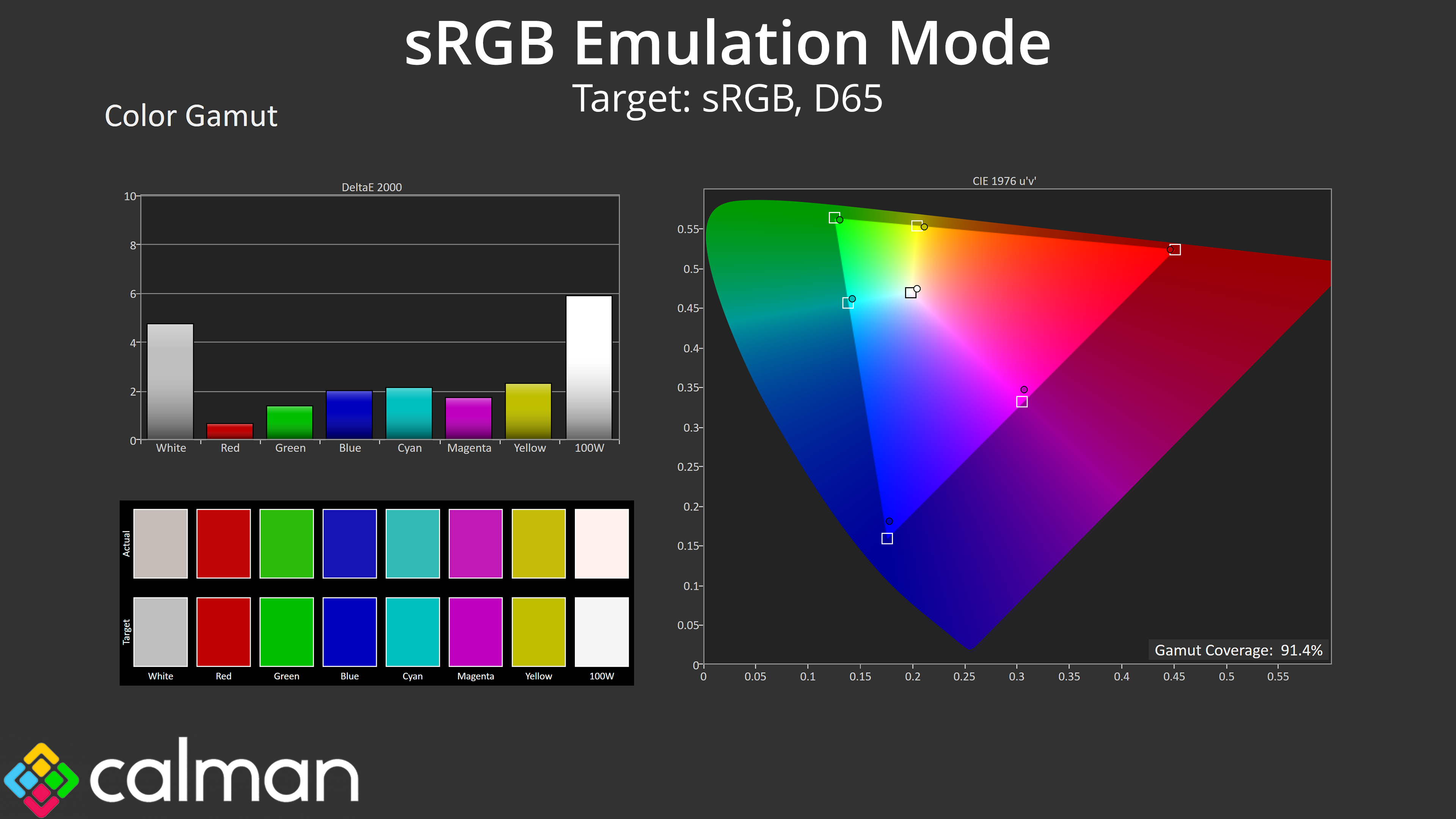
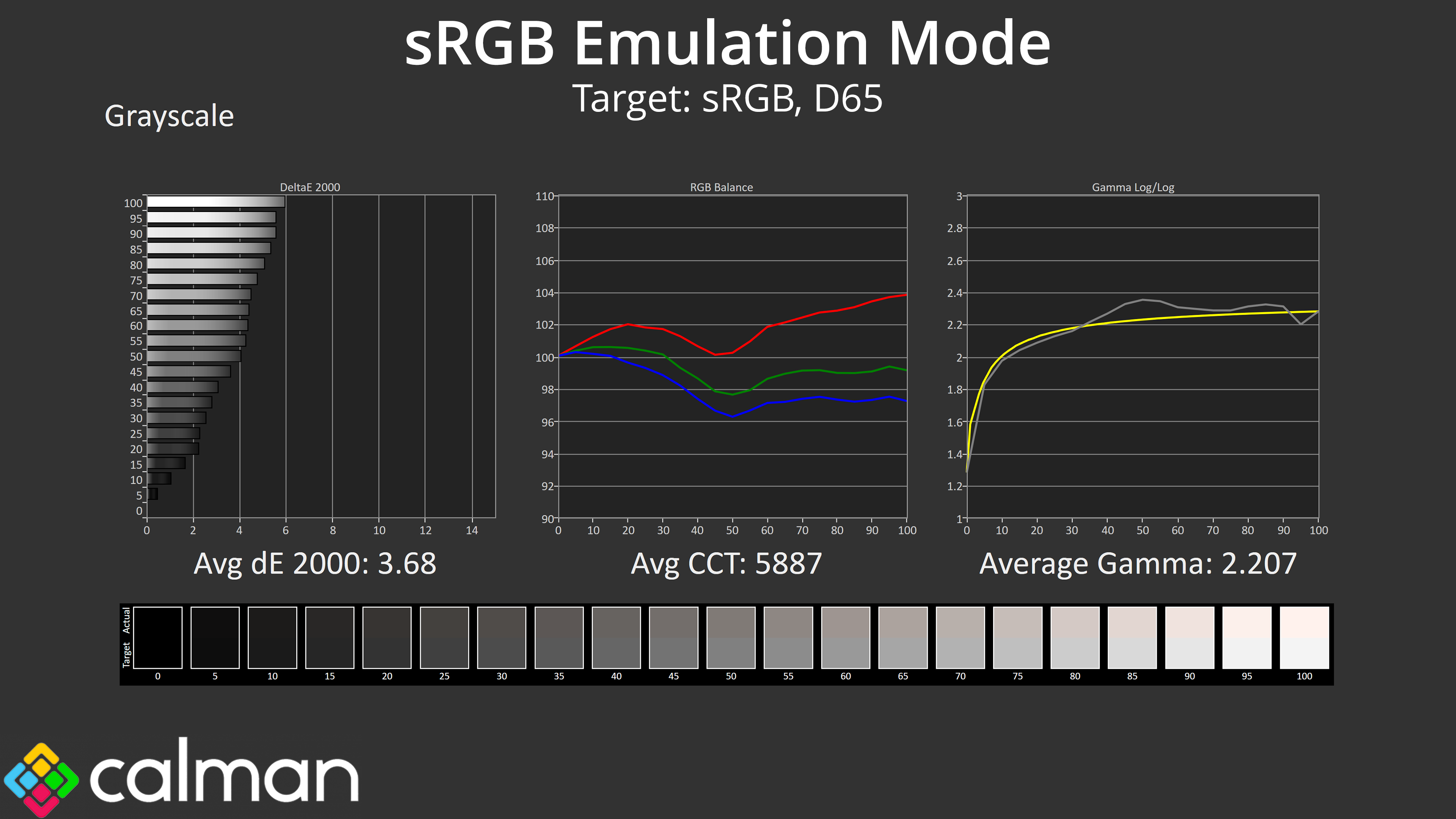
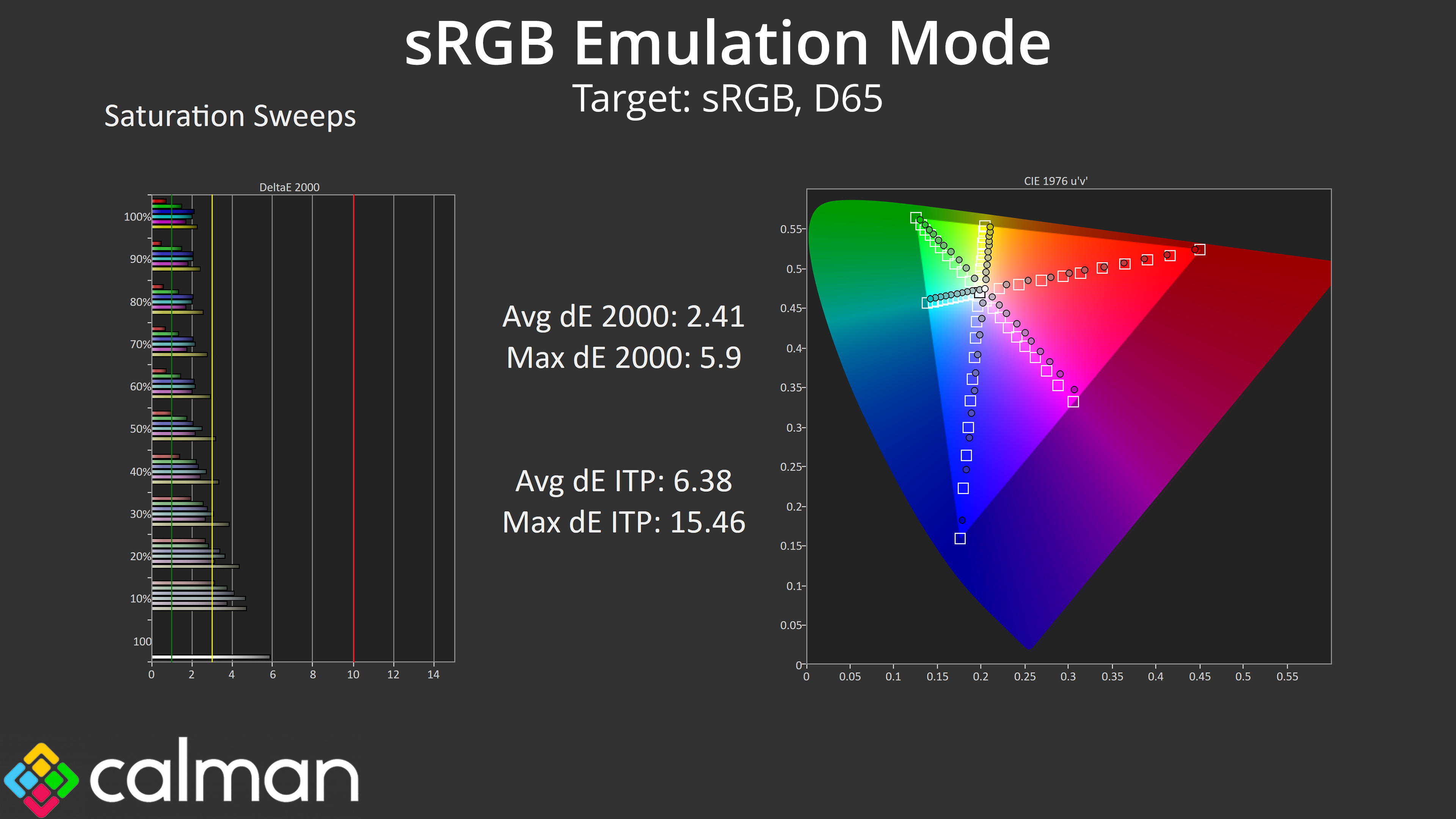
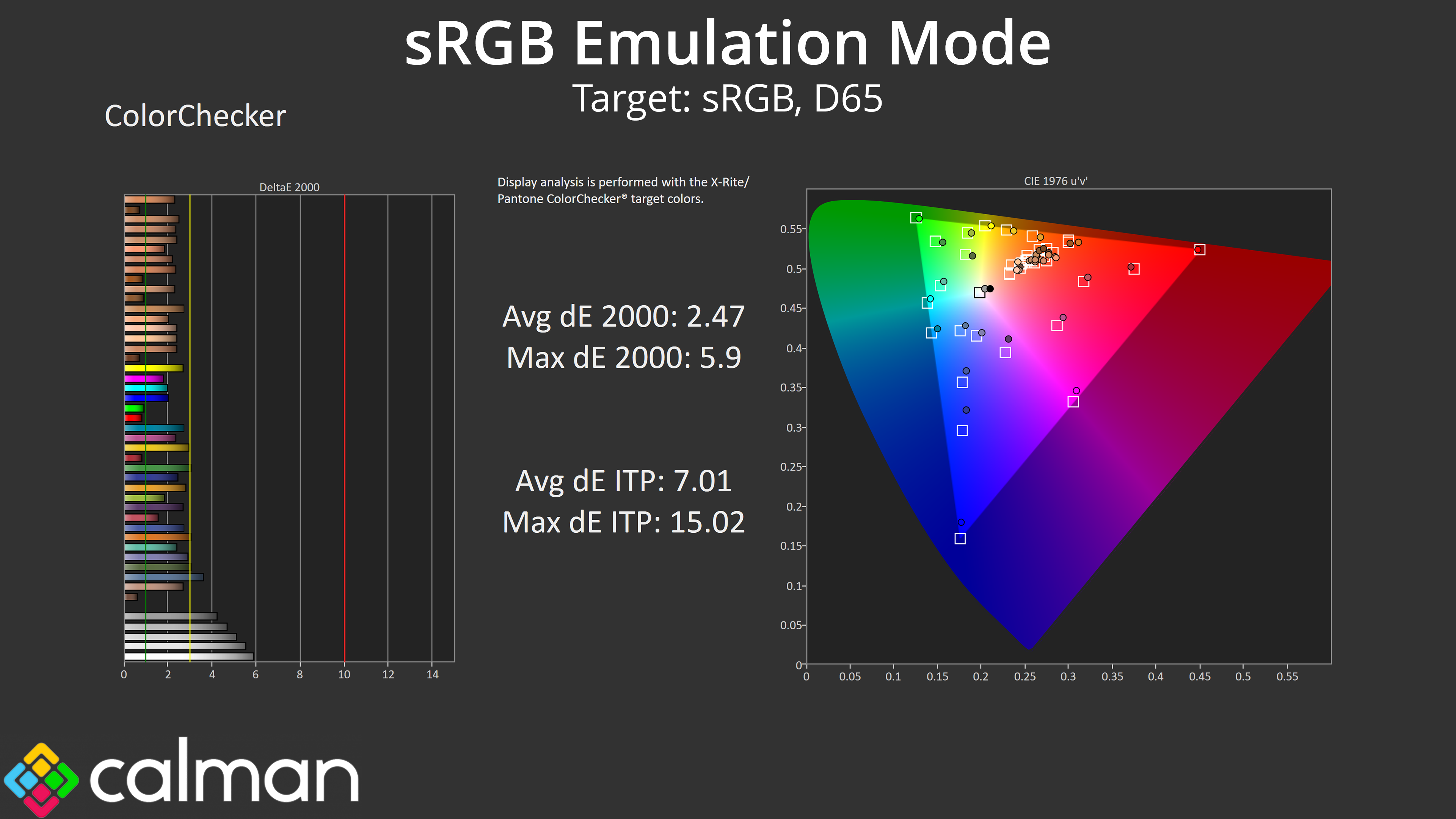
Gigabyte does include an sRGB mode, though it actually clamps the gamut slightly too aggressively, reducing coverage to 91%. Colour balance is also still too warm, though gamma is still solid. We do see improved saturation and colour accuracy results versus stock, but they're a ways off the results we saw from MSI's 272QP X50.
Calibrated Results
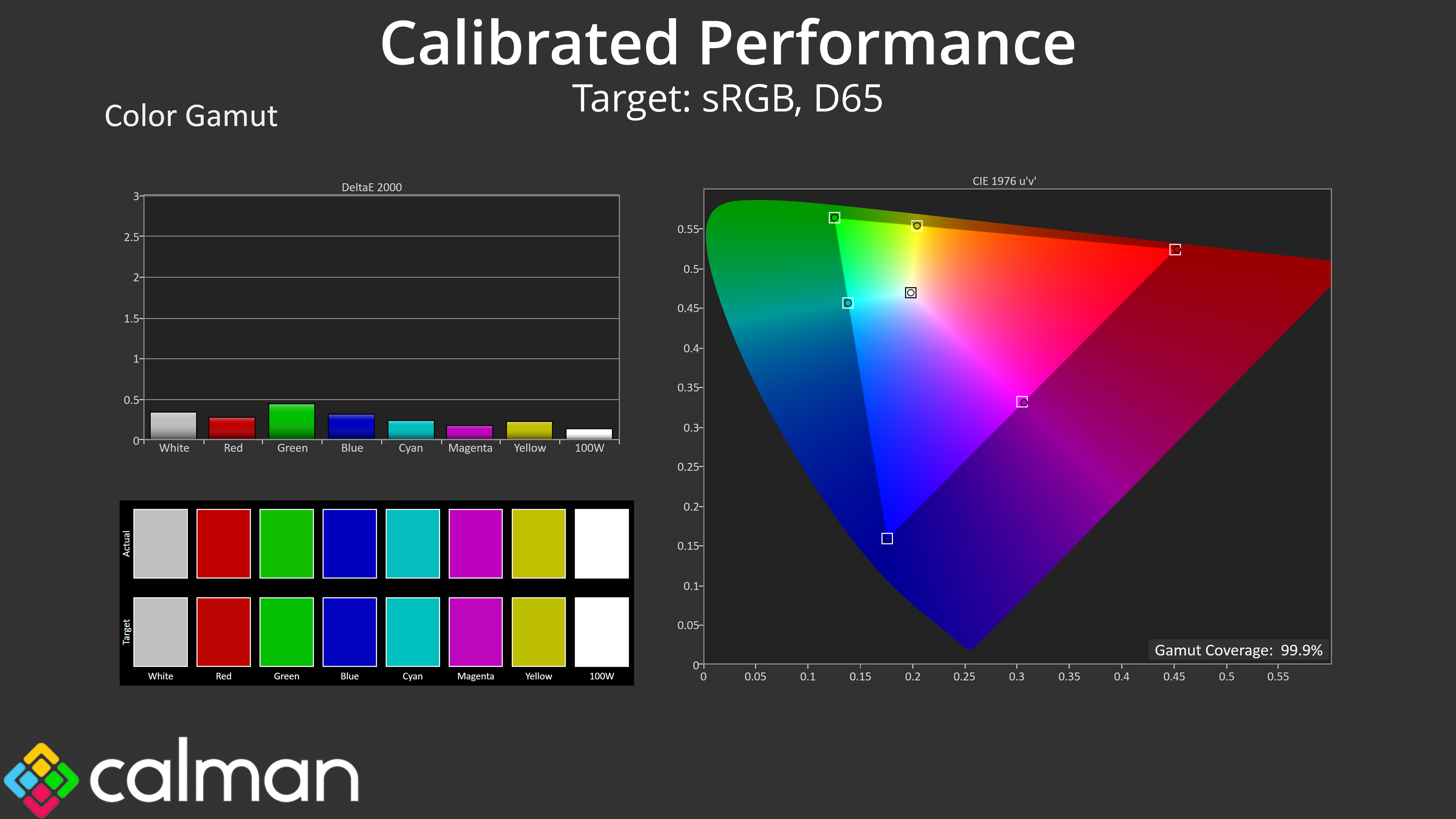
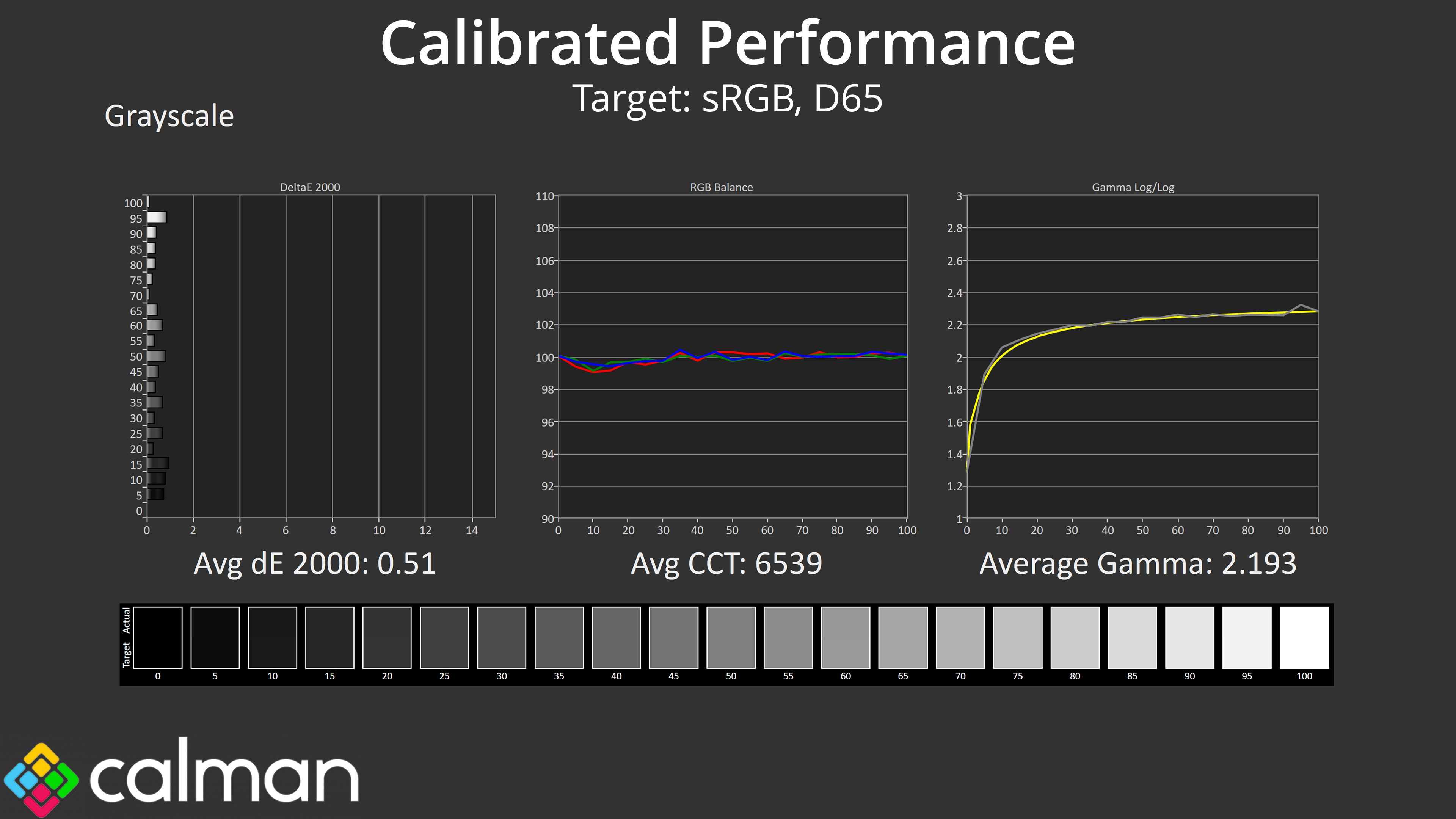
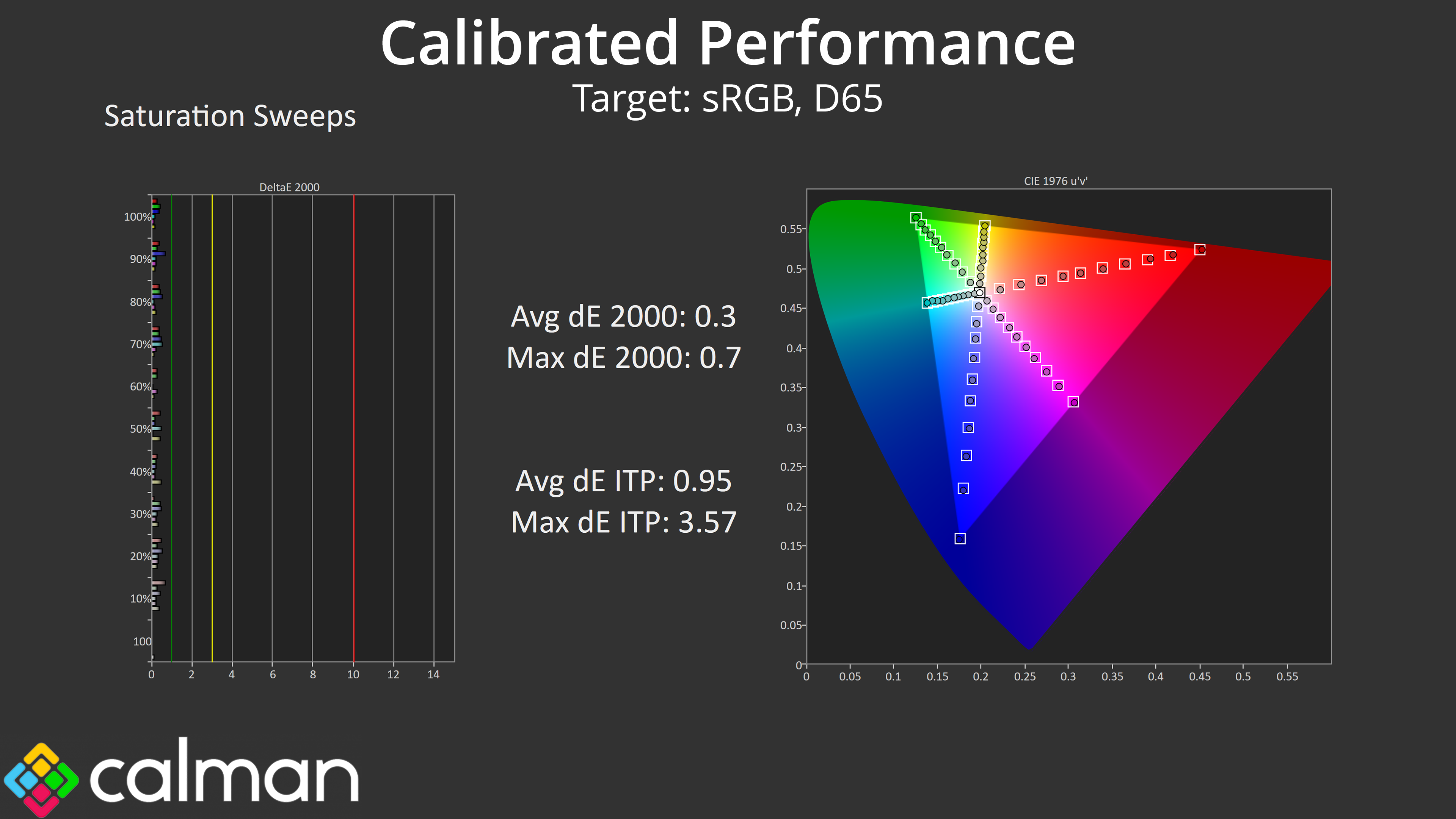
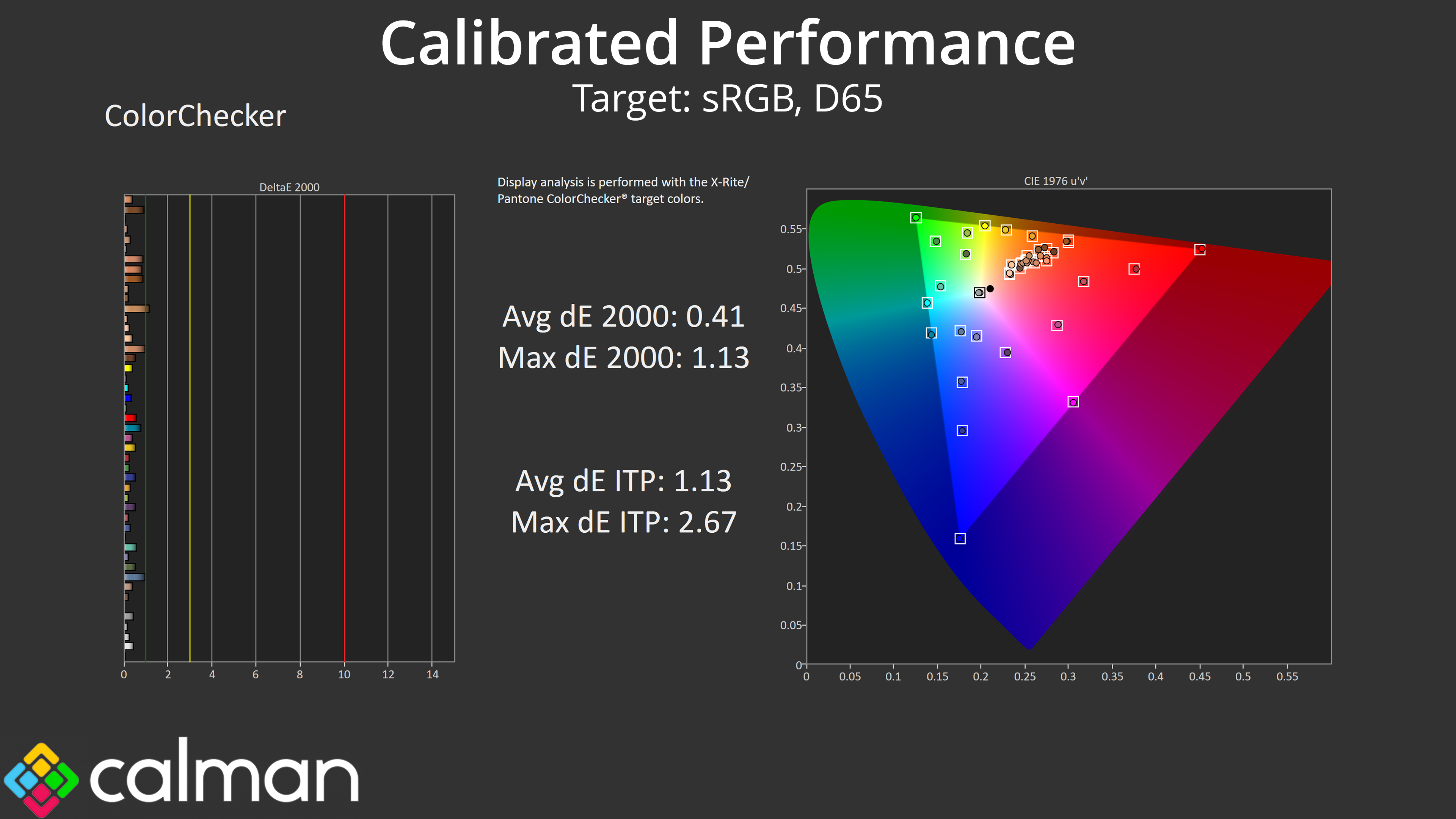
For the best results we did also run through a full calibration. This saw stellar accuracy across the board, indicating exactly what the panel is capable of if you have the right hardware and software tools.
HDR Testing
Following on from the SDR results on the previous page, here we re-test the relevant areas of the display with HDR enabled.
Gigabyte offers five different HDR modes, but we are focusing on the default HDR mode, HDR Game, and HDR Peak 1000.
Brightness
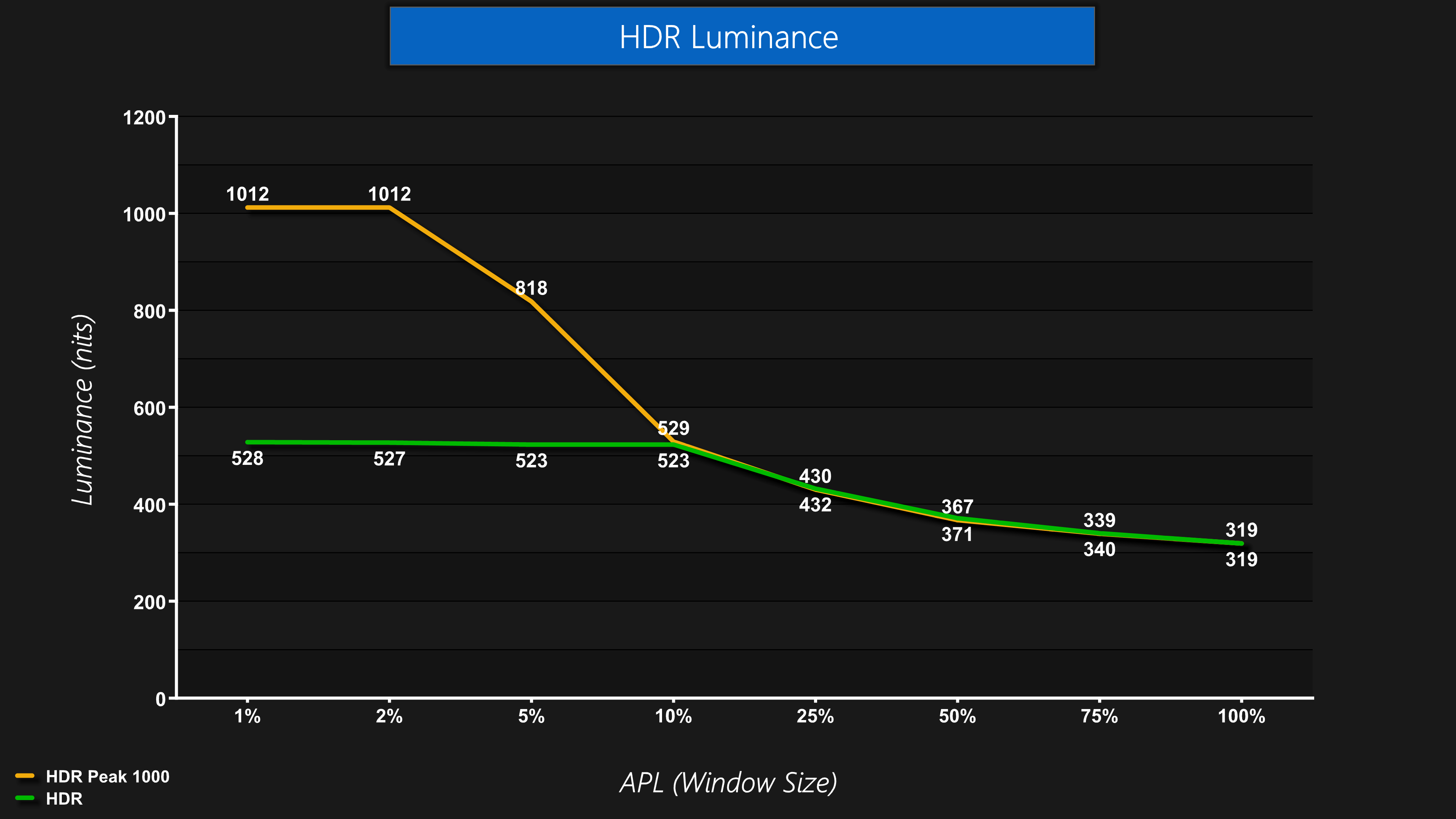
Firstly, brightness is exactly as we'd expect. The HDR mode is basically the True Black 500 mode, whereas the Peak 1000 mode hits over 1000 nits for the 1% and 2% APLs before dropping off as the window size increases.
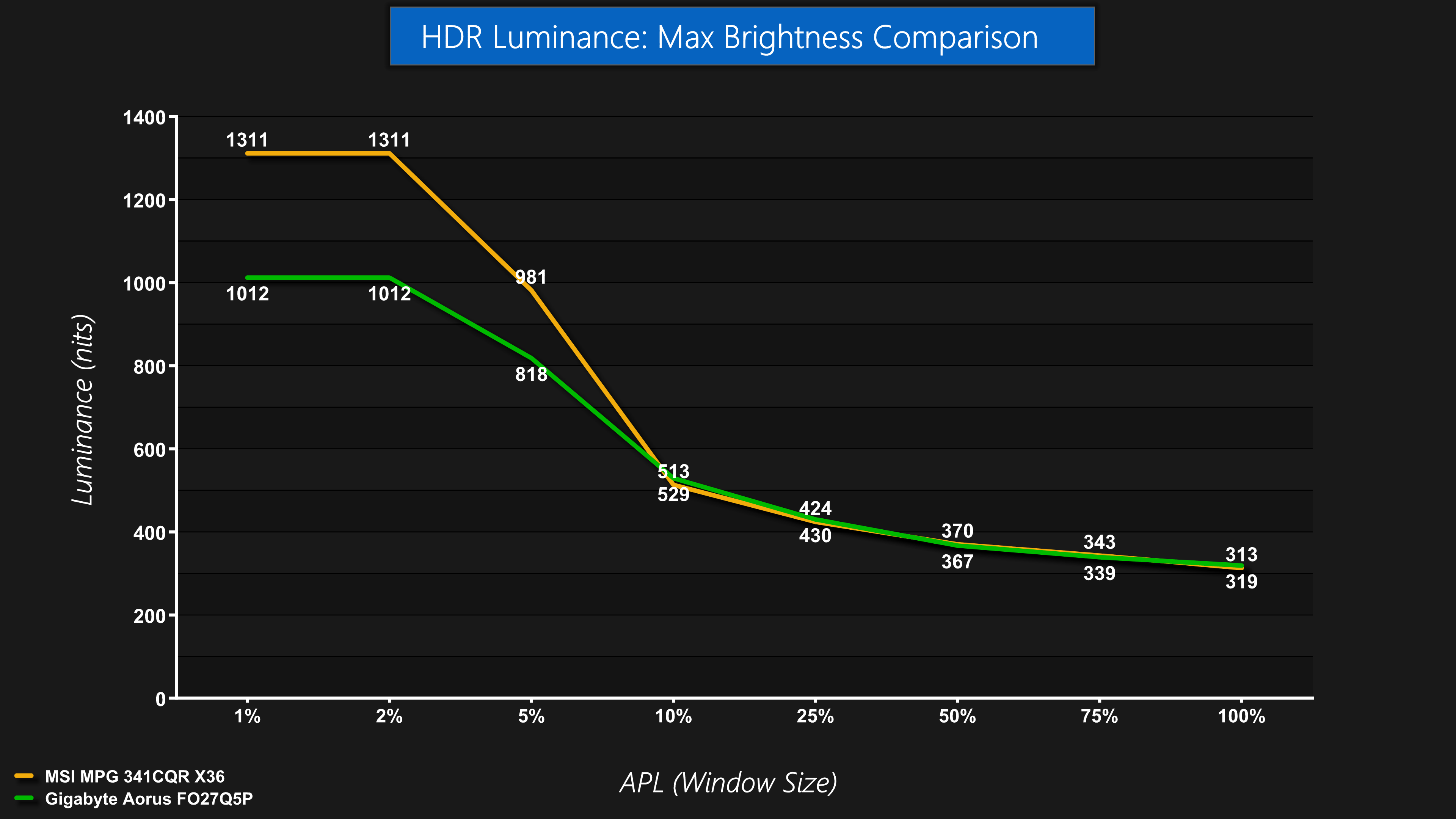
Given this is a 3rd Gen Samsung panel, even though it offers True Black 500 certification it can't reach the same peak brightness levels as a 5th Gen panel like the MPG 341CQR we reviewed earlier in the year. That's obviously to be expected, but is worth pointing out.
Greyscale
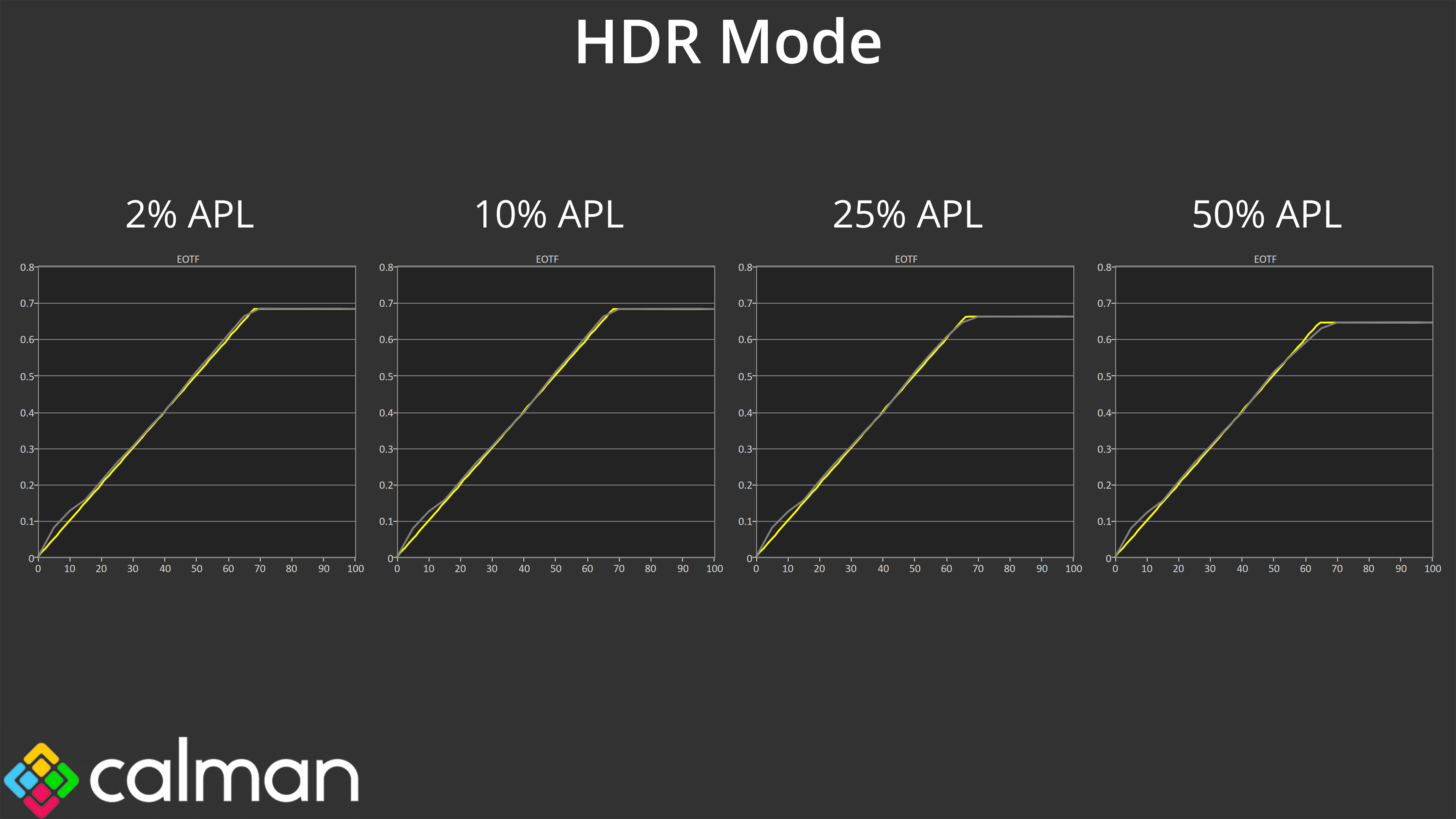
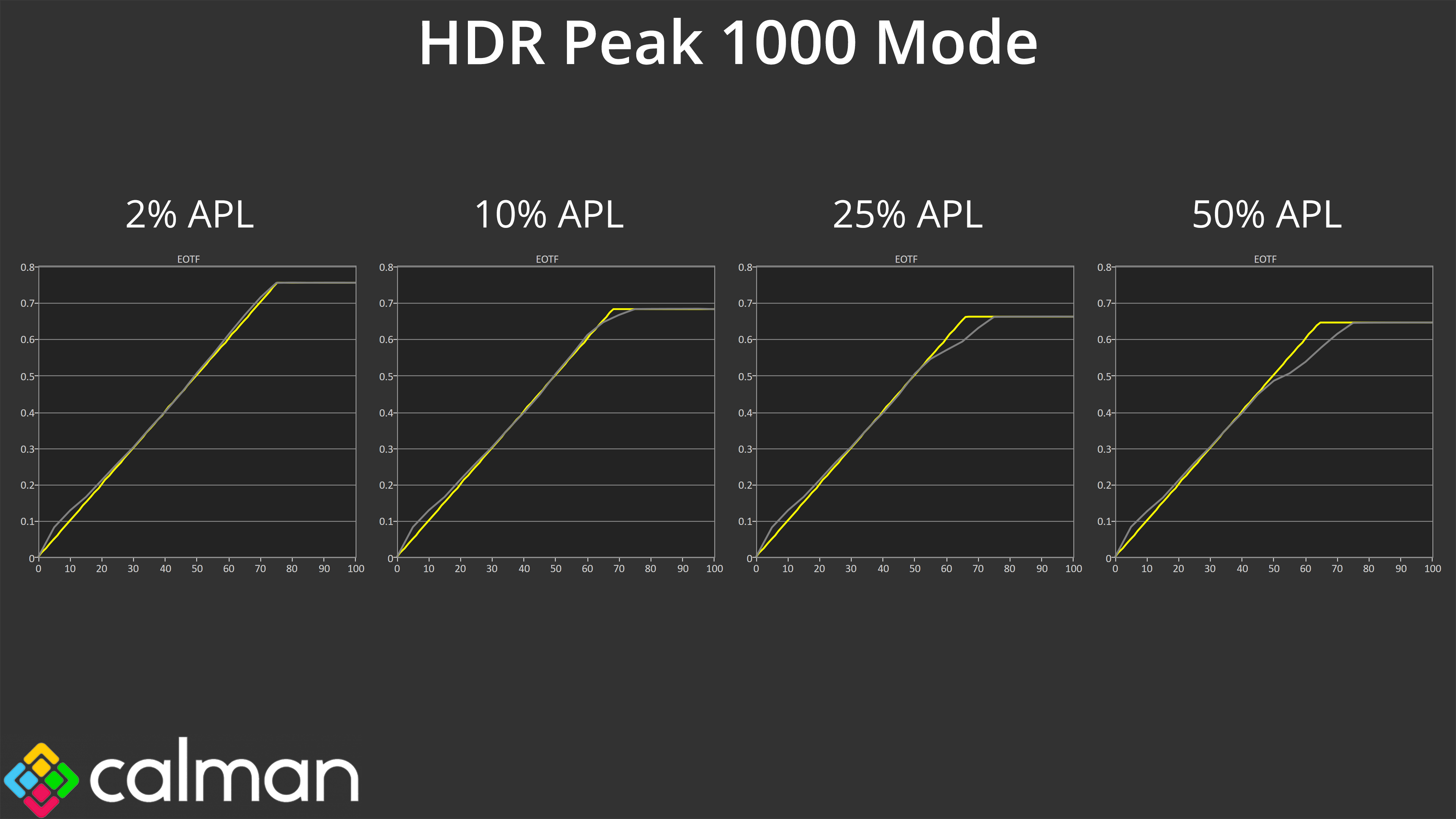
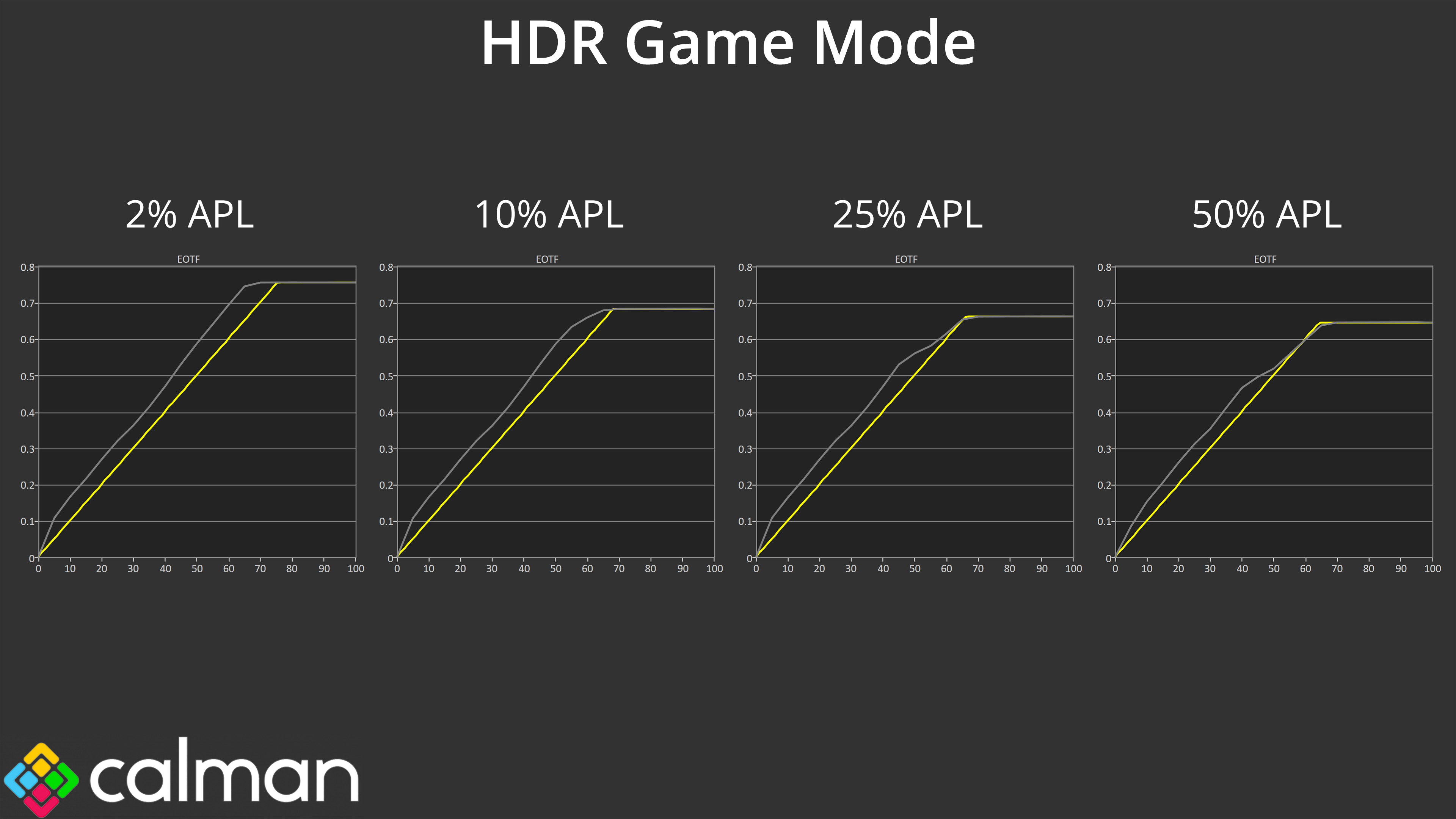
When it comes to EOTF tracking, HDR Mode is as expected, with accurate tracking across the curve. HDR Peak 1000 also gives us no surprises, given we know these modes roll off brightness as the window size increases, due to QD-OLED's panel dimming. However, HDR Game is an interesting way around that – it's deliberately too bright, so while it's not accurate, it also doesn't roll off like the Peak 1000 mode, and I think some people may enjoy the brighter presentation. At the very least, it's good Gigabyte provides the option so users can choose their preferred mode.
Colour Accuracy
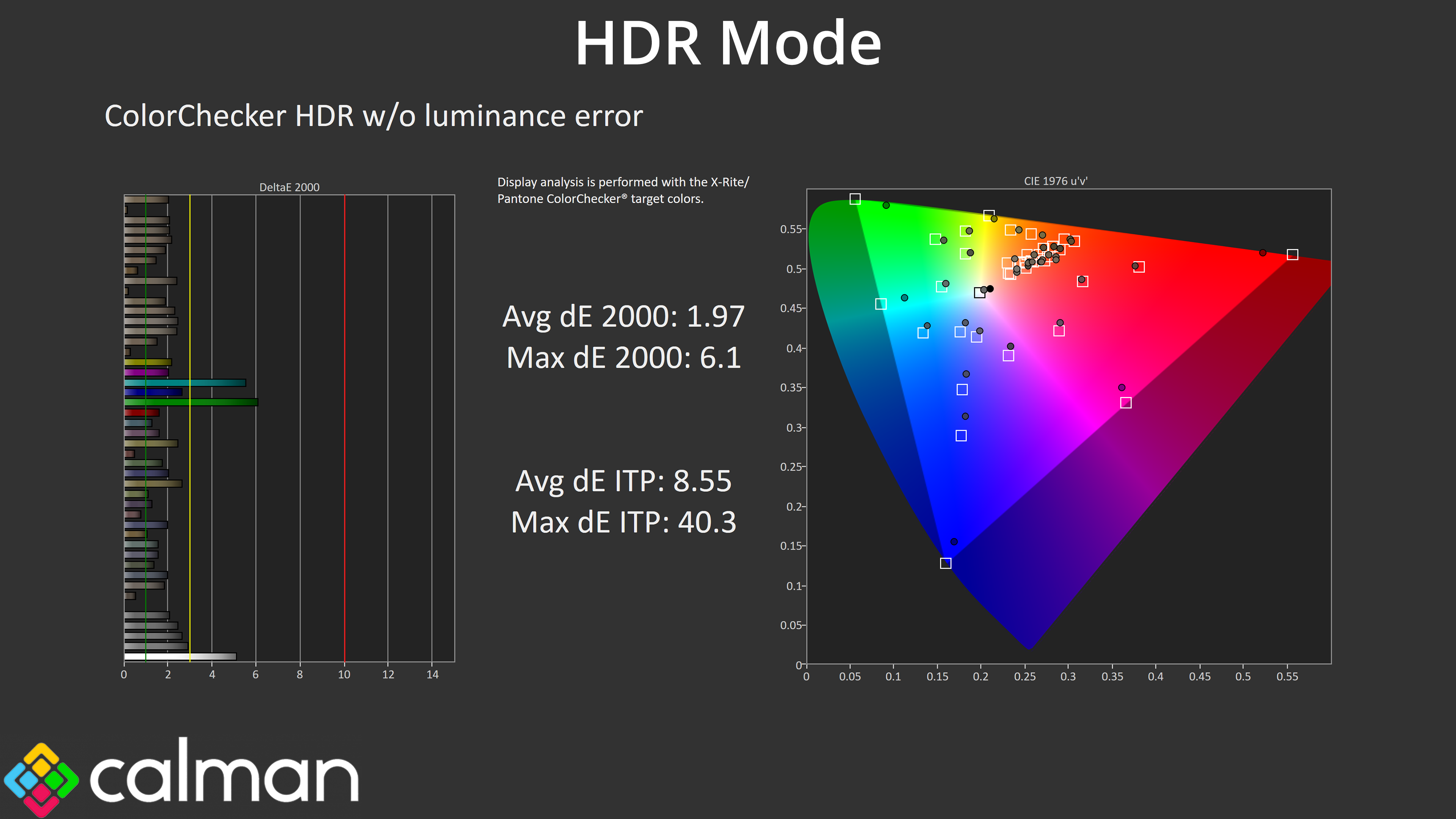
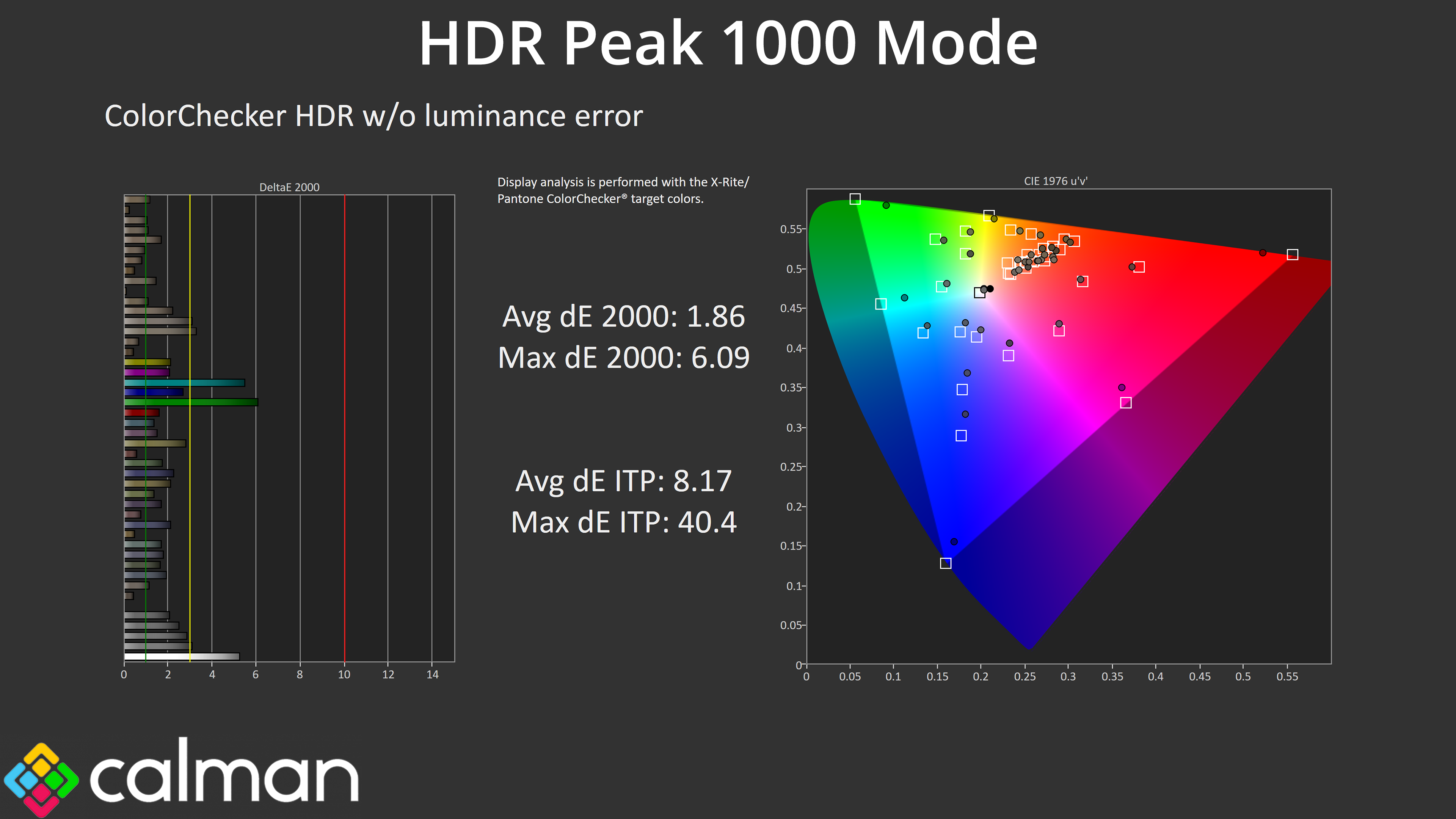
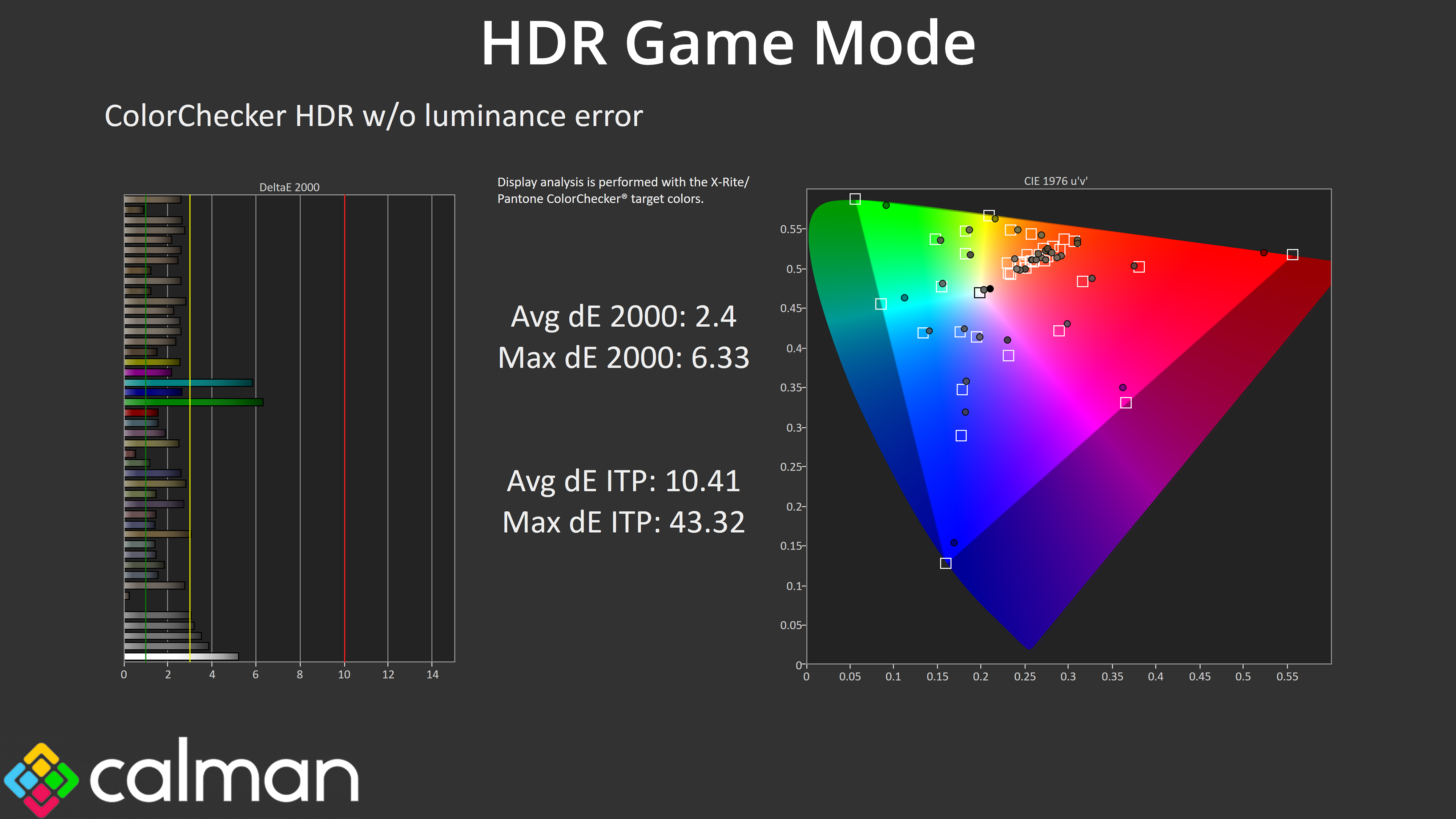
Colour accuracy is very similar regardless of mode, too – HDR Game is more inaccurate as we'd expect based on the EOTF tracking, but the margins are fairly small.
We use the Open Source Response Time Tool (OSRTT), developed by TechTeamGB, for our response time testing. This measures grey-to-grey response times and presents the results in a series of heatmaps, the style of which you may be familiar with from other reviews.
Initial Response Time is the time taken for the panel to transition from one colour to another, where lower values are better. We present the initial response time, so overshoot is not taken into account and is measured separately. We use a fixed RGB 5 tolerance for each transition.
Overshoot is the term given for when a monitor's transition exceeds or goes beyond its target value. So if a monitor was meant to transition from RGB 0 to RGB 55, but it hits RGB 60 before settling back down at RGB 55, that is overshoot. This is presented as RGB values in the heatmaps – i.e. how many RGB values past the intended target were measured.
Visual Response Rating is a metric designed to ‘score' a panel's visual performance, incorporating both response times and overdrive. Fast response times with little to no overshoot will score well, while slow response times or those with significant overshoot will score poorly.
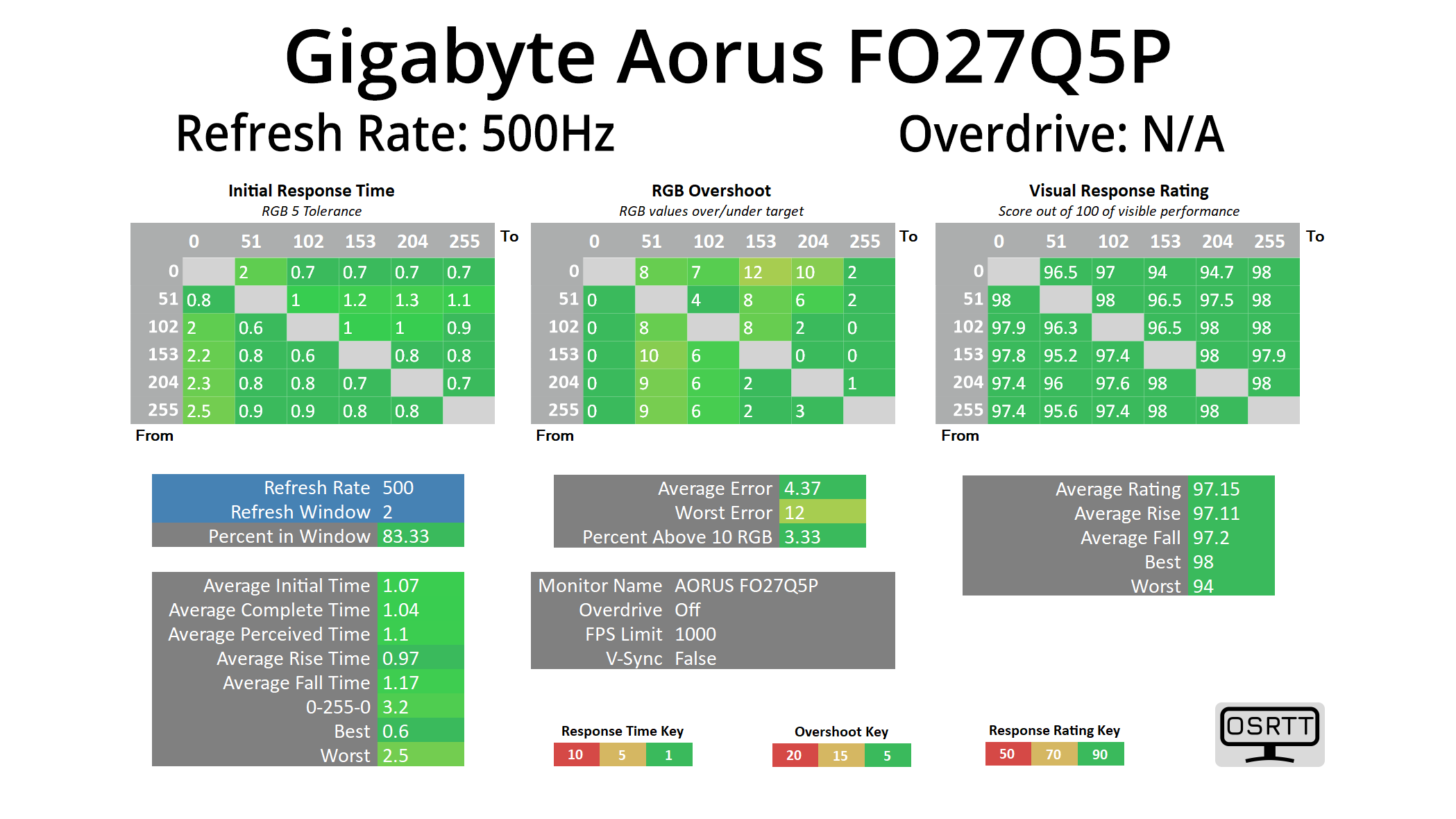
We're not focusing heavily on response times here, as all OLEDs perform pretty much the same – with near-instant response time behaviour that is the same regardless of the refresh rate.
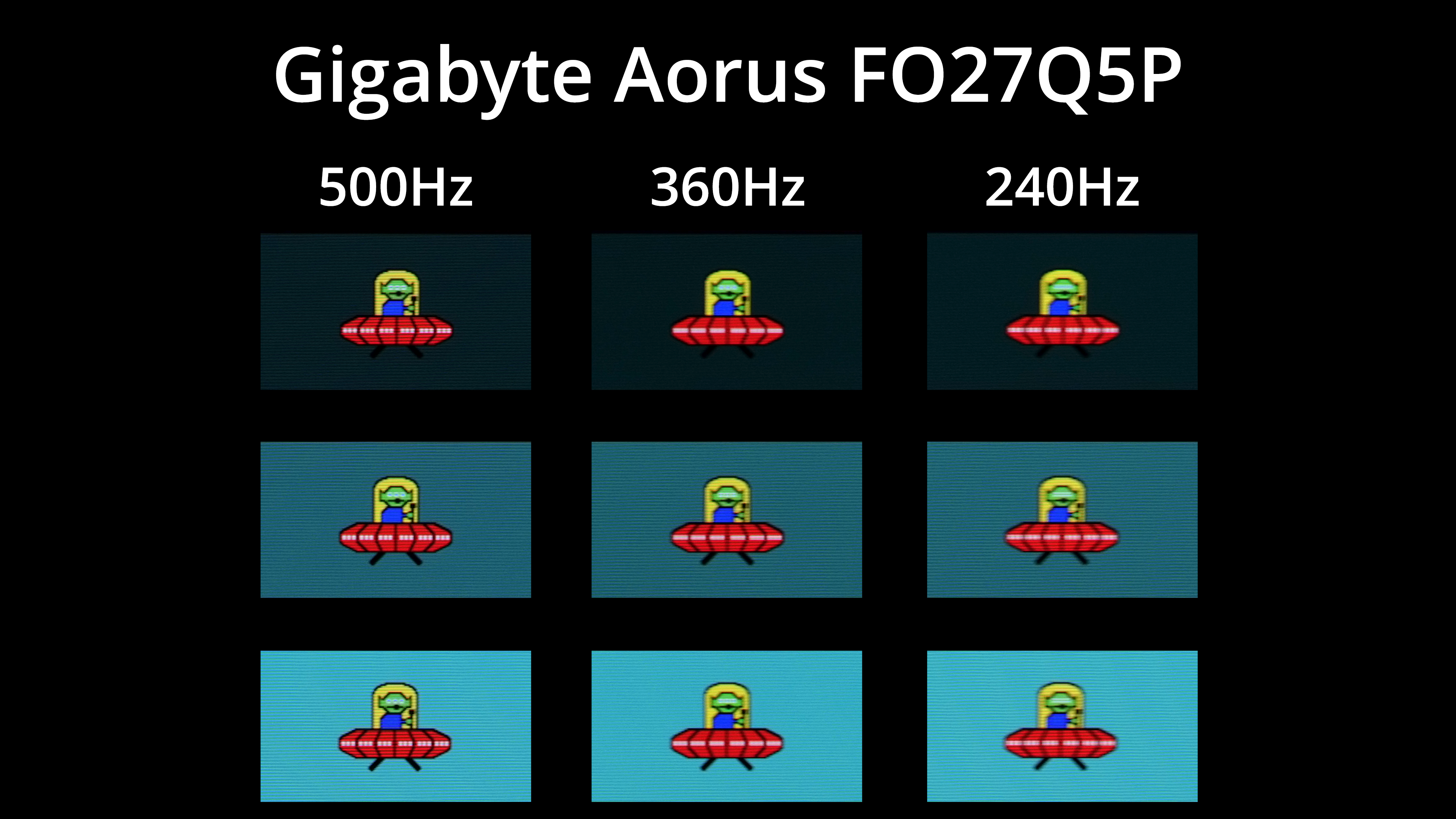
As we know, that doesn't mean motion clarity is the same regardless of the refresh rate, and some people may not be bothered about the jump from 360Hz to 500Hz here with the FO27Q5P. It's certainly a smaller difference than the jump from 60 to 120Hz, but I'd still say it's perceptible and could be a welcome upgrade for some gamers.
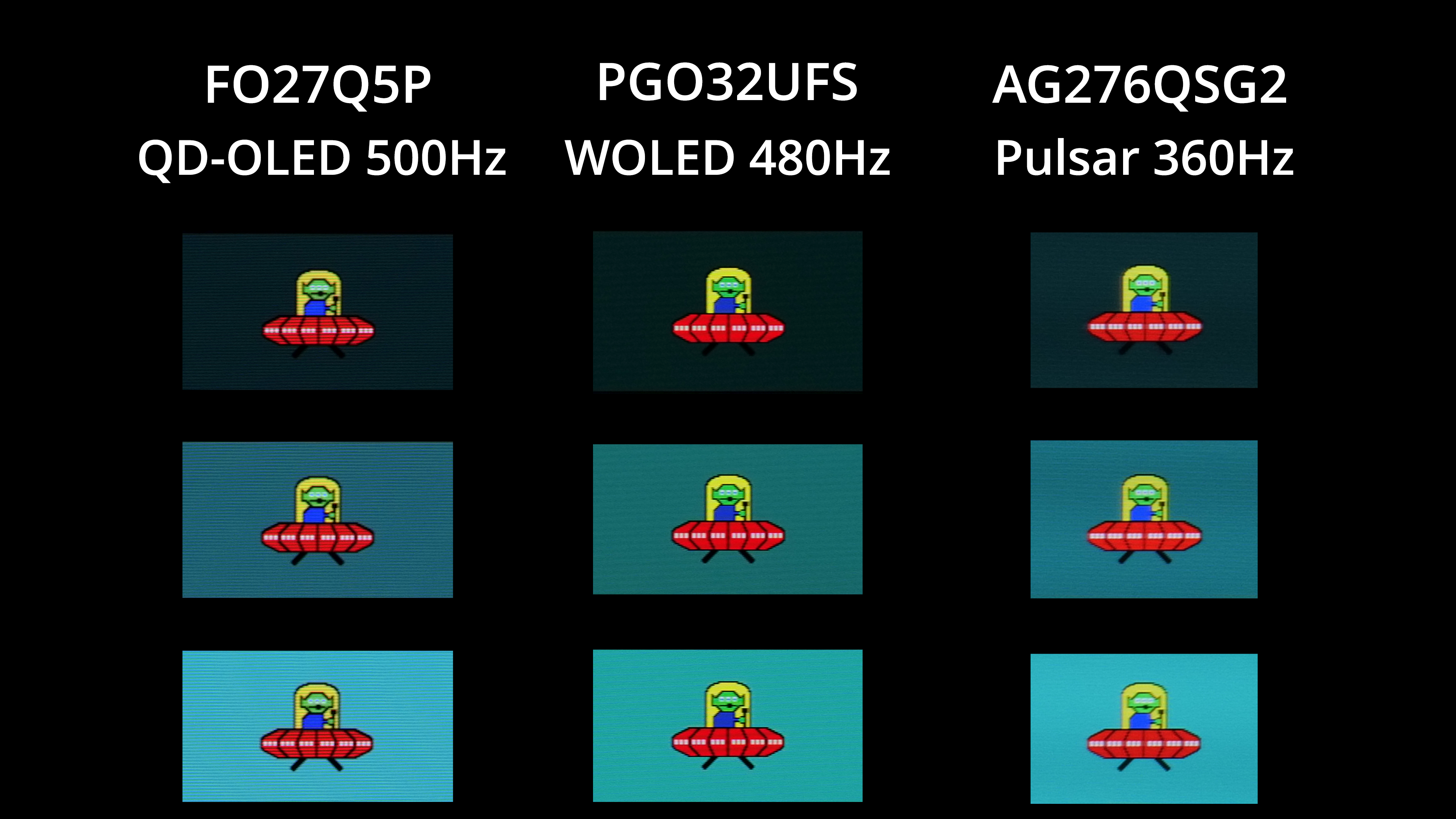
It's overall very similar to 480Hz WOLED in terms of motion clarity, but I've also pulled in the AOC AG276QSG2, a 360Hz G-Sync Pulsar monitor. That screen offers even better motion clarity due to its high-grade backlight strobing technology, while it also has the benefit of being easier to drive due to its lower refresh rate. However, it's still an LCD monitor with worse contrast and generally inferior image quality to an OLED, so there's more to think about than just raw motion clarity.
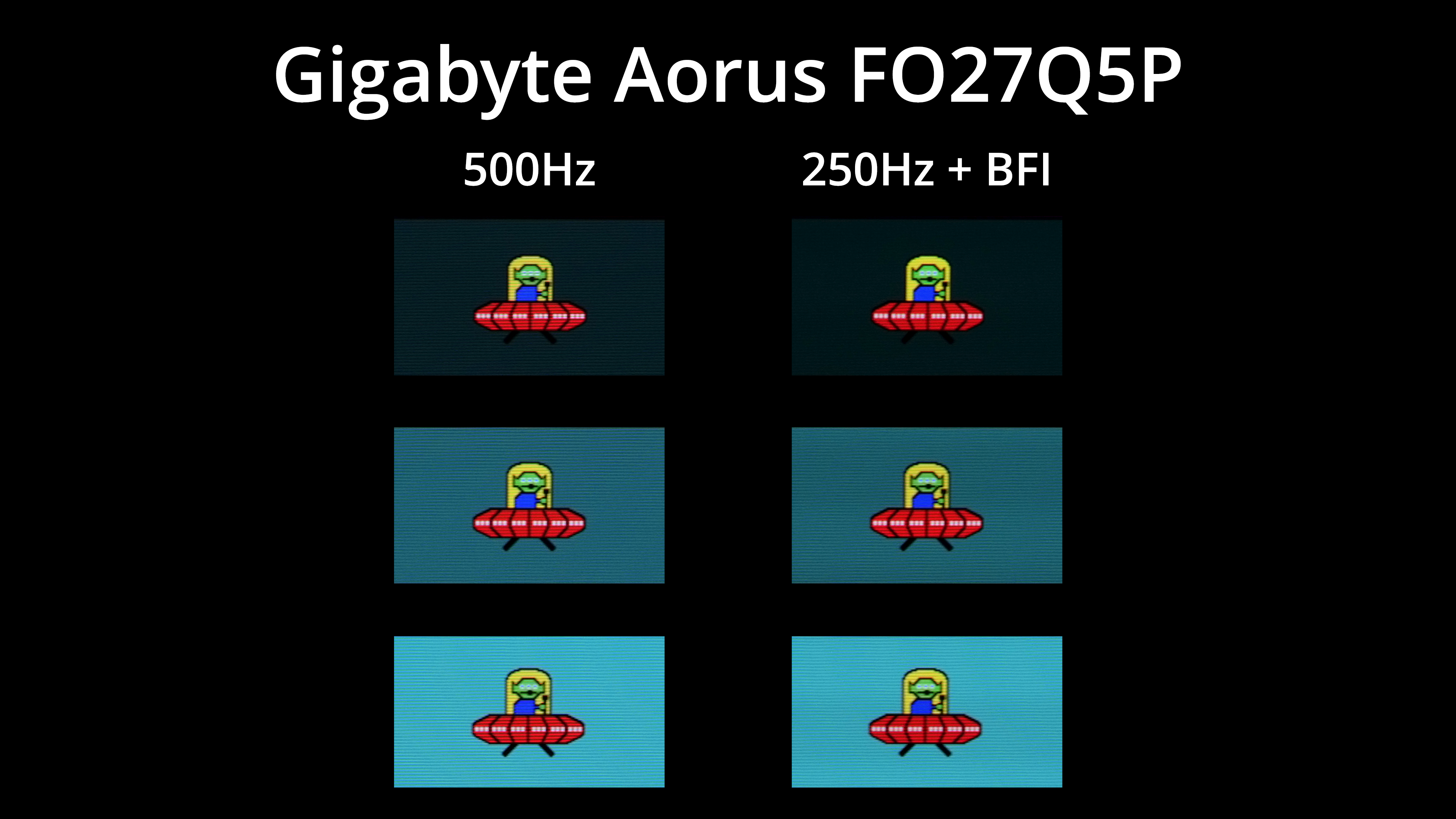
The FO27Q5P offers black frame insertion, which Gigabyte calls Ultra Clear. This means that, with it enabled, you get broadly equivalent motion clarity at 250Hz as you would without BFI at 500Hz, and it's obviously a lot easier to drive games at 250fps! It does disable adaptive sync and brightness is capped at 149 nits in my testing, but it could be worth using depending on the games you play.
We again use the Open Source Response Time Tool (OSRTT), developed by TechTeamGB, to report monitor input latency.
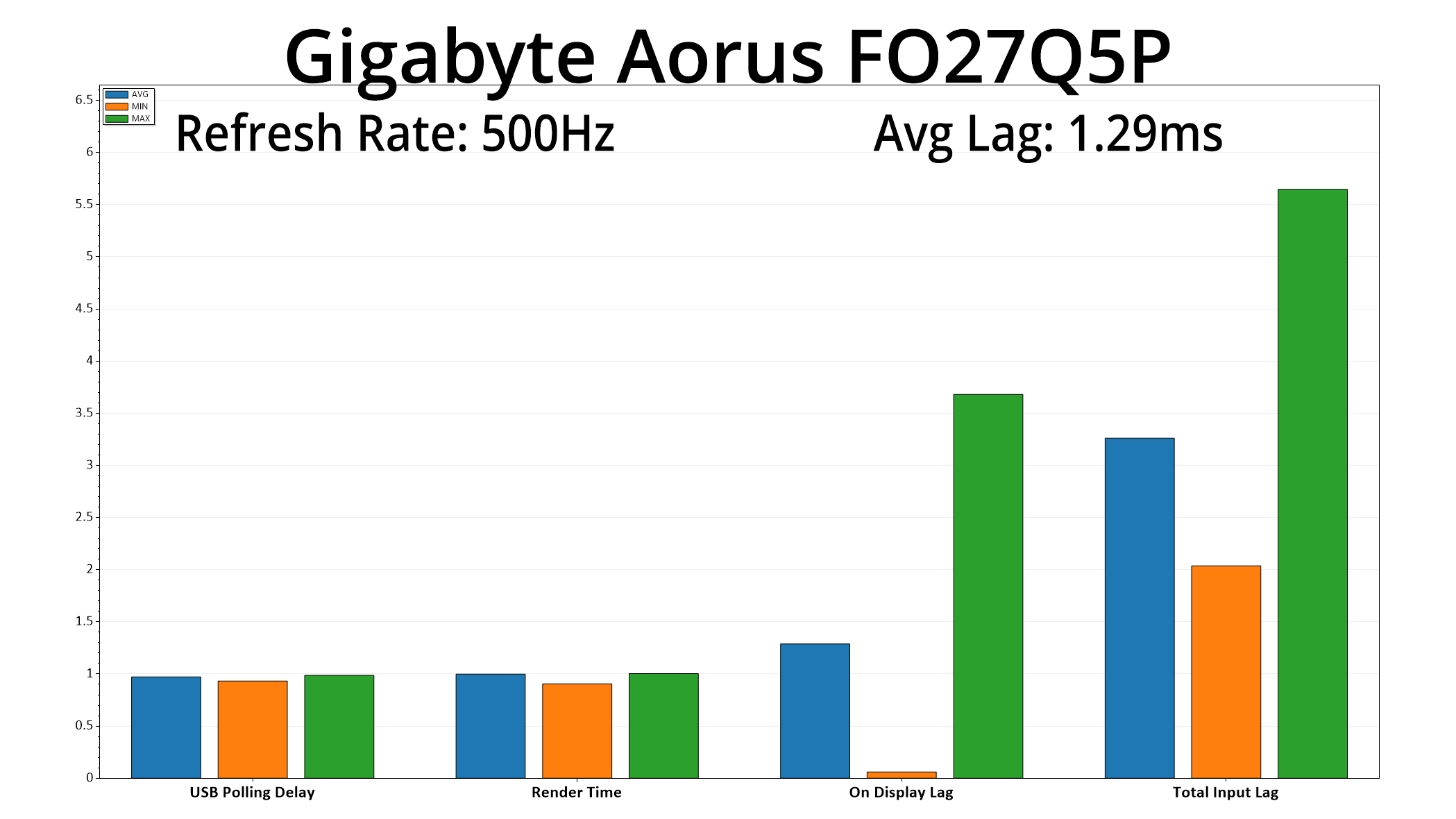
Lastly, one other benefit of the 500Hz refresh rate is very low latency, with the FO27Q5P averaging just 1.29ms – not much more than half a frame, which is a 2ms window at 500Hz.
Having put Gigabyte's Aorus FO27Q5P through its paces over the last week, there's no doubt this is an impressive monitor. With its 500Hz refresh rate, it will certainly appeal to the competitive gamer who wants to break away from LCD panels and enjoy the increased image quality that OLED can offer.
Since this panel debuted last year, Nvidia's Pulsar tech has also launched, so it's been particularly interesting to see how the two compare. While Pulsar can offer slightly better motion clarity at a lower maximum refresh rate, I still think a 500Hz OLED like the FO27Q5P will have plenty of appeal. After all, it still looks fantastic in motion, plus you get even lower latency due to the higher refresh rate. We also can't ignore all the other benefits of OLED, like infinite contrast, near-instant response times, proper HDR and more – all things that don't necessarily apply to LCDs.
However, the FO27Q5P isn't perfect, and my main criticism comes down to the factory calibration – specifically, the warm white balance. This isn't a dealbreaker as you can use a manual colour balance instead, but it has the knock-on effect for the sRGB emulation mode, which cannot use a manual colour balance. That means anyone who would have been hoping to use the sRGB mode to view or work with any sRGB content won't quite be getting the best possible experience.
For some people that may be a complete non-issue, but it's certainly an area that Gigabyte could improve. I'd also like to have seen USB-C Power Delivery above 18W, as that's not particularly useful for a laptop, but again it's a more minor point.
Still, if you're in the market for a high refresh-rate QD-OLED, this one is worth buying. You certainly pay a premium over slower 240Hz or 360Hz models, but if you know you want all the speed that 500Hz has to offer and aren't bothered about the warm colour balance, it's a feature-rich screen at a reasonable price.
We found the FO27Q5P for £599 on Box HERE.
Pros
- Very wide gamut.
- Effectively infinite contrast ratio.
- Very fast response times.
- Blisteringly fast at 500Hz, with incredible motion clarity.
- Games just look so good.
- HDR hits 1000 nits with a good choice of modes.
- Jam-packed I/O.
- User-upgradable firmware.
Cons
- Warm colour balance out of the box.
- sRGB mode is OK but not great.
- USB-C charging limited to just 18W.
KitGuru says: It's a very fast and fluid QD-OLED monitor. The default colour balance holds this back from a higher award, but if you can look past that, there is a lot to like here.