KitGuru KitGuru.net – Tech News | Hardware News | Hardware Reviews | IOS | Mobile | Gaming | Graphics Cards


Our main test involves using an X-Rite i1 Display Pro Plus colorimeter and utilising Portrait Display's Calman Ultimate software. The device sits on top of the screen while the software generates colour tones and patterns, which it compares against predetermined values to work out how accurate the screen is.

The results show:
- A monitor’s maximum brightness in candelas or cd/m2 at various levels set in the OSD.
- A monitor’s contrast ratio at various brightness levels in the OSD.
- Gamut coverage, primarily focusing on sRGB and DCI-P3 colour spaces.
- Greyscale accuracy, measured across 20 shades, with an average colour balance reported.
- The exact gamma levels, with a comparison against preset settings in the OSD.
- The colour accuracy, expressed as a Delta E ratio, with a result under 3 being fine for normal use, and under 2 being great for colour-accurate design work.
We first run these tests with the display in its out-of-the-box state, with all settings on default. If there is an sRGB emulation option or other useful mode then we may test that too. We then calibrate the screen using the Calman Ultimate software and run the tests again.
You can read more about our test methodology HERE.
Default settings
Brightness and Contrast (Full Screen)
| OSD Brightness | White Luminance (cd/m2) | Black Luminance (cd/m2) | Contrast Ratio |
| 0% | 57.7 | 0.036 | 1581:1 |
| 25% | 177.6 | 0.112 | 1588:1 |
| 50% | 292.4 | 0.183 | 1599:1 |
| 75% | 396 | 0.247 | 1605:1 |
| 100% | 496 | 0.309 | 1605:1 |
Starting off with brightness testing, the GB2771UHSU gets very bright indeed, exceeding iiyama's claim by coming in just shy of 500 nits, not bad going at all! Contrast is also very good for an IPS panel, hovering around 1600:1, so that's a good start to overall panel performance.
Screen Uniformity
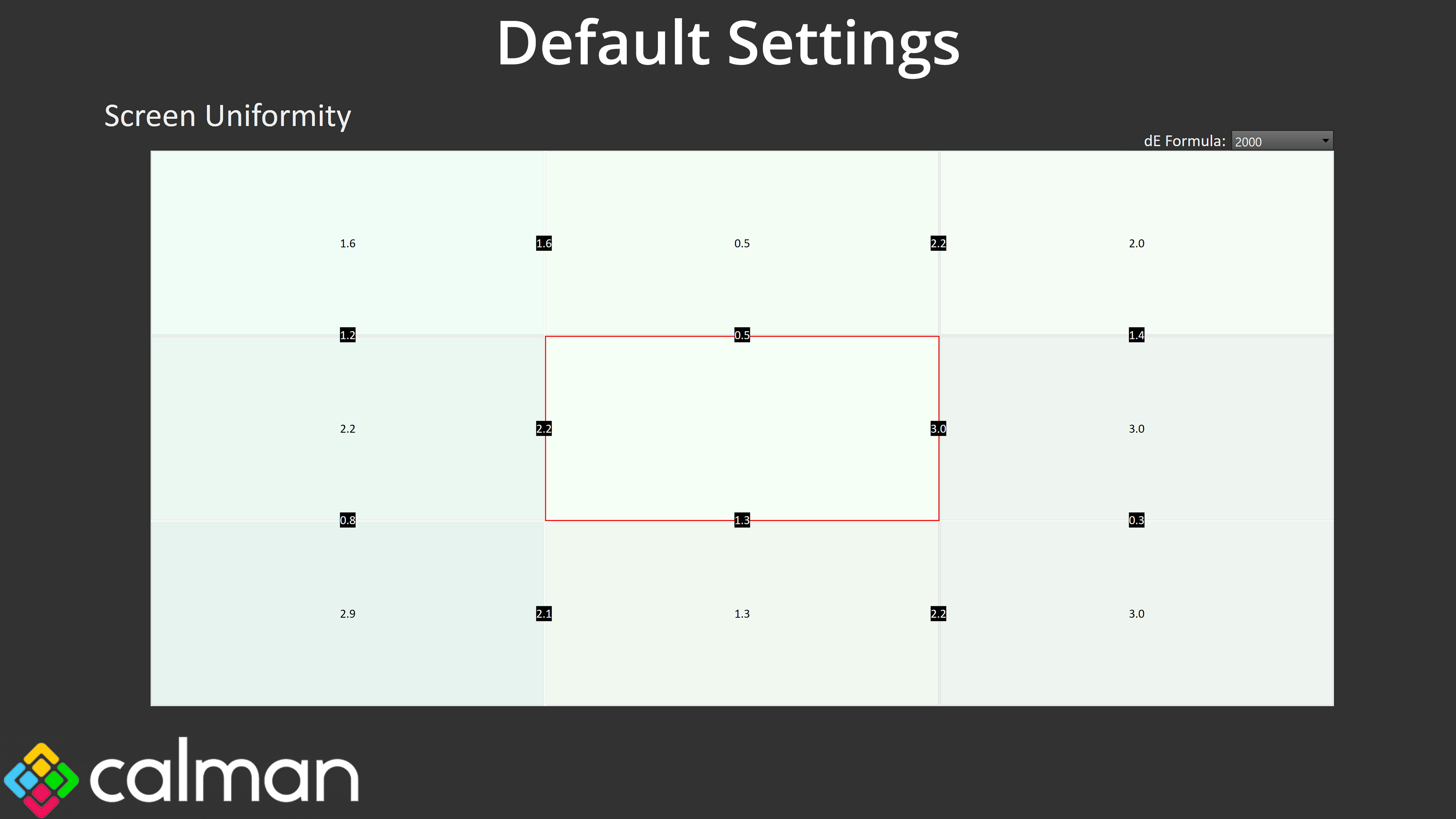
Screen uniformity is fine, too. There's only small amounts of deviation across the panel and it wasn't something I noticed day to day, so that's another good sign.
Gamut (CIE 1976)
| Colour space | Coverage (%) |
| sRGB | 99.9 |
| DCI-P3 | 97.6 |
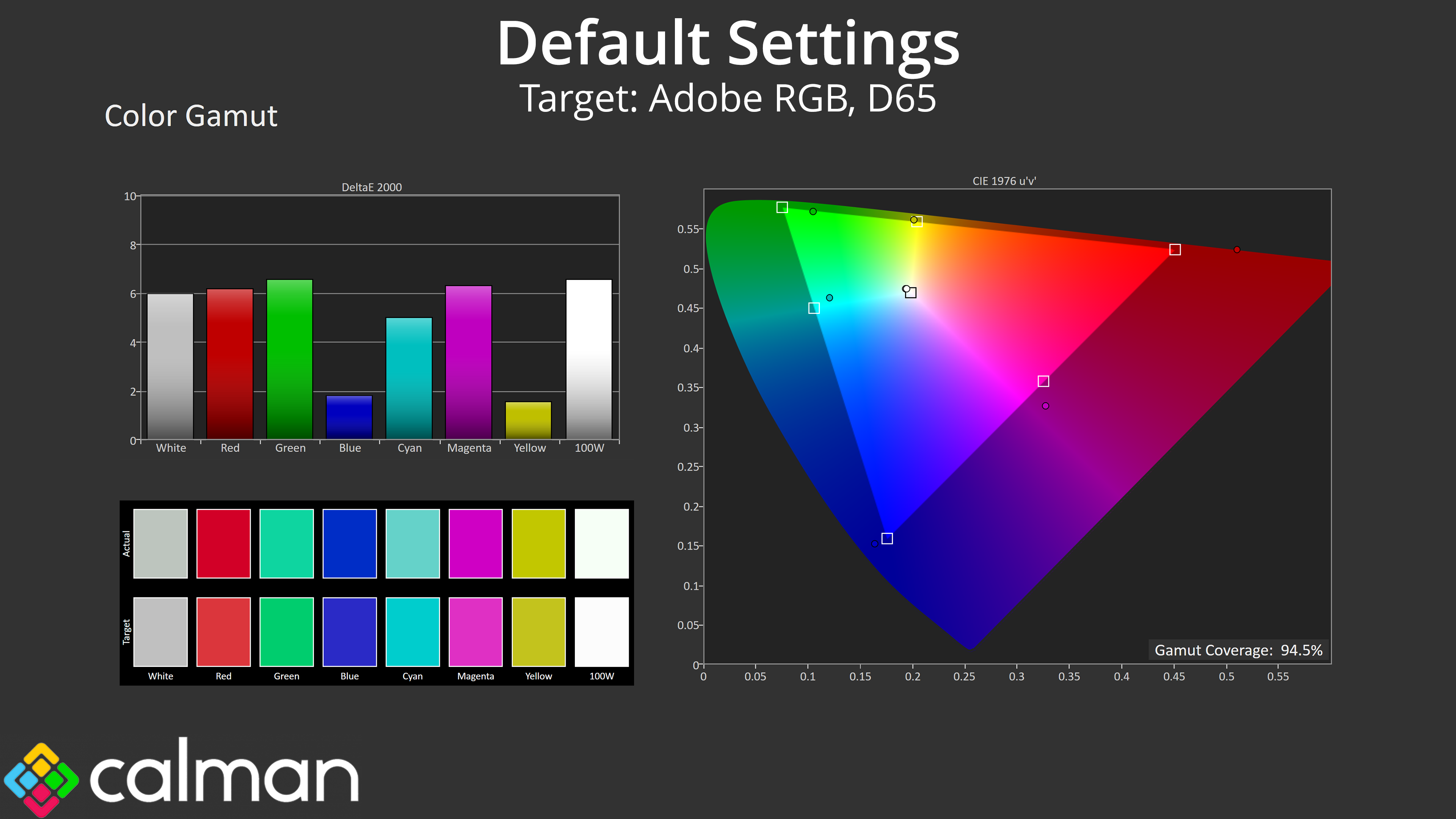
| Adobe RGB | 94.5 |
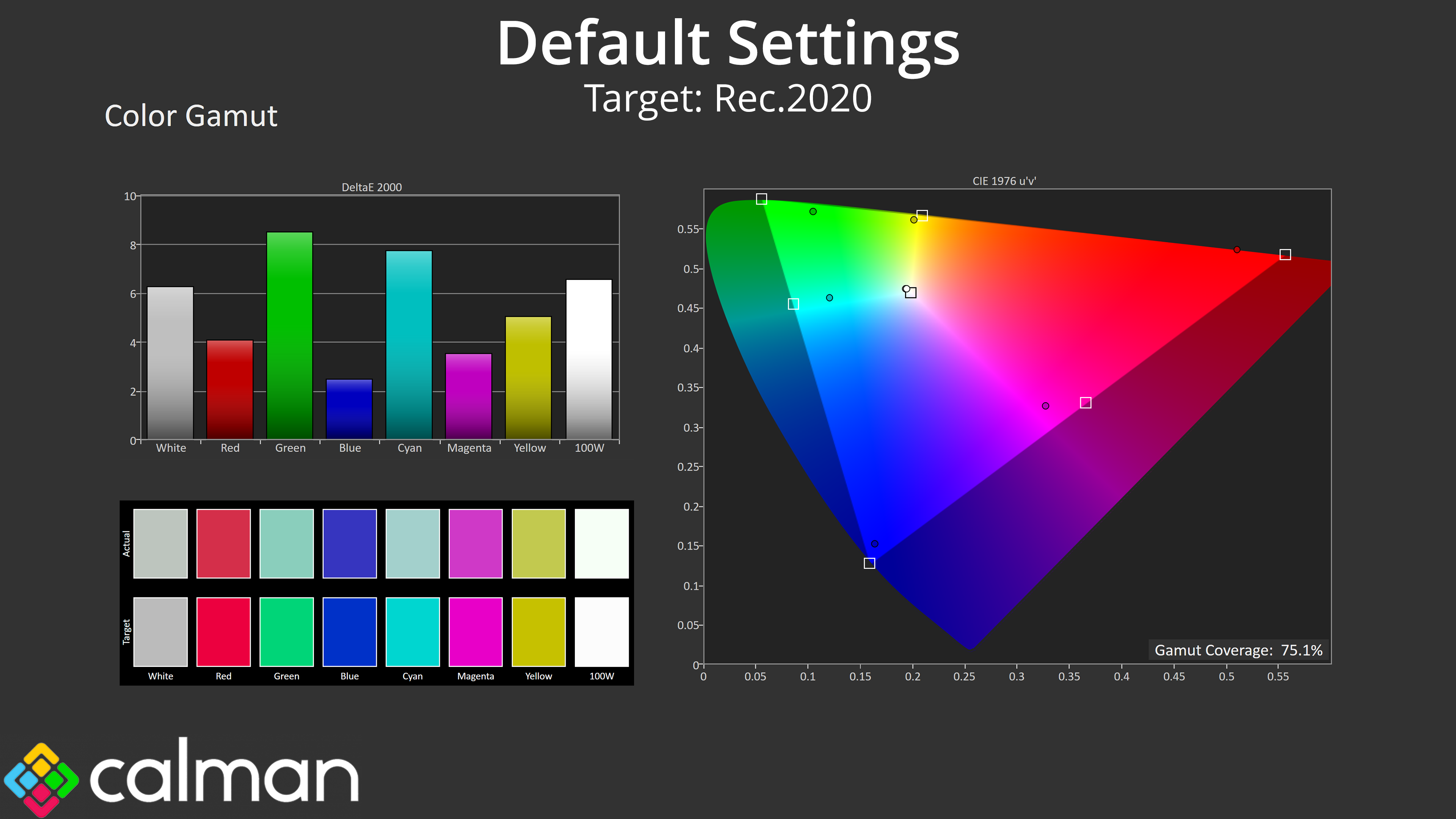
| Rec.2020 | 75.1 |
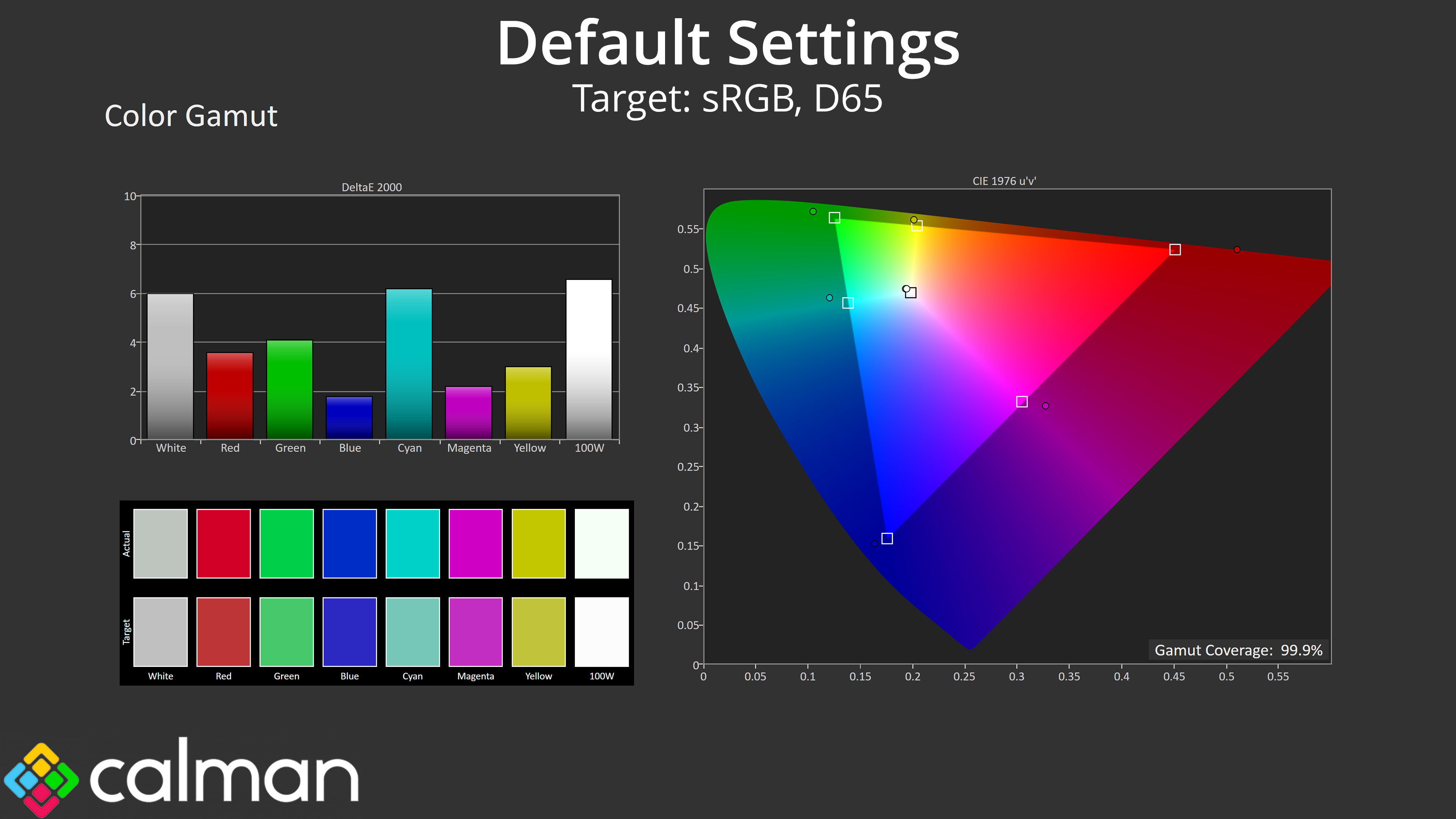
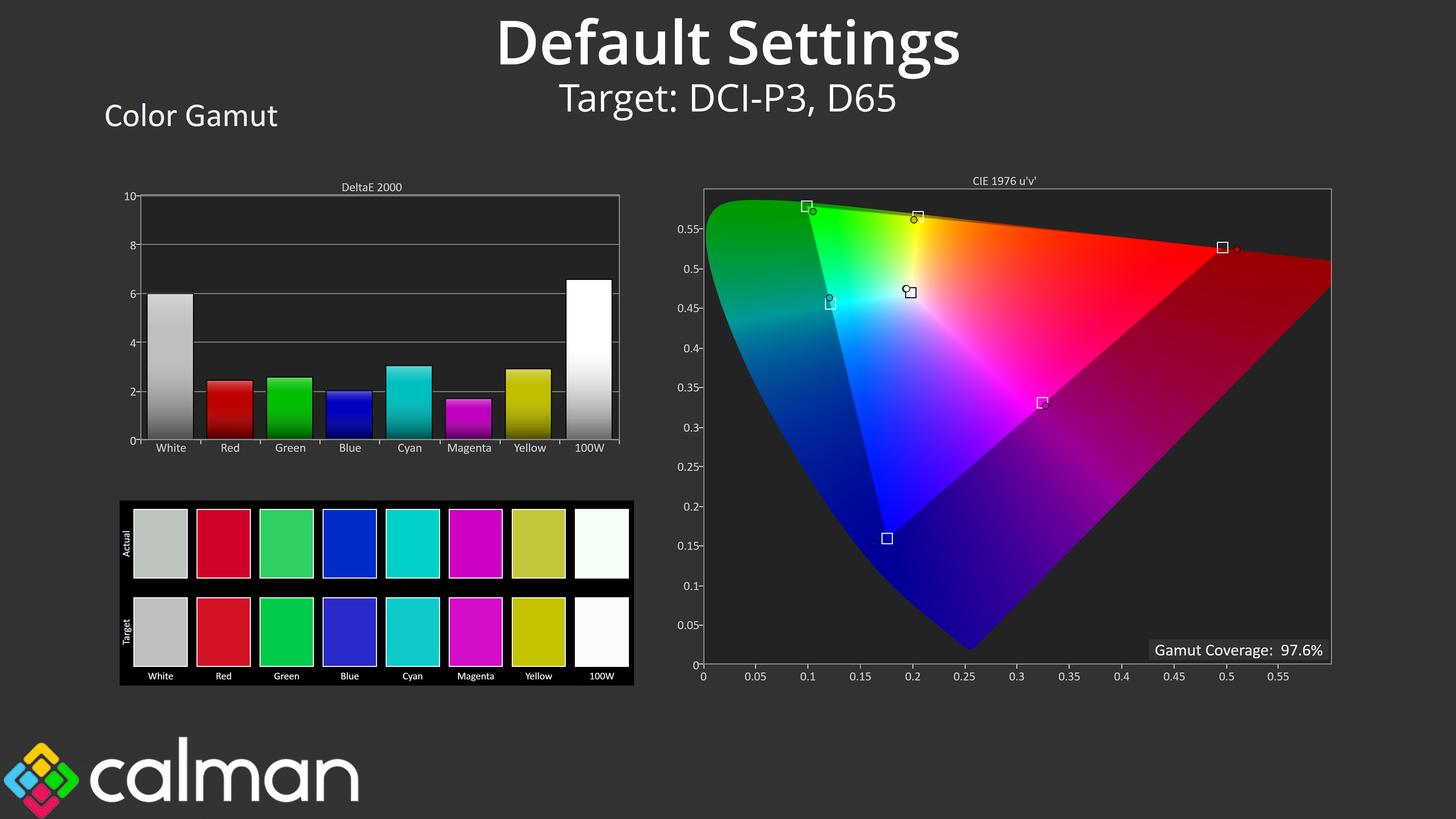
Gamut is nice and wide, too, far exceeding the sRGB space and managing 97.6% DCI-P3, 94.5% Adobe RGB, alongside 75.1% coverage for Rec.2020.
Greyscale
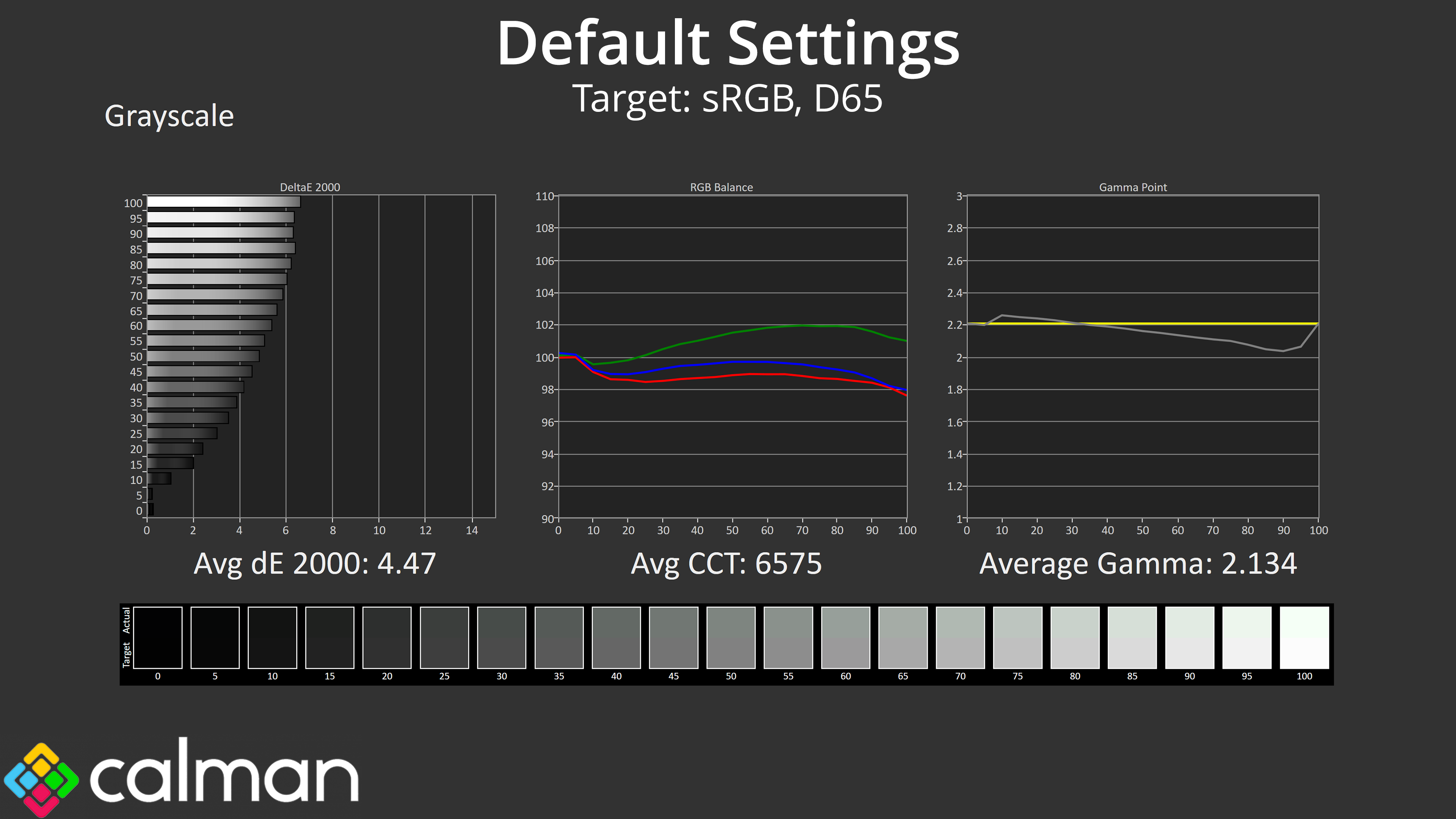
Factory calibration does leave a bit to be desired, though. It's not the worst we've ever seen, but the colour balance has a decided green tint, while gamma is closer to 2 than it is 2.2 in the second half of the curve, though overall the average of 2.134 is fine.
Saturation
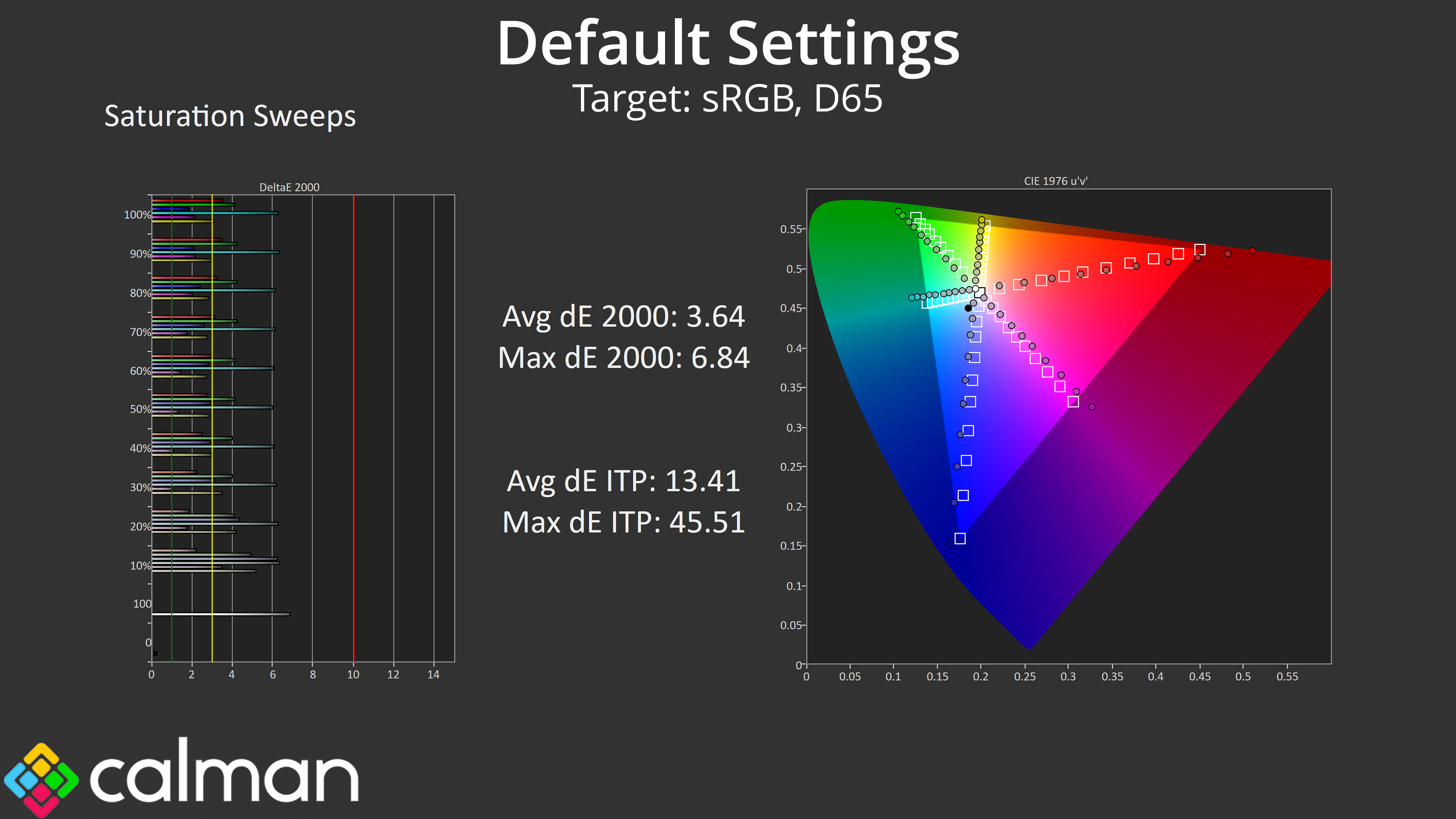
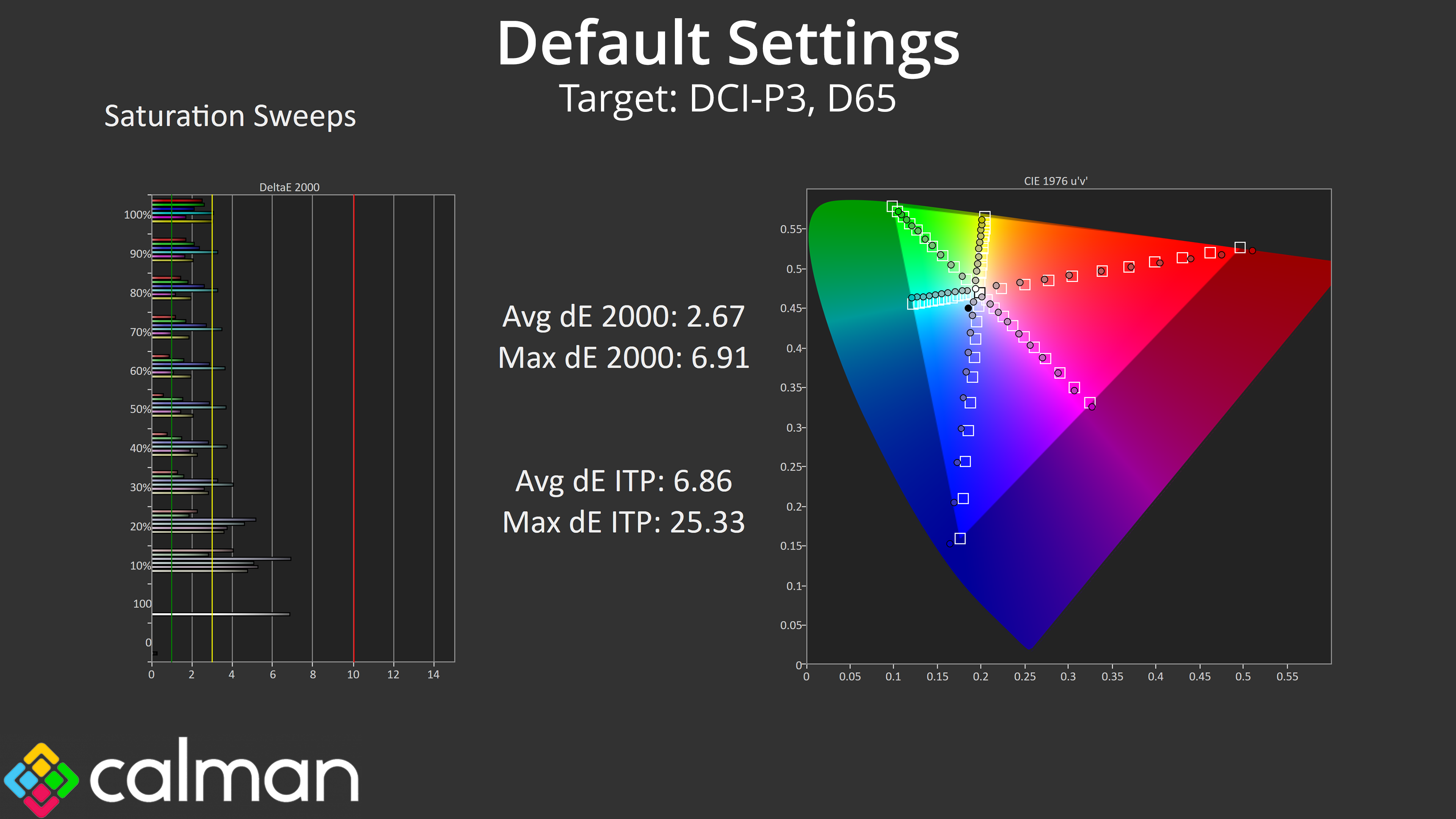
Saturation performance is about as we'd expect considering how wide the gamut is – there's plenty of oversaturation relative to the sRGB space, though accuracy does improve compared against DCI-P3.
Colour Accuracy
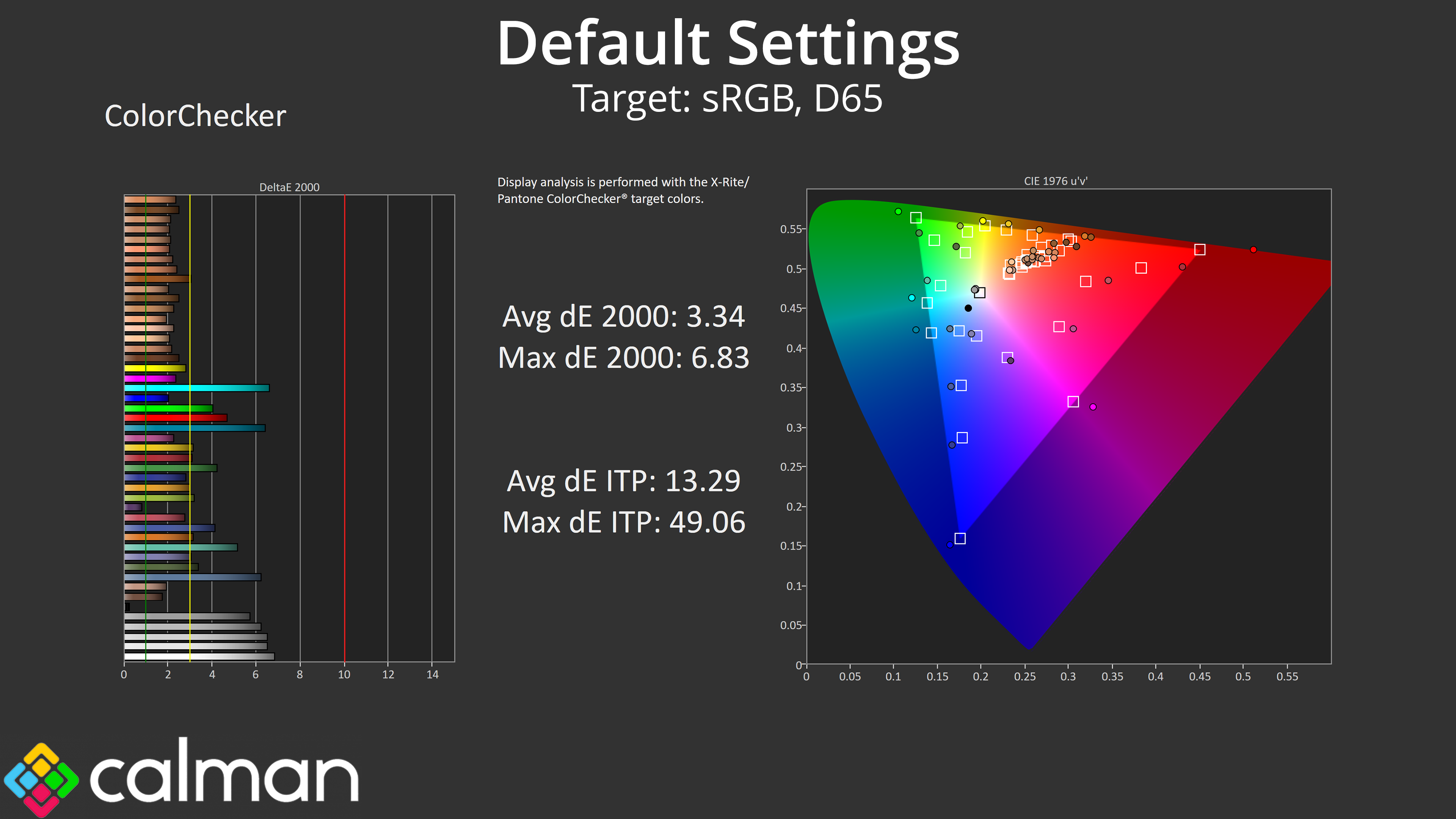
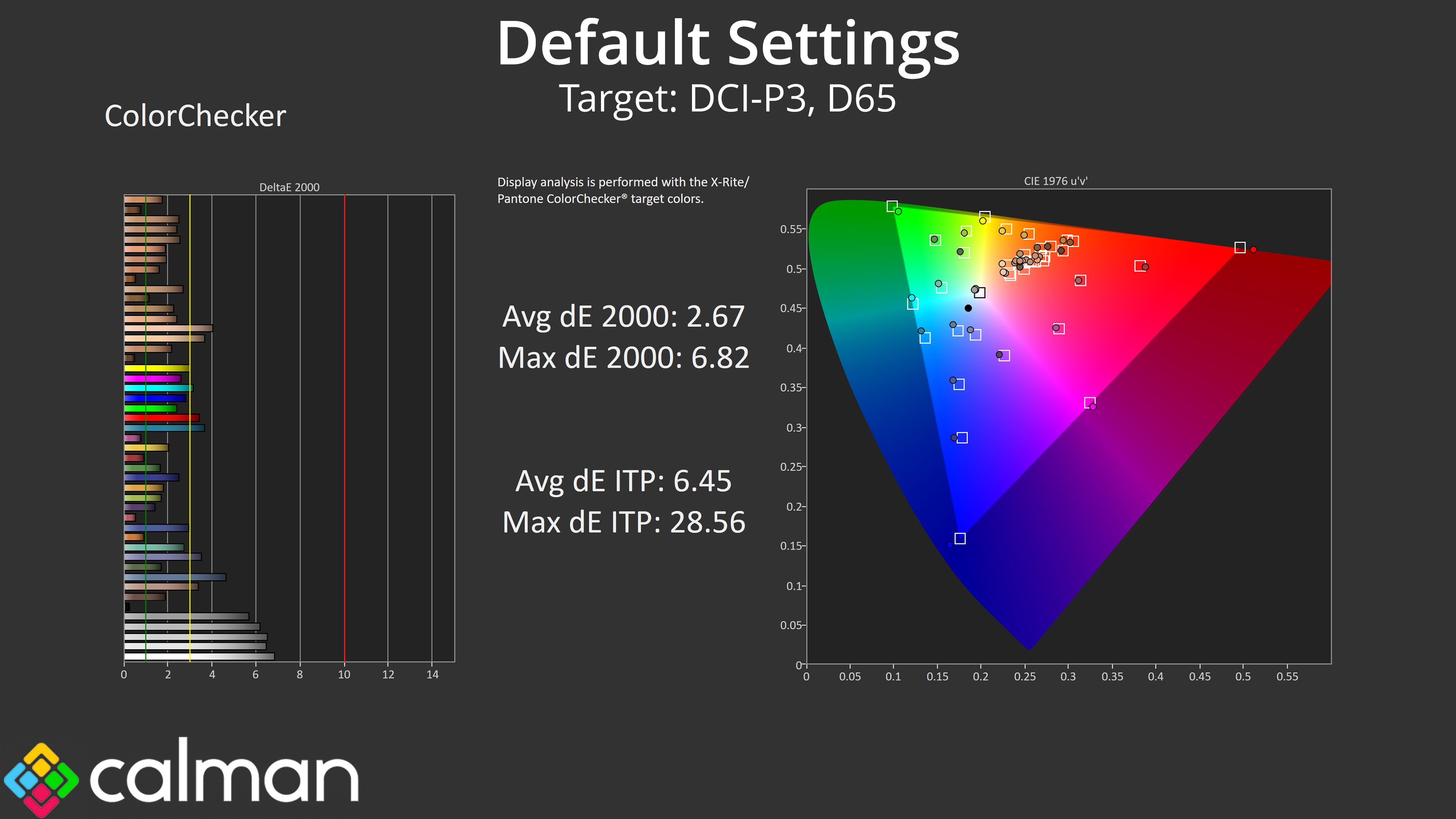
The same goes for colour accuracy – sRGB performance is middling at best, with an average deltaE 2000 of 3.34, whereas this improves to 2.67 when comparing against the DCI-P3 space. The white and grey channels (at the bottom of the chart) are the worst offenders due to the poor out of the box white balance.
sRGB Emulation Mode
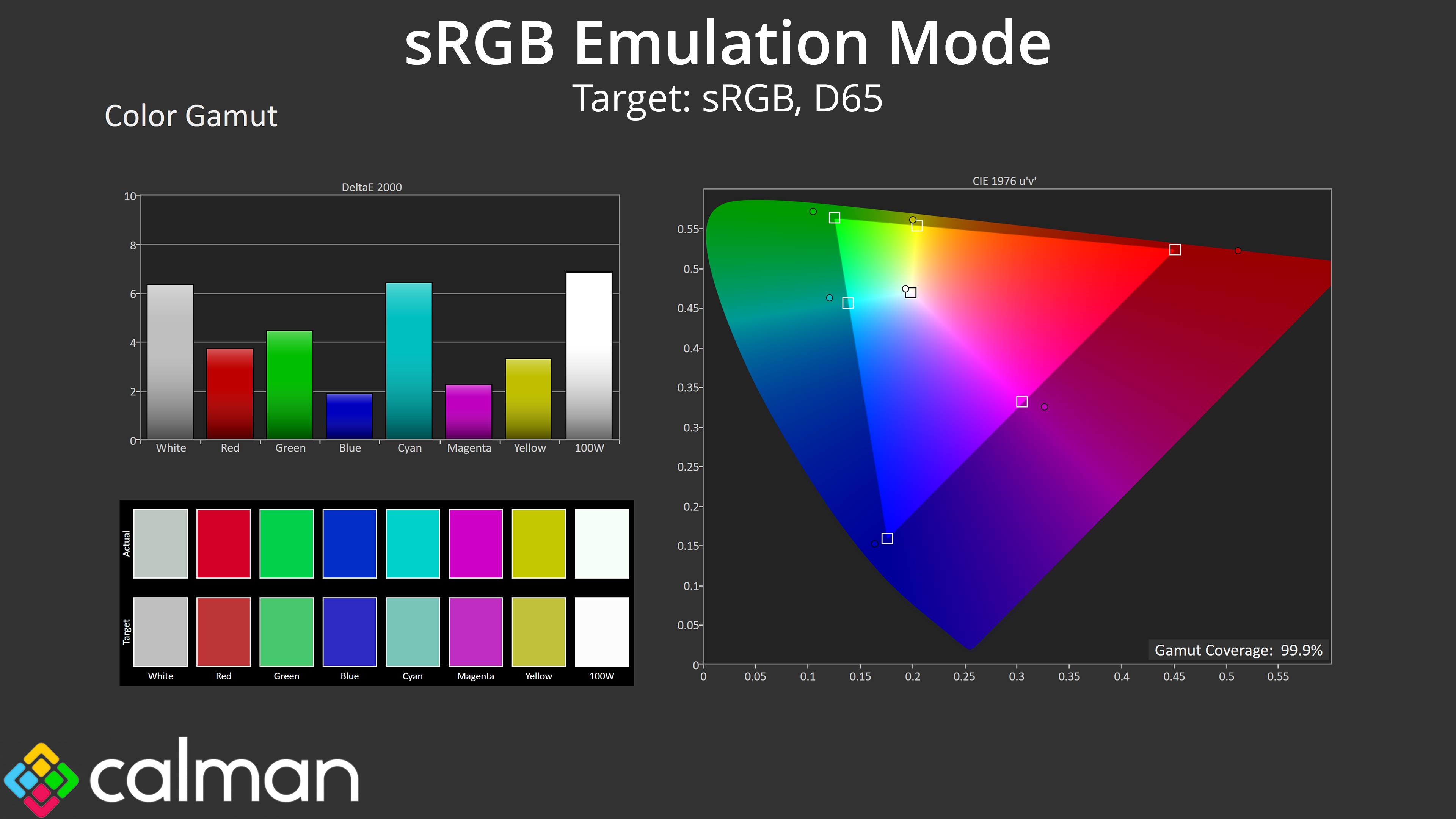
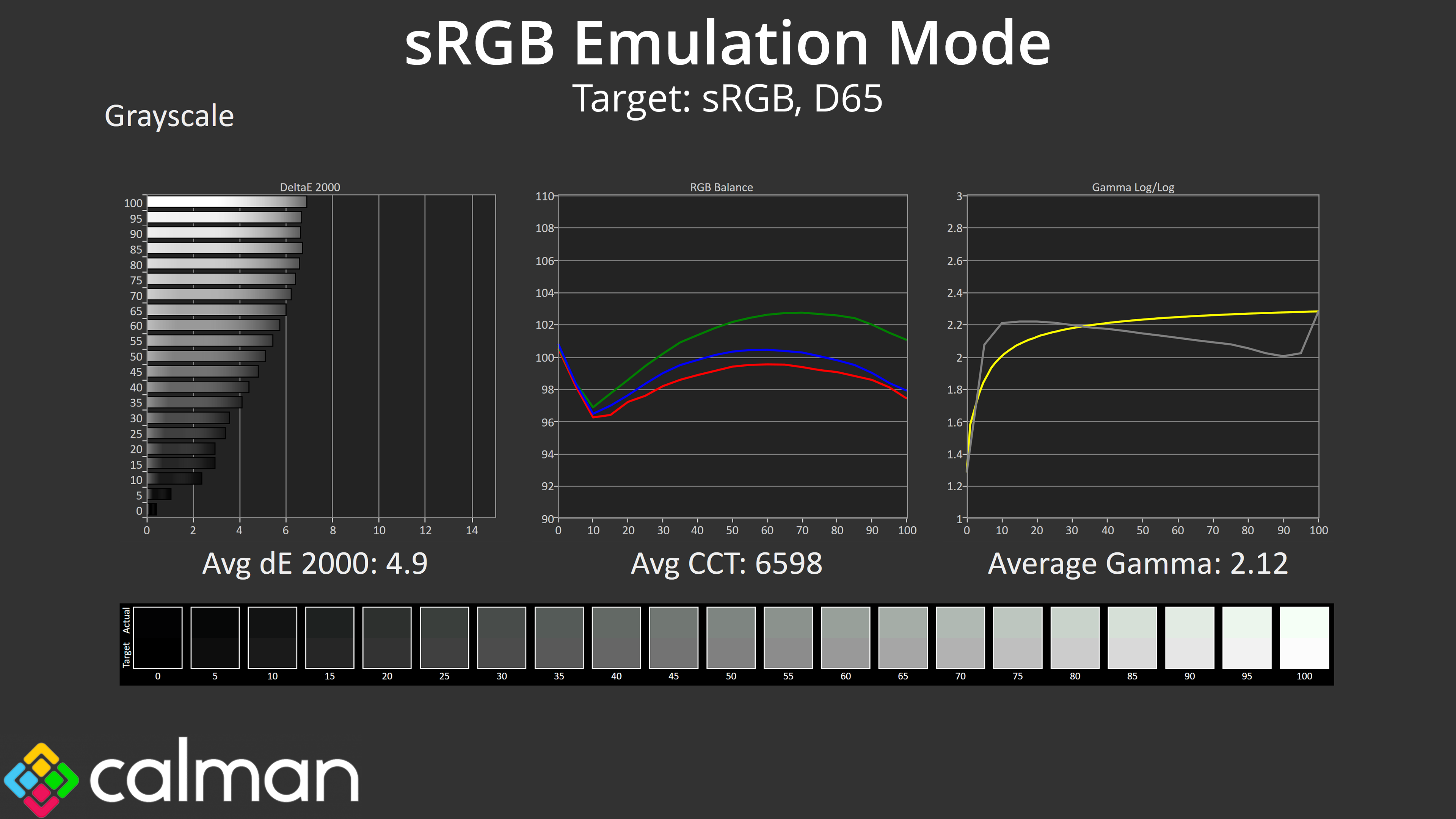
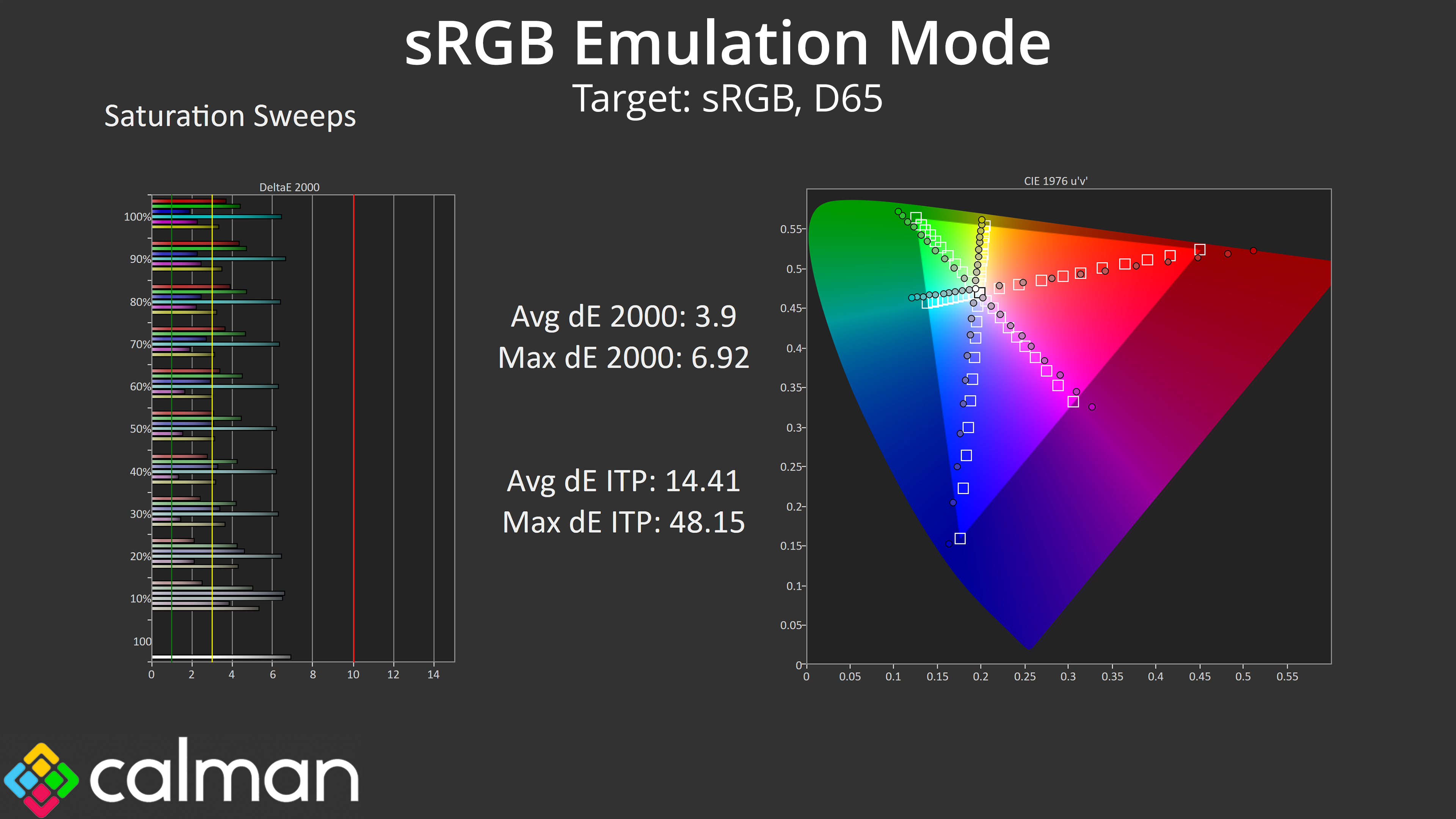
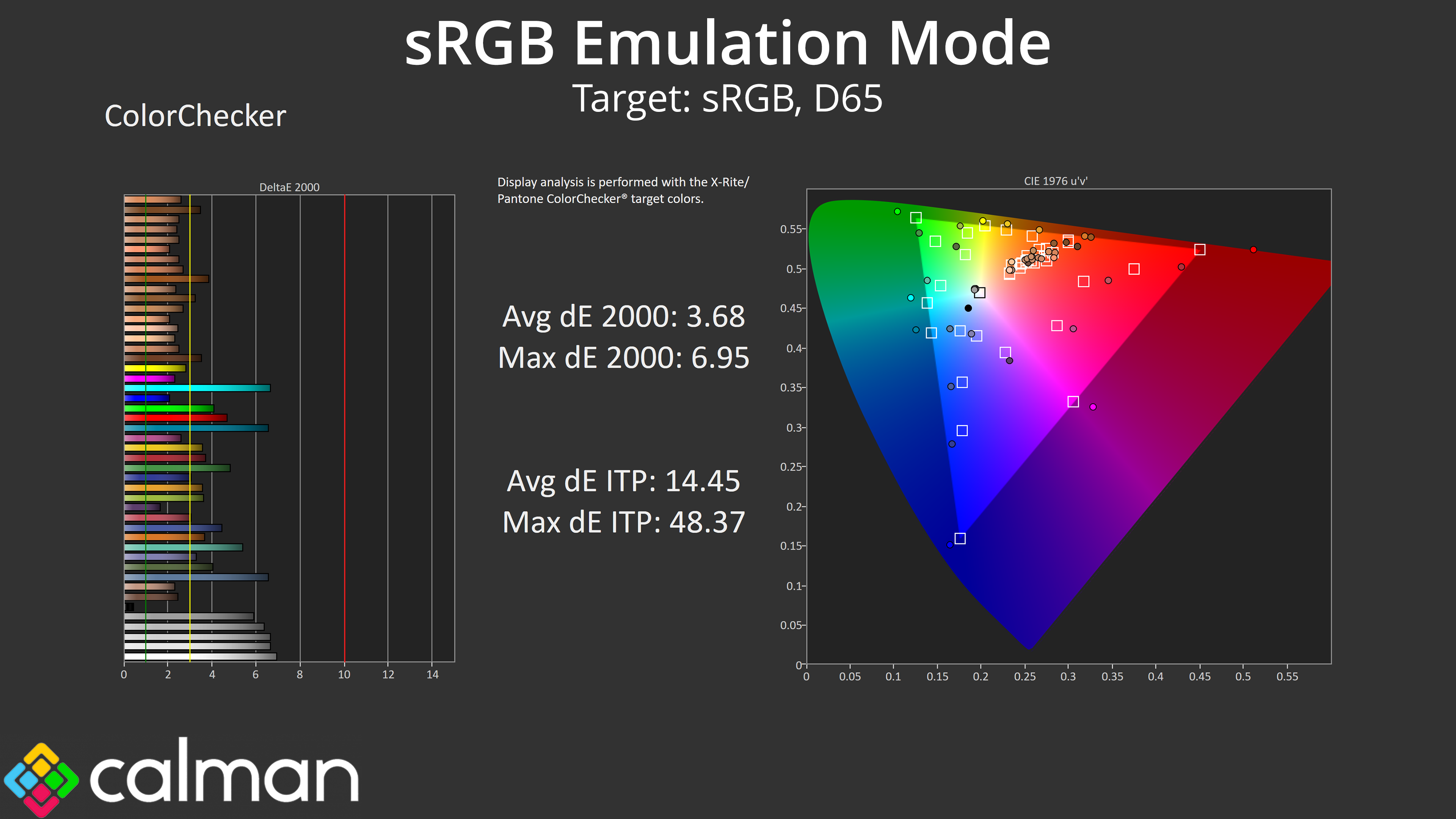
While iiyama does include an sRGB option from within the ‘Color' settings in the OSD, it does not appear to be working. Gamut remains unclamped, overall colour balance and gamma is unchanged compared to stock, while the saturation and colour accuracy results are also unimproved. This is a shame and it doesn't give a good impression that a feature has been included in the OSD but does not appear to have been tested prior to shipping.
Calibrated Results
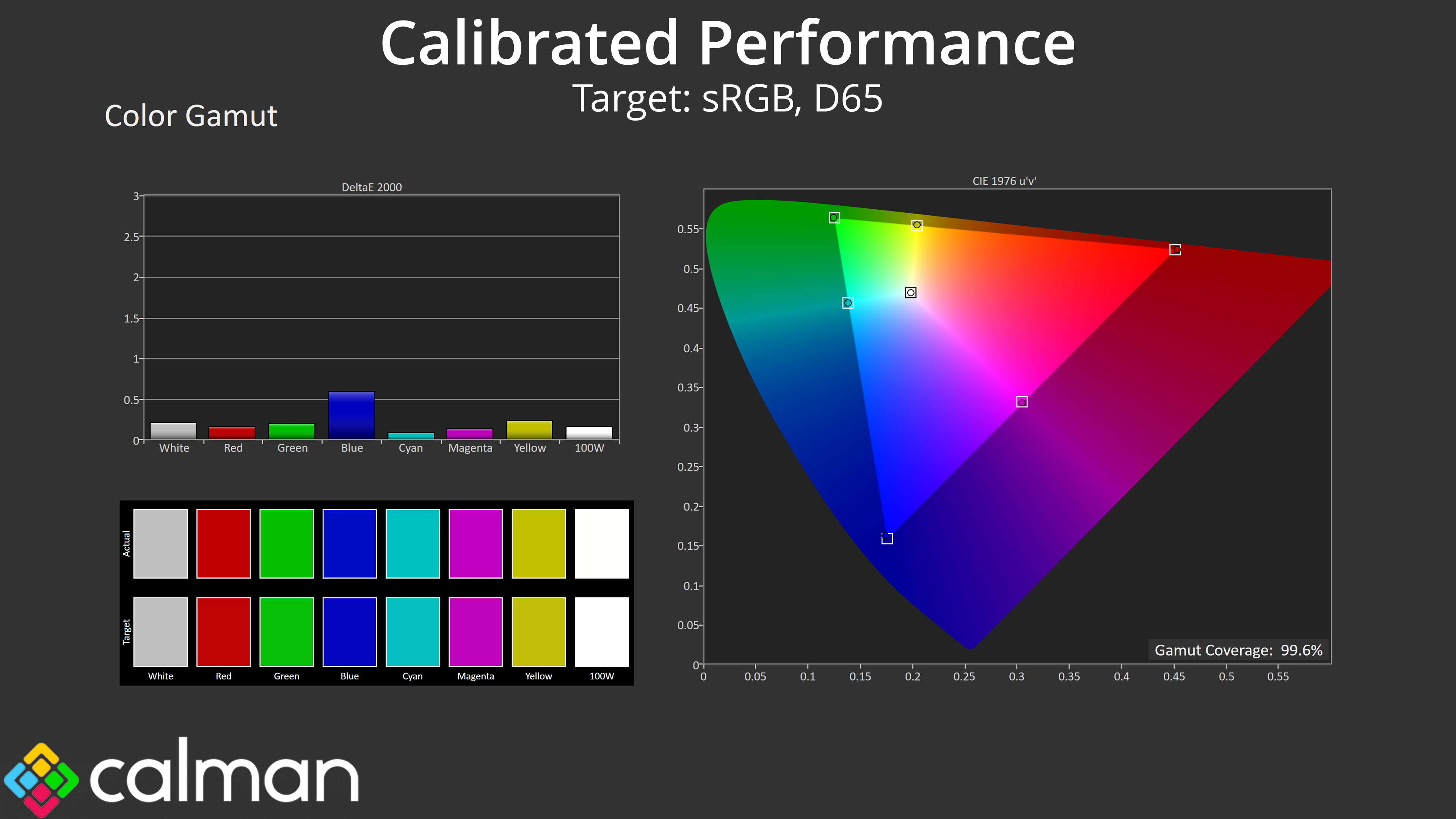
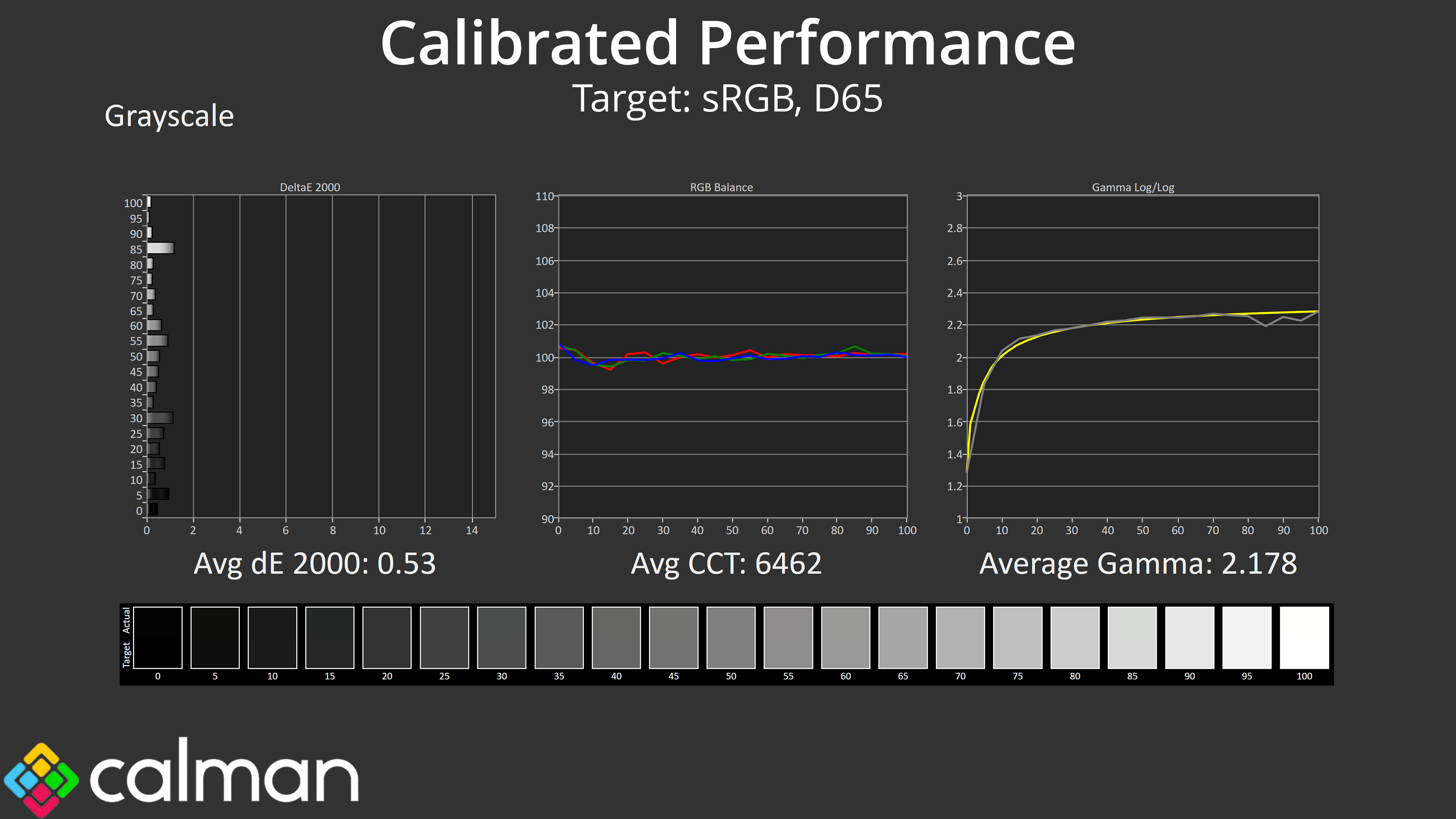
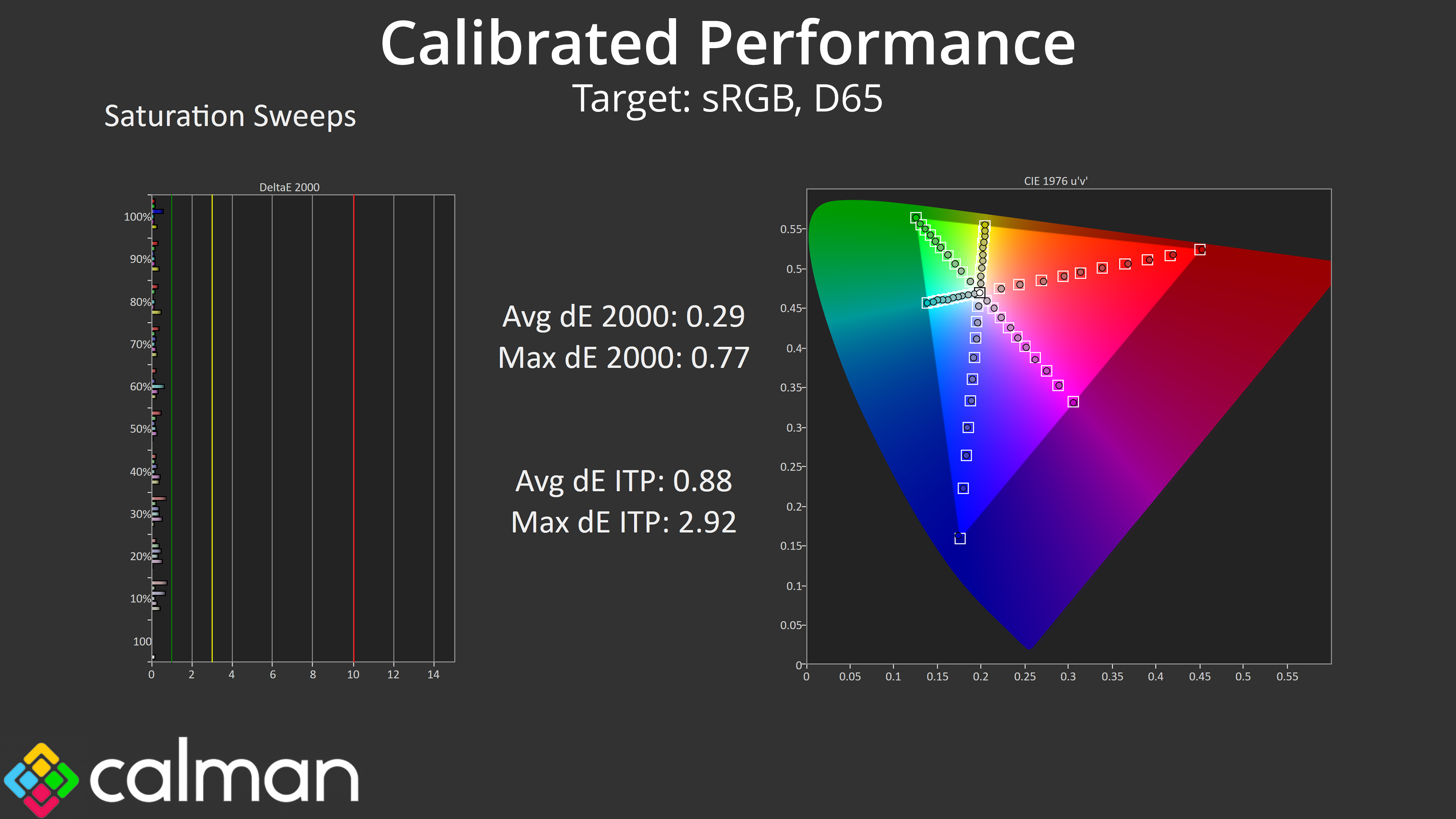
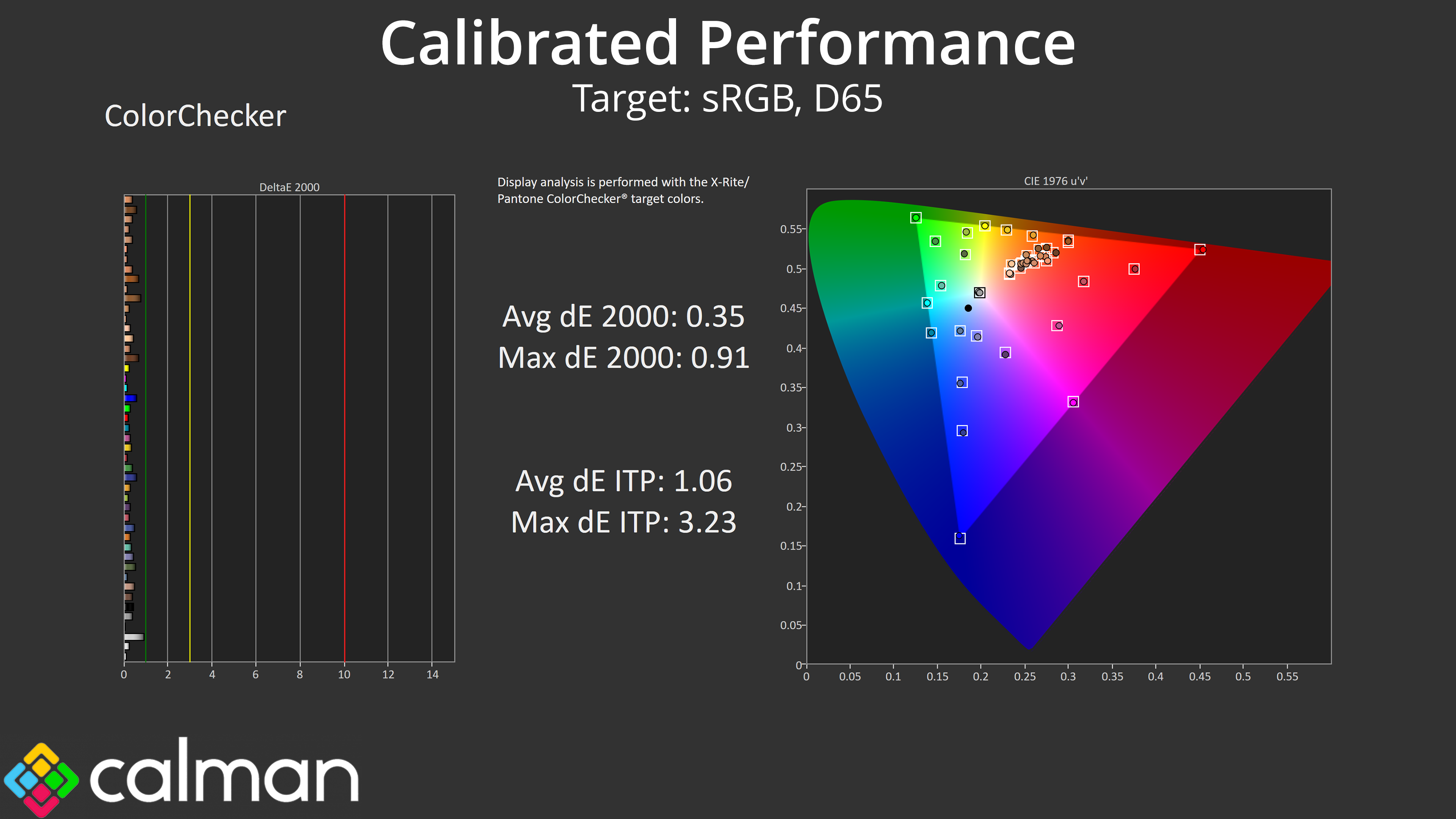
That leaves us with our calibrated performance, which is stellar as we would expect. However, you do have to question how many people buying a £240 gaming monitor will be calibrating it, which reinforces the disappointing lack of a functional sRGB mode.