KitGuru KitGuru.net – Tech News | Hardware News | Hardware Reviews | IOS | Mobile | Gaming | Graphics Cards


We use the Open Source Response Time Tool (OSRTT), developed by TechTeamGB, for our response time testing. This measures grey-to-grey response times and presents the results in a series of heatmaps, the style of which you may be familiar with from other reviews.
Initial Response Time is the time taken for the panel to transition from one colour to another, where lower values are better. We present the initial response time, so overshoot is not taken into account and is measured separately. We use a fixed RGB 5 tolerance for each transition.
Overshoot is the term given for when a monitor's transition exceeds or goes beyond its target value. So if a monitor was meant to transition from RGB 0 to RGB 55, but it hits RGB 60 before settling back down at RGB 55, that is overshoot. This is presented as RGB values in the heatmaps – i.e. how many RGB values past the intended target were measured.
Visual Response Rating is a metric designed to ‘score' a panel's visual performance, incorporating both response times and overdrive. Fast response times with little to no overshoot will score well, while slow response times or those with significant overshoot will score poorly.
At last we come to the key reason why we cannot recommend the GB2771UHSU – response times. Like we have seen from iiyama, the monitor features a range of overdrive modes, from 0 (off) up to 5. We tested at both 288Hz and 144Hz given those are the refresh rates on offer from the dual-mode functionality.
288Hz
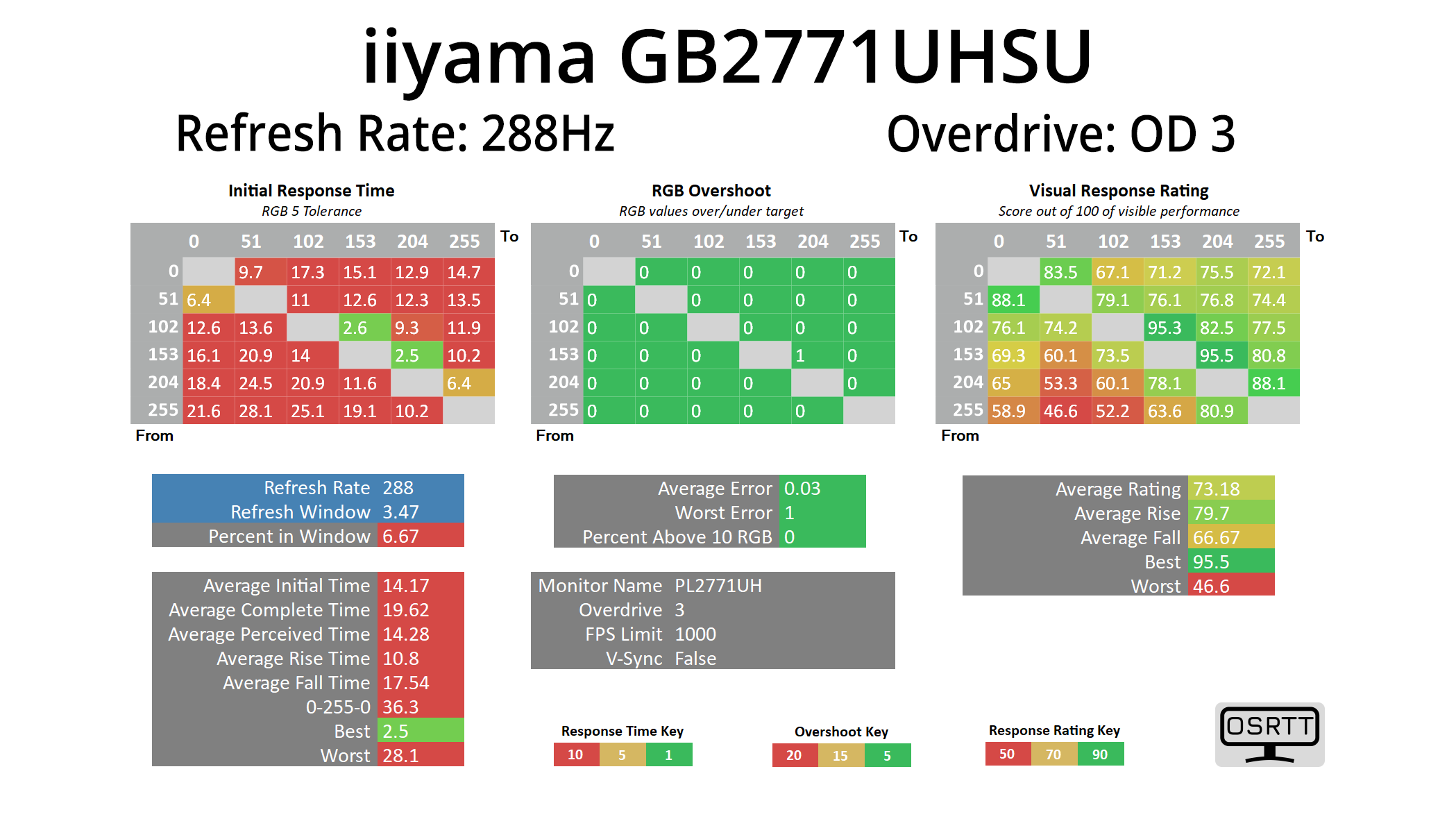
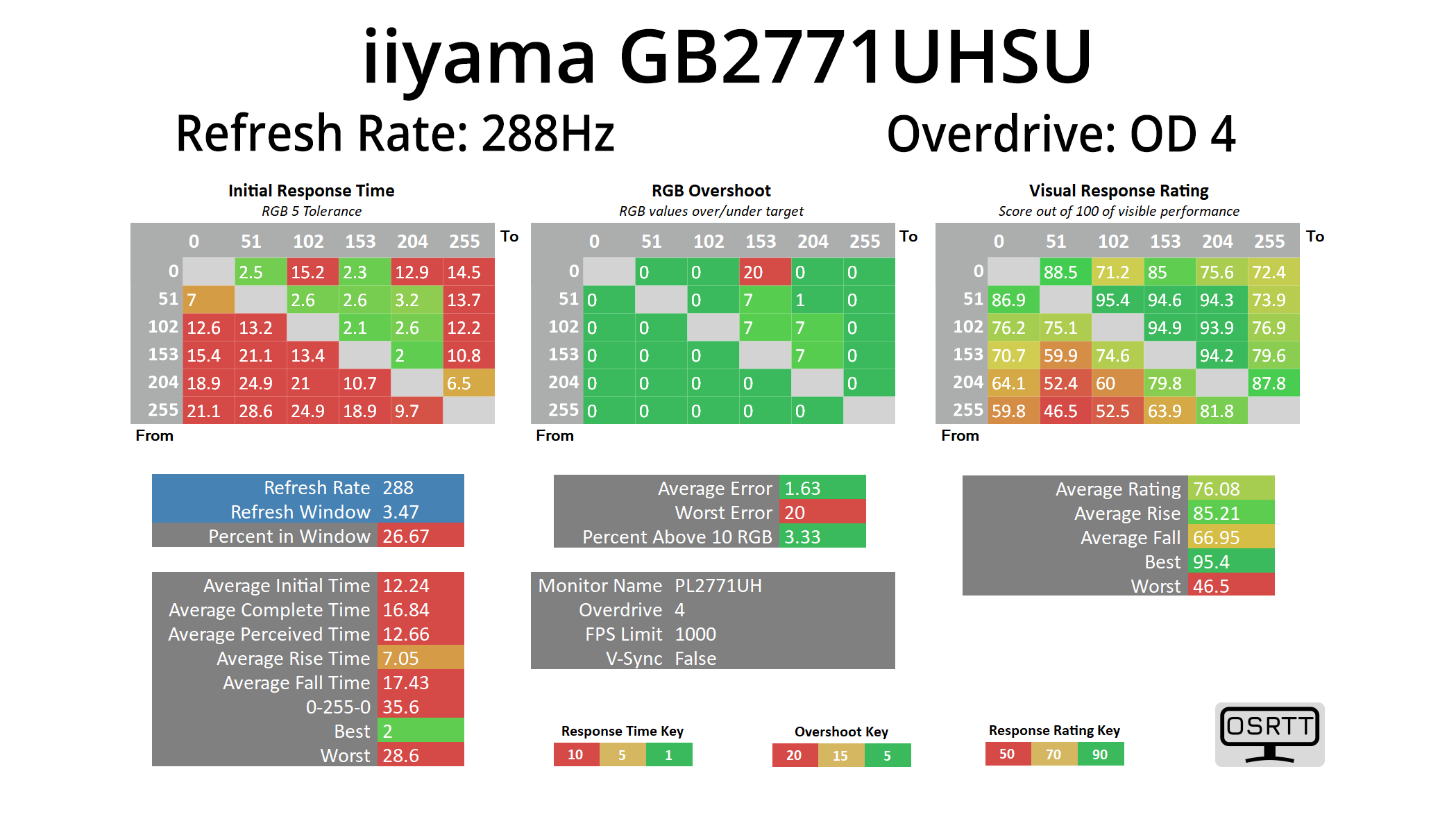
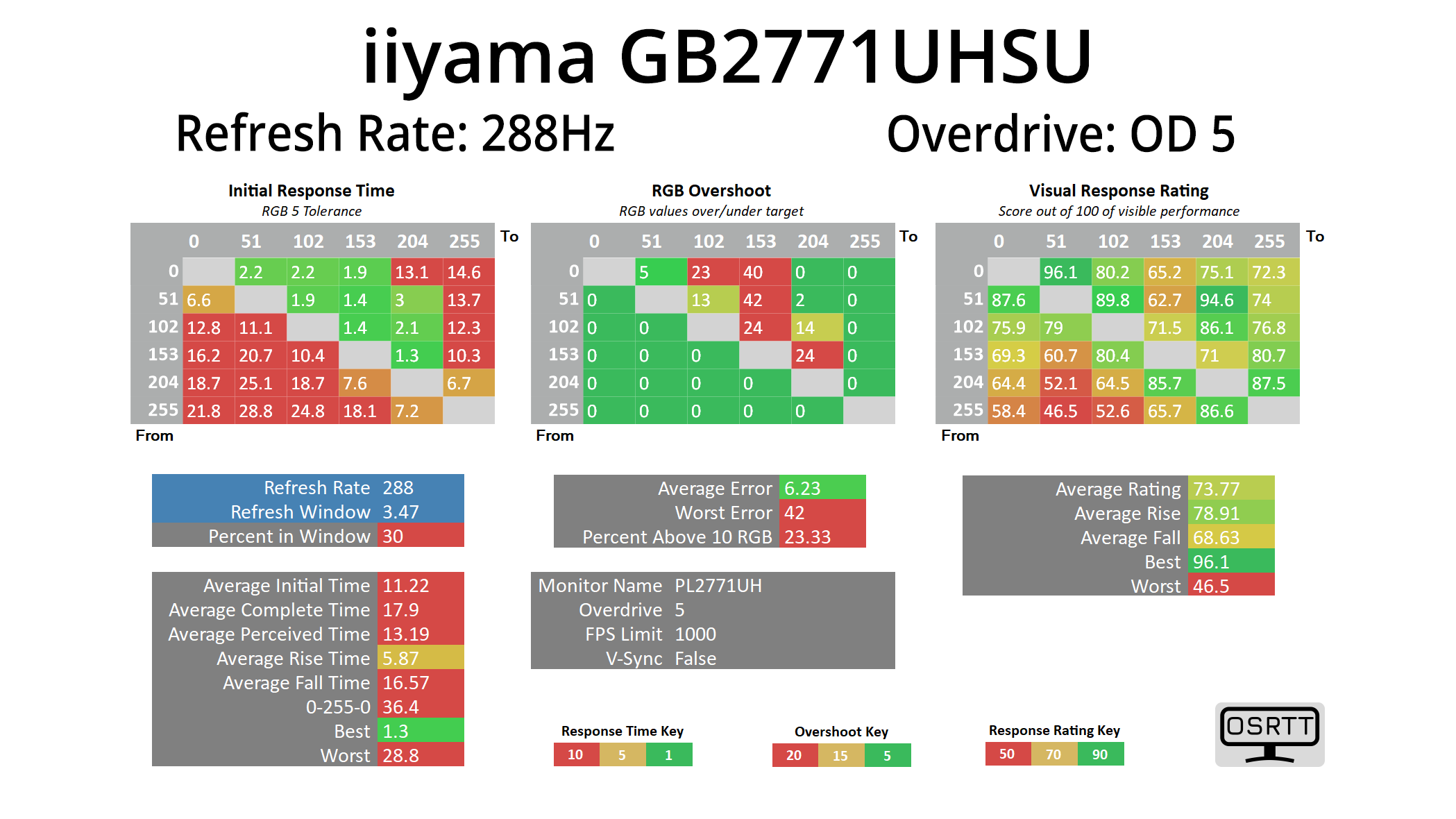
Starting at 288Hz, it is just painfully obvious to see that this is just not a 288Hz capable panel. Even using OD 5, the fastest setting going, the average response time at this refresh rate is 11.22ms. I was honestly staggered when I first saw the results – I couldn't believe a new monitor being released in 2025 would be this slow, and I even let iiyama know as I thought something must be wrong. Not so, they confirmed, and it would seem they've just bitten off far more than this panel is capable.
We do have OD modes 3 and 4 as well tested at 288Hz, but if OD 5 was already at over 11ms, the other modes are slower still, so it does not make for pretty reading.
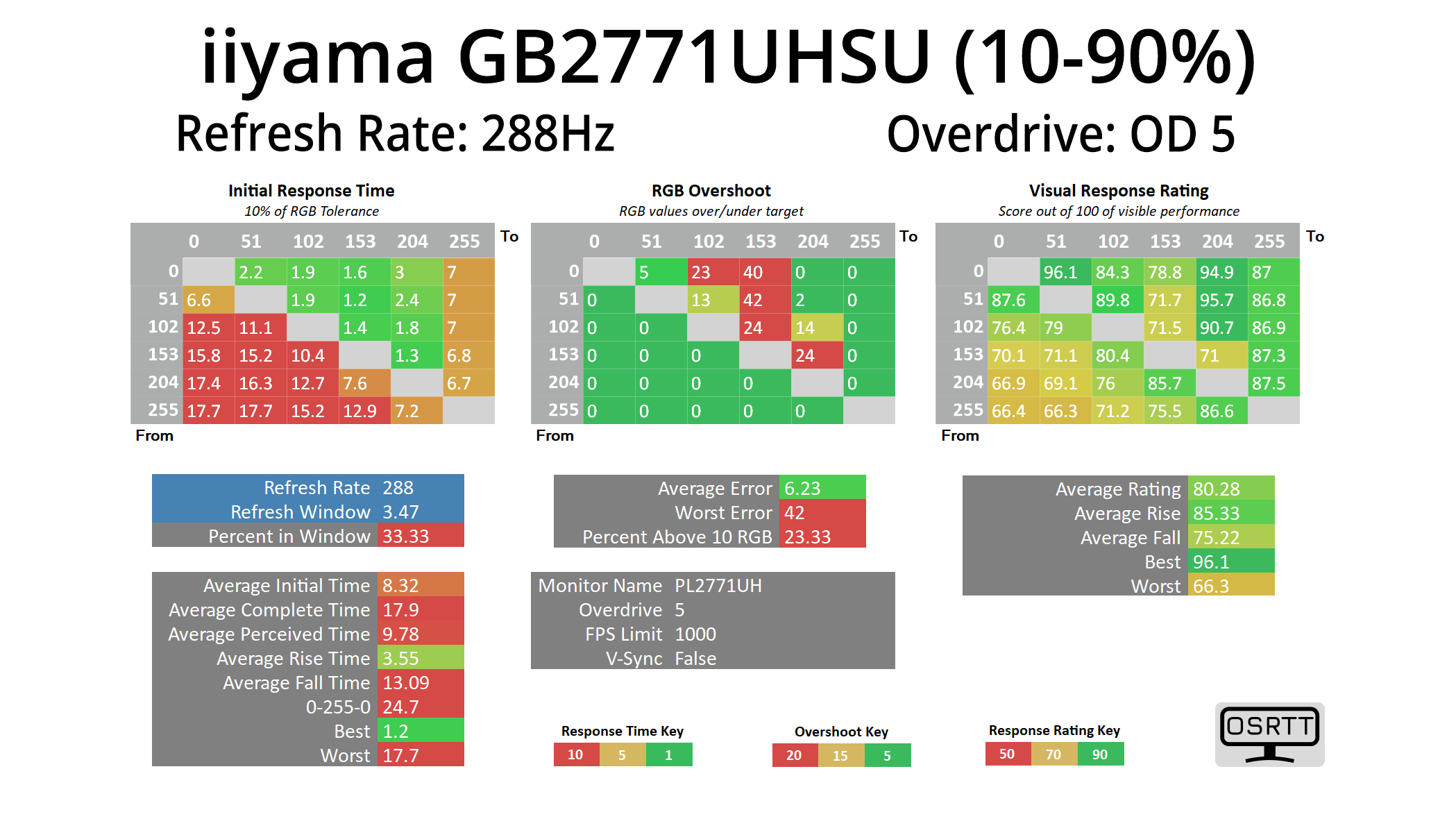
One thing we do need to point out is that we do use a fairly stringent RGB 5 tolerance when it comes to response times – others, like TFTCentral, might use an RGB 10 tolerance, or a 3-97% range like Monitor's Unboxed. However, even when using the to the old and now fairly discredited 10-90% range, at 288Hz we still saw an average response time of over 8.3ms, laughably slow in anyone's book, so it's not like we are being overly harsh on this screen.
144Hz
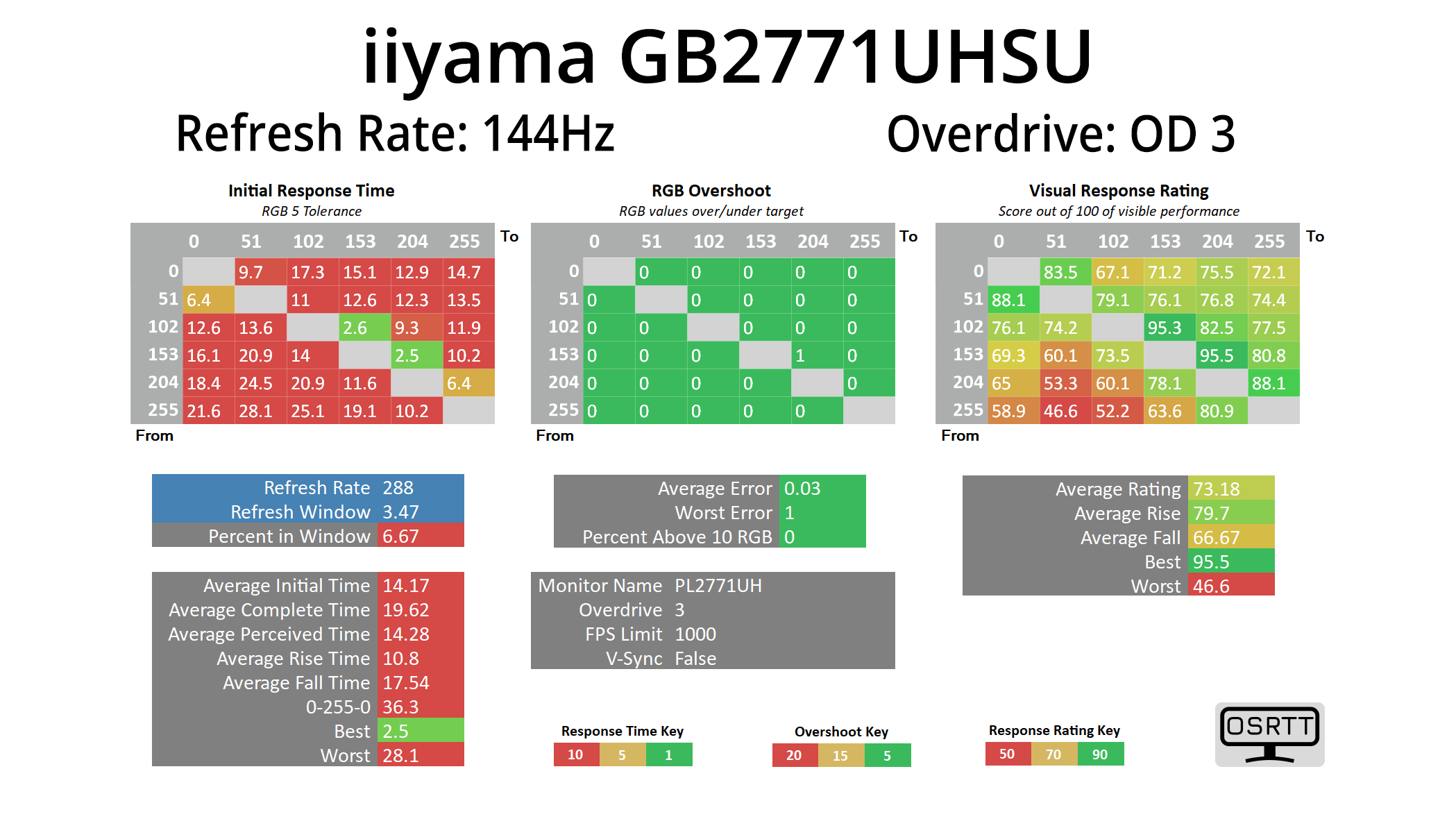
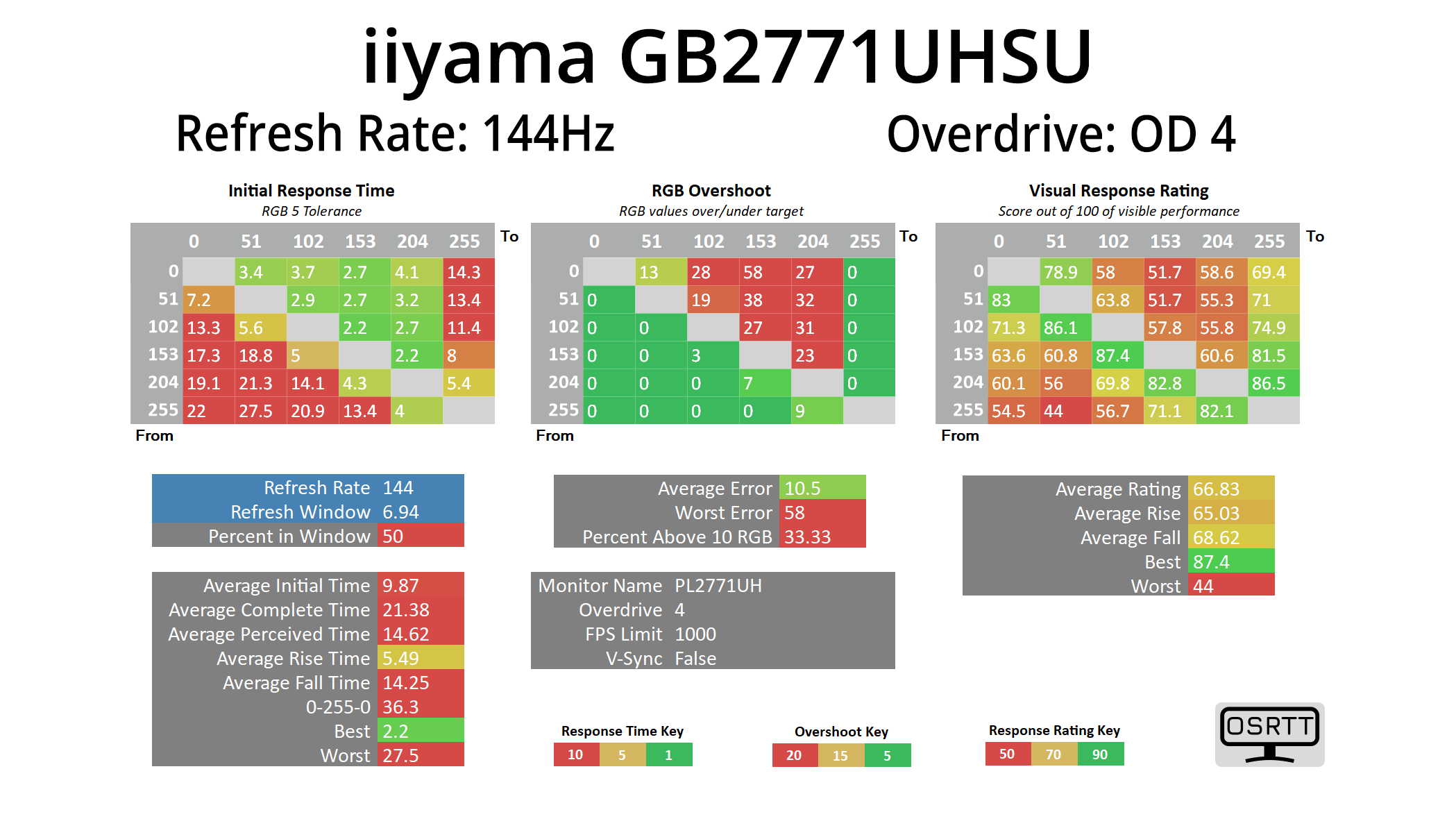
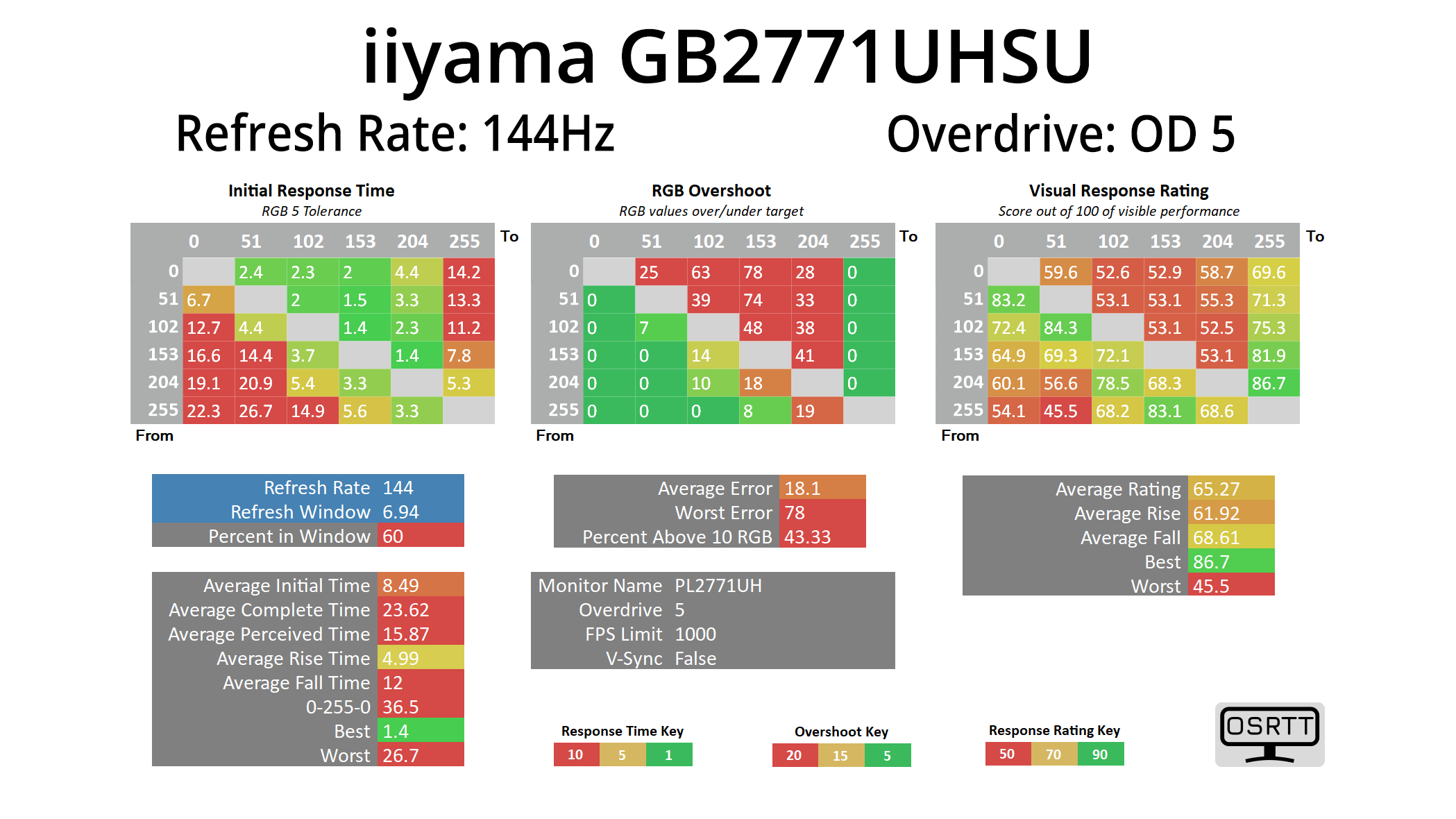
Now things do pick up slightly, and I mean very slightly, at 144Hz, with the OD 5 mode now delivering an average response time of 8.49ms – but at this lower refresh rate, it also adds a ton of overshoot, so it's not worth using. OD 4 is the best bet here but even that is just still way too slow by modern standards, averaging 9.87ms, and that's still with 33% of transitions exceeding their target by more than 10 RGB values.
In a nutshell, the monitor is just so slow – far too slow to recommend in this day and age, and I really just do not understand how it made it out of iiyama's labs, let alone to retail.
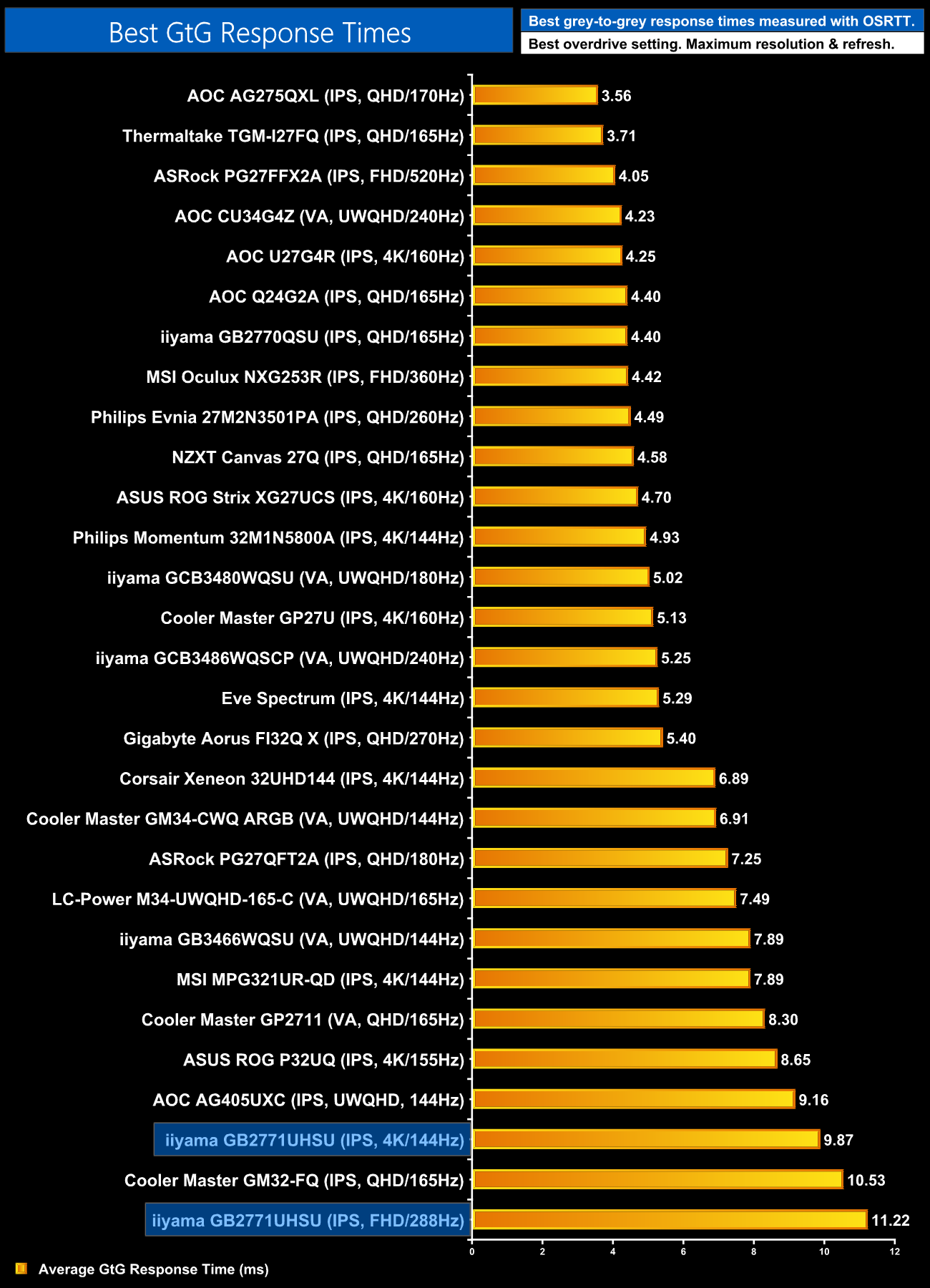
To confirm the results across both refresh rates, we can see the GB2771UHSU occupying two of the bottom three positions in our chart, making this easily the slowest LCD we have ever tested.
Motion Clarity
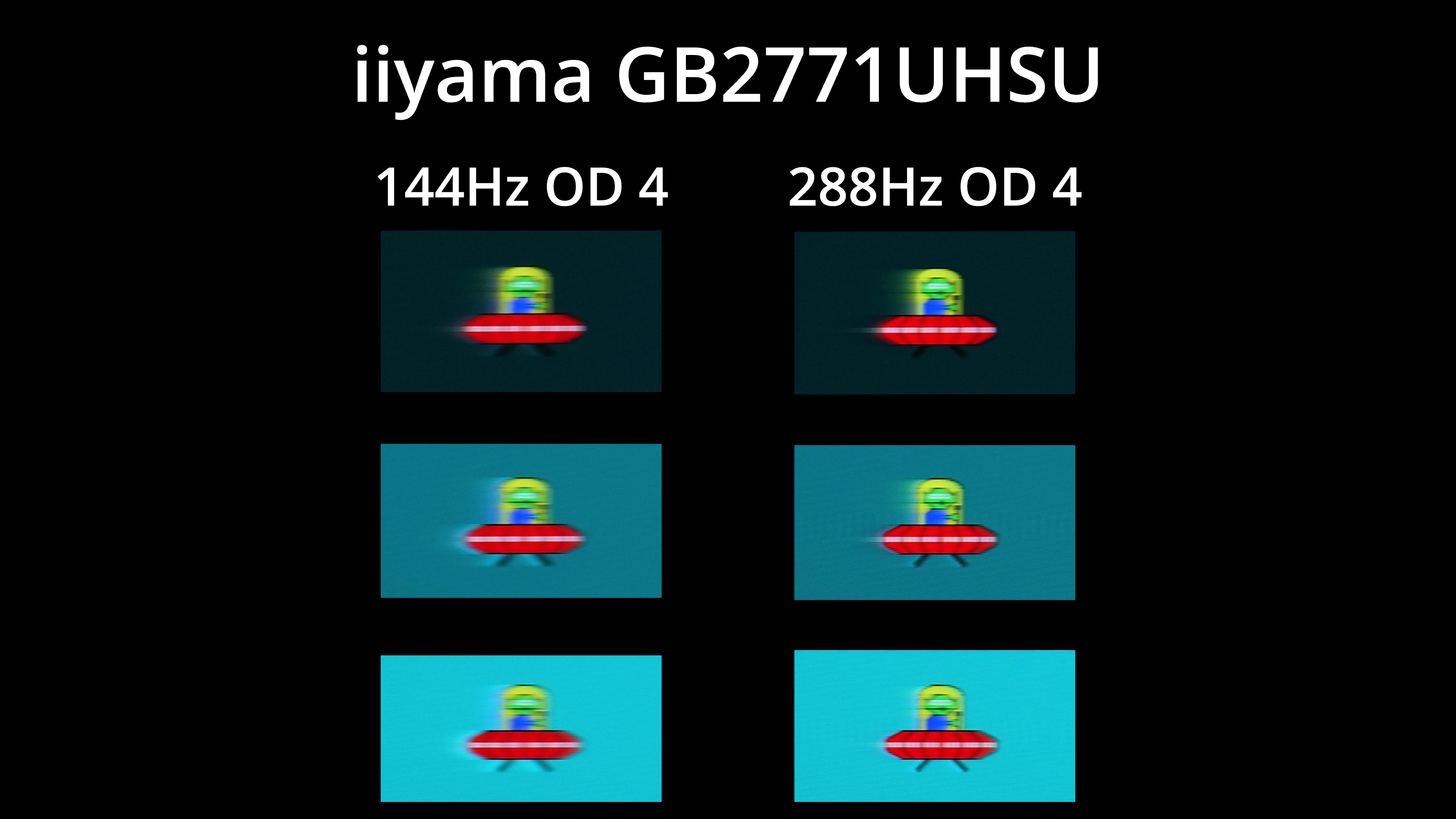
To give those results some context, we have our BlurBusters UFO images, and the first thing to show is the difference made by upping the refresh rate. Yes, it does help clarity at 288Hz vs 144Hz, but even then you can see just how much ghosting is present, while OD4 also has loads of overshoot at 144Hz.
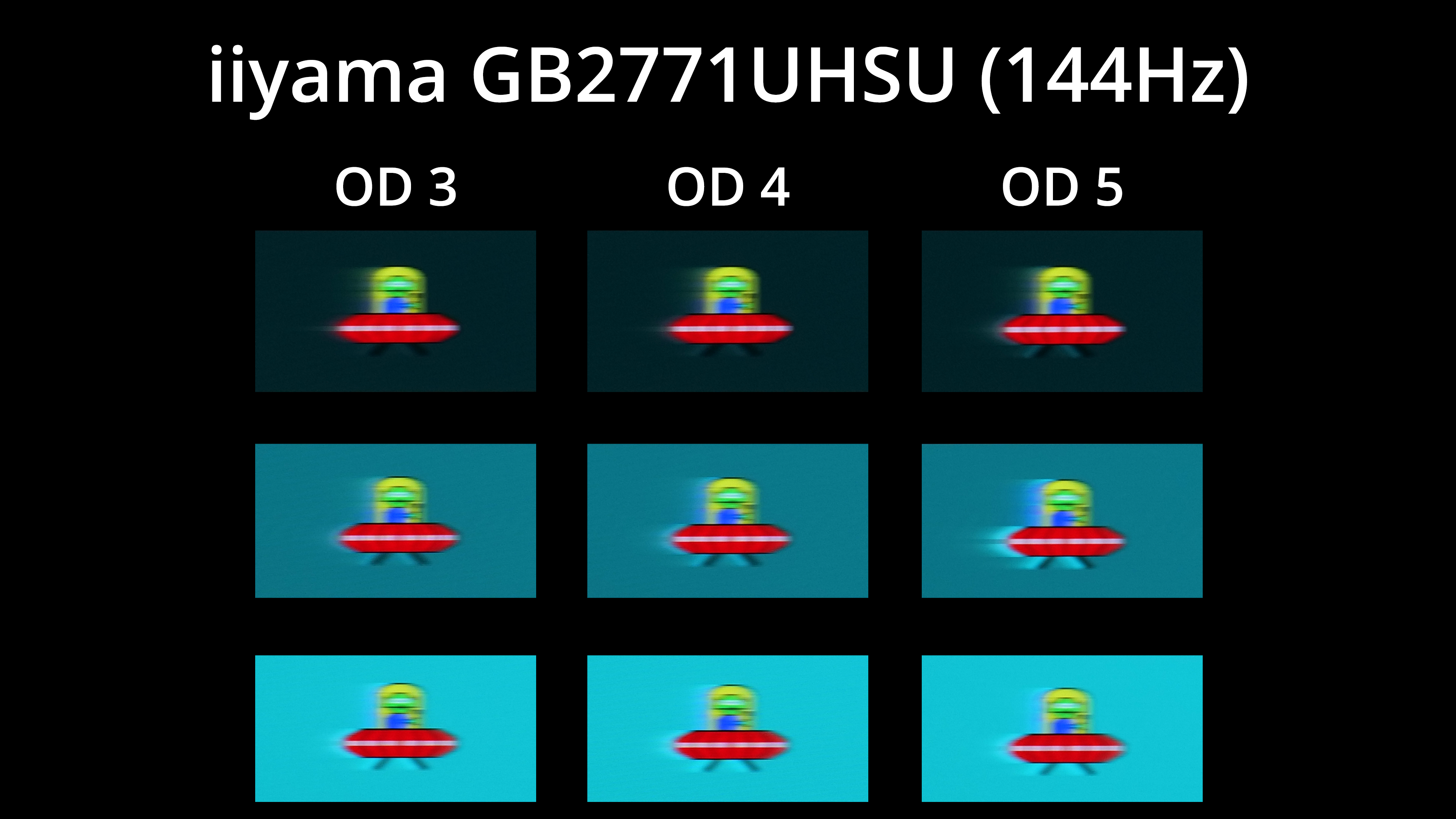
Here's a look at the three modes tested at 144Hz, with none offering anything close to what I would call a ‘good' level of motion clarity, owing to the excessive amount of ghosting.
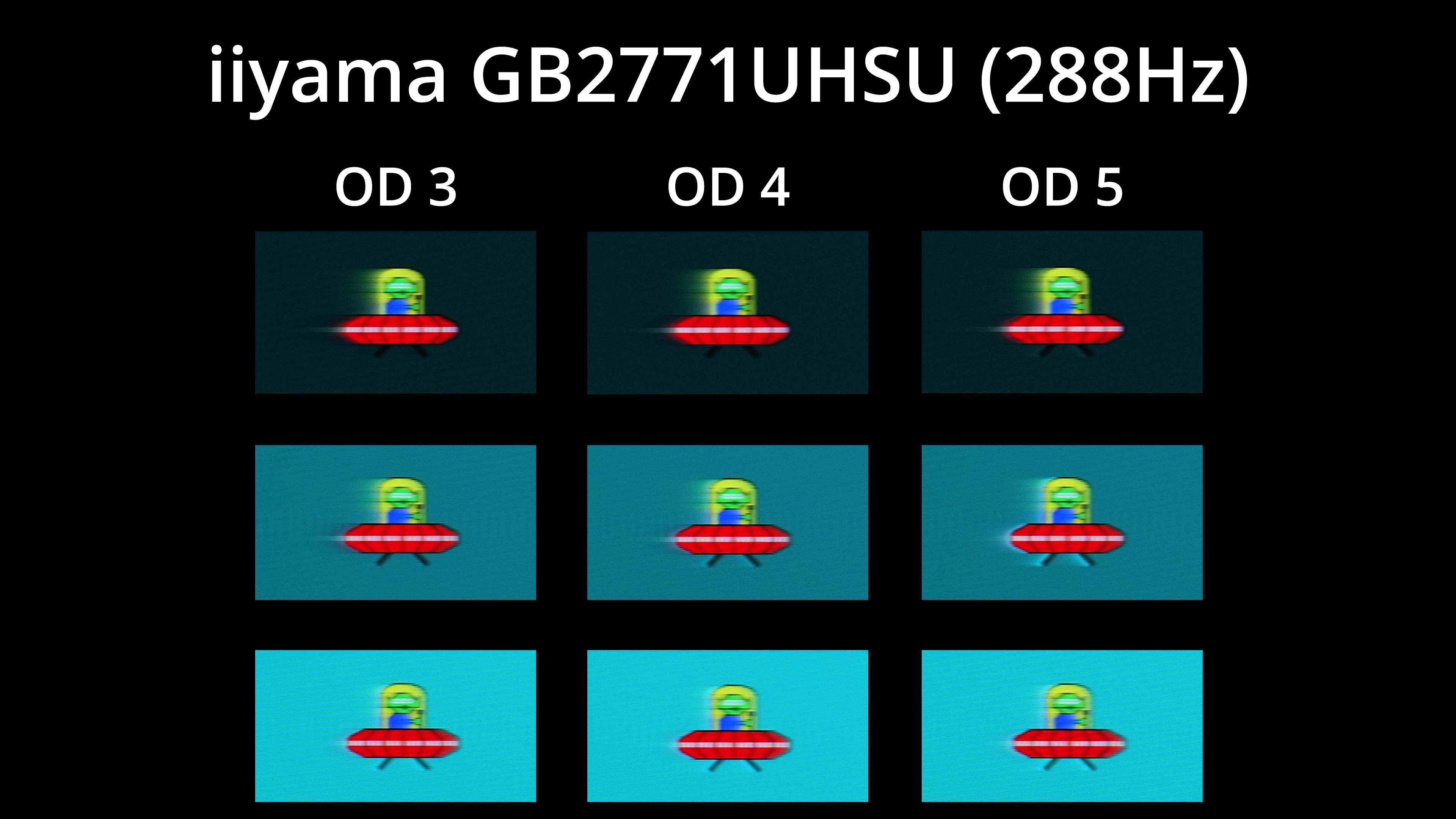
And the same goes for 288Hz – there is just a really noticeable trail after the images, and overshoot gets added as we step up through the OD modes.
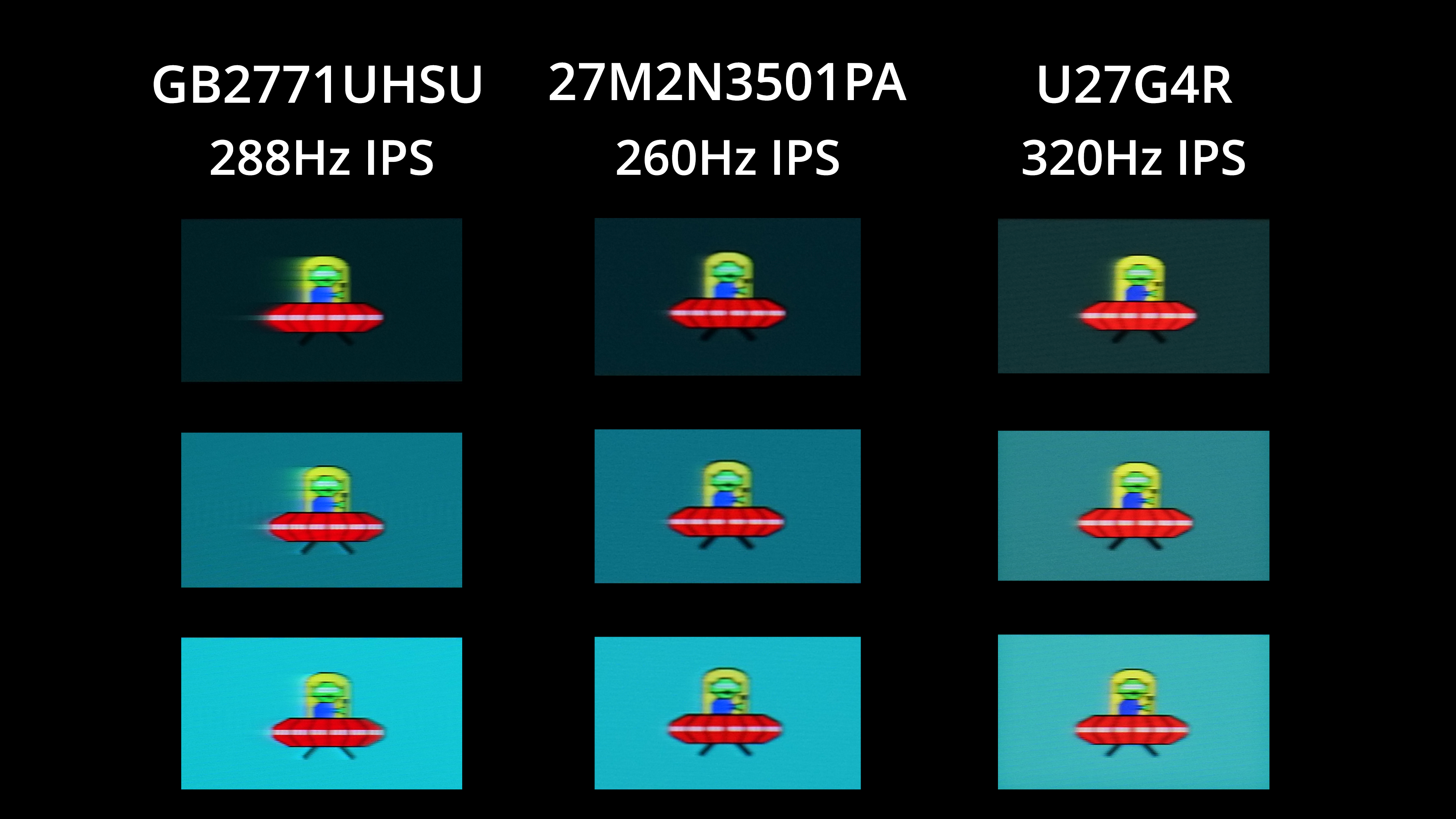
Here we can see just how poor the GB2771UHSU is compared to some similarly priced competition. The Philips Evnia 27M2N3501PA is a £200 1440p screen for instance, while the AOC U27G4R is another 4K dual-mode screen on offer for £229 during Black Friday, but regularly priced at £280. You can clearly see how both screens just offer a far cleaner image – there's very little visible ghosting and trailing, whereas the GB2771UHSU is just a smeary mess.
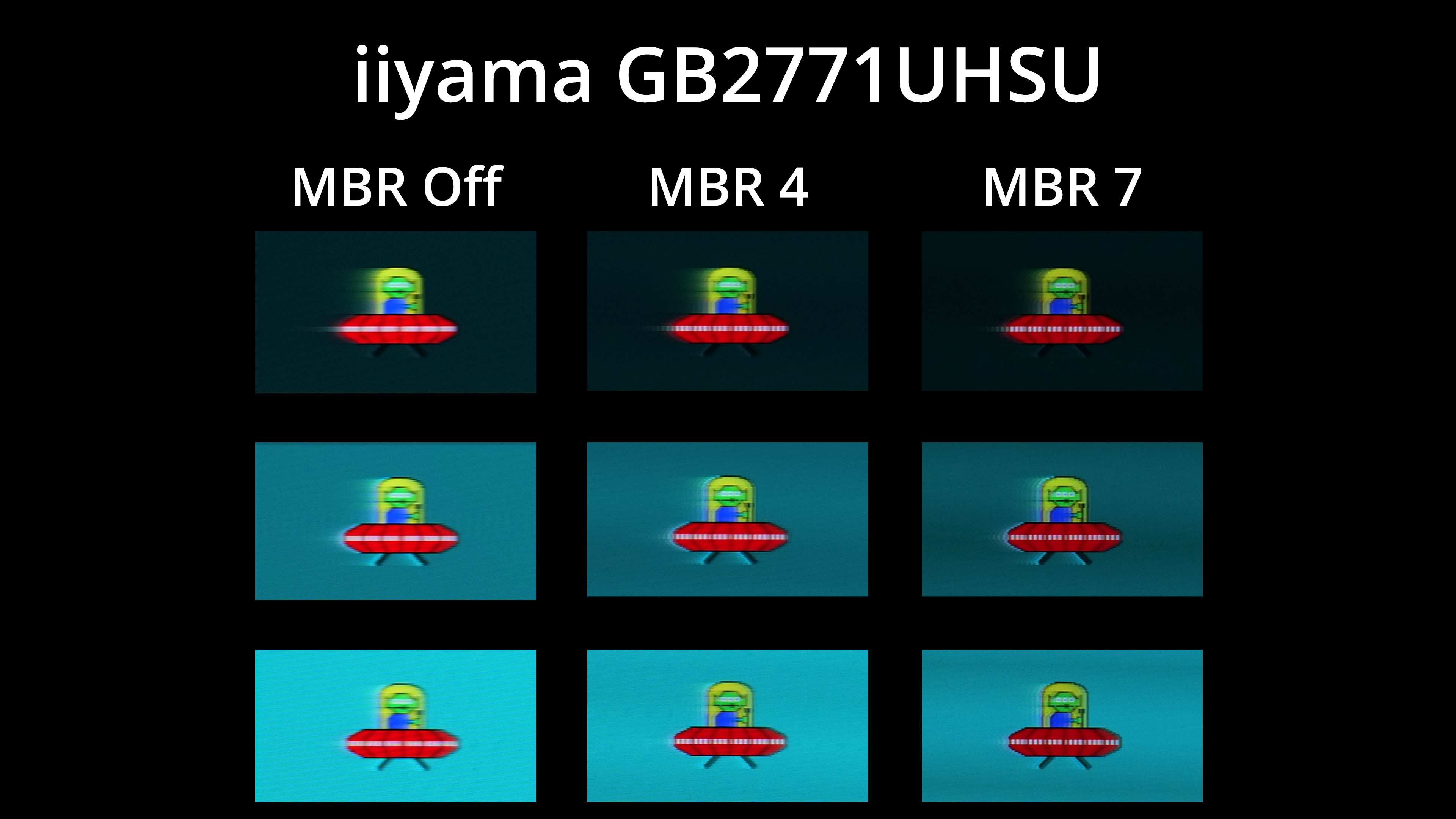
We did also test out the backlight strobing mode, AKA MBR, and this can be adjusted from 1 to 7. It definitely does help with motion clarity, but it can't fix the slow response times, so you still get a pronounced trailing effect behind the image. It also drops brightness, from almost 500 nits with MBR off, down to 304 nits at MBR 7, which is still very usable, but it doesn't work with adaptive sync either, so it's just not enough to save the GB2771UHSU.