KitGuru KitGuru.net – Tech News | Hardware News | Hardware Reviews | IOS | Mobile | Gaming | Graphics Cards


It's not often that we review products here at KitGuru that we outright cannot recommend, but today's monitor falls into that category. We're looking at the iiyama GB2771UHSU, a 27in IPS monitor with dual-mode functionality – offering support for either 4K/144Hz or 1080p/288Hz depending on your preference. On top of that it has a claimed brightness of 450 nits, along with contrast of 1500:1, all on offer for just £240. It sounds good on paper, but as we find out, real-world usage is another thing entirely…
Timestamps
00:00 Intro
00:54 iiyama’s new range
01:22 We’re doing things differently today
01:55 Response time testing – ouch!
04:20 Motion clarity examples
06:06 Real-world gaming experience
07:29 Panel analysis / factory calibration
09:24 More bad news – sRGB mode
10:42 Quick look at the design
12:22 Closing thoughts
Launched only at the start of November, iiyama got in touch with us earlier this year to let us know a new wave of Fast IPS and IPS screens would be hitting the market before the end of the year – the GB2771UHSU included. Dual-mode has proven popular this year so when the company offered to send us this new model, we jumped at the chance. Join us for our usual detailed analysis as we explain why this is not a monitor you should be adding to your shortlist in 2025.
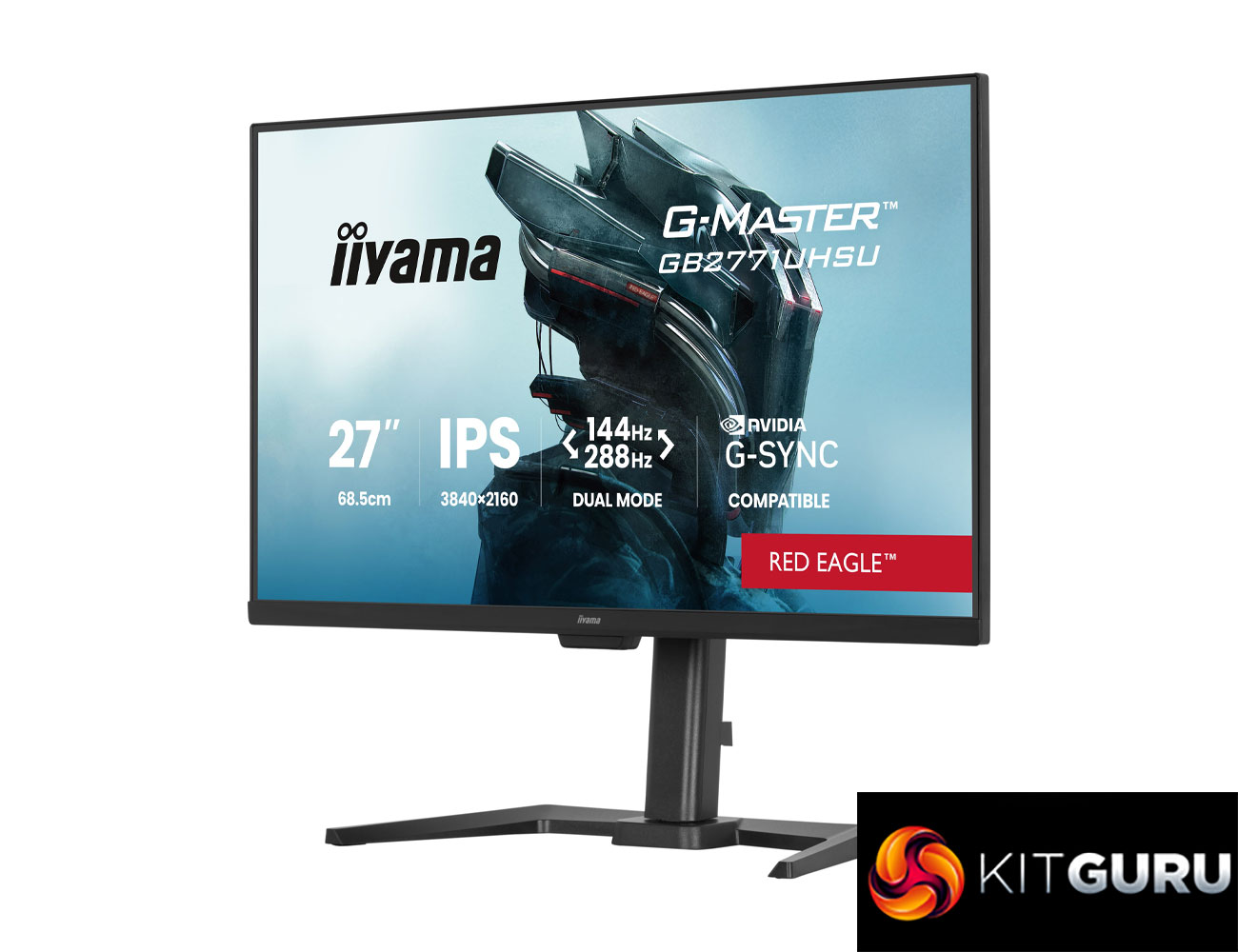
Specification:
- Design: 4-side slim bezel
- Diagonal: 27″, 68.6cm
- Panel: IPS
- Native resolution: 3840×2160 @144Hz
- Dual mode: 1920 x 1080 @288Hz
- Aspect ratio: 16:9
- Panel brightness: 450 cd/m²
- Static contrast: 1500:1
- Advanced contrast: 100M:1
- Response time (MPRT): 0.8ms (min.)
- Viewing zone: 178°/178°, right/left 89°/89°, up/down 89°/89°
- Colour support: 1.07B 8bit+FRC
- Horizontal sync: 30 – 360kHz
- Viewable area (W x H): 596.7 x 335.7mm (23.4 x 13.2″)
- Pixel pitch: 0.155mm
- Colour: matte, black
- Signal input: HDMI x2 (v2.1, max 3840×2160 @144Hz, 1920×1080 @288Hz); DisplayPort x1 (v1.4 DSC, max 3840×2160 @144Hz, 1920×1080 @288Hz)
- USB hub: 4x (2x v3.2 Gen1 Type-A 5Gbps 4.5W, 2x v3.2 Gen1 Type-C 5Gbps 7.5W)
- HDCP: yes
- Headphone connector: yes
- Blue light reducer: yes
- Flicker free: yes
- Adaptive Sync support: AMD FreeSync Premium / NVIDIA G-SYNC Compatible
- Extra: i-Style Colour
- HDR: HDR400
- Speakers: 2 x 2W
- Convenience: Kensington-lock™ prepared, DDC/CI
- Display position adjustments: height, swivel, tilt, pivot (both sides)
- Height adjustment: 150mm
- Rotation (pivot): 90°
- Swivel stand: 90°; 45° left; 45° right
- Tilt angle: 23° up; 5° down
- VESA mounting: 100 x 100mm
- Cable management system: yes
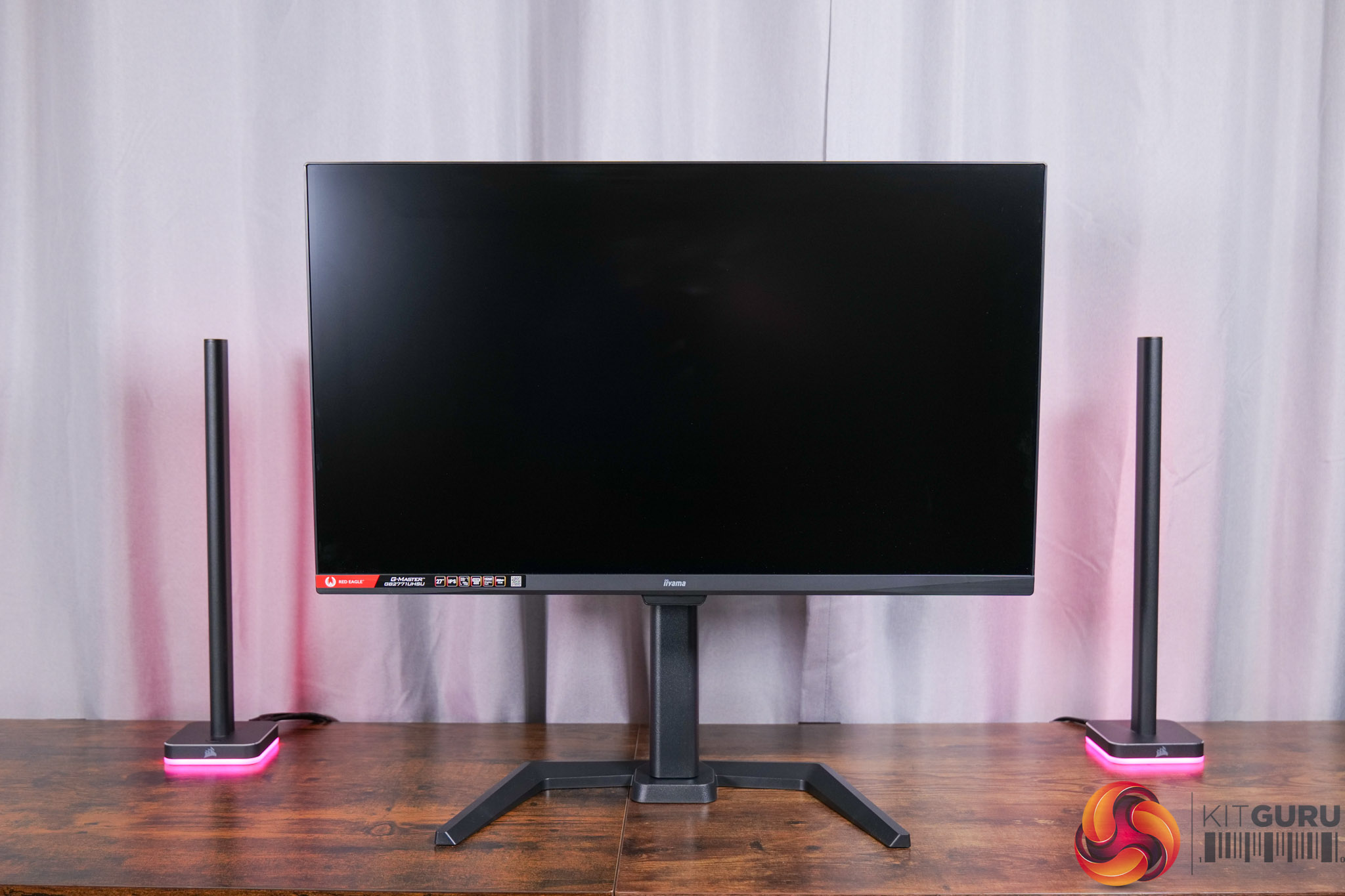
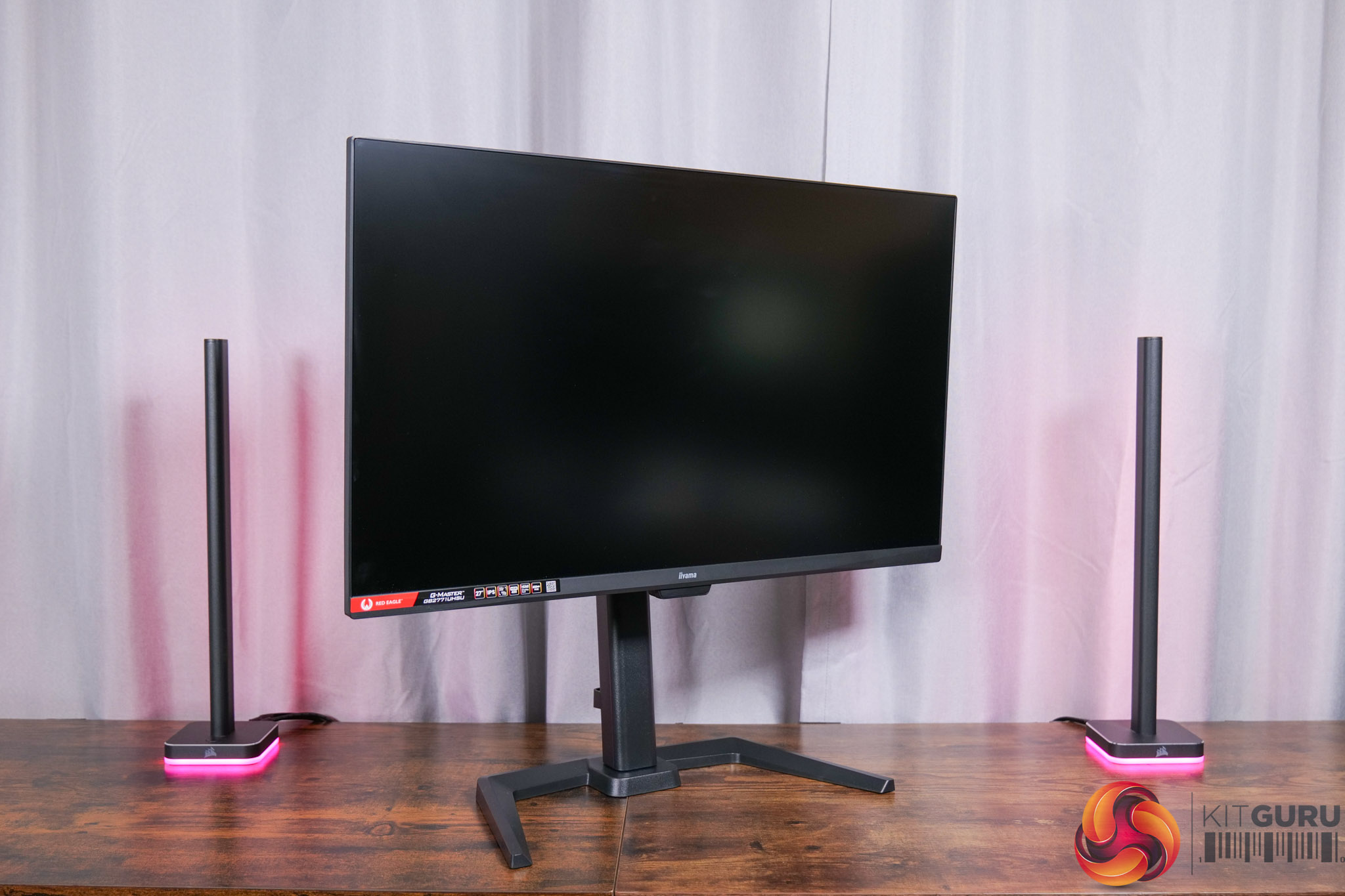
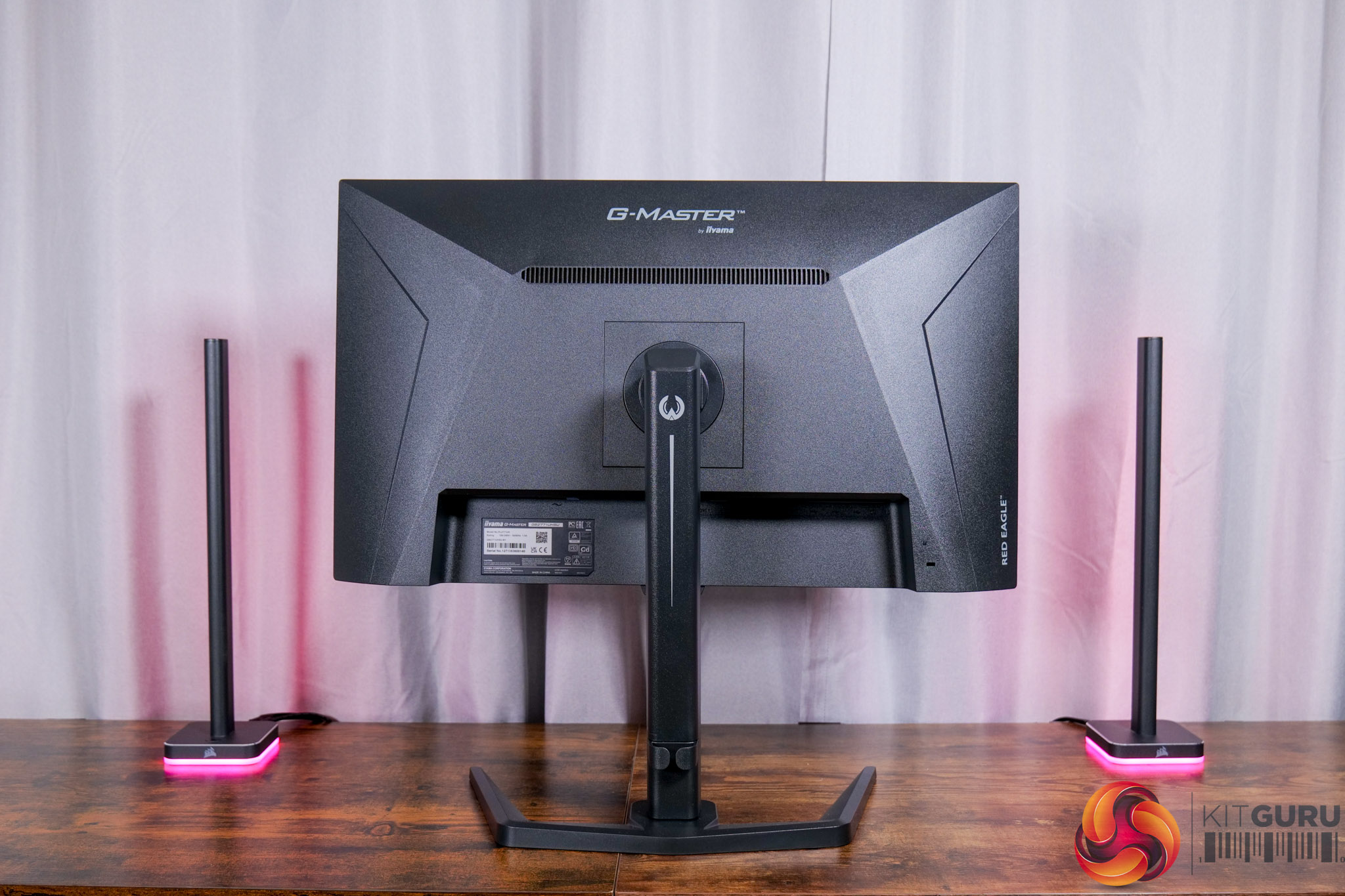
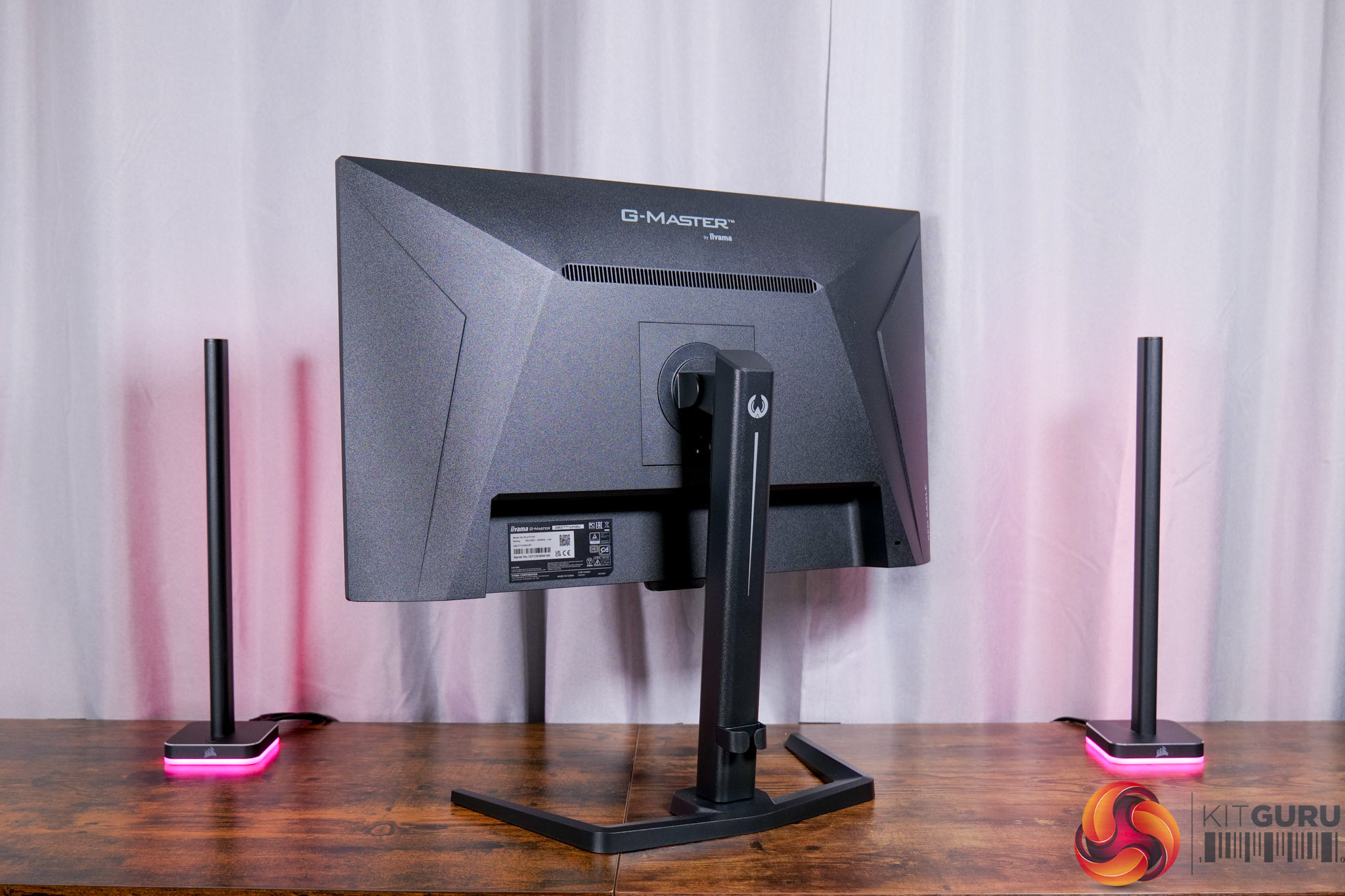
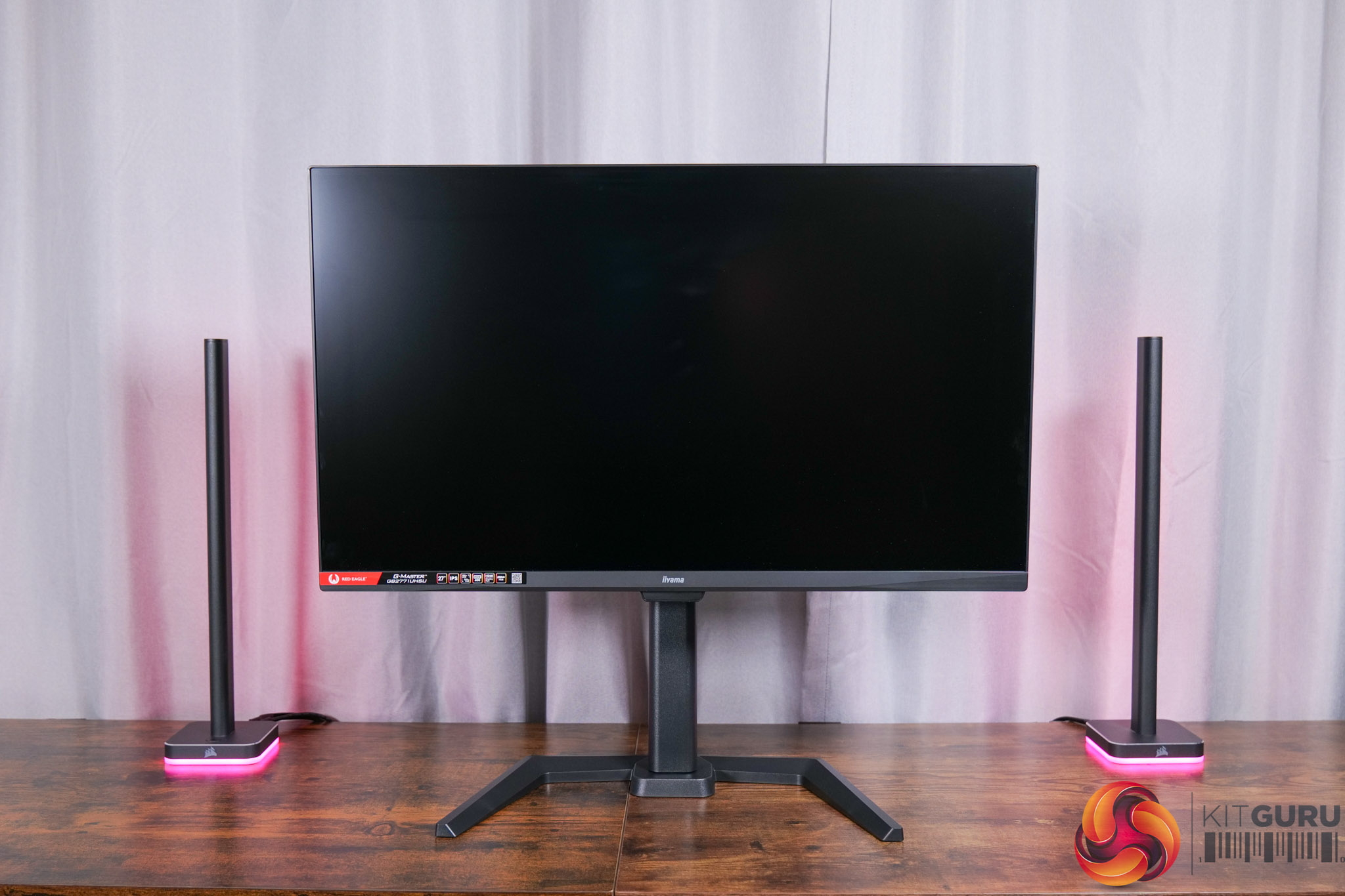
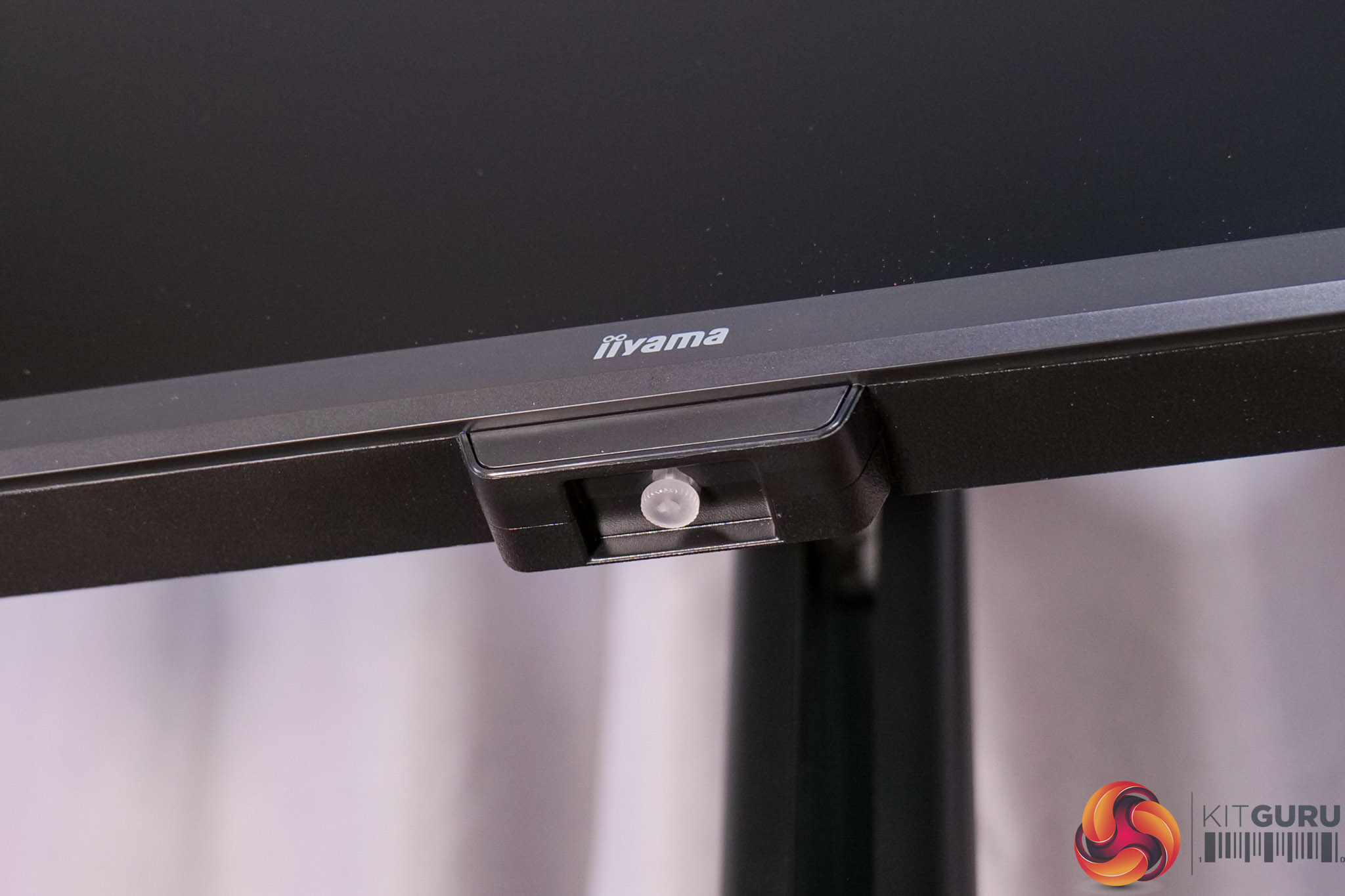
Kicking off with the design, it really is classic iiyama fare. The company just keeps things very minimalistic and stripped back – no flashy lights or brazen design choices, it's just a simple matte black chassis and stand. You can certainly argue that it's visually boring, but from the front it looks clean and professional, while the bottom chin only measures about 16mm thick.
It's also good to see a compact foot used – it's not a square foot, but the prongs are curved inwards so it only measures approximately 39cm across.
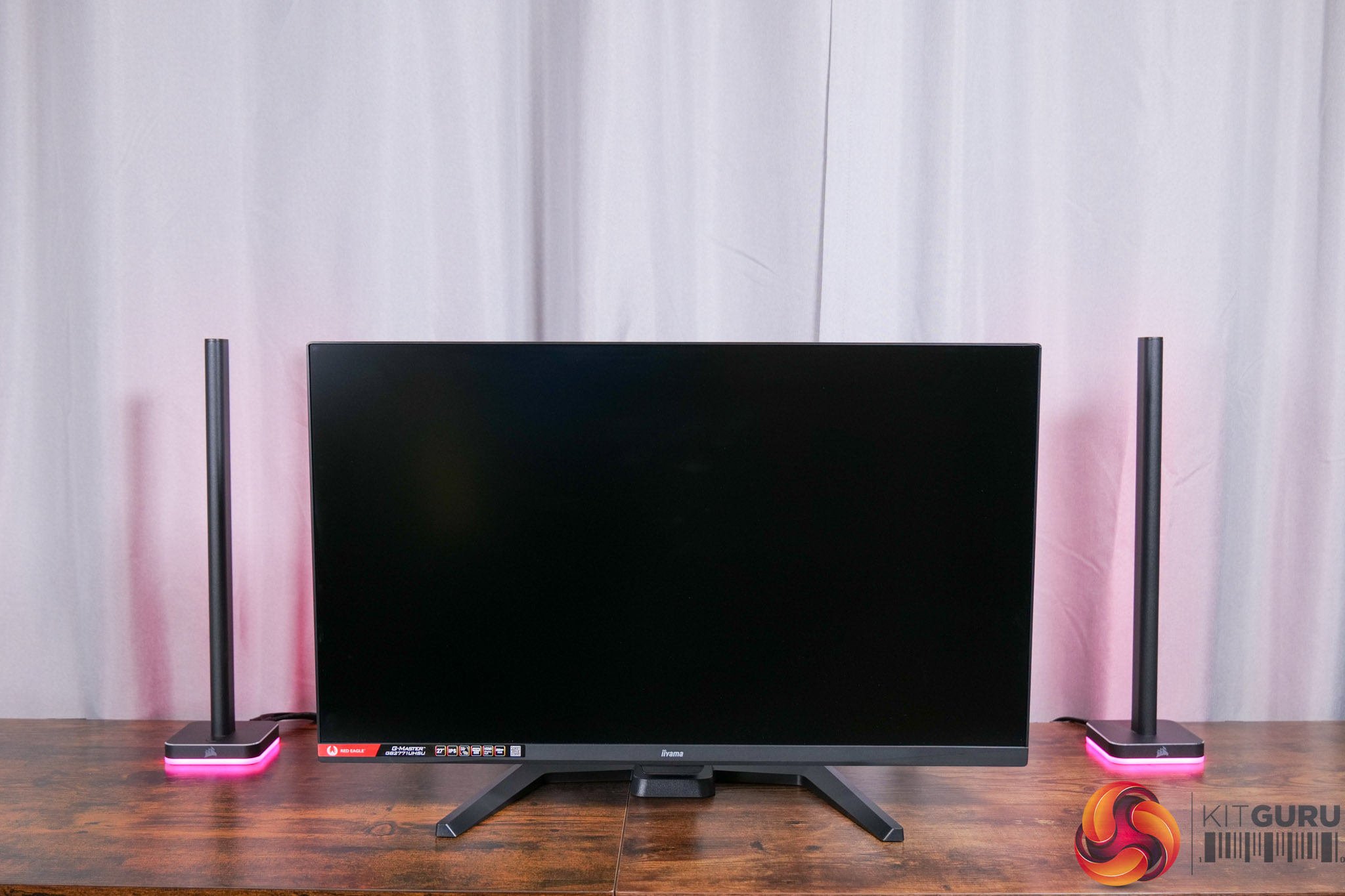
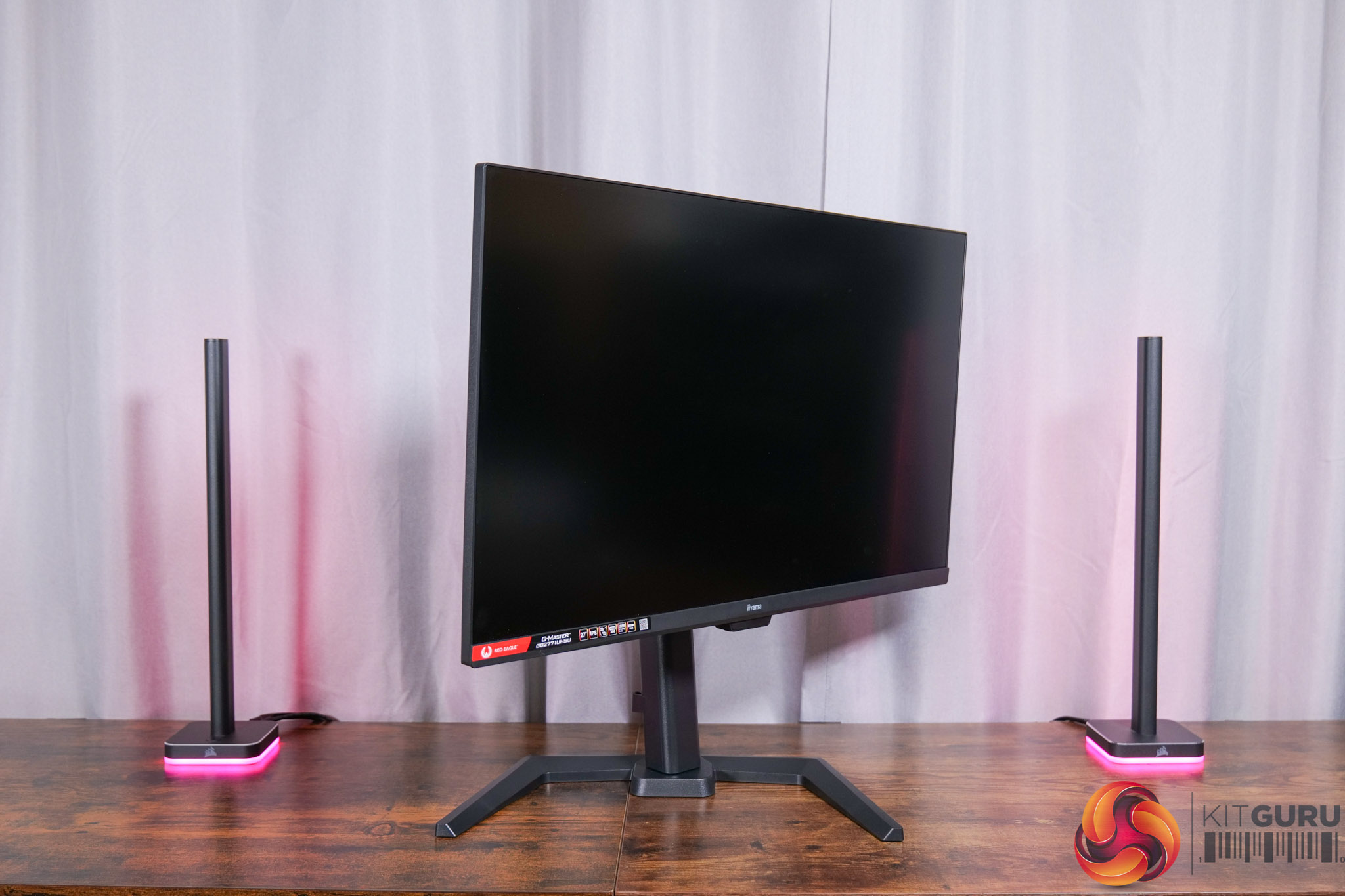
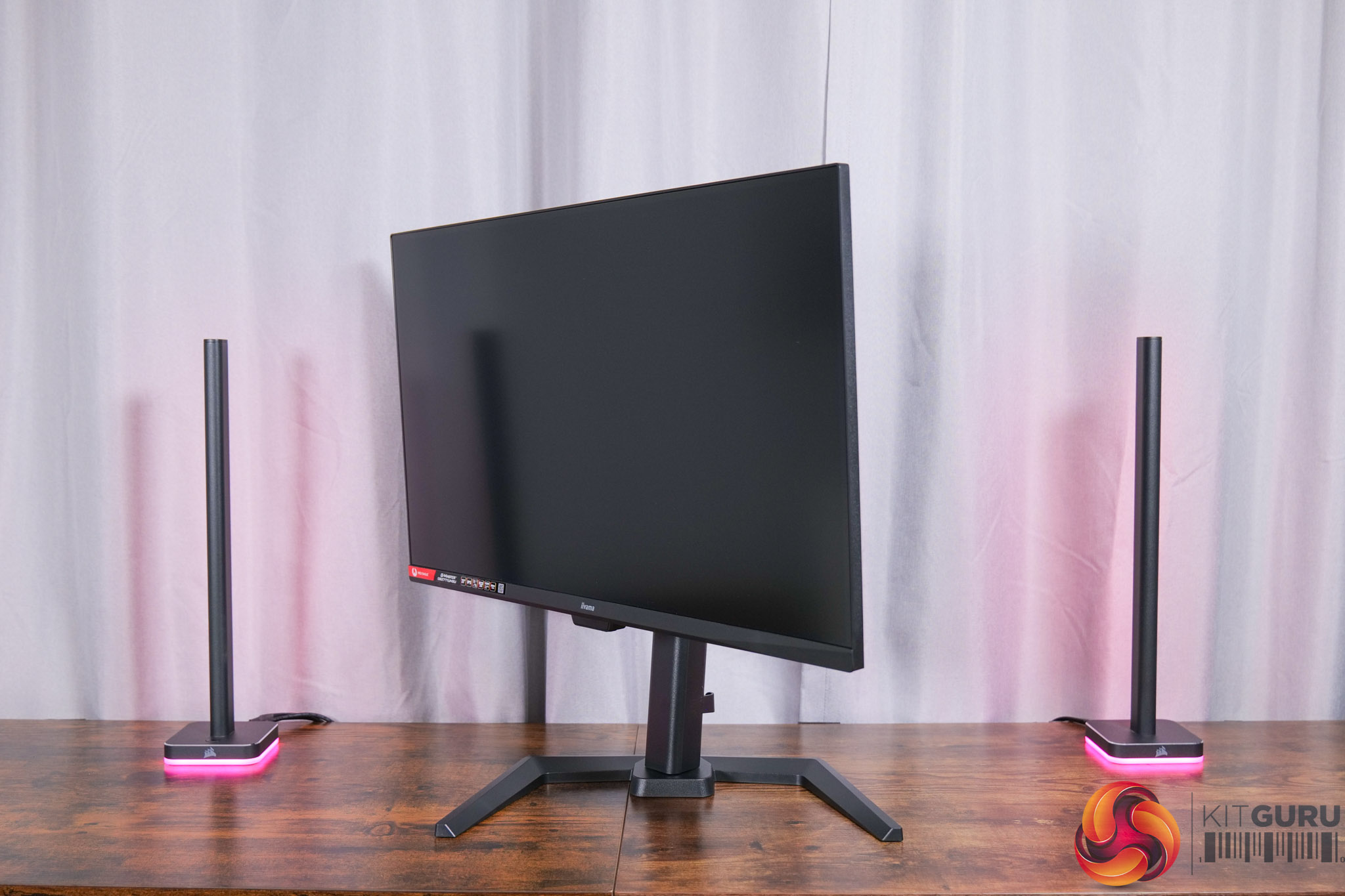
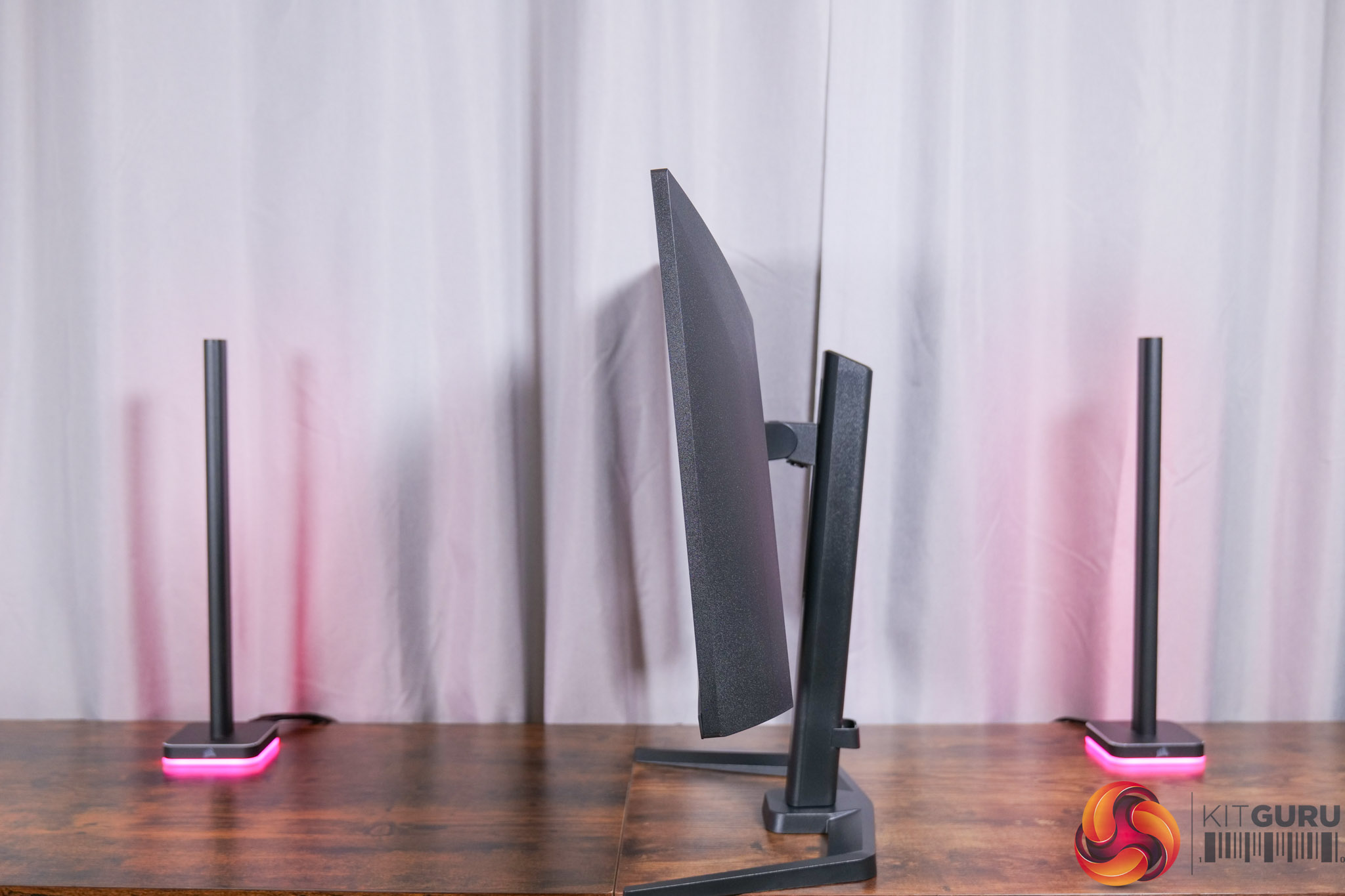
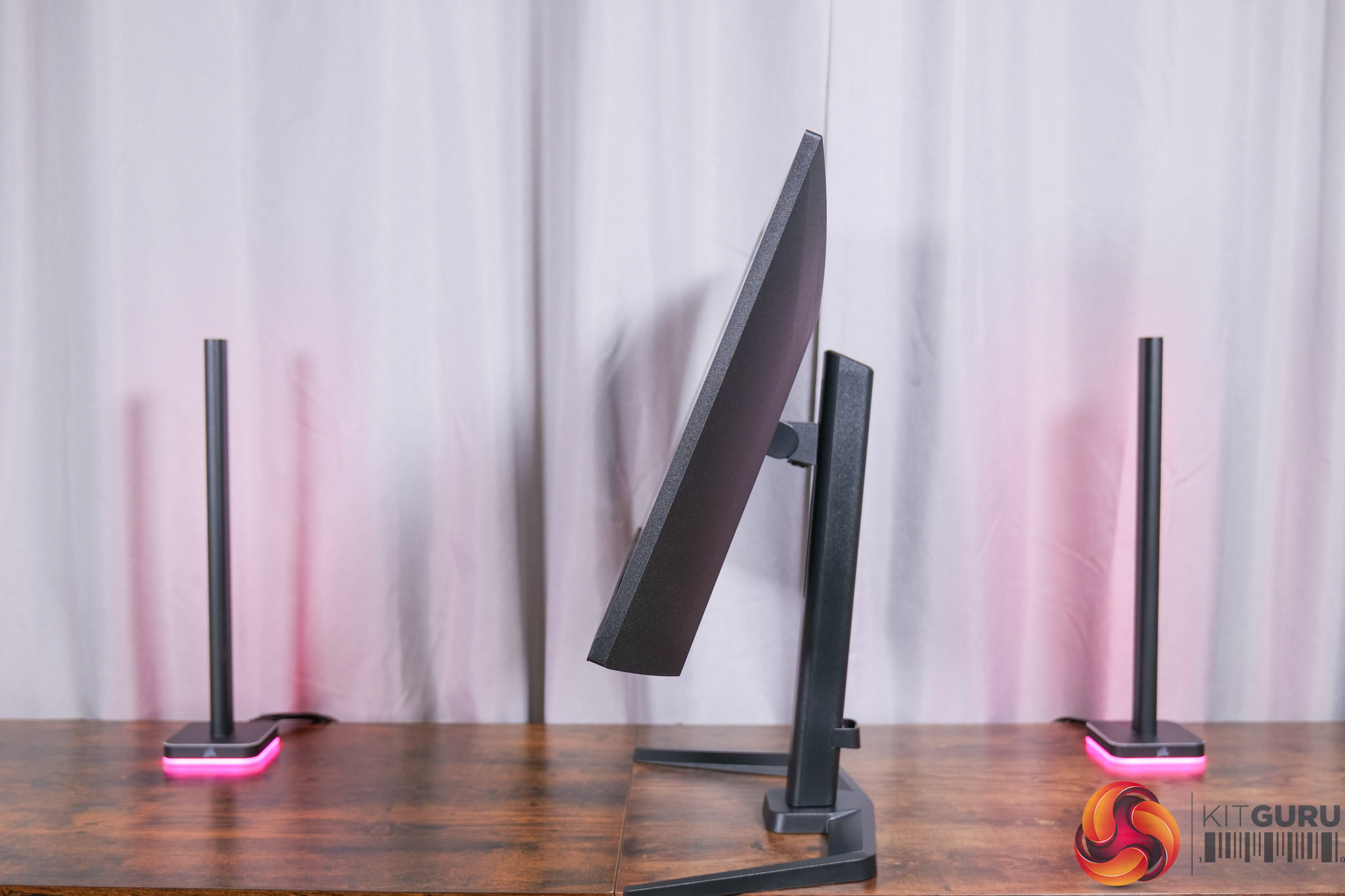
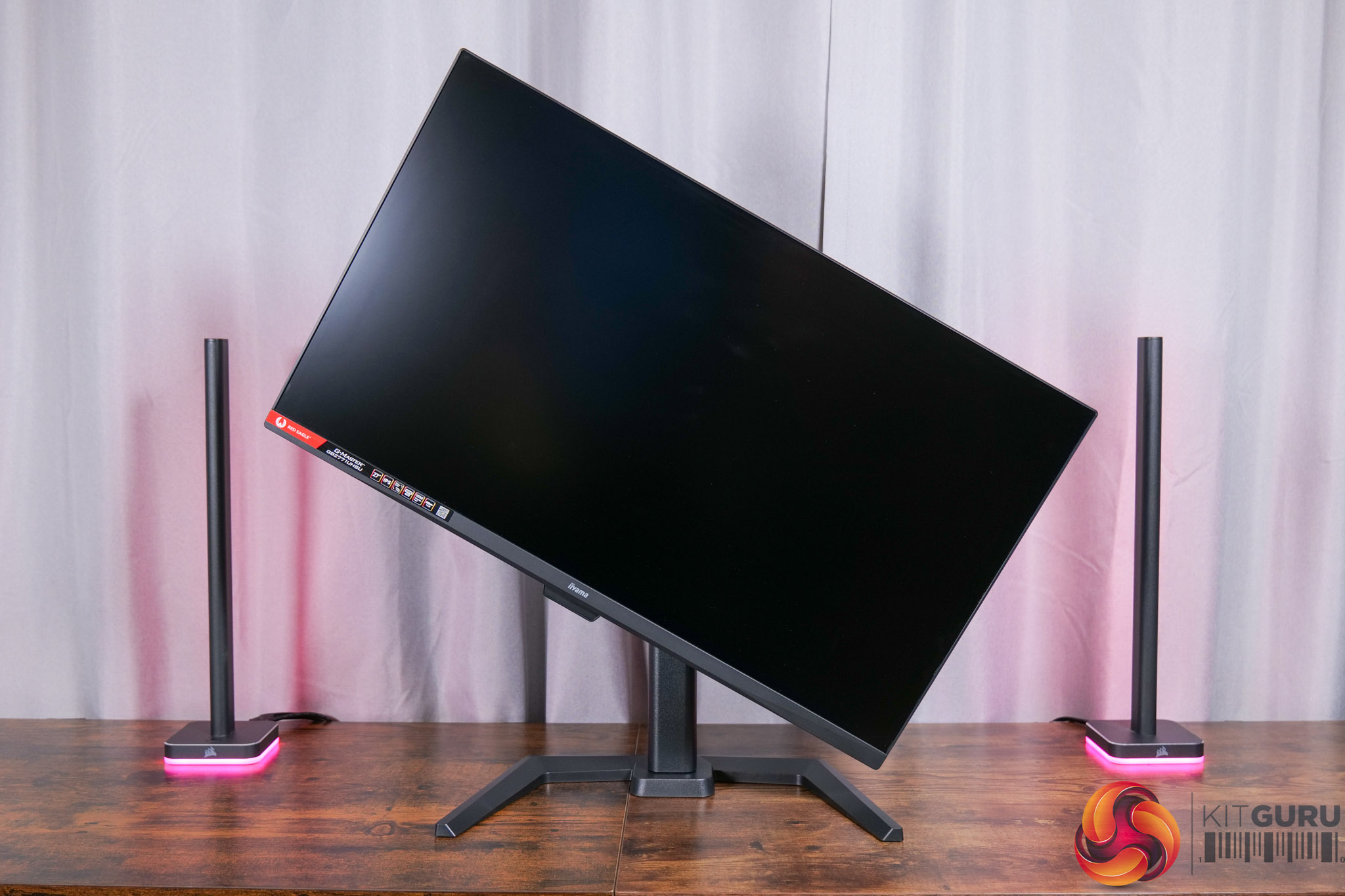
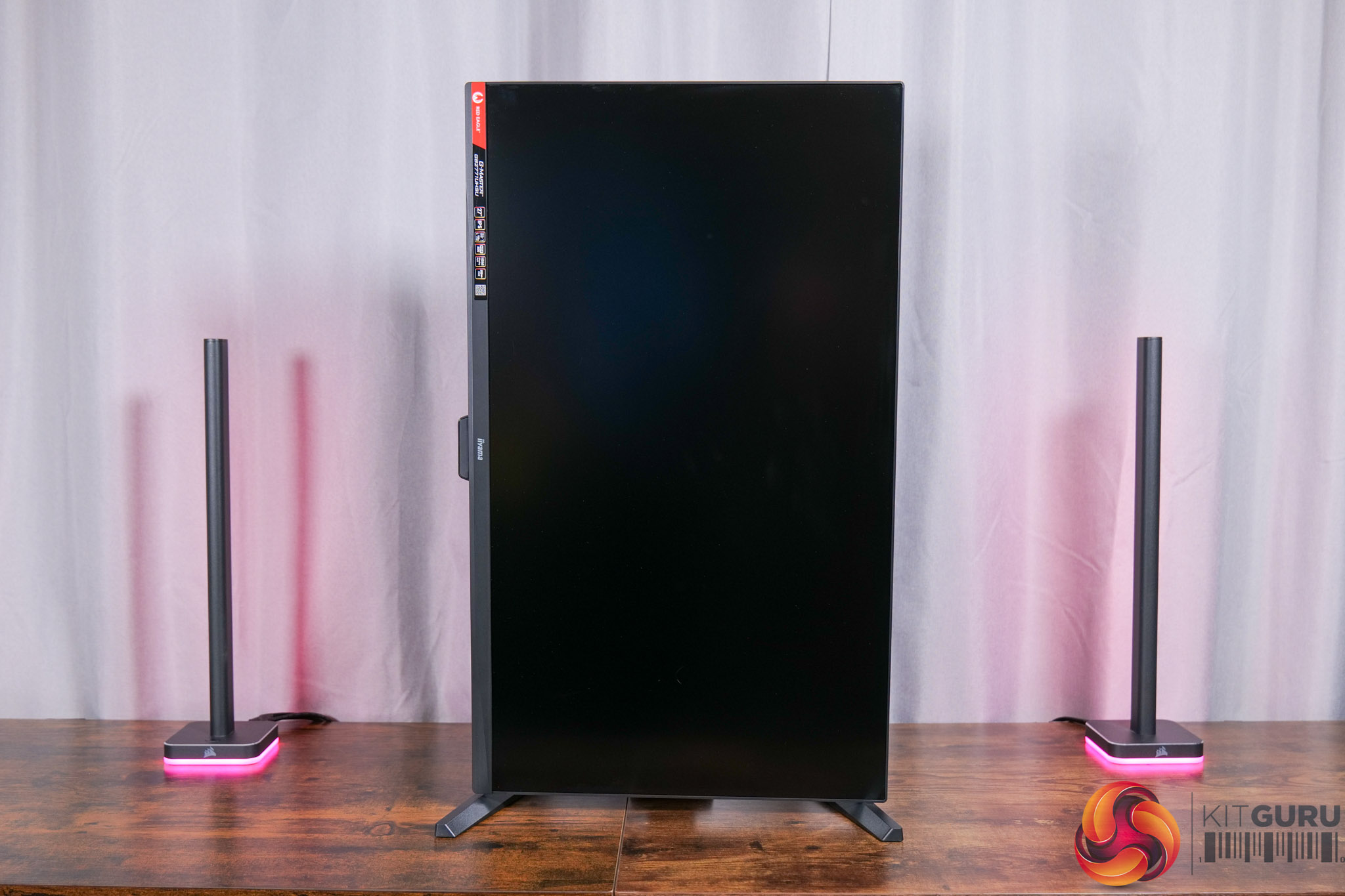
The included stand offers a great array of ergonomic adjustments, too. We find up to 150mm of height adjustment, 45 degrees of swivel left and right, tilt from -5 to +23 degrees, alongside 90 degree pivot functionality. VESA 100×100 mounts are also supported.
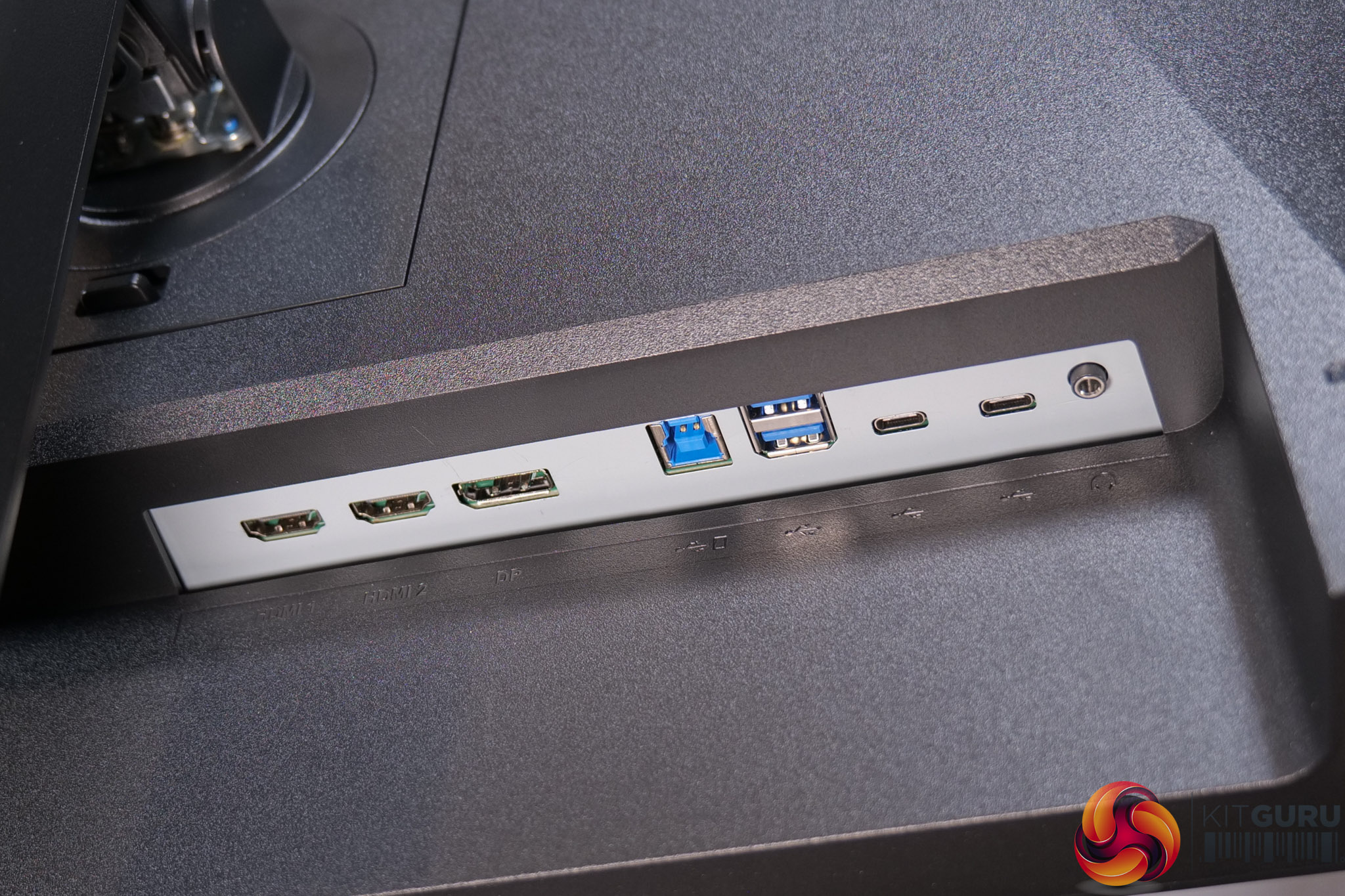
As for the connectivity options, we find two HDMI 2.1 ports, alongside one DisplayPort 1.4, There's also a USB-B upstream feeding two Type-A downstreams, and then two Type-C 3.2 Gen1 ports – neither supports DP Alt mode or KVM functionality, and each provides just 7.5W power delivery.
It's good to see a joystick used to navigate the OSD, positioned in the centre of the bottom chin.
The OSD itself is split into ten main tabs:
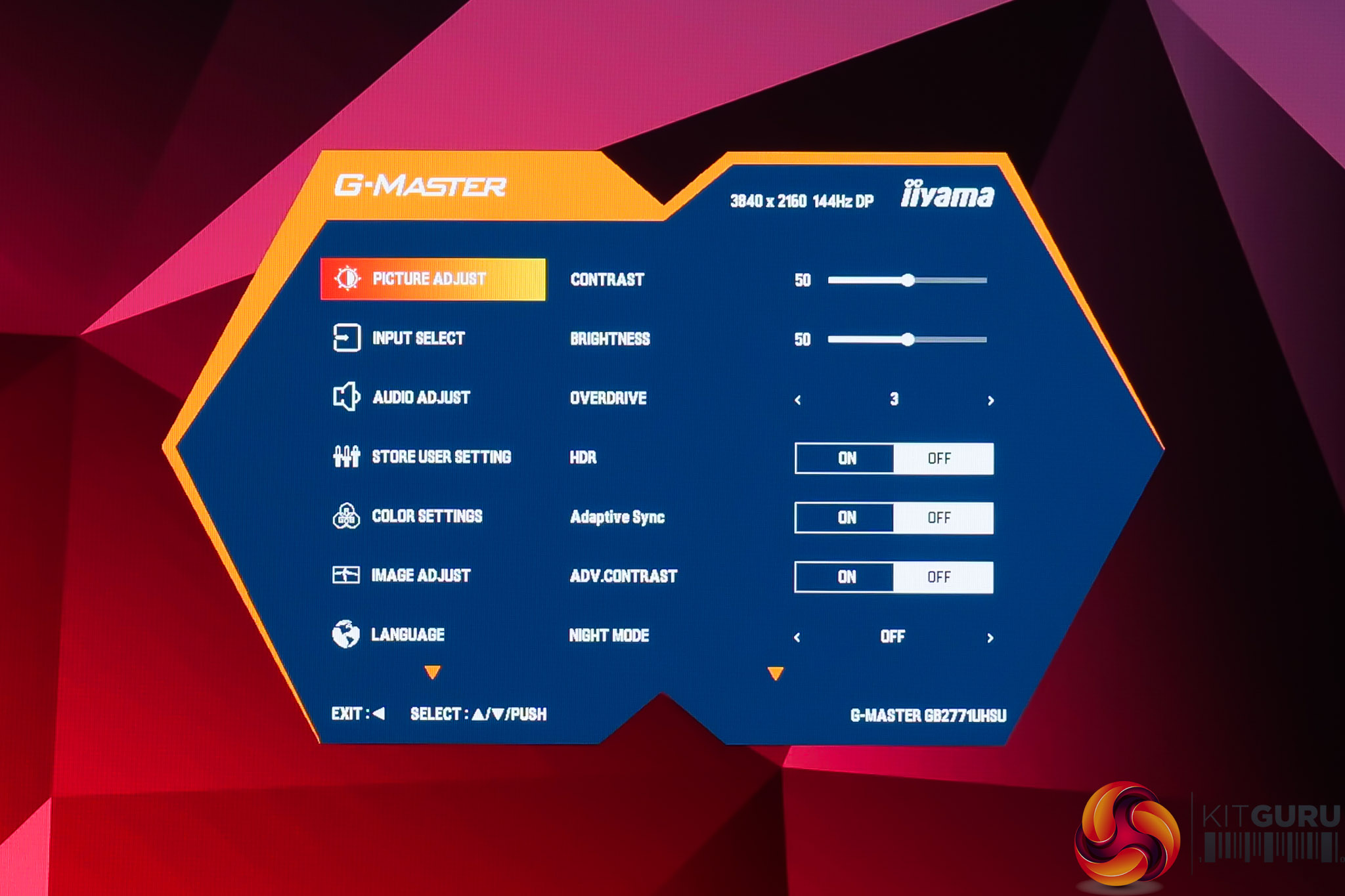
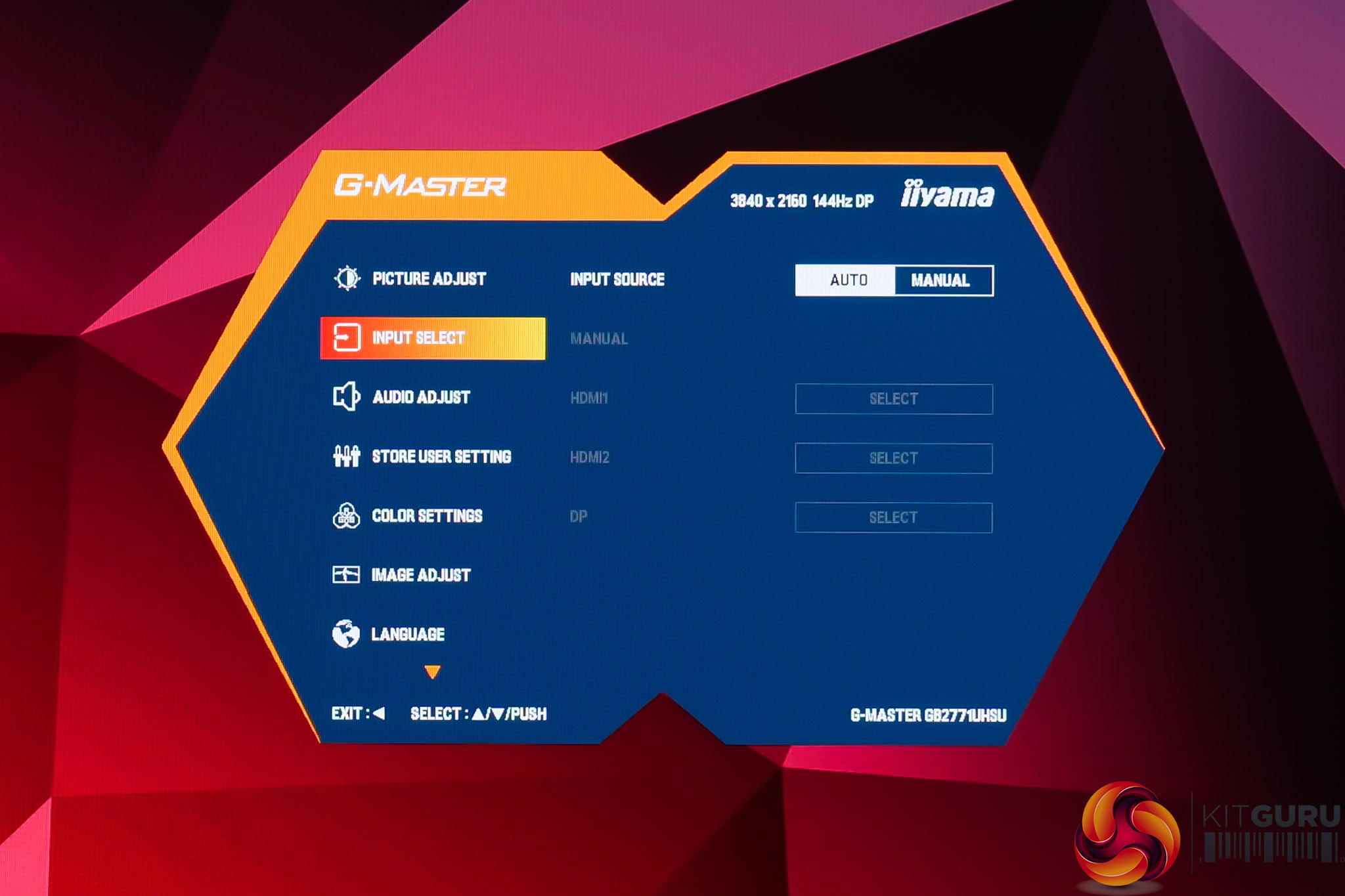
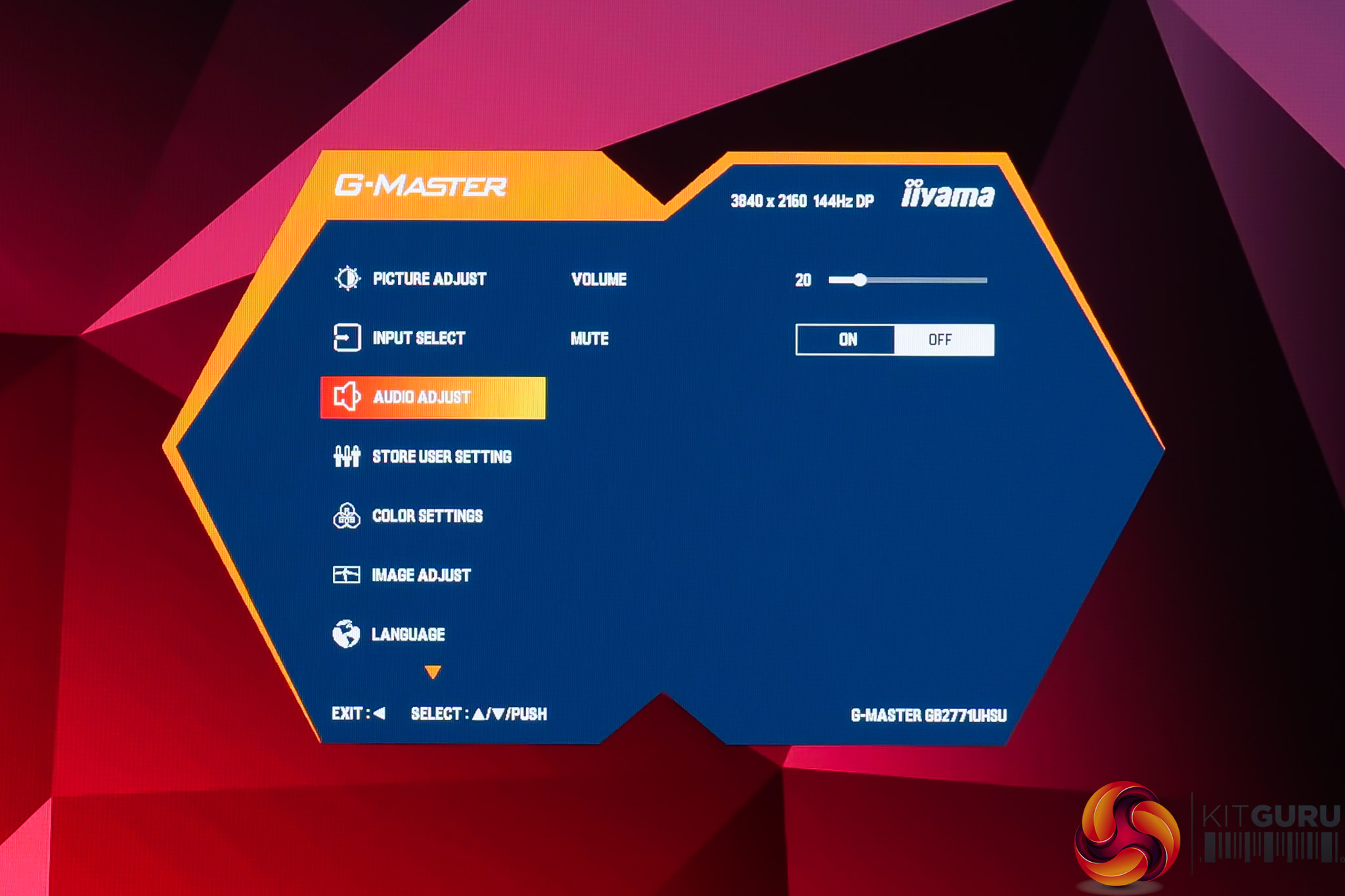
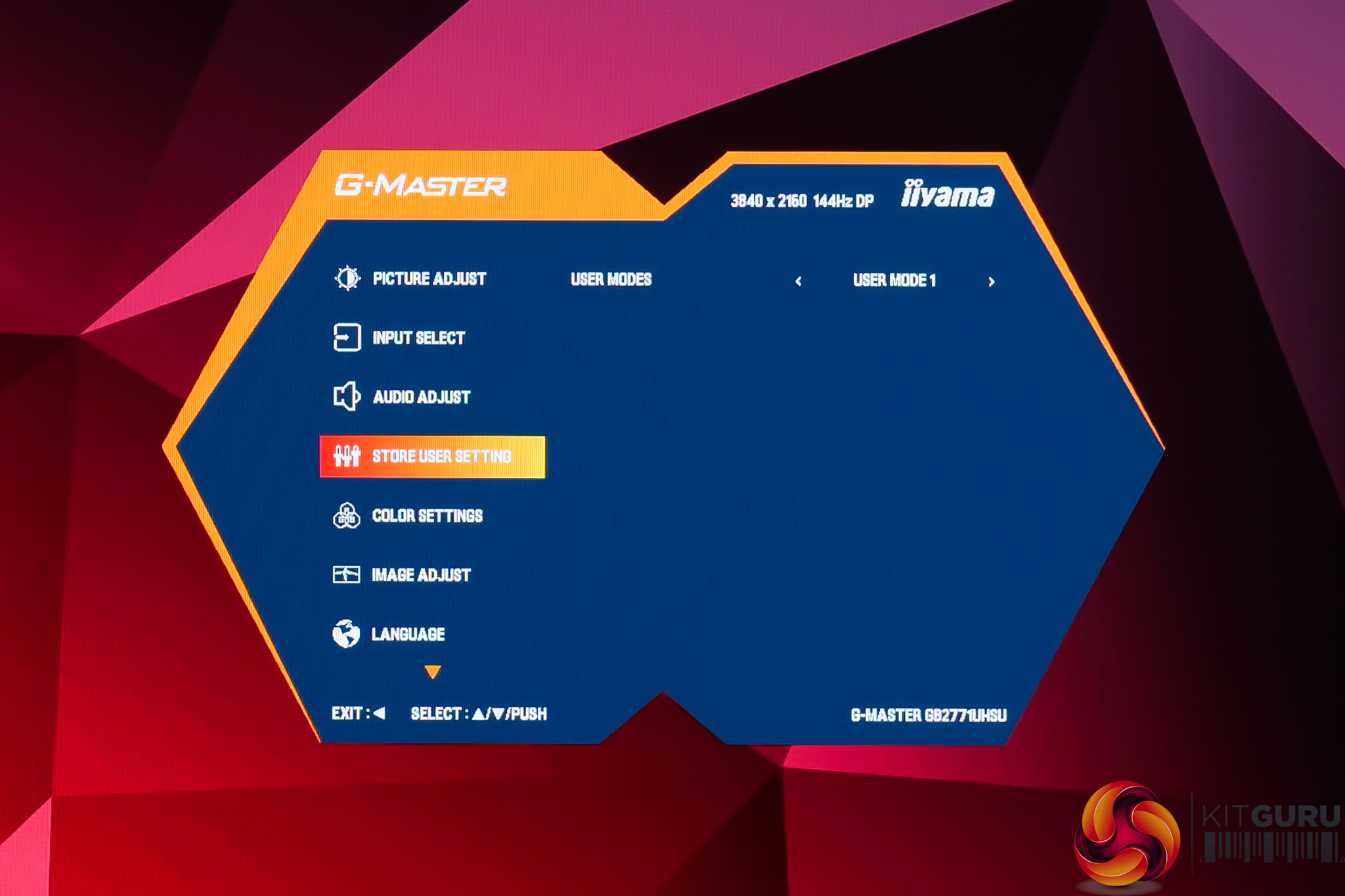
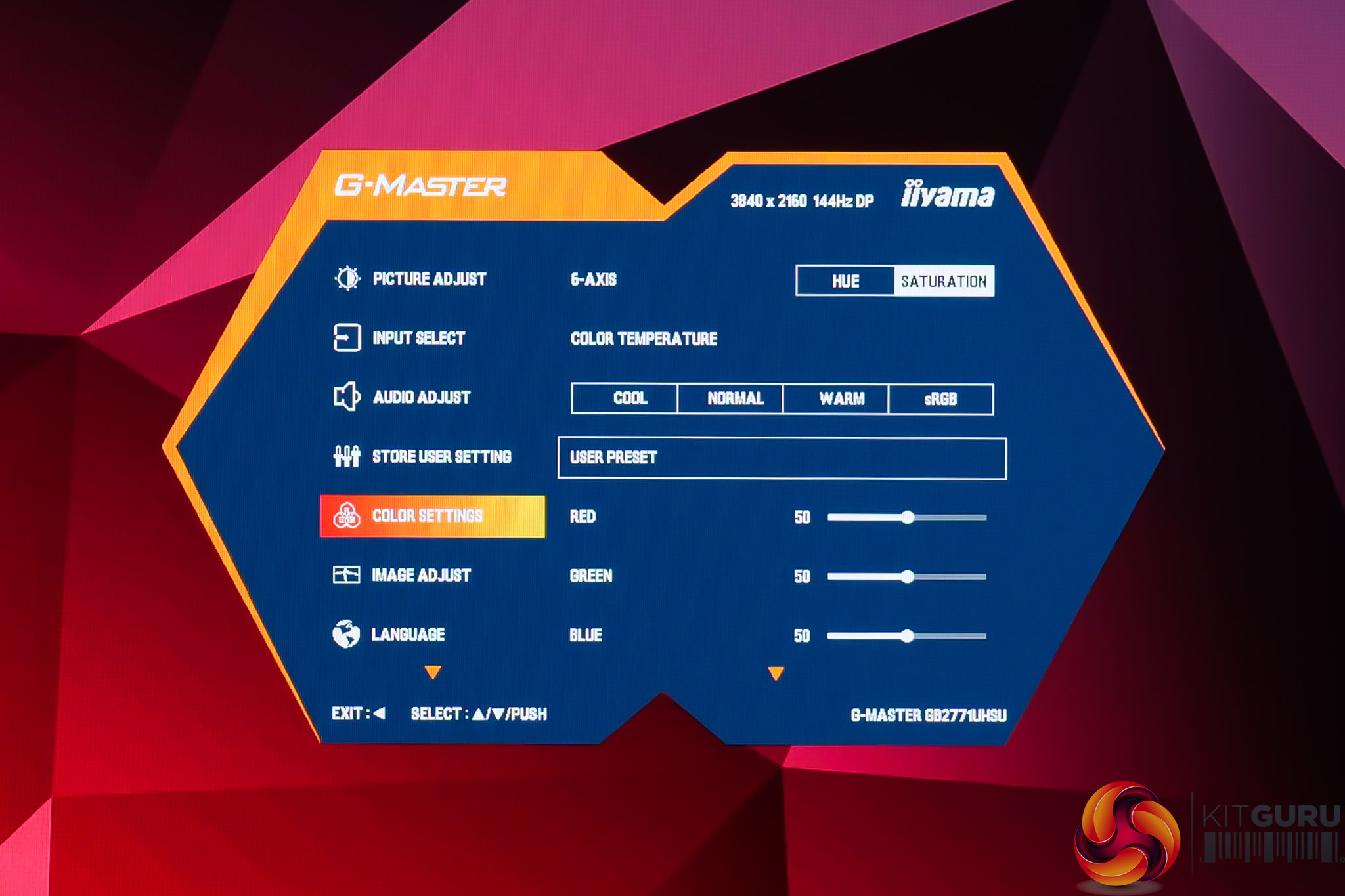
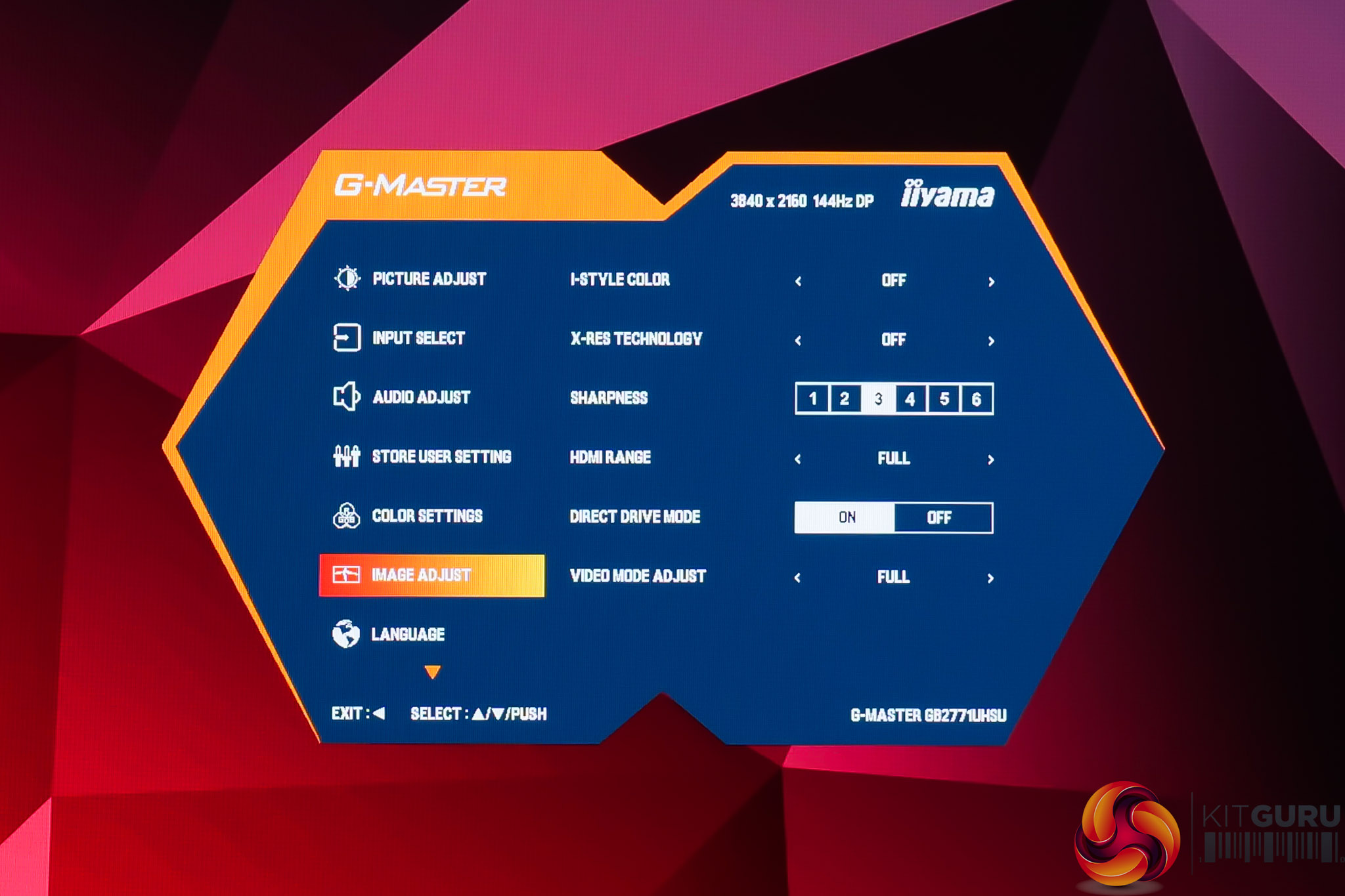
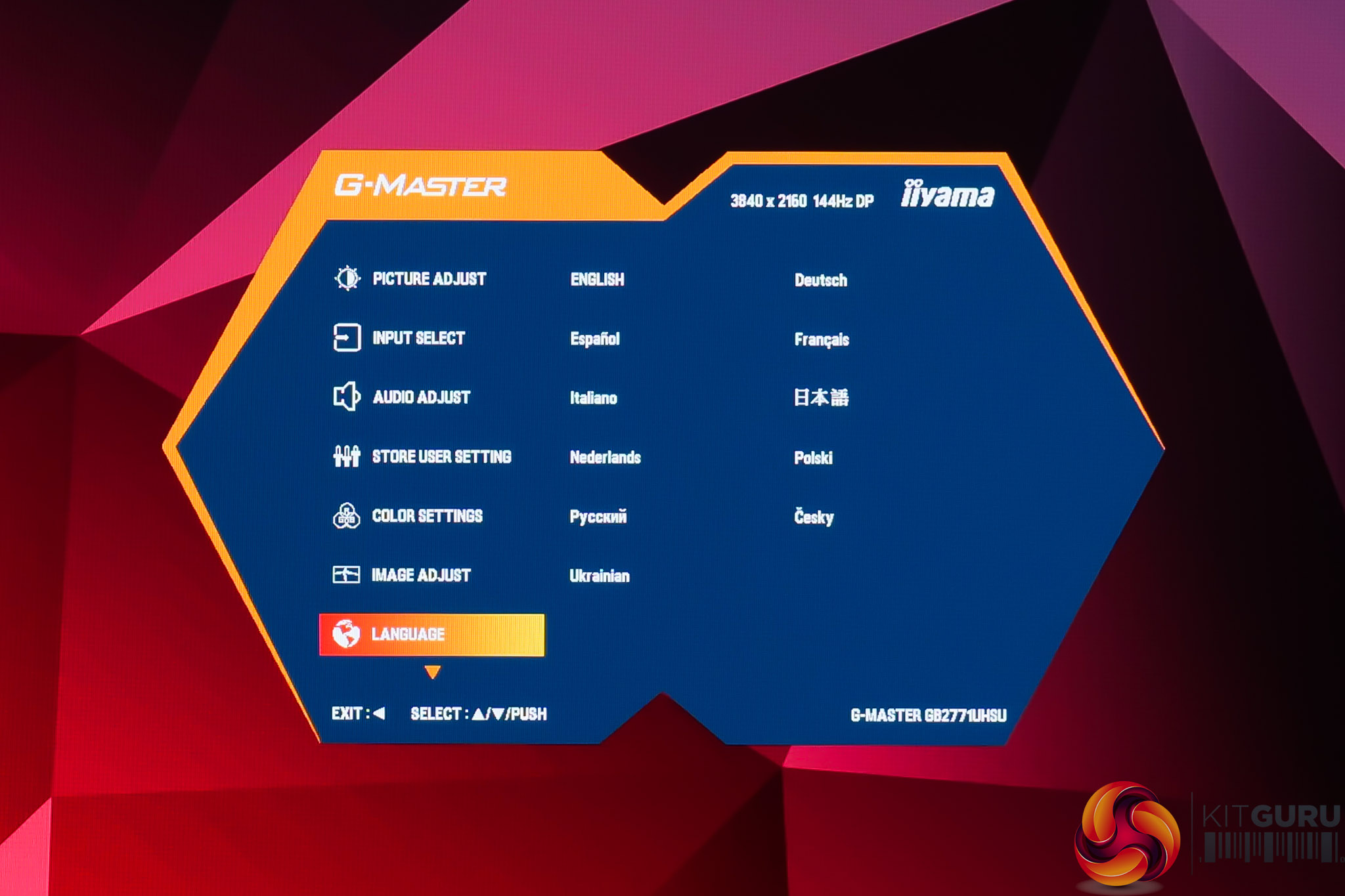
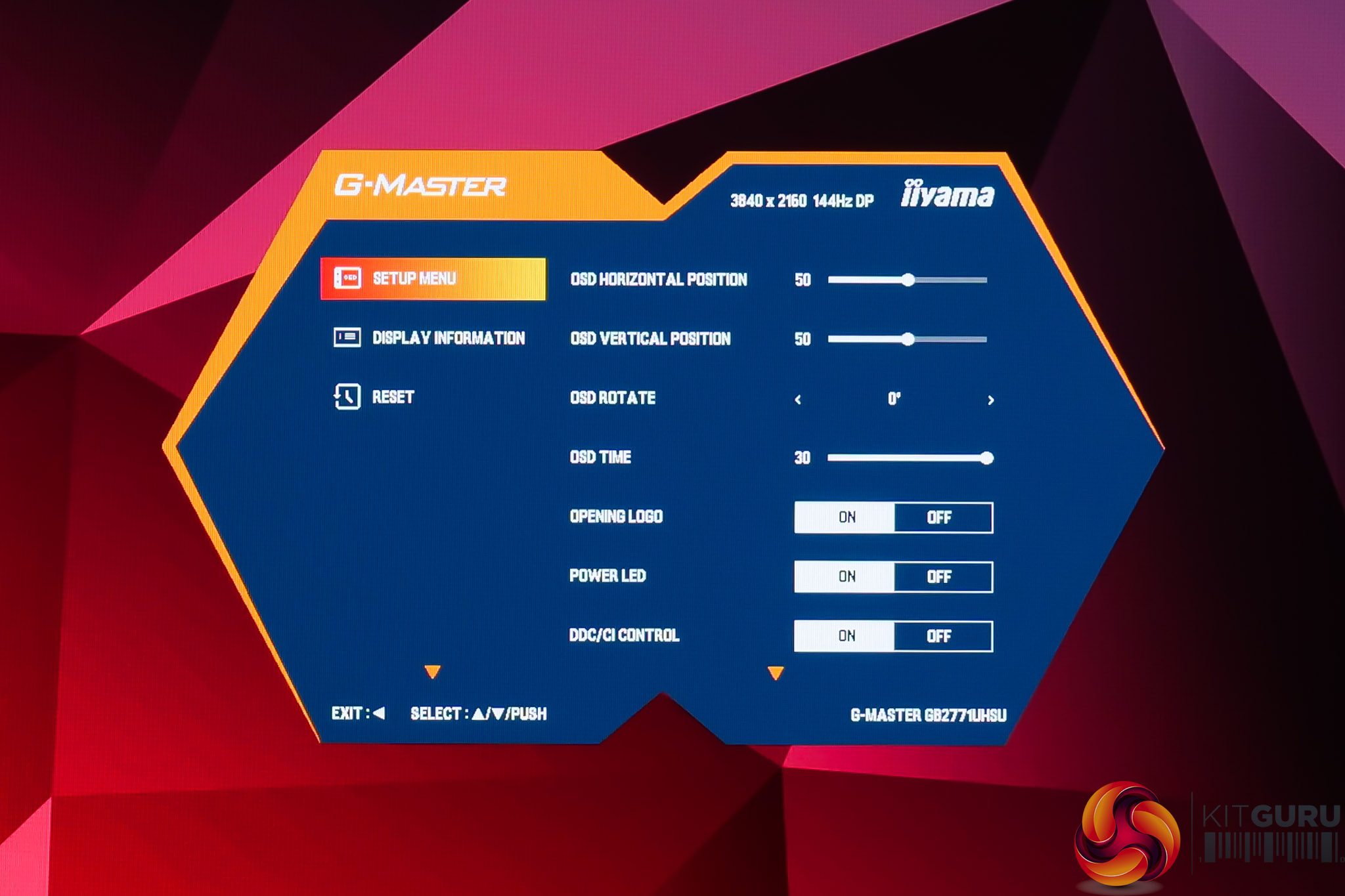
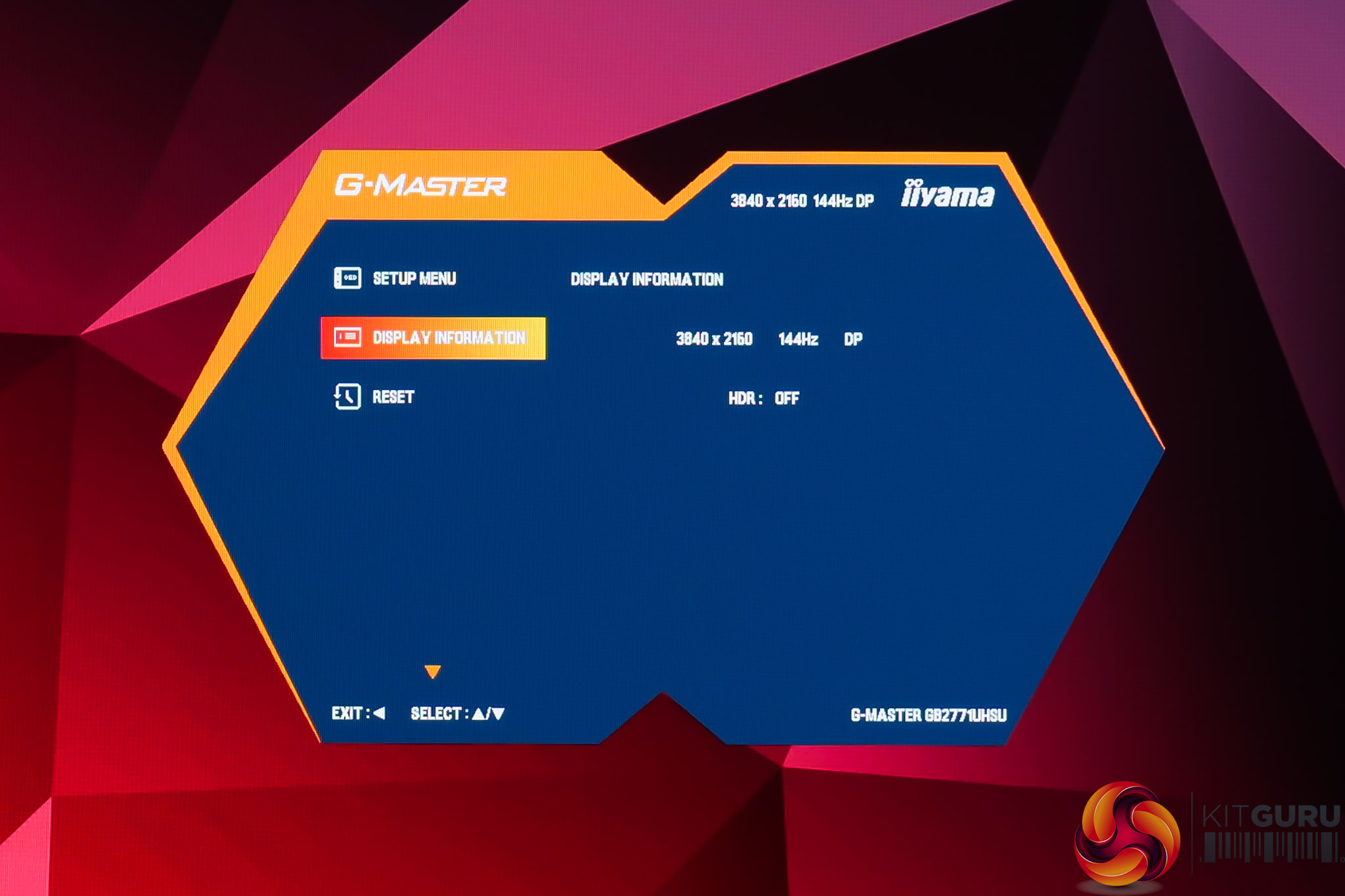
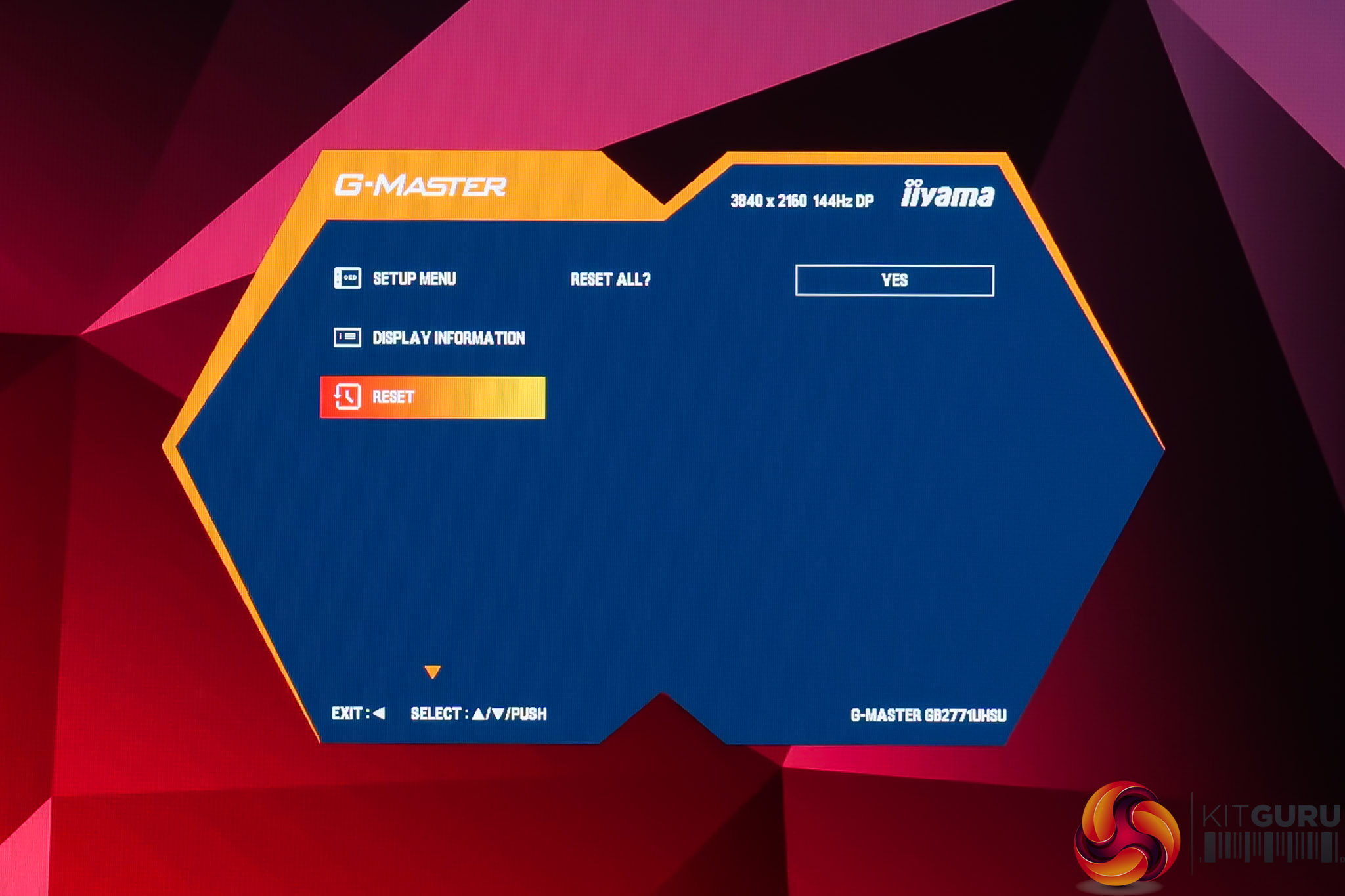
As for the OSD itself, as we pointed out in our GCB3486WQSCP review, this has a received a much-needed facelift compared to previous iiyama monitors. The core feature-set and functionality appears similar, but it's now presented in a much cleaner overall package. It's also dead-easy to navigate thanks to the joystick, though there's not a ton of gamer-specific features. There is now an sRGB option in the Color settings page which wasn't there previously, and we test that on the following page.
Our main test involves using an X-Rite i1 Display Pro Plus colorimeter and utilising Portrait Display's Calman Ultimate software. The device sits on top of the screen while the software generates colour tones and patterns, which it compares against predetermined values to work out how accurate the screen is.

The results show:
- A monitor’s maximum brightness in candelas or cd/m2 at various levels set in the OSD.
- A monitor’s contrast ratio at various brightness levels in the OSD.
- Gamut coverage, primarily focusing on sRGB and DCI-P3 colour spaces.
- Greyscale accuracy, measured across 20 shades, with an average colour balance reported.
- The exact gamma levels, with a comparison against preset settings in the OSD.
- The colour accuracy, expressed as a Delta E ratio, with a result under 3 being fine for normal use, and under 2 being great for colour-accurate design work.
We first run these tests with the display in its out-of-the-box state, with all settings on default. If there is an sRGB emulation option or other useful mode then we may test that too. We then calibrate the screen using the Calman Ultimate software and run the tests again.
You can read more about our test methodology HERE.
Default settings
Brightness and Contrast (Full Screen)
| OSD Brightness | White Luminance (cd/m2) | Black Luminance (cd/m2) | Contrast Ratio |
| 0% | 57.7 | 0.036 | 1581:1 |
| 25% | 177.6 | 0.112 | 1588:1 |
| 50% | 292.4 | 0.183 | 1599:1 |
| 75% | 396 | 0.247 | 1605:1 |
| 100% | 496 | 0.309 | 1605:1 |
Starting off with brightness testing, the GB2771UHSU gets very bright indeed, exceeding iiyama's claim by coming in just shy of 500 nits, not bad going at all! Contrast is also very good for an IPS panel, hovering around 1600:1, so that's a good start to overall panel performance.
Screen Uniformity
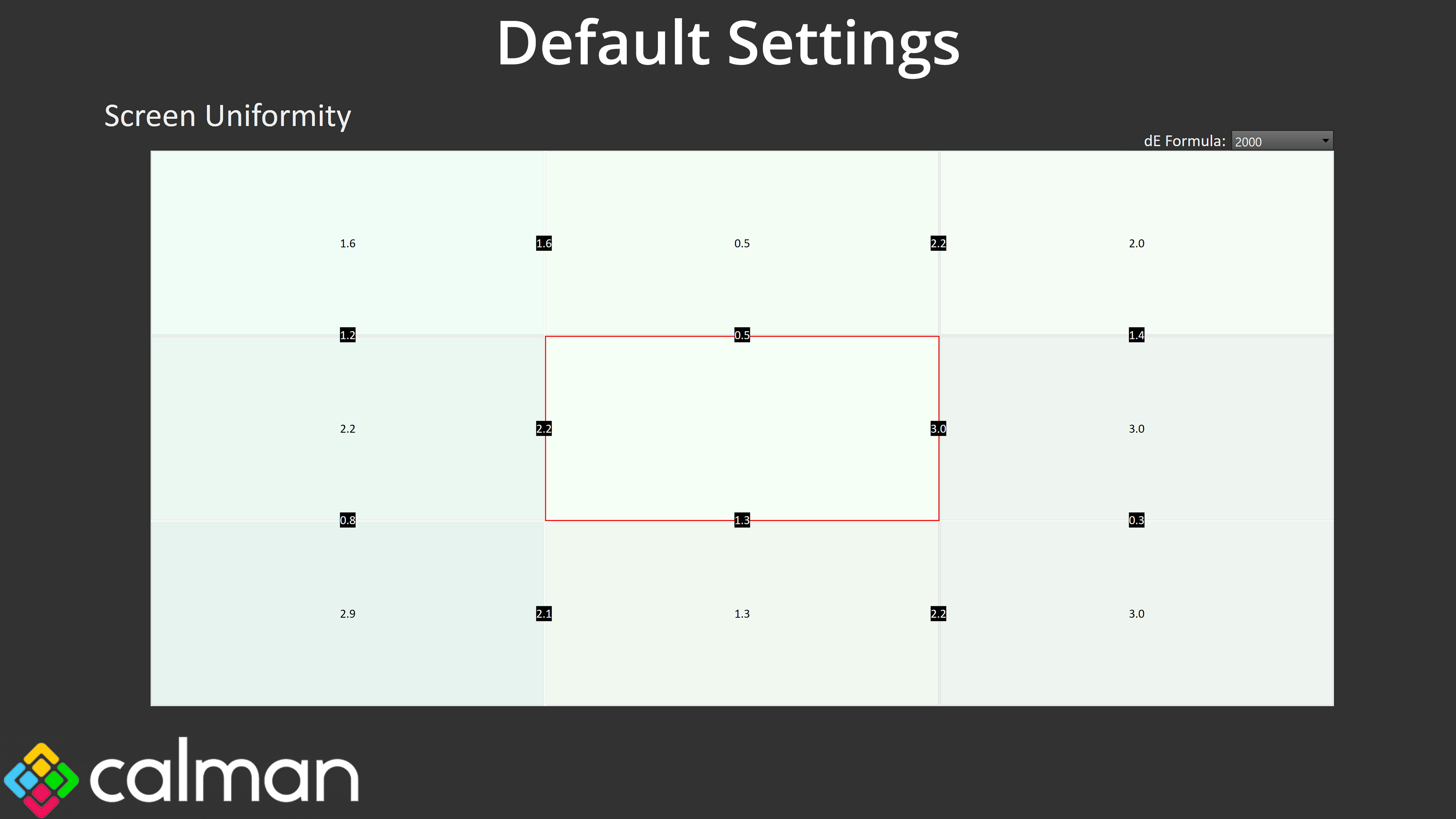
Screen uniformity is fine, too. There's only small amounts of deviation across the panel and it wasn't something I noticed day to day, so that's another good sign.
Gamut (CIE 1976)
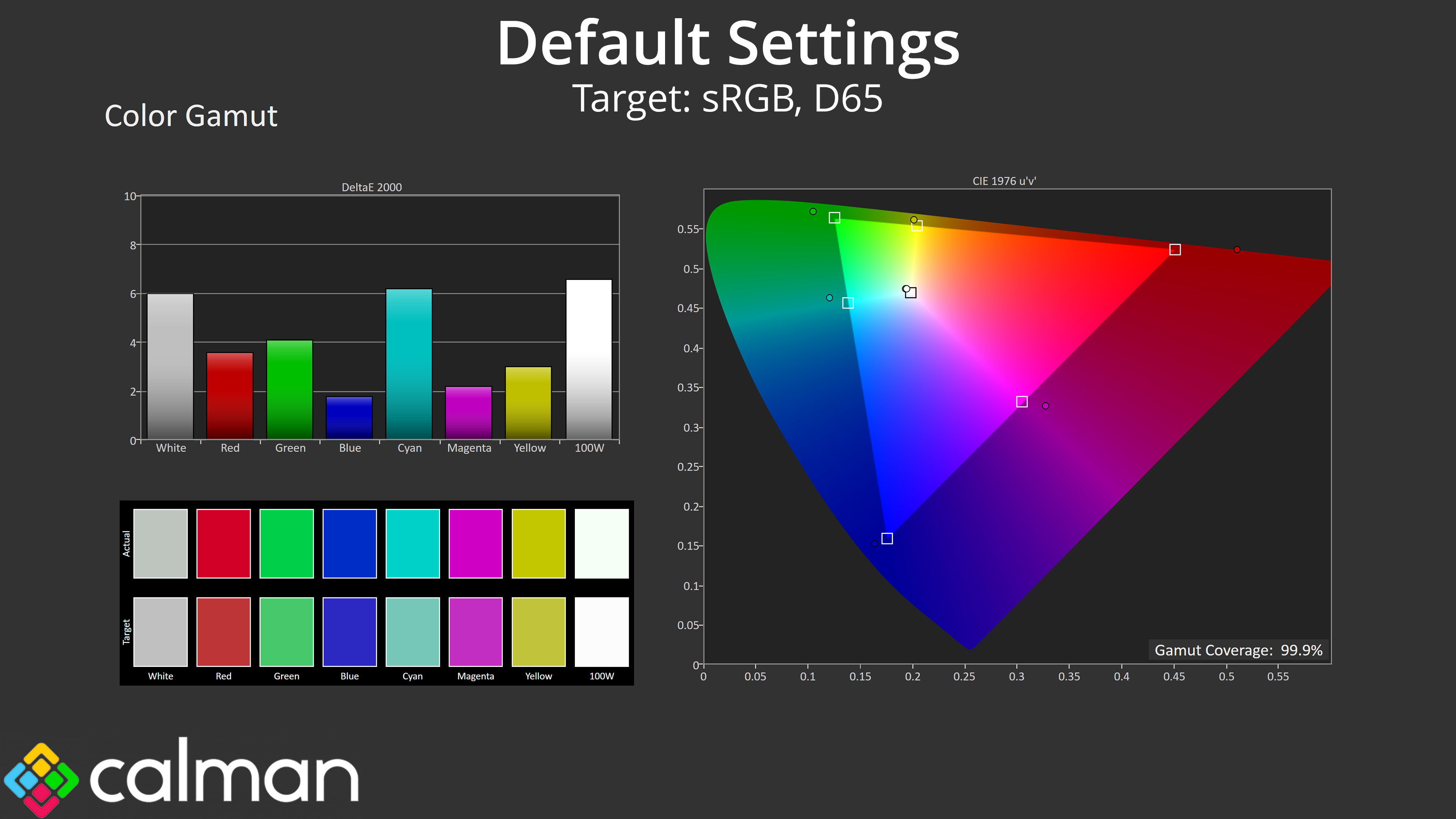
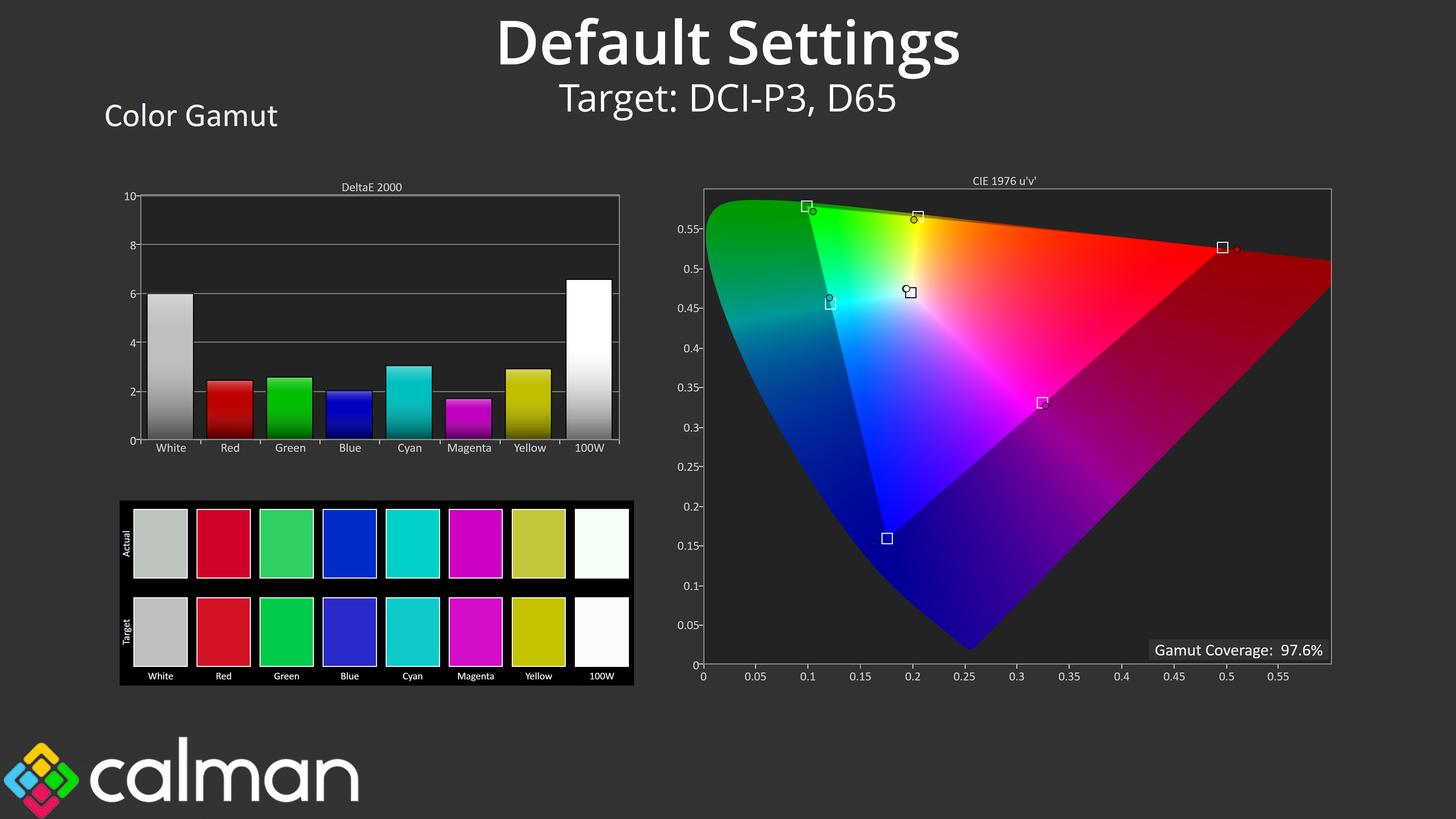
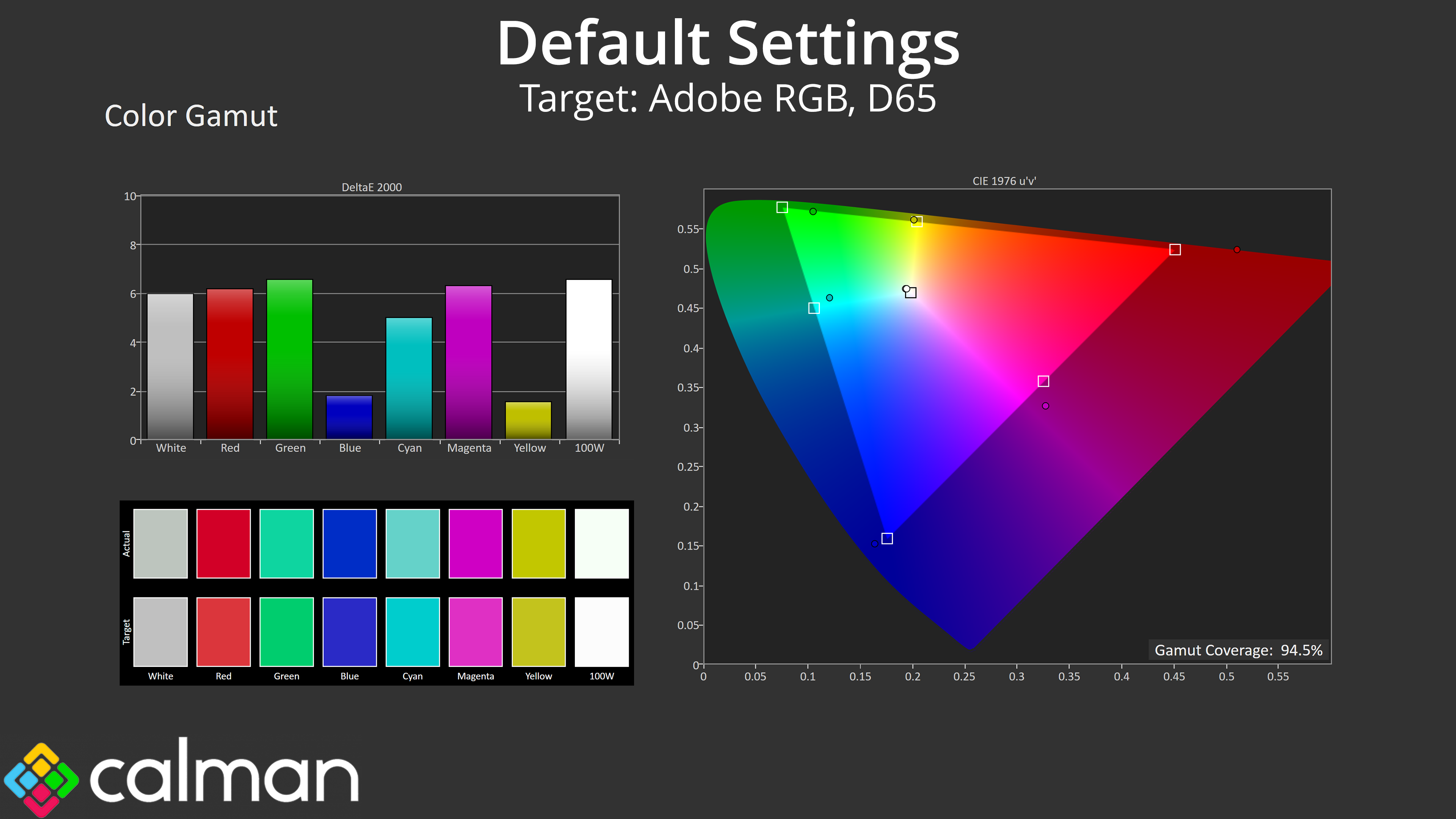
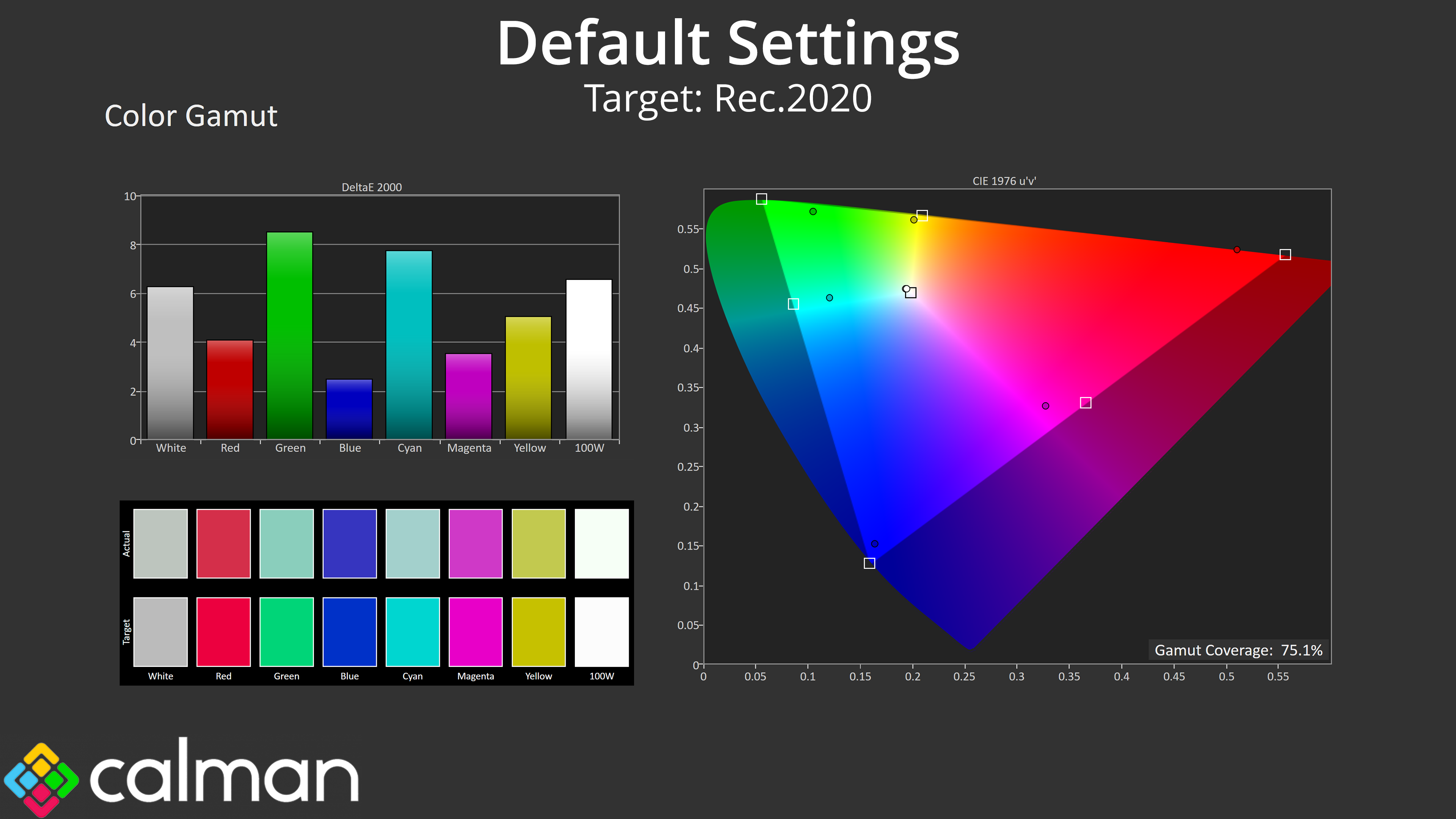
| Colour space | Coverage (%) |
| sRGB | 99.9 |
| DCI-P3 | 97.6 |
| Adobe RGB | 94.5 |
| Rec.2020 | 75.1 |
Gamut is nice and wide, too, far exceeding the sRGB space and managing 97.6% DCI-P3, 94.5% Adobe RGB, alongside 75.1% coverage for Rec.2020.
Greyscale
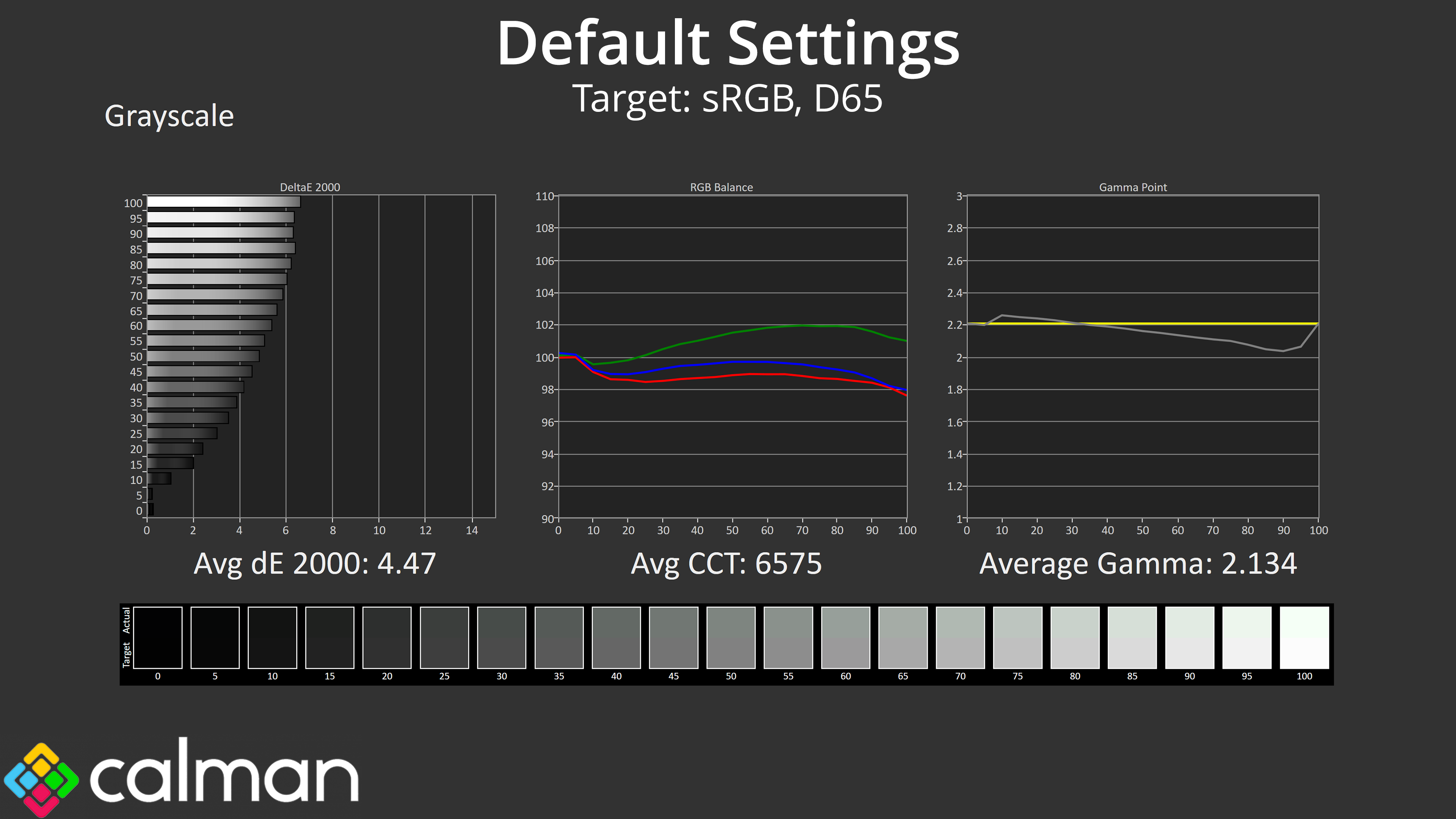
Factory calibration does leave a bit to be desired, though. It's not the worst we've ever seen, but the colour balance has a decided green tint, while gamma is closer to 2 than it is 2.2 in the second half of the curve, though overall the average of 2.134 is fine.
Saturation
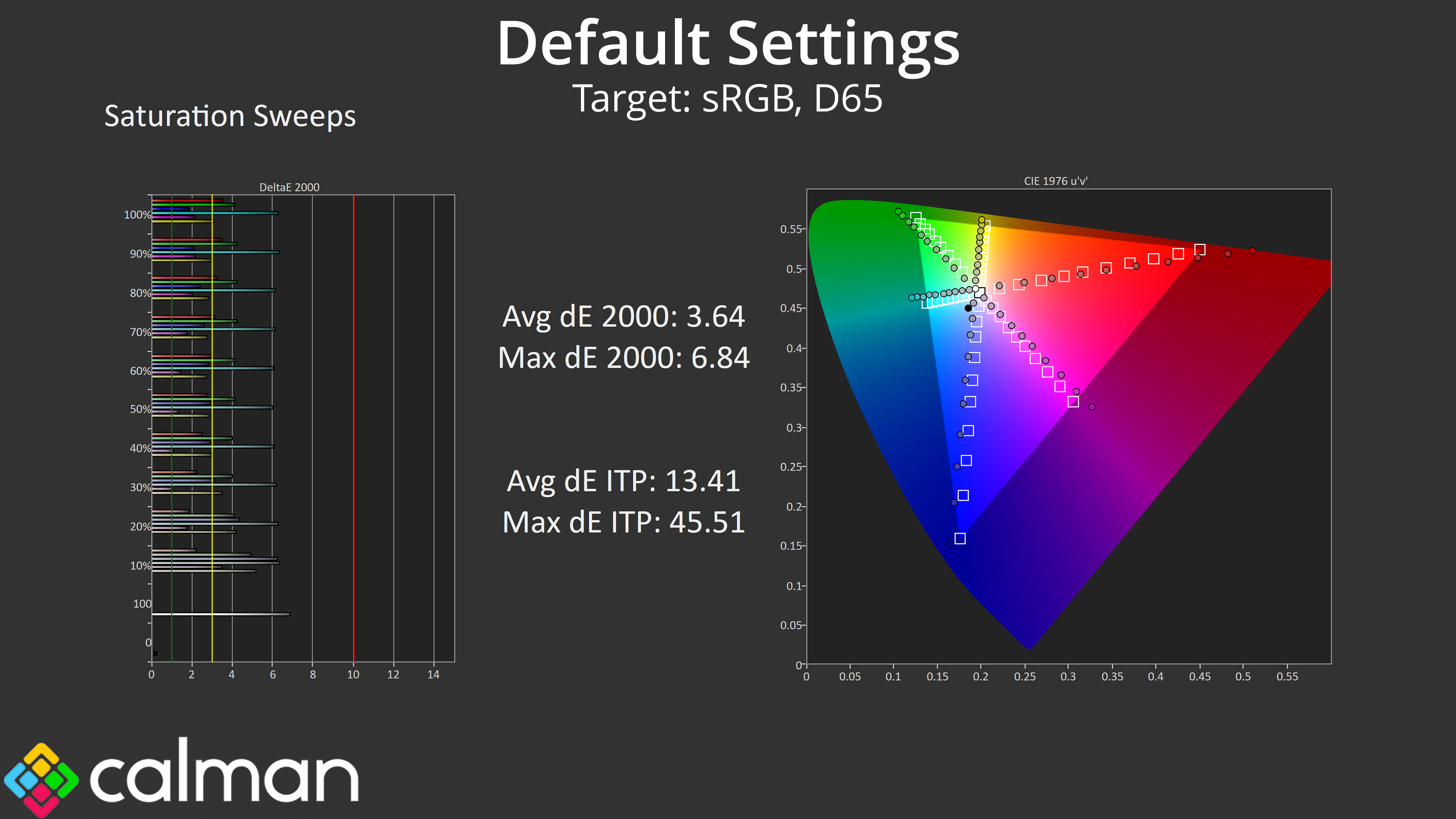
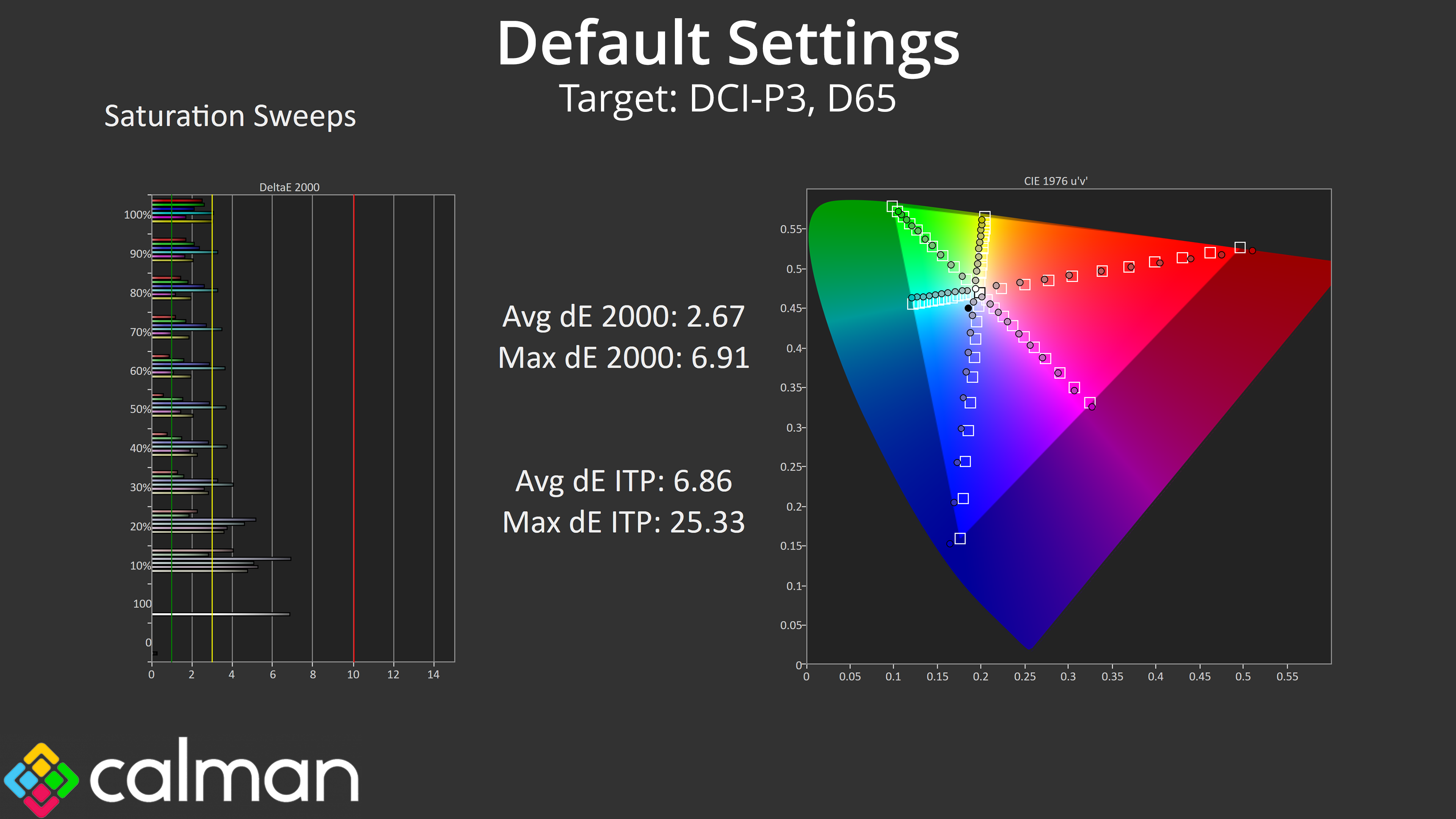
Saturation performance is about as we'd expect considering how wide the gamut is – there's plenty of oversaturation relative to the sRGB space, though accuracy does improve compared against DCI-P3.
Colour Accuracy
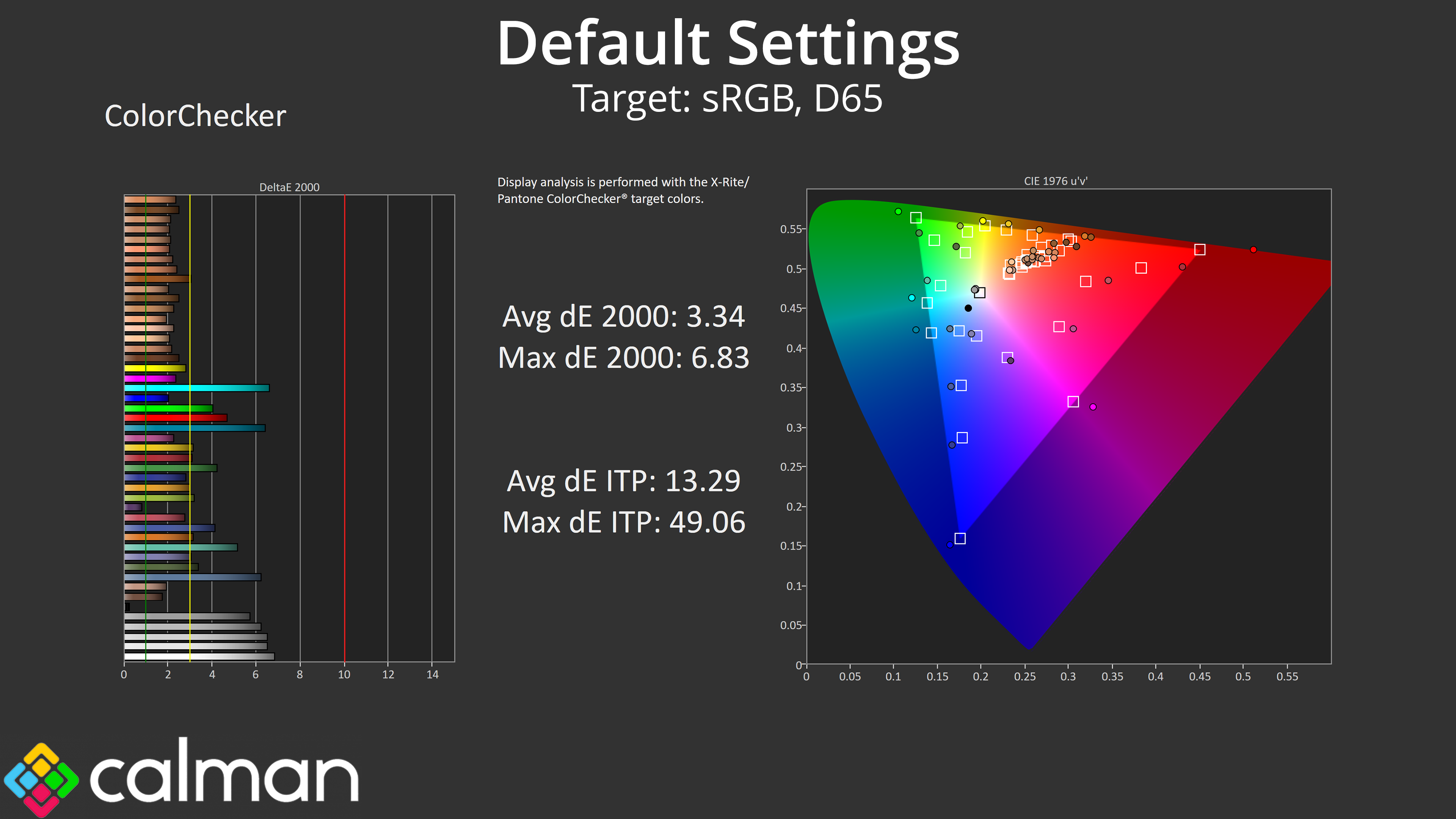
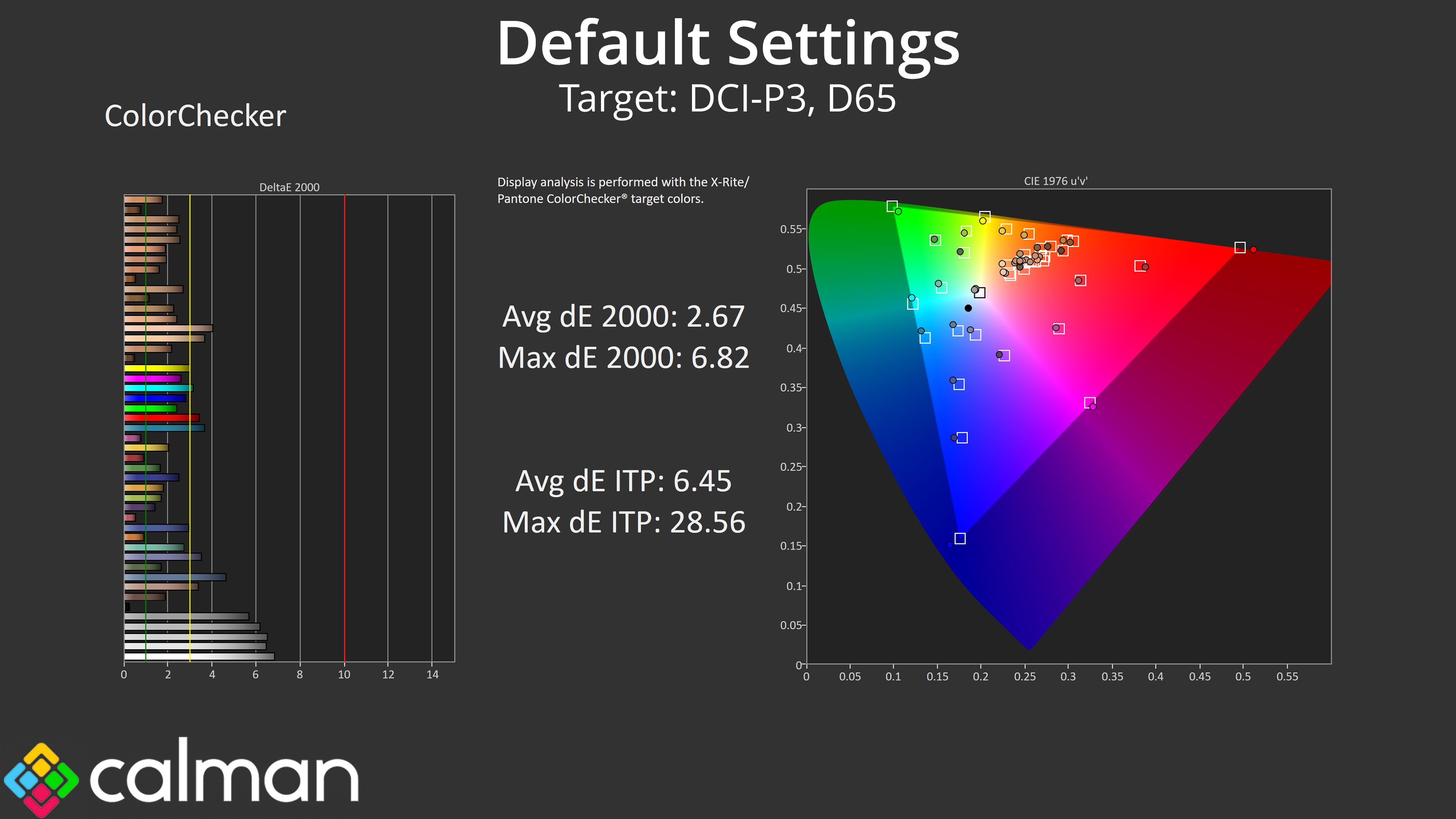
The same goes for colour accuracy – sRGB performance is middling at best, with an average deltaE 2000 of 3.34, whereas this improves to 2.67 when comparing against the DCI-P3 space. The white and grey channels (at the bottom of the chart) are the worst offenders due to the poor out of the box white balance.
sRGB Emulation Mode
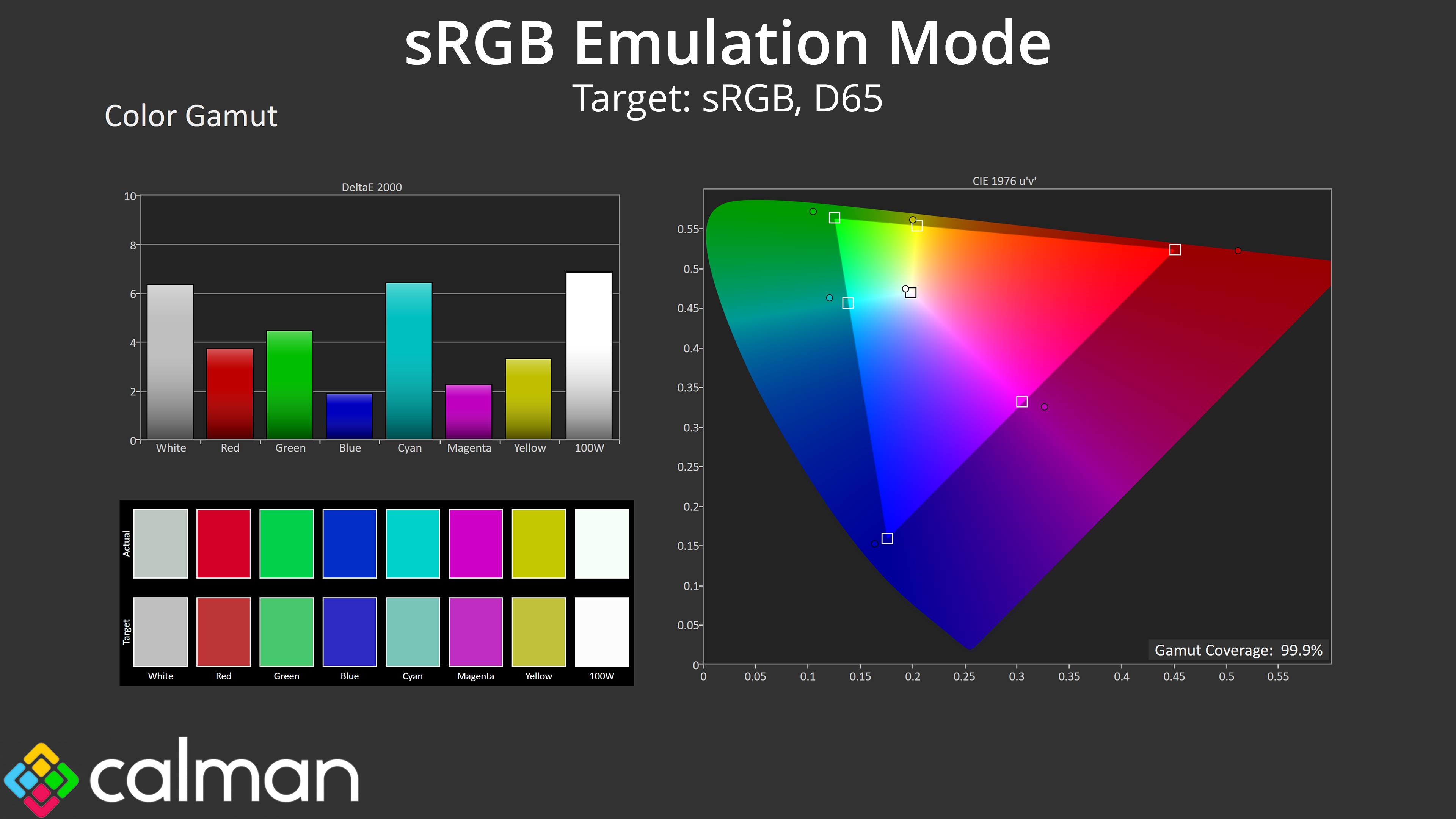
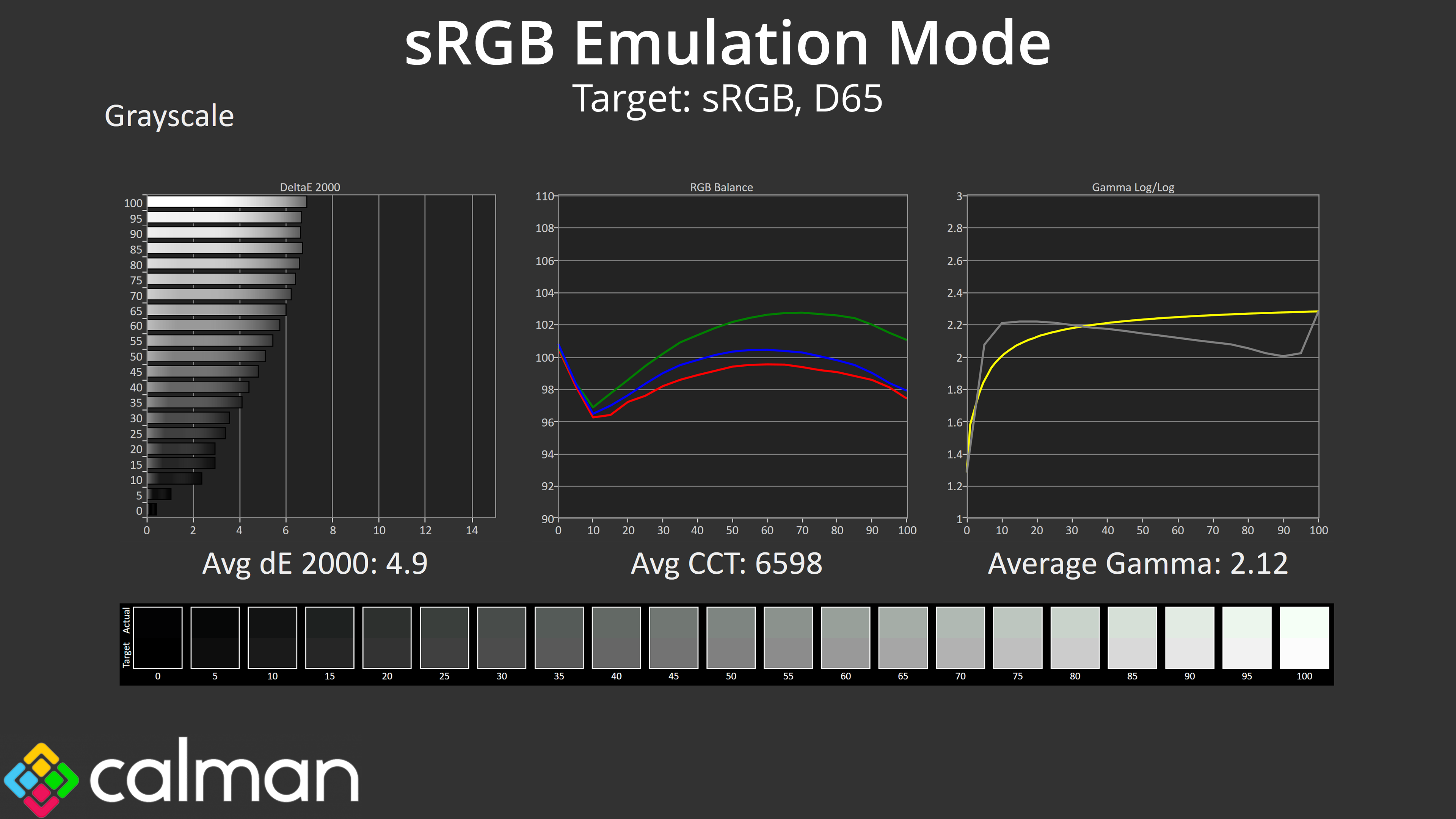
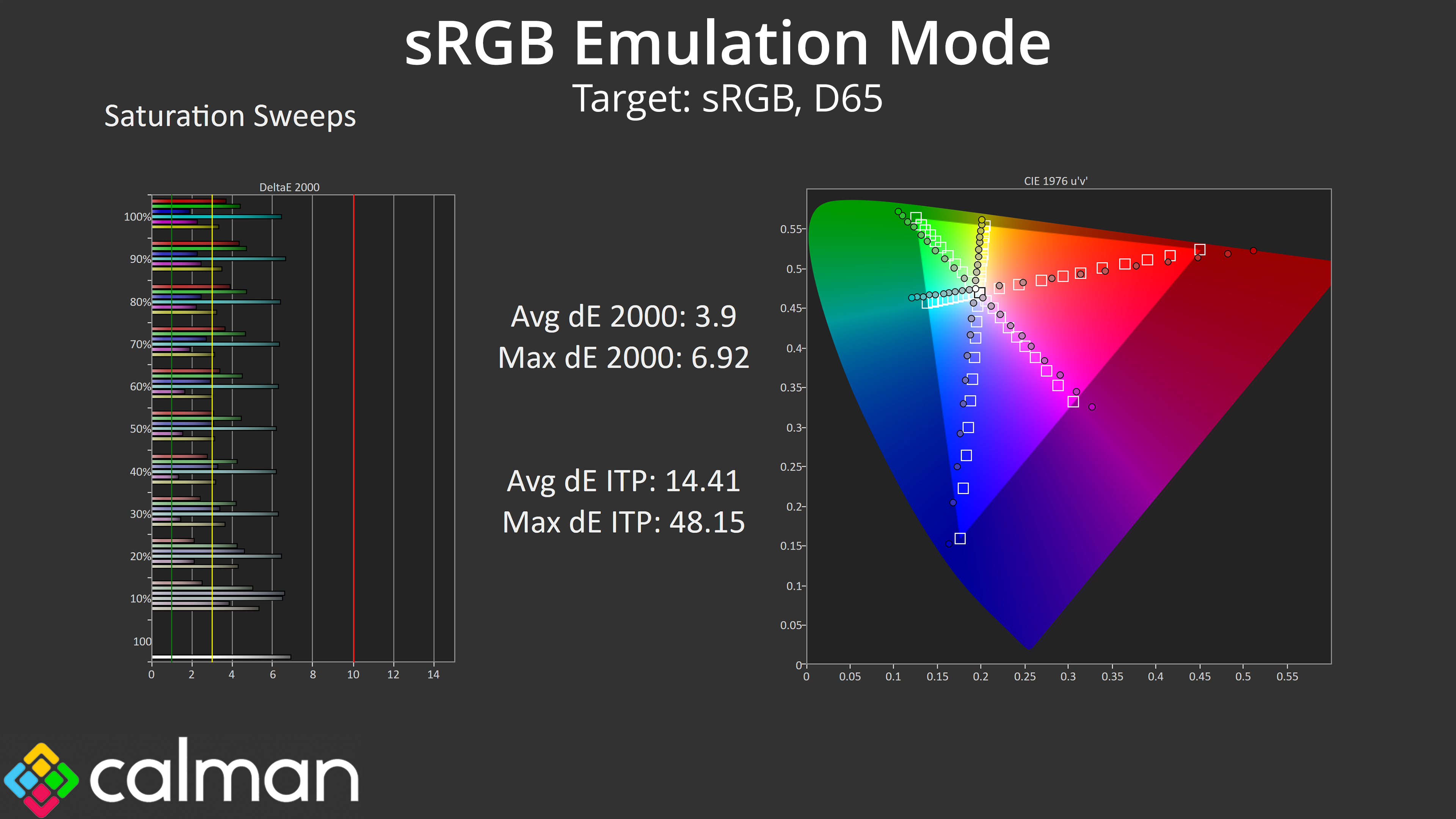
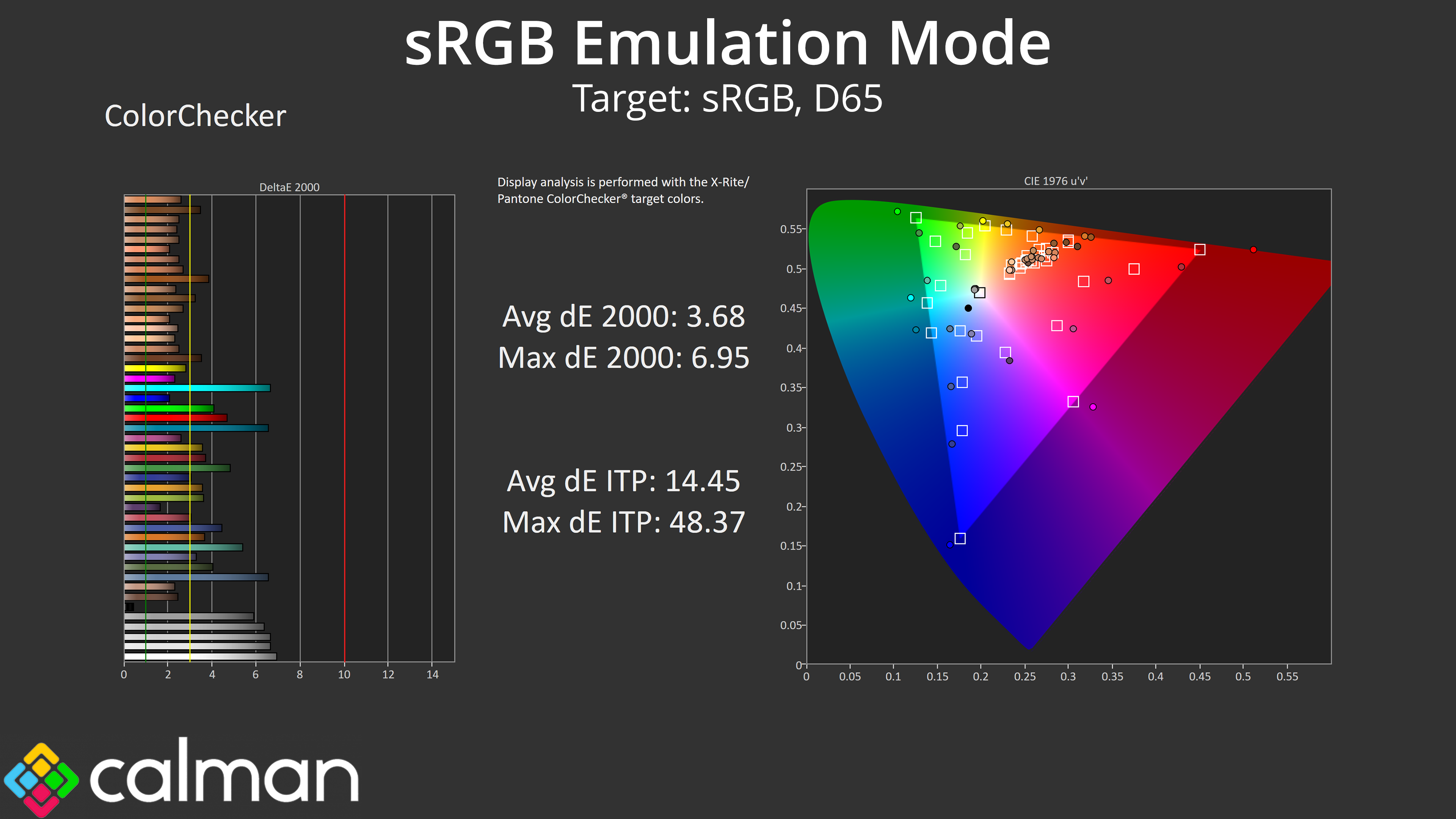
While iiyama does include an sRGB option from within the ‘Color' settings in the OSD, it does not appear to be working. Gamut remains unclamped, overall colour balance and gamma is unchanged compared to stock, while the saturation and colour accuracy results are also unimproved. This is a shame and it doesn't give a good impression that a feature has been included in the OSD but does not appear to have been tested prior to shipping.
Calibrated Results
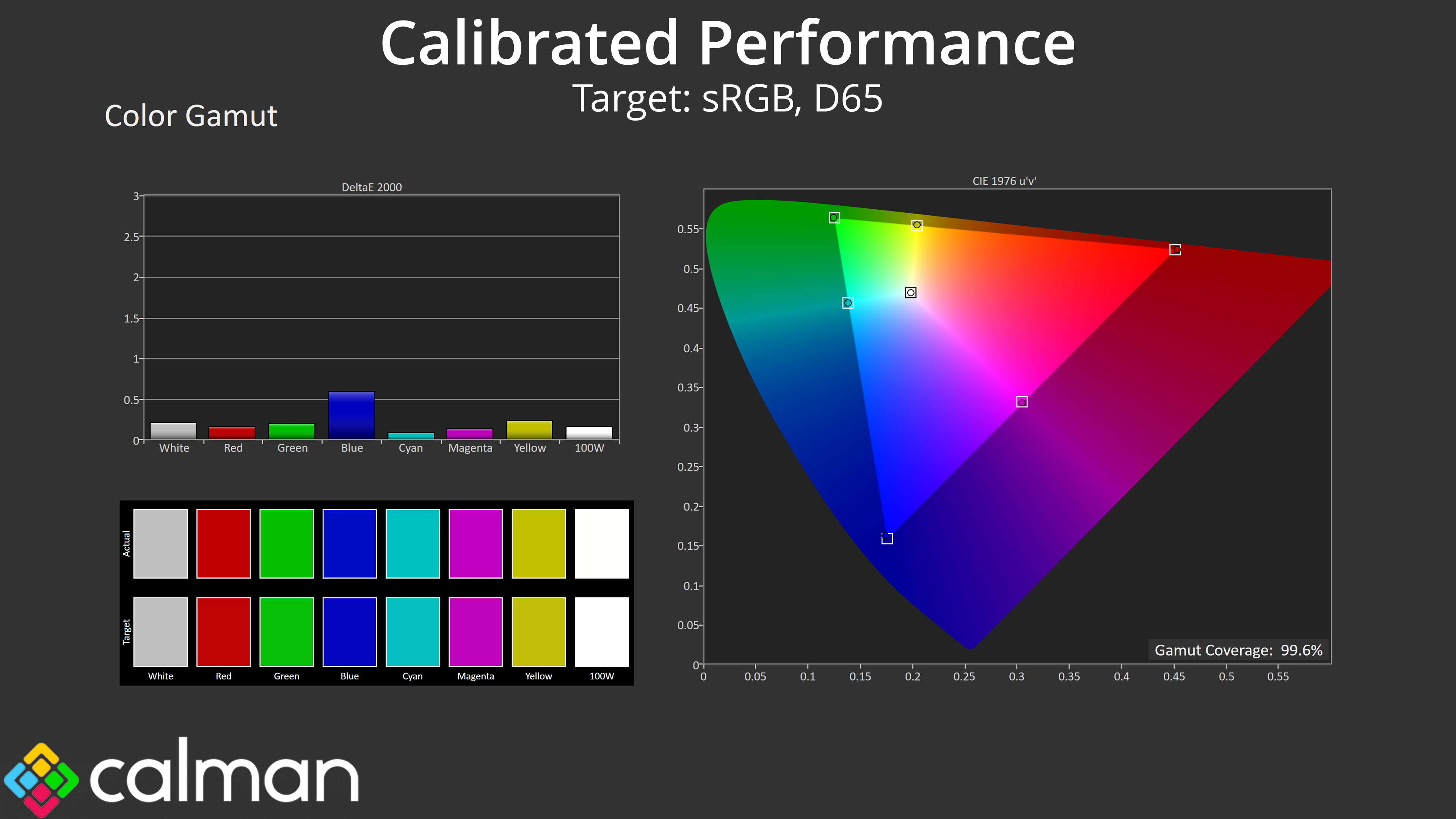
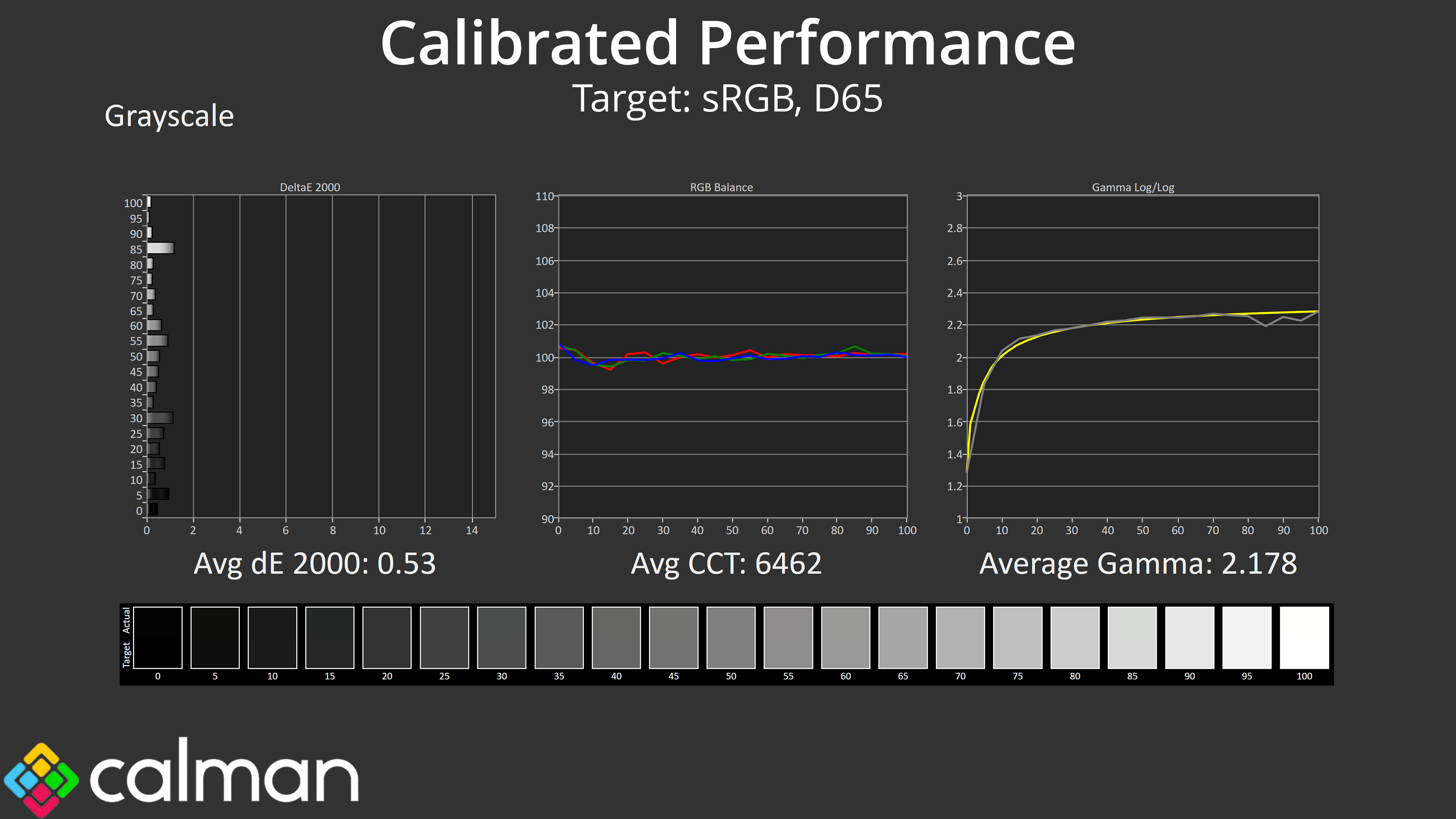
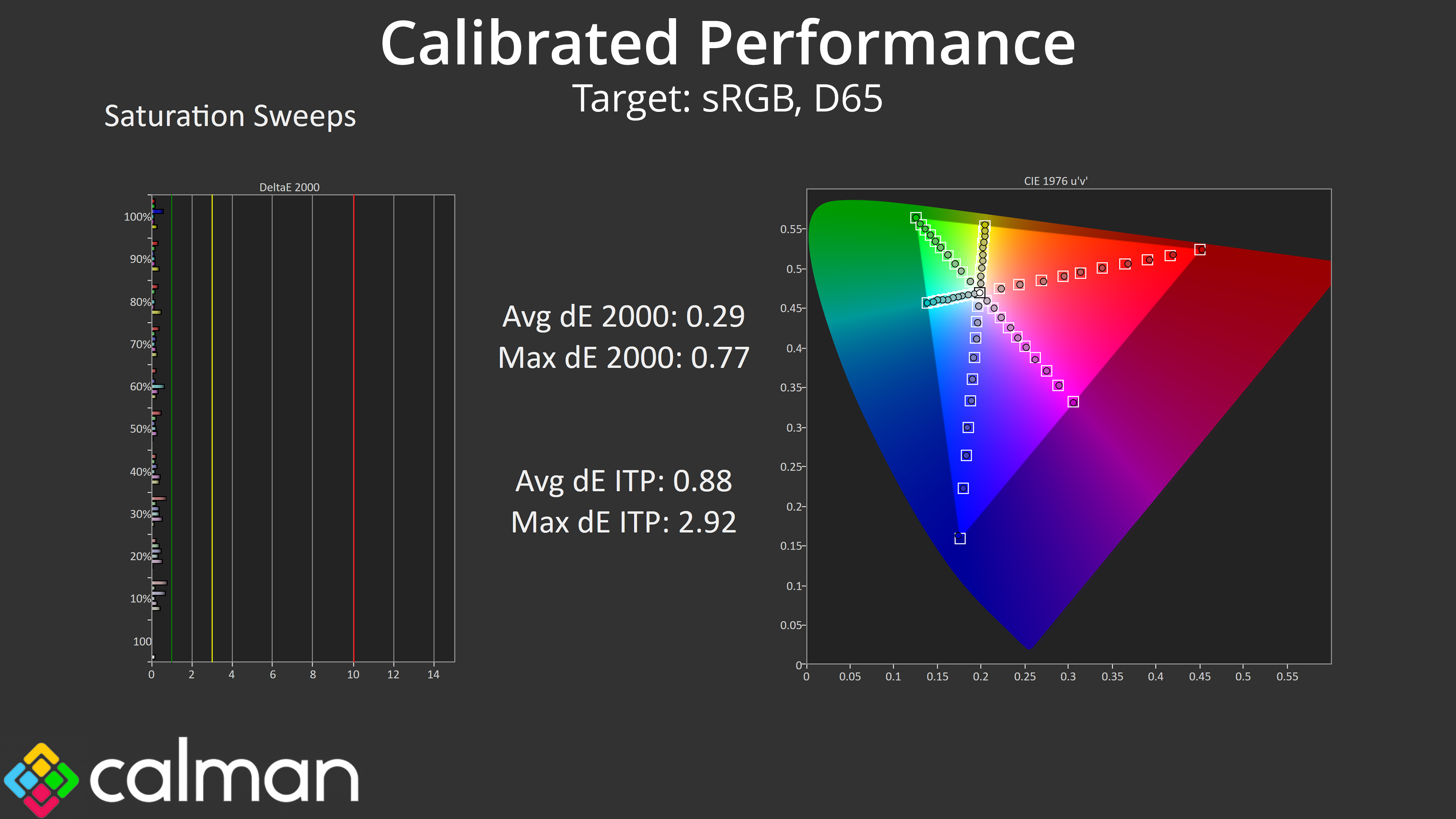
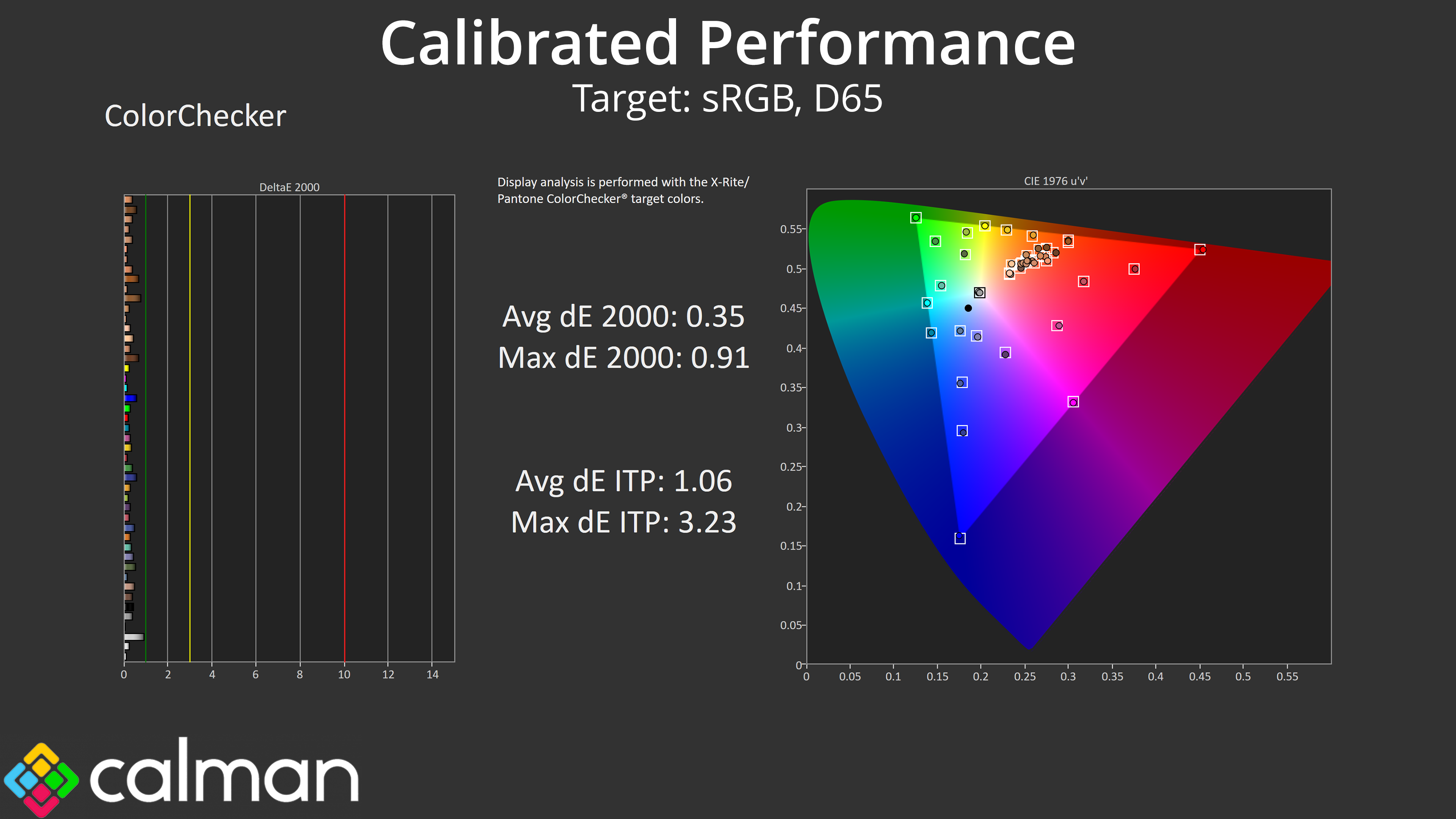
That leaves us with our calibrated performance, which is stellar as we would expect. However, you do have to question how many people buying a £240 gaming monitor will be calibrating it, which reinforces the disappointing lack of a functional sRGB mode.
We use the Open Source Response Time Tool (OSRTT), developed by TechTeamGB, for our response time testing. This measures grey-to-grey response times and presents the results in a series of heatmaps, the style of which you may be familiar with from other reviews.
Initial Response Time is the time taken for the panel to transition from one colour to another, where lower values are better. We present the initial response time, so overshoot is not taken into account and is measured separately. We use a fixed RGB 5 tolerance for each transition.
Overshoot is the term given for when a monitor's transition exceeds or goes beyond its target value. So if a monitor was meant to transition from RGB 0 to RGB 55, but it hits RGB 60 before settling back down at RGB 55, that is overshoot. This is presented as RGB values in the heatmaps – i.e. how many RGB values past the intended target were measured.
Visual Response Rating is a metric designed to ‘score' a panel's visual performance, incorporating both response times and overdrive. Fast response times with little to no overshoot will score well, while slow response times or those with significant overshoot will score poorly.
At last we come to the key reason why we cannot recommend the GB2771UHSU – response times. Like we have seen from iiyama, the monitor features a range of overdrive modes, from 0 (off) up to 5. We tested at both 288Hz and 144Hz given those are the refresh rates on offer from the dual-mode functionality.
288Hz
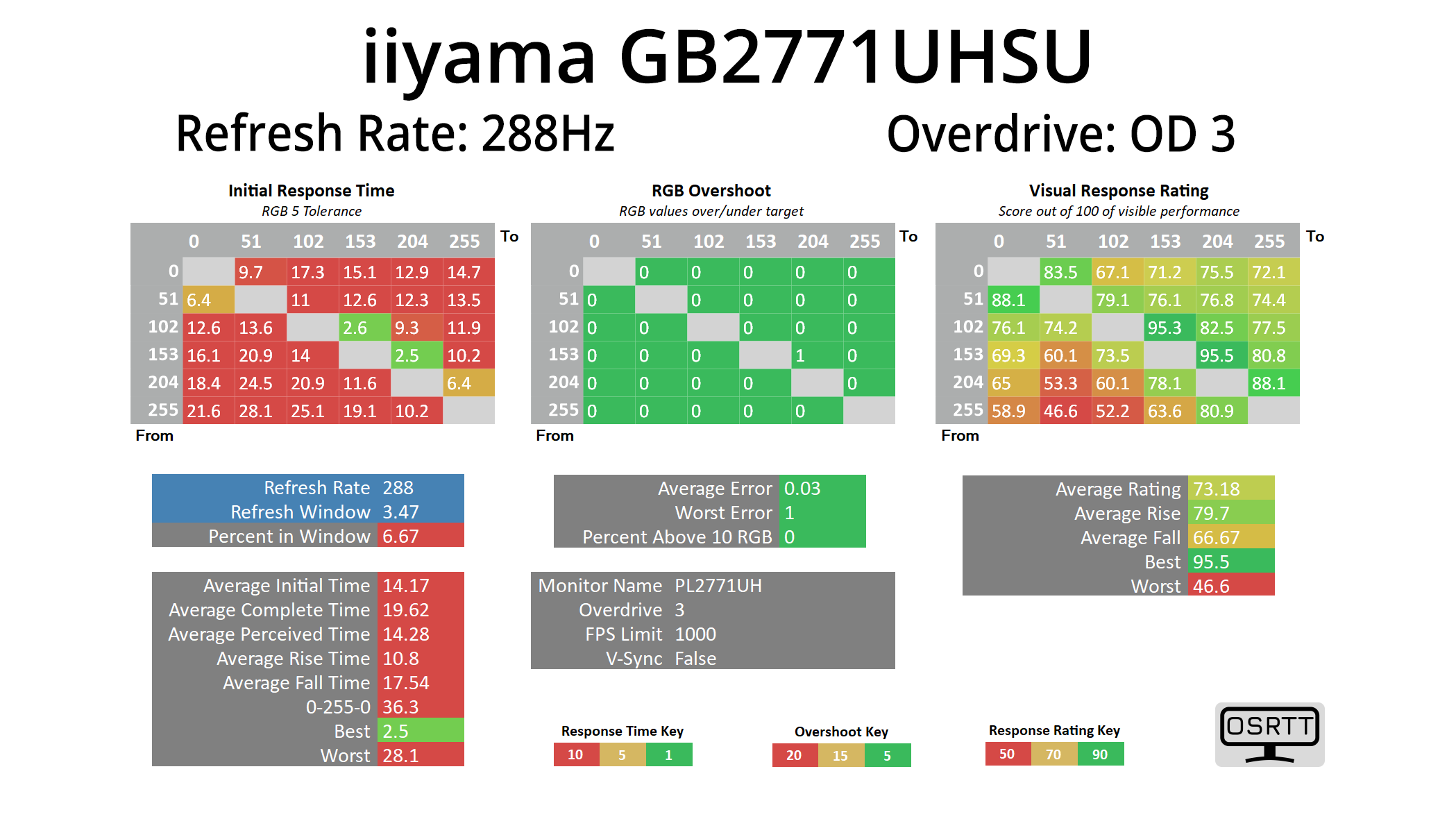
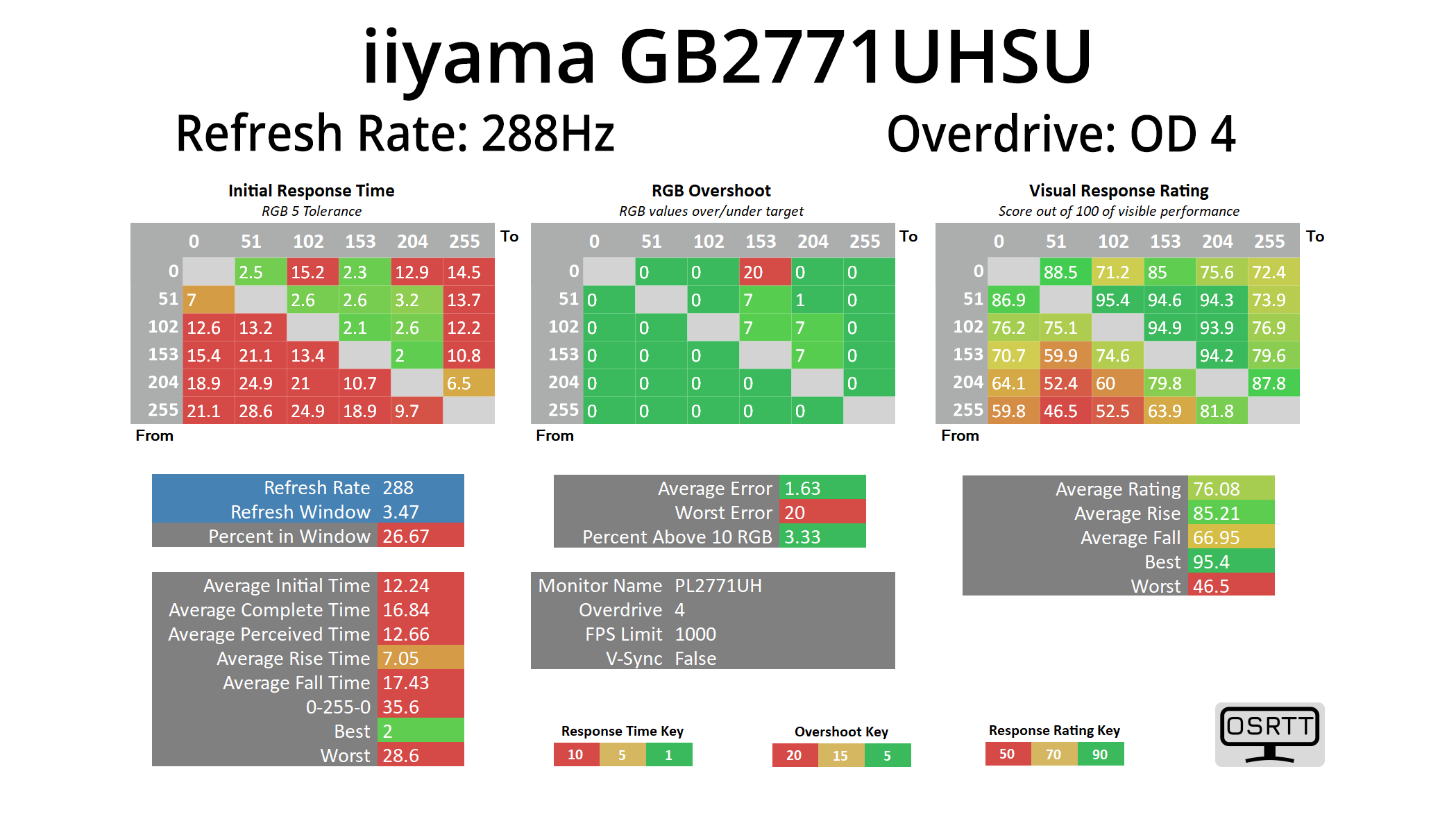
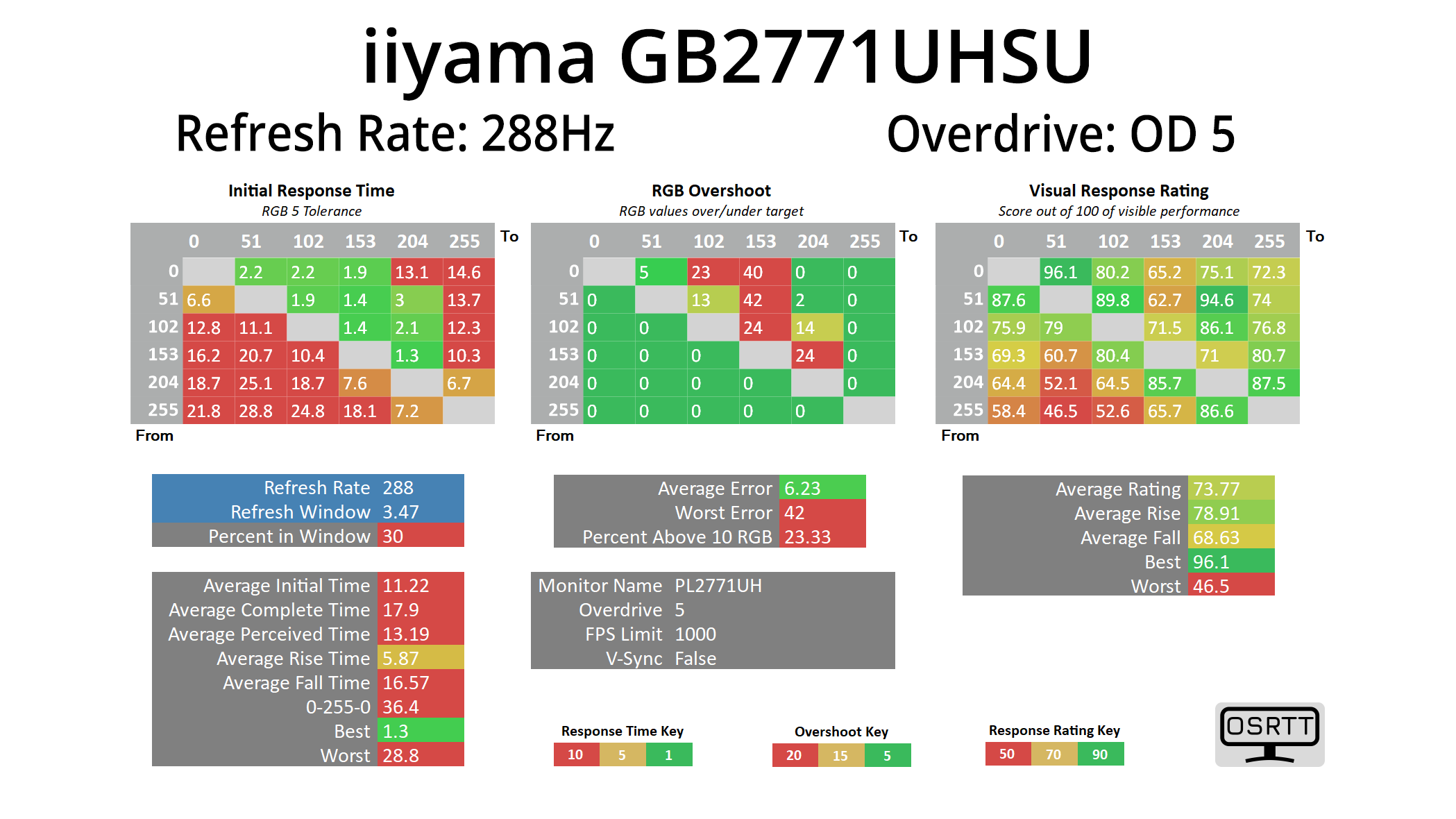
Starting at 288Hz, it is just painfully obvious to see that this is just not a 288Hz capable panel. Even using OD 5, the fastest setting going, the average response time at this refresh rate is 11.22ms. I was honestly staggered when I first saw the results – I couldn't believe a new monitor being released in 2025 would be this slow, and I even let iiyama know as I thought something must be wrong. Not so, they confirmed, and it would seem they've just bitten off far more than this panel is capable.
We do have OD modes 3 and 4 as well tested at 288Hz, but if OD 5 was already at over 11ms, the other modes are slower still, so it does not make for pretty reading.
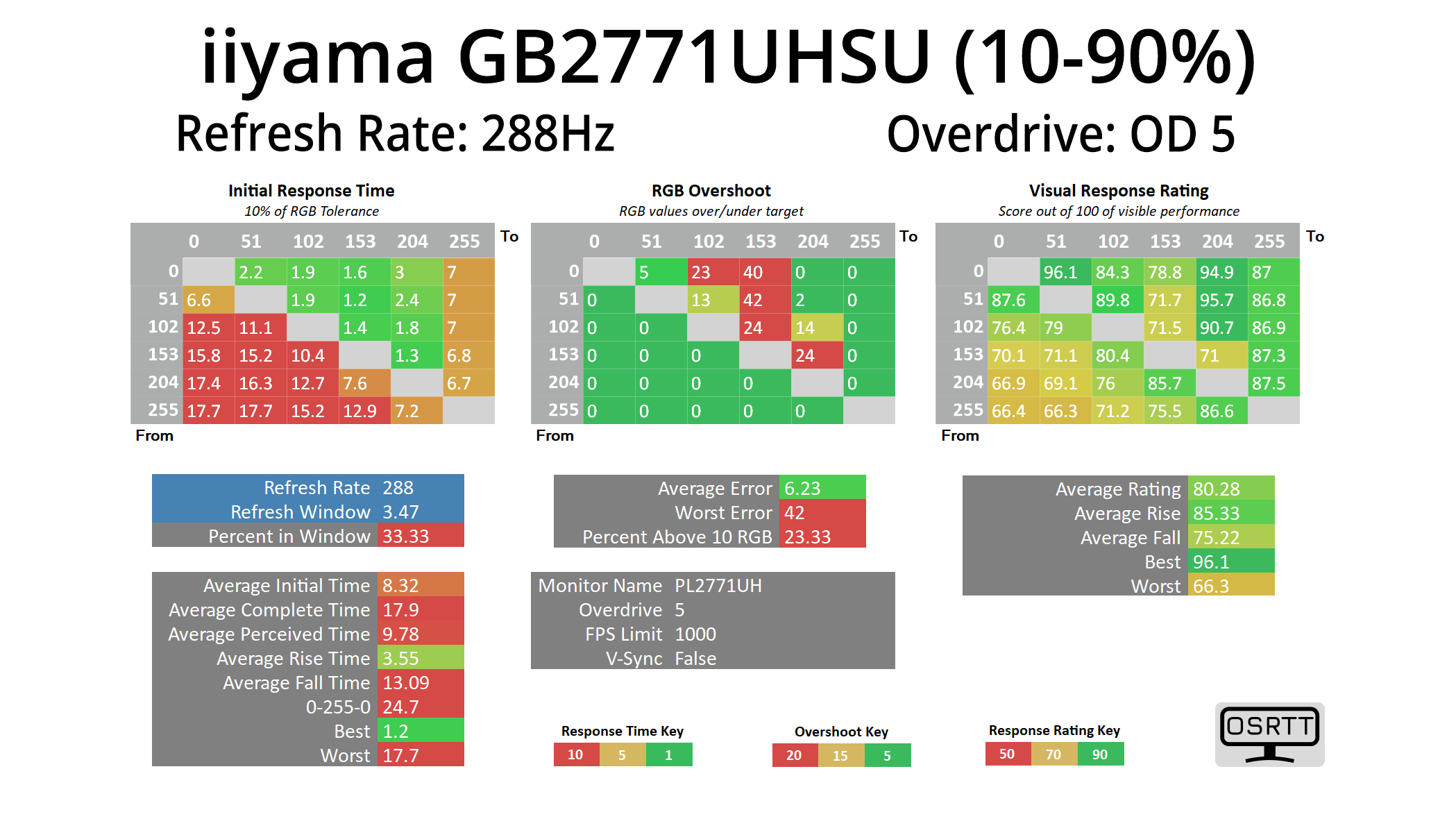
One thing we do need to point out is that we do use a fairly stringent RGB 5 tolerance when it comes to response times – others, like TFTCentral, might use an RGB 10 tolerance, or a 3-97% range like Monitor's Unboxed. However, even when using the to the old and now fairly discredited 10-90% range, at 288Hz we still saw an average response time of over 8.3ms, laughably slow in anyone's book, so it's not like we are being overly harsh on this screen.
144Hz
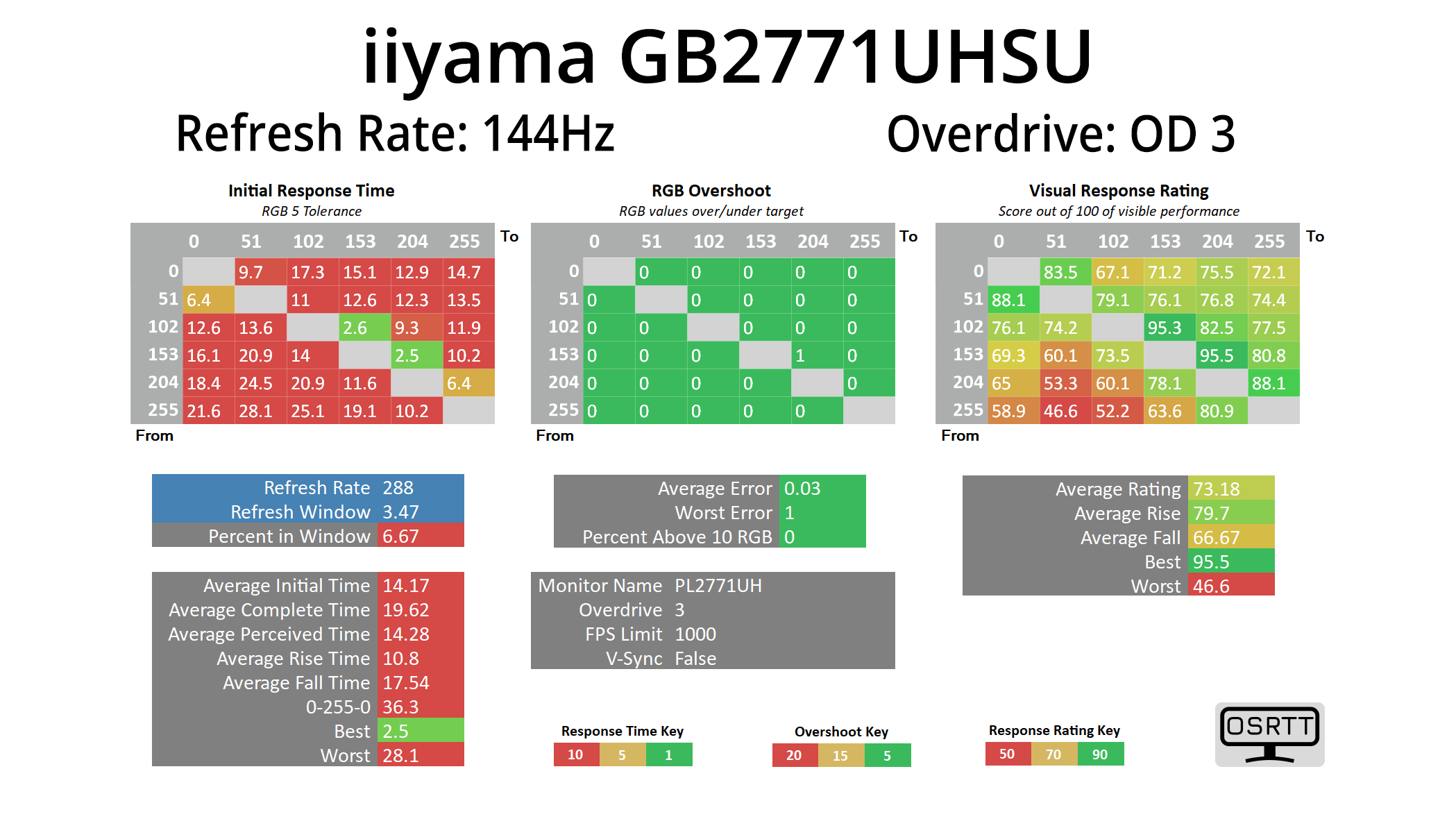
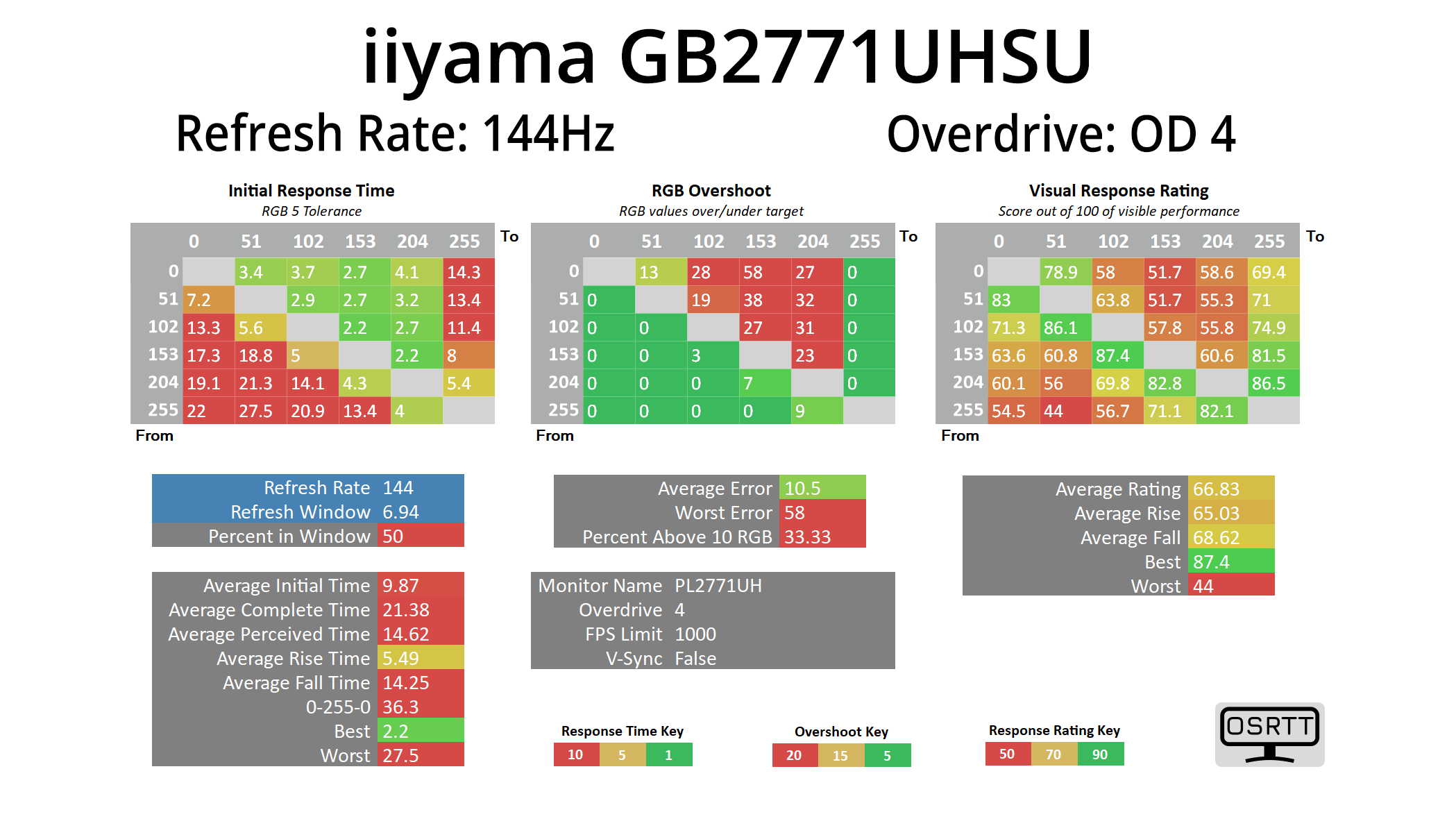
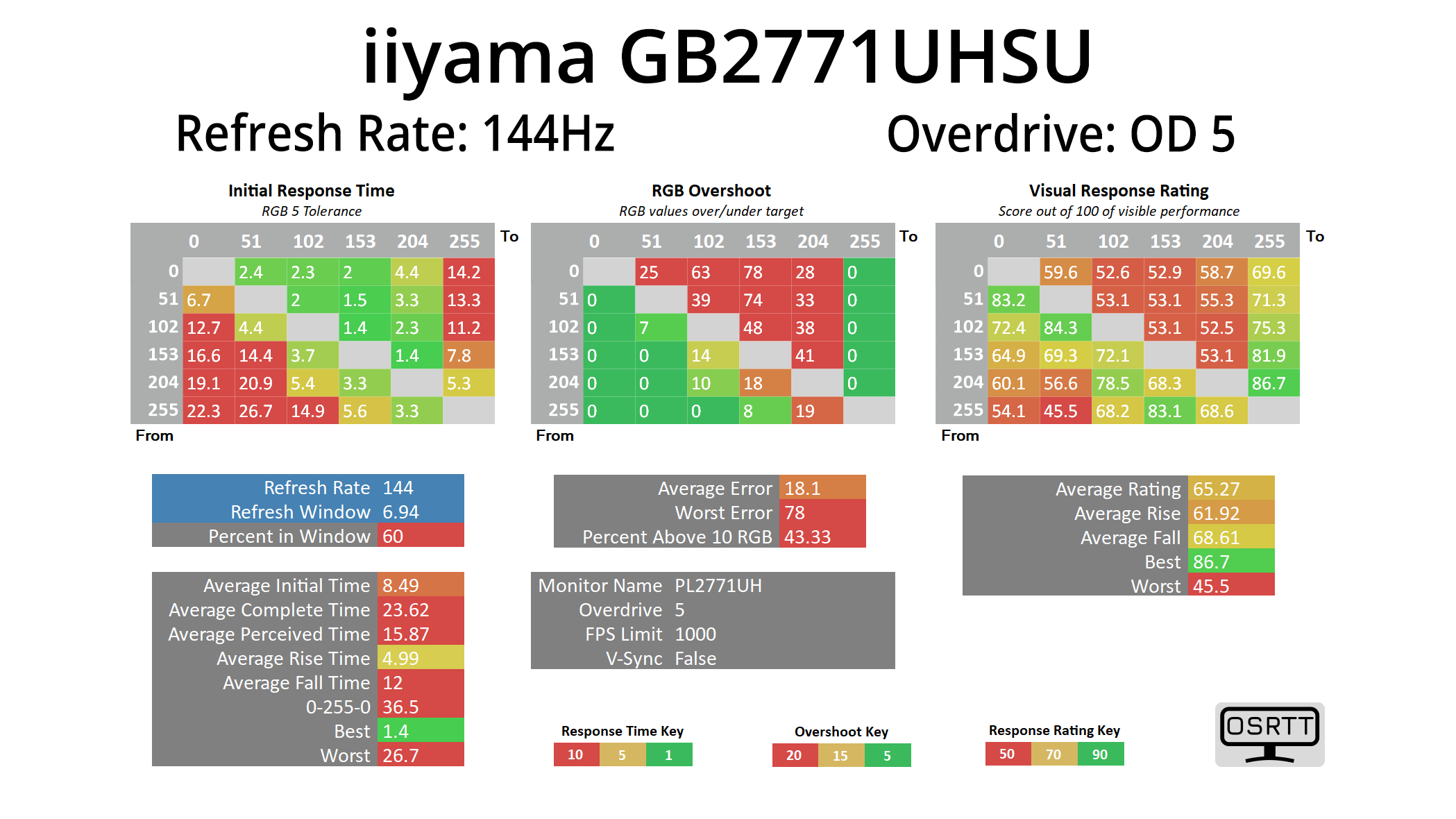
Now things do pick up slightly, and I mean very slightly, at 144Hz, with the OD 5 mode now delivering an average response time of 8.49ms – but at this lower refresh rate, it also adds a ton of overshoot, so it's not worth using. OD 4 is the best bet here but even that is just still way too slow by modern standards, averaging 9.87ms, and that's still with 33% of transitions exceeding their target by more than 10 RGB values.
In a nutshell, the monitor is just so slow – far too slow to recommend in this day and age, and I really just do not understand how it made it out of iiyama's labs, let alone to retail.
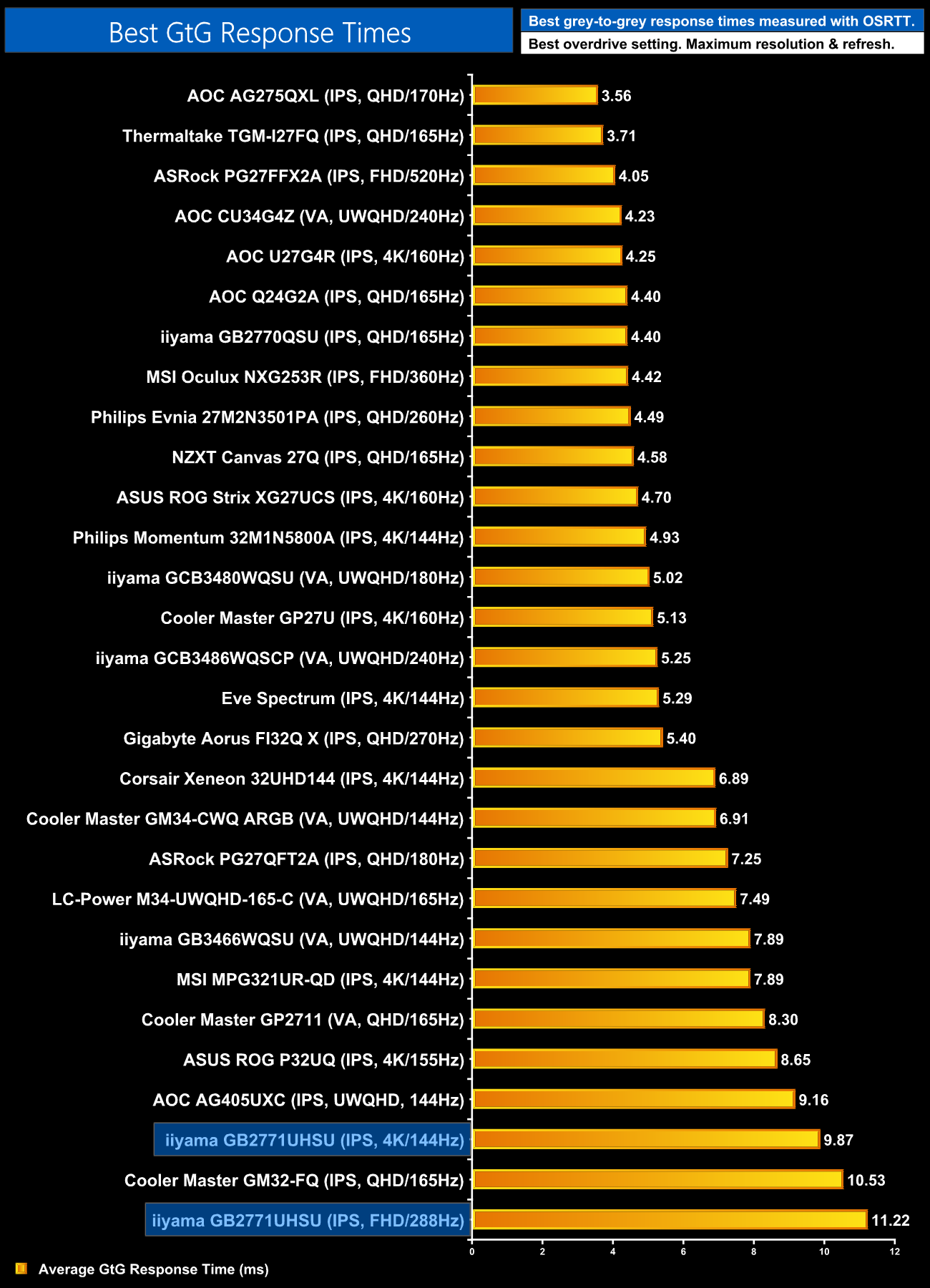
To confirm the results across both refresh rates, we can see the GB2771UHSU occupying two of the bottom three positions in our chart, making this easily the slowest LCD we have ever tested.
Motion Clarity
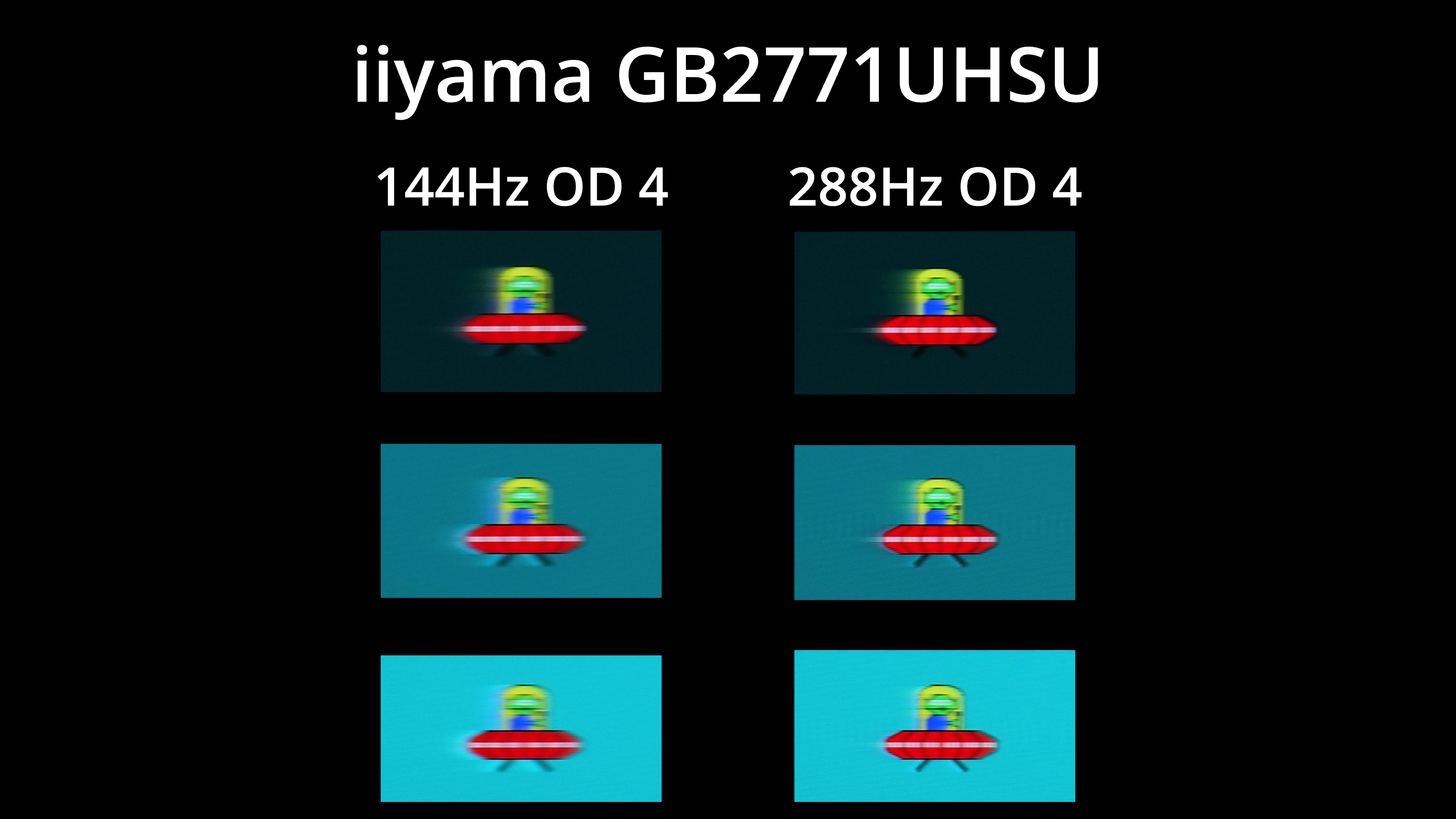
To give those results some context, we have our BlurBusters UFO images, and the first thing to show is the difference made by upping the refresh rate. Yes, it does help clarity at 288Hz vs 144Hz, but even then you can see just how much ghosting is present, while OD4 also has loads of overshoot at 144Hz.
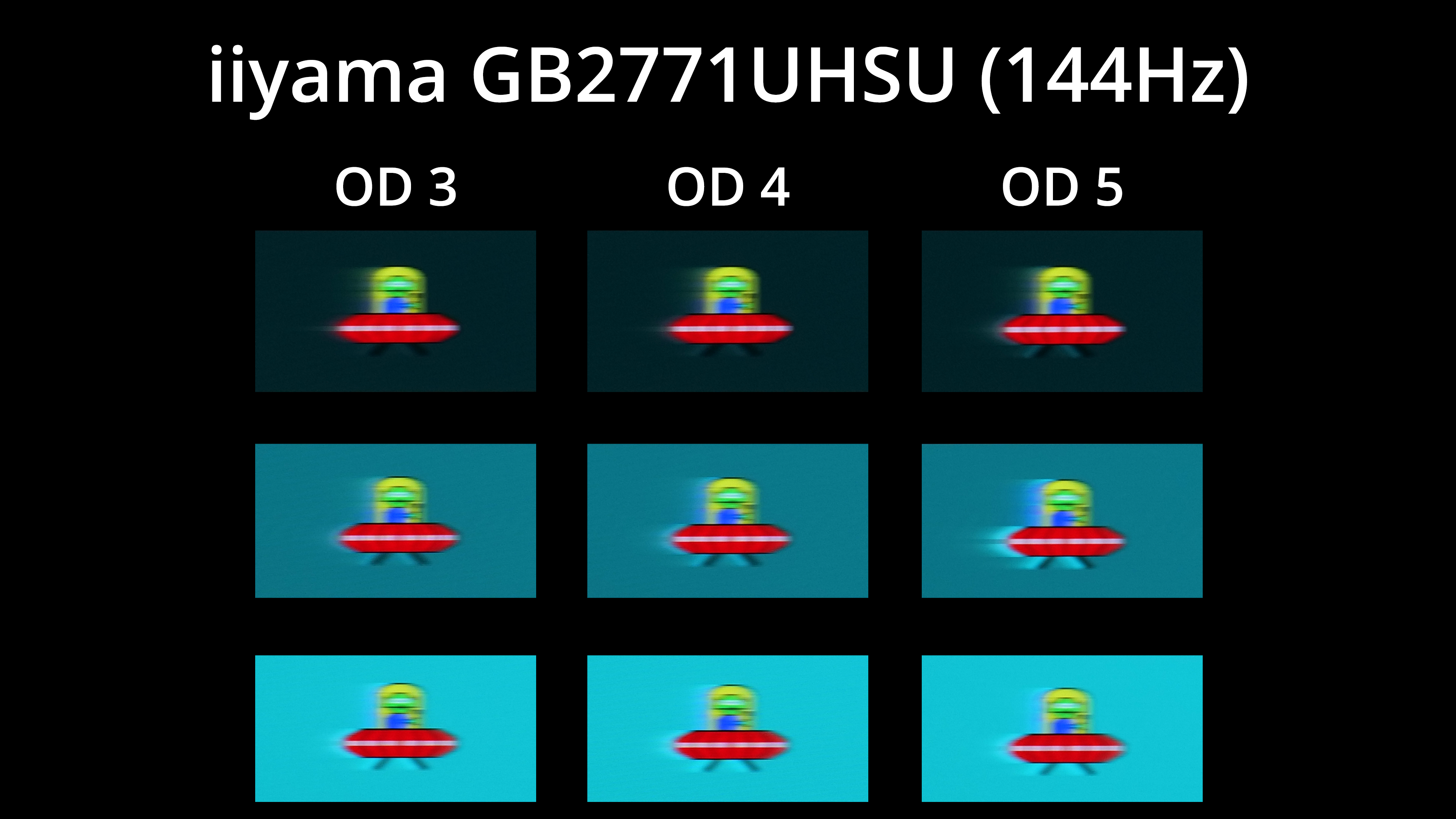
Here's a look at the three modes tested at 144Hz, with none offering anything close to what I would call a ‘good' level of motion clarity, owing to the excessive amount of ghosting.
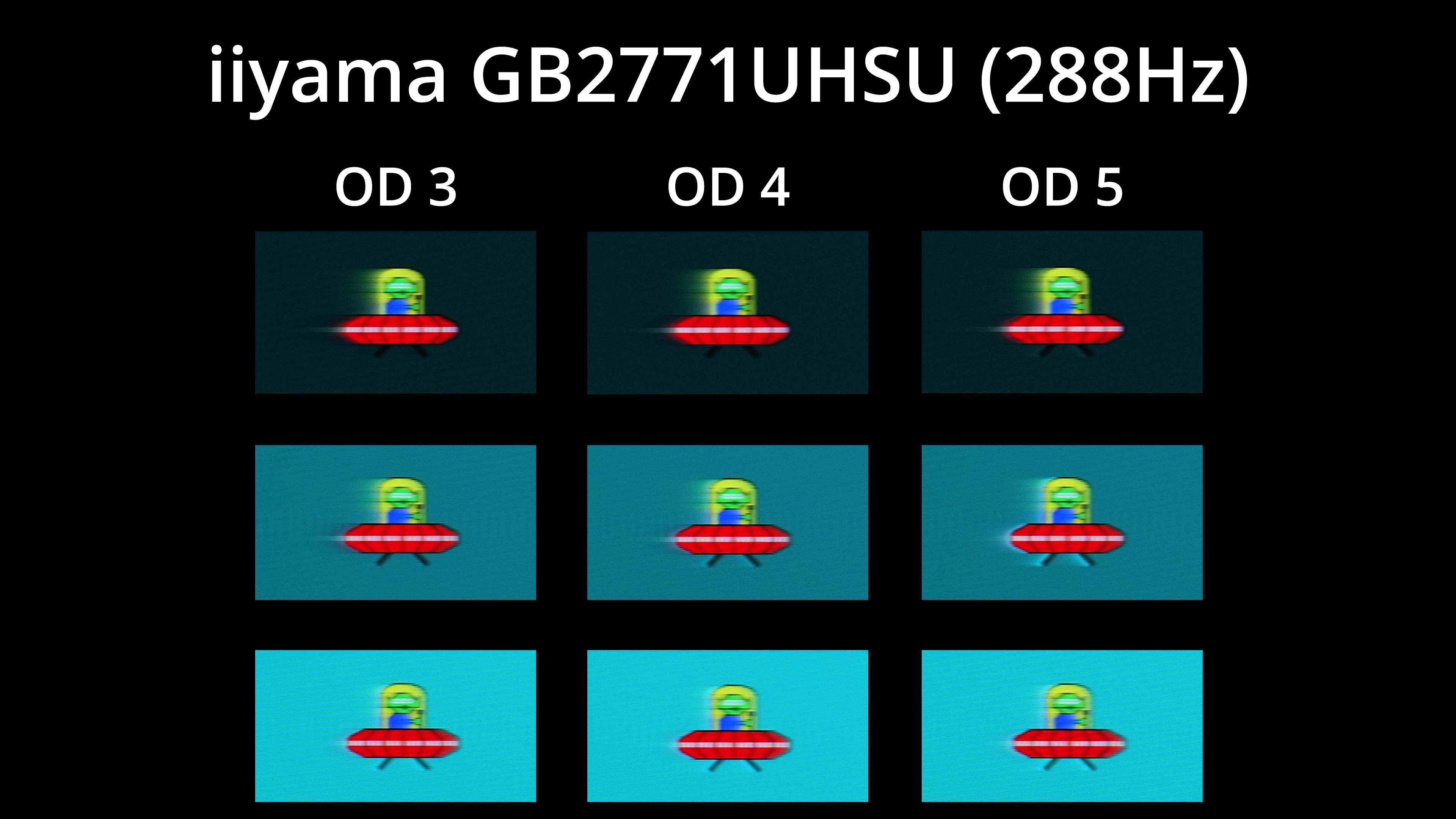
And the same goes for 288Hz – there is just a really noticeable trail after the images, and overshoot gets added as we step up through the OD modes.
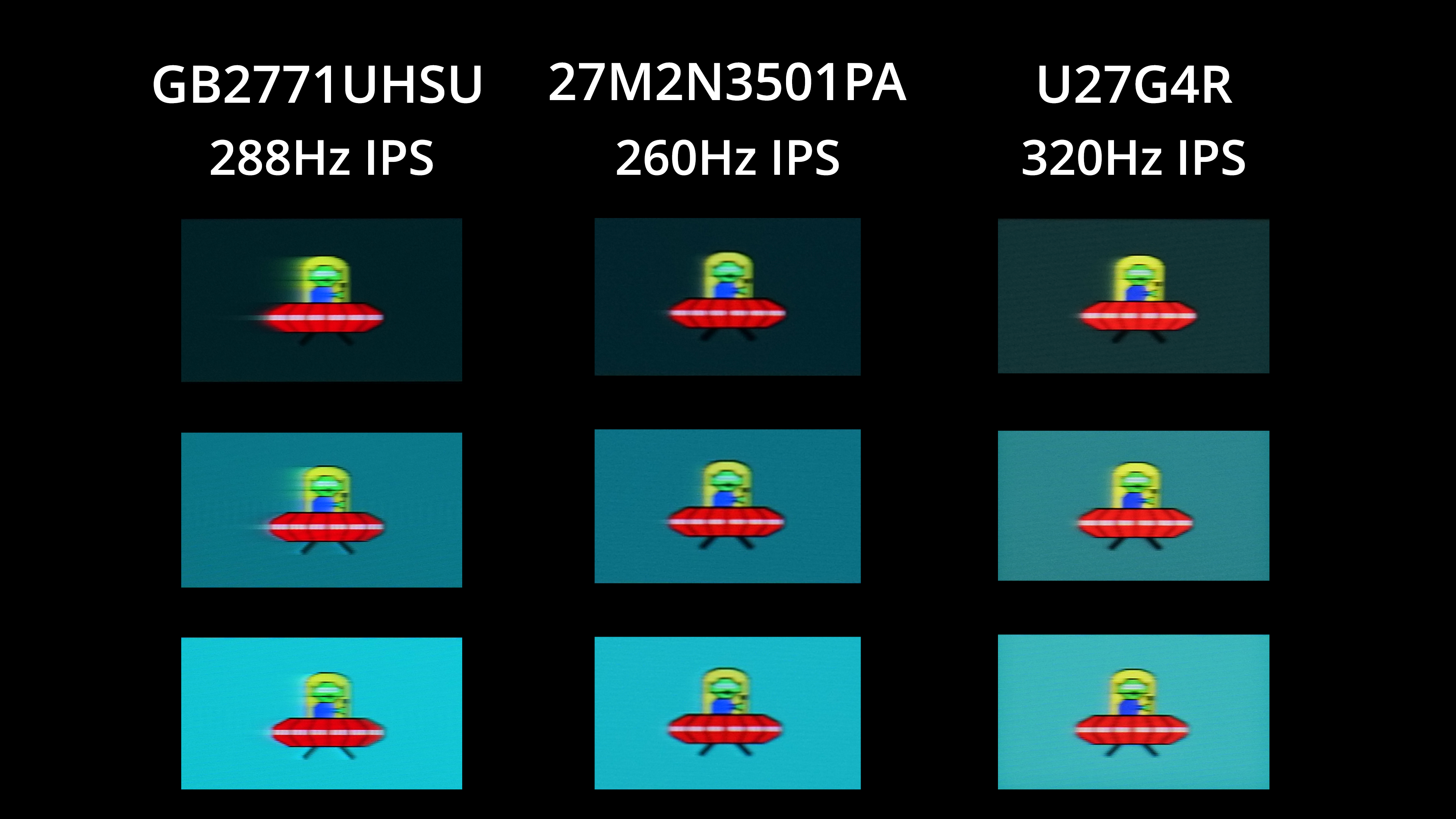
Here we can see just how poor the GB2771UHSU is compared to some similarly priced competition. The Philips Evnia 27M2N3501PA is a £200 1440p screen for instance, while the AOC U27G4R is another 4K dual-mode screen on offer for £229 during Black Friday, but regularly priced at £280. You can clearly see how both screens just offer a far cleaner image – there's very little visible ghosting and trailing, whereas the GB2771UHSU is just a smeary mess.
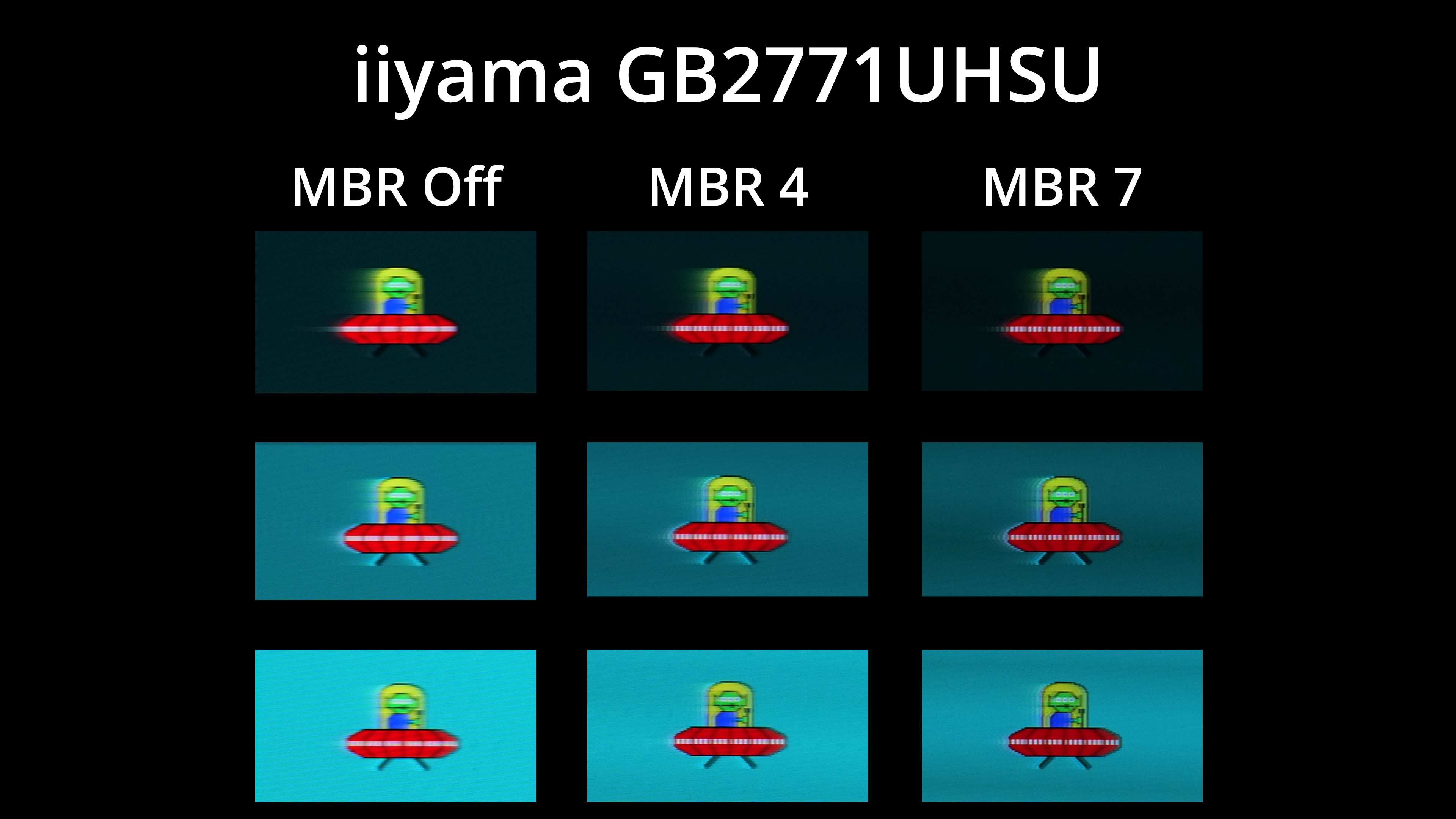
We did also test out the backlight strobing mode, AKA MBR, and this can be adjusted from 1 to 7. It definitely does help with motion clarity, but it can't fix the slow response times, so you still get a pronounced trailing effect behind the image. It also drops brightness, from almost 500 nits with MBR off, down to 304 nits at MBR 7, which is still very usable, but it doesn't work with adaptive sync either, so it's just not enough to save the GB2771UHSU.
We again use the Open Source Response Time Tool (OSRTT), developed by TechTeamGB, to report monitor input latency.
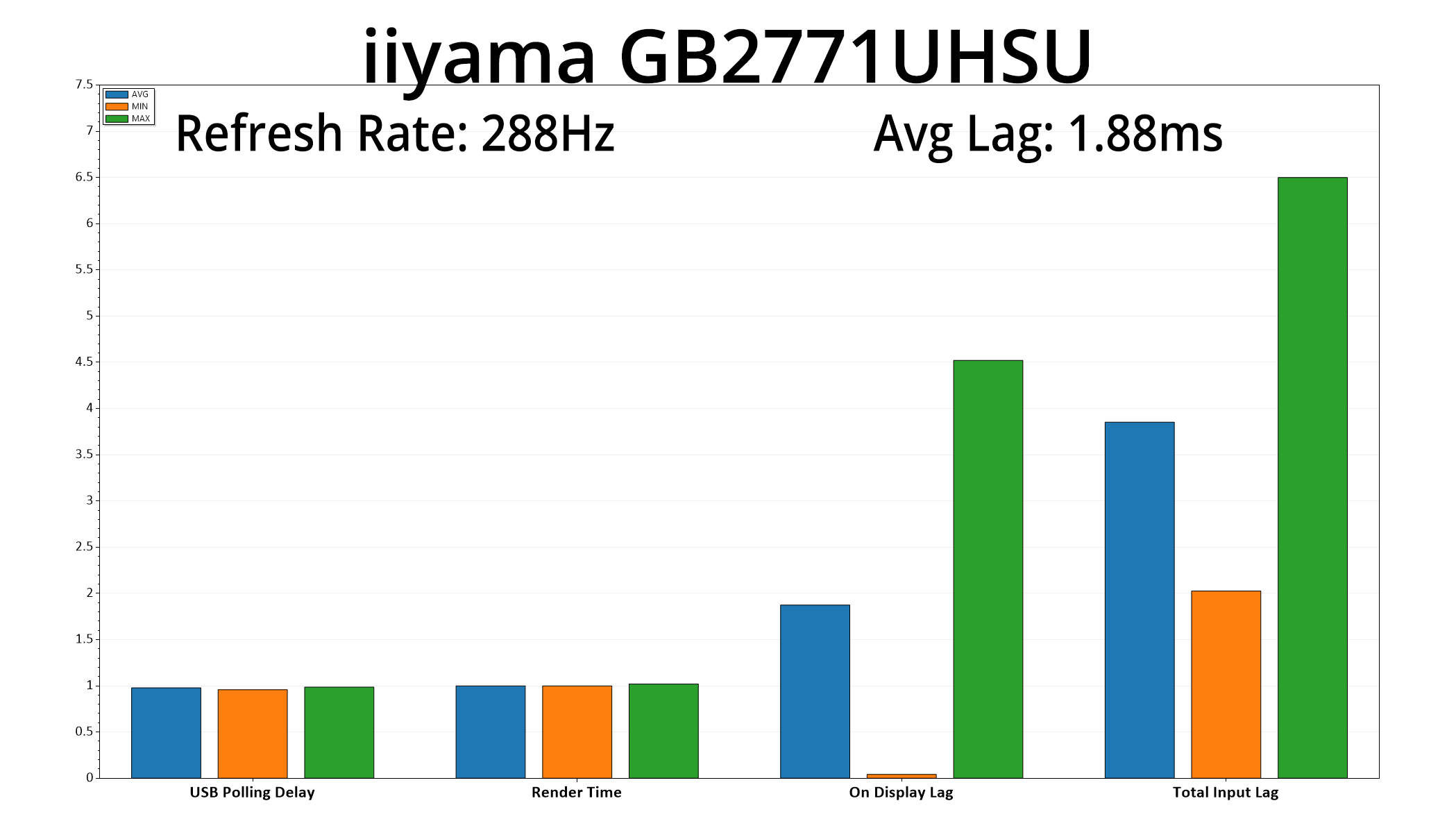
At the very least, latency is nice and low at just 1.88ms, though I'm not sure it matters too much when the pixel response times are as slow as they are.
All in all, there is no other way to describe iiyama's GB2771UHSU than as a big disappointment, and it is absolutely not a monitor we can recommend at this point in 2025.
It's really a great lesson in why monitor reviews matter so much – you can have the best spec sheet in the world, but if something hasn't been implemented properly, it does not matter one jot, and that is perfectly exemplified by the GB2771UHSU.
Put simply, this monitor is just far too slow to be a viable contender. We measured best-case response times north of 11ms at 288Hz, and while it is slightly faster at 144Hz, even then it's still the second slowest screen we've ever tested with a 9.87ms response.
The results are more than slow enough to be considered a deal-breaker in this day and age. It's not like this is the first dual-mode screen to market and you've got no other choice – the market is the most competitive it has ever been, and loads of gaming monitors at or around this price point offer vastly superior gaming performance, just look at the Philips Evnia 27M2N3501PA or the AOC U27G4R for just two examples.
It's not like the rest of the panel's performance can save it, either. While it gets pleasingly bright and contrast is very good for an IPS screen, factory calibration is mediocre at best, with a noticeable green tint to the image, while the sRGB flat out doesn't work – so that's another thing that needs to go back to the drawing board.
So that is it – the iiyama GB2771UHSU is simply not worth thinking about if you are in the market for a new gaming monitor. Let's hope the company can do better next time for everybody's sake.
Pros
- Brightness hits almost 500 nits.
- Strong contrast at around 1600:1.
- Clean and simple design.
- Wide range of ergonomic adjustments.
Cons
- Response times are some of the slowest we have ever seen.
- Gaming just looks blurry and smeary as a result.
- Plenty of screens can out-perform it at this price point.
- sRGB mode simply doesn't work.
- Factory calibration is mediocre at best.
- Viewing angles aren't great by IPS standards.
- No KVM functionality.
KitGuru says: Save your money and buy something else – it's not like the market is short of options!