KitGuru KitGuru.net – Tech News | Hardware News | Hardware Reviews | IOS | Mobile | Gaming | Graphics Cards


The Philips 328E8QJAB5 aims to deliver a curved entertainment experience for a surprisingly low price, but hands-on time with this screen reveals that serious compromises have been made to bring this monitor to market for £230.
The Philips has a tempting curved display, a welcoming 31.5in diagonal and solid design that features a smart stand and impressive build quality.
Get beyond the superficial, though, and you’ll find a screen that’s hindered by compromises.
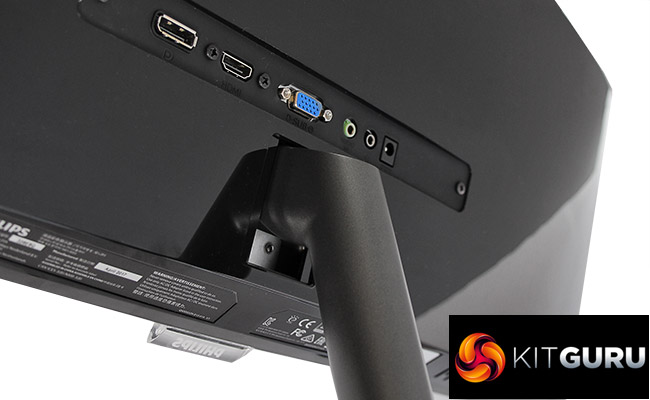
The only adjustment option is screen tilting, for instance, and the only syncing option is AMD FreeSync at a low 75Hz peak – so most gamers won’t be able to use it properly.
Screen quality is lacking, too. Contrast is low, the black points are far too high, and colour accuracy is only average. Uniformity is middling, and there’s obvious backlight bleed too.
The lacklustre screen quality means that the Philips is only suitable for gaming and movie watching if you’re not fussed about colour quality, and it’s only suited to basic work tasks – it’s no good for photo editing or video work, for instance.
If you are bothered about getting the best experience with gaming, movies or work, then one of the Philips’ more expensive rivals is a better option – even if you have to forego the curved screen to get better image quality. As it stands, the Philips 328E8QJAB5 is only a worthwhile buy if you’re dead-set on buying a large, curved panel on a very tight budget.
The model we’ve reviewed here is available from Box for £230.
Discuss on our Facebook page, over HERE.
Pros:
- Very cheap.
- Solid build quality.
- Large, curved panel.
Cons:
- Underwhelming contrast.
- Mediocre colour accuracy.
- Few adjustment options.
- Poor screen modes.
KitGuru Says: the Philips 328E8QJAB5 wins points because of its low price, but this 31.5in curved screen makes serious compromises to achieve its budget position in the market. It’s serviceable for basic tasks, but the poor contrast and mediocre colour accuracy means it can’t cope with anything more.