 KitGuru KitGuru.net – Tech News | Hardware News | Hardware Reviews | IOS | Mobile | Gaming | Graphics Cards


The landscape of peripherals is vast – with many manufacturers all competing in the same space. If you are a regular reader of KitGuru chances are you have seen a few of the same names crop up. Today however we are looking at a product from Gamdias … a Taiwanese gaming peripheral firm making waves in the East with hopes of expanding their user base into the Western markets.
The product I am looking at today is called the ‘Zeus' and it is designed with MOBA gamers in mind. It features 11 customisable buttons, high DPI and some unique tweak options. It certainly stands out, but is it worth buying?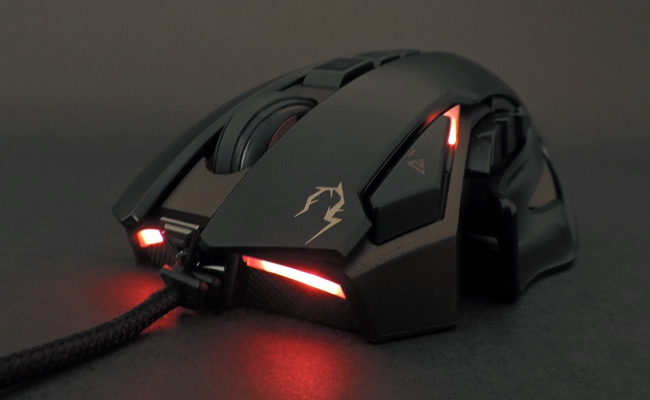
Features
- 3 independently adjustable side expansions to customize hand size and grip comfort.
- Laser sensor up to 8200 DPI for pixel perfect accuracy.
- 512KB onboard memory for button and profile assignments.
- Selectable polling rate 125 / 250 / 500 / 1000 Hz.
- Heavy-duty 11 million click lifecycle.
- Customizable profile / DPI / ambiance lighting luminance.
- Customize weight with weight tuning system.
- Rapid profile switching key.
- Military grade braided cable with Gold-plated USB connector.
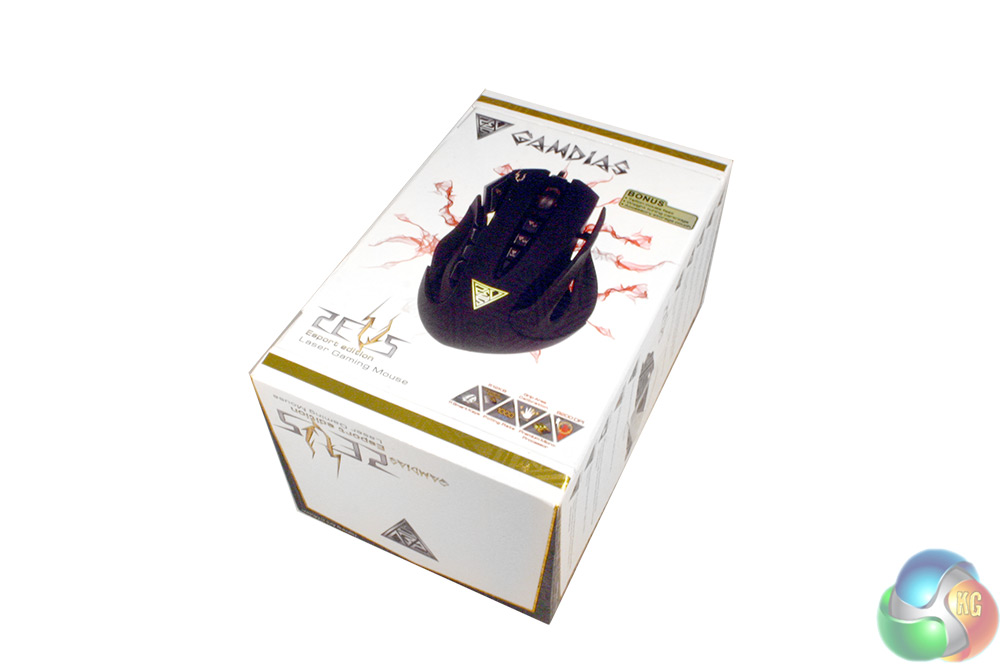
The packaging for the Zeus is not particularly exciting although the company list technical information on the mouse itself, including a clear high resolution picture.
The white colour scheme is a little surprising considering the styling of the mouse and Gamdias' dark, almost Gothic website.
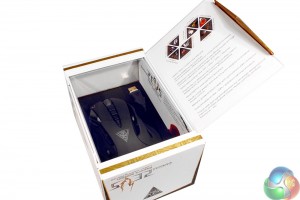
There is a pop-lid that lets you get a look at the mouse, although a plastic cover is in place to protect it against handling within a retail store environment.
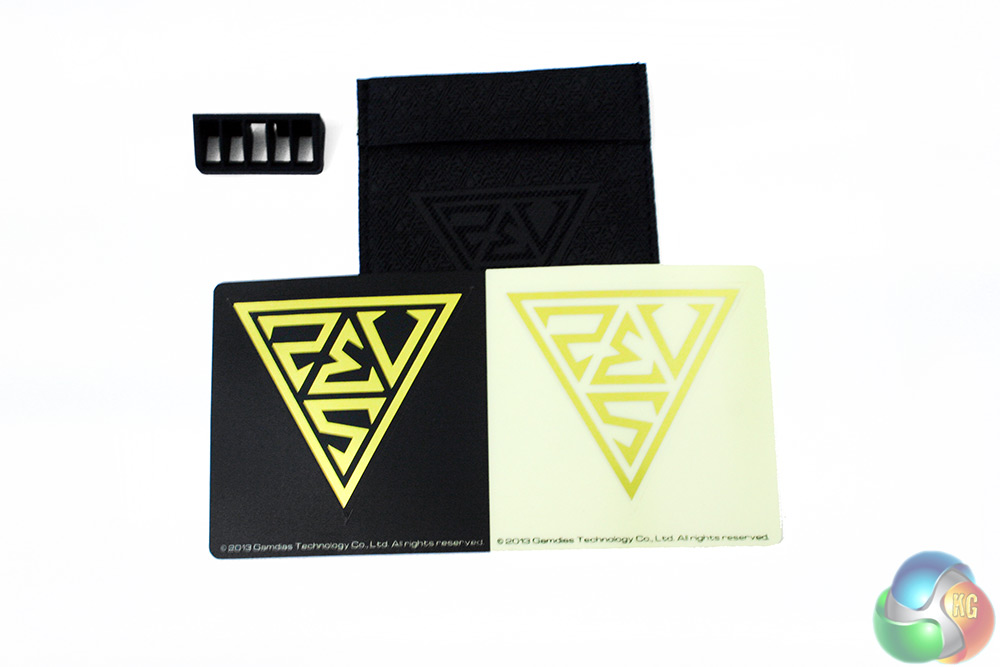
Along with the usual set up manual and warranty card the company supply a travel case for portability. There is also a small rubber holder for the weighting, and a pair of Gamdias stickers.
The company also include a pair of extra teflon feet should the originals wear out.
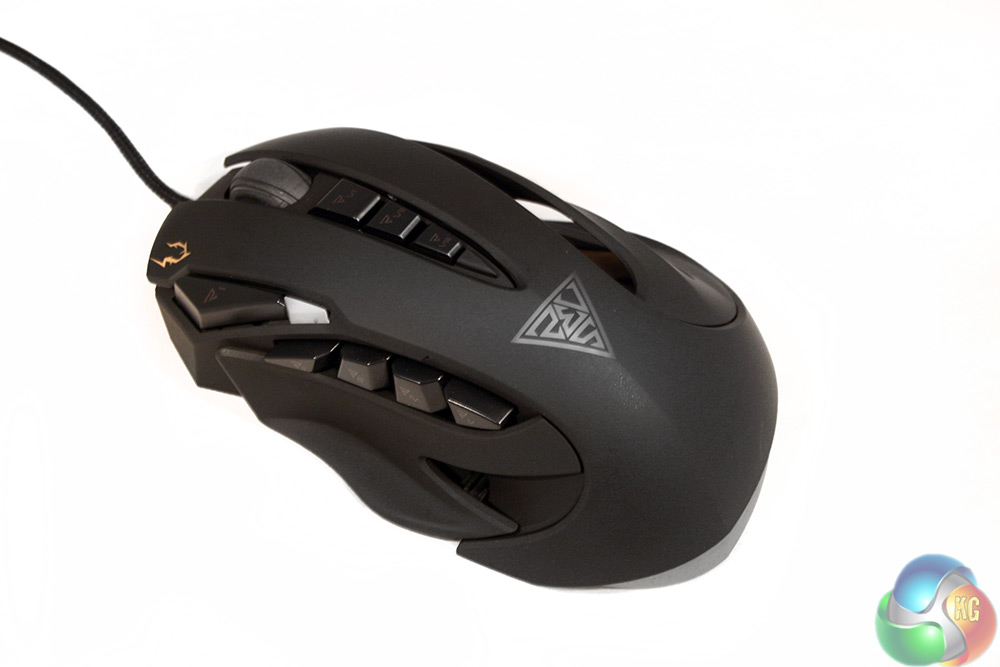
The Gamdias Zeus GMS1100 is a very strange looking mouse. While we have all seen side finger rests before, as well as side buttons, the overall configuration and layout is very unusual.
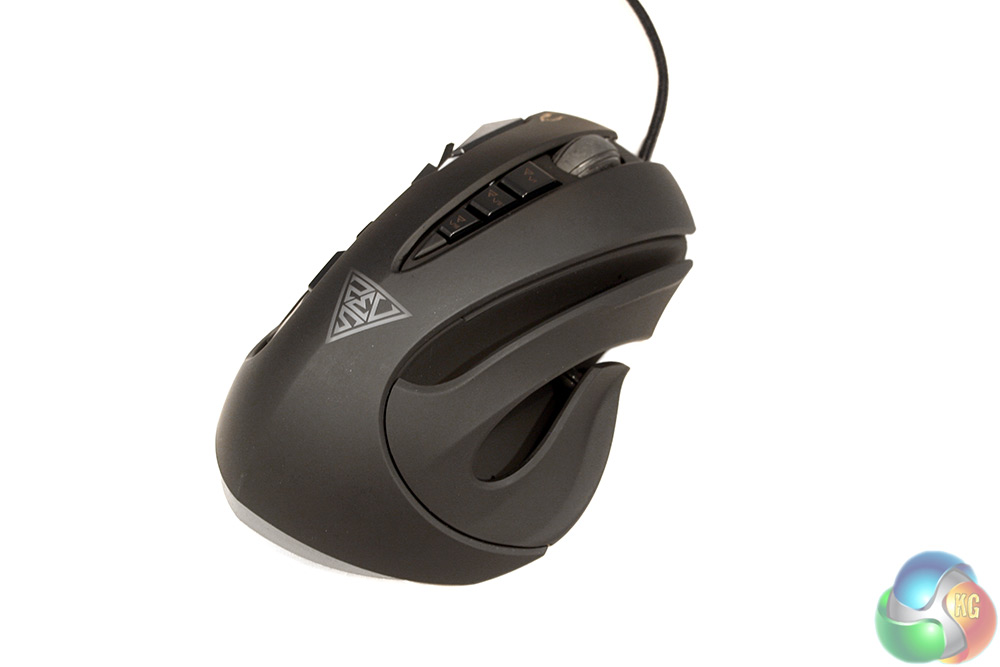
The main body of the Zeus is made with lovely, soft plastic coating. It is very smooth and comfortable to hold, split into three distinct sections – the middle, the left and the right. While the middle is fairly traditional with front buttons and DPI switches, the sides look rather bizarre in comparison.
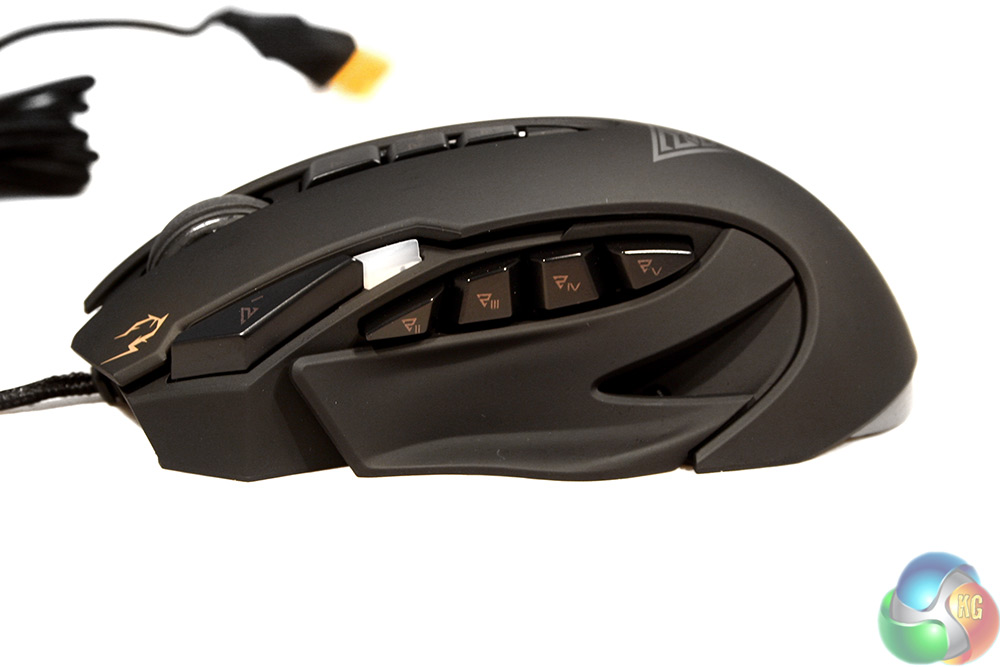
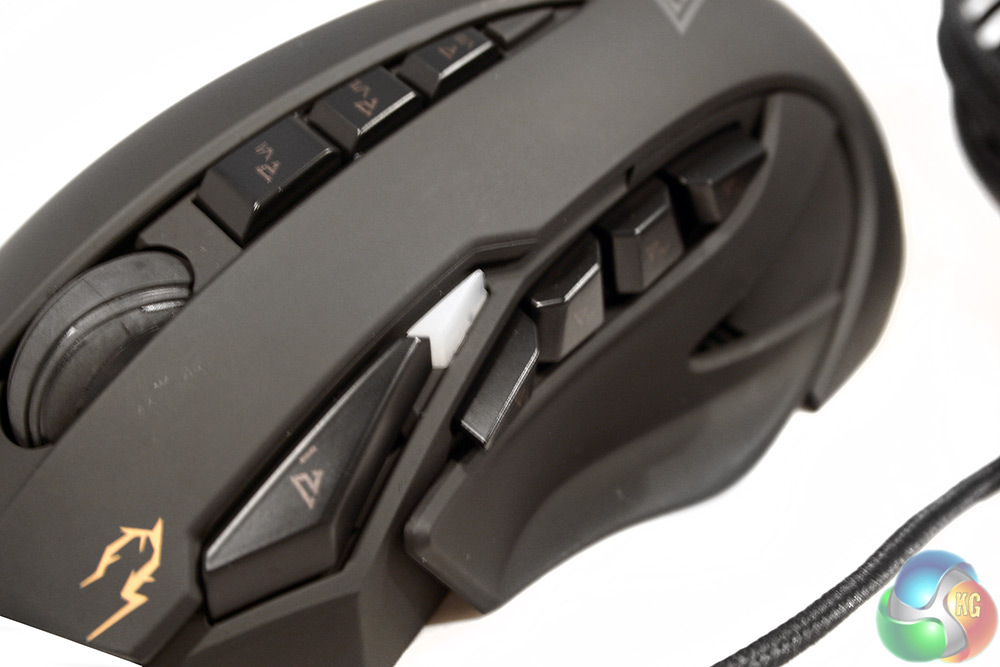
Eschewing the usual thumb rest on the left hand side, the Zeus splits off from the main body and with good reason too: it needs to fit in all those extra buttons.
Along with the plastic, scooped thumb rest, there are four extra side buttons. While these ship at default with commonly used forward, back browser functions – this mouse has a real MOBA focus. The idea is to remap these to your QWER abilities in LoL, DotA 2 … or any of their less popular contemporaries.
The buttons are placed in a way that allow you to press them with your thumb. That said, they do not seem to be designed with a rocking motion in mind – they require the user to move the thumb to press them.
At the front and mounted just above the side buttons is a small LED indicator to indicate DPI. There is another button which supports profile switching.
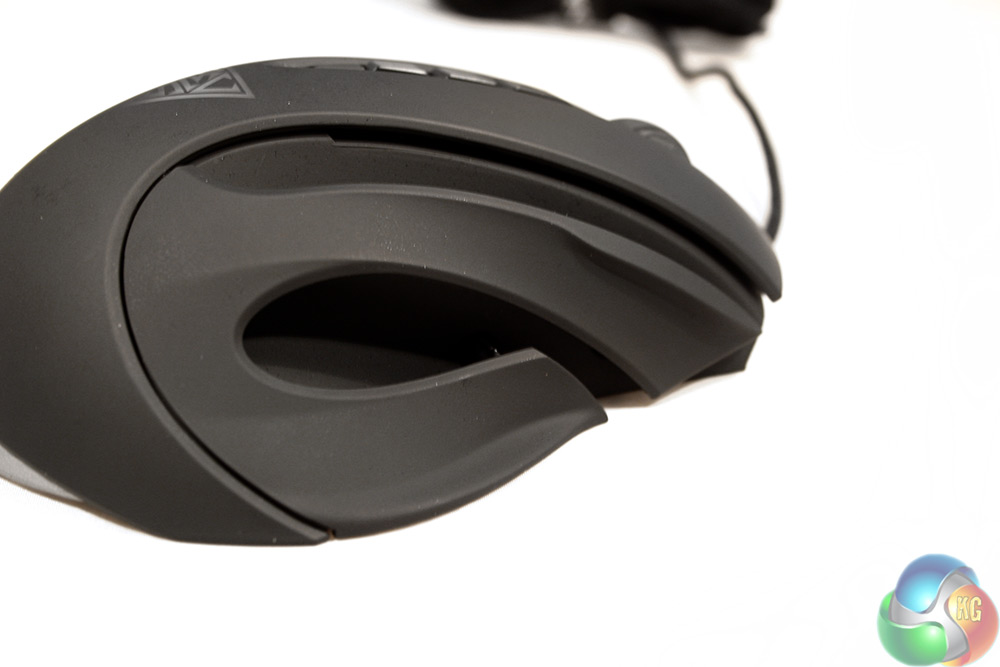
The other side looks rather odd. There are finger rests which are slightly independent of the main body, and these leave gaps between them and the frame.
Obviously this is deliberate as they are adjustable by small dials on the underside of the chassis. It is an interesting idea and could prove useful for those with large or small hands. You can only adjust the distance from the body of the mouse, not the height or lengthways position.
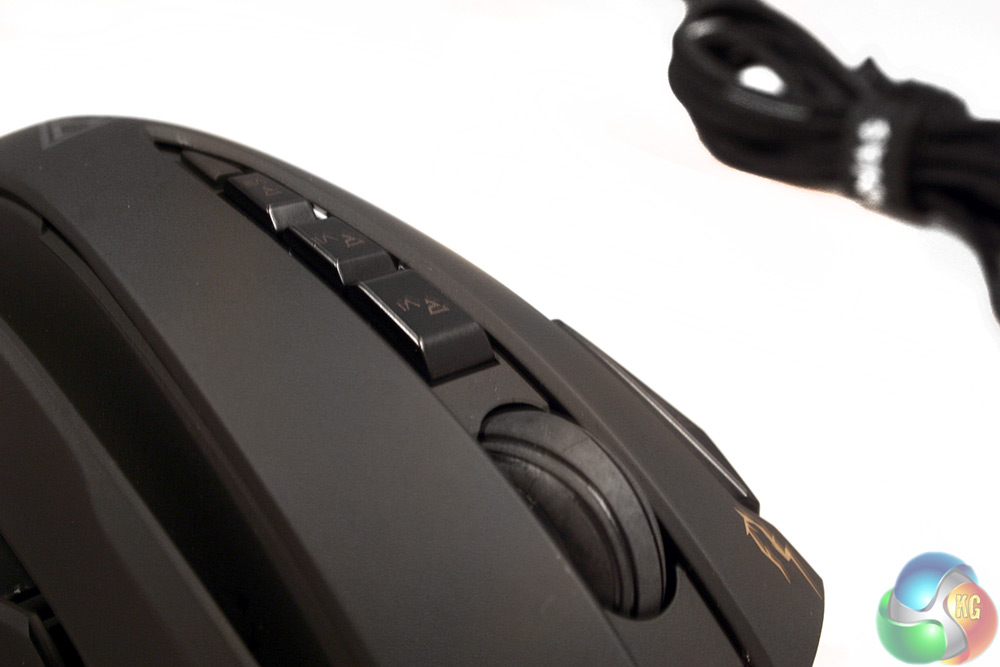
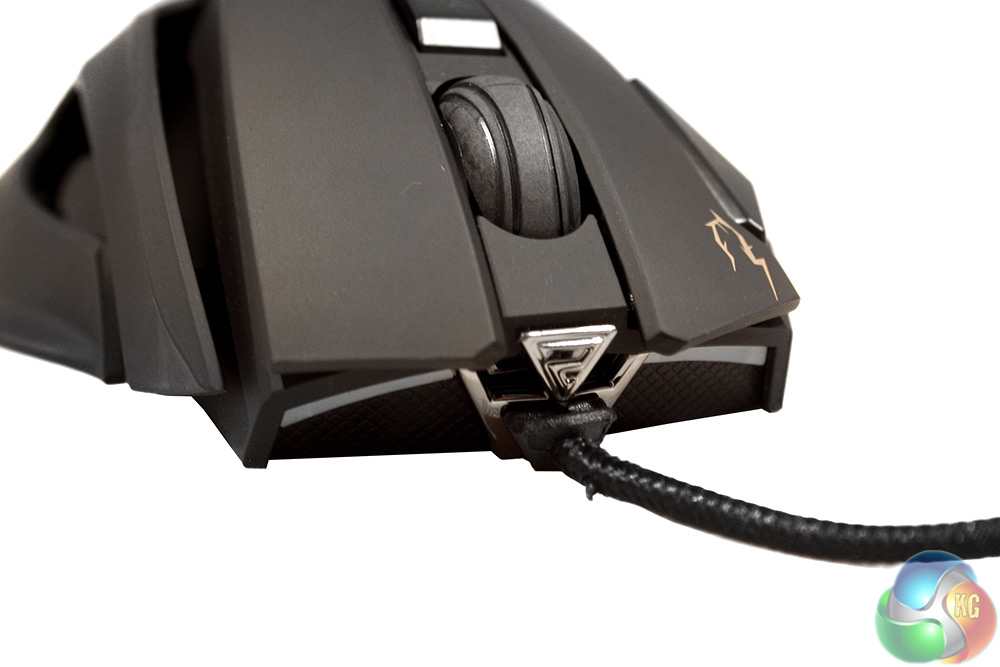
The front part of the mouse is equally unusual by design, sporting three buttons more than we would find on many gaming mice. Along with left, right and wheel clickers, there are three more running down the middle. The first two are immediately recognisable, defaulting to DPI up and down (for which there is an indicator LED on the side) – but the one behind it launches the official Gamdias website.
It is almost creepy watching the macro playout when you haven not programmed it. This toggles the Run window and types in the Gamdias homepage URL.
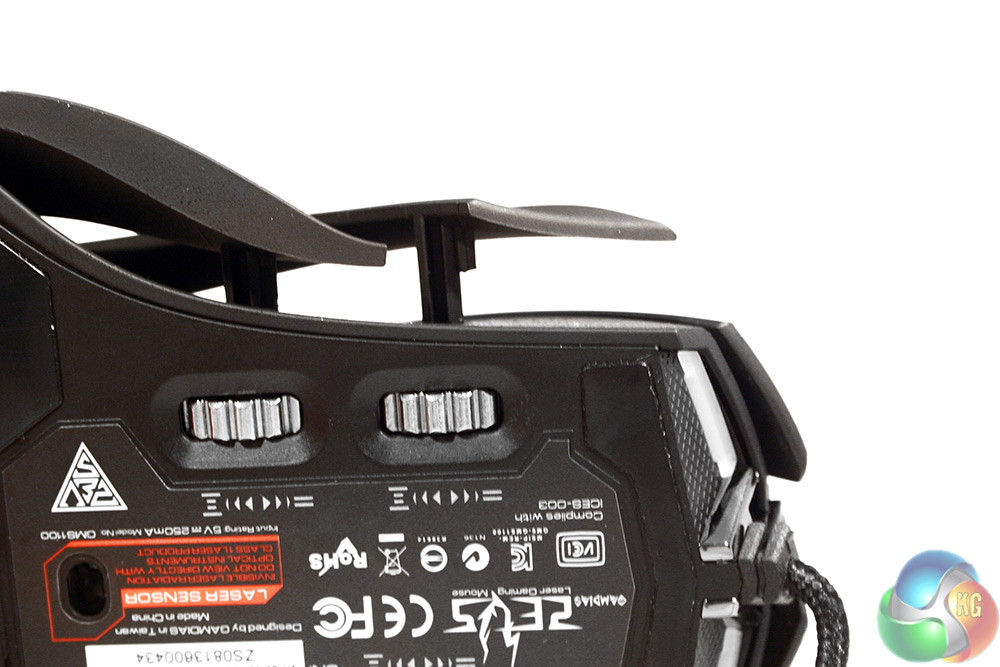
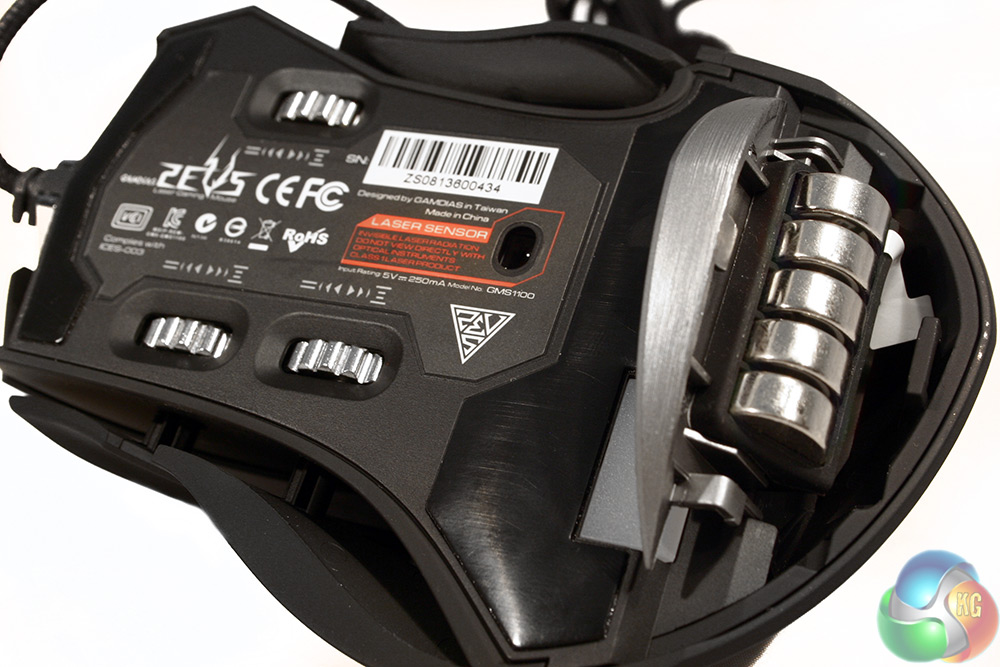
The dials that control the finger rests are on the underside of the mouse, with a single one on the opposite side to control the thumb rest. That said, I have never felt the need to adjust that.
At the back of the Zeus is a little sliding door which reveals the weight-puck carriage. Here you can adjust the weight of the mouse in 4.5g increments. Personally I found the sweet spot at two. It comes mounted with all five at default, but it may prove rather heavy for most people.
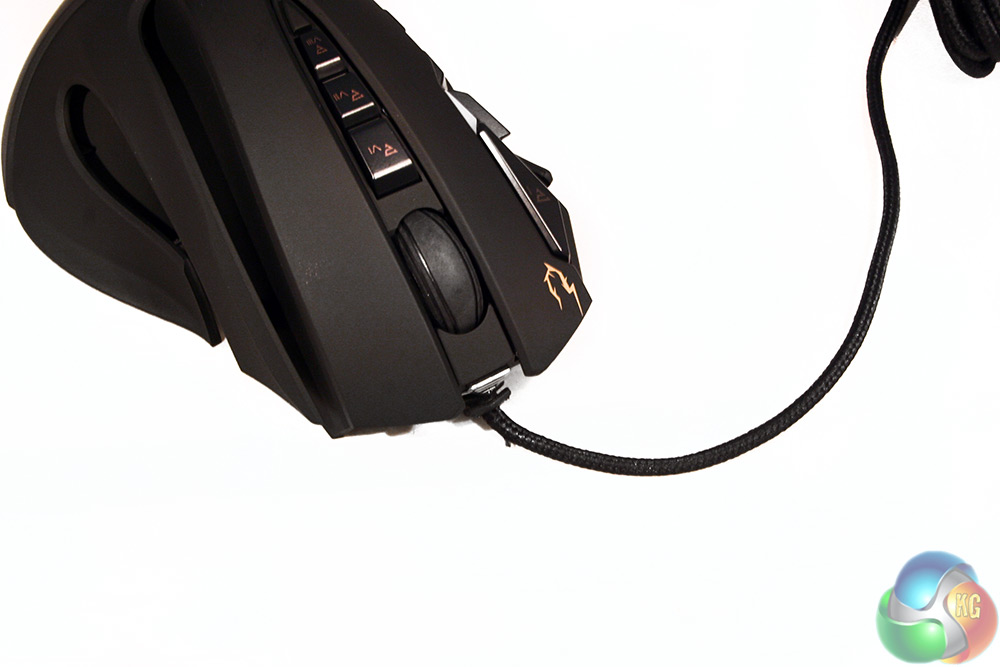
The cable is braided to a high standard, which earns the mouse a little bonus point.
Testing a mouse such as the Gamdias Zeus requires many hours of gaming – it is a tough job, but someone has to do it!
I used the Gamdias Zeus throughout 2 weeks of gaming, alongside general use and work related tasks such as photo-editing. I played multiple genres of games, tried different sensitivities and even played on different surfaces and came up with a final conclusion.
As always though, we would recommend trying before you buy, if you can.
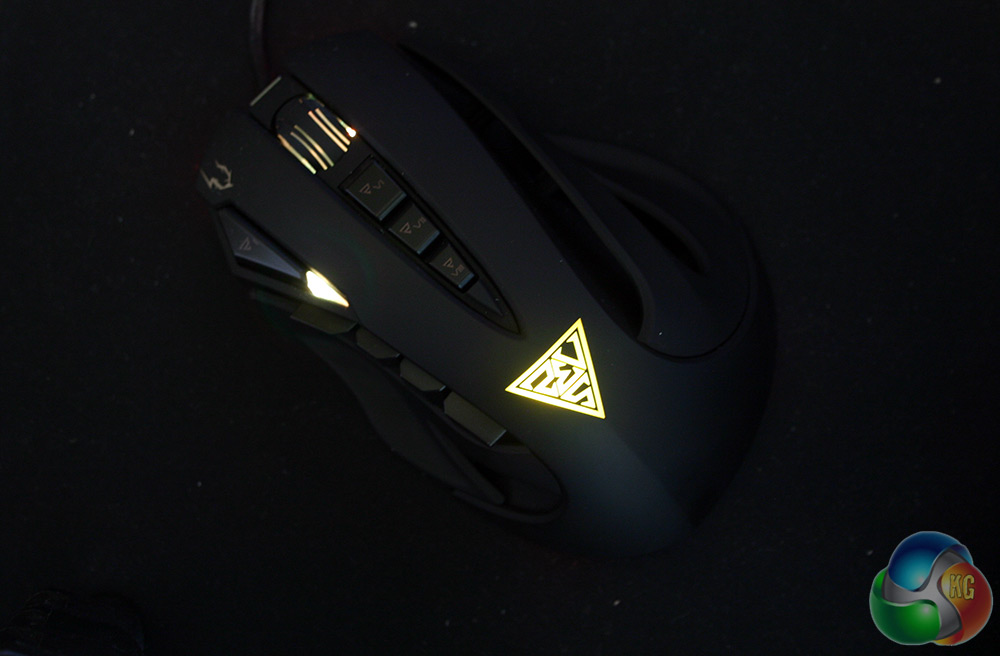
The Zeus lights up in most of the usual places
I will start off by saying that I find the Zeus a bit of an enigma. It is capable in many ways, but a lot of its features feel either redundant, or unnecessary.
For example, this is a highly sensitive, pretty accurate gaming mouse. It works well in shooters, RTS games, MMO titles and in a large number of other game genres. I used it to play through most of my STEAM Sale titles however it was in MOBA games, (the genre of game that this mouse is aimed at) that I found myself questioning the design.
The Gamdias Zeus is designed specifically to give you access to keyboard shortcuts on the mouse itself – that is what the side buttons are for. Remapping them to your QWER keys is a no brainer, but the execution is strange. You can play a game with only the mouse and do quite well – but it is just not as good as using keyboard shortcuts.
First there is absolutely no way that a single thumb moving between buttons, can be as fast as four individual fingers. Likewise they are on a different hand altogether, so benefit from a separate part of the brain controlling them, which means they can be operated independently.
Beyond that – lifting your thumb to press any of these buttons, means moving it from the control point on the mouse: the thumb rest. Without that anchor, you can't move the mouse as effectively, which means that when you are using just the Zeus for a MOBA match, you are less efficient while using abilities … which is the worst time for that to happen.
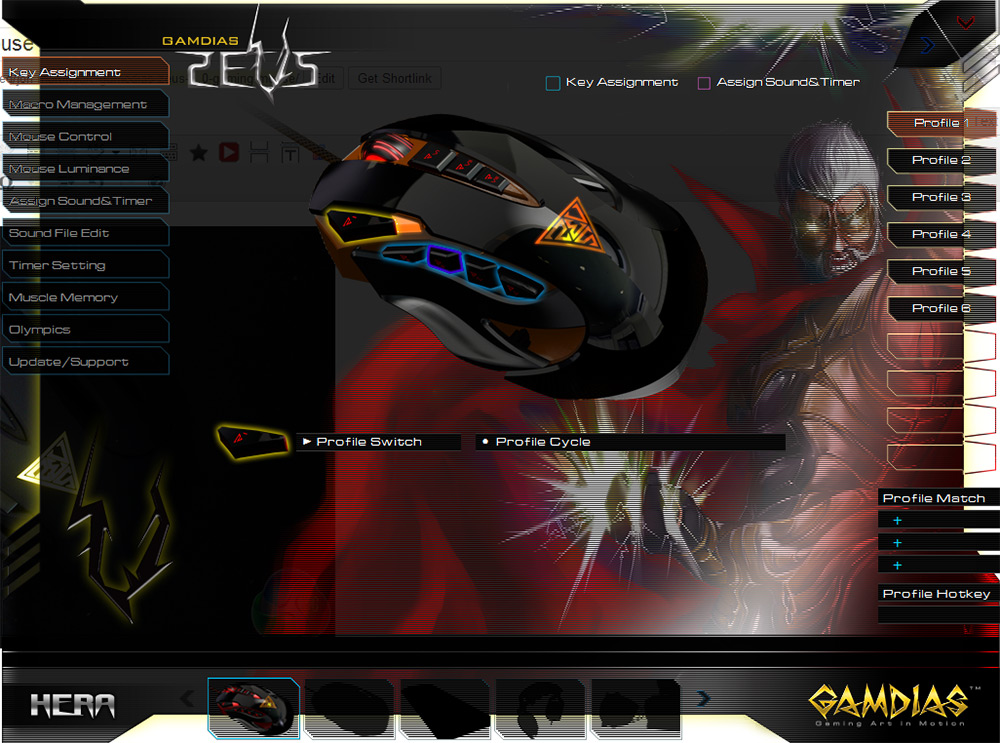
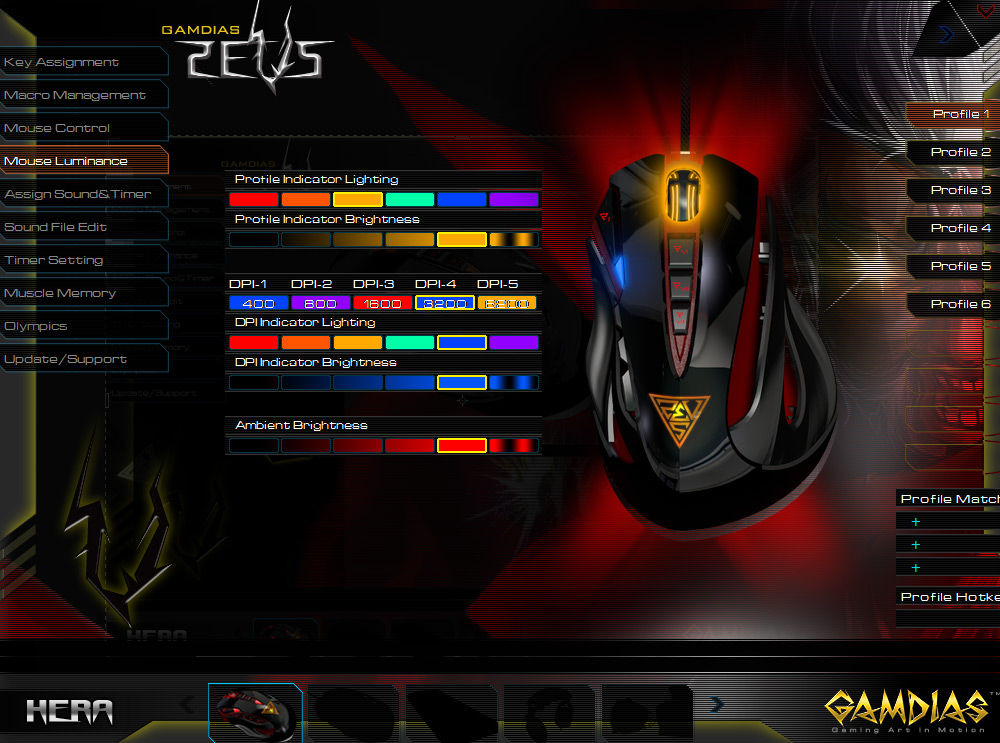
The software has a lot of options, but can feel overly busy and hard to navigate around
The other issue is that really, there are not enough buttons on the Zeus. That might sound ridiculous, but consider that most MOBAs have four abilities – plus one or two global abilities, alongside items that require activating. Chances are I am using the keyboard for the latter of that group, in which case why wouldn't I just use the keyboard for all of it?
There are a couple of instances I could see the Zeus' buttons being of some benefit however: 1: if you happen to be an amputee or can't use your other hand for whatever reason, then this would potentially be a saving grace, as you can continue to play your favourite game as usual.
You could also conceivably drop all pretense and just use the buttons for other functions, such as recall. You could also activate certain items, but again it means reducing mouse control for a second, which will get you killed at high level play very quickly.
In other games, or by ignoring the side buttons altogether you can have a relatively competent gaming mouse. However, the Zeus does have some other issues which need to be addressed. Due to its design – with split sides and added buttons, the two main left and right clickers are very narrow. You do not tend to find yourself slipping off, but the edge can creep up on you and distract during the most tense moments, which a mouse should never do.
The side rests are also troublesome. As much as I experimented, I just could not get them to be 100 per cent comfortable. Perhaps it is because you can adjust them that I have not settled properly, but I always find myself resting my ring finger somewhere it should not be. I have used this mouse for two weeks and it still does not feel completely natural.
It isn't uncomfortable though. Nothing stabs or irritates and I applaud the attempts to innovate, but there is not enough customisation to really put the rests where you want them. Give me an ambidextrous side grip over this any day.
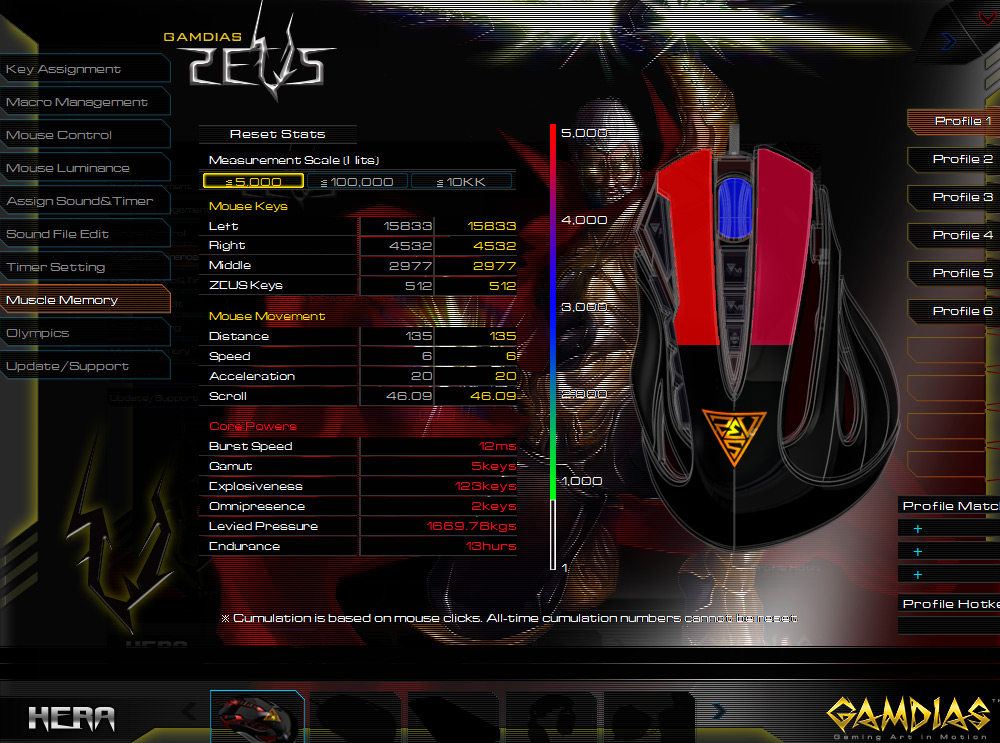
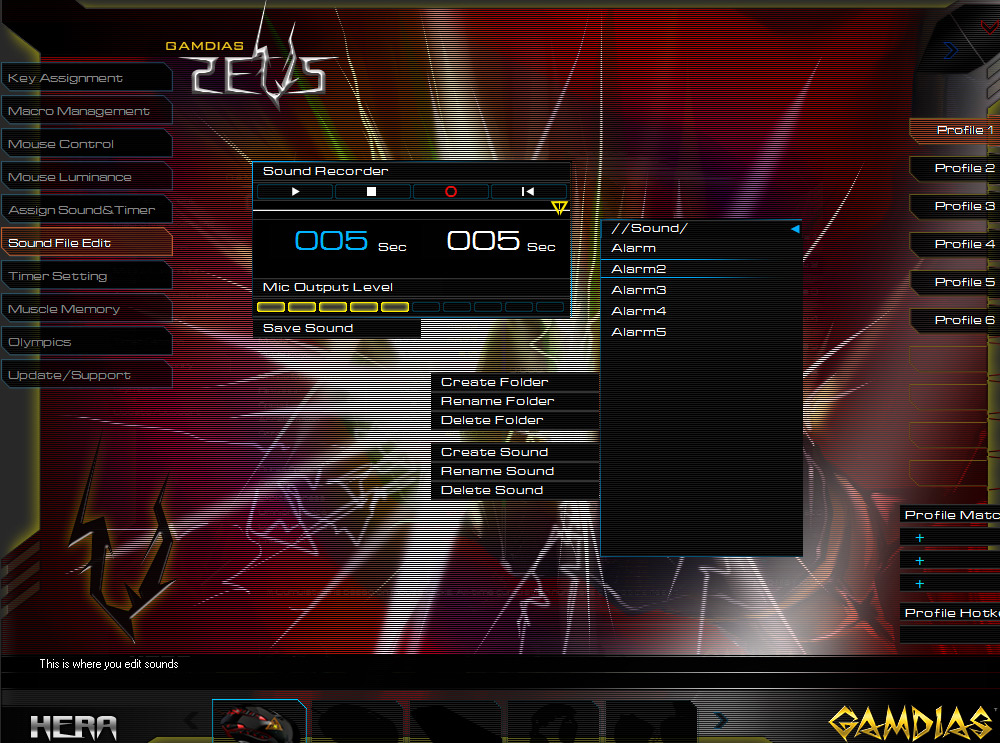
You can also set up sounds when you change profiles and track all of your clicks and scrolls
Unfortunately, I also ran in to a few problems during photo-editing with the accuracy of the mouse. It was not necessarily to do with the sensor itself, but more the teflon pads, which when performing very small movements would seem to almost stick, requiring more force than you wanted to give – this could cause you to overshoot. Lowering the sensitivity helped avoid this, but it is a shame it happened at all.
The Gamdias Zeus seemed bogged down with issues however it performed reasonably well and was not much of an inconvenience during general day to day use. It is also worth noting that thanks to the laser sensor, the Zeus works on both mousemats and desk tops, so you do not need an expensive mat to get the most from it. That said, if you are spending upwards of £75 on a gaming mouse, I would be surprised if you did not already own a quality mat.
So all in all how does the Gamdias Zeus GMS1100 fare? Unfortunately, not as well as we had hoped.
While it is a nice idea adding extra buttons to a mouse, it has been done before and regularly sacrifices control for function. It might be acceptable in a slower paced game but in a super-fast MOBA the ultimate control is achieved with a dedicated keyboard configuration. The strange shape of the Zeus also failed to win me over despite the potential we felt when we initially put our hands on it.
The Zeus does have a quality, high grade DPI sensor that will deliver fantastic performance in shooters and RTS titles, but we can't help but feel there are better options available for the same money.
The Gamdias Zeus can be found for £77 at Ebuyer, though at some retailers it is priced as high as £90. If this rather unusual mouse was perhaps £50 I would find it easier to recommend, but at £77 it's in the company of some of the best gaming mice in the world and it just does not measure up.
Discuss on our Facebook page, over HERE.
Pros
- High DPI sensor.
- Plenty of remappable buttons for added function.
- Adjustable weights.
- Laser sensor allows usage on different materials.
Cons
- Finger rests never feel quite right.
- MOBA buttons feel inferior to simple keyboard shortcuts.
- Overpriced for its abilities.
- Software is too busy and a little confusing.
- Teflon pads can feel like they stick sometimes.
KitGuru Says: Unique, but hard to recommend, the Gamdias Zeus has an extensive feature set but fails to deliver a cohesive, quality gaming experience. There are better mice available on the market today at the same price.
a little late but : moving a thumb to use the side button is never a problem on theses kind of mouse (G600/G602/GXT166/Zeus/ heck even the piece of cr*p that the naga and M.M.O 7/TE are) so it should not be a penalizing factor for a moba mouse (since all of them need to do it like that)
on the opposite i concur with the fact that the Zeus has not enough button … i use a G602 :6 thumb 2 index, (normally the 2 index (G10/G11) are mapped to the DPI shift but they are more useful as skill button or whatever else since the G602 max dpi is 2600 x) ) and even 8 are not enough (for MOBA, barely for MMO a bit short depending on the one you play) going back to a G600 or trying the GXT166 is the only option.