KitGuru KitGuru.net – Tech News | Hardware News | Hardware Reviews | IOS | Mobile | Gaming | Graphics Cards


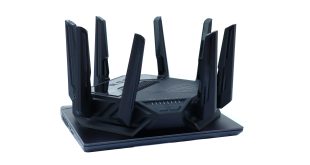
The normal rule of thumb is, if you want smooth, low latency gaming, you're better off with a wired network. But Intel reckons its Killer NIC technology can deliver the throughput and response for any kind of online entertainment – particularly when combined with WiFi 7. We explored what Intel Killer NIC has to offer, using an MSI laptop equipped with the technology and an ASUS router.
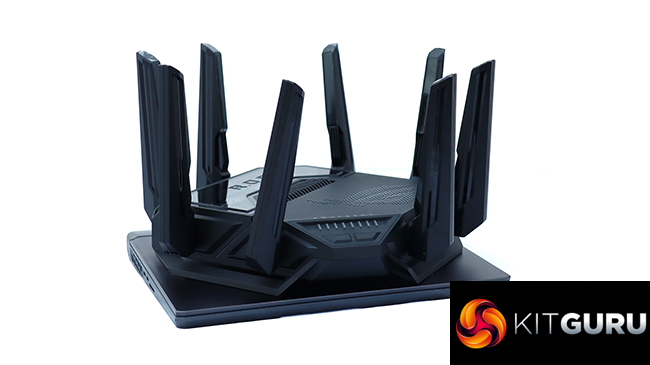
You probably won't be buying Intel Killer NIC WiFi technology on its own. You can purchase M.2 cards to upgrade your laptop, but the more likely approach will be obtaining the capabilities built into hardware from third parties. In our case, we based our review on an MSI Vector 16 HX AI A2XWIG laptop, equipped with Intel Killer BE WiFi 7 networking, and an ASUS ROG Rapture GT-BE98 wireless gaming router. The latter has the the ability to prioritise traffic from client systems with the Intel Killer Prioritization Engine, of which more later in this review.
The ASUS ROG Rapture GT-BE98 is an extremely high-end WiFi 7 router. This has a BE25000 rating, implying an aggregate 25,000Mbps bandwidth. This is split between four WiFi radios. The 2.4GHz one delivers up to 1,376Mbps, then there are two 5GHz radios offering 5,764Mbps apiece, and finally a single 6GHz radio providing 11,529Mbps. With the right WiFi 7 client, extremely high bandwidths will be available.
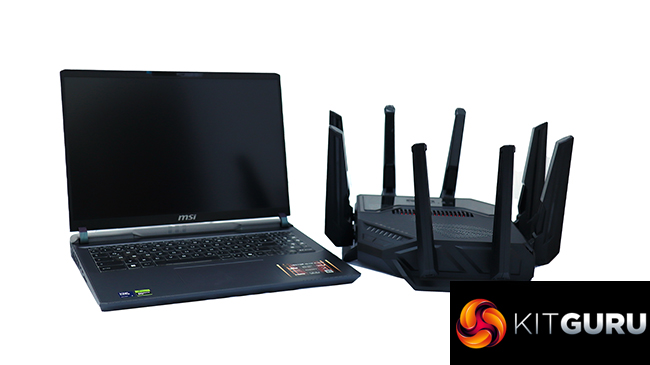
The main benefits of Intel Killer NIC technology come from configurations that optimise for different use cases, particularly gaming. The Intel Killer Prioritization Engine lets you give certain websites and apps precedence. The Intelligence Engine lets you analyse WiFi performance. DoubleShot Pro enables aggregation of wired LAN and WiFi for increased bandwidth. Read on to find out how this all works in practice.
The MSI Vector 16 HX AI A2XWIGis available from Scan UK for £2,699.99 inc VAT.
The ASUS ROG Rapture GT-BE98is available from Scan UK for £599.99 inc VAT.
Specification (ASUS ROG Rapture GT-BE98):
- Wireless protocols: MU-MIMO with 802.11b/g/n/be 2.4GHz, 802.11a/n/ac/ax/be 5GHz and 6GHz
- Performance: BE25000 (11,529 + 5,760 + 5,760 + 1,376 Mbits/sec)
- Antenna Configuration: 8×8 external antennas
- Ports: 1 x 10Gigabit LAN, 3 x 2.5Gigabit LAN, 1 x Gigabit LAN, 1 x 2.5Gigabit Ethernet WAN/LAN, 1 x 10Gigabit WAN/LAN, 1 x USB 3.2 Gen1, 1 x USB 2.0
- Modem Support: Fibre, VDSL/ADSL 2+ or cable
Specification (MSI Vector 16 HX AI A2XWIG):
- CPU: Intel Core Ultra 9 275HX 24-core processor
- Memory: 32GB DDR5
- GPU: NVIDIA GeForce RTX 5080
- Screen: 16in, 2,560 x 1,600
- SSD: 1GB NVMe M.2
- Networking: 2.5Gbit LAN, Intel Killer BE WiFi 7
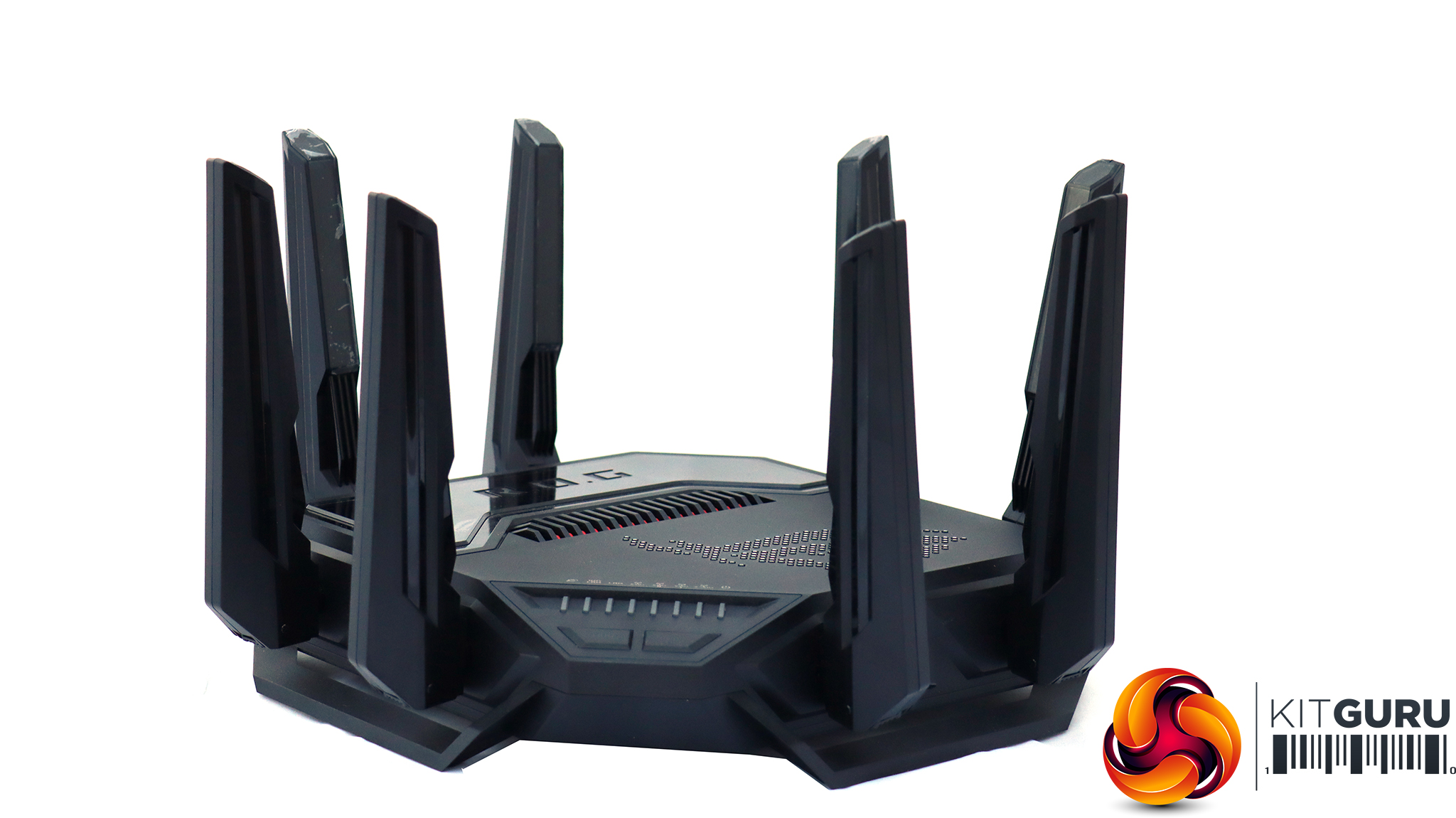
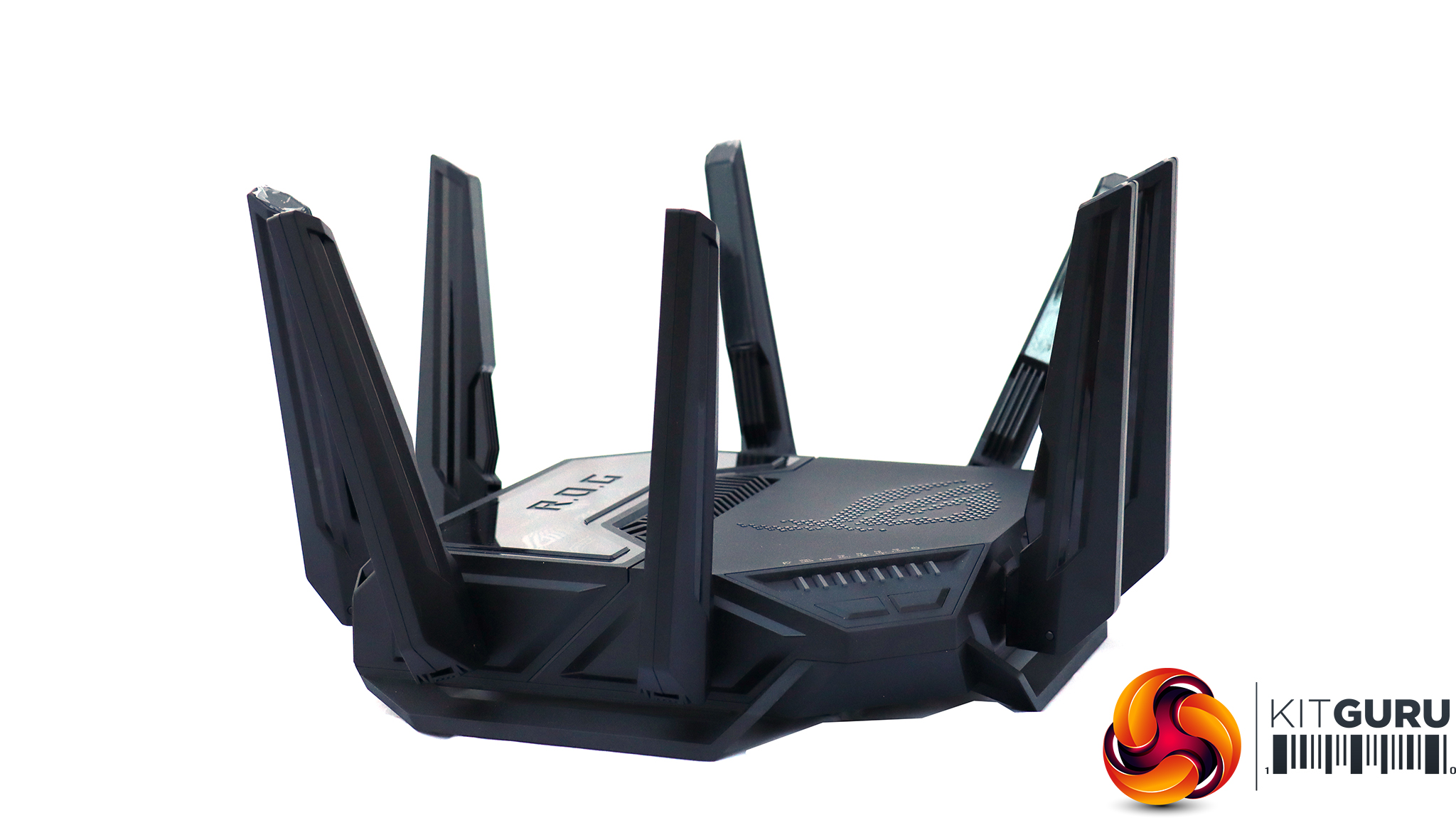
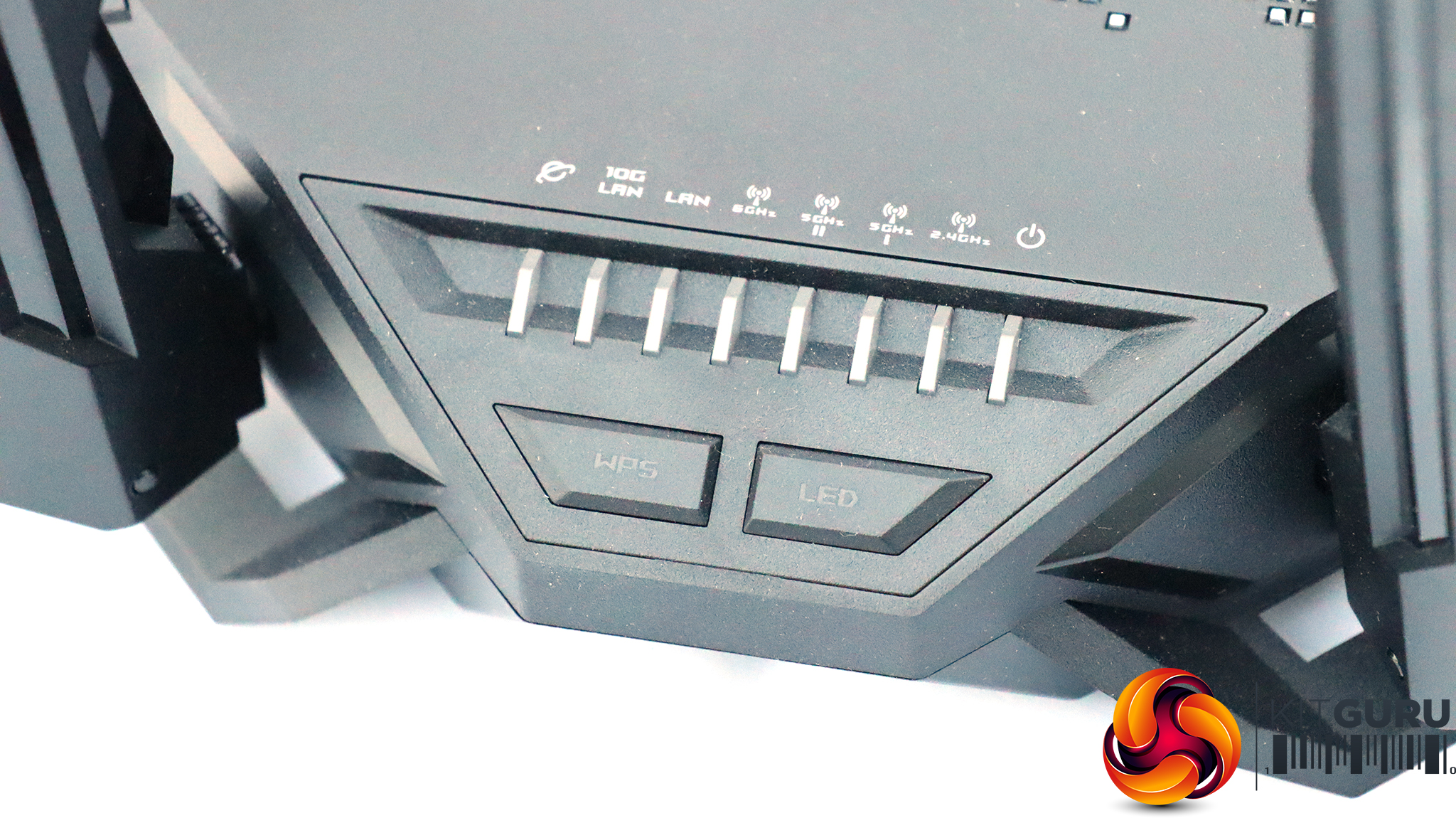
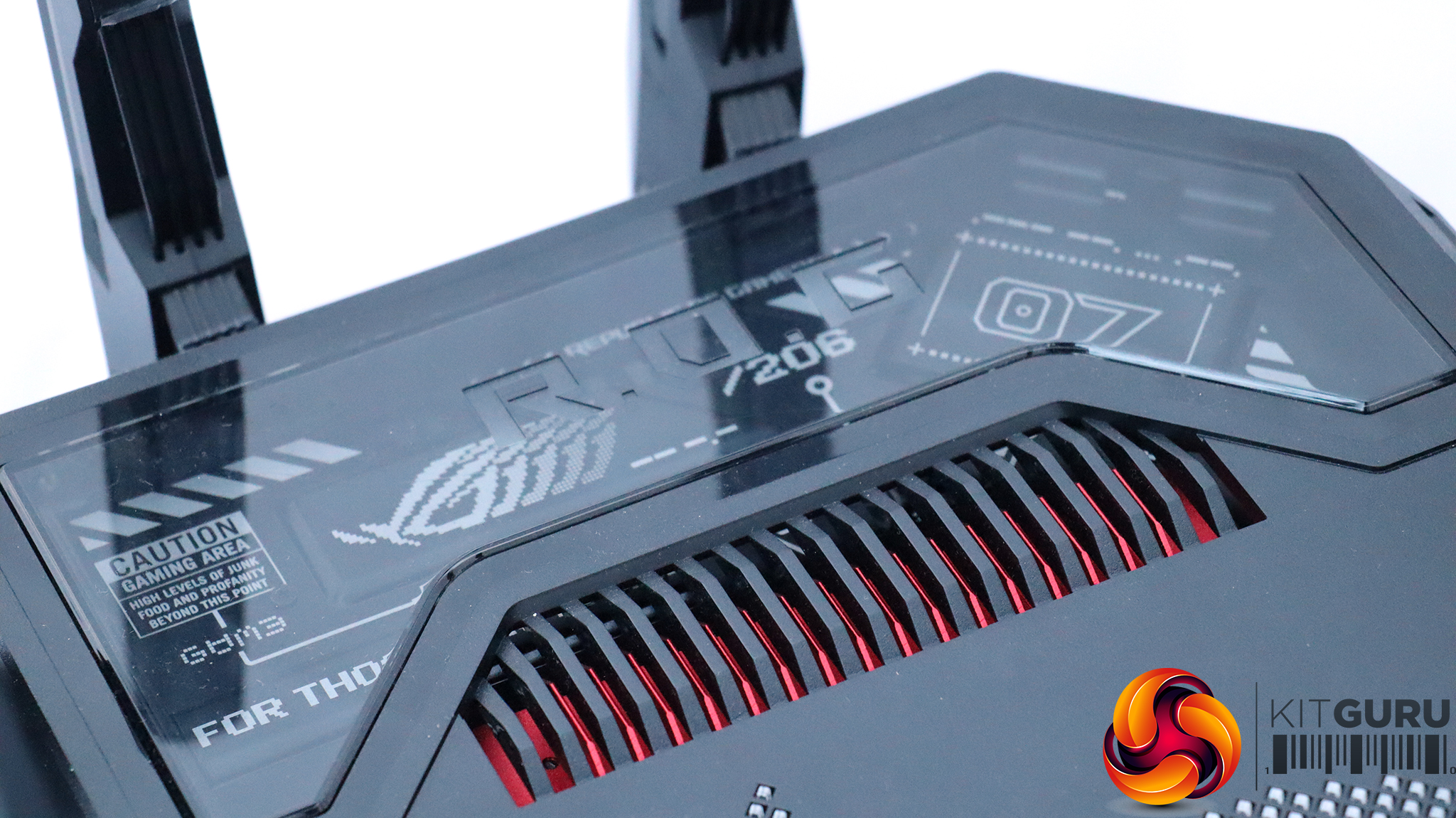
The ASUS ROG Rapture GT-BE98 is an imposing piece of hardware, bristling with external antennae. This is certainly not a shy and retiring router design. There's a “gaming window” on top, which doesn't seem to perform any function other than aesthetics.
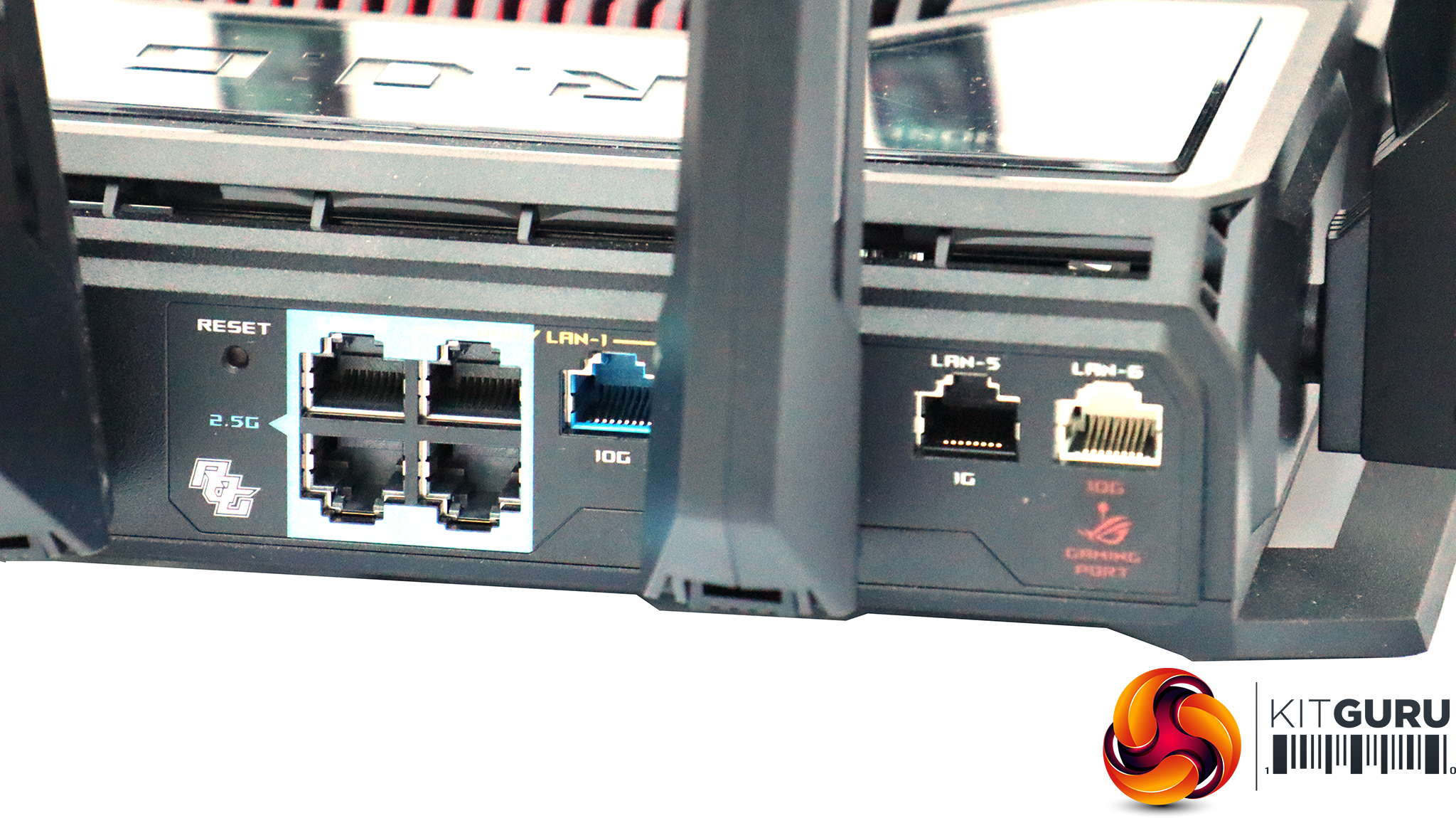
The ASUS router is bristling with wired networking ports too. One edge sports seven Ethernet ports. Two are WAN connections running at 2.5Gbit and 10Gbit speeds. There are three 2.5Gbit LAN ports, a single 10Gbit LAN port, and curiously one Gigabit Ethernet connection too.
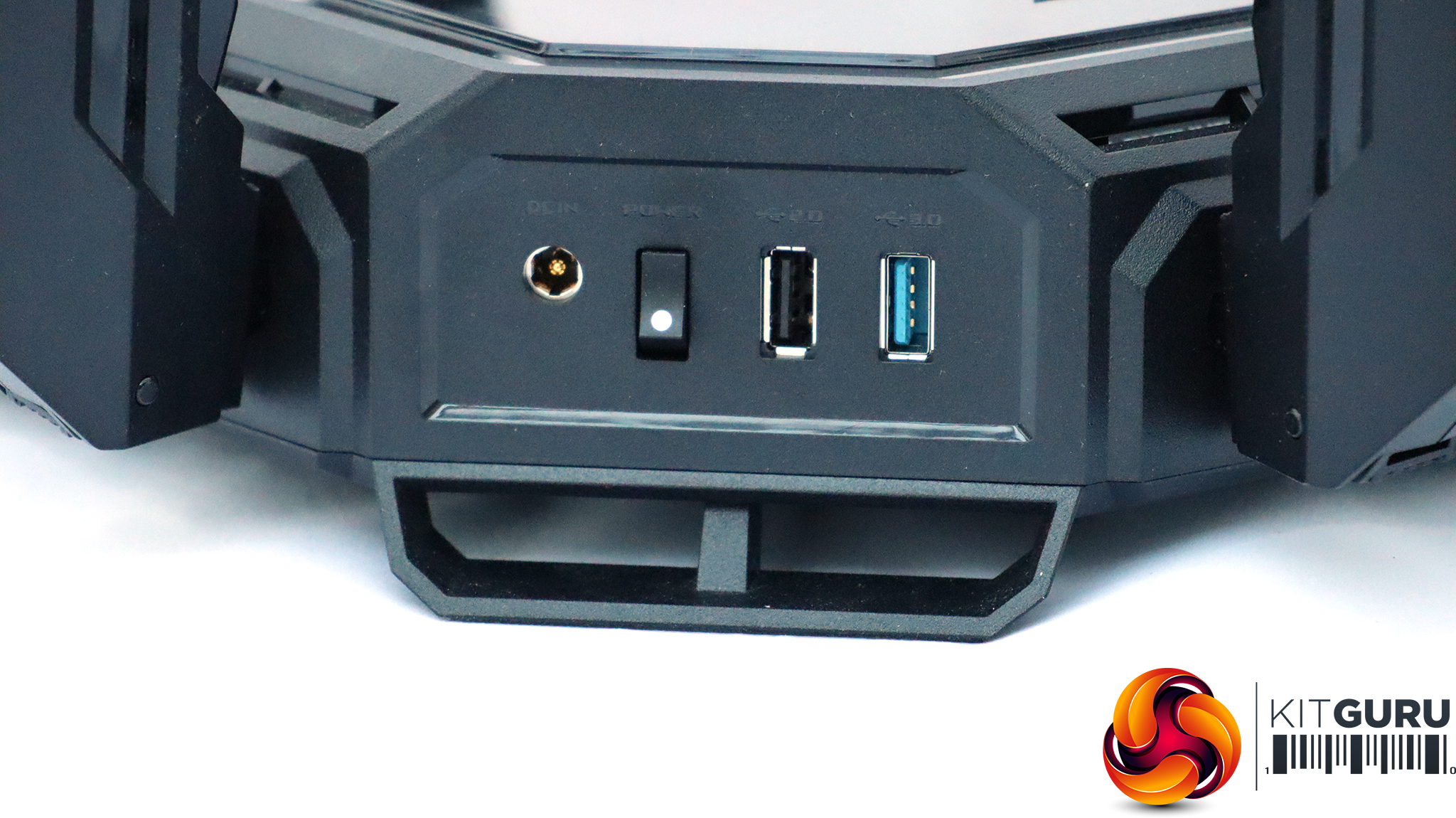
One another edge, next to the power connection and switch, can be found two USB ports. One is Gen 3.2 Gen1 and another 2.0 speed. These can be used for storage sharing across the network.
Aside from offering fast WiFi 7 wireless networking, the Asus router can also form the hub of a mesh network with outher ASUS ROG Rapture GT-BE98 routers, for huge spatial coverage as well as high performance.
MSI Vector 16 HX AI A2XWIG Laptop
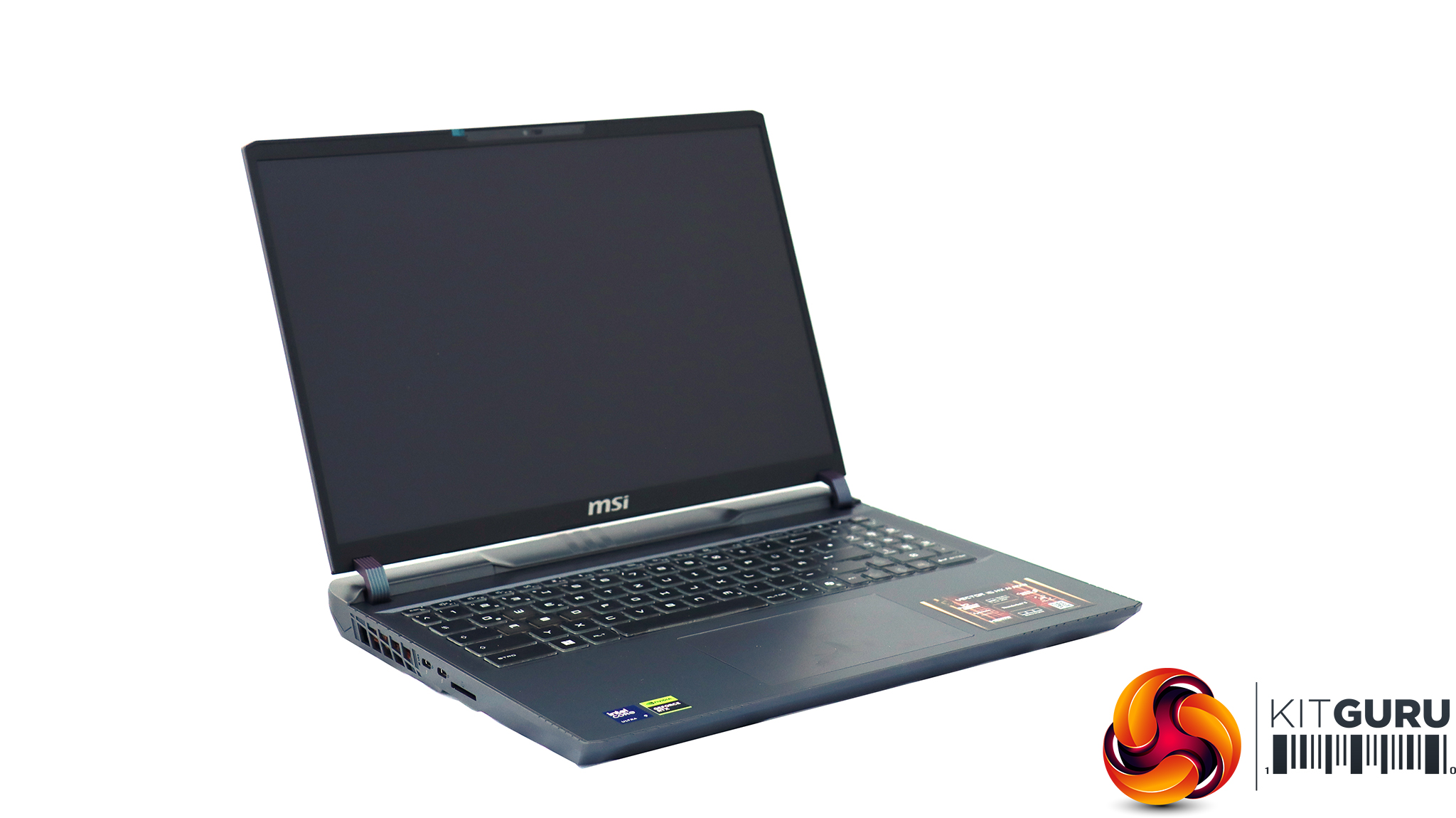
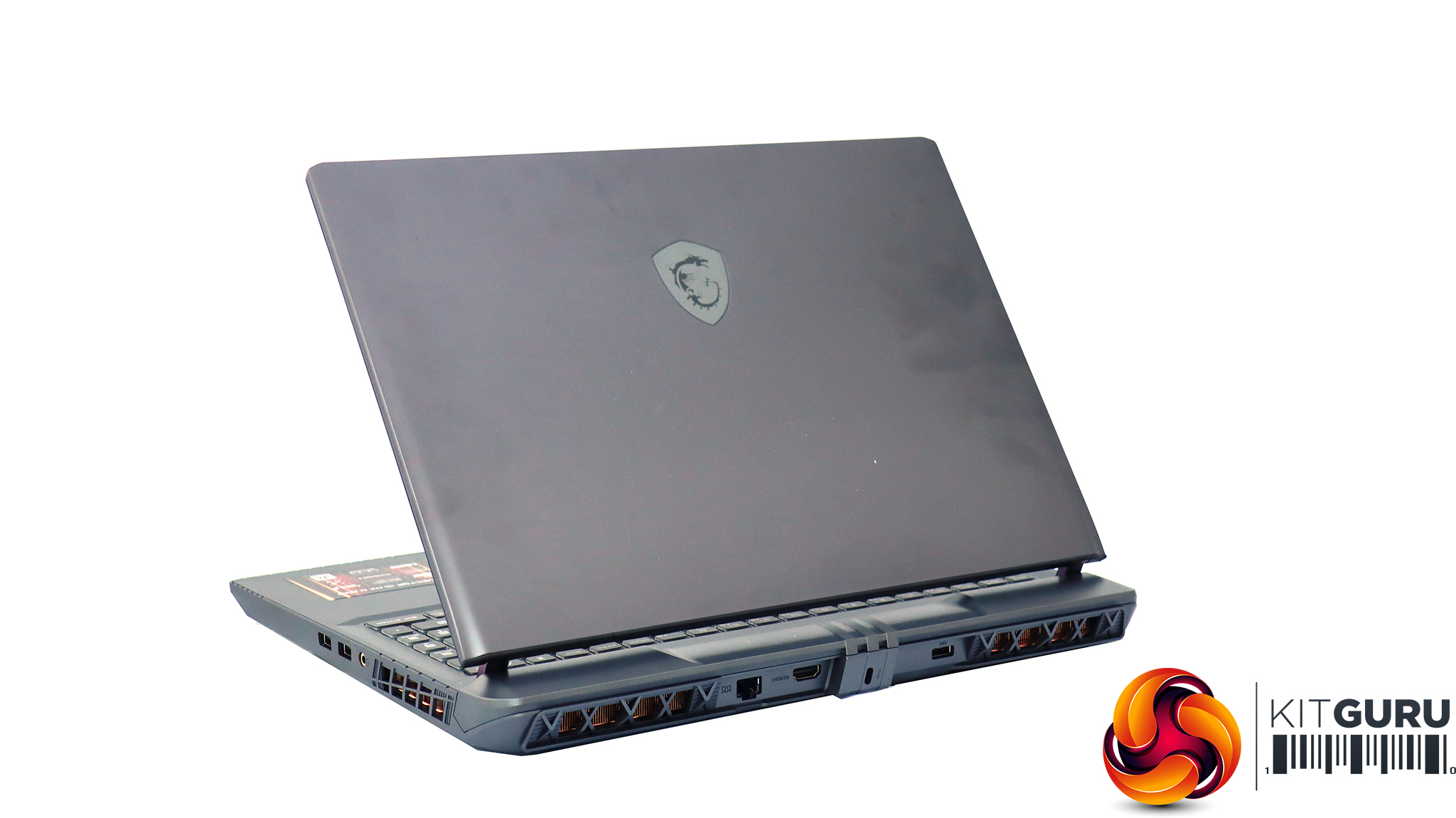
Our main WiFi 7 testing was performed with the MSI Vector 16 HX AI A2XWIG laptop. This is a powerful gaming system based around a potent Intel Core Ultra 9 275HX with 24 cores. Eight of these are Performance cores running at up to 5.4GHz, while the remaining 16 are Efficiency cores with a 4.6GHz Turbo mode.
This is backed by 32GB of DDR5 memory. The graphics acceleration is top notch too, in the shape of an NVIDIA GeForce RTX 5080 Laptop GPU, sporting 16GB of GDDR7 frame buffer. There's a 1TB NVMe SSD. The most significant thing for our testing here is the Intel Killer BE WiFi 7 wireless networking, although there's 2.5Gbit wired LAN on offer too.
Acer Swift 14 AI WiFi 7 Laptop
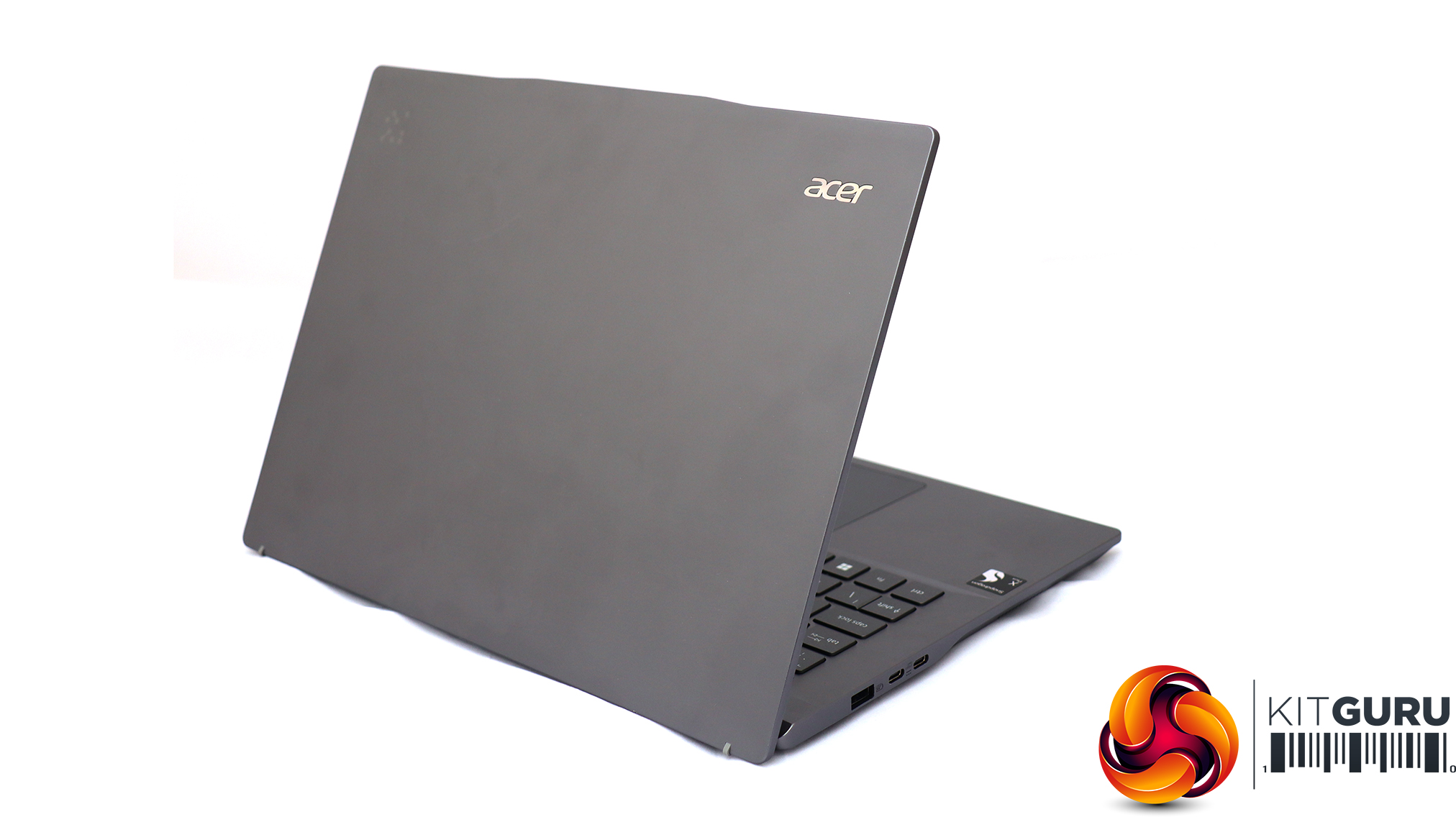
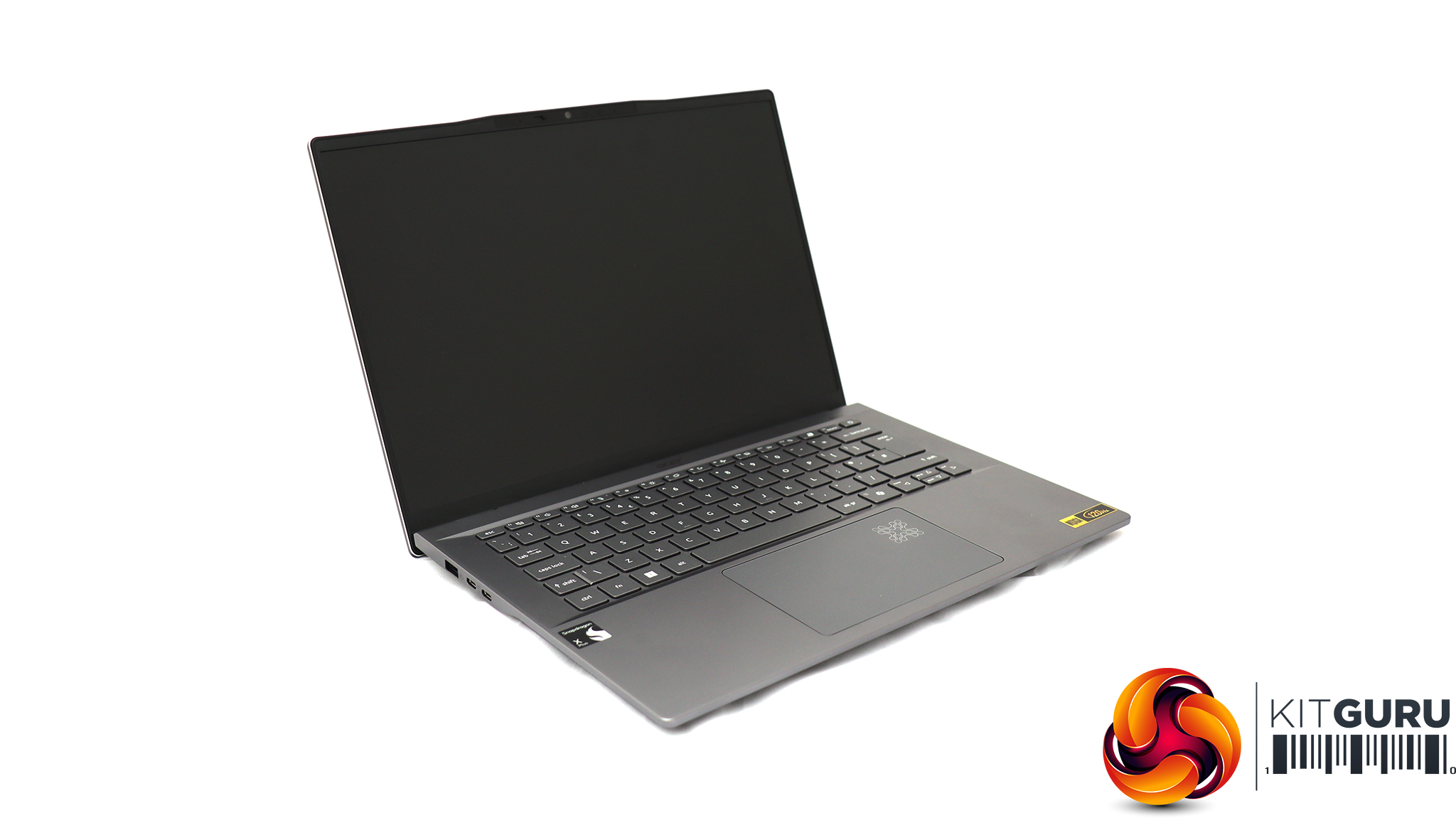
We also tested WiFi 7 wireless networking with an Acer Swift 14 AI notebook, based around a Qualcomm Snapdragon X Plus Oryon X1P-64-100 CPU. This is a ten-core processor running at up to 3.4GHz across all cores, although without a single-core boost frequency (you need the X1P-66-100 for that). Our sample was supplied with 16GB of LPDDR5x memory and a 1TB SSD.
Although this is an ARM-based laptop, it can still run Windows 11 and our standard WiFi testing software, iPerf3. It's a solid choice for road warriors who need to spend days away from a reliable power source, thanks to a 26-hour battery life.
The Intel Killer NIC is partly about dependable performance, and partly about how much you can optimise for different use cases. This is accessed through the Intel Killer Performance Suite.
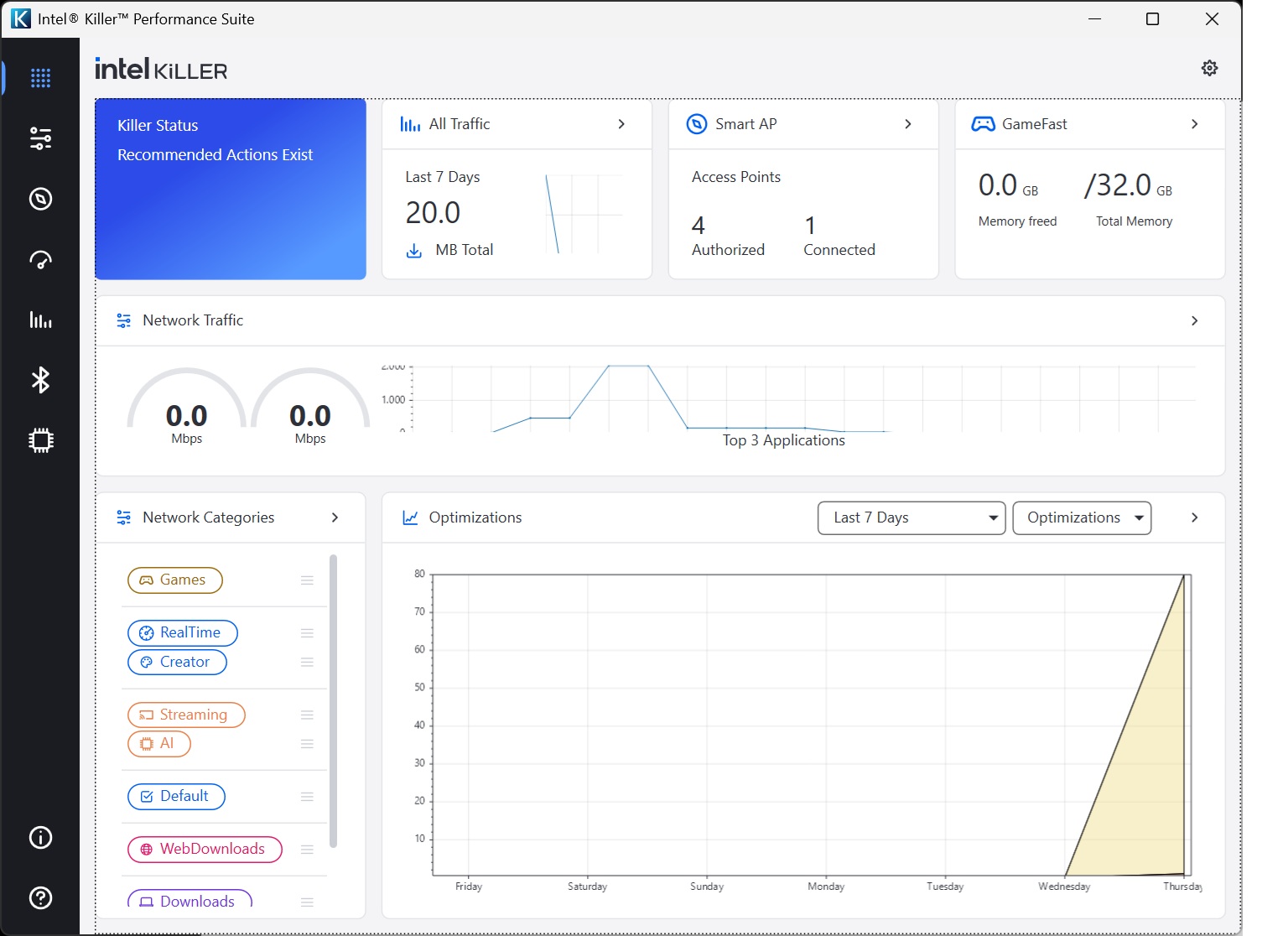
The main screen provides topline performance stats so you can monitor how your connection is performing.
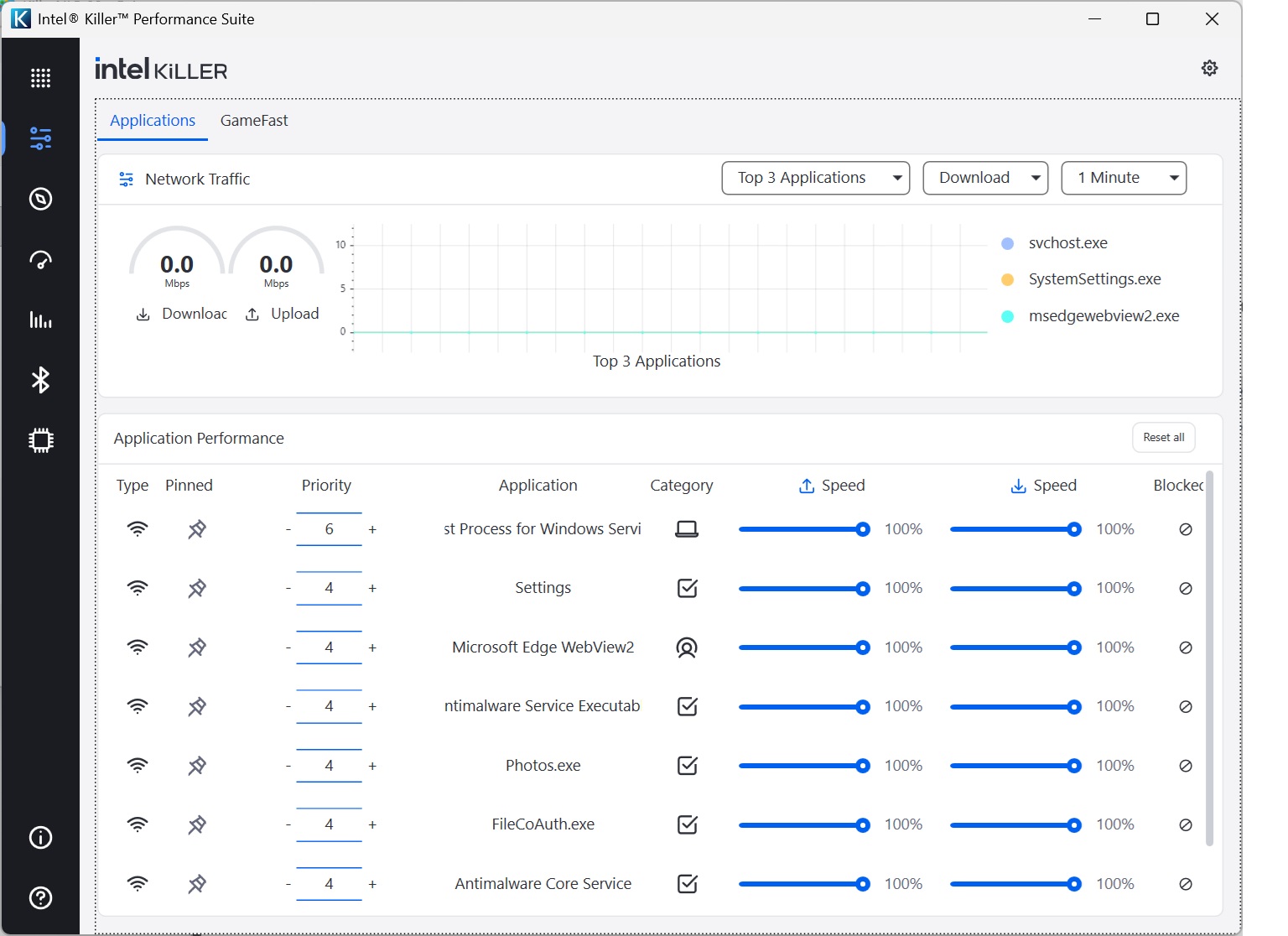
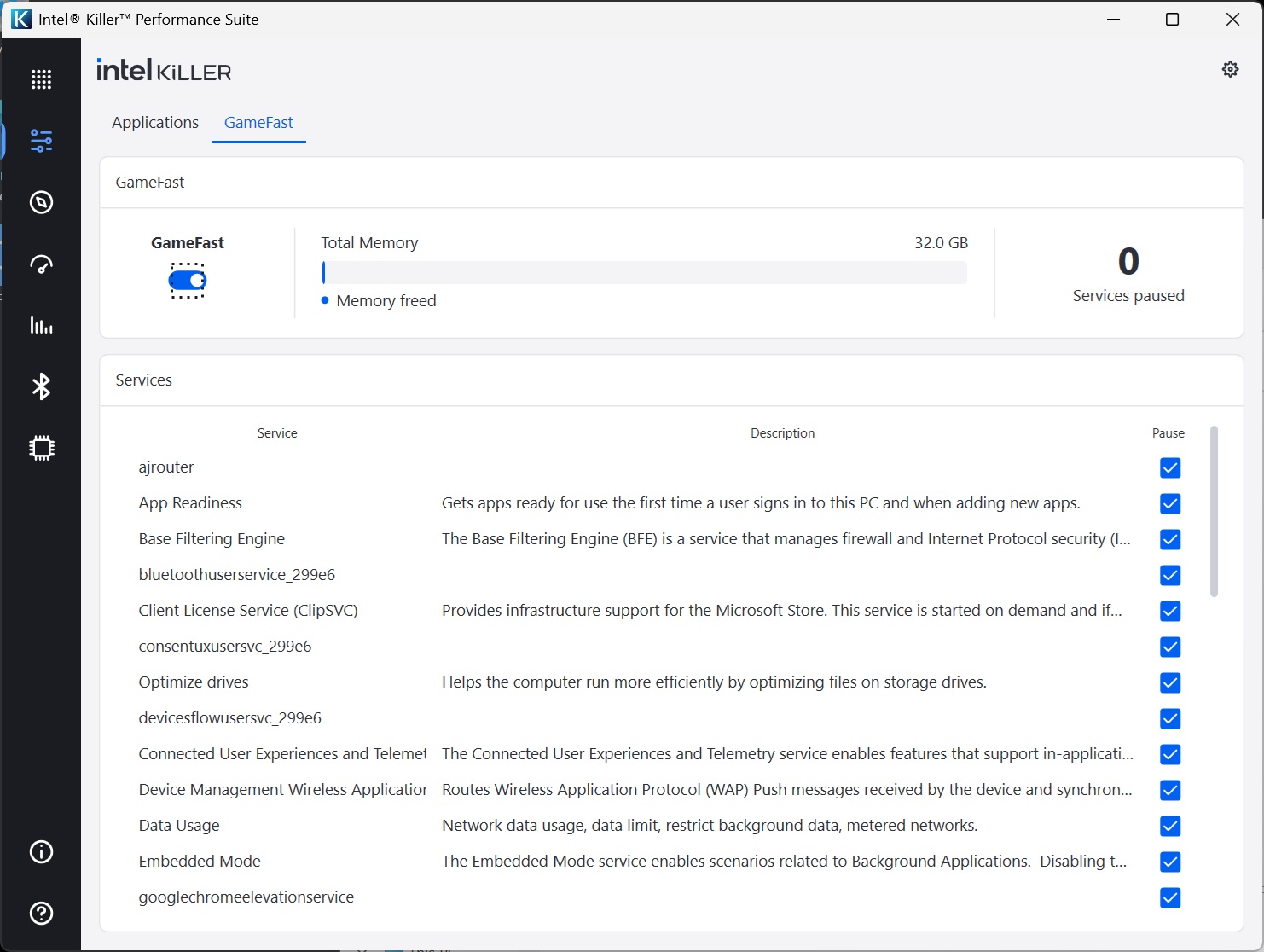
The Applications / GameFast section is where you begin to get tools to optimize performance. You can go through the applications and services on your system, limiting the download and upload bandwidth percentages each is allowed. So if you know something keeps hogging the Internet connection, you can limit it so that it doesn't impact other applications.
GameFast automates this by prioritising games and video streaming, potentially pausing services that could get in the way of your fluid enjoyment. For example, you don't want Windows Update downloading the latest bugfixes when you're on a killing spree in your favourite online FPS. GameFast helps prevent that.
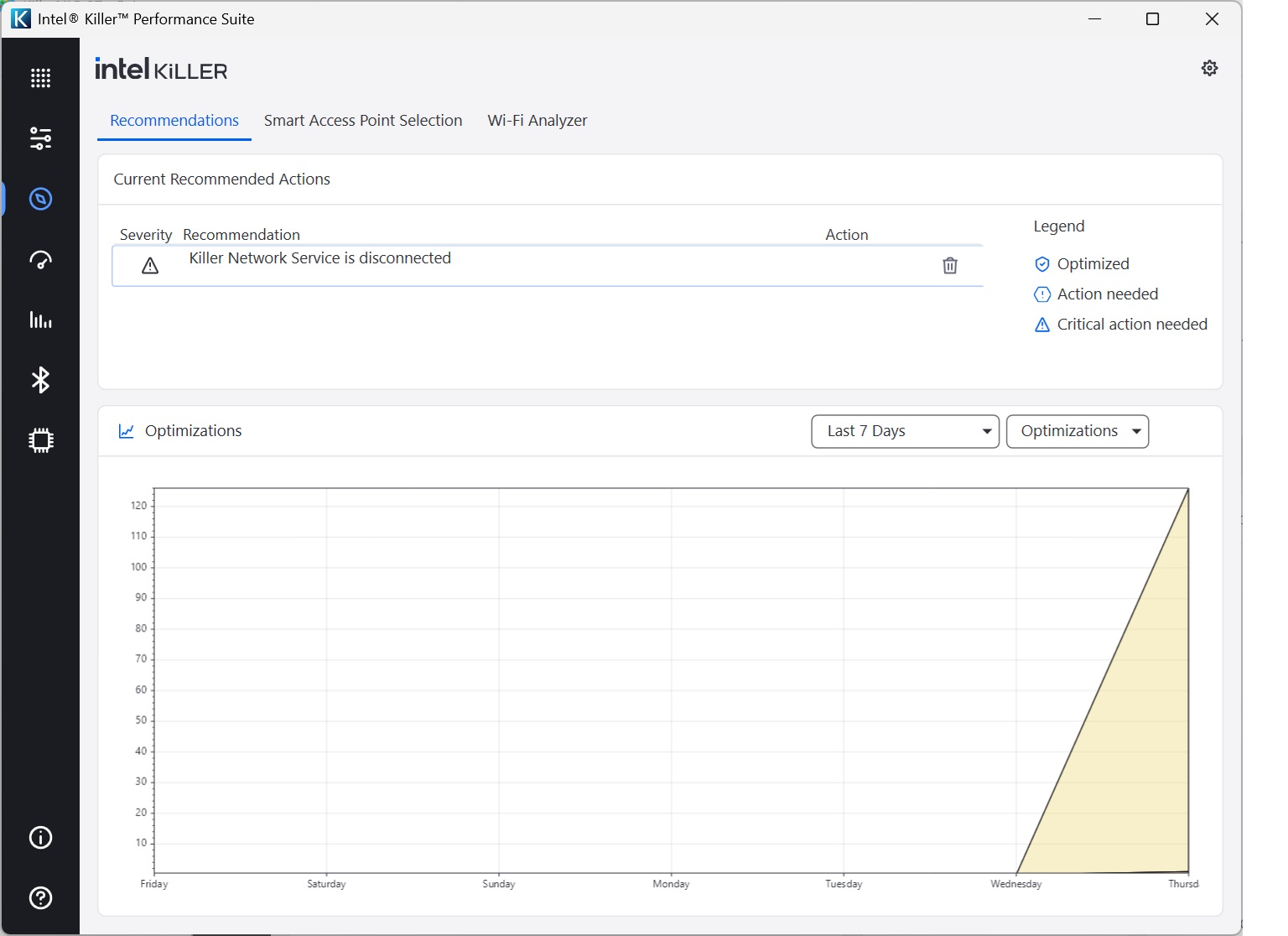
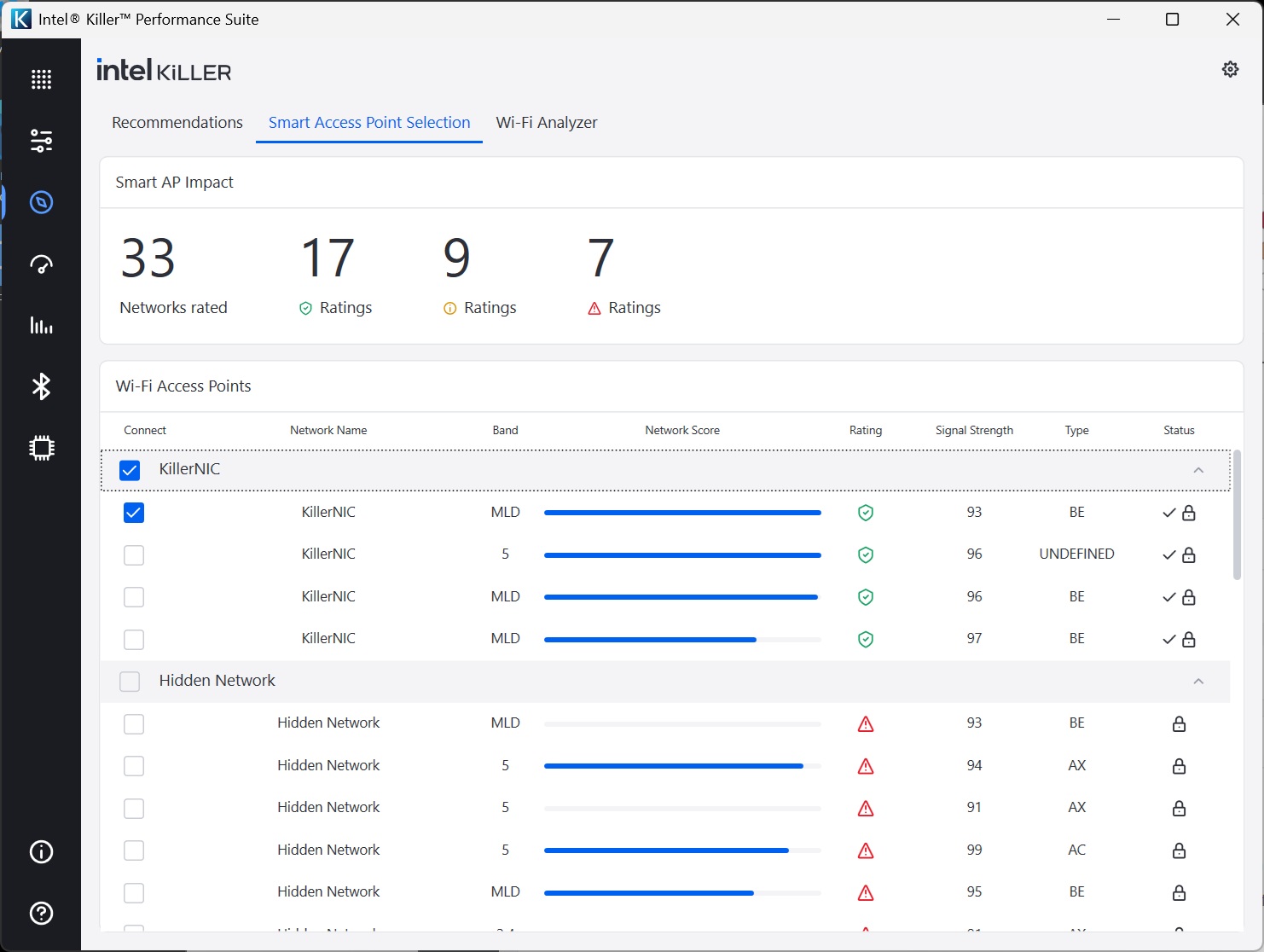
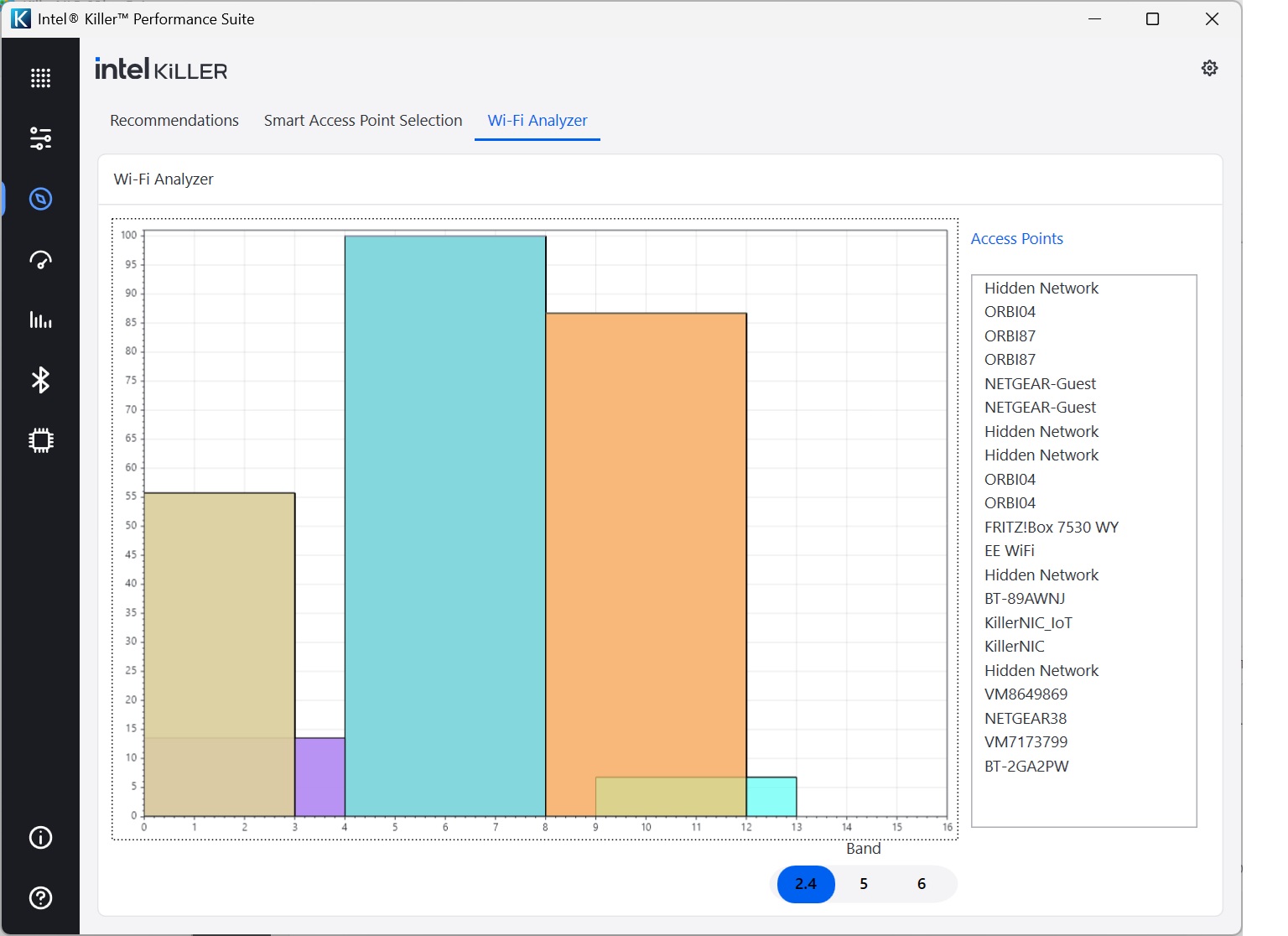
Next along you get some tools to help you work out how you might optimise your settings. First up, the Recommendations section gives you suggestions, although beware that these persist (hence the misleading notification that the Intel Killer NIC is disconnected, which it was earlier but isn't now).
The Smart Access Point Selection tab lets you choose which WiFi network to connect to according to signal strength, while the WiFi Analyzer displays how WiFi channels conflict in your area, although it would be more useful if the color coding was linked to the list of Access Points on the right.
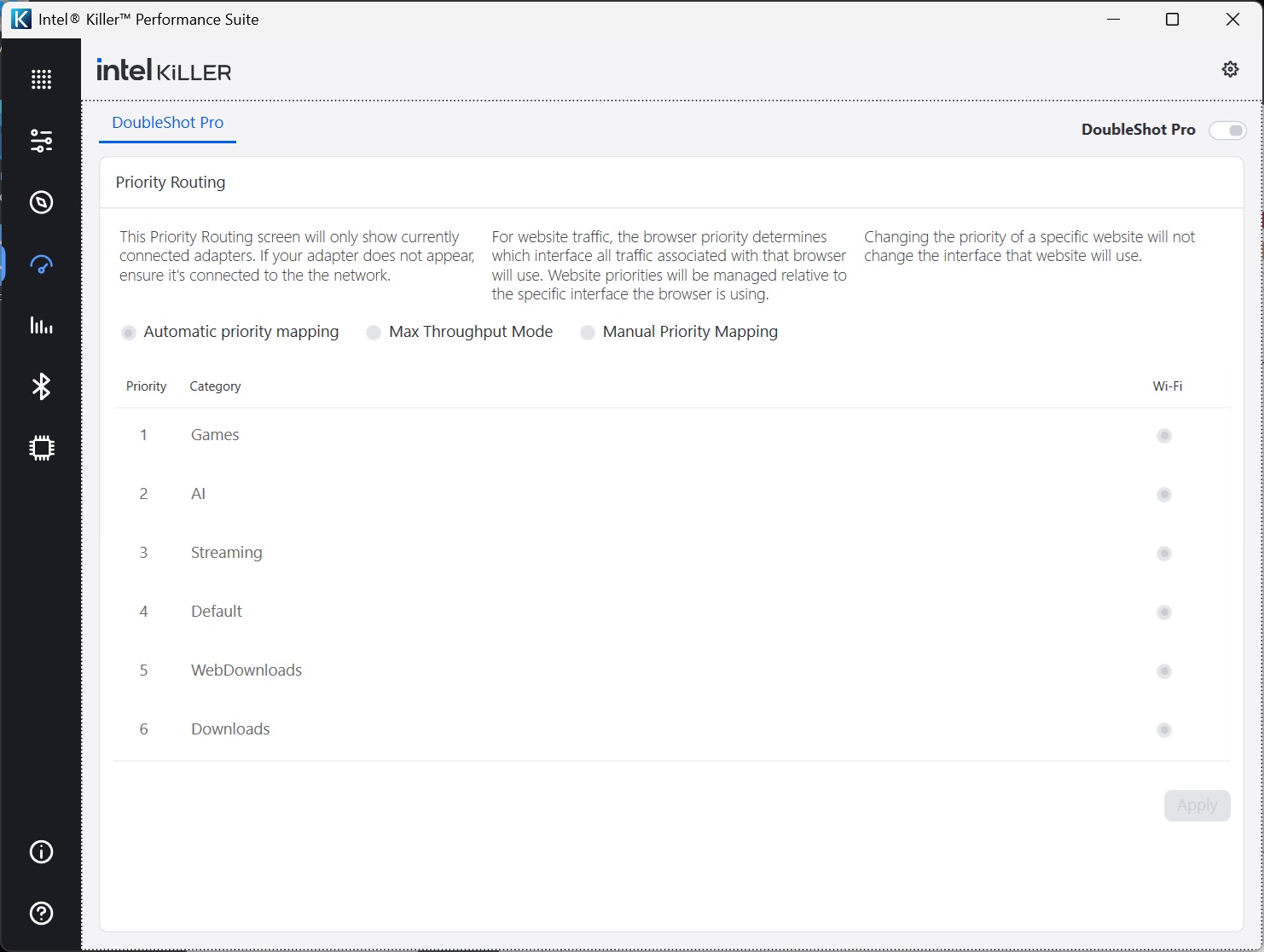
DoubleShot Pro is a system that will use both your WiFi and wired Ethernet connections together, routing traffic through each to optimise the experience. For example, your game would go via the wired LAN, while any background downloads such as updates would go via WiFi.
It looks like it's on here, but in fact our understanding is that it requires both the WiFi and wired LAN to be supplied via Intel Killer NIC technology. The MSI notebook's 2.5Gbit LAN uses a Realtek chipset, so this feature wasn't actually available.
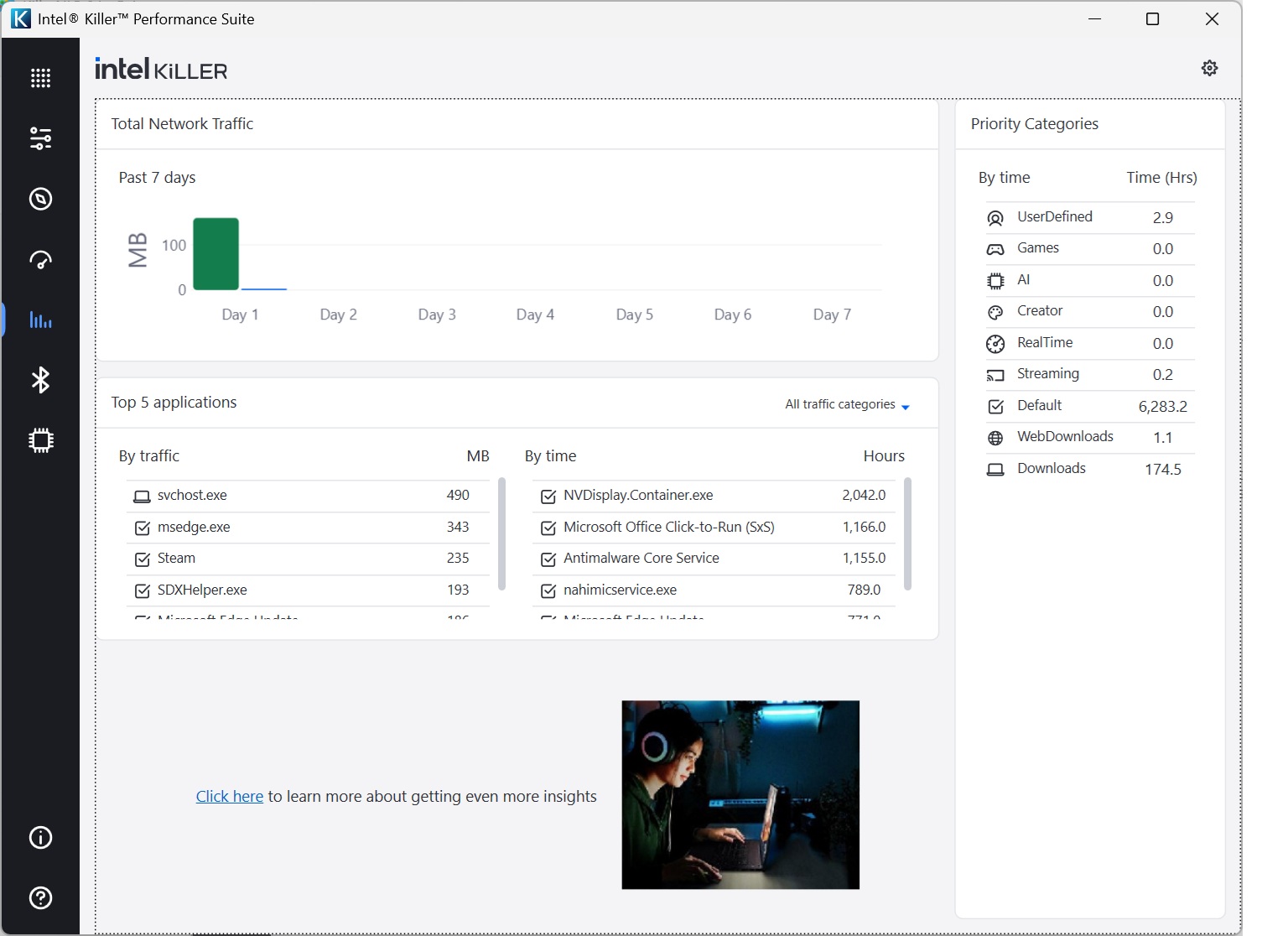
The next section lets you see over time which applications and services have been taking the most bandwidth and time.
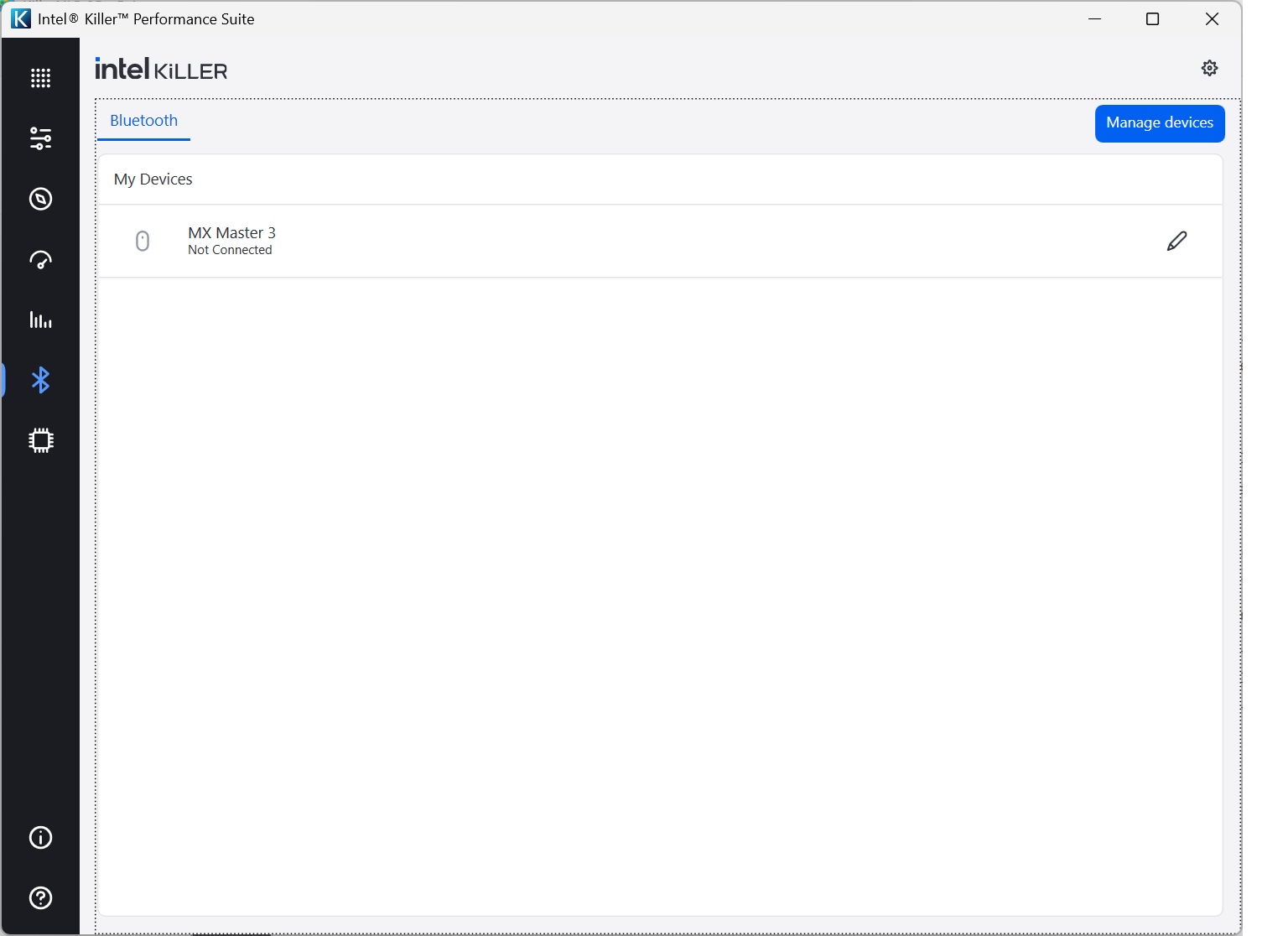
There's a section for managing the Bluetooth radio that is part of the Intel Killer NIC chipset.
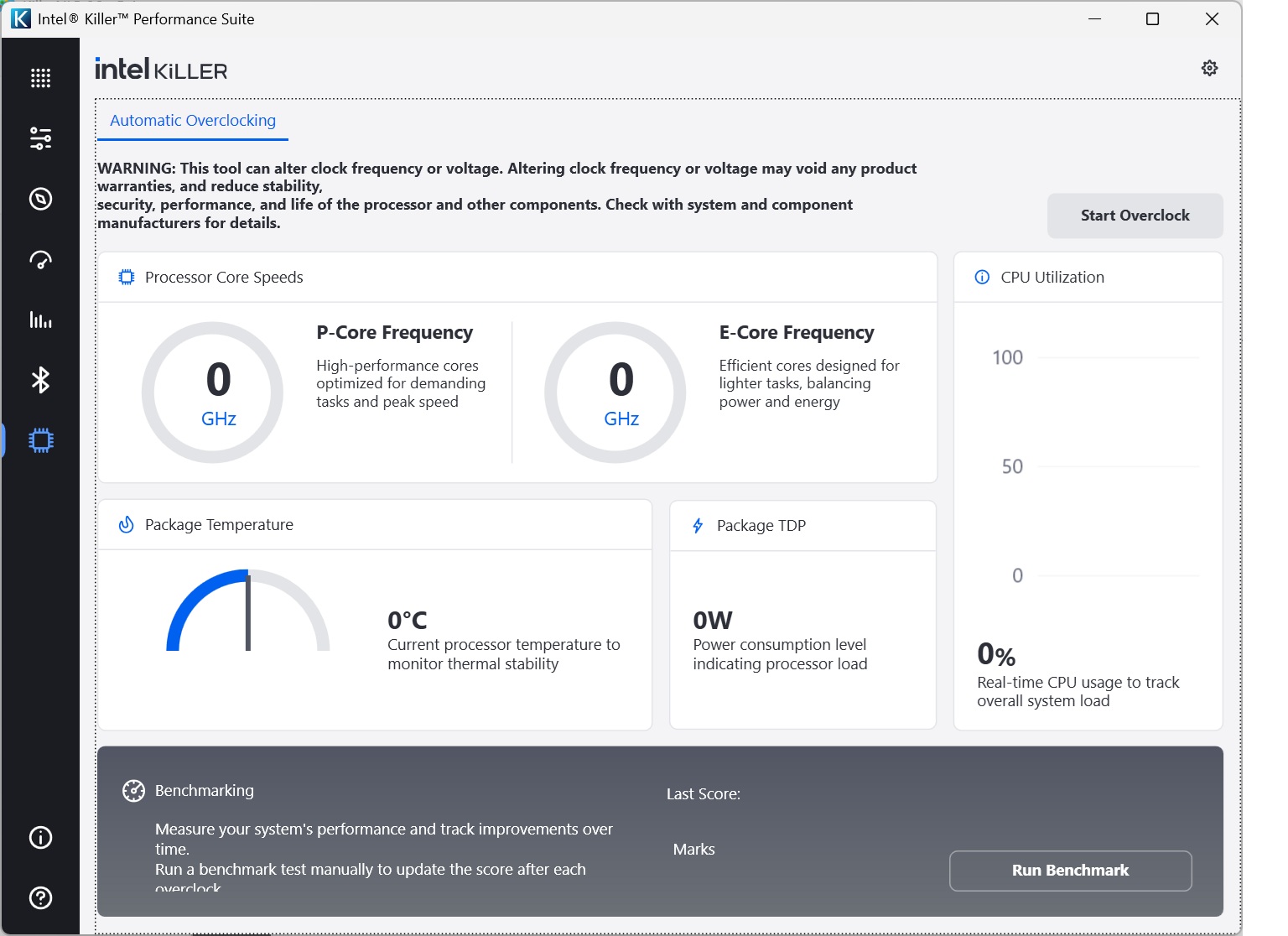
Finally, what gaming toolset would be complete without an overclocking capability? This isn't for overclocking the Intel Killer NIC, but your processor. There's even a benchmarking function to see the benefits. We ran the tool and went from a score of 9.209 Marks to 9.425 Marks, so not a huge benefit. The MSI notebook is so fast to begin with, you're not really going to need to overclock it to enjoy smooth-running games.
Overall, it's great to have these software features available, which you don't get with standard WiFi adapters. But you need to be starting with solid base performance, so next we turn to analysing the WiFi throughput with the headline WiFi 7 standard.
We tested the raw throughput of the Intel Killer NIC against our standard Acer WiFi 7 test notebook with 802.11be networking using the Asus ROG Rapture GT-BE98 WiFi router supplied to us.
We used the open-source iPerf 3.1.3 software for testing, which can simulate multiple clients streaming at once. Three Windows systems were employed. Our desktop base was an Armari 32-core AMD Ryzen Threadripper workstation running Windows 11. This was connected to the router with a 10Gbit Ethernet card, attached via Cat6 cable to one of the ASUS router's 10Gbit Ethernet ports.
For the WiFi 7 testing, we used an Acer Swift 14 AI notebook, then the MSI Vector 16 HX AI A2XWIG laptop with the Killer NIC chipset. We also tested the latter's wired Ethernet connection throughput.
For all wireless tests, the notebooks were tested using a WiFi 7 connection. The notebooks were then placed in four different locations – within 1m of the router, approximately 5m away with a wall in between, 10m away and on a lower floor (with multiple walls and a floor in between), and then 15m away on the same lower floor. We tested all four distances with the four WiFi standards.
With each WiFi standard and distance, we took 60 readings of throughput at one-second intervals and calculated the average (iPerf does this automatically). We tested the Asus ROG Rapture GT-BE98 results against the MSI Radix AXE6600, NETGEAR Nighthawk X10 R9000, Synology RT2600ac, NETGEAR Nighthawk XR500, NETGEAR Nighthawk XR700, Synology RT6600ax, NETGEAR Nighthawk AX12, NETGEAR Nighthawk RS300, Acer Predator Connect X7 5G CPE, AVM FRITZ!Box 7690, and AVM FRITZ!Box 5690 Pro.
802.11be (WiFi 7)
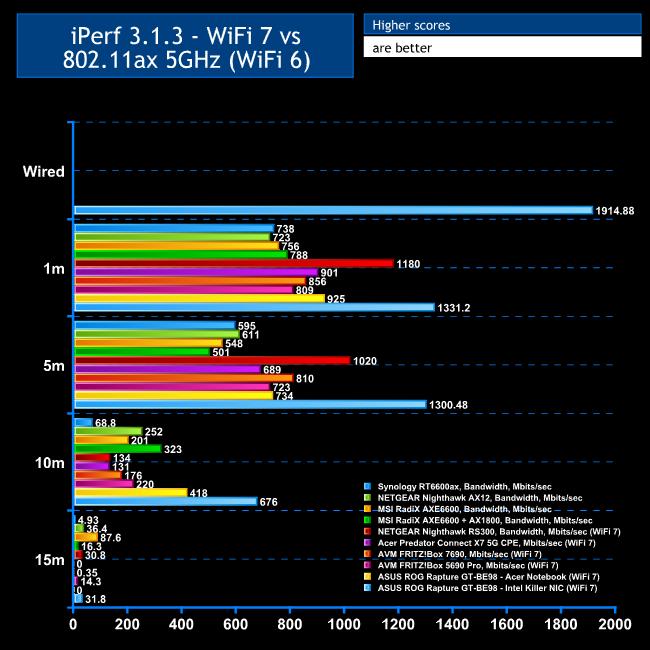
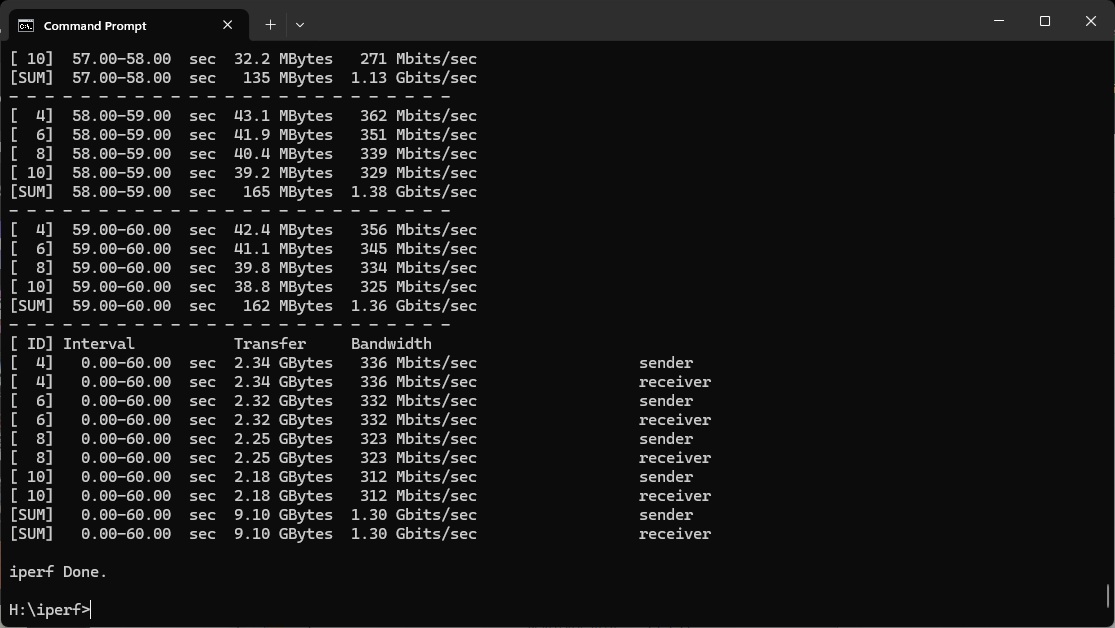
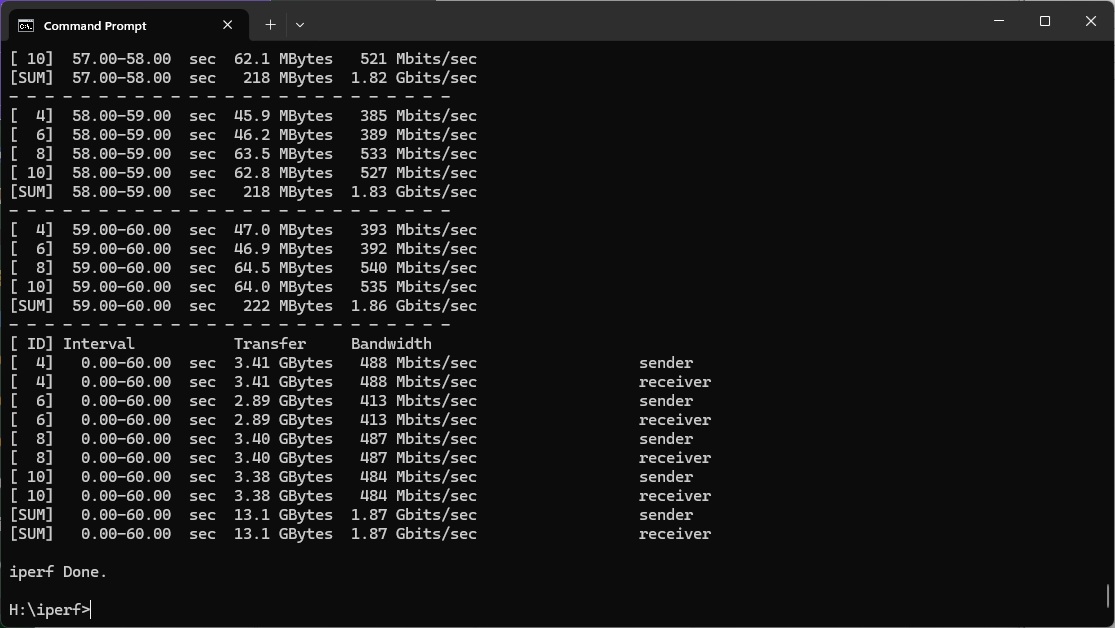
The MSI notebook has a 2.5Gbit LAN connection and our desktop test system was attached via 10Gbit Ethernet, so while we didn't see the full theoretical bandwidth, we did achieve over 1.9Gbit/sec, which shows that wires aren't the weak link in the streamining tests.
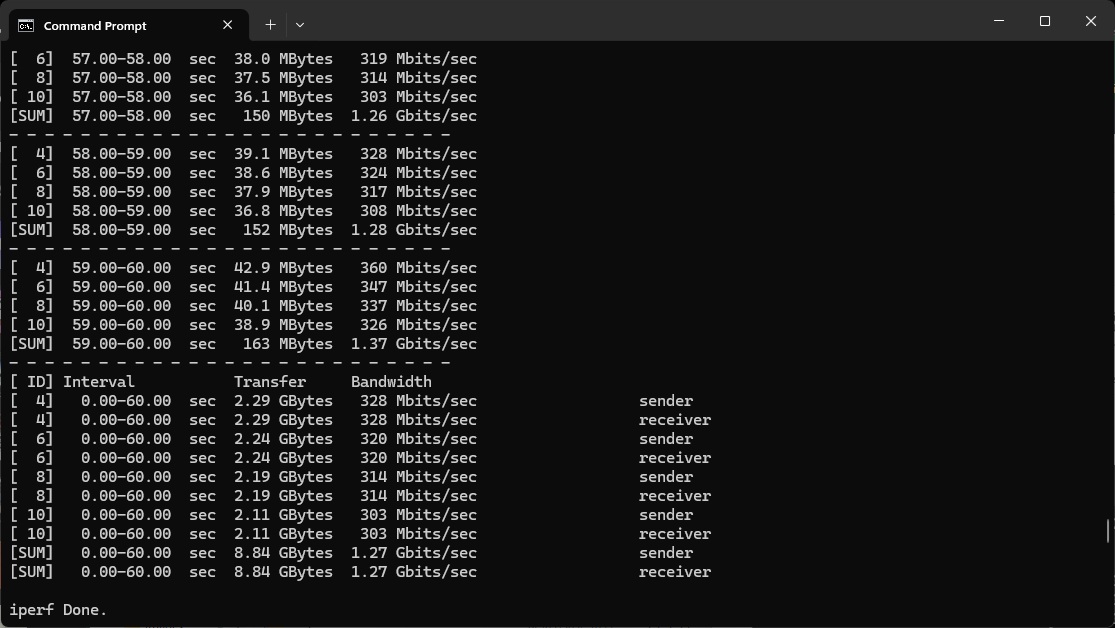
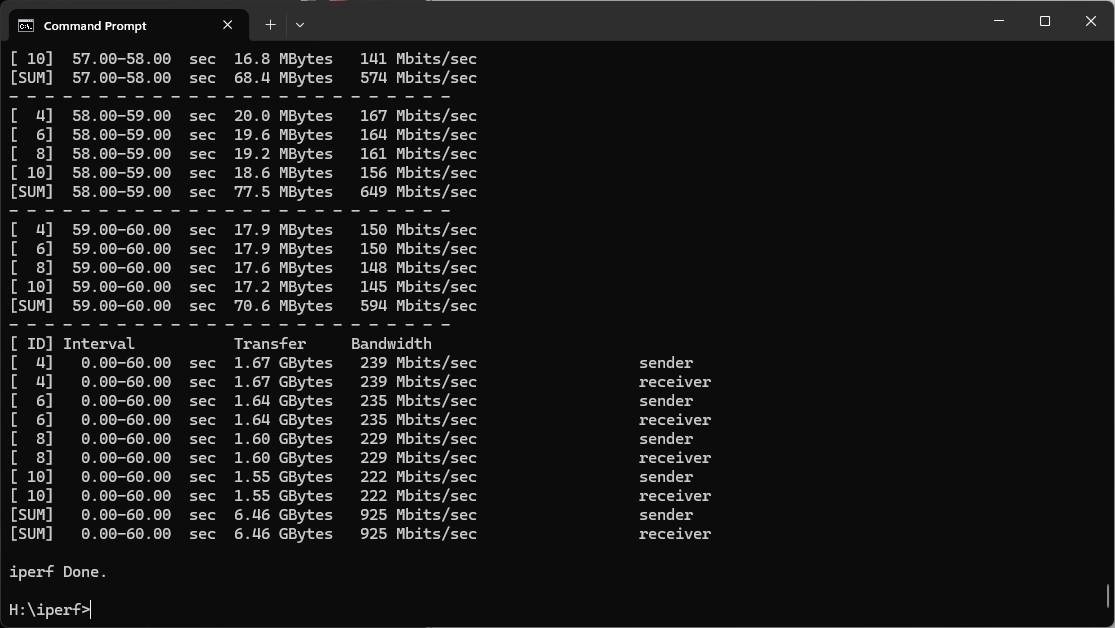
Up to 5m, the WiFi 7 performance of the Intel Killer NIC was incredible. At 1m, our standard test Acer notebook was managing a very commendable 925Mbits/sec, but the MSI notebook's Intel Killer NIC was 44 per cent faster at 1,331.2Mbit/sec – faster than a Gigabit Ethernet wired connection.
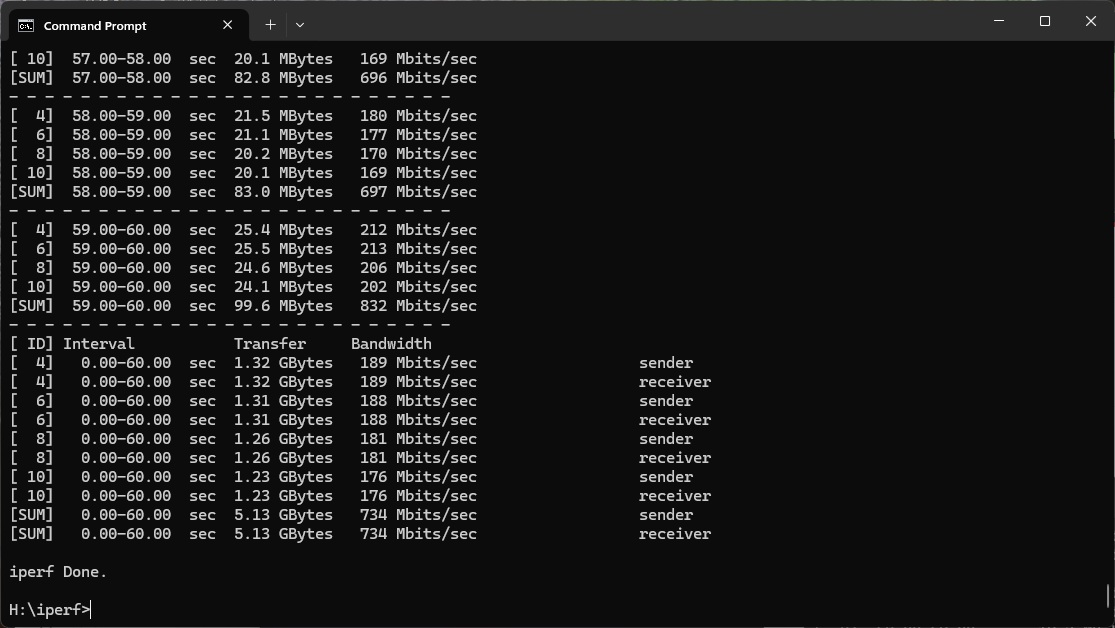
This barely dropped at 5m, hitting 1,300.48Mbits/sec, where the Acer baseline was managing 734Mbits/sec.
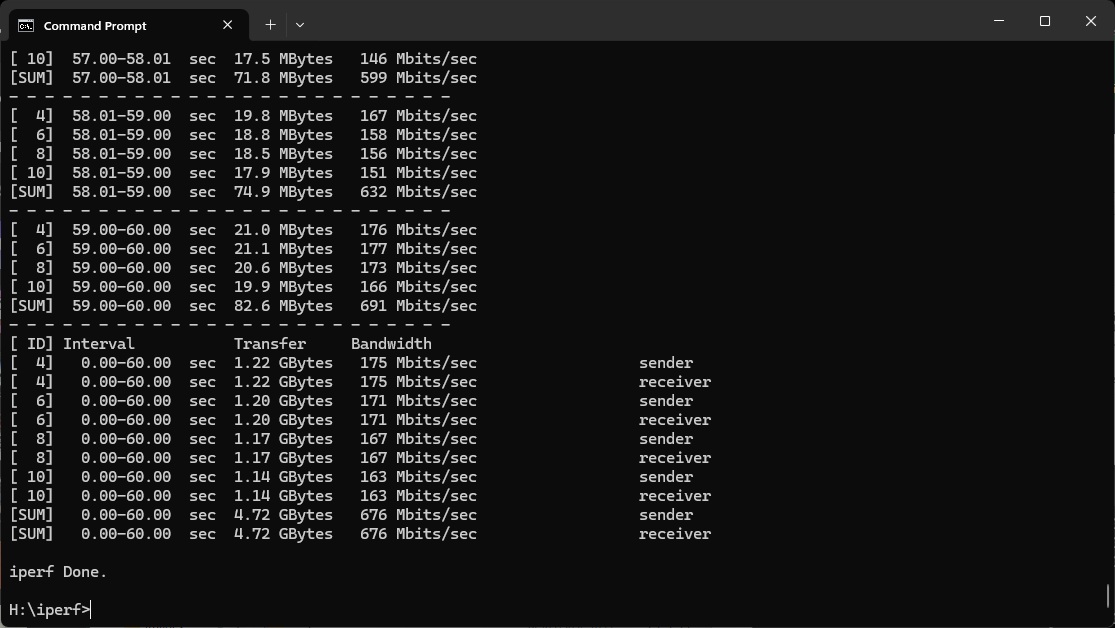
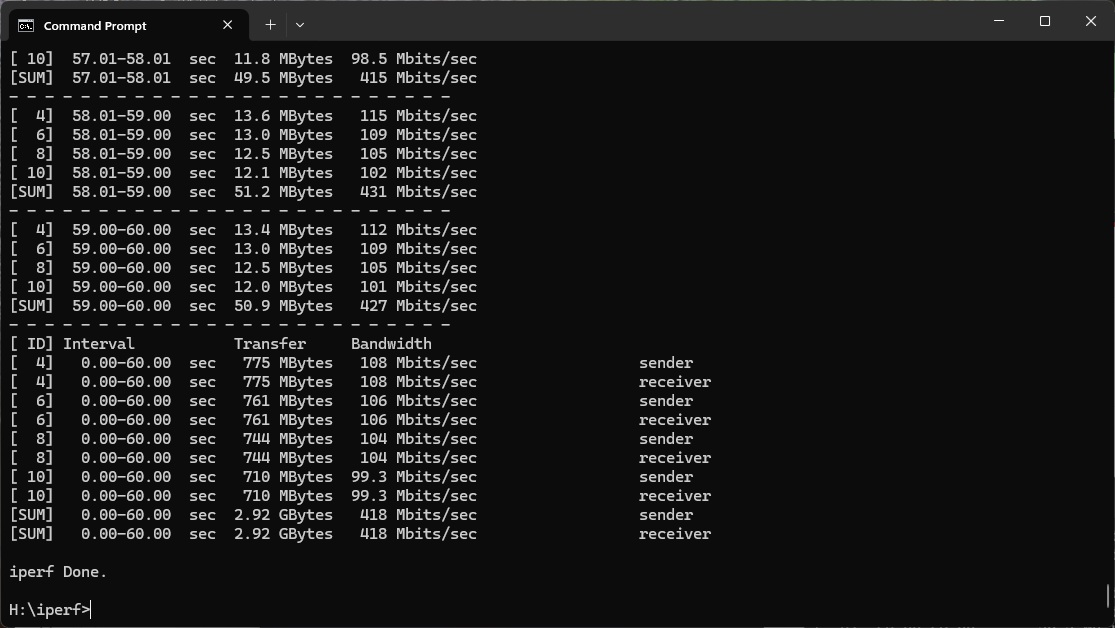
At 10m, the Acer achieved an impressive 418Mbits/sec, showing the quality of the ASUS router's WiFi 7 signal. But the MSI notebook's Intel Killer NIC was 62 per cent ahead at 676Mbits/sec.
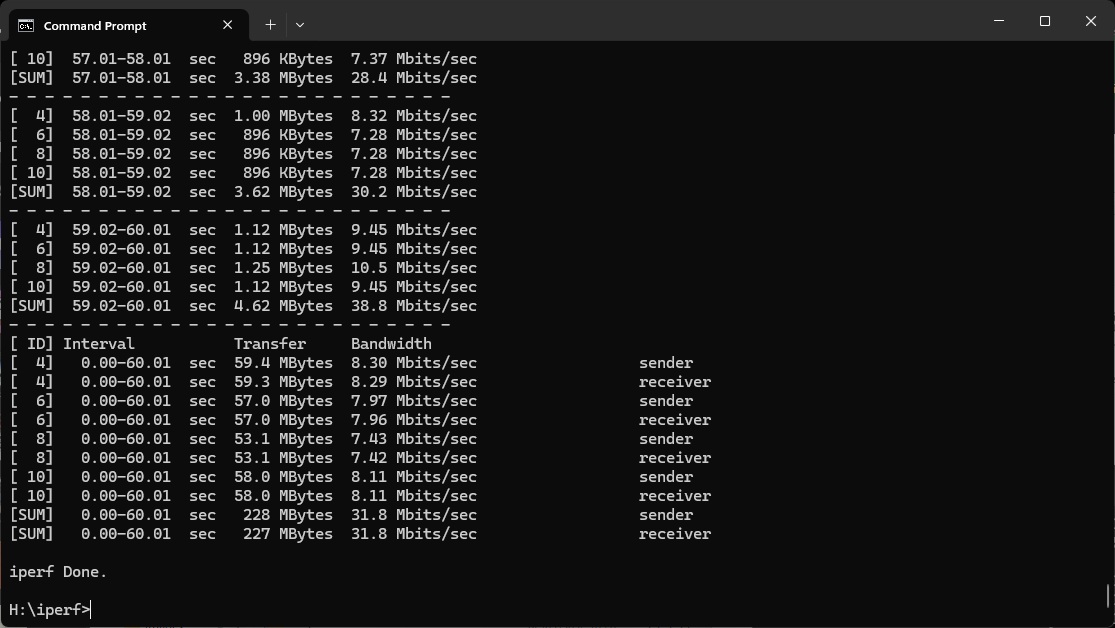
At 15m, the Acer failed to connect, but the Intel Killer NIC was still going strong with 31.8Mbits/sec.
Overall, while the ASUS ROG Rapture GT-BE98 router is already extremely potent with WiFi 7, the Intel Killer NIC takes this to the next level, delivering brute wireless networking throughput like we've never seen before.
Of course, gaming is also about response time rather than just bandwidth, but this is harder to assess scientifically so we tried the subjective experience of online gaming at the locations described above too. The house broadband is BT fibre to the home, delivering nearly a 934Mbit/sec downloads, over 100Mbits/sec uploads, and a 2ms ping – so it wasn't going to be a bottleneck. We installed Battlefield 6 on the MSI laptop and enlisted an ardent Battlefield 6 player to see how it felt compared to a direct LAN attachment to the broadband connection using Gigabit Ethernet.
The MSI Vector 16 HX AI A2XWIG laptop has a powerful Intel CPU, potent NVIDIA graphics and lots of RAM, so it's more than capable of playing Battlefield 6 at high settings. Up to 10m away, the gaming was indistinguishable from a wired connection, and even a little further away there was no sign of lag.
Only when we approached the 15m distance were there some delays, but that's really pushing the limits anyway. We did try GameFast to see if it made things even better, but the gaming was so smooth up to 10m that we didn't see any difference.
Overall, then, the Intel Killer NIC really delivers on wireless performance that matches or even exceeds a wired LAN, either for raw throughput or more ping-sensitive gaming. Allied with a great router like the ASUS ROG Rapture GT-BE98, it can deliver an incredible Internet download and gaming experience without the need for a wire.
The Intel Killer NIC has been around for a while, amidst plenty of claims about its capabilities, even before Intel acquired the technology in 2020 when it bought Rivet Networks. While the configurability is nice to have, it's the throughput that really impresses. With the combination of the MSI Vector 16 HX AI A2XWIG laptop and the Asus ROG Rapture GT-BE98 router you get the fastest WiFi 7 throughput we have seen by a country mile.
You also get gaming like a wired connection at up to 10m distance from the router. We didn't have the kit to try this with multiple systems at once, but with just one you'd no longer have to ensure a wired connection to get game-winning ping and low latency.
One of the promises of WiFi 7 was that it could deliver performance on a par with Gigabit Ethernet without the need for wires. While our tests so far had shown a welcome bump over WiFi 6 up close, we hadn't quite seen capabilities that completely blew away what went before. Now we have. The Intel Killer NIC really gets the best out of a high quality WiFi 7 router like the ASUS one we used for testing. If you really want a notebook with the best WiFi 7 currently available, choosing one with Intel Killer NIC networking would be a sound choice.
The MSI Vector 16 HX AI A2XWIGis available from Scan UK for £2,699.99 inc VAT.
The ASUS ROG Rapture GT-BE98is available from Scan UK for £599.99 inc VAT.
Pros:
- Phenomenal WiFi 7 performance.
- Lots of useful optimisation features in the Intel Killer Performance Suite software.
- Ability to throttle applications that interfere with your gaming.
- GameFast automated game and video streaming prioritisation.
- Access point choice optimisation features.
Cons:
- DoubleShot Pro requires your wired LAN chipset to be Intel Killer NIC as well (our test system's wasn't).
- Access point frequency channel display doesn't show you which network is which.
- Only as good as the WiFi router you're connected to.
KitGuru says: The Intel Killer NIC WiFi 7 chipset gets the best throughput we have ever seen by a big margin out of the new wireless networking standard, delivering gaming like a fast LAN connection without the need for a wire.