 KitGuru KitGuru.net – Tech News | Hardware News | Hardware Reviews | IOS | Mobile | Gaming | Graphics Cards


With all the reviews on KitGuru in the last month there is a good possibility you have already bought a new system, perhaps even one for media entertainment.
If so, the review today will be of particular interest as we will be looking at a 2 bay NAS system from Synology. NAS systems are a huge benefit for a home enthusiast user as they offer vast storage which can be accessed from any computer on your network.
The DS710+ offers a “high-performance, scalable, and full-featured network attached storage solution that meets the needs of small and medium-sized businesses that require an efficient way to centralize data protection, simplify data management, and rapidly scale storage capacity with minimal time spent on setup and management. The Synology DS710+ is backed with Synology's 3-year limited warranty.”
According to Synology the system is capable of delivering a 113+MB/s read speed, backed up by a 102+ MB/s write speed. This is being marketed as a performance unit and we will certainly put it to the test later.
The DS710+ is supplied in a plain brown box with Synology logos and branding.

There is very little detailed info on the front of the box however some details are listed on a sticker on the rear.

Inside, the actual NAS system is packaged inside a protective polystyrene foam cover and there are two boxes, one containing the power supply and another containing the accessories.

Inside the box are the CD and the RJ45 cable with instruction manual. There are also mounting screws for the drives.

The power supply connects into the rear of the unit with a standard PC sized connector on the other side connecting to the mains.

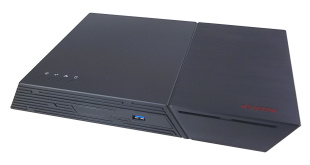
The NAS system itself is attactively designed with a piano laquer finish, this gives it a high gloss appearance.

The front has an array of LED readouts to give detailed information on the current operation, or in case there are any issues. Status at the top, next a Lan light, HDD1, HDD2, eSATA.

Below these main lights are a USB copy button, a USB port, and the power button.
The rear has strong connectivity with LED indicators for each drive, as well as a VGA port, USB port, LAN port, Power port, Reset button and eSATA port for direct connection to an external SATA HDD.

The VGA port can be used to connect the NAS system directly to an LCD monitor.
Taking the trays out from the Synology NAS unit is a straightforward process. Simply slide two levers to an ‘unlocked' position then open the trays.

The trays spring open and you can then pull them out. We really would have preferred to see these mounted from the front, for simple convenience.

The two hard drive caddies are well made and feel quite strong, even though they are plastic and not metal.

Simply slide in the hard drives and open the package with the screws.

The hard drives are locked into position by 3 screws on each side of the drive.

Inside there is an 1.67ghz ATOM processor attached to a mini motherboard with 1GB of DDR2 6400 memory. The motherboard is very high quailty, comprising solid state capacitors and chokes throughout. A Bothhand 24HSS1041A-2 IC is used to control the 1000 base T full duplex internet connection. Beside this is a ITE IT8720F super I/O controller which reports on various temperatures across the PCB and also handles fan speeds.

The fan cooling the system is a high quality YSTECH 80mm unit which generates up to 35dBa while producing an airflow of 40 cfm. This fan is installed at the front and forces air from the front, out the rear. We were surprised to see that the DS710+ doesn't have any ventilation holes at the fan but there is a small grill under the case. A rather unusual design ethic which we would assume is aimed to reduce noise.
A NAS system is nothing without quality software and on this page we will be following the installation to operation.
Synology supply a CD with all the necessary software which works on both Windows and OSX platforms. For this review we will be setting the system up on a Windows 7 64 bit based PC.

After inserting the CD we get presented with a menu system. This offers PDF guides as well as the software necessary to configure the DS710+.

Firstly, our unit reported that it had no firmware installed, so we had to navigate to the CD to ‘update' the firmware. This is shown above by the ‘configuration lost' message. Obviously there is a basic firmware installed otherwise the system wouldn't work at all, but it seems to need a patch.

The firmware patch is located in the patches folder within the install area of the disc. The documentation is easy enough to follow, but we were surprised that this needed done at all. Perhaps I have spent too much time with QNAP NAS units and need to ‘adapt' my way of thinking, but I feel a fully working unit should be sent from the factory without the need to use the CD for patches.

After around 10 minutes the system then sets up the drives we have installed, this can take a few minutes for formatting.

The system then asks to reboot, and for some reason ours got ‘stuck' and timed out. We manually turned it off, rebooted.

As the services start the system is inaccessible and it took a further few minutes before we could double click the Diskstation listing.
As we are using a high end Belkin 16 port switch for our testing today we wanted to check the ultimate speed of the unit, so we decided to format the system into a pure striped Raid configuration (Raid 0).

We selected ‘standard', hit next.

You are then given the option to merge several discs or use iSCSI options.

We then select both check both disks to configure as Raid 0, and press next.

This screen is well laid out as you are shown Raid options split into two categories. ‘with data protection' and ‘without data protection'. We selected Raid 0, then clicked next.

The system offers a quicker install without sector checks, or a longer but recommended option to check while it formats. We clicked YES and then next.

Our two 500GB drives configured into a single Raid 0 unit with approximate capacity after formatting. We clicked finish.

The DS710+ then proceeds with building the single Raid 0 drive.
For our one terrabyte volume, this took 30 minutes to configure. Incidentally when logging into the admin area we would have liked to see a wizard appear for less skilled users, because without correctly configuring the NAS system, it is basically useless. If I handed this to my family members they would be completely lost.

After the drives are initialised and configured we need to set up a shared folder, which is connected to user groups.

We were happy to see the unit visible in our Windows 7 networked devices.

Our shared folder from the Synology configuration shows up immediately.

Mapping the networked drive, we can see that we have 910GB free. No problems with setting up a networked share and as painless as we have experienced.

The admin software offers a plethora of options from S.M.A.R.T. monitoring…

To fully fledged Macintosh and Windows support. As I have a mixed network at home with 5 or 6 PC's and a couple of Macintosh systems I tested the sharing and ran into no issues at all. The multi platform support is fantastic.

I was happy to find support for Jumbo frames, which can enhance performance with larger file transfers across the network. I honestly wasn't expecting full support for a wide range of frame support. We changed over to 9k Jumbo frame support as our switch is fully configured to maximise bandwidth with this setting.

There are also options to connect external USB and eSATA drives. We tested this with an external 4TB eSATA drive we had on hand and it also worked flawlessly.

This overview is handy as it gives system/CPU temperatures as well as free space and drive temperatures. It is well laid out and presented to the user and is just as effective as the QNAP software package.

A full system log is stored within the NAS which is very useful as we can see any error reports and exactly what the unit has been doing over the course of the history. There are really so many options here that it would take up a full review to tackle half of them .. rest assured if you need it Synology clearly have already thought about it and added it to the list of options. From FTP to Itunes support this NAS really does have it all.
Would you like to try it out for yourself? then Synology have a live demo which you can see over here. Let us know what you think yourself on our forums.
We will be testing the Synology DS710+ within our gigabit network which is pretty much as good as you will get for the home. It is a mixed network with several 1GBit switches for ultimate performance.

Reference Test PC:
Processor: Intel Core i7 920 @ 4ghz
Storage: Kingston 128GB SSD V+ Series
Motherboard: Asus Rampage II Gene
Graphics: Geforce GTX285 2GB
Memory: Corsair Dominator 1600mhz @2000mhz
Network: 2x Belkin 16 Port Gigabit Switches
Operating System: Windows 7 64 Bit Ultimate
Our local PC has a fast Kingston SSD as the main drive and we are using it to ensure no bottlenecks occur on this side of the testing. Our PC is hooked up to the network and we transfer a 10GB MKV file from the PC to the NAS systems. All three NAS systems are using dual drive Raid 0 configurations with mechanical drives.

I was stunned to see the Synology DS710+ outperforming the more expensive QNAP systems if only by a few MB/s

Again I was stunned to see such amazing results from this unit, I have never seen a solid figure over 100mb/s maintained from a NAS system.
Lan Speed test is a useful real world test which loads a network connection. It writes a file to a remote drive (our Synology NAS in this instance) and then reads the same file back over again.

Again this is a class leading result from the Synology DS710+. The QNAP 639 Pro is a robust, fast unit, but it is outclassed by the cheaper DS710+ in raw performance.
Next we created a folder of files, 500mb/s in size with a variety of files, from small database documents to larger jpgs and bmps. We expect to pay a slight penalty as we are using Jumbo frames set to 9k, however performance should still be good.


While the results are much lower due to a much higher level of accessing the Synology still leads the pack by a noticeable margin. These results really impressed me, especially considering the price.
We measured dBa and the unit never surpassed 18dBa in our testing. While Synology state it can hit 35dB we would assume you would need to be living inside a sauna to reach these levels. It is basically ‘silent'.
I will be totally honest, for the last three or four years of my life I have been a dedicated follower of QNAP NAS products. I have used almost all of their range and have even beta tested some products for them, offering views and opinions. Their build quality is second to none.
When I received this Synology DS710+ for review I was expecting to be disappointed because I had seen some of their lower end products before in shops and felt the performance was also going to be lacking. I have spent a small fortune on my home network and expect great performance when streaming Bluray images or copying across massive files (often in excess of 10GB).
To say the Synology has surprised me would be an understatement.
Initially I found the proprietary software clumsy and while I adapted there are a few things I would still change. They should contemplate offering a forced wizard based admin system for inexperienced users and they might also want to introduce a working firmware, preinstalled from the factory. For semi experienced people it won't be an issue to update via the CD (or online) but if Synology want to target the mass market audience these are things which could very well frustrate their customers and even damage a repeat sale. We also would change the chassis design a little and add a dust filtered vent at the front for the fan to suck in cool air in a direct ‘front to back' air flow method. While the processor is well within specifications, we recorded temperatures reaching 70c – a better air flow arrangement would lower this considerably. Again, these are minor points and don't affect the operation of the unit in anyway – I appreciate the sealed front to reduce noise, but I am positive a compromise could be made.
The DS710+ is lightning fast, thanks to the 1.67ghz Intel Atom processor paired with 1GB of DDR2 memory and we like the attractive yet understated appearance. When we tried multiple read and writes from several systems in our network the ATOM processor breezed through it with ease … while they might not be a powerful desktop processor, for a NAS system they are a perfect pairing.
I believe the DS710+ is going to be faster than most ill configured 1gbit networks out there, you really do need to make sure the partnering equipment is up to the task.
While I know many people will find the asking price of £374 high, it is actually very competitive. I have approached this Synology NAS server from the other side of the market, spending many years configuring systems costing between £1,000-£2,000, so when I say this is a bargain I really do mean it. I was also able to use my 3TB external eSATA Drive via the DS710+ which meant I literally quadrupled my storage without blinking an eye. You can buy it from Dabs over here.
KitGuru says: When you factor in they also offer a full three year warranty it is hard not to be impressed.
Discuss in our forums over here or just leave a quick comment below


Damn thats mega performance for the money.
Thats a really nice little unit. do they sell anything b igger? their site is down for me.
I bought their 2 series unit months ago, its great. I wanted this one but it was too much money for me at the time.
with 2 2TB drives would last a long time 🙂
Weird the front is sealed, isnt helping the CPU cool at all that.
Never heard of these guys but their site is nice. good looking units.
The ATOM really does kick ass in this kind of environment.
Any USA prices ? cant seem to find it on newegg.
Good performance, those QNAP units cost a fortune too.
Yeah, its always what gives me problems with those NAS systems, the massive money they cost. I think the high end QNAP is ATOM powered too. seems even more of a bargain
Still seems like quite a bit of cash to me, especially when you have to add drives to the cost. ends up well over 500 with two decent sized drives.
thats a lovely little unit, I like the sound proofed front actually, atom at 70c is fine 🙂
Yeah atom can hit 80 long term easy enough, would be nicer to see 60 though long term I think. the lower the better. hey maybe Zardon can fit a noctua NH D14 to it ? 🙂