 KitGuru KitGuru.net – Tech News | Hardware News | Hardware Reviews | IOS | Mobile | Gaming | Graphics Cards


To test real life file/folder performance we use a number of different file/folder combinations to test the read and write performance of the NAS device. Using the FastCopy utility to get a MB/s and time taken for each transfer, the data is written from and read back to a 240GB SSD.
We use the follow folder/file types:
- 100GB data file.
- 60GB iso image.
- 60GB Steam folder: 29,521 files.
- 50GB Files folder: 28,523 files.
- 12GB Movie folder: 24 files – mix of Blu-ray and 4K files.
- 10GB Photo folder: 621 files – mix of .png, .raw and .jpeg images.
- 10GB Audio folder: 1,483 files – mix of .mp3 and .flac files.
- 5GB (1.5m pixel) image.
- BluRay Movie.
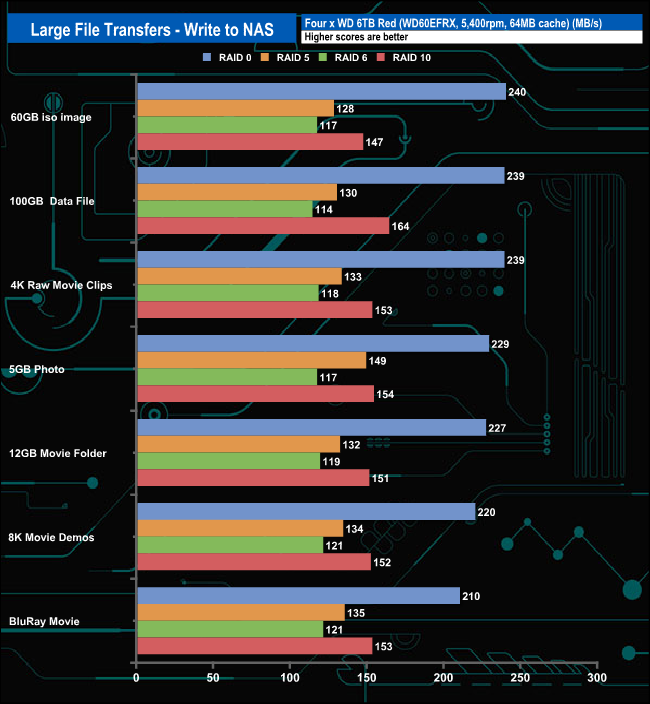
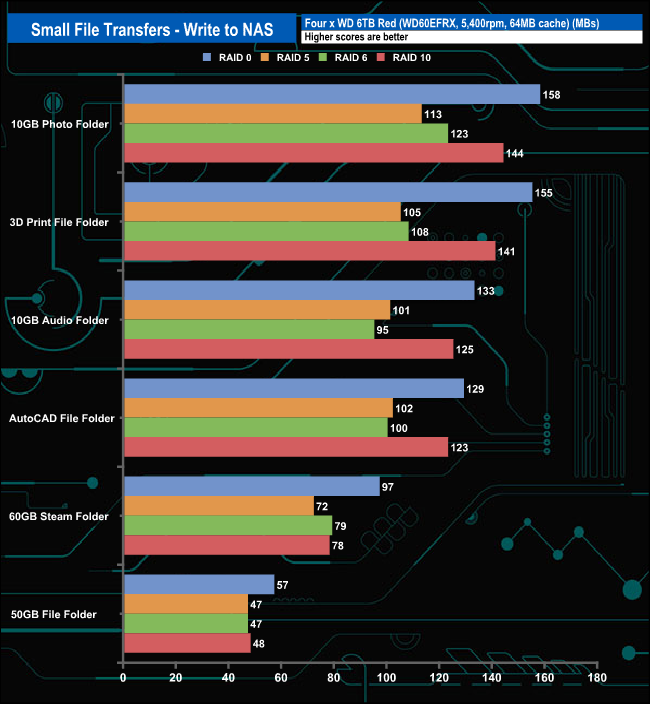
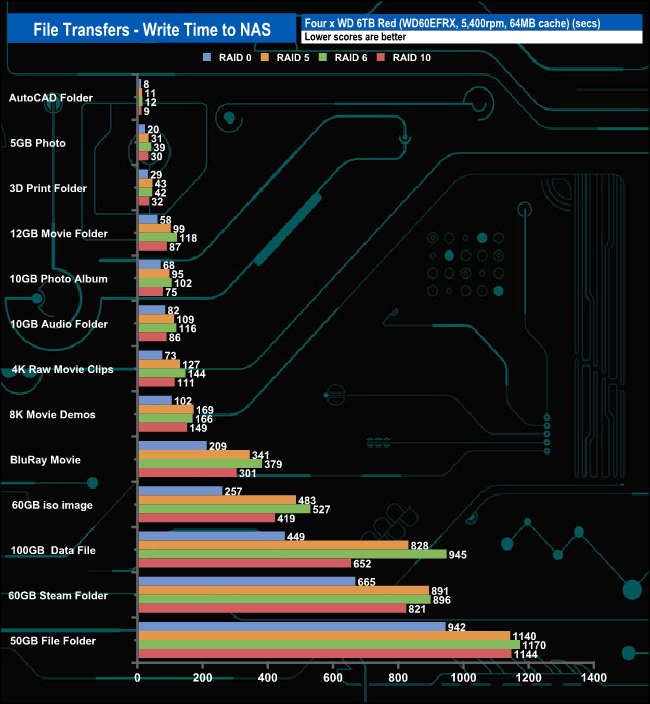

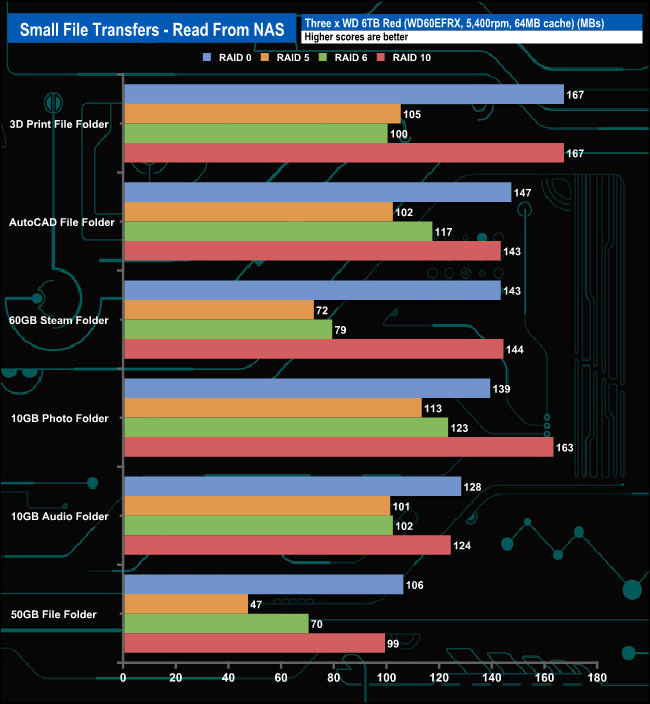
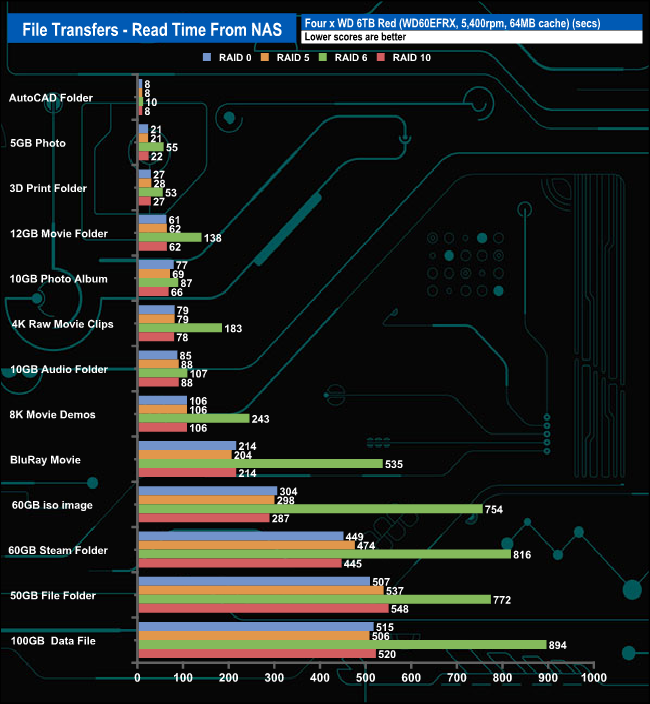
The Drivestor 4 dealt with our real-life file transfer tests without any major problems for the most part, although the RAID 6 performance did drop when dealing with the larger file sizes.
