 KitGuru KitGuru.net – Tech News | Hardware News | Hardware Reviews | IOS | Mobile | Gaming | Graphics Cards


Back at CES 2018, ASUS launched its new range of Chromeboxes, aptly named Chromebox 3. We were invited to Google HQ in London to get a look at the new products, and hear more about Chrome OS itself.
Starting with the Chromebox 3's hardware, this mini system is powered by Intel Kaby Lake mobile processors, with models starting with the Celeron 3865U and going all the way up to the i7-8550U. That latter CPU is a quad-core chip with HyperThreading, so that actually creates the basis for a relatively powerful small form-factor desktop. That could be important, as the last Chromebox I used just didn't have enough graphical grunt to play 4K video, so the use of Intel's latest processors is expected but welcome nonetheless.
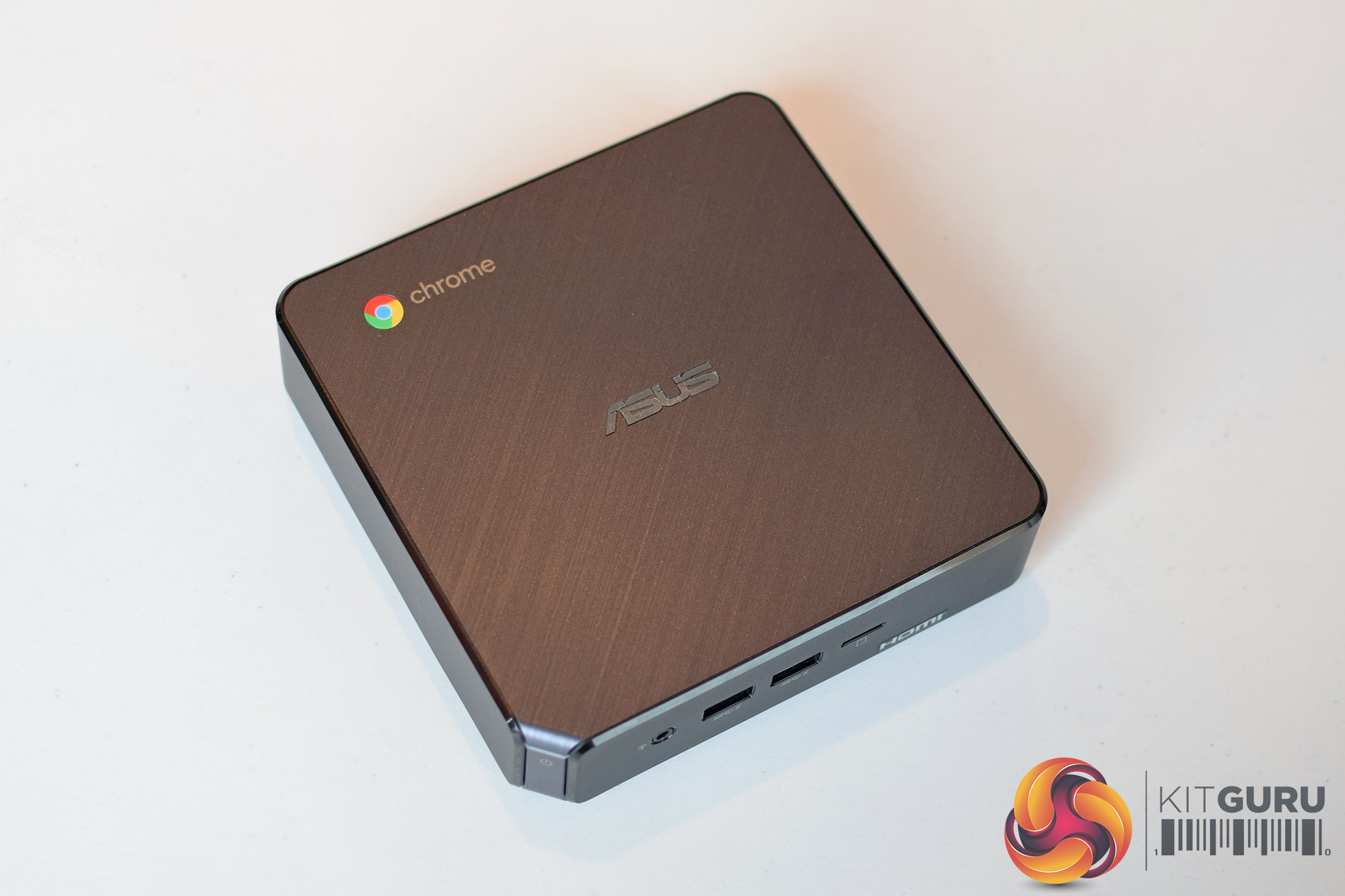
For the rest of the internal hardware, the Chromebox 3 uses laptop SODIMM memory modules – DDR4 of course – and can support up to 16GB of RAM. Storage is provided thanks to a single M.2 slot, however it is as yet unknown whether PCIe/NVMe drives are supported, though I would guess not due to driver support in Chrome OS.
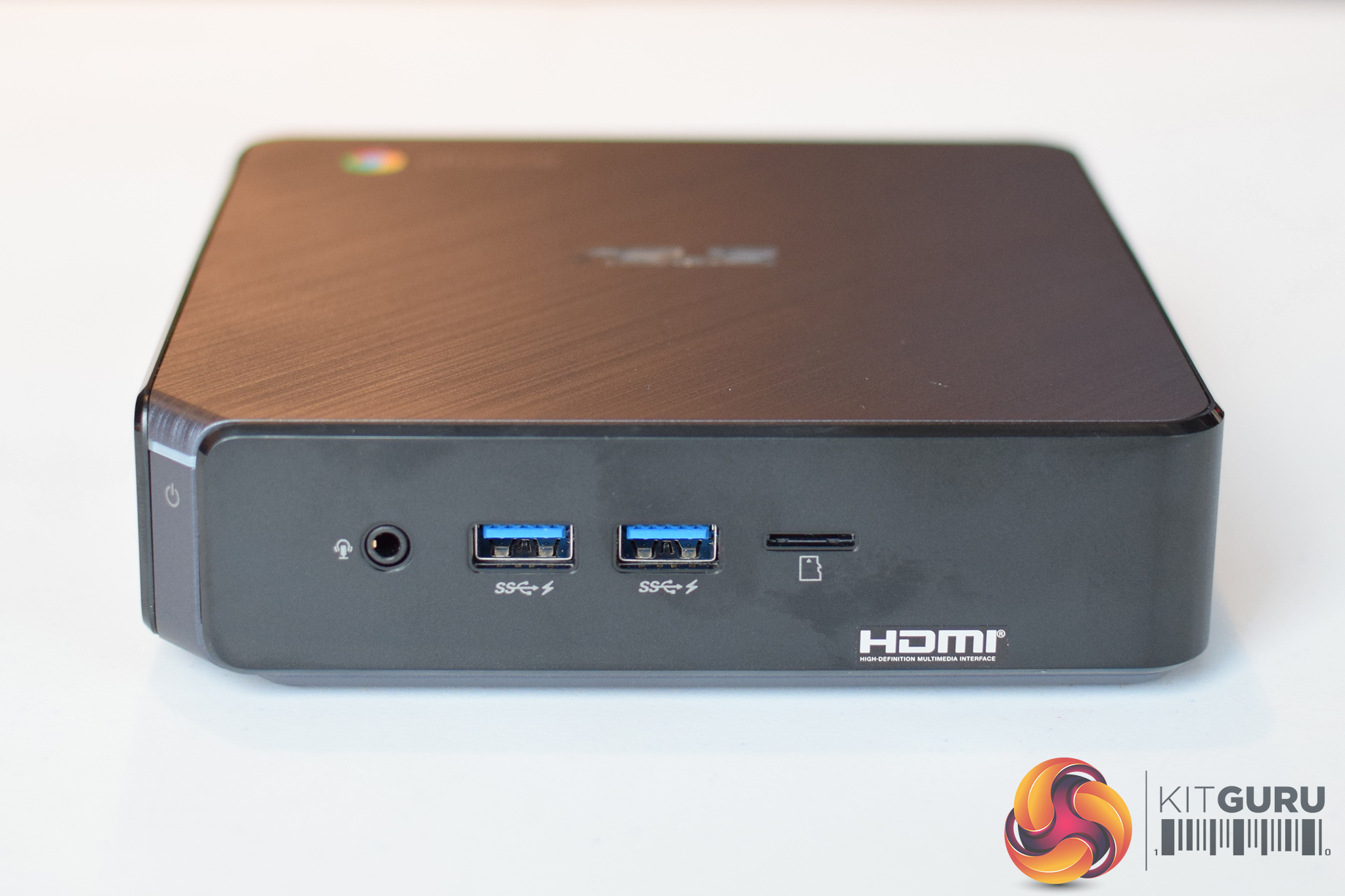
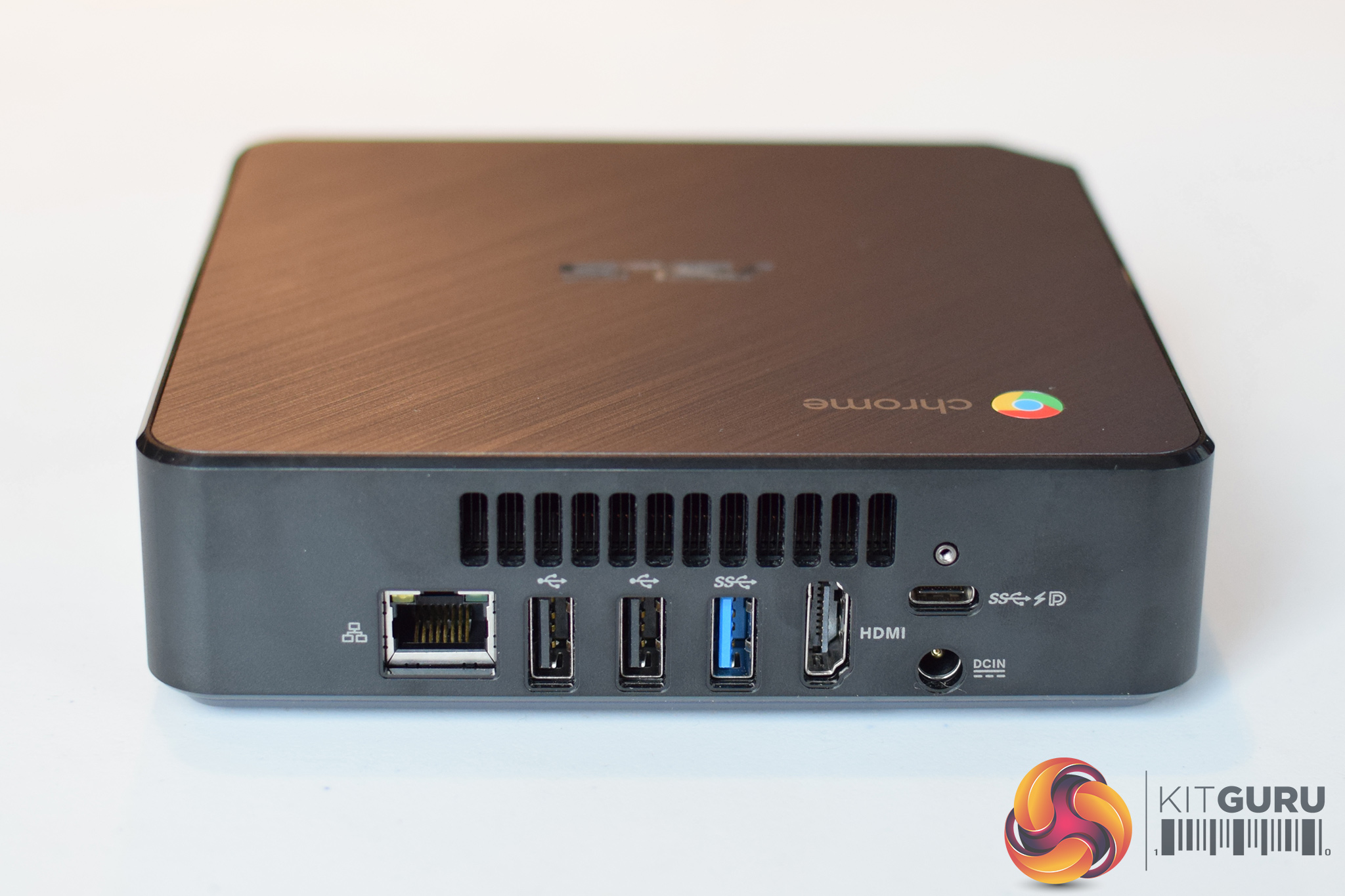
There is also an updated I/O for 2018, with 2x USB 3.1 Gen1 ports on the front panel, alongside a 3.5mm jack and a microSD reader. On the back of the Chromebox, display output is provided thanks to 1x HDMI port and 1x USB 3.1 Gen1 Type-C port. That latter port is significant as it also means the Chromebox can receive power from a compatible monitor, so you could completely ignore the included power brick. Networking is provided thanks to one RJ45 port and 802.11ac WiFi, while there are another 2x USB 2.0 ports and 1x USB 3.0 port on the back as well.
That's it for hardware, but what about the software – it is, after all, a Chromebox running Chrome OS. Well, ASUS is keen to emphasise the fact the Chromebox 3 is Android app compatible, so you can download any app from the Play Store. Kieran Vora, Mini PC Product Manager at ASUS, also highlighted how the company sees Chrome OS as being suitable for education, mobile workers and enterprise sectors.
On the topic of Android apps, we also heard from Pritam Pabla, Chrome Customer Engineer, about how developers are optimising their apps for Chrome OS. The likes of Adobe and Evernote, for instance, are just two companies from a long list of names who are tinkering with their Android apps to take advantage of the larger screen real estate provided by a Chromebook/Chromebox with a monitor. We also saw how mobile FPS games can be optimised for use with a keyboard and mouse as well, allowing for a more sophisticated gaming experience all within Chrome OS.
Lastly, pricing starts at £249.99 for the Celeron model, while the fully-fledged i7 SKU with 256GB storage and 16GB RAM will cost £799.99. Availability is expected in the next 2-3 weeks.
KitGuru says: The new Chromebox 3 looks like a solid piece of kit for those who like Chrome OS. Would any of our readers consider buying a Chromebox, or is it not worth it compared to a Windows-based machine? Let us know your thoughts.
