 KitGuru KitGuru.net – Tech News | Hardware News | Hardware Reviews | IOS | Mobile | Gaming | Graphics Cards


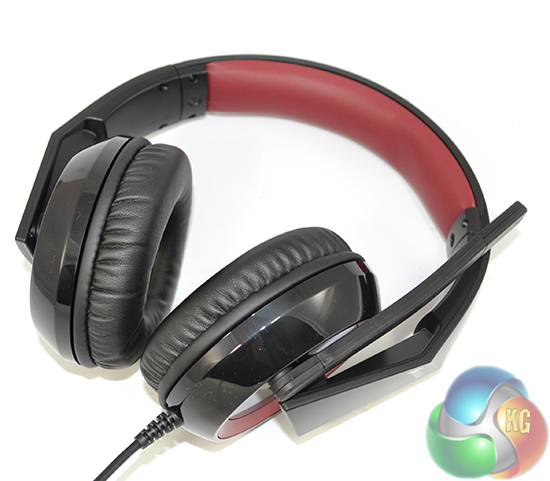
Corsair has been refreshing its gaming headset range as of late. Today we will take a look at the value-orientated Raptor HS30 analogue gaming headset. Built around 40mm Neodymium drivers encased in closed ear cups, Corsair's circumaural Raptor HS30 headset is targeting gamers who are looking for a low cost unit.
With an adjustable, noise-cancelling microphone and a closed-back design, can Corsair's £35 Raptor HS30 gaming headset deliver performance which makes it worthy of the price tag?
Features:
- Frequency Response: 20Hz – 20 kHz
- Impedance: 32 Ohms @ 1 kHz
- Drivers: 40mm Neodymium
- Connector: Dual 3.5mm Jacks
- Microphone Type: Unidirectional noise cancelling
- Microphone Impedance: 2.2k Ohms
- Microphone Frequency Response: 100Hz – 10kHz
- Microphone Sensitivity: -42 dB (± 2 dB)
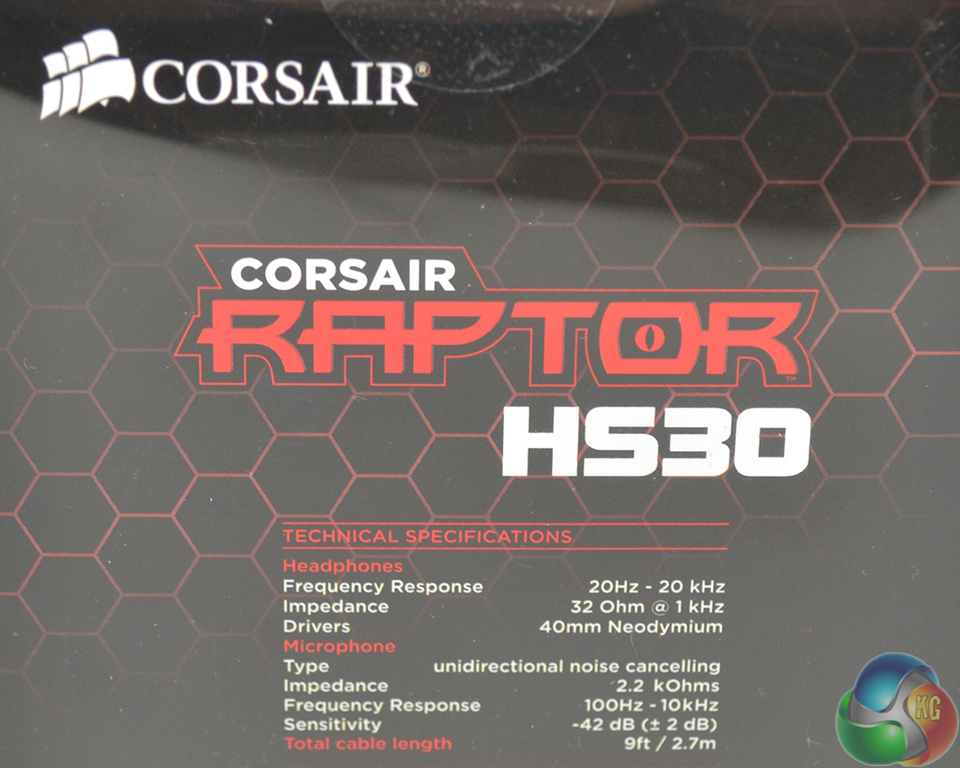
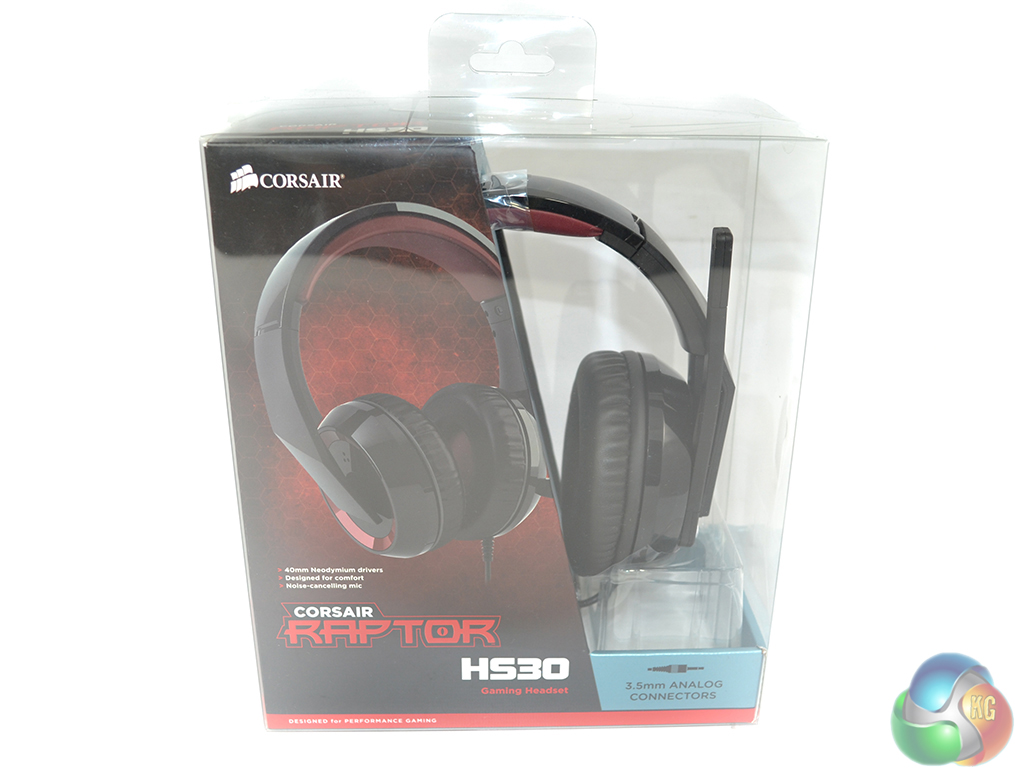
Corsair ships the HS30 in a semi transparent package which allows potential customers to examine part of the headset before making a purchase.
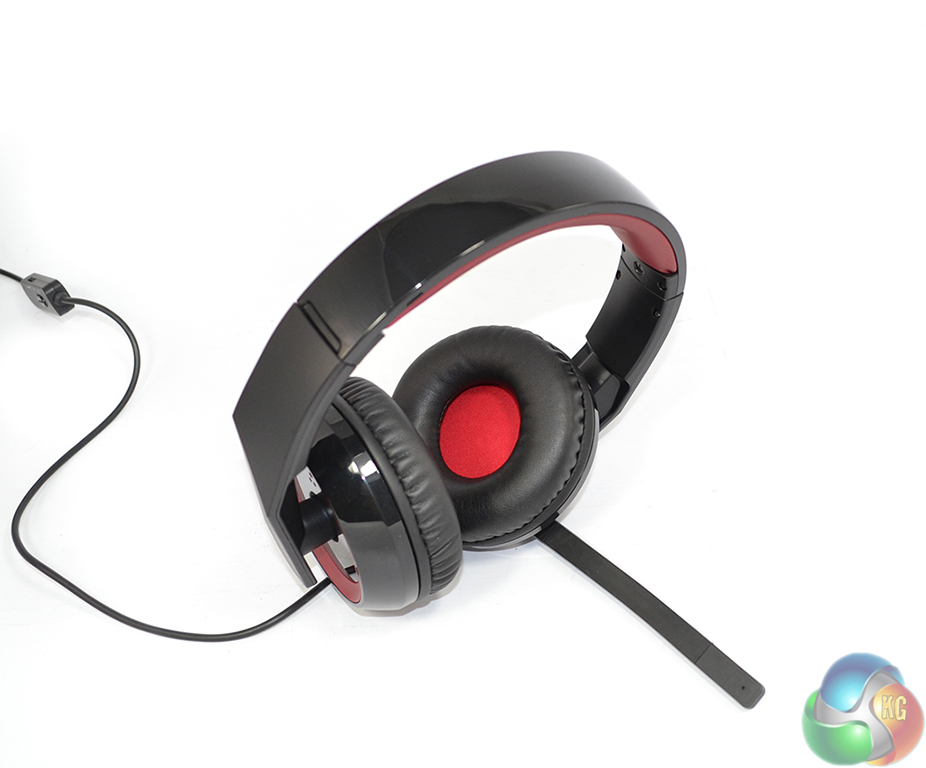
A highly-reflective plastic headband keeps each 100mm-diameter ear cup in position. The plastic material is flexible enough to be adjusted around the size of one's head.
Excluding cable mass, the headset alone weighs in at just under 310g. This is, by no stretch of the imagination, a light unit so the effectiveness of the weight distribution will be critical to the perceived comfort levels.
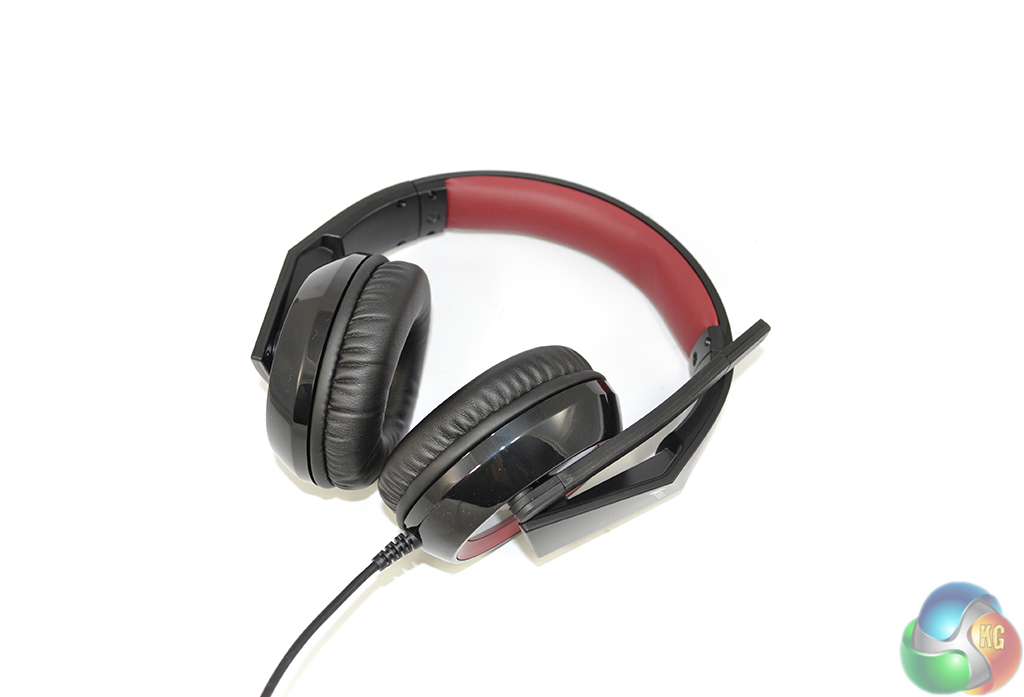
Corsair uses the gamer-favoured red and black colour scheme for its Raptor HS30 headset. Most of the outer surfaces are black, with red accents present on the outwards-facing ear cup sections and the foam headband covering.
Noise spillage and interference from external sources is minimised by Corsair's use of circumaural, closed-back ear cups.
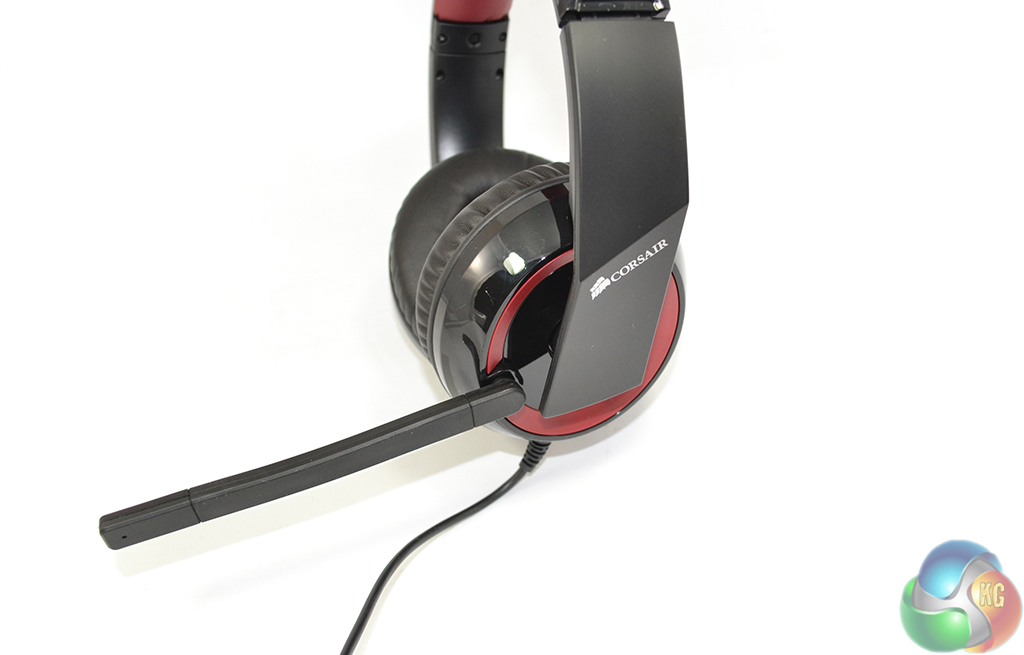
Measuring around 14cm in length and possessing only a small degree of flexibility, the microphone can be rotated upwards when not in use or positioned near one's mouth when required. Unfortunately, when bent towards the mouth, the microphone springs back to its original position upon removing pressure.
The microphone's angle of possible rotation is approximately 140 degrees from vertical, so the speech reception segment cannot be pointed directly downwards, but it should cover the mouth area of most people.
The ear cups are given a respectable degree of free motion thanks to what seems to be a ball-mounted pivot. This should aid in adjusting the ear cups into a comfortable orientation.
Corsair prints its logo on the microphone-side of the headset only. The white writing serves as quite an attractive contrast to the Raptor HS30 headset's largely black and red styling.
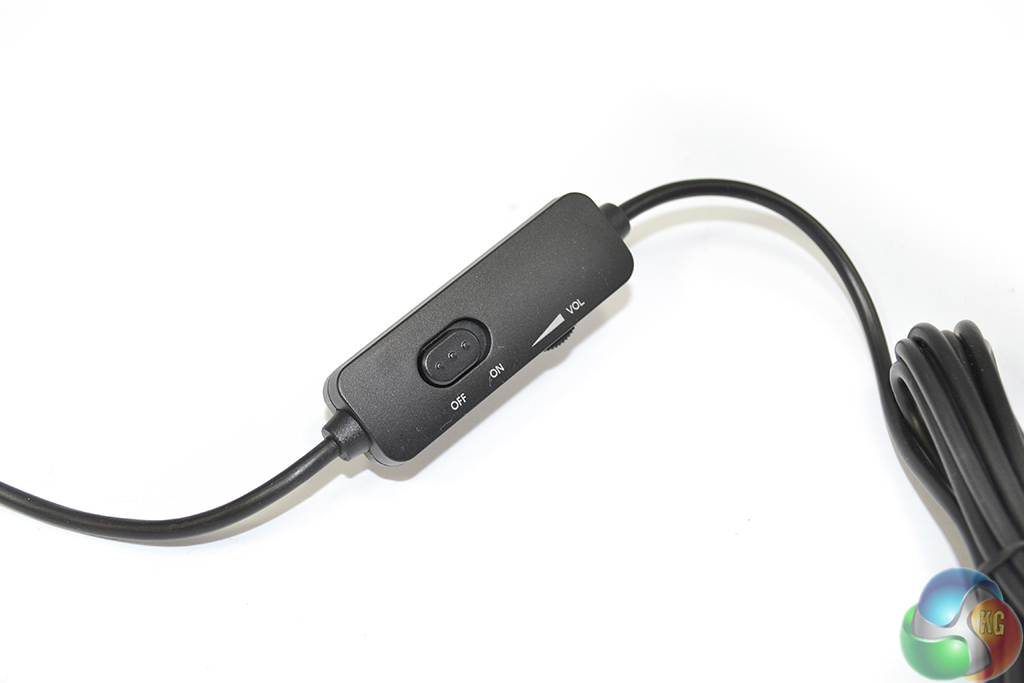
An in-line controller allows users to mute the microphone and adjust volume via a rotational wheel. The controller sits around 45 cm down the cable from the headset's bottom point. Corsair fits the HS30 with a 2.7m-long cable which is covered by a black plastic material.

A pair of 3.5mm jacks provide the headset's audio and microphone connections. Markings and a coloured band show exactly which function each connector serves. No external power (from a USB connector) is required by the Raptor HS30.
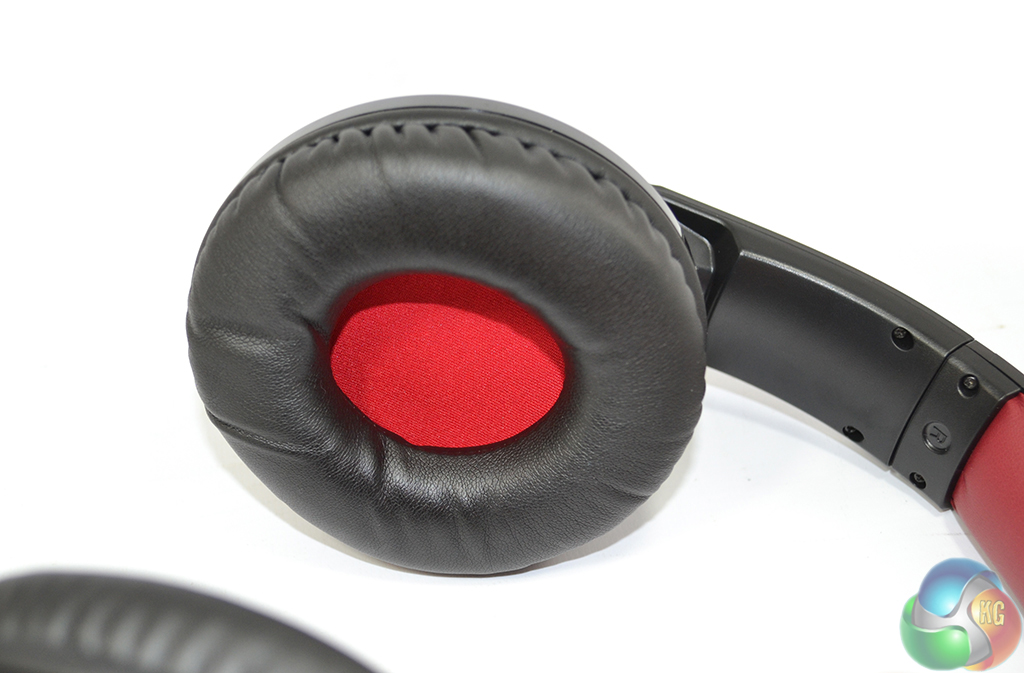
With a diameter of around 100mm and a central gap measuring just over 40 x 50mm, I had no problems obtaining a fit which was comfortable for my ears. The majority of my ear was able to fit inside the gap, while the soft foam ensured that my overhanging lobe was not compressed against myself or the headset.
I am pleased to report that I did not suffer any ear overheating problems, even when using the Raptor HS30 for extended gaming sessions. While the ear cups' soft foam material and leather coating does well to dispose of the heat transferred to them, the headset's weight distribution system can also be thanked for comfortable ear temperatures.
A minimalistic amount of force was transferred to my ears thanks to the Raptor HS30's effective weight distributing design. This proved beneficial for not only ear temperature, but for eliminating head pains after extended gaming sessions (as I have suffered with other heavy headsets).
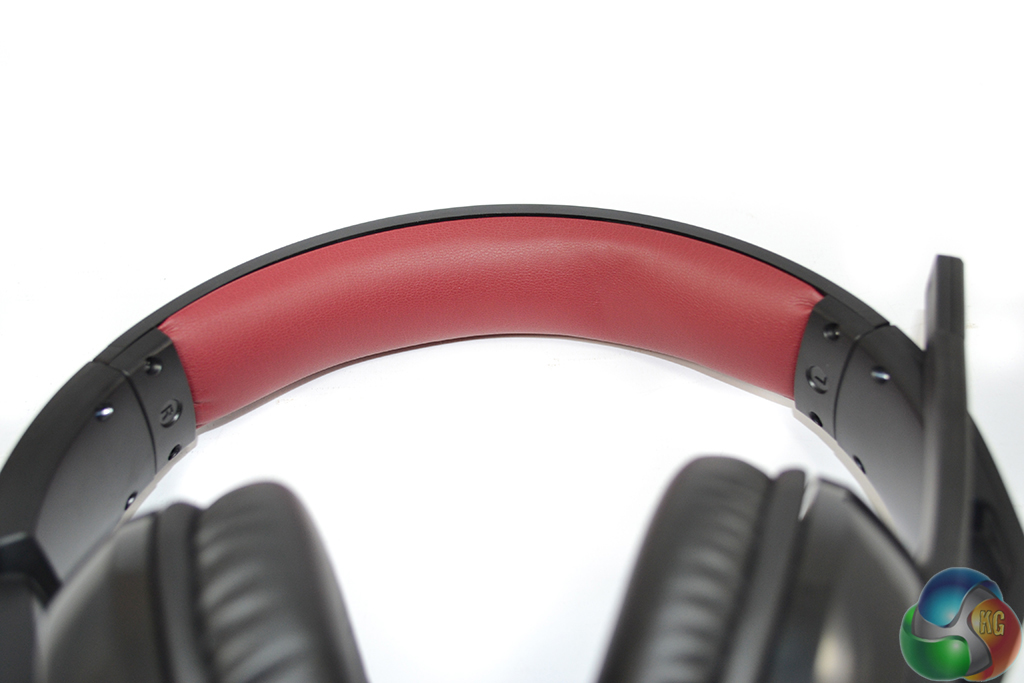
My positive experience with the HS30's effective weight distribution system is largely thanks to the headband's leather-covered foam padding. This piece of material presses against the top of one's head but, thanks to its large surface area and soft material properties, distributes the circa-300g headset weight over a larger area.
This then has the benefit of reducing the pressure that I experienced on the top of my head, while also ensuring that the ear cups were only transmitting a very small amount of force to my ears.
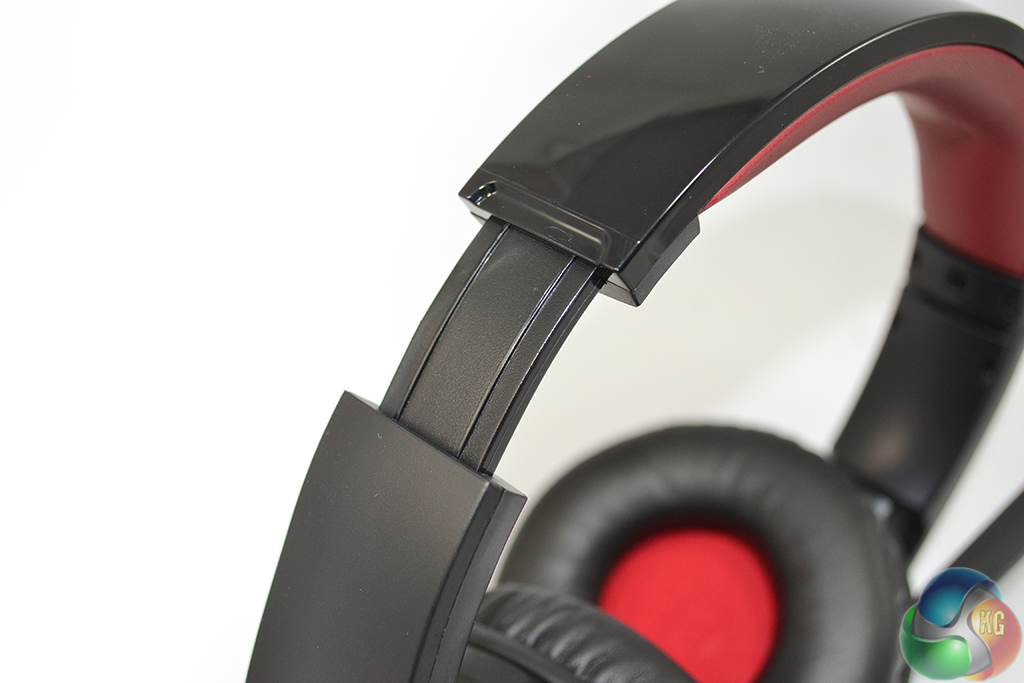
An additional 34mm of flexibility is provided to aid users in the search for comfort when wearing the Raptor HS30.
For my game testing I played many sessions of Battlefield 4 (for *ahem* testing purposes, of course).
The first point that struck me was just how good the Raptor HS30 headset's positional and directional audio performance was. Making use of a stereo sound system, I didn't expect much in the way of directional audio from the HS30. But I was pleasantly surprised when I was able to hear the sound of footsteps and tanks situated behind my character. The directional performance wasn't as good as a surround sound headset, but it was better than many of the other stereo units that I have used.
Strength of the bass levels was another positive performance aspect of the Raptor HS30. Explosions had a sizable thud to them and the deep sound of thunder on Battlefield 4's Paracel Storm map was particularly powerful.
Battlefield 4's tones were also portrayed to a high standard by Corsair's Raptor HS30. It was easy to distinguish between the pitch of a character shouting orders and the ping of a near-miss sniper round. And the differing frequencies of outdoor and indoor combat were effectively depicted by the Raptor HS30.
Chat performance from the microphone was not good. It wasn't terrible, but speech reception was not particularly good either. During my test calls over Google Hangouts and Skype, the recipients commented that they could not hear my voice particularly clearly unless the microphone was bent towards my mouth. And given that the microphone would not stay in its bent position, this presented an issue.
Speech clarity was bearable for in-game chatter, but it was not ideal for conversation purposes.
Noise isolation performance was about average for a headset of this design and price range. With the headset being worn, but no audio being played, I could easily hear the key actuation's of a Cherry Red mechanical keyboard. In all fairness, damping the sound of mechanical keys being pressed at an arm's length away is a particularity tough task for any passive noise cancelling headset.
The sound of four 120mm fans installed in a system sat next to my feet was drowned out by the Raptor HS30.
I loaded up The Dark Knight Rises for movie playback tests. The Raptor HS30's ability to handle movie workloads is limited. The film's rapid change in audio frequencies and underlying speech can present a challenge for headsets, but Corsair's Raptor HS30 performed well in that regard. There were points where the bass was overpowering and speech clarity was affected, however. This made listening to the speech in films a scenario which the HS30 didn't suit.
Overall music performance for the Raptor HS30 was acceptable. The range of frequencies and simultaneous bass of backing tracks was delivered well, but the treble did not come across particularly effectively with the R&B and Pop tracks that I tested. I actually found the bass to be a little too overwhelming for the higher-pitched voices to be clearly registered in certain tracks.
With the volume set to maximum there was some distortion between the low frequency sounds and higher-frequency outputs, such as voices.
The Corsair Raptor HS30 is a good gaming headset which proves its pleasing audio quality in a number of usage scenarios.
The 40mm Neodymium drivers showed that they have the ability to effectively deliver a good range of tones with impressive bass levels. Deep bass was present when it was required – representing explosions, for example. But it did become a hindrance at times, drowning out speech in movie and music playback.
For gaming scenarios, where speech is typically less frequent and less critical than in films, the strong bass levels are likely to act as a welcomed performance parameter.
I found the Raptor HS30 gaming headset's comfort levels to be excellent. This is one of the few headsets that gave me zero comfort quibbles for the entire span of my lengthy gaming sessions. Weight distribution of the unit is well-engineered and the build-up of heat around one's ears was controlled and minimised.
There are some less-than-impressive points for the Raptor HS30. The microphone is reluctant to stay in a displaced position, despite its slightly flexible design. And due to this, clarity of speech transmission was reduced and recipients struggled to hear some parts of a conversation.
Available for £34.99 from OverclockersUK and Amazon, the Corsair Raptor HS30 targets gamers wanting an inexpensive headset. At this price, the Corsair Raptor HS30 is worth buying if you are looking for a low cost unit which delivers good performance with gaming audio.
Discuss on our Facebook page, over HERE.
Pros:
- Strong bass levels.
- Good range of tones and ability to mix them.
- Very comfortable for extended periods of time.
- Plenty of adjustment for wearing style and fit.
- Good build quality.
Cons:
- Bass can be too overpowering in speech scenarios.
- Microphone performance is limited.
- Microphone is reluctant to stay close to one's mouth.
KitGuru says: A good headset for gaming purposes which does not break the bank.

One comment
Pingback: Latest Gaming Headset News - Top Video Game | Top Video Game