KitGuru KitGuru.net – Tech News | Hardware News | Hardware Reviews | IOS | Mobile | Gaming | Graphics Cards


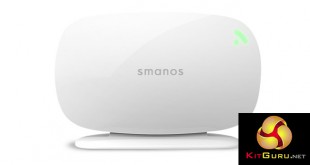
While a smart home was once thought the preserve of the uber rich today with wireless apps and plug-in security systems, anyone can have a connected household. All you need is something like the Smanos X300 Plug and Play Alarm system, which bundles a motion sensor, door sensor and a remote control for simple access, with a fully functioning app.
Detect intruders as soon as they step into your home, get an alert when your child opens their bedroom door – or keep an eye on how often your pet leaves its bed in a given time period – there are plenty of uses for a smart home alarm system.

Because of the built in microphone in the Smanos system, you can even use it as a two way baby monitor or intercom system. This is a versatile piece of kit and it can be expanded with more sensors and equipment in the future if you so wish.
- Model No: X300.
- Power Input: DC 12V 500mA.
- GSM Frequency: 850/900/1800/1900 MHz.
- Static Current: ≤65mA.
- Alarm Current: ≤230mA.
- Backup Battery: 3.7V 1200 mAh 18650 lithium battery.
- Internal Siren Volume: 105 dB.
- Supported Accessories: 10 remote controls, 50 sensors.
- Radio Frequency: 868MHz (±75KHz).
- Housing Material: PC plastic.
- Operation Condition: Temperature -10°C ~ +55°C.
- Relative Humidity: ≤80% (Non-condensing).
- Control Panel Dimensions: (L×W×H):175 x 39 x 97 mm.
- Bracket Dimensions: (L×W×H):135.5 x 61 x 20 mm.
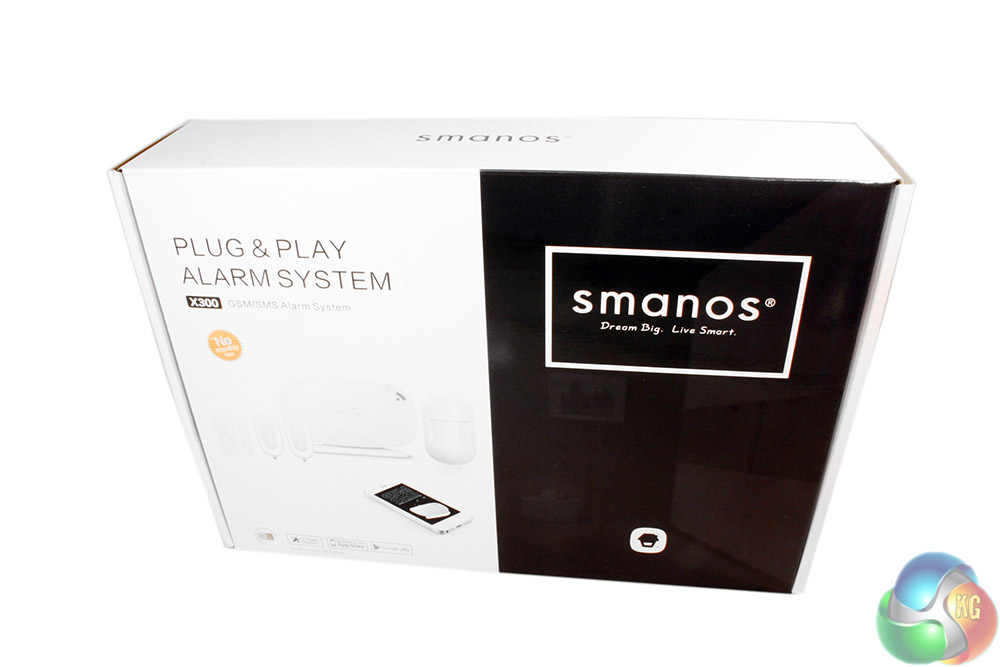
The Smanos x300 alarm system package is quite basic in that it shows you the product, tells you what it is called and breaks down a few of its specifications on the back. There is no nice matt cardboard, or giant, to-scale images to mull over. This is a more serious system than the gamer orientated products we so often review, so the box reflects that.
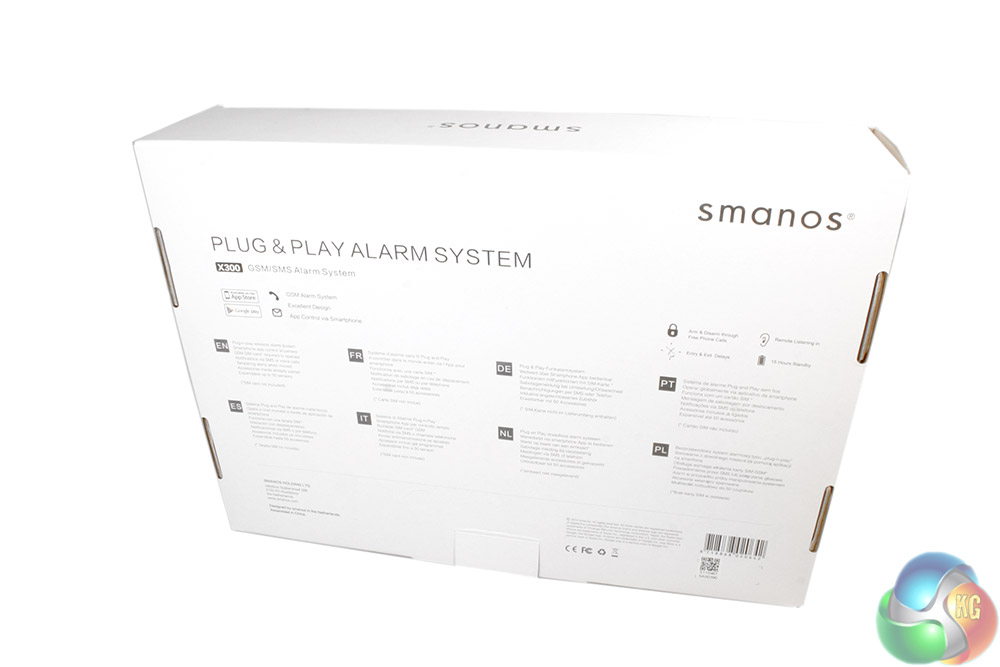
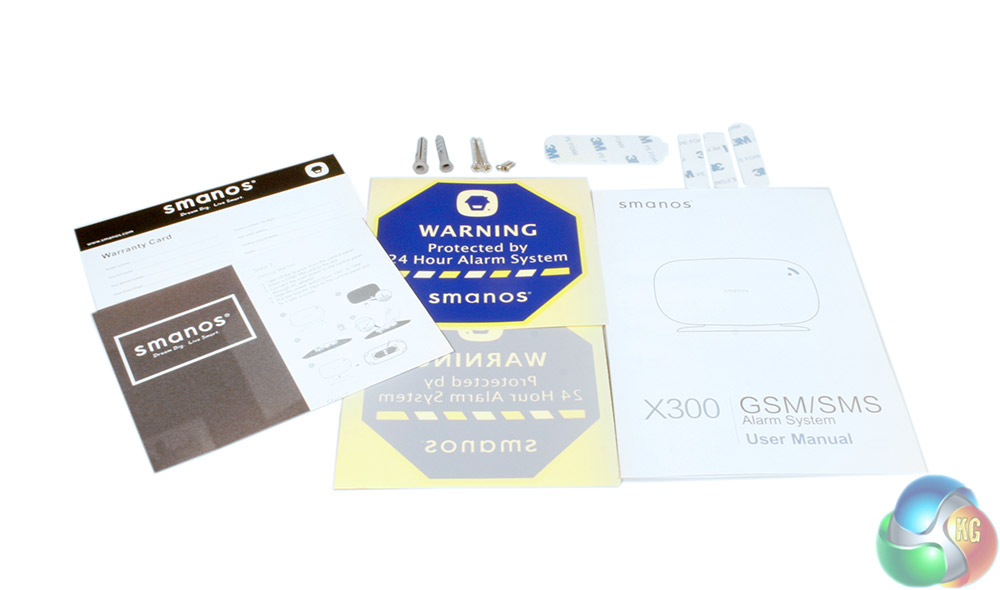
You do get quite a lot of extras and documentation though. There is a short set up manual, a warranty card, some stickers for your property and a number of sticky pads to make attaching some of the smaller components that bit easier.
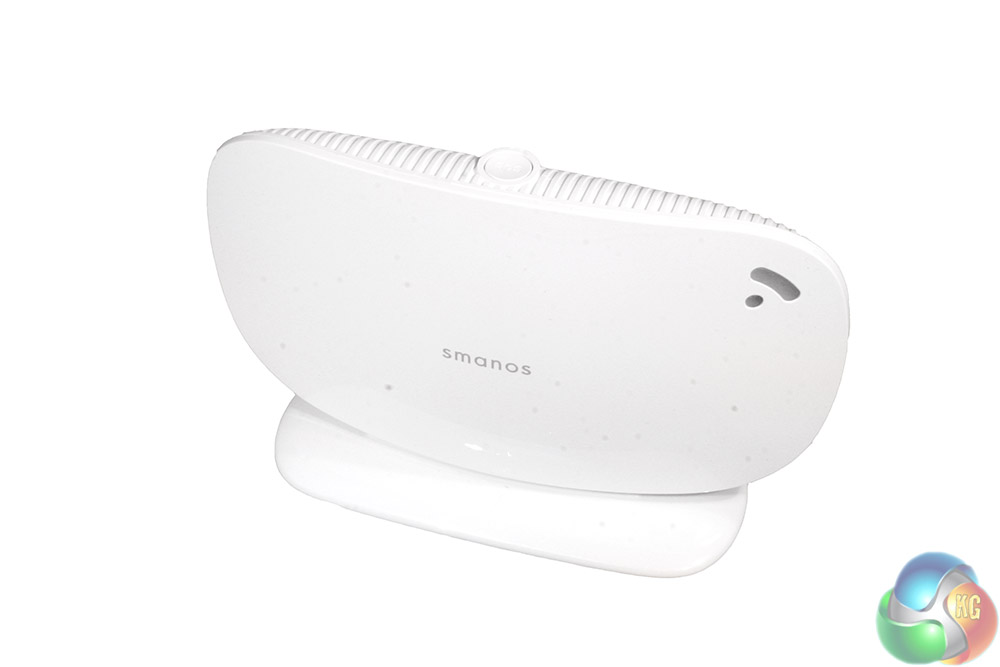
The Smanos X300 itself is a white, router-look-alike product which sits on a small base station. There is an SOS button atop it, which can trigger the alarm manually if you should ever need to and there is a clear plastic section in the top right for indicator LEDs.
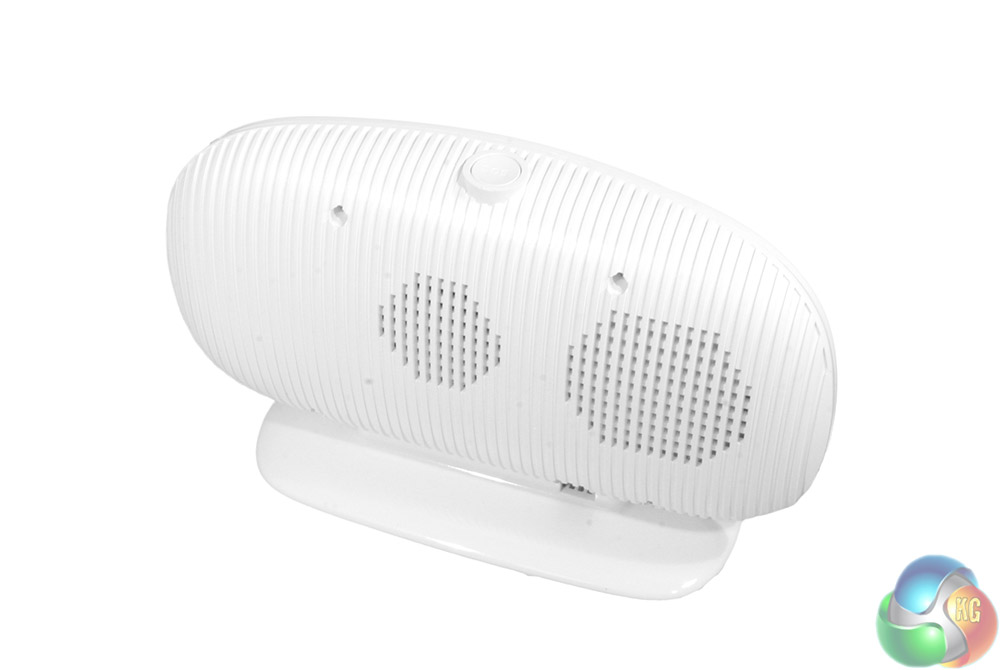
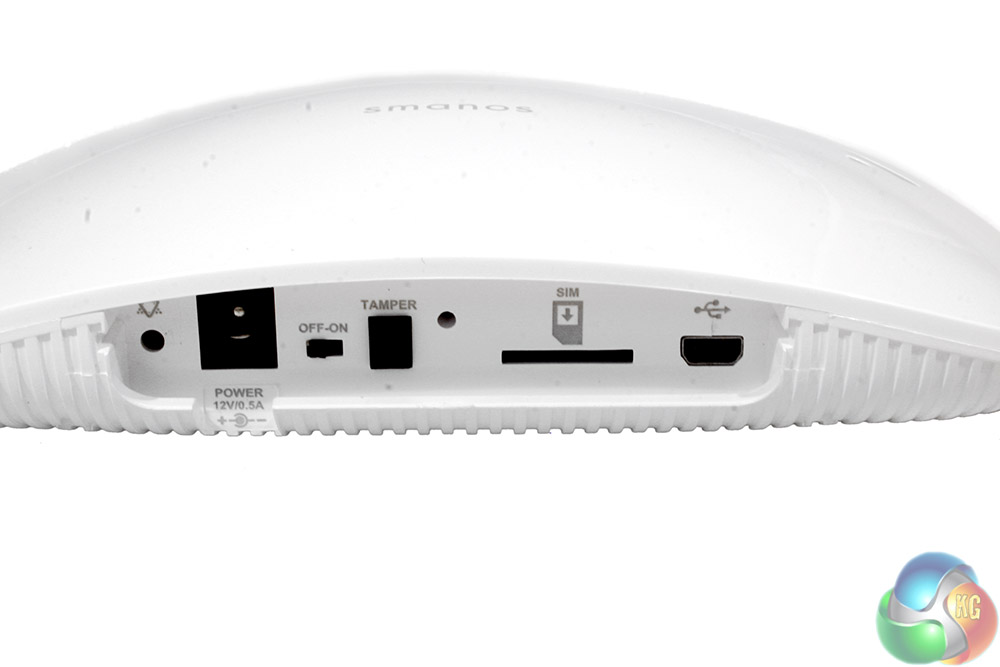
The back of the unit incorporates speaker grills.
To access the ports for inputting the required Sim-card and other connectors for power and USB data, you have to remove the base. When in use, that base is pressed against an anti-tamper sensor, which will trigger if someone attempts to mess with the alarm system by removing it.
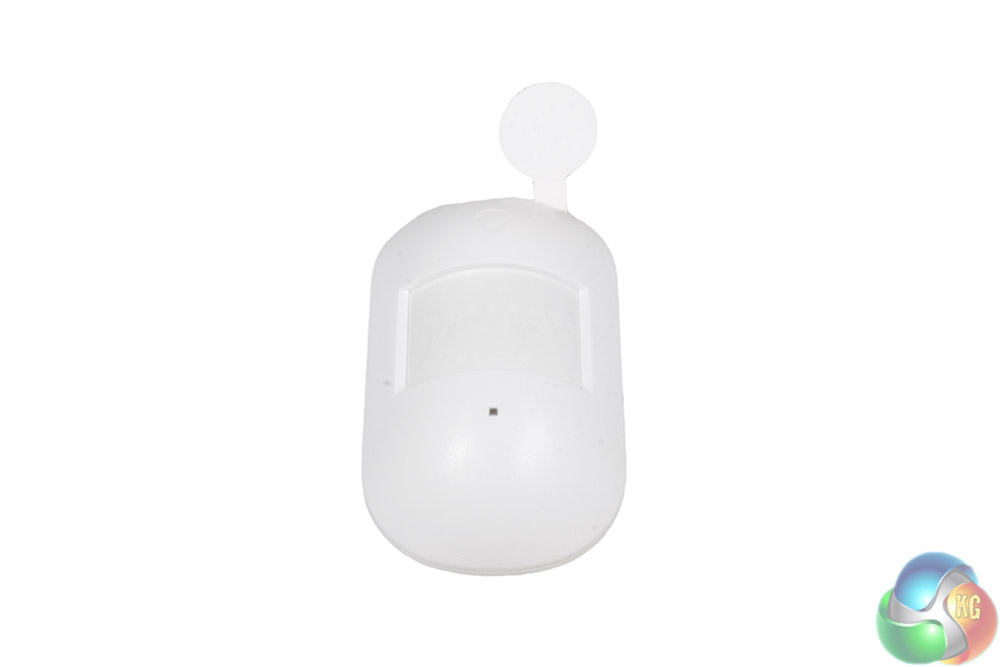
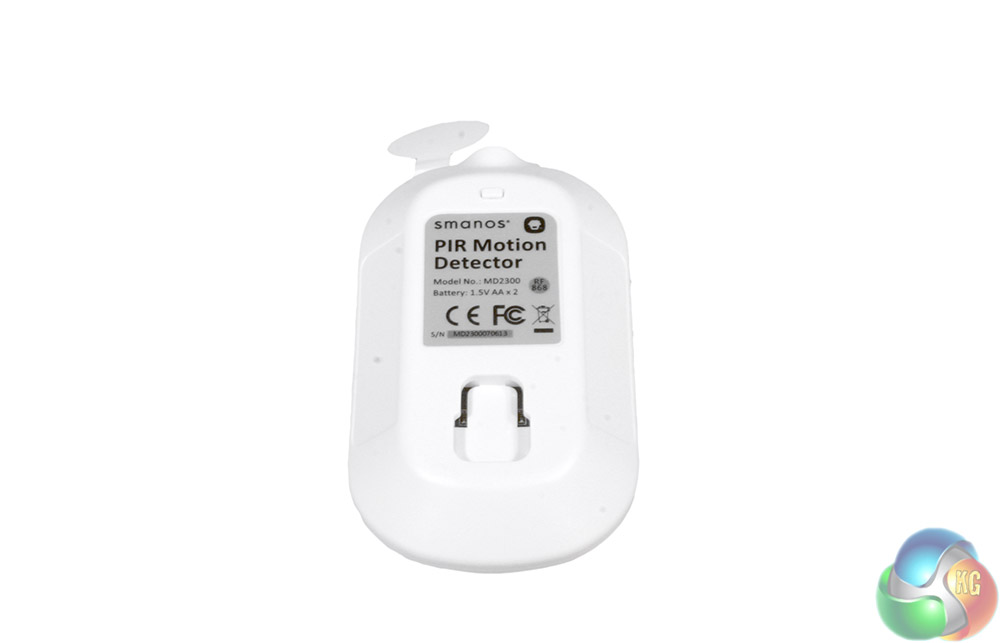
The motion sensor is a white plastic box just a few inches long, with a convex sensor area in the centre and a visible pull tab for the internal batteries, so that they are not drained by the time your new alarm system reaches you.
The back features a clip area that lets you connect it to a rotatable wall mount (also included).
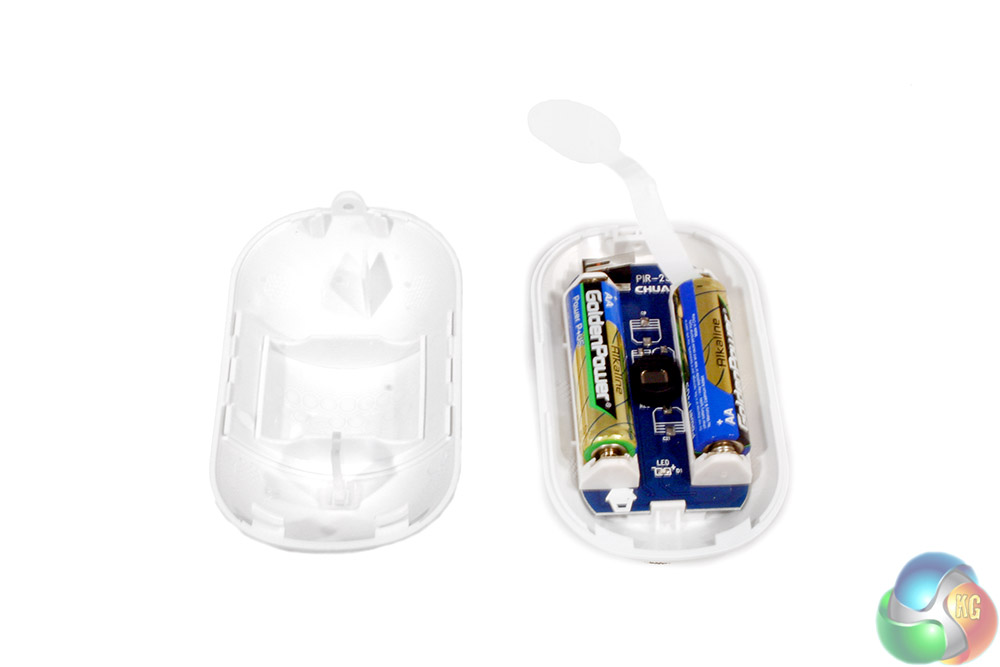
Inside you will find the sensor equipment, as well as a pair of pre-wired batteries that can be turned on by simply removing the pull tab.
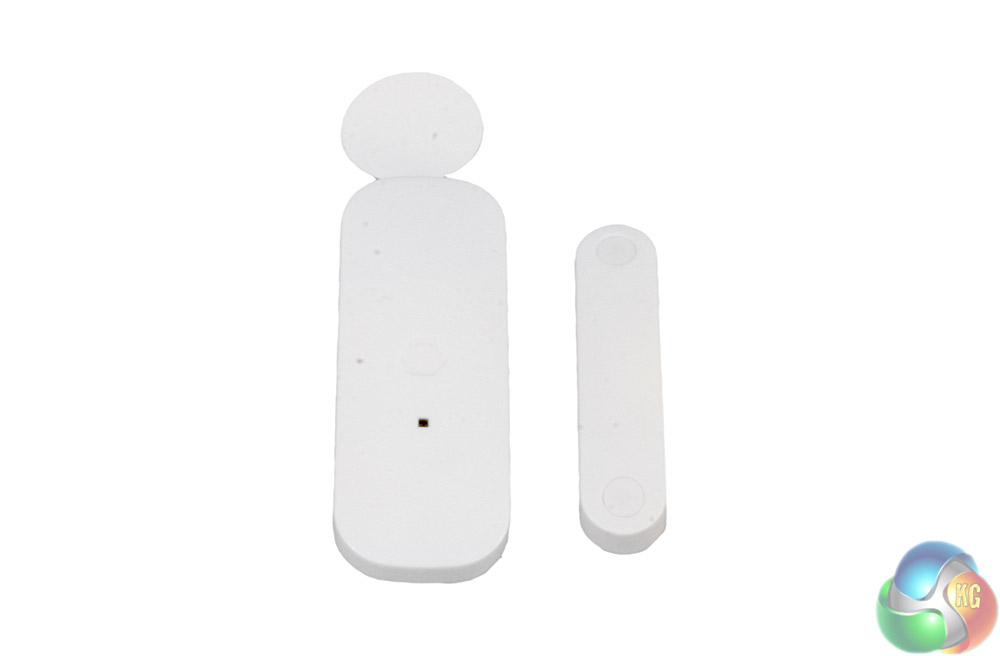
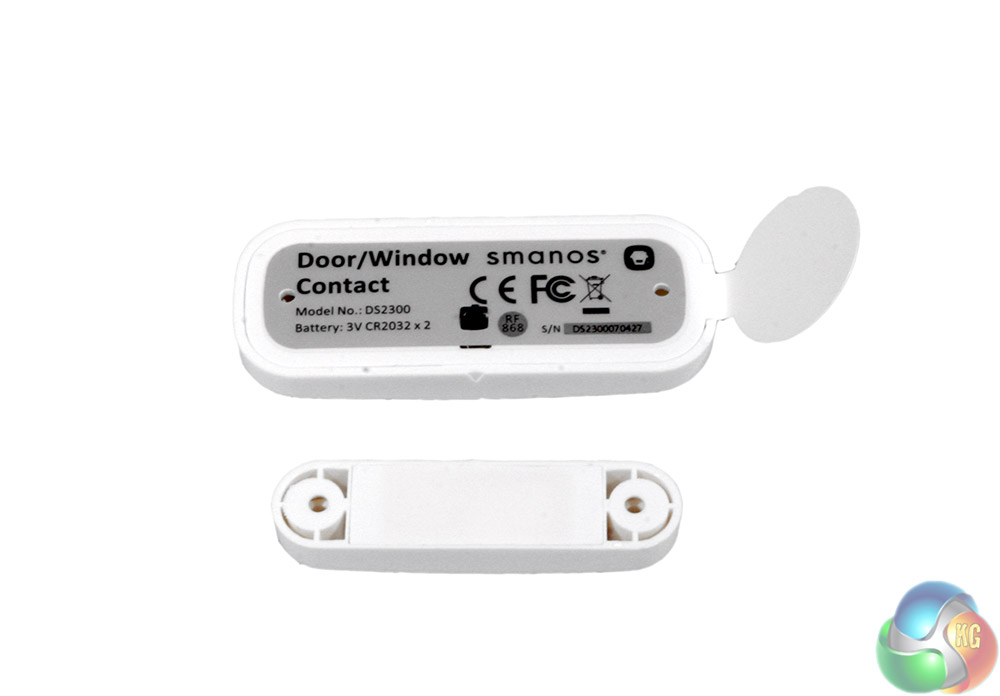
The other included sensor is for proximity, which lets you know whether a door or window has been opened by attaching one part of the set up to each component. That way when they are separated by the movement of the opening door or window, you can know about it.
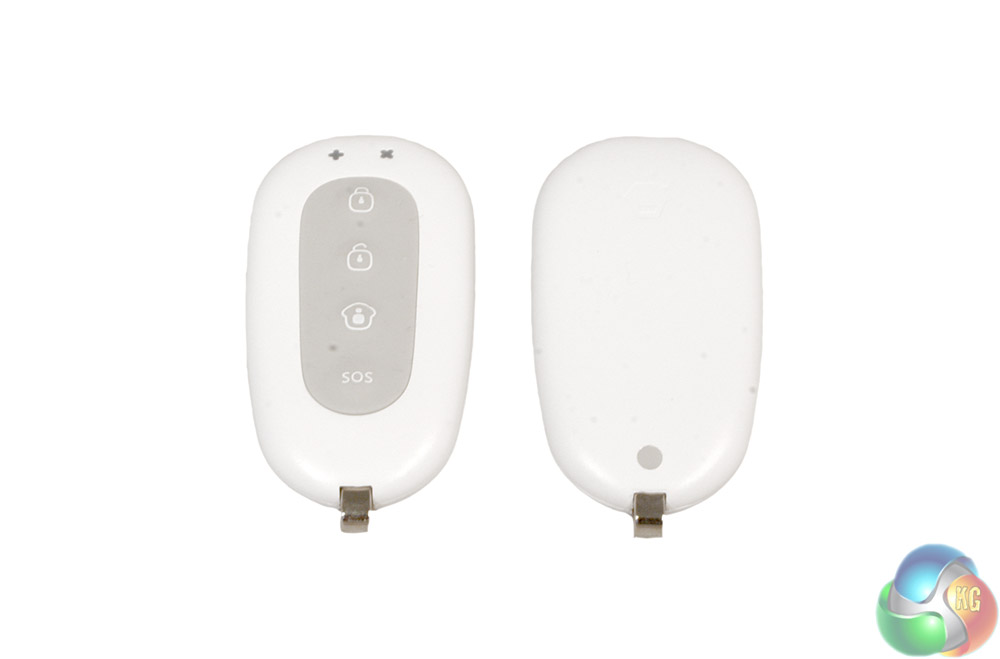
The pair of remote controls are identical and feature basic push-button commands for locking down the alarm system, unlocking it and triggering the SOS alarm.
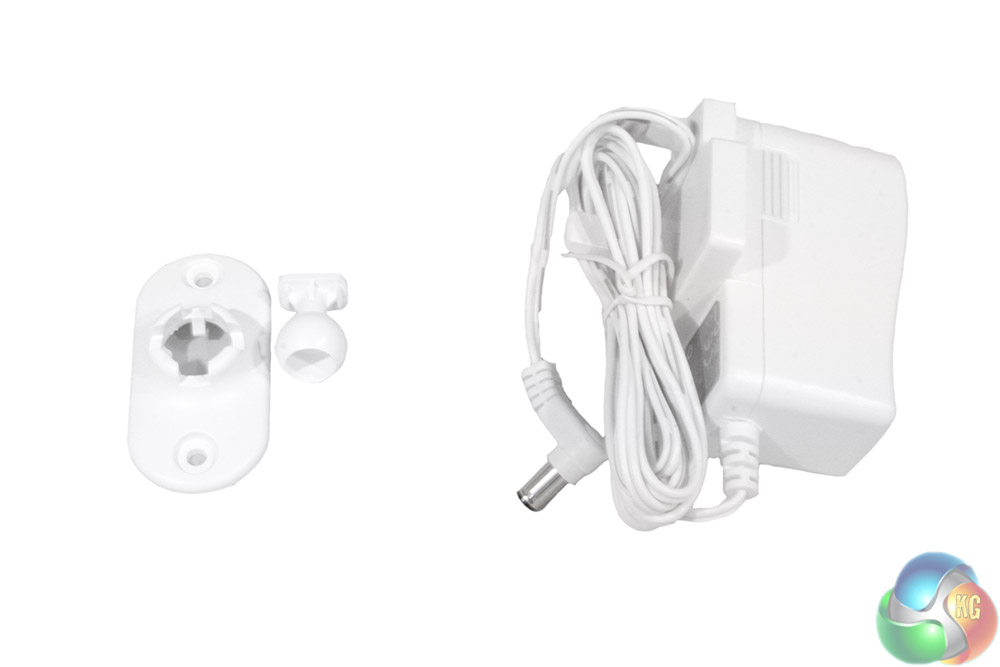
The final accessories for this system are the swivel mount for the motion sensor, and a power cable for the Smanos X300 system itself.
To test the Smanos X300 plug and play alarm system, I set up the motion tracker in various positions to test its coverage, scared the neighbours by deliberately setting the alarm off and tested some of the other functions of the door sensor and application. Having tried a couple of similar alarm systems in the past, I compared the Smanos system to how they operated and factored in its price tag to consider how much value for money this product delivers.
The first step to setting up the X300 is that you need a SIM card. This is an unfortunate annoyance right off of the bat, as not everyone will have spare SIM-card lying around, especially with active credit or a contract on them. This is the downside to not having to pay a monthly fee with the X300: it is not managed in any fashion, so if it sets off the alarm and needs to send you a message via SMS, it needs to have the SIM card and credit to do so.
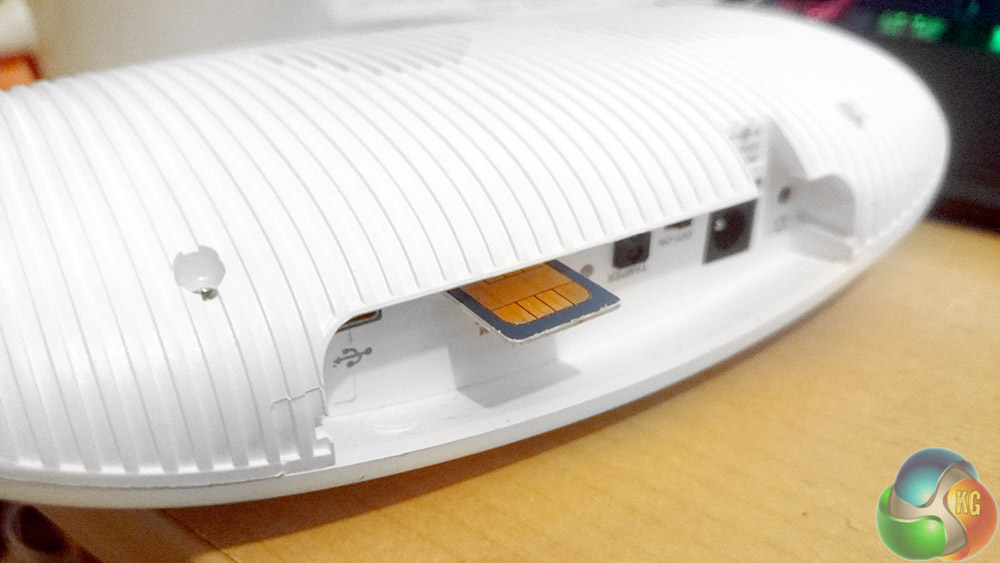
When was the last time you used one of these?
For the purpose of this review, I used a SIM card from an old phone and tested the app on my current handset. While this may not be possible for everyone, just getting a hold of the correct SIM is not easy either, as the Smanos X300 uses the old-style large SIM card, which few mobile providers will give out.
It seems a shame that Smanos has not partnered with a mobile network to offer one of its SIMs, pre-paid with a few quid of credit to get things started. At the very least a converter to allow for the use of newer SIMs could be included, as they cost pennies.
Moving on to the testing proper, there are two specific ways to use the Smanos X300: its default, standard set up and its connected mode. The former is the true plug-and-play set up that the packaging advertises, as you can simply power the X300 on, turn on the sensors and attach them as and where you need them, and you are up and running.
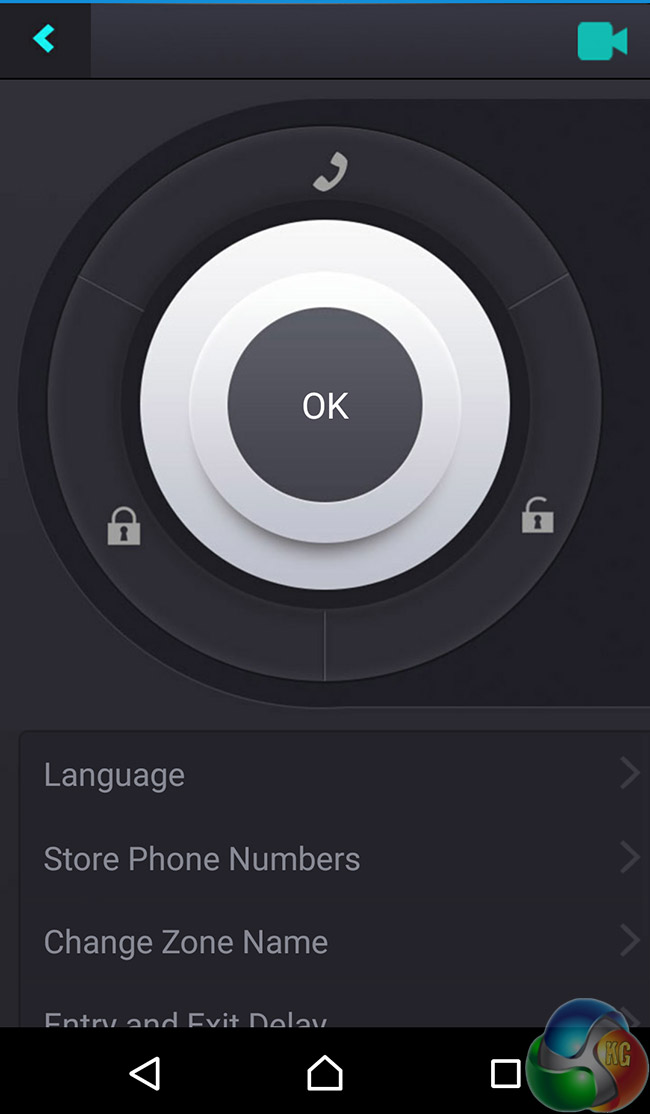
The control panel for the Smanos App is clean and easy to understand
That was my first port of call when it came to testing the system. I set the door monitor up on my front door, armed the alarm and promptly asked my other half to come through it. Within a half second of the door opening and the connection between the two sensors breaking, the alarm started blaring.
Only a double tap of the disarm button stopped our ears from bleeding. I wish that had been more apparent in the manual, however, as it took me some digging to find it. Inconveniently, while the alarm was screaming at me.
The same was true of the motion tracker, which worked perfectly when I walked in-front of its wide field of view. Again the alarm was set off at a volume that would easily startle anyone who unsuspectingly decided to wander into your home.
The motion sensor works in well lit areas and in the dark, so is handy for protecting your home at night as well as during the day.
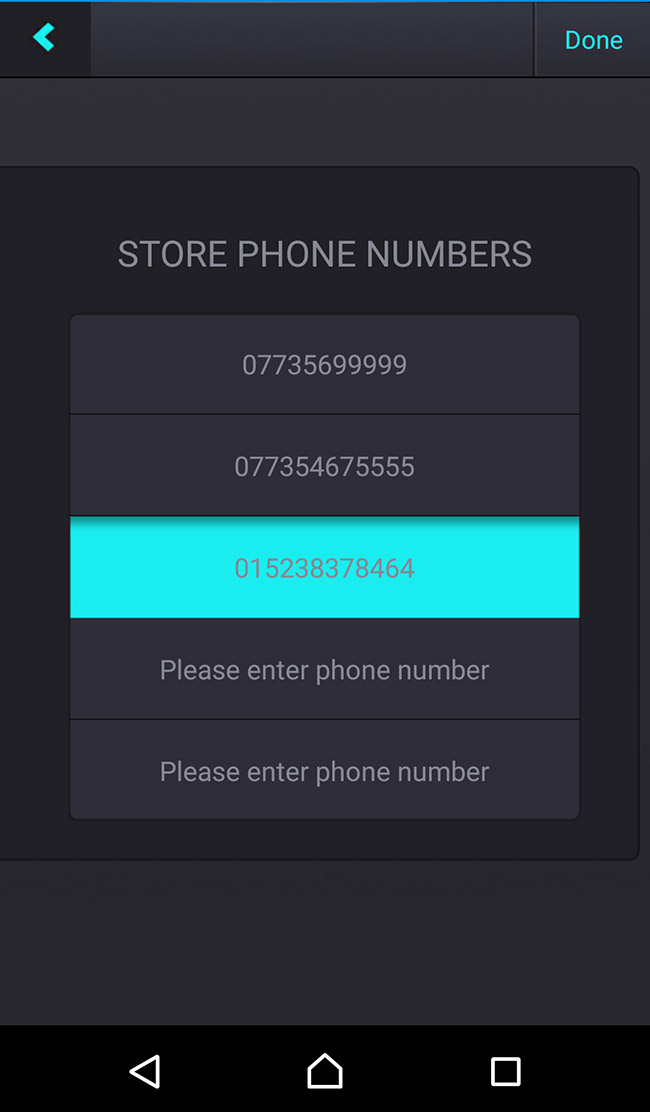
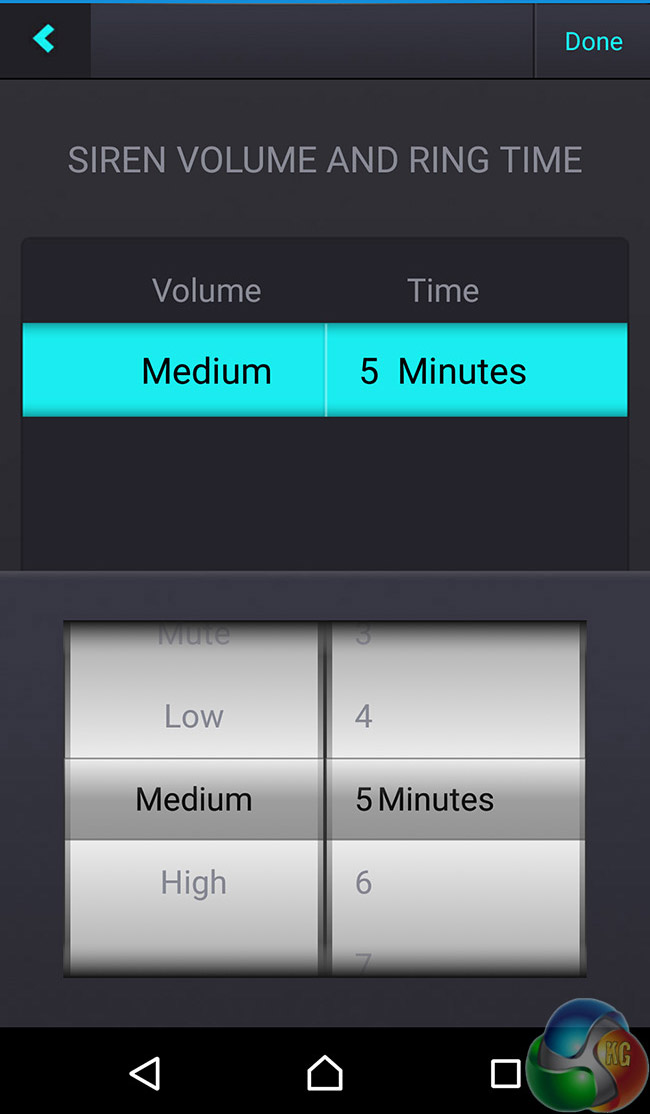
You can add up to five emergency phone numbers and make changes like volume of the alarm and the duration
Of course as useful as a standard alarm system like this is, it must still be manually armed and disarmed. That is not quite the smart protection system a modern enthusiast is likely to be interested in. For the more contemporary, connected functions, that's where the SIM-card inside the X300 comes in.
You will need the companion application to set things up, which asks you for a name and the number for the installed SIM card before you can continue, but from there you can tweak settings for the system's timings (does it set the alarm off immediately, or wait a few seconds in-case that is you coming in the door?) as well as trigger its relevant alarm states.
You can use at Home, to let it know that you do not need the interior motion tracker armed, but that if the front door opens you would still like to know about it. You can have it sound the alarm as usual, or just have it send you a text to let you know someone is home.
Its through that messaging function that some of the expanded usefulness of the X300 is realised.
In testing it worked really well too. Texts only took a few seconds from the alarm being triggered to arrive on my phone, letting me know immediately that something was worth investigating further. If I had a camera system hooked up the Smanos X300, I could then login to that from my phone to see what was going on from a remote location.
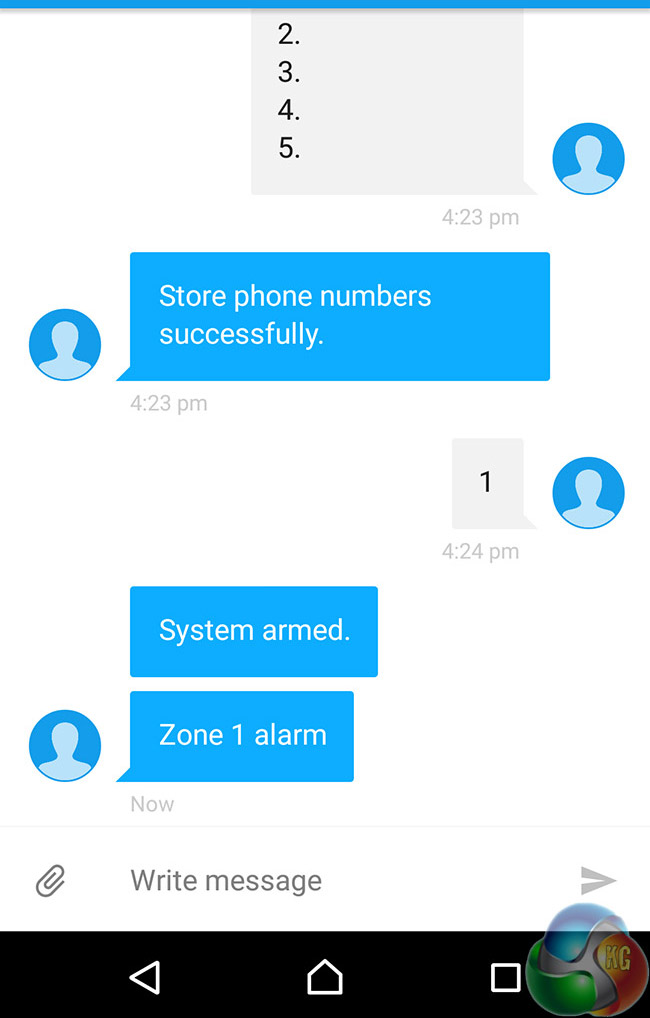
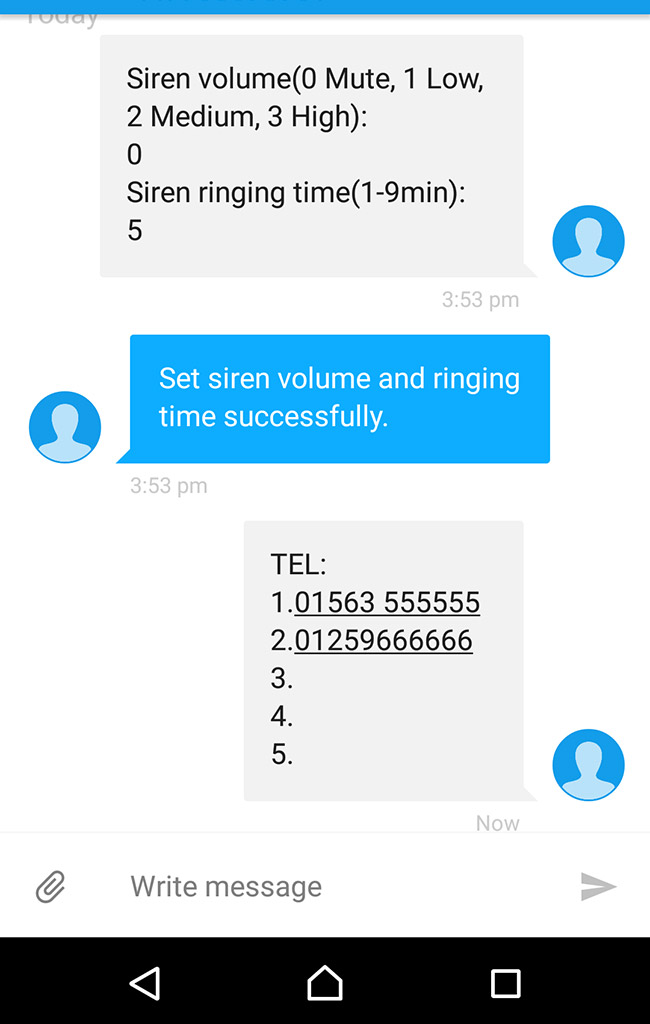
When you send a command through the app, it actually issues it through a coded SMS message from your security cleared number.
The X300 is also very resistant to tampering. If someone were to try and unplug the power, they would find themselves dealing with the internal battery, which lasts for up to 15 hours in standby mode. It can still sound the alarm during that period without difficulty. If someone were to attempt to turn the device off, they would be faced with the screwed in backplate which covers all buttons.
Removing the screw and said panel triggers the tamper light sensor, which then triggers the alarm. It is very securely thought out.
You can rest assured that when the Smanos X300 is engaged, it will not be turned off without you disarming it. Well unless someone else gets hold of the remote controls, so keep them somewhere safe.
Of course there is a way to reset it all if you lose your connected handset, or break the remote controls, but it's through a motion that would not be easy for a would-be intruder to disarm in any sort of speedy fashion.
The other function I tested with the Smanos X300 was the ability to let you listen to its microphone for baby monitoring or other purposes. It's not great quality and if you have music playing it sounds like bad on-hold music. I would be surprised if you could pick up much beyond muffles if attempting to legitimately listen in on someone.
The Smanos X300 is a capable home security system with a lot to recommend. The operation is simple, with a one press arm/disarm function, as well as having an SOS functionality should you require the alarm be triggered without the sensors being set off. It also connects up to a variety of useful tools to help expand the field of view.
Only a couple of those come with the device, so for full functionality we recommend expanding your sensor suite to include a camera and you may well want multiple door/window detectors to cover larger parts of your home or office.
The set up procedure for the X300 is a bit of a let down though. The poorly translated manual makes understanding what you are supposed to do a little difficult. The fact that the function to turn off the alarm is buried several pages deep, means that anyone setting this up without much prior experience, is likely to have a moment of panic when they cannot figure out how to turn the alarm off.
The use of the traditional, large-scale SIM card for mobile functionality is a little bewildering, as they could have at least supplied a converter in the box. Although its requirement is mentioned on the packaging, it is in very small type. I would like a network agnostic SIM card included with the package so that someone can use it right out of the box.
While there certainly is plug and play functionality without the SIM, the X300 is no way near as fully featured without it and it is a shame to think that many people may buy it, only to then delay them in setting it up while they wait for an old SIM card to arrive from Ebay.
Once in place, the X300 does perform well. The App is easy to navigate and intuitive in its functions. It provides a deeper level of access than you have without it and notifications are sometimes preferable to a blaring alarm. With the app you can customise all of that, letting you make the X300 security system truly your own.
The audio monitoring function is largely redundant as the quality is pretty sub-par, but all of the anti-tamper features are a nice bonus. Despite the stark physical presence, it would be very tricky for someone to take apart the Smanos X300 quickly to kill the alarm itself.
You can buy the Smanos X300 from Maplin for £180.
Discuss on our Facebook page, over HERE.
Pros
- Loud alarm.
- Customisable through the back-end application.
- Wide array of sensors you can connect, two come in bundle.
- Alarm is near tamper-proof.
- No monthly fee, entirely self-managed.
Cons
- No bundled SIM card or credit.
- Requires old-style SIM card for use.
- Manual is hard to decipher.
- SMS text-only communication feels a little archaic.
- Audio monitoring quality is poor.
KitGuru Says: Although I may prefer the managed (and more expensive) iControl Piper, the X300 is still a very capable home/office security system with plenty of functionality and a great app. I just wish the set up was a little easier.