 KitGuru KitGuru.net – Tech News | Hardware News | Hardware Reviews | IOS | Mobile | Gaming | Graphics Cards


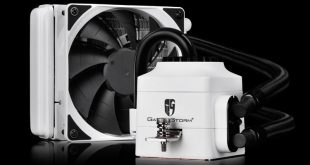
Back in July, the Deepcool Captain 240 EX featured in a 6 way round-up of mainstream AIO coolers. Today we are looking at its smaller counterpart, the Captain 120 EX. The model we were sent for review is white, though there are black and red alternatives available.
A fairly small AIO unit, even for a 120mm-sized cooler, the Deepcool Captain 120 EX ships with a single fan, plus a radiator which is only 27mm thick. For comparison, the Arctic Liquid Freezer 120 ships with two fans and a 49mm thick radiator. As such, it will be interesting to see how the Captain 120 EX compares to other 120mm and 240mm AIOs. While UK availability is limited, the Deepcool Captain 120 EX black version seems to be available for around £52.
Specifications
- Supports Intel Sockets: LGA-2011-V3/LGA2011/LGA1366/LGA1156/LGA1155/LGA1151/LGA1150
- Supports AMD Sockets: FM2+/FM2/FM1/AM3+/AM3/AM2+/AM2
- Fan Dimensions: 120X120X25mm
- Net Weight: 894±10g
- Fan Speed: 500±200-1800±10%RPM
- Fan Air Flow: 76.52CFM(MAX)
- Fan Air Pressure: 3.31mmH2O(MAX)
- Fan Life Expectancy: 50000 hours
- Fan Noise Level: 17.6~31.3dB(A)
- Fan Bearing Type: Hydro Bearing
- Fan Connector: 4Pin
- Fan Rated Voltage: 12VDC
- Fan Rated Current: 0.12±10%A(MAX)
- Fan Power Consumption: 1.44W
- Main system Dimensions: 92.5X93X85mm
- Radiator Dimensions: 154X120X27mm
- Radiator Material: Aluminum
- Pump Life Expectancy: 120000 hours
- Pump Connector: 3Pin
- Pump Operating Voltage: 6~13.8VDC
- Pump Rated Voltage: 12VDC
- Pump Speed: 2200±10%RPM
- Pump Current: 0.16±15%A
- Pump Power Consumption: 1.92W
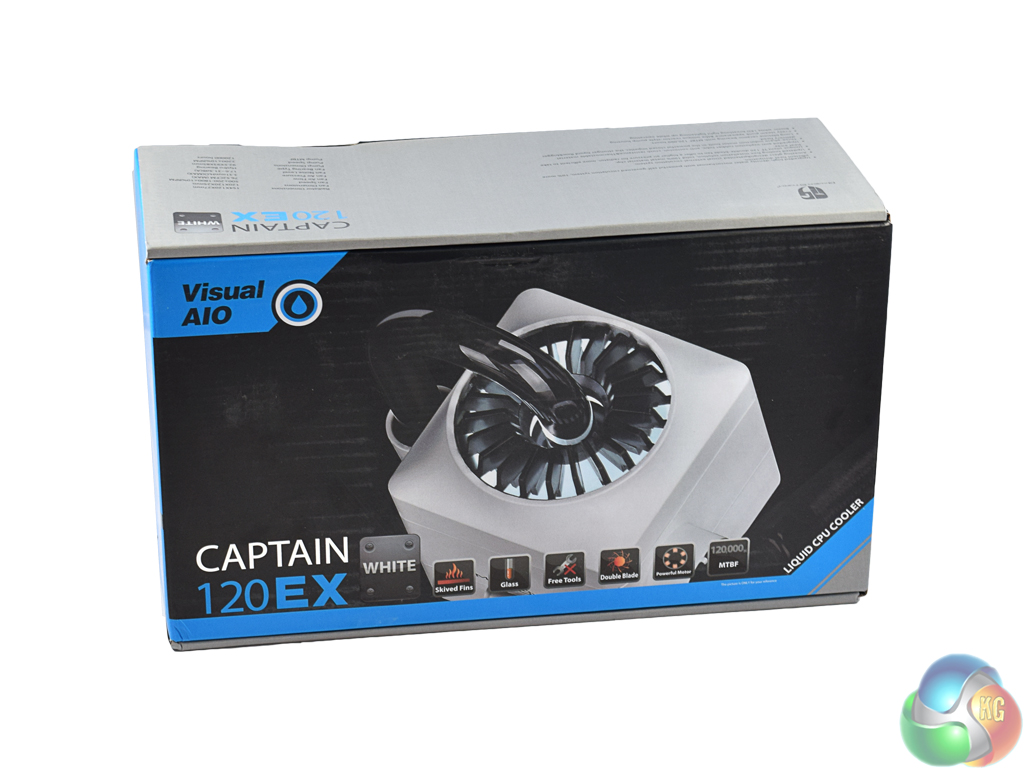
The Deepcool Captain 120 EX ships in an attractive box, with a large picture of the cooler's pump/waterblock on the front.
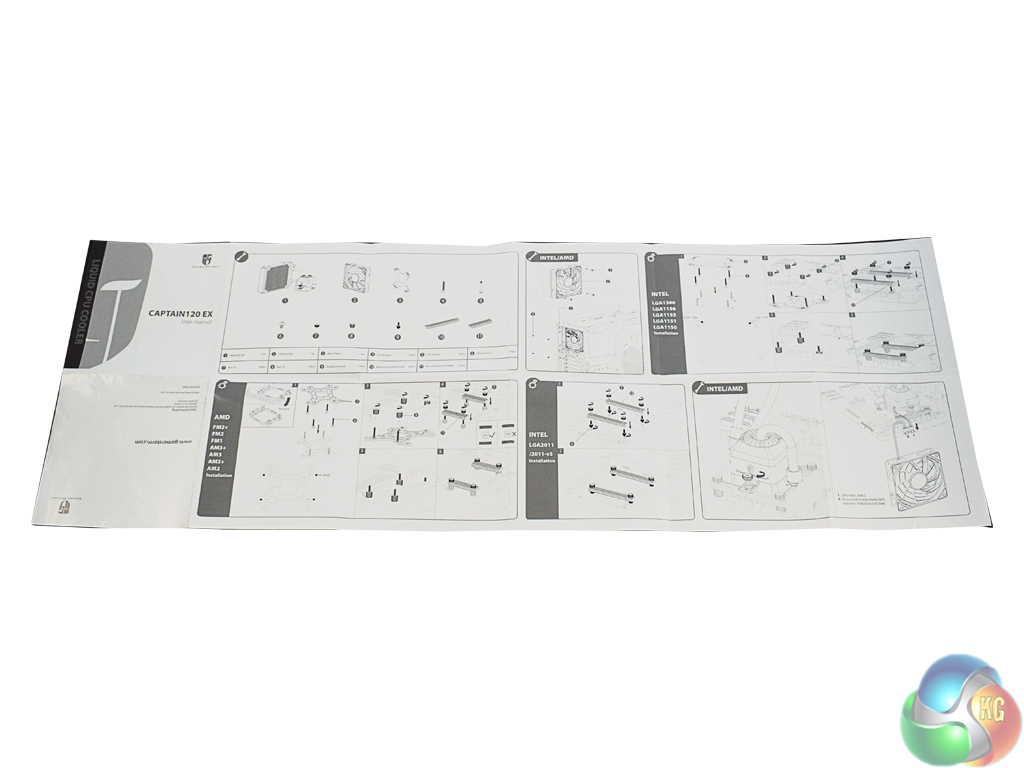
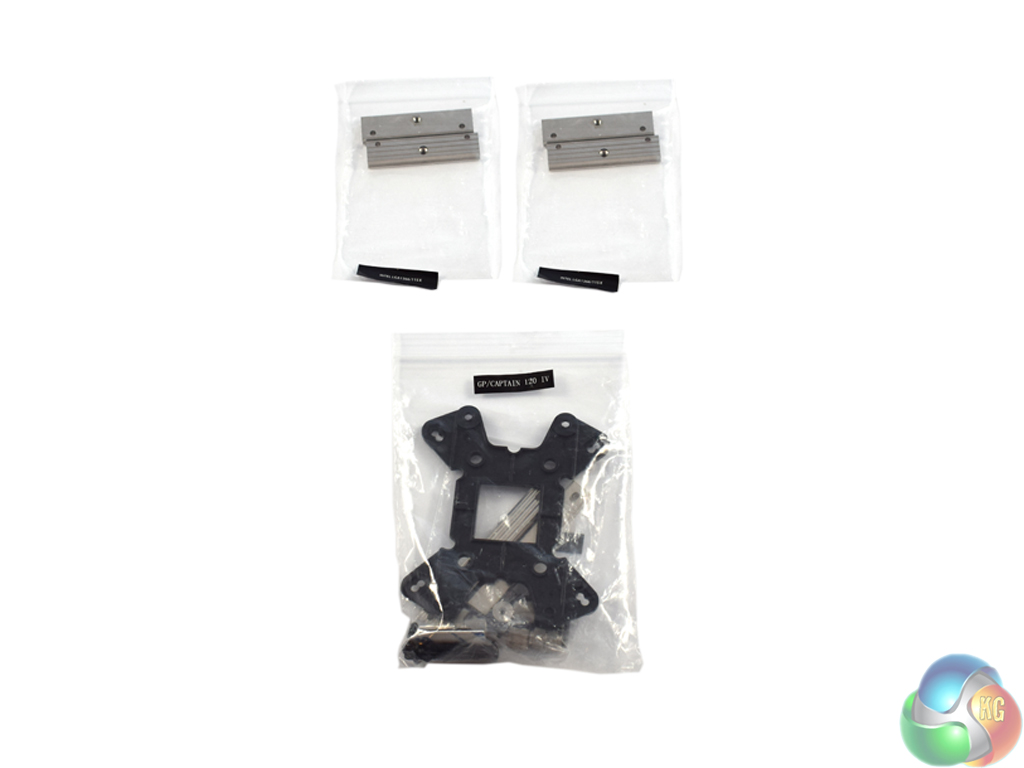
Inside, there is a reasonably clear instructions booklet, while installation hardware comes in labelled bags. Labelled bags are a great touch as they just make everybody's lives easier, saving you time trying to sort through bags of small screws and standoffs.
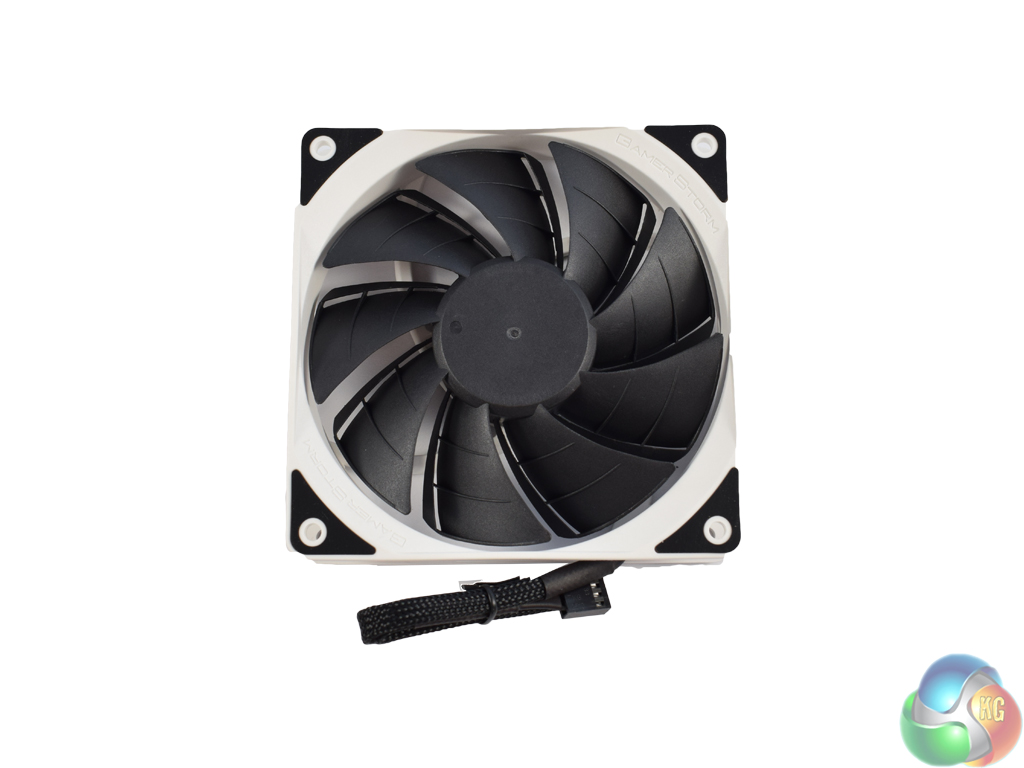
The Captain 120 EX comes with Deepcool's own TF120 up to 1800 RPM fan – only one of which is included. I would have liked to see two fans included by default just to give the consumer extra options – it can really help a single-120mm radiator keep temperatures down, plus the extra cost is relatively small for manufacturers.
We will assess whether this decision to include only one fan will impact upon performance later in the review.
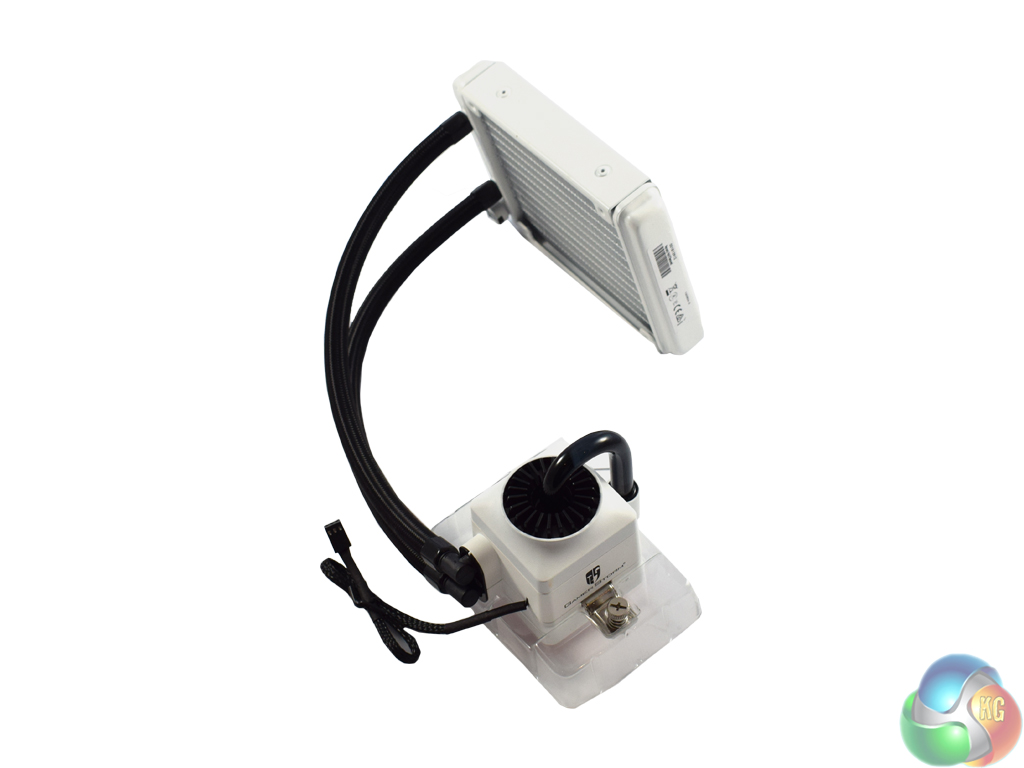
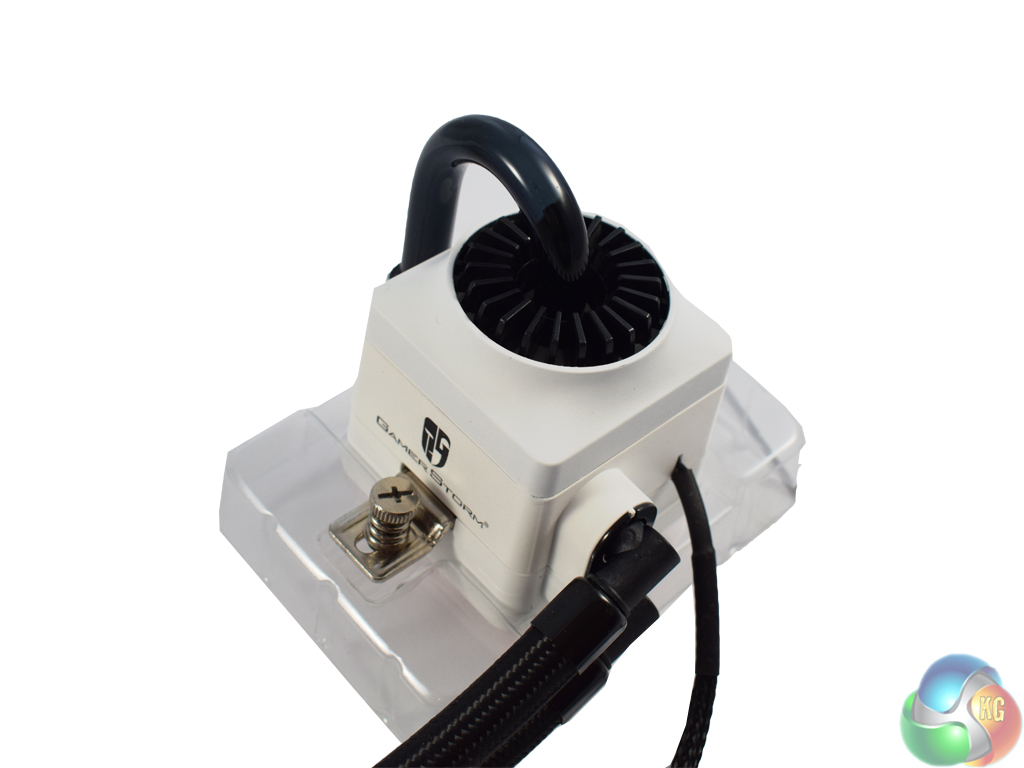
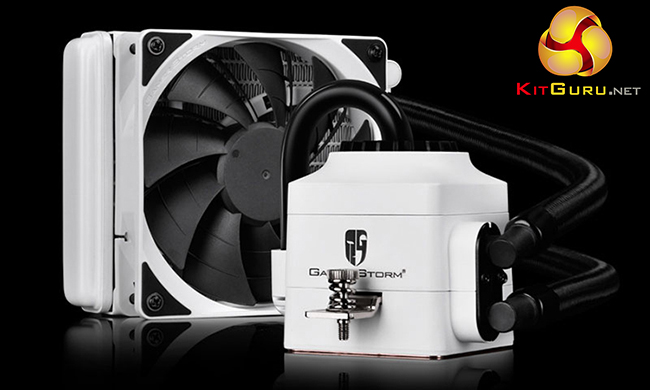
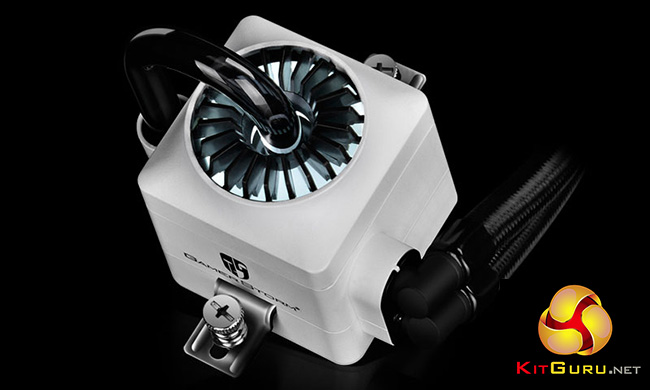
Above, we get our first look at the AIO cooler itself. As you can see, the radiator (including cooling fins) and pump are white, while the rubber tubing is black.
Also of note is the pump/waterblock unit itself, as this is what Deepcool calls a ‘visual AIO'. The glass tubing shows off the coolant inside, while the pump also pulses with a white LED when the system is powered on.
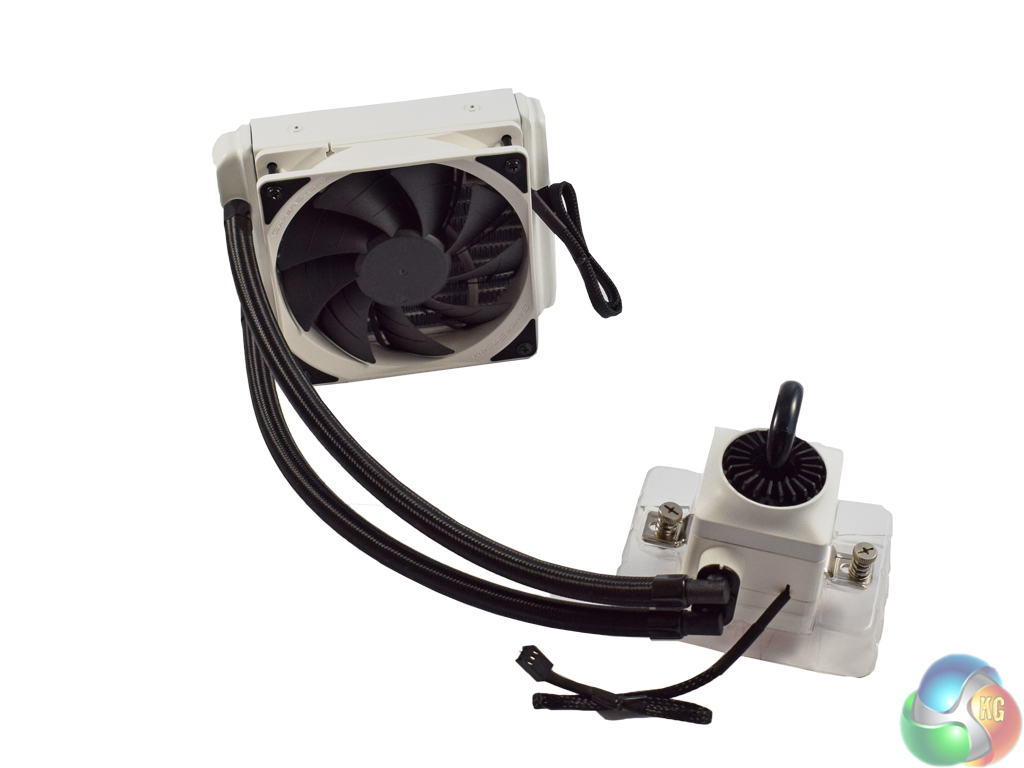
Finally, the Captain 120 EX with the fan mounted. With the fan, total thickness of the radiator is 52mm, which could make it ideal for situations where there is not much room above or next to the motherboard in a case.Installing the Captain 120 EX is fairly straightforward, despite it utilising an unconventional method of mounting an AIO.
As a disclaimer, we installed the AIO on a motherboard using the LGA 1150 socket. The process below reflects that.

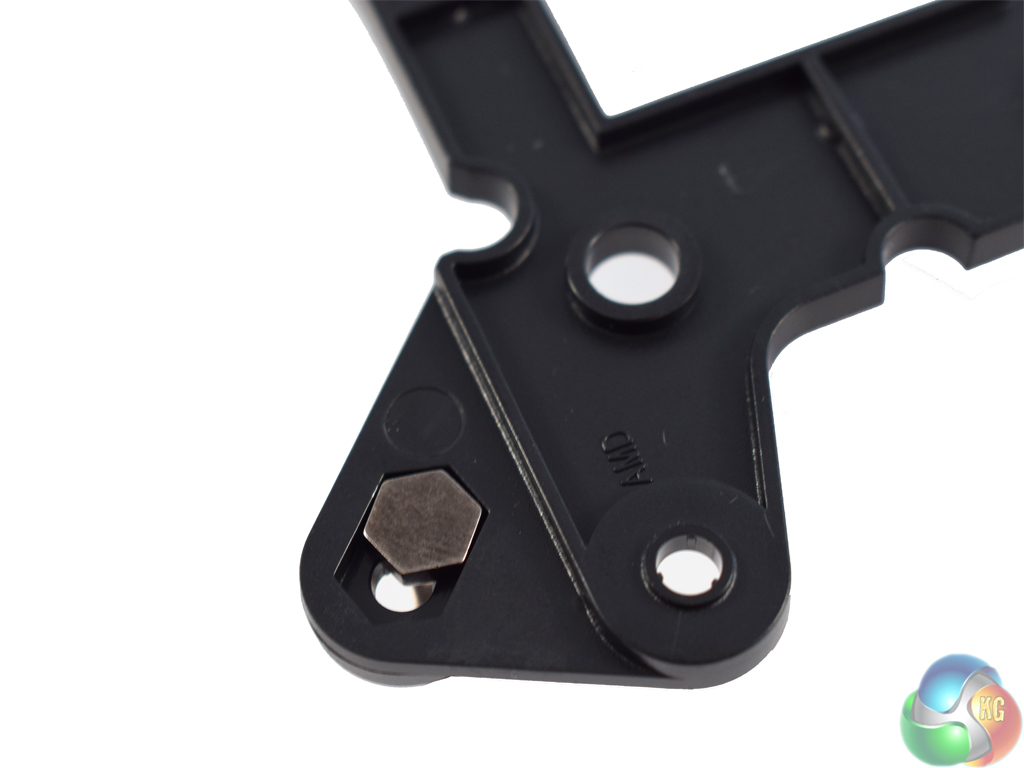
First, you slot four screws into the mounting backplate. These screws will then go through the mounting holes on the motherboard.
Also of note, the screws slot into grooves on the backplate, as above, meaning they do not fall out. A simple yet effective idea.
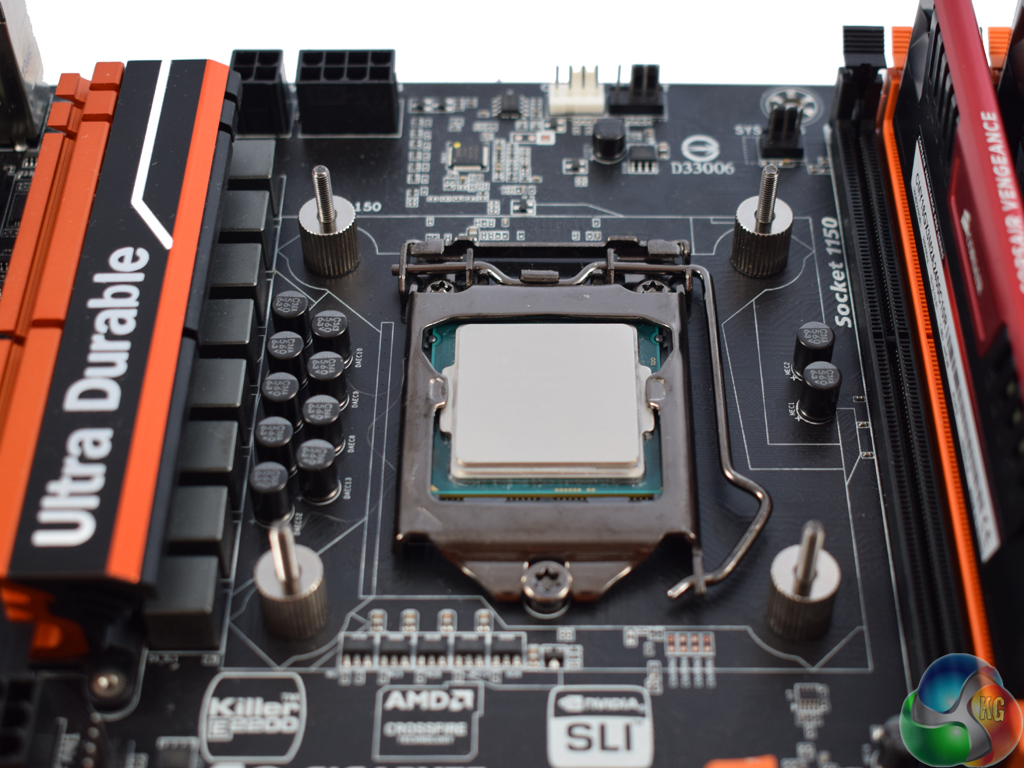
Once the screws have been locked into the backplate, fit them through the motherboard's mounting holes. Then you attach four spacers, or nuts, locking the screws in place.
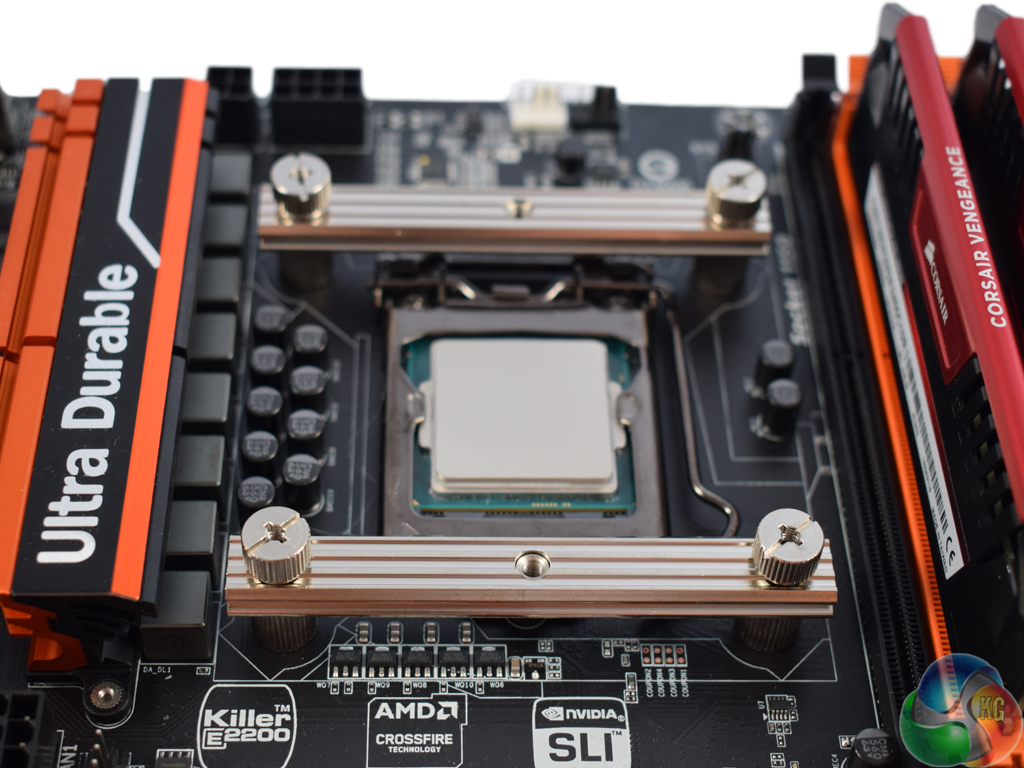
Once the spacers are on, two rails fit horizontally over the screws, as above. Another four nuts secure the rails. The holes you can see in the middle of the rails are how the pump locks on to the processor.
The pump has screws attached which you simply tighten down into said holes.
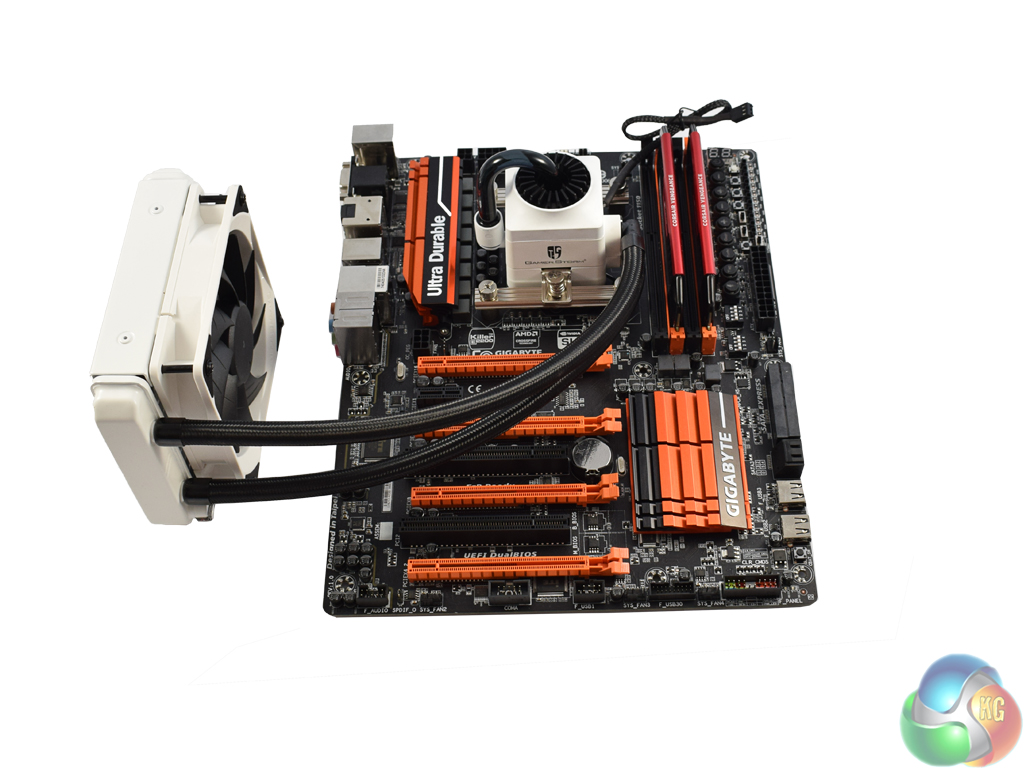
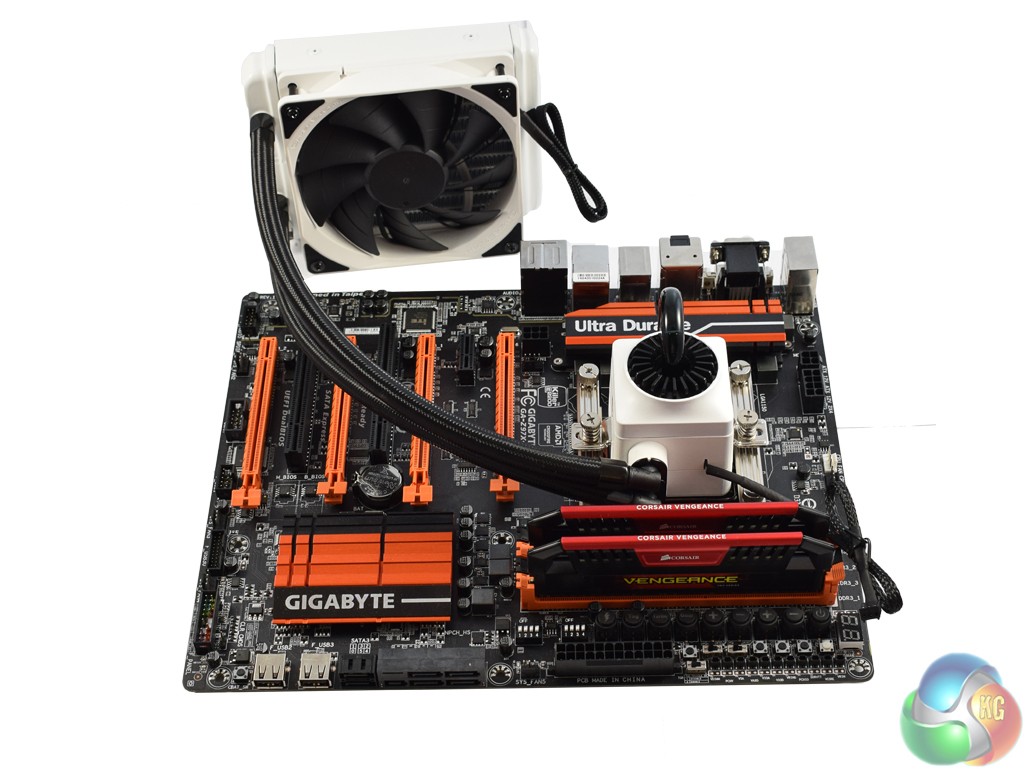
Once the pump has been screwed on, installation is complete. All that is left to do is ensure the pump's 3-pin power cable is connected, while making sure the radiator fan is also plugged in. The TF120 fan is a 4-pin PWM model, so it can be controlled via the motherboard.
To test all AIO coolers, we devised an easily repeatable test with no variables other than the coolers themselves. This ensures that figures from every cooler we test are comparable with each other.
Test rig
Using an open-air test bench, we deploy an Intel Core i7-4790K plugged into a Gigabyte Z97X-SOC Force motherboard. Alongside this is 16GB of 2400MHz Corsair Vengeance DDR3, as well as a 120GB OCZ Trion 150 SSD. Powering everything is a Corsair RM750x PSU.
The test process
Testing coolers involves taking a total of 4 temperature readings per cooler. First, we measure the idle temperature of the i7-4790K at stock speeds (turbo boost disabled), before measuring its temperature under load at stock speeds. Next, we overclock the CPU to 4.5GHz using a 1.3 Vcore, ensuring greater heat output. In its overclocked state we then measure the idle and load temperatures of the CPU again.
To ward off potential comments or questions, we know 4.5GHz using a 1.3 Vcore is not the ‘best' overclock – this particular CPU could reach that frequency at closer to 1.25 on the Vcore, which is more efficient. That is not the point, however. We are trying to stress the coolers to see how they deal with excess heat … hence the higher than necessary Vcore.
Where possible, each cooler’s fans are plugged directly into the motherboard using the CPU_Fan or CPU_Opt headers. Some AIOs, however, ship with their own fan controllers or PWM hubs. If we are unable to plug the fans directly into the motherboard, it is specified in the performance section of the review.
An idle reading comes from leaving Windows on the desktop for 15 minutes. A load reading comes from running Prime95’s (version 26.6) Small FFTs test for 15 minutes – enough time for temperatures to plateau.
Noise output
Unfortunately I am unable to properly measure the sound output of AIO coolers using a digital sound meter. This is because I am based alongside a busy road (with high ambient noise levels). Using a sound meter is, as such, not possible as there are variables out of my control. However, I will try my best to subjectively describe the noise output in a helpful manner.Temperatures
All temperature charts are sorted with lowest load temperatures at the top.
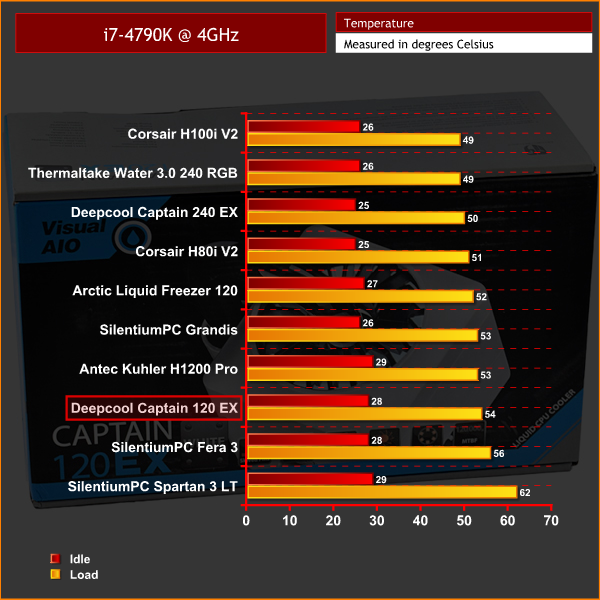
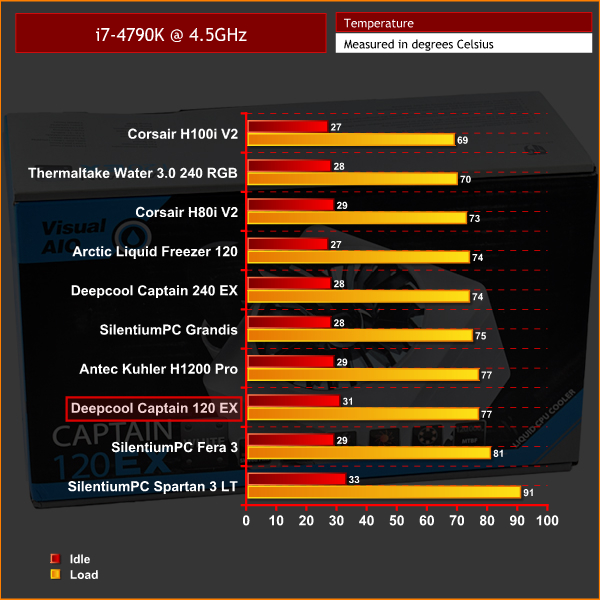
Above you can see the temperatures recorded by the Deepcool Captain 120 EX. Taken in isolation, they seem decent enough – peaking at less than 80 degrees for an overclocked i7-4790K under 100% load is not to be sniffed at. However, it comes in as the worst performing AIO I have tested to date.
To my mind, the reason for this is fairly straightforward – the Captain 120 EX has a relatively thin radiator, and only ships with one fan. The Arctic Liquid Freezer 120 and Corsair H80i V2, also 120mm units, outperform the Deepcool as they both have 49mm-thick radiators and ship with two fans, allowing for a push/pull configuration out-of-the-box.
In fairness to the Captain 120 EX, its smaller size may appeal to those looking for a decent AIO to use in a confined space, but its raw performance is lacking compared to other 120mm coolers.
Noise output
At idle, the TF120 barely spins meaning the cooler is essentially silent. Just like the Captain 240 EX, pump noise is also absolutely minimal – something we praised the 240 EX for in our 6 way round-up.
However, under load the noise is significantly louder. This is because the radiator has just one fan to shift air through it, meaning that the single unit has to run close to full pelt to dissipate heat from the radiator fins. With an extra fan, both could spin slower while pushing the same amount of air, which shows that the Captain 120 EX suffers doubly for not including a second TF120.
I would say that the noise generated by the single fan under load is like a powerful car accelerating quickly before maintaining a steady, yet high, speed. What I mean is the fan speed audibly ramps up very quickly when the CPU starts getting hot, before quickly plateauing at its maximum rpm.
However, while loud, the fan noise is quite low-pitched – meaning it blends into the background more than a high-pitched whirr.The Deepcool Captain 120 EX is the smaller sibling of the Captain 240 EX which won our ‘Worth Buying‘ award back in July.
It certainly has the wow-factor thanks to its white radiator and pump, the latter also having a pulsing, white LED integrated into it. Installation is a straight-forward process, too, with clear instructions.
I must also add that the method of installation feels very secure – I had no worries about the waterblock going anywhere during testing.
Performance levels of the Captain 120 EX suffer, though, due to the cooler shipping with just a single fan. Ideally, I would like to see all 120mm units coming with two fans to give end-users extra options when installing the hardware.
Because of this, the overclocked temperatures are the least competitive out of the AIOs that we have recently tested – though they are still respectable. It just means I cannot recommend the Captain 120 EX on raw performance alone.
If you are looking for a smaller cooler, though, and like the funky visuals, the Deepcool Captain 120 EX is worth considering. Alternatively, the white 240 EX may also be worth a shot if you have the space for the extra cooling performance.
It does not look like the white models have hit the UK yet, but you can view the current range on Amazon HERE. The black version of Deepcool's Captain 120 EX sells for £51.99 at Ebuyer.
Discuss on our Facebook page HERE.
Pros
- Comparatively small.
- Very attractive.
- Easy and secure installation.
Cons
- Performance could be better.
- Only ships with one fan.
- Single fan gets loud under load.
KitGuru says: Based on appearance alone, the Captain 120 EX is a winner. However, its performance is lacking compared to other 120mm AIOs we have seen previously, which holds it back from a higher award.

This is clearly a nice bit of kit and if another Fan was fitted could be a big winner according to your review….with that in mind would it not be worth another review with that extra Fan fitted….we out here in the real world would buy such a kit including that extra Fan and I believe Deepcool would ship it accordingly if it was a winner…..please look into this for we Gamers need your input….
This is clearly a nice bit of shit 🙂
Meaning ?