KitGuru KitGuru.net – Tech News | Hardware News | Hardware Reviews | IOS | Mobile | Gaming | Graphics Cards


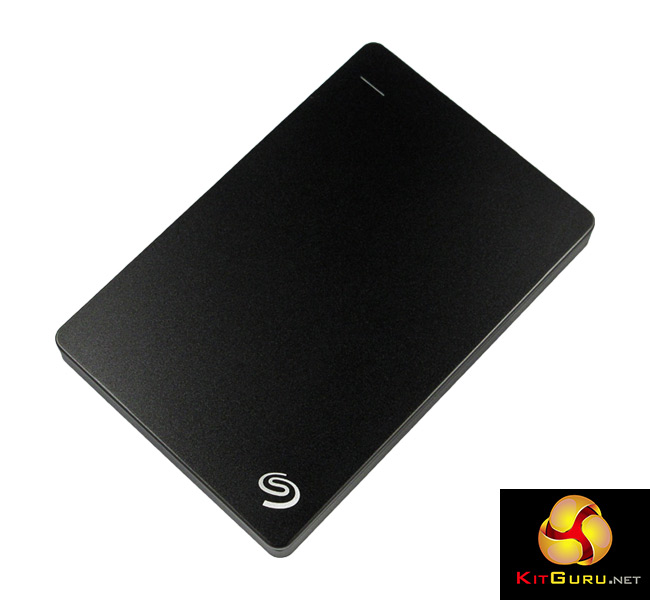
The Seagate 2TB Backup Plus Slim Portable Drive is, as you have probably figured out, a 2TB USB 3.0 external hard drive. Aimed squarely at the modern computer user, it is thin, portable and even allows users to back up their phone's storage over WiFi. Priced at a shade under £75, is this the external disk drive for you?
Featuring a sleek design and large storage space – with the promise of useful and user-friendly software too – I take a look at the Seagate 2TB Backup Plus Slim Portable Drive and assess if it is worth buying.
Features
- 2TB storage capacity.
- Connects from microUSB 3 to your standard USB port.
- Measures (LxWxD) 113.5 x 76 x 12.1mm.
- Includes 200GB free MS OneDrive storage.
- Allows users to backup mobile content.
- 2-year limited warranty.
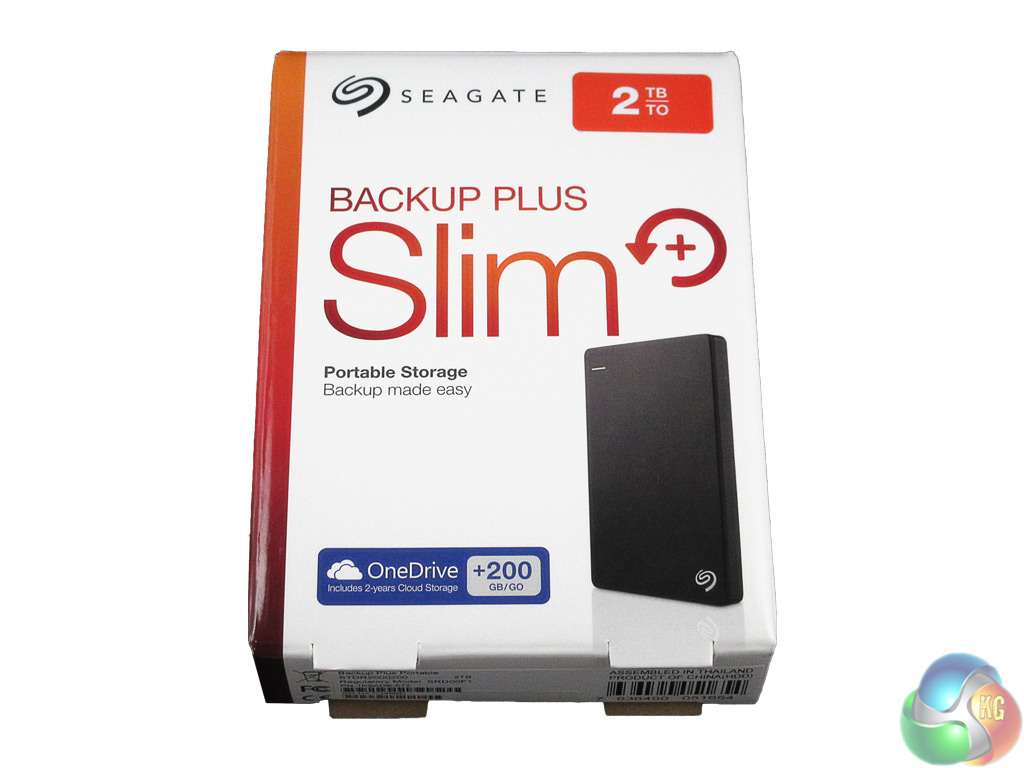
The Backup Plus is housed in a small, cuteish box, which manages to cram a fair amount on to the front without looking overly cluttered.
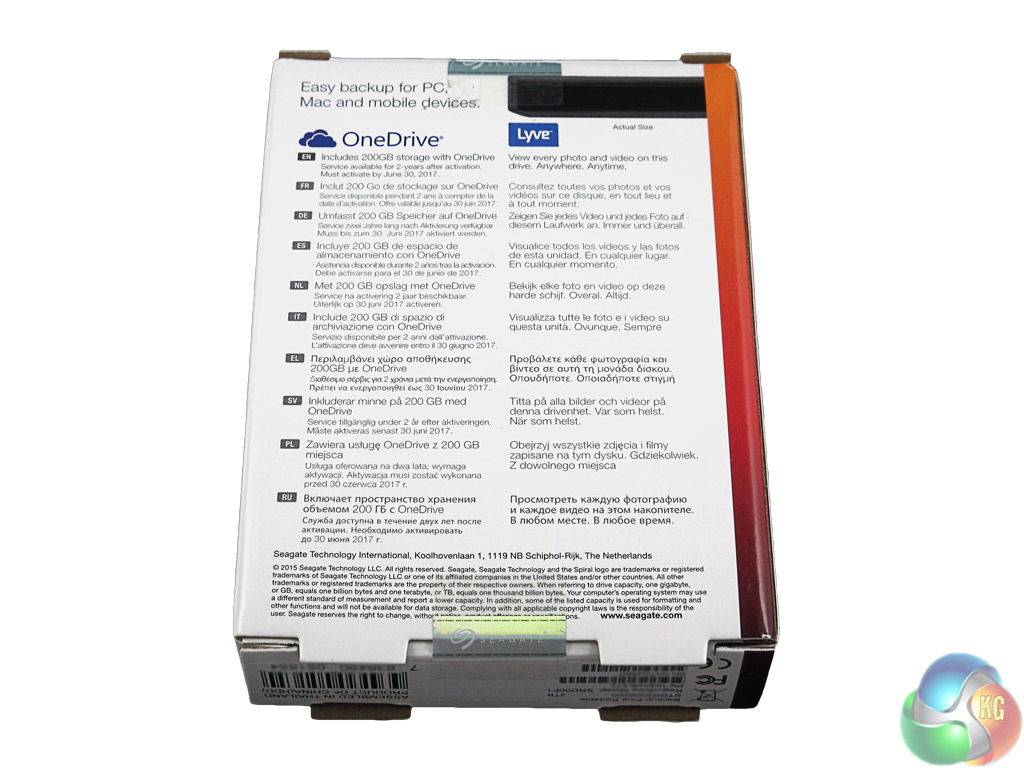
The back of the box includes a picture of the Backup Plus which is ‘to scale' – allowing you to see how thick the drive actually is if you just picked it up in a shop, for instance.
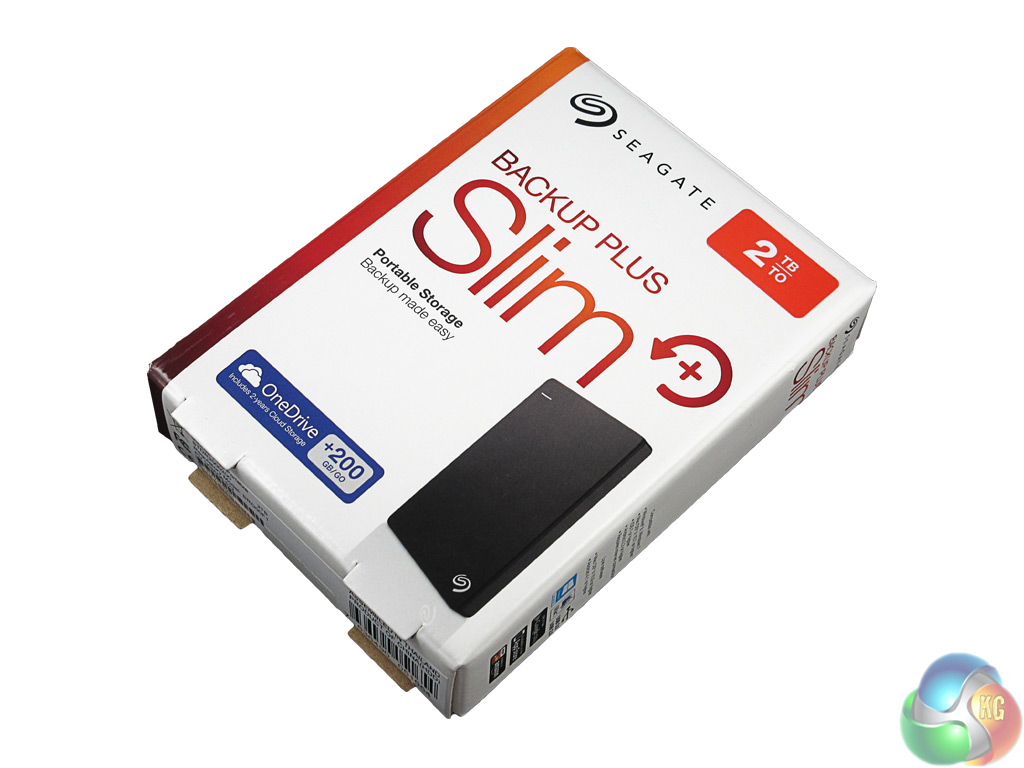
Inside is simply the drive itself, an 18-inch USB 3.0 cable and a little quick start booklet.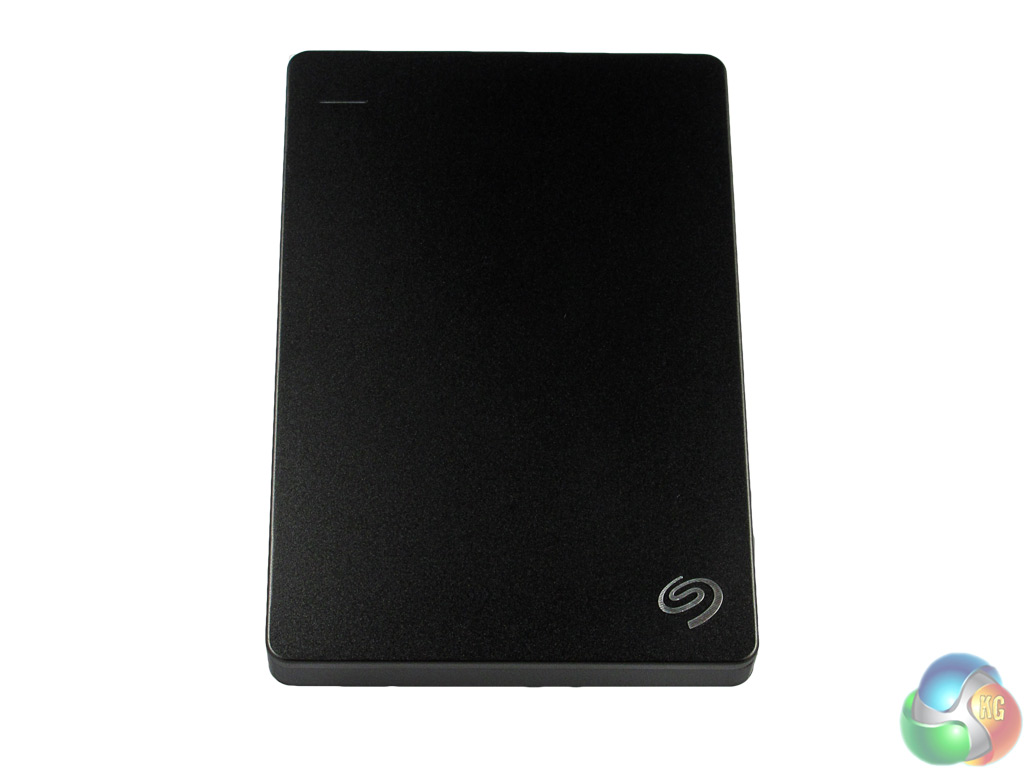
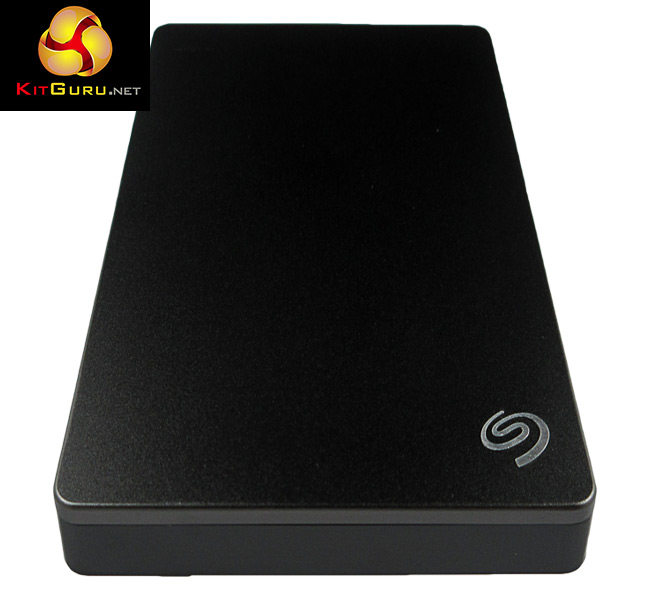
Billed as the ‘Backup Plus Slim', I was expecting a small and light portable drive, and that is certainly what I got.
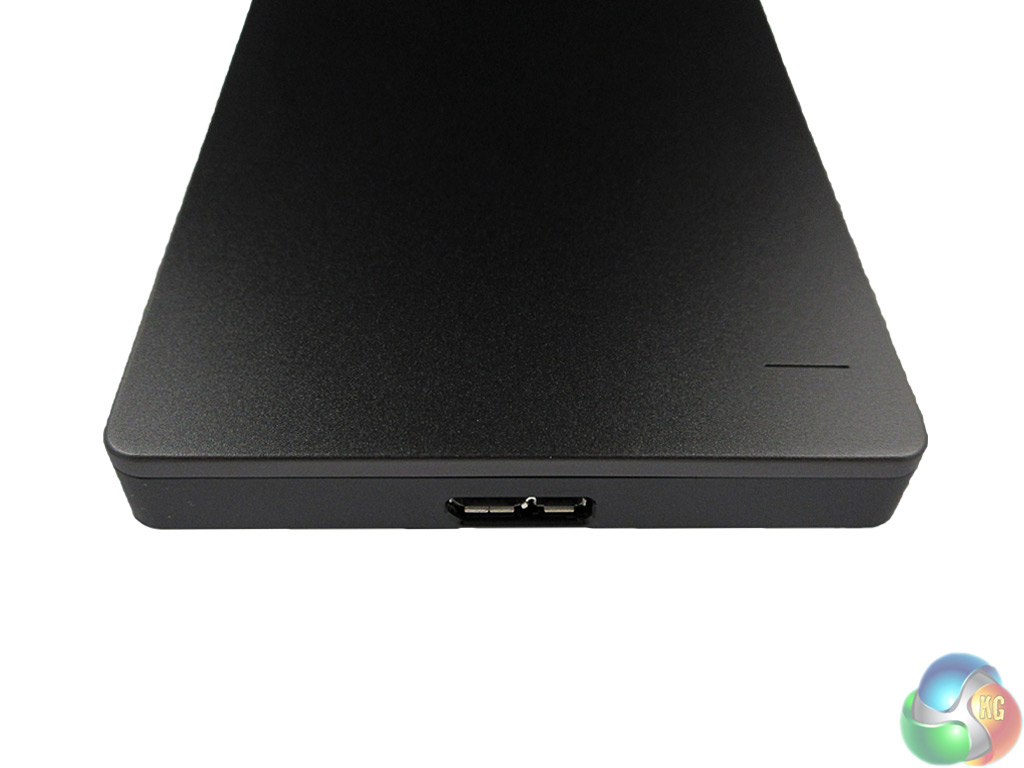
It weighs a mere 159 grams – as little as a smartphone – and measures 113.5 x 76 x 12.1mm (LxWxD), meaning it could easily be carried around in a pocket. I think it is therefore fair to say that the Backup Plus Slim lives up to its name.
The top of the device is made of what seems to be brushed aluminium – but I could not find any product information from Seagate to confirm this. Still, it looks the part and feels durable. My sample is obviously black, but there are also blue, red and silver colour options available.
At the top edge is the microUSB 3.0 port; the supplied 18-inch cable connects from there to your standard USB port on your laptop/desktop. My one qualm here would be that the cable itself could be a bit longer just to provide extra ease-of-use for desktop users, but for laptops it should be fine.
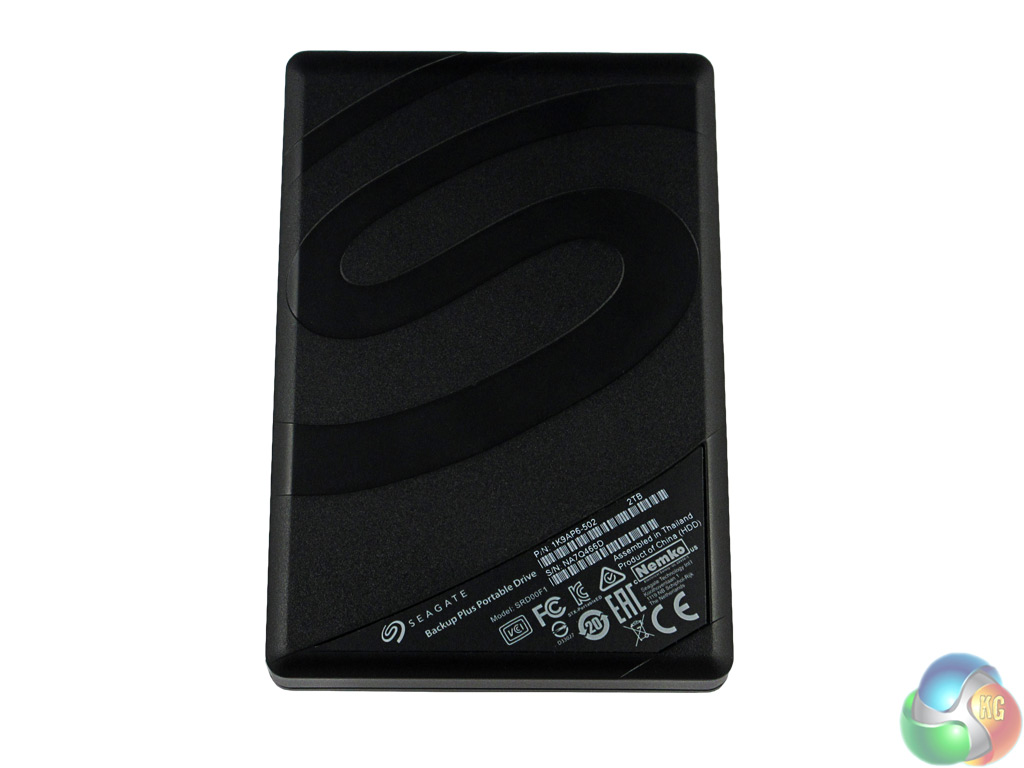
The bottom of the drive features a large Seagate logo and a few barcodes, but nothing related to the usage of the drive itself.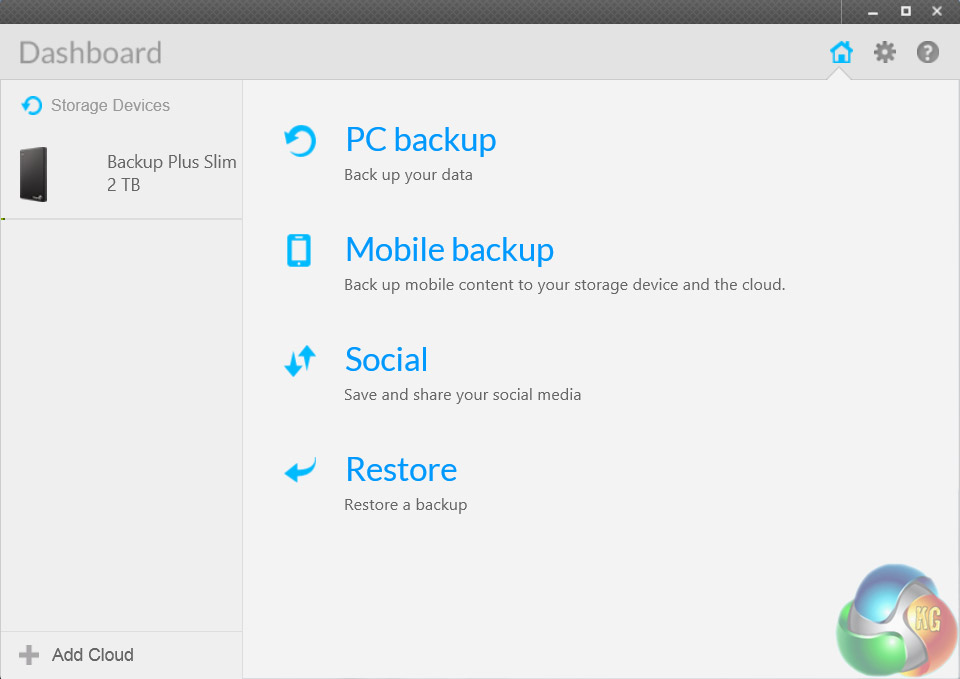
The Backup Plus Slim comes with backup software on the drive already, so you can just run the setup application to install Seagate Dashboard on your computer.
It is a simple yet useful piece of kit which allows for a few different ways to back up your data. Of course, you can ignore all of it and manually copy over your desired folders and files, but that may not be for everybody so I shall detail some different ways of using Seagate Dashboard.
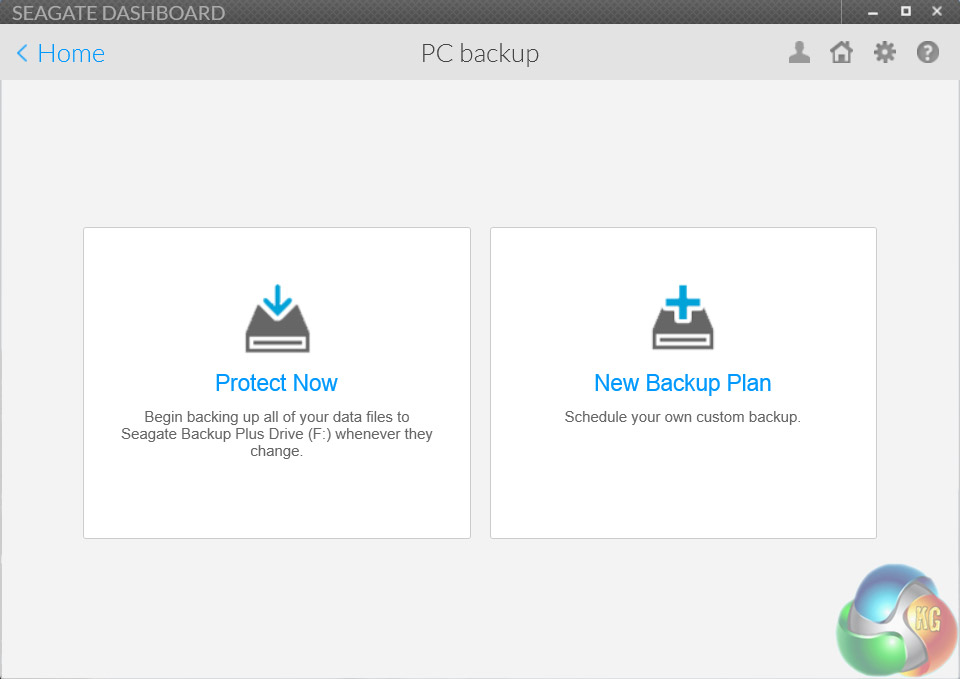
Upon opening the Dashboard, users are greeted with 4 main options to choose from, as you can see at the top of this page. For those just interested in making a backup of all their data and files, the quickest and simplest way of doing things is to use the ‘Protect Now' mode (once you have selected PC Backup, of course.) This simply copies over all your files and folders to the Backup Plus, and just requires a simple click to confirm.
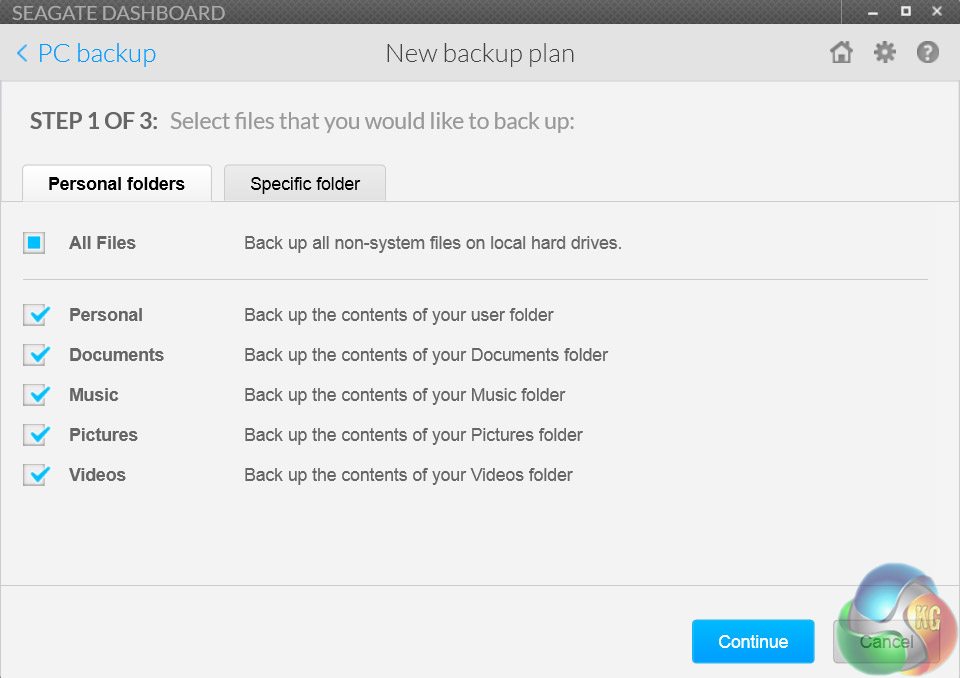
Other users may wish to specify which folders and file types they want to be copied over. In this case, there is the option of creating a new backup plan. Here, users can choose to copy over all or some of their photos, music files, videos and documents. You can even manually select specific folders for extra precision.
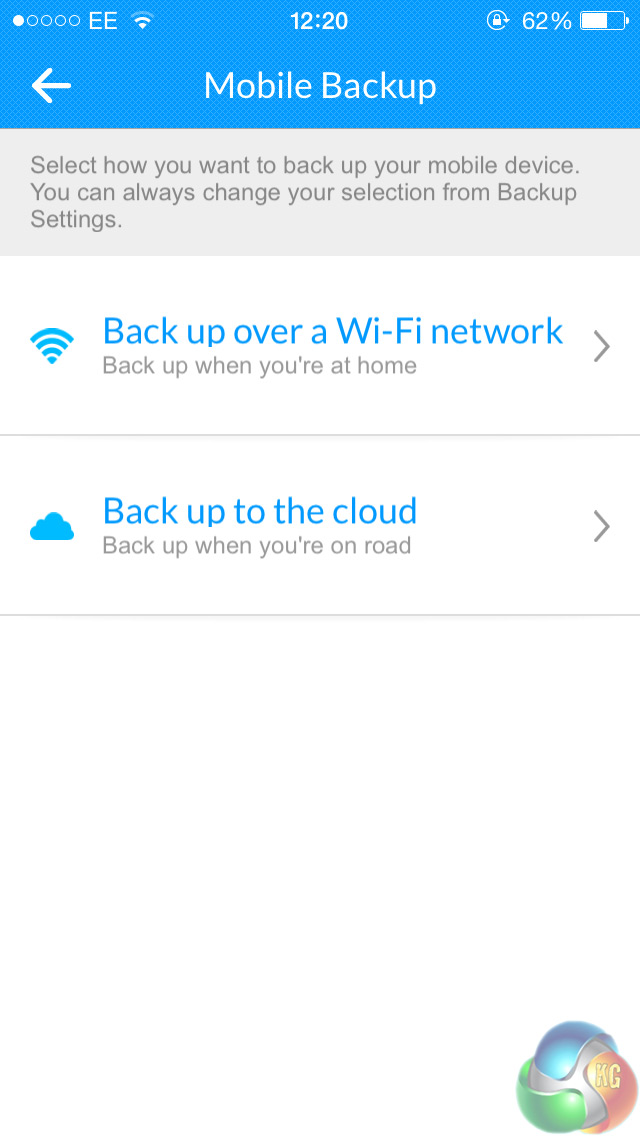
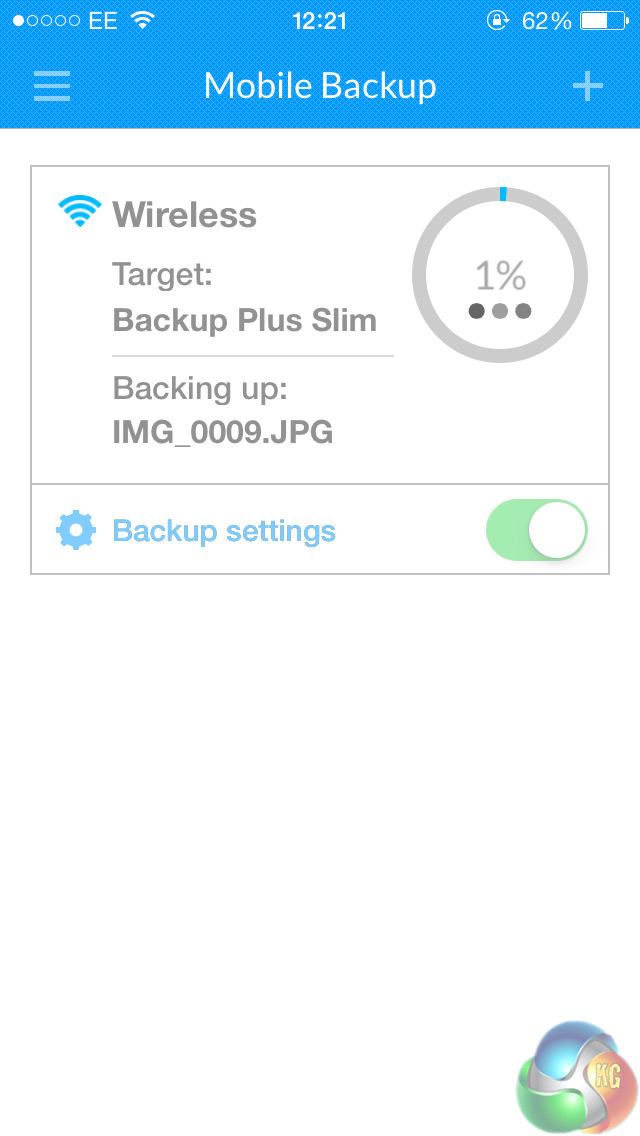
Another nifty feature of Seagate Dashboard is its ability to backup the contents of your mobile device. Using either an iOS or Android smartphone, users can download the ‘Seagate Backup' app and, provided both the smartphone and computer where the Backup Plus is attached are connected to the same WiFi network, you can then begin to backup photos, videos and mobile contacts. This does require creating a Seagate account, but it is a painless affair and provides quite a useful function.
On the whole, Seagate Dashboard is very useful. It provides a clean and simple, yet efficient way of choosing what data you want to backup, while also allowing you to save the contents of your smartphone.To test the Backup Plus for its system performance, I used two different benchmarks on two different PCs.
The first benchmark I used was the popular CrystalDiskMark software, version 4.1.0. Just to provide extra peace of mind that the benchmark results are accurate I also tested the Backup Plus using ATTO Disk Benchmark, version 2.47. Both are freely available, and I used them to measure the sequential read/write speeds of the Backup Plus. I used both these benchmarks on two different test systems, giving a total of four tests overall.
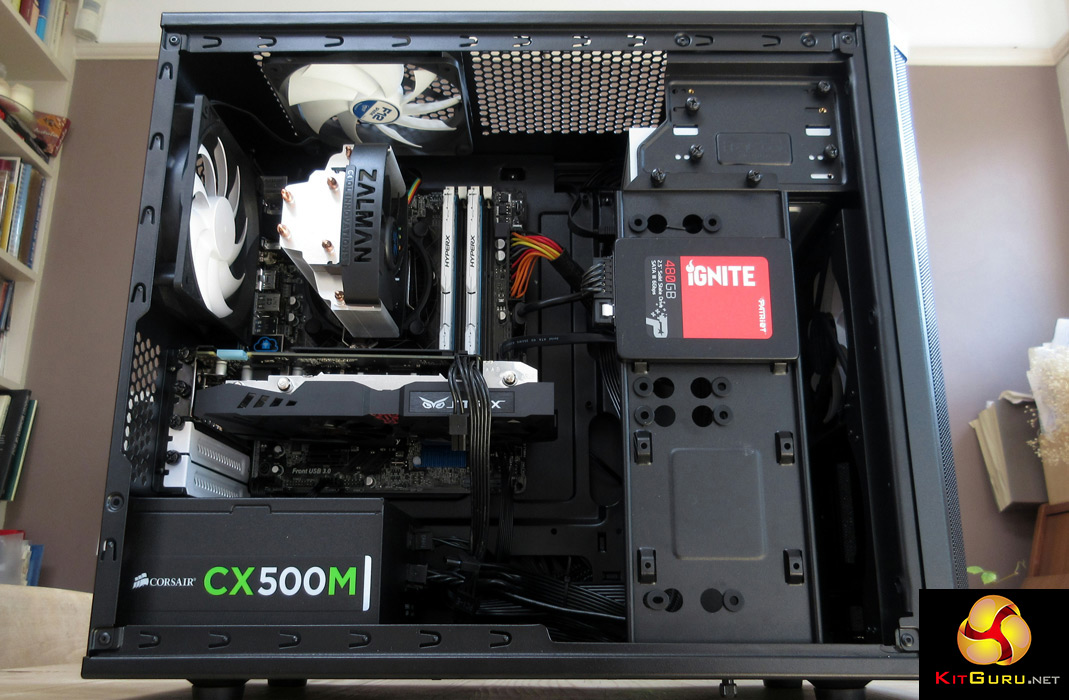
The first system I used was my personal desktop PC, with the main specification being as follows:
- Core i3-4160 3.6GHz CPU
- 8GB HyperX Fury 1866MHz RAM
- ASROCK Z97M Anniversary Motherboard
- Patriot Ignite 480GB SSD
- Asus Strix GTX 960 OC
- Corsair CX500M PSU
- Windows 7 Professional 64-bit
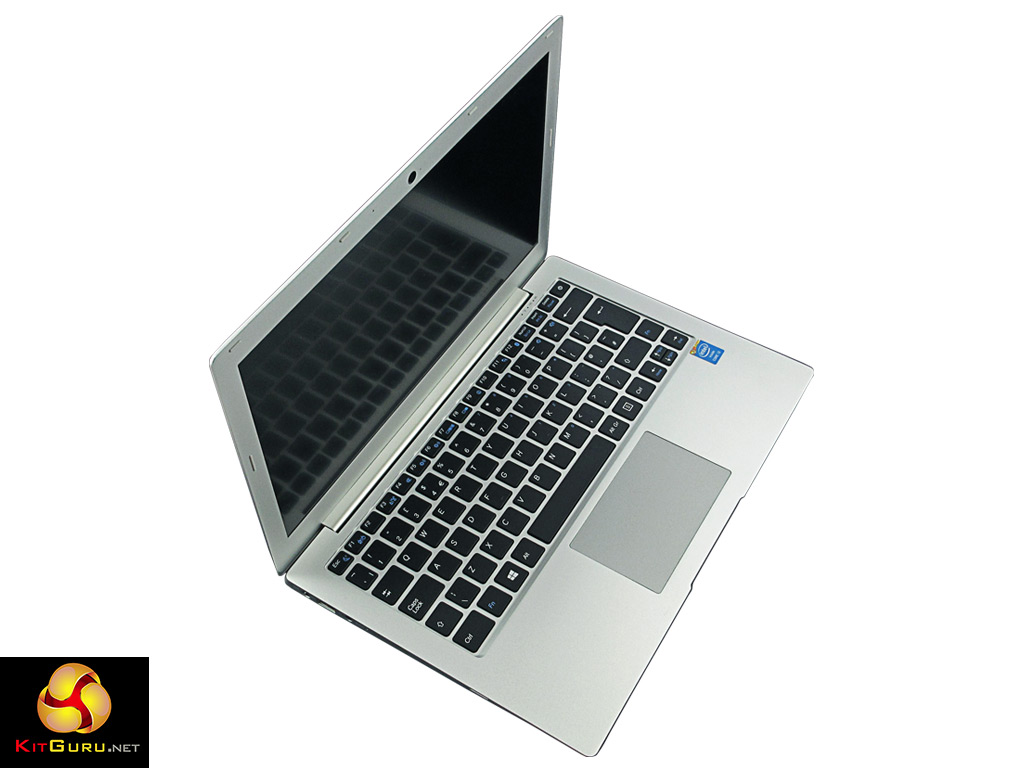
The second system I used was a laptop from PCSpecialist, named Lafité. It is a fast and slick system, with the main specification as follows:
- Core i3-5010U 2.1GHz CPU
- 8GB single-channel Kingston 1600MHz RAM
- Kingston V300 240GB SSD
- Integrated Intel HD 5500 graphics
- Windows 8.1 64-bit.
Just to state the obvious, I of course tested the Backup Plus using a USB 3.0 port on both systems to get the maximum speed capabilities of the drive.Attached directly to one of the USB 3.0 ports on my motherboard, the Backup Plus gave a very good show.
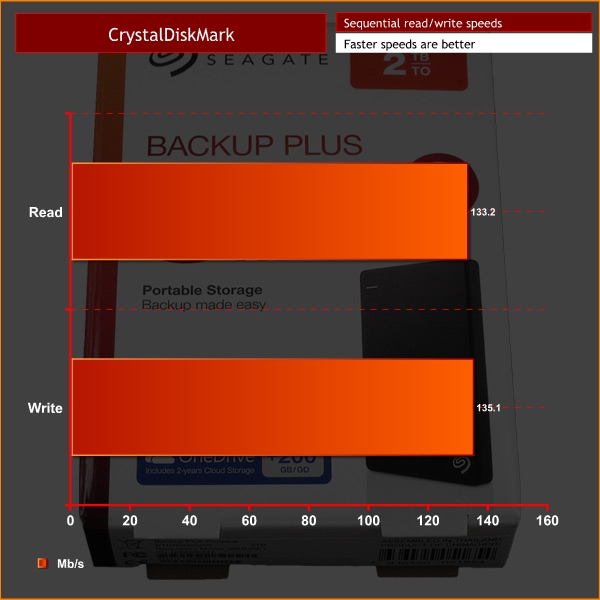
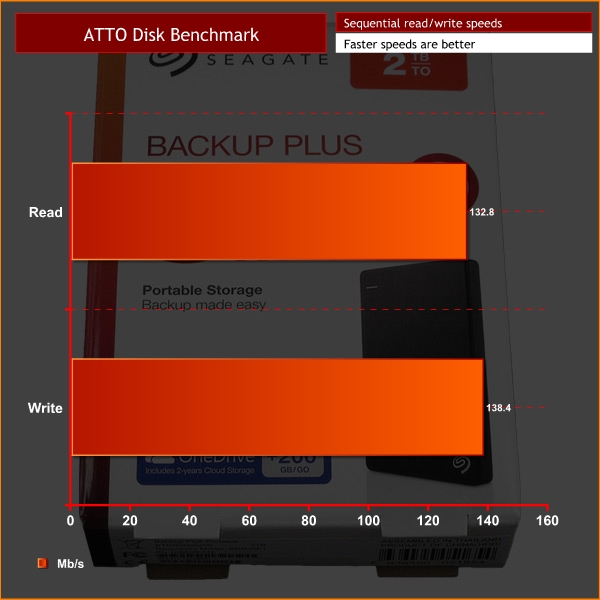
As you can see, both benchmarks have sequential read/write speeds at around the 130MB/s mark, which is very impressive indeed. The fastest write speed came from the ATTO test, giving a 138.4MB/s reading. The fastest read speed came from CrystalDiskMark, giving a 135.1MB/s reading.
These are certainly very good speeds for an external (mechanical) hard drive, and you will be hard-pressed to find better speeds within the same price region and 2.5″ form factor.As Lafité has only one USB 3.0 port, I attached the Backup Plus into said port and began to run my two benchmarks.
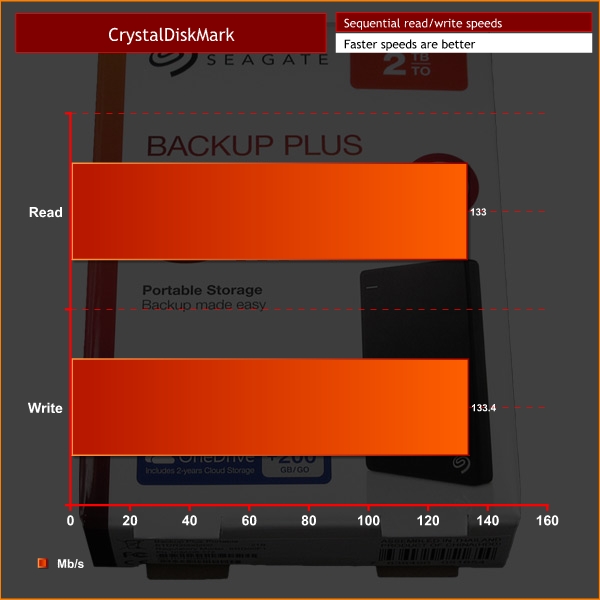
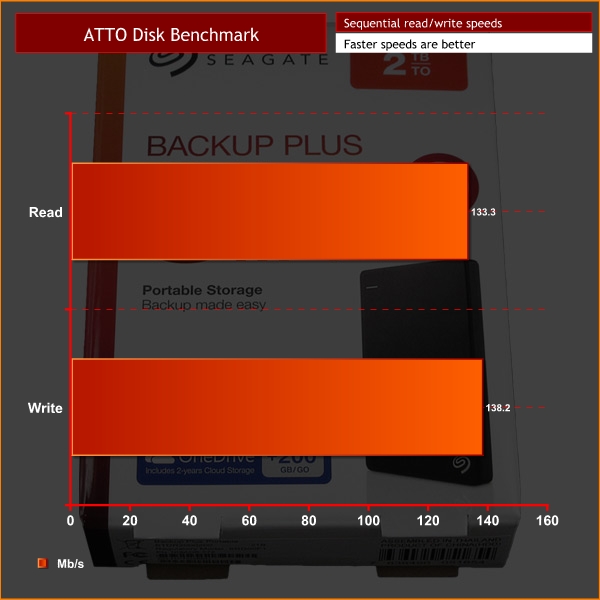
Initially I was stumped, as while the read speeds of the drive were also in the 130MB/s region, write speeds were almost two-thirds slower, at around 55MB/s. However, I soon realised that the drive had not been optimised for best performance in Windows, and upon changing that setting – at the cost of having to eject the drive in Windows first before physically unplugging it – speeds shot up to where I expected them to be.
This is worth noting if you are using the Seagate Backup Plus drive and do not seem to be receiving its full speeds.On the whole, it is safe to say I am very impressed with the Seagate 2TB Backup Plus Slim Portable Drive.
It is well designed, being light and thin enough to just slip in a pocket – but also being sturdy enough to satisfy any worries you may have about how durable it is. It is also complimented with a 2-year warranty from Seagate.
The Seagate Dashboard software proved very useful, allowing users to pick and choose what data they want to backup, while also providing a one-click option to back everything up.
By far and away the most interesting feature of the Dashboard, though, is the ability to back up the contents of your smartphone via the Seagate Backup mobile app. This is very convenient for users as it provides a hassle-free way of ensuring your mobile photos and videos are kept safe should the worst happen to your smartphone.
The Backup Plus also proved a very able performer, clocking sequential read/write speeds in the 130MB/s region on both desktop and laptop PCs – via USB 3.0, of course. For £75 I think those speeds are just about as good as it gets, and users are afforded a generous 2TB of space too.
You can buy the Seagate 2TB Backup Plus Slim Portable Drive from Dabs for £74.98.
Discuss on our Facebook page HERE.
Pros
- Small and light while feeling sturdy.
- Sleek and clean design.
- Seagate Dashboard is a useful piece of software.
- Fast read/write speeds.
Cons
- USB 3.0 cable could be longer for desktop users.
KitGuru says: In a world where everybody has more and more data to take on the go, a portable device like the Seagate Backup Plus thrives. It is fast, well-designed and has good software included.