 KitGuru KitGuru.net – Tech News | Hardware News | Hardware Reviews | IOS | Mobile | Gaming | Graphics Cards


Forming the more competitively-priced option in MSI's LGA 2011-3 OC Series motherboard range, the X99S MPower aims to balance the requirements of overclockers, gamers, and enthusiasts at a sub-£190 price tag. Can the features, overclocking functionality, and likeable yellow and black colour scheme attract overclocking users to MSI's aggressively-priced X99S MPower?
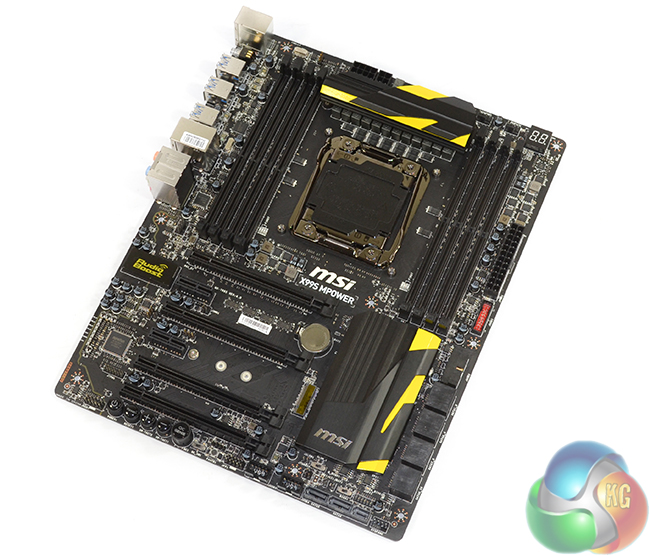
Overclocking capabilities revolve around the well-fed twelve phase power delivery system comprised of MSI's Military Class 4 components. There's also the OC Essentials kit which includes convenient tools such as onboard buttons, voltage check points, and a debug LED. And let's not forget about dual BIOS chips for redundancy.
But don't let a price tag which puts the MPower near X99's entry-point fool you; MSI still manages to cram in support for 3-card SLI/CrossFire, a 32Gbps M.2 connector, SATA Express, and Audio Boost sound. Users also get a selection of worthwhile accessories, such as cable labels, a door hanger, the motherboard schematic, and a brief overclocking guide.
MSI's aggressively-priced X99S MPower gives a power user the capacity to save funds when opting for a Haswell-E build. But does its performance live up to the competition's standard?
Features:
- Supports New Intel® Core™ i7 processors Extreme Edition in LGA 2011-3 socket.
- Supports Quad Channel DDR4-3333(OC) Memory.
- Turbo M.2: delivering next generation M.2 Gen3 x4 performance with transfer speeds up to 32 Gb/s.
- SATA Express + USB 3.0 + SATA 6Gb/s.
- OC Certified: Military Class Burn-in Test Passed.
- Guard-Pro: Improved Protection and Power Efficiency.
- OC Essentials: Convenient Set Of Overclocking Tools While Breaking World Records.
- Intel® Gigabit LAN: Always connected with Intel® Gigabit LAN networking.
- OC Genie 4: Overclock in 1 Second.
- Click BIOS 4: Easily Fine-tune Your System.

So there’s a new bios out soon that handles high speed ram better then eh? Interesting as I’m running this mobo with 16GB of 3GHz Hyper X Predator ram and currently stuck running it @ 2666 so would be nice if theres a new bios out soon which’ll help take it to full speed…
As for those worried with tight dual GPU placement, I’m running SLI and have the cards in slots 1 & 3 instead with 2 empty, lots of room for cooling that way and works absolutely fine!