 KitGuru KitGuru.net – Tech News | Hardware News | Hardware Reviews | IOS | Mobile | Gaming | Graphics Cards


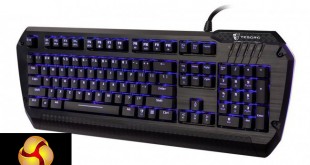
Tesoro has been releasing so many RGB keyboards since the tail end of last year that it is hard to keep up. Today we are going to be looking at the Lobera Spectrum, which takes a different approach compared to the Excalibur keyboard we last tested.
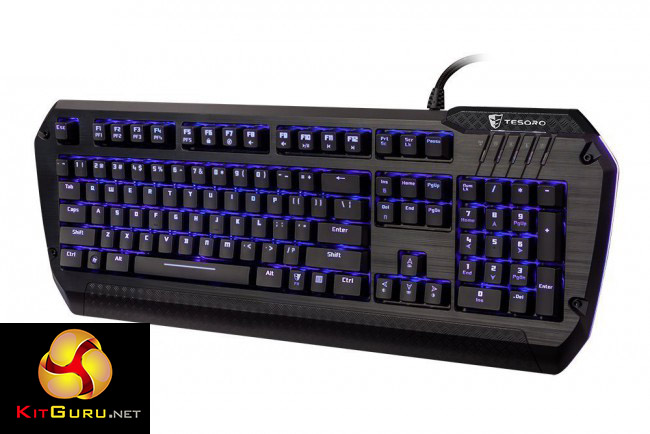
One of the things that I like about Tesoro is that they name all of their keyboards after mythical swords, the Lobera for instance was used by Saint Ferdinand III and literally translated, means ‘wolf-slayer'.
Just like the Exalibur RGB keyboard that we previously tested, the Lobera Spectrum uses Kailh mechanical switches, which differ from Cherry MX variants in several ways. Our model today makes use of the Black switch, a linear switch just like the popular MX Reds.
Specifications and Features:
- Kailh Black switches.
- USB and audio hub.
- Windows key lock.
- RGB lighting.
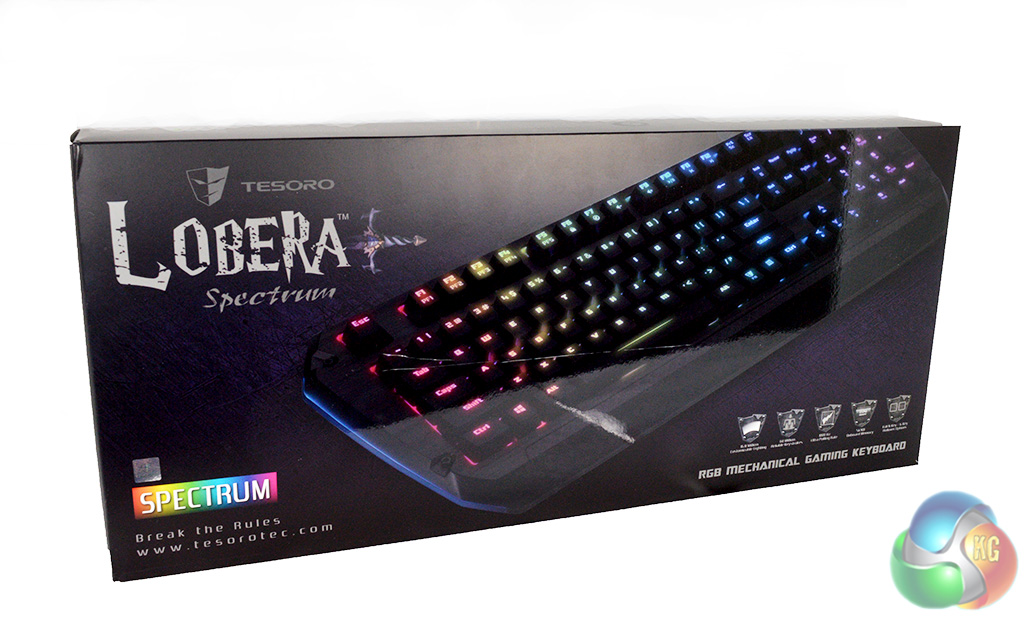
The box for the Lobera Specturm is of a standard size. On the front we have a big, annoyingly glossy image of the keyboard lit up. Unfortunately, I wasn't 100% careful while opening up the shipping box, which left quite a nasty scratch on the front of the packaging.
The back of the box is a bit more presentable, with no ugly scratches from yours truly. It lists several key features of the board, including the switches, on-board profile saving and RGB lighting.
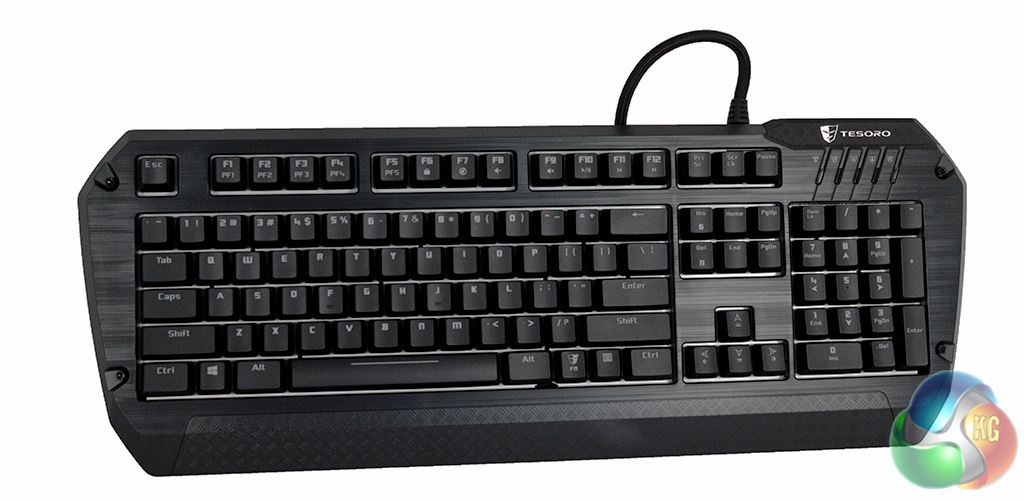
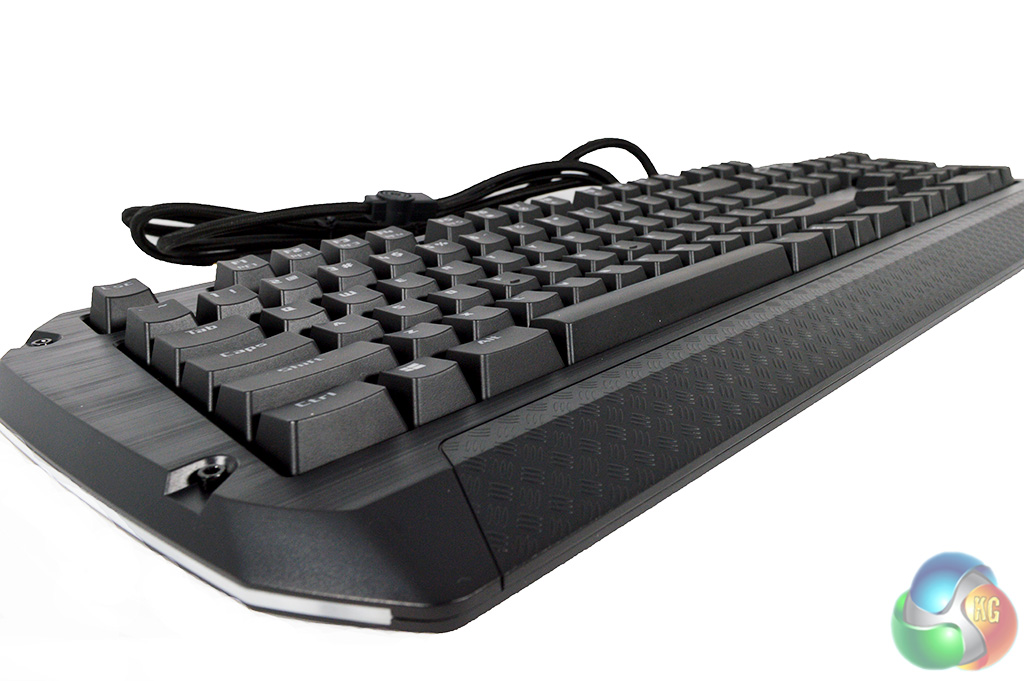
The keyboard itself looks very nice, although don't be fooled by the brushed aluminium look, this keyboard is plastic all around. That said, it does feel well constructed. There is a tiny bit of space that you could use for a wrist wrest, although I imagine it won't be big enough for most users.

Here you can see the Kailh black switch that we are dealing with. You can also see that Tesoro has opted for a white layer under the keys in order to help reflect the lights better. Razer also uses this technique on their Chroma keyboards.
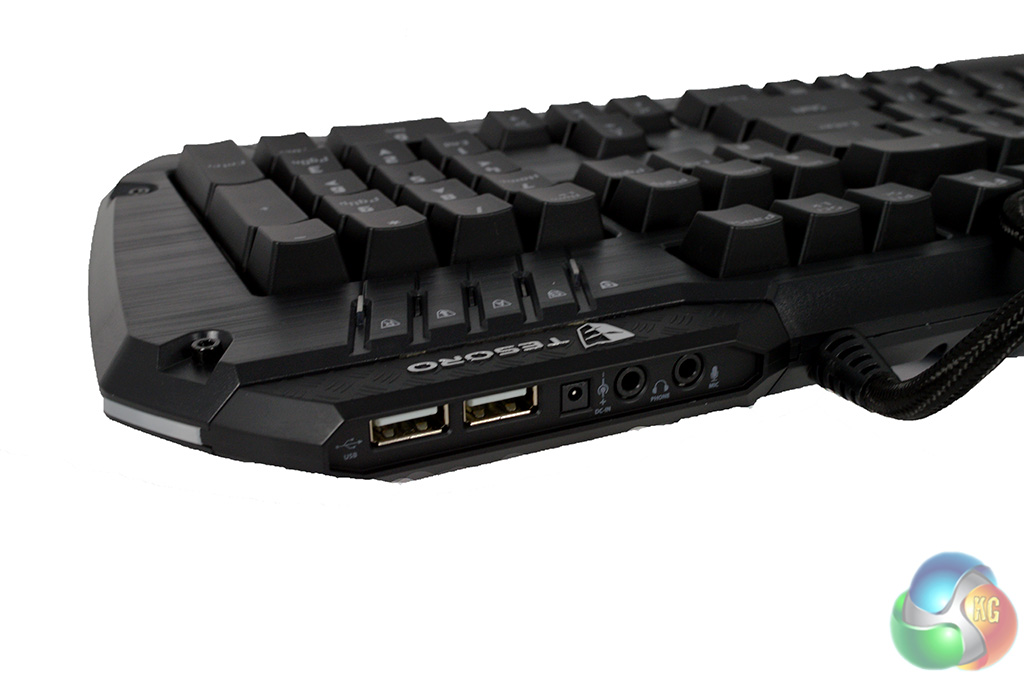
One of my complaints about the Tesoro Excalibur was its lack of USB or audio ports. This feature is also found missing on the highly rated Corsair K70 and even the Logitech G910 Orion Spark. Fortunately, Tesoro have thought this one through and included a dual USB hub alongside a headphone and microphone input.
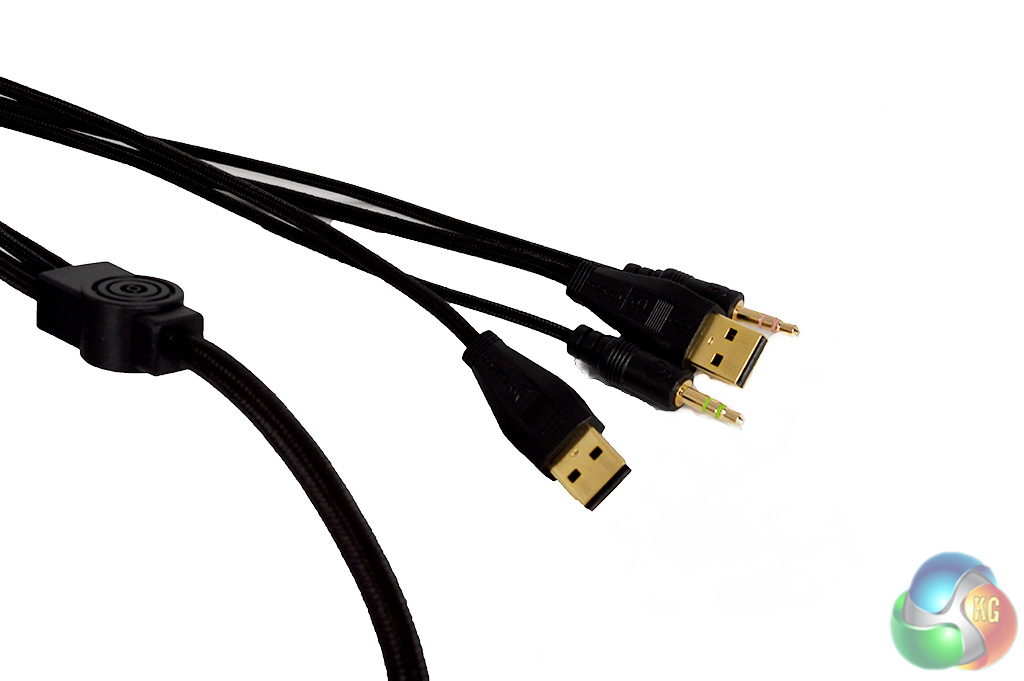
The cable for the Lobera Spectrum is thick and braided. The inputs themselves are all gold plated, which helps give it more of a premium vibe.
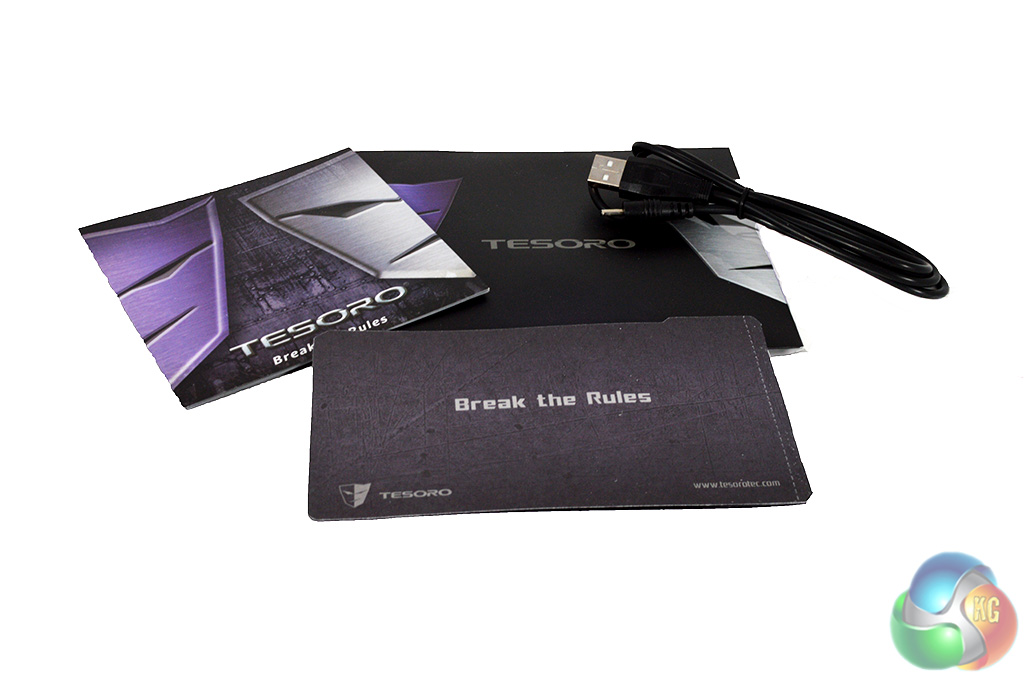
Aside from that, inside of the box you will find a spare 3.5mm jack cable along with a warranty guide and instruction manual.
To kick off our testing, lets take a good look at the software. Back when I reviewed the Tesoro Excalibur RGB, I had several complaints about the software suite, unfortunately though, not much has changed over the last several months.
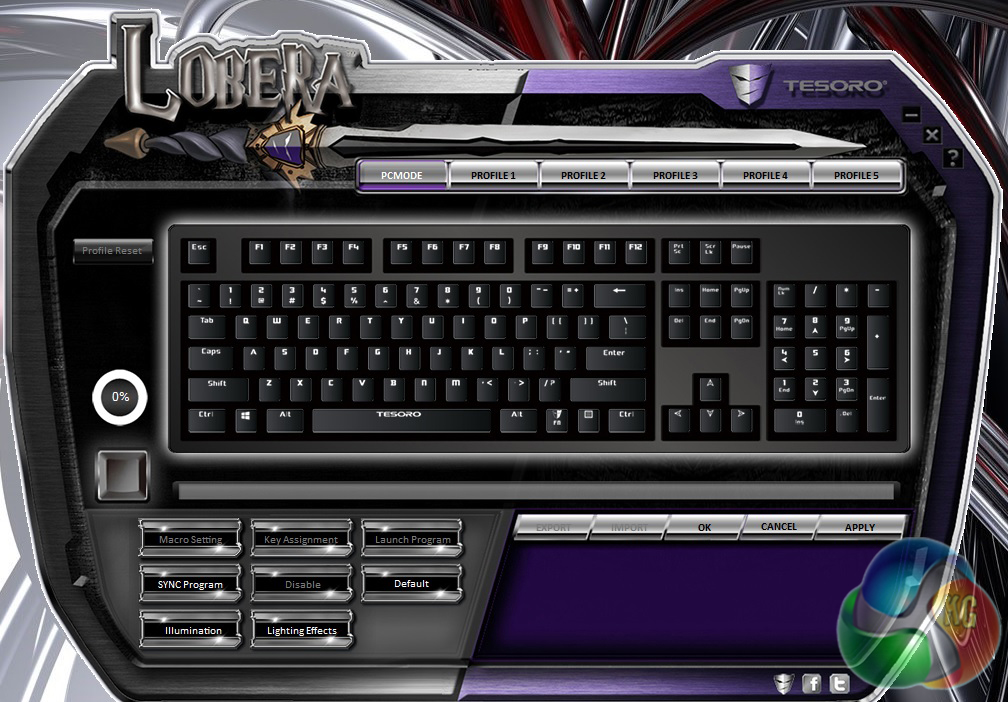
Upon opening up the software, we are met with the familiar main window, with profile tabs up top, customization buttons at the bottom and our view of the keyboard in the center.
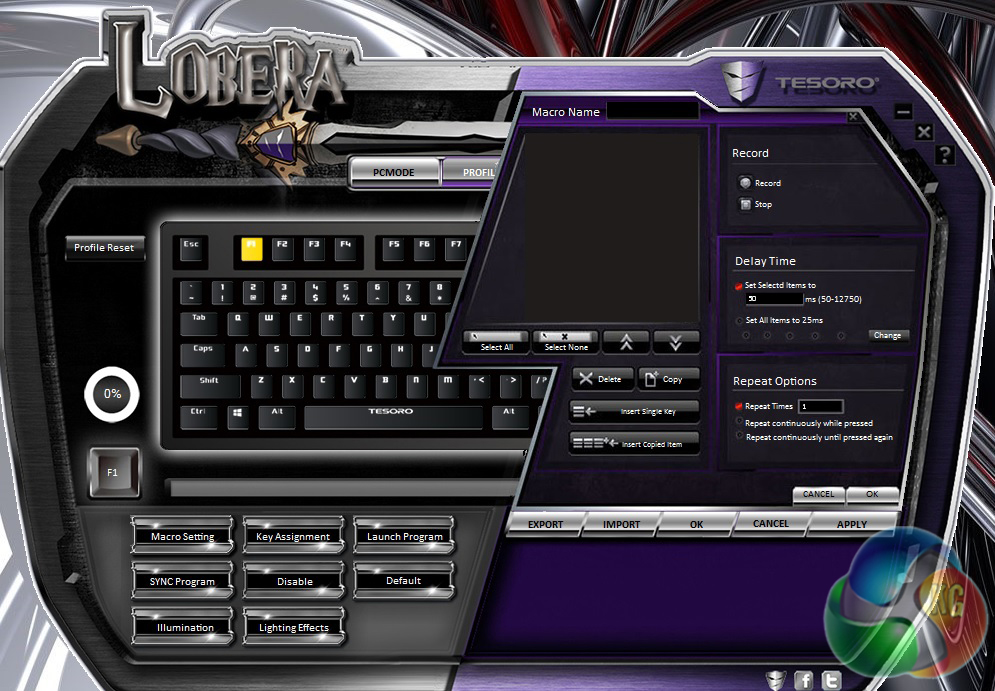
While there are no extra macro keys on the board itself, you can click on any key you wish and set a new function to it, which adds some level of customization to the board. You can also disable any key on the keyboard should you want to.
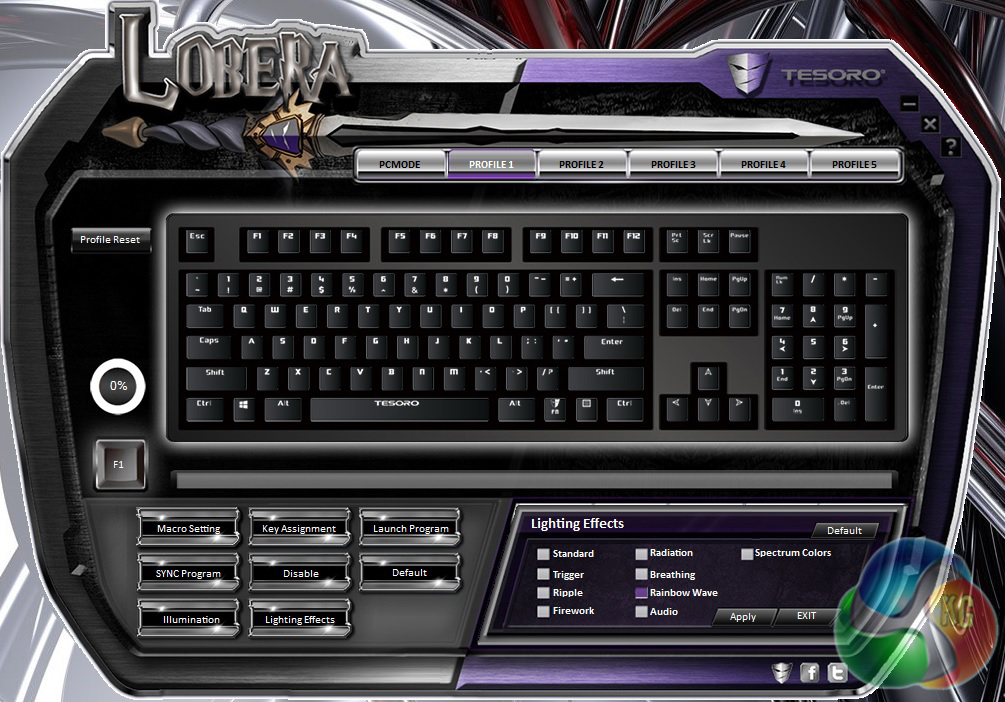
One thing that has improved since the Excalibur RGB is the lighting. Tesoro's new ‘spectrum' lighting is very good and the effects work just as well as they do on other flagship boards, from the likes of Razer, Corsair or Logitech.
There are several new effects, including ‘radiation', ‘breathing', ‘rainbow' and ‘audio'. Audio reactive lighting is something that we have not seen on other RGB keyboards, making it quite unique. The idea is that the lighting on the keyboard will react to the music playing on your PC- a very cool feature indeed.
Overall, Tesoro hasn't really made any improvements to the software so far. In my opinion, it needs a total overhaul if it is to match the quality of software drivers from the likes or Corsair or Logitech.
Now lets talk about the keyboard's performance. The Lobera Spectrum uses Kailh switches, just like the Excalibur. The problem is, Tesoro apparently doesn't want you to know that it uses Kailh switches as it is once again not listed on the box anywhere.
People will always have their preference between Kailh or Cherry switches but overall, I have found that both are very good so I see no reason to not list Kailh switches on the box.
The Lobera Spectrum I am testing today comes equipped with black mechanical switches. This is a linear switch, just like mechanical reds, meaning that there is no tactile feedback while typing. As a regular typist, I missed that tactile feedback quite a bit. However, this board does come in blue, brown and red switch variants – so you have options.
Typing on the black switches is unlike any other switch I have experienced. A lot of force is required to bottom out each key compared to other switch types, in-fact it almost feels like the switch is pushing back against me as I type at times.
One thing that I did notice after a week or so of heavy use is that some of the keys, particularly the space bar, started giving off an echo noise. This is also something that I experienced following my review of the Tesoro Excalibur. It just seems to be a characteristic of Kailh's switches, although I did not find it to be intrusive or annoying at all.
Gaming on the Lobera Spectrum was a decent enough experience. The layout of the keys is fairly standard so you are unlikely to run in to any issues with spacing. Overall, it is a solid keyboard.
Overall, I am reasonably impressed with the Tesoro Lobera Spectrum. It is clear that Tesoro has been hard at work on perfecting its RGB functionality, which has improved leaps and bounds since we tested the Excalibur RGB a few months back.
While the LED colors did seem a little ‘washed out' compared to other keyboards we have tested, the Lobera Spectrum's range of effects work fantastically. Every effect ran smoothly on the keyboard, which is a big step up from the Excalibur – which was a bit on the slow side.

Unfortunately, Tesoro is once again let down by its software package. Many of the complaints I had back in February remain today. To put it bluntly, the Tesoro software package needs a serious overhaul, it is unintuitive and unpleasant to use. We have been told that Tesoro is in fact working on new software but no release date has been made available.
Once again, there is no mention of Kailh switches on the box, which I do believe should be fixed as switch type will play a big part in a customer's buying decision. The official Tesoro website does list Kailh switches but it seems bizarre to leave them off the box itself.
The Kailh switches are fine to use. The black switches my model came with were quite heavy to bottom out but quick enough to actuate. There is a fair amount of resistance as you try to bottom out the key, which is what sets the black switch apart from the red variant.
Unfortunately, Kailh switches do have a tendency to be quite loud and the space bar may end up giving off a ‘spring like echo' after a week or two of regular use. If you aren't an experienced mechanical keyboard user, then we would advise you to try to test out a couple of switch types before settling on a keyboard. Amazon have a handy returns policy which you can use.
The Tesoro Lobera Spectrum doesn't appear to be available in the UK yet. That said, Amazon US does have stock – at $140, although the black switch variant we tested today does not appear to be available.
Discuss on our Facebook page, over HERE.
Pros:
- Excellent RGB lighting performance.
- Solid construction.
- USB and audio hub.
Cons:
- Software still needs a lot of work.
KitGuru Says: The Tesoro Lobera Spectrum is a decent enough mechanical keyboard. The RGB lighting performance could rival that of the Corsair K70 but it is let down by a weak software package.


———- that’s a full enjoy with kitguru ^^–^^ _________ Continue Reading