 KitGuru KitGuru.net – Tech News | Hardware News | Hardware Reviews | IOS | Mobile | Gaming | Graphics Cards


It's often been joked that the internet is serious business and at times, it can be. However something that you'd be unlikely to suggest as having such importance is peripheral production. Sure gaming puts a lot of strain on keyboards and mice and we all like a little competitive edge, but unless you've seen it, it's hard to imagine the money, equipment and expertise that goes into their production.
Over the last few days however, that's exactly what I was given the chance to do, when Logitech invited KitGuru to fly out to its G(aming) development labs in Lausanne Switzerland, for a tour of all of its mouse, keyboard and software production facilities. To say that I was impressed, would be an understatement.
The facility itself is a conservative mixture of concrete and glass, situated a couple of miles from the heart of Lausanne, which itself is on the shores of lake Geneva. It's a beautiful spot, with the Alps peeking above the clouds in the background, offering a stunning view from the upper floors of the facility.
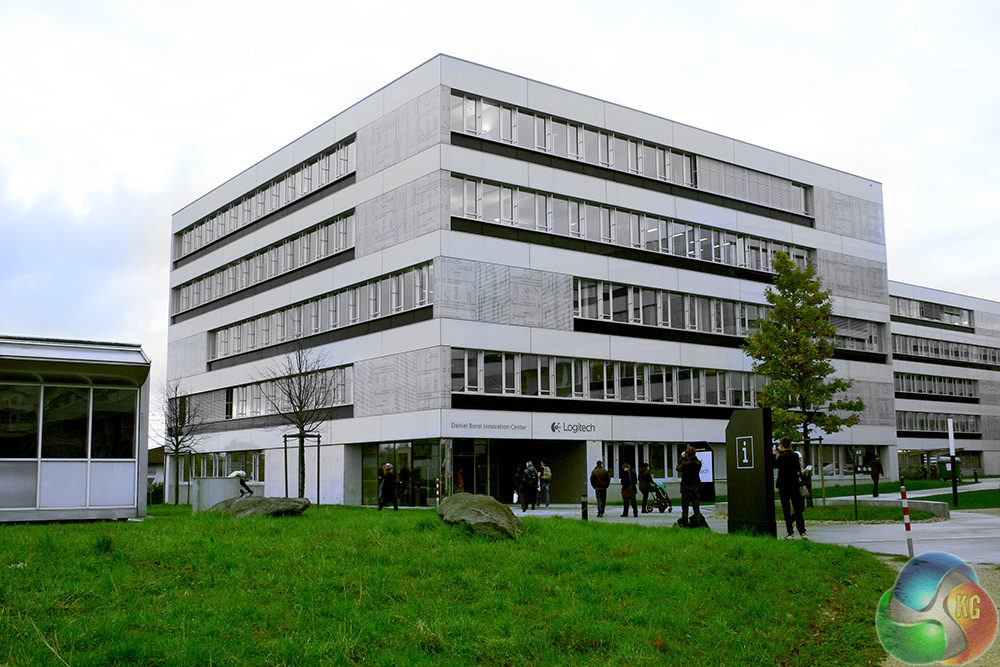
Logitech has been here since these buildings were put together around four years ago and actually had a say in its construction, asking the developers to dig down deeper so that it could fit in all of its advanced testing equipment. You'll understand why shortly.
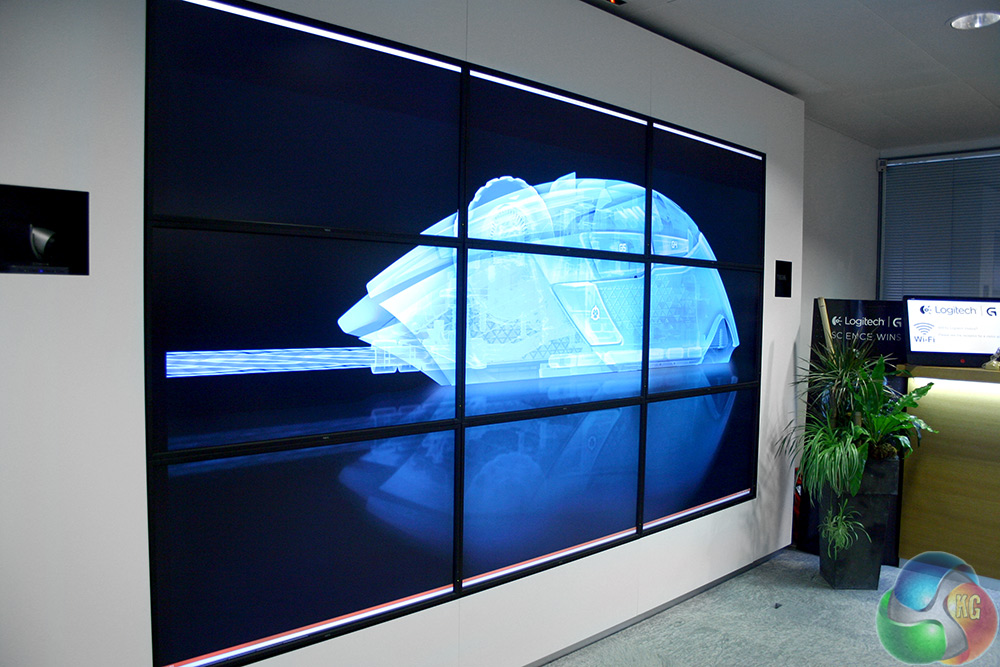
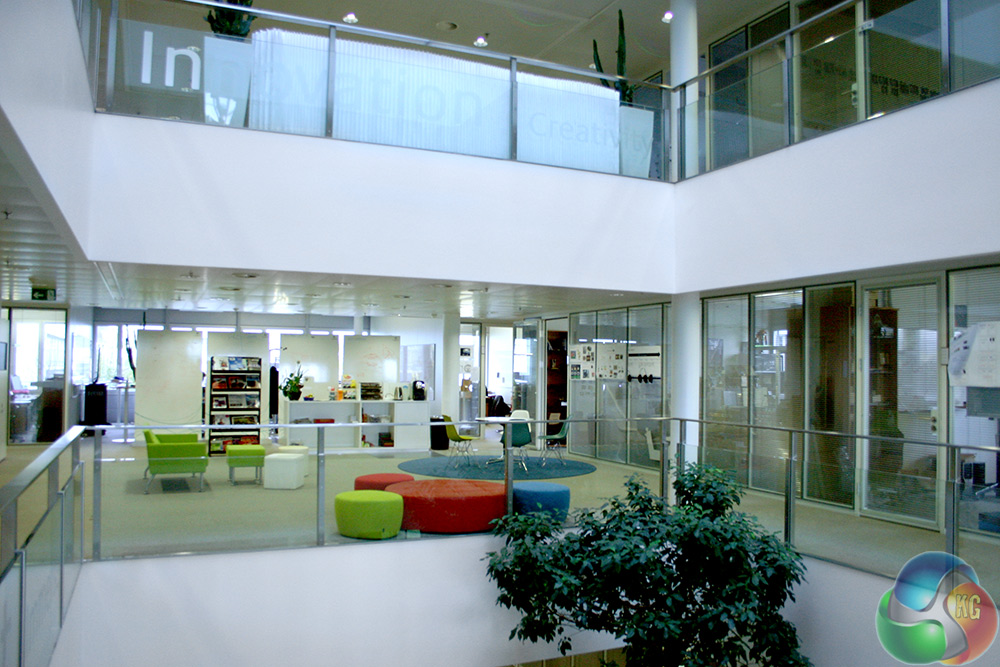
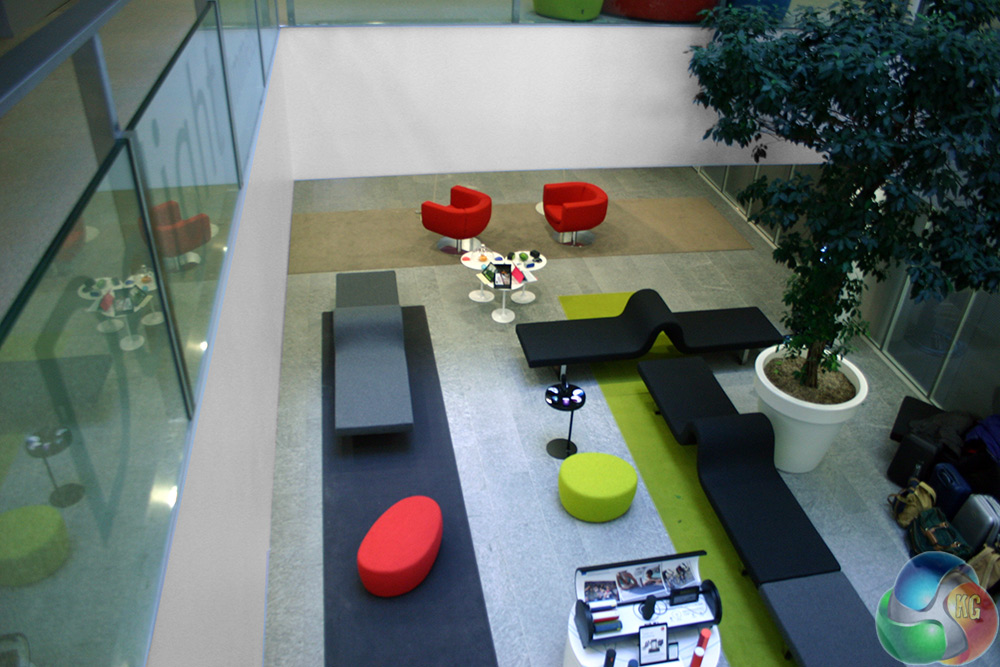
The ground floors and up are modern, clean and bright, with plenty of space between offices for workers to relax and grab a cup of coffee. However, one particular sight on the first floor caught my eye and set the tone for most of the day:
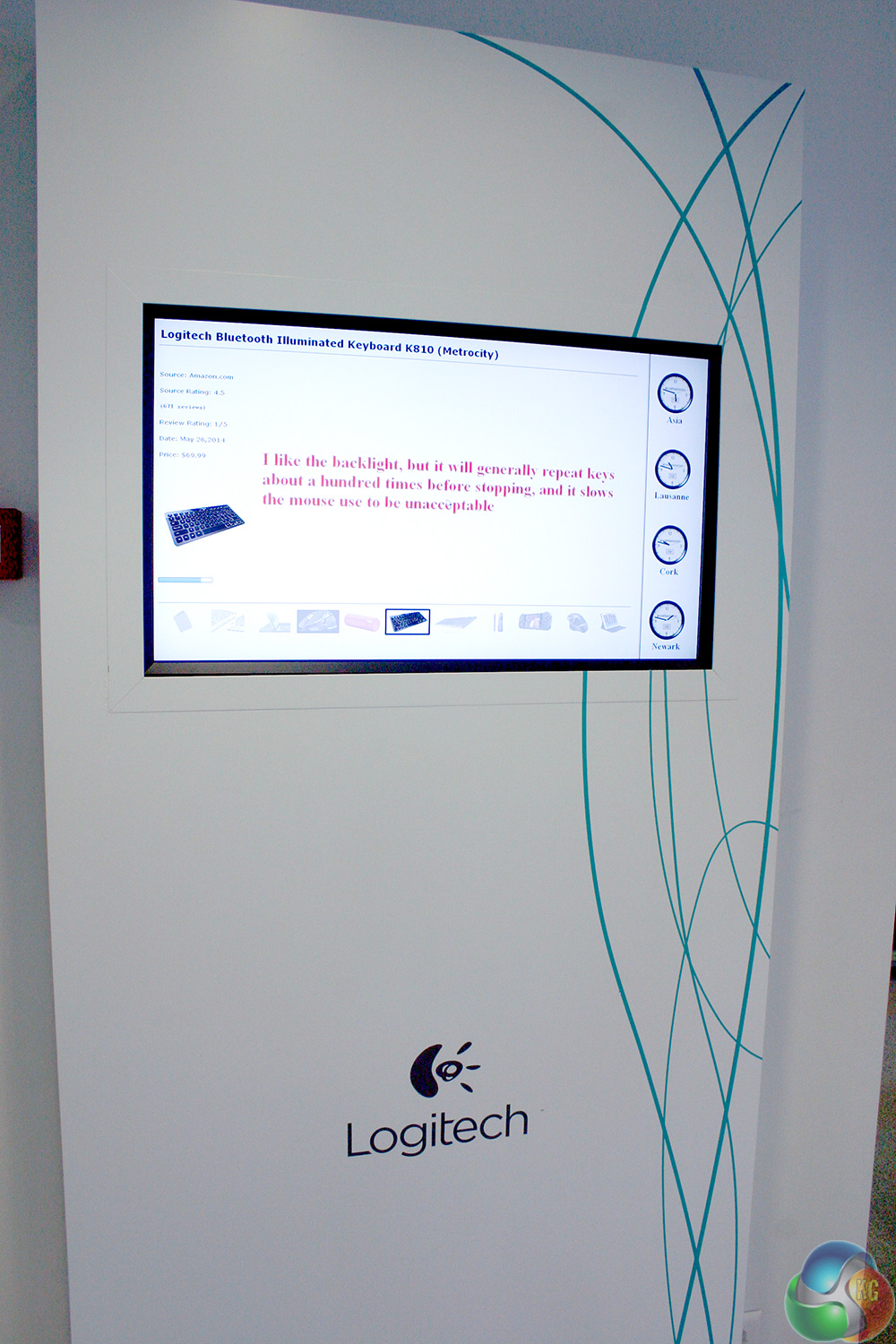
This display constantly scrolls through reviews from professional critics and end users alike and not positive ones; they're all negative to some degree. Logitech's senior director of engineering and gaming development, Maxime Marini, said that this was there to remind staff that there was always something that could be improved upon.
Logitech doesn't take that idea lightly.
After a short introduction where we met different members of Logitech's management and developmental teams, we (the journalists) were split up into small groups and taken to different parts of the facility, so that we could get an insight into the different aspects of its runnings.
First stop, keyboards.
While Logitech might be more well known for its gaming mice, in recent years it's taken more of a focus on the left hand man of a hardcore gamer, the keyboard. Many gamers of course (and indeed, most professionals) use mechanical keyboards as they offer faster response times than your average membrane interface.
Most of them use Cherry MX switches, as they're the industry standard for mechanical keyboards. But that design is decades old at this point and Logitech felt it could go a step further and create its own switch that was faster, lasted longer and performed better over time. Enter, the Romer G.
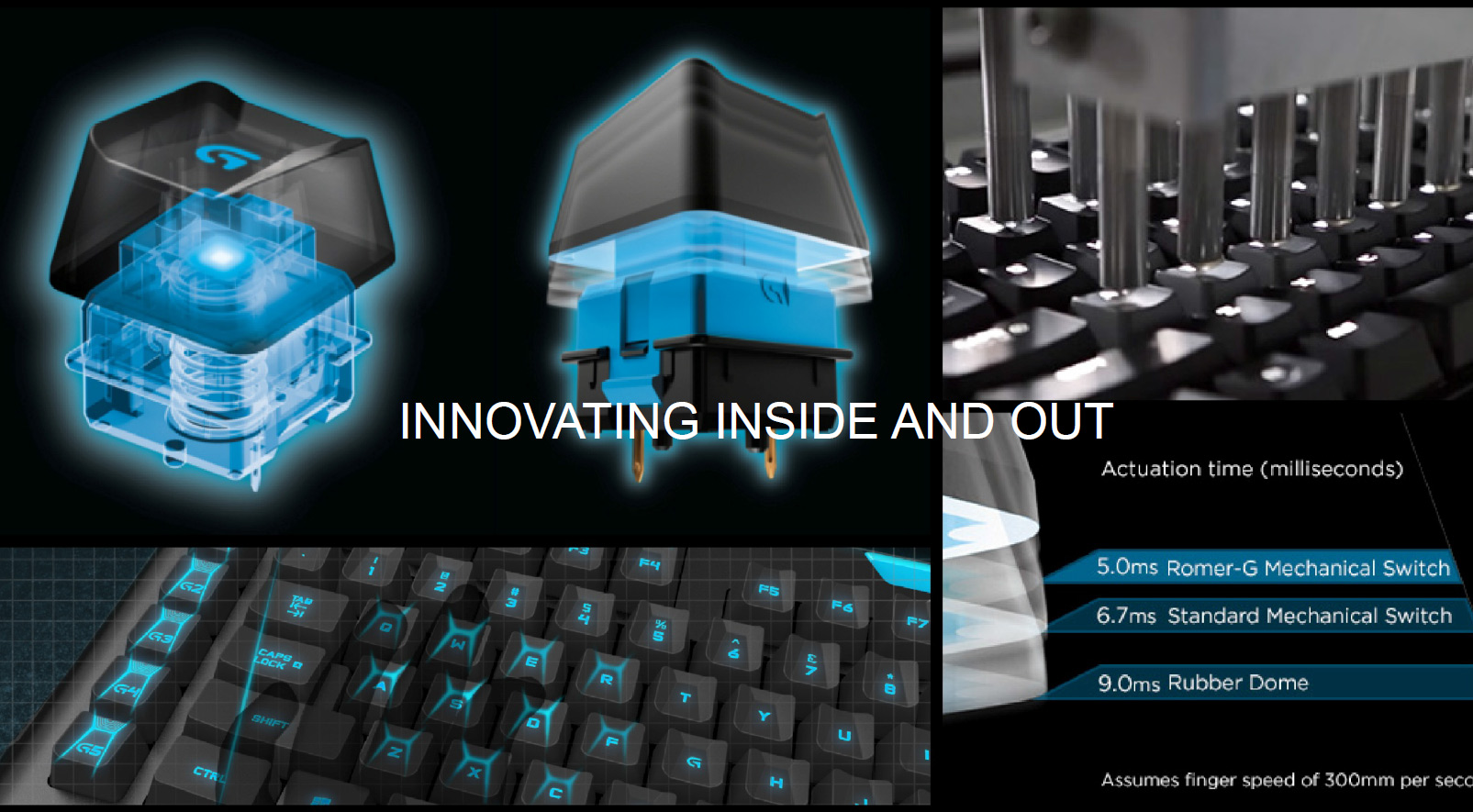
If you've seen any press regarding the Logitech G910 Orion Spark (look out for our review soon) then you may know a little about this switch already, but in short, it's everything Logitech wanted it to be. It has a shorter travel distance, so actuates 30 per cent faster. It also has a sturdier construction and has been rated to maintain its 30 per cent speed improvement over 70 million clicks. Logitech didn't say how many it would take for it to fail, but to put it into context, Cherry MX switches are regularly rated to live for ‘just' 50 million presses.
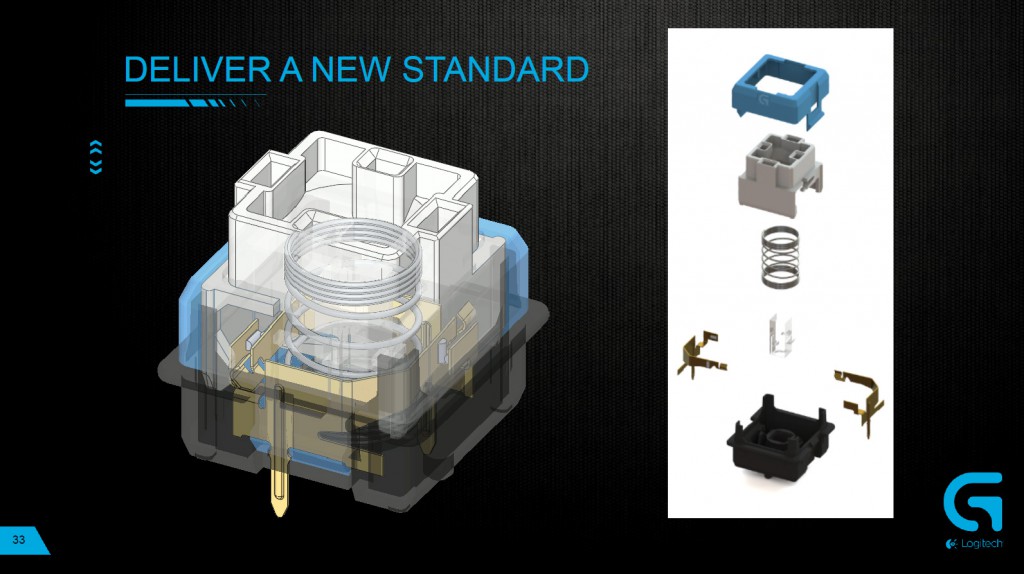
These switches also have a double connector at their base, meaning there's redundancy should you happen to damage or spill something on the keyboard.
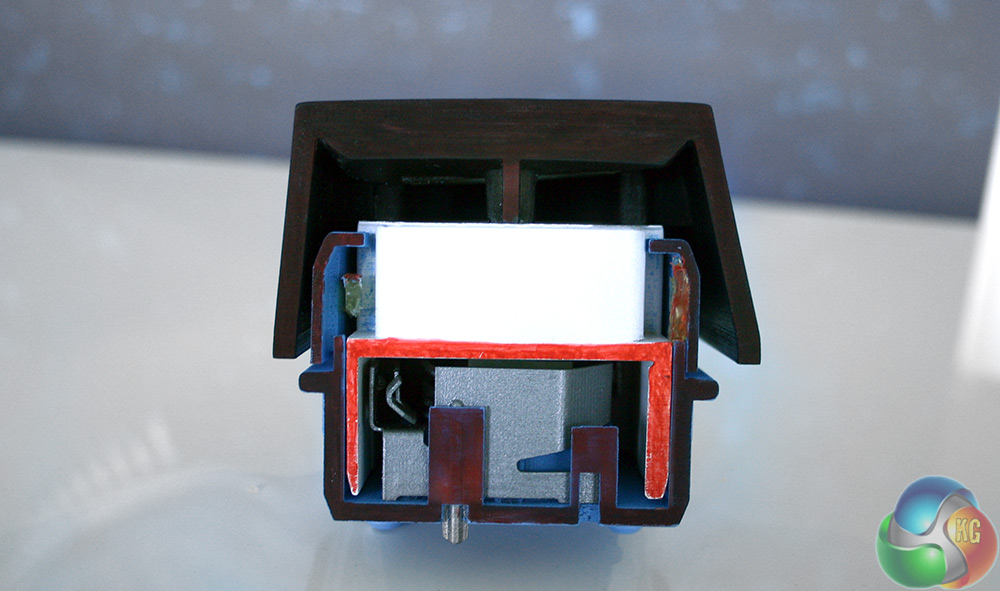
This is what a physical prototype of the Romer G switch looks like
Logitech didn't stop there however, it looked to professional gamers to ask what they wanted, prototyped various different slants to keys and even used heat mapping to pinpoint just where gamers like to rest their hands and where the pressure points are – IE, where more support is needed.
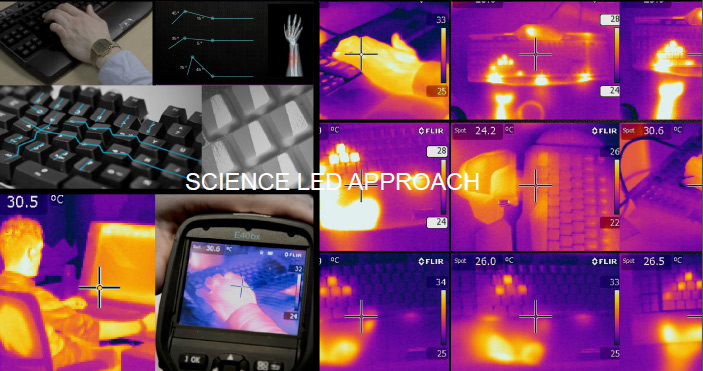
It is at this point that you might think it would be time to build the board, package it up and ship it out, but Logitech sees this as just the beginning. It prototyped several different versions of the G910 Orion Spark and even gave us one of its earlier ones to try. It had higher edged keycaps and was in short, horrible for typing, even though gaming worked quite well on it.
Back to the drawing board it was, but eventually after working with professional gamers and through its own internal testing, Logitech developed something that it was proud of. From there, it was time for the real testing to begin.
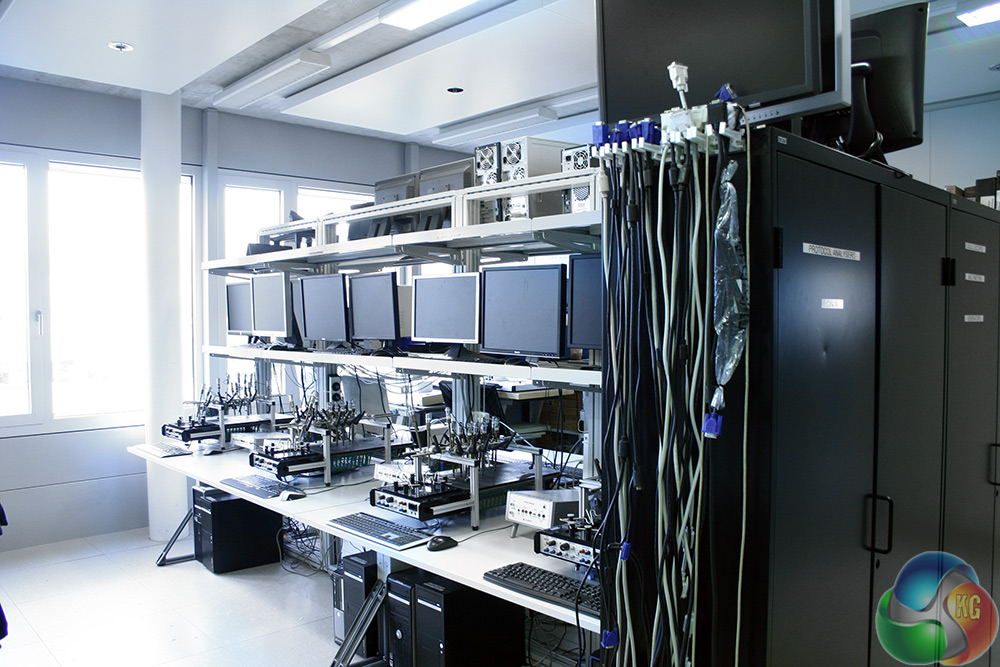
And so we were ushered into this room, featuring giant workstations and desks three deep (double sided) that had upwards of five testing stations a piece, each running some sort of testing profile on a particular piece of Logitech gear. Mostly its keyboards. [yframe url='http://www.youtube.com/watch?v=Tv8tS0Hlx4c']
Machines like this one hit the keys constantly for hours, days and weeks at a time to make sure that after thousands and millions of keystrokes, the Romer G switch continues to perform as it should. [yframe url='http://www.youtube.com/watch?v=lxI_6IHxp2o']
Mice get a look in too, as those Omron Switches need just as much testing. Similarly this machine also pushed it to see how many clicks could be made per second, to make sure that they could stand up to the vigorous standards of the pro-gamers that had been consulted during the developmental phase.
If you think this is hard wearing on those poor peripherals however, take a look at the next page. Logitech provided us with some short videos of its true physical stress testing of the Orion Spark. It stands up to everything that's thrown at it, but I can't help but feel a bit sorry for the little guy.
Moving through to the “dark room,” we were shown how Logitech develops its backlighting, which is as advanced as anything we've seen from competitors like Corsair's K70 which impressed me a few weeks back.

While I can't speak for Corsair's manufacturing methods, Logitech used its own in-house imaging sensors to detect what kind of light patterns the human eye can pick up, tailoring the LED placement to appeal as much as possible to the user. It also used custom lenses within the Romer G switch itself to guarantee that the entire switch is illuminated, even on larger ones with more expanded clear sections.
For more on what Logitech is doing with its lighting and the firmware driving it, skip forward to the Software page.
Here's a few short videos that show that as much as Logitech loves making gamers happy, it hates its own products.
[yframe url='http://www.youtube.com/watch?v=_h4hgAhzZJM']
[yframe url='http://www.youtube.com/watch?v=YXIZ3oCQxR4′]
[yframe url='http://www.youtube.com/watch?v=XWejS5xob2o']
As you can see, these are durable pieces of equipment.
On to the mice.
To understand just how much effort Logitech puts into its mice production, we have to take the lift, all the way to the basement. This is where Logitech needed the foundations sunk deeper during the building's construction, just so it could fit its testing equipment down here.
I'd love to tell you it was a dark, dingy basement full of dripping pipes and giant rats that need slaying, but it's actually a pretty standard commercial complex. If I had to compare it to a game, it's like moving through a Mirror's Edge level very slowly.
Still, once we'd navigated the warren of corridors, we were ushered into a surprisingly small, but tall room featuring several annotated test stations, each of which was busy testing certain aspects of Logitech's high end gaming mice. This one for example, uses a robotic arm to simulate a human finger to test the sensitivity of a touch interface:
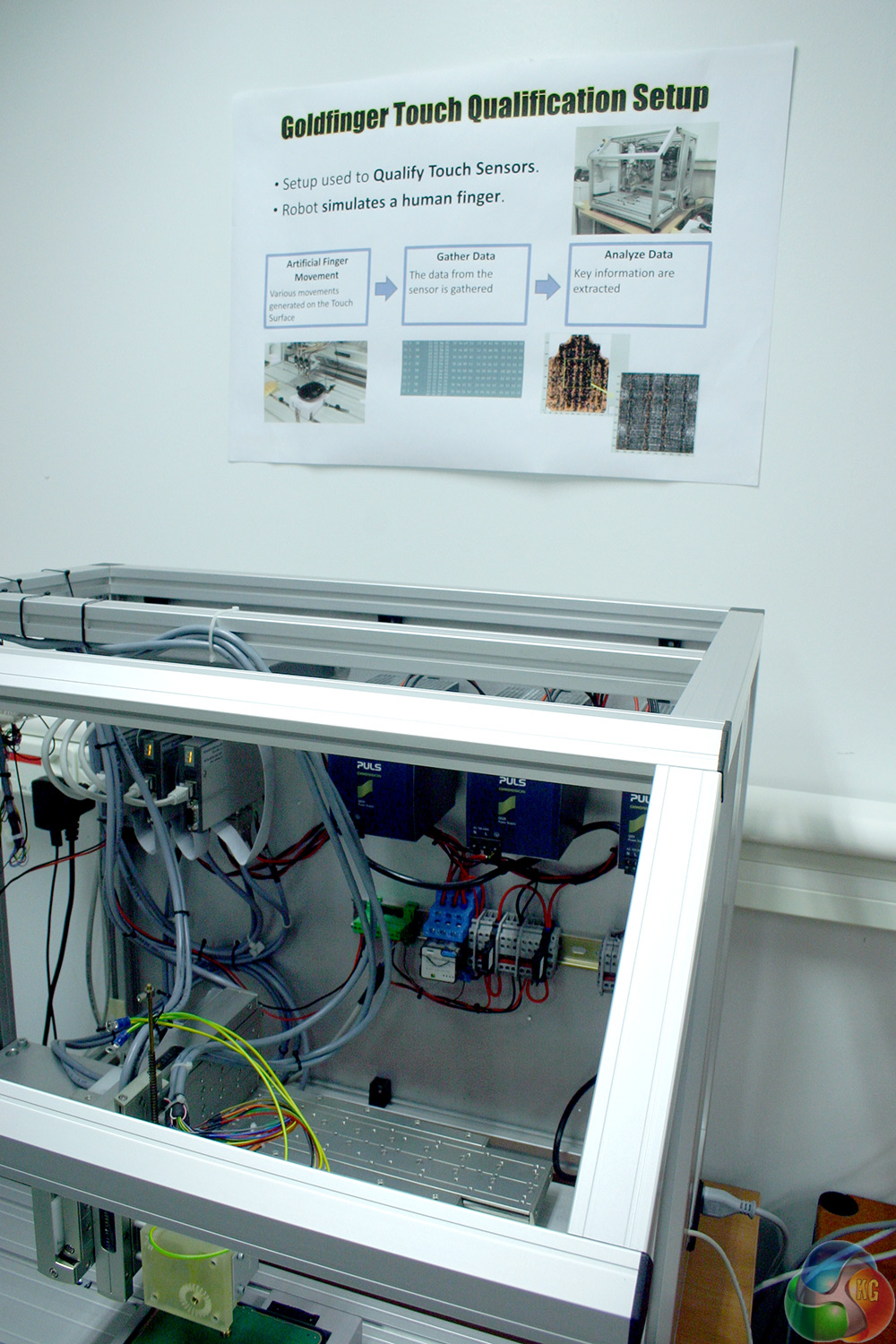
But that was just a small piece of the puzzle. Just like with the keyboards it produces, Logitech goes to the nth degree when creating its mice, working with professional gamers and again using heat mapping to target their physical design to a gamer's needs. Like making them easy to grip, light and fast, while allowing for a satifsying click, no matter where on the mouse button you pressed.
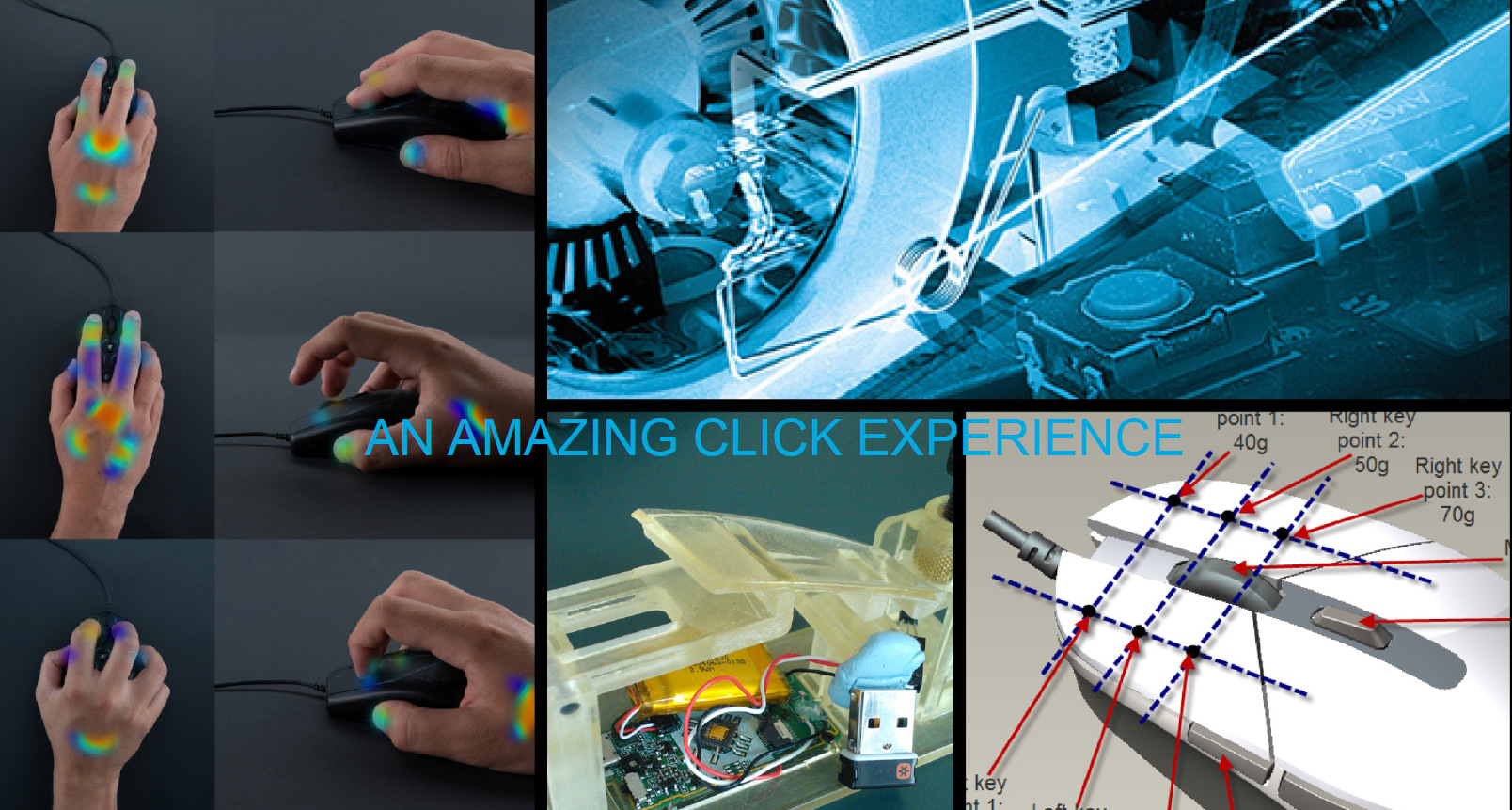
Reliability, comfort and speed were all key elements in Logitech's latest G series designs. It's not always easy to nail those things down in the first iteration though, which is why the G302 Daedalus Prime for example, went through many iterations before being given the go ahead.
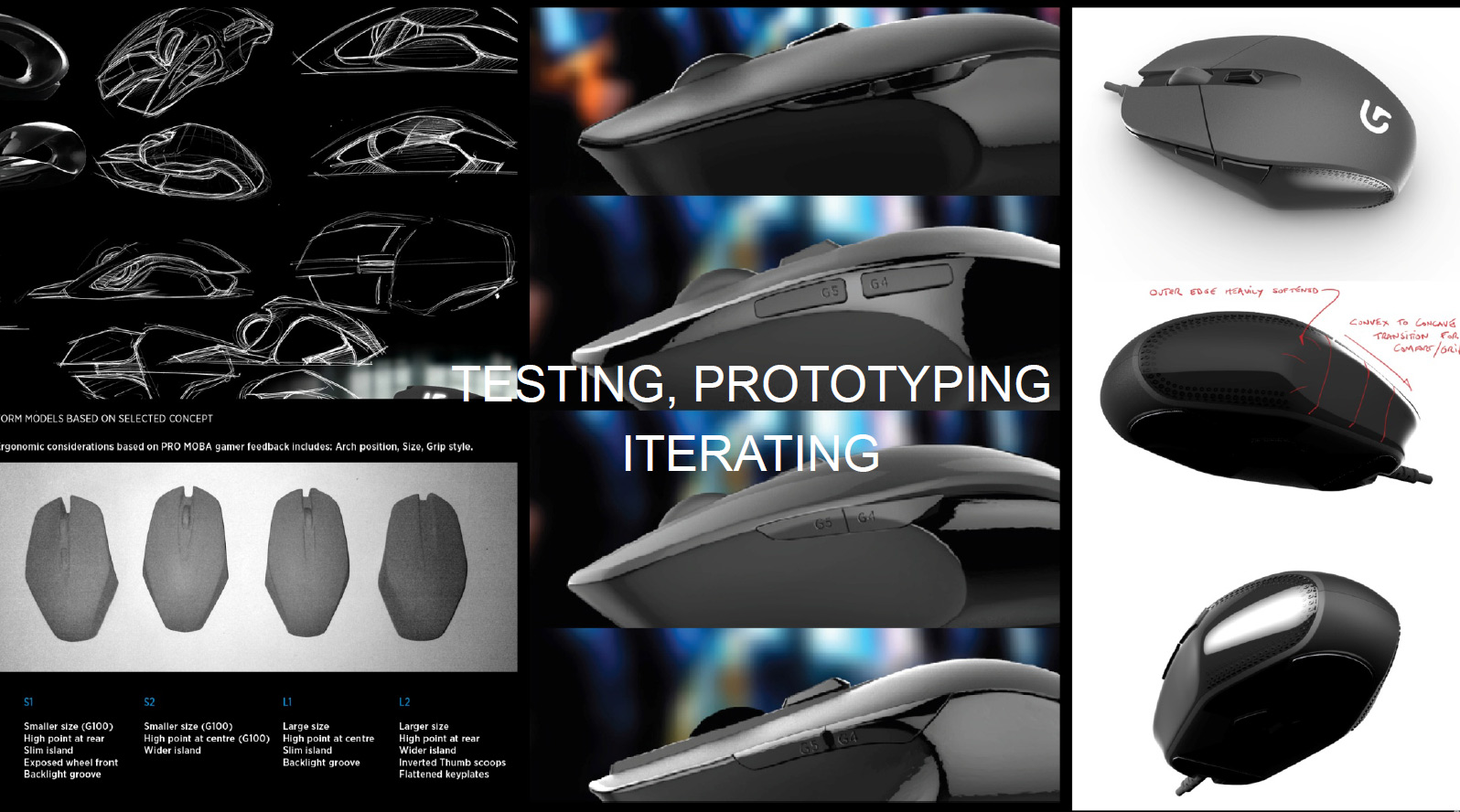
Specifically in this instance, the protype that Logitech put together was well received when held in the hand, but in practice, gaming with it became uncomfortable, so it was expanded and tweaked to what it is today. But once a mouse is ready from a design standpoint, it still needs to be tested. Which is why we were in this basement, to see how it all worked.
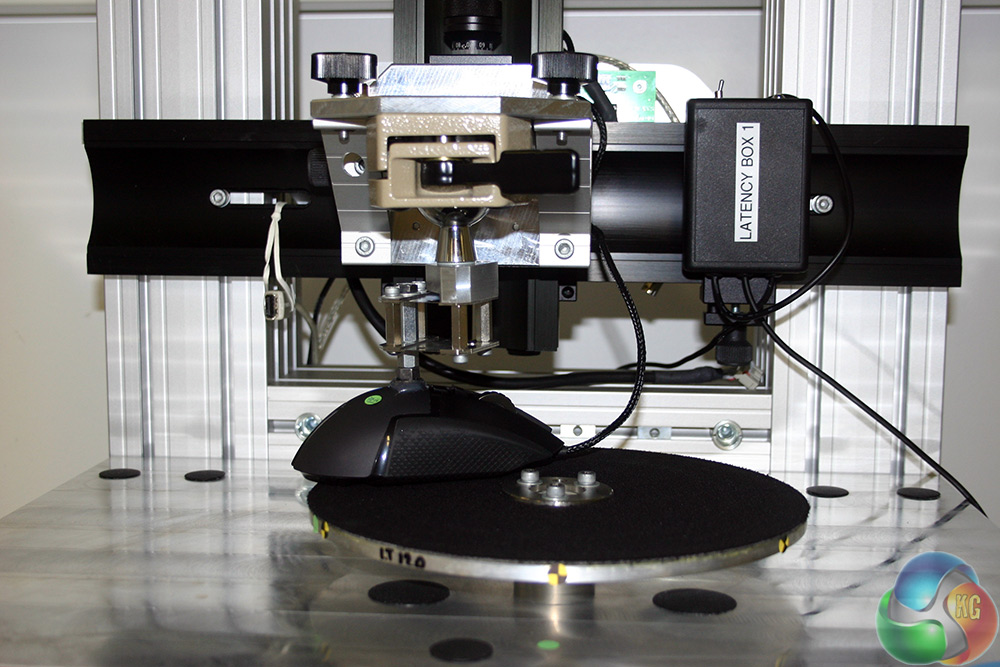
Like this piece of kit for example, which has a mouse pinned on a rotating flywheel that can spin in either direction at specific speeds. The point of it is to test the maximum speed that a gaming mouse can operate at. Not sensitivity mind you, that'something entirely different.
In the case of an optical mouse, which is what most gaming mice use due to their superior accuracy versus laser (though of course, laser has its own advantages) the sensor takes pictures as you track it across the mat. Those pictures are then ‘stitched' together to form a track that your on-screen cursor then follows. As you can imagine, the faster you go the more spaced out those images become. If they get to a point when they don't overlap, you have two options: failure, or guess. Logitech doesn't like either of those, hence, why it wants to make its mice as fast as possible.
So, strapping them to the flywheel lets it whiz a surface around underneath the mouse to see just how fast it can handle being moved. The disk can even be spun up one way, stopped and then reversed in quick order, to simulate back and forth movement.
“But Jon,” you may be saying, “that mouse is facing forward, and most big movements we make are left to right.” That's a great point and it was one we put to Logitech. And it's one Logitech was ready for.
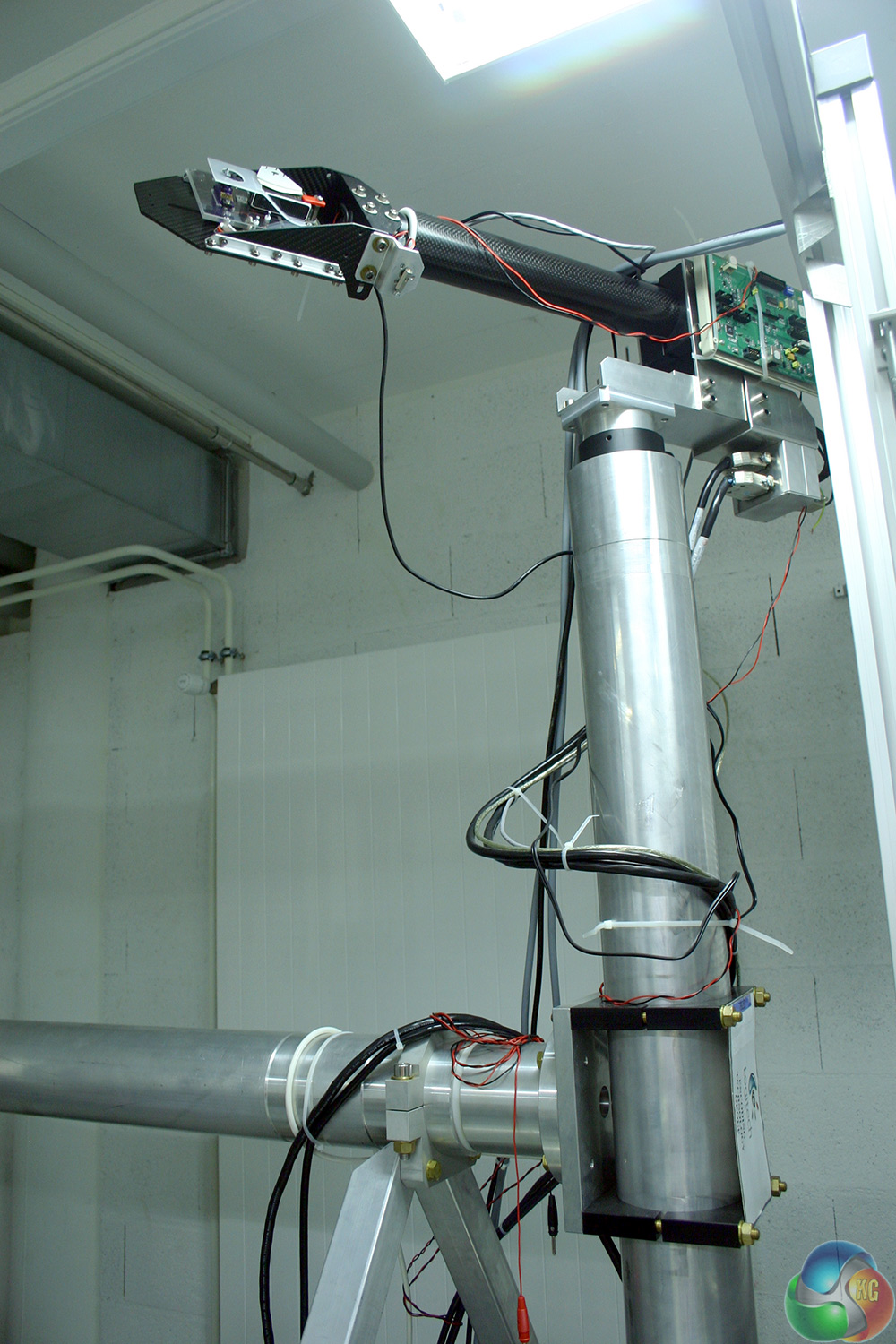
This giant boom/arm is about 8ft tall and at least partially responsible for the deeper foundations of the building. It is able to take a mouse and swing it backwards and forwards across a surface to give us an idea of how fast it can go from left to right.
Here's what an early prototype of it looked like in action (using a spring loaded mechanism). [yframe url='http://www.youtube.com/watch?v=v7Ou7mVTB5Y']
For an example of the big guy in action, we had to head through to another room entirely, with a much bigger mat and a much bigger system, that was capable of rotating the mouse in any direction, testing its ability to hit blistering speeds no matter the circumstance.
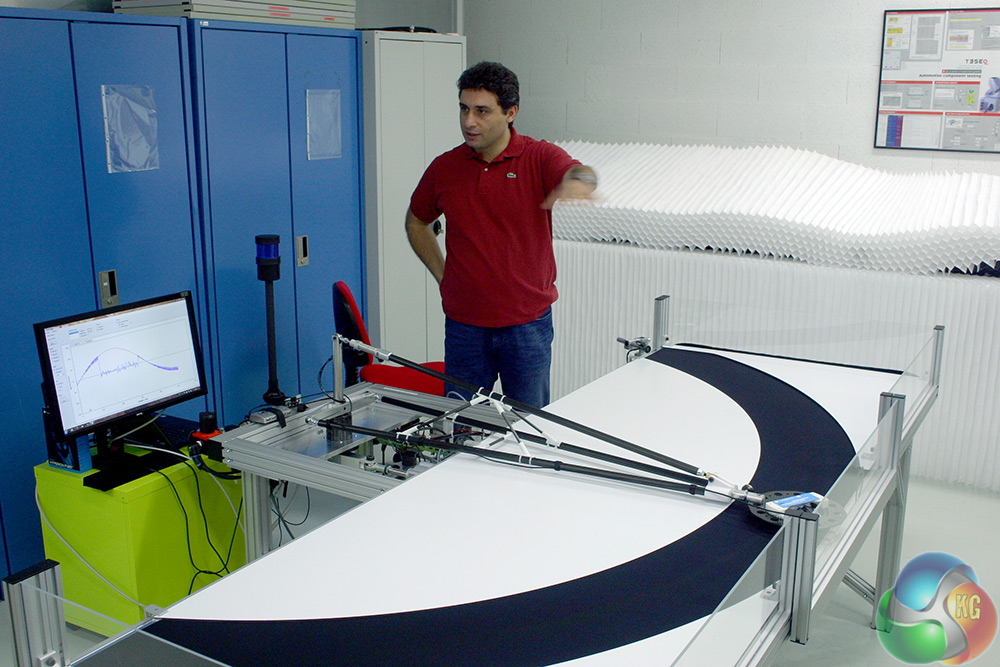
Remember how we mentioned before about optical mice failing when they go too fast? While some companies have implemented software based guess work to get around that hurdle, Logitech talked us through its altternative. In its new G402 Hyperion Fury, it implemented alongside the optical sensor, a gyroscope and accelerometer.
That display in the above image shows the acceleration that the sensor goes through, which is akin to a natural hand movement. When it reaches a certain speed however it fails, which is where the accelerometer takes over. It's quite unlikely you'd ever be able to reach these speeds unless you were specifically trying to do so, but at least the option is there meaning the mouse at least, will not be your Achilles heel. [yframe url='http://www.youtube.com/watch?v=52fesemtuw0′]
Logitech senior engineer Francois Morier was keen to point out to us during these demonstrations, that these are unique machines, designed in-house and owned solely by Logitech. So when you see a peripheral maker quoting its sensor's specifications, it got those from the sensor supplier (he wouldn't be drawn on names, but we can assume Avago/Pixart) and where did those sensor companies find out what those numbers are? At Logitech's testing facility.
As much as that elicited chuckles from the journos in attendance, the story that really hit home with us was one that involved Logitech's support department. It was contacted by one particularly disgruntled gamer, who'd received what he thought was a faulty version of the G502 Proteus Core. It wasn't tracking properly he said, it was inaccurate and responded poorly in certain situations.
Logitech asked him to return it for specific testing.
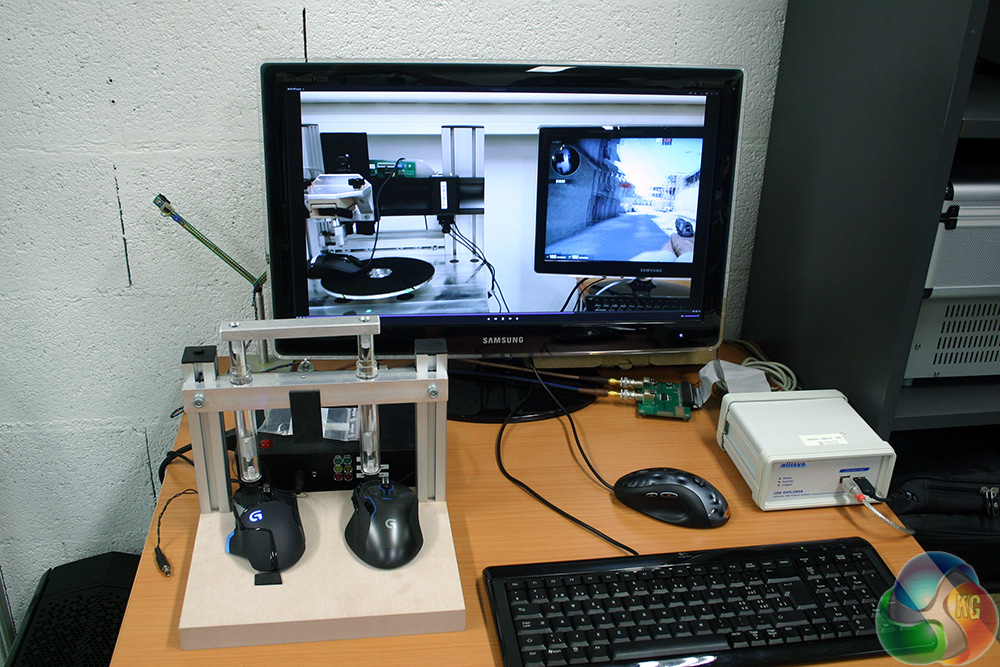
That's it there, on the desk and on screen. Logitech hooked it up to its flywheel, and opened up CS GO. The point was, the movement on that wheel is perfect, so would show up in-game if there was a sensor fault. It rotated 360 degrees one way and then back again, each time coming to rest on the same spot.
It turned that the gamer in question had removed the weight door on the mouse to make it lighter, which also removed one of its mouse feet, destabilising it and causing him to lift it as he turned. 100 per cent user error.
We finished out our look at Logitech's mouse development labs with an extended look at how it's pushing the boundaries of wireless technology. I'll be covering that in more detail in a later piece, but for now, here's the real reason that Logitech had to sink the baseement's floor that bit deeper: this purpose built, RF transmission proof room. We were told it cost upwards of 600,000 euros to construct.
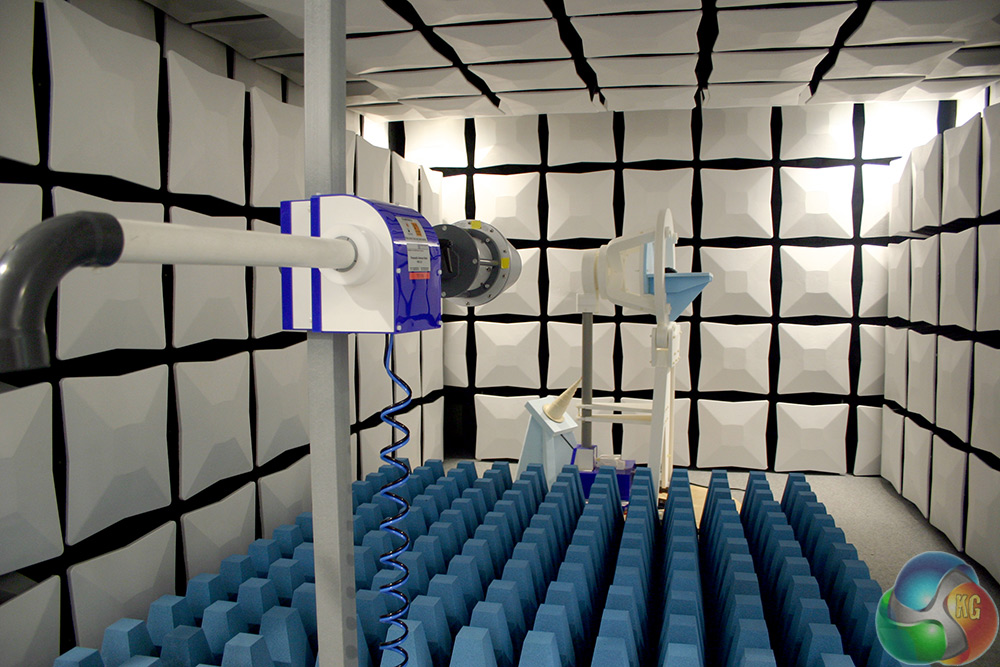
Look out for more information on that in a coming piece. For now though, let's move on to what we were talked through after lunch: Logitech's software.
Software isn't something Logitech is particullarly known for developing, but of course every peripheral maker needs to have some form of back-end system to manage all of the fancy features of their hardware. Yes you can get a lot of functionality out of Logitech products right off the bat, but the advanced stuff is in the back end.
Take lighting for example. We talked a bit about that earlier, but Logitech wants to take it beyond scrolling rainbows and full set colours. Already the software is able to let you set specific colours for individual and groups of keys, but what is far more impressive is its ability to scan your drive for games and automatically sets up lighting profiles when you launch those games.
In our example we were shown CS GO, which when booted automatically changed the keyboard to light up just the relevant keys for movement, crouching, grenades etc. Logitech is still building many of the profiles, but a lot of popular titles have already been implemented.
But its plans go beyond that. It's actually looking to work with developers to implement even fancier lighting profiles. Like this (artificial) demonstration of how cooldowns in MMOs could be represented with keyboard lighting. [yframe url='http://www.youtube.com/watch?v=plutn2VR3wc']
In this example the cooldown lighting has all been manually set up by Logitech, so isn't something that will work just yet, but it's ann interesting proof of concept. Logitech wouldn't confirm or deny whether it had begun speaking with Blizzard about it, but it was inferred that it had.
Another neat idea that is much closer to readyness however, was in-game chatting. Hitting the chat key in a game would light up all of the letter keys, giving you a very obviousl visual indicator that you're ready to type. That might seem obvious, but I'm sure we've all hit the chat key accidentally in a game and wondered why nothing is happening. With a visual cue like that, it wouldn't be so perplexing.
Beyond lighting though, Logitech has also been working on something else: Arx Control.
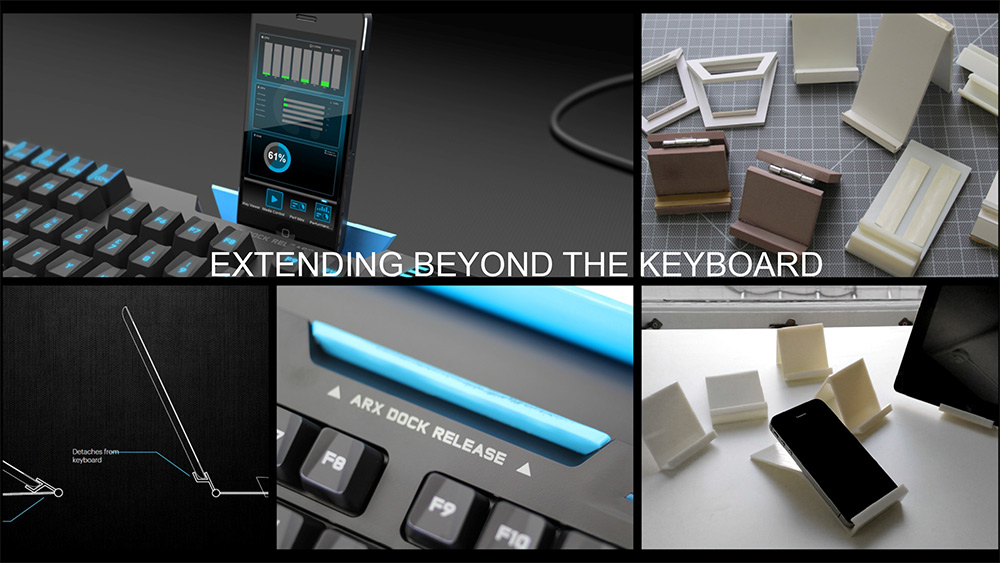
Arx Control gives you the ability to twin your phone or tablet with your PC in a new way, giving you effectively, a second display right in front of you. The initial idea was to give you basic system information on the fly. Media controls? No problem. Peripheral tweaks like sensitivity or polling rate? All doable on the fly from your touch screen.
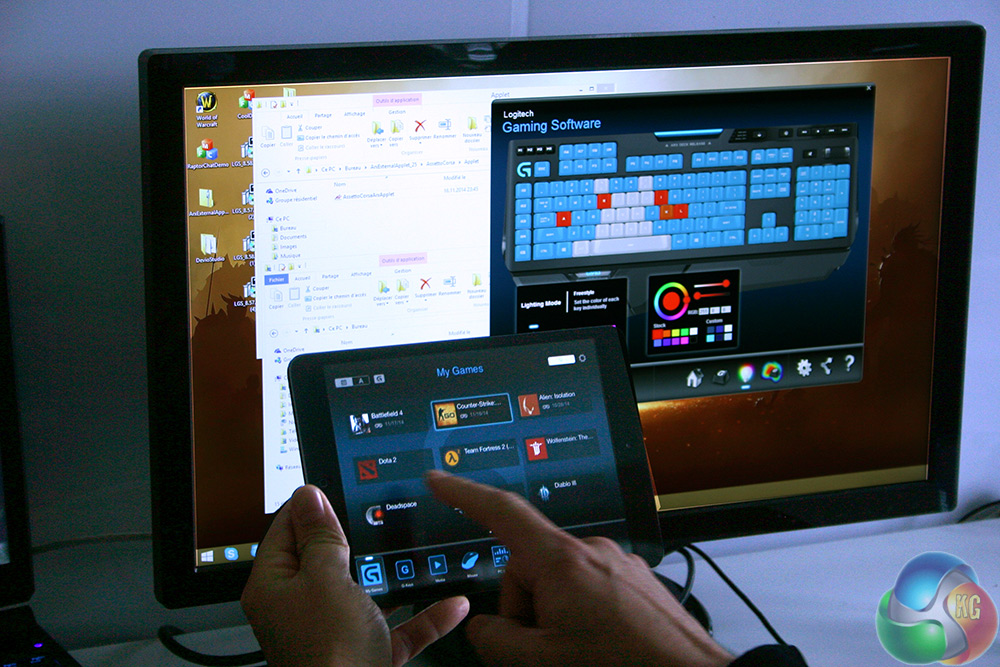
Launching applications works weell too, as well as loading lighting profiles
But what about going a bit beyond that even? Imagine your League of Legends or DotA 2 minimap being located there? What about your inventory at the touch of your fingers? Or a crafting menu that's a touch away? Personally I was excited by the idea of a Kerbal Space Program docking camera feed, or even an Alien Isolation motion tracker that you could hold up to the screen to activate.
While these are, like the high-level lighting something that we can potentially look forward to in the future, for now Logitech does have some advanced features. Take Arsetto Corsa for example, which has a lot of actionable in-game data, like tyre pressure, temperature, lap times and more. All of that can be shown off on your phone through Arx Controller. [yframe url='http://www.youtube.com/watch?v=XABhhCyHYEQ']
And it all updates in real time.
After saying goodbye to the software engineers, we were regrouped with our fellow journalists for a big sit down interview, press meeting with some of the professional gamers that Logitech consults with before, during and after the production of some of its most famous peripherals. They ranged from MOBA, to FPS, to CCG gamers, all of them some of the best in the world at what they do and we had a chance to ask them some questions about their relationship with Logitech and what it's like being a pro at one of the world's most popular hobbies.
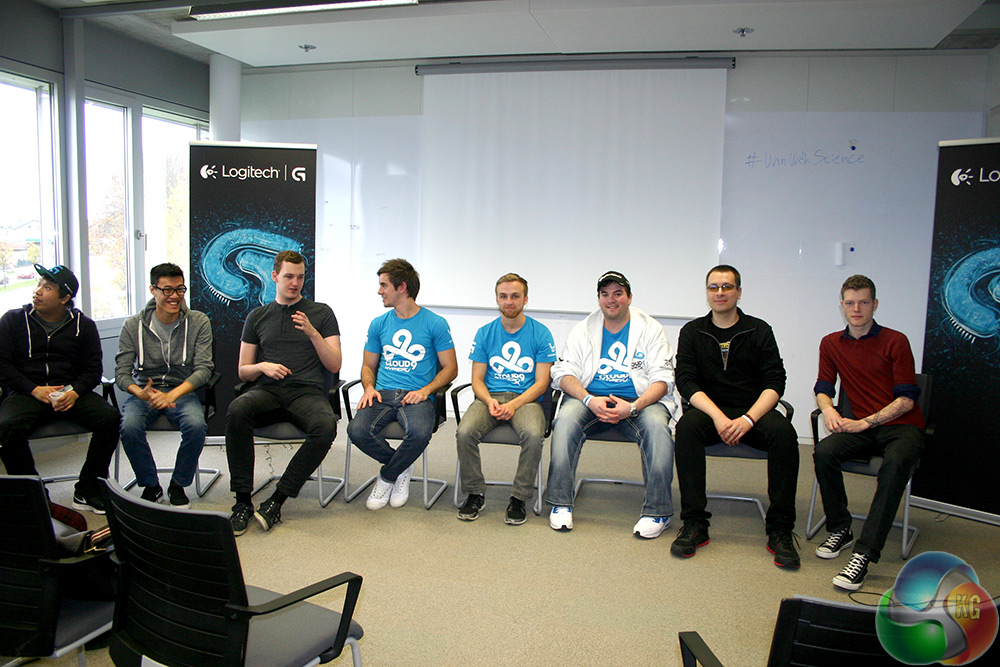
How many faces can you guys recognise?
They explained how Logitech consulted them at various stages of the Romer G and latest G series mice' development. This was something they were keen to push, as it not only makes it clear Logitech takes its product testing seriouosly, but that it's willing to be more than a name on a shirt for professional gamers. Logitech wants to equip its sponsored teams with the best hardware available.
And in-fact, with just a week or so to go before this year's ESL CS GO tournament, nearly all members of Cloud 9 switched to one of Logitech's new gaming mice. That's practically unheard of, but shows real confidence in Logitech's products.
Some of the pros in attendance were operating now in a more managerial capacity, so I thought it would be interesting to ask how they felt about sponsorships like Logitech's after the highpoint of their gaming careers. They said it was good to have another avenue of not only revenue, but something to work on. This makes the career of a professional gamer that bit more stable, as beyond doing well at a game, they can find work as consultants with companies like Logitech further down the line.
Maybe note that one down next time you pitch your parents about your gaming career kids.
Unfortunately, due to flight times, it was at this point that KitGuru had to head on home, missing out on an opportunity to “beat the pros,” or more accurately, get our asses handed to us by the pros. But they were at least nice enough to pose for the picture above, which was good of them.
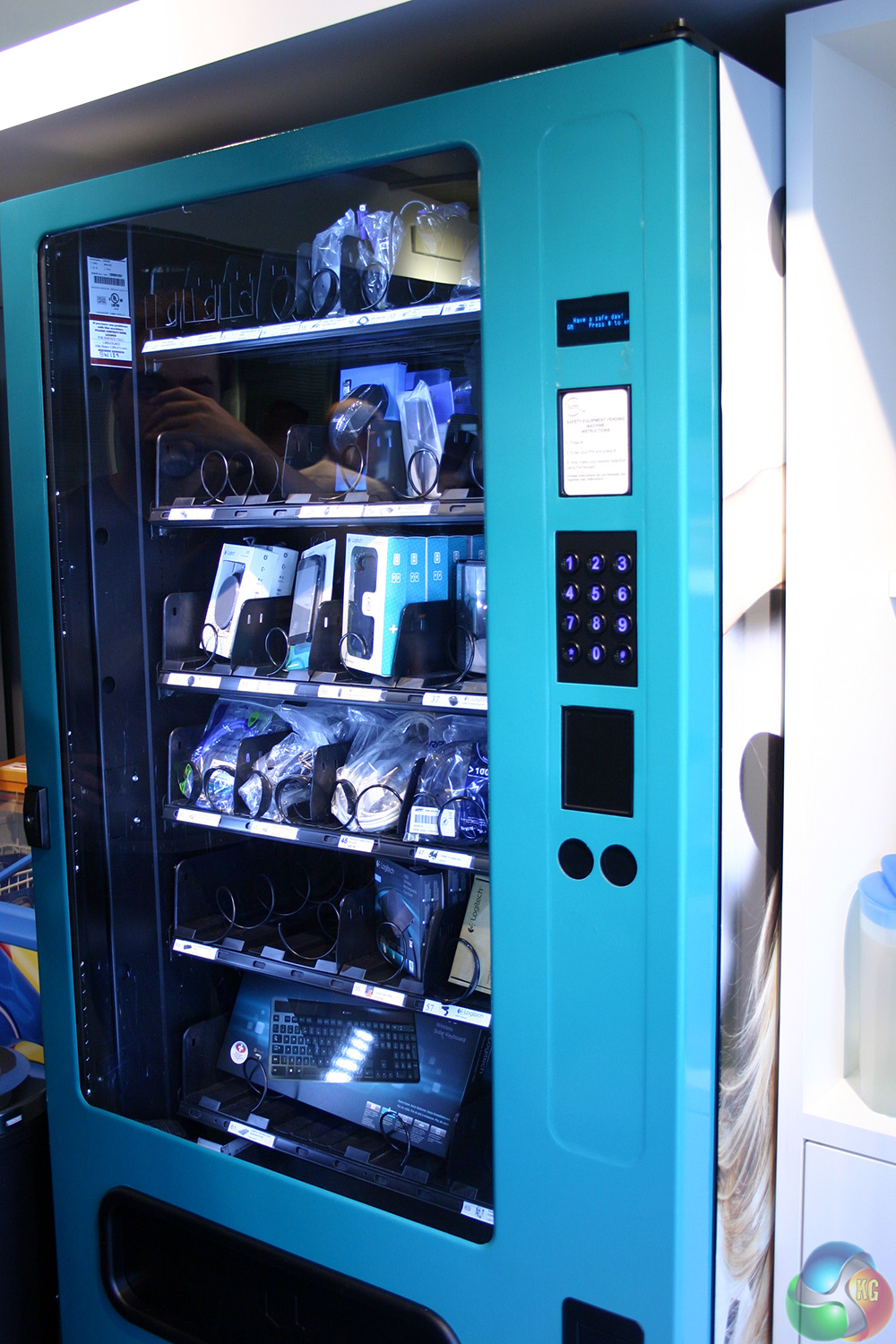
All in all it was a fascinating incite into not only peripheral production, but how seriously Logitech takes every aspect of its products' development. So much so in-fact, that it puts them in vending machines in the cafeteria.
I'm not kidding.
Discuss on our Facebook page, over HERE.
KitGuru Says: Thanks go out to Logitech for inviting us out to lift up its skirts and look around its campus.
Imagine if you’re one of those lucky people that got 2 of something from the Vending Machine – you’d be extremely happy if that happened here…. 🙂
They don’t do tests for middle mouse click? I hate Logitech since they started using tact switches for middle button and mechanical wheel encoders. Both break fast because I use wheel constantly with 3dsmax! Why not optical wheel sensors and standard switch for MMB? They charge a lot for crap… Better of with another brand mouse.