KitGuru KitGuru.net – Tech News | Hardware News | Hardware Reviews | IOS | Mobile | Gaming | Graphics Cards


Arctic is back with a brand-new all-in-one liquid CPU cooler. The Liquid Freezer II is a follow up to their original Liquid Freezer range of AIO coolers. With some interesting features on show, the Liquid Freezer II will attempt to knock our current best performing all-in-one cooler, the Deepcool Castle 240EX off its throne when we put it through its paces on our test bench later.
The Liquid Freezer II features a completely new, PWM-controlled pump design, which offers improved efficiency with low power usage and quiet operation. Arctic says the new Liquid Freezer II pump ensures an ideal ratio of a high CPU cooling performance and a low noise level.
In addition to the new pump design, Arctic has fitted the Liquid Freezer II with an integrated motherboard VRM cooling solution – something which we have often hoped to see on an AIO cooler. Arctic has designed a 40mm blower type fan setup into the pump body which potentially can blow cool air out in three directions; this should help with VRM cooling, which in turn can improve performance.
Arctic claim the Liquid Freezer II is more efficient than all-in-one solutions from competitors. Unlike most pumps from other manufacturers’ competitors, which run at full load even when idle, Arctic say their pump clocks down, consuming less power and producing reduced noise when less cooling performance is needed.
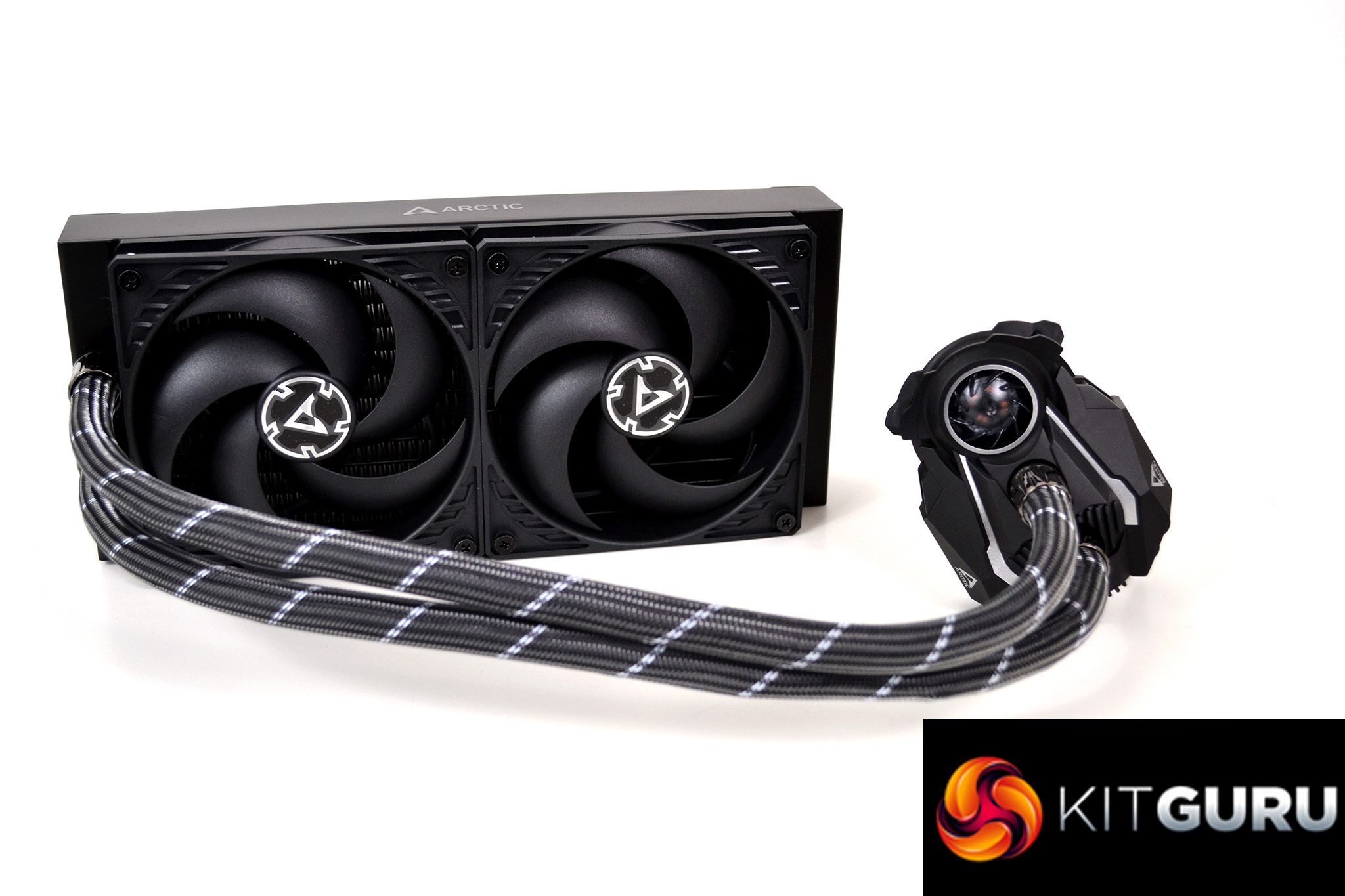
Another very interesting design feature of the Arctic Liquid Freezer II is its extremely neat and tidy appearance. Arctic has integrated cable management into fully sleeved tubes for a clean look in your PC’s case. Both fan cables run inside the tube sleeving and connect to the pump housing. A single cable then comes from the pump and connects to the motherboard, which drives both fans and the pump.
Arctic markets the Liquid Freezer II as an all-in-one liquid cooler that is designed for extreme overclocking and claims it can dissipate heat up to 300 W TDP. The Liquid Freezer II is fitted with two Arctic 120mm pressure optimised fans, which are designed for high static pressure output and best performance when radiator mounted.
Overall, the aesthetics of the Liquid Freezer II are very simple. Most of the cooler is black, there are a few silver highlights here and there and some white detail on the tube sleeving. One glaringly obvious omission from the Liquid Freezer II is LEDs, there's no hint of RGB lighting anywhere, which is a refreshing change. However, some users may not follow our train of thought on this.
Key features
- Motherboard VRM cooling fan
- Efficient pump design
- Integrated cable management
- Designed for extreme overclocking
- Braided sleeved tubing
Specifications
Pump/Cold Plate
- VRM Fan – 40 mm, 1.000 – 3.000 RPM (Controlled by PWM)
- Pump – 800 – 2.000 RPM (Controlled by PWM)
- Power Consumption – 1.0 W – 2.7 W (Pump and VRM Fan)
- Cold Plate – Copper, Micro Skived Fin
- Tube Length – Liquid Freezer II 240: 450 mm
- Tube Diameter – Outer: 12.4 mm Inner: 6.0 mm Dimensions w/o tubes (L x W x H) 98 mm x 78 mm x 53 mm
Fan
- Fan – Liquid Freezer II 240: 2x P12 – 120 mm fan
- Fan Speed – 200 – 1 800 RPM (Controlled via PWM)
- Airflow – 56.3 CFM
- Static Pressure – 2.2 mm H2O
- Current/Voltage – 0.08 A/12 V DC
- Bearing – Fluid Dynamic Bearing
- Noise Level – 0.3 Sone
- Connector – 4-pin-Connector
- Dimensions – 120 x 120 x 25 mm
Radiator
- Material – Aluminium
- Dimensions – (L x W x H) – Liquid Freezer II 240: 277 mm x 120 mm x 38 mm
General
- Socket Compatibility – Intel 115X, 2011-3*, 2066* AMD® AM4
- Thermal Compound – MX-4 (0.8 g)
- Total Weight (Fans, Radiator, Pump, Tubes) – 1191g
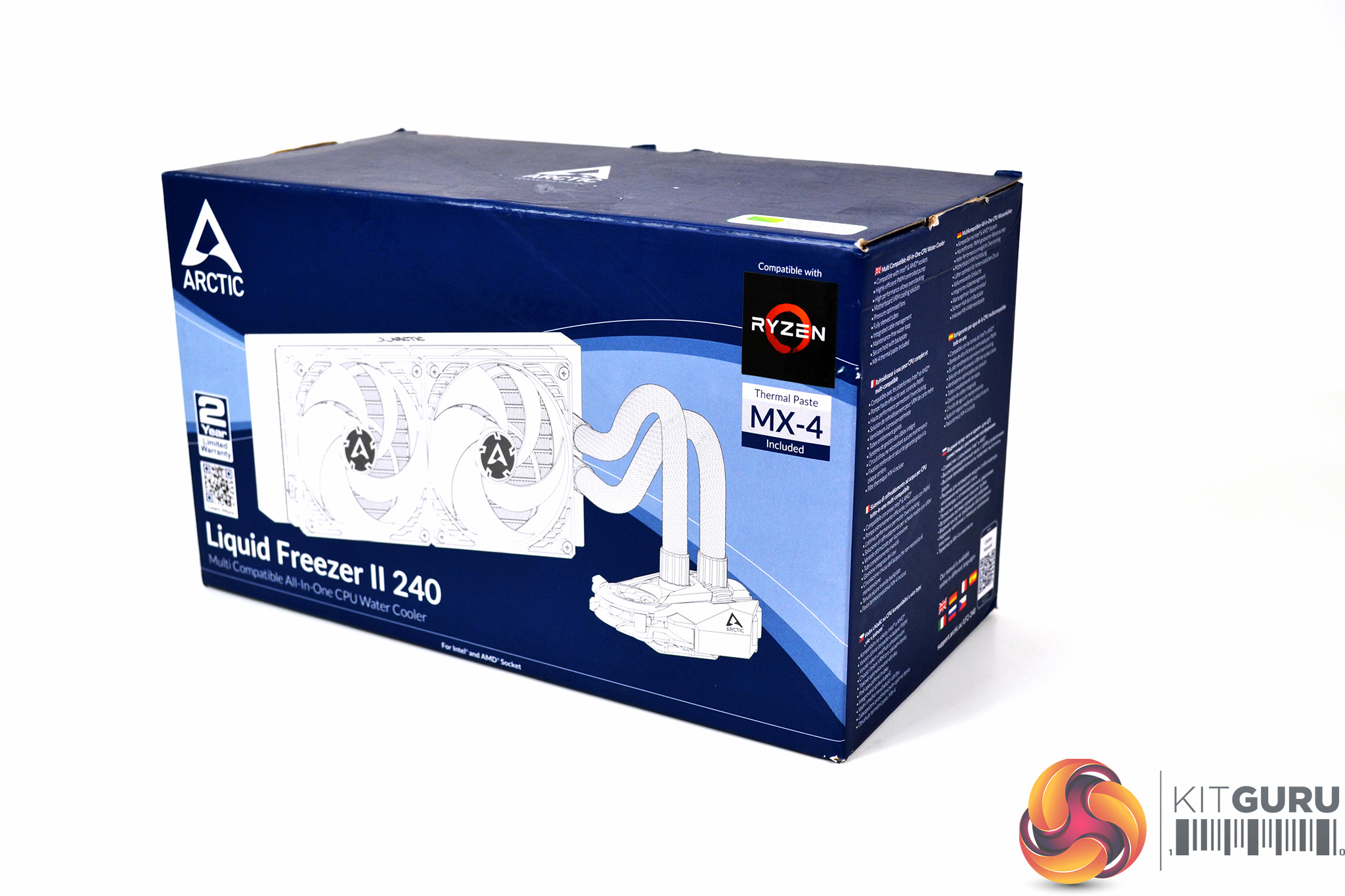
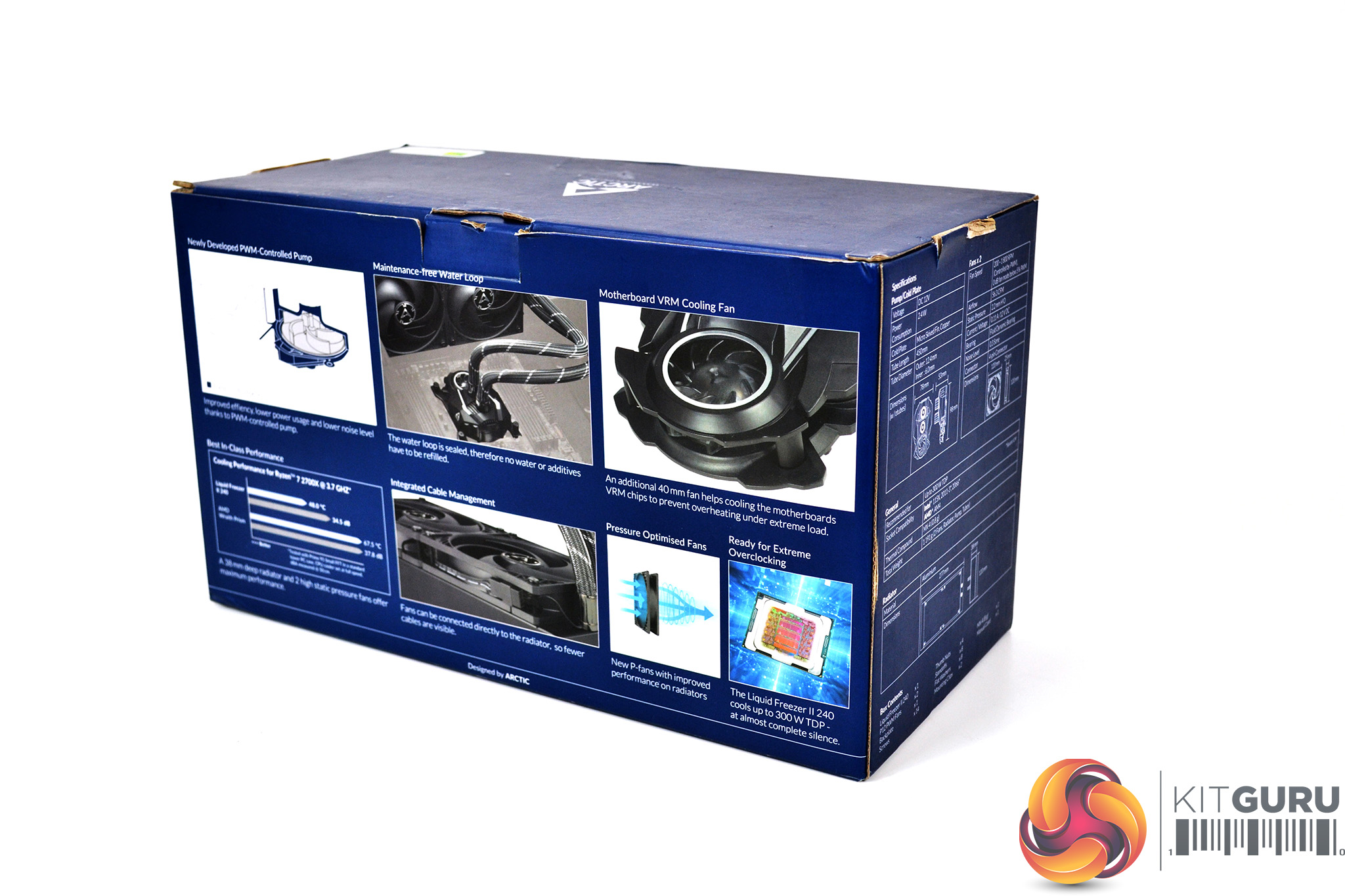
The Arctic Liquid Freezer II is packaged in a rather compact box, meaning nothing has been wasted and the cooler is packed in tightly to prevent it rattling around and getting damaged easily. On the front of the box is a large image of the cooler with logos and branding around it. On the rear are images detailing the key features.
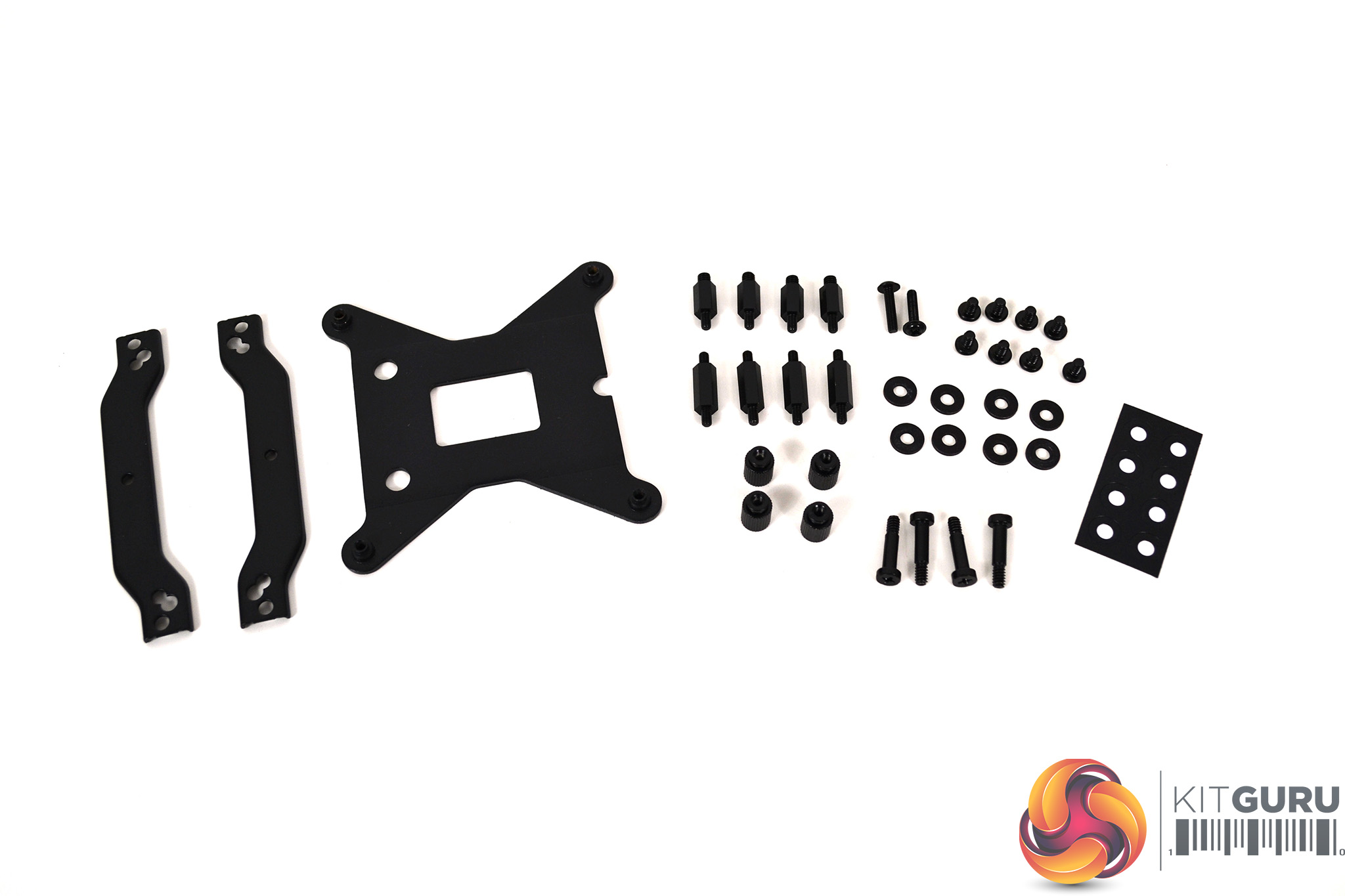
Arctic has included installation hardware for both Intel and AMD socket types. Arctic seems to have simplified the installation procedure as the number of fixings included is relatively minor compared to some other all-in-one designs.
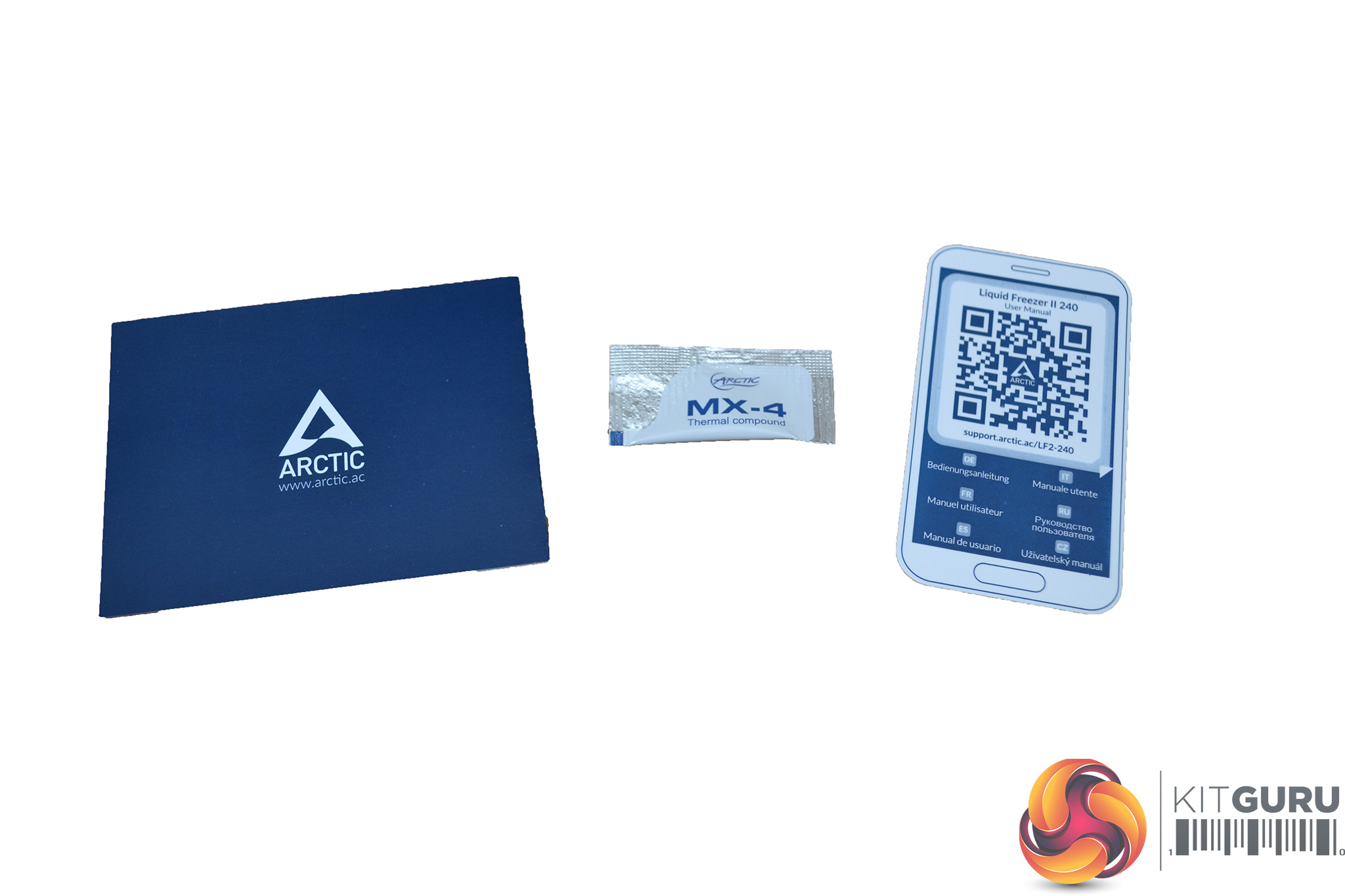
Along with the installation hardware, Arctic has included a compliment card with support information inside, a sachet of Arctic MX-4 thermal compound and a QR code to scan, which takes you to their support site for installation instructions.
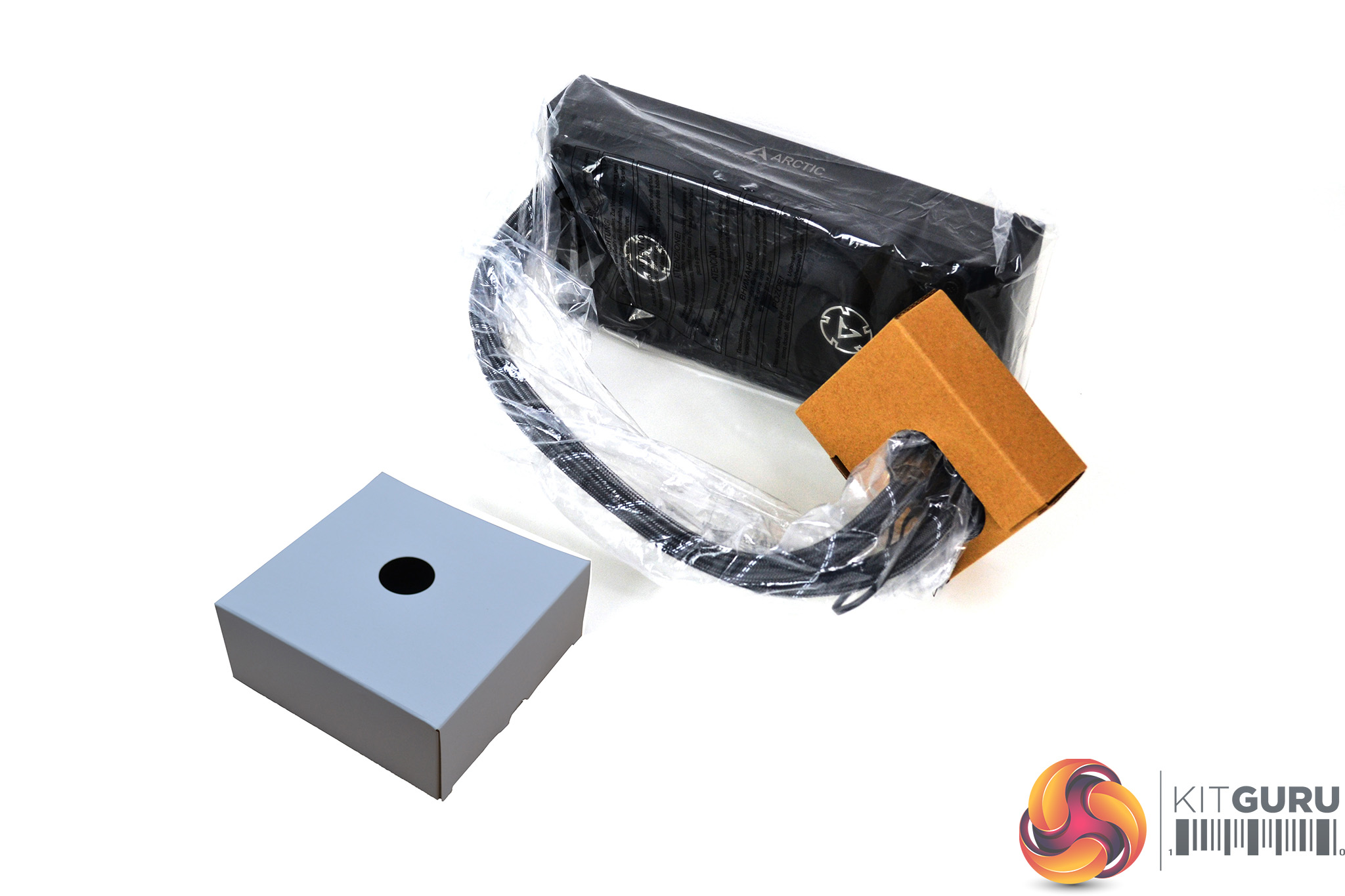
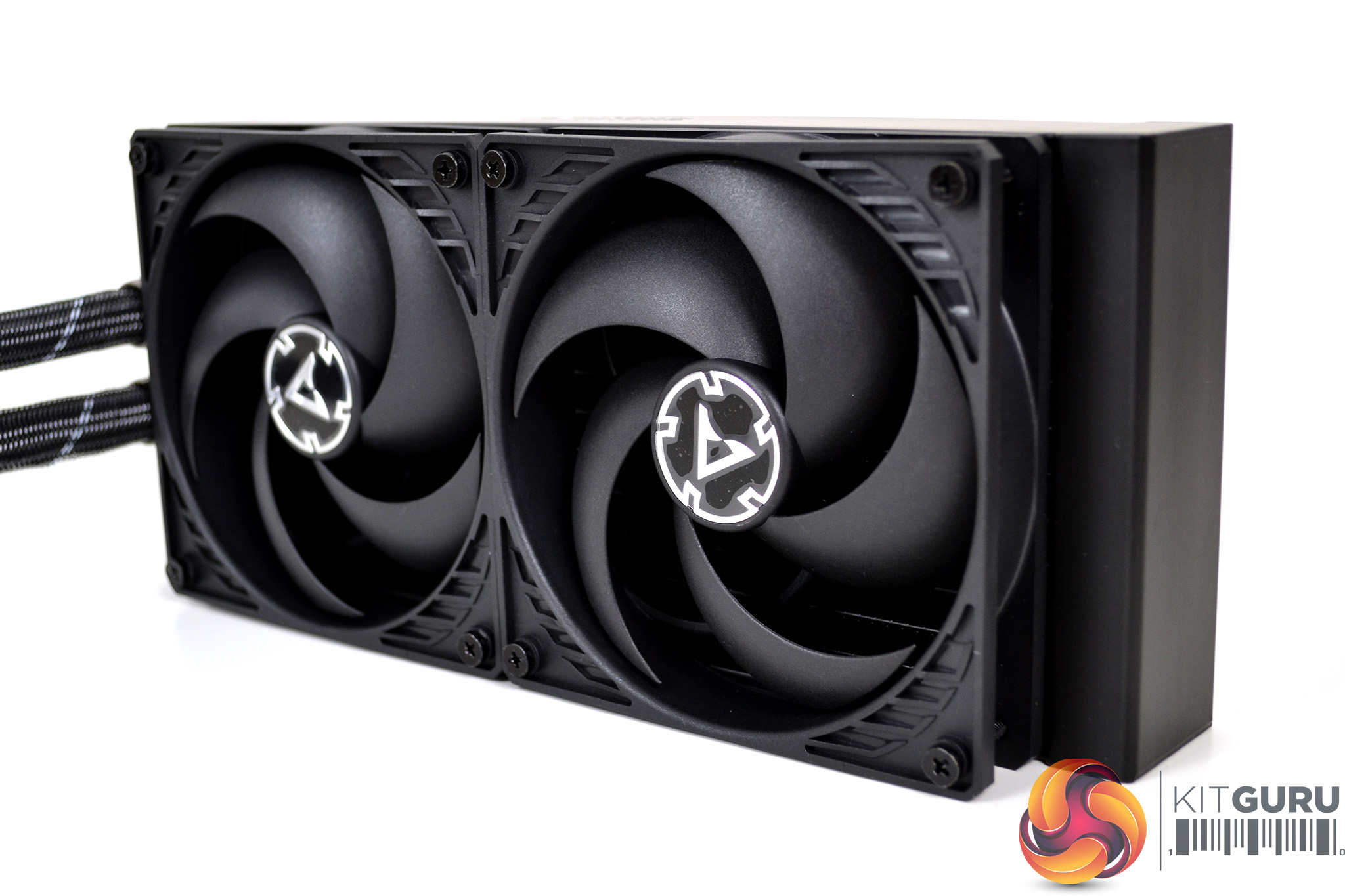
The cooler is designed in a way that creates a compact and neat looking aesthetic. The fans arrive pre-installed to the radiator in a push configuration so will save the end-user time during installation if this is their desired configuration.
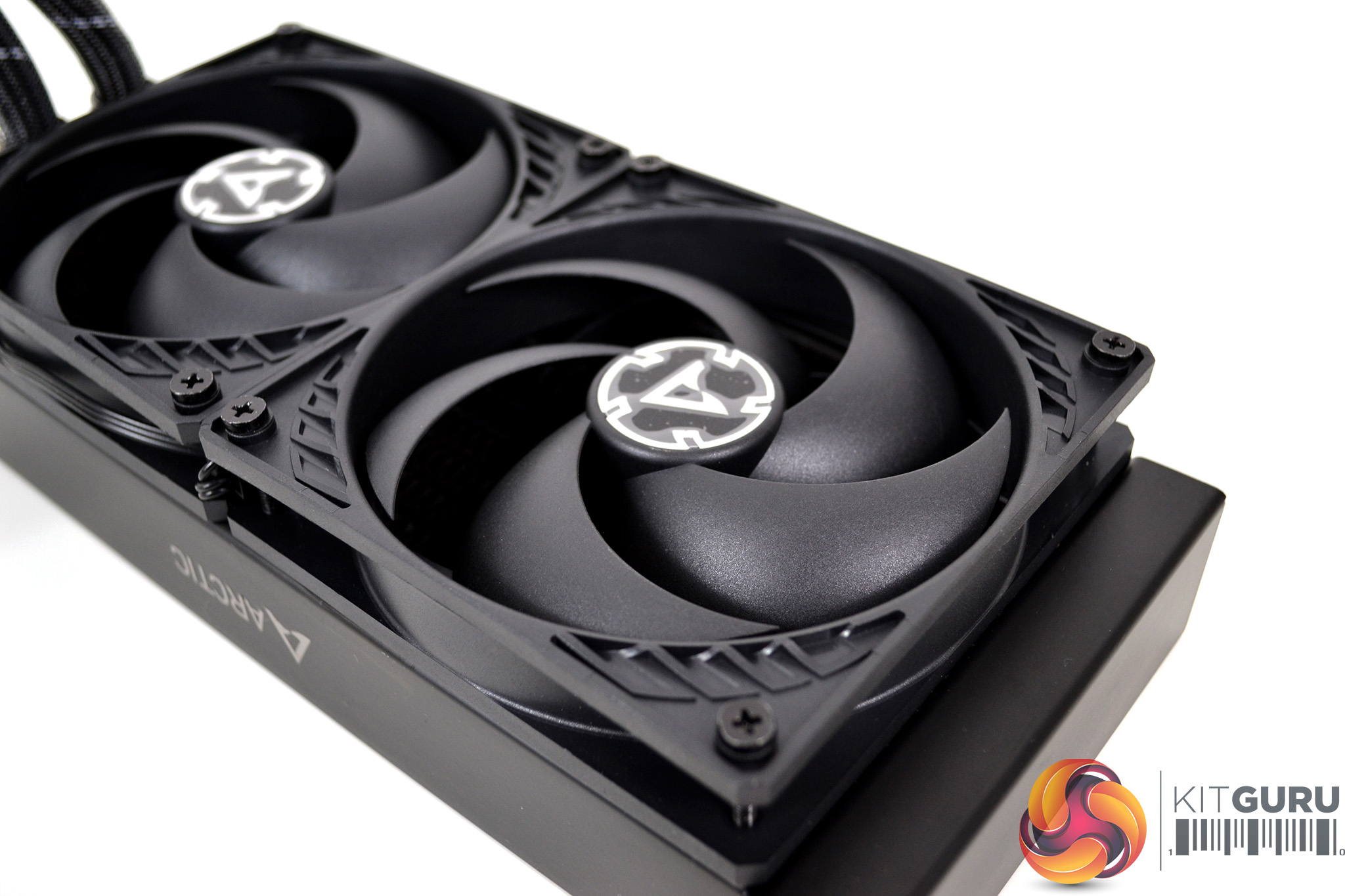
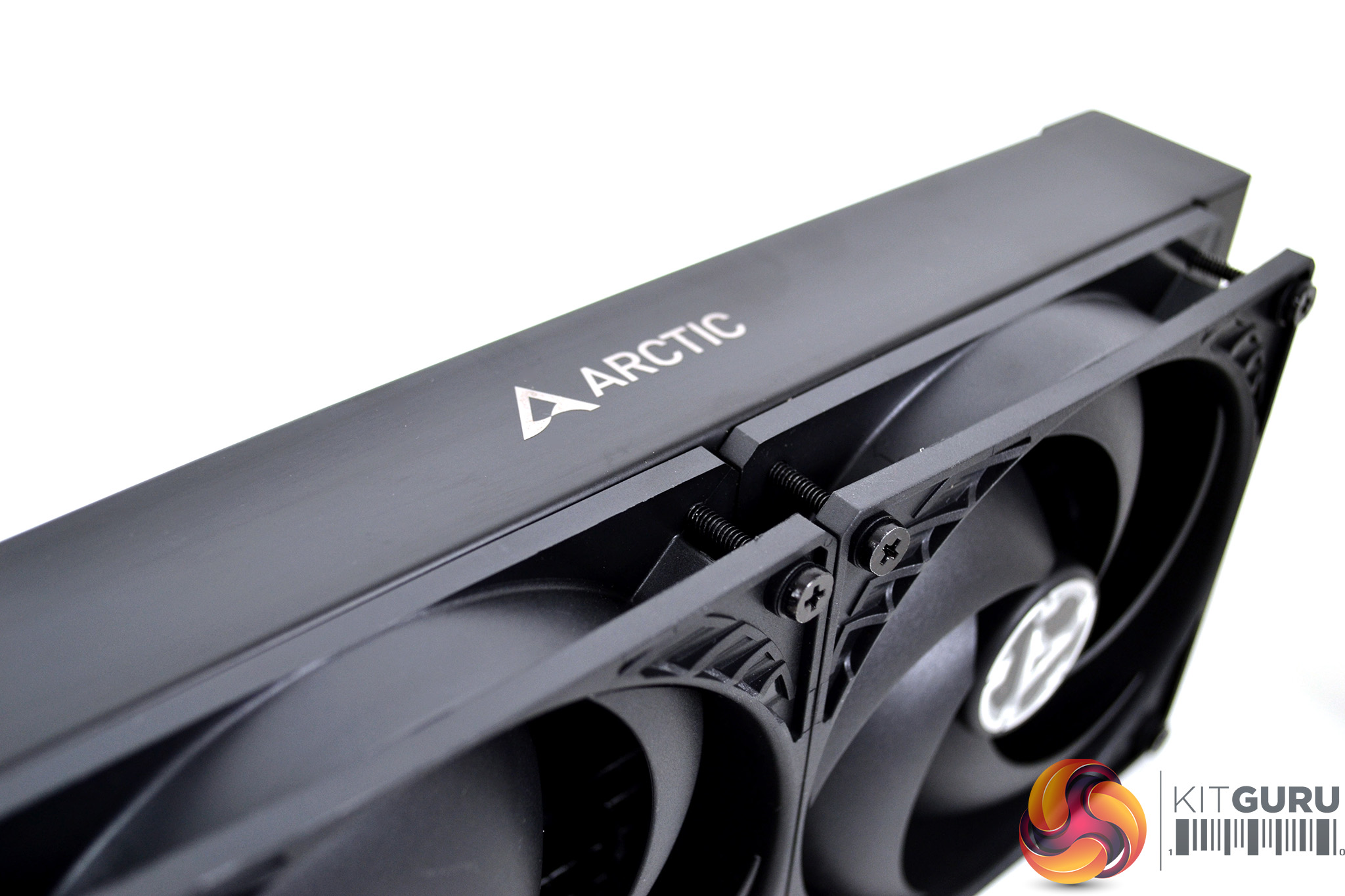
An all-black design has been applied to the radiator and fans with Arctic branding on the top and bottom edges of the radiator. An Arctic A logo is applied to the central hub of the fans with no RGG lighting in sight, which is a refreshing change.
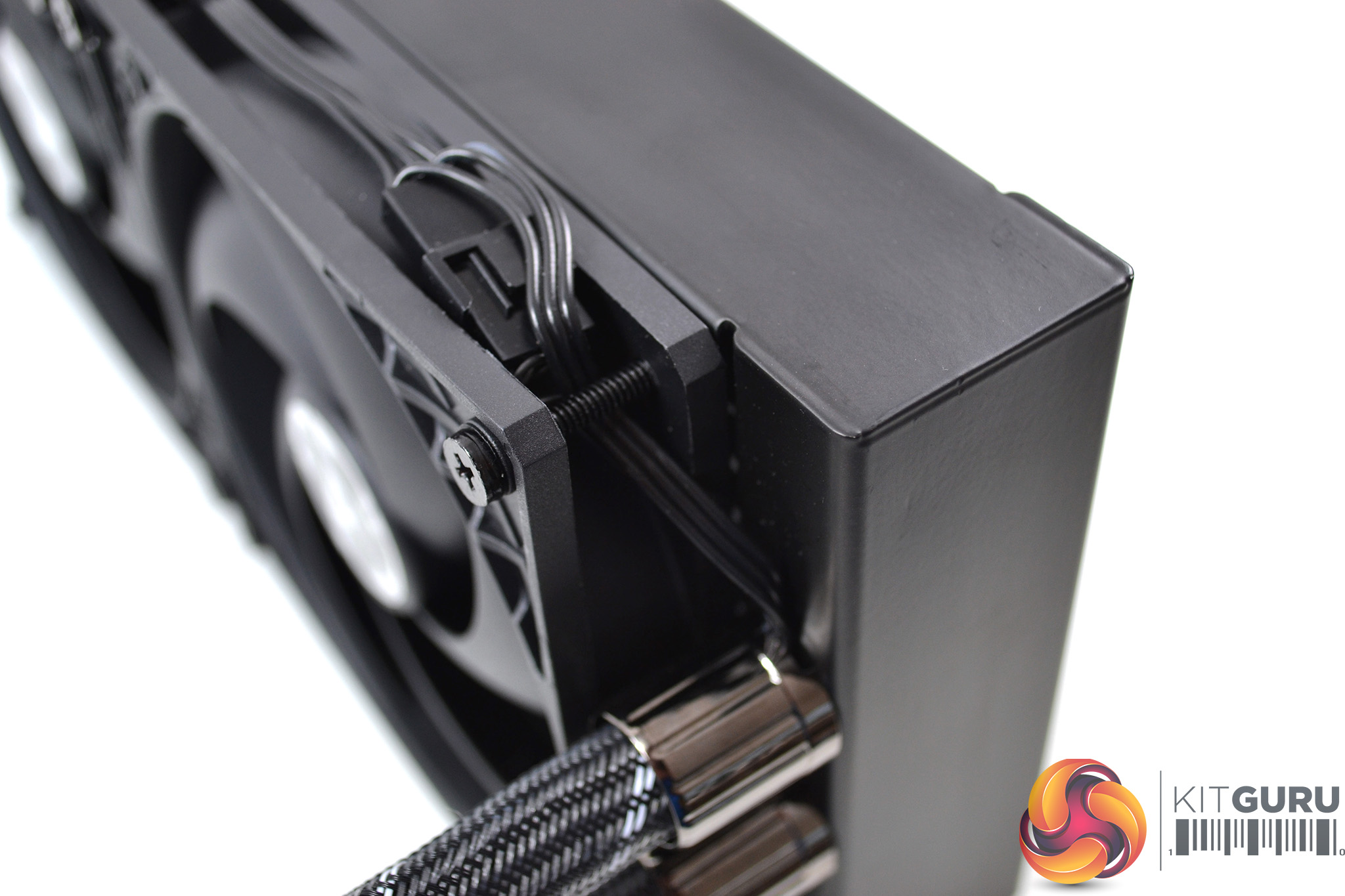
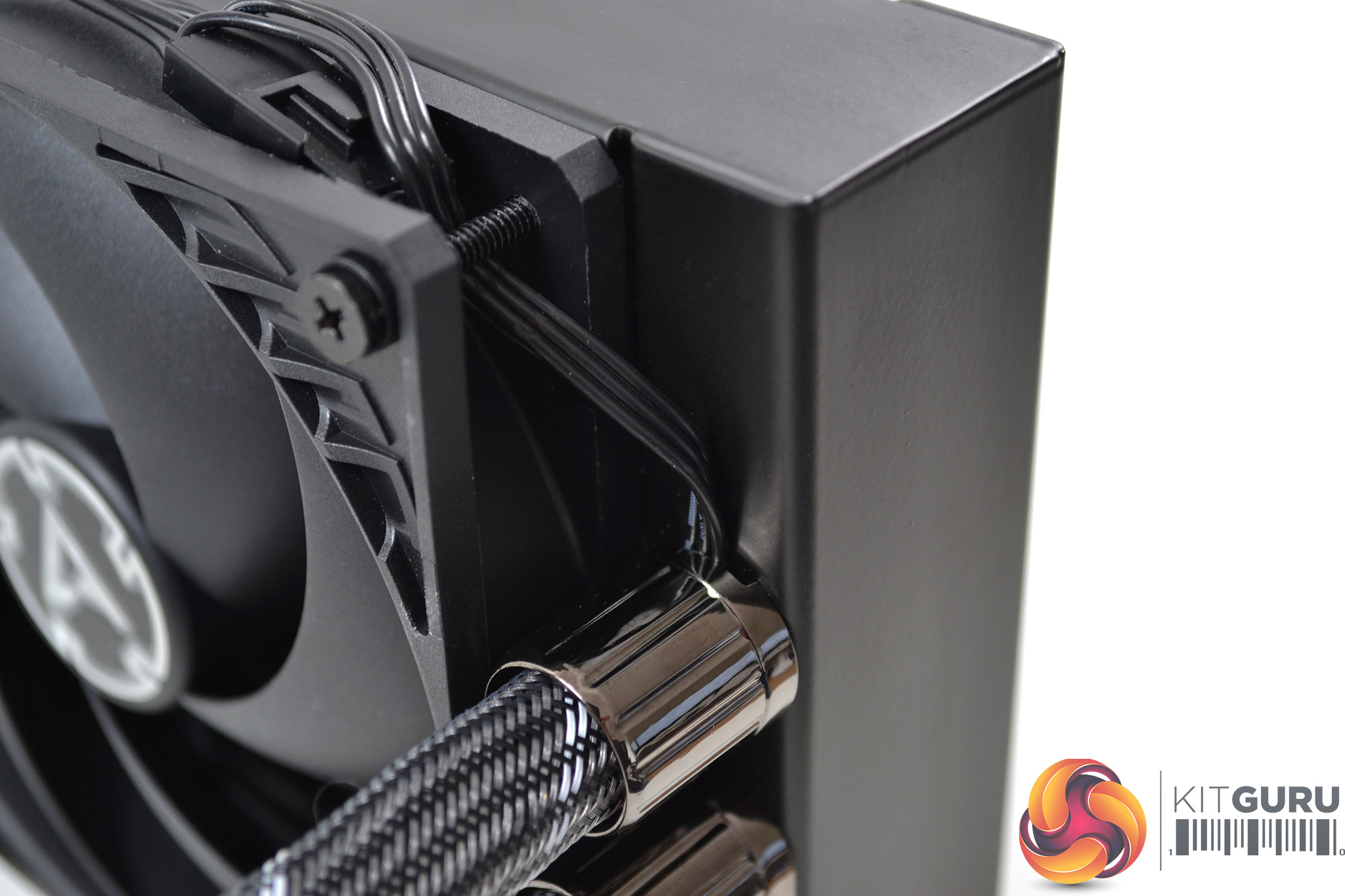
Another great feature of the Arctic Liquid Freezer is the cabling. Arctic have thought about making the design look neat. By doing so, they have routed the fan cables inside the tube sleeving which then connect to the pump.
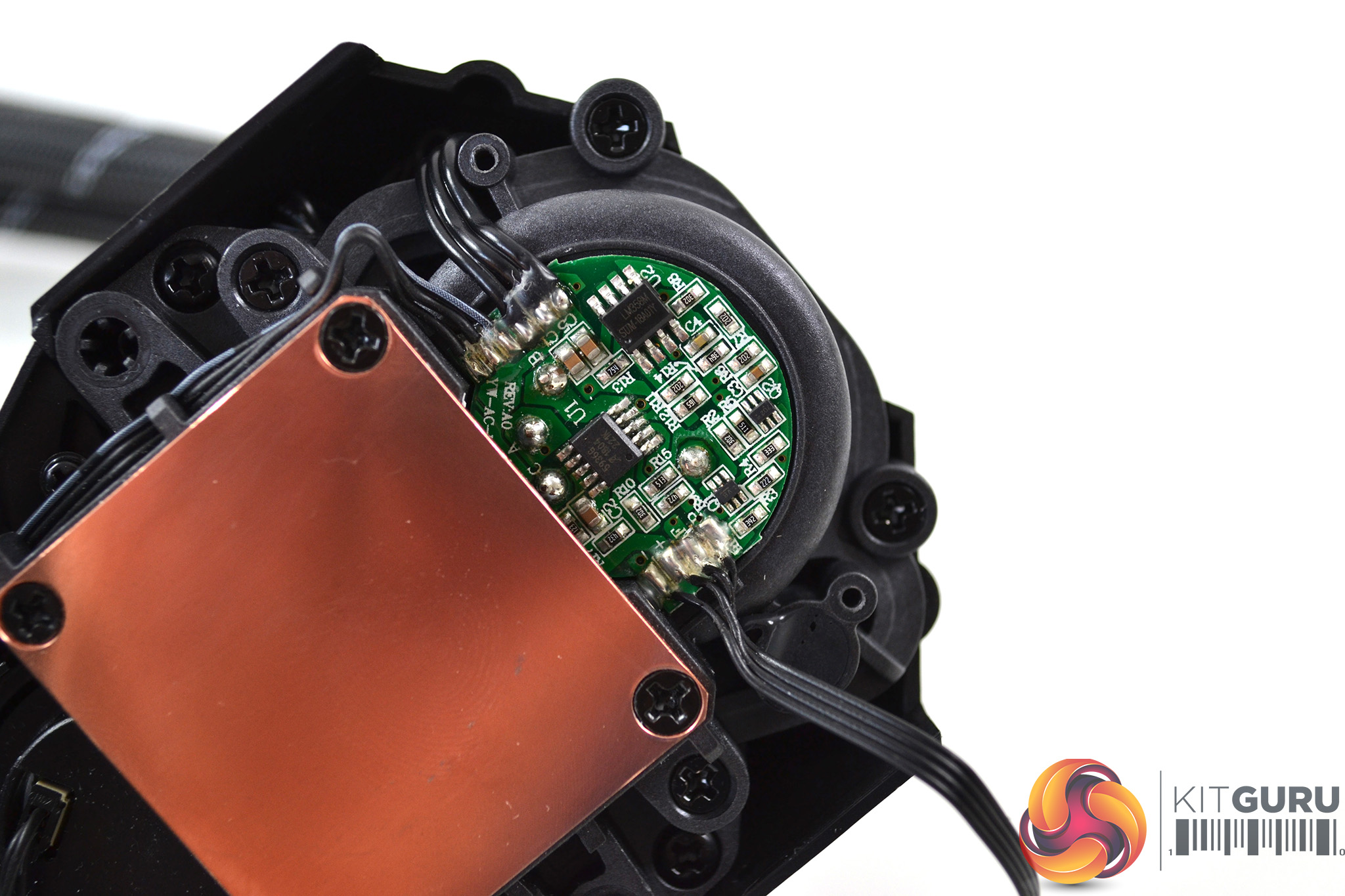
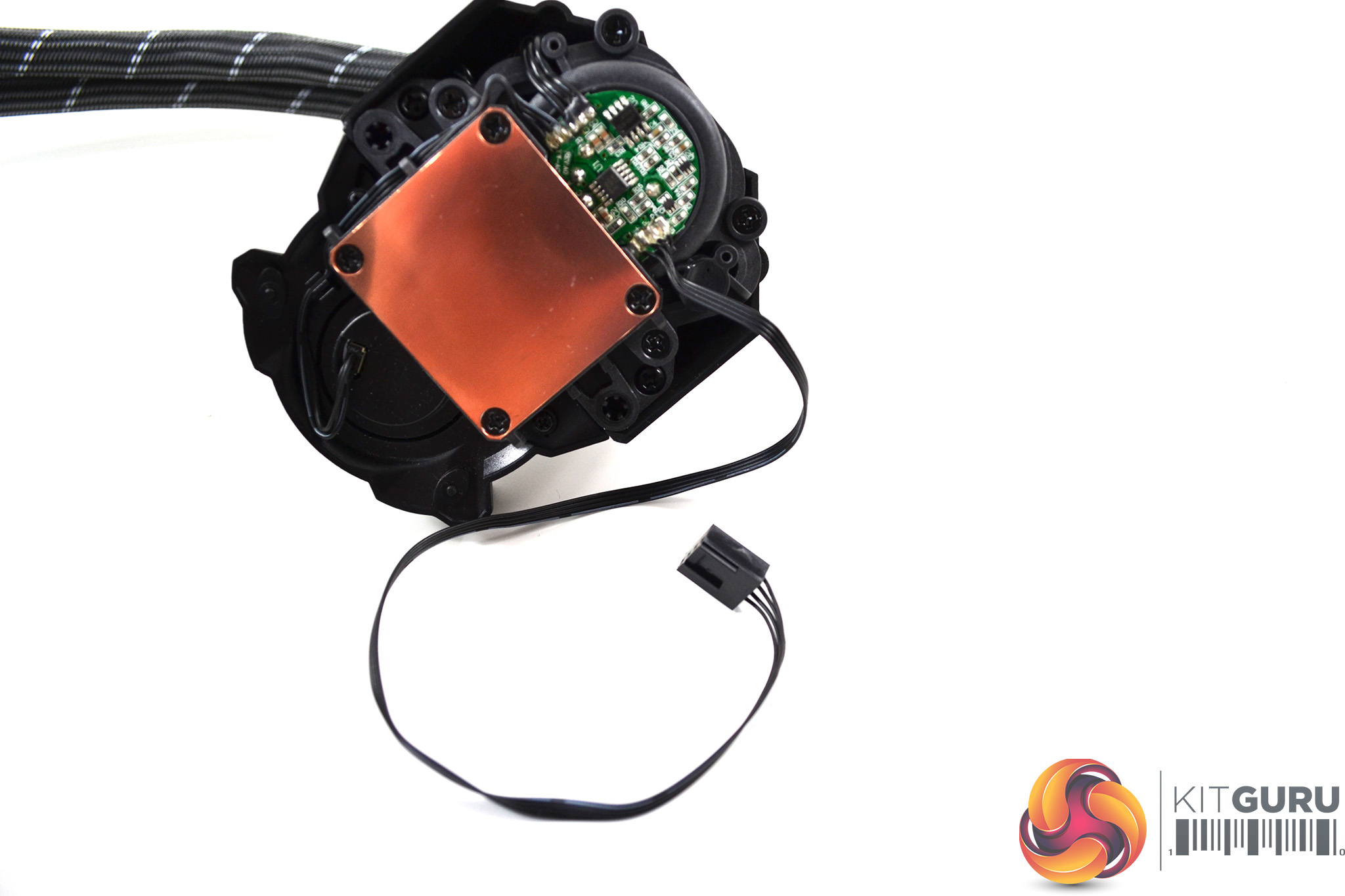
With this cable design, Arctic has created a neat look – the only wiring on show is a single 4-pin cable from the pump and when connected to the motherboard fan header, it will power the pump and fans together.
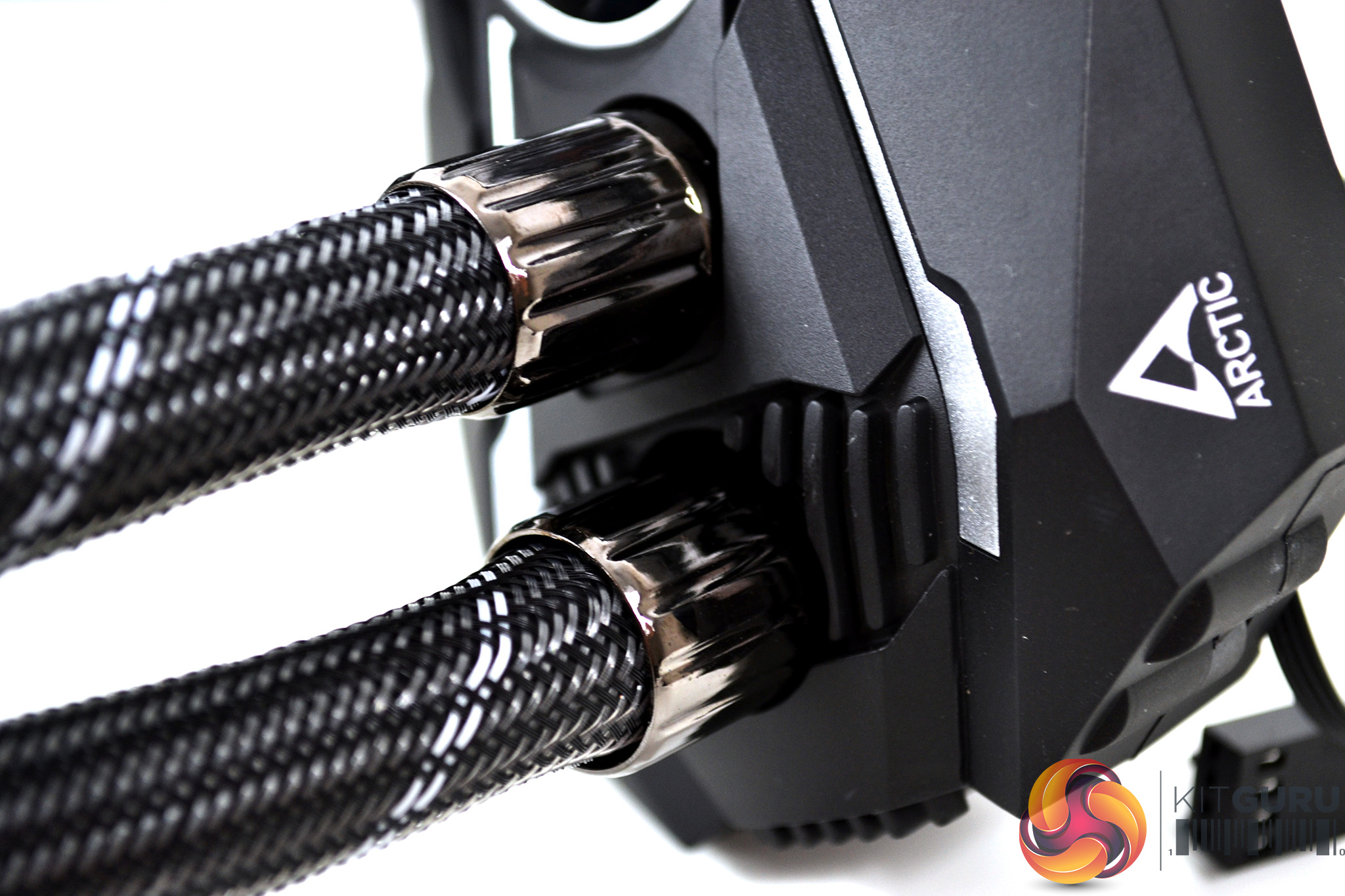
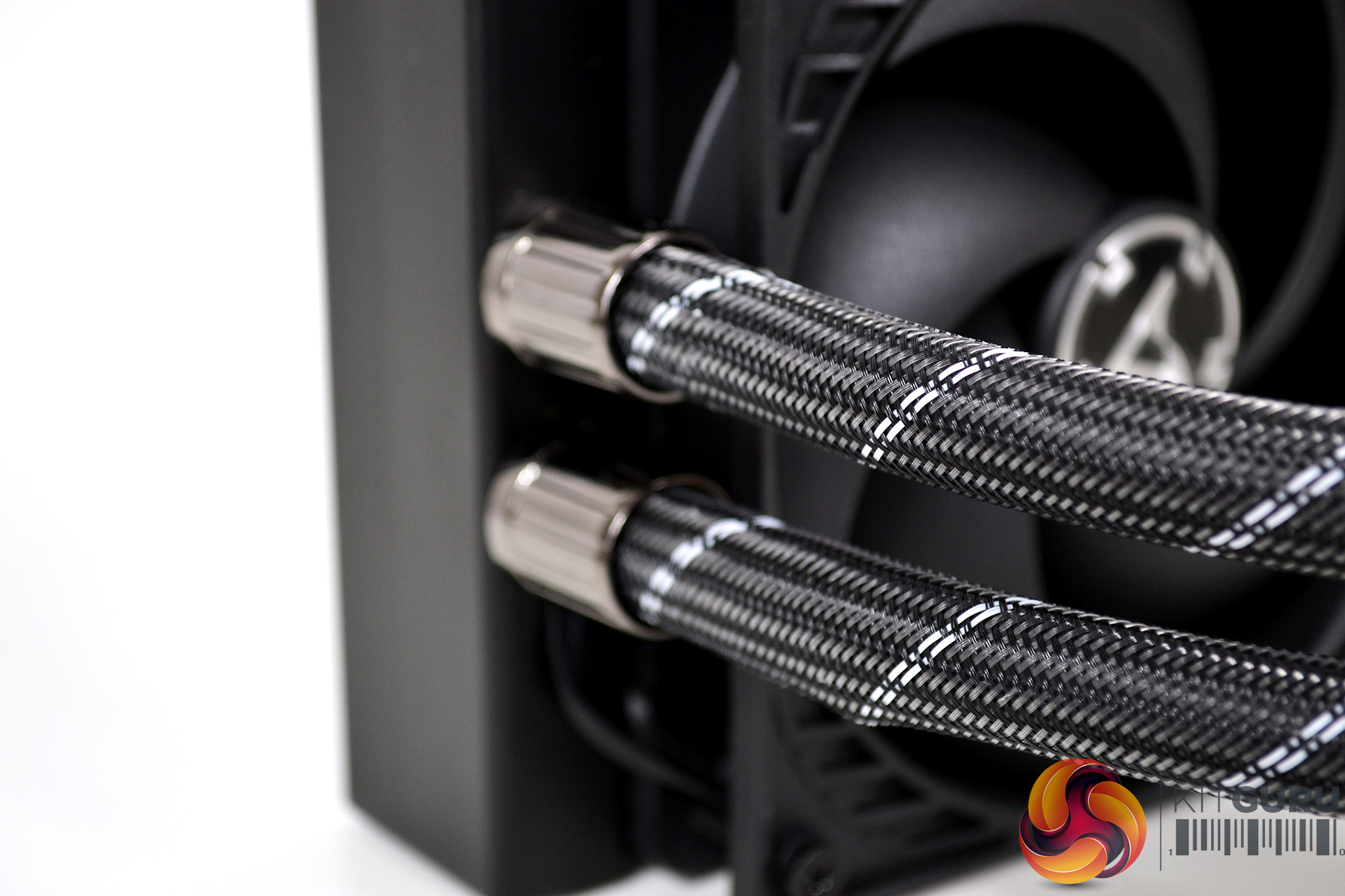
On either ends of the tubing are high-quality metal fittings with a black chrome look. An ample length of tubing has been applied at approximately 460mm and covered with a dark grey sleeving with white stripes.
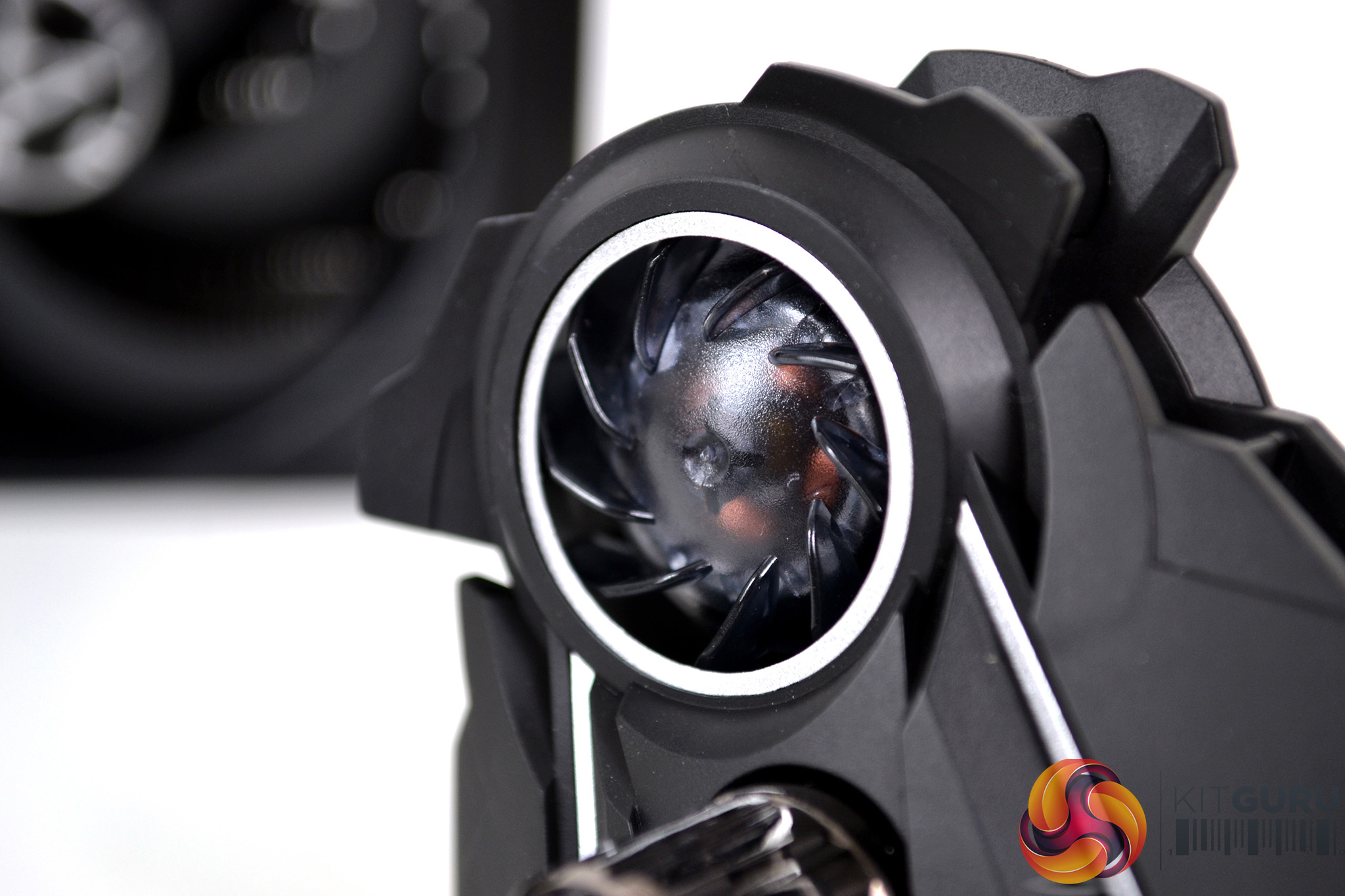
The pump/block combination looks very interesting with an integrated blower type fan, which I can only think has been applied to cool the motherboards power delivery system, surrounding the CPU socket.
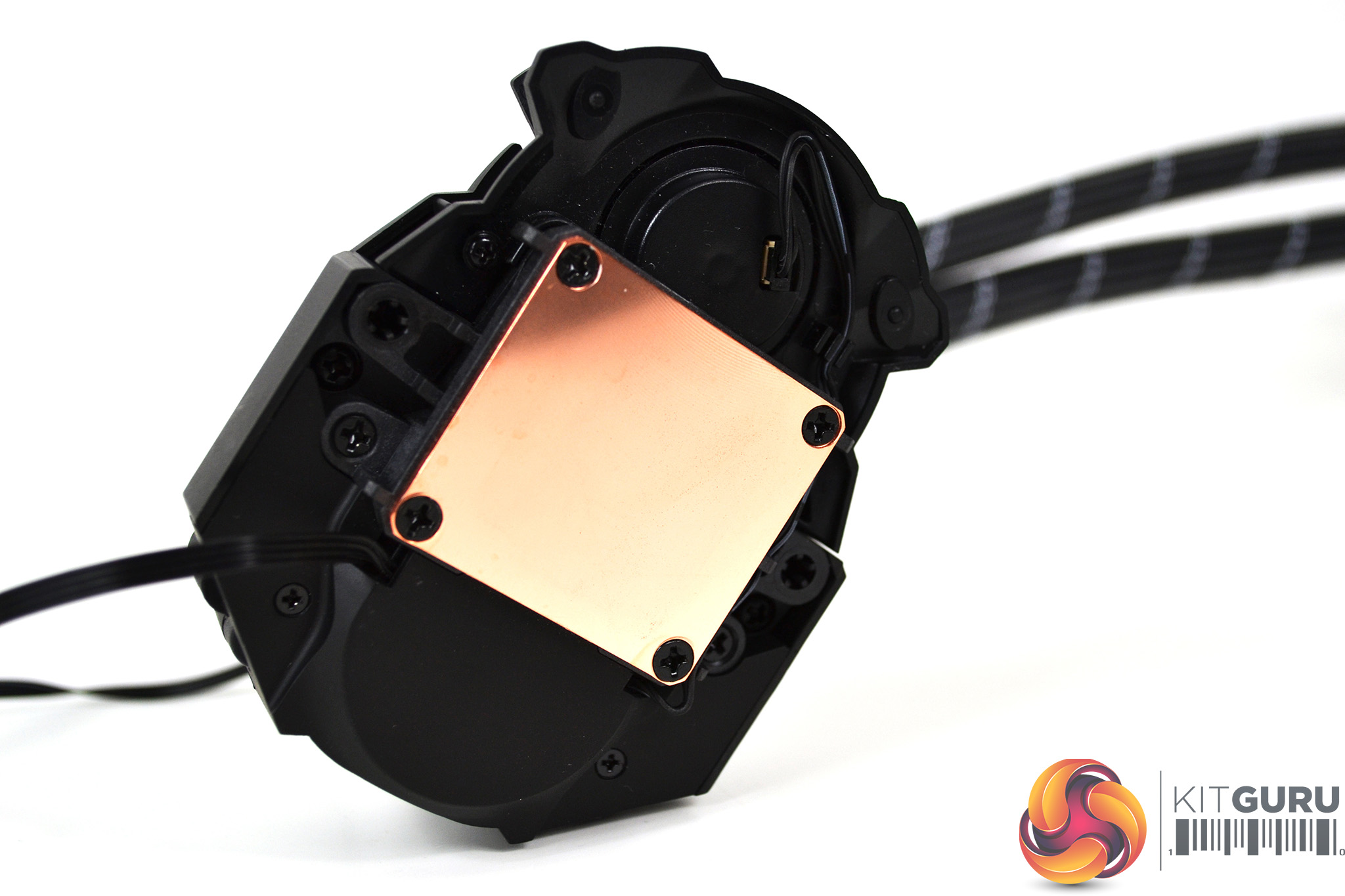
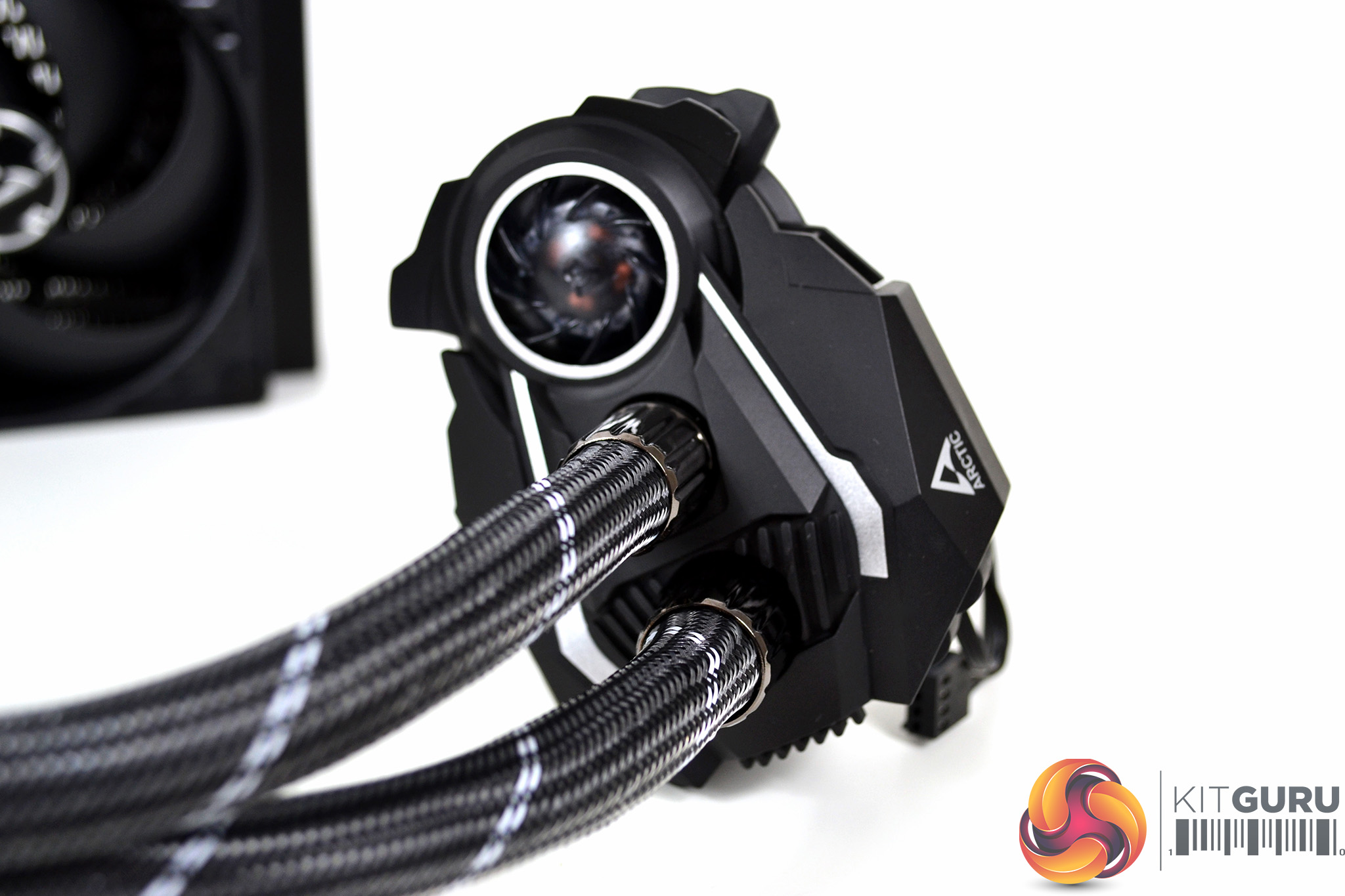
A copper thermal transfer plate is situated on the underside of the pump and fastened to the body with four black Philips head screws. The outer pumps outer casing is constructed from black plastic, with some silver accents and Arctic logos on either side.
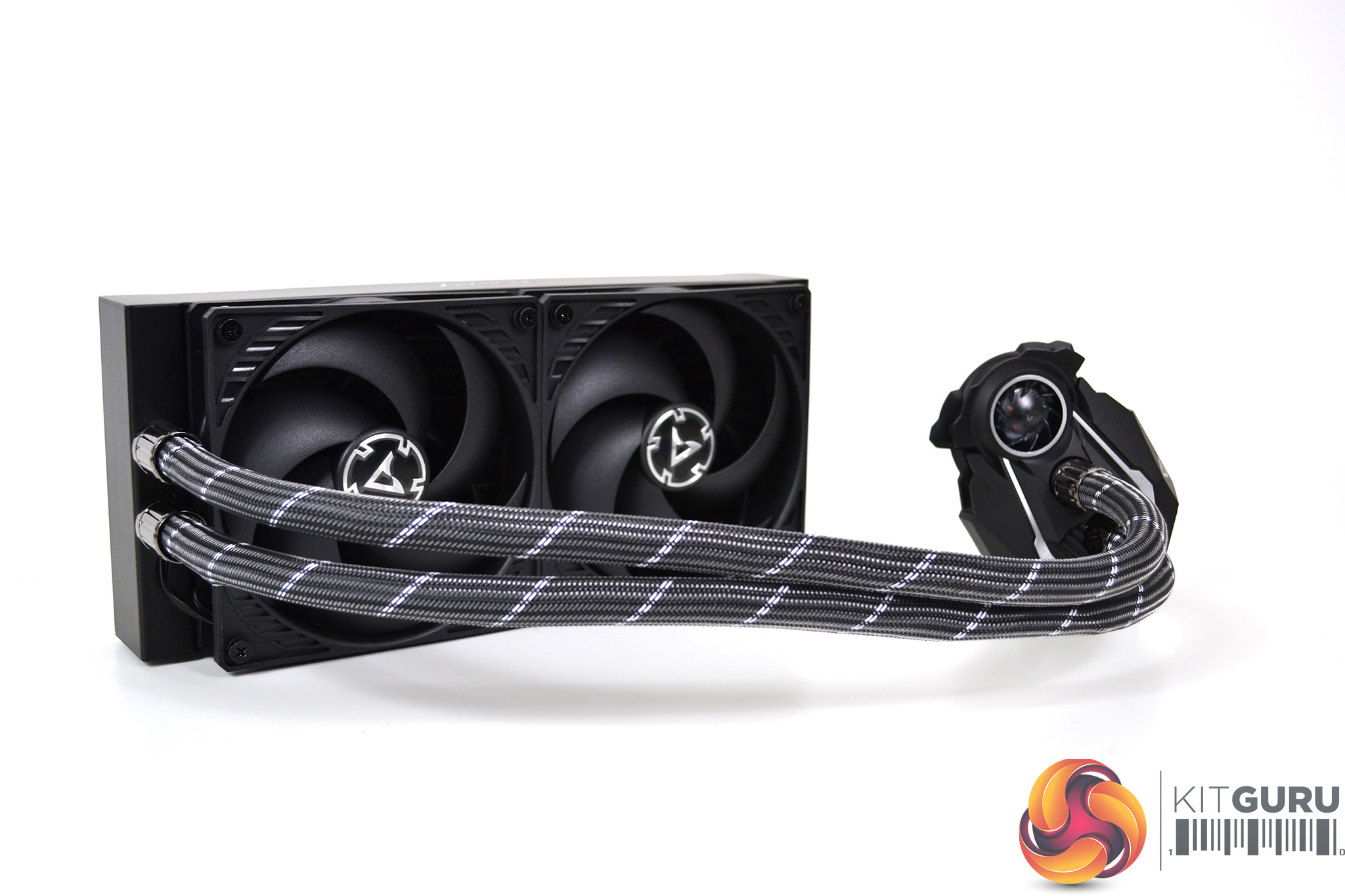
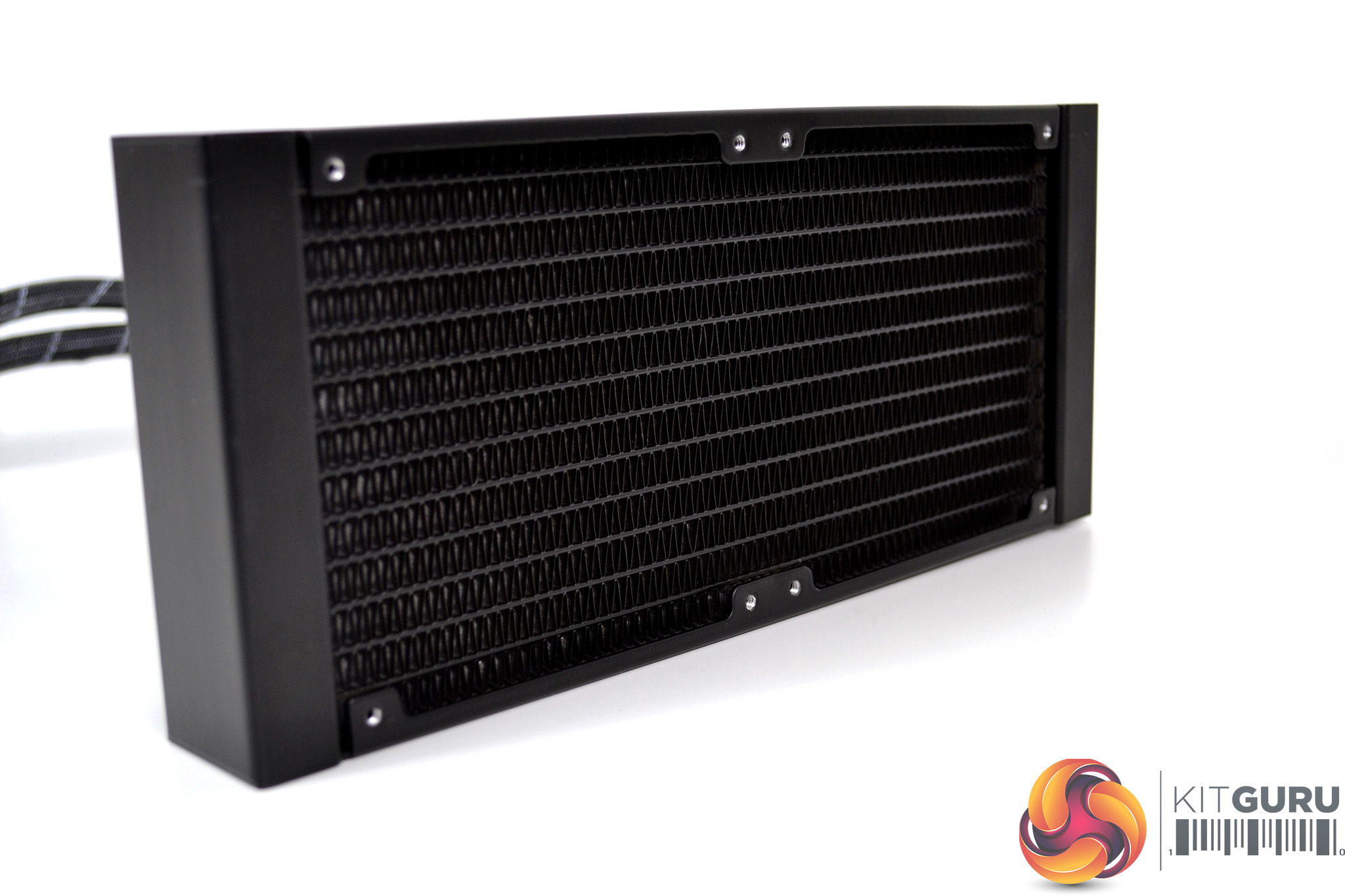
Overall, the cooler has a very pleasing aesthetic design. The hidden cabling and pre-installed fans are a great feature which makes it look a very tidy and compact unit. It will be interesting to see if the integrated VRM cooling fan has any effect on temperatures of motherboard components surrounding the CPU socket.
Our test system is Intel Z390 based, therefore, we will be following the relevant 115X socket installation procedure. With the fans already pre-installed and fewer cables to manage, installation time should be considerably reduced.
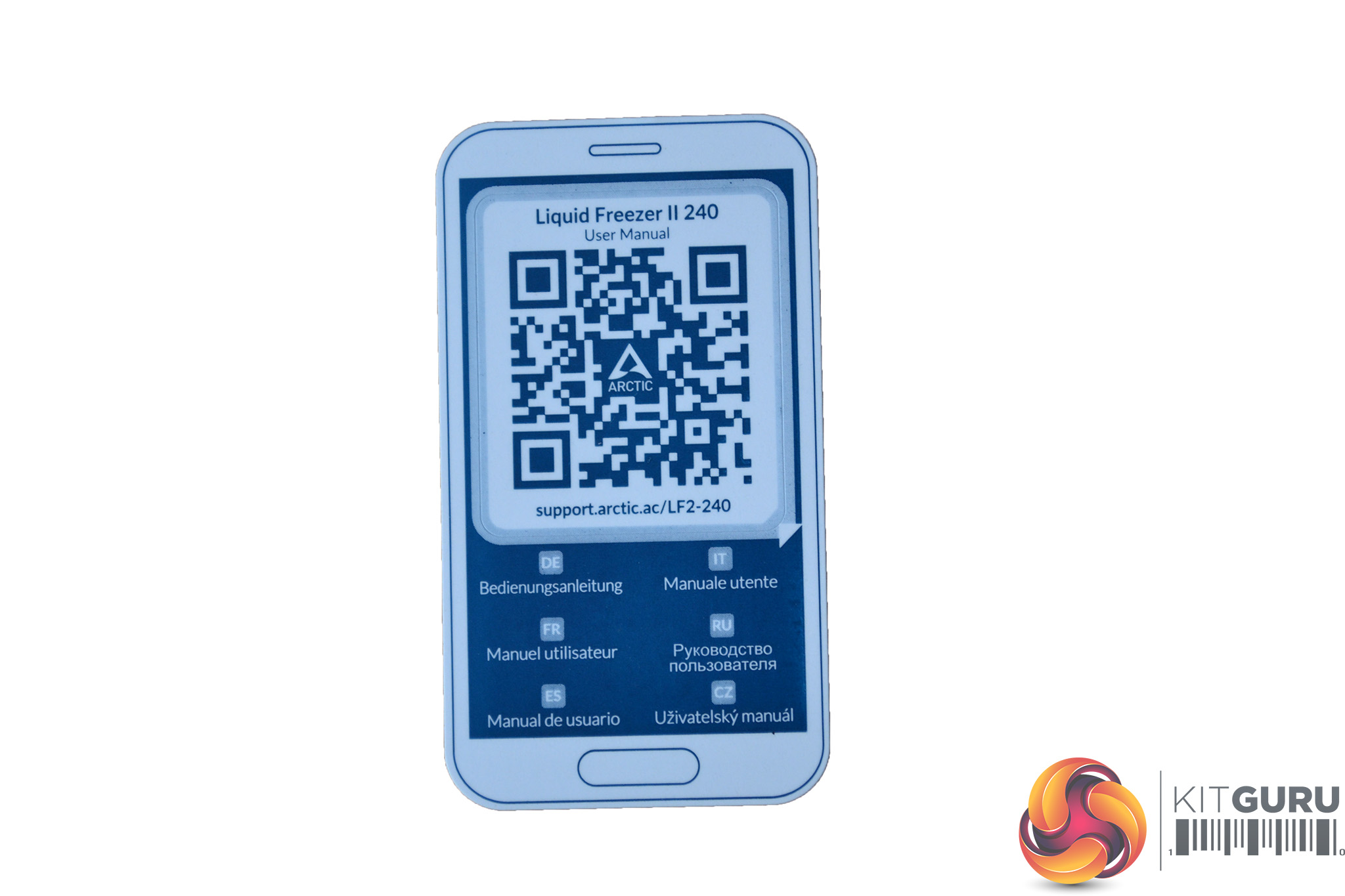
The first stage of installation is to locate the QR code card and scan it to see the installation manual on the Arctic site. If you don’t have a QR code scanner a web address is included. In case you misplace the QR card the installation manual can be found here.
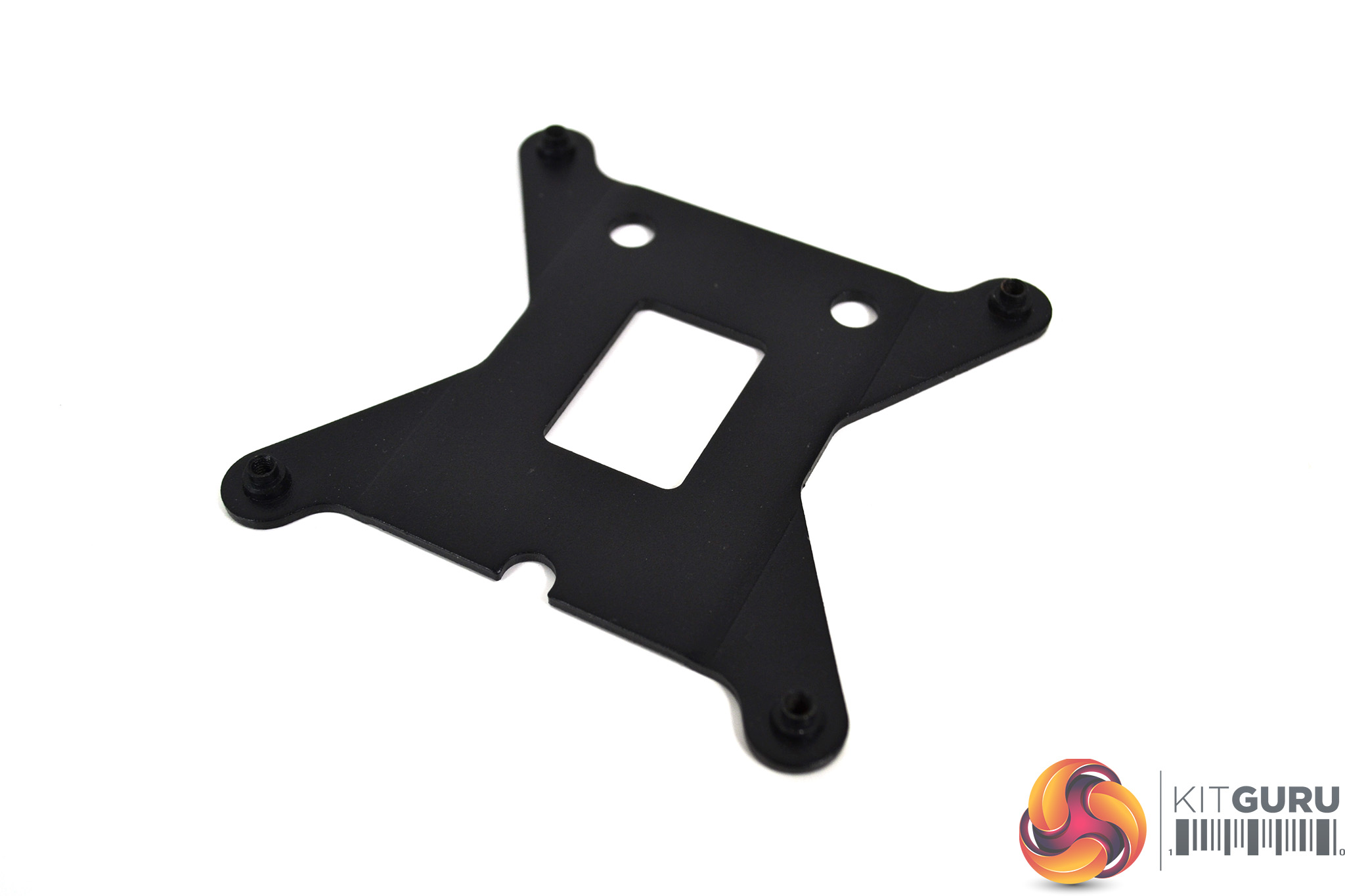
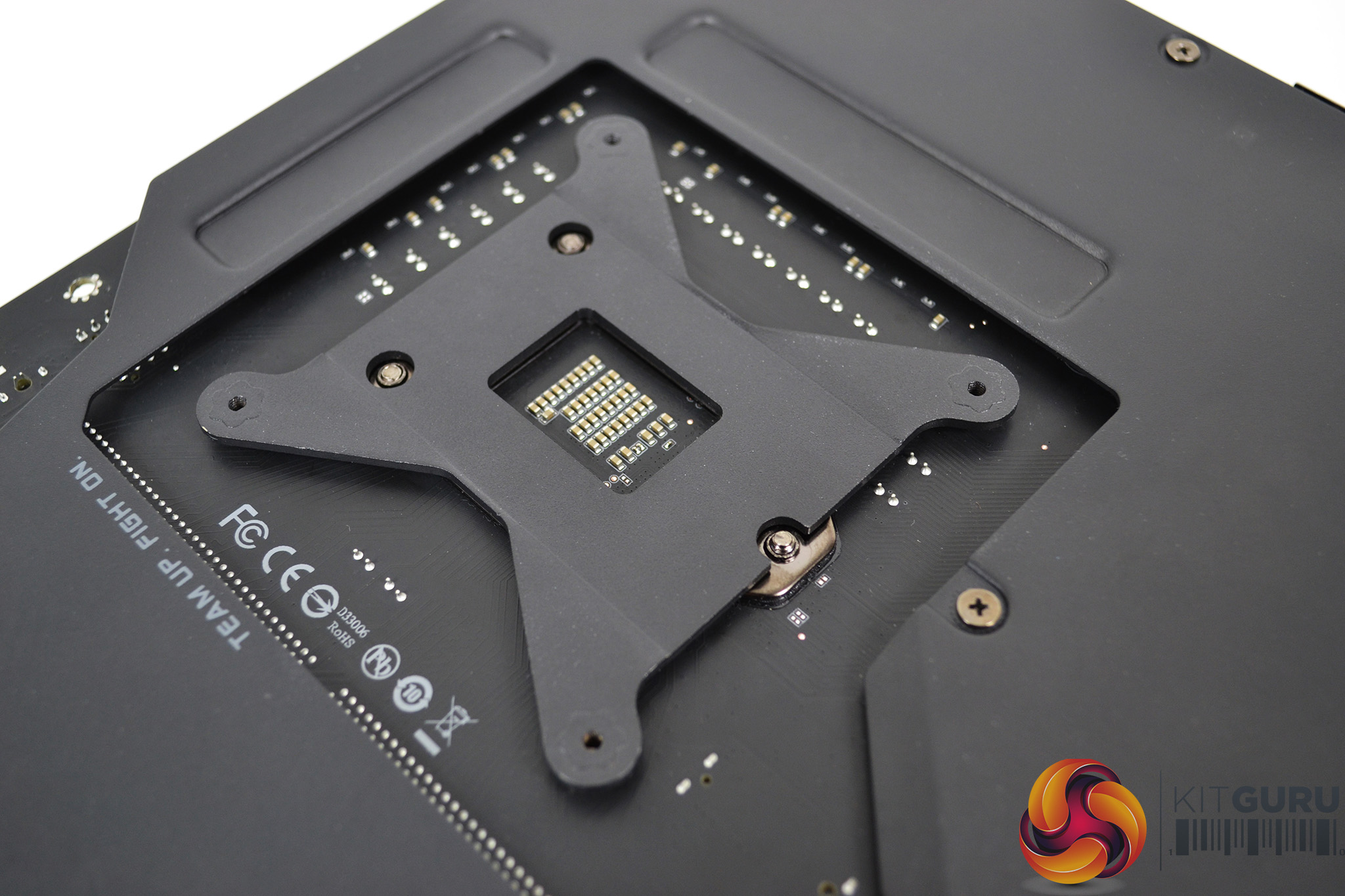
With no pre-installation preparation requirements for the radiator or fans, we will swiftly move on to installation on the motherboard. First, take the rear retention bracket and locate it on the back of the motherboard over the CPU socket retention plate. Note how the cutouts line up over the screws.
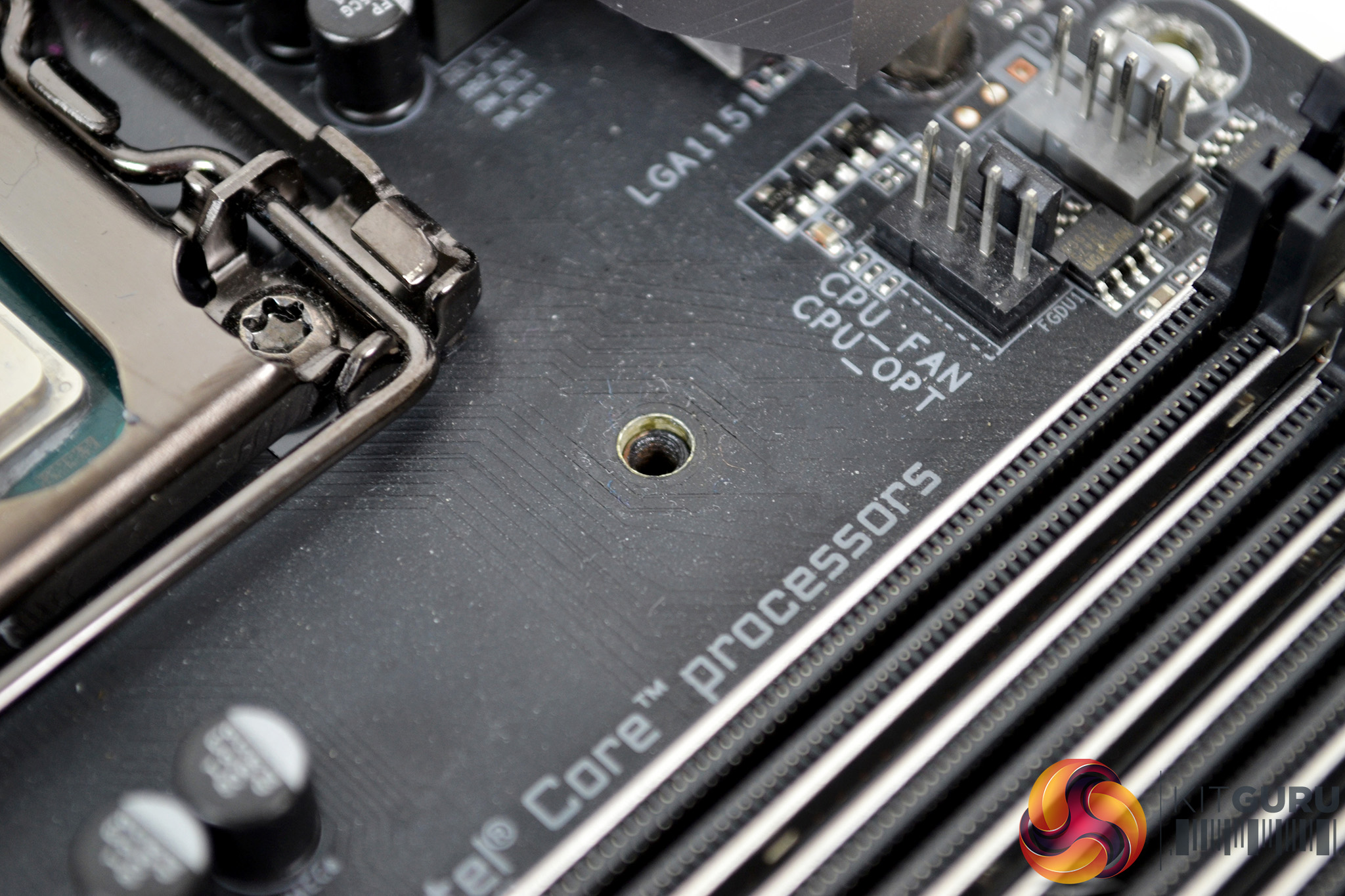
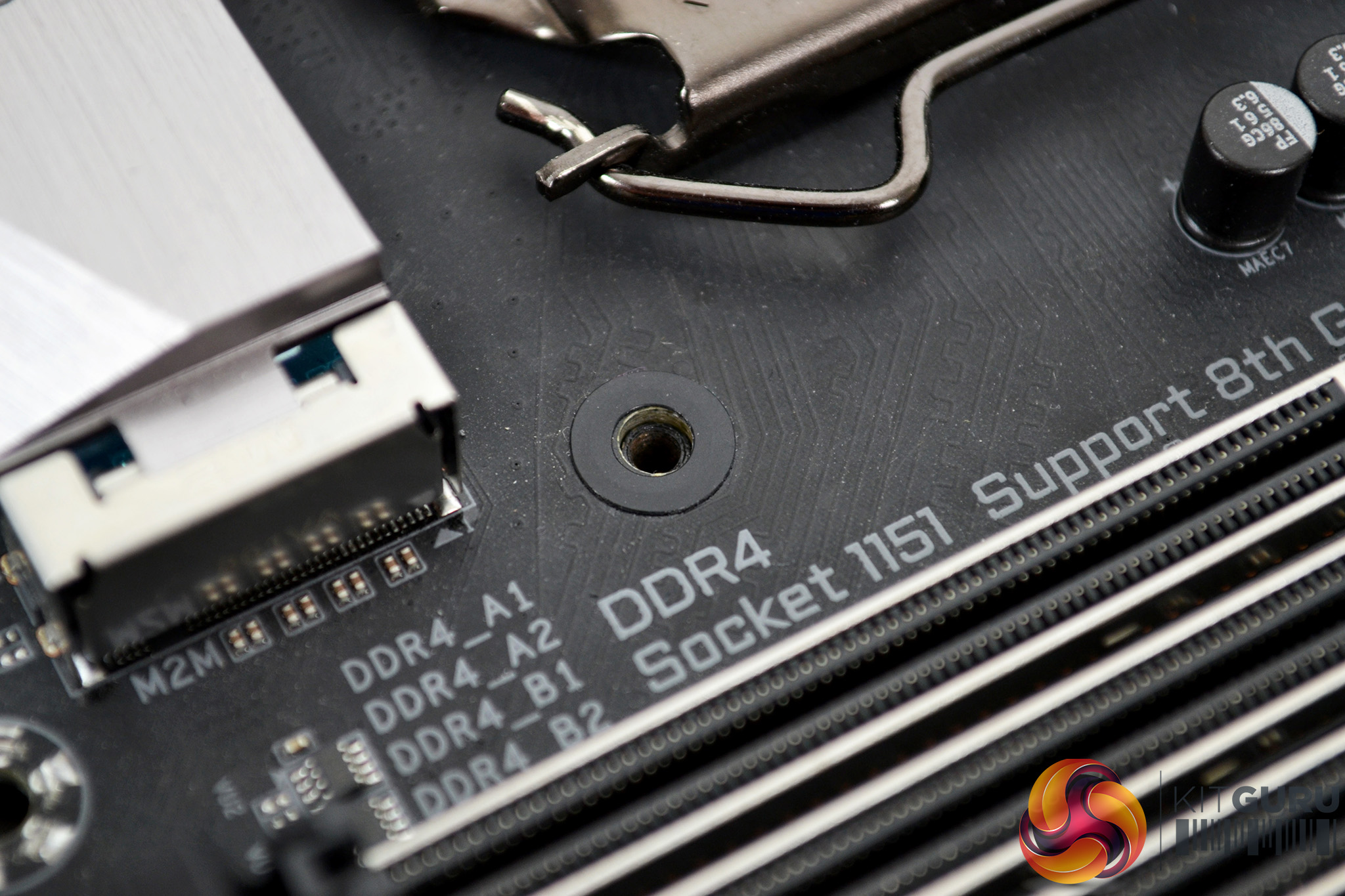
Next, flip the motherboard back over while holding the cooler’s bracket in place. Notice the bracket threads are below the motherboard surface and still lined up with the holes. To protect the motherboard, attach the self-adhesive washers over the fixing holes.
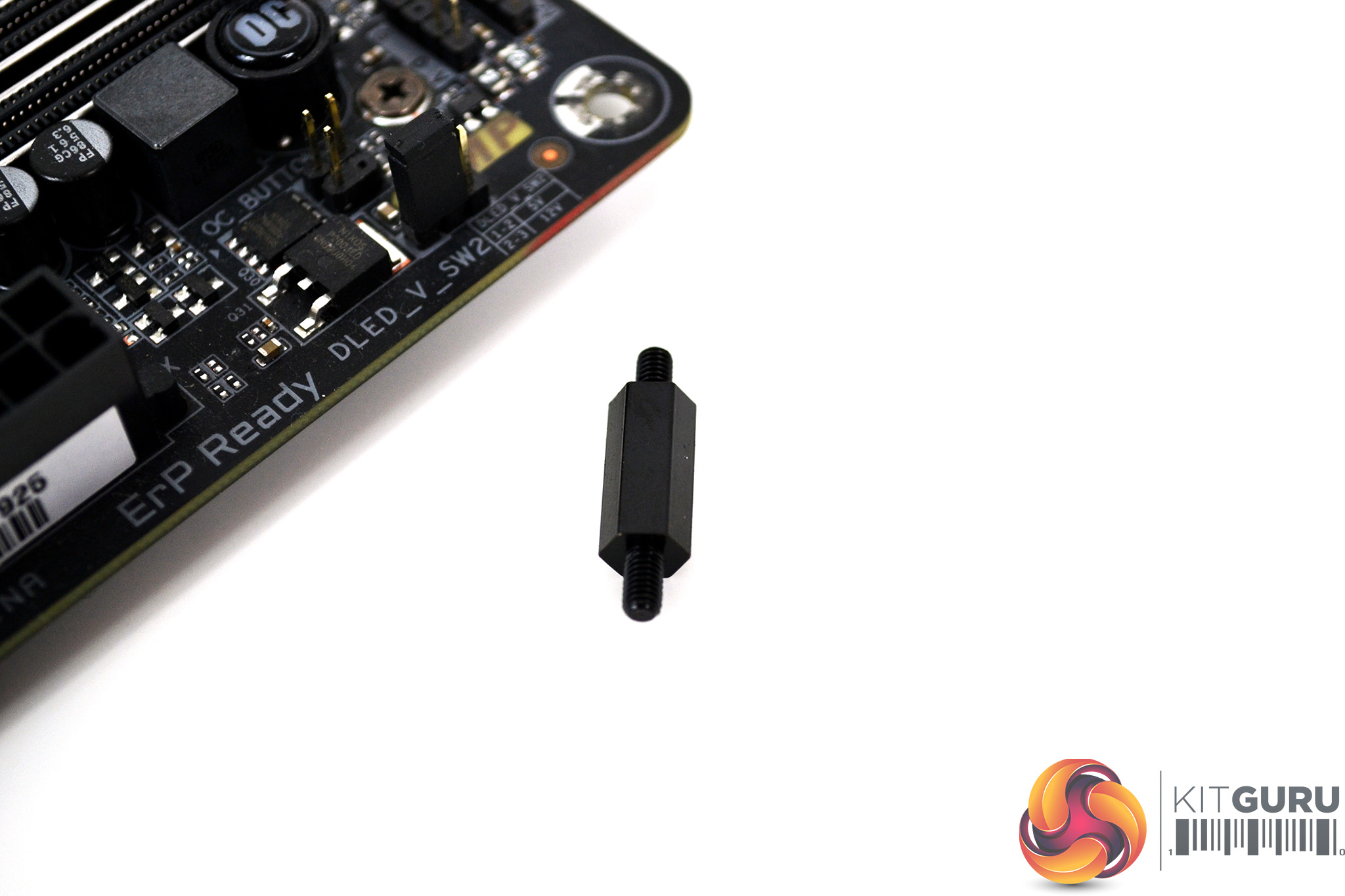
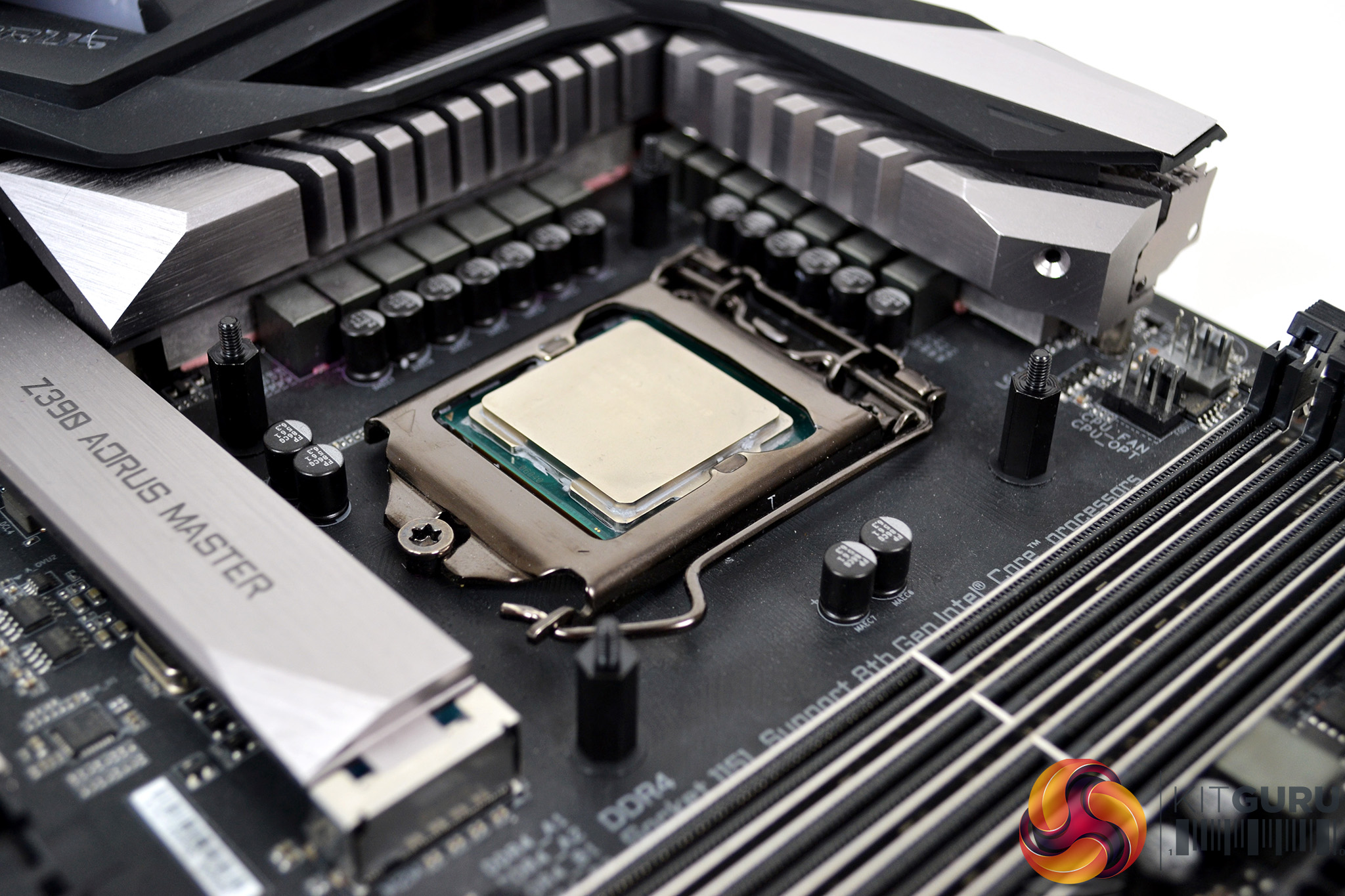
Now, take the four Intel 115X mounting posts and tighten them in place to the rear retention bracket through the holes in the motherboard. Tightening down by hand should be enough to nip them up. Make sure they are all evenly tight before moving onto the next stage.
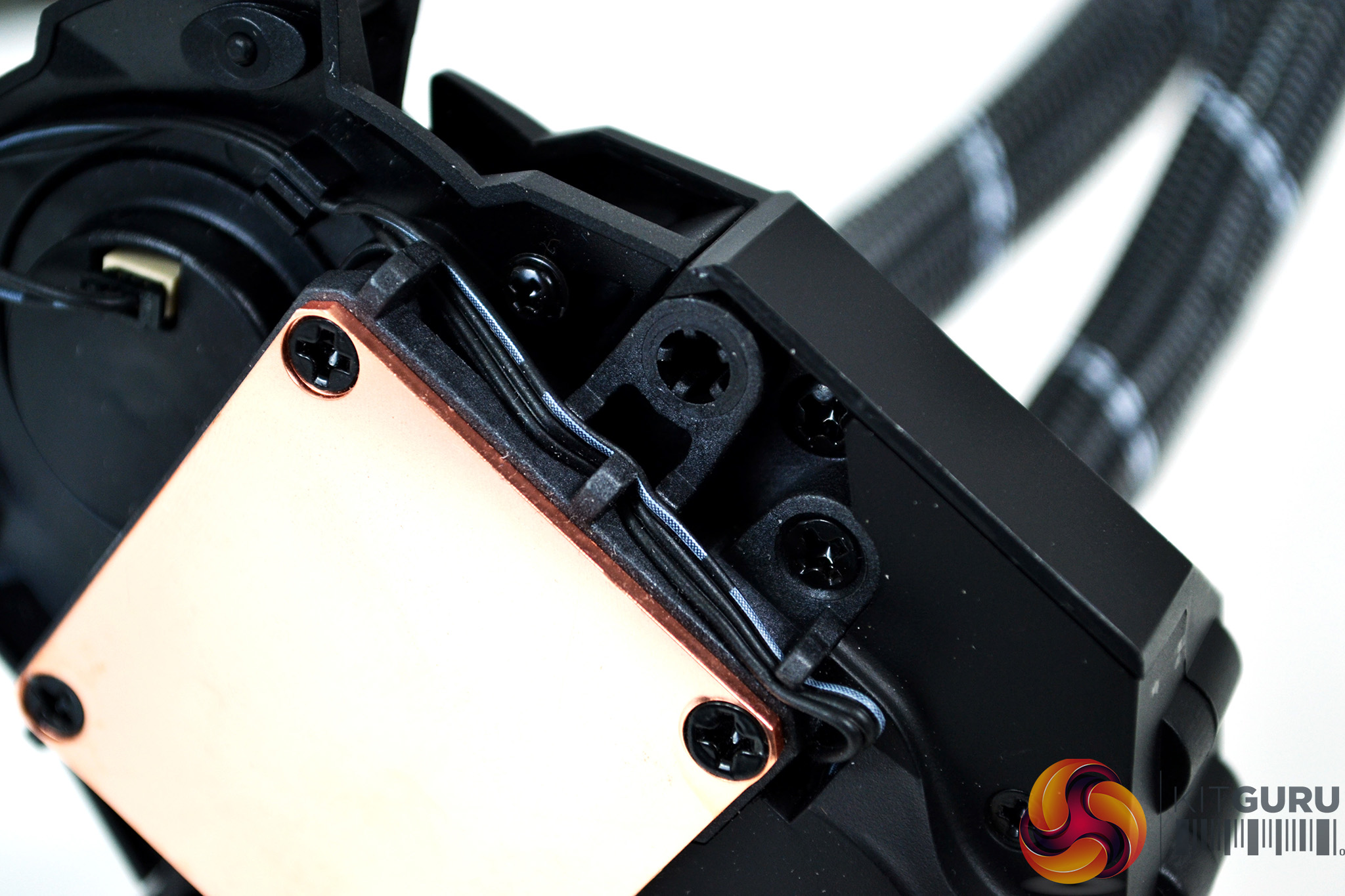
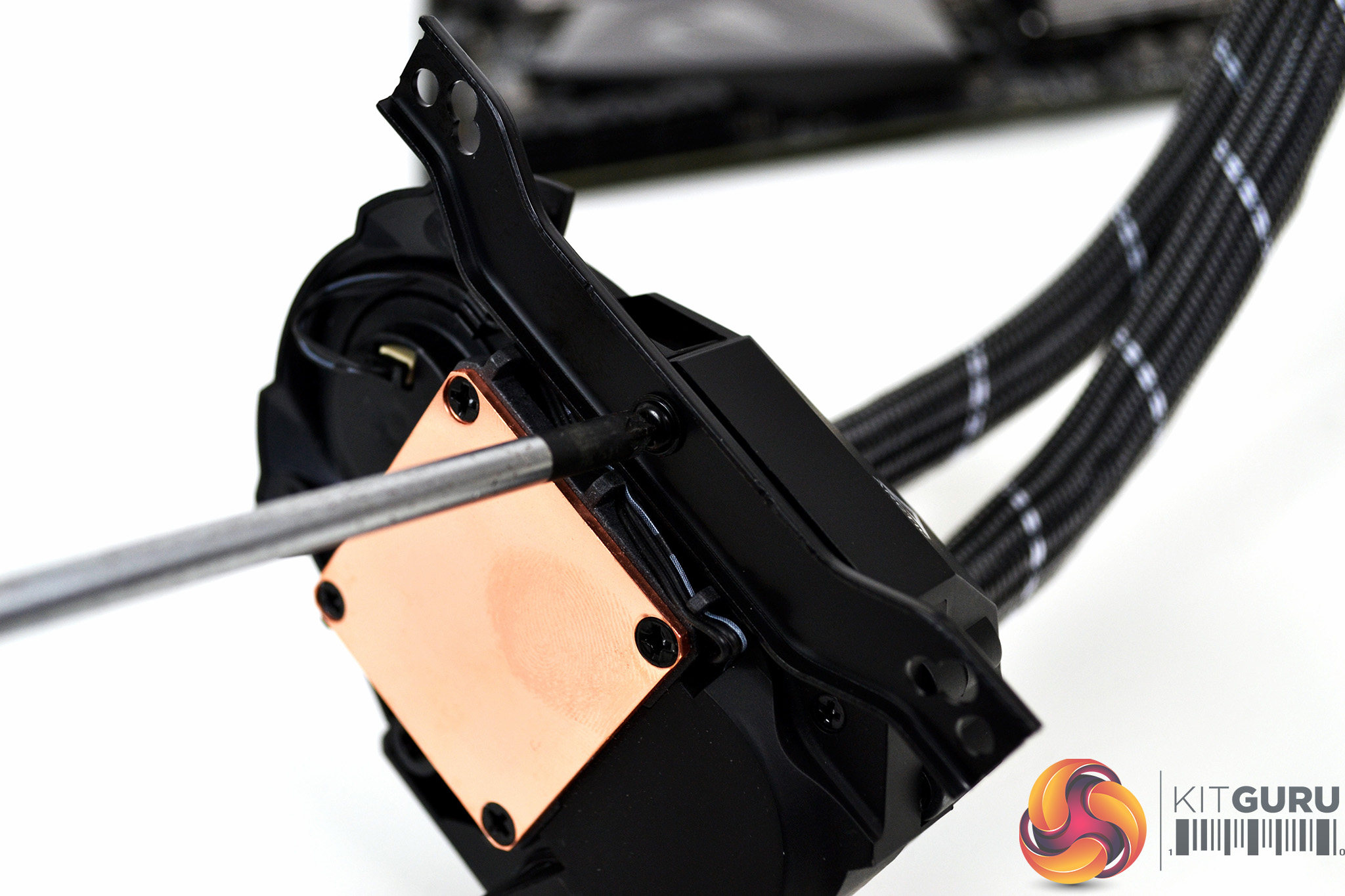
Fitting the brackets to the pump body comes next, which is a simple process. There is only one type of pump bracket to chose from to cover all socket types. Simply orientate the brackets in the correct position and using a Philips screwdriver, tighten them to the pump body with the screws provided.
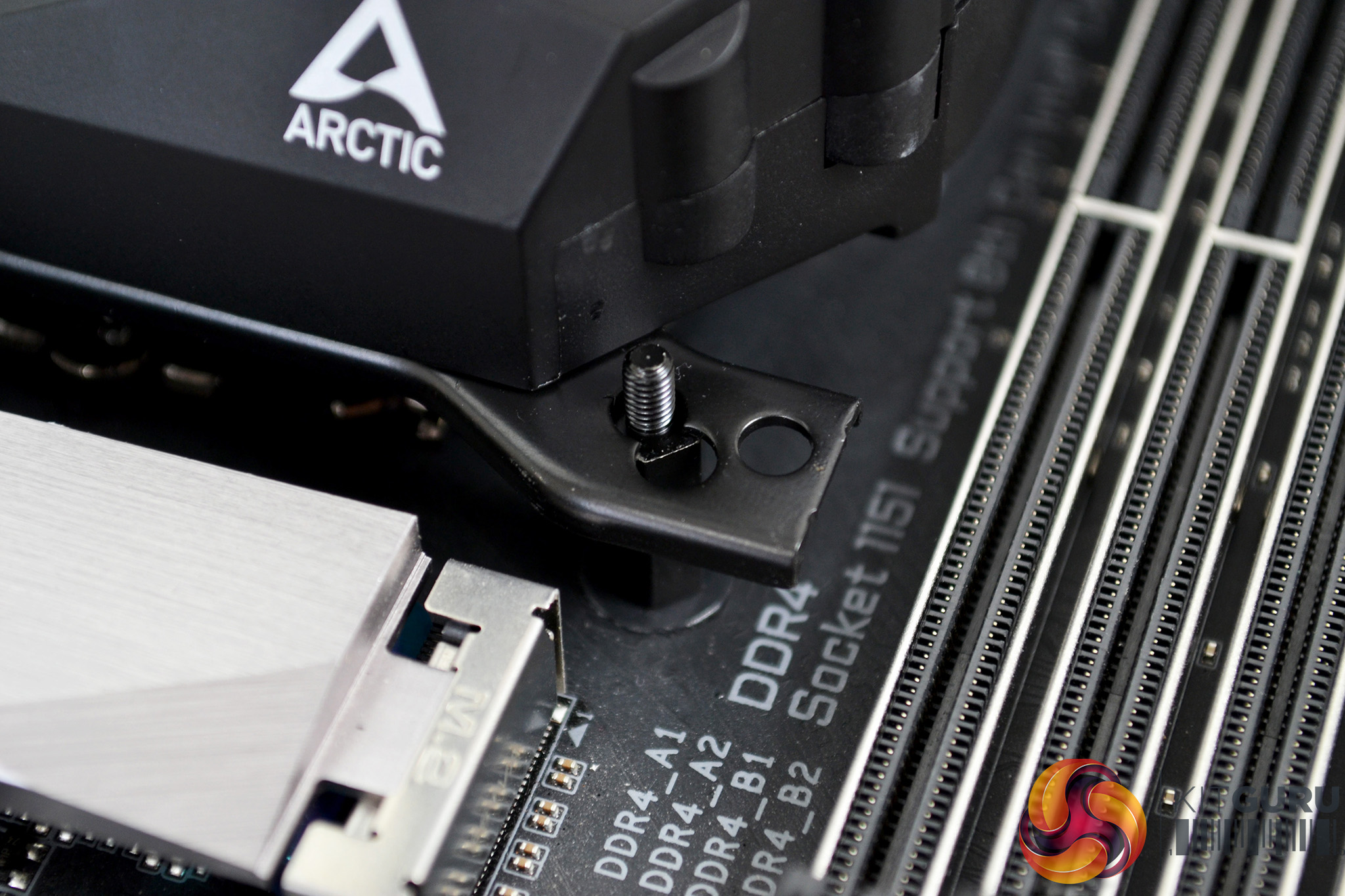
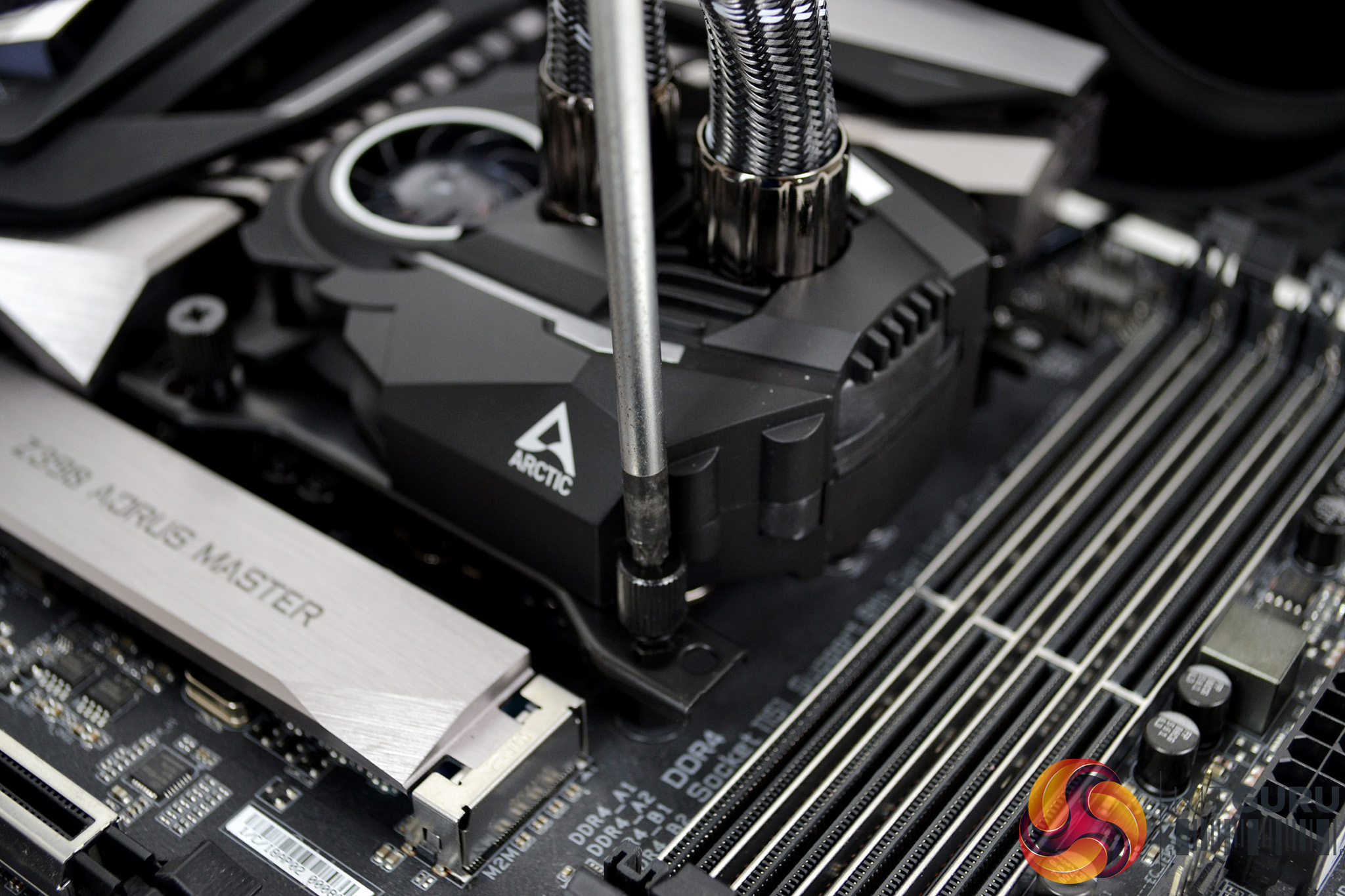
Next, apply the thermal compound to the CPU IHS in your preferred method and lower the pump down onto the CPU socket in the orientation best suited to your motherboard layout. Using the four thumbscrews, tighten the pump down in an X pattern to ensure an equal spread of pressure. Final tightening can be achieved with a Philips screwdriver.
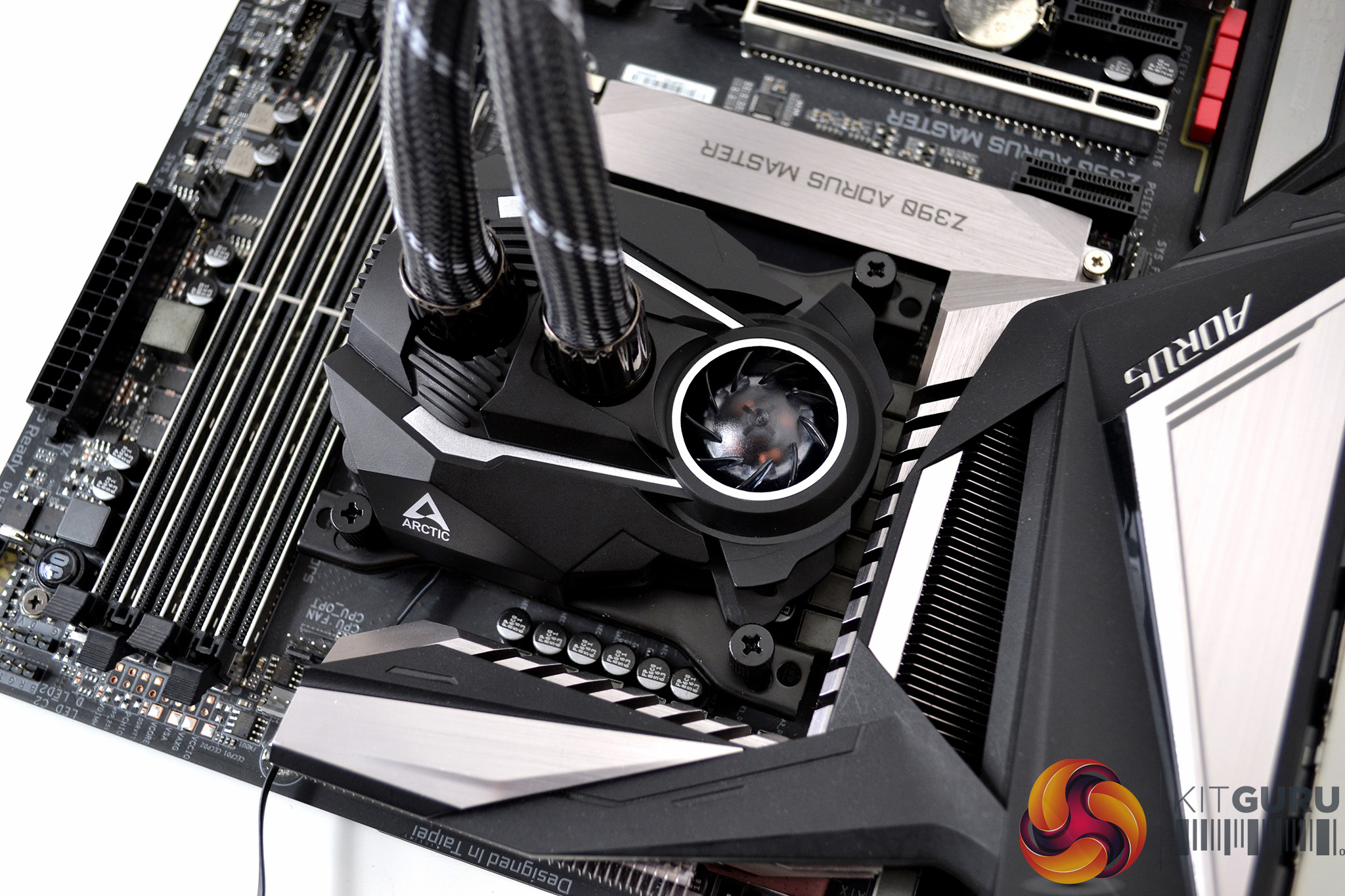
All that’s required now is to connect the single 4-pin PWM fan cable to the motherboard CPU_FAN header for full speed control and we are done.
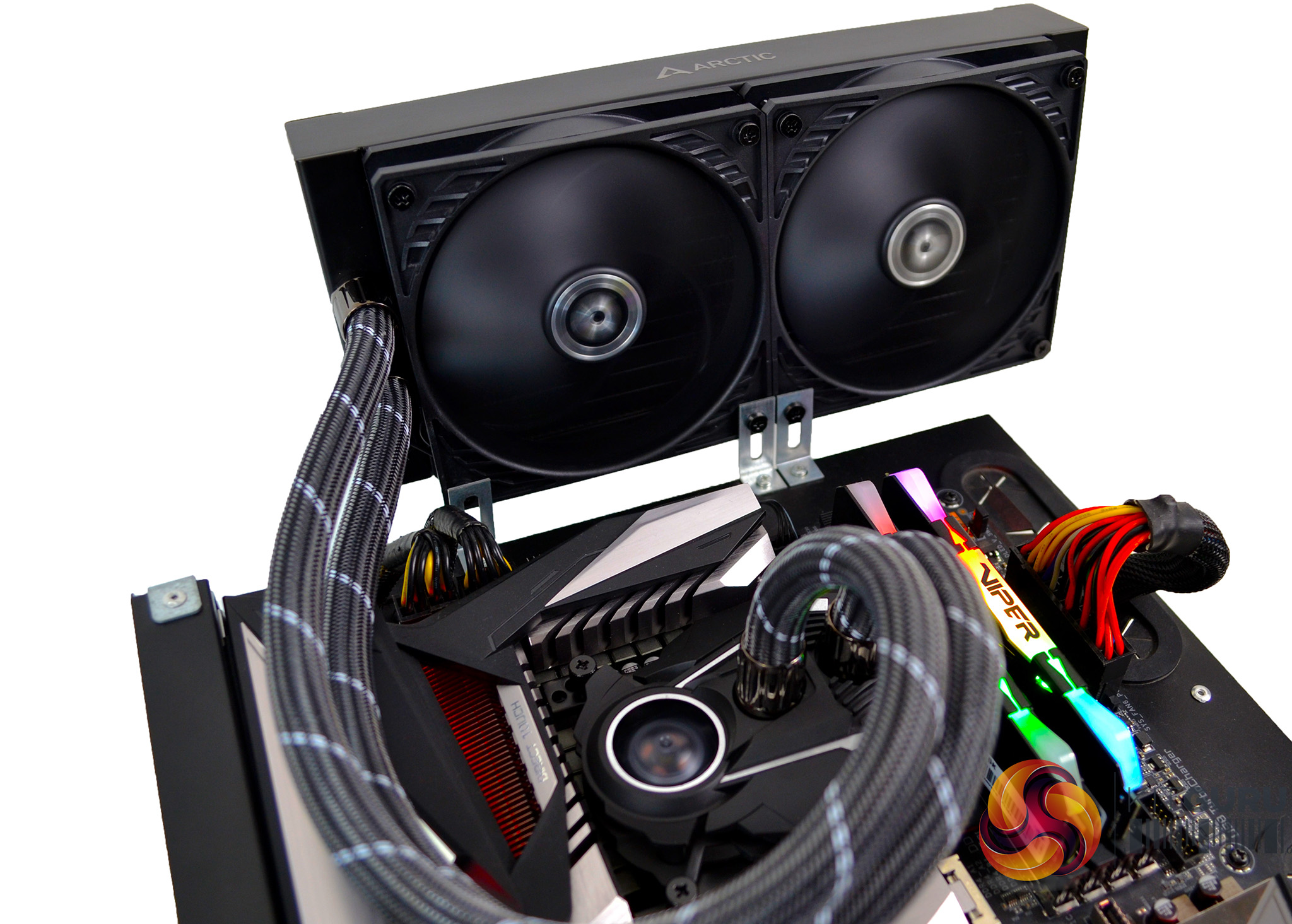
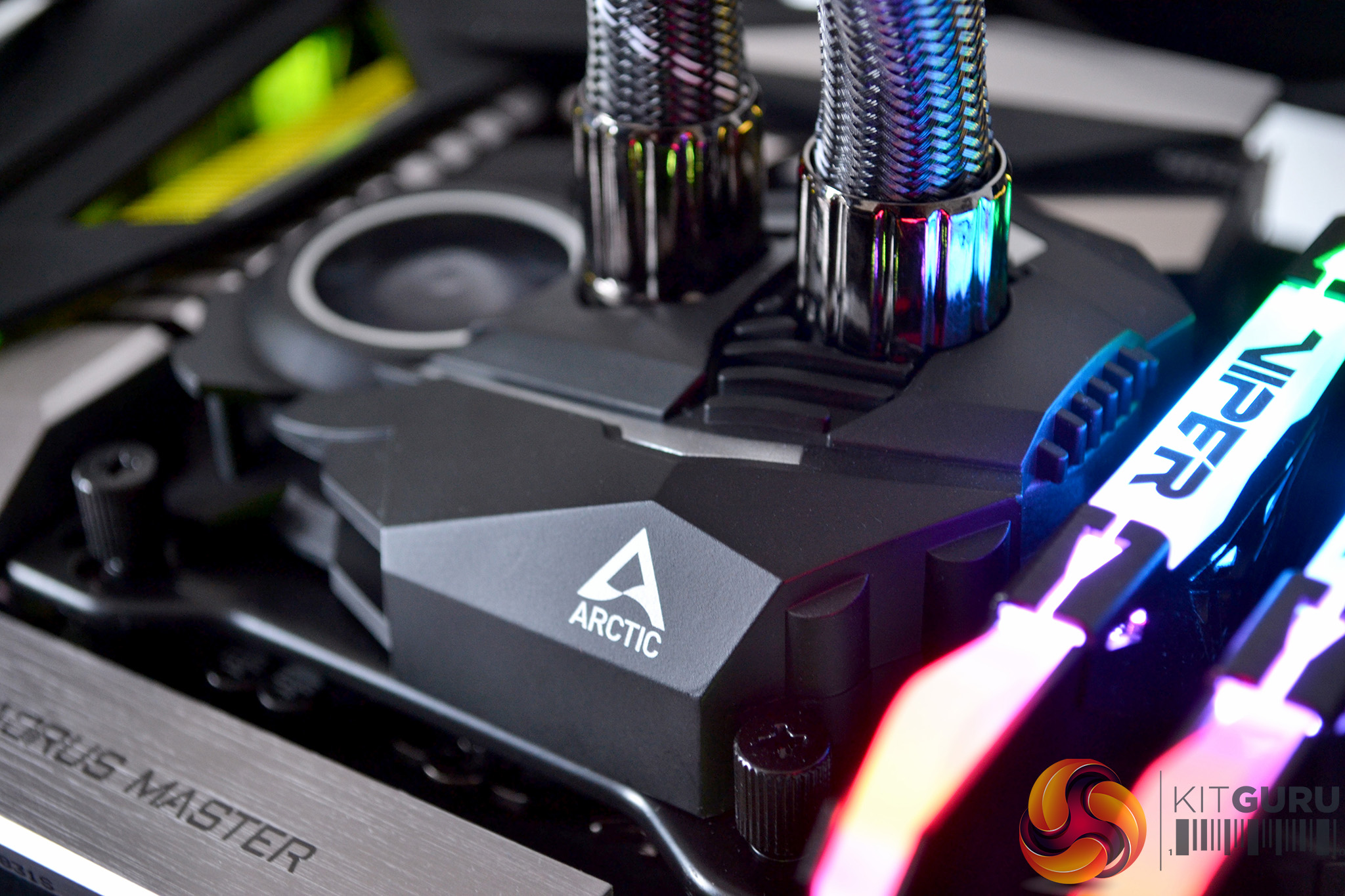
With Arctic’s integrated wiring and very straightforward cooler mounting system, the whole installation process takes less than 10 minutes on our test bench. Installing the radiator in the case will obviously take a little longer. However, the overall installation is quick and simple.
Testing Methodology: Thermals/Acoustics
To measure the performance of CPU coolers, we devised an easily repeatable series of tests. The only variable is the coolers themselves to ensure the results can be accurately compared against one another.
Test Rig
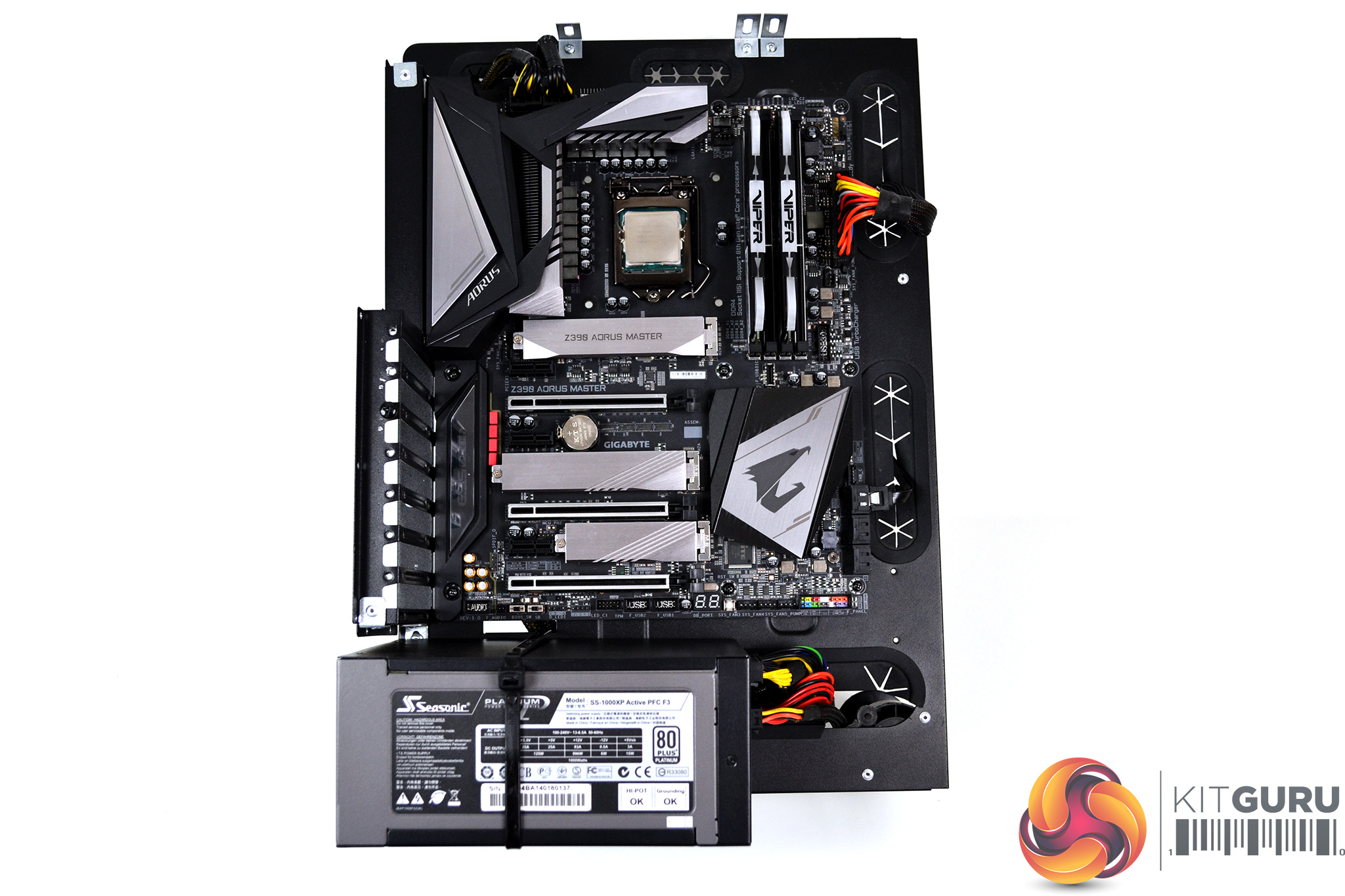
To reflect current hardware demands, we have updated the test system at KitGuru. It now comprises of a Z390 platform and included is the Intel Core i9 9900k CPU, mated with a Gigabyte Z390 Aorus Master motherboard and 16GB (2x 8GB modules) Patriot Viper RGB running at 3600mhz CL16. Our storage device is a Corsair Force LE 120GB SATA SSD. Power to the test system is managed by a Seasonic Platinum Series 1000w PSU.
Thermal Testing Procedure
The procedure will consist of several tests, that will produce six temperature readings for each cooler. The data can then be used to compare cooling performance.
First, we will lock the 9900k at its 3.6GHz all-core base clock speed, with a 1.15V Vcore applied in the BIOS. Then, let the system idle in windows for 15 minutes and measure temperature. At the same frequency, we will then measure the load temperature.
To simulate overclocked frequency, we will then lock the 9900k to 4.7GHz on all cores with a 1.20V Vcore and run the same idle and load test again. To measure an extreme overclocking situation, we will lock the 9900k frequency to 4.9GHz on all cores with 1.30V Vcore and run the tests one final time – this should push the limits of the cooling performance of even the very best CPU coolers.
Admittedly, the overclocked frequencies/voltage may not be the highest achievable, nevertheless, it will give us a good set of data to compare the effect frequency/voltage changes have on temperature.
The temperatures presented in the graphs will be average Delta temperatures measured over the length of the test. We will calculate the Delta temperature by deducting the ambient temperature in the test room from the measured CPU temperature, both at idle and under load.
All idle temperatures are measured by letting the system idle in Windows for 15 minutes. Load temperatures are achieved by running AIDA64 stressing CPU, FPU and cache again for 15 minutes. This should give the CPU enough time to reach its maximum temperature. Throughout testing, Load Line Calibration will be set to level 6 (turbo) in BIOS and all CPU Fans/pumps set to maximum RPM.
Noise Testing
Noise levels will be measured with our sound meter at a distance of 1 meter from the test bench. The cooler’s fans will be set to their maximum RPM rating. Ambient noise level in the room is measured at 37.5dBA and the peak noise level of the cooler will be recorded in dBA.
Thermal Performance
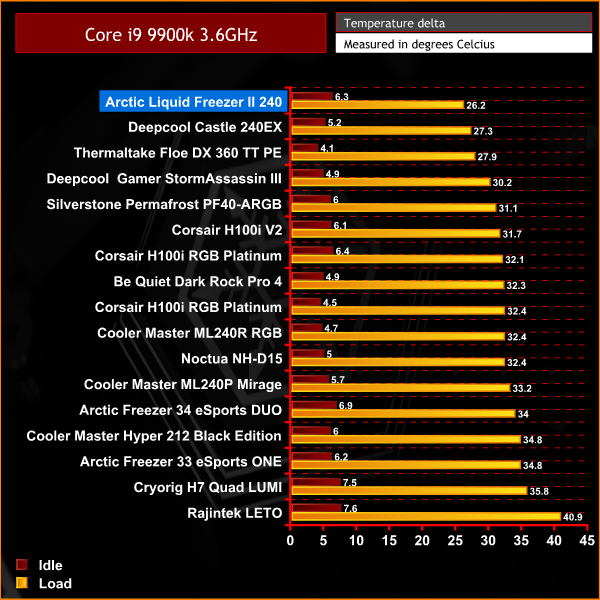
In our initial 3.6 GHz base frequency test, the Liquid Freezer II gets off to an excellent start by knocking the current leader from its perch at the top of the chart.
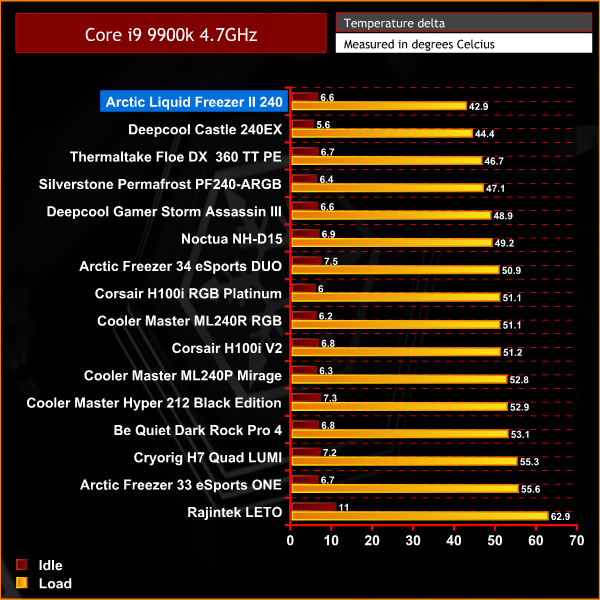
It's the same story in the first overclocked test. At 4.7 GHz, the Liquid Freezer II performs well again, with a decrease in CPU temperature of 1.5°C over the Deepcool Castle 240EX.
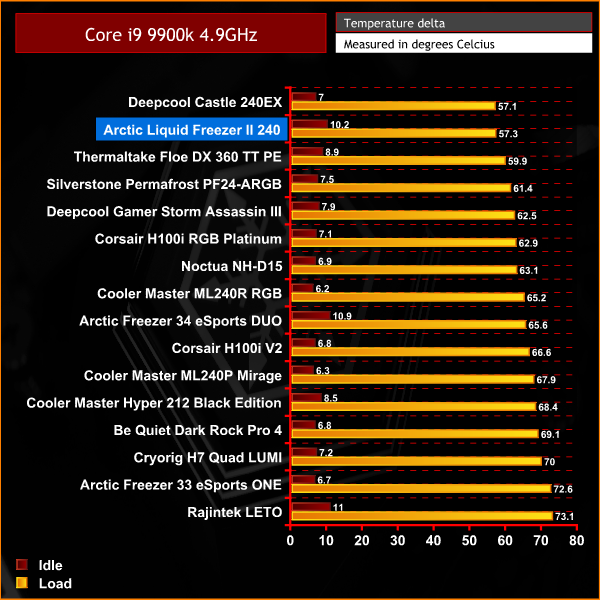
Not quite topping our charts, however, the Liquid Freezer II again performs very well with the CPU frequency at 4.9 GHz. The Core i9-9900K is a difficult CPU to keep cool which proves the Liquid Freezer II is an excellent cooler.
Acoustic Performance
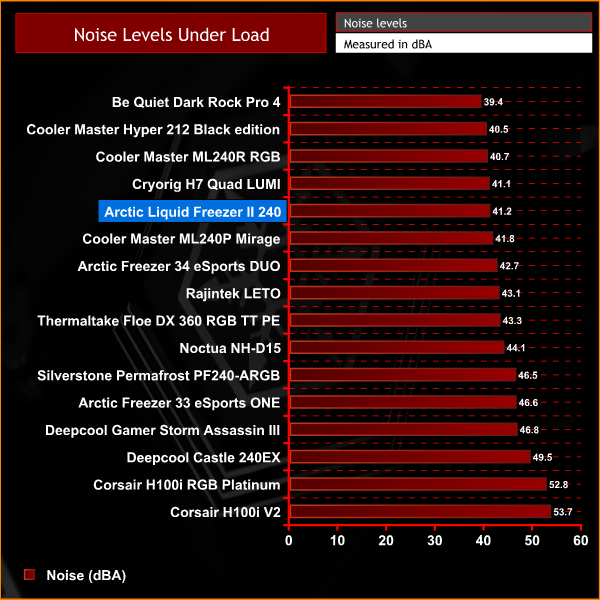
Backing up our opinion that the Arctic Liquid Freezer is an excellent cooler, is how well it did in the acoustic test. Not only can this cooler keep the temperature of the Core i9-9900K well under control, it does this while being one of the quietest coolers we have tested.
The Arctic Liquid Freezer II offers users great cooling performance and quiet operation, which makes it a serious contender in any new PC build. The lack of RGB lighting may not be to everyone’s taste, however, there is always the option to replace the included fans with other RGB LED versions if you wish.
In our thermal testing, the Liquid Freezer II outperformed all the previous coolers we have tested at both base and initial overclocked CPU frequencies. In our final 4.9 GHz frequency test, it was virtually on par with the current best-performing cooler we have tested. Since the Core i9-9900K we use to test is such a difficult CPU to keep cool, we think the Arctic Liquid Freezer II did an excellent job.
Not only did the Liquid Freezer II perform excellent in thermal testing, it also ranked very high in our charts during acoustic testing. Considering how well it performed in thermal dissipation, its low noise level is even more impressive. The fact it could keep the Core i9-9900K CPU temperature under control with such low noise level was a great achievement.
Earlier we touched on the inclusion of the motherboard blower fan that has been integrated into the Liquid Freezer II. It is an interesting feature we feel could have been applied in all-in-one coolers a long time ago.
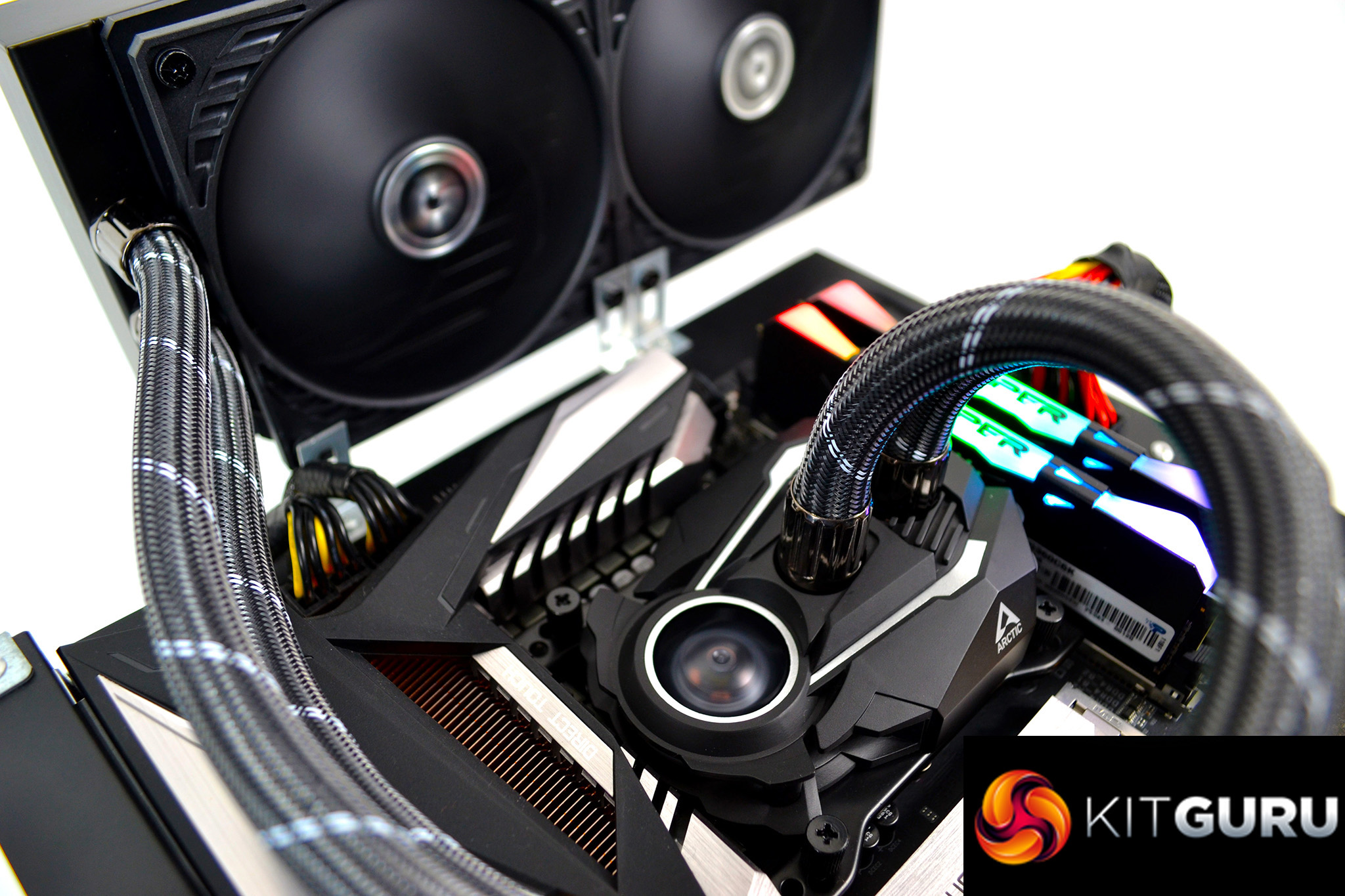
We looked back at our old data to compare the motherboard VRM temperatures, when stress testing previous CPU coolers, to compare it against the Arctic Liquid Freezer II with its integrated VRM cooling solution. We found the VRM temperature delta when stress testing at 4.9 GHz frequency with the Arctic Liquid Freezer II, was 6.6°C cooler than the previous leading AIO and 2.3°C cooler than the leading Air cooler we have tested.
This might not sound like much. However, the Gigabyte Z390 Aorus Master motherboard we use for CPU cooler testing has an excellent VRM cooling solution, with its Fins-Stack array. We imagine a motherboard with sub-standard VRM cooling would greatly benefit from the Arctic Liquid Freezer II and its motherboard VRM cooling fan.
The Arctic Liquid Freezer II has a subtle, mostly black design which we like. The little silver accents here and there ensured it fitted in well with our test motherboard. We found it a refreshing change that there was no RGB LED lighting included. With so many RGB LED fans available to purchase separately these days, you could always add them later to suit your preference.
Another feature of the Liquid Freezer II that we love is the hidden cables. Arctic have routed the fan cables through the tube sleeving to the pump. With this design, you end up with a neat and tidy looking unit with just one cable coming from the pump housing to manage. This is something we would like to see on AIO’s from other manufacturers.
Overall, we think the Arctic Liquid Freezer II is an excellent all-round product, which is worth splashing your hard-earned cash on. Therefore, it is fully deserving of our worth buying award. The lack of RGB is the only reason why it didn’t score higher.

The Arctic Liquid Freezer II series will include 240mm, 280mm and 360mm versions available from overclockers, with prices starting from £59.99 HERE.
Pros:
- Excellent thermal performance.
- Low noise levels.
- Neat cable design.
- Neutral colour scheme.
- Motherboard VRM cooling.
Cons:
- Lack of RGB option out of the box.
KitGuru says: Arctic seem to be at the top of their game right now with CPU cooling products. This all-in-one liquid cooling solution is a great addition to their CPU cooling range and even offers a motherboard VRM cooling solution that works – something which other AIO manufacturers should take note of!