KitGuru KitGuru.net – Tech News | Hardware News | Hardware Reviews | IOS | Mobile | Gaming | Graphics Cards


Be quiet! is no stranger to closed-loop liquid CPU coolers. In fact, I still use the company’s previous all-in-one cooler in one of my own systems. The Silent Loop AIO from be quiet! was supplied by Alphacool, so it was one of the very few closed-loop coolers to utilise a copper radiator. Be quiet! has continued its trend of standing out from the crowd with its latest AIO design, as the new Pure Loop features a pump system attached to the tubing rather than being integrated into the CPU block. How does this approach affect thermal performance? Let’s find out.
The new be quiet! Pure Loop is probably the most interesting closed loop all-in-one CPU cooler to be launched this year, with its method of coolant delivery via an inline pump mounted between the tubing. KitGuru has never tested an AIO with this coolant delivery system deployed so we are very eager to find out what the benefits of this system are and whether it improves or hinders performance.
We were initially unsure about the OEM supplier of the Pure Loop. However, after a little research of other AIOs with similar inline pump arrangements, one particular product stood out.
Components of the Enermax LIQFusion that was launched in 2018 looks extremely similar to the Pure Loop, the radiator and CPU block base plate look almost identical and both coolers share the inline pump design. be quiet! later confirmed that the Pure Loop series is in fact supplied by KD Industrial, an OEM that does also supply coolers to Enermax.
As usual with be quiet! products, there is a focus on noise levels with the Pure Loop AIO, the cooler is equipped with 120mm or 140mm Pure Wings 2 fans depending on radiator size. These fans have been around for a while and we are very familiar with their low noise levels. This review will focus on the Pure Loop 360mm which is equipped with three 120mm Pure Wings 2 high-speed fans, with PWM control up to 2000 RPM.
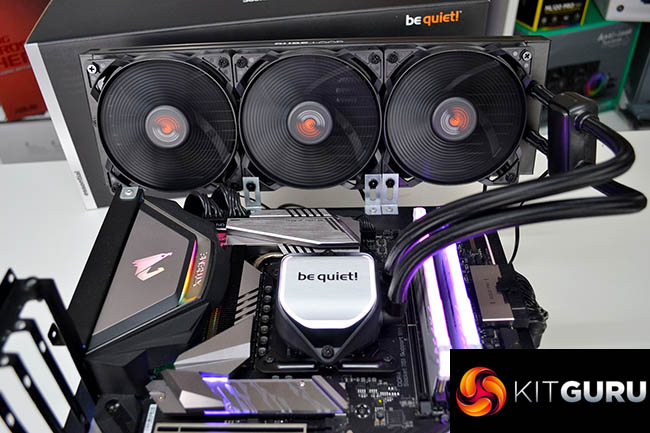
Having the pump integrated into the tubing potentially allows other areas of this cooler to be designed differently to the majority of other AIO coolers currently available, such as the size of the CPU block. Without having the pump mounted to the CPU block the dimensions of the CPU block can be reduced, which in my opinion should improve the appearance. There will also be less wiring at the CPU block which again will tidy up the look of the installation.
The CPU block features simple white LED illumination so there is a single 3-pin power cable attached to the block, any additional wiring is attached to the pump which is close to the radiator so logically thinking, this should make the cable management easier which again will improve the final appearance once everything is installed.
Another interesting feature about the Pure Loop AIO series is that the system is refillable. When be quiet! originally introduced the Pure Loop, the company was keen to emphasise their opinion on AIO refilling. be quiet! claims that closed-loop AIO coolers should be checked and refilled every two years. There is a refill port integrated into the radiator and be quiet! include a bottle for periodic topping up of the coolant which the company claims to guarantee a long lifespan.
The Pure Loop AIO series is part of the be quiet! essential range which means it is competitively priced without compromising on quality. The range starts with a suggested retail price of £82.99 for the 120mm version, increasing to £114.99 for the flagship 360mm model. This is by no means the cheapest AIO cooler on the market, but it is priced lower than 360mm offerings from some other premium brands.
In terms of CPU socket compatibility, the be quiet! Pure Loop series supports all current mainstream desktop platforms from Intel and AMD including Intel socket LGA 1200 / 2066 / 1150 / 1151 / 1155 / 2011(-3) square ILM and AMD socket AM4 / AM3(+).
be quiet! doesn’t believe in labelling CPU coolers with TDP ratings. Instead, the company suggests that the 120mm version is suitable for use with Intel Core i3, AMD Ryzen 3 (or lower) systems, the 240mm with Intel Core i5, AMD Ryzen 5 and the 280mm/360mm versions should offer the thermal performance to cope with Intel Core i5/i7, AMD Ryzen 5/7 and Intel Core i7/i9, AMD Ryzen 7/9 CPUs respectively.
Key Features
- Inline tubing mounted pump
- Refillable system
- Low noise operation
- Subtle RGB free appearance
Specifications
| Radiator Specification | |
| Dimensions (H x W x D) | 397 x 120 x 27 (mm) |
| Radiator material / finish | Aluminum / Black spray painted |
| Base material / finish | Copper / Nickel plated |
| Fan Specification | |
| Dimensions | 120 x 120 x 25 (mm) |
| Speed @ 100% PWM | 2000 RPM |
| Bearing technology | Rifle |
| Motor technology | 4-pole fan motor |
| Rated Voltage | 12 V |
| Input current | 0.30 A |
| Input power | 3.6 W |
| Connector | 4-pin PWM |
| Cable length | 400 mm |
| Lifespan (h / 25°C) | 80,000 |
| Socket Compatibility | Intel 1200 / 2066 / 1150 / 1151 / 1155 / 2011(-3) Square ILM
AMD AM4 / AM3(+) |
| Warranty | Three Years |
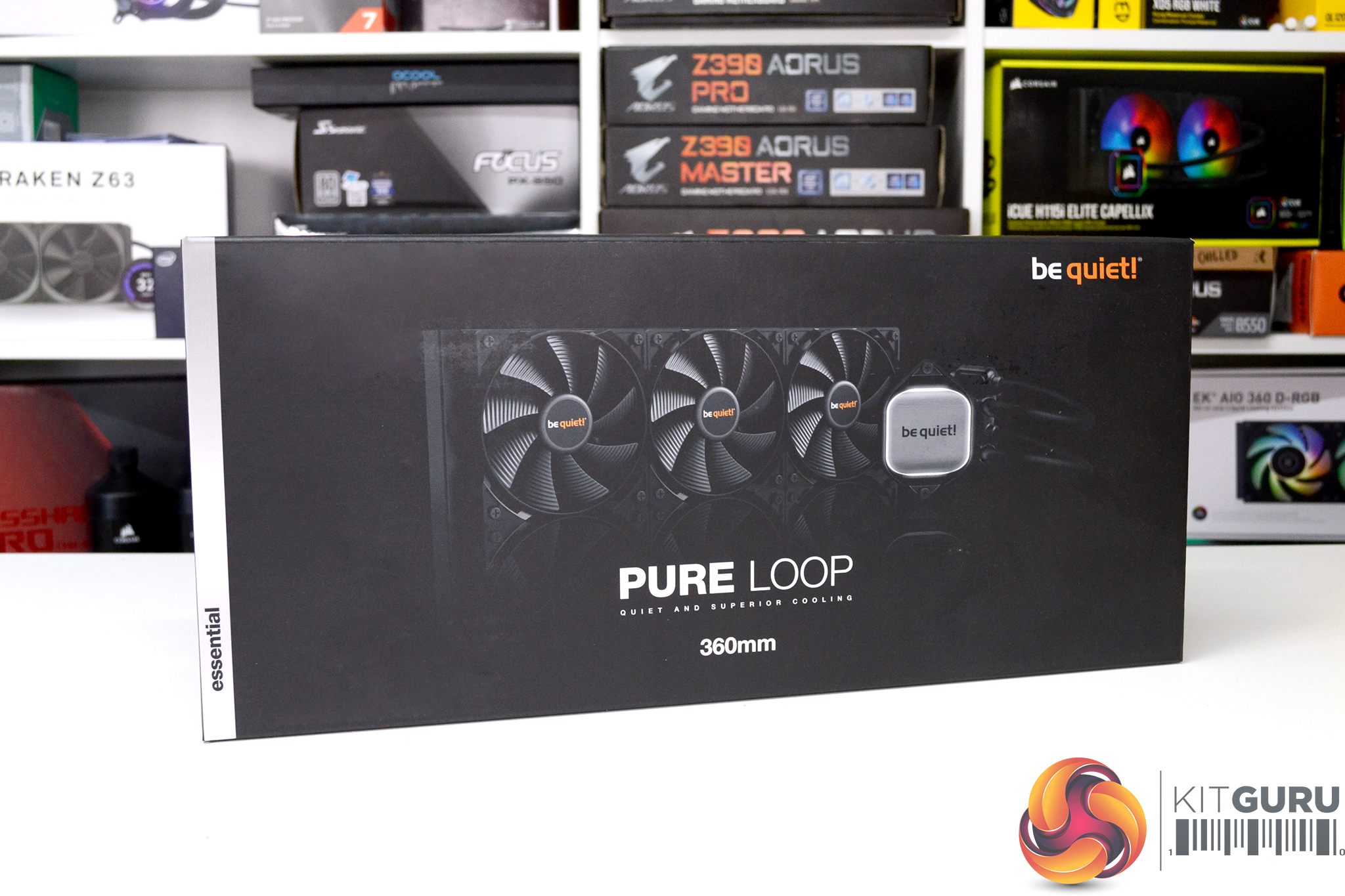
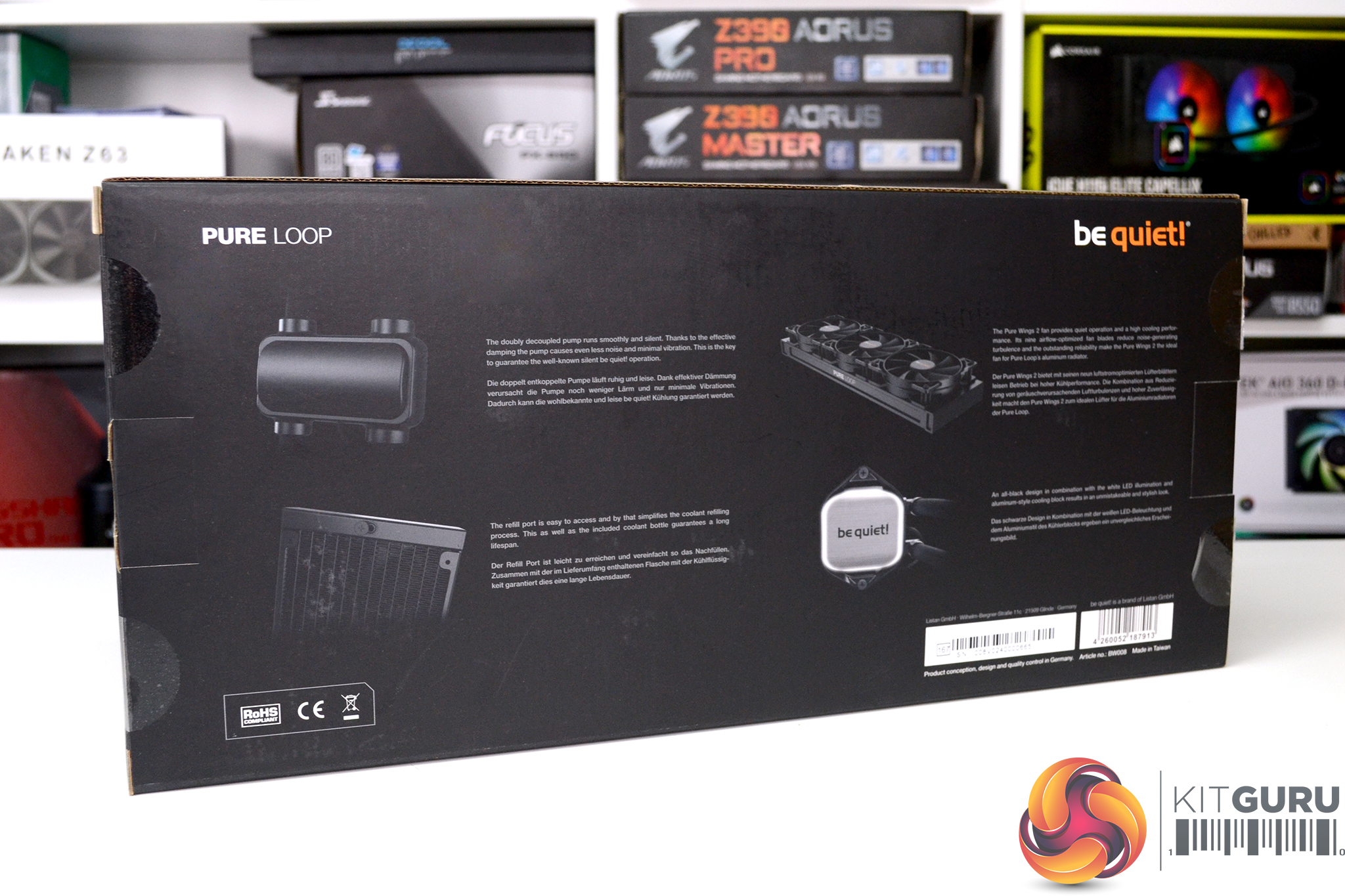
be quiet! has stuck to its traditional dark colour scheme with the packaging of the Pure Loop series. The box front features a large image of the cooler as well as some be quiet! Pure Loop logos. On the rear are some close-up images and descriptions of the cooler's unique features.
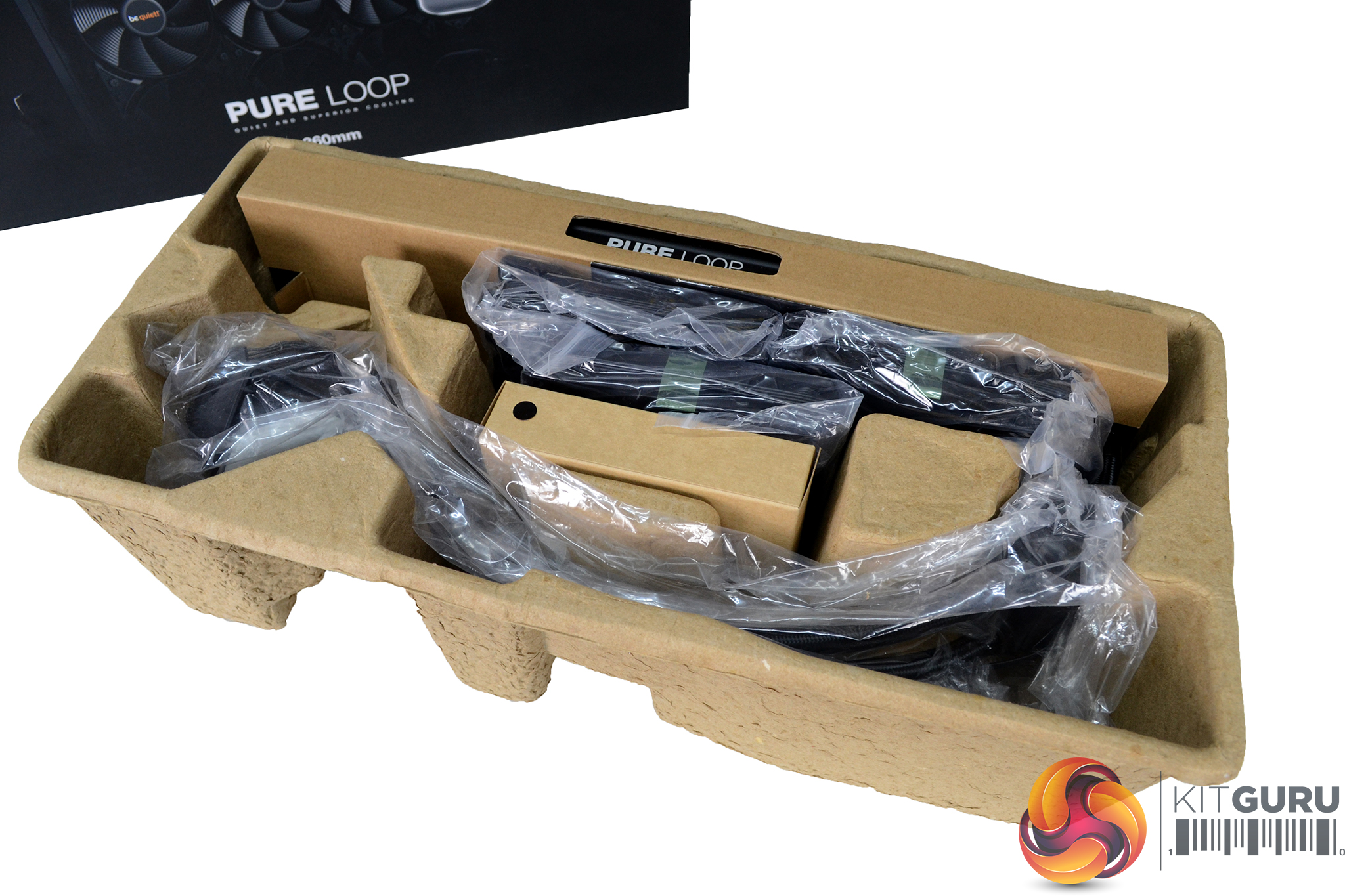
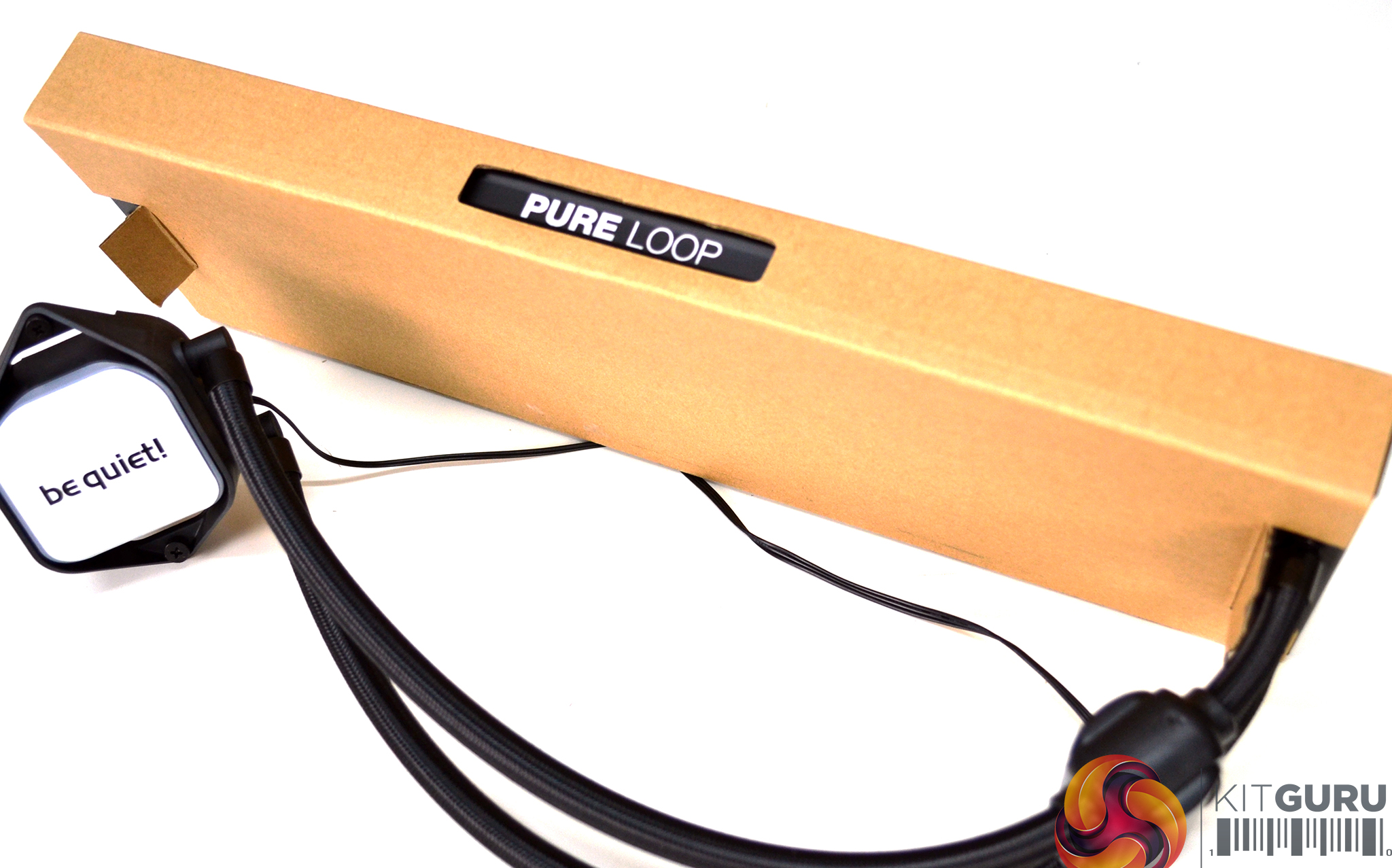
Inside the box, all the individual components are well protected and separated by a cardboard crate, typical AIO cooler packaging. The radiator is further protected by an additional layer of cardboard which is good to see, especially since we have seen damage occurring to AIO radiators in shipping recently.
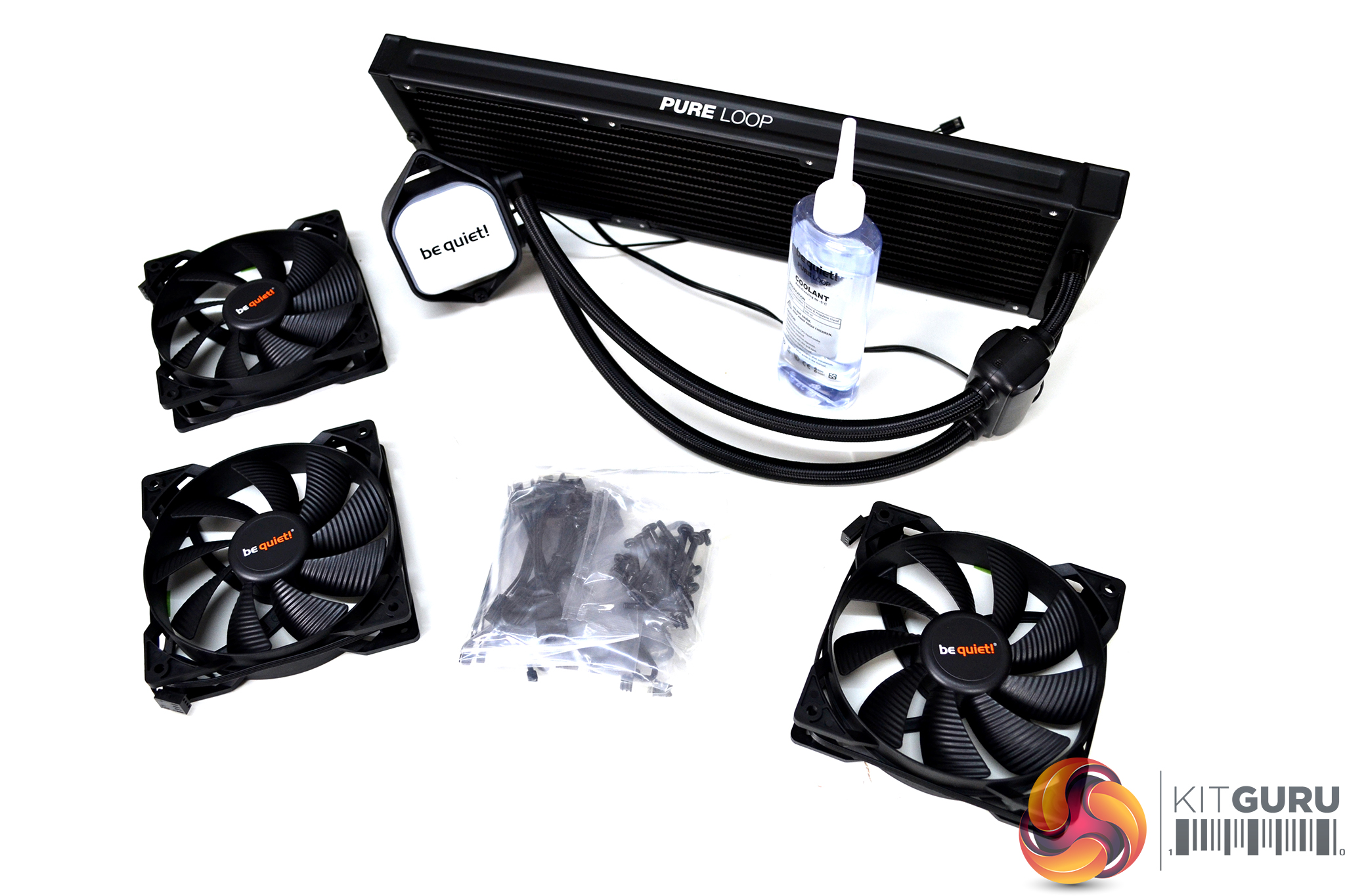
Included with the Pure Loop 360mm AIO are three 120mm be quiet! Pure Wings 2 high-speed fans, a ziplock bag full of installation hardware covering both Intel and AMD platforms, a top-up bottle of coolant, which is interesting, as well as the cooler itself.
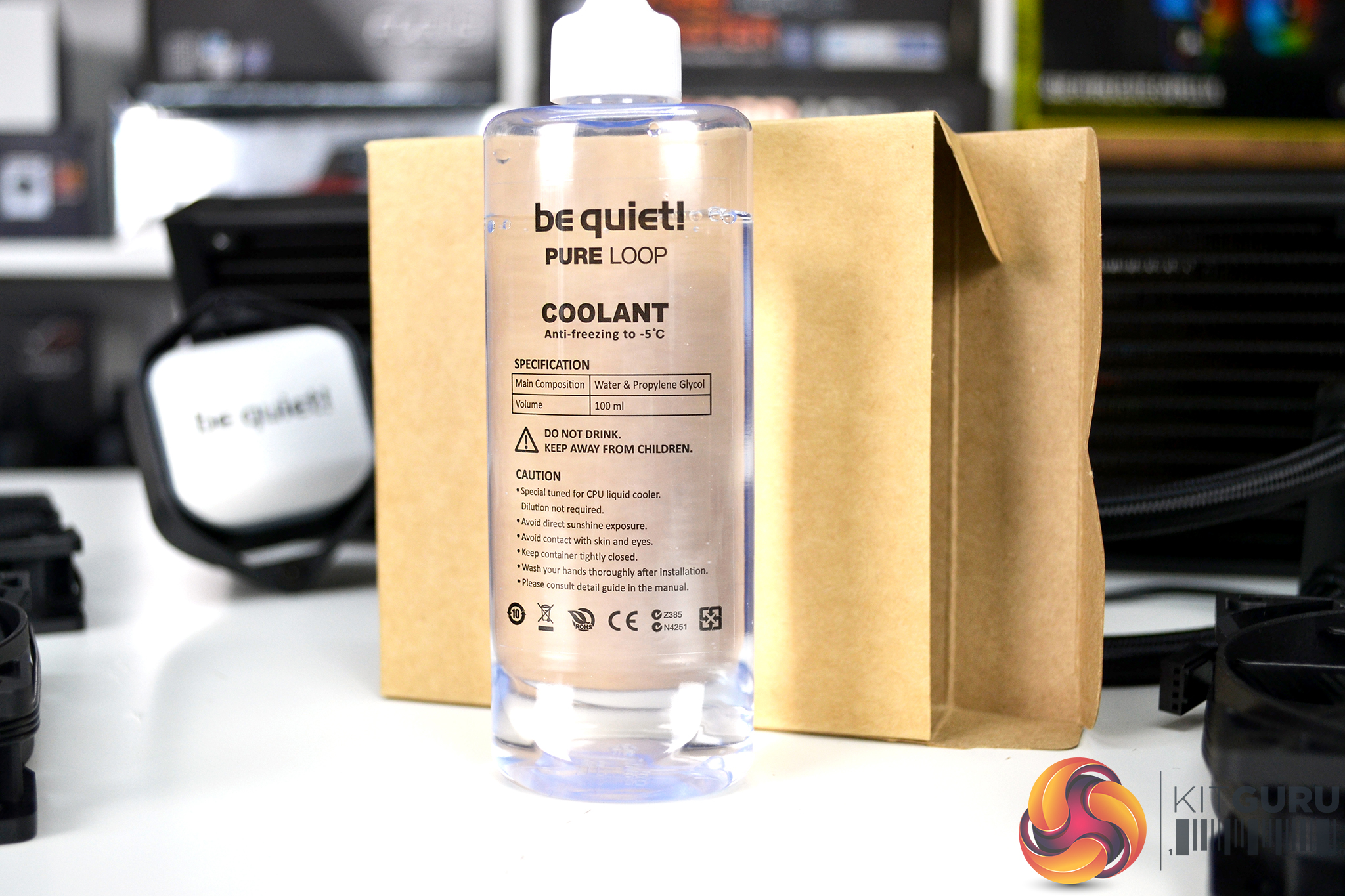
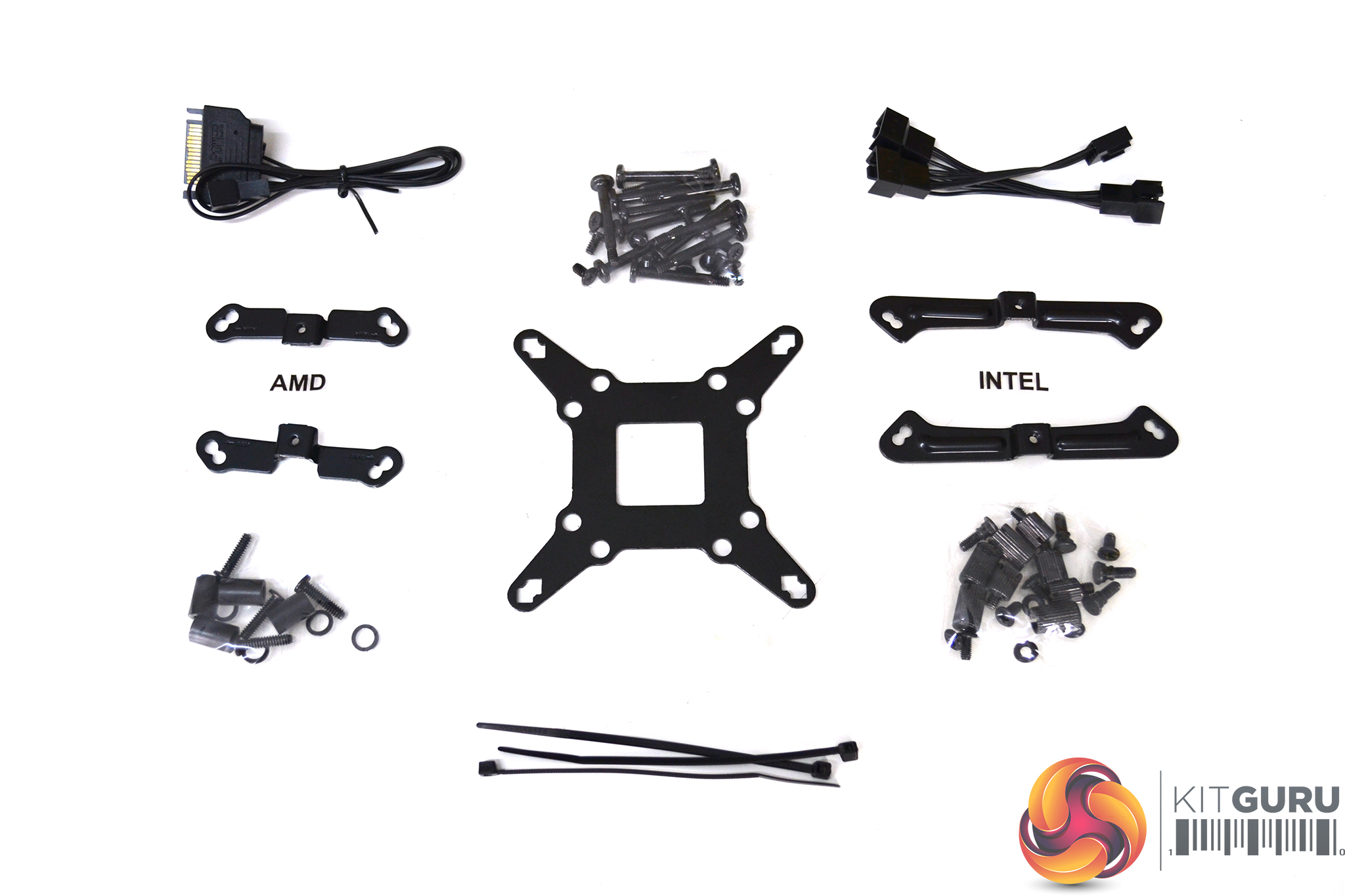
The bottle of coolant that comes with the Pure Loop is ready mixed and ready to use, it is a water and Propylene Glycol mix which is typically used in AIO liquid coolers and has a capacity of 100ml. Included inside the ziplock bag is mounting hardware for Intel and AMD installations, a universal backplate, a SATA power adaptor cable, a three-way 4-pin PWM fan splitter cable as well as a few zip ties and a small tube of thermal compound.
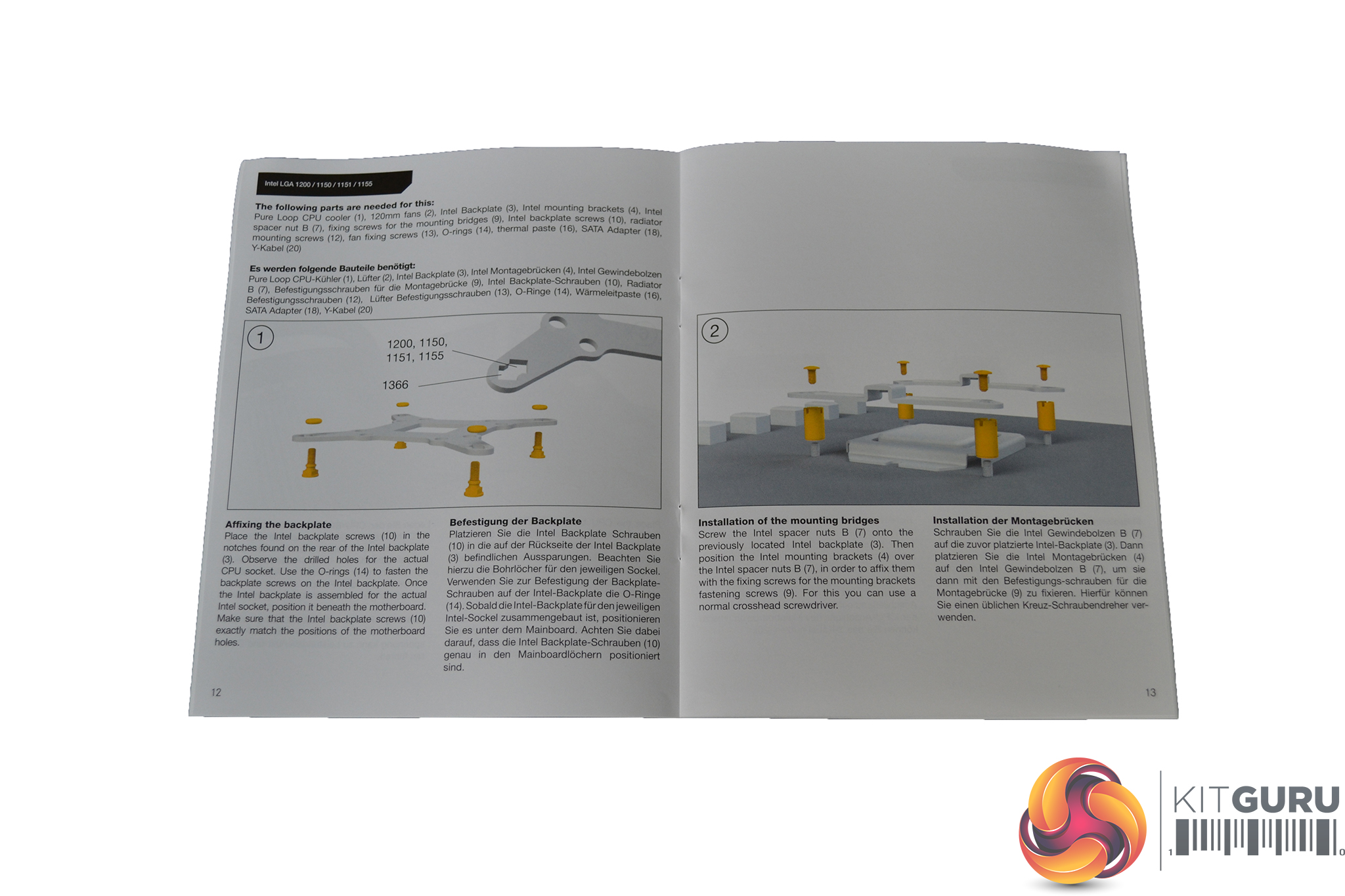
be quiet! also include a comprehensive installation manual with the Pure Loop, with very detailed instructions and clear images to explain the installation process, not something that can always be said of AIO installation manuals.
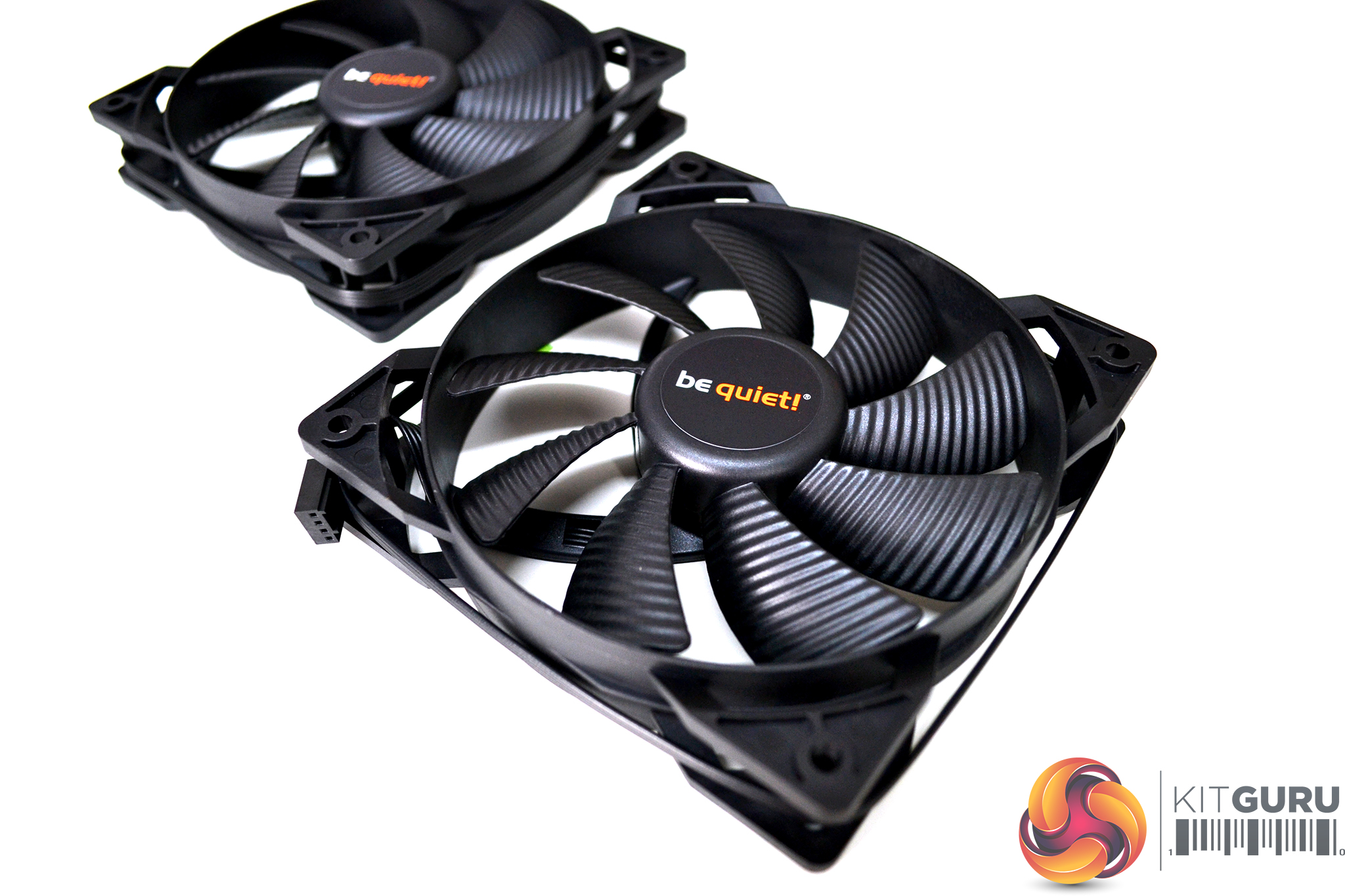
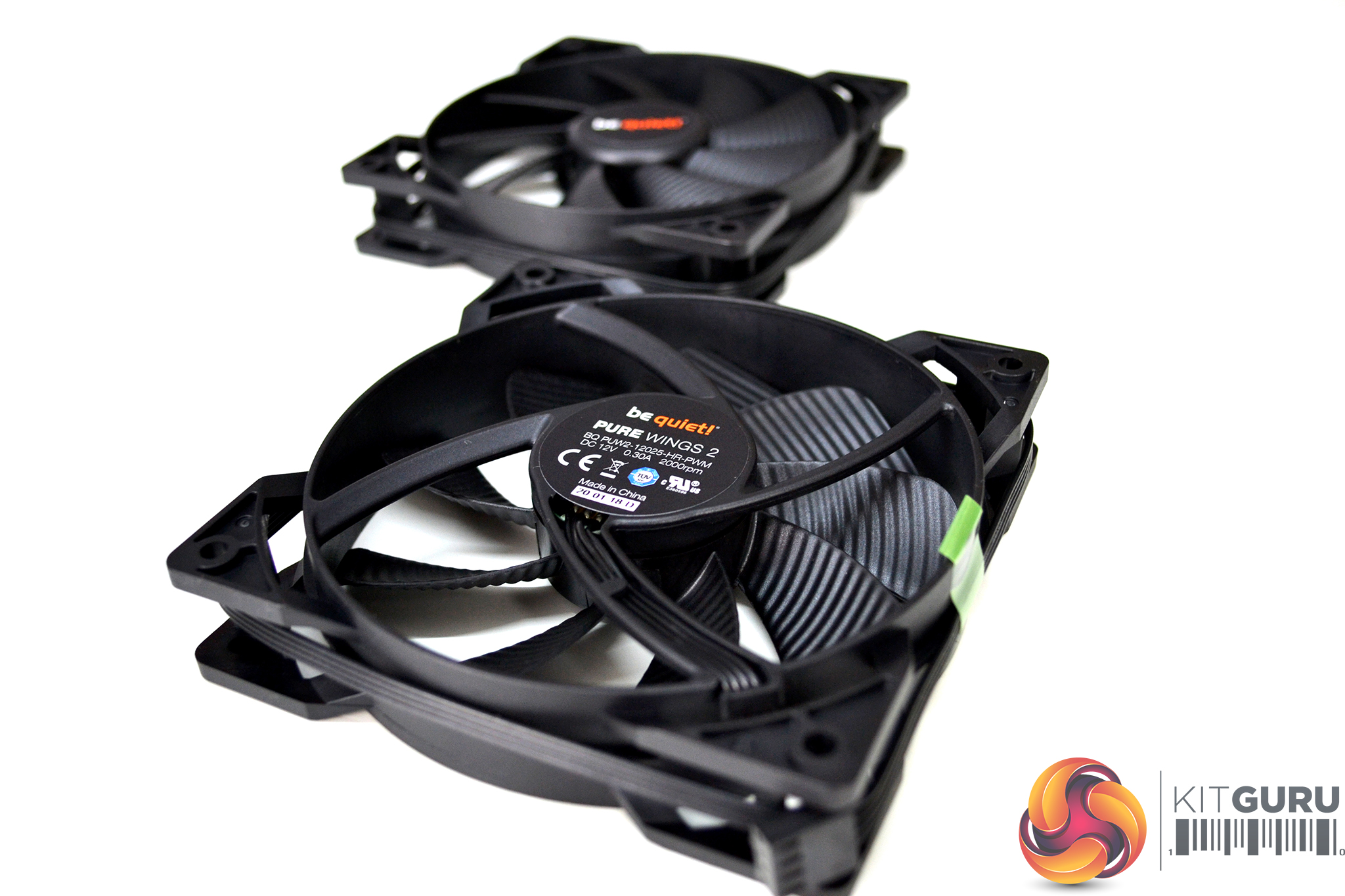
Pure Wings 2 fans are from what we would call the be quiet! budget range, however, the build quality and performance is usually excellent and the fans produce low noise levels. Being budget, the Pure Wings 2 don't include antivibration rubbers or interchangeable mountings unlike the premium Silent Wings series, there is also no sign of any RGB lighting.
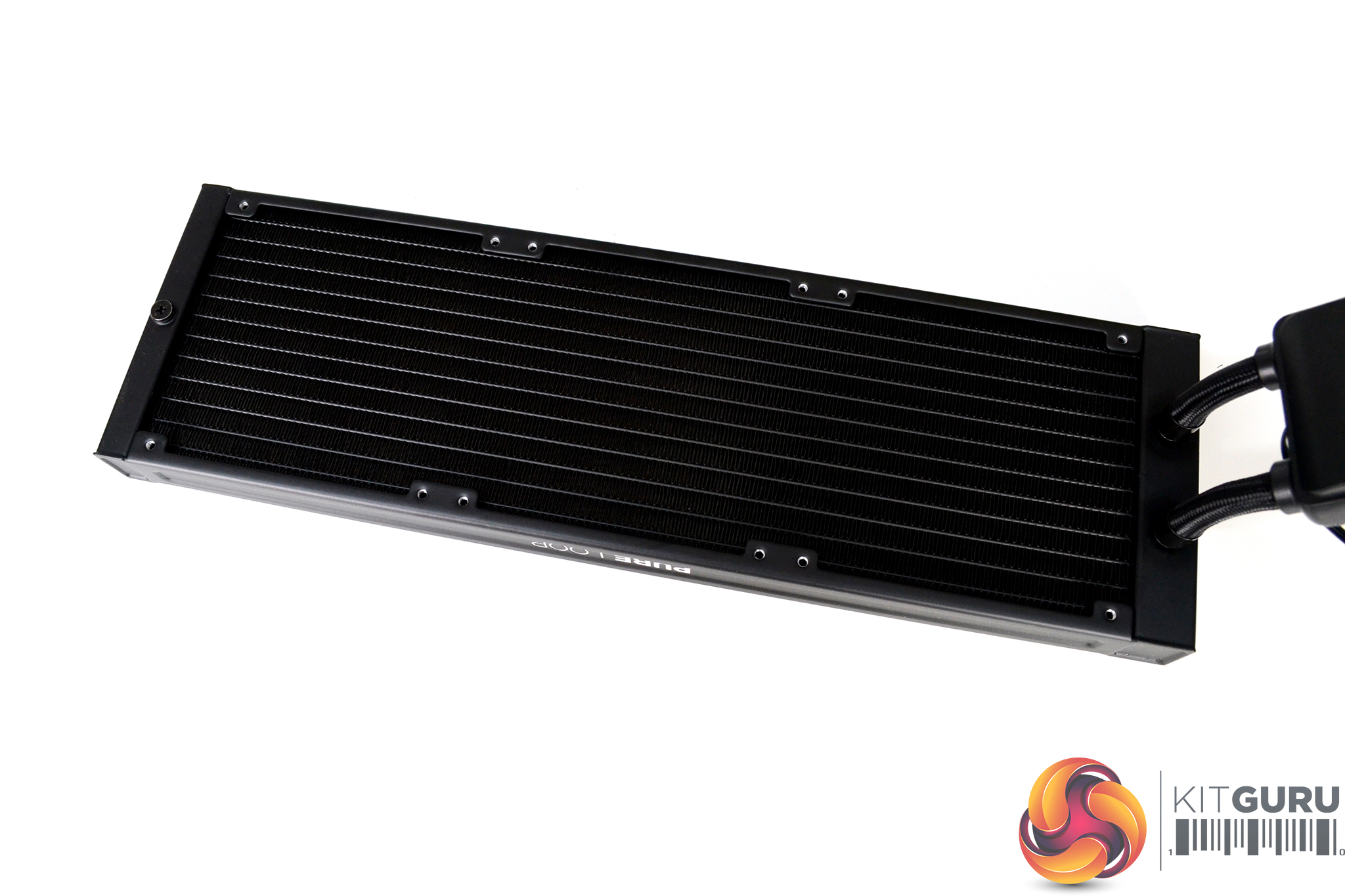
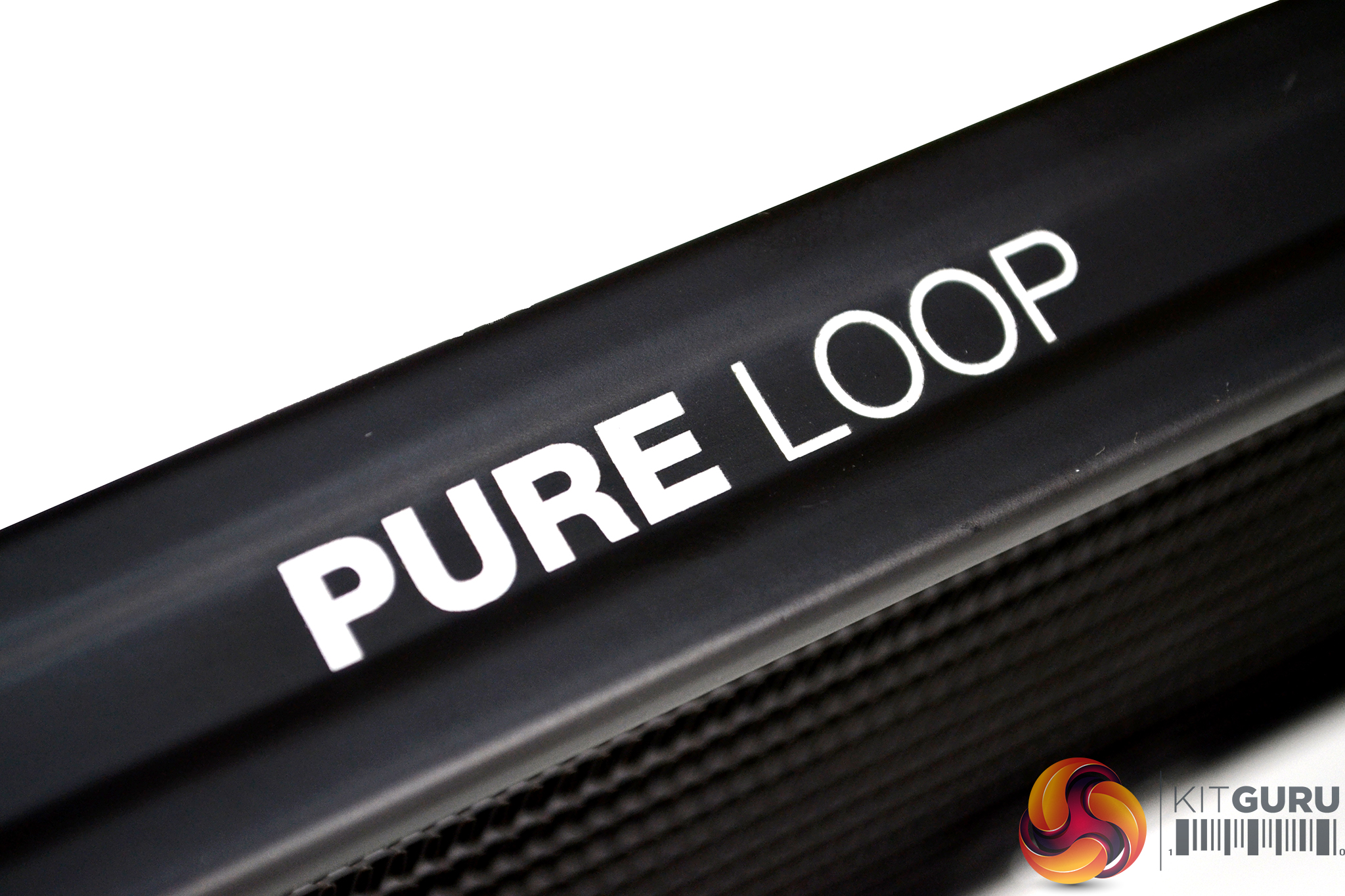
The radiator is a typical AIO design with a dense fin structure and 27mm thickness with a smooth and even black coating. The Pure Loop radiator has a similar shape as CoolIT and Deepcool radiators with very square looking end tanks. Along the top and bottom edges of the radiator fan mounting brackets are Pure Loop logos that look white, but are actually just bare aluminium beneath the black coating.
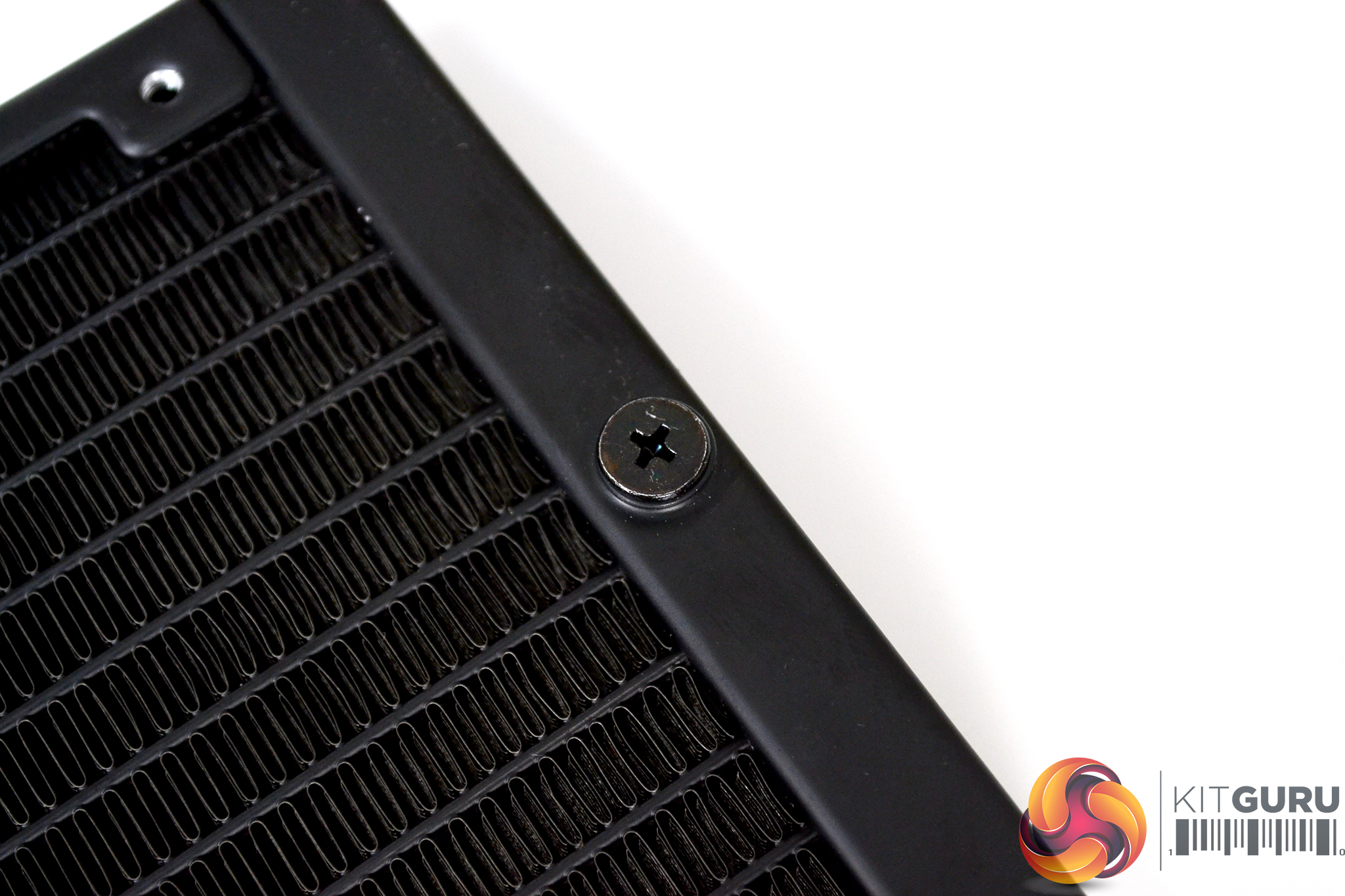
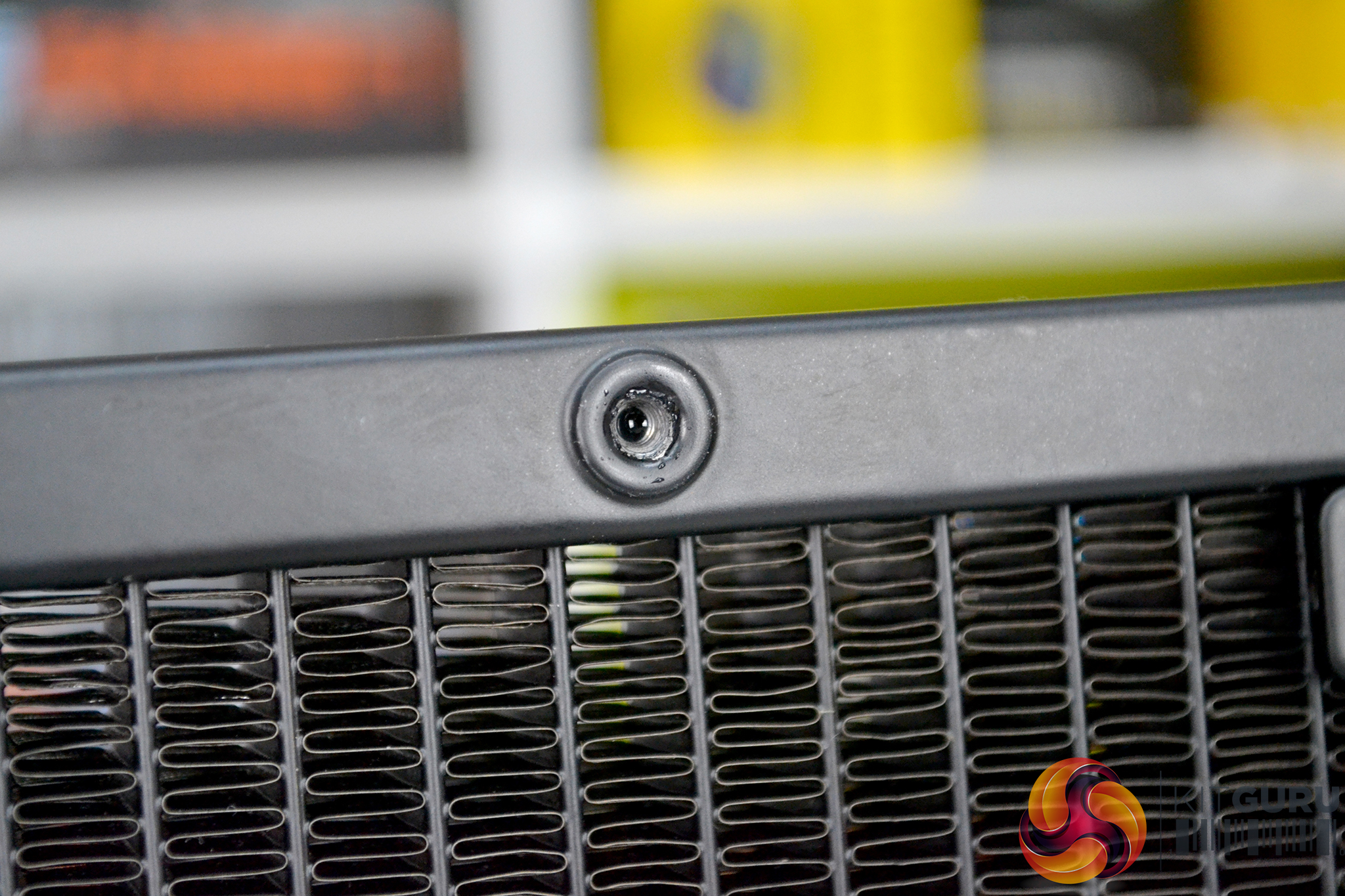
Integrated into one of the radiator tanks is a fill port. Normally AIO manufacturers would apply a warning sticker to the fill port which would void the warranty if removed. be quiet! encourages the user to remove the fill port to top up the system every two years to prolong the coolers lifespan.
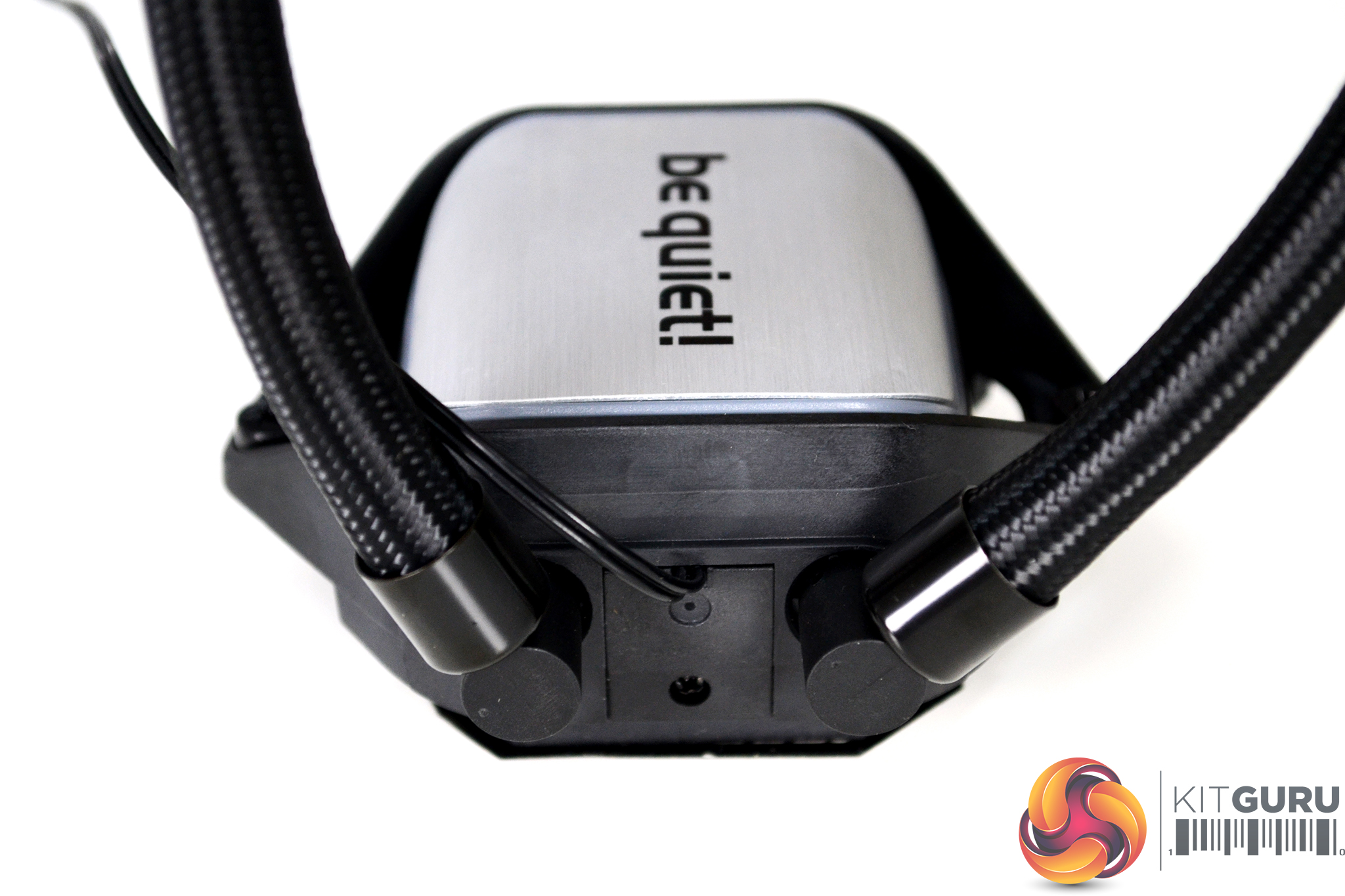
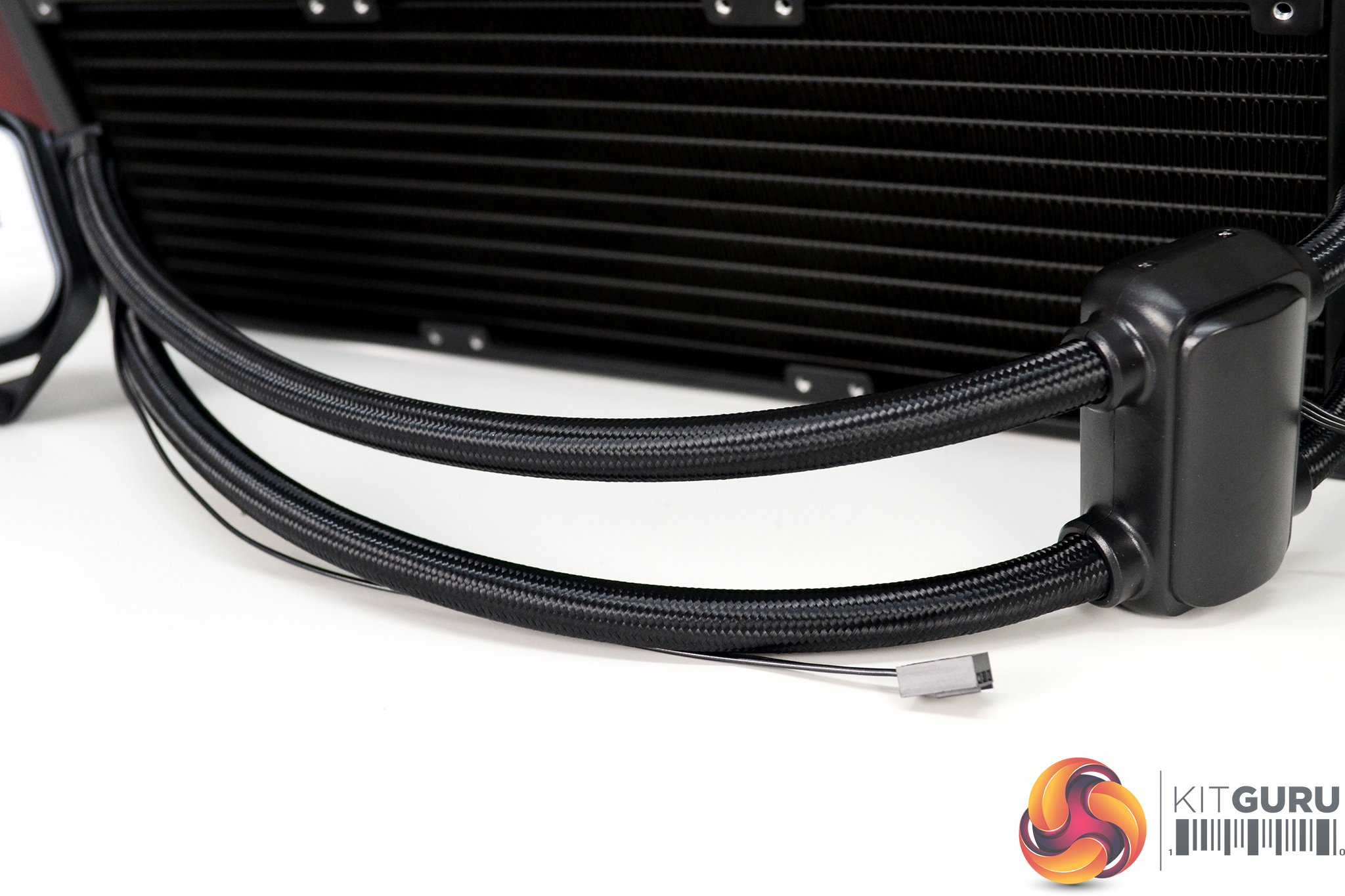
Total tubing length is approximately 400mm. At the radiator side the tubing is fixed, with articulating 90-degree fittings at the CPU block side. Reinforced rubber tubing is covered by braided sleeving to give it a premium look which is typical of modern AIO closed-loop coolers.
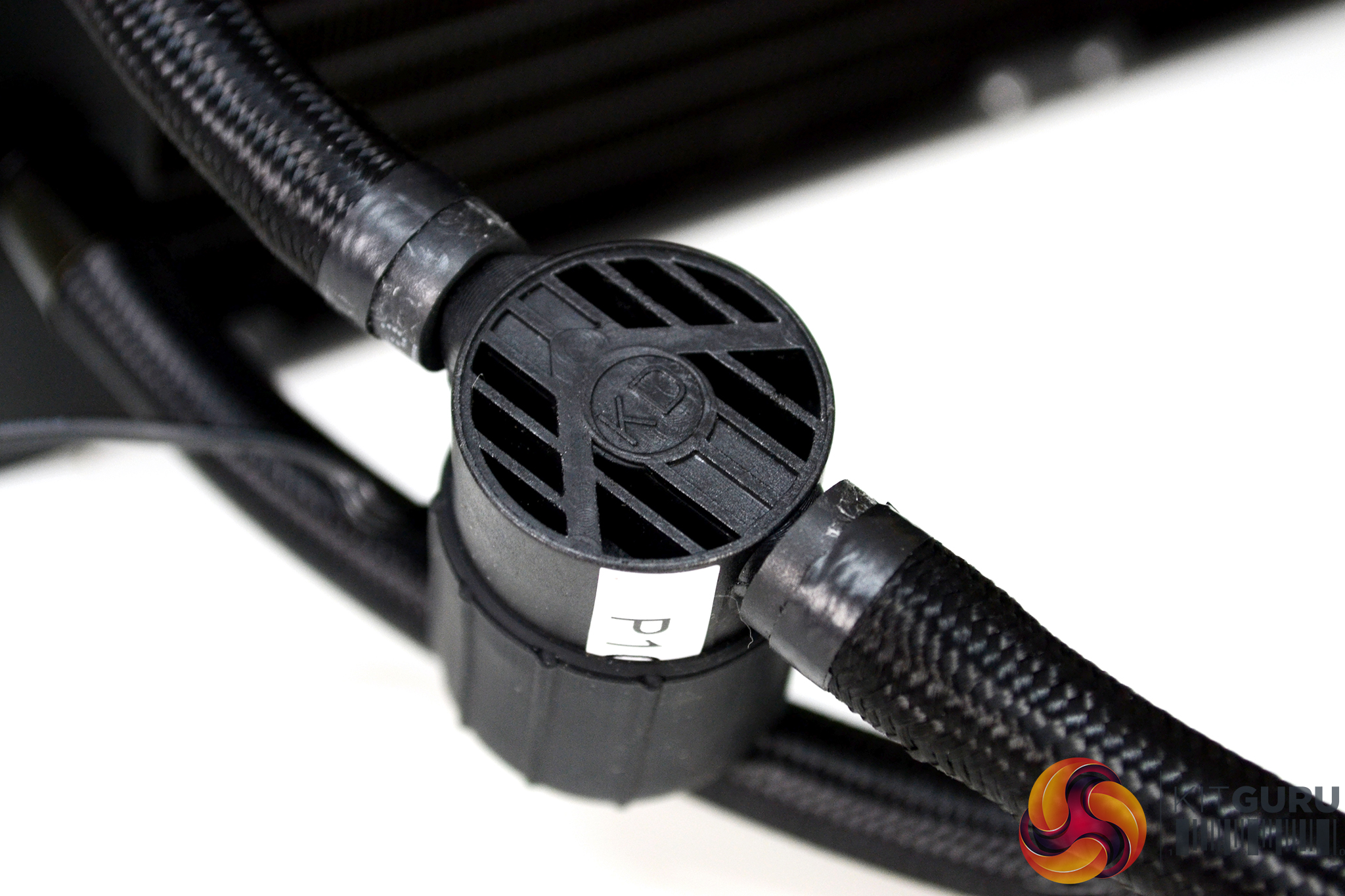
Approximately 50mm from the radiator is the pump mounted on the tubing. A plastic shroud covers the pump but this can be easily removed via the removal of four small Philips screws. With the plastic cover removed we can see that the pump is a very small and basic inline style design from KD Industrial. The pump is connected to the tubing via barb fittings and has no retaining clips and relies on an interference fit.
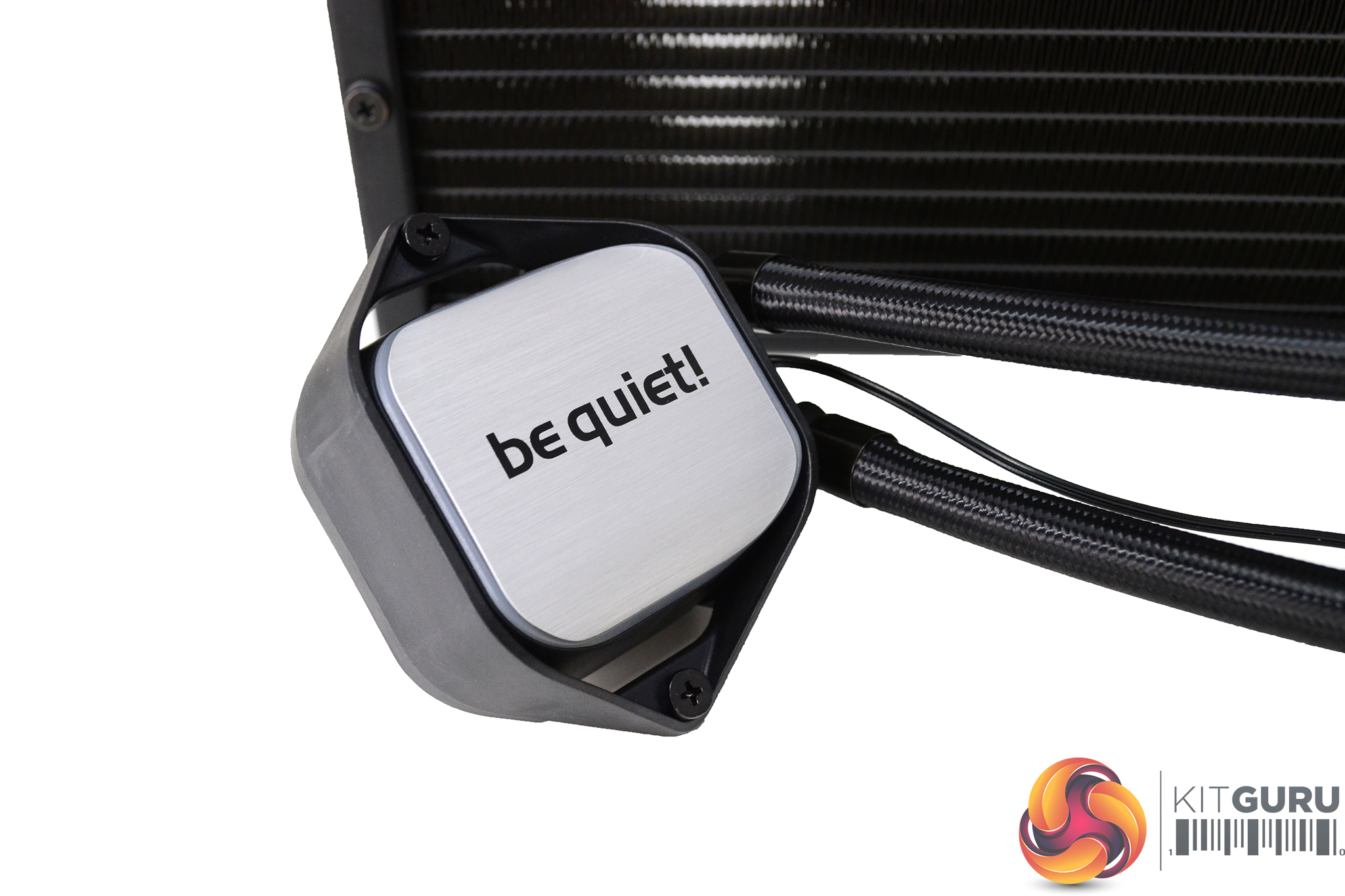
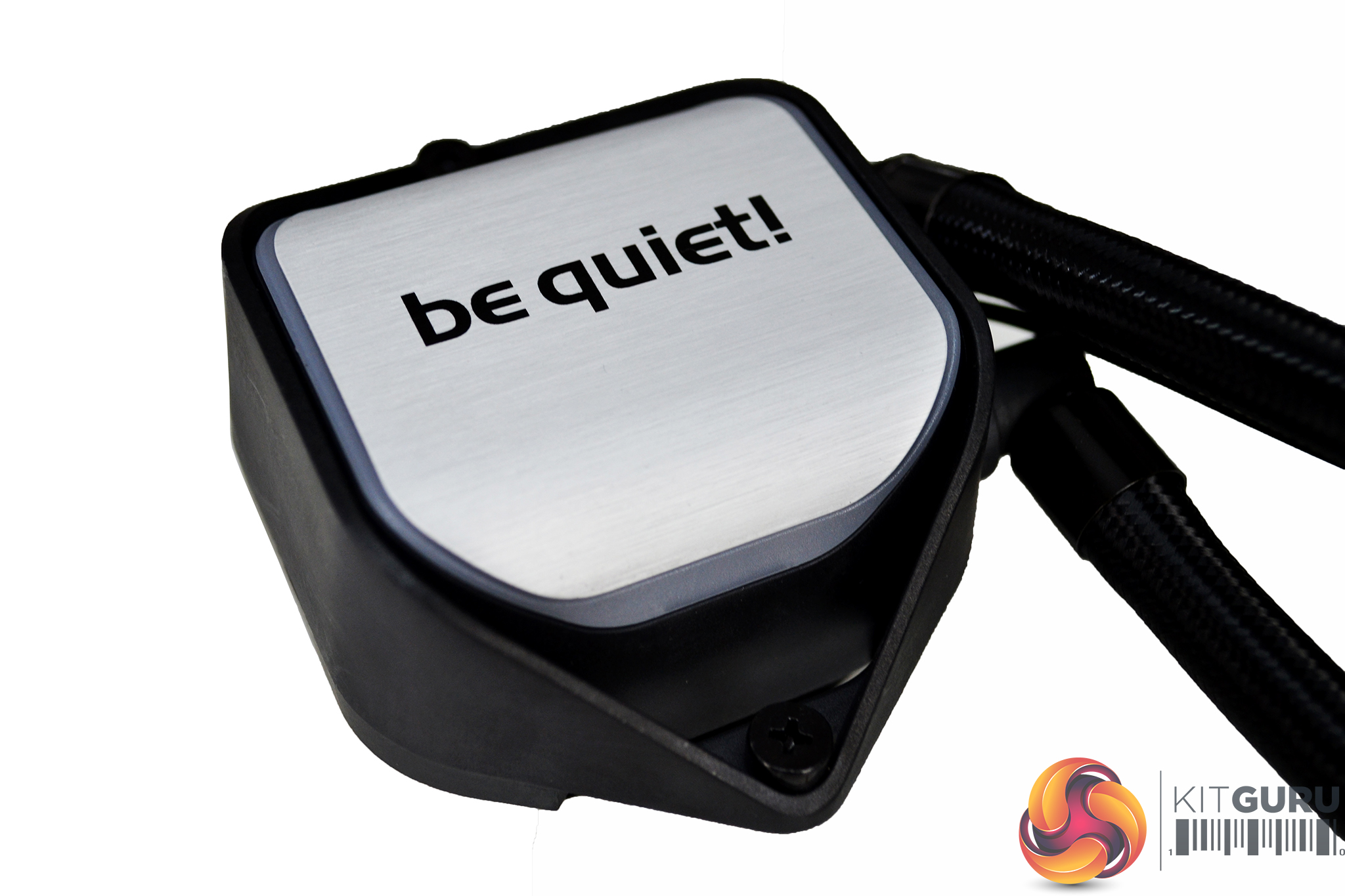
The Pure Loop CPU block is a personal favourite of mine, I like the look of the brushed aluminium effect finish on the top cover with its curvy design. Around the brushed aluminium is an opaque light diffuser for the white LED lighting and the whole CPU block housing is constructed from plastic, including the CPU socket mounting mechanism.
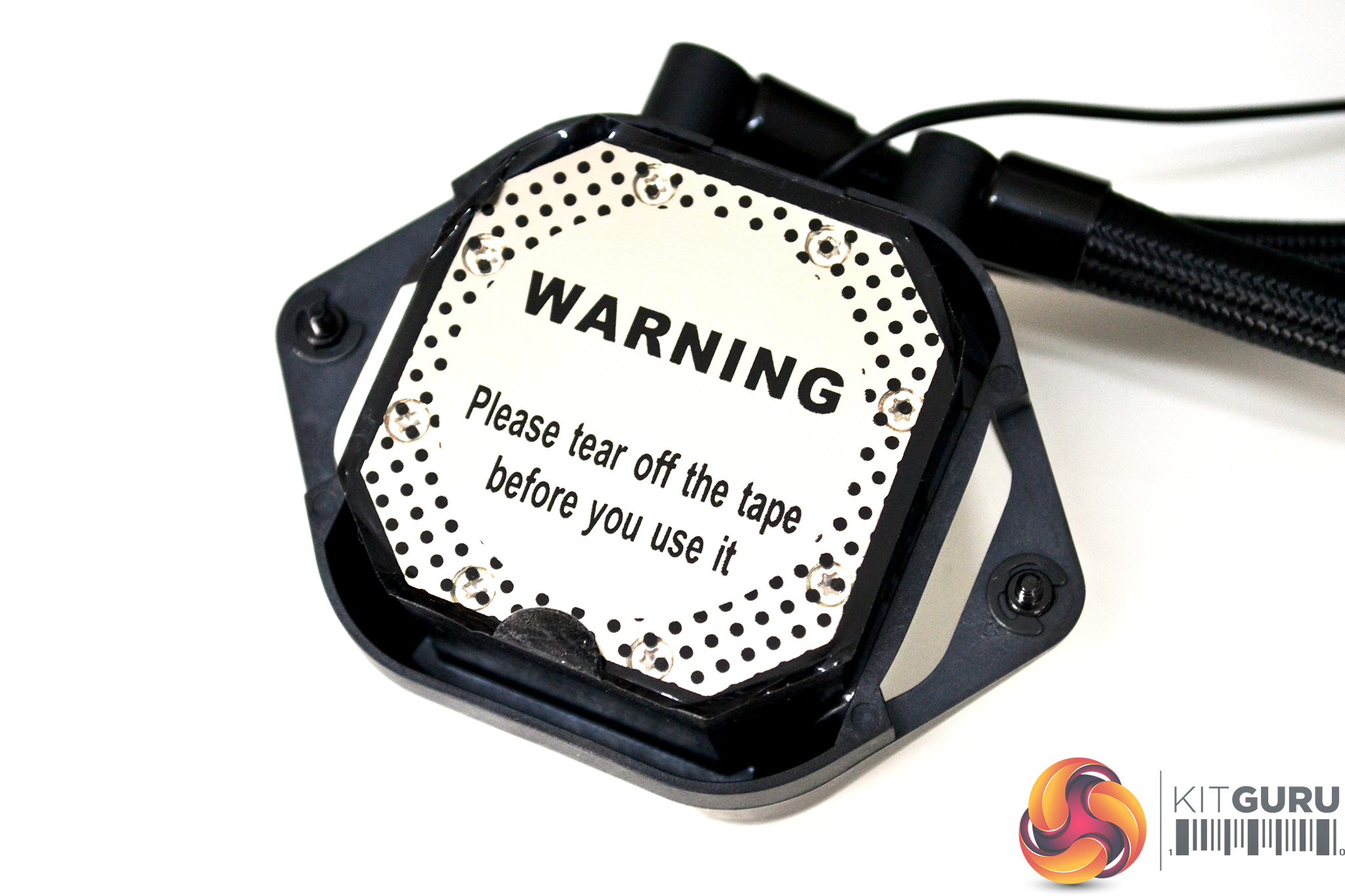
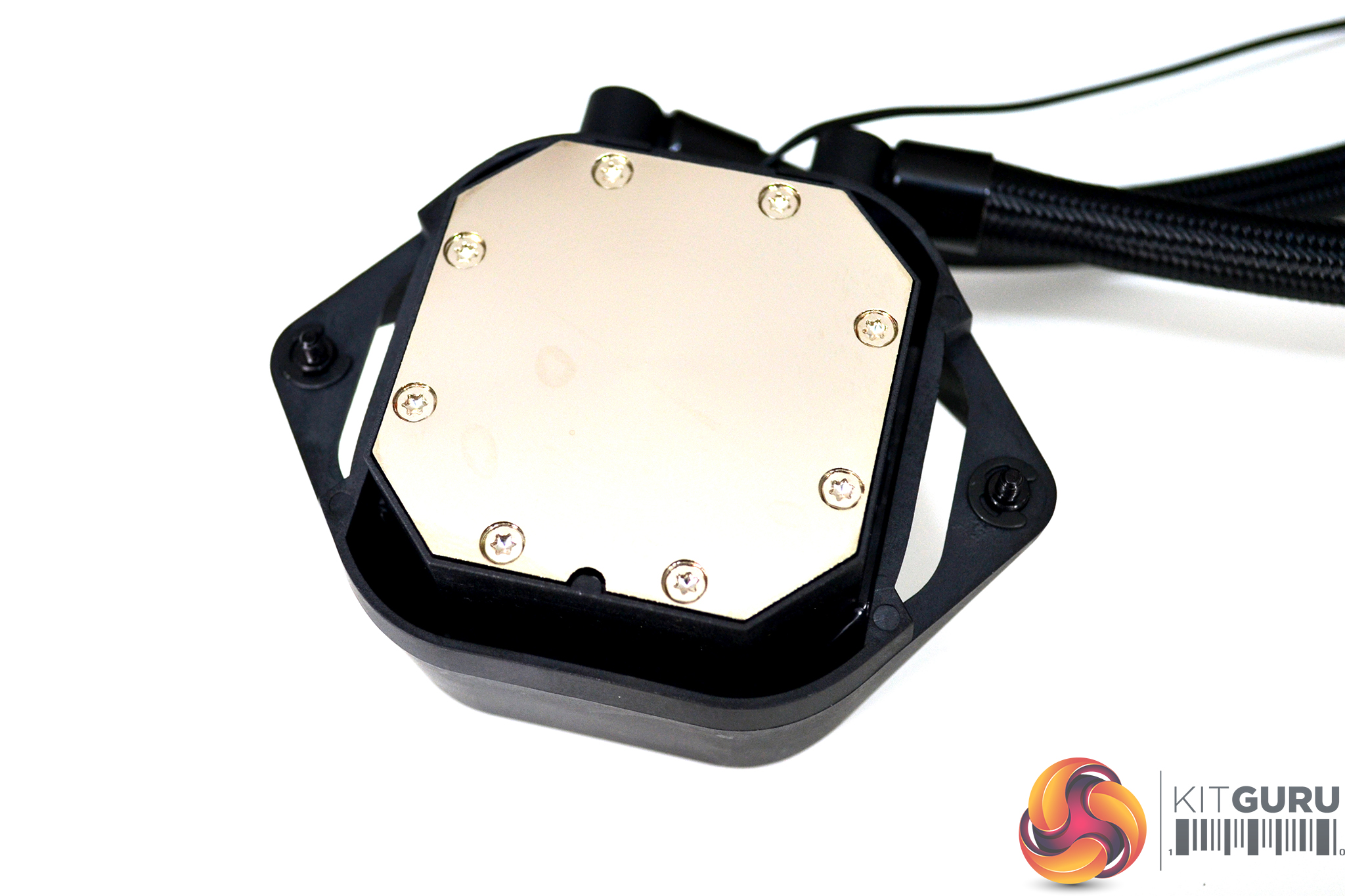
The base of the CPU block is equipped with a protective sticker covering the thermal transfer plate. Unlike most AIO closed loop coolers with bare copper thermal transfer plates, the be quiet! Pure Loop is equipped with a nickel-plated copper base without any pre-applied thermal compound.
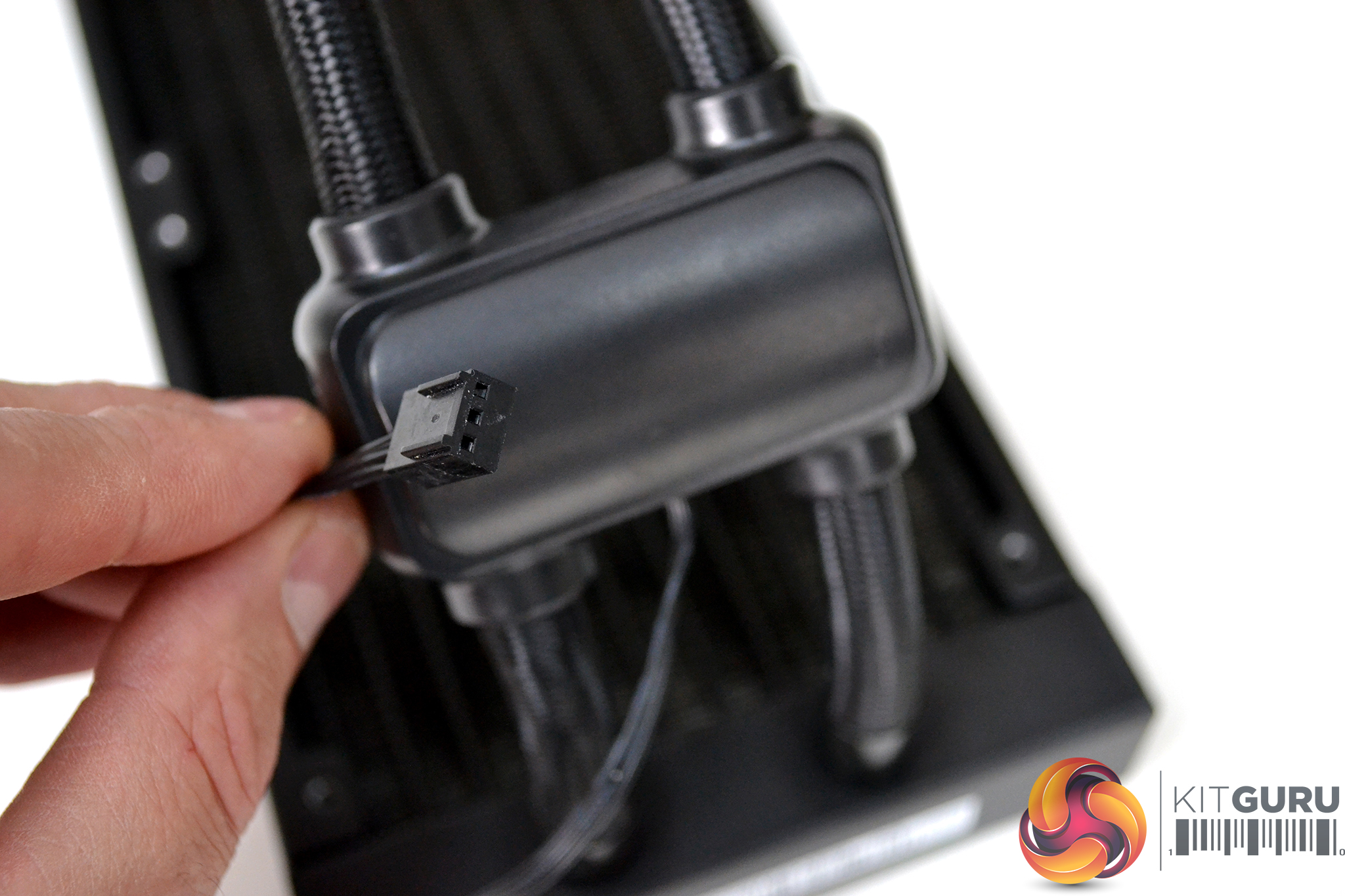
Connectivity of the cooler looks pretty simple with only 3-pin fan header cables connected to both the CPU block, to power the LED lighting, and to power the pump. The included SATA adaptor can be connected to these cables to power the system via a single SATA cable which is the recommended method by be quiet! as the pump and LED lighting require constant 12v power to operate correctly.
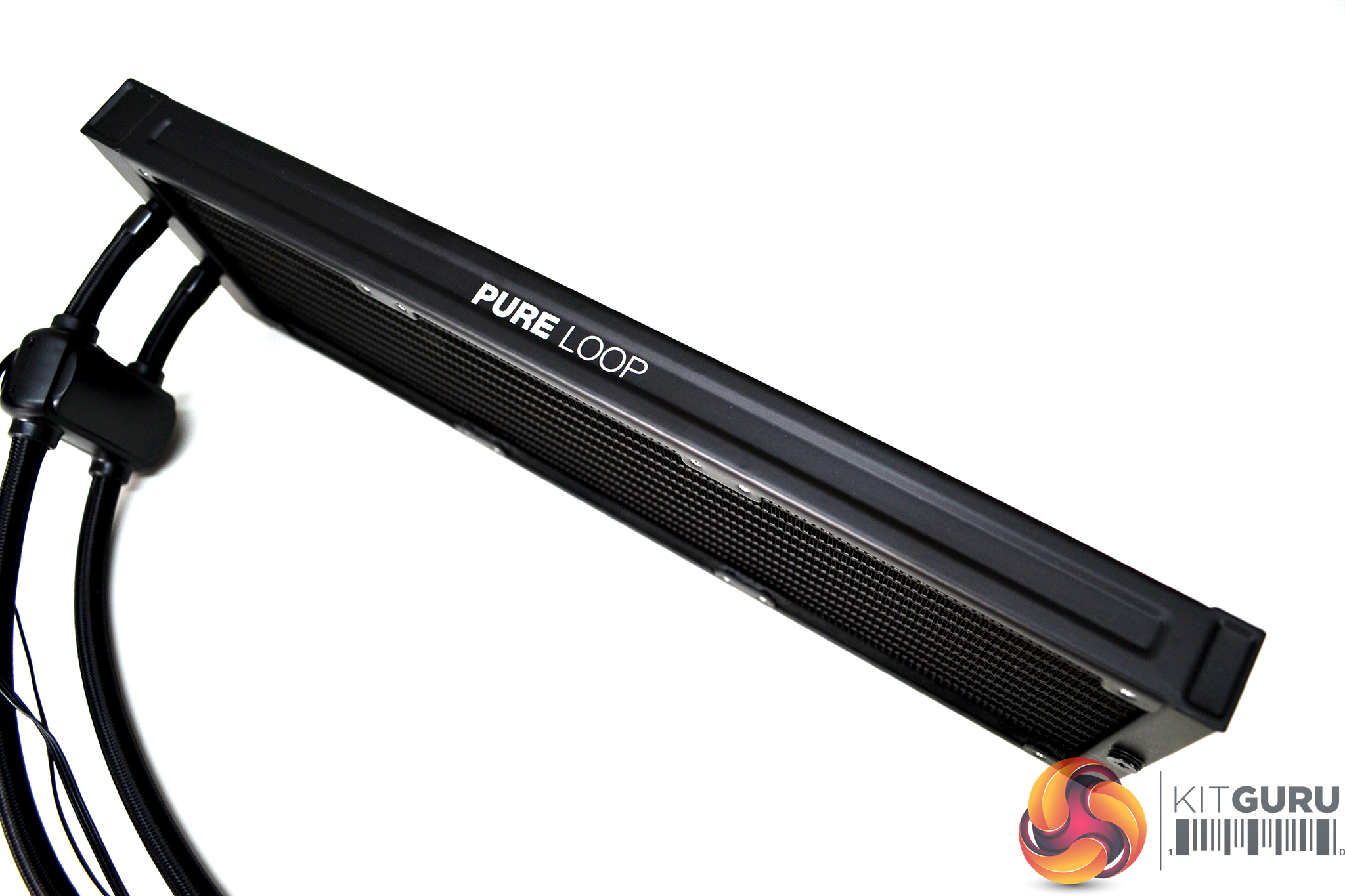
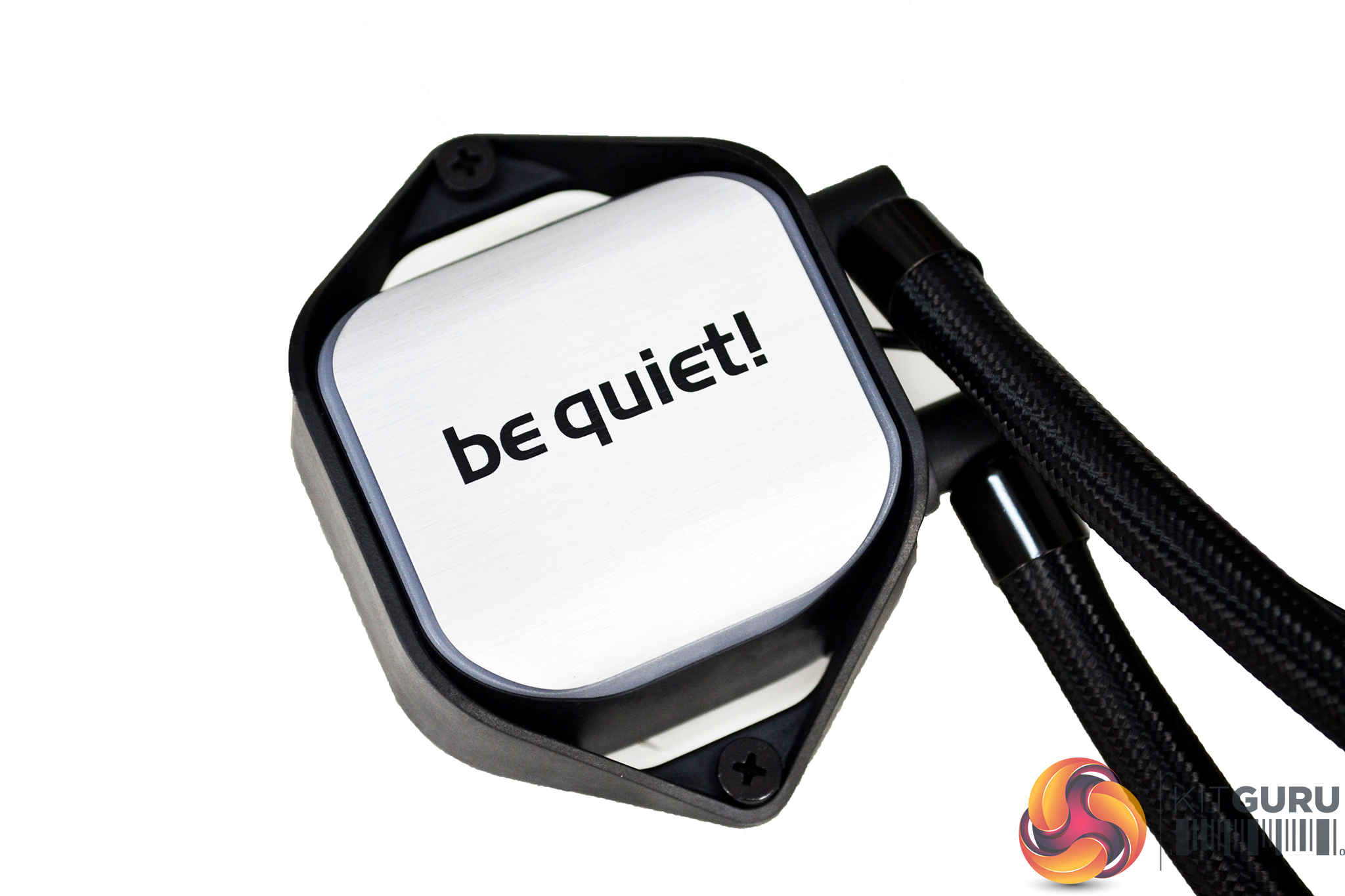
I really like the overall appearance of the Pure Loop AIO, the subtle black and brushed aluminium colour scheme works very well and gives the cooler a neutral look that should fit in well with most system themes. The build quality also seems to be of a high standard, typical of be quiet! products and the cooler is backed by a three-year warranty.
Our CPU cooler test system is Intel Z390 based, therefore, we will be following the relevant Intel 115X socket installation procedure. Intel installation requires the use of the included universal be quiet! backplate while AMD installation utilises the stock AM3/AM4 backplate.
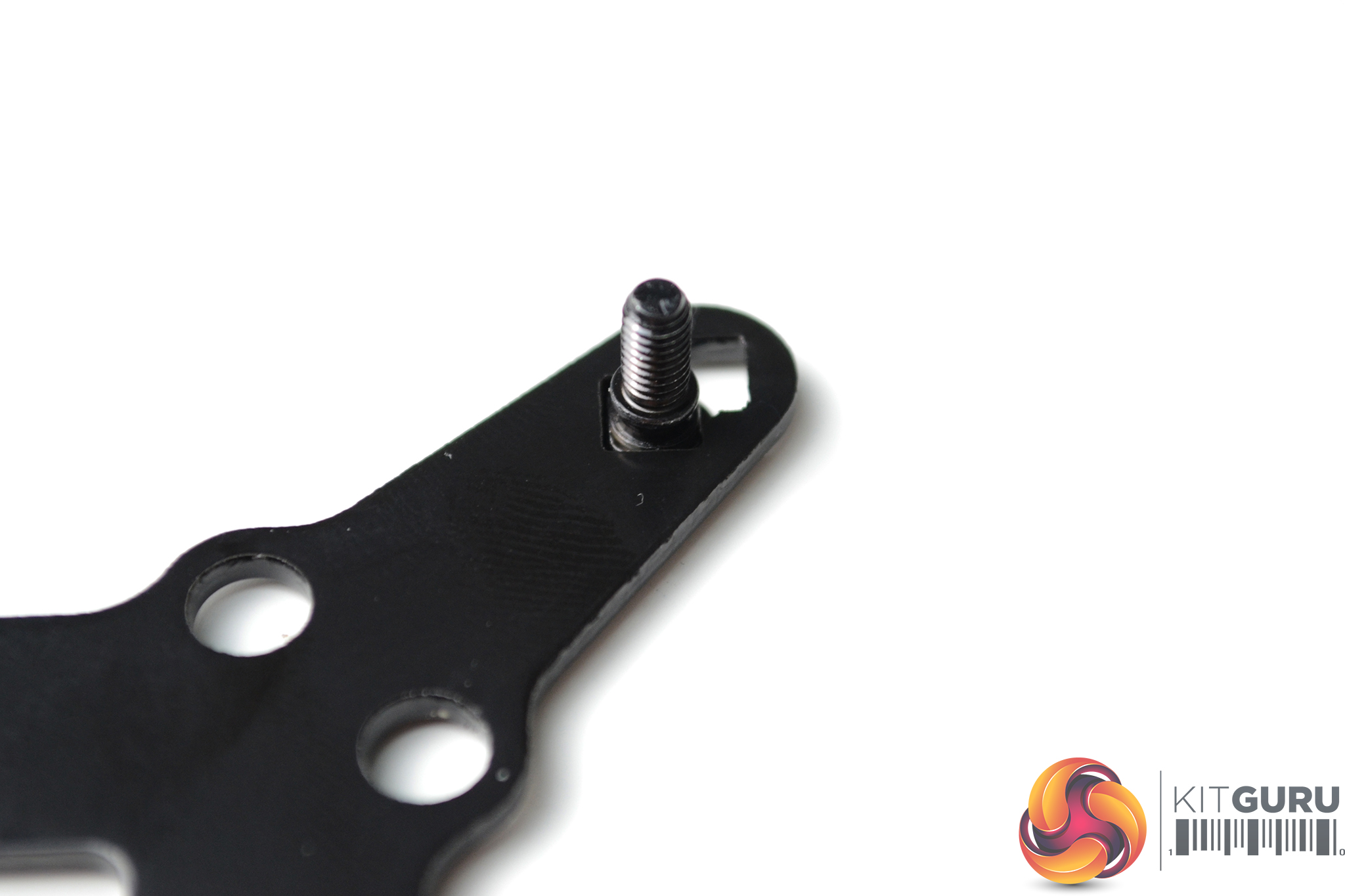
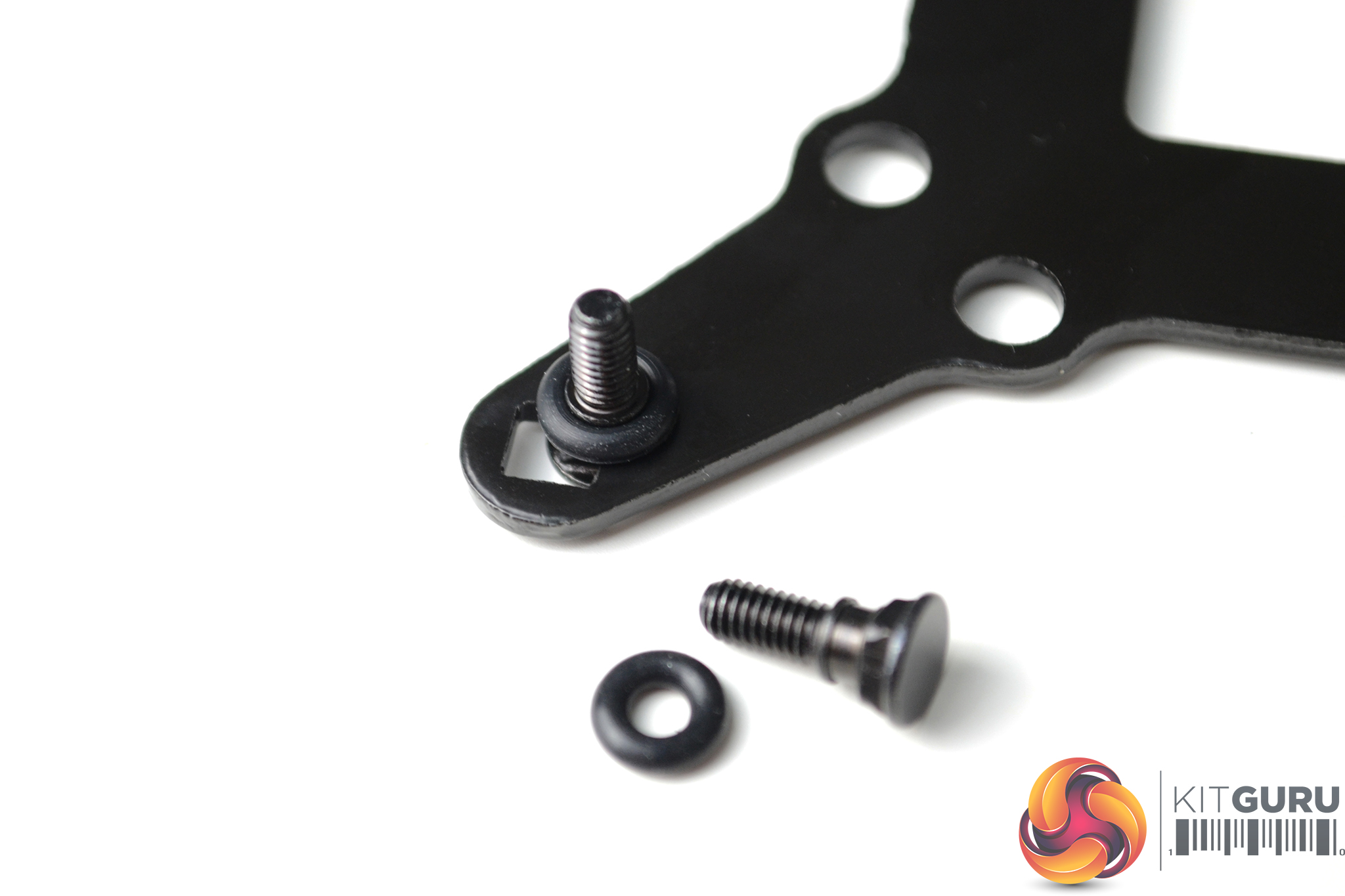
After a quick look at the included installation hardware, it seems that the Pure Loop uses a similar mounting method as used by previous be quiet! air coolers, so the process should be straightforward. First, prepare the Intel backplate by inserting the standoff screws through the relevant holes in the backplate and secure in place with the rubber o-rings.
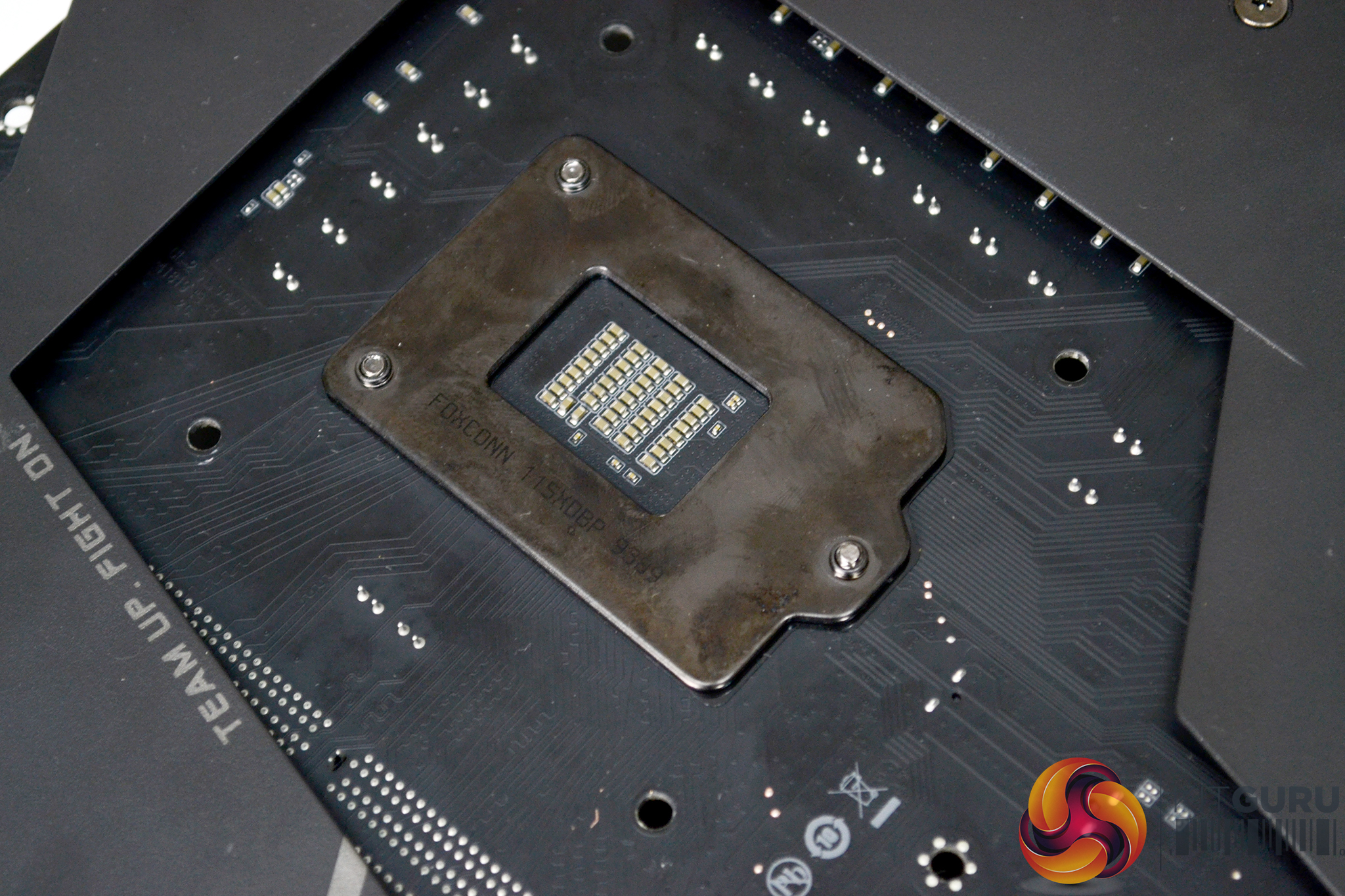
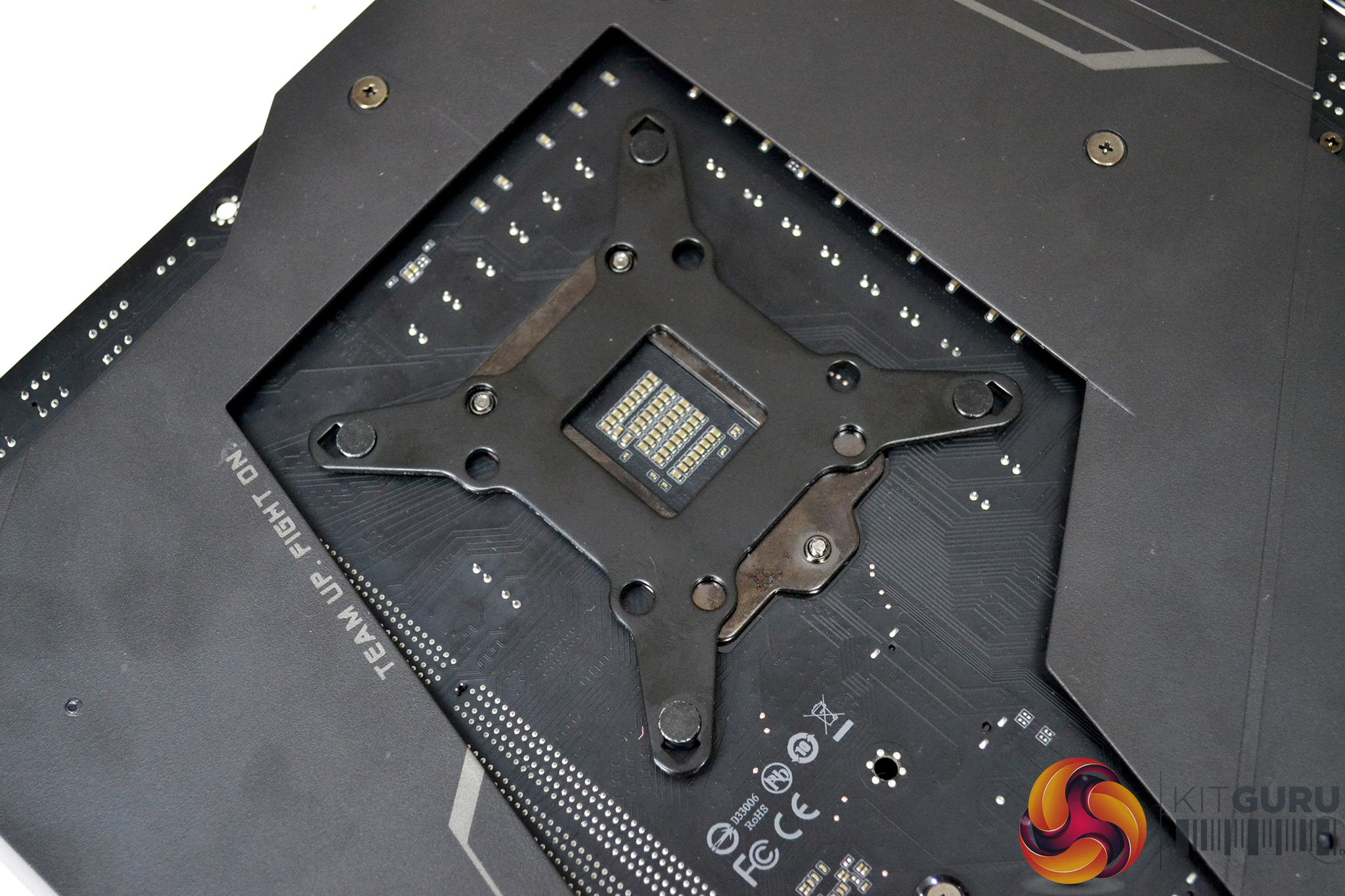
Next, working from the rear of the motherboard, align the assembled backplate with the CPU cooler mounting holes and lower the backplate in position. The backplate is designed to fit any way around so orientation isn't critical.
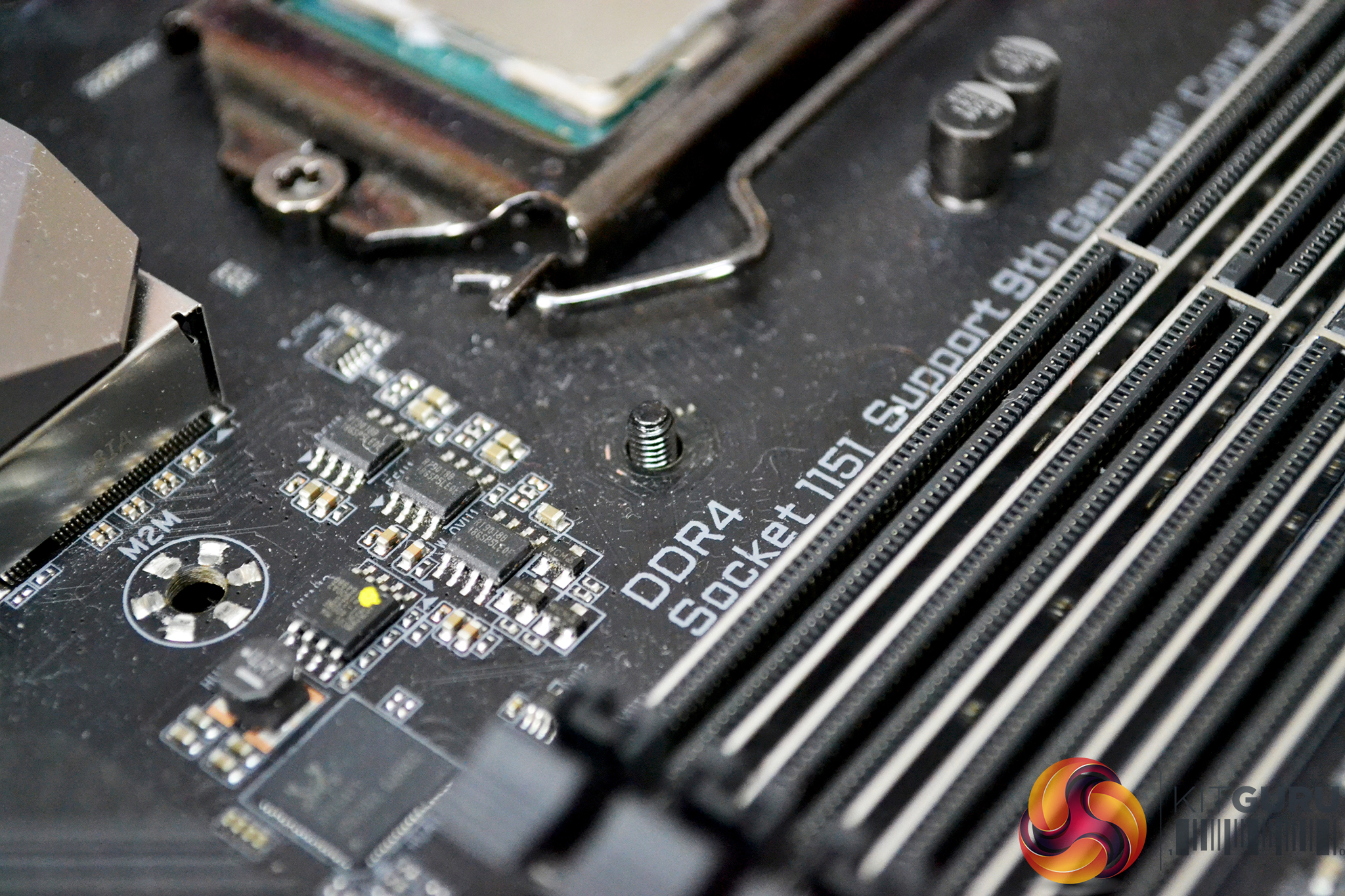
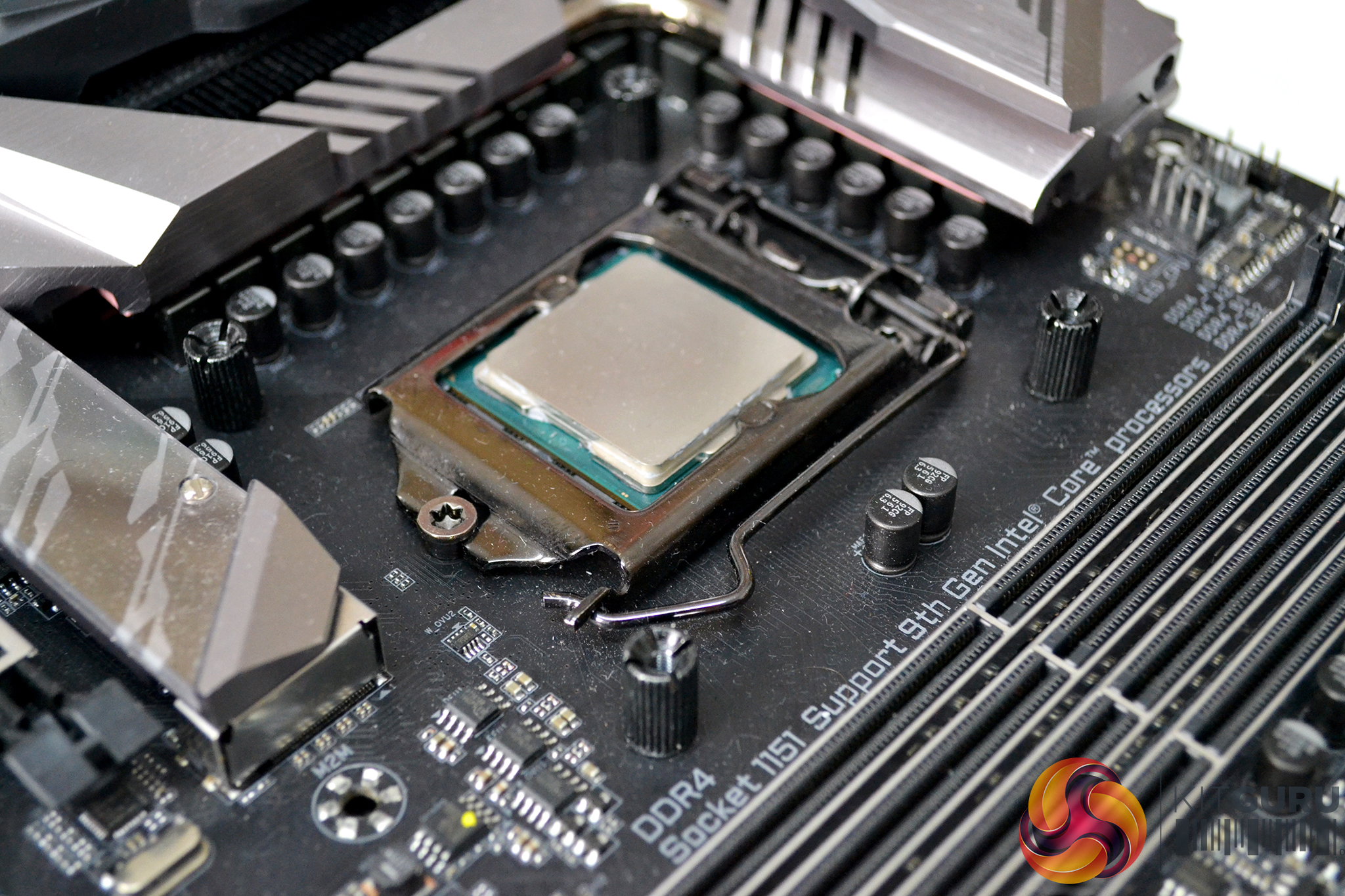
Now working from the CPU side of the motherboard, the backplate standoff screw threads should be visible through the holes. Take the four Intel specific standoffs and fasten the standoffs in position with the integrated plastic insulating washers facing the motherboard surface.
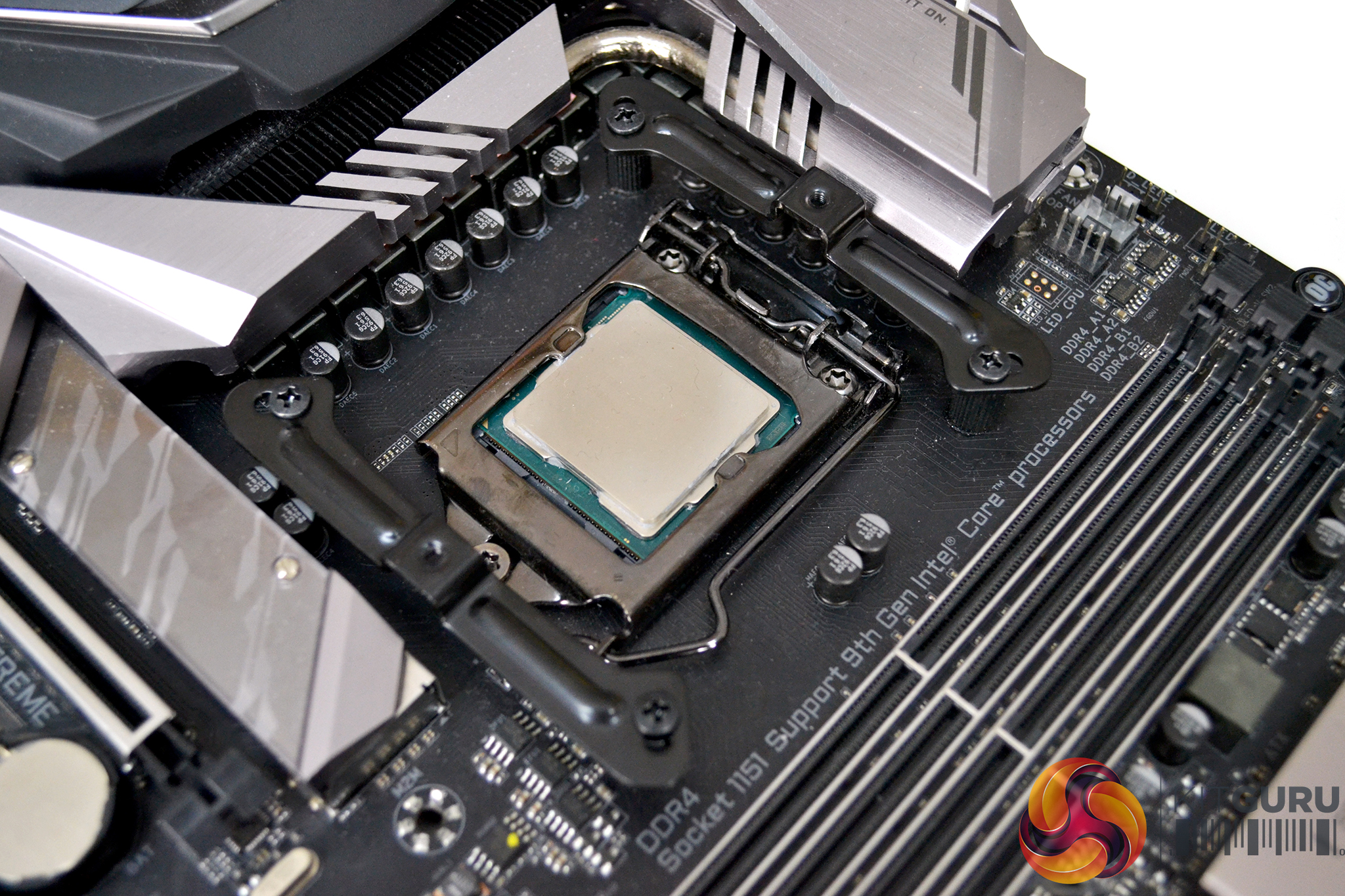
To complete the motherboard preparation, align the upper mounting brackets as shown for Intel 115X installation and secure the upper mounting brackets to the standoffs using the four Philips screw provided.
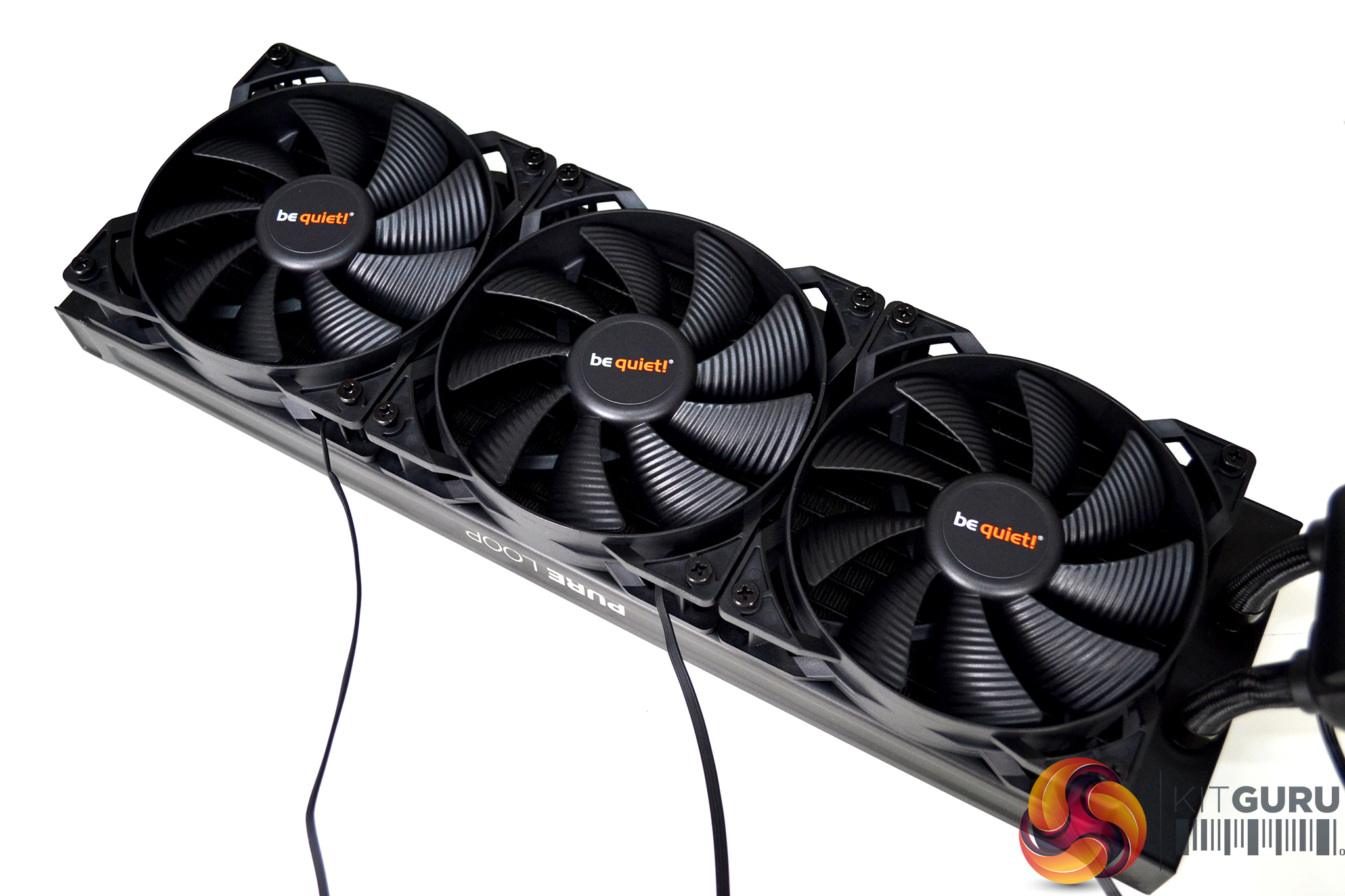
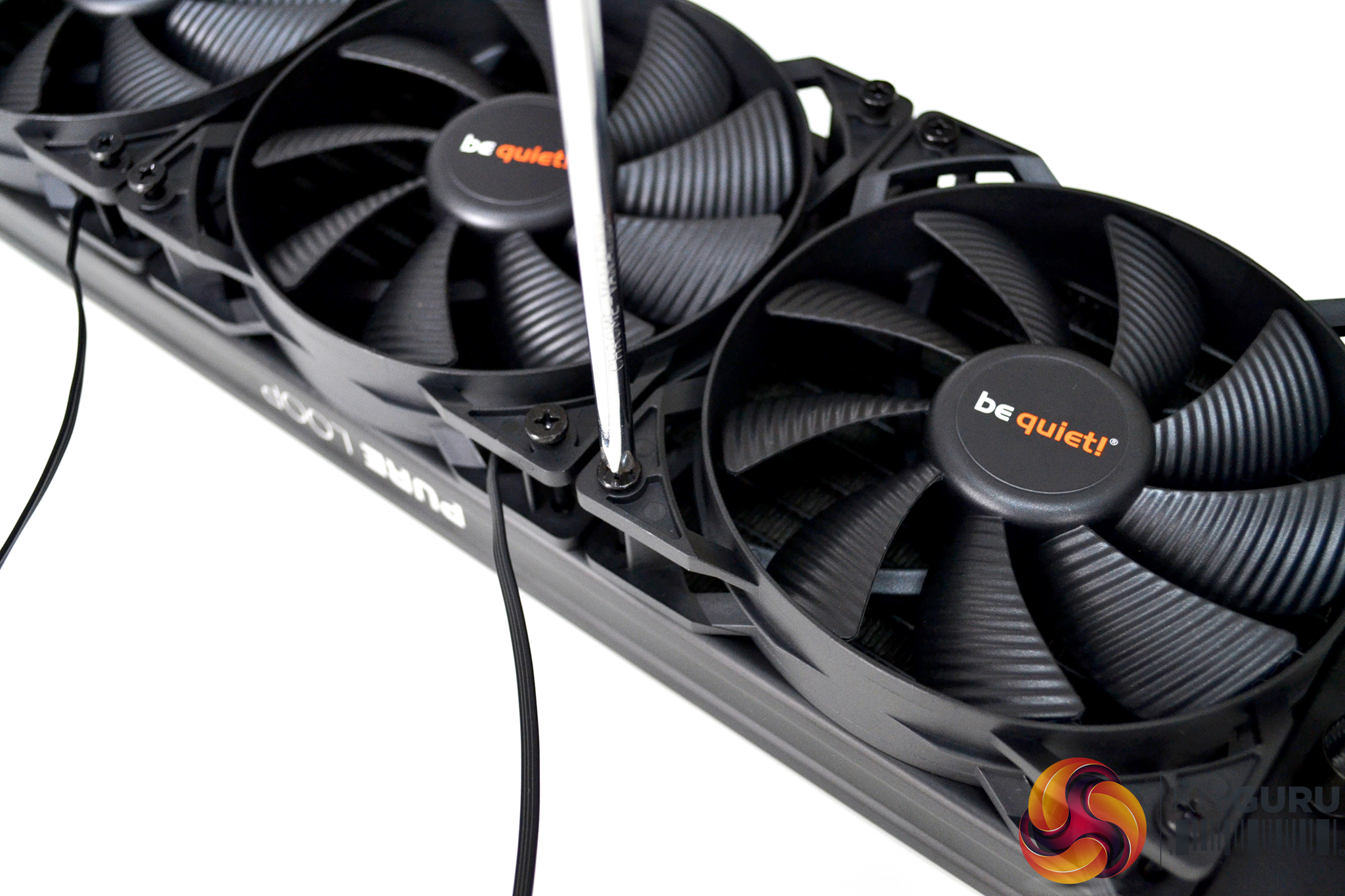
Due to the way that the cooler mounts on our test bench we fit the fans to the radiator next, you may want to delay this step depending on how you decide to mount the radiator in your chassis. To fix the fans to the radiator we simply place the fans onto the radiator in a push configuration and tighten in place using the twelve long black screws provided.
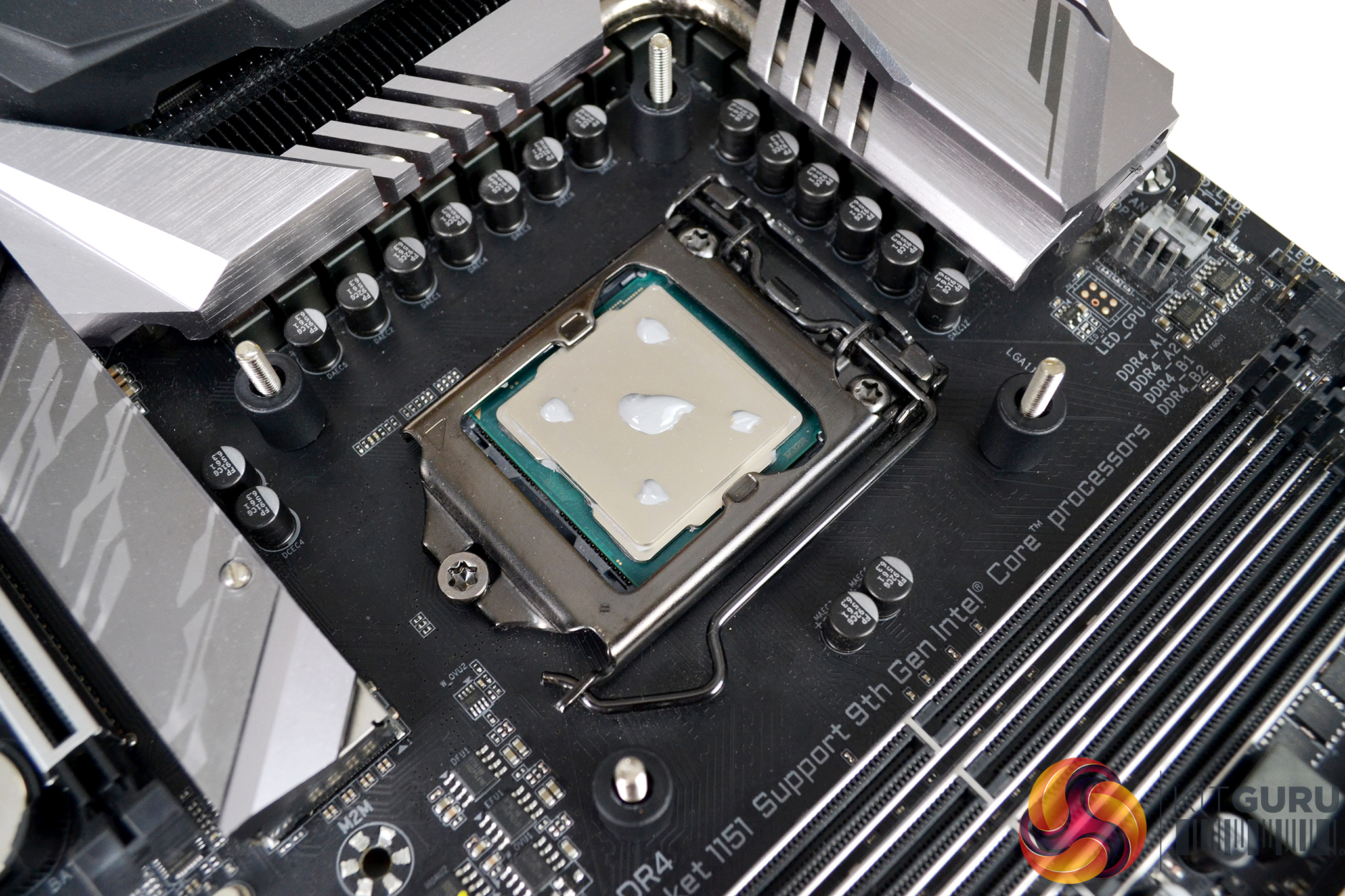
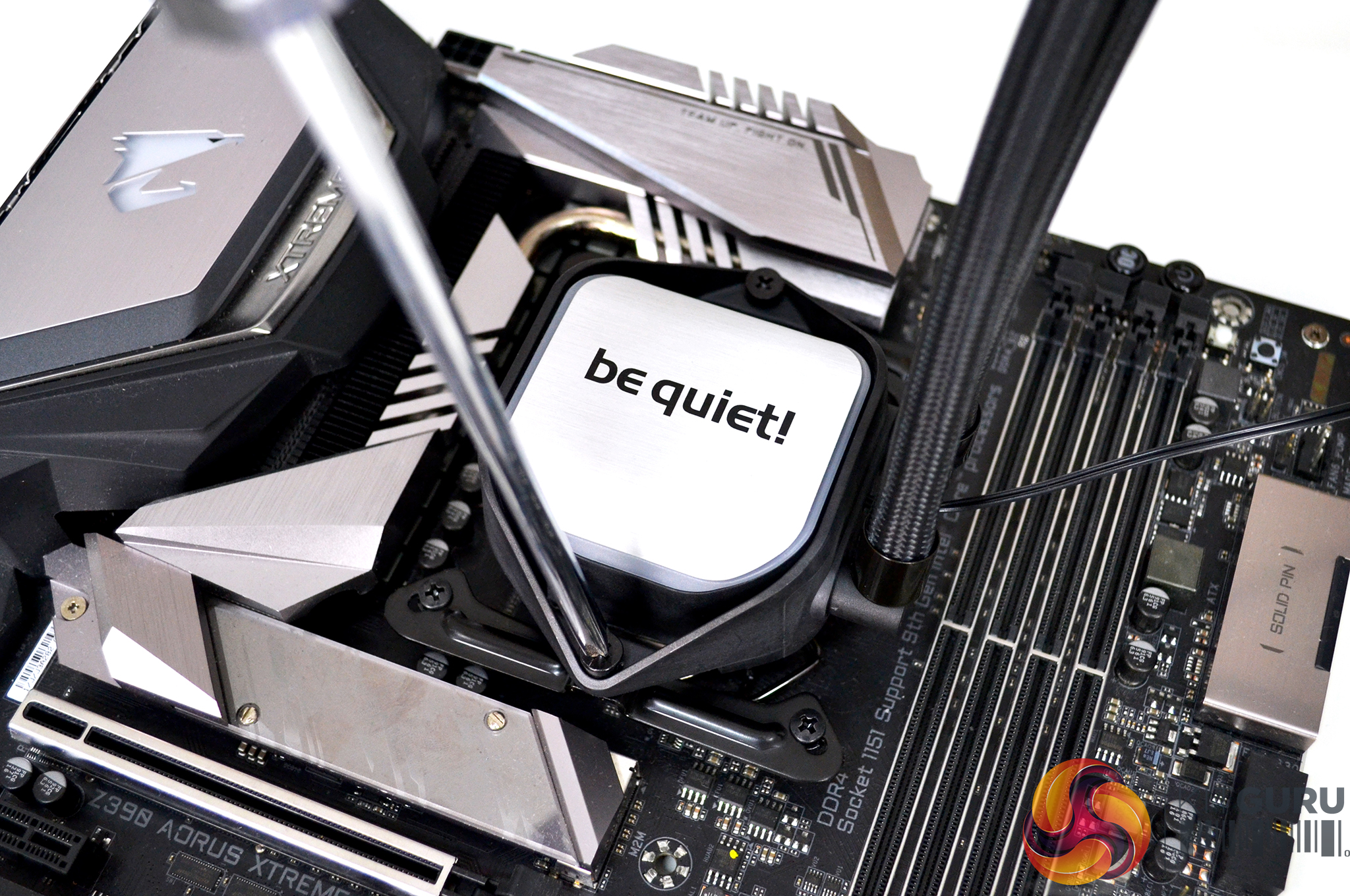
Using your preferred method, apply some thermal compound to the CPU heat spreader, remove the protective sticker from the base of the CPU block, lower down the CPU block aligned with the mounting screw holes and tighten the screws to fix the CPU block in place. be sure to tighten the screws evenly and progressively for optimal CPU block to CPU contact.
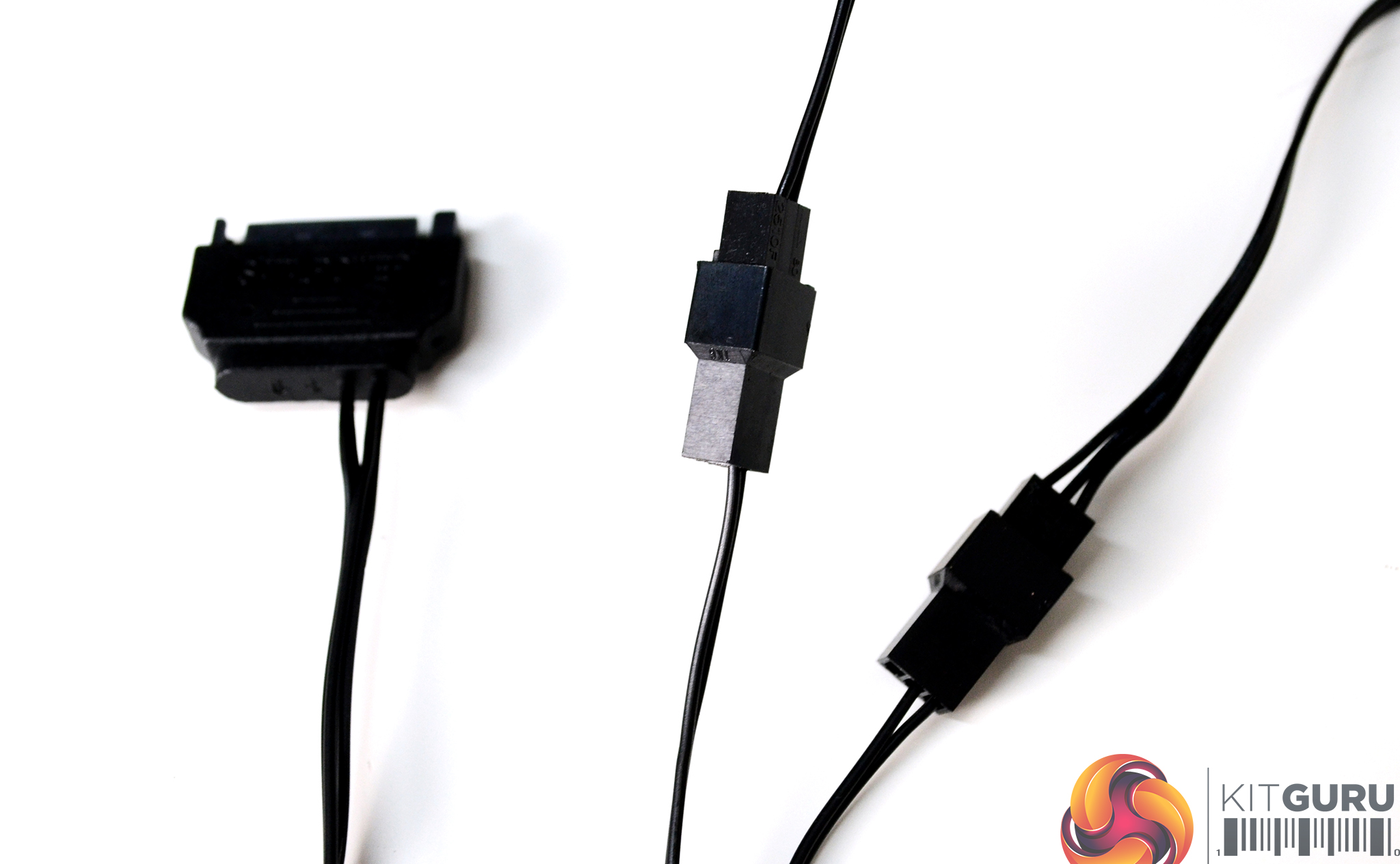
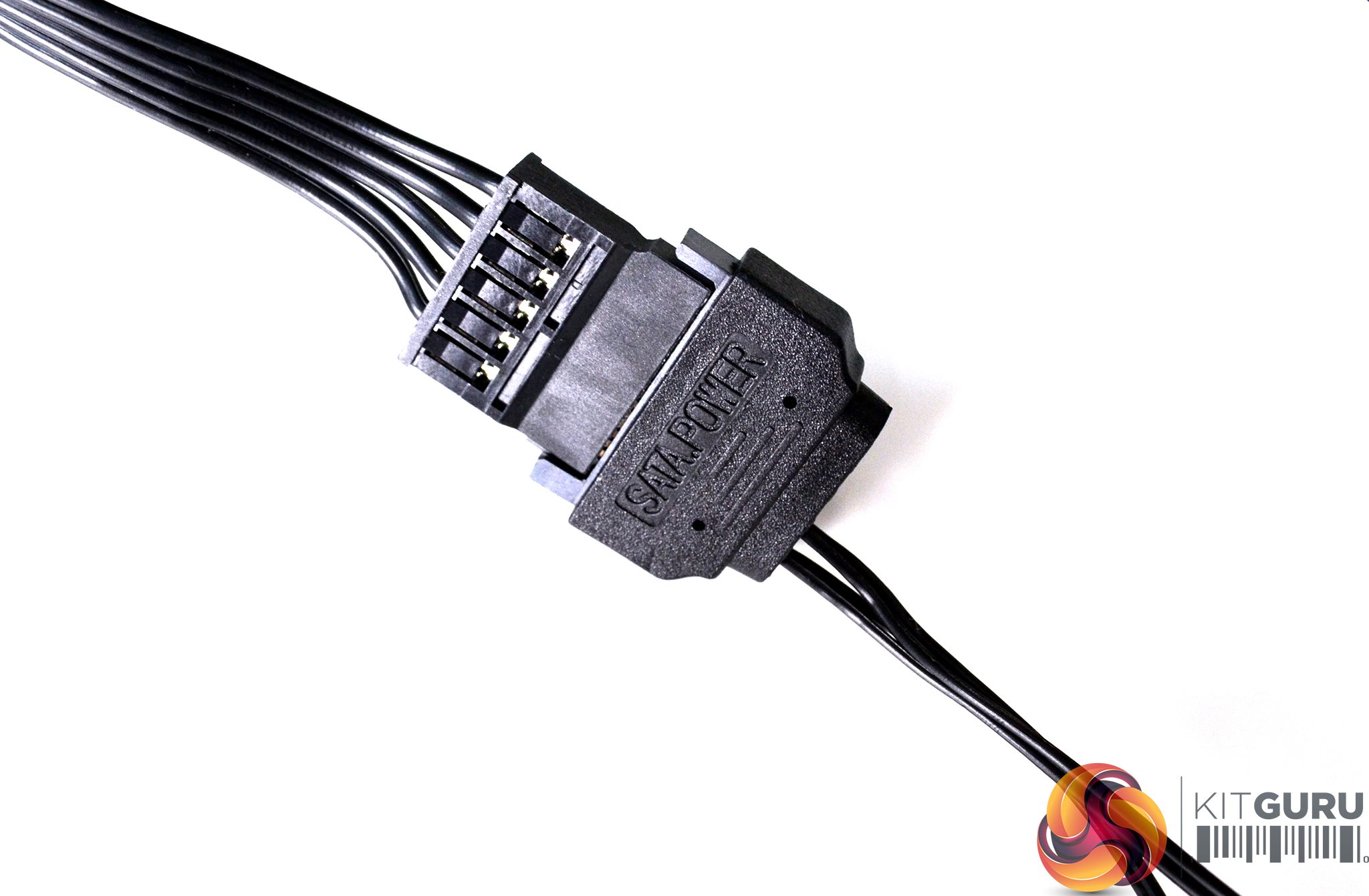
With the motherboard and CPU cooler installed into our test bench, we complete the installation by connecting up the cables. Attach both of the 3-pin power cables from the CPU block and pump to the SATA power adaptor and connect directly to a spare PSU SATA power cable.
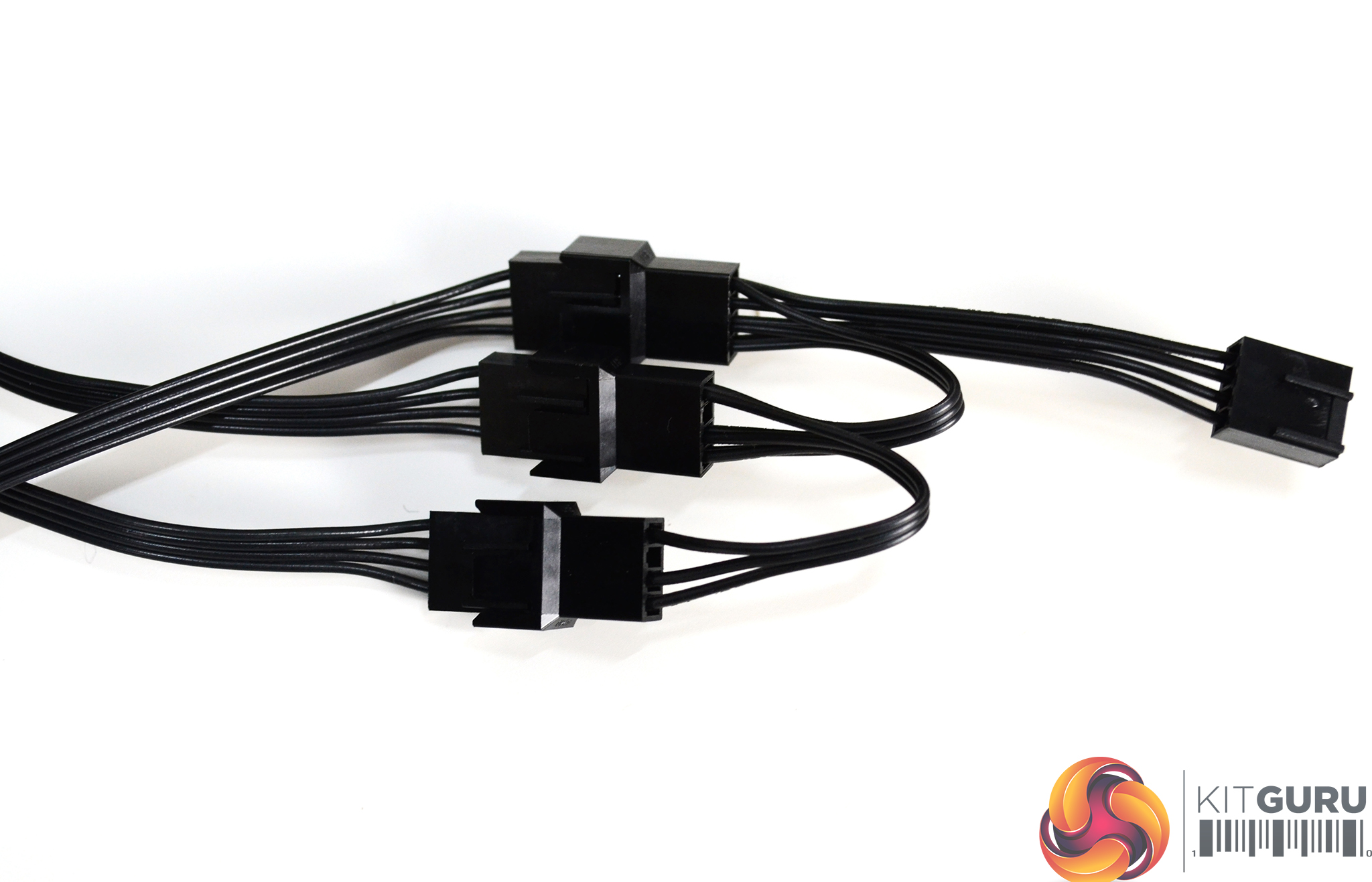
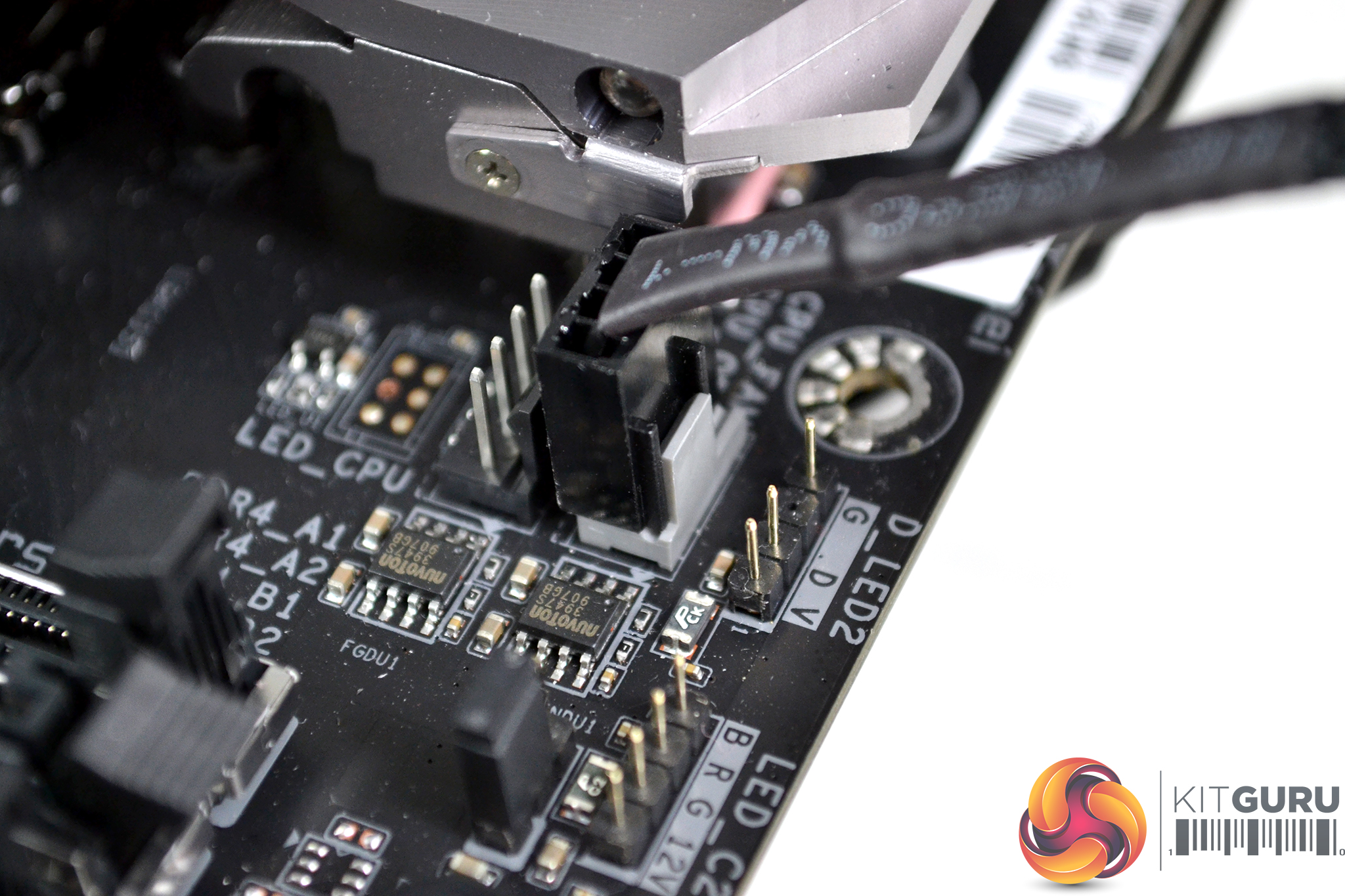
For the final step of the installation, connect the three-way 4-pin PWM fan splitter cable to the three Silent Wings 2 fans and connect the other end of the splitter cable to the motherboard CPU fan header, labelled as CPU_FAN on our Gigabyte Z390 Aorus Xtreme motherboard.
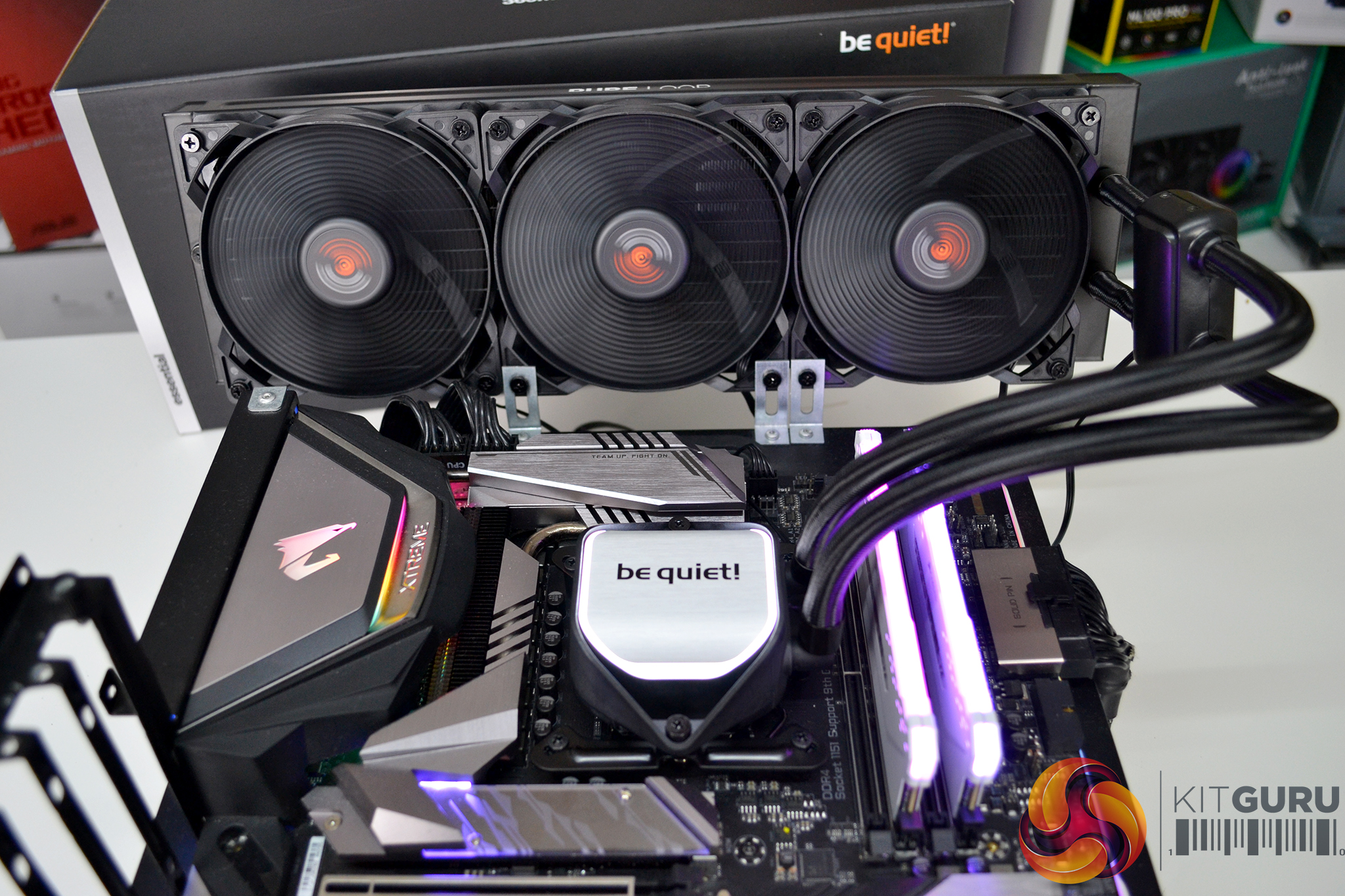
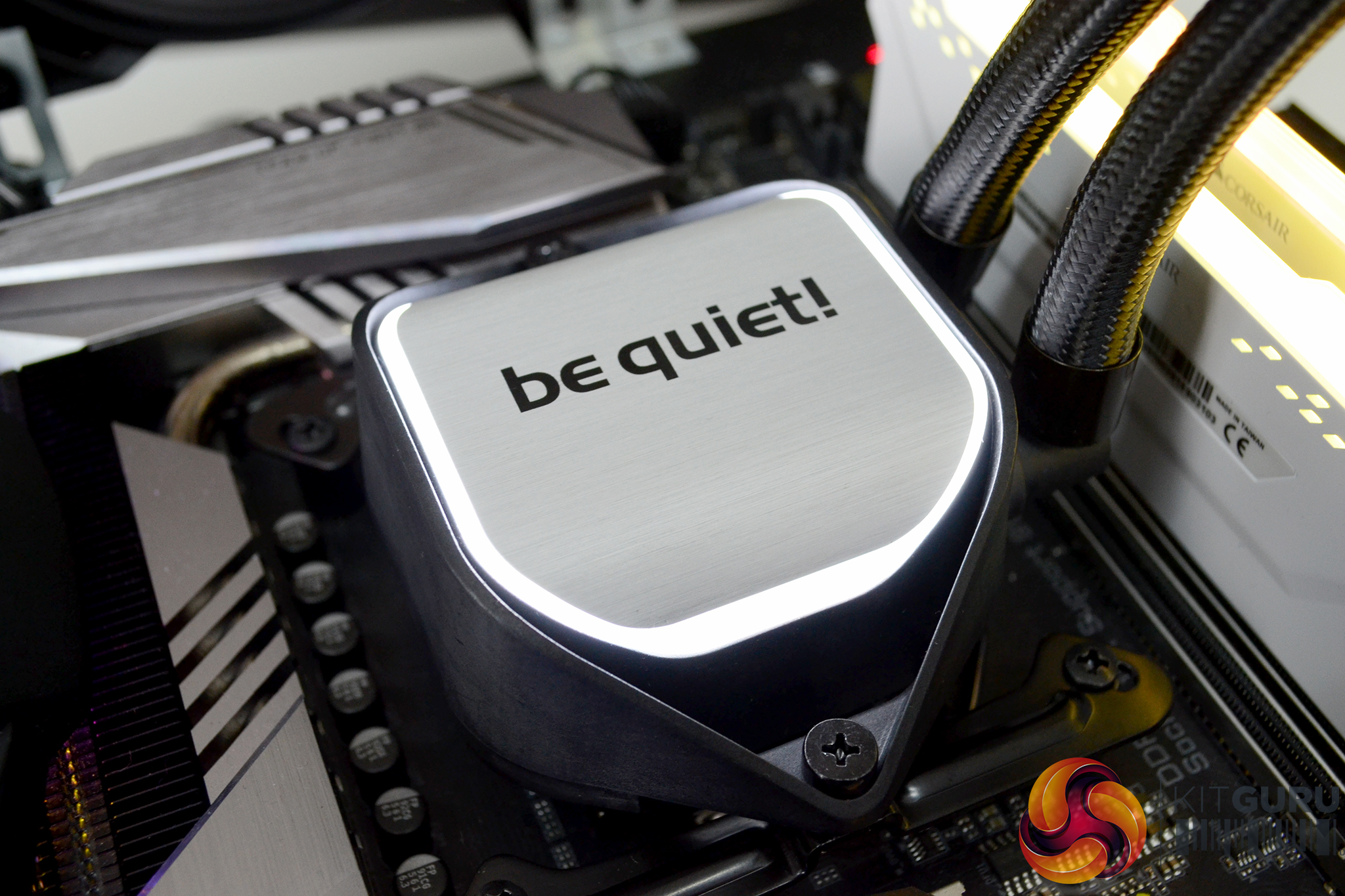
Overall, the installation process of the Pure Loop AIO cooler is straightforward and hassle-free, the installation is similar to other be quiet! air coolers so if you have installed one of those before you will find this a breeze. If this is your first time installing a be quiet! cooler or if you are a PC building novice, the process should still be easy to complete and take no more than 15-20 minutes or so.
Testing Methodology
To measure the performance of CPU coolers, we devised an easily repeatable series of tests. The only variable is the coolers themselves to ensure the results can be accurately compared against one another.
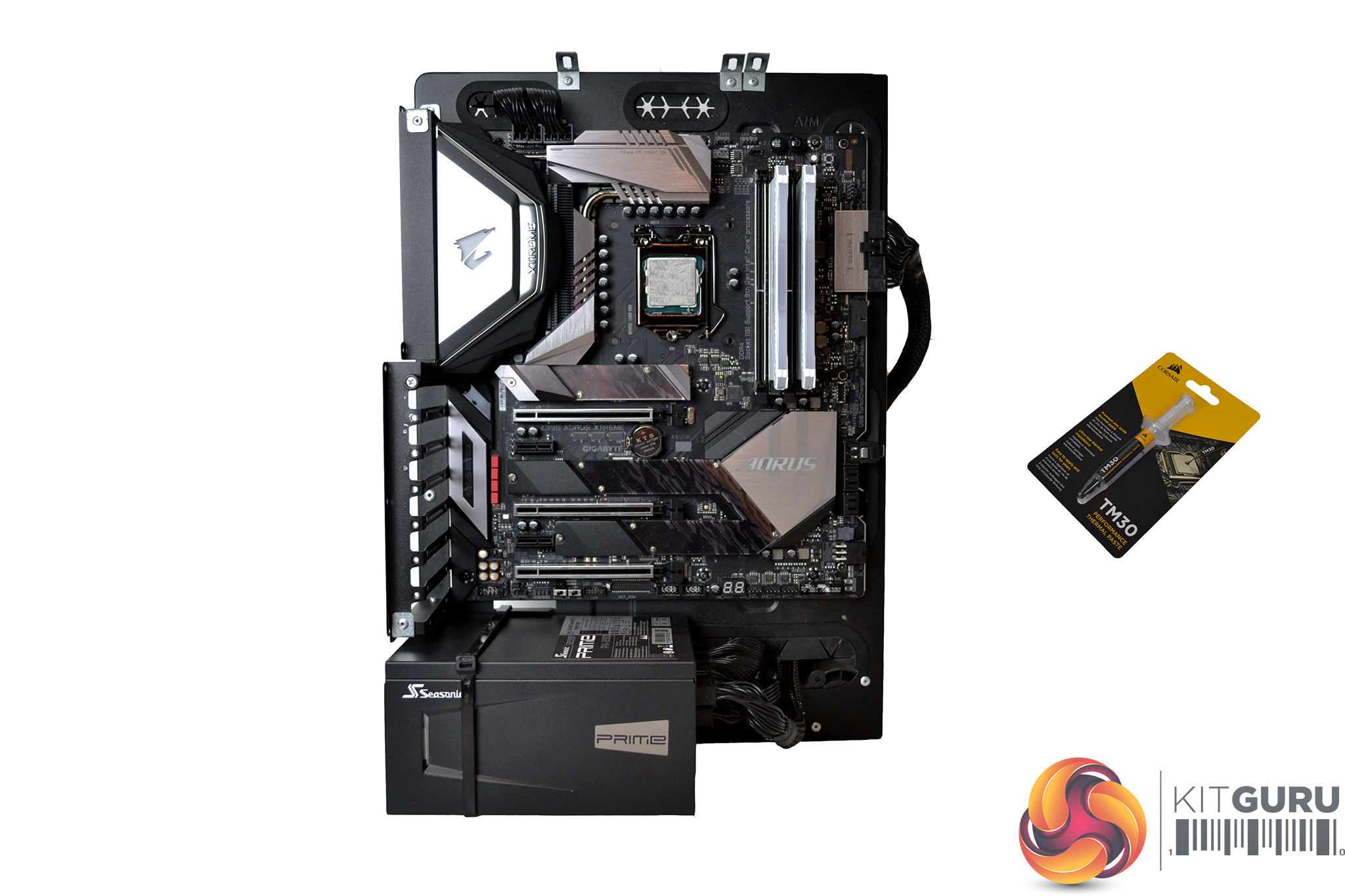
Test Rig
- CPU – Intel Core i9-9900KS
- Motherboard – Gigabyte Z390 Aorus Xtreme
- Memory – 16GB (2x 8GB modules) Corsair Vengeance DDR4 3200 C18
- Storage – Corsair Force LE120 120GB SATA SSD
- Power supply – Seasonic Prime PX-850 850W 80+ Platinum
- Thermal compound – Corsair TM30
- Chassis – Open test bench
- Operating System – Windows 10 1903
Thermal Testing Procedure
The procedure will consist of several tests that will produce four temperature readings for each cooler. The data can then be used to compare thermal dissipation performance.
First, we will lock the Intel Core i9-9900KS at its 4.0GHz all-core base clock frequency, with a 1.150V VCORE applied in the BIOS. Then, run a 20-minute CPU stress test using Aida64 with CPU, FPU and cache stress tests selected.
To simulate overclocked frequency, we will then lock the Core i9-9900K to 4.7GHz on all cores with a 1.265V VCORE applied and run the same 20-minute load test again. To measure an extreme overclocking situation, we will lock the Core i9-9900KS frequency to 5.1GHz on all cores with 1.320V VCORE and run the tests one final time – this should push the limits of the cooling performance of even the very best CPU coolers.
Admittedly, the overclocked frequencies/voltage may not be the highest achievable, nevertheless, it will give us a good set of data to compare the effect frequency/voltage changes have on temperature.
The temperatures presented in the graphs will be average Delta temperatures measured over the length of the test. We will calculate the Delta temperature by deducting the ambient temperature in the test room from the measured CPU temperature, both at idle and under load.
Load temperatures are achieved by running AIDA64 stressing CPU, FPU and cache again for 20 minutes. This should give the CPU enough time to reach its maximum temperature. Throughout testing, Load Line Calibration will be set to level 6 (turbo), CPU power limits and c-states disabled in BIOS and all CPU Fans/pumps set to maximum RPM to find the raw thermal performance of each cooler. During the 20-minute load stress periods, CPU temperature is logged by HWINFO and an average CPU temperature is calculated from this data.
To measure the thermal performance of each CPU cooler with noise normalised, we will run the 4.7GHz load test one final time with the noise output of the CPU cooler set at 40dBA, which is measured using a sound meter placed 1 meter from the test bench. Noise normalised testing will determine the efficiency of the cooler at a given noise level.
Noise Testing
Maximum noise levels will be measured with our sound meter at a distance of 1 meter from the test bench. The cooler’s fans/pump will be set to their maximum RPM rating. The ambient noise level in the room is measured at 37.3dBA, the peak noise level of the cooler will be recorded in dBA.
Thermal Performance: Fans at 100% RPM
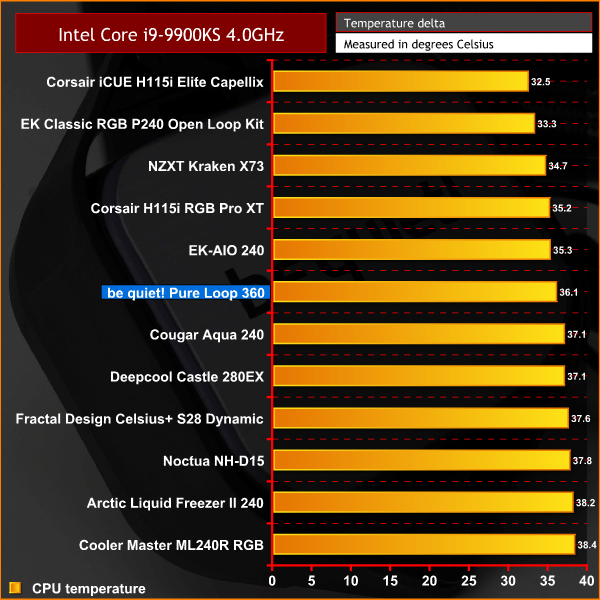
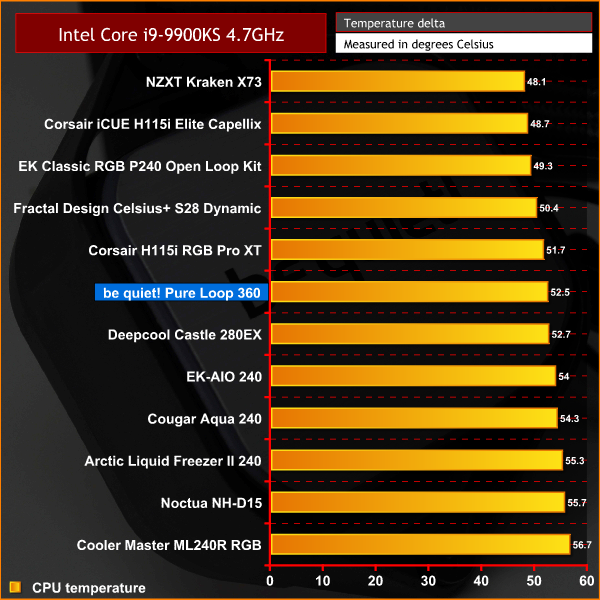
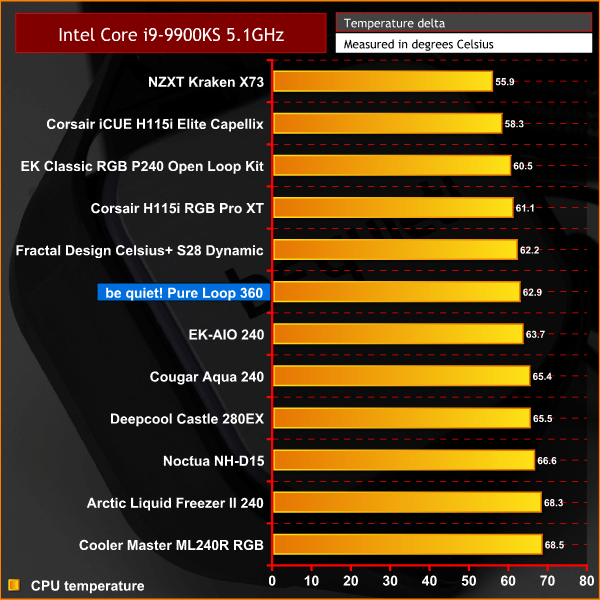
During our first series of performance test with the fan speed set to maximum RPM, the be quiet! Pure Loop 360 records solid average delta temperature and slots in mid-table. Thermal performance of the Pure Loop 360 at our base 4.0GHz and 4.7GHz CPU frequency isn't far behind the more expensive 360mm NZXT Kraken X73, however with the CPU frequency at 5.1GHz the NZXT Kraken pulls away.
Thermal Performance: Noise Normalised (40dBA)
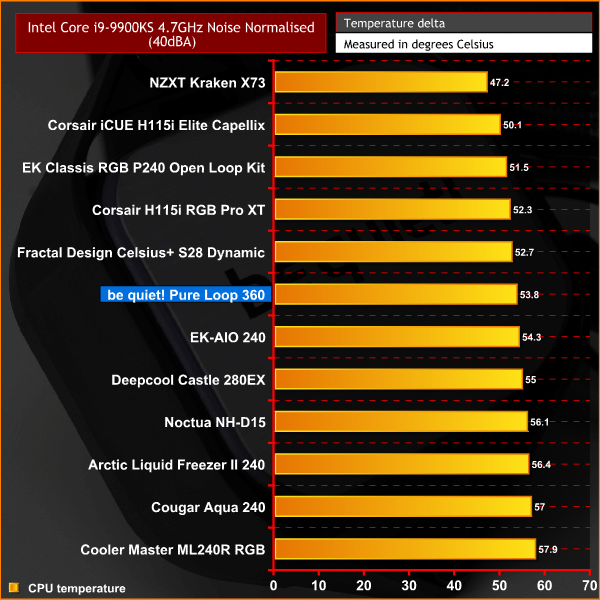
Once we equalise noise levels to 40dBA across all the coolers we often see the thermal performance degrade a little. The be quiet! Pure Loop 360 does very well when the noise is normalised and only increases the average delta temperature by approximately 1°C, which is impressive.
Maximum Noise Levels
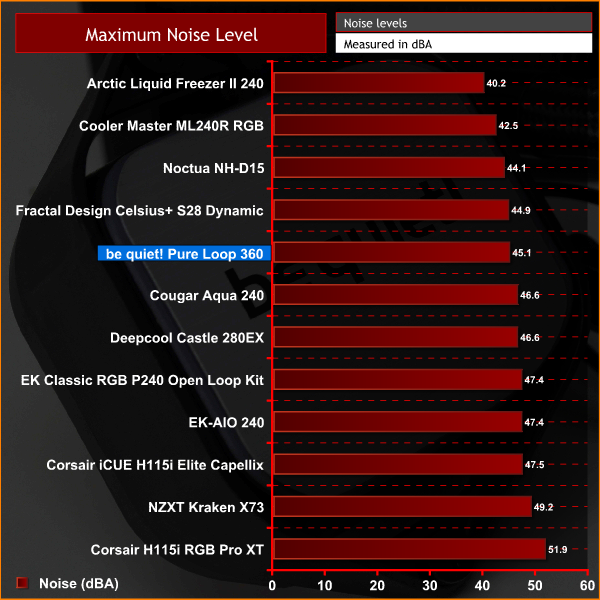
In terms of noise output, as usual with be quiet! coolers, the Pure Loop is up with the quieter coolers in our chart. It's not quite at the ultra-low noise level we are used to with be quiet! air coolers, but we have to remember that the fans used this time are the Pure Wings 2 high-speed versions, with a maximum speed of 2000 RPM. Other similar speed fans from rival manufacturers are often a few decibels louder than the Silent Wings 2 which record a maximum noise level of 45.1dBA in our test.
Be quiet! categorise the Pure Loop AIO series as a product from the company’s Essential range, which means mid-range affordability without compromising on quality. As usual with be quiet! products, the Pure Loop has a well-built feel to it. The noise output of the Pure Loop is a little higher than we are used to from be quiet! however, the high-speed Pure Wings 2 2000 RPM fans are noticeably quieter than similar high performance fans from alternative manufacturers.
These relatively low noise levels at maximum fan speed show when it comes to the thermal performance, as there is very little change in the thermal performance once noise levels are normalised to 40dBA. When noise is normalised the Pure Loop 360 performance only dropped by approximately 1⁰C average temperature during the test, which is excellent and means that you can afford to reduce noise output without having to adversely affect thermal performance.
With the fans running at their maximum speed, the Pure Loop 360 produced decent thermal performance. By no means is it a chart-topper, but for the reasonable price of around £120, the price to performance ratio makes it worth considering. Alternative premium 360mm AIOs from rival manufacturers can often cost well in excess of £150, so you could say that the Pure Loop 360 is a bargain.
If understated and subtle is what you look for in an AIO cooler, then the be quiet! Pure Loop series would be the ideal choice. The combination of the black radiator, fans and tubing works very well with the contrasting brushed aluminium effect CPU block top cover and in my opinion, the white LED lighting is just the right amount for the design, ideal for the RGB haters out there that still want some form of illumination.
There are a few features of the Pure Loop that I really like such as the cabling at the CPU block, a single 3-pin cable makes the installation look very neat. One of my pet hates is multiple unnecessary cables attached to the CPU block, it means more time is needed to manage cables and ruins the final appearance – this is not a problem with the Pure Loop.
I also love the idea of moving the pump away from the CPU block, again this helps to minimise cables at the CPU block but also offers the potential to make the CPU block shorter and more compact. Unfortunately, be quiet! didn’t make the most of this with the Pure Loop, the CPU block doesn’t appear much smaller than other AIOs with a CPU block integrated pump which is a shame.
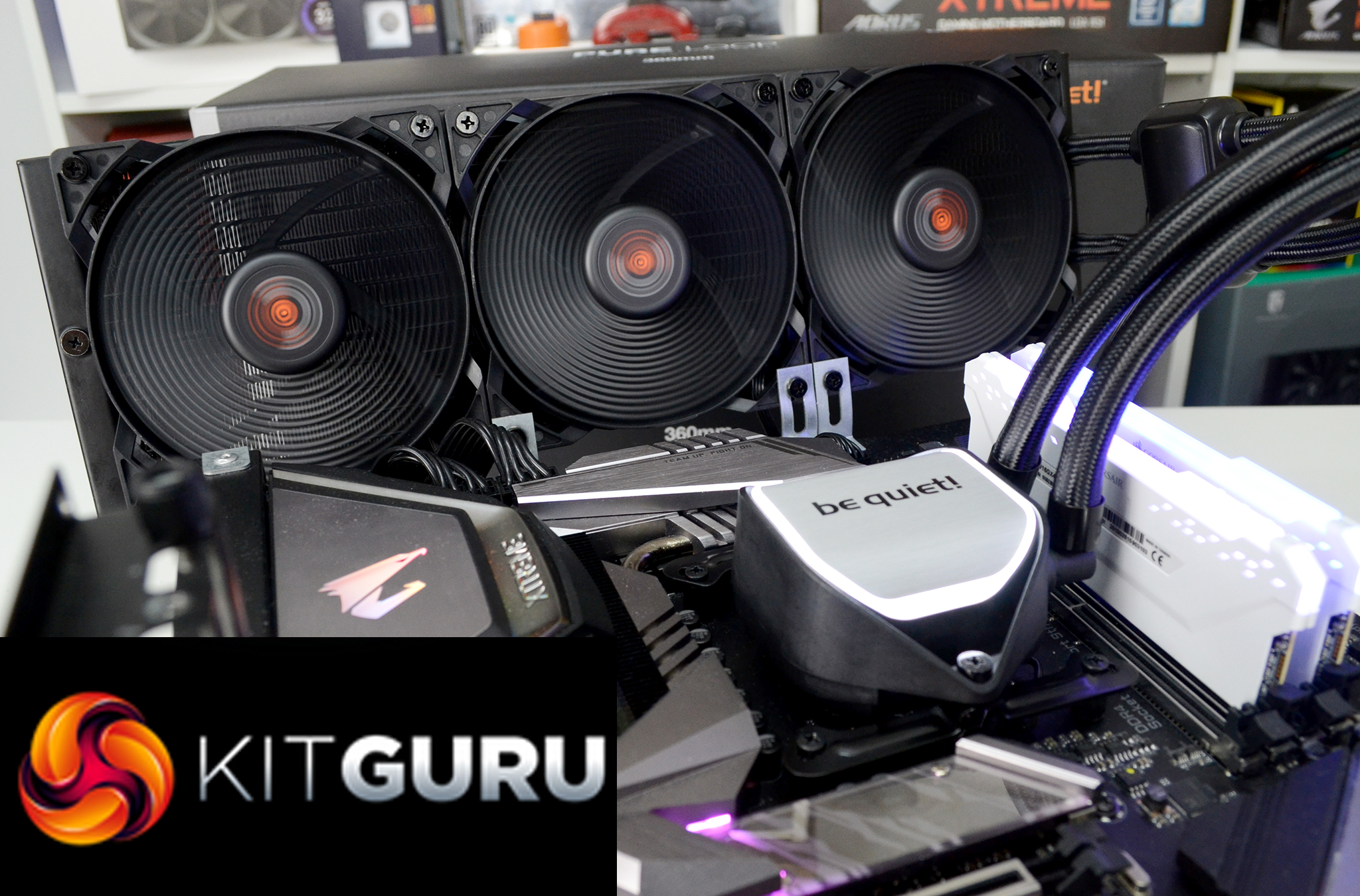
However, I do like the aesthetics of the CPU block, the brushed aluminium-effect plastic top cover is great quality, it is difficult to tell that it isn’t real brushed aluminium. The curvy shape of the block also looks great and the LED lighting is bright and diffused well without any noticeable LED hotspots. Overall, the cooler has somewhat of an industrial look to it.
The Pure Loop user manual recommends to power the pump via the included SATA power adaptor, as the pump requires a constant 12V power source to operate correctly, which means that there is no pump speed adjustment at all. This isn’t a huge issue for me as I usually run the pump at full speed anyway, however, if you want to tune the system for ultra-low noise levels, some users may find this as a limitation. However, the pump is extremely quiet when running at full speed.
Another feature of the Pure Loop that a less experienced user may find to be a limitation is the lack of any software fan speed control. The included Pure Wings 2 fans connect directly to the motherboard via 4-pin PWM headers which means that fan speed is controlled either by the motherboard BIOS, or by using motherboard fan speed control software which can sometimes be daunting for novice users, especially when messing around in the BIOS.
However, advanced users and enthusiasts may find this to be an advantage as it means no additional software needs to be installed on the system slowing down the Windows loading time and such like. The other benefit of this type of fan control is that there are no proprietary cables, fan controllers or additional USB header cables which again makes the installation look neat and tidy.
The way I would sum up the be quiet! Pure Loop is that it is like Marmite; you’ll either love it or hate it. If understated, subtle and quiet is your thing, the Pure Loop should be for you. If you prefer shouty, RGB flashiness then I would suggest looking elsewhere. Personally, I like the looks and the performance that the Pure Loop offers at this price point, but just wish that CPU block was a little more compact.

The be quiet! Pure Loop 360 all-in-one closed loop CPU cooler is available to purchase from Overclockers UK now, priced at £119.99 HERE.
Pros:
- Solid thermal performance.
- Subtle understated looks.
- Sturdy build quality.
- Low noise output.
Cons:
- Lack of pump speed control.
- CPU block could have been more compact.