KitGuru KitGuru.net – Tech News | Hardware News | Hardware Reviews | IOS | Mobile | Gaming | Graphics Cards


Today we take a look at not one, but three new all-in-one CPU coolers from Fractal Design. The new Fractal Design Celsius+ series offers consumers a few more choices than usual from an AIO cooler series, with three different radiator sizes and fan options available. Aside from the choice of physical size, there is also the option for either high static pressure RGB fans, or non-RGB fans for a more understated and low noise output system.
One of the features that all of the Fractal Design Celsius+ coolers include is an integrated Fan/RGB Hub mounted to the radiator. This allows users to connect the 4-pin PWM power cables and RGB cables to a single control hub. This should provide a neat and tidy appearance and simplify cable management since the cables have been cleverly concealed within the braided sleeving covering the tubes.
Another design choice shared by all of the Celsius+ series is the switching method between automatic and PWM pump speed control. The top portion of the pump housing has an integrated switch to flick between auto or PWM mode. A twist of the top section of the pump housing switches between the two options.
Auto fan mode aims to keep the pump noise at the same level or below fan noise, while still ensuring maximum performance is maintained across the temperature range. PWM mode allows the user some flexibility, while still ensuring that the liquid inside the AIO is kept within pre-set safe limits so that the CPU will not overheat.
The main upgrade from the previous Celsius coolers is an updated pump unit. Since Fractal Design uses an Asetek based platform, the new Celsius+ AIOs are equipped with a 6th generation Asetek pump, with a rotational speed range of 800-2000 RPM in normal mode and a 3500 RPM maximum speed in thermal protection mode. Asetek 6th generation pumps are equipped with a ceramic bearing/shaft, a maximum pressure of 1.46mm H2O and output 20 dBA noise at full speed.
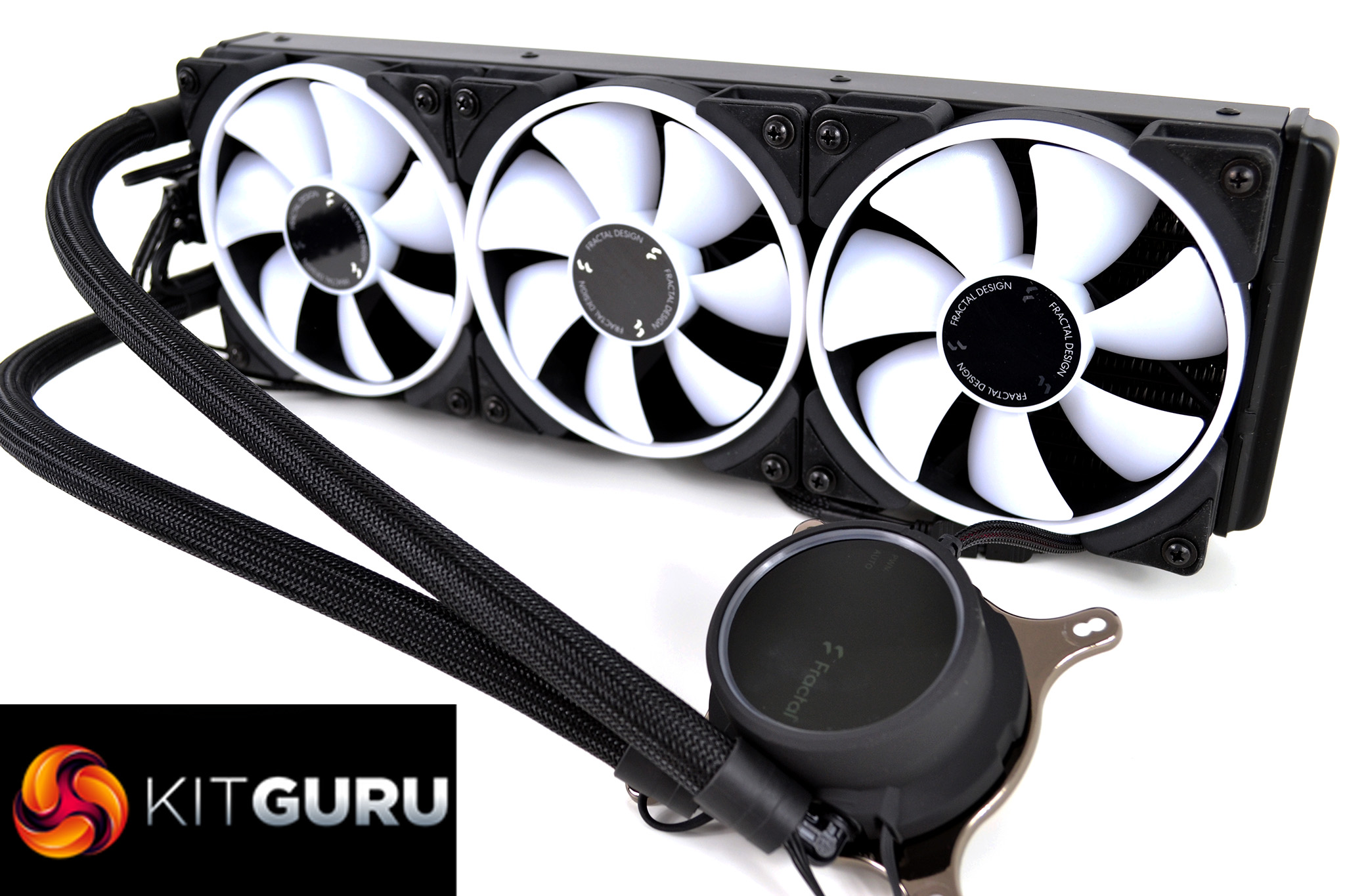
Fractal Design Celsius+ AIO coolers are available with two different fan options. Fractal Design Prisma AL series RGB fans or the more understated, all-black Dynamic X2 PWM fans in either 120mm or 140mm variants. The main difference between the two is the RGB, or lack of RGB in the case of the Dynamic X2 fans. 120mm versions have a speed range of 500-2000 RPM and 140mm fan speeds range from 500-1700 RPM, all producing around 30-35 dBA noise at maximum RPM.
As is typical of most mainstream all-in-one CPU coolers, the Fractal design Celsius+ series uses an aluminium radiator with a pump mounted above a copper thermal transfer plate featuring micro-fin channels to aid heat dissipation evenly. At the base of the CPU block, the tubing connects on rotatable fittings which makes positioning and installation easy.
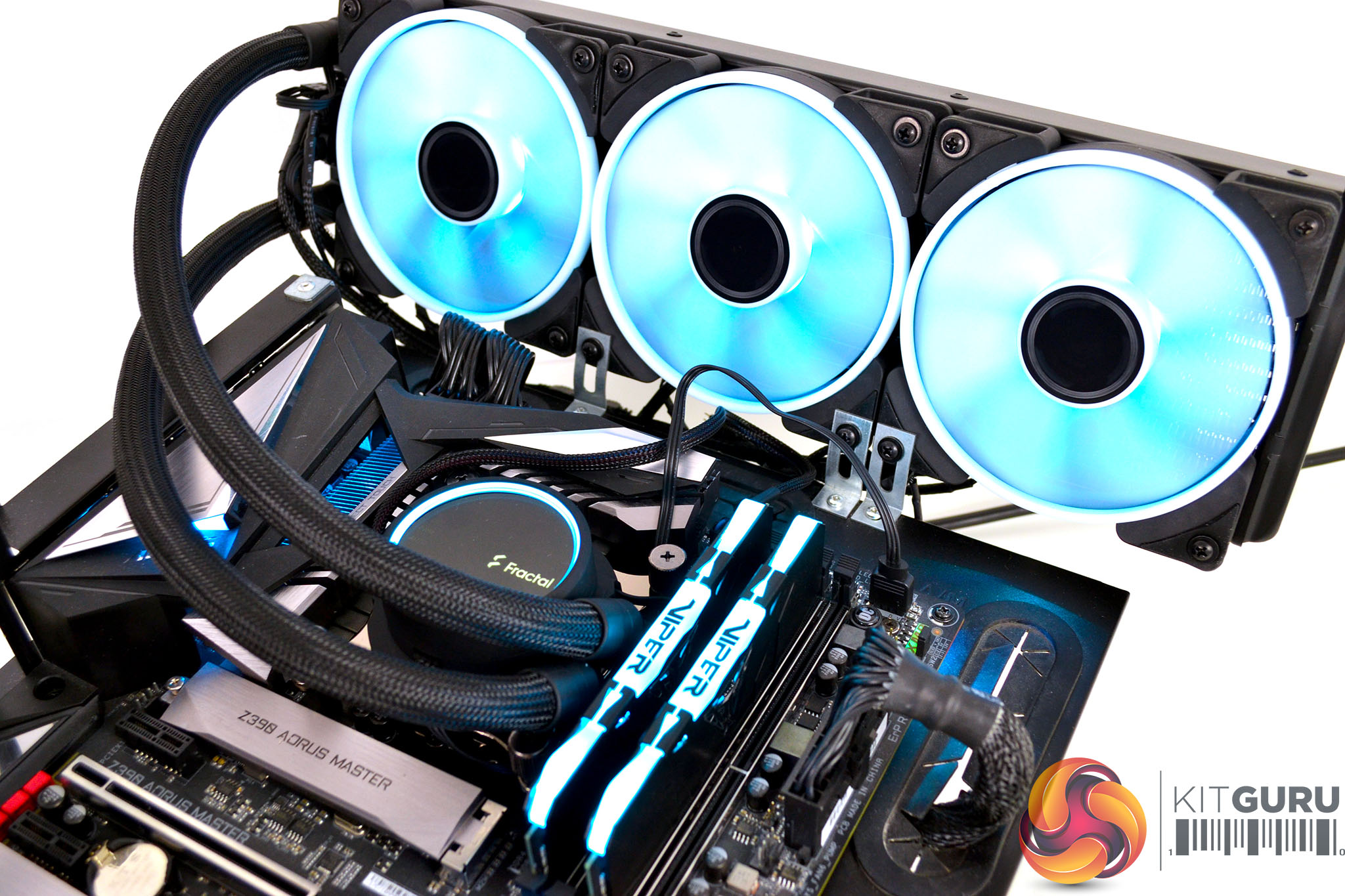
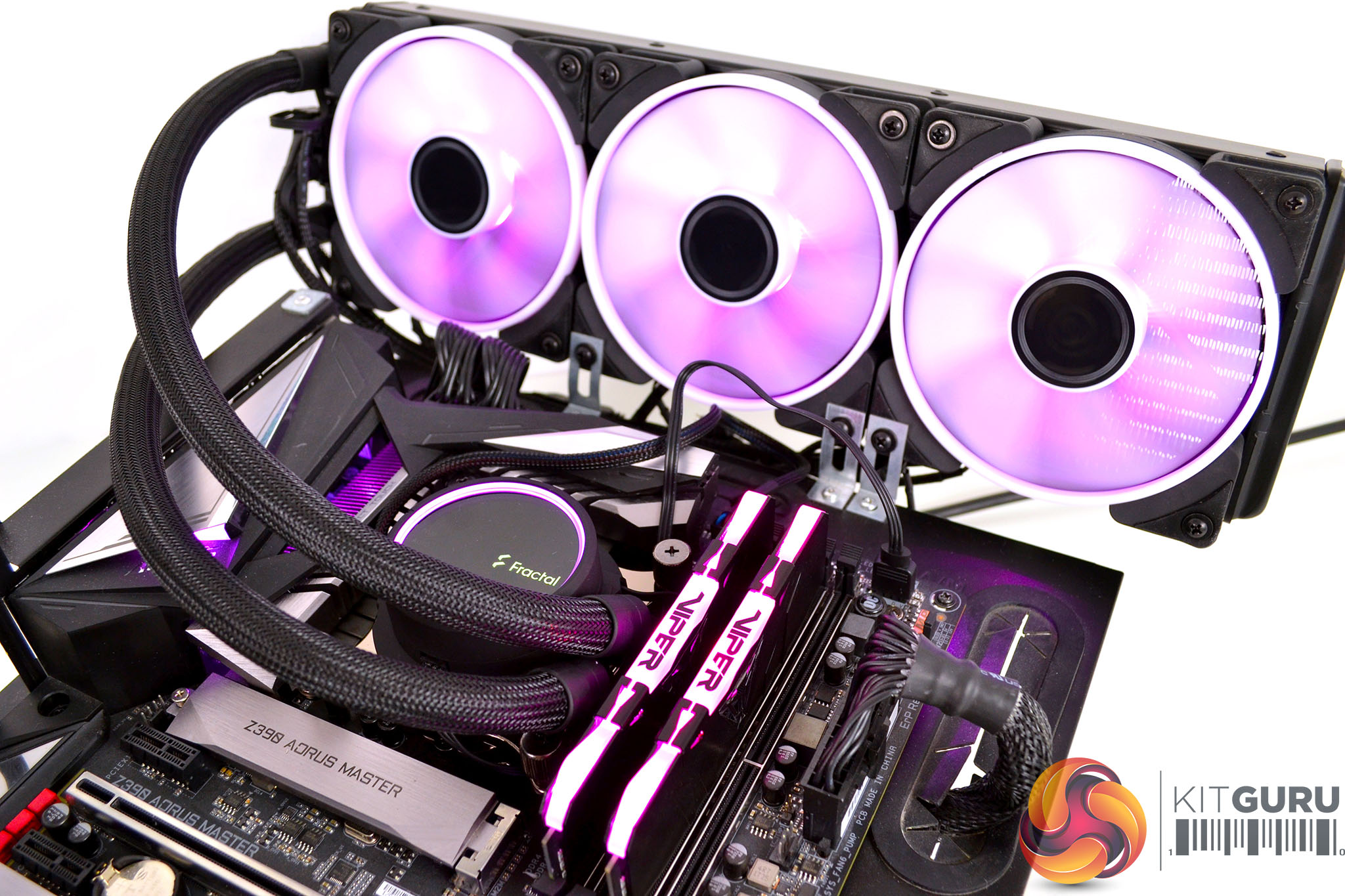
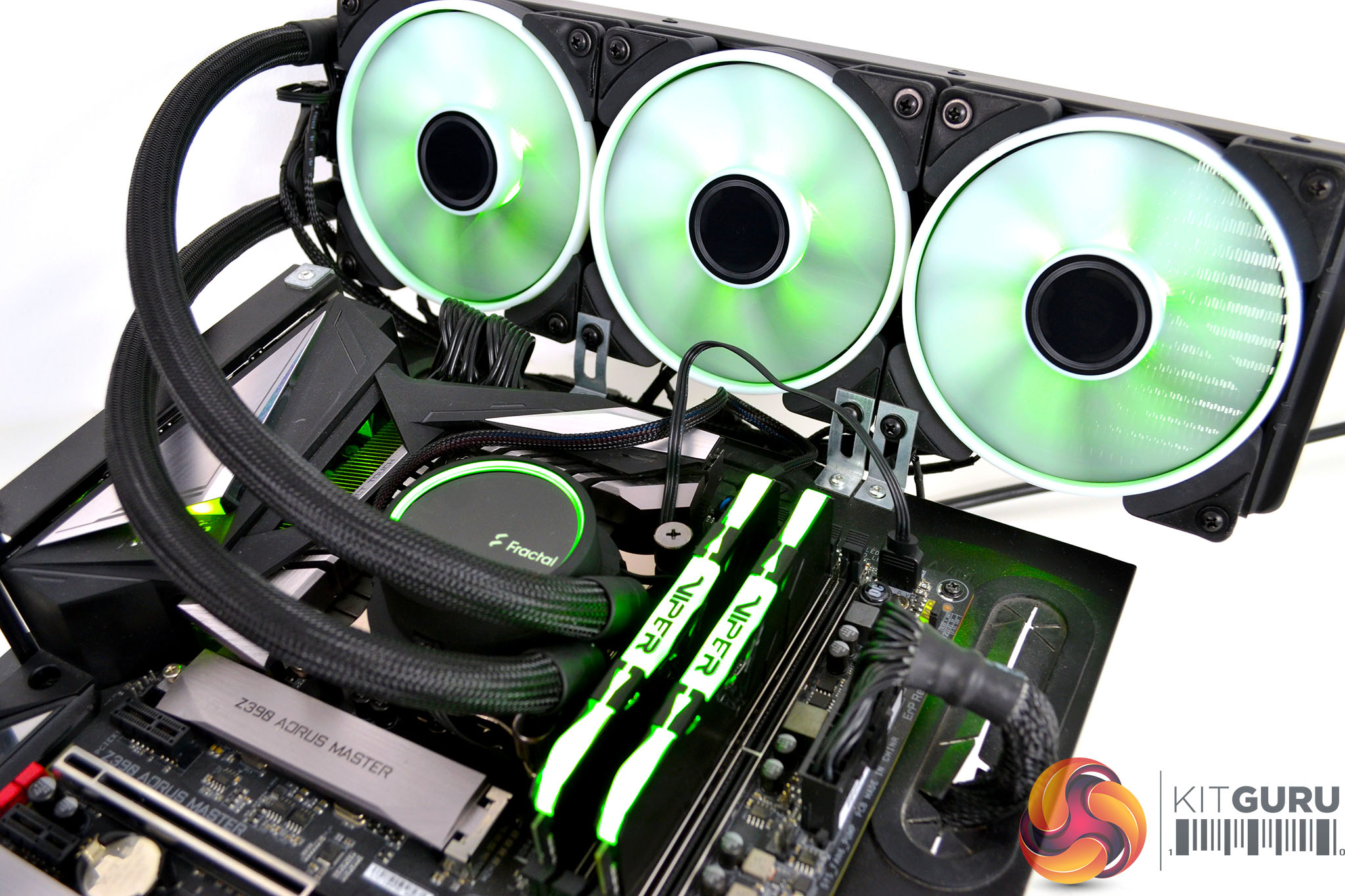
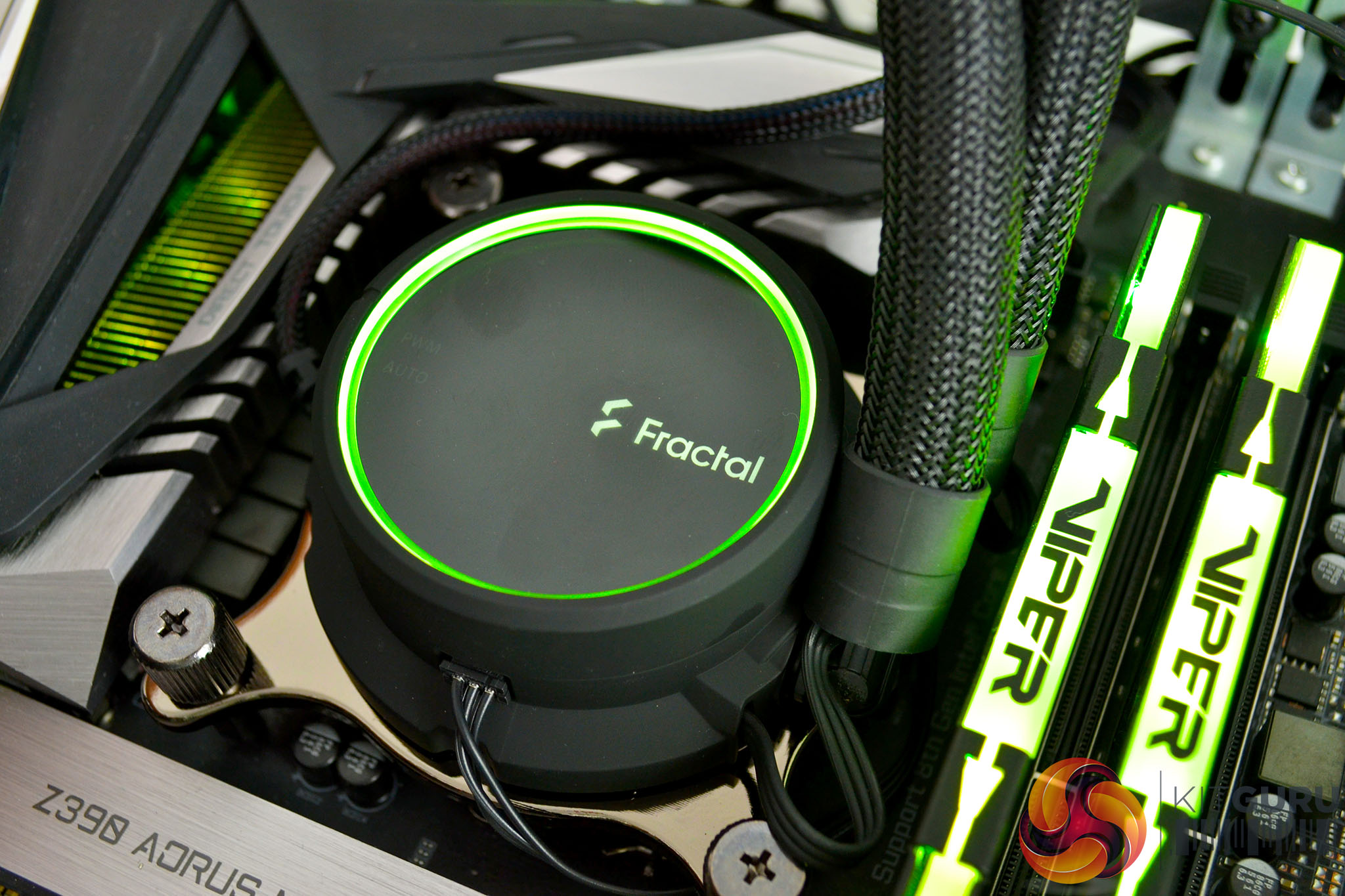
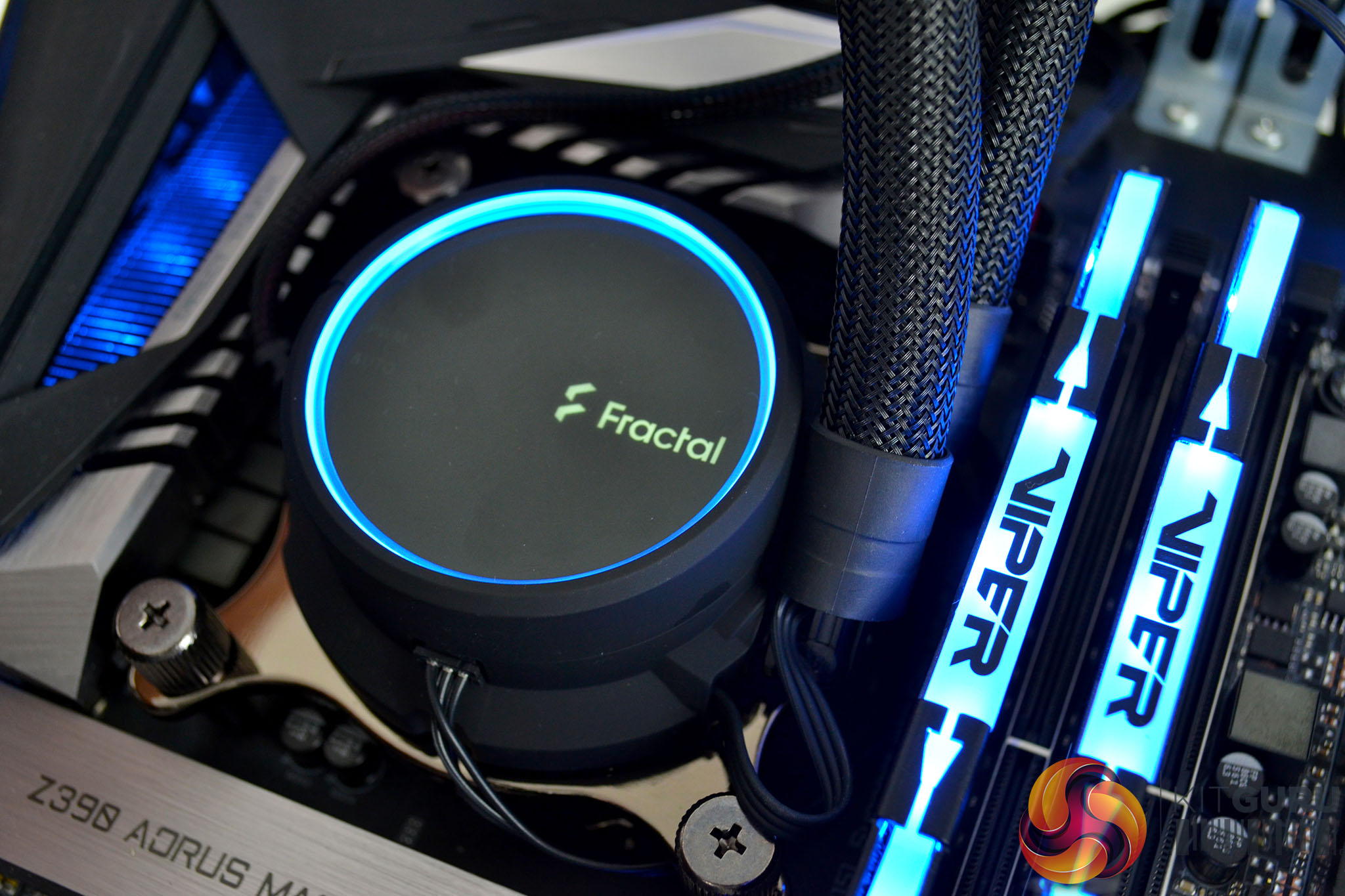
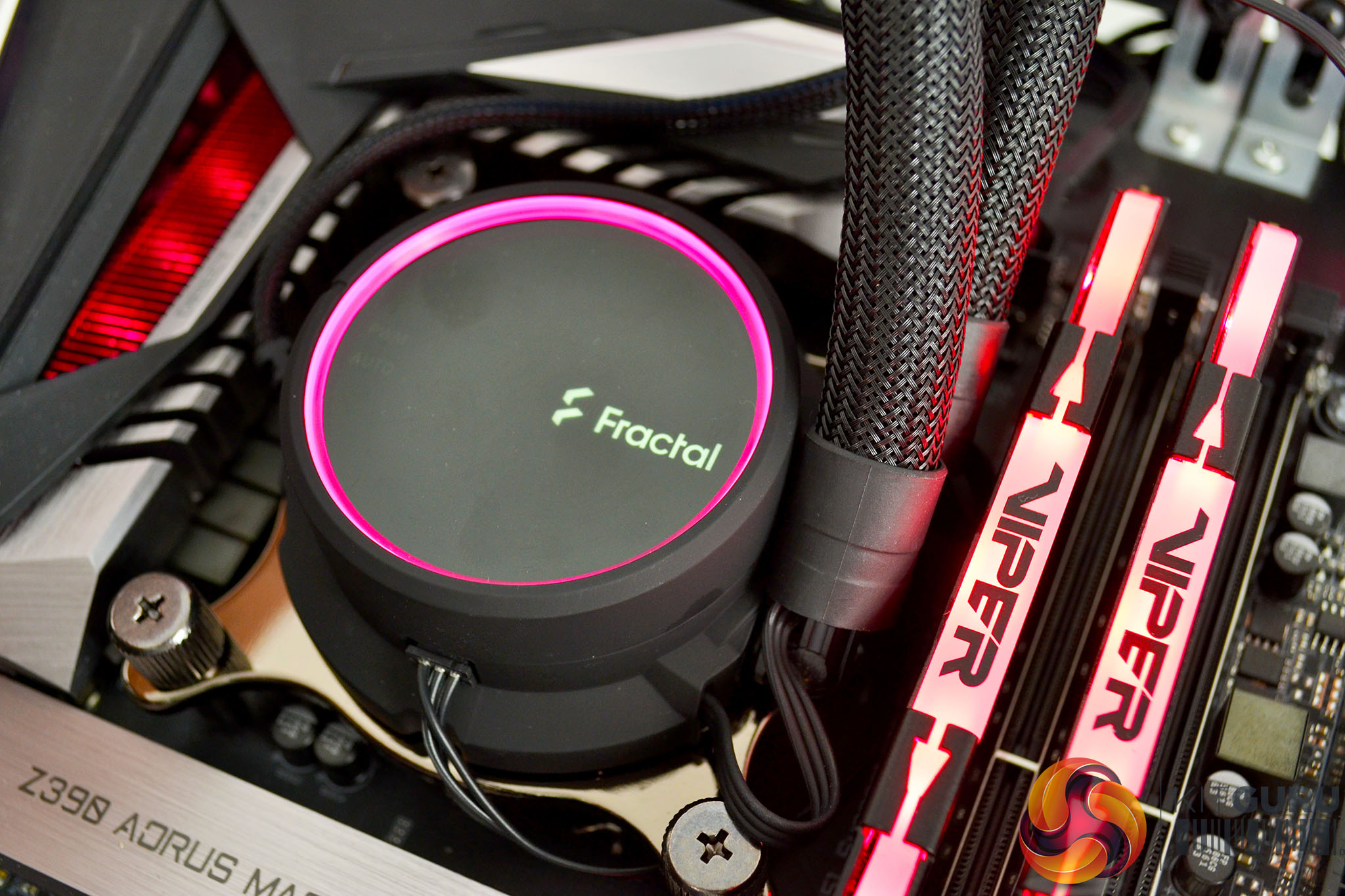
All of the Celsius+ coolers feature RGB lighting in some form, with the top section of the pump housing featuring a tinted glass face that is backlit with an RGB LED ring and Fractal Logo. The addressable RGB lighting connects directly to 3-pin RGB motherboard headers and can be configured or synchronised with other RGB components via motherboard manufacturer software, such as Asus Aura Sync, Gigabyte RGB Fusion, MSI Mystic Light and ASRock Polychrome.
The entire Fractal Design Celsius+ AIO series is available from today (8th April). Prices start from £119.99 for the 240mm S24 with Dynamic X2 non-RGB fans, increasing up to £185.99 for the Celsius+ S36 with Prisma addressable RGB fans.
Key features
- Choice of two different fan options
- Addressable RGB pump housing
- Switchable fan speed control
- Integrated fan/RGB hub
- Hidden cables
Specification
| Pump speed | 800-2000 RPM |
| Pump voltage | 5.5-13.2V DC |
| Pump power consumption | 4.32W at full speed |
| Pump maximum pressure, 50°C | 4.396 kPa / 1.46 mm H2O / 2.0 PSI |
| Pump MTTF | 50,000 hours |
| Fittings, block side | Articulating 90-degree elbow |
| Fittings, radiator side | Straight rotary |
| Radiator dimensions S36 | 123 x 30 x 403 mm |
| CPU block height | 45 mm |
| CPU block measurements (with fittings) | 86 x 75 mm |
| CPU block diameter (main block body) | 62 mm |
| Fan speed, S24/S36 Prisma | 500-2000 RPM |
| Fan airflow (max) | 85.71 CFM |
| Fan Control Method | 4-pin PWM |
| Fan RGB lighting (Prisma) | 5v 3-pin Addressable RGB |
| CPU socket support | AMD – AM2, AM2+, AM3, AM3+, AM4, FM1, FM2, FM2+, TR4Intel – 1150, 1151, 1155, 1156, 1366, 2011, 2011-3, 2066 |
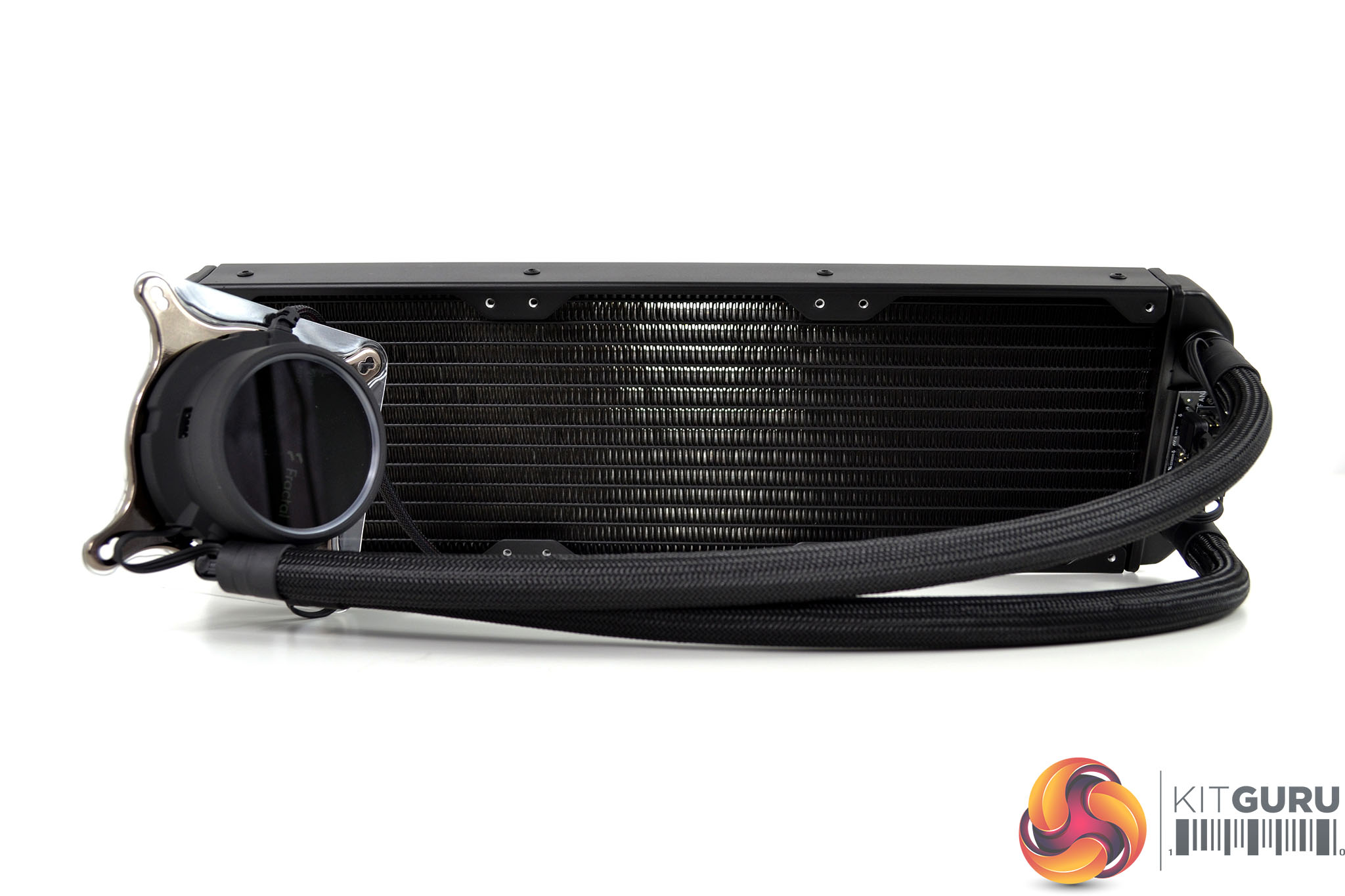
As all three Celsius+ coolers sent over to us are basically the same apart from the difference in radiator and fan size, we will concentrate on the S36 model in this section since it is technically the flagship model.
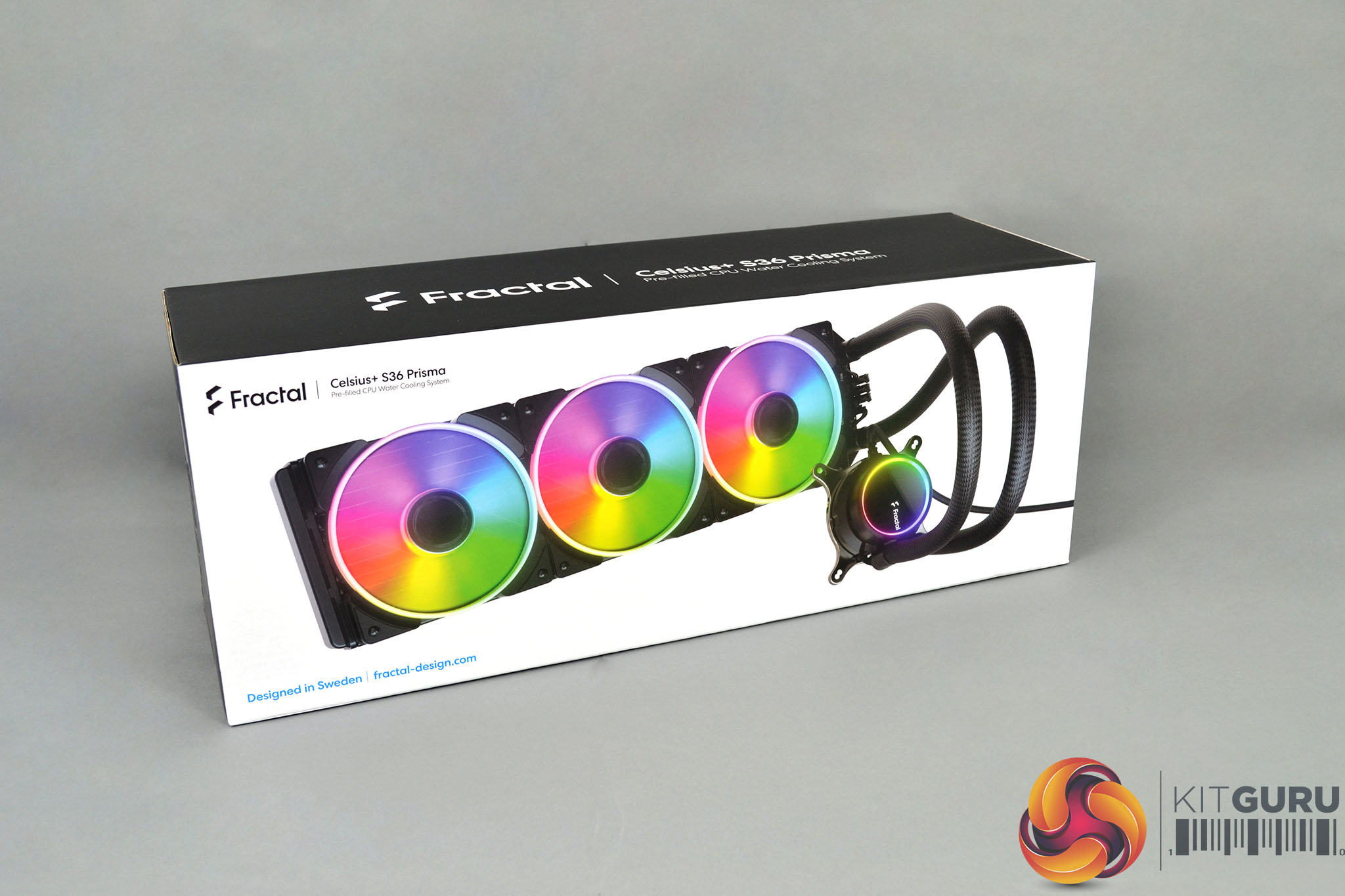
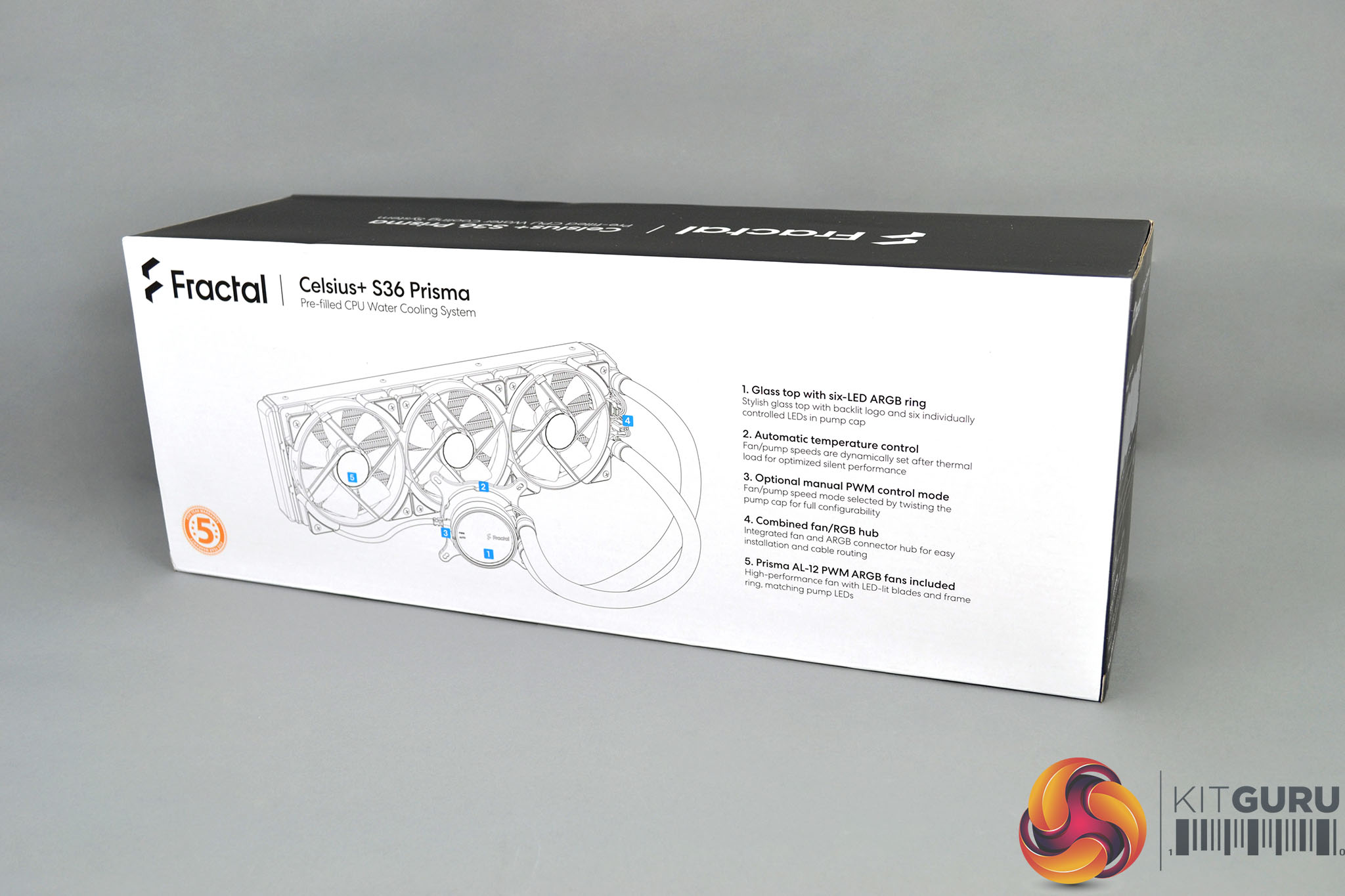
Fractal Design has packaged the Celsius+ S36 Prisma series in a cardboard outer box with an internal cardboard crate offering additional protection. On the front of the box is a large image of the cooler and Fractal Celsius+ decals. On the rear is a drawing of the cooler with some key features listed to the right.
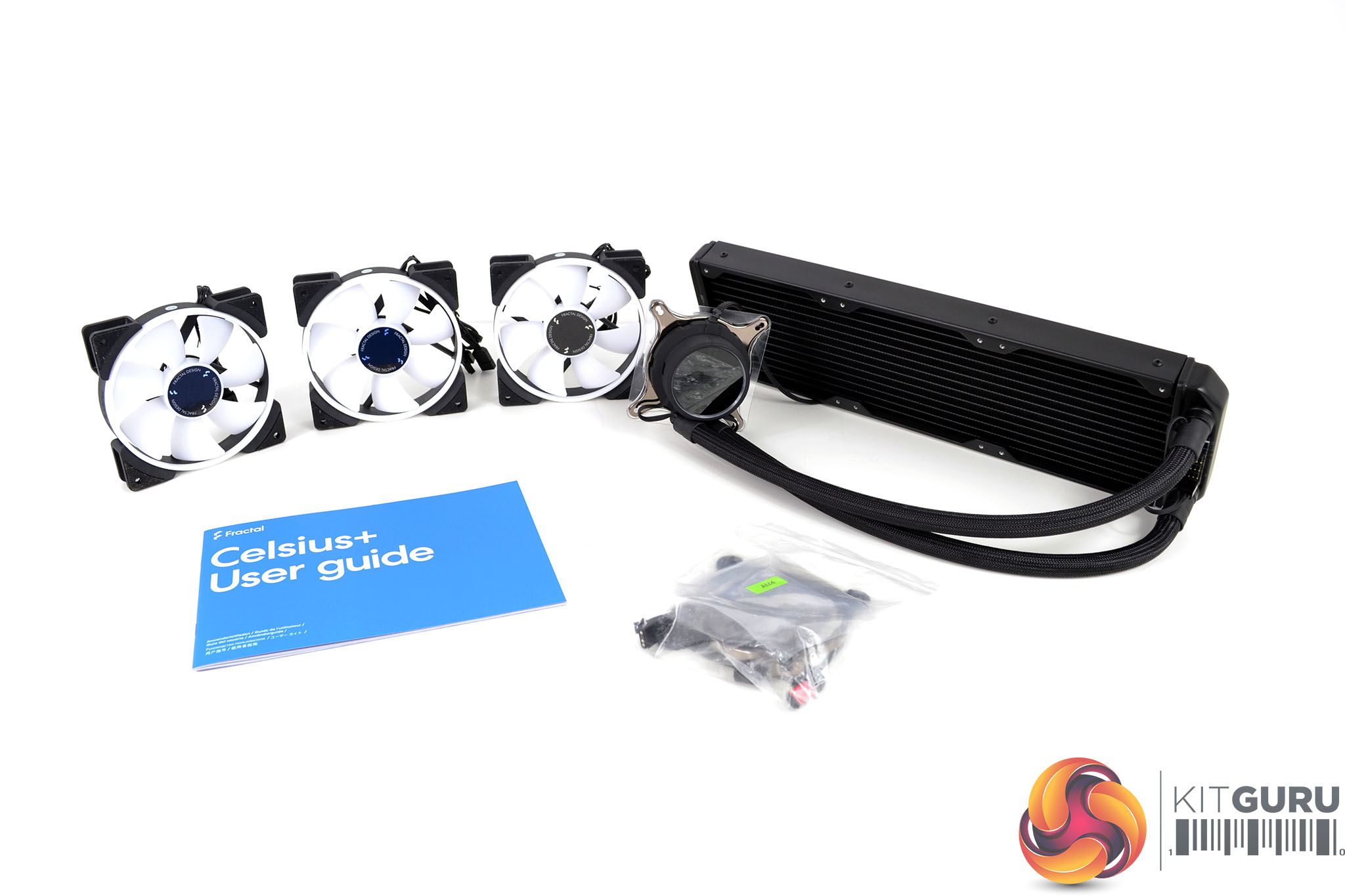
Included inside the box along with the cooler is a user manual with comprehensive installation instructions and detailed images. There is also mounting hardware for both Intel and AMD platforms sorted into separate bags, as well as three Fractal Design Prisma 120mm AL-12 addressable RGB fans.
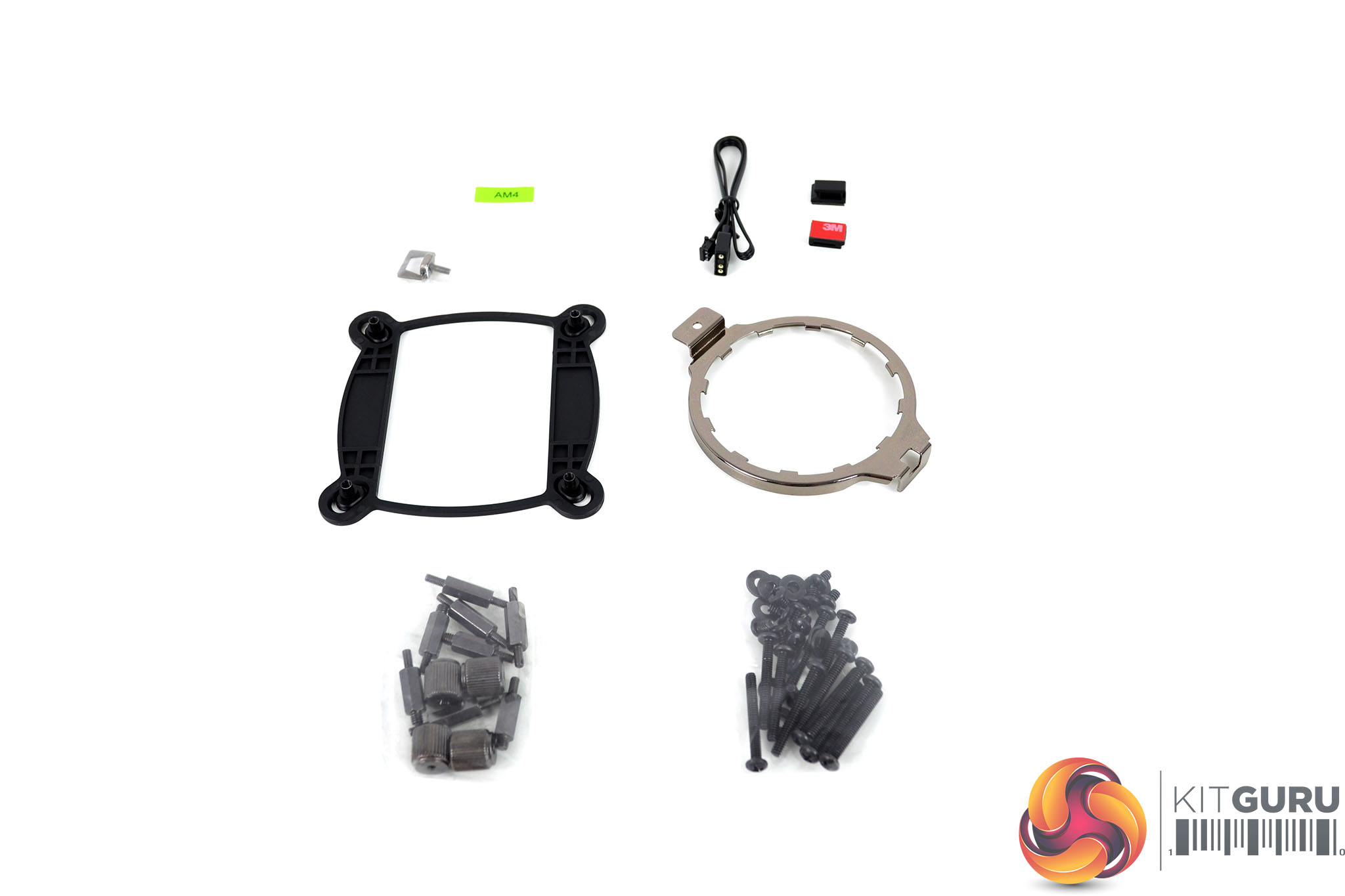
Unlike some other all-in-one CPU coolers we have reviewed recently, the Celsius+ series mounting hardware kit is quite simple. The Intel upper mounting bracket arrives pre-installed to the cooler, an AMD upper bracket is also included, along with an AM4 specific metal hook, a universal plastic backplate with standoffs for AMD and Intel platforms as well as radiator/fan mounting screws and washers. There is also a 3-pin ARGB extension cable and two 3M self-adhesive cable clips.
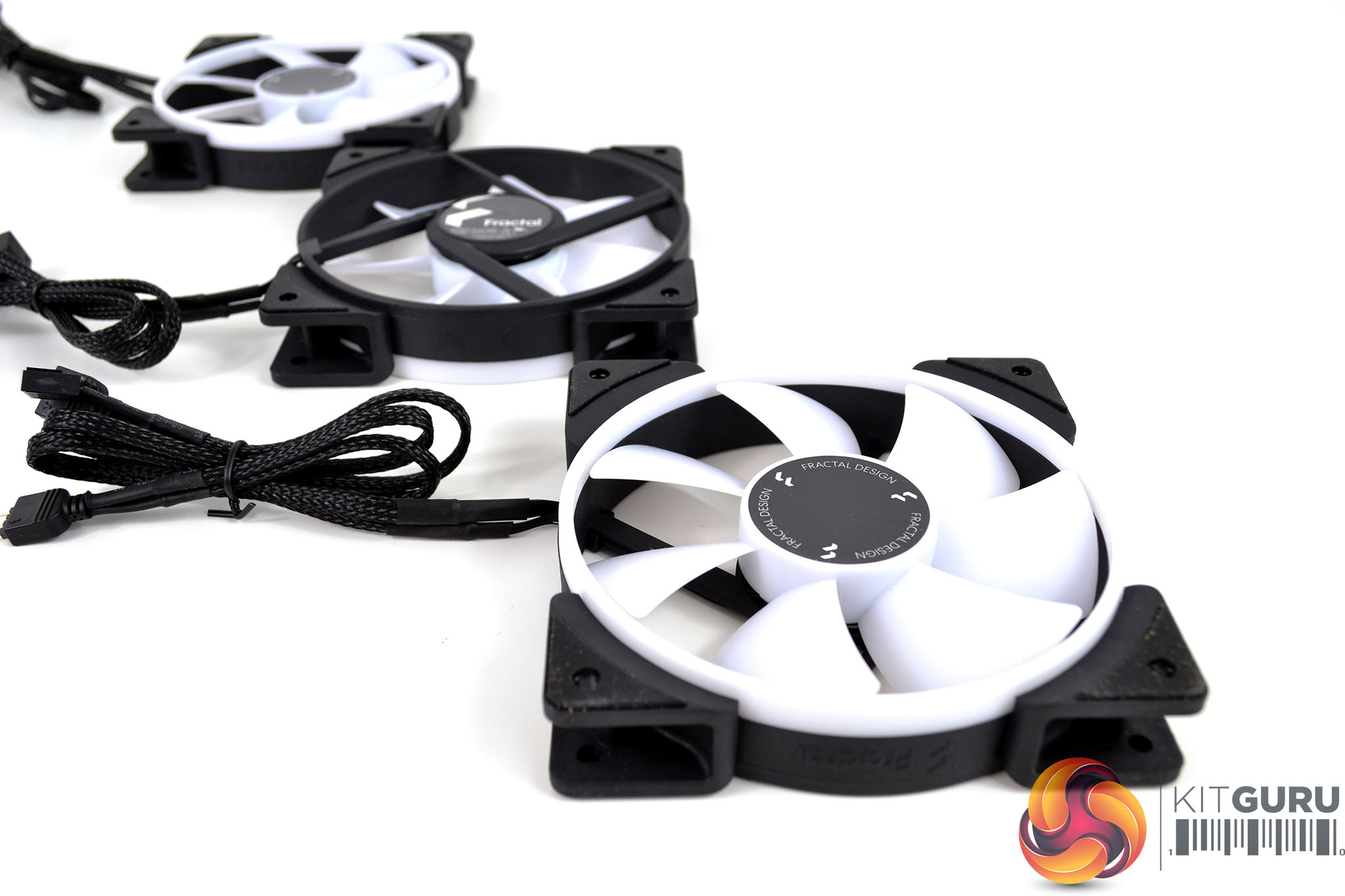
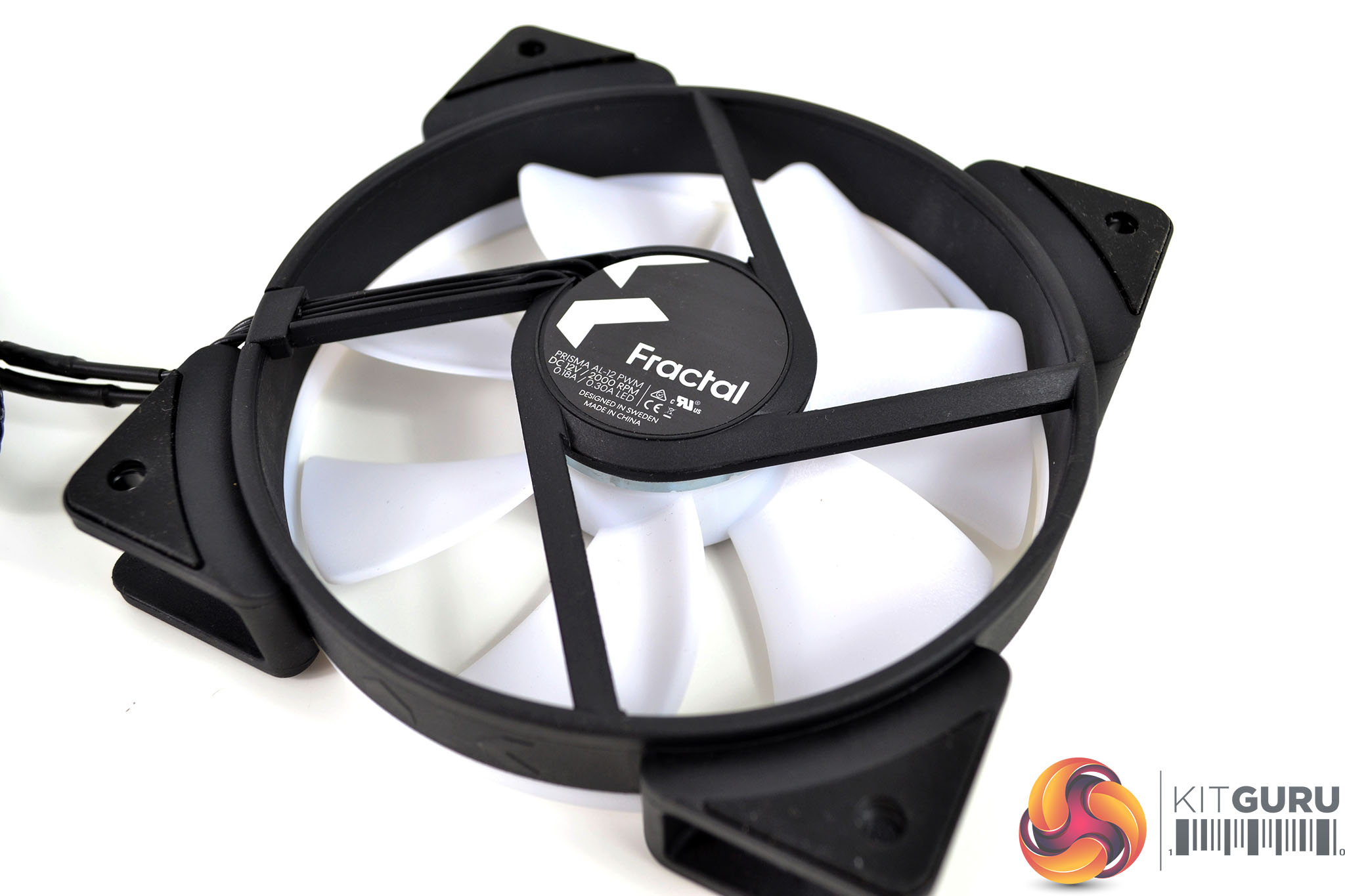
All three of the Celsius+ coolers that Fractal Design sent over to us include the Prisma RGB fans with a speed range of 500-2000 RPM (120mm) and 500-1700 RPM (140mm). They have a sturdy outer black plastic frame with rubberised anti-vibration mounting points, white opaque fan blades and an outer ring that are illuminated with RGB lighting. Fan speed can be PWM controlled via the 4-pin connection and RGB cables are equipped with Standard 3-pin 5V connectivity.
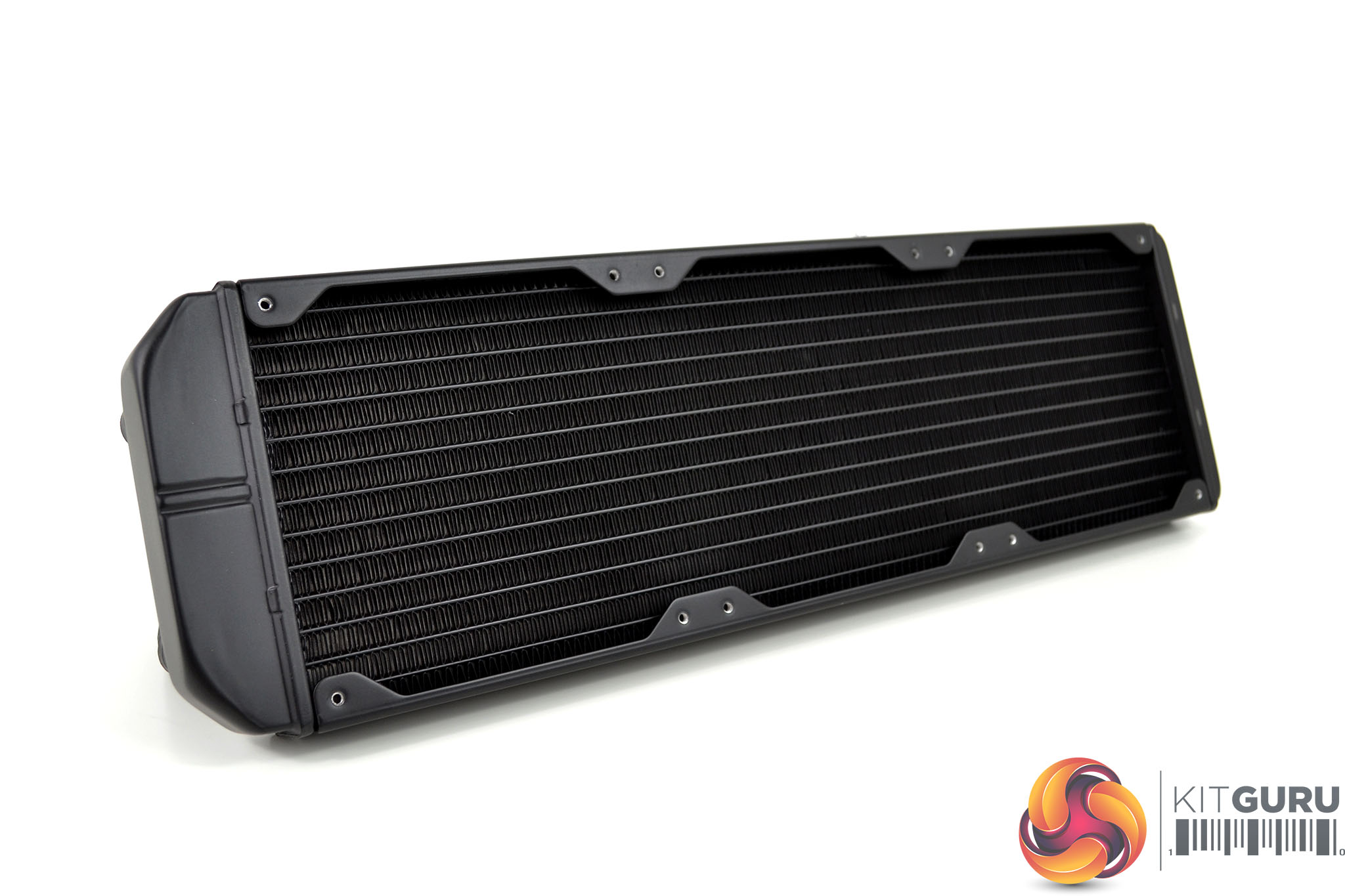
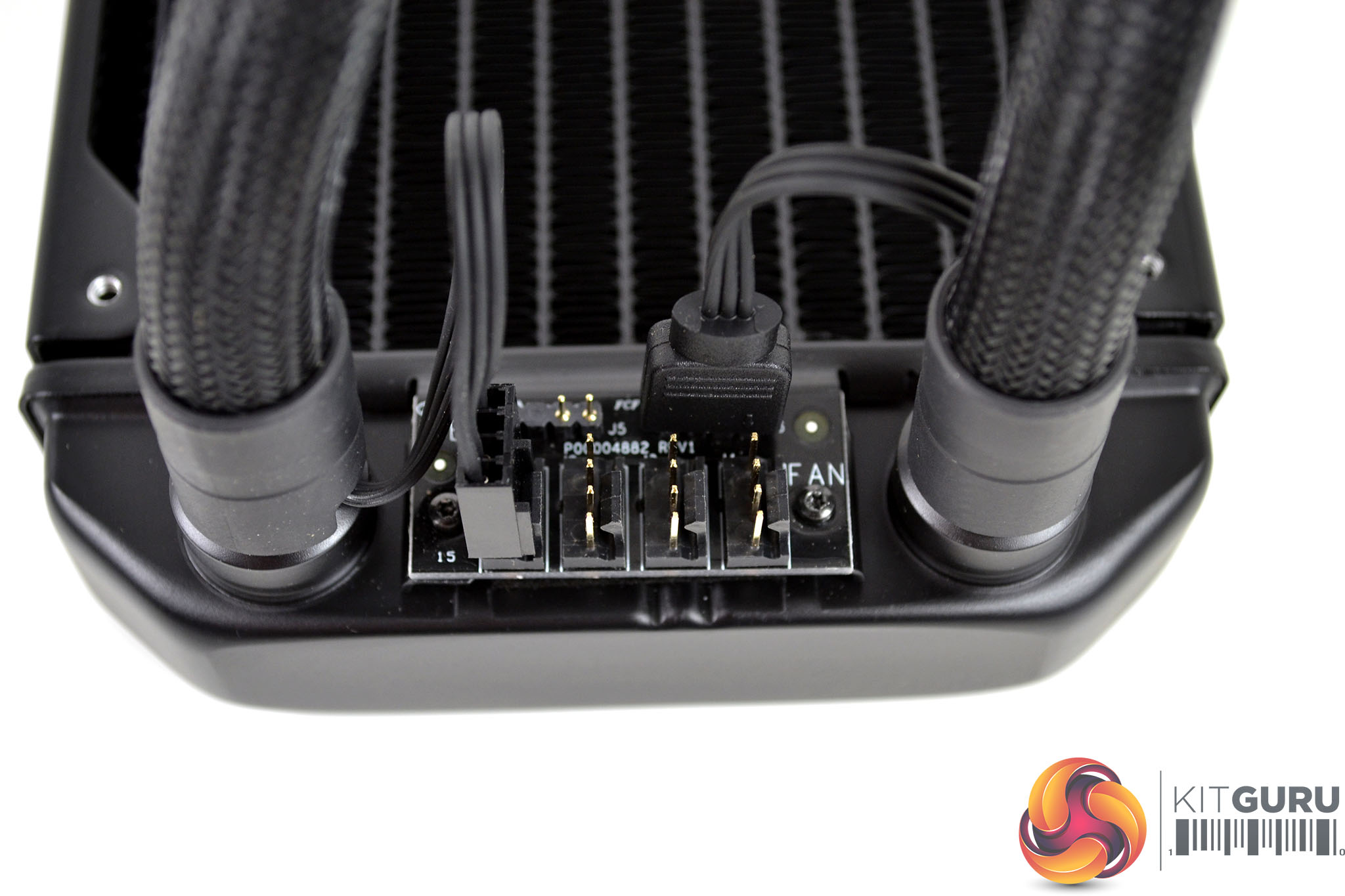
The radiator design is typical of a Gen 6 Asetek product with visible rivets along the top and bottom fan mounting brackets, the whole unit is covered with a smooth and even black coating. Located towards the end of the radiator where the tubing connects is the fan/RGB hub. The pump cable is pre-connected to the hub and there are three headers for fan connections and a single 3-pin RGB header.
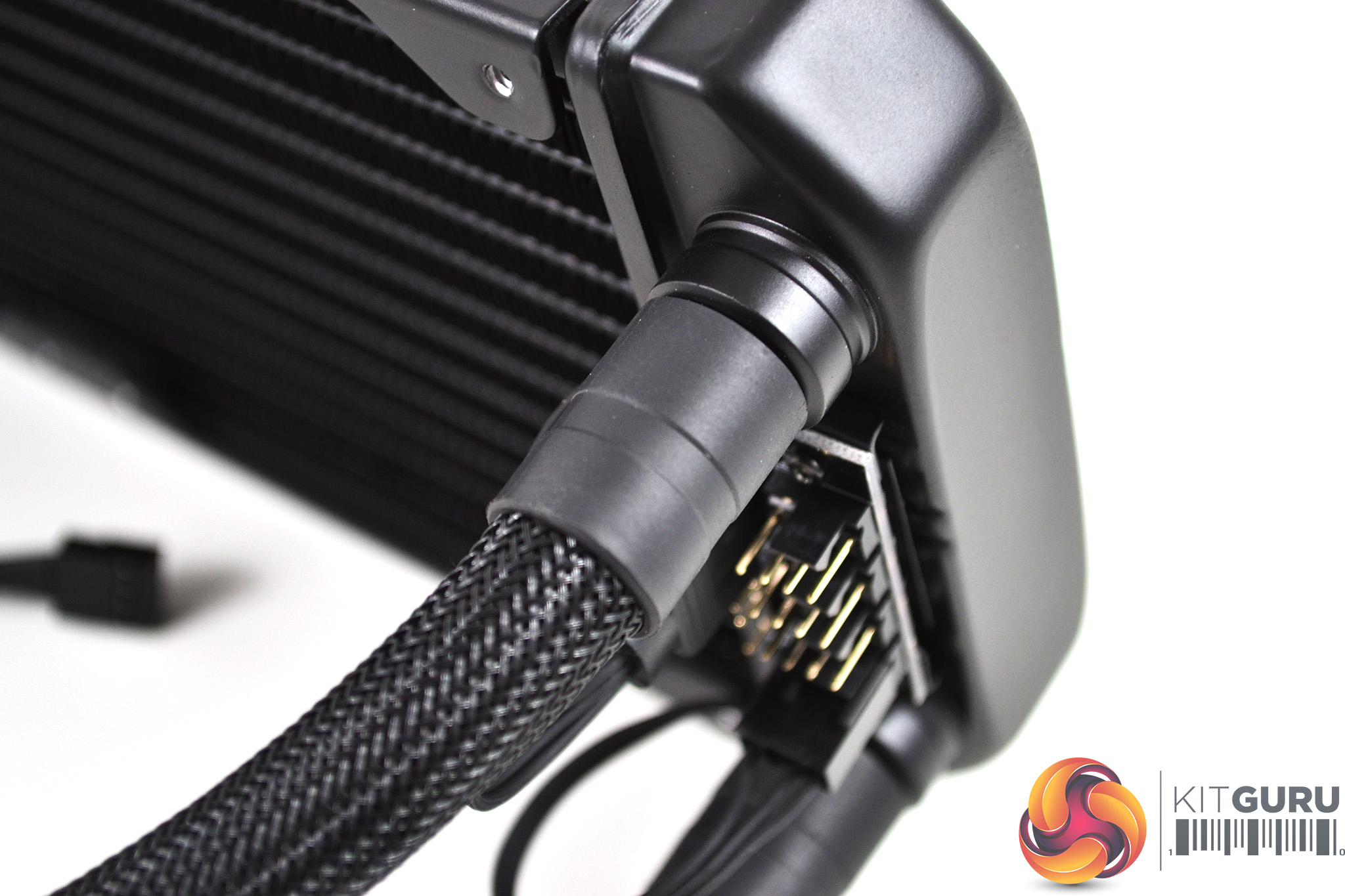
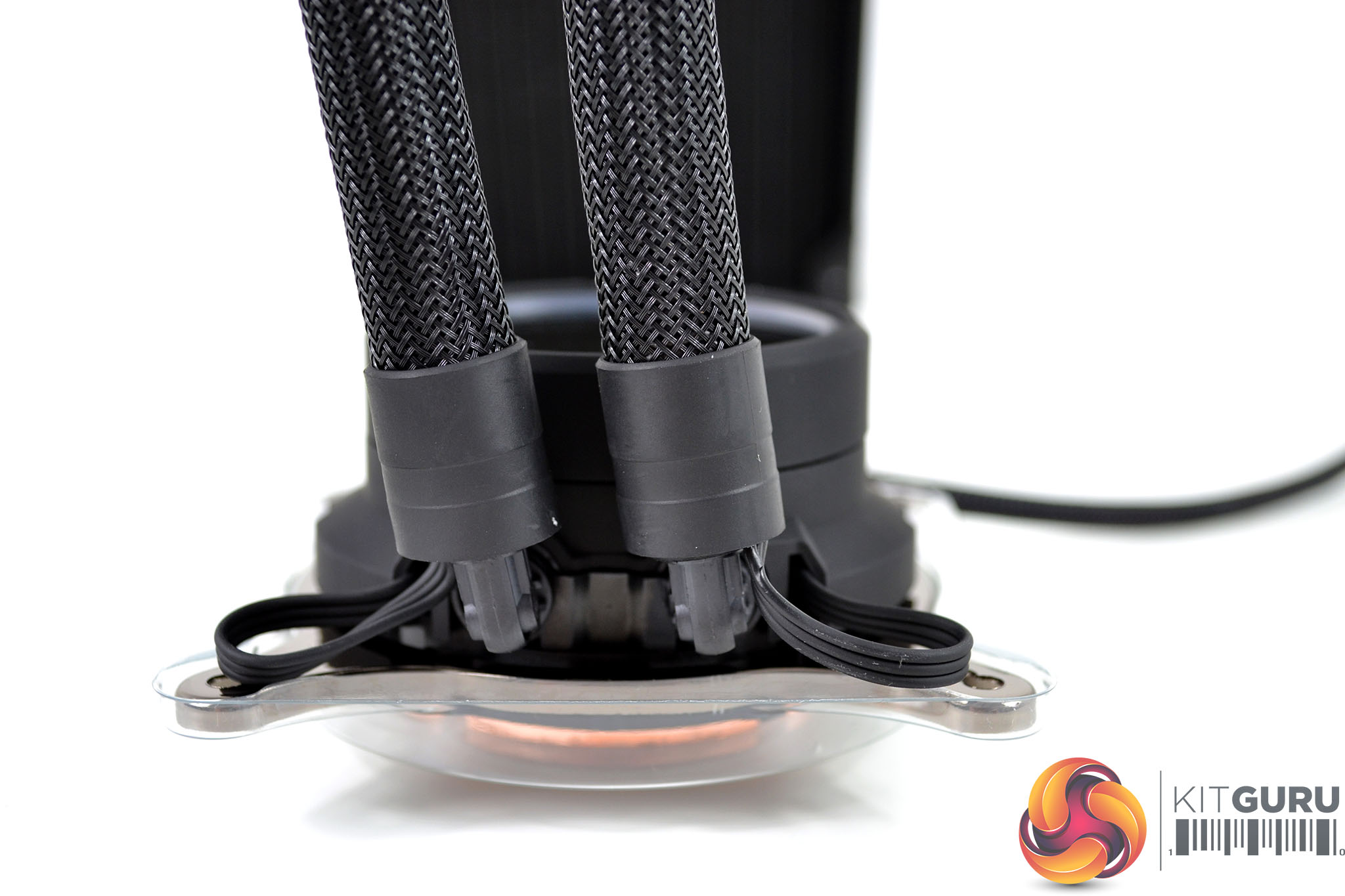
Tubing connects at the radiator end via two straight rotary fittings with rubberised covers, at the pump end the fittings are articulating 90-degree elbows, This design allows rotation of the tubing at both ends which should assist positioning during installation. Tubing is manufactured from a low-permeability rubber and is covered with a braided sleeving to give it a premium appearance.
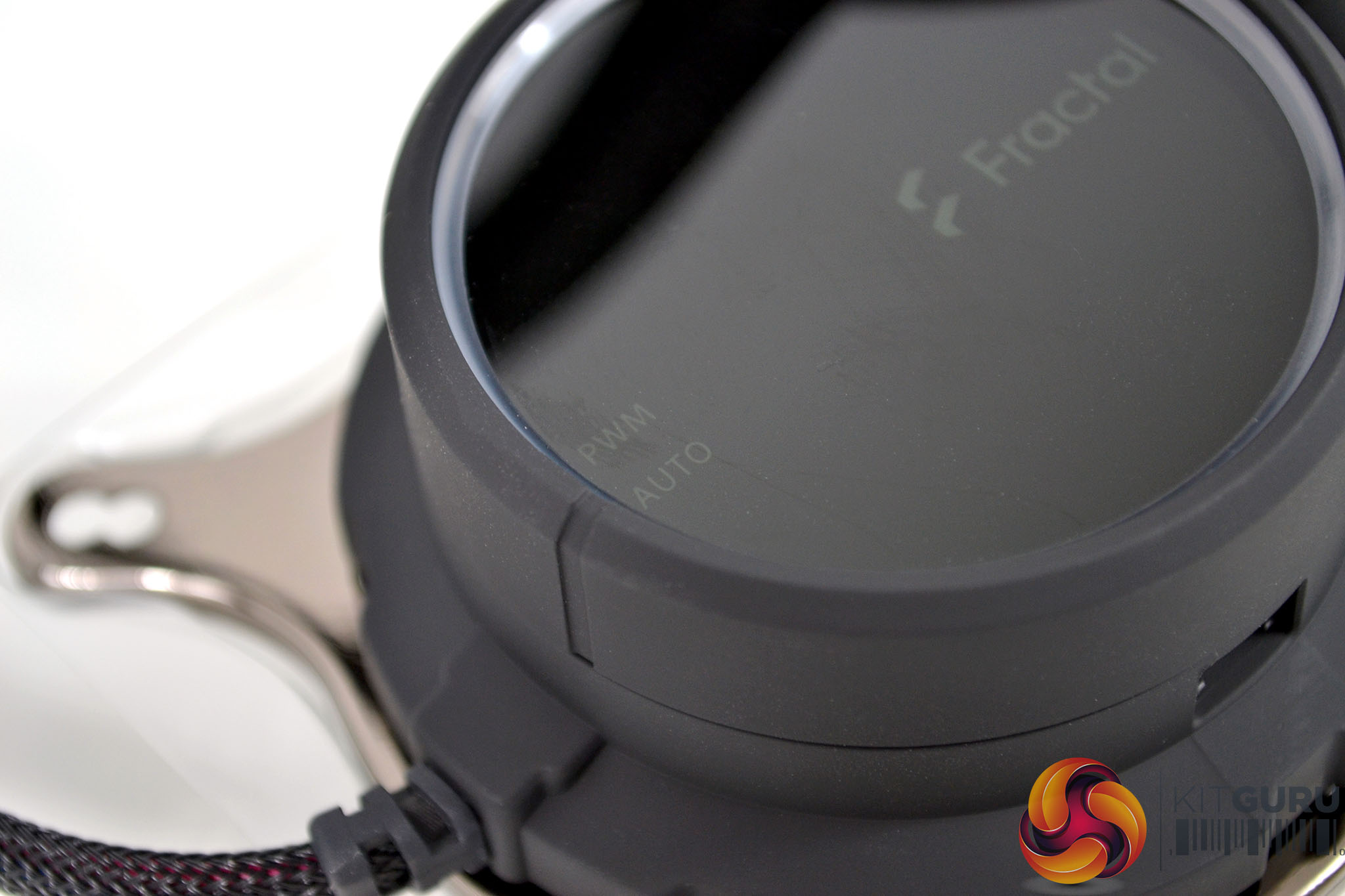
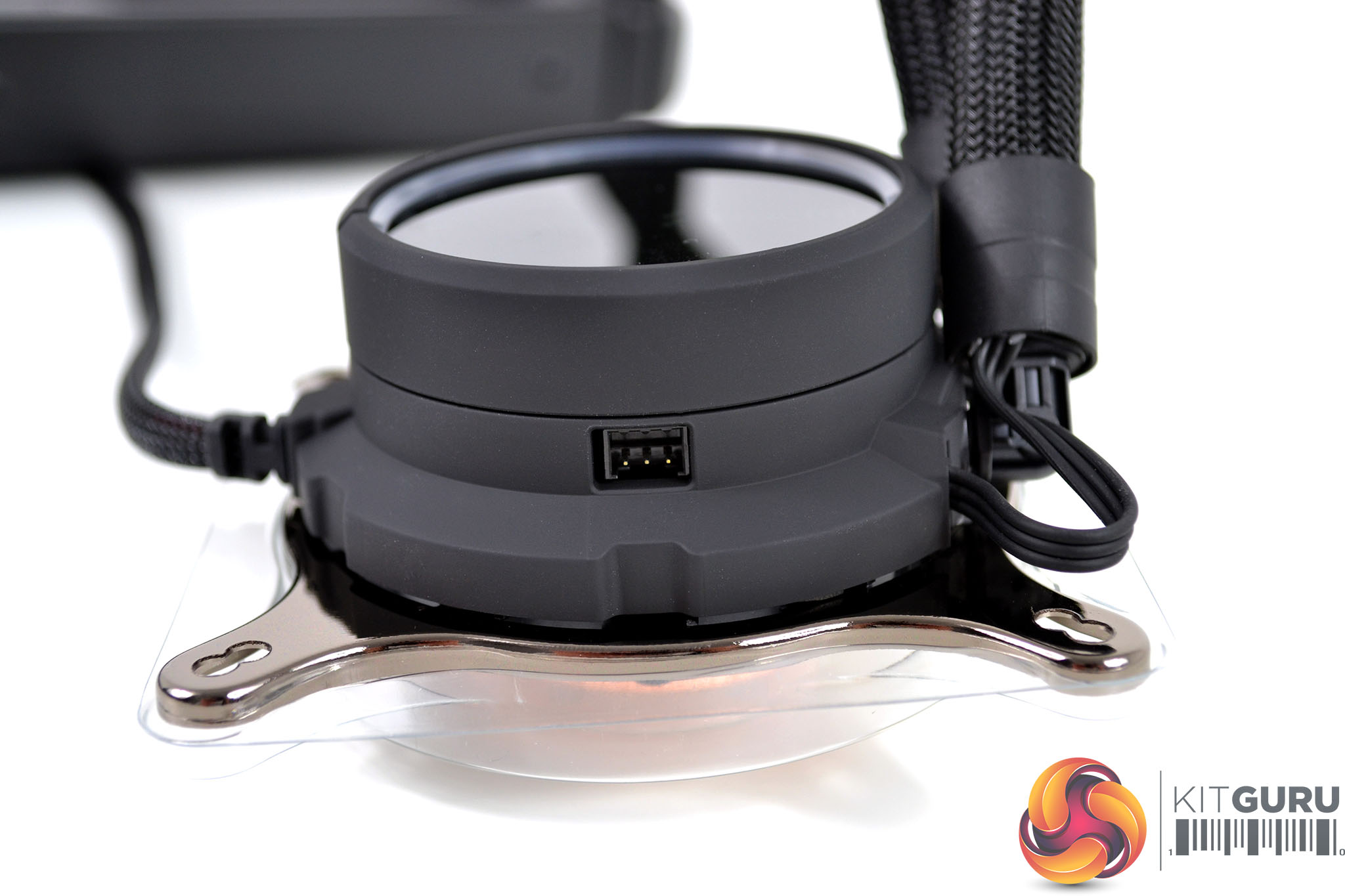
The pump housing is constructed from a matte black plastic that feels very high quality, with a top section that is used to switch between auto and PWM fan control. Wiring from the radiator mounted fan/RGB hub passes through the tube sleeving and connects to the pump unit. A single 4-pin fan cable is permanently fixed to the pump housing and there is a 3-pin RGB socket to connect to the motherboard using the supplied extension lead.
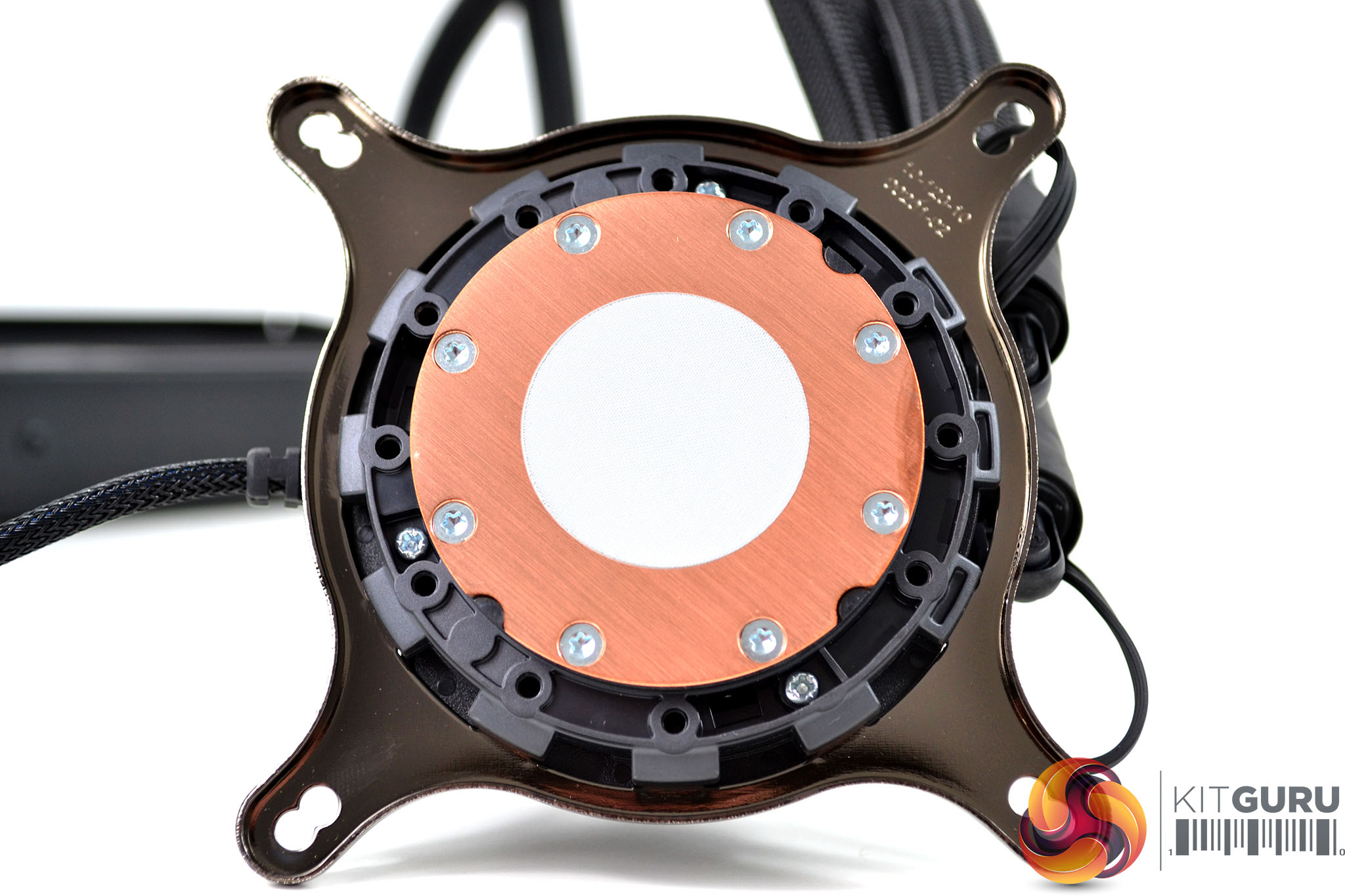
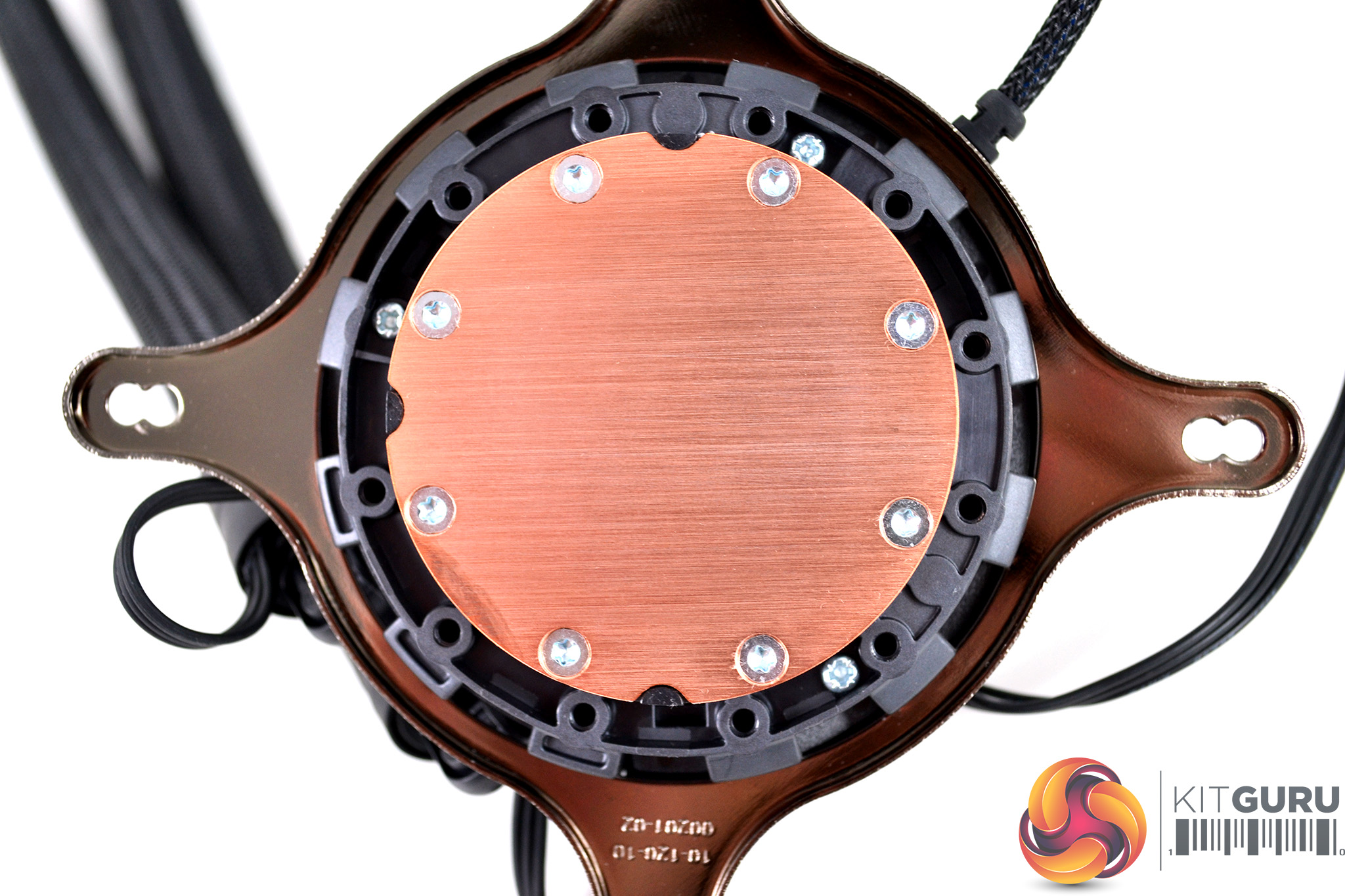
The base of the CPU block is fitted with a CNC machined quality copper cold plate with a typical Asetek circular design, machining marks are visible but not deep. A generous amount of thermal compound has been pre-applied at the factory, However, if you intend on using this cooler with AMD TR4 processors we would suggest adding a little more thermal compound as the factory-applied isn’t always enough for this situation.
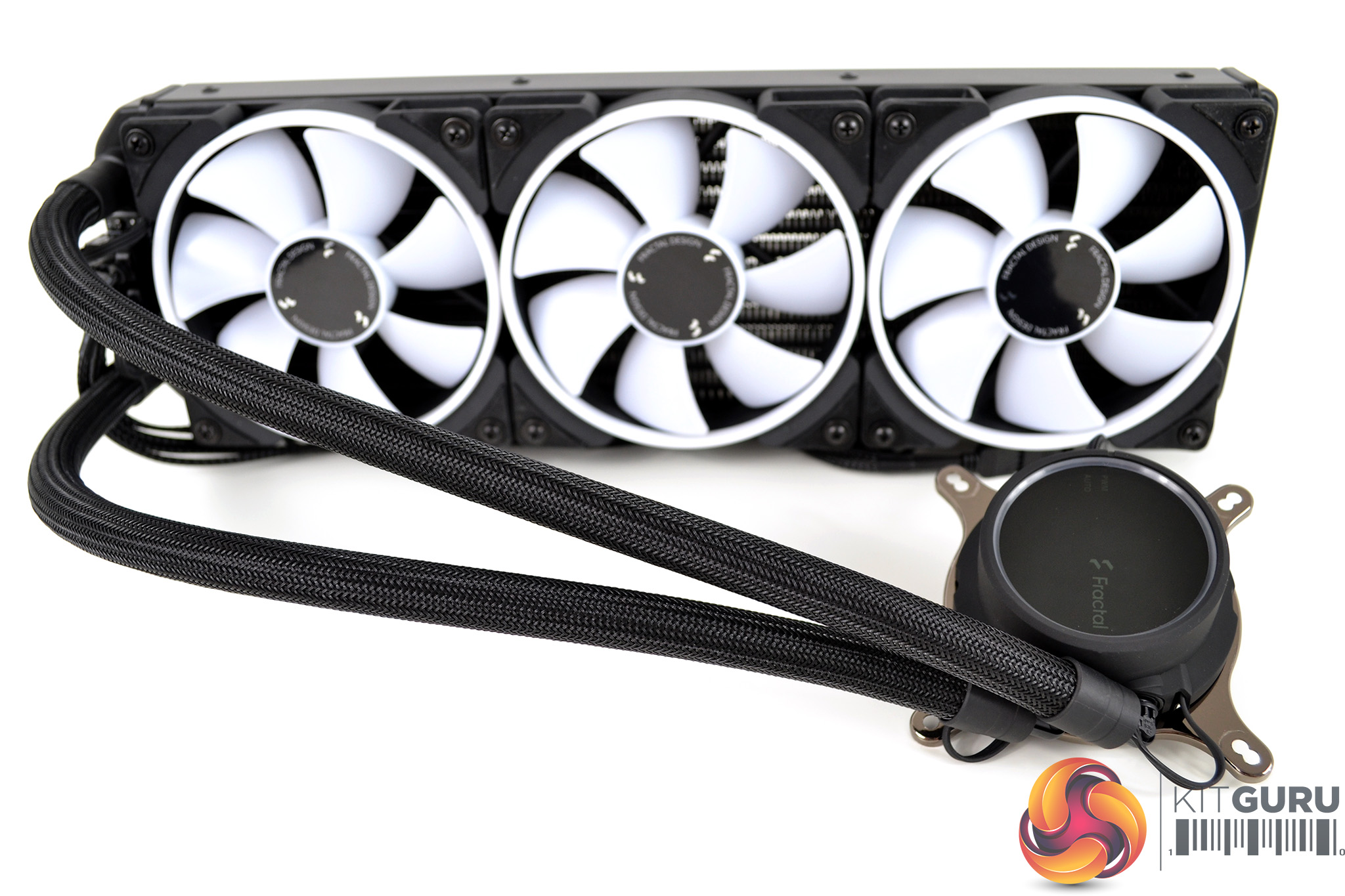
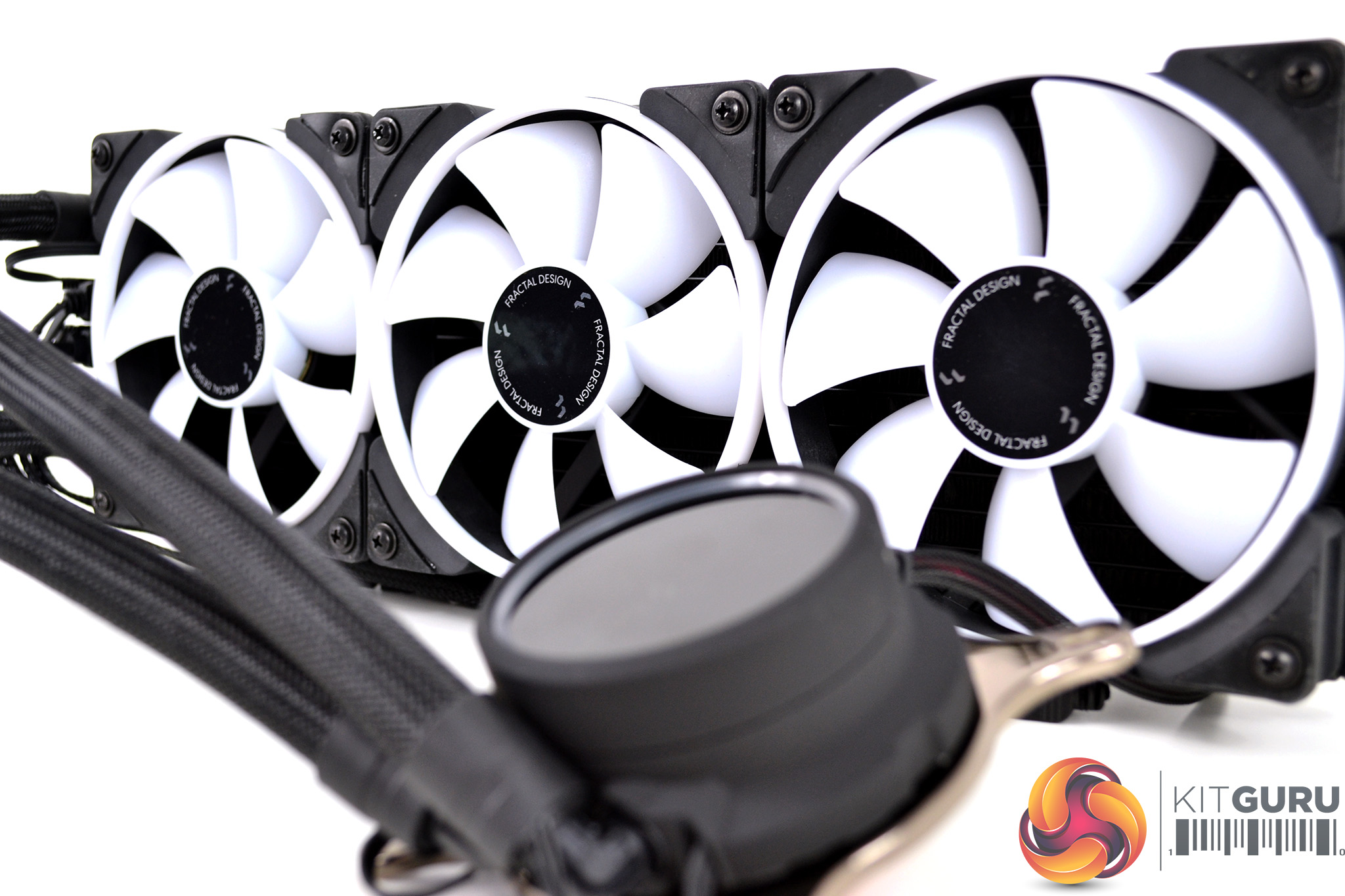
Overall first impressions of the Fractal Design Celsius+ AIO are very good, the unit seems to be manufactured from high-quality materials with a solid build. The fan/RGB hub and cables running through the tube sleeving is a very nice touch and should make managing cables easier compared to other AIOs without this feature.
Our test system is Intel Z390 based, therefore, we will be following the relevant Intel 115X socket installation procedure.
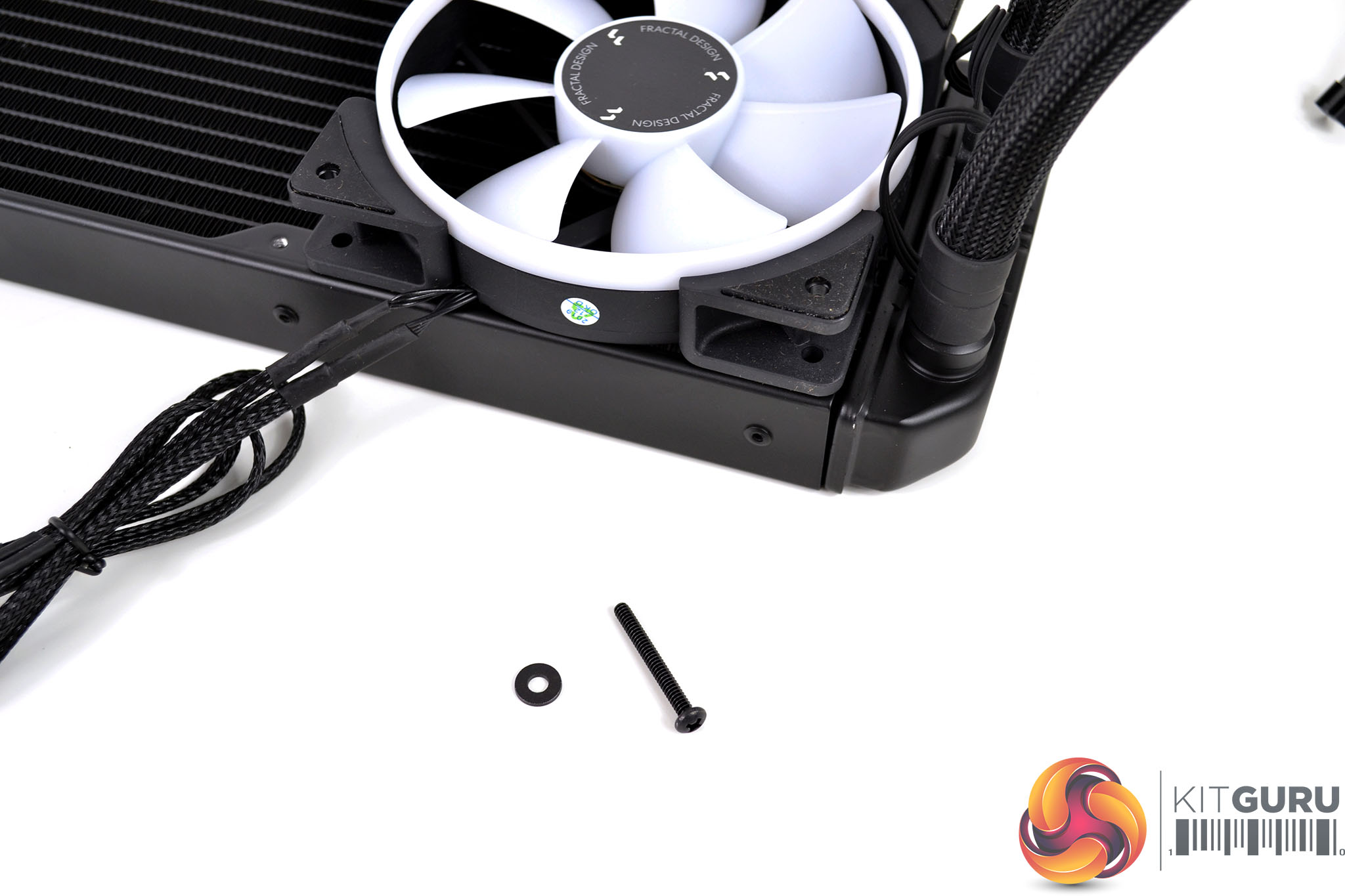
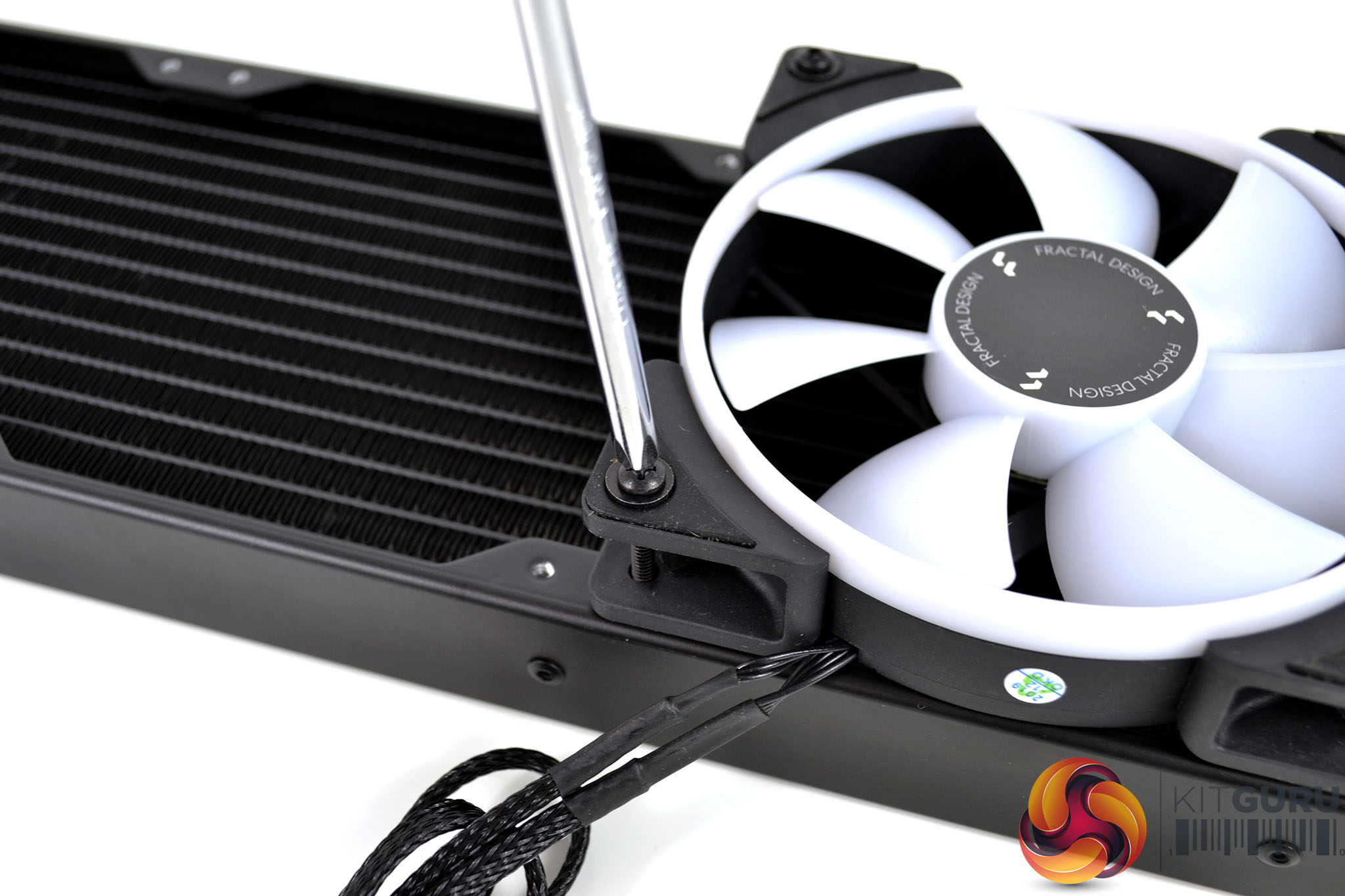
As usual with AIO cooler installation, first we fit the fans to the radiator. Decide whether you want the fans running in a pull or push configuration and then take the long black screws with washes and tighten the fans in position. Be careful not to over-tighten the screws, once you feel a reasonable amount of pressure on the screwdriver this should be tight enough to hold the fans in position.
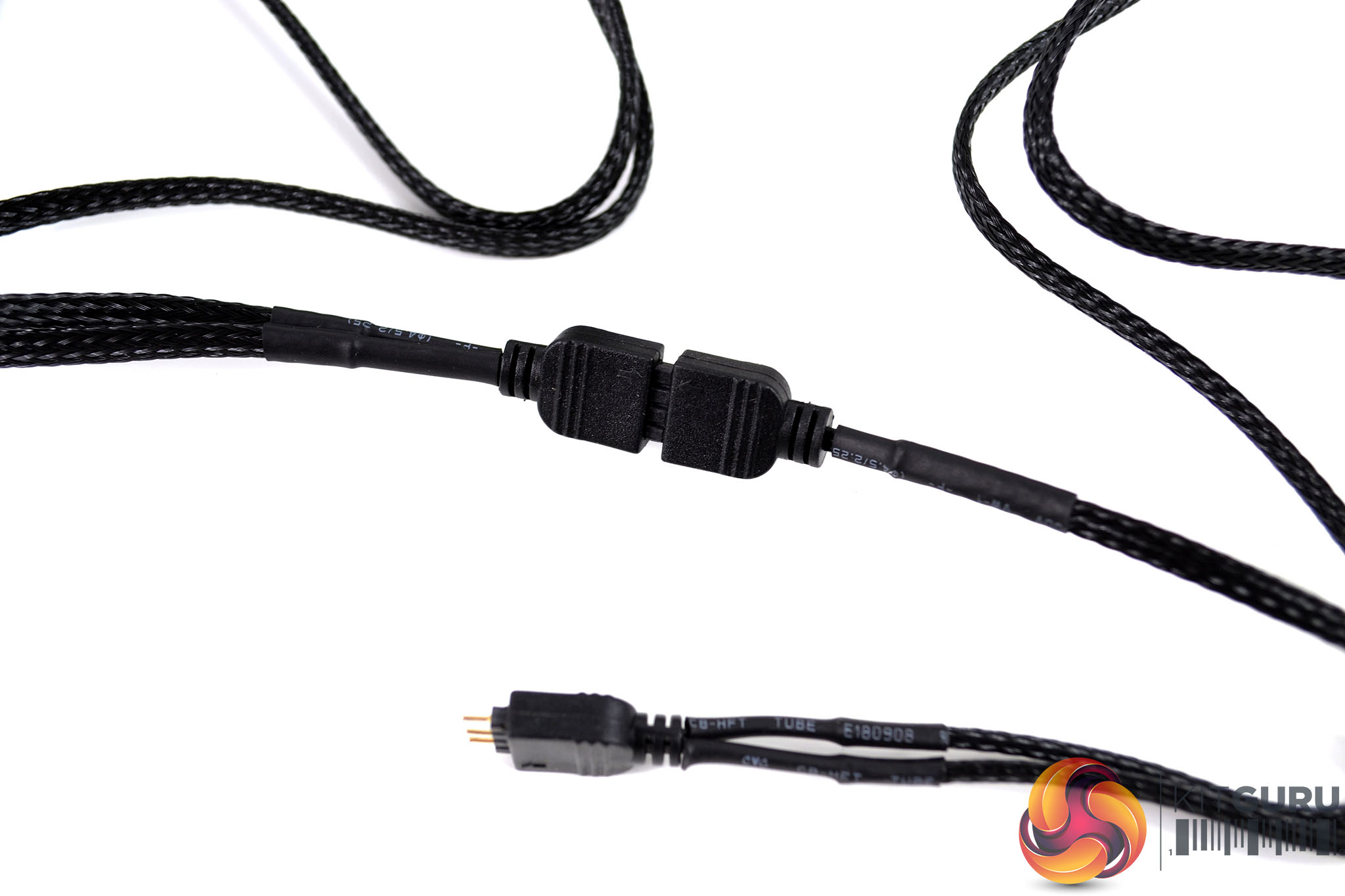
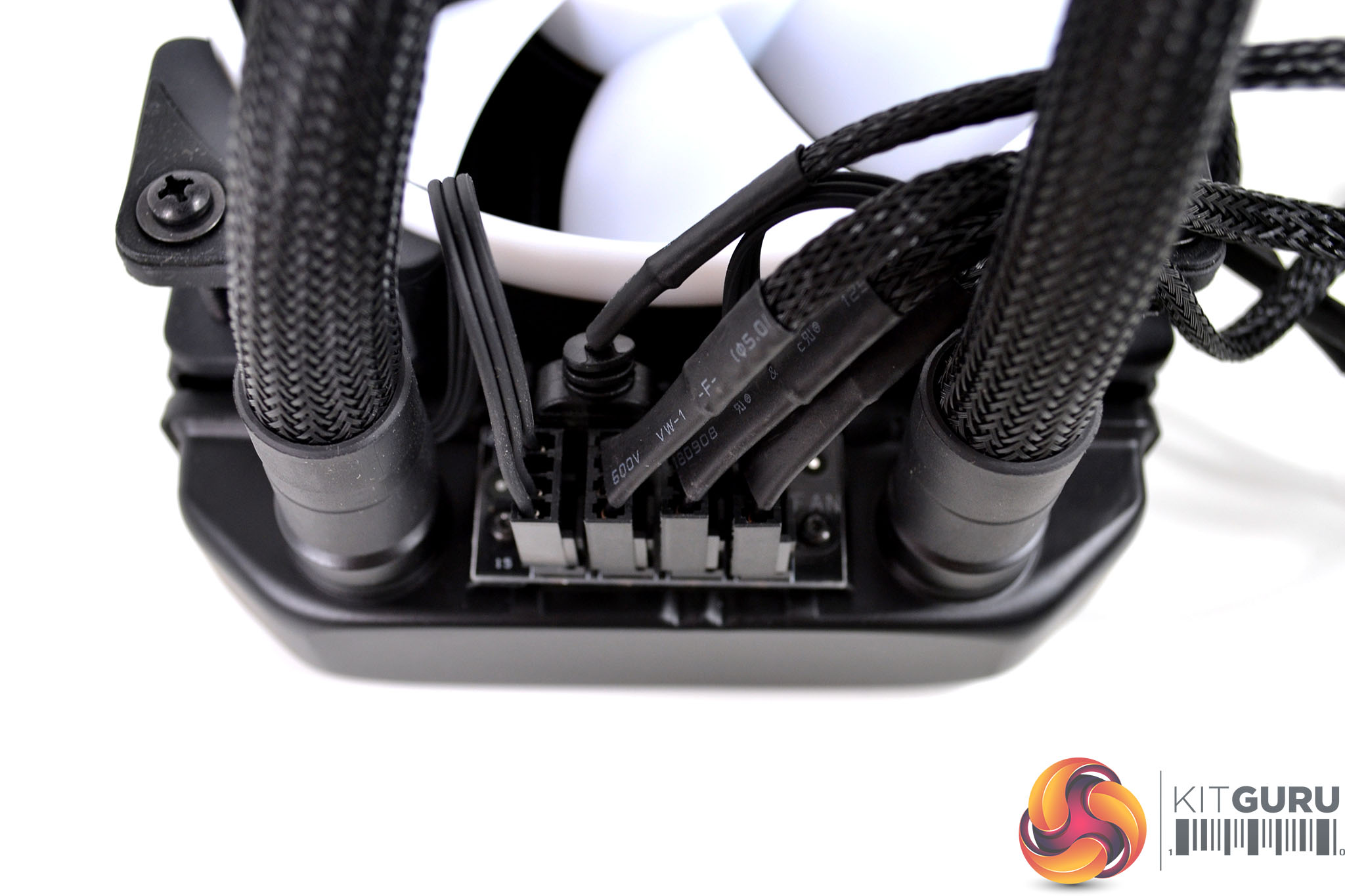
Since the Celsius+ coolers are equipped with this radiator mounted fan hub, it is possible to connect up all the fan wiring now. Fan RGB wiring can be daisy-chained to one another and then connected to the 3-pin RGB header on the fan hub. All three 4-pin fan cables are connected individually to the fan hub. You can neaten up the wiring with the provided self-adhesive clips if necessary.
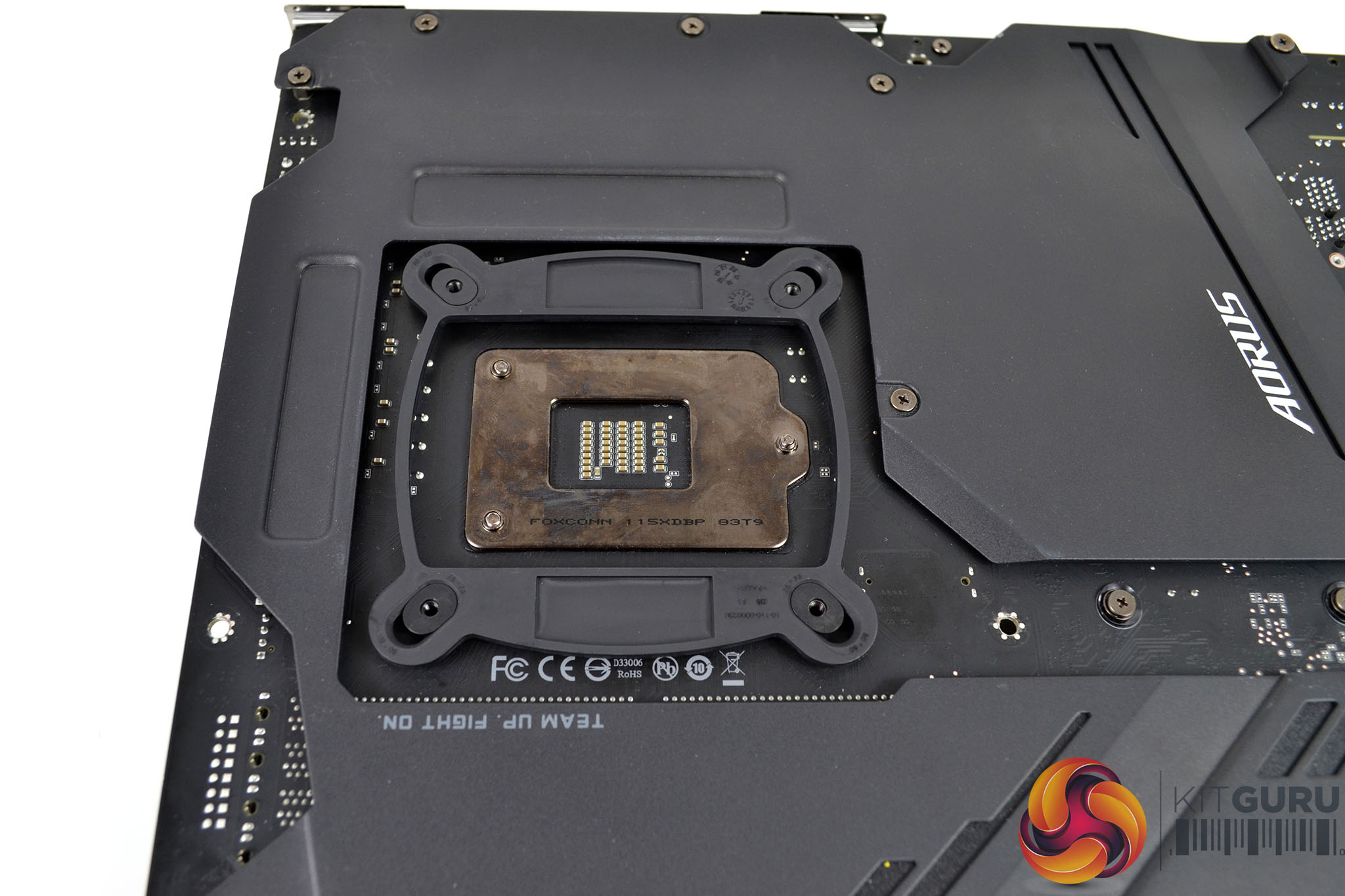
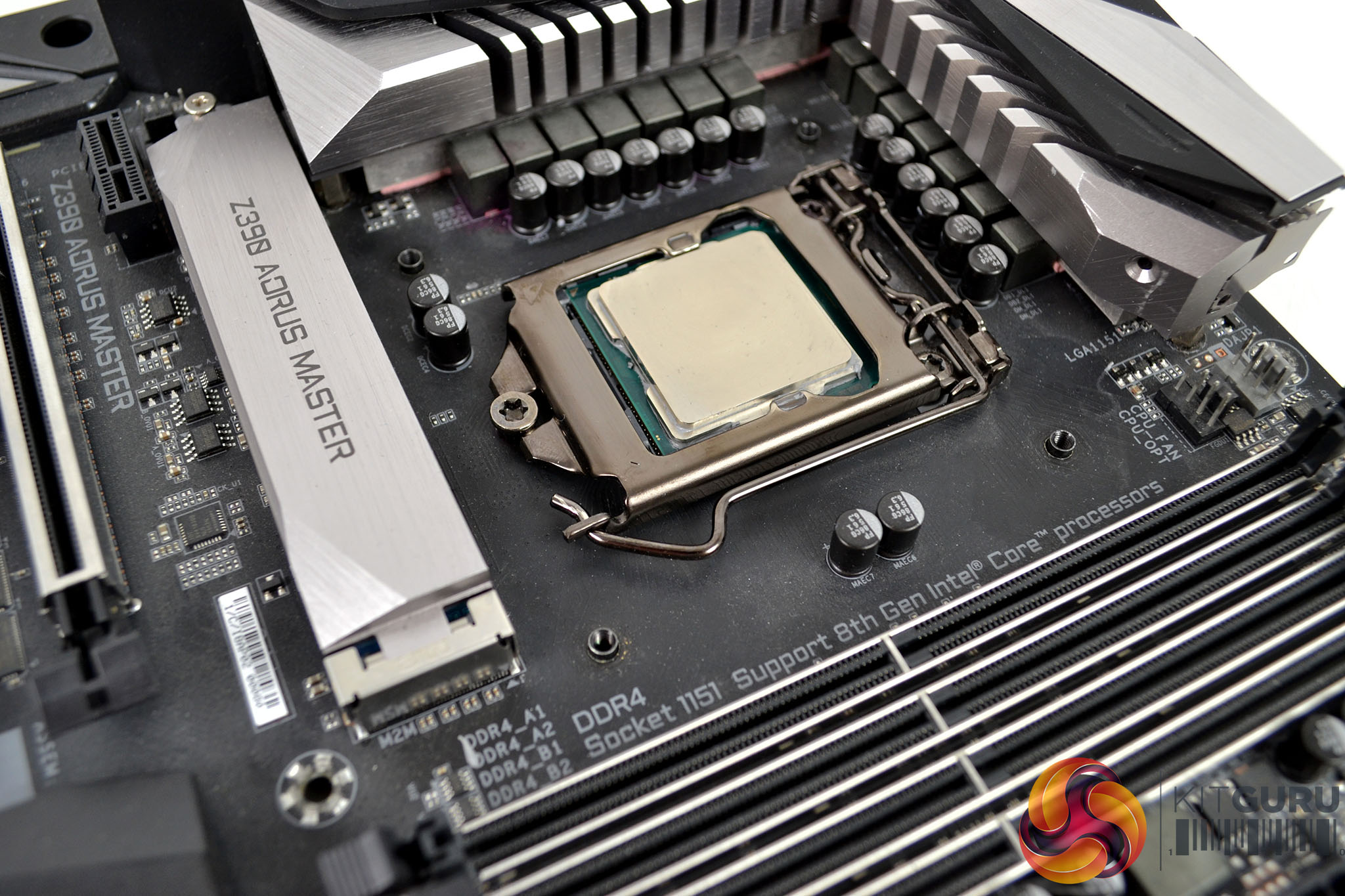
For the next step, place the universal backplate over the CPU socket on the rear of the motherboard. To do this, simply slide the mountings to the correct position for your motherboard platform, locate them in the holes on the motherboard and then turn the motherboard back over ready to install the standoffs.
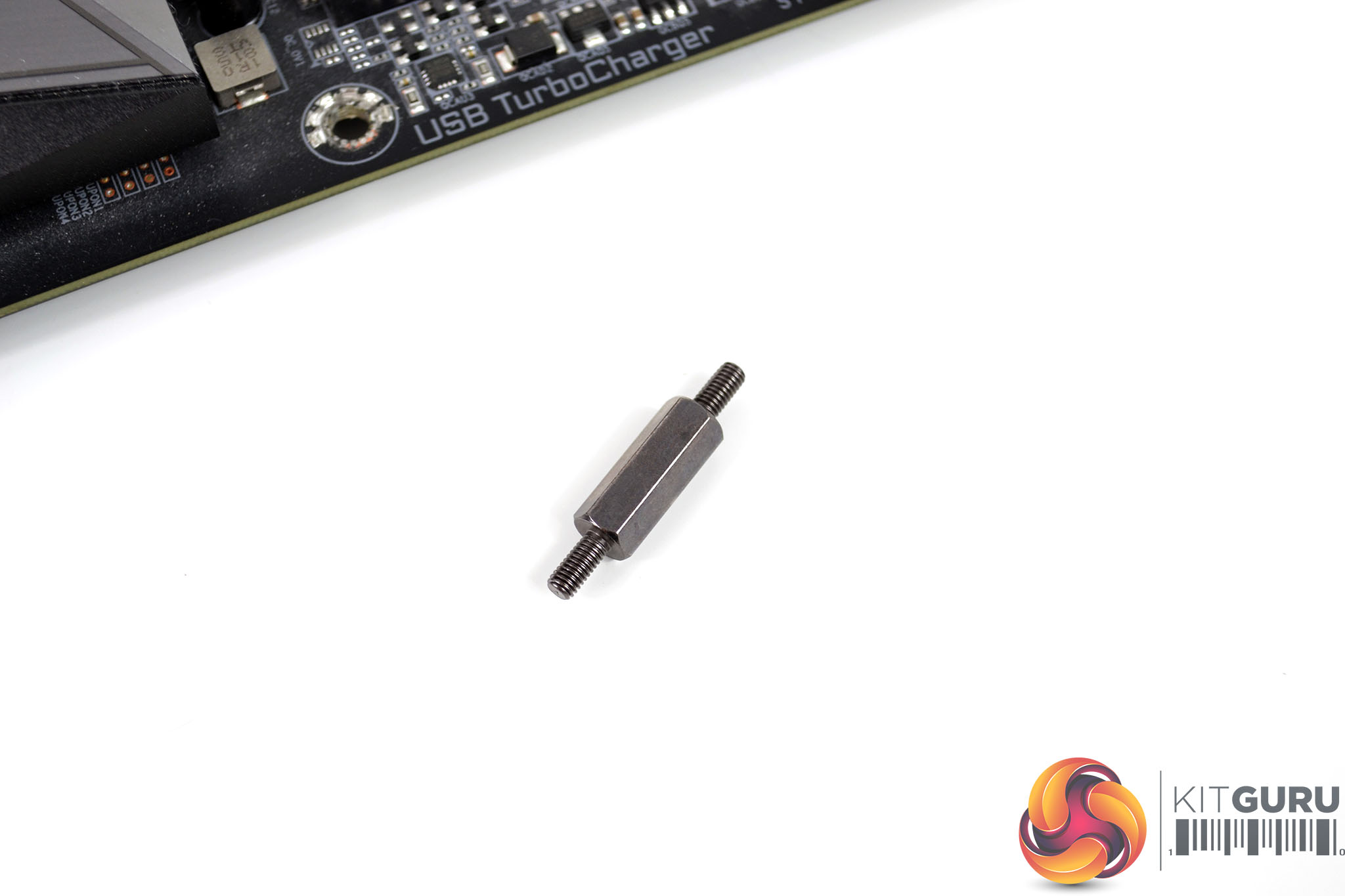
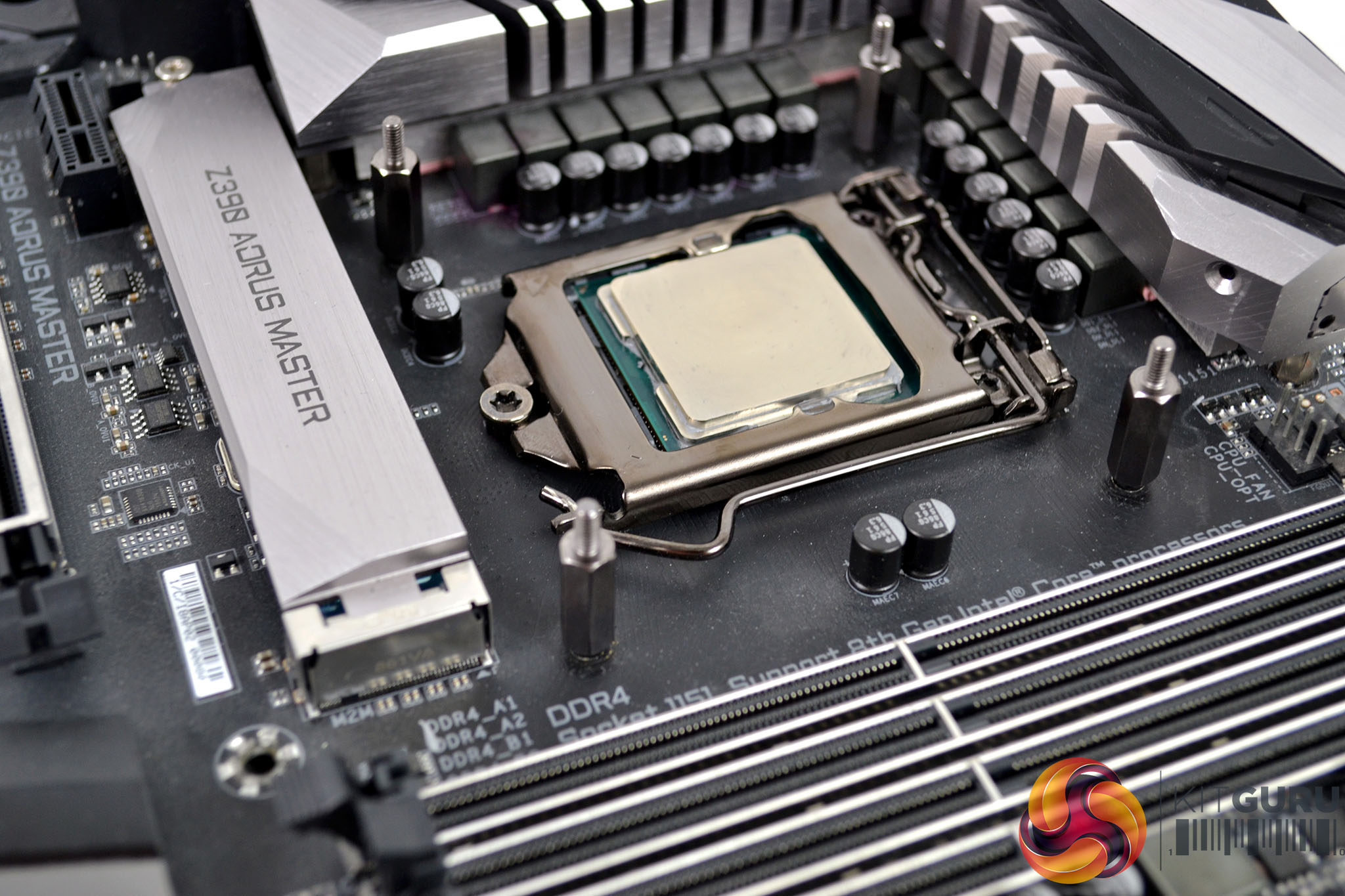
Now that the backplate is in position, select the correct standoffs for your platform, Intel 115x installation requires the use of the long standoffs with fine thread on either end. Tighten the four standoffs in position to the backplate by hand, the use of any tools isn’t technically necessary as it could easily damage the standoff thread or backplate if too much torque is applied.
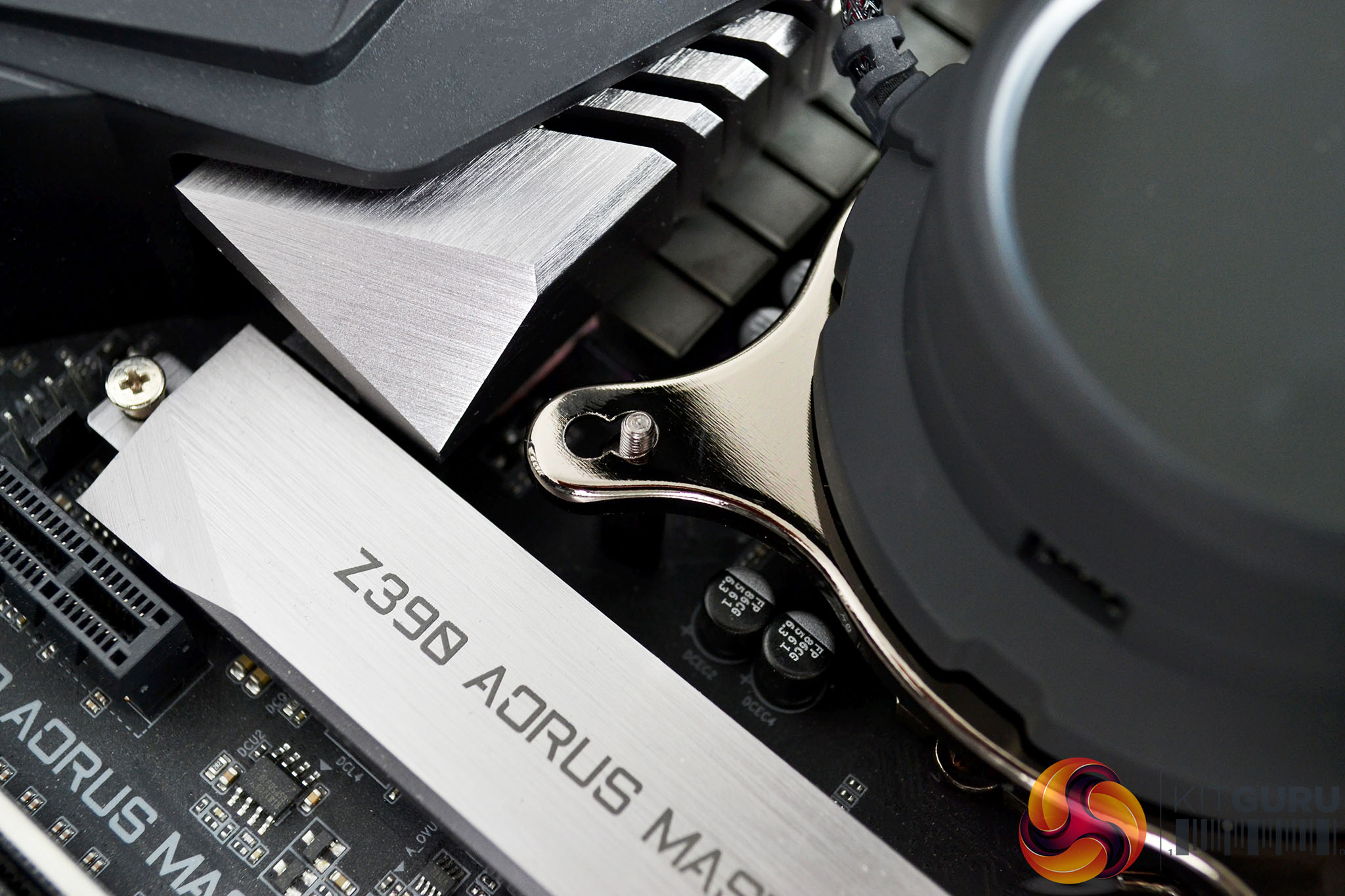
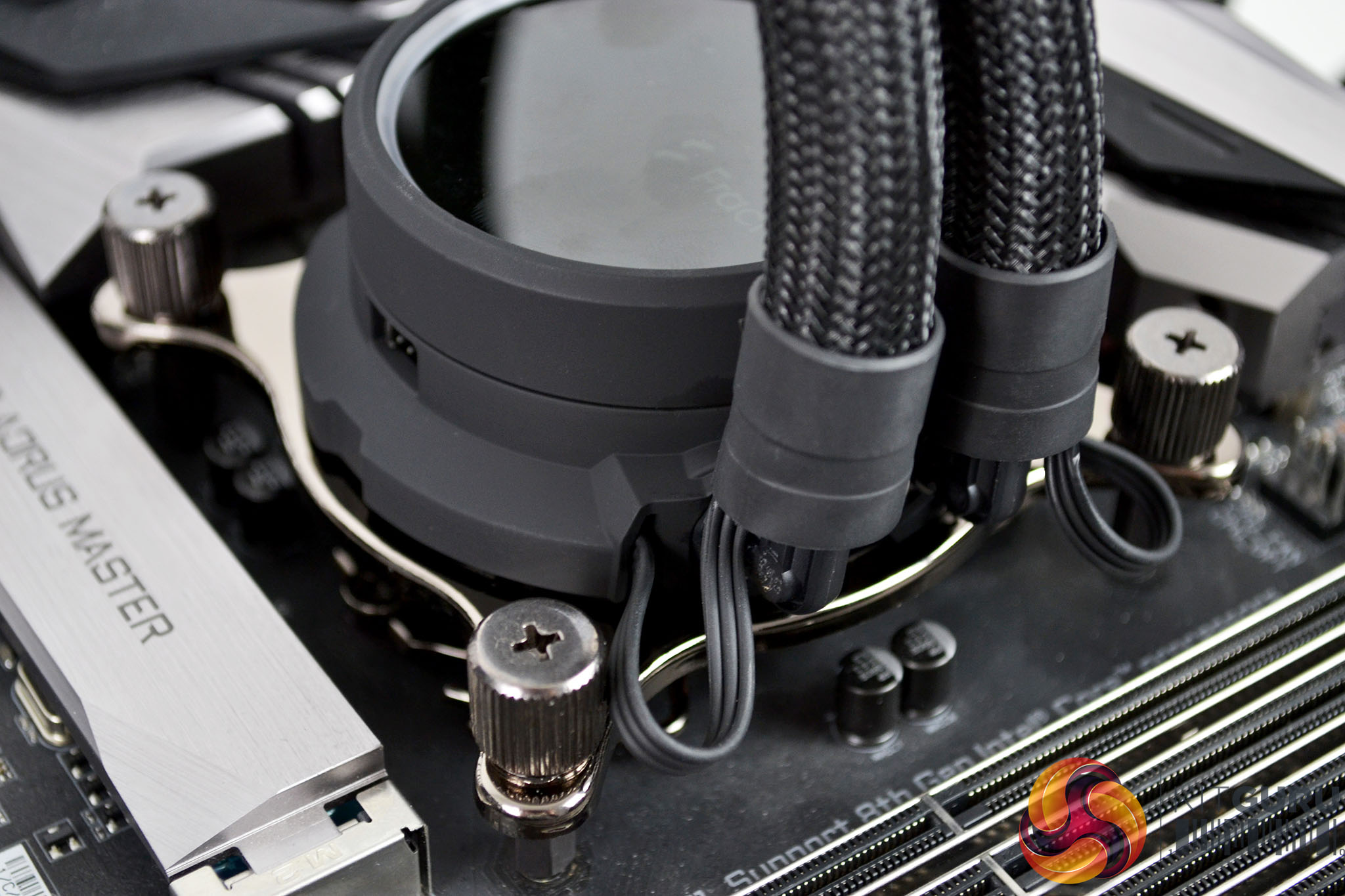
With the motherboard installed into our test bench, we can now fit the CPU block into position. With the upper retaining bracket held in place, lower the CPU block down over the four mounting points and align with the holes in the upper bracket. Take the four thumbscrews and tighten them down in an X pattern to evenly distribute pressure. Final tightening can be finished off with a screwdriver if necessary.
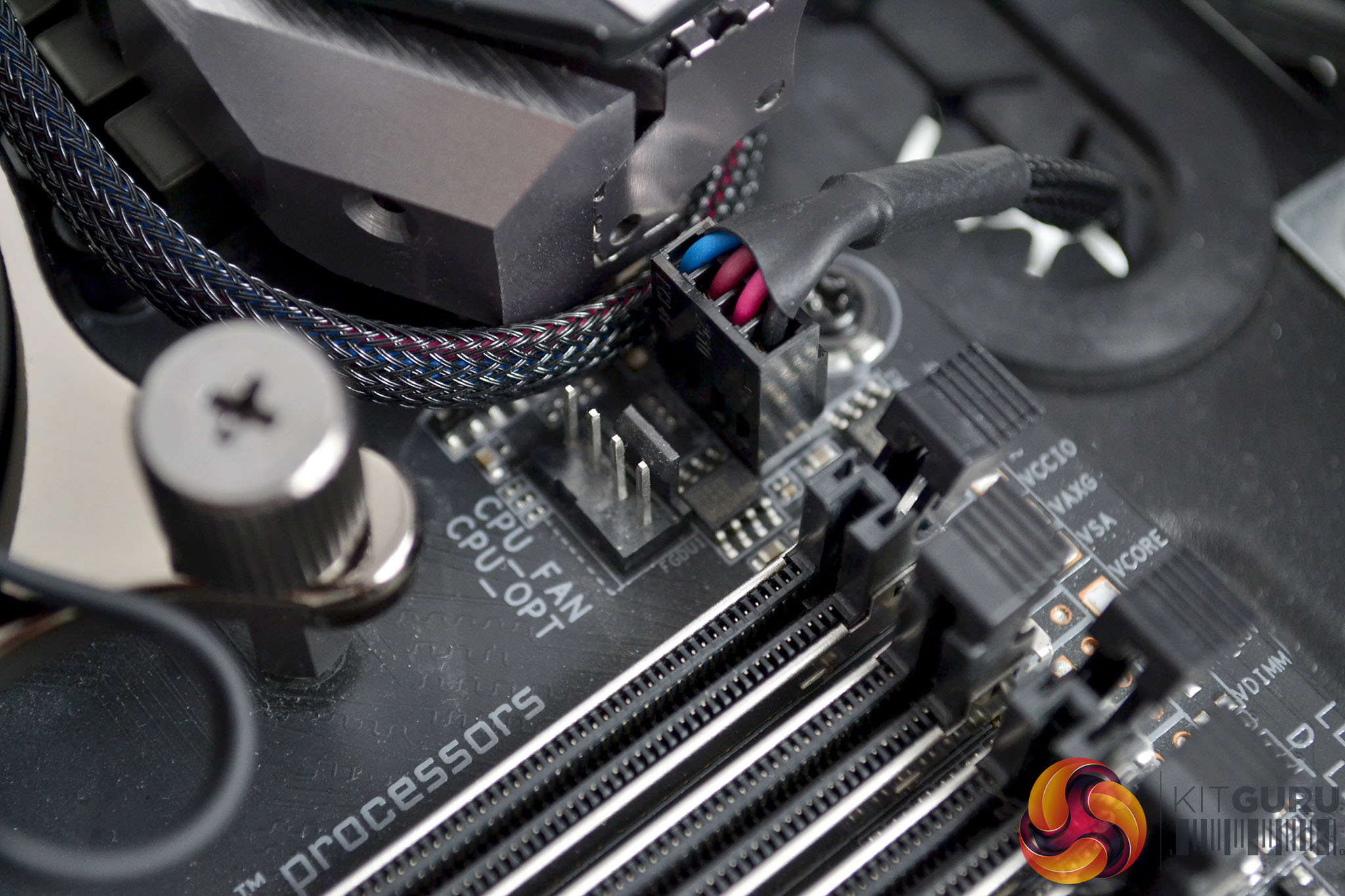
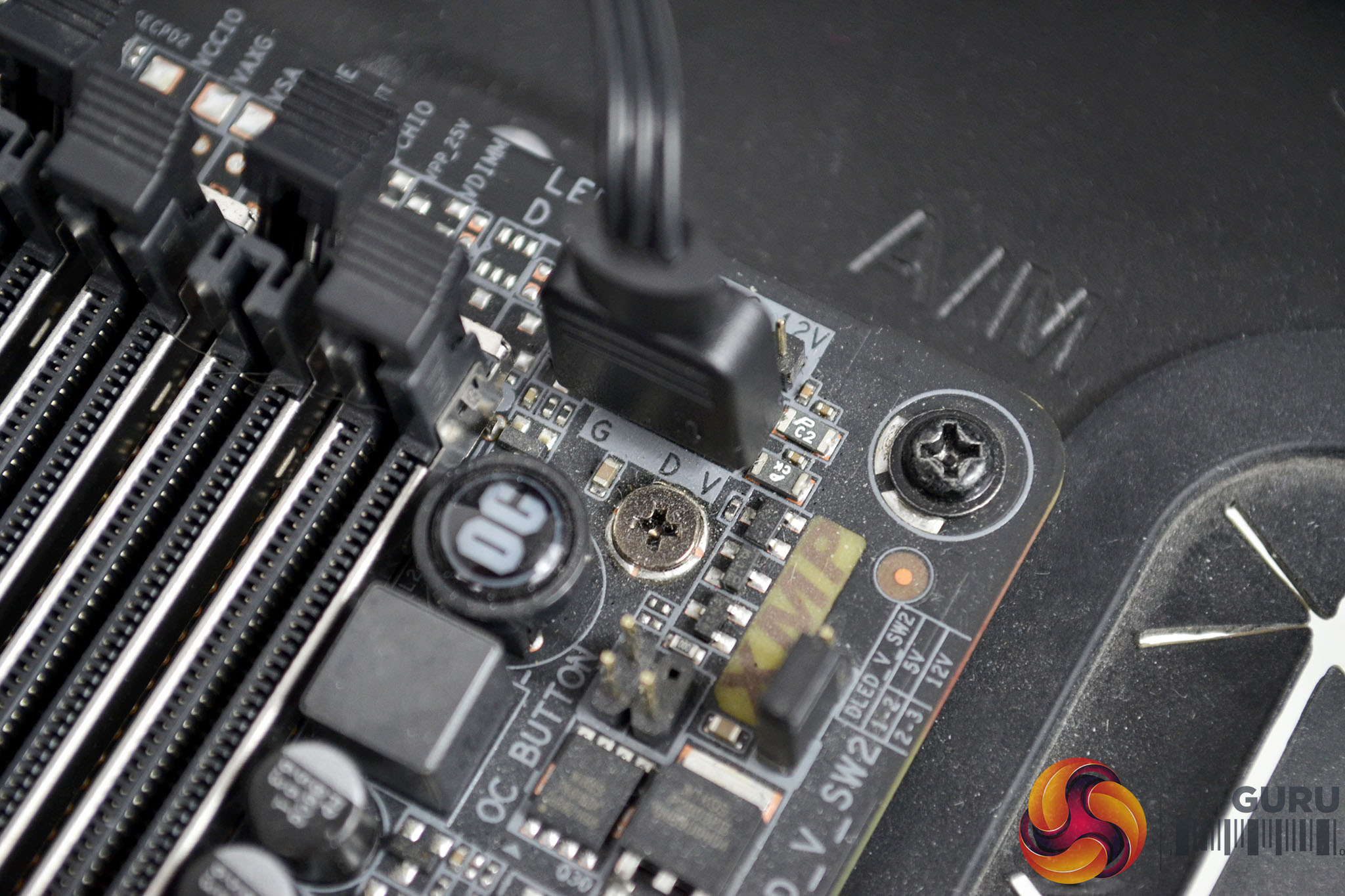
To complete the installation, connect the 4-pin cable from the CPU block to the motherboard CPU_FAN header and using the RGB extensions cable, connect from the CPU block 3-pin RGB socket to the motherboard 3-pin RGB header.
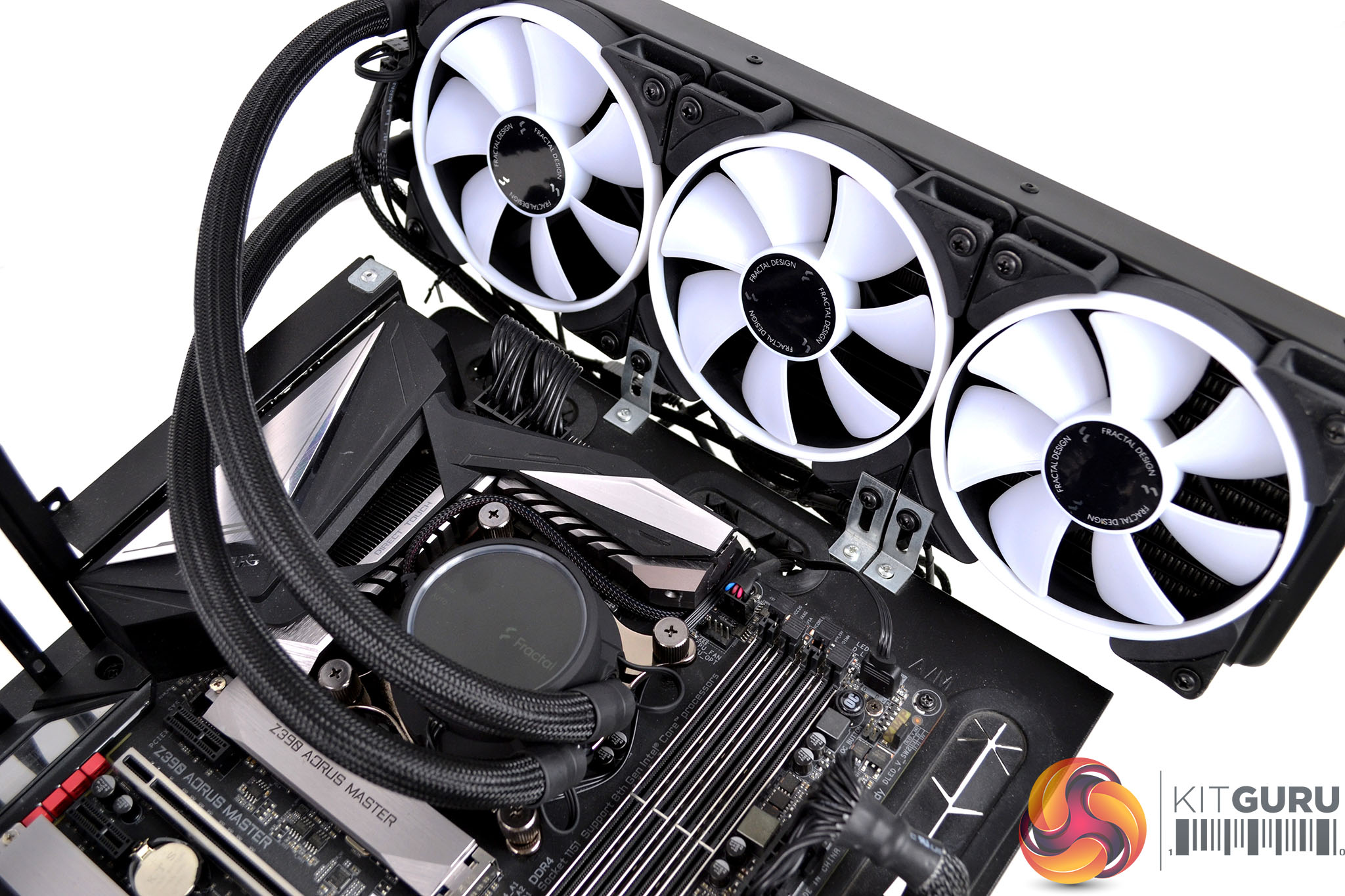
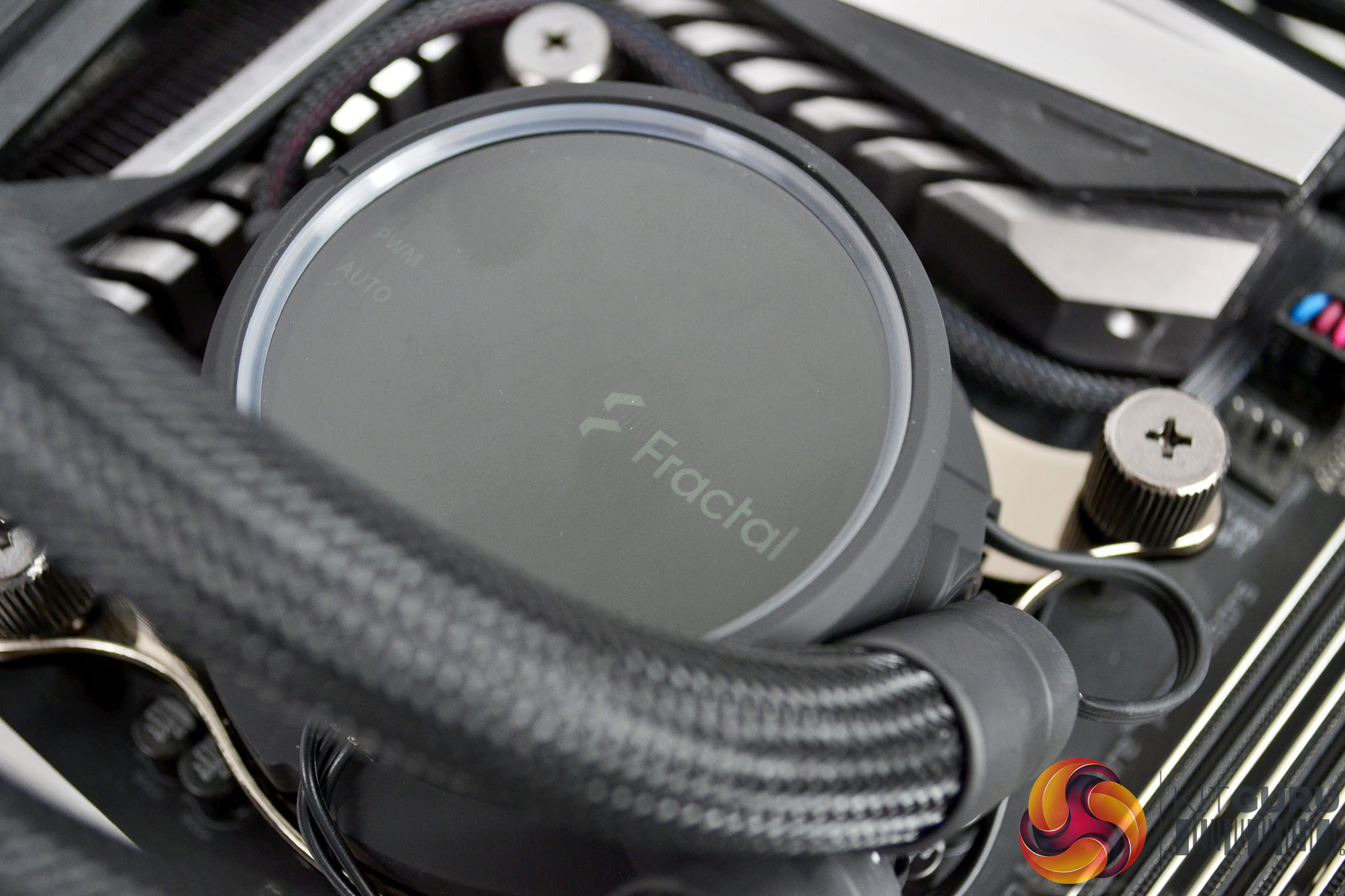
Since the Asetek AIO installation process has been around for many years and has basically remained the same for generations, it is a very refined process. The addition of the radiator mounted fan/RGB hub in the Fractal Design Celsius+ series simplifies managing cables and helps achieve a neat and tidy looking final product. Overall the installation process took around 10-15 minutes and I didn’t come across any major issues along the way.
RGB Gallery
Testing Methodology: Thermals/Acoustics
To measure the performance of CPU coolers, we devised an easily repeatable series of tests. The only variable is the coolers themselves to ensure the results can be accurately compared against one another.
Test Rig
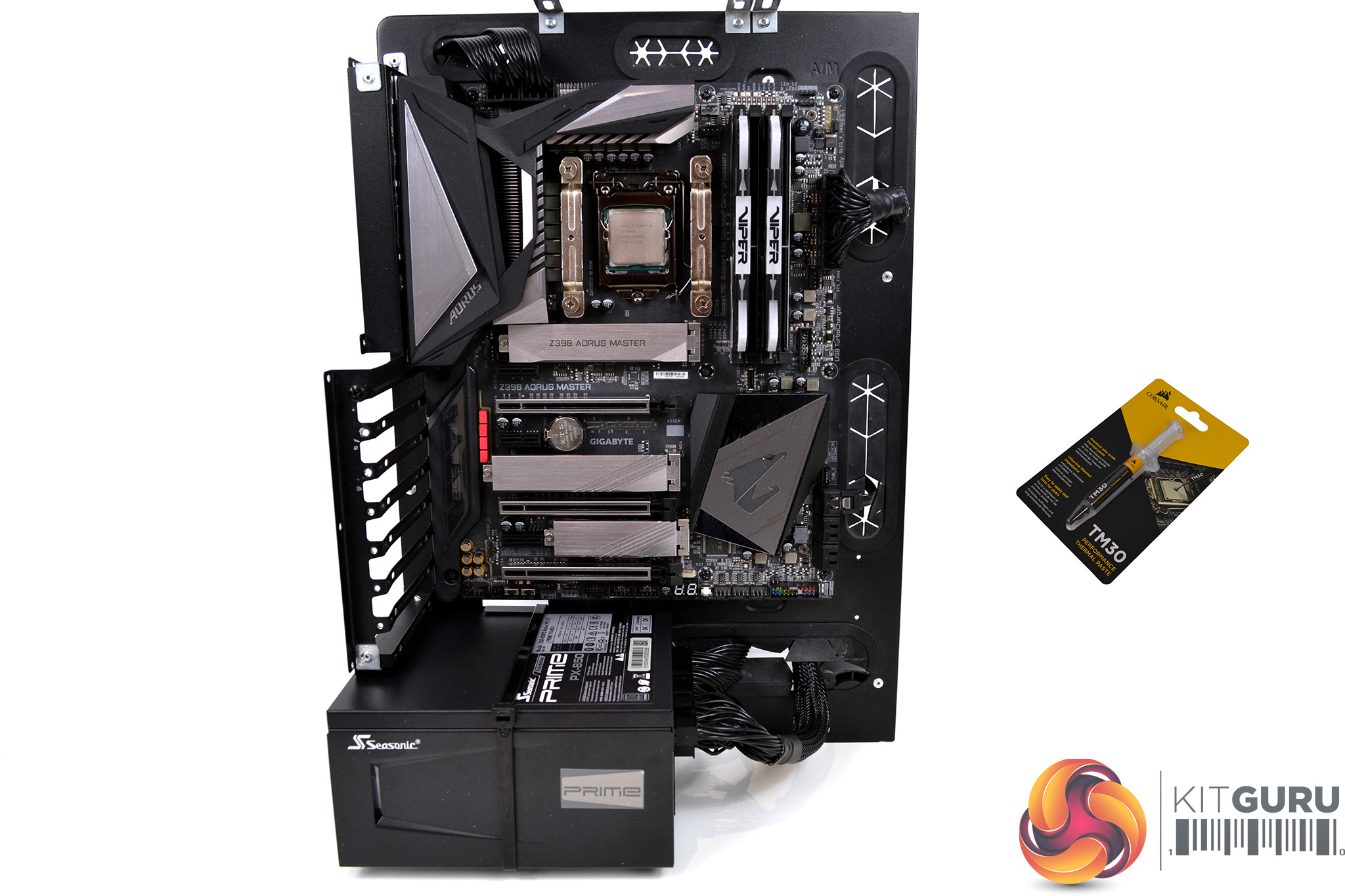
To reflect current hardware demands, the KitGuru test bench comprises of an Intel Z390 platform and included is the Intel Core i9-9900k CPU, mated with a Gigabyte Z390 Aorus Master motherboard and 16GB (2x 8GB modules) Patriot Viper RGB RAM running at 3600mhz CL16. Our storage device is a Corsair Force LE 120GB SATA SSD. Power to the test system is managed by a Seasonic Prime PX-850 PSU. Corsair TM30 thermal compound is used at all times to ensure consistency.
Thermal Testing Procedure
The procedure will consist of several tests that will produce six temperature readings for each cooler. The data can then be used to compare thermal dissipation performance.
First, we will lock the Core i9-9900k at its 3.6GHz all-core base clock speed, with a 1.15V Vcore applied in the BIOS. Then, let the system idle in windows for 15 minutes and measure temperature. At the same frequency, we will then measure the load temperature.
To simulate overclocked frequency, we will then lock the Core i9-9900k to 4.7GHz on all cores with a 1.20V Vcore and run the same idle and load test again. To measure an extreme overclocking situation, we will lock the Core i9-9900k frequency to 4.9GHz on all cores with 1.30V Vcore and run the tests one final time – this should push the limits of the cooling performance of even the very best CPU coolers.
Admittedly, the overclocked frequencies/voltage may not be the highest achievable, nevertheless, it will give us a good set of data to compare the effect frequency/voltage changes have on temperature.
The temperatures presented in the graphs will be average Delta temperatures measured over the length of the test. We will calculate the Delta temperature by deducting the ambient temperature in the test room from the measured CPU temperature, both at idle and under load.
All idle temperatures are measured by letting the system idle in Windows for 10 minutes. Load temperatures are achieved by running AIDA64 stressing CPU, FPU and cache again for 15 minutes. This should give the CPU enough time to reach its maximum temperature. Throughout testing, Load Line Calibration will be set to level 6 (turbo) in BIOS and all CPU Fans/pumps set to maximum RPM.
Noise Testing
Noise levels will be measured with our sound meter at a distance of 1 meter from the test bench. The cooler’s fans will be set to their maximum RPM rating. The ambient noise level in the room is measured at 37.5dBA and the peak noise level of the cooler will be recorded in dBA.
Performance and Comparisons
Throughout all of our thermal performance tests of the Fractal Design Celsius+ coolers, the integrated fan speed switch was set to PWM mode so we could control fan speeds via the motherboard BIOS to ensure consistency during all tests.
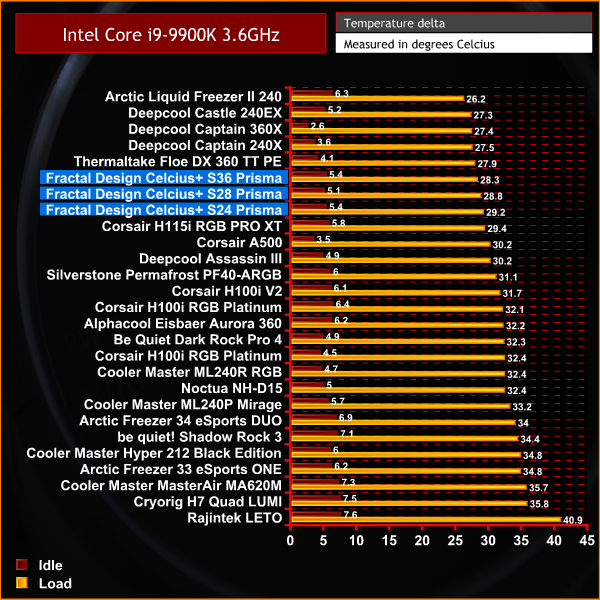
During our initial thermal performance test with the Intel Core i9-9900K set at an all-core frequency of 3.6 GHz, all three of the Celsius+ AIOs record solid results and are placed in the top half of our chart, all performing within 1°C of each other.
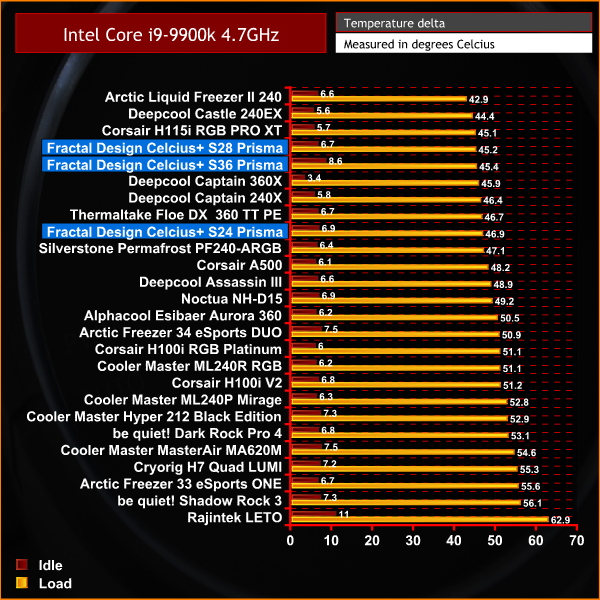
With the CPU set to 4.7 GHz across all cores, again the performance of all three Fractal Design Celsius+ AIOs is impressive. The 280mm S28 and 360mm S36 are very evenly matched, with the S24 240mm version recording average temperature just a fraction higher.
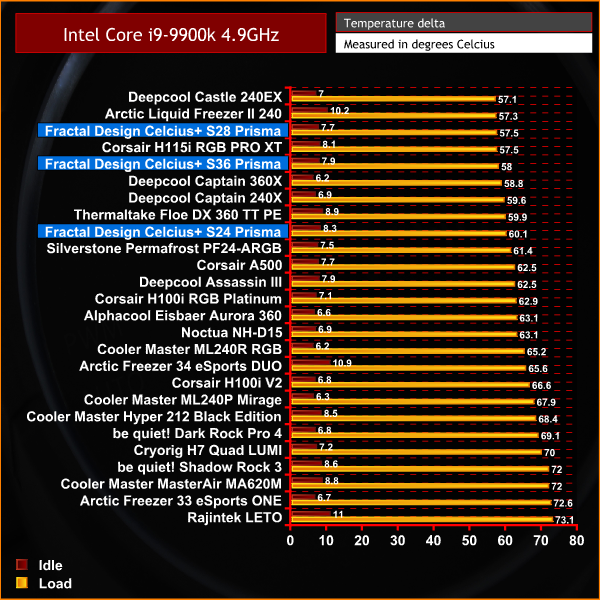
A for thermal performance in our extreme overclocking test, again we see all three of the Celsius+ coolers performing excellent. The S28 280mm version marginally performs better out of the three and sits in joint third position in our chart. Both the S36 and S24 are not far behind.
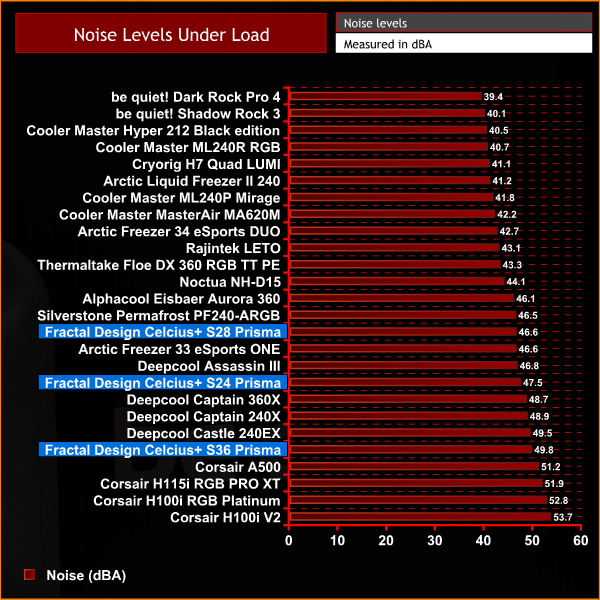
Noise level with the fans running at 100% RPM is a little on the high side, however, the S28 280mm version specifically is well within tolerable noise limits and isn’t too distracting at all. Both the S36 and S24 coolers that are equipped with 120mm fans are a little louder, but by no means are the noise levels the highest we have ever seen. This proves that this AIO series is a solid performer all round.Thermal Performance: AMD Ryzen 3950X
Since we have three AIO coolers from the same series but with a combination of different radiator and fan sizes, we took the opportunity to do some back to back testing on an AMD Ryzen 3950X platform, to compare the thermal performance with the coolers in their PWM and Auto modes.
For both the PWM and Auto mode tests, we set the Asus ROG Strix X570-E motherboard to allow the AMD Ryzen 3950X to run at stock settings and measured the coolers thermal performance in both modes. We then ran AIDA64 stressing CPU FPU and Cache for 40 minutes and recorded the results in the chart below. With this data we can also compare how thermal performance affects CPU core boost frequency.
The temperatures presented in the graphs will be average Delta temperatures measured over the length of the test. We calculate the Delta temperature by deducting the ambient temperature in the test room from the measured CPU temperature under load.
During the PWM mode test, the coolers fans/pump were set to the standard fan profile in the Asus motherboard BIOS to provide a fair balance between thermal performance and fan noise levels. During the Auto mode test, the coolers built-in firmware takes over fan/pump speed control and is designed to keep the pump noise level lower than the noise from the fans.
Test Rig:
- CPU – AMD Ryzen 9 3950X
- Motherboard – Asus ROG Strix X570-E gaming
- Memory – 32 GB (4 x 8 GB modules) G.Skill Trident Z RGB DDR4-3200 MHz C16
- Graphics card – Gigabyte RTX 2070 Super Gaming OC 8G
- SSD – 500 GB Corsair MP600 PCIe Gen 4 M.2 NVMe
- Power Supply – Seasonic Prime PX-850
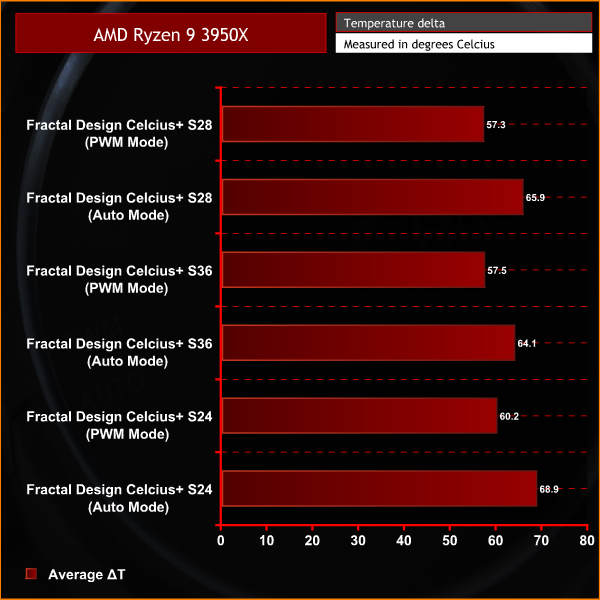
With the information gathered, we can clearly see that the thermal performance is at its best with the coolers set to PWM mode. All three coolers recorded considerably lower average core temperature with the PWM mode selected.
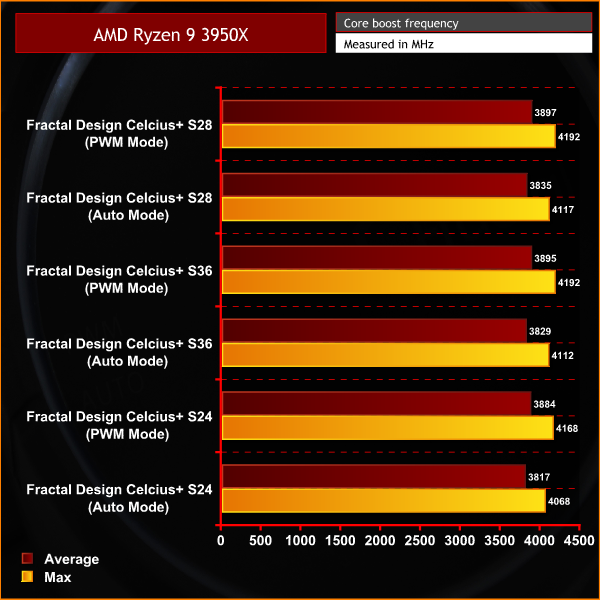
Again with the coolers in PWM mode, we can see that both the average and maximum core frequency boosts higher with the coolers running in this mode, so not only does the PWM mode provide the best CPU temperature, it also boost CPU performance.
Overall, the Fractal Design Celsius+ AIOs equipped with Prisma RGB fans are a very attractive proposition. Price is in line with similar CPU coolers of this type from other manufacturers and there are features that offer a little more than other all-in-one coolers on the market, such as the hidden cables, radiator mounted fan/RGB hub and on the fly fan/pump speed control.
During our thermal performance testing, we set the on-device fan control switch to PWM mode so that we had full control over fan/pump RPM. However, switching to the “auto” mode threw up some undesirable results. Fan/pump speed in “auto” mode is extremely conservative, almost to a point where it seems like it is broken. However, in this mode, the coolers run extremely quiet.
With the fans set to “auto” and our test bench running 100% CPU load via AIDA64, the fan and pump RPM didn’t seem to ramp up at all, even with the Intel Core i9-9900K CPU set at its 3.6 GHz all-core base frequency, the temperature would quickly rise to an undesirable and almost dangerous level. Fortunately, the CPU throttled back the frequency to protect itself from damage. With this in mind, we would recommend using this AIO in PWM mode on a high-end CPU like the 9900K, unless you really only care about noise levels.
However, with the Celsius+ coolers set to PWM fan/pump speed mode; thermal performance was quite impressive. All three of the Celsius+ coolers recorded excellent thermal performance levels during all of our tests, with the S28 280mm version just edging out the S36 360mm in terms of raw thermal performance. Even the 240mm S24 was right up in the top half of our thermal performance charts.
With the fans set in PWM mode and running at their maximum RPM, the 120mm versions could be a little on the loud side for some users, so setting a PWM fan curve in the motherboard BIOS or Windows software may be necessary for optimal sound to noise performance. However, the 140mm fans fitted to the S28 280mm cooler were a little quieter, even at 100% RPM, they could be tolerable for some users.
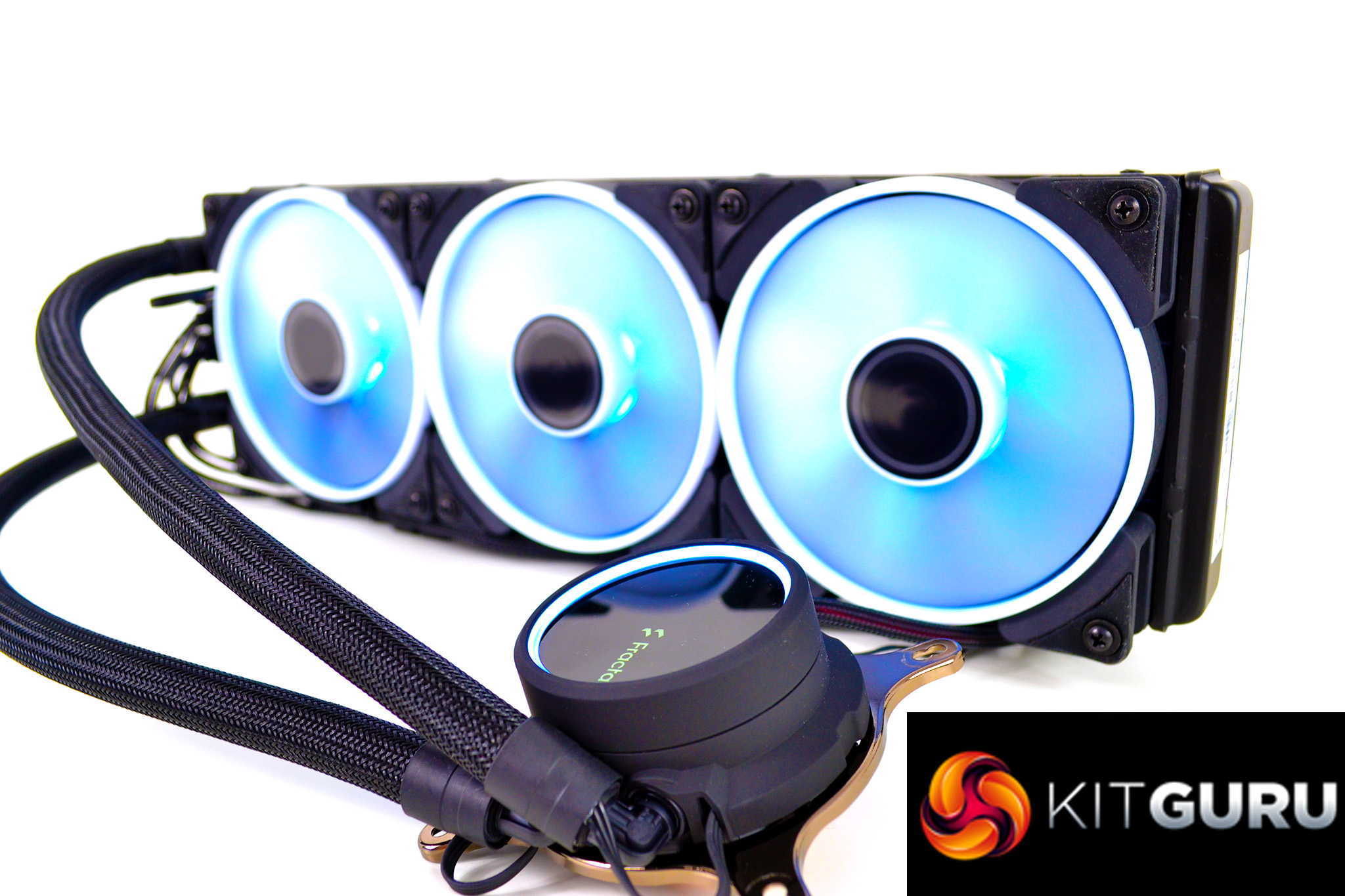
There are two variants of the Celsius+ AIO series to choose from, with different fan types. All three samples of ours are equipped with the Prisma RGB fans with white opaque fan blades and outer ring. This design allows the RGB lighting to illuminate the fan blades and outer ring well and gives a nice subtle glow to the system.
The radiator mounted fan/RGB hub is a feature carried over from the previous Celsius AIO series and is one we really like. It uses all standard 4-pin PWM fan connections and 3-pin RGB cables, so not only does it offer a great solution for managing cables, but it also connects directly to the motherboard so there are no extra controllers and additional cables or software to faff around with, everything can be controlled by motherboard software or BIOS settings.
Installation of Fractal Design's Celsius+ coolers is very quick and one of the most straightforward processes on the market. AMD AM4 installation retains the stock backplate so no disassembly is required. A single, universal backplate covers all Intel 115x and 1366 platforms and installation on our Z390 motherboard only took approximately 10-15 minutes, which means there is very little system downtime.
Out of all three of the Celsius+ coolers, we would personally recommend the S28 version if your case has the space to fit a 280mm radiator. While all three coolers performed very well in terms of thermal performance, the S28 offered the optimal raw thermal performance and noise levels during both of our overclocked Intel thermal performance tests.
The Fractal Design Celsius+ AIO series is available to purchase, priced from £119.99 to £185.99.
Discuss on our Facebook page HERE.
Pros
- Integrated fan/RGB hub.
- Multiple RGB lighting zones.
- Cables hidden in tube sleeving.
- Available with two fan options.
- Solid thermal performance.
Cons
- 120mm fan versions may be a little loud for some users.
- Auto fan mode seems too conservative.
S24 score:
S28 score:
S36 score
KitGuru says: Even though all three of these Fractal Design Celsius+ AIO coolers produced solid results in our thermal performance tests, for me the S28 280mm would be the one to buy if you have space in your case, it offers the best thermal performance and lowest noise levels so it's probably the best value out of the three. All three win our ‘worth buying' award.