KitGuru KitGuru.net – Tech News | Hardware News | Hardware Reviews | IOS | Mobile | Gaming | Graphics Cards


External GPU enclosures have been around for a few years now, most of them using Thunderbolt 3 which provides four PCIe 3.0 lanes. We've tested a few solutions over the years, including Razer's Core X and the Sapphire GearBox, but today we're taking a closer look at just how well an eGPU can perform. To do so, we test Nvidia's RTX 3060 Ti, RTX 3070, RTX 3080 and even the RTX 3090, across 1080p, 1440p and 4K resolutions. Is there any benefit to using a faster GPU over Thunderbolt 3? That's what we will find out today.
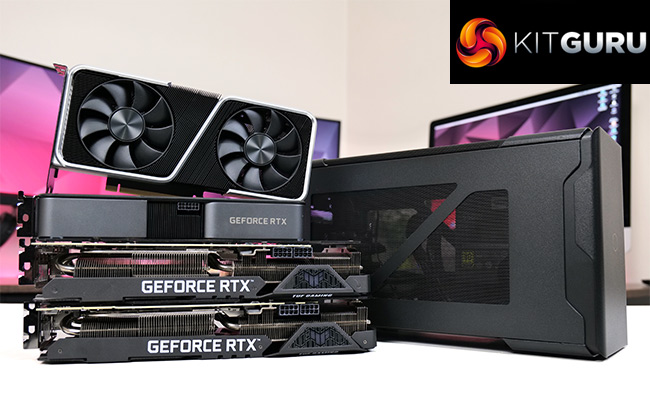
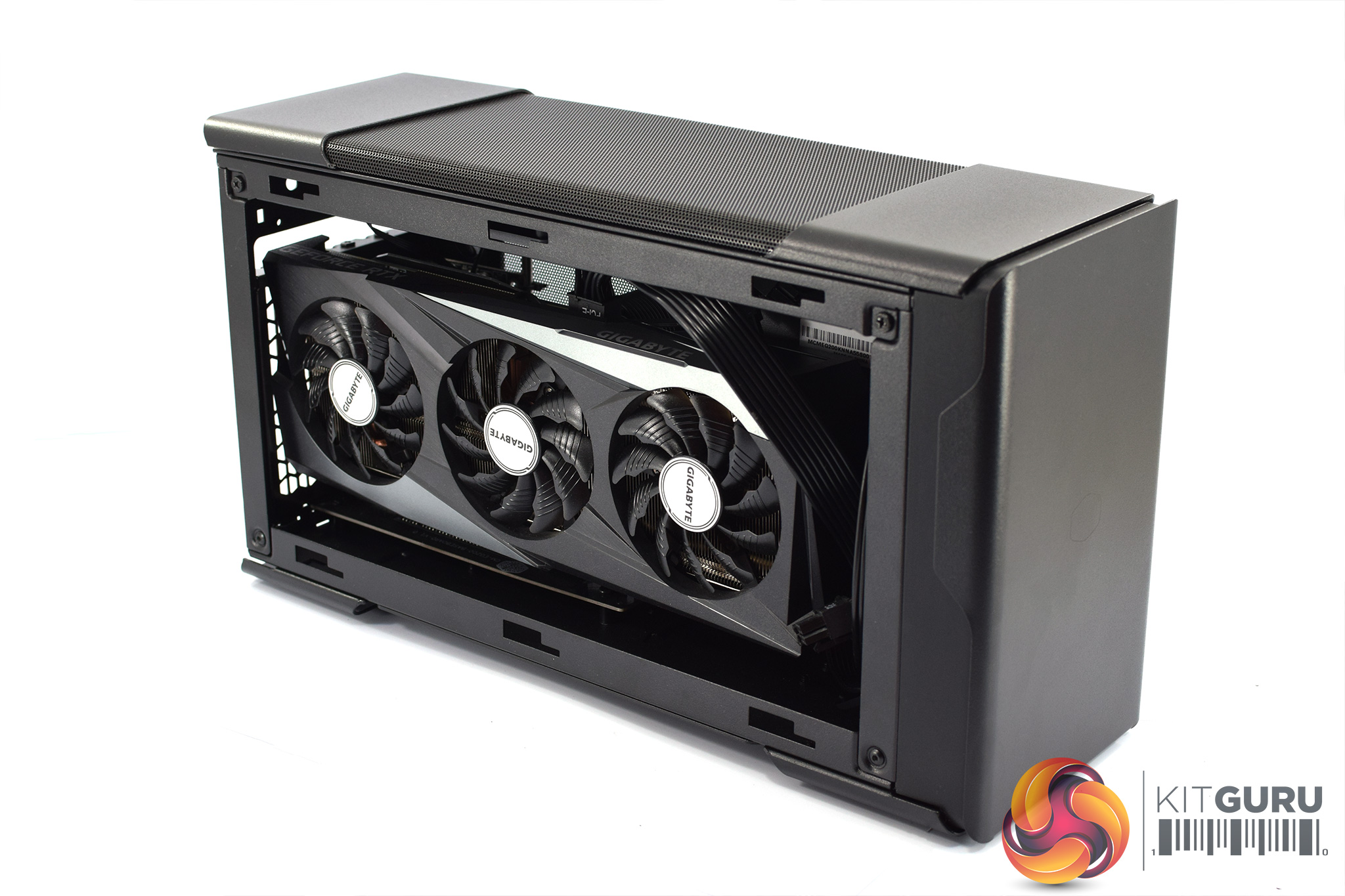
For this investigation, we're using Cooler Master's new EG200 external GPU enclosure. It's the company's first eGPU product and has an MSRP of £329.99, though it is not currently listed for sale in the UK. As a standard Thunderbolt 3 enclosure, you are free to use pretty much any graphics card you want, though there is a size restriction as cards cannot be bigger than 325 x 141 x 54 mm.
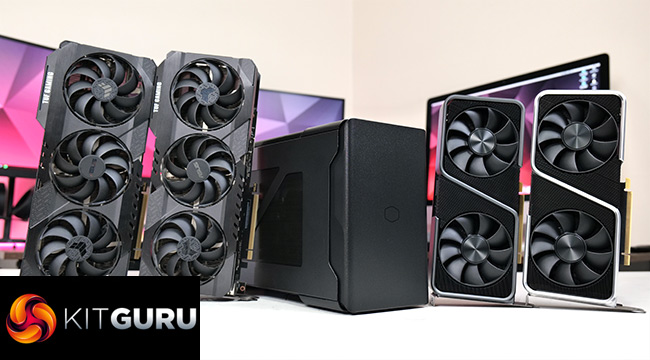
We're testing with the ASUS TUF RTX 3080 and TUF RTX 3090, as well as Nvidia's RTX 3060 Ti and RTX 3070 Founders Editions. Testing all four GPUs will allow us to get a clear idea of how performance scales with an eGPU, which is what we are interested in. We know all four will be faster than using integrated graphics, but is there any benefit to the RTX 3090 over an RTX 3080 when using a Thunderbolt 3 dock? That's what we're looking at today.
Of course, we also need a device to connect the dock to, and we opted for the Razer Blade 15 Base. This is the latest 2021 model, and obviously the most important thing is that it has a Thunderbolt 3 port. The CPU is also important though, as overall gaming performance will vary depending on the calibre of processor inside your host PC. The Blade uses Intel's i7-10750H, which is a 45W hexa-core CPU. It's beefier than an ultra-low power processor you may find inside an Ultrabook, but for our testing today it will do the job just fine.
Cooler Master EG200 Specification:
- SERIES: MasterCase Series
- SIZE: External GPU
- MODEL NUMBER: MCM-EG200-KNNA55-S00, MCM-EG200-KNNA55-UK
- AVAILABLE COLOR(S): Black
- MATERIALS: Steel, Plastic, Mesh
- DIMENSIONS (L X W X H): 383 x 140 x 208mm (incl. Protrusions), 371 x 128 x 204mm (excl. Protrusions)
- VOLUME (EXLC. PROTRUSIONS): 9.7L
- EXPANSION SLOTS: N/A
- I/O PANEL – USB PORTS: 3x USB 3.2 Gen 1 Type-A
- I/O PANEL – USB IN: 1x USB Micro-B 3.2 Gen 1
- I/O PANEL – TB3: USB C
- HARD DRIVE DOCK: 2.5” or 3.5” SATA drives
- PRE-INSTALLED FANS – TOP: 1x 92mm Slim PWM 2600RPM
- FAN SUPPORT – TOP: 1x 92mm
- CLEARANCE – GFX: L: 325 / 12.79inch, W: 54mm (2.5 slot) / 2.13inch, D: 141mm / 5.55inch, (Max. sizes incl. connector)
- CABLES: Thunderbolt 3 – 500mm, USB – 700mm (incl. USB A to C adapter)
- INCLUDED POWER SUPPLY: Cooler Master V Gold SFX (550W)
- INCLUDED POWER CABLES: 1x 24 pin, 2x 6+2 pin PCI-e, 1x SATA power
- USB POWER DELIVERY: 60W
Today we are testing 8 games as part of our investigation. We first tested with the eGPU connected only to the laptop, using the integrated display. However, we also tested using an external monitor as this can affect overall performance of an eGPU. All test we done at 1080p, 1440p and 4K when using the external monitor, but we are limited to only 1080p testing as a result of the Blade 15's panel resolution.
Driver Notes
- All Nvidia GPUs were benchmarked with the 465.89 driver.
Comparison Graphics Cards List
- ASUS TUF RX 3090
- ASUS TUF RX 3080
- Nvidia RTX 3070 Founders Edition
- Nvidia RTX 3060 Ti Founders Edition
Software and Games List
- 3DMark Fire Strike
- 3DMark Time Spy (DX12 Synthetic)
- Cyberpunk 2077 (DX12)
- F1 2020 (DX12)
- Gears 5 (DX12)
- Hitman 3 (DX12)
- Metro: Exodus (DX12)
- Red Dead Redemption 2 (Vulkan)
- Total War Saga: Troy (DX11)
- Watch Dogs: Legion (DX12)
We run each benchmark/game three times, and present mean averages in our graphs. We use OCAT to measure average frame rates as well as 1% low values across our three runs.
Fire Strike is a showcase DirectX 11 benchmark for modern gaming PCs. Its ambitious real-time graphics are rendered with detail and complexity far beyond other DirectX 11 benchmarks and games. Fire Strike includes two graphics tests, a physics test and a combined test that stresses the CPU and GPU. (UL).
3DMark Time Spy is a DirectX 12 benchmark test for Windows 10 gaming PCs. Time Spy is one of the first DirectX 12 apps to be built the right way from the ground up to fully realize the performance gains that the new API offers. With its pure DirectX 12 engine, which supports new API features like asynchronous compute, explicit multi-adapter, and multi-threading, Time Spy is the ideal test for benchmarking the latest graphics cards. (UL).
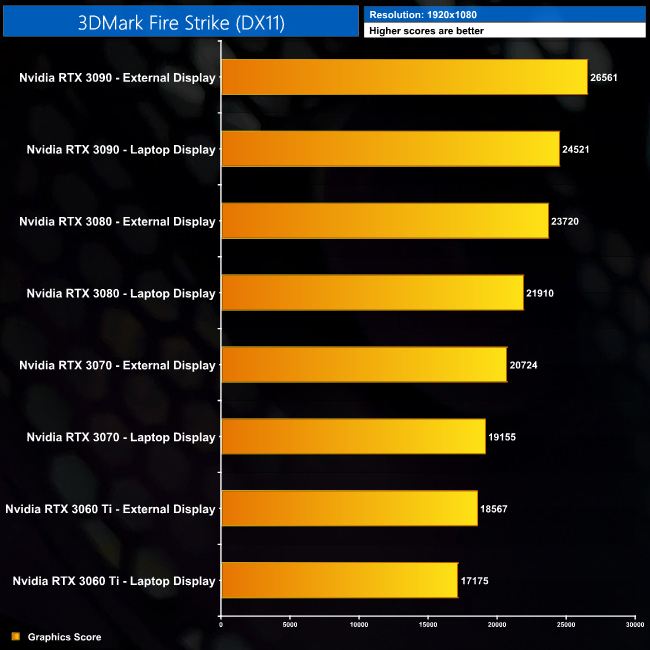
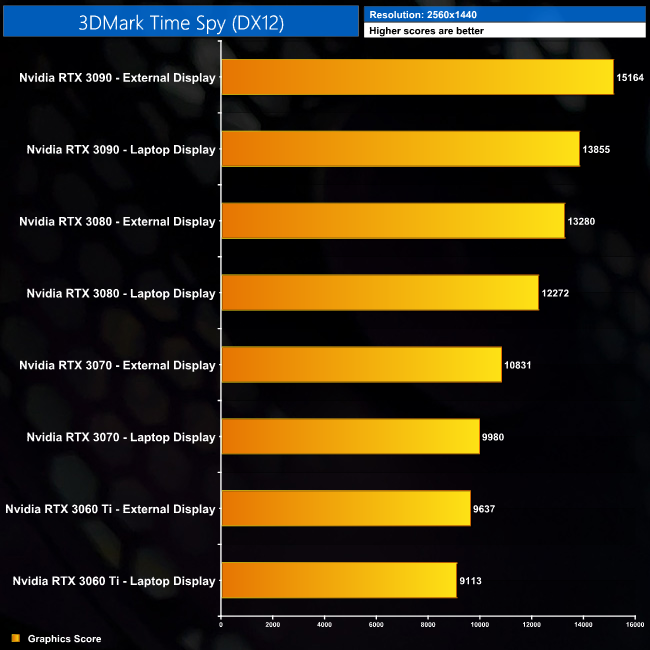
Early performance indicators from 3DMark are positive. We see clear scaling from the RTX 3060 Ti all the way to the RTX 3090. There is also no doubt that performance is increased when using an external monitor, with the RTX 3090 delivering a score that is 9% better when hooked up to an external display.
Cyberpunk 2077 is a 2020 action role-playing video game developed and published by CD Projekt. The story takes place in Night City, an open world set in the Cyberpunk universe. Players assume the first-person perspective of a customisable mercenary known as V, who can acquire skills in hacking and machinery with options for melee and ranged combat. Cyberpunk 2077 was released for Microsoft Windows, PlayStation 4, Stadia, and Xbox One on 10 December 2020. (Wikipedia)
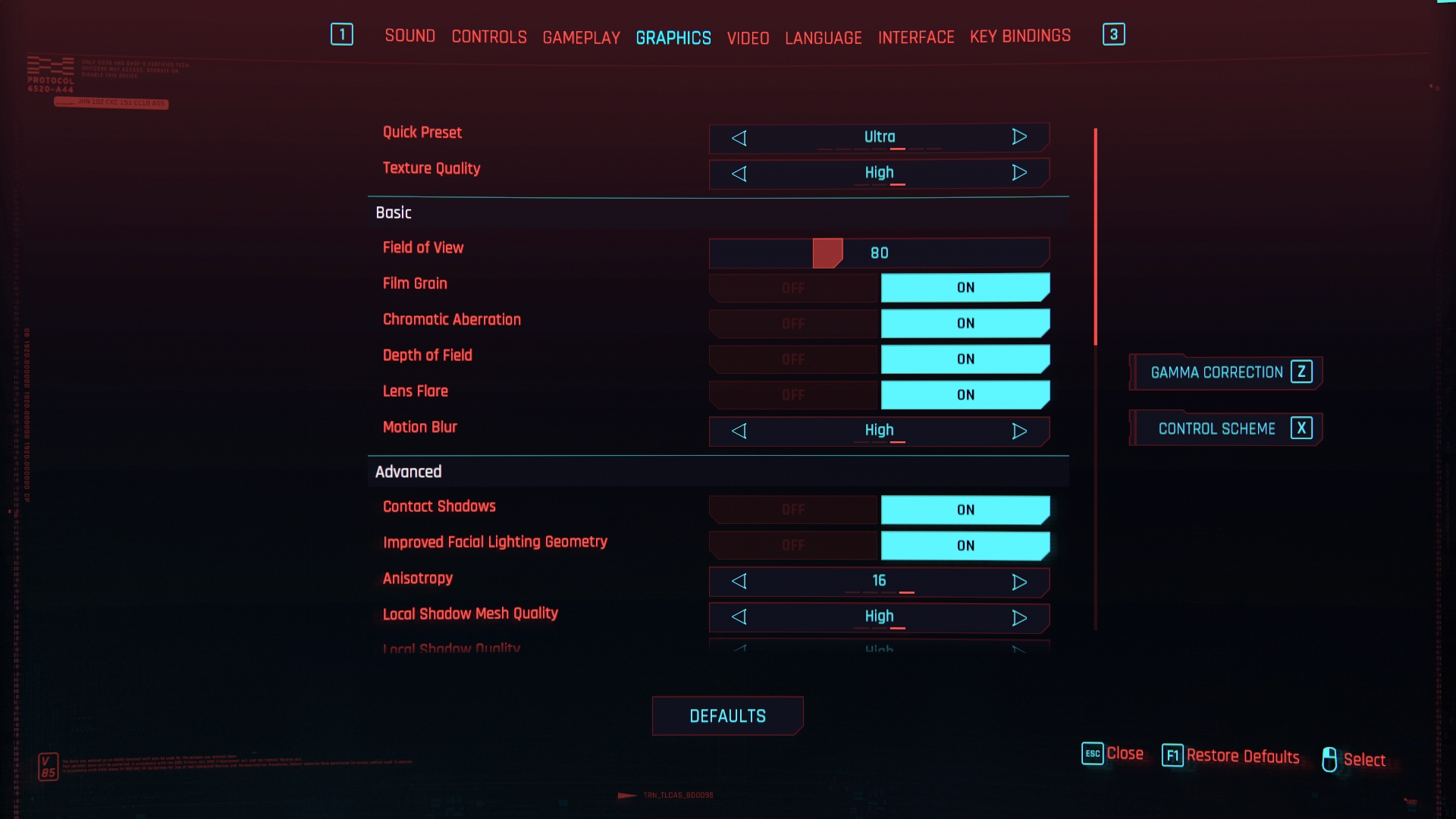
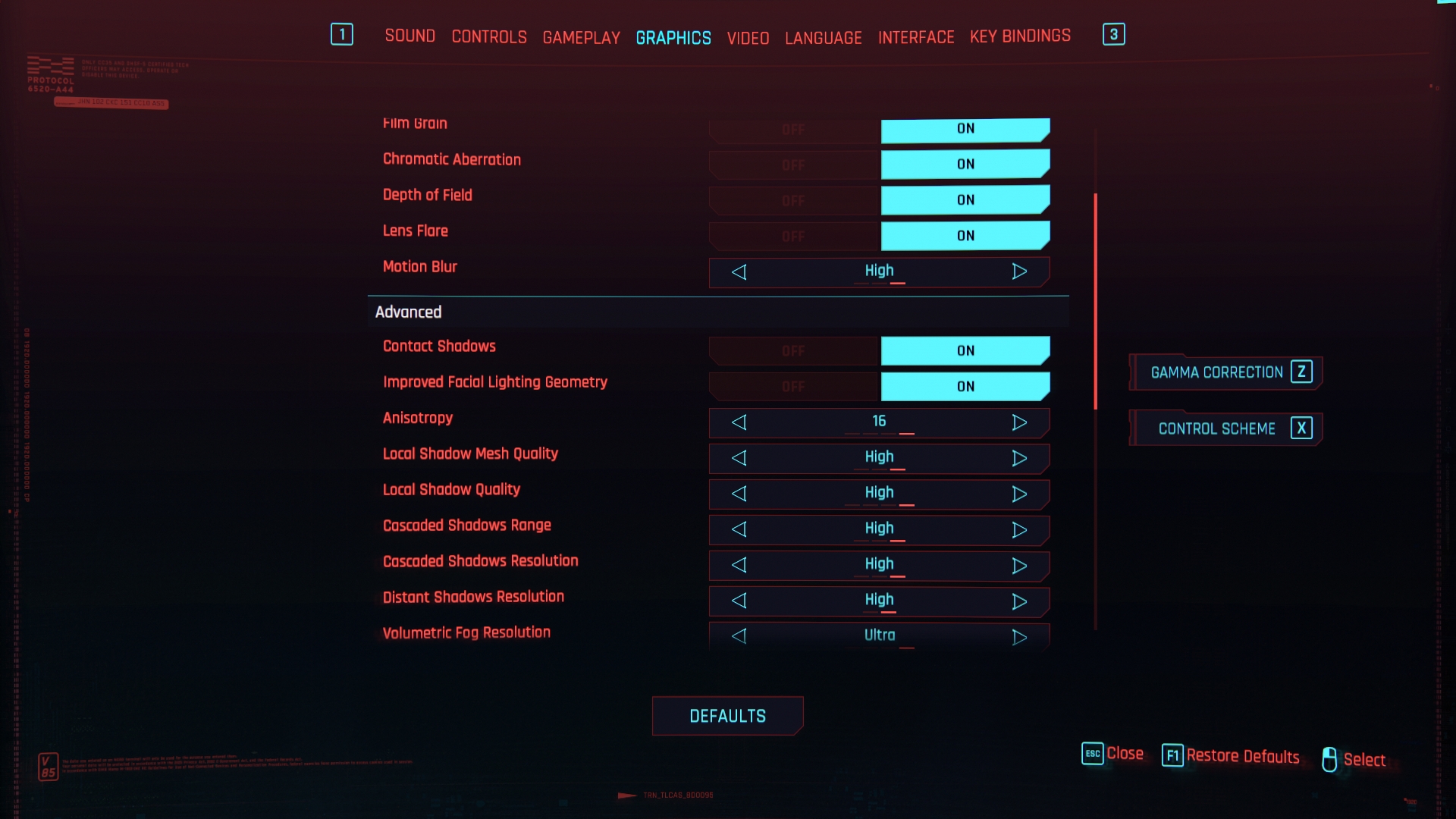
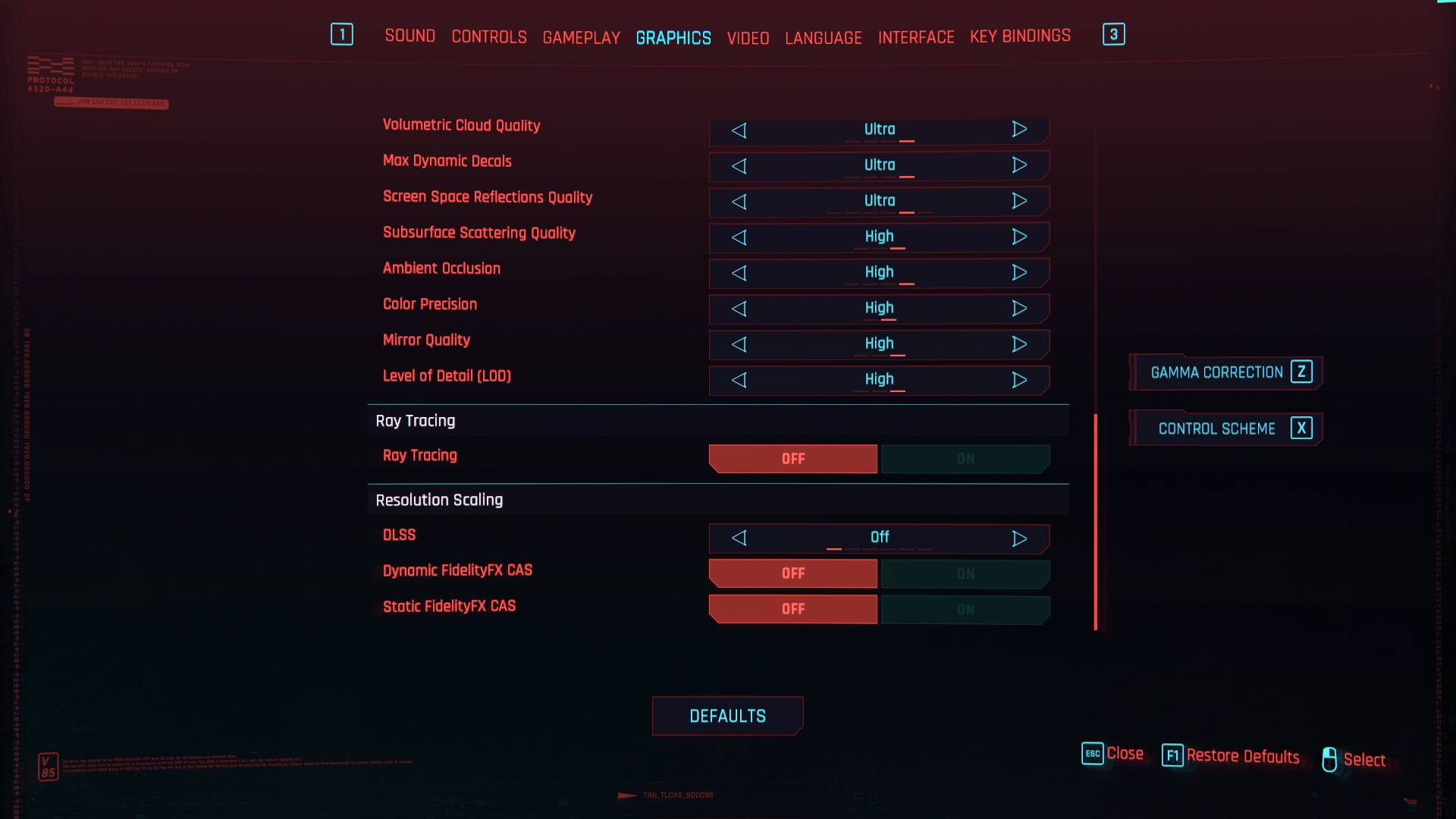
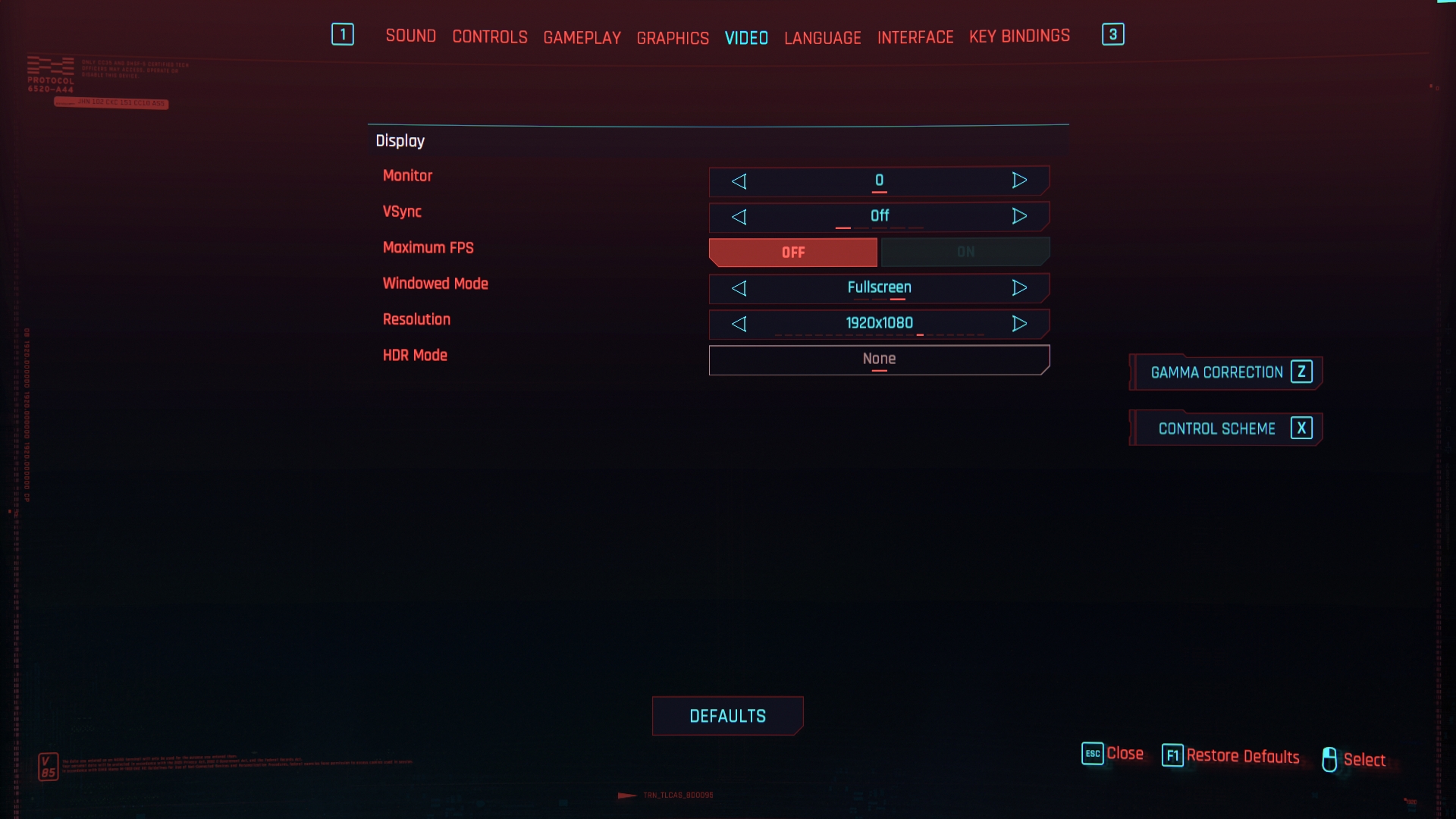
Engine: REDengine 4. We test using the Ultra preset, DX12 API.
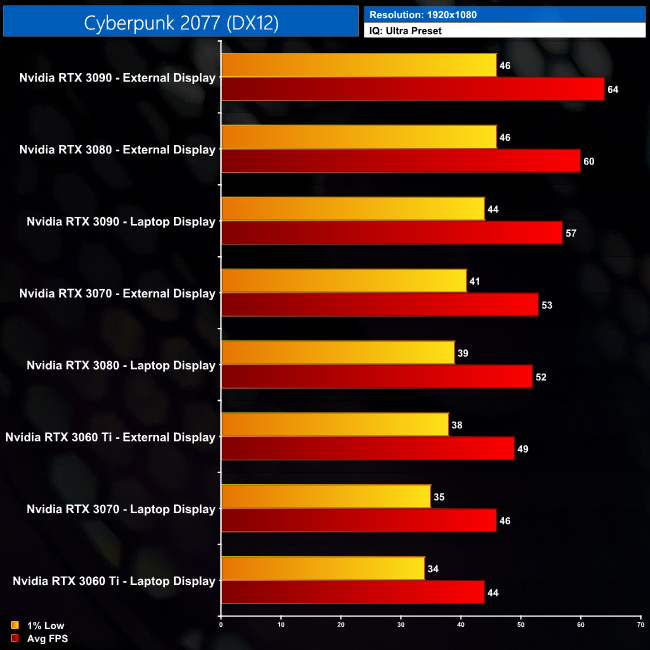
Our first game to assess is Cyberpunk 2077. Straight away we can see immediate benefits to using an external display, as evidenced by the RTX 3060 Ti, which is actually faster than the RTX 3070 when only using the laptop’s built in screen. The same goes for the RTX 3080 when using an external display, which is beating the RTX 3090 on the integrated laptop screen.
If we focus on the data when using an external display, overall performance scaling is decent, but not quite what we’d expect from a desktop. The RTX 3070 is 8% faster than the RTX 3060 Ti, for instance, when we’d expect that to be more like 12 or 13% in a desktop environment. That’s also true for the RTX 3090, which is 7% faster than the RTX 3080; it’s not nothing, but it’s not a huge gap either.
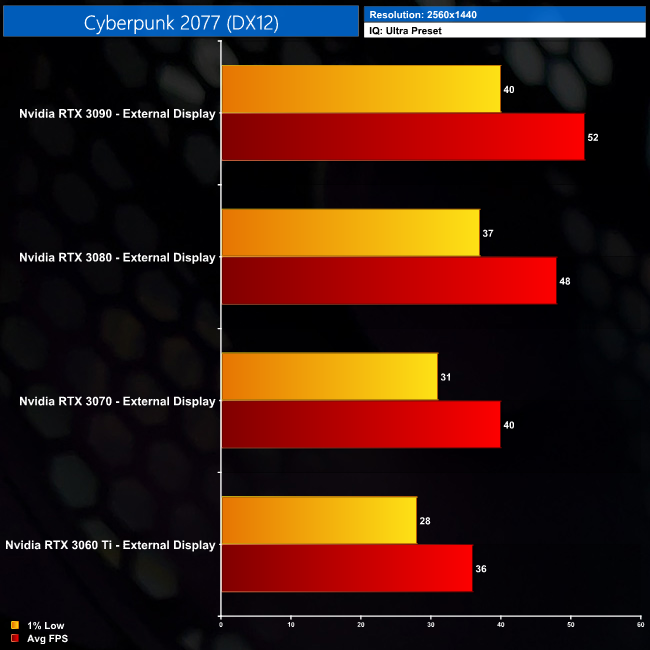
Moving onto 1440p then, here we can only test the GPUs using an external monitor. Even with an RTX 3090, performance topped out at an average of 52FPS, making it 8% faster than the RTX 3080, which averaged 48FPS. The largest gap comes between the RTX 3070 and the RTX 3080, the latter GPU proving 20% faster. The RTX 3070 also fares better against the RTX 3060 Ti here, as it is 11% faster, though that’s only a difference of 4 FPS.
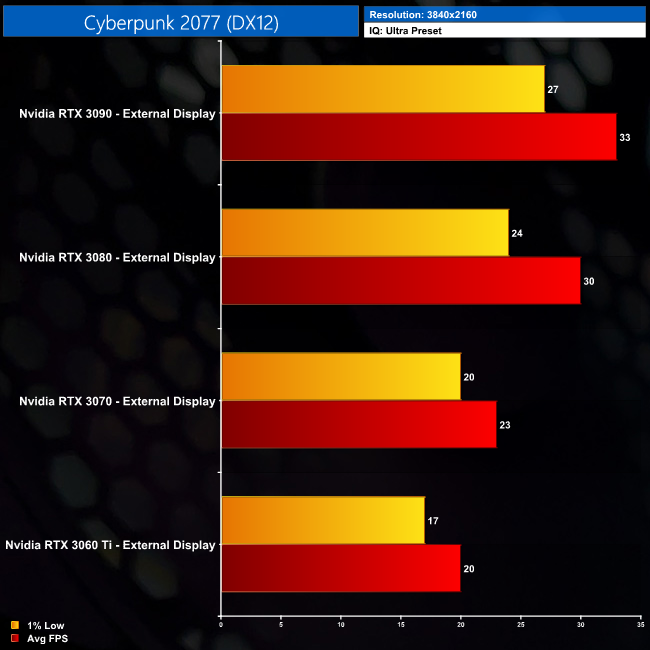
And then at 4K, I wouldn’t say any of these GPUs can handle Cyberpunk at maximum settings over Thunderbolt 3. The RTX 3090 averaged 33FPS, but its 1% lows dipped down to 27FPS. We do see better scaling from the RTX 3090 at 4K as we are less CPU bound than when testing 1080p or 1440p, but it’s really just academic if the frame rates themselves aren’t at the level you’d want for actually gaming on.
F1 2020 is the official video game of the 2020 Formula 1 and Formula 2 Championships developed and published by Codemasters. It is the thirteenth title in the Formula 1 series developed by the studio and was released on 7 July 2020 for pre-orders of the Michael Schumacher Edition and 10 July 2020 for the Seventy Edition on Microsoft Windows, PlayStation 4, Xbox One. (Wikipedia).
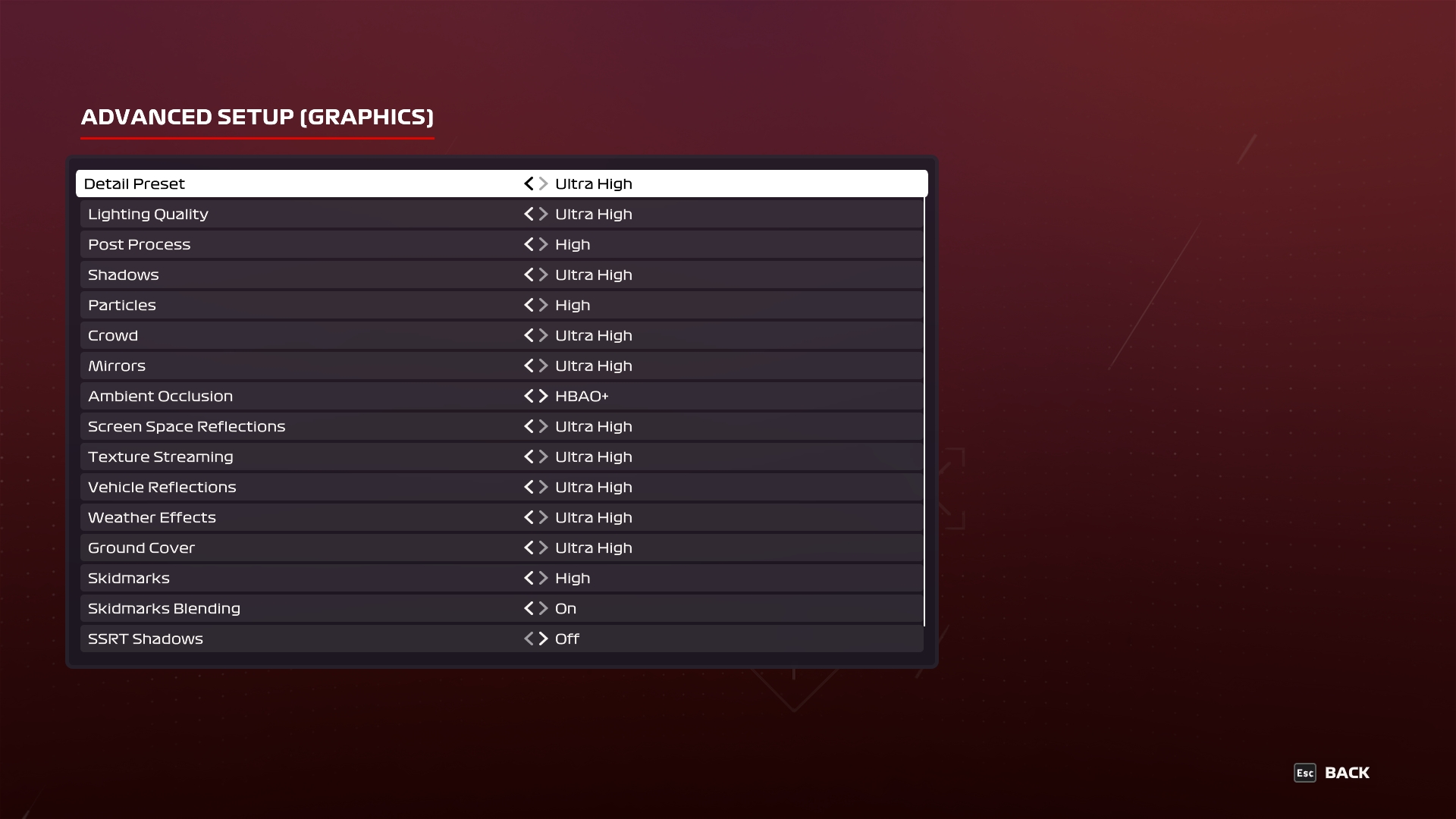
Engine: EGO. We test using the Ultra High preset, DX12 API.
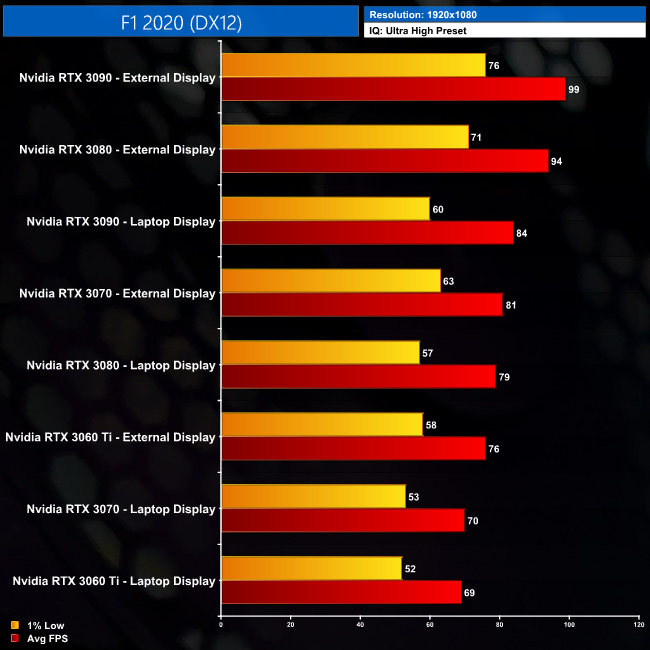
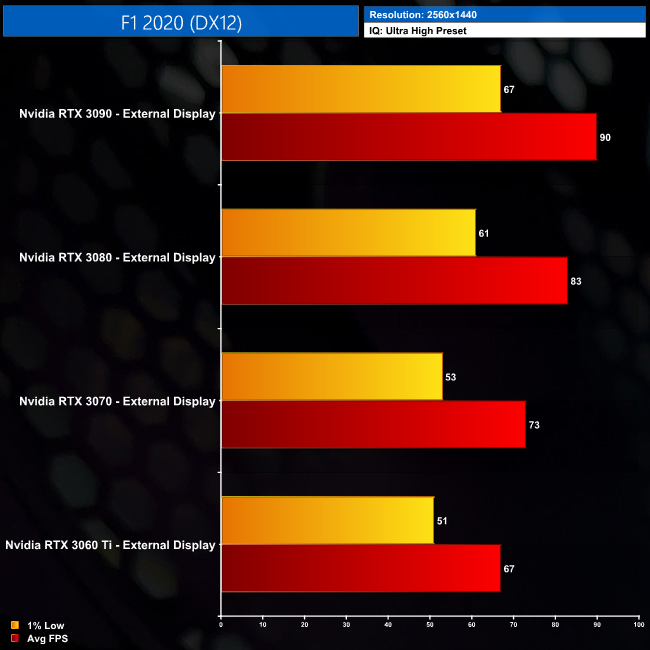
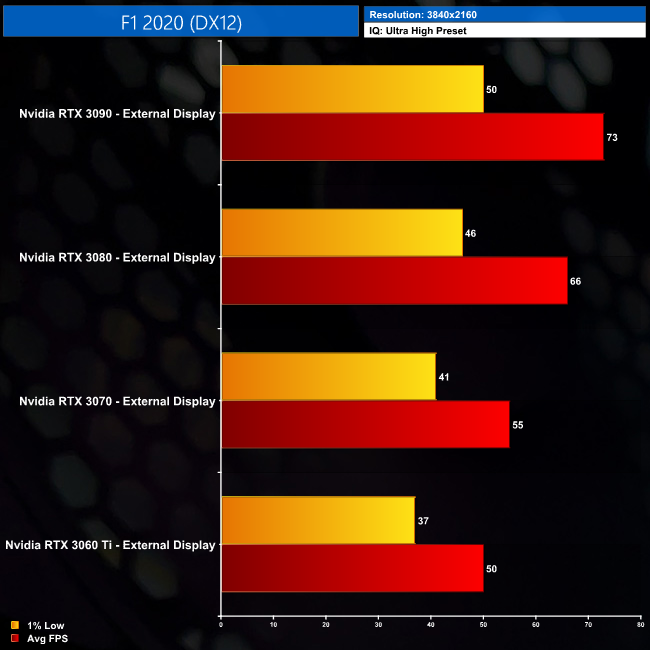
The results from F1 2020 once again show a clear benefit to using an eGPU with an external monitor. The RTX 3060 Ti, for instance, is 10% faster on an external screen than it is using the integrated laptop display. Another way of putting it is that the RTX 3070, when using an external monitor, is only 4% slower than the RTX 3090 when that GPU is using the laptop screen.
Even then, at 1080p we are running into some fairly strong bottlenecking, which could be either the CPU or the fact that Thunderbolt 3 can only provide 4 PCIe lanes, but I'd suggest the issue is mostly likely a combination of those two factors. Either way, the bottleneck is clearly shown by the fact that the RTX 3090 is just 5% faster than the RTX 3080, delivering just 5 more frames per second on average. The RTX 3080, however, is still 16% faster than the RTX 3070; it’s a decent margin, but still not as large as we’d expect on a desktop system.
At 1440p, we’re not as limited as we were at 1080p, shown by the fact the RTX 3090 is now 8% faster than the RTX 3080. The RTX 3070 is also doing reasonably well, delivering 73FPS, which is 9% more than the RTX 3060 Ti, a number which isn’t too far off from what we’d expect to see from desktop performance.
As for 4K, we’re getting a decent experience from all four GPUs here. The RTX 3090 is stretching its legs now, beating out the RTX 3080 by 11%, which is pretty much the sort of margin we’d hope to see. The RTX 3080 also manages to outpace the RTX 3070 by 20%. Our previous testing shows, on a desktop, that margin would be closer to 30%, so we’re not seeing maximum performance scaling, but you’re still gaining a sizable chunk of extra performance from the RTX 3080 over the RTX 3070.
Gears 5 is a third-person shooter video game developed by The Coalition and published by Xbox Game Studios for Xbox One, Microsoft Windows and Xbox Series X. It is the fifth installment of the Gears of War series and the sequel to Gears of War 4. The ultimate edition was released on September 6, 2019, while the standard edition of the game was released worldwide on September 10, 2019. (Wikipedia).
Engine: Unreal Engine 4. We test using the Ultra preset, with Best Animation Quality (instead of Auto), VRS disabled, DX12 API.
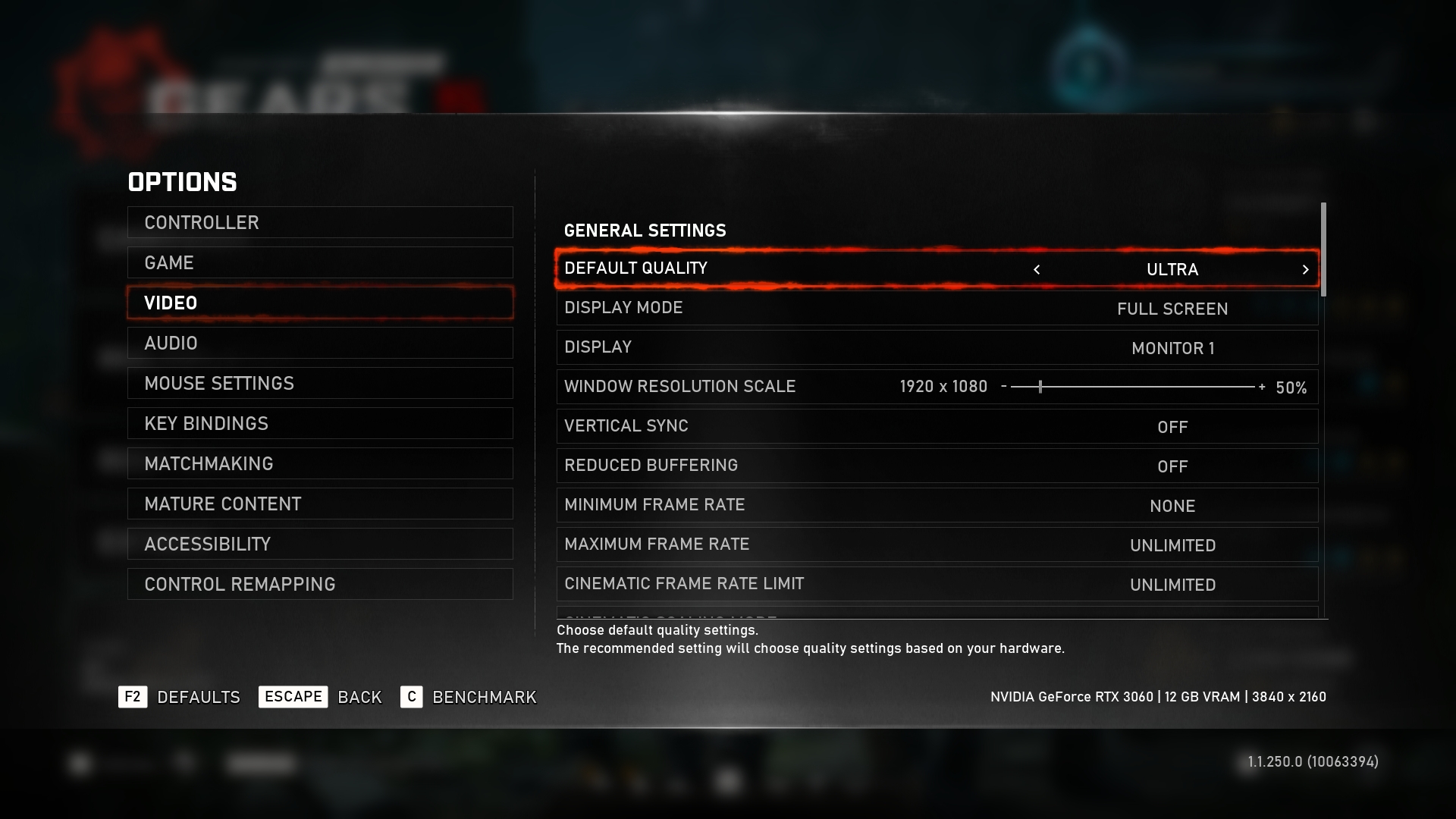
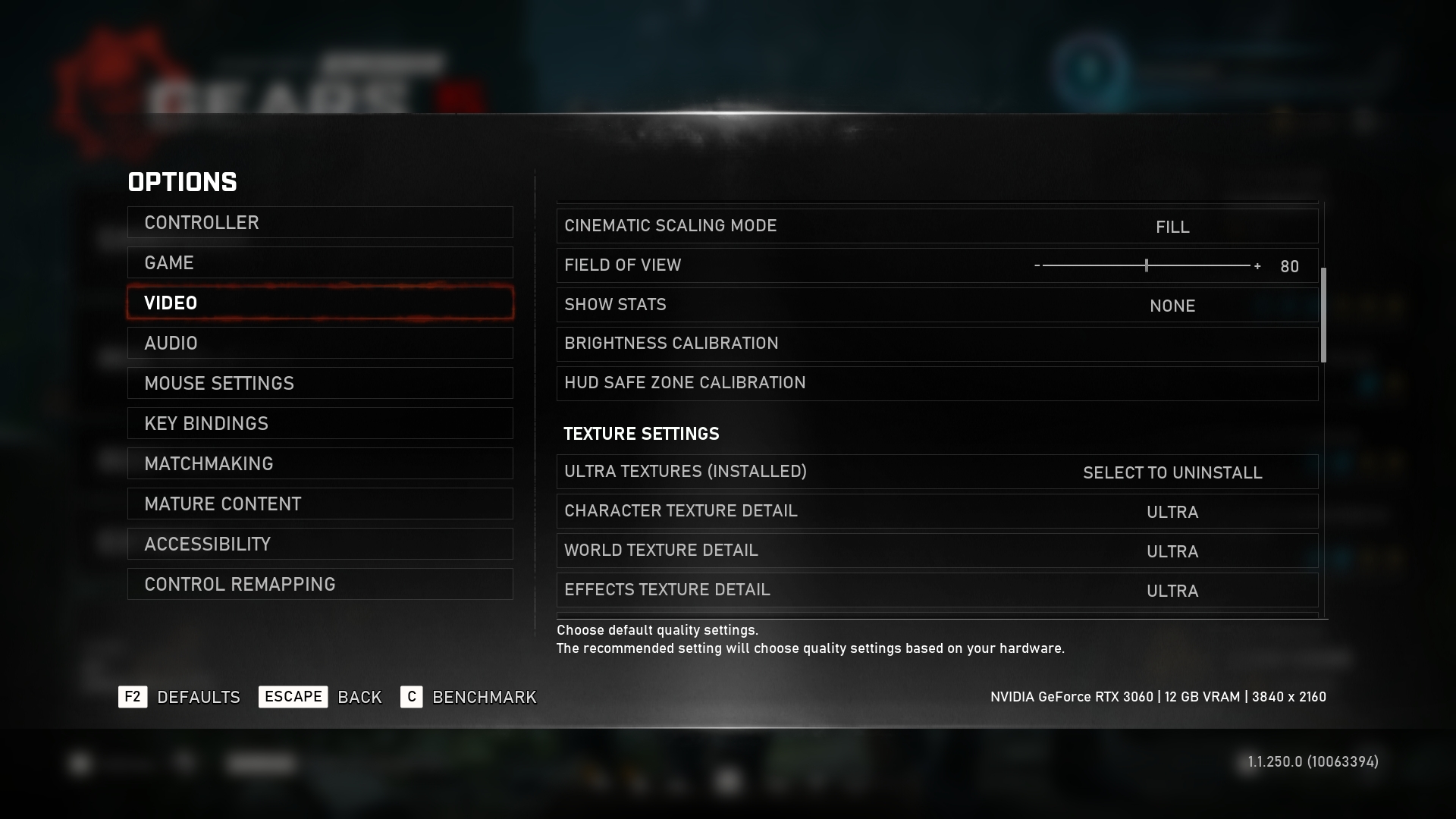
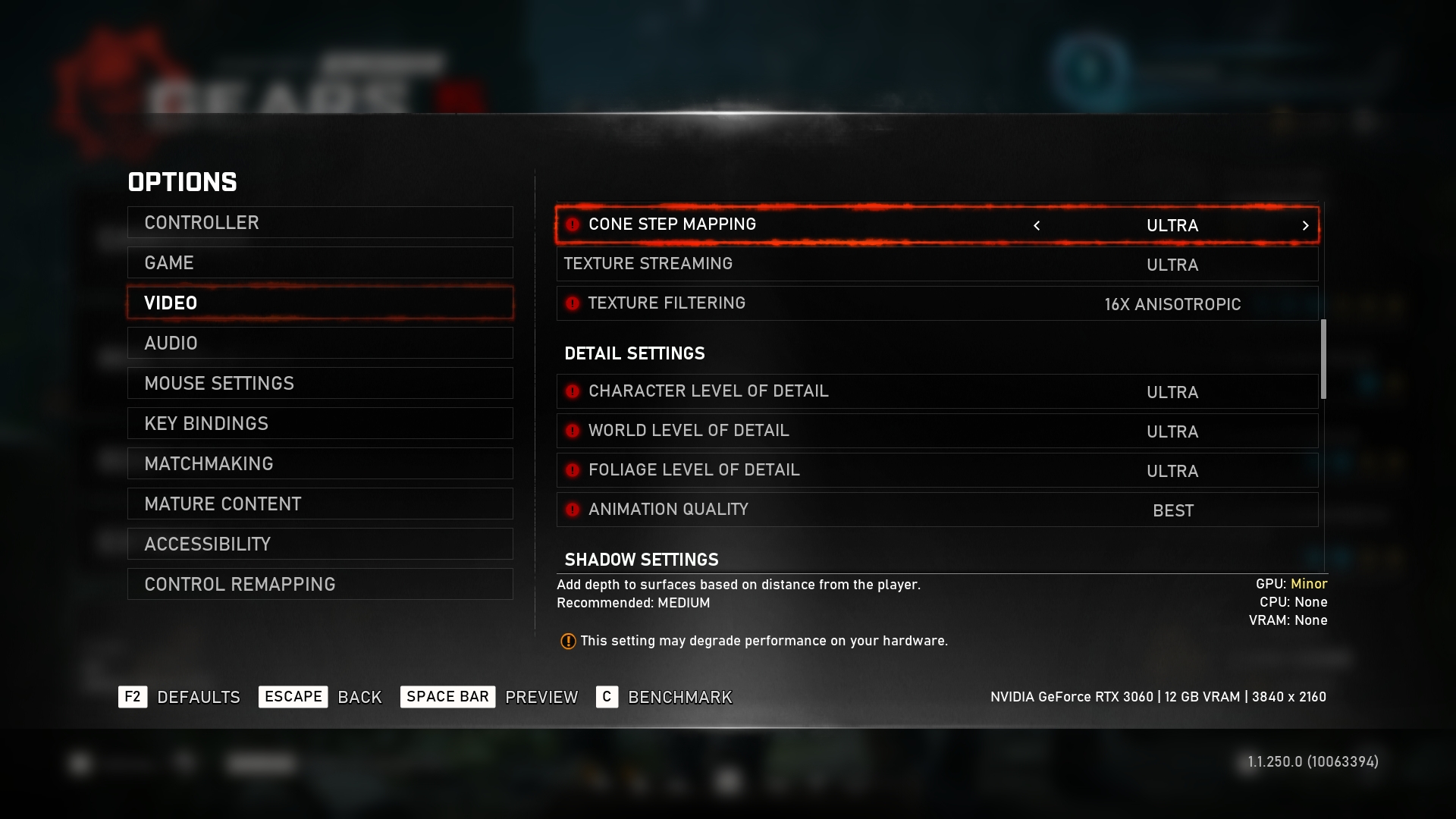
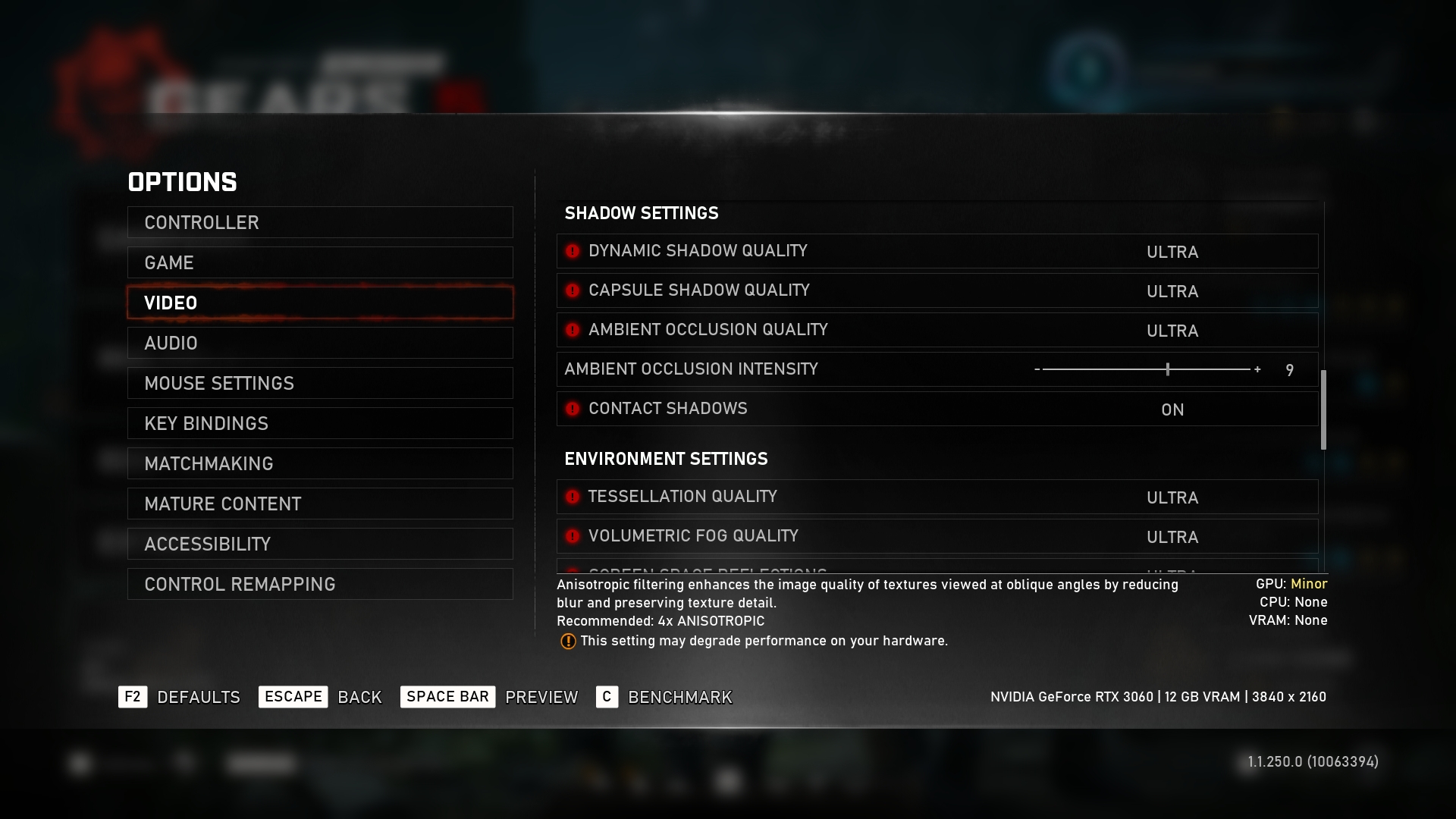
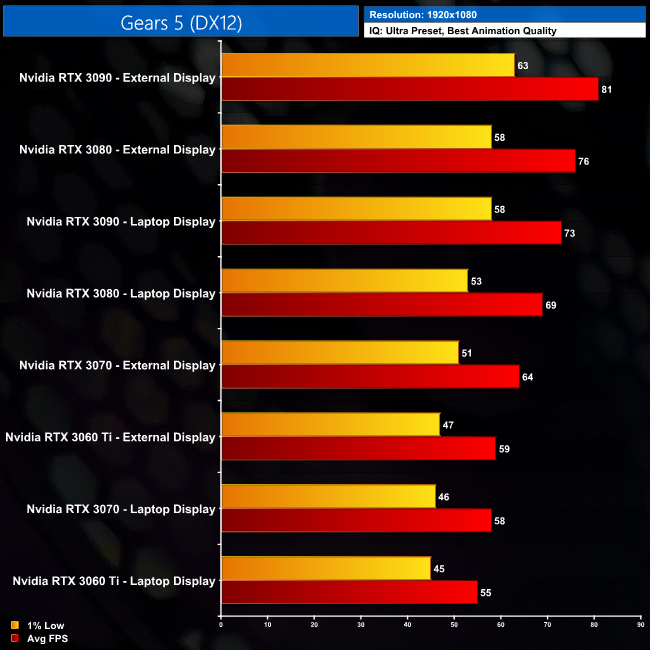
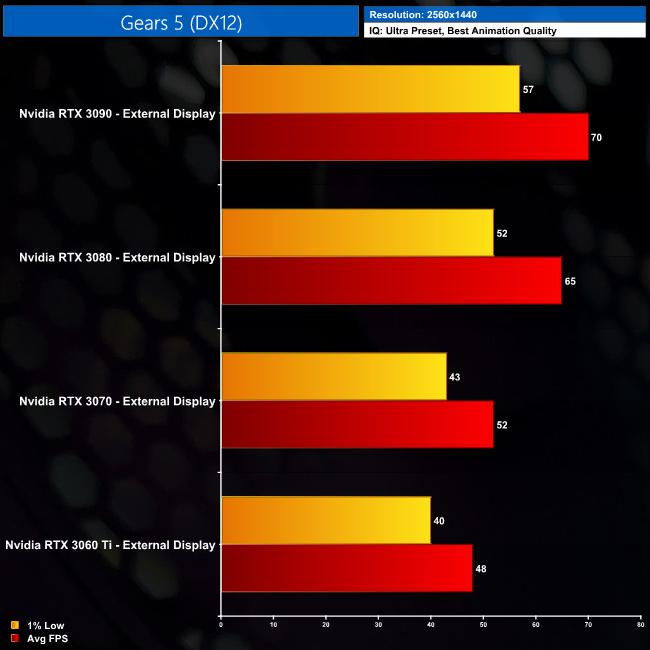
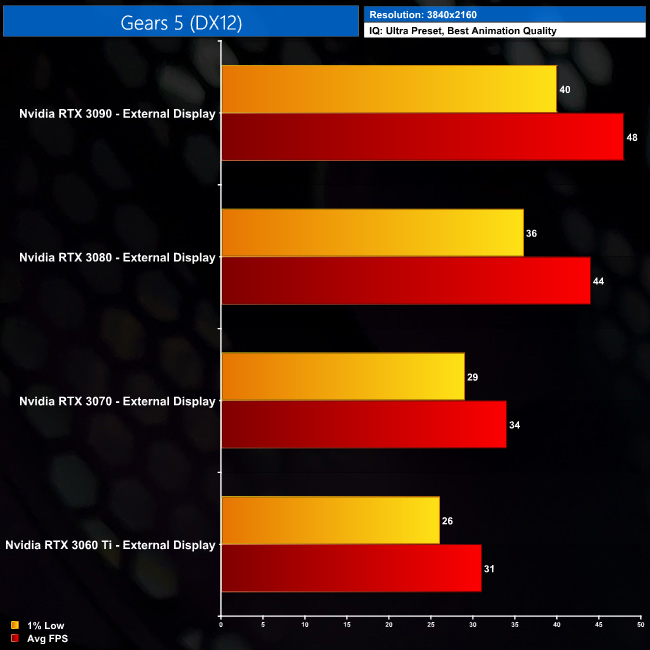
Next is Gears 5. We’re starting to see a pretty clear trend by now, that the GPUs are typically 10% or-so faster when using an external monitor, when compared to using the Blade 15’s own screen. This is perfectly illustrated by the RTX 3070, which delivered 64FPS on our external monitor, compared to 58FPS using the laptop display.
As for general scaling, the RTX 3090 averaged 81 FPS, which puts it 7% ahead of the RTX 3080, which isn’t too bad for 1080p. The RTX 3080 is also 19% faster than the RTX 3070, so I’d say Gears 5 is getting us closer to desktop performance scaling than the other two games we have tested so far.
That continues at 1440p too. While the RTX 3090 is now 8% faster than the RTX 3080, the RTX 3080 itself delivers an extra 25% performance compared to the RTX 3070, which is exactly the same margin as we found when testing these GPUs on the desktop. The RTX 3070, however, is 8% faster than the RTX 3060 Ti, which is OK – but not quite the 12-13% margin we would expect.
Up at 4K, the RTX 3090 doesn’t do a bad job here, averaging 48FPS, which means it’s 8% faster than the RTX 3080. Once more though, the RTX 3080 is stomping on the RTX 3070, beating it out by 29%. Both the RTX 3070 and RTX 3060 Ti have dips below 30FPS at 4K though, so they’re not ideal for gaming at this resolution in Gears 5.
Hitman 3 (stylized as HITMAN III) is a stealth game developed and published by IO Interactive for Microsoft Windows, PlayStation 4, PlayStation 5, Xbox One, Xbox Series X/S, Stadia (under the title Hitman: World of Assassination), and Nintendo Switch on 20 January 2021. It is the eighth main installment in the Hitman series and the final entry in the World of Assassination trilogy, following Hitman (2016) and Hitman 2 (2018). (Wikipedia).
Engine: Glacier. We test using Ultra settings (or High where Ultra is not available), VRS off, DX12 API.
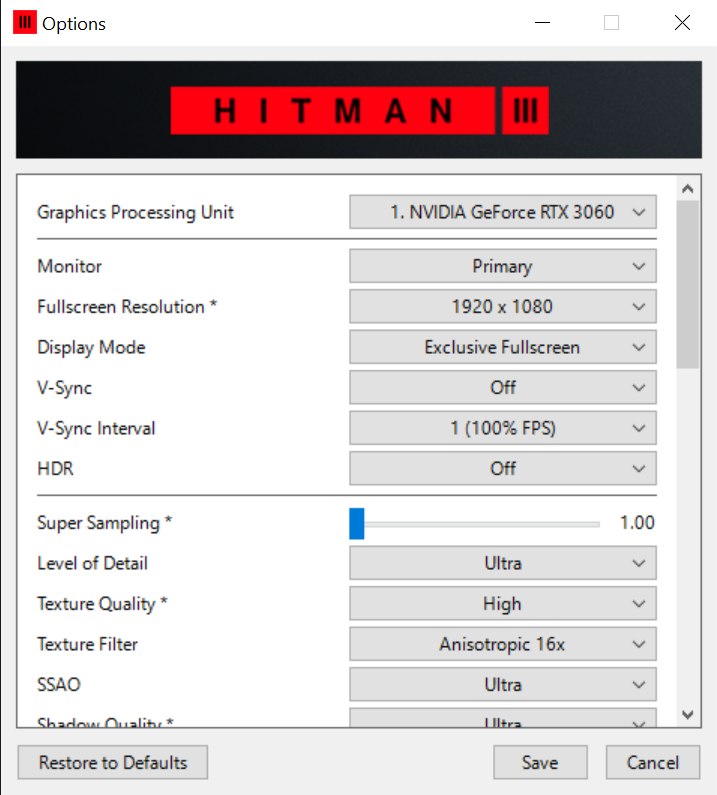
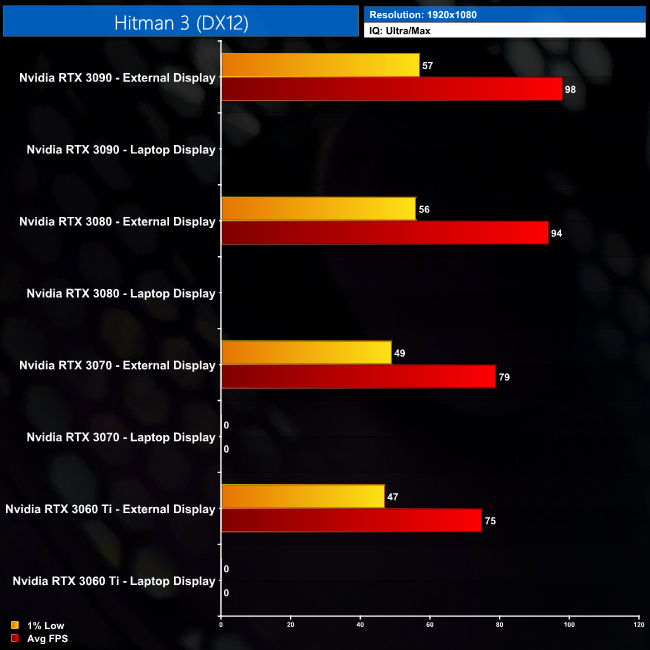
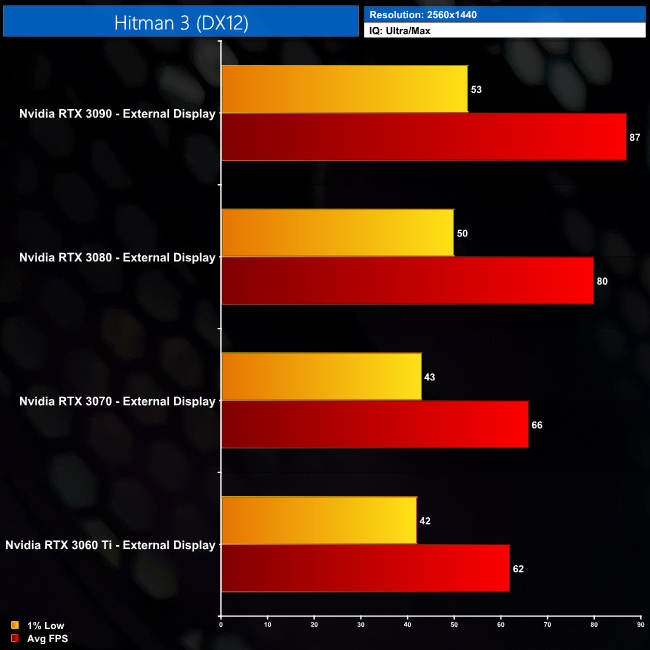
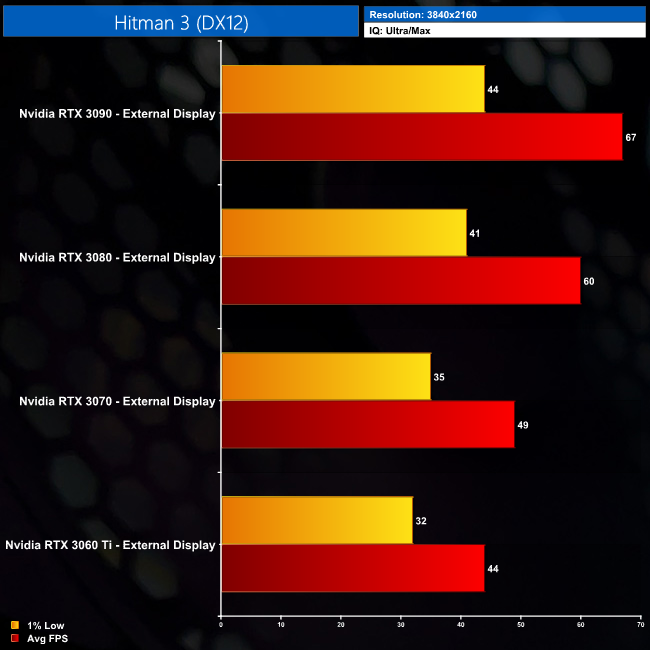
Hitman 3 proved challenging, as we were unable to successfully run the game without using an external monitor – strange artificating appeared on the screen for about ten seconds, before we crashed to desktop. That means we can only assess performance when using an external monitor, so we don't have our usual comparison of using the integrated laptop display versus the external screen.
Still, at 1080p, we're again running into more bottlenecking, as the RTX 3090 is barely 4% faster than the RTX 3080. At the other end of the table, the RTX 3070 is only delivering 7% more performance than the RTX 3060 Ti.
As we increase the resolution however, we become more GPU bound and the RTX 3090 manages to edge further ahead. At 1440p, it proves 9% faster than the RTX 3080, while that lead increases to 12% at 4K. Likewise, at 4K, the RTX 3080 is also 22% faster than the RTX 3070.
Metro Exodus is a first-person shooter video game developed by 4A Games and published by Deep Silver in 2019. It is the third instalment in the Metro video game series based on Dmitry Glukhovsky's novels, following the events of Metro 2033 and Metro: Last Light. (Wikipedia).
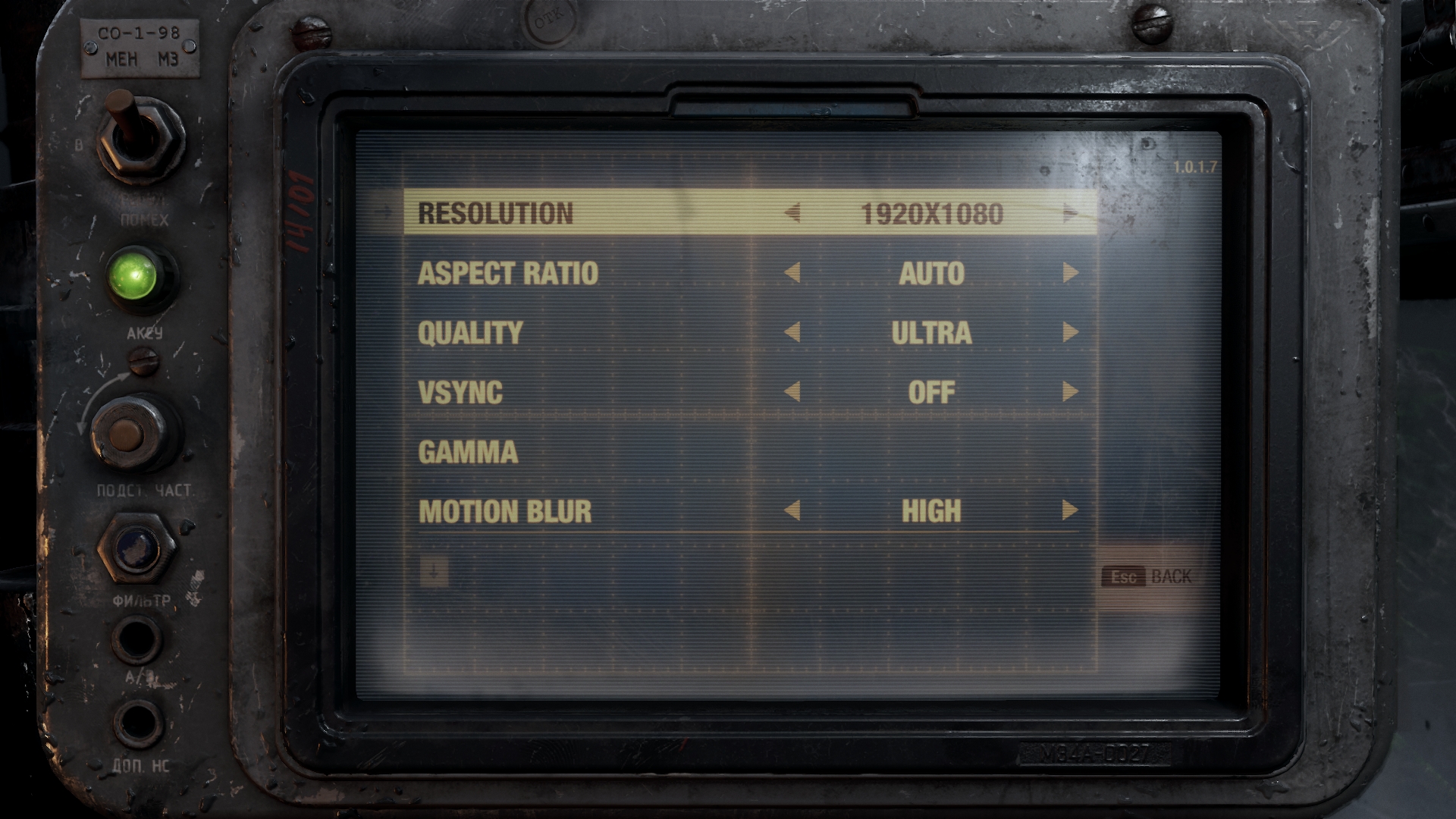
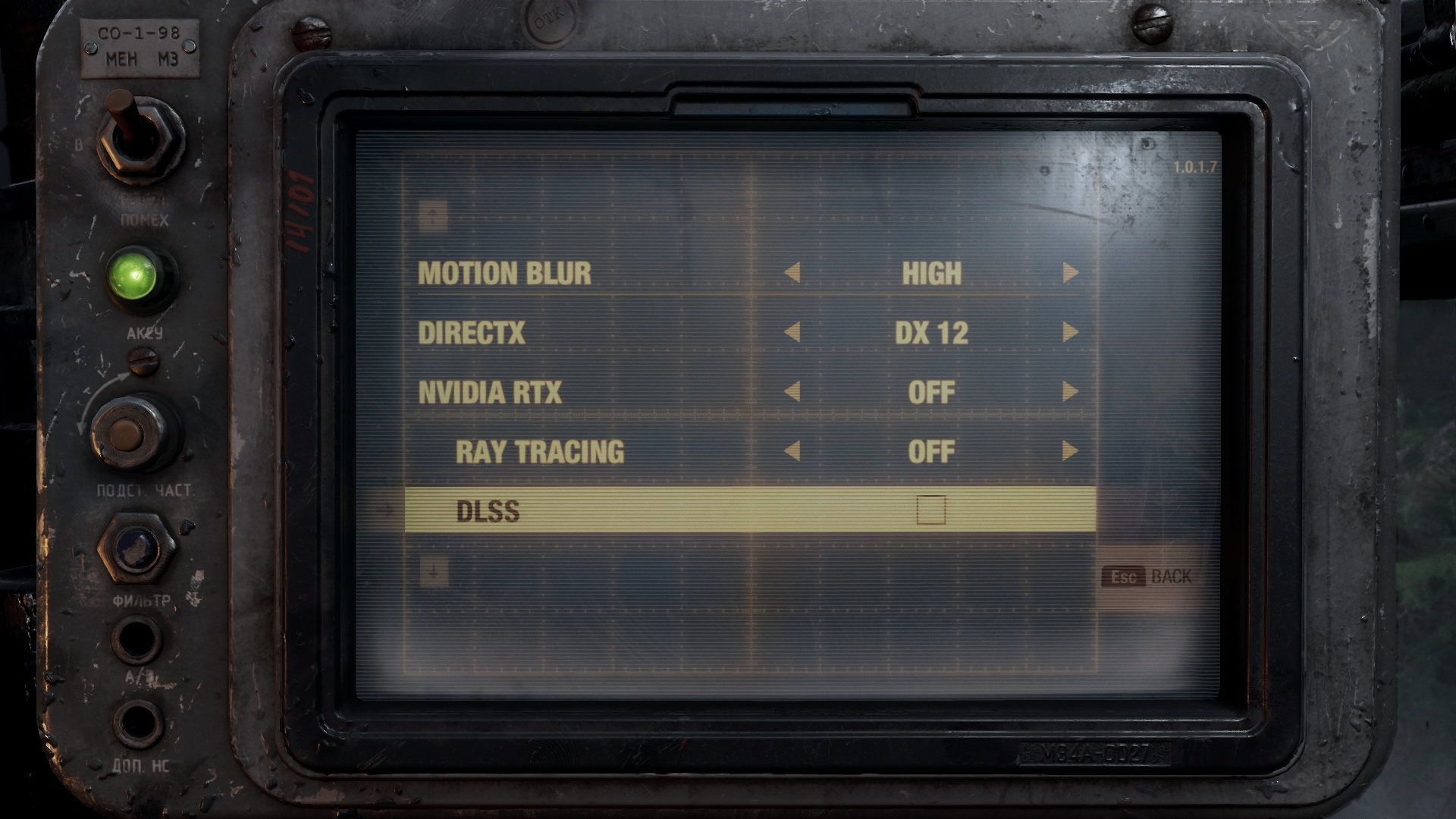
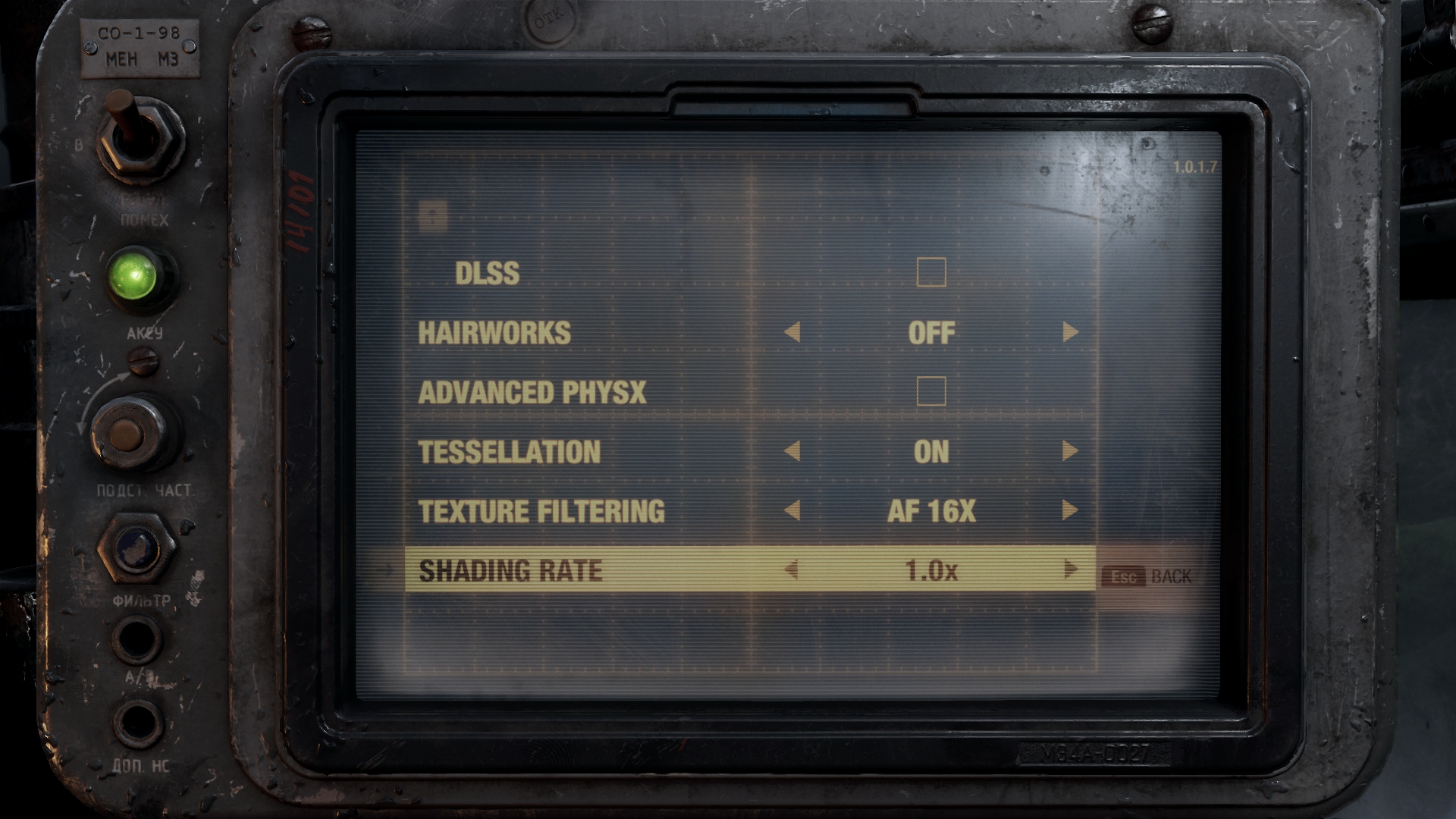
Engine: 4A Engine. We test using the Ultra preset, but with Hairworks and Advanced PhysX turned off, DX12 API.
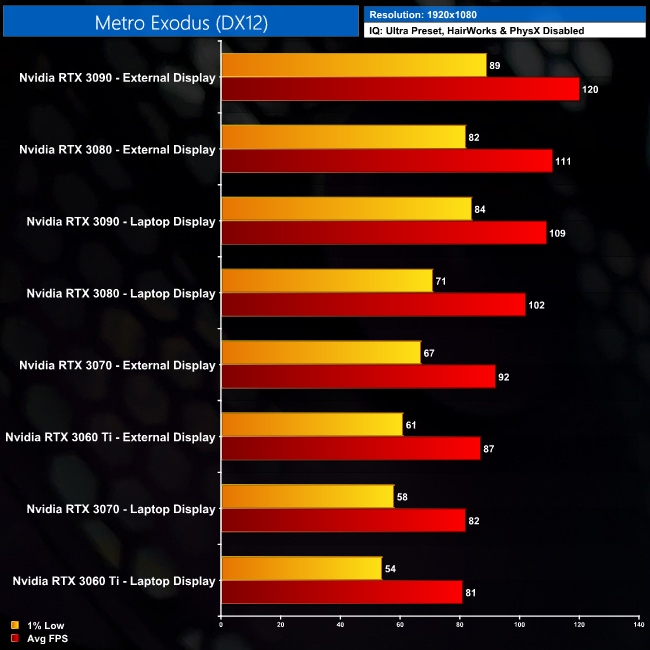
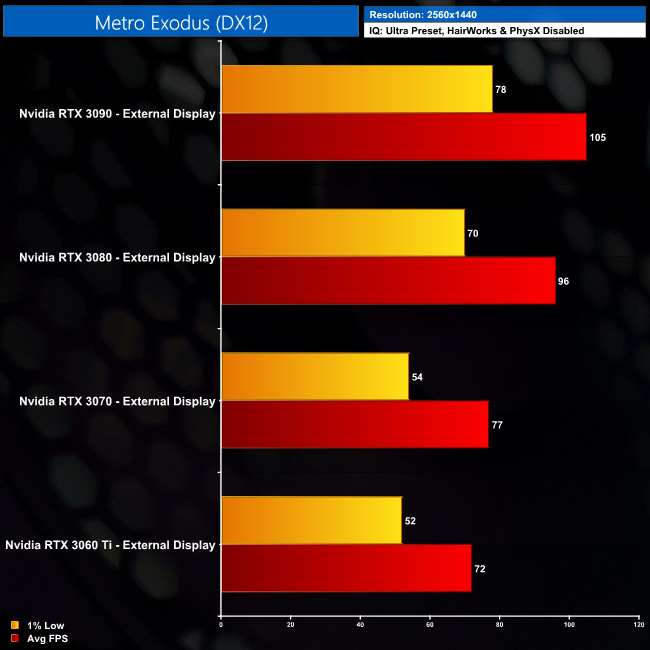
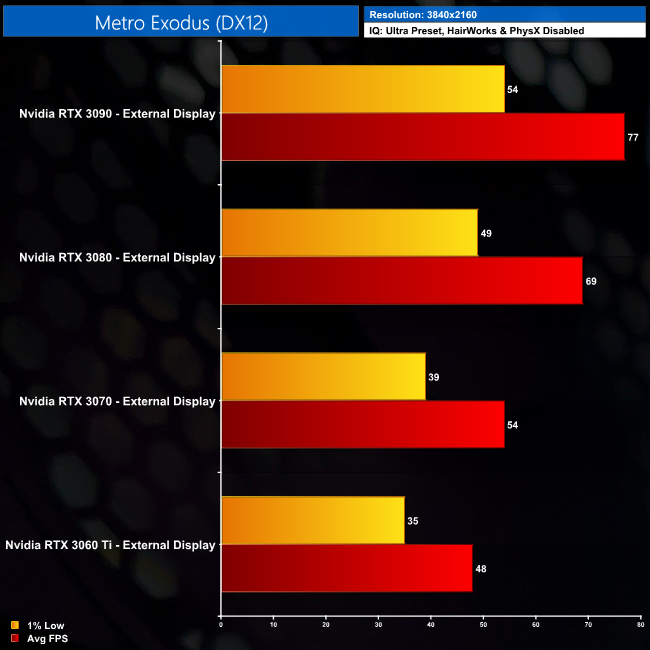
Metro Exodus is another game, like Gears 5, where scaling appears closer to what we'd expect from a desktop environment. At 4K, for instance, the RTX 3090 is 12% faster than the RTX 3080, which lines up with our previous testing. The RTX 3080 is also beating the RTX 3070 by a significant margin of 28%, which is again pretty much what we'd expect when using an i9-10900K based desktop PC.
Red Dead Redemption 2 is a 2018 action-adventure game developed and published by Rockstar Games. The game is the third entry in the Red Dead series and is a prequel to the 2010 game Red Dead Redemption. Red Dead Redemption 2 was released for the PlayStation 4 and Xbox One in October 2018, and for Microsoft Windows and Stadia in November 2019. (Wikipedia).
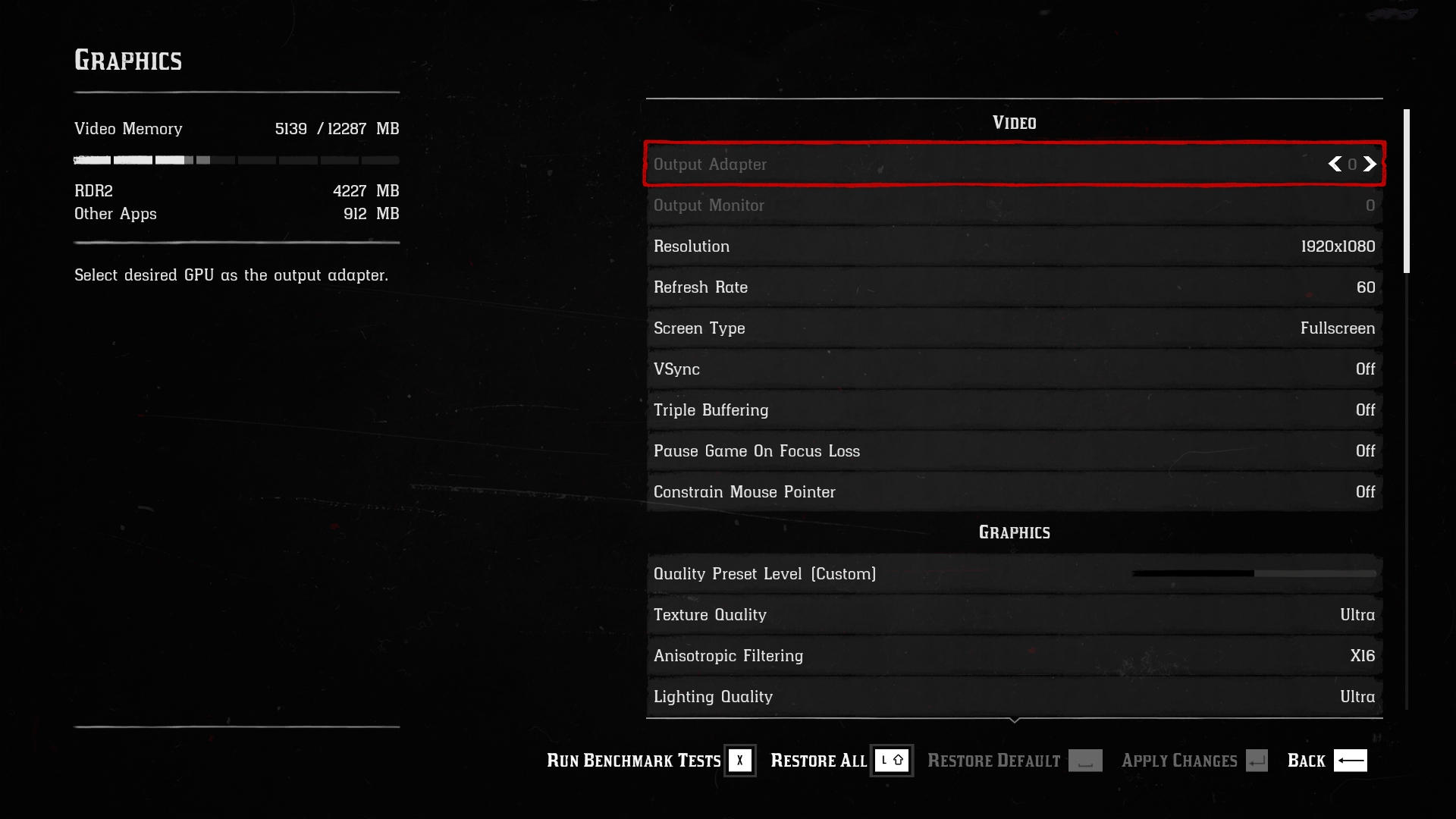
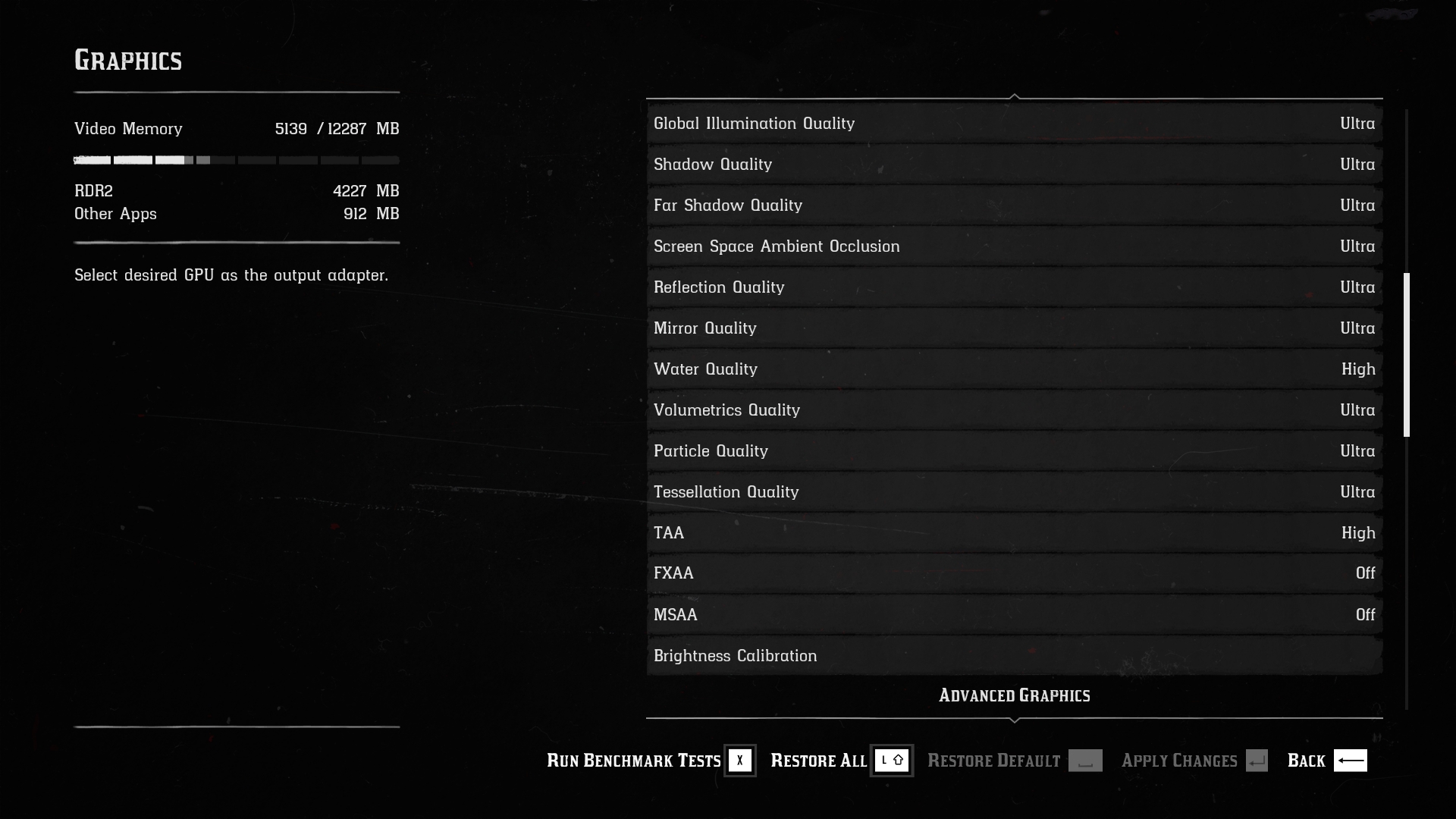
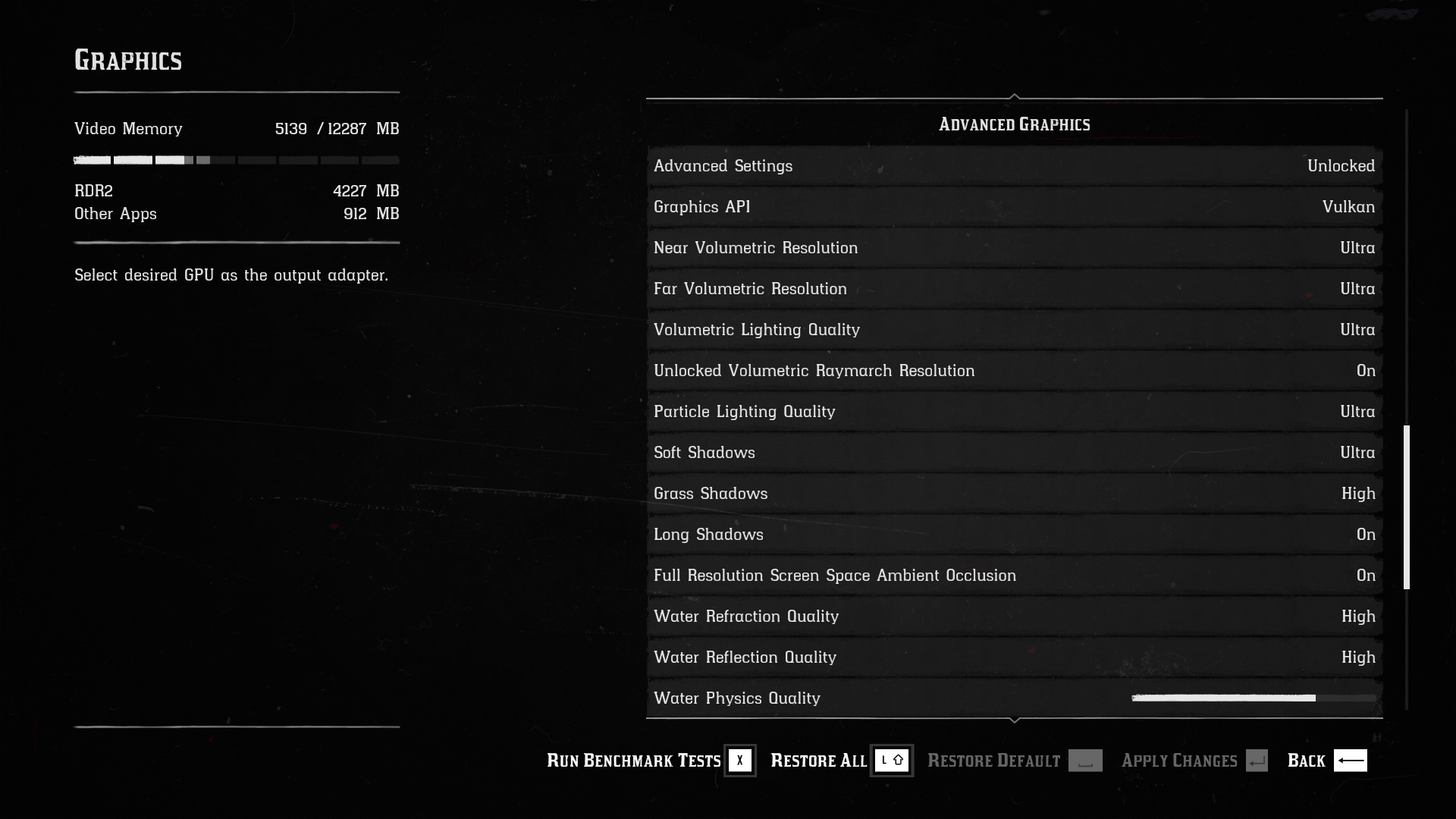
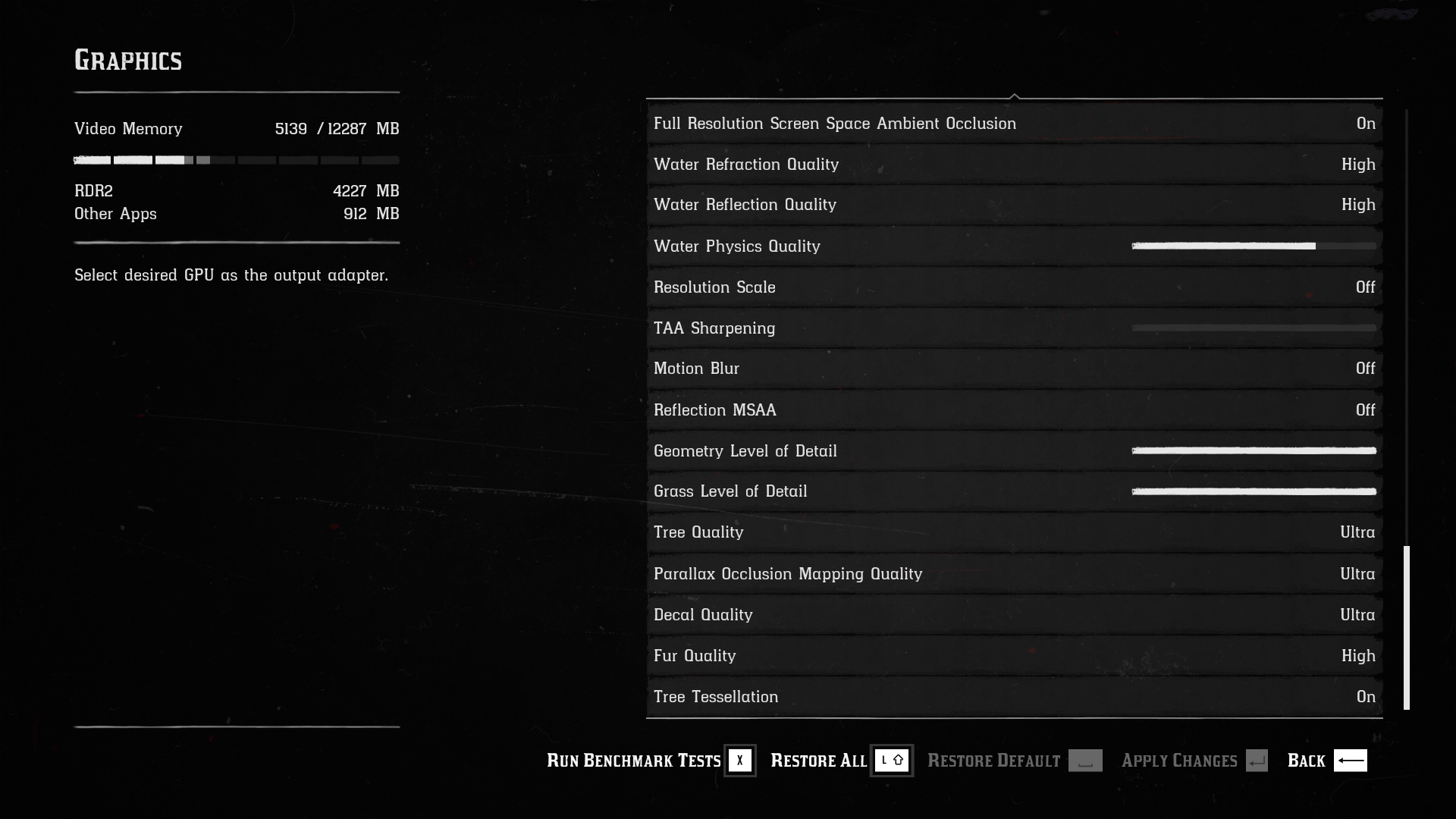
Engine: Rockstar Advance Game Engine (RAGE). We test by manually selecting Ultra settings (or High where Ultra is not available), TAA, Vulkan API.
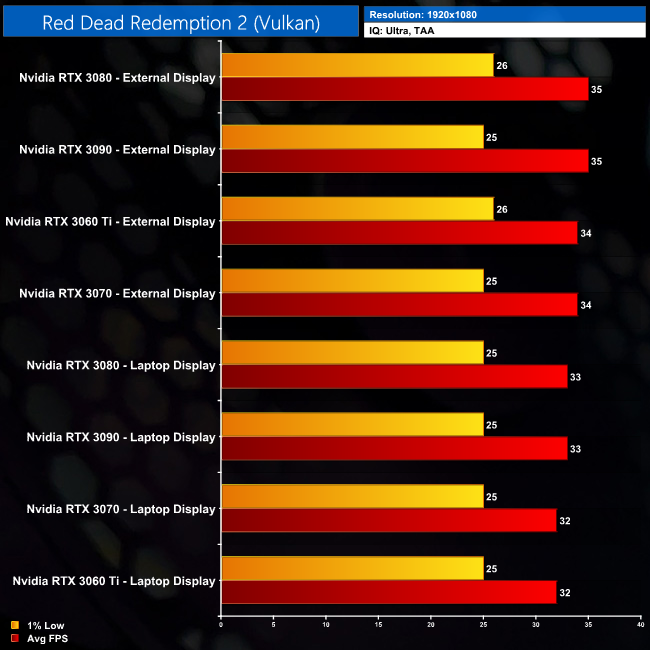
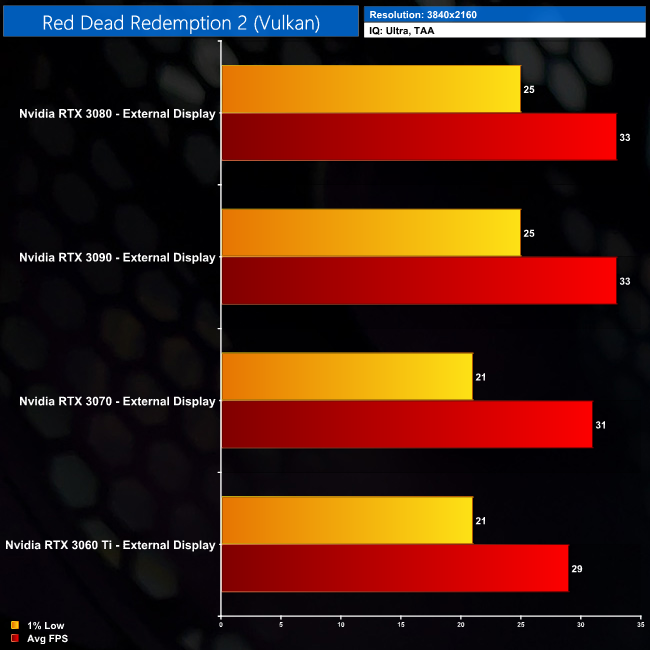
As for Red Dead Redemption 2, here we are clearly being bottlenecked using an eGPU. At 1080p, performance varies by just 3FPS regardless of the GPU used… though it is interesting that all four of the slowest results came when using the laptop’s integrated screen, as opposed to using an external monitor.
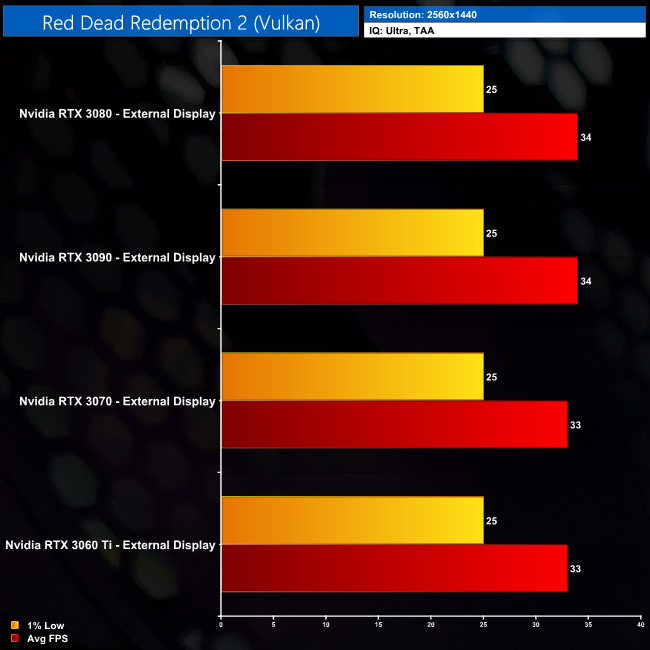
Even at 1440p, the results are basically the same, with the RTX3080 and RTX 3090 delivering just a single frame more when compared to the RTX 3060 Ti and RTX 3070. At 4K, there is a slightly larger gap, but we’re still only talking about a 4FPS difference between an RTX 3060 Ti and an RTX 3090. Considering this is happening at 4K, where we'd expect to be entirely GPU-limited, we would have to say that PCIe bandwidth is causing these issues in Red Dead Redemption 2.
Total War Saga: Troy is a 2020 turn-based strategy video game developed by Creative Assembly Sofia and published by Sega. The game was released for Windows on 13 August 2020 as the second installment in the Total War Saga subseries, succeeding Thrones of Britannia (2018). (Wikipedia).
Engine: TW 3 Engine. We test using the Ultra preset, with unlimited video memory enabled, DX11 API.

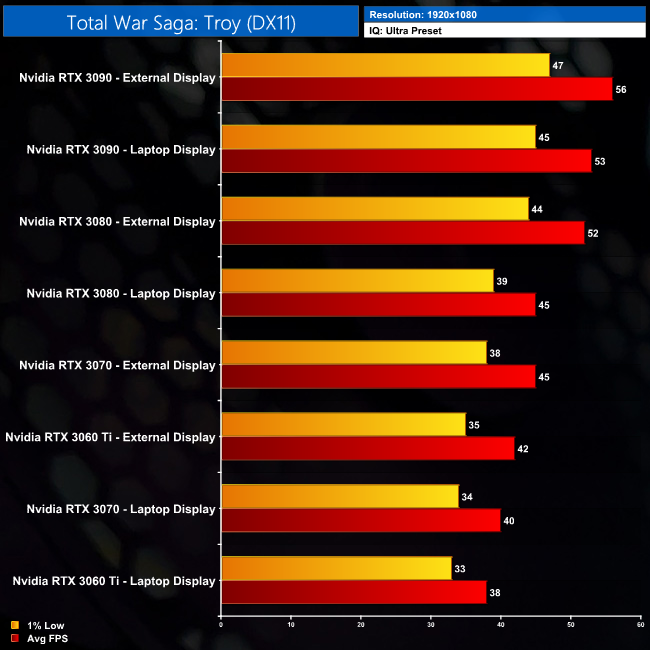
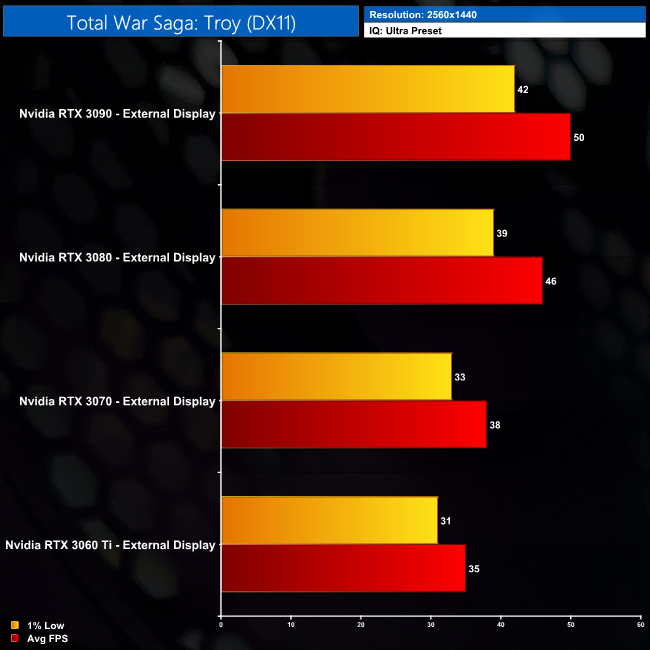
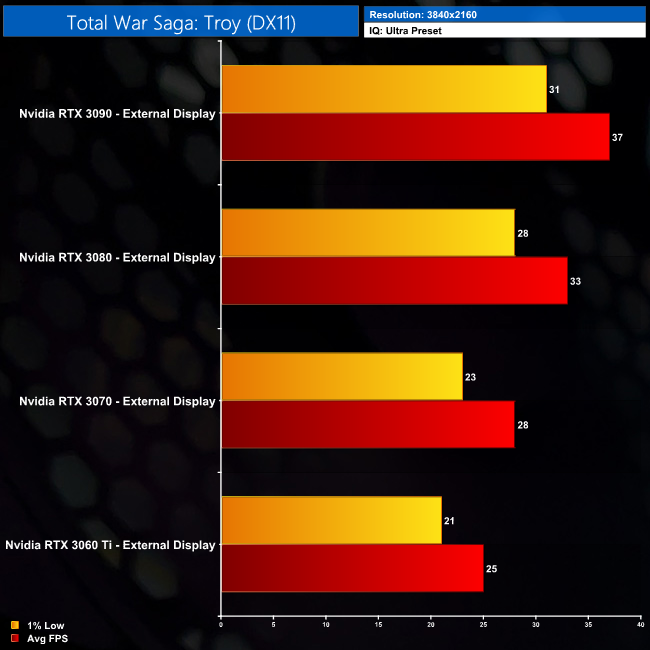
Next is Total War Saga: Troy. This is one of the better examples of eGPU performance scaling, with results in line with Gears 5 and Metro Exodus. We see that from the RTX 3090 out-performing the RTX 3080 by 12% at 4K, while the RTX 3080 is 21% faster than the RTX 3070 at 1440p.
Watch Dogs: Legion is a 2020 action-adventure game published by Ubisoft and developed by its Toronto studio. It is the third instalment in the Watch Dogs series, and the sequel to 2016's Watch Dogs 2. Legion was released on October 29, 2020 for Microsoft Windows, PlayStation 4, Xbox One, and Stadia. (Wikipedia).
Engine: Disrupt. We test using the Ultra preset, DX12 API.
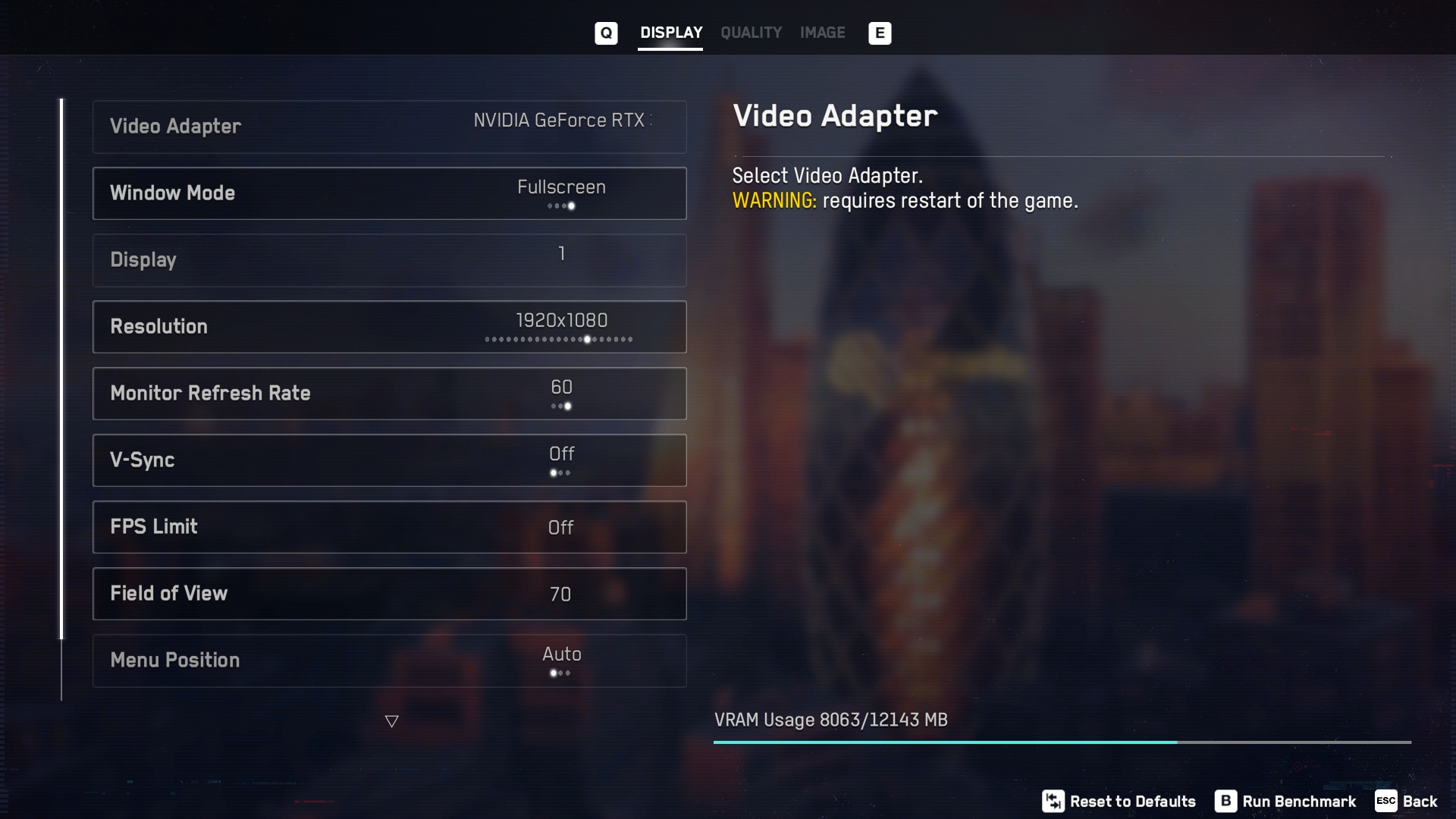
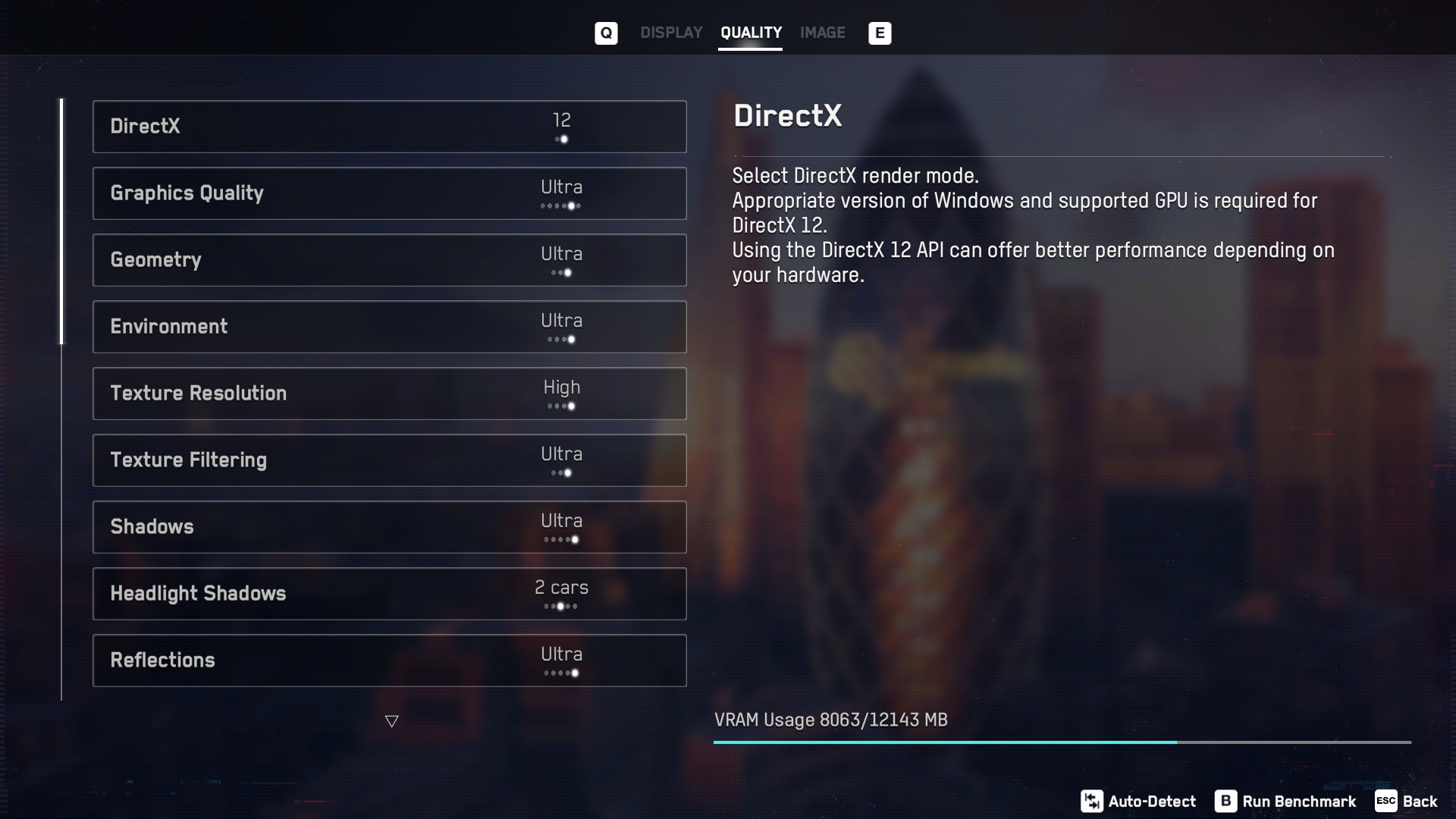
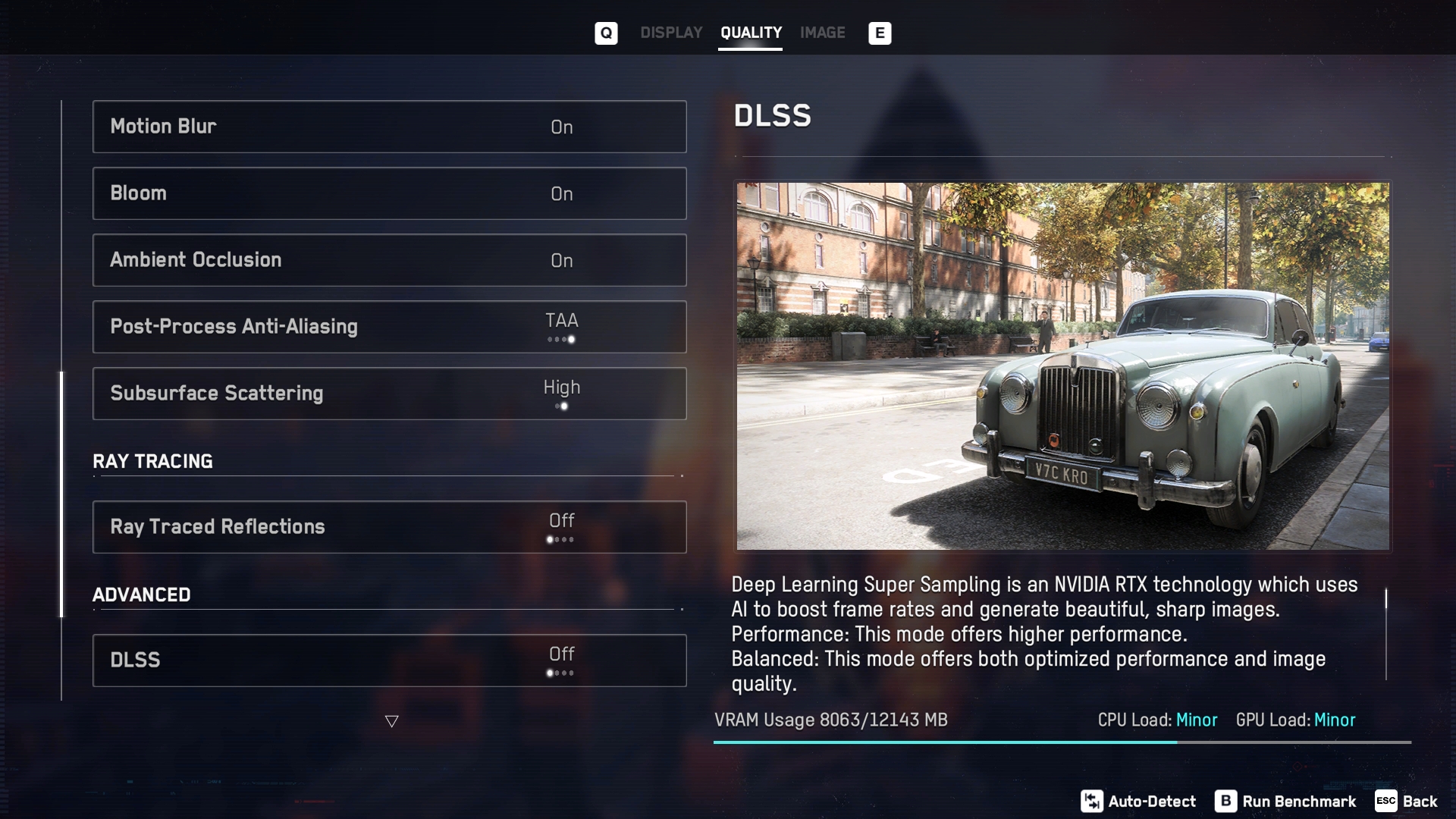
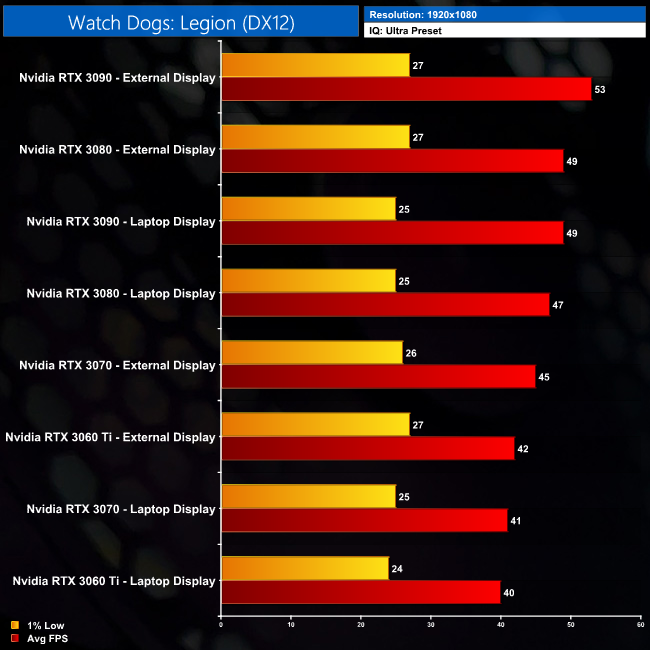
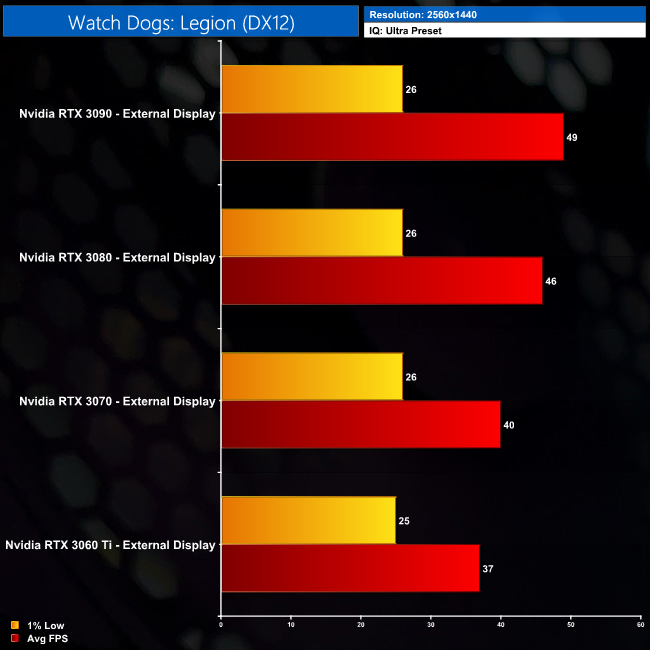
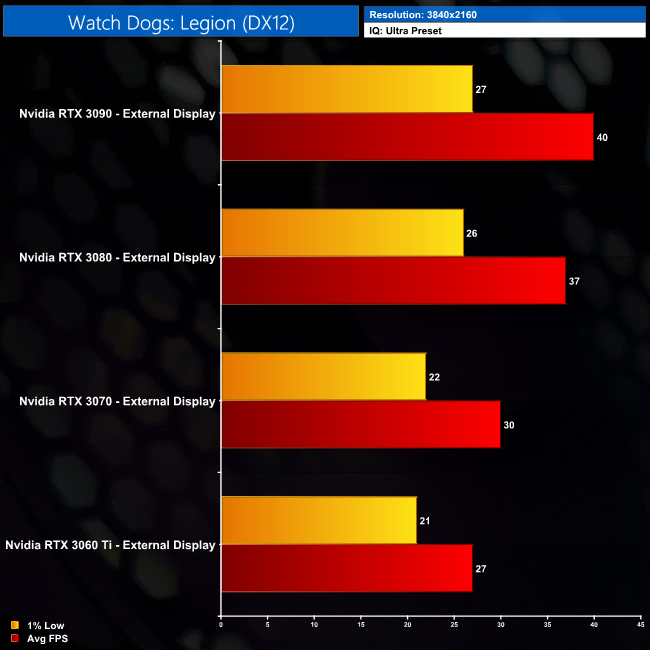
Lastly, Watch Dogs: Legion paints a similar story to Red Dead Redemption 2, but this time we’re looking at a deficiency in terms of the 1% lows, rather than average frame rate figures. We do see some performance scaling in terms of average frame rates, but the 1% lows are pretty consistent across all four GPUs today, indicating some sort of bottleneck.
At 1440p for instance, the RTX 3080 is 15% faster than the RTX 3070 when looking at average frame rates, but both produce identical 1% low performance, hitting just 26FPS. It’s the same at 4K too – average frame rates look OK, but we are let down by the 1% lows here. Whether or not this is a CPU limitation or whether it is down to the PCIe bandwidth, it’s harder to say for Watch Dogs, but it is definitely something to bear in mind if you are considering an eGPU.
Note: Hitman 3 data was excluded from the following charts as we were only able to test the game when using an external monitor.
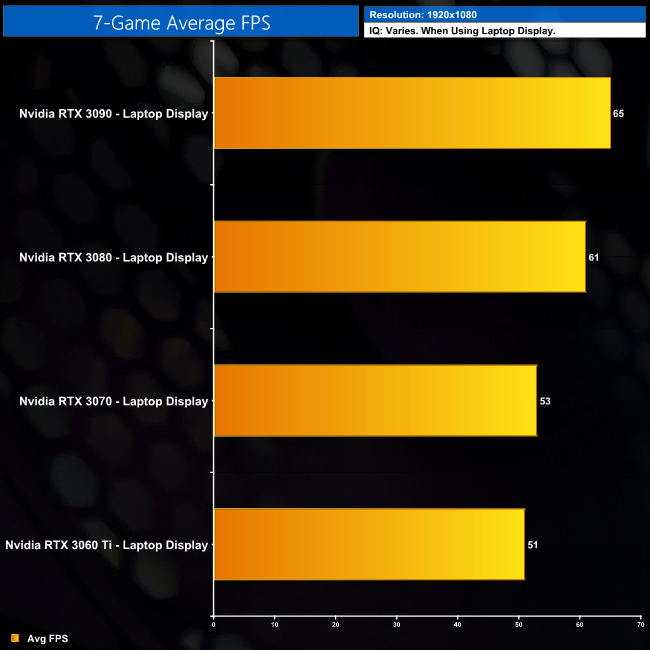
1080p Average – When Using the Laptop Display
1080p Average – When Using the External Display
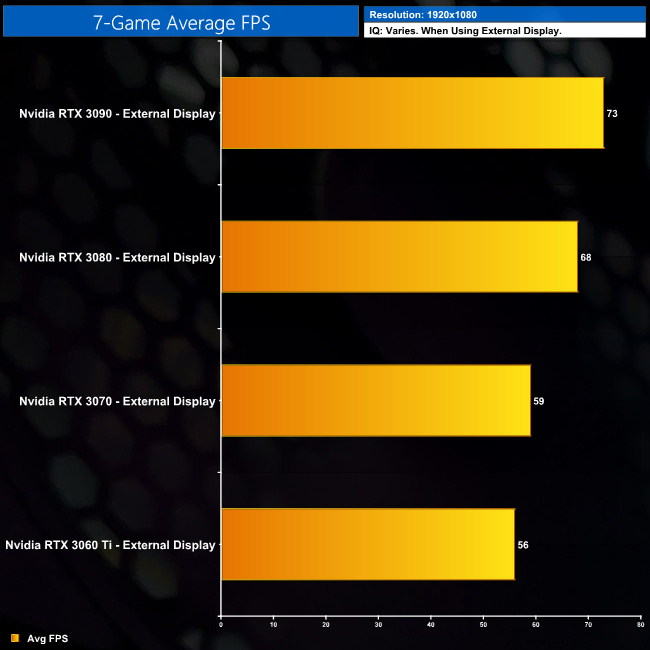
Grouping both 1080p charts together, if for whatever reason you cannot use an eGPU with an external monitor, a decent level of performance is still on offer from the four GPUs tested. However, we can clearly see little benefit to the using the RTX 3070 over a RTX 3060 Ti, and I’d say the same for the RTX 3090 instead of an RTX 3080 – Nvidia's flagship GPU is 7% faster, but that’s just a difference of 4FPS on average.
Now, if you can use an external monitor, you will unlock 10-12% extra performance from your GPU of choice, simply because the Thunderbolt 3 cable isn’t having to first send data from the laptop, to the GPU and back again – the display output is now being handled externally via a HDMI or DisplayPort cable. That said, actual scaling between these GPUs is similar. The RTX 3090 is still 7% faster than the RTX 3080, while the RTX 3080 is still 15% faster than the RTX 3070. The smallest gap between all four GPUs is between the RTX 3070 and RTX 3060 Ti, as we see just a 5% margin between those two GPUs.
1440p Average – When Using the External Display
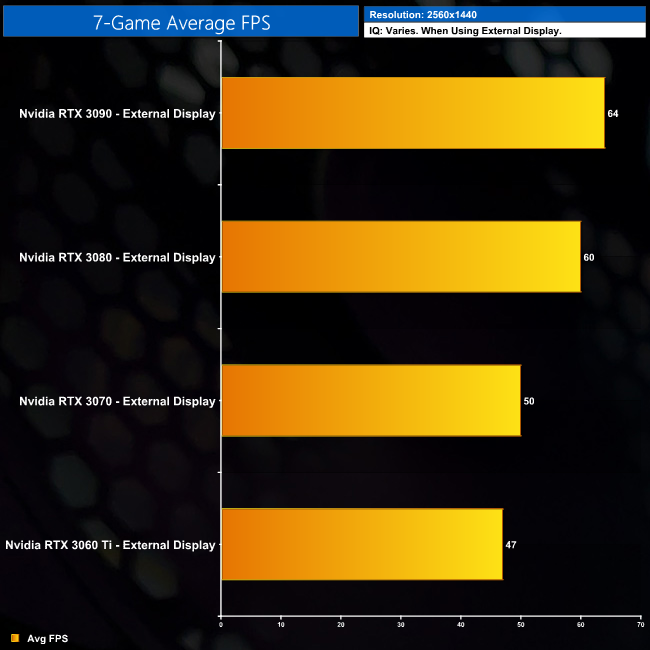
If you want to use an external monitor for eGPU gaming at 1440p, once more the biggest gap between the GPUs is with the RTX 3070 and RTX 3080, with the latter of the two proving 20% faster on average. The RTX 3090 is still just 7% faster than the RTX 3080, while the RTX 3070 is 6% faster than the 3060 Ti. That means we are seeing a difference between the four GPUs on test, but the margins aren't as large as you'd expect on a desktop.
2160p (4K) Average – When Using the External Display
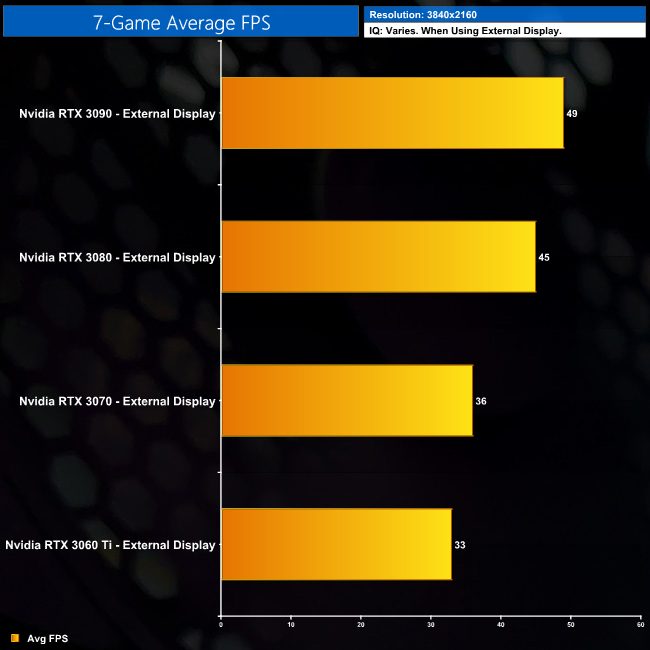
As for 4K, you can just about get away with eGPU gaming at this resolution if you get an RTX 3080 or RTX 3090, but I wouldn’t say it is ideal. Interestingly, the gap between those two cards works out as a 9% margin in favour of the RTX 3090, compared to a 14% difference when we tested both GPUs on the desktop. Clearly the RTX 3090 is unable stretch its legs as much as it would like to, when used in an eGPU.
It's also worth examining how much performance is lost when using an eGPU, as opposed to a proper desktop system. To do so, we benchmarked the RTX 3090 in our regular GPU test system, in the same 8 games as shown earlier, with the same image quality settings and using the same benchmark runs.
Of course, this is isn't a direct apples-to-apples comparison, as our desktop system using the 10-core i9-10900K, while the Razer Blade 15 Base uses a 45W mobile processor. What this testing does show however, is how much performance is being left on the table, when using the RTX 3090 in combination with a mobile CPU and a limited PCIe interface.
Instead of going over results for each game, here we present average figures for all of our games when testing at 1080p, 1440p and 4K. We're showing data for the RTX 3090 eGPU when tested with an external monitor.
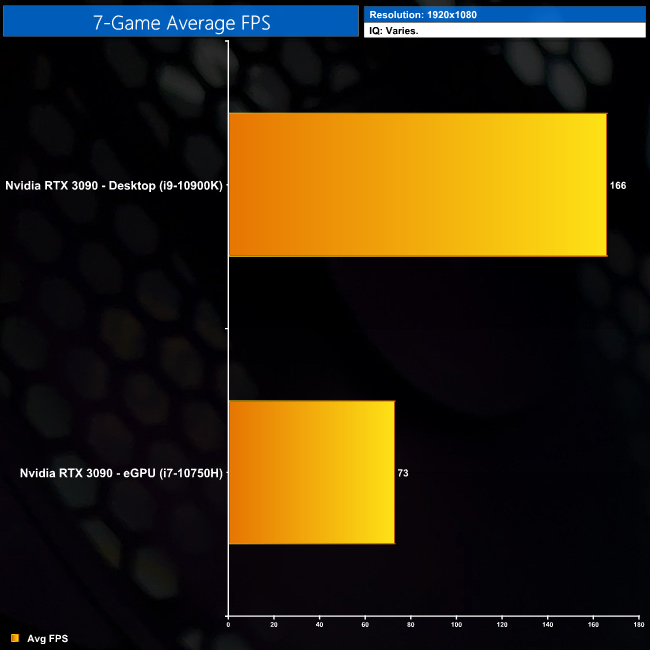
At 1080p, it’s a bit of a bloodbath. The RTX 3090 averaged 166FPS on our desktop system, compared to 73FPS with the eGPU and Blade 15. That means we’re losing 56% performance going with the eGPU instead of a proper desktop setup.
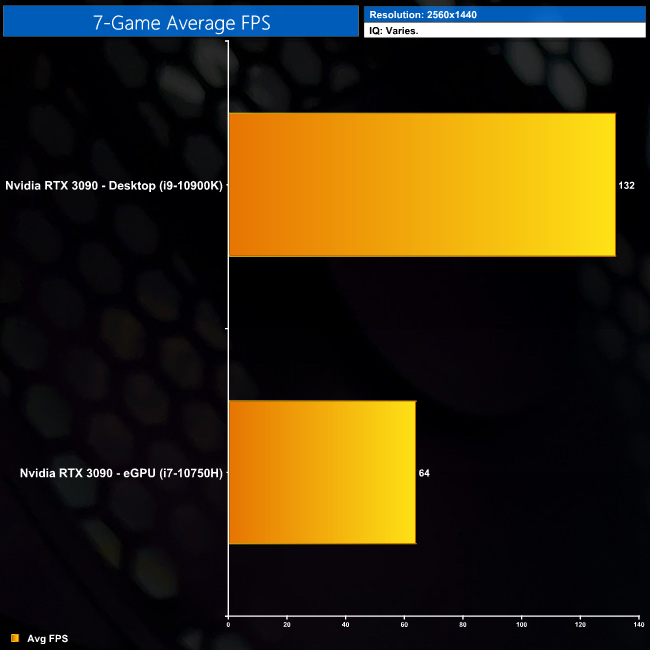
And then at 1440p, the RTX 3090 in our EG200 averaged 64FPS. Our desktop system however, it averaged 132FPS, so once again, the eGPU RTX 3090 loses over half the performance when compared to a desktop PC.
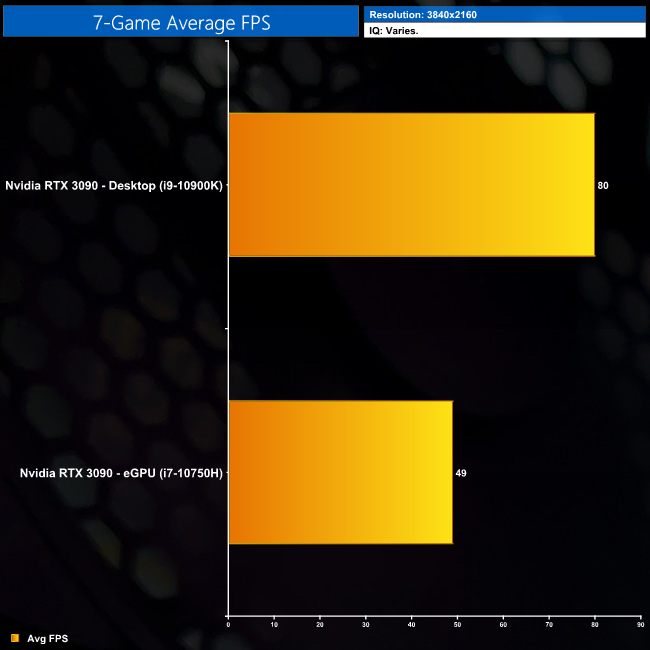
The margin isn’t quite as punishing at 4K, though. The RTX 3090 desktop system averaged 80FPS, compared to 49FPS in the eGPU, meaning we’re looking at 39% worse performance for the EG200. The main reason for that would be CPU limitations are much less of a factor for 4K gaming, but even still, our external GPU setup is significantly slower than a desktop PC with the same graphics card.
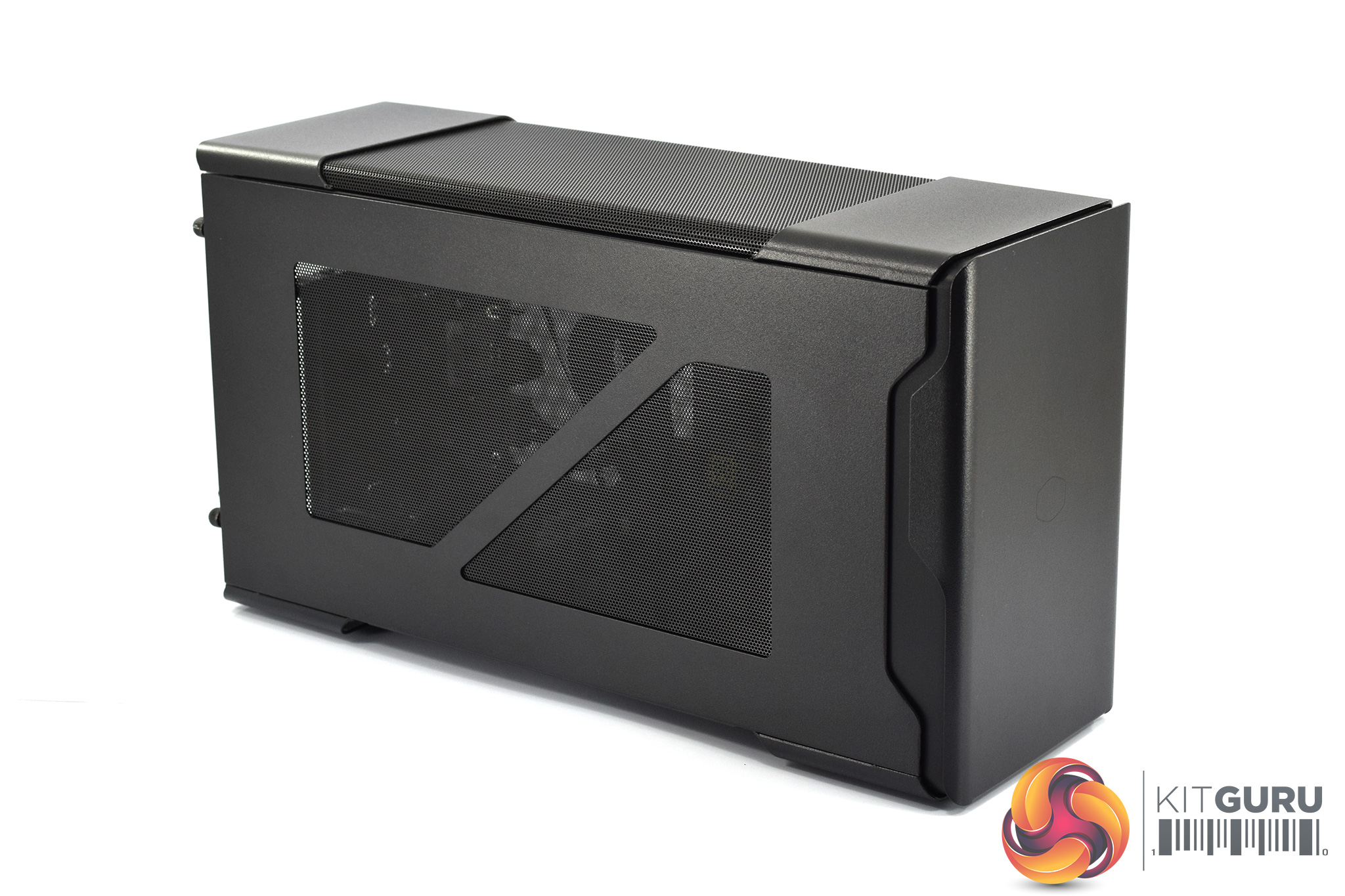
Before closing out, it's worth taking a closer look at the Cooler Master EG200:
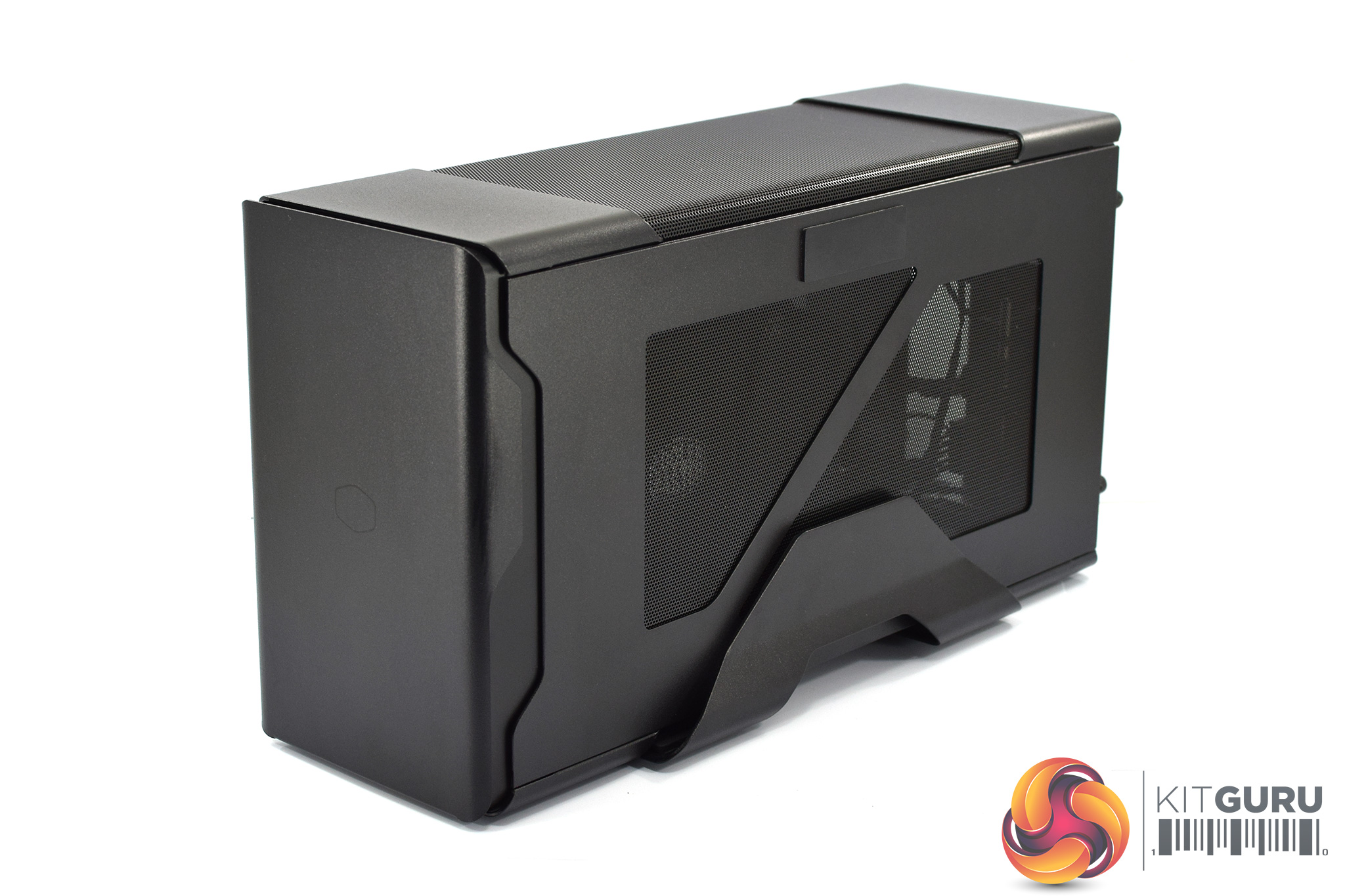
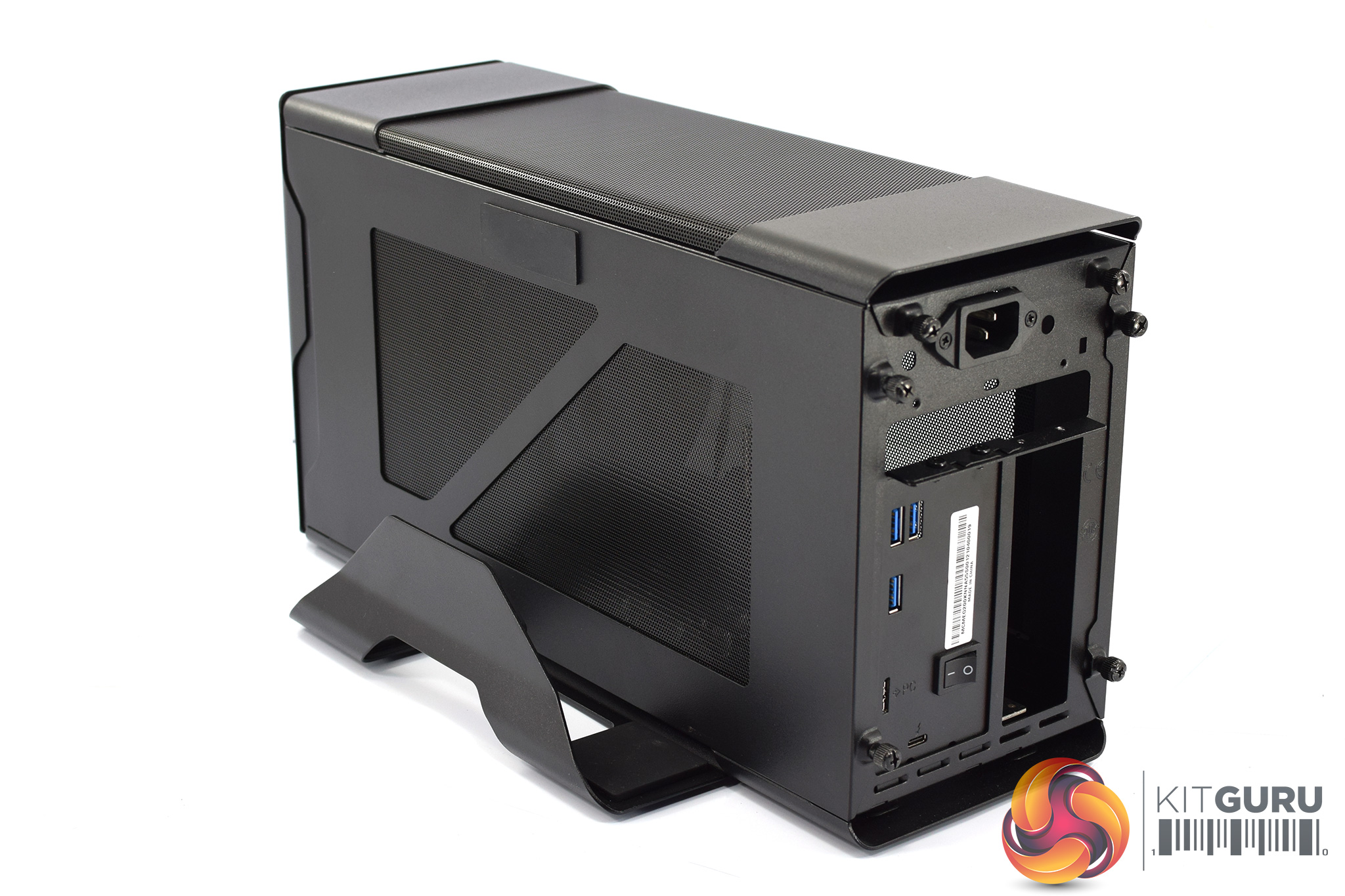
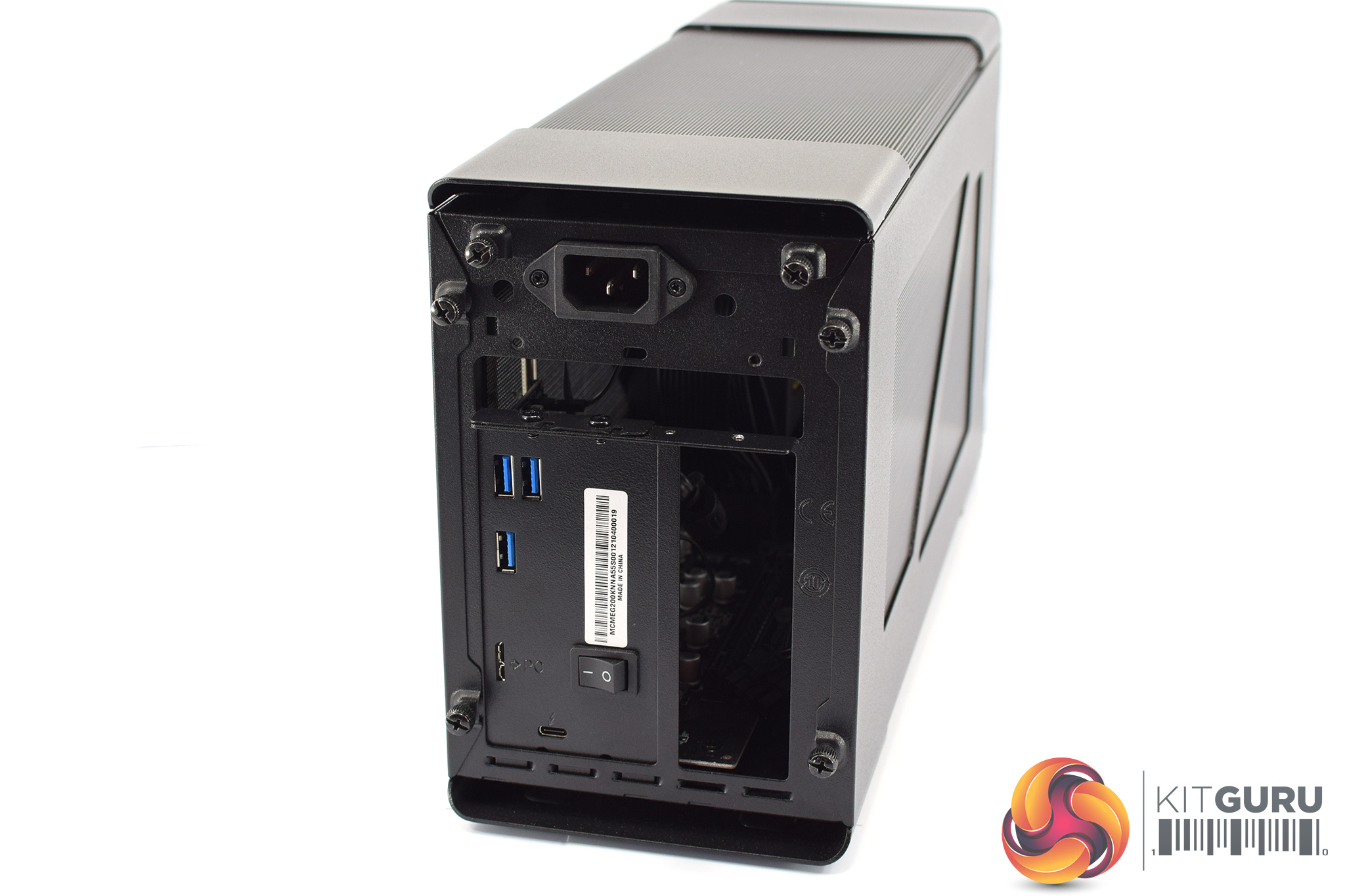
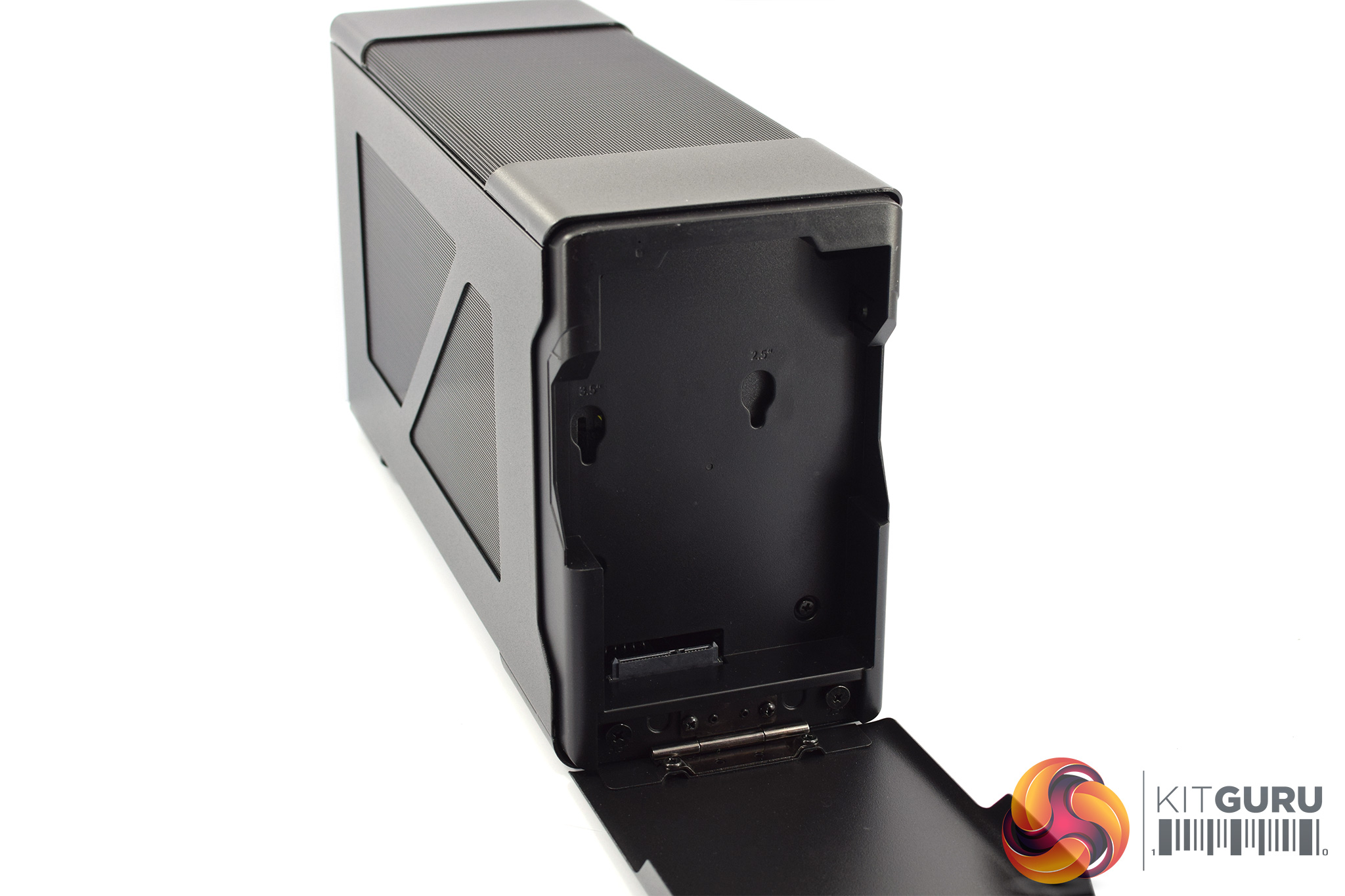

Cooler Master EG200 Specification:
- SERIES: MasterCase Series
- SIZE: External GPU
- MODEL NUMBER: MCM-EG200-KNNA55-S00, MCM-EG200-KNNA55-UK
- AVAILABLE COLOR(S): Black
- MATERIALS: Steel, Plastic, Mesh
- DIMENSIONS (L X W X H): 383 x 140 x 208mm (incl. Protrusions), 371 x 128 x 204mm (excl. Protrusions)
- VOLUME (EXLC. PROTRUSIONS): 9.7L
- EXPANSION SLOTS: N/A
- I/O PANEL – USB PORTS: 3x USB 3.2 Gen 1 Type-A
- I/O PANEL – USB IN: 1x USB Micro-B 3.2 Gen 1
- I/O PANEL – TB3: USB C
- HARD DRIVE DOCK: 2.5” or 3.5” SATA drives
- PRE-INSTALLED FANS – TOP: 1x 92mm Slim PWM 2600RPM
- FAN SUPPORT – TOP: 1x 92mm
- CLEARANCE – GFX: L: 325 / 12.79inch, W: 54mm (2.5 slot) / 2.13inch, D: 141mm / 5.55inch, (Max. sizes incl. connector)
- CABLES: Thunderbolt 3 – 500mm, USB – 700mm (incl. USB A to C adapter)
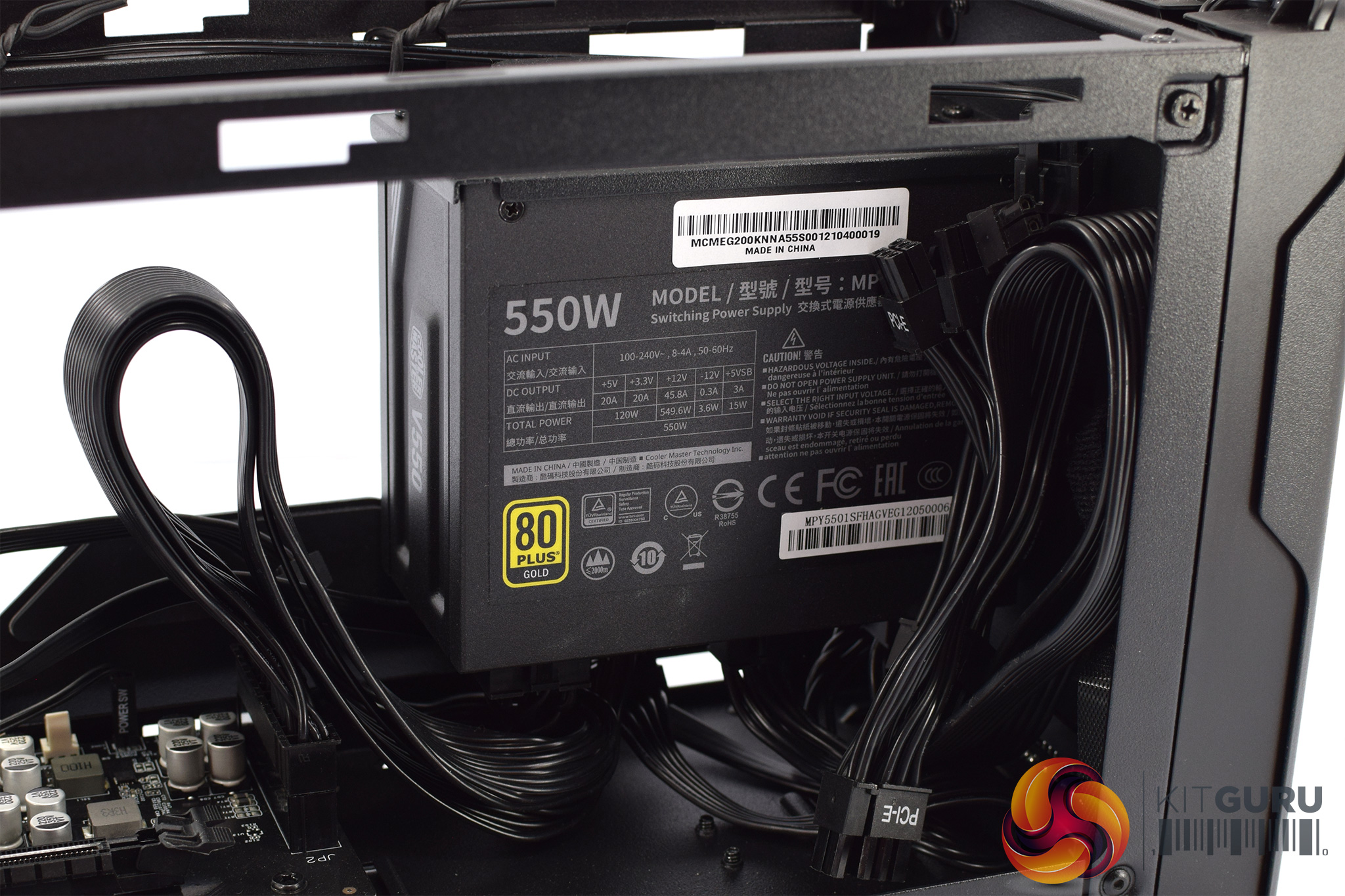
- INCLUDED POWER SUPPLY: Cooler Master V Gold SFX (550W)
- INCLUDED POWER CABLES: 1x 24 pin, 2x 6+2 pin PCI-e, 1x SATA power
- USB POWER DELIVERY: 60W
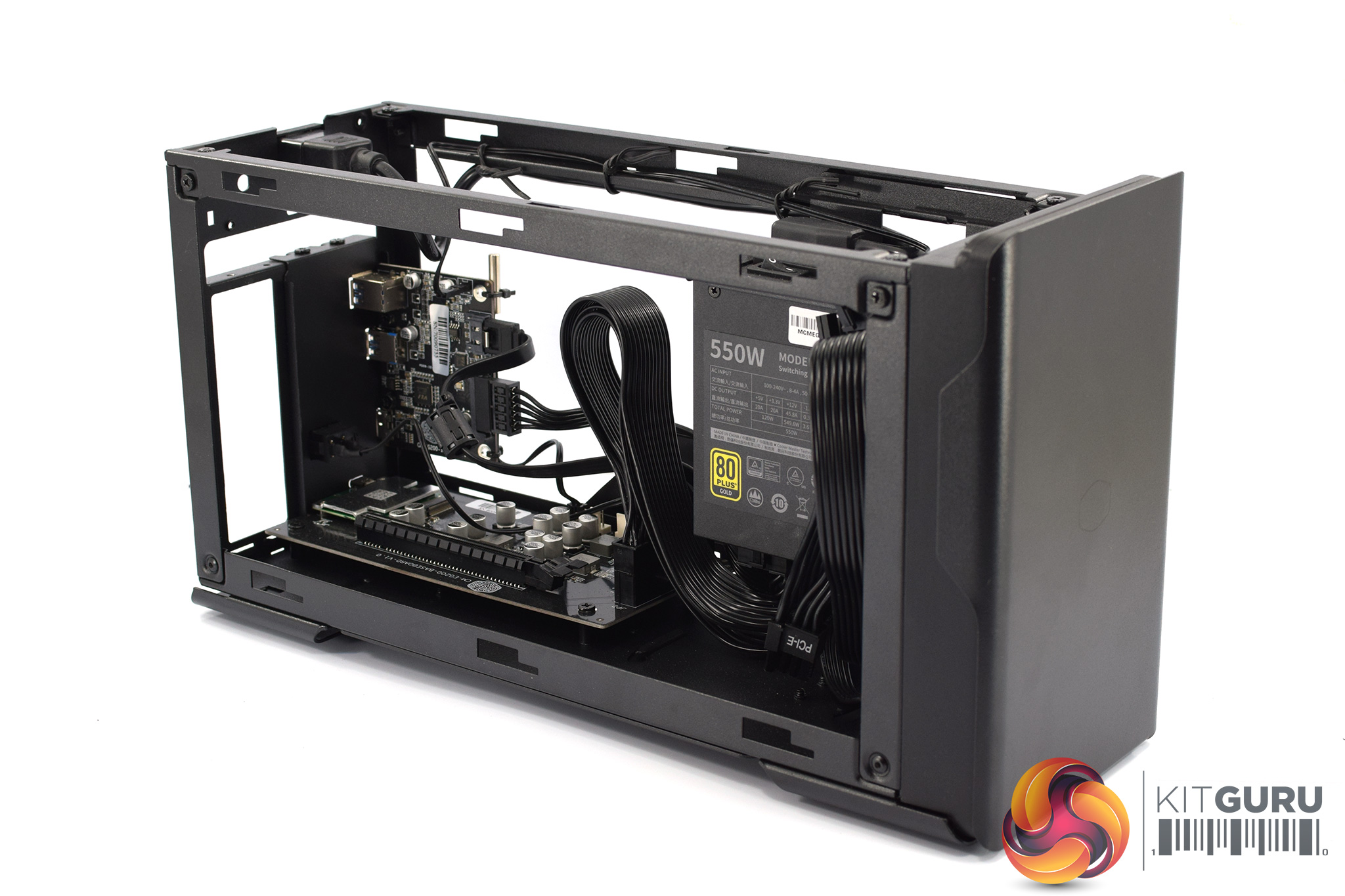
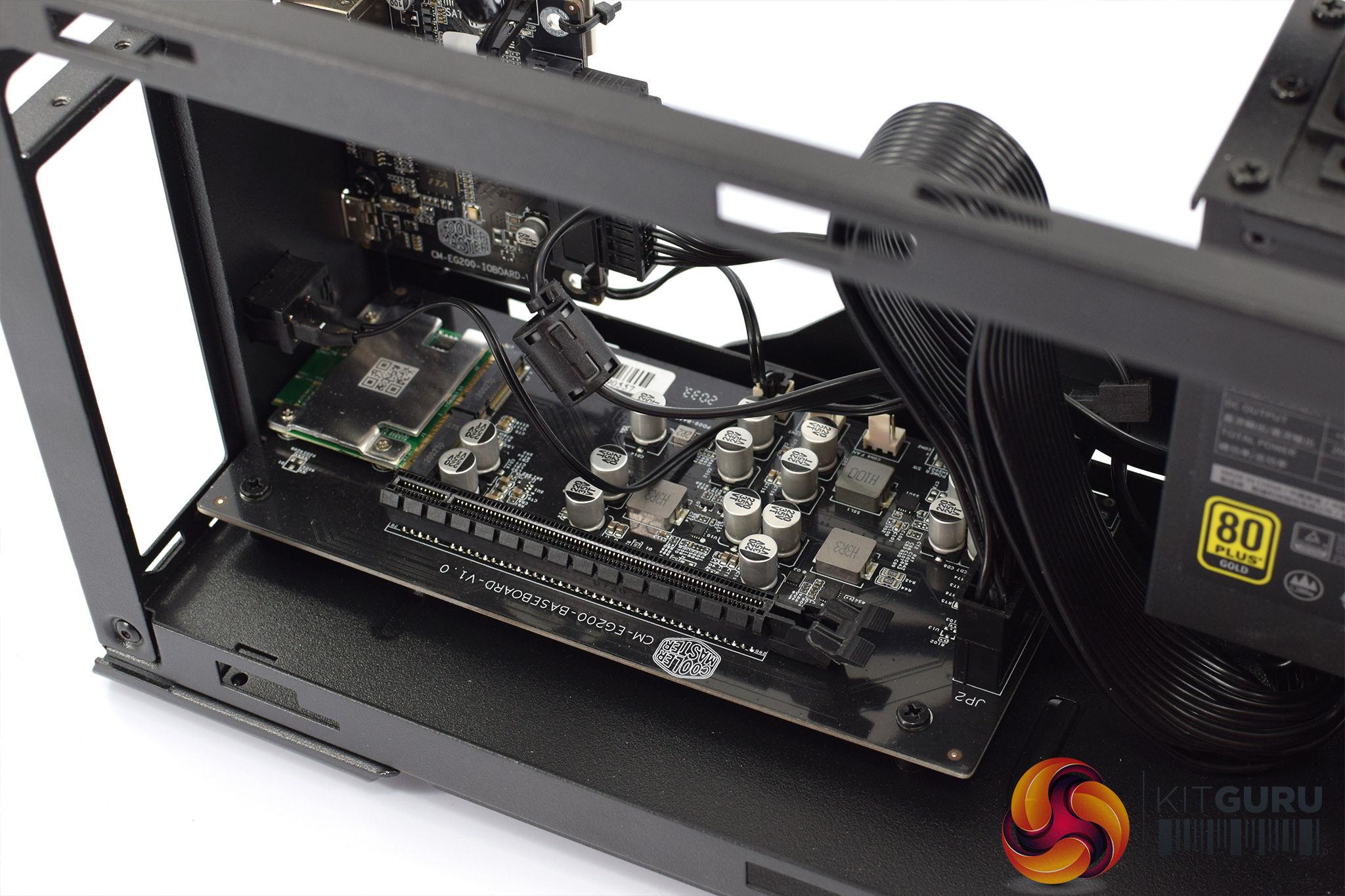
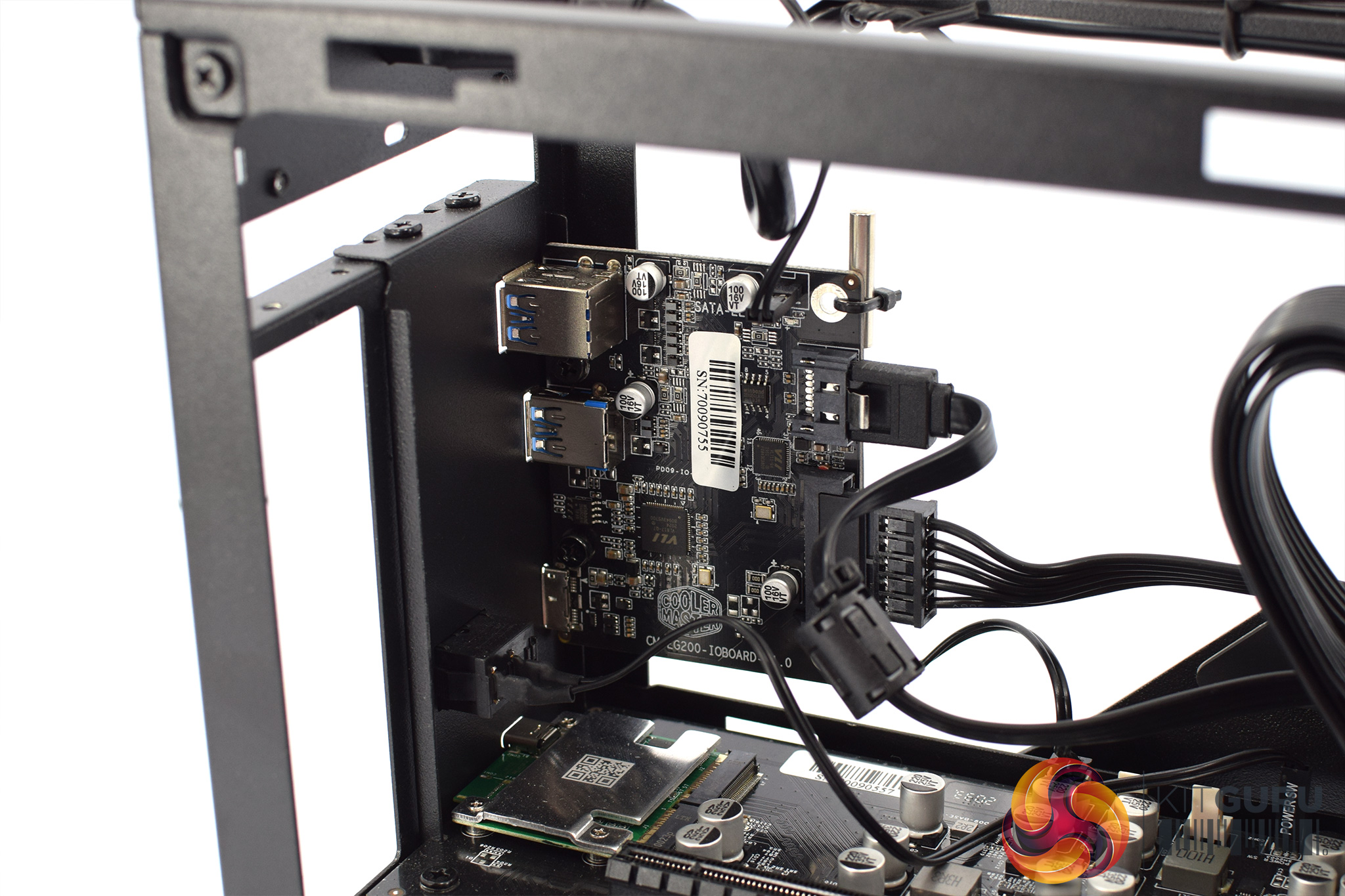
This is Cooler Master's first external GPU enclosure and it has a number of features which could appeal. For one, it offers three USB Type-A ports, so you could connect a headset, keyboard and mouse directly to the enclosure. These ports are also provided by a separate internal daughterboard, so bandwidth isn't shared with the graphics card over Thunderbolt 3. This means a second cable is required between the chassis and your host machine, taking up one of your existing USB ports, but it still gives three back.
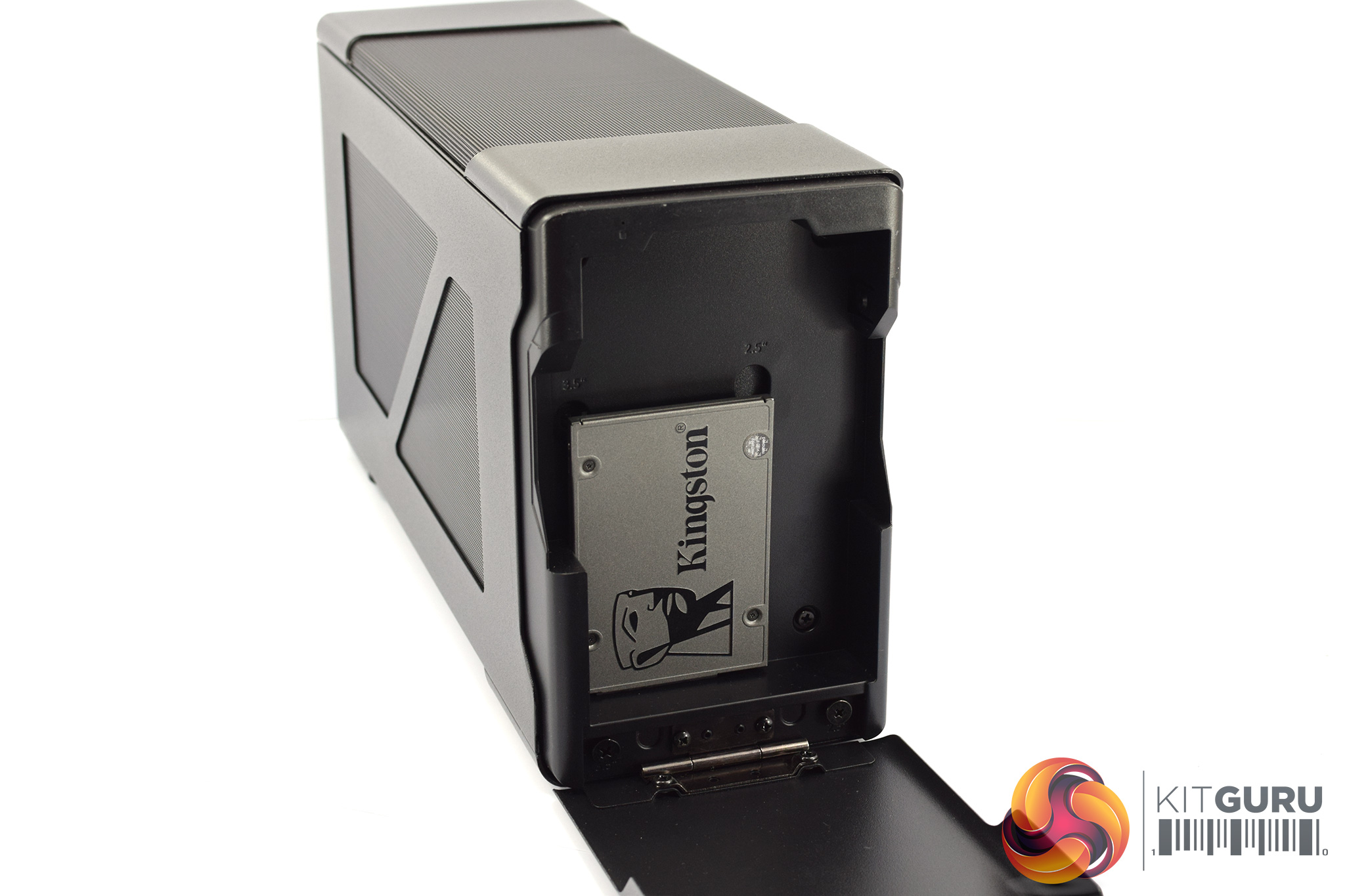
Additionally, the front panel of the EG200 lowers to reveal a drive caddy capable of housing a 2.5in or 3.5in drive. This is certainly something I've not seen before and would be perfect for laptop owners whose internal storage drives may only be 256GB in size.
Cooler Master has also built a laptop stand into the case. It's visible in the third picture of the top row from the gallery above, and it's adjustable to suit laptops of varying thicknesses. It's not a killer add-on in my opinion, but it does help to reduce the overall footprint of your setup when not in use.
There are, however, a few downsides that I noticed during my testing, and these mainly come down to ease of use. Primarily, getting inside the system is a bit of a faff. First of all, you have to unlock the laptop stand as, out of the box, it is pressed right against the right side panel. Then you can remove both side panels, which are secured with two thumbscrews each, and then it’s another 2 thumbscrews for the top panel. If you’re fitting a larger GPU, you may even have to remove one of the top support bars, which is another four screws. Compared to the Razer Core X, which uses a slider and rails system with zero screws, it is a somewhat convoluted process.
Once you are inside the chassis, there's a fair bit of cabling going on which can be a bit of a battle. The mainboard uses a thick 24-pin cable for power which occupies a fair amount of space and cannot be moved, while there's also a few trailing cables from the drive caddy at the front of the encoslure. You can of course still seat a graphics card in the x16 slot, but the process would be easier if there was less cable clutter.
Closing out this investigation, I have to say some of the results from our eGPU testing are fascinating. I genuinely wasn’t sure if we’d see any performance difference between all four GPUs that we tested. After all, over Thunderbolt 3, we get just four PCIe 3.0 lanes, when the RTX 30-series card are designed for 16 lanes of PCIe 4.0.
What we found was, while the RTX 3090 proved faster than the RTX 3080, and the RTX 3080 proved faster than the RTX 3070 and so on, the margins between all four GPUs we tested are generally smaller than what you’d expect from a desktop system. The RTX 3090 for instance, proved 6-9% faster than the RTX 3080, when we’d expect more like a 10-15% difference using a desktop.
Based on this testing, if I were shopping for a GPU to using in an external Thunderbolt 3 dock, I’d go for either an RTX 3060 Ti or an RTX 3080. In my opinion, when we factor in both CPU and PCIe limitations, neither the RTX 3070 or RTX 3090 are delivering much more performance than the GPUs a step below them.
Then again, if you want to extract every last ounce of performance from a laptop system, it is still pretty impressive that a single Thunderbolt 3 cable will net you more performance with an RTX 3090 than it will with an RTX 3080. You just won't be getting as much more from the RTX 3090 as you would on a desktop.
Considering how much performance is left on the table when using an eGPU compared to using a proper desktop system, using a Thunderbolt 3 enclosure like the EG200 has the most value if you simply have no other option for discrete graphics. Typically that’d be if you have an ultrabook that only has integrated graphics for instance, or perhaps a mini-PC that's also using a mobile processor. Despite being often half as fast than a proper desktop, an eGPU can still deliver a very playable experience in games like Gears 5 and Metro Exodus, though as we saw today, not all games will play nicely with a Thunderbolt 3 dock.
The final point to mention is, if you can, use an external monitor. On average we saw 10-12% better performance using an external monitor than when routing the display signal back to our laptop’s screen. We still saw consistent scaling between all four GPUs even without a monitor, but for maximum performance, it really can make a difference to connect the graphics card to an external monitor.
We don't yet have a buy link for the Cooler Master EG200, but we've been told the MSRP is £329.99.
Discuss on our Facebook page HERE.
KitGuru says: This has been an interesting few days of testing. If you're planning on buying an external GPU enclosure, what machine are you going to connect it to?