KitGuru KitGuru.net – Tech News | Hardware News | Hardware Reviews | IOS | Mobile | Gaming | Graphics Cards


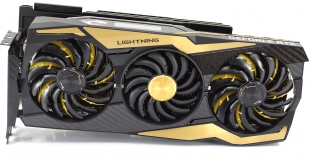
If you are a hardware enthusiast, then MSI's Lightning series will need little introduction. Designed to offer ‘balls to the wall' performance, with not a thought for power consumption or physical limitations, these cards are often the best in their class. Today we look at the latest in this high-end family – the RTX 2080 Ti Lightning Z, with an MSRP of £1439. If you just want the best of the best, regardless of the cost involved, is this the card for you?
If you thought £1099 was asking a lot for the RTX 2080 Ti Founders Edition, then you will probably just laugh at the £1439 MSRP for MSI's RTX 2080 Ti Lightning Z. Matters aren't helped by the fact that, at the time of writing, the cheapest we have seen it on sale for is £1499 as stock appears to be very low, though MSI is optimistic it can get more stock into the retail channel shortly.
Even so, RTX 2080 Ti was never about offering good bang for buck – it's about getting the absolute fastest card you can, regardless of cost. In that sense, the Lightning Z makes several improvements to eke out even more performance – including upping the boost clock to 1770MHz, beefing up the GPU power delivery, and delivering quite possibly the largest cooler we have ever seen on an aftermarket graphics card.
| GPU | RTX 2080 Ti (FE) | GTX 1080 Ti | RTX 2080 (FE) | GTX 1080 | RTX 2070 (FE) | GTX 1070 |
| SMs | 68 | 28 | 46 | 20 | 36 | 15 |
| CUDA Cores | 4352 | 3584 | 2944 | 2560 | 2304 | 1920 |
| Tensor Cores | 544 | N/A | 368 | N/A | 288 | N/A |
| Tensor FLOPS | 114 | N/A | 85 | N/A | 63 | N/A |
| RT Cores | 68 | N/A | 46 | N/A | 36 | N/A |
| Texture Units | 272 | 224 | 184 | N/A | 144 | 120 |
| ROPs | 88 | 88 | 64 | 64 | 64 | 64 |
| Rays Cast | 10 Giga Rays/sec | 1.1 Giga Rays/sec | 8 Giga Rays/sec | 0.877 Giga Rays/sec | 6 Giga Rays/sec | 0.65 Giga Rays/sec |
| RTX Performance | 87 Trillion RTX-OPS | 11.3 Trillion RTX-OPS | 60 Trillion RTX-OPS | 8.9 Trillion RTX-OPS | 45 Trillion RTX-OPS | 6.5 Trillion RTX-OPS |
| GPU Boost Clock | 1635 MHz | 1582 MHz | 1800 MHz | 1733 MHz | 1710 MHz | 1683 MHz |
| Memory Clock | 14 Gbps | 11 Gbps | 14 Gbps | 10 Gbps | 14 Gbps | 8 Gbps |
| Total Video Memory | 11GB GDDR6 | 11GB GDDR5X | 8GB GDDR6 | 8GB GDDR5X | 8GB GDDR6 | 8GB GDDR5 |
| Memory Interface | 352-bit | 352-bit | 256-bit | 256-bit | 256-bit | 256-bit |
| Memory Bandwidth | 616 GB/sec | 484 GB/sec | 448 GB/sec | 320 GB/sec | 448 GB/sec | 256 GB/sec |
| TDP | 260W | 250W | 225W | 180W | 185W | 150W |

While the number of SMs, CUDA cores, RT cores and Tensor cores is the same for every RTX 2080 Ti, Nvidia did things a bit differently for the clock speed of its flagship graphics card. That's because the reference boost clock for an RTX 2080 Ti is actually 1545MHz, while Nvidia's sells its own Founders Edition cards with a factory overclock of 1635MHz. That means MSI's Lightning 2080 Ti, with a 1770MHz boost clock, is actually 225MHz faster than reference speeds, and is still 135MHz faster than the Founders Edition.
This clock speed increase, coupled with beefed up VCORE power delivery, contributes to MSI rating the Lightning Z's power consumption at 350W – 90W higher than the 260W TDP of the 2080 Ti Founders Edition. More power means more heat, hence the reason MSI has opted for the triple slot, triple fan cooler used with this card.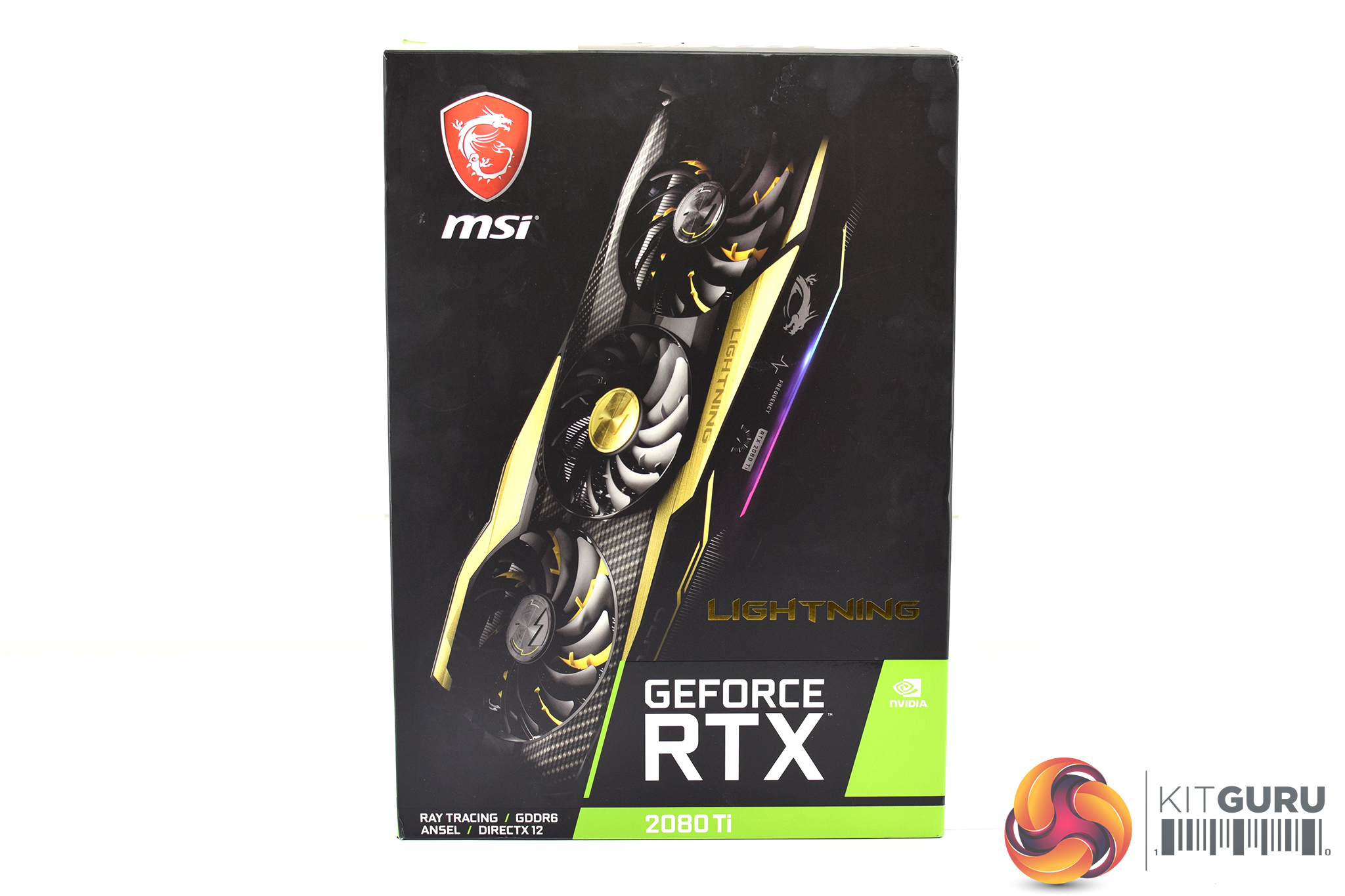
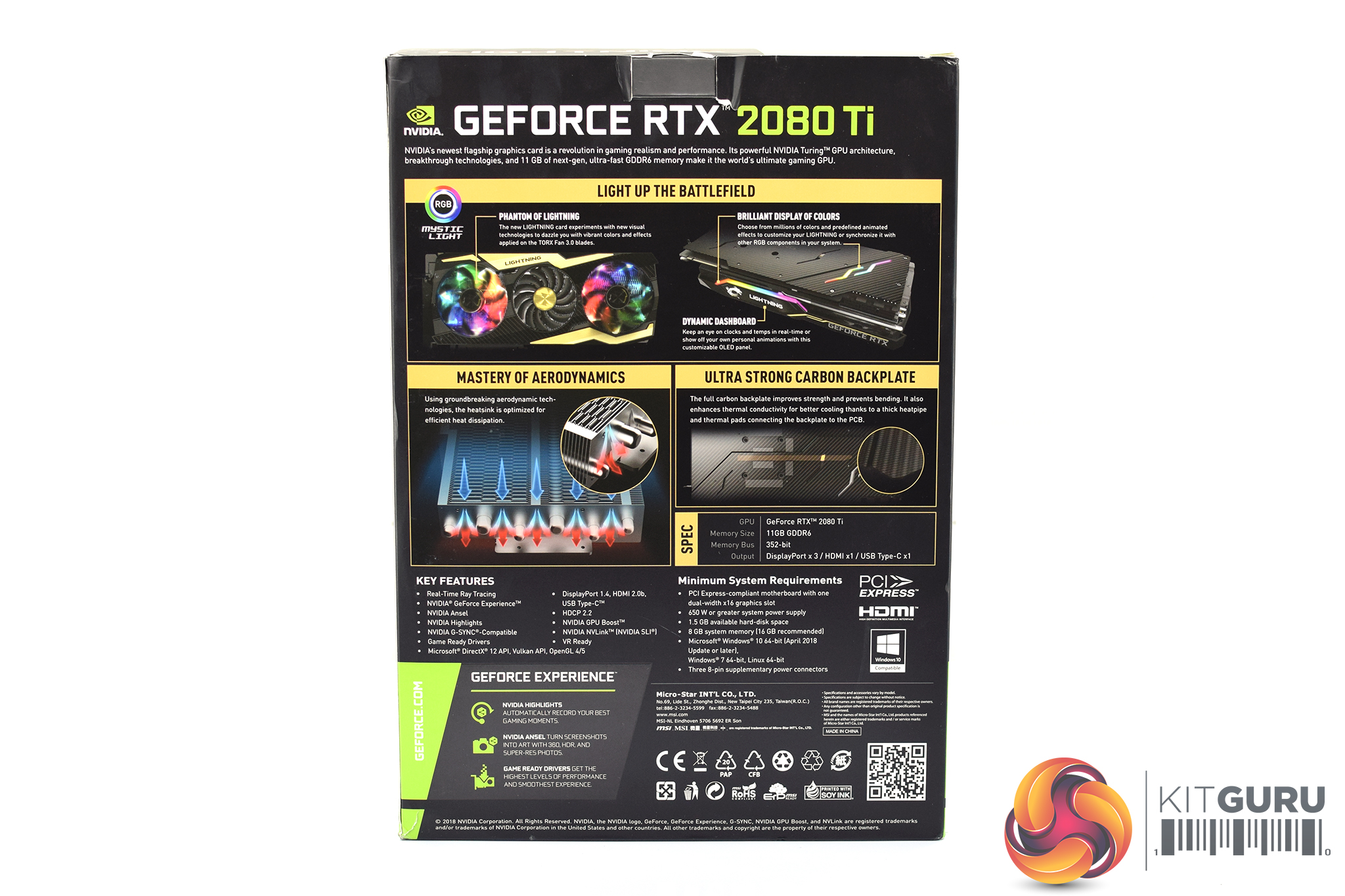
Unlike most graphics card boxes, the MSI RTX 2080 Ti Lightning Z is meant to be oriented vertically, not horizontally. The front of the box sports a large image of the graphics card itself, while four key features are highlighted on the back of the box.
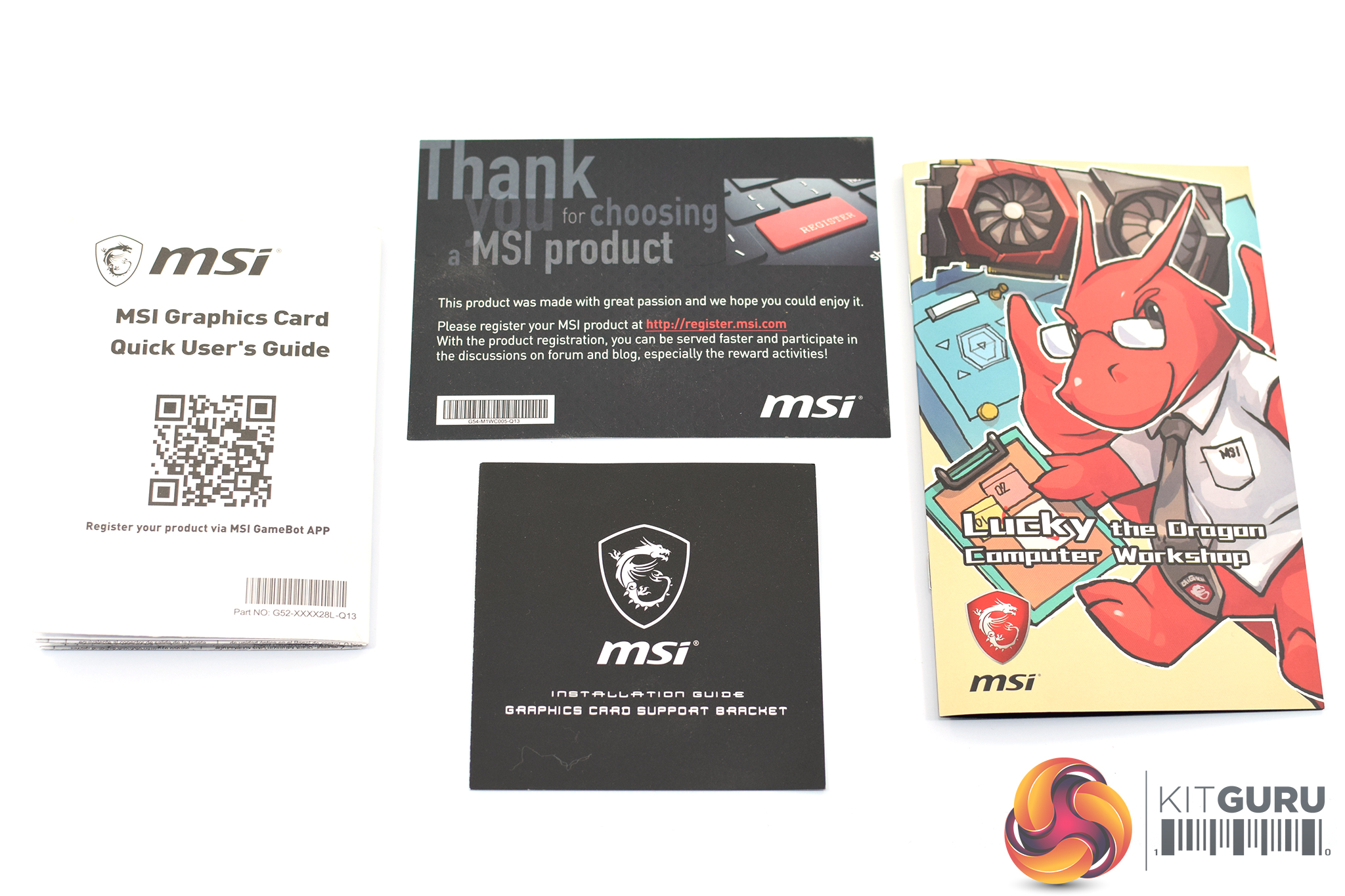
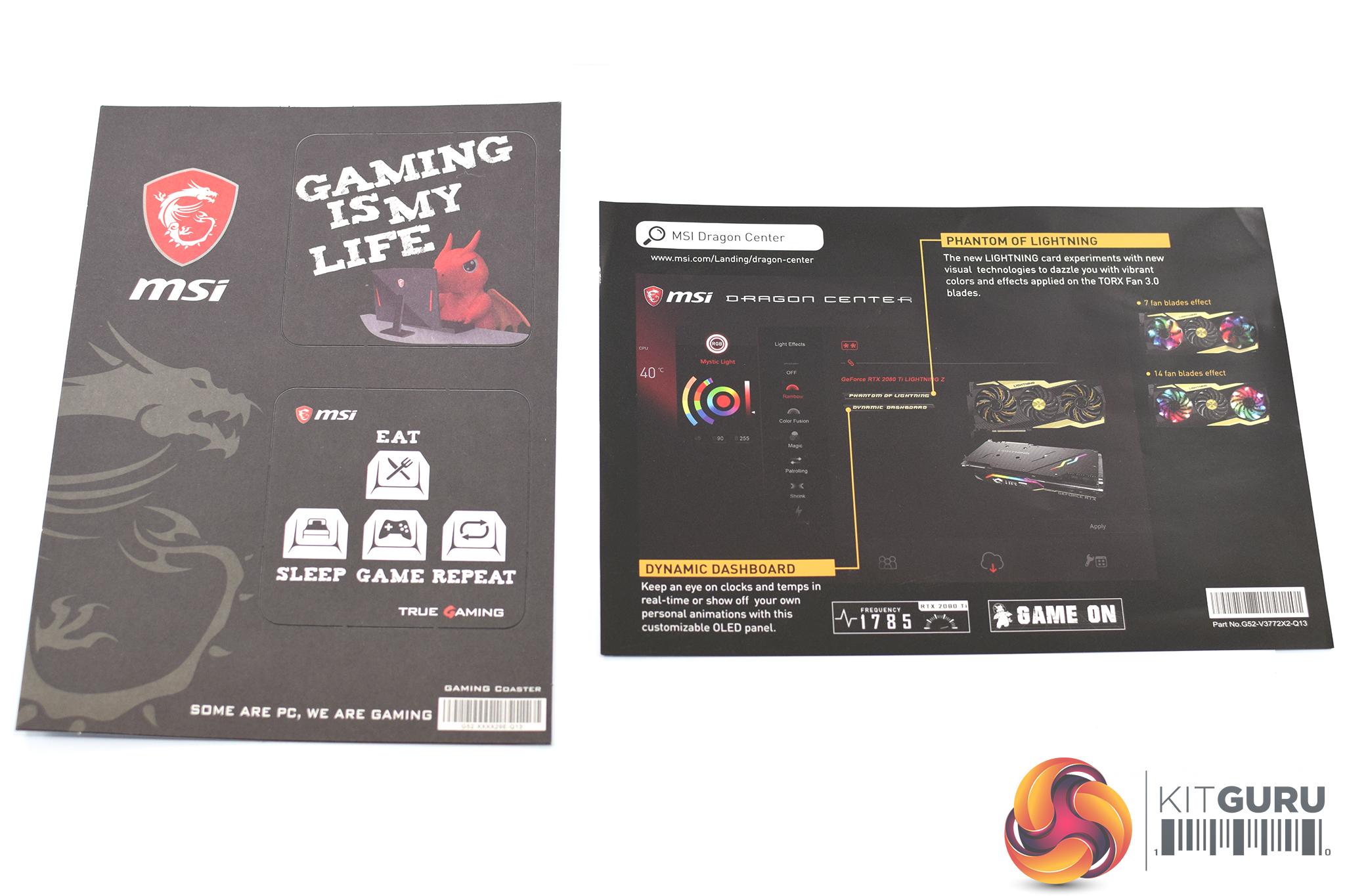
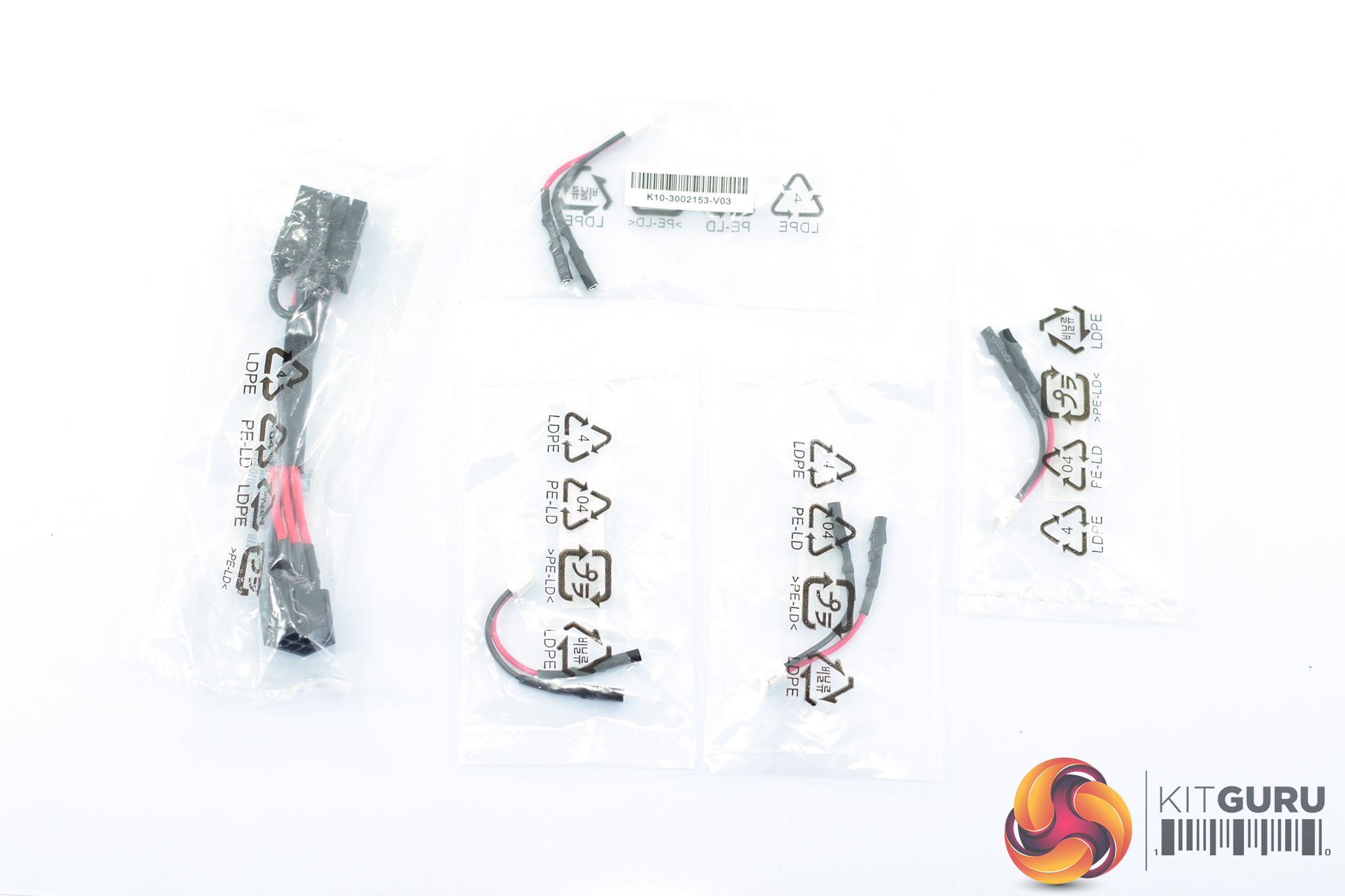
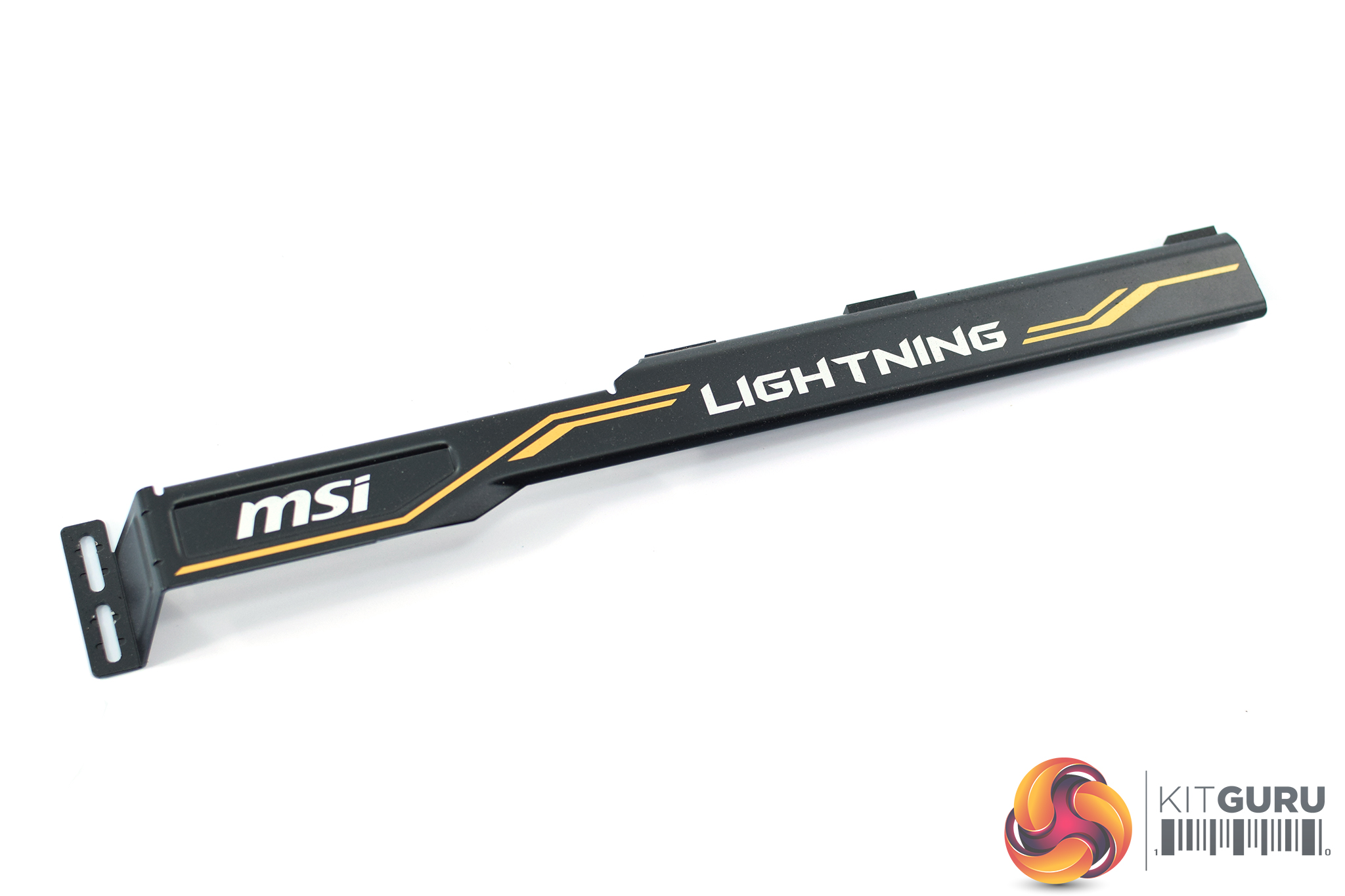
Inside, the accessory bundle is extensive. There are various pieces of documentation – including a quick start guide, thank you card and Lucky the Dragon cartoon – but most interesting are the small cables. These consist of 1x 6-pin to 8-pin PCIe power adapter, and then 4x voltage check cables which plug into the card's PCB directly (see below).
As the Lightning Z is also absolute monstrous in its proportions (full dimensions are again listed below) MSI wisely includes a dual-slot support bracket to help prevent any dreaded GPU sag.
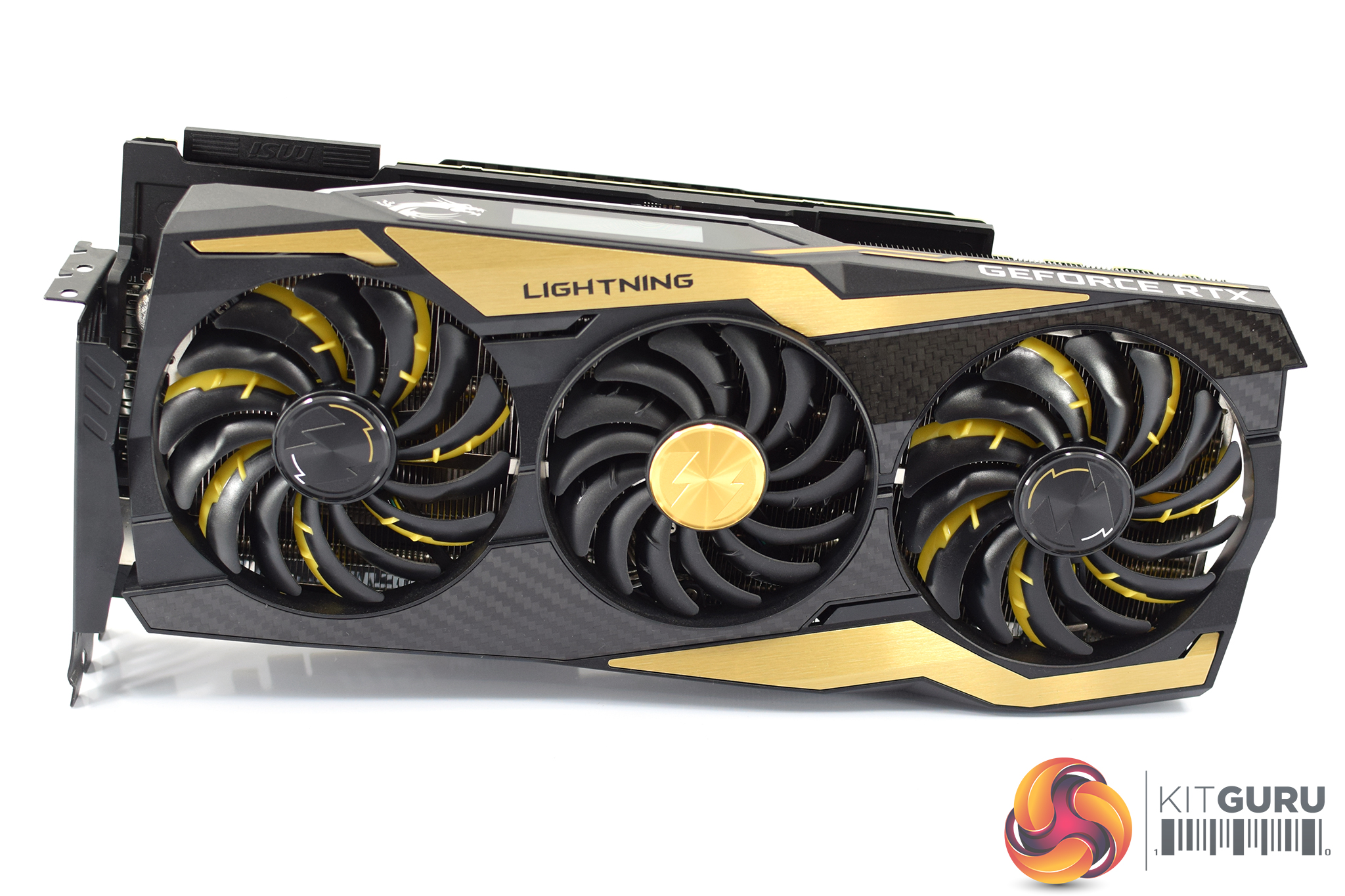
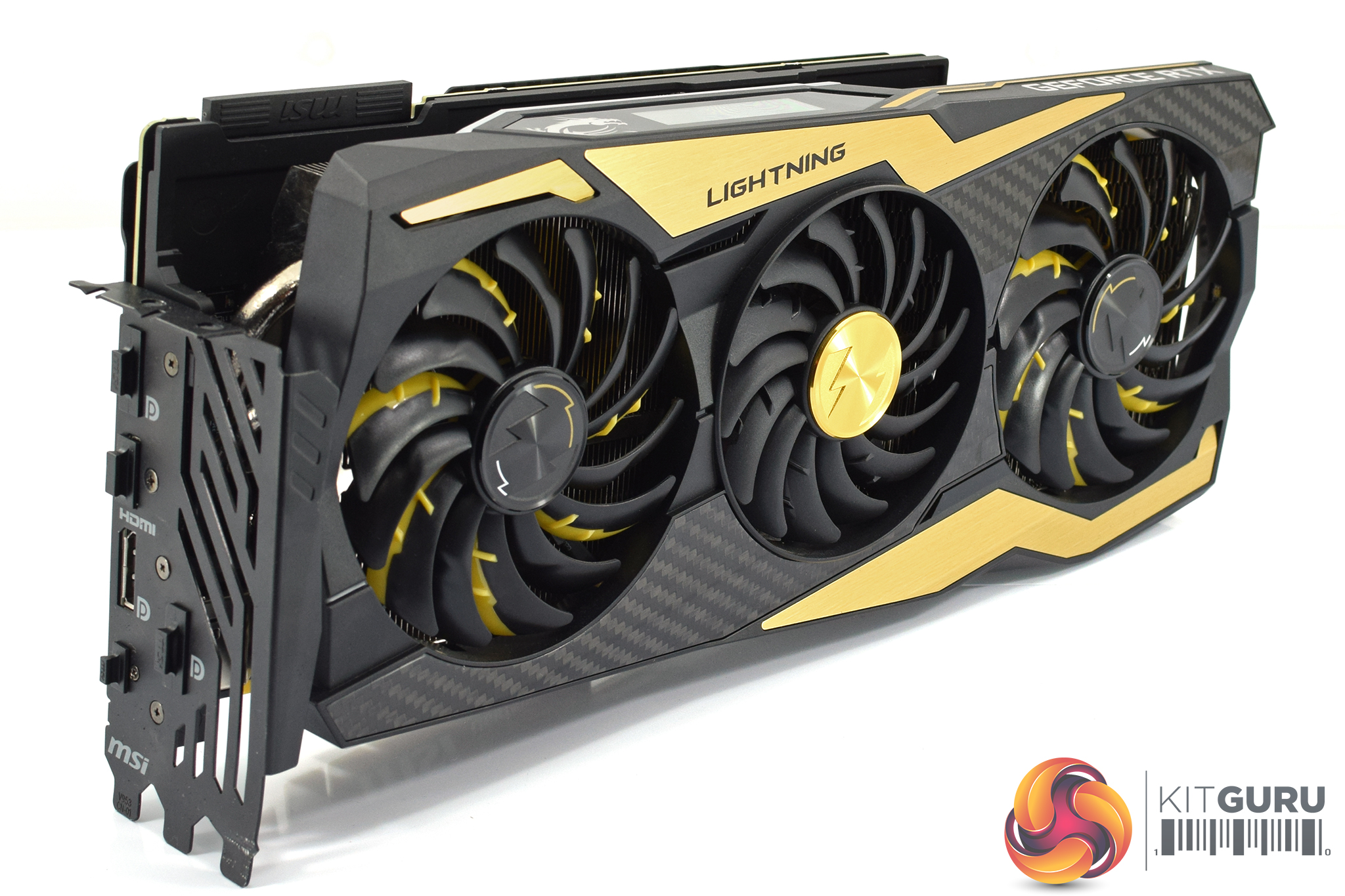
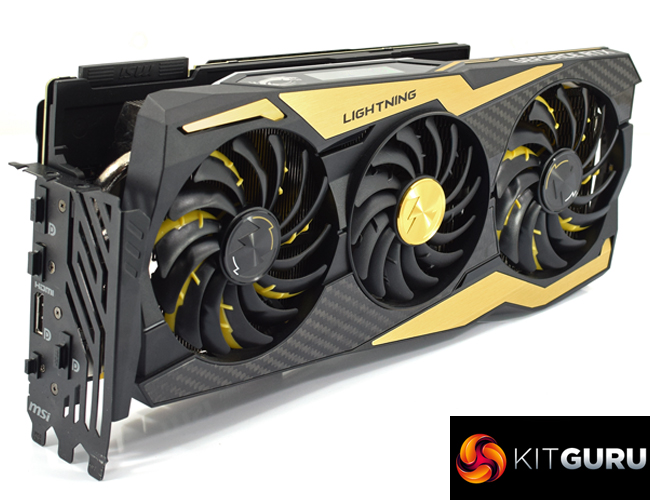
The card itself is immediately identifiable as a MSI Lightning model – thanks to the large, lightning-shaped gold accents on the front of the shroud. MSI did actually move away from this colour scheme with its Lightning 1080 Ti, but it has reversed the decision with its 2080 Ti card. The colour combination probably won't appeal to everyone, but unless you mount the card vertically you wouldn't be able to see much of the gold sections anyway. I personally quite like it, especially with the carbon fibre sections that slot in between the fans.
Speaking of the fans, these are MSI's Torx 3.0 models, and you can tell that the outer two fans are larger (100mm in diameter) versus the smaller 90mm fan in the middle. The outer two fans are also illuminated by RGB LEDs, but the central fan is not – a curious decision in my book, but again you're unlikely to actually see these LEDs unless you mount the card vertically.
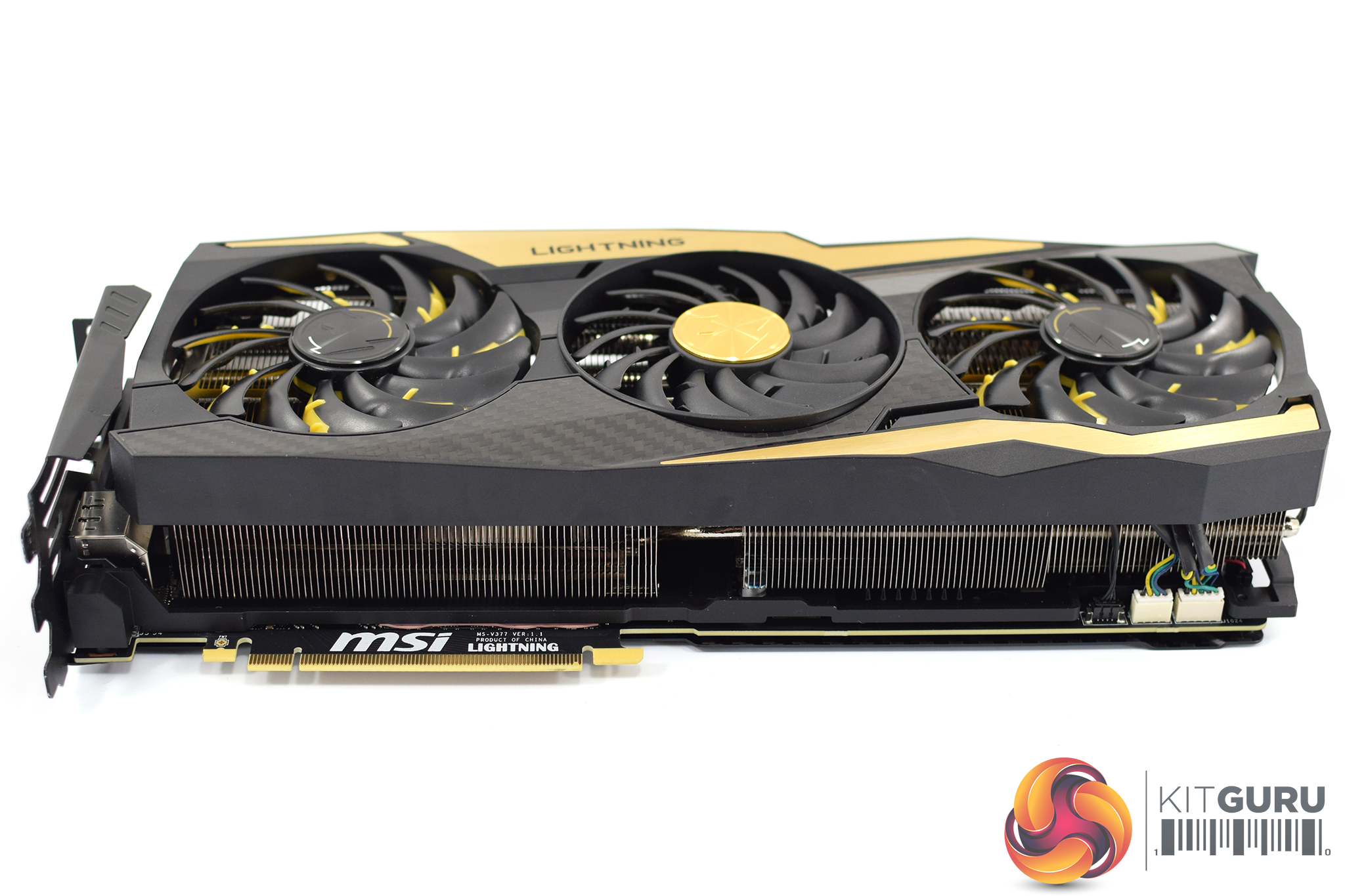
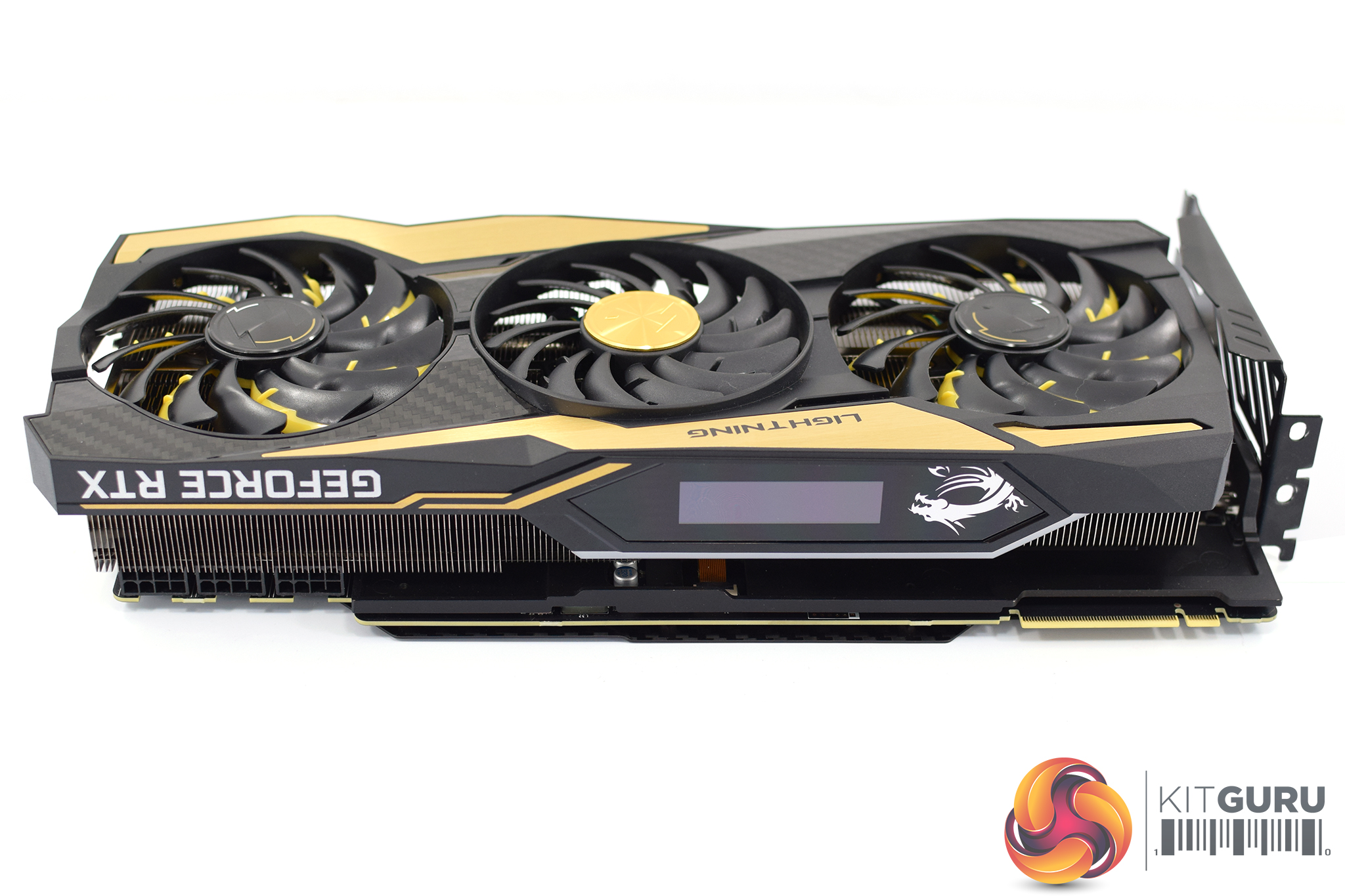
Now, we mentioned this is a big card – and certainly it is the biggest card I have ever seen in person. It measures 328 x 143 x 63mm, making it well over 30cm in length, and at 63mm thick it is a true triple-slot card. It also weighs 1.85KG which is bordering on ludicrous – but hopefully the extra weight will prove its worth when we get to thermals and overclocking. Now you begin to see why MSI included the dual-slot GPU support bracket!
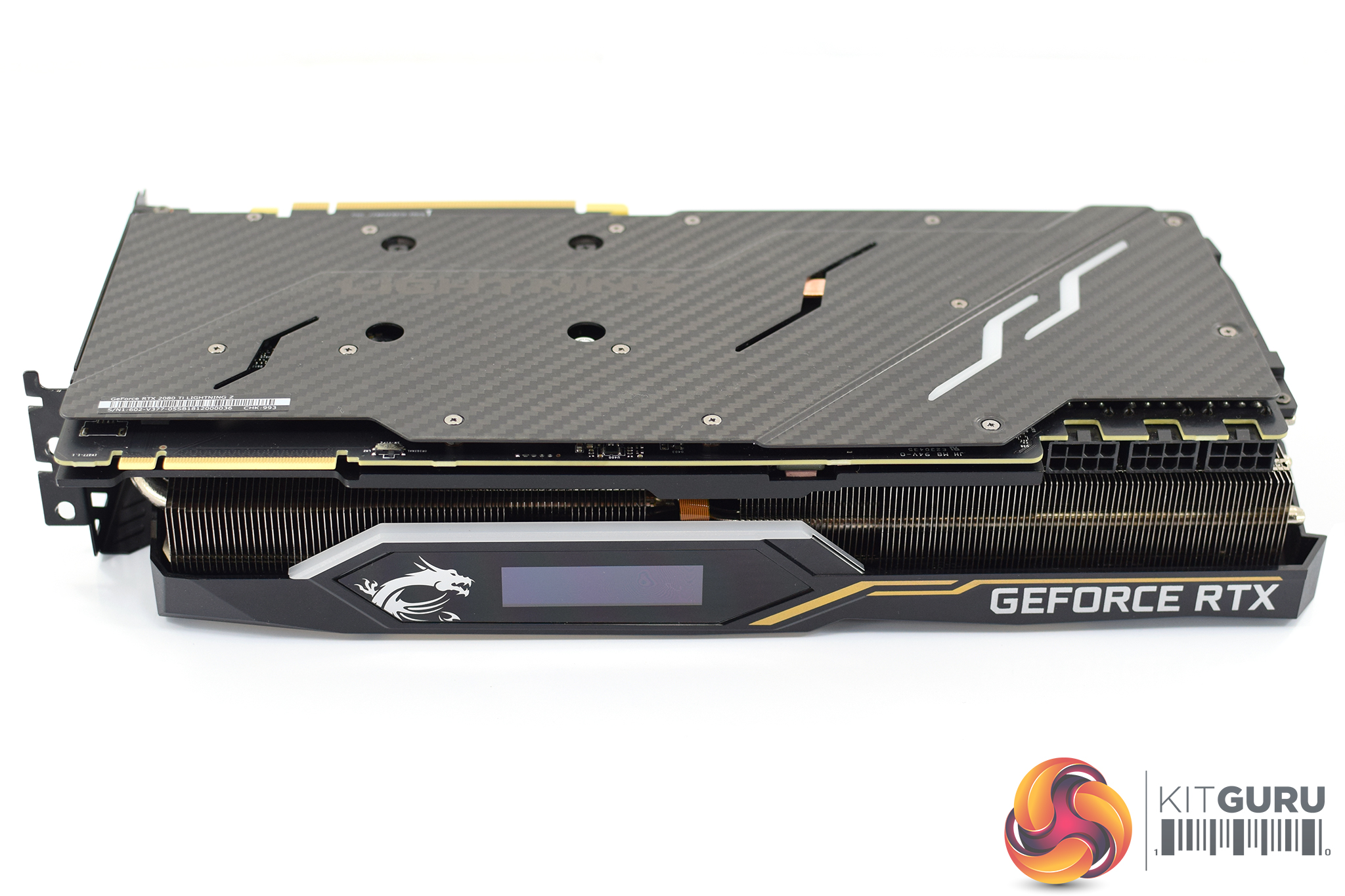
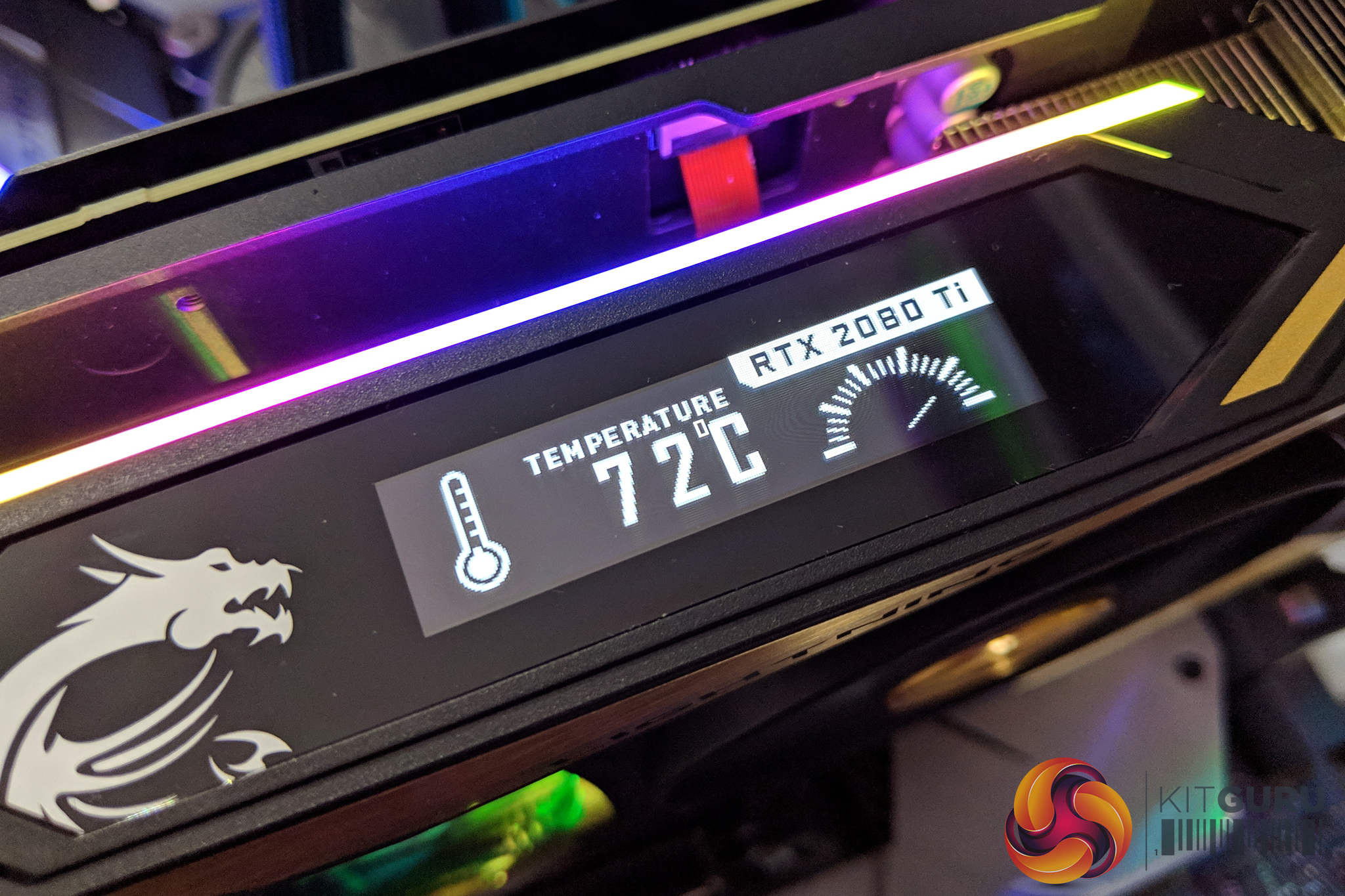
On the front side of the card, our attention is immediately drawn towards what appears to be a small screen – and yes, it is actually an OLED display on the side of the card. This is used to display various GPU metrics (like temperature, clock speed, fan speed etc) although you can use it to display custom GIFs if that appeals to you.
It's not very large or high-res (custom GIFs must be 256×64), and I can't help but feel you'd have to have your PC on your desk to be able to conveniently use the display. Even then, I still like it as a feature – it's just a cool little inclusion that adds value.
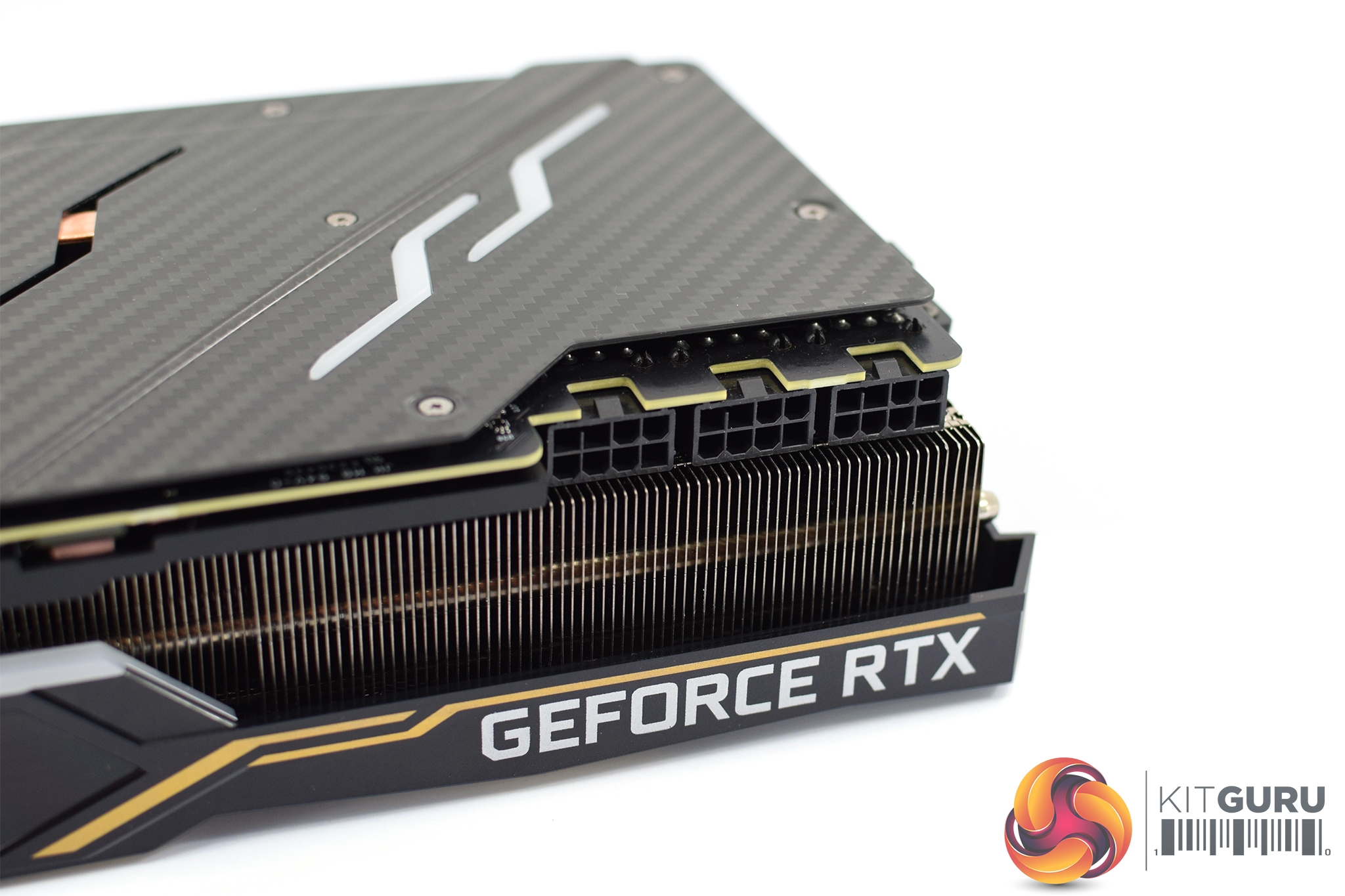
Elsewhere, we get a look at the three 8-pin PCIe power connectors that are required for this card. This means the card has up to 525W of power at its disposal, and MSI actually detailed what each of the connectors is for – the furthest left connector (closest to NVlink connector) delivers power for the GPU + Memory (4 Vcore phases + 3 memory phases), the middle connector delivers power to the GPU (6 Vcore phases), with the right-hand side plug also for the GPU (6 Vcore phases). The 12v PCIe slot provides the power for PEX, EV8 and Type-C.
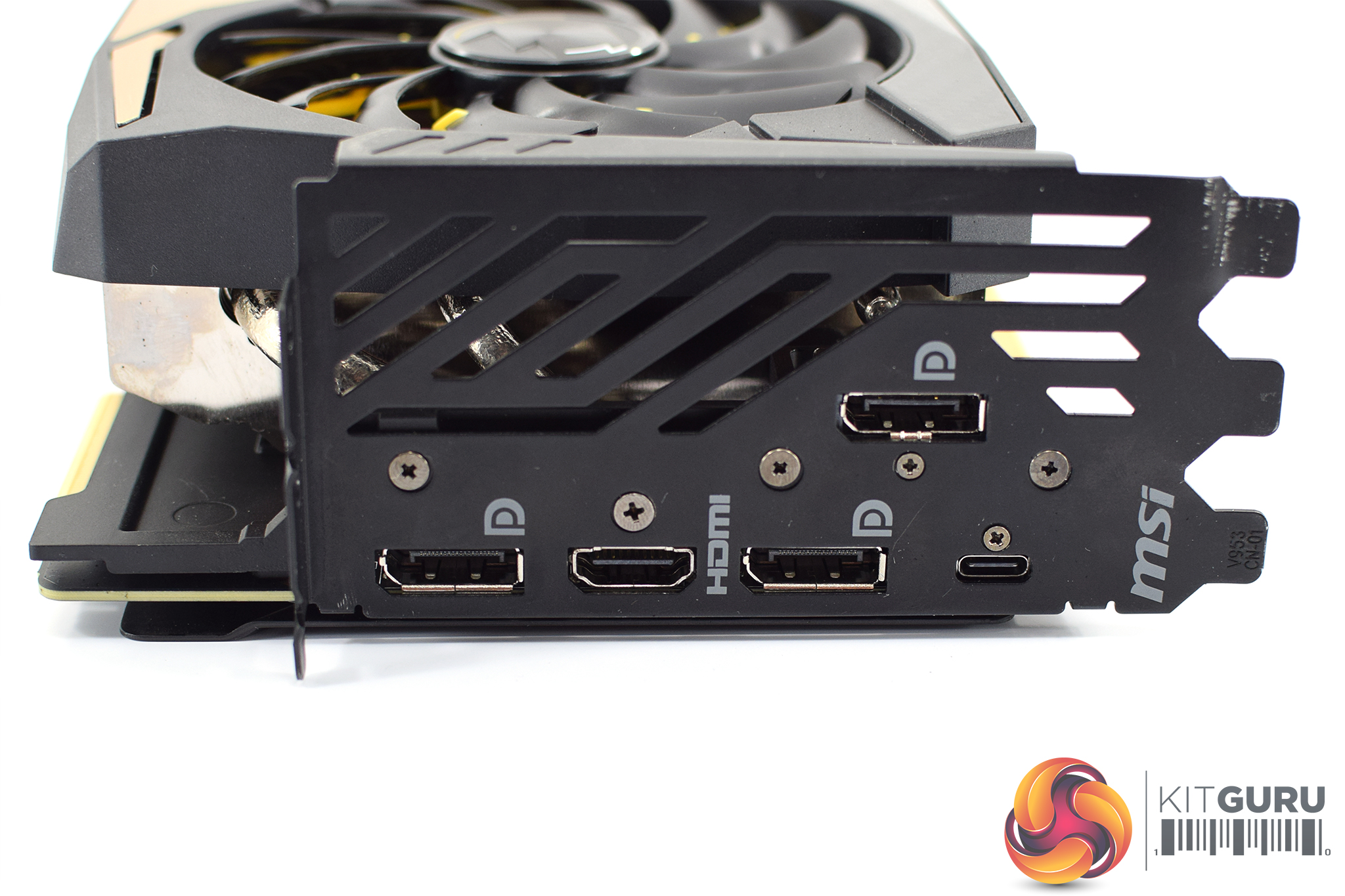
Display outputs are less exciting, with the reference I/O again provided here: 3x DisplayPort, 1x HDMI and 1x USB-C.
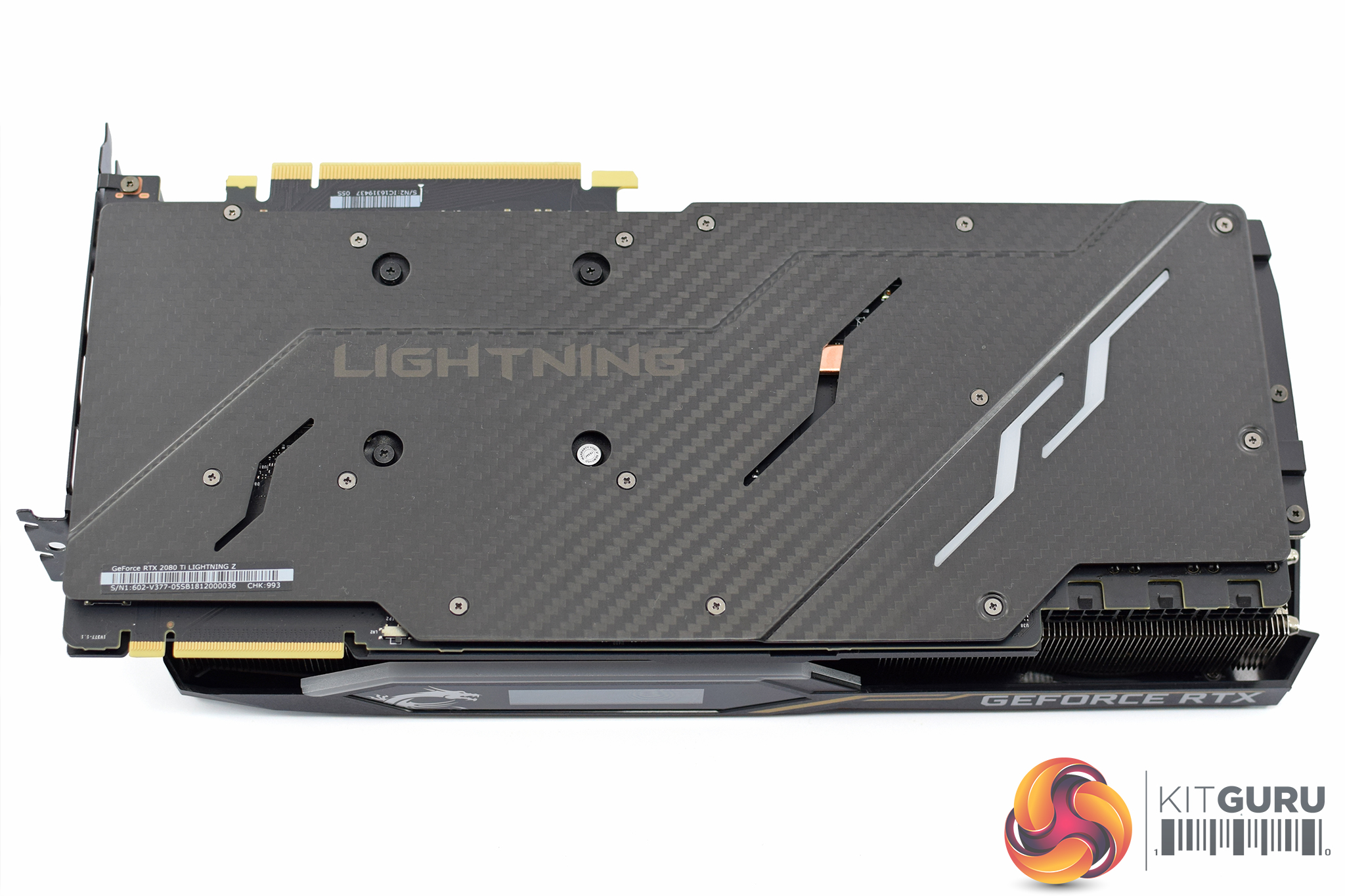
Starting the disassembly process, we need to first look at the backplate. This is actually constructed from actual carbon fibre – it's not just a ‘carbon fibre look' or anything like that, and it feels undeniably premium. There's also two LED strips on the right-hand of the backplate, while you can also just about see the subtle ‘Lightning' branding on the back.
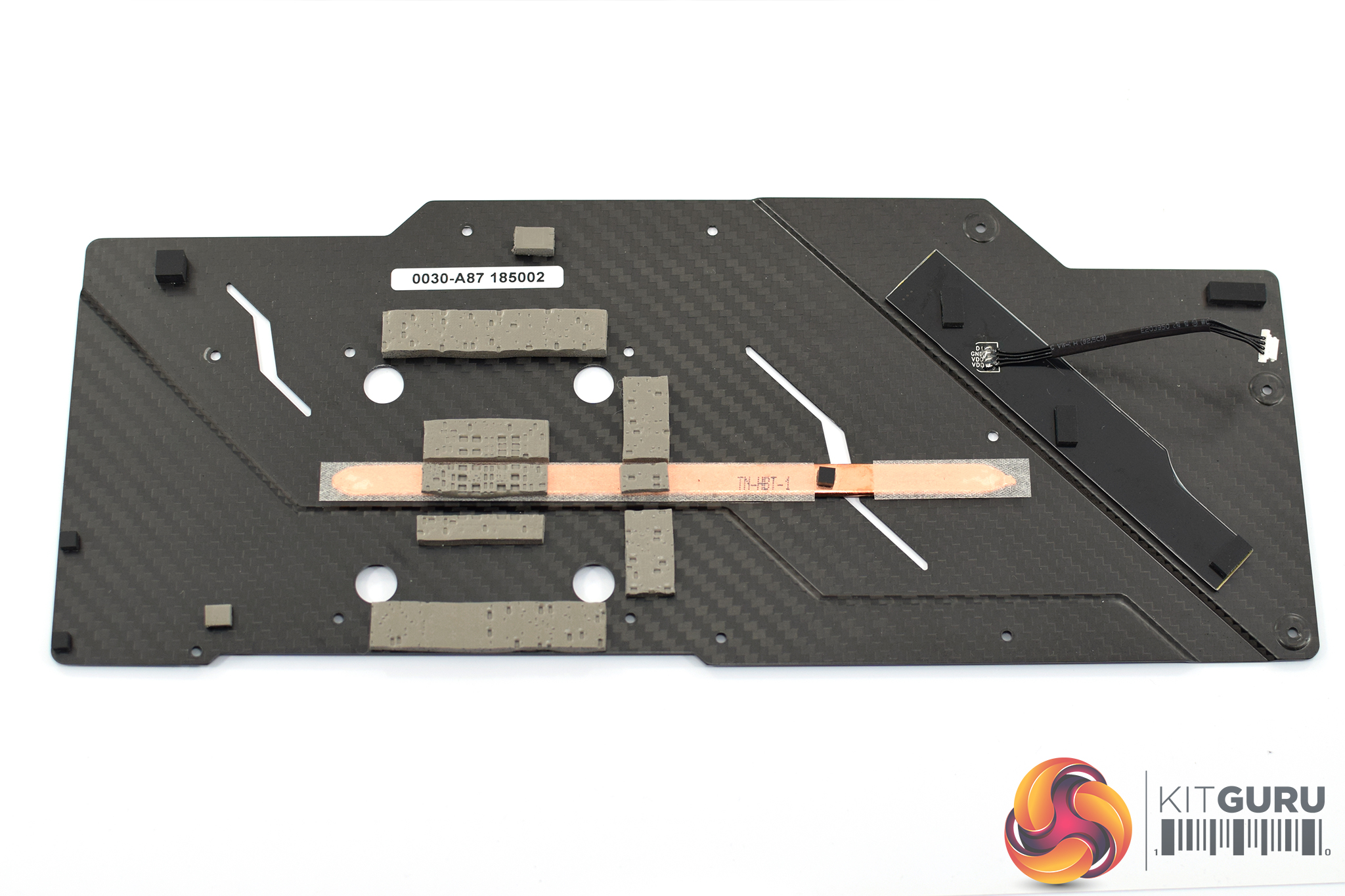
To take the backplate off, 14 small Phillips-head screws need to be removed, while be sure to disconnect the LED cable without breaking it! Then we can get a look at the underside of the backplate, and not only are there plenty of thermal pads, but even a copper heatpipe to help transfer the heat away from the back of the GPU.
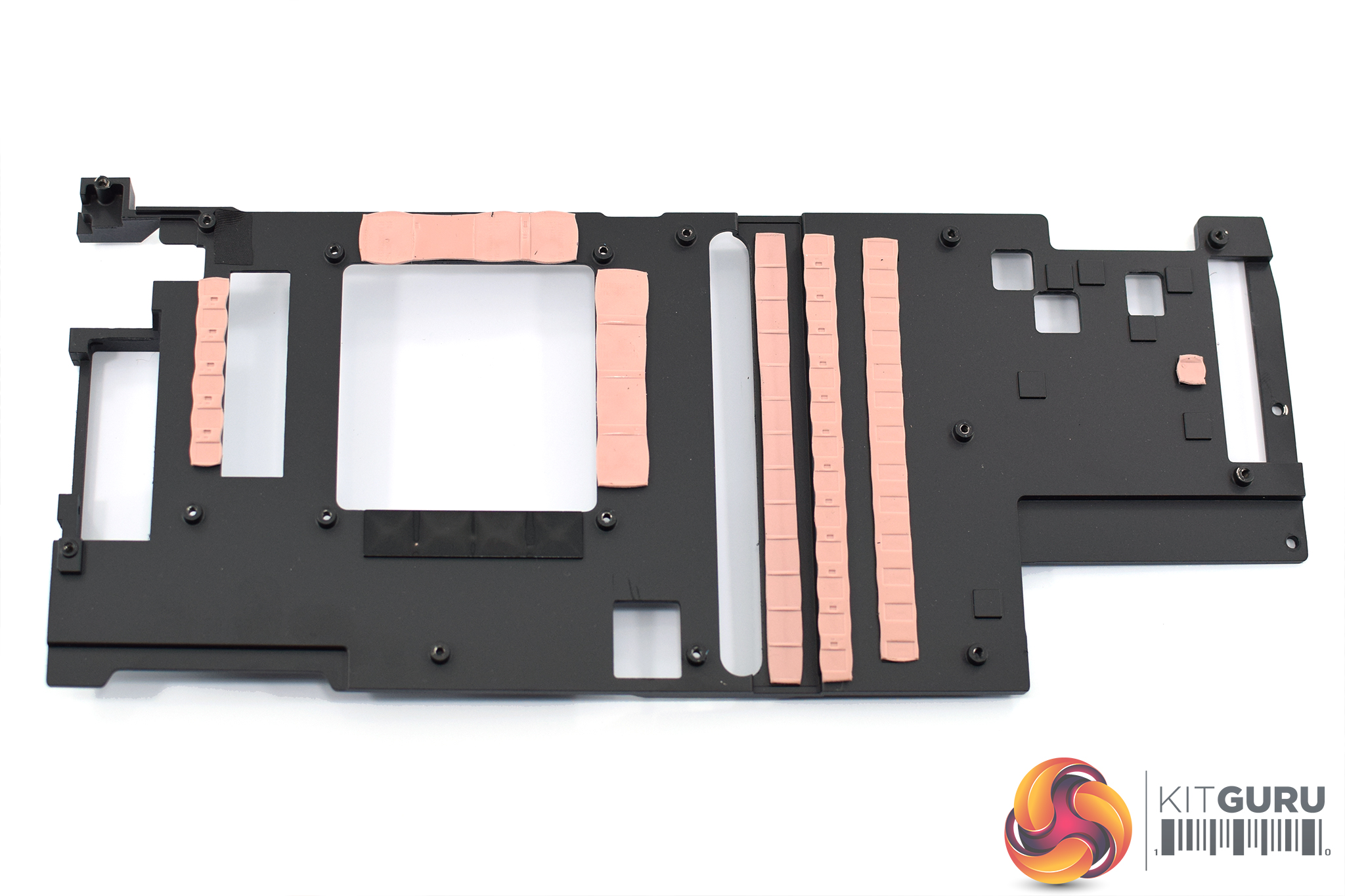
Six screws can then be removed from the rear of the PCB, and the heatsink will come free. The PCB is still almost entirely covered by the die-cast metal frame you can see above (MSI calls this a Close Quarters Heatsink), and this not only cools the VRAM and power circuitry, but it also adds some structural rigidity to the card to prevent sagging.
This frame is screwed on through the back of the PCB by hex screws – a total of 14. Of these 14, they're not all the same – 8 are 4mm hex screws, the other 6 are 4.5mm.
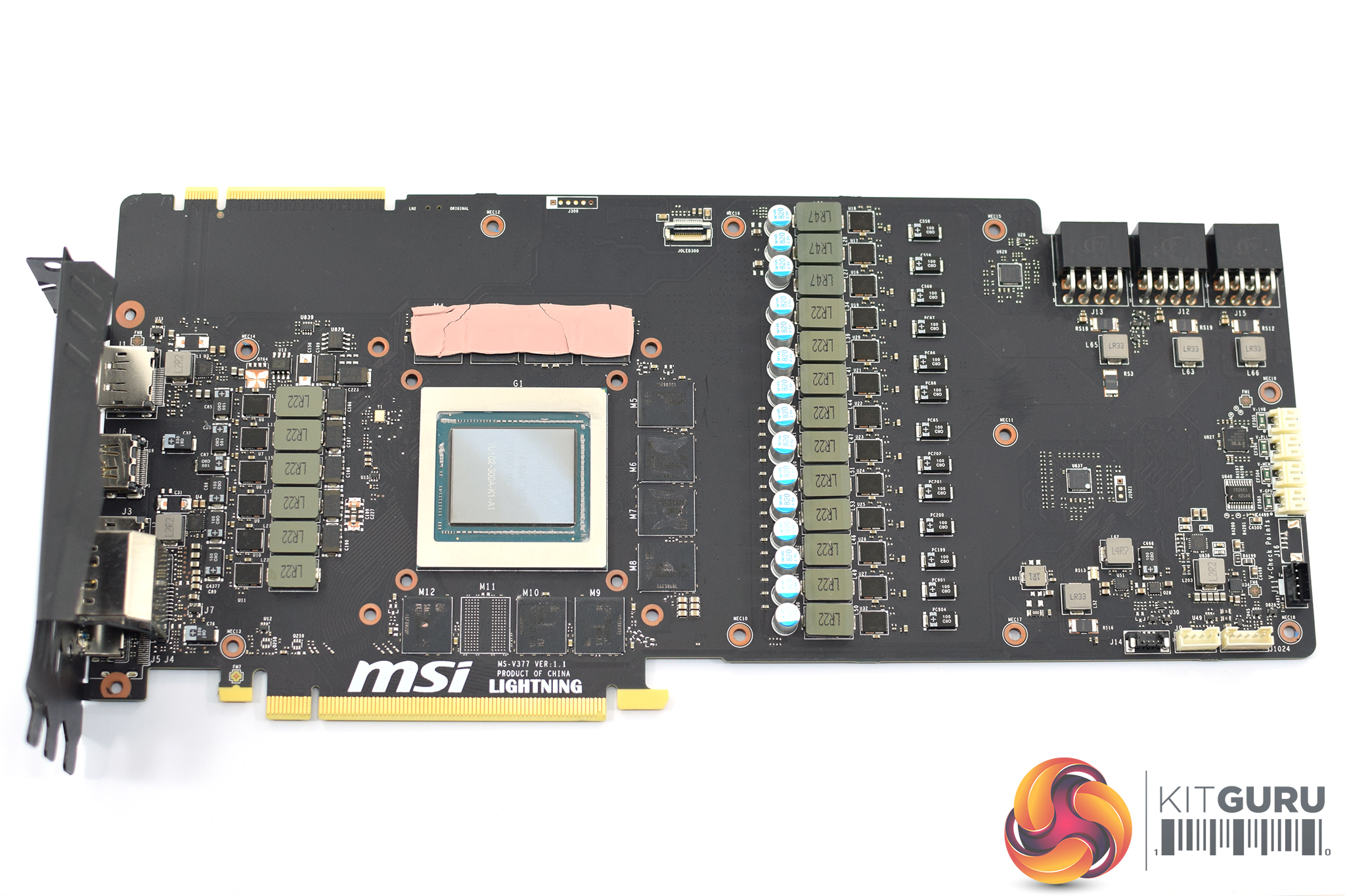
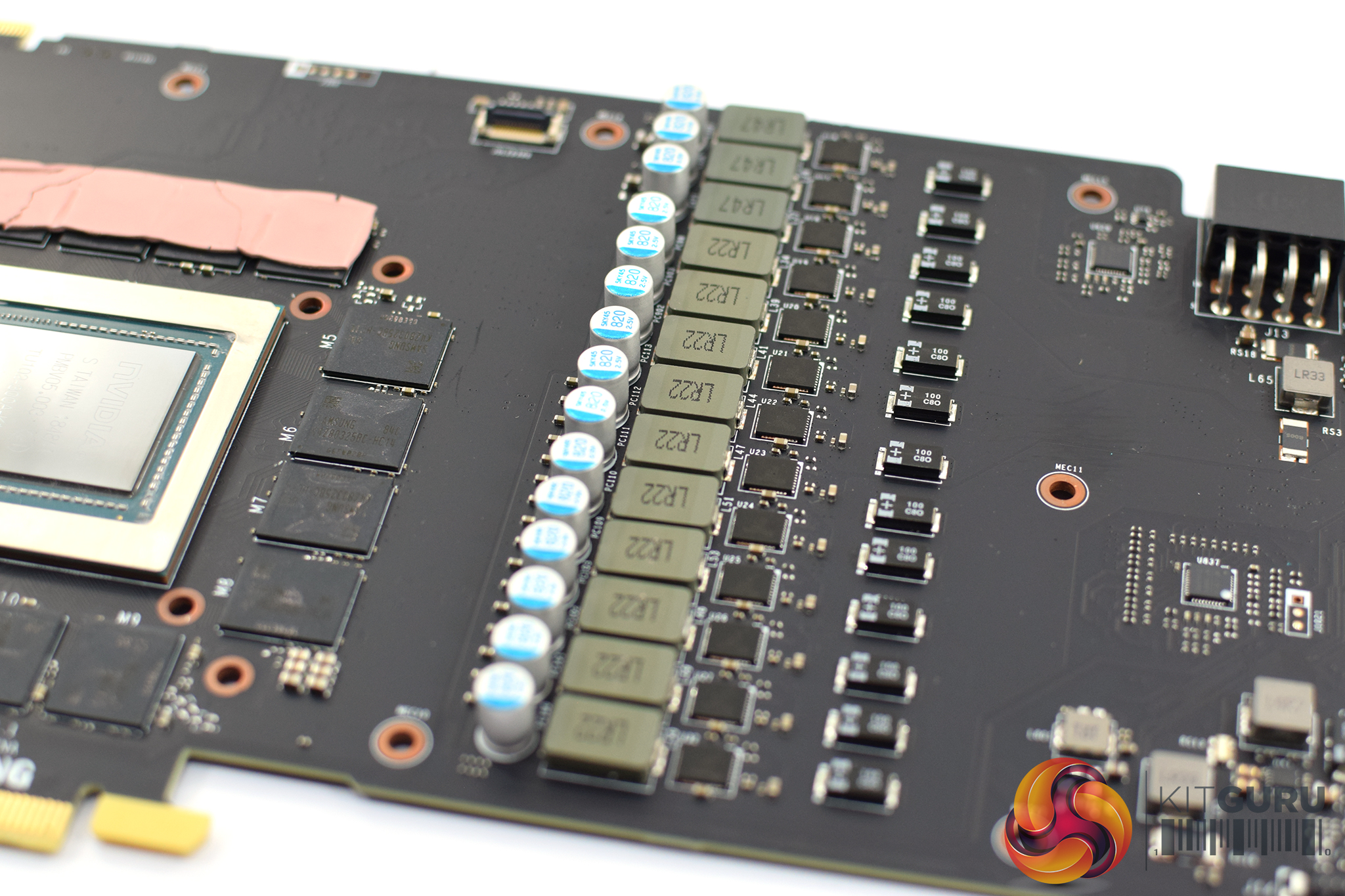
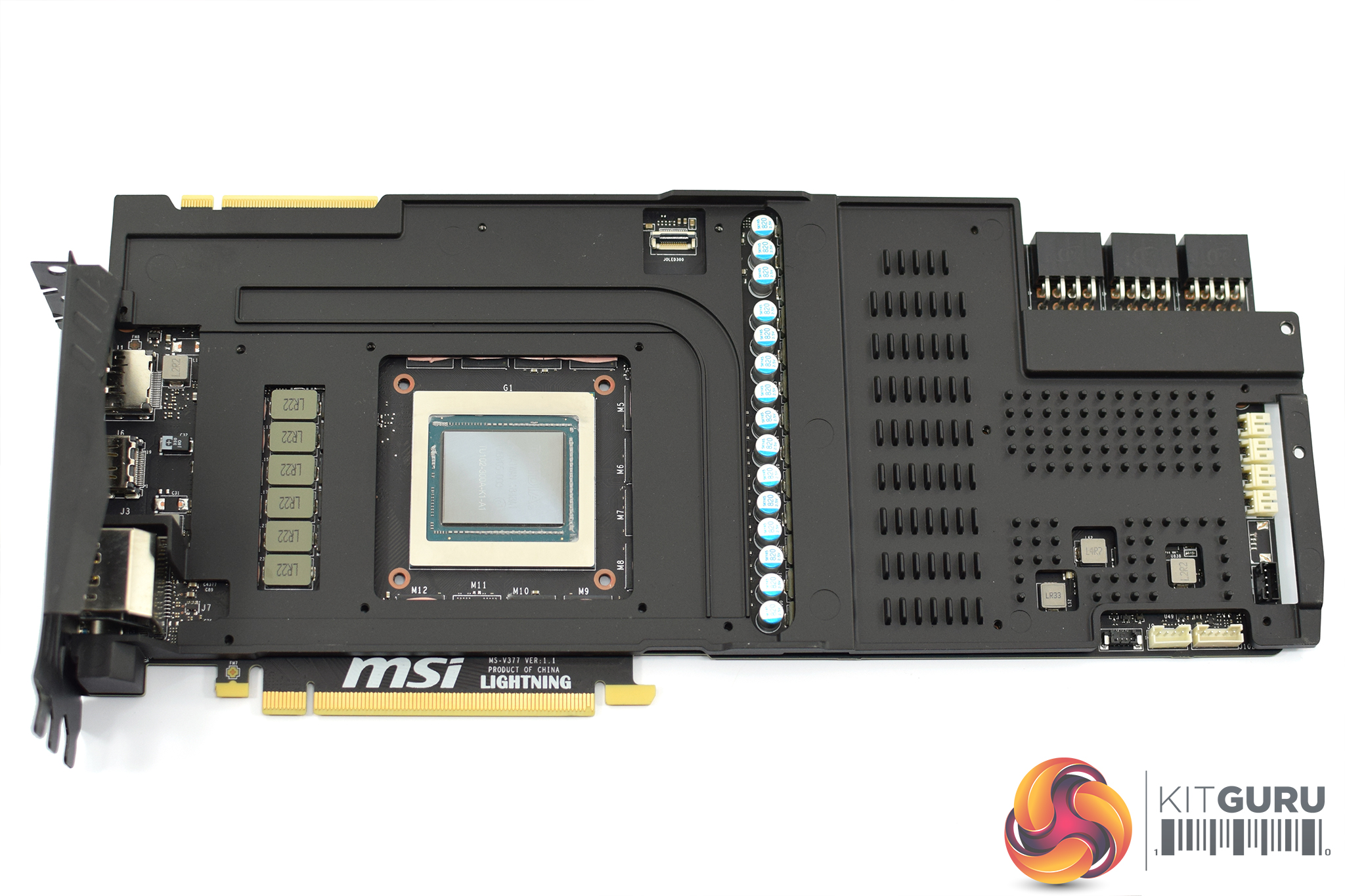
Once the frame is removed, we finally get a look at the bare PCB itself. There is a lot going on here but the most eye catching feature is the power delivery. We've already touched on this, but MSI is using a 16-phase solution for the GPU, and then another 3 phases for the memory. For reference, the Founders Edition utilises a 13+3 power delivery implementation.
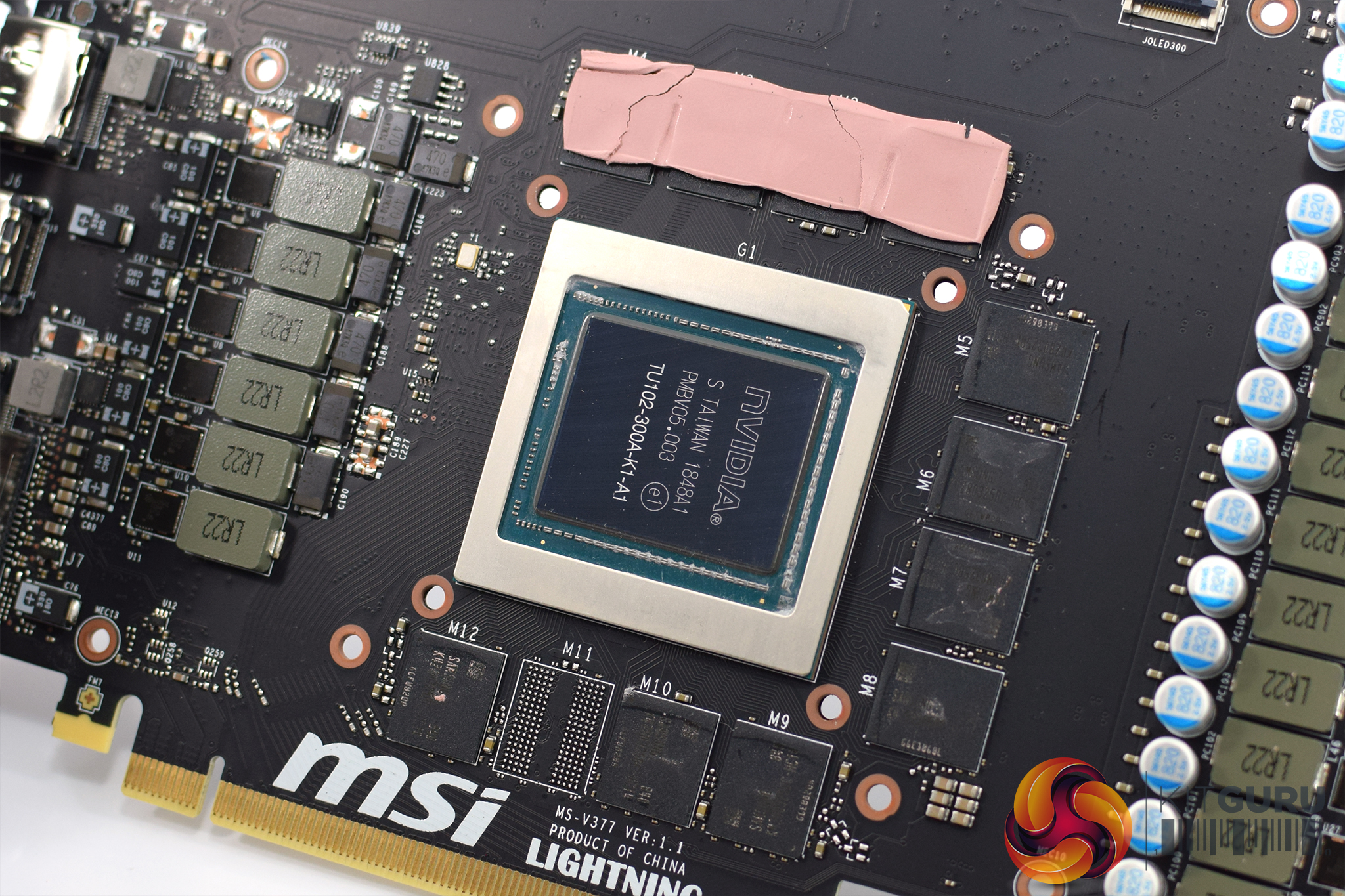
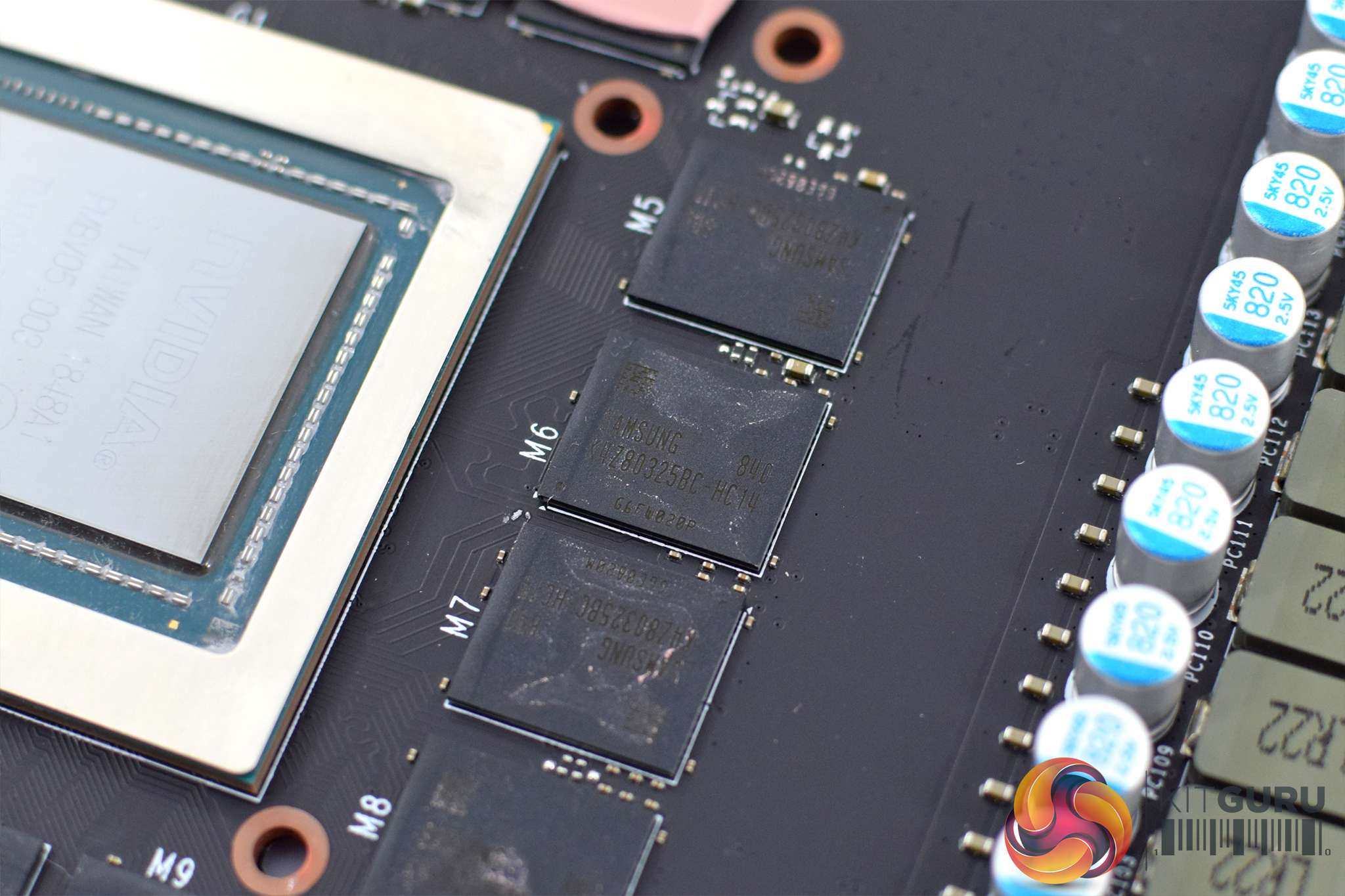
The GPU is of course labelled TU102-300A, meaning this is a binned chip suitable to be sold with a factory overclock – and it wouldn't surprise me if MSI specially selected the very best of these already-binned chips for its Lightning series.
GDDR6 memory comes from Samsung – not Micron, who has supplied all the memory for every RTX card I have reviewed so far. The chips are labelled ‘K4Z80325BC-HC14'.
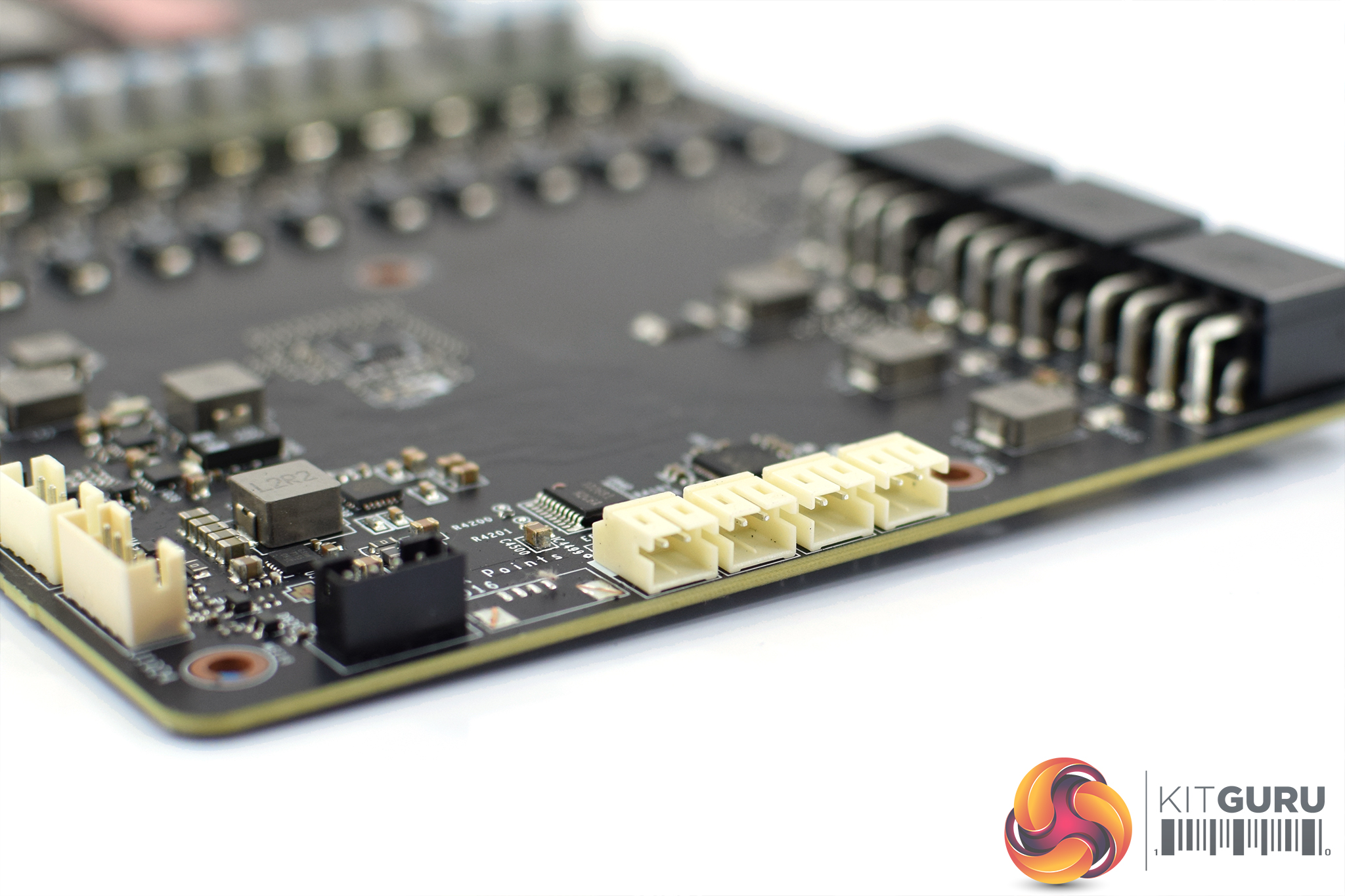
At the very end of the PCB, we find four 2-pin headers. These are voltage check points for the GPU, memory, PLL & 1V8 (from left to right), with the necessary voltage check cables already included in the box (as seen above).
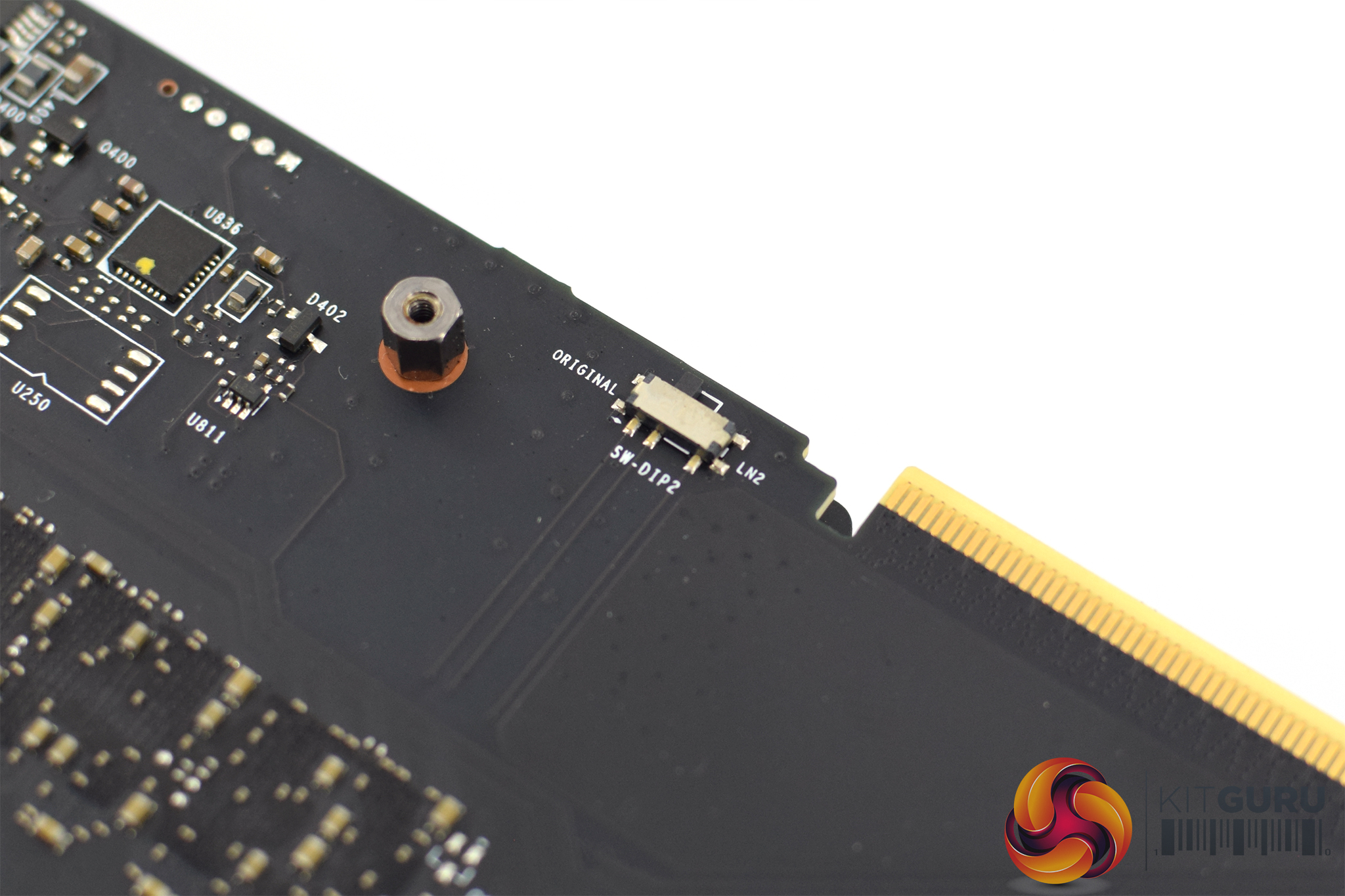
Lastly, on the top side of the PCB, just next to the NVLink connector, we find a dual-BIOS switch. One is the ‘original' BIOS which is selected by default, while the other is labelled ‘LN2'. This is the ‘hardcore overclocking' BIOS which bypasses power and thermal limits for use with liquid nitrogen – something I myself don't have experience with but this will certainly appeal to any serious enthusiasts out there.
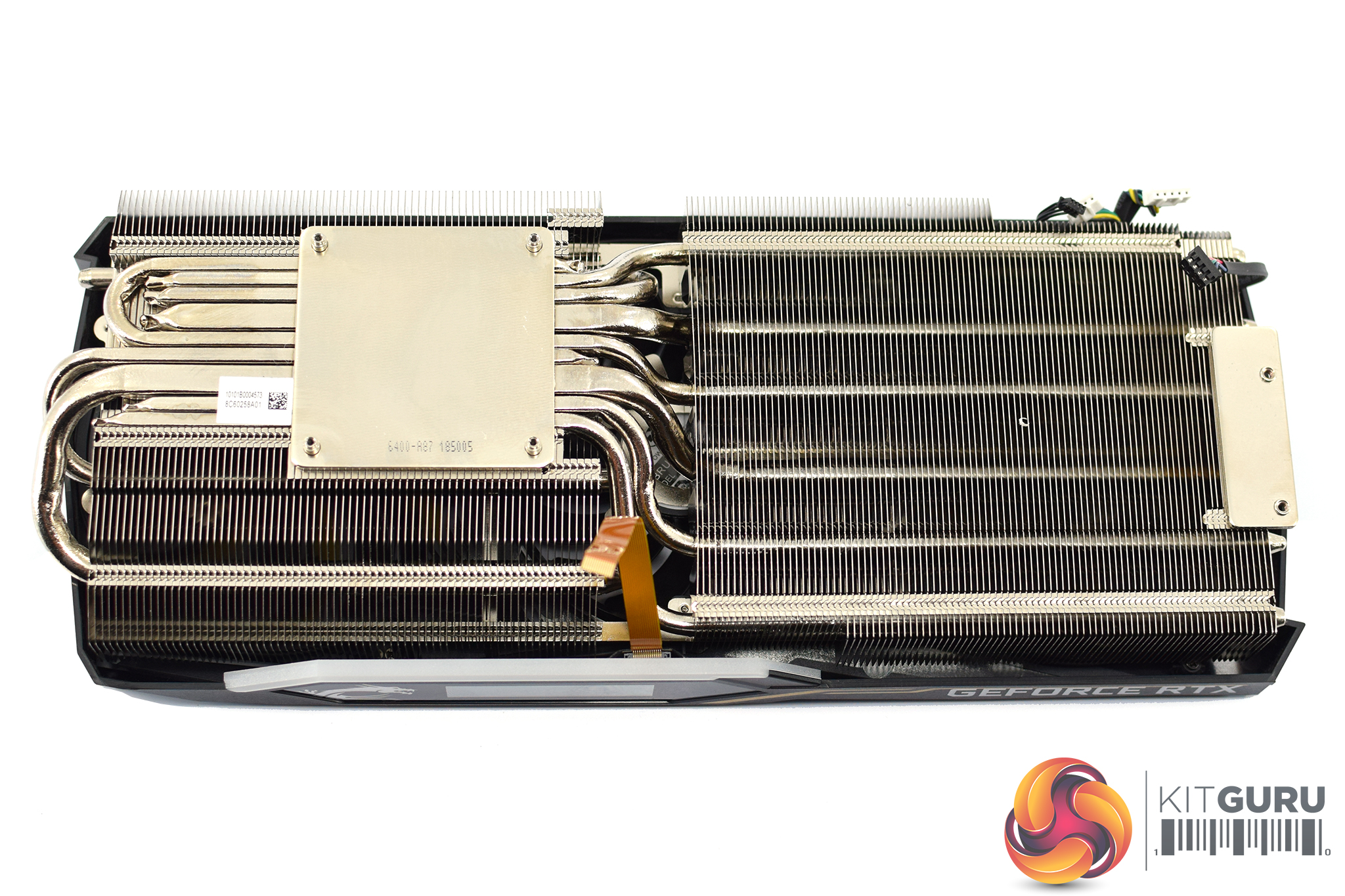
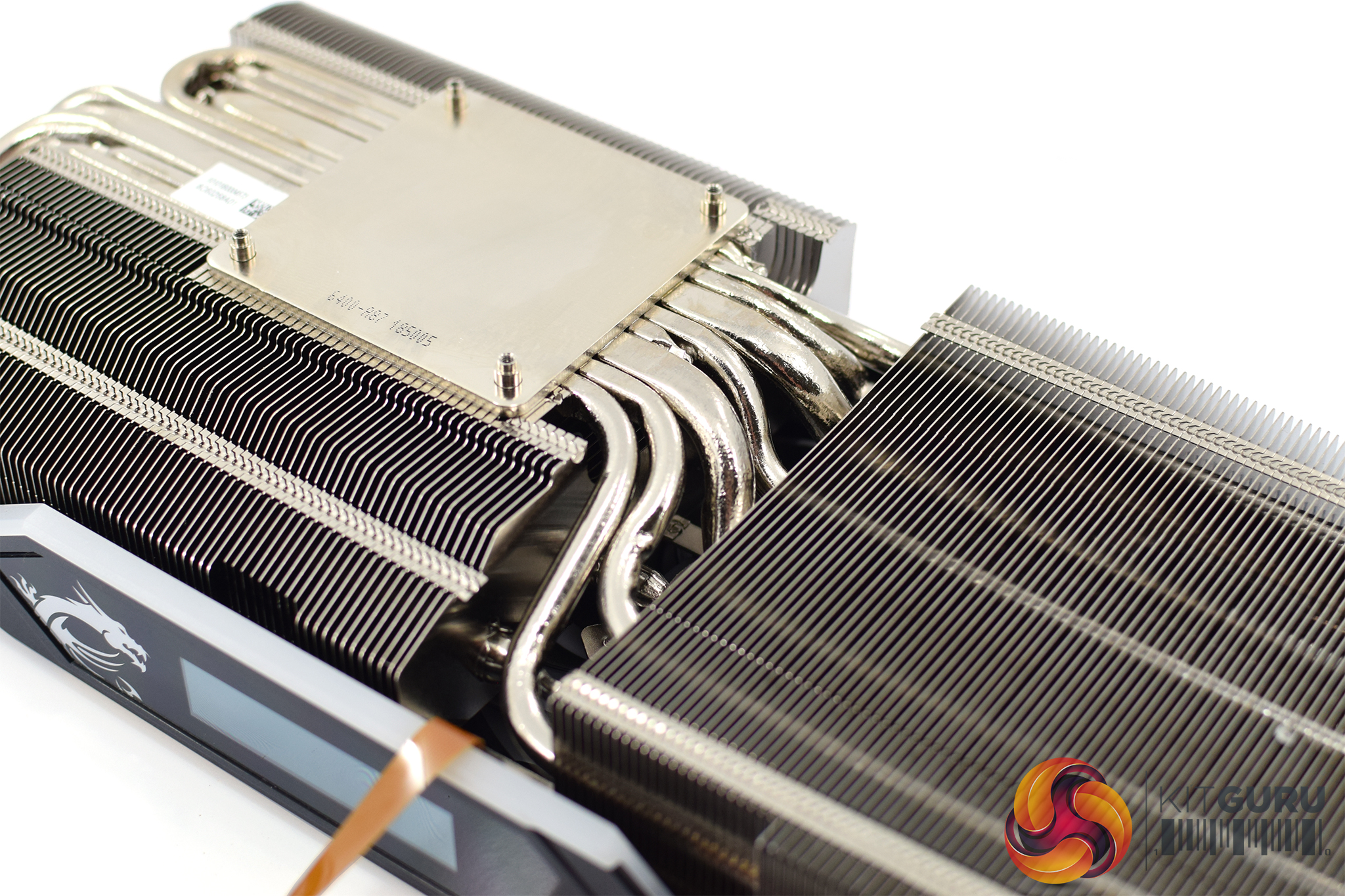
The very last thing to mention is the heatsink itself. Aside from its sheer size and heft, it utilises a total of 8 nickel-plated copper heatpipes. Two of these are 8mm in diameter, with the rest being 6mm units. The GPU die itself contacts with a coldplate, and MSI makes a point of its heatpipes being as concentrated as possible where the coldplate contacts with the GPU to aid thermal dissipation.Our newest GPU test procedure has been built with the intention of benchmarking high-end graphics cards. We test at 1920×1080 (1080p), 2560×1440 (1440p), and 3840×2160 (4K UHD) resolutions.
We try to test using the DX12 API if titles offer support. This gives us an interpretation into the graphics card performance hierarchy in the present time and the near future, when DX12 becomes more prevalent. After all, graphics cards of this expense may stay in a gamer’s system for a number of product generations/years before being upgraded.
We tested the RX Vega64 and Vega56 using the ‘Turbo‘ power mode in AMD’s WattMan software. This prioritises all-out performance over power efficiency, noise output, and lower thermals.
Driver Notes
- All AMD graphics cards (except Radeon VII) were benchmarked with the Adrenalin 19.1.1 driver.
- All Nvidia graphics cards were benchmarked with the Nvidia 417.71 driver.
- Radeon VII was benchmarked with a pre-released press driver supplied by AMD.
Test System
We test using the Overclockers UK Germanium pre-built system, though it has been re-housed into an open-air test bench. You can read more about it over HERE.
| CPU |
Intel Core i7-8700K
Overclocked to 4.8GHz |
| Motherboard |
ASUS ROG Strix Z370-F Gaming
|
| Memory |
Team Group Dark Hawk RGB
16GB (2x8GB) @ 3200MHz 16-18-18-38 |
| Graphics Card |
Varies
|
| System Drive |
Patriot Wildfire 240GB
|
| Games Drive | Crucial M4 512GB |
| Chassis | Streacom ST-BC1 Bench |
| CPU Cooler |
OCUK TechLabs 240mm AIO
|
| Power Supply |
SuperFlower Leadex II 850W 80Plus Gold
|
| Operating System |
Windows 10 Professional
|
Comparison Graphics Cards List
- Nvidia RTX 2080 Ti Founders Edition (FE) 11GB
- Nvidia RTX 2080 Founders Edition (FE) 8GB
- Gigabyte Aorus RTX 2070 Xtreme 8GB
- Nvidia RTX 2060 Founders Edition (FE) 6GB
- Nvidia GTX 1080 Ti Founders Edition (FE) 11GB
- Gigabyte GTX 1080 G1 Gaming 8GB
- Palit GTX 1070 Ti Super JetStream 8GB
- Nvidia GTX 1070 Founders Edition (FE) 8GB
- Nvidia GTX 1060 Founders Edition (FE) 6GB
- AMD Radeon VII 16GB
- AMD RX Vega 64 Air 8GB
- AMD RX Vega 56 8GB
- ASRock RX 590 Phantom Gaming X OC 8GB
- Sapphire RX 580 Pulse 8GB
- ASUS RX 570 ROG Strix Gaming OC 4GB
Software and Games List
- 3DMark Fire Strike & Fire Strike Ultra (DX11 Synthetic)
- 3DMark Time Spy (DX12 Synthetic)
- 3DMark Port Royal (DXR Synthetic)
- Deus Ex: Mankind Divided (DX12)
- Far Cry 5 (DX11)
- Tom Clancy’s Ghost Recon: Wildlands (DX11)
- Middle Earth: Shadow of War (DX11)
- Shadow of the Tomb Raider (DX12)
- Battlefield V w/ RTX (DX12)
- Final Fantasy XV w/ DLSS (DX11)
We run each benchmark/game three times, and present averages in our graphs.3DMark Fire Strike is a showcase DirectX 11 benchmark designed for today’s high-performance gaming PCs. It is our [FutureMark’s] most ambitious and technical benchmark ever, featuring real-time graphics rendered with detail and complexity far beyond what is found in other benchmarks and games today.
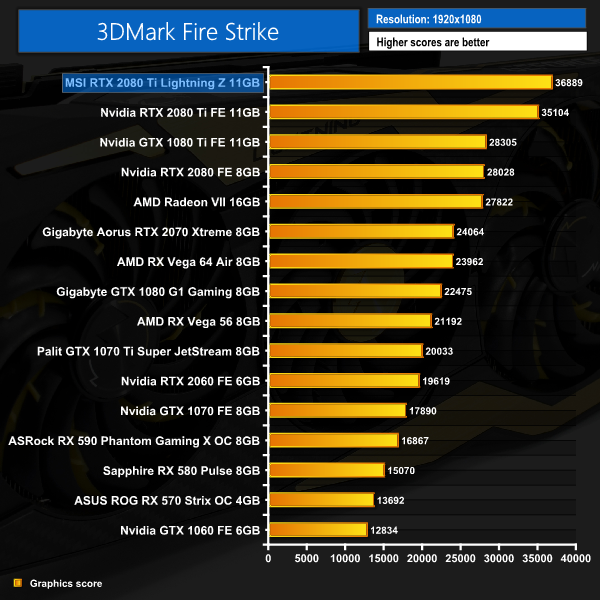
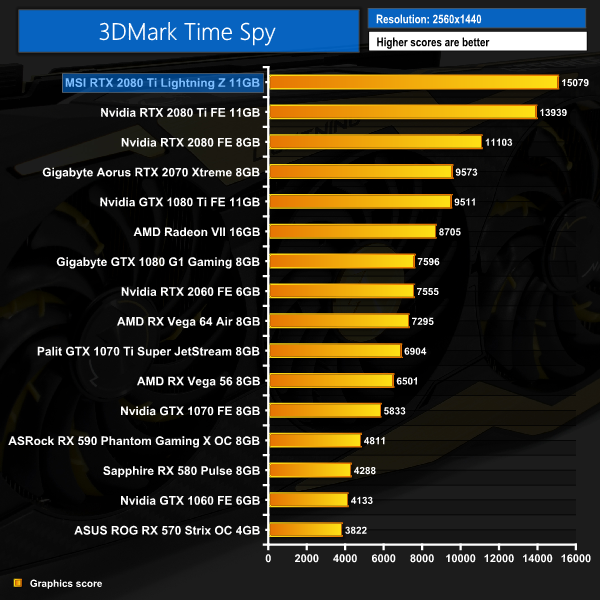
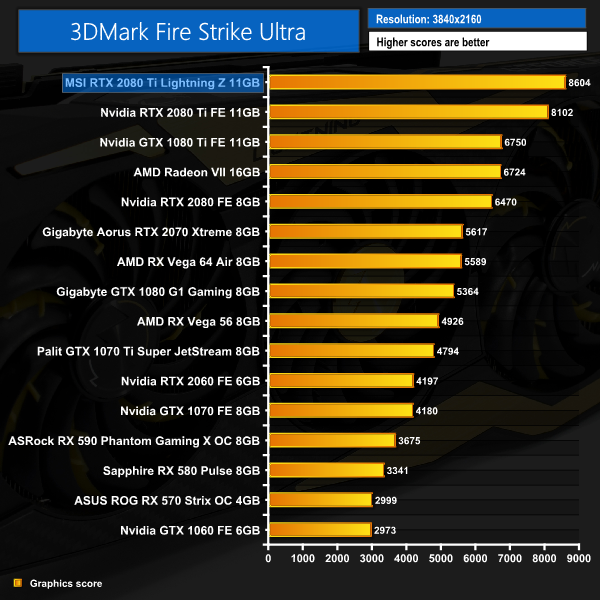
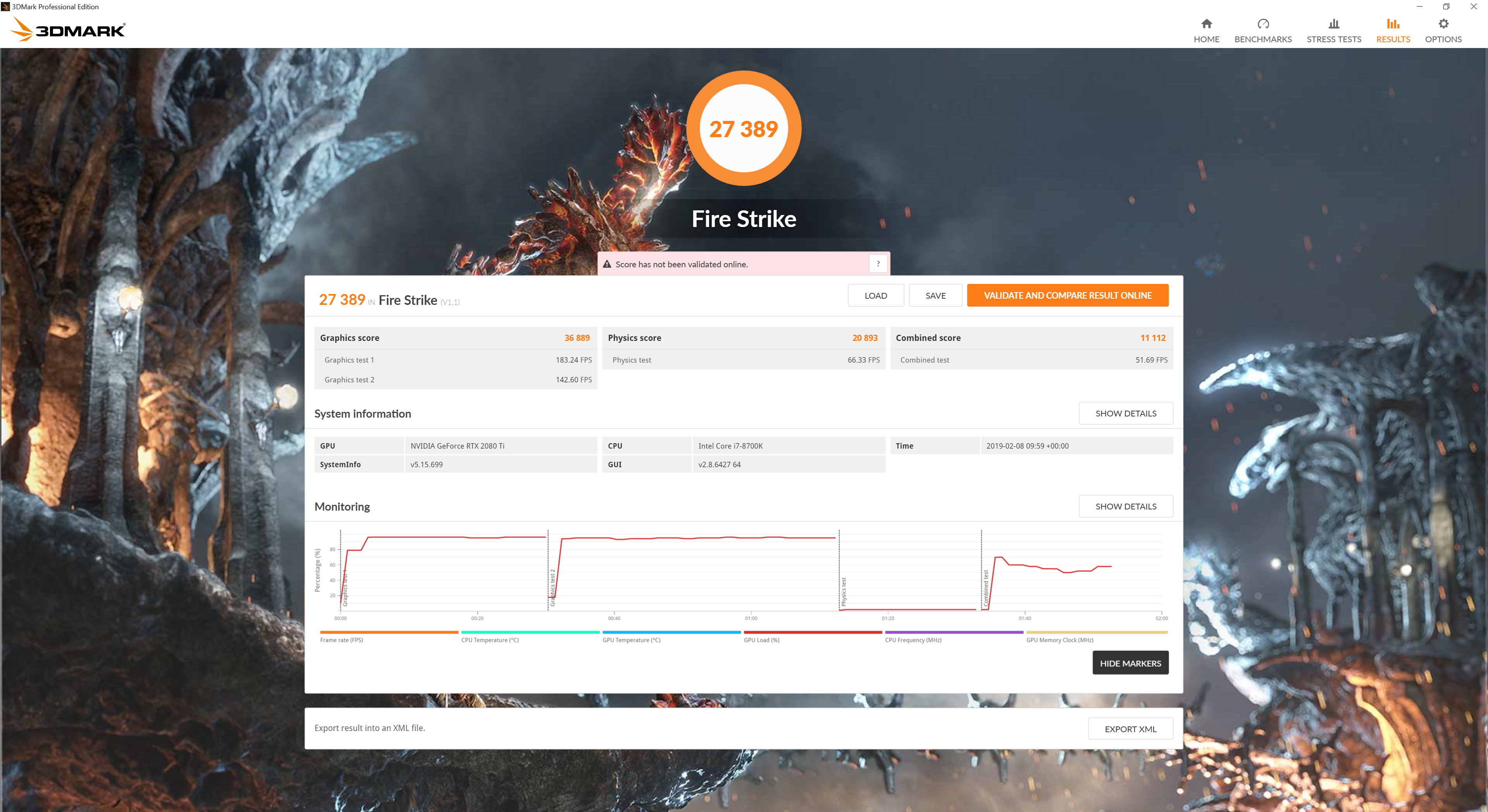
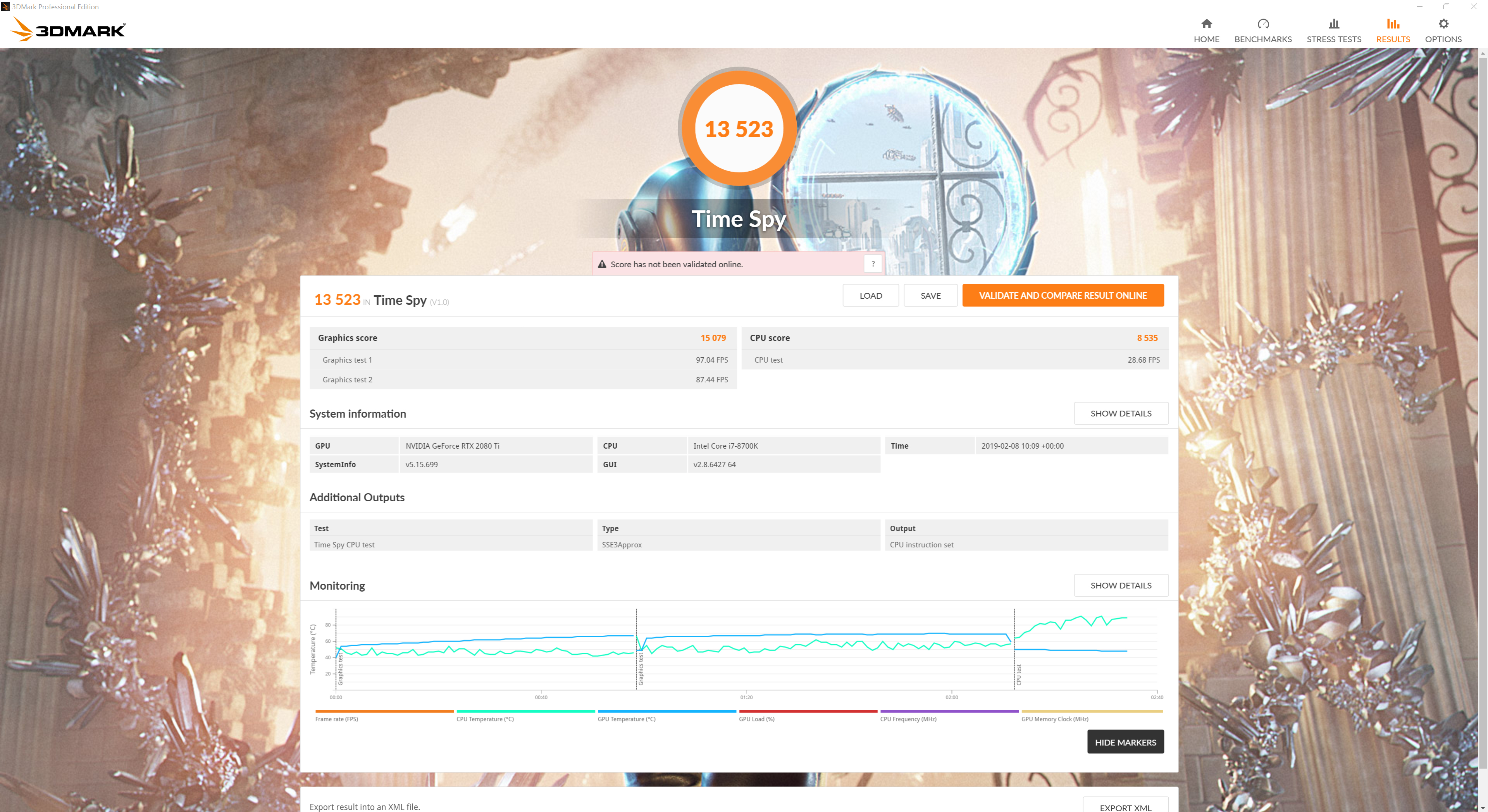
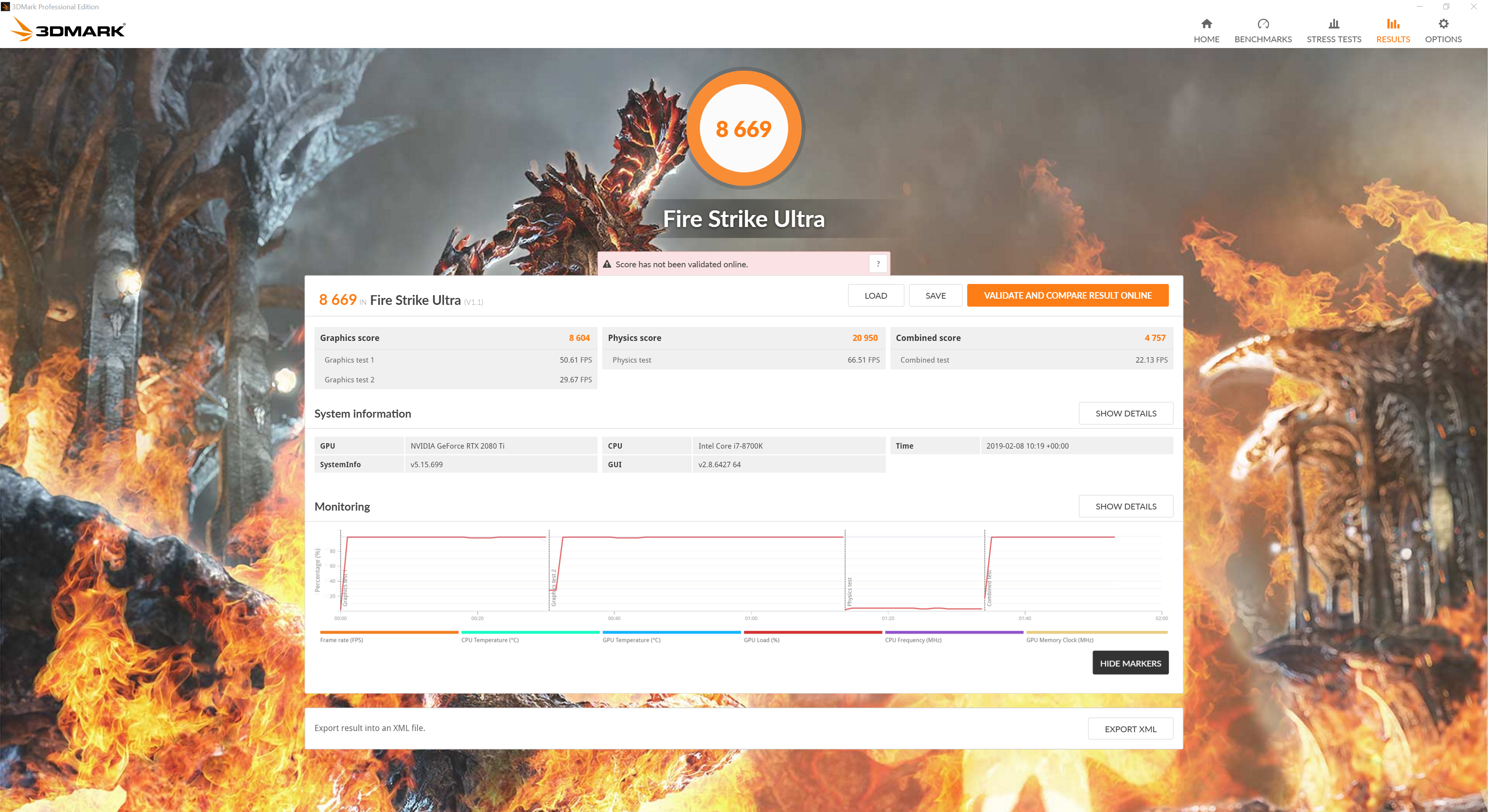
As expected, the Lightning Z comes out top in every 3DMark benchmark – outscoring Nvidia's Founders Edition by almost 2000 points in Fire Strike, while its score of 8604 in Fire Strike Ultra is 6% higher than the Founders could manage.3DMark Port Royal is the world’s first dedicated real-time ray tracing benchmark for gamers. You can use Port Royal to test and compare the real-time ray tracing performance of any graphics card that supports Microsoft DirectX Raytracing. As well as benchmarking performance, 3DMark Port Royal provides a realistic and practical example of what to expect from ray tracing in upcoming games.
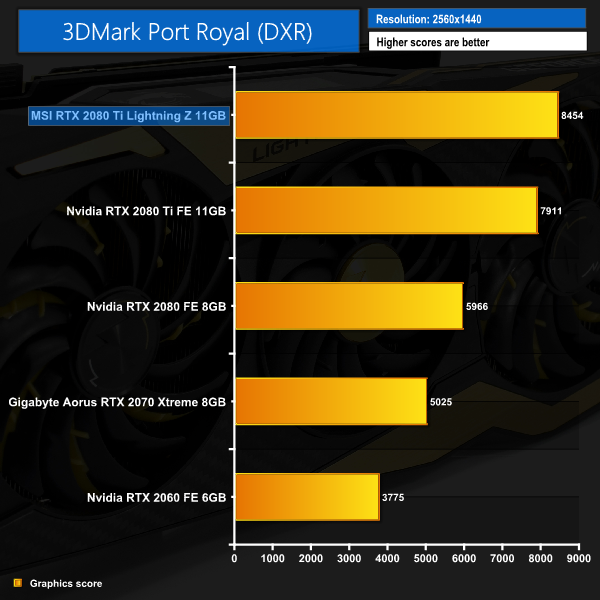
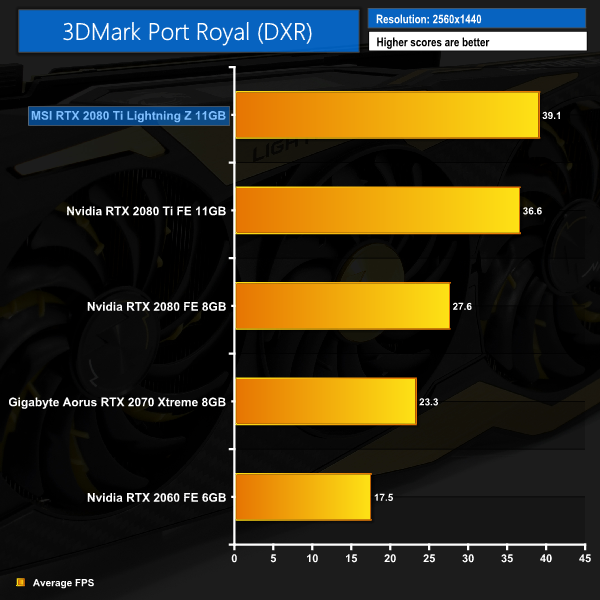
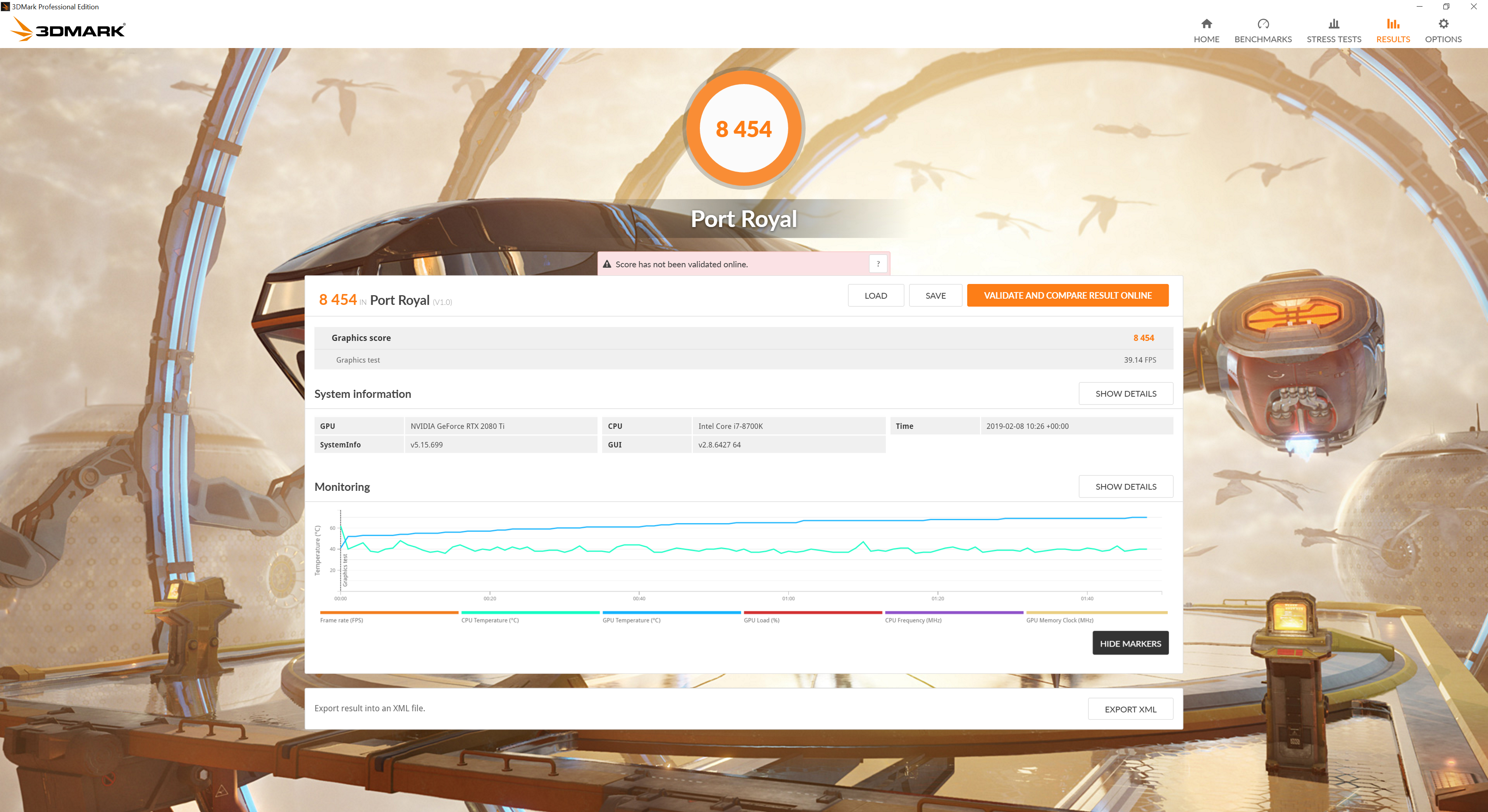
Port Royal is 3DMark's new benchmark designed specifically for testing the ray tracing capabilities of a graphics card. It is again no surprise to see the Lightning Z top the charts here, delivering a 7% improvement over Nvidia's Founders Edition.Deus Ex: Mankind Divided is set in the year 2029, two years after the events of Human Revolution and the “Aug Incident”—an event in which mechanically augmented humans became uncontrollable and lethally violent. Unbeknownst to the public, the affected augmented received implanted technology designed to control them by the shadowy Illuminati, which is abused by a rogue member of the group to discredit augmentations completely. (Wikipedia).
We test using the Very High preset, with MSAA disabled. We use the DirectX 12 API.
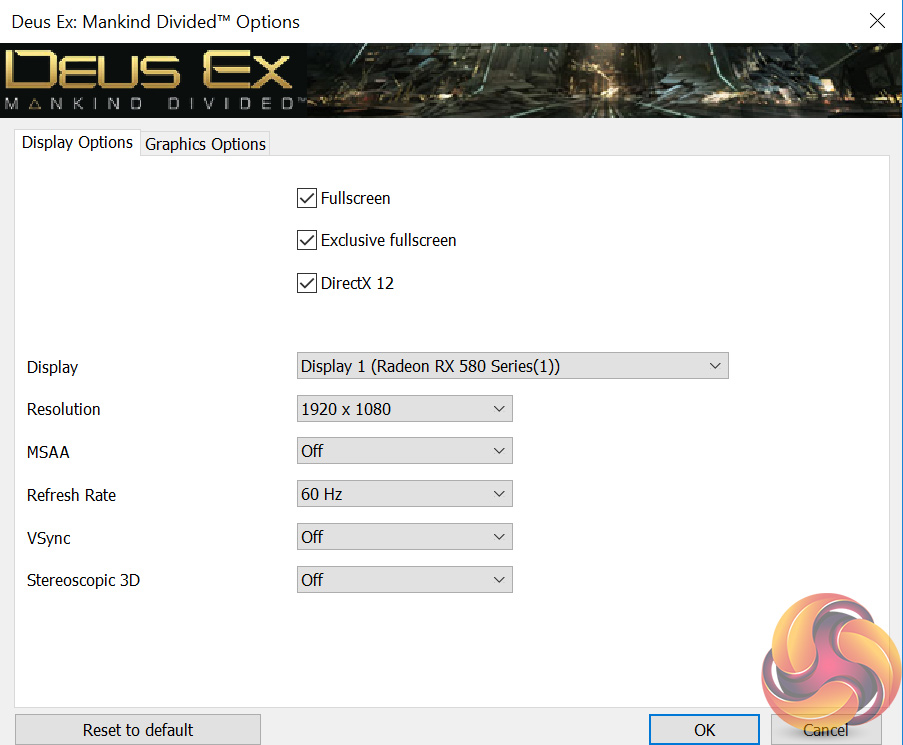
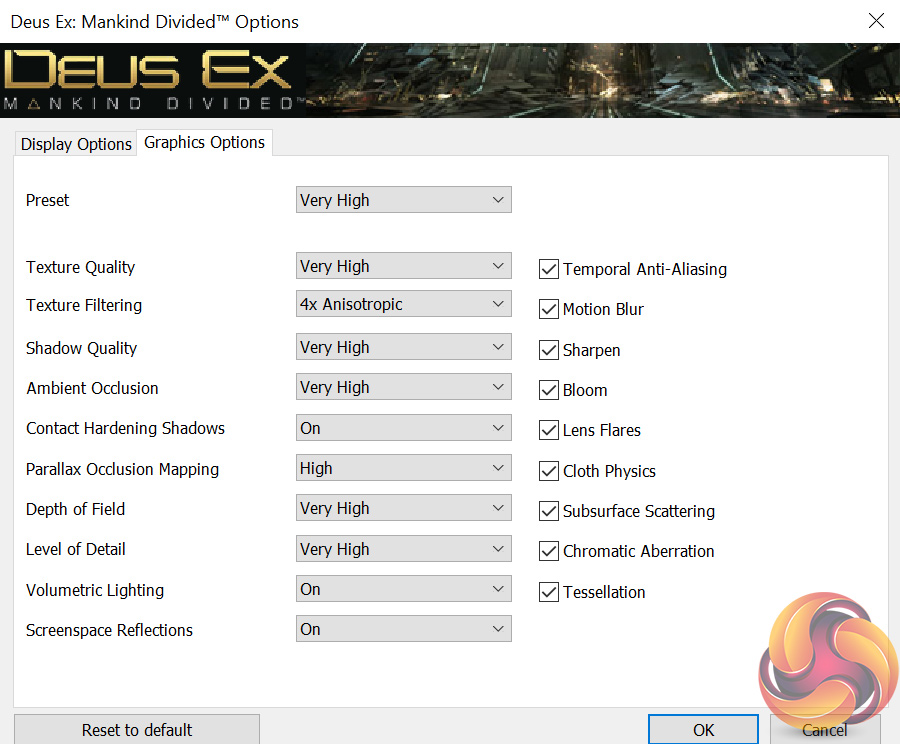
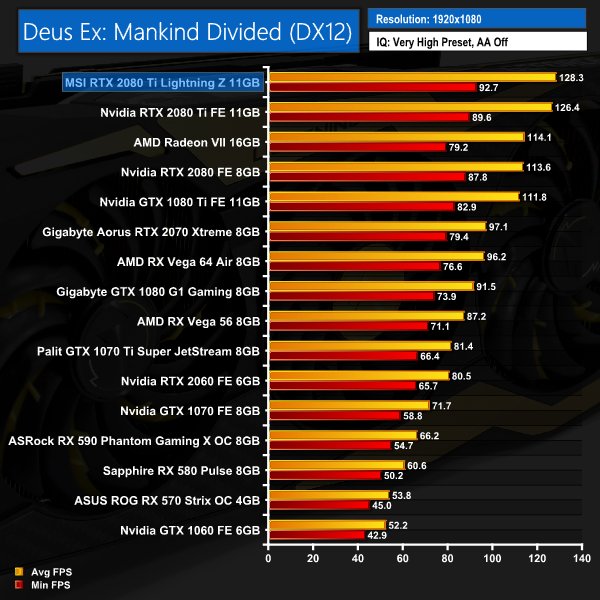
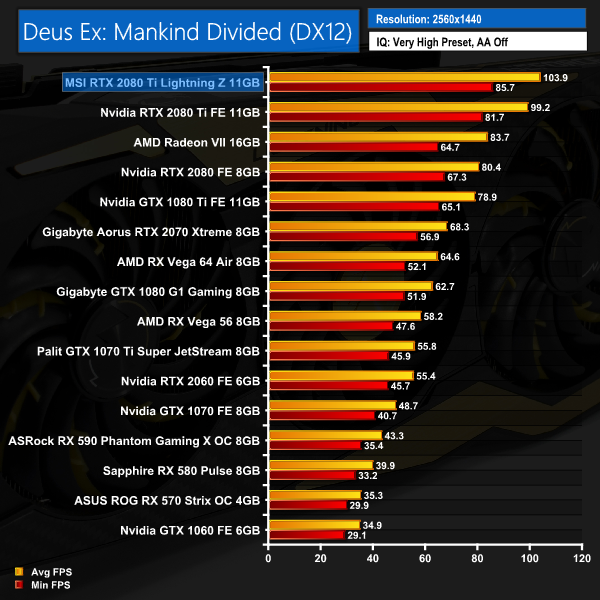
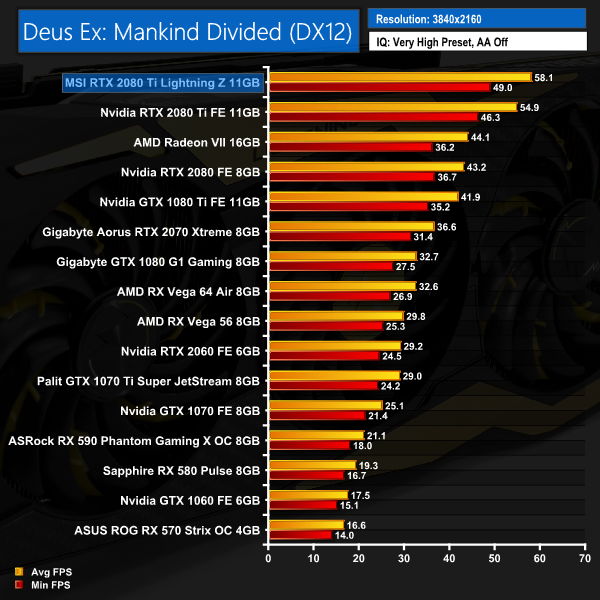
Coming to the first of our game benchmarks, we still see healthy leads for the Lightning Z here when compared with the RTX 2080 Ti Founders Edition. Even at 4K, for instance, the MSI card performs over 3FPS faster on average.Far Cry 5 is an action-adventure first-person shooter game developed by Ubisoft Montreal and Ubisoft Toronto and published by Ubisoft for Microsoft Windows, PlayStation 4 and Xbox One. It is the eleventh entry and the fifth main title in the Far Cry series, and was released on March 27, 2018.
The game takes place in the fictional Hope County, Montana, where charismatic preacher Joseph Seed and his cult Project at Eden’s Gate holds a dictatorial rule over the area. The story follows an unnamed junior deputy sheriff, who becomes trapped in Hope County and works alongside factions of a resistance to liberate the county from Eden’s Gate. (Wikipedia).
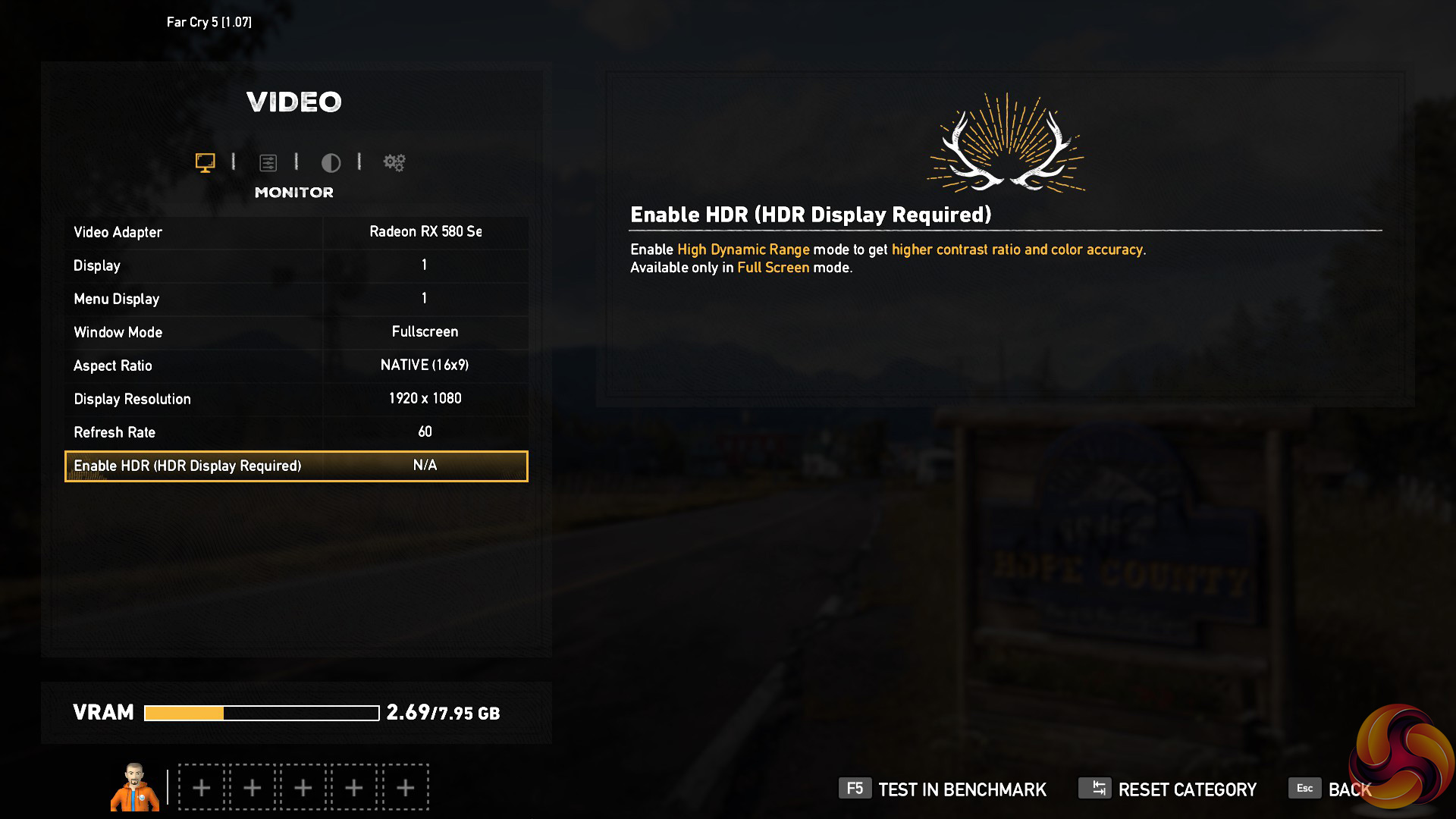
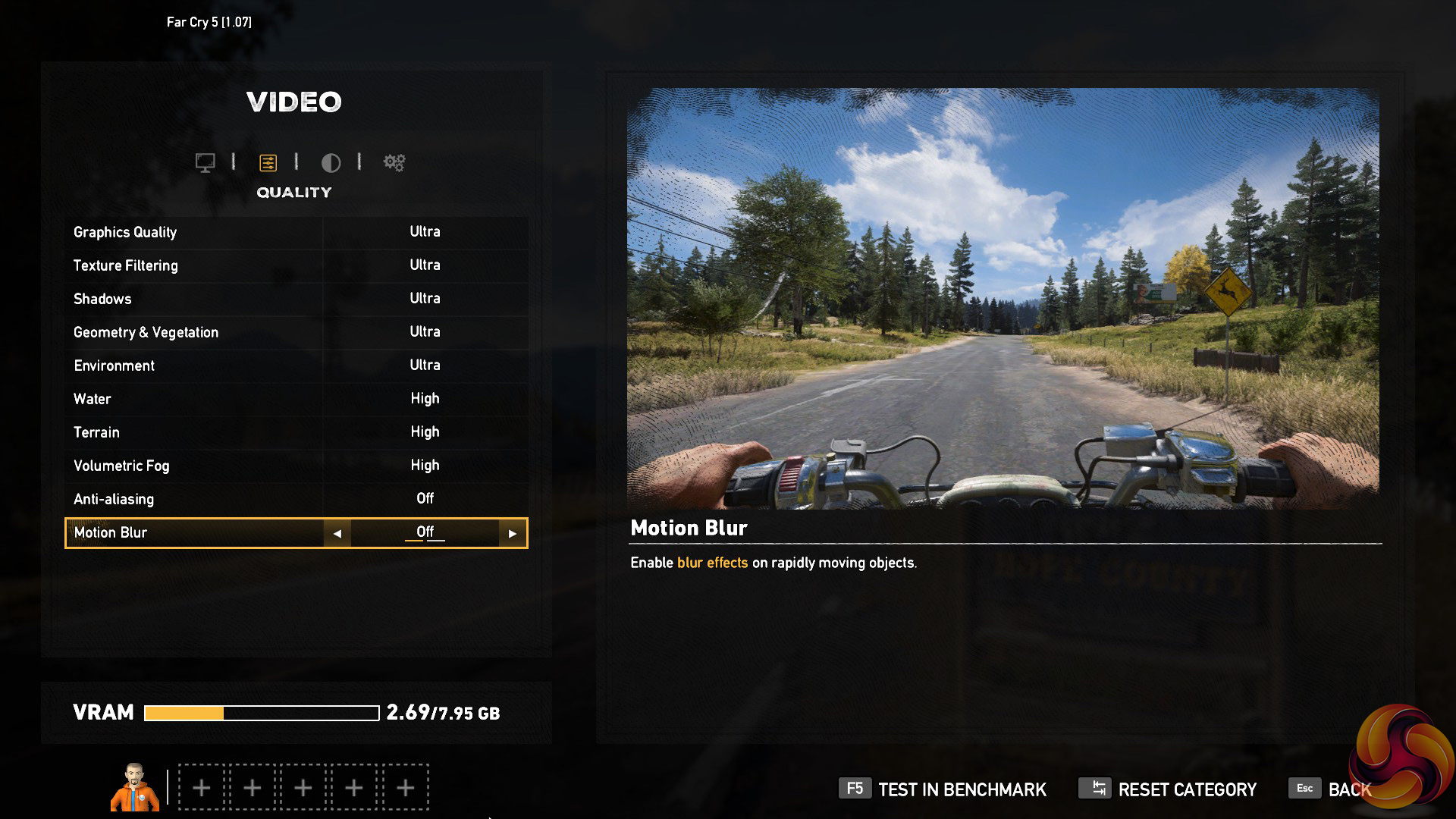
We test using the Ultra preset, with AA and motion blur disabled.
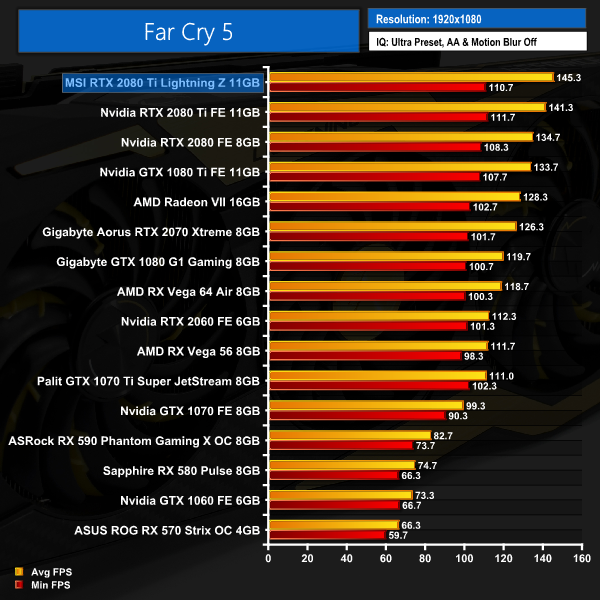
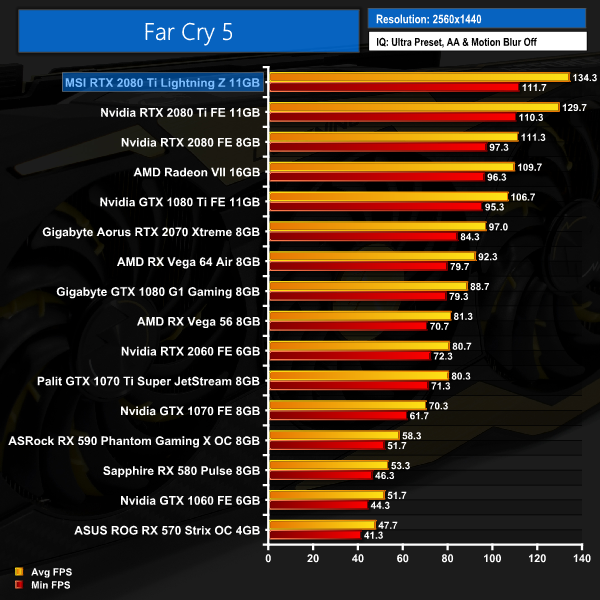
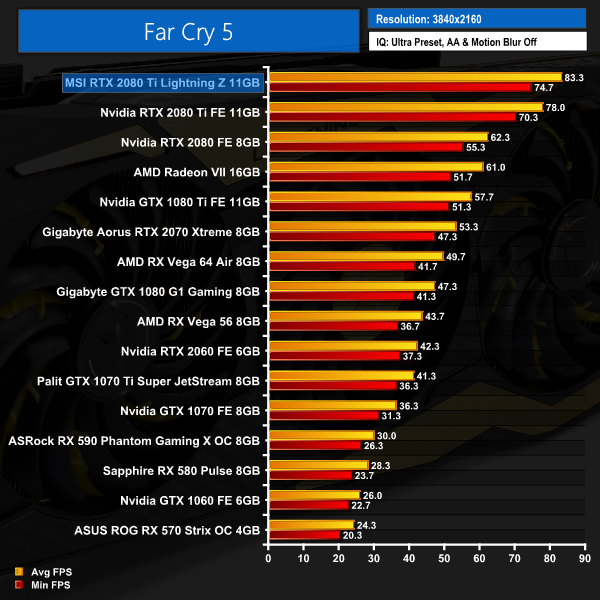
MSI's Lightning Z produces some excellent frame rates in Far Cry 5. Even at 4K, this card produces over 80FPS – about 5FPS more than Nvidia's Founders Edition. It's getting the point where a 4K/144Hz monitor might actually be worth it.Tom Clancy’s Ghost Recon Wildlands is a tactical shooter video game developed by Ubisoft Paris and published by Ubisoft. It was released worldwide on March 7, 2017, for Microsoft Windows, PlayStation 4 and Xbox One, as the tenth installment in the Tom Clancy’s Ghost Recon franchise and is the first game in the Ghost Recon series to feature an open world environment. (Wikipedia).
We test using the Very High preset.
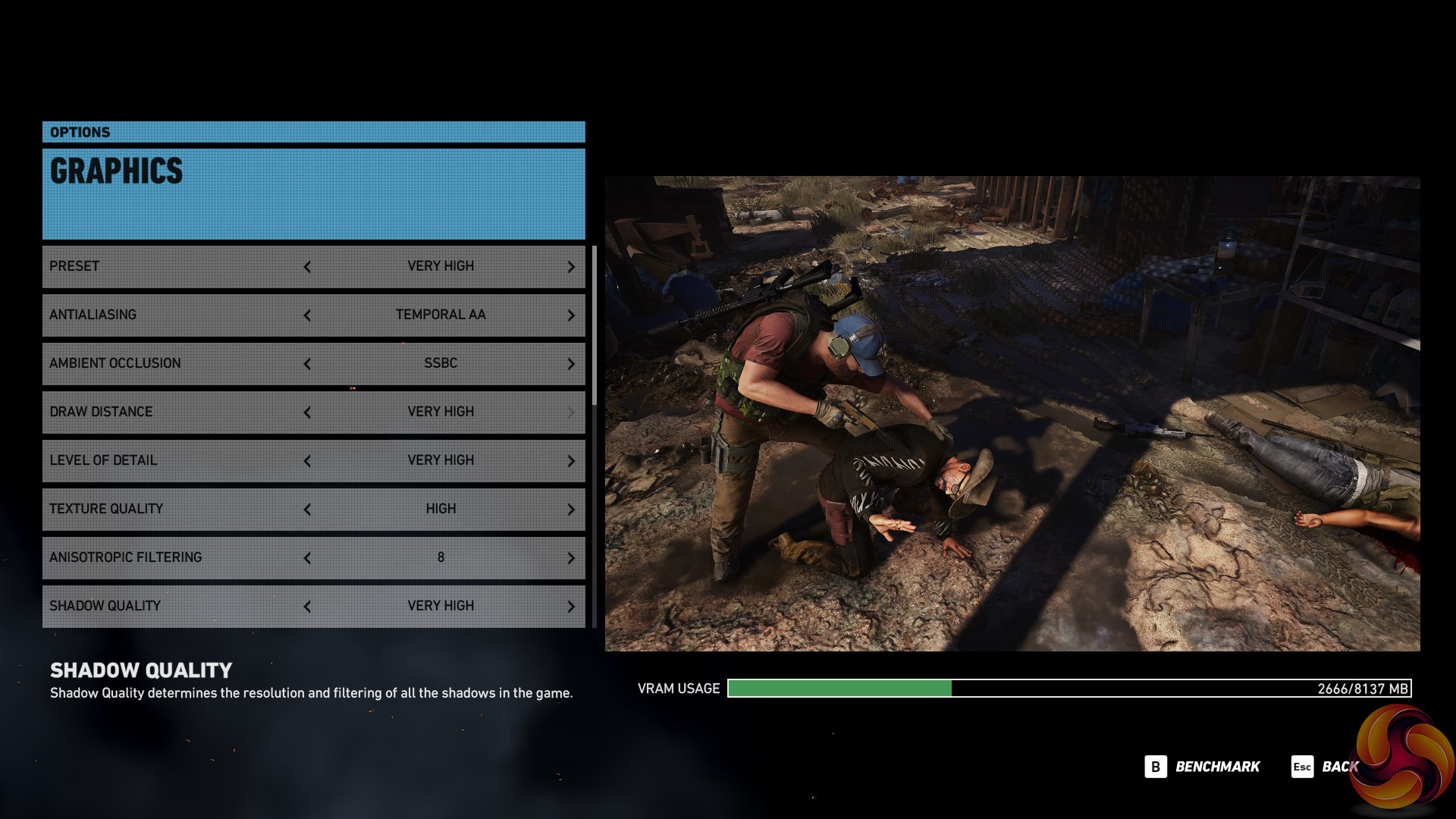
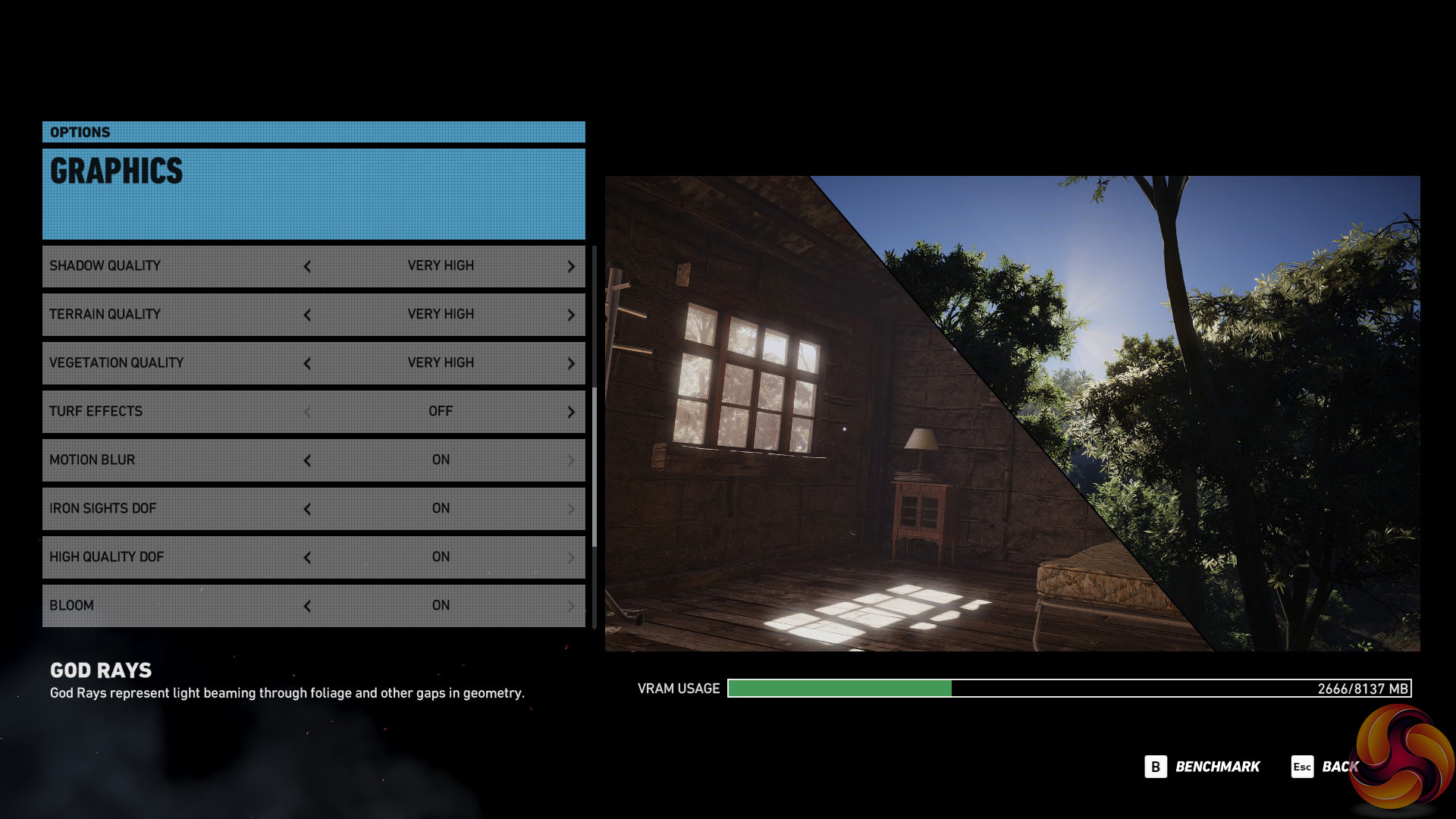
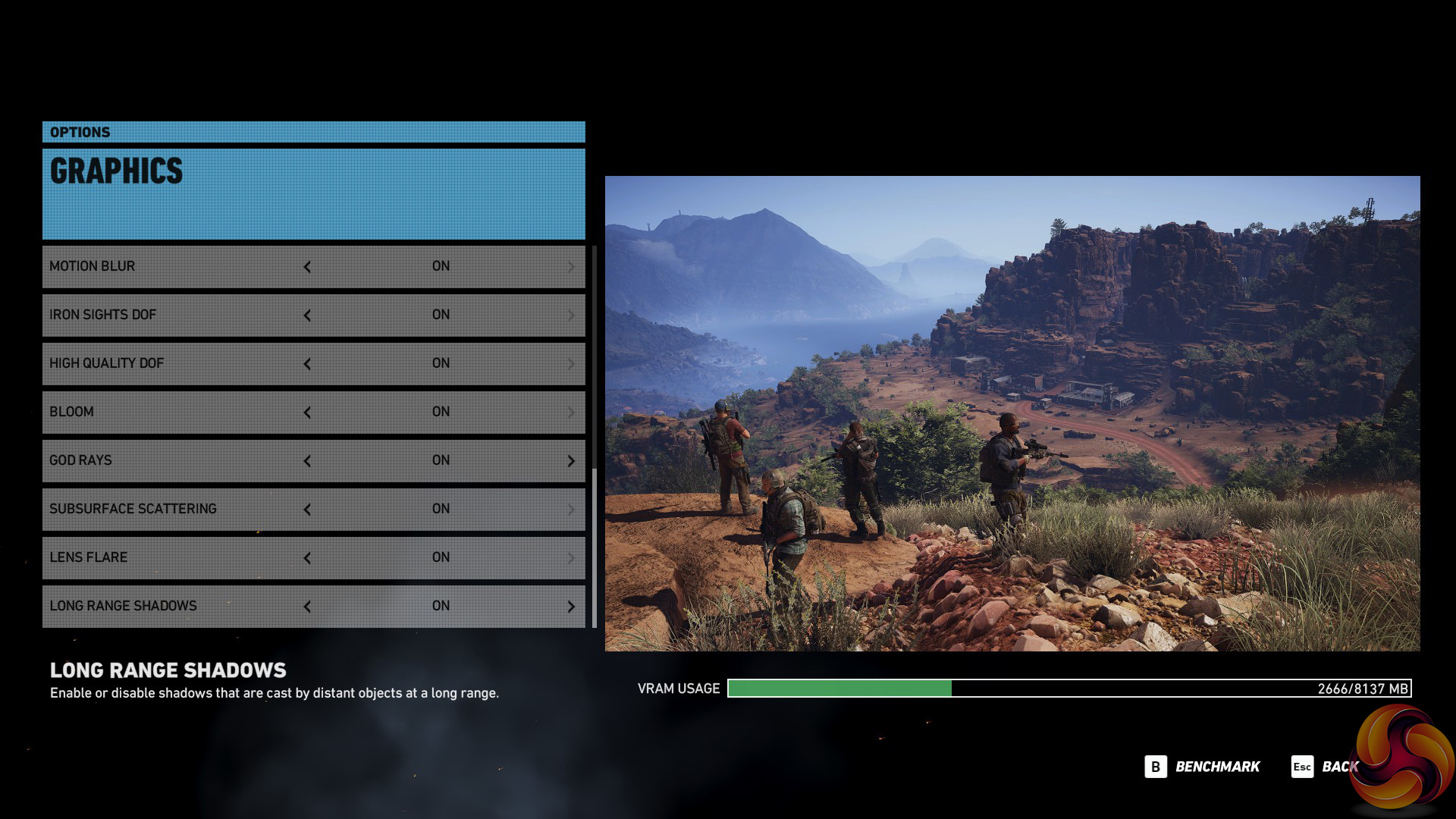
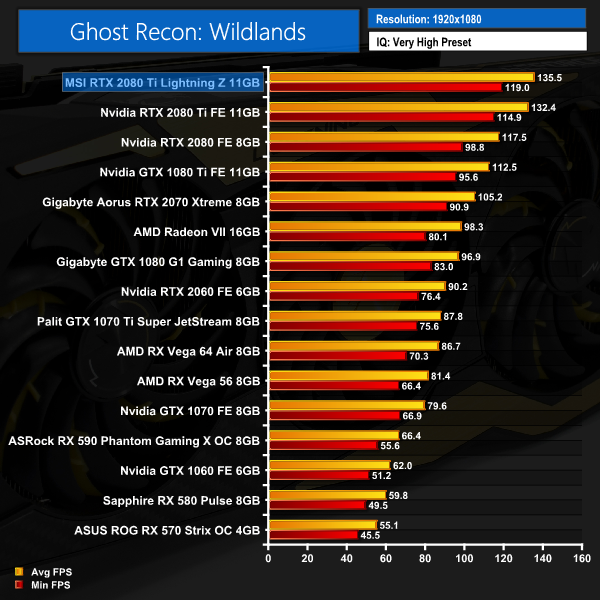
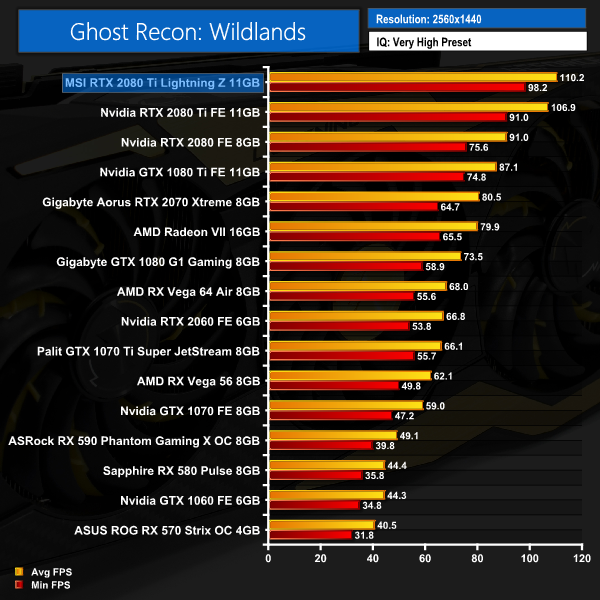
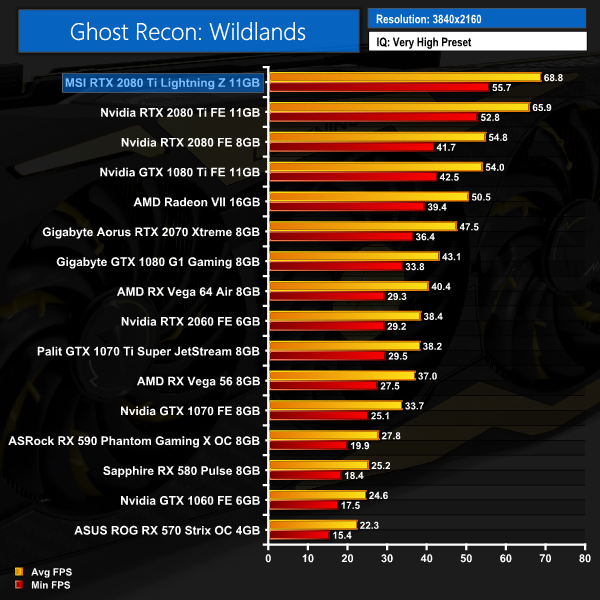
Ghost Recon: Wildlands continues the same trend we have seen from every benchmark so far – the Lightning 2080 Ti comes out on top across all three resolutions tested. It produces almost 70FPS at 4K, with a 2.9FPS lead over Nvidia's Founders 2080 Ti.Middle-earth: Shadow of War is an action role-playing video game developed by Monolith Productions and published by Warner Bros. Interactive Entertainment. It is the sequel to 2014’s Middle-earth: Shadow of Mordor, and was released worldwide for Microsoft Windows, PlayStation 4, and Xbox One on October 10, 2017. (Wikipedia).
We test using the Very High preset.

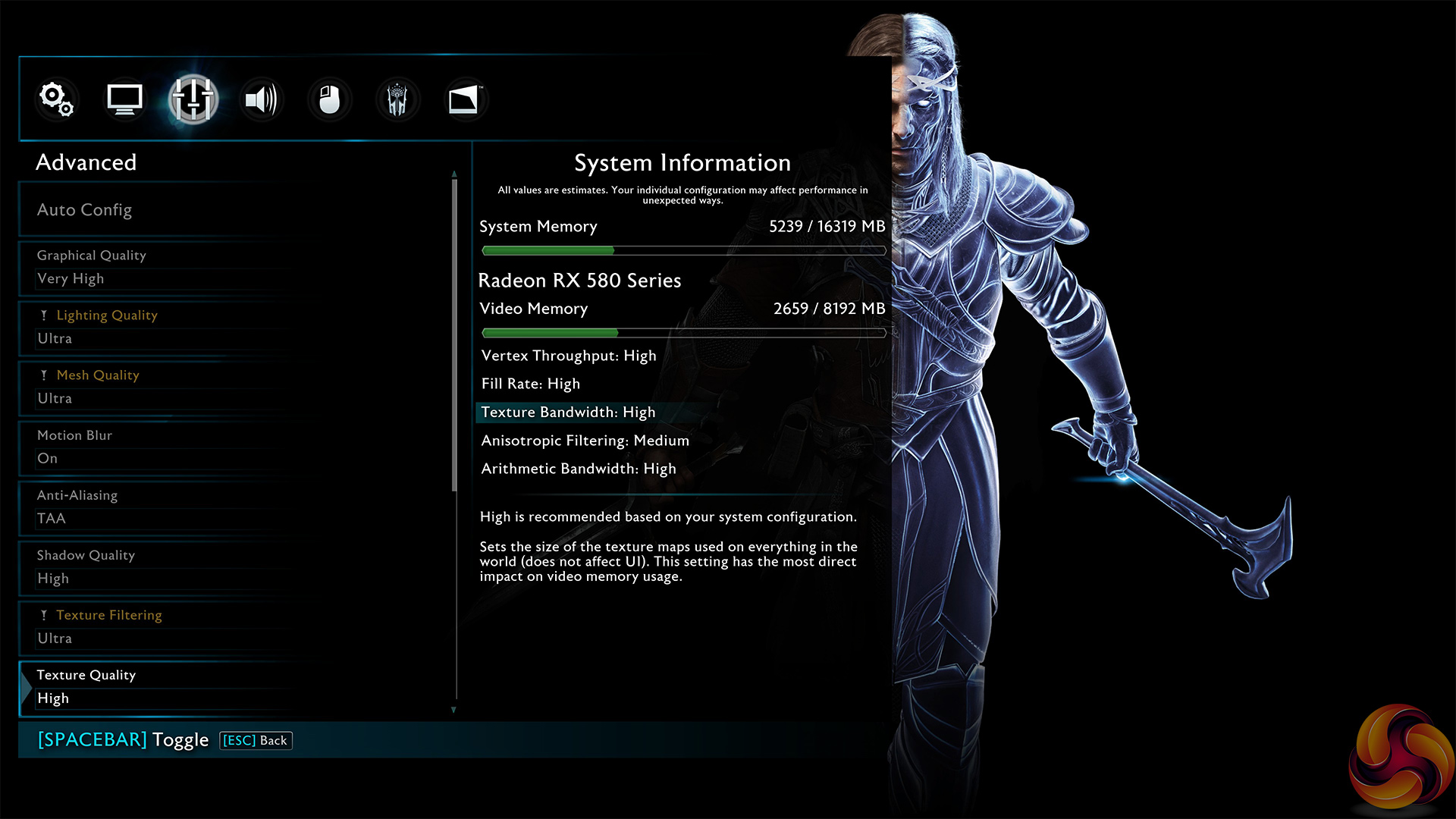
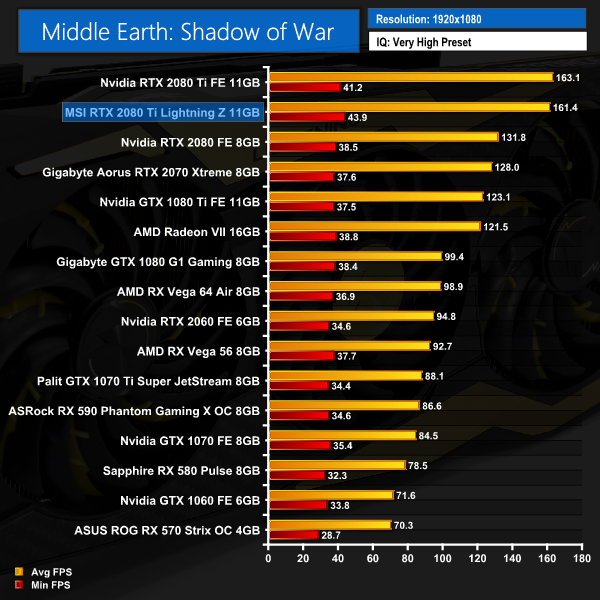
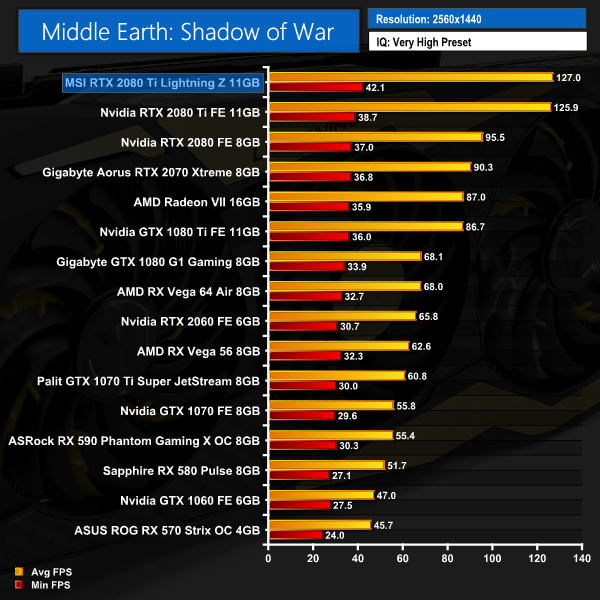
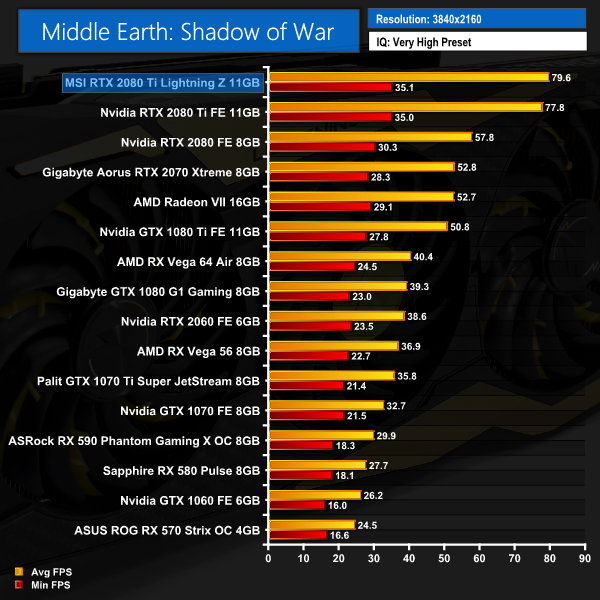
Apart from a slight blip at 1080p where the Lightning Z falls just behind the Founders RTX 2080 Ti, Middle Earth: Shadow of War shows the MSI card to be the faster card at 1440p and 4K. The margins are smaller here, though.Shadow of the Tomb Raider is an action-adventure video game developed by Eidos Montréal in conjunction with Crystal Dynamics and published by Square Enix. It continues the narrative from the 2013 game Tomb Raider and its sequel Rise of the Tomb Raider, and is the twelfth mainline entry in the Tomb Raider series. The game released worldwide on 14 September 2018 for Microsoft Windows, PlayStation 4 and Xbox One. (Wikipedia).
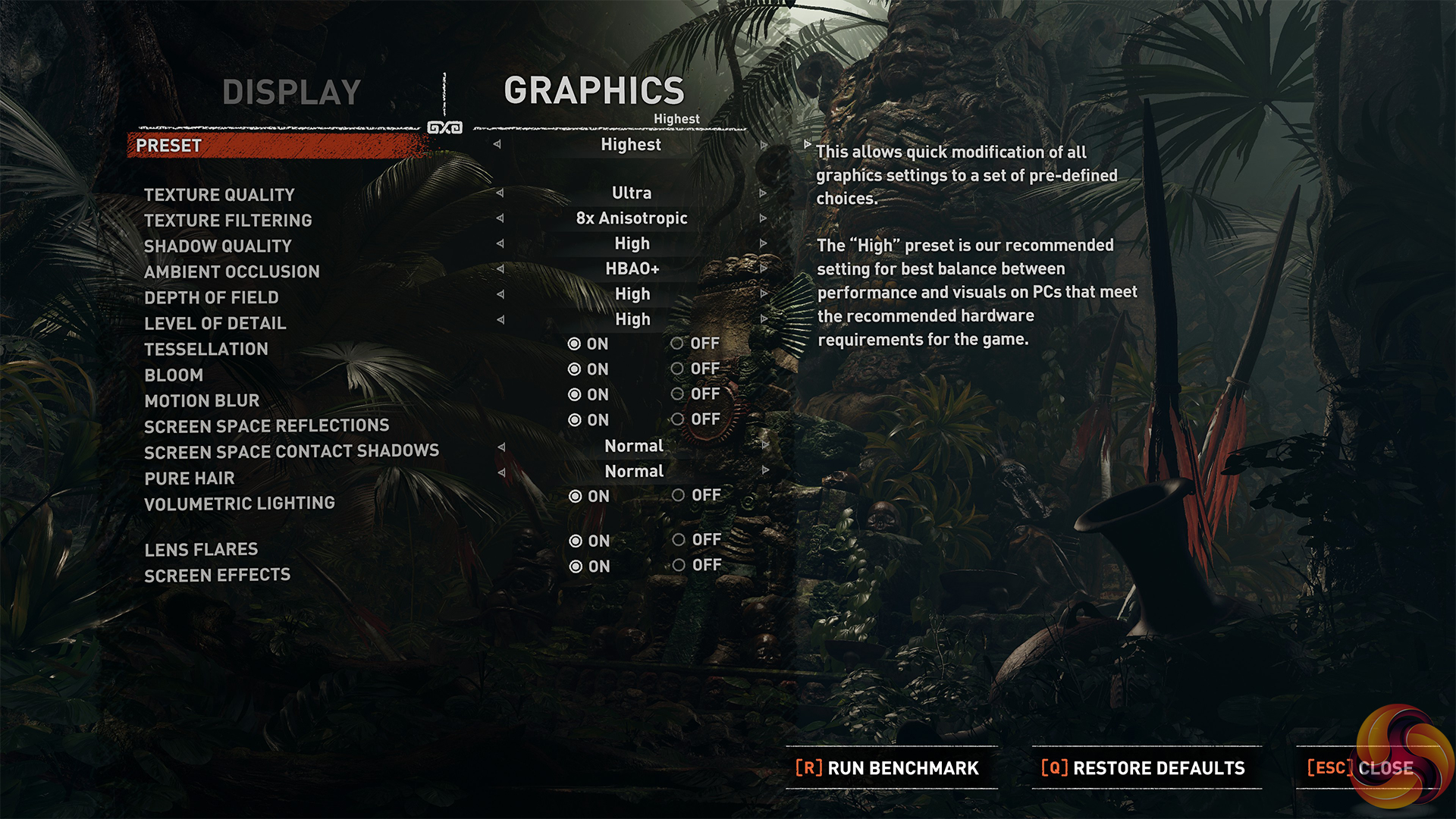
We test using the Highest preset, with AA disabled. We test using the DX12 API.
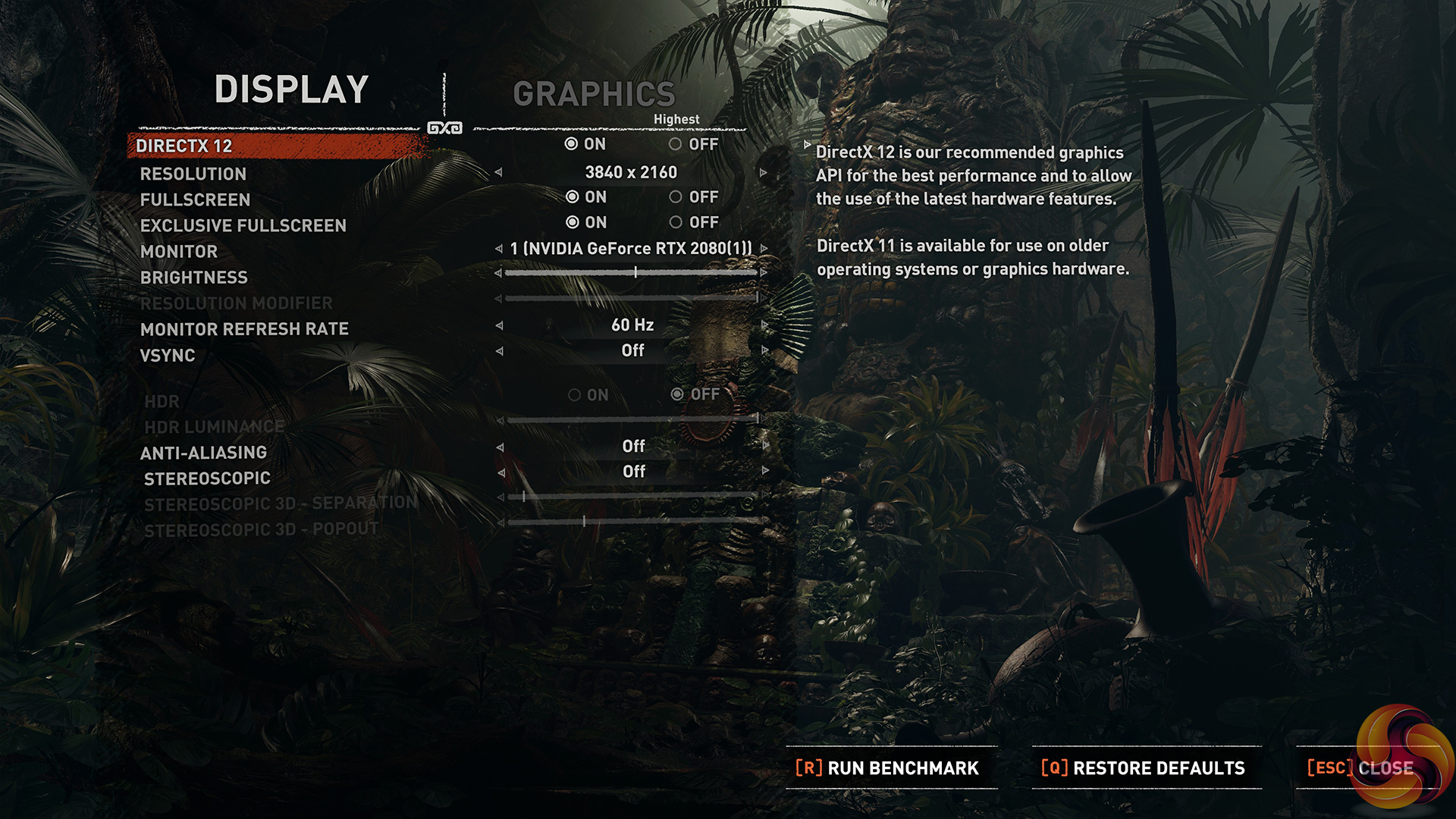
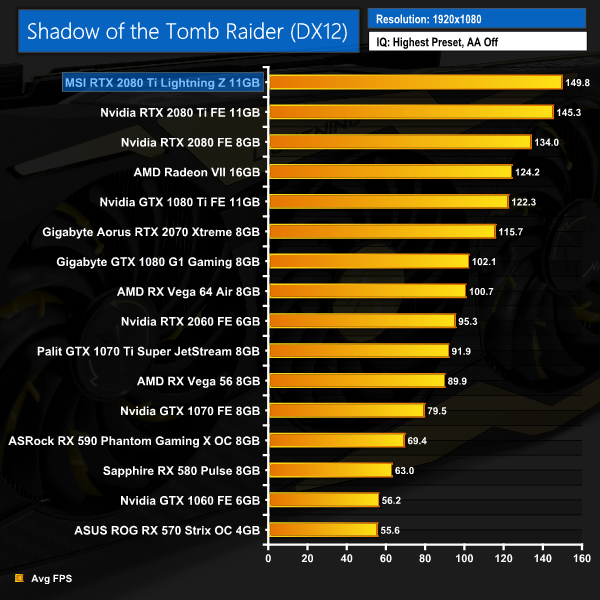
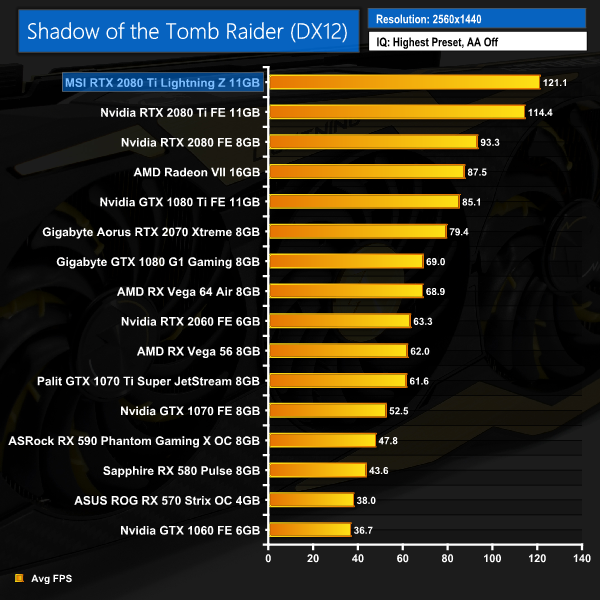
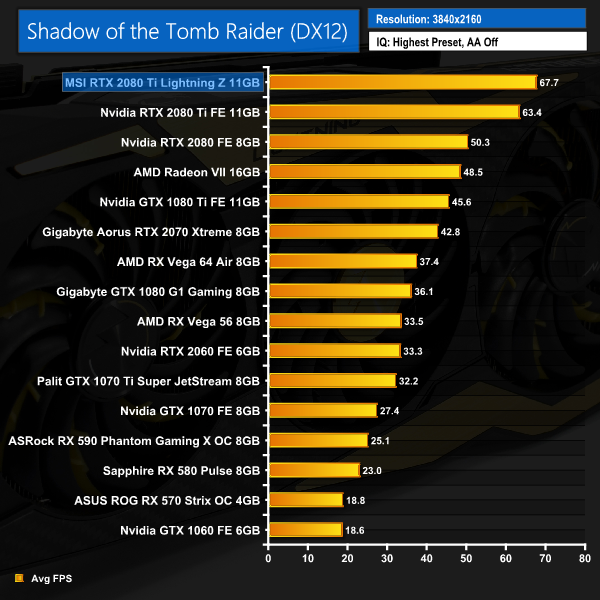
Shadow of the Tomb Raider confirms what we already know – the Lightning Z is seriously fast. It averages over 120FPS at 1440p, and manages almost 70FPS with the resolution bumped up to 4K.Battlefield V is a first-person shooter video game developed by EA DICE and published by Electronic Arts. Battlefield V is the sixteenth instalment in the Battlefield series. It was released worldwide for Microsoft Windows, PlayStation 4, and Xbox One on November 20, 2018. (Wikipedia).
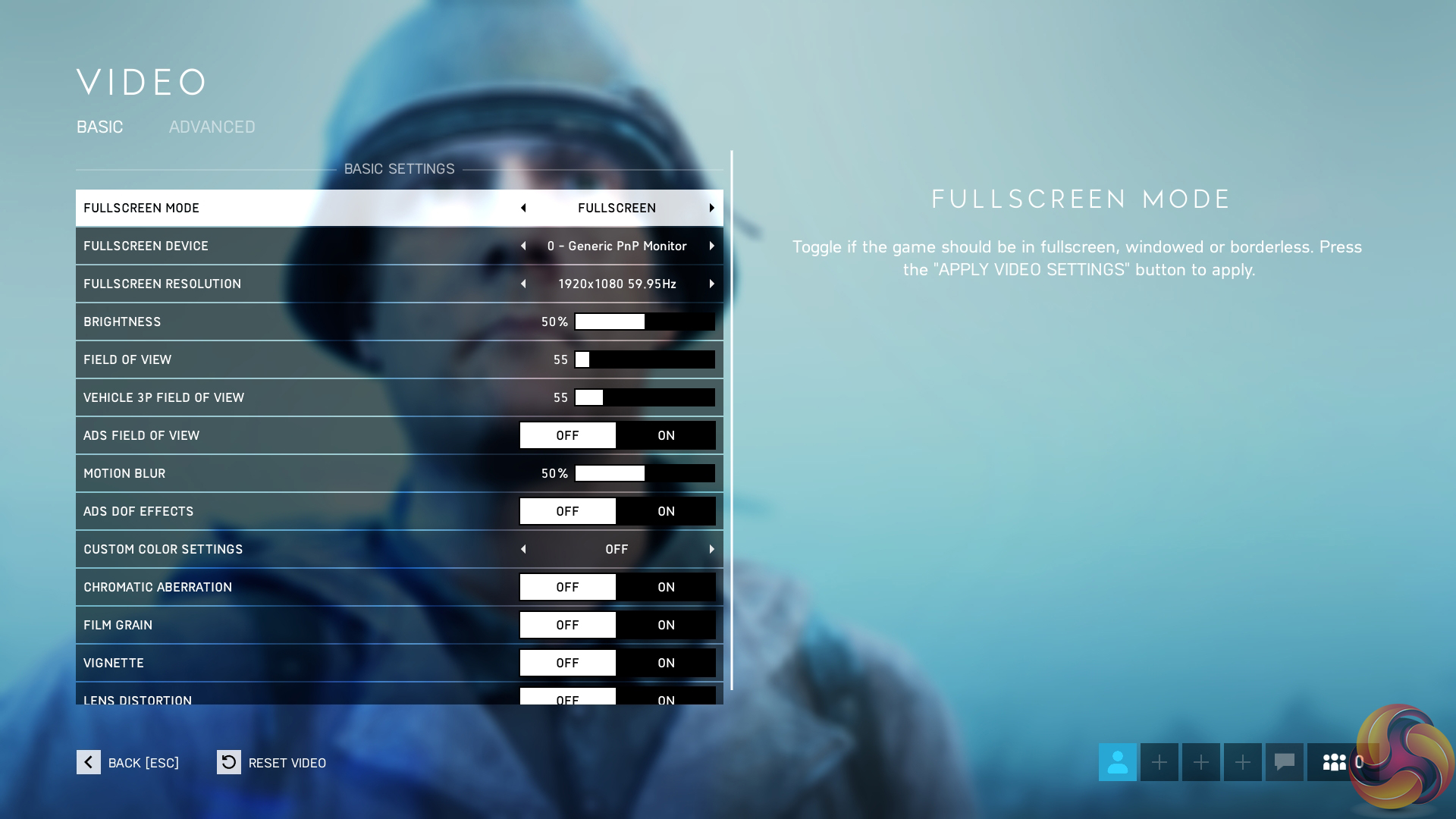
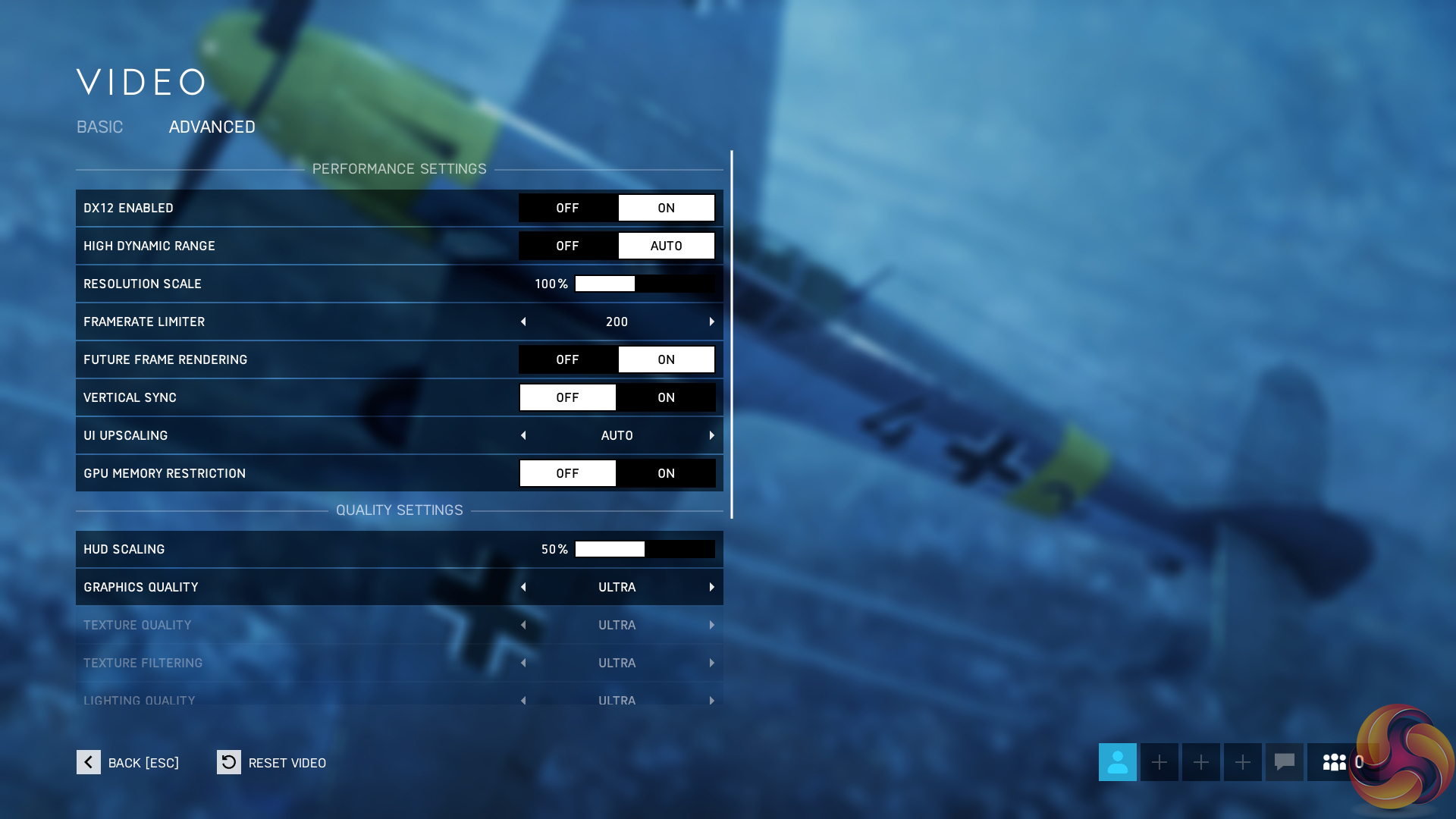
We test using the Ultra preset with the DX12 API. Battlefield V is the first game released with Nvidia RTX ray tracing features (called DXR in game) and we present average and minimum frame rates for the game with DXR Off, and then again with DXR set to Ultra.
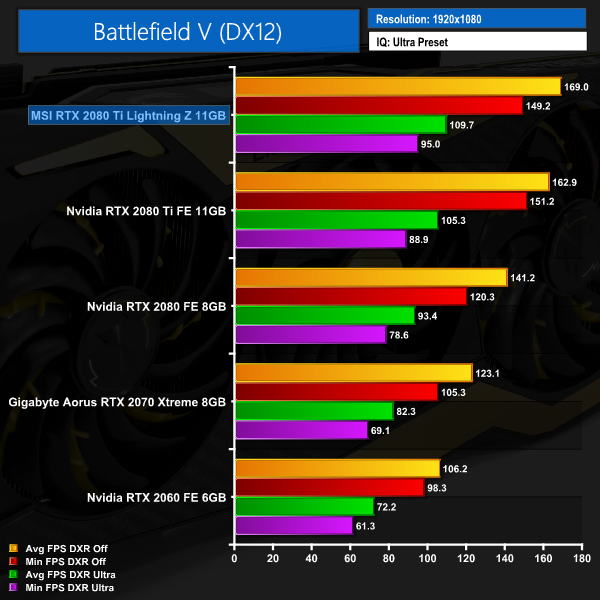
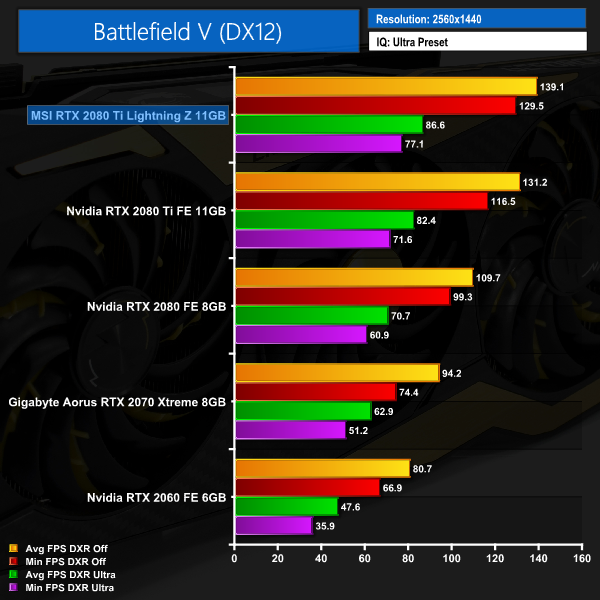
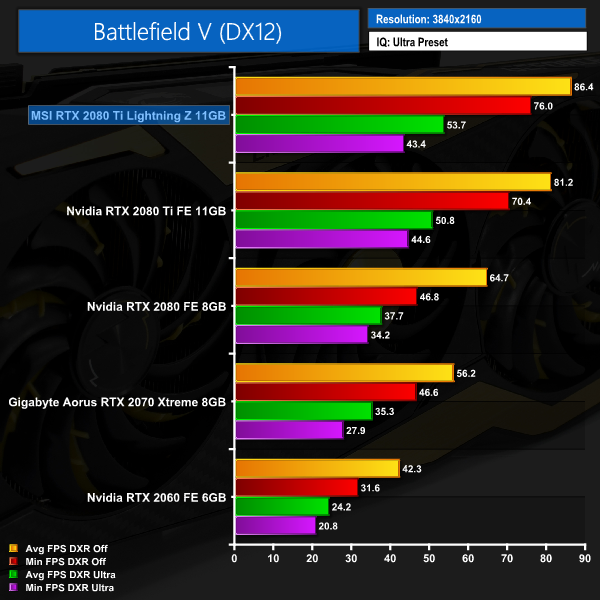
Battlefield V continues the trend we have been seeing throughout our games testing – and even with DXR set to Ultra the Lightning Z is producing healthy frame rates at 1080p and 1440p. Granted, enabling DXR still causes a significant drop to overall frame rates – but a minimum of 77 FPS at 1440p is still very playable. Personally, though, I still think 4K gaming with DXR enabled is too much for even a 2080 Ti – with frame rates dropping as low as 43. Final Fantasy XV is an action role-playing game developed and published by Square Enix as part of the long-running Final Fantasy series. It was released for the PlayStation 4 and Xbox One in 2016, and for Microsoft Windows in 2018. (Wikipedia).
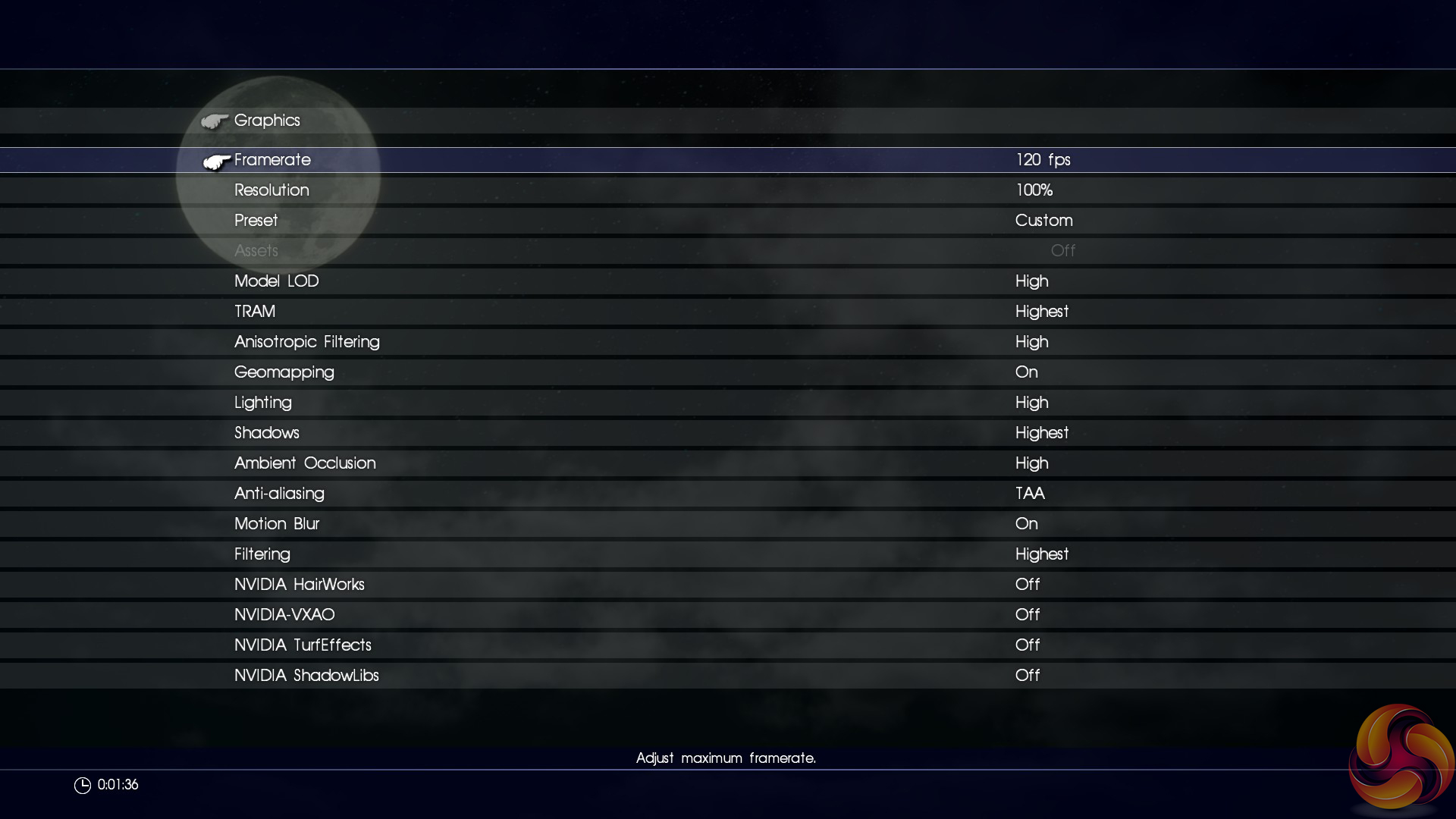
We are testing FFXV as it is the first full title – and currently only title – that supports Nvidia’s AI-assisted DLSS anti-aliasing technique. Currently the game only supports DLSS when playing at 4K, so we benchmarked a section of the game with TAA on, and then with DLSS on to see the performance difference. We used the ‘Highest’ preset, but turned off other Nvidia technologies like HairWorks.
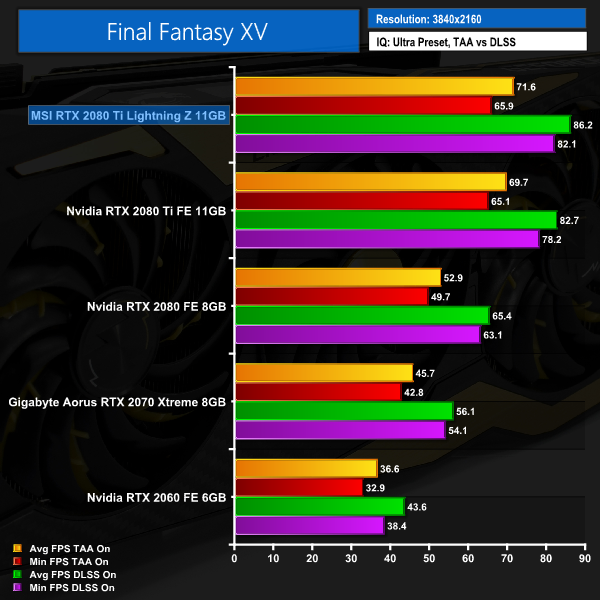
The last game test of the day doesn't offer up any surprises – with or without DLSS, MSI's Lightning Z is the fastest card on the chart.Here we present the average clock speed for each graphics card while running the 3DMark Fire Strike Ultra stress test 20 times. We use GPU-Z to record the GPU core frequency during the Fire Strike Ultra runs. We calculate the average core frequency during the entire 20-run test to present here.
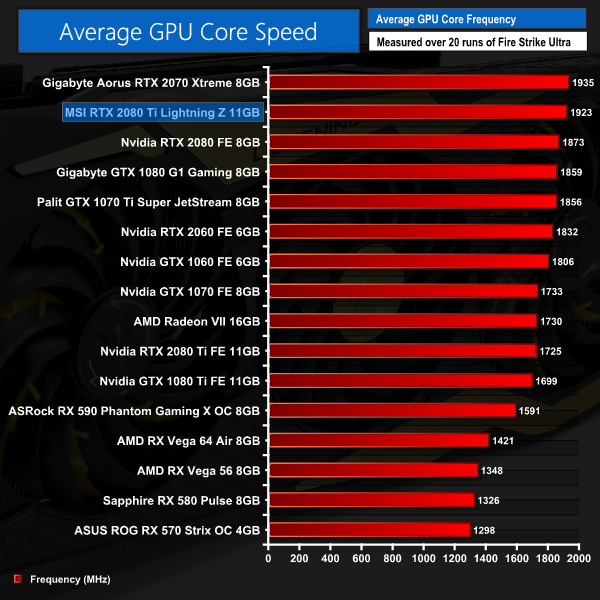
Despite its boost clock being rated at 1770MHz, we actually saw the Lightning Z operate with an average frequency of 1923MHz – making it, in practice, 198MHz faster (11%) than the Nvidia Founders Edition
For an RTX 2080 Ti, this is mighty impressive. Even compared to the ASUS Strix 2080 Ti (not included on this chart as we have since re-tested all of our cards with the latest drivers) the MSI is almost 100MHz faster – with no manual overclocking.For our temperature testing, we measure the peak GPU core temperature under load, as well as the GPU temperature with the card idling on the desktop. A reading under load comes from running the 3DMark Fire Strike Ultra stress test 20 times. An idle reading comes after leaving the system on the Windows desktop for 30 minutes.
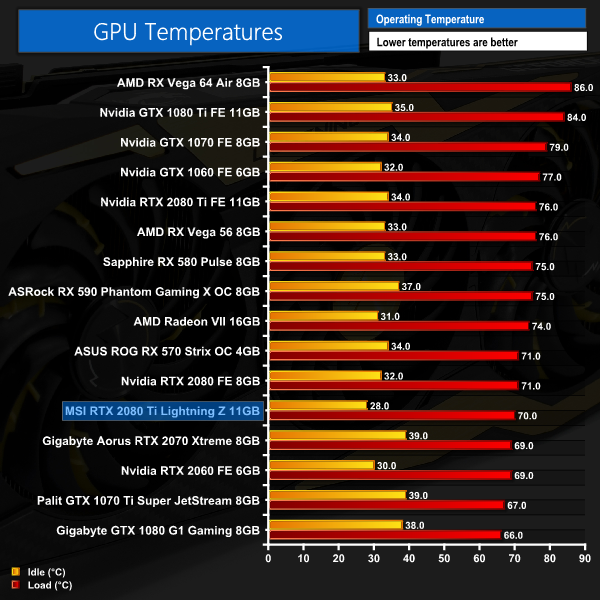
Thermal performance of the Lightning Z is also impressive – it peaked at just 70C under full load, making it one of the coolest cards on our chart. It's not the lowest result we've ever seen from a 2080 Ti, but accounting for the very high out of the box speeds, and increased power, it's still an impressive result.
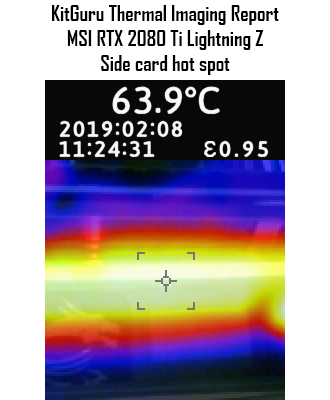
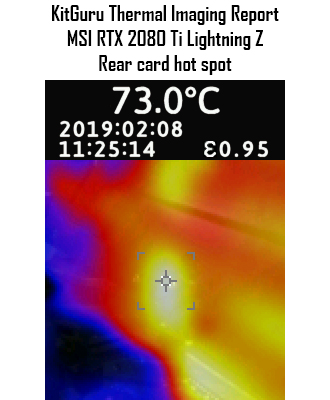
This is re-iterated by our thermal gun, where we saw the side of the card peak at just below 64C, while the 73C hot spot on the rear of the card is also nothing to worry about. The temperature directly behind the GPU core was just under 63C, too – suggesting the copper heatpipe is indeed helping keep the heat away from the rear of the GPU core.For our temperature testing, we measure the peak GPU core temperature under load, as well as the GPU temperature with the card idling on the desktop. A reading under load comes from running the 3DMark Fire Strike Ultra stress test 20 times. An idle reading comes after leaving the system on the Windows desktop for 30 minutes.
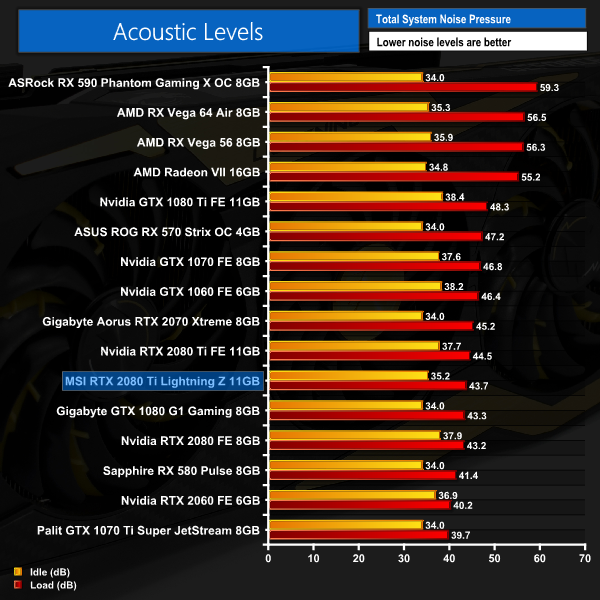
As for noise levels, the Lightning Z is generally pretty inoffensive. It's not the absolute quietest card I've ever tested, but it is still far from loud. In any case, I think it is safe to say this card is targeting the user looking for all-out performance, instead of ultra low noise levels, and even then – like I said – the Lightning Z is still not loud.We measure system-wide power draw from the wall while the card is sat idling at the Windows 10 desktop for 30 minutes. A reading under load comes from running the 3DMark Fire Strike Ultra stress test 20 times.
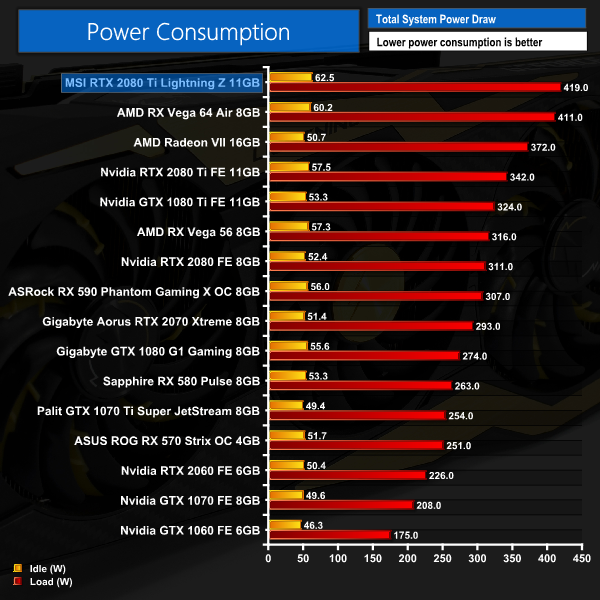
Considering it has a total of 3x 8-pin PCIe power connectors, a huge 16+3 power delivery implementation, and runs at over 1920MHz – it is perhaps not a surprise to see this Lightning Z draw a lot of power. In fact, it even draws more than Vega 64, while Nvidia's Founders Edition RTX 2080 Ti pulls about 80W less.
Like I said on the previous page, however, this card is all about performance – not, in this case, power efficiency. This obviously isn't the card to get if you need something cheap and efficient to use with a 500W PSU. If you're an enthusiast overclocker, however, I can't imagine the power draw would bother you in the slightest.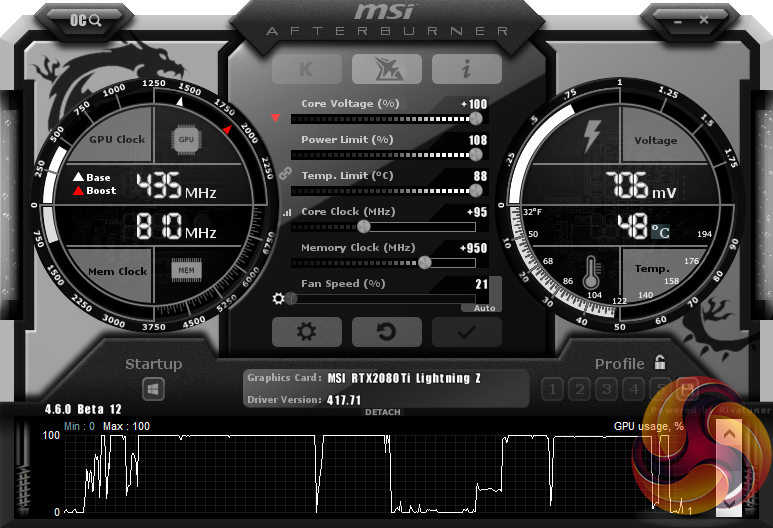
We used MSI Afterburner to overclock the Lightning Z. Our best result came with an extra 95MHz on the GPU core, while we were able to add 950MHz to the GDDR6 memory.
3DMark and games testing
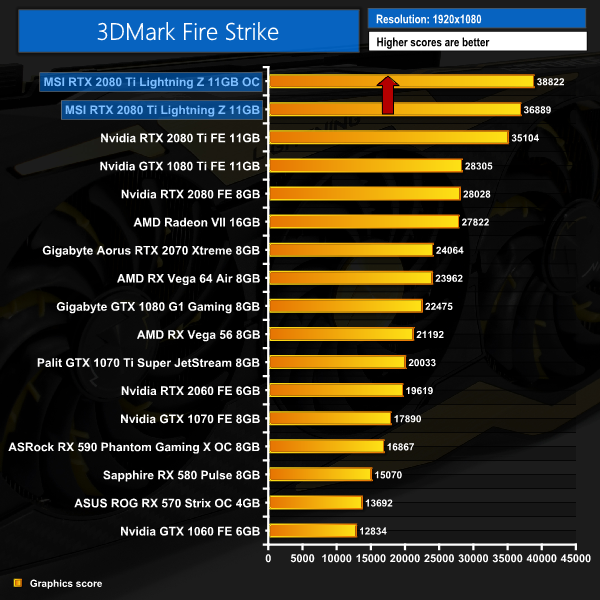
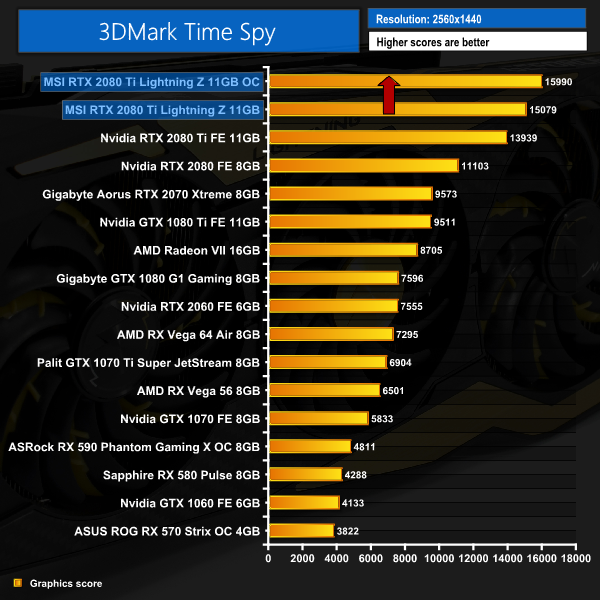
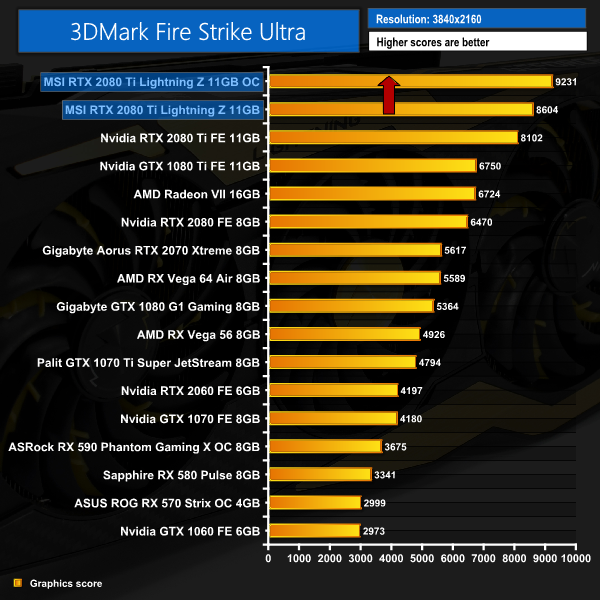
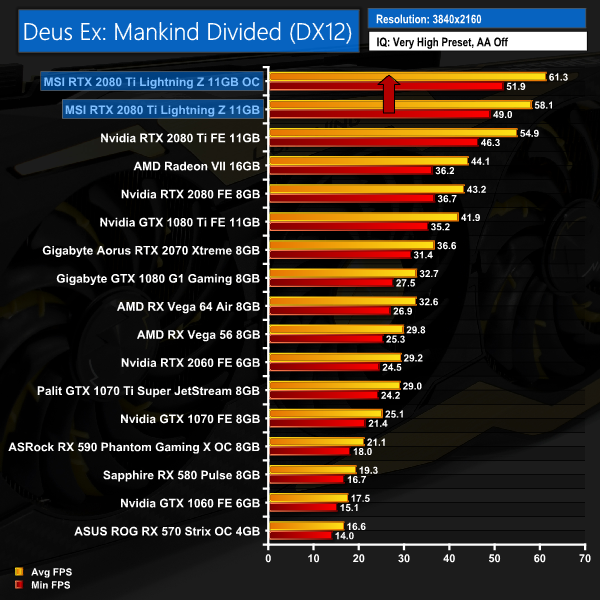
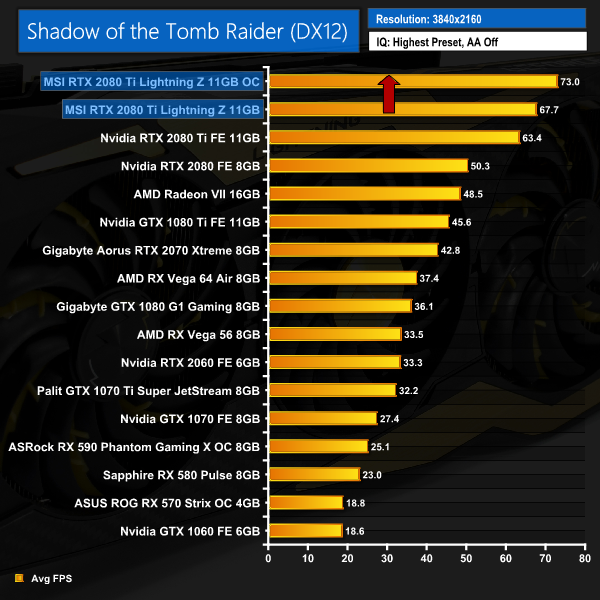
This brought us some decent gains – an extra 5% in Fire Strike, for instance, and then another 5.3FPS when playing Shadow of the Tomb Raider at 4K.
Average clock speed under load
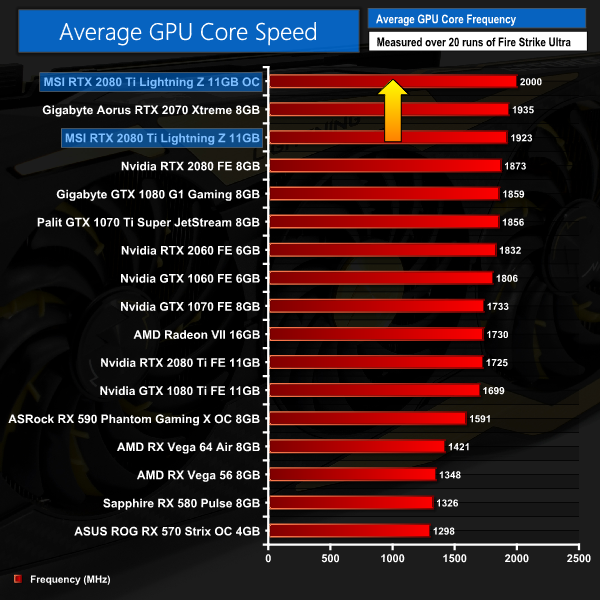
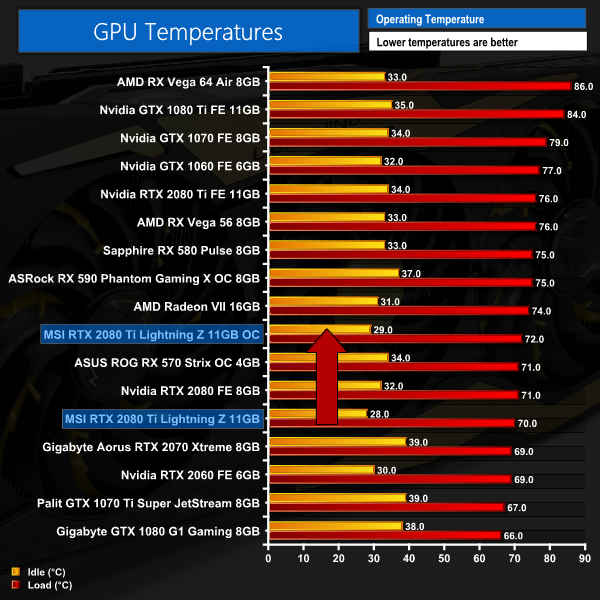
This extra performance is due to the overclock running the GPU at an average speed of exactly 2GHz. It initially hit 2055MHz, but couldn't maintain that frequency – and thus averaged 2000MHz for the duration of our stress test. Considering how heavily factory overclocked the card was out of the box, I'd say this is a very good result.Here, we take a further look at the impact of our overclock, looking at the increased temperatures, acoustics, power draw, and lastly, the effect had on the average clock speed.
Temperatures
Acoustics
Power consumption
Overview
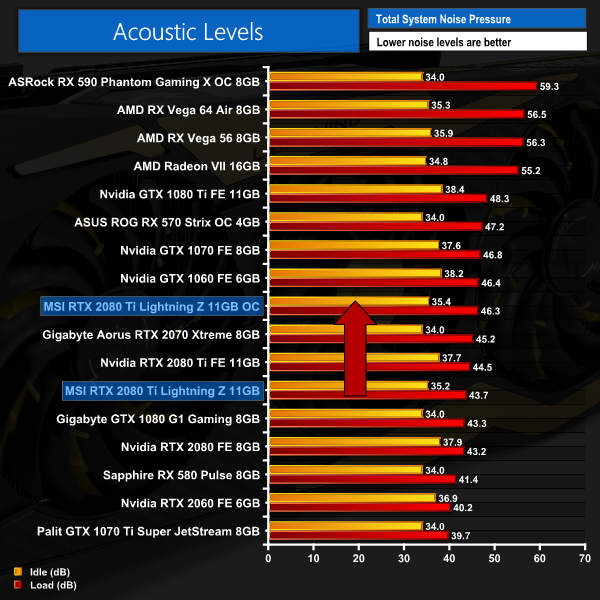
The card dealt with this overclock reasonably well. Temperatures only went up 2C over stock, though noise did increase to just over 46dB. That is getting a touch on the noisy side, so it could be better. Then again, I would expect most people wanting to apply some serious overclocks with the card are likely to liquid cool it anyway – but we can only comment on how we tested it.
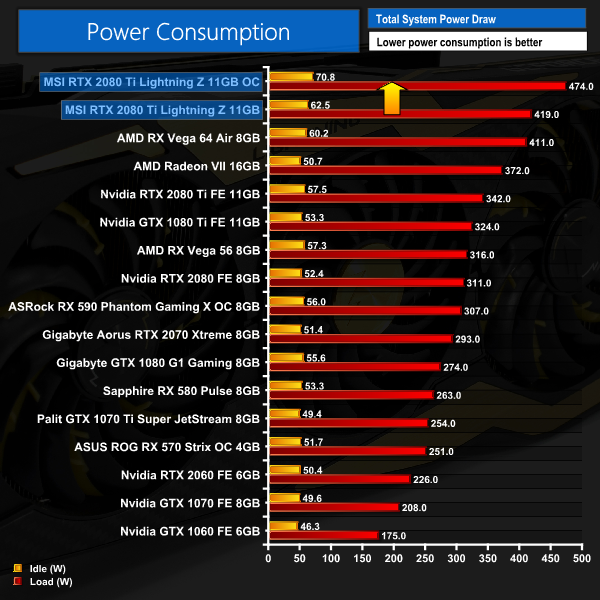
Lastly, it is again not surprising to see power consumption increase even further, with the whole system drawing almost 500W from the wall. The overclocked Lightning Z draws 130W more than a stock Founders Edition RTX 2080 Ti.In its pursuit of all out performance, MSI has come up with another Lightning Z card – this time, an RTX 2080 Ti.
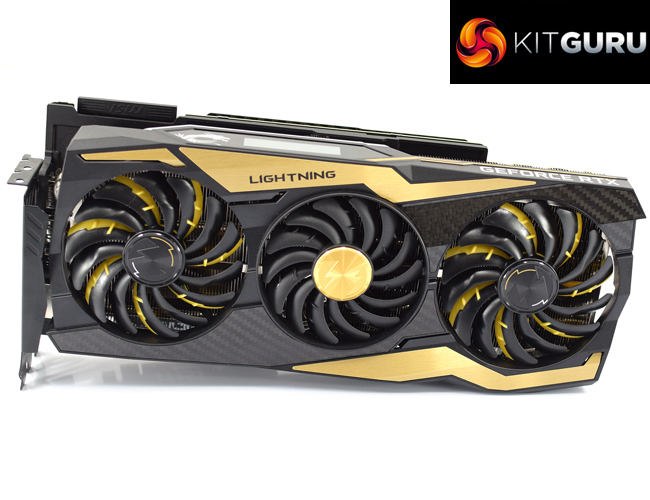
This card is an absolute monster – in a number of ways. Starting with its physical characteristics, it is the biggest card I have ever tested, with the card measuring 328 x 143 x 63mm – making it a proper triple-slot graphics card. On top of that, it weighs almost 2KG, so the decision to include a dual-slot GPU support bracket was definitely a smart move from MSI.
The cooler/shroud isn't without its fair share of features, too, and I do like the included OLED panel that lets you monitor things like GPU clock speed and temperatures in real time. MSI's RGB implementation is also effective, and who can't be impressed with the real carbon backplate that has been fitted to the Lightning Z.
On top of its physical appearance, MSI has also beefed up the RTX 2080 TI's power delivery, going for a 16 phase solution for the GPU VCore, and another 3 phases for the memory. This does require 3x 8-pin PCIe power connectors, so total power consumption is higher than even Vega 64, but the benefit is this RTX 2080 Ti ran at over 1900MHz out of the box – almost 200MHz faster than Nvidia's Founders Edition.
Unsurprisingly, that means it was the fastest card in every 1440p and 4K benchmark we ran, performing on average 5.4% faster than the RTX 2080 Ti Founders card at 4K resolution. If you want the fastest graphics card we have ever tested – this is it.
There is even some decent headroom for manual overclocking, too, as we could add an extra 95MHz to the already factory-overclocked GPU, while the Samsung GDDR6 memory overclocked very well with an extra 950MHz added to that. This brought our average clock speed up to exactly 2GHz – and anyone overclocking with liquid coolers, or even LN2, would definitely benefit further from the ‘LN2' BIOS that is accessible on the card, with its unlocked power limit.
The only potential downside I see for the Lightning Z – aside from the price, but we'll get to that below – is the acoustics. It is certainly not loud – not at all – but we have tested quieter aftermarket RTX 2080 Tis, like the ASUS ROG Strix model. That being said, it is easy to see this card is more about balls to the wall performance than it is noise levels – and anyone really serious is likely to water cool this beast anyway, so I am not too concerned about the noise levels produced.
As for the price, well, there's no denying this is a very expensive graphics card – we can currently find it on sale for £1499, despite the MSRP being £1439. MSI has told us more stock is due into the channel over the next few weeks, though, which should help matters. But in any case, this card is clearly not going to appeal to anyone looking to make a value-based buying decision. Like I said, this is very much a high-end card for the enthusiast – and cash-rich – gamers and hardcore overclockers out there.
If we take that perspective, however, it is safe to say the MSI RTX 2080 Ti Lightning Z is a mightily impressive graphics card. For sure, it is aimed at a very niche and elite market segment – but for those who want the absolute best of the best, a card packed with features, then you have to take a step back and appreciate what MSI has done here. It's certainly not for the faint of heart, but it is a hardcore overclocker's dream.

Product availability is currently low, but you can find the Lightning Z for £1499.99 from OCUK HERE
Pros
- Fastest graphics card we've ever tested – by a decent margin.
- OLED screen provides real time GPU information.
- Decent overclocker despite the already factory overclocked core.
- Beefy power delivery.
- LN2 BIOS option, with unlocked power limit, for the hardcore overclockers out there.
- Real carbon backplate.
Cons
- It's not loud, but the ASUS Strix RTX 2080 Ti is quieter.
- Not exactly cheap.
KitGuru says: It's not exactly going to have widespread appeal at this price, but for the proper hardcore enthusiasts and overclockers out there, the MSI RTX 2080 Ti Lightning Z is an absolute monster of a graphics card – in pretty much every way. Its for a very wealthy, discerning audience with a lot of spare cash in hand – if you want the best and can afford it then look no further.