 KitGuru KitGuru.net – Tech News | Hardware News | Hardware Reviews | IOS | Mobile | Gaming | Graphics Cards


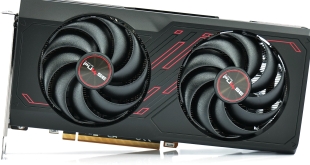
Following on from the recent launch of AMD's RX 7600 GPU, today we take a look at the Sapphire Pulse partner card. The Pulse series has firmly established itself as a bang-for-buck favourite since its inception in 2017 and that looks to be no different for this RX 7600 model. Hitting the market at £259.99, it's an MSRP card that offers a factory overclock, dual-fan cooler and metal backplate. Today we find out how it compares against AMD's reference design.
While the Sapphire Pulse lineup may not be quite so feature-packed as the more expensive Nitro+ series, you typically know what you are getting with a Pulse card – good build quality, an effective cooler and usually just a small price premium over the baseline MSRP. In this case, there's no price premium for the Sapphire RX 7600 Pulse model as it's on sale for £259.99, the same figure AMD quotes as the baseline MSRP for the RX 7600.
Today, we look at gaming performance, thermals, acoustics, overclocking and more to find out exactly how the Pulse compares to AMD's own reference card…
| RX 6700 XT | RX 6650 XT | RX 6600 XT | RX 6600 | RX 7600 | |
| Architecture | RDNA 2 | RDNA 2 | RDNA 2 | RDNA 2 | RDNA 3 |
| Manufacturing Process | 7nm | 7nm | 7nm | 7nm | 6nm |
| Transistor Count | 17.2 billion | 11.1 billion | 11.1 billion | 11.1 billion | 13.3 billion |
| Die Size | 336 mm² | 237 mm² | 237 mm² | 237 mm² | 204 mm² |
| Compute Units | 40 | 32 | 32 | 28 | 32 |
| Ray Accelerators | 40 | 32 | 32 | 28 | 32 |
| Stream Processors | 2560 | 2048 | 2048 | 1792 | 2048 |
| Game GPU Clock | Up to 2424MHz | Up to 2410MHz | Up to 2359MHz | Up to 2044 MHz | 2250 MHz |
| Boost GPU Clock | Up to 2581MHz | Up to 2635MHz | Up to 2589MHz | Up to 2491MHz | Up to 2625MHz |
| ROPs | 64 | 64 | 64 | 64 | 64 |
| AMD Infinity Cache | 96MB | 32MB | 32MB | 32MB | 32MB |
| Memory | 12GB GDDR6 16Gbps | 8GB GDDR6 17.5Gbps | 8GB GDDR6 16Gbps | 8GB GDDR6 14Gbps | 8GB GDDR6 18Gbps |
| Memory Bandwidth | 384 GB/s | 280 GB/s | 256 GB/s | 224 GB/s | 288 GB/s |
| Memory Interface | 192-bit | 128-bit | 128-bit | 128-bit | 128-bit |
| Board Power | 230W | 180W | 160W | 132W | 165W |
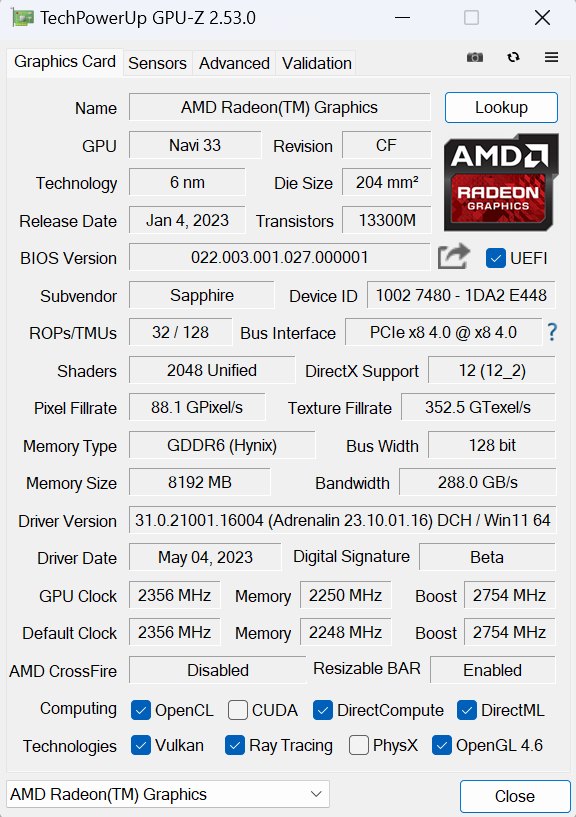
First, let's take a quick look at the specs. Still based on the RDNA 3 architecture, things are slightly different to what we saw with the RX 7900 XTX and 7900 XT. For one, the chiplet-based design has reverted to a monolithic die, and instead of using TSMC's 5nm process, Navi 33 makes use of 6nm, with a 204 mm² die size.
Internally though, the compute makeup hasn't been radically changed. Navi 33 packs in 32 Compute Units, each of which houses 64 Stream Processors, for a total of 2048 shaders. There's also 32 Ray Accelerators – one per CU – and 64 ROPs.
As for clock speed, this remains high with the RX 7600, with AMD touting a boost of up to 2625MHz, though a slightly lower game clock of 2250MHz. Sapphire has increased this with the Pulse model, with a boost clock of 2755MHz, and a game clock rated at 2355MHz.
Meanwhile, the memory configuration is almost identical to the previous generation RX 6600. We still find 8GB GDDR6 operating over a 128-bit interface, but this time the memory clocks in at 18Gbps, up from 14Gbps. This gives a memory bandwidth of 288 GB/s, though AMD claims an ‘effective' bandwidth of 476.9 GB/s due to the 32MB of 2nd Gen Infinity cache.
As with Navi 23, Navi 33 also features a cut-down PCIe interface, offering a Gen4 x8 connection.
Power draw for the reference RX 7600 is rated at 165W Total Board Power (TBP), an increase from the 132W figure for the RX 6600. Sapphire is claiming a slightly higher 185W TBP for the Pulse model.
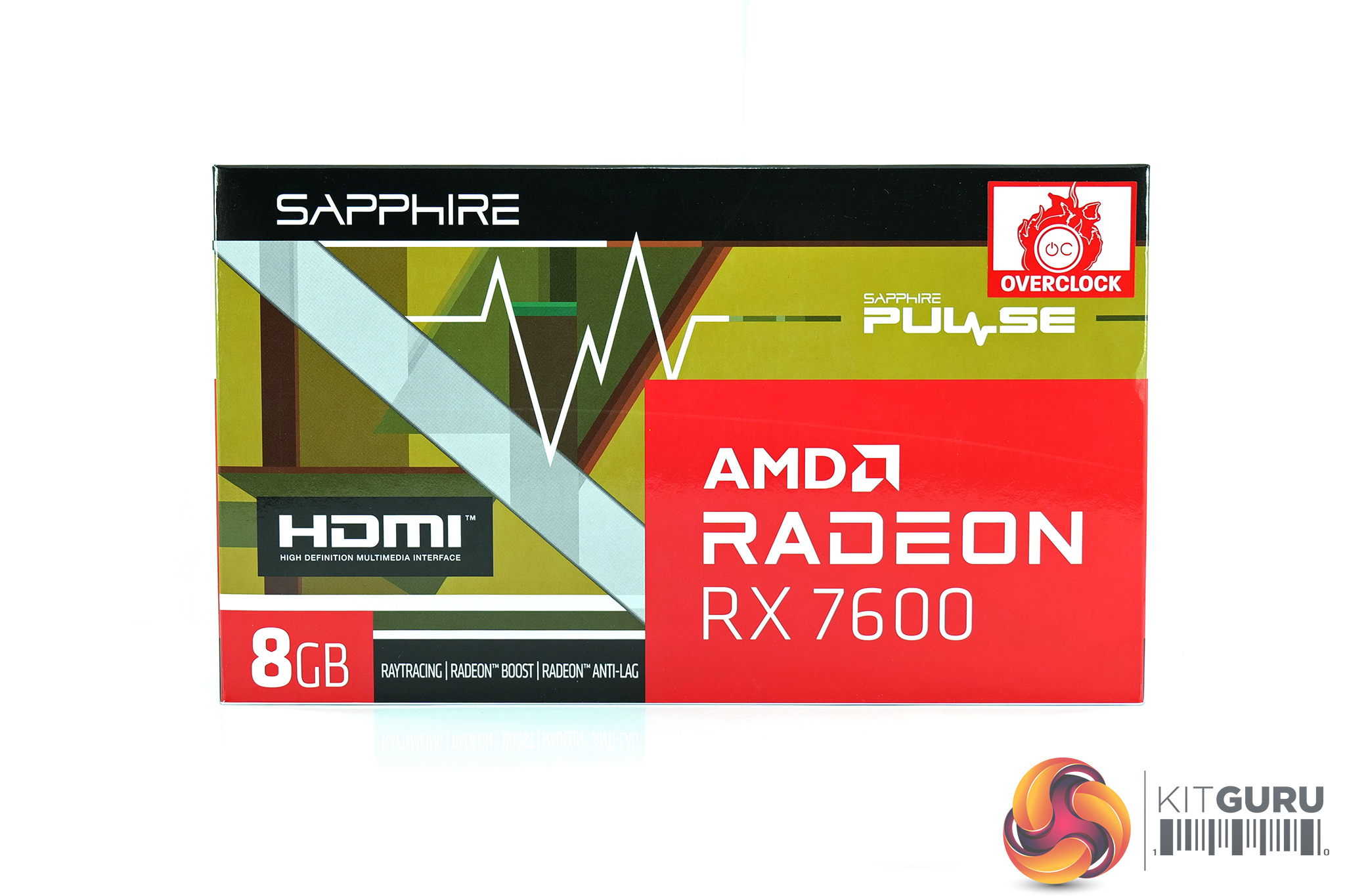
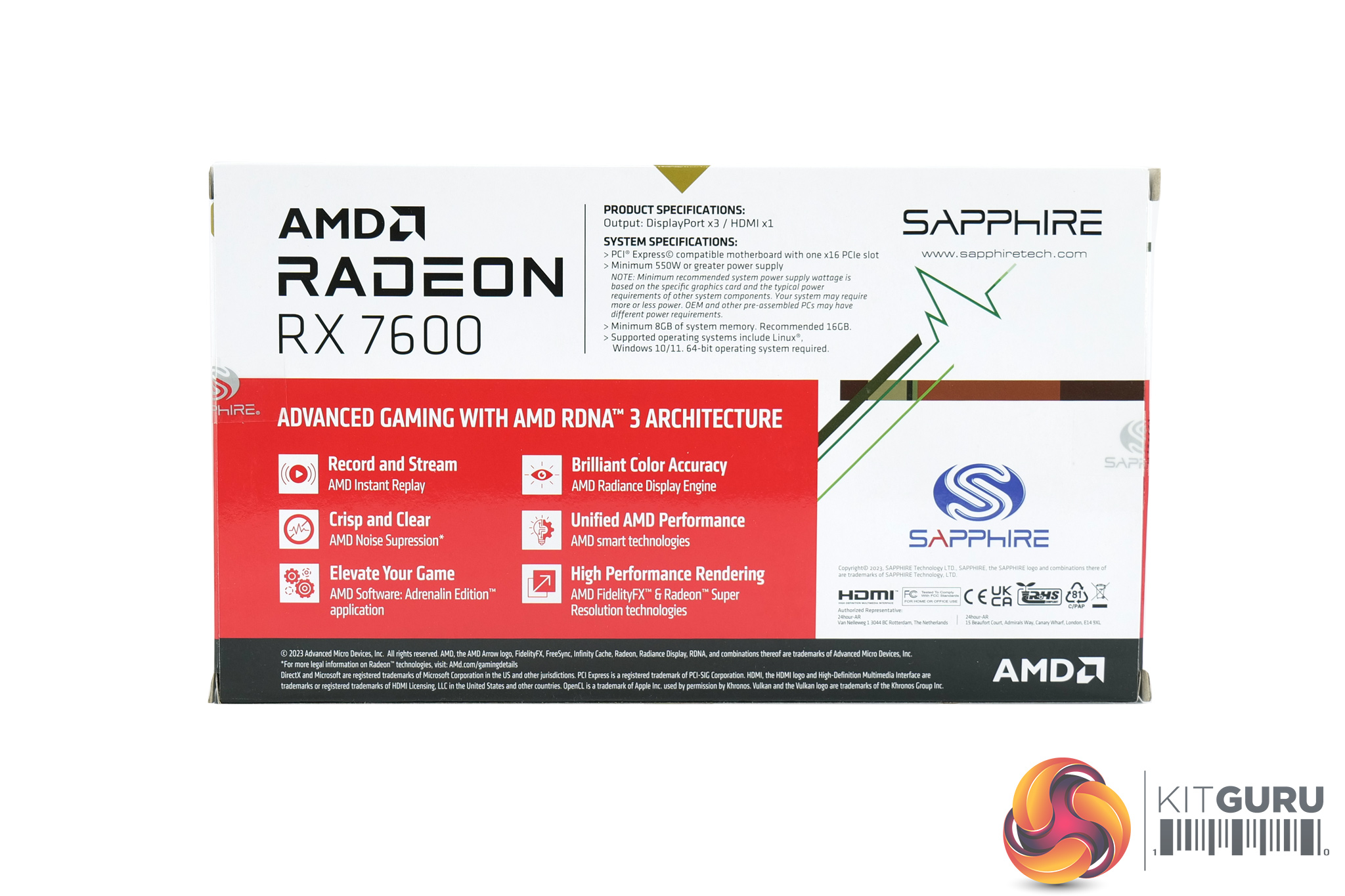
The Sapphire RX 7600 Pulse ships in a compact box with AMD Radeon branding positioned prominently on the front. On the back, Sapphire highlights various key features of the card and cooler.
Inside, accessories are scarce – we find a warranty note and quick-start guide.
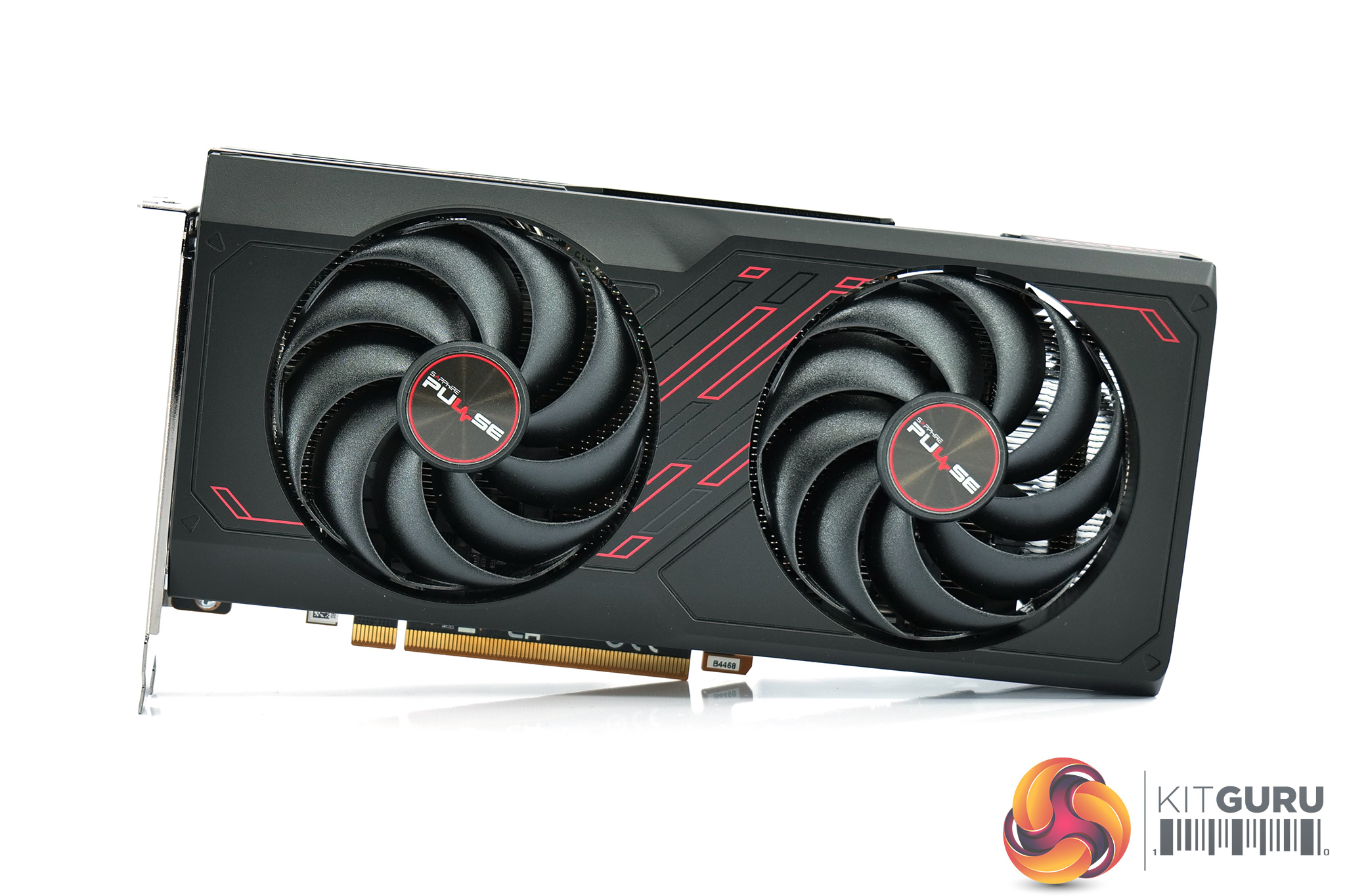
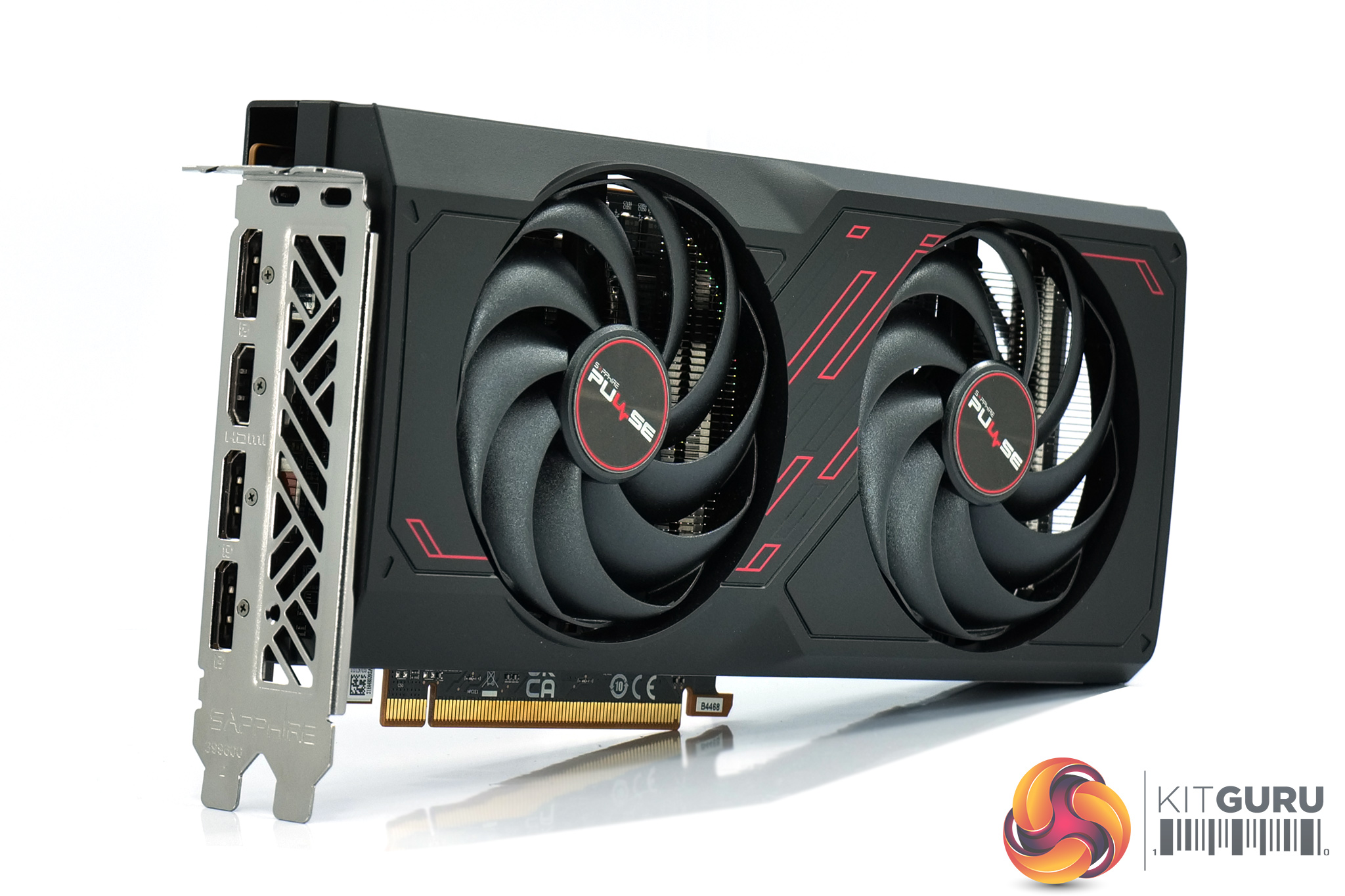
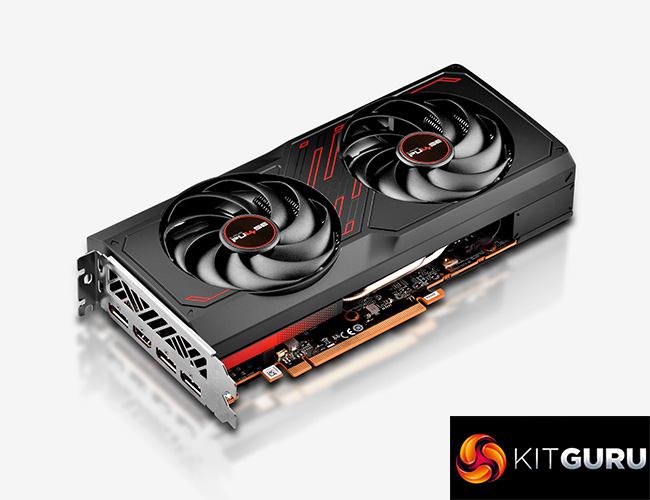
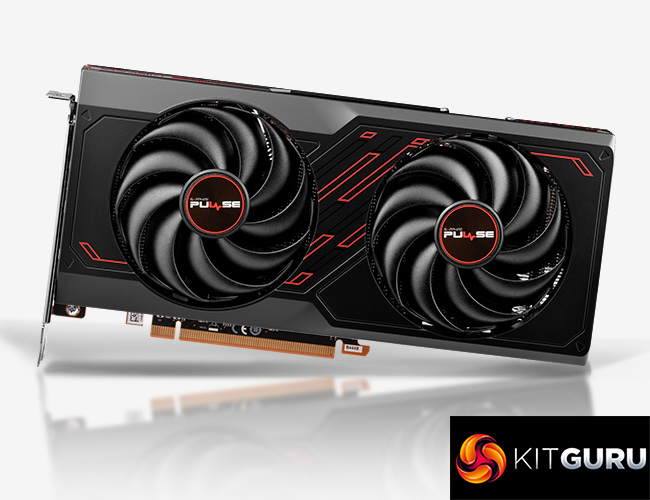
As for the design of the card itself, this is the first current-gen Pulse card we have reviewed, but its similarities to previous-gen offerings are immediately clear. We still find a mostly black plastic shroud, though there are a few red accents as is a signature for the Pulse family. It's pretty easy on the eyes overall, and the Pulse logo is also found on each of the fan hubs.
Build quality isn't the greatest however. As we show in the video, there's a fair bit of play with the screws that hold the shroud to the backplate, resulting in some noticeable wobble if you apply any pressure to the shroud itself. The good news is that this doesn't affect cooling at all as the heatsink is separately mounted to the GPU, and that is a very secure fit. You could also argue the quality of the plastic doesn't matter too much as once it's installed, you're not going to be touching it – but it's not the best first impression for the Pulse.
Back to the fans though, these use Sapphire's ‘Hybrid Fan Blade' design, offering what Sapphire claims is the ideal balance between static pressure and airflow. Each fan measures 90mm in diameter.
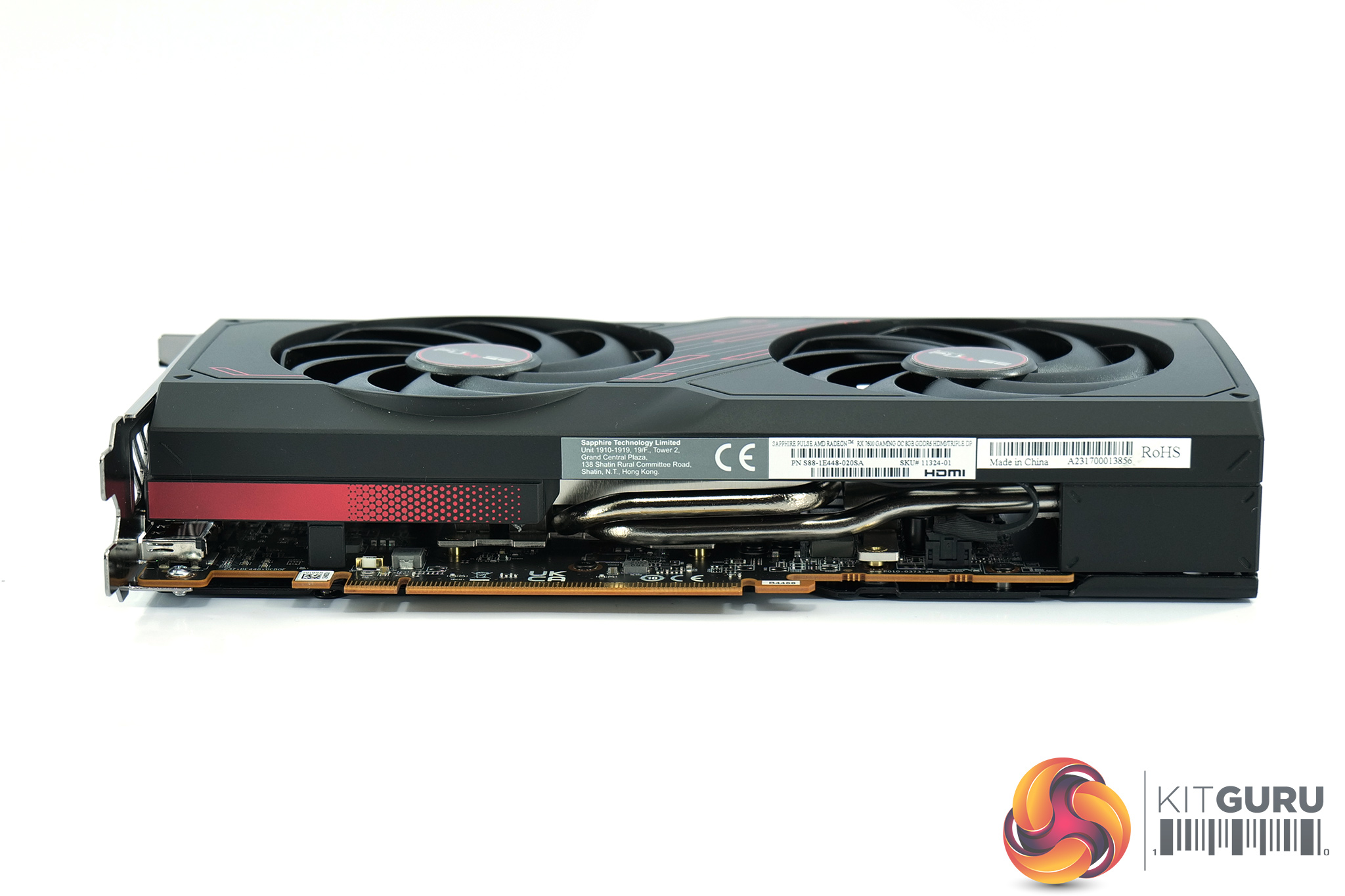
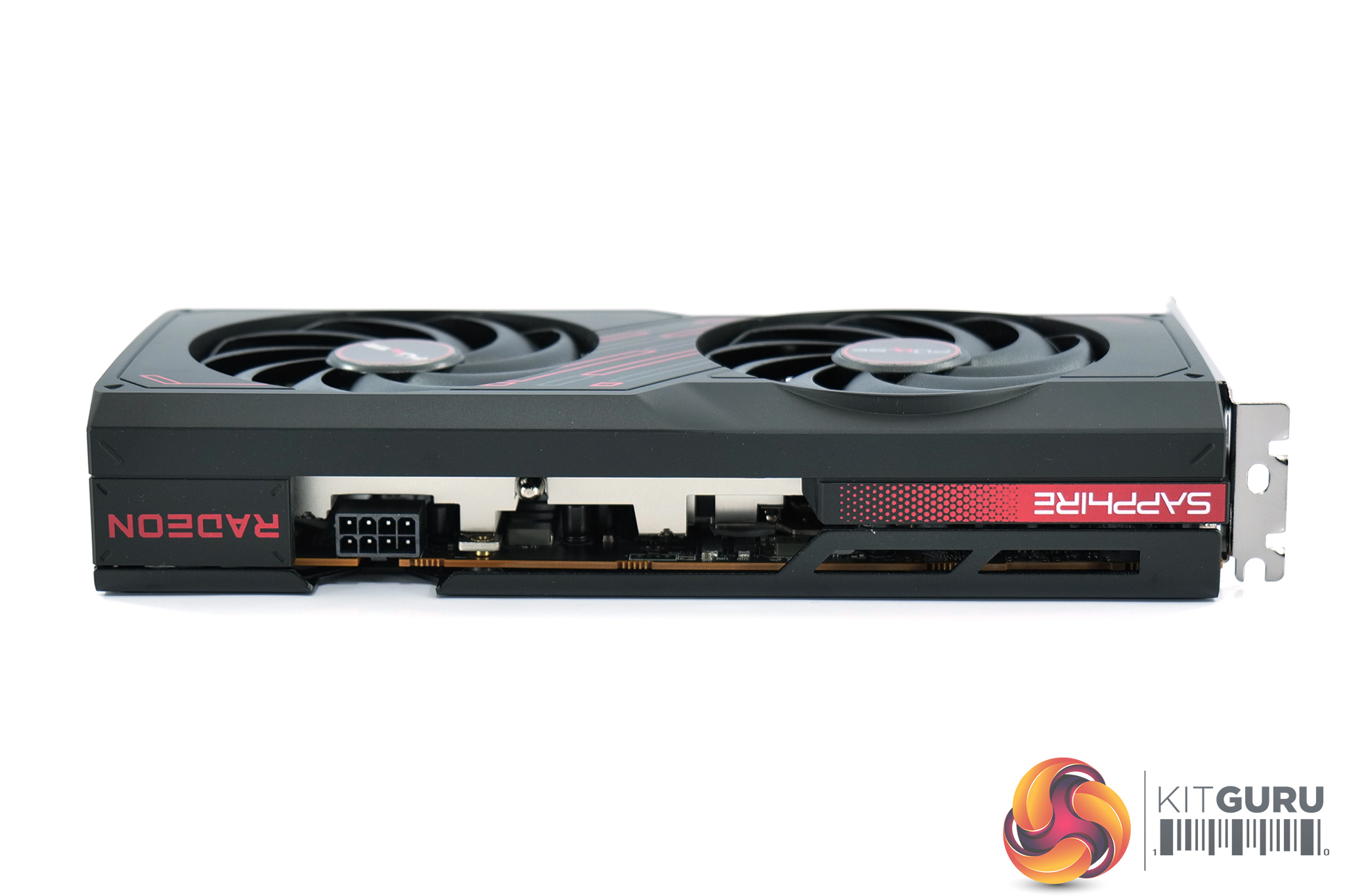
Moving on, in terms of its dimensions, the Pulse comes in at 240 x 107.1 x 44.07mm, so it's fairly short as modern cards go, and only just thicker than two PCIe slots. It is a touch longer than AMD's reference card however, while the Pulse also weighed in at 619g on our scales, making it 130g lighter than the AMD reference design.
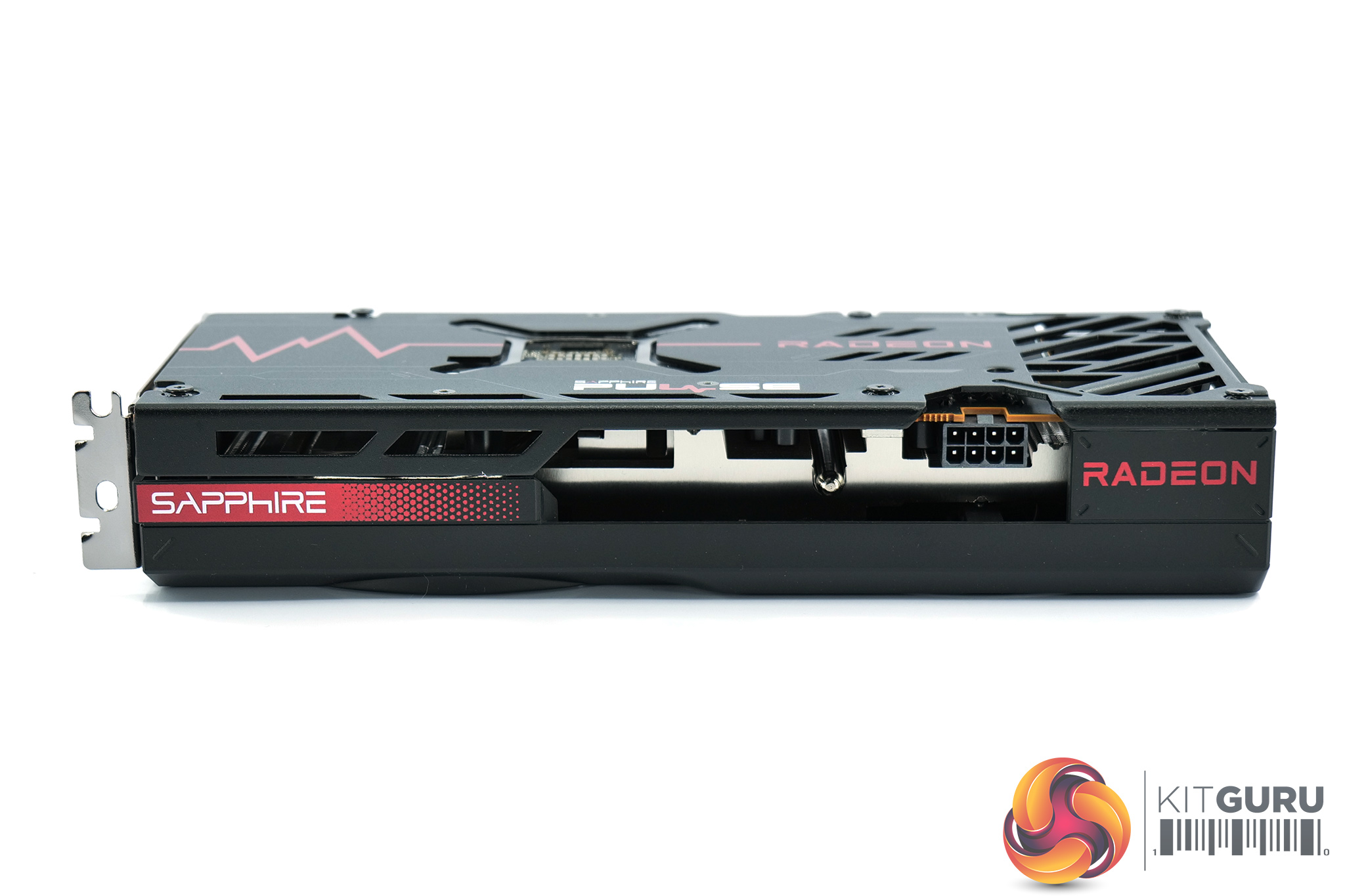
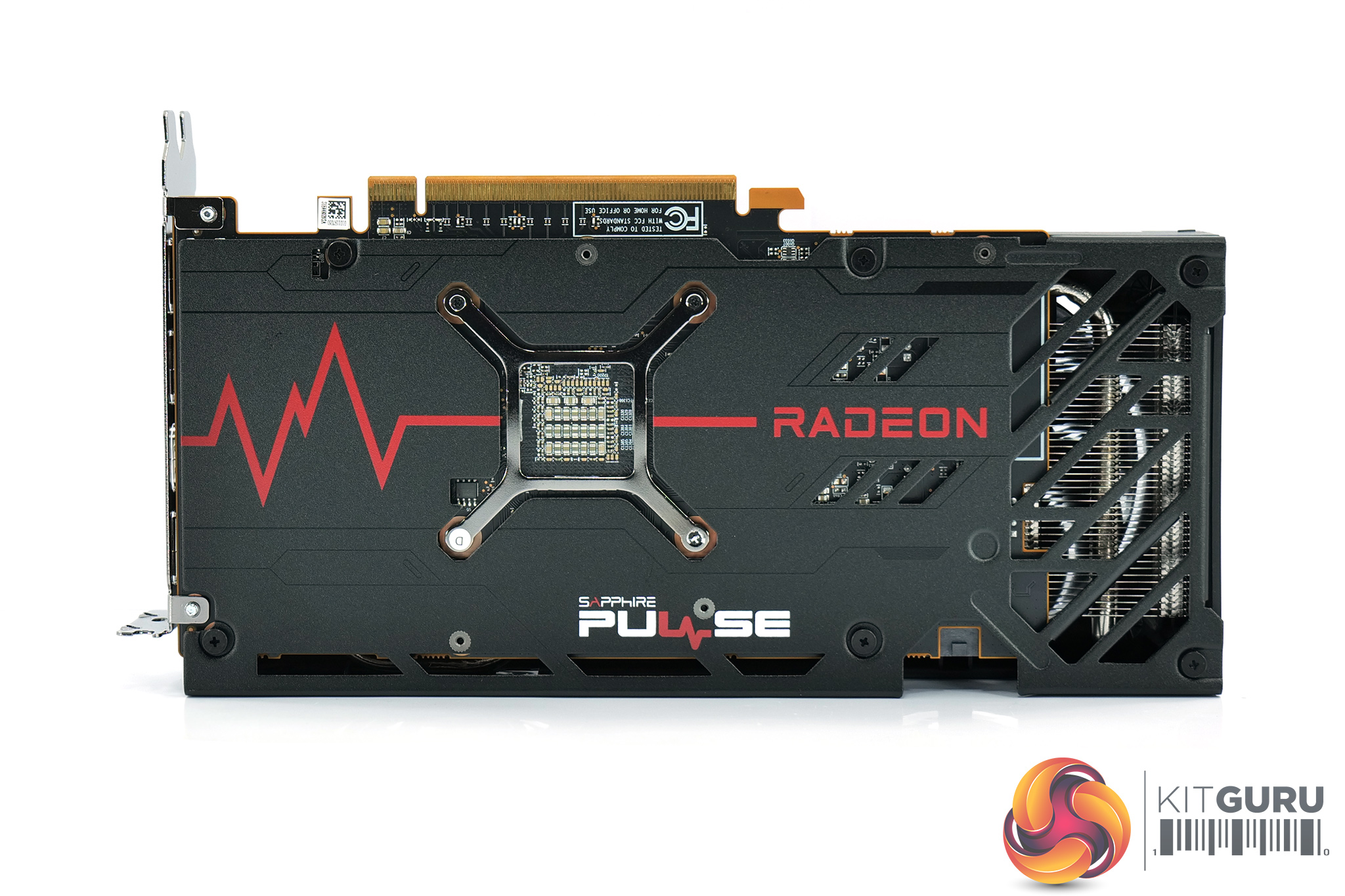
The front side of the card is home to the Sapphire and Radeon logos. These are finished in red so that might not be a perfect fit if your system has a specific colour scheme, but the card is mostly black overall. It's also worth pointing out there is no lighting of any kind on this card.
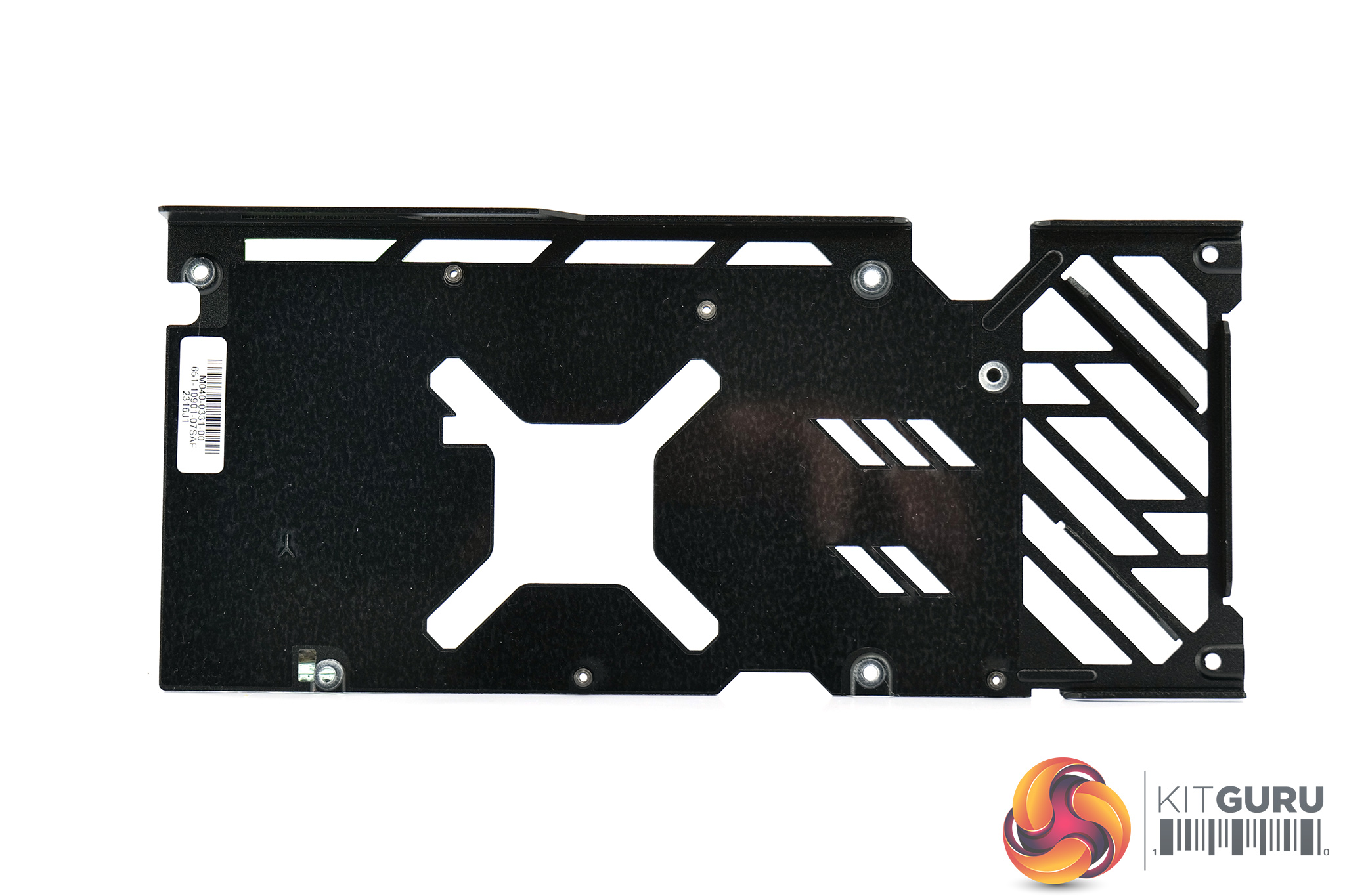
As for the backplate, this is a full-length design and it's made of metal. There's a cut-out behind the GPU core, and a few smaller cut-outs towards the end of the backplate to allow air to pass directly through the heatsink and out into the chassis.
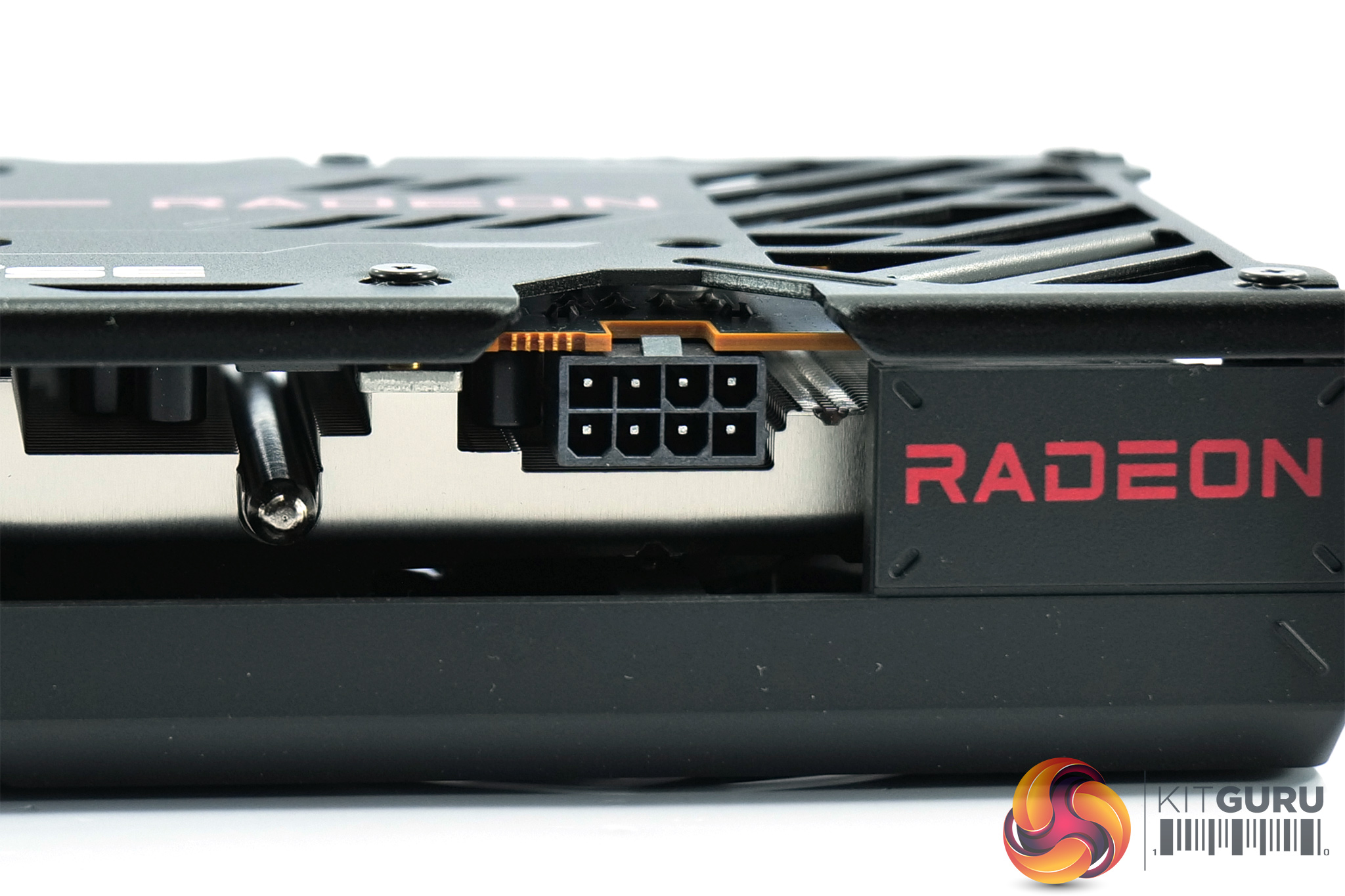
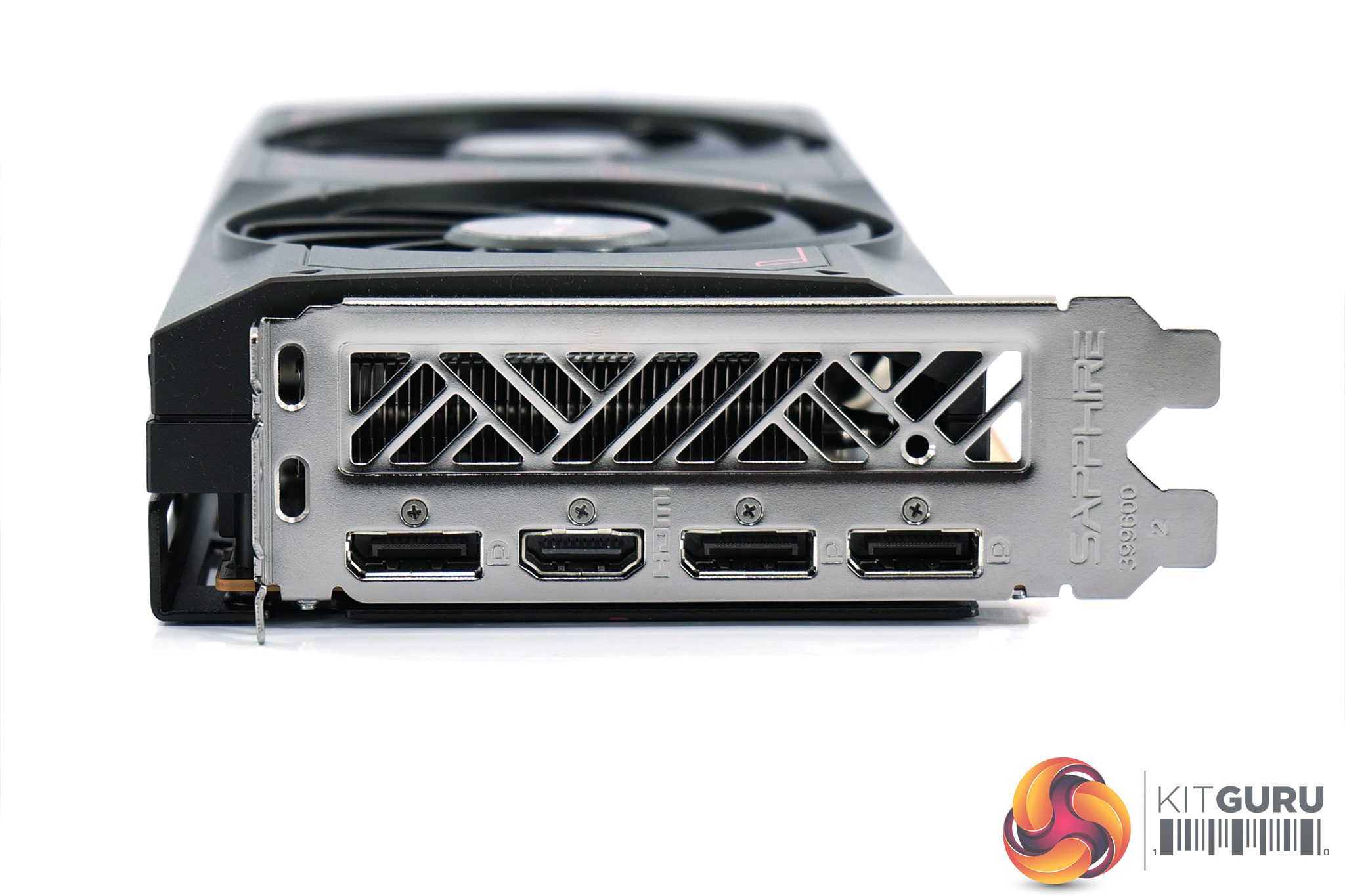
As expected, power is supplied by a single 8-pin connector. We can also note the display outputs, with a single HDMI 2.1 and then three DisplayPort 1.4 connectors. It's important to note these are DP 1.4, not the DisplayPort 2.1 connectors as found on AMD's reference card. This has clearly been done to save cost, and I can't say I mind that much as DP 1.4 is still able to provide enough bandwidth for 1080p 360Hz, even 1080p 480Hz with DSC, and you're unlikely to need more with this level of hardware.
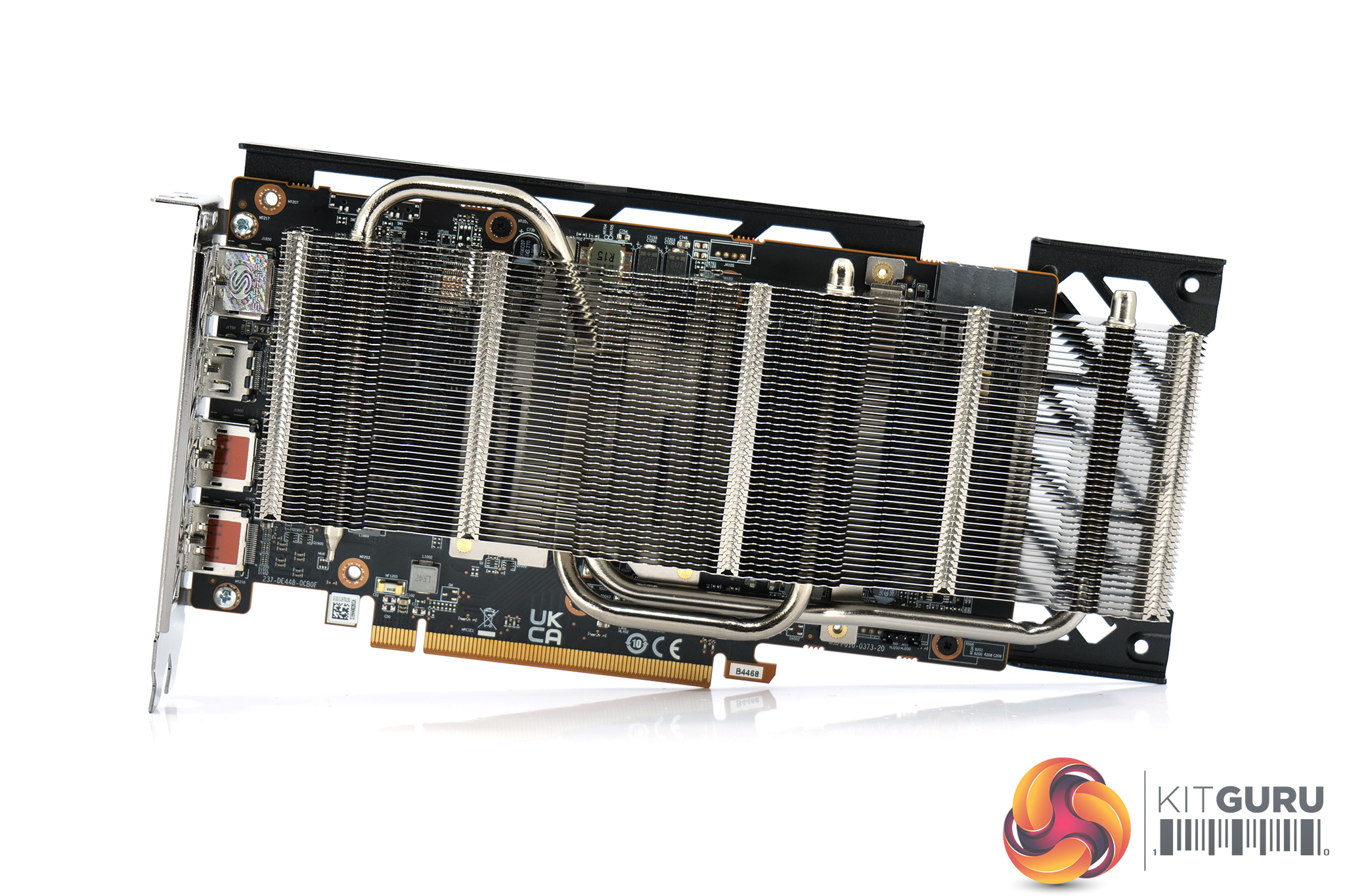
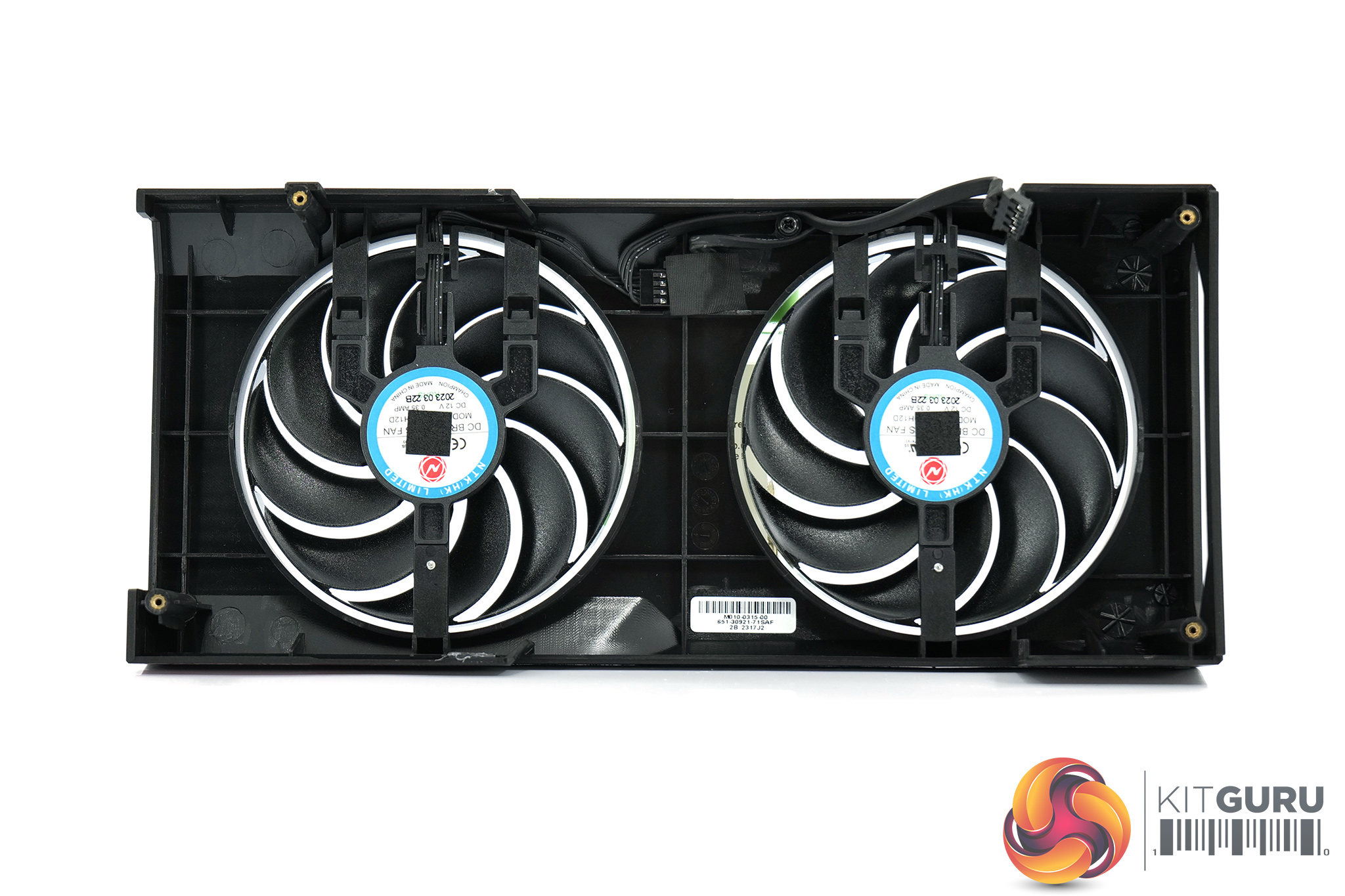
Coming to the disassembly, we mentioned earlier how the heatsink is separately mounted to the GPU. Instead, the shroud can be entirely removed while leaving the heatsink in place, providing easy access to the fans or fan cables without having to remove everything from the PCB.
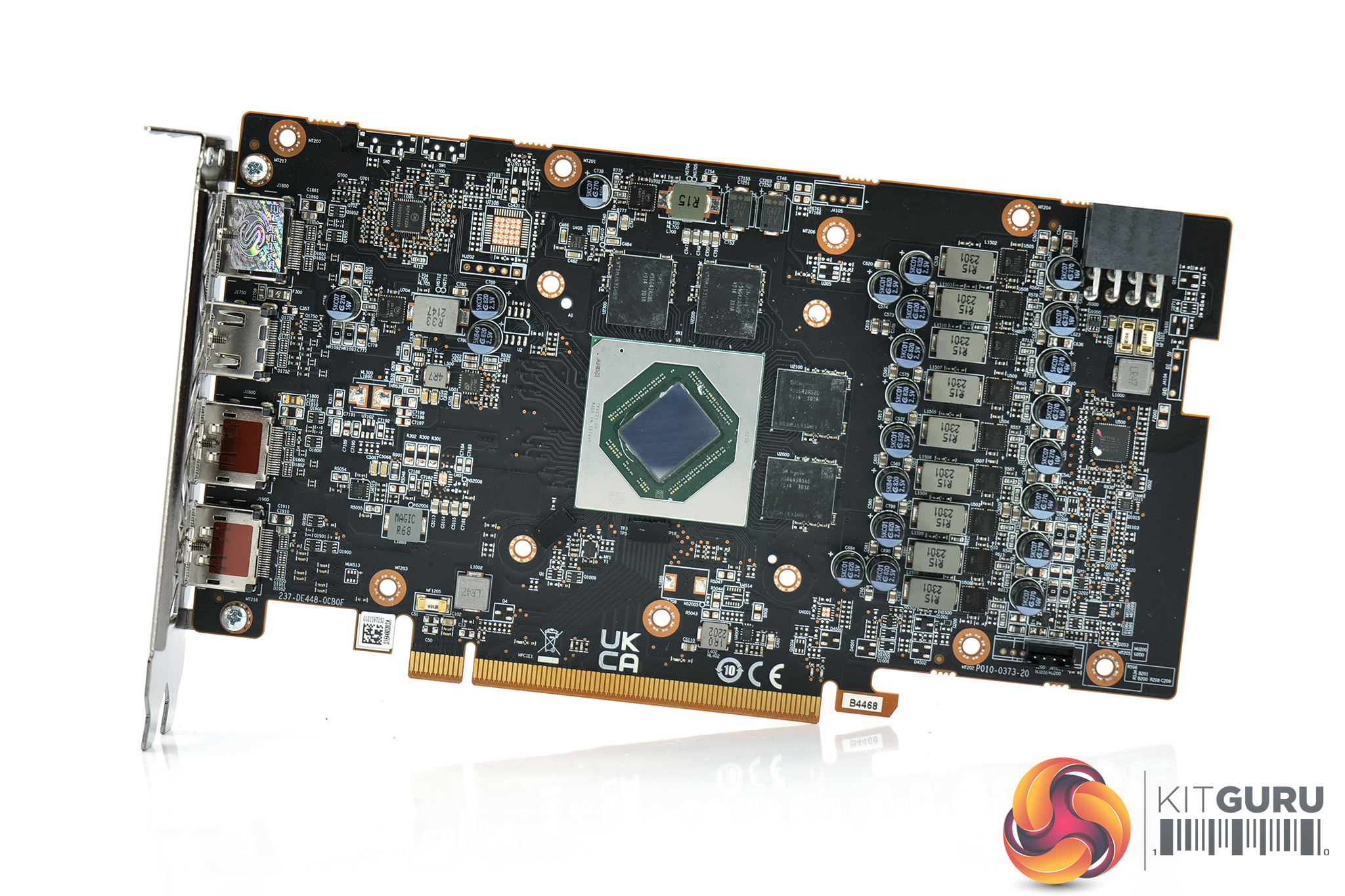
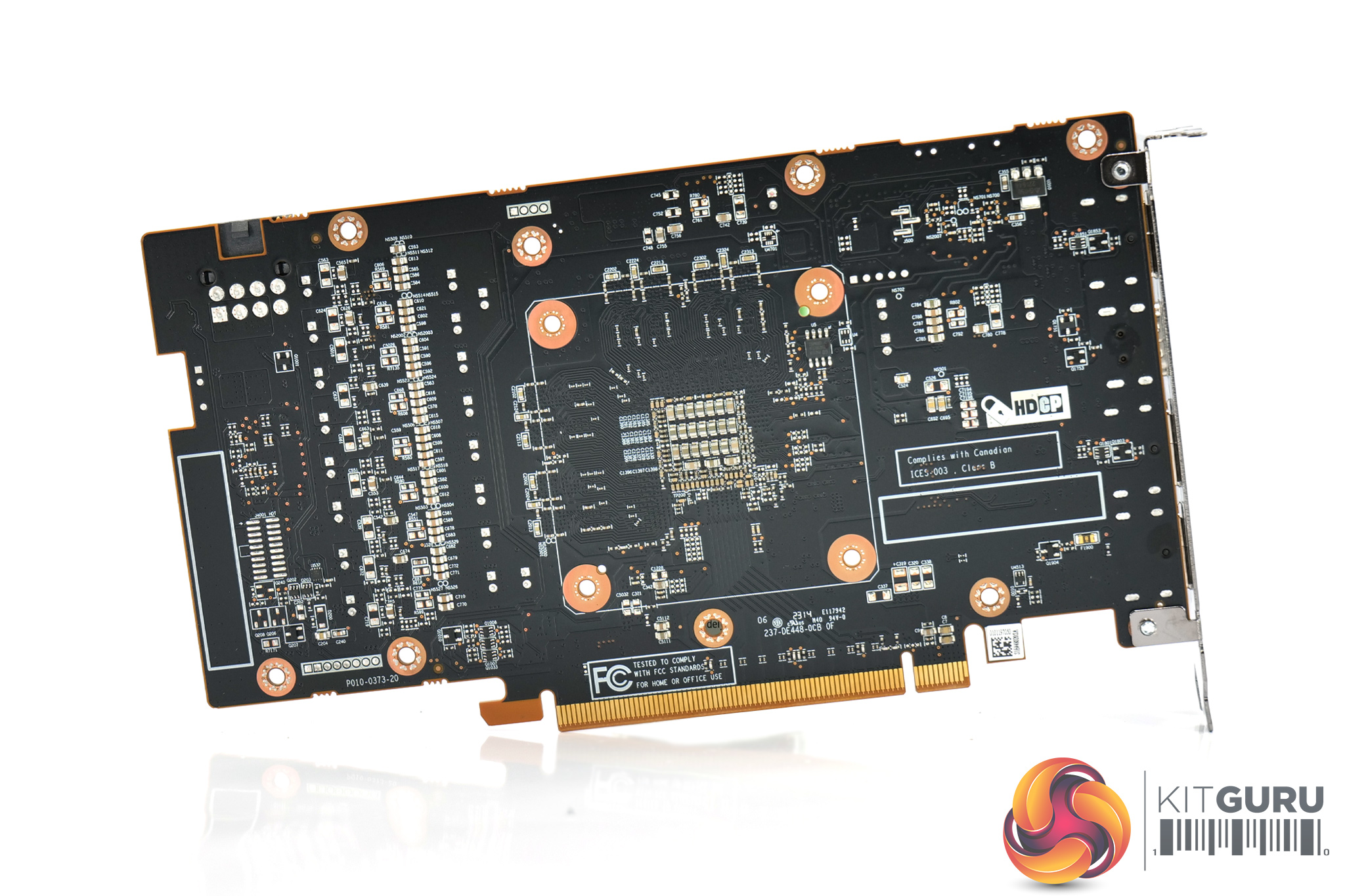
Speaking of the PCB, Sapphire is using an 8-phase VRM for the GPU, with both OnSemi NCP302155 and NCP302045 MOSFETs used, while the GPU VRM is controlled by an International Rectifier IR35217. Memory VRM is 2-phase, again using OnSemi NCP302045 MOSFETs, and controlled by OnSemi's NCP81022N.
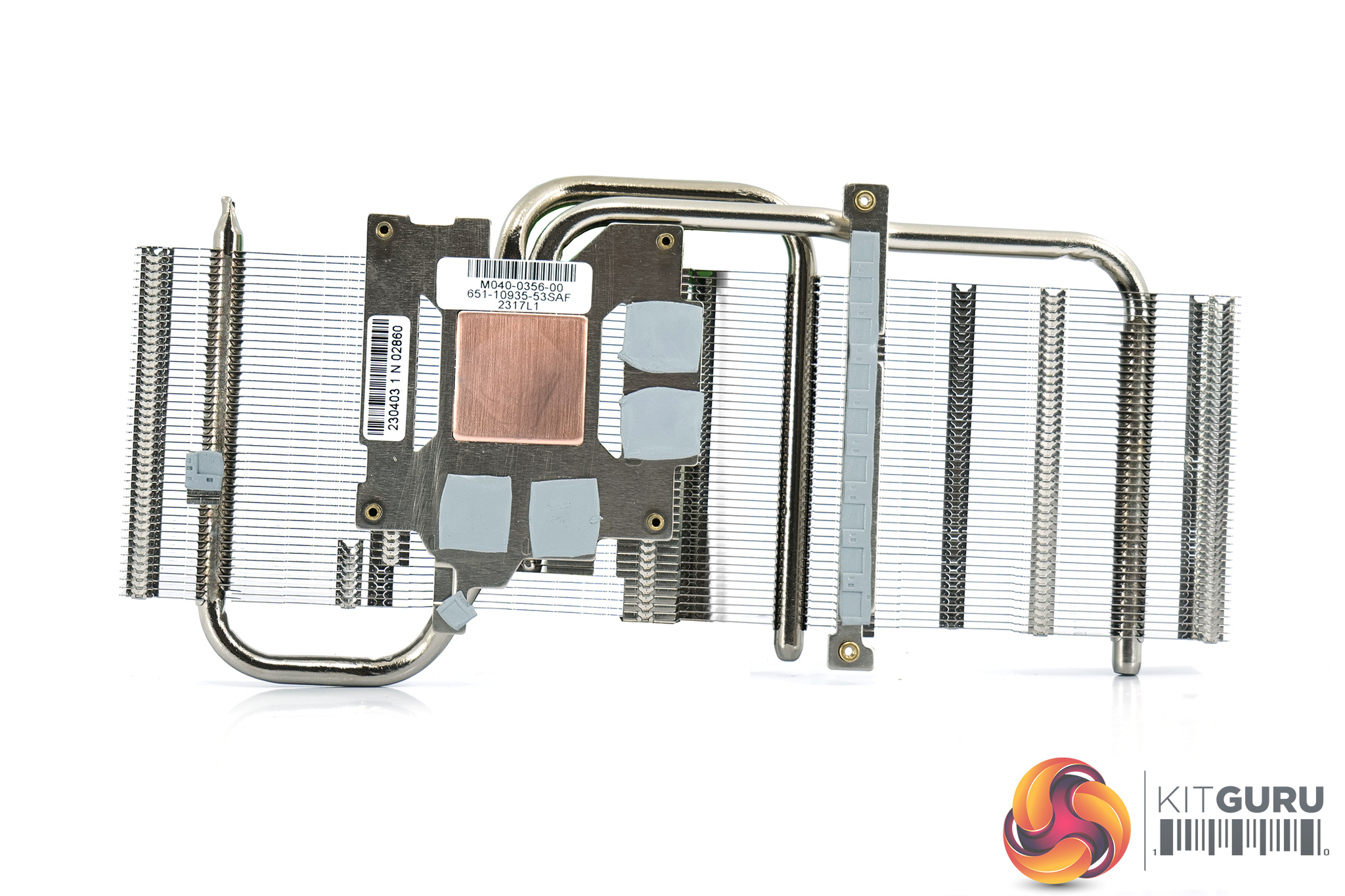
Sapphire is using a compact heatsink, with a horizontal finstack. This utilises two 6mm heatpipes, while the GPU contacts with a copper core. The memory contacts with another baseplate, with a much thinner contact plate used to cool the VRM.
We can also see that Sapphire is not using any thermal pads on the underside of the backplate.
Driver Notes
- All AMD GPUs (except RX 7600) were benchmarked with the Adrenalin 23.3.2 driver.
- All Nvidia GPUs (except RTX 4070) were benchmarked with the 531.41 driver.
- All Intel GPUs were benchmarked with the 101.4314 driver.
- RTX 4070 was benchmarked with the 531.42 driver supplied to press.
- RTX 4060 Ti was benchmarked with the 531.93 driver supplied to press.
- RX 7600 was benchmarked with the driver supplied to press.
Test System:
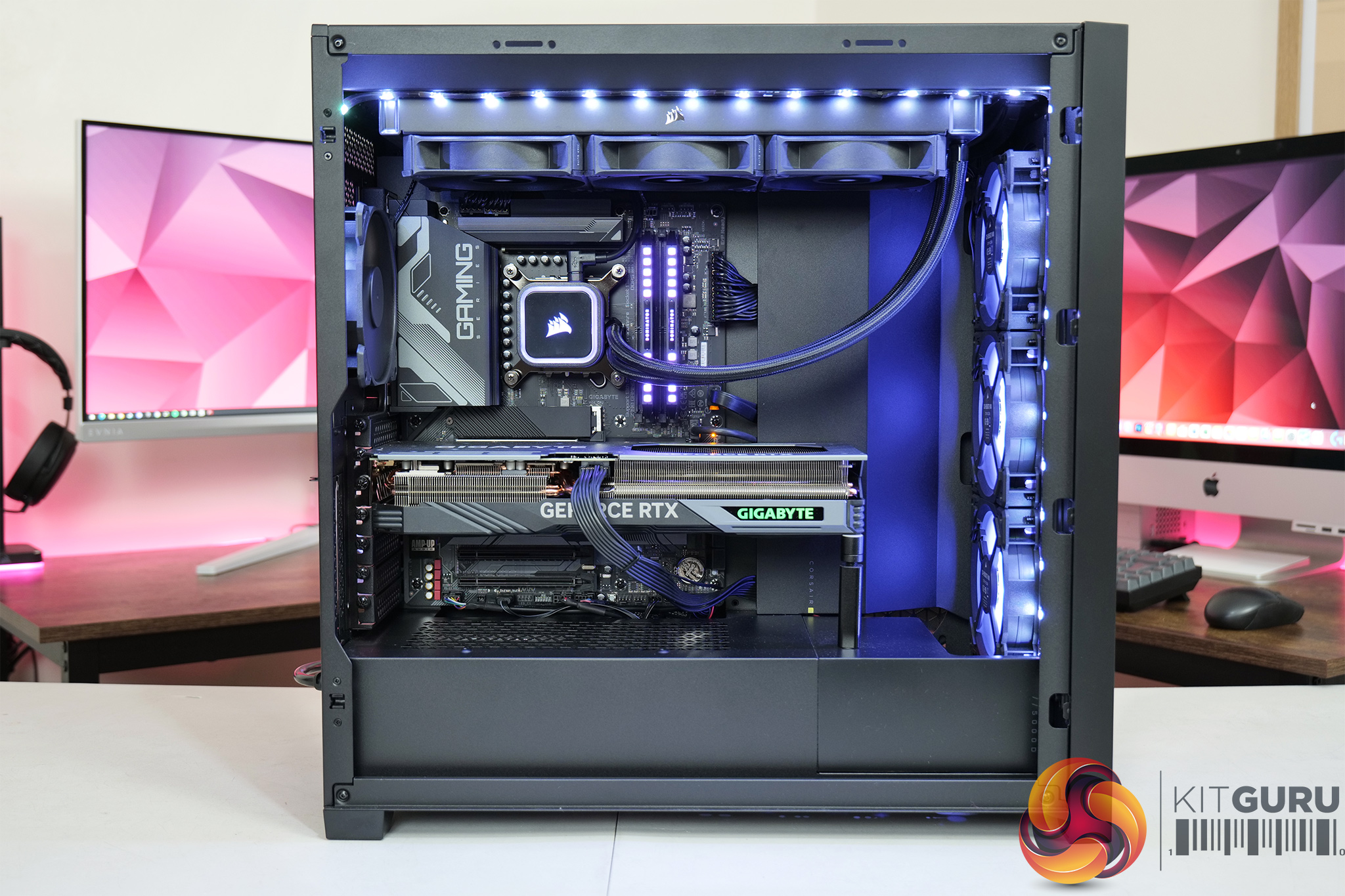
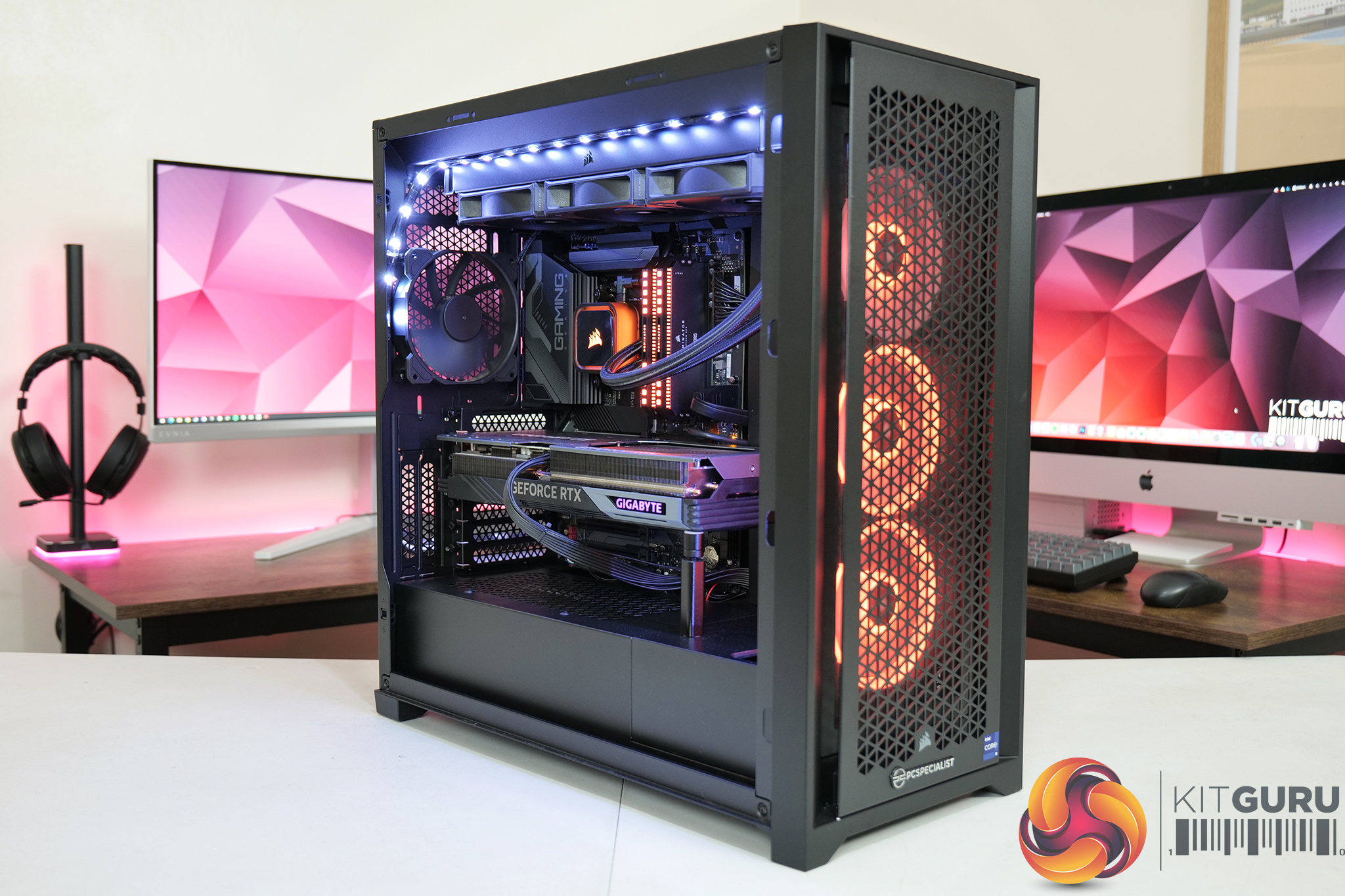
We test using a custom built system from PCSpecialist, based on Intel’s Rocket Lake platform. You can read more about this system HERE and configure your own PCSpecialist system HERE.
| CPU |
Intel Core i9-13900KS
|
| Motherboard |
Gigabyte Z790 Gaming X AX
|
| Memory |
32GB (2x16GB) Corsair Dominator Platinum RGB DDR5 6000MHz
|
| Graphics Card |
Varies
|
| SSD |
4TB Seagate Firecuda 530 Gen 4 PCIe NVMe
|
| Chassis | Corsair 5000D Airflow Tempered Glass Gaming Case |
| CPU Cooler |
Corsair iCUE H150i Elite RGB High Performance CPU Cooler
|
| Power Supply |
Corsair 1600W Pro Series Titanium AX1600i Digital Modular PSU
|
| Operating System |
Windows 11 22H2
|
| Monitor |
MSI Optix MPG321UR-QD
|
| Resizable BAR |
Enabled for all supported GPUs
|
Comparison Graphics Cards List
- AMD RX 7900 XT 20GB
- AMD RX 6900 XT 16GB
- AMD RX 6800 XT 16GB
- AMD RX 6800 16GB
- AMD RX 6700 XT 12GB
- Gigabyte RX 6600 XT Gaming 8GB
- Gigabyte RX 6600 Eagle 8GB
- Intel Arc A770 LE 16GB
- Gigabyte RTX 4070 Ti Gaming 12GB
- Nvidia RTX 4070 Founders Edition 12GB
- Nvidia RTX 4060 Ti Founders Edition 8GB
- Gigabyte RTX 3090 Ti Gaming 24GB
- Gigabyte RTX 3090 Eagle 24GB
- Gigabyte RTX 3080 Eagle 10GB
- Nvidia RTX 3070 Ti FE 8GB
- Nvidia RTX 3070 FE 8GB
- Nvidia RTX 3060 Ti FE 8GB
- Palit RTX 3060 StormX 12GB
- Nvidia RTX 2070 Super FE 8GB
All cards were tested at reference specifications.
Software and Games List
- 3DMark Fire Strike & Fire Strike Ultra (DX11 Synthetic)
- 3DMark Time Spy (DX12 Synthetic)
- 3DMark DirectX Raytracing feature test (DXR Synthetic)
- Assassin's Creed Valhalla (DX12)
- Control (DXR)
- Cyberpunk 2077 (DX12)
- Days Gone (DX11)
- Dying Light 2 (DX11)
- F1 22 (DXR)
- God of War (DX11)
- Hitman 3 (DXR)
- Horizon Zero Dawn (DX12)
- Marvel's Spider-Man Remastered (DX12)
- Metro Exodus Enhanced Edition (DXR)
- A Plague Tale: Requiem (DX12)
- Red Dead Redemption 2 (DX12)
- Resident Evil Village (DX12)
- Total War: Warhammer III (DX11)
- Uncharted 4: A Thief's End (DX12)
We run each benchmark/game three times, and present mean averages in our graphs. We use FrameView to measure average frame rates as well as 1% low values across our three runs.
3DMark Time Spy is a DirectX 12 benchmark test for Windows 10 gaming PCs. Time Spy is one of the first DirectX 12 apps to be built the right way from the ground up to fully realize the performance gains that the new API offers. With its pure DirectX 12 engine, which supports new API features like asynchronous compute, explicit multi-adapter, and multi-threading, Time Spy is the ideal test for benchmarking the latest graphics cards. (UL).
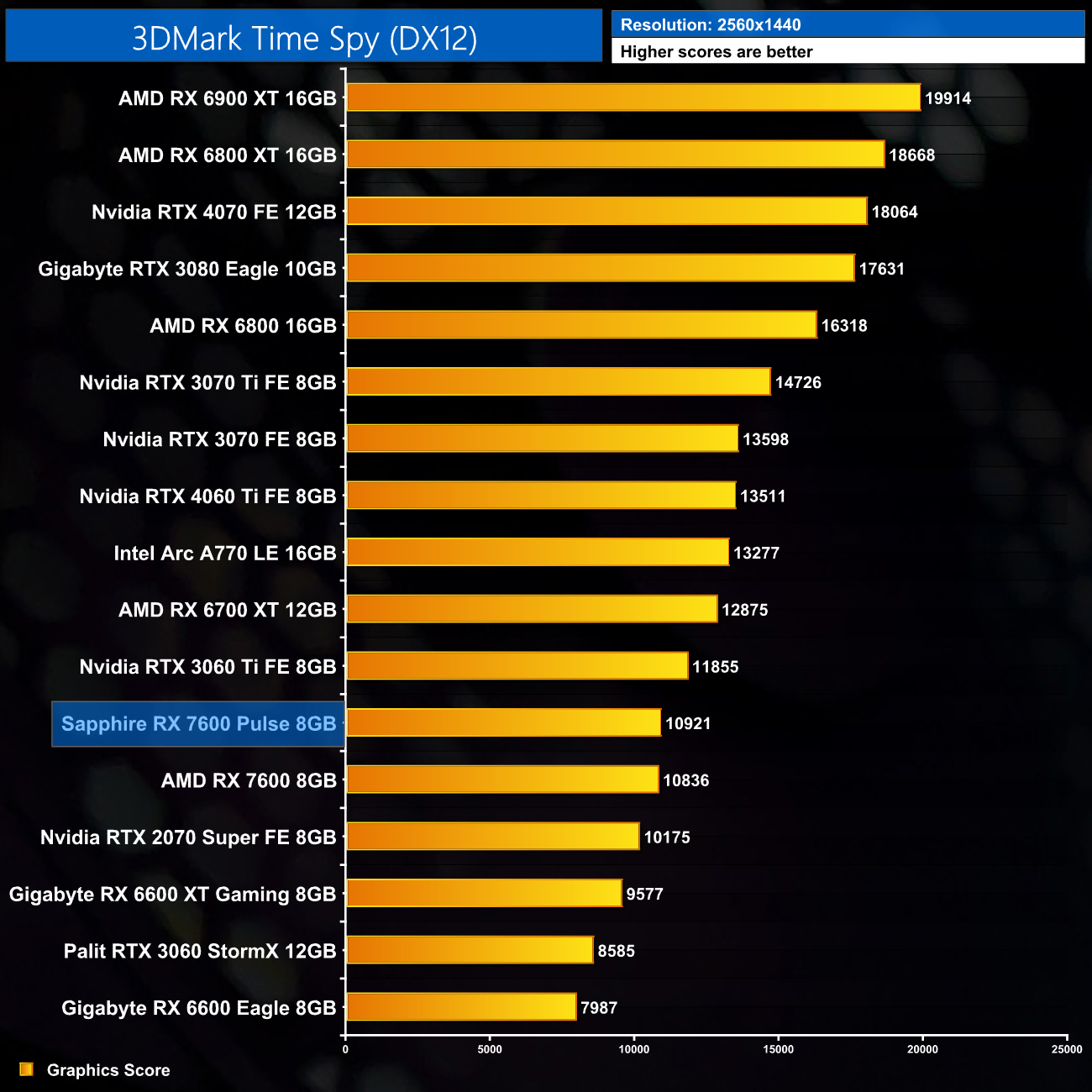
3DMark Time Spy gives a first look at performance and we can see the Pulse sneaks in just ahead of the AMD reference card – the margins are very fine, with the difference being less than 100 points.
Here we test five games, all at 1920×1080 resolution using maximum image quality settings.
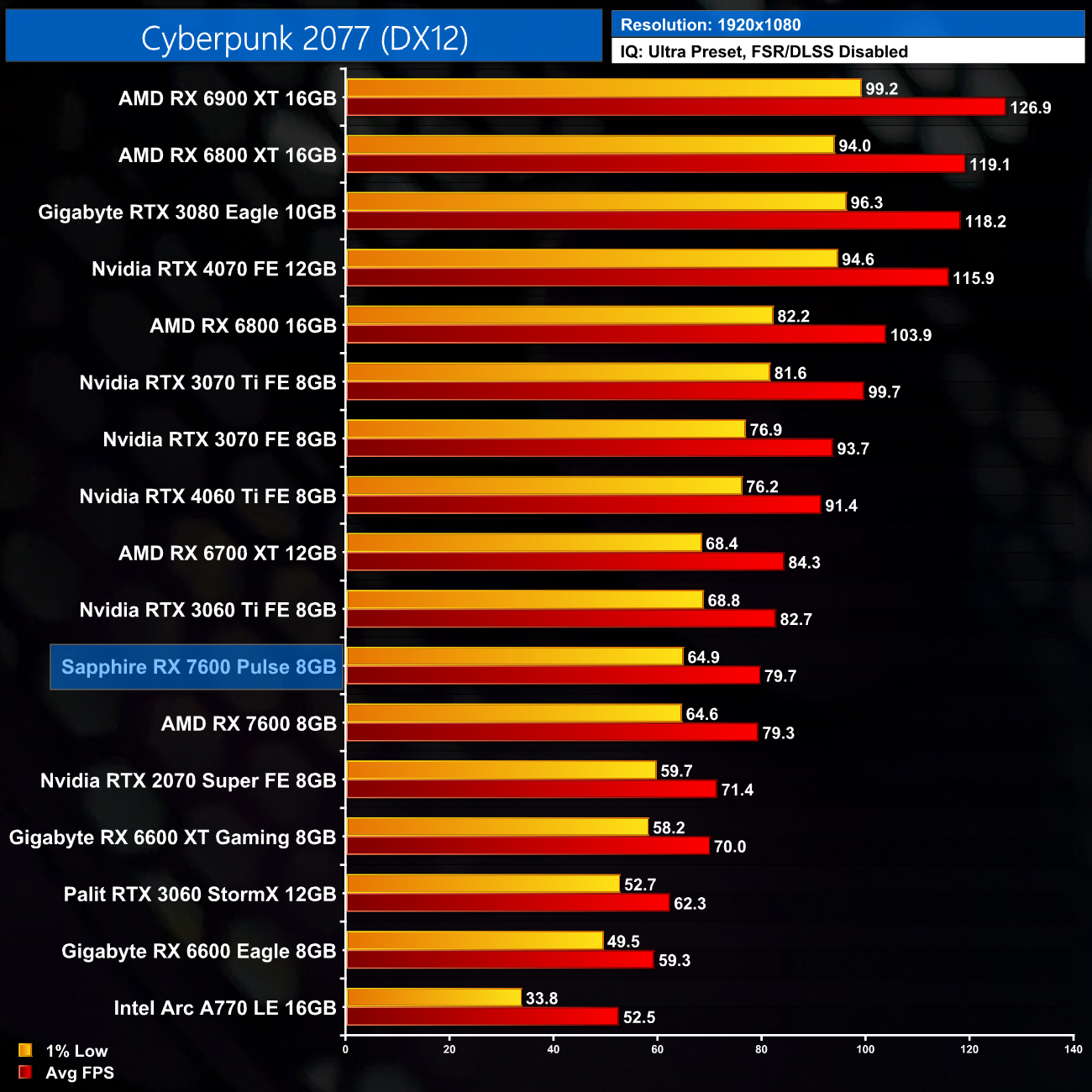
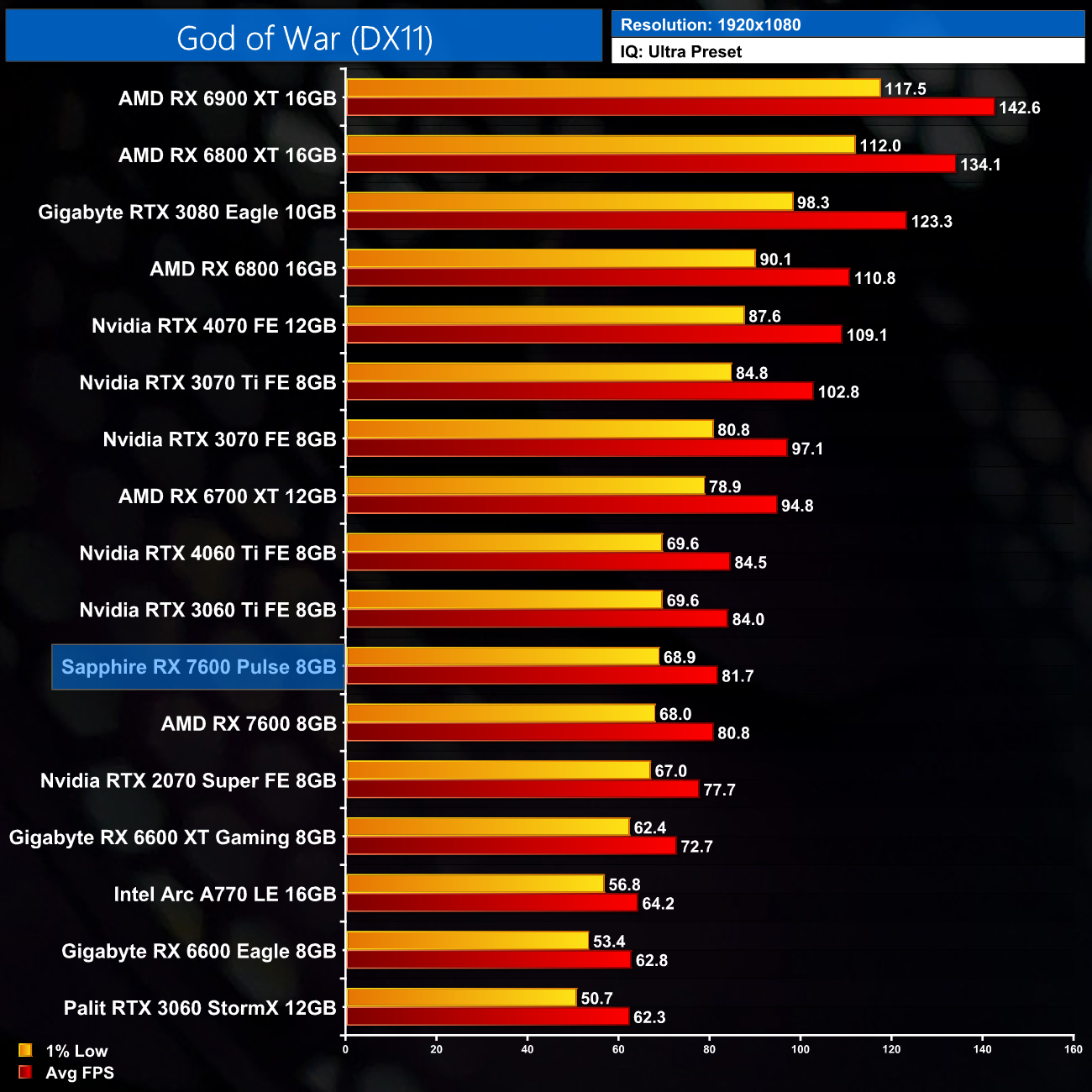
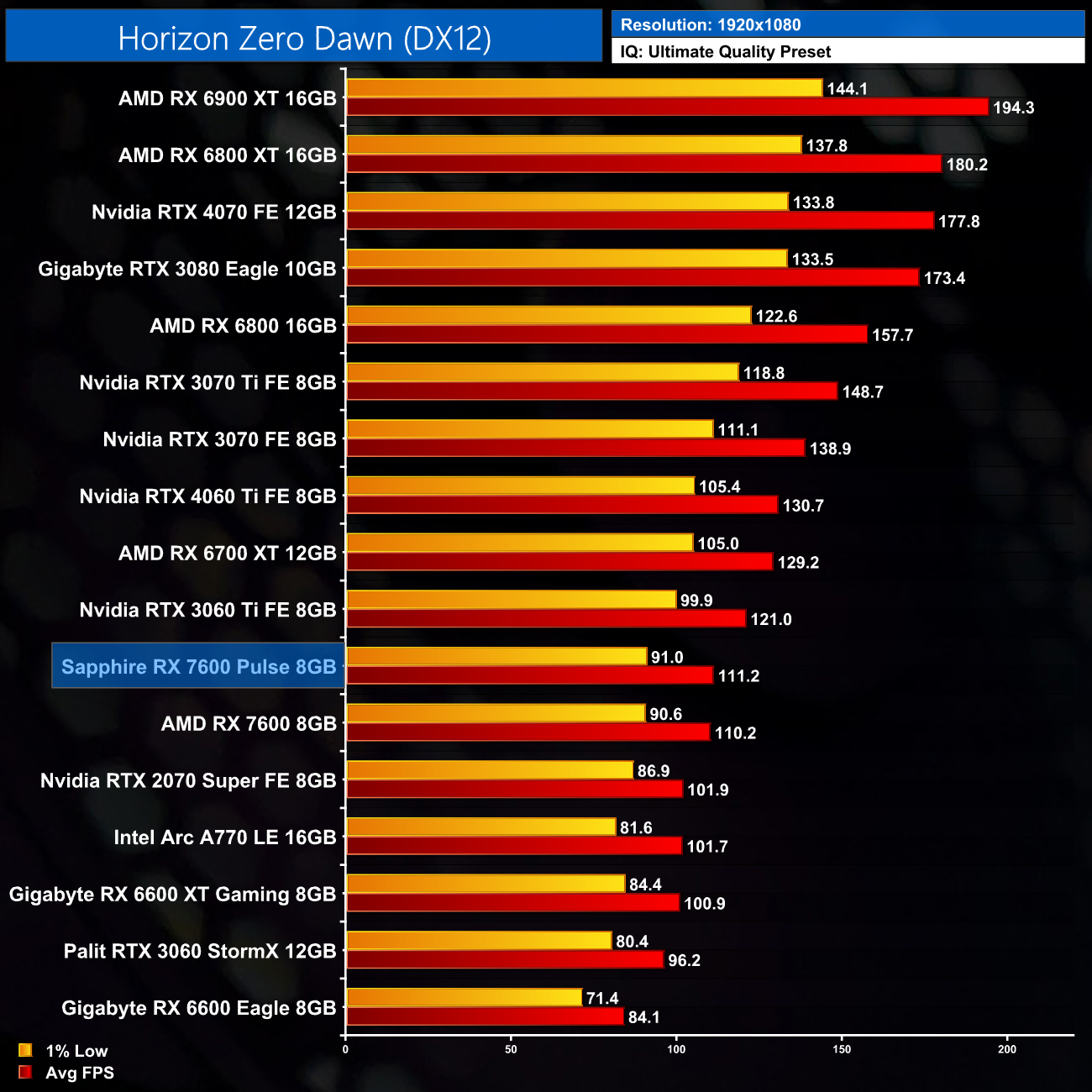
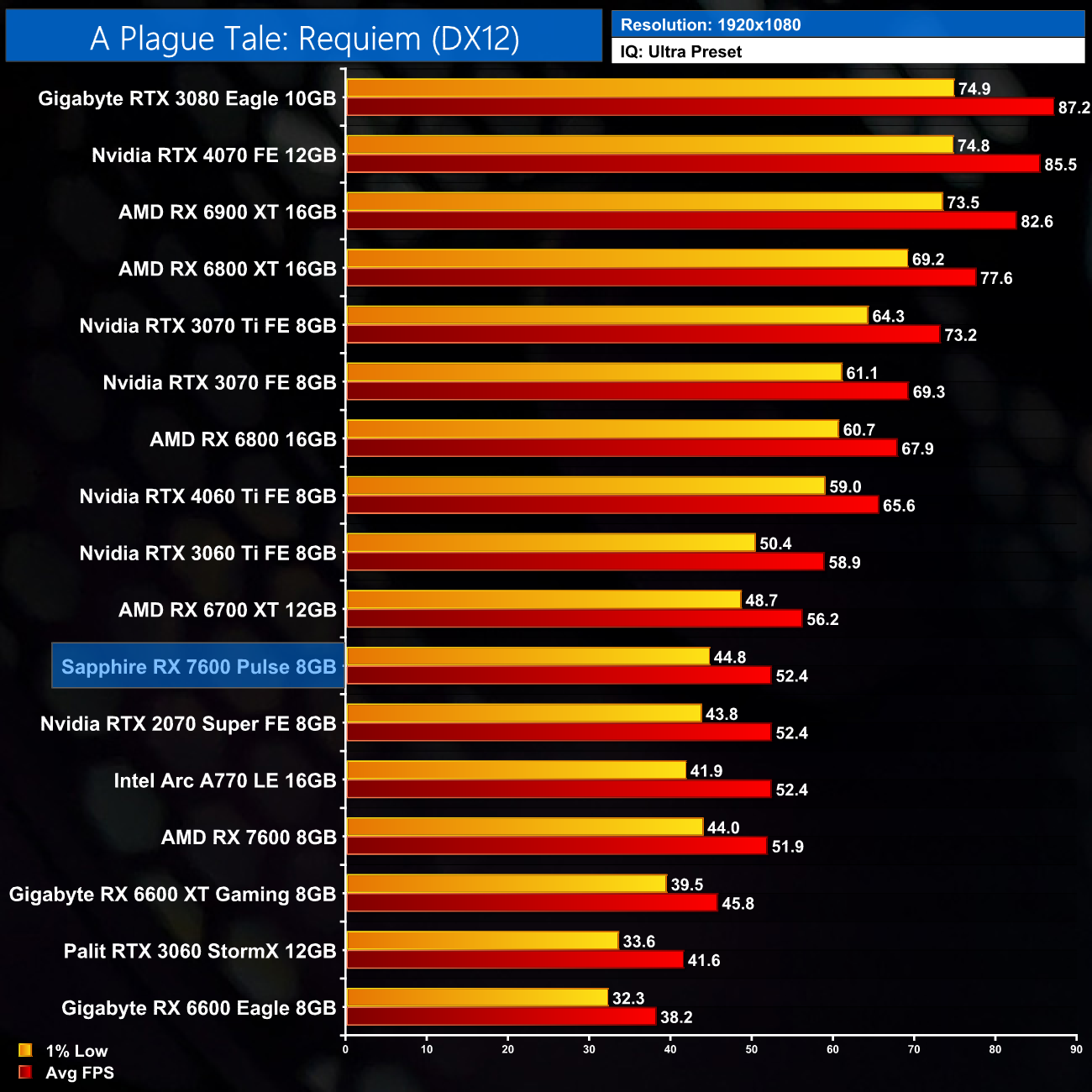
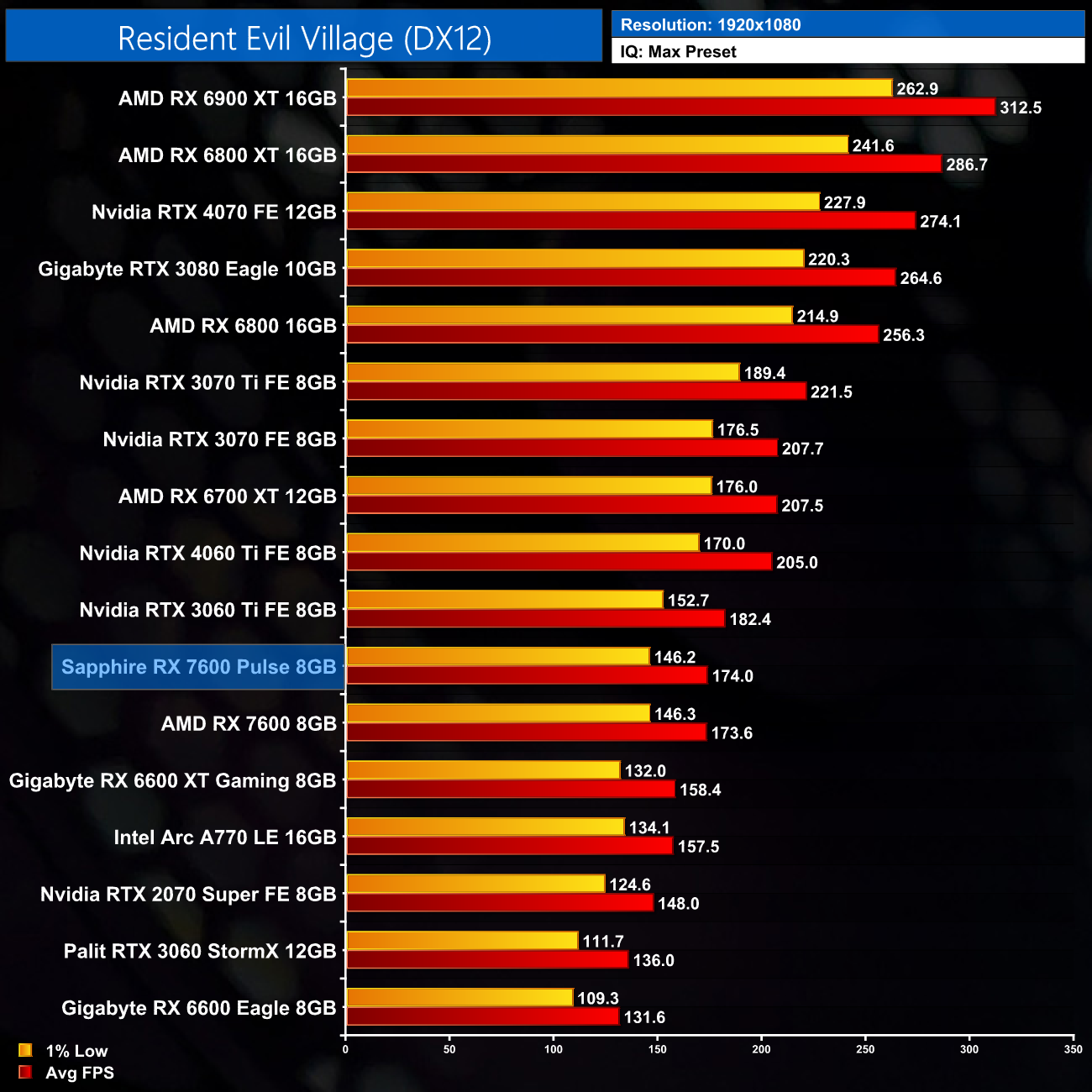
Our game benchmarks follow a similar trend. Over the five games we tested, the Pulse does technically come in a touch faster than the AMD reference design, but the reality is the differences are so small you just wouldn't notice while gaming. We're talking 1-2FPS differences here, so we're actually within margin for error, so functionally the two cards are just as fast as each other.
Here we present the average clock speed for each graphics card while running Cyberpunk 2077 for 30 minutes. We use GPU-Z to record the GPU core frequency during gameplay. We calculate the average core frequency during the 30 minute run to present here.
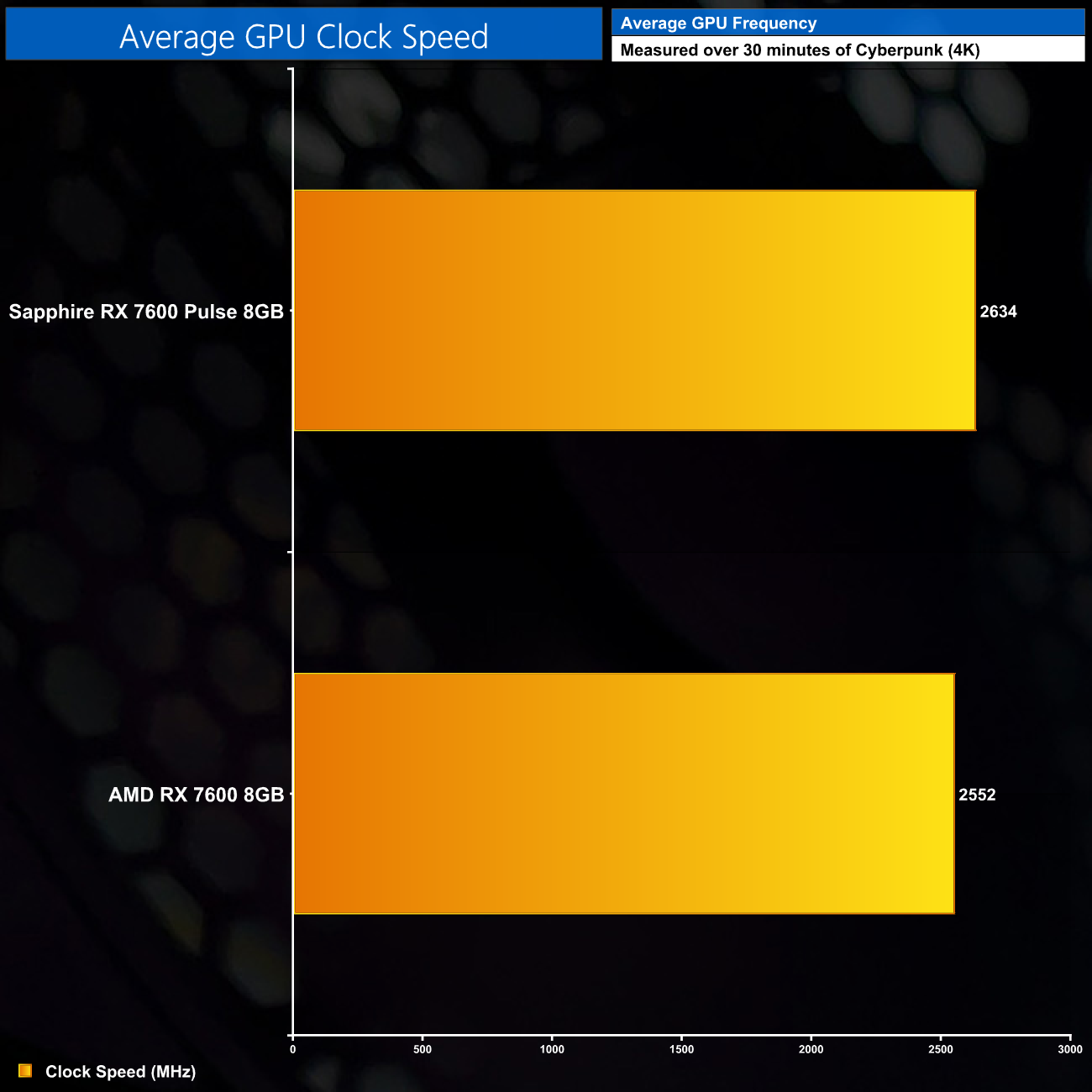
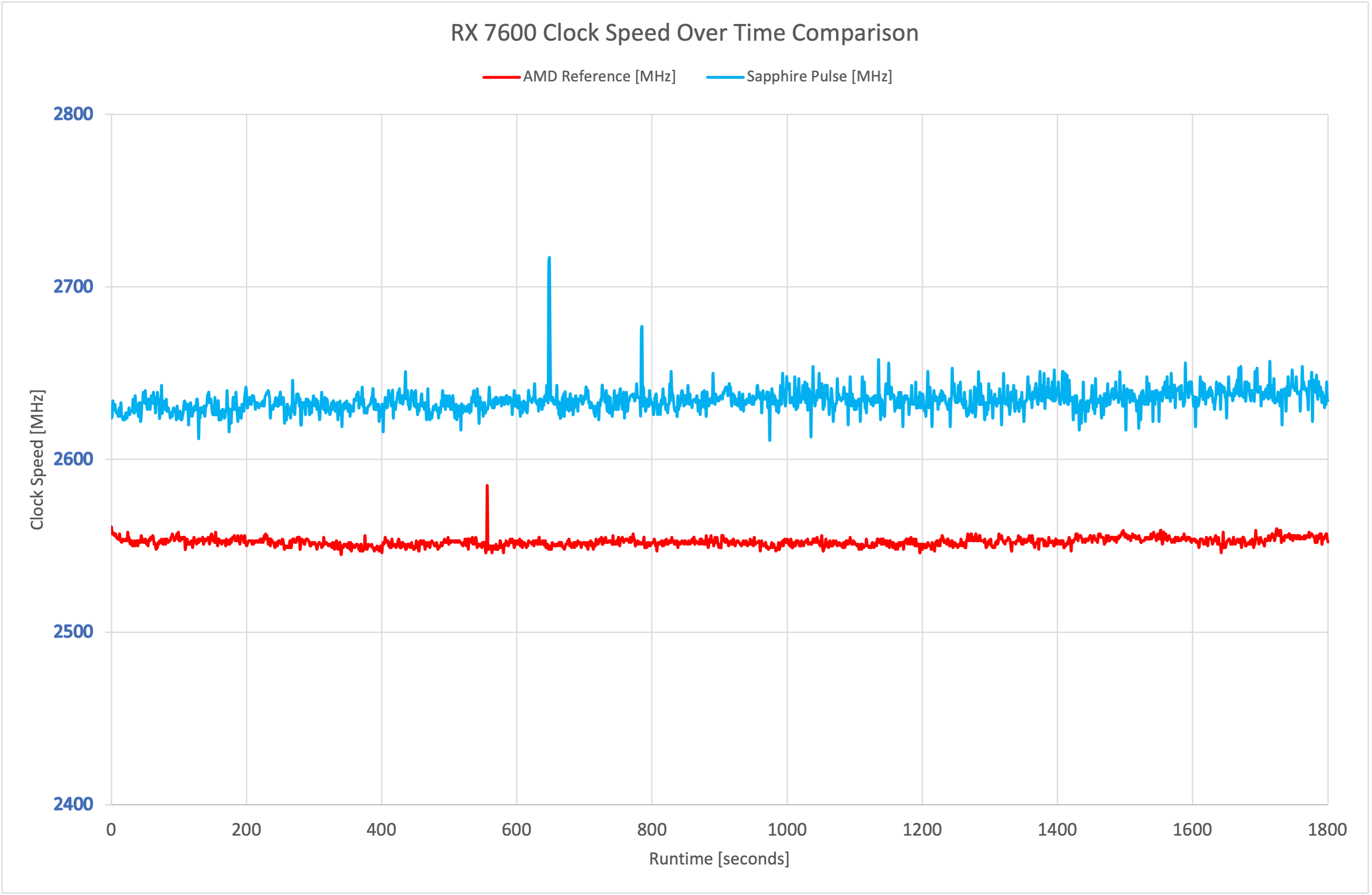
As for the operating clock speed of the Pulse, we measured an average frequency of 2634MHz over our thirty minute stress test, so that makes it about 80MHz faster the AMD reference design, which is not much at all and explains the tiny difference in our game benchmarks. I've deliberately truncated the frequency graph too just to show the difference, but both the Pulse and AMD card show very stable clock speeds at and around the 2600MHz mark.
For our temperature testing, we measure the peak GPU core temperature under load. A reading under load comes from running Cyberpunk 2077 for 30 minutes.
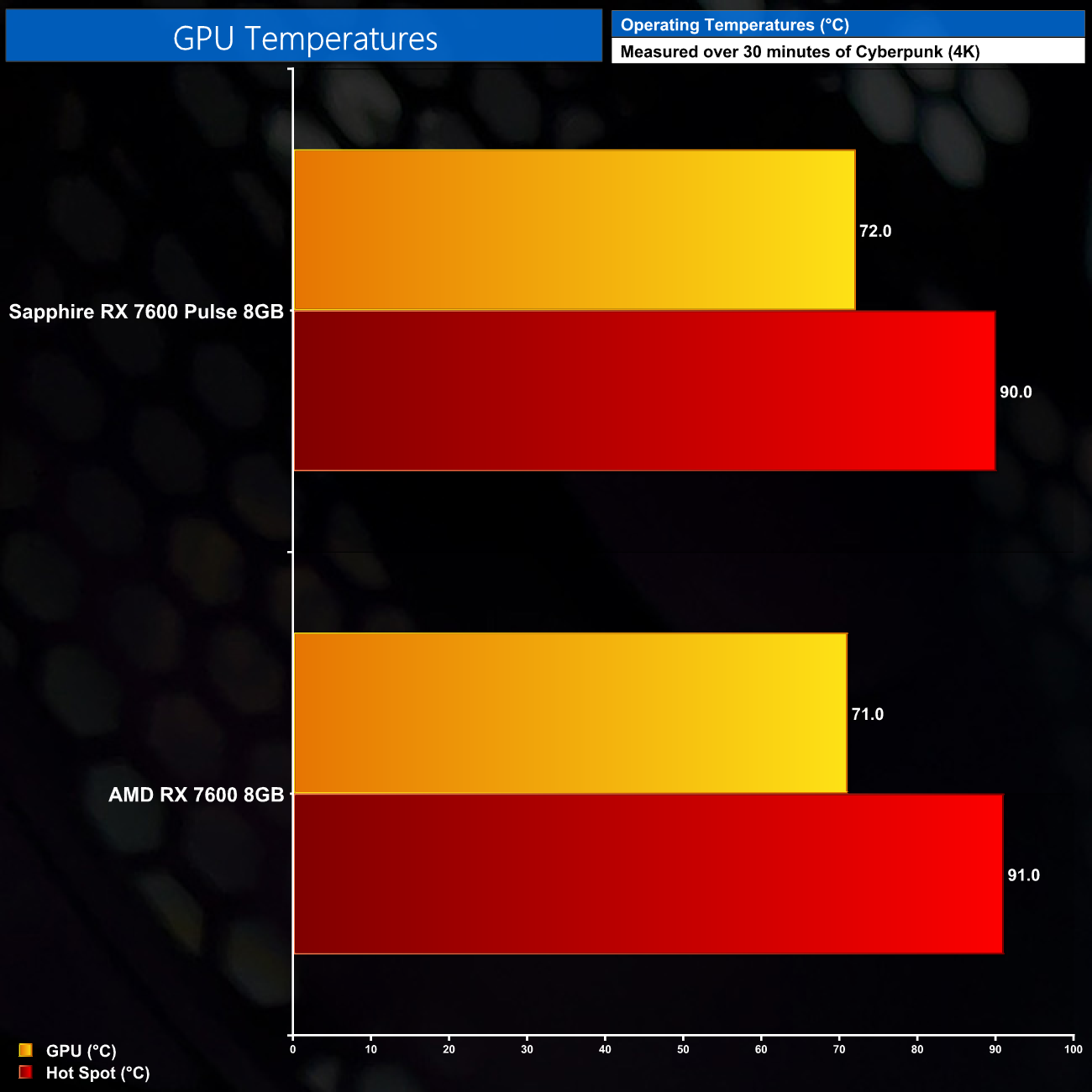
Out of the box thermal performance may surprise you, as there's really not much between these two cards. The Pulse hit a peak of 72C on the GPU and 90C on the hot spot, compared with 71C and 91C for the AMD reference card, respectively. This is with the default fan curve however, so noise levels aren't taken into account.
We take our noise measurements with the sound meter positioned 1 foot from the graphics card. I measured the noise floor to be 32 dBA, thus anything above this level can be attributed to the graphics cards. The power supply is passive for the entire power output range we tested all graphics cards in, while all CPU and system fans were disabled. A reading under load comes from running Cyberpunk 2077 for 30 minutes for 30 minutes.
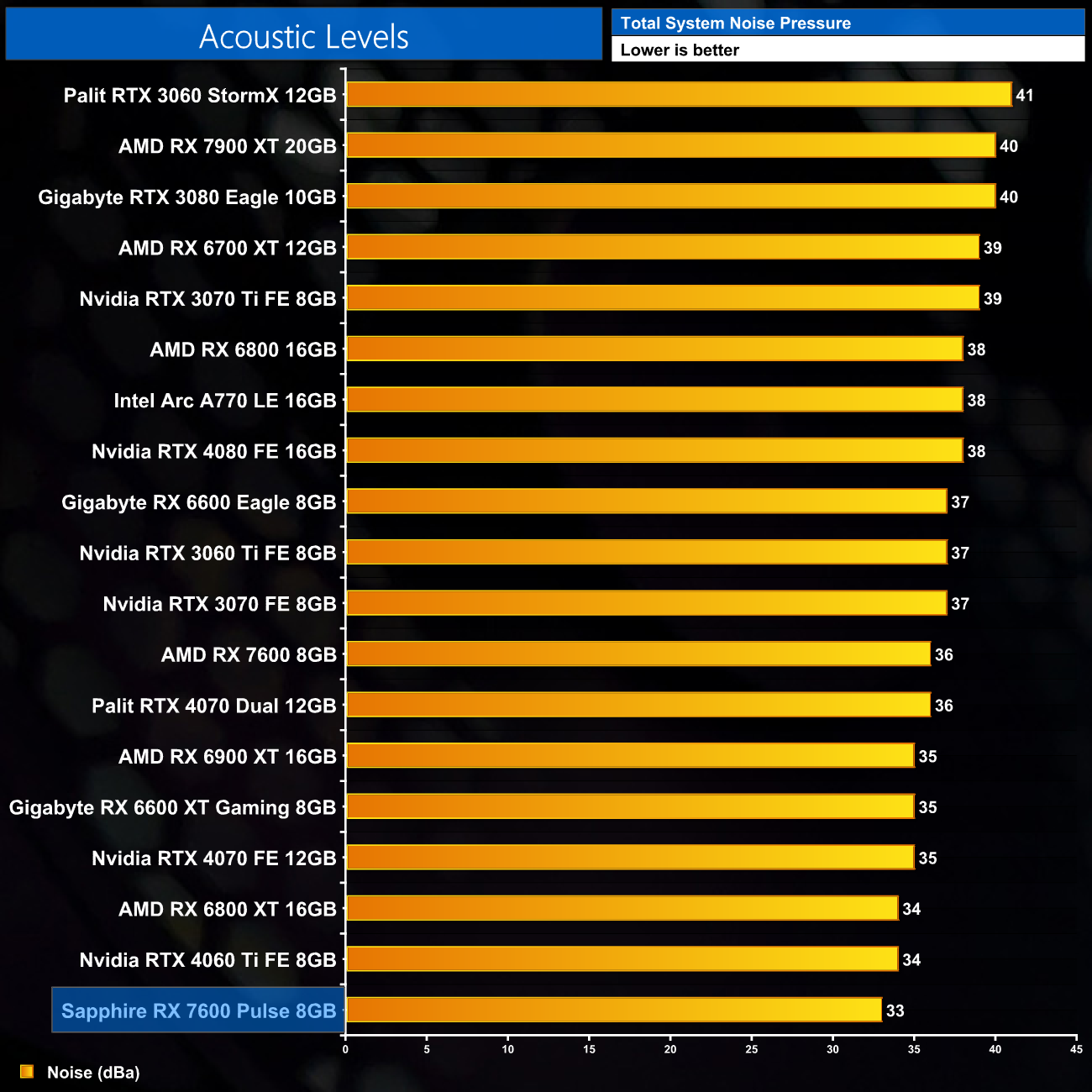
Speaking of noise, we can clearly see the Pulse is quieter than the reference design, by 3dBA according to my sound meter. In my testing the Pulse saw the two fans run at just 21%, or 1270rpm, resulting in whisper-quiet acoustics. Unlike the reference card too, I didn't notice any coil whine from the Pulse, so that's a definite plus – although it can vary from card to card.
Following on from our stock thermal and acoustic testing, here we re-test the operating temperature of the GPU, but with noise levels normalised to 40dBa. This allows us to measure the efficiency of the overall cooling solution as varying noise levels as a result of more aggressive fan curves are no longer a factor.
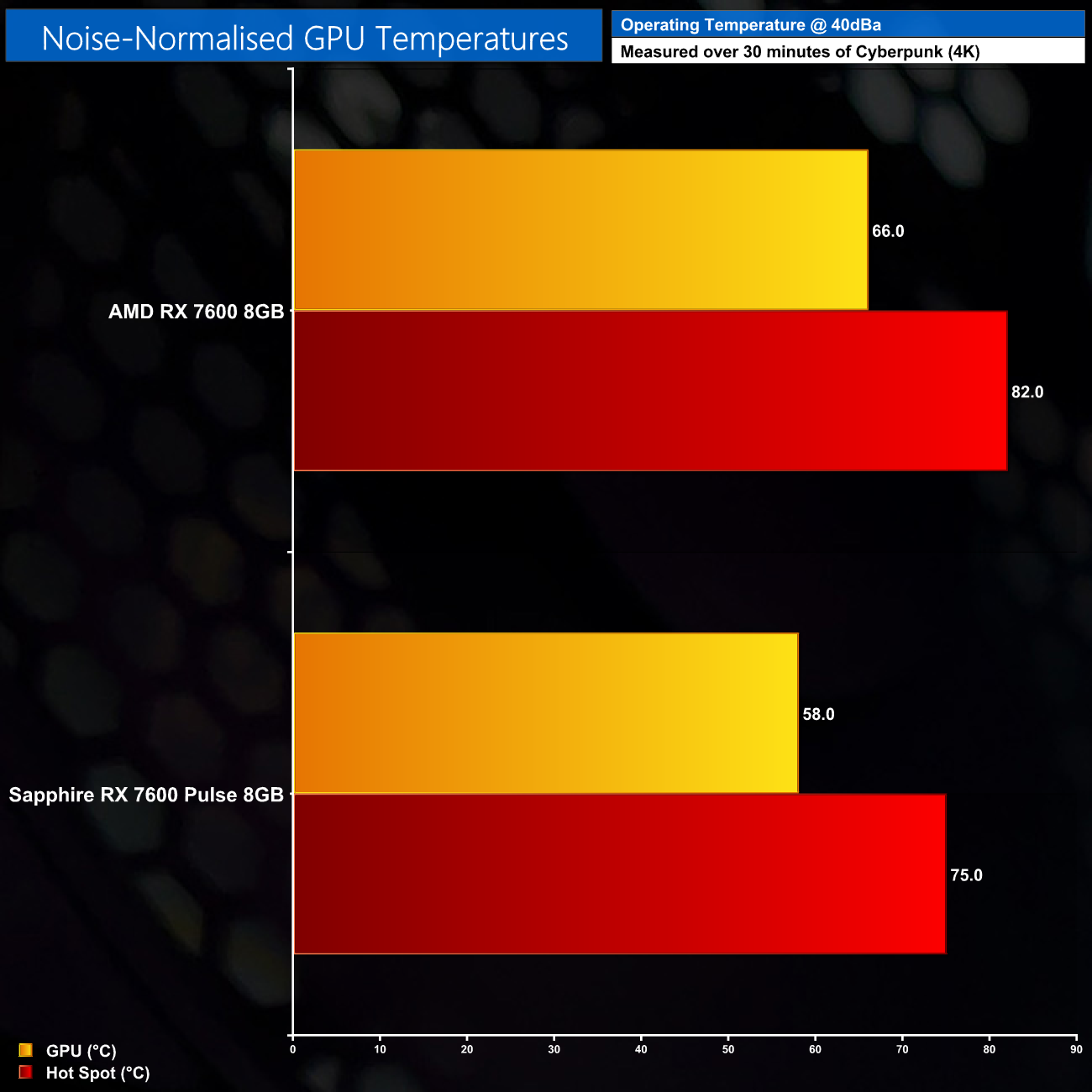
I had to ramp fan speed up to 46%, or 2160rpm, to hit 40dBa noise output for our noise-normalised thermal testing, at which point the Pulse saw a peak GPU temperature of 58C, and a hot spot of 75C. It's clearly a much more efficient cooler than AMD's reference card, reducing GPU thermals by 8C at the same noise levels.
We use Nvidia PCAT to measure power draw of the graphics card only, with readings from both the PCIe slot and the PCIe power cables combined into a single figure. We use Cyberpunk 2077 (4K) for this testing.
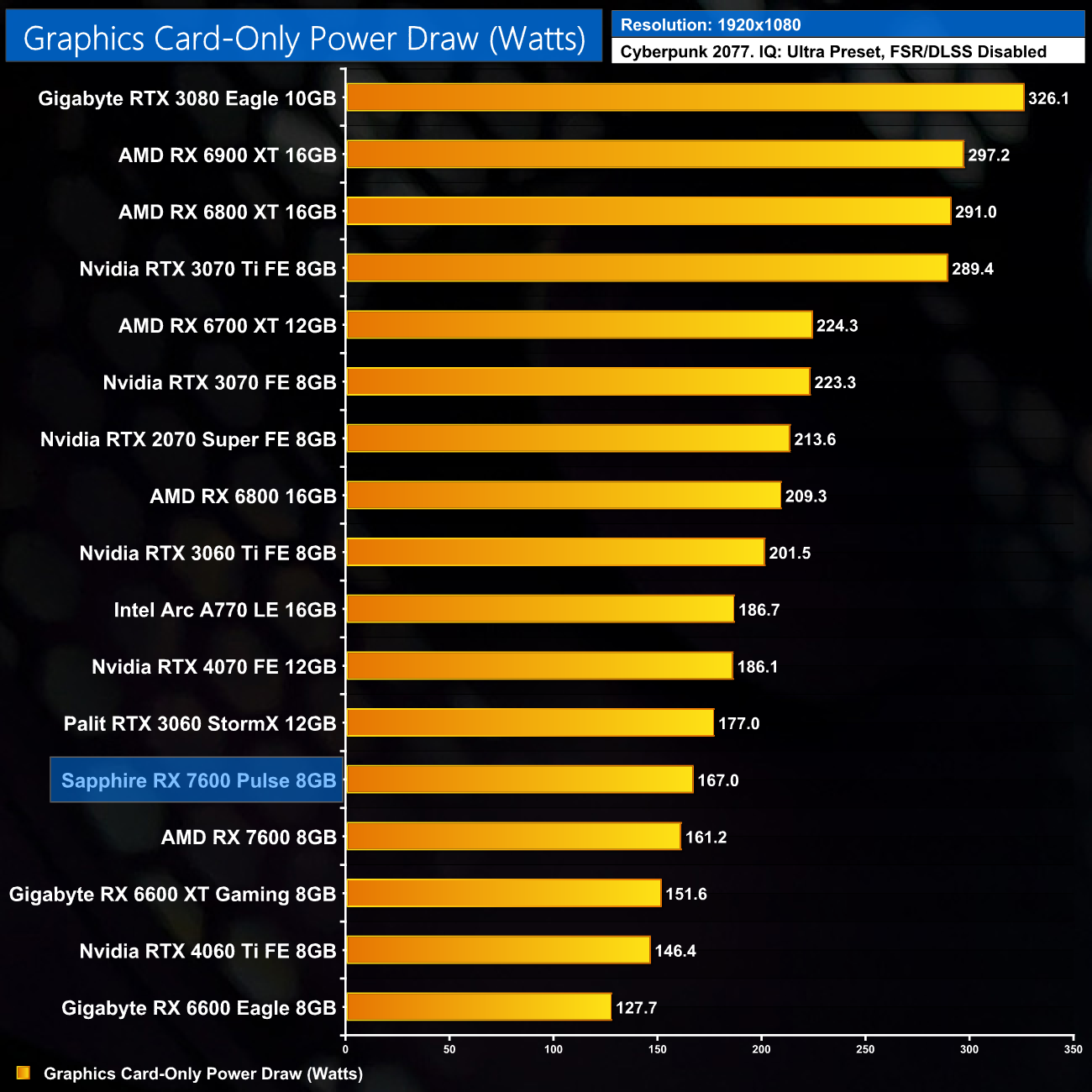
As for power draw, despite Sapphire claiming a 185W Total Board Power (TBP) figure for the Pulse, in my testing the actual power draw never went this high and came in at 167W. That's a small increase compared to the reference design, but the difference is just 6W so it's not going to make much of a difference at all.
For our manual overclocking tests, we used AMD's built-in tuning tool. Our best results are as below.
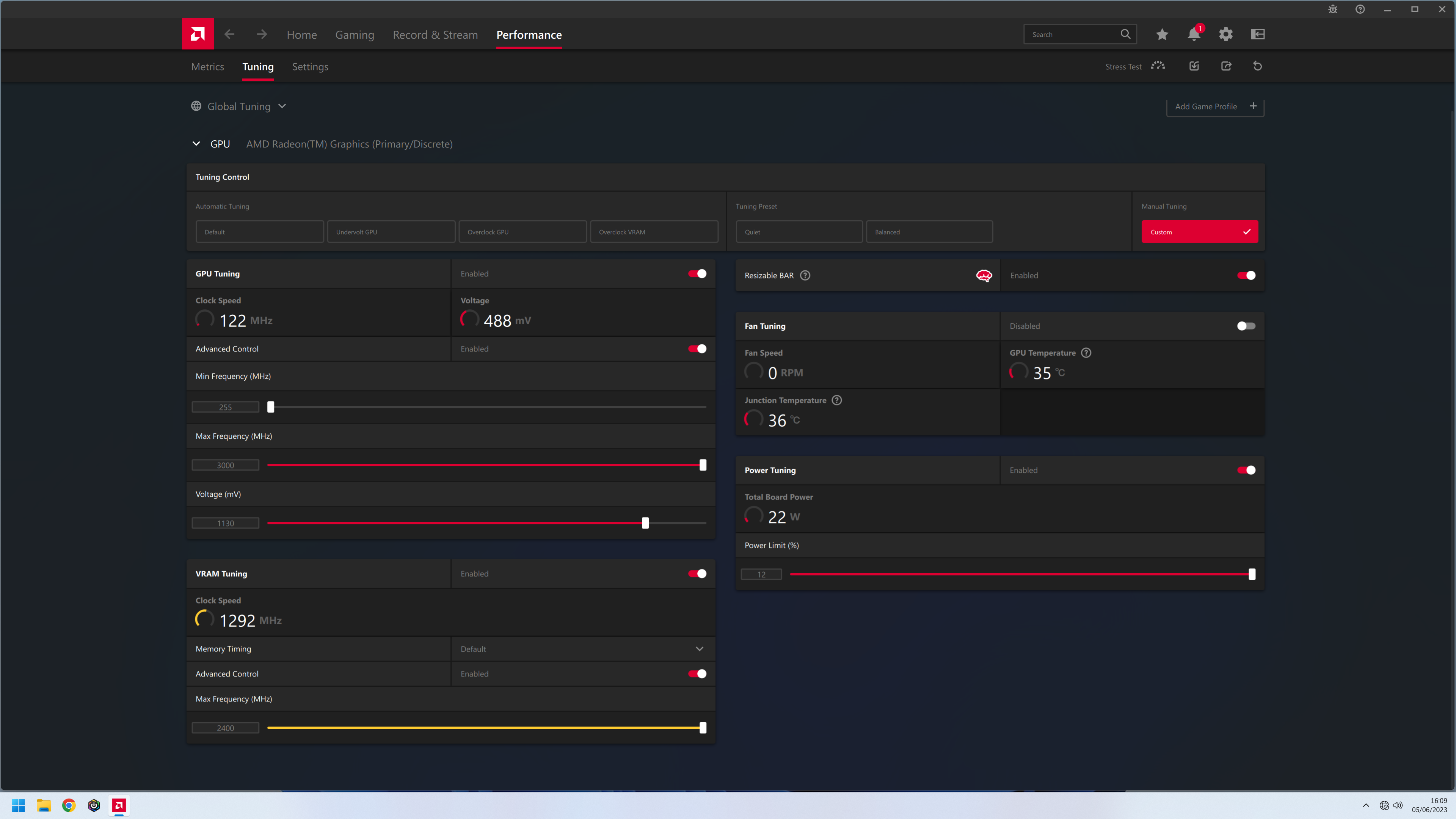
Overclocking the RX 7600 is very straightforward. Both the GPU and memory frequency sliders have a hard cap and can easily be maxed out at 3000MHz and 2400MHz, respectively. With the power slider maxed out as well at +12%, the only real thing that requires tweaking is the voltage slider, as the further you can undervolt the 7600, the higher it will clock in the real world.
In this case, I achieved stability with the Pulse at 1130mV, compared to 1140mV for the reference card. For those interested I was actually able to pass a 3DMark Time Spy stability test with the voltage as low as 1030mV, but games were simply not stable at such a low voltage.
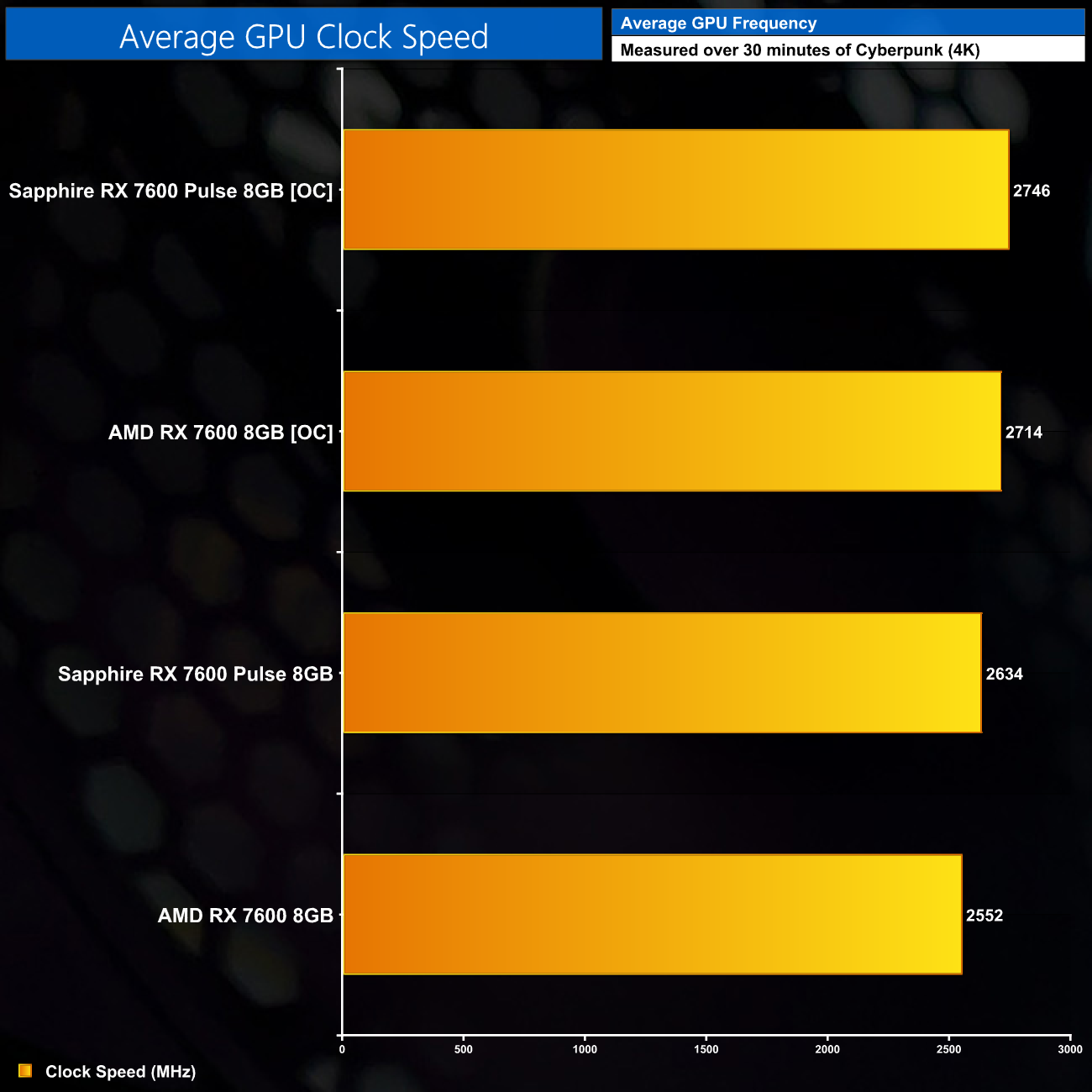
This overclock saw our real-world frequency jump up to 2746MHz, so about a 110MHz improvement over stock.
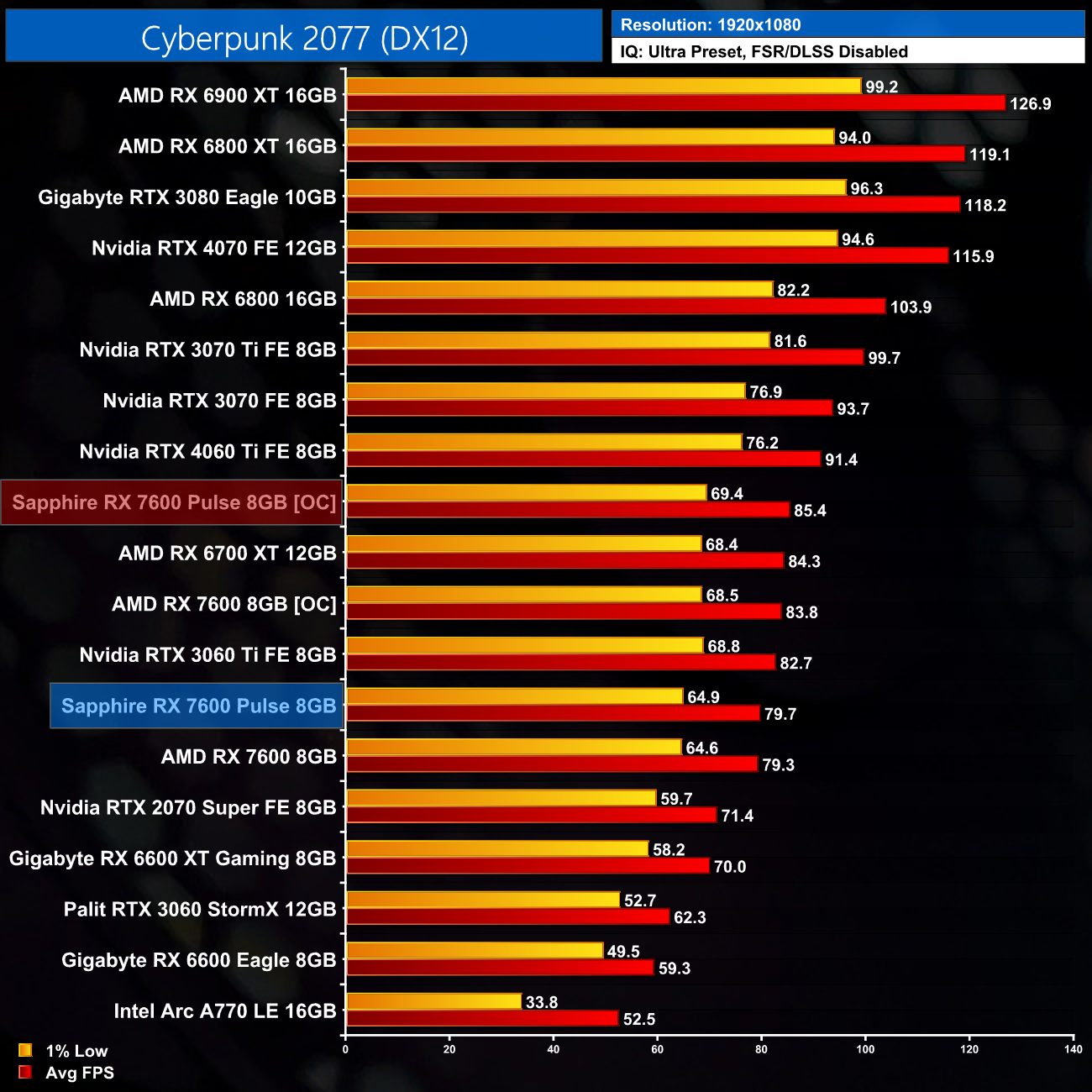
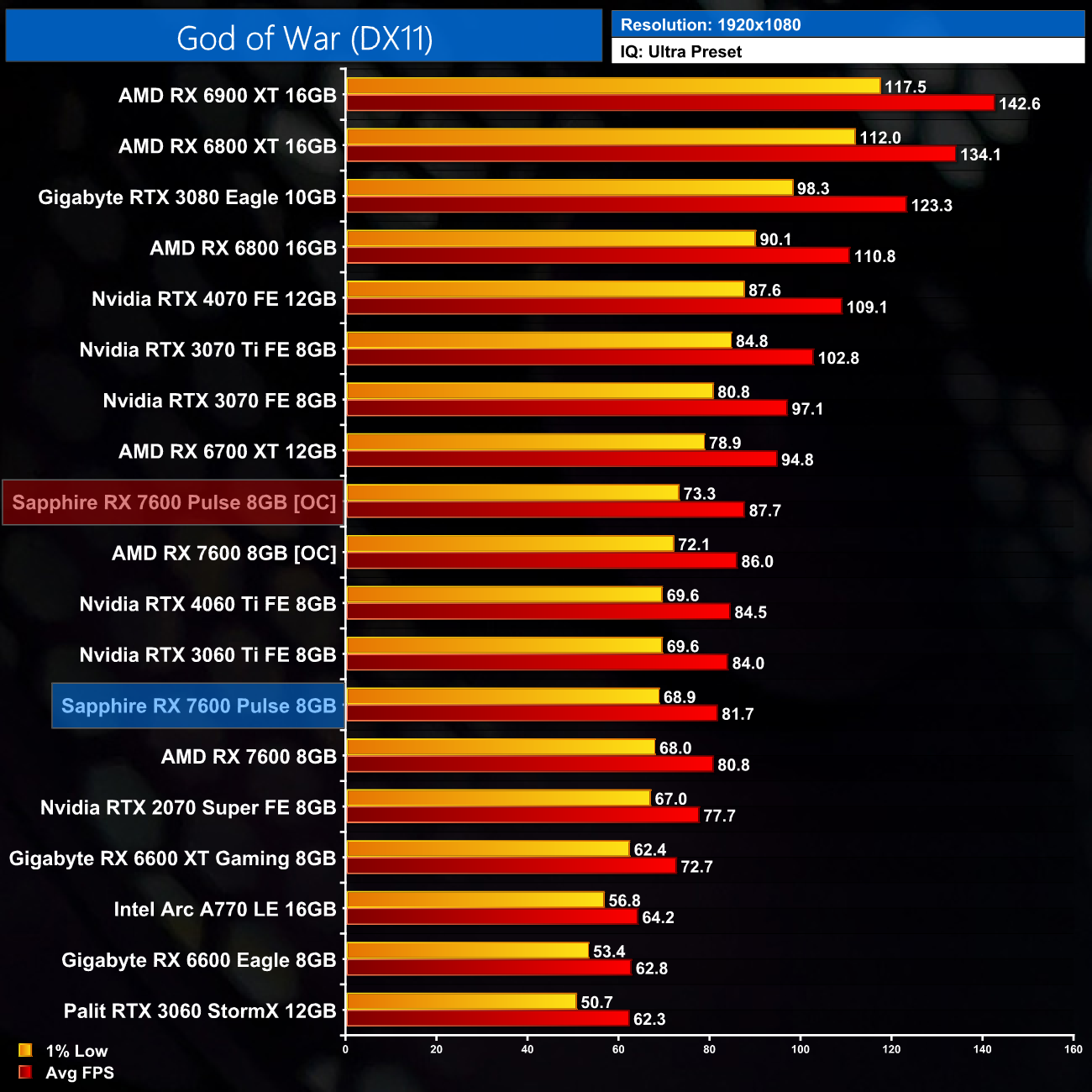
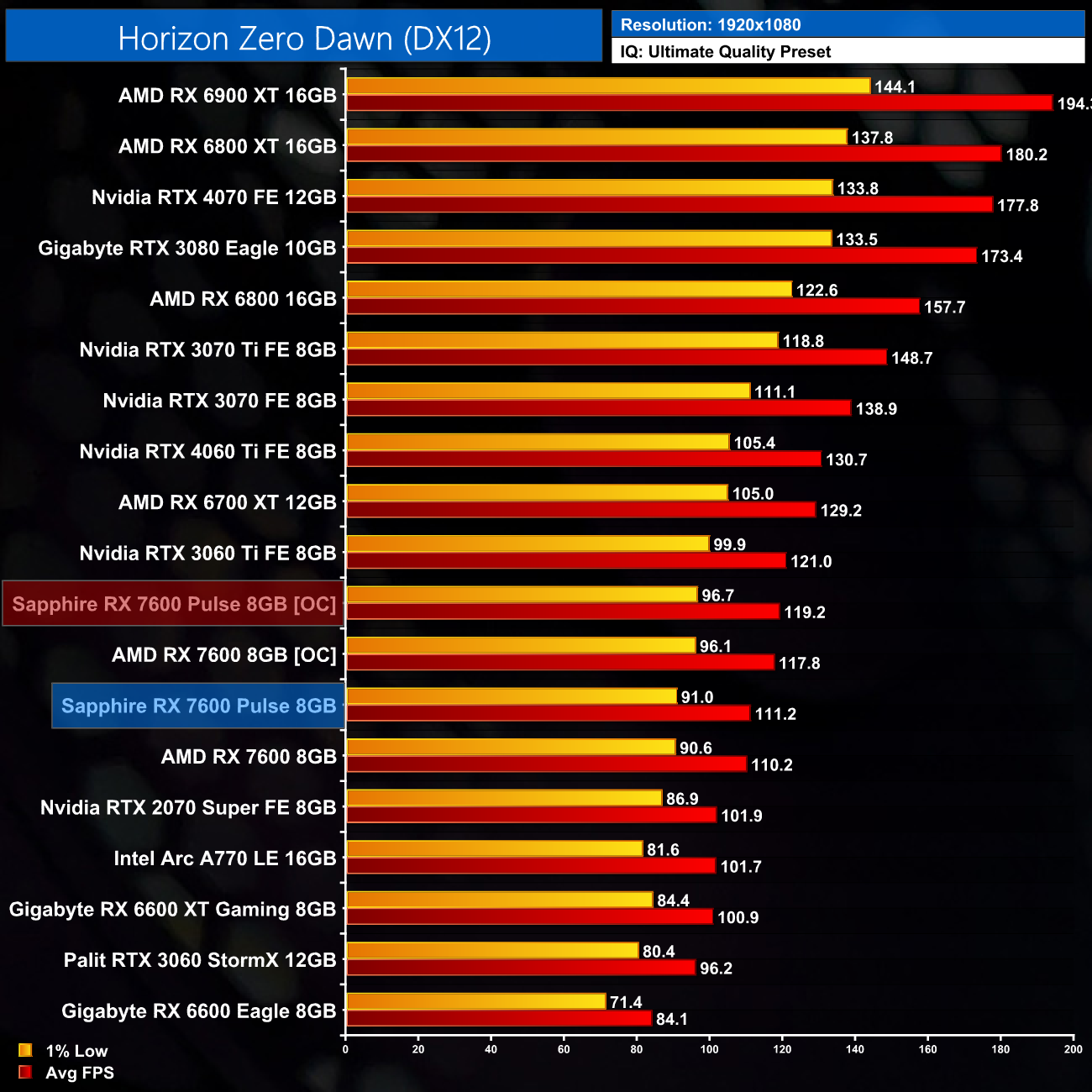
In all three games we tested, this resulted in a performance improvement of 7%. It's hardly as game changer but it's about what we'd expect from a modern day GPU.
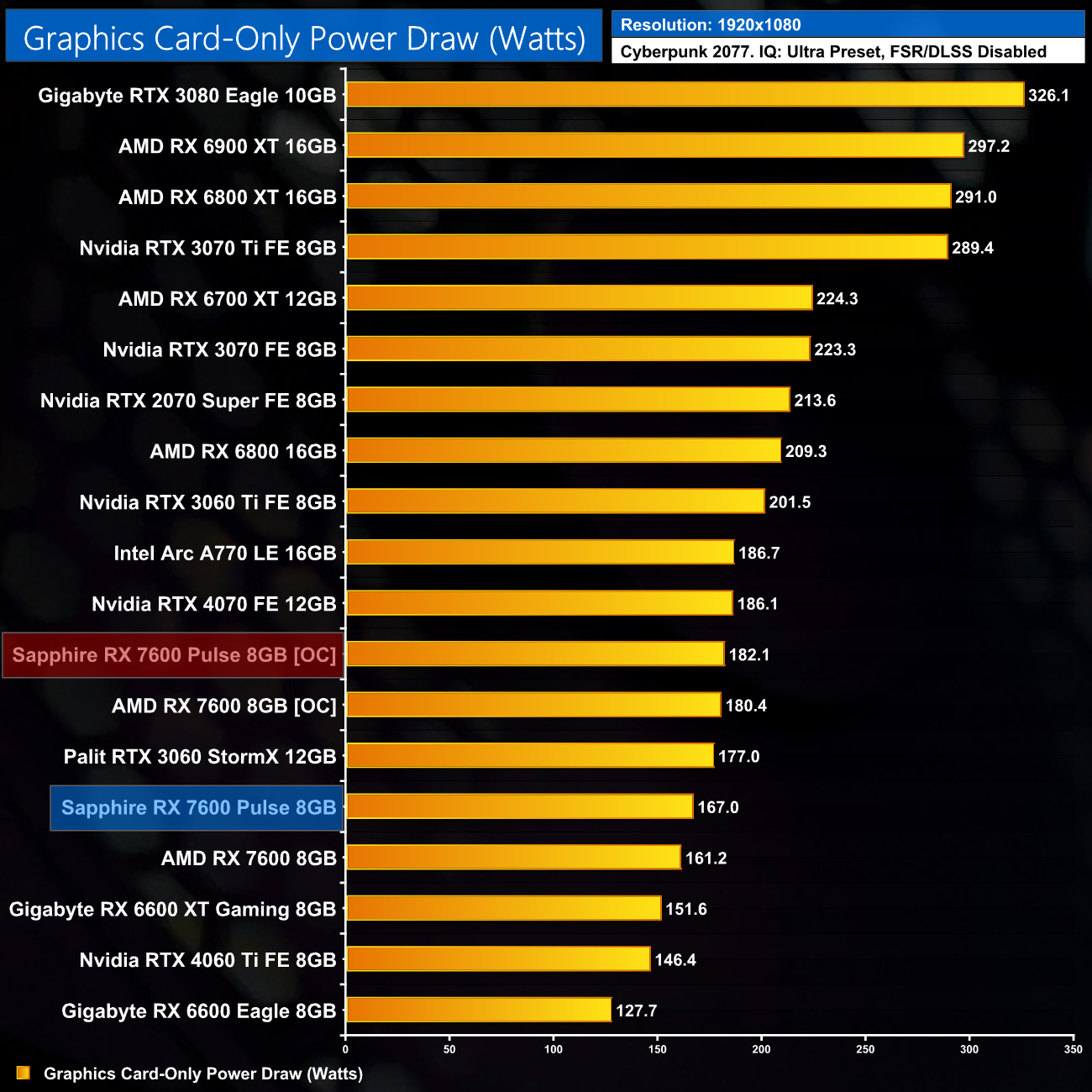
Power draw also increased as a result of the overclock, now coming in at 182W, so a 15W increase over stock (+9%).
We've reviewed plenty of Sapphire Pulse graphics cards over the years, and to be honest, today's review of the RX 7600 Pulse has gone pretty much as expected.
That's because we would always expect to see a good improvement to the thermals and noise levels when compared against AMD's reference design. While out of the box thermals are similar between both cards, that's only because the Pulse runs its fans noticeably slower. With noise normalised at 40dBa, the Pulse is clearly the more efficient cooler, with an 8C improvement to temperatures.
Gaming performance is very similar between the two cards, but we'd never recommended buying one card over another purely due to the factory overclock, as the real-world difference this makes is incredibly small. The Pulse did overclock slightly better though, netting an extra 7% performance.
I was concerned to see the amount of wobble on show from the plastic shroud, however. This is best shown off in the video, but the way the plastic shroud mounts into the backplate is fairly loose, resulting in the shroud moving around if any pressure is applied. Thankfully, Sapphire has mounted the actual heatsink separately from the shroud, so the contact between GPU and heatsink is not affected – it's literally just the plastic that can move about. Still, this is a definite area for improvement as it's not the best first impression for the card.
Ultimately, if you're in the market for a new 1080p gaming GPU, you may be considering the RX 7600. Just as with our day 1 review, I don't think it's the greatest GPU ever released, and AMD's own RDNA 2 cards like the 6600, 6600 XT and even 6700 XT pose strong competition considering their hefty price cuts. If you are set on a new RX 7600 though, the Pulse is a clear improvement over AMD's reference design in the areas where it counts. Hopefully Sapphire can tighten up the shroud mounting mechanism for any future models.
You can buy the Sapphire RX 7600 Pulse for £259.99 from Overclockers UK HERE.
Discuss on our Facebook page HERE.
Pros
- Noticeably quieter than the reference card out of the box.
- Noise-normalised thermals are 8C better than the reference card.
- Shroud is removed separately from the heatsink, making it very easy to swap out a fan should one fail.
- Overclocked reasonably well.
- No coil-whine.
Cons
- The shroud feels quite loose and wobbly due to the way it is mounted (though this does not affect the contact between GPU and heatsink).
- RX 7600 isn't an overly exciting product to begin with.
- AMD reference design has a metal shroud.
KitGuru says: If you're definitely buying an RX 7600, the Pulse is a good option that is a clear improvement over the reference card in almost every way. Sapphire definitely needs to look into the shroud mounting mechanism however, as it doesn't give the best first impression.

