 KitGuru KitGuru.net – Tech News | Hardware News | Hardware Reviews | IOS | Mobile | Gaming | Graphics Cards


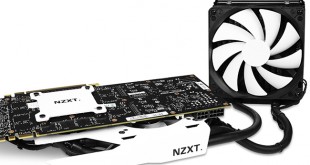
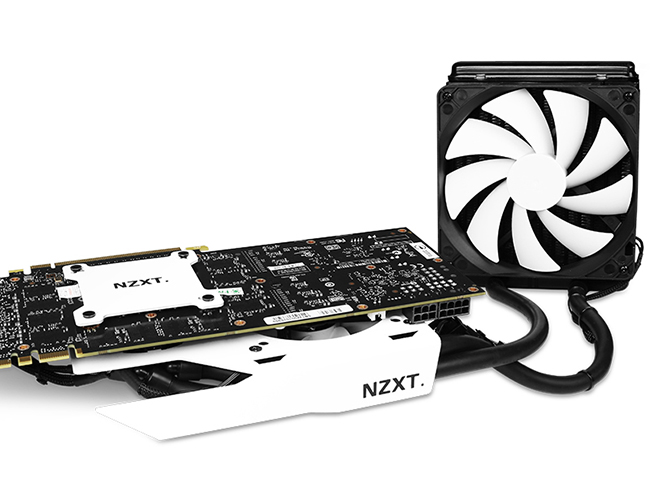
Today we are going to take a look at the NZXT Kraken G10 GPU Water Cooling Bracket. While a ‘bracket’ may not sound particularly exciting, the G10 is an interesting proposition. Essentially, it is a mounting kit which lets you use an existing all-in-one CPU water cooling unit to cool your graphics card.
While all-in-one graphics card water coolers may seem like a new and exciting proposition for many users, they have been available on the market for a couple of years already. Back in 2012, we tested the Arctic Accelero Hybrid, one of the first attempts at closed loop GPU cooling. This never gained mass market adoption, but we imagine this is likely to change in the next couple of years with the likes of Corsair and NZXT launching new products into this space.
One of the most interesting aspects of the Kraken G10 is that it offers compatibility with a wide range of water cooling units from different brands. The official compatibility list can be seen below which covers pretty much all current Asetek based models with the latest mounting mechanism.
Specification
- Colours: White, Black, Red, Blue
- Dimensions: 177 (W) x 32.5 (H) x 110.6 (D) mm
- Compatibility (Nvidia): GTX 780 Ti, 780, 770, 760, Titan, 680, 670, 660Ti, 660, 580, 570, 560Ti, 560, 560SE
- Compatibility (AMD): R9 290X*, 290*, 280X**, 280**, 270X, 270 HD7970**, 7950**, 7870, 7850, 6970, 6950, 6870, 6850, 6790, 6770, 5870, 5850, 5830
- Compatibility (NZXT): Kraken X61, Kraken X41, Kraken X31, Kraken X60, Kraken X40
- Compatibility (Corsair): H105, H110, H90, H75, H55 , H50 (CW-9060006-WW only)
- Compatibility (Antec): KUHLER H2O 920V4, KUHLER H2O 620V4, KUHLER H2O 920, KUHLER H2O 620
- Compatibility (Thermaltake): Water 3.0 Extreme, Water 3.0 Pro, Water 3.0 Performer, Water 2.0 Extreme, Water 2.0 Pro, Water 2.0 Performer
- Compatibility (Zalman): LQ-320, LQ-315, LQ-310
- Fan Dimensions: 92 (W) x 92 (H) x 25 (D) mm
- Fan Speed: 1500 ± 10% R.P.M.
- Warranty: 2 Years (Removing your stock cooler will potentially void your GPU warranty, NZXT is not liable for any damage resultant of incorrect installation.)
The compatibility list is based on AMD Radeon and NVIDIA's reference board layout, screw spacing and die height only. Please check the height restriction before purchase.
* Some variation in die thickness and height may cause issues with screws being too short to install on some AMD 290-based cards.
* Do NOT force the G10 to fit if your card is too thick, contact support for a revised screw set.
** Some variations in AMD die height may require the use of a shim.
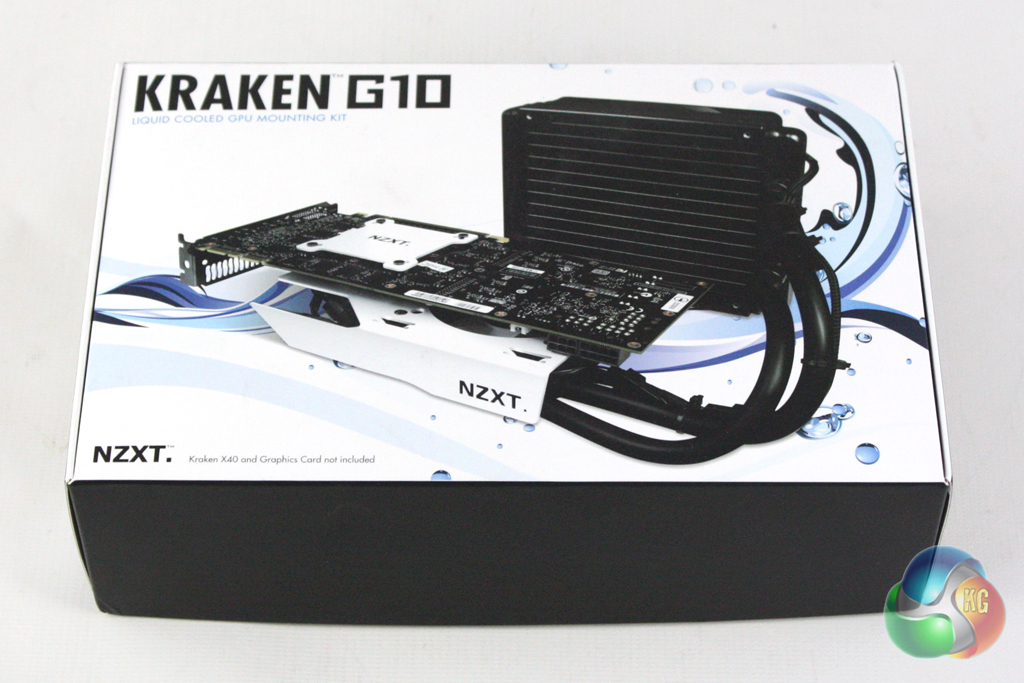
The Kraken G10 is supplied familiar NZXT packaging, featuring a black and white livery. The front of the box features a large image of a graphics card featuring the Kraken G10 bracket in conjunction with an X40 water cooler.
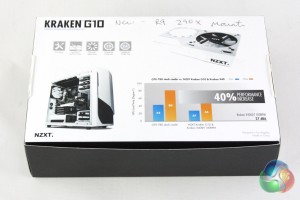
Turning the box over reveals some further pictures of the bracket alongside a graph which gives an example of the performance gains you could achieve.
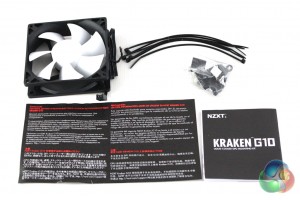
The accessory bundle consists predominantly of mounting accessories for the kit, consisting of numerous screws and cable ties. There is also a 92mm fan included alongside the installation guides.
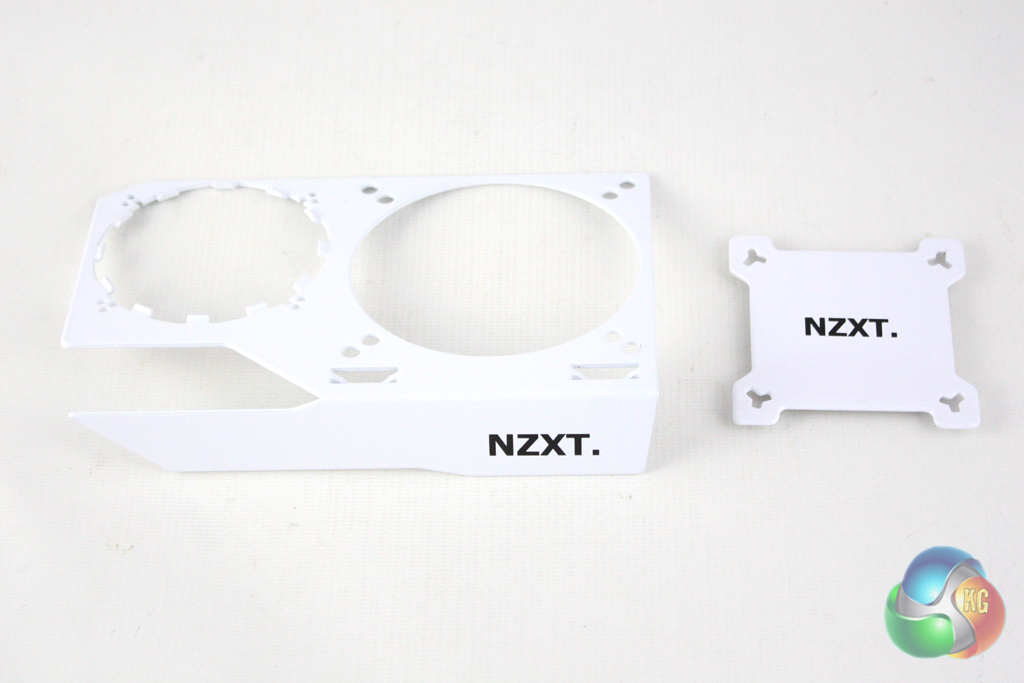
The Kraken G10 is essentially a metal plate which fits to an Asetek liquid CPU cooler, allowing it to be attached to your GPU. It is available in a number of different colour finishes to suit your system; white, black, red and blue.
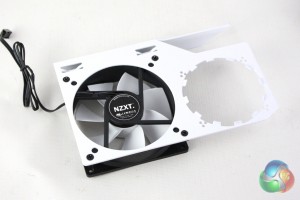
NZXT include a mounting bracket for a 92mm fan on the Kraken G10 which positioned above the VRM circuitry on the graphics card. This is designed to keep these parts of the graphics card cool without needing a custom heatsink for each different Nvidia and AMD products.
NZXT supply a fan to use with the G10, however it is a standard size so could easily be replaced with another brand.
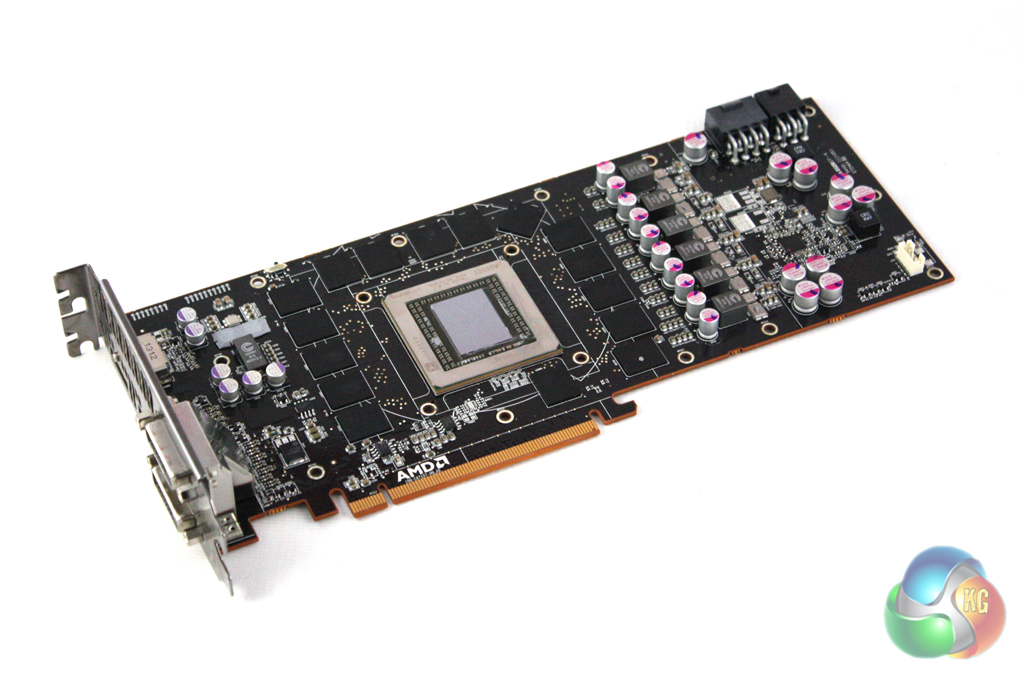
Installing the G10 is refreshingly simple, especially when compared to some older aftermarket GPU air coolers which can be quite fiddly to attach. Firstly we are instructed to remove the reference cooler from our GPU, before attaching the fan to the main bracket using the provided screws.
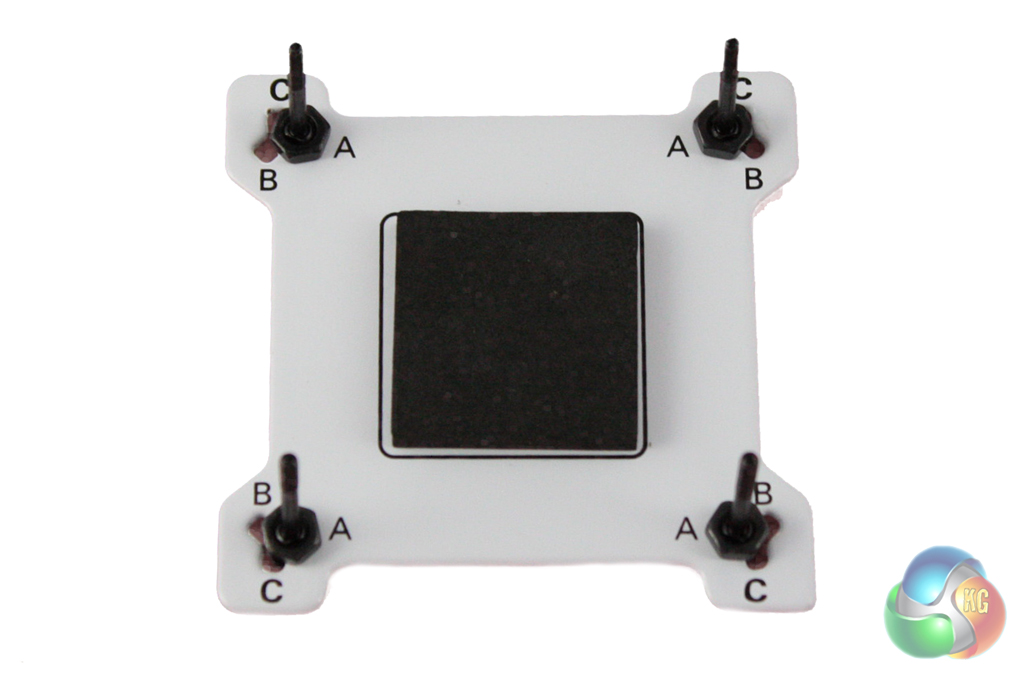
Then we can secure the bolts to the back-plate using the provided nuts, ensuring that they are installed in the correct manner that corresponds to the holes in the graphics card PCB.
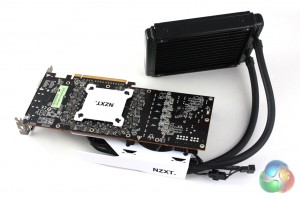
Next, the water block can be secured down onto the GPU chip using the bracket and securing it into place with the provided thumbscrews. We used the NZXT Kraken X40 as our cooler, which comes with thermal paste pre-applied to the cold-plate. Should you choose a different model, you may need to apply thermal paste before securing the block down.
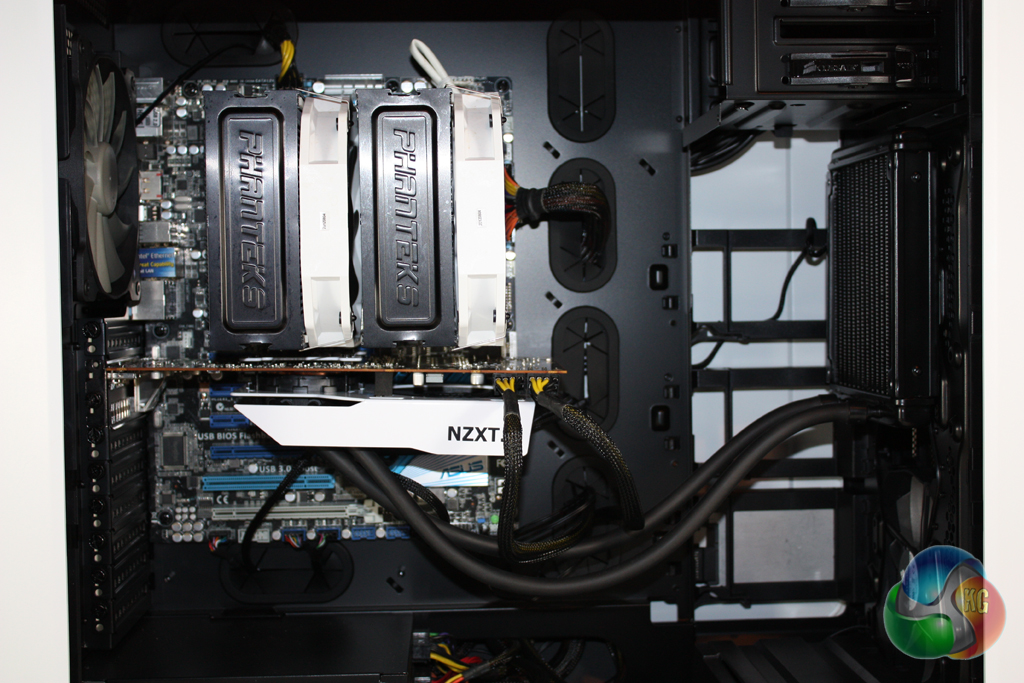
Finally, the graphics card and cooling unit can be installed into the case. We found the easiest position to install the radiator was in the front of our Corsair Graphite 780T case, with the fan acting as an intake. We considered installing it in the rear exhaust location, however this would have created quite a mess of tubes inside the case.
To test the performance of the NZXT Kraken G10 (with an NZXT Kraken X40 and R9 290X) we built a powerful X79 based system in a Corsair Obsidian 780T case, featuring a reference AMD Radeon R9 290X graphics card. We will also compare the thermal results with a Sapphire Radeon R9 290X Vapor-X OC graphics card.
- Processor: Intel Core i7-3930K
- Motherboard: Asus P9X79
- Memory: 16 GB (4 x 4 GB) Mushkin Blackline 1600 MHz
- Thermal Paste: Noctua NT-H1
- Graphics Card: AMD Radeon R9 290X
- Power Supply: Seasonic Platinum P1000W
- FurMark 1.14.1
- CPUID Hardware Monitor
For our temperature tests we loaded the system for 10 minutes using Furmark and recorded the GPU temperature using CPUID HWMonitor. We then restarted the system and left it idling at the desktop for 10 minutes before recording idle temperatures. The temperatures recorded are based on an ambient temperature of 20 degrees C.
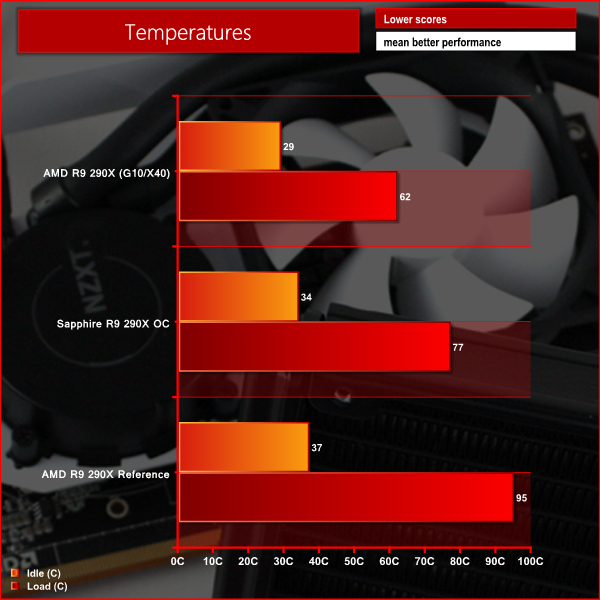
Here we can see that the Kraken G10 and X40 combination offers excellent cooling performance, especially compared to the reference design. Although the Sapphire model runs hotter, we have to consider that it is a factory overclocked model which will account for some of the temperature increases.
In our noise level tests we switched off all other fans in our system, ensuring we just took into account the noise generated by the cooler fans themselves. These tests were run with the GPU at full load in Furmark.
We measured the noise level with a Digital Noise Level meter at a distance of 1 m from the front of the system.
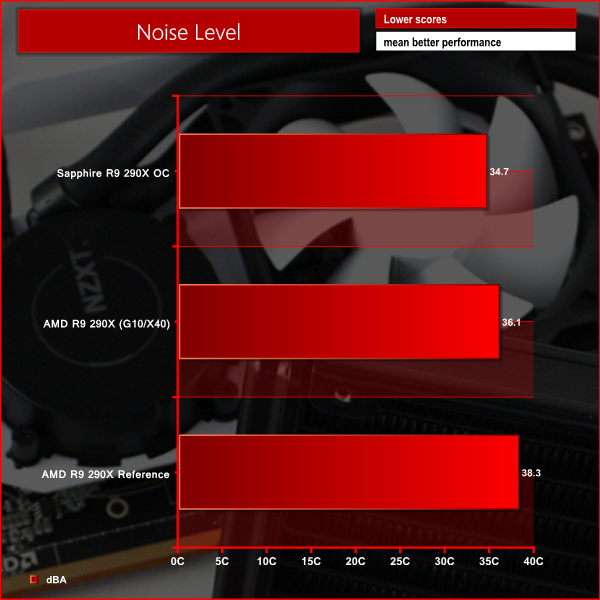
Here we can see that the Sapphire model is actually the quietest in the comparison, however the Kraken 10 and X40 combination comes in fairly closely behind. It is worth bearing in mind that you can set up different fan profiles with the Kraken X40 to reduce this further.
It is quite clear that the NZXT Kraken G10 is an impressive product, especially when paired with the excellent NZXT Kraken x40.
Although the G10 could theoretically be used with a larger cooling unit such as the Kraken X60, we doubt that there would be much value in spending the extra money as the X40 does an excellent job of keeping temperatures down. Even if you are planning to overclock your GPU, we imagine that other factors will cause you to hit a clock-ceiling before the temperatures when using the Kraken X40.
The cooling performance offered by the Kraken G10 and X40 pair is a significant improvement on the stock configuration. With some tuning of fan profiles on the X40, you can also adjust the noise vs. performance trade-off with remarkable ease.
One of the most impressive aspects of the Kraken G10 is the simplicity of the installation process. Even those users with little experience should be able to install this cooler without any trouble.
Perhaps the only negative attribute of the Kraken G10 and X40 combination is the rather inelegant mess of pipes and cables that it creates in the middle of your system. While this wont bother a lot of users, those who take pride in the tidy appearance of the inside of their PC are likely to be annoyed by this.
At a price of £25 from Overclockers UK, the NZXT Kraken G10 opens up a wide range of cooling options. An NZXT Kraken X40 will set you back £79 from Overclockers UK, bringing the total for the pair to £104. This is quite expensive, however those demanding the best performance from their graphics card are likely to be prepared to foot the bill.
Discuss on our Facebook page, over HERE.
Pros
- Excellent cooling performance.
- Incredibly simple installation process.
- Compatible with most Asetek based coolers.
Cons
- Lots of cables and pipes to tidy up.
Kitguru says: An innovative product from NZXT which brings liquid GPU cooling to the mass market.


I just picked up one of these on the weekend. Combined it with a Corsair H55, played a 4 hour session of Total War Attila and temps never rose above 51. Sweet!!!