KitGuru KitGuru.net – Tech News | Hardware News | Hardware Reviews | IOS | Mobile | Gaming | Graphics Cards


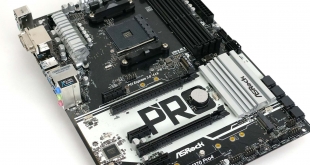
ASRock sent us the X370 Pro4 just before the launch of AMD 2nd Gen Ryzen. This was unexpected because we knew full well the new Ryzens would be accompanied by the X470 chipset, which meant the X370 Pro4 felt old before its time.
There was method to ASRock’s apparent madness as they wished to demonstrate that motherboards with the X370 chipset could support the new generation of CPUs, provided the BIOS was up to date. Our sample of X370 Pro4 came with a ‘2nd Gen Ready’ sticker on the box and when we installed a Raven Ridge Ryzen 5 2400G it did indeed work perfectly.
Our video went live before the launch of Ryzen 7 2700X and Ryzen 5 2600X so we also used a Ryzen 7 1700X, just to prove the point that X370 Pro4 could handle a regular CPU as well as that baby APU.
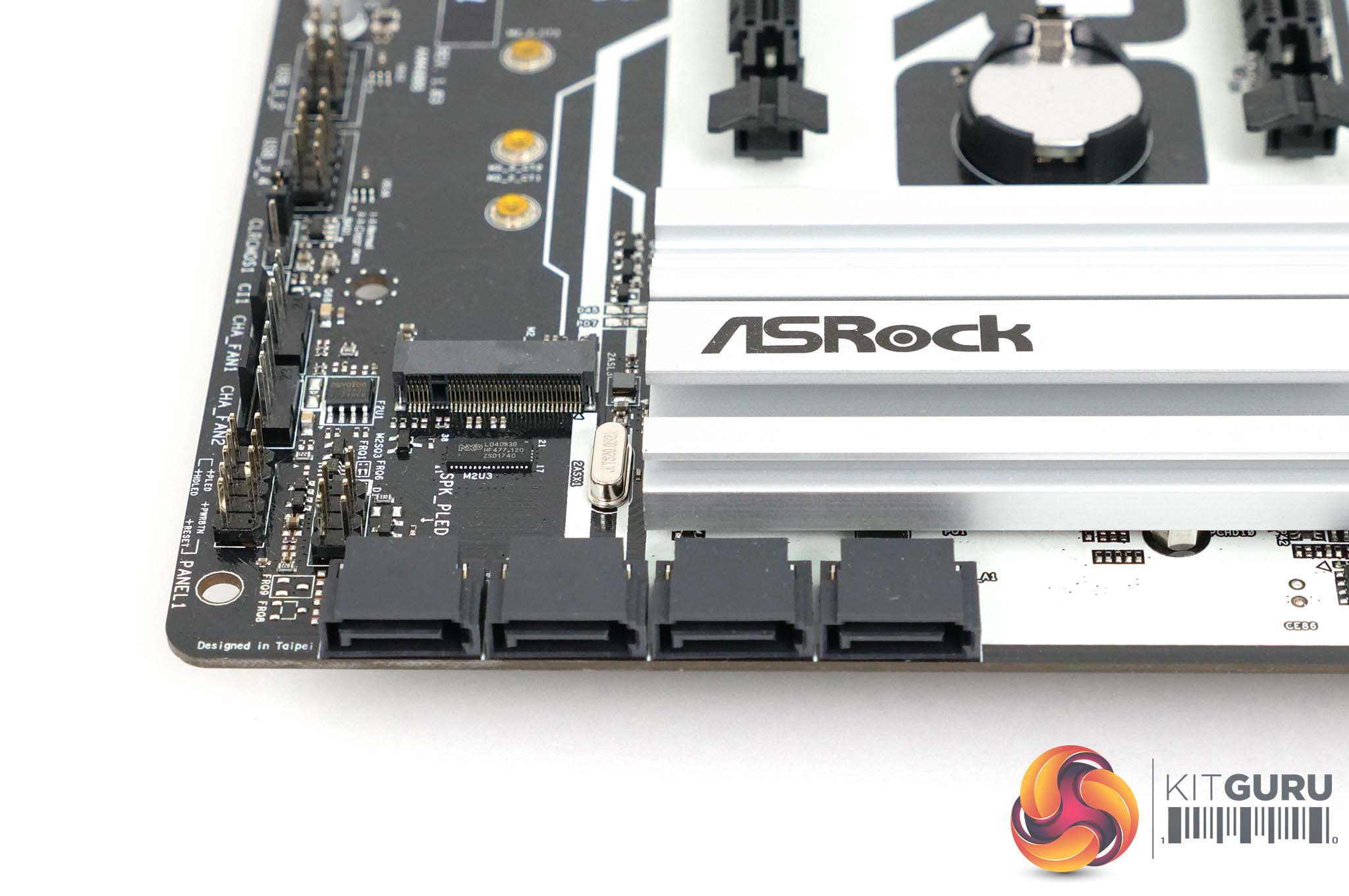
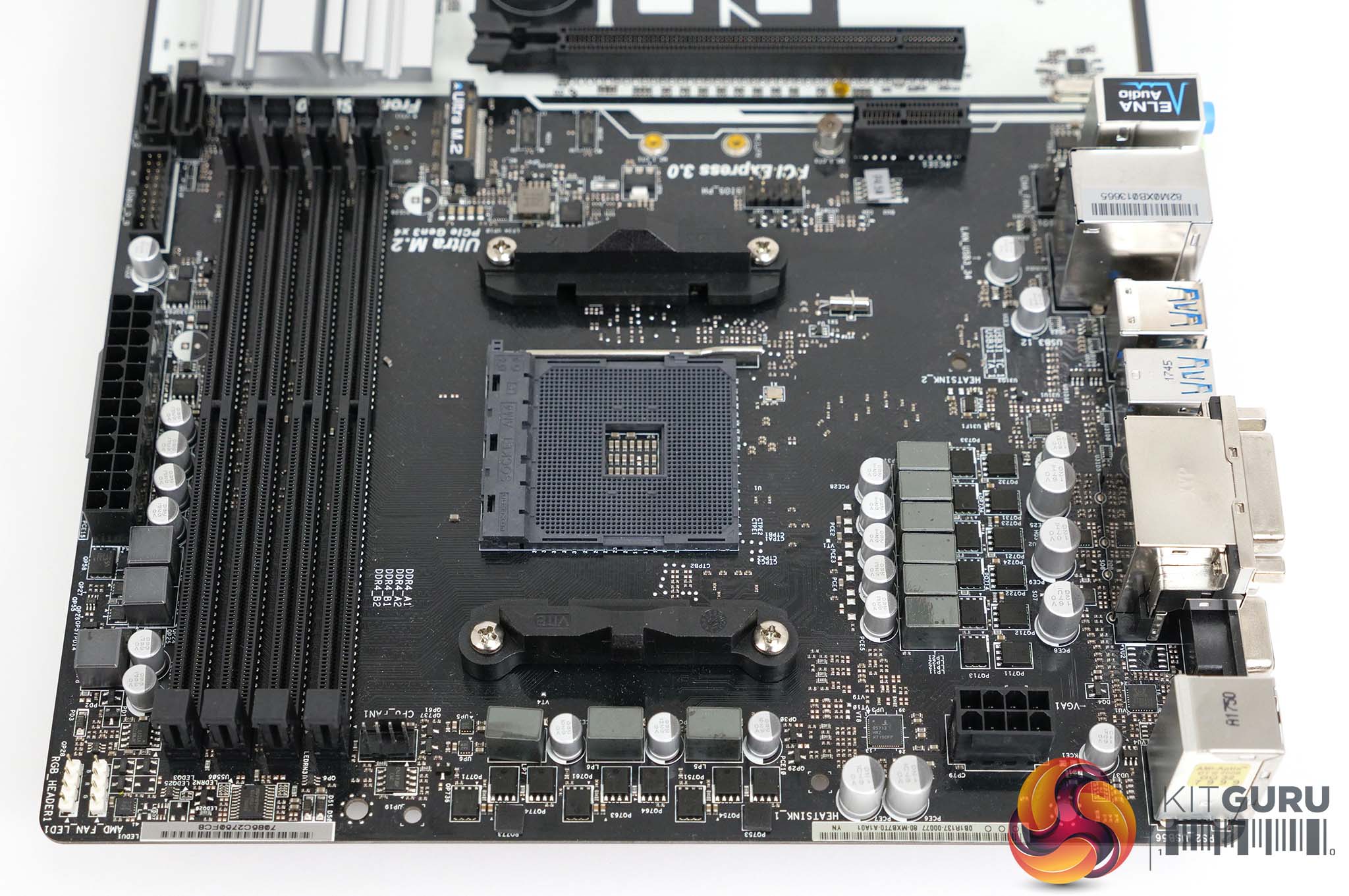
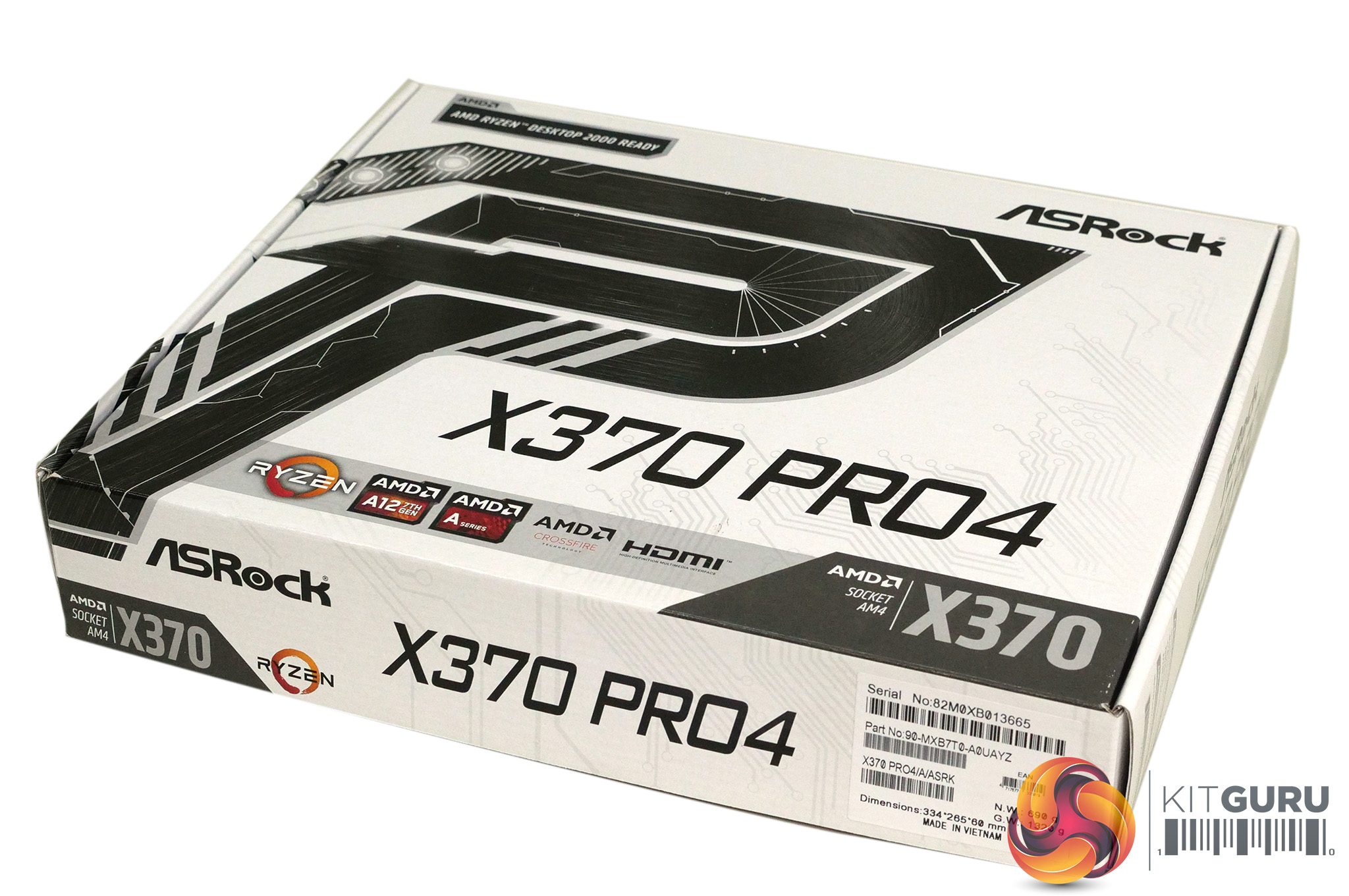
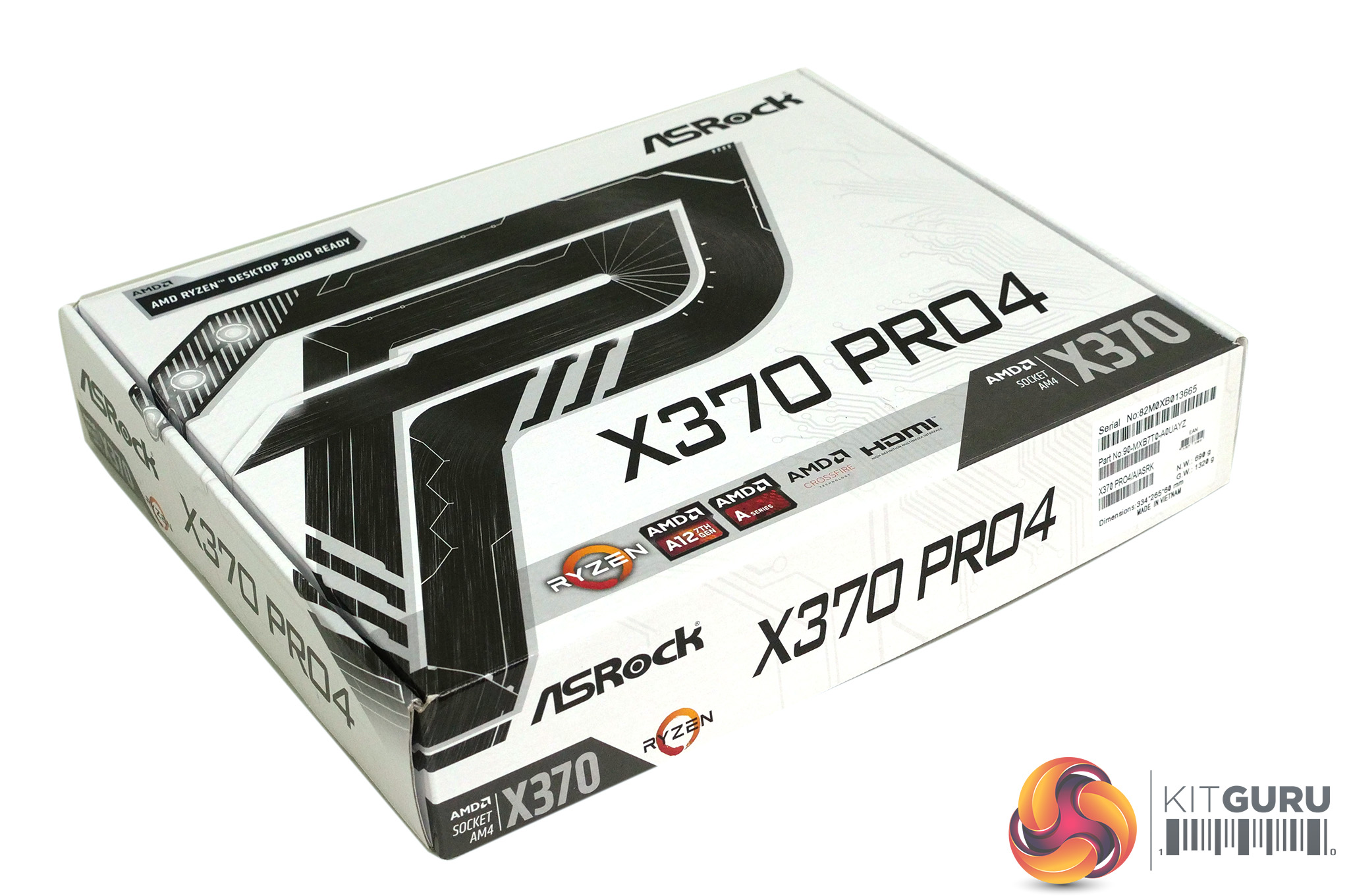
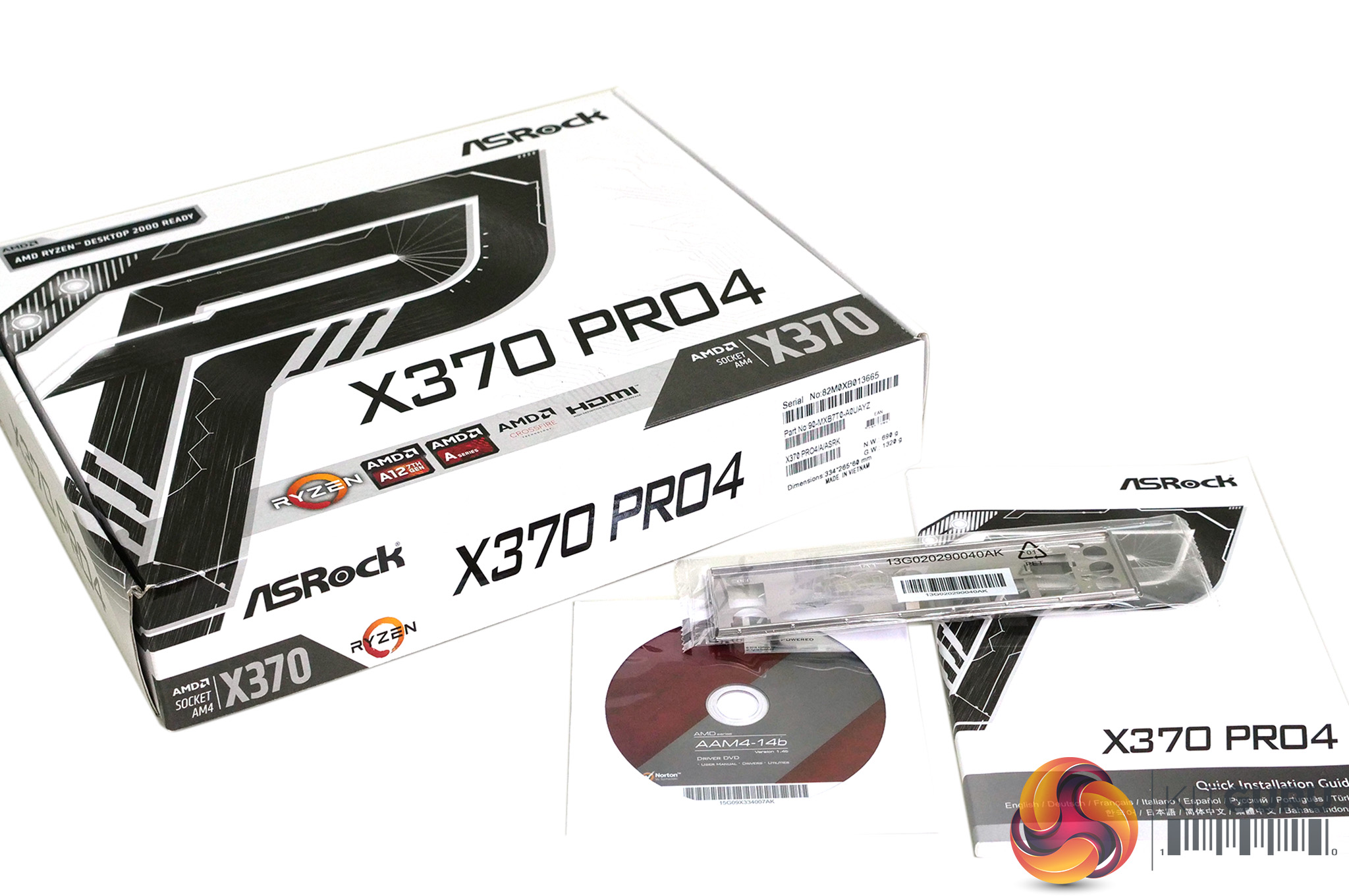
Note: if the above gallery is not displaying, you may need to disable Ad Block as it is known to interfere with our site code.
Features:
- ASRock Super Alloy
- Premium Power Choke
- Sapphire Black PCB
- High Density Glass Fabric PCB
- 2oz Copper PCB
- ASRock Ultra M.2 (PCIe Gen3 x4)
- ASRock Full Spike Protection (for all USB, Audio, LAN Ports)
- ASRock Live Update & APP Shop
Specification:
CPU Support: AMD Socket AM4
Chipset: AMD X370
Memory: 4x DDR4 DIMMs, up to 64GB Dual Channel DDR4 3200+(OC)
Expansion:
2x PCIe 3.0 x16 Slots
4x PCI Express 2.0 x1 Slots
Graphics:
Three graphics outputs: D-Sub, DVI-D and HDMI
HDMI with max. resolution 3,840×2,160 @30Hz
DVI-D and D-Sub with max. resolution 1,920×1,200 @ 60Hz
Audio: Realtek ALC892 7.1-channel HD Audio
LAN: 1x Realtek RTL8111GR Gigabit
Storage:
4x SATA III 6.0 Gb/s, support RAID (RAID 0, RAID 1 and RAID 10)
2x SATA III 6.0 Gb/s by ASMedia ASM1061
1x Ultra M.2 Socket supports up to M.2 type 2280 PCIe Gen3 x4
1 x M.2 Socket supports up to M.2 type 22110 SATA III 6.0 Gb/s
Connectors:
1x Power LED and Speaker Header
1x RGB LED Header
1x AMD Fan LED Header
3x 4-pin Chassis Fan Connectors
1x Front Panel Audio Connector
USB:
6x USB 2.0 (4 internal, 2 on I/O)
7 x USB 3.1 Gen1 (2 internal, 5 on I/O)
1 x USB 3.1 Gen1 Type-C Port on I/O
Rear Panel I/O:
2x USB 2.0
5x USB 3.1 Gen1
1 x USB 3.1 Gen1 Type-C Port on I/O
1x PS/2 Mouse/Keyboard Port
1x D-Sub Port, 1 x DVI-D Port, 1 x HDMI Port
1x RJ-45 LAN Port with LED
HD Audio Jacks: Line in/Front Speaker/Microphone
Form Factor: ATX 305mm x 224mm
OS: Microsoft Windows 10 64-bit
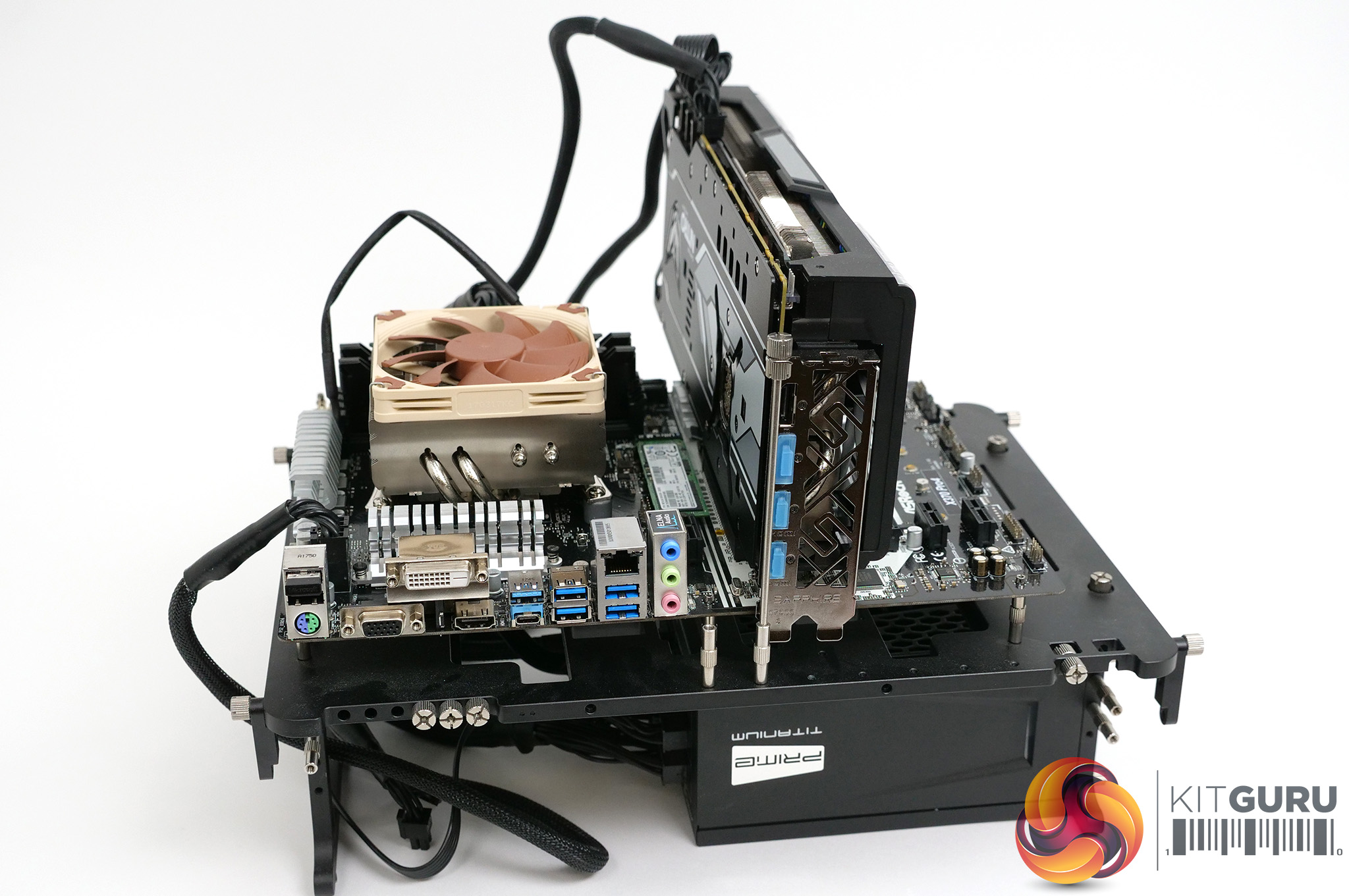
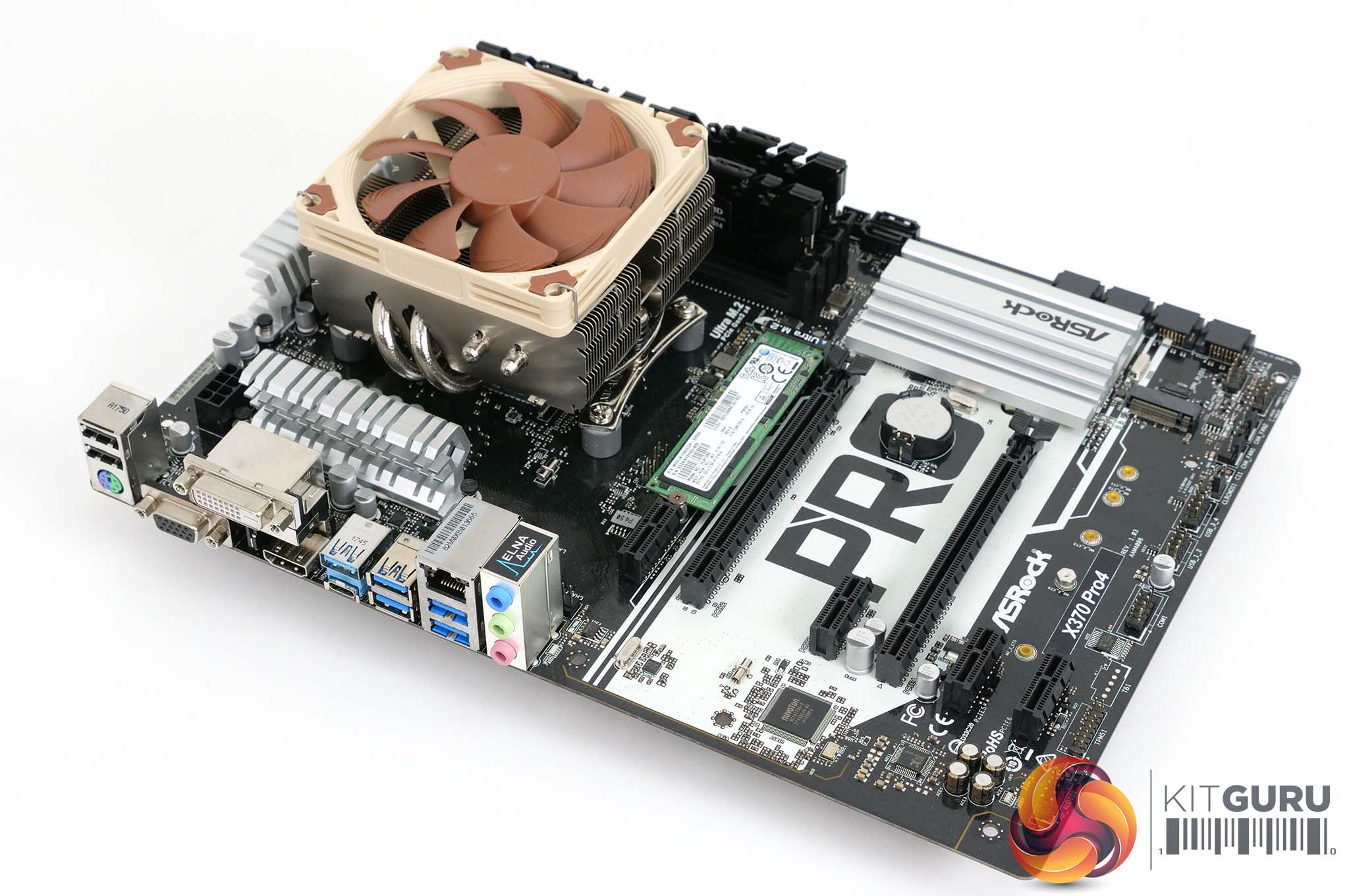
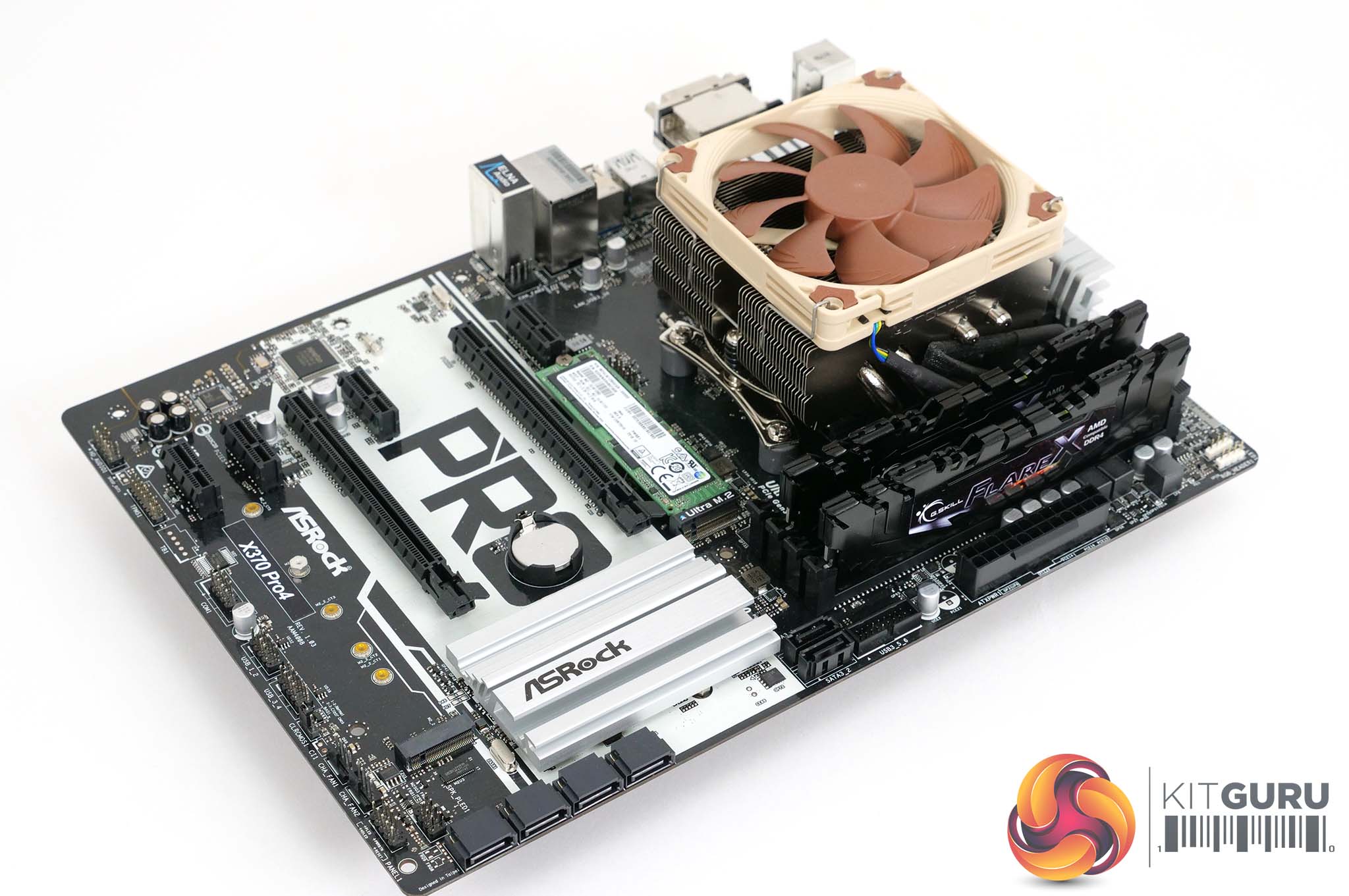
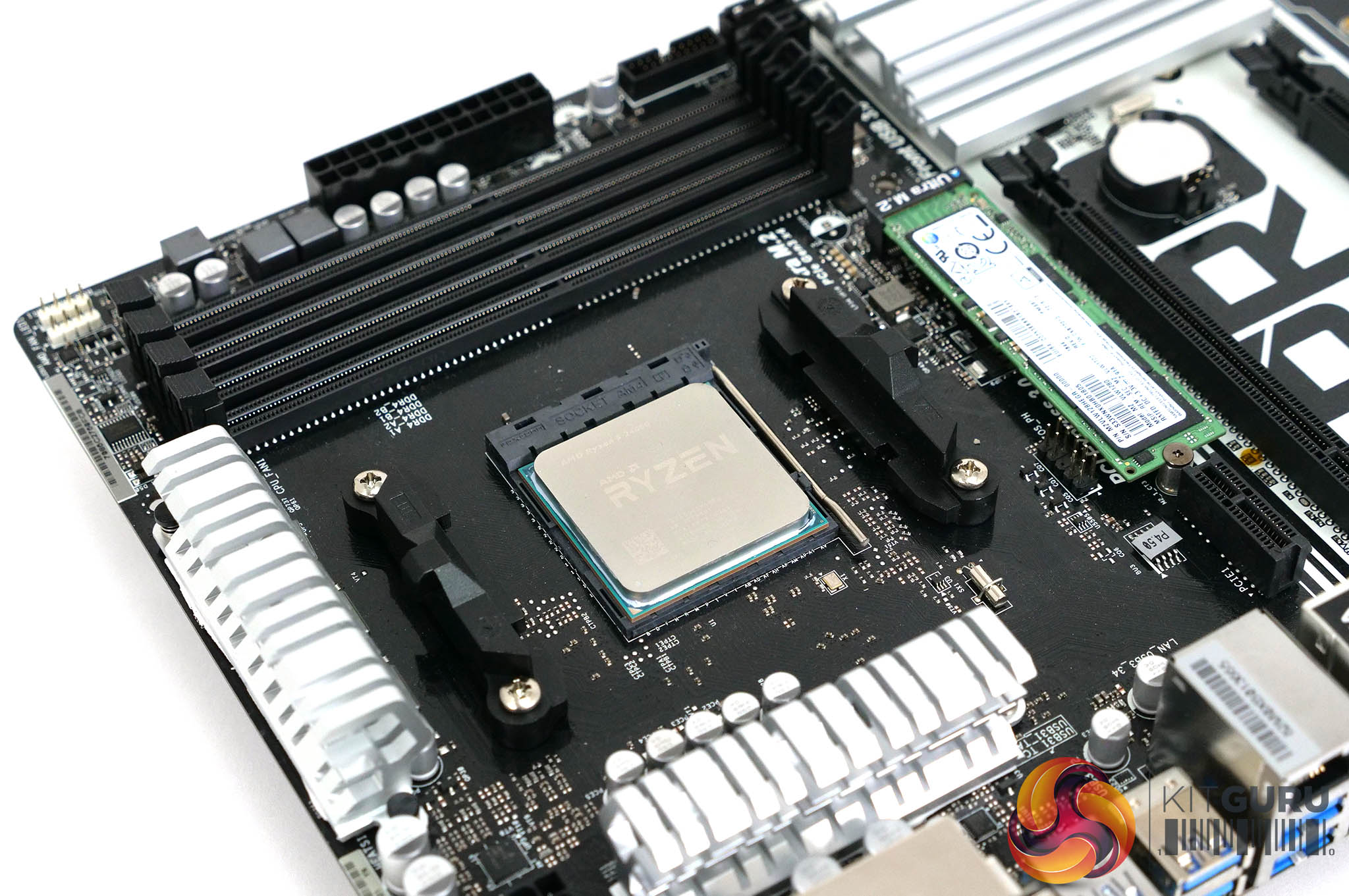
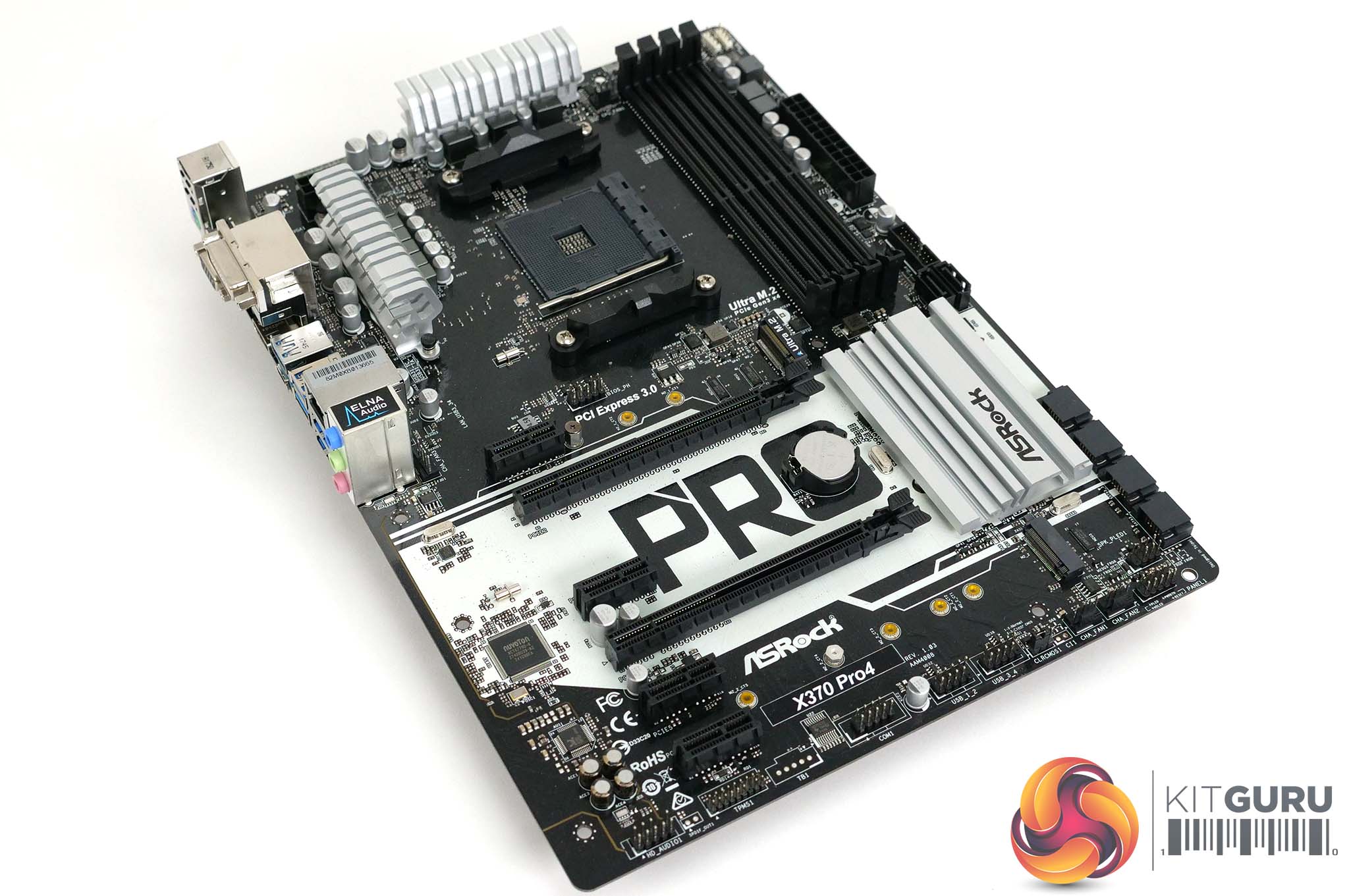
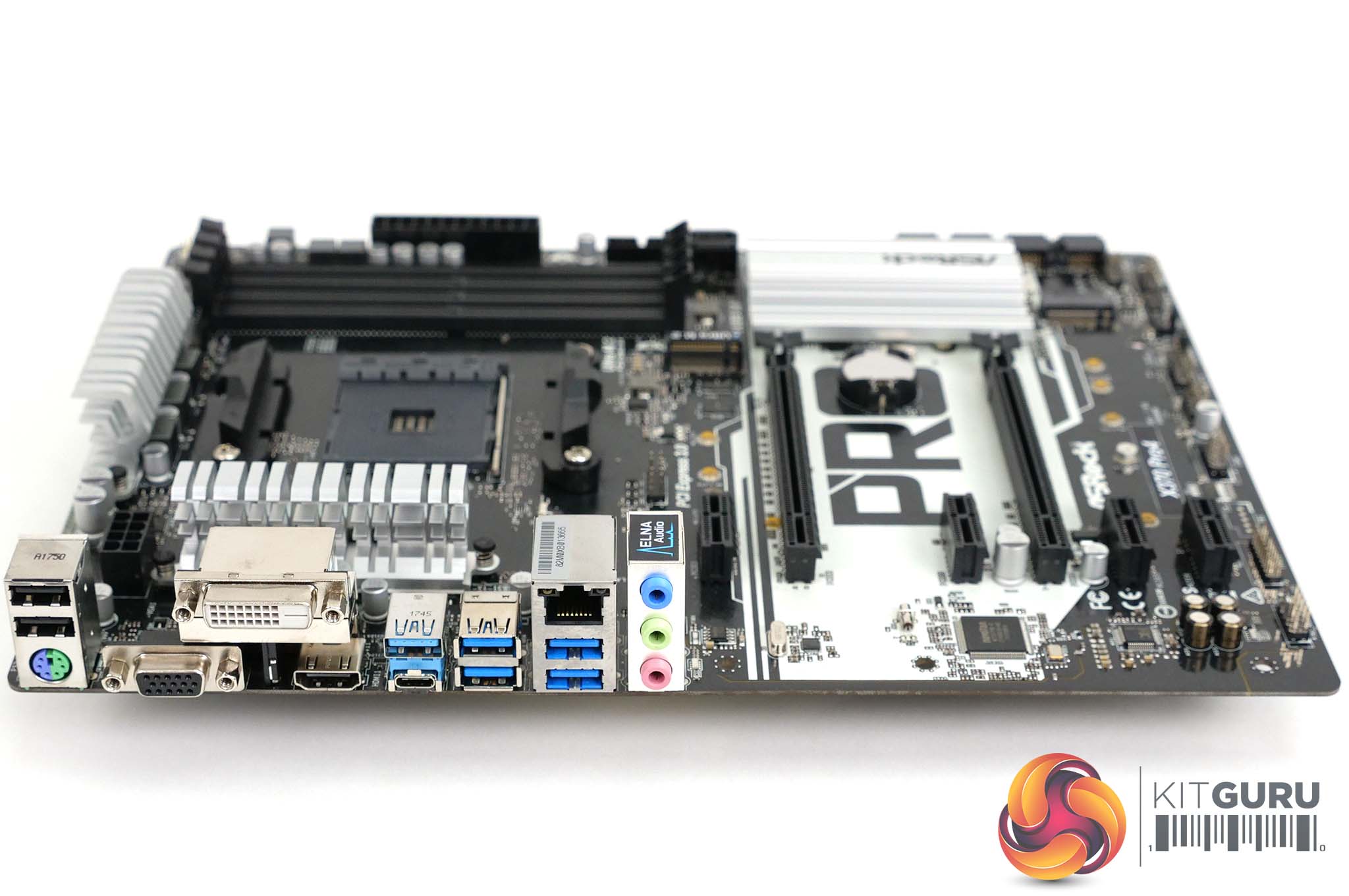
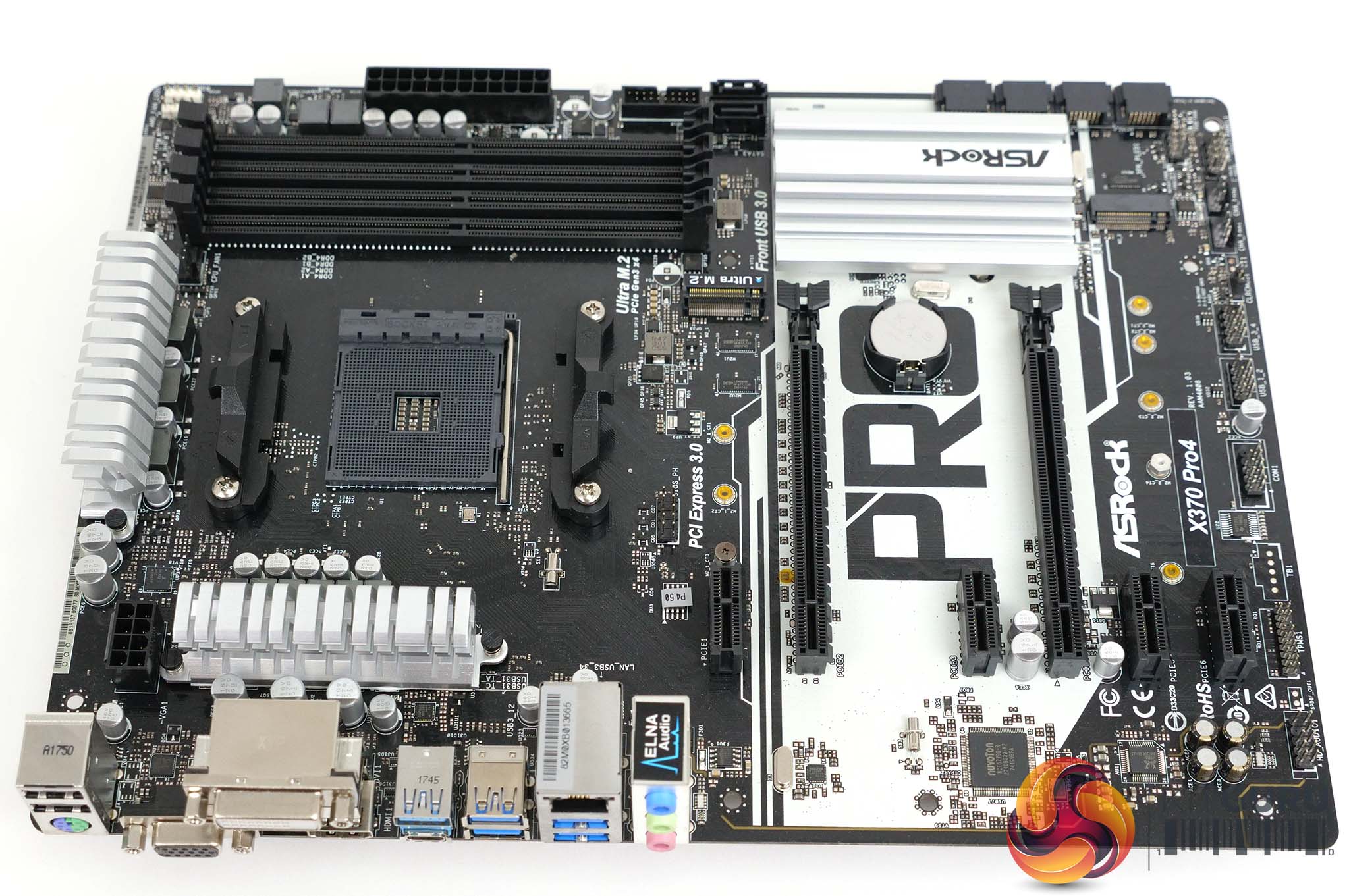
Note: if the above gallery is not displaying, you may need to disable Ad Block as it is known to interfere with our site code.
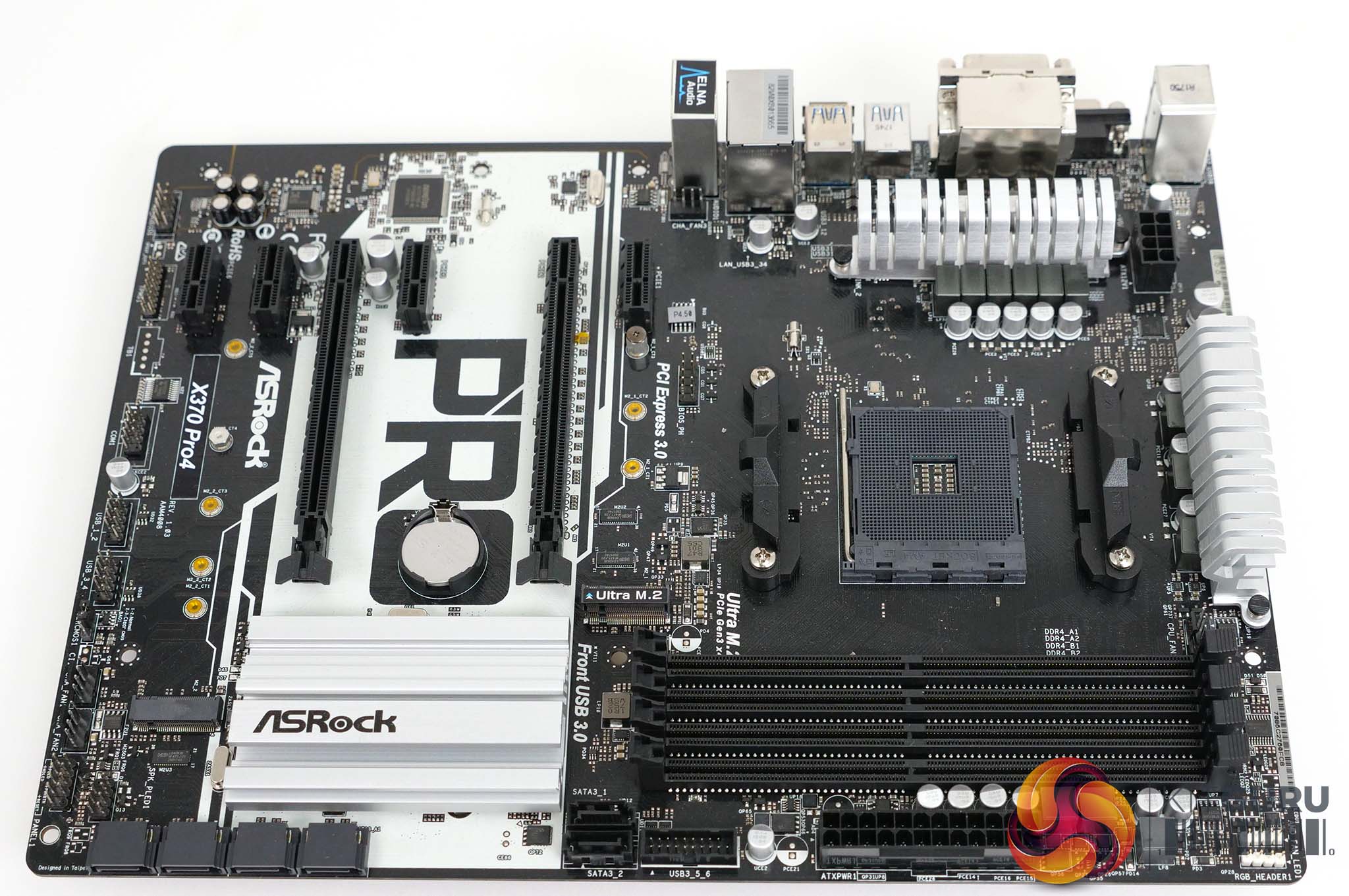
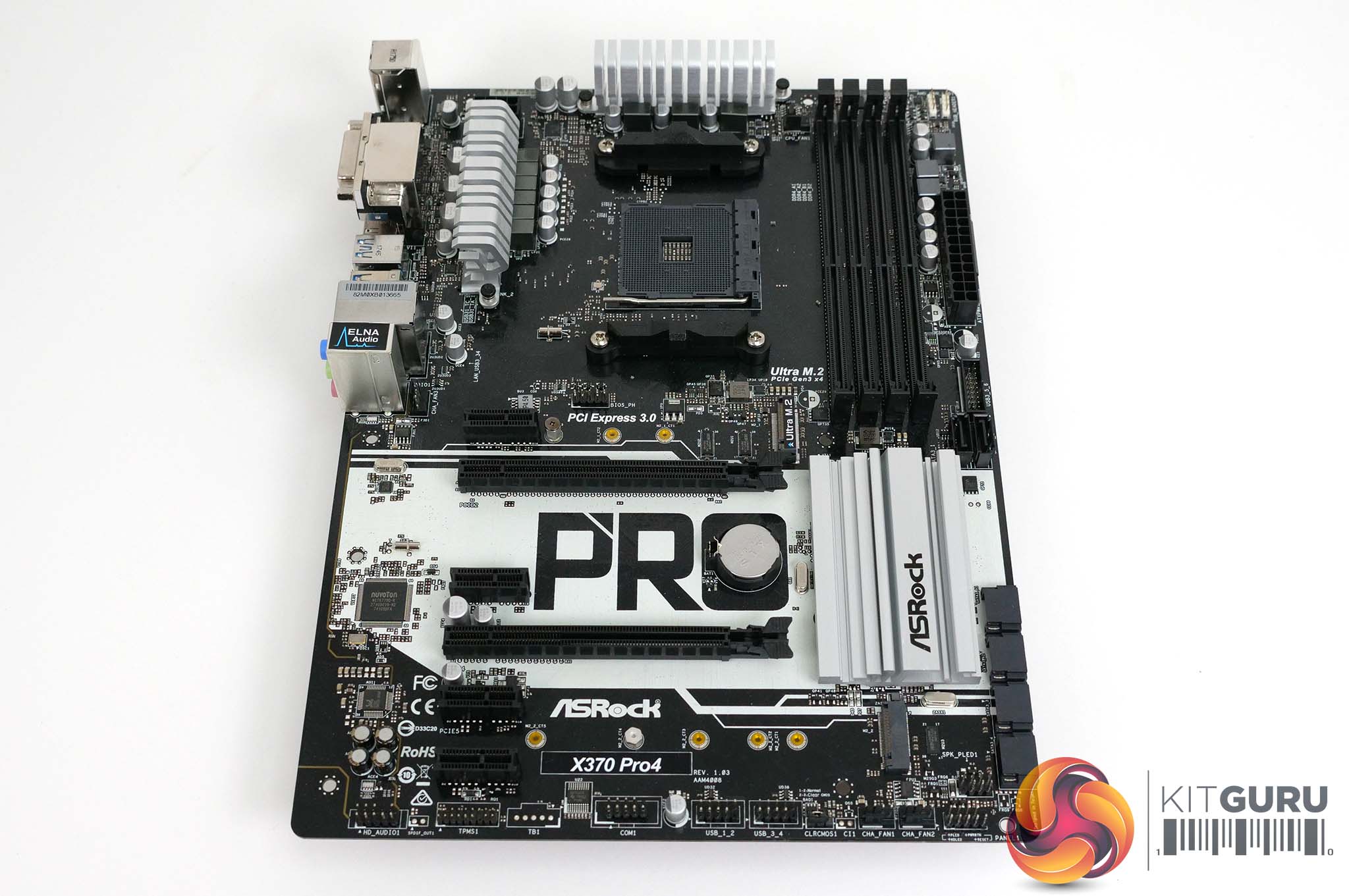
The layout of the X370 Pro4 looks neat and tidy with a monochrome colour scheme that is black at the top and bottom, with white stripe across the area with the two graphics slots. When you take a closer look at the layout, it is fair to question why this board is ATX size as it would seem easy enough to squeeze the hardware into a Micro-ATX format. It is clear that ASRock offers pretty much every combination of chipset and form factor so the X370 Pro4 is just one SKU among many.
We focused on the 6+3 VRM power arrangement and rapidly came to the conclusion that X370 Pro4 shares all the features of the ASRock Fata1ty Gaming K4.
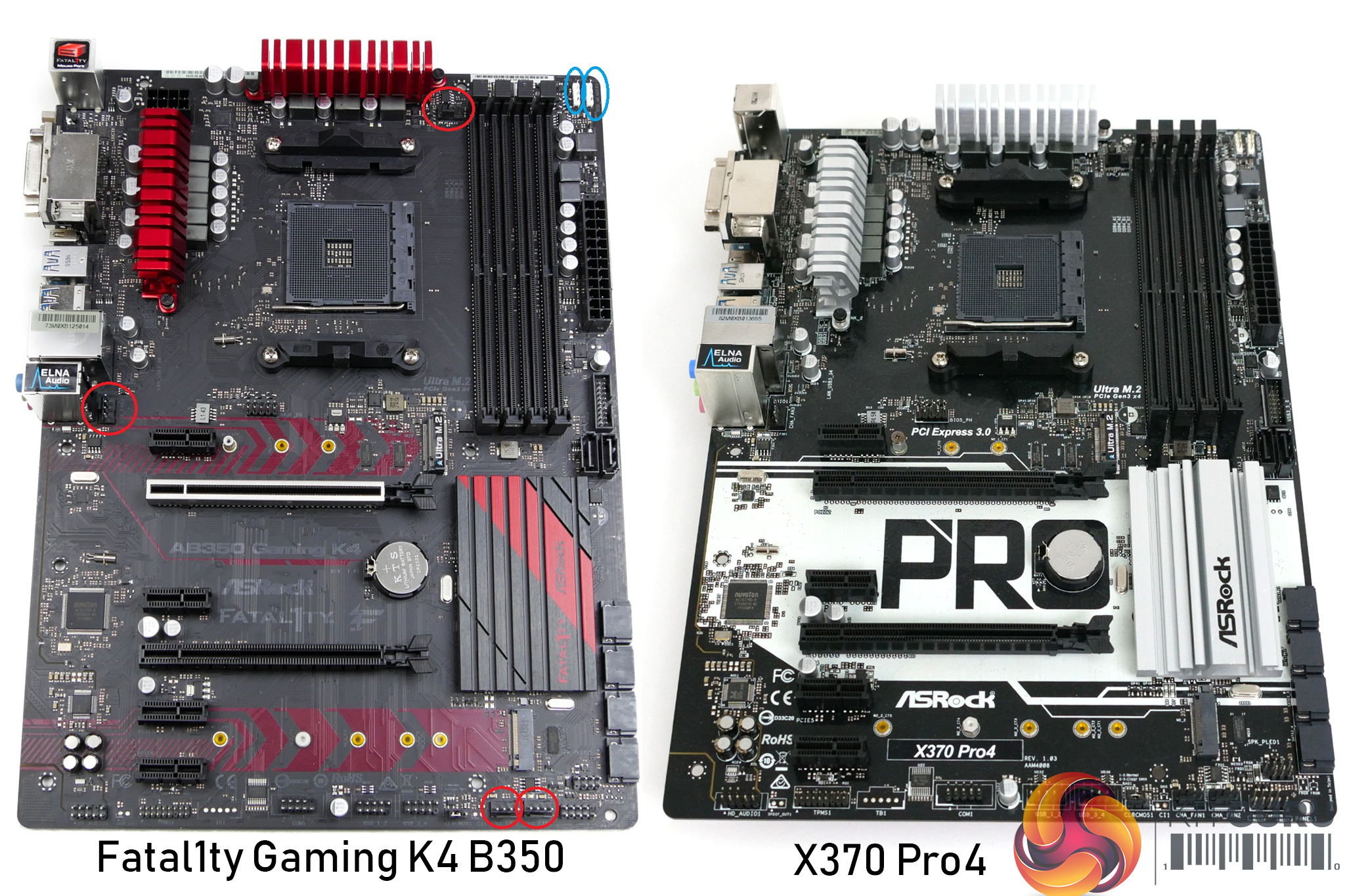
At this stage in the review we took a step back and concluded that yes, the X370 Pro4 consists of little more than a cosmetic makeover. That would logically lead to a terribly short review but happily we were saved by ASRock’s desire for us to use the board with a 2nd Gen Ryzen.
This meant we used a Raven Ridge APU, which in turn led us to pay attention to the graphics connections on the I/O panel. As you will see in our video we had the choice of HDMI, DVI and D-Sub and as we typically use a 4K display this pretty much forced us to use HDMI, which was hard work in this particular configuration.
Performance and overclocking
Test system
APU Ryzen 5 2400G at stock clock speed 3.75GHz
CPU Ryzen 7 1700X at 3.9GHz
CPU cooler Noctua NH-L9x65 SE-AM4
RAM 16GB G.Skill FlareX DDR4-3200MHz
Graphics Sapphire Nitro+ RX Vega 64 8GB HBM2 (with Ryzen 7 1700X)
SSD Samsung PM961
Power Supply Seasonic Prime Titanium 1000W
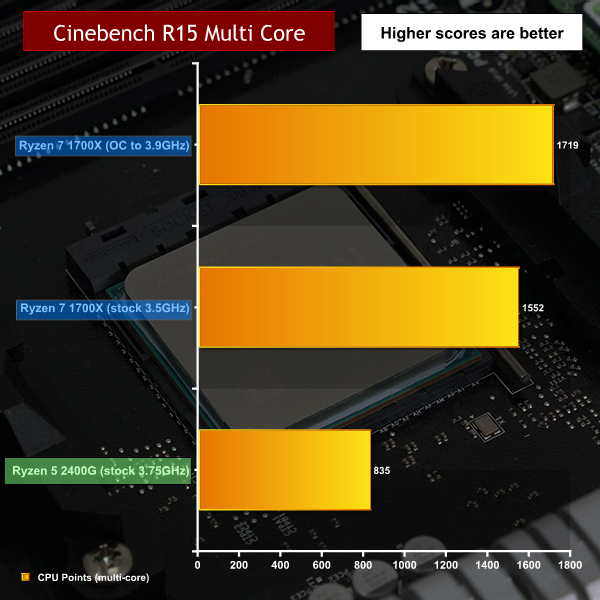
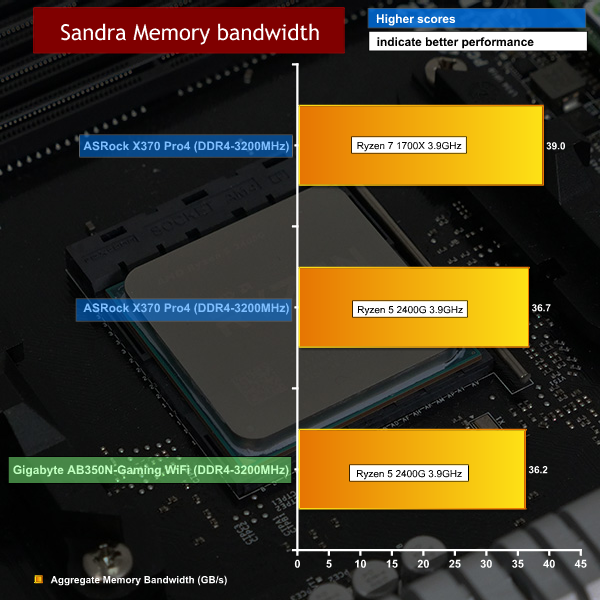
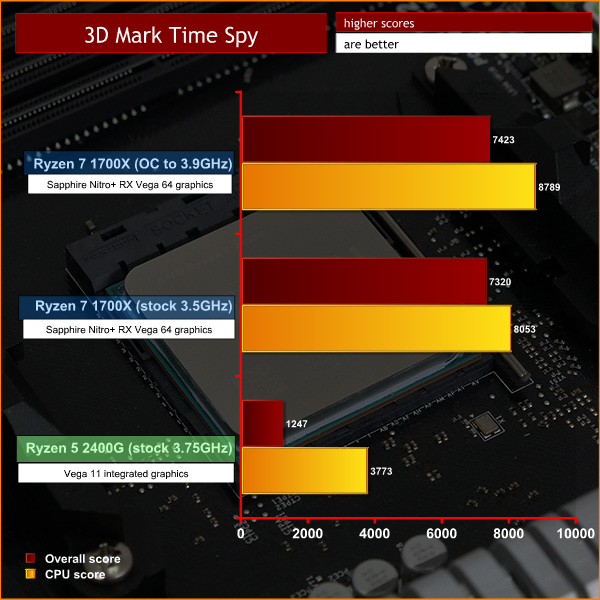
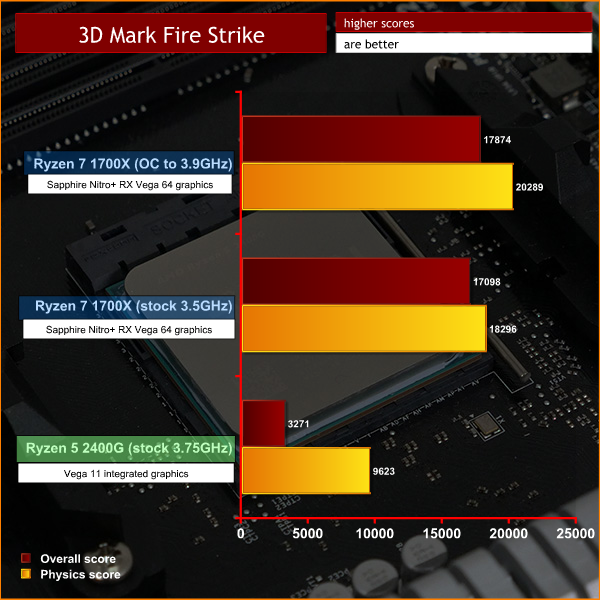
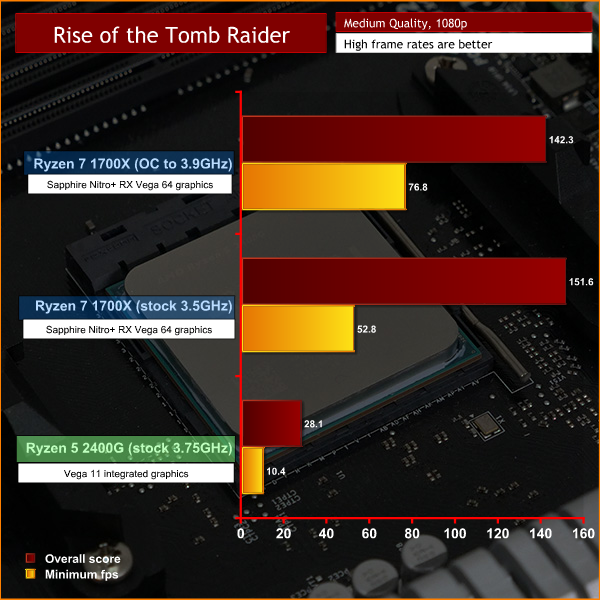
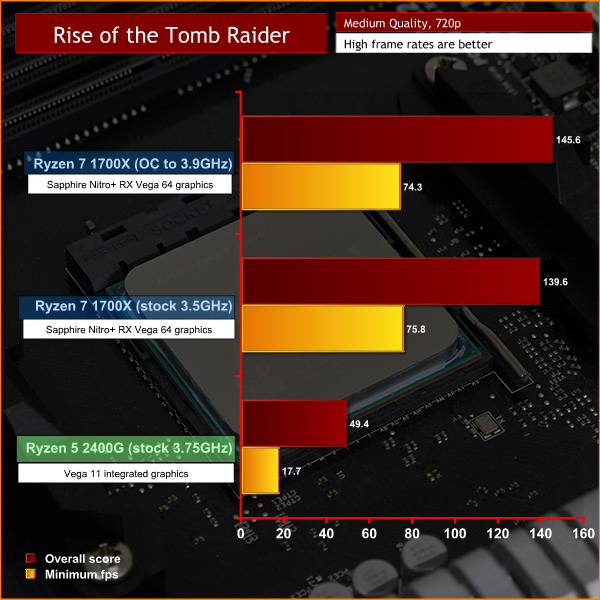
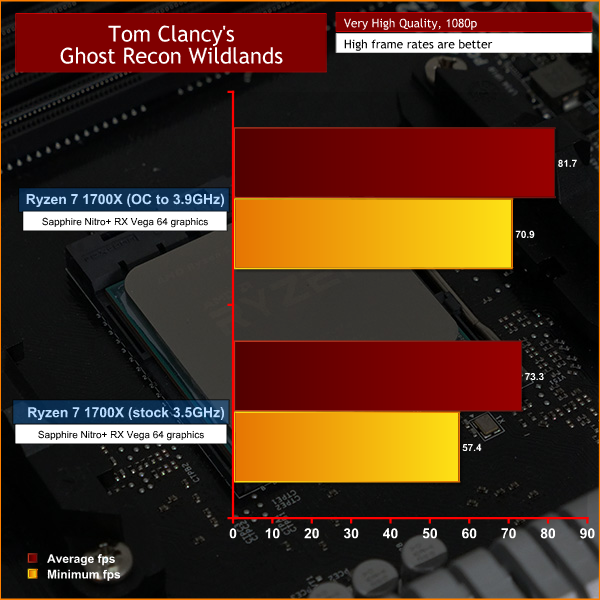
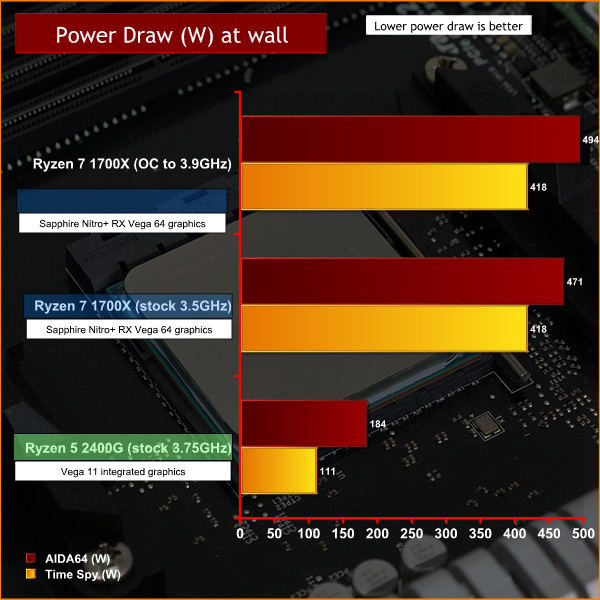
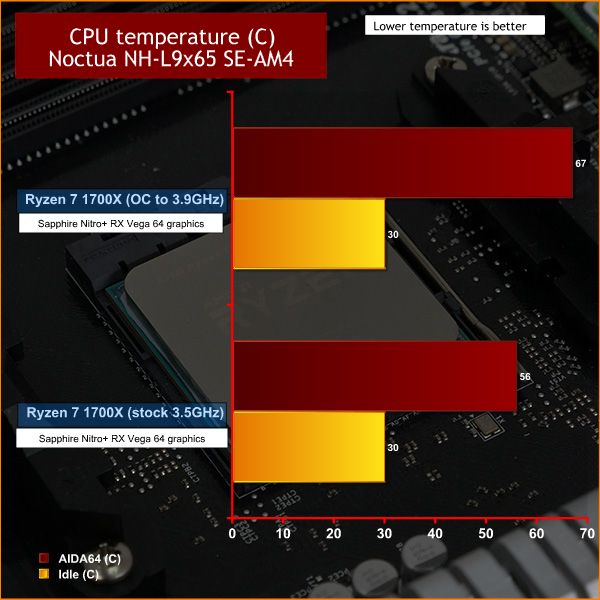
Performance and overclocking overview
The X370 Pro4 board worked well enough, however the BIOS is fairly basic without settings for Loadline Calibration or SoC. We were able to adjust core voltage and bump up the CPU multiplier in the usual 25MHz steps but that was about all.
We overclocked our Ryzen 7 1700X to 3.9GHz on all cores using 1.35V and that took our CPU to the ragged edge. It was stable in Cinebench R15, crashed in Blender and delivered a handful of extra fps when gaming, depending on the resolution we used.
It is puzzling that ASRock has launched a ‘new’ X370 motherboard that coincides with 2nd Gen Ryzen and X470, but no doubt that decision makes sense to the marketing people.We weren’t massively impressed by the Fata1ty Gaming K4 so it follows the ASRock X370 Pro4 also fails to raise much excitement.
Having said that, it is a perfectly decent motherboard that does a fair job and the array of graphics outputs means it is fully compatible with APUs and regular CPUs.
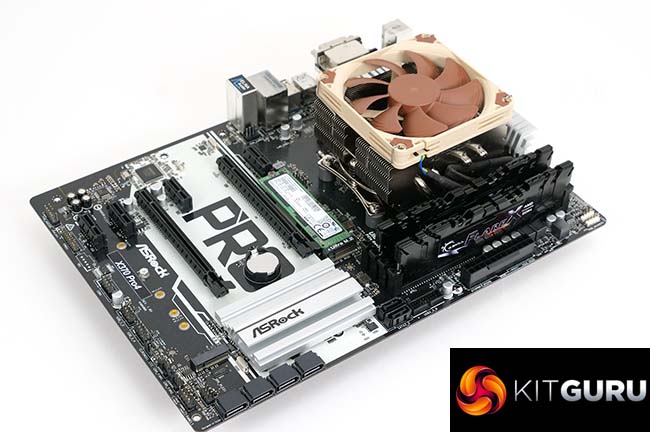
Even so, we struggled to see why this motherboard uses the ATX form factor. ASRock has a history of providing extensive combinations of chipset, form factor and CPU socket, which has given rise to some superb Mini-ITX models, however the X370 Pro4 could clearly be much smaller in size.
Mini-ITX can support an APU and Micro-ATX can be used with one or two graphics cards so ATX is only necessary if you have a bunch of features that require house space. We have to say that X370 Pro4 has an average set of features and could surely have been made smaller and cheaper.
You can buy one for £96.60 from More Computers HERE.
Pros:
- Good clearance around the connectors, easy to build the PC.
- USB 3.1 Gen1 Type C on the I/O panel.
- Reasonable selection of headers and connectors.
- Price is fairly low.
Cons:
- VRM design is fairly basic.
- The UEFI does not offer much to overclockers.
- HDMI output is limited to 30Hz at 4K.
- VRM heatsinks use plastic pop pins.
KitGuru says: The new X370 Pro4 is a respin of Fata1ty Gaming K4.