KitGuru KitGuru.net – Tech News | Hardware News | Hardware Reviews | IOS | Mobile | Gaming | Graphics Cards


If you ask a PC enthusiast to name brands of gaming motherboards they may well list ASRock, Asus, EVGA, Gigabyte and MSI, however they are unlikely to mention SuperO. Supermicro is known and respected for its Server and Workstation hardware whereas its SuperO brand for gaming products are more obscure. The SuperO C7Z370-CG-IW is Supermicro’s first Gaming Mini-ITX board and it has that extra frisson of interest as very few people will know the name.
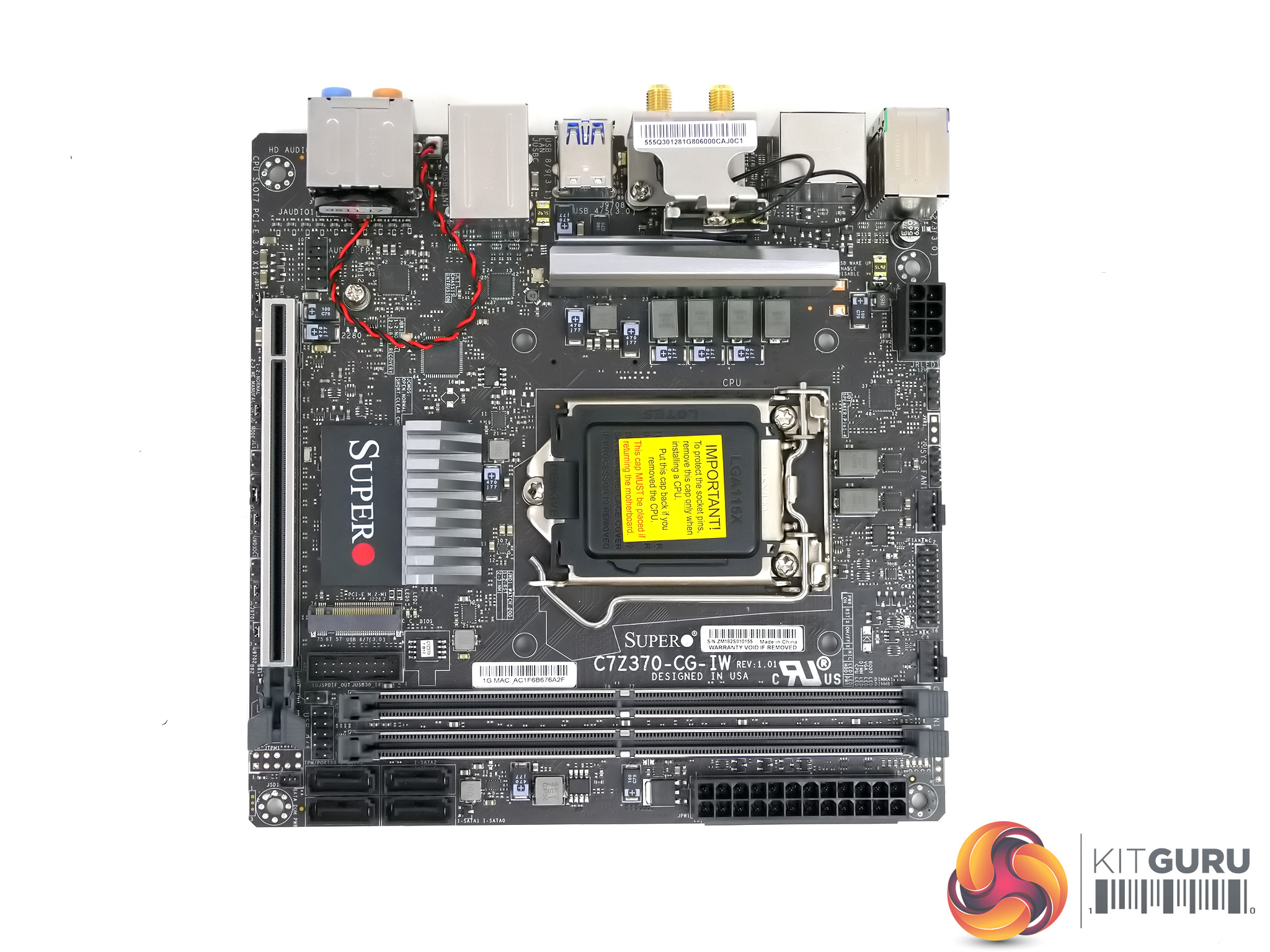
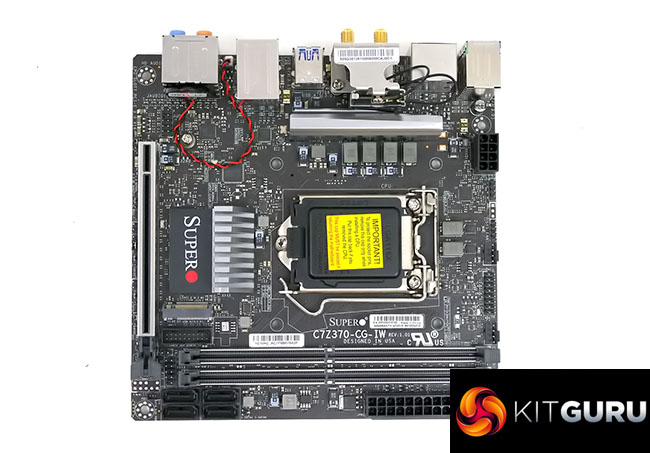
This motherboard uses the Z370 chipset to support the desktop 8th Gen. Coffee Lake family of CPUs along with a single graphics slot, two desktop DDR4 DIMMs and a pair of smart aluminium heat sinks on the chipset and VRMs.
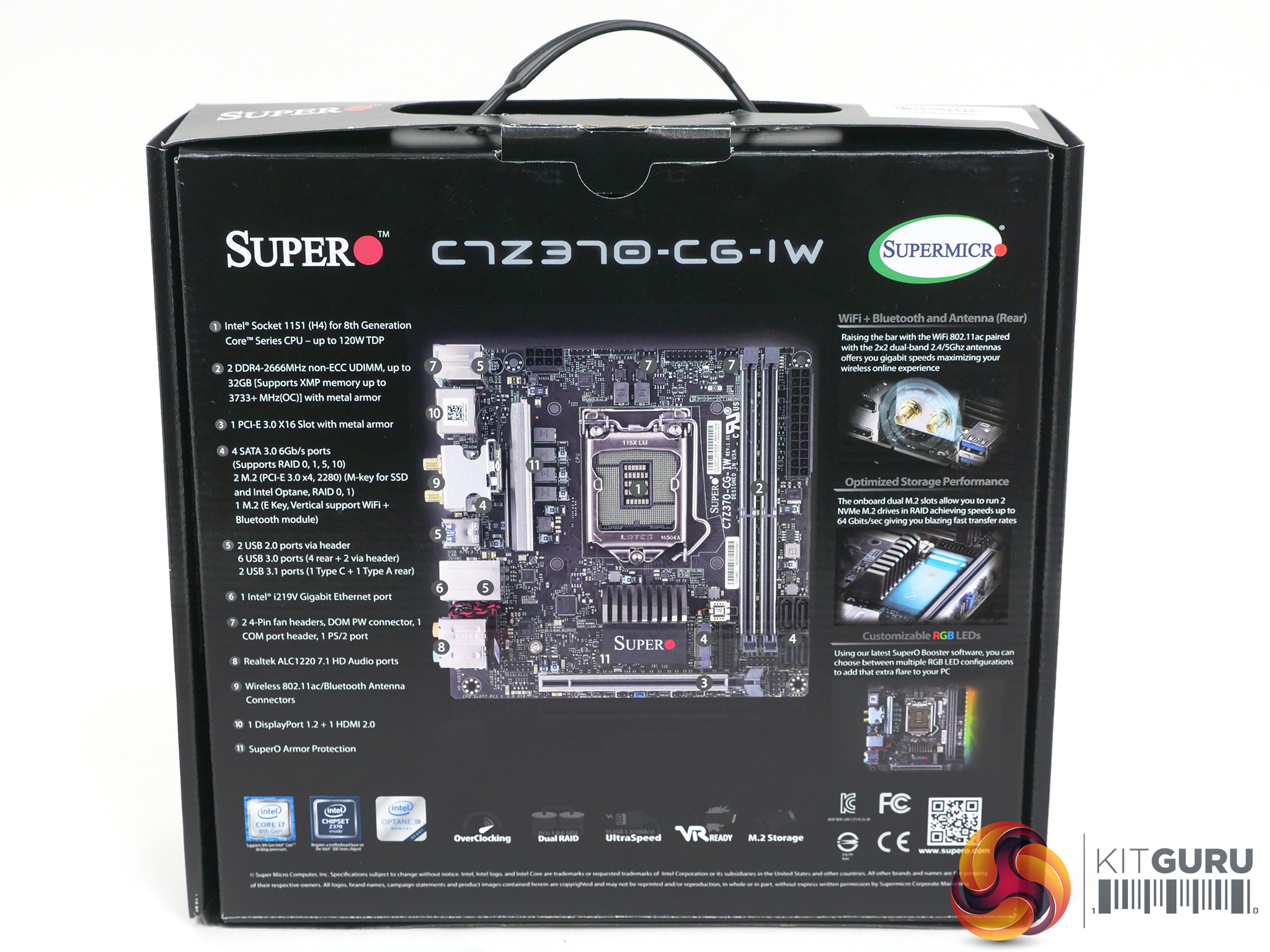
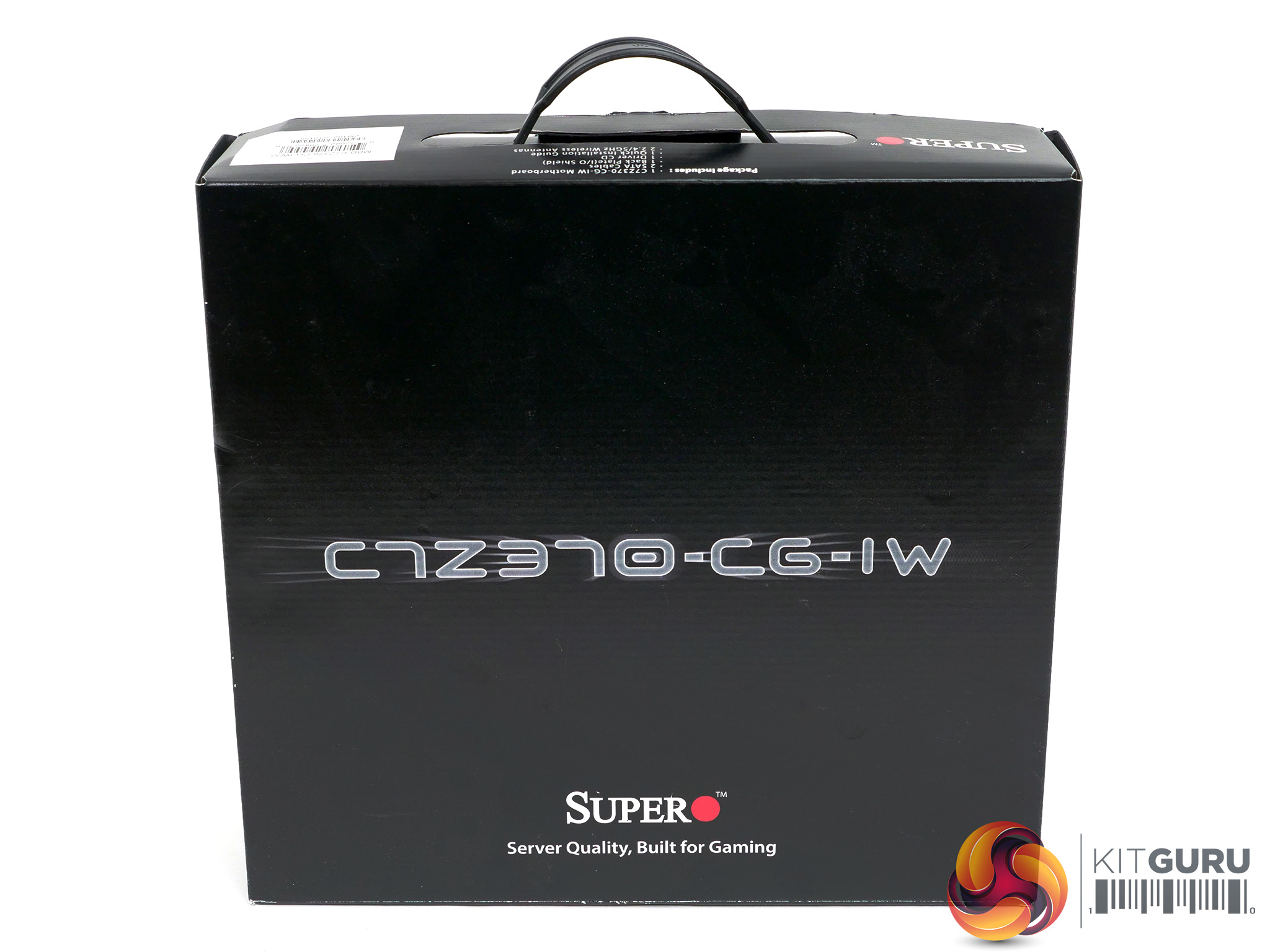
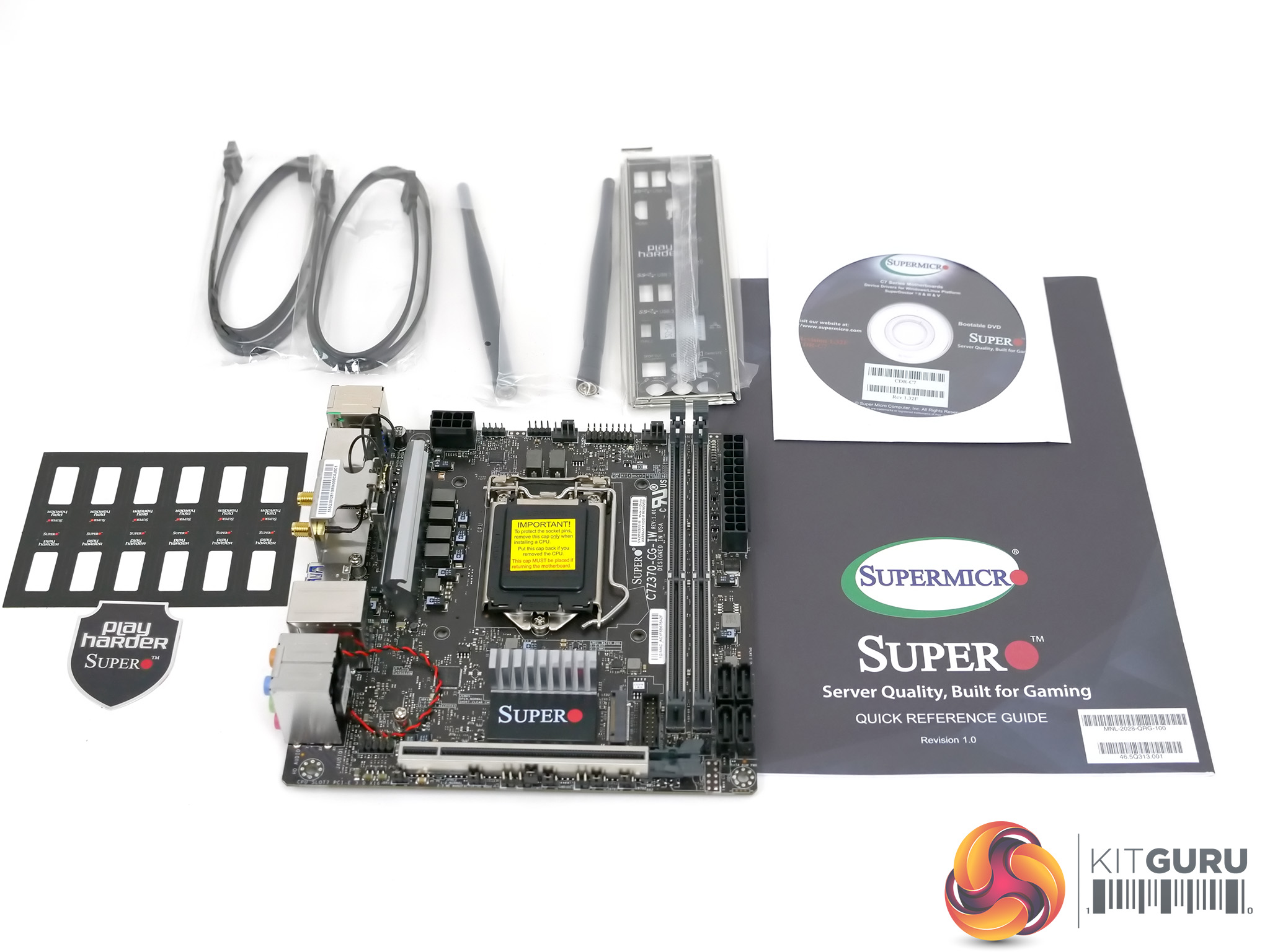
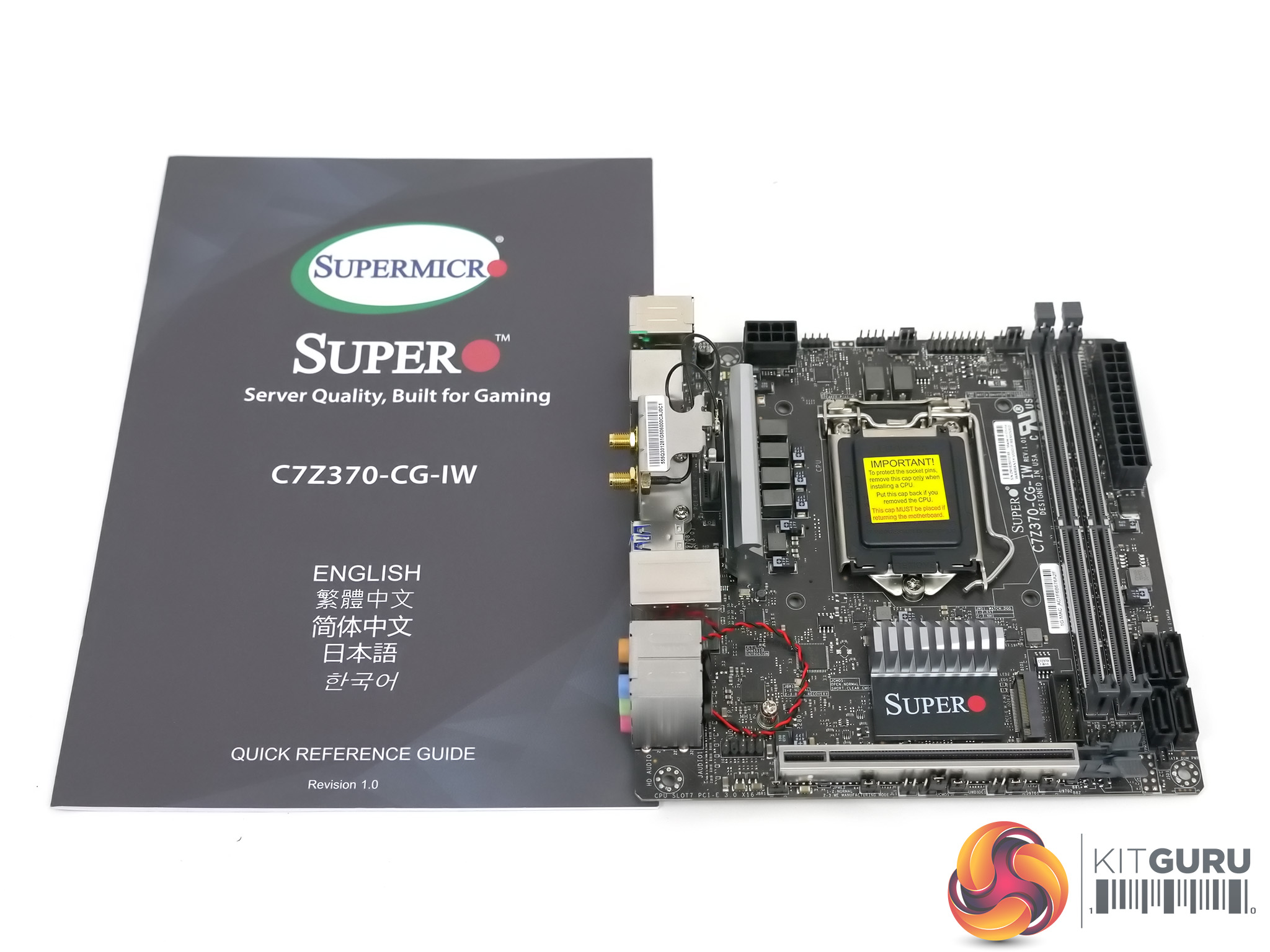
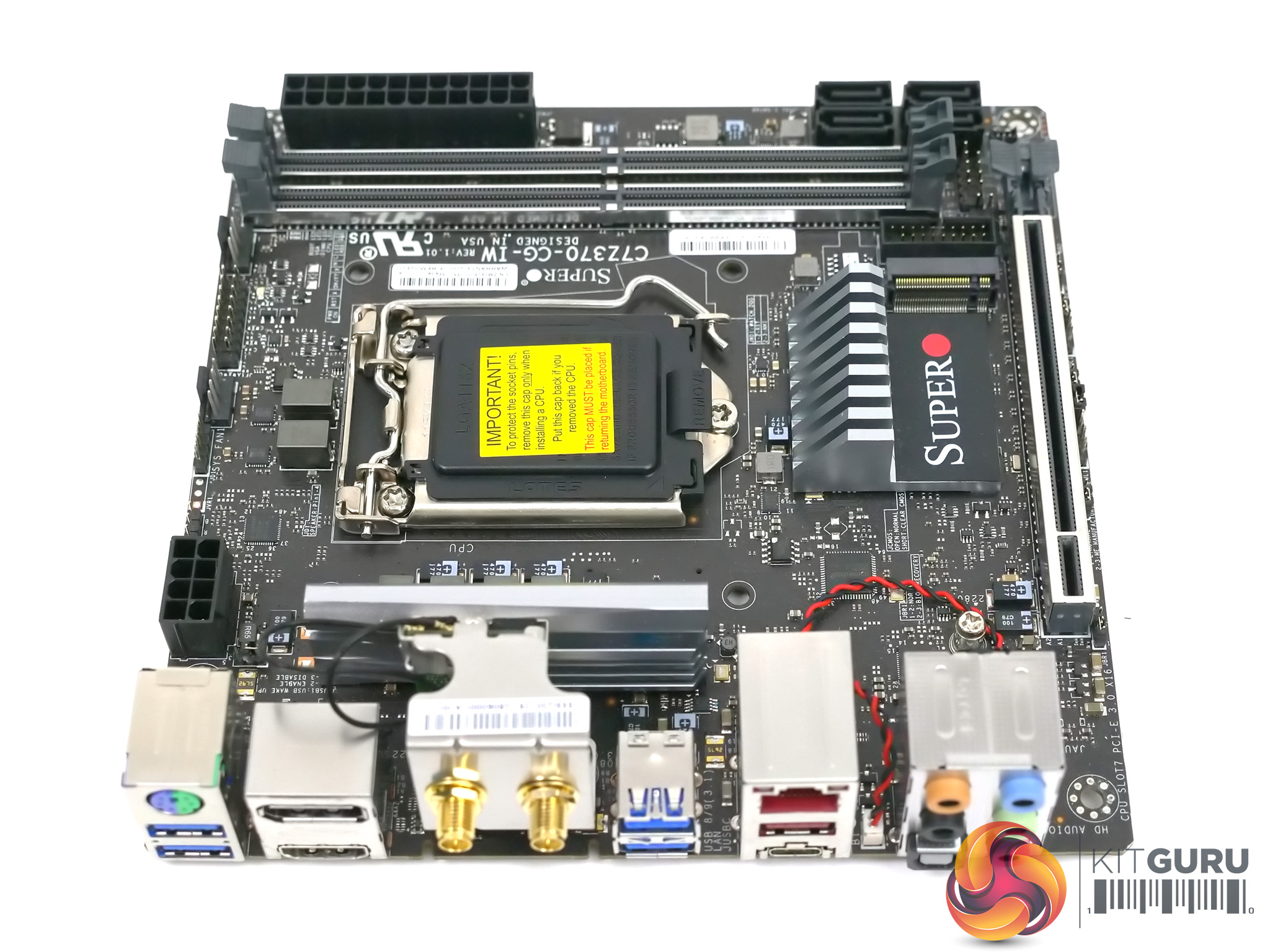
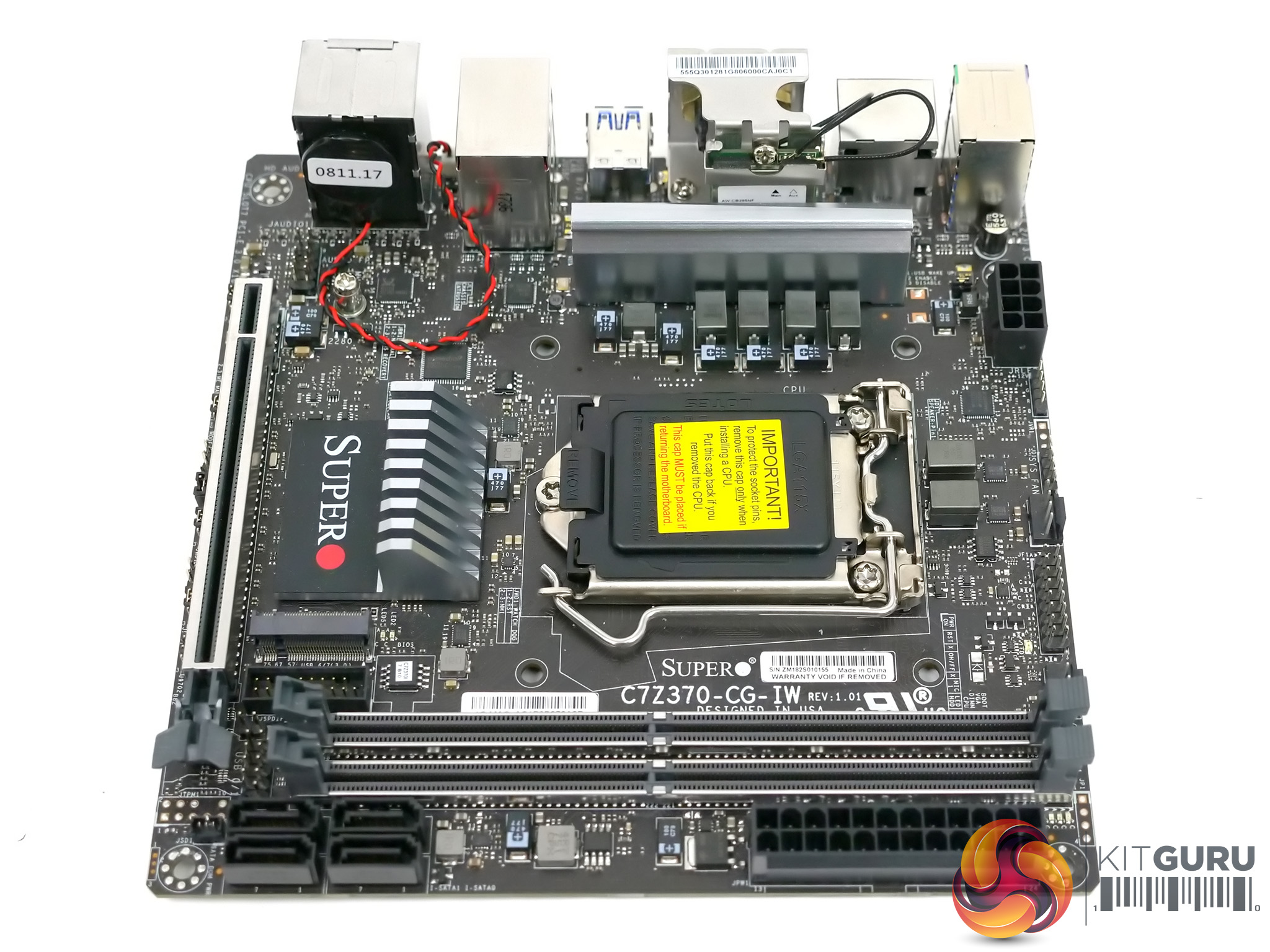
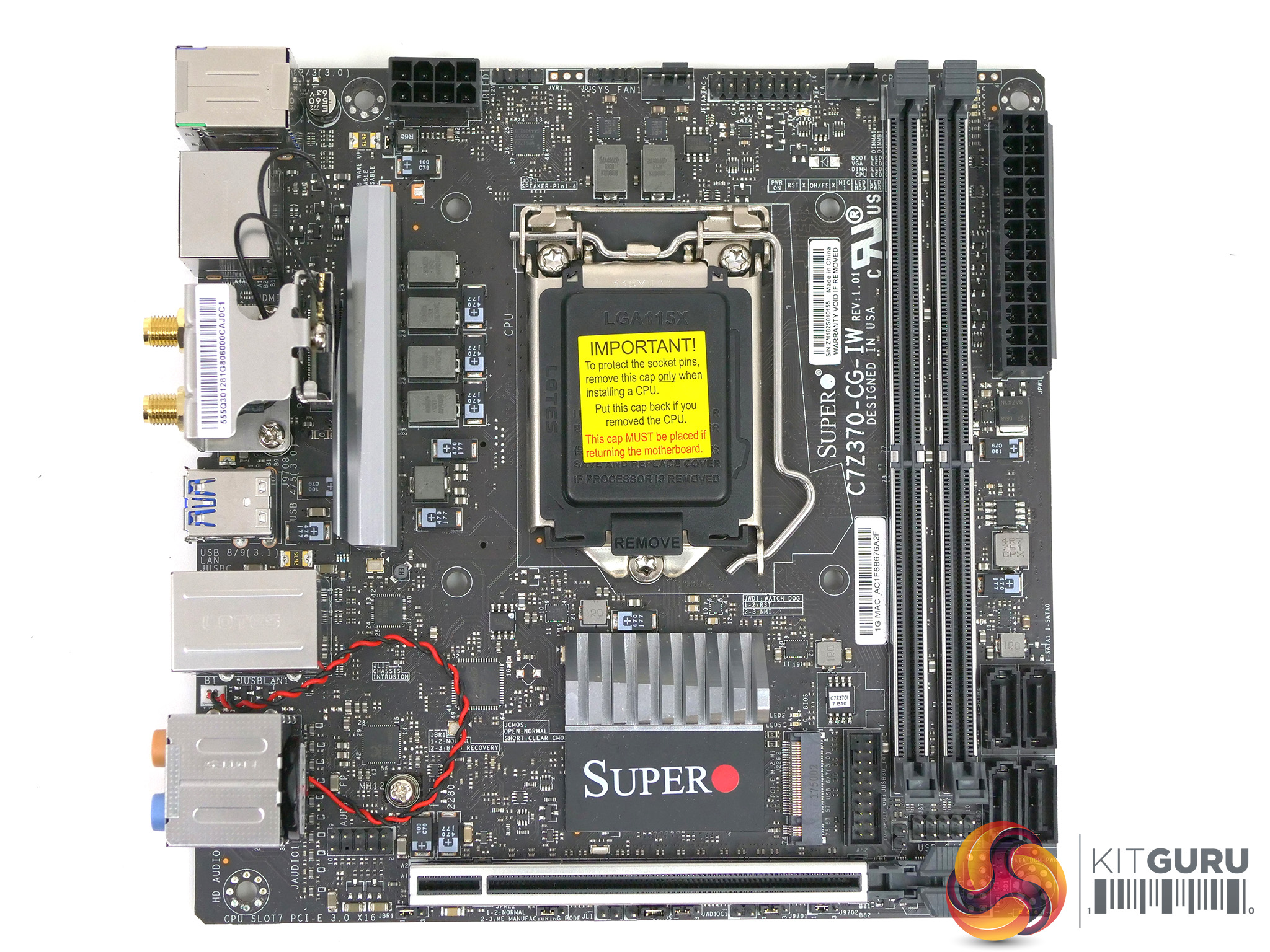
Note: if the above images are not displaying properly, you may need to disable Ad Block as it is known to interfere with our display code
Specification:
Chipset: Intel Z370 Express
CPU support: Intel LGA1151 8th Gen Core i7/i5/i3 processors (up to 120W TDP)
Memory Capacity: 2x 288-pin DDR4 DIMM slots up to 32GB DDR4 Non-ECC Un-Buffered memory
Memory Frequency: up to DDR4-2666MHz
Supports Intel Extreme Memory Profile (XMP) DIMM (Up to 3733+MHz)
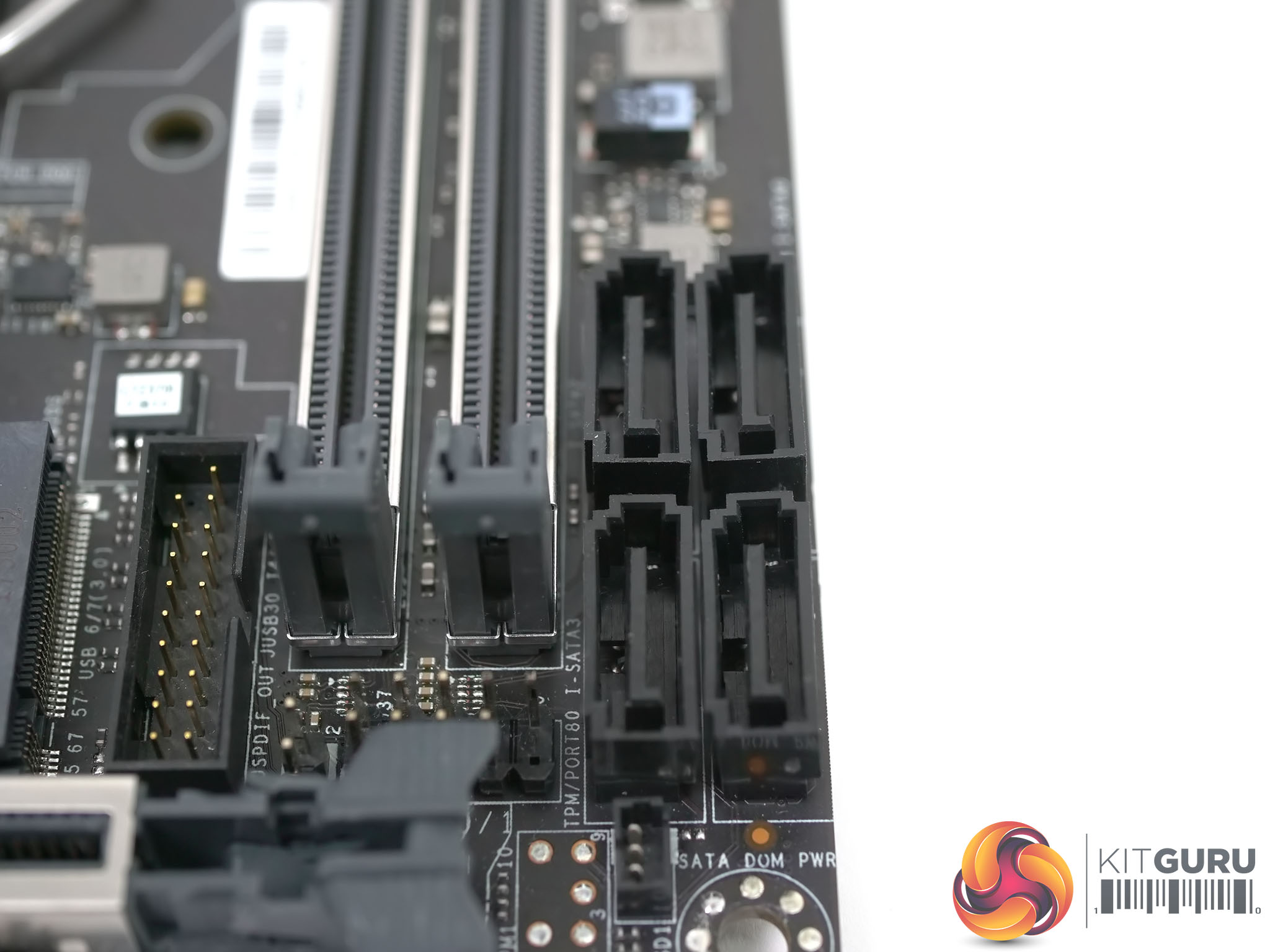
SATA support: 4x SATA3.0 (6Gbps) with RAID 0, 1, 5, 10 via Intel Z370 Chipset
PCI-Express:
1x PCIe 3.0 x16 slot
2x PCIe 3.0 x4 M.2 (2260/2280/22110)(M-key)
Input/Output
USB 6x USB 3.0 ports (4 rear, 2 via header)
1x USB 3.1 Type A port (rear)
1x USB 3.1 Type C port (rear)
Display: 1x HDMI 2.0, 1x DisplayPort 1.2
Keyboard/Mouse PS/2 connector for mouse and keyboard
On-Board Audio: Realtek ALC1220 7.1 HD Audio
Ethernet: Intel i219V Gigabit
Wi-Fi: Realtek 802.11ac
2x PWM fan headers
Form Factor: Mini-ITX 170mm x 170mm
Software SuperDoctor V, SuperO Booster Utility
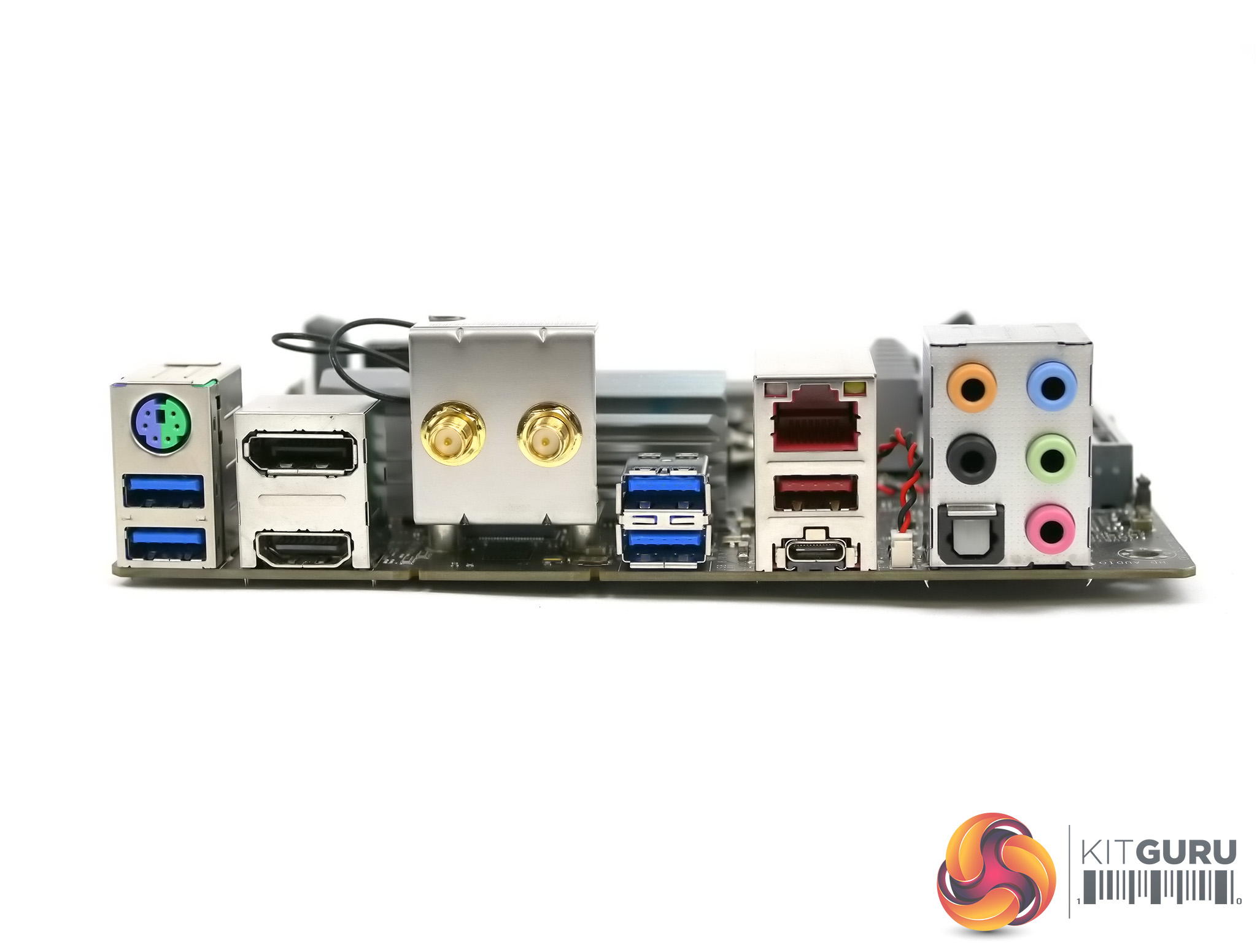
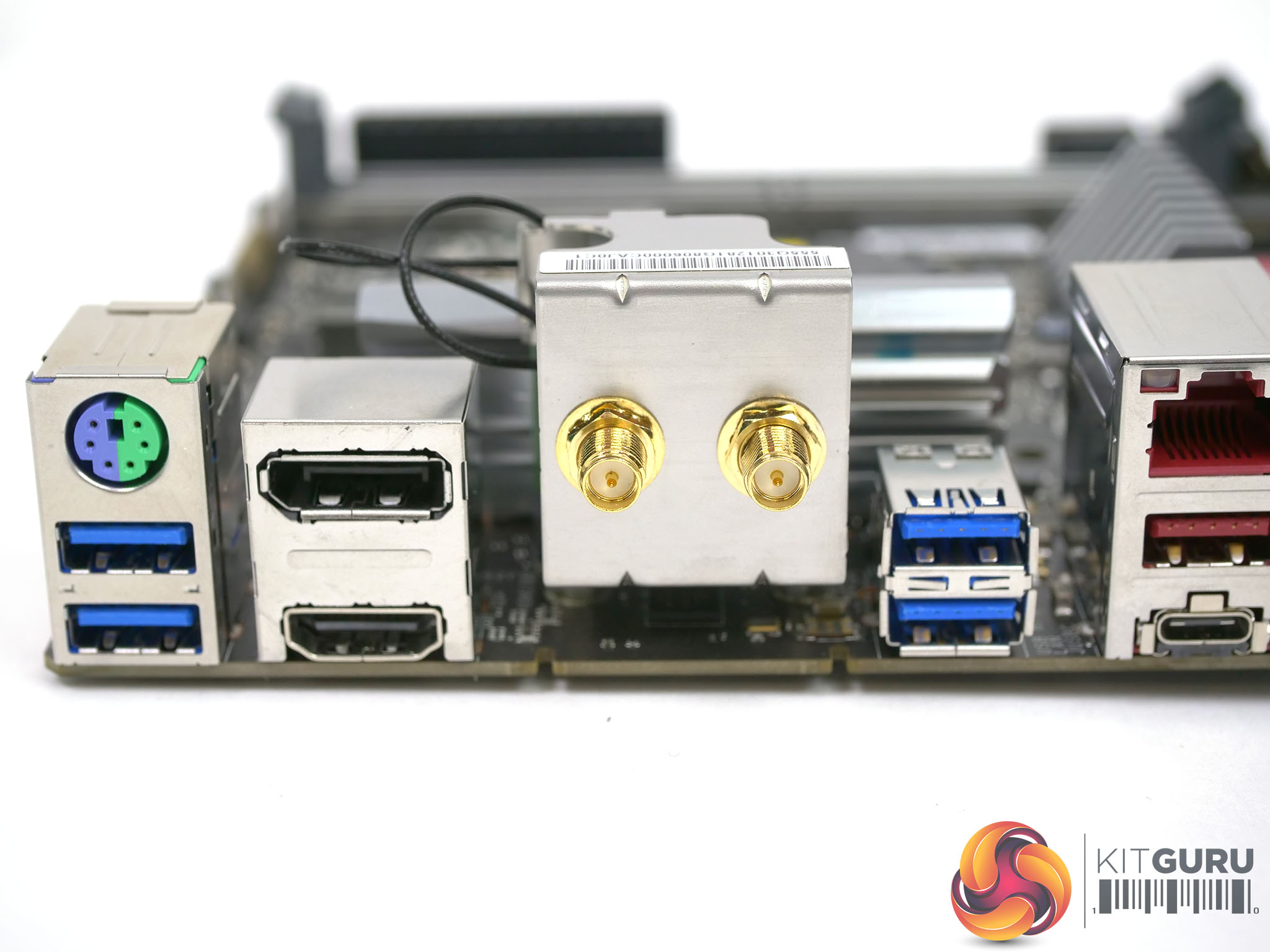
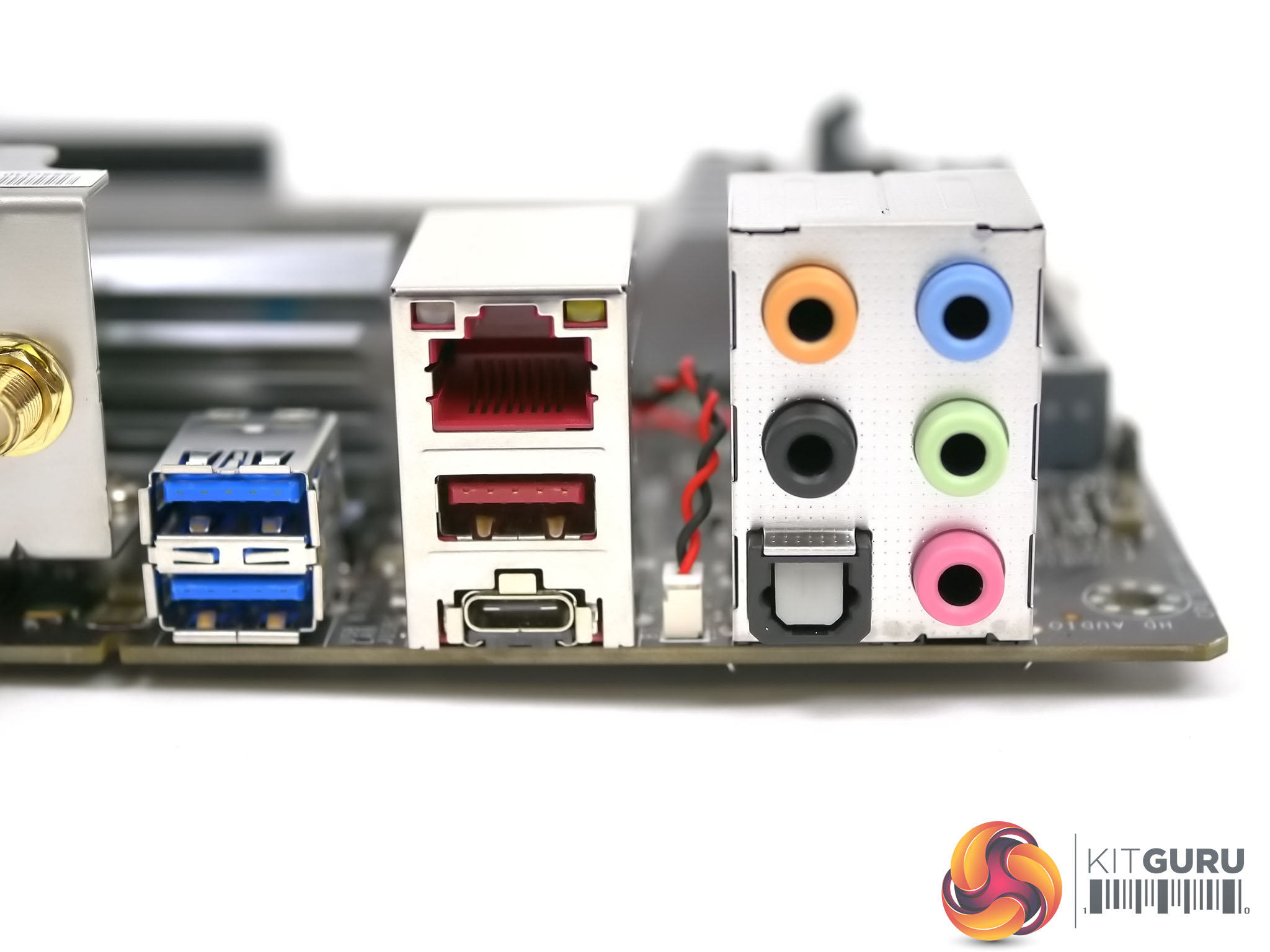
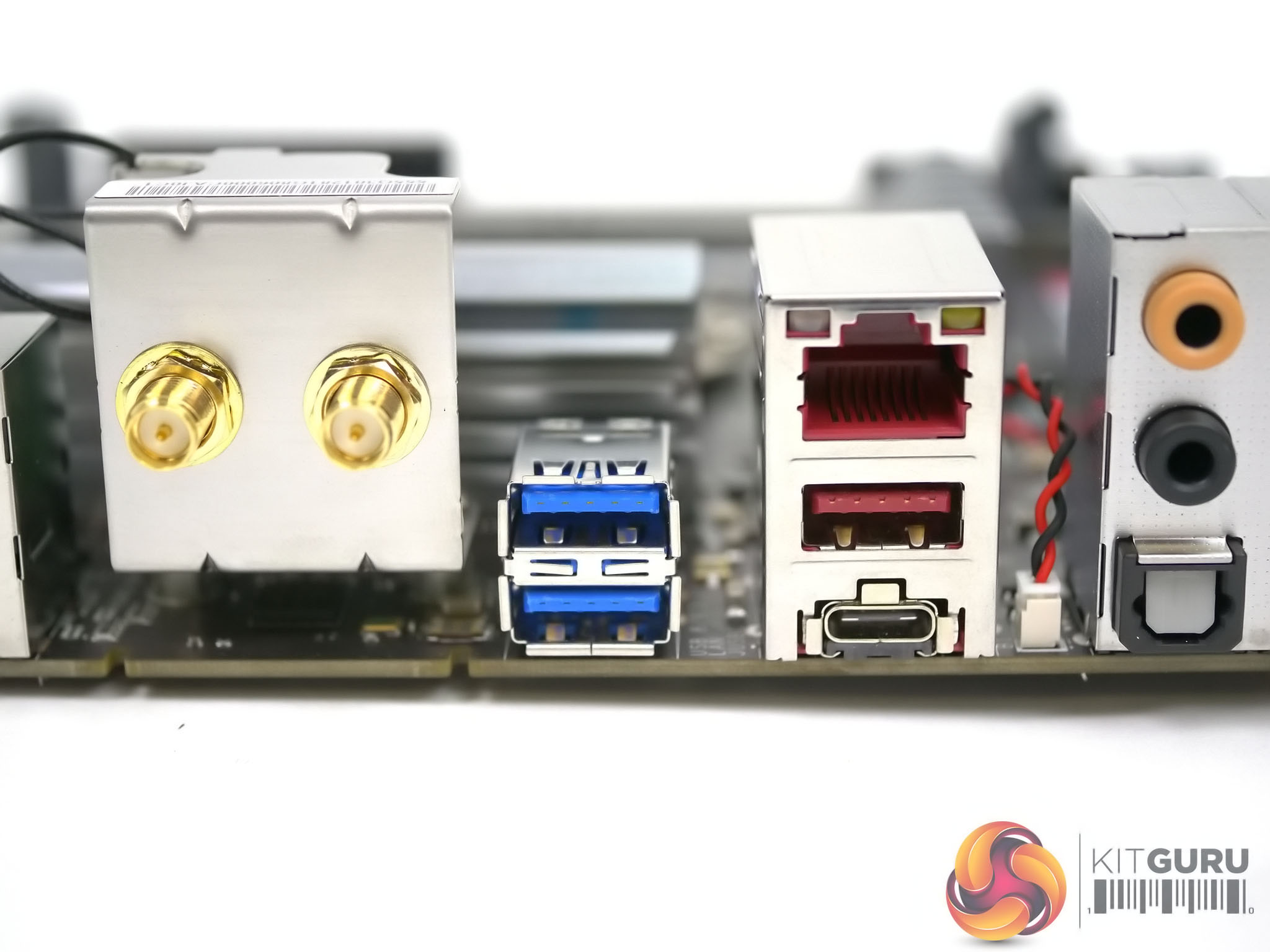
With the SuperO C7Z370-CG-IW sat on the table there is no evidence we are looking at a gaming motherboard. The I/O panel has HDMI 2.0 and DisplayPort 1.2 ports and the arrangement of the Wi-Fi antennae suggests the board should be placed horizontally, which looks rather like an HTPC set-up.
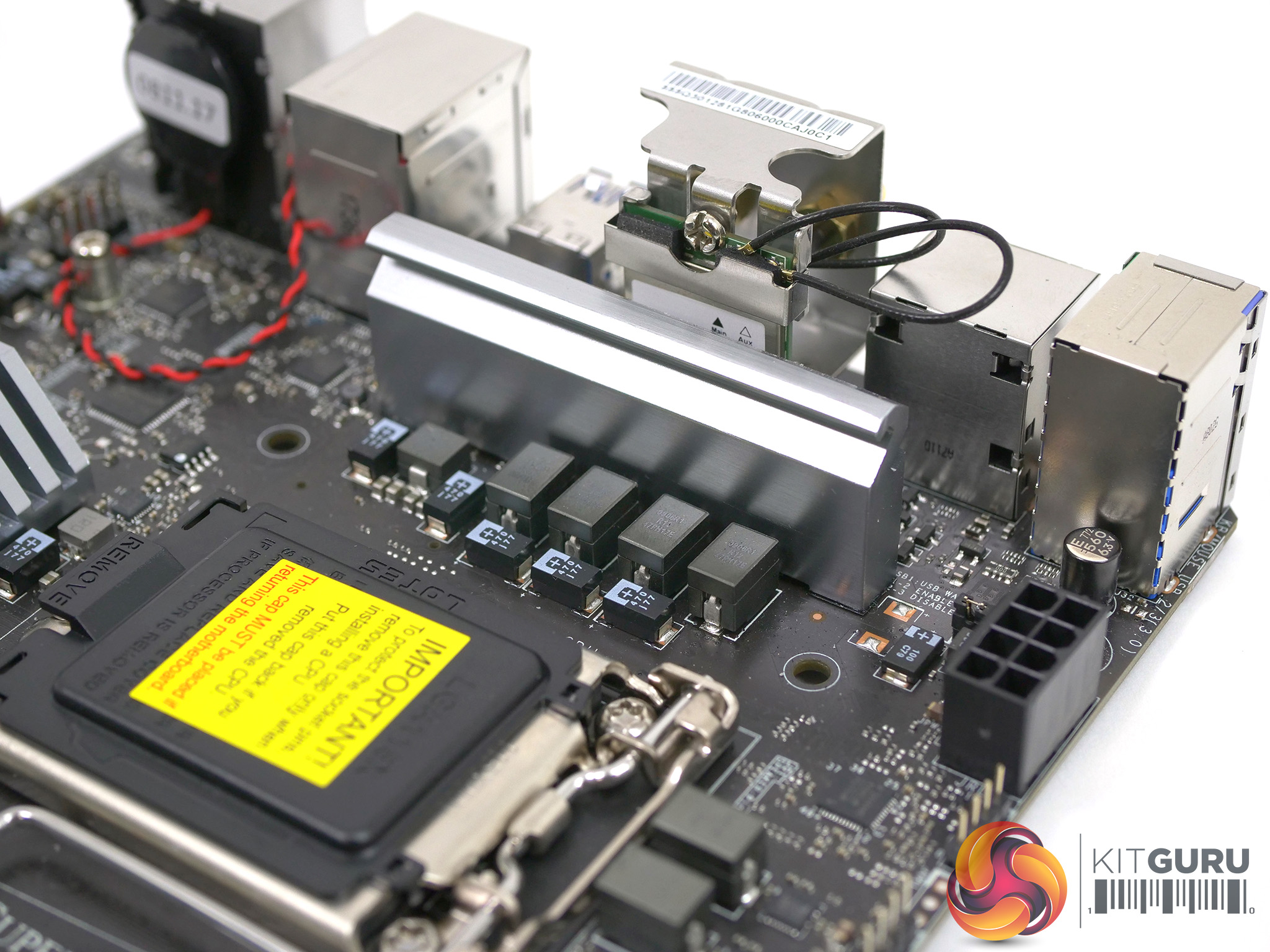
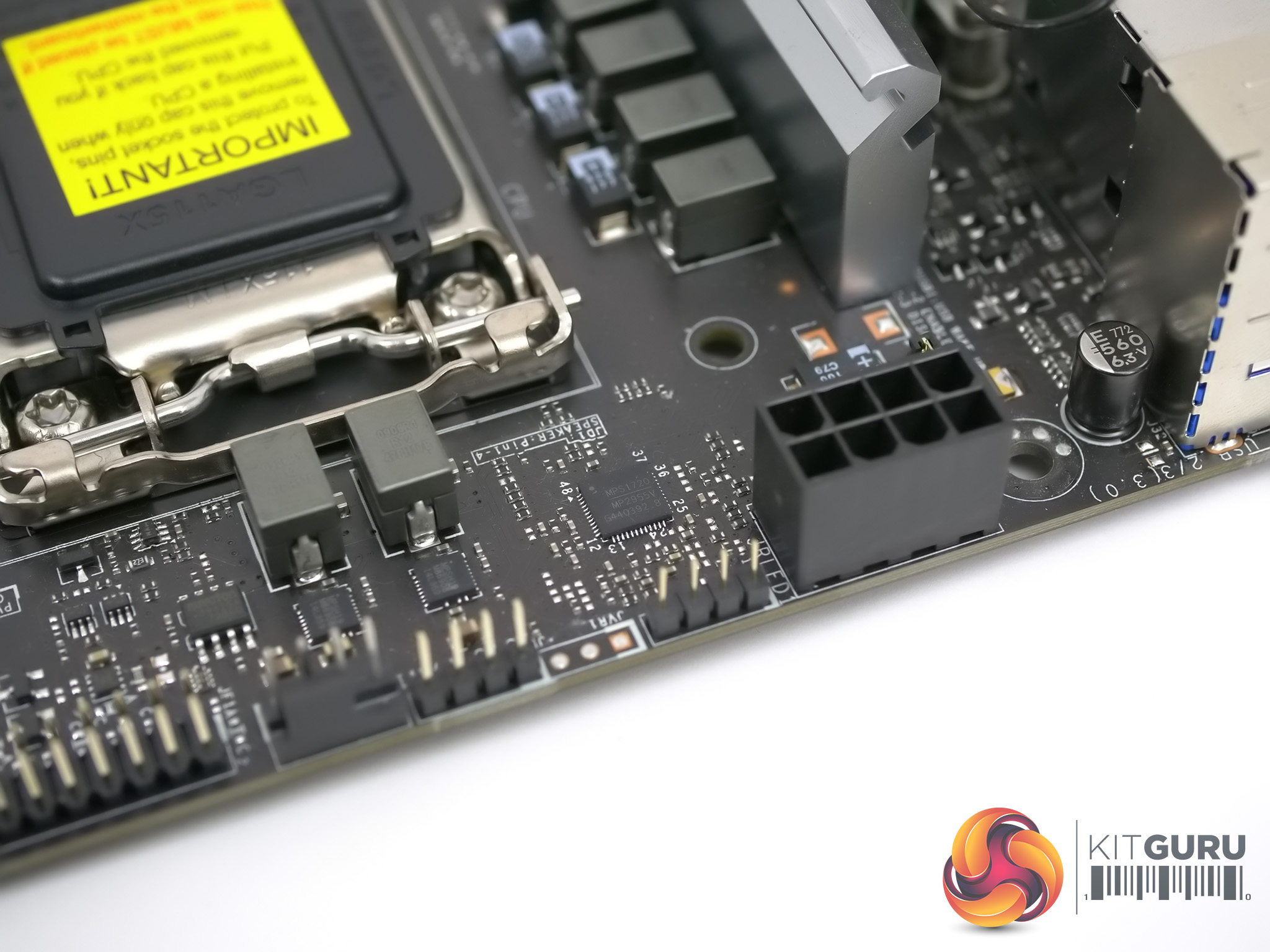
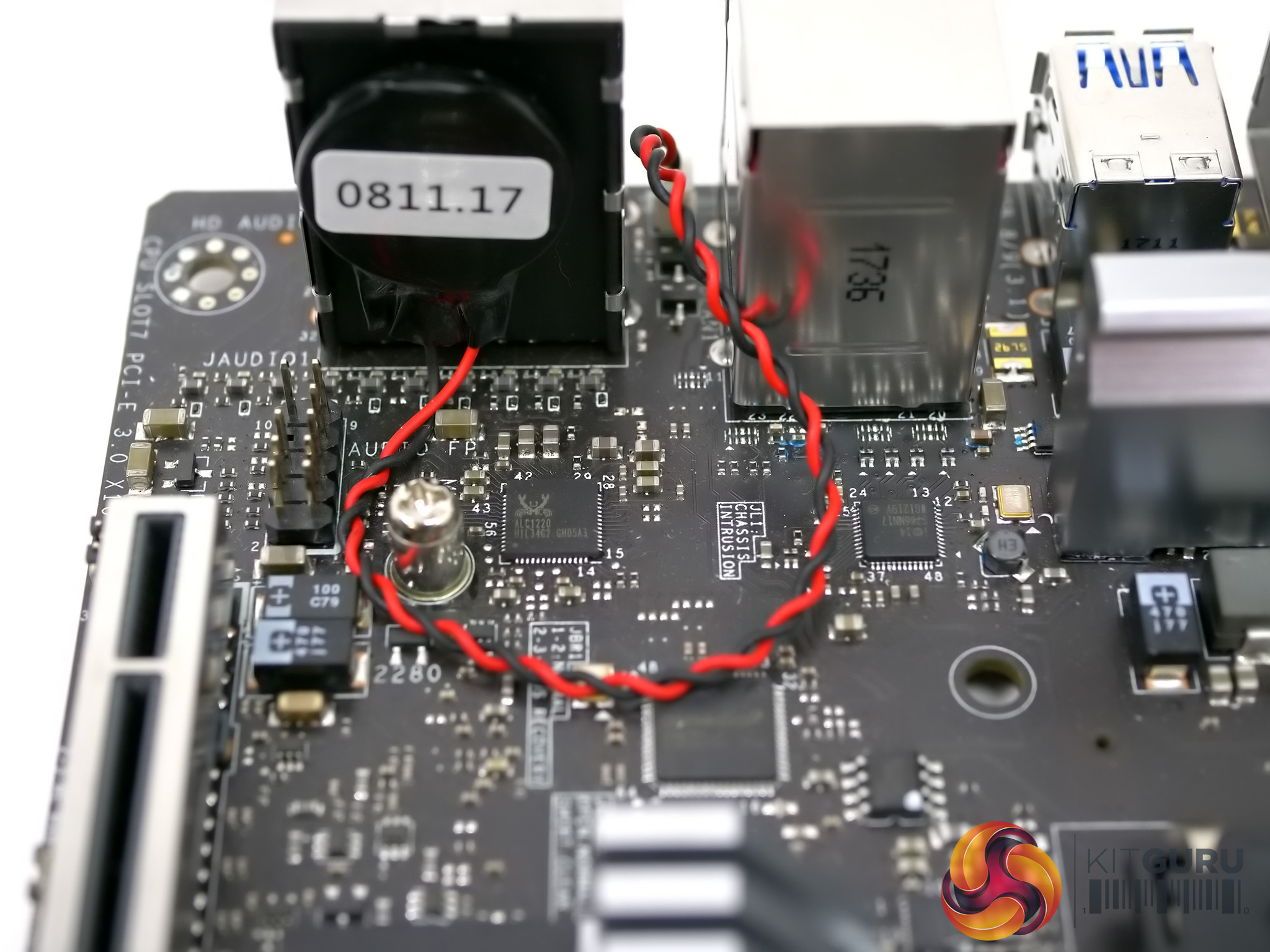
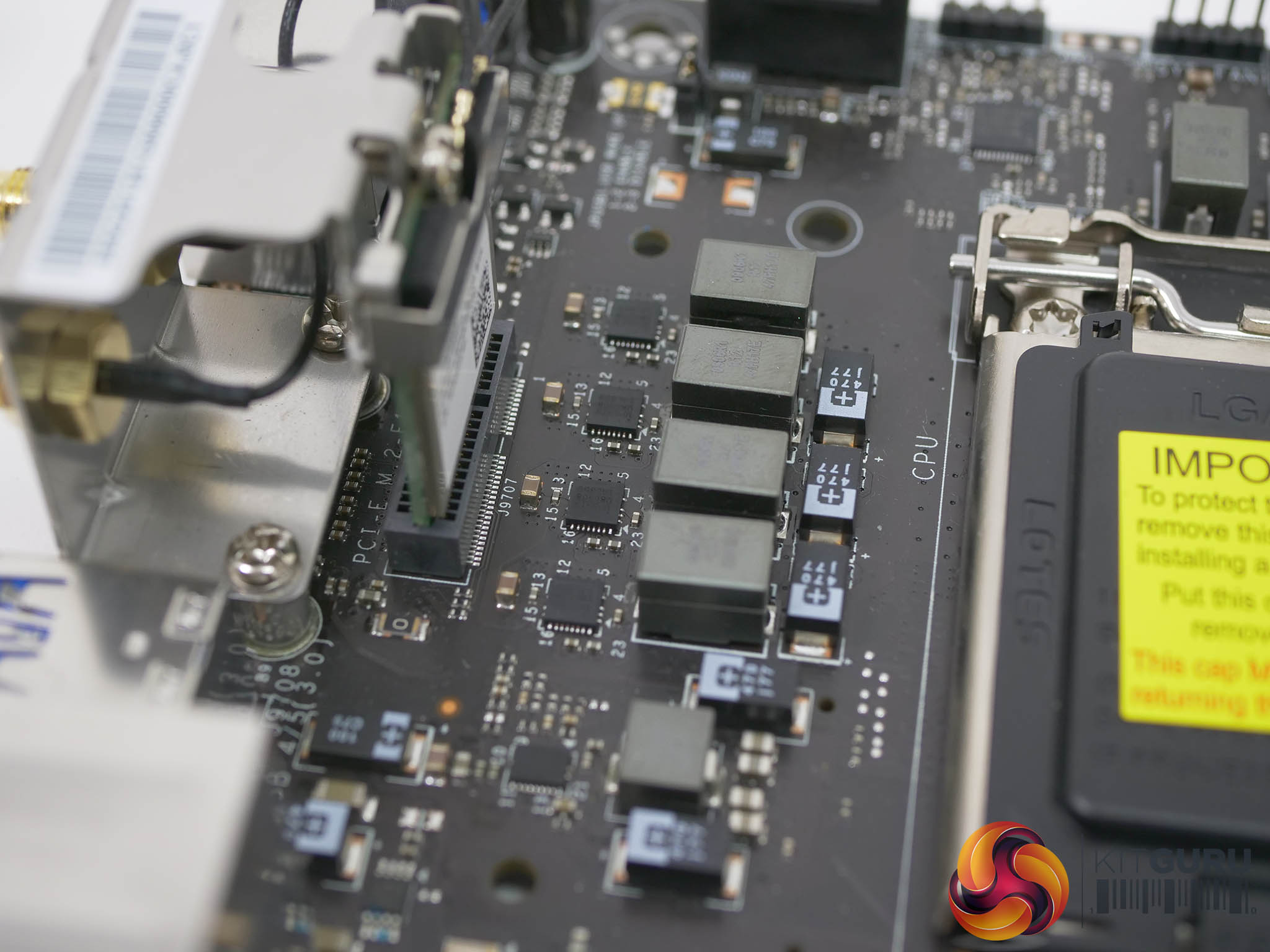
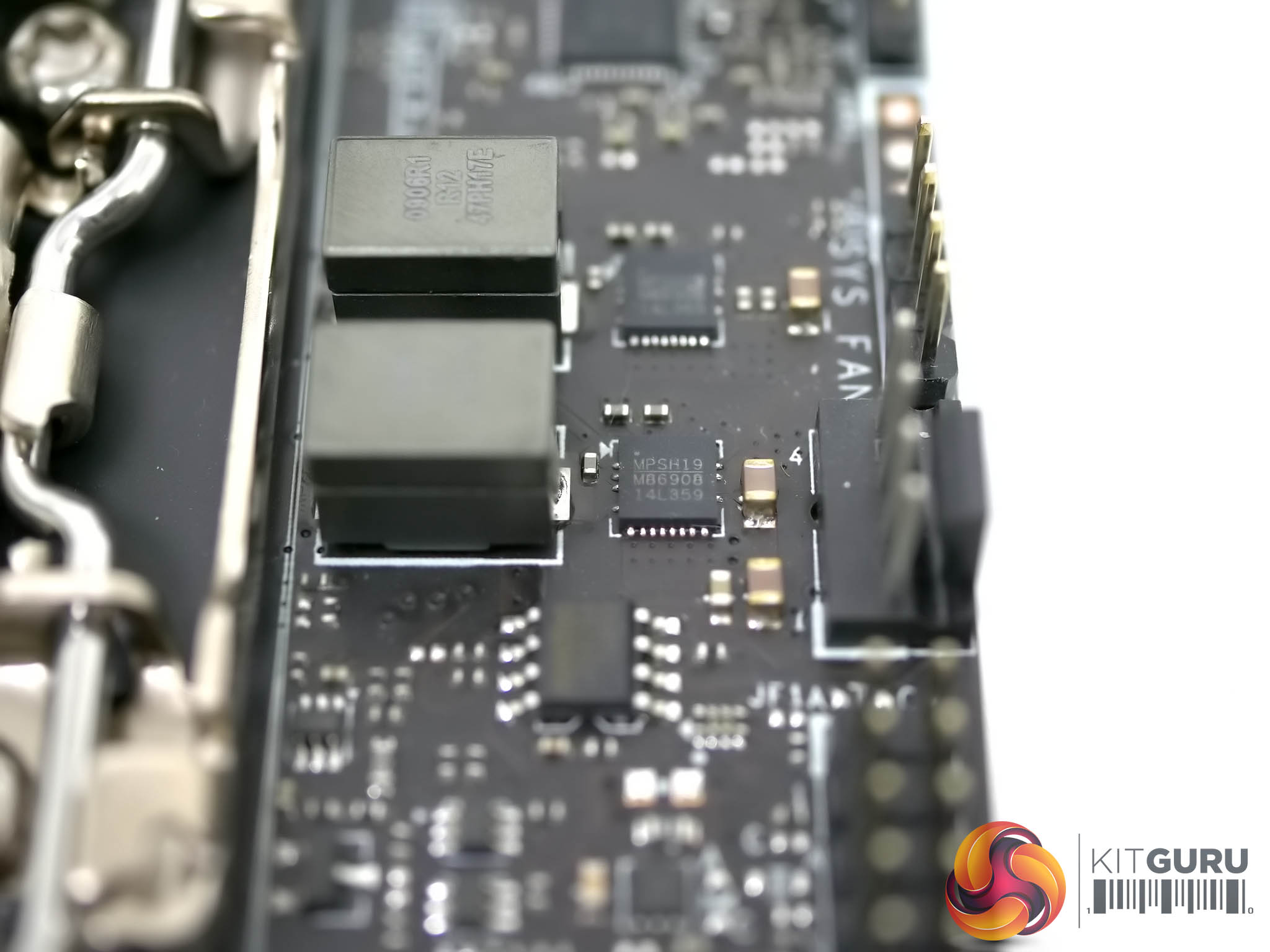
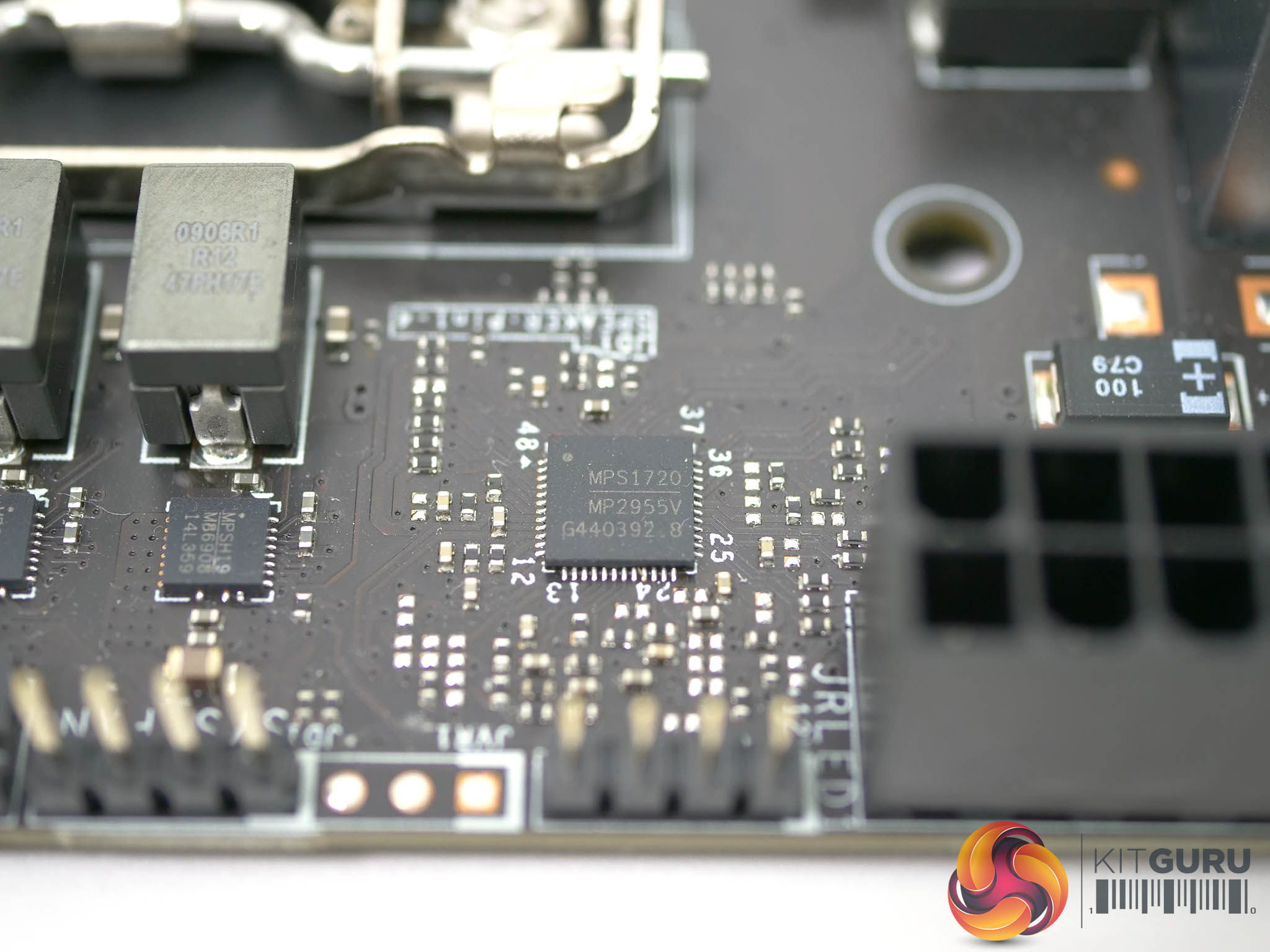
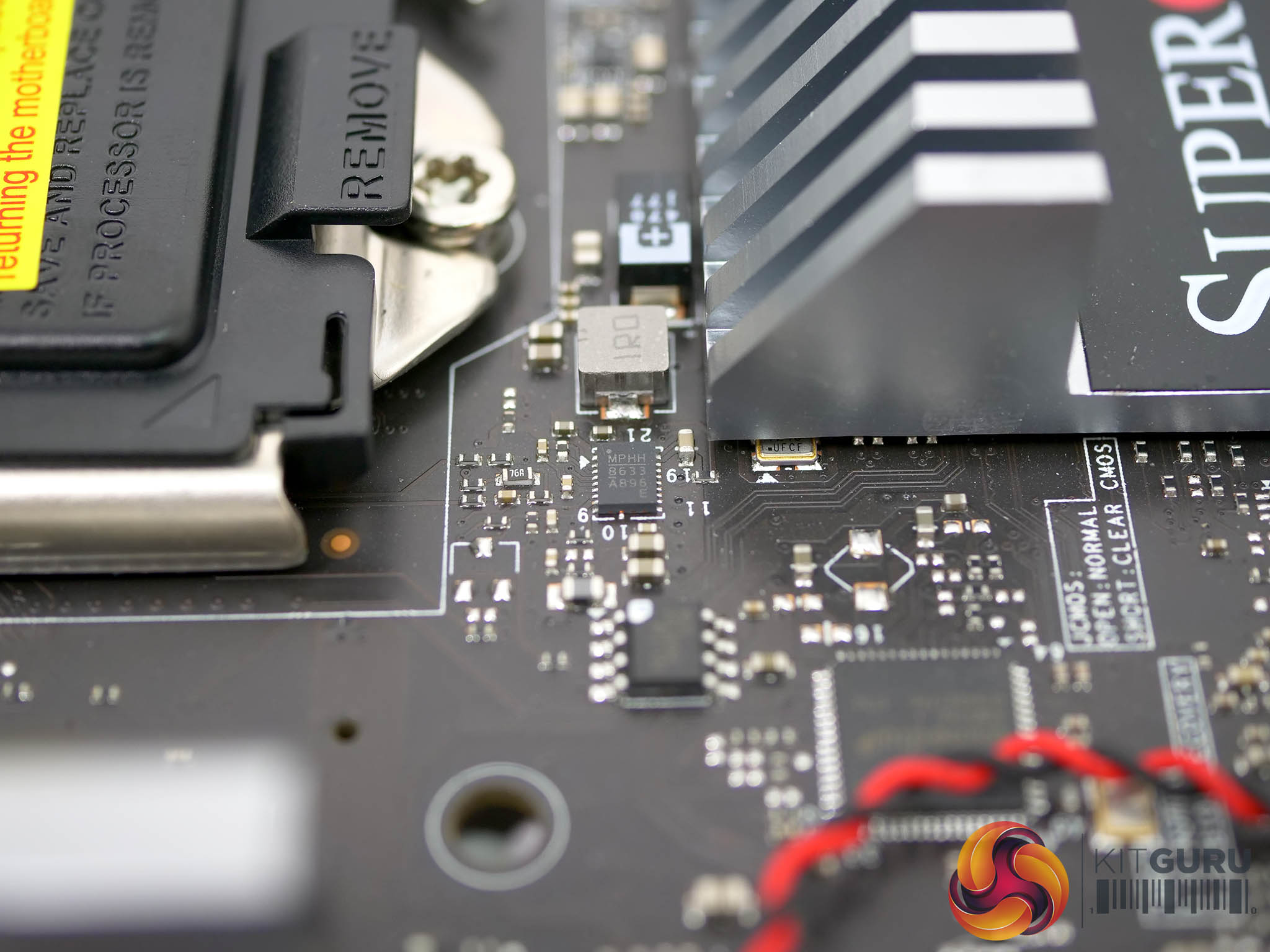
On the other hand if you look at the hardware you can feel the influence of the workstation DNA. The board uses 4+2 power phases with an aluminium heat sink on the Vcore VRMs while the two VRMs for the chipset and iGPU are bare. Those VRMs are made by Monolithic Power Systems with an MPS MP2955V digital controller and six MP86908 50A power stages. The aluminium heat sinks on the VRMs and the chipset look attractive, have a decent amount of surface area and are screwed in place.
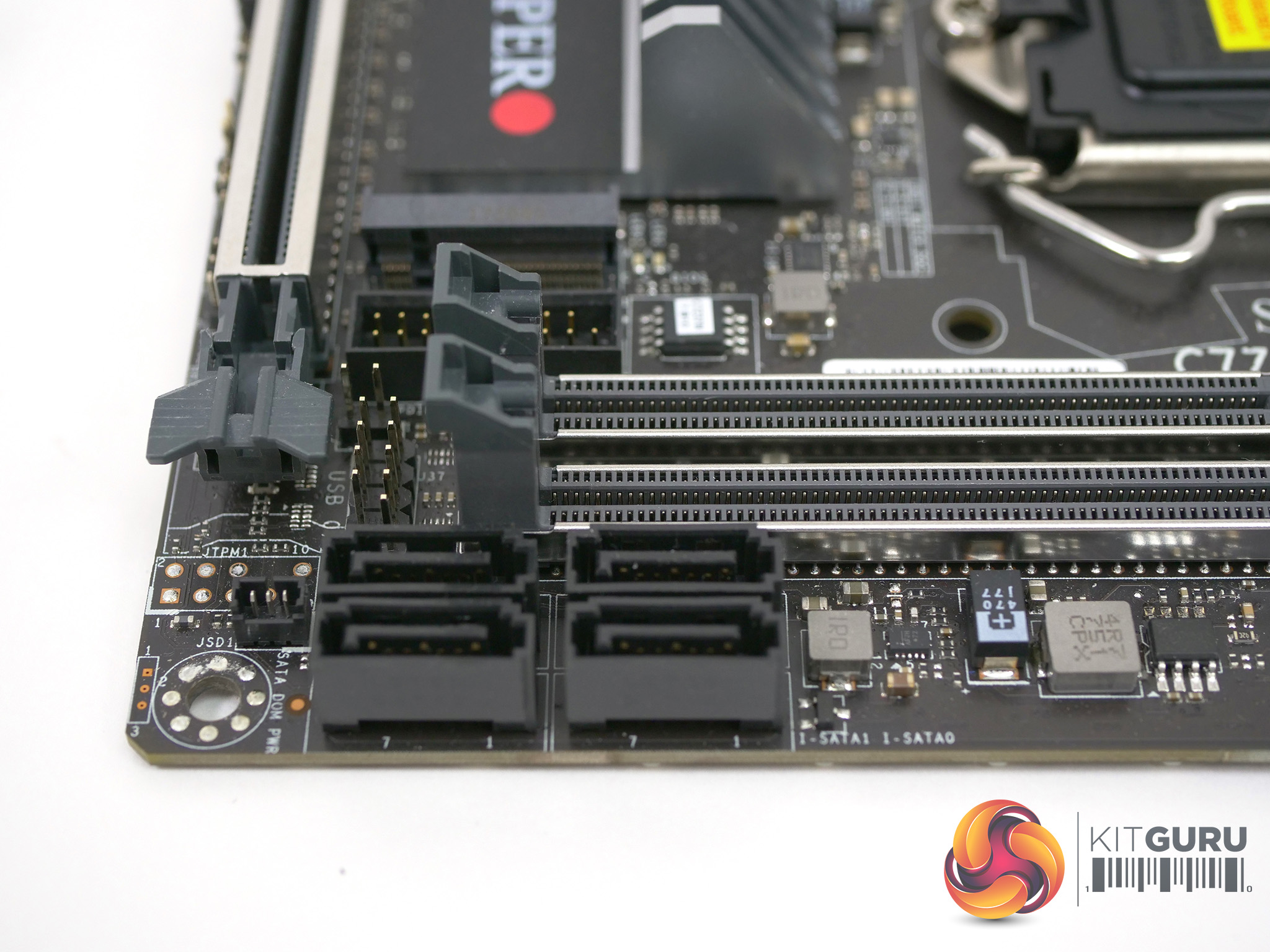
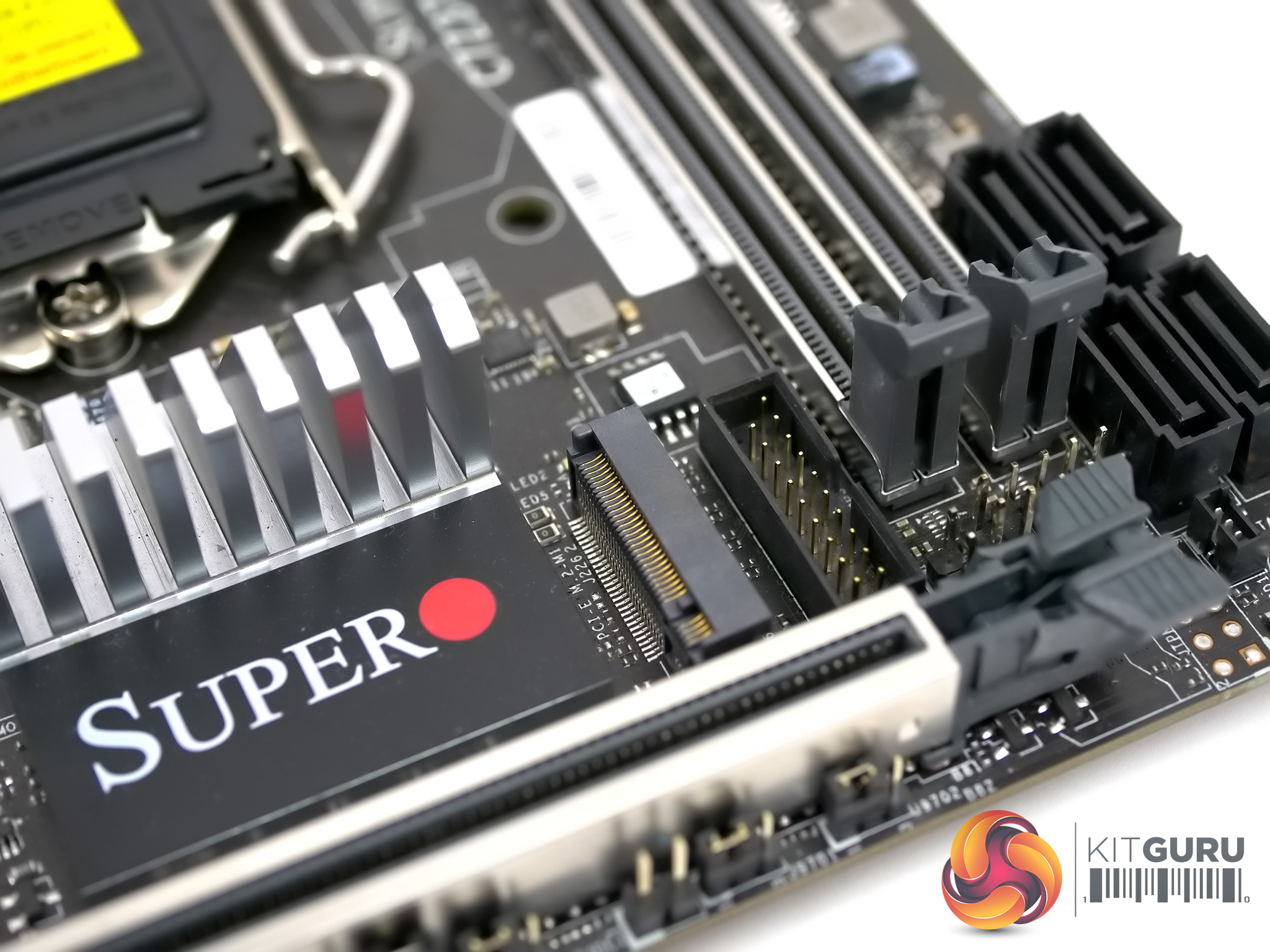
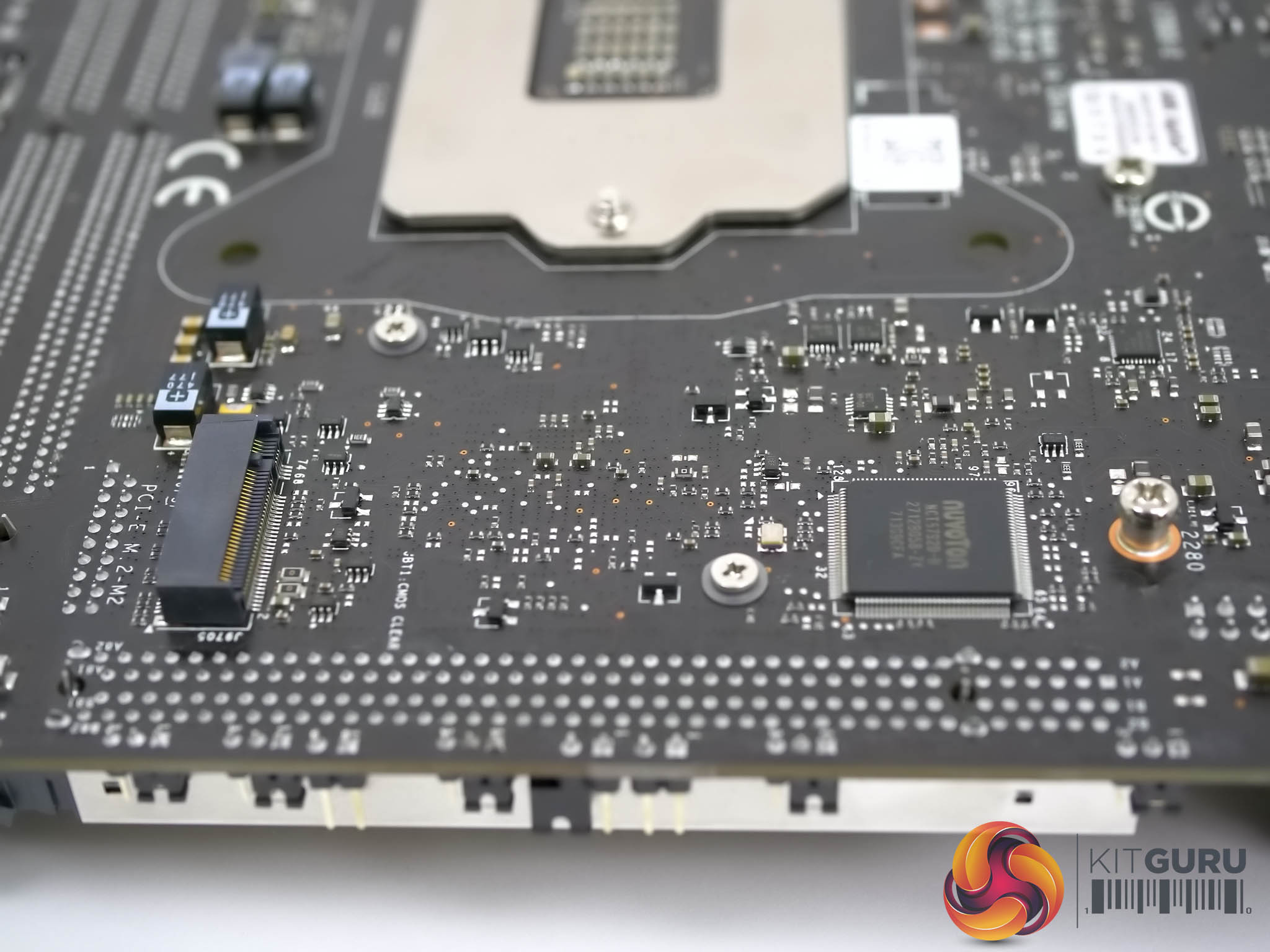
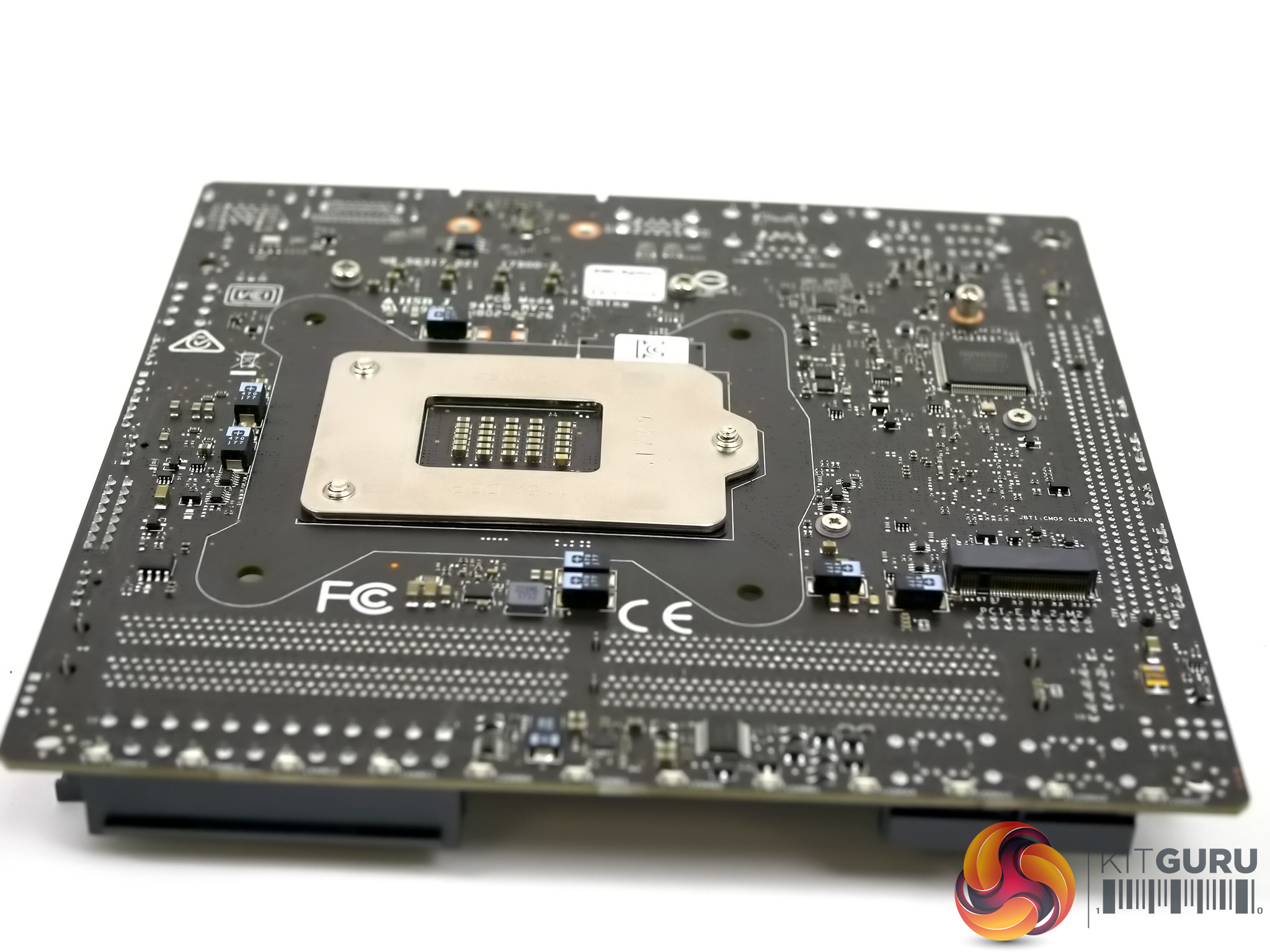
The PCI Express 3.0 graphics slot and two DDR4 slots are reinforced with metal and appear to be solid. If you were looking to pick fault you might note that the two M.2 slots (one on either side of the board) are uncovered and make no attempt to cool your SSDs.
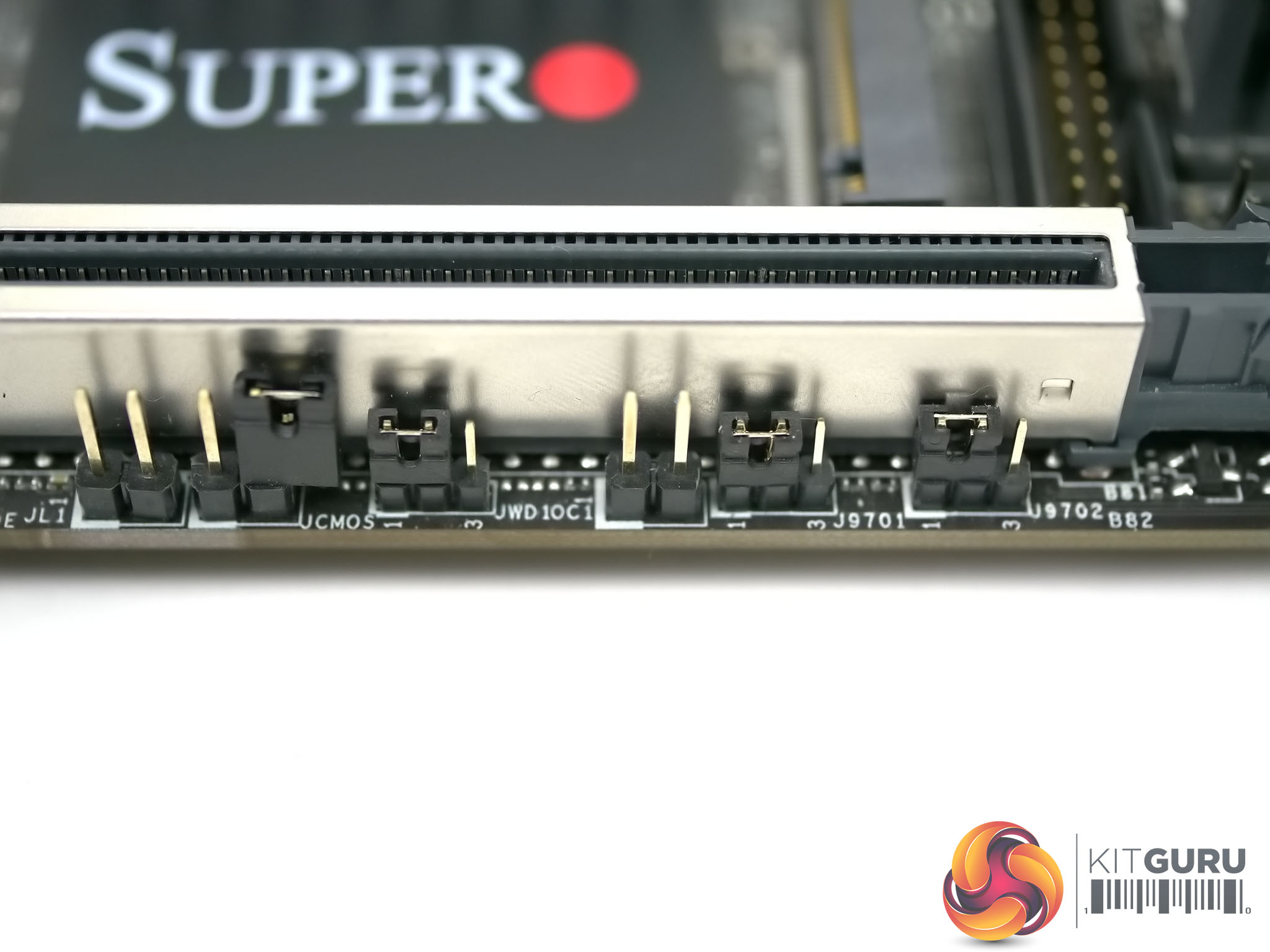
Installing the SuperO C7Z370-CG-IW is easy enough until you reach the point where you connect the front panel headers as Supermicro has used its own novel configuration and has not marked the pins. Once you figure out which header is which the next stage is simple enough. Below the PCIe slot there is a row of headers that you can leave untouched but if you feel the need to dabble with the more esoteric features of the motherboard you will:
a) Want to have the user manual in one hand.
b) Be well advised to make changes before you install the graphics card as you cannot even see the jumpers and headers once the GPU is in place.
Set-up and configuration
When you start up the PC you will finally behold the only sign that this is a gaming motherboard as there are 12 Customisable RGB LEDs on the back of the board in a 3×4 configuration. Once you have Windows running and have installed the SuperO Booster Utility you will be able to control those LEDs along with the 12V RGB header. As we show in our video the SuperO Booster Utility effectively mimics the BIOS and offers a good degree of control of your settings from within Windows, as well as allowing you to play with the RGB lighting.
The BIOS set-up works perfectly well although we came across a couple of snags as well as a point that might either be a problem or a feature, depending on your point of view.
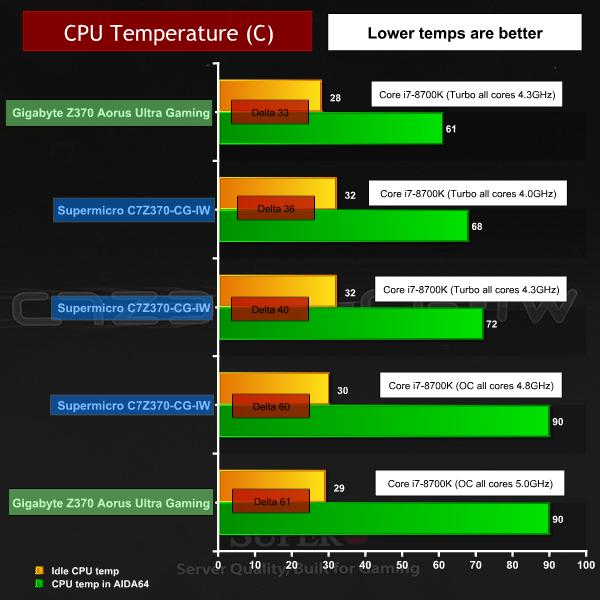
Let’s take the snags first. Initially the XMP setting did not work correctly with our G.Skill SniperX 16GB DDR4-3600MHz and set the memory at 3333MHz. After we had finished our video SuperO sent through a revised BIOS (still numbered v1.2) that fixed XMP so as we said in the video it was an issue but not a problem. Then we have the modest overclocking where our Core i7-8700K was happy using the 4.8GHz preset but not 5.0GHz. The BIOS offers a range from 4.0GHz to 5.5GHz in 100MHz steps, which seems rather ambitious. Our CPU is certainly capable of 5.0GHz however the CPU was running at 90 degrees C under load at 4.8GHz so once again we have to point the finger at the BIOS settings.
The other issue was the power limit that is set by default in the BIOS at 95W. This is the official TDP rating for the Core i7-8700K however TDP relates to base clock speed, rather than maximum Turbo speed so it is a safe assumption that a Core i7-8700K requires more than 90W to perform to full effect, even at stock clock speeds. With the 95W default setting the CPU initially Turbos to 4.3GHz on all cores but drops to 4.1GHz or 4.0GHz when running Blender. HWMonitor reports the CPU power draw is exactly 95W for the CPU package.
We changed the setting in the BIOS from 90W to 135W and found the CPU actually draws 115W, at which point it was happy to run at 4.3GHz on all cores.
Initially we found this artificial power limit frustrating as the Turbo speed of the CPU was restricted. SuperO’s view is that anyone with a K series CPU will surely be overclocking manually so it follows they will adjust this setting as they see fit. A handful of KitGuru readers also responded favourably in their comments on YouTube, which has given us pause for thought. In an ideal world Intel (and AMD) would designate the TDP of their CPUs accurately but in the meantime you need to be aware this might be a problem.
Testing
The test system we used consisted of:
CPU: Intel Core i7-8700K 6 cores/12 threads
RAM: G.Skill SniperX 16GB DDR4-3600MHz
Motherboard: SuperO C7Z370-CG-IW with BIOS v1.2
Graphics: EVGA GTX 1080Ti SC
SSD: Samsung 860 EVO
CPU cooler: Fractal Design Celsius S24
Power supply: Seasonic Prime Titanium 1000W
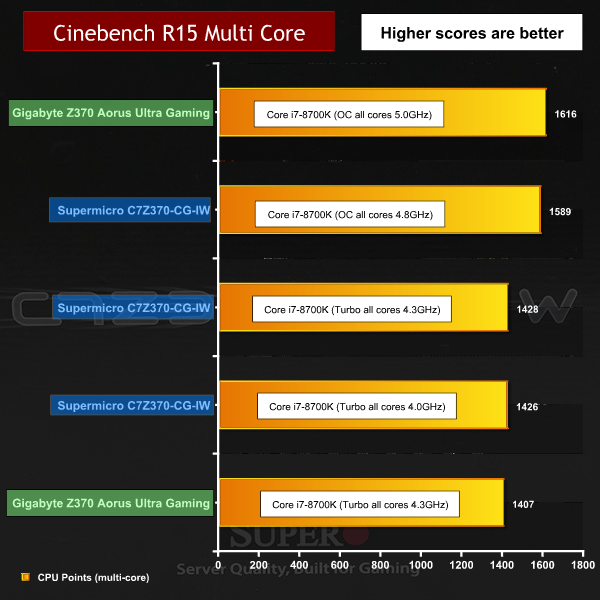
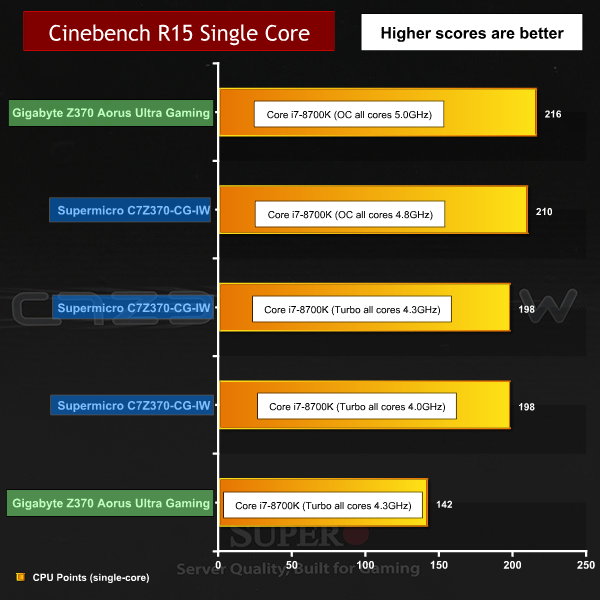
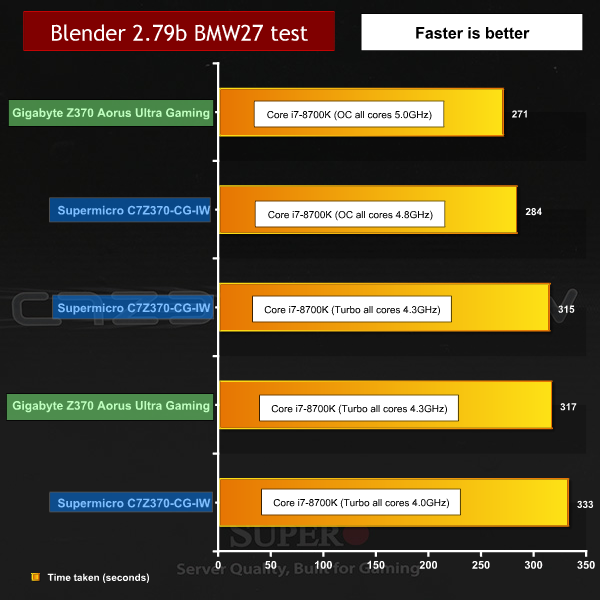
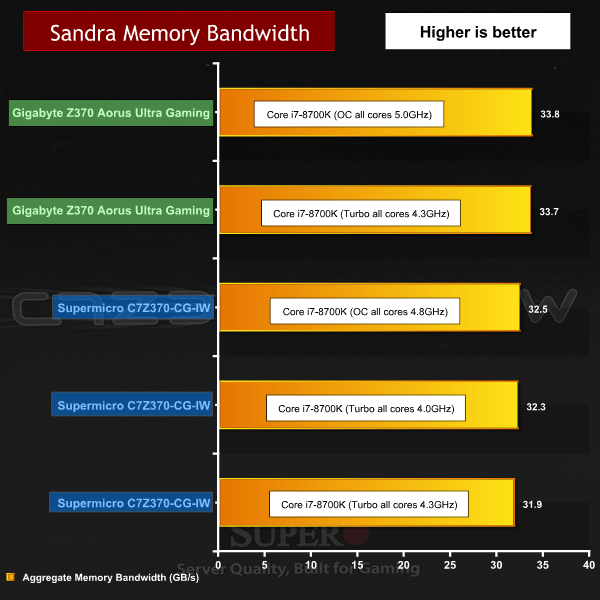
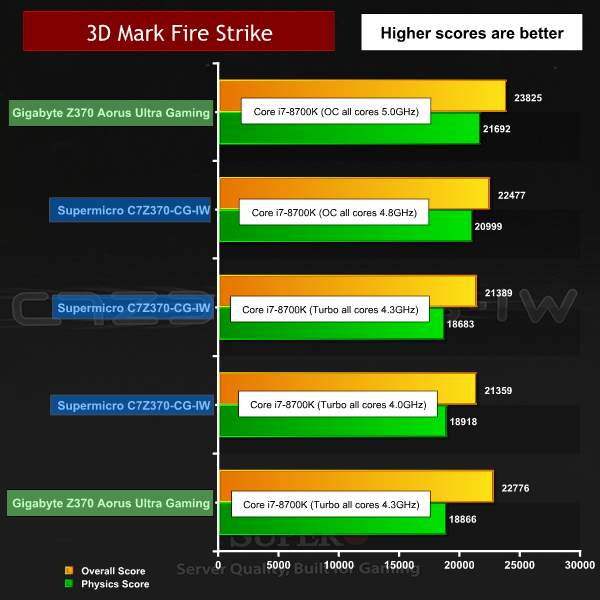
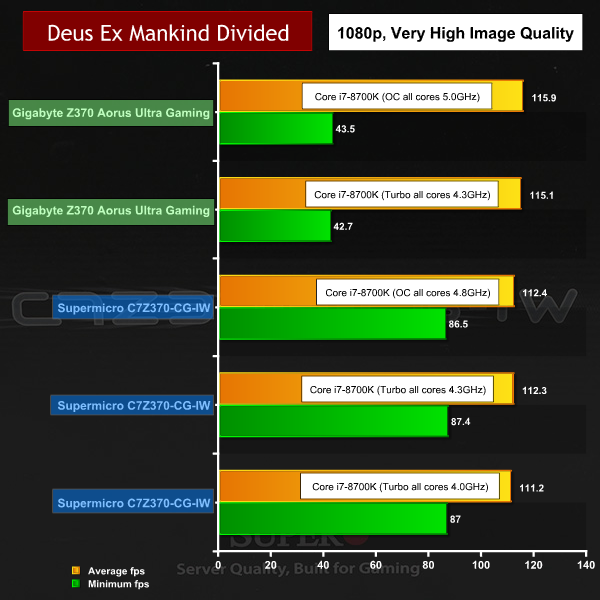
As we describe above, we ran the Core i7-8700K on the SuperO board at the restricted 95W setting with a 4.0GHz Turbo speed and also with the power limit raised to allow the Turbo to run at 4.3GHz. The final setting used the overclocked 4.8GHz profile in the BIOS.
For comparison we referred to our review of the Gigabyte Z370 Aorus Ultra Gaming with the same CPU running at 4.3GHz and 5.0GHz.
Performance and Overclocking overview
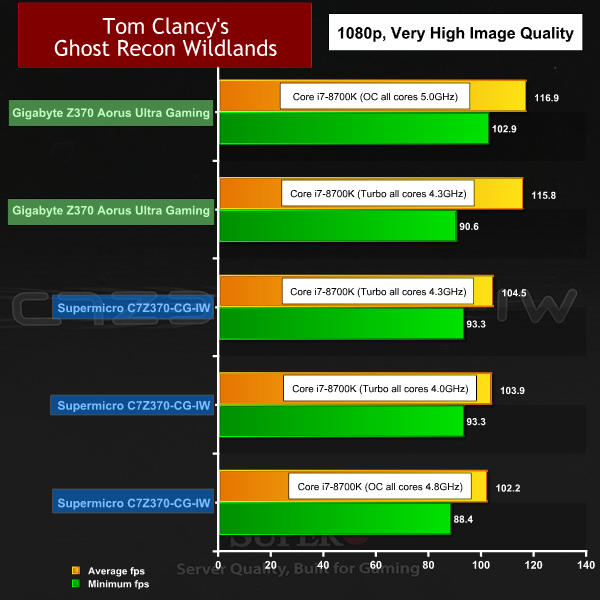
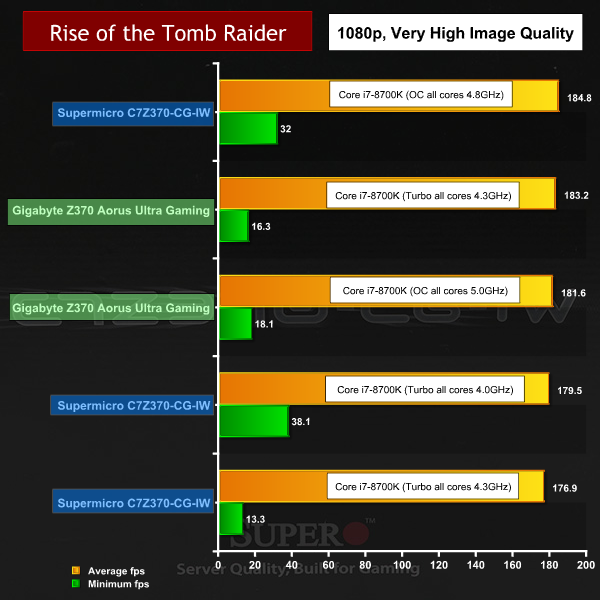
The SuperO board ran the CPU at slower clock speeds than the Gigabyte and had lower performance as a consequence, however the margin was quite slender. This was the first time we have seen a Core i7-8700K throttled to 4.0GHz and its performance was barely slower than 4.3GHz.
It was a similar story with overclocking where the 4.8GHz of the SuperO was clearly slower than the 5.0GHz achieved with the Gigabyte however the differences are only apparent in the rest results and cannot be distinguished by eye.
Power Draw and Temperature overview
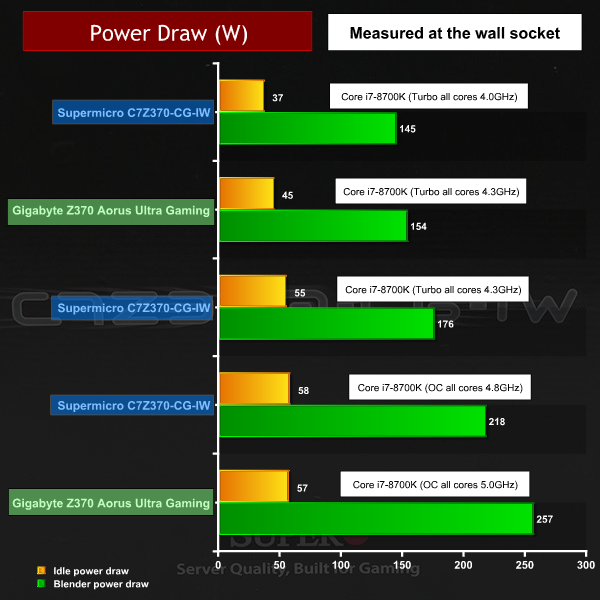
The power draw and temperature figures for the SuperO look unimpressive next to the Gigabyte. While it has to be said you can save a useful 40W running the i7-8700K at 4.8GHz rather than 5.0GHz, we also note the SuperO consumes 22W more than Gigabyte when both boards run the CPU at 4.3GHz.
We like a number of points about the Supermicro SuperO C7Z370-CG-IW but consider it to be a slightly confused product. Positioned as a gaming motherboard, the only real evidence of this intent is the inclusion of some RGB LEDs. When you consider the workstation/server roots of Supermicro you might argue that any inclusion of overclocking features also leans towards gamers. We are not so sure about that point as gamers can be distinct from overclockers and mainstream enthusiasts.
You can certainly use the SuperO C7Z370-CG-IW to build a gaming PC, but you could also use those graphics outputs for a compact PC, or an HTPC or … anything really.
The I/O panel includes a decent number of ports and connectors and the board itself is fairly well covered with components and headers. In an ideal world the two USB 3.0 ports next to the Wi-Fi might be stacked higher to offer two more ports and it would be good to see a USB 3.1 Gen.2 header on the board to offer front panel Type C. Neither of those points is a deal breaker, so let’s put those in the Supermicro suggestion box.
We like the way the SuperO Booster Utility looks and behaves (in a very similar fashion to the BIOS set-up screen), and we also appreciate the use of a unified utility. Certain Taiwanese motherboard manufacturers offer an App centre that is loaded with a dozen or more pieces of software that each perform a specific function. By contrast SuperO Booster Utility is a one stop shop that works very nicely.
The hardware used in the SuperO C7Z370-CG-IW appears to be first rate and we like the software. We have minor issues with some aspects of the design such as the front panel headers and the jumpers below the graphics slot. The larger question is SuperO’s approach to the BIOS, for example the way they set the power limit to the TDP and the fact that the XMP was initially incorrect for our G.Skill DDR4.
We are quite sure that as SuperO gets further into the Gaming/Enthusiast sector and builds up a large user base that they will be able to develop their BIOS to better serve the market.
As things stand SuperO customers are heading off the beaten path and are venturing into new territory. For example, are Monolithic Power Systems VRMS any good? We honestly have no idea although initial impressions are very favourable. How often will SuperO update the BIOS? Again, we have no data. We wouldn’t like to say that SuperO is treating its customers as guinea pigs but perhaps we can agree they need to act as intrepid explorers and while that may be rewarding, it also means you are pretty much on your own.
Pros:
- Impressive Monolithic Power Systems VRMs.
- Aluminium heat sinks are good pieces of work.
- SuperO Booster Utility works well.
- Graphics outputs include DisplayPort as well as HDMI.
Cons:
- Overclocking presets are modest.
- Jumpers below the PCIe slot are inaccessible with graphics installed.
- The BIOS required an update for XMP to work correctly at 3600MHz.
- Front panel header connections use a novel layout.
KitGuru says: Supermicro SuperO C7Z370-CG-IW is an interesting Mini-ITX motherboard that gives us great hope for future SuperO boards.