 KitGuru KitGuru.net – Tech News | Hardware News | Hardware Reviews | IOS | Mobile | Gaming | Graphics Cards


When it comes to building a gaming PC these days, a high-end sound card is likely pretty far down on your list of priorities. However, if you are serious about audio and want to get the best out of your speakers or high-end headphones, then you will find that your average on-board audio solution won't cut it. Today, we are taking a look at the Asus Strix RAID DLX, their flagship sound card, offering full support for 7.1 surround sound, along with a headphone DAC and amplifier to enhance your listening experience.
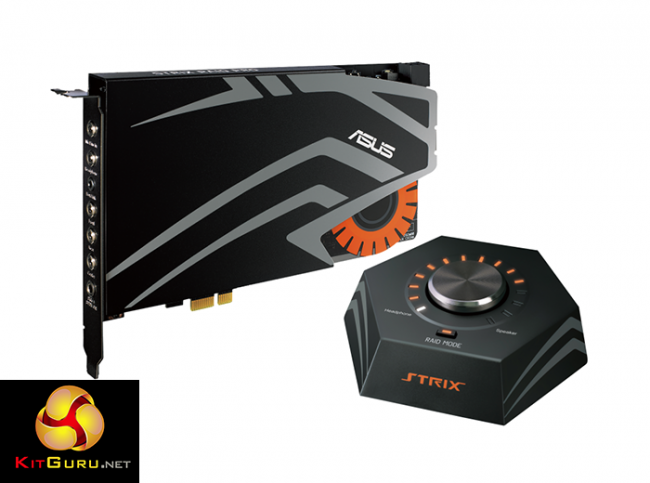
The Asus Strix RAID DLX offers 7.1 surround sound, along with some excellent software features that can be used to tweak things to your liking.
Features:
- Instant-on Raid Mode: Customize in-game audio with one click.
- 124dB signal-to-noise ratio (SNR) and audiophile-grade DAC: Enjoy high-fidelity, immersive sound.
- Sonic Studio utility: Take full control over loads of sound technologies via an intuitive, one-page interface.
- Sonic Radar Pro: Lets you pinpoint the exact location of in-game sounds and enhances critical audio details like enemy footsteps for an aural advantage.
- 600ohm headphone amplifier: For enhanced bass and clear, detailed sound.
Specifications:
- Output Signal-to-Noise Ratio (A-Weighted) (Front-out) : 124 dB
- Output Signal-to-Noise Ratio (A-Weighted) (Headphone-out) : 124 dB
- Input Signal-to-Noise Ratio (A-Weighted) : 117 dB
- Output THD+N at 1kHz (Front-out) : 0.0009 %(-107 dB)
- Output THD+N at 1kHz (Headphone-out) : 0.0009 %(-107 dB)
- Input THD+N at 1kHz : 0.000316 %(-110 dB)
- Frequency Response (-3dB, 24bit/96KHz input) : 10 Hz to 48 KHz
- Output/Input Full-Scale Voltage : Line output (RCA, 3.5) : 2 Vrms (5.65 Vp-p)
- Audio Processor :C-Media USB 2.0 6632 AX High-Definition Sound Processor (Max. 384KHz / 24bit)
- Digital-to-analog Converter(DAC) ESS SABRE9016 Premier 8 Channel Audio DAC
- Analog Playback Sample Rate and Resolution : 44.1K/48K/88.2K/96K/176.4K/192KHz @ 16bit/24bit
- Analog Recording Sample Rate and Resolution : 44.1K/48K/88.2K/96K/176.4K/192KHz @ 16bit/24bit
- S/PDIF Digital Output : 44.1K/48K/96K/192KHz @ 16bit/24bit
- ASIO 2.0 Driver Support : 44.1K/48K/96K/192KHz @ 16bit/24bit with very low latency Connectivity
- Analog Output: 5 x 3.5 mm jack (1/8″) (Headphone out /Front out/Side out/Center-Subwoofer out/Rear out)
- Analog Input : 1 x 3.5 mm jack (1/8″) (Line-in/ Mic-in combo)
- Digital: 1 x S/PDIF out ((combo with side out)) 1 x Box Link
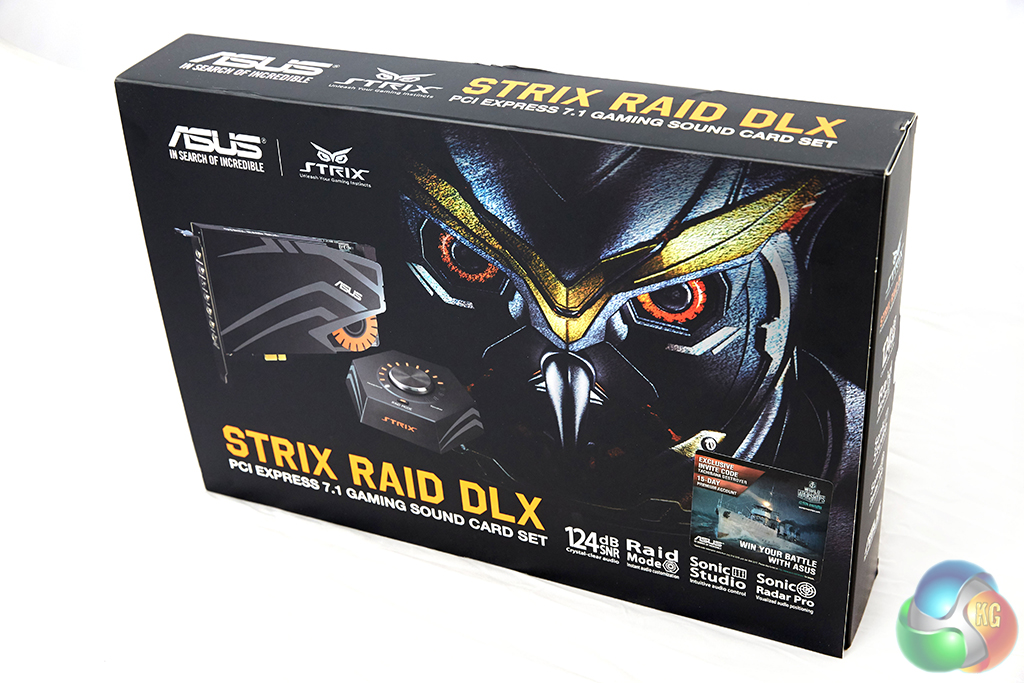
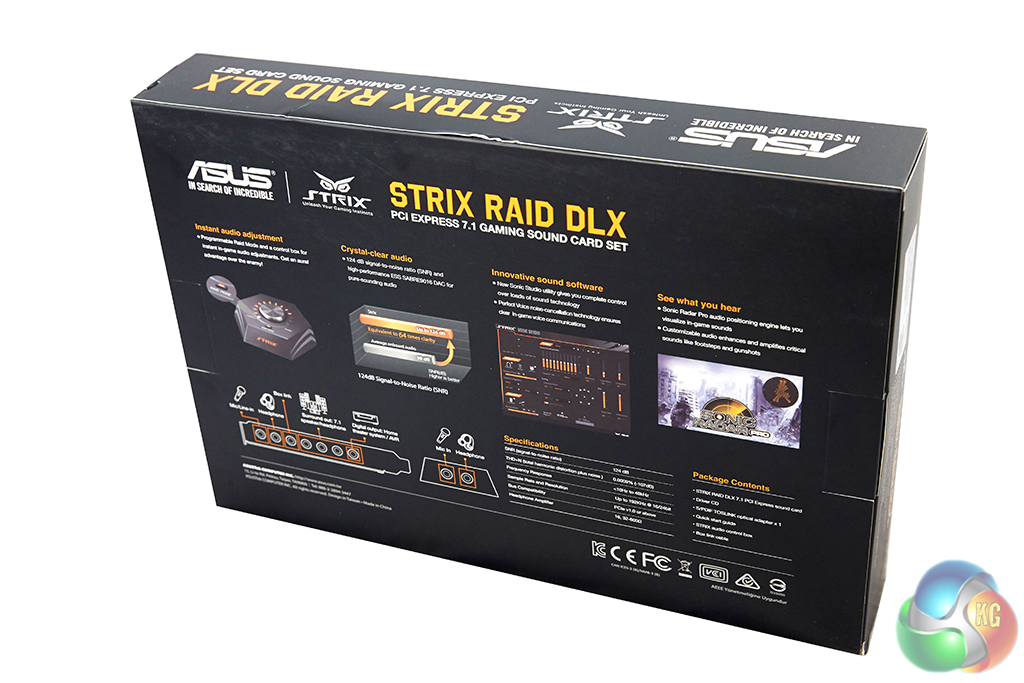
The packaging for the Strix Raid DLX immediately stands out thanks to the Owl logo that Asus has become well known for over the last year. On the back of the box, you will find a run down of all the features and specifications on offer with this sound card.
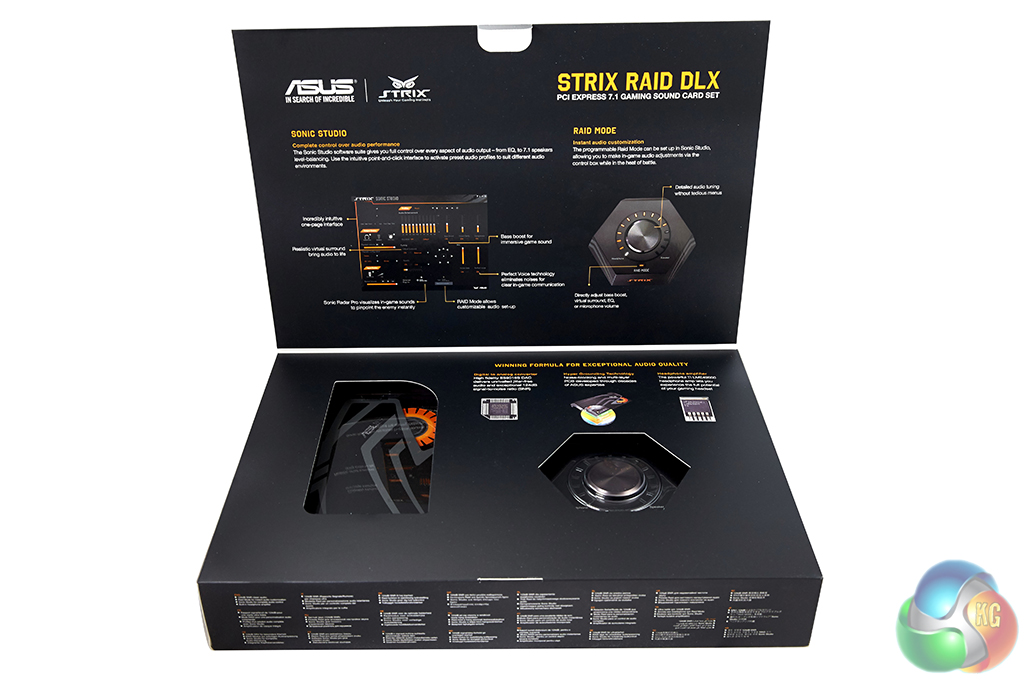
Opening up the flap on the front will give a peak at the sound card itself and the volume control box, which you can place on the desk for easy access to the headphone jack and microphone input without reaching around to the rear I/O on the system.
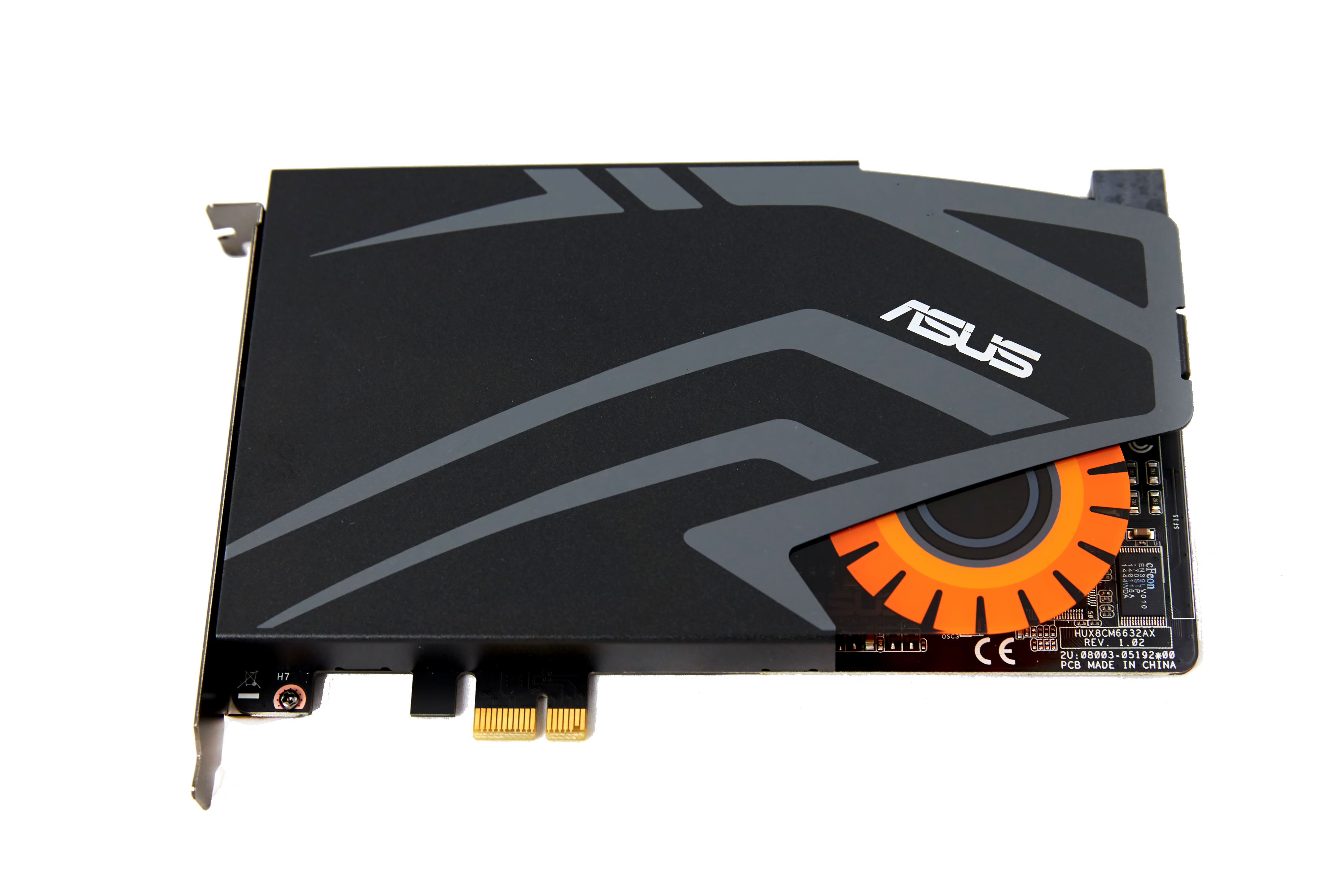
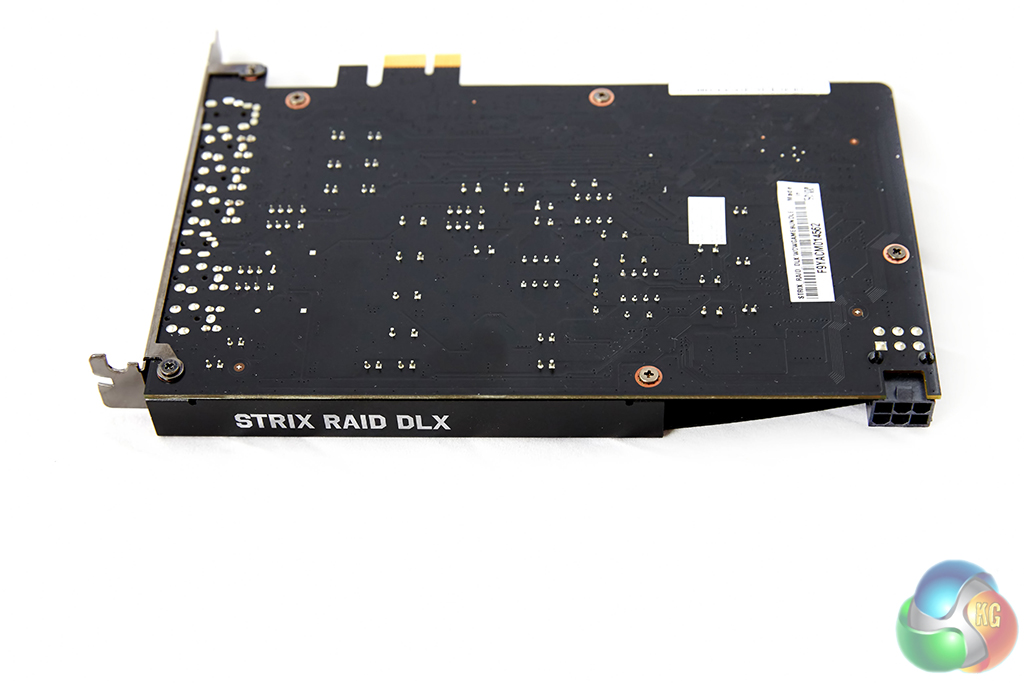
While Asus does win points for style with its sound card shroud, don't be fooled into thinking that it is only there for looks. The shroud also acts as an EMI shield, to help protect against interference from other parts in your system. The owl eye does light up while switched on, though this can be easily missed as you won't be looking at the front of the card when it is installed in the system.
The card slots in to a PCI slot on your motherboard but it also requires an extra 6-pin power adapter, so keep that in mind, particularly if you like to plan out cable management.
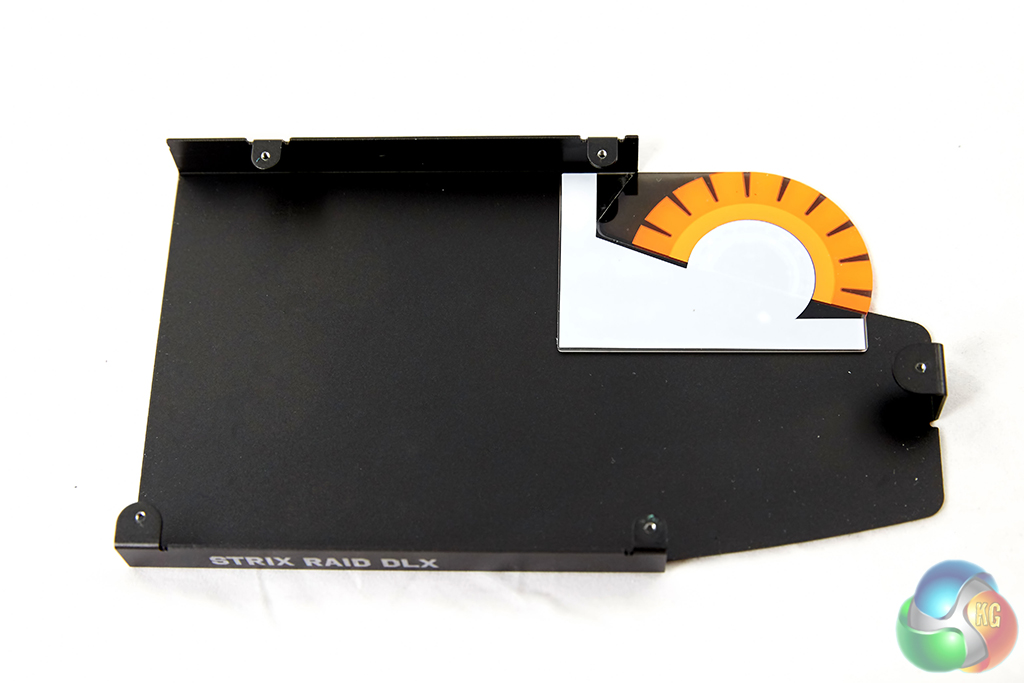
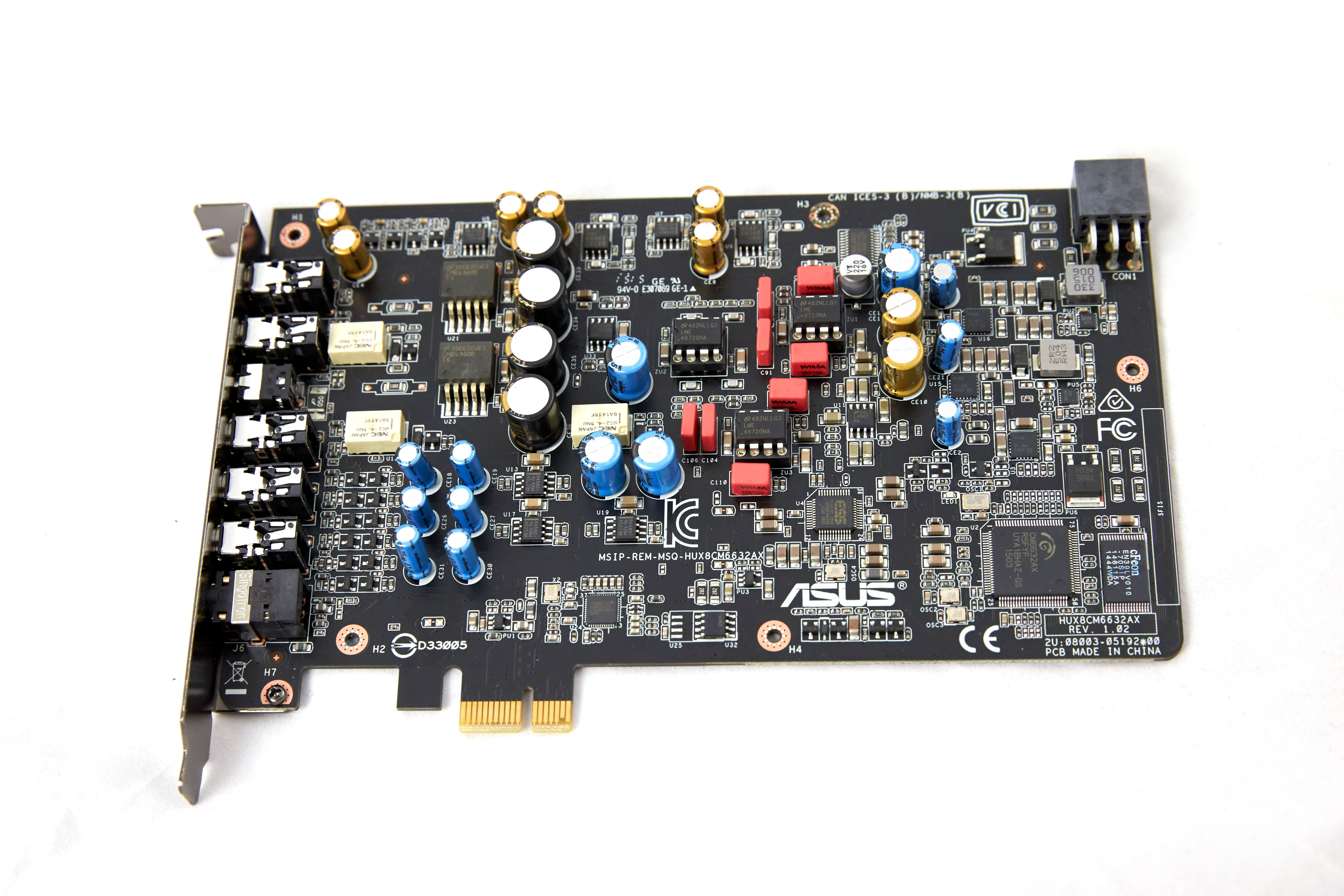
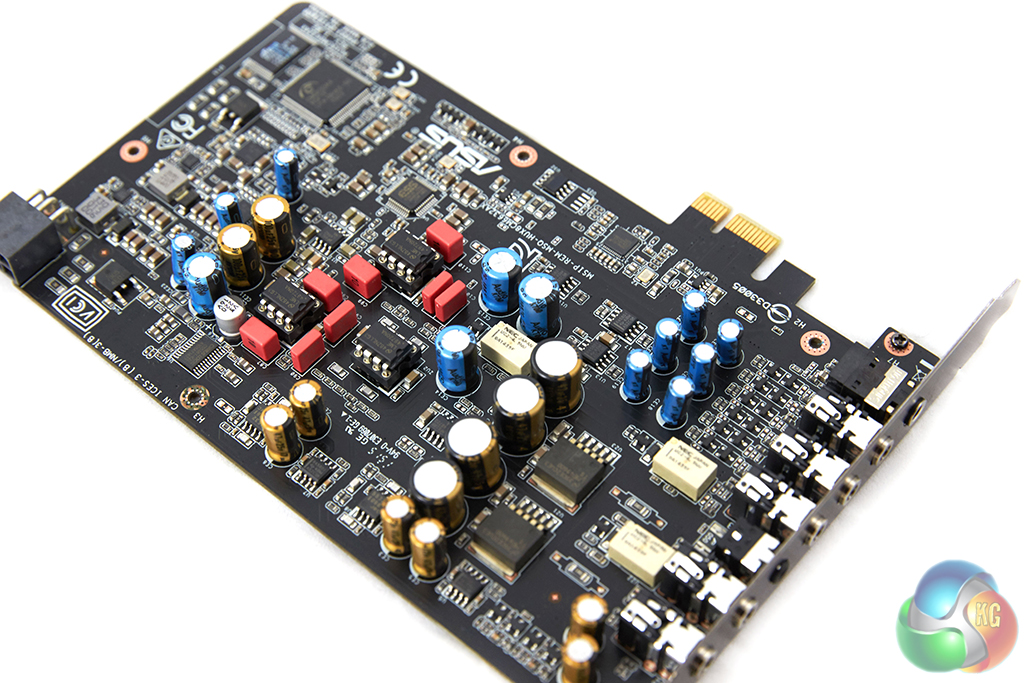
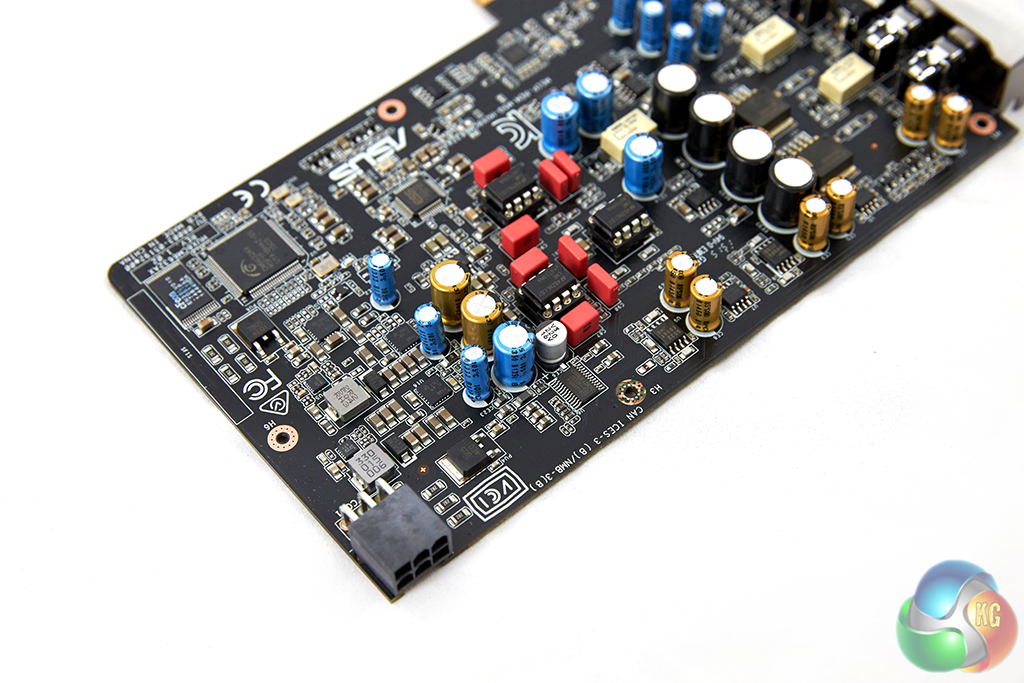
The shroud can be taken off easily by removing a few screws. Underneath, you will be greeted by a complex array of components, capacitors and PCB traces. Asus has put a lot of detail in to its PCB design, for starters, the analogue, digital and power sections have no cross-over, which helps avoid interference. There is also two layers of ground in place to help separate signals and avoid inferences.
Asus has used the CM6632AX audio processor and ESS ES9016 DAC for this sound card, which has an industry-leading 124 dB signal to noise ratio and will help provide a superior audio experience compared to on-board solutions. There is also the LME49600 600 ohm headphone amplifier, which will help provide much more detailed, clearer sound.
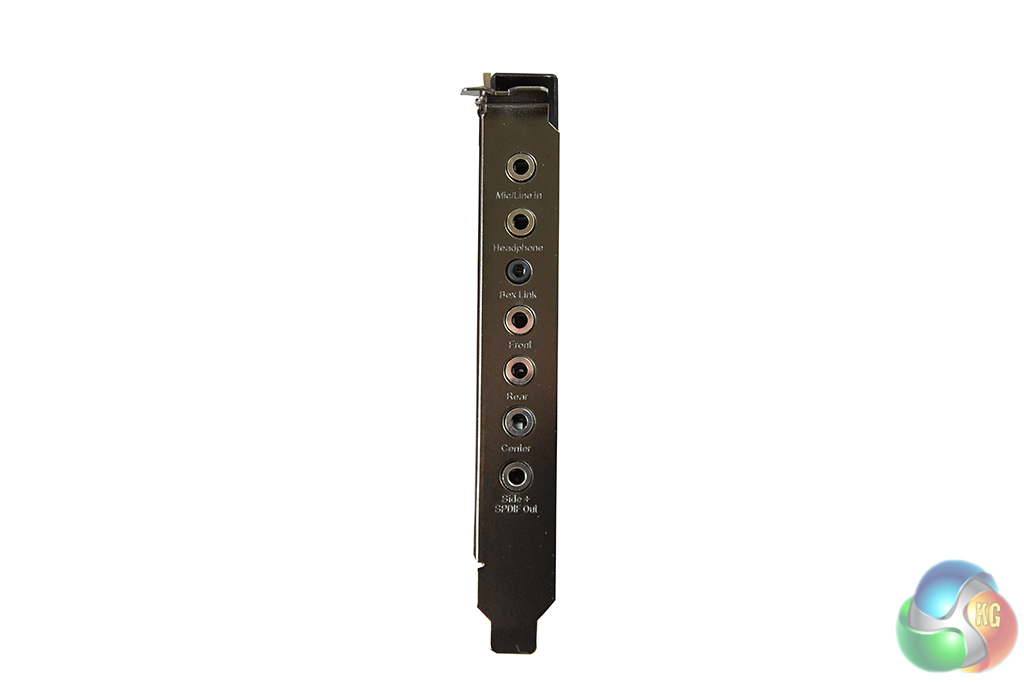
The rear I/O includes the following connectors (in order from top to bottom):
- Mic/Line In
- Headphone
- Box Link (Black)
- Front
- Rear
- Center
- Side+SPDIF Out.
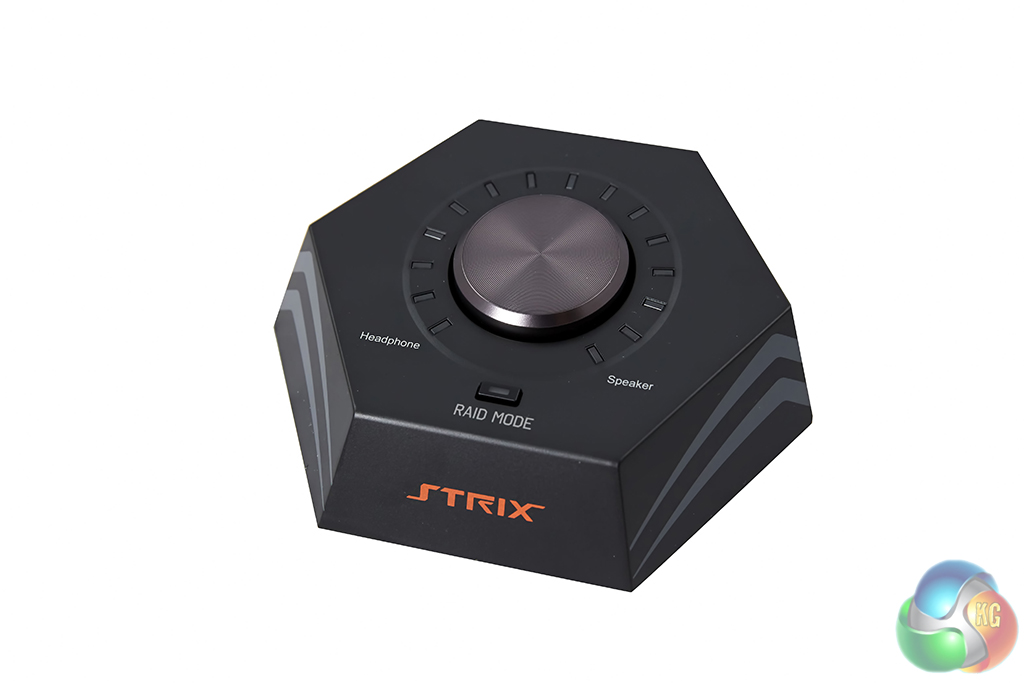
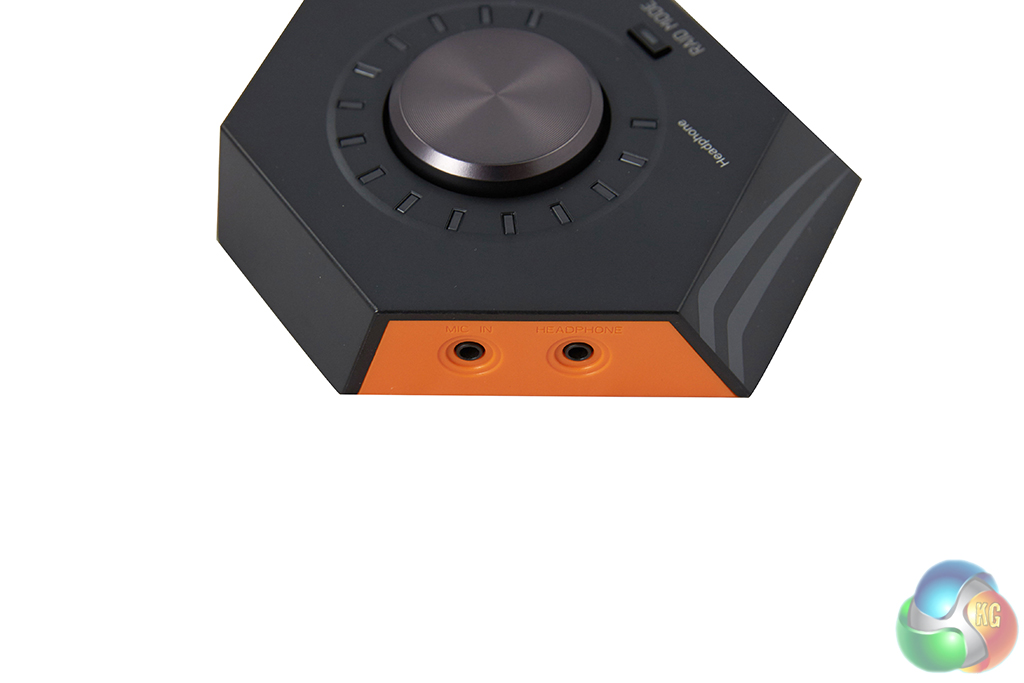
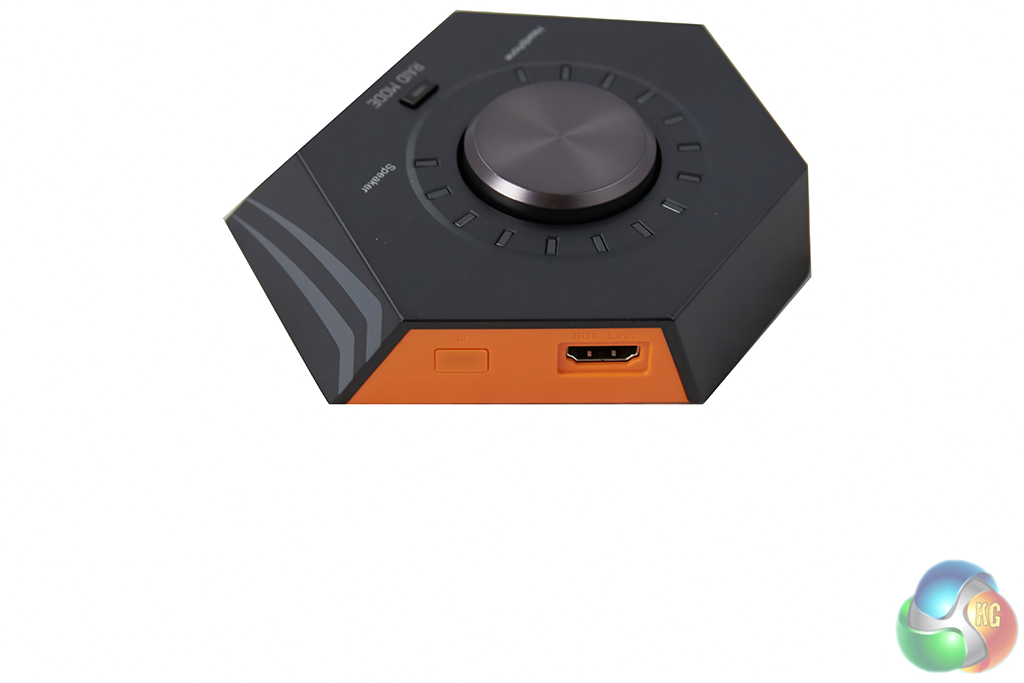
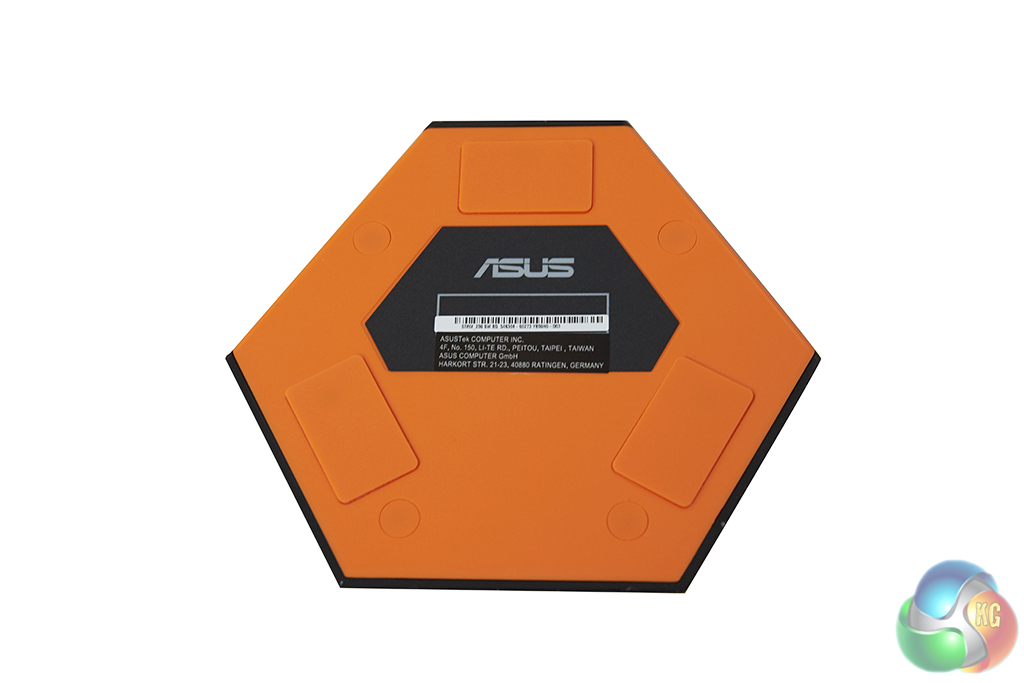
Asus has also included a control box, which will save you from reaching around the back of your PC to plug your headphones in whenever you want to use them. It's a pretty good looking accessory to have, which is great since it will likely be sitting on your desk close to your mouse and keyboard. The volume wheel on top is clickable, so you can swap between headphones or speakers with ease and control volume for both. There is also a handy button to activate RAID mode, which allows you to activate the Bass Boost, Microphone volume, EQ or Virtual surround sound options. You can only bind one of these to the RAID button at once so diving in to the software is still necessary to tweak the other options.
On one side of the box you will find a headphone and microphone input, while on the other side you will find the Box Link connector, which links back to the sound card.
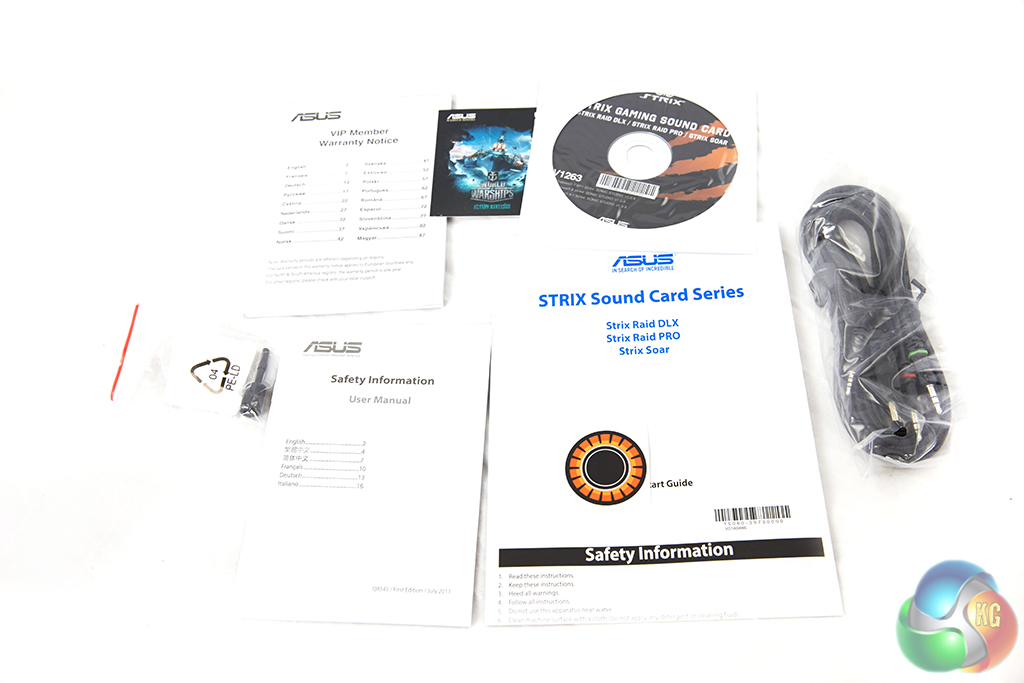
Finally, the last few bits you will find in the box are the software disc, warranty and set up guides and your Box Link cable for the volume controller.
In order to test the Asus Strix RAID DLX sound card, I'll be using the Bowers and Wilkins P7 headphones which retail for £299.99 inc vat on Amazon. I will also be taking a look at the Sonic Studio software that Asus provides for additional features.
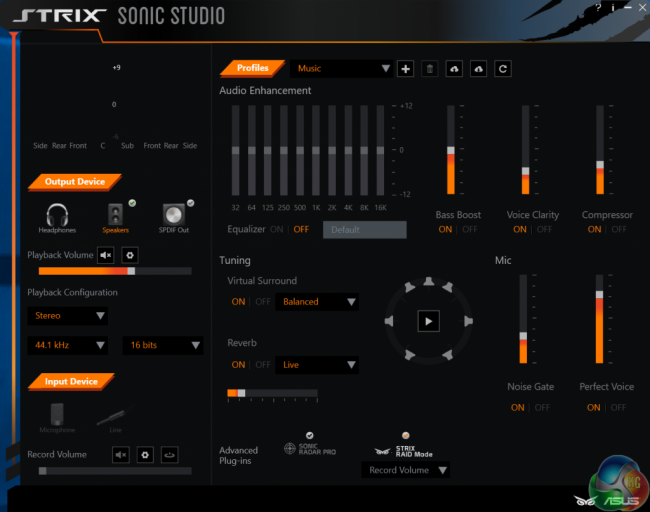
The Sonic Studio software is easy enough to navigate. You can find all of the options on one window, with access to your surround sound options, volume control, EQ effects, Reverb, Bass Boost, Compression and a vocal booster. Microphone users can also set up a noise gate, which will help block out background noise, something that mechanical keyboard users will find useful.
In addition to being able to tweak sound settings you can also save different profiles. This feature is particularly useful as I don't necessarily want to use surround sound while listening to music. That said, I do enjoy the effect in games or while watching movies. There is also a cloud saving feature for profiles, so if you need to do a reformat or you are building a new PC, you can re-download your previous preferences easily.
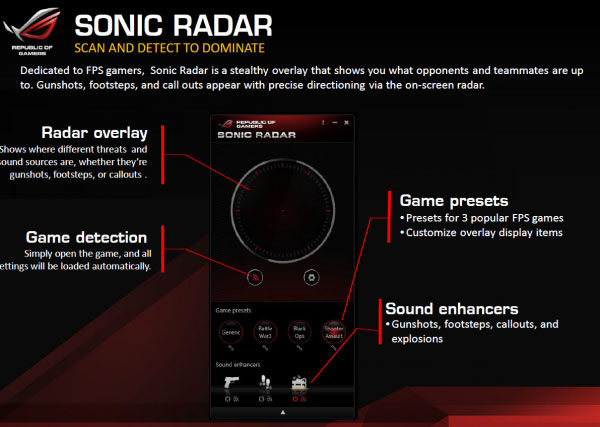
Asus has also included an advanced plugin known as Sonic Radar, which is used to enhance audio positioning. The effect will place a semi-transparent radar on your screen and show the direction sound is coming from. In games with lots of music, this may not be so useful but in competitive shooters, it could provide an edge.

I have had the STRIX Raid DLX sound card installed in my system for over a week now. In that time, I have tested a decent selection of games, including Counter-Strike: Global Offensive, Grand Theft Auto V and The Witcher 3: The Wild Hunt. While this is a gaming sound card, many users will likely be listening to music and watching movies as well, so I will also be discussing that.
For gaming, the big feature here will be the virtual surround sound, which uses audio positioning techniques to trick you in to thinking that sound is coming from multiple directions. Not everyone is a fan of virtual surround, particularly since a pair of headphones can't truly live up to a 7.1 speaker system due to physical limitations. That said, I find virtual surround sound particularly useful in games, especially competitive shooters, where listening out for footsteps can be key.
I found the audio experience to be particularly immersive across other titles as well. While I have played a lot of The Witcher over the course of this year, I didn't find myself truly appreciating the sound design until now. The STRIX DLX makes audio come through much clearer than the on-board audio found on my motherboard, so much so that I could appreciate the finer details, like the echo of the caves, or the clunk of Roach's hooves on the ground. To sum up, if you are after a stellar audio experience for gaming, you will find it here. People who claim that most onboard audio is identical have clearly never heard a high end sound card paired up with a quality pair of headphones.
This trend of stellar audio reproduction carries over in to music. I immediately noticed that tracks were significantly less muddy while using this sound card, on top of that, it really helped me get the most out of the Bower and Wilkins P7 headphones, with a punchier, tighter bass response.
The Asus STRIX RAID DLX is capable of playing back 44.1 kHz, 96 kHz and 192 kHz playback, so those who like to listen to high-grade or lossless audio files will be able to listen to them as intended.
There is one more thing worth pointing out about this sound card- it makes an excellent companion for a microphone as well. If you happen to do any recording, the ability to control your microphone, set up a noise gate and enhance vocals through software is a great inclusion.
Not everyone believes that sound cards can make much of a difference compared to on-board audio. However, I do think that anyone who is serious about audio reproduction will be able to tell the difference between a dedicated quality sound card and on-board audio – even built in solutions found on many high-end motherboards.
Not only is the Asus STRIX RAID DLX sound card a fantastic product that can provide a huge upgrade over on-board audio, but the software is also excellent, with its intuitive interface and range of features.

I enjoyed the use of virtual surround sound while gaming and found the overall experience to be very positive. Another thing worth mentioning is the headphone amp, which is capable of driving higher-tier headphones properly – such as the Bowers and Wilkins P7. These headphones are fantastic, though I quickly realised that on-board audio was holding them back- The STRIX DLX really helped accentuate its strengths, such as the punchy bass response.
If you are interested in really stepping things up regards to audio, then the Asus STRIX DLX seems like an excellent purchase- particularly if you have a nice pair of headphones already – after all, on-board audio is likely just wasting potential.

You can buy the Asus STRIX DLX from Overclockers UK for £149.99. The price may put some off but I do believe that having a dedicated sound card is a vastly superior experience than just making do with onboard audio.
Pros:
- 7.1 surround sound.
- Sonic Studio Software.
- Support for up to 192 kHz playback.
- Volume control box.
Cons:
- None.
KitGuru Says: The Asus STRIX DLX provides a stellar audio experience that is well worth the investment.


Is it better soundwise than Xonar Essence STX?
Nice review. I got this one to but then with my Sennheiser HD650 who i use now for 10yrs for game and sound is just super in games.