 KitGuru KitGuru.net – Tech News | Hardware News | Hardware Reviews | IOS | Mobile | Gaming | Graphics Cards


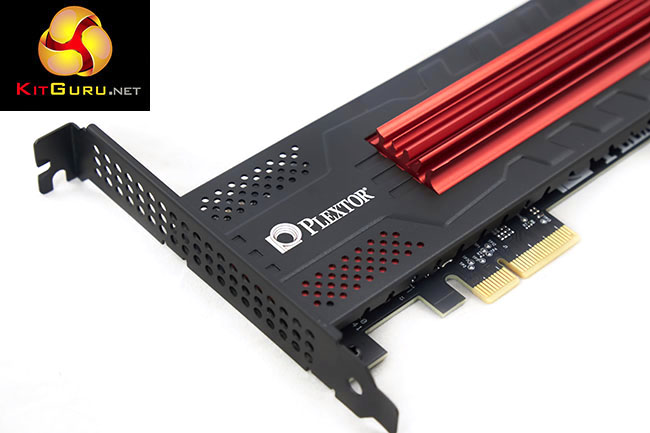
Today we look at the Plextor M6e Black Edition. This SSD product supports PCI Express Gen 2 x 2 and potentially delivers more performance than a simple SATA 3 capable Solid State Drive. Rated sequential speeds of the Plextor M6e Black Edition are said to hit 770MB/s. It uses the latest Marvell 88SS9183 controller alongside Toshiba synchronous Toggle NAND flash memory.
For database heavy application, the M6E Black Edition is said to shine. Plextor claim 100,000+ IOPS performance and for those aiming for maximum workstation performance, it is boot capable. Plextor are offering the drive in 128GB, 256GB and 512GB capacities – with a full five year warranty for peace of mind.
Plextor sent us the mid capacity 256GB unit which is rated to 770 MB/s read, and 580 MB/s write. The 512GB version offers slightly better sequential write performance – at 625MB/s, while the 128GB model pays a rather severe write performance penalty, dropping to 335MB/s.
Plextor M6e Black Edition Features
- Supports PCI Express Gen 2 x 2. Sequential read/write speeds of the M6e Black Edition to 770/625 MB/s. Random read/ write speeds also broke through the 105K/100K IOPS barrier.
- Supports S.M.A.R.T. and TRIM commands.
- Supports bootable device, and supports UEFI and Legacy BIOS boot up.
- Supports AHCI mode
- High performance cooling fin design
- Supports standard SATA external power cable
- Supports external cable for SSD access lighting cues
- Comes in 128 / 256 / 512 GB capacities
- Full 5-year warranty
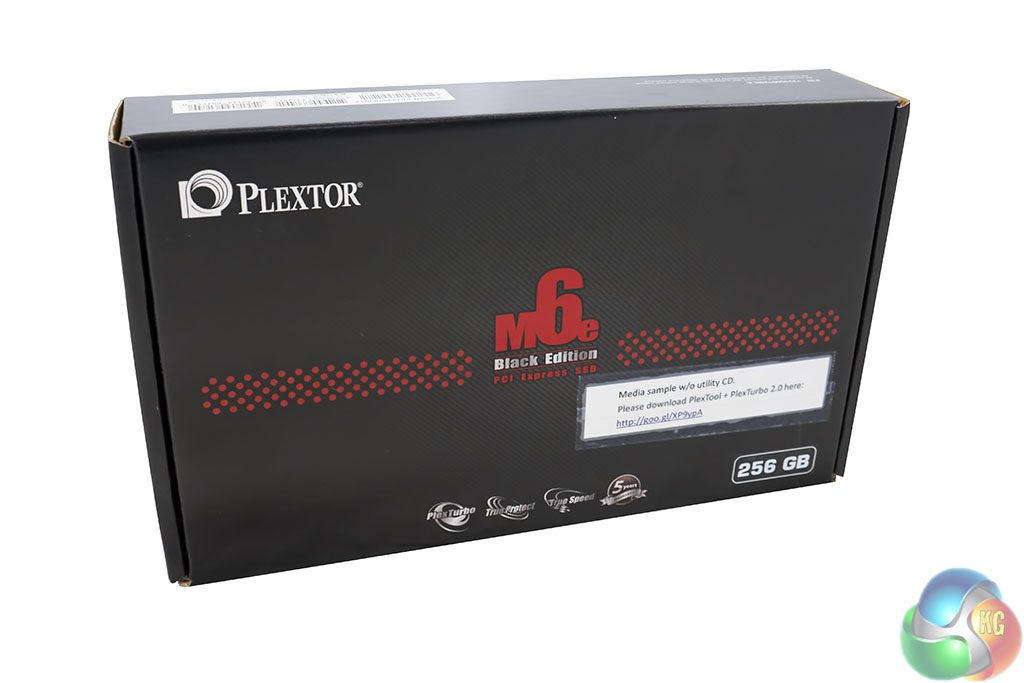
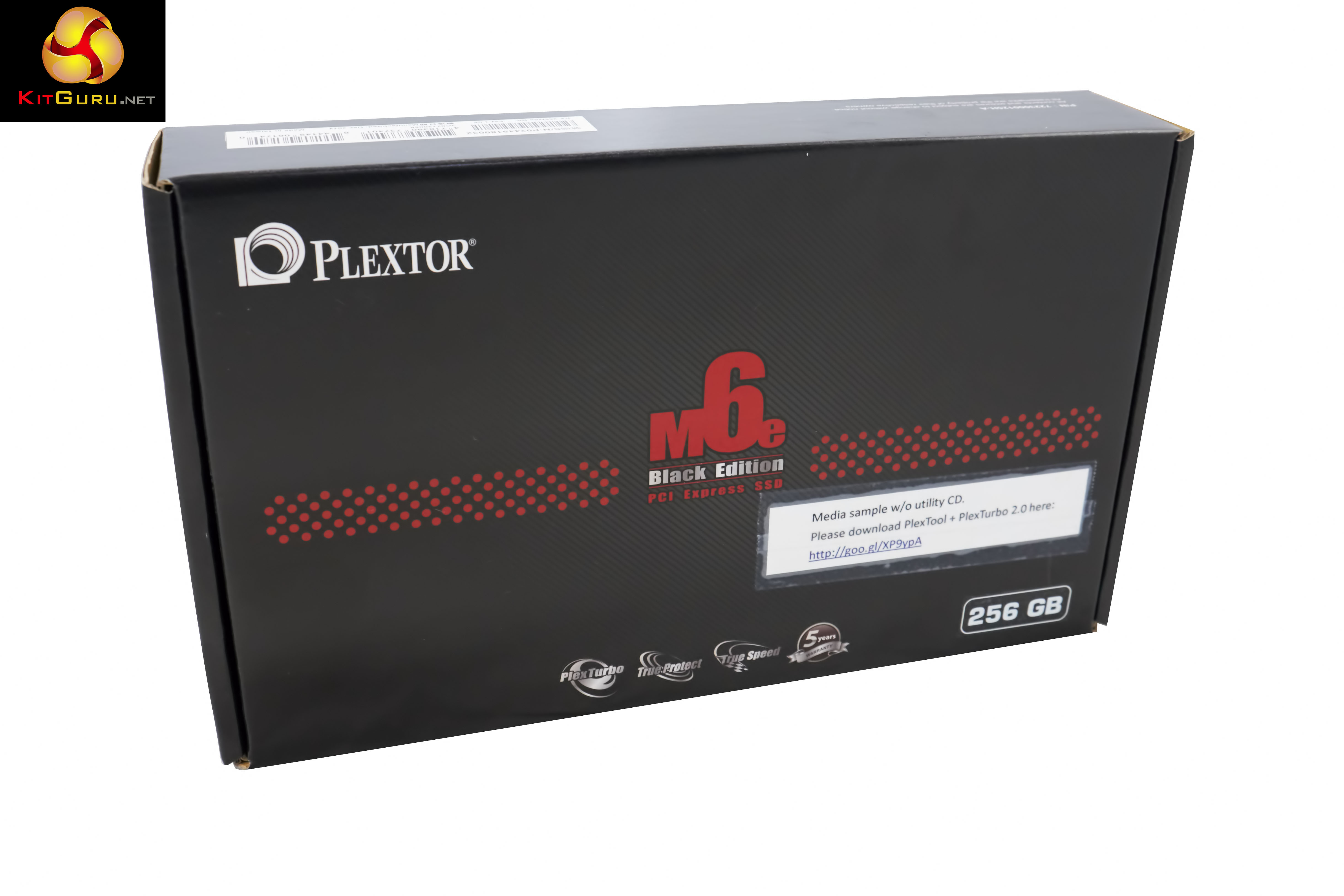
The Plextor M6e Black Edition PCIe 256GB ships in a rather large black box with some details on the front. The Plextor PR team have been keen to push the fact that drive can be upgraded easily enough and that the newest versions of the software, along with PlexTurbo 2.0 can be downloaded. More on this later.
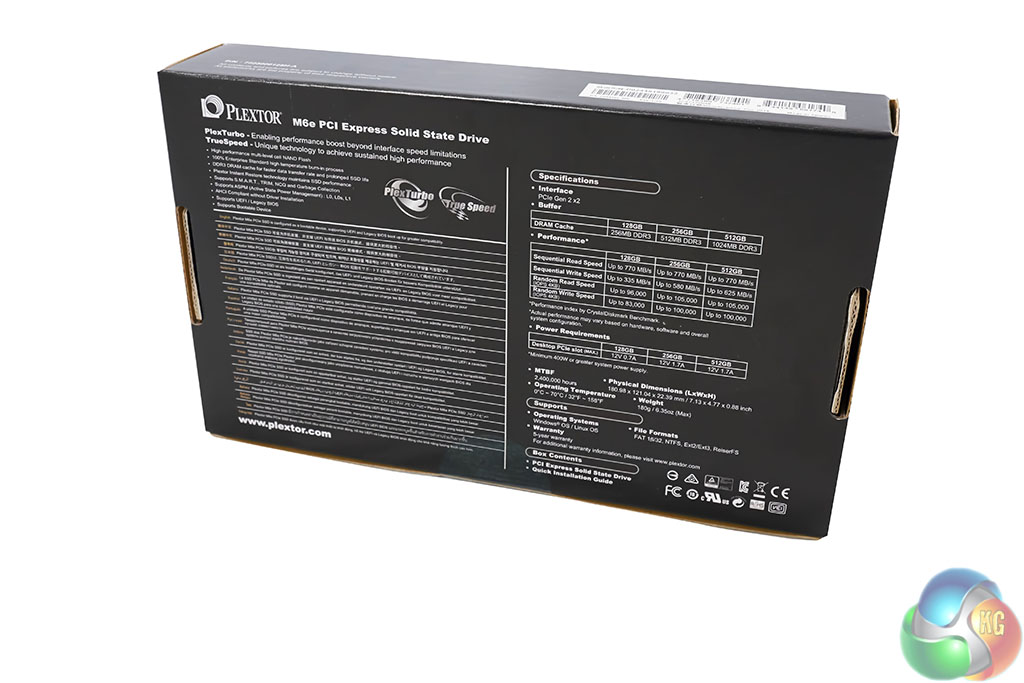
Performance details are scattered across the rear of the box.

Some installation information is included.
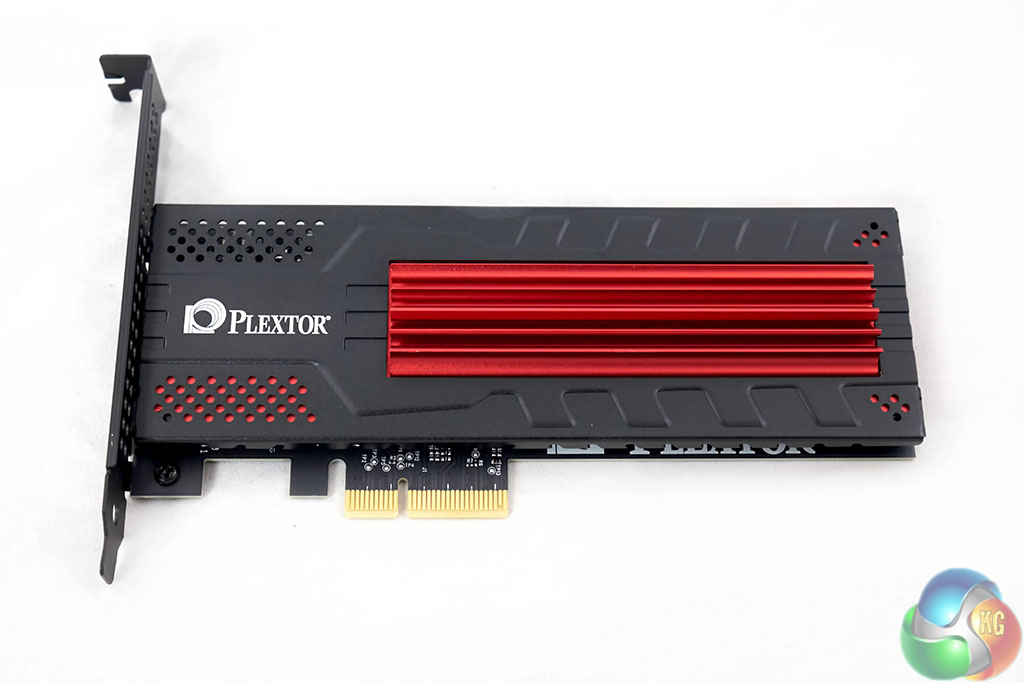
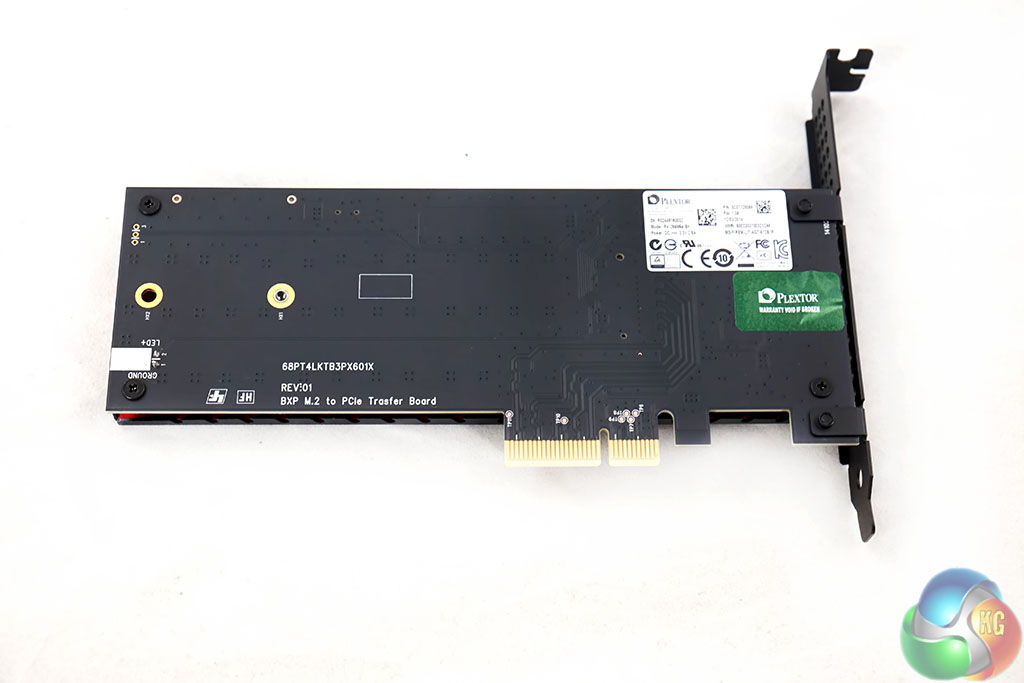
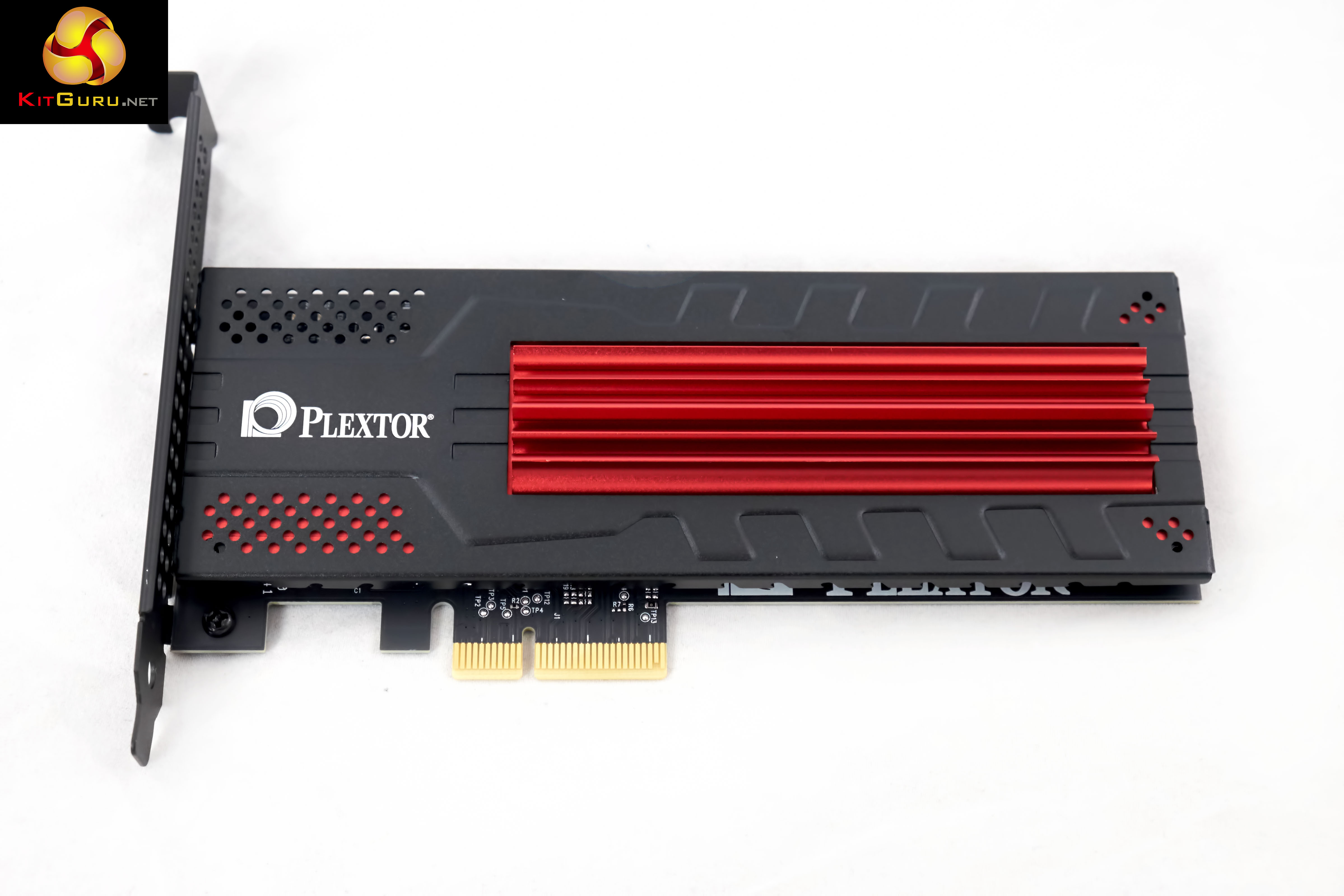
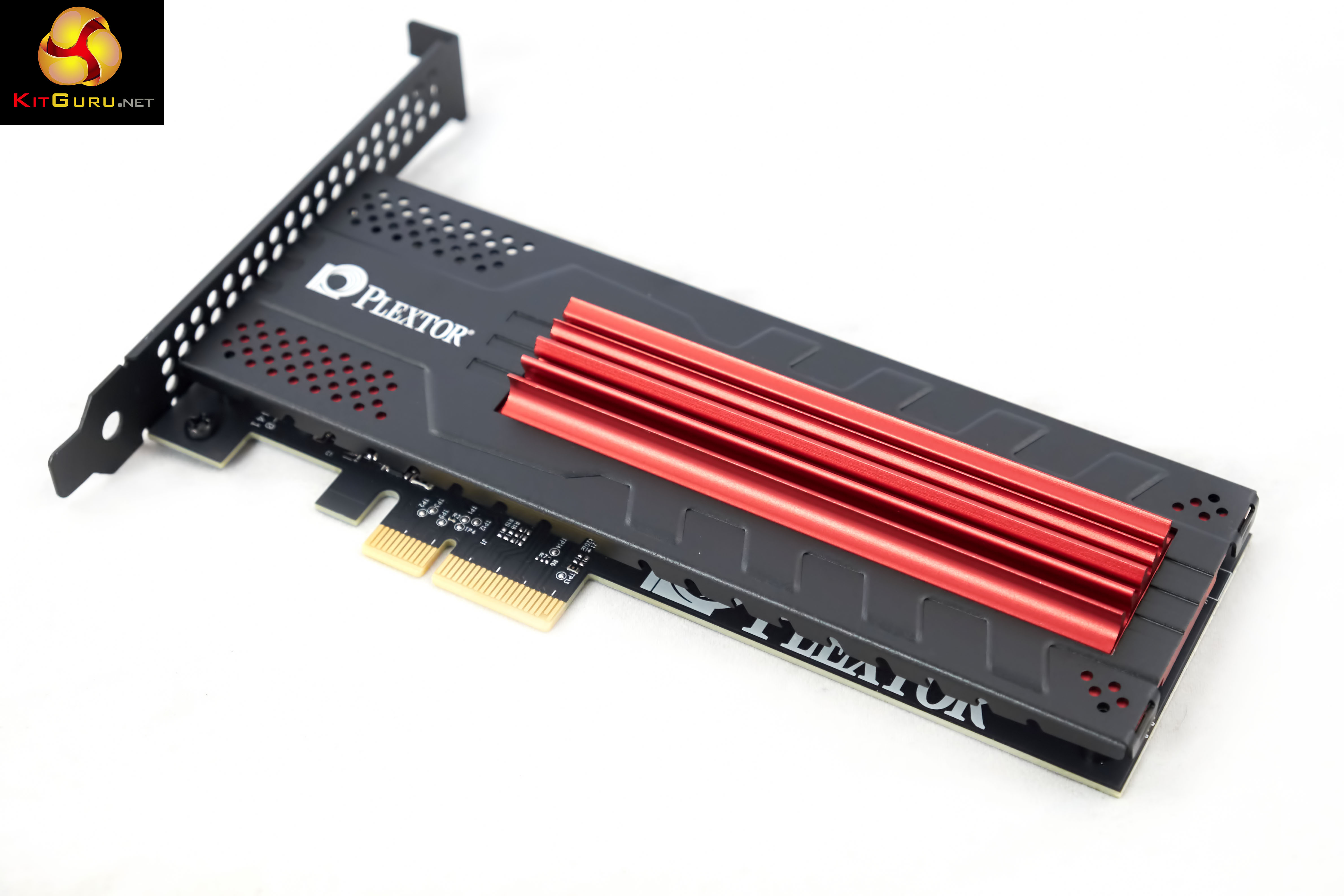
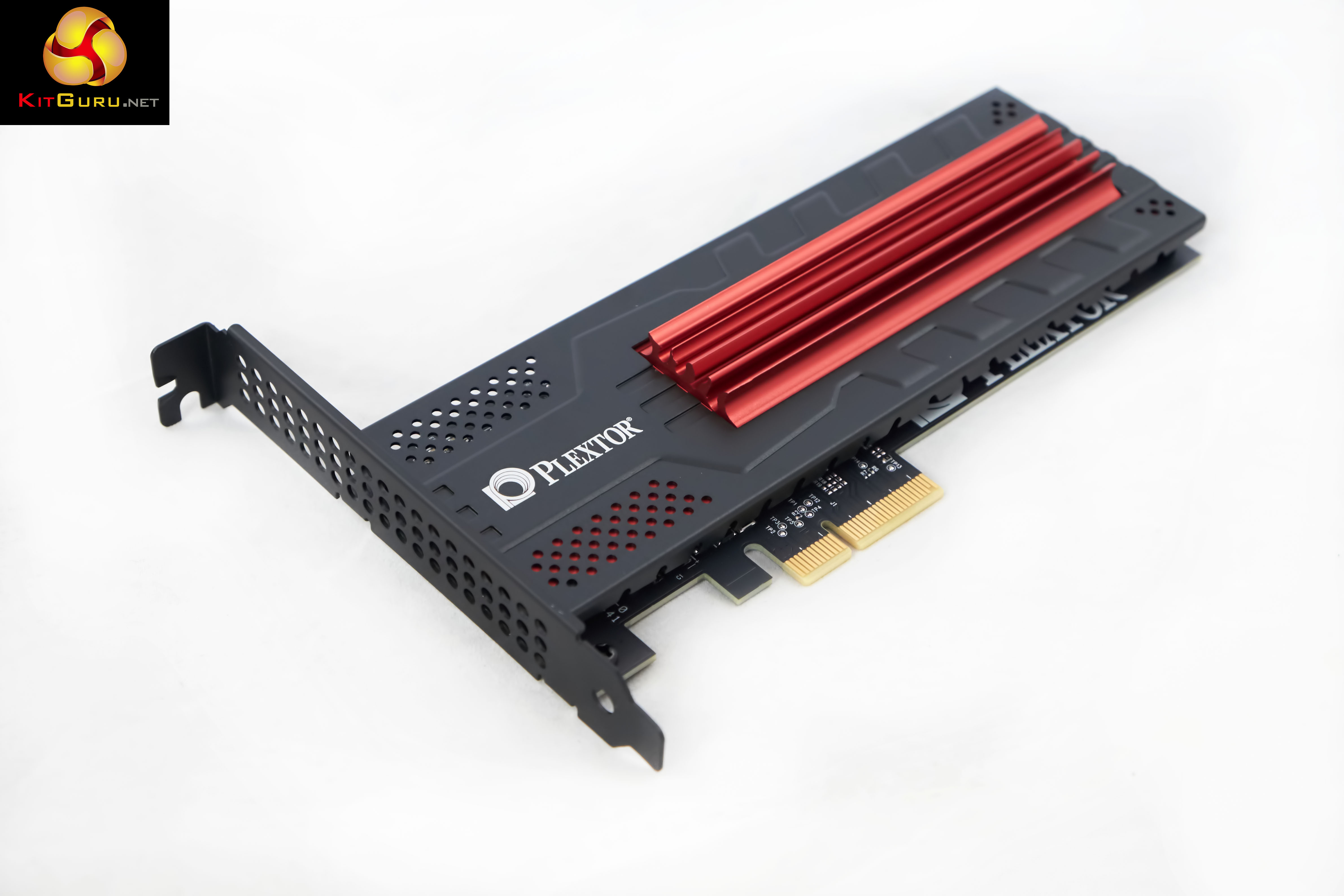
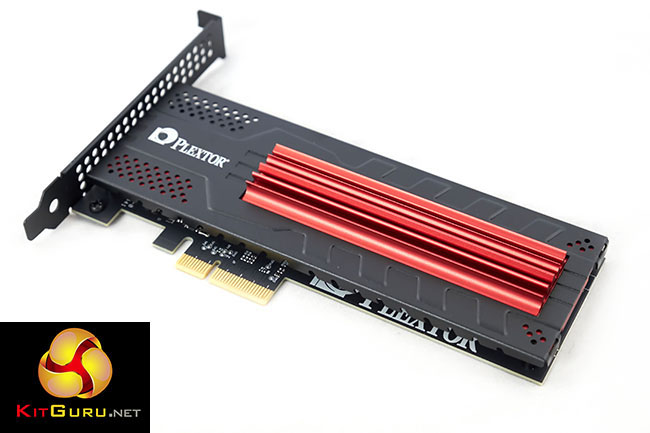
The Plextor M6e Black Edition on first impressions looks like a rather pretty budget graphics card. It is a half height/length design, so ideal for a media center system. There are five LEDs on the card – two are blue and highlight activity, the other three are yellow, indicating power.

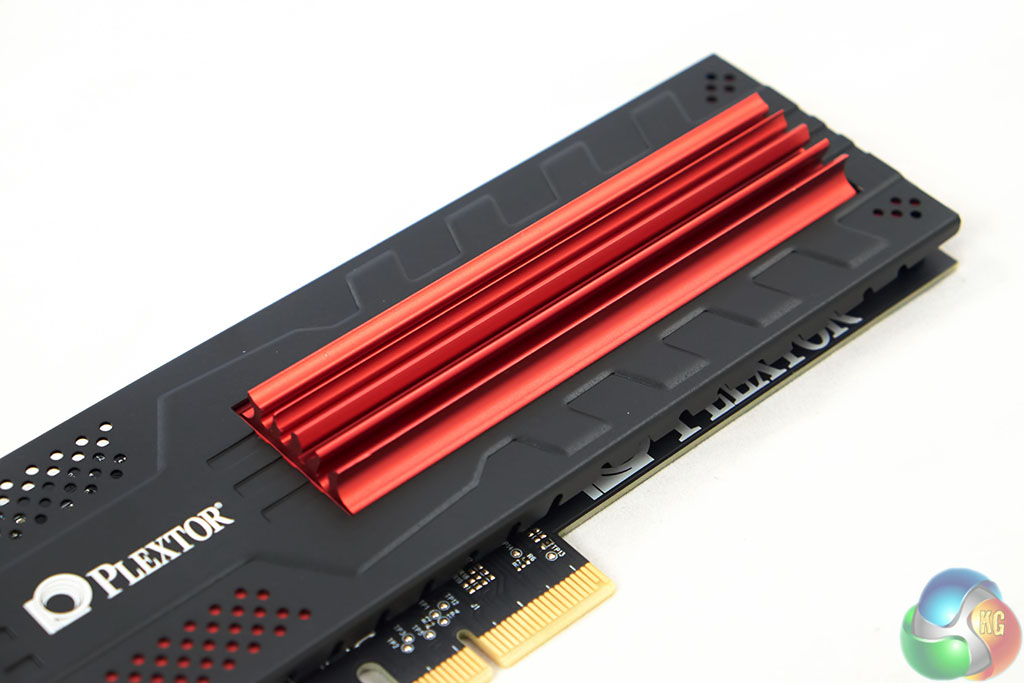
A large red heatsink takes up most of the real estate, positioned alongside the Plextor name. It is a very attractive looking card design and doesn't have any active cooling. It is highly likely the cooling block will really only be beneficial in a worse case scenario – running close to hot graphics cards and in a poorly ventilated case.
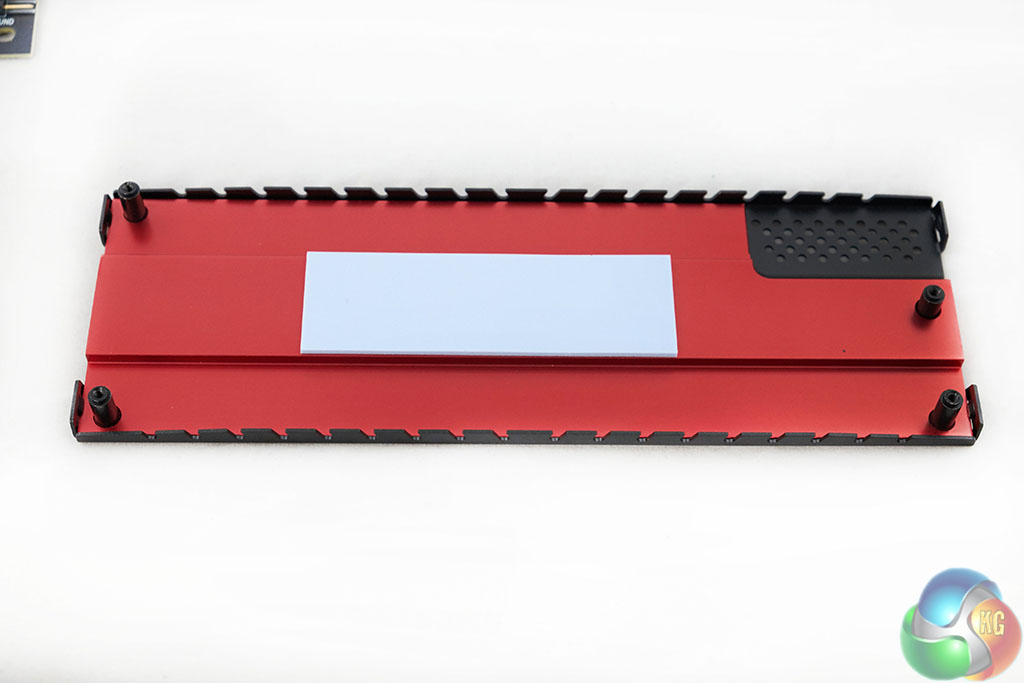
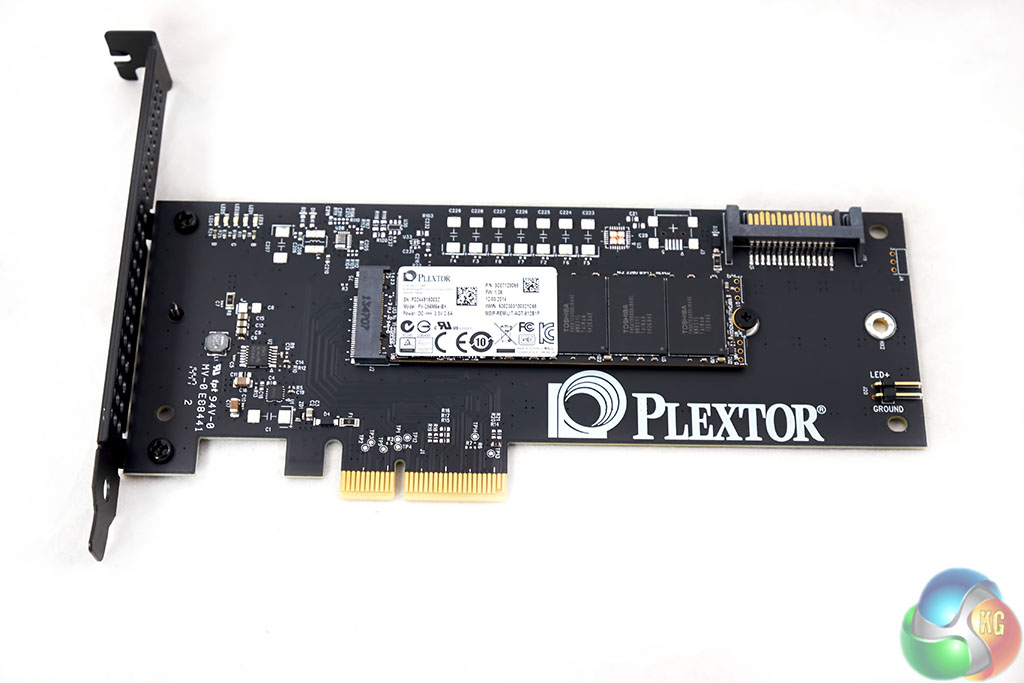
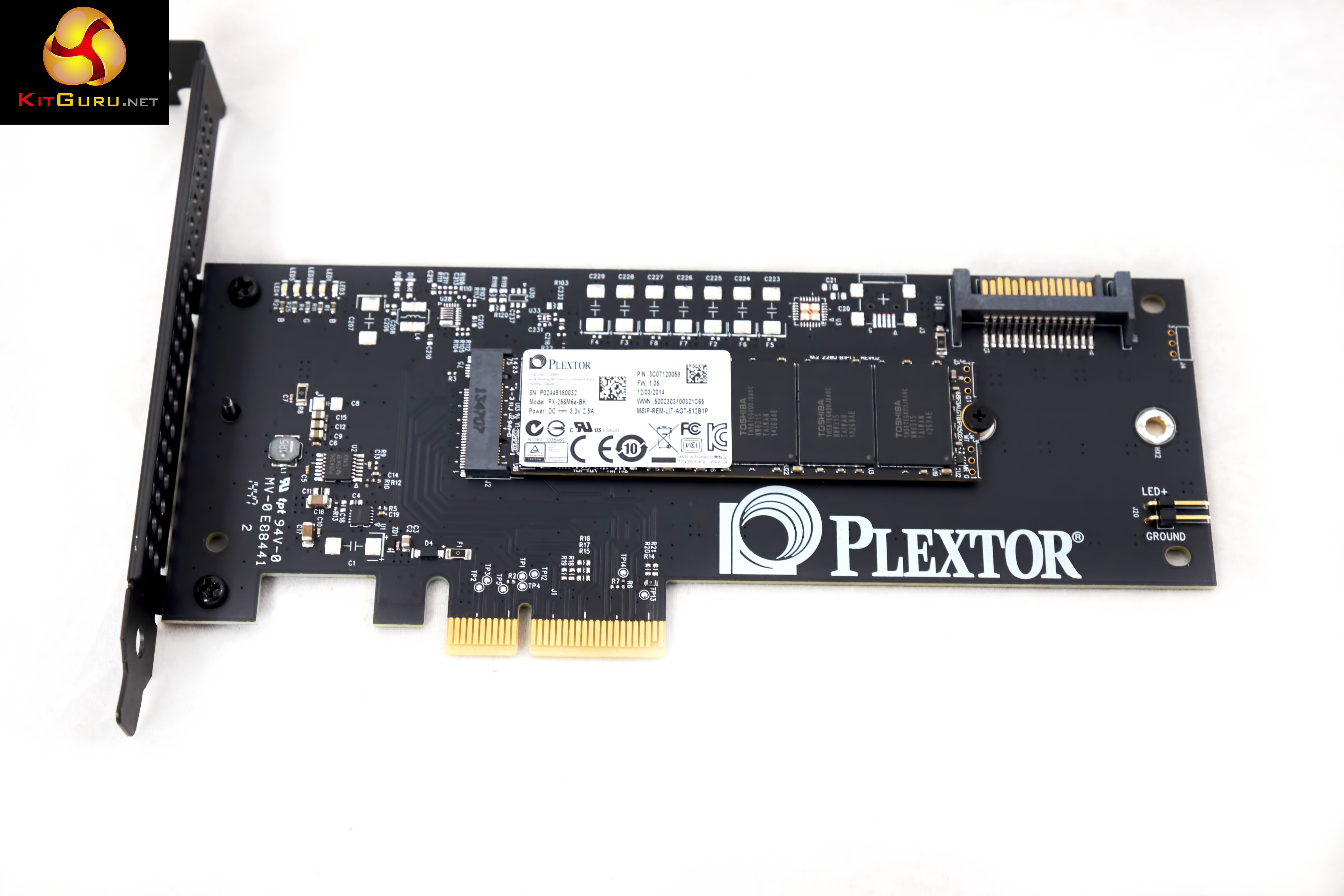
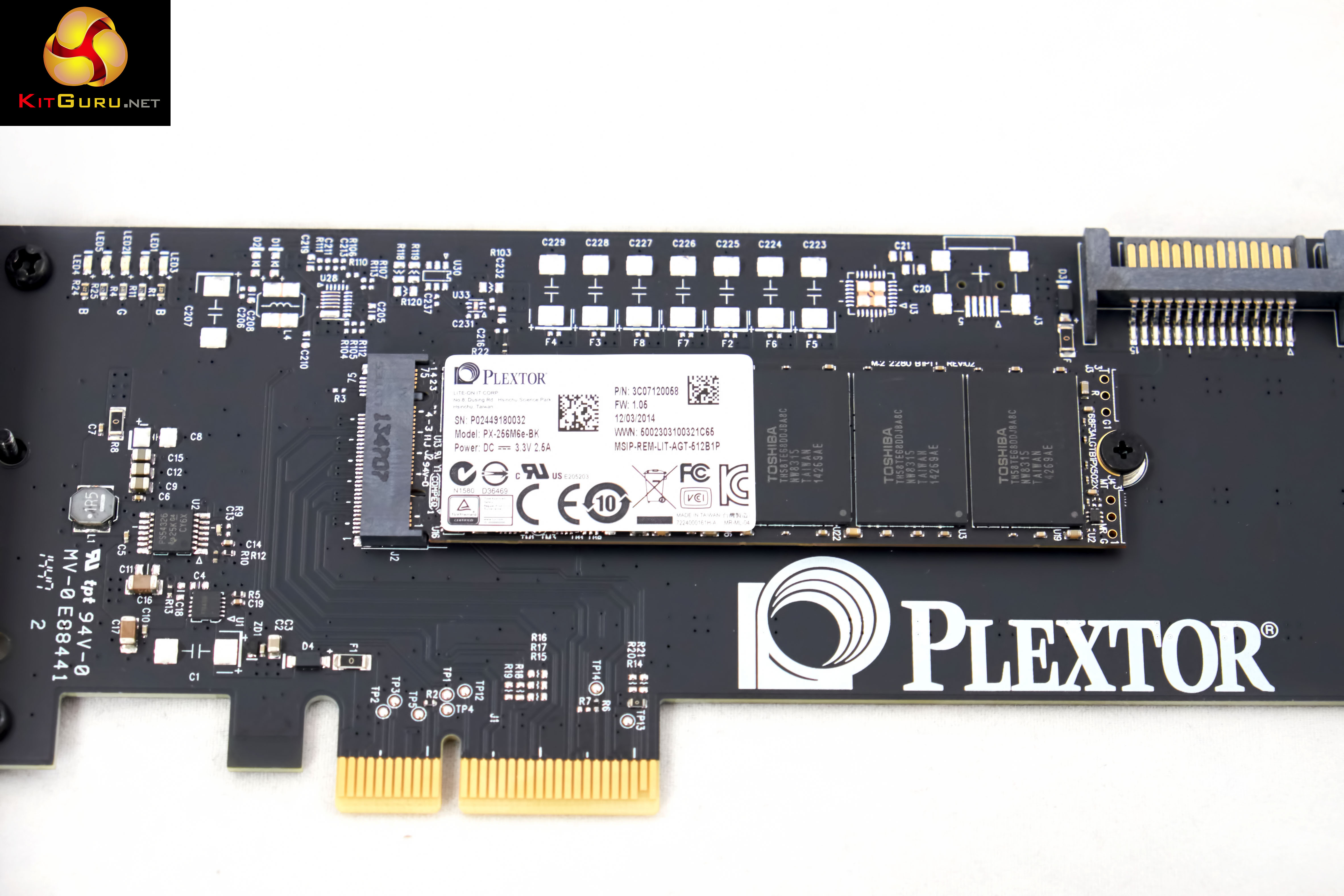
Removing the heatsink is pretty straightforward although the warranty will be void if you do so. The Plextor M6e Black Edition is powered by the Marvell 88SS9183 controller and it is equipped with 19nm Toshiba synchronous toggle NAND memory. A 512MB DDR3 cache is incorporated to help improve performance. This cache helps to minimise lost data problems in the event of power failure.
There is full support for S.M.A.R.T. and TRIM commands to help maintain long term reliability. The M6e also supports UEFI and legacy BIOS booting. If you are using a modern system then UEFI is ideal as it will cut boot times significantly.
Plextor claim that the drive is extremely reliable, and research/testing is completed in their FLEXSTAR facilities. They rate the MTBF at 2.4 million hours.

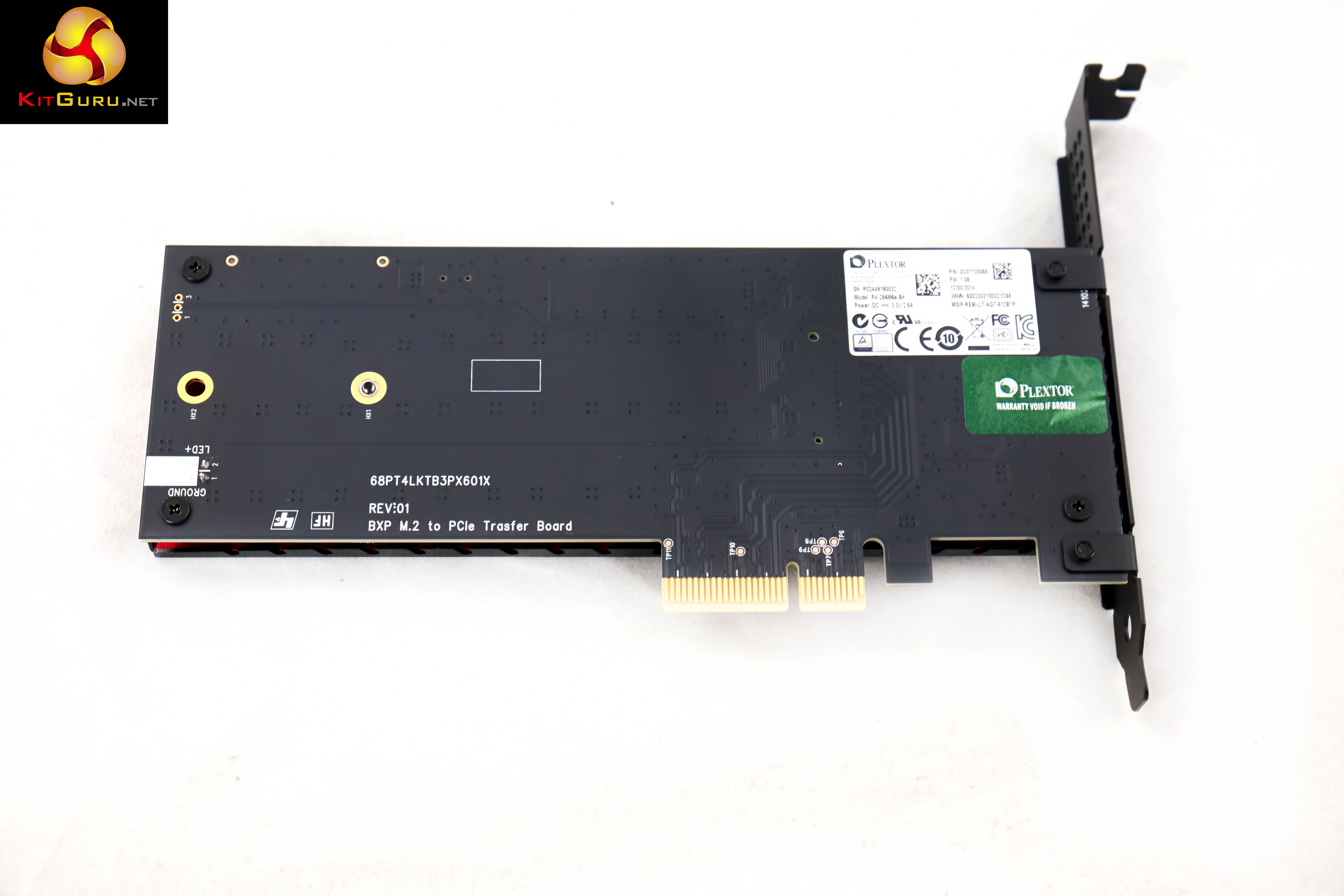
On this page we present some high resolution images of the product in our studio with a Fuji XT1 camera. These will take much longer to open due to the dimensions, especially on slower connections. If you use these pictures on another site or publication, please credit Kitguru.net as the owner/source. You can right click and ‘save as’ to your computer to view later.
For testing, the drives are all wiped and reset to factory settings by HDDerase V4. We try to use free or easily available programs and some real world testing so you can compare our findings against your own system.
This is a good way to measure potential upgrade benefits.
Main system:
Kitguru Test Rig 3
Other Drives
Micron M600 256GB
Apotop S3C 256GB
Angelbird 512GB wrk
Hynix SH920/910A
OCZ ARC 100 240GB
OCZ RevoDrive 350 480GB
OCZ RevoDrive 3 x2 480GB
Intel 520 Series 240GB
Intel 730 240GB
Samsung 840 EVO 1TB
OCZ Vector 150 256GB
OCZ Vector 240GB
OCZ Vertex 450 256GB
OCZ Vertex 4 512GB
OCZ Vertex 4 128GB (1.4 fw)
ADATA Premier Pro SP900 128GB
Intel 730 240GB
OCZ RevoDrive Hybrid 1TB HDD/SDD
SanDisk Extreme II 240GB
Corsair Performance Pro 256GB
OCZ Agility 4 256GB
SanDisk Ultra Plus 256GB
Samsung 830 Series 512GB
Patriot Wildfire 240GB
OCZ Vertex 3 240GB MAX IOPS
ADATA S510 120GB
Kingston HyperX 3K 120GB
OCZ Octane 512GB (fw 1.13)
Samsung Spinpoint F3 1TB
Software:
Atto Disk Benchmark.
CrystalMark 3.0.3.
AS SSD.
IOMeter.
All our results were achieved by running each test five times with every configuration this ensures that any glitches are removed from the results. Trim is confirmed as running by typing fsutil behavior query disabledeletenotify into the command line. A response of disabledeletenotify =0 confirms TRIM is active.
Crystalmark is a useful benchmark to measure theoretical performance levels of hard drives and SSD’s. We are using V3.0.3.
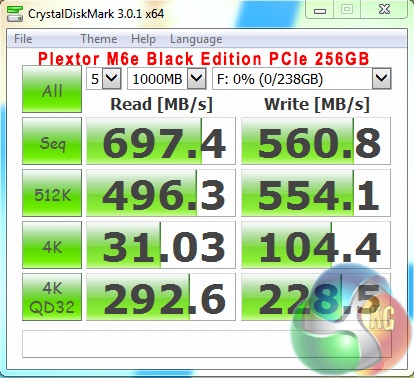
Overall performance is reasonably strong, although the sequential results in our tests fall a little below the manufacturer claimed specifications.
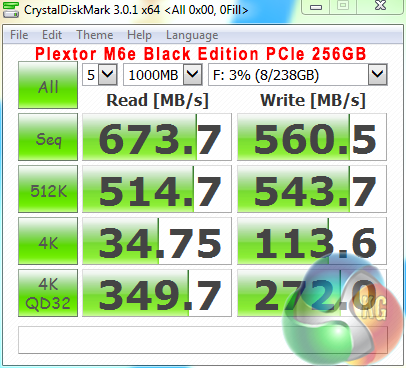
This drive handles compressible and incompressible data equally well, which will help in specific situations, such as when dealing with large video files and images.


Above, some included compares from other leading solid state drives which we have reviewed.
The ATTO Disk Benchmark performance measurement tool is compatible with Microsoft Windows. Measure your storage systems performance with various transfer sizes and test lengths for reads and writes. Several options are available to customize your performance measurement including queue depth, overlapped I/O and even a comparison mode with the option to run continuously. Use ATTO Disk Benchmark to test any manufacturers RAID controllers, storage controllers, host adapters, hard drives and SSD drives and notice that ATTO products will consistently provide the highest level of performance to your storage.
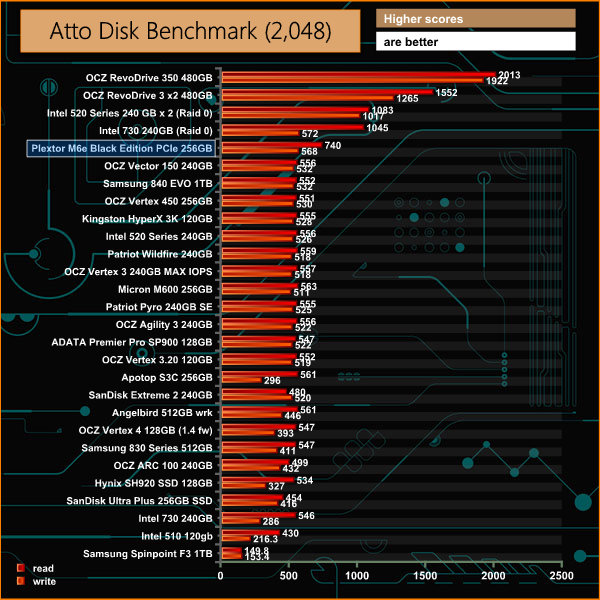

Read and write performance is excellent – peaking at 740 MB/s read and 580 MB/s write. That said, the write performance results aren't much better than the fastest results we have seen via the SATA 3 interface.


Some comparison results from other leading products available on the market today.
AS SSD is a great free tool designed just for benching Solid State Drives. It performs an array of sequential read and write tests, as well as random read and write tests with sequential access times over a portion of the drive. AS SSD includes a sub suite of benchmarks with various file pattern algorithms but this is difficult in trying to judge accurate performance figures.
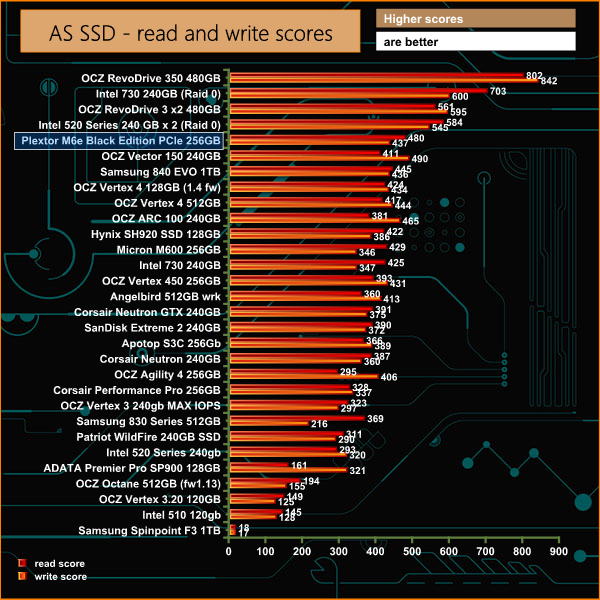
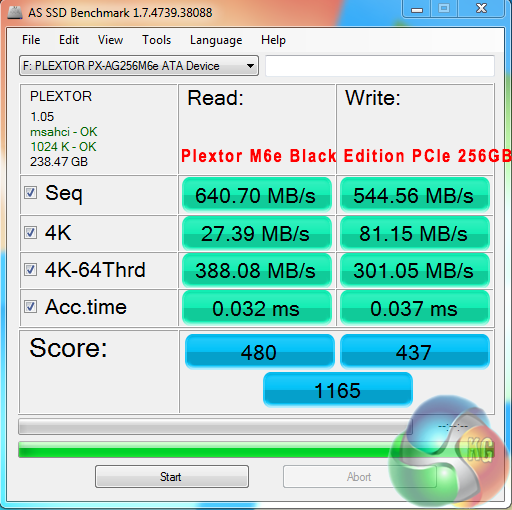
AS SSD deals exclusively with incompressible data – causing no problems for the Marvell 88SS9183 controller in the Plextor M6e Black Edition.


Some other comparisons from leading manufacturer drives, which we have tested in recent months.
IOMeter is another open source synthetic benchmarking tool which is able to simulate the various loads placed on hard drive and solid state drive technology.
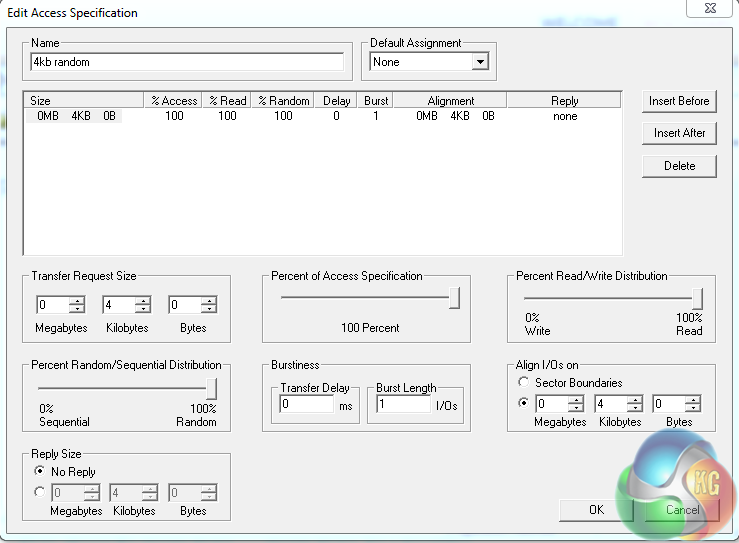
We test with both random read and write 4k tests, as shown above. There are many ways to measure the IOPS performance of a Solid State Drive, so our results will often vary between the manufacturer’s quoted ratings.
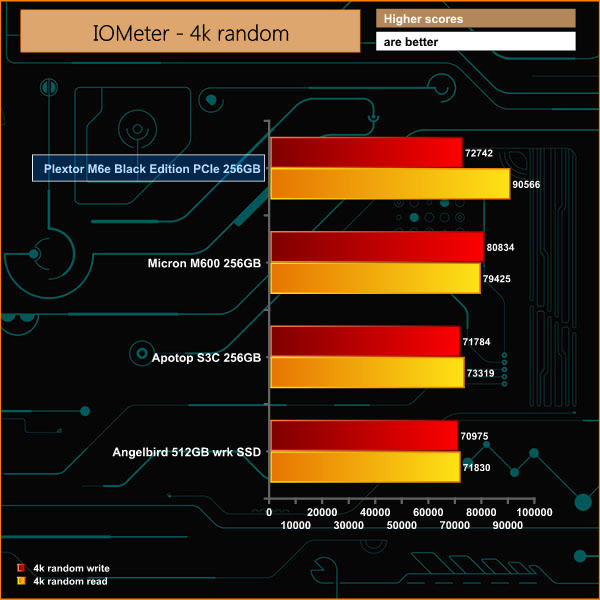
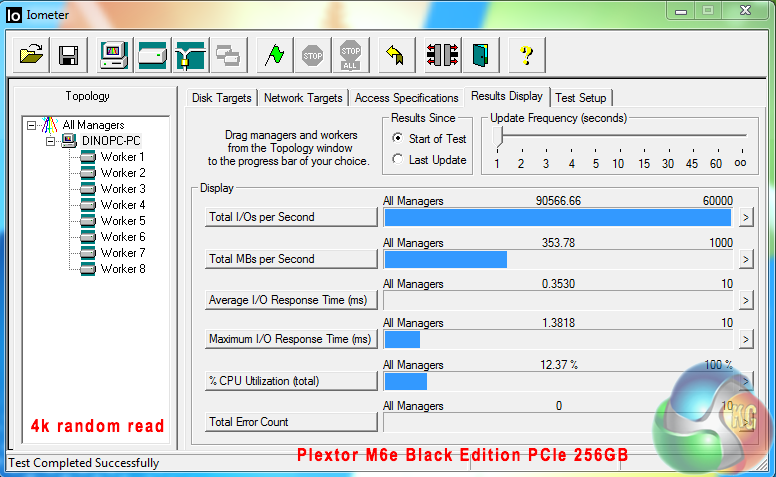
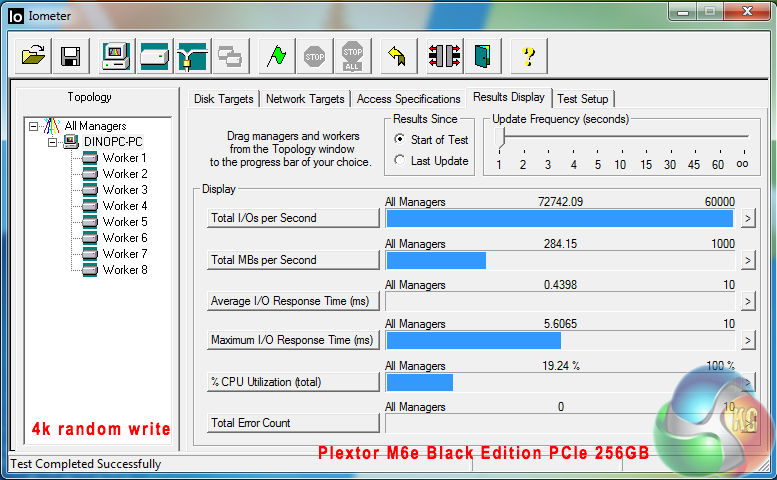
IOPS performance is quite good, although our results fell short of Plextor's official claims of 100k+. There are many different ways to measure 4k performance so there is likely some variation due to this.Plextor supply a free software package available via download. This supports all of their SSD drives.
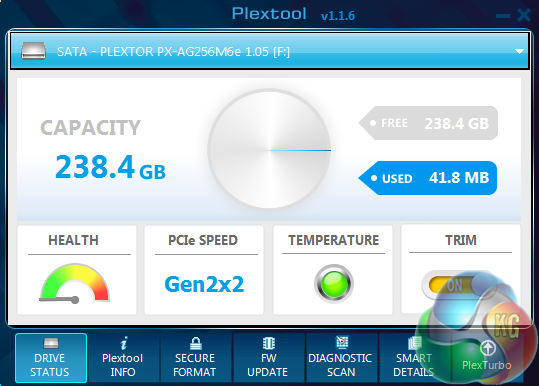
The main Plextool screen gives a basic overview of the hardware installed. In this case, health, connection speed, temperature and TRIM functionality.
PlexTurbo 2.0 has three main advantages;
- Performance boost: the SSD uses a maximum of 4GB of DRAM of the system/laptop/desktop (1/4 of the DRAM of the system with a max of 4GB) as cache. An application will write the data simultaneously on the cache as well as on the SSD. Instead of overwriting the entire file, the SSD compares the existing data and decides which data can be ignored, and which data should be rewritten. At the same time, the SSD uses the cache for quicker access to the frequently used data. Because of this unique communication with the DRAM of the system and the SSD, high speeds can be reached.
- Life Extension Mechanism: Because the SSD reduces unnecessary rewriting of redundant data, the life of the SSD increases drastically.
- Safe Power Loss: Because the information is written simultaneously in the cache of the system as well as the SSD, in the event the SSD is unplugged suddenly, the data loss can be minimized because it has been written to the SSD. For some other caching software in the market, the data is only written in the cache after the program is well finished. If the power supply is suddenly interrupted, all the data would be lost.
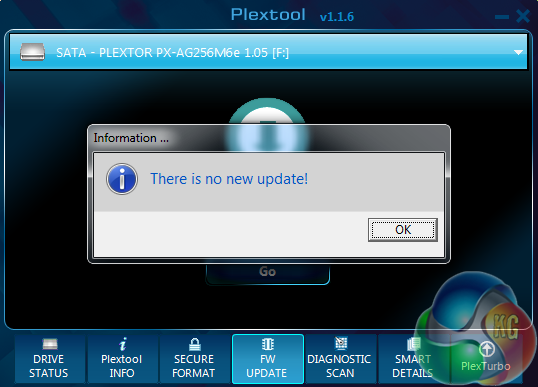
We checked for a firmware update before testing the drive.
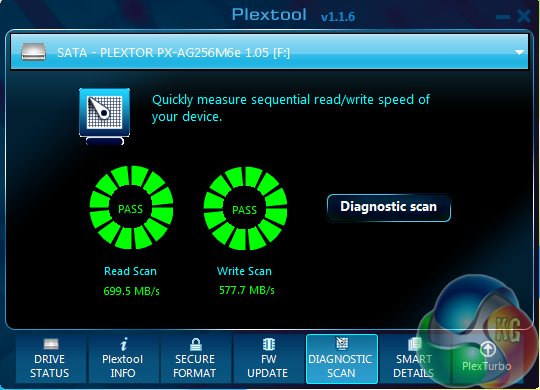
The Diagnostic scan page is both a troubleshooting tool and benchmarking option.
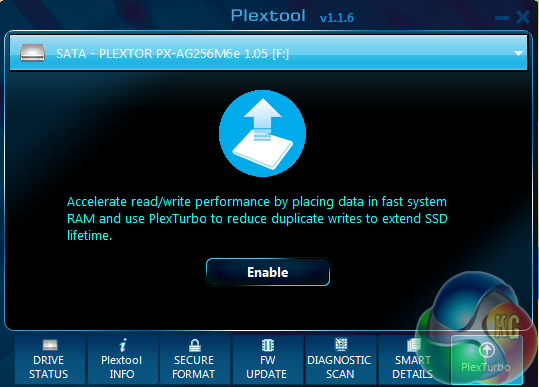
The PlexTurbo option is available via the last tab in the software. It requires a reboot. When this is enabled it will use fast system memory to enhance the overall performance.
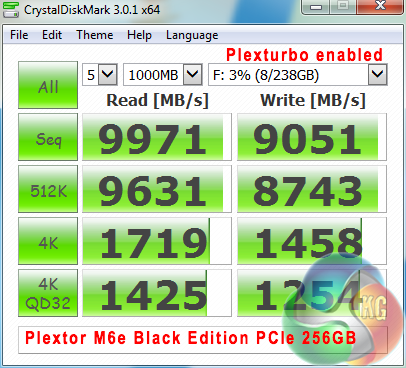
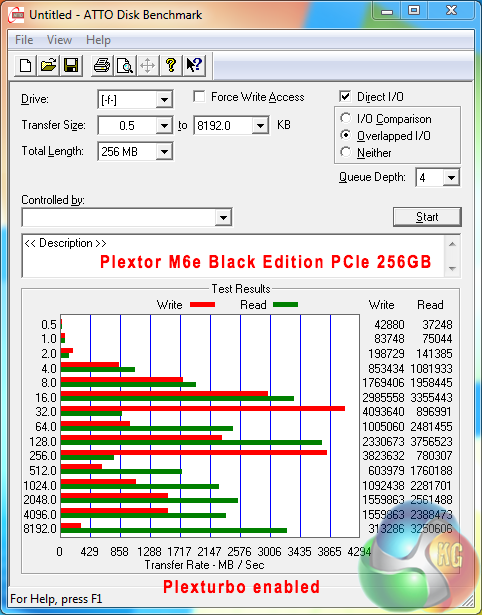
While the above performance results look incredible I have to honestly say that there are very little, if any tangible real world improvements after enabling the PlexTurbo feature. That said, it didn't seem to cause any issues so I see no reason to turn it off.
There is no doubt that the Plextor M6e Black Edition delivers credible performance – first impressions are positive, it is a very attractive product, and the raised red heatsink will look great set against some subtle system lighting.
When we delve further into pricing, placement and overall performance I am however unfortunately left with some rather serious questions and a unshakeable feeling of disappointment.
The SATA 3 interface is becoming a bandwidth concern for the audience who seek the highest levels of performance. We have already tested Solid State drives which are capable of completely saturating the SATA 3 interface.
The move to PCIe card driven Solid State Solutions makes sense – the bandwidth is greater so achieving sustained transfer speeds well in excess in 1GB/s is possible. Sadly the Plextor M6e Black Edition falls short of what I had hoped initially – sustained write speeds are only a little better than the fastest SATA 3 drives and sustained read speeds are limited to 740MB/s.
IOPS performance is reasonably strong, but in reality no better than the leading SATA 3 based solutions we have tested. Sadly our own tests fell some way short of Plextors 100k+ claims, which wasn't very reassuring.
If I was losing a PCIe slot to provide space for a fast boot drive I would absolutely want more performance than the M6e Black Edition can deliver. The final results are uninspiring. Additionally we would strongly advise against considering the 128GB version of the M6e Black Edition … official, claimed write performance results are rated at only 335MB/s. By 2015 standards, this can only be categorised as weak.
I wanted to get a second take on the Plextor product, so I brought in my colleague, senior hardware editor and motherboard expert Luke Hill.
He said: “If you really want PCIe-based storage at a reasonable price point, Plextor's M6e has proven to be a solid option. It doesn't offer ground-breaking transfer rates (like Samsung's XP941), but the bare M.2 is a potentially justifiable price upgrade over SATA 6Gbps solutions. Furthermore, the M.2 connector has faultless compatibility on most Intel 9-series motherboards, without stealing a PCIe slot (not to mention ruining the lane distribution for SLI, in many motherboard cases).
Plextor's M6e Black Edition falls foul on both of those points. For consumers with older motherboards, who will value the PCIe card connection, its price is far too high when compared to even the fastest SATA 6Gbps SSDs (as well as the ‘standard' M6e editions). The other boon for many users will be the required sacrifice of a PCIe slot and the inherent graphics potential of their system.
At 10-20% more than something like Samsung's market-leading 850 Pro, maybe. But with the Plextor M6e Black Edition asking for an extra 40% over SATA's fastest consumer SSD, that's pushing the limits of sensibility.”

You can buy the Plextor M6e Black Edition PCIe 256GB drive from Overclockers UK at £209.99 inc vat. Honestly, I would recommend two Samsung 850 EVO 250GB drives – put them into a RAID 0 configuration. End result – greater performance (1GB/s+), roughly the same price (£210), with the added benefit of doubling your storage capacity.
Discuss on our Facebook page, over HERE.
Pros:
- Marvell controller is equally good with incompressible and compressible data.
- good IOPS performance.
- lovely looking product.
Cons:
- twice the price of high grade 250GB SATA 3 drives.
- you lose a PCIe slot.
- overall performance is quite disappointing.
Kitguru says: The Plextor M6e Black Edition PCIe 256GB is twice the price of a Samsung 850 EVO 250GB drive, performance is also a little uninspiring especially as you are forced to lose a PCIe slot.

my RAID 5 array of six 3tb drives is actually faster than this, and instead of 240GB, the array is 14TB…