KitGuru KitGuru.net – Tech News | Hardware News | Hardware Reviews | IOS | Mobile | Gaming | Graphics Cards



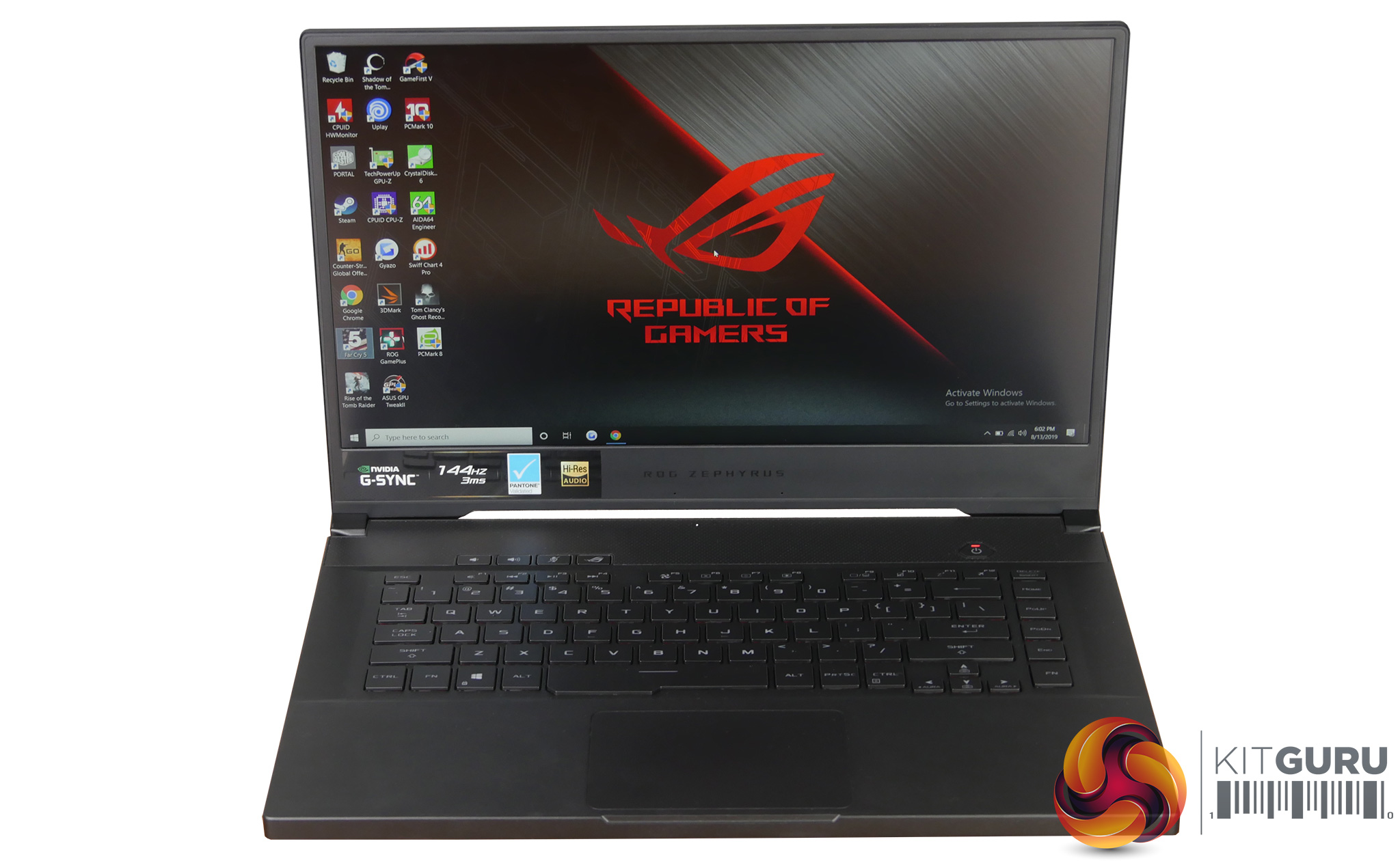
Despite the ROG Zephyrus's small lightweight form factor and sleek chassis ASUS has managed to pack the GX502GW full of high end components. Our review sample features the new Intel i7-9750H, RTX 2070 and 32GB of memory however with a price tag of £2500 it is targeting the demanding enthusiast user. Can it tick all the boxes?
Gallery:
Specifications:
- ROG Zephyrus GX502GW
- Windows 10
- Intel® Core™ i7-9750H
- NVIDIA® GeForce RTX™ 2070
- 8GB GDDR6 VRAM
- DDR4 2666MHz SDRAM
- Up to 32GB (16GB on board memory)
- M.2 NVMe PCIE 3.0 256GB/512GB/1TB SSD with RAID 0 support
- 15.6-inch Full HD (1920×1080) IPS-level panel, 144Hz or 240Hz, 3ms, 100% sRGB, Pantone® Validated, G-SYNC™
- Backlit chiclet keyboard, N-key rollover, RGB lighting, Aura Sync, Hotkeys (Volume down, volume up, mute, Armoury Crate)
- 2 speakers with Smart AMP technology
- Array Microphone
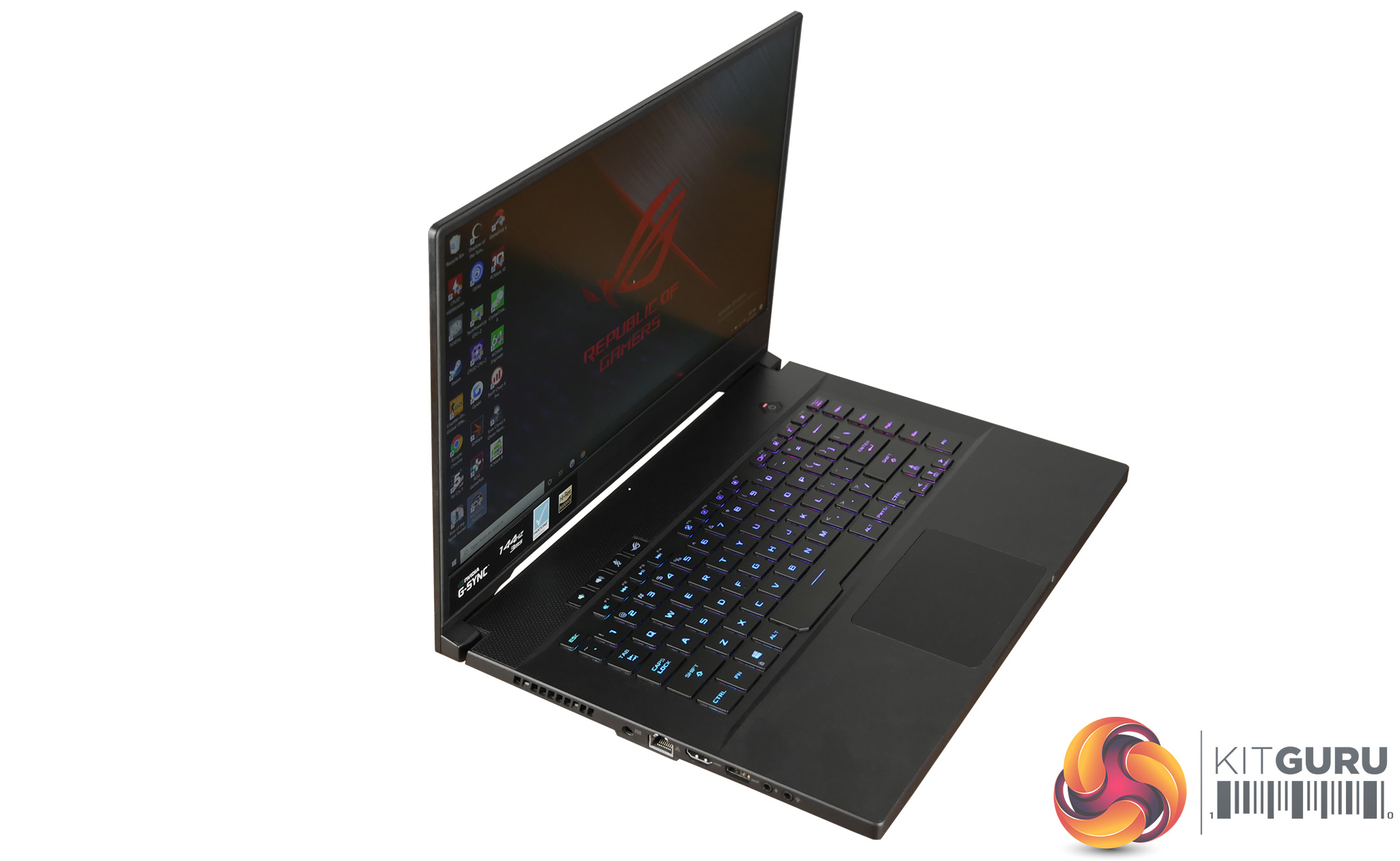
- 1 x USB 3.2 Gen2 Type C DisplayPort™ 1.4 and Power Delivery
- 1 x USB 3.2 Gen2 Type A
- 2 x USB 3.2 Gen1 Type A
- 1 x HDMI 2.0b
- 1 x 3.5mm Audio Jack
- 1 x Audio Jack Mic-in
- 1 x RJ45
- 1 x Kensington Lock
- 230W Power Adaptor
- Support Type-C PD 3.0 up to 65W
- Intel® 802.11ac (2×2) Gigabit Wi-Fi
- Bluetooth 5.0
- 360 (W) x 252 (D) x 18.9 (H) mm
- 2.0 kg
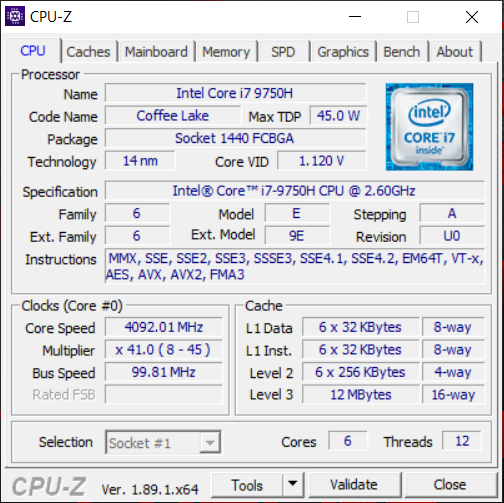
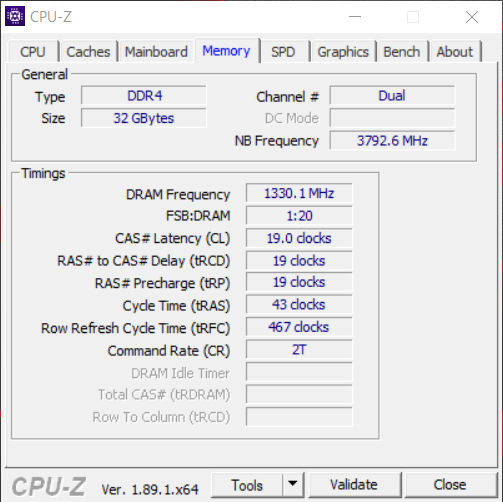
This laptop uses the new hexa-core i7-9750H processor and has a base clock of 2.6GHz but will turbo boost up to 4.5GHz under load on a single core. The i7-8750H it replaces was rated at 2.2GHz but with a turbo boost up to 4.1GHz under load. During testing I saw a maximum all core boost clock speed from the i7-9750H in the Zephyrus of around 4.2Ghz but the laptop could sustain a more modest 3.9/4Ghz while gaming. This all core boost speed is exactly the same as many of the laptops we tested with the slightly older i7-8750H.
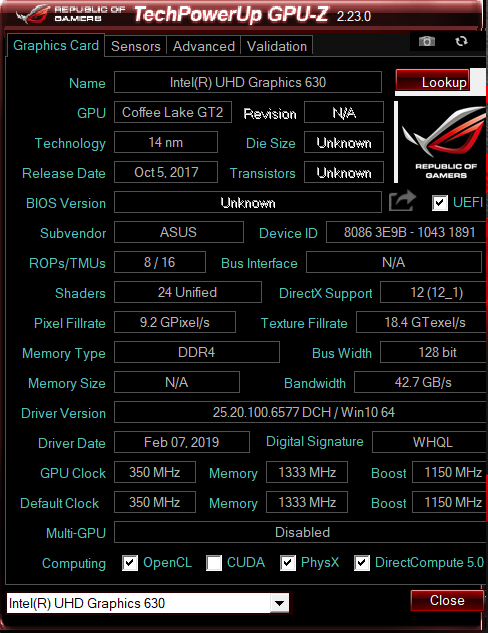
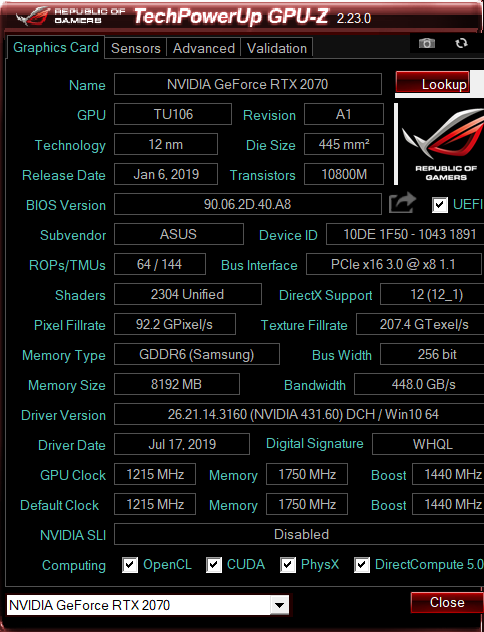
The 32GB of memory in our sample is DDR4 and runs at a speed of 2666MHz. The GPU-Z screenshots show both the Intel integrated graphics and the dedicated Nvidia RTX 2070. The GTX 2070 features 8GB of GDDR5 memory and has a default clock of 1215MHz and a rated boost clock of 1440MHz. However, during testing we did notice the boost clock peaked at 1755MHz and held there most of the time.
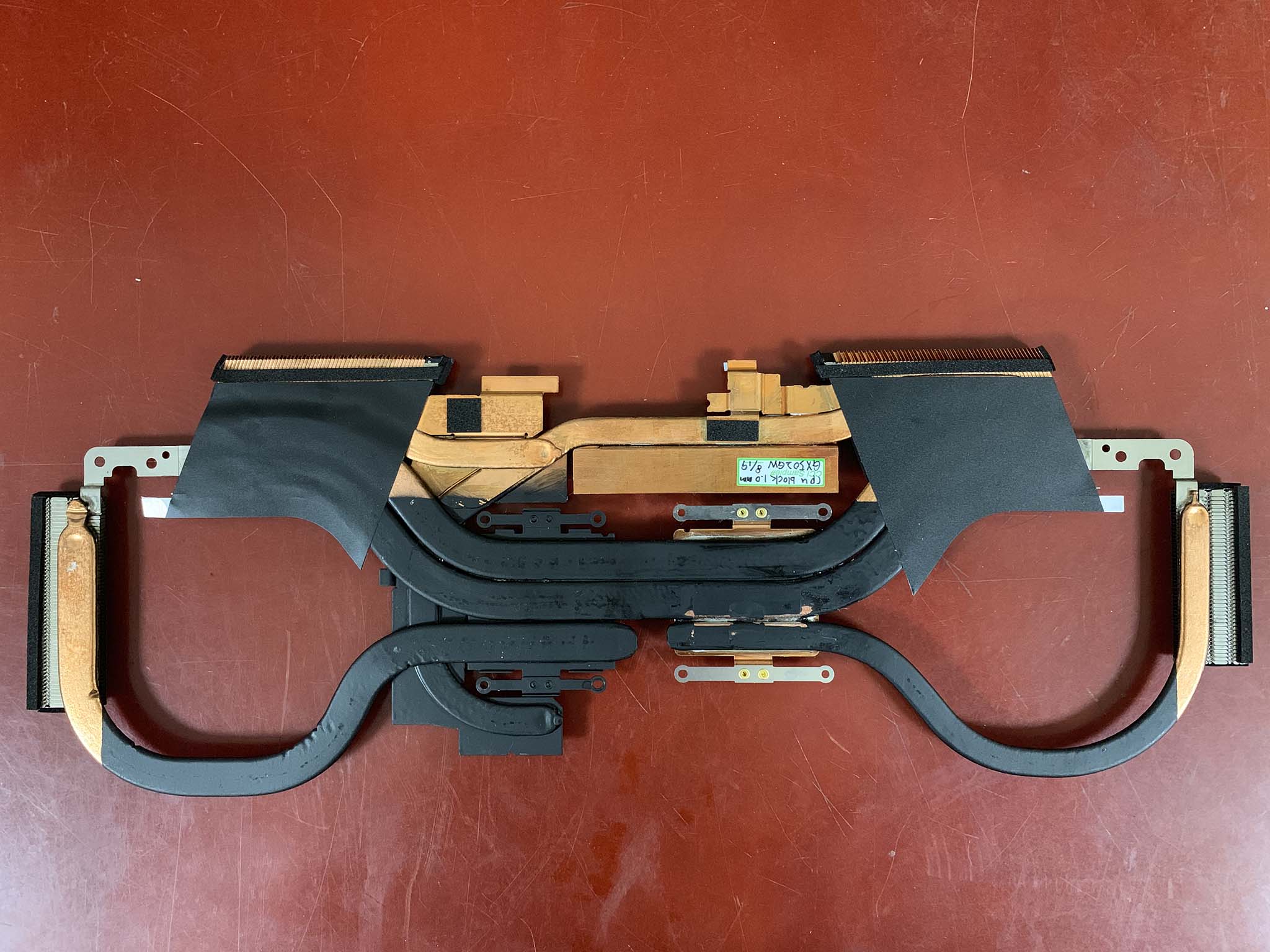

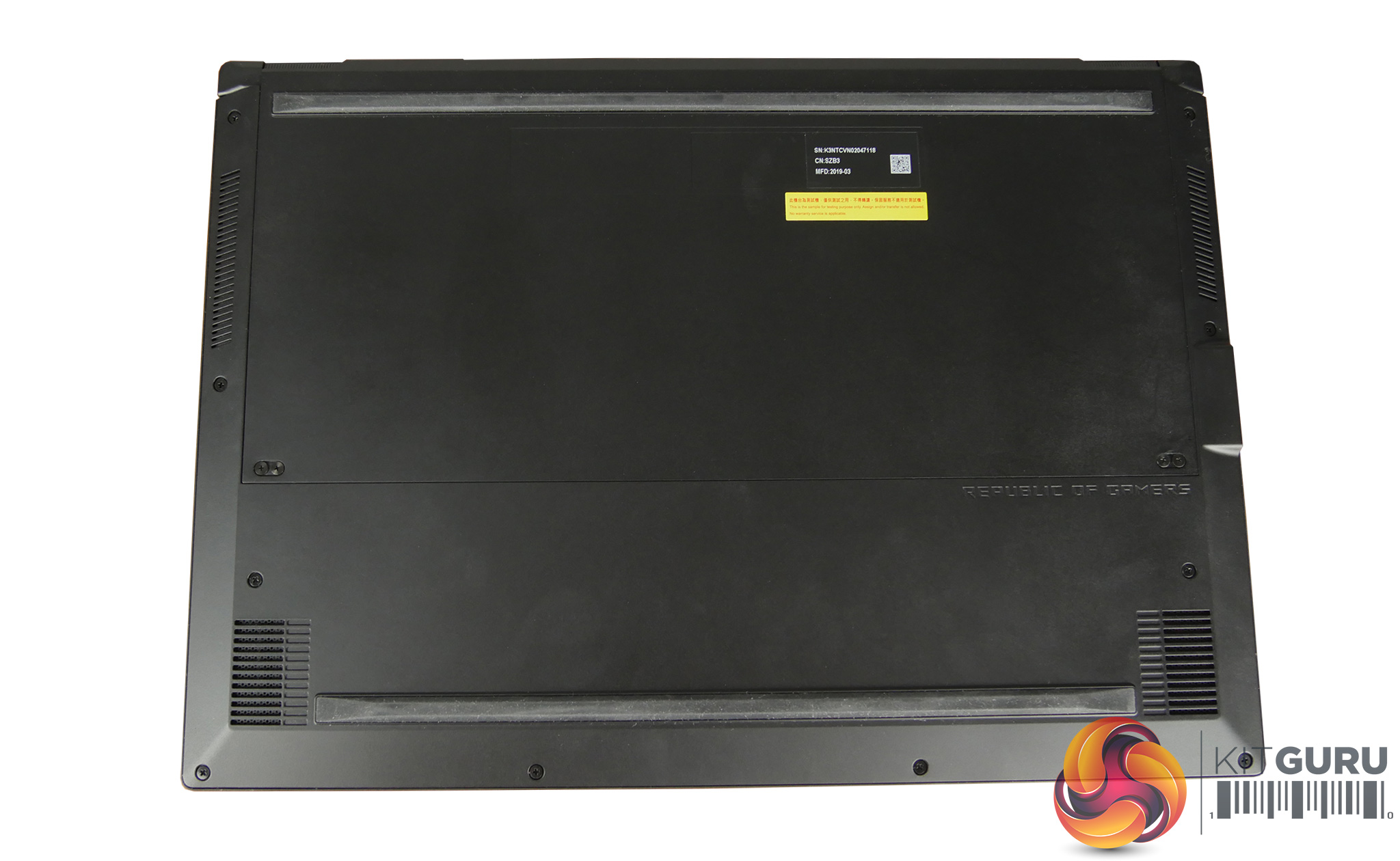
We could not get the back off the laptop to expose the internals and we were unwilling to risk breaking our review sample – the raised hinge cooling system is a complex construction. We asked ASUS for some internal photos so we could showcase the cooling system and the two images above supplied by them detail the copper heatpipe configuration.
All of our testing on the ASUS ROG Zephyrus GX502GW was conducted with the laptop charger plugged in and the highest performance ‘Turbo' profile enabled in the Armoury crate software. This allows the laptop to really stretch its legs and get the highest benchmark scores possible.
CrystalDiskMark:
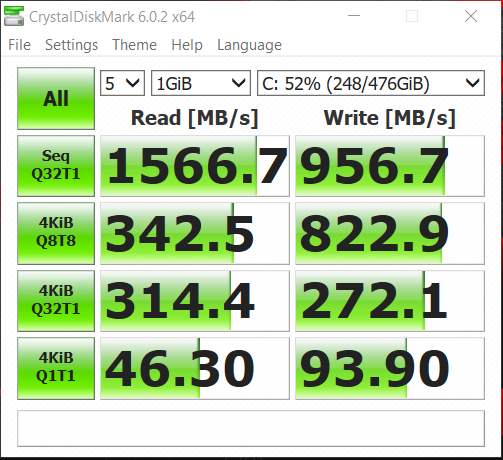
CrystalDiskMark tests the raw speed of a storage device. It uses a test file to write data to or read data from the drive. We test using the default 1GB file size.
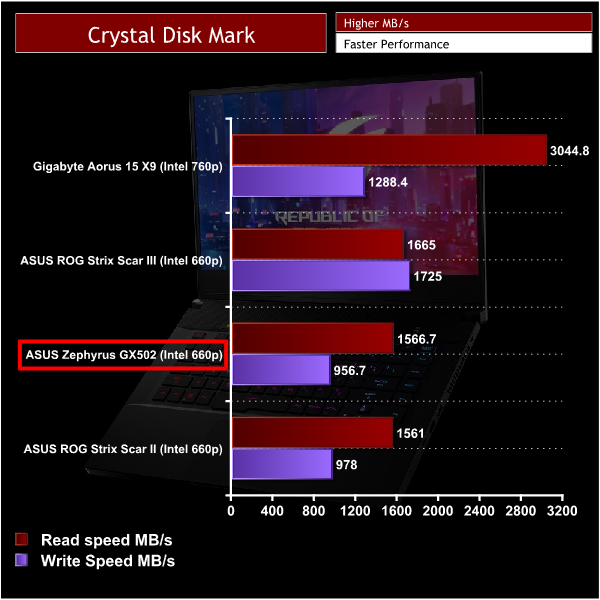
The Intel 660p is an M.2 drive we have seen in a lot of ASUS laptops and it isn't really the fastest drive but it is quicker than a standard SATA based solid state drive and is much faster than a basic HDD.
However the Intel 660p is more of a budget drive and in a laptop at this price point that isn't great. The laptop does feel snappy and responsive but there are much faster drives such as the Intel 760P available in similarly specced laptops such as the Aorus 15 X9.
You also only get the single drive in the Zephyrus and without the addition of a HDD for more storage it is possible you will run out of storage, especially if you have a loaded STEAM library.
Cinebench R15:
Cinebench R15 is a cross-platform testing suite that measures CPU performance. I compared the Zephyrus with some other laptops Kitguru have tested that feature the similar i7-8750H processor for a quick comparison to demonstrate its relative performance.
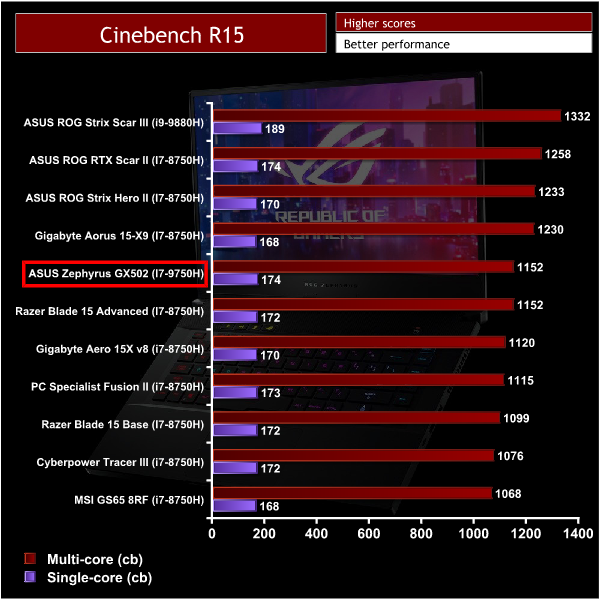
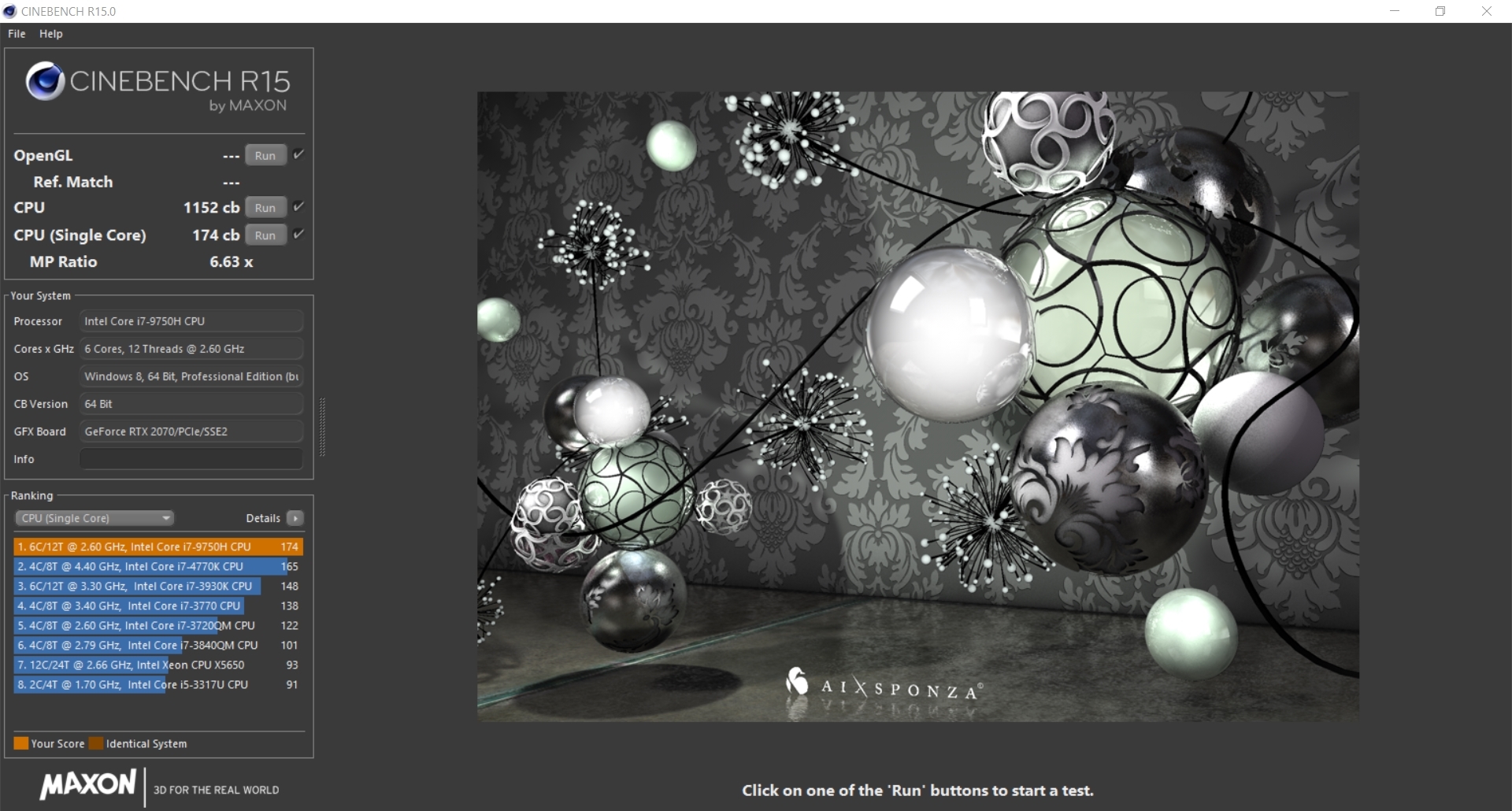
This is the first opportunity I had to compare the I7 9750H to the older I7 8750H and its easy to see there isn't really anything between the two CPUs. Cooling and temperature are the restricting factors when it comes to the performance from both these processors and the GX502 scores about average with a score of 1152.
This is on par with the Razer blade 15 Kitguru tested and there seems to be no advantage in upgrading to the newer i7 9750H processor if you already own a laptop with the i7 8750H.
Cinebench R20:
Improvements to Cinebench Release 20 reflect the overall advancements to CPU and rendering technology in recent years, providing a more accurate measurement of Cinema 4D’s ability to take advantage of multiple CPU cores and modern processor features available to the average user.
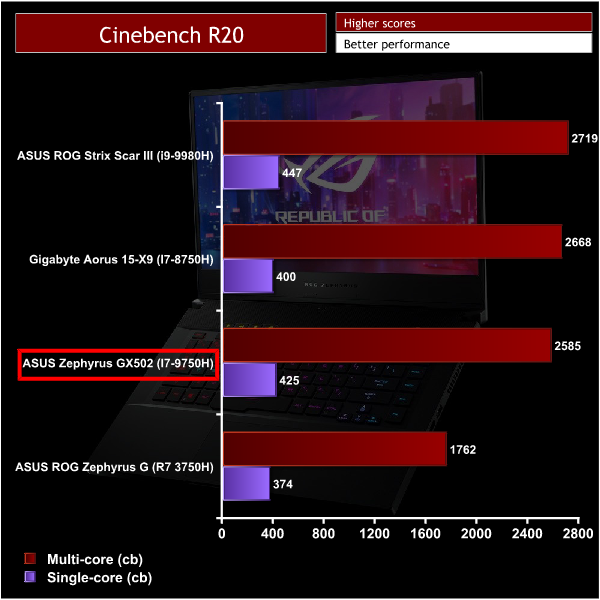
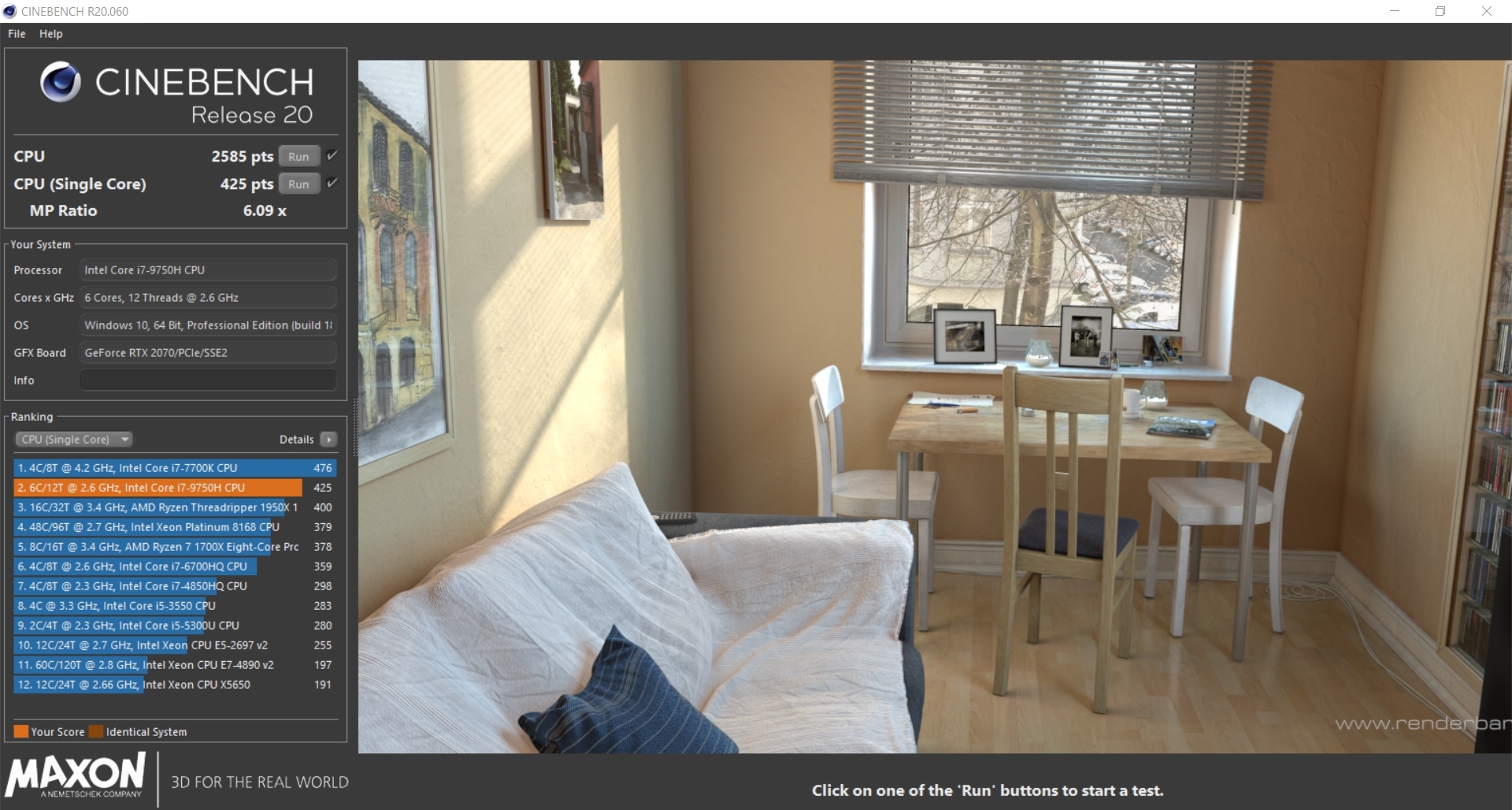
With Cinebench R20 the GX502 Zephyrus gets a very decent score but we once again see there is very little difference between the i7 9750H and its predecessor, the i7 8750H.
Battery Life:
To test battery life I used the ‘Home’ benchmark in PCMark 8. This test isn’t hugely demanding when it comes to computational requirements and, although artificial, it is likely to simulate the sort of stress the laptop would undergo while doing a small amount of video editing, web browsing and word processing. I set the screen brightness to 100%, and the keyboard brightness to 100%.
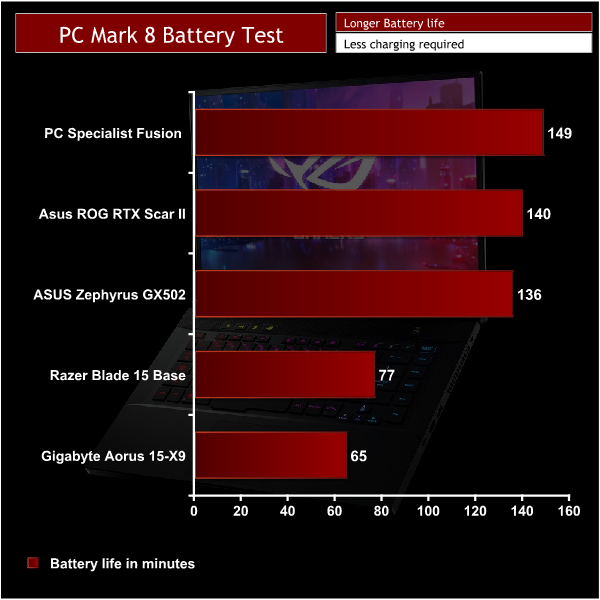
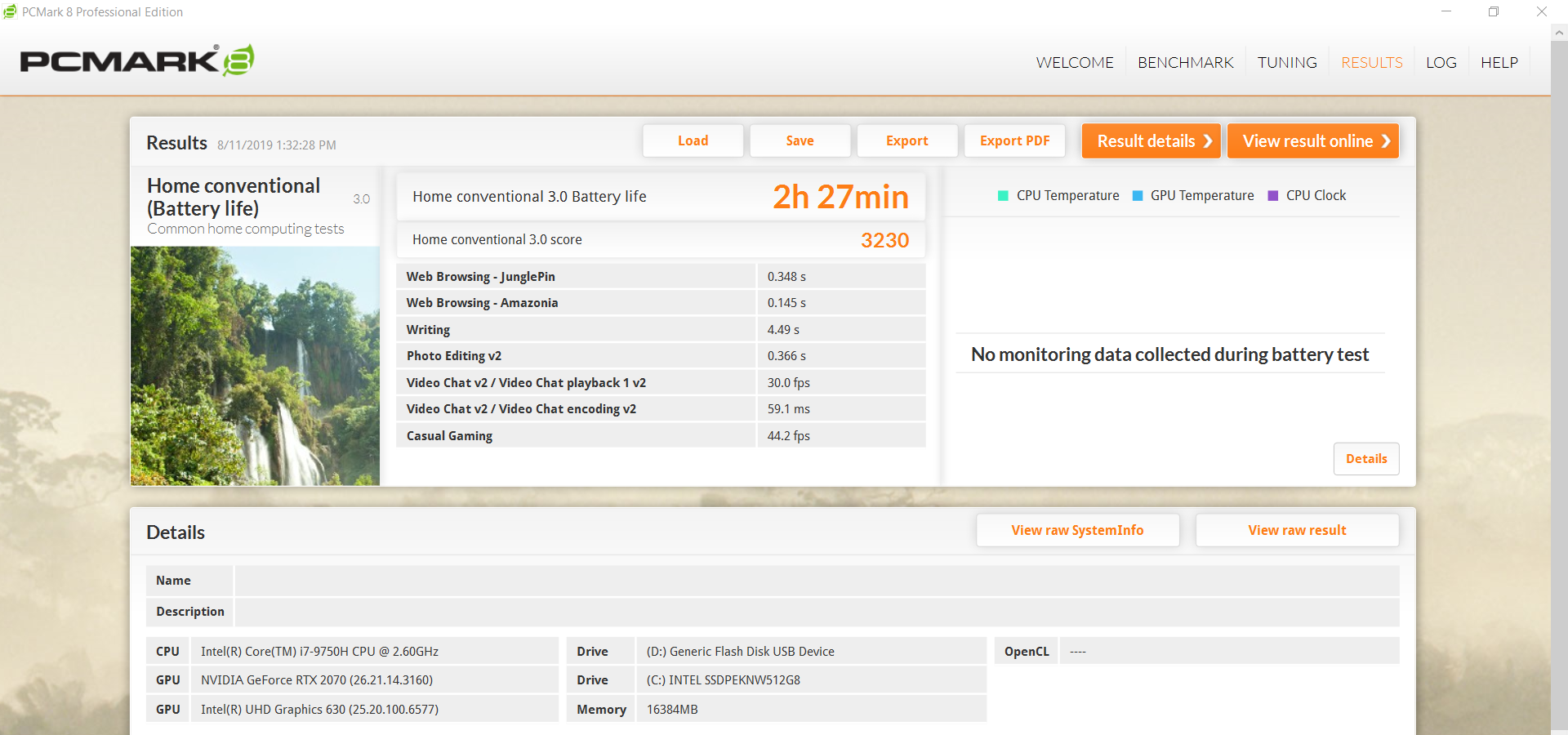
When the Laptop is unplugged it automatically switches down a profile (I tested it while in the ‘Performance' mode option). The fans also get noticeably quieter and the back light dims which is a smart way of preserving battery. The Zephyrus also features Nvidia Optimus technology where the laptop will use the integrated Intel graphics over the dedicated RTX 2070 while under light loads. Because the GX502 lacks a HDD there is a lot more space which allows for a reasonably large 76Wh battery.
All this tech and clever software tweaking means that for a gaming laptop the battery life is actually pretty impressive at just under 2.30hrs. And in a real world situation you could probably expect around 4 hours. That said, on battery, the performance will take a hit so you wouldn't want to game without a charger plugged in but you can spend a decent amount of time using this laptop as a portable productivity machine for simple tasks.
Temperature testing:
I tested the temperatures with the laptop set to ‘Turbo’ mode with the charger plugged in. I ran AIDA 64 for 10 minutes to stress the CPU & GPU simultaneously. AIDA64 is an artificial benchmark and tests the laptops cooling to the max.
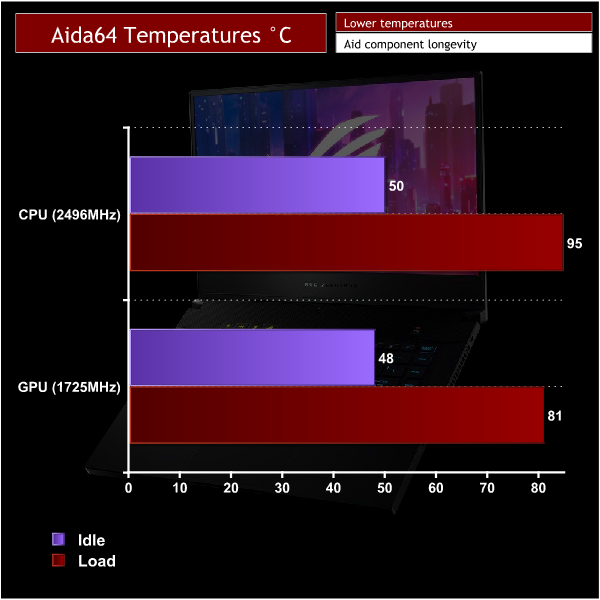
While idle the 50C to 48C temperatures coming from the GX502 are a bit warmer than other gaming laptops Kitguru have tested recently and this translates to load levels also. I would say that the cooling performance in this laptop is below average even for a gaming laptop. Turbo mode allows the laptop to get louder and boost higher but the fans cannot keep the temperature under control in AIDA64.
This is a synthetic benchmark but we saw the CPU clock speed throttle to below the 2.6Ghz threshold and sit at about 2.5Ghz. The I7 9750H requires good cooling to maintain a high boost clock speed and perform well and the GX502 doesn't provide the right environment with load temps reaching an unpleasant 95C.
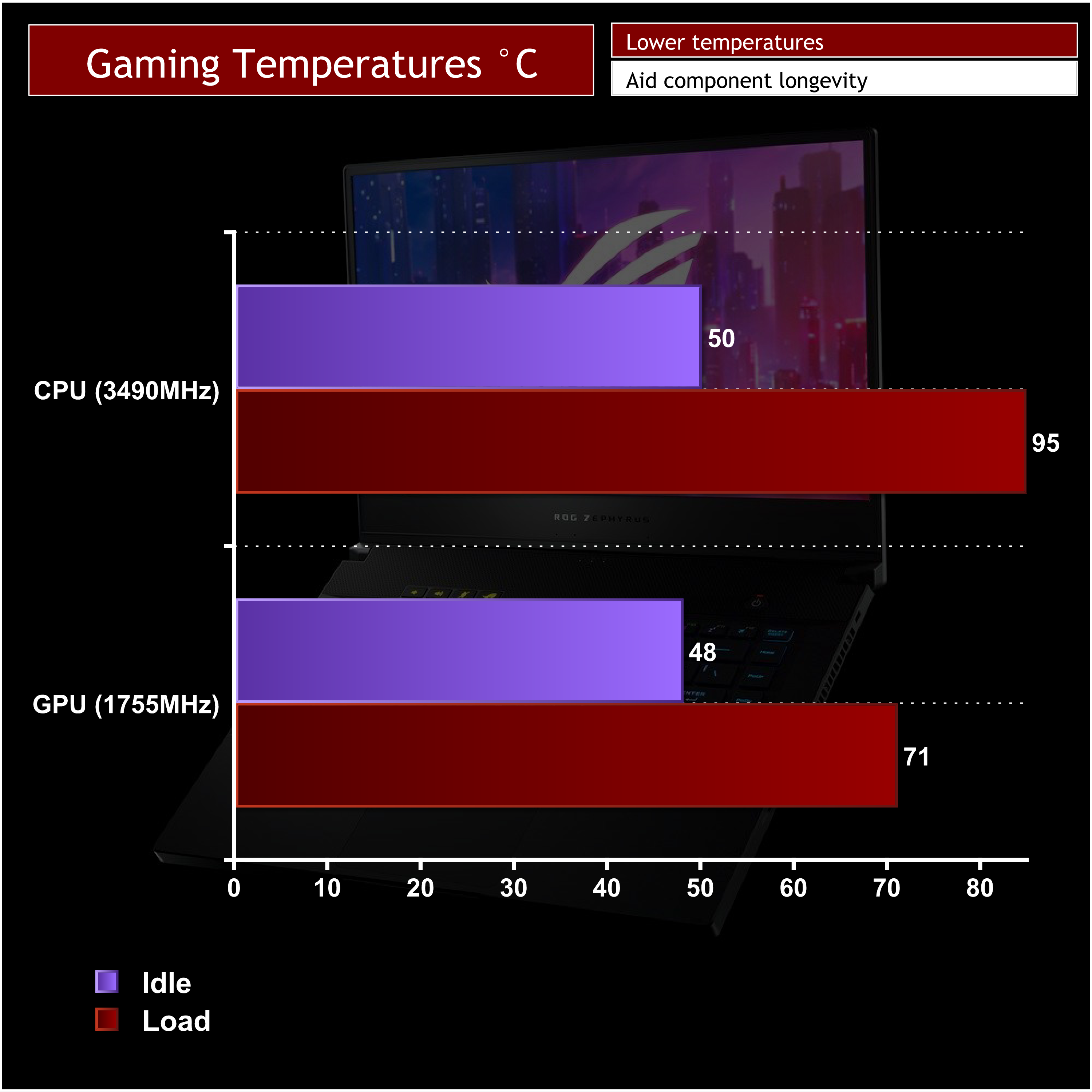
Aida 64 is a worst case scenario but if you're looking to spend hours gaming on this laptop I found it got just as hot while benchmarking games. The laptop was able to maintain a higher boost clock which meant that gaming performance didn't suffer but 95C is not where a CPU should be sitting for a prolonged gaming session.
One thing also worth mentioning when it comes to cooling is that the chassis and keyboard of the laptop gets noticeably warmer and even quite hot in some areas after a long period of use.
The RTX 2070 fairs a lot better and hits a safe maximum of 71C while gaming but the overall cooling performance on this laptop could be better.
Noise levels:
I measured noise levels using a sound meter while the laptop was idle with no programs open, and then during stress testing to get a reading with the system under 100% load.
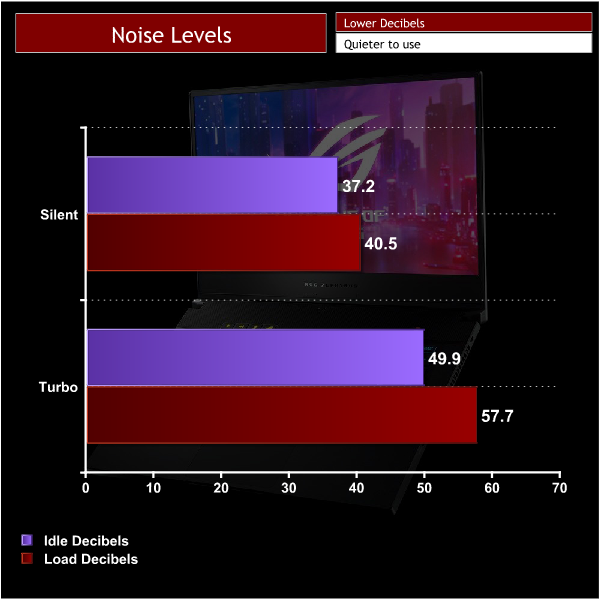
I took decibel readings while the Zephyrus was in both the silent and Turbo profiles which cater to two different scenarios. Fan noise on this laptop isn't as loud as some I have heard but the fans do constantly make an audible noise even in the slightly more restrictive silent profile. However you can do more taxing tasks without much of an annoyance at the expense of reduced performance.
In the Turbo profile which gives the best performance this laptop is too loud for a quiet environment even if you aren't really doing much. The idle level of 49.9 decibels will begin to grate on you and when you push this laptop we measured around 57.7db. This is rather uncomfortable.
The Zephyrus is a thin lightweight laptop with powerful components and unfortunately the compromise is that it runs hot and loud.
3DMark results:
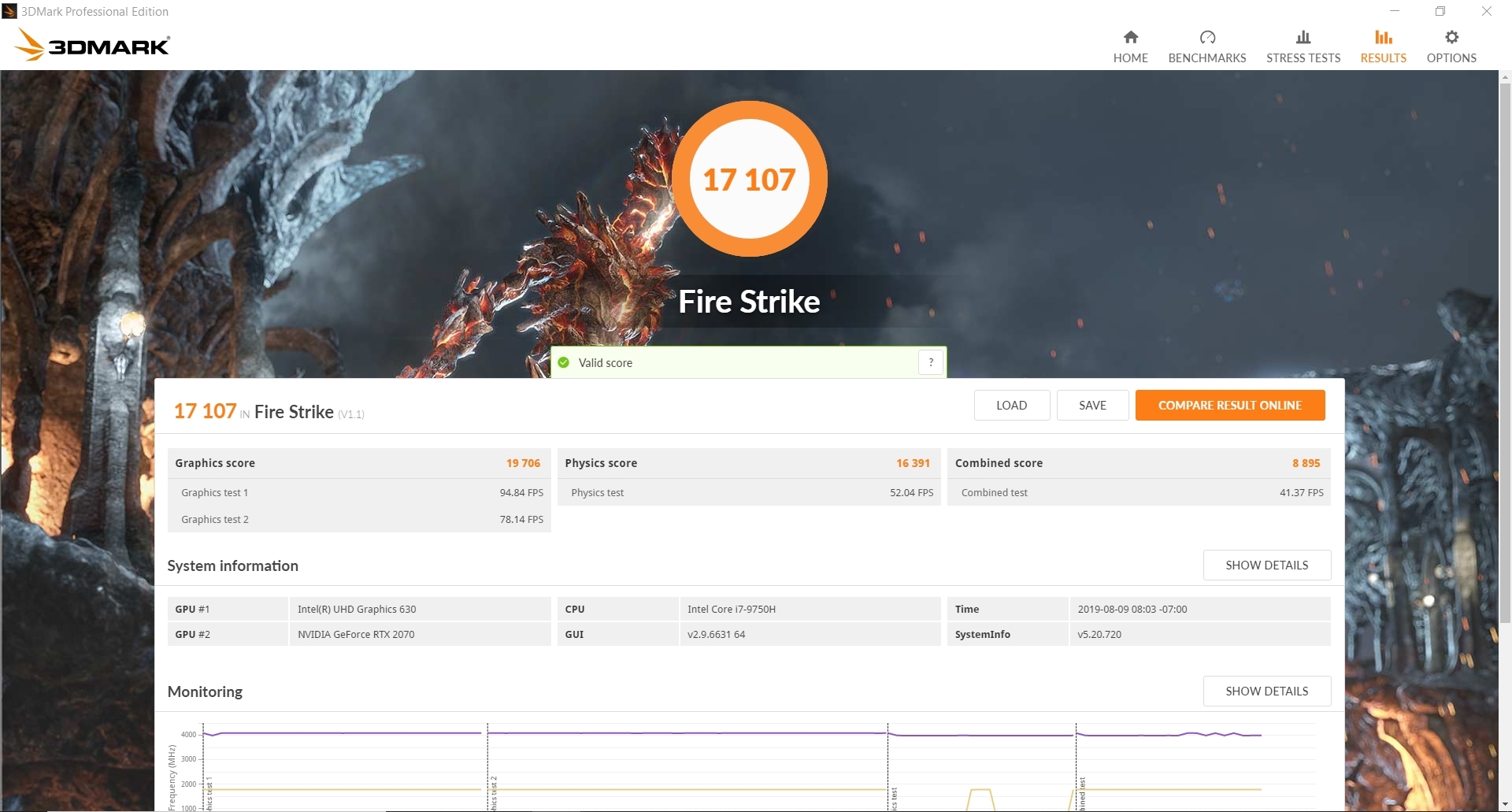
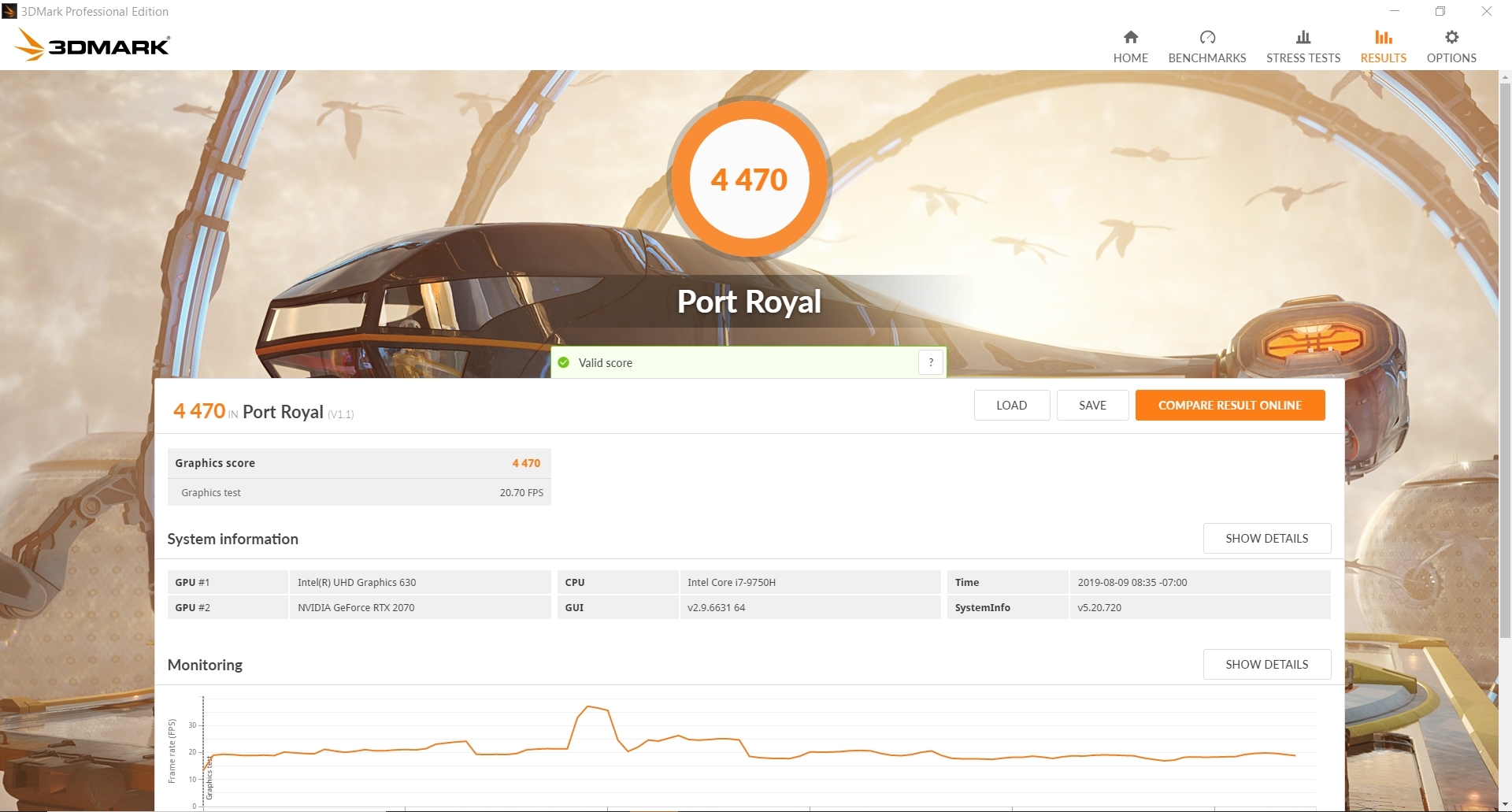
For this test, I ran the ROG Zephyrus through Fire Strike, Fire Strike Ultra, Time Spy and Port Royal which is the new benchmark specifically for ray tracing. In the graphs below you can see it compared against similar laptops. Even though some have similar specifications, slight variations in boost clock speeds caused by fluctuations in temperature have an impact on performance.
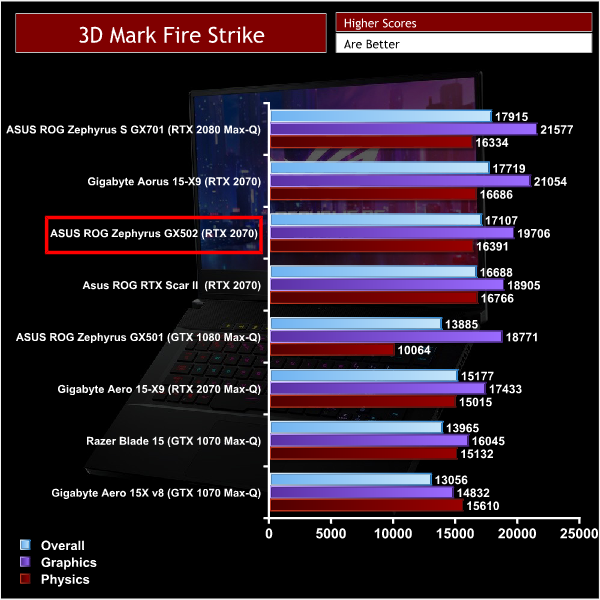
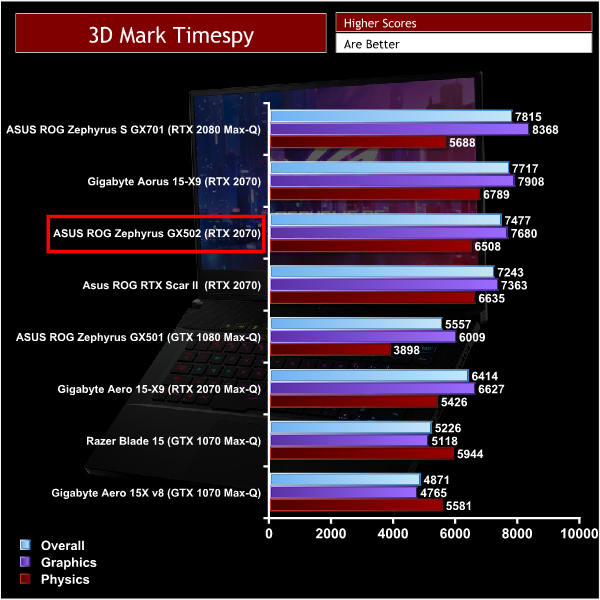
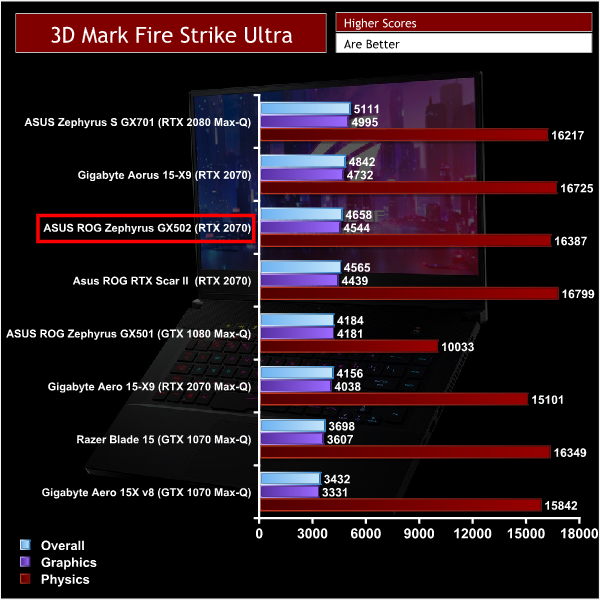
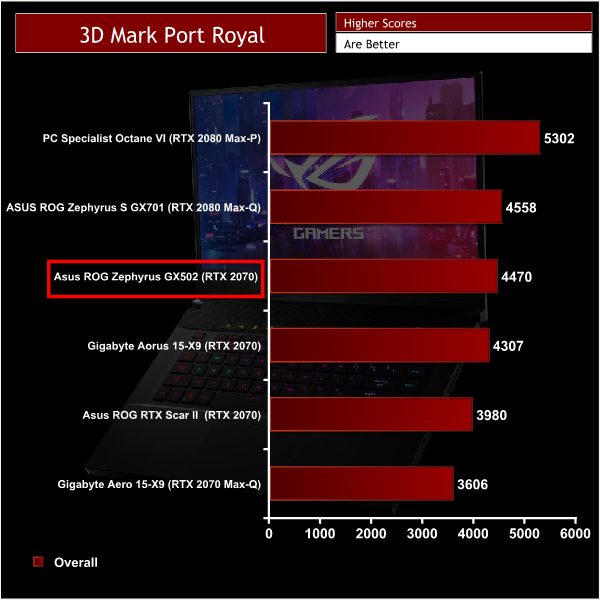
Throughout the 3D Mark testing the Zephyrus GX502 did rather well. The CPU physics scores were a little lower than some of the laptops which as we know is due to cooling restraints. However the High boost the RTX 2070 could achieve allowed the GX502 to climb the ranks and only lose out to Aorus 15-X9 in 3 of the tests.
In Port Royal which tests ray tracing performance the score is surprisingly close to that of a RTX 2080 Max Q equipped laptop.


Gaming performance:
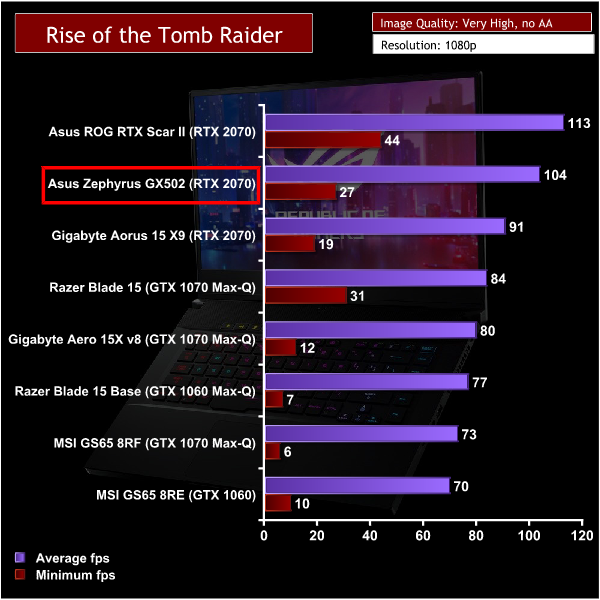
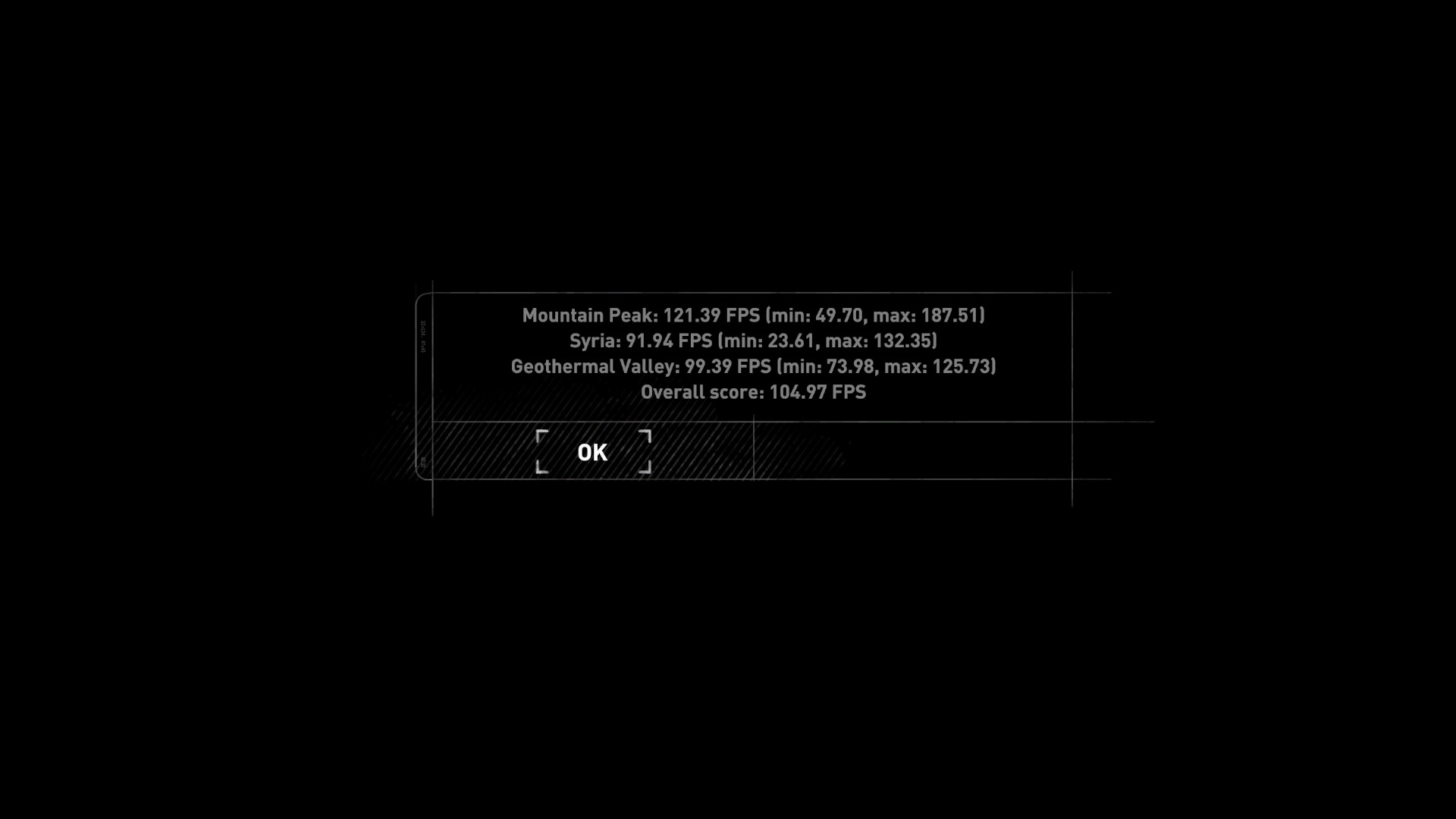
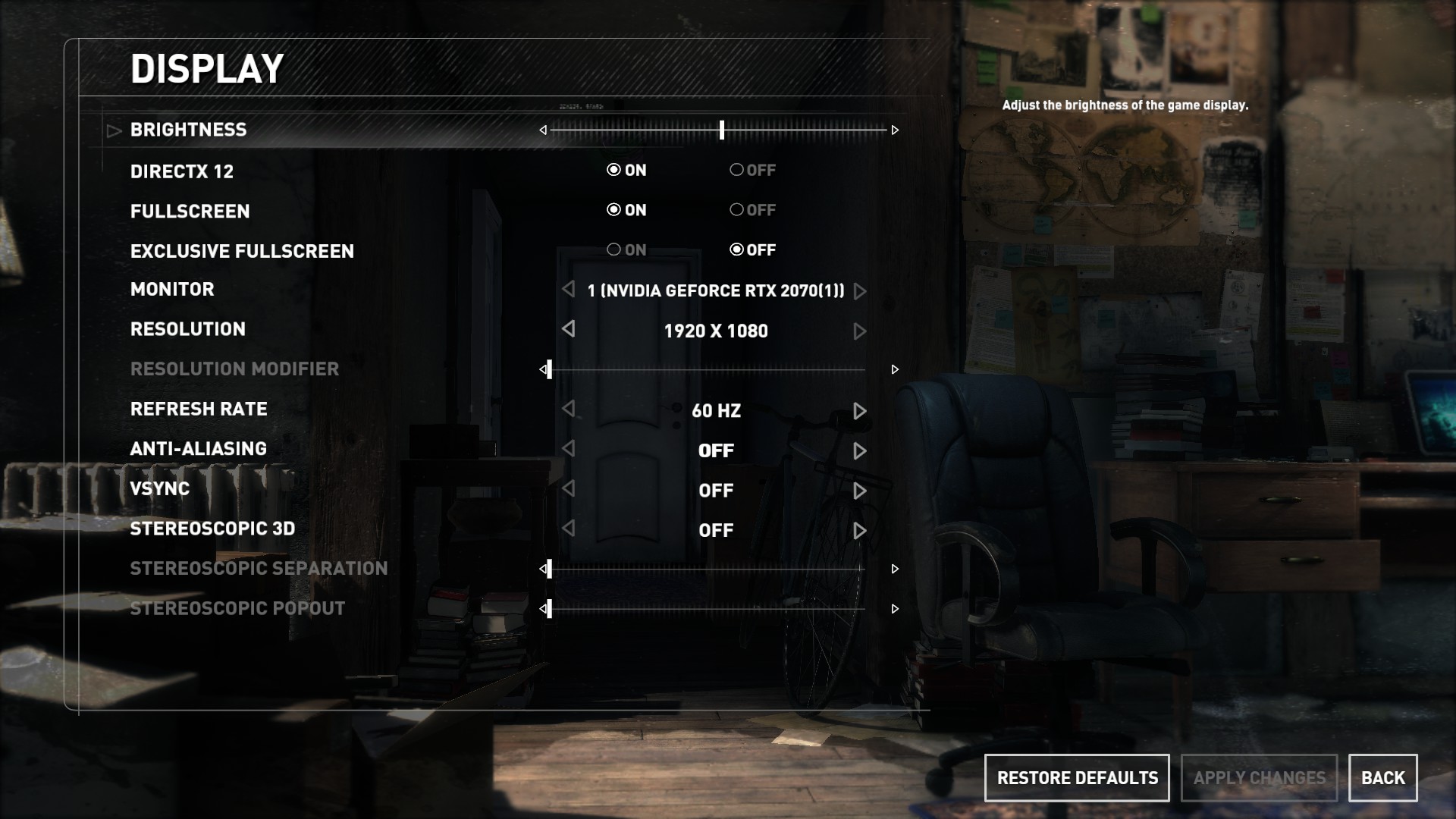
I used the ROG Zephyrus to play 3 different popular and graphically demanding games. I tested the games at their highest graphical settings with DX12 turned on where possible and AA disabled. I then compared the results to other laptops Kitguru have tested.
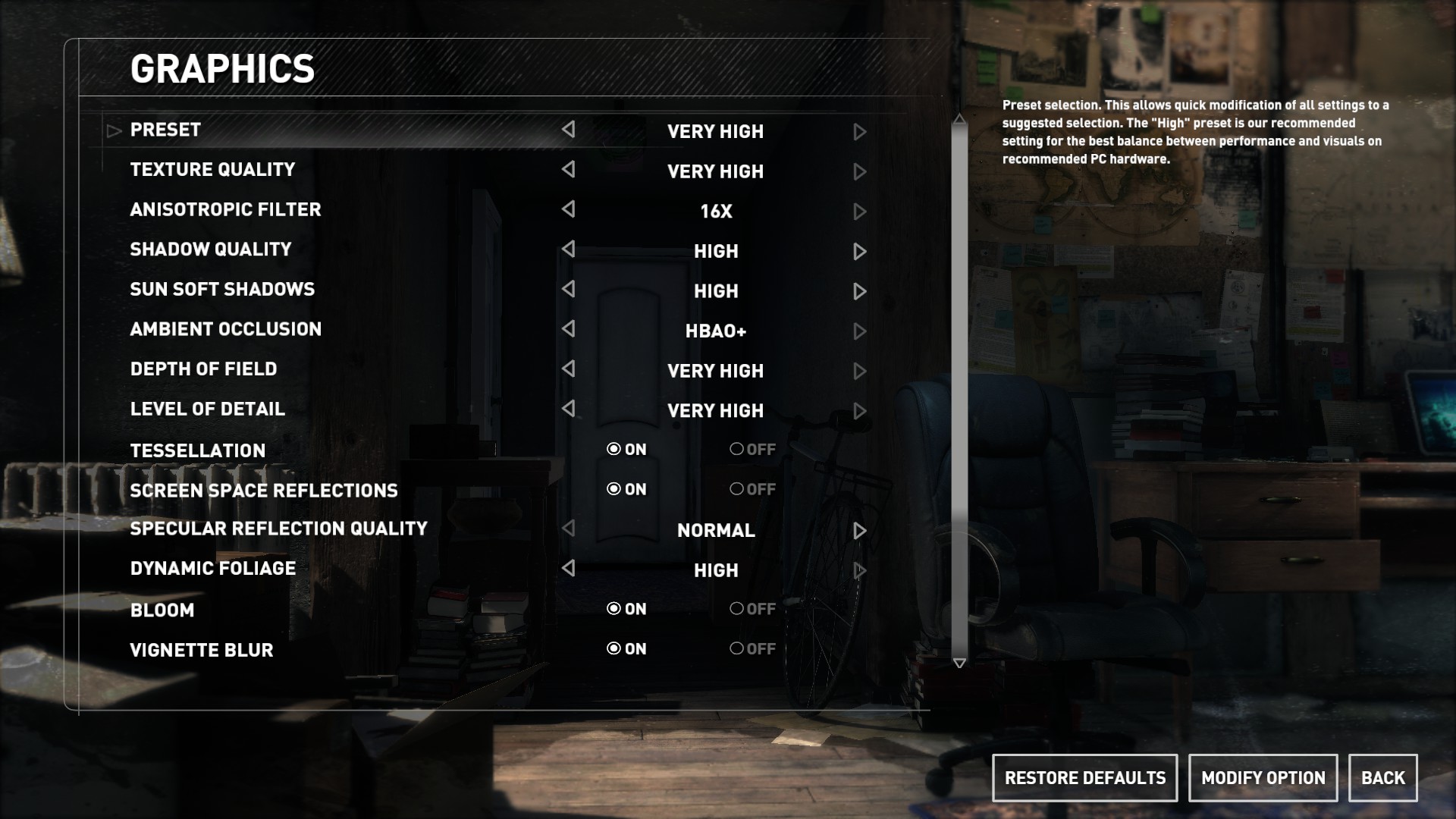
Rise of the Tomb Raider is an action adventure game with many different environments and immersive landscapes making it a useful way to test this laptop’s gaming performance. It was tested on Very high settings with AA disabled.
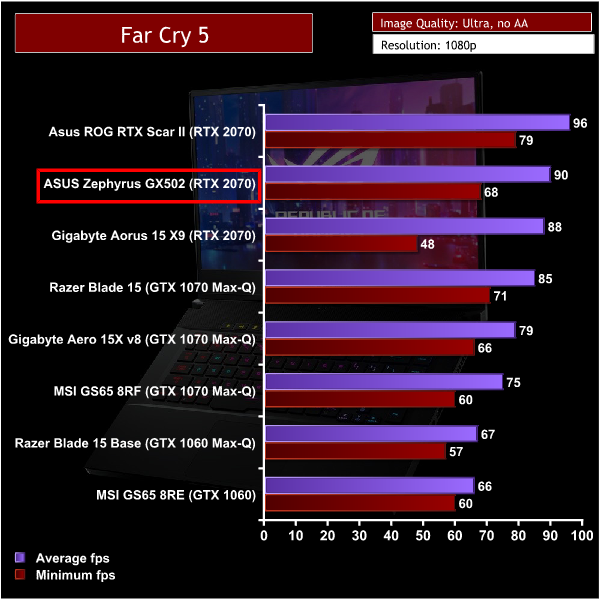
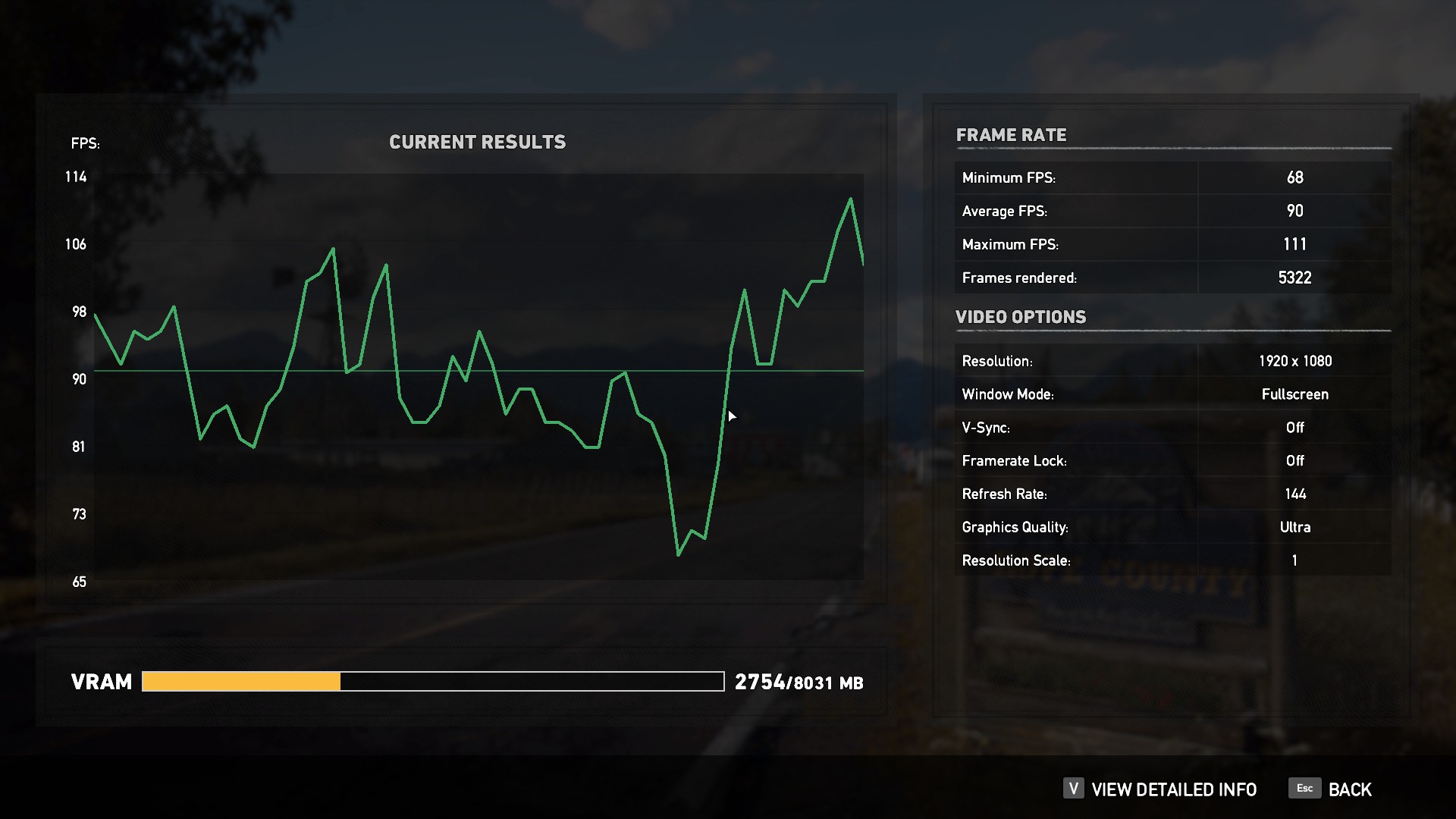
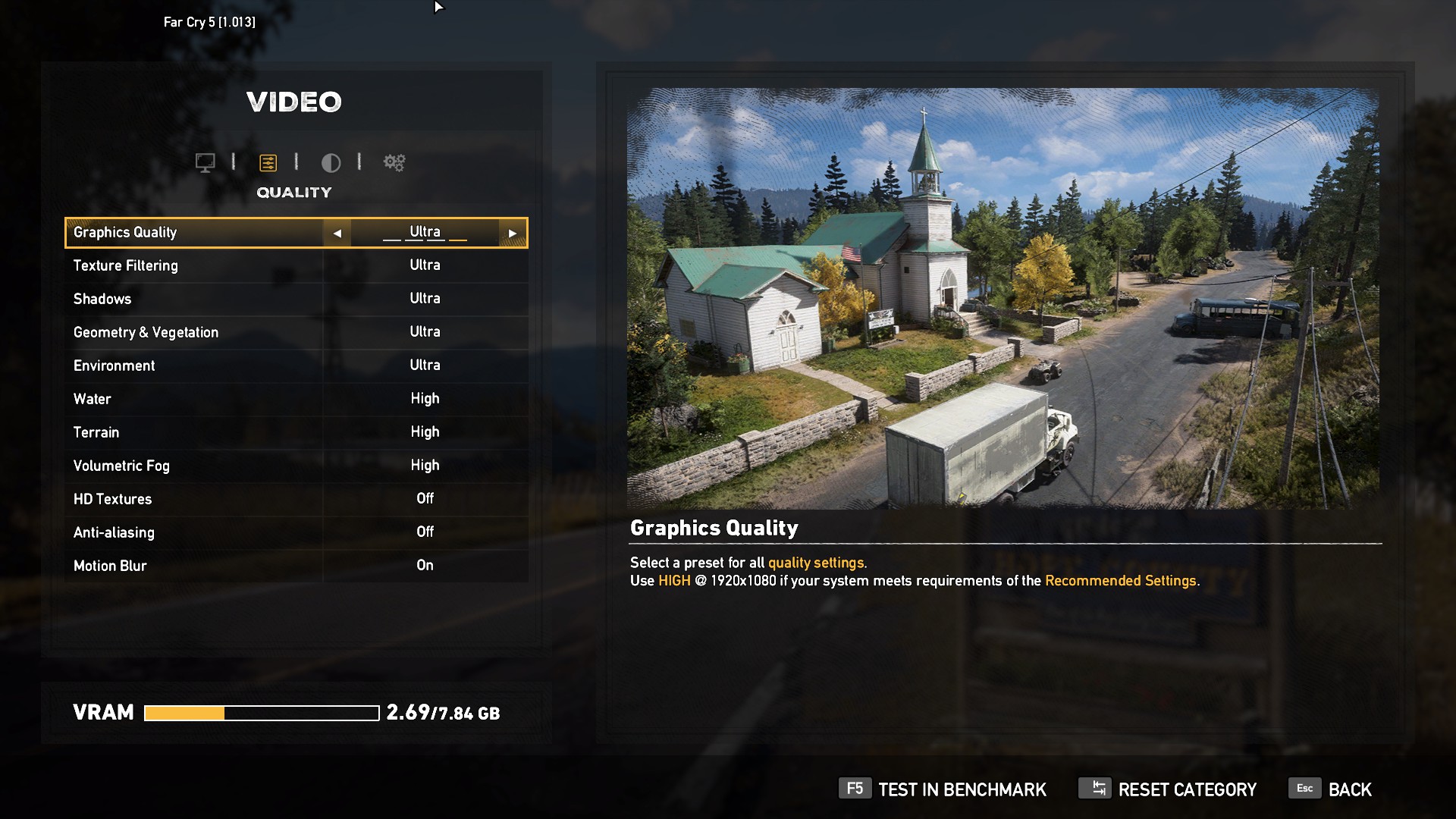
Far Cry 5 was released on March 27, 2018. The gigantic open world of Hope County has plenty of beautiful scenery to test how well this laptop performs with a newer game. We tested on the Ultra preset with AA and motion blur disabled.
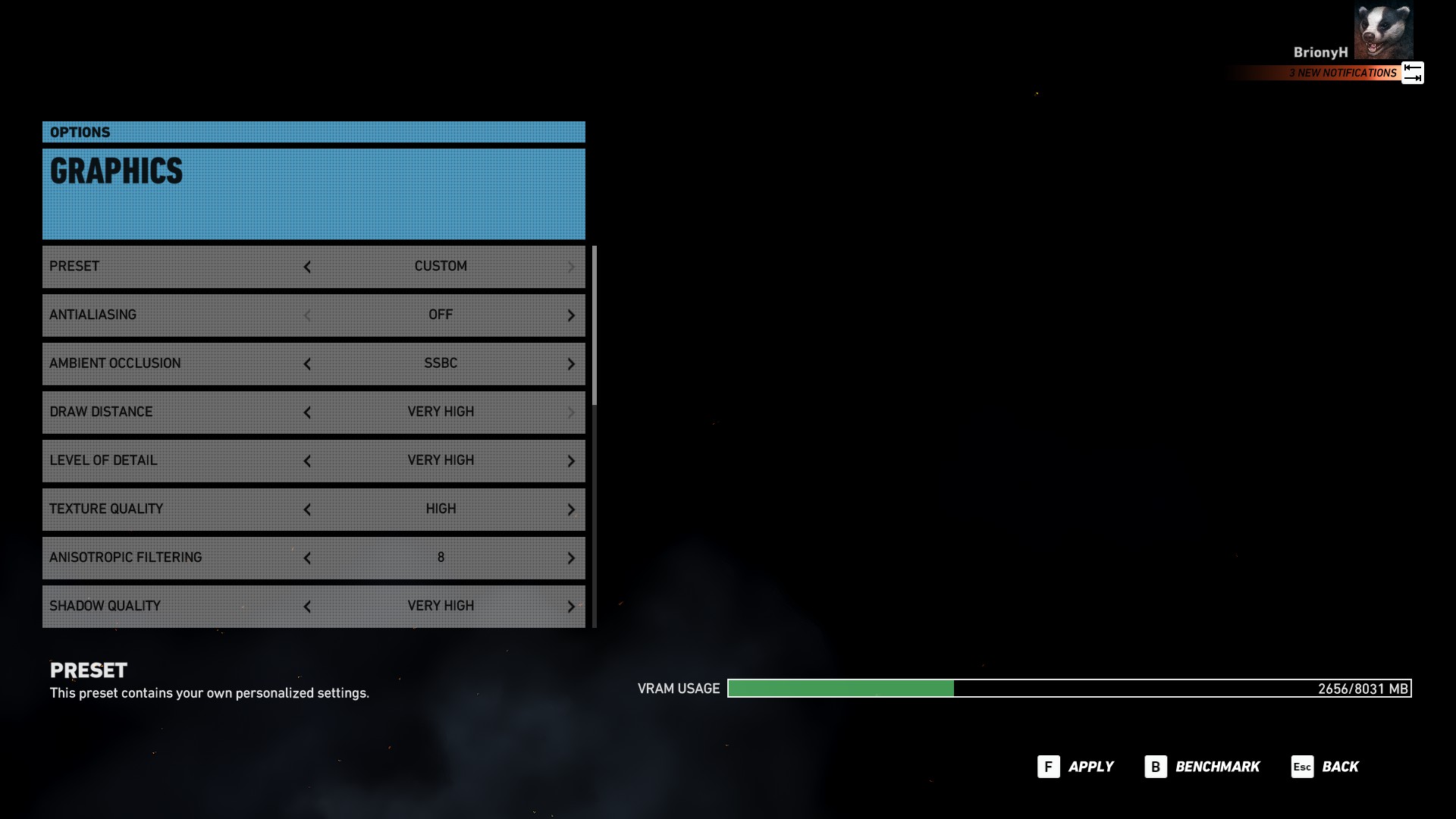
Tom Clancy’s Ghost Recon Wildlands is a game with a superb open world environment. The beautiful scenery of mountains, forests and deserts requires a lot of GPU power to render, particularly on high settings. This demanding game is perfect for testing this laptops gaming performance. We tested on very high settings with AA disabled.
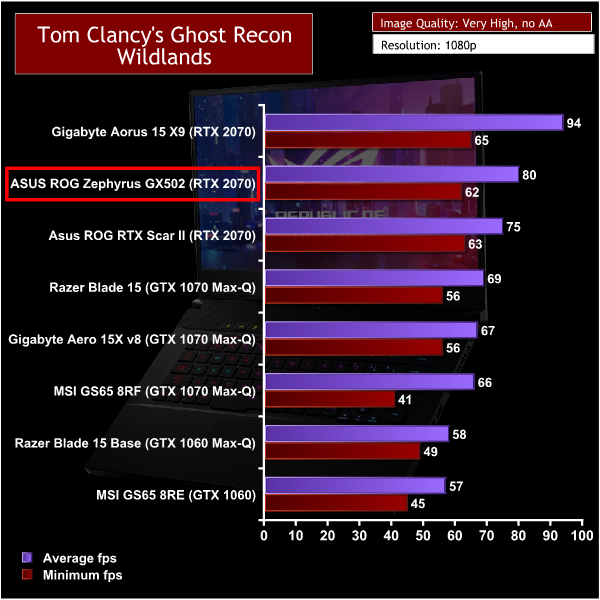
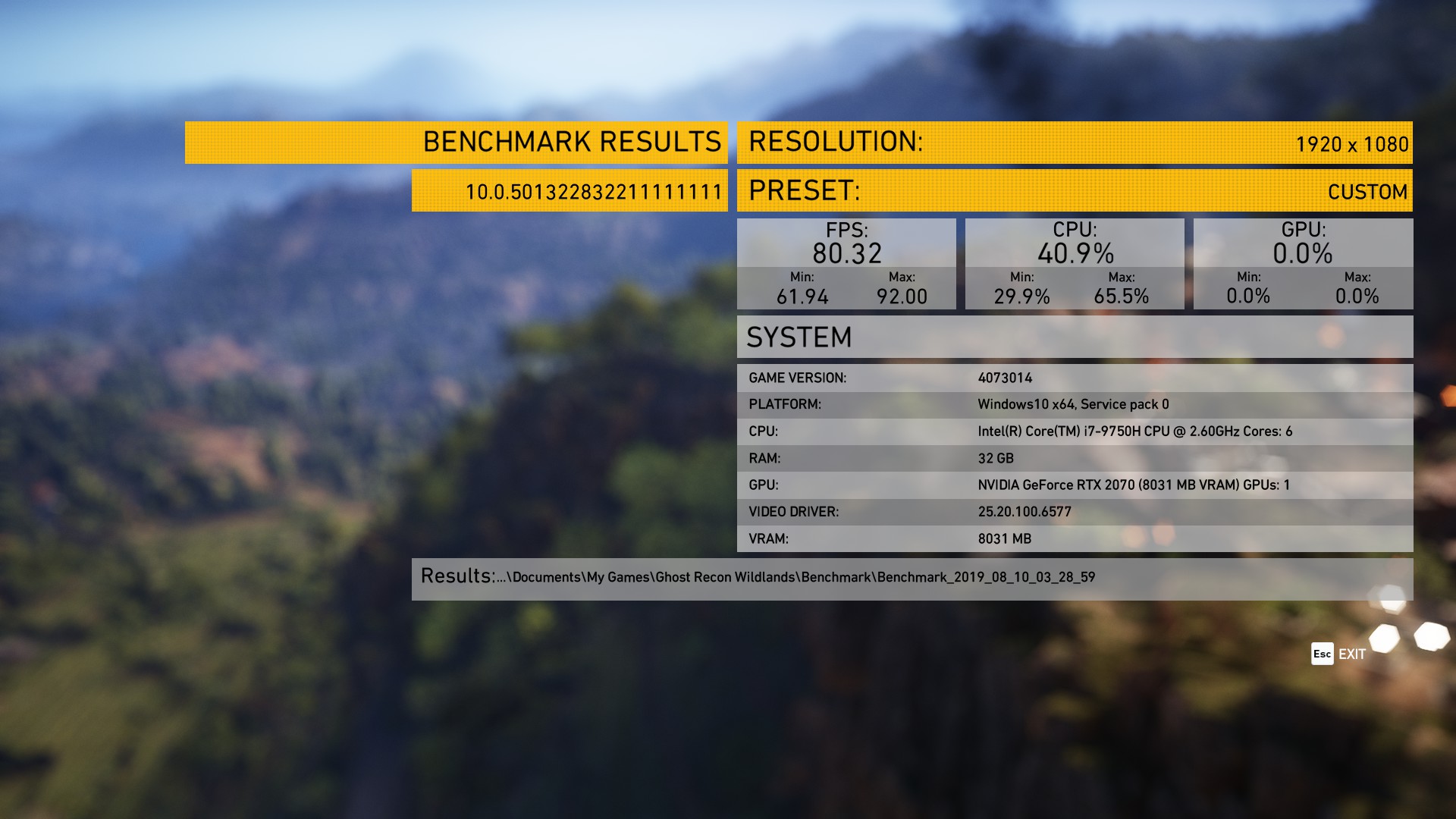
When it comes to gaming the Graphics card is the most important when it comes to getting good FPS and the Gaming benchmarks certainly show this. All of the games we tested are demanding games at their highest settings and the GX502 handles them like a champ.
Because the RTX 2070 is kept at a good temperature it can boost high and mean that the 144hz screen doesn't go to waste with the average FPS never dipping below 60. If you're going to be using this laptop to play older, less demanding games like CS:GO it might be worth opting for the 240Hz display option for an even smoother gaming experience.
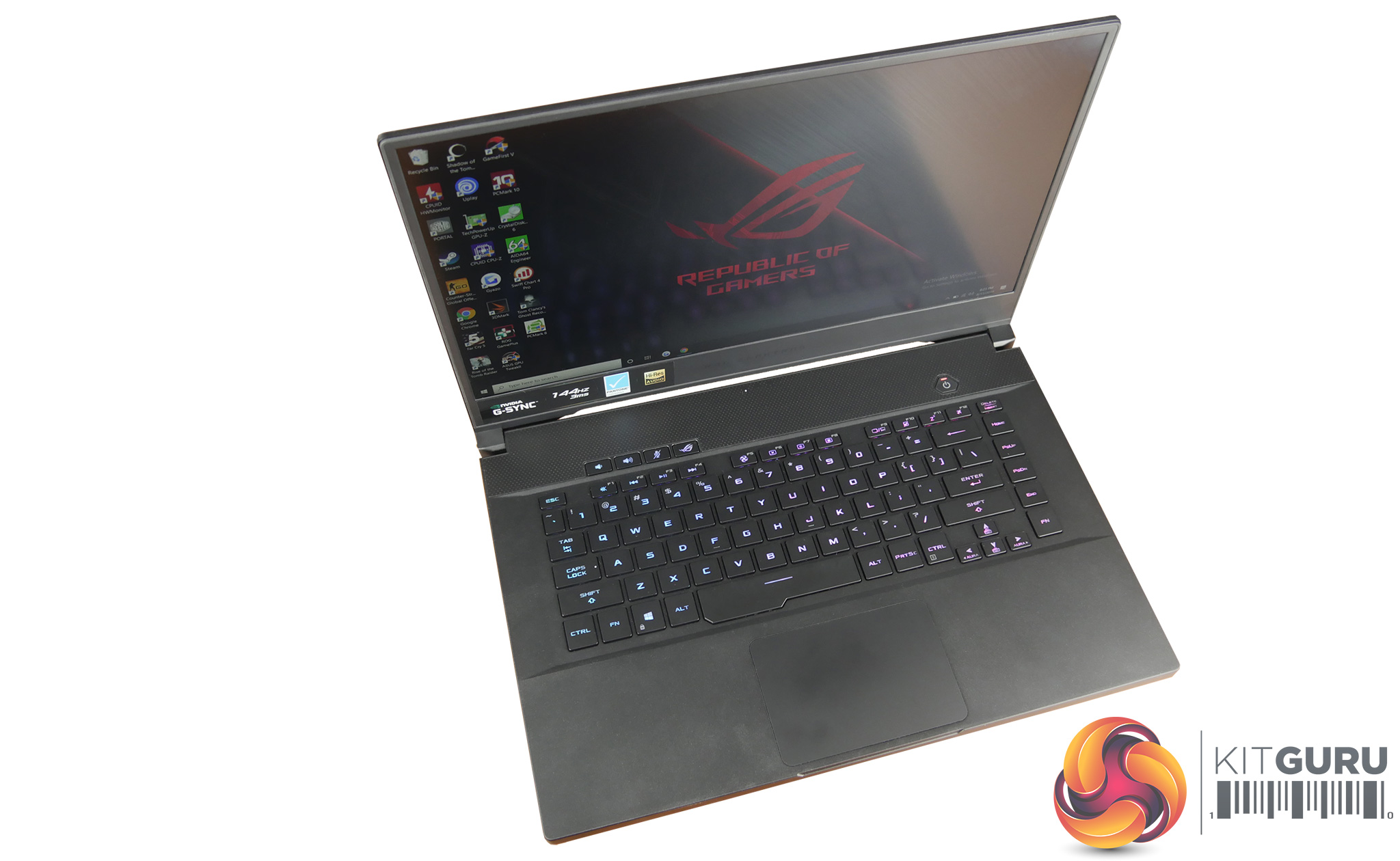
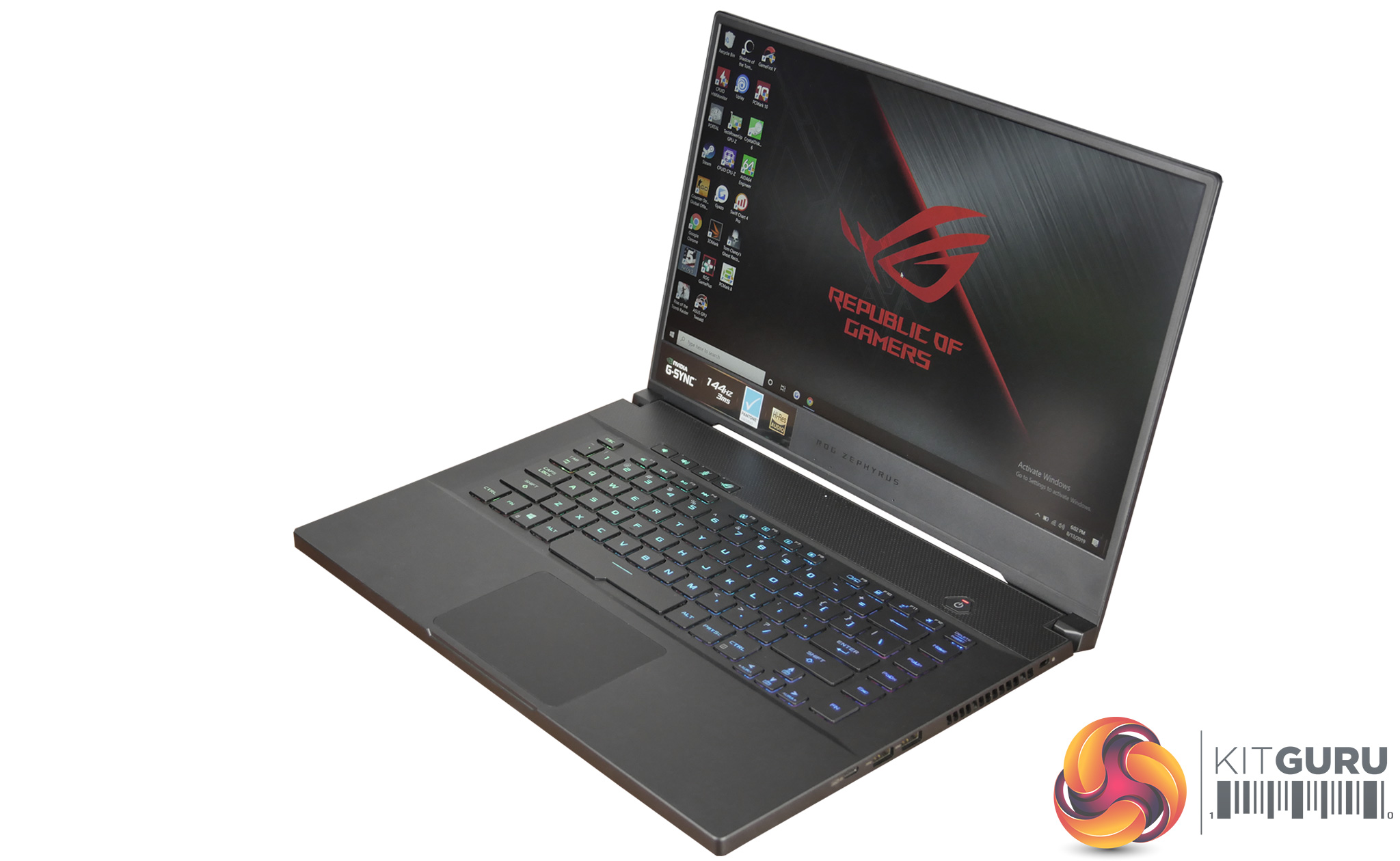
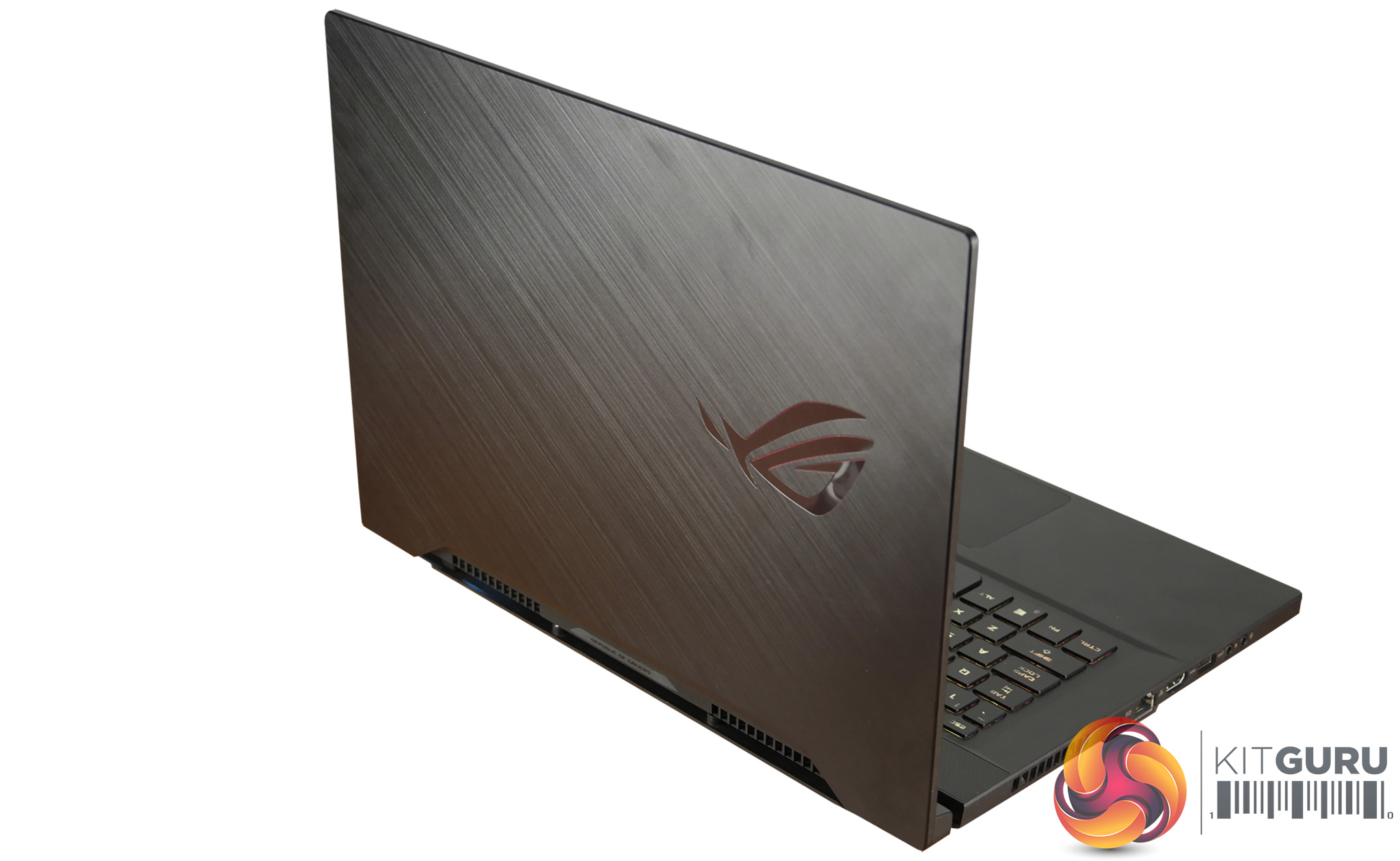
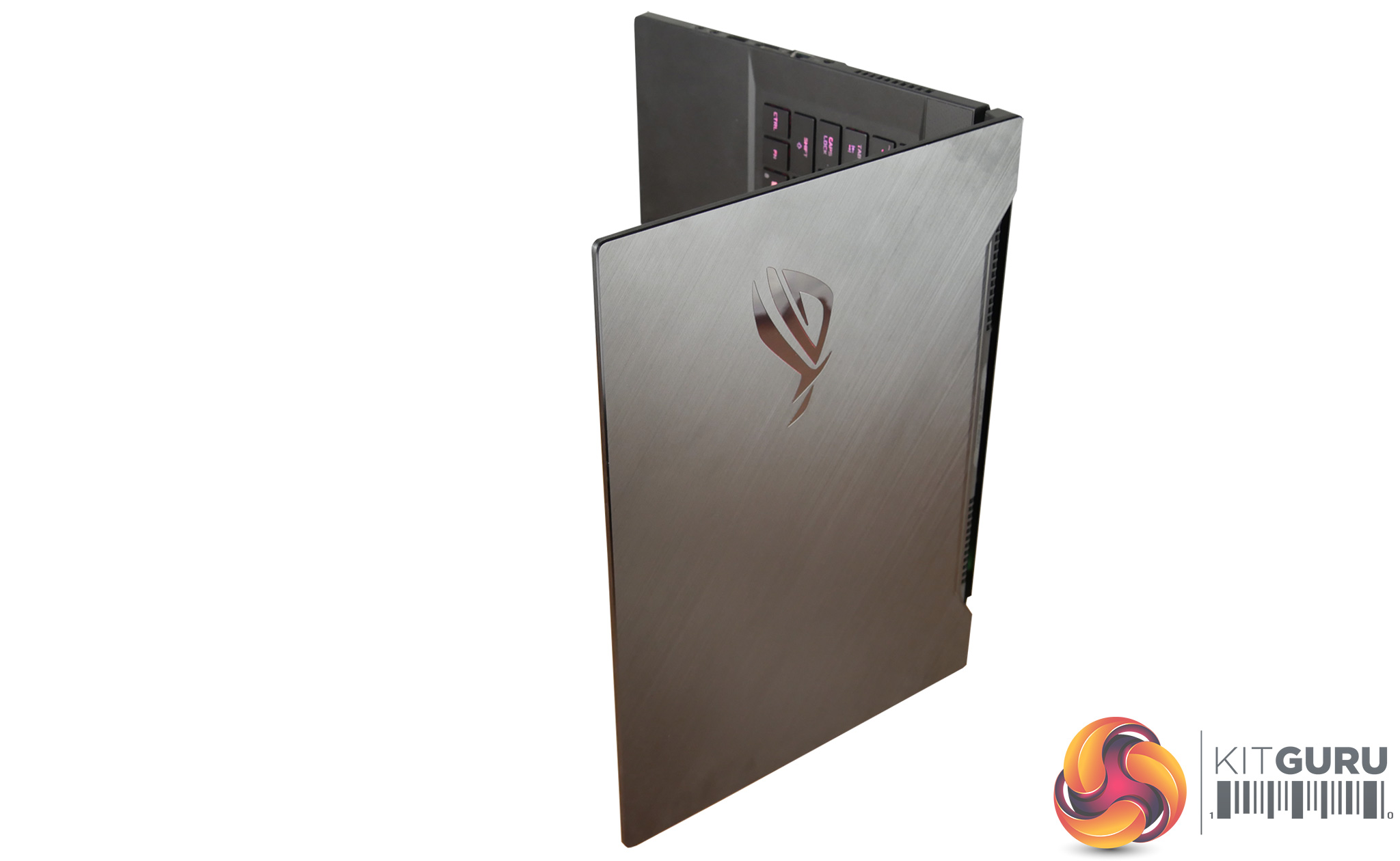
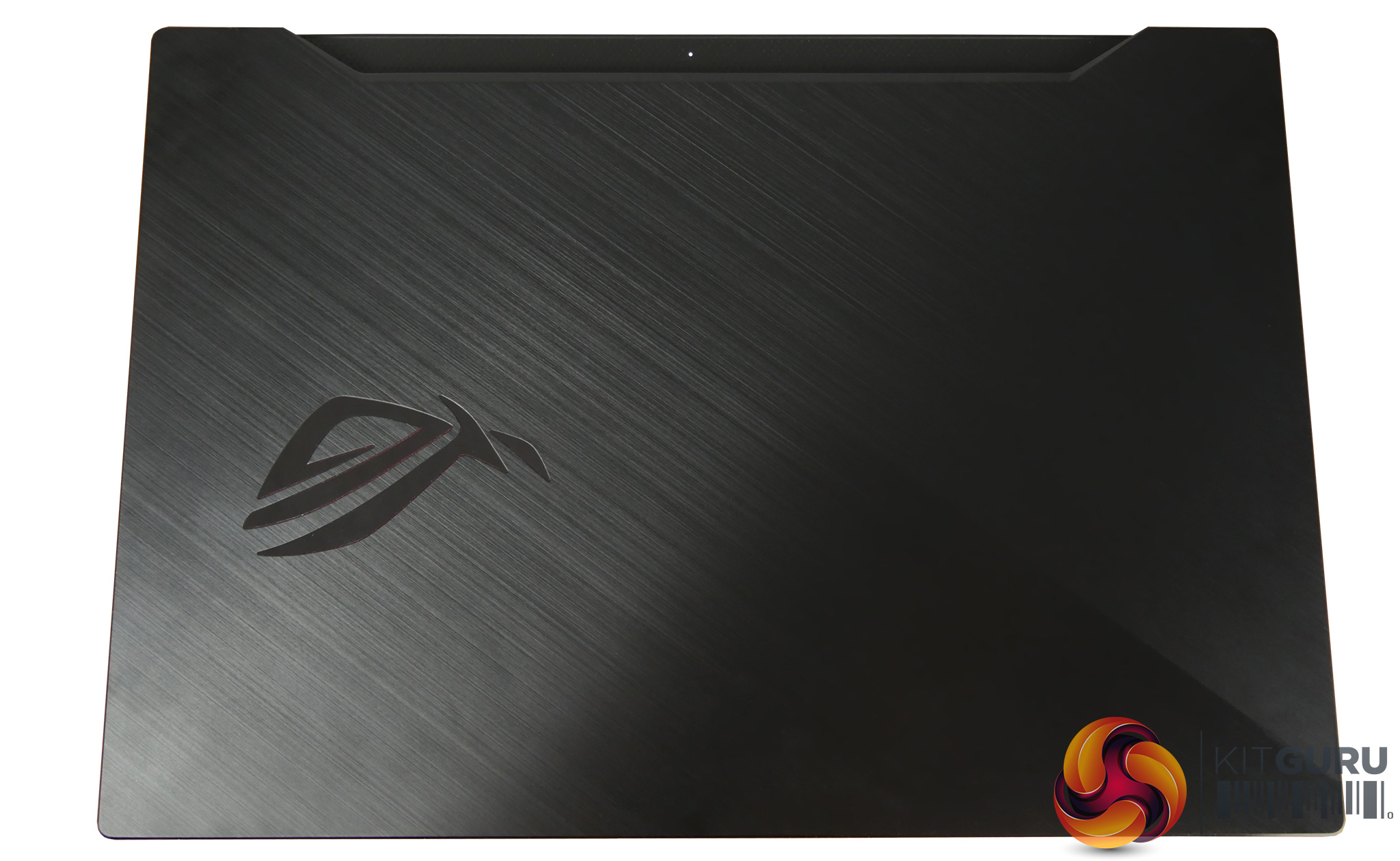
The Asus Zephyrus GX502 is a high end laptop and as such it benefits from excellent build quality and aesthetics. You can immediately tell it is a premium laptop thanks to the RGB lighting, brushed aluminium finish and attractive thin bezel design. The entire chassis is remarkably thin yet there is no flex and it is build to a very high standard.
The lid opens smoothly to reveal an excellent display which ticks pretty much every box. You will have to disable Nvidia Optimus to enable G sync functionality but the clever Optimus technology is well worth having when you use this laptop on the go. Performance is restricted significantly but the battery life is impressive, meaning that it can be used for work during the day and play at night.
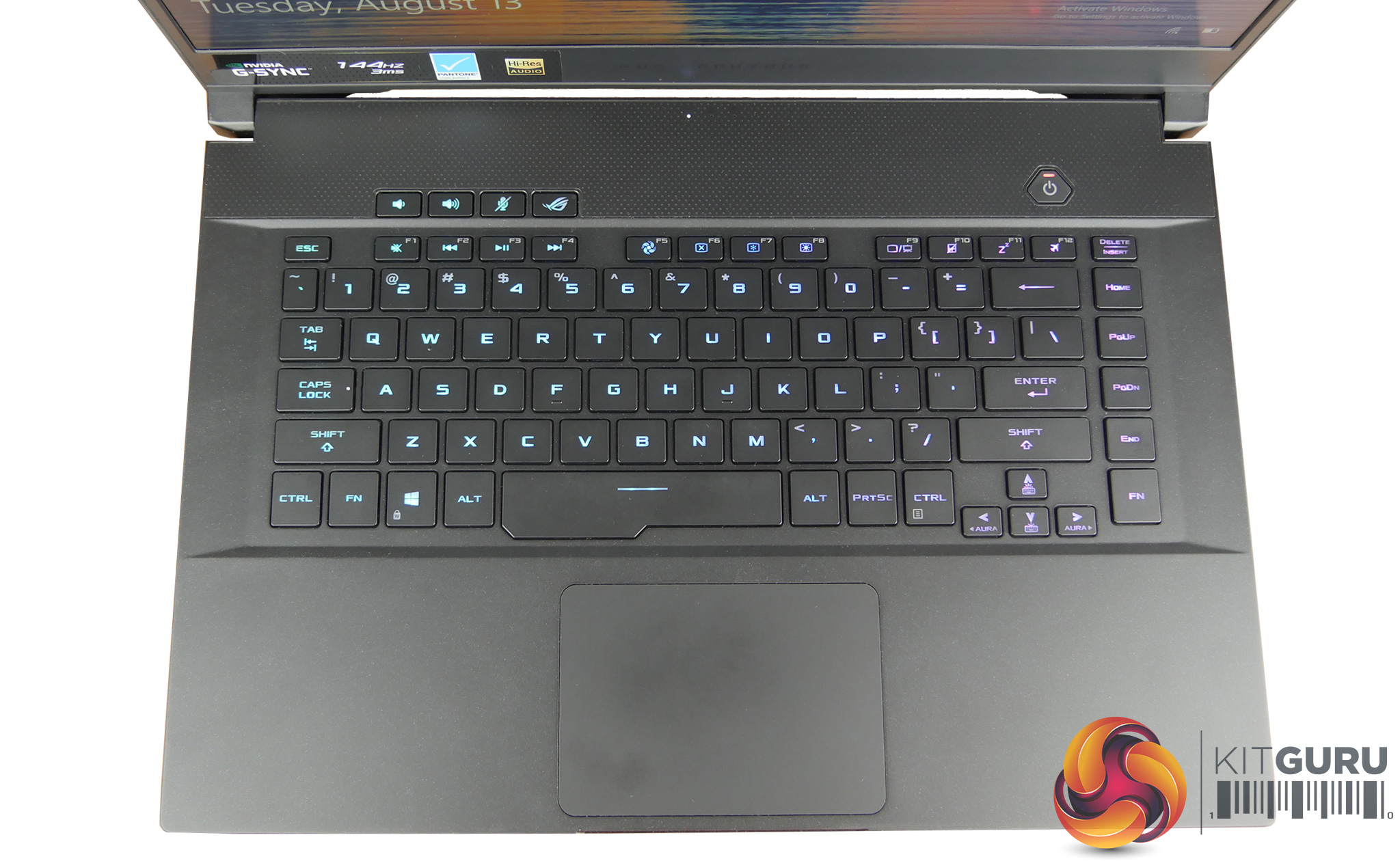
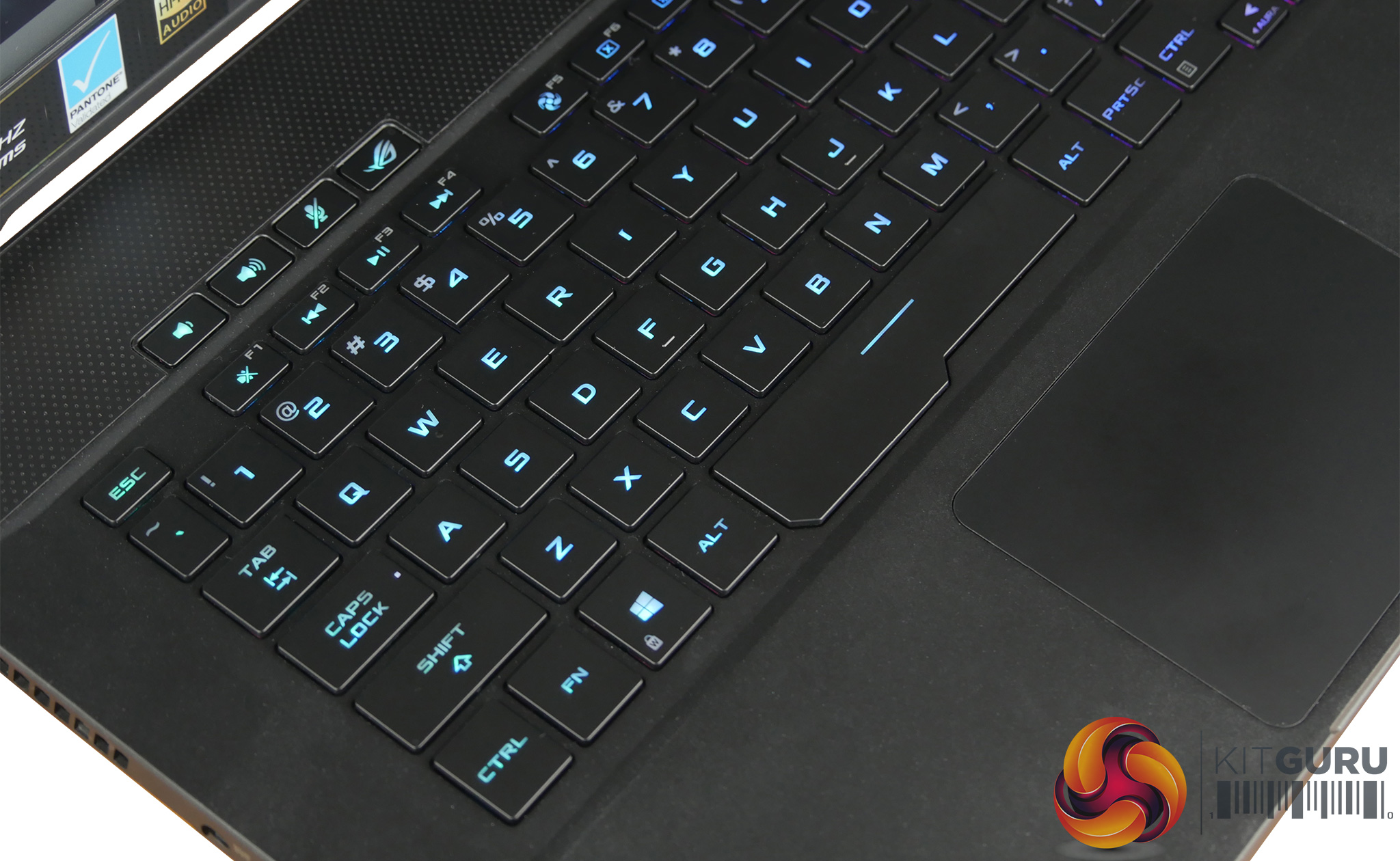
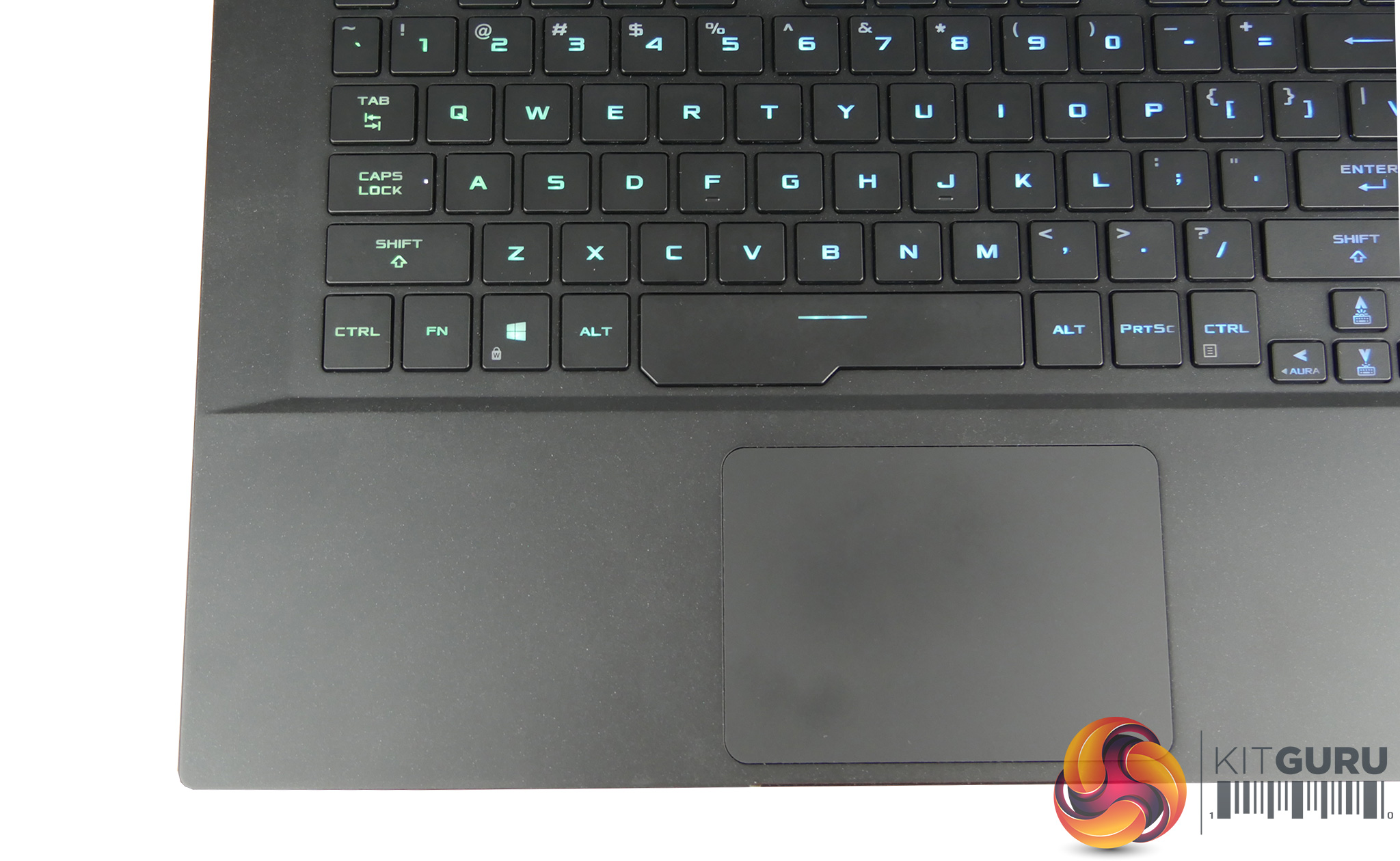
The ROG Armoury Crate software can be opened with the press of a button and it makes monitoring and changing profiles on the laptop a breeze. It's also where the Aura lighting is controlled which has plenty of effects to choose between and customize. Other functions like the keyboard and touch pad are good to use, responsive and easy to adapt to. The speakers produce a decent sound for such as small chassis however the lack of a webcam might be a disappointment for professional users.
When it comes to performance the GX502 scored well in all of the benchmarks and you won't be disappointed by its gaming prowess which takes full advantage of the 144hz display. However the updated i7 9750H provides no real improvement over its predecessor and the GX502 cooling system struggled to keep the CPU cool.
My closing thoughts for the ASUS Zephrus GX502GW are mixed and I will elaborate for those of you who haven't read the whole review from the beginning.
This ASUS laptop is finished to the highest standards, it is a beautifully designed, svelte laptop. The thin bezel adds to the modern design appearance. My main concerns are based around the cooling system and the noise and heat it produces.
Even in the silent profile fan noise is clearly audible and that is when the CPU performance is restricted quite significantly. I also found that large areas of the chassis heat up after about an hour or so of normal, non intensive use.
We feel it is acceptable for a laptop to get hot around the vent areas but with the entire keyboard and wrist rest getting uncomfortably warm it becomes a rather unpleasant laptop to use. There are other competitor products on the market which are just as loud but they cool more effectively and we feel that ASUS need to work on the cooling system for future revisions of this system for it to become a serious solution for the demanding enthusiast user.
Pros:
- RGB lighting
- Great build quality
- Excellent 144hz, G-Sync, 3ms, Pantone thin bezel display
- Responsive, easy to use touch pad and keyboard
- Good battery life for a gaming laptop
- Decent usable speakers
Cons:
- Hard to access upgradable components
- Gets too hot
- Fans make audible noise constantly
- Chassis and keyboard get hot
- Below average storage
- High price tag
- Lack of a webcam
Unfortunately we cannot find our review sample for sale in the UK however the slightly better specced 240Hz model can be found HERE

Kitguru says: The ROG Zephyrus GX502 is a fantastic looking system, its both svelte and powerful, but it runs very hot and emits a lot of noise under load.