KitGuru KitGuru.net – Tech News | Hardware News | Hardware Reviews | IOS | Mobile | Gaming | Graphics Cards


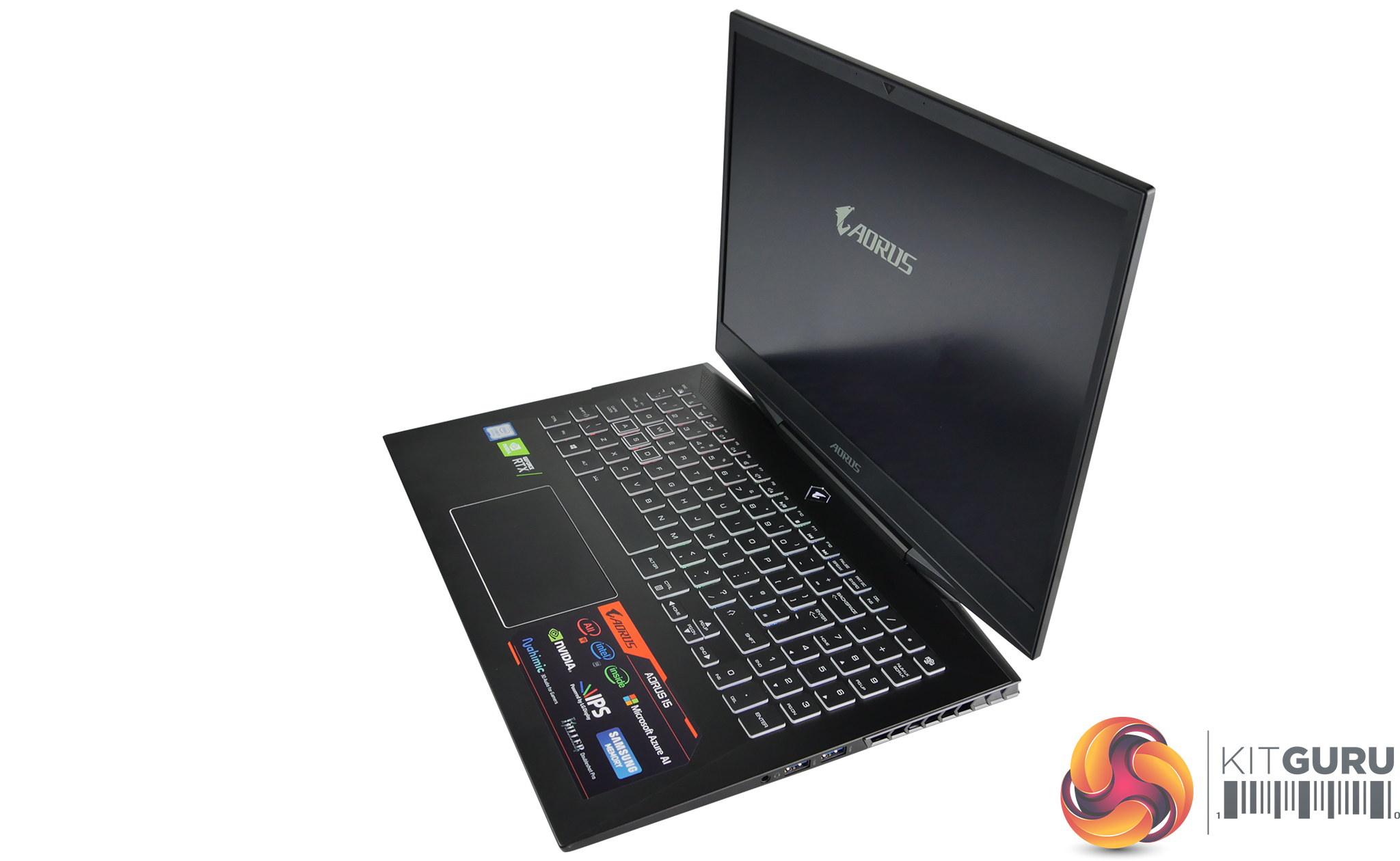
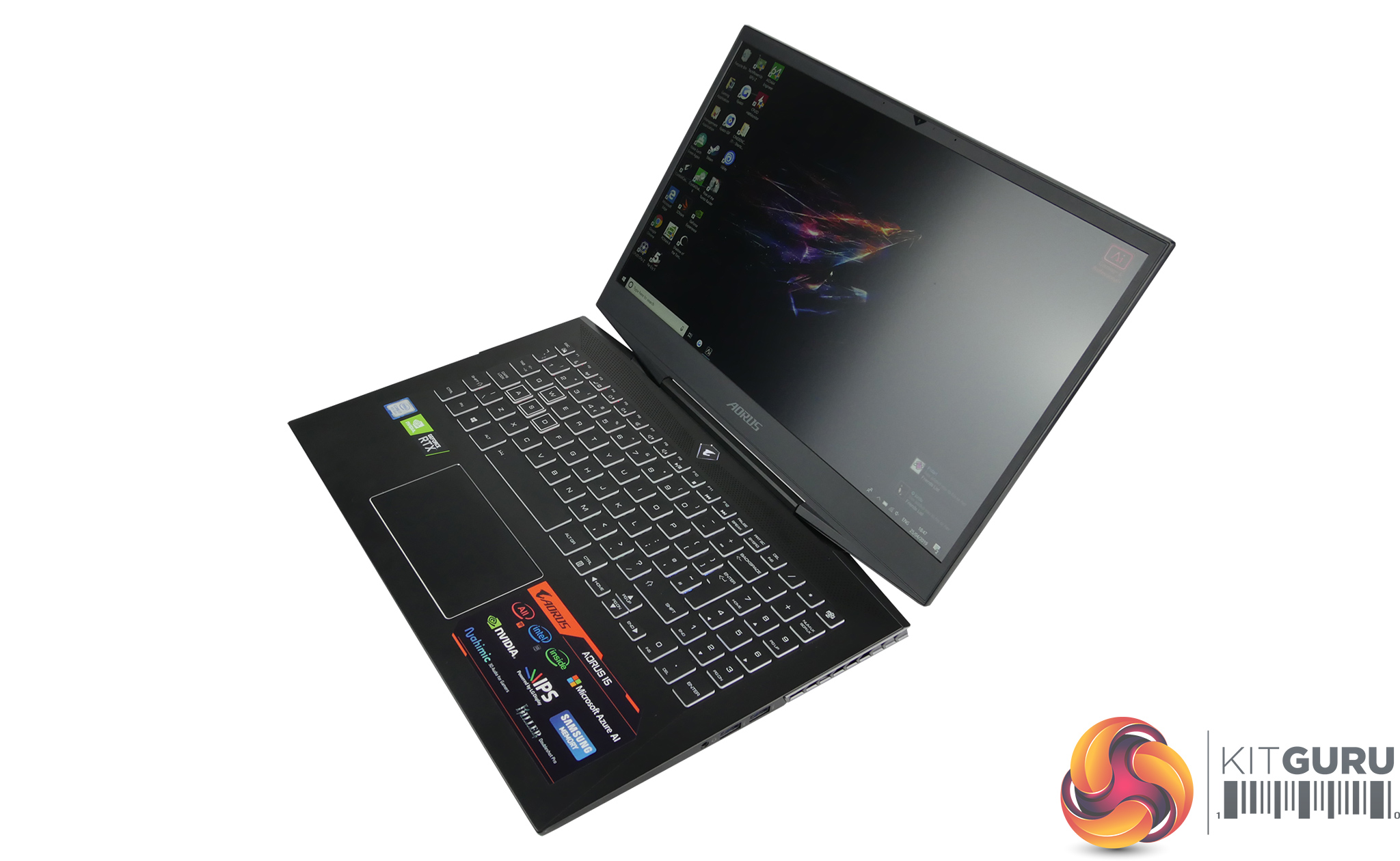
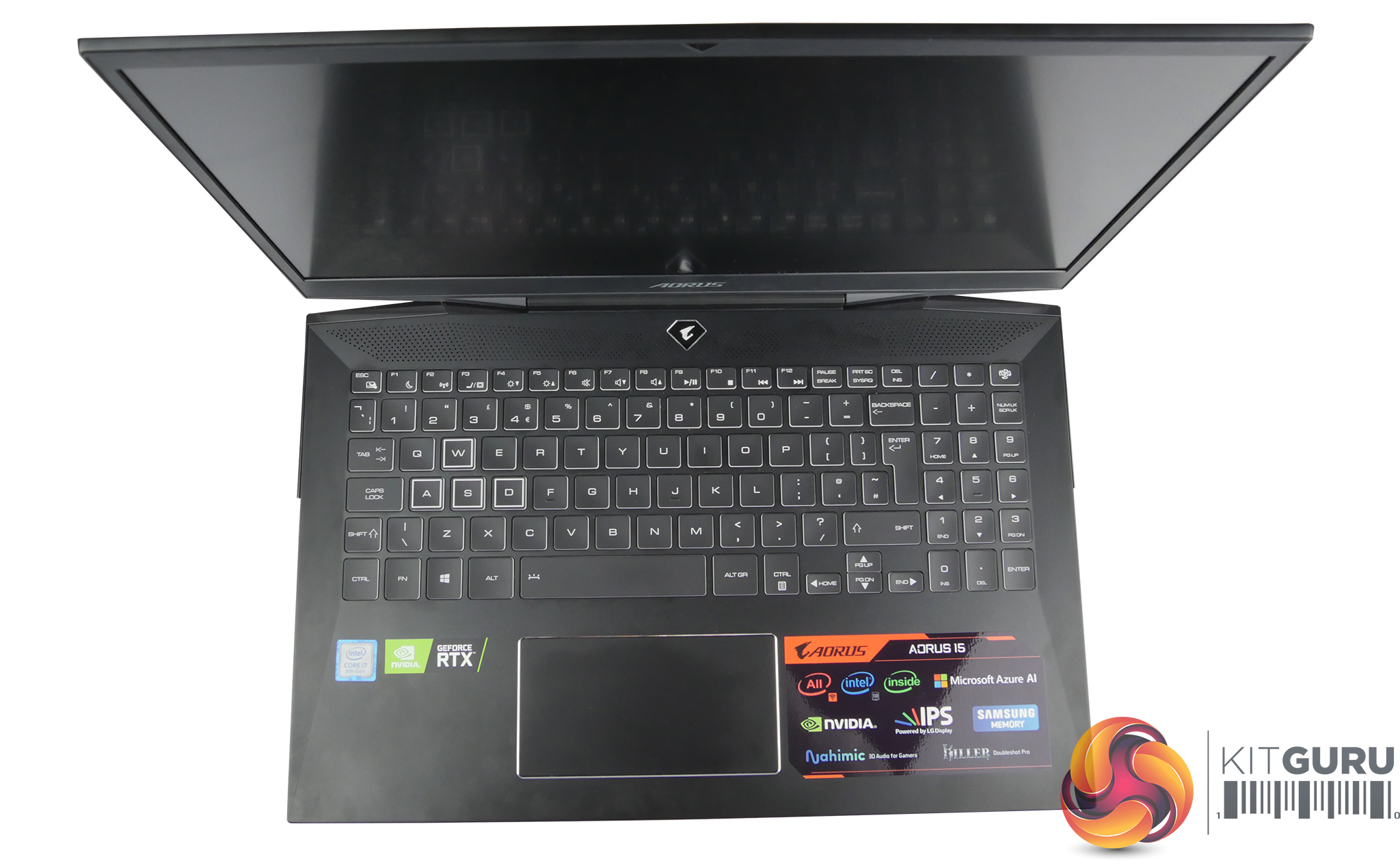
The Aorus 15 X9 is Gigabyte's attempt at creating a laptop that can deliver a top class gaming experience, while also being portable enough to carry around with you. The 15.6inch chassis features thin bezels, a 144Hz display, and packs a powerful punch with an i7 8750H and RTX 2070. With a retail price of around £2000 all that power doesn't come cheap, so how good is it?
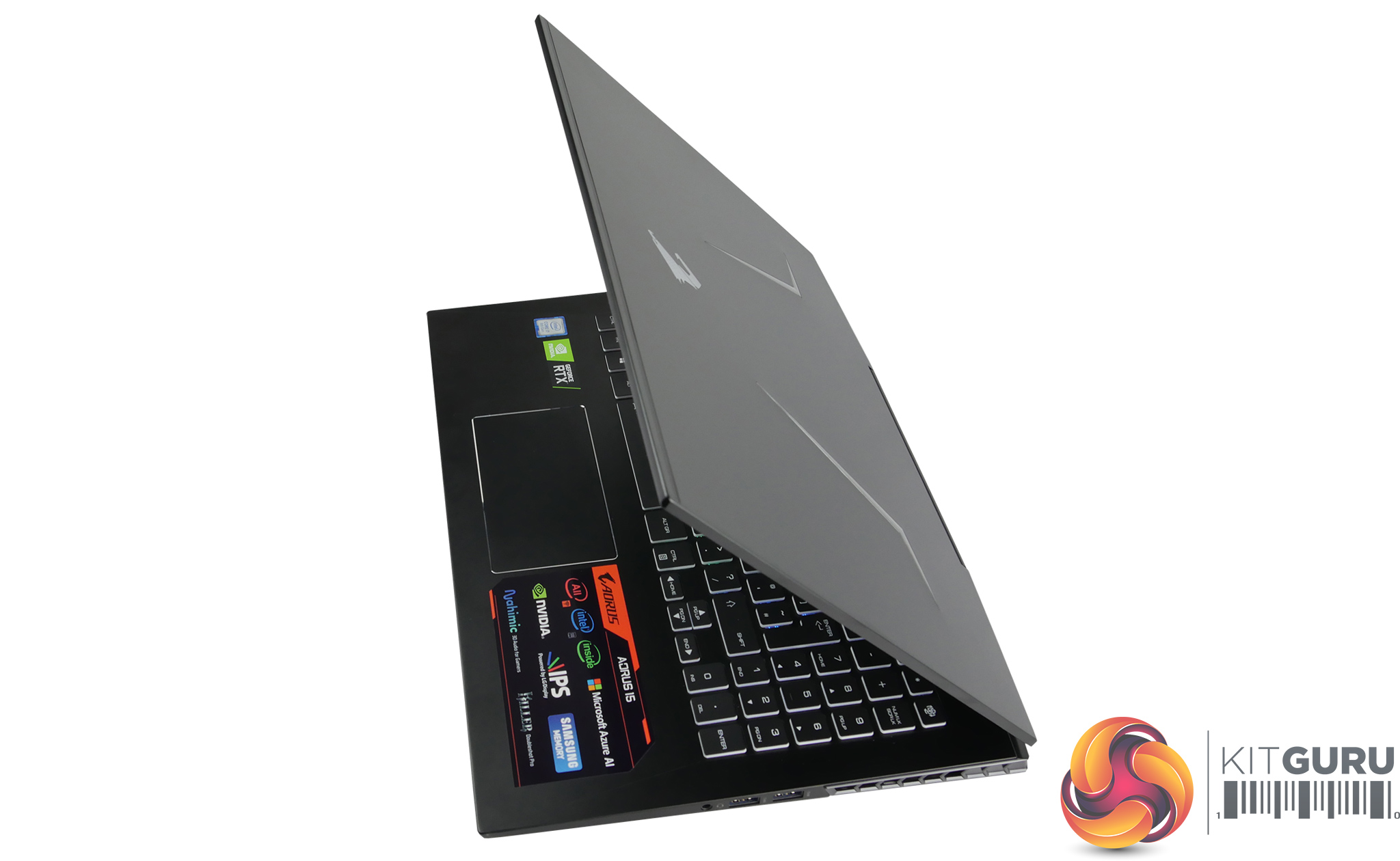
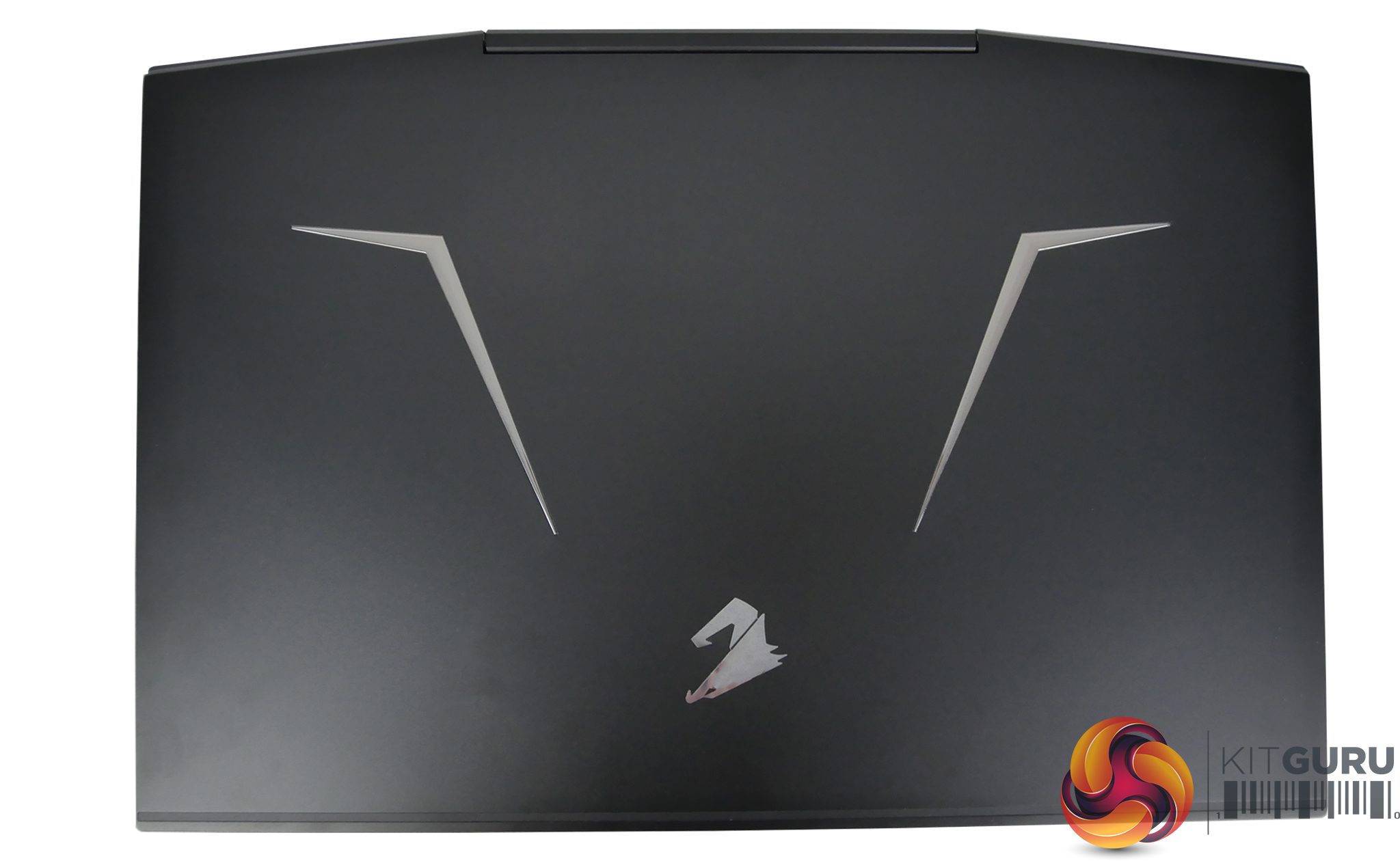
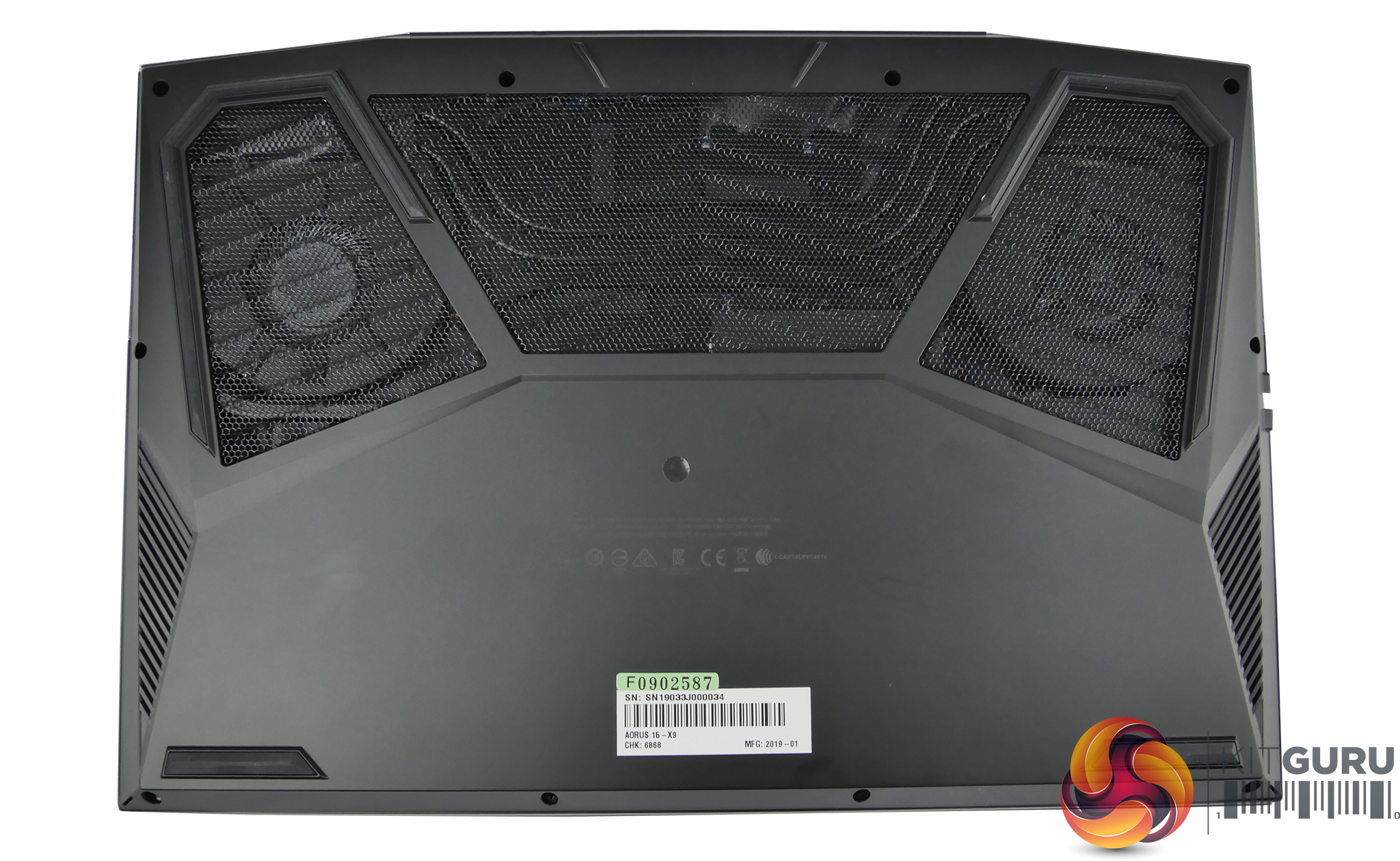
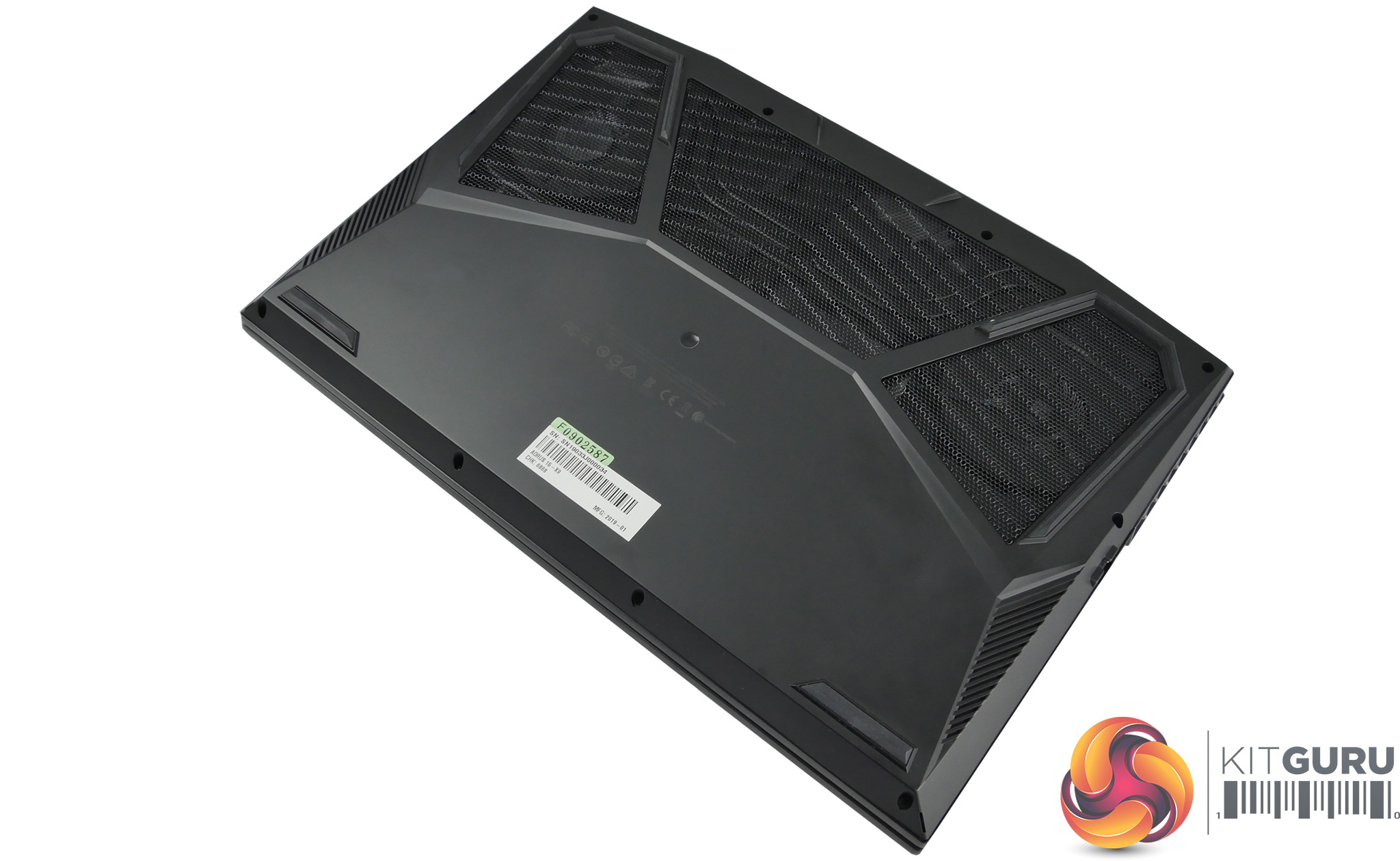
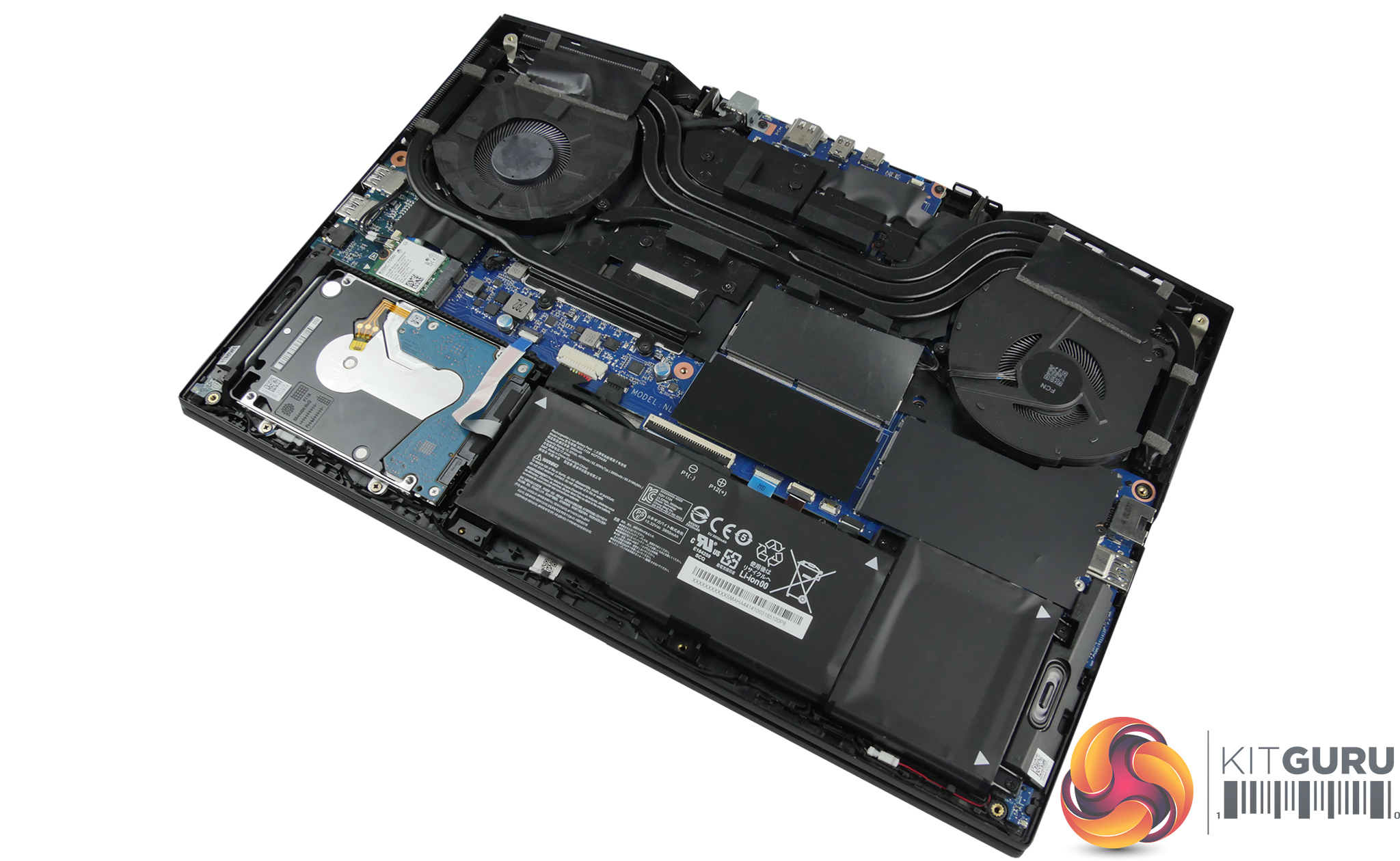
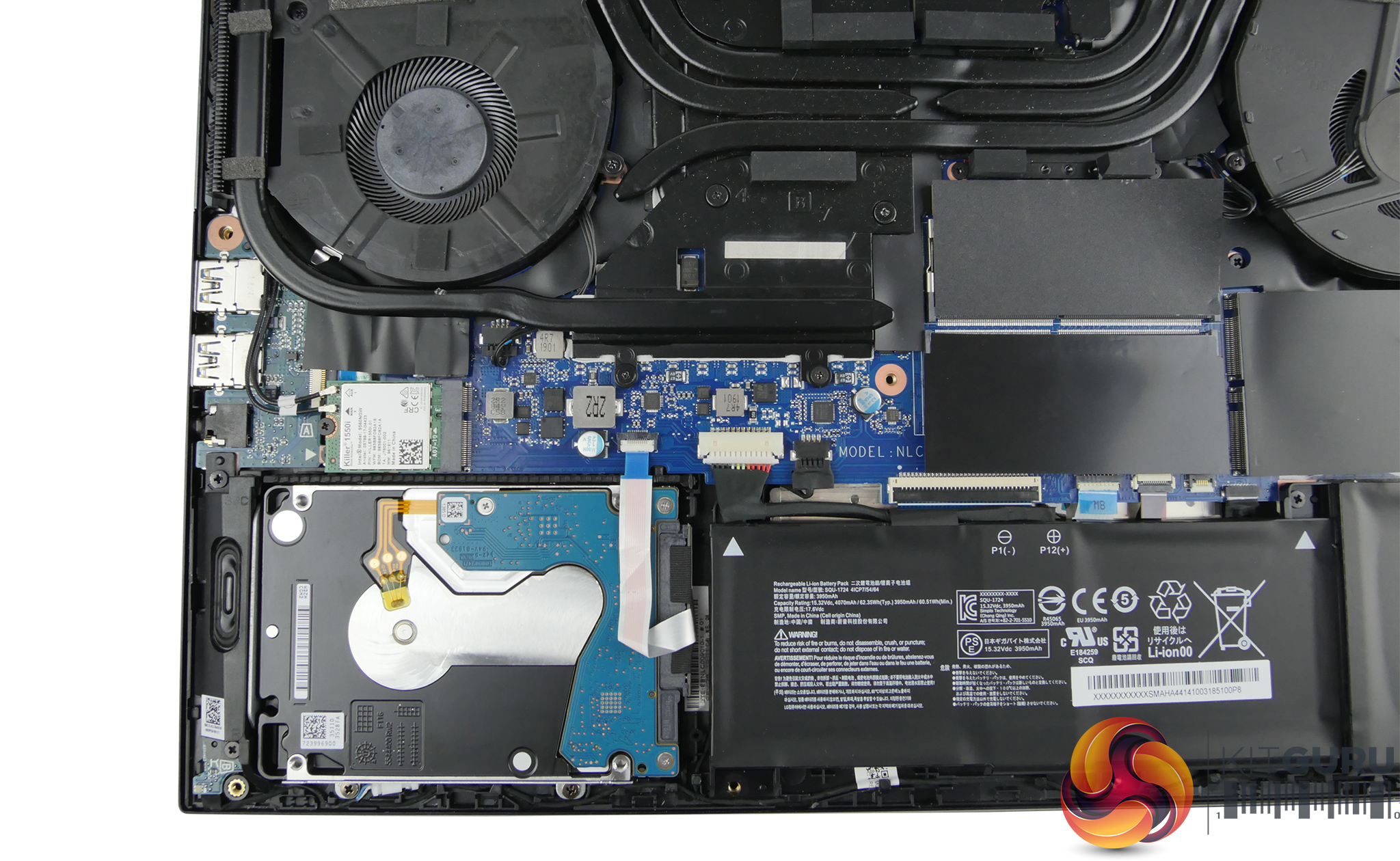
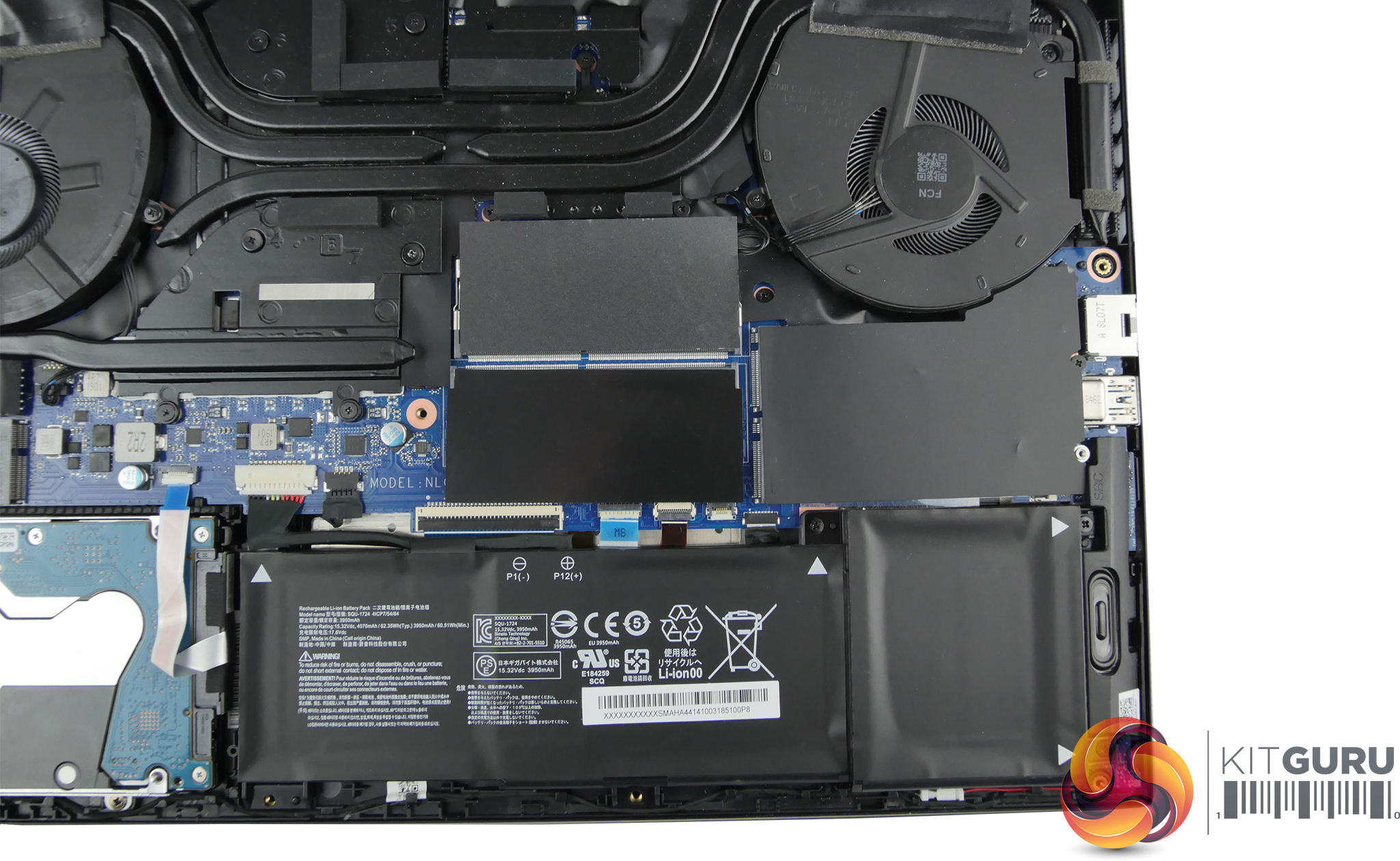
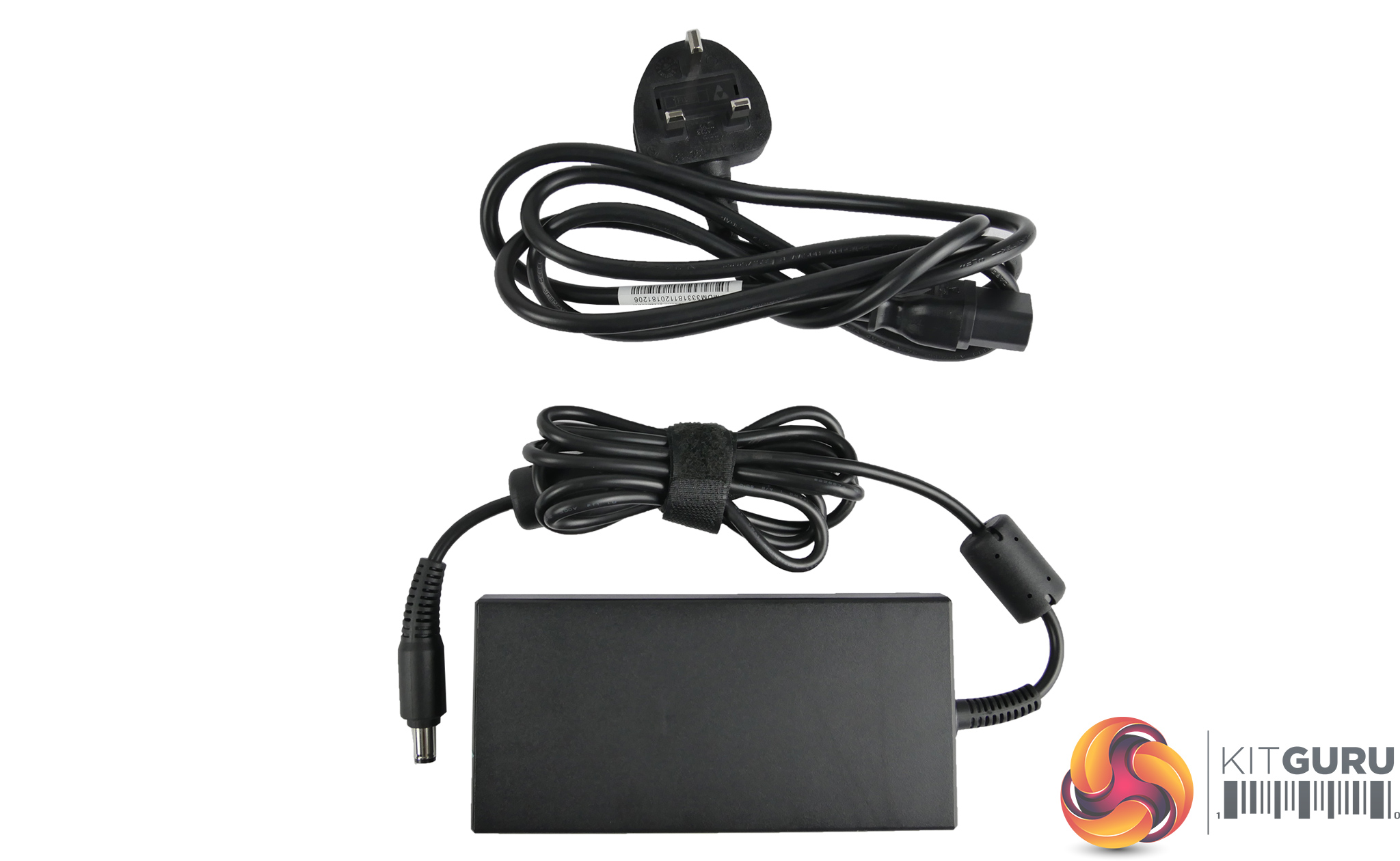
Specifications:
- Screen Size: 15.6″
- Screen Type: LG 15.6″ Thin Bezel IPS 144Hz Panel
- Screen Resolution: 1920×1080
- Backlight: LED
- Processor: Intel Core™ i7-8750H processor Hex-core
- Graphics: Nvidia RTX 2070 8GB GDDR6
- Storage: 512GB PCI-e SSD, 2TB Seagate Barracuda 5400rpm HDD
- Memory: Samsung 16GB DDR4 2666Mhz (2 x 8GB)
- Operating System: Windows 10
- USB Ports: 3 x USB 3.1 Type-A Gen 1, 1 x USB3.1 Type-C Gen 2 (Support DP 1.3)
- Network LAN: Killer™ LAN Chip
- Wireless LAN: Killer™ Wireless-AC 1550 (802.11ac, a/b/g/n compatible)
- Bluetooth: Bluetooth V5.0+ LE
- Display Ports 1 x HDMI 2.0 ,1 x mini DP 1.3
- Audio: 2 x 2 Watt Speaker, Arrary Microphone, NAHIMIC 3
- Dimensions: 361(W) x 246(D) x 24.4(H)mm
- Weight: 2.4Kgs
- Extra Features: 1x Mini SD card Reader, HD Camera, RGB Keyboard
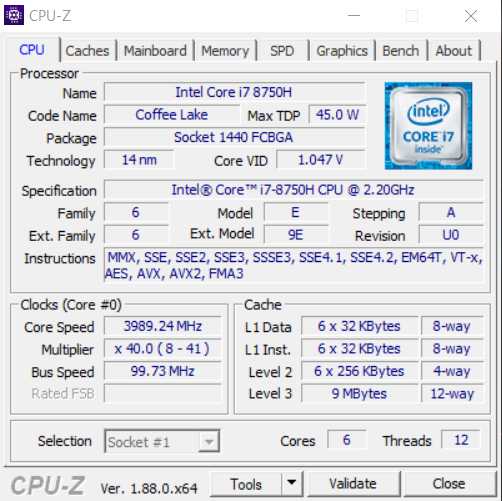

This laptop uses the hexacore i7-8750H processor which we have seen in many high end laptops since its release. The processor has a base clock of 2.2GHz but will turbo boost up to 4.1GHz under load on a single core. During our testing we saw a maximum all core boost clock speed of 3.9GHz.
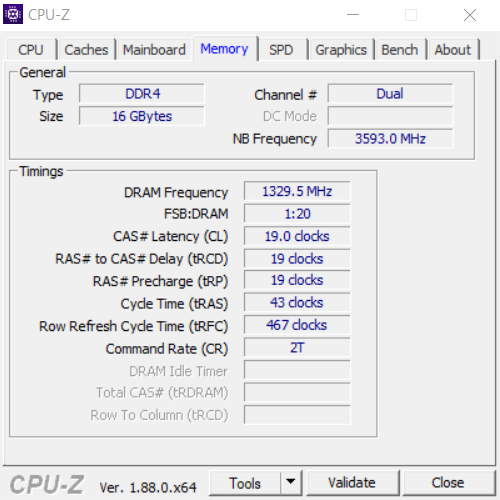
The 16GB of memory is DDR4 and runs at a speed of 2666MHz. The GPU Z screenshots show the dedicated RTX 2070 graphics has 8GB of GDDR6 memory. The default clock is 1315MHz and it has a rated boost clock of 1540MHz. During testing we noticed the boost clock peaked at 1680MHz.
CrystalDiskMark:
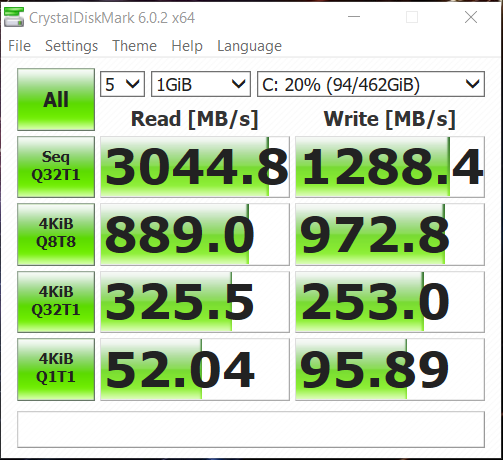
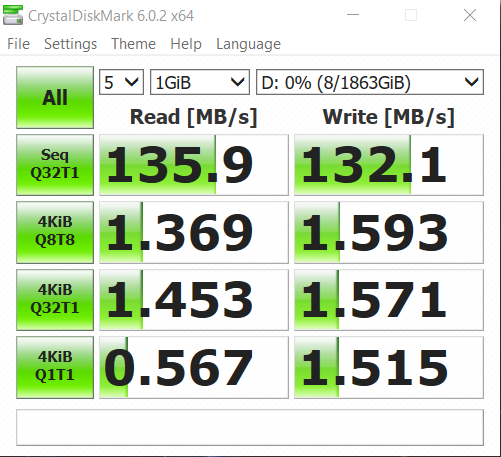
CrystalDiskMark tests the raw speed of a storage device. It uses a test file to write data to or read data from the drive. We test using the default 1GB file size.
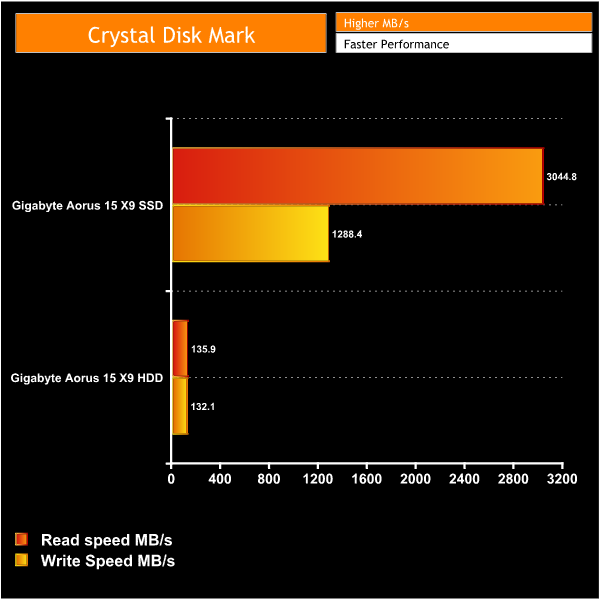
The SSD used is the M.2 NVMe Intel 760P. This is a very quick little drive with a fast read speed, though write speeds aren't quite as impressive. Even so, this laptop still feels very nippy in operations and it boots up fast. Being a 512GB drive, there’s also a decent amount of space to install some frequently used programs or games.
For even more storage the Aorus 15 X9 comes equipped with an additional 2TB HDD. Being a 5400rpm Barracuda it’s far from the fastest drive but it is always handy to have plenty of available storage for games or media straight out of the box.
Cinebench R15:
Cinebench R15 is a cross-platform testing suite that measures CPU performance. We compare the 15-X9 with some other laptops we have tested that feature the same processor for a quick comparison to demonstrate its relative performance.
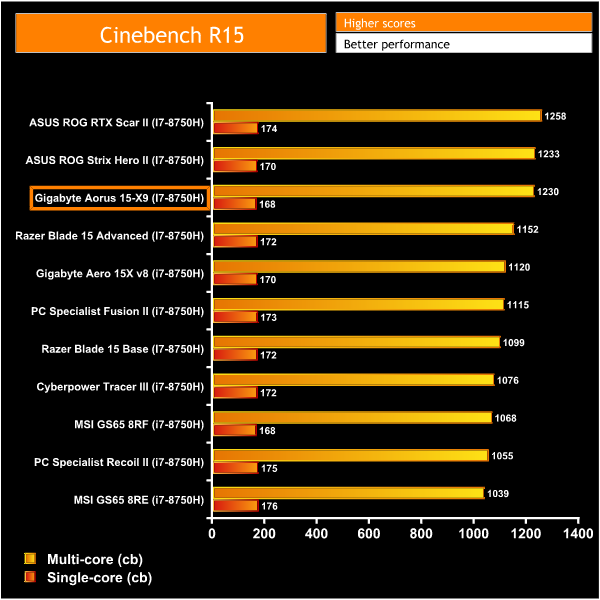
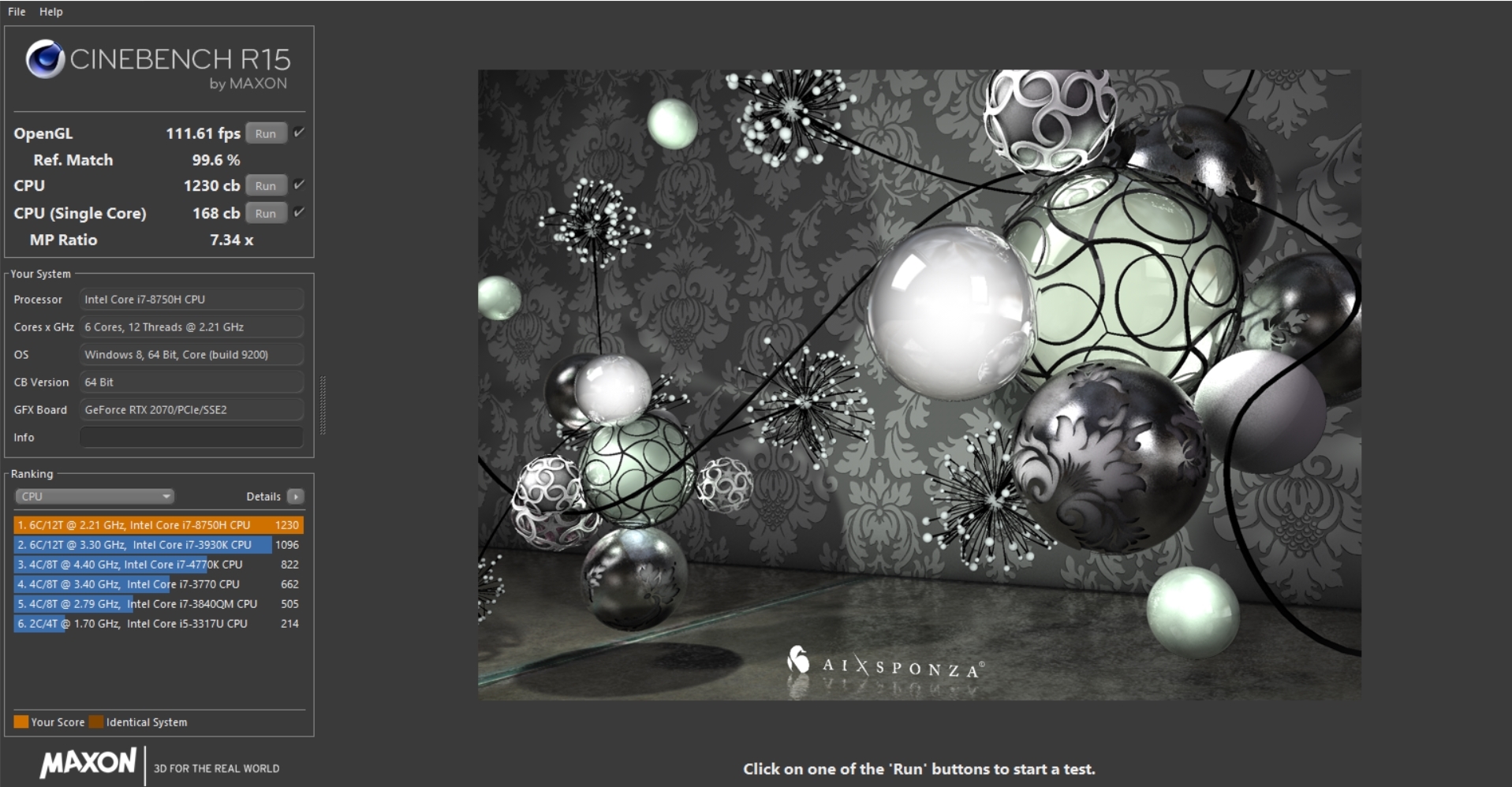
The Cinebench score achieved by the Aorus 15 X9 sits in the top 3 compared to other laptops we have tested with the i7-8750H, and it is only beaten by the Scar II and Hero II from ASUS.
Looping Cinebench 10+ times does eventually heat up the CPU and the score will drop down to 1024. This is to be expected from this Coffee Lake processor as the clock speed decreases as the temperature of the CPU rises over time.
Cinebench R20:
Improvements to Cinebench Release 20 reflect the overall advancements to CPU and rendering technology in recent years, providing a more accurate measurement of Cinema 4D's ability to take advantage of multiple CPU cores and modern processor features available to the average user.
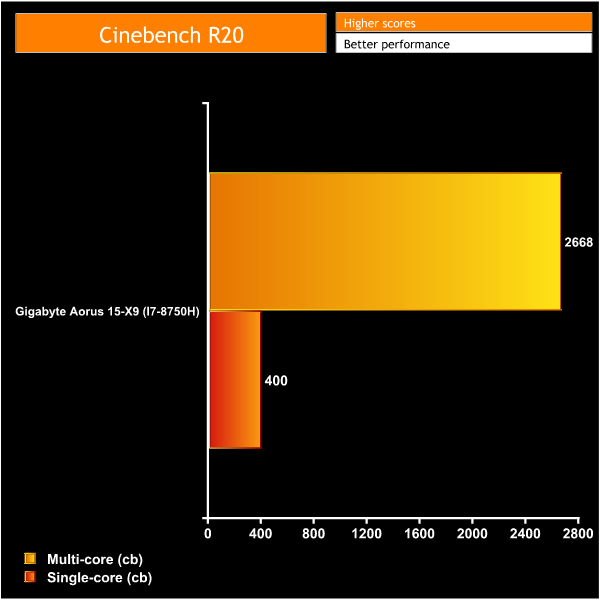
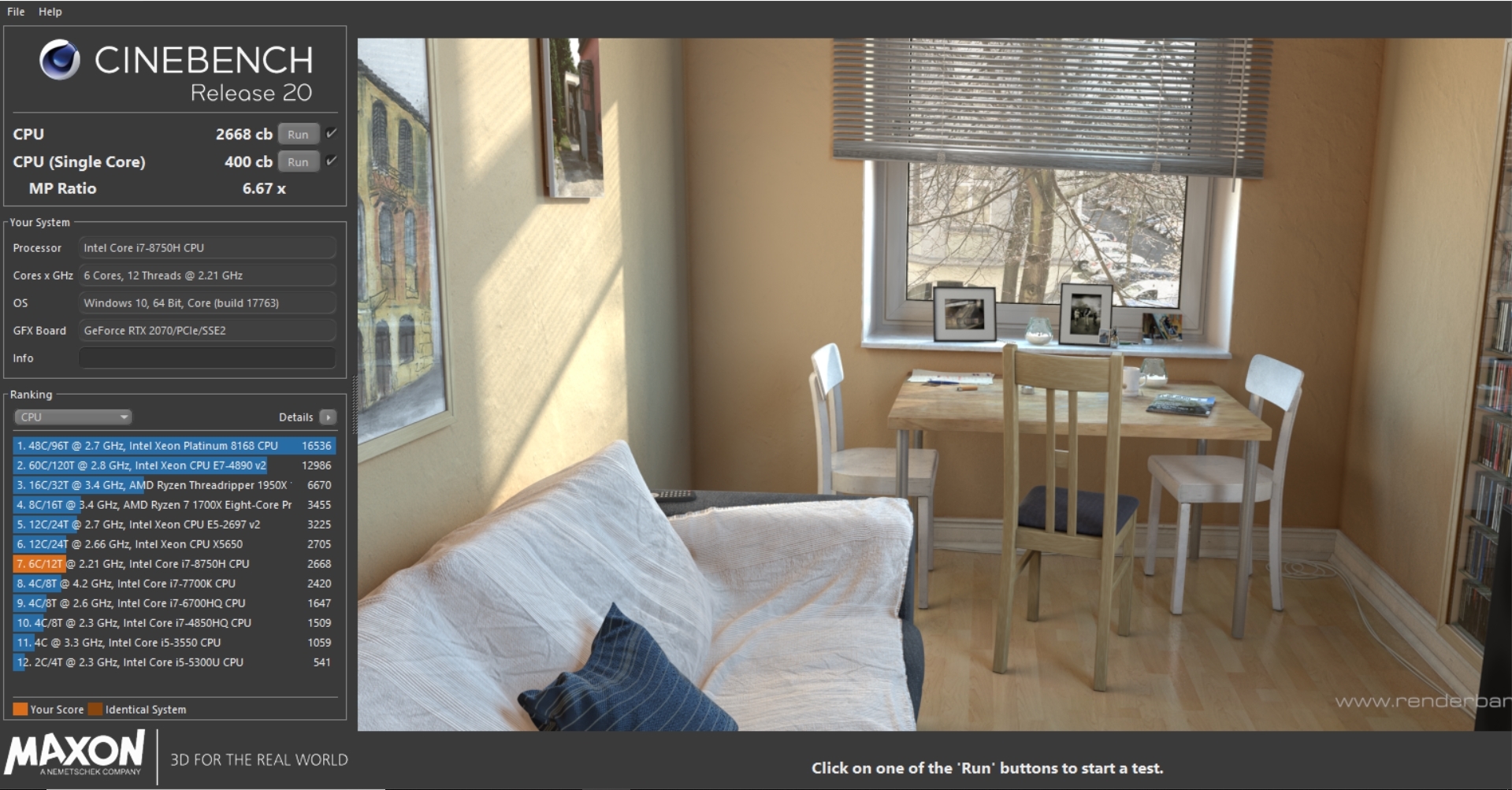
Cinebench R20 is a new release so we don't yet have any comparison data, but as we review more laptops in the coming months we will add to this chart.
Battery life:
To test battery life we used the ‘Home’ benchmark in PCMark 8. This test isn’t hugely demanding when it comes to computational requirements and, although artificial, it is likely to simulate the sort of stress the laptop would undergo while doing a small amount of video editing, web browsing and word processing. We set the screen brightness to 100%, and the keyboard brightness to 100%.
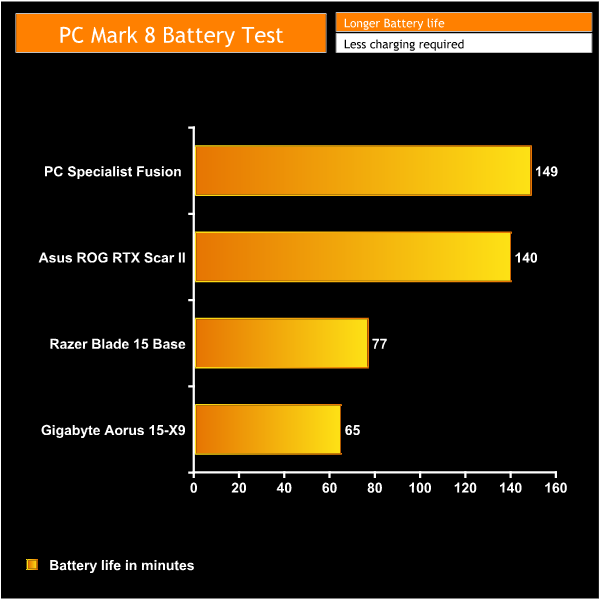

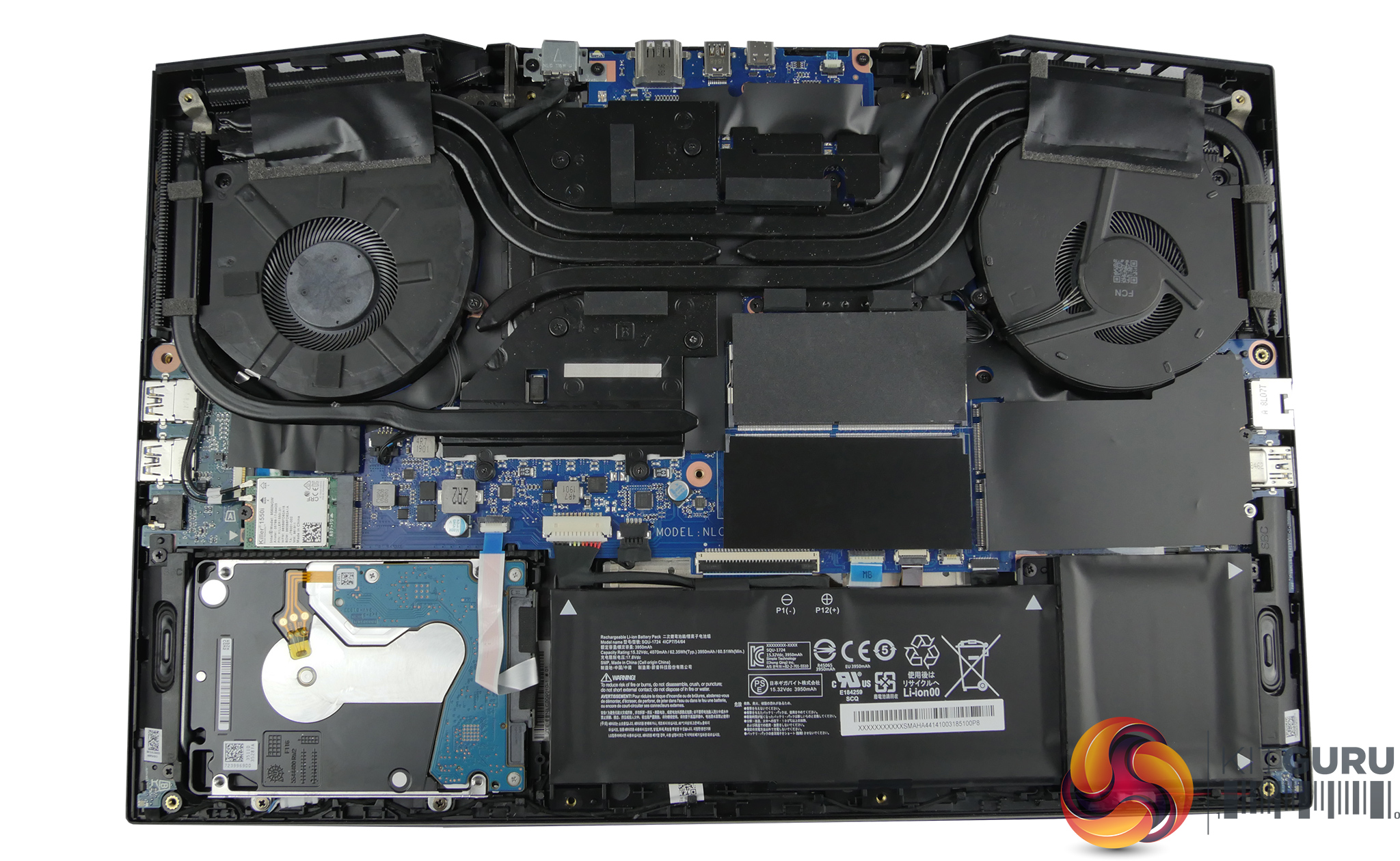
Battery life on this laptop is unfortunately pretty poor. Even if we take in to account that this is an artificial benchmark – so you could expect to double the 65 minute battery life in a real world situation – that's still only two hours of use away from the mains. Given Gigabyte's own Aero 15 laptops are well known for their 94Wh batteries, it is a shame to see this Aorus model ship with a significant smaller 62.3Wh cell.
Temperature testing:
We tested the temperatures with the laptop set to ‘best performance’ mode with the charger plugged in. We run AIDA 64 for 10 minutes to stress the CPU & GPU simultaneously.
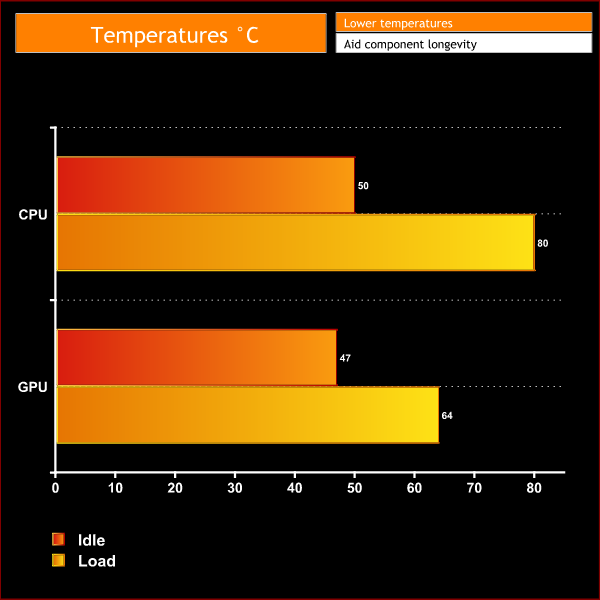
It seems that the Gigabyte Aorus 15 X9 doesn't suffer like some laptops do when it comes to heat dissipation. It does create a lot of noise while doing so but it keeps the CPU at a reasonable temperature of 80C while under full load.
The RTX 2070 is also allowed plenty of room to breathe with it only reaching a maximum temperature of 64C, which I have to say is a particularly good result.
Noise levels:
We measured noise levels using a sound meter while the laptop was idle with no programs open, and then after pressing the maximum fan speed button to get a reading with the fans running at their highest RPM.
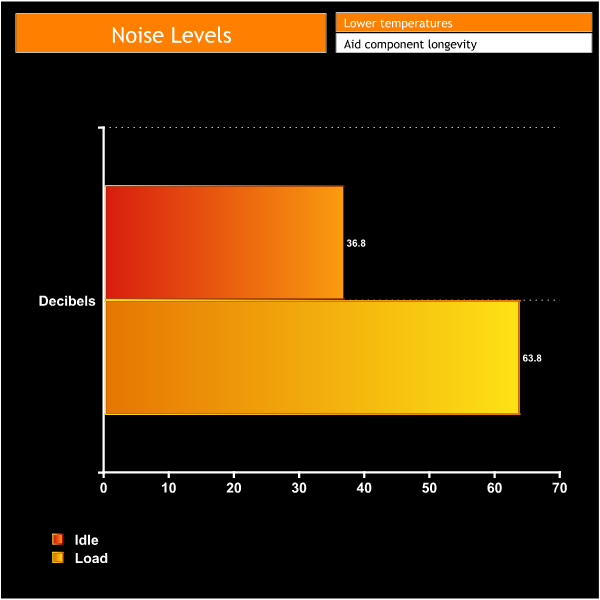
While idle, the fan noise coming from the Aorus 15 X9 is barely noticeable at 36.8 decibels. It simply fades into the background unless you put your ear right up to it and purposely listen for the fans.
While at full speed this laptop gets very loud, however. It is one of the loudest laptops we have tested and you do have to raise your voice to talk over it. People around you are likely to get annoyed if you decide to game for long periods of time in a populated environment.
Fortunately, thanks to the AI software, the fans rarely run flat out. They only properly spin up when the laptop is really put to the test, but playing a demanding game will cause the fans to ramp up and create quite a bit of noise.
There is always going to be a compromise when it comes to putting powerful components in a small chassis – be it temperatures, noise, or performance. In the case of the Aorus 15 X9 it is certainly noise.
3DMark results:
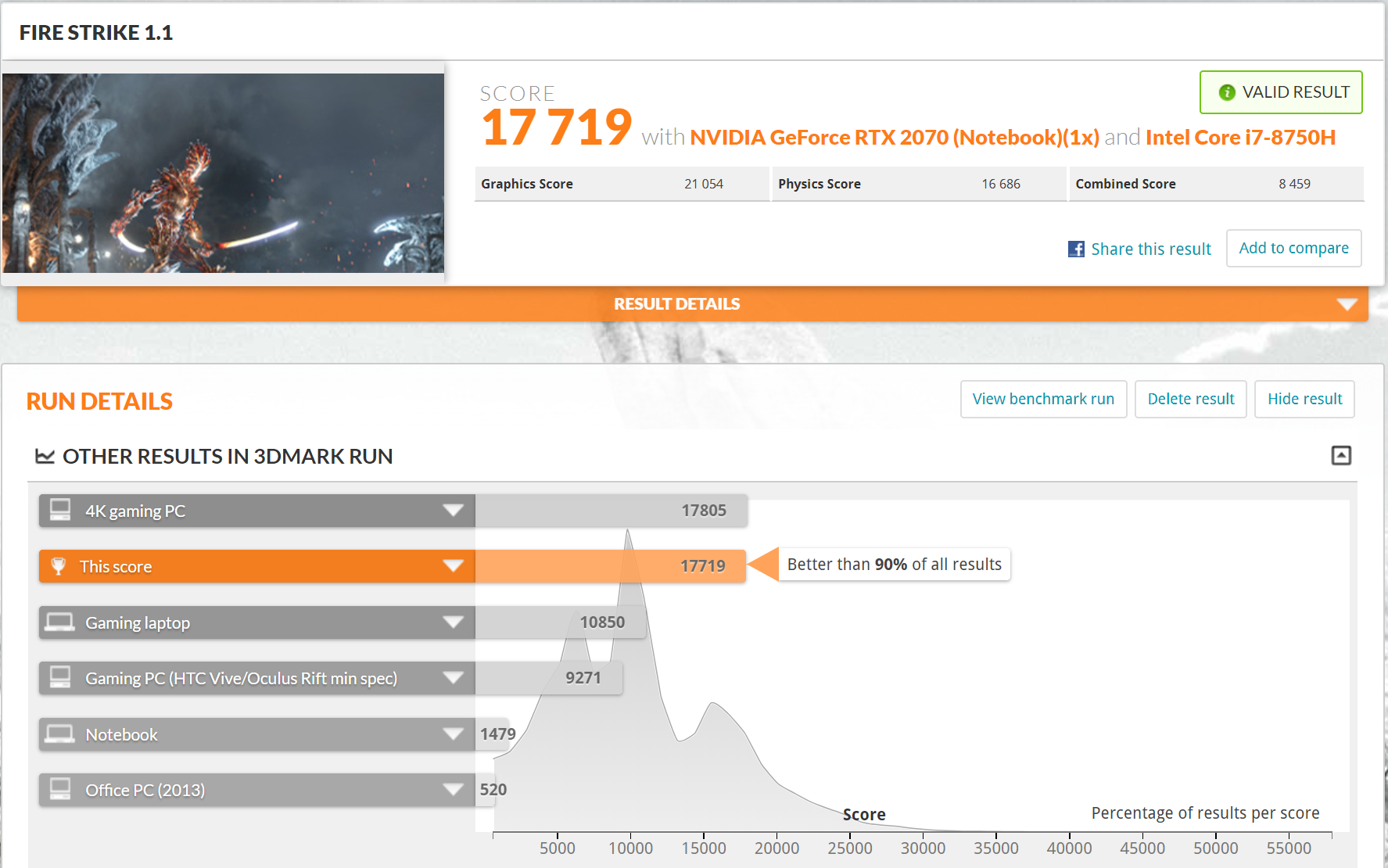
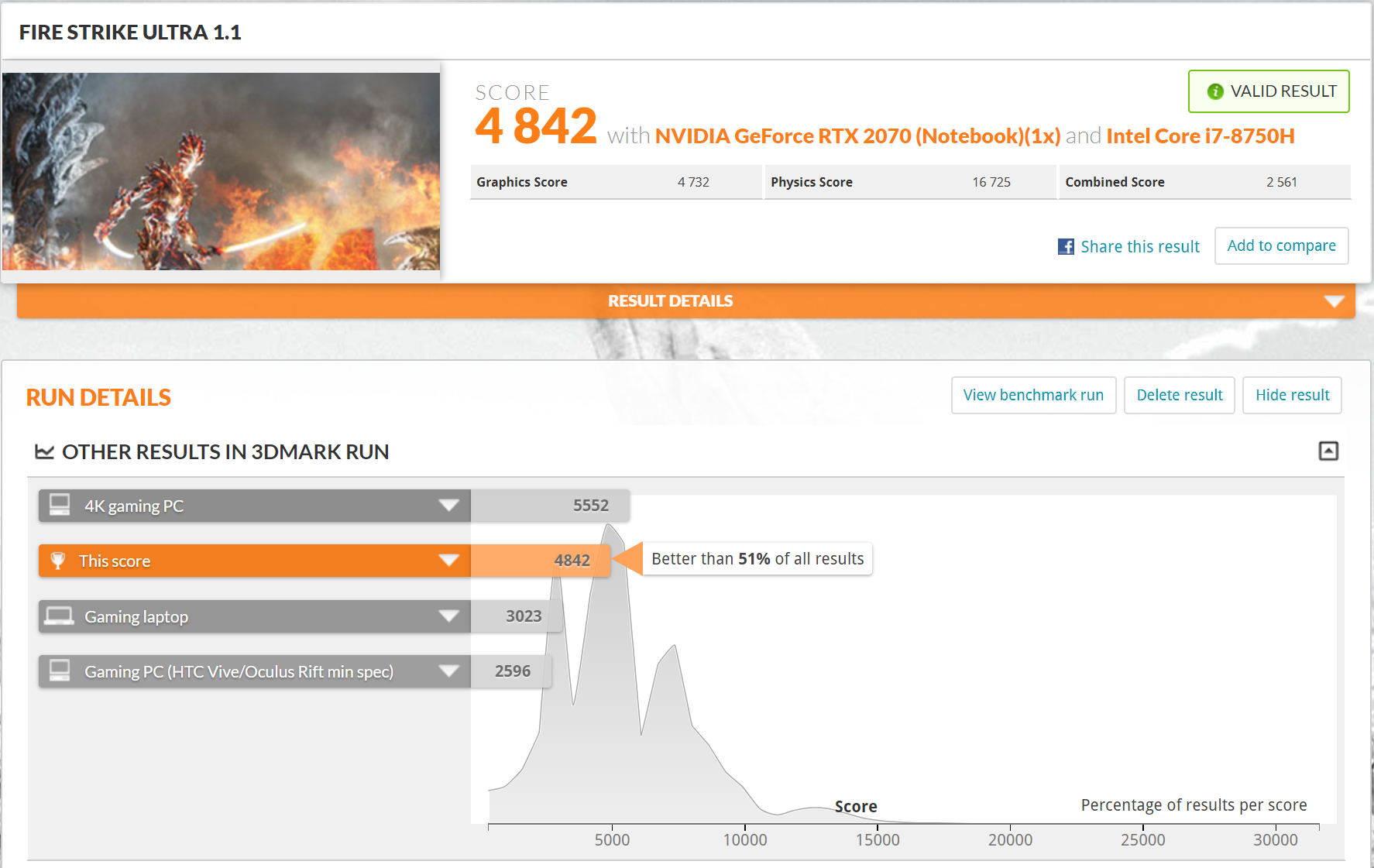
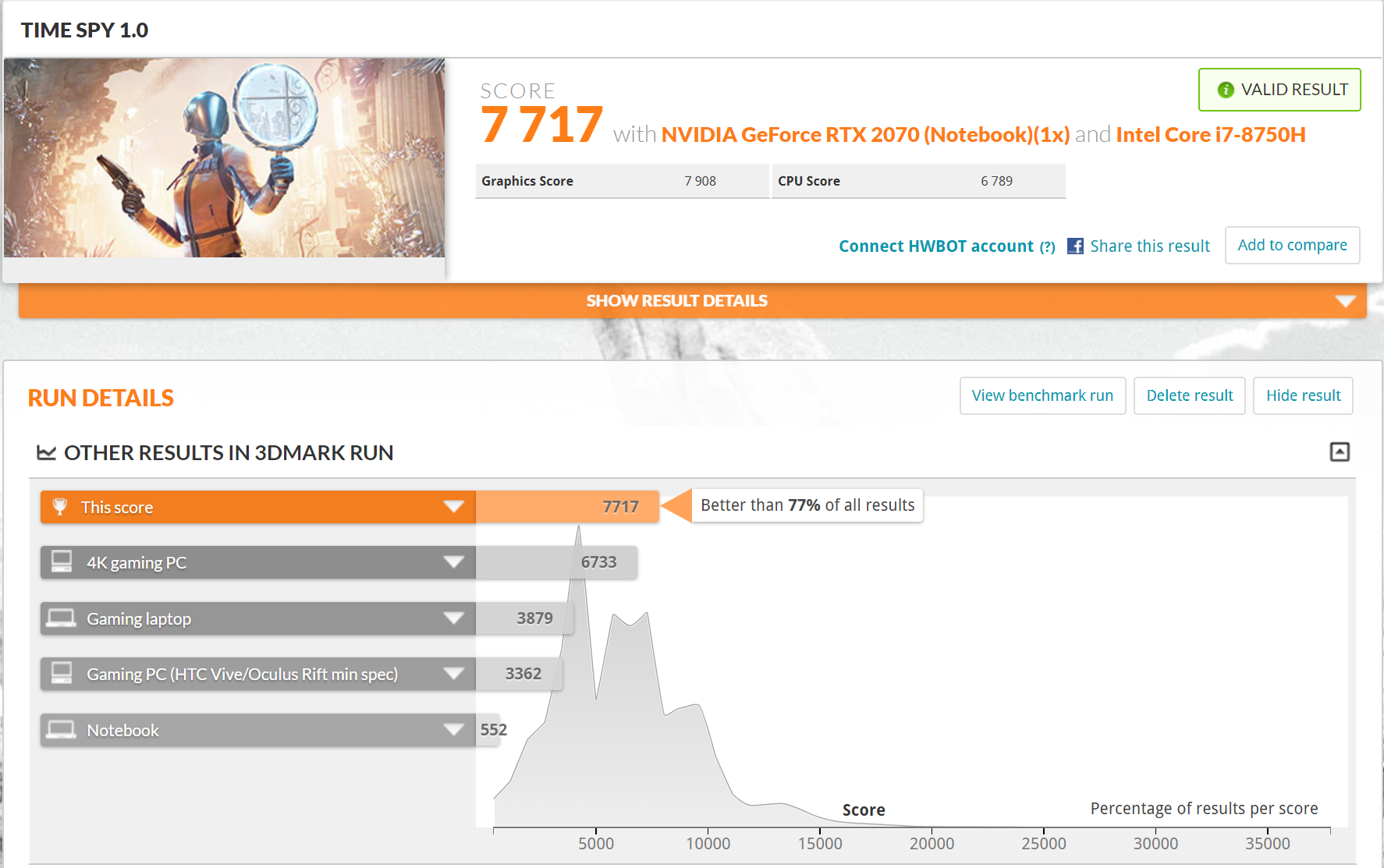
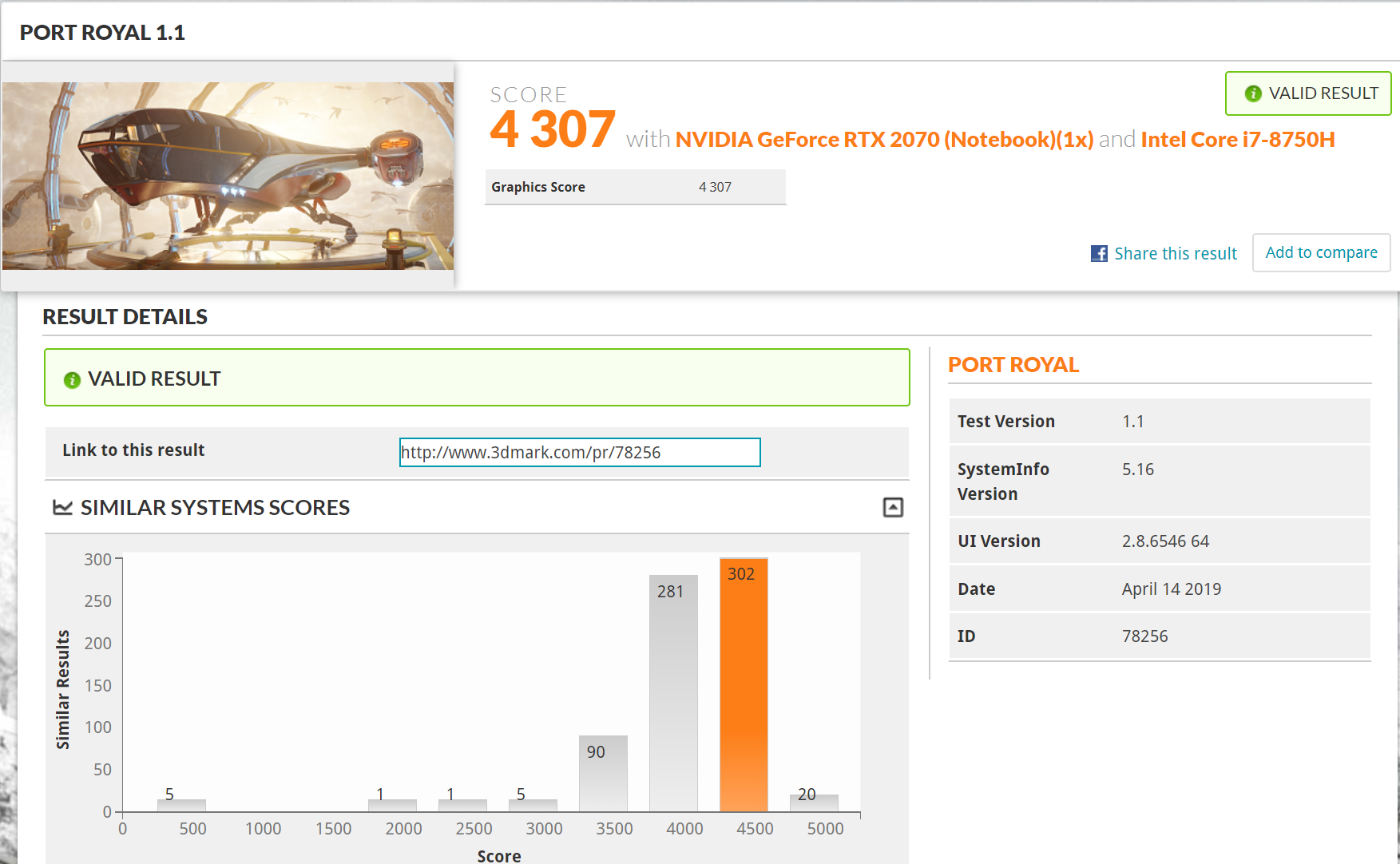
For this test, we ran the Aorus 15 X9 through Fire Strike, Fire Strike Ultra, Time Spy and Port Royal which is the new benchmark specifically for ray tracing. In the graphs below you can see it compared against similar laptops. Even though they all have similar specifications, slight variations in boost clock speeds caused by fluctuations in temperature have an impact on performance.
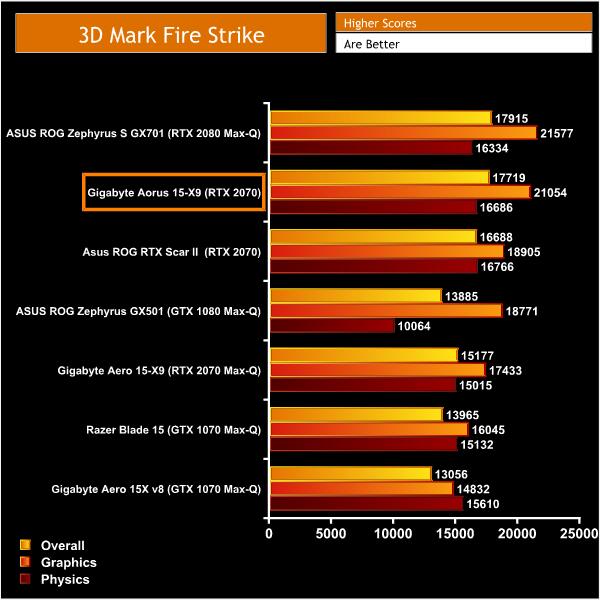
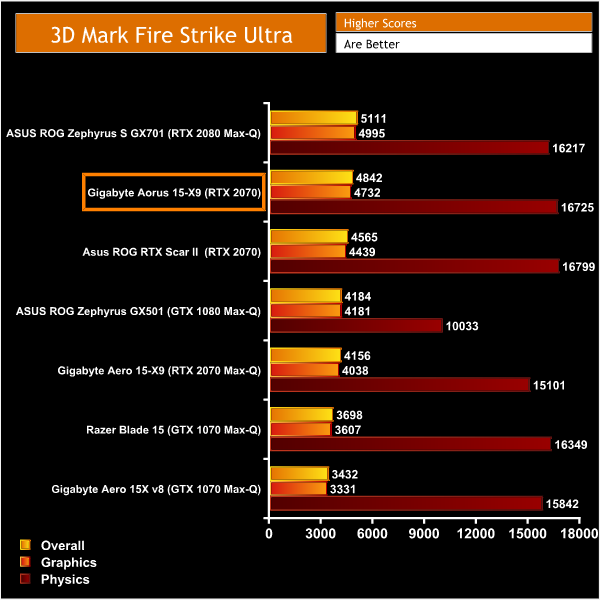
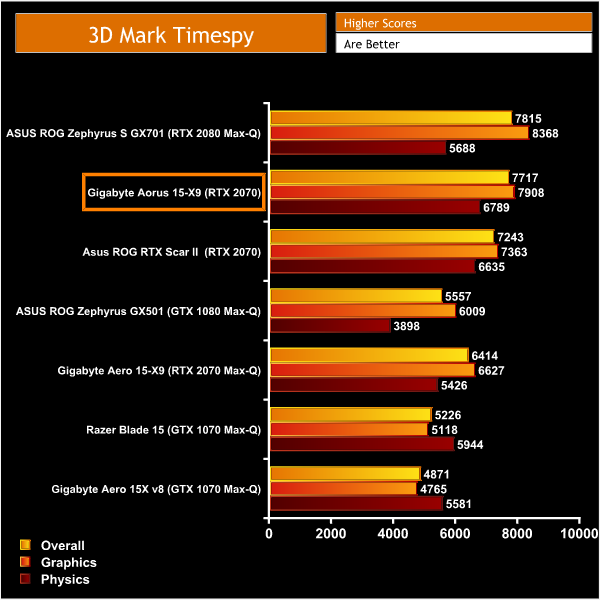
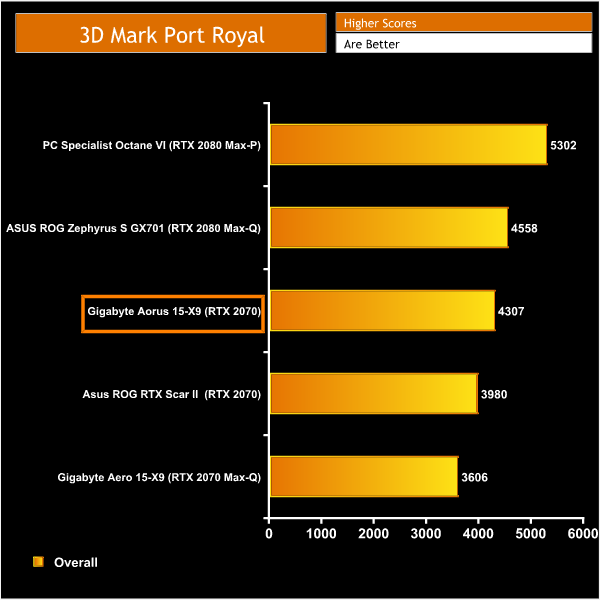
The 3DMark scores from this laptop are very impressive and show it to be a highly capable machine. The RTX 2070 boosts to a high clock speed of 1680MHz and beats out the similarly specced ASUS ROG Strix Scar II in all of the benchmarks. The Physics and CPU scores are equally impressive, as we have come to expect from the I7 8750H.
The Aorus 15 X9 obtained some of the highest scores amongst all the laptops we tested featuring the same CPU. Overall the 3D Mark scores show this laptop will be suitable for playing demanding games and undertaking taxing productivity tasks.
Gaming performance:
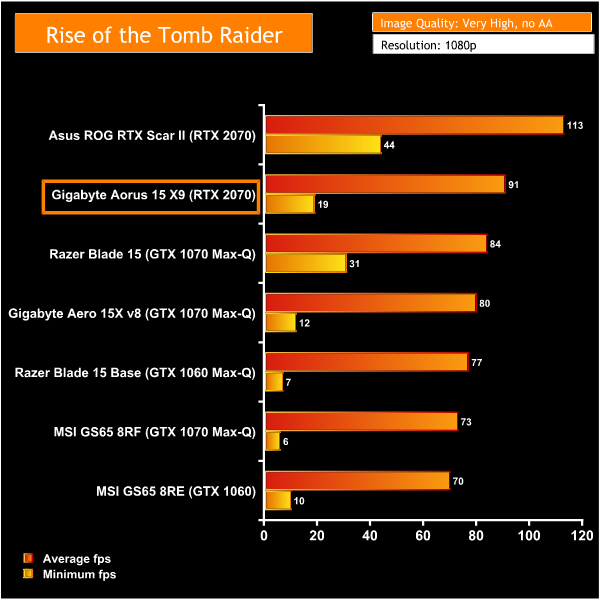
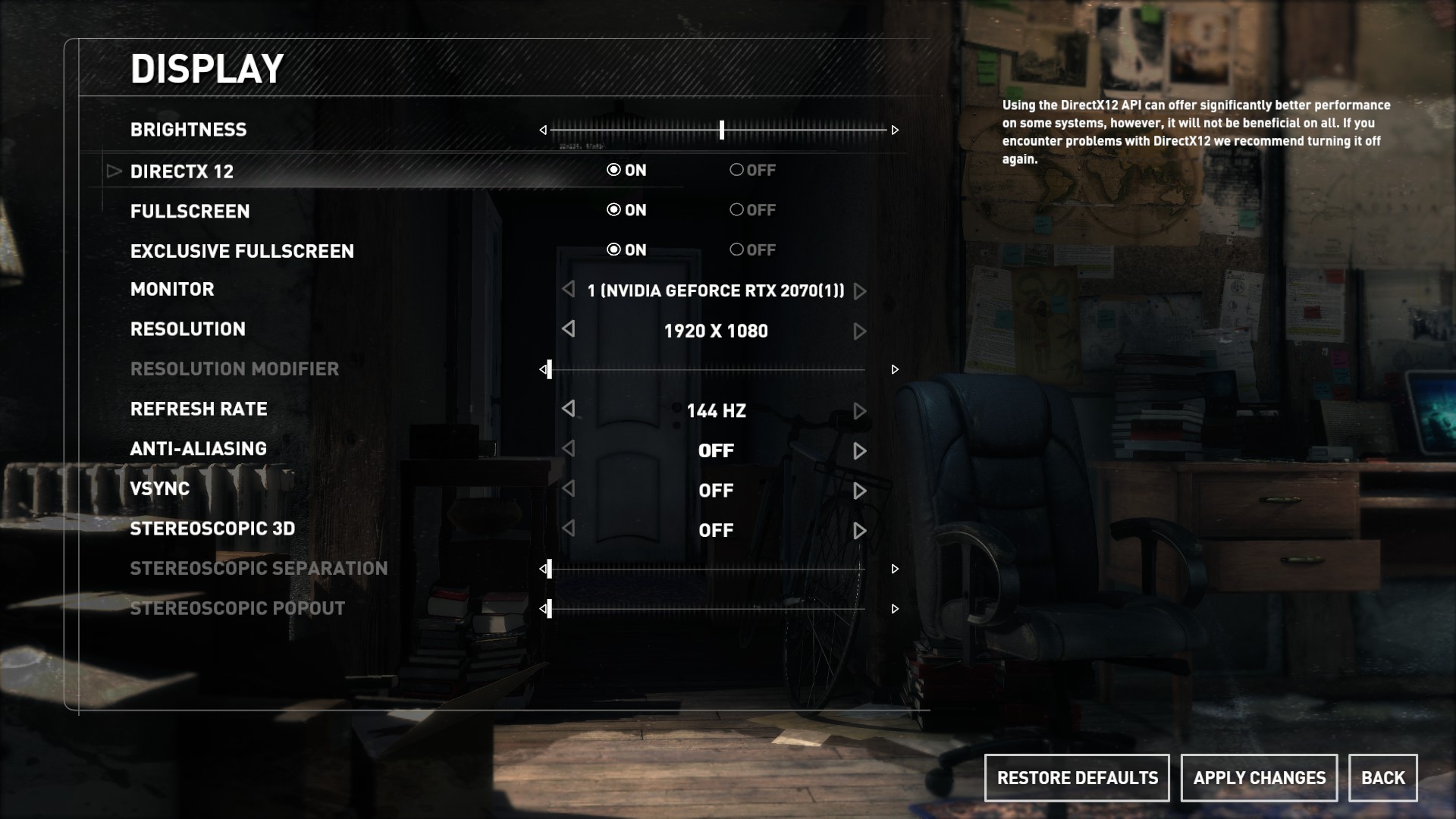
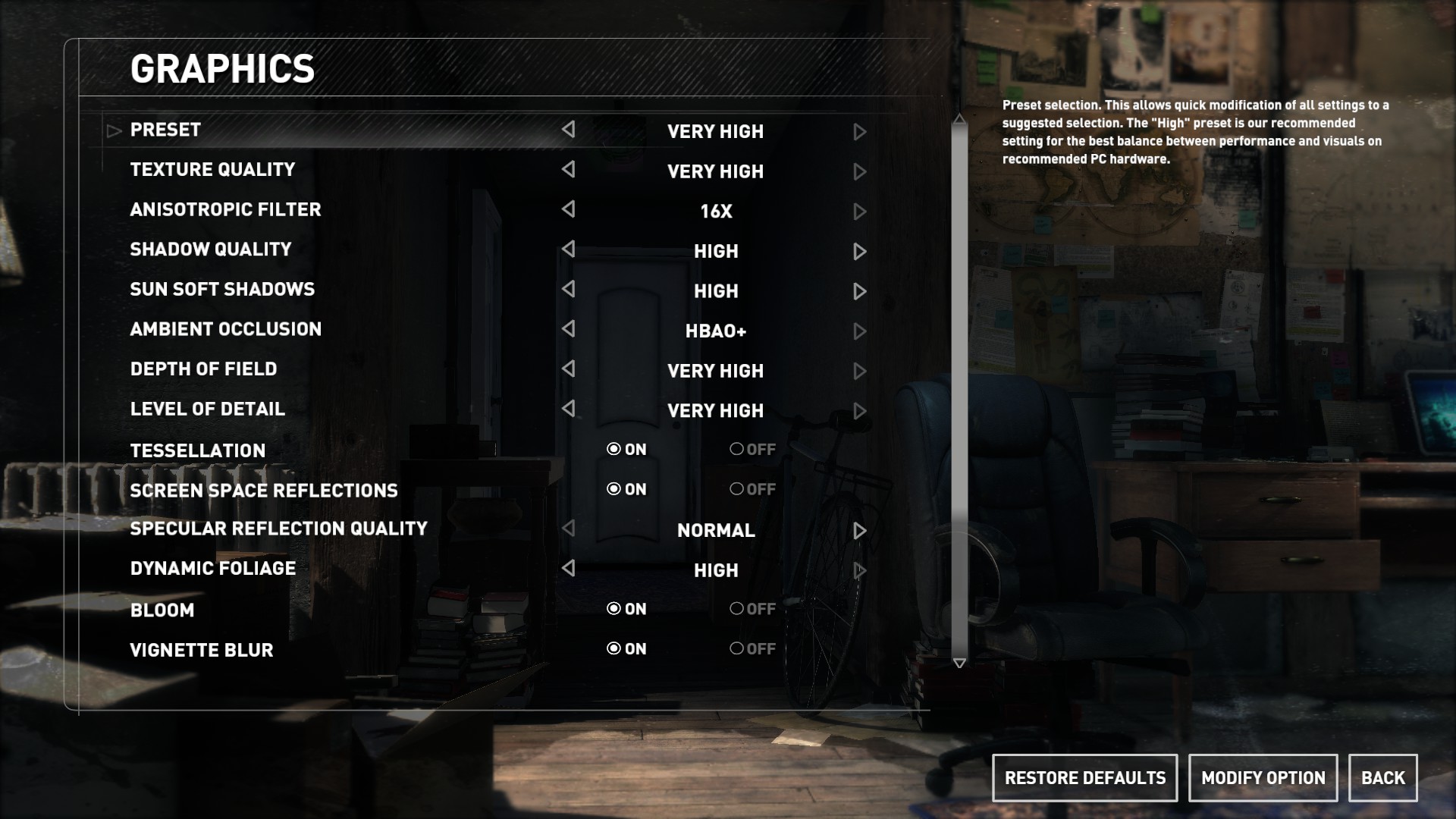
We used the Aorus 15 X9 to play 3 different popular and graphically demanding games. We tested the games at their highest graphical settings with DX12 turned on where possible and AA disabled. We then compared our findings to other laptops we have tested.
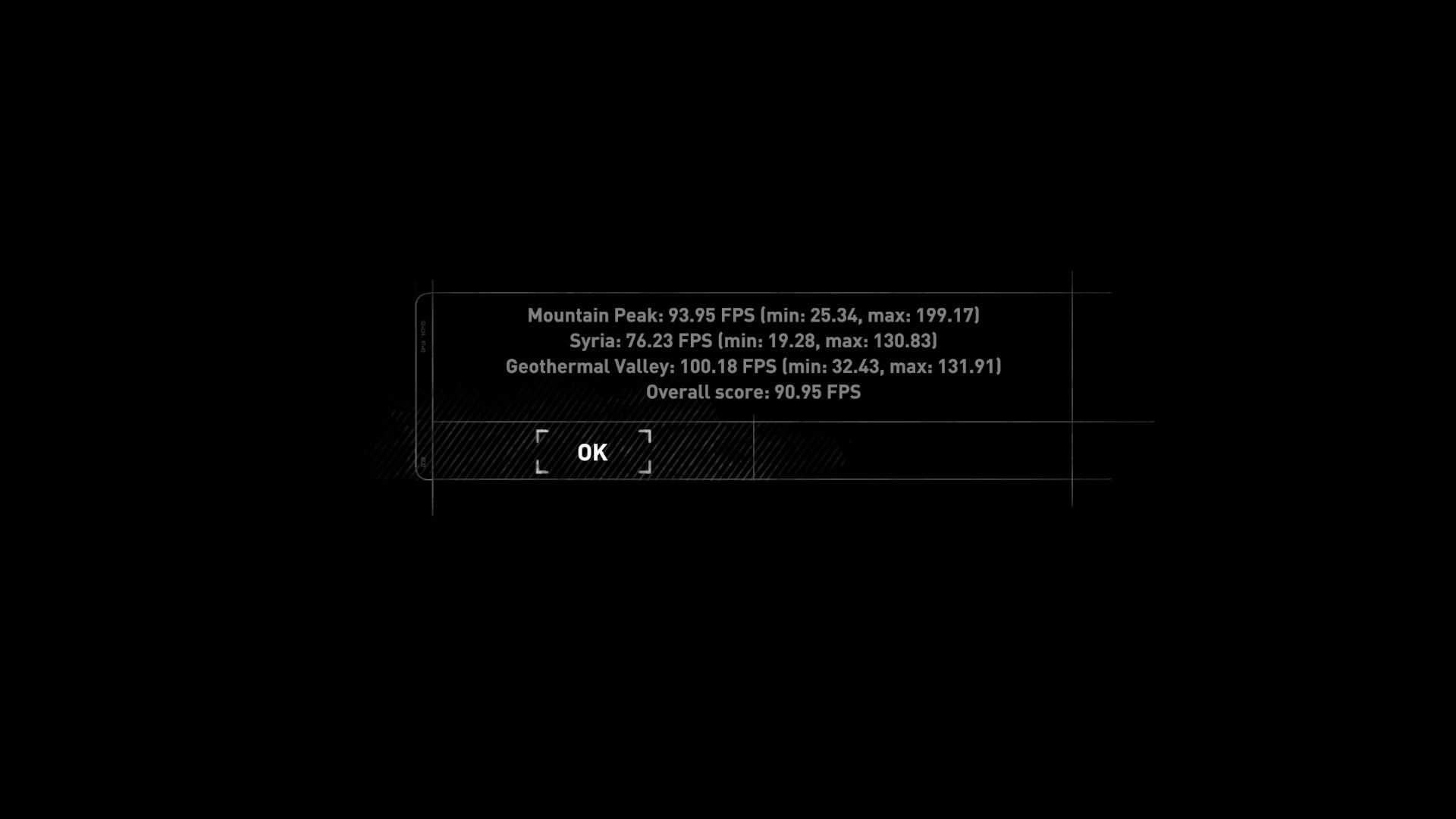
Rise of the Tomb Raider is an action adventure game with many different environments and immersive landscapes making it a useful way to test this laptop’s gaming performance. We tested on Very high settings with AA disabled.
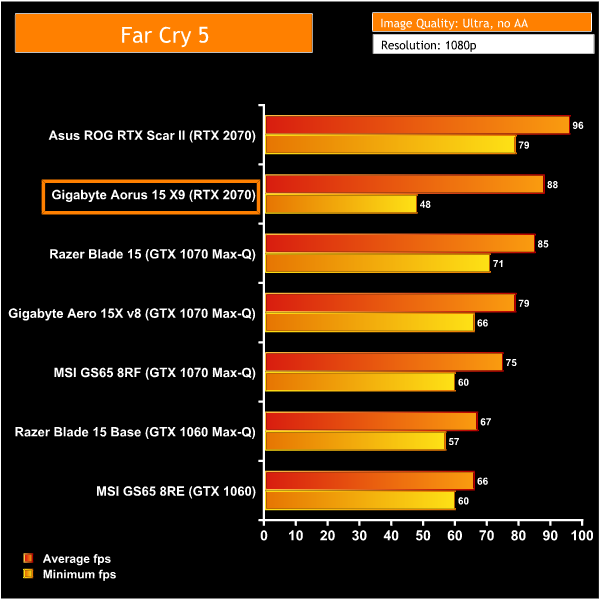
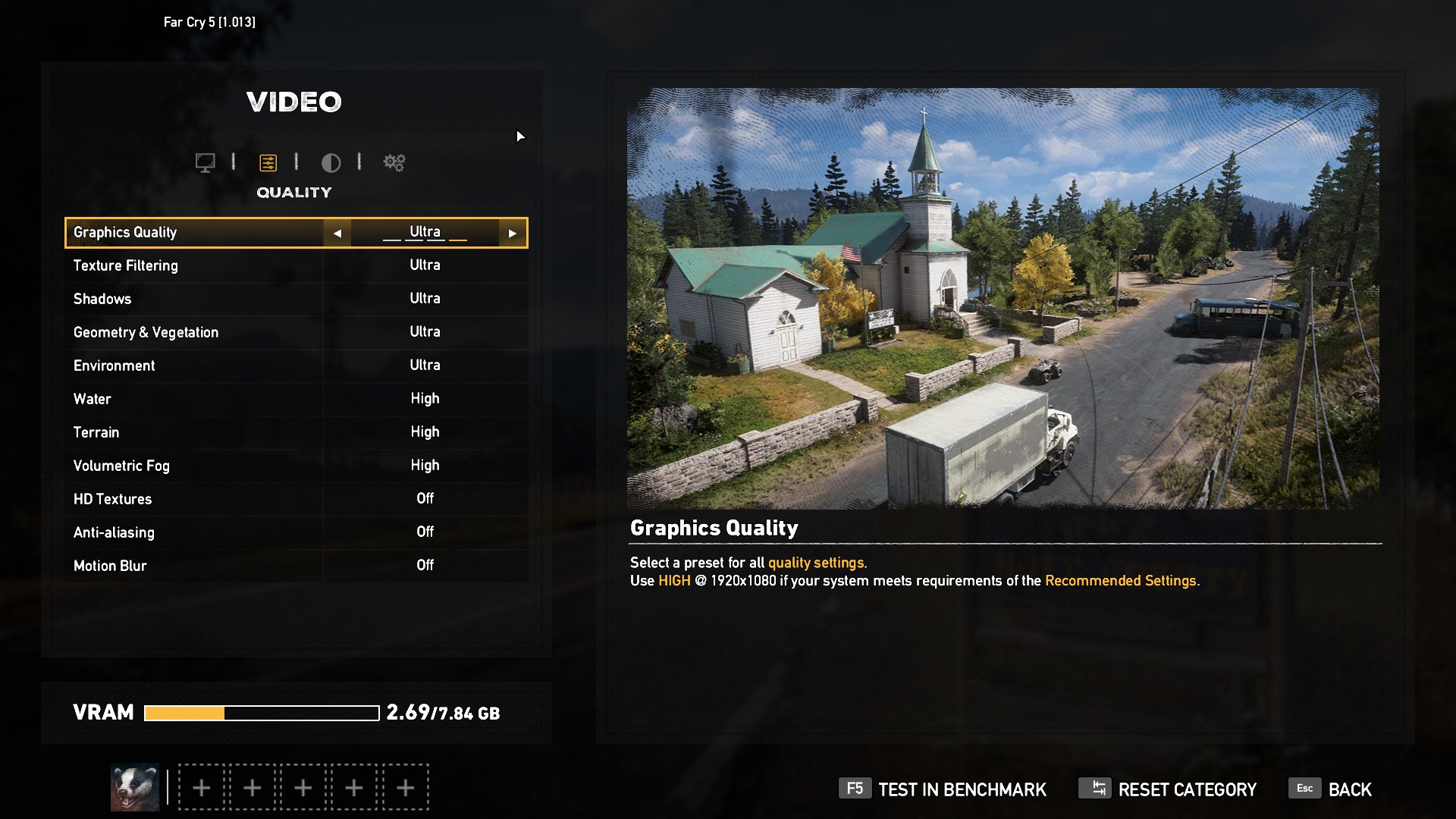
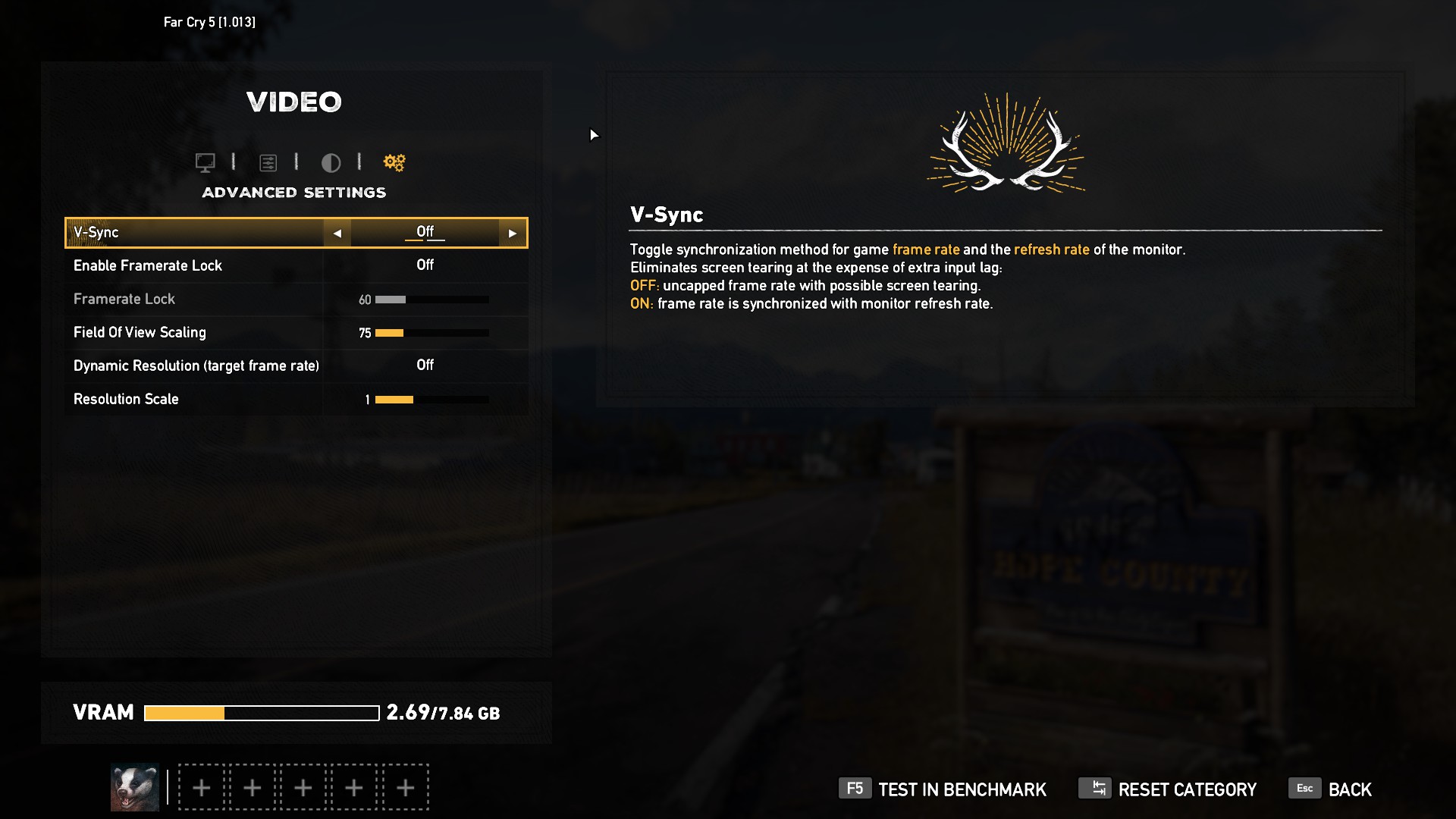
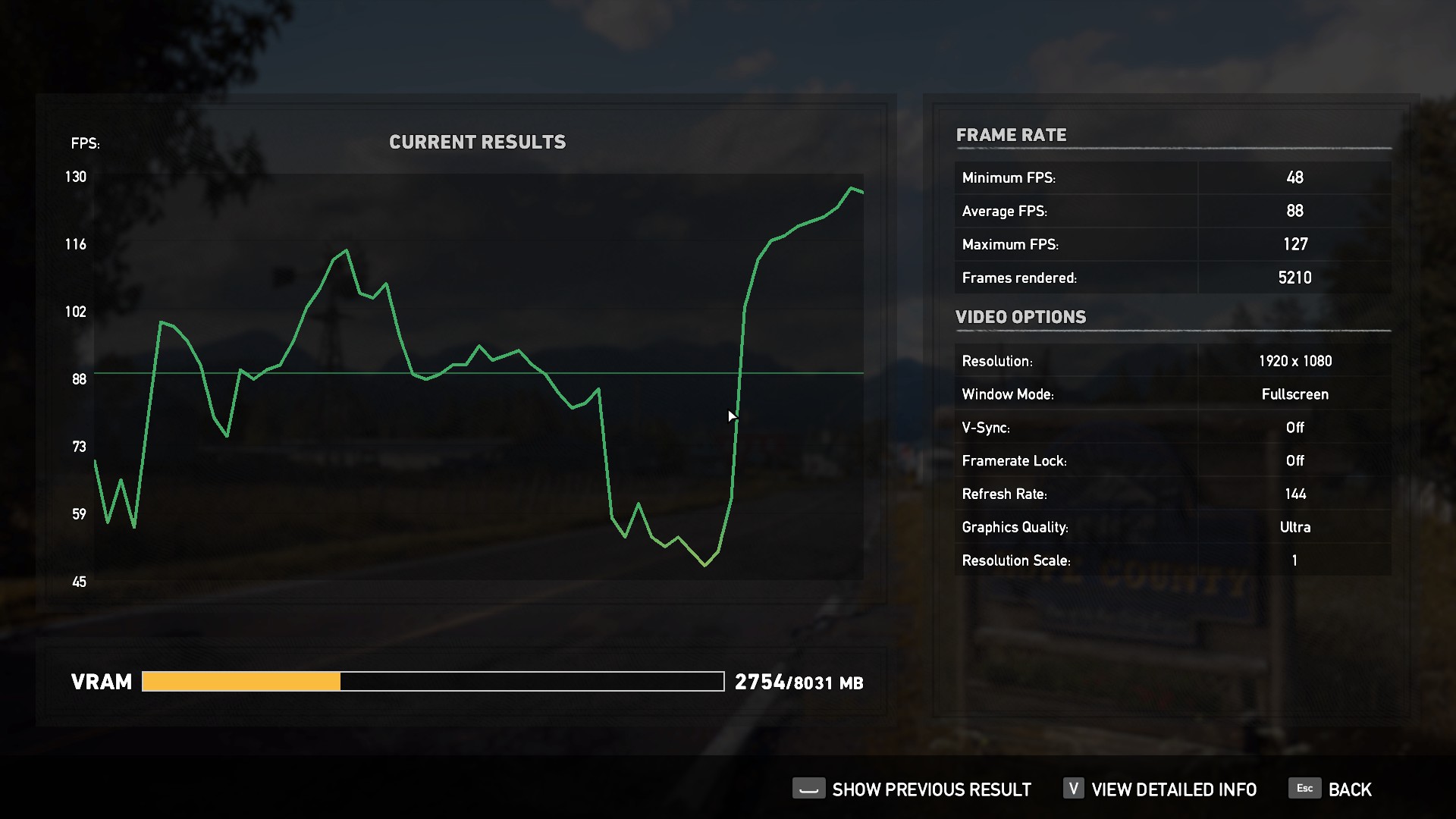
Far Cry 5 was released on March 27, 2018. The gigantic open world of Hope County has plenty of beautiful scenery to test how well this laptop performs with a newer game. We tested on the Ultra preset with AA and motion blur disabled.

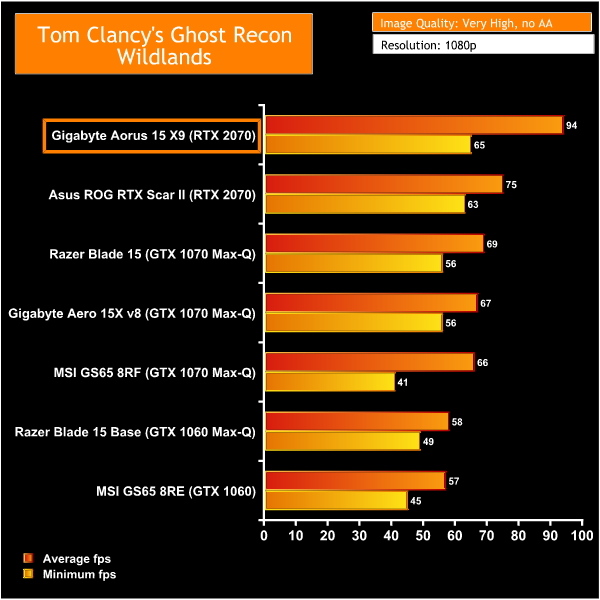
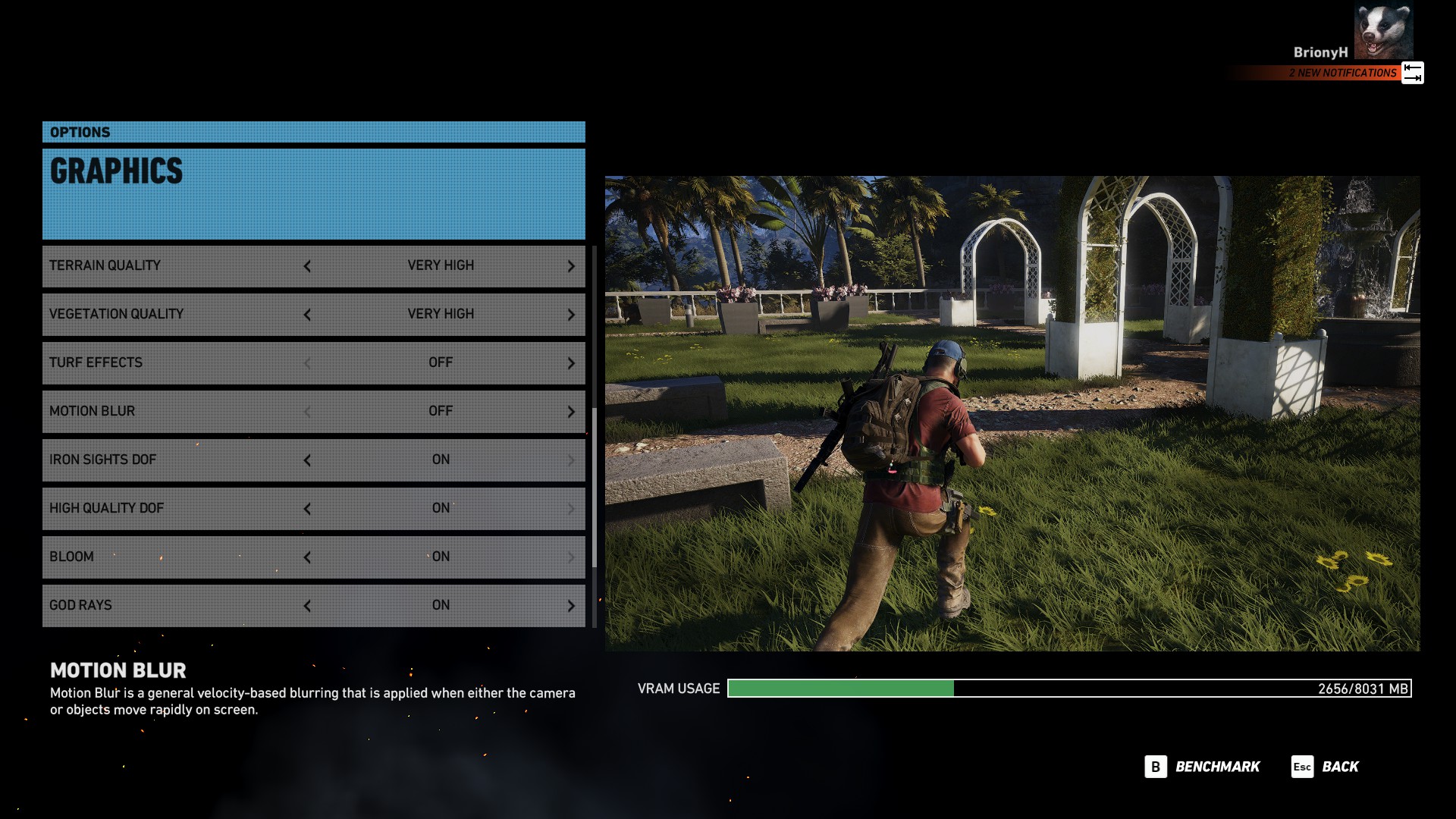
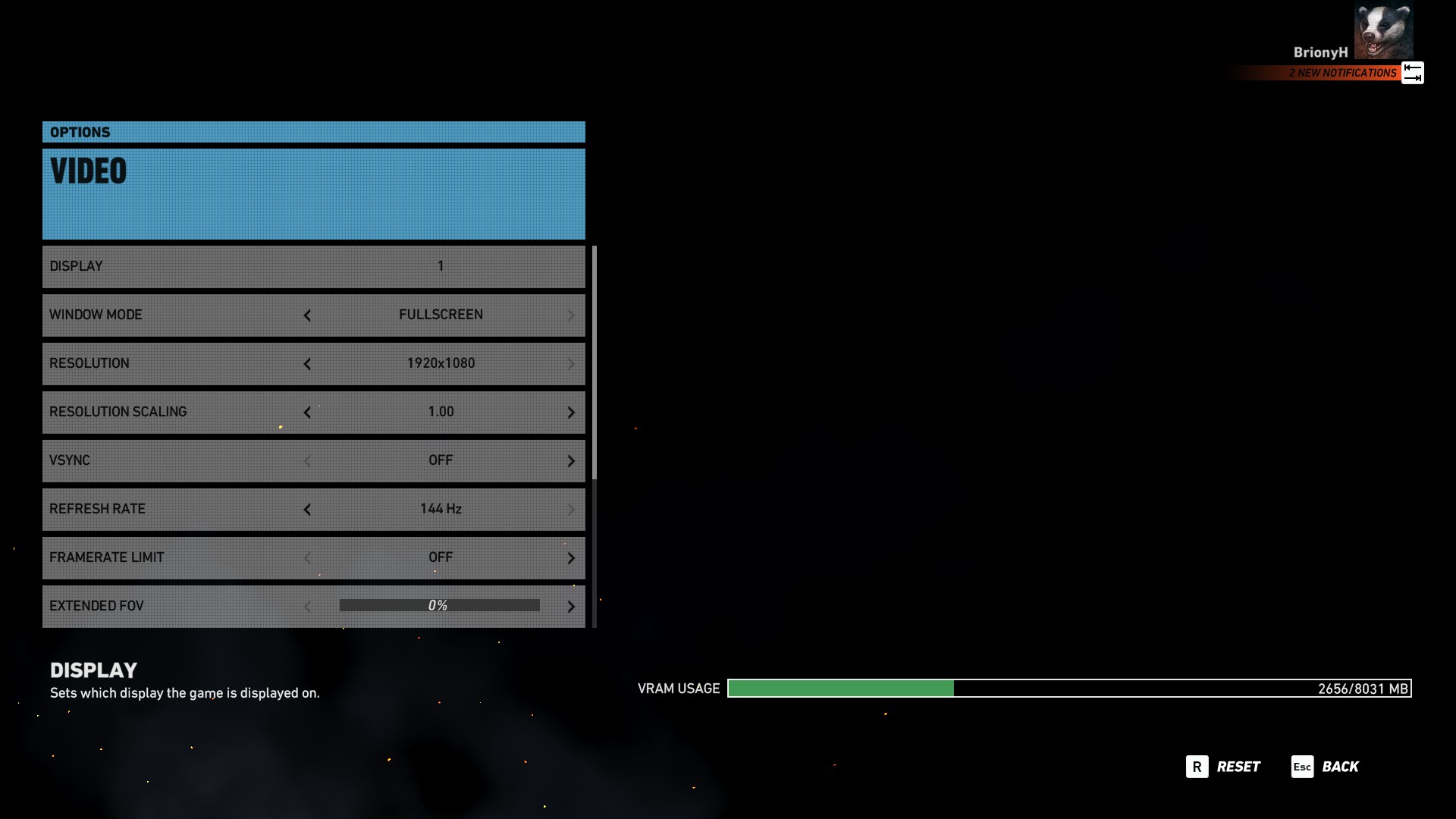
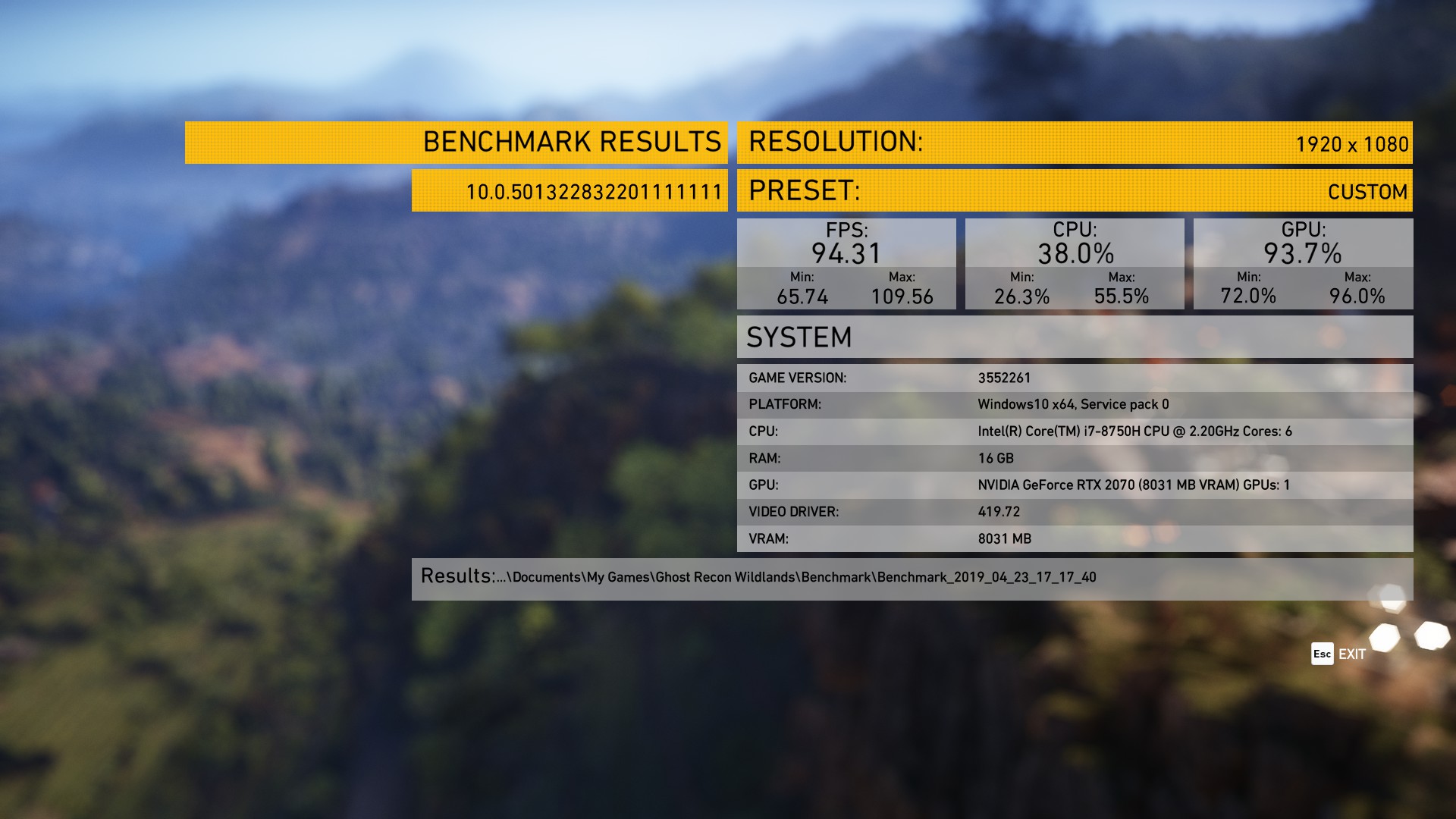
Tom Clancy’s Ghost Recon Wildlands is a game with a superb open world environment. The beautiful scenery of mountains, forests and deserts requires a lot of GPU power to render, particularly on high settings. This demanding game is perfect for testing this laptops gaming performance. We tested on very high settings with AA disabled.

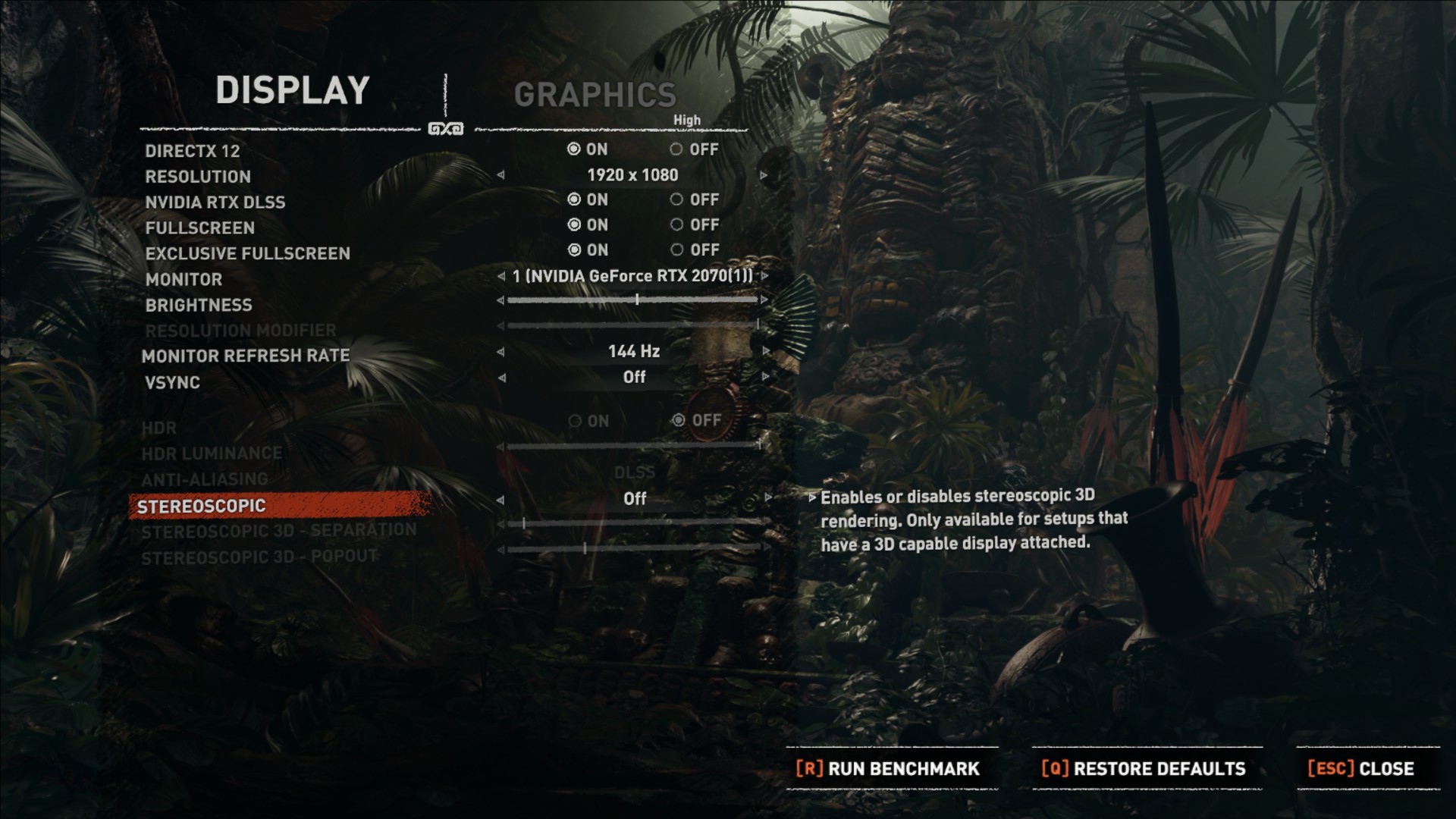
Shadow of the Tomb Raider: Is the most recent release on our line up of tester games and supports Nvidia's RTX technology. We tested the game at several different preset graphical settings with DLSS & DX12 turned on. We then also tested the same graphical settings again with RTX turned on and ray traced shadow quality set to high.
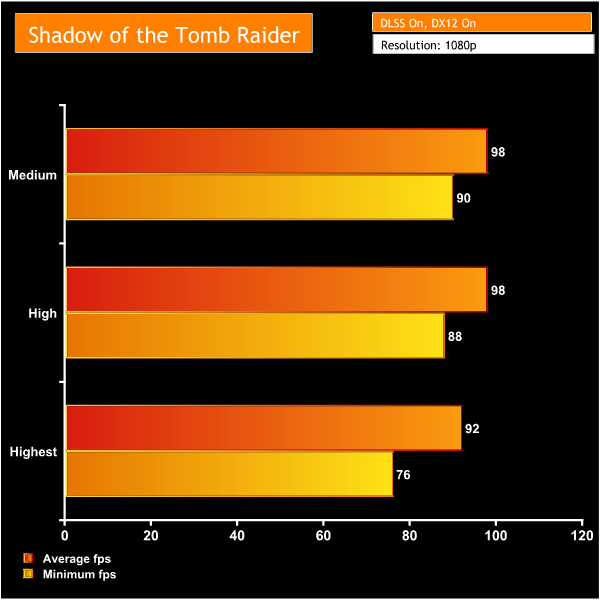
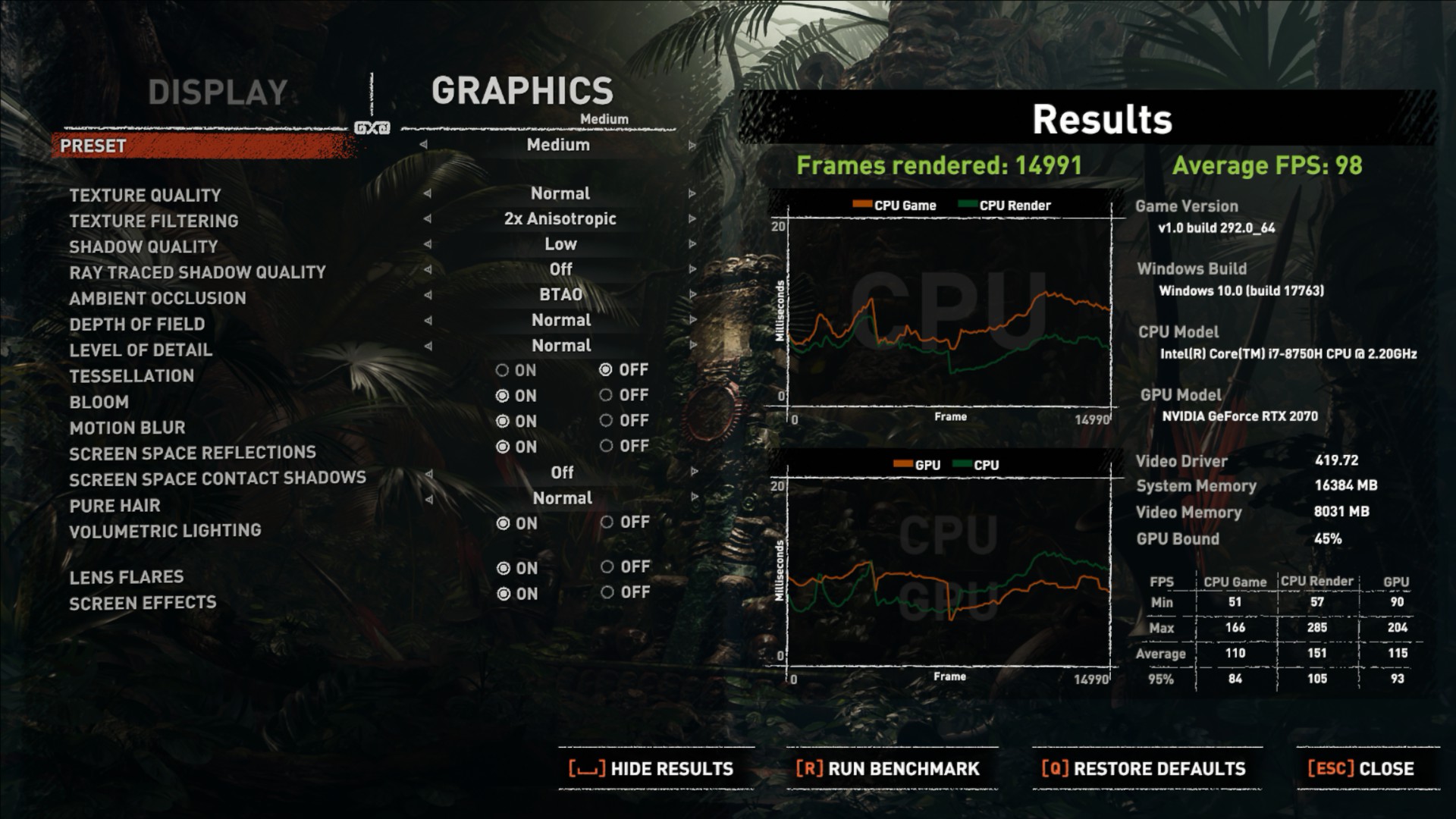
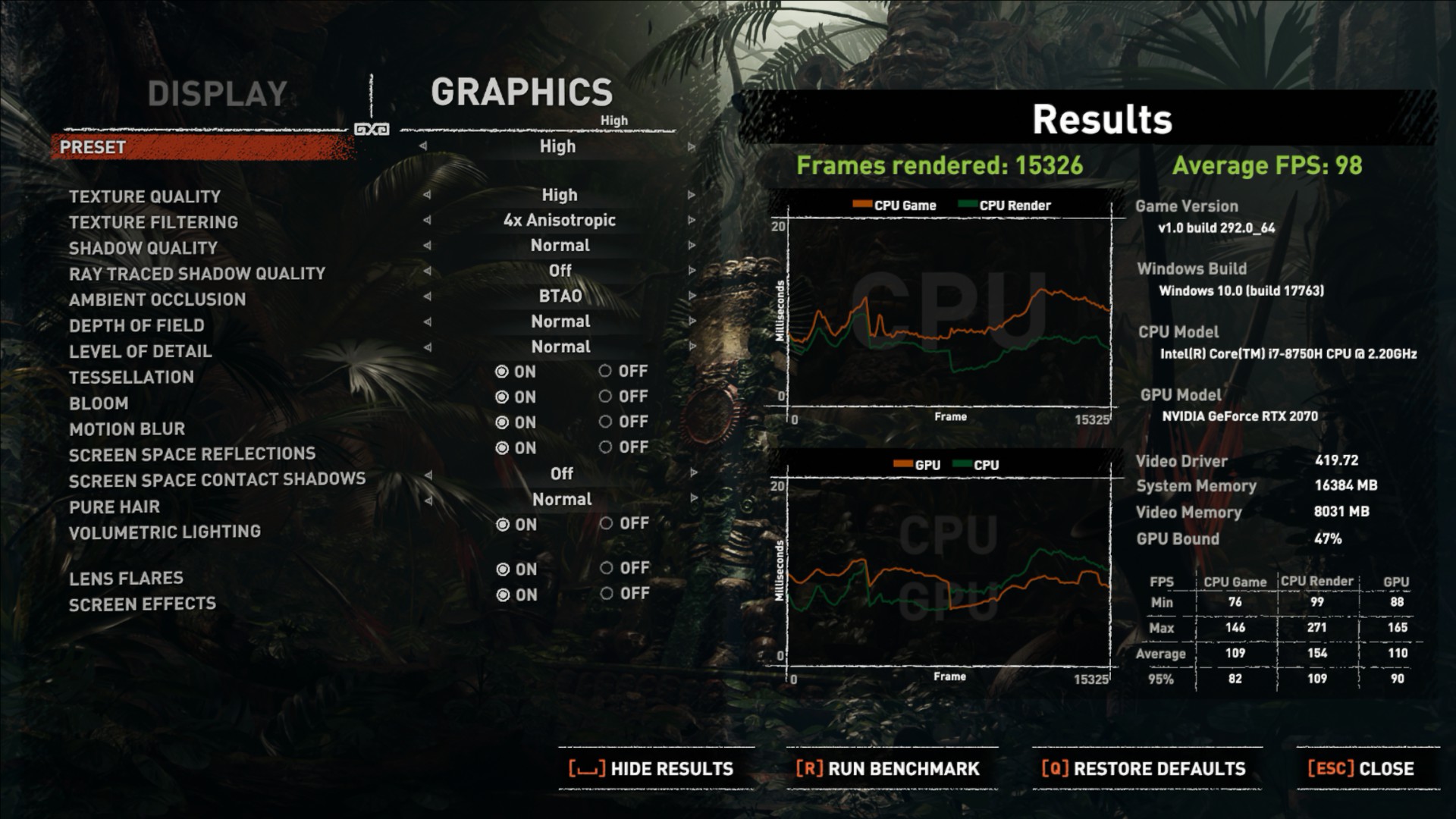
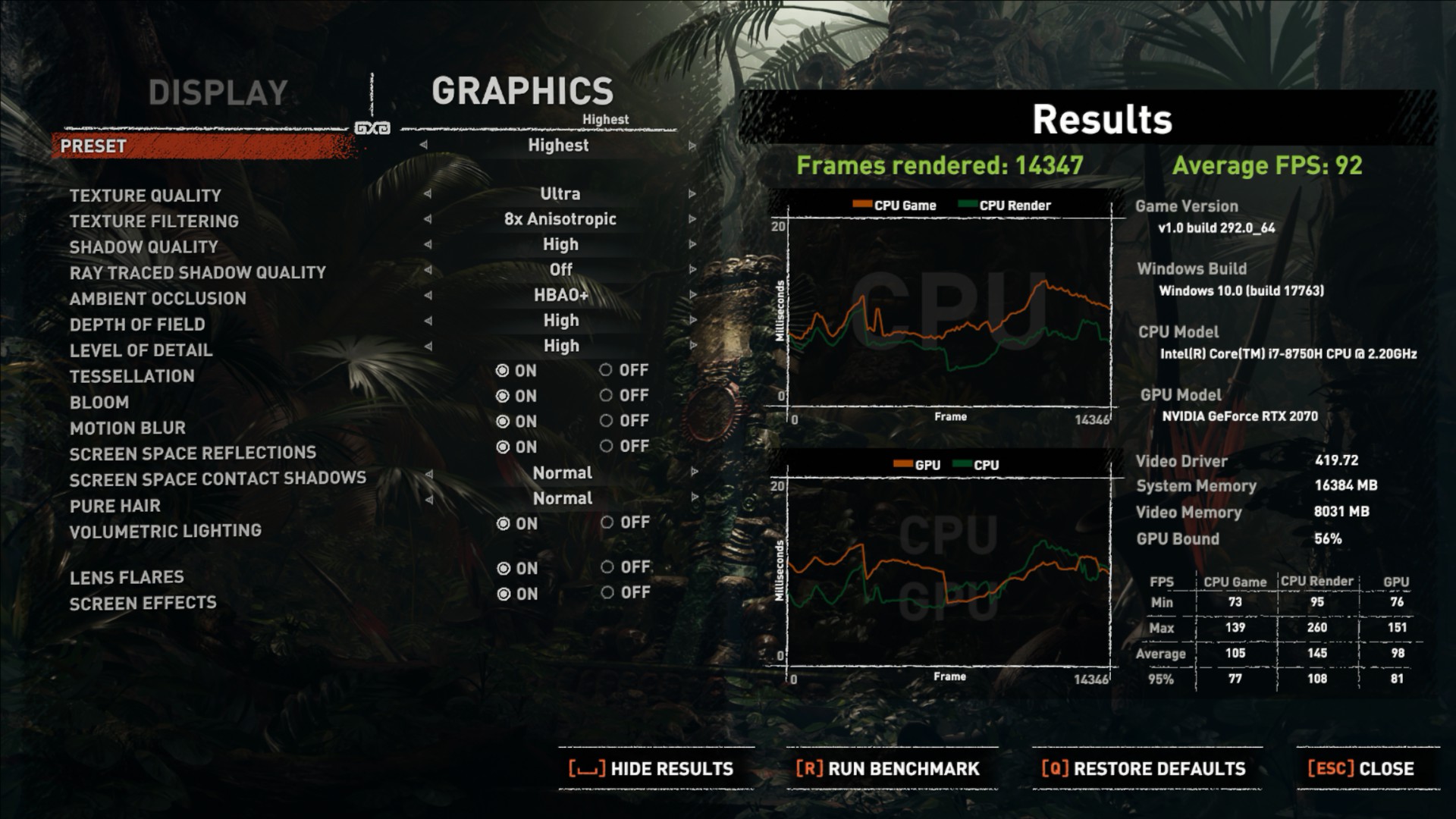
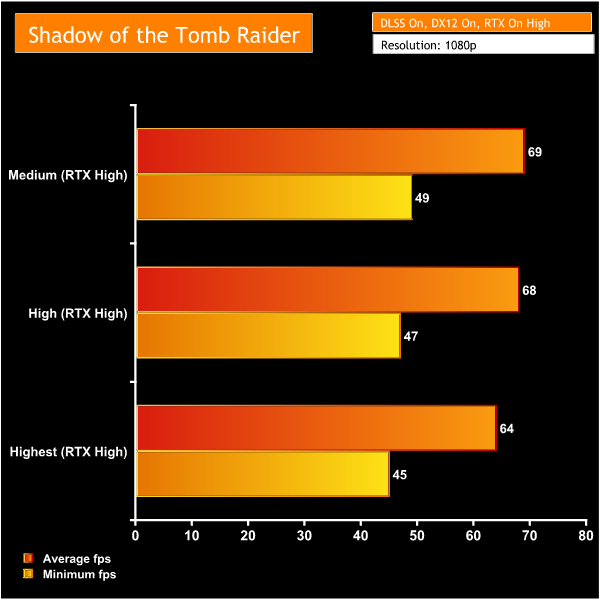
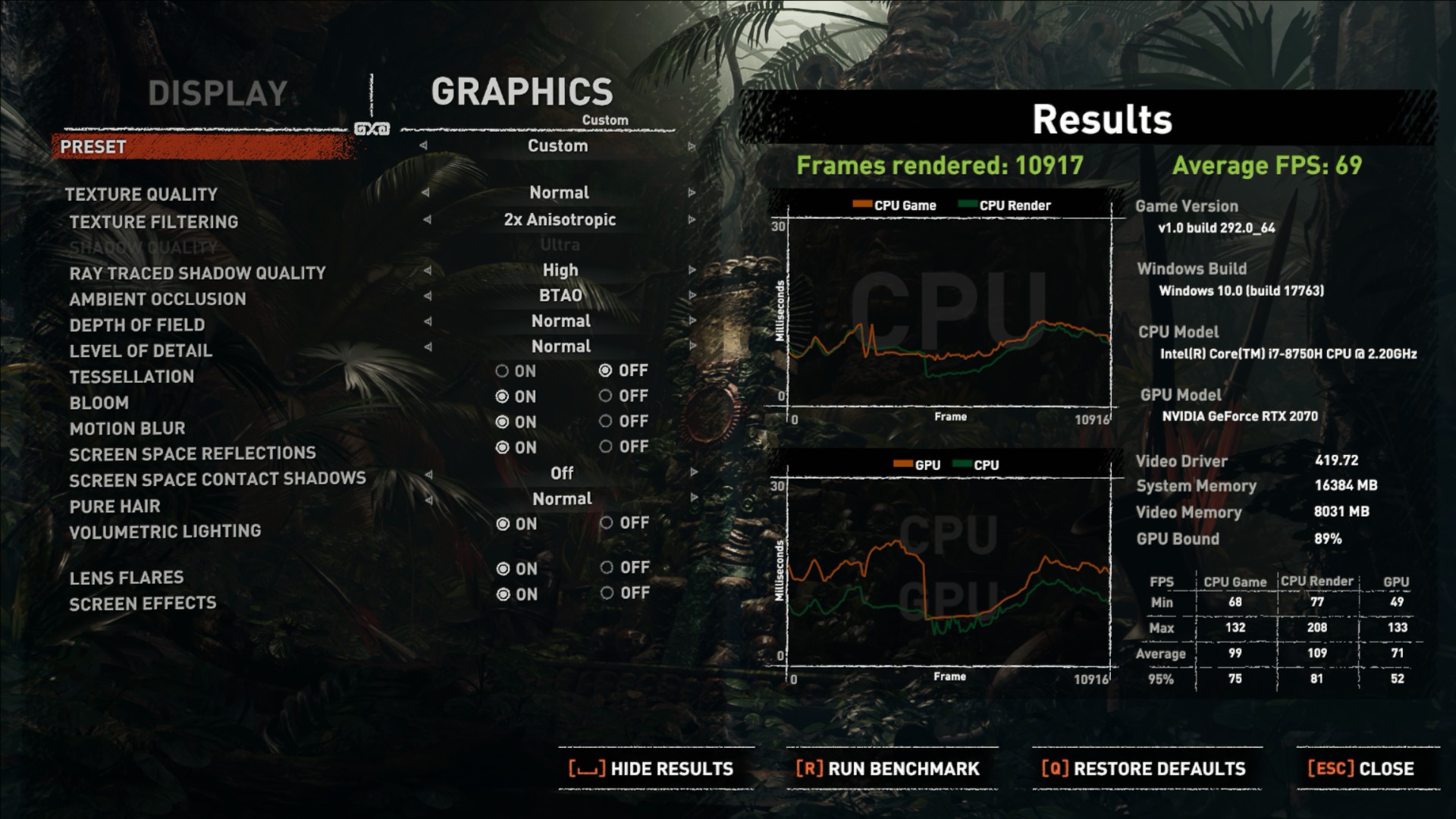
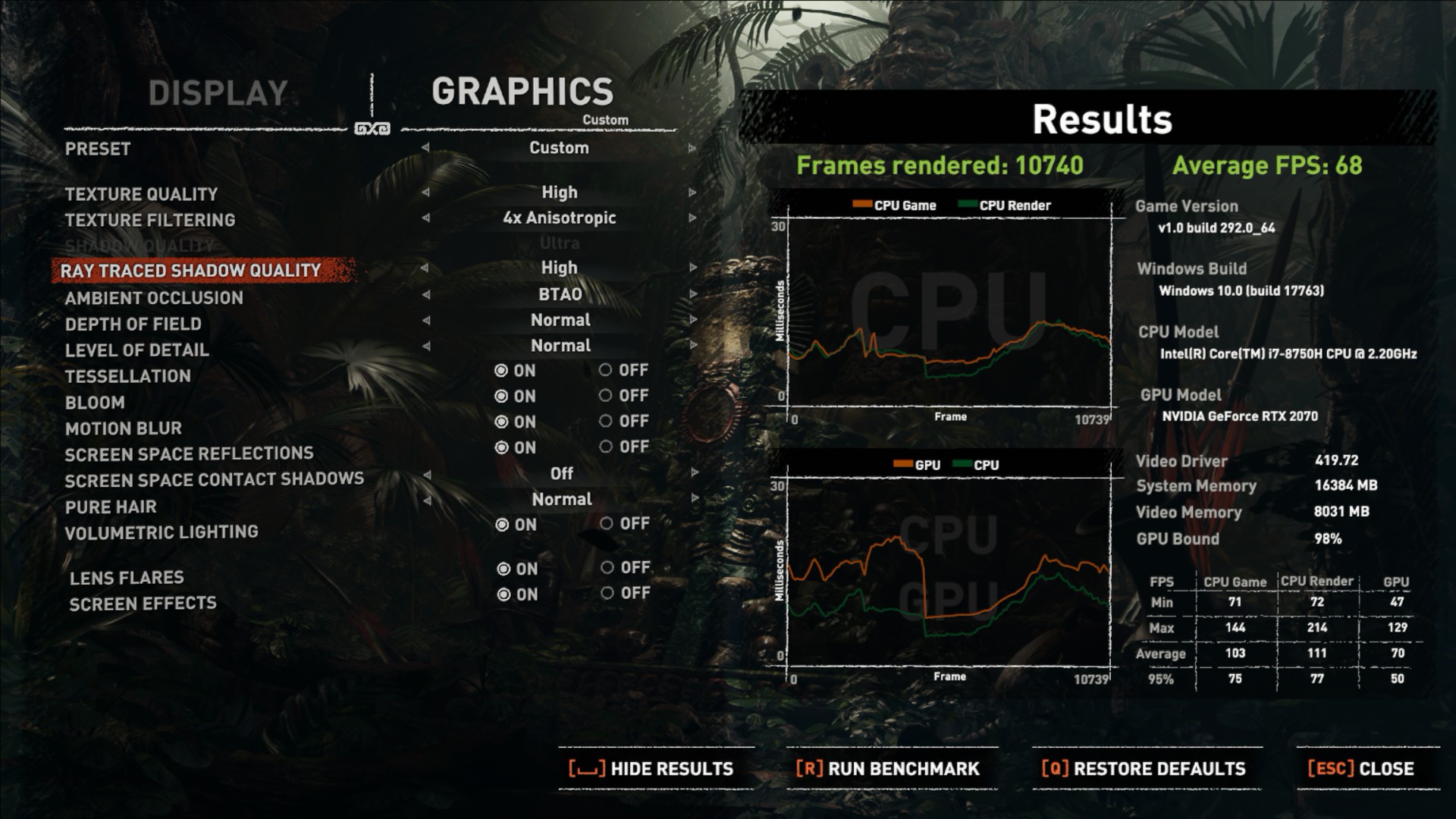
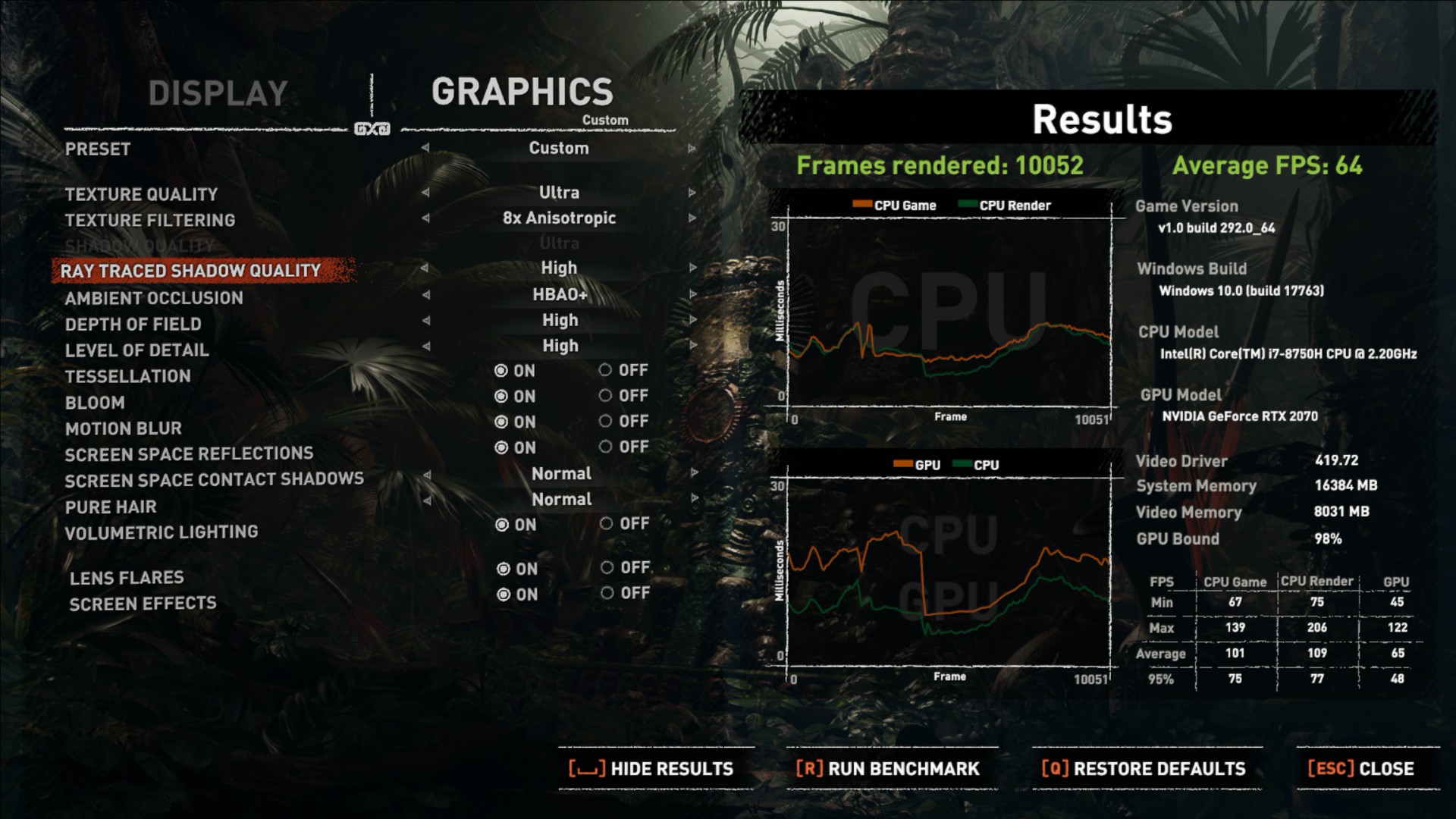
The results from the game testing show the Aorus 15 X9 to be a very capable laptop when it comes to gaming. It can play demanding AAA games at very high settings with a high frame rate that makes the 144Hz display worthwhile.
Despite beating the ROG RTX Scar II in all of the 3DMark benchmarks, it does lag slightly behind in some of the games but does beat it out in others. There is a noticeable increase in frame rates over the previous Nvidia 10-series laptops as expected, but it isn't a huge leap.
However, having RTX in a laptop is a nice option for gamers that want to make the most of the new games that feature ray tracing capabilities. Our Shadow of the Tomb Raider benchmarks certainly show this laptop to be powerful even when faced with High RTX and graphics settings.
With the new Intel 9th Generation laptops currently up for pre-order – or in some cases, already available – it may not seem like a good decision to buy something with the older 8th Gen CPUs. However, we've seen the Aorus 15-X9 on sale at around £1800 which does seem like a decent deal for so much performance in a small chassis.
It's not the thinnest gaming laptop around, but it is small enough to be portable and the impressive build quality means that the sturdy chassis could easily survive regular trips out and about.
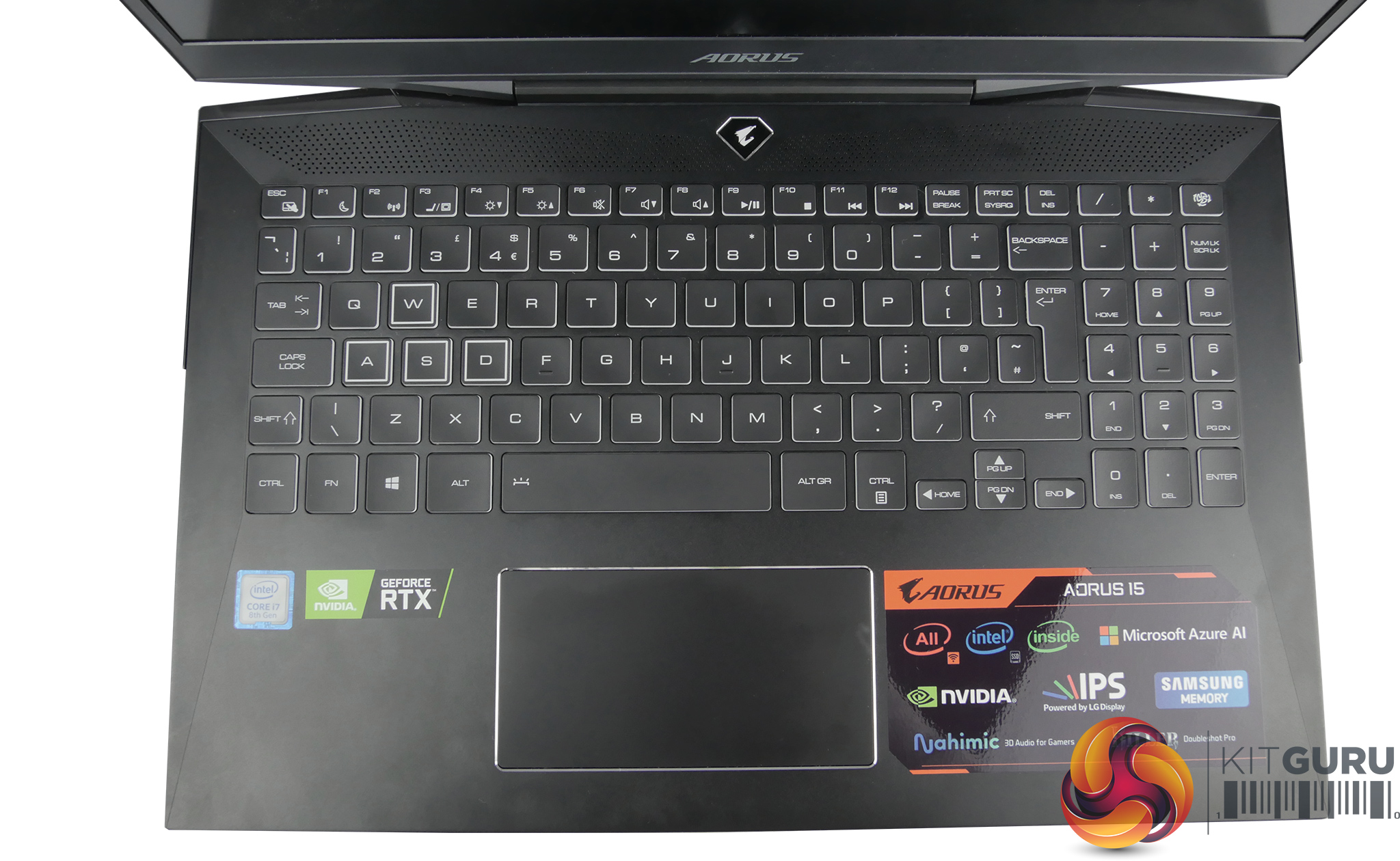
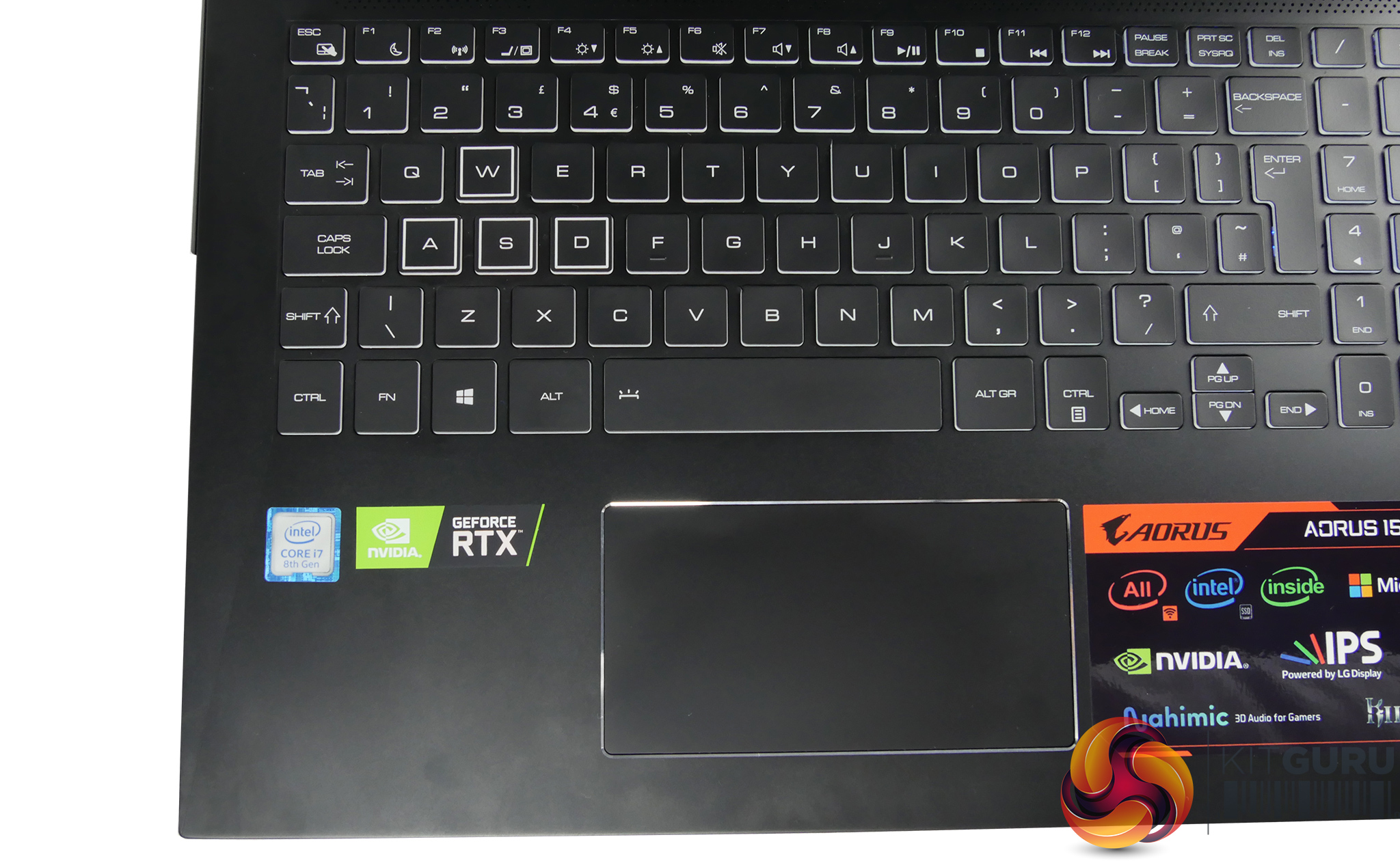
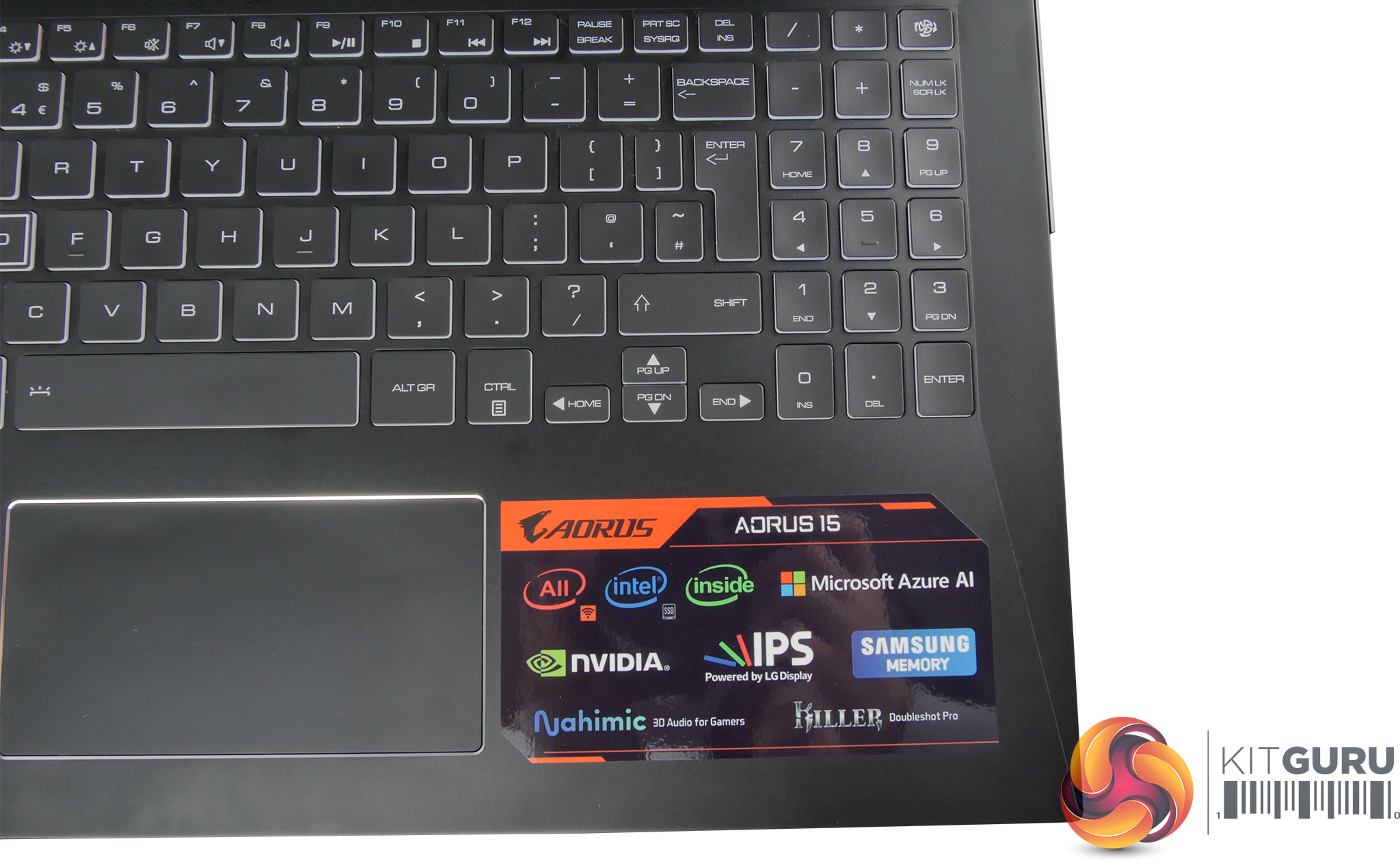
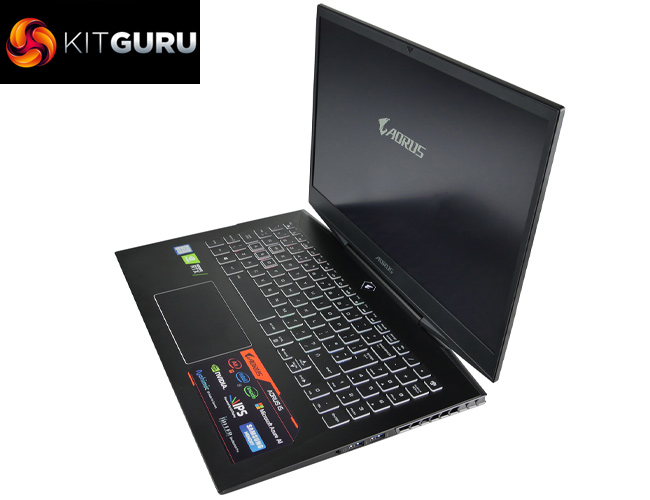
The main pro of this laptop is the excellent 1080p display. Small bezels create a more immersive experience and with it being an LG IPS panel it ticks plenty of boxes. With the 144Hz refresh-rate, it is also perfect for smooth gameplay. The laptop is also pleasant to use in other areas such as the keyboard and touch ad. However, improvements could definitely be made to the webcam and speakers.
When it comes to performance, there's no denying the i7-8750H and RTX 2070 make for a pretty powerful combination. The gaming performance is great and we saw an average frame rate of over 60fps in all our test games – meaning that the Aorus 15 takes advantage of the high refresh rate display.
Thanks to the great cooling solution, it won't heat up either ensuring good component longevity. It's far from being a quiet laptop, however, and one of our main criticisms is the fan noise – however the nifty AI software ensures the laptop finds a good balance between noise, temperatures and performance.
The 15-X9's main downfall, however, is the poor battery life but if you're looking at a gaming laptop that will be plugged into the mains most the time it might be something you’re willing to overlook.
At the time of writing, the Aorus 15-X9 was available on sale at £1800. As we go to press, it is now slightly more expensive at £2000, though this is still a sale price, and if you can't get this machine on sale it will set you back £2200. This does complicate things as there are now laptops with 9th Gen CPUs available for pre-order – including Aorus' own 15-XA which is currently £2100.
So the bottom line is – if you can find the Aorus 15-X9 on sale, ideally around the £1800 mark which we have seen recently, then it is well worth buying. If pricing stays as high as it is currently, however, then buying one of the new 9th Gen models does seem to make more sense.

If you did want to buy the Aorus 15-X9, it is currently £2000 from Overclockers UK HERE.
Pros:
- Excellent display with high refresh rate.
- Good temperatures.
- Powerful performance.
- Relatively thin & portable chassis.
- Fast SSD with HDD for mass storage.
- Good sized and responsive touchpad and keyboard.
- Sleek gamer aesthetic.
- Decent software and new AI program.
Cons:
- 9th Gen models are available – in some cases, for even less money than this laptop.
- No per key RGB lighting.
- Loud fan noise.
- Battery life could be better.
- Poor webcam.
- Poor speakers.
KitGuru says: The Aorus 15-X9 from Gigabyte can get a little noisy but is overall a well-rounded laptop. With newer models available, this could be one to look out for if it goes on sale again.