 KitGuru KitGuru.net – Tech News | Hardware News | Hardware Reviews | IOS | Mobile | Gaming | Graphics Cards


To measure the PCSpecialist Titan Supreme performance during gaming sessions, we ran a series of tests from a selection of current and older, popular games using their built-in benchmarks, testing both DirectX 11 and 12 performance where applicable. We stuck with 1080p and 1440p for the testing as we think these resolutions will be best suited for optimal performance using this system.
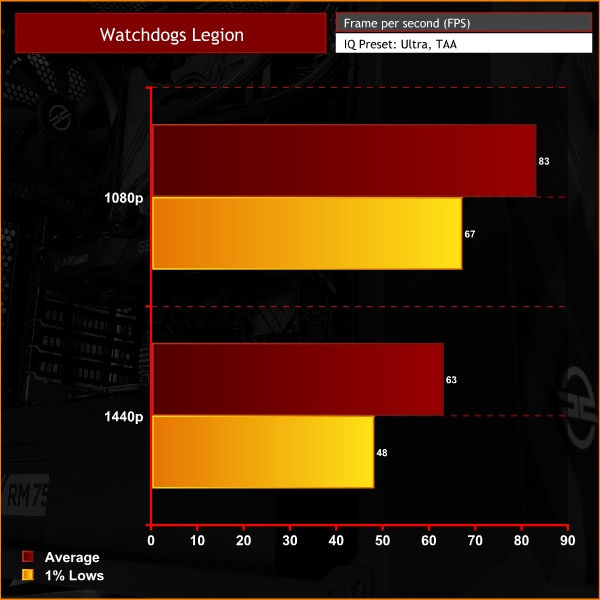
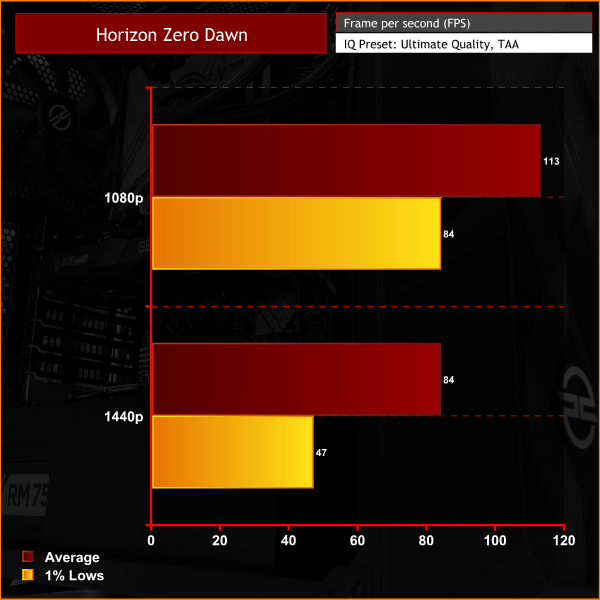
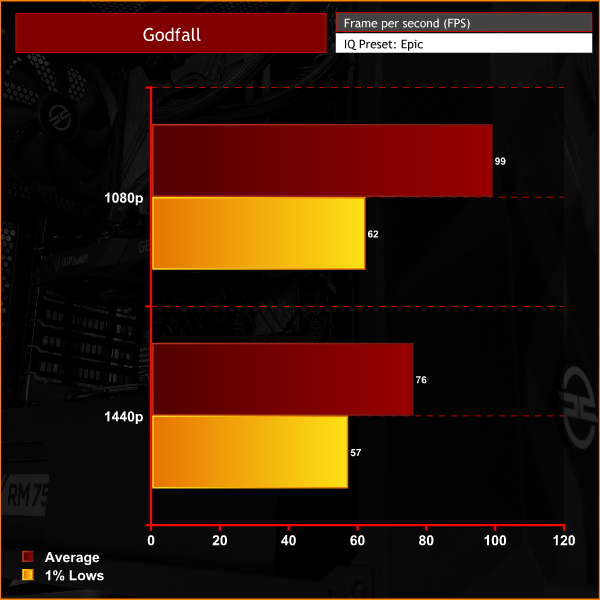
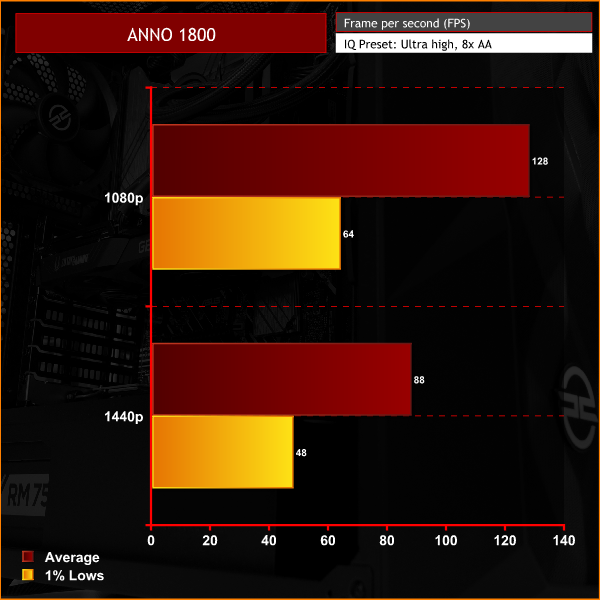
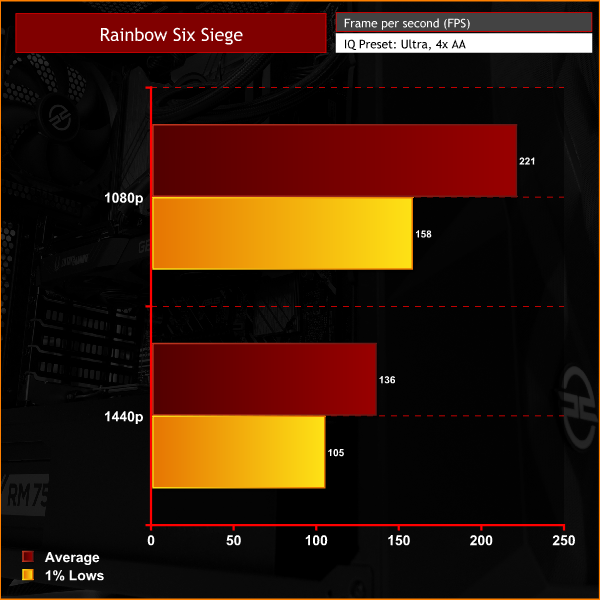
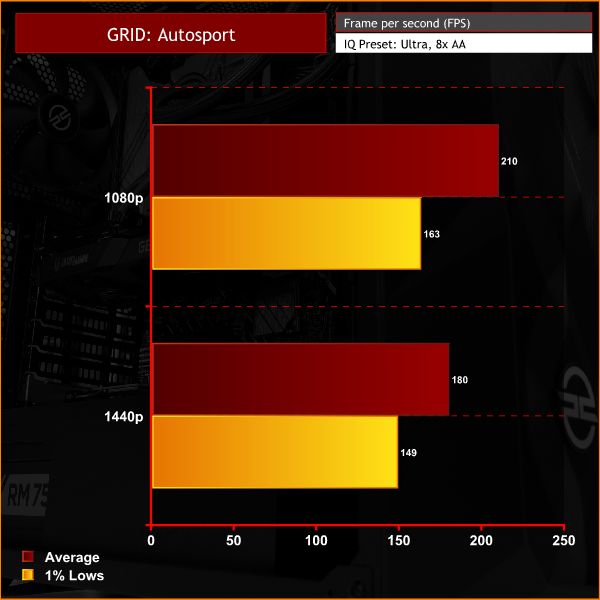
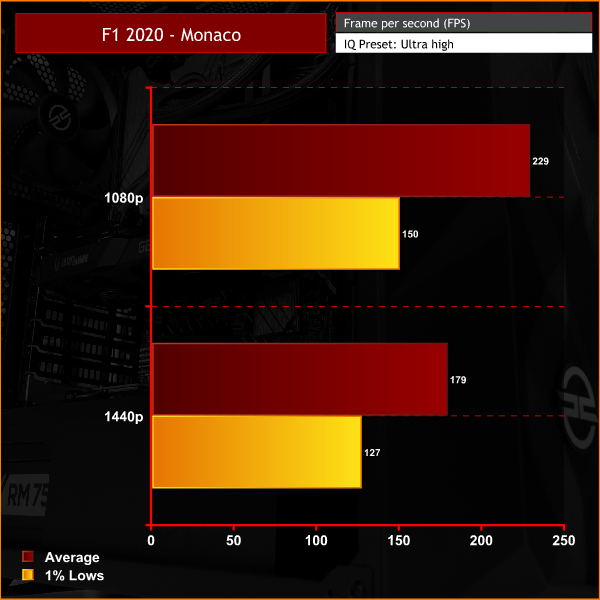
In modern titles, the PCSpecialist Titan Supreme offers up to and above 100FPS average at 1080p resolution with the graphics quality cranked right up. Bumping the resolution up to 1440p impacts performance but still, the system manages to maintain a 60FPS and above average frame rate with high graphics quality settings.
If less demanding games or competitive multiplayer like Rainbow Six Siege are more your kind of thing, then you can expect very high FPS at 1080p or 1440p resolution with the Titan Supreme. A high refresh rate monitor would work with the system perfectly in this situation.
