KitGuru KitGuru.net – Tech News | Hardware News | Hardware Reviews | IOS | Mobile | Gaming | Graphics Cards



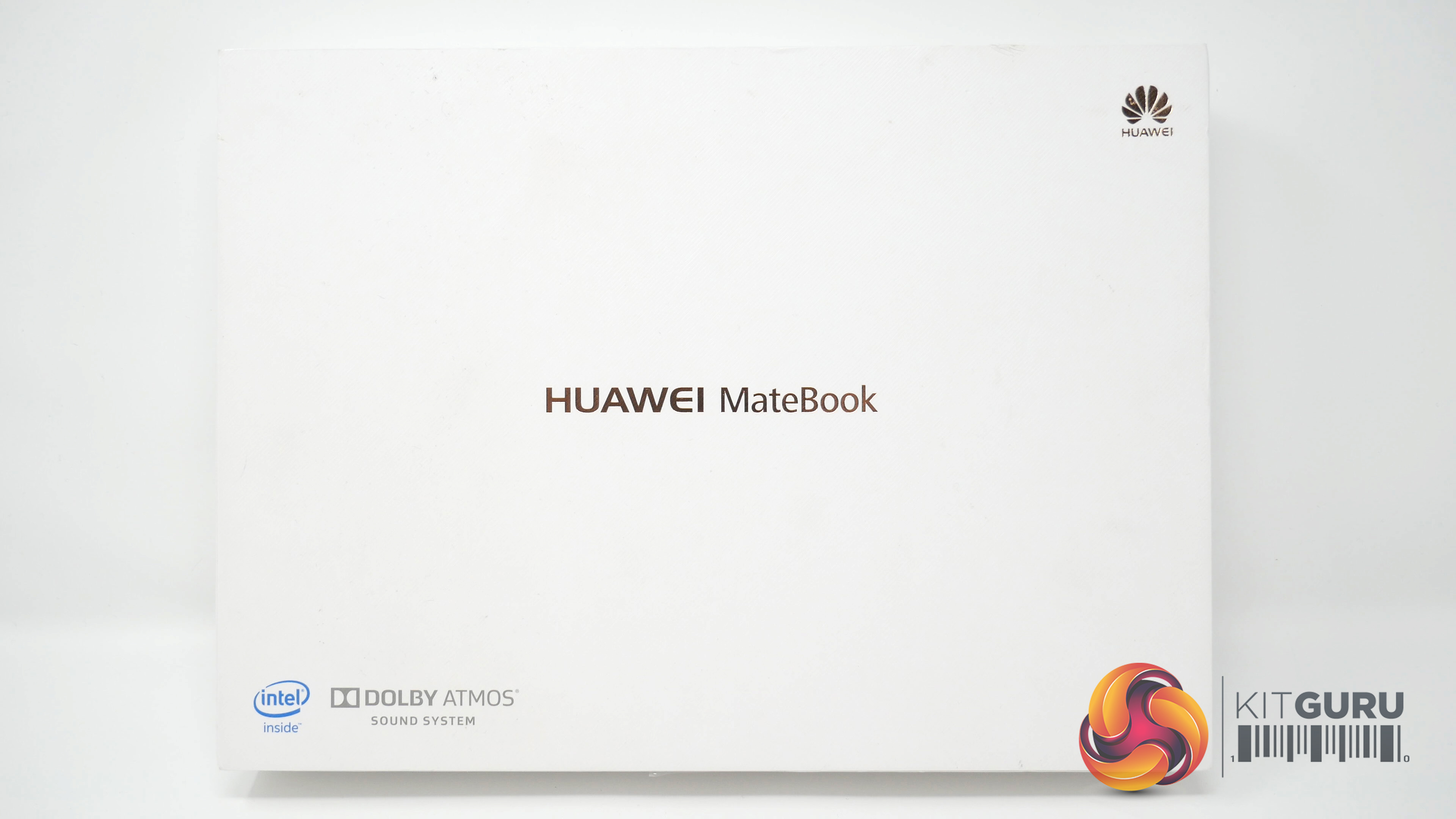
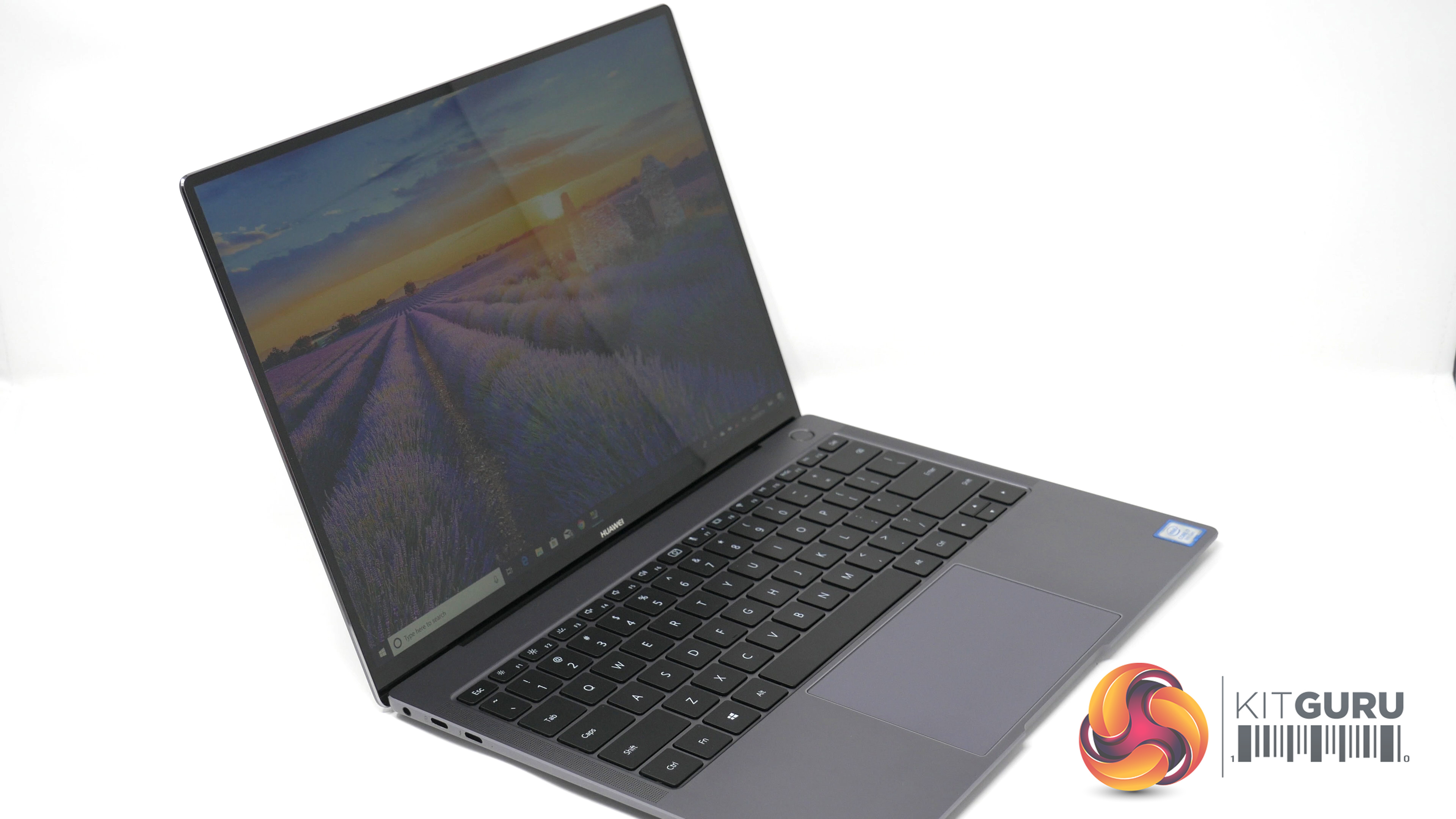
Today we are looking at the beautifully designed, incredibly lightweight Huawei MateBook X Pro (2018) notebook. While it's not the latest in the MateBook family, it definitely looks the part and is currently for sale with a decent discount, making it well worth looking at today. Is it still worth picking up if you're looking for a premium thin-and-light laptop?
Specifications:
- Display size: 13.9″
- Display Type: 3K LTPS (Low Temperature PolySilicon LCD), sRGB 100%
- Resolution: 3000 x 2000, 260 PPI
- One touch power button
- Colour: Space Grey
- Operating System: Windows 10
- Touchscreen Capability: Yes, Gorilla glass – Anti-fingerprint Coating
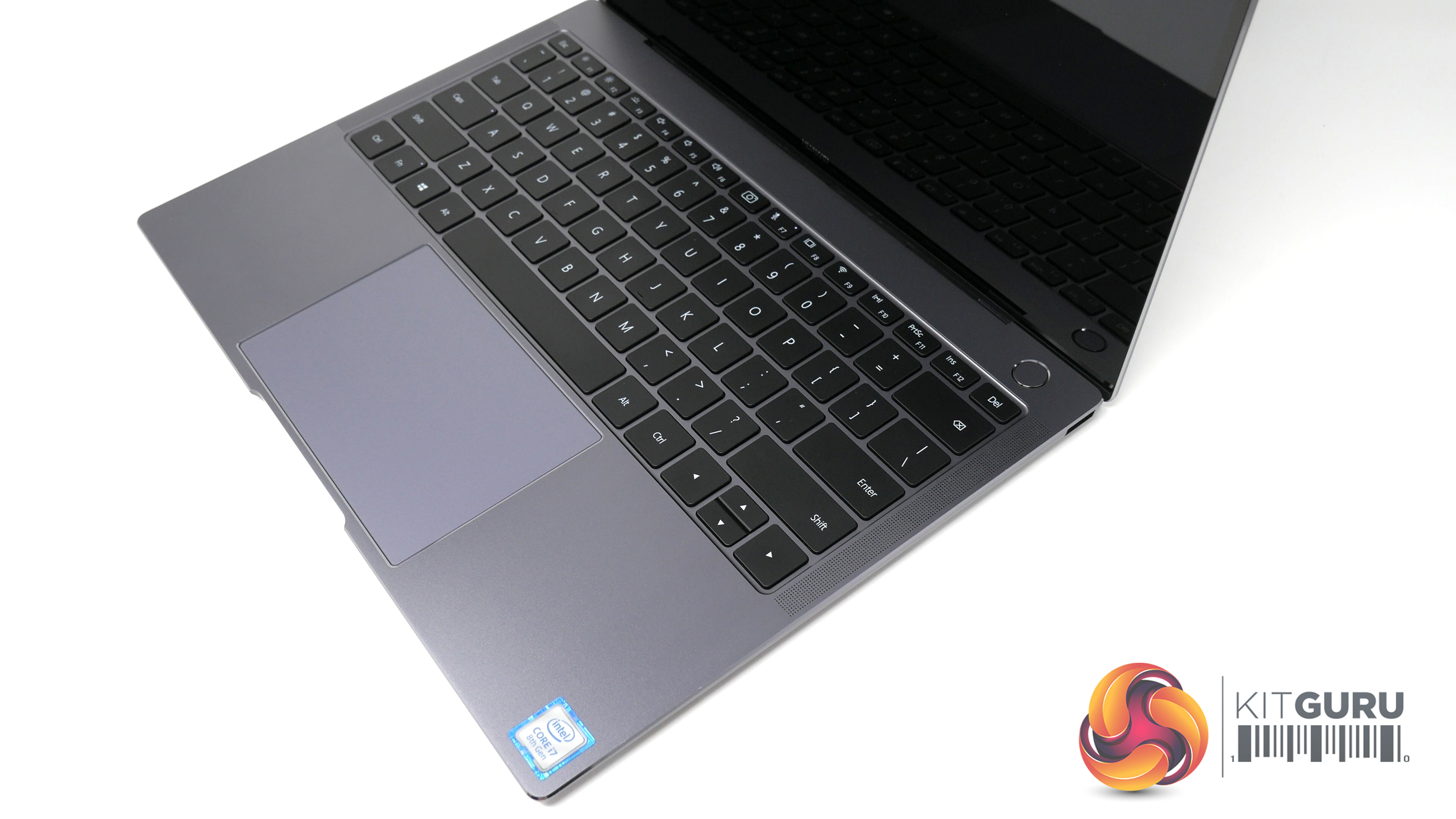
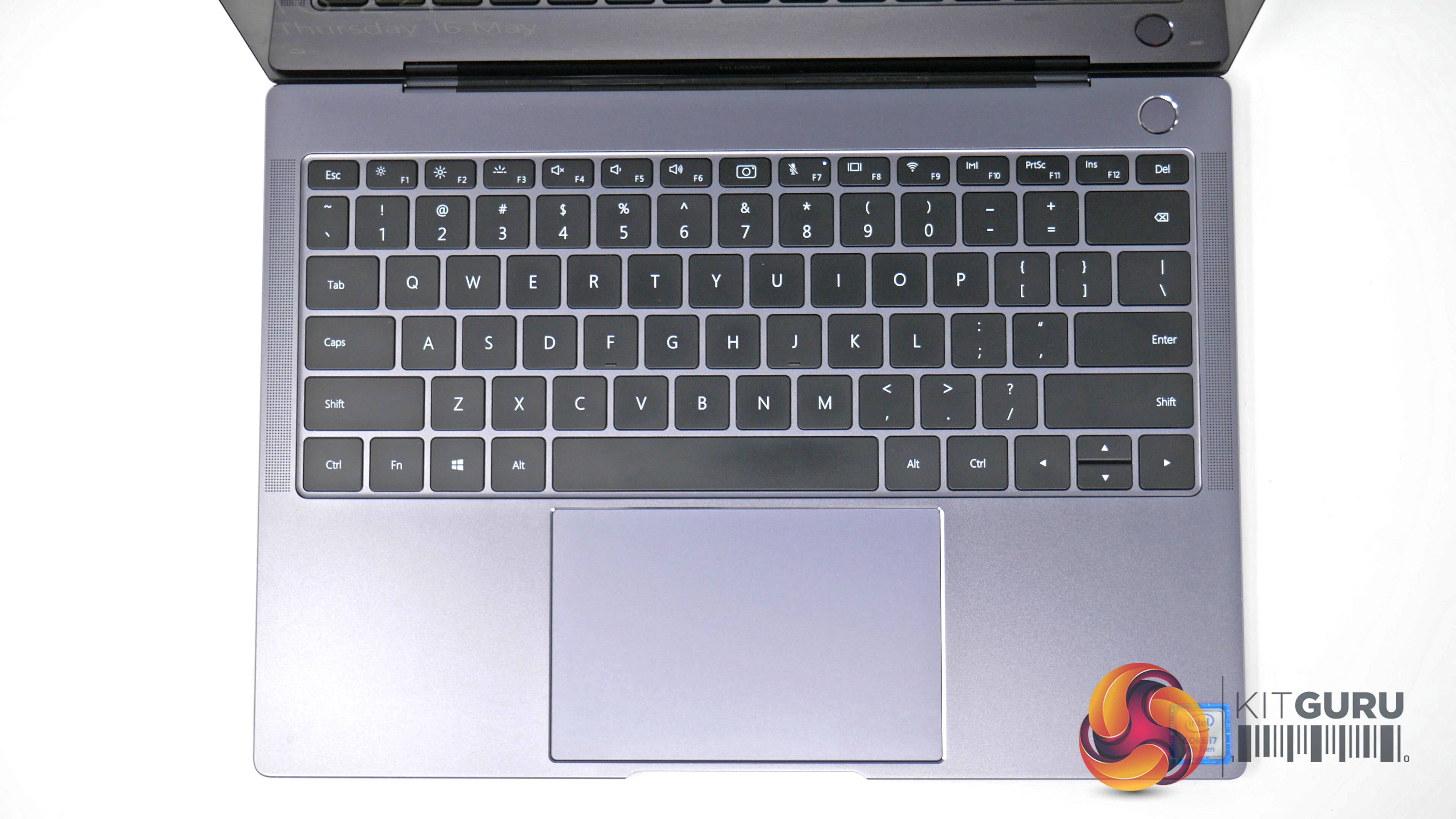
- Keyboard: Full-Size Spill- Proof Backlit Keyboard.
- Battery: Lithium Polymer, 57.4 Wh(Typical Capacity) – Up to 12 Hours
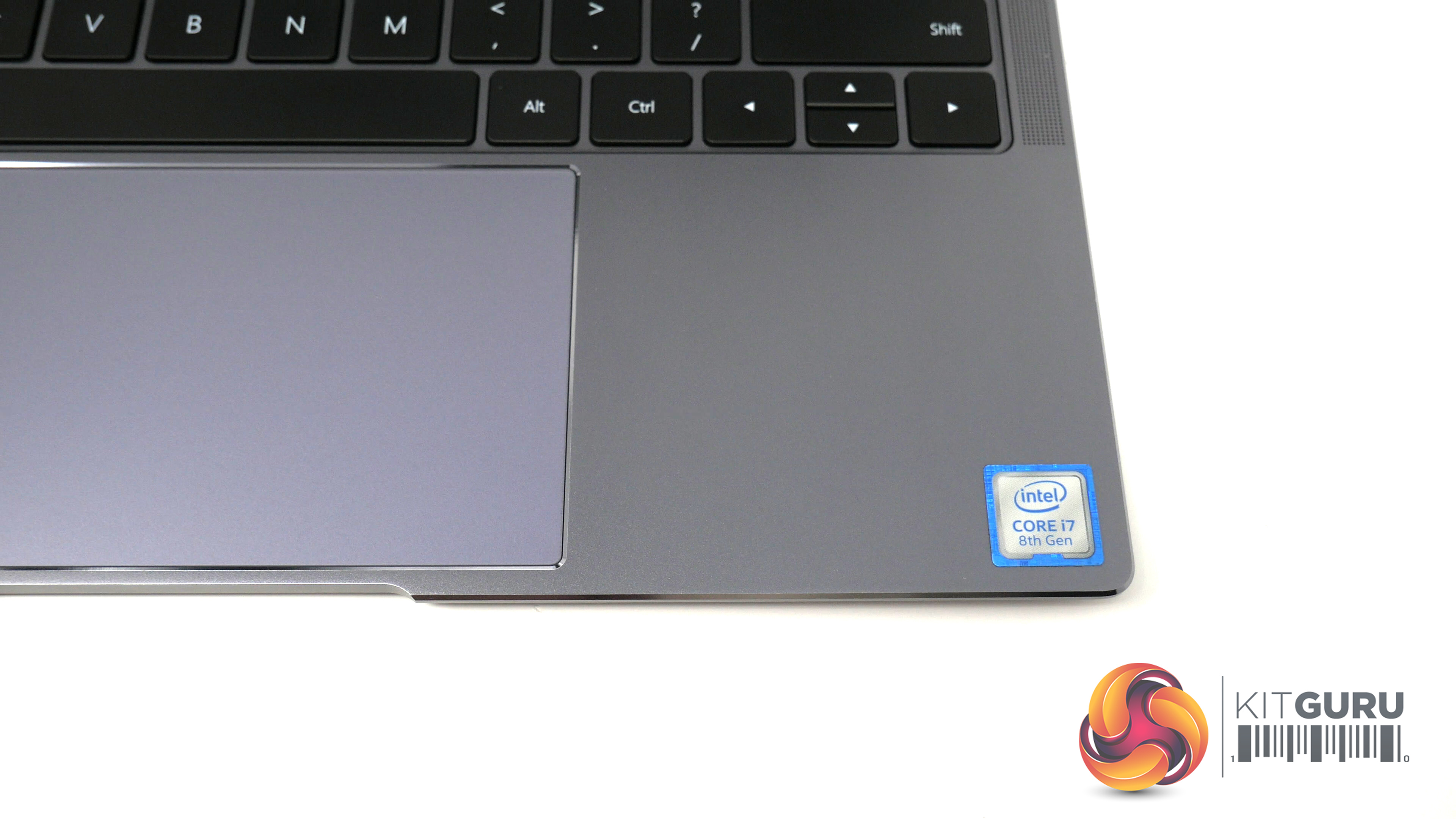
- Processor: 8th Generation Intel® Core™ i7-8550U processor
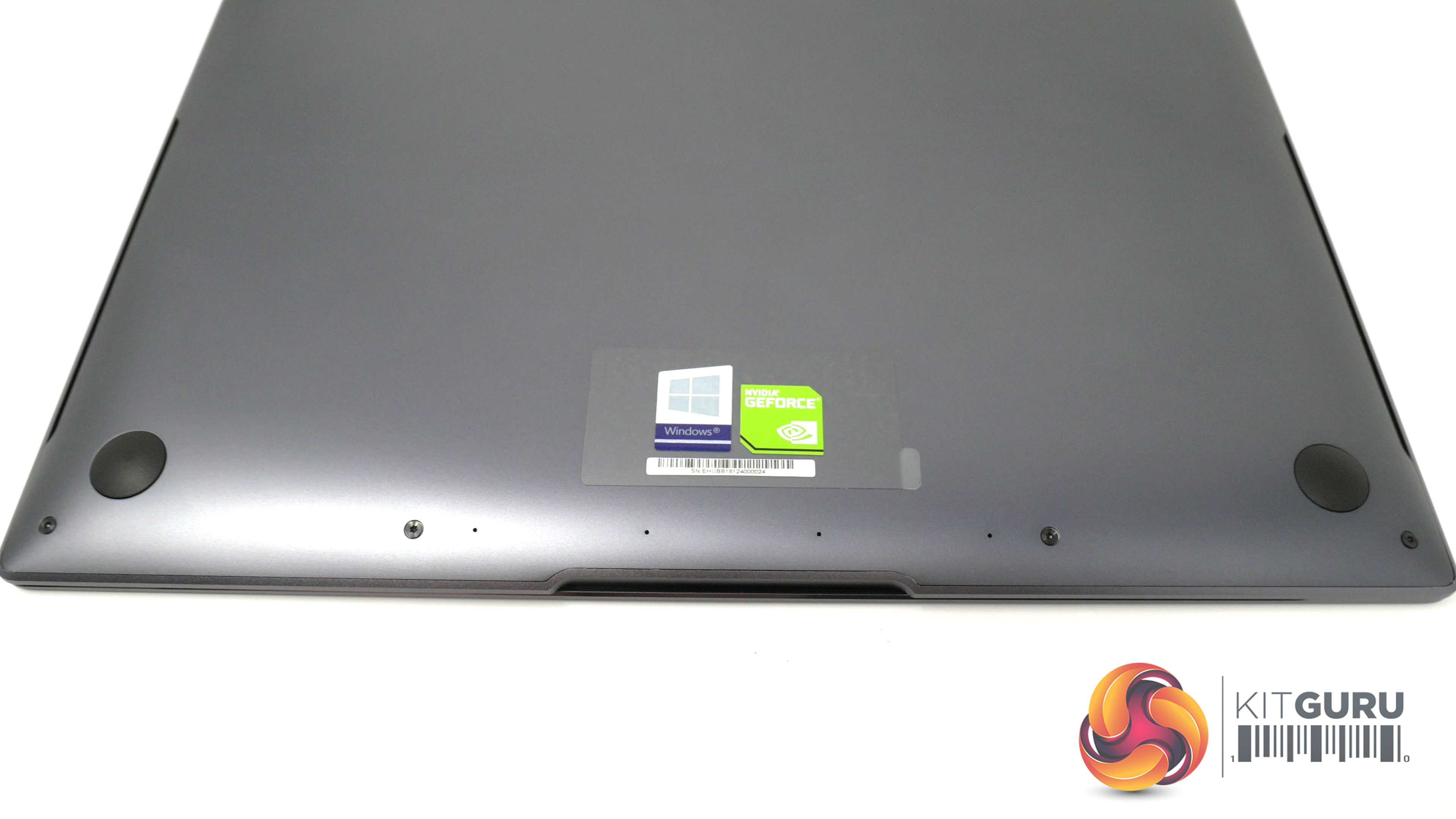
- Graphics: NVIDIA® GeForce® MX150 with 2 GB GDDR5 / Intel® UHD Graphics 620
- Memory: 16GB LPDDR3 2133 MHz
- Storage: 512GB NVMe PCIe SSD
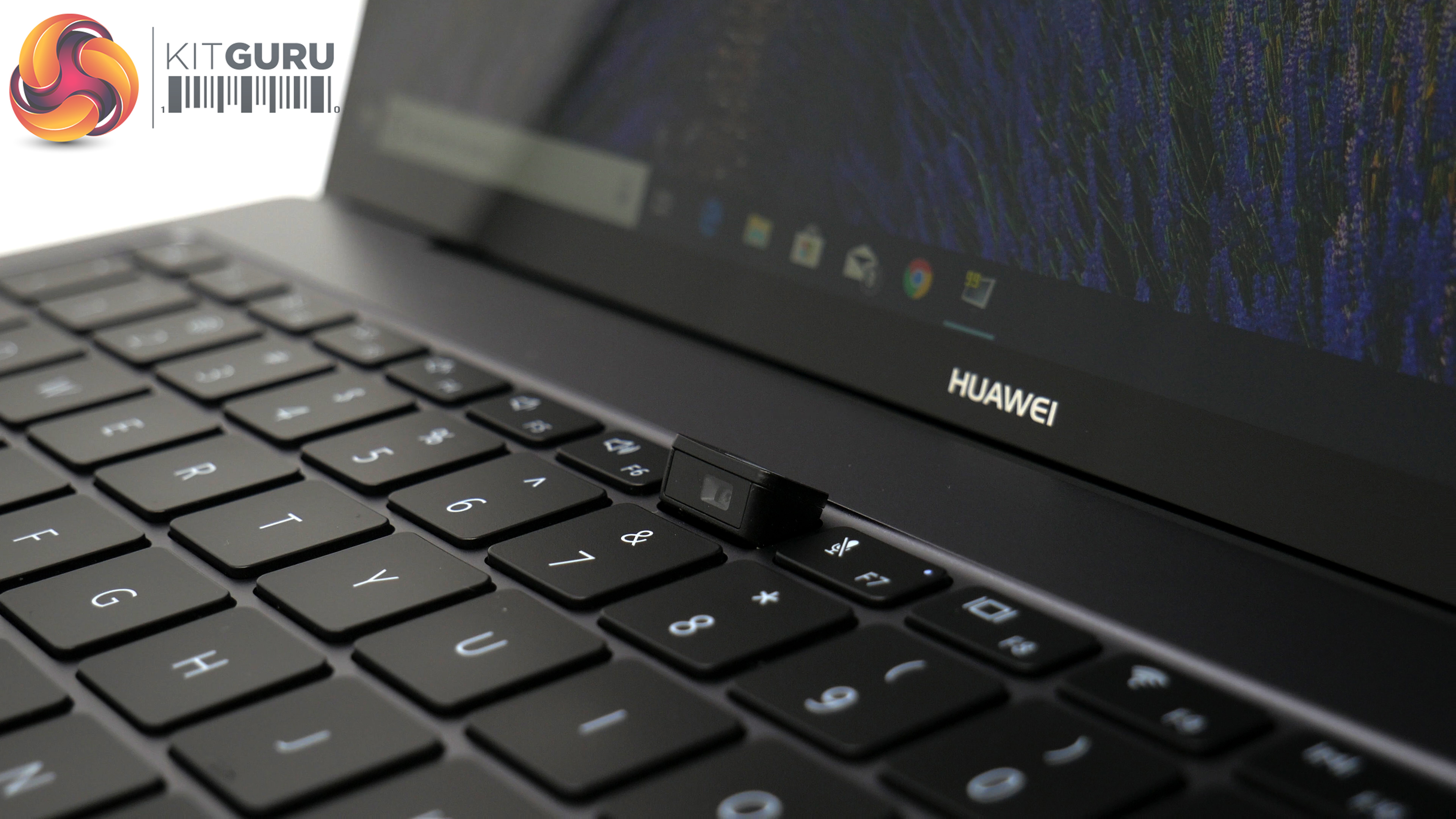
- Camera: 1MP Front Camera
- Sound: Dolby Atmos
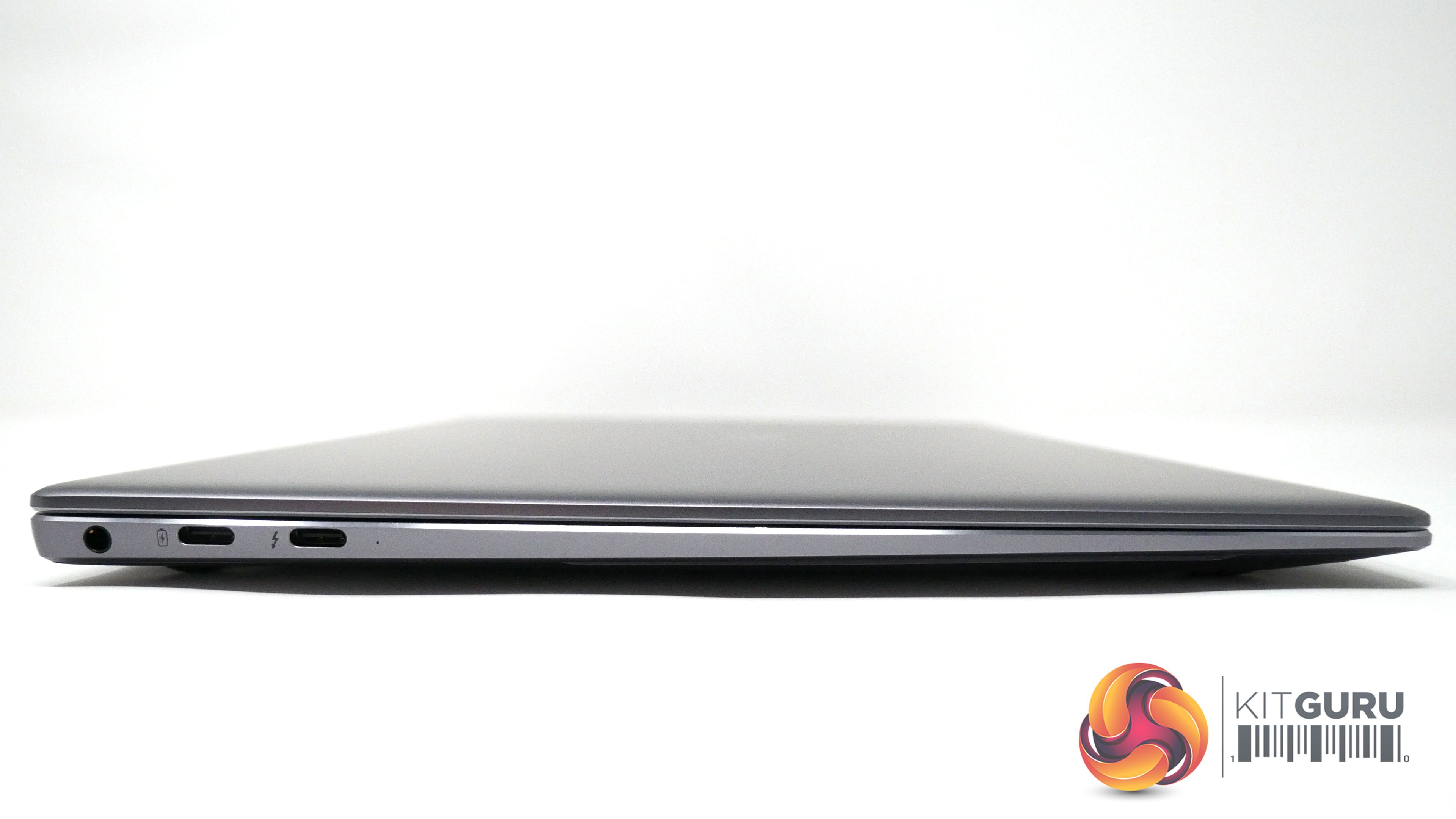
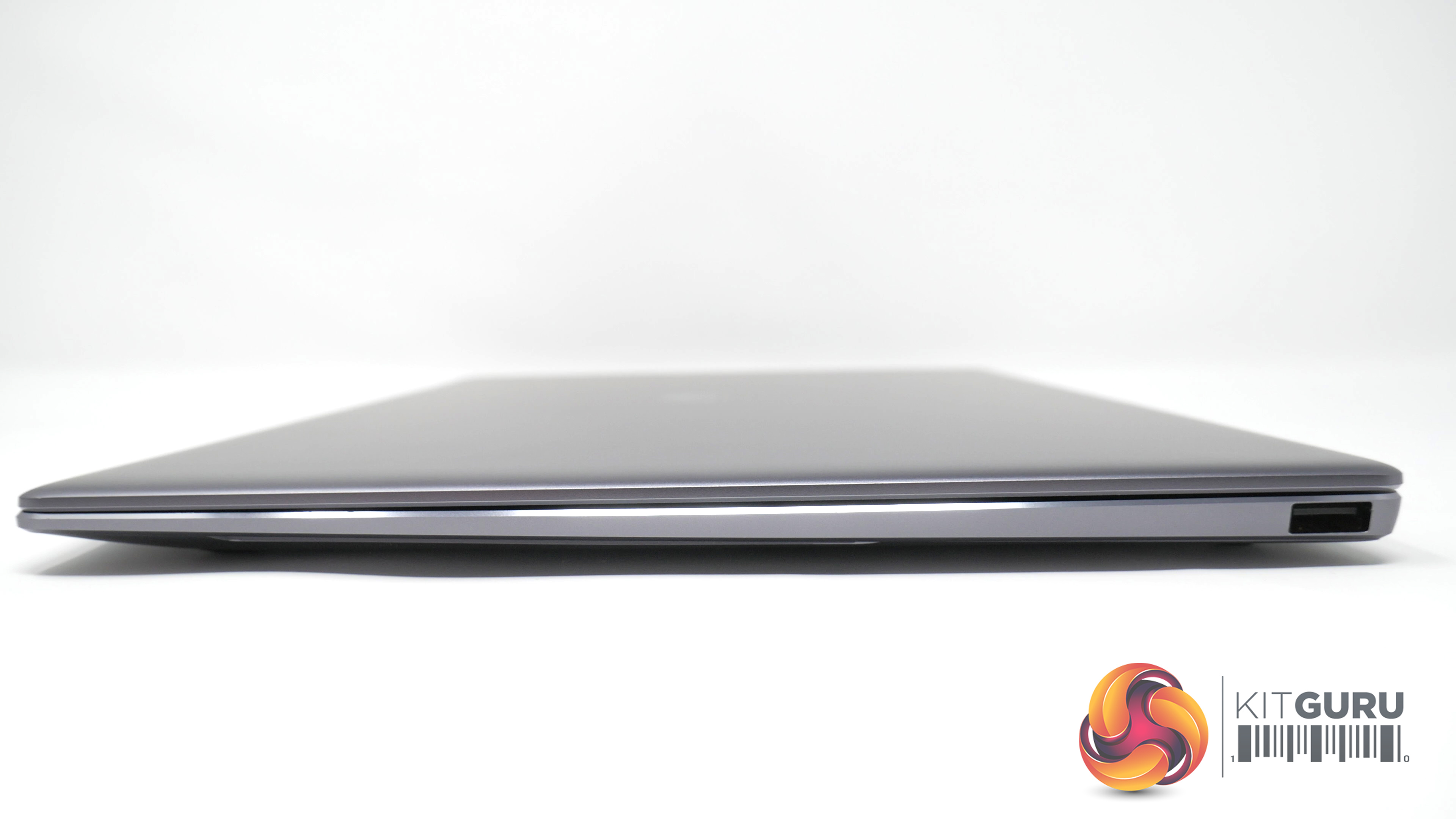
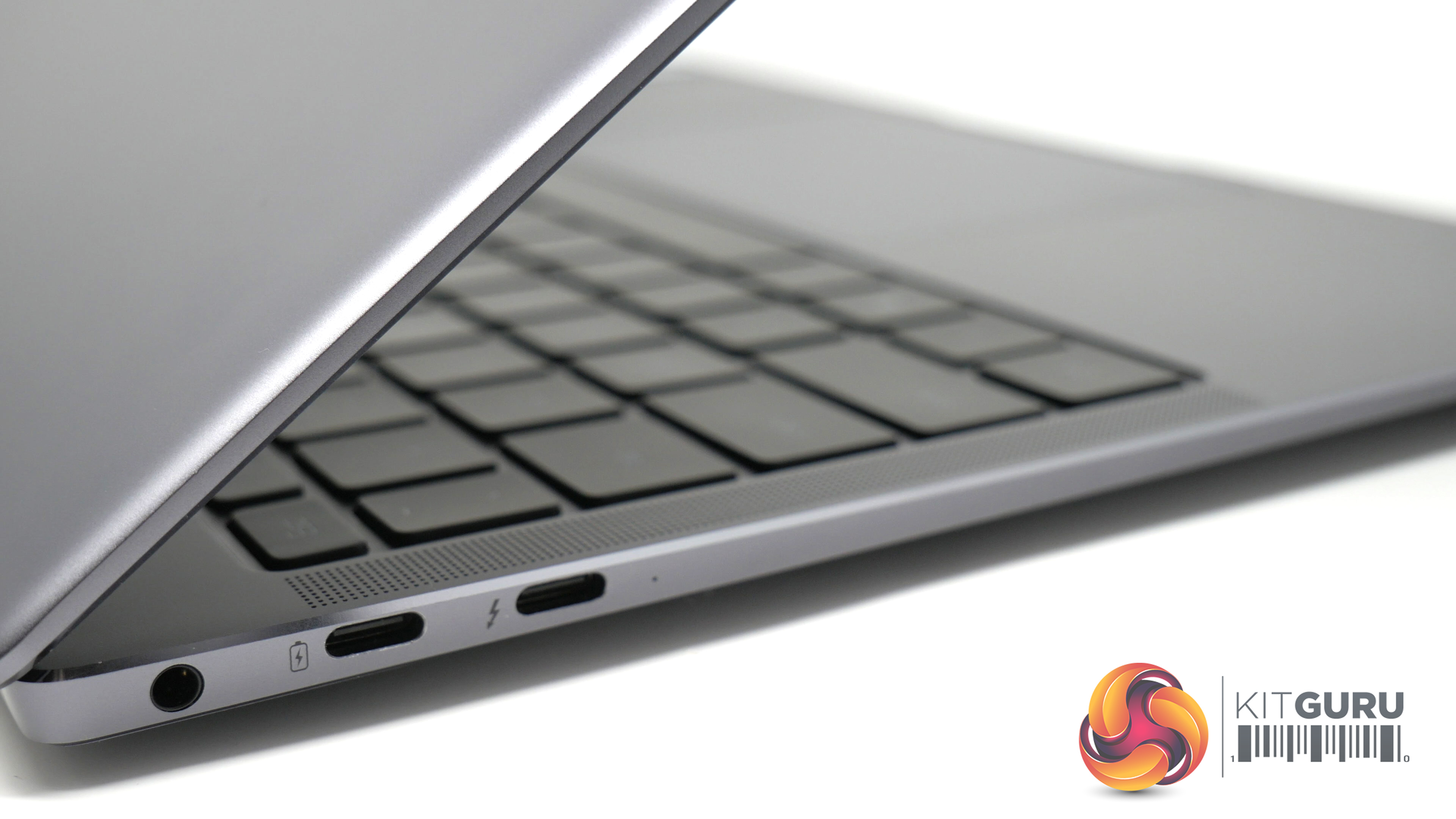
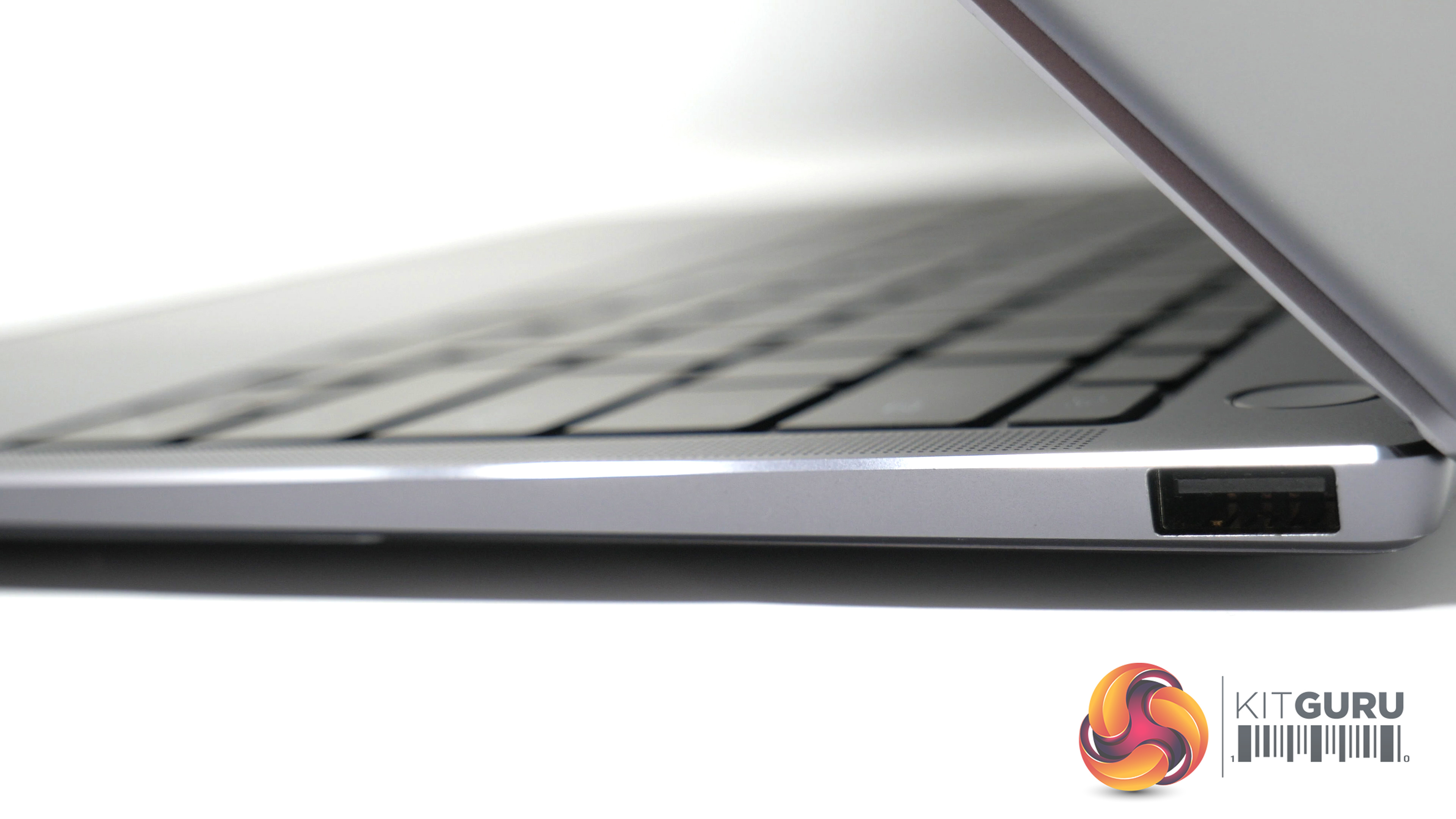
- Ports: USB-A x 1, USB- C x 1, Thunderbolt™ 3 (USB-C) x 1 and 3.5mm Stereo Jack
- Ethernet Port: No, (WiFi only)
- Dimensions: 14.6mm(D) x 304mm(W) x 217mm(H)
- Weight: Around 1.33kg
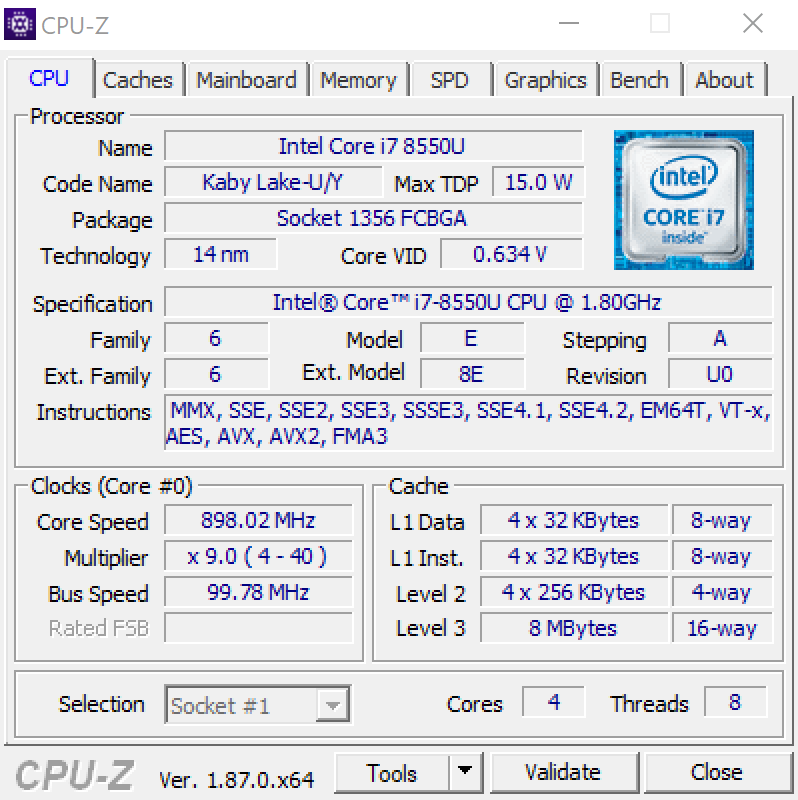
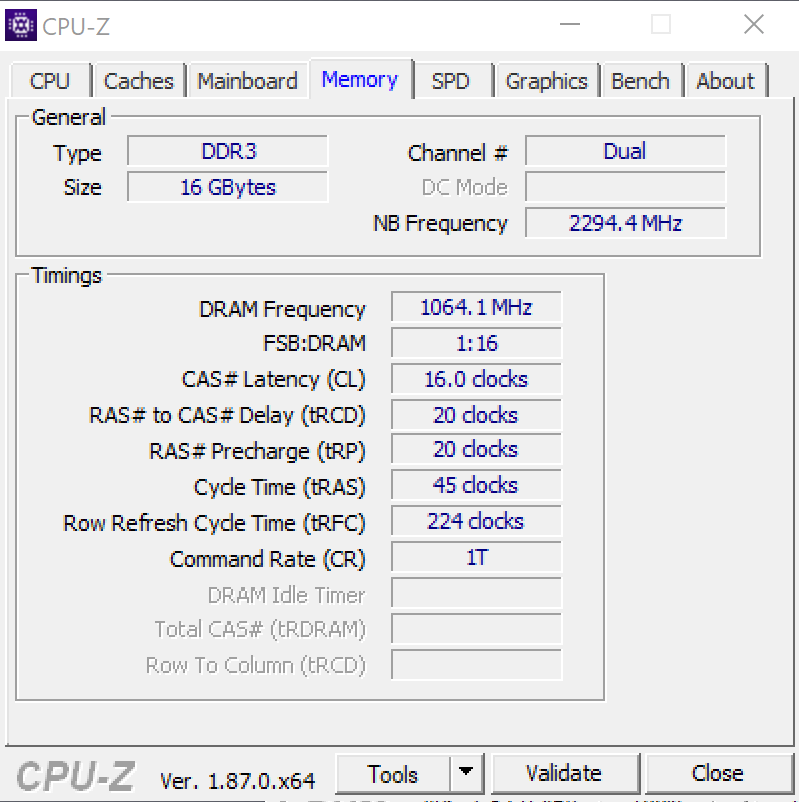
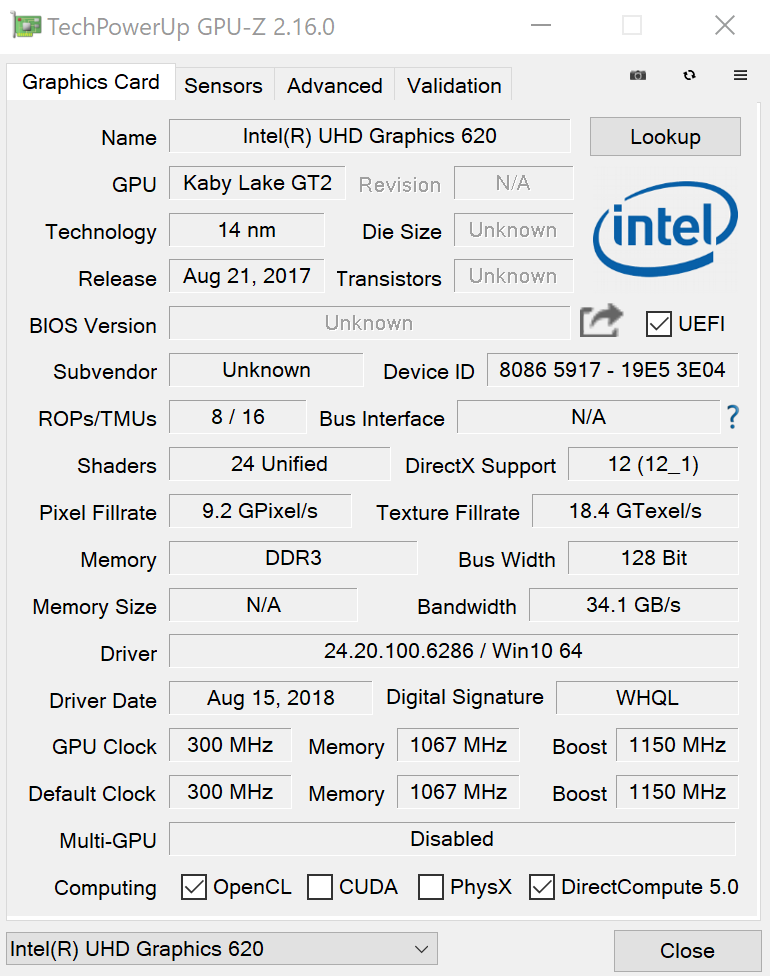
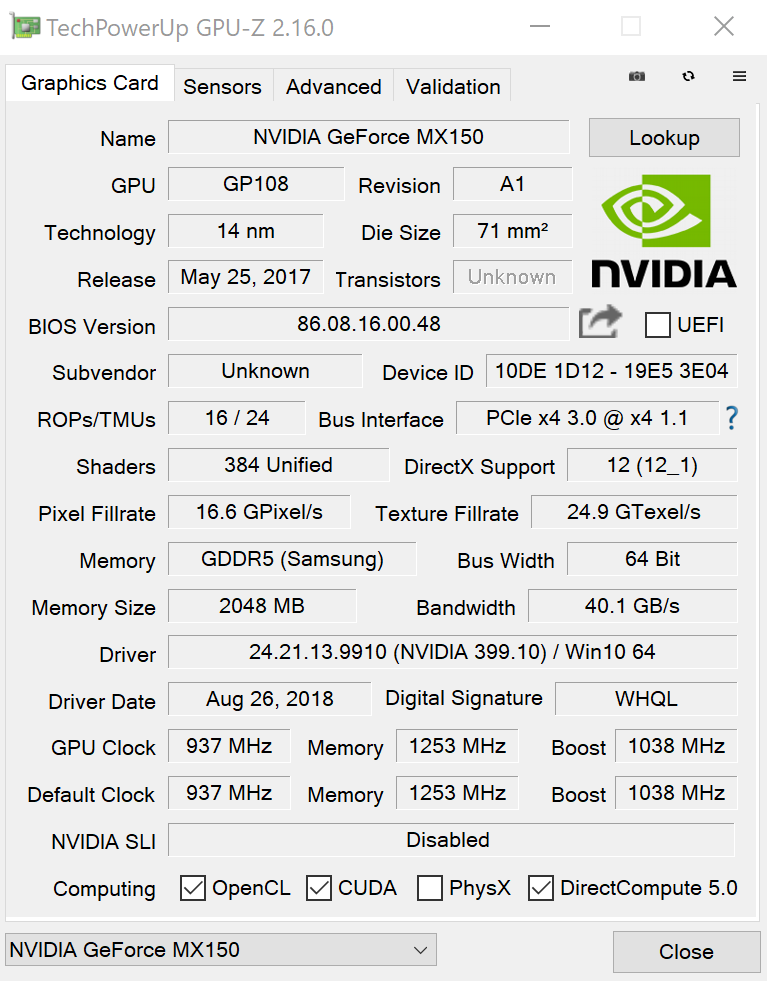
As you can see in the CPU-Z images, this Matebook X Pro laptop's CPU is the quad-core i7-8550U processor, which has a base frequency of 1.8GHz and a maximum Turbo frequency of 4.00GHz. Alongside this is 16GB LPDDR3 RAM running at 2133MHz.
As for graphics, this laptop has both the integrated Intel UHD Graphics 620 and the dedicated NVIDIA GeForce MX150. The integrated graphics has base clock of 300MHz and a boost clock of 1150MHz, while the MX150 Graphics features 2GB GDDR5 memory, with a base clock of 937MHz with a rated boost clock of 1038MHz.
Cinebench:
To measure the CPU performance of this laptop, I used Cinebench R15 in order to get a comparison of how well the CPU performs against other similar laptops.
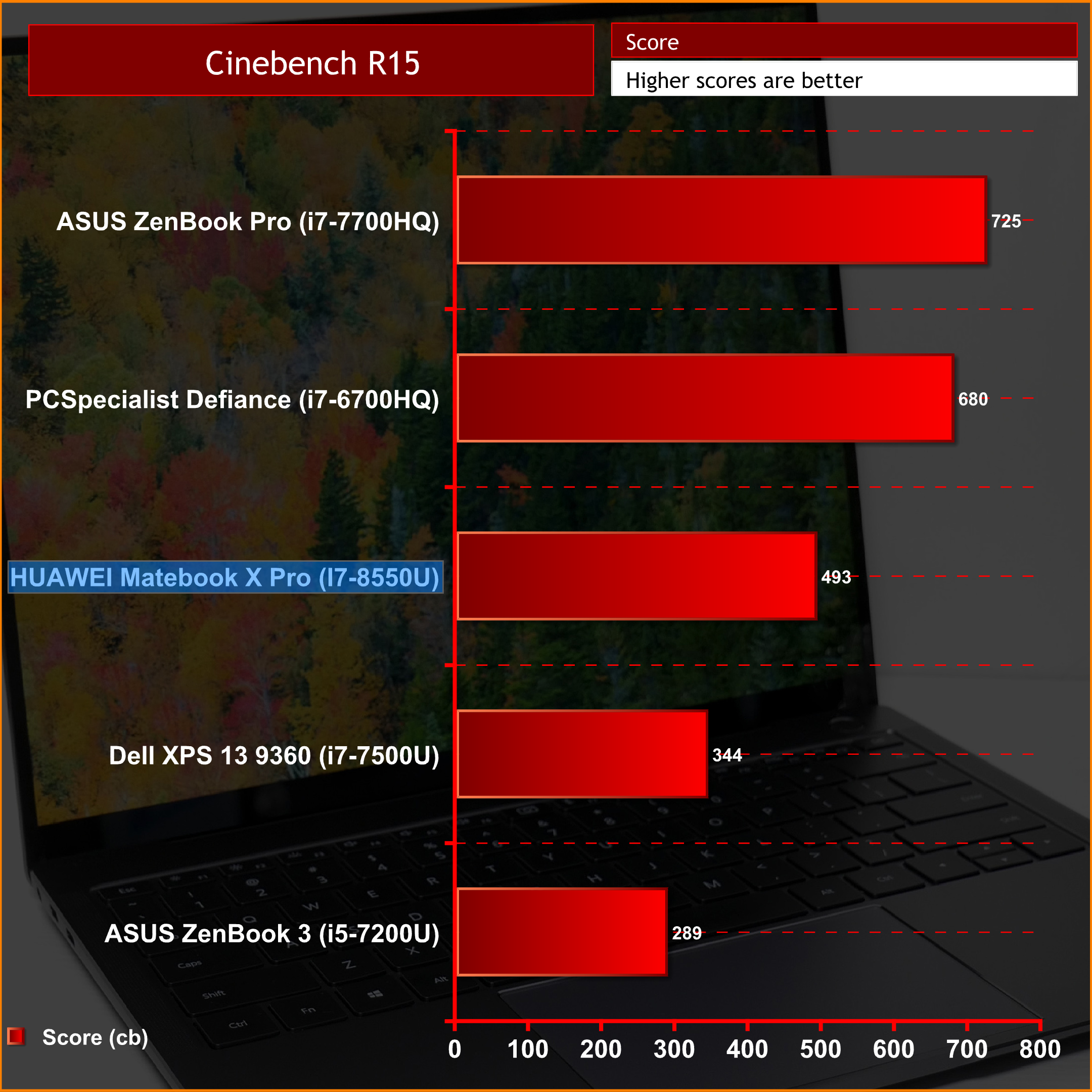
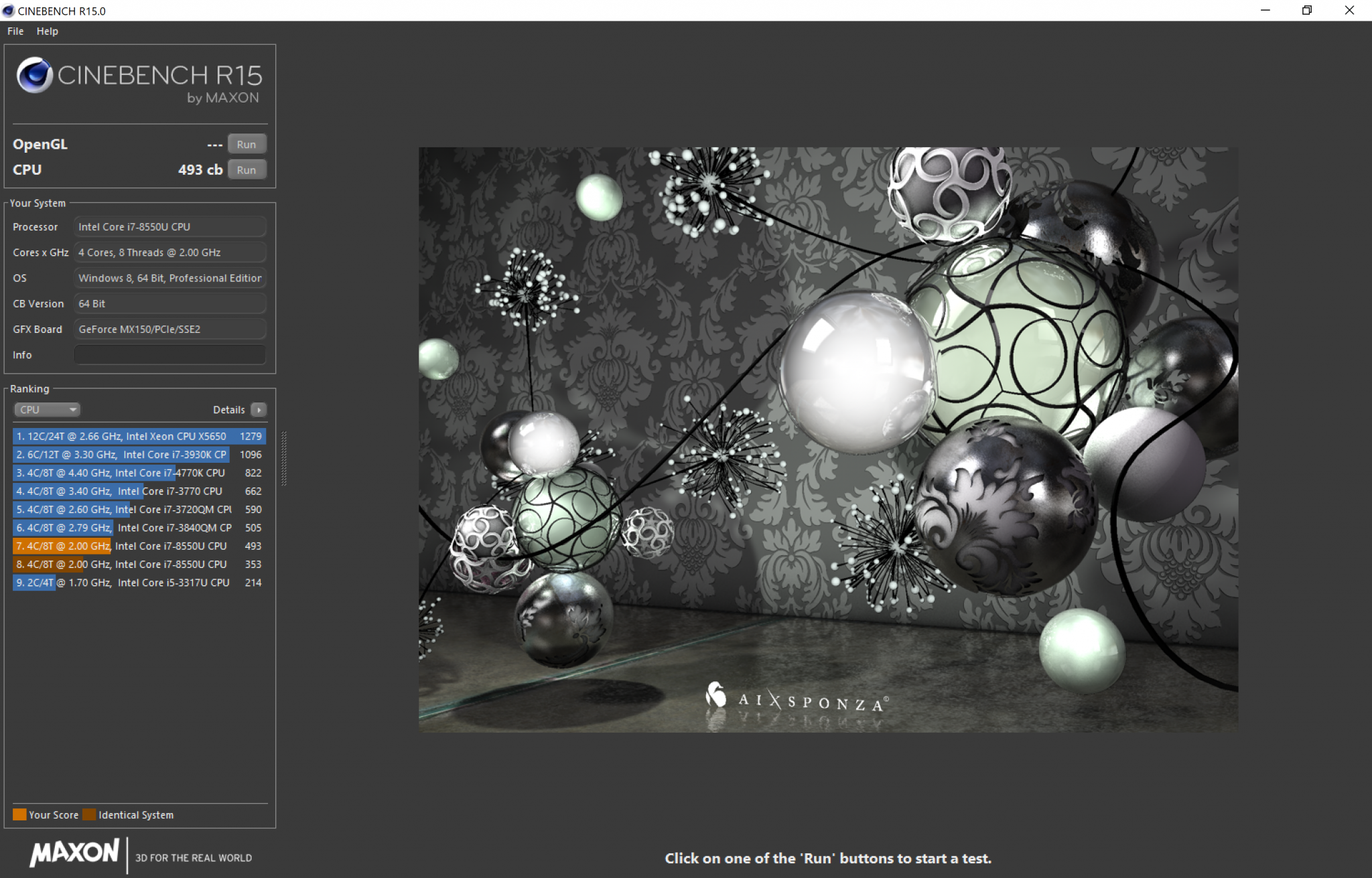
The score that was achieved by the Huawei Matebook X Pro sits at 493cb – pretty much as expected for a quad-core Intel U-series (ultra low power) processor.
Storage:
To test the raw speed of a storage device in the laptop, I used CrystalDiskMark. This uses a test file to read or write the data from the storage drive. I tested it by using the 1GB default file size.
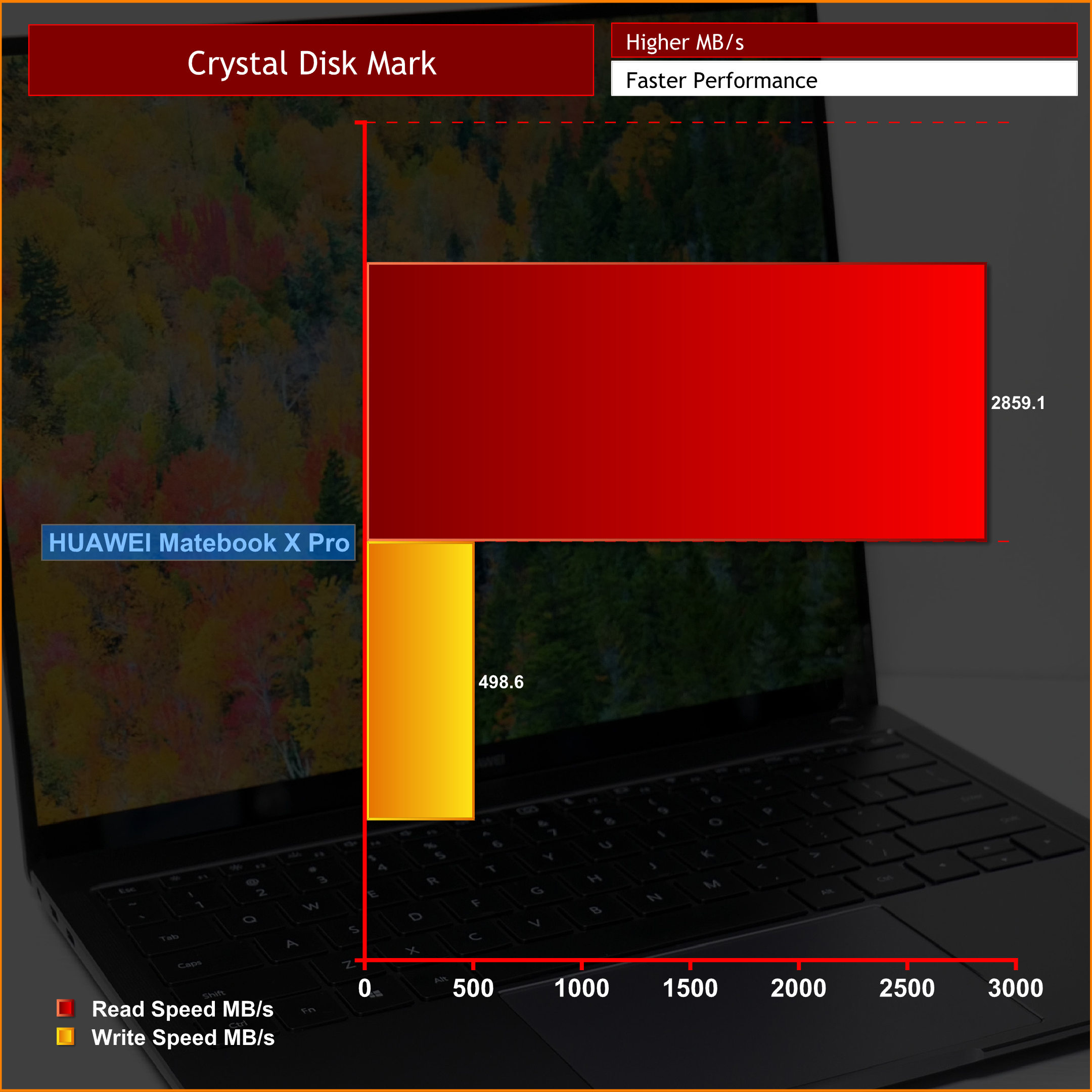
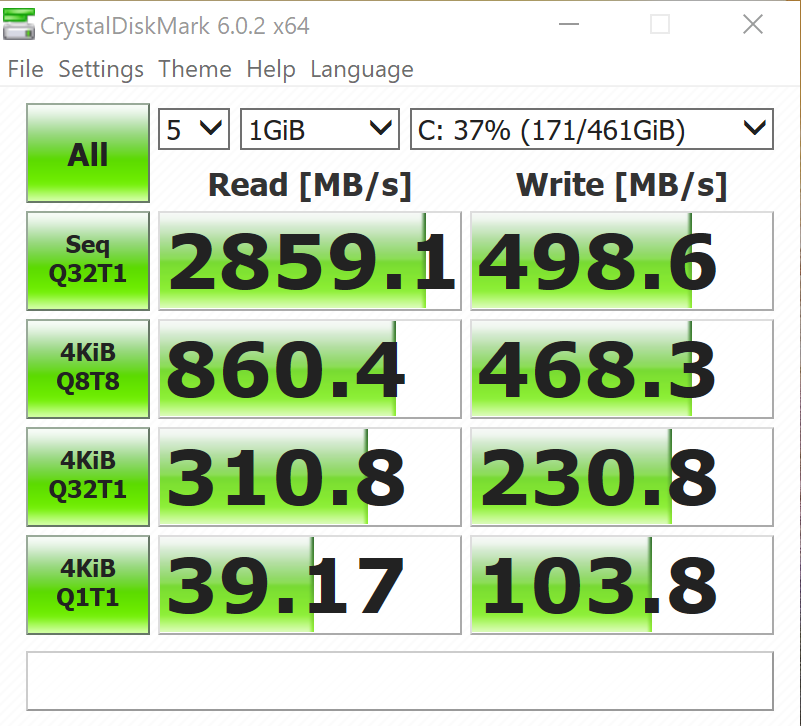
For storage, the Matebook X Pro has a 512GB NVMe PCIe SSD. Its read speed came in at 2859.1 MB/s – an impressive result – but the write speed does lag well behind, coming in at under 500 MB/s.
Battery Life:
I tested the battery life on this laptop using the ‘Home Conventional' benchmark in PCMark8. Once I had set the screen and keyboard brightness to 100%, I left the benchmarking process on overnight to find out the results.
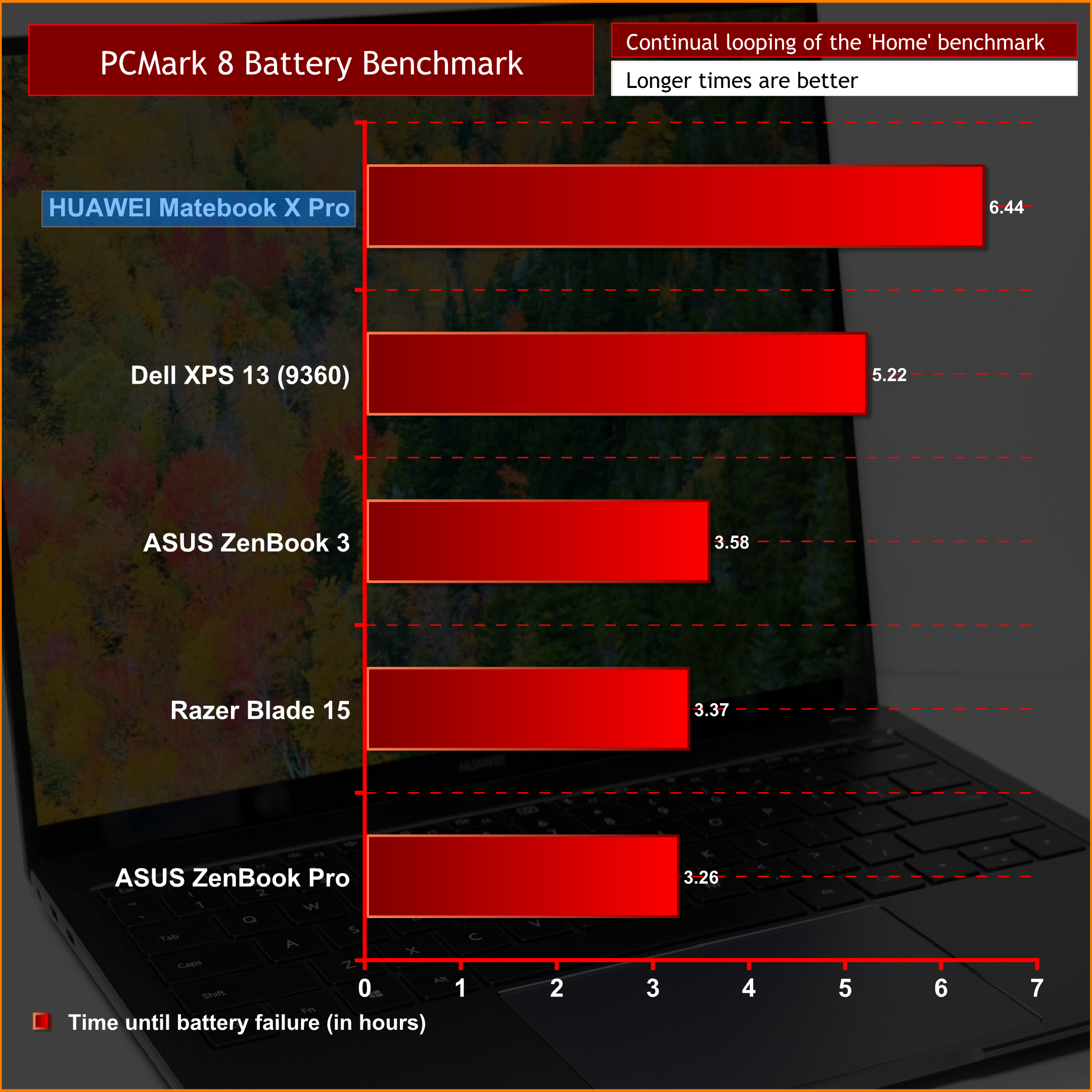
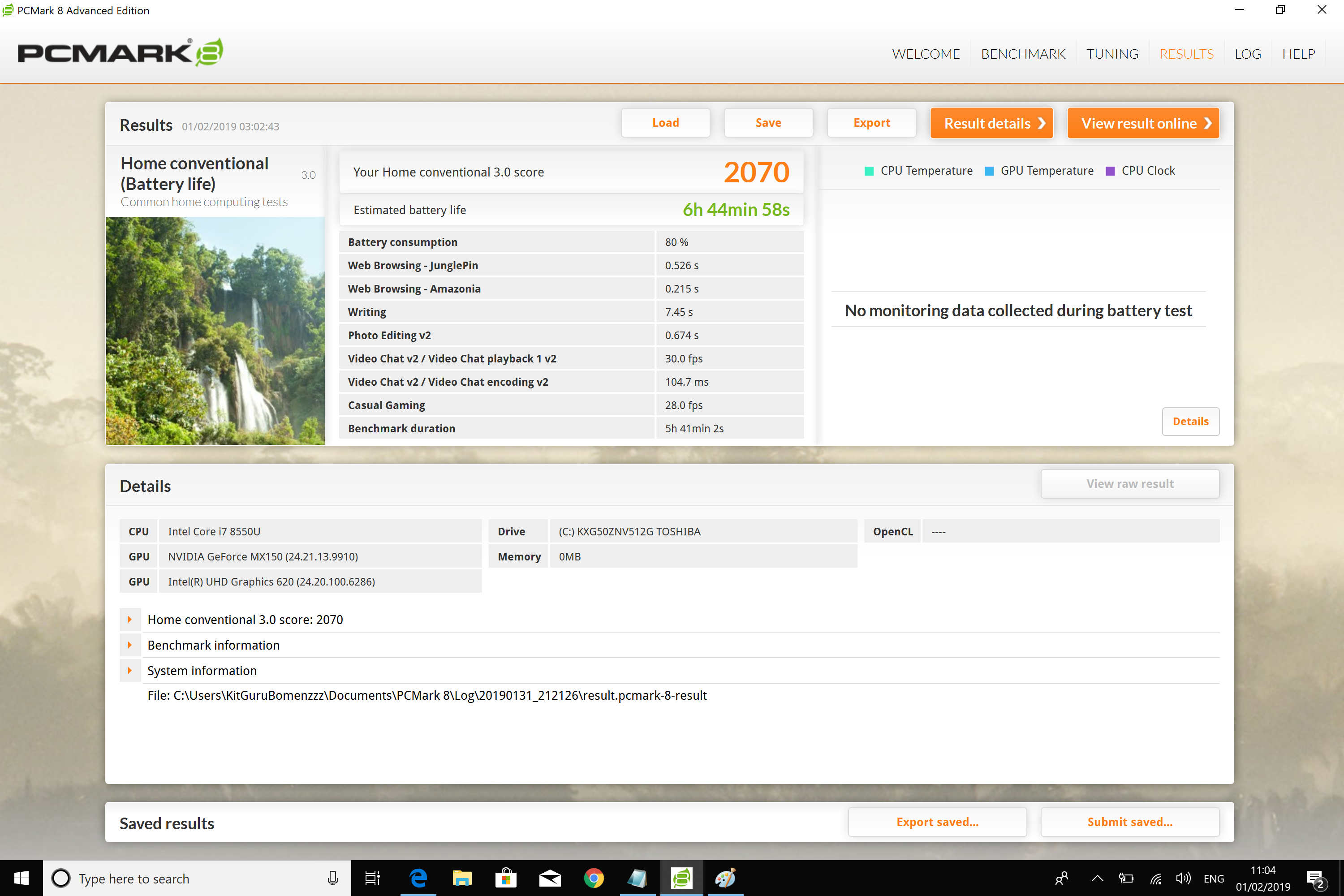
This laptop's battery life is definitely impressive. With the 57.4 Wh battery cell, we saw it last 6 hours 44 minutes in the PCMark8 battery benchmark. Bear in mind this is nearly 7 hours of continuous use – the benchmark goes through various office tasks, light gaming, text editing – so we'd easily expect anyone to get a full day's use with this machine.
Temperatures:
With the laptop set to ‘best performance' mode with the charger plugged in, I ran AIDA64 for around 10 minutes to stress test the CPU and GPU.
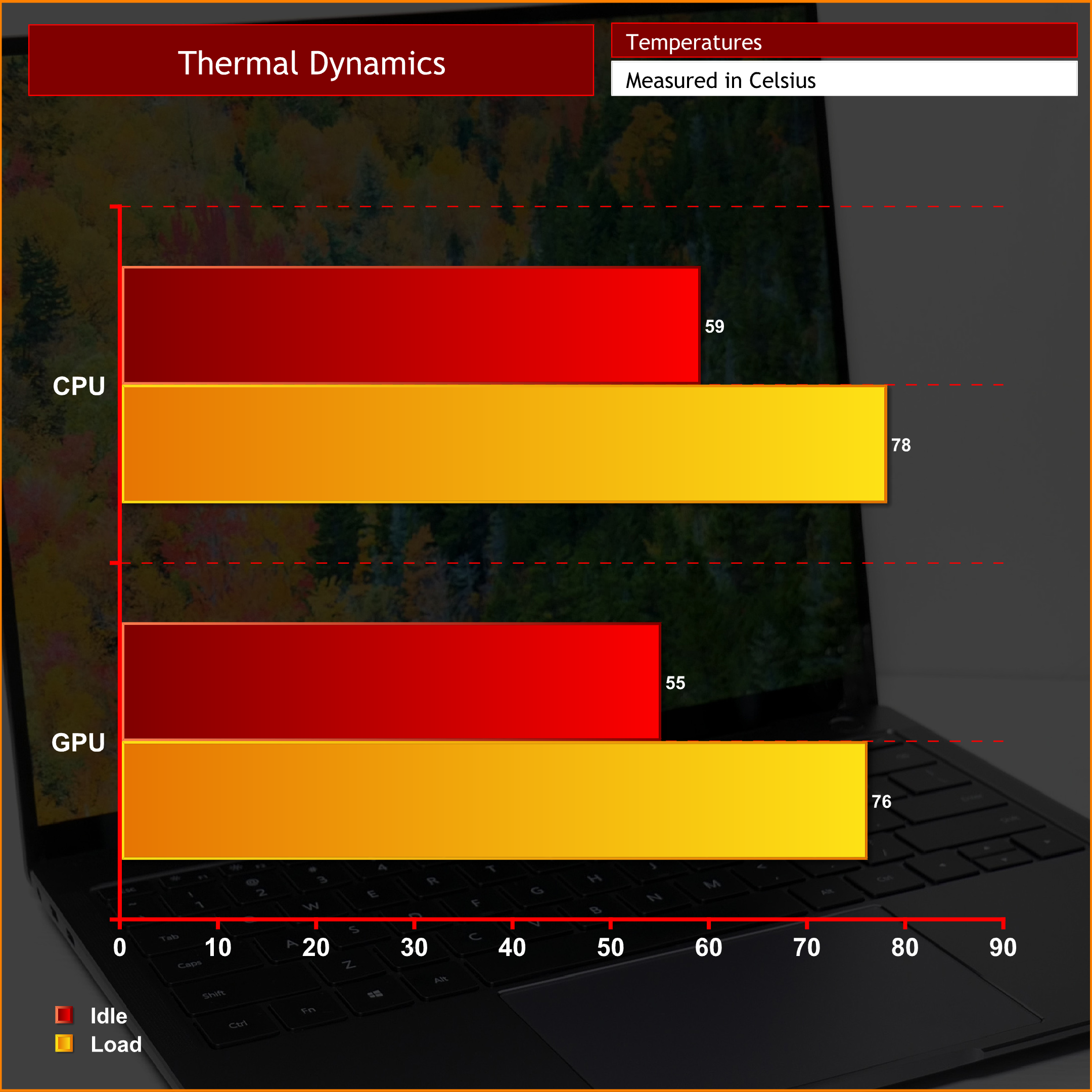
Due to the laptop being only 14.6mm thick, it's no surprise that the idle temperatures for both CPU and GPU are that bit higher than what we might expect from other, thicker machines. The MateBook is still able to keep the CPU at a reasonable temperature of 78C, however, while under full load the NVIDIA MX150 GPU peaked at 76C.
I did notice the laptop's chassis getting quite warm to the touch, however, so when it was stressed it became a bit uncomfortable to sit right on my lap. Definitely best placing the machine on a desk if you can.
3DMark Tests:
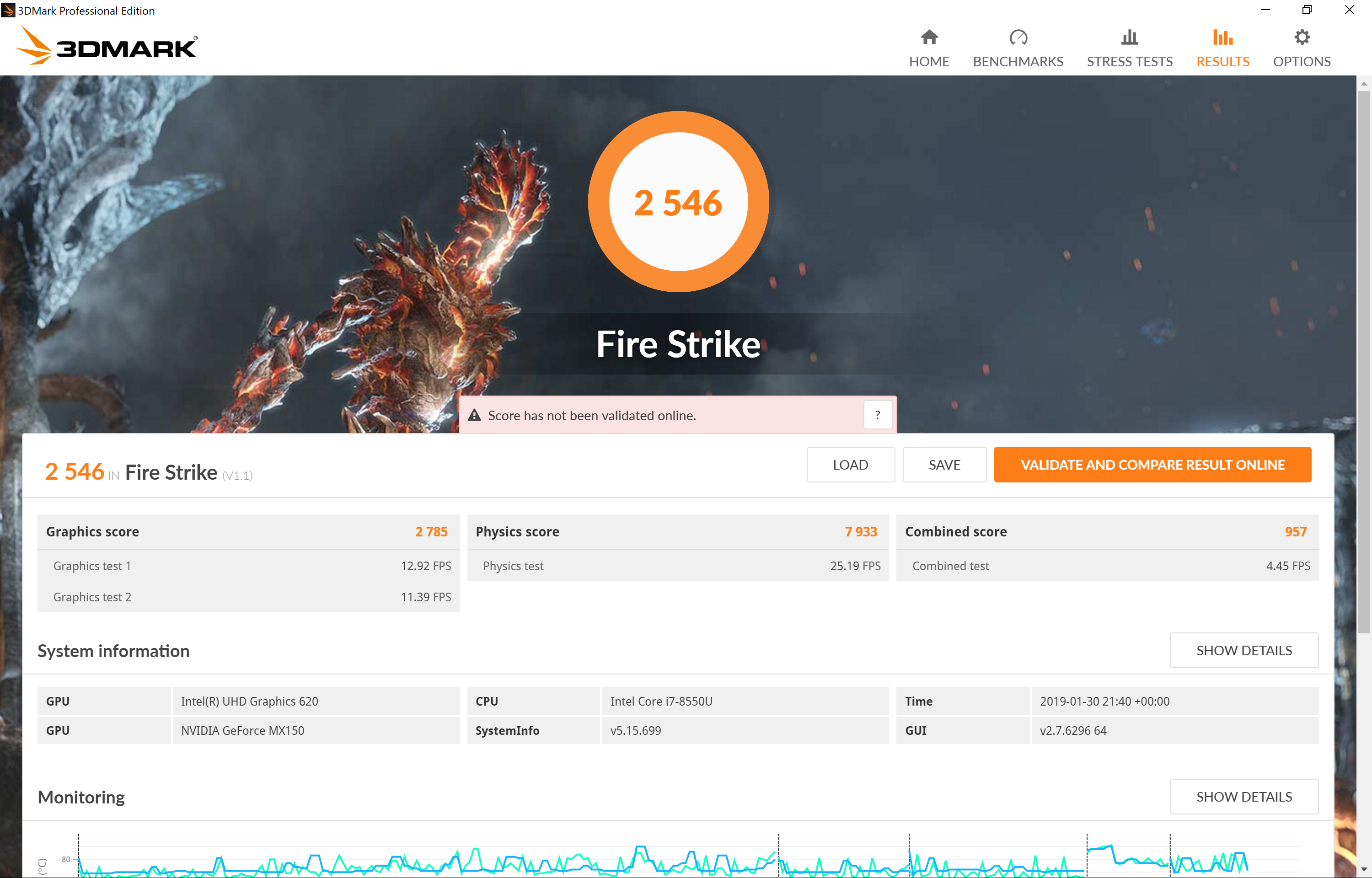
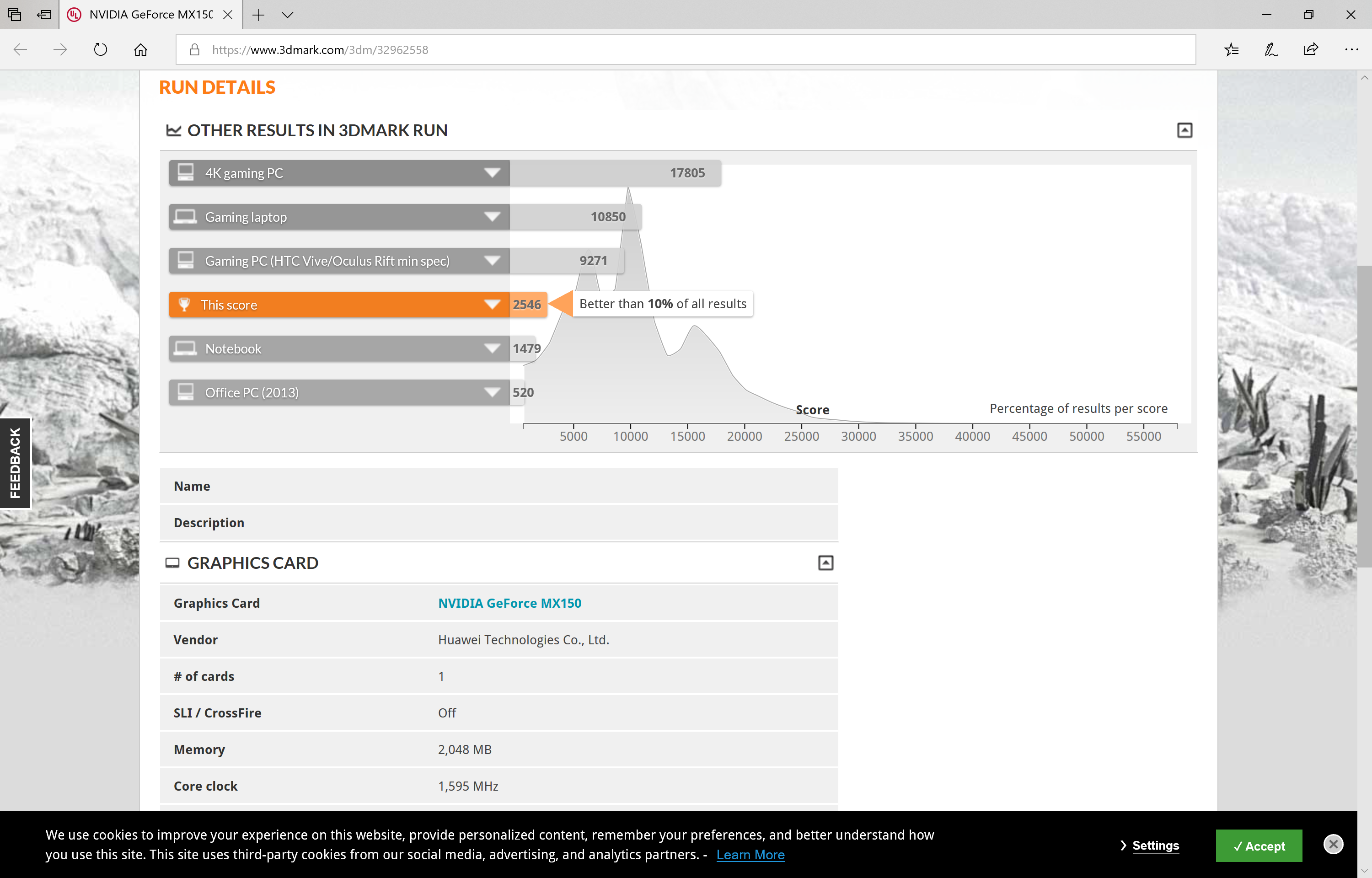
For this test, we ran the Matebook X Pro laptop through the Fire Strike benchmark test.
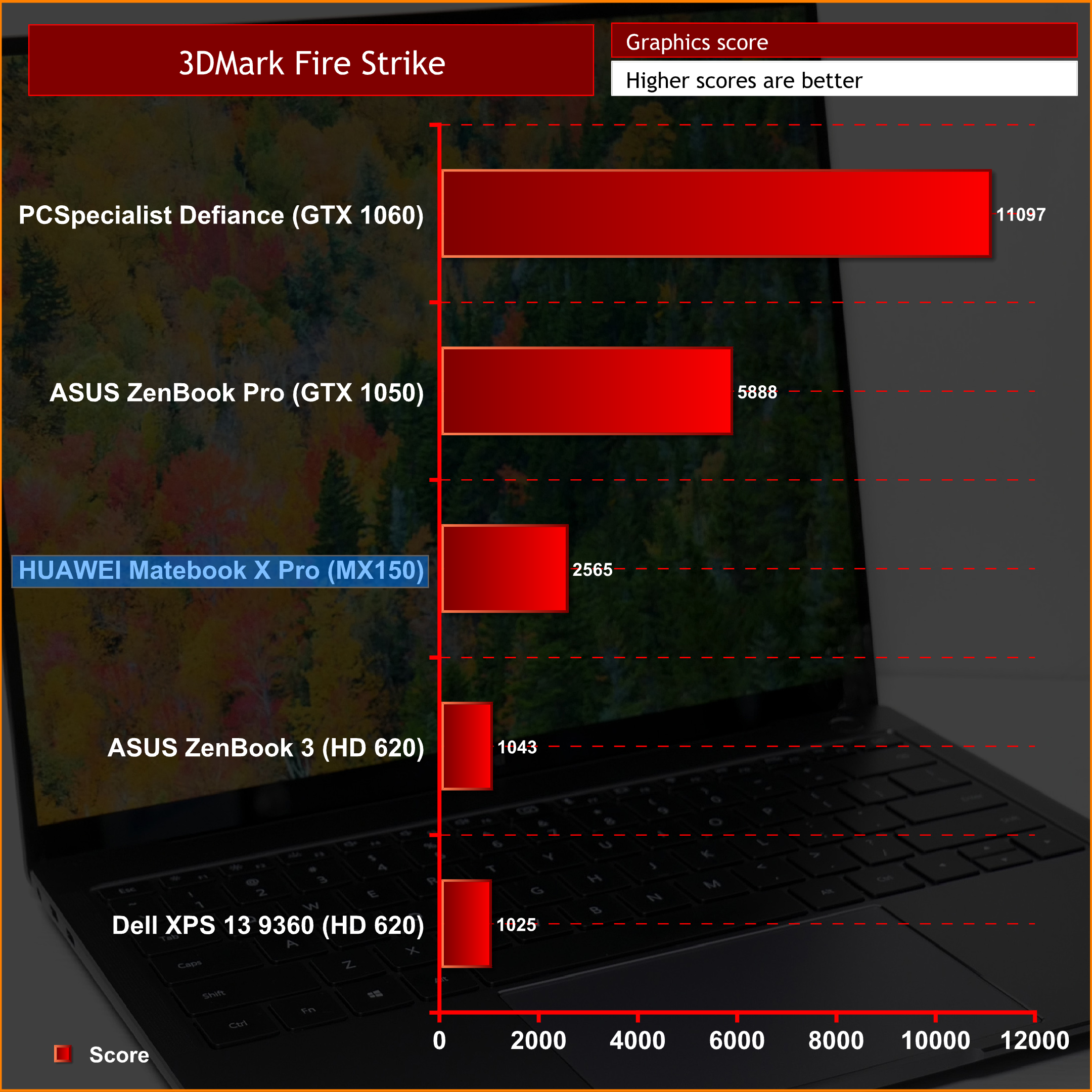
The 3DMark scores from this laptop aren't too impressive as the laptop itself isn't designed to be a ‘gaming' laptop. The MX150 is obviously a fair bit better than integrated graphics, but it's still a ways behind even the GTX 1050.
Gaming Performance:
Using the MateBook X Pro, I played 2 different games putting the NVIDIA MX150 GPU through its paces – one being Elder Scrolls: Skyrim and the other being Bioshock.
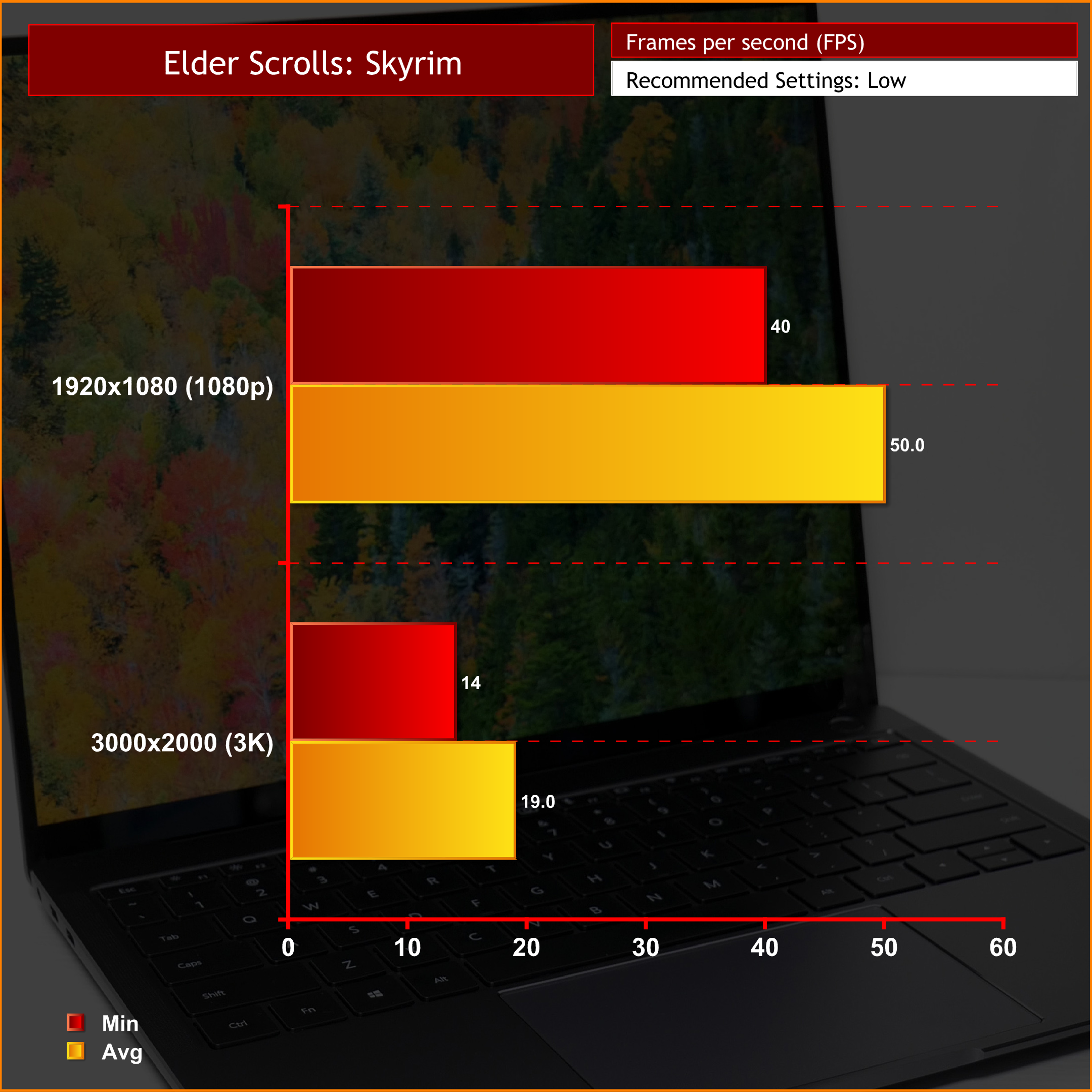
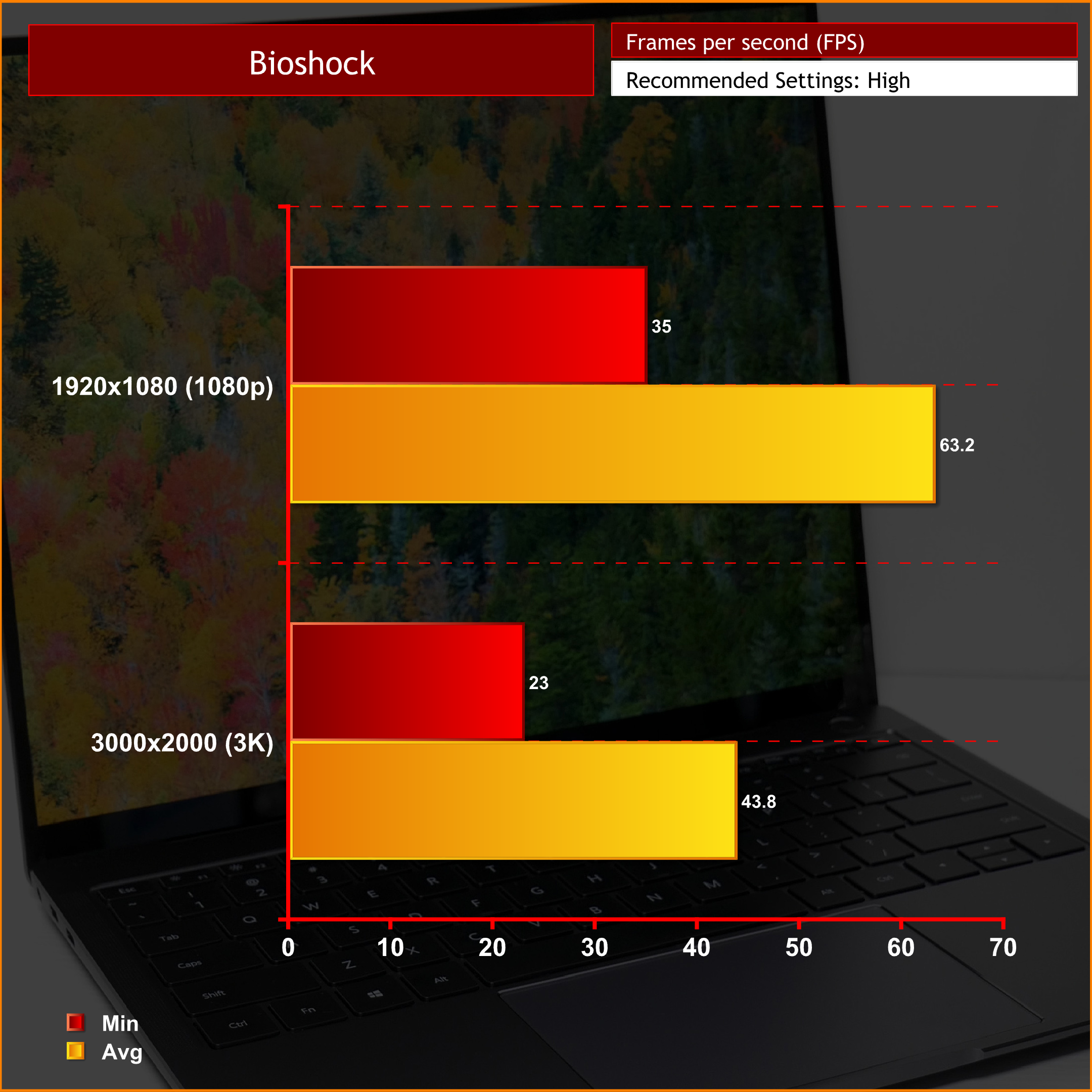
This laptop is clearly not a gaming machine – and it doesn't try to be. The MX150 GPU gives you playable frame rates at 1080p in older titles, but even then Skyrim defaulted to ‘Low' image quality settings. You can get away with less demanding titles at 1080p, but anything even slightly harder to run is going to be out of reach here.Elgato Thunderbolt 3 Pro Dock
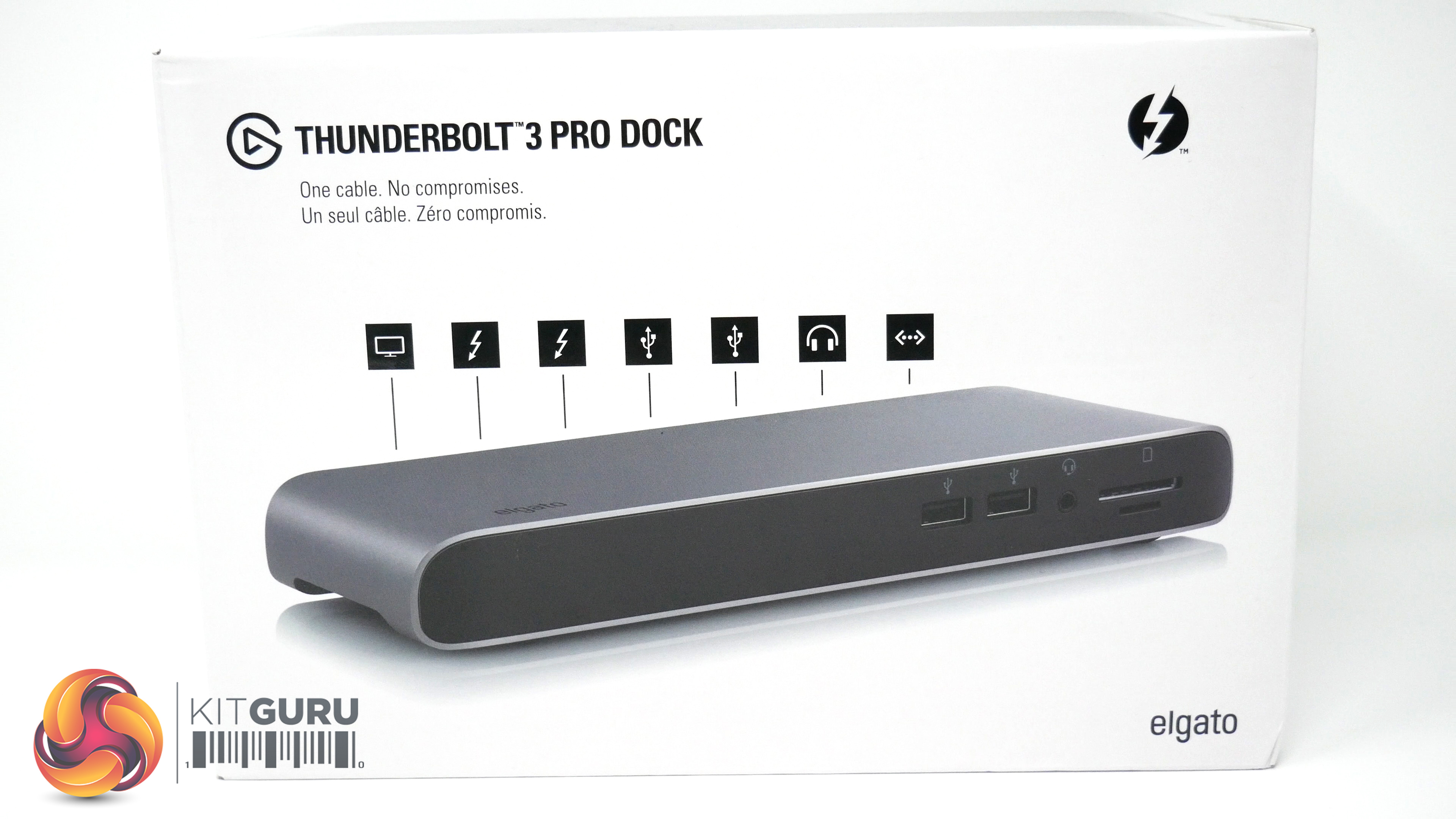
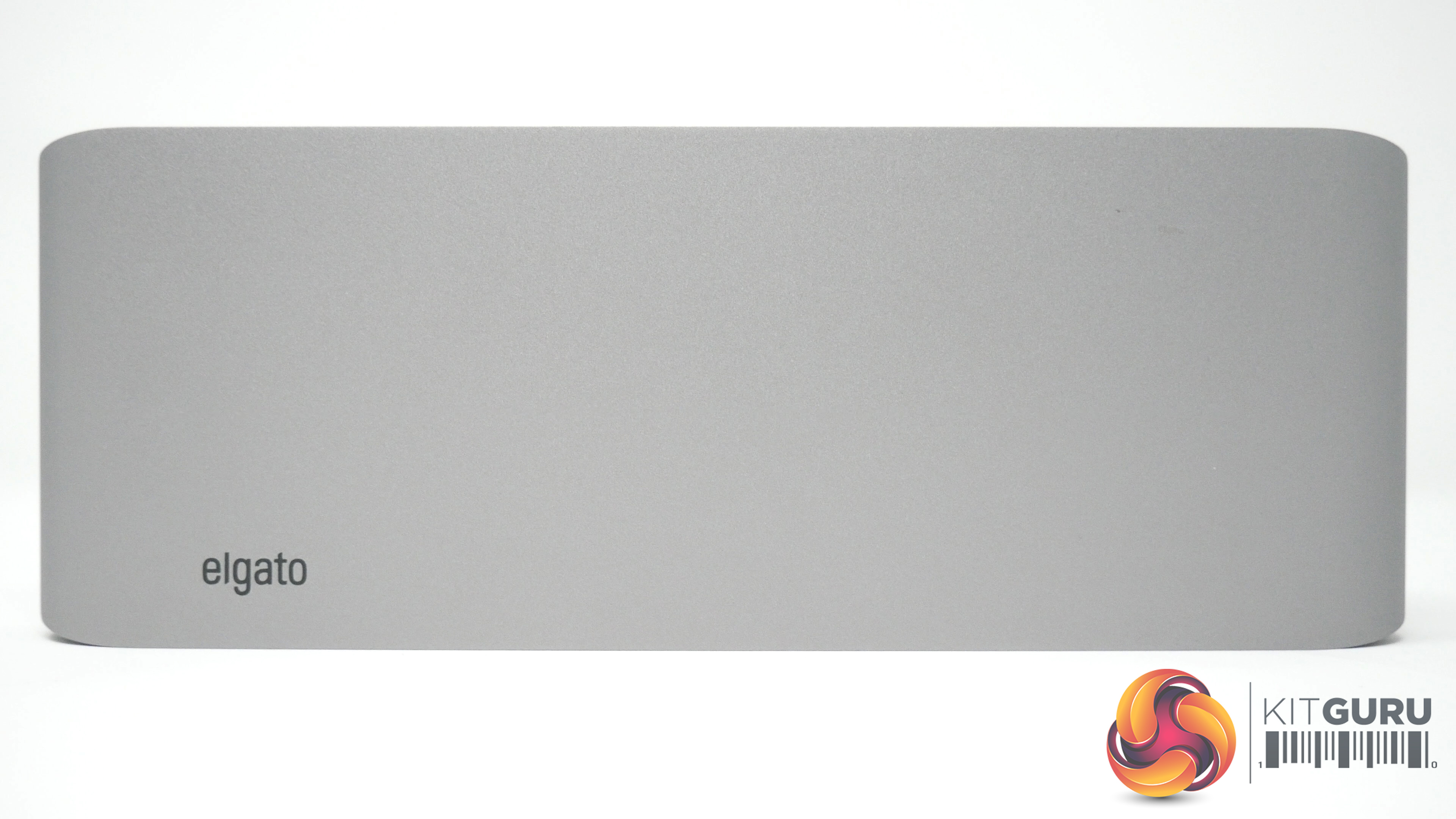
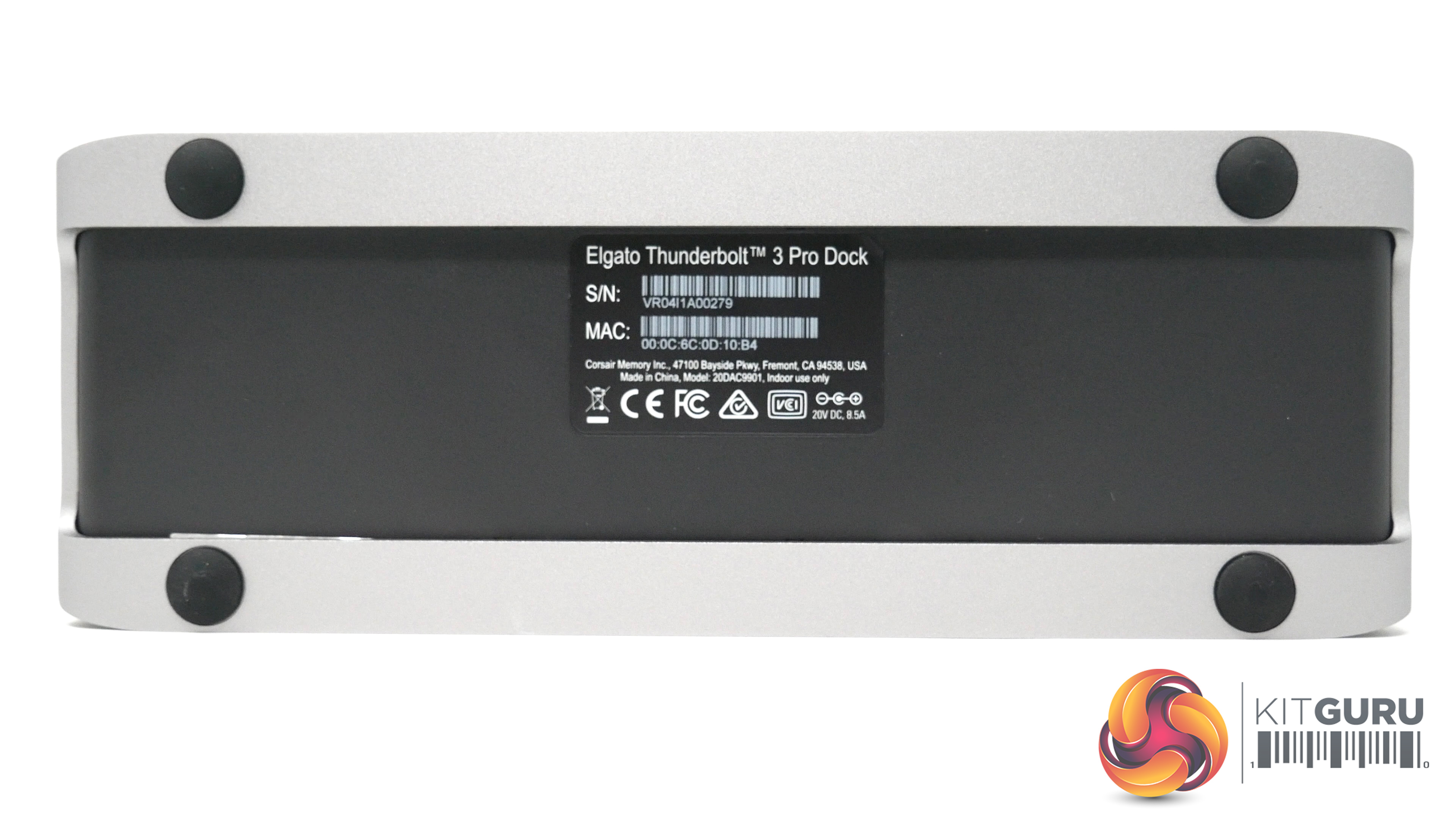
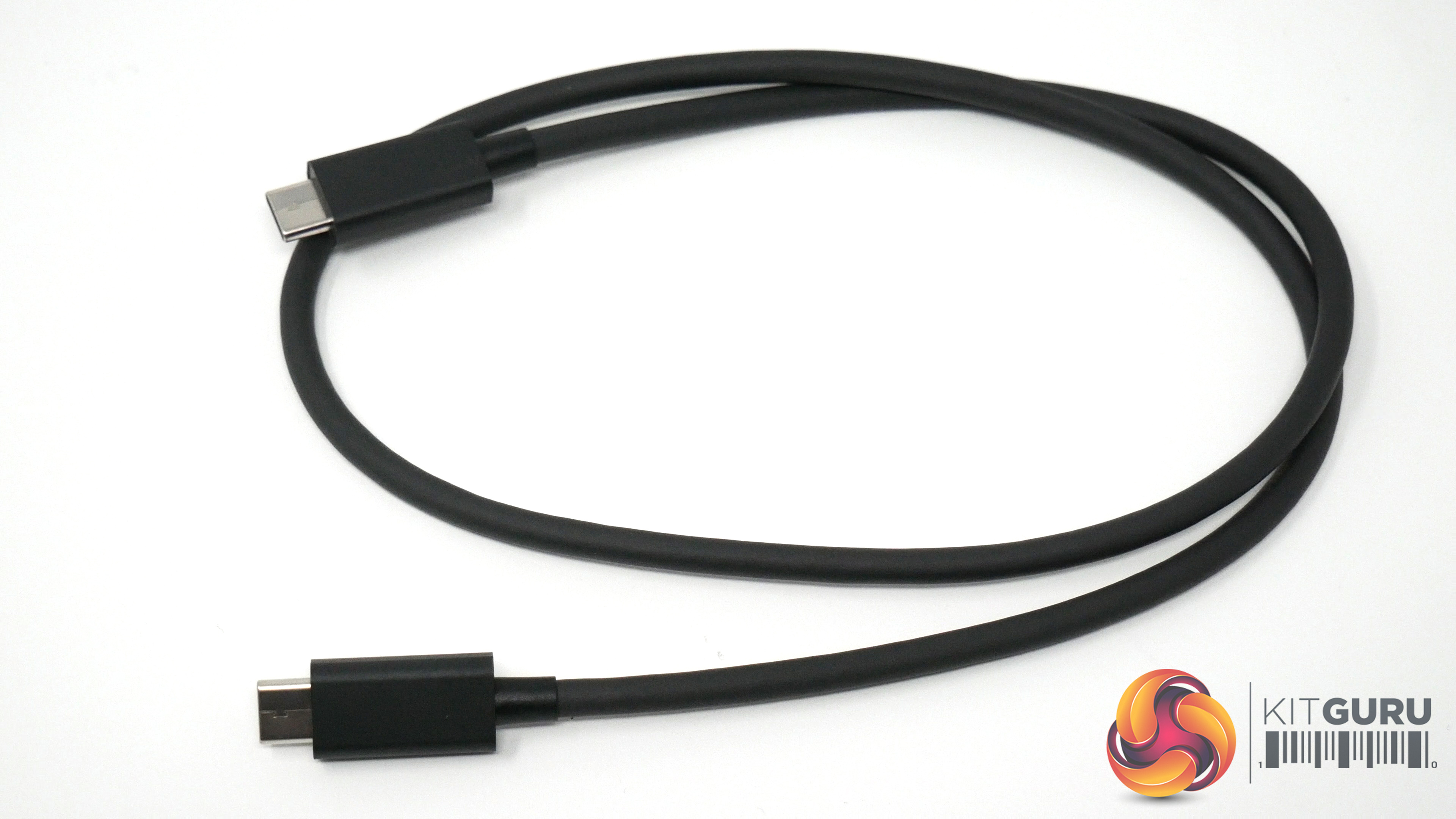
I just briefly want to touch on the Elgato Thunderbolt 3 Pro Dock. I've been using the MateBook X Pro as my daily driver for a while now, but with just a single full-size USB port, connecting additional storage and peripherals is a constant challenge. I appreciate this is part of getting a thin-and-light laptop, but it's still a pain.
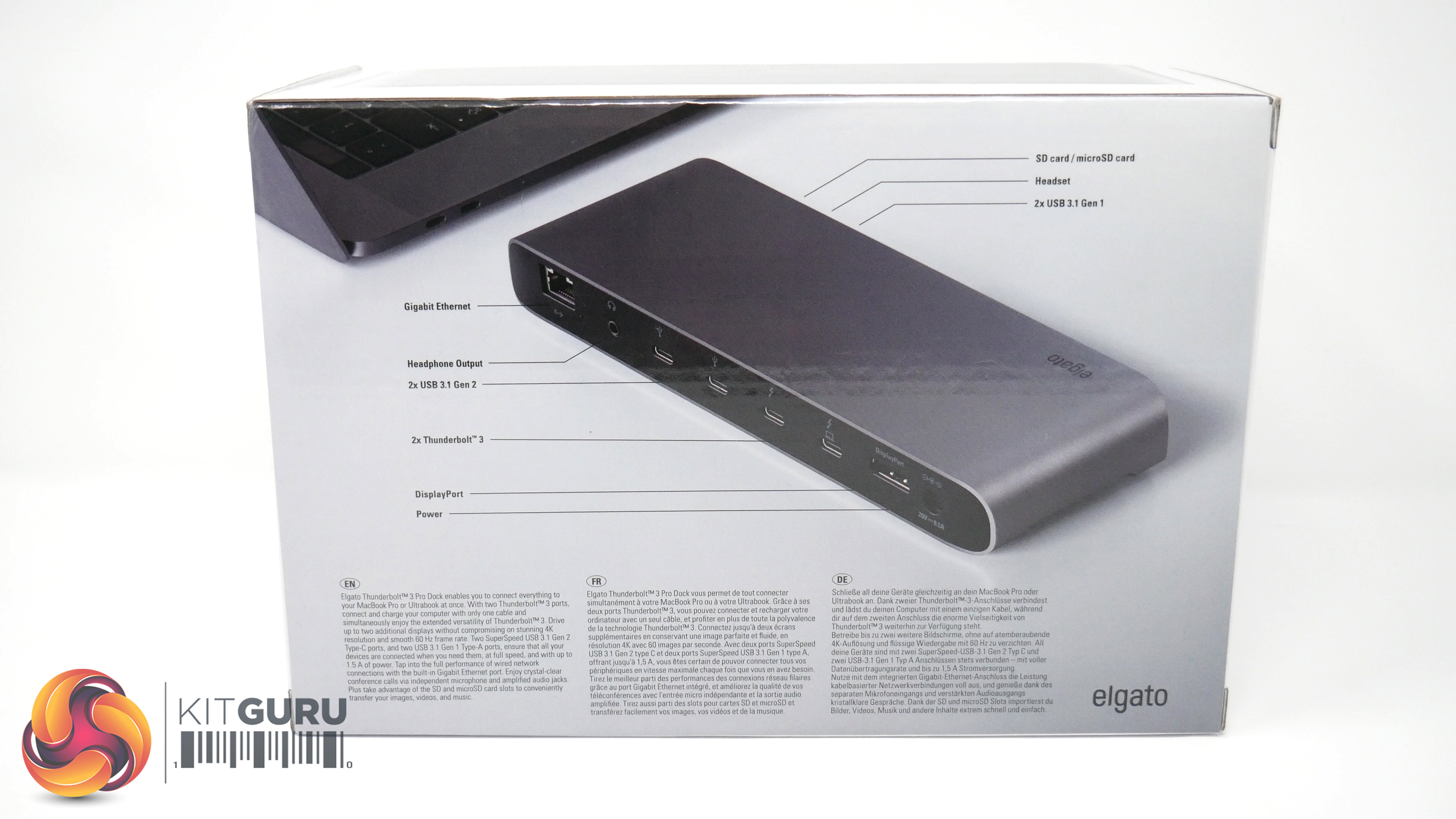
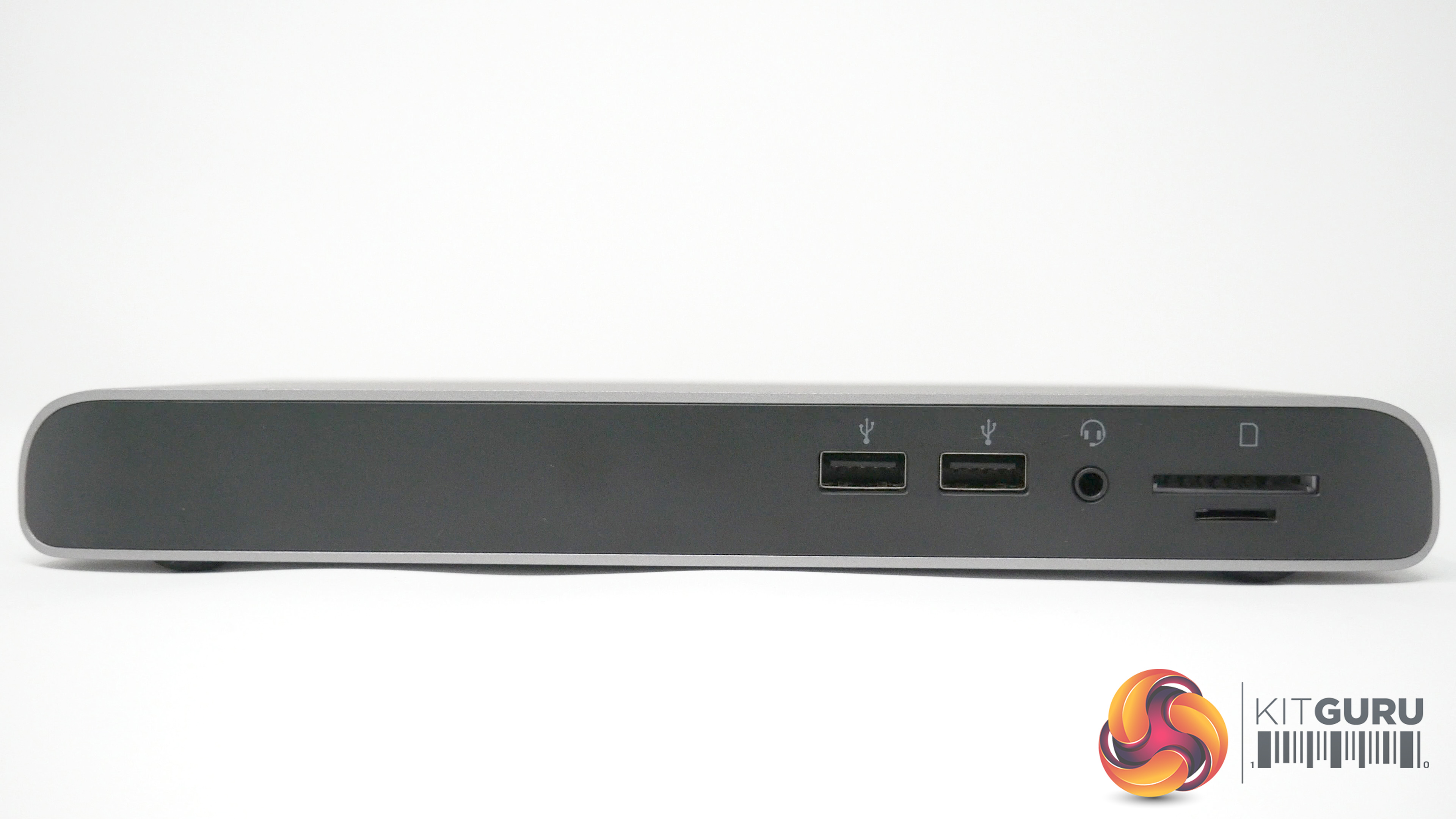
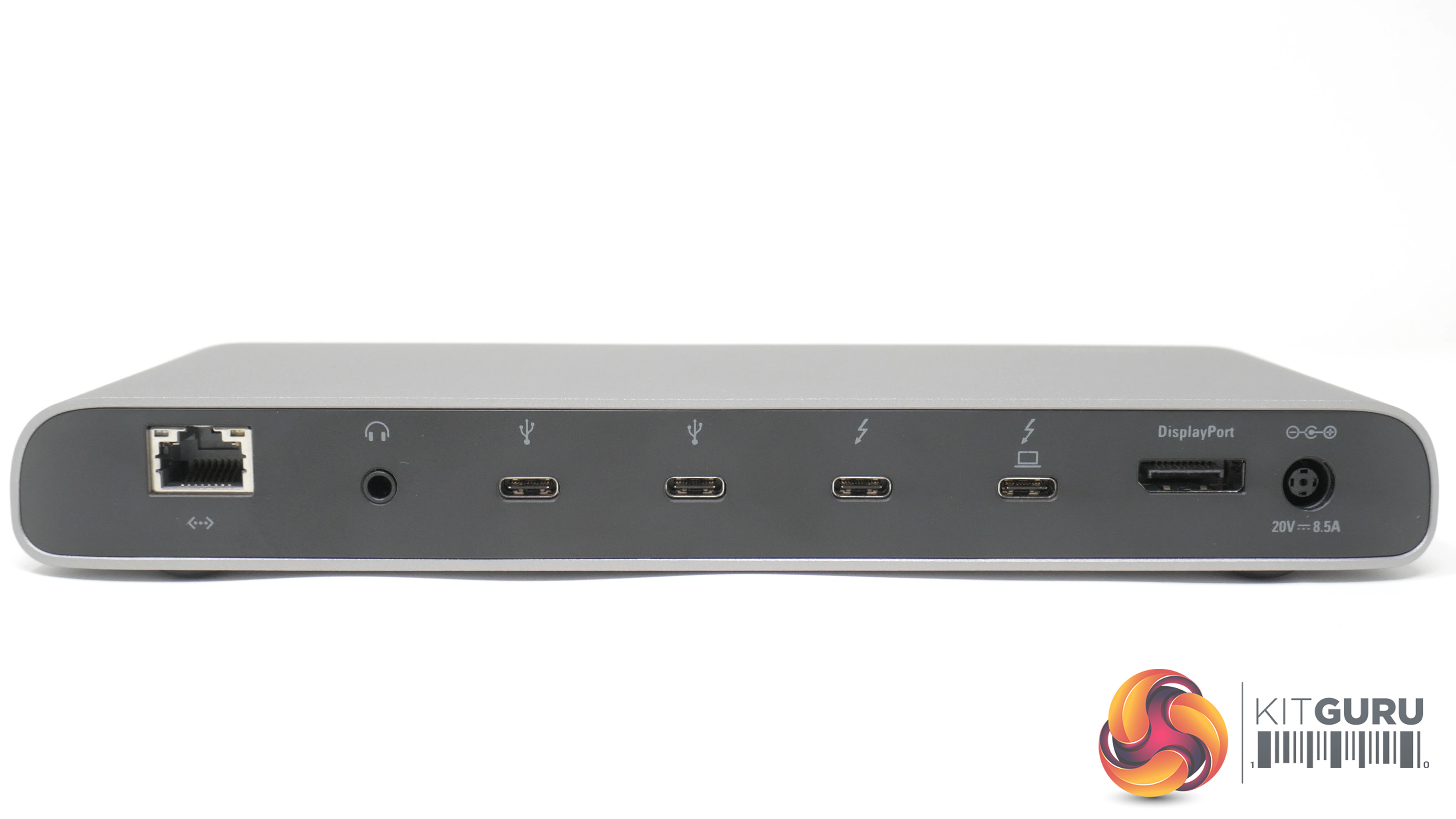
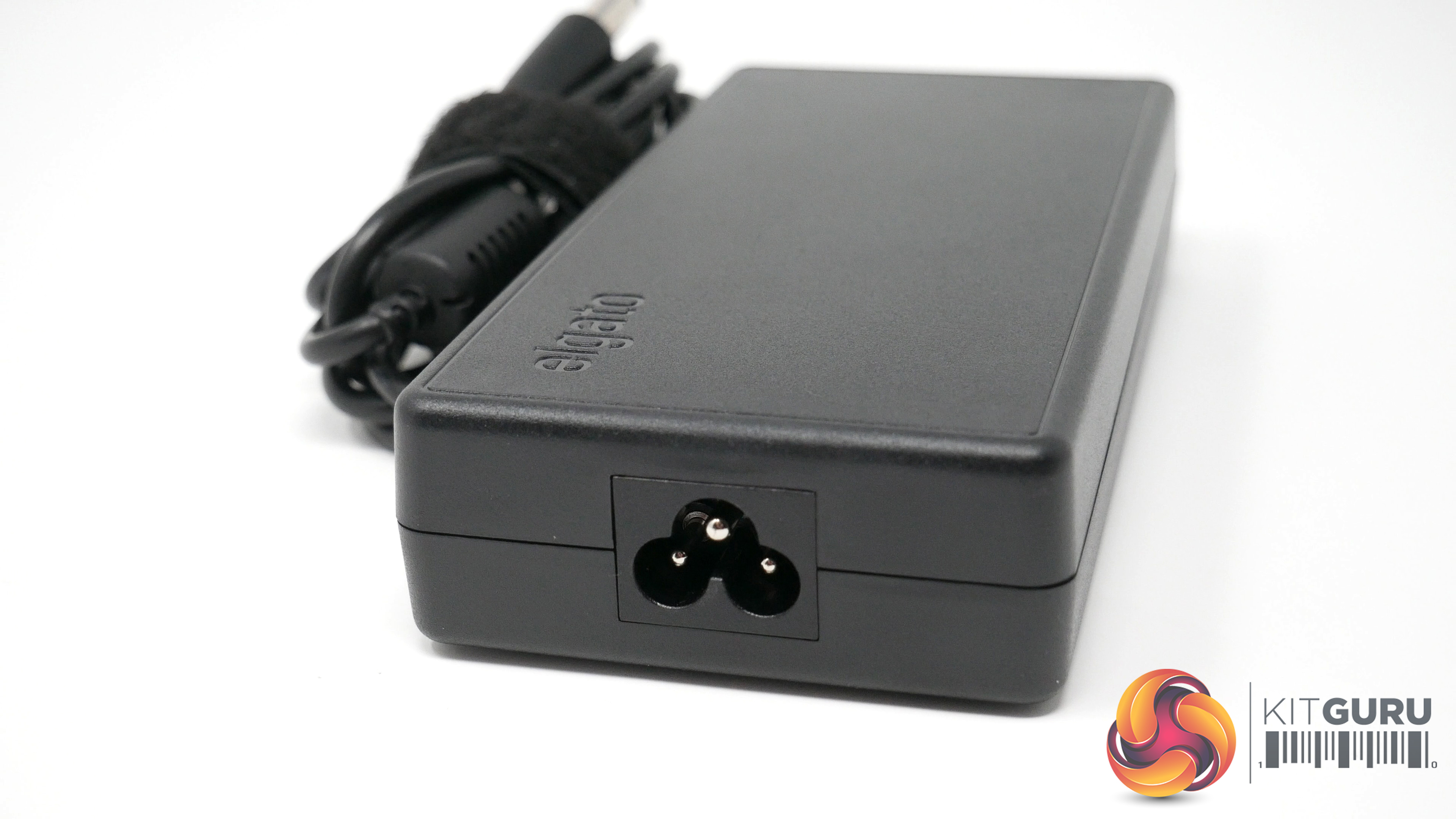
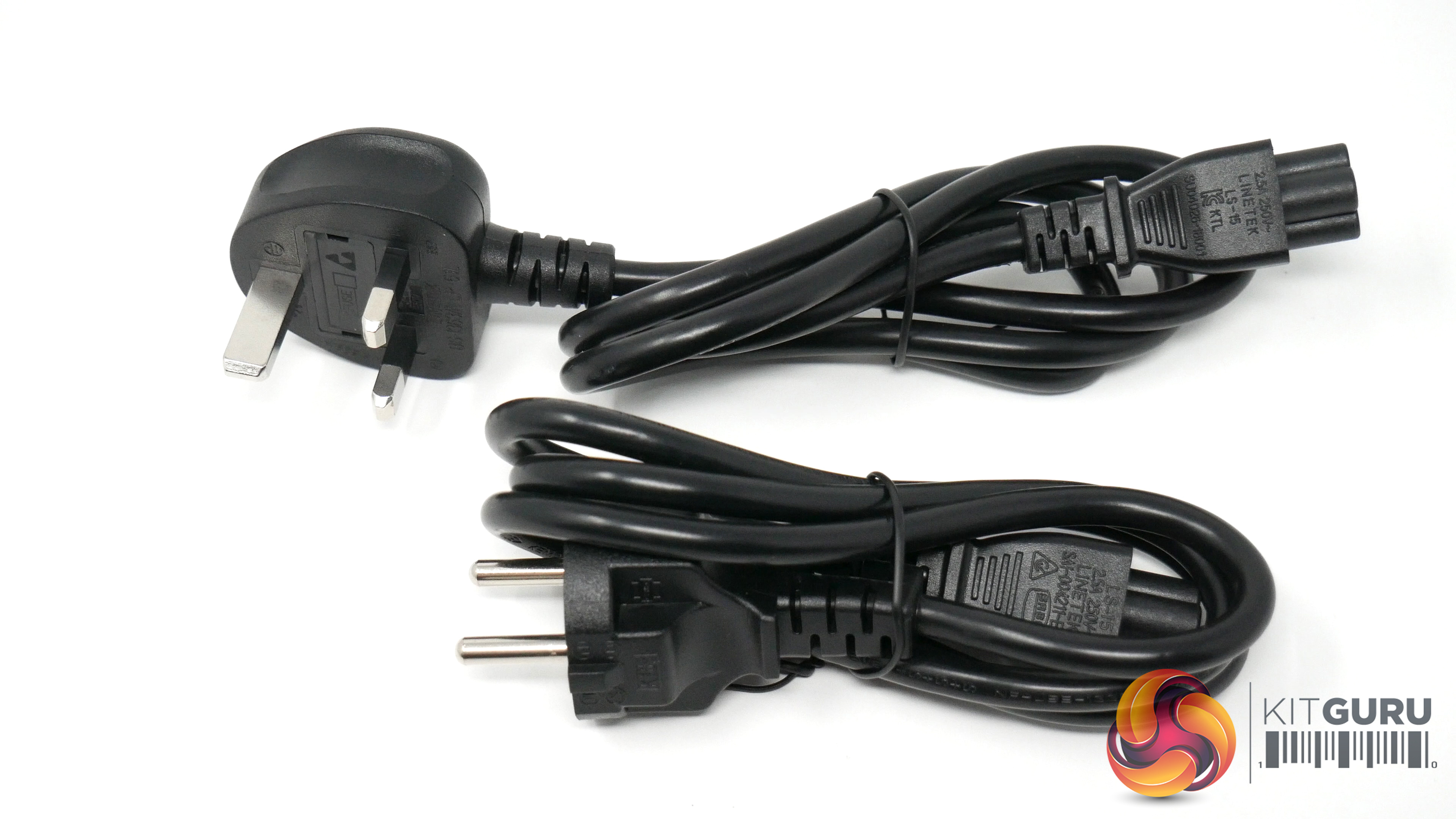
Thankfully, Elgato got in touch and sent over their Pro Dock. As the name suggests this connects via TB3 and provides a lot of additional ports, including 2x USB 3.1 Gen 1 and another 2x USB 3.1 Gen 2 Type-C ports, while Ethernet is also handy while travelling as hotel WiFi can be quite dodgy.
It may not be cheap, coming in at £339.95 on Amazon, but from a productivity perspective it really helps with the MateBook X Pro.
Specifications:
- Compatibility: Windows 10/macOS Sierra 10.12, Thunderbolt 3 port,
- Ports (front): SD card/Micro SD card reader, 2x USB 3.1 Type-A Gen 1, Headset Combo 3.5mm input
- Ports (rear): 2x USB 3.1 Type-C Gen 2, 2x Thunderbolt 3, DisplayPort, Power, Headphone output, Gigabit Ethernet
- DisplayPort Output: up to 4096×2160 at 60Hz
- Thunderbolt 3 Output: up to 5120×2880 at 60Hz
- Dual Display: up to 4096×2160 at 60Hz each
There's no doubt that Huawei's MateBoox X Pro is an impressive machine. We've been looking at the 2018 model here, but considering the 2019 model didn't really change much in a significant way, we think this older model is still well worth a look – especially now that it is selling for £200 less.
For starters, it has a lovely thin-and-light design and it weighs just 1.33kg. That means it is very portable and sleek-looking, though the downside to that is we did notice the chassis get rather warm to the touch – making it uncomfortable to use on a lap for long periods of time.
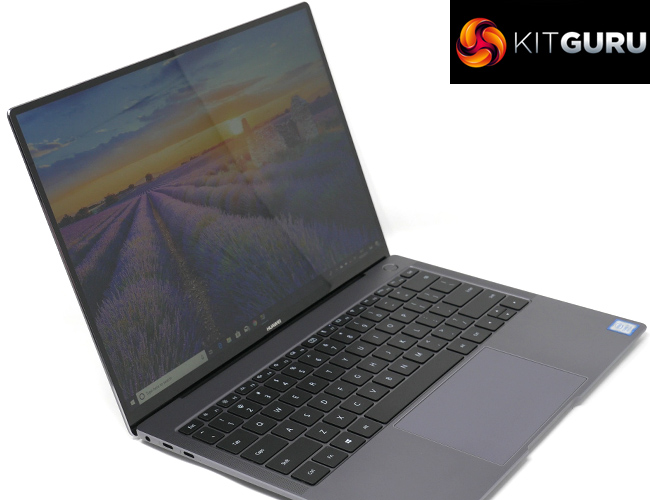
The 3K screen is also great, and it comes equipped with touch-screen functionality. Personally, in my time of using the laptop, I found this to be a huge benefit – as in some certain circumstances it can really help with speeding up the change of applications, zooming in and out on pages, and just removing the time it takes in general to do certain tasks.
It's also nice and fast for general use with a quad-core i7-8550U processor and 512GB NVMe SSD. We tried a few games as well, but the Nvidia MX150 graphics really isn't up to that kind of thing – it's better than Intel integrated graphics but still not a scratch on a proper gaming GPU.
The last thing to mention is the hidden in-keyboard 1MP camera. This is an awfully placed camera and it captures you in the most unflattering angle when placed on a surface. The camera stares up at you, chin first, while the overall quality is quite grainy. I understand the privacy benefits to having a camera hidden where it is, but generally the positioning of this camera is just laughably bad.
You can buy the Huawei MateBook X Pro 512GB Laptop from Amazon for £1499.00 HERE.
A note from Deputy Editor In Chief, Dominic Moass: You will probably have seen news about Huawei's trade ban with US companies. While most of this has centred around Huawei's phone business, there are also ramifications for Huawei's relationship with Microsoft, and therefore this Windows laptop. At the time of writing, Microsoft has not yet addressed the situation so we're unsure what exactly the trade ban means for Huawei's existing laptops. We can only review the machine as we tested it – and that was with a fully-functioning Windows 10 install, but as with Android and Huawei's phones, it's very possible future Windows updates could be affected. Our review stands on the basis of how we've used it, but for anyone thinking of buying a MateBook we advise you to keep an eye out and see how the situation develops.
Pros:
- Sleek aesthetics, lightweight design.
- Backlit, full-size keyboard.
- SSD delivers fast read speeds.
- Good performance overall.
- Trackpad is large, accurate and responsive.
- Speakers sound great.
Cons:
- Poor camera placement, poor quality image
- The base heats up quite a lot even on hard surfaces
- Uncertainty over Huawei's future in the laptop market and the on-going relationship with Microsoft.
KitGuru says: The MateBook X Pro (2018) is definitely an appealing laptop at the current £1499 asking price, but considering Huawei's recent US ‘blacklisting' there is a lot of uncertainty in the air, overshadowing the device itself.